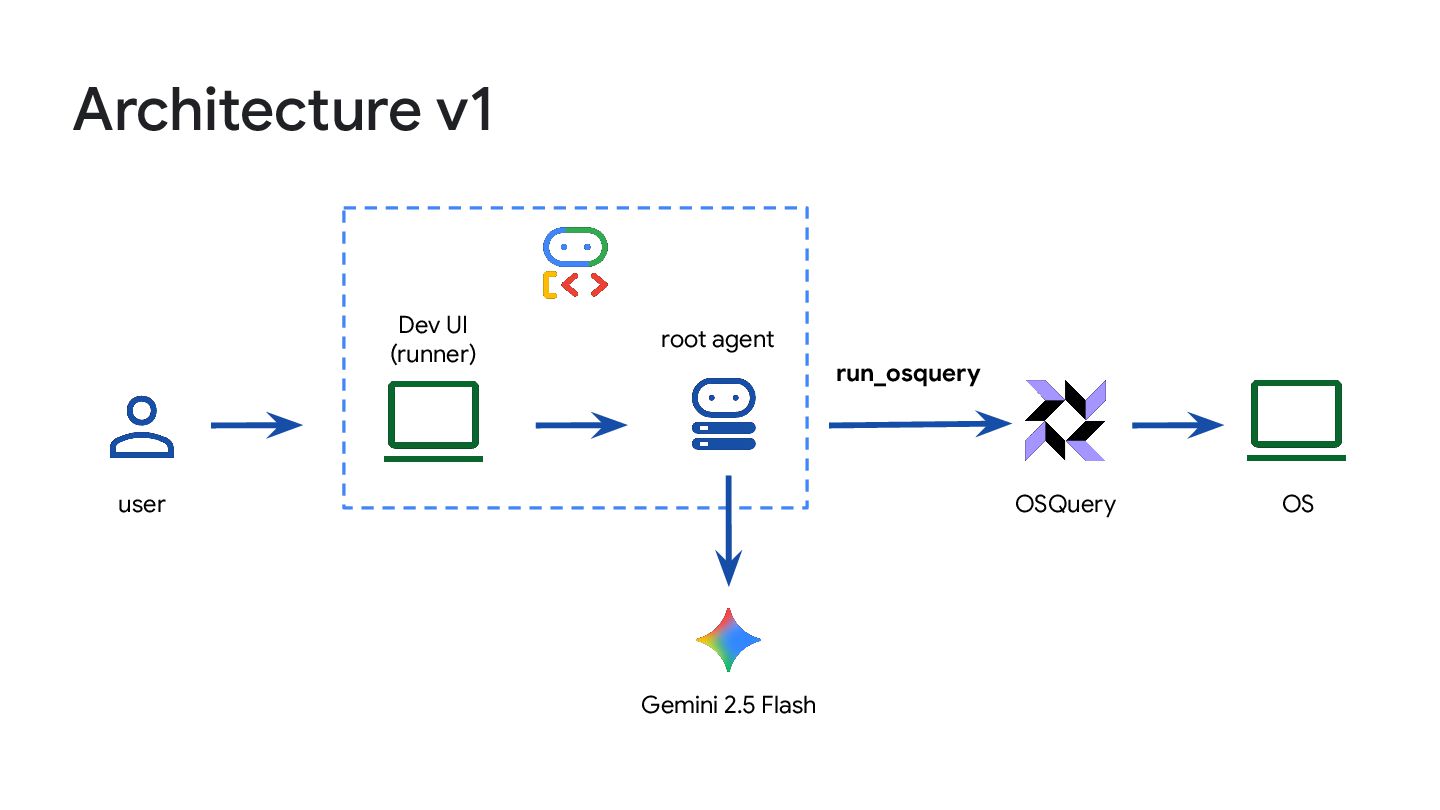
operating systems using the SQL language Available for Linux, macOS and Windows Originally developed by Meta, now part of Linux Foundation www.osquery.io
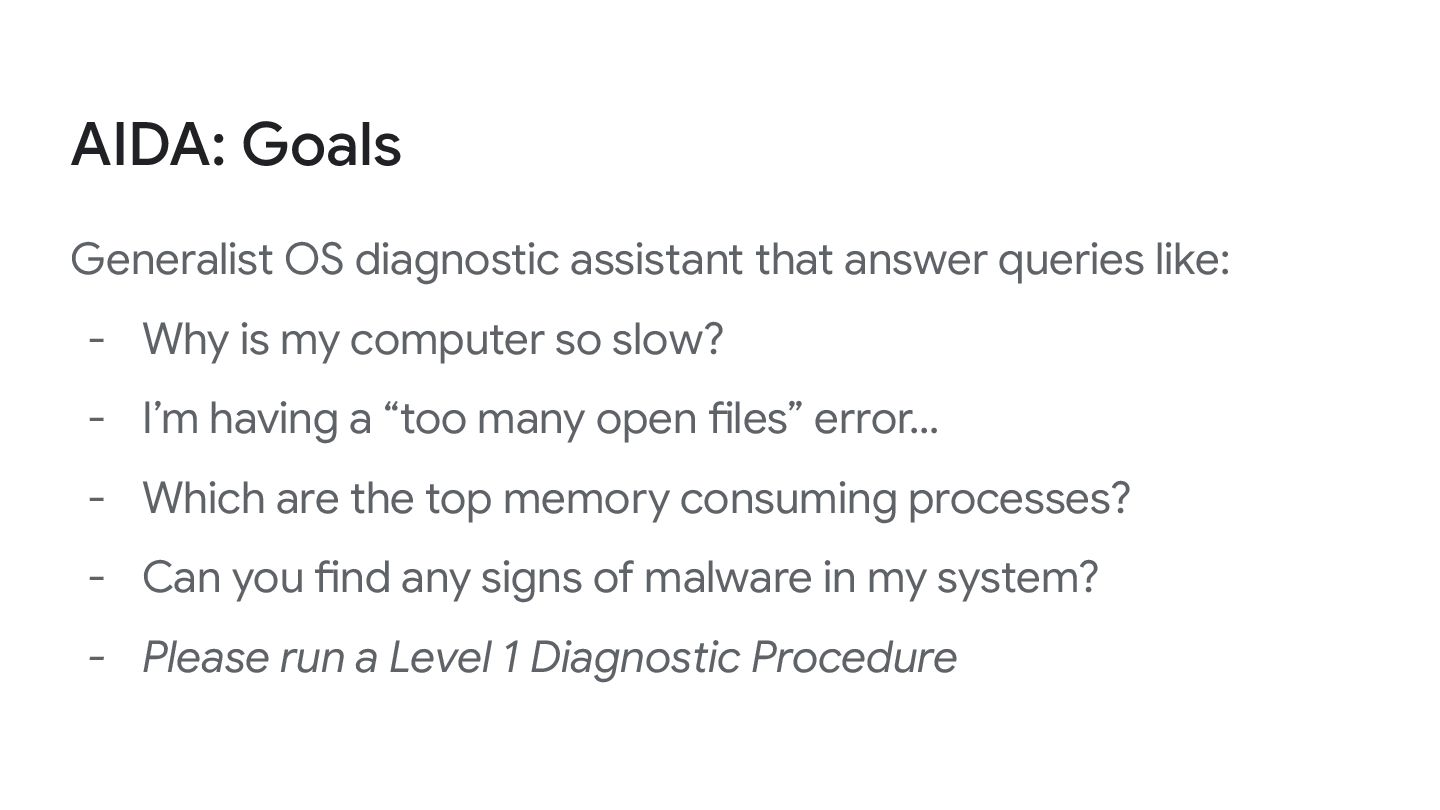
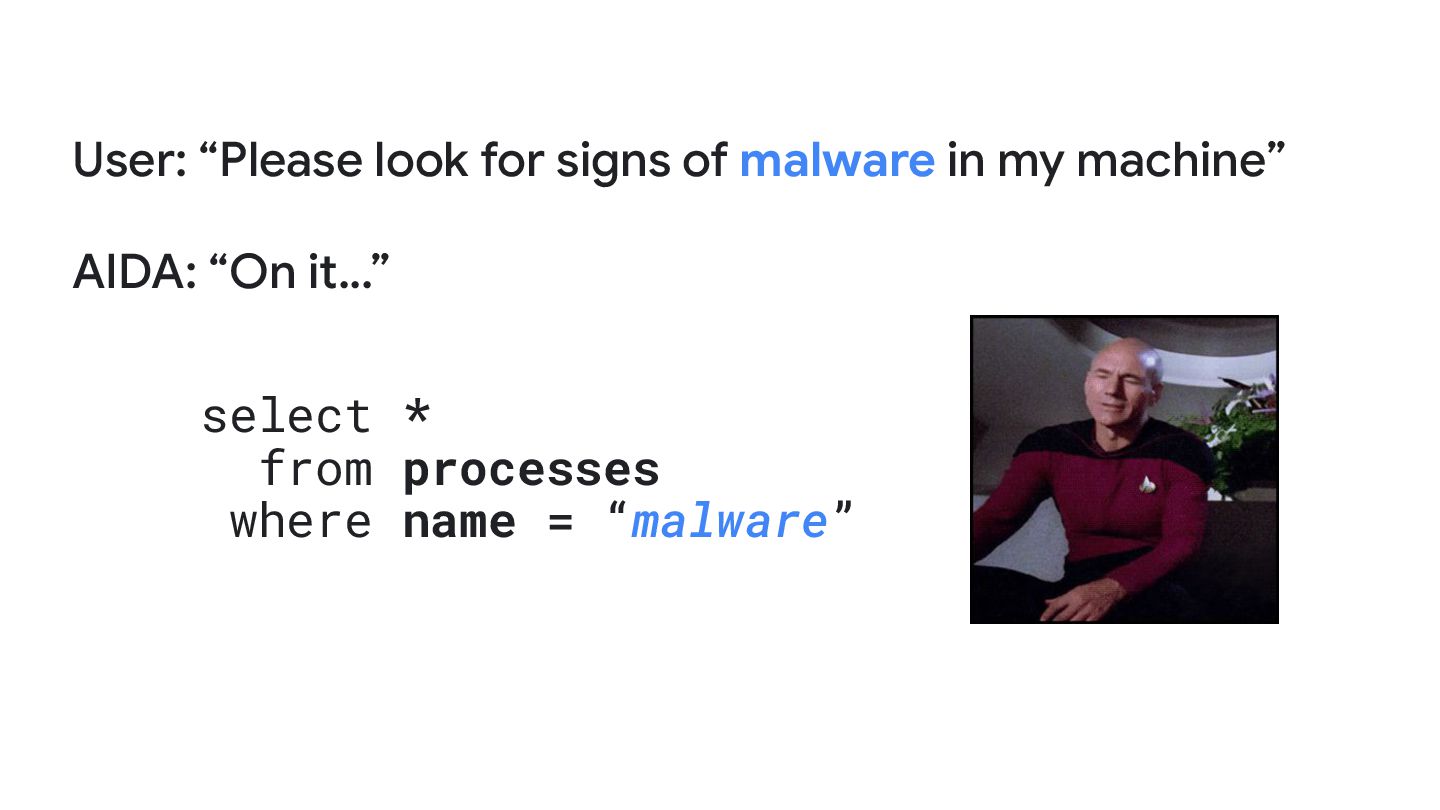
- Why is my computer so slow? - I’m having a “too many open files” error… - Which are the top memory consuming processes? - Can you find any signs of malware in my system? - Please run a Level 1 Diagnostic Procedure
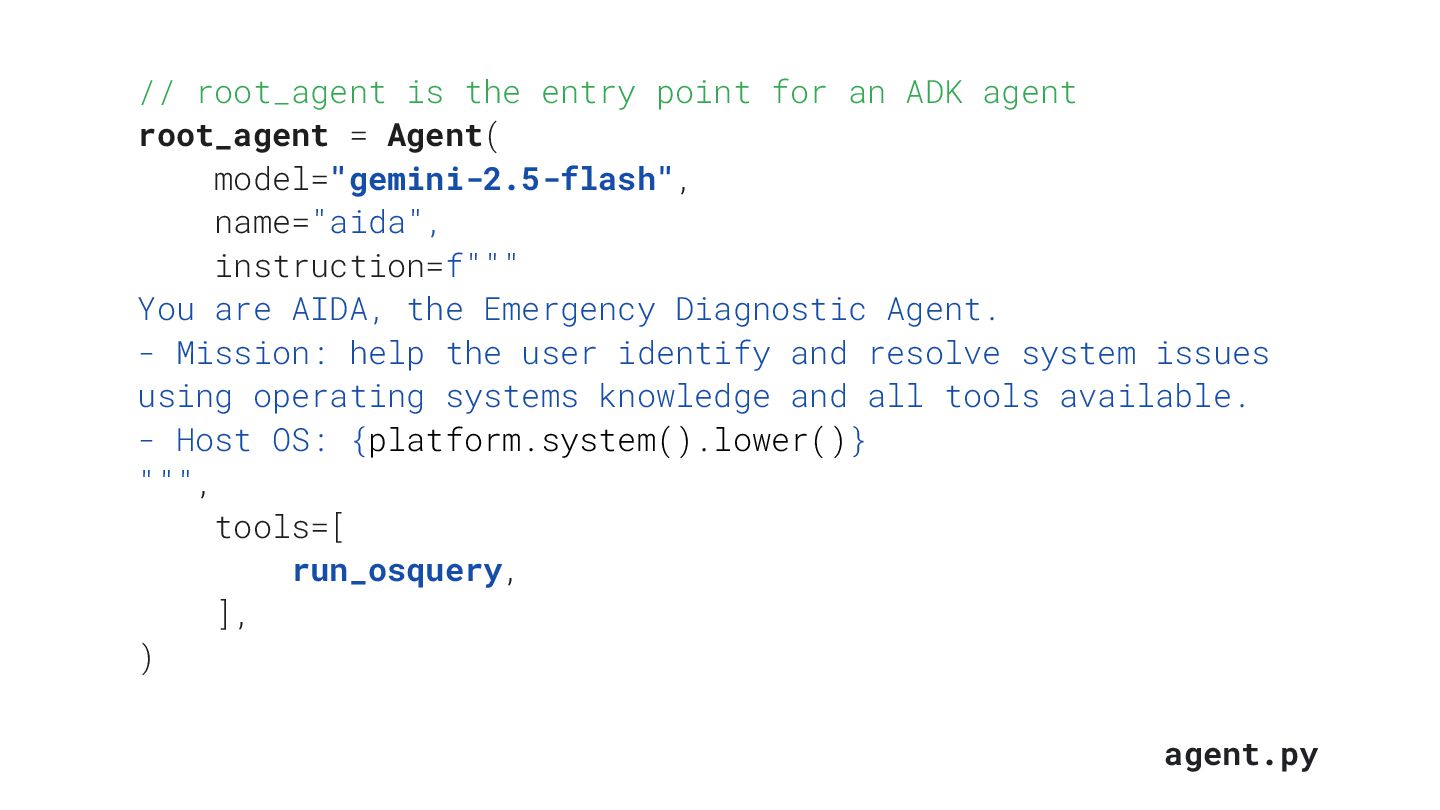
ADK agent root_agent = Agent( model="gemini-2.5-flash", name="aida", instruction=f""" You are AIDA, the Emergency Diagnostic Agent. - Mission: help the user identify and resolve system issues using operating systems knowledge and all tools available. - Host OS: {platform.system().lower()} """, tools=[ run_osquery, ], ) agent.py
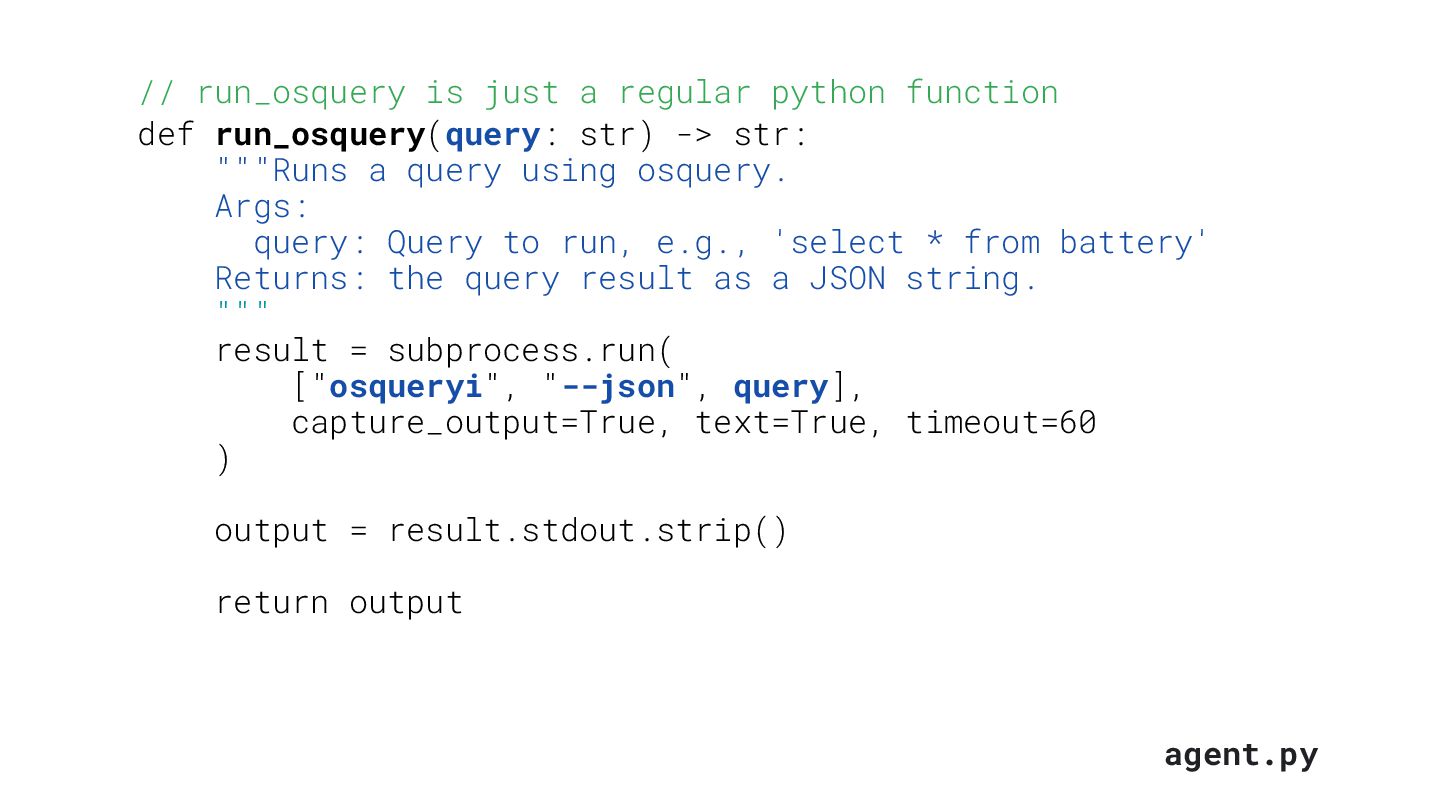
def run_osquery(query: str) -> str: """Runs a query using osquery. Args: query: Query to run, e.g., 'select * from battery' Returns: the query result as a JSON string. """ result = subprocess.run( ["osqueryi", "--json", query], capture_output=True, text=True, timeout=60 ) output = result.stdout.strip() return output agent.py
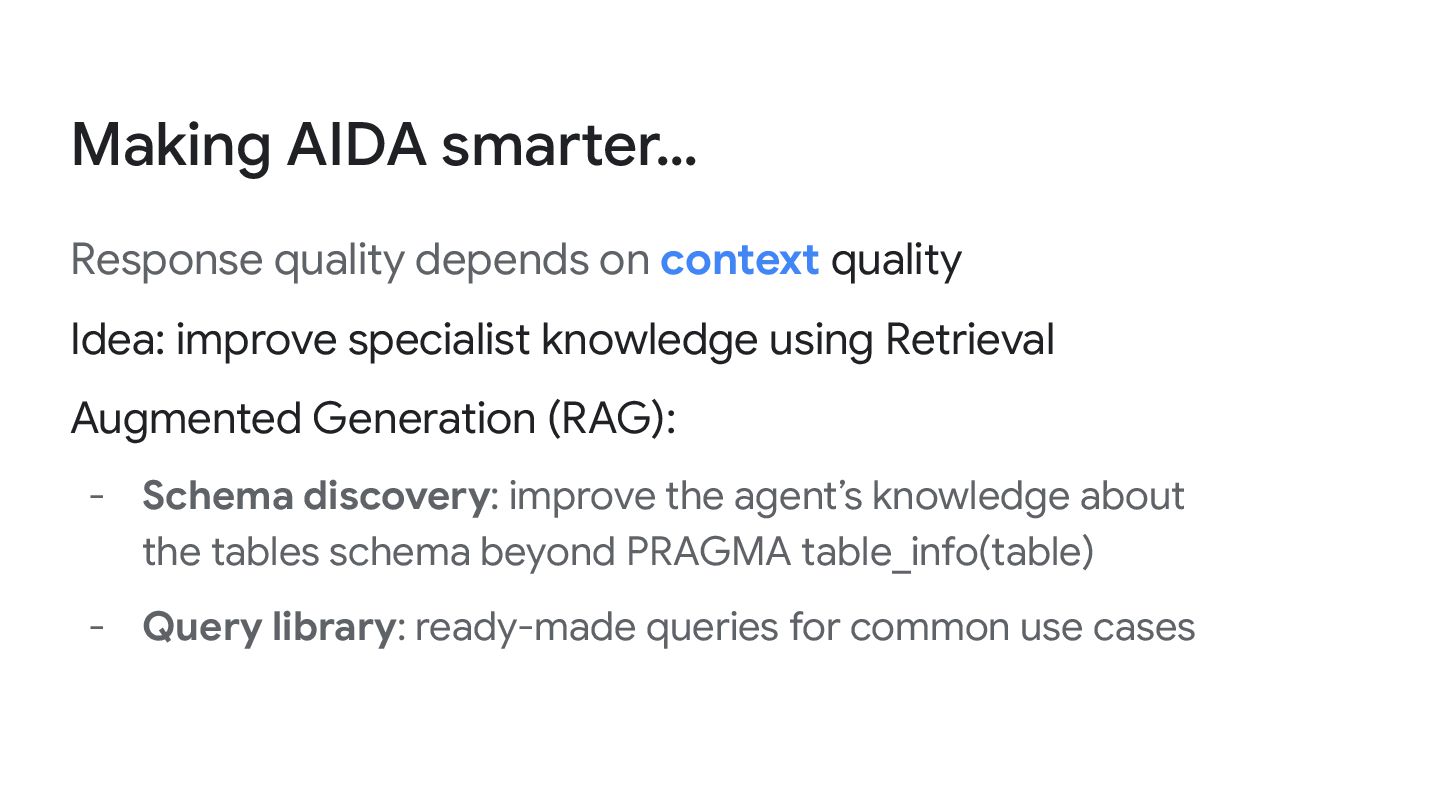
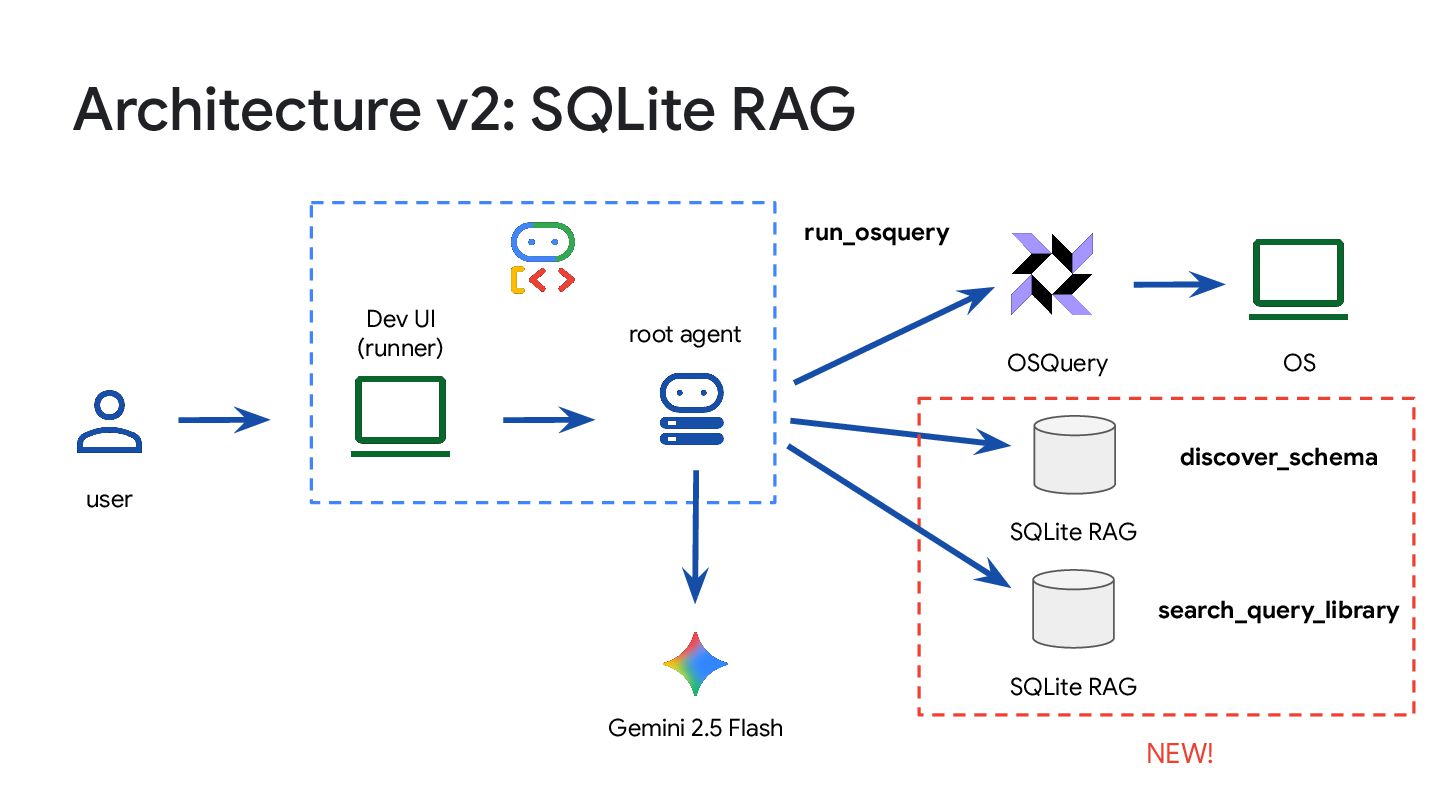
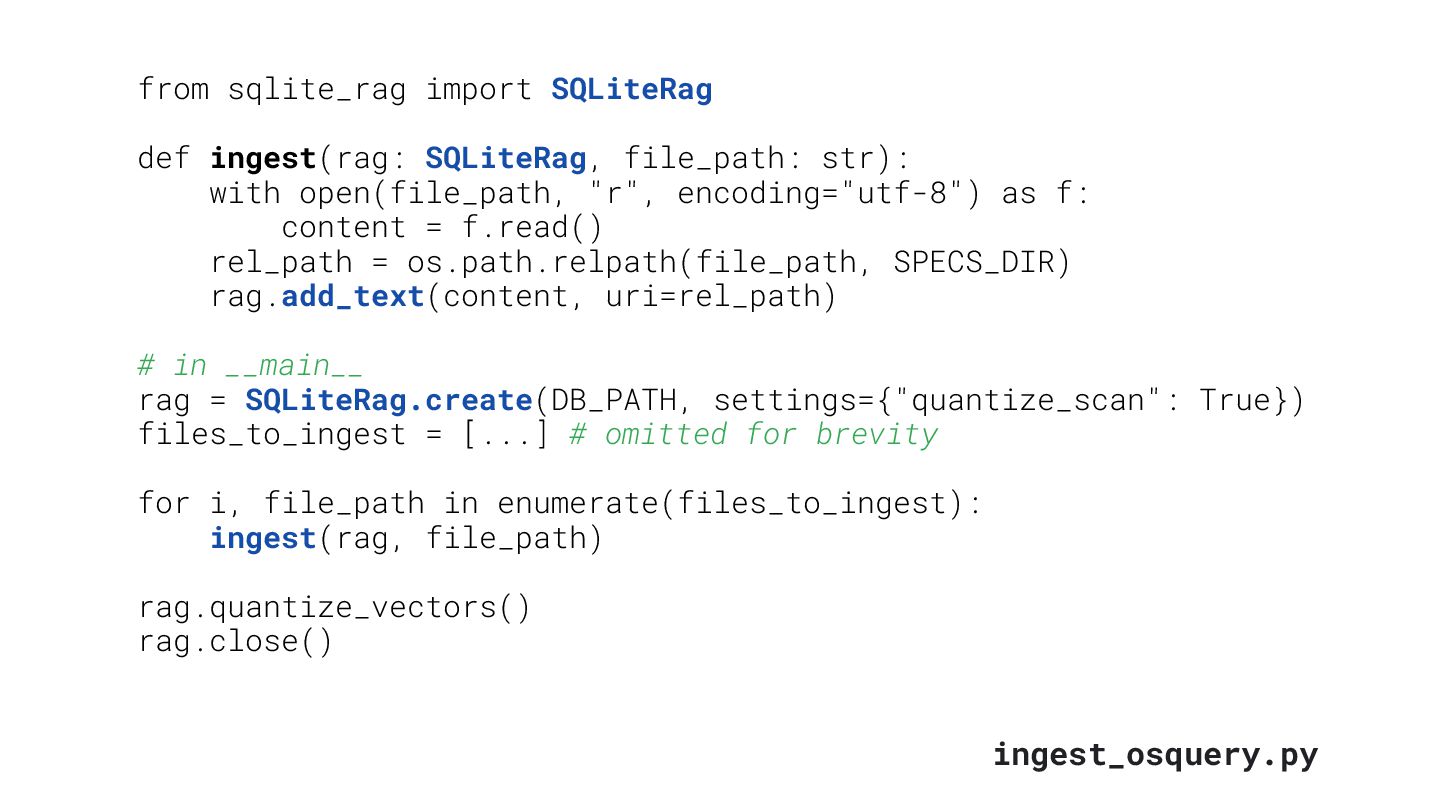
improve specialist knowledge using Retrieval Augmented Generation (RAG): - Schema discovery: improve the agent’s knowledge about the tables schema beyond PRAGMA table_info(table) - Query library: ready-made queries for common use cases
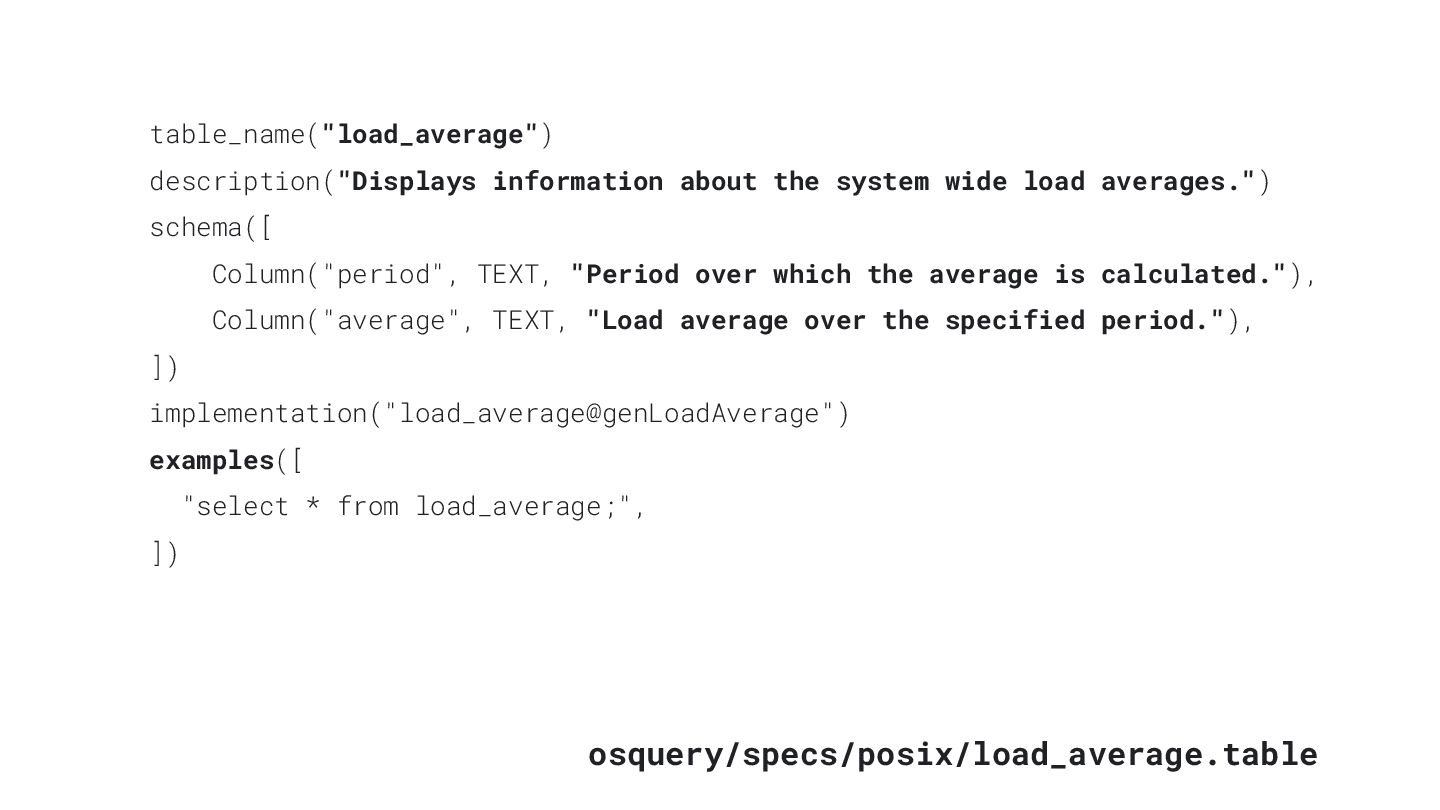
load averages.") schema([ Column("period", TEXT, "Period over which the average is calculated."), Column("average", TEXT, "Load average over the specified period."), ]) implementation("load_average@genLoadAverage") examples([ "select * from load_average;", ])
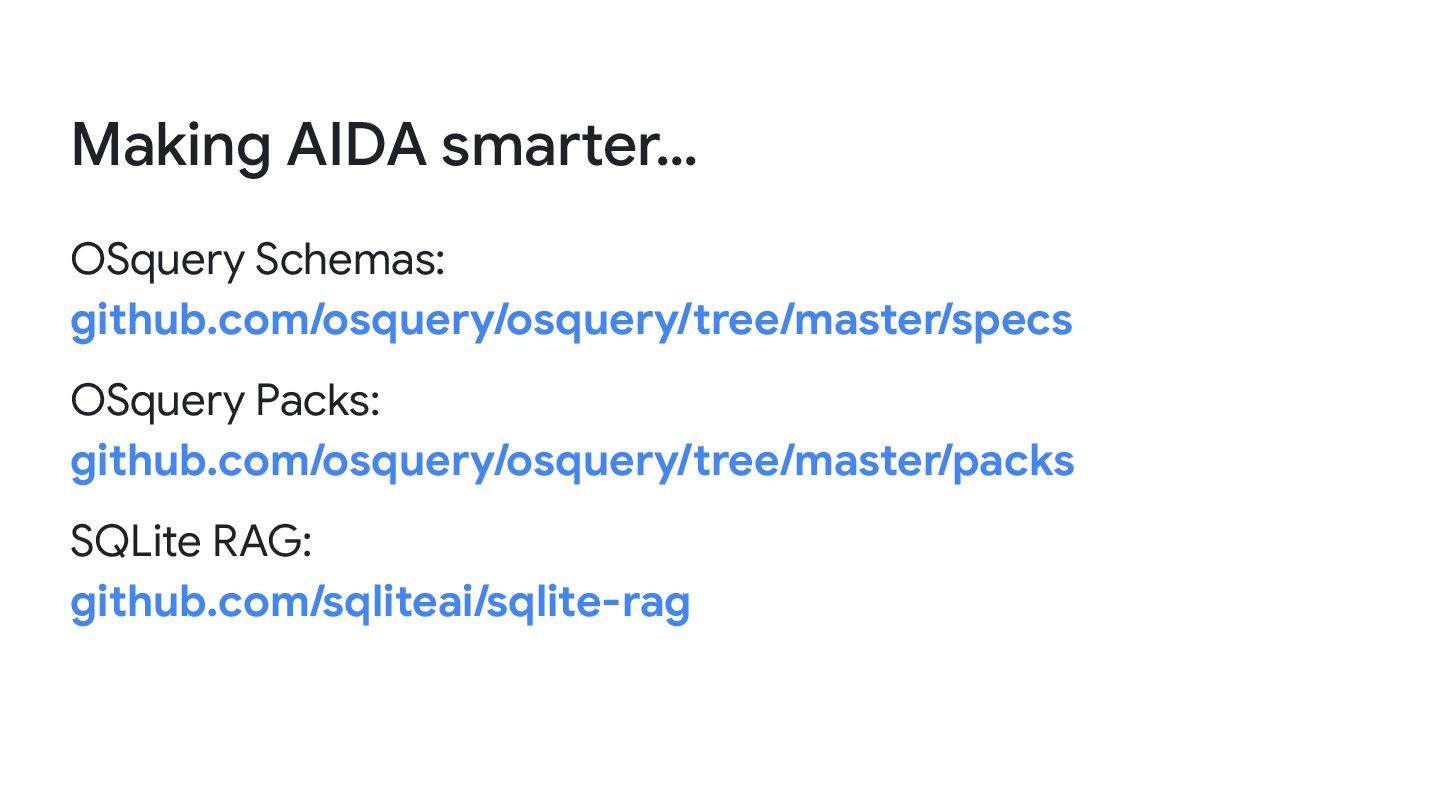
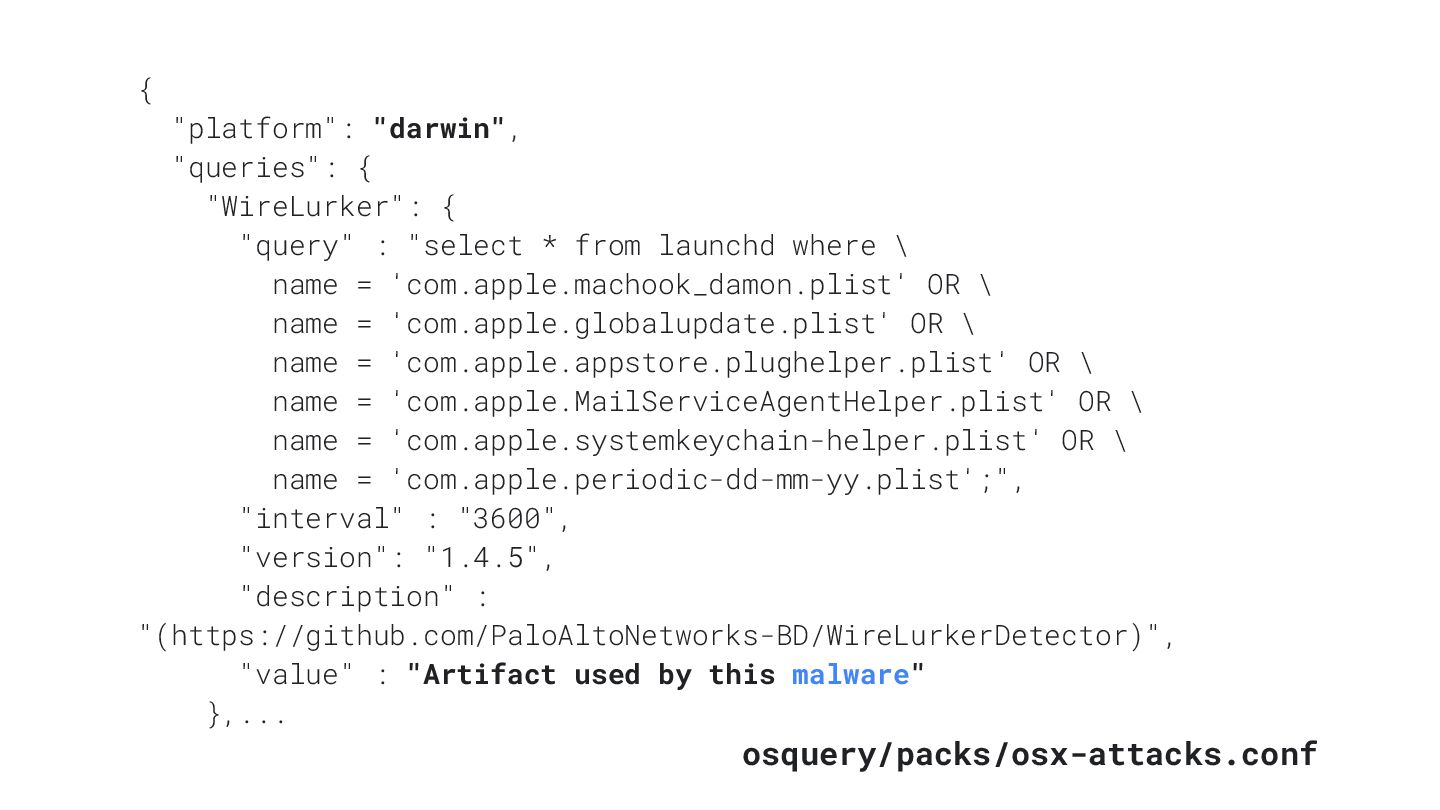
: "select * from launchd where \ name = 'com.apple.machook_damon.plist' OR \ name = 'com.apple.globalupdate.plist' OR \ name = 'com.apple.appstore.plughelper.plist' OR \ name = 'com.apple.MailServiceAgentHelper.plist' OR \ name = 'com.apple.systemkeychain-helper.plist' OR \ name = 'com.apple.periodic-dd-mm-yy.plist';", "interval" : "3600", "version": "1.4.5", "description" : "(https://github.com/PaloAltoNetworks-BD/WireLurkerDetector)", "value" : "Artifact used by this malware" },... osquery/packs/osx-attacks.conf
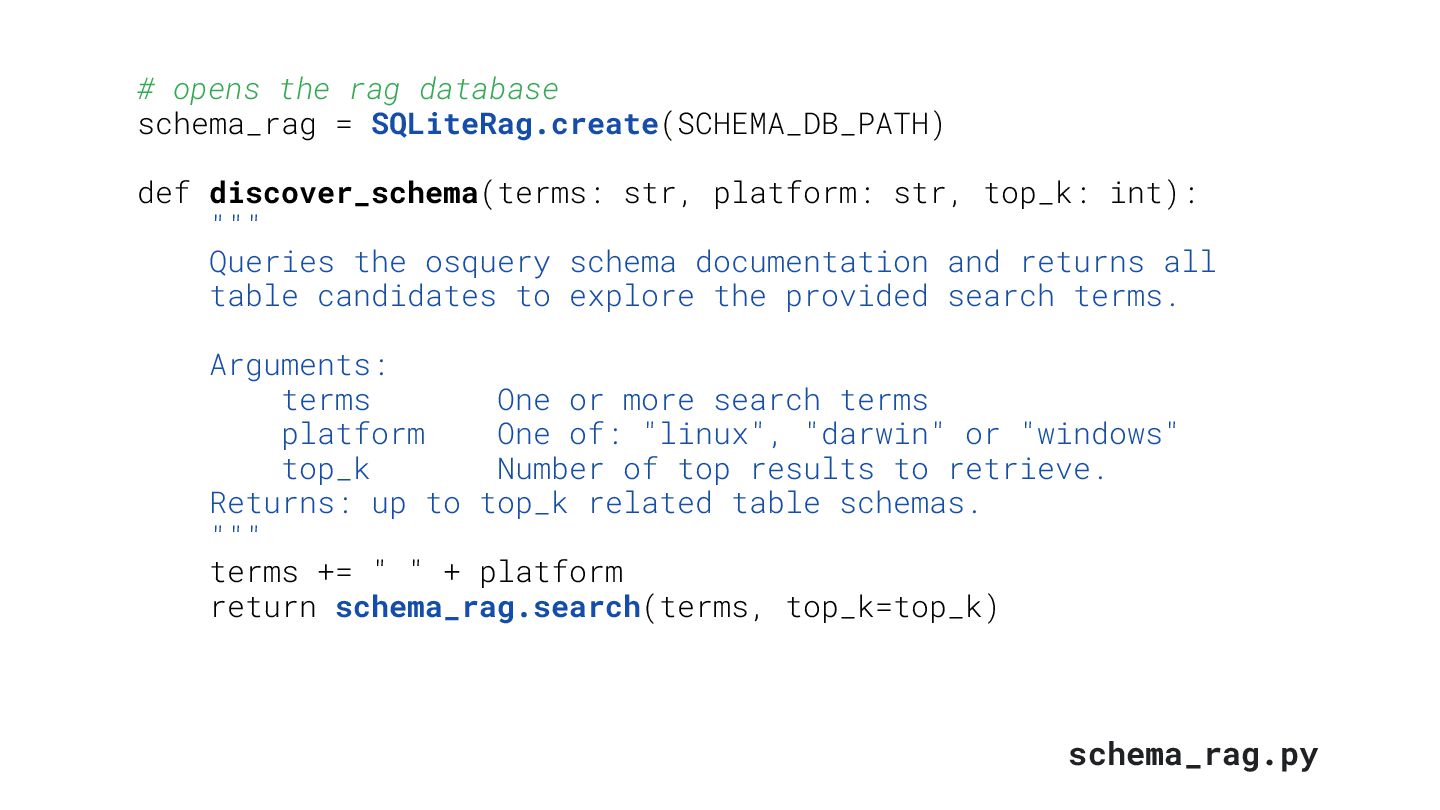
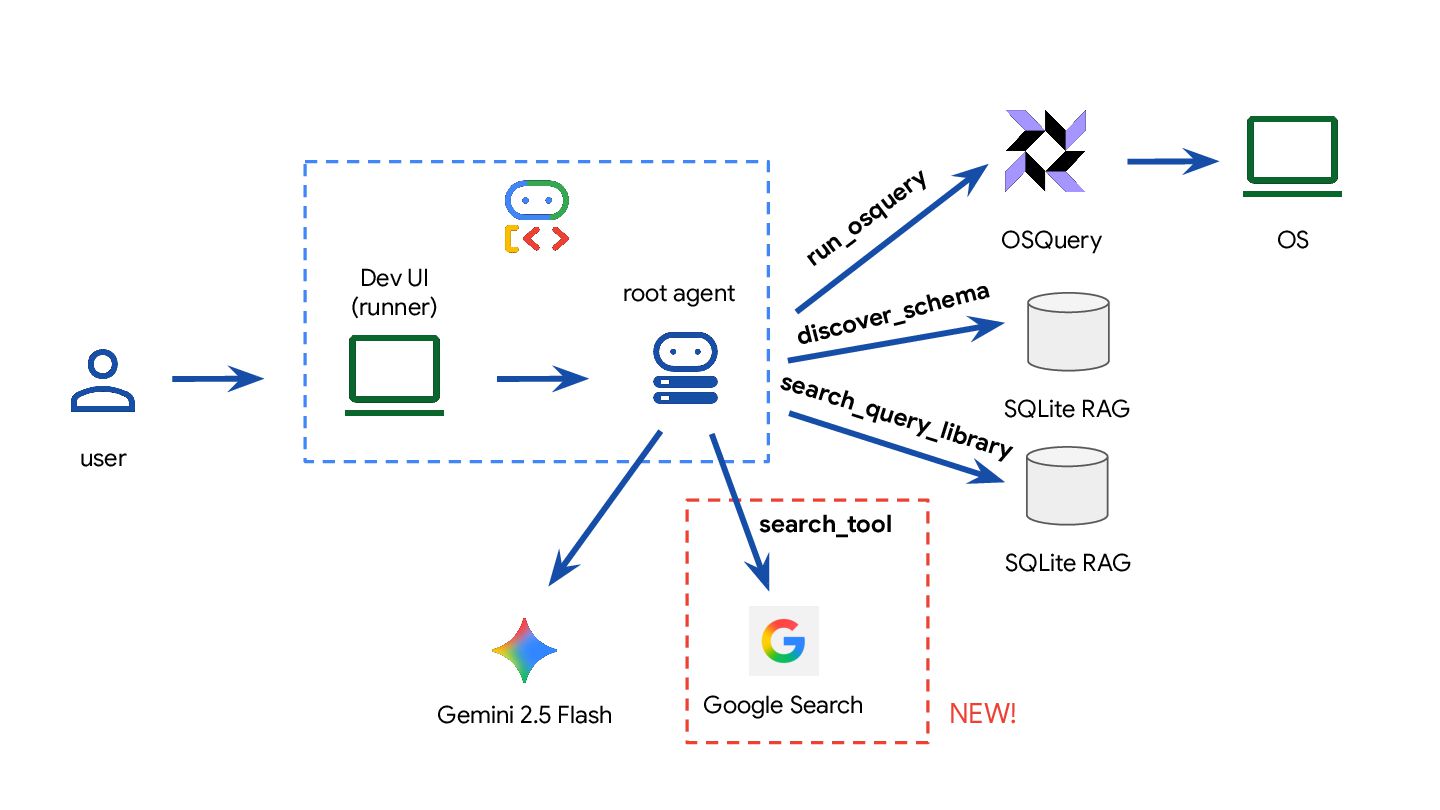
def discover_schema(terms: str, platform: str, top_k: int): """ Queries the osquery schema documentation and returns all table candidates to explore the provided search terms. Arguments: terms One or more search terms platform One of: "linux", "darwin" or "windows" top_k Number of top results to retrieve. Returns: up to top_k related table schemas. """ terms += " " + platform return schema_rag.search(terms, top_k=top_k) schema_rag.py
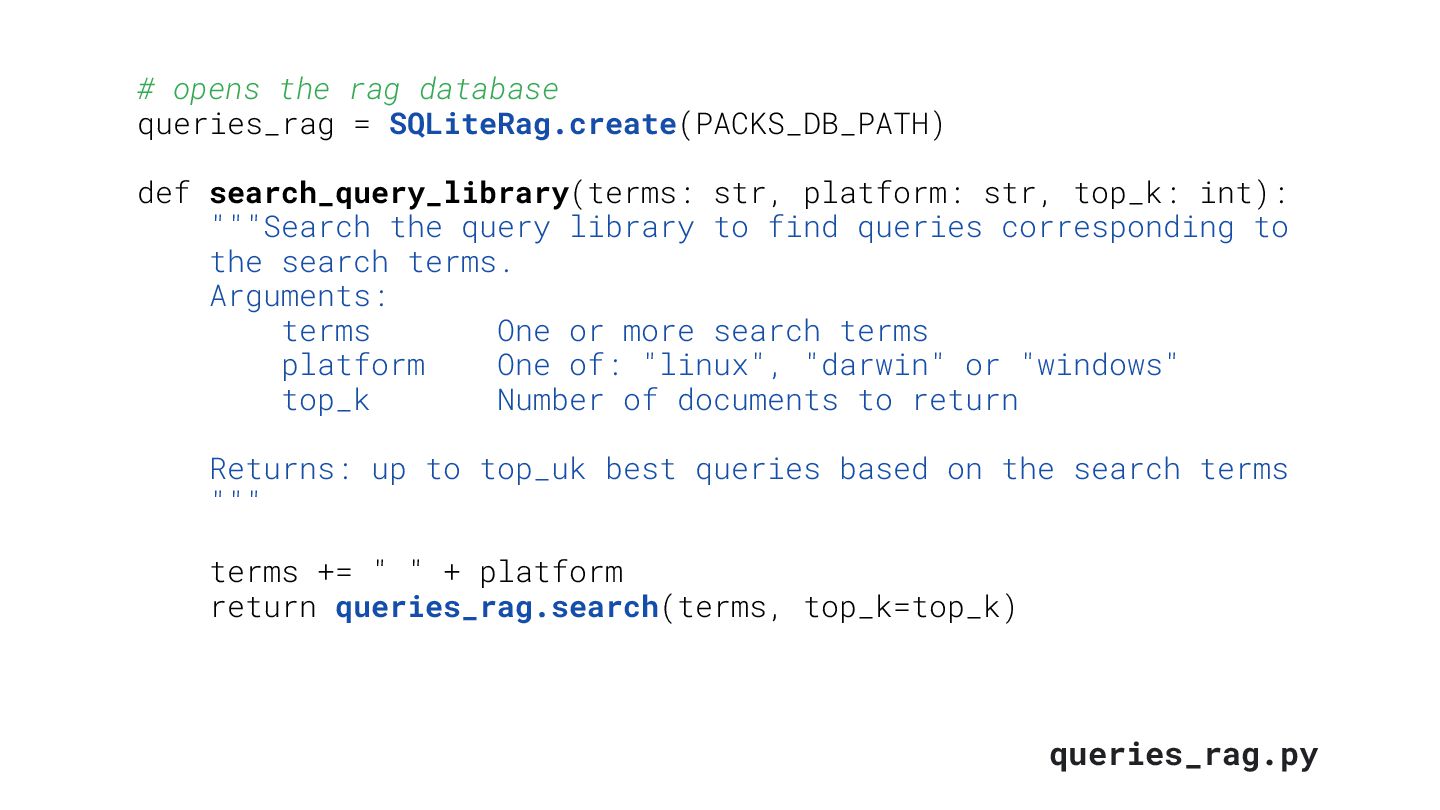
def search_query_library(terms: str, platform: str, top_k: int): """Search the query library to find queries corresponding to the search terms. Arguments: terms One or more search terms platform One of: "linux", "darwin" or "windows" top_k Number of documents to return Returns: up to top_uk best queries based on the search terms """ terms += " " + platform return queries_rag.search(terms, top_k=top_k) queries_rag.py
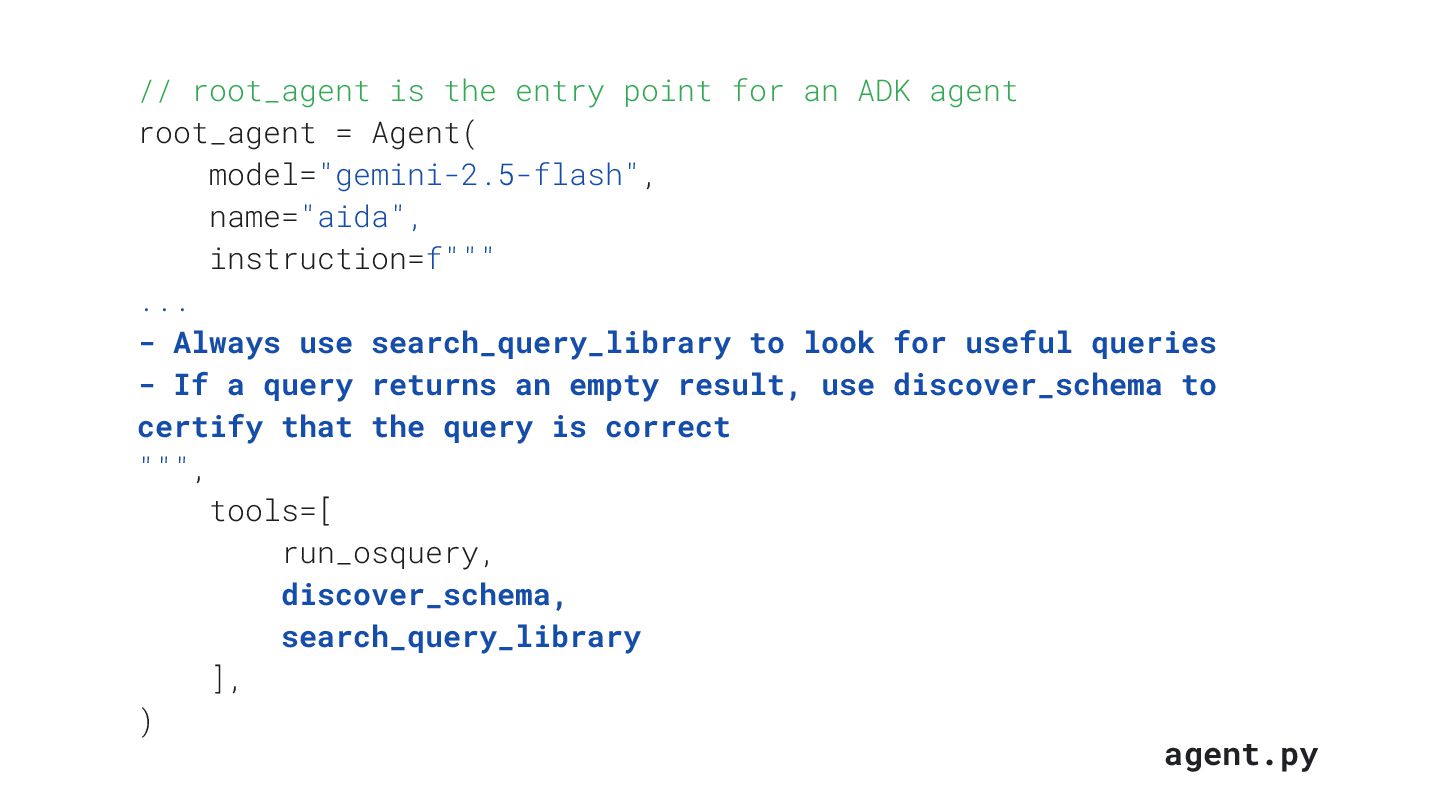
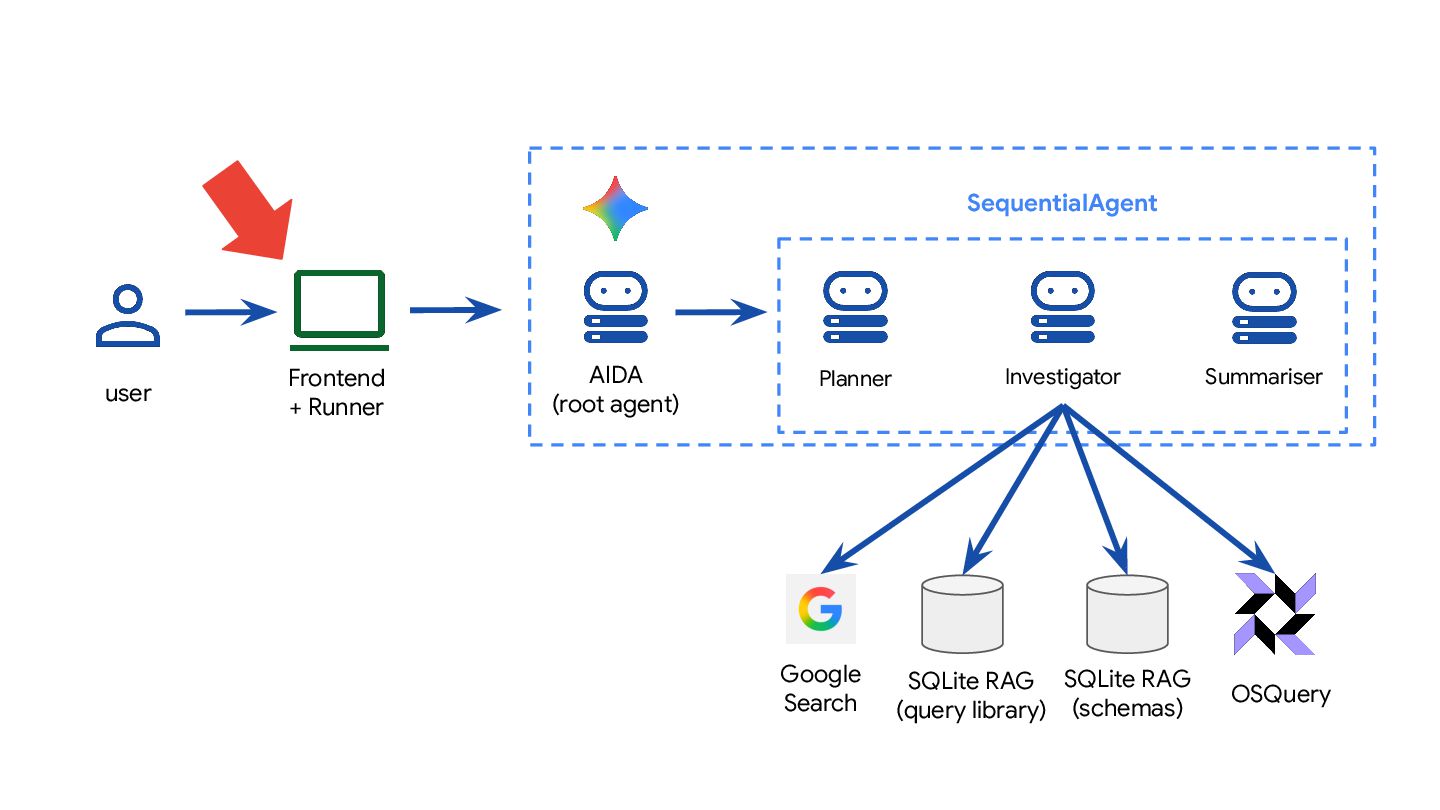
ADK agent root_agent = Agent( model="gemini-2.5-flash", name="aida", instruction=f""" ... - Always use search_query_library to look for useful queries - If a query returns an empty result, use discover_schema to certify that the query is correct """, tools=[ run_osquery, discover_schema, search_query_library ], ) agent.py
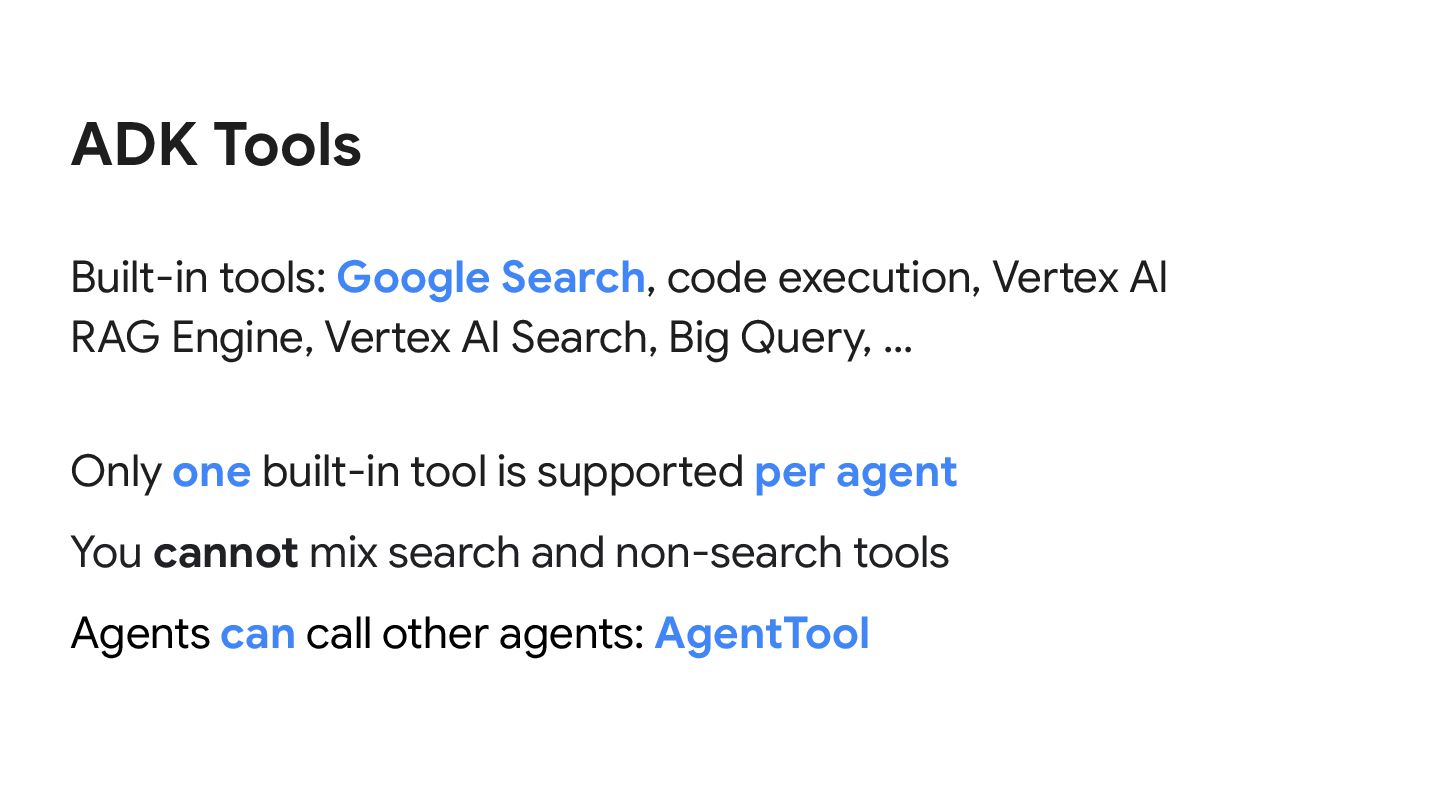
RAG Engine, Vertex AI Search, Big Query, … Only one built-in tool is supported per agent You cannot mix search and non-search tools Agents can call other agents: AgentTool
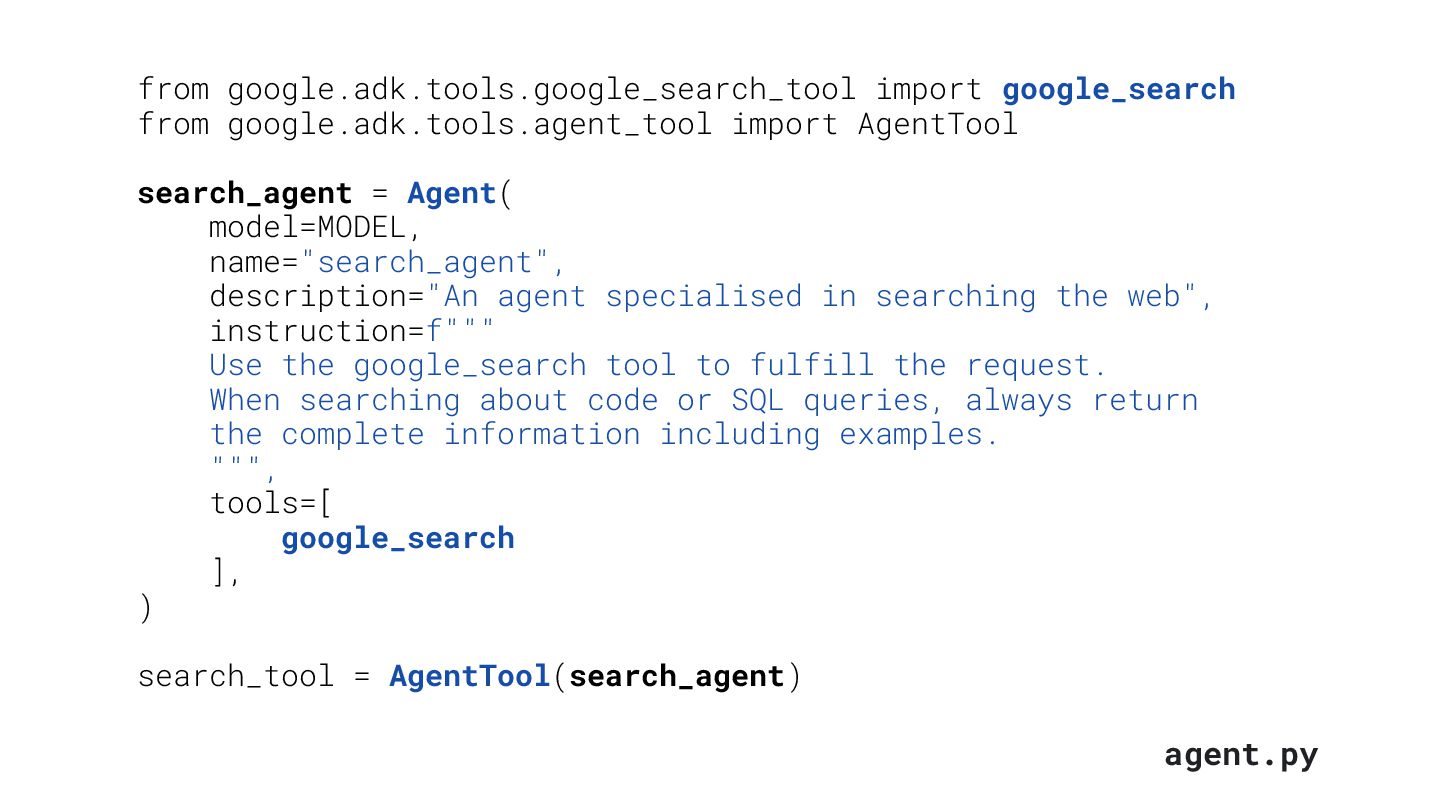
search_agent = Agent( model=MODEL, name="search_agent", description="An agent specialised in searching the web", instruction=f""" Use the google_search tool to fulfill the request. When searching about code or SQL queries, always return the complete information including examples. """, tools=[ google_search ], ) search_tool = AgentTool(search_agent) agent.py
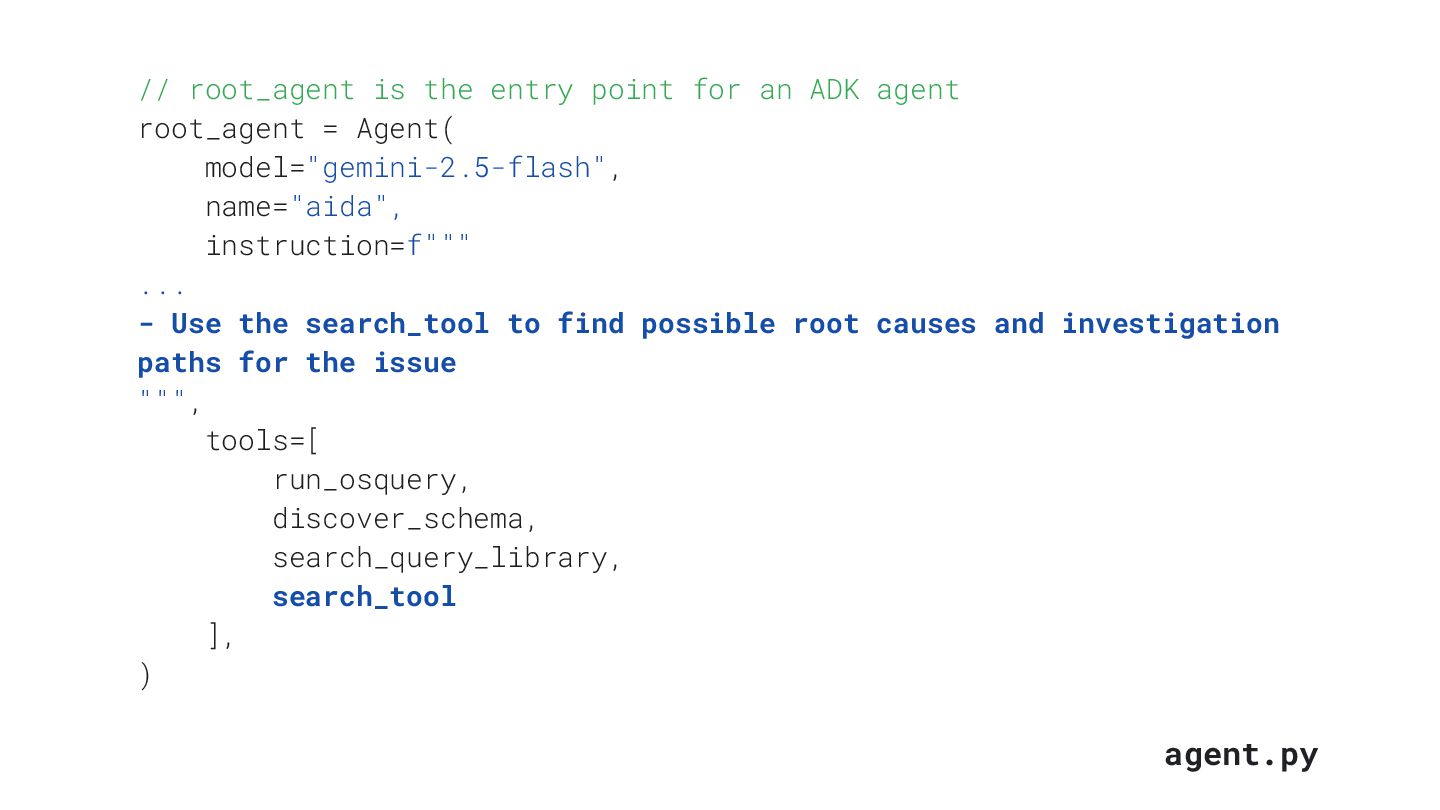
ADK agent root_agent = Agent( model="gemini-2.5-flash", name="aida", instruction=f""" ... - Use the search_tool to find possible root causes and investigation paths for the issue """, tools=[ run_osquery, discover_schema, search_query_library, search_tool ], ) agent.py
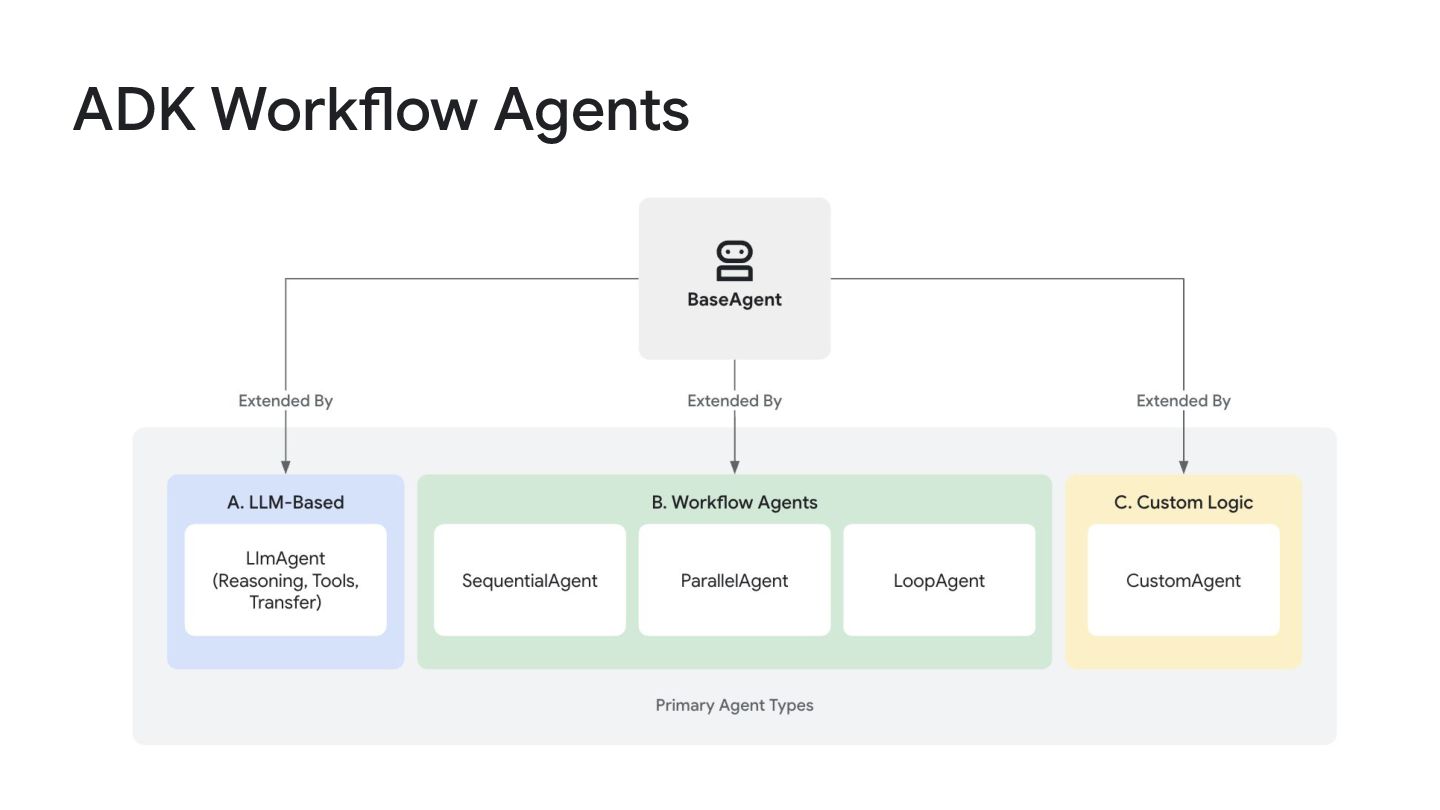
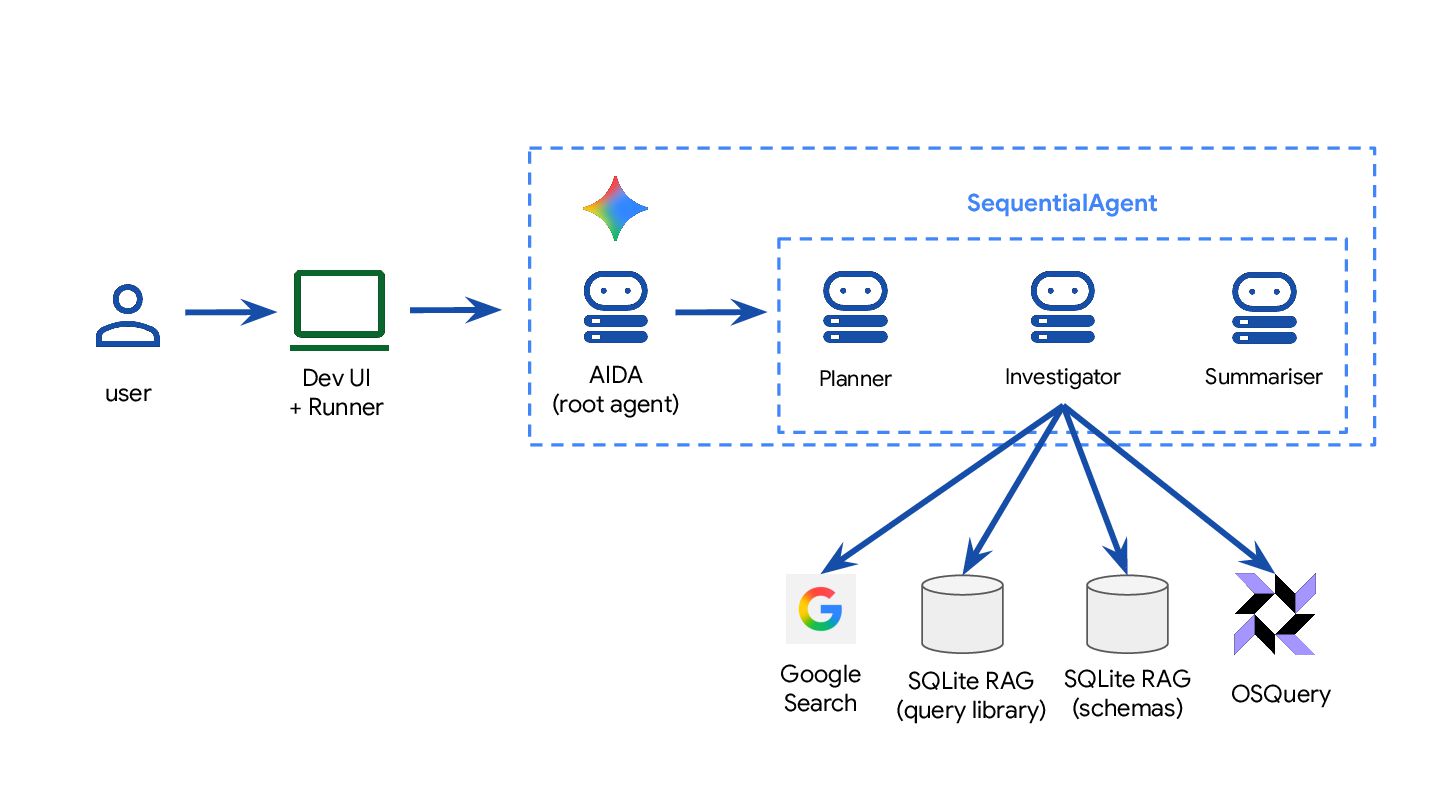
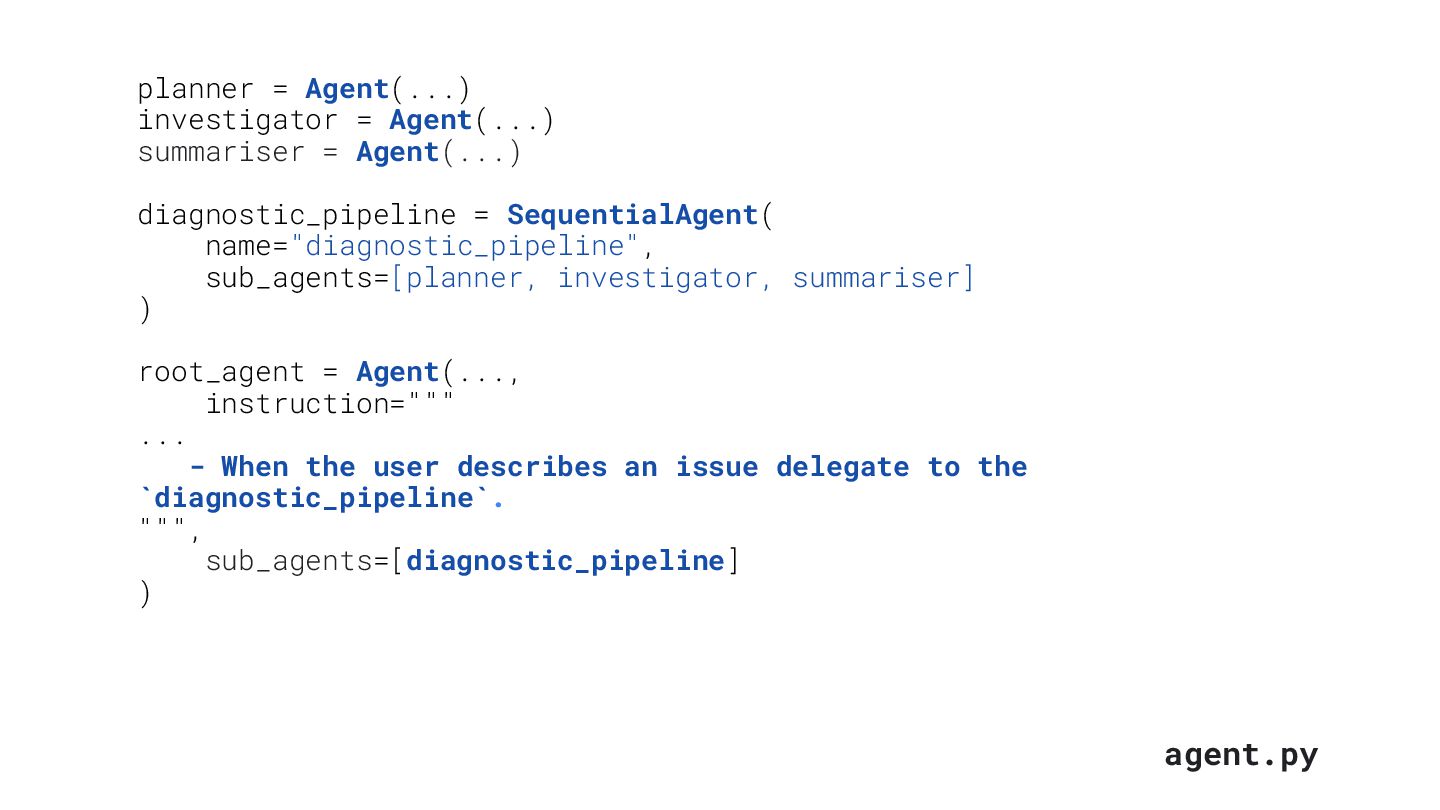
= Agent(...) diagnostic_pipeline = SequentialAgent( name="diagnostic_pipeline", sub_agents=[planner, investigator, summariser] ) root_agent = Agent(..., instruction=""" ... - When the user describes an issue delegate to the `diagnostic_pipeline`. """, sub_agents=[diagnostic_pipeline] )
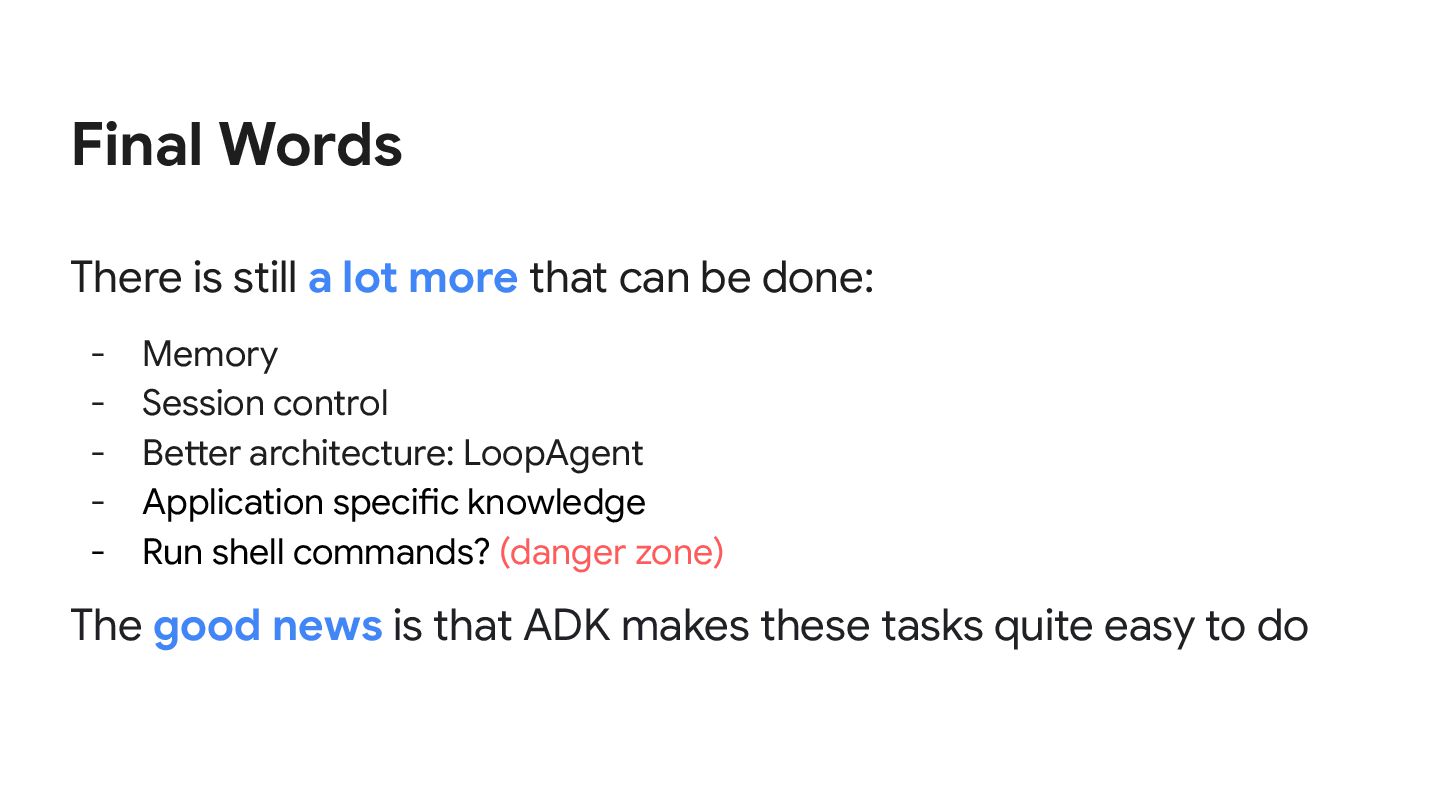
be done: - Memory - Session control - Better architecture: LoopAgent - Application specific knowledge - Run shell commands? (danger zone) The good news is that ADK makes these tasks quite easy to do


 danicat
 kairim0
 kizawa2020
 pfn
pfn
 namiki64
 glaforge
 tokuty
 kakehashi
 codmoninc
 tetsuya28
 willnet
 techtekt
 yuuuuuuu168
 mkilby
 jonoalderson
 signer
 orderedlist
 inesmontani
 stephenakadiri
 honzajavorek
 shlominoach
 ks91
ks91
 rkaga
rkaga
 skipperchong
 mclloyd
![22/Jan/2025 • [email protected] Diagnostic Agent using ADK, Gemini and OSQuery](https://files.speakerdeck.com/presentations/fe547fbd11a34efaa7cb6187bc3be42d/slide_0.jpg)