Upgrade to Pro
— share decks privately, control downloads, hide ads and more …
Speaker Deck
Sign up for free
Menu
Search
Features
All features
Private URLs
Password Protection
Custom URLS
Scheduled publishing
Remove Branding
Restrict embedding
Deck Collections
Notes
Features
All features
Private URLs
Password Protection
Custom URLS
Scheduled publishing
Remove Branding
Restrict embedding
Deck Collections
Notes
Explore
Featured decks
Featured speakers
Programming
Technology
Storyboards
Explore
Featured decks
Featured speakers
Programming
Technology
Storyboards
Pricing
Search
Sign in
Sign up for free
Objective-C入門
Search
Yusuke Fujiki
October 23, 2013
Programming
210
0
Share
Embed
Copy iframe code
Copy JS code
Copy link
Start on current slide
Objective-C入門
プログラミング初心者向け
Yusuke Fujiki
October 23, 2013
More Decks by Yusuke Fujiki
See All by Yusuke Fujiki
Siri Shortcuts を試してみた! / Tried to Siri Shortcuts
fujikky
0
1.3k
13ヶ国語対応のアプリで やっていること
fujikky
3
810
Other Decks in Programming
See All in Programming
作れる、でも消せるか?──安全に「枯らして消す」機能削除術 / Drain, Then Delete
chobishiba
1
180
ハーネス設計入門 〜 基礎知識の整理から実務へのステップアップ 〜
kinopeee
22
22k
When benchmarks go bad - what I learned from measuring performance wrong
hollycummins
0
210
パズルゲームの作り方 / how to make puzzle games
kaityo256
PRO
2
290
ジョジョの世界をXRで再現する
mofurune
0
160
モデルのリファクタリングが難しいと思ったら、そもそも複雑だったのはビジネス仕様だった ? / is-the-business-domain-the-real-complexity
hatsu38
0
470
phperだってパンチカードでコーディングしたい
o0h
PRO
0
310
[Rails World 2026] Durable orchestration on Rails: from continuation to workflow
palkan
1
740
Agents on Rails - Rails at Scale 2026
irinanazarova
0
540
Event is what happens
moro
2
480
Androidだけじゃない、DroidKaigiで広がった私の技術スタック
akkeylab
0
130
Are APIs Still Relevant in the AI Era?
soyuka
0
460
Featured
See All Featured
Leo the Paperboy
mayatellez
10
2.4k
Keith and Marios Guide to Fast Websites
keithpitt
413
23k
The Anti-SEO Checklist Checklist. Pubcon Cyber Week
ryanjones
0
270
The Power of CSS Pseudo Elements
geoffreycrofte
82
6.6k
For a Future-Friendly Web
brad_frost
184
10k
How to Align SEO within the Product Triangle To Get Buy-In & Support - #RIMC
aleyda
2
1.8k
CSS Pre-Processors: Stylus, Less & Sass
bermonpainter
360
31k
Discover your Explorer Soul
emna__ayadi
2
1.3k
The Mindset for Success: Future Career Progression
greggifford
PRO
0
540
The Cult of Friendly URLs
andyhume
79
7k
Navigating the moral maze — ethical principles for Al-driven product design
skipperchong
2
630
HTML-Aware ERB: The Path to Reactive Rendering @ RubyCon 2026, Rimini, Italy
marcoroth
5
810
Transcript
Objective-C入門 iOS勉強会
Objective-C
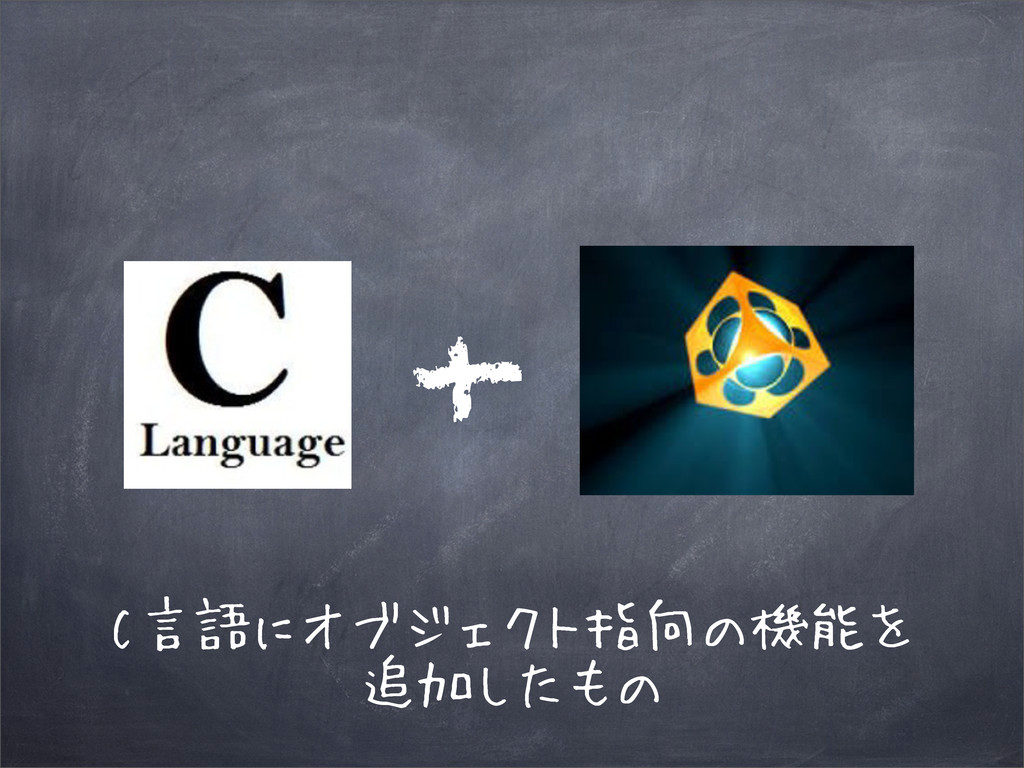
Objective + C
C言語にオブジェクト指向の機能を 追加したもの +
オブジェクト指向とは
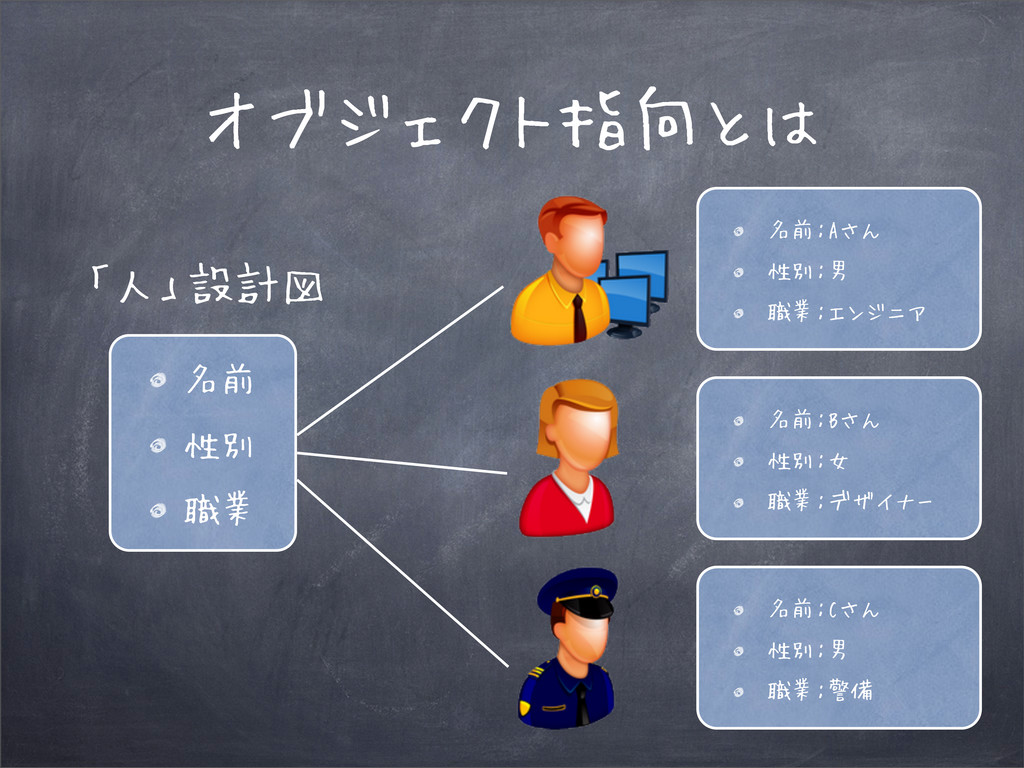
オブジェクト指向とは 名前 性別 職業 「人」設計図 名前:Aさん 性別:男 職業:エンジニア 名前:Bさん 性別:女
職業:デザイナー 名前:Cさん 性別:男 職業:警備
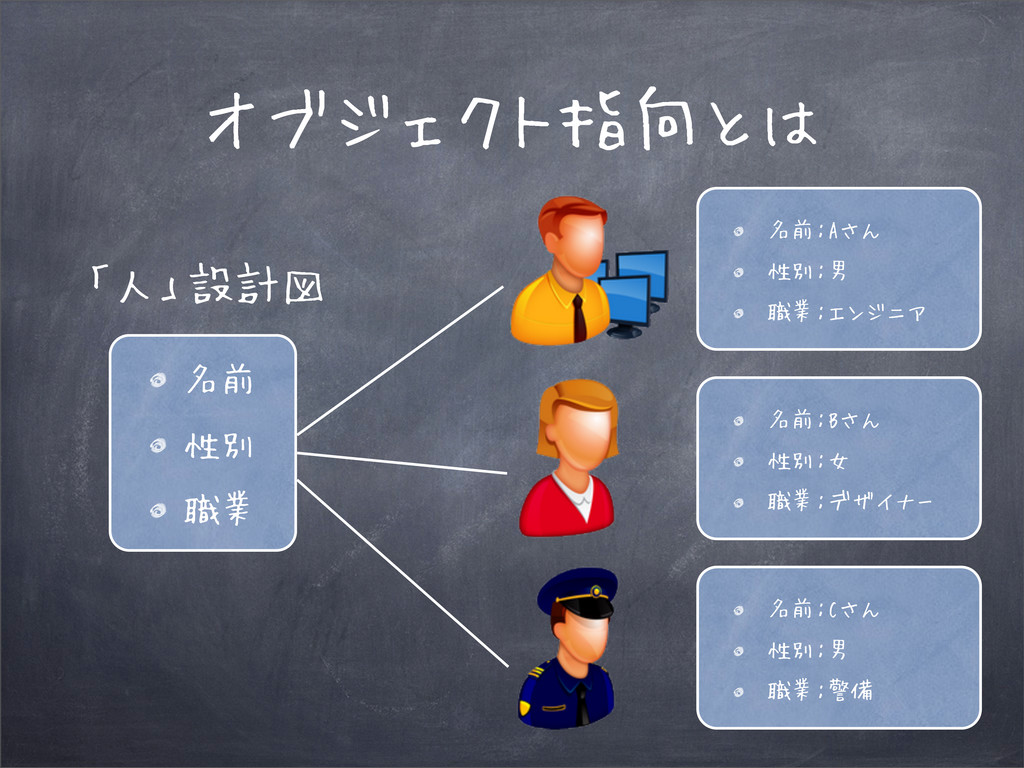
オブジェクト指向とは 名前 性別 職業 「人」設計図 名前:Aさん 性別:男 職業:エンジニア 名前:Bさん 性別:女
職業:デザイナー 名前:Cさん 性別:男 職業:警備
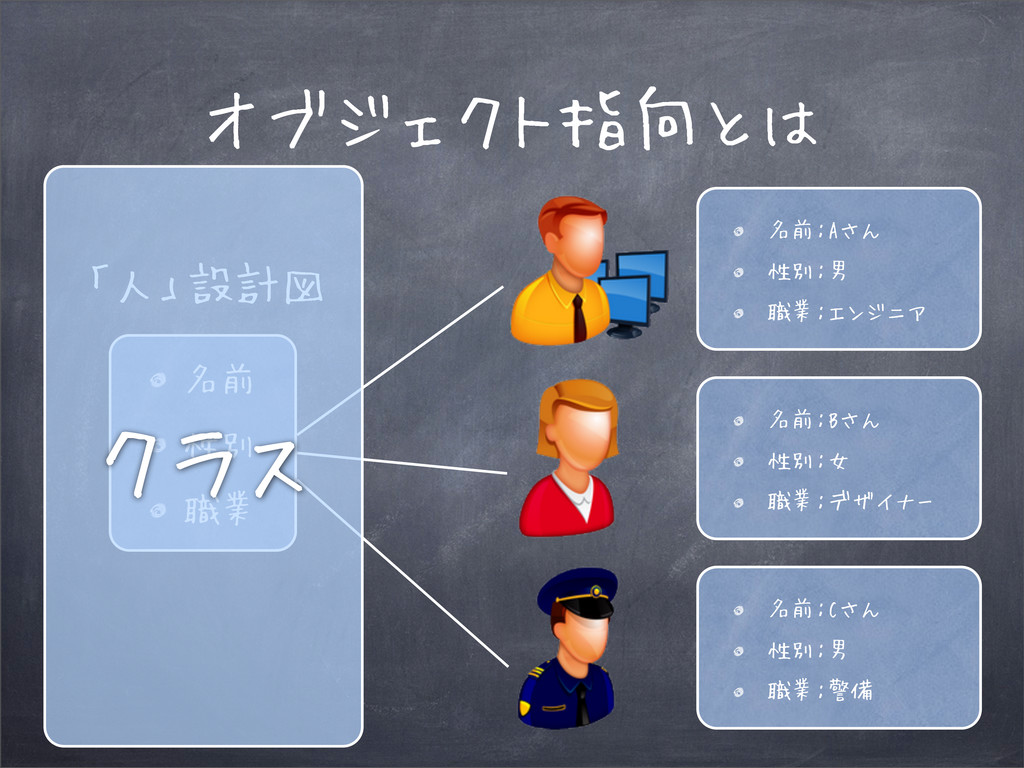
オブジェクト指向とは 名前 性別 職業 「人」設計図 名前:Aさん 性別:男 職業:エンジニア 名前:Bさん 性別:女
職業:デザイナー 名前:Cさん 性別:男 職業:警備 クラス
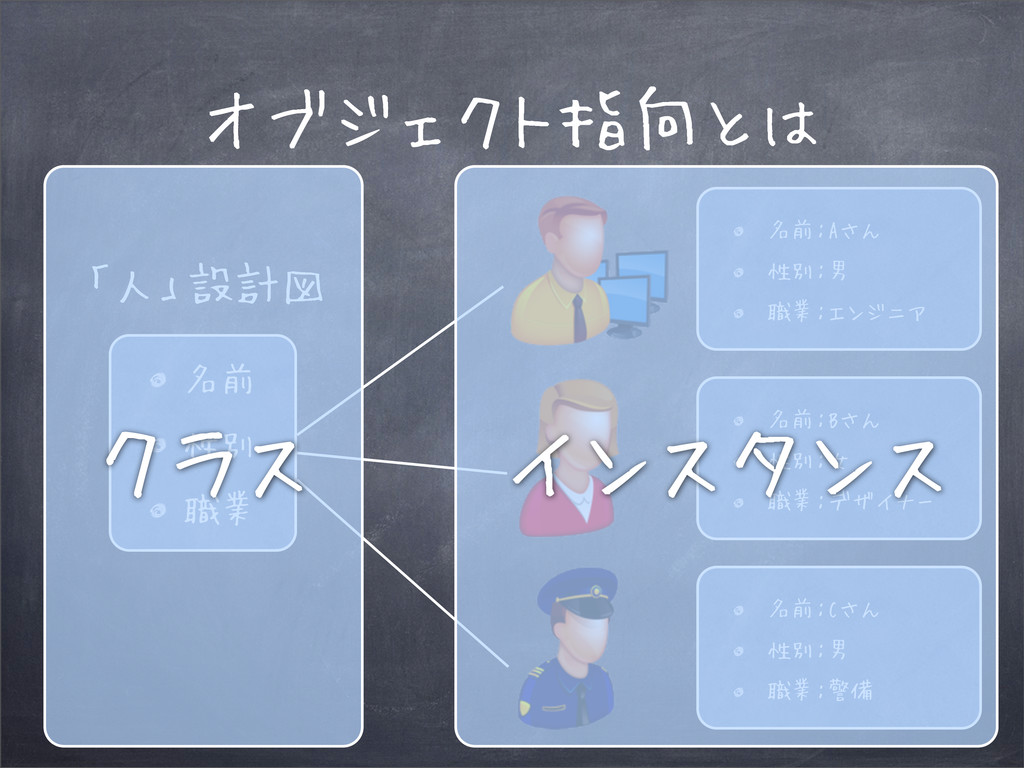
オブジェクト指向とは 名前 性別 職業 「人」設計図 名前:Aさん 性別:男 職業:エンジニア 名前:Bさん 性別:女
職業:デザイナー 名前:Cさん 性別:男 職業:警備 インスタンス クラス
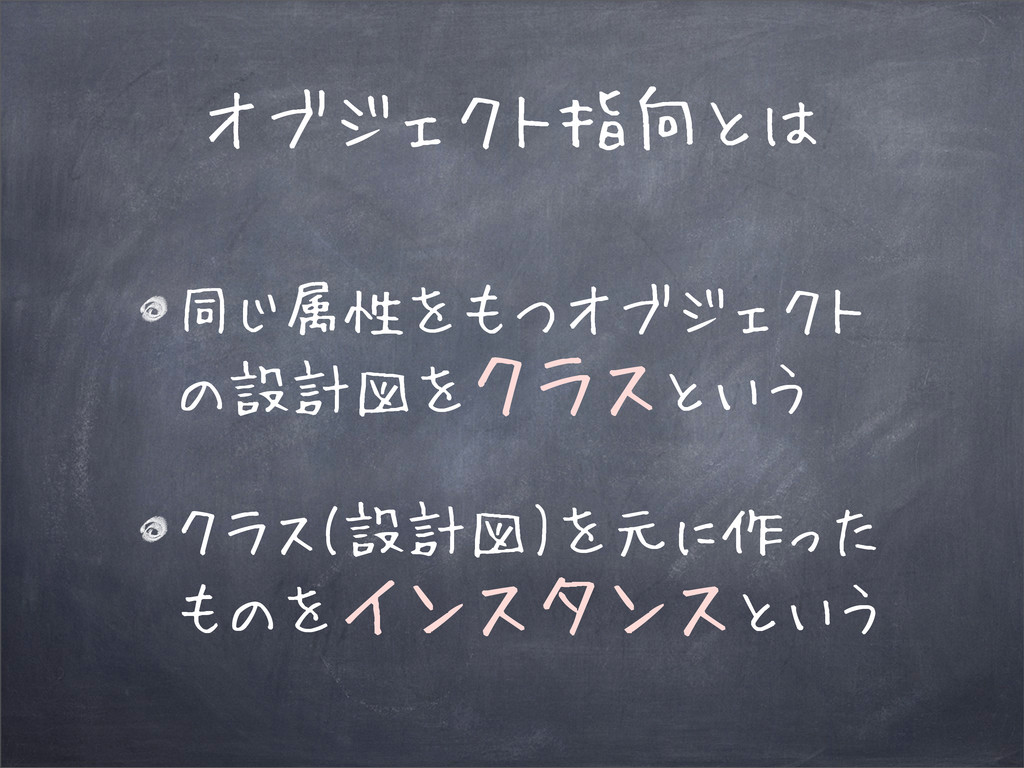
オブジェクト指向とは 同じ属性をもつオブジェクト の設計図をクラスという クラス(設計図)を元に作った ものをインスタンスという
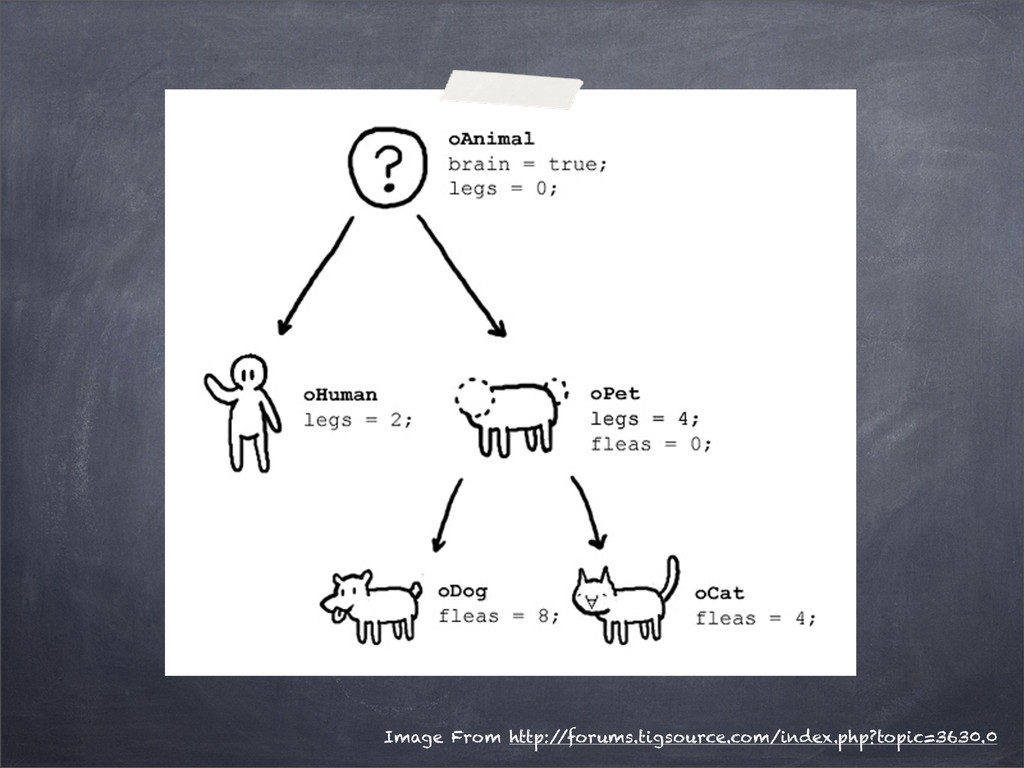
Image From http:/ /forums.tigsource.com/index.php?topic=3630.0
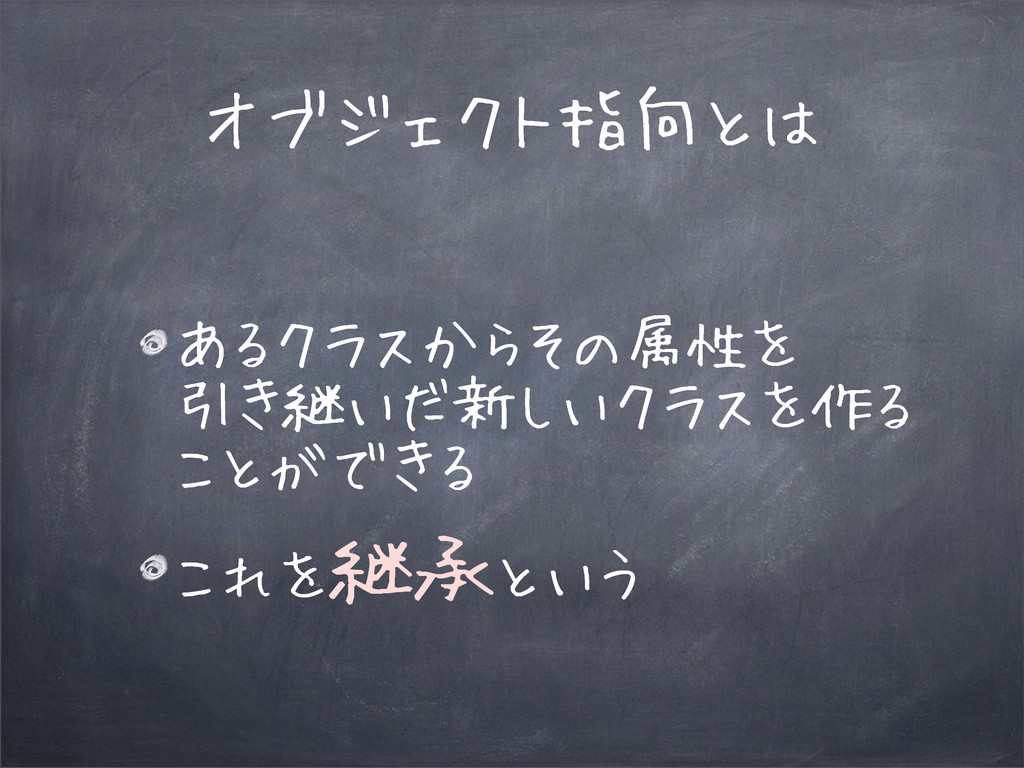
オブジェクト指向とは あるクラスからその属性を 引き継いだ新しいクラスを作る ことができる これを継承という
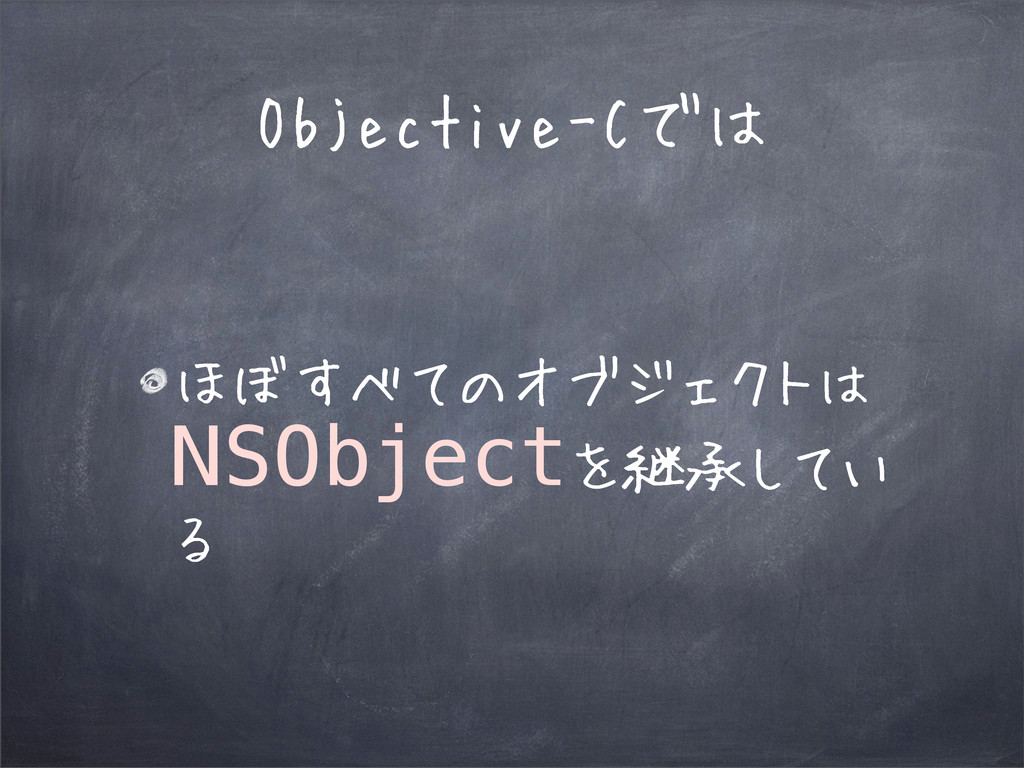
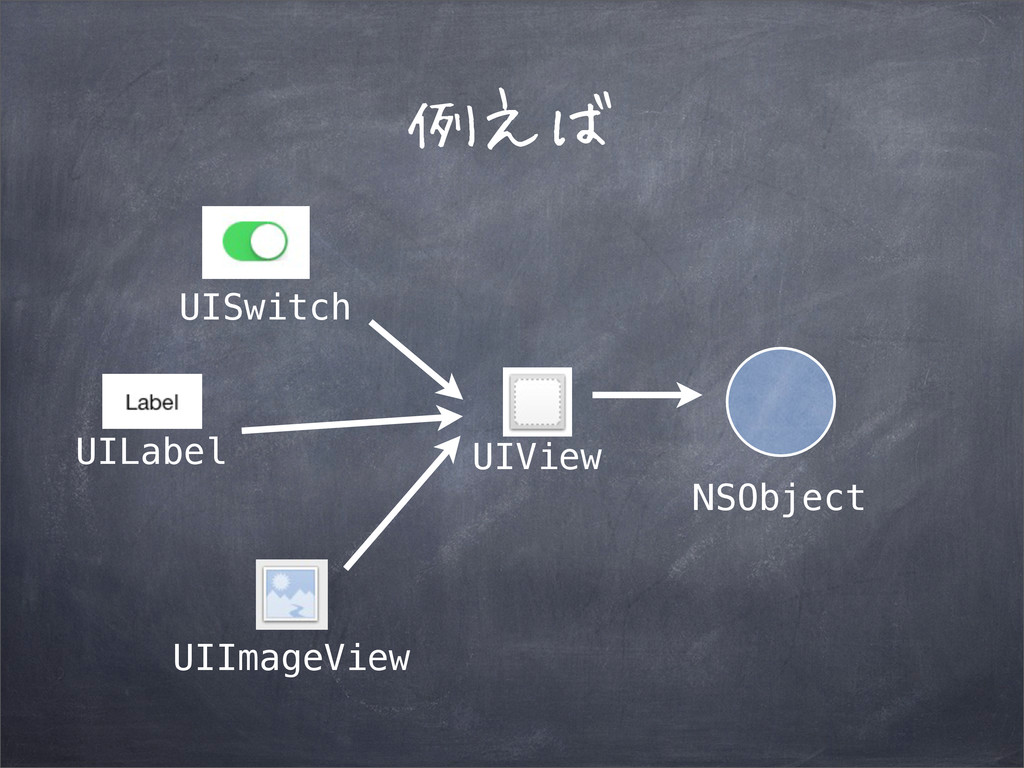
Objective-Cでは ほぼすべてのオブジェクトは NSObjectを継承してい る
例えば UIImageView UILabel UISwitch UIView NSObject
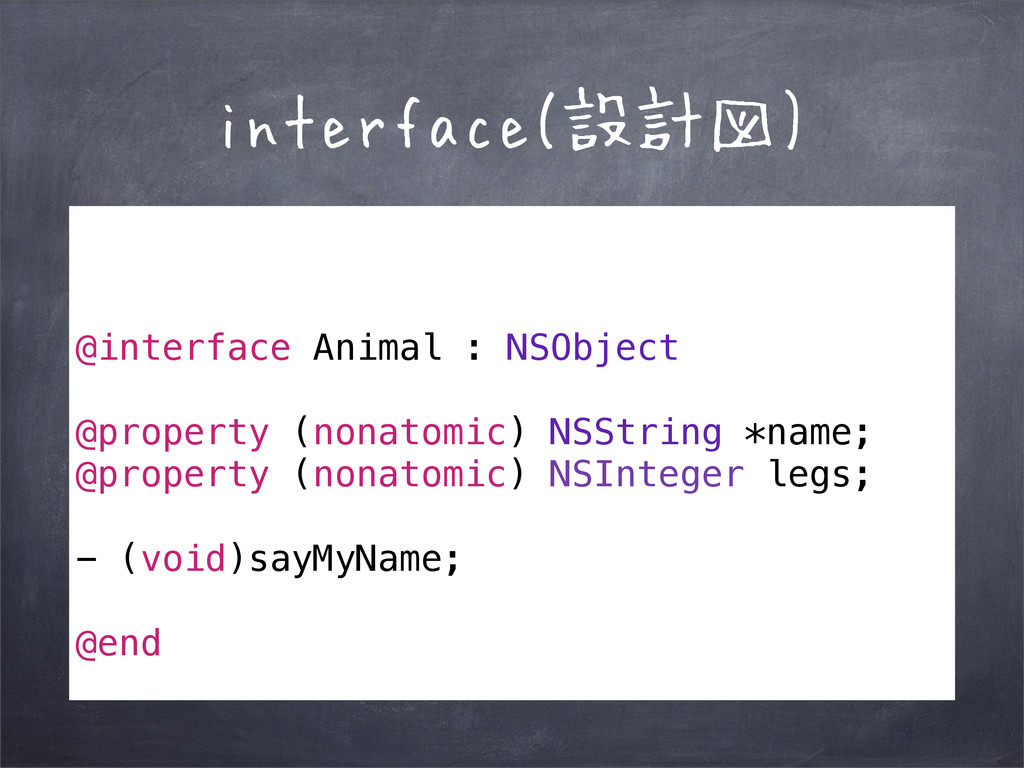
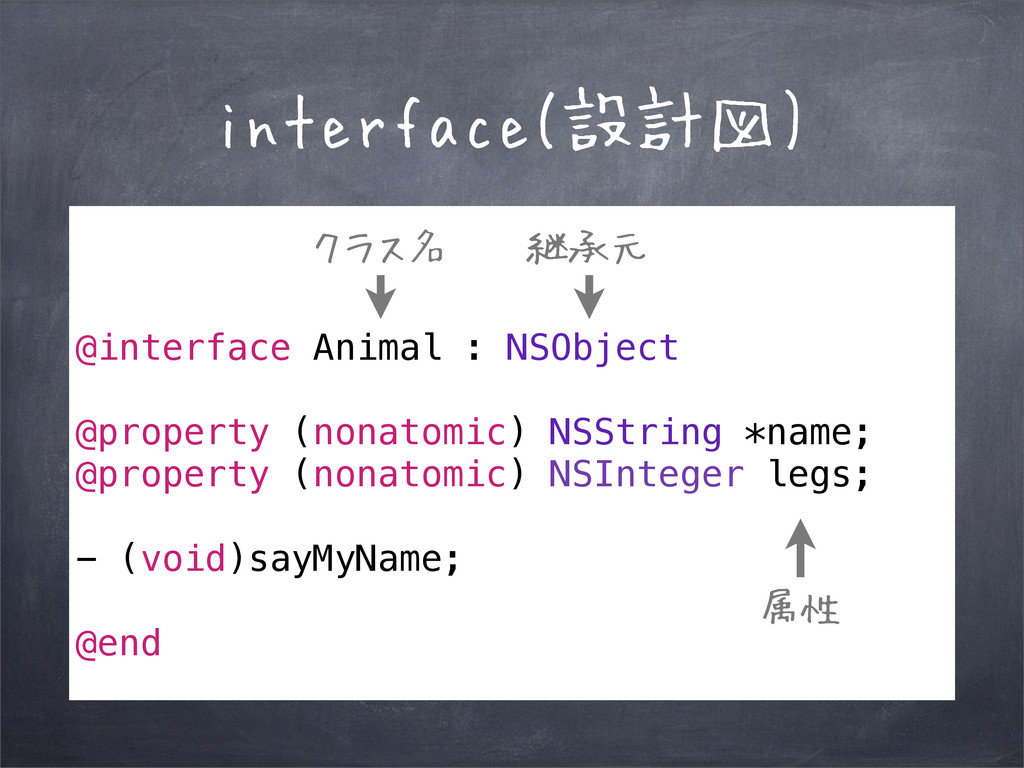
interface(設計図) @interface Animal : NSObject @property (nonatomic) NSString *name; @property
(nonatomic) NSInteger legs; - (void)sayMyName; @end
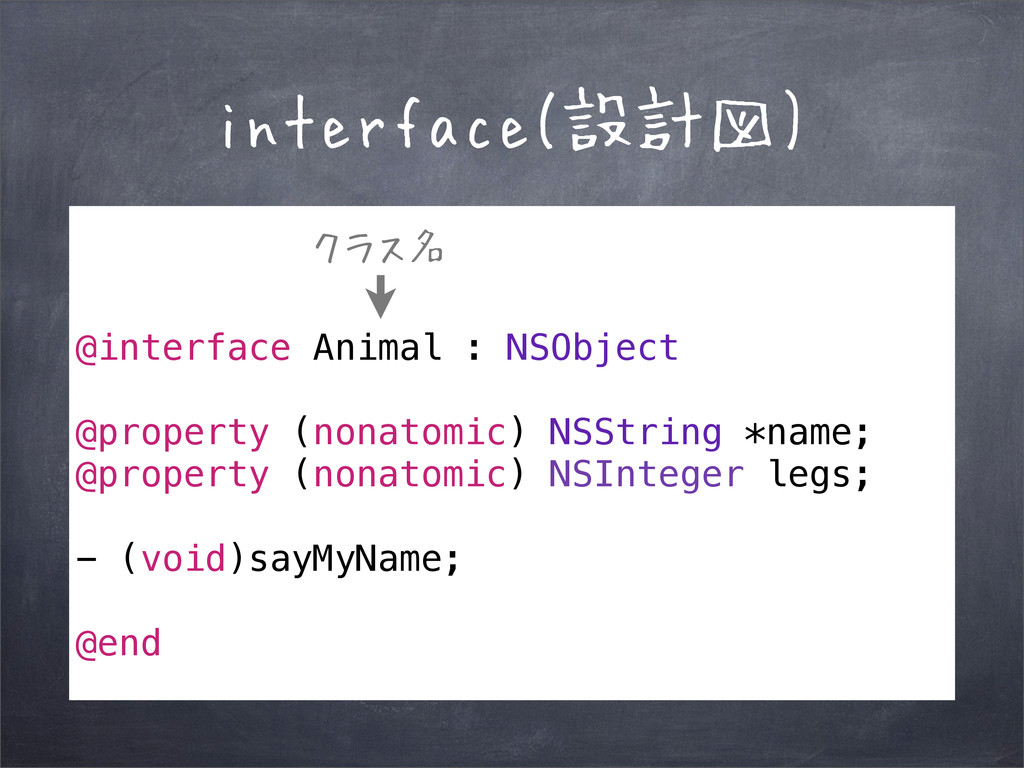
interface(設計図) @interface Animal : NSObject @property (nonatomic) NSString *name; @property
(nonatomic) NSInteger legs; - (void)sayMyName; @end クラス名
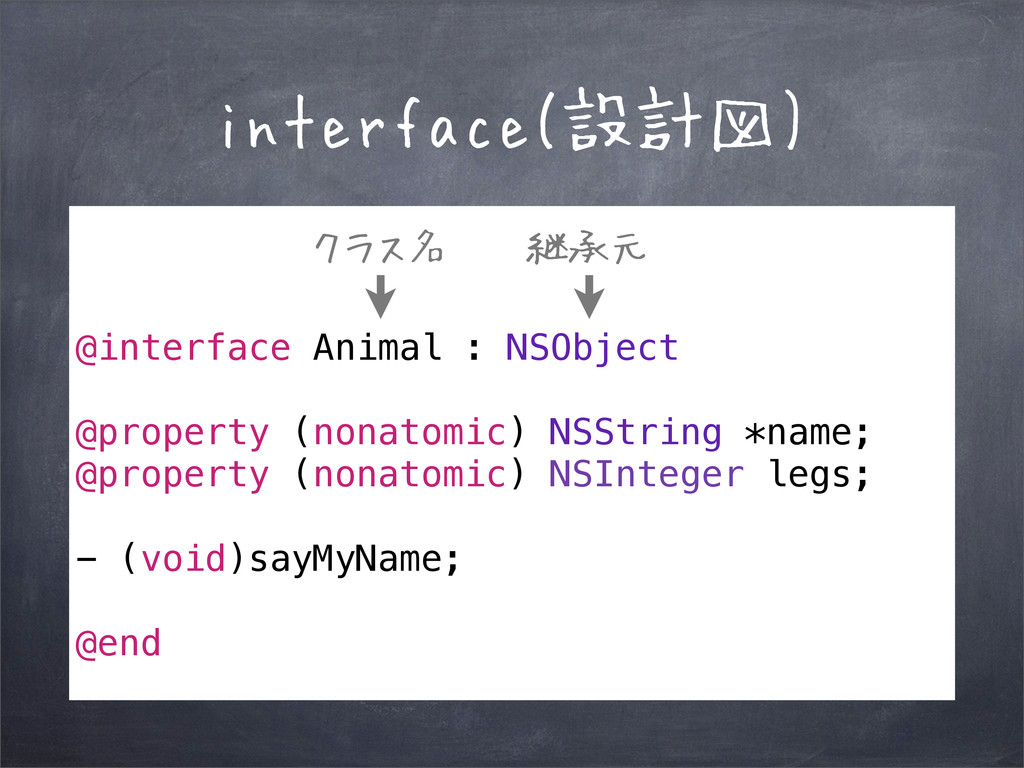
interface(設計図) @interface Animal : NSObject @property (nonatomic) NSString *name; @property
(nonatomic) NSInteger legs; - (void)sayMyName; @end クラス名 継承元
interface(設計図) @interface Animal : NSObject @property (nonatomic) NSString *name; @property
(nonatomic) NSInteger legs; - (void)sayMyName; @end クラス名 継承元 属性
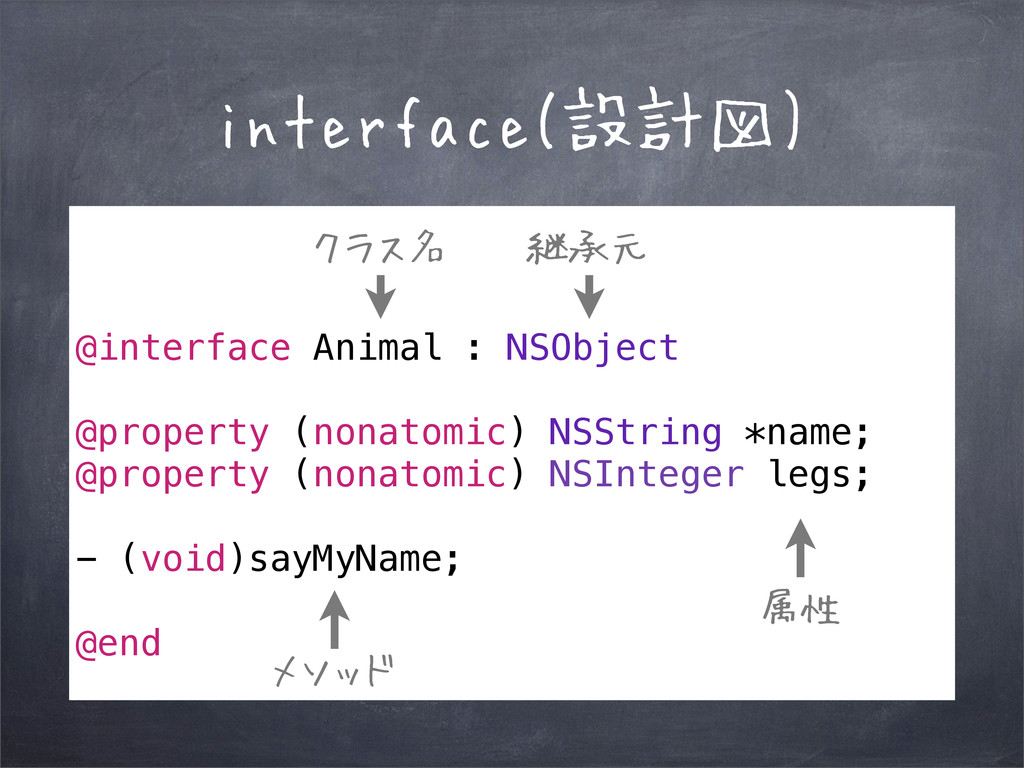
interface(設計図) @interface Animal : NSObject @property (nonatomic) NSString *name; @property
(nonatomic) NSInteger legs; - (void)sayMyName; @end クラス名 継承元 属性 メソッド
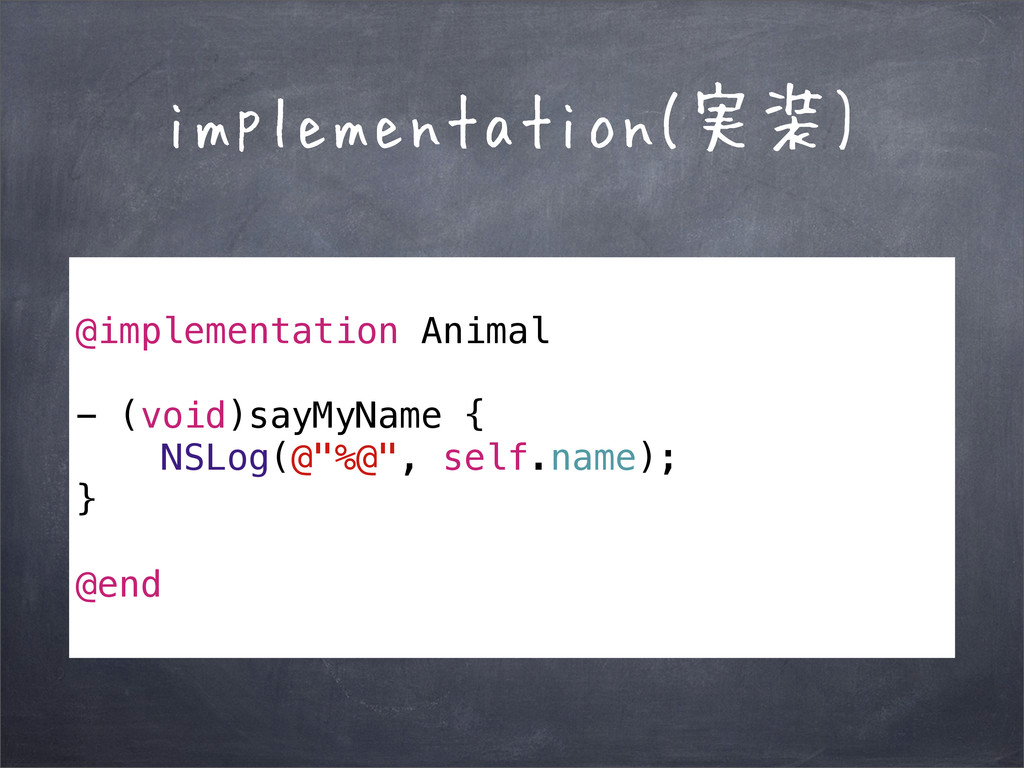
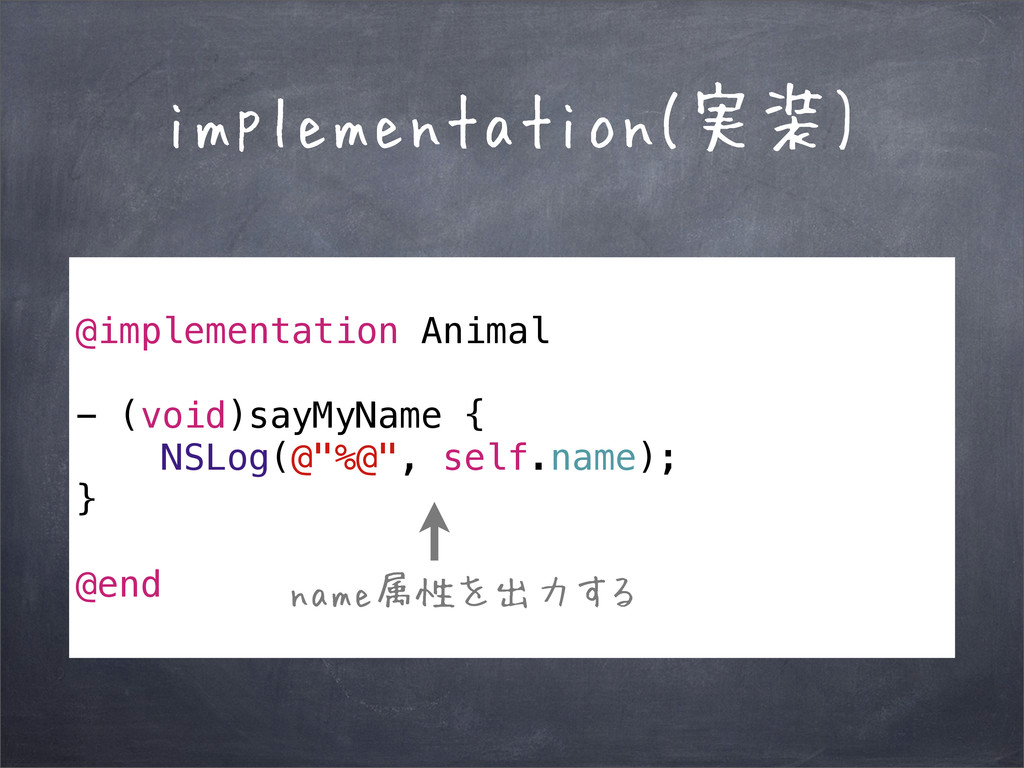
implementation(実装) @implementation Animal - (void)sayMyName { NSLog(@"%@", self.name); } @end
implementation(実装) @implementation Animal - (void)sayMyName { NSLog(@"%@", self.name); } @end
name属性を出力する
クラスの使い方 Animal *animal = [[Animal alloc] init]; animal.name = @"Stud";
[animal sayMyName];
クラスの使い方 Animal *animal = [[Animal alloc] init]; animal.name = @"Stud";
[animal sayMyName]; クラスからインスタンスを作る
クラスの使い方 Animal *animal = [[Animal alloc] init]; animal.name = @"Stud";
[animal sayMyName]; 属性を設定 クラスからインスタンスを作る
クラスの使い方 Animal *animal = [[Animal alloc] init]; animal.name = @"Stud";
[animal sayMyName]; 属性を設定 クラスからインスタンスを作る sayMyNameメソッドを 実行
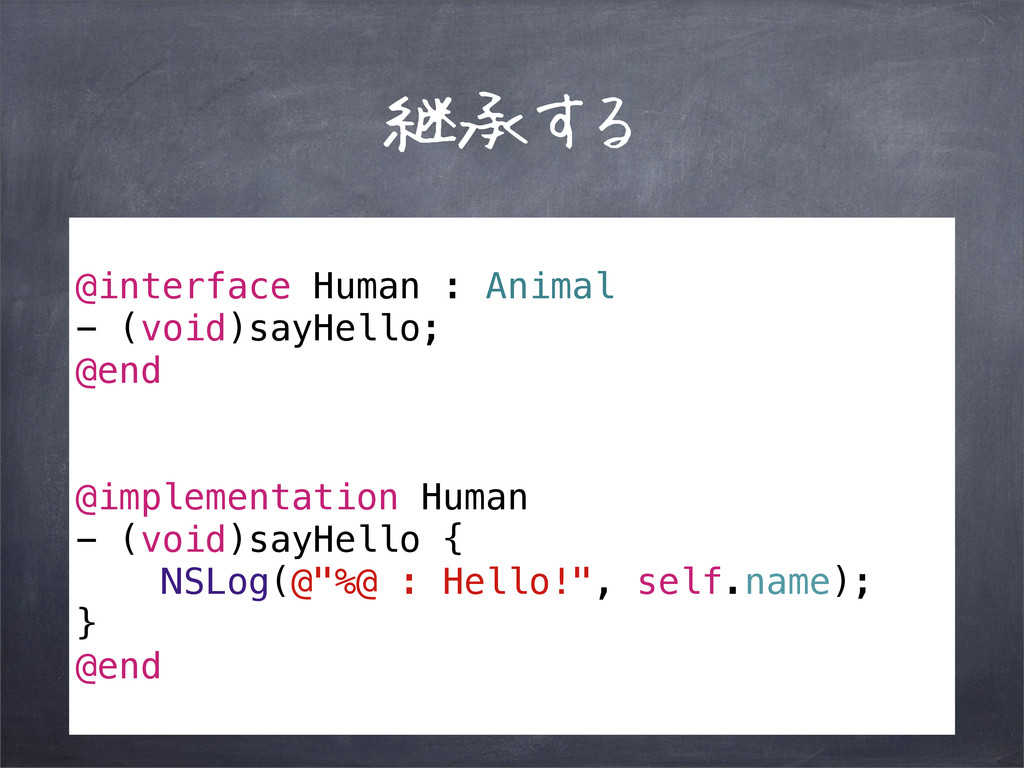
継承する @interface Human : Animal - (void)sayHello; @end @implementation Human
- (void)sayHello { NSLog(@"%@ : Hello!", self.name); } @end
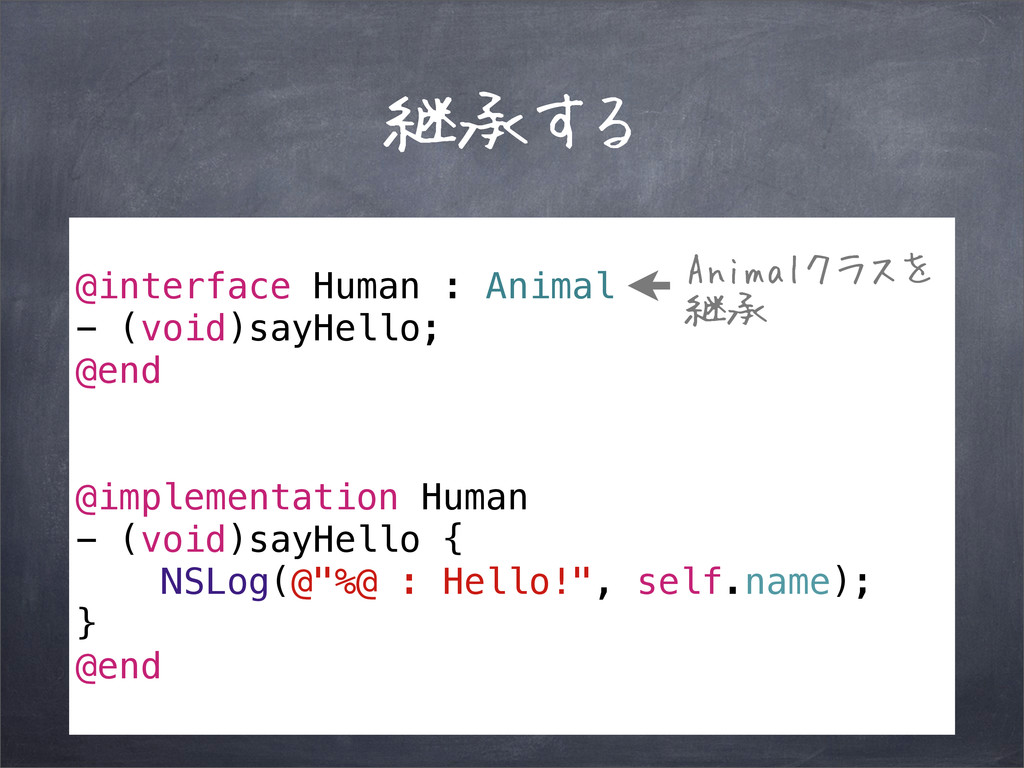
継承する @interface Human : Animal - (void)sayHello; @end @implementation Human
- (void)sayHello { NSLog(@"%@ : Hello!", self.name); } @end Animalクラスを 継承
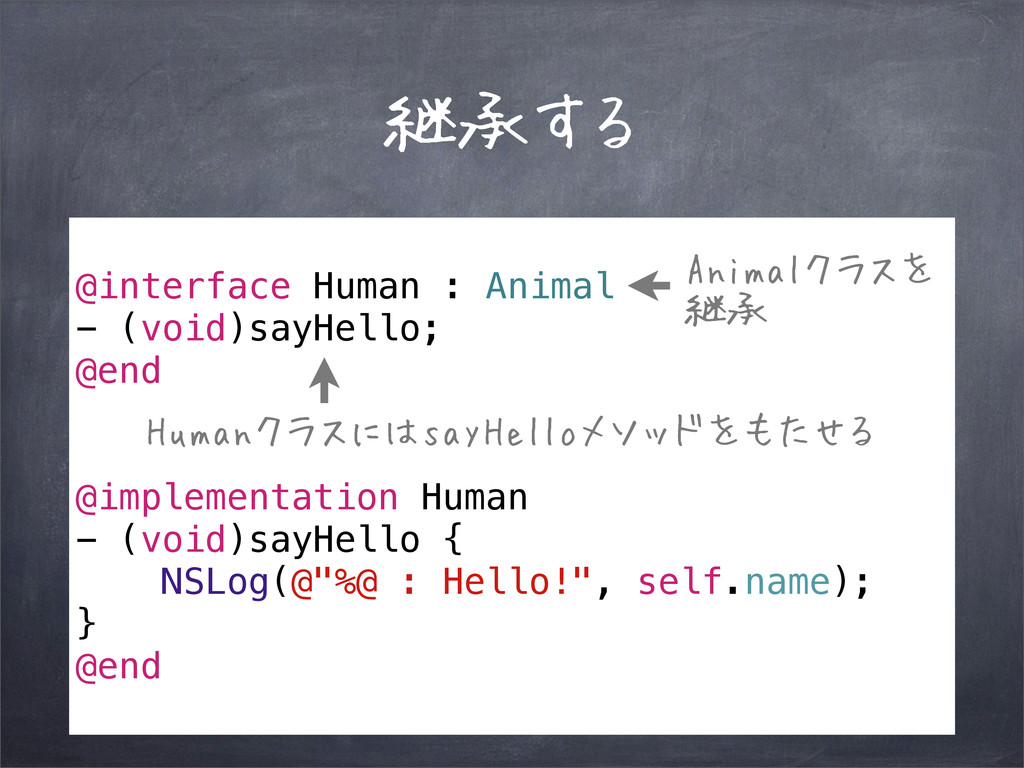
継承する @interface Human : Animal - (void)sayHello; @end @implementation Human
- (void)sayHello { NSLog(@"%@ : Hello!", self.name); } @end Animalクラスを 継承 HumanクラスにはsayHelloメソッドをもたせる
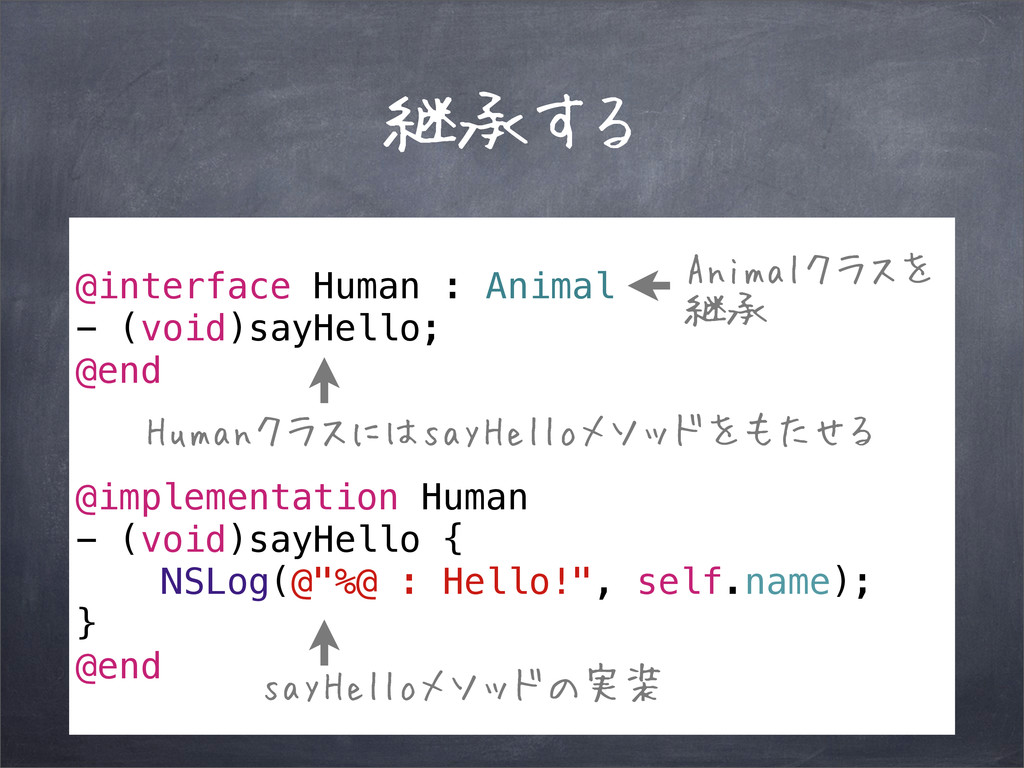
継承する @interface Human : Animal - (void)sayHello; @end @implementation Human
- (void)sayHello { NSLog(@"%@ : Hello!", self.name); } @end Animalクラスを 継承 sayHelloメソッドの実装 HumanクラスにはsayHelloメソッドをもたせる
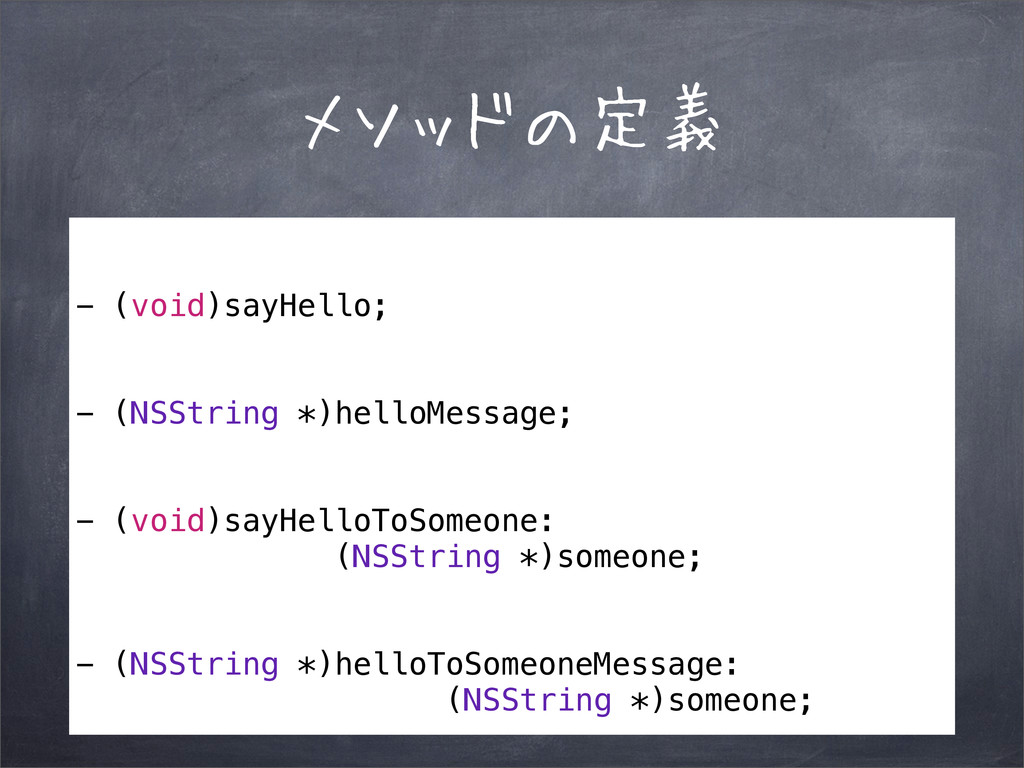
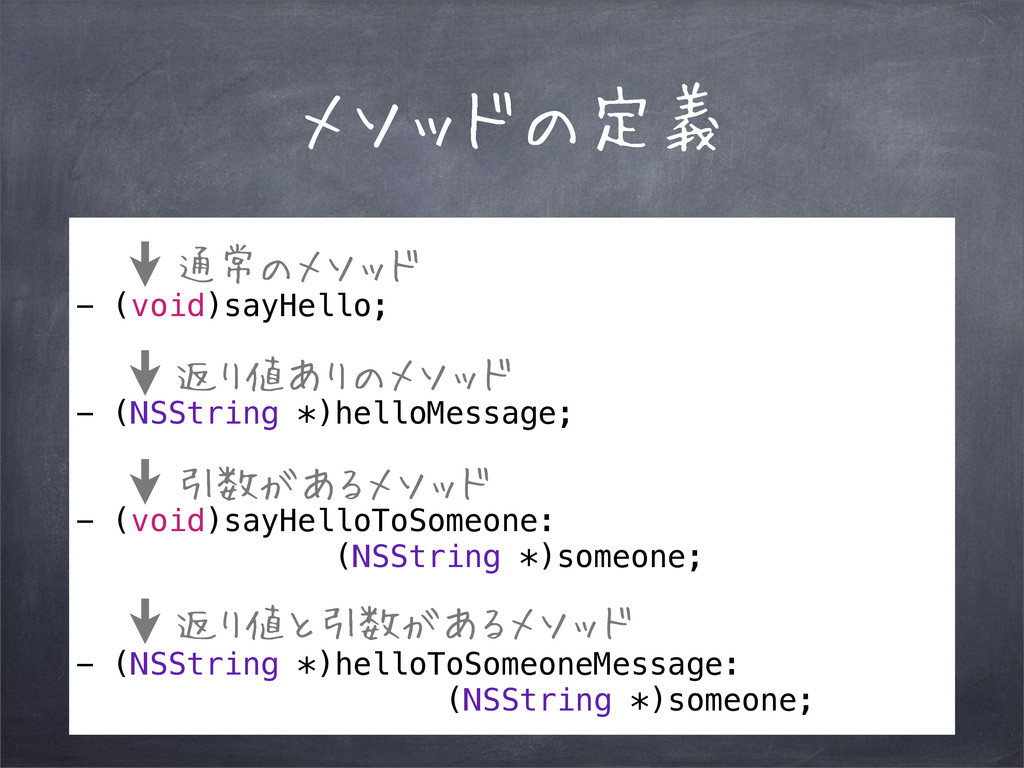
メソッドの定義 - (void)sayHello; - (NSString *)helloMessage; - (void)sayHelloToSomeone: (NSString *)someone;
- (NSString *)helloToSomeoneMessage: (NSString *)someone;
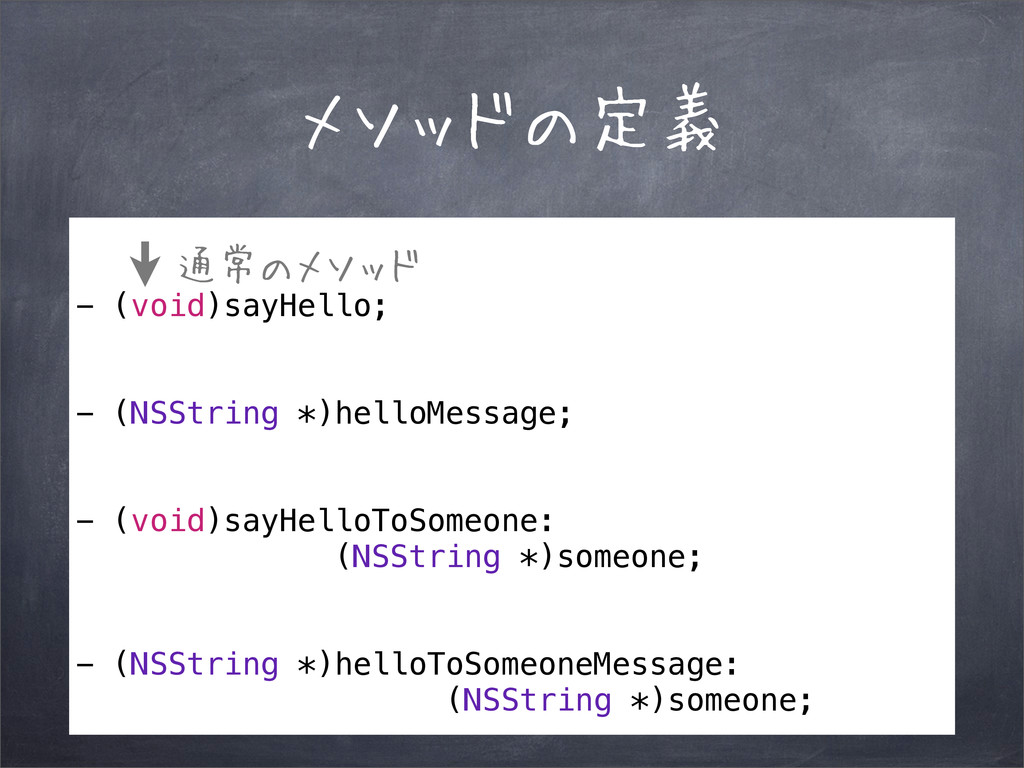
メソッドの定義 - (void)sayHello; - (NSString *)helloMessage; - (void)sayHelloToSomeone: (NSString *)someone;
- (NSString *)helloToSomeoneMessage: (NSString *)someone; 通常のメソッド
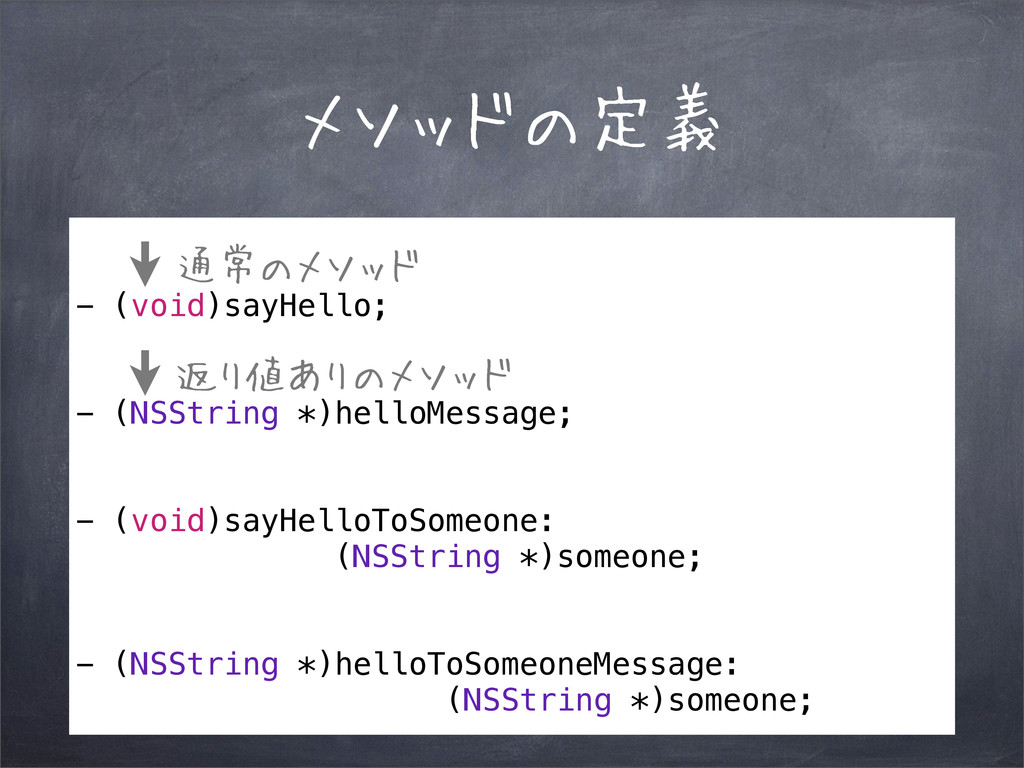
メソッドの定義 - (void)sayHello; - (NSString *)helloMessage; - (void)sayHelloToSomeone: (NSString *)someone;
- (NSString *)helloToSomeoneMessage: (NSString *)someone; 通常のメソッド 返り値ありのメソッド
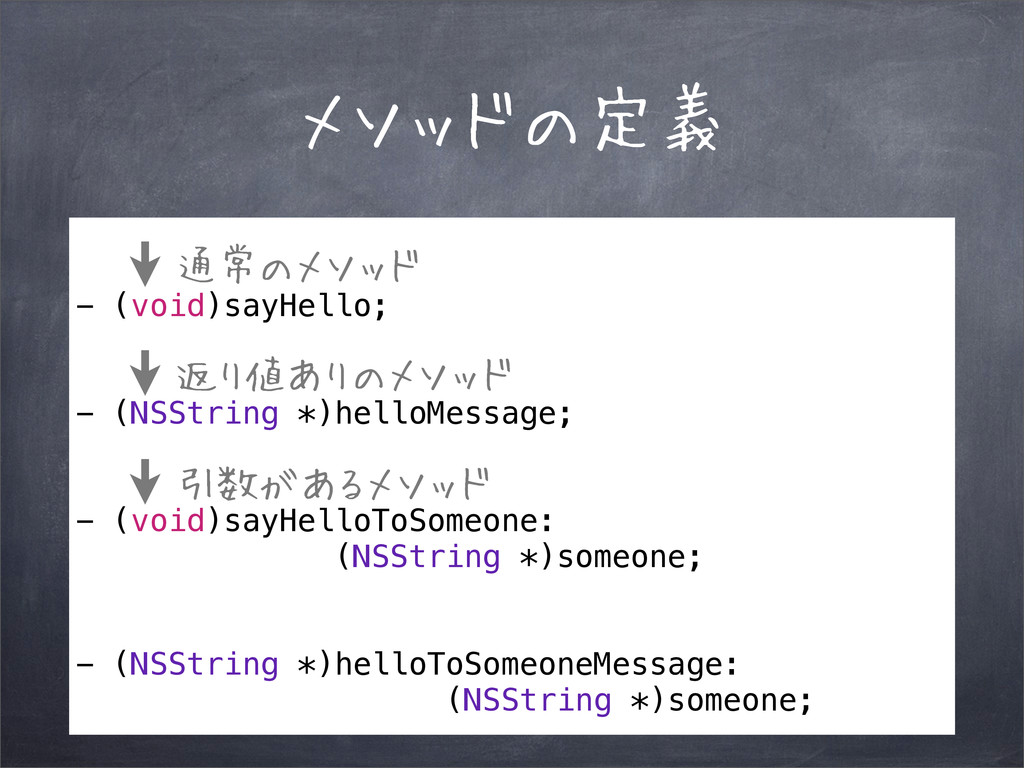
メソッドの定義 - (void)sayHello; - (NSString *)helloMessage; - (void)sayHelloToSomeone: (NSString *)someone;
- (NSString *)helloToSomeoneMessage: (NSString *)someone; 通常のメソッド 返り値ありのメソッド 引数があるメソッド
メソッドの定義 - (void)sayHello; - (NSString *)helloMessage; - (void)sayHelloToSomeone: (NSString *)someone;
- (NSString *)helloToSomeoneMessage: (NSString *)someone; 通常のメソッド 返り値ありのメソッド 引数があるメソッド 返り値と引数があるメソッド
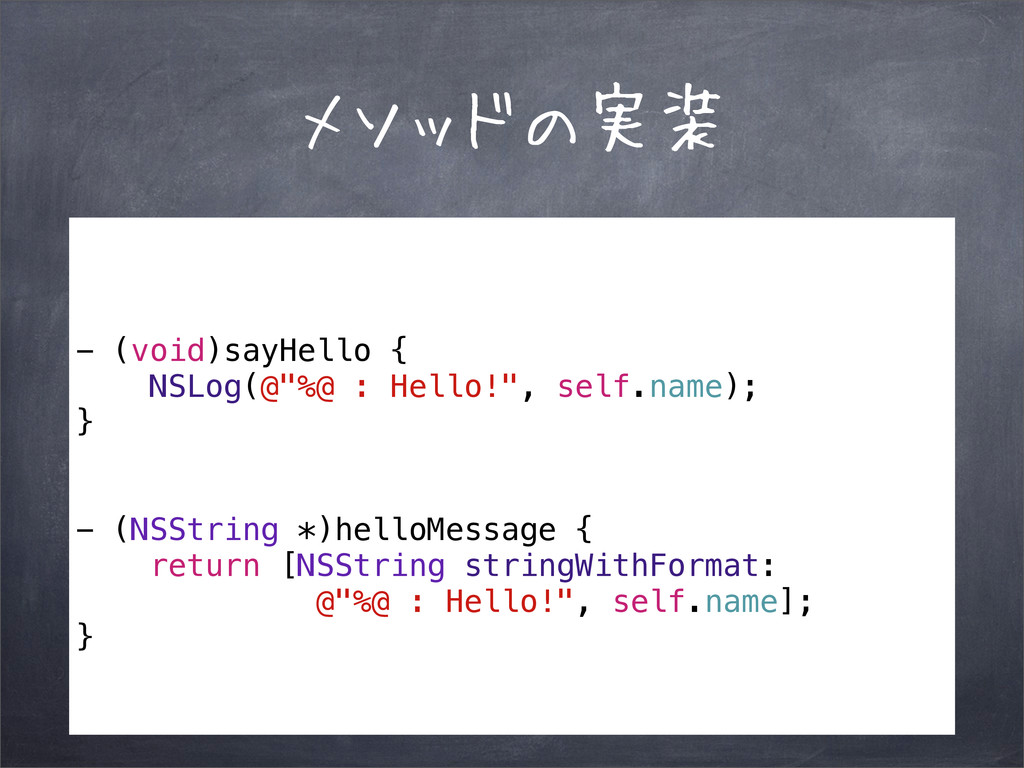
メソッドの実装 - (void)sayHello { NSLog(@"%@ : Hello!", self.name); } -
(NSString *)helloMessage { return [NSString stringWithFormat: @"%@ : Hello!", self.name]; }
メソッドの実装 - (void)sayHello { NSLog(@"%@ : Hello!", self.name); } -
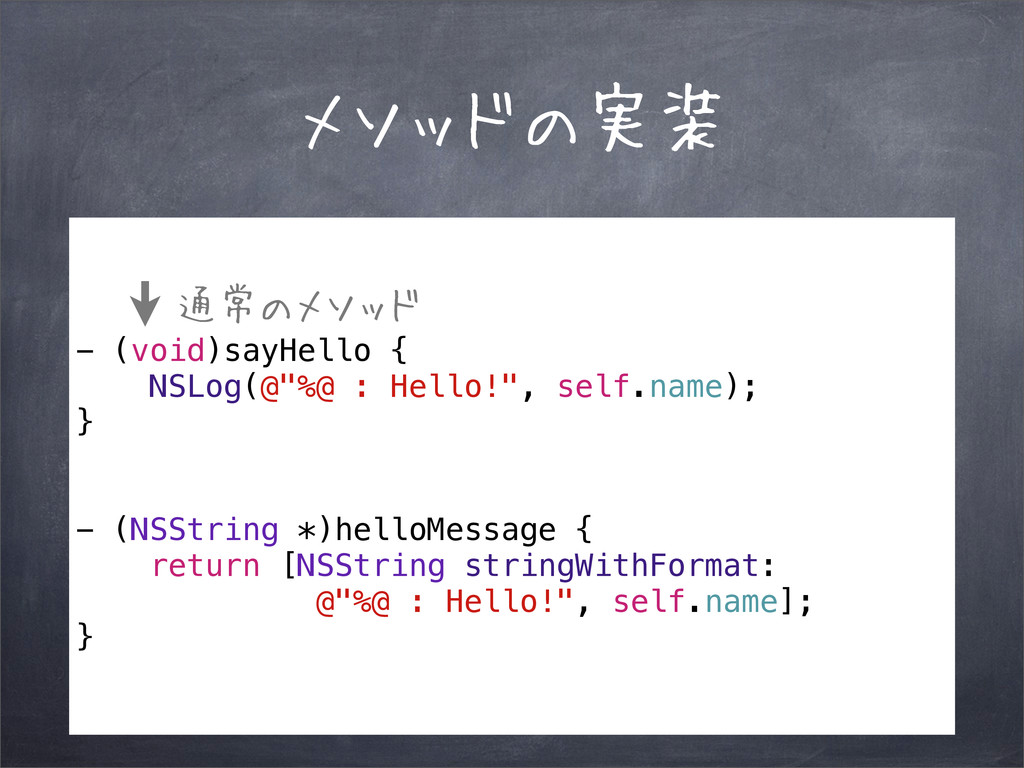
(NSString *)helloMessage { return [NSString stringWithFormat: @"%@ : Hello!", self.name]; } 通常のメソッド
メソッドの実装 - (void)sayHello { NSLog(@"%@ : Hello!", self.name); } -
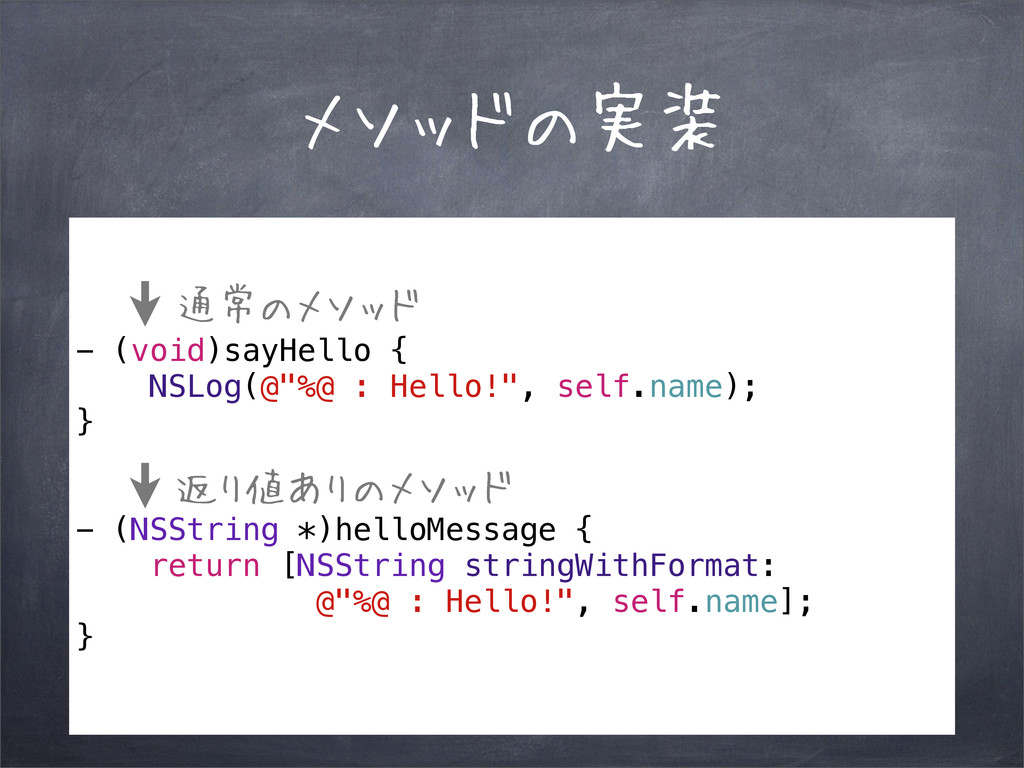
(NSString *)helloMessage { return [NSString stringWithFormat: @"%@ : Hello!", self.name]; } 通常のメソッド 返り値ありのメソッド
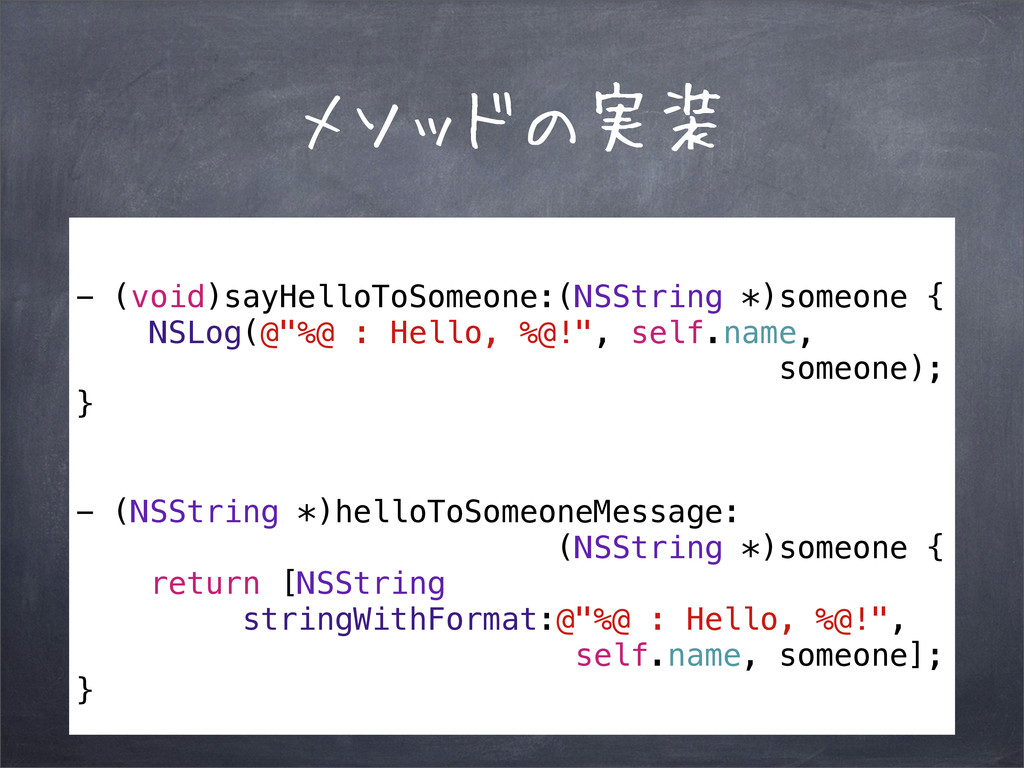
メソッドの実装 - (void)sayHelloToSomeone:(NSString *)someone { NSLog(@"%@ : Hello, %@!", self.name,
someone); } - (NSString *)helloToSomeoneMessage: (NSString *)someone { return [NSString stringWithFormat:@"%@ : Hello, %@!", self.name, someone]; }
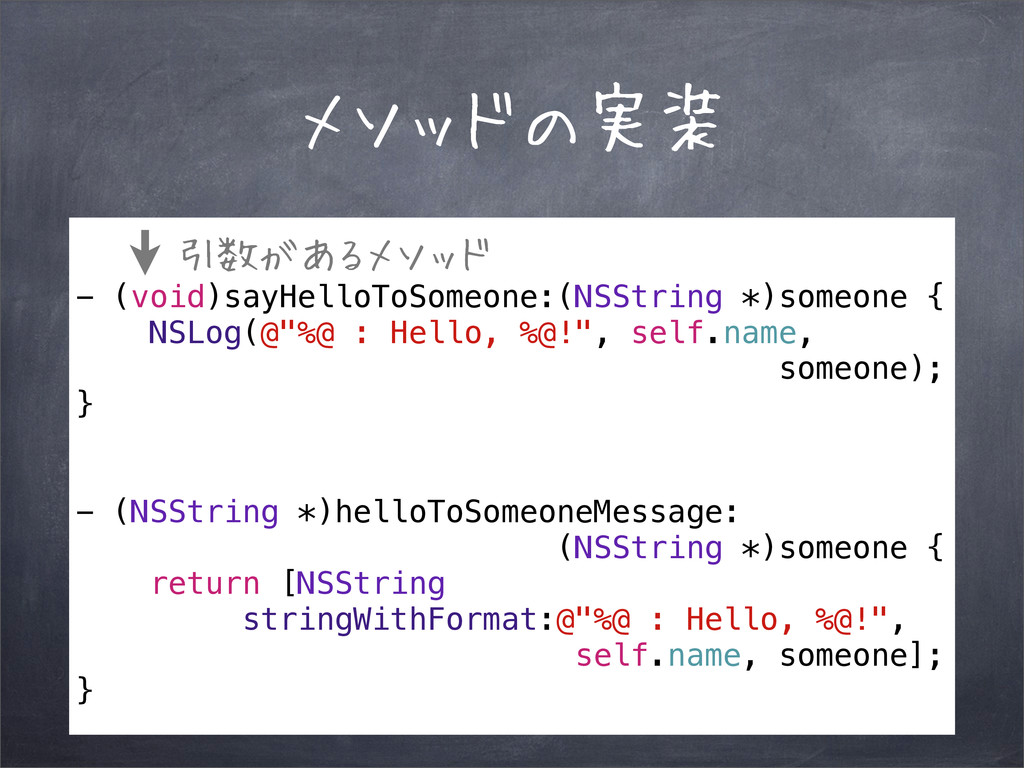
メソッドの実装 - (void)sayHelloToSomeone:(NSString *)someone { NSLog(@"%@ : Hello, %@!", self.name,
someone); } - (NSString *)helloToSomeoneMessage: (NSString *)someone { return [NSString stringWithFormat:@"%@ : Hello, %@!", self.name, someone]; } 引数があるメソッド
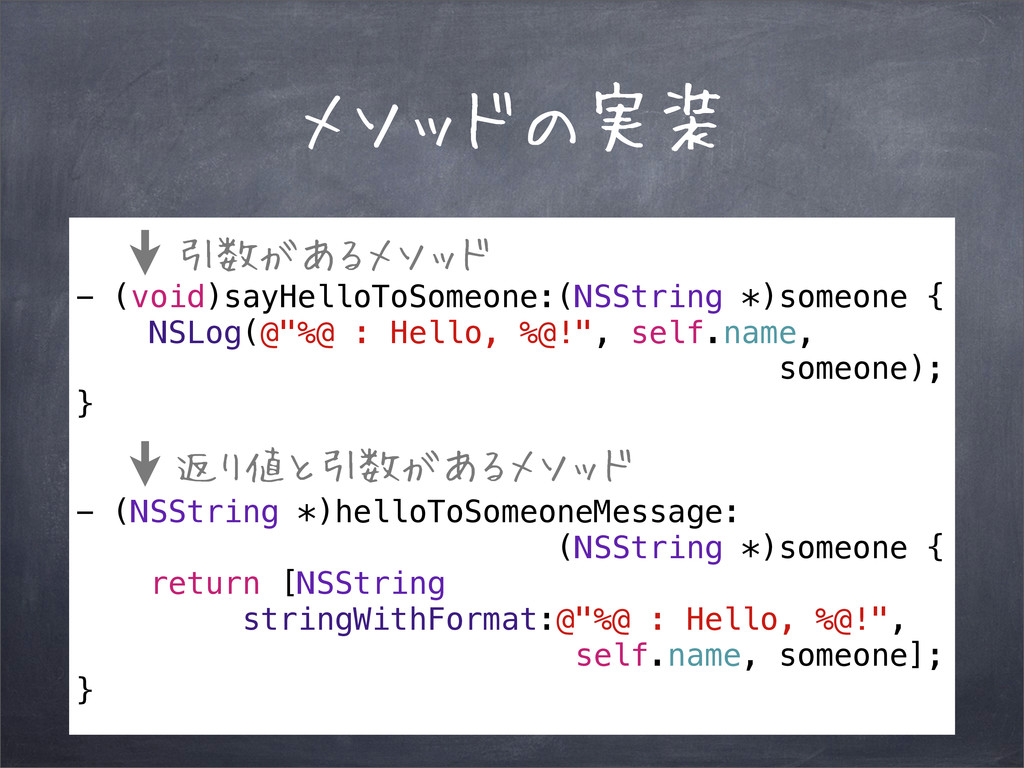
メソッドの実装 - (void)sayHelloToSomeone:(NSString *)someone { NSLog(@"%@ : Hello, %@!", self.name,
someone); } - (NSString *)helloToSomeoneMessage: (NSString *)someone { return [NSString stringWithFormat:@"%@ : Hello, %@!", self.name, someone]; } 引数があるメソッド 返り値と引数があるメソッド
メソッドを実行 [animal sayMyName]; インスタンス名
メソッドを実行 [animal sayMyName]; インスタンス名 メソッドを実行
メソッドを実行 [animal sayHelloToSomeone:@"Levi"]; NSString *msg = [animal helloToSomeoneMessage:@"Levi"]; NSLog(@"msg =
%@", msg);
メソッドを実行 [animal sayHelloToSomeone:@"Levi"]; NSString *msg = [animal helloToSomeoneMessage:@"Levi"]; NSLog(@"msg =
%@", msg); 引数があるメソッド
メソッドを実行 [animal sayHelloToSomeone:@"Levi"]; NSString *msg = [animal helloToSomeoneMessage:@"Levi"]; NSLog(@"msg =
%@", msg); 引数があるメソッド 返り値と引数があるメソッド


 fujikky
 chobishiba
 kinopeee
 hollycummins
 kaityo256
 mofurune
 hatsu38
 o0h
o0h
 palkan
 irinanazarova
 moro
moro
 akkeylab
 soyuka
 mayatellez
 keithpitt
 ryanjones
 geoffreycrofte
 brad_frost
 aleyda
 bermonpainter
 emna__ayadi
 greggifford
 andyhume
 skipperchong
 marcoroth

![クラスの使い方 Animal *animal = [[Animal alloc] init]; animal.name = @"Stud";](https://files.speakerdeck.com/presentations/939654501dbe013177fc5aac934c16ed/slide_21.jpg)
![クラスの使い方 Animal *animal = [[Animal alloc] init]; animal.name = @"Stud";](https://files.speakerdeck.com/presentations/939654501dbe013177fc5aac934c16ed/slide_22.jpg)
![クラスの使い方 Animal *animal = [[Animal alloc] init]; animal.name = @"Stud";](https://files.speakerdeck.com/presentations/939654501dbe013177fc5aac934c16ed/slide_23.jpg)
![クラスの使い方 Animal *animal = [[Animal alloc] init]; animal.name = @"Stud";](https://files.speakerdeck.com/presentations/939654501dbe013177fc5aac934c16ed/slide_24.jpg)
![メソッドを実行 [animal sayMyName]; インスタンス名](https://files.speakerdeck.com/presentations/939654501dbe013177fc5aac934c16ed/slide_40.jpg)
![メソッドを実行 [animal sayMyName]; インスタンス名 メソッドを実行](https://files.speakerdeck.com/presentations/939654501dbe013177fc5aac934c16ed/slide_41.jpg)
![メソッドを実行 [animal sayHelloToSomeone:@"Levi"]; NSString *msg = [animal helloToSomeoneMessage:@"Levi"]; NSLog(@"msg =](https://files.speakerdeck.com/presentations/939654501dbe013177fc5aac934c16ed/slide_42.jpg)
![メソッドを実行 [animal sayHelloToSomeone:@"Levi"]; NSString *msg = [animal helloToSomeoneMessage:@"Levi"]; NSLog(@"msg =](https://files.speakerdeck.com/presentations/939654501dbe013177fc5aac934c16ed/slide_43.jpg)
![メソッドを実行 [animal sayHelloToSomeone:@"Levi"]; NSString *msg = [animal helloToSomeoneMessage:@"Levi"]; NSLog(@"msg =](https://files.speakerdeck.com/presentations/939654501dbe013177fc5aac934c16ed/slide_44.jpg)