Upgrade to Pro
— share decks privately, control downloads, hide ads and more …
Speaker Deck
Sign up for free
Menu
Search
Features
All features
Private URLs
Password Protection
Custom URLS
Scheduled publishing
Remove Branding
Restrict embedding
Deck Collections
Notes
Features
All features
Private URLs
Password Protection
Custom URLS
Scheduled publishing
Remove Branding
Restrict embedding
Deck Collections
Notes
Explore
Featured decks
Featured speakers
Programming
Technology
Storyboards
Explore
Featured decks
Featured speakers
Programming
Technology
Storyboards
Pricing
Search
Sign in
Sign up for free
検索機能リプレイスを4ヶ月→2ヶ月に! AI Agentで実現した2倍速リプレイス
Search
Maple
September 18, 2025
Programming
1.4k
4
Share
Embed
Copy iframe code
Copy JS code
Copy link
Start on current slide
検索機能リプレイスを4ヶ月→2ヶ月に! AI Agentで実現した2倍速リプレイス
AI Agentでフロントエンドリプレイスを倍速にした話
Maple
September 18, 2025
More Decks by Maple
See All by Maple
モダンJSフレームワークのビルドプロセス 〜なぜReactは503行、Svelteは12行なのか〜
fuuki12
0
540
フロントエンドチームでリアーキテクチャを行っています!
fuuki12
0
350
Other Decks in Programming
See All in Programming
AWSに止められる覚悟してますか?
morizo_1984
2
530
コードレビューのボトルネックを"する側"と"される側"の両面から解消する
yub0n
2
1.6k
Workers Cache を知る
syumai
0
350
速習iPhone Duo対応
yuukiw00w
2
980
技術的負債の返済は、AI時代の複利で効く投資 — 経営としての意思決定とその遂行
curekoshimizu
1
2.3k
半永久的に提供し続けられるプライベートクラウドを目指して ― 利用者の認知負荷を抑えるAPI抽象化とハードウェア世代交代の基盤設計
tomokon
0
480
AI が書く Go コードの品質を劇的に向上させる Linter: “declscope”
mpyw
0
490
AIに “答え“を書かせるのを やめてみた
___akari11
0
120
月間100万人のサービス刷新で、 技術選定をHonoに振り切った話
yutobara
8
6.3k
When benchmarks go bad - what I learned from measuring performance wrong
hollycummins
0
200
Compiling a real-world CLI tool to native with Static Hermes
tmikov2023
0
110
RAG の “R” を Swift で覗いてみる 〜「意味から探す」検索の仕組み〜
nao_randd
0
140
Featured
See All Featured
世界の人気アプリ100個を分析して見えたペイウォール設計の心得
akihiro_kokubo
PRO
74
42k
Scaling GitHub
holman
464
140k
Everyday Curiosity
cassininazir
0
350
How to Align SEO within the Product Triangle To Get Buy-In & Support - #RIMC
aleyda
2
1.8k
Accessibility Awareness
sabderemane
1
240
Paper Plane (Part 1)
katiecoart
PRO
2
11k
Future Trends and Review - Lecture 12 - Web Technologies (1019888BNR)
signer
PRO
0
3.8k
Marketing Yourself as an Engineer | Alaka | Gurzu
gurzu
0
330
HTML-Aware ERB: The Path to Reactive Rendering @ RubyCon 2026, Rimini, Italy
marcoroth
5
800
The Illustrated Children's Guide to Kubernetes
chrisshort
51
53k
WCS-LA-2024
lcolladotor
0
870
Site-Speed That Sticks
csswizardry
13
1.6k
Transcript
検索機能リプレイスを4ヶ月→2ヶ月に! AI Agentで実現した2倍速リプレイス フロントエンド開発の現在地 -PoCの壁を越えるAIフレンドリーな開発の挑戦- 2025-09-19 by Maple
登壇者紹介 Name → Maple Carrier → 株式会社SODAでフロントエンドテックリード を担っております。 Hobby →
ピアノ、アニメ
None
None
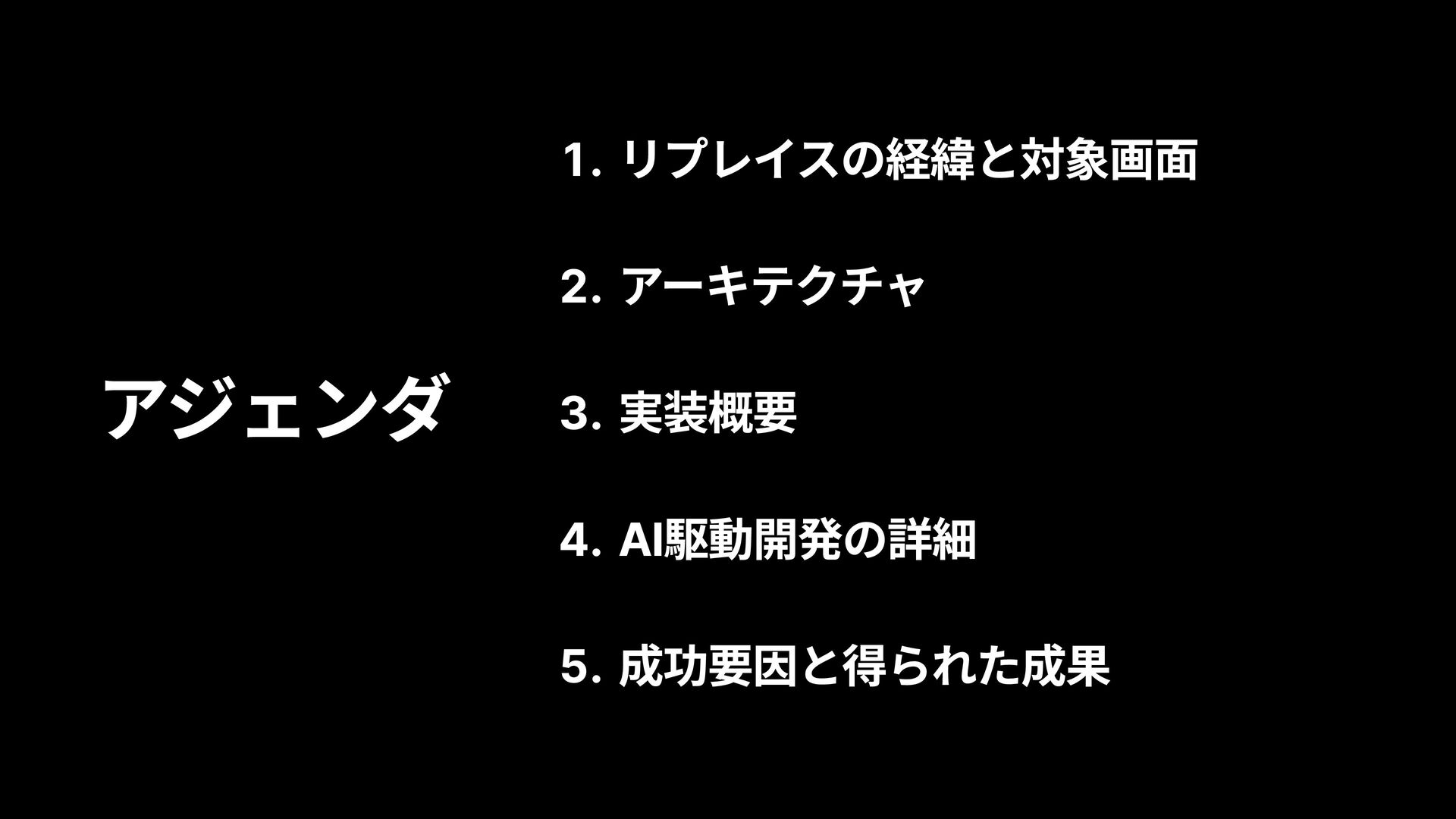
アジェンダ リプレイスの経緯と対象画面 アーキテクチャ 実装概要 AI駆動開発の詳細 成功要因と得られた成果
リプレイスの経緯と対象画面
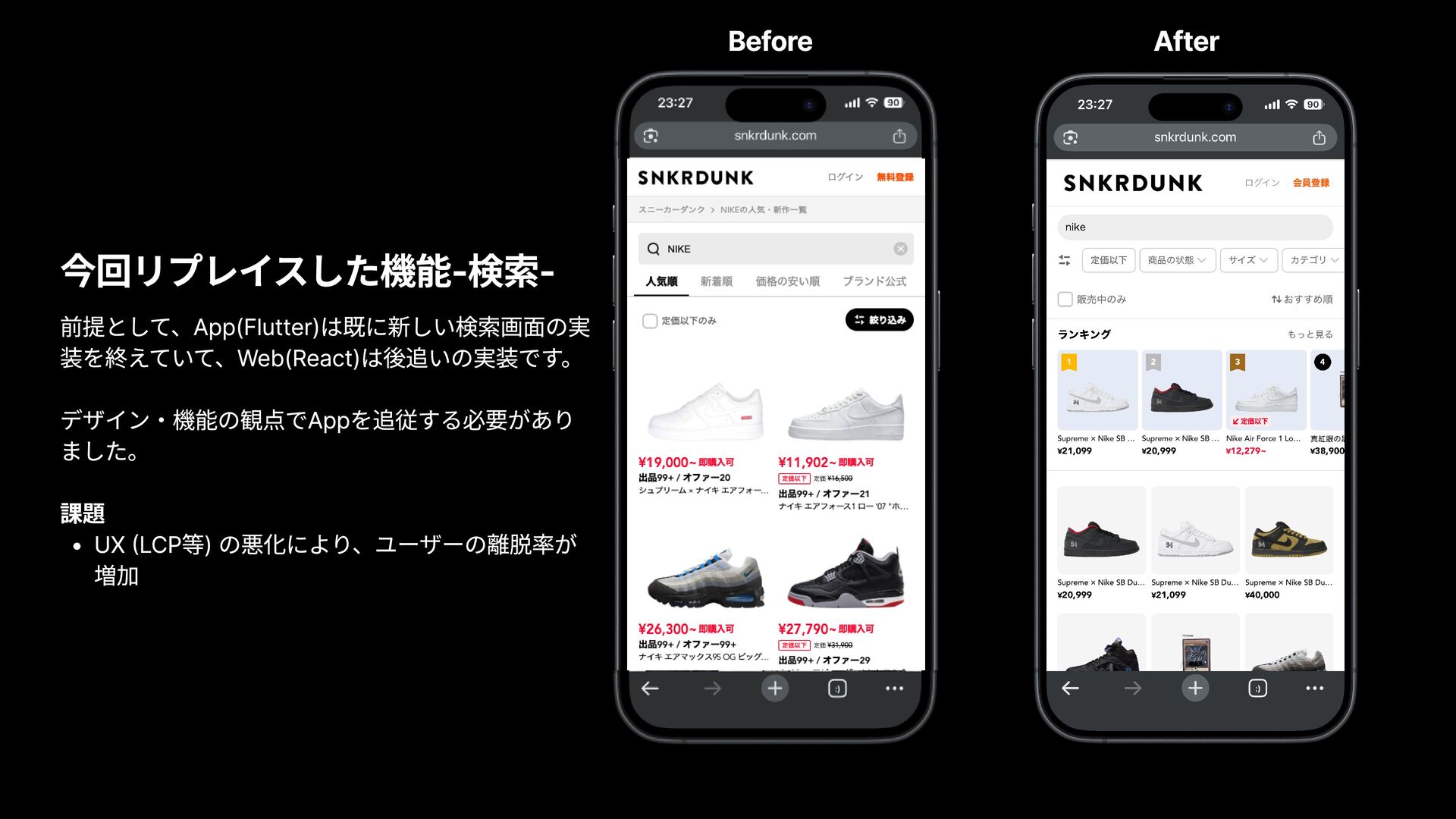
今回リプレイスした機能-検索- 前提として、App(Flutter)は既に新しい検索画面の実 装を終えていて、Web(React)は後追いの実装です。 デザイン・機能の観点でAppを追従する必要があり ました。 課題 UX (LCP等) の悪化により、ユーザーの離脱率が
増加 Before After
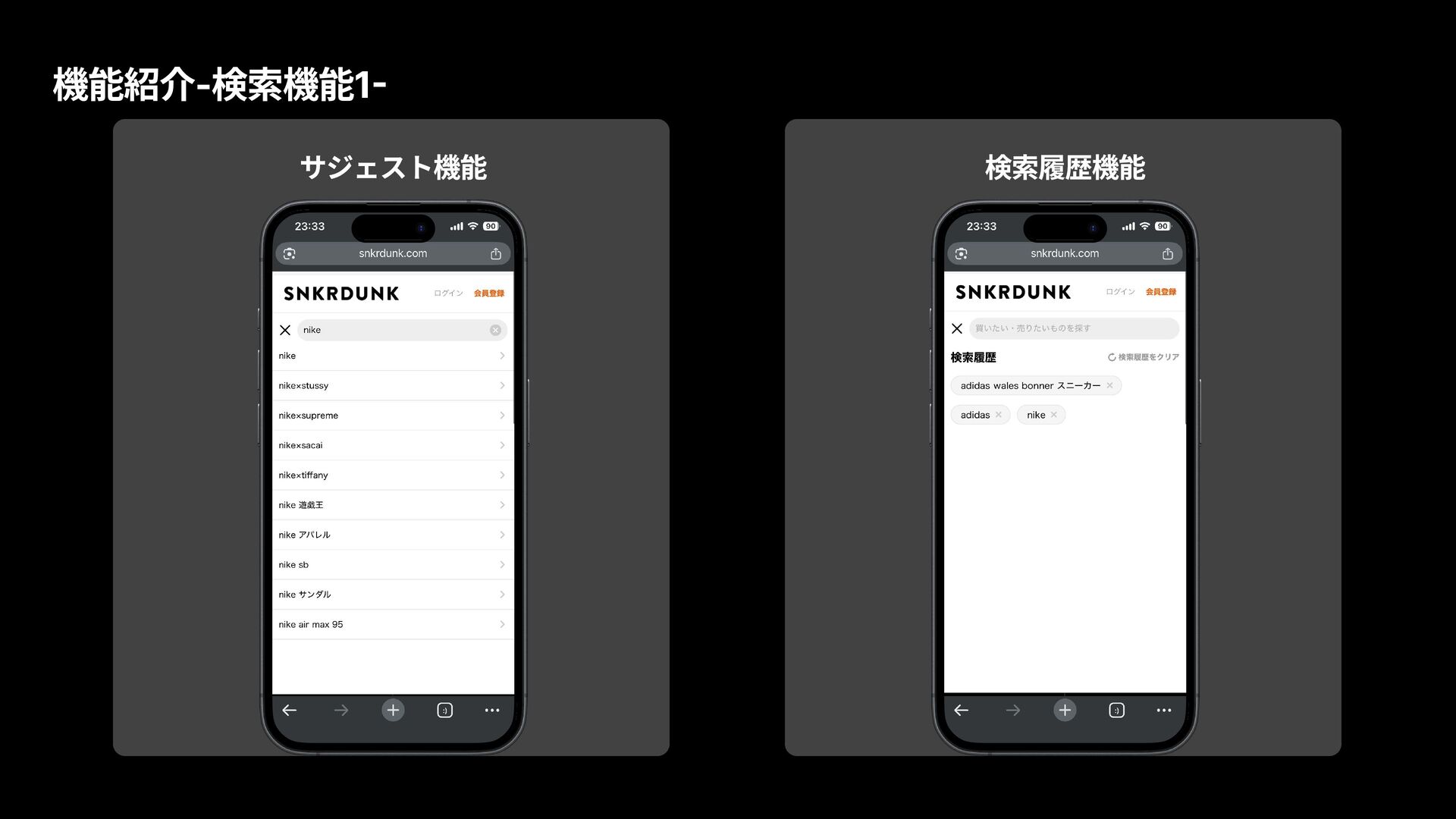
機能紹介-検索機能1- サジェスト機能 検索履歴機能
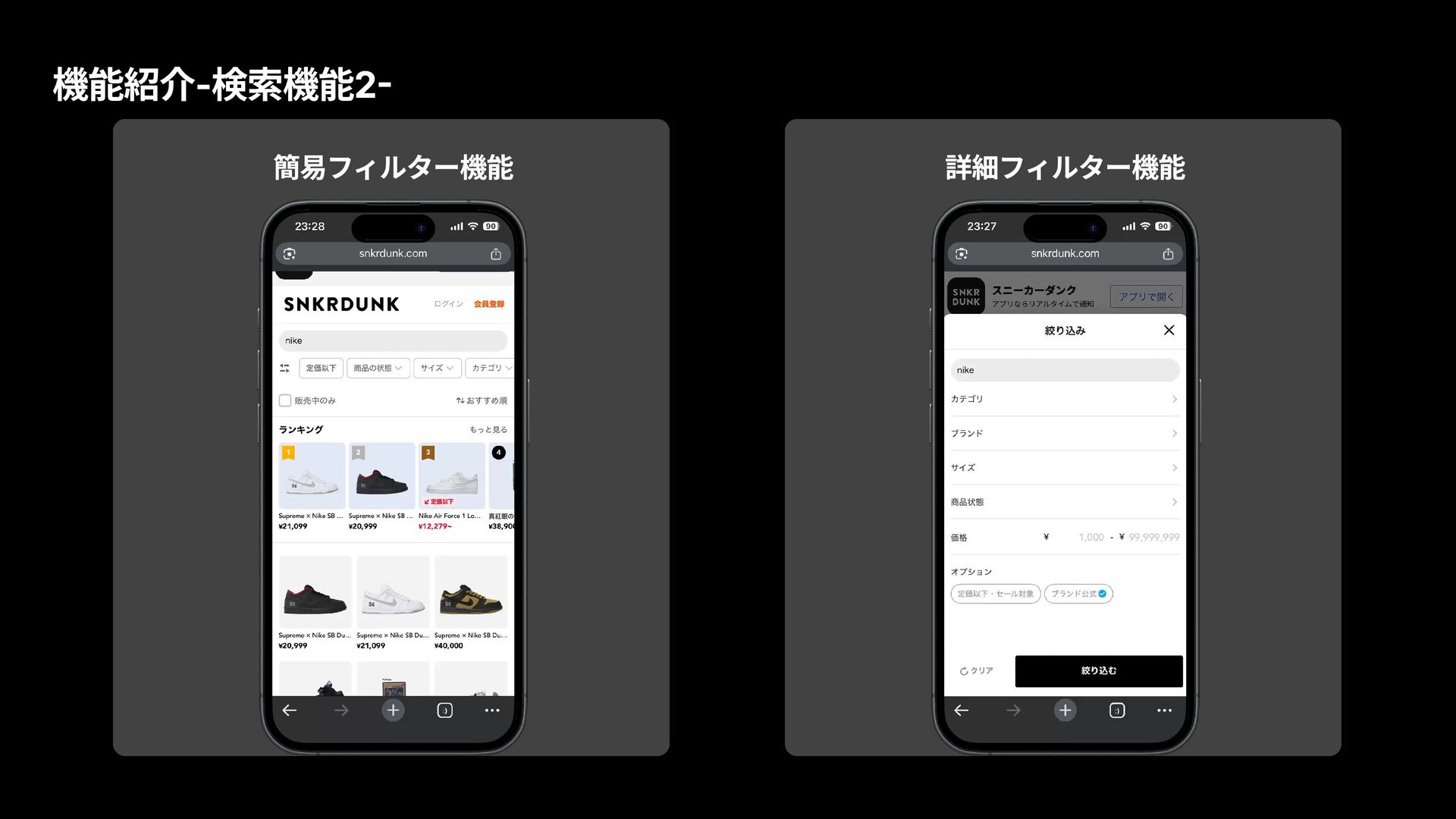
機能紹介-検索機能2- 簡易フィルター機能 詳細フィルター機能
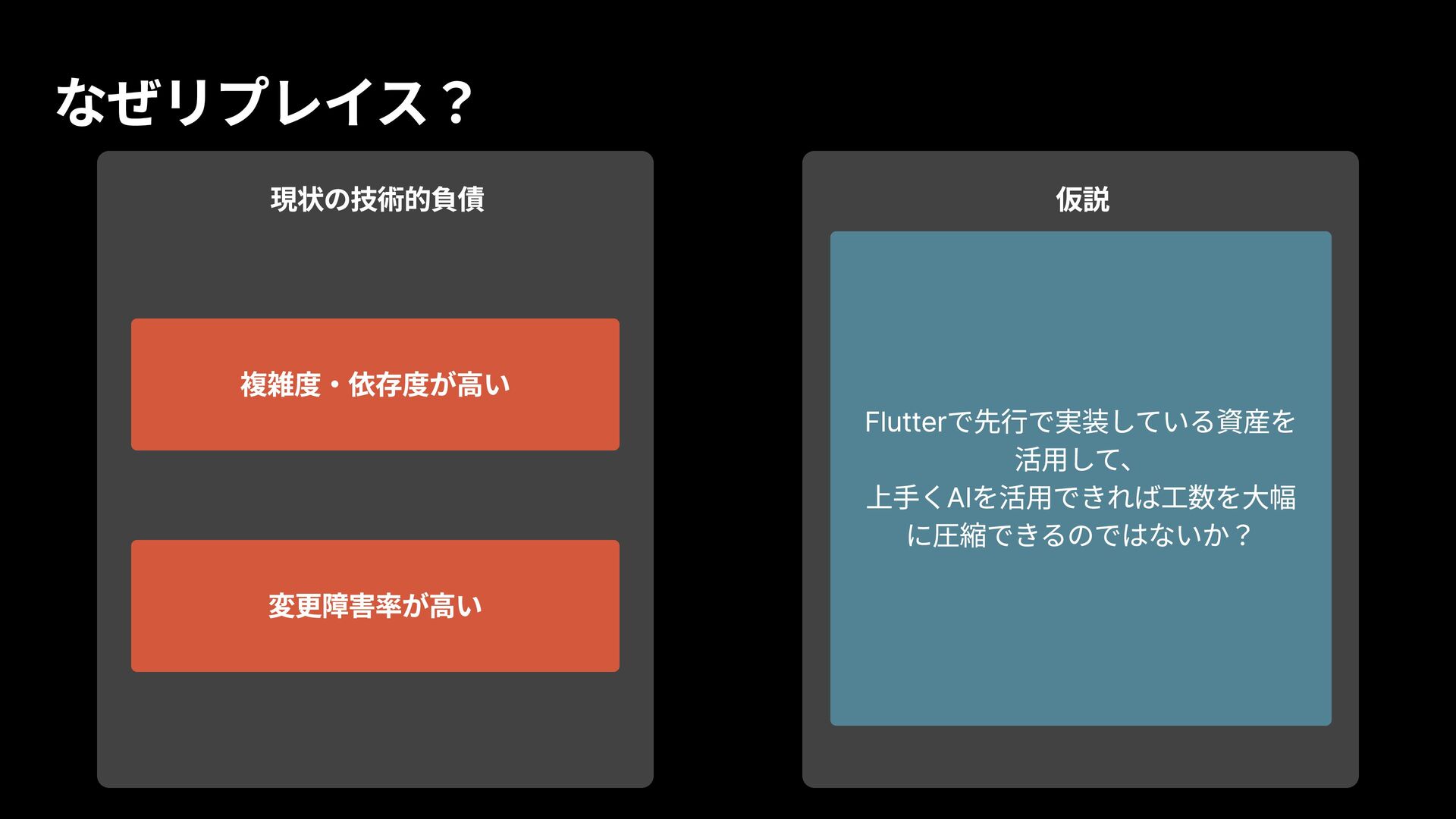
なぜリプレイス? 現状の技術的負債 複雑度・依存度が高い 変更障害率が高い 仮説 Flutterで先行で実装している資産を 活用して、 上手くAIを活用できれば工数を大幅 に圧縮できるのではないか?
アーキテクチャ
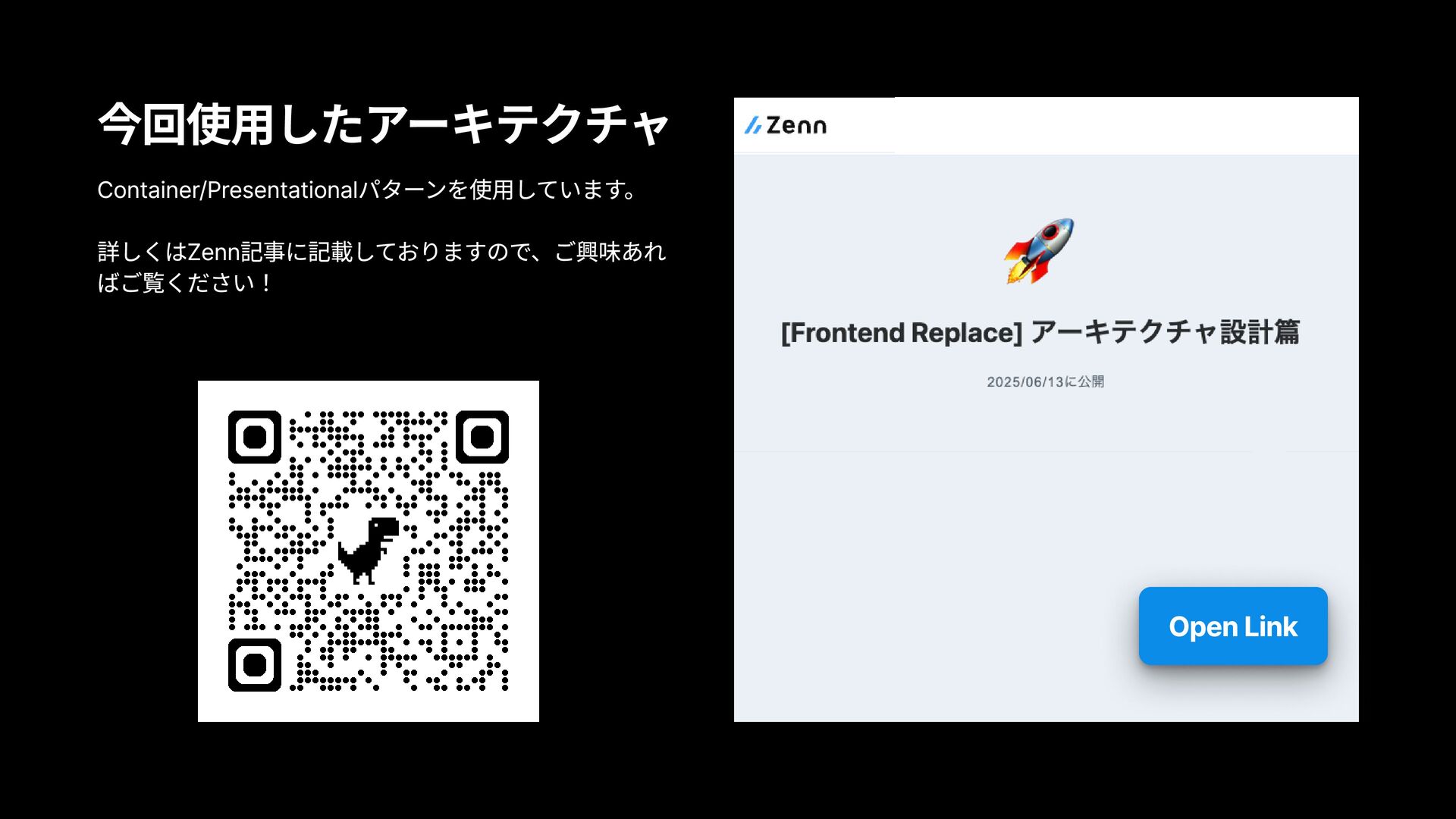
Container/Presentationalパターンを使用しています。 詳しくはZenn記事に記載しておりますので、ご興味あれ ばご覧ください! 今回使用したアーキテクチャ Open Link
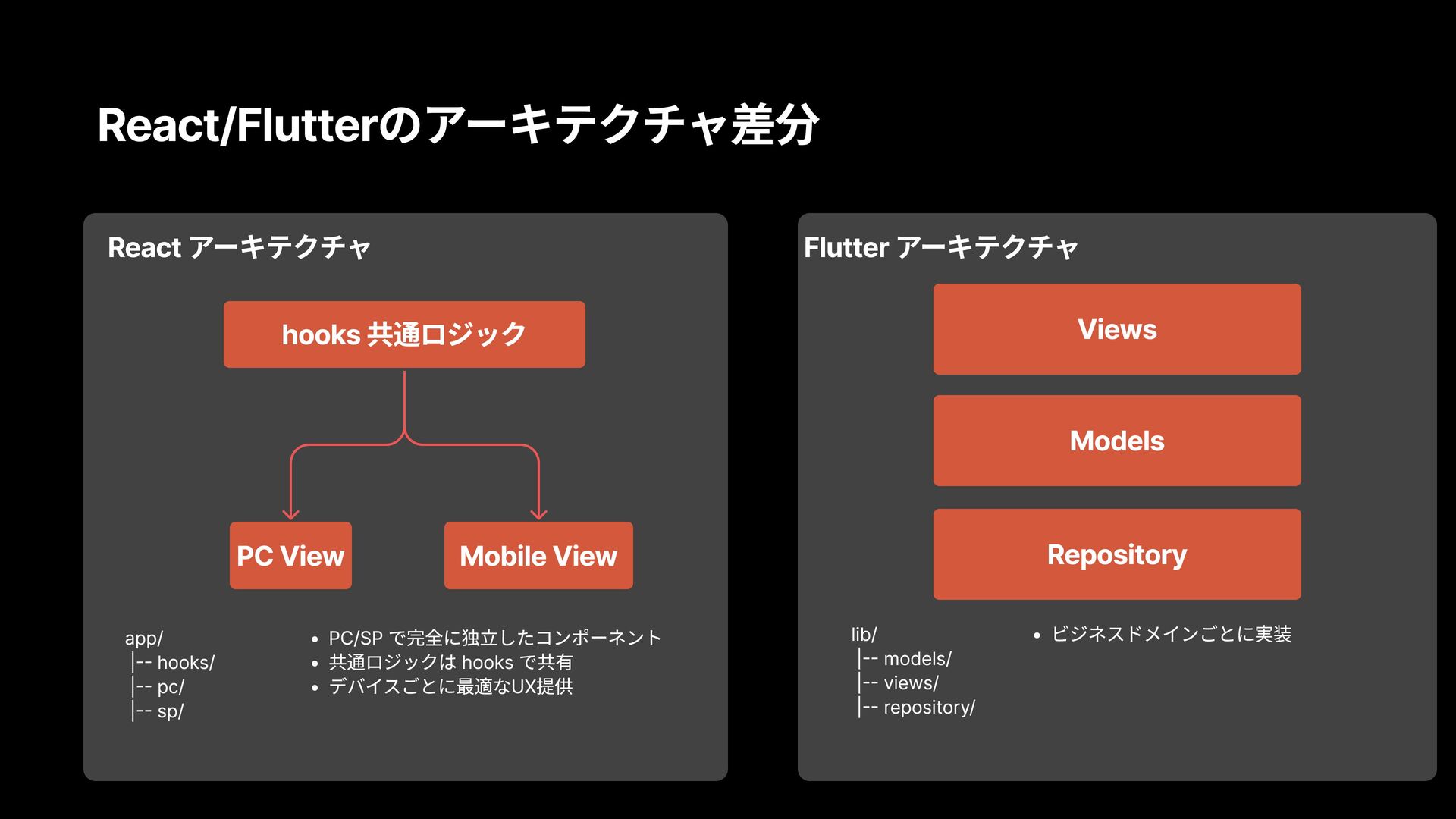
React/Flutterのアーキテクチャ差分 hooks 共通ロジック PC View PC/SP で完全に独立したコンポーネント 共通ロジックは hooks で共有
デバイスごとに最適なUX提供 Views Models Repository lib/ |-- models/ |-- views/ |-- repository/ ビジネスドメインごとに実装 Mobile View React アーキテクチャ app/ |-- hooks/ |-- pc/ |-- sp/ Flutter アーキテクチャ
実装概要
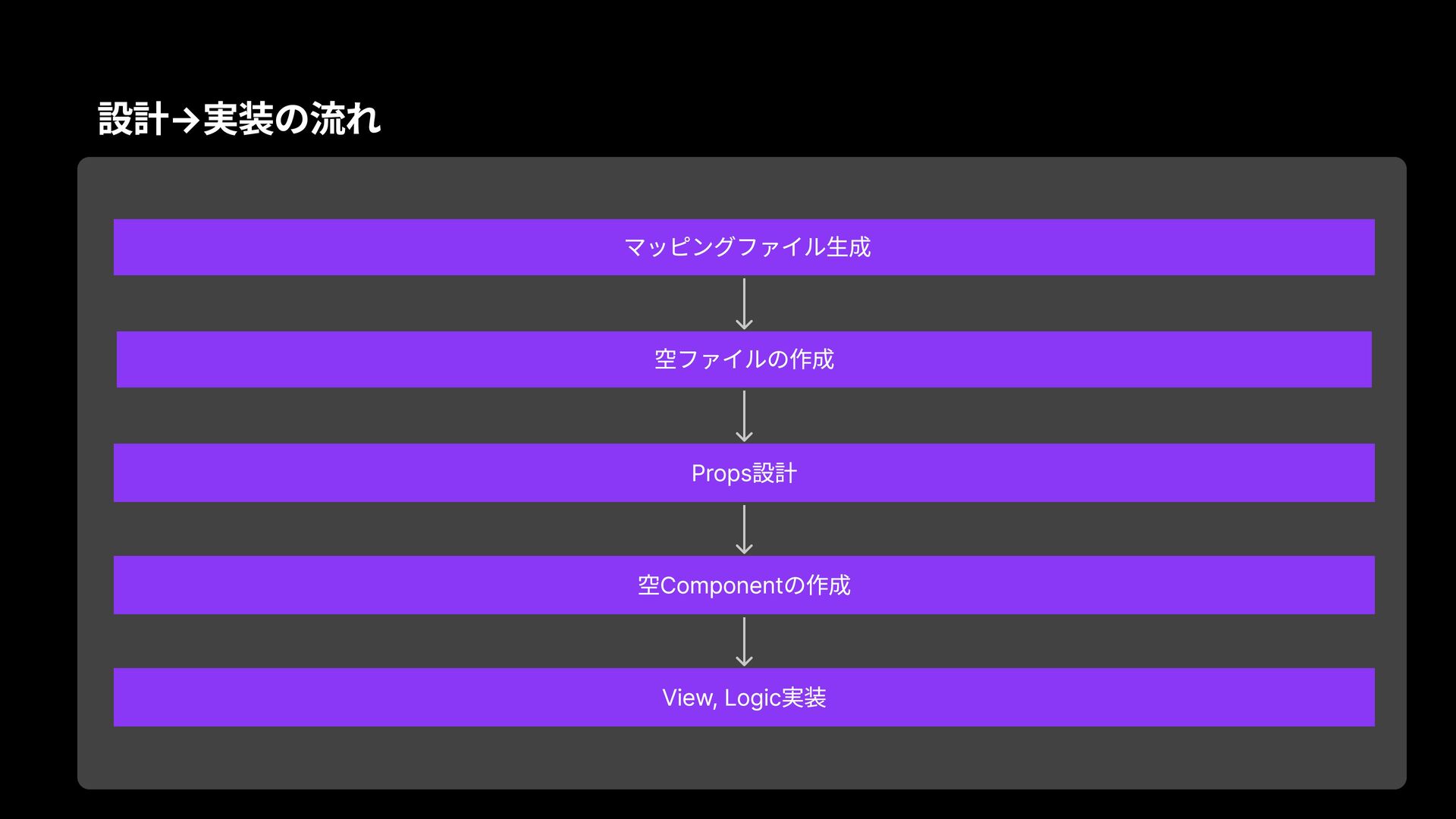
設計→実装の流れ マッピングファイル生成 空ファイルの作成 Props設計 空Componentの作成 View, Logic実装
設計フェーズ 〜並列化Agentをフル活用〜
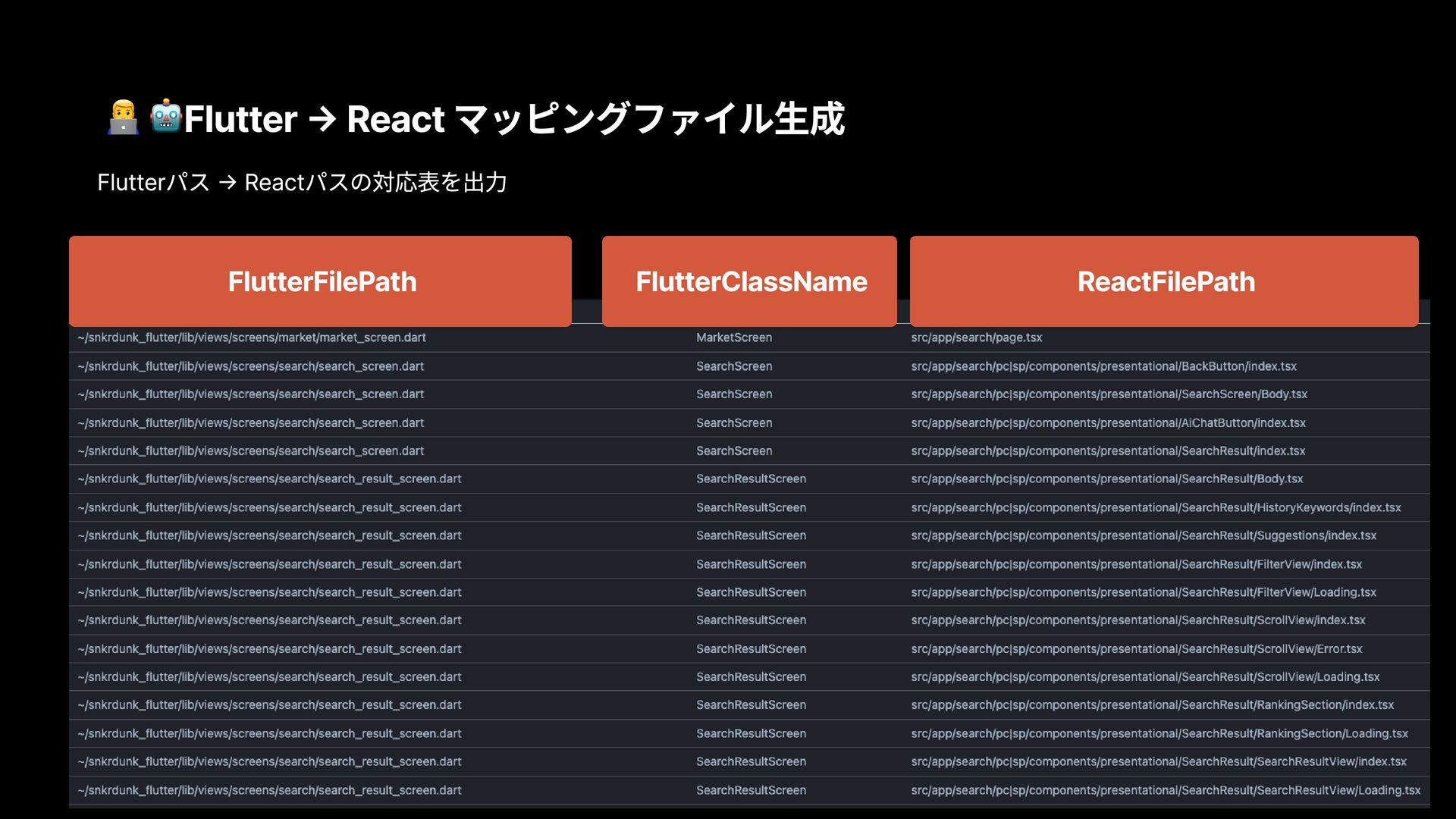
Flutter → React マッピングファイル生成 Flutterパス → Reactパスの対応表を出力 FlutterFilePath
FlutterClassName ReactFilePath
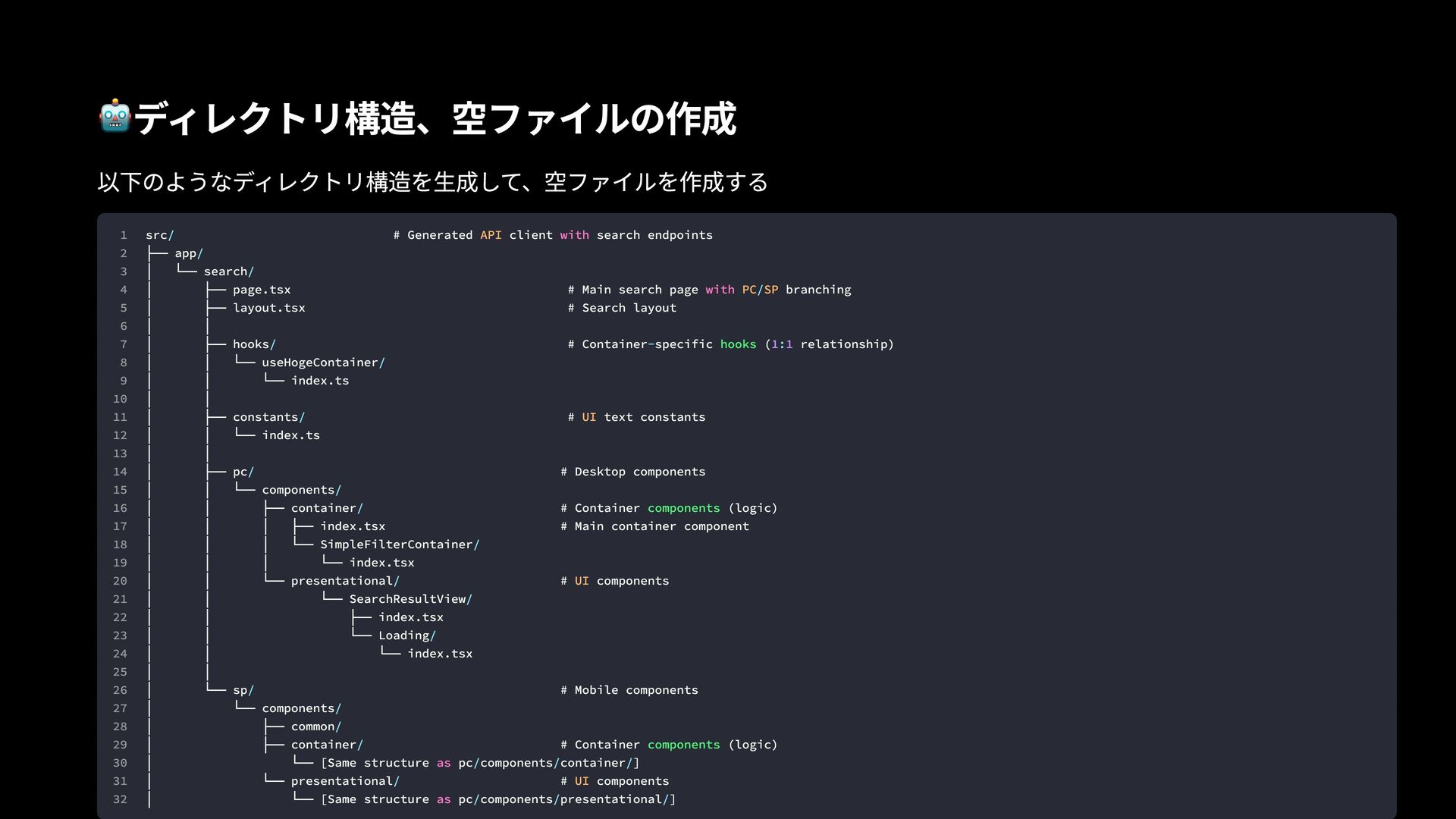
ディレクトリ構造、空ファイルの作成 以下のようなディレクトリ構造を生成して、空ファイルを作成する 1 2 3 4 5 6 7 8
9 10 11 12 13 14 15 16 17 18 19 20 21 22 23 24 25 26 27 28 29 30 31 32 src # Generated client search endpoints ├── app │ └── search │ ├── page.tsx # Main search page branching │ ├── layout.tsx # Search layout │ │ │ ├── hooks # Container specific ( relationship) │ │ └── useHogeContainer │ │ └── index.ts │ │ │ ├── constants # text constants │ │ └── index.ts │ │ │ ├── pc # Desktop components │ │ └── components │ │ ├── container # Container (logic) │ │ │ ├── index.tsx # Main container component │ │ │ └── SimpleFilterContainer │ │ │ └── index.tsx │ │ └── presentational # components │ │ └── SearchResultView │ │ ├── index.tsx │ │ └── Loading │ │ └── index.tsx │ │ │ └── sp # Mobile components │ └── components │ ├── common │ ├── container # Container (logic) │ └── [Same structure pc components container ] │ └── presentational # components │ └── [Same structure pc components presentational ] / / / / / - : / / / / / / / / / / / / / / / / / / / / API PC SP UI UI UI with with as as hooks components components 1 1
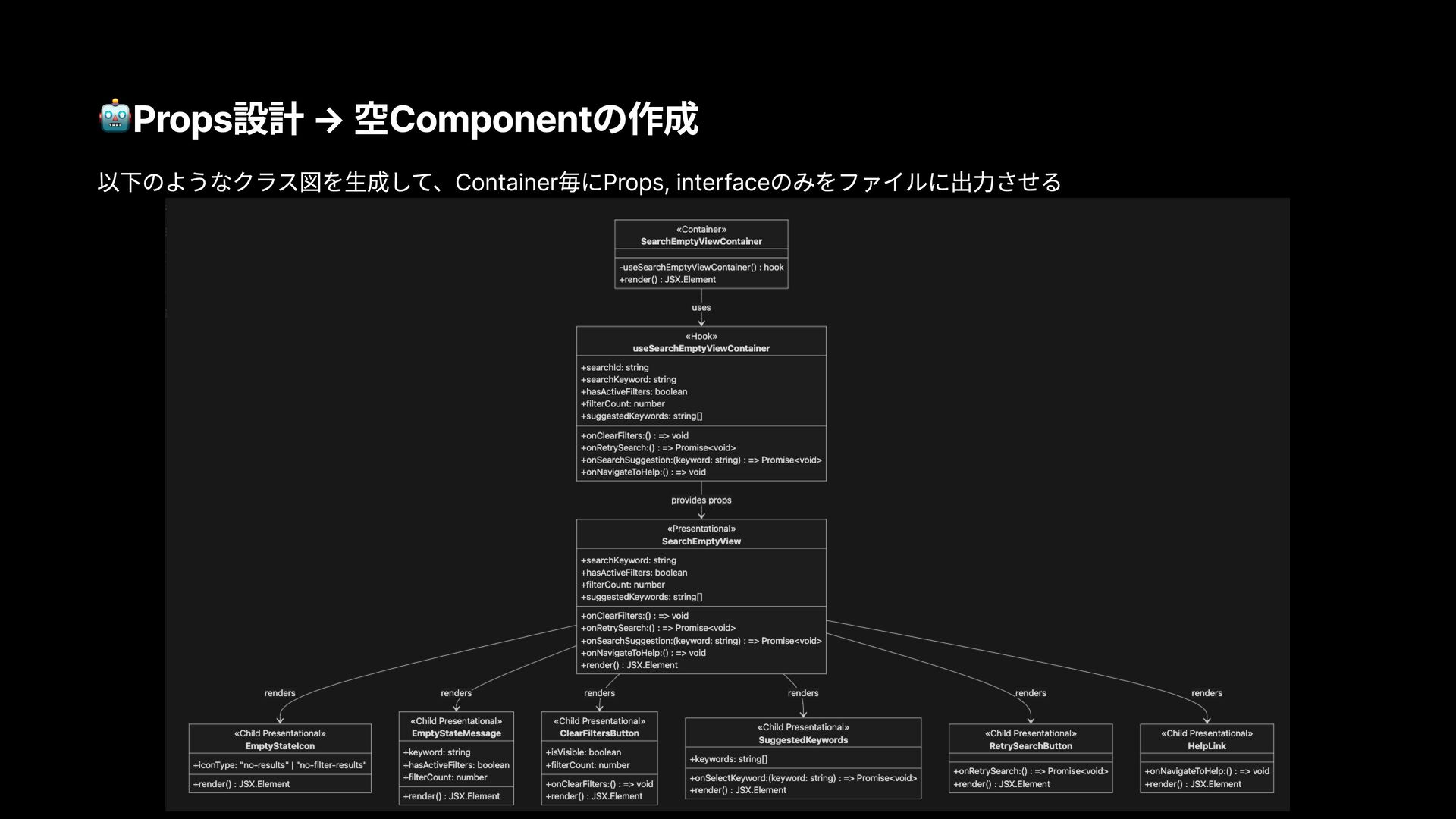
Props設計 → 空Componentの作成 以下のようなクラス図を生成して、Container毎にProps, interfaceのみをファイルに出力させる
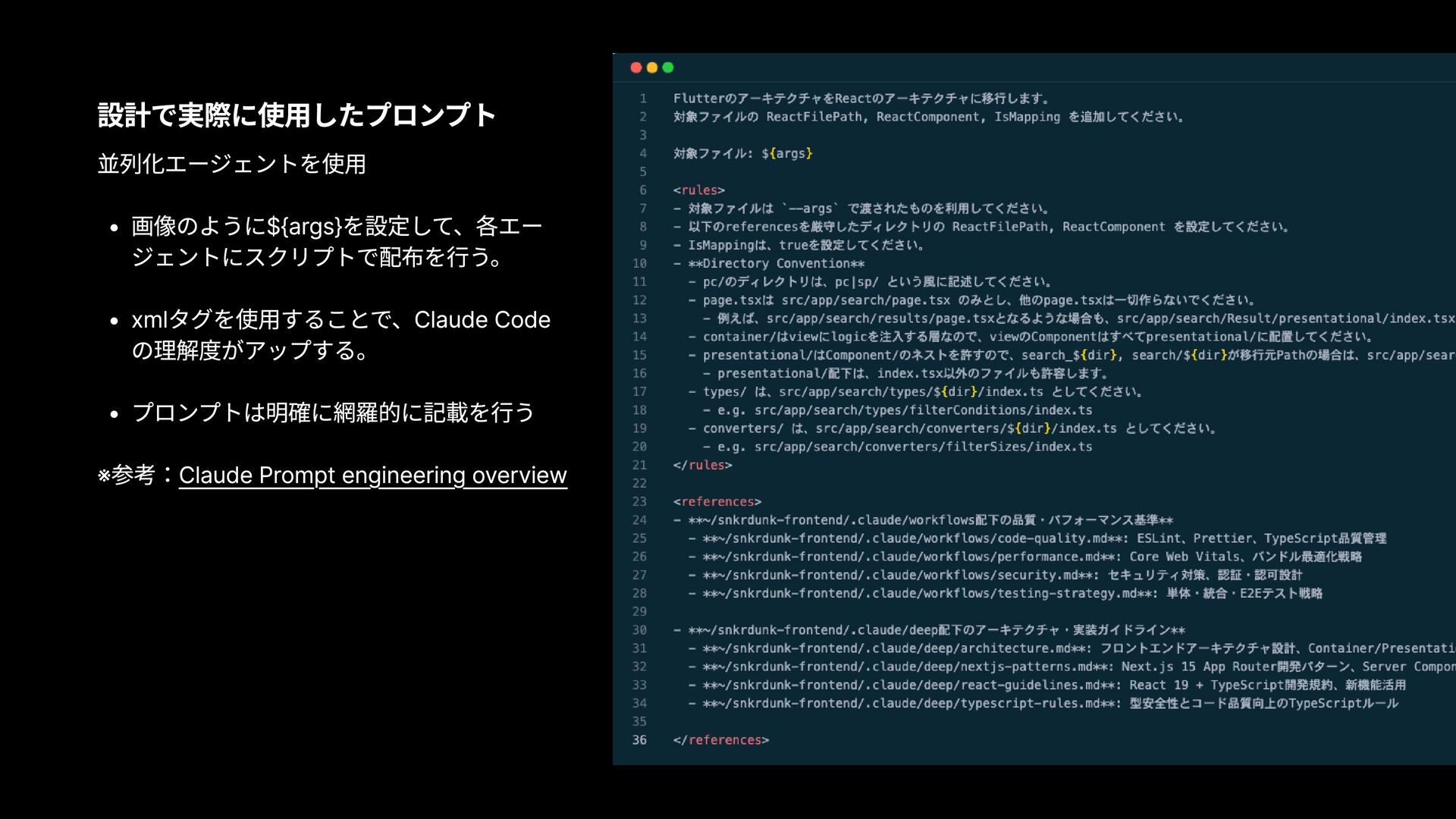
設計で実際に使用したプロンプト 並列化エージェントを使用 画像のように${args}を設定して、各エー ジェントにスクリプトで配布を行う。 xmlタグを使用することで、Claude Code の理解度がアップする。 プロンプトは明確に網羅的に記載を行う ※参考:Claude Prompt
engineering overview
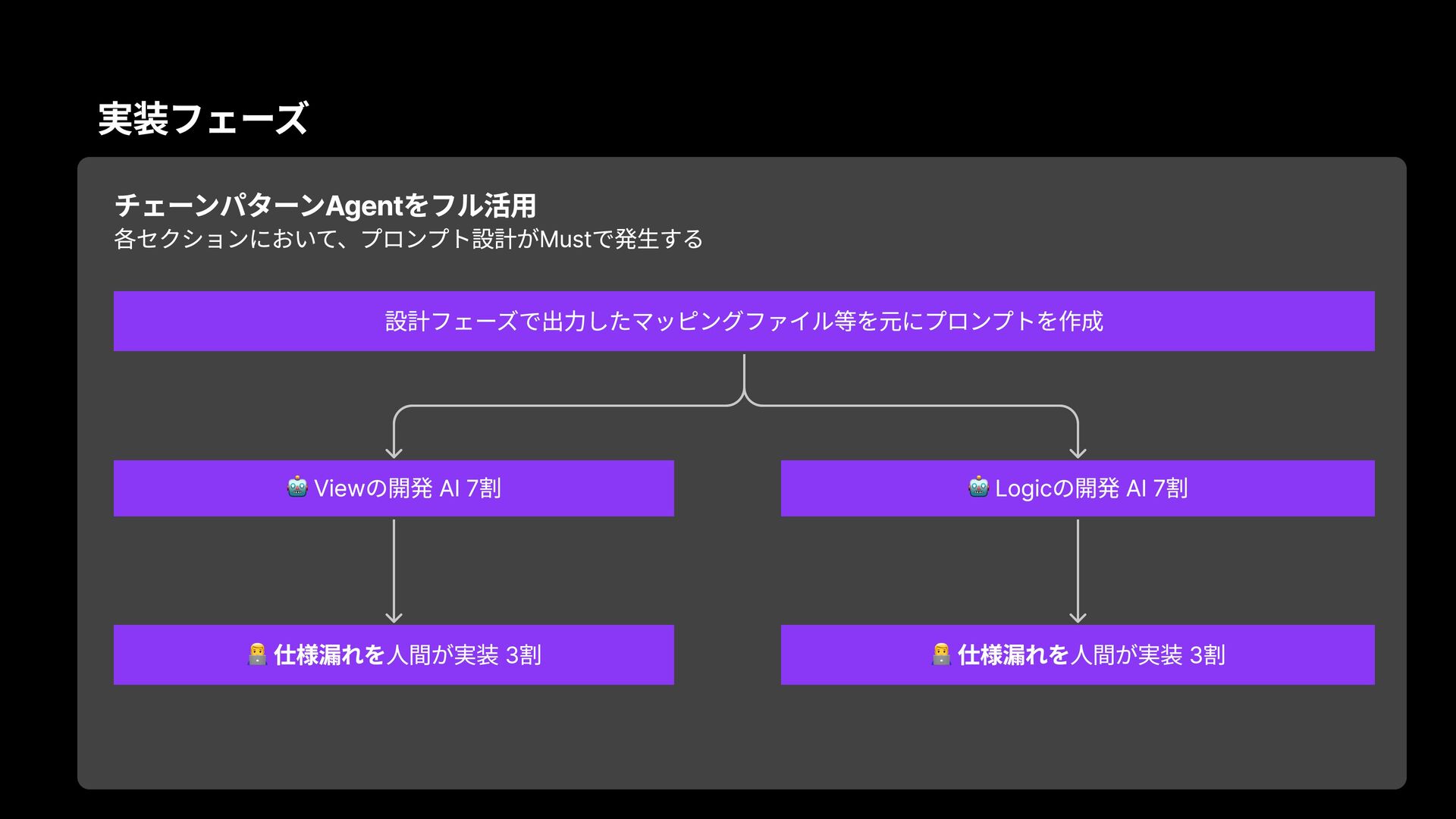
実装フェーズ チェーンパターンAgentをフル活用 各セクションにおいて、プロンプト設計がMustで発生する Viewの開発 AI 7割 Logicの開発 AI 7割 仕様漏れを人間が実装
3割 仕様漏れを人間が実装 3割 設計フェーズで出力したマッピングファイル等を元にプロンプトを作成
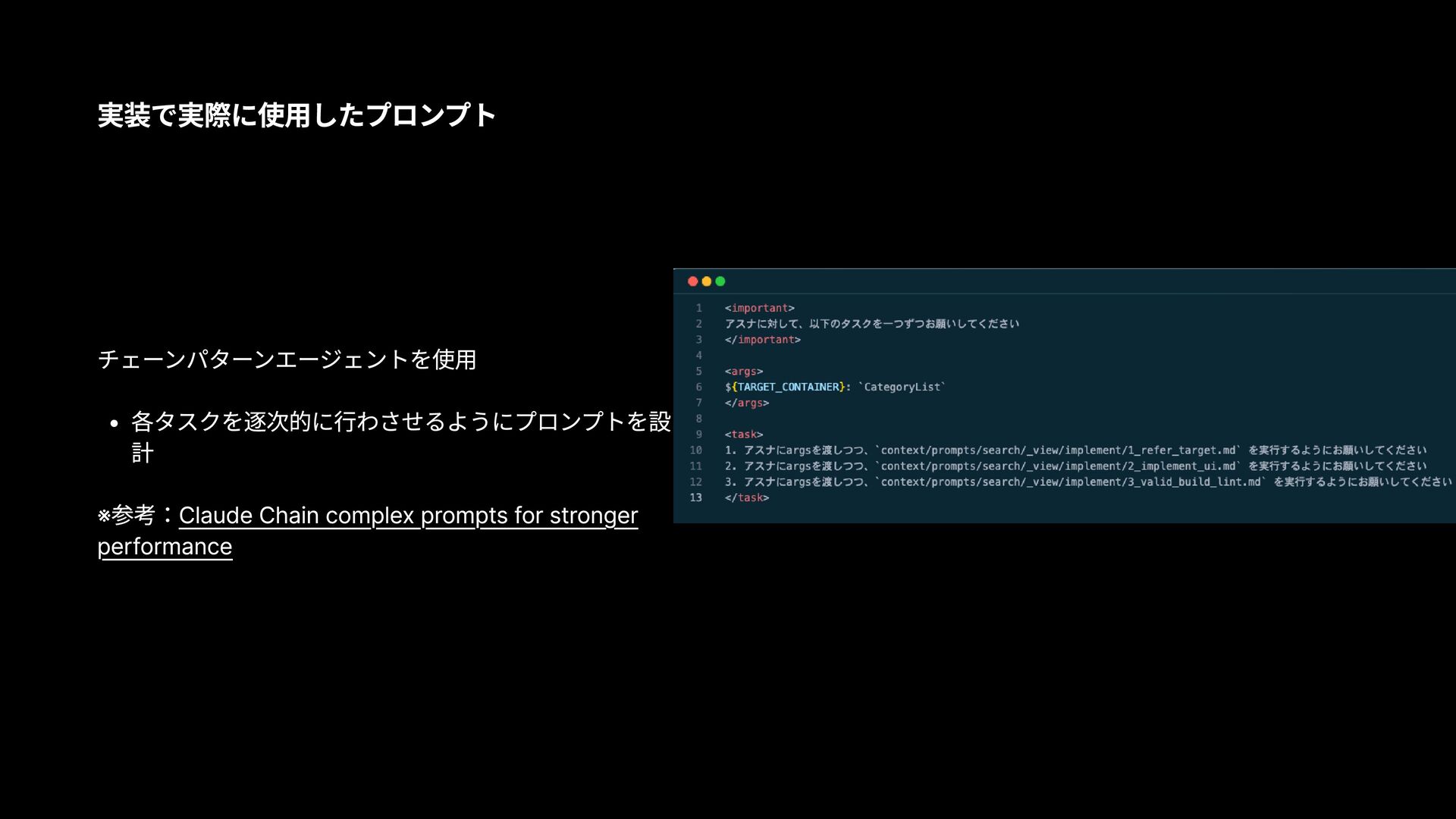
実装で実際に使用したプロンプト チェーンパターンエージェントを使用 各タスクを逐次的に行わさせるようにプロンプトを設 計 ※参考:Claude Chain complex prompts for stronger
performance
AI駆動開発の詳細
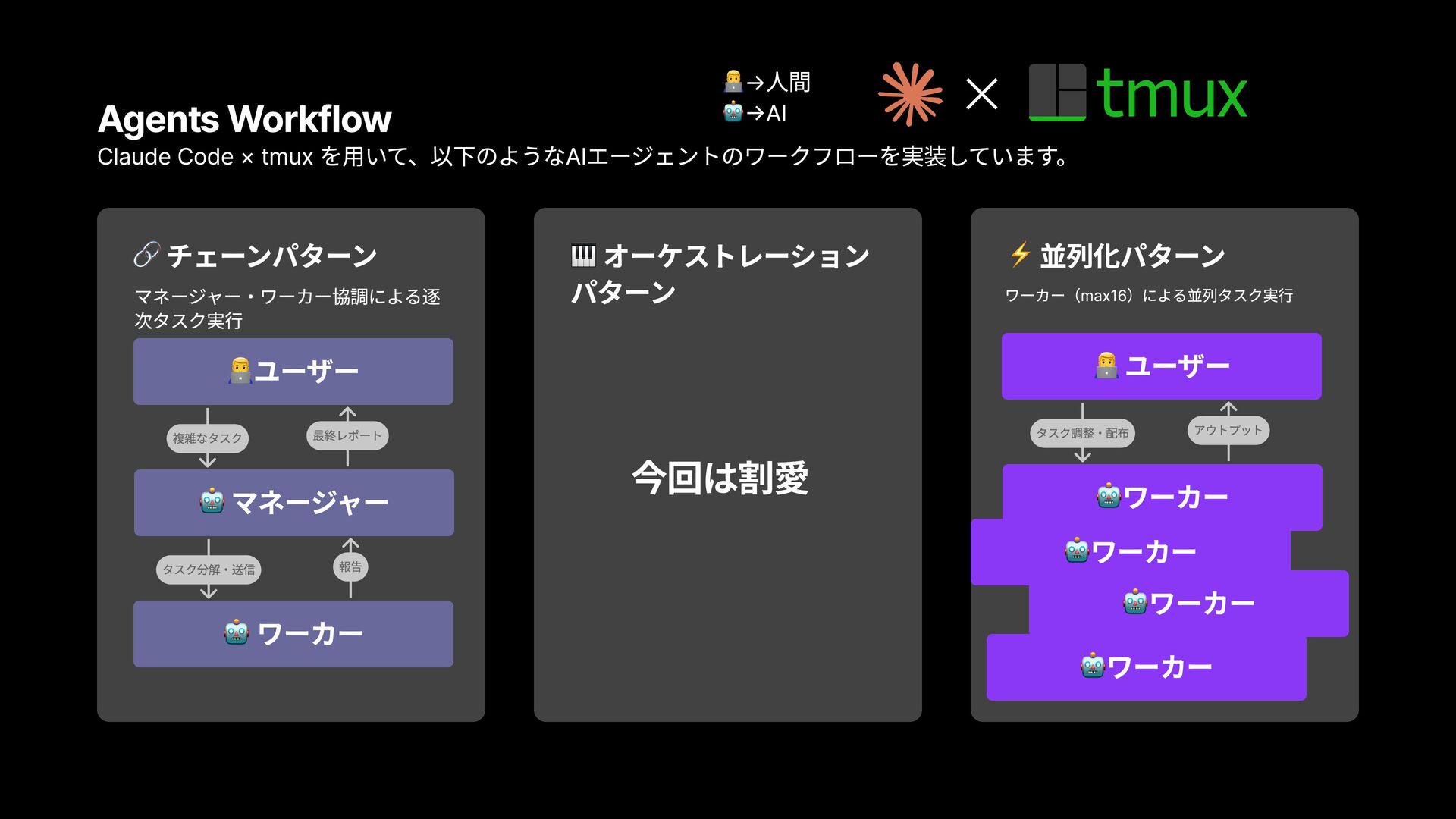
Agents Workflow × Claude Code × tmux を用いて、以下のようなAIエージェントのワークフローを実装しています。 チェーンパターン マネージャー・ワーカー協調による逐
次タスク実行 オーケストレーション パターン 今回は割愛 並列化パターン ワーカー(max16)による並列タスク実行 マネージャー ユーザー 最終レポート 複雑なタスク ワーカー 報告 タスク分解・送信 ワーカー ワーカー ワーカー ワーカー ユーザー タスク調整・配布 アウトプット →人間 →AI
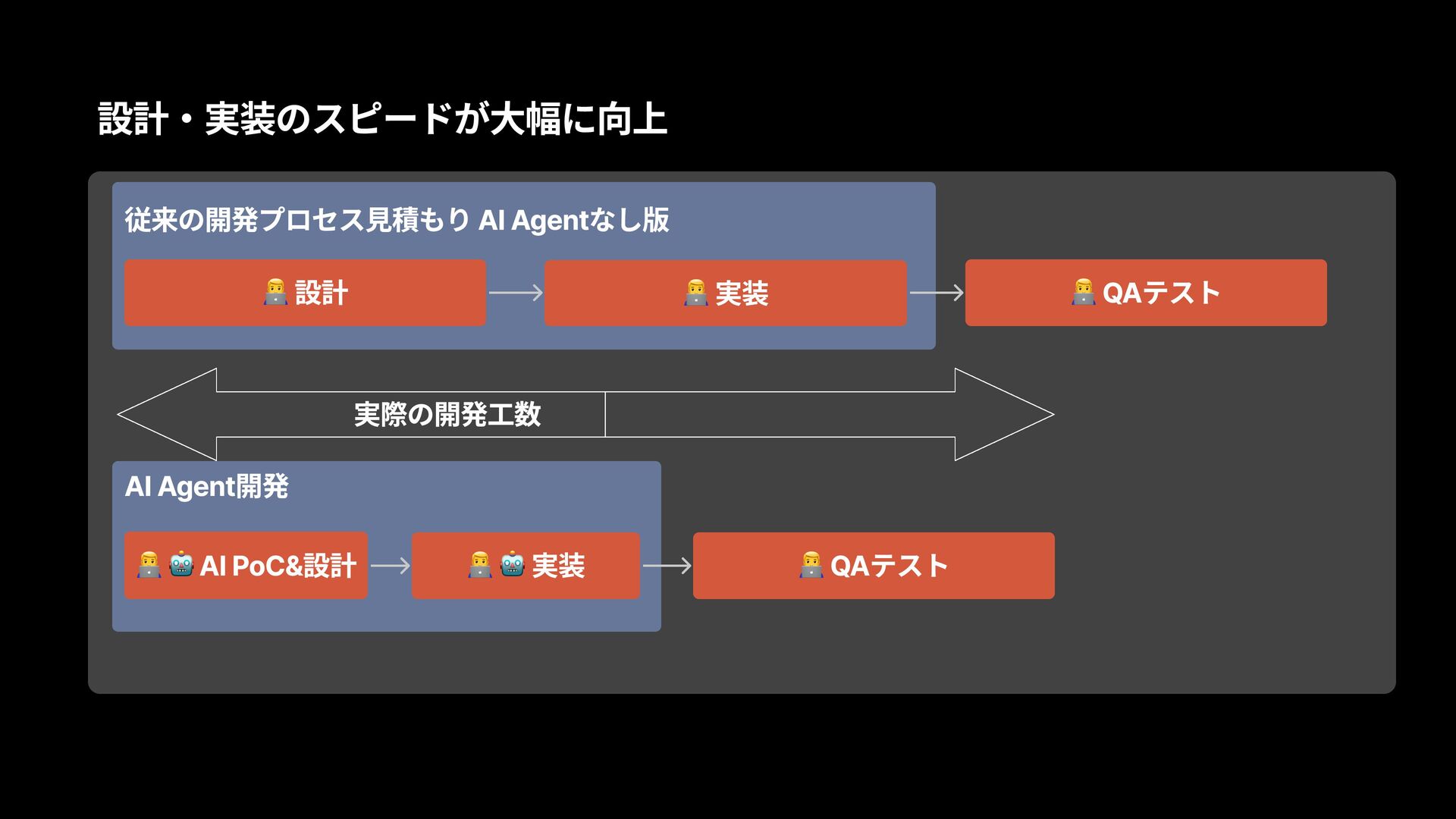
設計・実装のスピードが大幅に向上 従来の開発プロセス見積もり AI Agentなし版 設計 実装 QAテスト QAテスト AI Agent開発
AI PoC&設計 実装 実際の開発工数
成功要因と得られた成果
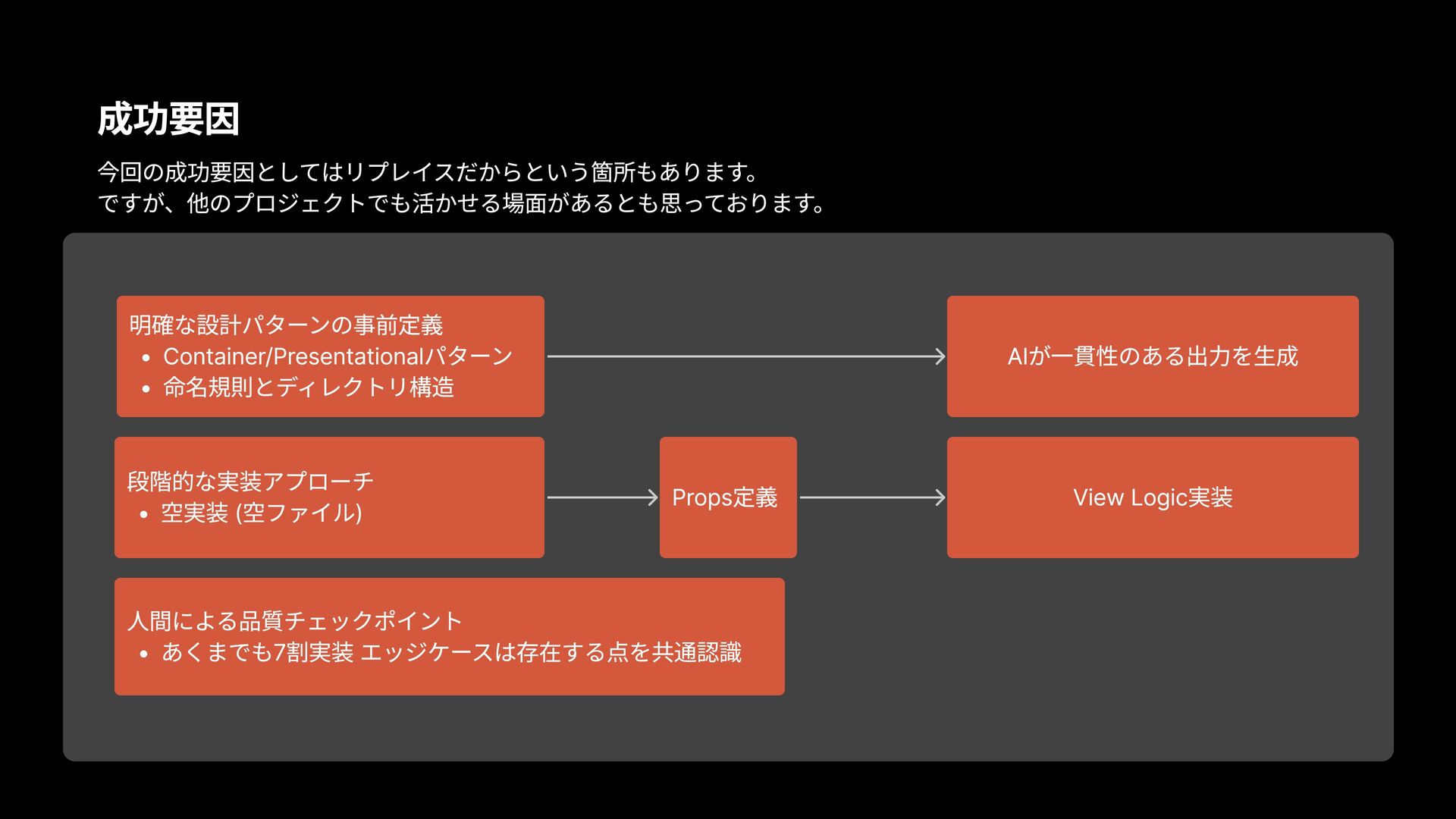
成功要因 今回の成功要因としてはリプレイスだからという箇所もあります。 ですが、他のプロジェクトでも活かせる場面があるとも思っております。 明確な設計パターンの事前定義 Container/Presentationalパターン 命名規則とディレクトリ構造 段階的な実装アプローチ 空実装 (空ファイル) 人間による品質チェックポイント
あくまでも7割実装 エッジケースは存在する点を共通認識 Props定義 AIが一貫性のある出力を生成 View Logic実装
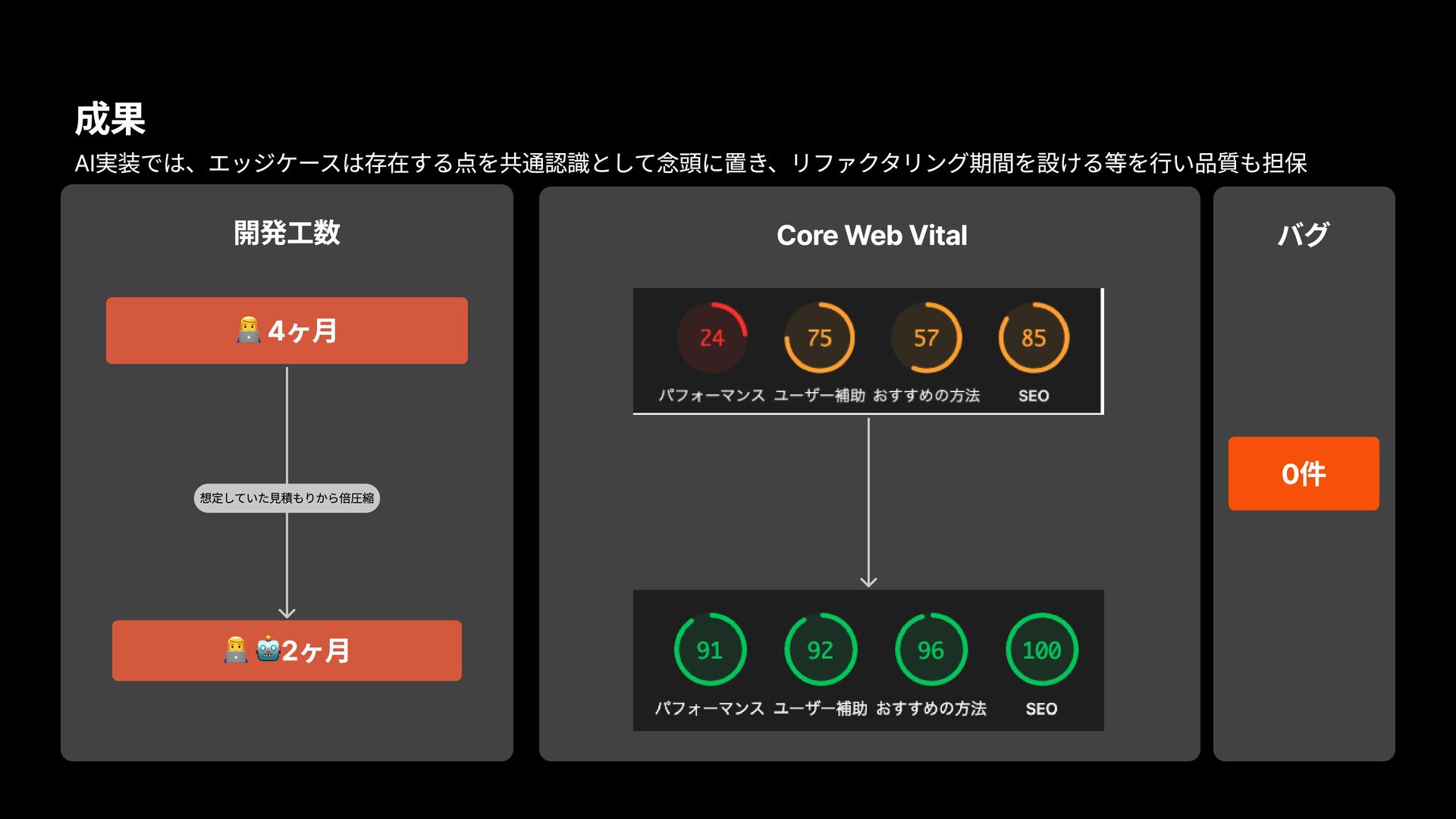
成果 開発工数 4ヶ月 バグ 0件 Core Web Vital 2ヶ月 想定していた見積もりから倍圧縮
AI実装では、エッジケースは存在する点を共通認識として念頭に置き、リファクタリング期間を設ける等を行い品質も担保
ご清聴ありがとうございました。


 fuuki12
 morizo_1984
 yub0n
yub0n
 syumai
 yuukiw00w
 curekoshimizu
 tomokon
 mpyw
mpyw
 ___akari11
 yutobara
 hollycummins
 tmikov2023
 nao_randd
 akihiro_kokubo
 holman
 cassininazir
 aleyda
 sabderemane
 katiecoart
 signer
 gurzu
gurzu
 marcoroth
 chrisshort
 lcolladotor
 csswizardry