Share
Embed
Livingdocs presentation @Pantalk
The point, base concepts and some code of Livingdocs.
Gabriel Hase
April 18, 2013
Transcript
20 slides
-
part 1: what is livingdocs? part 2: code and concepts
Freitag, 19. April 13 -
«Documents that are accessible by everybody from anywhere, are easy
to create and update, can contain interactive elements and most importantly, have great expressiveness.» our vision Freitag, 19. April 13 -
Make it easy for everybody to create and edit web
documents the task How to reduce the complexity of HTML + CSS (+ JS)? or Freitag, 19. April 13 -
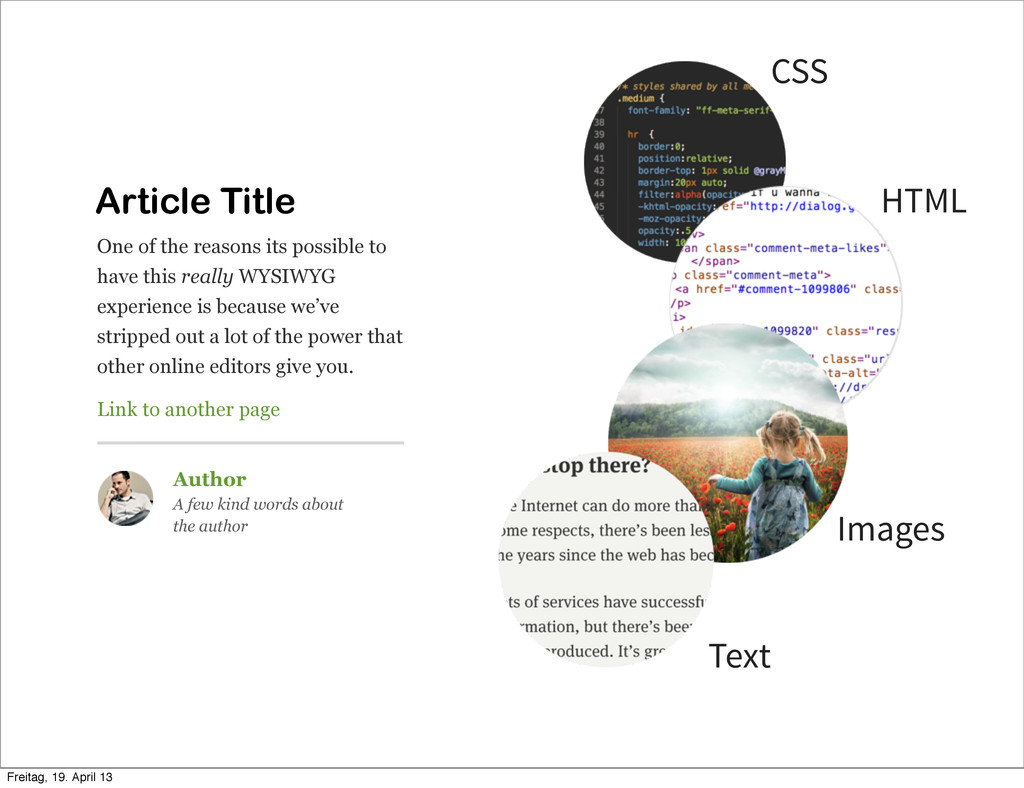
Article Title One of the reasons its possible to have
this really WYSIWYG experience is because we’ve stripped out a lot of the power that other online editors give you. Link to another page Author A few kind words about the author CSS Text HTML Images Freitag, 19. April 13 -
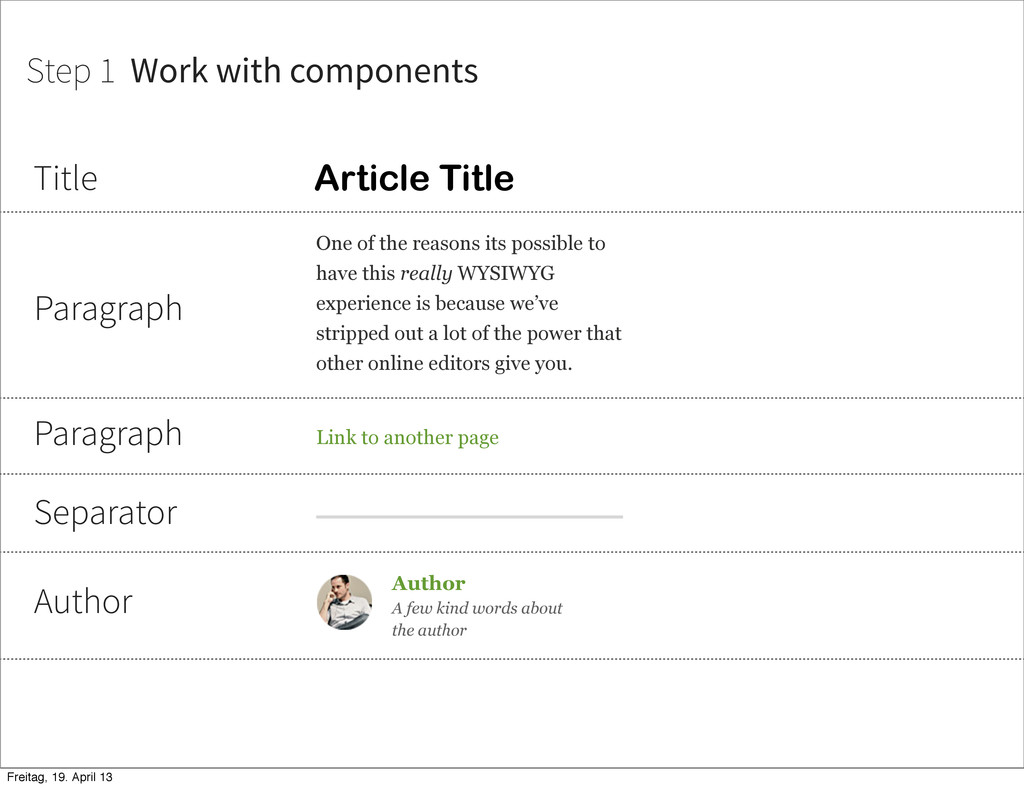
Article Title One of the reasons its possible to have
this really WYSIWYG experience is because we’ve stripped out a lot of the power that other online editors give you. Link to another page Author A few kind words about the author Title Paragraph Paragraph Separator Author Step 1 Work with components Freitag, 19. April 13 -
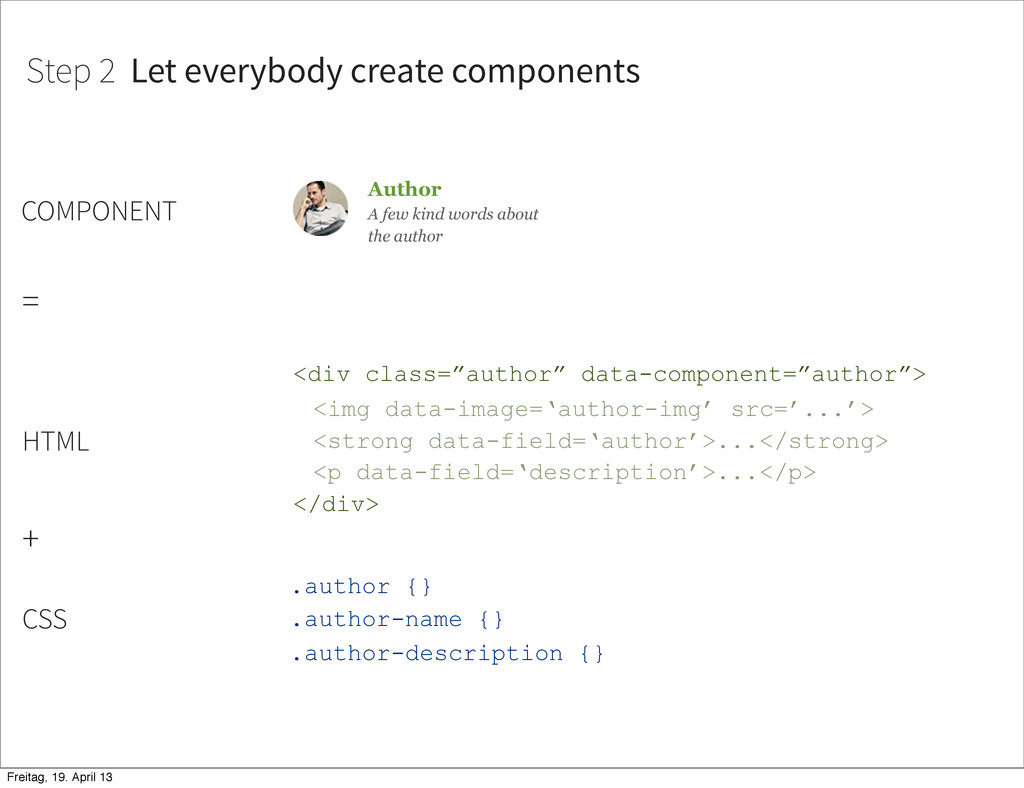
Author A few kind words about the author <div class=”author”
data-component=”author”> <img data-image=‘author-img’ src=’...’> <strong data-field=‘author’>...</strong> <p data-field=‘description’>...</p> </div> Step 2 Let everybody create components = .author {} .author-name {} .author-description {} HTML CSS + COMPONENT Freitag, 19. April 13 -
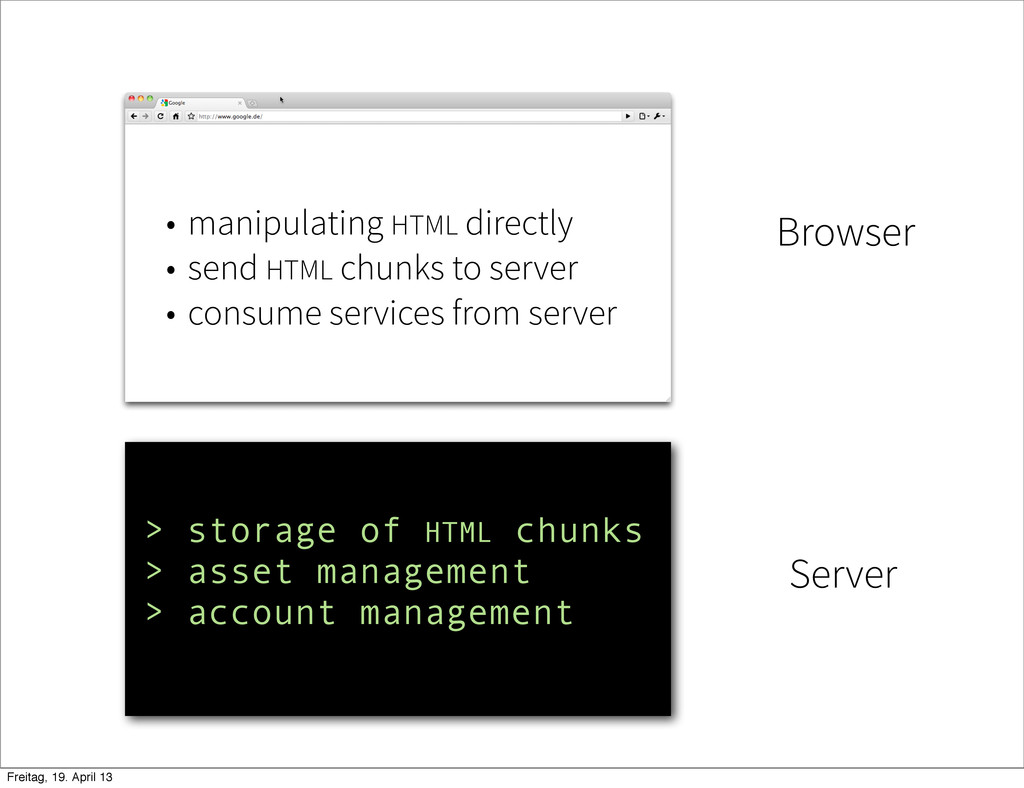
Browser Server • manipulating HTML directly • send HTML chunks
to server • consume services from server > storage of HTML chunks > asset management > account management Freitag, 19. April 13 -
Part 2: Code and Concepts Livingdocs is so broad that
it requires a lot of features that make good projects on their own. Whenever possible we try to separate implementations out into modules and develop them with other developers that have similar needs. Freitag, 19. April 13 -
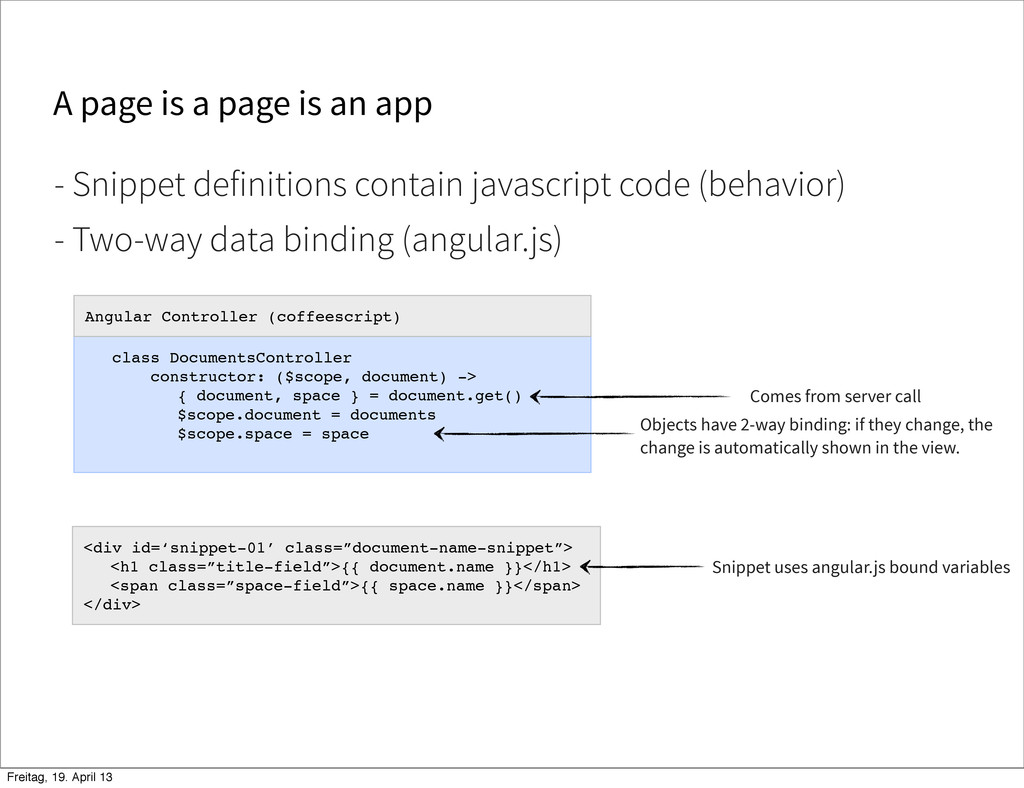
A page is a page is an app - Two-way
data binding (angular.js) - Snippet definitions contain javascript code (behavior) <div id=‘snippet-01’ class=”document-name-snippet”> <h1 class=”title-field”>{{ document.name }}</h1> <span class=”space-field”>{{ space.name }}</span> </div> class DocumentsController constructor: ($scope, document) -> { document, space } = document.get() $scope.document = documents $scope.space = space Angular Controller (coffeescript) Comes from server call Objects have 2-way binding: if they change, the change is automatically shown in the view. Snippet uses angular.js bound variables Freitag, 19. April 13 -
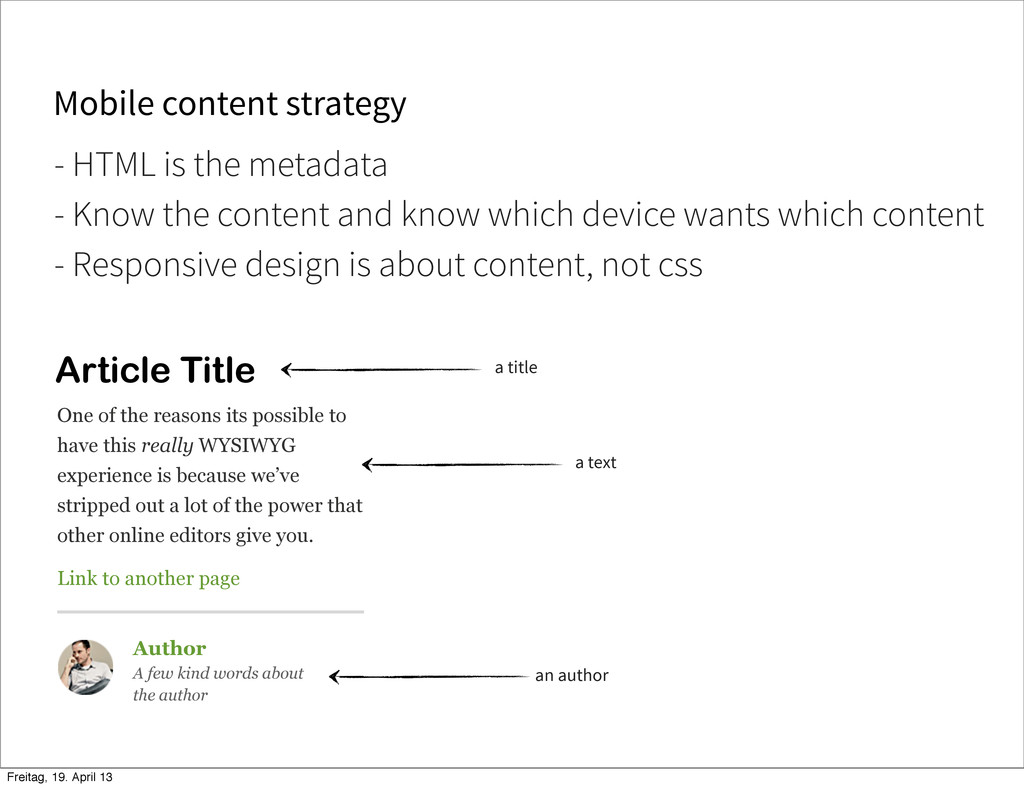
Mobile content strategy Article Title One of the reasons its
possible to have this really WYSIWYG experience is because we’ve stripped out a lot of the power that other online editors give you. Link to another page Author A few kind words about the author - HTML is the metadata a title a text an author - Know the content and know which device wants which content - Responsive design is about content, not css Freitag, 19. April 13 -
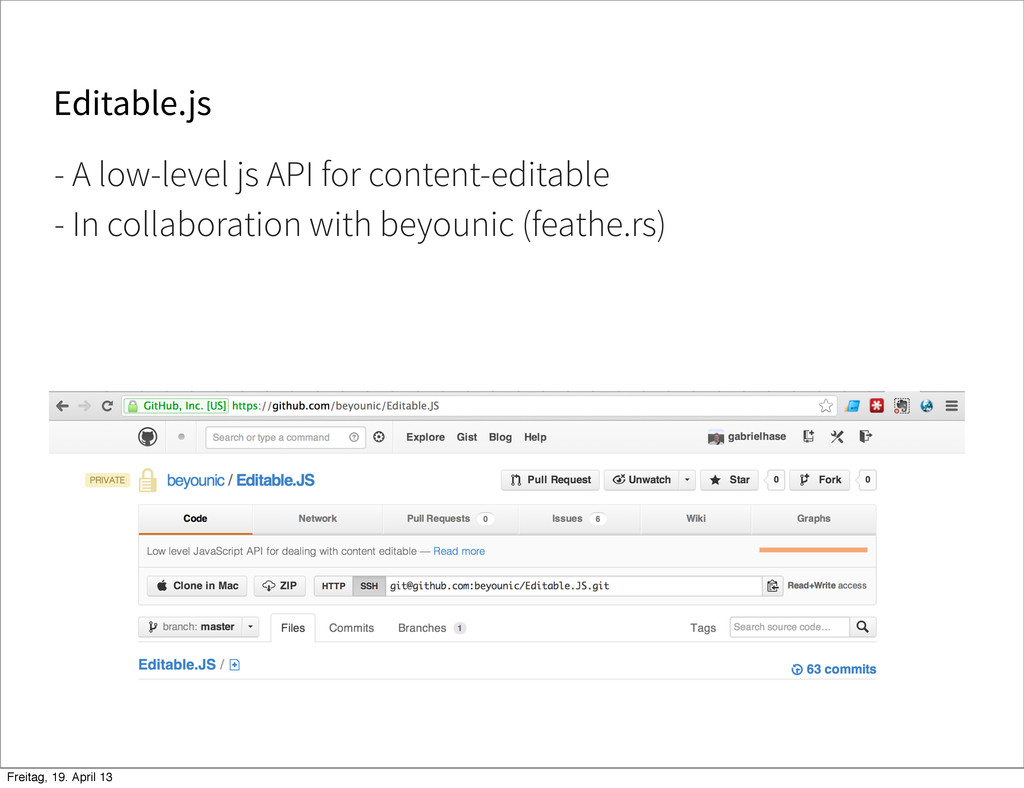
Editable.js - A low-level js API for content-editable - In
collaboration with beyounic (feathe.rs) Freitag, 19. April 13 -
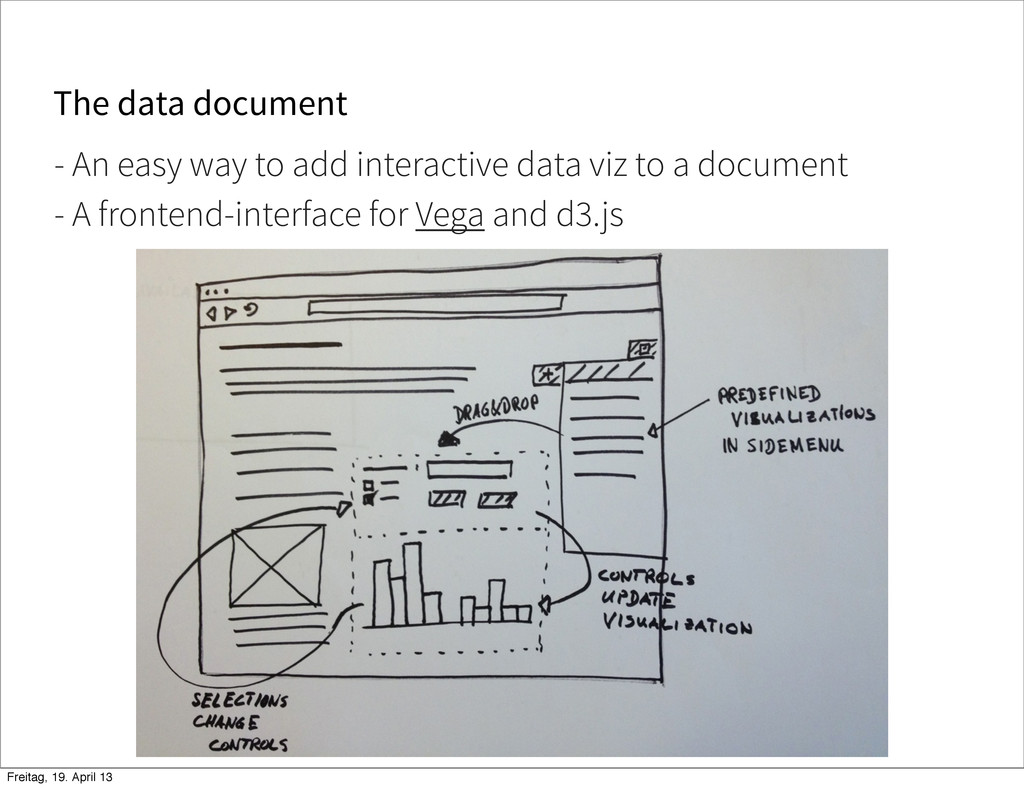
The data document - An easy way to add interactive
data viz to a document - A frontend-interface for Vega and d3.js Freitag, 19. April 13 -
A Livingdocs Diff - Enrich git with semantic knowledge about
the snippets - A semantic diff viewer for livingdocs documents <div id=‘snippet-01’ class=”comment-snippet”> <h1 class=”title-field”></h1> <span class=”space-field”></span> </div> <div id=‘snippet-01’ class=”author-snippet”> <h1 class=”title-field”></h1> <span class=”space-field”></span> </div> Freitag, 19. April 13 -
Questions? upfront GmbH Livingdocs we’re develop and hope to be
in private beta soon @upfrontIO [email protected] [email protected] reach us Freitag, 19. April 13