Upgrade to Pro — share decks privately, control downloads, hide ads and more …

From Desktop to Spatial Interfaces UX Design Im...

Avatar for h.crane h.crane
September 11, 2026

From Desktop to Spatial Interfaces UX Design Implications of Evolving Interaction Paradigms

These slides were created by extracting content from the master's thesis I authored, for the purpose of presenting it.

Avatar for h.crane

h.crane

September 11, 2026

More Decks by h.crane

Other Decks in Design

Transcript

  1. From Desktop to Spatial Interfaces UX Design Implications of Evolving

    Interaction Paradigms Masterʼs Program in Multilingual Web Communication (CAWEB) (2025‒2026) University of Strasbourg Hiromu Tsuruta
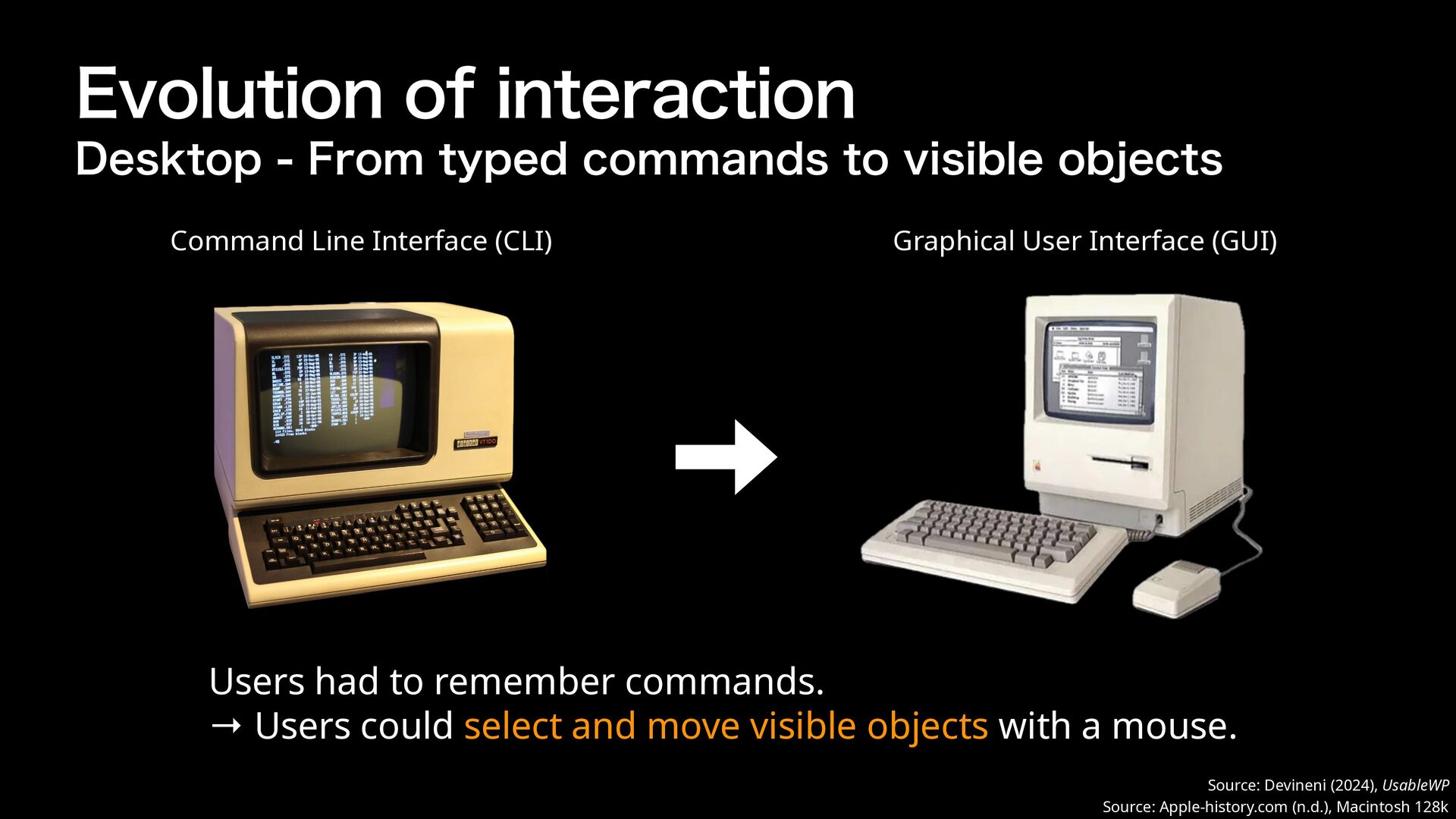
  2. Evolution of interaction Desktop - From typed commands to visible

    objects Command Line Interface (CLI) Graphical User Interface (GUI) Users had to remember commands. → Users could select and move visible objects with a mouse. Source: Devineni (2024), UsableWP Source: Apple-history.com (n.d.), Macintosh 128k
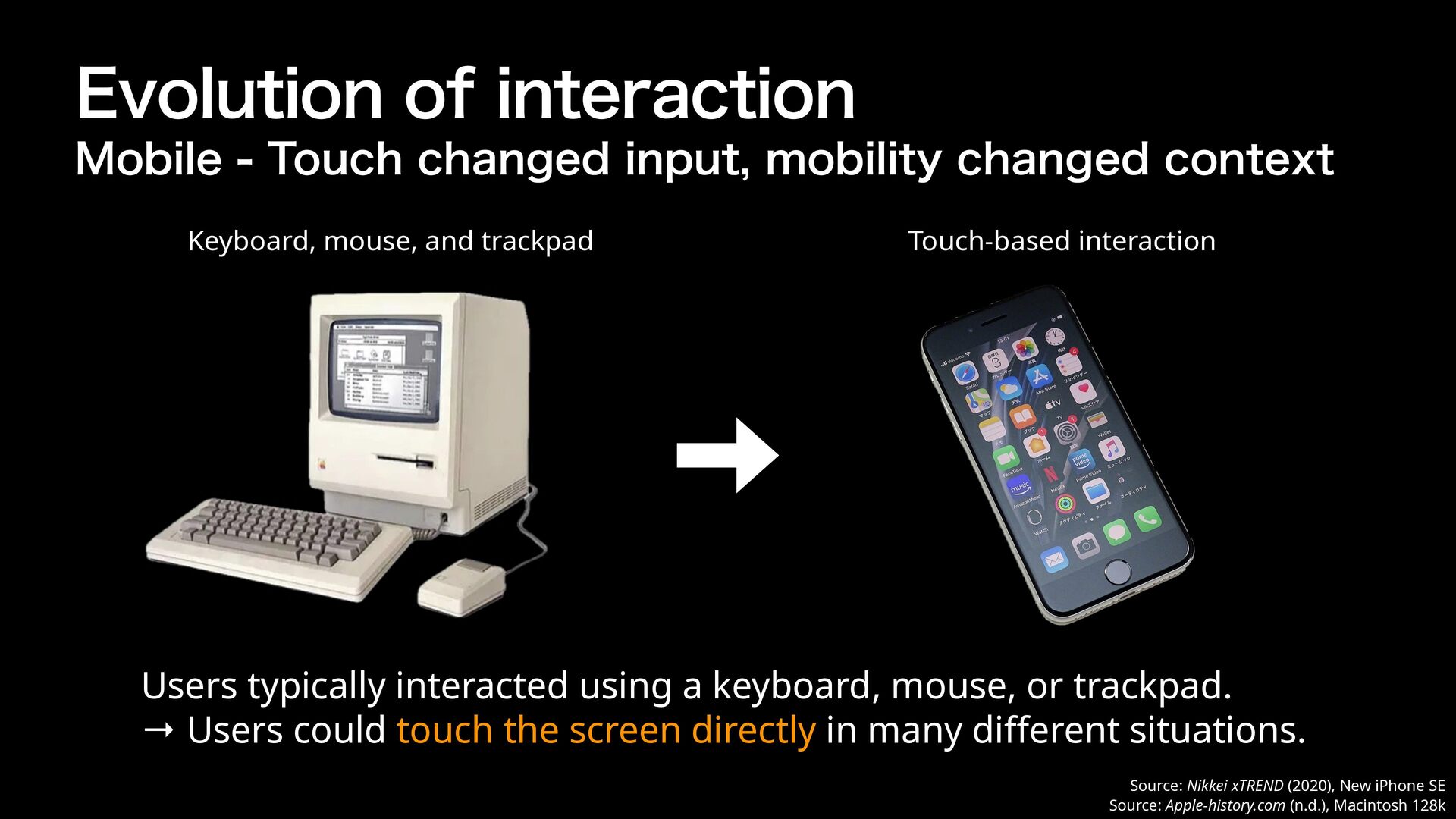
  3. Evolution of interaction Mobile - Touch changed input, mobility changed

    context Keyboard, mouse, and trackpad Touch-based interaction Users typically interacted using a keyboard, mouse, or trackpad. → Users could touch the screen directly in many di erent situations. ff Source: Nikkei xTREND (2020), New iPhone SE Source: Apple-history.com (n.d.), Macintosh 128k
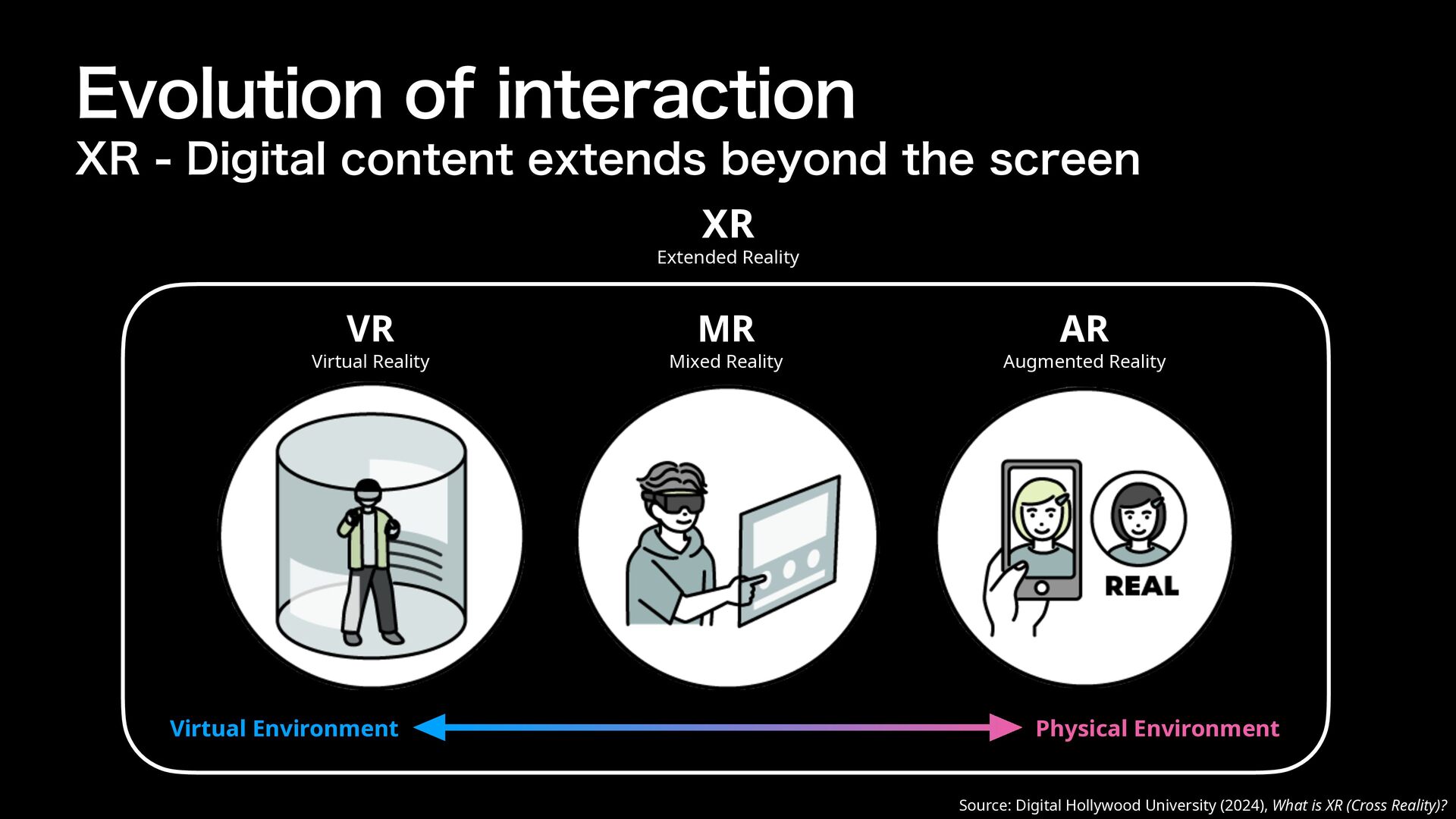
  4. Evolution of interaction XR - Digital content extends beyond the

    screen XR Extended Reality VR Virtual Reality Virtual Environment MR Mixed Reality AR Augmented Reality Physical Environment Source: Digital Hollywood University (2024), What is XR (Cross Reality)?
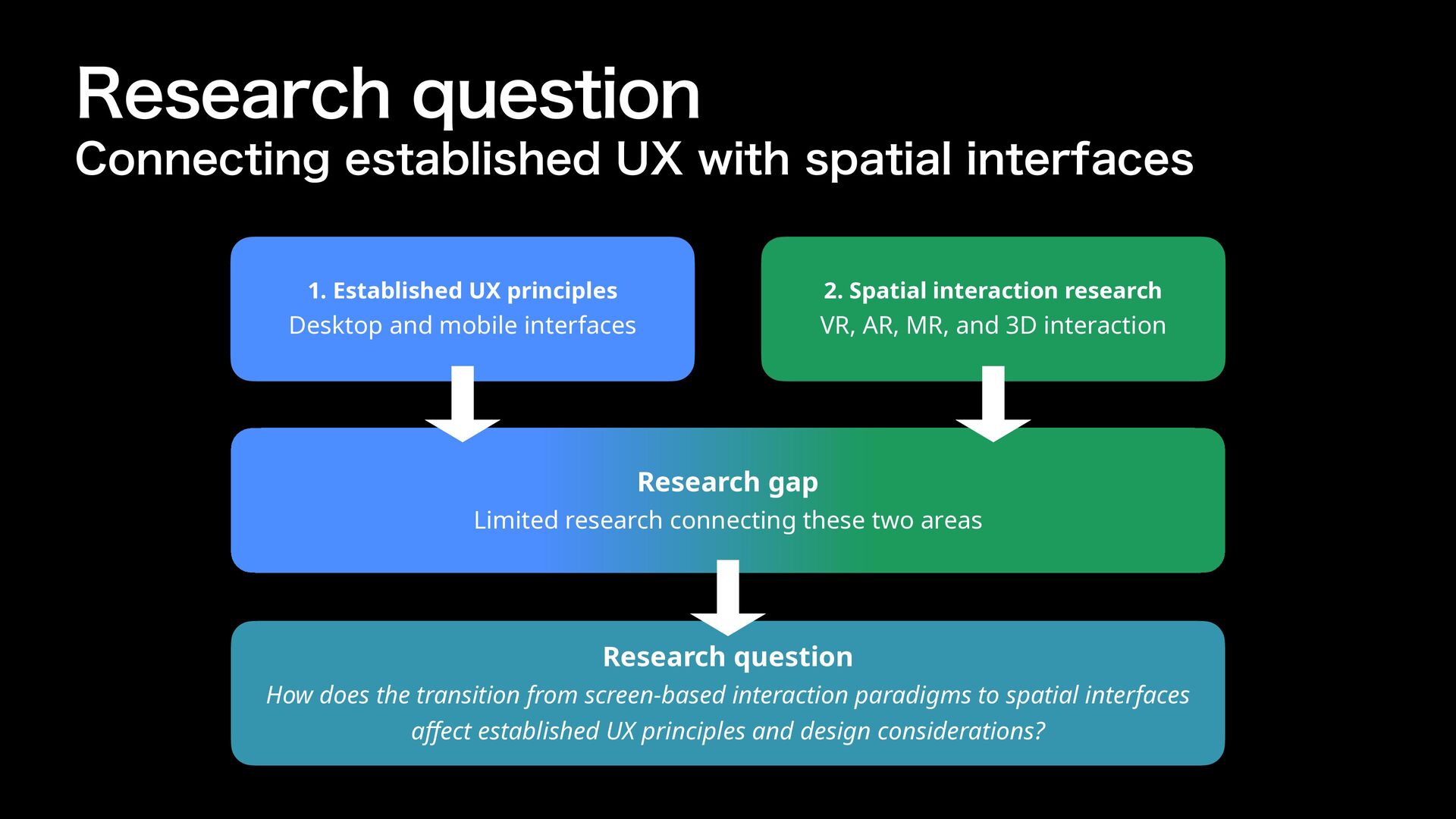
  5. Research question Connecting established UX with spatial interfaces 1. Established

    UX principles 2. Spatial interaction research Desktop and mobile interfaces VR, AR, MR, and 3D interaction Research gap Limited research connecting these two areas Research question ff How does the transition from screen-based interaction paradigms to spatial interfaces a ect established UX principles and design considerations?
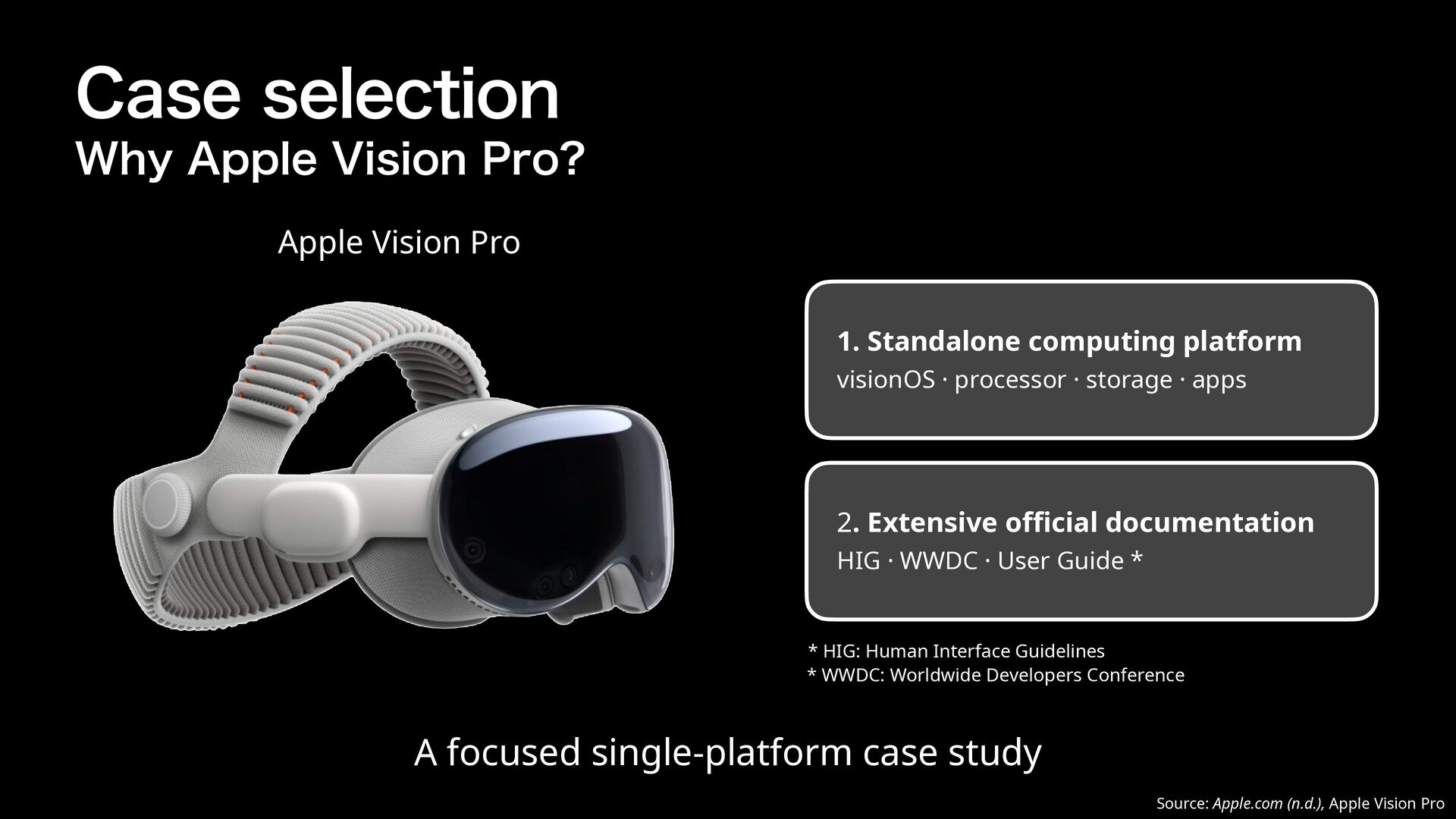
  6. Case selection Why Apple Vision Pro? Apple Vision Pro 1.

    Standalone computing platform visionOS · processor · storage · apps 2. Extensive o cial documentation HIG · WWDC · User Guide * * HIG: Human Interface Guidelines * WWDC: Worldwide Developers Conference A focused single-platform case study ffi Source: Apple.com (n.d.), Apple Vision Pro
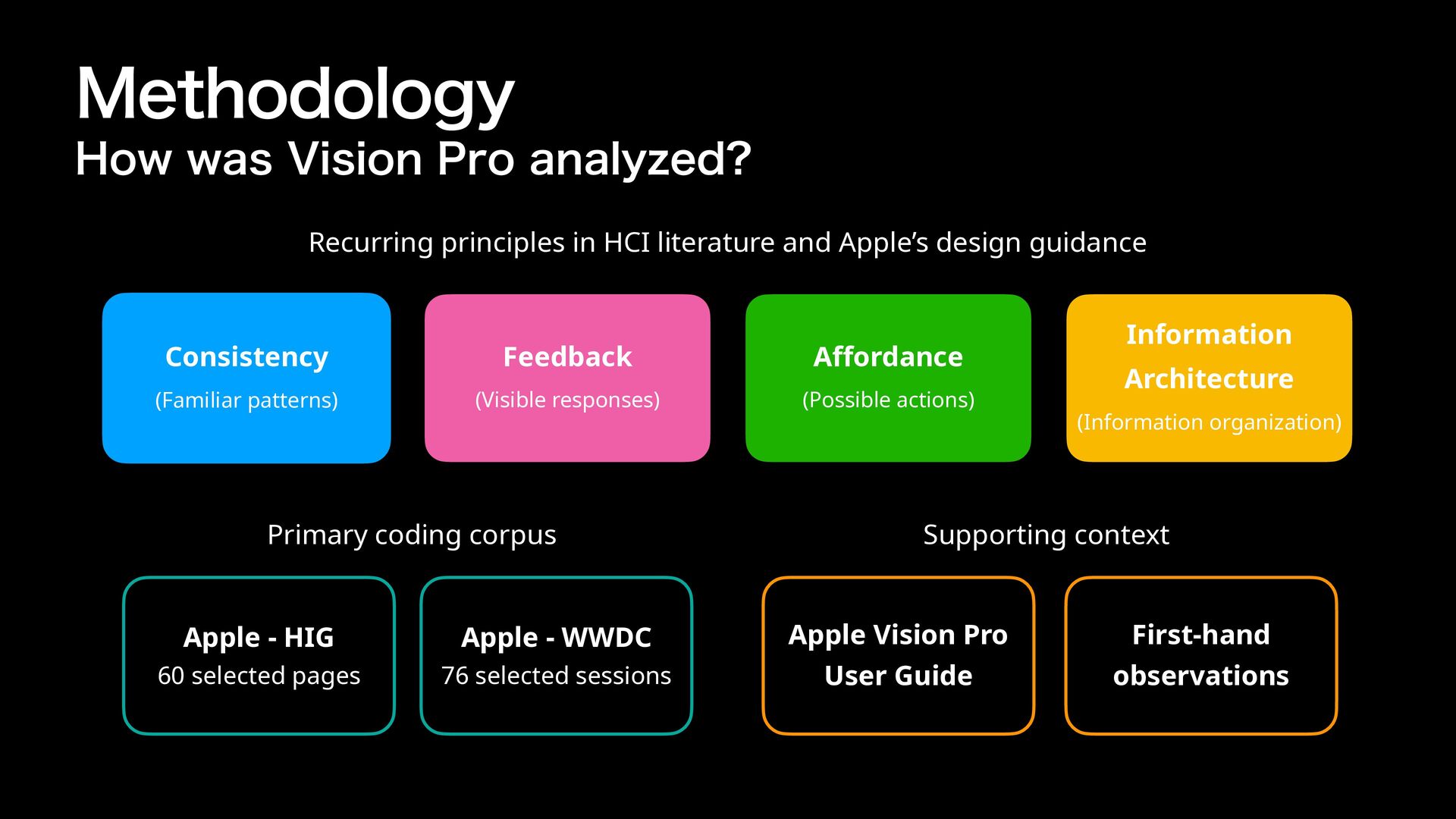
  7. Methodology How was Vision Pro analyzed? Recurring principles in HCI

    literature and Apple’s design guidance Consistency Feedback A ordance (Familiar patterns) (Visible responses) (Possible actions) ff Primary coding corpus Apple - HIG Apple - WWDC 60 selected pages 76 selected sessions Information Architecture (Information organization) Supporting context Apple Vision Pro User Guide First-hand observations
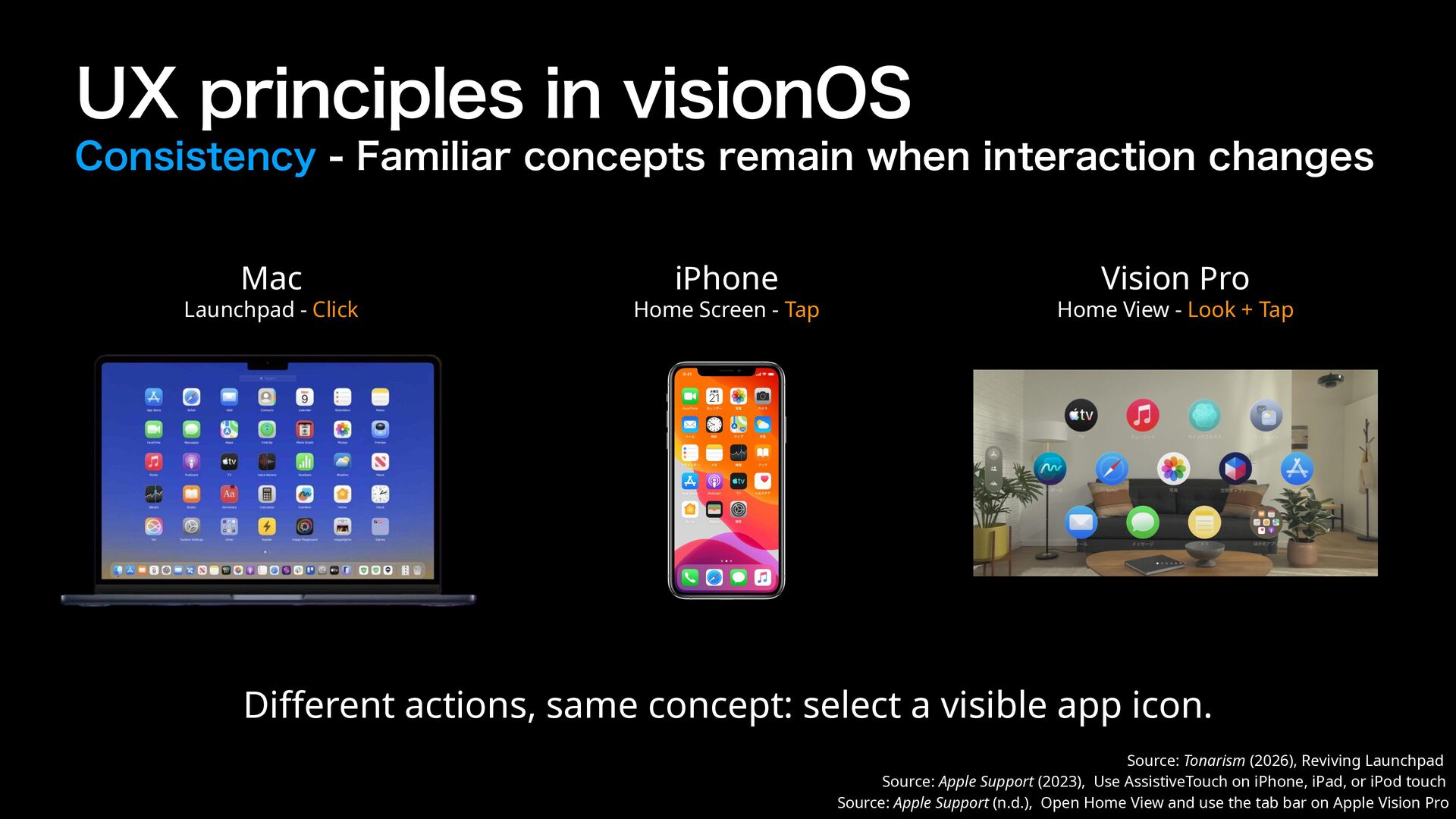
  8. UX principles in visionOS Consistency - Familiar concepts remain when

    interaction changes Mac Launchpad - Click iPhone Home Screen - Tap Vision Pro Home View - Look + Tap Di erent actions, same concept: select a visible app icon. ff Source: Tonarism (2026), Reviving Launchpad Source: Apple Support (2023), Use AssistiveTouch on iPhone, iPad, or iPod touch Source: Apple Support (n.d.), Open Home View and use the tab bar on Apple Vision Pro
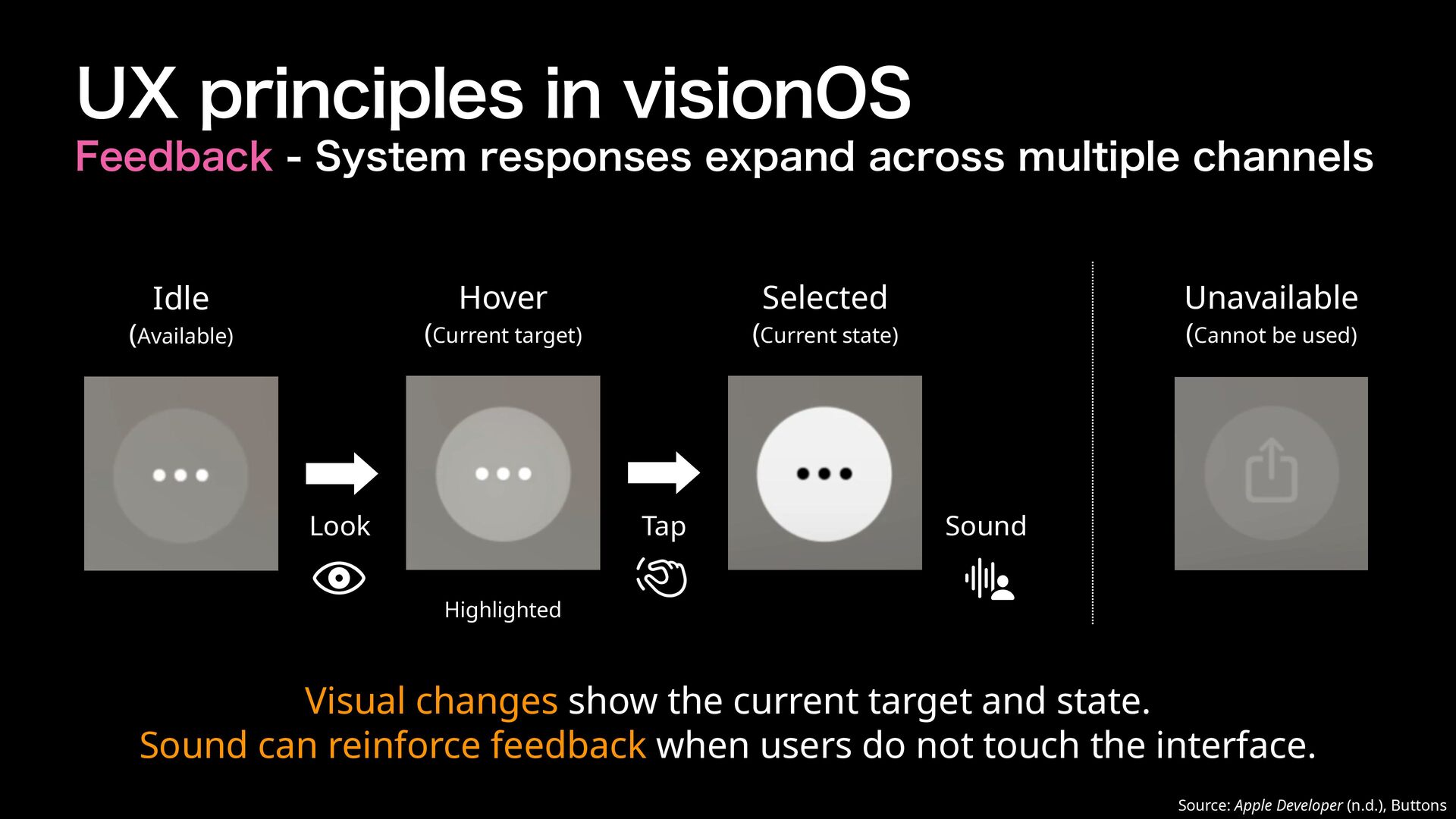
  9. 􂃓 􀋭􁟱 UX principles in visionOS Feedback - System responses

    expand across multiple channels Hover Idle Selected (Current target) (Available) Look Unavailable (Current state) Tap (Cannot be used) Sound Highlighted Visual changes show the current target and state. Sound can reinforce feedback when users do not touch the interface. Source: Apple Developer (n.d.), Buttons
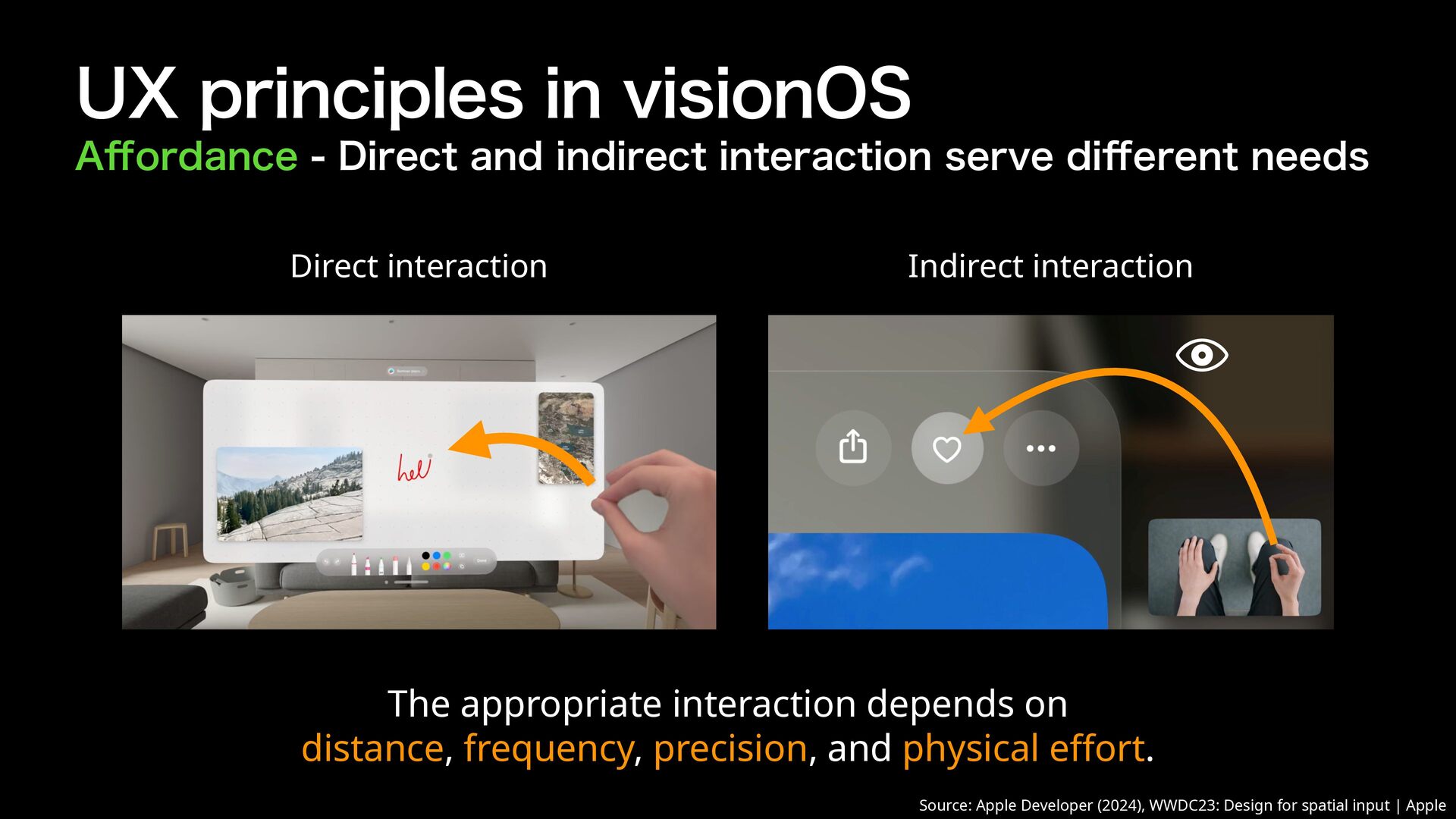
  10. A ordance - Direct and indirect interaction serve di erent

    needs Direct interaction Indirect interaction The appropriate interaction depends on distance, frequency, precision, and physical e ort. ff ff Source: Apple Developer (2024), WWDC23: Design for spatial input | Apple ff 􀋭 UX principles in visionOS
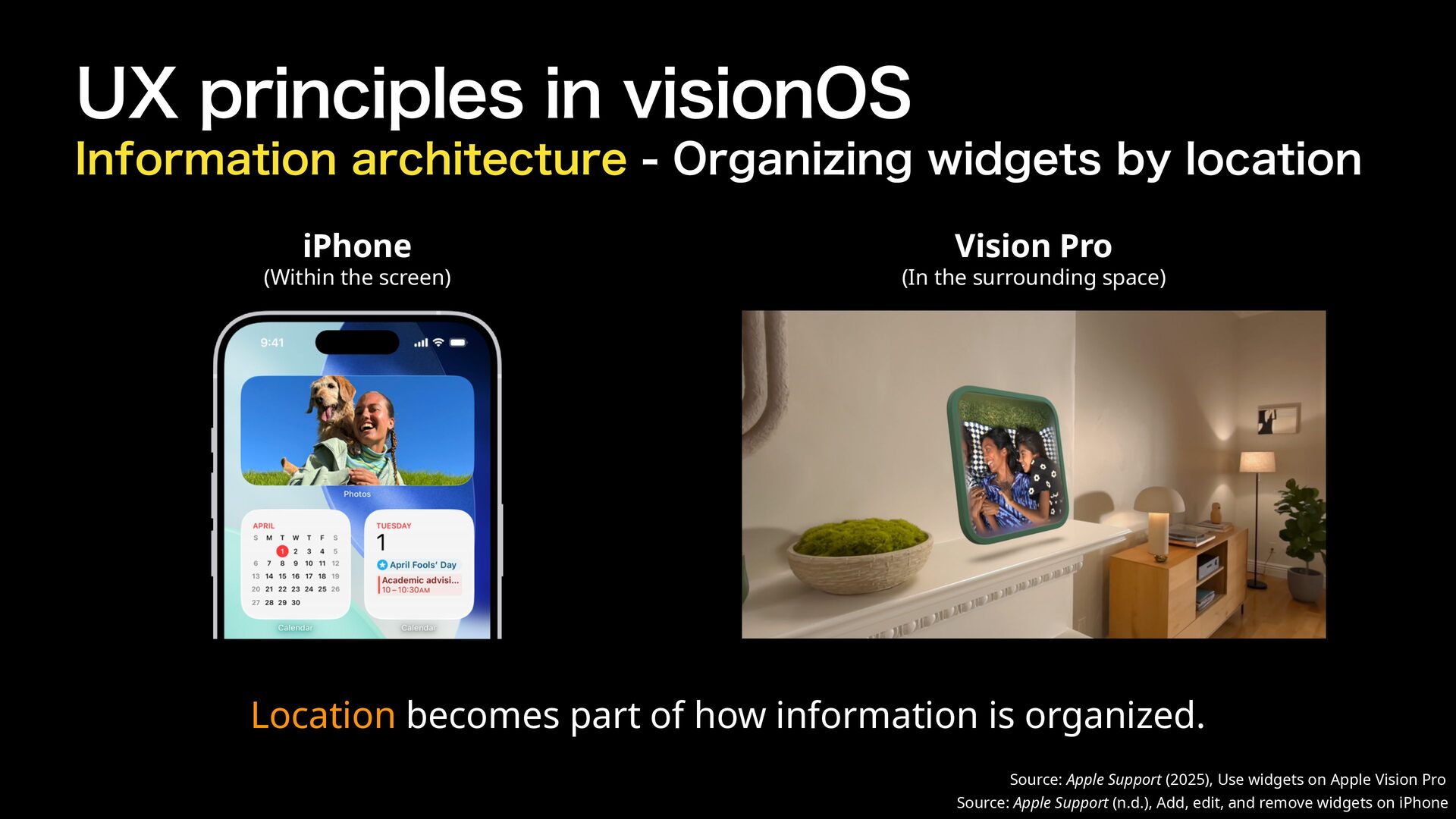
  11. UX principles in visionOS Information architecture - Organizing widgets by

    location iPhone (Within the screen) Vision Pro (In the surrounding space) Location becomes part of how information is organized. Source: Apple Support (2025), Use widgets on Apple Vision Pro Source: Apple Support (n.d.), Add, edit, and remove widgets on iPhone
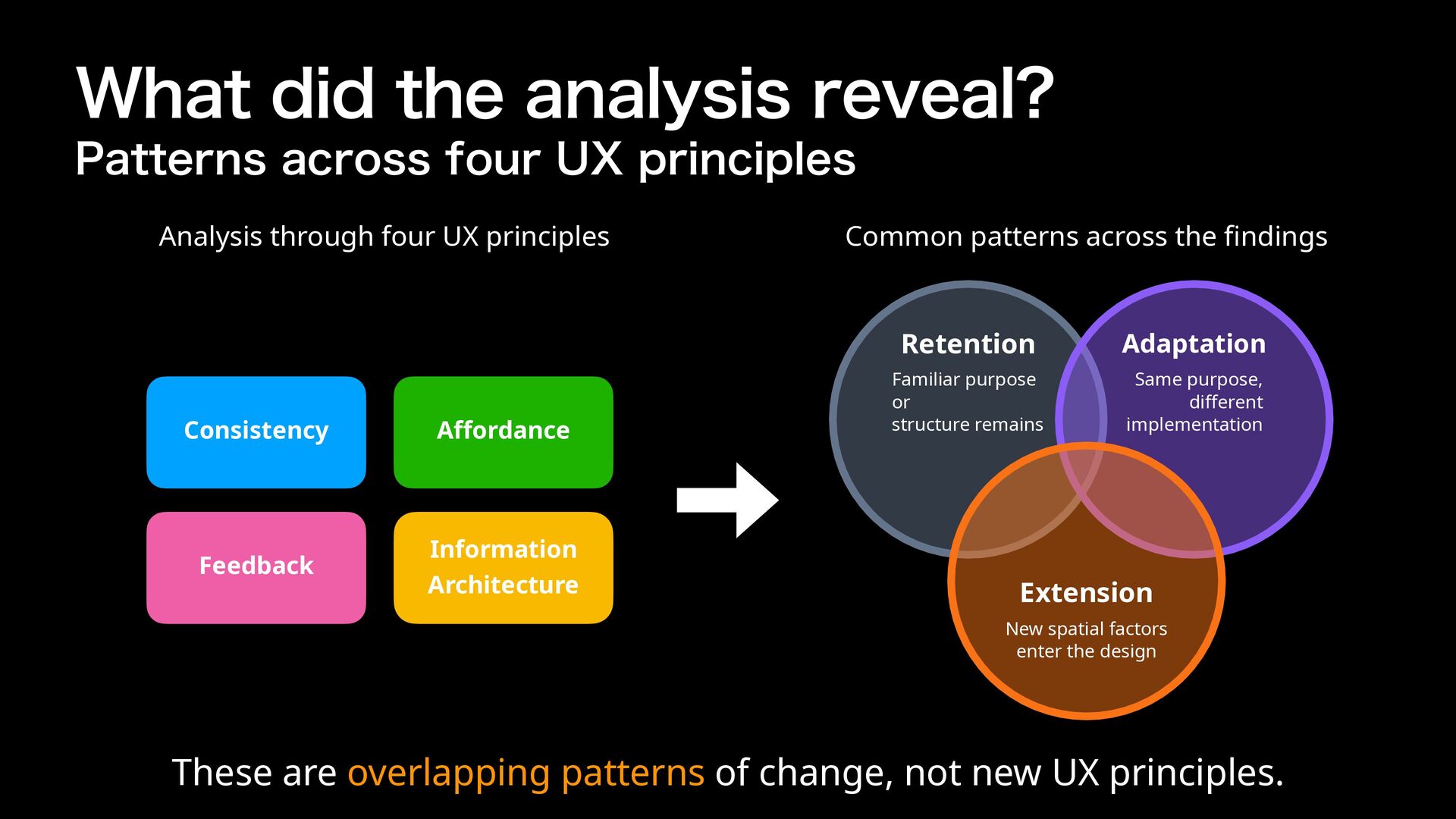
  12. What did the analysis reveal? Patterns across four UX principles

    Analysis through four UX principles Consistency A ordance Feedback Information Architecture Common patterns across the ndings Retention Adaptation Familiar purpose or structure remains Same purpose, di erent implementation Extension New spatial factors enter the design fi ff ff These are overlapping patterns of change, not new UX principles.
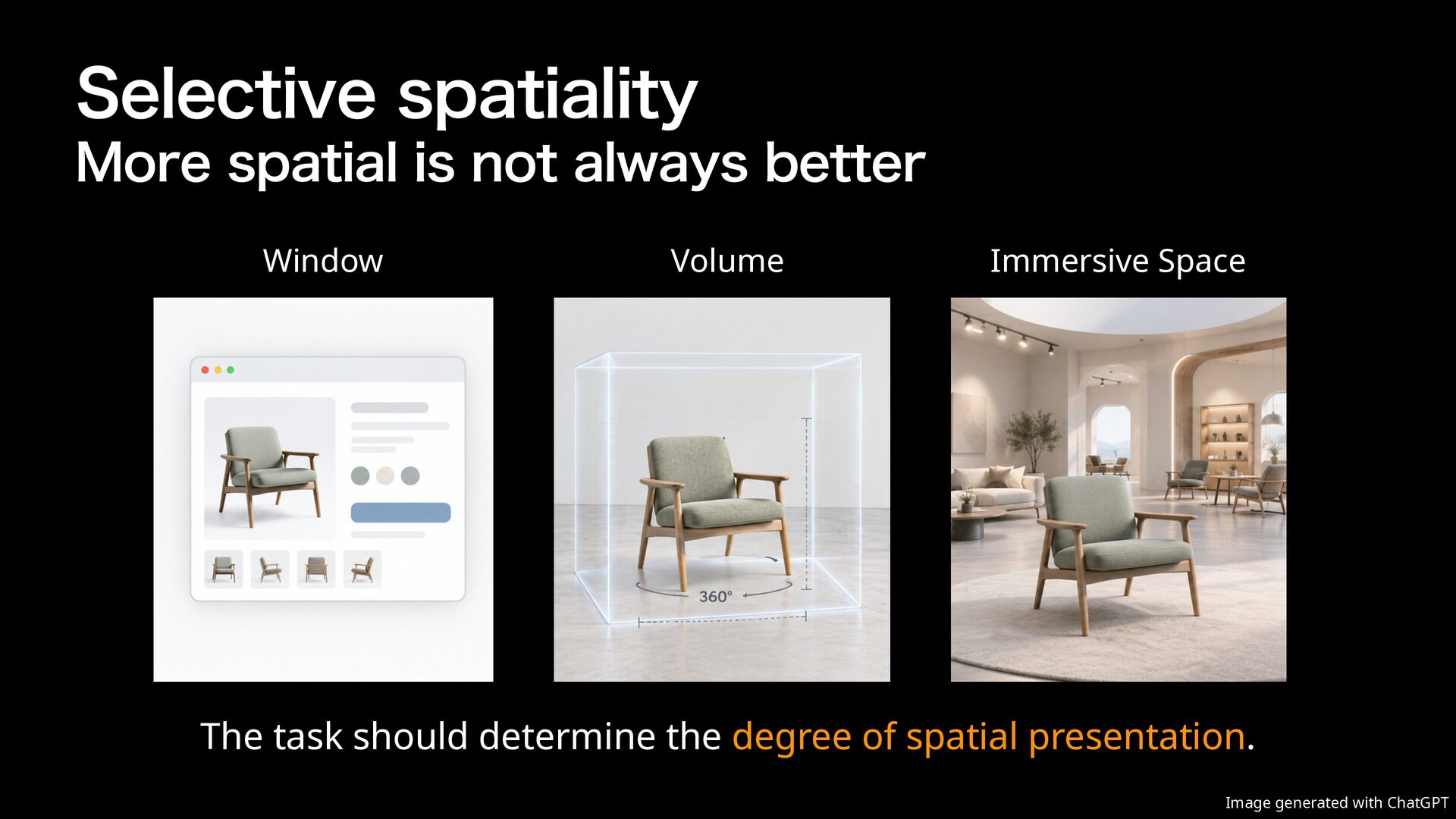
  13. Selective spatiality More spatial is not always better Window Volume

    Immersive Space The task should determine the degree of spatial presentation. Image generated with ChatGPT
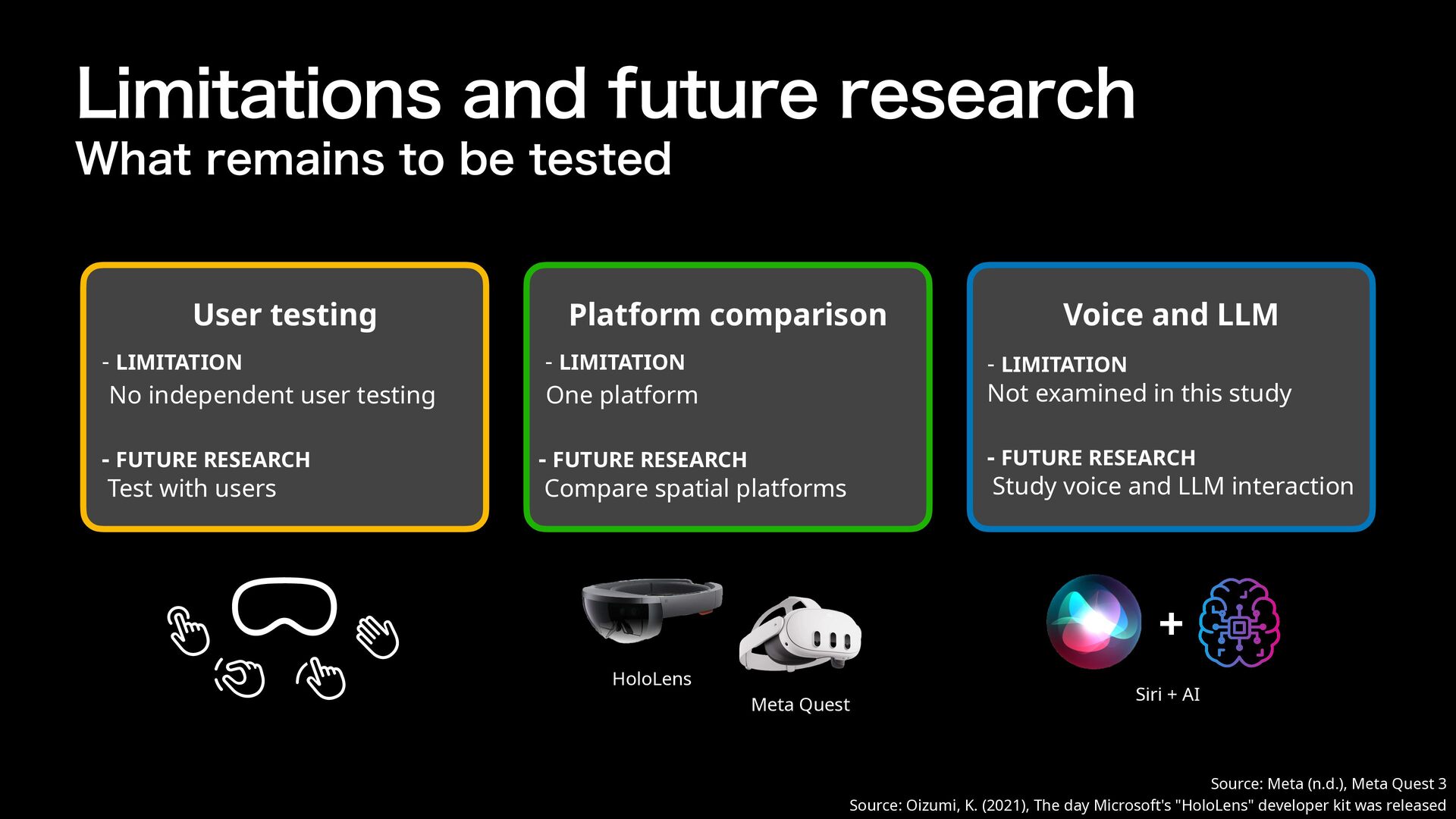
  14. 􁟱􀬁􁎖􀖓􀟰 Limitations and future research What remains to be tested

    User testing Platform comparison Voice and LLM - LIMITATION No independent user testing - LIMITATION One platform - LIMITATION Not examined in this study - FUTURE RESEARCH Test with users - FUTURE RESEARCH Compare spatial platforms - FUTURE RESEARCH Study voice and LLM interaction + HoloLens Meta Quest Siri + AI Source: Meta (n.d.), Meta Quest 3 Source: Oizumi, K. (2021), The day Microsoft's "HoloLens" developer kit was released
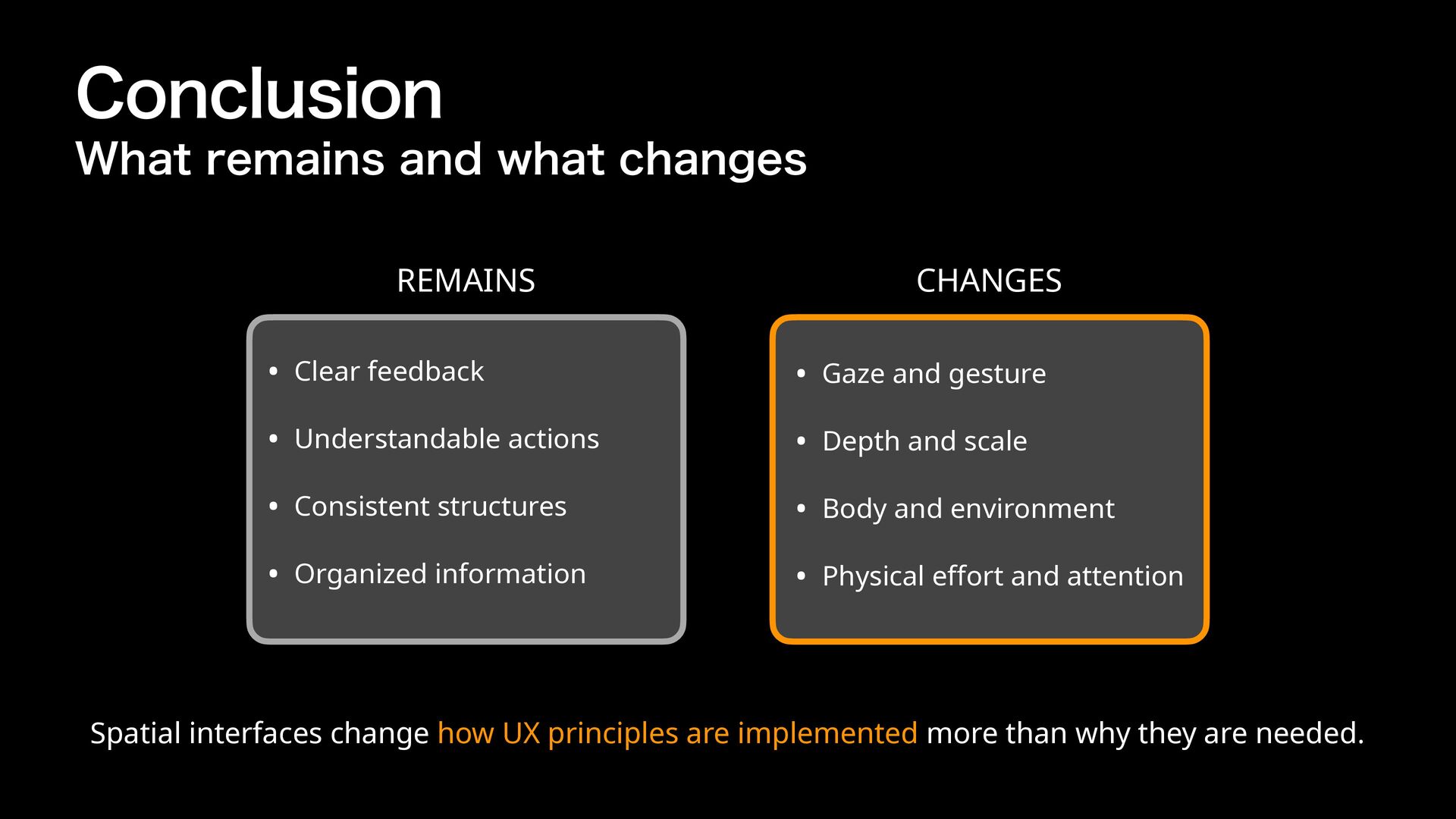
  15. Conclusion What remains and what changes REMAINS CHANGES • Clear

    feedback • Gaze and gesture • Understandable actions • Depth and scale • Consistent structures • Body and environment • Organized information • Physical e ort and attention ff Spatial interfaces change how UX principles are implemented more than why they are needed.
  16. Appendix: Image Sources • Devineni, N. (2024, April 16). Just

    enough command line interface (CLI) for website owners: Don’t worry. It is easy. UsableWP. Retrieved September 8, 2026, from [https://usablewp.com/just-enoughcommand-line-interface/]. • Apple-history.com. (n.d.). Macintosh 128k. Retrieved September 8, 2026, from [https://apple-history.com/128k]. • Yamamoto, A. (2020, May 8). How the new iPhone SE changes the values of "smartphones you want now". Nikkei xTREND. Retrieved September 8, 2026, from [https://xtrend.nikkei.com/atcl/ contents/18/00290/00005/]. • Digital Hollywood University. (2024, December 2). What is XR (Cross Reality)? Retrieved September 8, 2026, from [https://www.dhw.ac.jp/now/list/howtobe/cross_reality/] • Apple.com. (n.d.). Apple Vision Pro. Retrieved September 8, 2026, from [https://www.apple.com/jp/apple-vision-pro/]. • Tonarism. (2026, February 12). Reviving the deleted Launchpad with Undye: What I really wanted to bring back was my usual Mac. Retrieved September 9, 2026, from [https://www.applehacks.com/entry/launchpad-revive-tried-unstable]. • Apple Support. (n.d.). Open Home View and use the tab bar on Apple Vision Pro. Retrieved September 9, 2026, from [https://support.apple.com/ja-jp/guide/apple-vision-pro/devf42afa74a/ visionos] • Apple Developer. (n.d.). Buttons. Retrieved September 9, 2026, from [https://developer.apple.com/design/human-interface-guidelines/buttons]. • Apple Developer. (2024, June 7). WWDC23: Design for spatial input | Apple. Retrieved September 9, 2026, from [https://www.youtube.com/watch?v=zThLq8V71Qc] • Apple Support. (2025). Use widgets on Apple Vision Pro. Retrieved September 9, 2026, from [https://support.apple.com/en-us/124816]. • Apple Support. (n.d.). Add, edit, and remove widgets on iPhone. Retrieved September 9, 2026, from [https://support.apple.com/en-il/guide/iphone/iphb8f1bf206/ios]. • Apple Support. (2023, December 27). Use AssistiveTouch on your iPhone, iPad, or iPod touch. Retrieved September 9, 2026, from [https://support.apple.com/en-us/111794]. • Oizumi, K. (2021, March 30). [What day is it today?] The day Microsoft's "HoloLens" developer kit was released. K-tai Watch. Retrieved September 9, 2026, from [https://k-tai.watch.impress.co.jp/ docs/special/20th/1314237.html]. • Meta. (n.d.). Meta Quest 3. Retrieved September 9, 2026, from [https://www.meta.com/quest/quest-3/].