Share
Embed
Annual Pro sale · Save $30
Have presentations of your own?
Share with private links, password protection, and more control over your work.
Transcript
40 slides
-
Introduction to Swift Bas Broek, iOS Developer @ XING SE
(talk) Joachim Kurz, iOS Developer @ XING SE (slides) 1 -
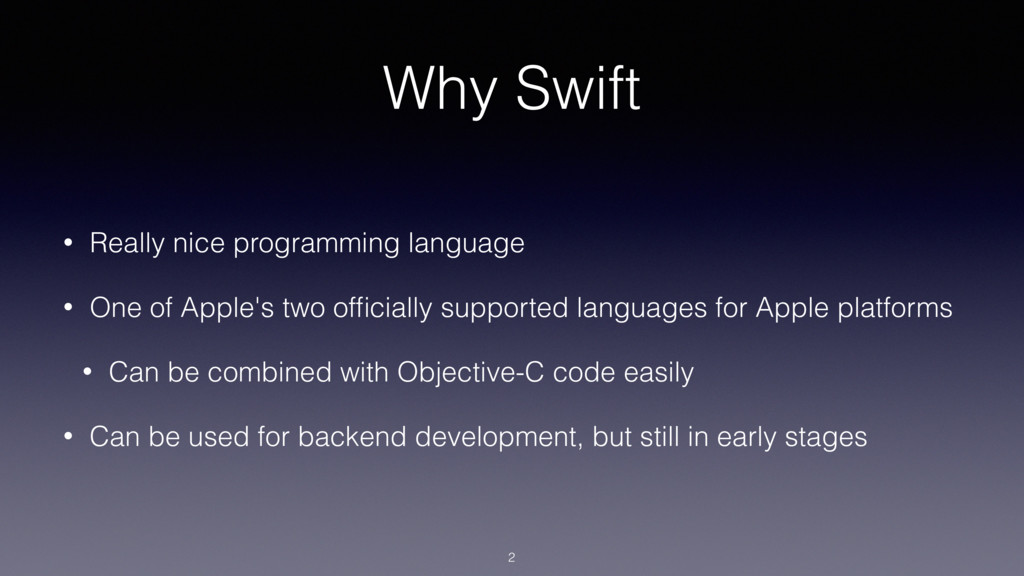
Why Swift • Really nice programming language • One of
Apple's two officially supported languages for Apple platforms • Can be combined with Objective-C code easily • Can be used for backend development, but still in early stages 2 -
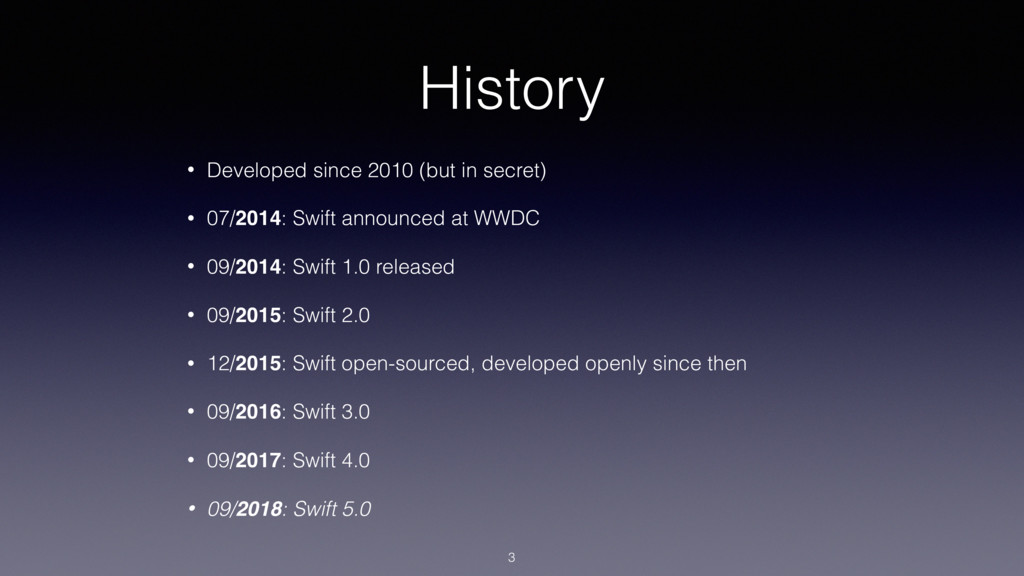
History • Developed since 2010 (but in secret) • 07/2014:
Swift announced at WWDC • 09/2014: Swift 1.0 released • 09/2015: Swift 2.0 • 12/2015: Swift open-sourced, developed openly since then • 09/2016: Swift 3.0 • 09/2017: Swift 4.0 • 09/2018: Swift 5.0 3 -
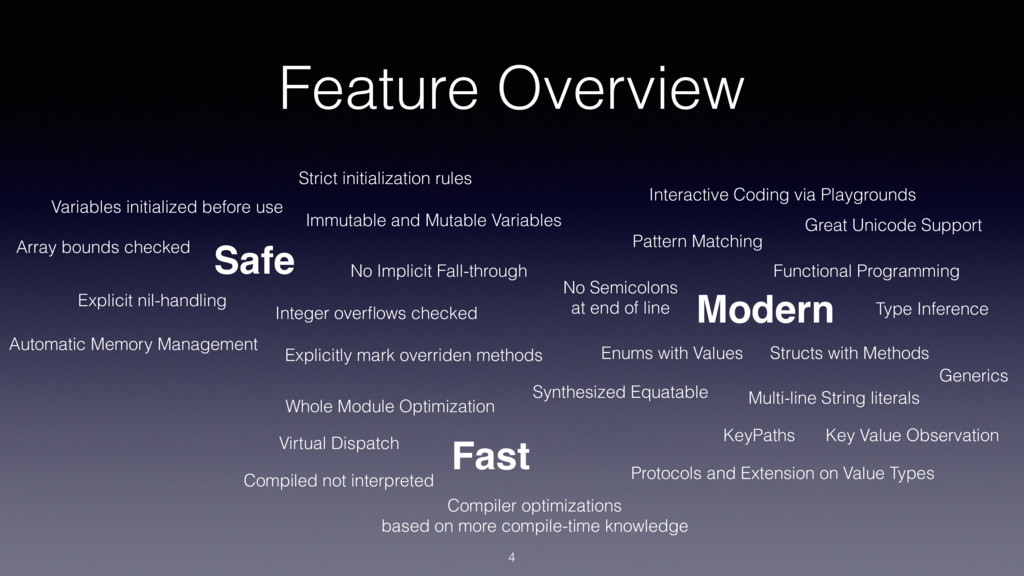
Feature Overview Safe Modern Fast Type Inference Pattern Matching Functional
Programming Generics Enums with Values Structs with Methods Interactive Coding via Playgrounds Immutable and Mutable Variables Synthesized Equatable Variables initialized before use Array bounds checked Integer overflows checked Explicit nil-handling Automatic Memory Management No Semicolons at end of line Compiler optimizations based on more compile-time knowledge Whole Module Optimization Multi-line String literals Great Unicode Support Virtual Dispatch KeyPaths Key Value Observation No Implicit Fall-through Strict initialization rules Compiled not interpreted Protocols and Extension on Value Types Explicitly mark overriden methods 4 -
Hello World print("Hello World!") Java Swift public class Main {
public static void main(String[] args) { System.out.println("Hello World!"); } } 5 -
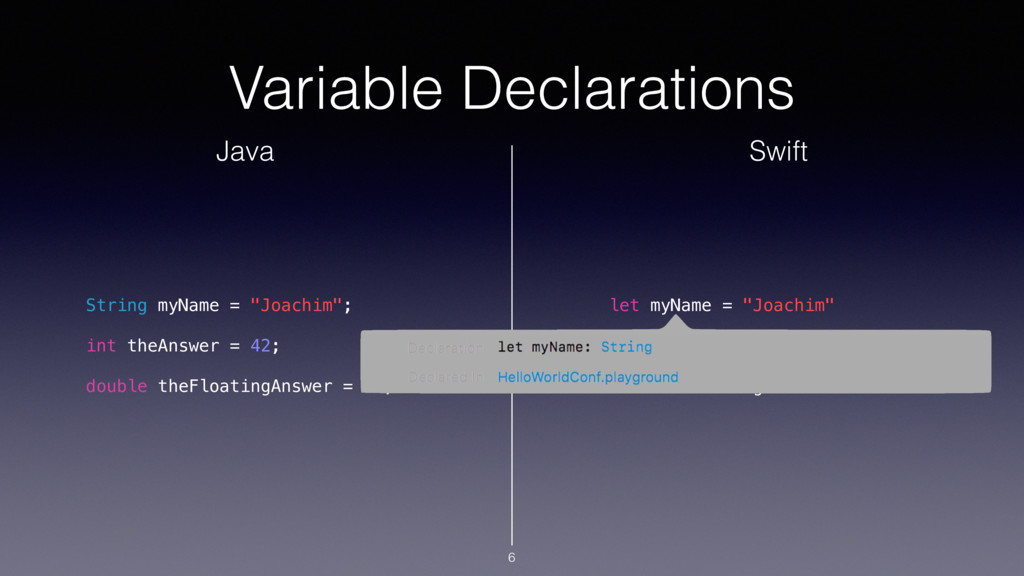
Variable Declarations Java Swift let myName = "Joachim" let theAnswer
= 42 let theFloatingAnswer: Double = 42 String myName = "Joachim"; int theAnswer = 42; double theFloatingAnswer = 42; 6 -
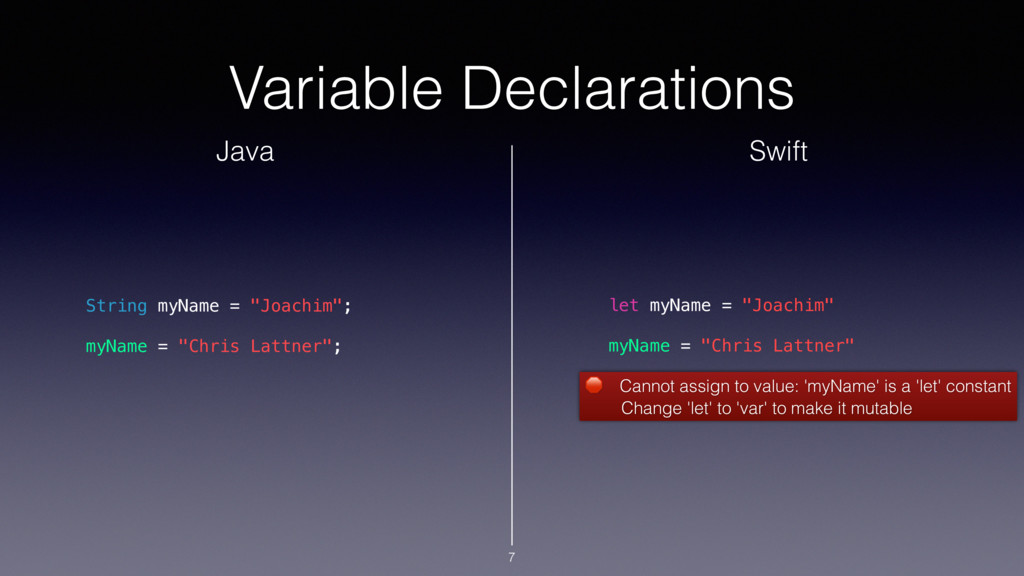
Variable Declarations Java Swift let myName = "Joachim" myName =
"Chris Lattner" Cannot assign to value: 'myName' is a 'let' constant Change 'let' to 'var' to make it mutable String myName = "Joachim"; myName = "Chris Lattner"; 7 -
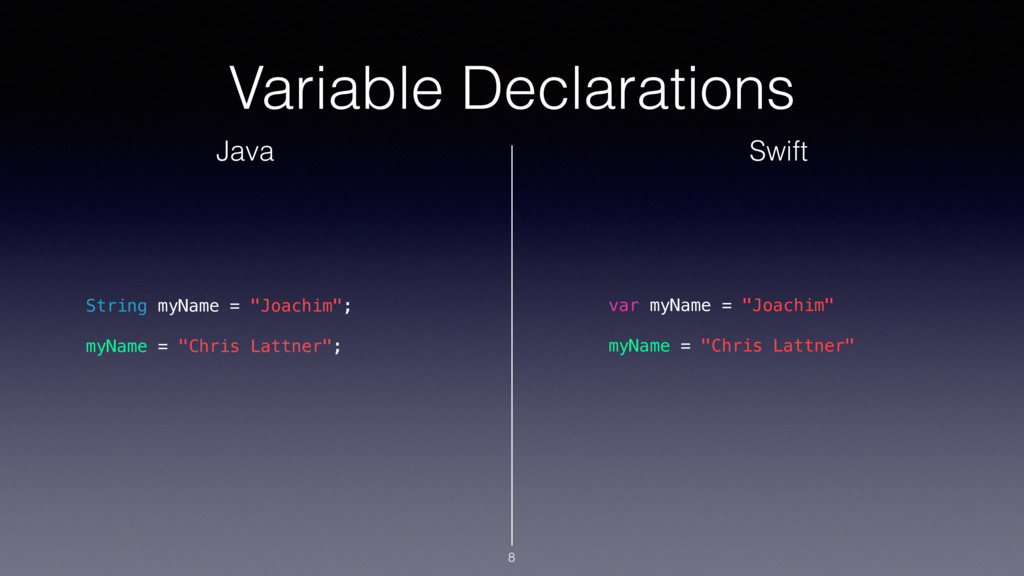
Variable Declarations Java Swift var myName = "Joachim" myName =
"Chris Lattner" String myName = "Joachim"; myName = "Chris Lattner"; 8 -
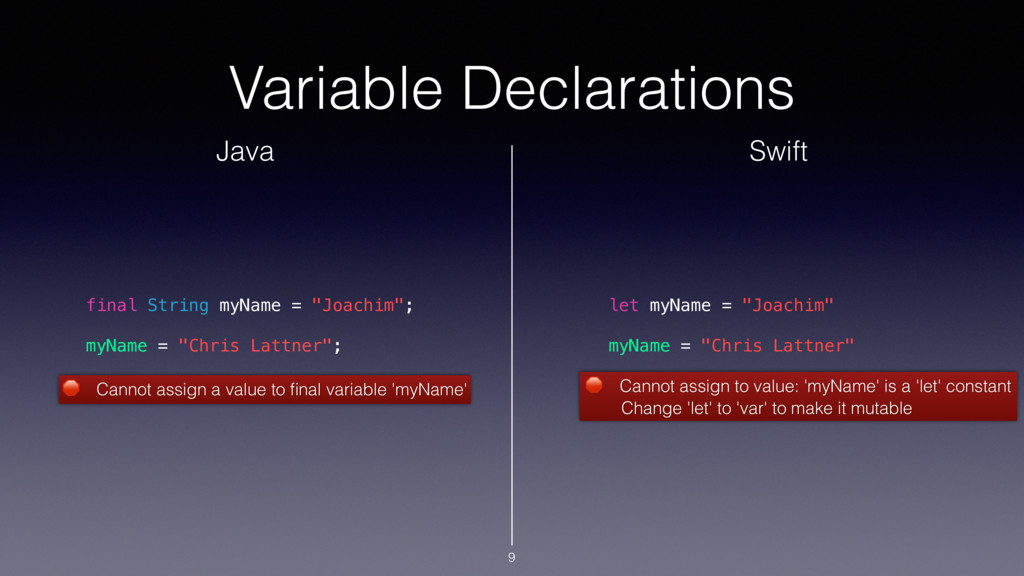
Variable Declarations Java Swift let myName = "Joachim" myName =
"Chris Lattner" final String myName = "Joachim"; myName = "Chris Lattner"; Cannot assign to value: 'myName' is a 'let' constant Change 'let' to 'var' to make it mutable Cannot assign a value to final variable 'myName' 9 -
Strings Java Swift let name = "Chris" let greeting =
"Hi \(name), how are you?" String name = "Chris"; String greeting = "Hi " + name + ", how are you?" 10 -
Unicode Support Java Swift let letterE = "e" let acute
= "\u{301}" letterE.count acute.count let eAcute = letterE + acute eAcute.count eAcute.unicodeScalars.count String letterE = "e"; String acute = "\u0301" letterE.length(); acute.length(); String eAcute = letterE + acute; eAcute.length(); eAcute.codePoints().count(); "´" 1 1 "é" "´" 1 1 "é" 2 1 2 2 é 11 -
Arrays and Dictionaries/Maps • Main Java Collections • Array •
int[] numbers = {10, 20, 30}; • ArrayList • List<String> letters = new ArrayList(); • HashMap • Map<Integer, String> numberNames = new HashMap(); 14 -
Difference Java Array & ArrayList • ArrayList<T> • No nice
initialization • Only Objects • Grows dynamically • .size() • T[] • Nice initialization • Objects and Primitives • Cannot grow (fixed size) • .length 15 Re „no nice initialisation“: There is Array.asList(„a“, „b“, „c“), but it creates an immutable list so it throws an exception as soon as you try to add anything so that doesn’t count. I would not mention it in the talk, but just as background information if someone asks you afterwards and claims there is a way to do it. -
Swift Arrays var letters = ["P", "Q", "R"] // ["P",
"Q", "R"] letters.count // 3 letters.append("T") // ["P", "Q", "R", "T"] letters[1] = "O" // ["P", "O", "R", "T"] letters += ["O"] // ["P", "O", "R", "T", "O"] letters[1...3] // ["O", "R", "T"] letters[3...] // ["T", "O"] letters.first // "P" letters.last // "O" letters[1...2] = ["I", "R", "A"] // ["P", "I", "R", "A", "T", "O"] letters.index(of: "O") // 5 letters.reverse() // ["O", "T", "A", "R", "I", "P"] letters.joined() // "OTARIP" 16 -
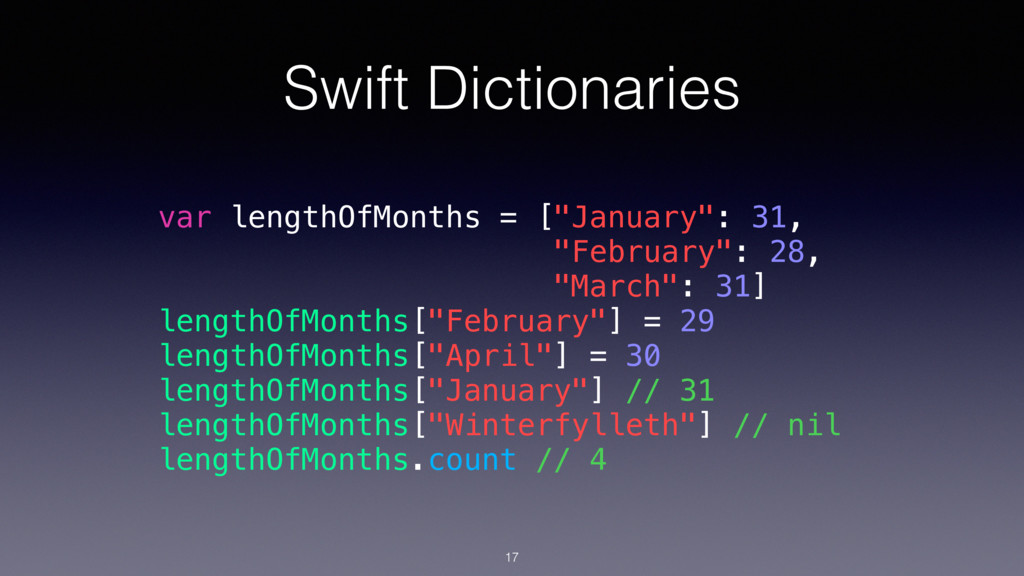
Swift Dictionaries var lengthOfMonths = ["January": 31, "February": 28, "March":
31] lengthOfMonths["February"] = 29 lengthOfMonths["April"] = 30 lengthOfMonths["January"] // 31 lengthOfMonths["Winterfylleth"] // nil lengthOfMonths.count // 4 17 -
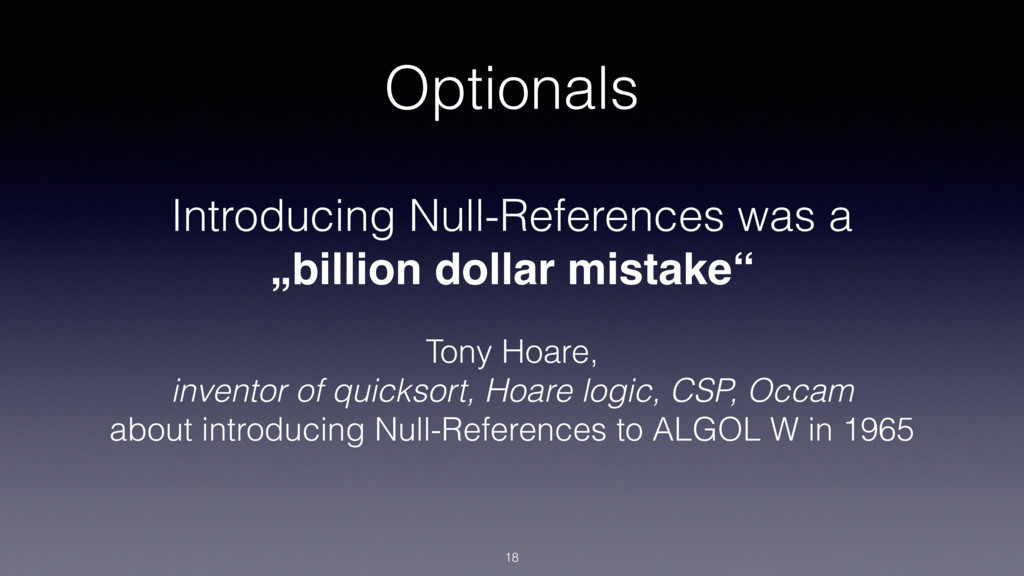
Optionals Introducing Null-References was a „billion dollar mistake“ Tony Hoare,
inventor of quicksort, Hoare logic, CSP, Occam about introducing Null-References to ALGOL W in 1965 18 -
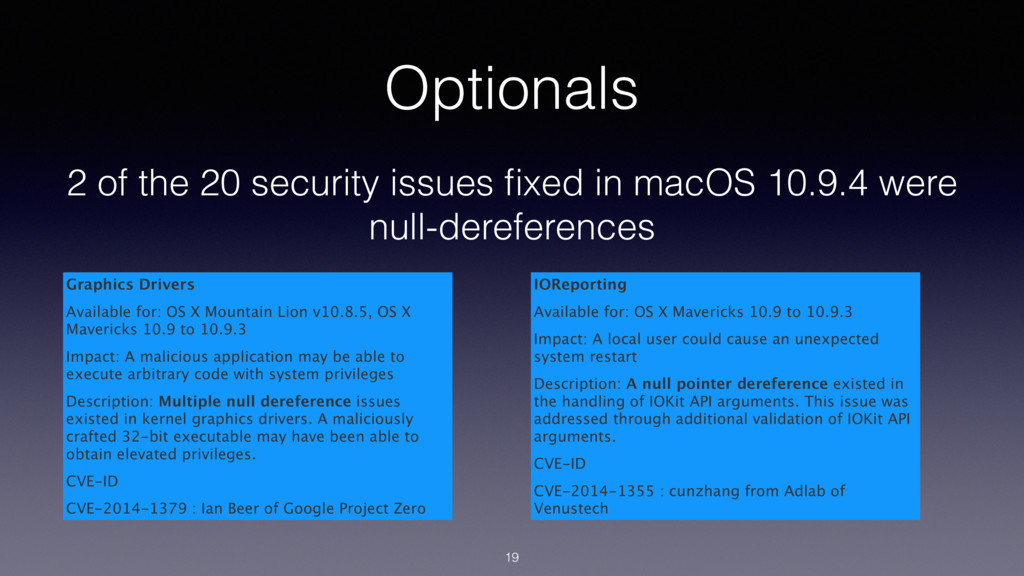
Optionals 2 of the 20 security issues fixed in macOS
10.9.4 were null-dereferences Graphics Drivers Available for: OS X Mountain Lion v10.8.5, OS X Mavericks 10.9 to 10.9.3 Impact: A malicious application may be able to execute arbitrary code with system privileges Description: Multiple null dereference issues existed in kernel graphics drivers. A maliciously crafted 32-bit executable may have been able to obtain elevated privileges. CVE-ID CVE-2014-1379 : Ian Beer of Google Project Zero IOReporting Available for: OS X Mavericks 10.9 to 10.9.3 Impact: A local user could cause an unexpected system restart Description: A null pointer dereference existed in the handling of IOKit API arguments. This issue was addressed through additional validation of IOKit API arguments. CVE-ID CVE-2014-1355 : cunzhang from Adlab of Venustech 19 -
Optionals String nullString = null; StringBuilder stringBuilder = new StringBuilder("Start");
stringBuilder.append(nullString); String aString = new String(nullString); String bString = "What?" + nullString; Integer.parseInt(nullString); Null Pointer Exception Number Format Exception 20 -
Optionals List<String> myList = getObjectList(); int index = myList.indexOf("Water"); return
myList.get(index); Index Out Of Bounds Exception • Problem: -1 returned • Used a special value of the same type as error marker ➡ Compiler has no chance to find that error 21 -
Optionals var foo:String = nil ❗ Compiler Error • In
Swift a standard variable cannot be nil! 22 -
• In Swift a standard variable cannot be nil! •
Use special Type-Variant that allows nil Optionals var foo:String? = nil var bar:String = "bar" bar.append(foo) ❗ 23 -
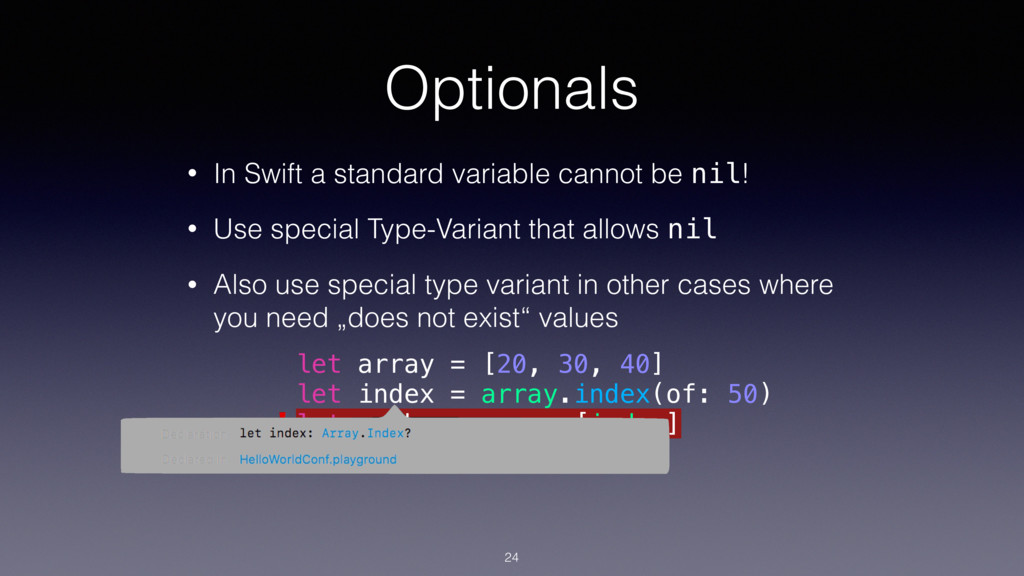
• In Swift a standard variable cannot be nil! •
Use special Type-Variant that allows nil • Also use special type variant in other cases where you need „does not exist“ values Optionals let array = [20, 30, 40] let index = array.index(of: 50) let number = array[index] ❗ 24 -
• In Swift a standard variable cannot be nil! •
Use special Type-Variant that allows nil • Also use special type variant in other cases where you need „does not exist“ values • You can wrap every single type in Swift in an Optional by just adding „?“ after the type. • Use it only where it actually makes sense to be nil Optionals 25 -
Using Optionals • Use if let to check whether a
value is nil let lengthOfMonths: [String:Int] let maybeLength = lengthOfMonths[month] if let length = maybeLength { print("\(month) has \(length) days") } else { print("We don't have data about \(month)") } 26 -
Using Optionals let lengthOfMonths: [String:Int] if let length = lengthOfMonths[month]
{ print("\(month) has \(length) days") } else { print("We don't have data about \(month)") } • Use if let to check whether a value is nil 27 -
Using Optionals let lengthOfMonths: [String:Int] if let firstLength = lengthOfMonths[firstMonth],
let secondLength = lengthOfMonths[secondMonth] { print("The difference between \(firstMonth) and \ (secondMonth) is \(firstLength - secondLength) days") } else { print("We don't have data about on of the months“) } • Use if let to check whether a value is nil 28 -
Using Optionals • Use if let to check whether a
value is nil • Use ! to force-unwrap a value from an optional • crashes if the optional is nil var letters = ["A", "B", "C"] let index = letters.index(of: "A") letters[index!] 29 -
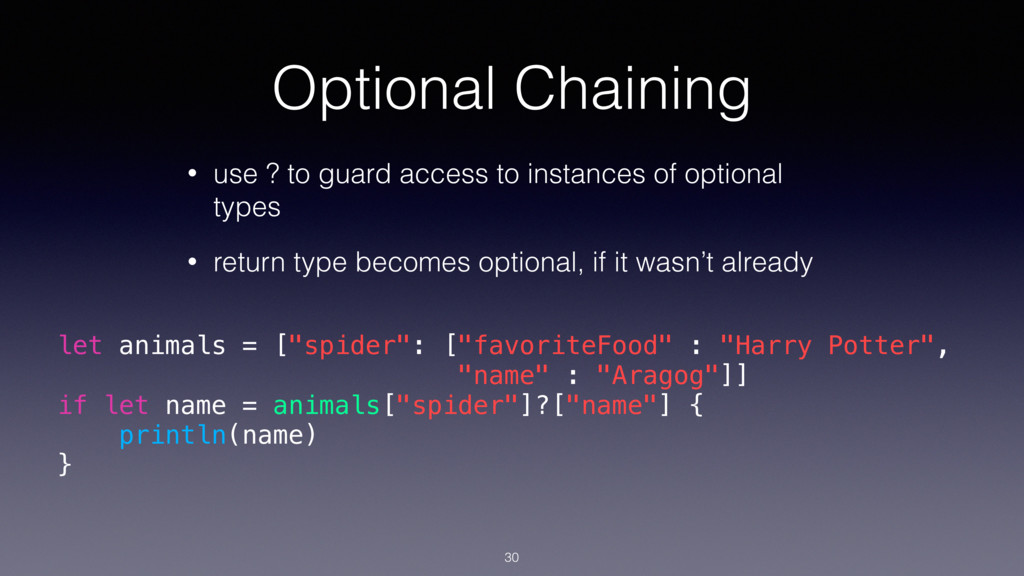
Optional Chaining • use ? to guard access to instances
of optional types • return type becomes optional, if it wasn’t already let animals = ["spider": ["favoriteFood" : "Harry Potter", "name" : "Aragog"]] if let name = animals["spider"]?["name"] { println(name) } 30 -
Optional Chaining • use ? to guard access to instances
of optional types • return type becomes optional, if it wasn’t already let animals = ["spider": ["favoriteFood" : "Harry Potter", "name" : "Aragog"]] if let name = animals["spider"]?["name"] { println(name) } 31 -
Optional Chaining • Also for optional methods @objc protocol HasName
{ @objc optional func name() -> String? } class Spider : HasName { var name:String? init(name:String) { self.name = name } } let spider:HasName? = Spider(name: "Aragog") if let firstLetter = spider?.name?()?.first { print(firstLetter) } spider nil? has method name() name nil? result nil? 32 -
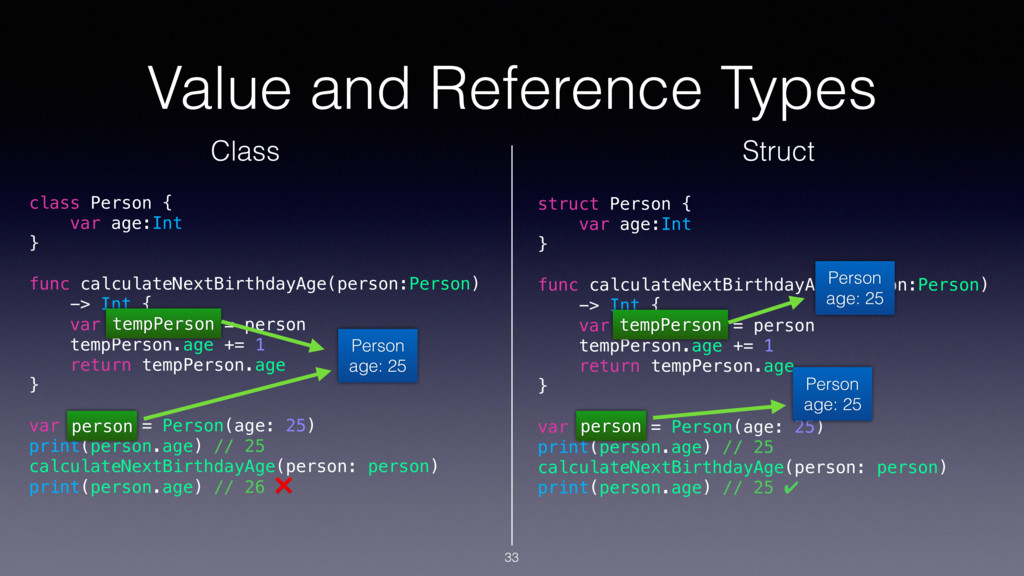
Class Struct struct Person { var age:Int } func calculateNextBirthdayAge(person:Person)
-> Int { var tempPerson = person tempPerson.age += 1 return tempPerson.age } var person = Person(age: 25) print(person.age) // 25 calculateNextBirthdayAge(person: person) print(person.age) // 25 ✔ class Person { var age:Int } func calculateNextBirthdayAge(person:Person) -> Int { var tempPerson = person tempPerson.age += 1 return tempPerson.age } var person = Person(age: 25) print(person.age) // 25 calculateNextBirthdayAge(person: person) print(person.age) // 26 ❌ Value and Reference Types Person age: 25 person tempPerson Person age: 25 person tempPerson Person age: 25 33 -
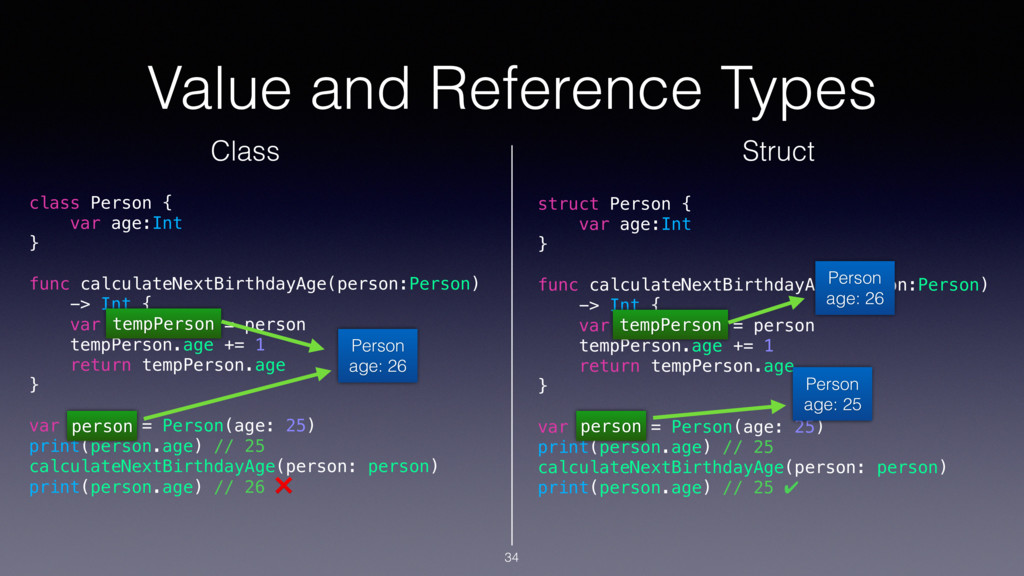
Class Struct struct Person { var age:Int } func calculateNextBirthdayAge(person:Person)
-> Int { var tempPerson = person tempPerson.age += 1 return tempPerson.age } var person = Person(age: 25) print(person.age) // 25 calculateNextBirthdayAge(person: person) print(person.age) // 25 ✔ class Person { var age:Int } func calculateNextBirthdayAge(person:Person) -> Int { var tempPerson = person tempPerson.age += 1 return tempPerson.age } var person = Person(age: 25) print(person.age) // 25 calculateNextBirthdayAge(person: person) print(person.age) // 26 ❌ Value and Reference Types Person age: 26 person tempPerson Person age: 26 person tempPerson Person age: 25 34 -
Array & Dictionary are structs Java Swift func evilFunction(thing: [String])
{ var tempThing = thing tempThing.removeAll() } let letters = ["A", "B", „C“] // ["A", "B", "C"] print(letters) evilFunction(thing: letters) // ["A", "B", "C"] print(letters) void evilFunction(List<String> thing) { List<String> tempThing = thing; tempThing.clear(); } List<String> letters = new ArrayList(); letters.add("A"); letters.add("B"); letters.add("C"); // ["A", "B", "C"] System.out.println(letters); evilFunction(letters); // [] System.out.println(letters); 35 -
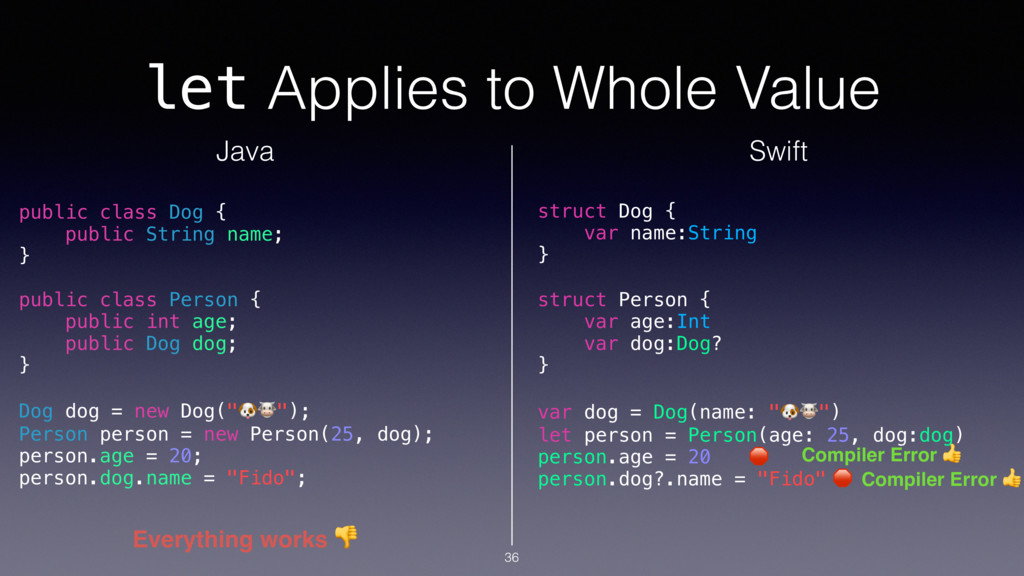
let Applies to Whole Value Java Swift struct Dog {
var name:String } struct Person { var age:Int var dog:Dog? } var dog = Dog(name: "") let person = Person(age: 25, dog:dog) person.age = 20 person.dog?.name = "Fido" public class Dog { public String name; } public class Person { public int age; public Dog dog; } Dog dog = new Dog(""); Person person = new Person(25, dog); person.age = 20; person.dog.name = "Fido"; Compiler Error Compiler Error Everything works 36 -
let Applies to Whole Value Java Swift struct Dog {
var name:String } struct Person { var age:Int var dog:Dog? } var dog = Dog(name: "") let person = Person(age: 25, dog:dog) person.age = 20 person.dog?.name = "Fido" public class Dog { public String name; } public class Person { public int age; final public Dog dog; } final Dog dog = new Dog(""); final Person person = new Person(25, dog); person.age = 20; person.dog.name = "Fido"; Everything works Compiler Error Compiler Error 37 -
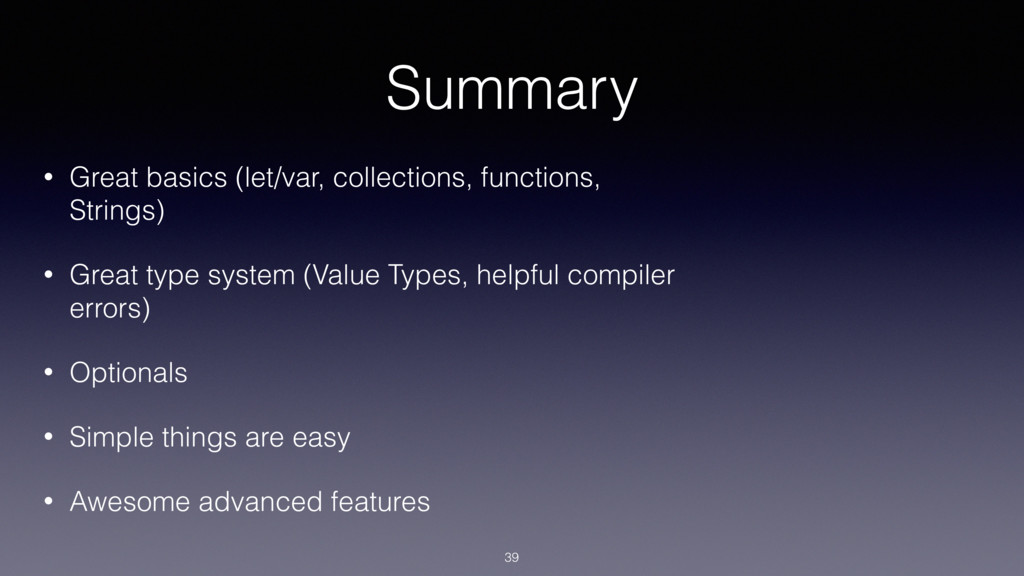
Summary • Great basics (let/var, collections, functions, Strings) • Great
type system (Value Types, helpful compiler errors) • Optionals • Simple things are easy • Awesome advanced features 38 -
Summary • Great basics (let/var, collections, functions, Strings) • Great
type system (Value Types, helpful compiler errors) • Optionals • Simple things are easy • Awesome advanced features 39