Upgrade to Pro — share decks privately, control downloads, hide ads and more …

Speak Python with Devices - PyCon US 2026

Speak Python with Devices - PyCon US 2026

More Decks by Move to https://www.slideshare.net/petertc/

Other Decks in Technology

Transcript

  1. Outline • Devices in Linux/UNIX-like system • How to manipulate

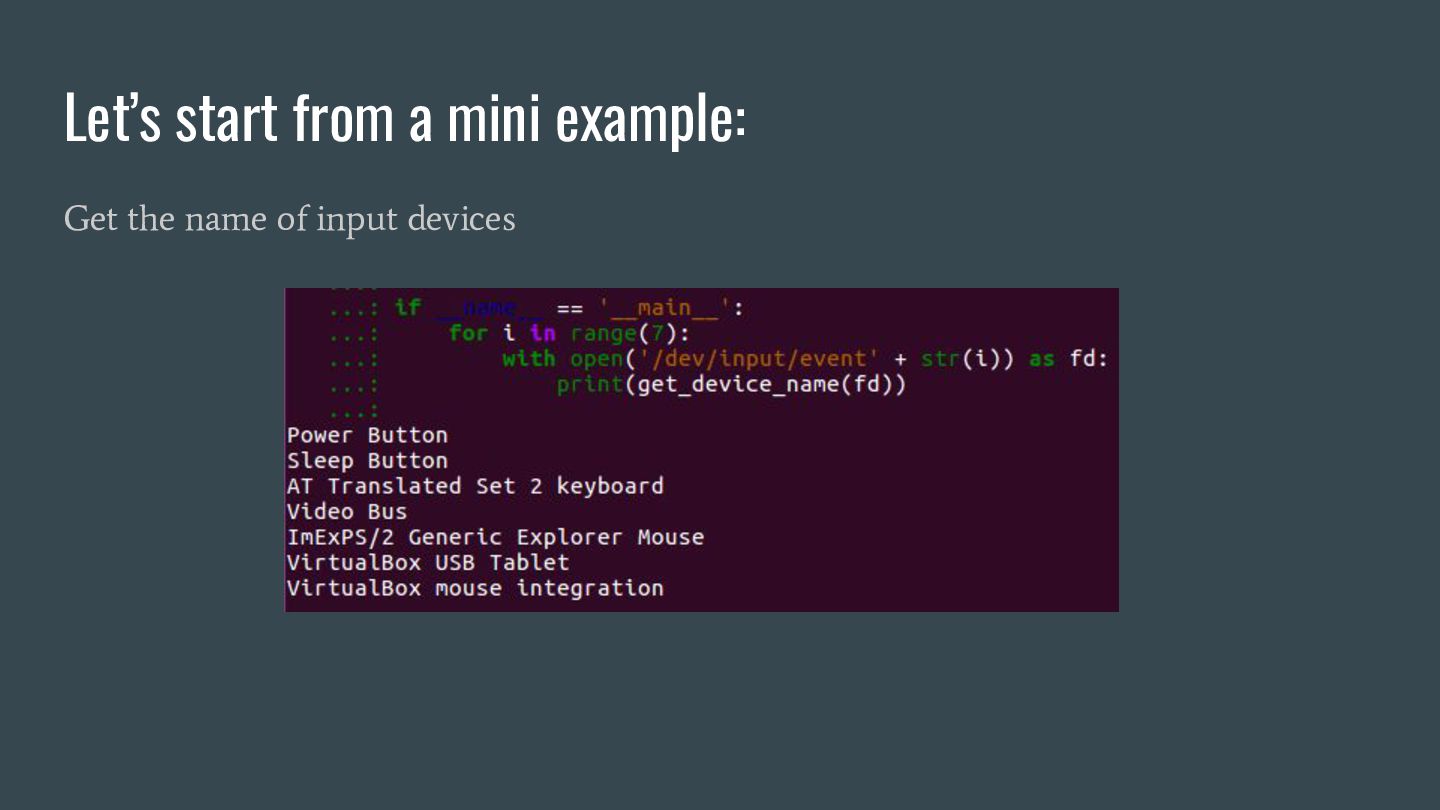
    a device • Manipulate a device in Python, a mini example • A more attractive example
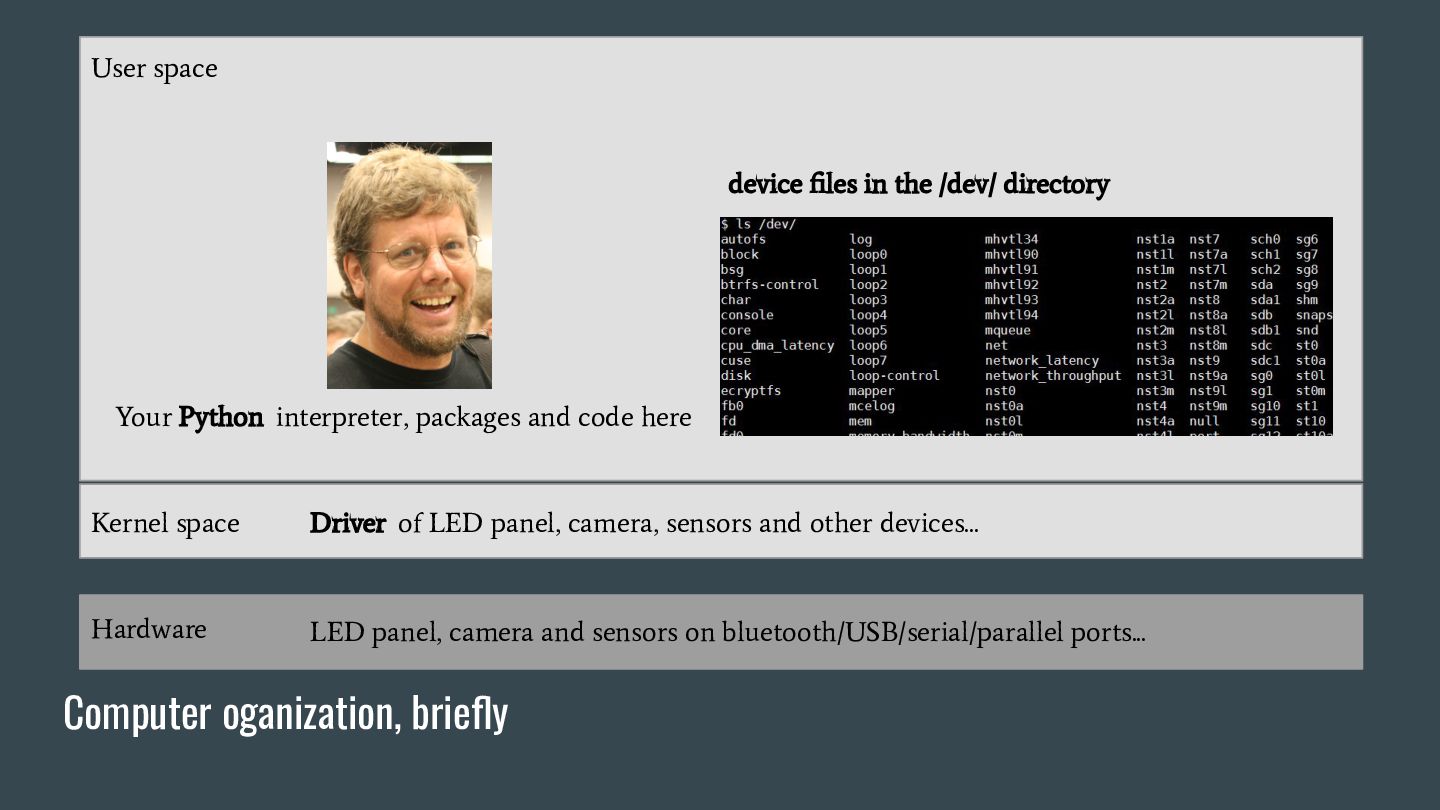
  2. Computer oganization, briefly User space Hardware LED panel, camera and

    sensors on bluetooth/USB/serial/parallel ports... Kernel space Driver of LED panel, camera, sensors and other devices... device files in the /dev/ directory Your Python interpreter, packages and code here
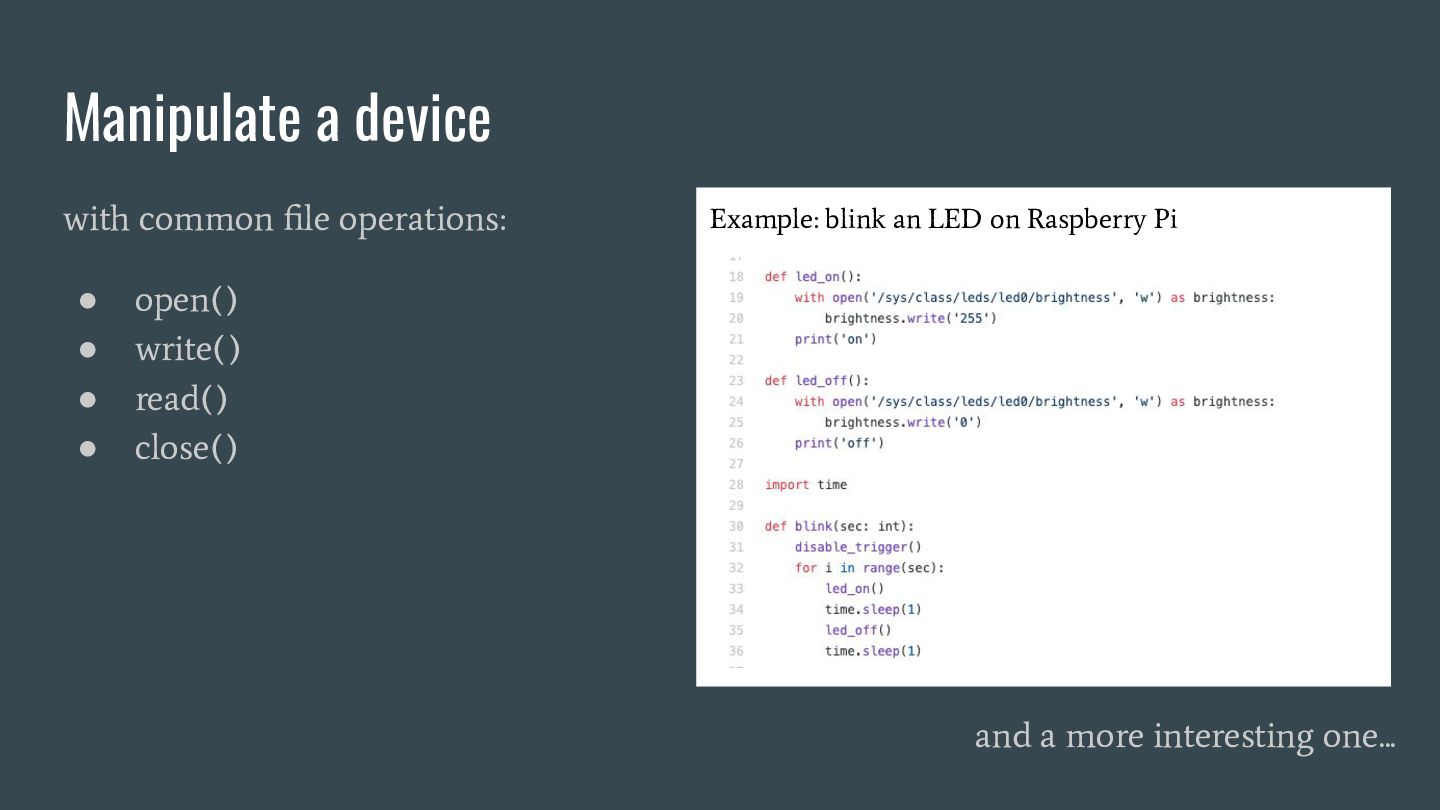
  3. Manipulate a device with common file operations: • open() •

    write() • read() • close() and a more interesting one... Example: blink an LED on Raspberry Pi
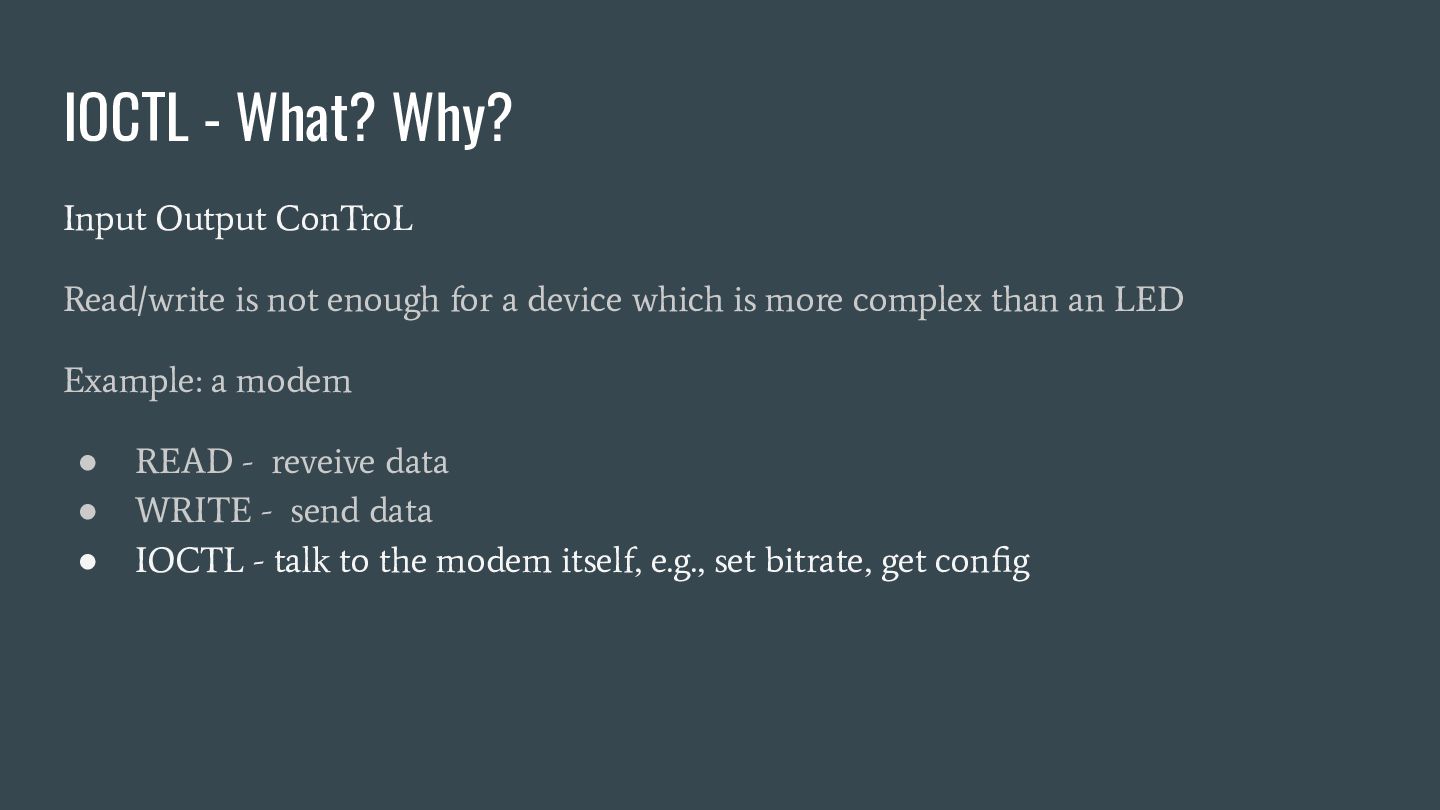
  4. Input Output ConTroL Read/write is not enough for a device

    which is more complex than an LED Example: a modem • READ - reveive data • WRITE - send data • IOCTL - talk to the modem itself, e.g., set bitrate, get config IOCTL - What? Why?
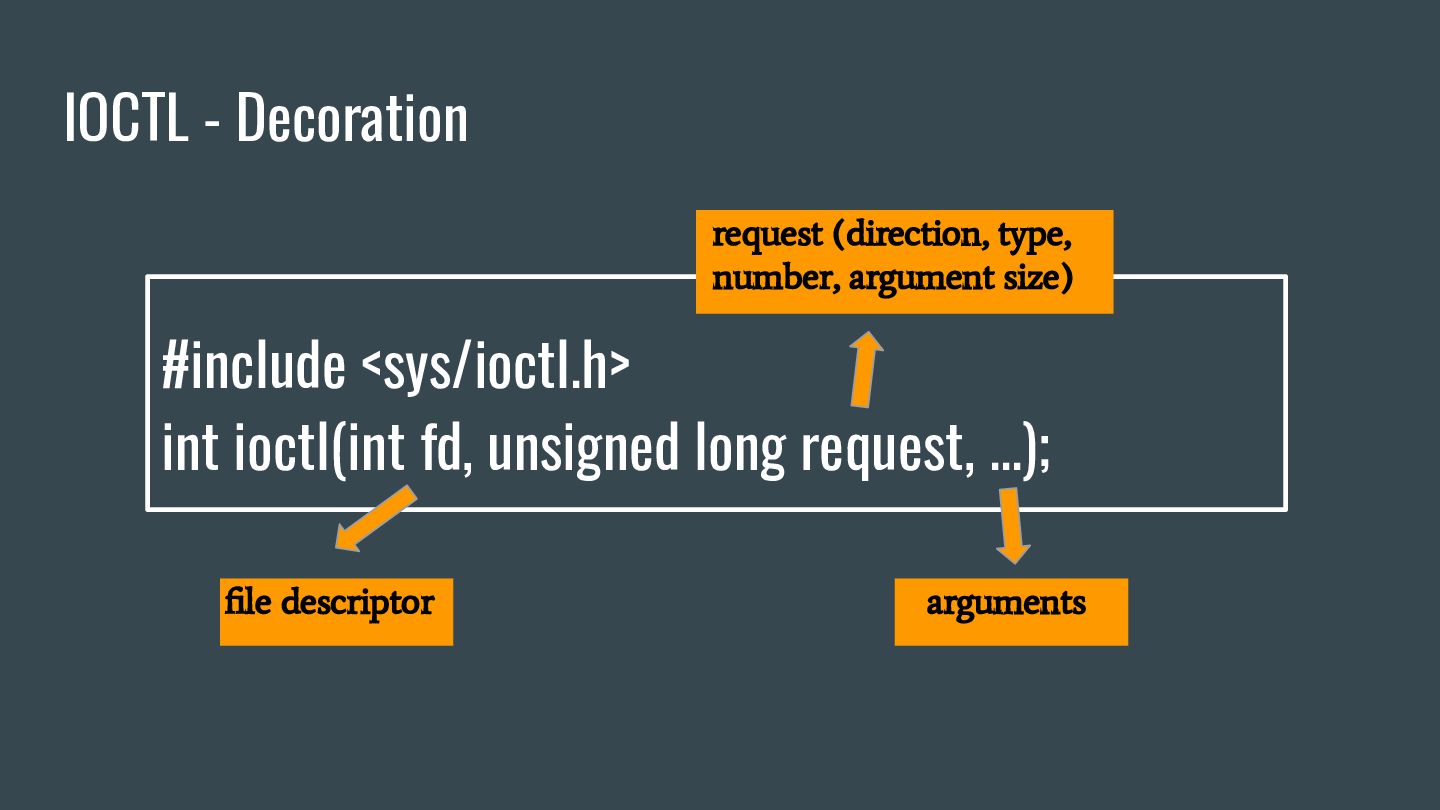
  5. IOCTL - Decoration #include <sys/ioctl.h> int ioctl(int fd, unsigned long

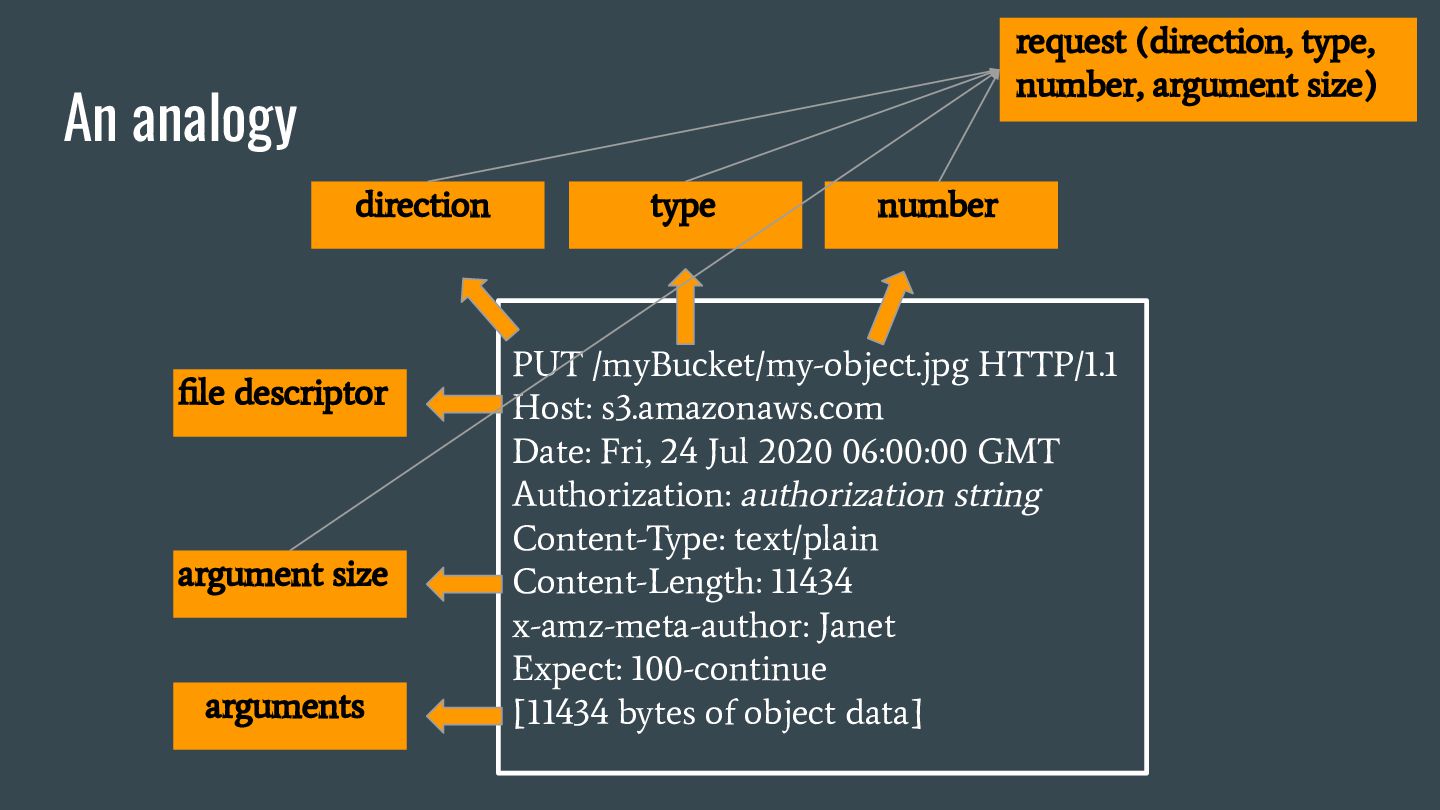
    request, ...); file descriptor arguments request (direction, type, number, argument size)
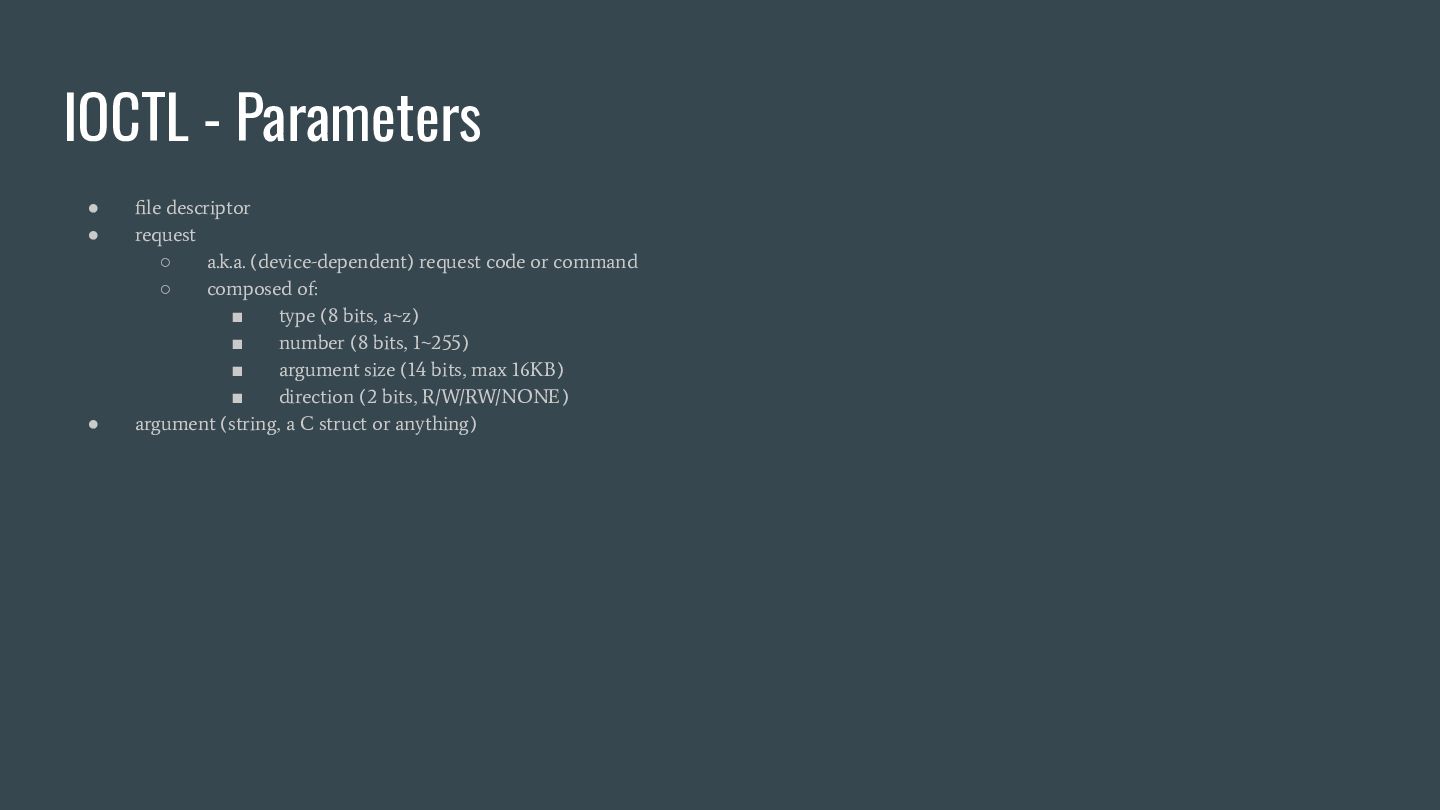
  6. • file descriptor • request ◦ a.k.a. (device-dependent) request code

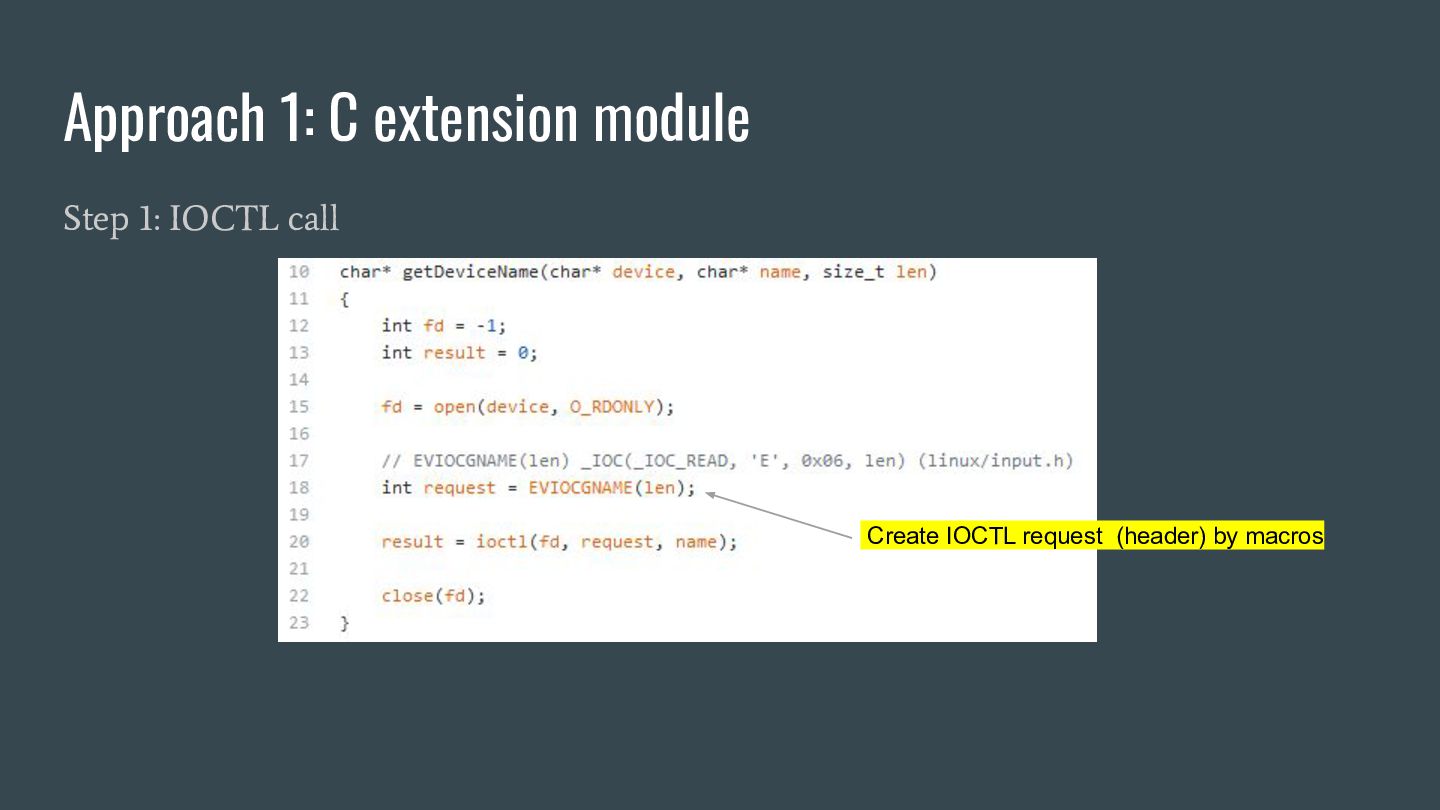
    or command ◦ composed of: ▪ type (8 bits, a~z) ▪ number (8 bits, 1~255) ▪ argument size (14 bits, max 16KB) ▪ direction (2 bits, R/W/RW/NONE) • argument (string, a C struct or anything) IOCTL - Parameters
  7. An analogy PUT /myBucket/my-object.jpg HTTP/1.1 Host: s3.amazonaws.com Date: Fri, 24

    Jul 2020 06:00:00 GMT Authorization: authorization string Content-Type: text/plain Content-Length: 11434 x-amz-meta-author: Janet Expect: 100-continue [11434 bytes of object data] file descriptor direction type number argument size arguments request (direction, type, number, argument size)
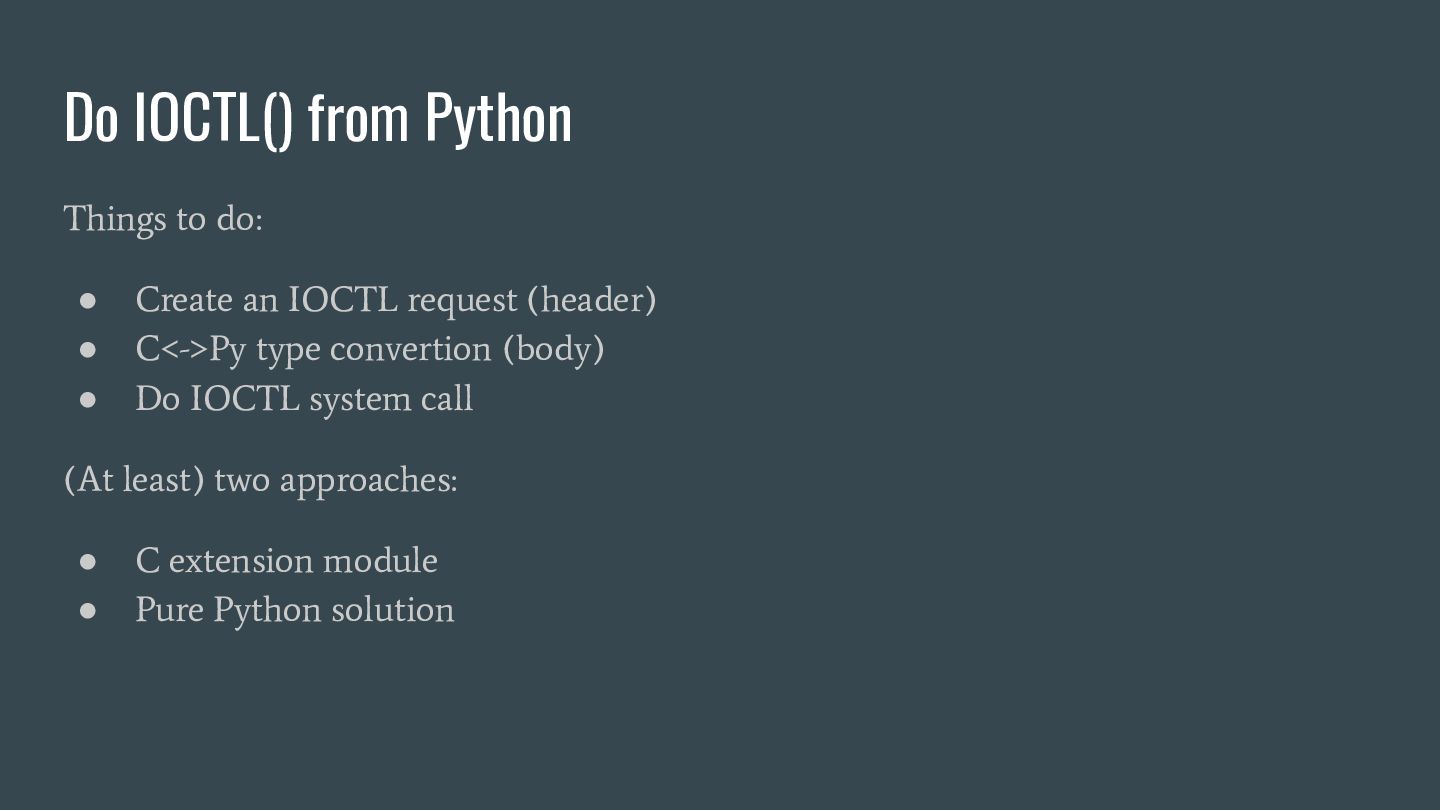
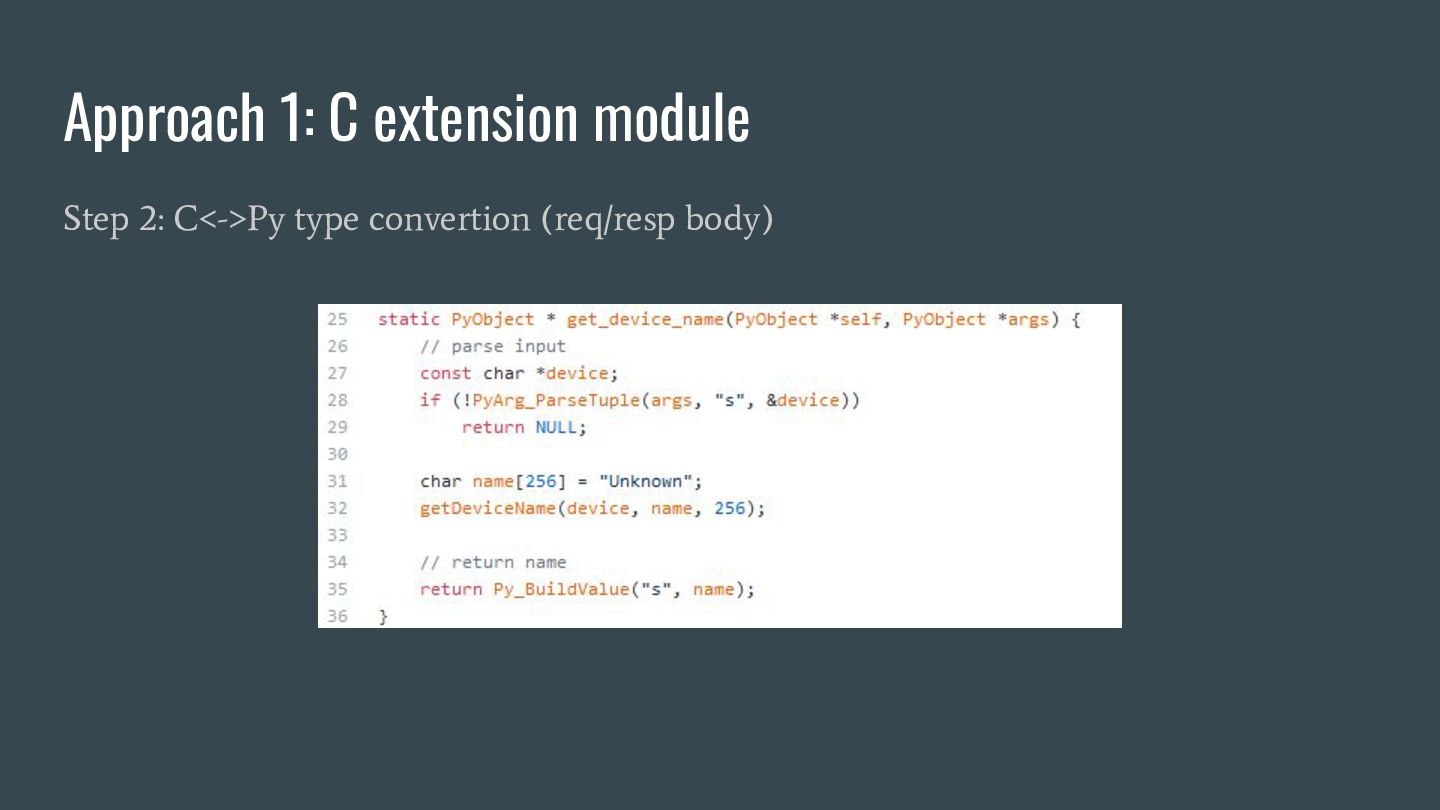
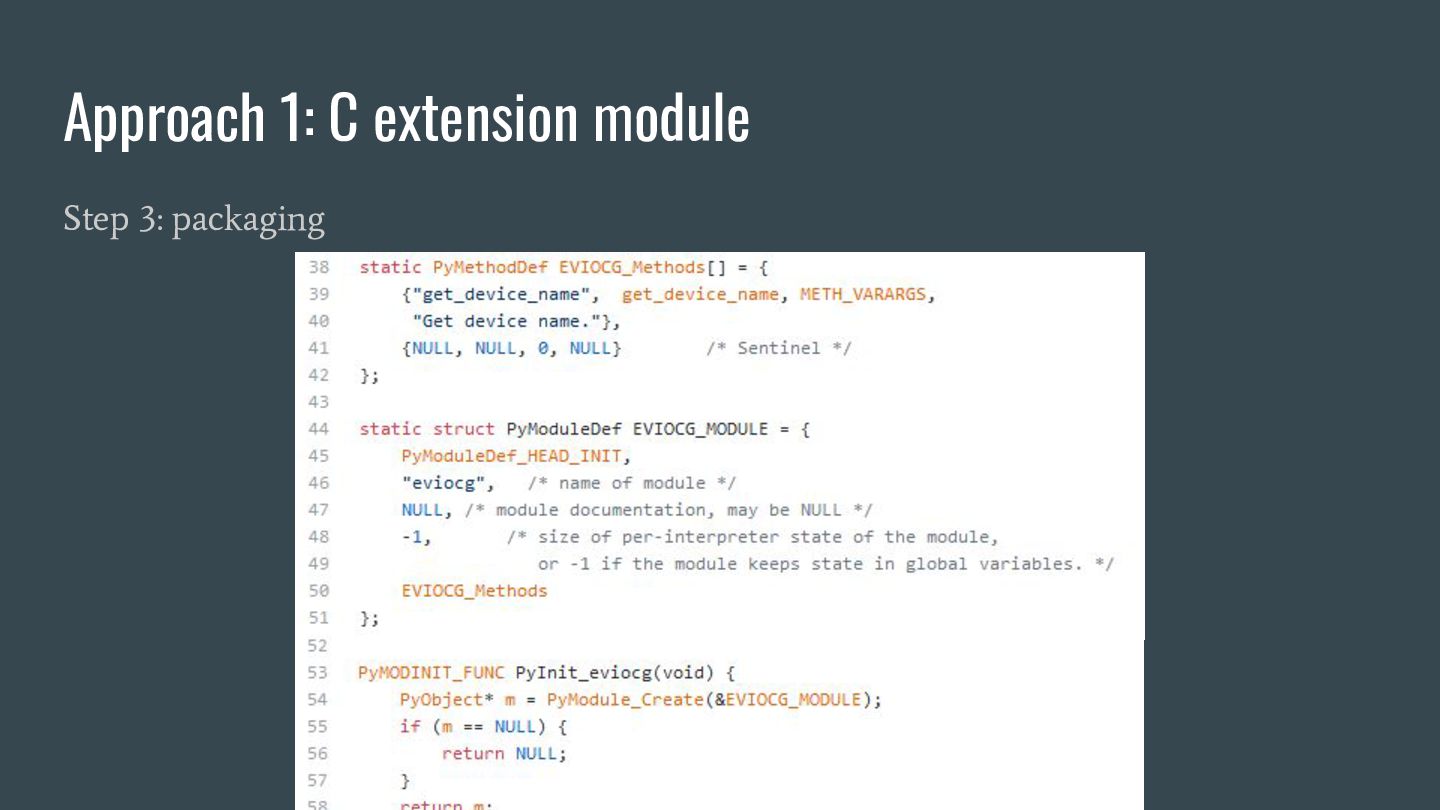
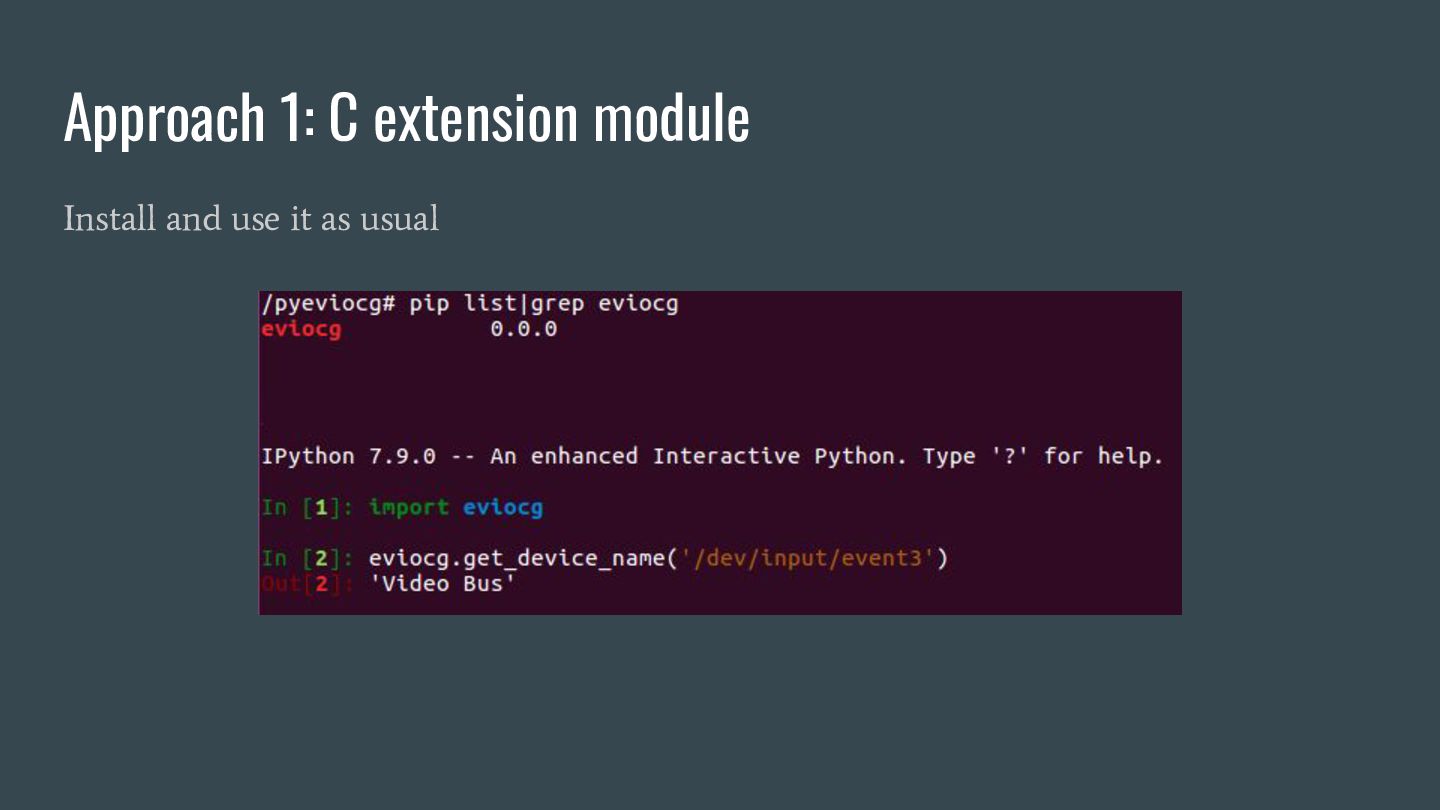
  8. Do IOCTL() from Python Things to do: • Create an

    IOCTL request (header) • C<->Py type convertion (body) • Do IOCTL system call (At least) two approaches: • C extension module • Pure Python solution
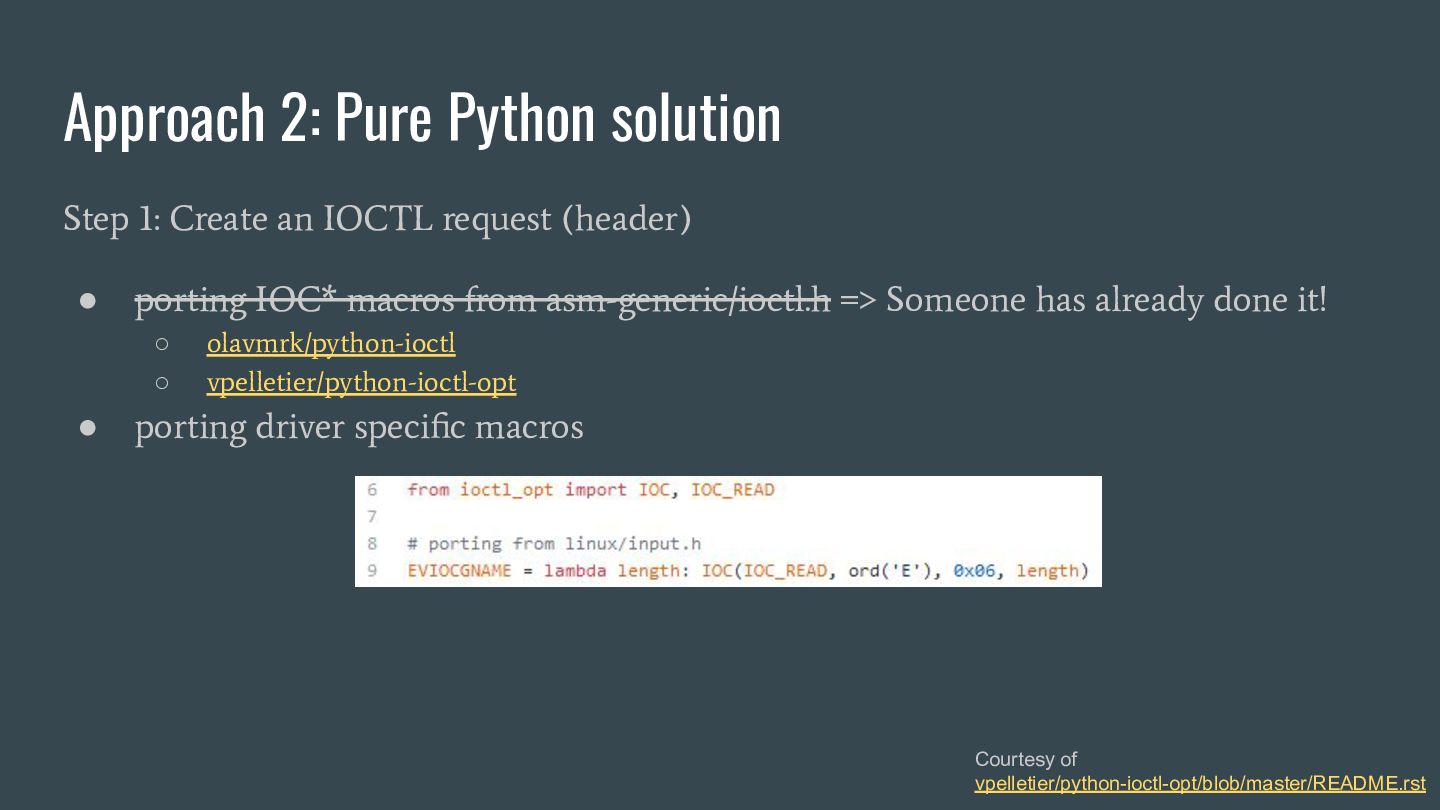
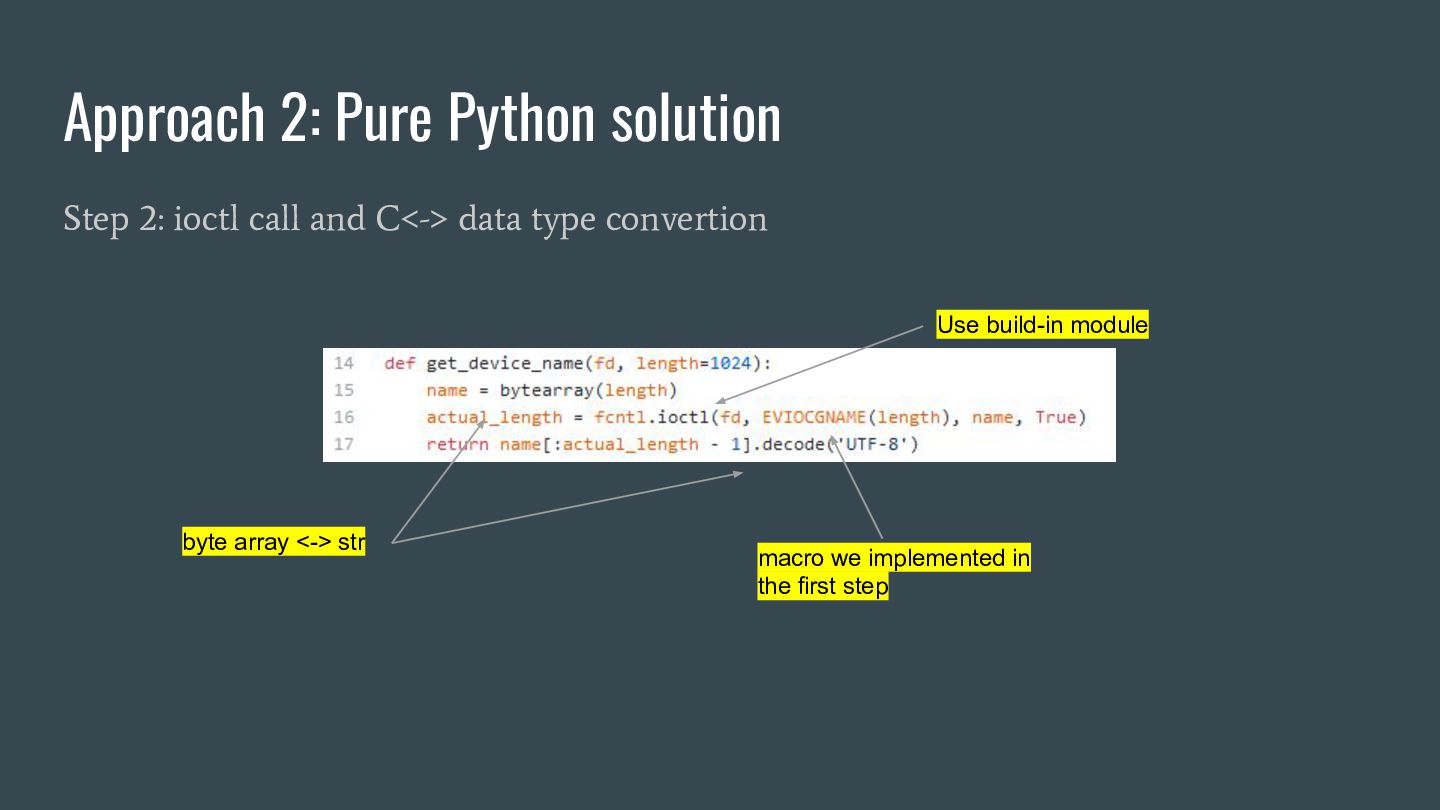
  9. Approach 2: Pure Python solution Step 1: Create an IOCTL

    request (header) • porting IOC* macros from asm-generic/ioctl.h => Someone has already done it! ◦ olavmrk/python-ioctl ◦ vpelletier/python-ioctl-opt • porting driver specific macros Courtesy of vpelletier/python-ioctl-opt/blob/master/README.rst
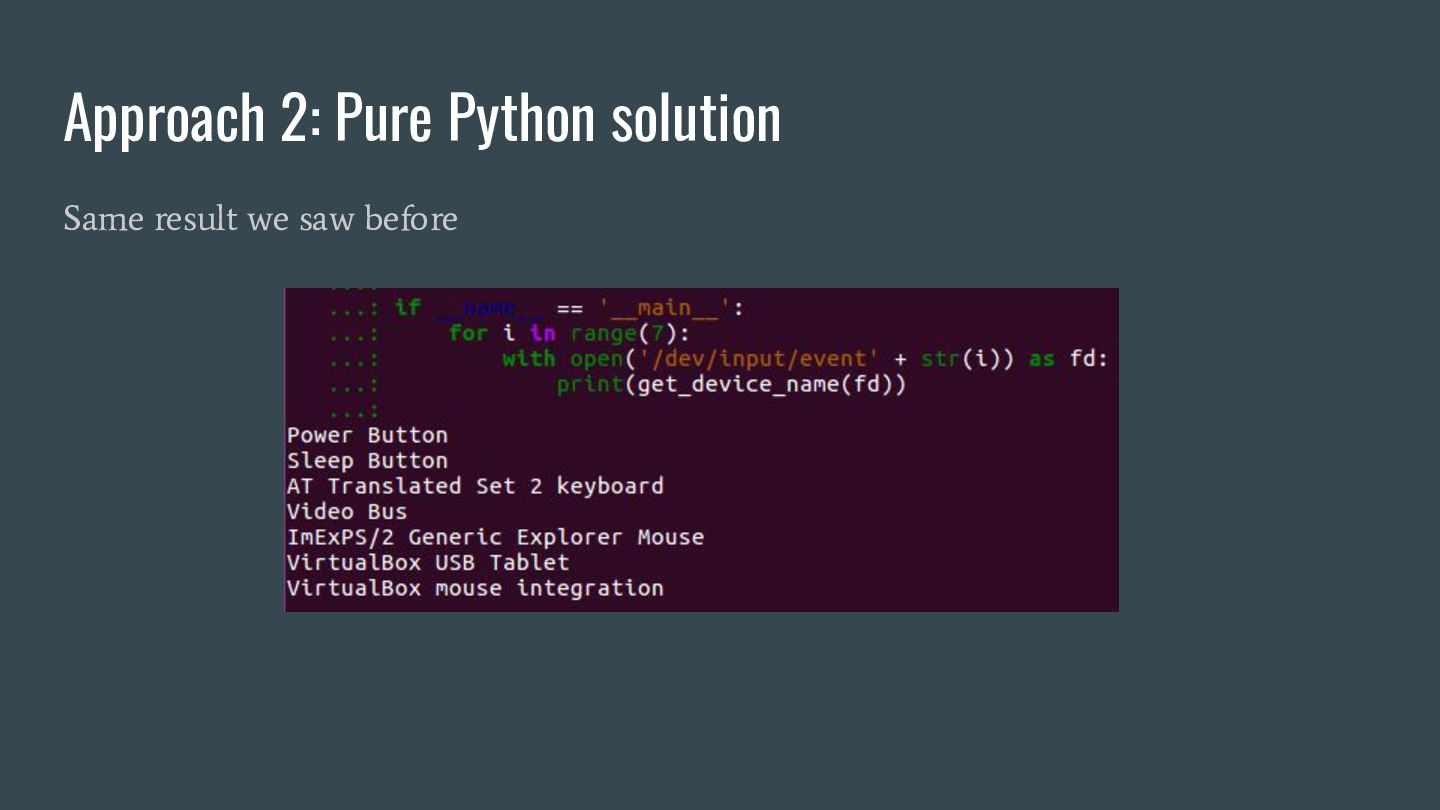
  10. Approach 2: Pure Python solution Step 2: ioctl call and

    C<-> data type convertion Use build-in module byte array <-> str macro we implemented in the first step
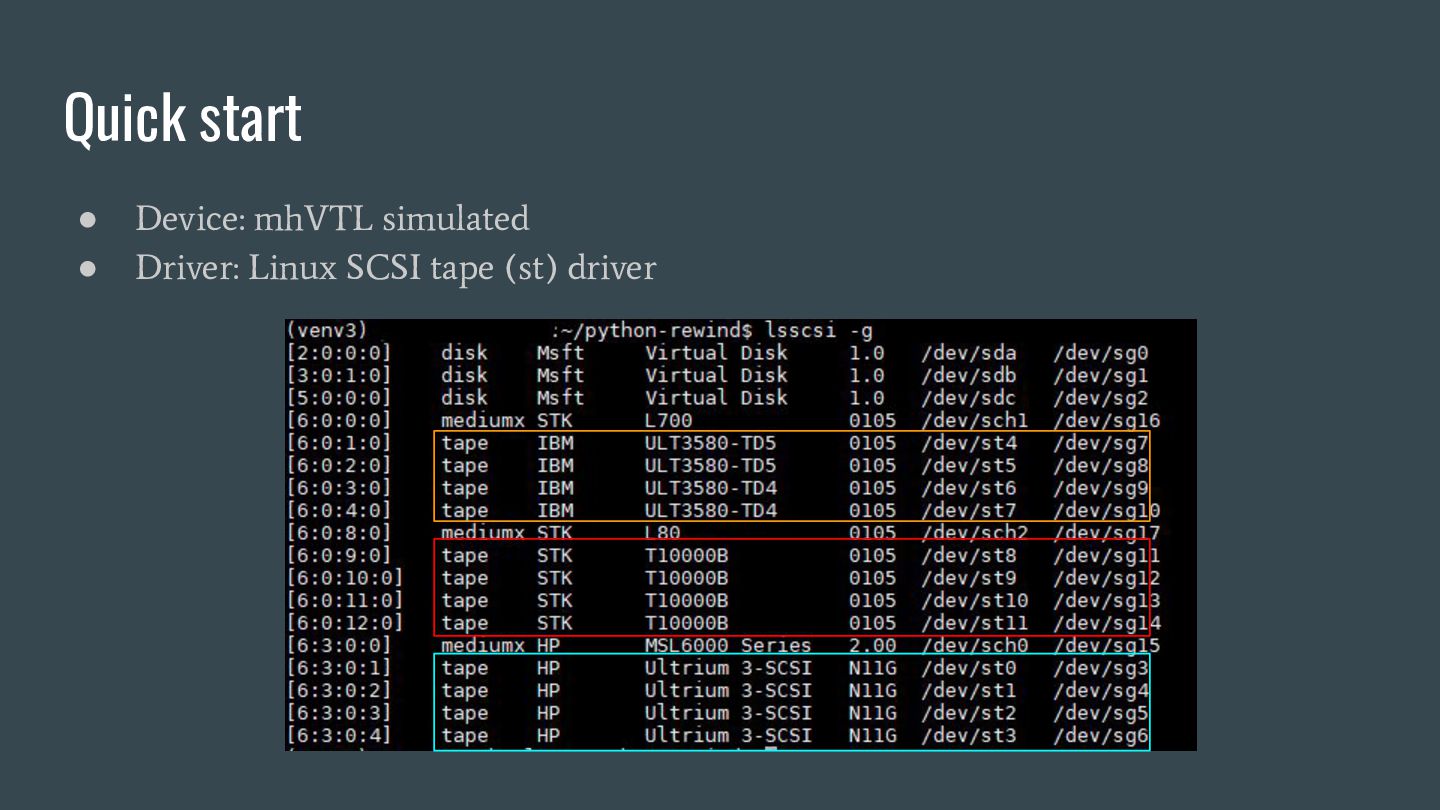
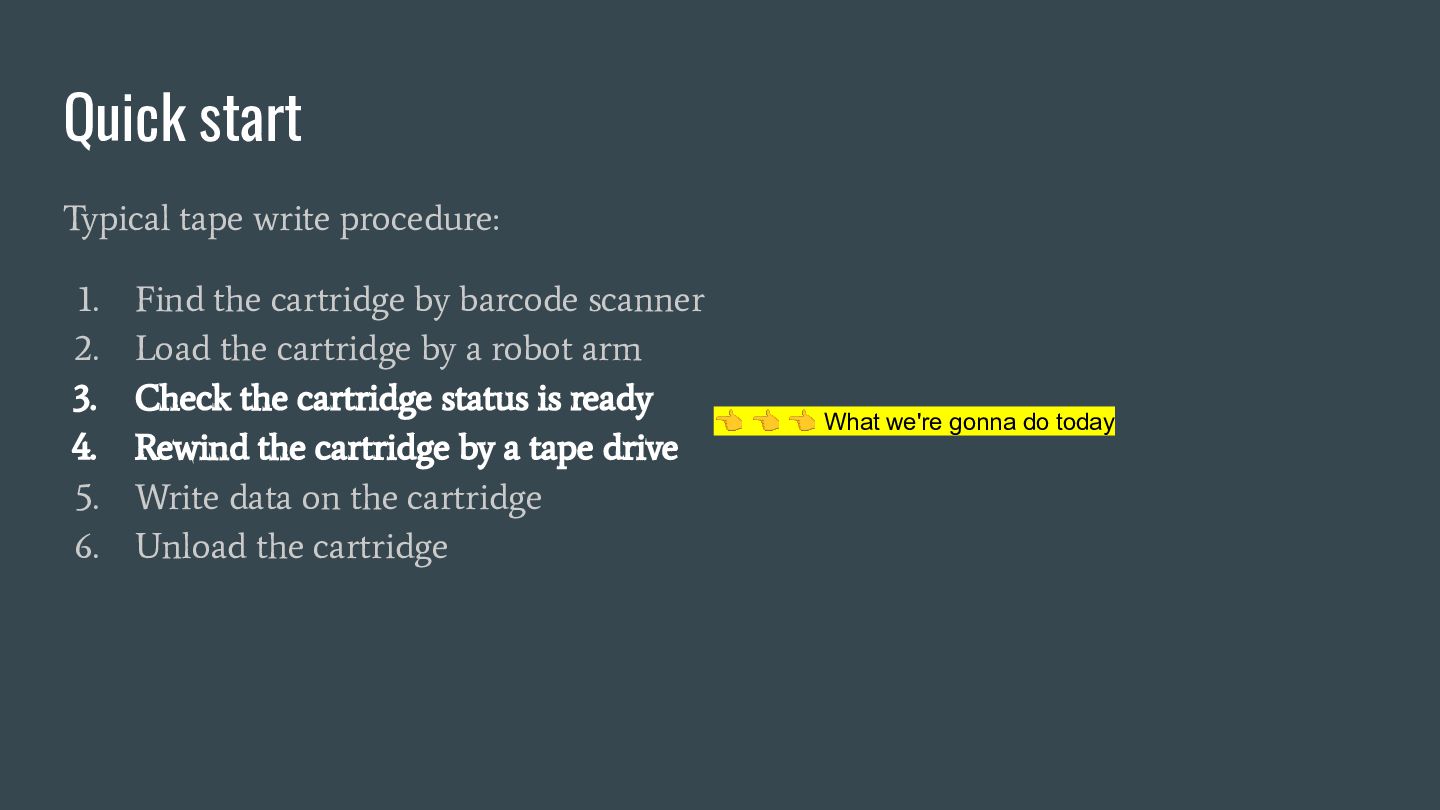
  11. Quick start Typical tape write procedure: 1. Find the cartridge

    by barcode scanner 2. Load the cartridge by a robot arm 3. Check the cartridge status is ready 4. Rewind the cartridge by a tape drive 5. Write data on the cartridge 6. Unload the cartridge 👈 👈 👈 What we're gonna do today
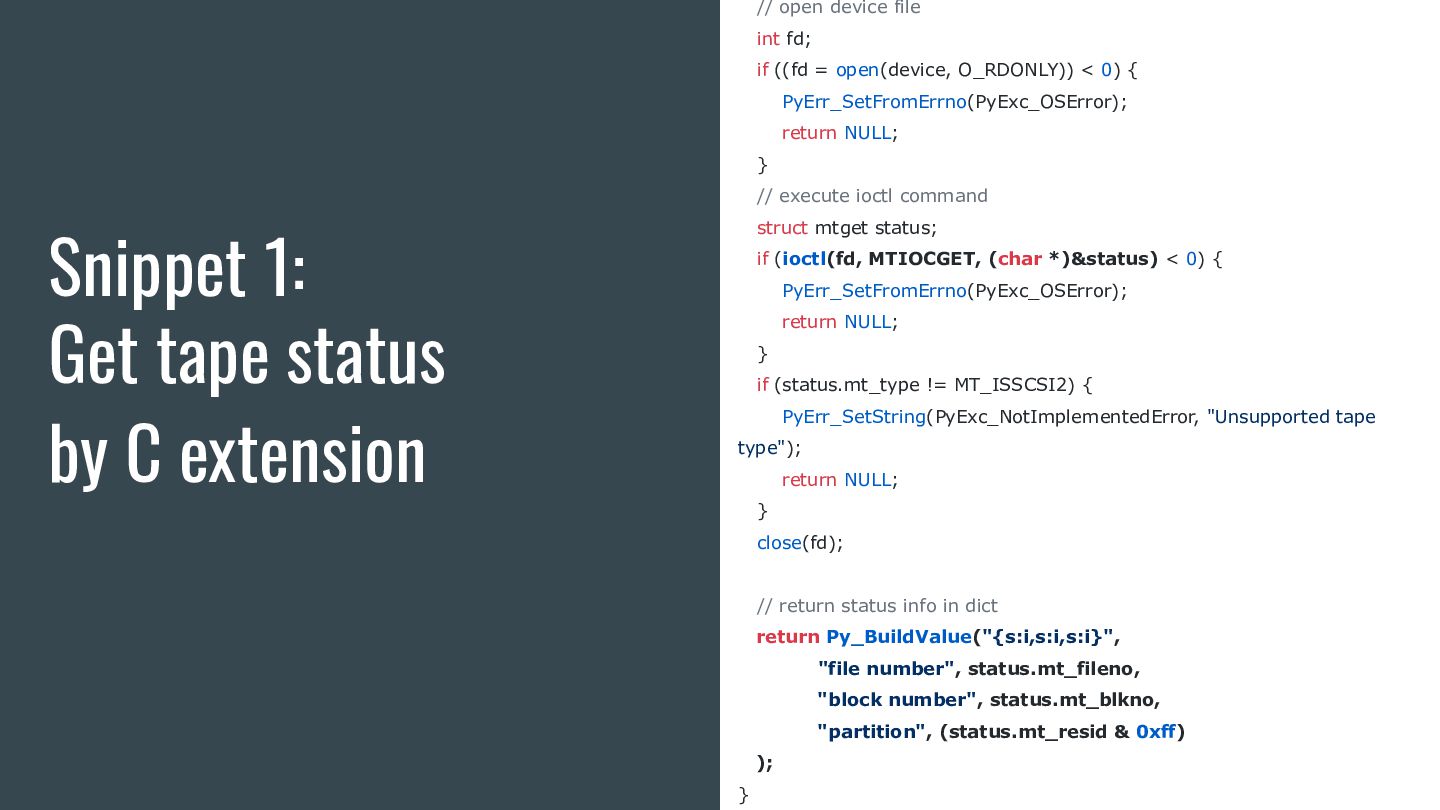
  12. Snippet 1: Get tape status by C extension // open

    device file int fd; if ((fd = open(device, O_RDONLY)) < 0) { PyErr_SetFromErrno(PyExc_OSError); return NULL; } // execute ioctl command struct mtget status; if (ioctl(fd, MTIOCGET, (char *)&status) < 0) { PyErr_SetFromErrno(PyExc_OSError); return NULL; } if (status.mt_type != MT_ISSCSI2) { PyErr_SetString(PyExc_NotImplementedError, "Unsupported tape type"); return NULL; } close(fd); // return status info in dict return Py_BuildValue("{s:i,s:i,s:i}", "file number", status.mt_fileno, "block number", status.mt_blkno, "partition", (status.mt_resid & 0xff) ); }
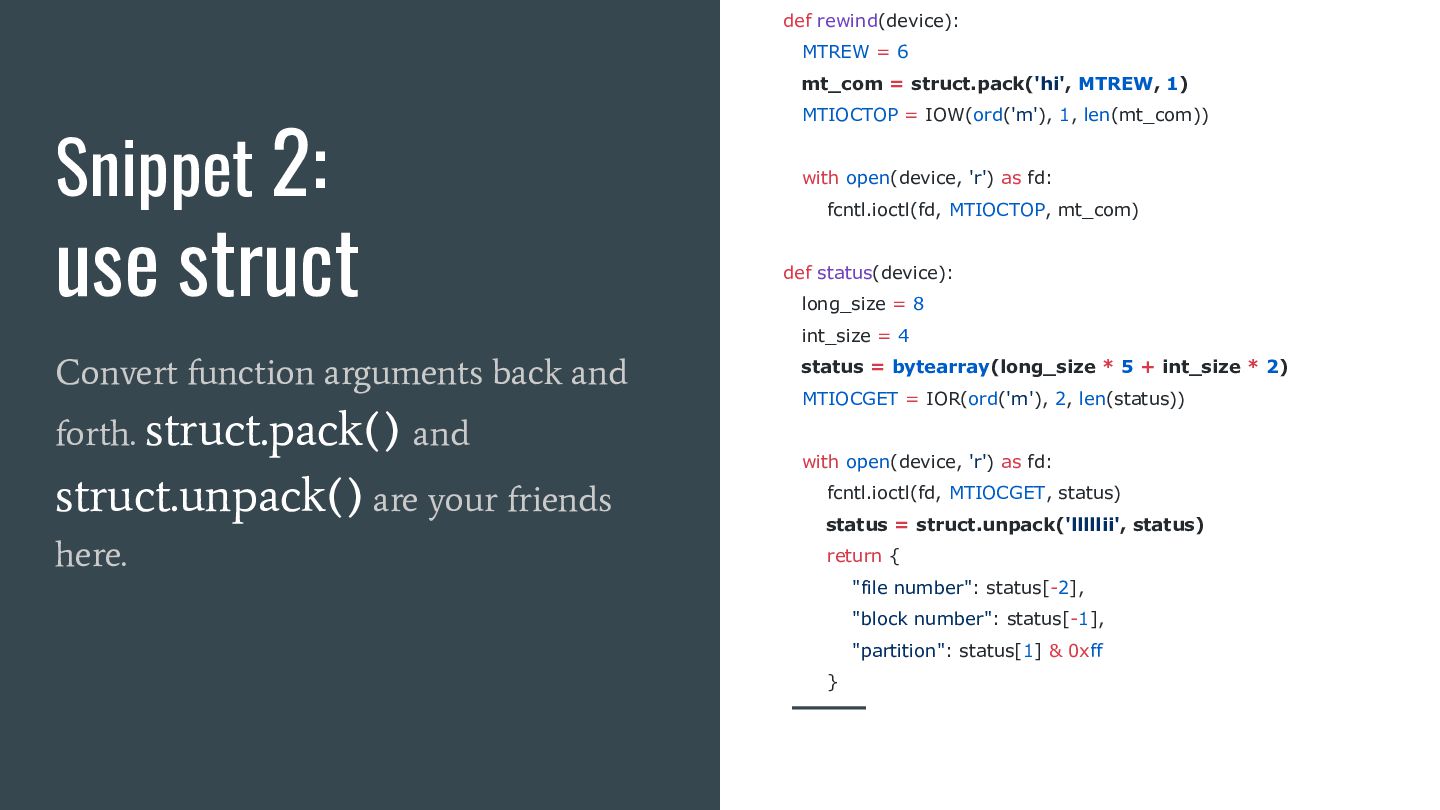
  13. Snippet 2: use struct Convert function arguments back and forth.

    struct.pack() and struct.unpack() are your friends here. def rewind(device): MTREW = 6 mt_com = struct.pack('hi', MTREW, 1) MTIOCTOP = IOW(ord('m'), 1, len(mt_com)) with open(device, 'r') as fd: fcntl.ioctl(fd, MTIOCTOP, mt_com) def status(device): long_size = 8 int_size = 4 status = bytearray(long_size * 5 + int_size * 2) MTIOCGET = IOR(ord('m'), 2, len(status)) with open(device, 'r') as fd: fcntl.ioctl(fd, MTIOCGET, status) status = struct.unpack('lllllii', status) return { "file number": status[-2], "block number": status[-1], "partition": status[1] & 0xff }
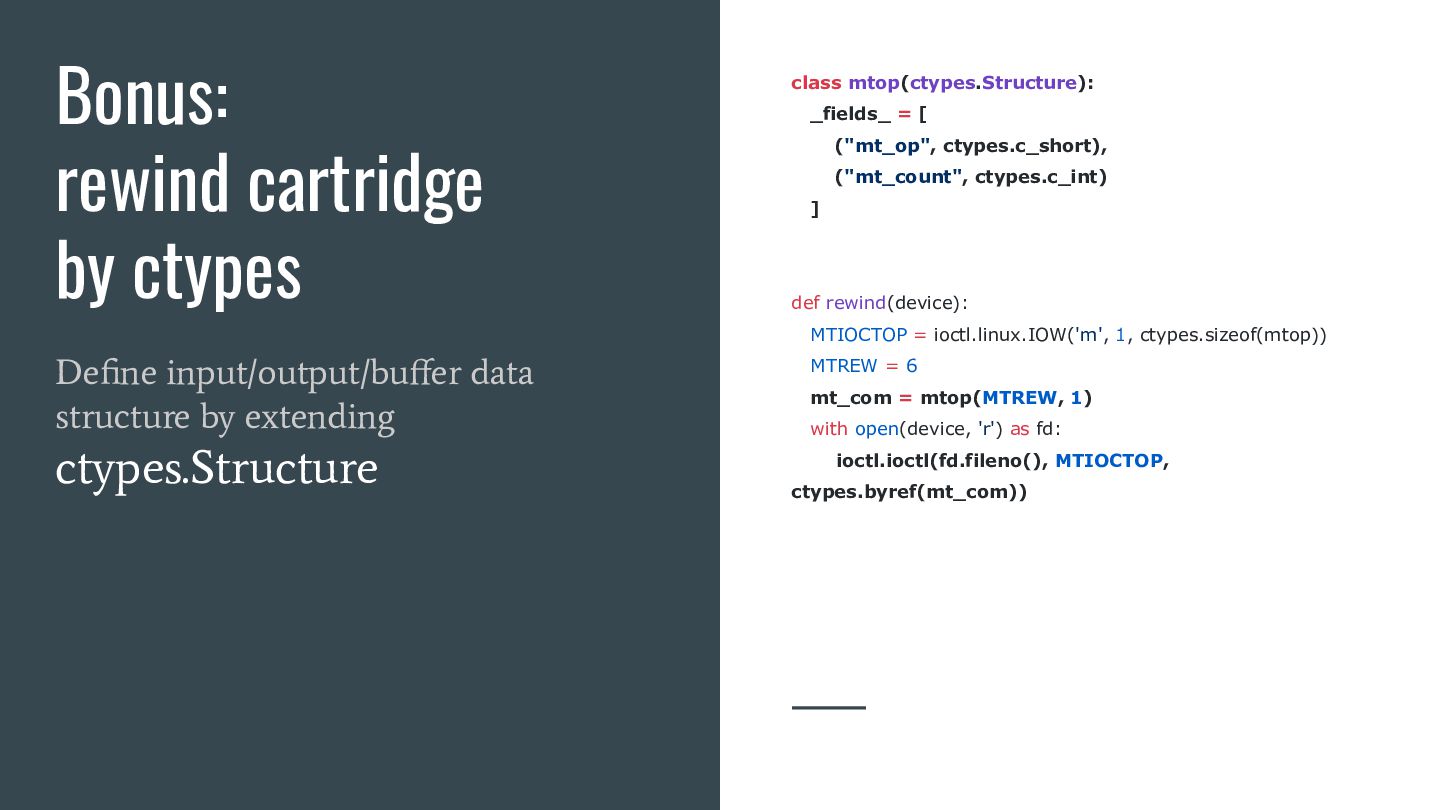
  14. Bonus: rewind cartridge by ctypes Define input/output/buffer data structure by

    extending ctypes.Structure class mtop(ctypes.Structure): _fields_ = [ ("mt_op", ctypes.c_short), ("mt_count", ctypes.c_int) ] def rewind(device): MTIOCTOP = ioctl.linux.IOW('m', 1, ctypes.sizeof(mtop)) MTREW = 6 mt_com = mtop(MTREW, 1) with open(device, 'r') as fd: ioctl.ioctl(fd.fileno(), MTIOCTOP, ctypes.byref(mt_com))
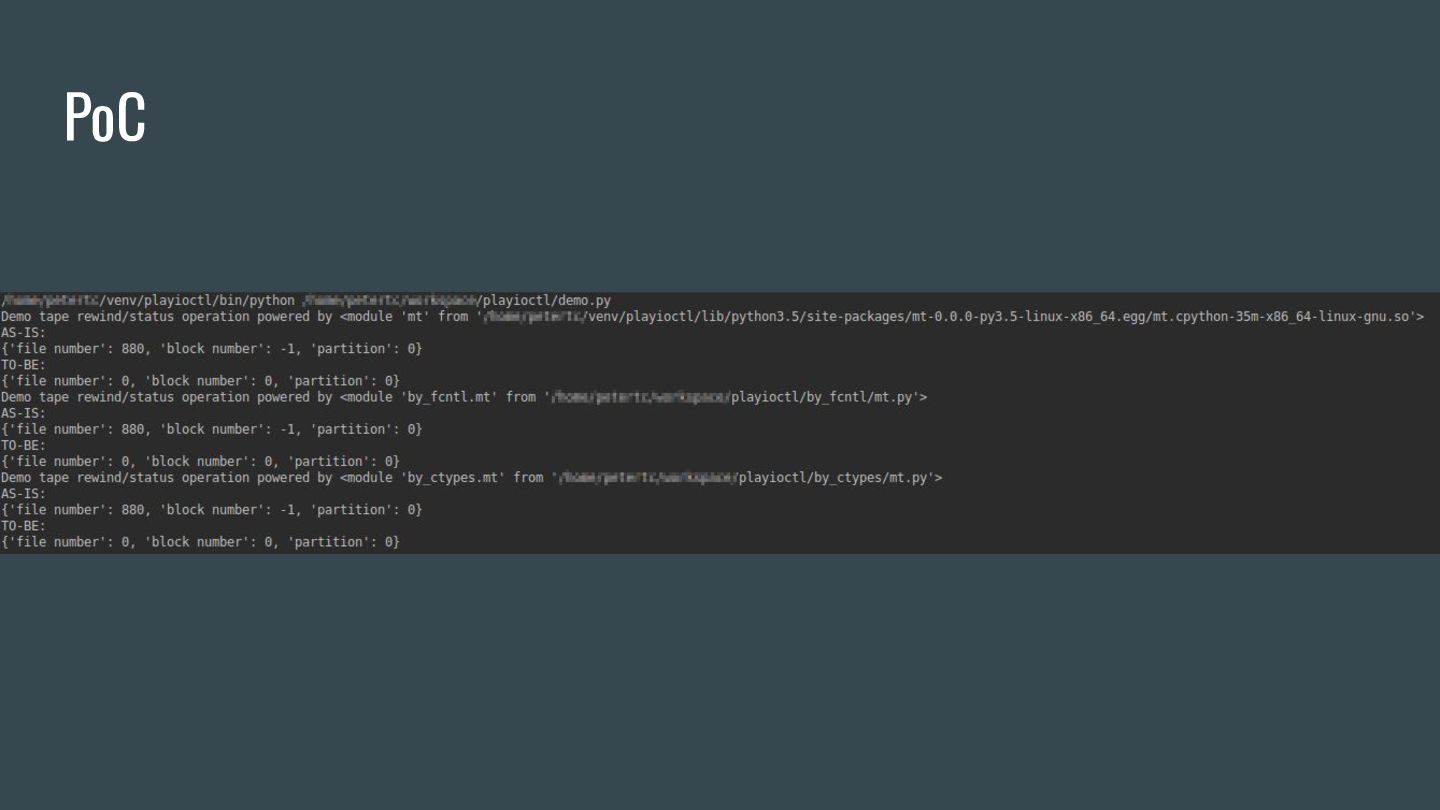
  15. PoC

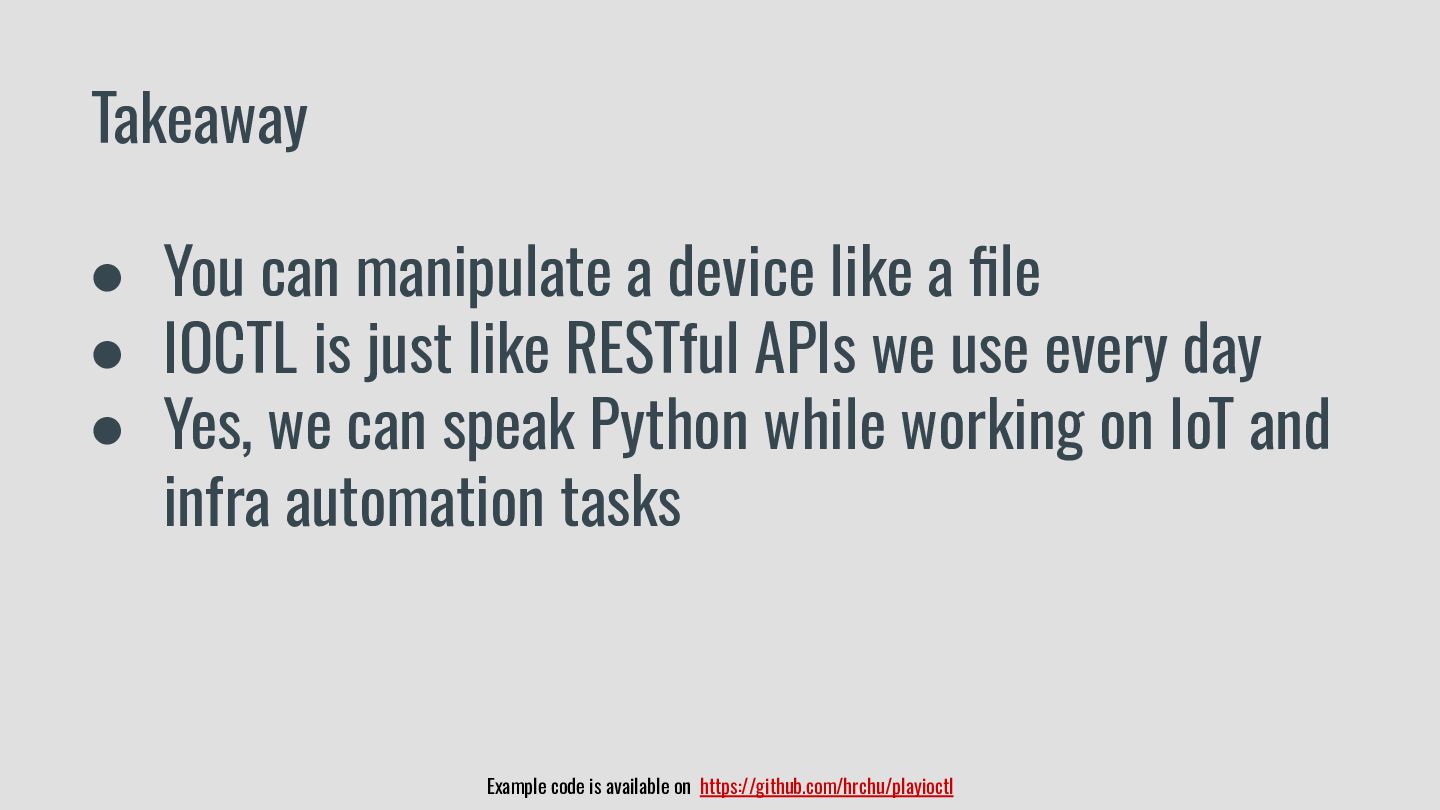
  16. Example code is available on https://github.com/hrchu/playioctl Takeaway • You can

    manipulate a device like a file • IOCTL is just like RESTful APIs we use every day • Yes, we can speak Python while working on IoT and infra automation tasks