Upgrade to Pro — share decks privately, control downloads, hide ads and more …

eSafety | Facebook Privacy : 10 Settings You Ne...

Avatar for Jamie Kelly Jamie Kelly
January 23, 2014

eSafety | Facebook Privacy : 10 Settings You Need To Know

A simple Keynote highlighting 10 privacy tips that all users should be aware of in Facebook. Particularly useful for teachers and educators worldwide. Be sure to check your Facebook privacy settings - you might be surprised what your sharing!

Follow me on Twitter @jamiekelly89

Print & share

Thanks!

Avatar for Jamie Kelly

Jamie Kelly

January 23, 2014
Tweet

More Decks by Jamie Kelly

Other Decks in Education

Transcript

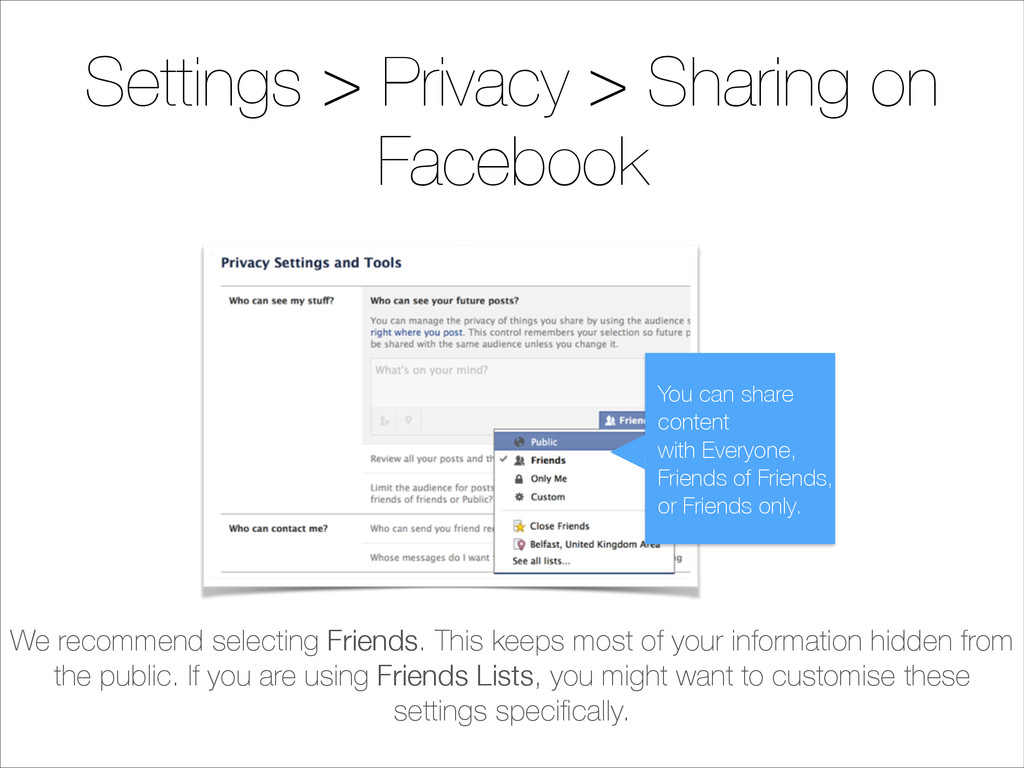
  1. Settings > Privacy > Sharing on Facebook You can share

    content with Everyone, Friends of Friends, or Friends only. We recommend selecting Friends. This keeps most of your information hidden from the public. If you are using Friends Lists, you might want to customise these settings specifically.
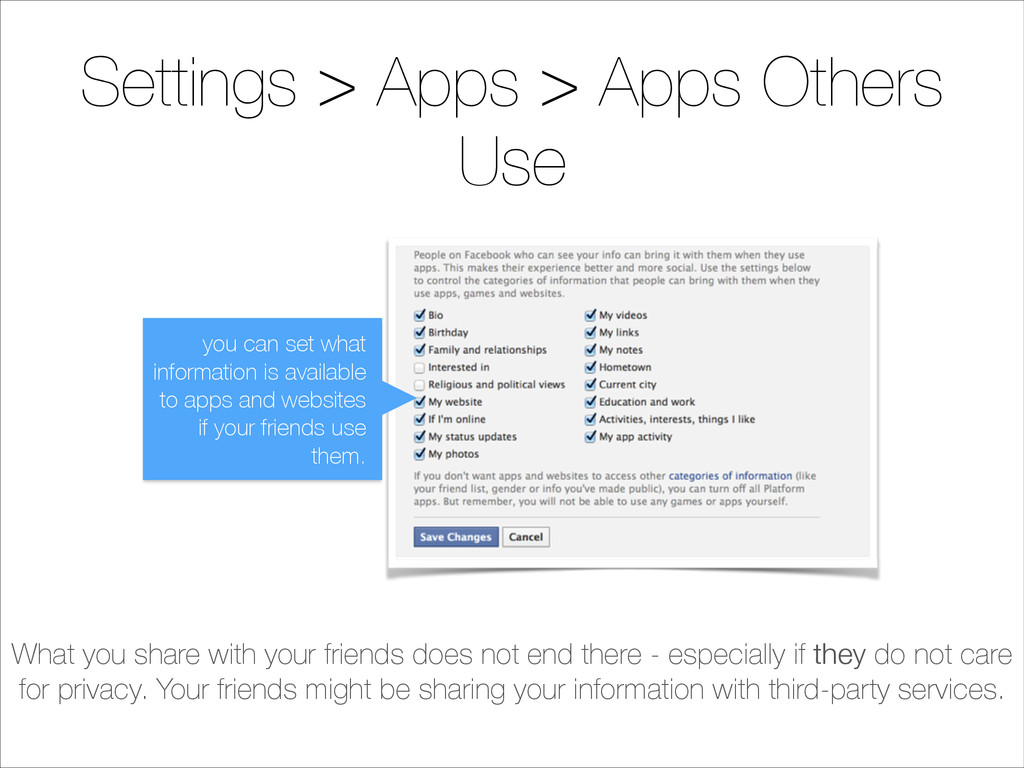
  2. Settings > Apps > Apps Others Use What you share

    with your friends does not end there - especially if they do not care for privacy. Your friends might be sharing your information with third-party services. you can set what information is available to apps and websites if your friends use them.
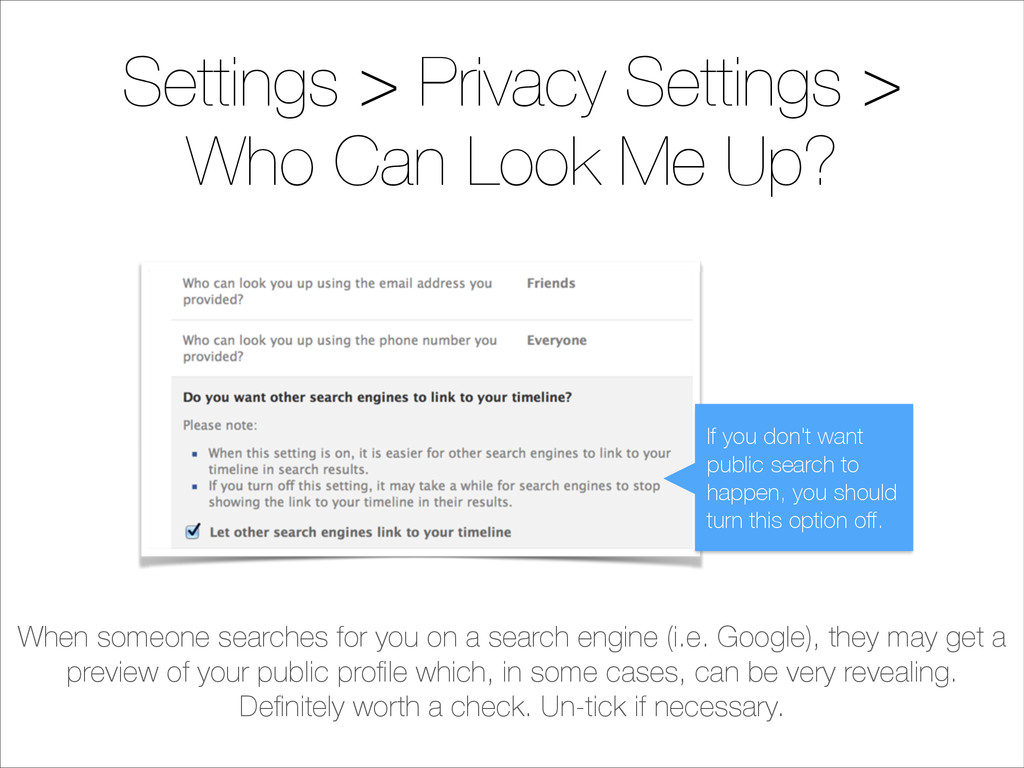
  3. Settings > Privacy Settings > Who Can Look Me Up?

    When someone searches for you on a search engine (i.e. Google), they may get a preview of your public profile which, in some cases, can be very revealing. Definitely worth a check. Un-tick if necessary. If you don't want public search to happen, you should turn this option off.
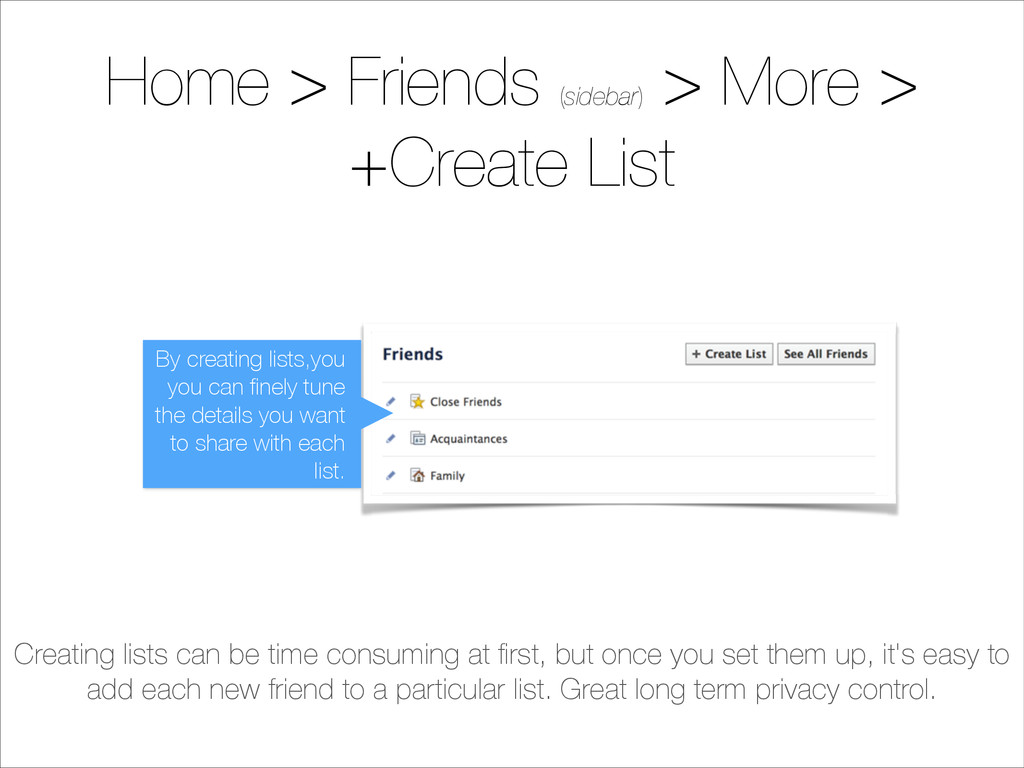
  4. Home > Friends.(sidebar) > More > +Create List Creating lists

    can be time consuming at first, but once you set them up, it's easy to add each new friend to a particular list. Great long term privacy control. By creating lists,you you can finely tune the details you want to share with each list.
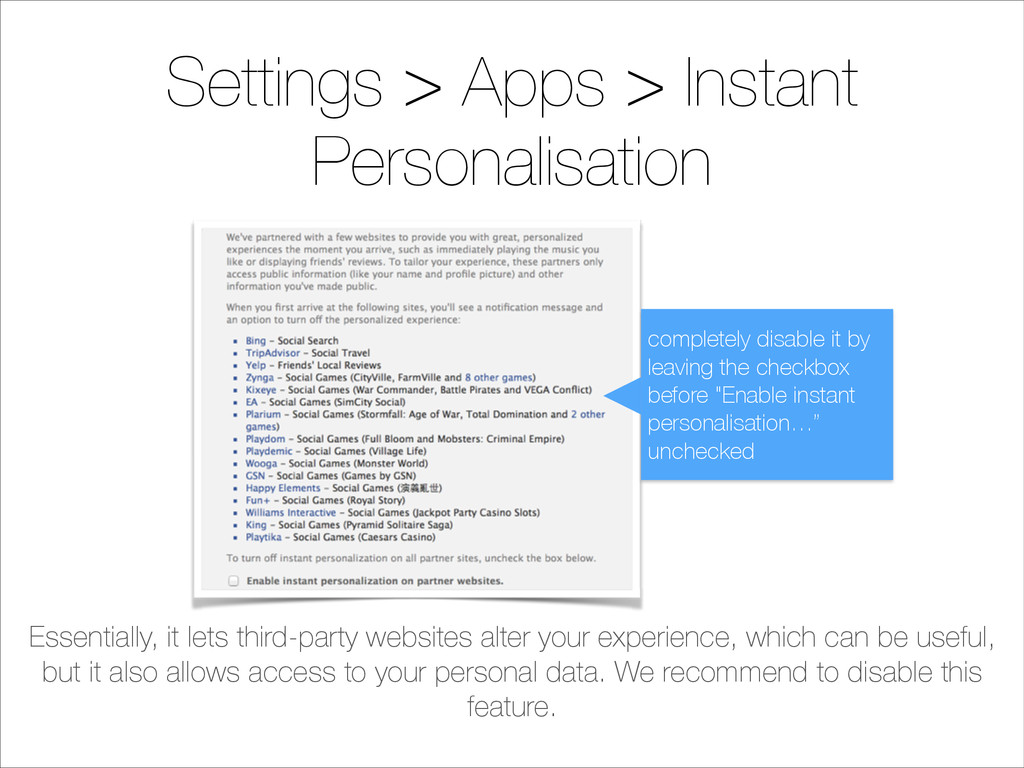
  5. Settings > Apps > Instant Personalisation Essentially, it lets third-party

    websites alter your experience, which can be useful, but it also allows access to your personal data. We recommend to disable this feature. completely disable it by leaving the checkbox before "Enable instant personalisation…” unchecked
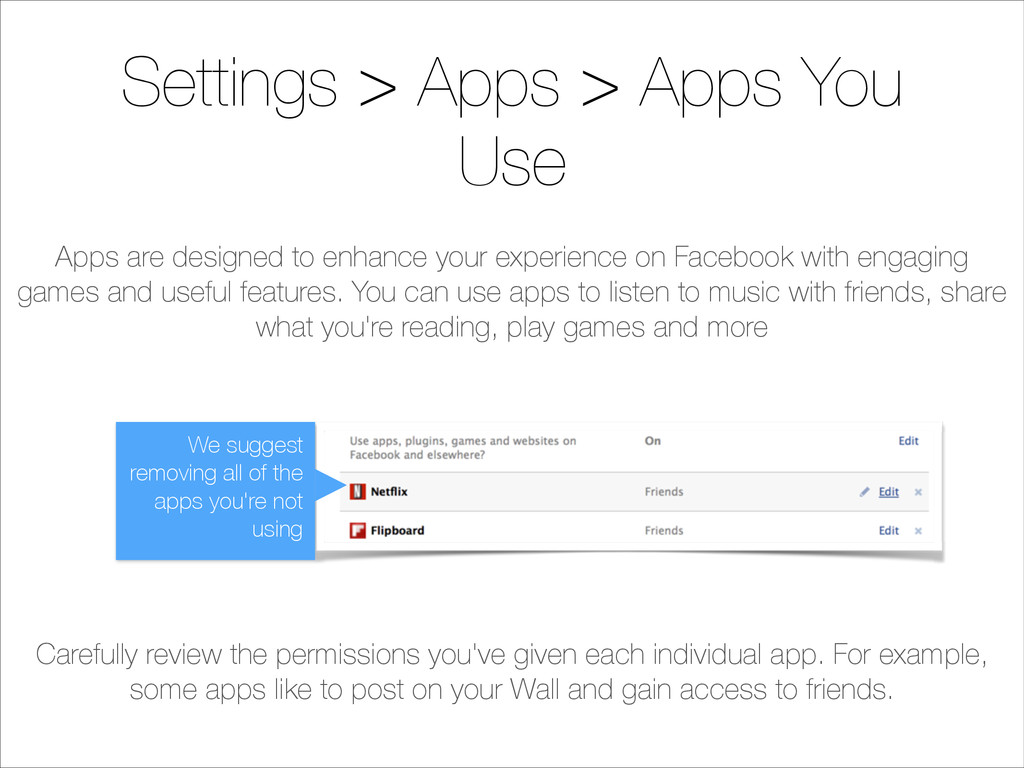
  6. Settings > Apps > Apps You Use Carefully review the

    permissions you've given each individual app. For example, some apps like to post on your Wall and gain access to friends. We suggest removing all of the apps you're not using Apps are designed to enhance your experience on Facebook with engaging games and useful features. You can use apps to listen to music with friends, share what you're reading, play games and more
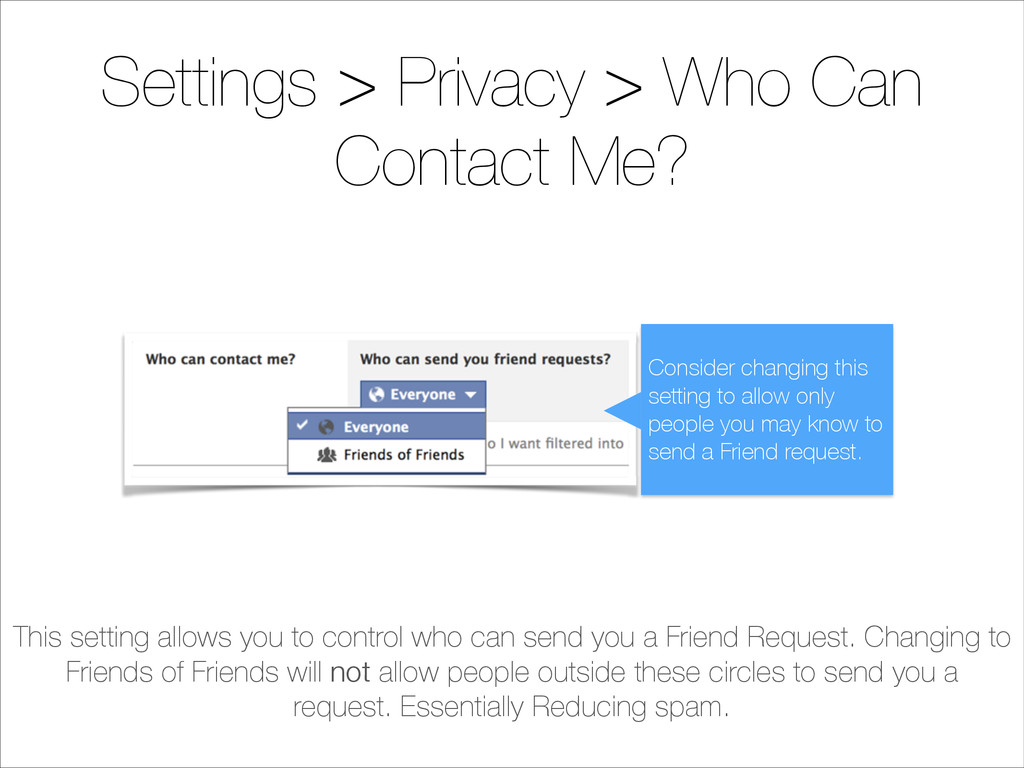
  7. Settings > Privacy > Who Can Contact Me? This setting

    allows you to control who can send you a Friend Request. Changing to Friends of Friends will not allow people outside these circles to send you a request. Essentially Reducing spam. Consider changing this setting to allow only people you may know to send a Friend request.
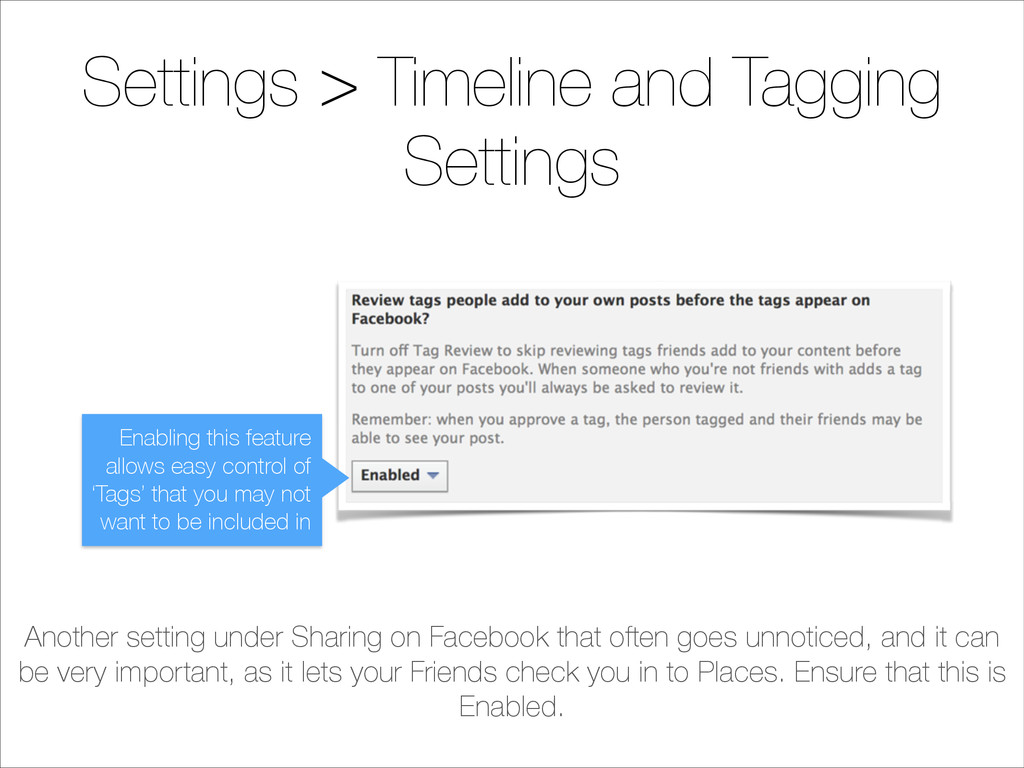
  8. Settings > Timeline and Tagging Settings Another setting under Sharing

    on Facebook that often goes unnoticed, and it can be very important, as it lets your Friends check you in to Places. Ensure that this is Enabled. Enabling this feature allows easy control of ‘Tags’ that you may not want to be included in
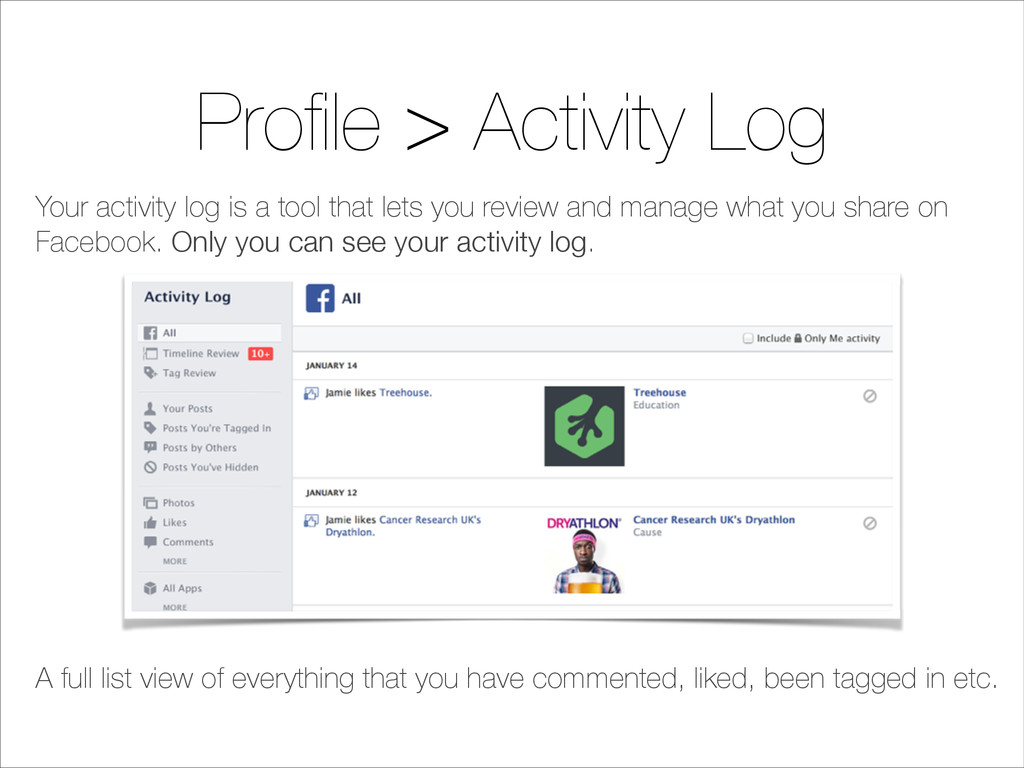
  9. Profile > Activity Log Your activity log is a tool

    that lets you review and manage what you share on Facebook. Only you can see your activity log. A full list view of everything that you have commented, liked, been tagged in etc.
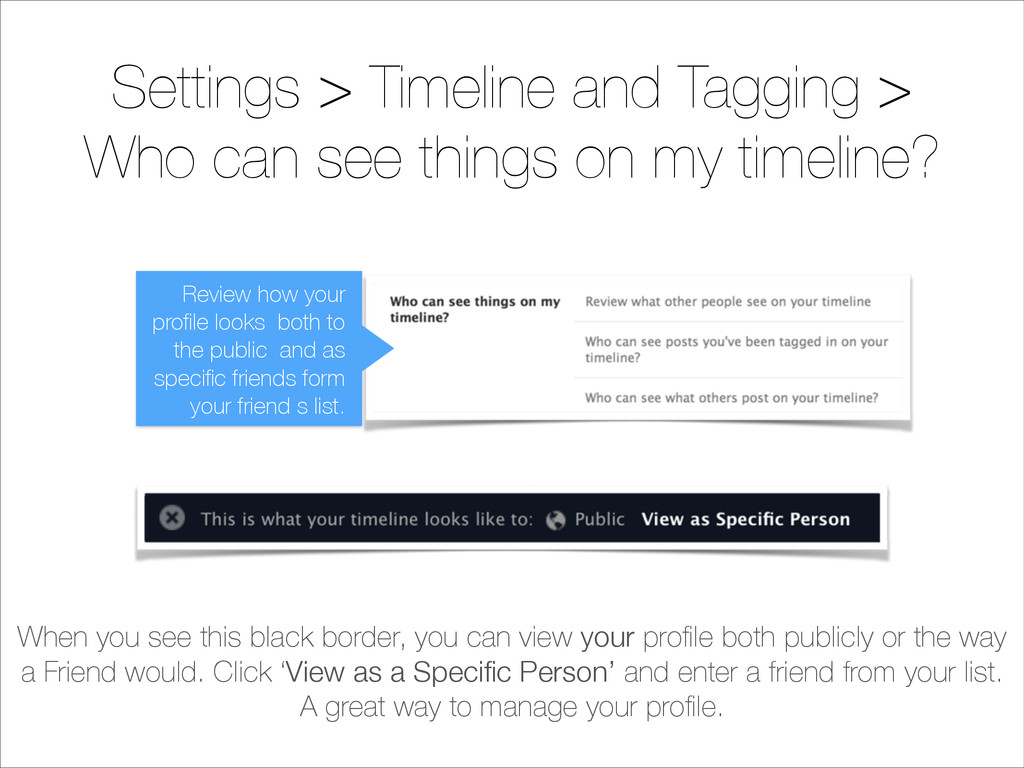
  10. Settings > Timeline and Tagging > Who can see things

    on my timeline? When you see this black border, you can view your profile both publicly or the way a Friend would. Click ‘View as a Specific Person’ and enter a friend from your list. A great way to manage your profile. Review how your profile looks both to the public and as specific friends form your friend s list.
  11. Facebook Privacy: 10 Settings You Need to Know eSafety Acknowledgements:

    facebook.com/help shoeboxblog.com mashable.com ammacentre.org