Upgrade to Pro — share decks privately, control downloads, hide ads and more …

Intro to Amazon SWF and simpleflow

Sponsored · SiteGround - Reliable hosting with speed, security, and support you can count on.

Intro to Amazon SWF and simpleflow

This presentation provides an overview of Amazon Simple Workflow (aka SWF) and some details about the python high-level library simpleflow developed by Botify. If you're interested in simpleflow or Amazon SWF, don't hesitate to drop a message to me or an issue in our Github tracker!

Avatar for Jean-Baptiste Barth

Jean-Baptiste Barth

December 02, 2015
Tweet

More Decks by Jean-Baptiste Barth

Other Decks in Programming

Transcript

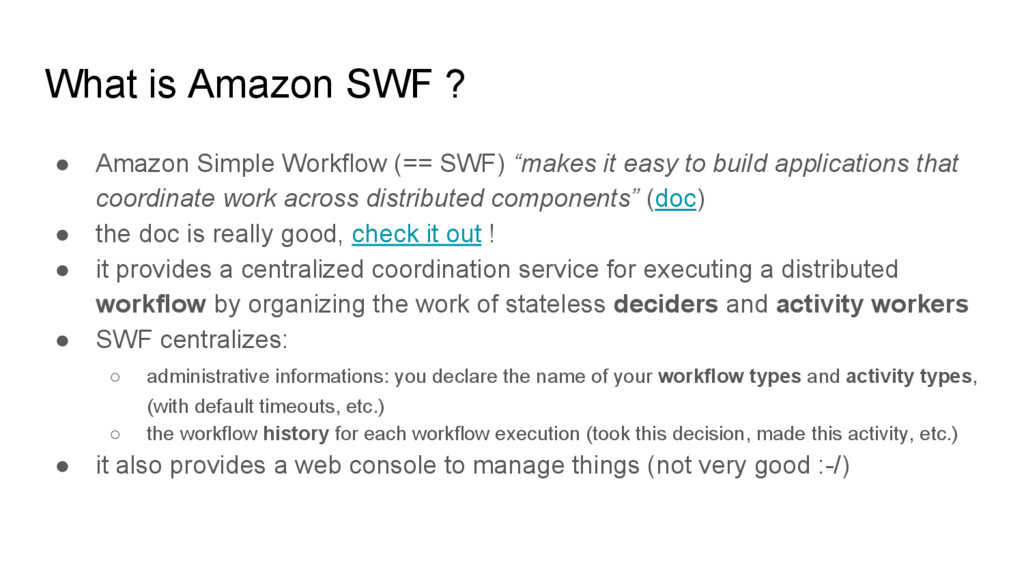
  1. What is Amazon SWF ? • Amazon Simple Workflow (==

    SWF) “makes it easy to build applications that coordinate work across distributed components” (doc) • the doc is really good, check it out ! • it provides a centralized coordination service for executing a distributed workflow by organizing the work of stateless deciders and activity workers • SWF centralizes: ◦ administrative informations: you declare the name of your workflow types and activity types, (with default timeouts, etc.) ◦ the workflow history for each workflow execution (took this decision, made this activity, etc.) • it also provides a web console to manage things (not very good :-/)
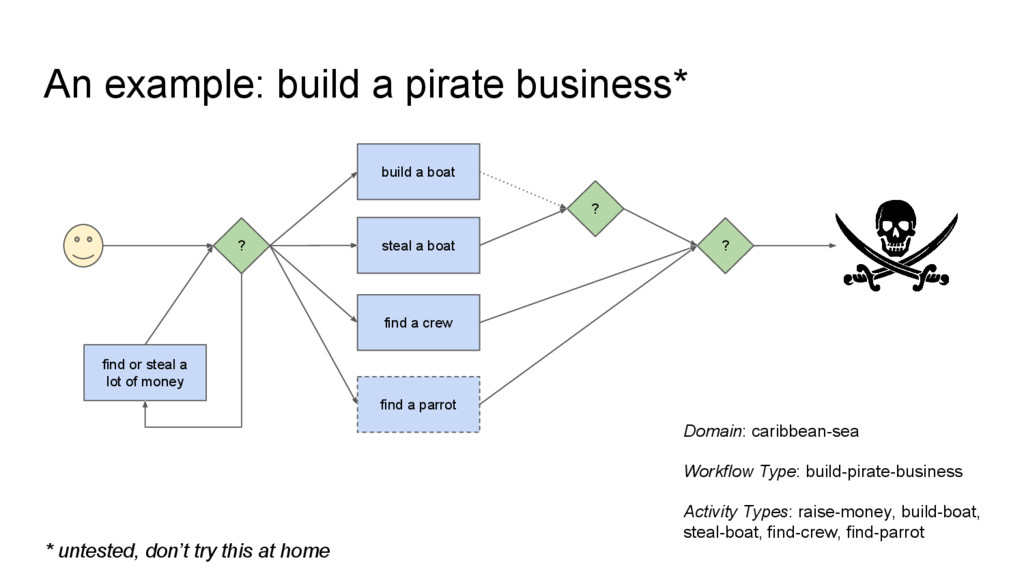
  2. An example: build a pirate business* find or steal a

    lot of money ? build a boat * untested, don’t try this at home steal a boat find a crew ? find a parrot ? Domain: caribbean-sea Workflow Type: build-pirate-business Activity Types: raise-money, build-boat, steal-boat, find-crew, find-parrot
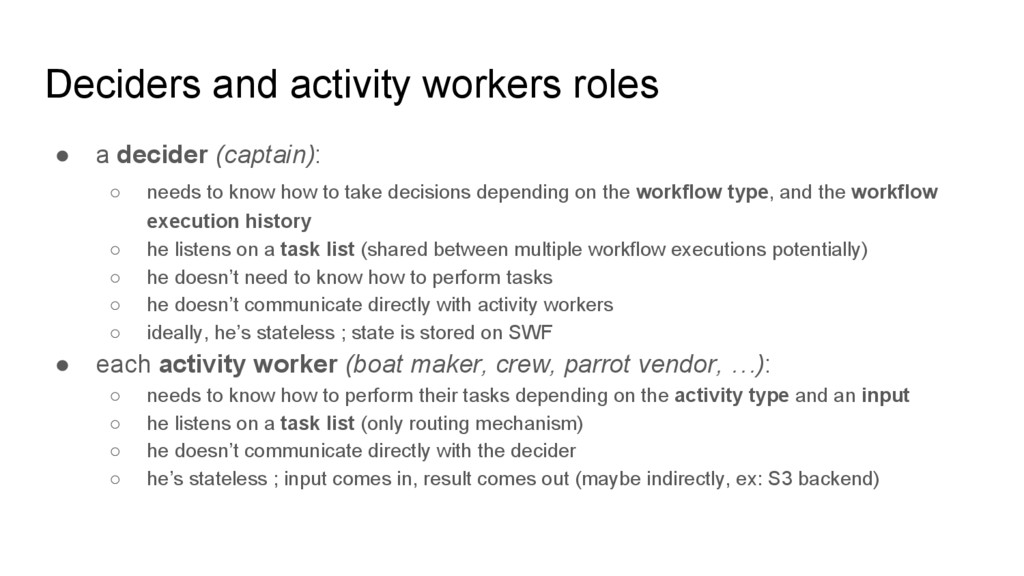
  3. Deciders and activity workers roles • a decider (captain): ◦

    needs to know how to take decisions depending on the workflow type, and the workflow execution history ◦ he listens on a task list (shared between multiple workflow executions potentially) ◦ he doesn’t need to know how to perform tasks ◦ he doesn’t communicate directly with activity workers ◦ ideally, he’s stateless ; state is stored on SWF • each activity worker (boat maker, crew, parrot vendor, …): ◦ needs to know how to perform their tasks depending on the activity type and an input ◦ he listens on a task list (only routing mechanism) ◦ he doesn’t communicate directly with the decider ◦ he’s stateless ; input comes in, result comes out (maybe indirectly, ex: S3 backend)
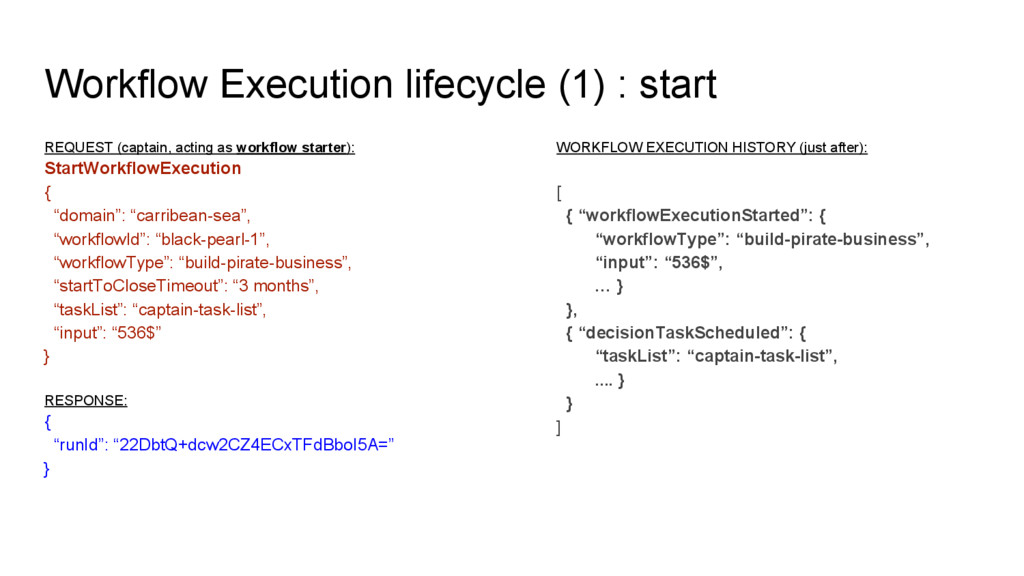
  4. Workflow Execution lifecycle (1) : start REQUEST (captain, acting as

    workflow starter): StartWorkflowExecution { “domain”: “carribean-sea”, “workflowId”: “black-pearl-1”, “workflowType”: “build-pirate-business”, “startToCloseTimeout”: “3 months”, “taskList”: “captain-task-list”, “input”: “536$” } RESPONSE: { “runId”: “22DbtQ+dcw2CZ4ECxTFdBboI5A=” } WORKFLOW EXECUTION HISTORY (just after): [ { “workflowExecutionStarted”: { “workflowType”: “build-pirate-business”, “input”: “536$”, … } }, { “decisionTaskScheduled”: { “taskList”: “captain-task-list”, .... } } ]
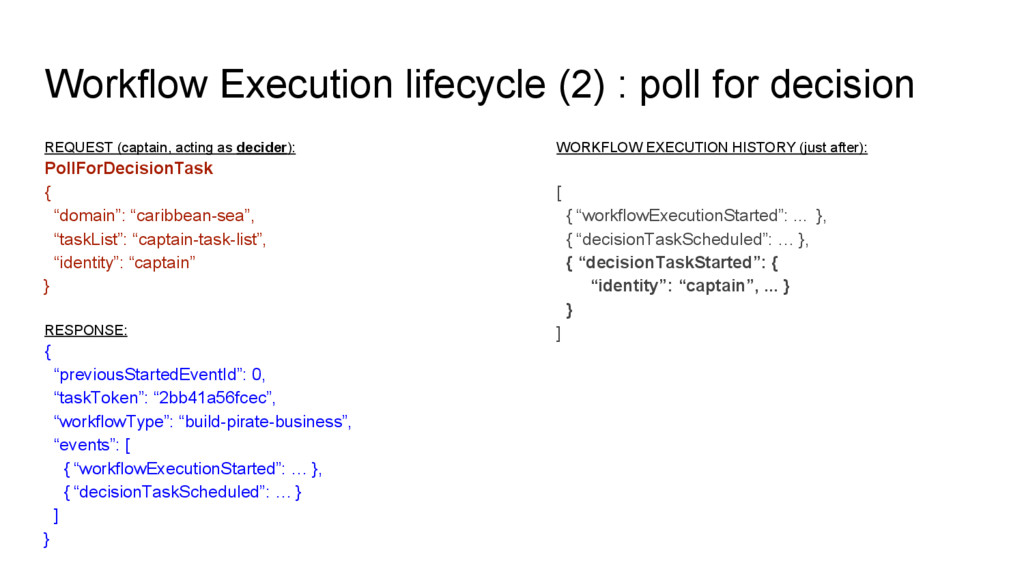
  5. Workflow Execution lifecycle (2) : poll for decision REQUEST (captain,

    acting as decider): PollForDecisionTask { “domain”: “caribbean-sea”, “taskList”: “captain-task-list”, “identity”: “captain” } RESPONSE: { “previousStartedEventId”: 0, “taskToken”: “2bb41a56fcec”, “workflowType”: “build-pirate-business”, “events”: [ { “workflowExecutionStarted”: … }, { “decisionTaskScheduled”: … } ] } WORKFLOW EXECUTION HISTORY (just after): [ { “workflowExecutionStarted”: ... }, { “decisionTaskScheduled”: … }, { “decisionTaskStarted”: { “identity”: “captain”, ... } } ]
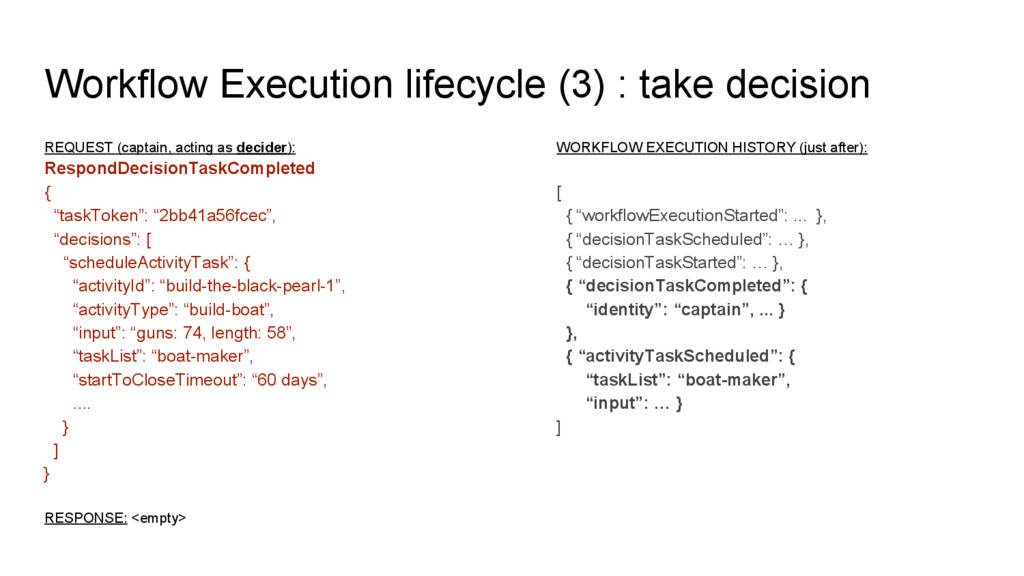
  6. Workflow Execution lifecycle (3) : take decision REQUEST (captain, acting

    as decider): RespondDecisionTaskCompleted { “taskToken”: “2bb41a56fcec”, “decisions”: [ “scheduleActivityTask”: { “activityId”: “build-the-black-pearl-1”, “activityType”: “build-boat”, “input”: “guns: 74, length: 58”, “taskList”: “boat-maker”, “startToCloseTimeout”: “60 days”, .... } ] } RESPONSE: <empty> WORKFLOW EXECUTION HISTORY (just after): [ { “workflowExecutionStarted”: ... }, { “decisionTaskScheduled”: … }, { “decisionTaskStarted”: … }, { “decisionTaskCompleted”: { “identity”: “captain”, ... } }, { “activityTaskScheduled”: { “taskList”: “boat-maker”, “input”: … } ]
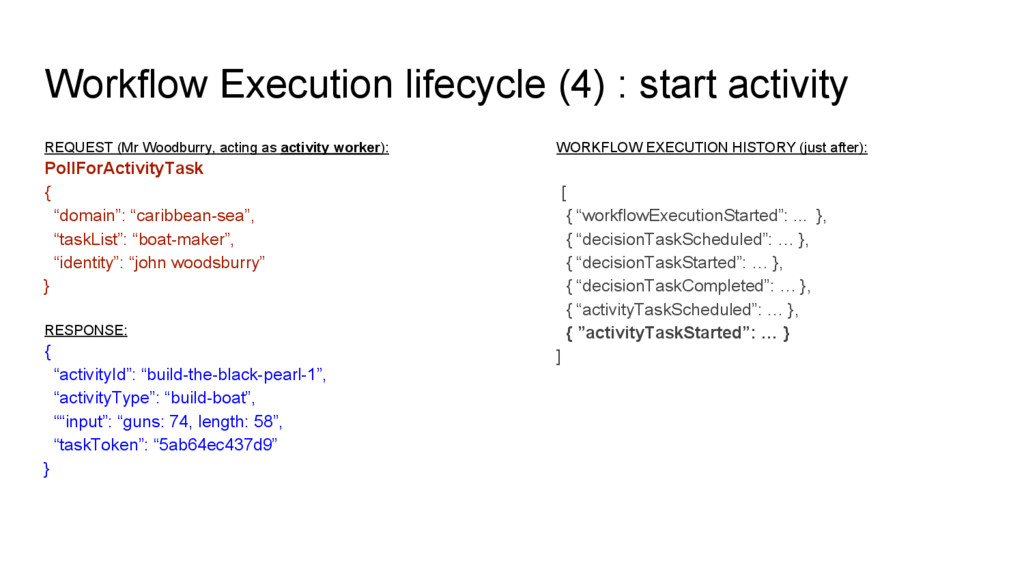
  7. Workflow Execution lifecycle (4) : start activity REQUEST (Mr Woodburry,

    acting as activity worker): PollForActivityTask { “domain”: “caribbean-sea”, “taskList”: “boat-maker”, “identity”: “john woodsburry” } RESPONSE: { “activityId”: “build-the-black-pearl-1”, “activityType”: “build-boat”, ““input”: “guns: 74, length: 58”, “taskToken”: “5ab64ec437d9” } WORKFLOW EXECUTION HISTORY (just after): [ { “workflowExecutionStarted”: ... }, { “decisionTaskScheduled”: … }, { “decisionTaskStarted”: … }, { “decisionTaskCompleted”: … }, { “activityTaskScheduled”: … }, { ”activityTaskStarted”: … } ]
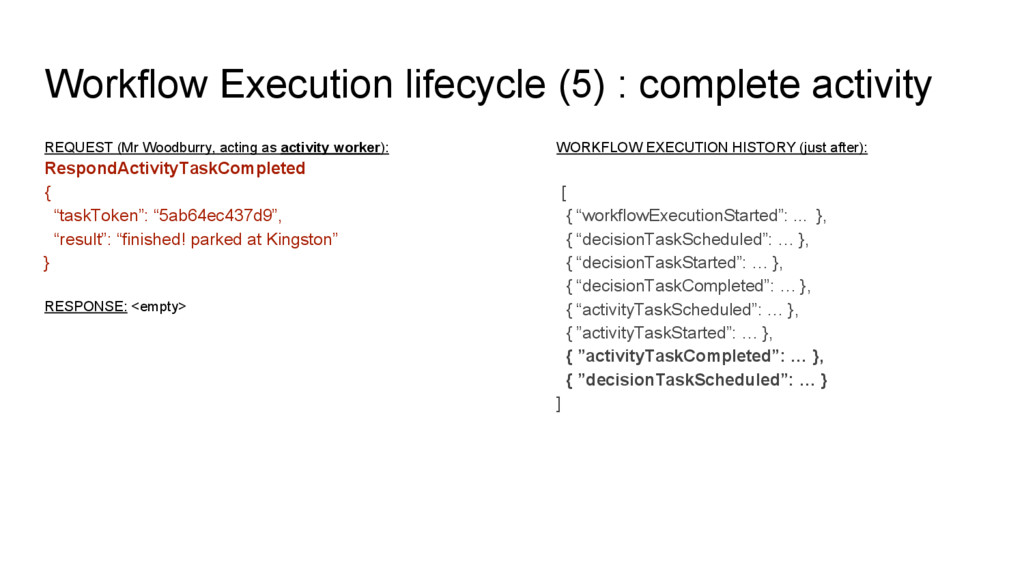
  8. Workflow Execution lifecycle (5) : complete activity REQUEST (Mr Woodburry,

    acting as activity worker): RespondActivityTaskCompleted { “taskToken”: “5ab64ec437d9”, “result”: “finished! parked at Kingston” } RESPONSE: <empty> WORKFLOW EXECUTION HISTORY (just after): [ { “workflowExecutionStarted”: ... }, { “decisionTaskScheduled”: … }, { “decisionTaskStarted”: … }, { “decisionTaskCompleted”: … }, { “activityTaskScheduled”: … }, { ”activityTaskStarted”: … }, { ”activityTaskCompleted”: … }, { ”decisionTaskScheduled”: … } ]
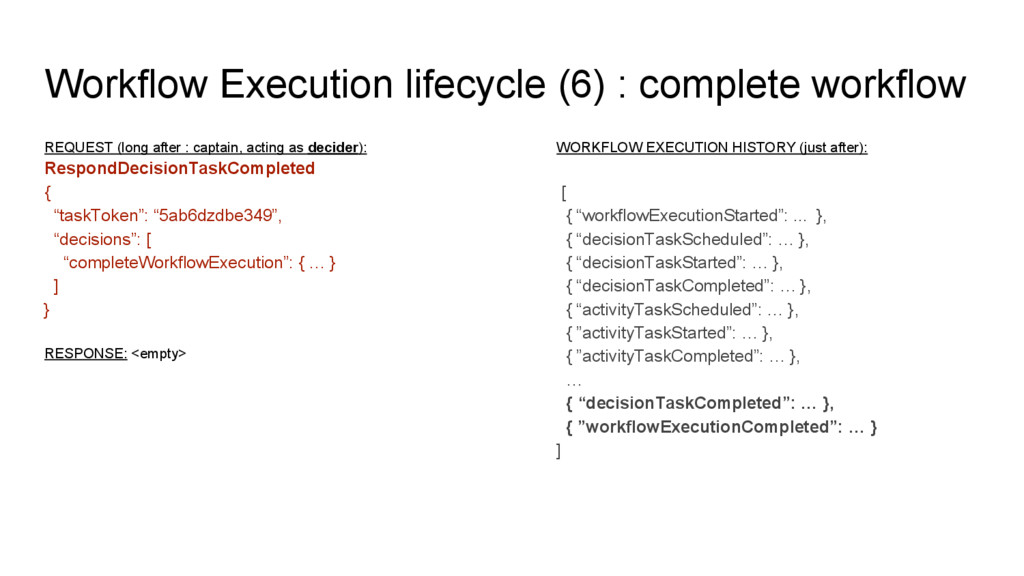
  9. Workflow Execution lifecycle (6) : complete workflow REQUEST (long after

    : captain, acting as decider): RespondDecisionTaskCompleted { “taskToken”: “5ab6dzdbe349”, “decisions”: [ “completeWorkflowExecution”: { … } ] } RESPONSE: <empty> WORKFLOW EXECUTION HISTORY (just after): [ { “workflowExecutionStarted”: ... }, { “decisionTaskScheduled”: … }, { “decisionTaskStarted”: … }, { “decisionTaskCompleted”: … }, { “activityTaskScheduled”: … }, { ”activityTaskStarted”: … }, { ”activityTaskCompleted”: … }, … { “decisionTaskCompleted”: … }, { ”workflowExecutionCompleted”: … } ]
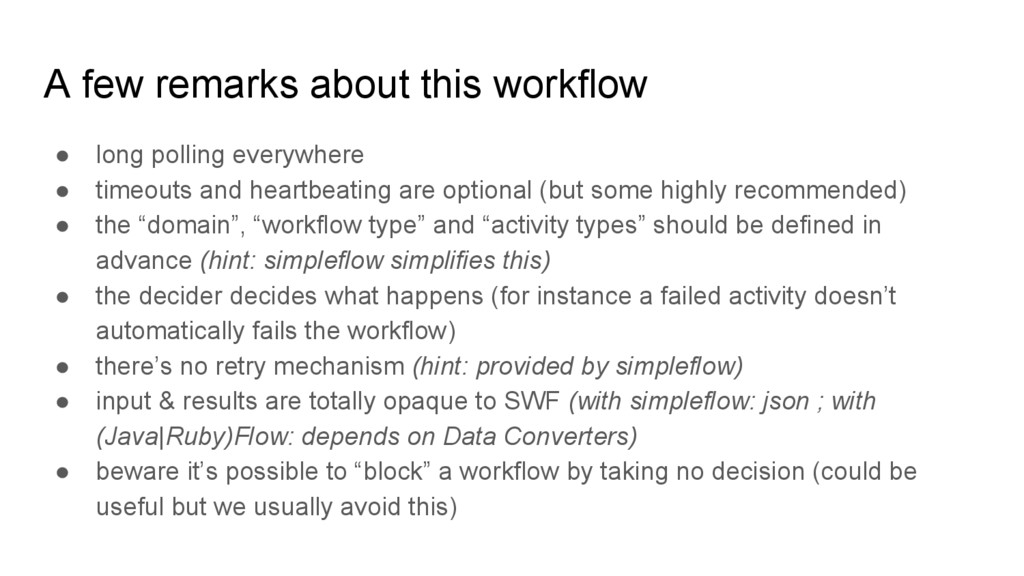
  10. A few remarks about this workflow • long polling everywhere

    • timeouts and heartbeating are optional (but some highly recommended) • the “domain”, “workflow type” and “activity types” should be defined in advance (hint: simpleflow simplifies this) • the decider decides what happens (for instance a failed activity doesn’t automatically fails the workflow) • there’s no retry mechanism (hint: provided by simpleflow) • input & results are totally opaque to SWF (with simpleflow: json ; with (Java|Ruby)Flow: depends on Data Converters) • beware it’s possible to “block” a workflow by taking no decision (could be useful but we usually avoid this)
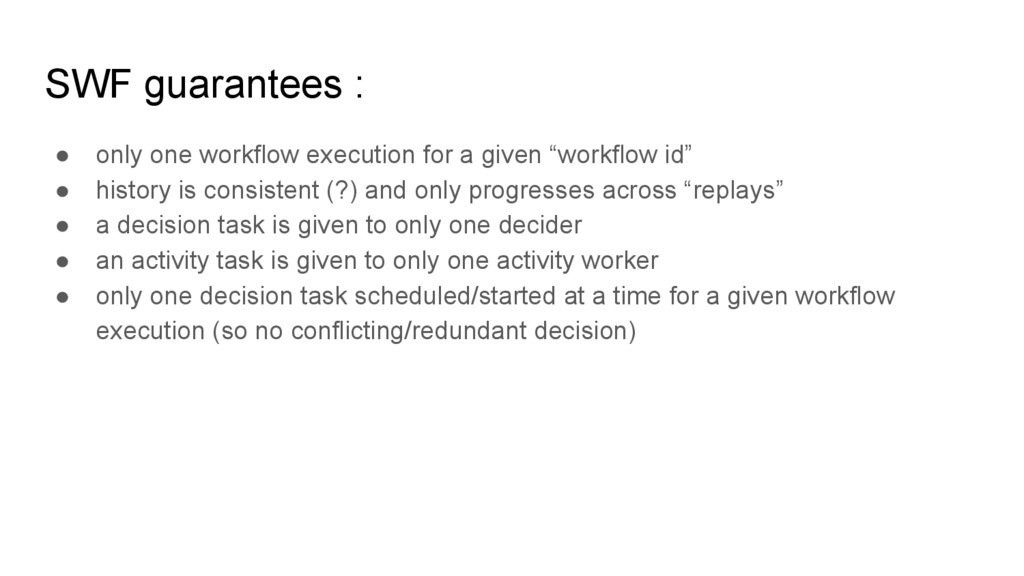
  11. SWF guarantees : • only one workflow execution for a

    given “workflow id” • history is consistent (?) and only progresses across “replays” • a decision task is given to only one decider • an activity task is given to only one activity worker • only one decision task scheduled/started at a time for a given workflow execution (so no conflicting/redundant decision)
  12. SWF advanced concepts • Versionning (but task lists are still

    the only routing mechanism) • Tags (for finding workflow executions based on key=value) • ChildWorkflow (for grouping / isolating specific workflows) • Continuation Workflow (for permanent/long tasks) • Task Priorities (escapes the default FIFO) • Lambda tasks (== the activity worker is AWS Lambda) • Markers (ex: insert progress, retry/loop count, or consolidated history, ...) • Signals (ex: pause/resume, change input/conditions, …)
  13. Python libraries (1): boto, simple-workflow • boto.swf: ◦ Layer1: maps

    with SWF endpoints ◦ Layer1.decisions: helpers for easing decisions generation ◦ Layer2: object-oriented access above Layer1 (never used myself) • simple-workflow : ◦ above boto.swf.Layer1 (doesn’t use Layer1.decisions, Layer2) ◦ class-based abstractions for SWF objects (models, django-like querysets) ◦ basic actors for modelling a decider, worker, heartbeater ◦ object-oriented history/events ◦ object-oriented decisions making
  14. Python libraries (2): simpleflow • from simpleflow README: ◦ Future

    abstraction to define dependencies between tasks ◦ Define asynchronous tasks from callables ◦ Handle workflows with Amazon SWF ◦ Implement replay behavior like the Amazon Flow framework ◦ Handle retry of tasks that failed ◦ Automatically register decorated tasks ◦ Handle the completion of a decision with more than 100 tasks ◦ Provides a local executor to check a workflow without Amazon SWF (simpleflow --local) ◦ Provides decider and activity worker process for execution with Amazon SWF ◦ Ships with the simpleflow command
  15. Python libraries (3): simpleflow* • I add: ◦ Smart task

    naming for workflow with variable geometry (idempotent tasks) ◦ Various limits protections (like max open activities == 1000) ; needs some work though ◦ (soon!) smart routing via task list override ◦ (soon!) full support for child workflows (already something, not sure if works...) ◦ (soon!) tasks chaining and grouping ◦ (soon!) flexible task definition (callable OR class OR class instance) ◦ (soon!) smart data converters like Amazon Flow (json, S3, …) ◦ (soon!) soft limits for number of running activity tasks (< # workers) ◦ and maybe: EC2 helpers? checkpoints? metrology? execution history comparisons? • the goal is to make simpleflow complete-enough so you only have to write your business logic above it • other goals = simplify usage, better tests
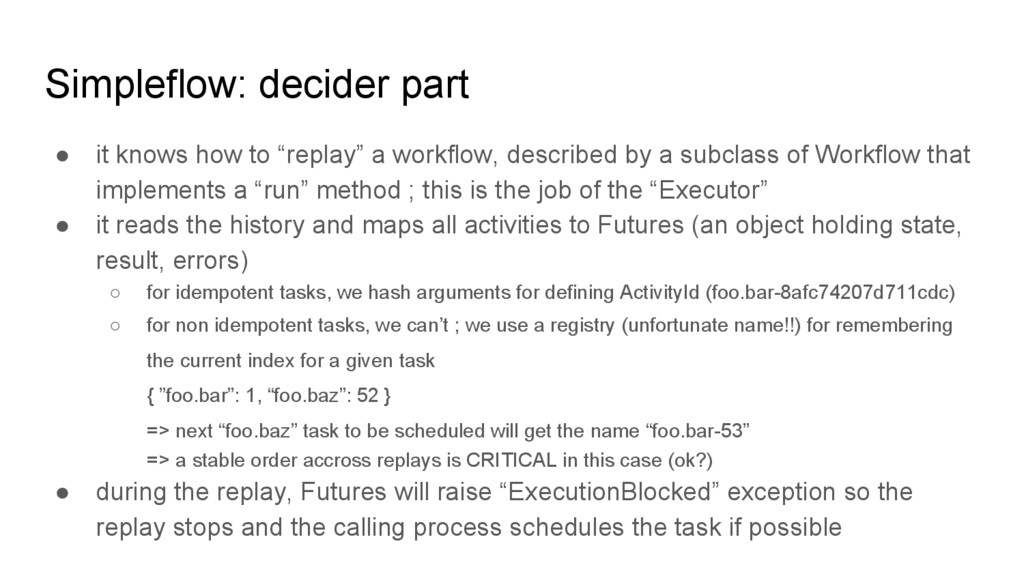
  16. Simpleflow: decider part • it knows how to “replay” a

    workflow, described by a subclass of Workflow that implements a “run” method ; this is the job of the “Executor” • it reads the history and maps all activities to Futures (an object holding state, result, errors) ◦ for idempotent tasks, we hash arguments for defining ActivityId (foo.bar-8afc74207d711cdc) ◦ for non idempotent tasks, we can’t ; we use a registry (unfortunate name!!) for remembering the current index for a given task { ”foo.bar”: 1, “foo.baz”: 52 } => next “foo.baz” task to be scheduled will get the name “foo.bar-53” => a stable order accross replays is CRITICAL in this case (ok?) • during the replay, Futures will raise “ExecutionBlocked” exception so the replay stops and the calling process schedules the task if possible
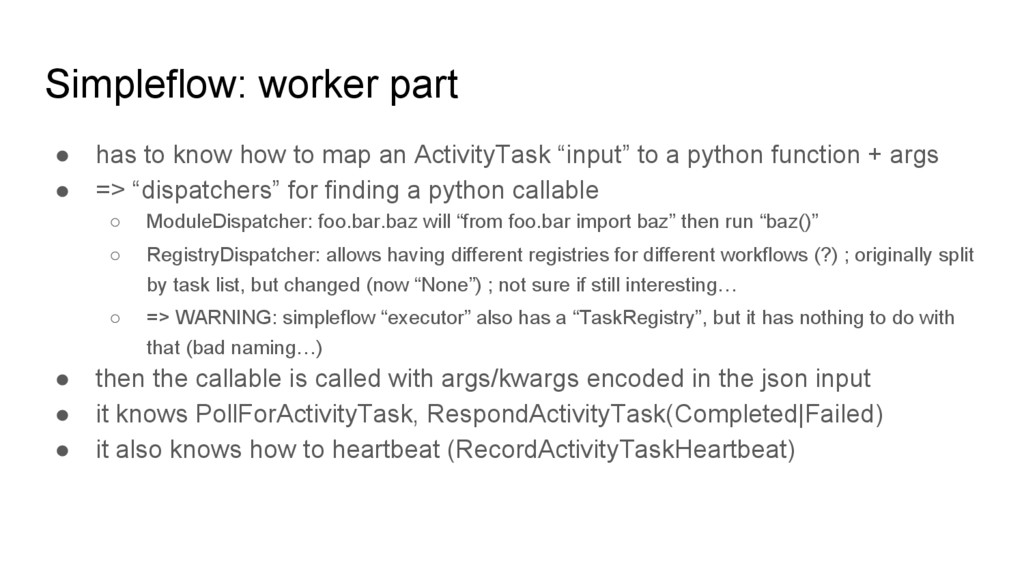
  17. Simpleflow: worker part • has to know how to map

    an ActivityTask “input” to a python function + args • => “dispatchers” for finding a python callable ◦ ModuleDispatcher: foo.bar.baz will “from foo.bar import baz” then run “baz()” ◦ RegistryDispatcher: allows having different registries for different workflows (?) ; originally split by task list, but changed (now “None”) ; not sure if still interesting… ◦ => WARNING: simpleflow “executor” also has a “TaskRegistry”, but it has nothing to do with that (bad naming…) • then the callable is called with args/kwargs encoded in the json input • it knows PollForActivityTask, RespondActivityTask(Completed|Failed) • it also knows how to heartbeat (RecordActivityTaskHeartbeat)
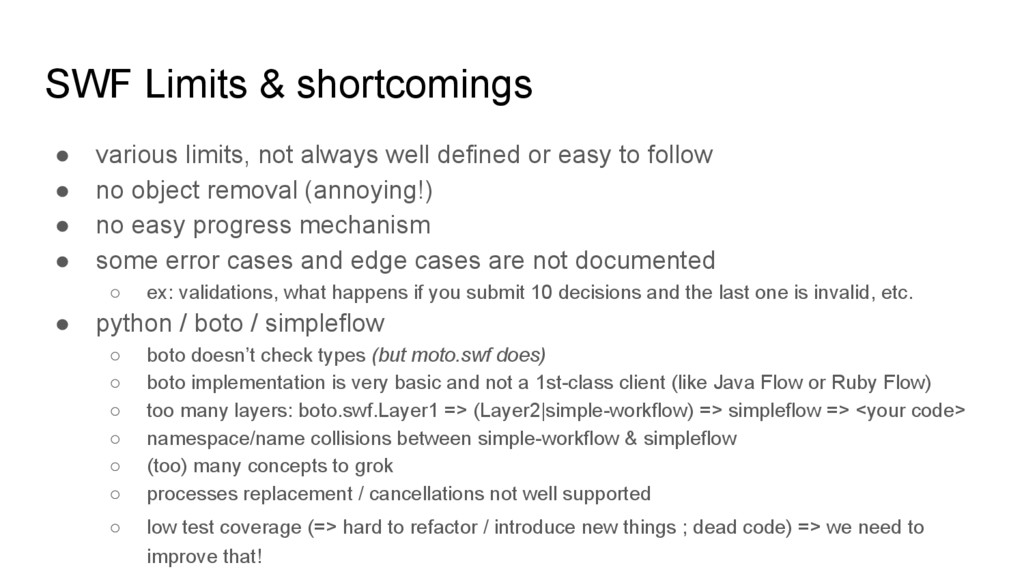
  18. SWF Limits & shortcomings • various limits, not always well

    defined or easy to follow • no object removal (annoying!) • no easy progress mechanism • some error cases and edge cases are not documented ◦ ex: validations, what happens if you submit 10 decisions and the last one is invalid, etc. • python / boto / simpleflow ◦ boto doesn’t check types (but moto.swf does) ◦ boto implementation is very basic and not a 1st-class client (like Java Flow or Ruby Flow) ◦ too many layers: boto.swf.Layer1 => (Layer2|simple-workflow) => simpleflow => <your code> ◦ namespace/name collisions between simple-workflow & simpleflow ◦ (too) many concepts to grok ◦ processes replacement / cancellations not well supported ◦ low test coverage (=> hard to refactor / introduce new things ; dead code) => we need to improve that!