Upgrade to Pro
— share decks privately, control downloads, hide ads and more …
Speaker Deck
Sign up for free
Menu
Search
Features
All features
Private URLs
Password Protection
Custom URLS
Scheduled publishing
Remove Branding
Restrict embedding
Deck Collections
Notes
Features
All features
Private URLs
Password Protection
Custom URLS
Scheduled publishing
Remove Branding
Restrict embedding
Deck Collections
Notes
Explore
Featured decks
Featured speakers
Programming
Technology
Storyboards
Explore
Featured decks
Featured speakers
Programming
Technology
Storyboards
Pricing
Search
Sign in
Sign up for free
ALBの疎通確認をWebサーバーなしでやる
Search
jhashimoto
June 18, 2026
Technology
150
0
Share
Embed
Copy iframe code
Copy JS code
Copy link
Start on current slide
ALBの疎通確認をWebサーバーなしでやる
JAWS-UG 群馬 #35登壇資料
jhashimoto
June 18, 2026
More Decks by jhashimoto
See All by jhashimoto
SteampipeとExcel Power QueryでAWS構成定義書の作成を自動化する
jhashimoto
0
970
EdgeプロファイルでAWSアカウントを安全に使い分ける
jhashimoto
0
210
初めてのAWS / The first AWS
jhashimoto
0
330
AWS Data Pipelineを本番投入してみた話
jhashimoto
1
1.3k
AWS Lambdaで始めるサーバーレスアーキテクチャ
jhashimoto
0
290
Amazon S3の紹介
jhashimoto
0
310
クラウド最初の一歩
jhashimoto
0
430
Other Decks in Technology
See All in Technology
Turning Repos into the Product Second Brain with an LLM Wiki
linedevth
0
140
freeeにおけるSoftware Factory
freee
PRO
0
320
How to teach your AI Agent with Agent skills
linedevth
0
110
古い指輪から広がった JAVA コミュニティ とのつながり
yamad
0
140
シンプルな設定ファイルで実現する AWS IAM Identity Center の ユーザー管理Terraformフレームワークを公開しました / Simplifying AWS IAM Identity Center User Management: An Open-Source Terraform Framework
yamaguchitk333
0
220
トークン化預金DCJPYの取り組みと活用ユースケース
finengine
0
230
[EMNLP26] RIGEL: Self-Distilled Score Adaptation for Image and Video Captioning Evaluation
keio_smilab
PRO
0
120
[JAWS-UG彩の国埼玉#12]そろそろ準備する?re:Invent2026をやさしく解説 / reinvent2026-sainokuni
sh_fk2
1
400
AIをリアル世界に解き放つ 〜M5Stack×AIであなたのアイディアを手の平に〜
hamadakoji
1
360
日本AIベンチャーレポート2026
kentarofujii
0
120
dbt Semantic Layerで進めるenechainのデータ民主化
akizhou
1
220
React改造してみた
tsukina_7mochi
0
150
Featured
See All Featured
Lightning talk: Run Django tests with GitHub Actions
sabderemane
0
300
Organizational Design Perspectives: An Ontology of Organizational Design Elements
kimpetersen
PRO
1
860
Design in an AI World
tapps
1
360
The SEO Collaboration Effect
kristinabergwall1
1
600
Leveraging LLMs for student feedback in introductory data science courses - posit::conf(2025)
minecr
1
450
Bridging the Design Gap: How Collaborative Modelling removes blockers to flow between stakeholders and teams @FastFlow conf
baasie
0
740
How to Ace a Technical Interview
jacobian
280
24k
The agentic SEO stack - context over prompts
schlessera
0
970
Lessons Learnt from Crawling 1000+ Websites
charlesmeaden
PRO
1
1.6k
Facilitating Awesome Meetings
lara
57
7.2k
What does AI have to do with Human Rights?
axbom
PRO
1
2.5k
How to build a perfect <img>
jonoalderson
1
6.1k
Transcript
ALB の疎通確認をWeb サーバーなしでやる JAWS-UG 群馬 #35 10 分LT JAWS-UG 群馬
#35 1 / 14
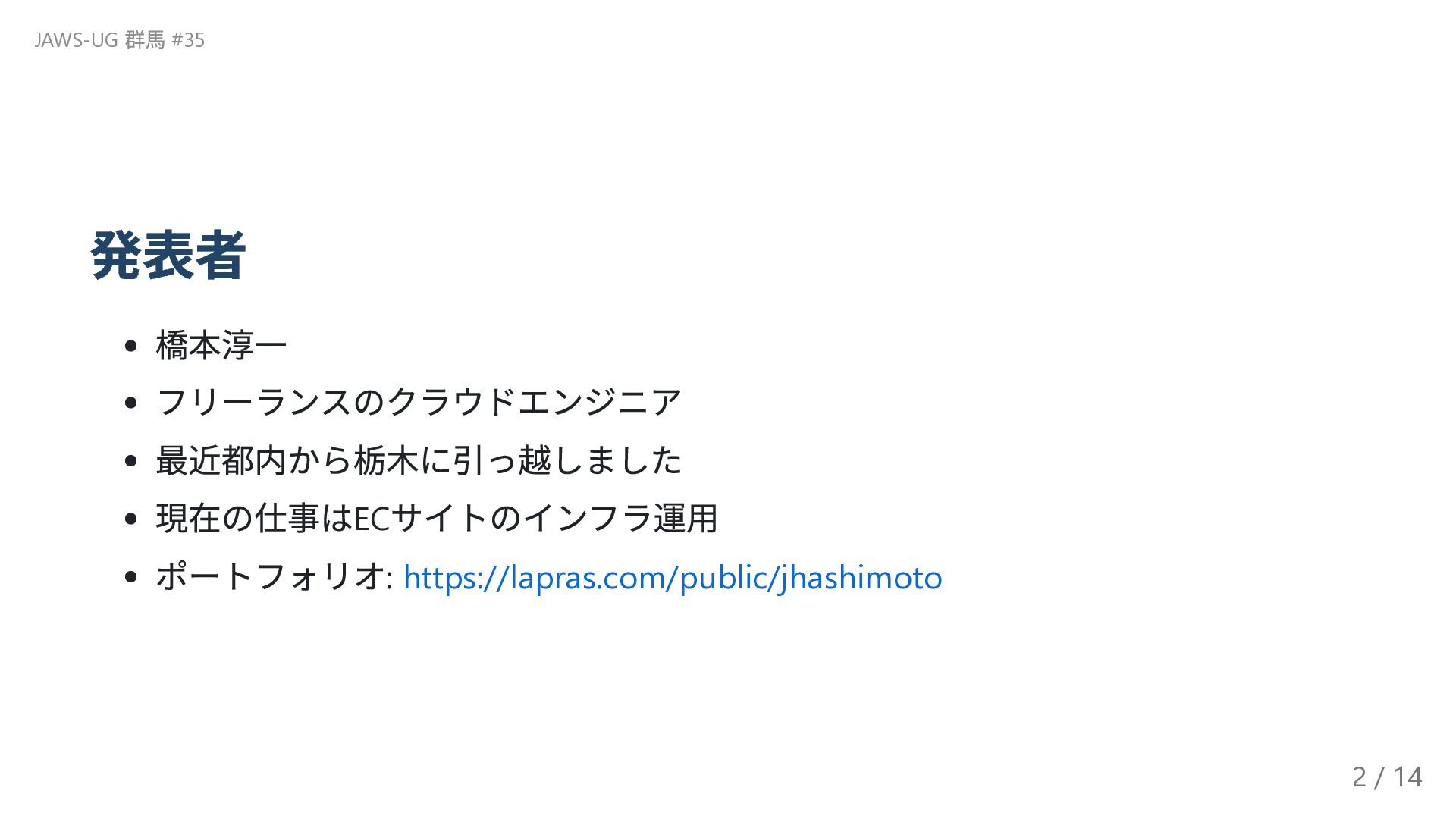
発表者 橋本淳一 フリーランスのクラウドエンジニア 最近都内から栃木に引っ越しました 現在の仕事はEC サイトのインフラ運用 ポートフォリオ: https://lapras.com/public/jhashimoto JAWS-UG 群馬
#35 2 / 14
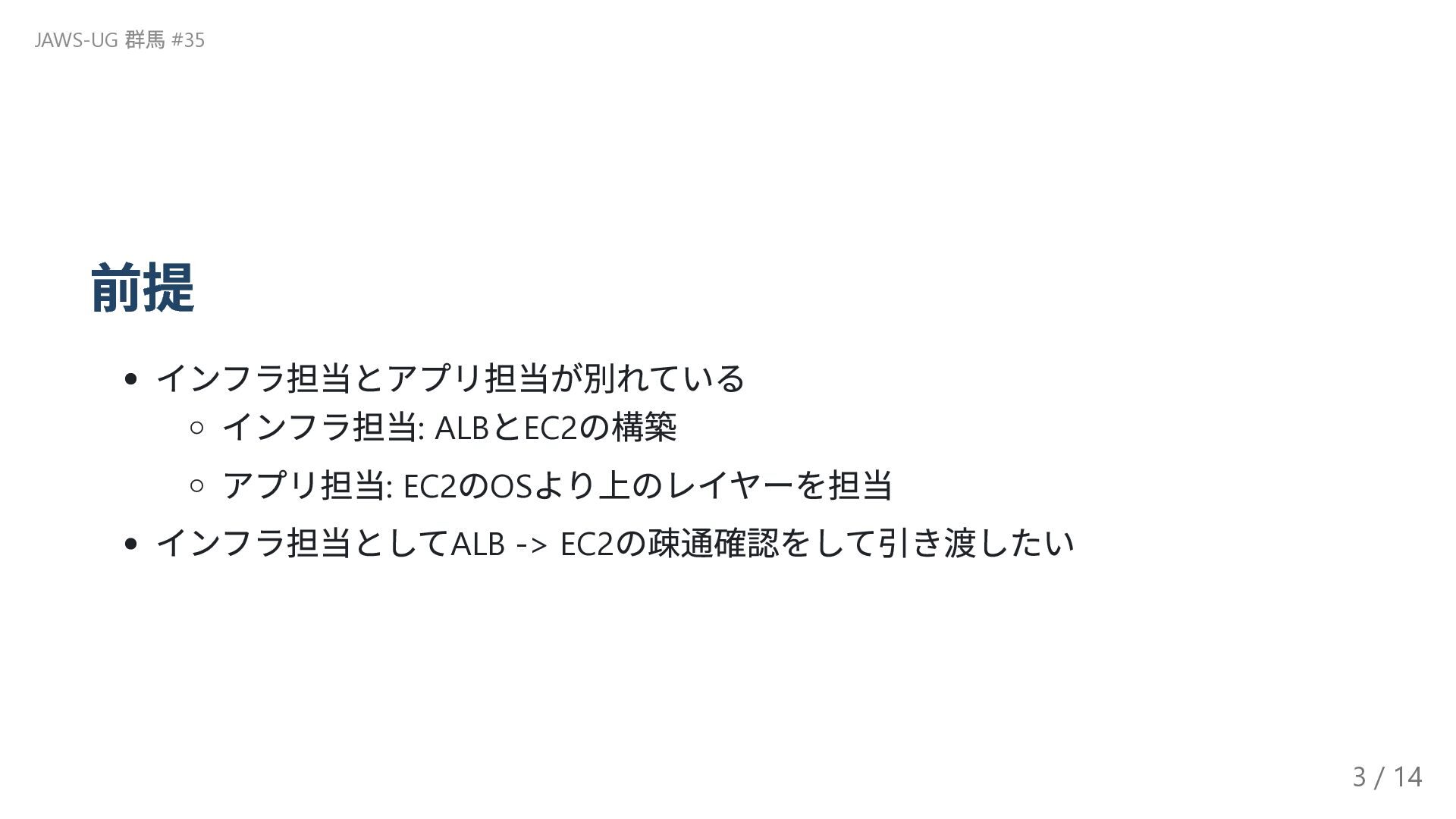
前提 インフラ担当とアプリ担当が別れている インフラ担当: ALB とEC2 の構築 アプリ担当: EC2 のOS より上のレイヤーを担当
インフラ担当としてALB -> EC2 の疎通確認をして引き渡したい JAWS-UG 群馬 #35 3 / 14
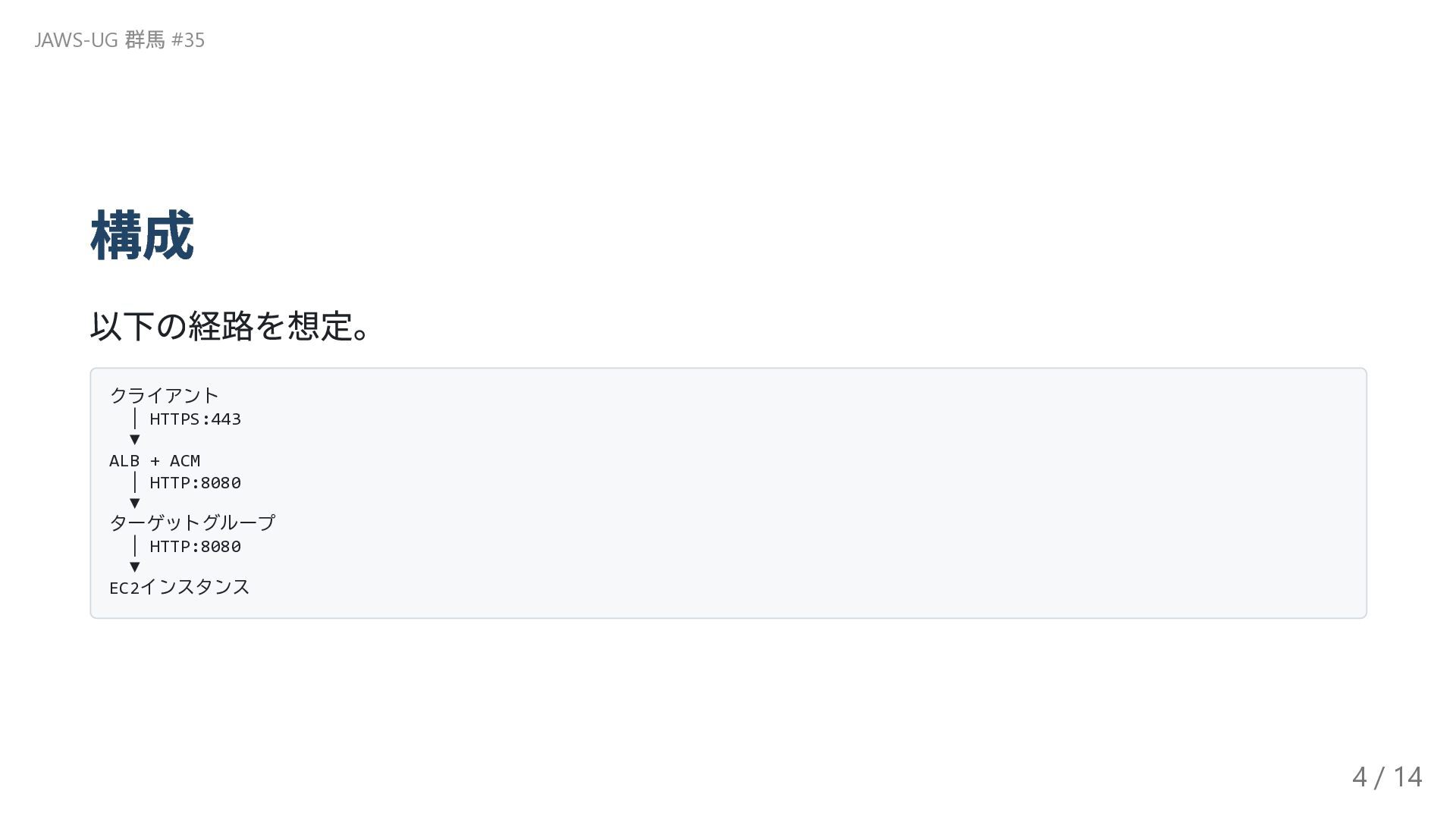
構成 以下の経路を想定。 クライアント │ HTTPS:443 ▼ ALB + ACM │
HTTP:8080 ▼ ターゲットグループ │ HTTP:8080 ▼ EC2インスタンス JAWS-UG 群馬 #35 4 / 14
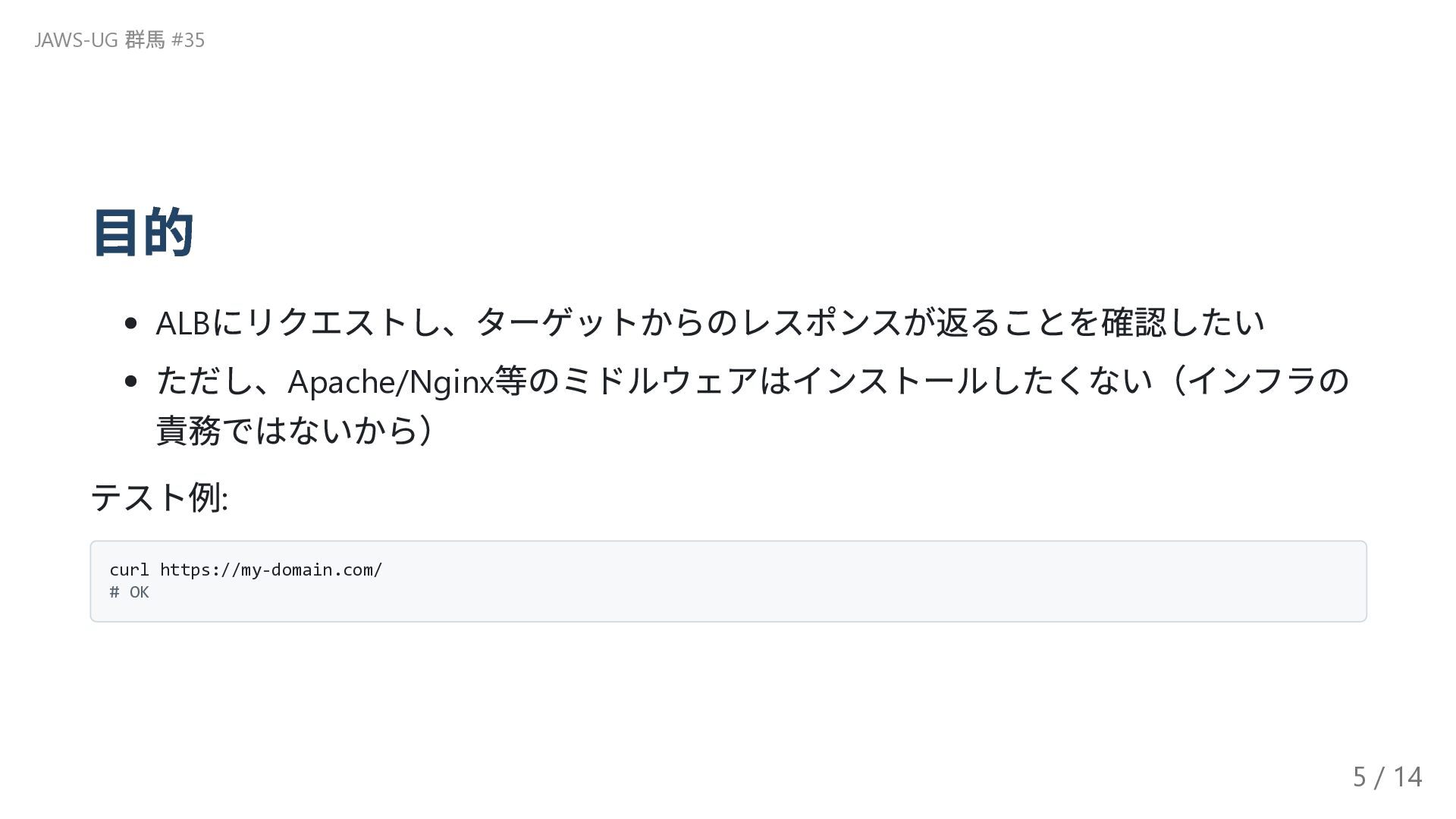
目的 ALB にリクエストし、ターゲットからのレスポンスが返ることを確認したい ただし、Apache/Nginx 等のミドルウェアはインストールしたくない(インフラの 責務ではないから) テスト例: curl https://my-domain.com/ #
OK JAWS-UG 群馬 #35 5 / 14
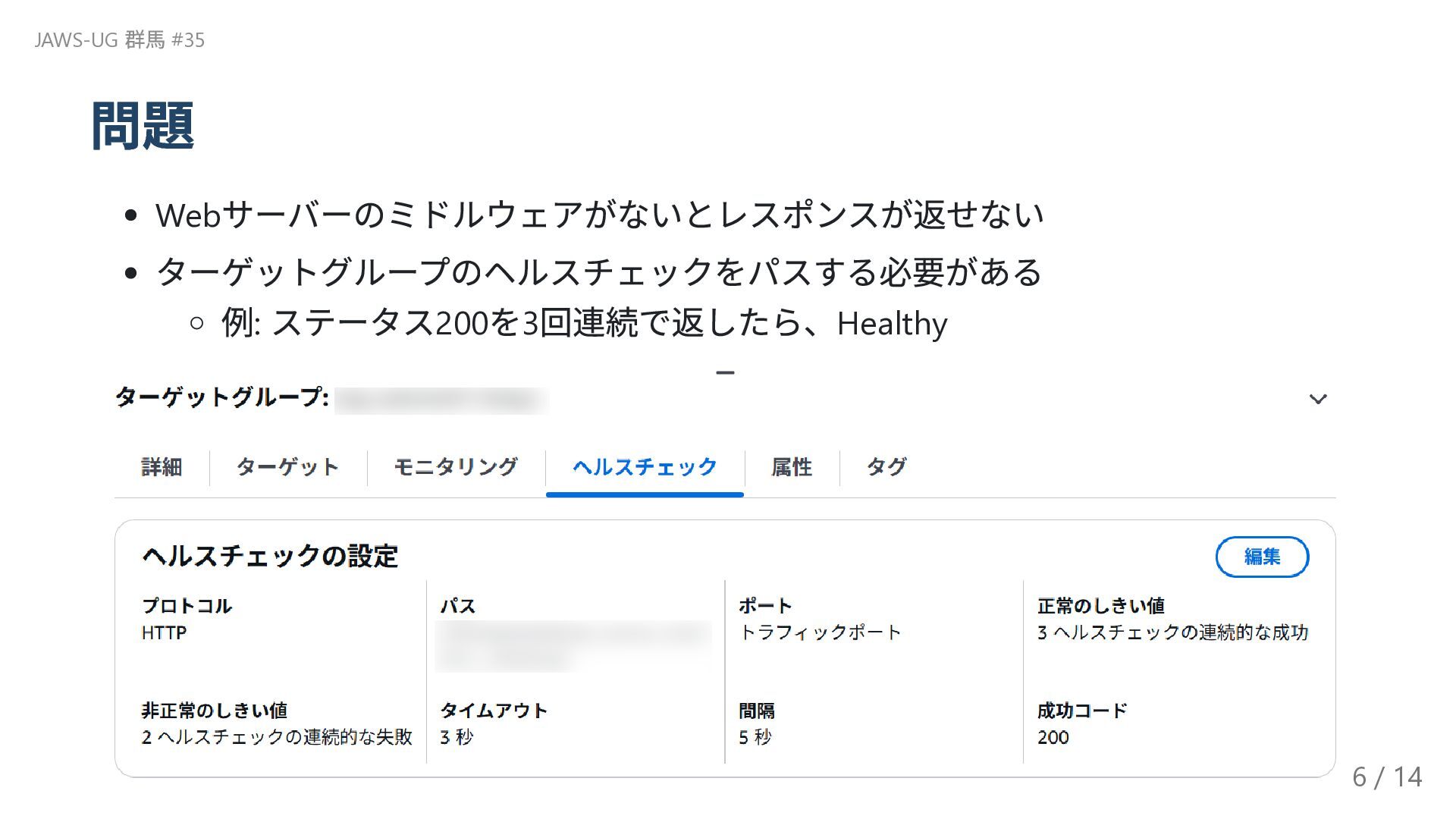
問題 Web サーバーのミドルウェアがないとレスポンスが返せない ターゲットグループのヘルスチェックをパスする必要がある 例: ステータス200 を3 回連続で返したら、Healthy JAWS-UG 群馬
#35 6 / 14
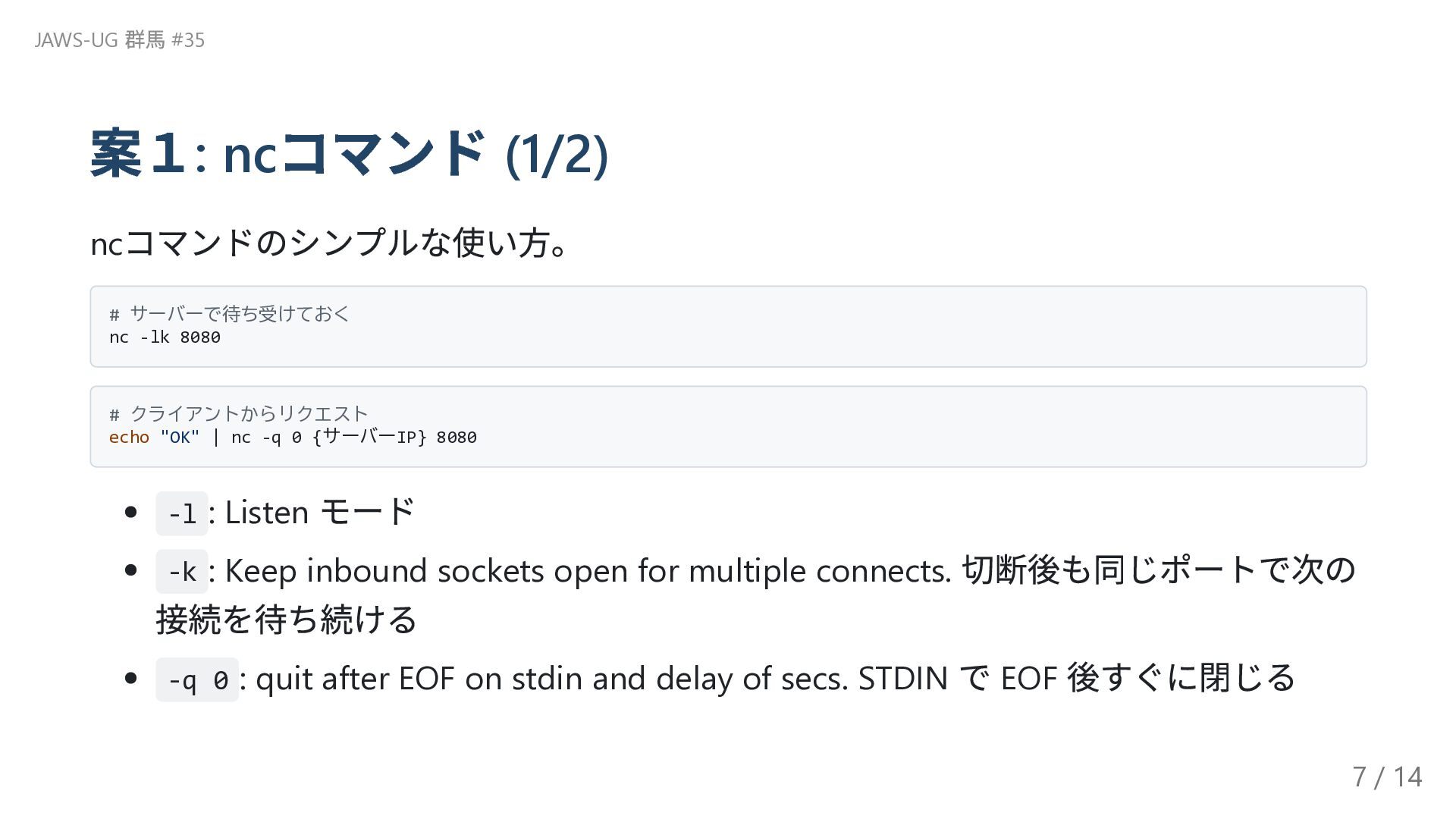
案1: nc コマンド (1/2) nc コマンドのシンプルな使い方。 # サーバーで待ち受けておく nc -lk
8080 # クライアントからリクエスト echo "OK" | nc -q 0 {サーバーIP} 8080 -l : Listen モード -k : Keep inbound sockets open for multiple connects. 切断後も同じポートで次の 接続を待ち続ける -q 0 : quit after EOF on stdin and delay of secs. STDIN で EOF 後すぐに閉じる JAWS-UG 群馬 #35 7 / 14
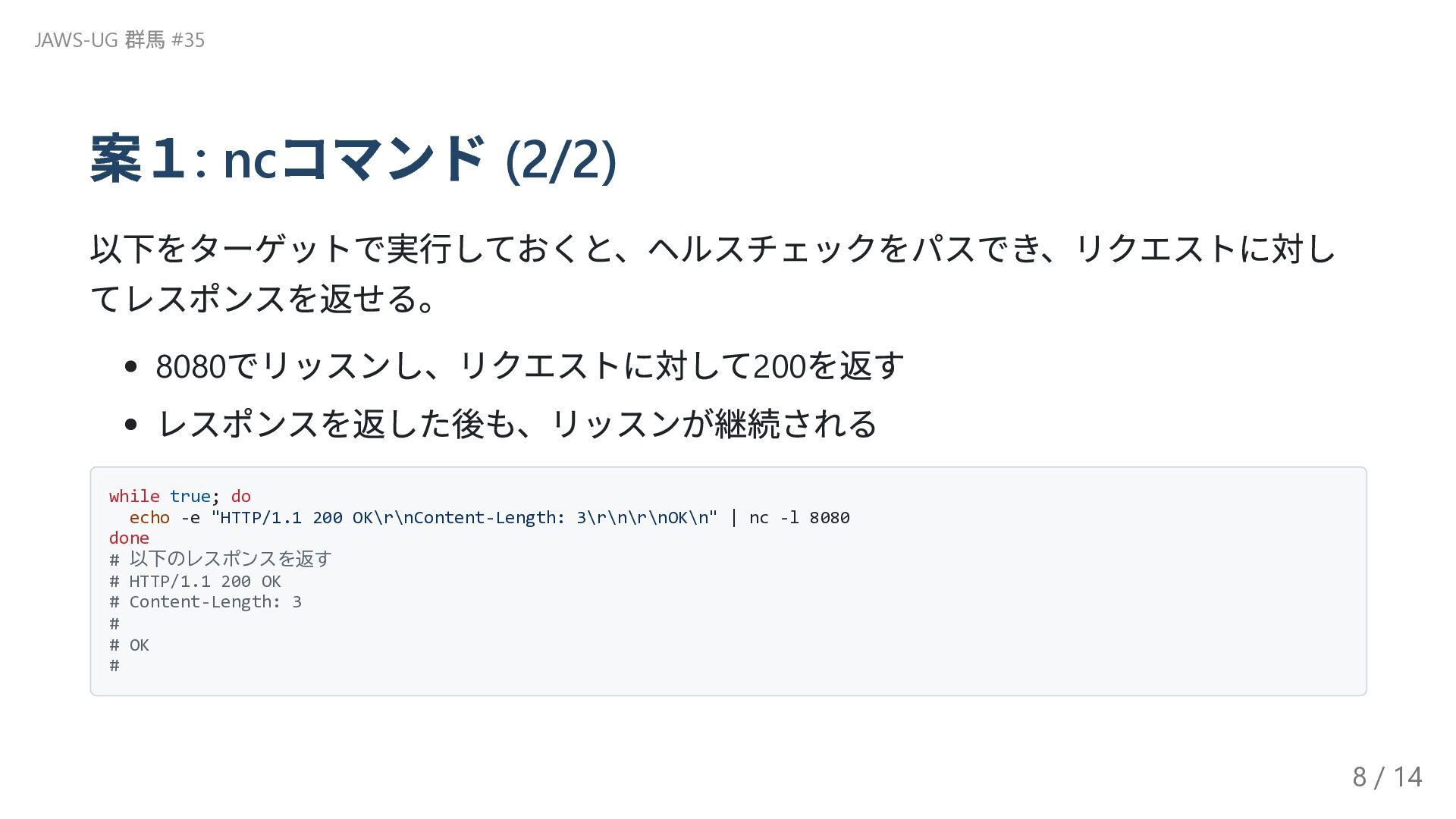
案1: nc コマンド (2/2) 以下をターゲットで実行しておくと、ヘルスチェックをパスでき、リクエストに対し てレスポンスを返せる。 8080 でリッスンし、リクエストに対して200 を返す レスポンスを返した後も、リッスンが継続される
while true; do echo -e "HTTP/1.1 200 OK\r\nContent-Length: 3\r\n\r\nOK\n" | nc -l 8080 done # 以下のレスポンスを返す # HTTP/1.1 200 OK # Content-Length: 3 # # OK # JAWS-UG 群馬 #35 8 / 14
案2: Python でWeb サーバーを立てる (1/2) Python の組み込みHTTP サーバーなら、ワンライナーでHTTP サーバーを起動できる。 JAWS-UG
群馬 #35 9 / 14
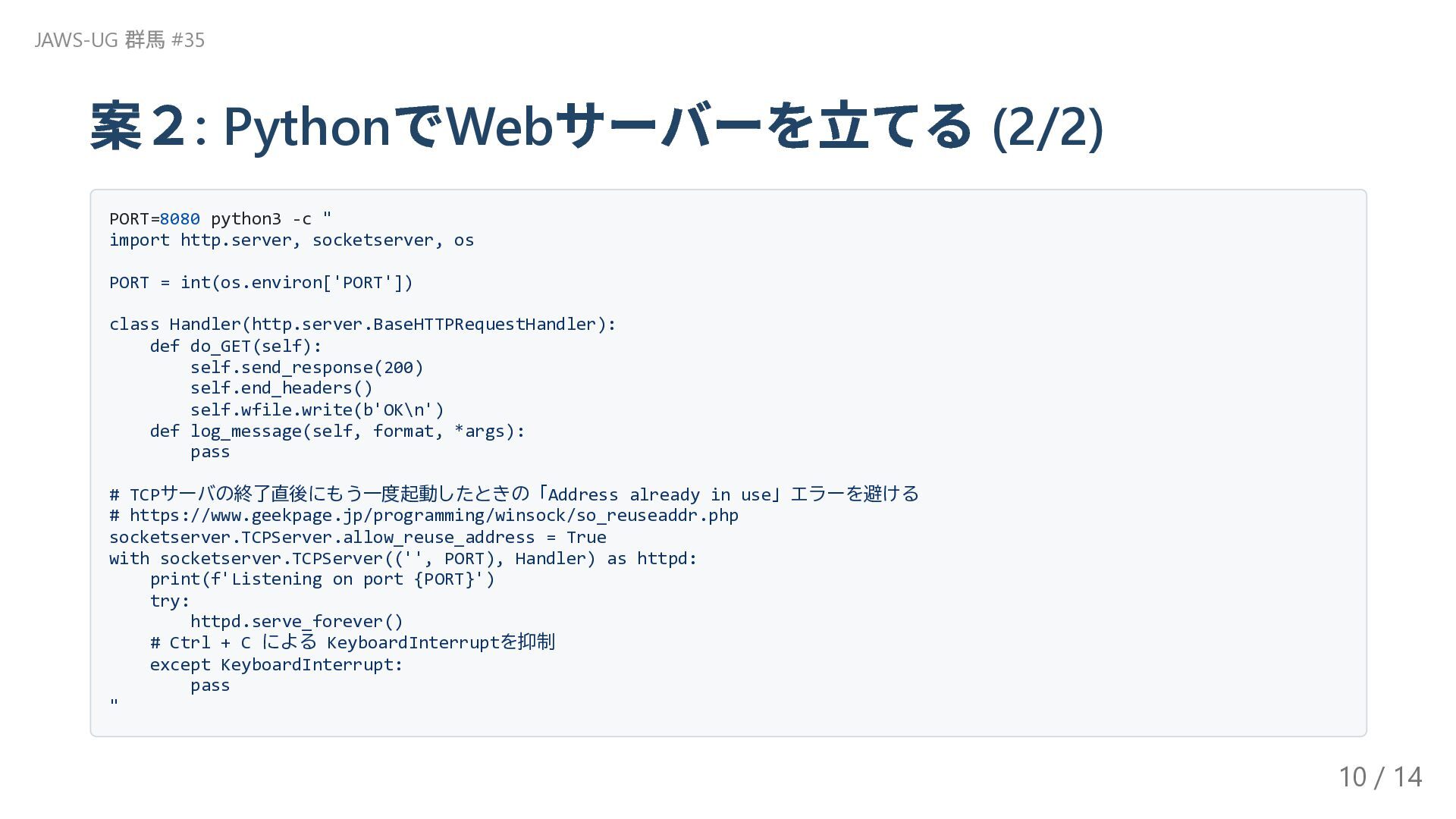
案2: Python でWeb サーバーを立てる (2/2) PORT=8080 python3 -c " import
http.server, socketserver, os PORT = int(os.environ['PORT']) class Handler(http.server.BaseHTTPRequestHandler): def do_GET(self): self.send_response(200) self.end_headers() self.wfile.write(b'OK\n') def log_message(self, format, *args): pass # TCPサーバの終了直後にもう一度起動したときの「Address already in use」エラーを避ける # https://www.geekpage.jp/programming/winsock/so_reuseaddr.php socketserver.TCPServer.allow_reuse_address = True with socketserver.TCPServer(('', PORT), Handler) as httpd: print(f'Listening on port {PORT}') try: httpd.serve_forever() # Ctrl + C による KeyboardInterruptを抑制 except KeyboardInterrupt: pass " JAWS-UG 群馬 #35 10 / 14
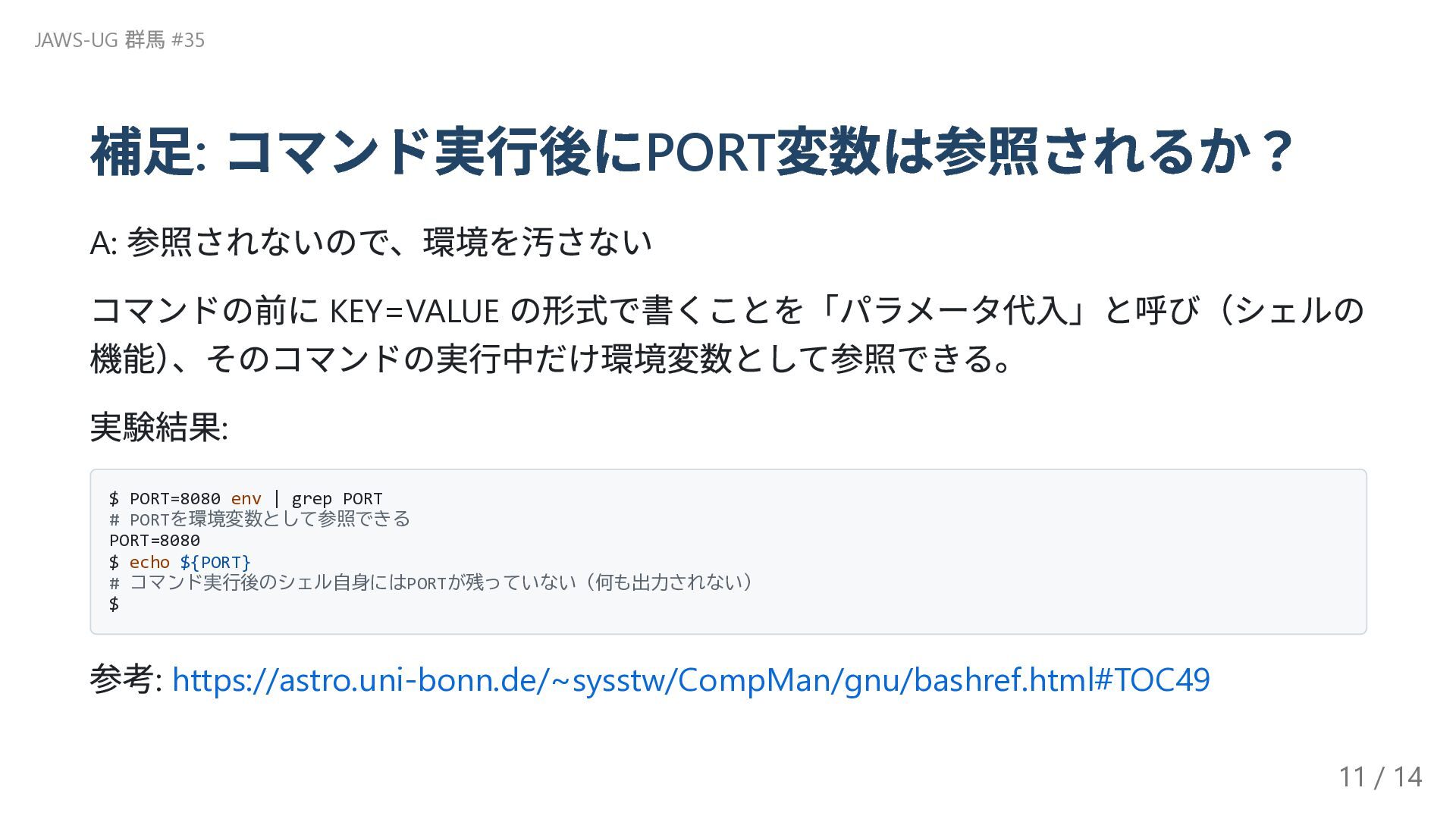
補足: コマンド実行後にPORT 変数は参照されるか? A: 参照されないので、環境を汚さない コマンドの前に KEY=VALUE の形式で書くことを「パラメータ代入」と呼び(シェルの 機能) 、そのコマンドの実行中だけ環境変数として参照できる。
実験結果: $ PORT=8080 env | grep PORT # PORTを環境変数として参照できる PORT=8080 $ echo ${PORT} # コマンド実行後のシェル自身にはPORTが残っていない(何も出力されない) $ 参考: https://astro.uni-bonn.de/~sysstw/CompMan/gnu/bashref.html#TOC49 JAWS-UG 群馬 #35 11 / 14
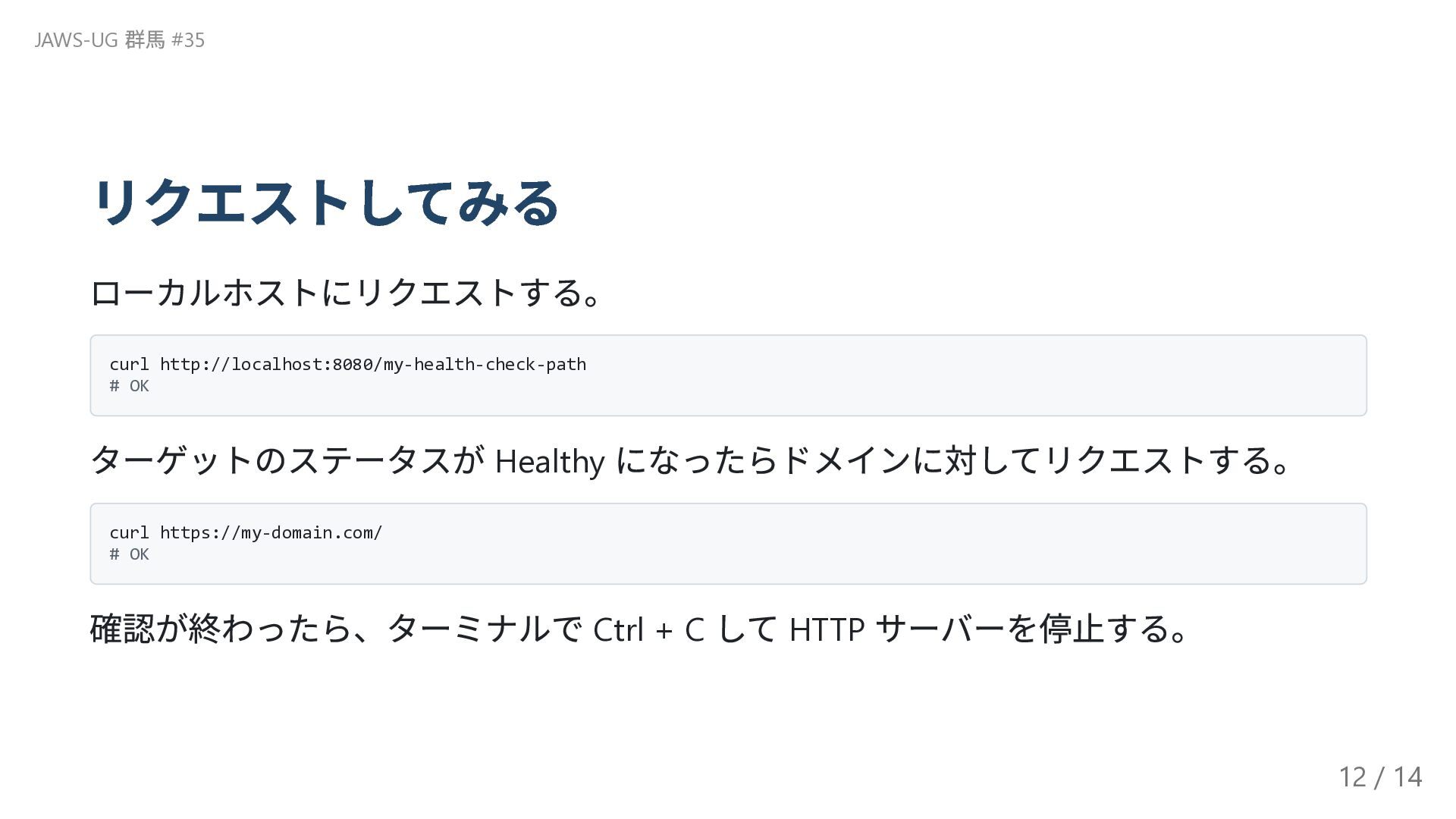
リクエストしてみる ローカルホストにリクエストする。 curl http://localhost:8080/my-health-check-path # OK ターゲットのステータスが Healthy になったらドメインに対してリクエストする。 curl
https://my-domain.com/ # OK 確認が終わったら、ターミナルで Ctrl + C して HTTP サーバーを停止する。 JAWS-UG 群馬 #35 12 / 14
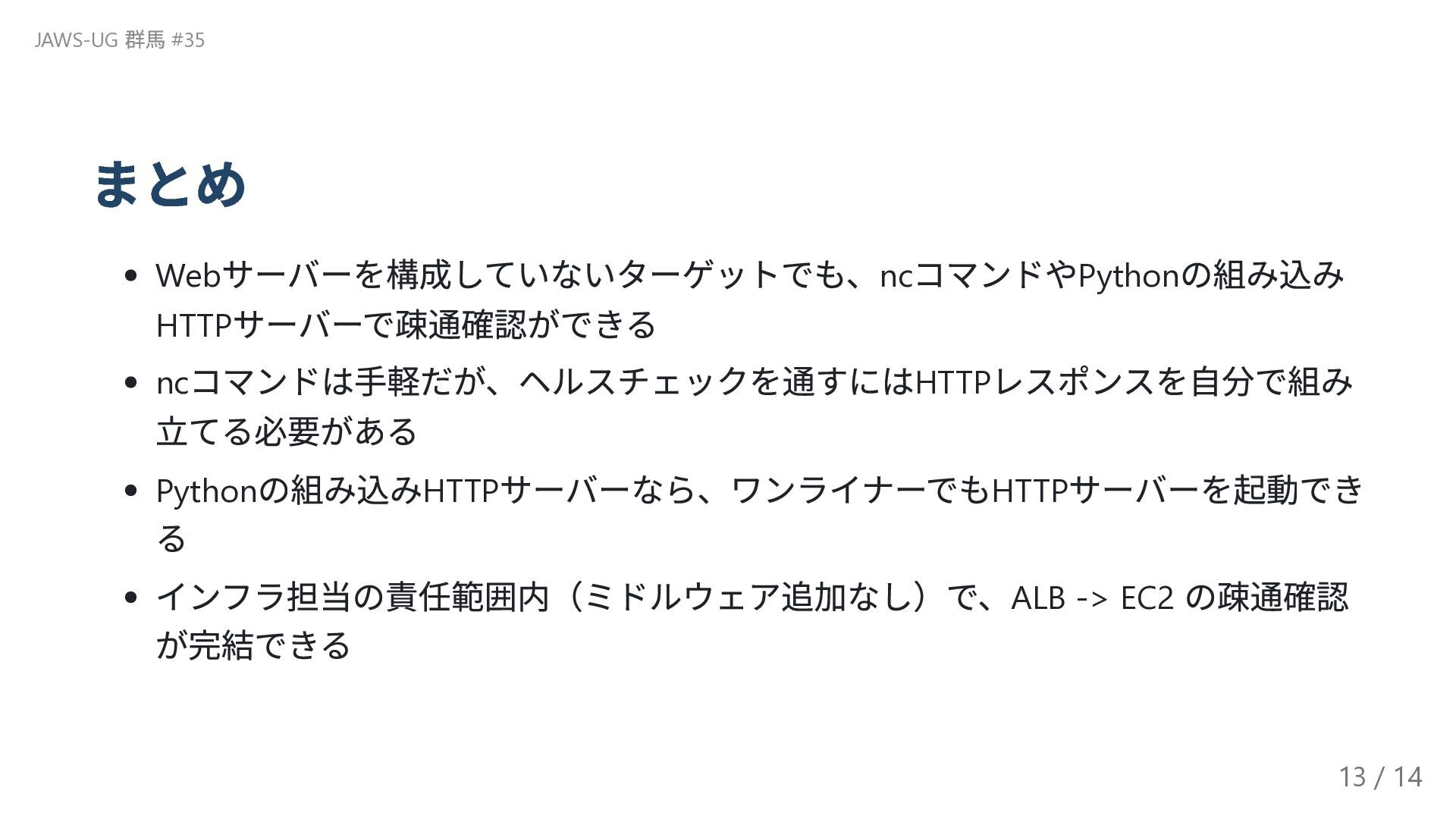
まとめ Web サーバーを構成していないターゲットでも、nc コマンドやPython の組み込み HTTP サーバーで疎通確認ができる nc コマンドは手軽だが、ヘルスチェックを通すにはHTTP レスポンスを自分で組み
立てる必要がある Python の組み込みHTTP サーバーなら、ワンライナーでもHTTP サーバーを起動でき る インフラ担当の責任範囲内(ミドルウェア追加なし)で、ALB -> EC2 の疎通確認 が完結できる JAWS-UG 群馬 #35 13 / 14
ありがとうございました JAWS-UG 群馬 #35 14 / 14


 jhashimoto
 linedevth
 freee
freee
.png) yamad
yamad
 yamaguchitk333
 finengine
 keio_smilab
 sh_fk2
 hamadakoji
 kentarofujii
 akizhou
 tsukina_7mochi
 sabderemane
 kimpetersen
 tapps
tapps
 kristinabergwall1
 minecr
 baasie
 jacobian
 schlessera
 charlesmeaden
 lara
lara
 axbom
axbom
 jonoalderson