Share
Embed
Introducción a la programación con CUDA por Carlos Alberto Varela
RISC Workshop 2013, Manizales. Mayo 16 y 17.

Jorge I. Meza
May 17, 2013
Transcript
61 slides
-
INTRODUCTION TO CUDA C Carlos Alberto Varela Garzón, MsC. SC3-UIS,
Manizales, Colombia. -
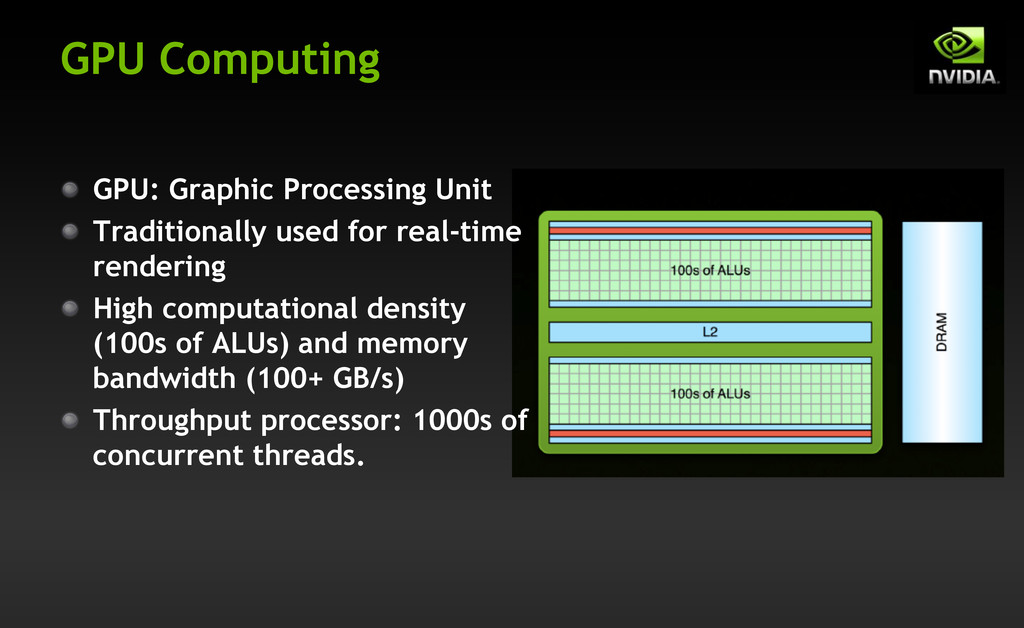
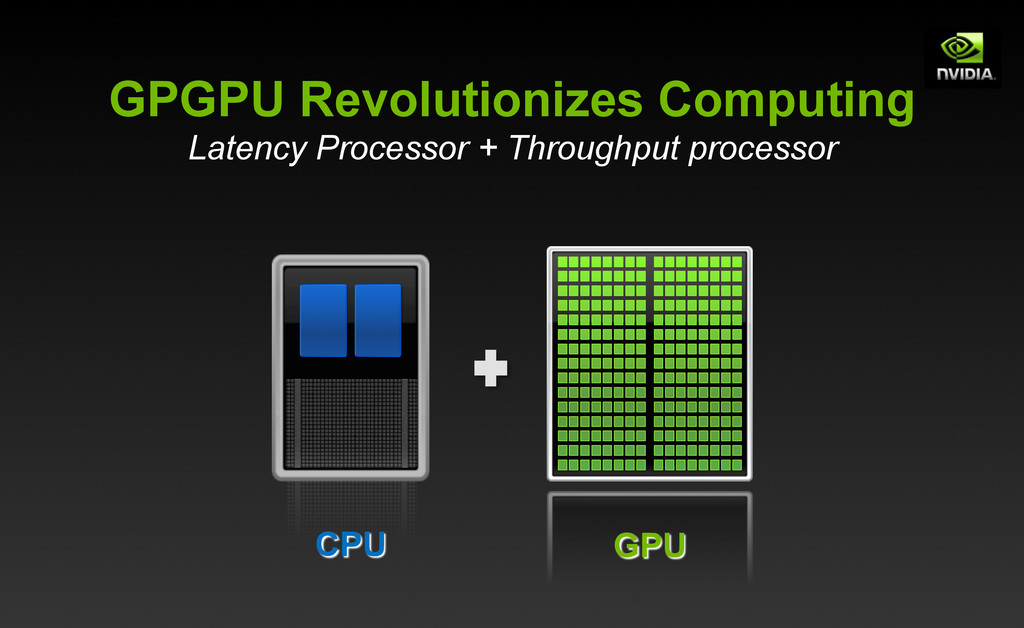
GPU Computing ! GPU: Graphic Processing Unit !
Traditionally used for real-time rendering ! High computational density (100s of ALUs) and memory bandwidth (100+ GB/s) ! Throughput processor: 1000s of concurrent threads. -
What is CUDA? ! CUDA Architecture (Compute Unified Device
Architecture) ! Expose GPU parallelism for general-purpose computing ! Retain performance ! CUDA C/C++ ! Based on industry-standard C/C++ ! Small set of extensions to enable heterogeneous programming ! Straightforward APIs to manage devices, memory etc. ! This session introduces CUDA C -
Prerequisites ! You (probably) need experience with C !
You don’t need GPU experience ! You don’t need parallel programming experience ! You don’t need graphics experience -
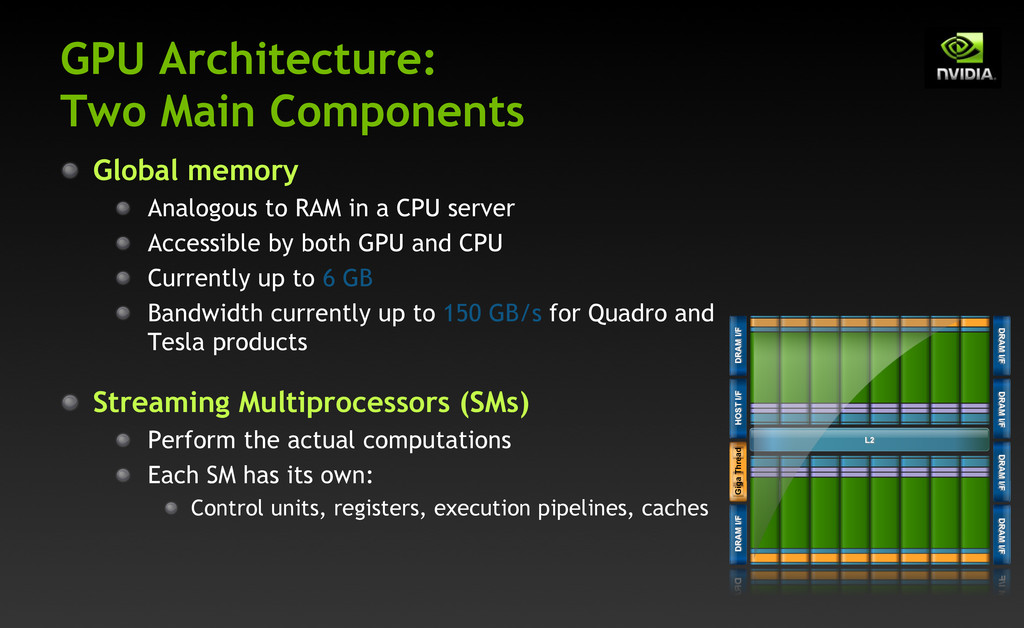
GPU Architecture: Two Main Components ! Global memory !
Analogous to RAM in a CPU server ! Accessible by both GPU and CPU ! Currently up to 6 GB ! Bandwidth currently up to 150 GB/s for Quadro and Tesla products ! Streaming Multiprocessors (SMs) ! Perform the actual computations ! Each SM has its own: ! Control units, registers, execution pipelines, caches DRAM I/F Giga Thread HOST I/F DRAM I/F DRAM I/F DRAM I/F DRAM I/F DRAM I/F L2 -
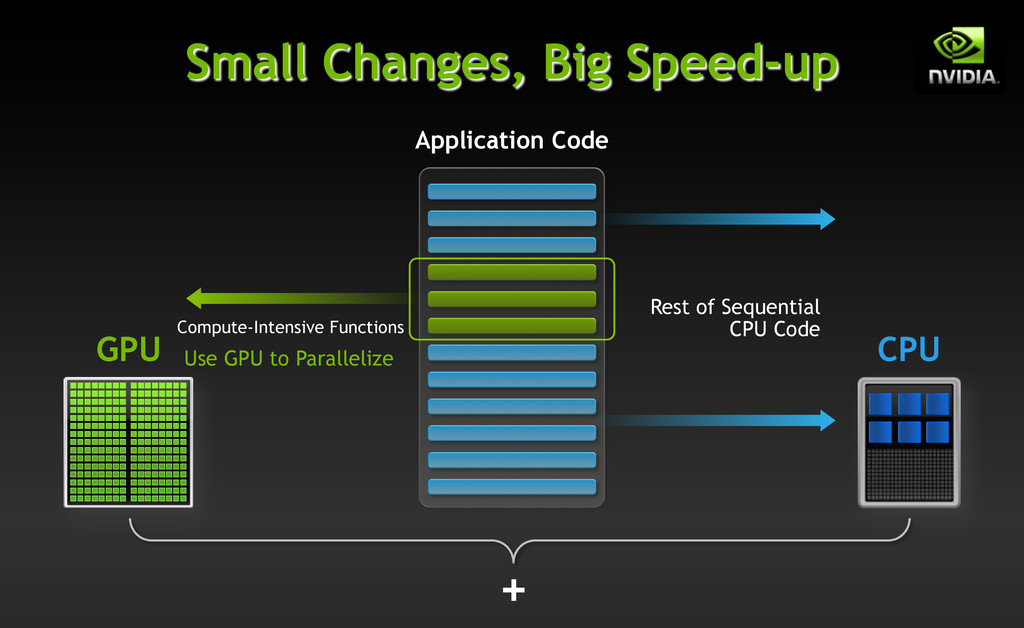
Small Changes, Big Speed-up Application Code + GPU CPU Use
GPU to Parallelize Compute-Intensive Functions Rest of Sequential CPU Code -
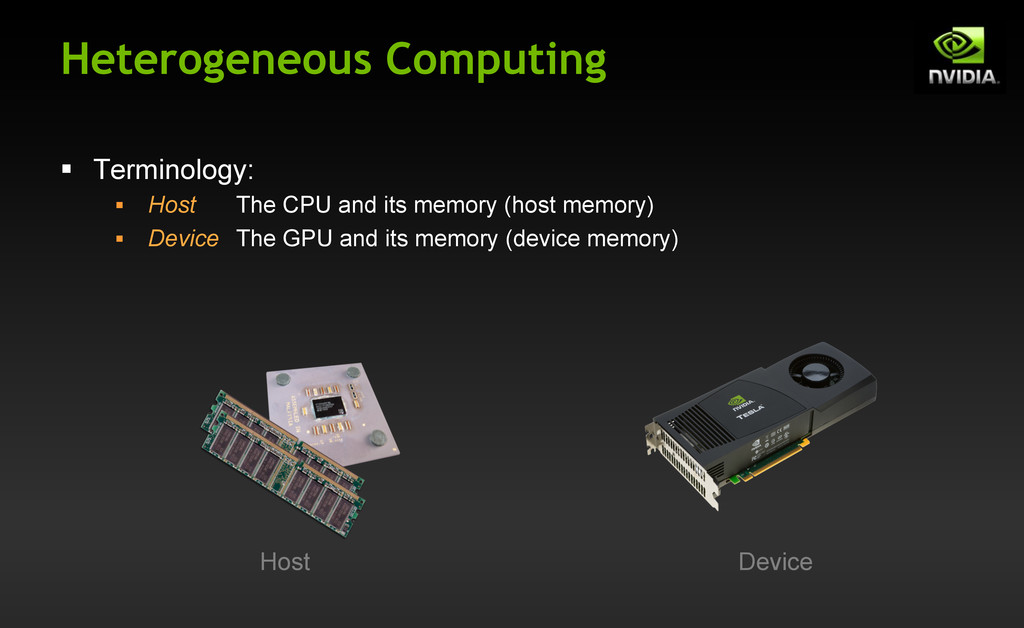
Heterogeneous Computing § Terminology: § Host The CPU and its
memory (host memory) § Device The GPU and its memory (device memory) Host Device -
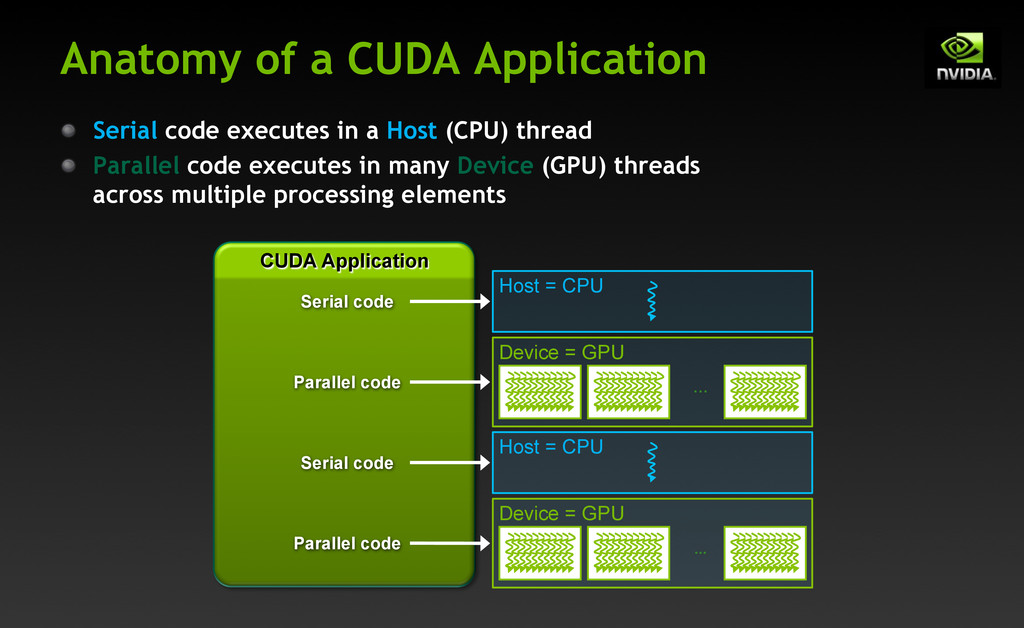
Anatomy of a CUDA Application ! Serial code executes
in a Host (CPU) thread ! Parallel code executes in many Device (GPU) threads across multiple processing elements CUDA Application Serial code Serial code Parallel code Parallel code Device = GPU … Host = CPU Device = GPU ... Host = CPU -
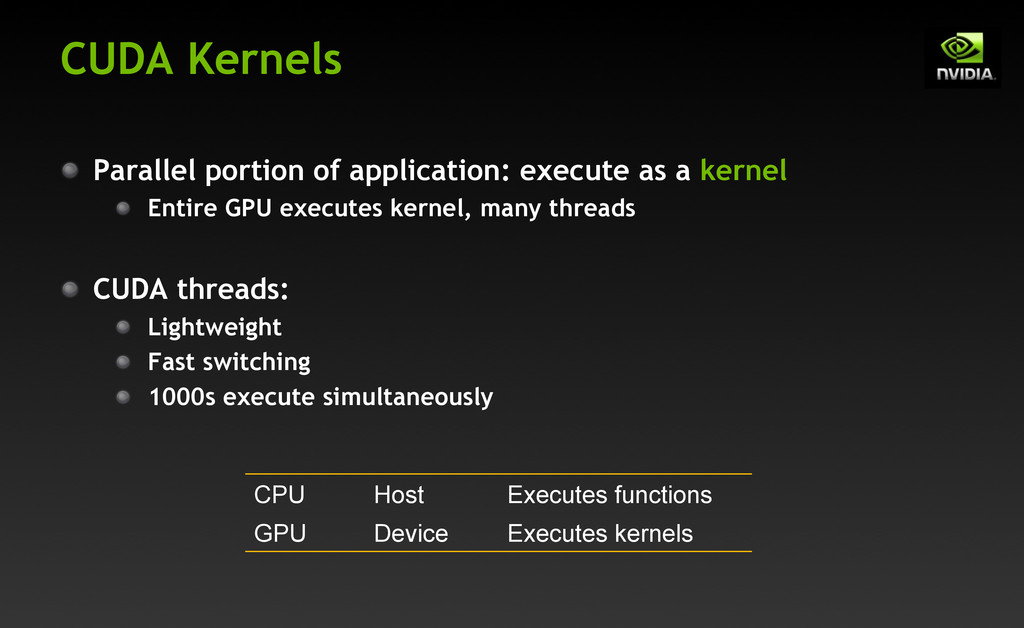
CUDA Kernels ! Parallel portion of application: execute as
a kernel ! Entire GPU executes kernel, many threads ! CUDA threads: ! Lightweight ! Fast switching ! 1000s execute simultaneously CPU Host Executes functions GPU Device Executes kernels -
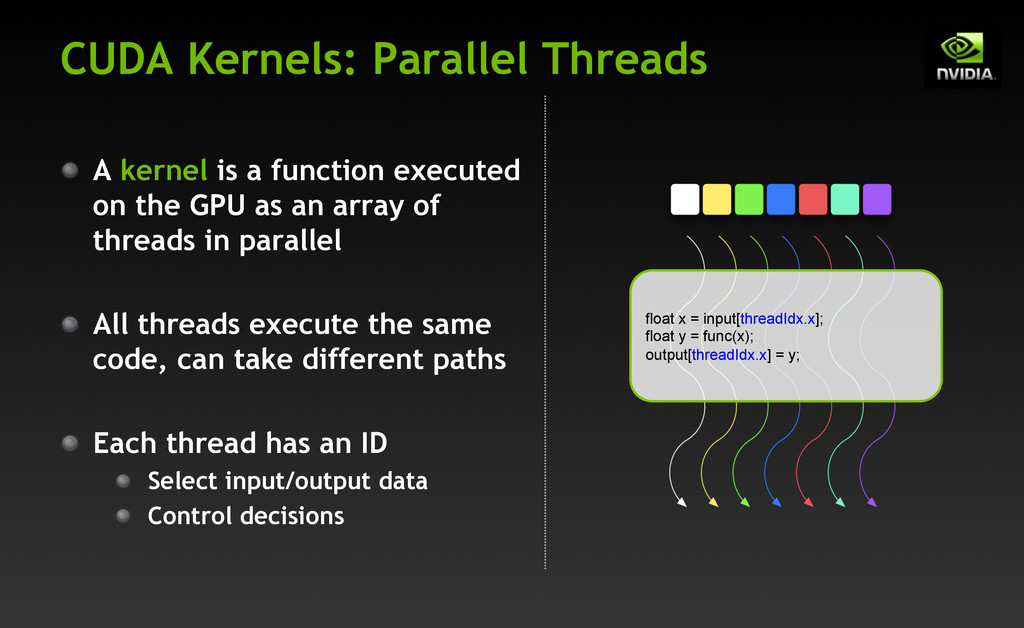
CUDA Kernels: Parallel Threads ! A kernel is a
function executed on the GPU as an array of threads in parallel ! All threads execute the same code, can take different paths ! Each thread has an ID ! Select input/output data ! Control decisions float x = input[threadIdx.x]; float y = func(x); output[threadIdx.x] = y; -
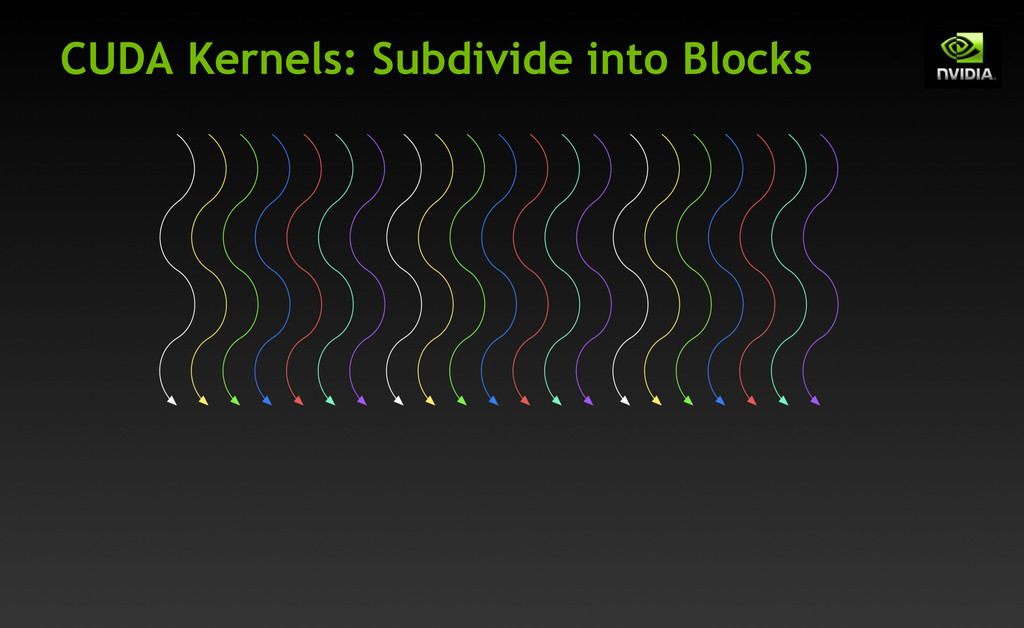
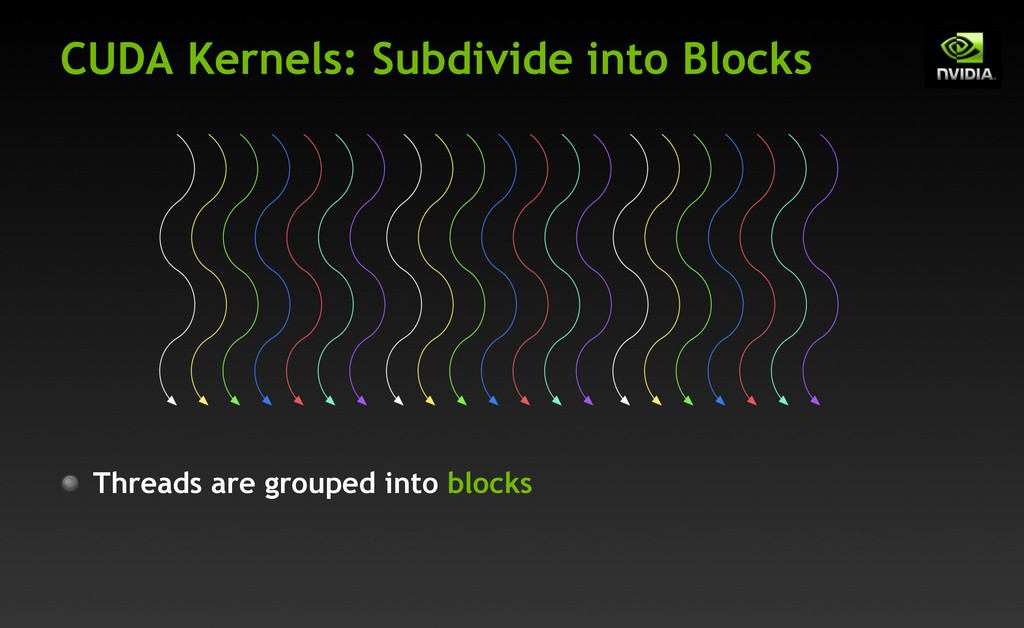
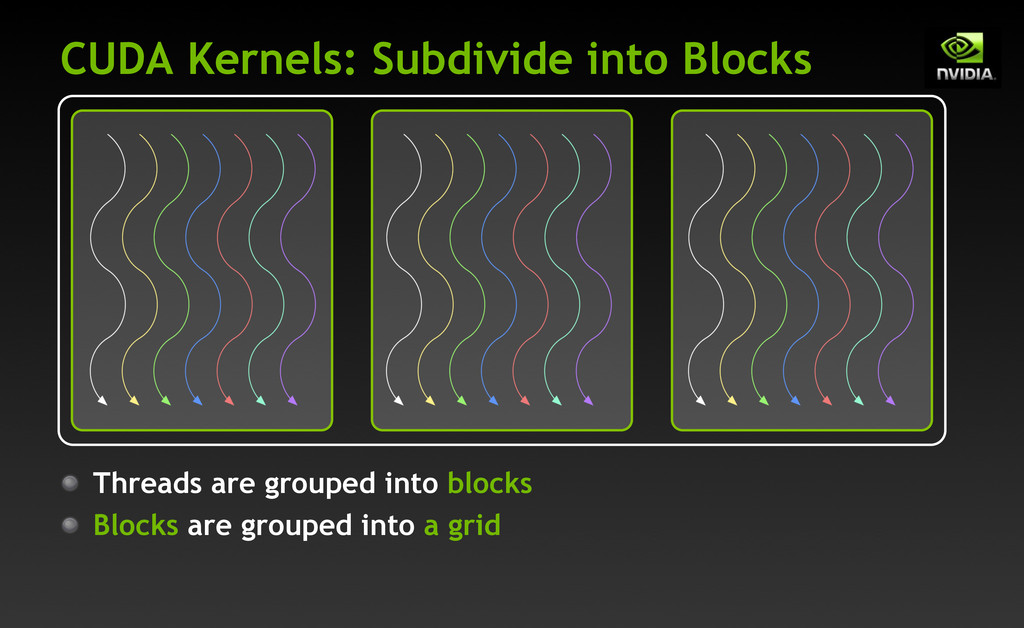
CUDA Kernels: Subdivide into Blocks ! Threads are grouped
into blocks ! Blocks are grouped into a grid -
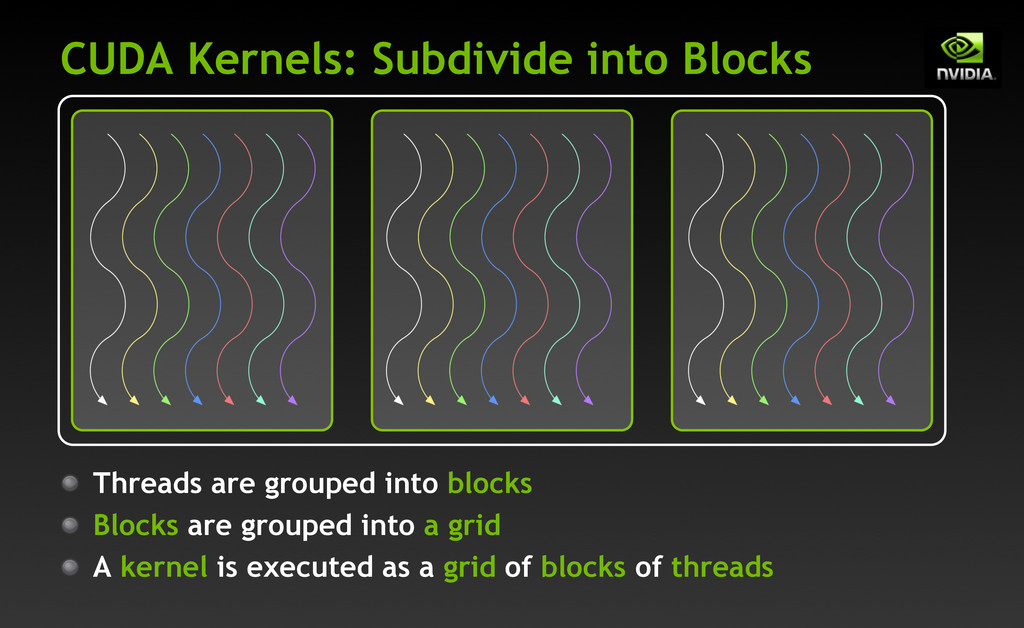
CUDA Kernels: Subdivide into Blocks ! Threads are grouped
into blocks ! Blocks are grouped into a grid ! A kernel is executed as a grid of blocks of threads -
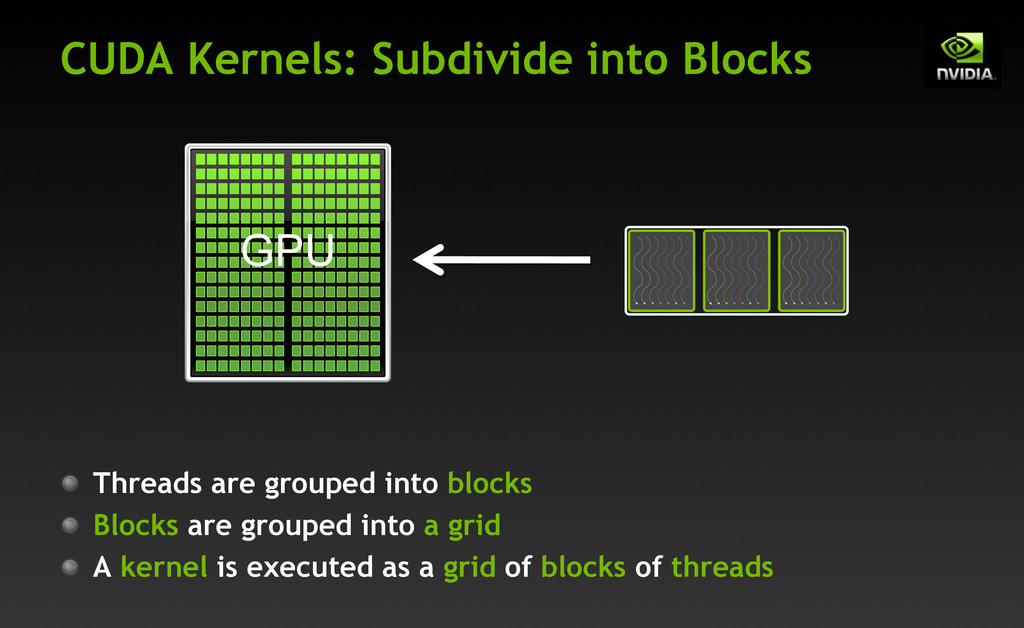
CUDA Kernels: Subdivide into Blocks ! Threads are grouped
into blocks ! Blocks are grouped into a grid ! A kernel is executed as a grid of blocks of threads GPU -
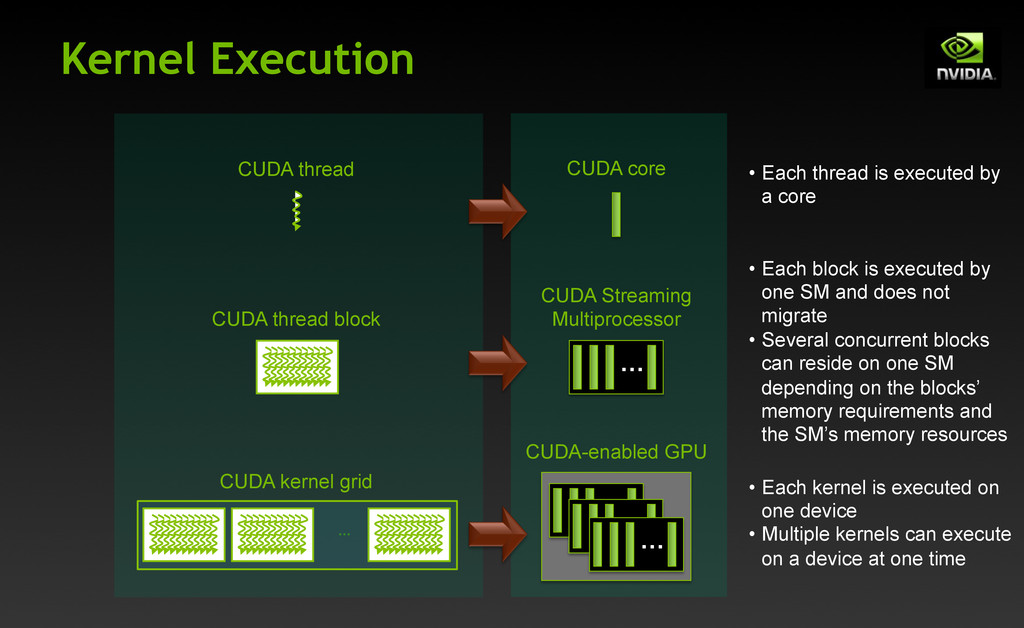
Kernel Execution • Each kernel is executed on one device
• Multiple kernels can execute on a device at one time … … … CUDA-enabled GPU CUDA thread • Each thread is executed by a core CUDA core CUDA thread block • Each block is executed by one SM and does not migrate • Several concurrent blocks can reside on one SM depending on the blocks’ memory requirements and the SM’s memory resources … CUDA Streaming Multiprocessor CUDA kernel grid ... -
Thread blocks allow cooperation ! Threads may need to
cooperate: ! Cooperatively load/store blocks of memory that they all use ! Share results with each other or cooperate to produce a single result ! Synchronize with each other -
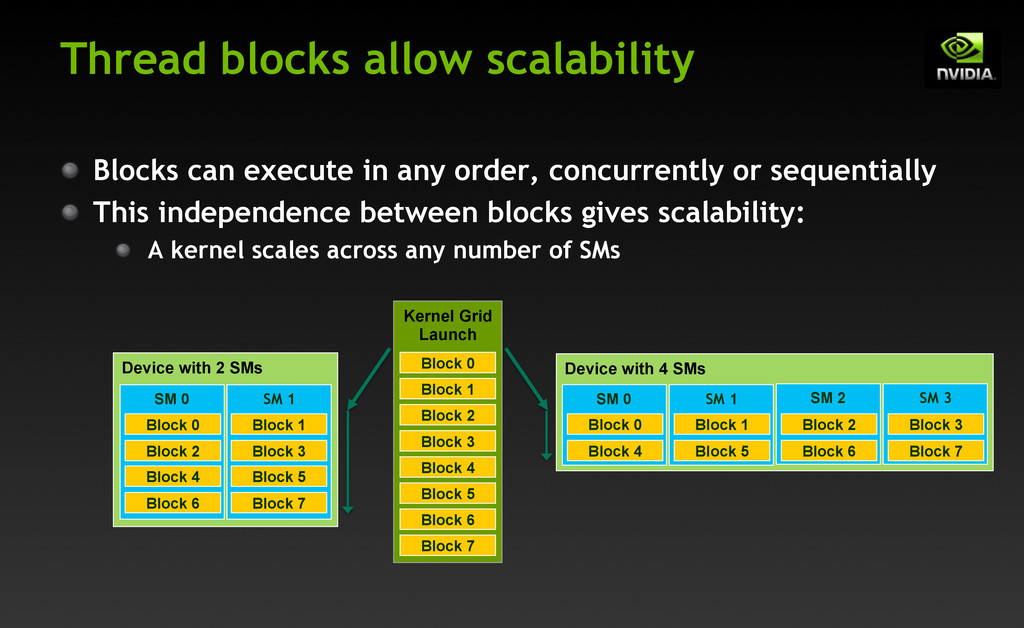
Thread blocks allow scalability ! Blocks can execute in
any order, concurrently or sequentially ! This independence between blocks gives scalability: ! A kernel scales across any number of SMs Device with 2 SMs SM 0 SM 1 Block 0 Block 1 Block 2 Block 3 Block 4 Block 5 Block 6 Block 7 Kernel Grid Launch Block 0 Block 1 Block 2 Block 3 Block 4 Block 5 Block 6 Block 7 Device with 4 SMs SM 0 SM 1 SM 2 SM 3 Block 0 Block 1 Block 2 Block 3 Block 4 Block 5 Block 6 Block 7 -
Warps ! Blocks are divided into 32 thread wide
units called warps ! Size of warps is implementation specific and can change in the future ! The SM creates, manages, schedules and executes threads at warp granularity ! Each warp consists of 32 threads of contiguous threadIds ! All threads in a warp execute the same instruction ! If threads of a warp diverge the warp serially executes each branch path taken ! When a warp executes an instruction that accesses global memory it coalesces the memory accesses of the threads within the warp into as few transactions as possible -
Memory hierarchy ! Thread: ! Registers !
Local memory ! Block of threads: ! Shared memory ! All blocks: ! Global memory -
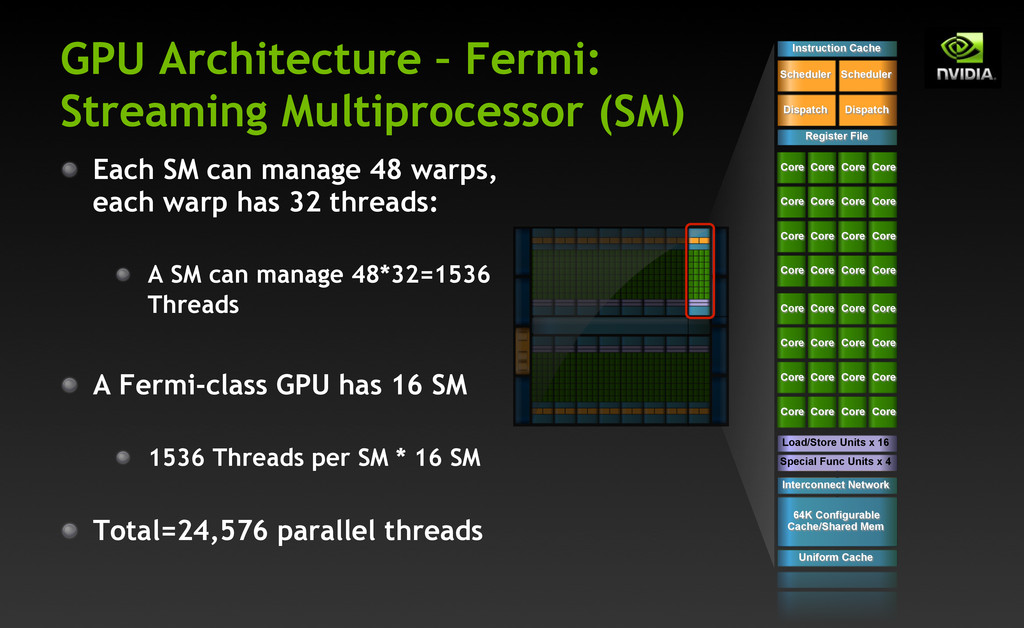
GPU Architecture – Fermi: Streaming Multiprocessor (SM) ! Each
SM can manage 48 warps, each warp has 32 threads: ! A SM can manage 48*32=1536 Threads ! A Fermi-class GPU has 16 SM ! 1536 Threads per SM * 16 SM ! Total=24,576 parallel threads Register File Scheduler Dispatch Scheduler Dispatch Load/Store Units x 16 Special Func Units x 4 Interconnect Network 64K Configurable Cache/Shared Mem Uniform Cache Core Core Core Core Core Core Core Core Core Core Core Core Core Core Core Core Core Core Core Core Core Core Core Core Core Core Core Core Core Core Core Core Instruction Cache -
Kepler Register File Scheduler Dispatch Scheduler Dispatch Load/Store Units x
16 Special Func Units x 4 Interconnect Network 64K Configurable Cache/Shared Mem Uniform Cache Core Core Core Core Core Core Core Core Core Core Core Core Core Core Core Core Core Core Core Core Core Core Core Core Core Core Core Core Core Core Core Core Instruction Cache CUDA Core Dispatch Port Result Queue ALU Operand Collector Dispatch Port SM Interconnect Network 64 KB Shared Memory / L1 Cache Uniform Cache SFU SFU SFU SFU SFU SFU SFU SFU SFU SFU SFU SFU SFU SFU SFU SFU Core Core Core Core Core Core Core Core Core Core Core Core Core Core Core Core Core Core Core Core Core Core Core Core Core Core Core Core Core Core Core Core Core Core Core Core Core Core Core Core Core Core Core Core Core Core Core Core Core Core Core Core Core Core Core Core Core Core Core Core Core Core Core Core Core Core Core Core Core Core Core Core Core Core Core Core Core Core Core Core Core Core Core Core Core Core Core Core Core Core Core Core Core Core Core Core SFU SFU SFU SFU SFU SFU SFU SFU SFU SFU SFU SFU SFU SFU SFU SFU Core Core Core Core Core Core Core Core Core Core Core Core Core Core Core Core Core Core Core Core Core Core Core Core Core Core Core Core Core Core Core Core Core Core Core Core Core Core Core Core Core Core Core Core Core Core Core Core Core Core Core Core Core Core Core Core Core Core Core Core Core Core Core Core Core Core Core Core Core Core Core Core Core Core Core Core Core Core Core Core Core Core Core Core Core Core Core Core Core Core Core Core Core Core Core Core Instruction Cache Register File (65,536 x 32-bit) Warp Scheduler Dispatch Unit Dispatch Unit Warp Scheduler Dispatch Unit Dispatch Unit Warp Scheduler Dispatch Unit Dispatch Unit Warp Scheduler Dispatch Unit Dispatch Unit LD/ST LD/ST LD/ST LD/ST LD/ST LD/ST LD/ST LD/ST LD/ST LD/ST LD/ST LD/ST LD/ST LD/ST LD/ST LD/ST LD/ST LD/ST LD/ST LD/ST LD/ST LD/ST LD/ST LD/ST LD/ST LD/ST LD/ST LD/ST LD/ST LD/ST LD/ST LD/ST Fermi Kepler -
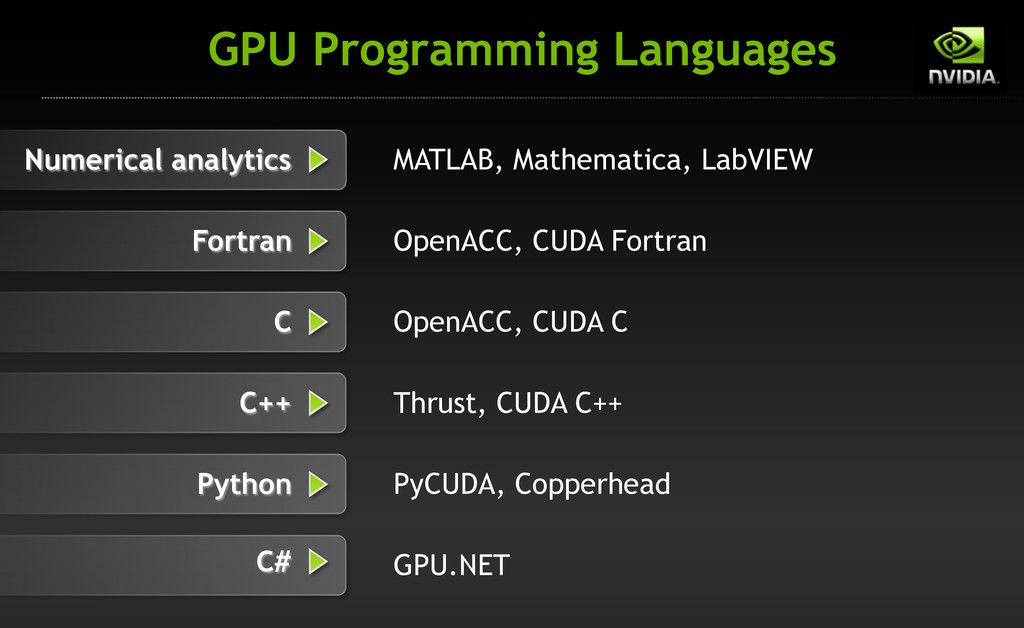
GPU Programming Languages OpenACC, CUDA Fortran Fortran OpenACC, CUDA C
C Thrust, CUDA C++ C++ PyCUDA, Copperhead Python GPU.NET C# MATLAB, Mathematica, LabVIEW Numerical analytics -
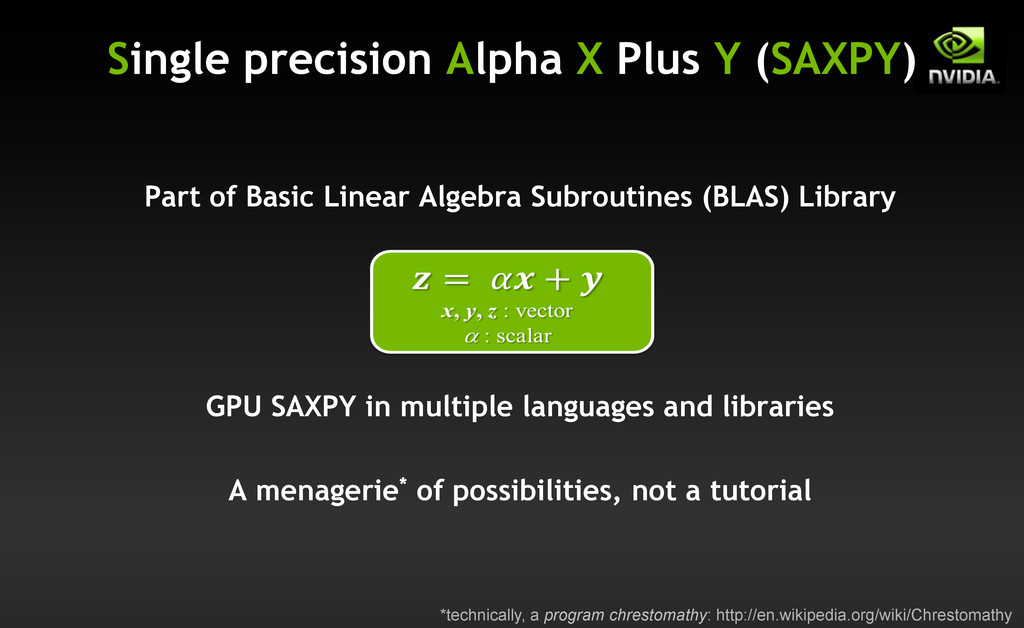
Single precision Alpha X Plus Y (SAXPY) Part of Basic
Linear Algebra Subroutines (BLAS) Library GPU SAXPY in multiple languages and libraries A menagerie* of possibilities, not a tutorial *technically, a program chrestomathy: http://en.wikipedia.org/wiki/Chrestomathy -
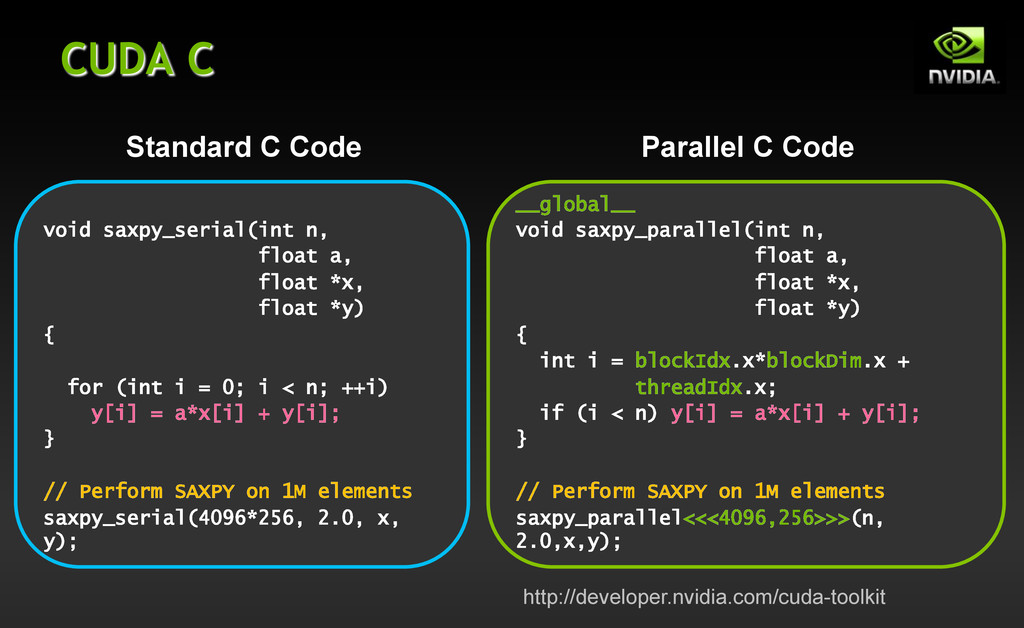
void saxpy_serial(int n, float a, float *x, float *y) {
for (int i = 0; i < n; ++i) y[i] = a*x[i] + y[i]; } // Perform SAXPY on 1M elements saxpy_serial(4096*256, 2.0, x, y); __global__ void saxpy_parallel(int n, float a, float *x, float *y) { int i = blockIdx.x*blockDim.x + threadIdx.x; if (i < n) y[i] = a*x[i] + y[i]; } // Perform SAXPY on 1M elements saxpy_parallel<<<4096,256>>>(n, 2.0,x,y); CUDA C Standard C Code Parallel C Code http://developer.nvidia.com/cuda-toolkit -
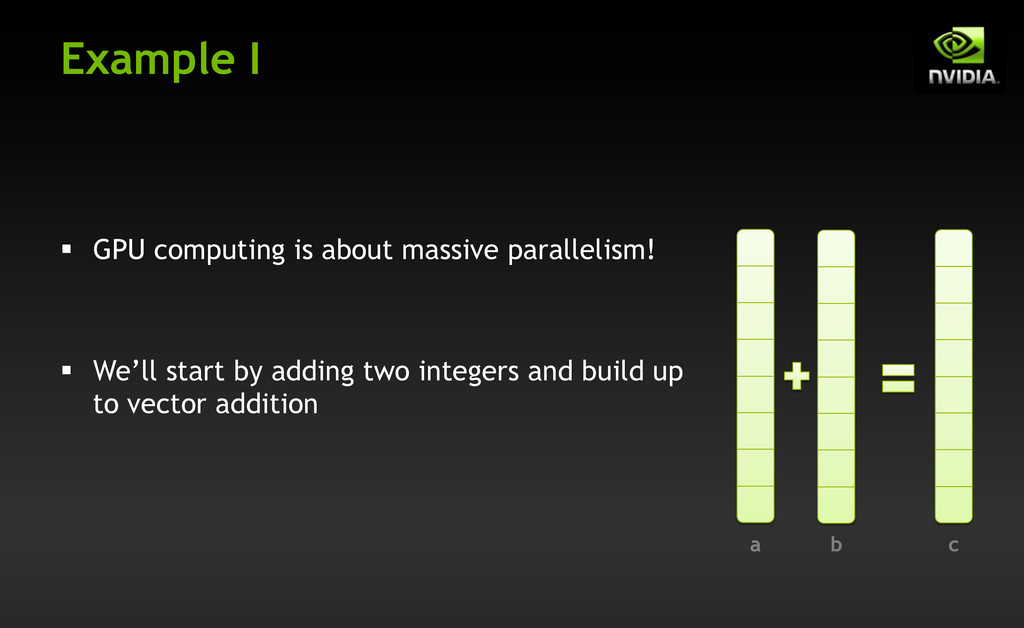
Example I § GPU computing is about massive parallelism! §
We’ll start by adding two integers and build up to vector addition a b c -
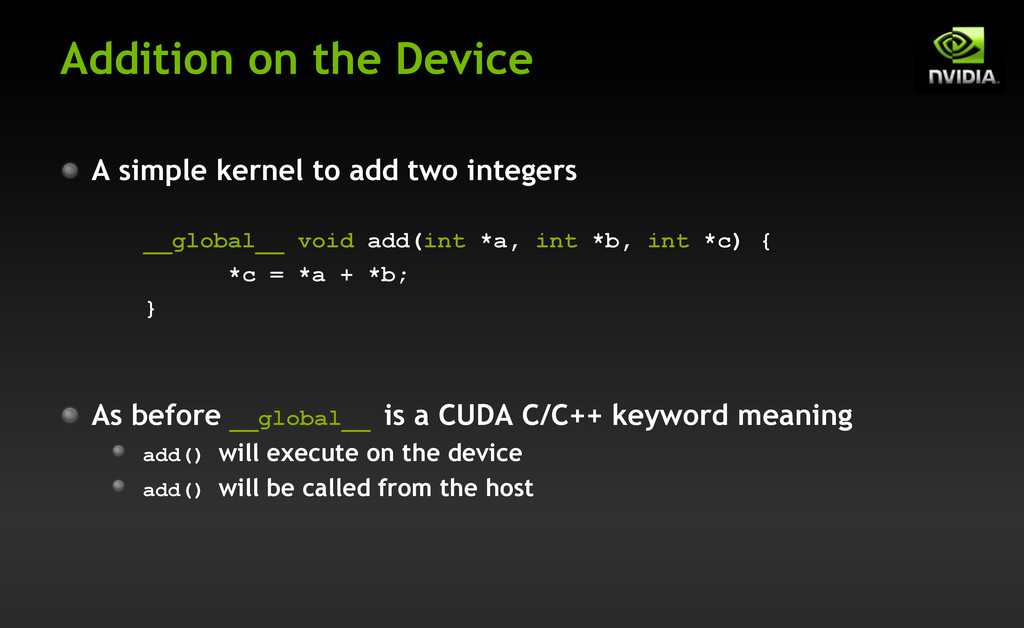
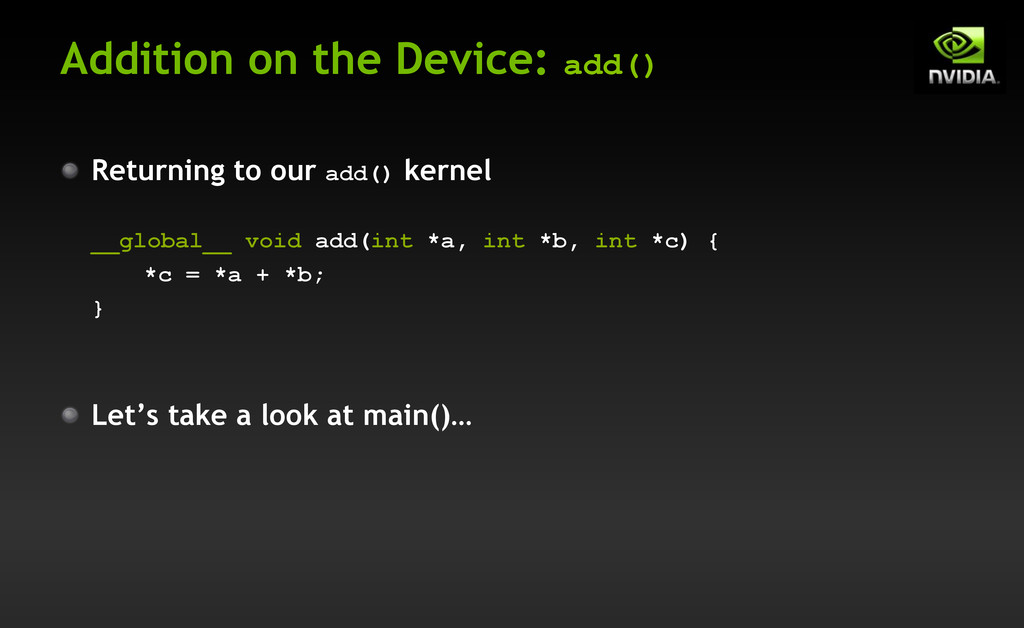
Addition on the Device ! A simple kernel to
add two integers __global__ void add(int *a, int *b, int *c) { *c = *a + *b; } ! As before __global__ is a CUDA C/C++ keyword meaning ! add() will execute on the device ! add() will be called from the host -
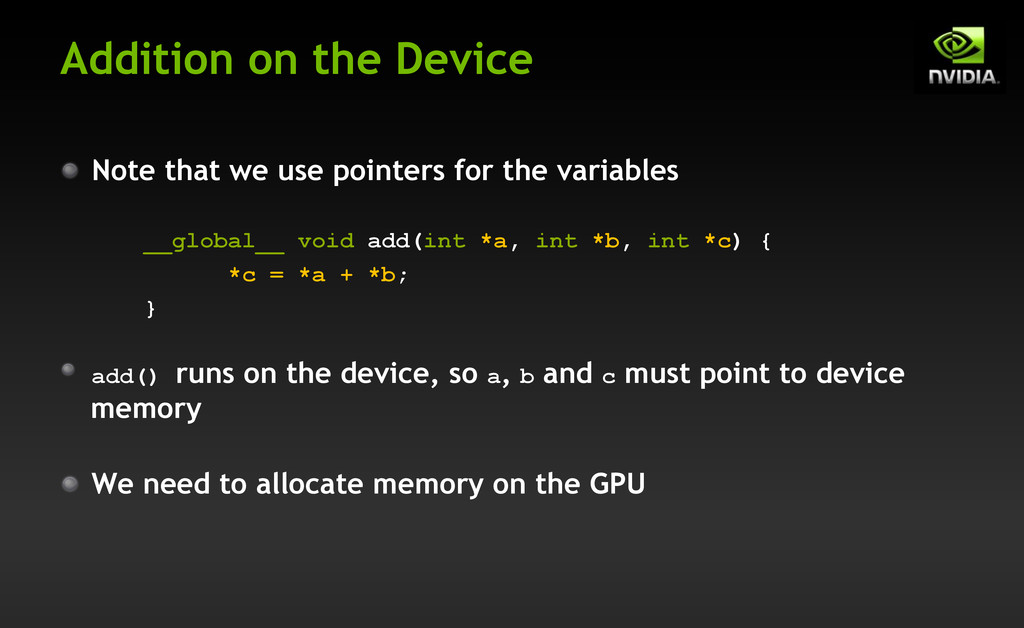
Addition on the Device ! Note that we use
pointers for the variables __global__ void add(int *a, int *b, int *c) { *c = *a + *b; } ! add() runs on the device, so a, b and c must point to device memory ! We need to allocate memory on the GPU -
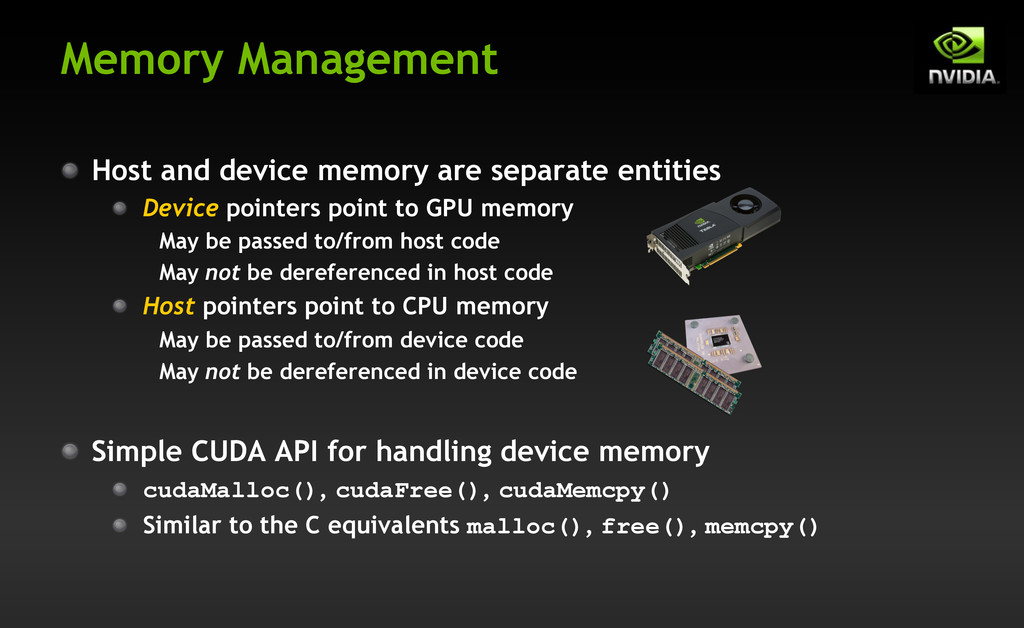
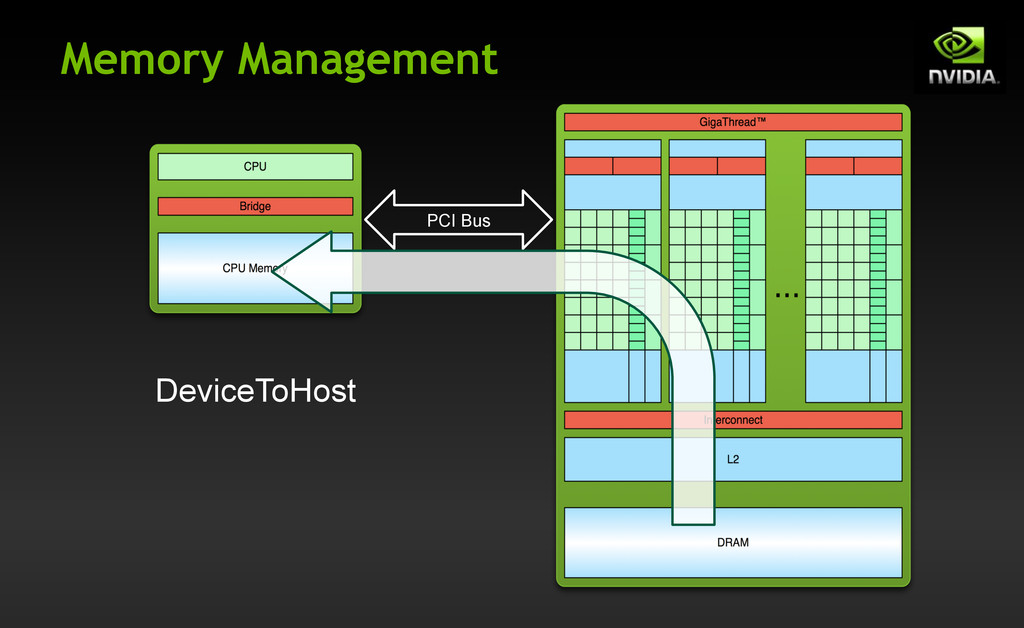
Memory Management ! Host and device memory are separate
entities ! Device pointers point to GPU memory May be passed to/from host code May not be dereferenced in host code ! Host pointers point to CPU memory May be passed to/from device code May not be dereferenced in device code ! Simple CUDA API for handling device memory ! cudaMalloc(), cudaFree(), cudaMemcpy() ! Similar to the C equivalents malloc(), free(), memcpy() -
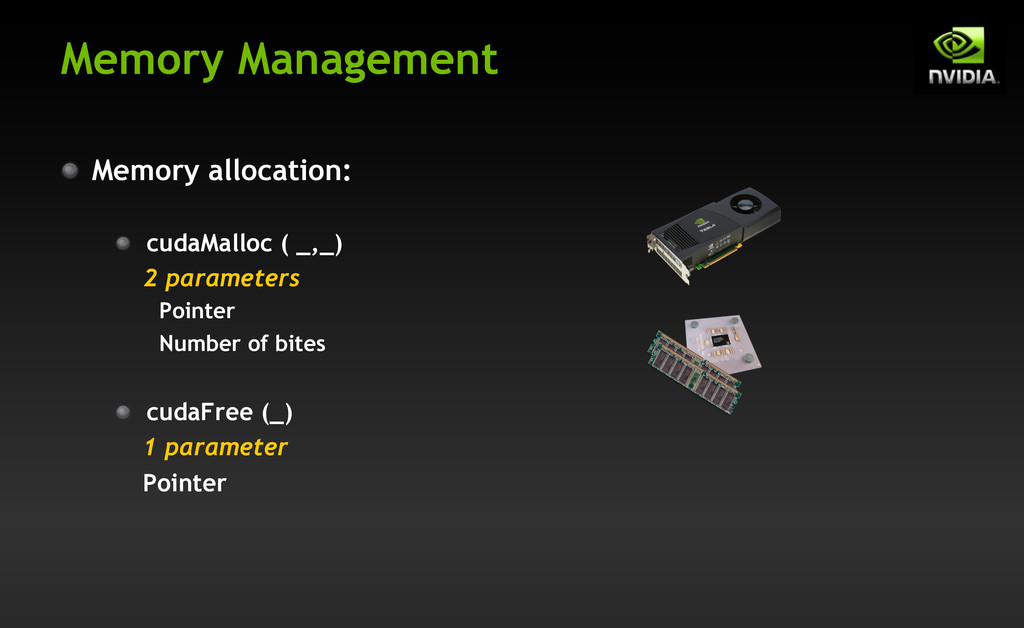
Memory Management ! Memory allocation: ! cudaMalloc ( _,_)
2 parameters Pointer Number of bites ! cudaFree (_) 1 parameter Pointer -
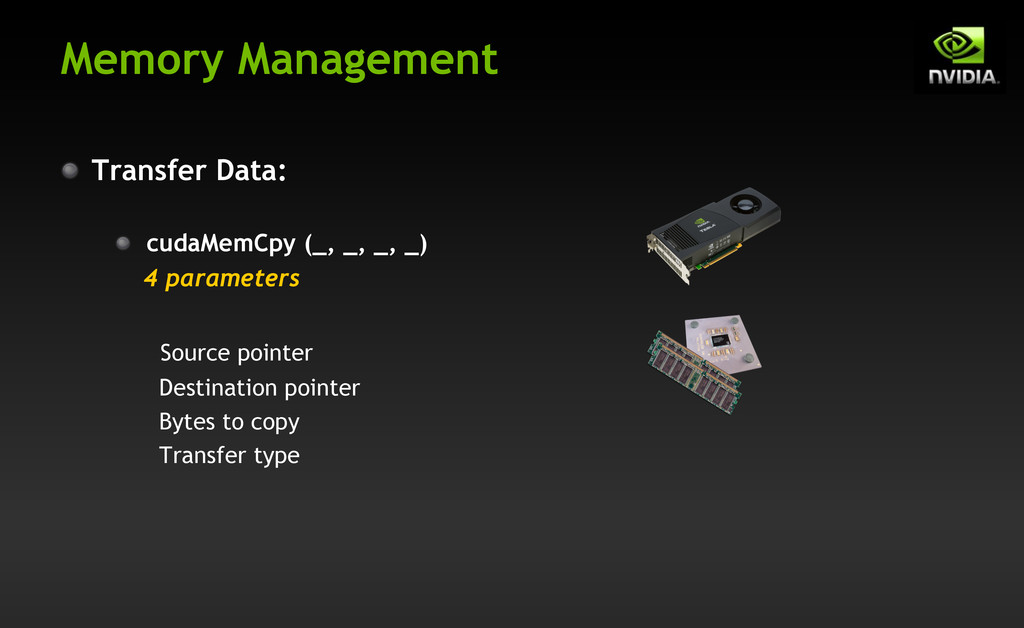
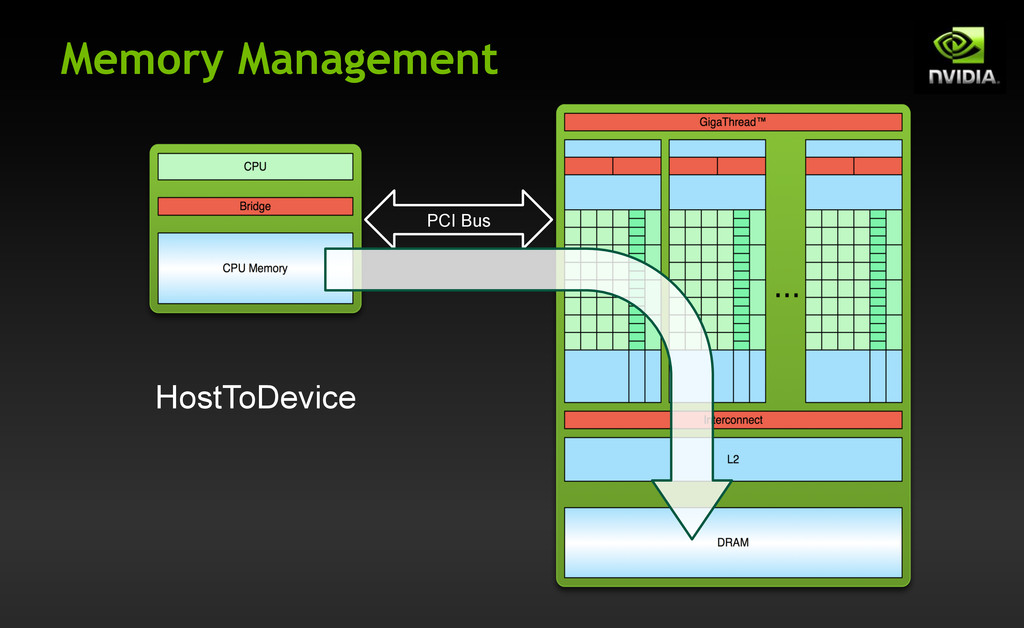
Memory Management ! Transfer Data: ! cudaMemCpy (_, _,
_, _) 4 parameters Source pointer Destination pointer Bytes to copy Transfer type -
Addition on the Device: add() ! Returning to our
add() kernel __global__ void add(int *a, int *b, int *c) { *c = *a + *b; } ! Let’s take a look at main()… -
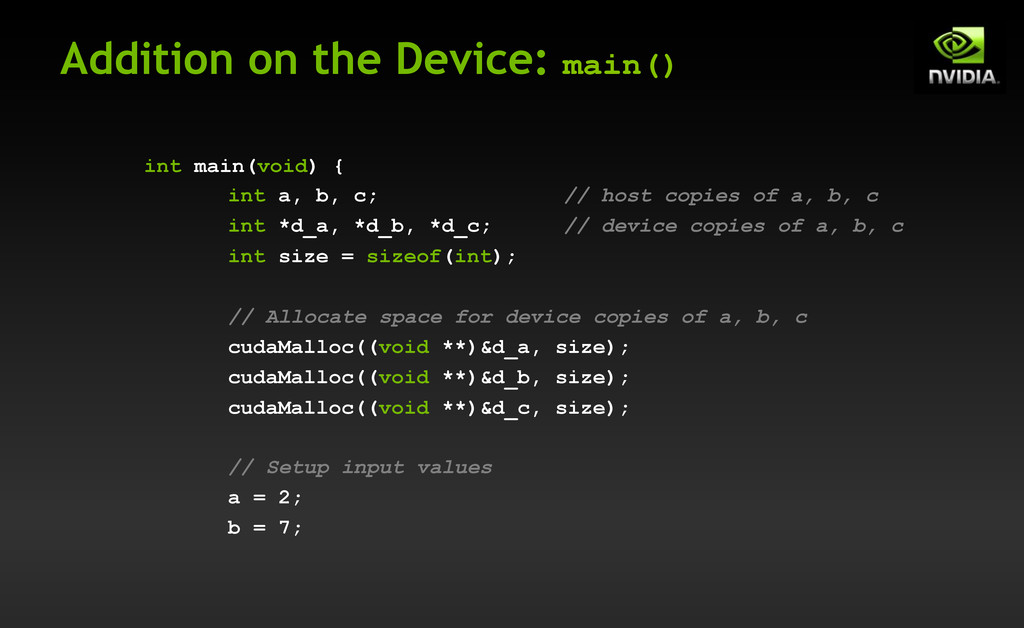
Addition on the Device: main() int main(void) { int a,
b, c; // host copies of a, b, c int *d_a, *d_b, *d_c; // device copies of a, b, c int size = sizeof(int); // Allocate space for device copies of a, b, c cudaMalloc((void **)&d_a, size); cudaMalloc((void **)&d_b, size); cudaMalloc((void **)&d_c, size); // Setup input values a = 2; b = 7; -
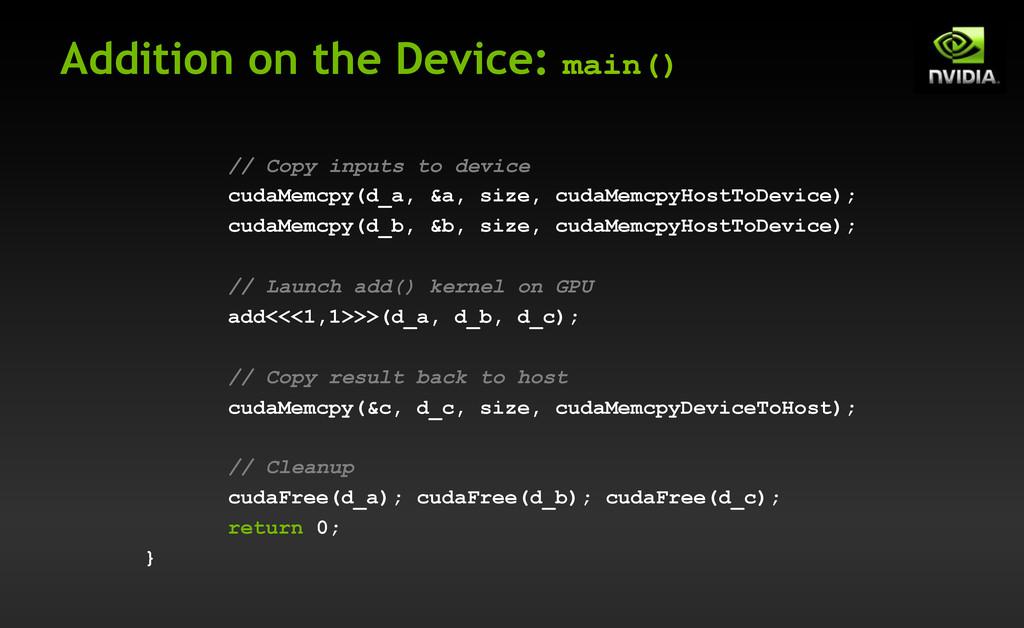
Addition on the Device: main() // Copy inputs to device
cudaMemcpy(d_a, &a, size, cudaMemcpyHostToDevice); cudaMemcpy(d_b, &b, size, cudaMemcpyHostToDevice); // Launch add() kernel on GPU add<<<1,1>>>(d_a, d_b, d_c); // Copy result back to host cudaMemcpy(&c, d_c, size, cudaMemcpyDeviceToHost); // Cleanup cudaFree(d_a); cudaFree(d_b); cudaFree(d_c); return 0; } -
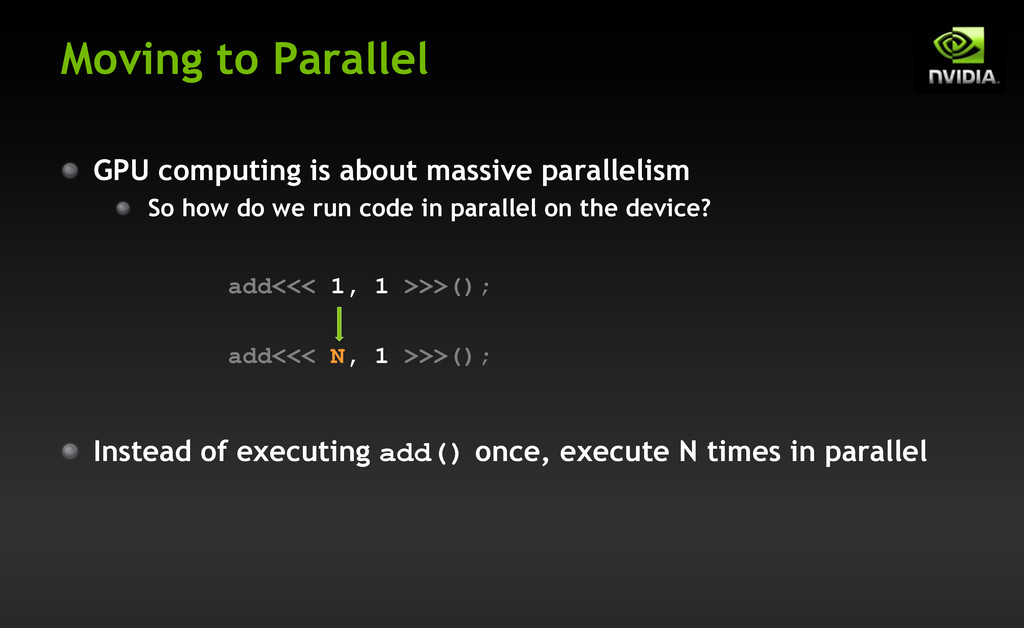
Moving to Parallel ! GPU computing is about massive
parallelism ! So how do we run code in parallel on the device? add<<< 1, 1 >>>(); add<<< N, 1 >>>(); ! Instead of executing add() once, execute N times in parallel -
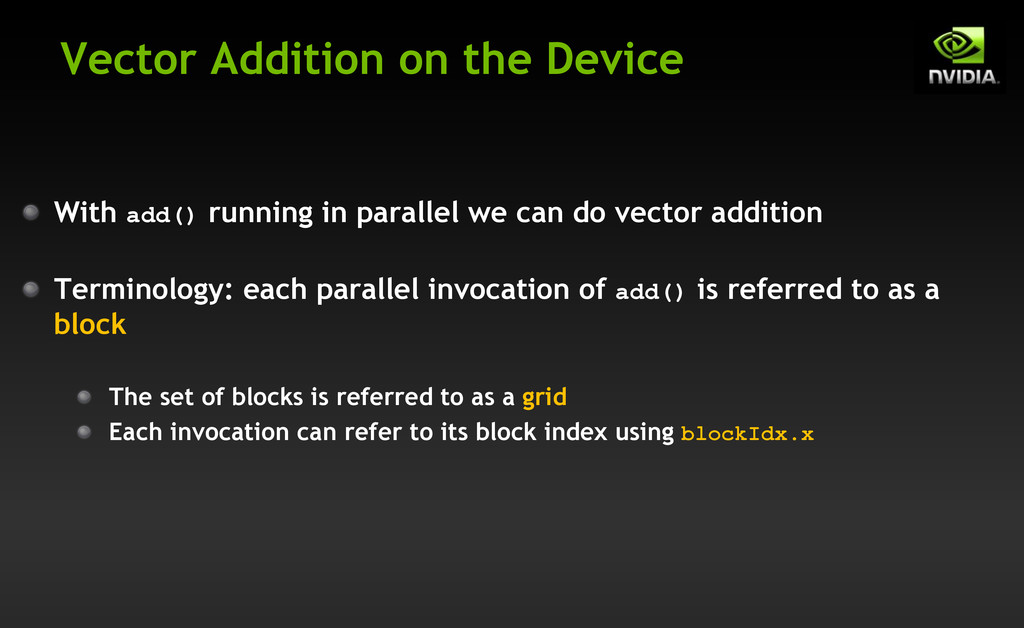
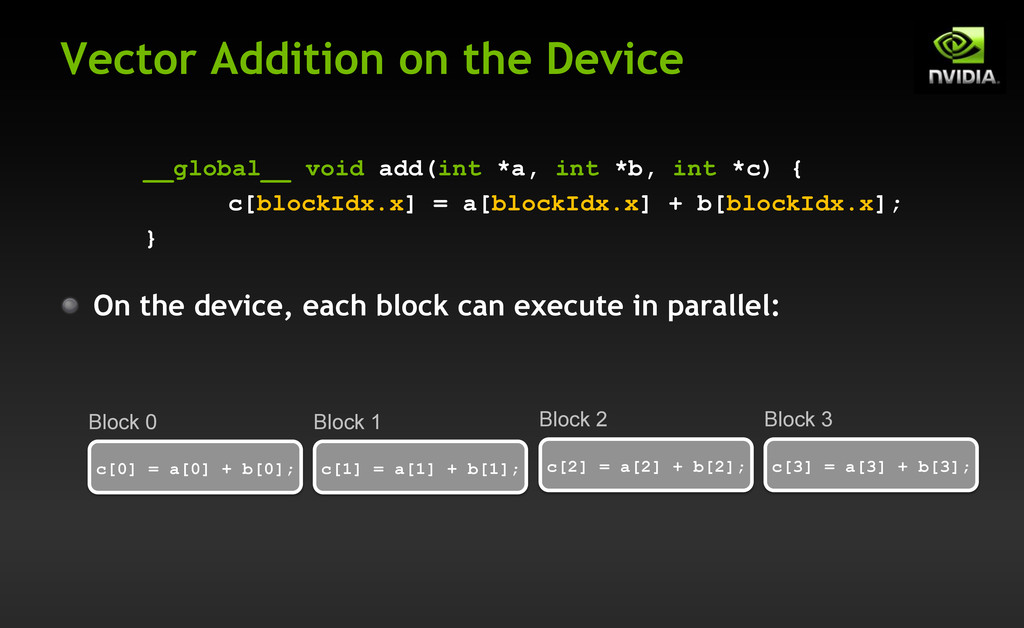
Vector Addition on the Device ! With add() running
in parallel we can do vector addition ! Terminology: each parallel invocation of add() is referred to as a block ! The set of blocks is referred to as a grid ! Each invocation can refer to its block index using blockIdx.x -
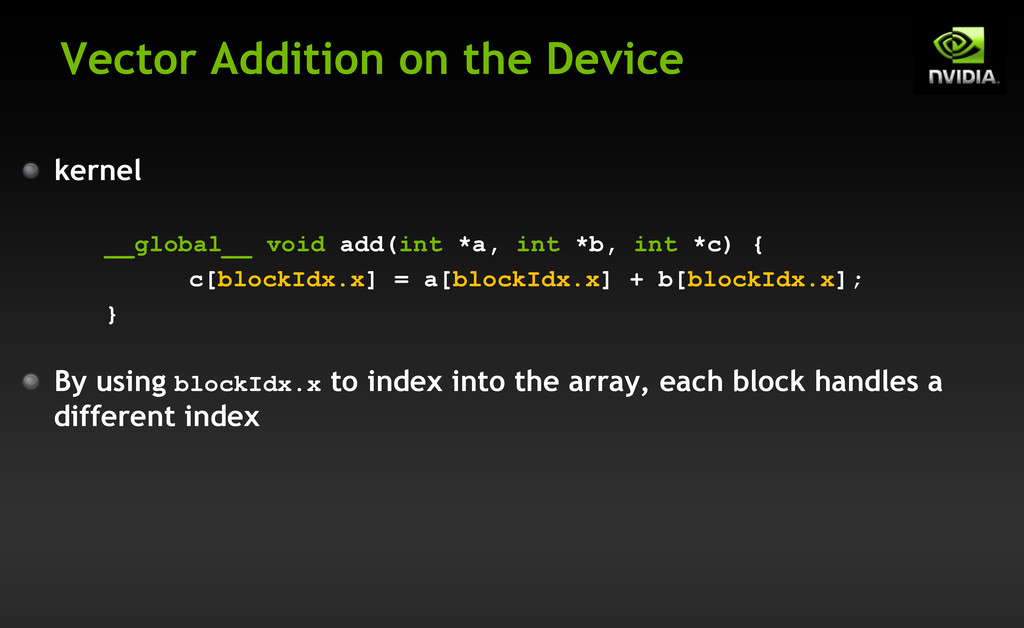
Vector Addition on the Device ! kernel __global__ void
add(int *a, int *b, int *c) { c[blockIdx.x] = a[blockIdx.x] + b[blockIdx.x]; } ! By using blockIdx.x to index into the array, each block handles a different index -
Vector Addition on the Device __global__ void add(int *a, int
*b, int *c) { c[blockIdx.x] = a[blockIdx.x] + b[blockIdx.x]; } ! On the device, each block can execute in parallel: c[0] = a[0] + b[0]; c[1] = a[1] + b[1]; c[2] = a[2] + b[2]; c[3] = a[3] + b[3]; Block 0 Block 1 Block 2 Block 3 -
Vector Addition on the Device: add() ! Returning to
our parallelized add() kernel __global__ void add(int *a, int *b, int *c) { c[blockIdx.x] = a[blockIdx.x] + b[blockIdx.x]; } ! Let’s take a look at main()… -
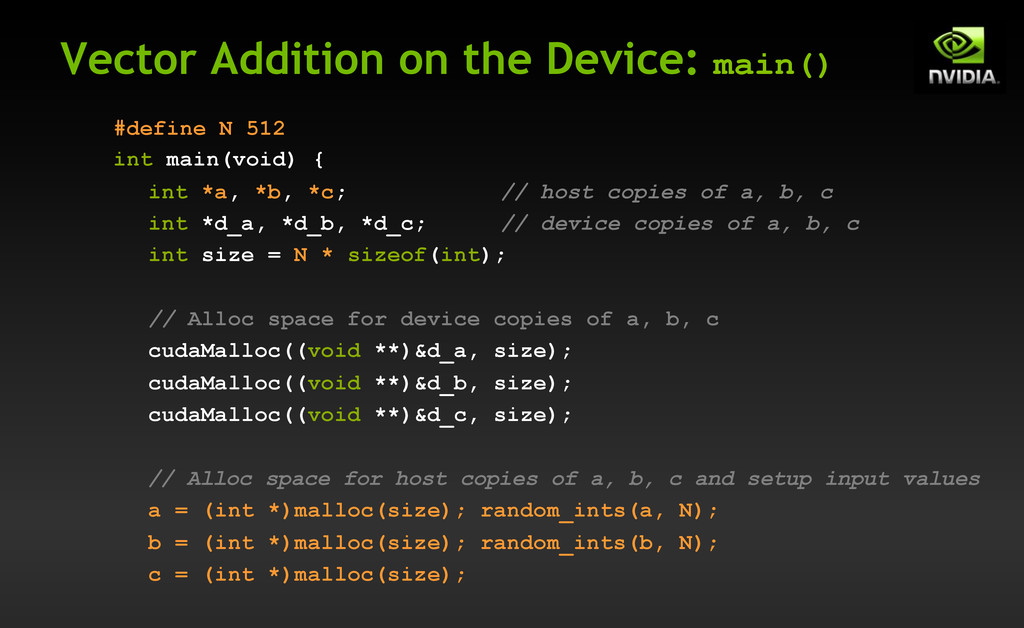
Vector Addition on the Device: main() #define N 512 int
main(void) { int *a, *b, *c; // host copies of a, b, c int *d_a, *d_b, *d_c; // device copies of a, b, c int size = N * sizeof(int); // Alloc space for device copies of a, b, c cudaMalloc((void **)&d_a, size); cudaMalloc((void **)&d_b, size); cudaMalloc((void **)&d_c, size); // Alloc space for host copies of a, b, c and setup input values a = (int *)malloc(size); random_ints(a, N); b = (int *)malloc(size); random_ints(b, N); c = (int *)malloc(size); -
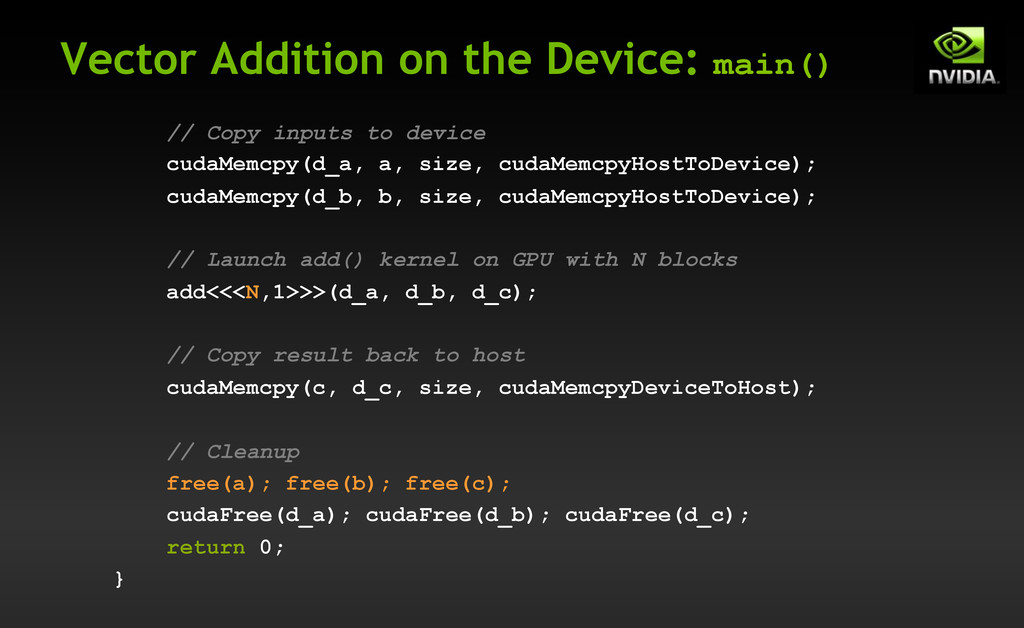
Vector Addition on the Device: main() // Copy inputs to
device cudaMemcpy(d_a, a, size, cudaMemcpyHostToDevice); cudaMemcpy(d_b, b, size, cudaMemcpyHostToDevice); // Launch add() kernel on GPU with N blocks add<<<N,1>>>(d_a, d_b, d_c); // Copy result back to host cudaMemcpy(c, d_c, size, cudaMemcpyDeviceToHost); // Cleanup free(a); free(b); free(c); cudaFree(d_a); cudaFree(d_b); cudaFree(d_c); return 0; } -
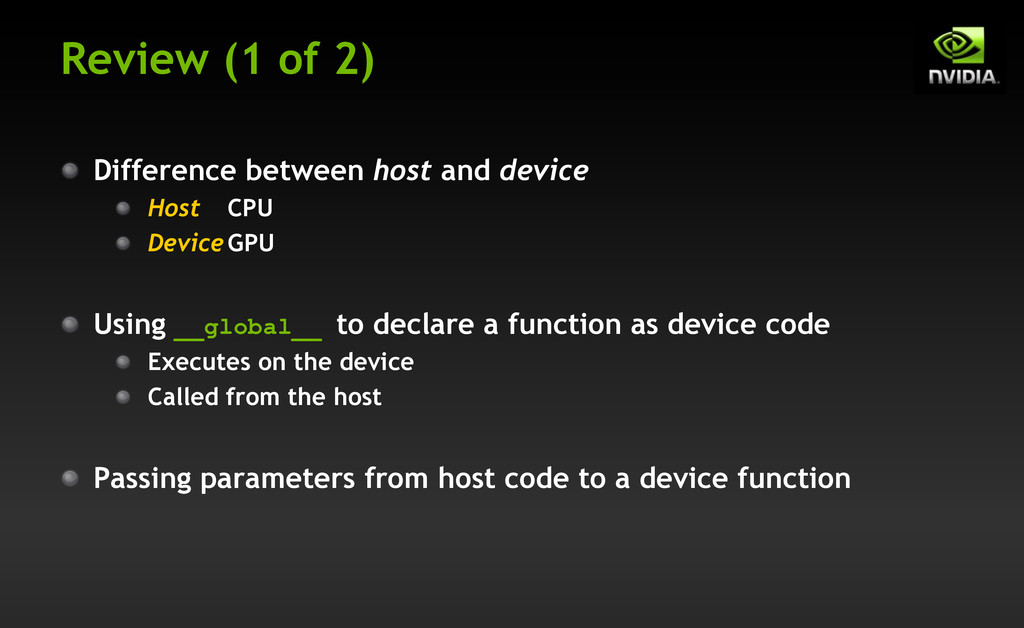
Review (1 of 2) ! Difference between host and
device ! Host CPU ! Device GPU ! Using __global__ to declare a function as device code ! Executes on the device ! Called from the host ! Passing parameters from host code to a device function -
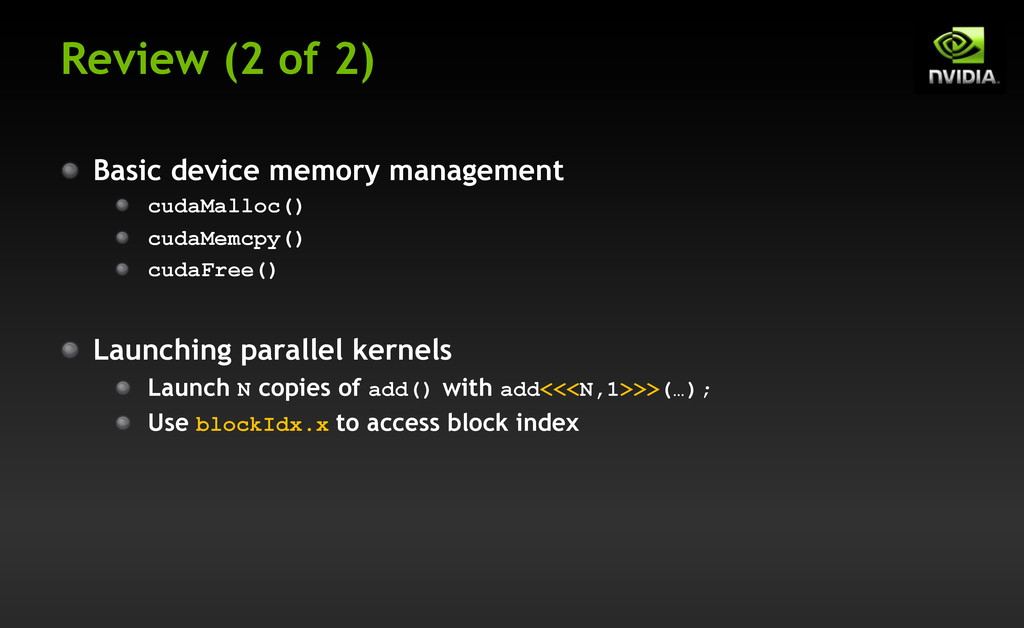
Review (2 of 2) ! Basic device memory management
! cudaMalloc() ! cudaMemcpy() ! cudaFree() ! Launching parallel kernels ! Launch N copies of add() with add<<<N,1>>>(…); ! Use blockIdx.x to access block index -
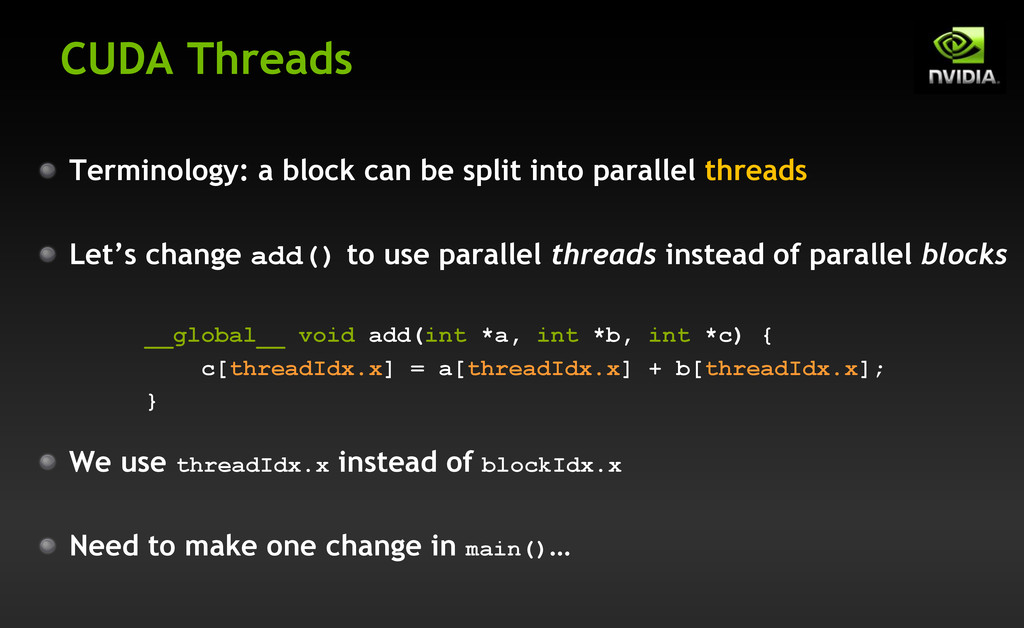
CUDA Threads ! Terminology: a block can be split
into parallel threads ! Let’s change add() to use parallel threads instead of parallel blocks ! We use threadIdx.x instead of blockIdx.x ! Need to make one change in main()… __global__ void add(int *a, int *b, int *c) { c[threadIdx.x] = a[threadIdx.x] + b[threadIdx.x]; } -
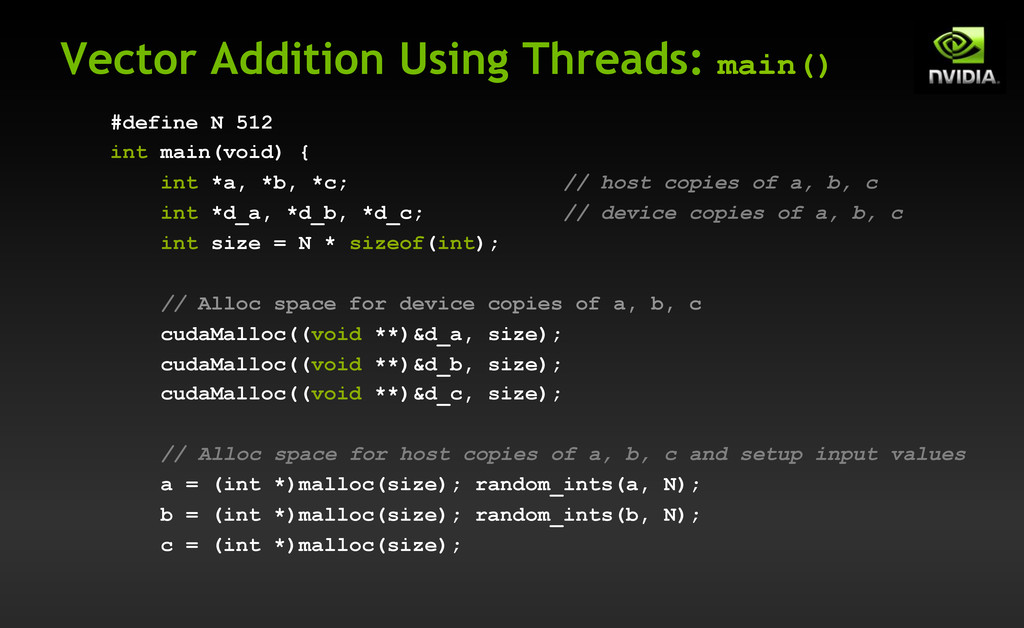
Vector Addition Using Threads: main() #define N 512 int main(void)
{ int *a, *b, *c; // host copies of a, b, c int *d_a, *d_b, *d_c; // device copies of a, b, c int size = N * sizeof(int); // Alloc space for device copies of a, b, c cudaMalloc((void **)&d_a, size); cudaMalloc((void **)&d_b, size); cudaMalloc((void **)&d_c, size); // Alloc space for host copies of a, b, c and setup input values a = (int *)malloc(size); random_ints(a, N); b = (int *)malloc(size); random_ints(b, N); c = (int *)malloc(size); -
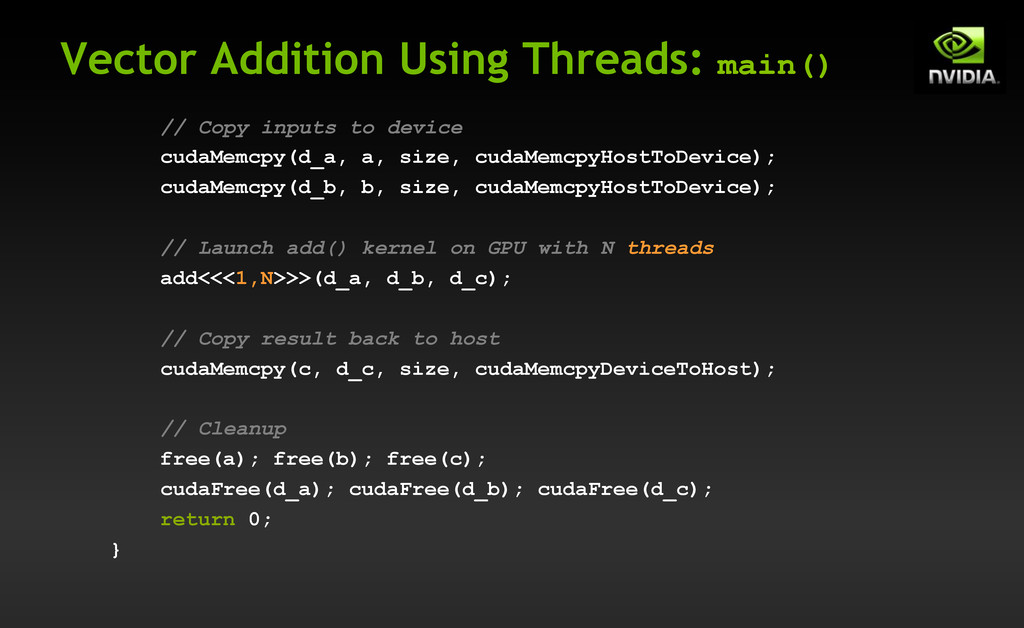
Vector Addition Using Threads: main() // Copy inputs to device
cudaMemcpy(d_a, a, size, cudaMemcpyHostToDevice); cudaMemcpy(d_b, b, size, cudaMemcpyHostToDevice); // Launch add() kernel on GPU with N threads add<<<1,N>>>(d_a, d_b, d_c); // Copy result back to host cudaMemcpy(c, d_c, size, cudaMemcpyDeviceToHost); // Cleanup free(a); free(b); free(c); cudaFree(d_a); cudaFree(d_b); cudaFree(d_c); return 0; } -
Combining Blocks and Threads ! We’ve seen parallel vector
addition using: ! Many blocks with one thread each ! One block with many threads ! Let’s adapt vector addition to use both blocks and threads ! Why? We’ll come to that… ! First let’s discuss data indexing… -
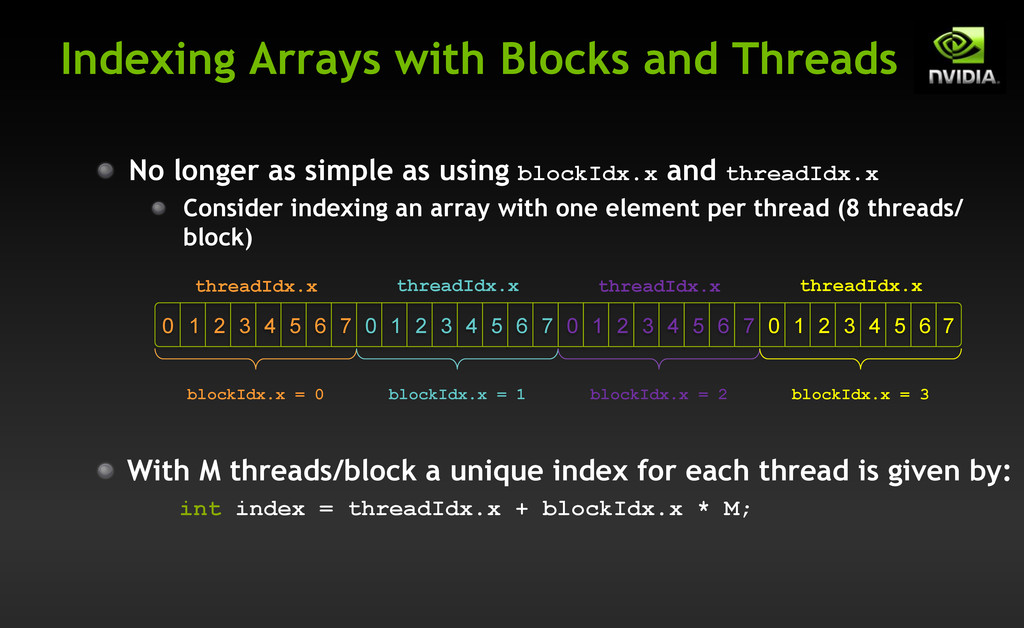
0 1 7 2 3 4 5 6 7 0
1 2 3 4 5 6 7 0 1 2 3 4 5 6 7 0 1 2 3 4 5 6 Indexing Arrays with Blocks and Threads ! With M threads/block a unique index for each thread is given by: int index = threadIdx.x + blockIdx.x * M; ! No longer as simple as using blockIdx.x and threadIdx.x ! Consider indexing an array with one element per thread (8 threads/ block) threadIdx.x threadIdx.x threadIdx.x threadIdx.x blockIdx.x = 0 blockIdx.x = 1 blockIdx.x = 2 blockIdx.x = 3 -
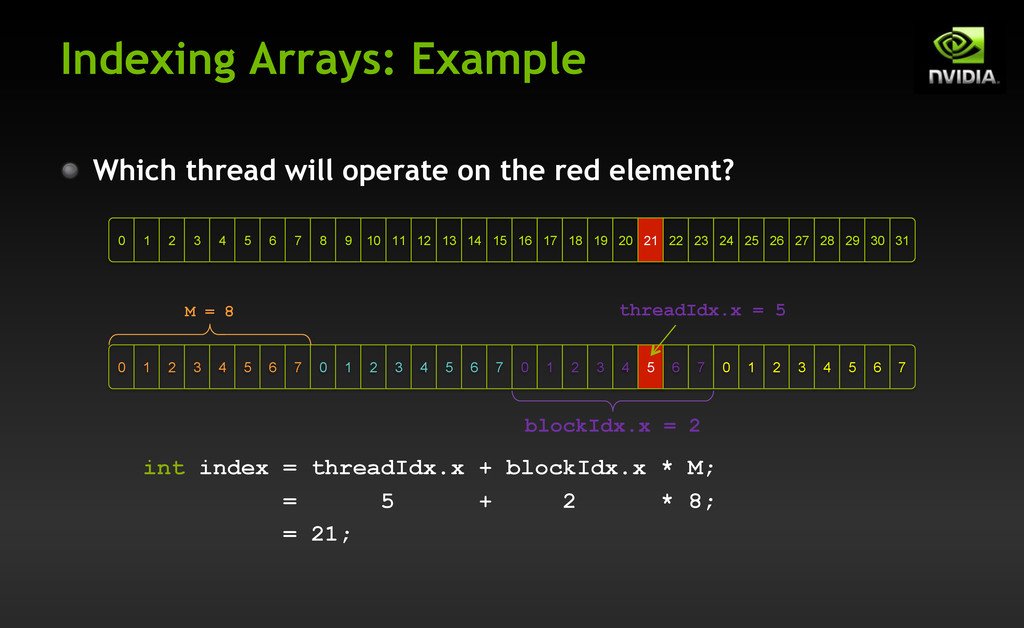
Indexing Arrays: Example ! Which thread will operate on
the red element? int index = threadIdx.x + blockIdx.x * M; = 5 + 2 * 8; = 21; 0 1 7 2 3 4 5 6 7 0 1 2 3 4 5 6 7 0 1 2 3 4 5 6 7 0 1 2 3 4 5 6 threadIdx.x = 5 blockIdx.x = 2 0 1 31 2 3 4 5 6 7 8 9 10 11 12 13 14 15 16 17 18 19 20 21 22 23 24 25 26 27 28 29 30 M = 8 -
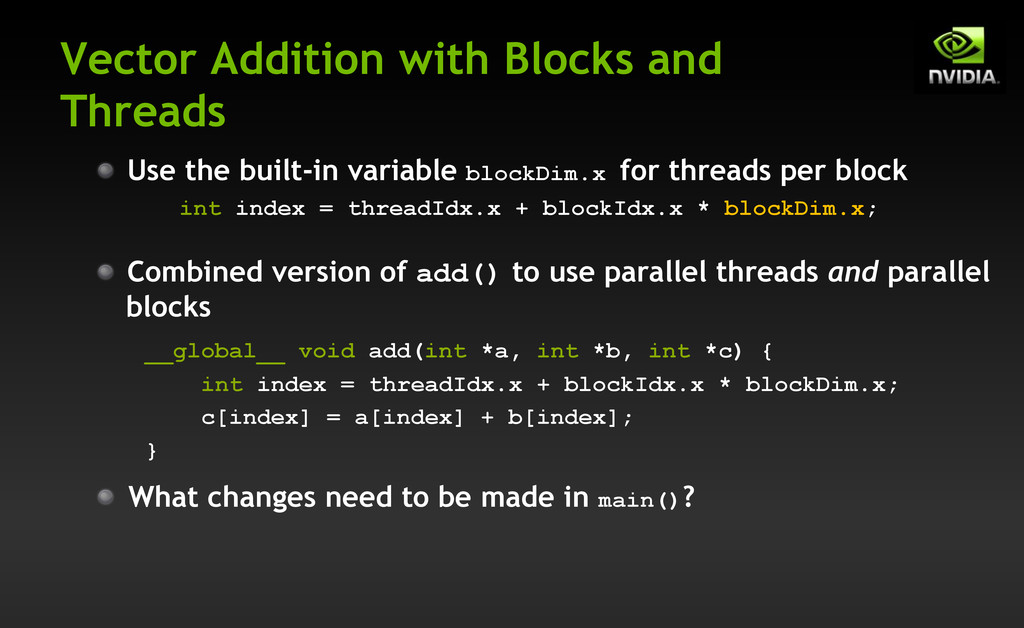
Vector Addition with Blocks and Threads ! What changes
need to be made in main()? ! Use the built-in variable blockDim.x for threads per block int index = threadIdx.x + blockIdx.x * blockDim.x; ! Combined version of add() to use parallel threads and parallel blocks __global__ void add(int *a, int *b, int *c) { int index = threadIdx.x + blockIdx.x * blockDim.x; c[index] = a[index] + b[index]; } -
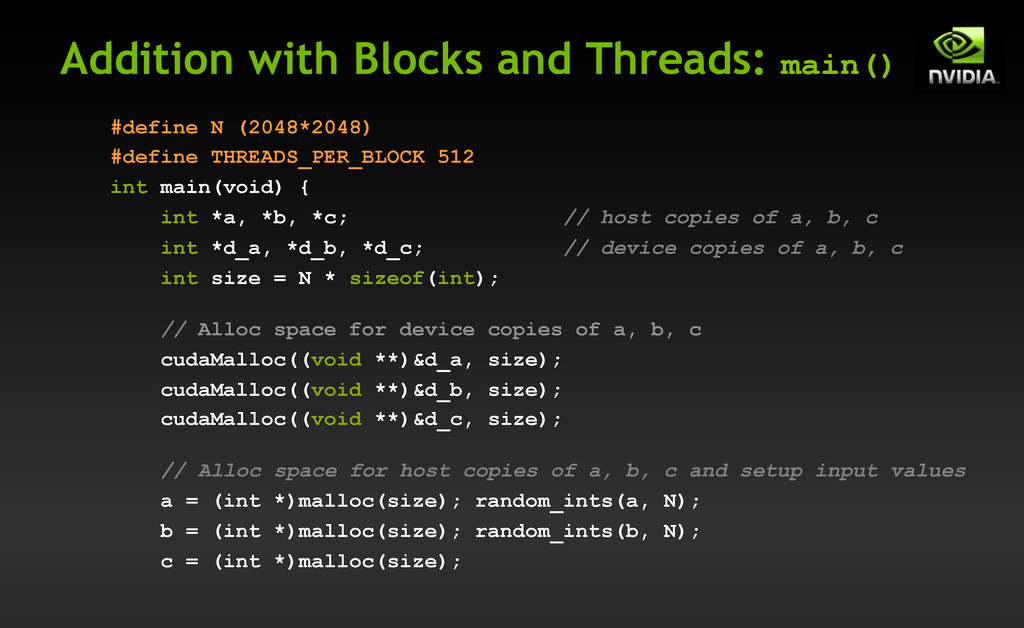
Addition with Blocks and Threads: main() #define N (2048*2048) #define
THREADS_PER_BLOCK 512 int main(void) { int *a, *b, *c; // host copies of a, b, c int *d_a, *d_b, *d_c; // device copies of a, b, c int size = N * sizeof(int); // Alloc space for device copies of a, b, c cudaMalloc((void **)&d_a, size); cudaMalloc((void **)&d_b, size); cudaMalloc((void **)&d_c, size); // Alloc space for host copies of a, b, c and setup input values a = (int *)malloc(size); random_ints(a, N); b = (int *)malloc(size); random_ints(b, N); c = (int *)malloc(size); -
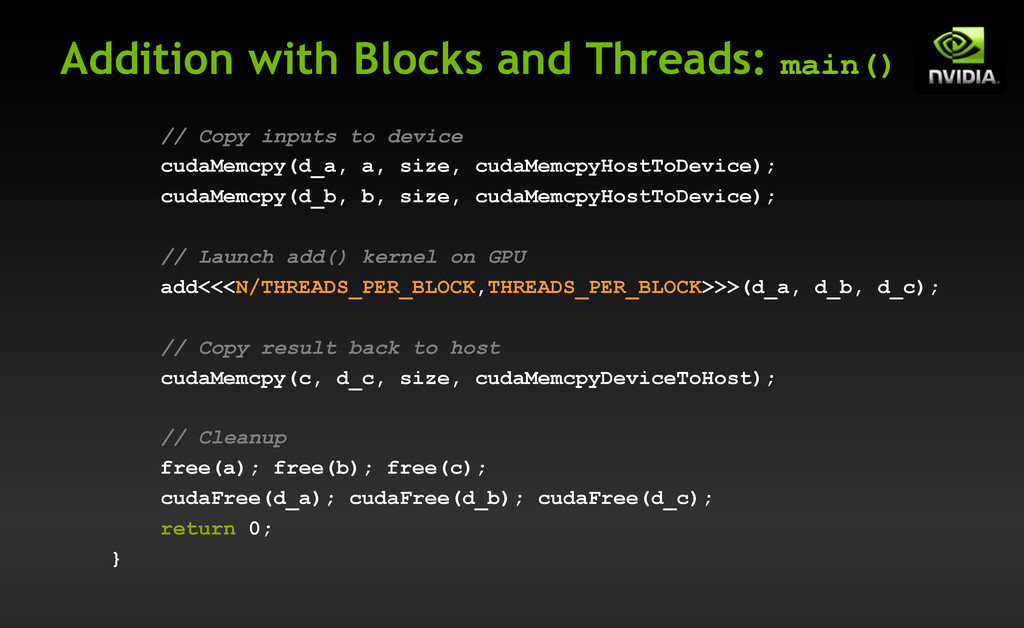
Addition with Blocks and Threads: main() // Copy inputs to
device cudaMemcpy(d_a, a, size, cudaMemcpyHostToDevice); cudaMemcpy(d_b, b, size, cudaMemcpyHostToDevice); // Launch add() kernel on GPU add<<<N/THREADS_PER_BLOCK,THREADS_PER_BLOCK>>>(d_a, d_b, d_c); // Copy result back to host cudaMemcpy(c, d_c, size, cudaMemcpyDeviceToHost); // Cleanup free(a); free(b); free(c); cudaFree(d_a); cudaFree(d_b); cudaFree(d_c); return 0; } -
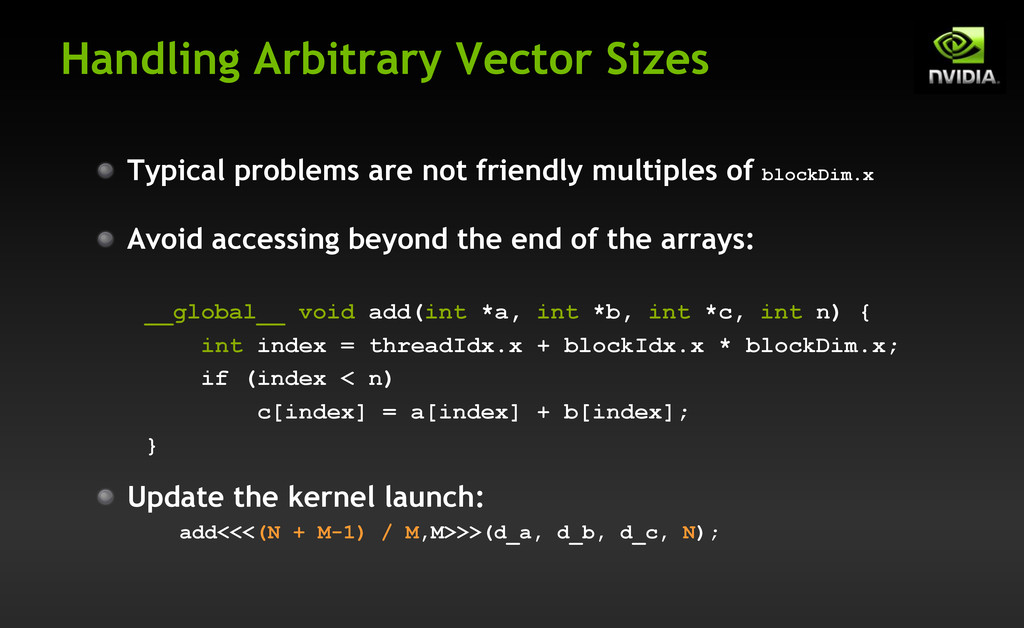
Handling Arbitrary Vector Sizes ! Update the kernel launch:
add<<<(N + M-1) / M,M>>>(d_a, d_b, d_c, N); ! Typical problems are not friendly multiples of blockDim.x ! Avoid accessing beyond the end of the arrays: __global__ void add(int *a, int *b, int *c, int n) { int index = threadIdx.x + blockIdx.x * blockDim.x; if (index < n) c[index] = a[index] + b[index]; } -
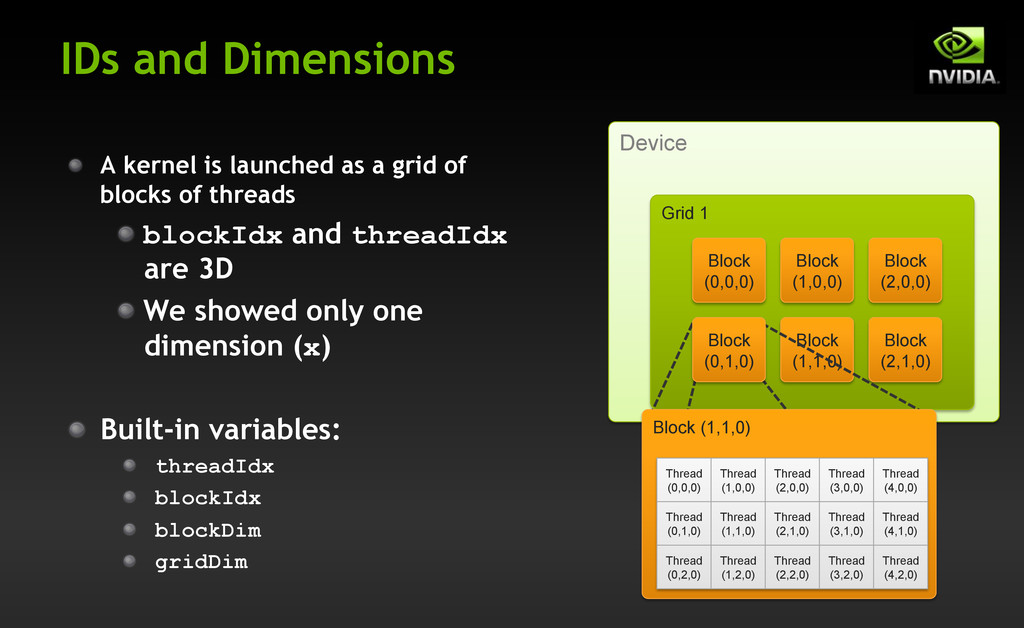
IDs and Dimensions ! A kernel is launched as
a grid of blocks of threads ! blockIdx and threadIdx are 3D ! We showed only one dimension (x) ! Built-in variables: ! threadIdx ! blockIdx ! blockDim ! gridDim Device Grid 1 Block (0,0,0) Block (1,0,0) Block (2,0,0) Block (1,1,0) Block (2,1,0) Block (0,1,0) Block (1,1,0) Thread (0,0,0) Thread (1,0,0) Thread (2,0,0) Thread (3,0,0) Thread (4,0,0) Thread (0,1,0) Thread (1,1,0) Thread (2,1,0) Thread (3,1,0) Thread (4,1,0) Thread (0,2,0) Thread (1,2,0) Thread (2,2,0) Thread (3,2,0) Thread (4,2,0)
 jimezamuam
 ivry_presentationmaterials
 shotashiratori
 ginjihayashi
 hagino3000
 sue445
 yama3133
 dynamis
 knwoop
 takuyay0ne
 uhyo
 yosukeyoshida
 minorun365
 aleyda
 techseoconnect
 maltzj
 eileencodes
 cassininazir
 szymonslowik
 malarkey
 tmiket
 stuffmc
 dougneiner
 katiecoart