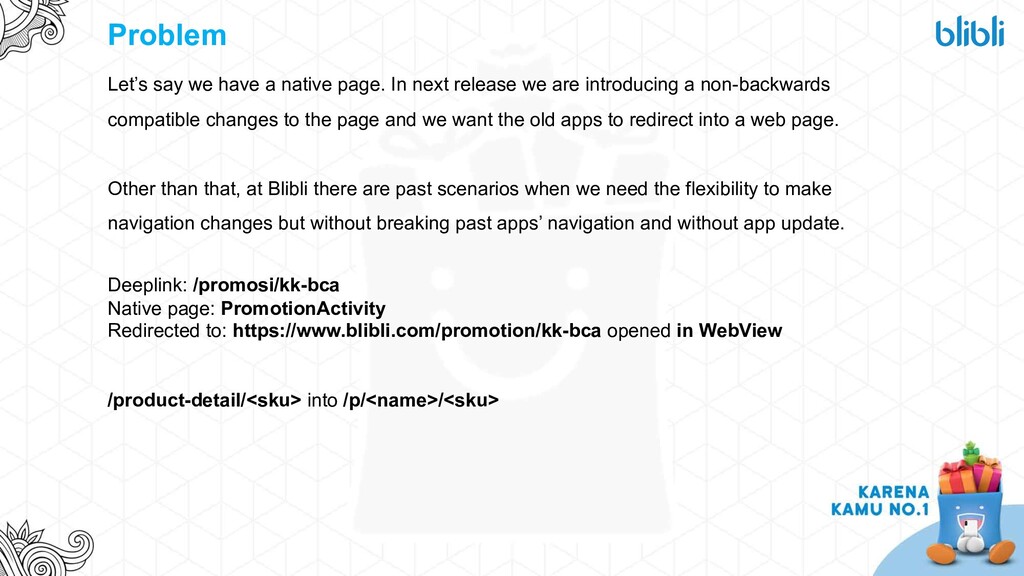
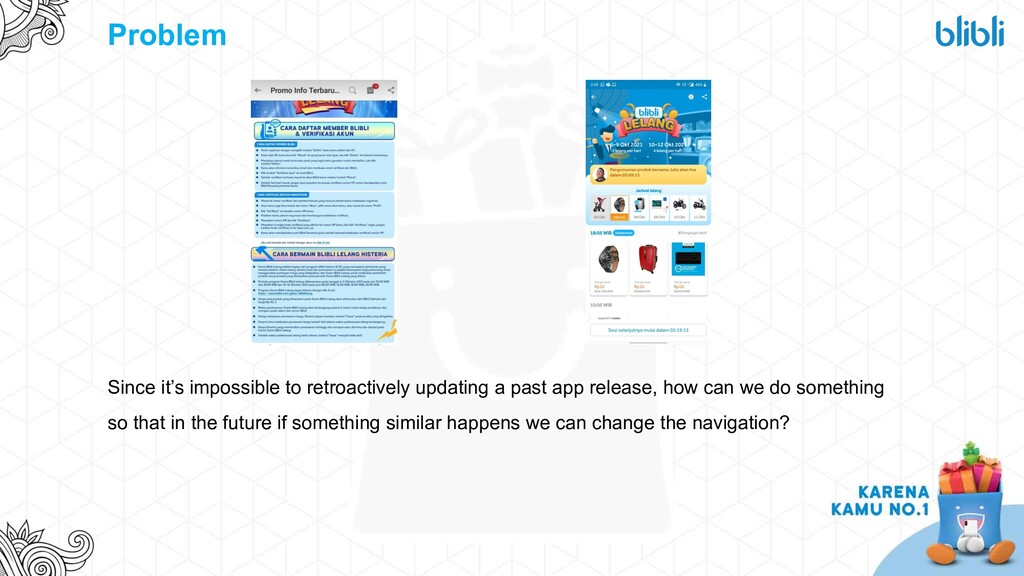
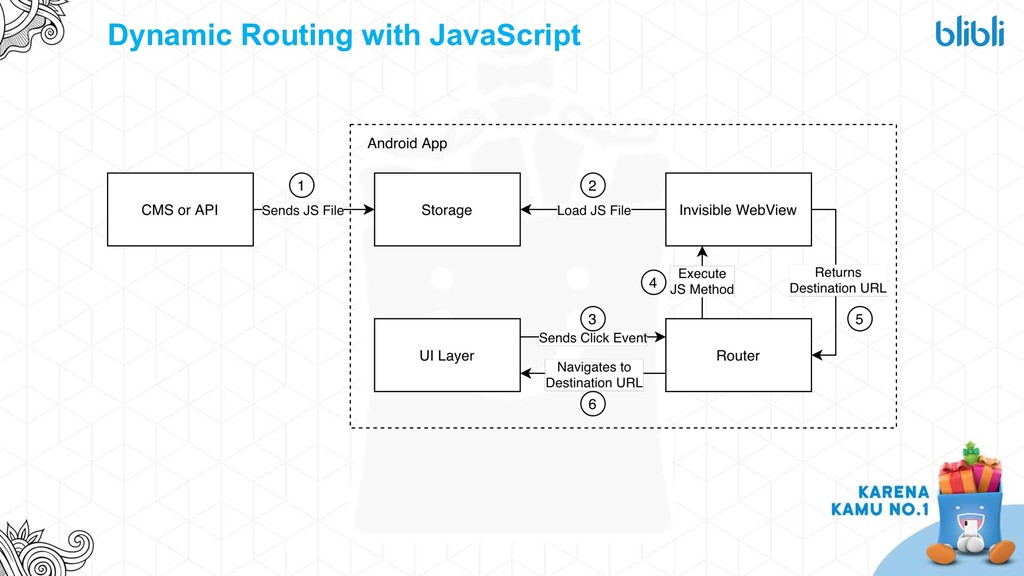
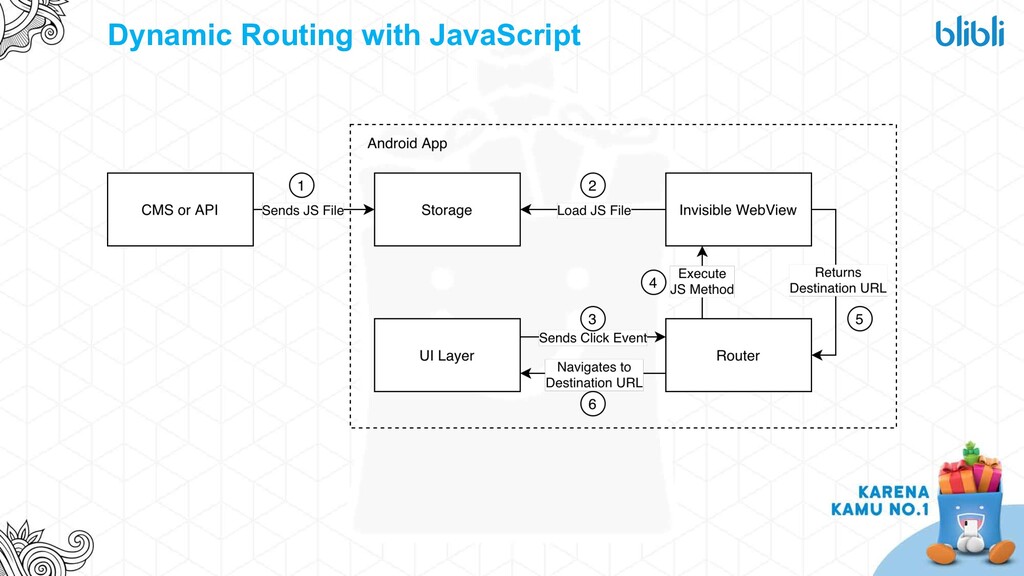
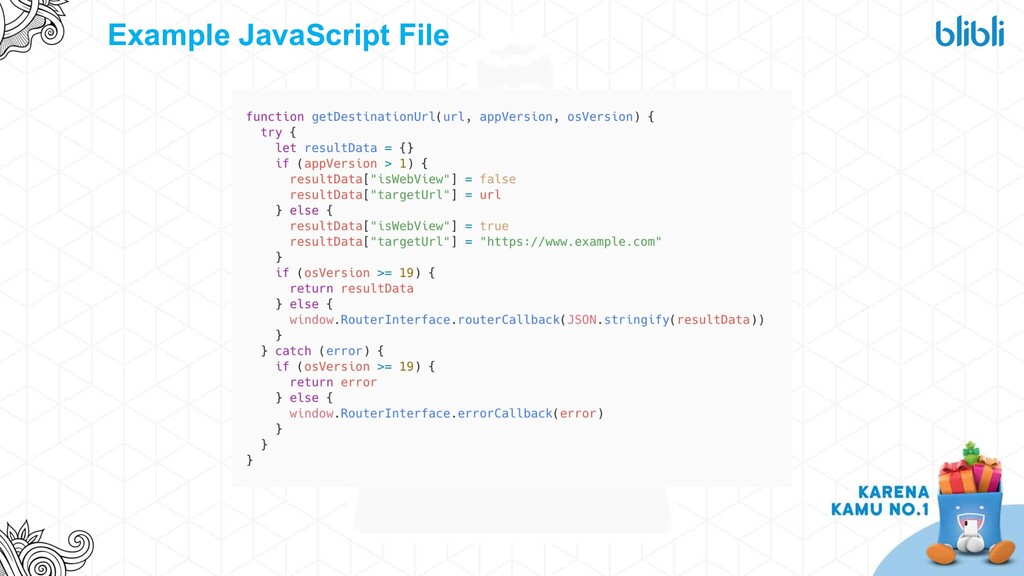
release we are introducing a non-backwards compatible changes to the page and we want the old apps to redirect into a web page. Other than that, at Blibli there are past scenarios when we need the flexibility to make navigation changes but without breaking past apps’ navigation and without app update. Deeplink: /promosi/kk-bca Native page: PromotionActivity Redirected to: https://www.blibli.com/promotion/kk-bca opened in WebView /product-detail/<sku> into /p/<name>/<sku>
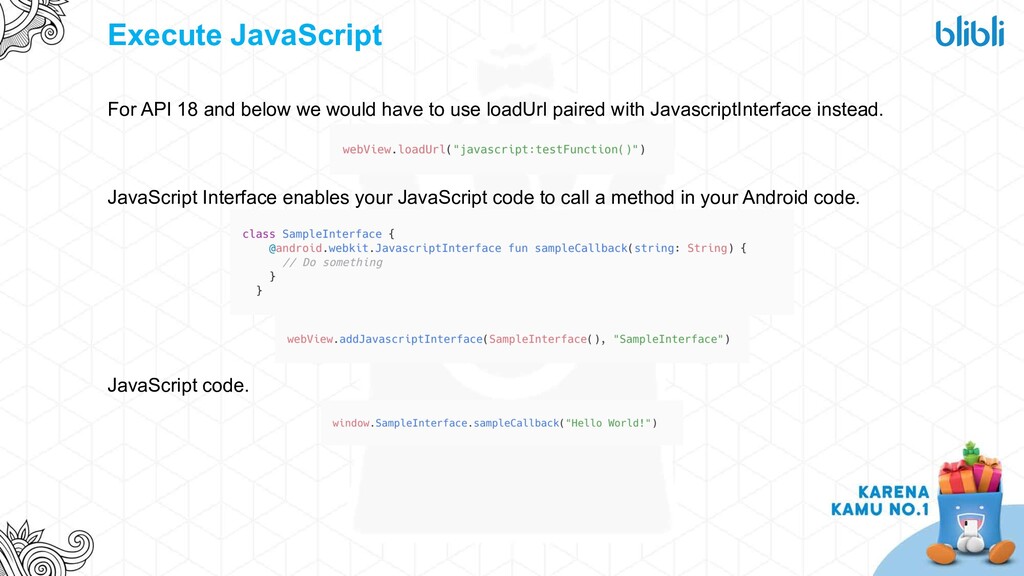
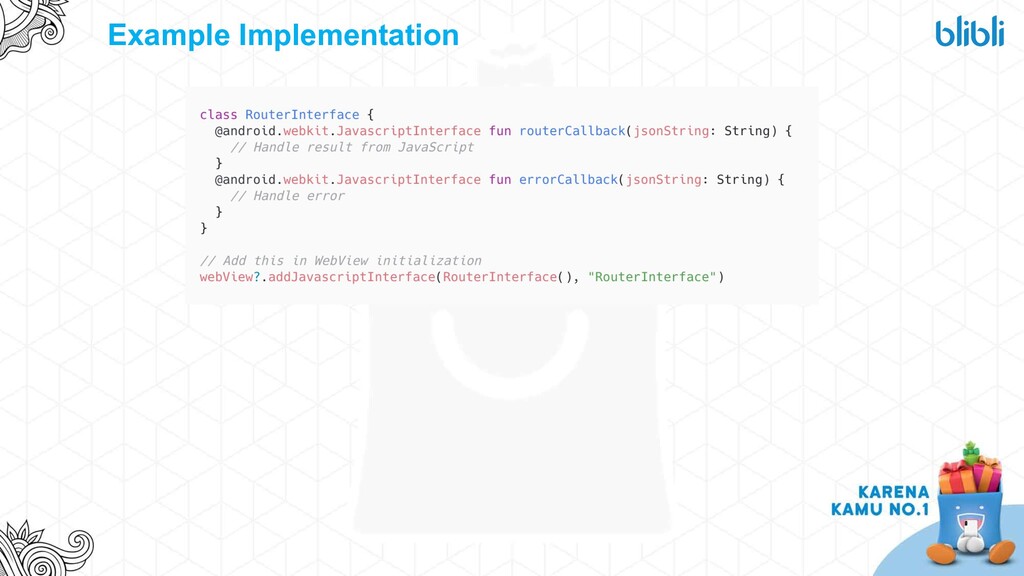
to use loadUrl paired with JavascriptInterface instead. JavaScript Interface enables your JavaScript code to call a method in your Android code. JavaScript code.
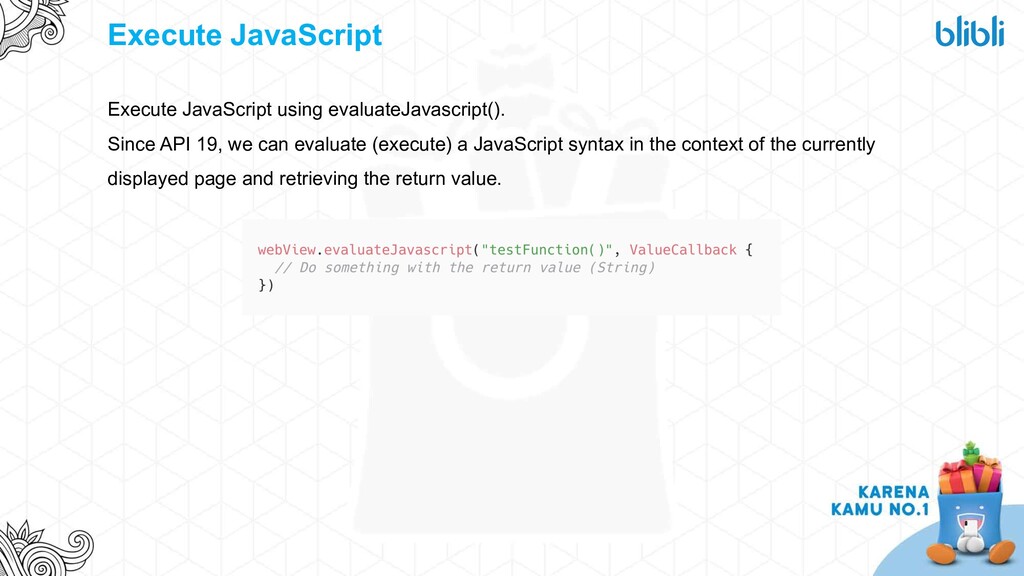
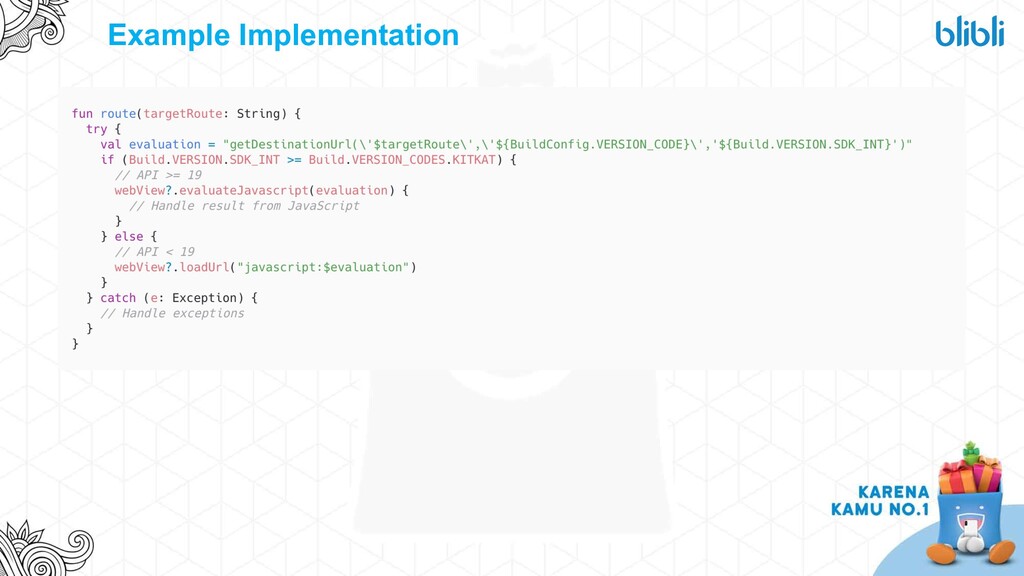
Prepare a method to execute the JavaScript method that will return the destination URL. For API 18 and below, add JavaScript interface to receive the destination URL.
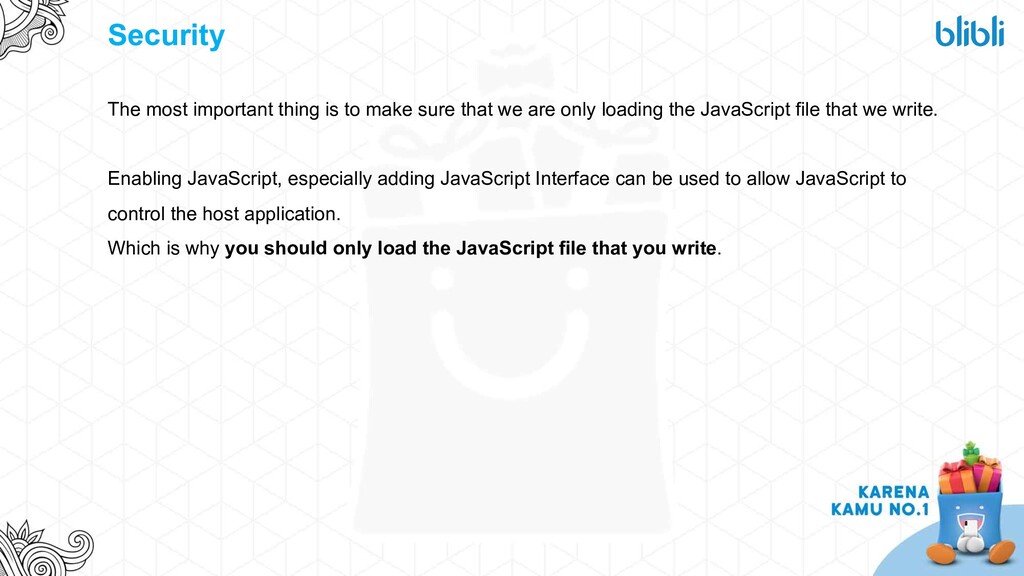
we are only loading the JavaScript file that we write. Enabling JavaScript, especially adding JavaScript Interface can be used to allow JavaScript to control the host application. Which is why you should only load the JavaScript file that you write.
JavaScript methods if we need some dynamic feature that doesn’t require app update. Using the same principle, we’ve also developed Dynamic WebView Analytics, but that’s for another time.


 iwiwi
iwiwi
 hschwentner
 skydoves
 rshindo
 sylph01
 y0hgi
y0hgi
 chobishiba
 eed3si9n
 guaca
guaca
 nao_randd
 nokomoro3
 rkaga
rkaga
 inesmontani
 geoffreycrofte
 chrisshort
 andyhume
 lara
lara
 szymonslowik
 soysaucechin
 palkan
 jnunemaker
 tenderlove
 letsgokoyo