Upgrade to Pro — share decks privately, control downloads, hide ads and more …

Faster Django ORM Queries for Everybody

Faster Django ORM Queries for Everybody

Nobody likes a slow application or a website. Not only can it frustrate your users, but it can also directly affect your business metrics, such as conversion rates. Without proper care, your application can easily slow down as your project grows.

One of the most common sources of slowdowns is your database. Django ORM makes it easy to work with databases, but it also makes it easy to forget how to use it properly.

In this talk, you will learn how to measure and diagnose database operations in your Django app, fix common issues, and leverage your database engine's features to unleash its full potential. We will cover topics such as N+1 queries, creating and using database views from Django, database indices and EXPLAINing queries (I’ll keep it easy to understand, I promise!).

While the session focuses on Django apps, most of the topics also apply to SQLAlchemy and other libraries.

After the talk, you will know how to diagnose database query performance and have a good understanding of how to fix common performance bottlenecks.

You’ll need basic knowledge of the Django ORM or a similar tool like SQLAlchemy, as well as general database concepts.

Avatar for Jan Smitka

Jan Smitka

July 19, 2026

More Decks by Jan Smitka

Other Decks in Programming

Transcript

  1. Faster Django ORM Queries for Everybody Jan Smitka Tech Lead

    & So ft ware Engineer E U R O P YT H O N 2 0 2 6 This talk will focus on query performance in Django. I will share a few tips for identifying slowdowns, improving your application code, and creating database indexes for better performance.
  2. Performance matters  Why should we bother with application performance

    in the first place? People are used to waiting, and 1 second is not a big deal, right?
  3. Business Outcomes  The truth is that your application performance

    is directly tied to your business outcomes. Slow applications have lower conversion rates and customer retention, resulting in lower sales.
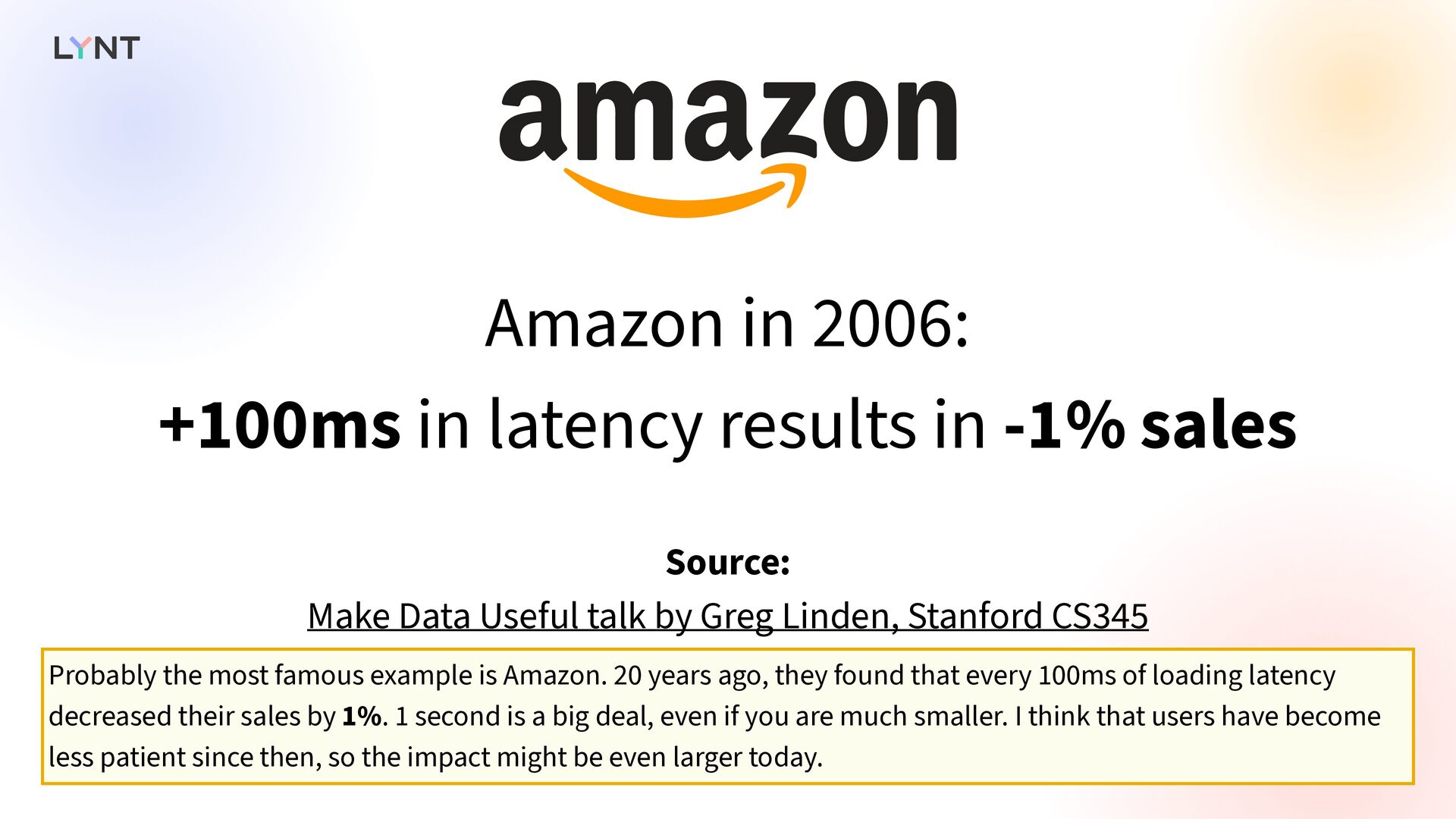
  4. Amazon in 2006: +100ms in latency results in -1% sales

    Source: Make Data Useful talk by Greg Linden, Stanford CS345 Probably the most famous example is Amazon. 20 years ago, they found that every 100ms of loading latency decreased their sales by 1%. 1 second is a big deal, even if you are much smaller. I think that users have become less patient since then, so the impact might be even larger today.
  5.  User Experience  It’s not only about business; it’s

    also about user experience. Nobody likes using a slow app, so if loading times are too long, users will leave.
  6. Load delays: stress similar to watching a horror movie or

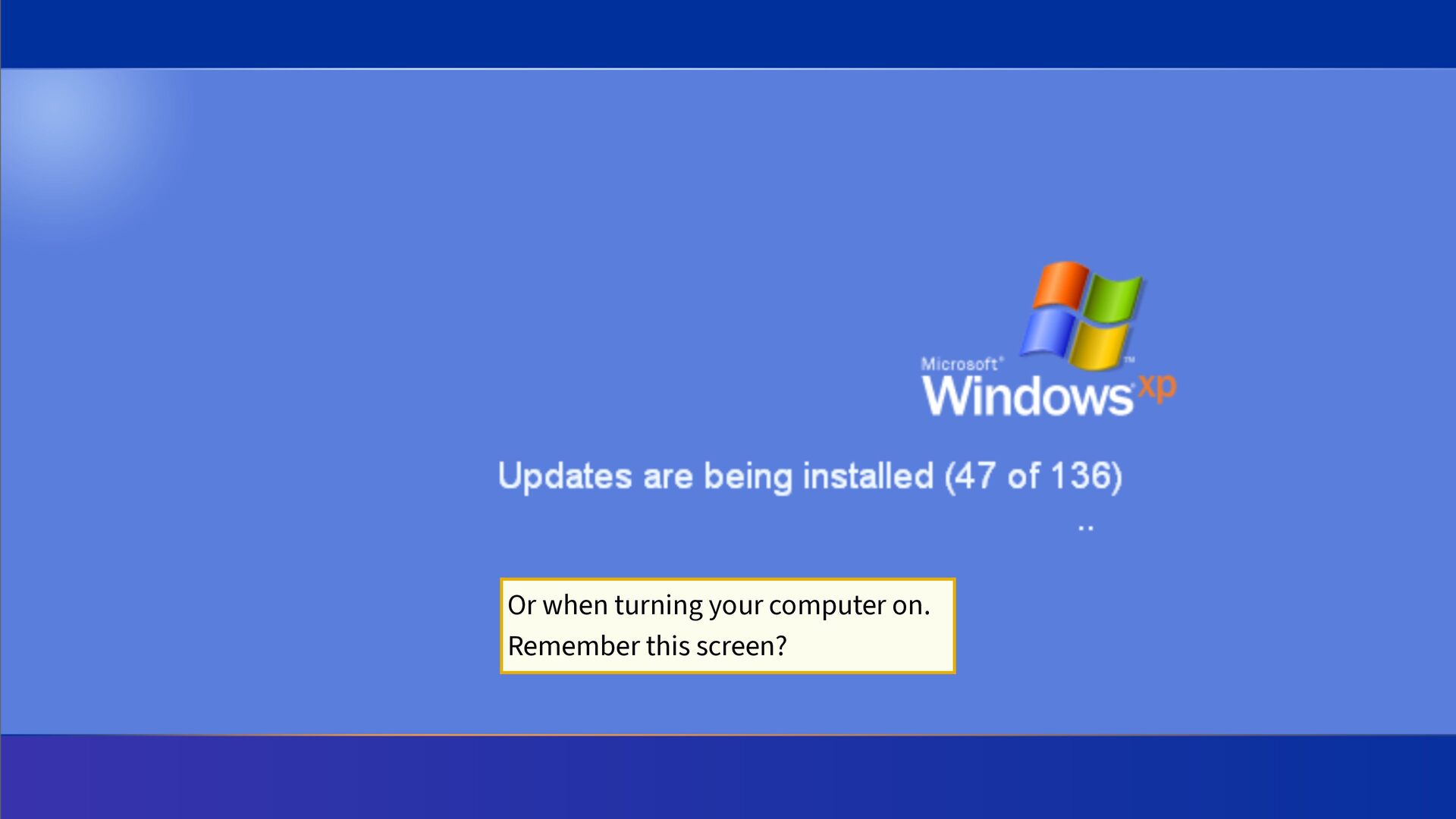
    solving a math problem Source: Streaming delays mentally taxing for smartphone users: Ericsson Mobility Report   A study conducted by Ericsson found that load delays can cause stress comparable to watching a horror movie alone or solving a math problem. Even if you like horror movies and math, it’s not the right emotion when shopping for shoes.
  7. Speed up your queries   Most applications use a

    relational database, so a good place to start improving performance is by speeding up your database queries.
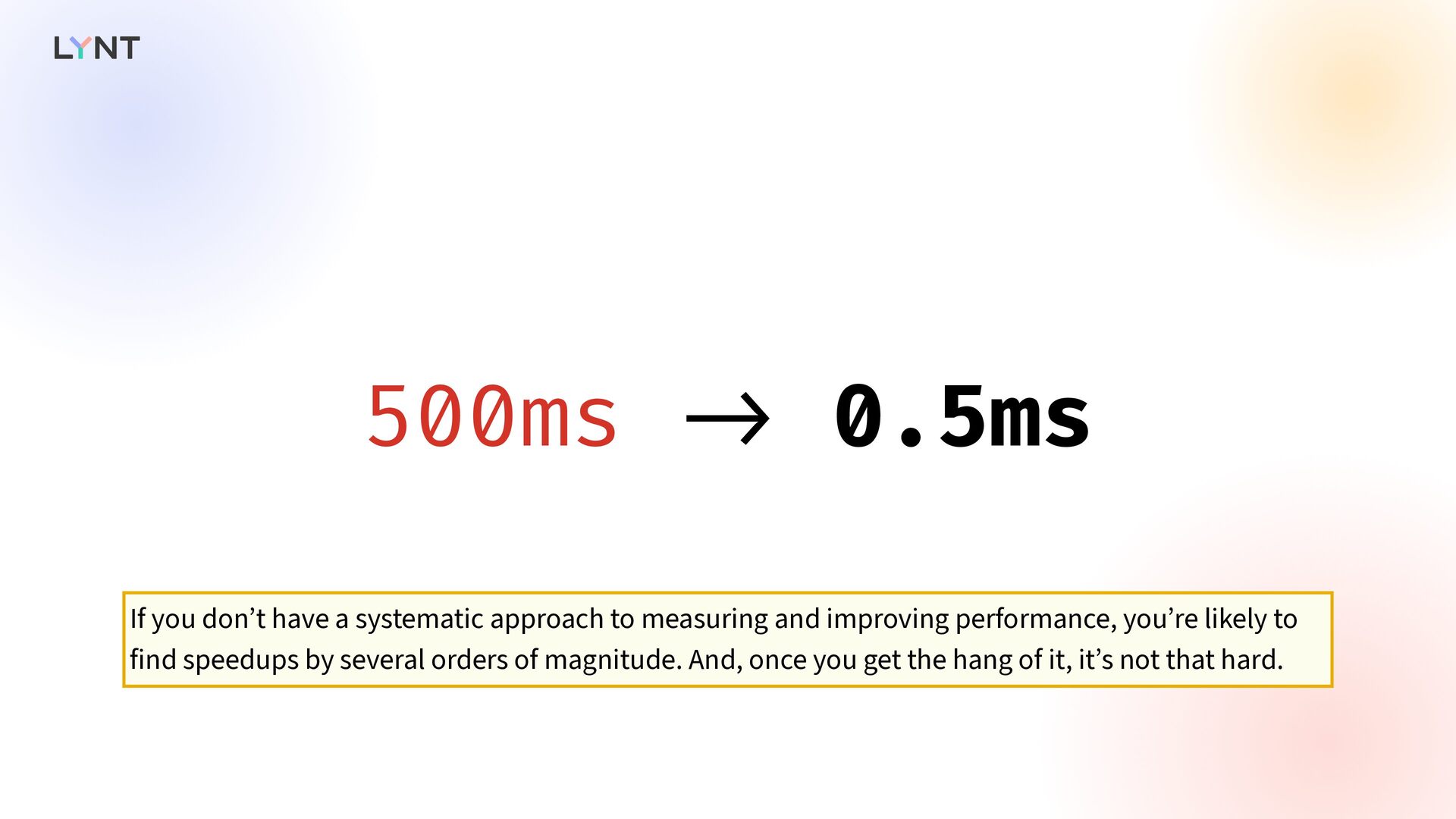
  8. 500ms - > 0.5ms If you don’t have a systematic

    approach to measuring and improving performance, you’re likely to find speedups by several orders of magnitude. And, once you get the hang of it, it’s not that hard.
  9. Measure, don’t guess   But as always, before you

    change anything, you must measure your current performance. Don’t guess; you need to know which queries are run and which operations are slow. We have several options in Django.
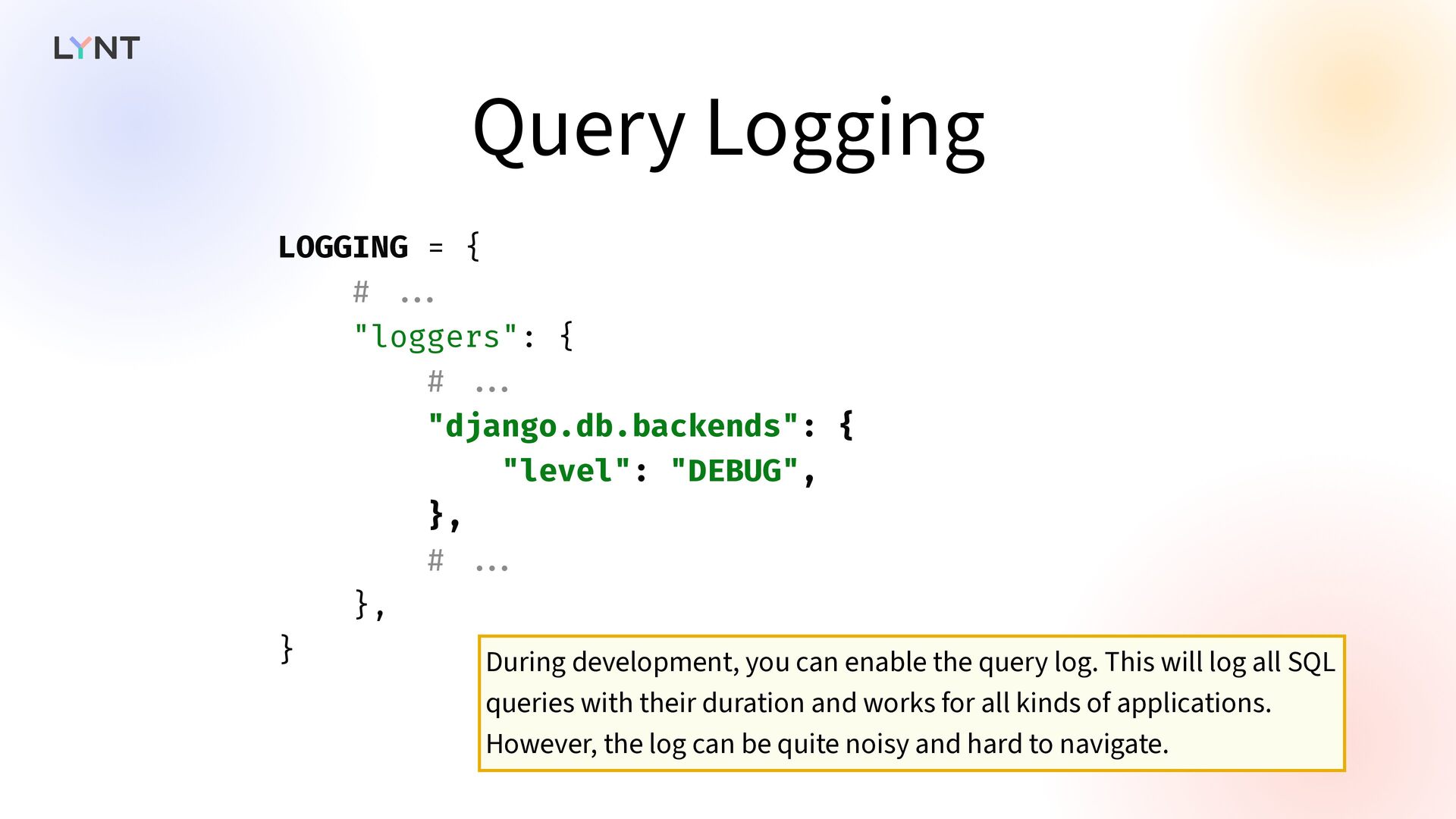
  10. Query Logging LOGGING = { # . . . "loggers":

    { # . . . "django.db.backends": { "level": "DEBUG", }, # . . . }, } During development, you can enable the query log. This will log all SQL queries with their duration and works for all kinds of applications. However, the log can be quite noisy and hard to navigate.
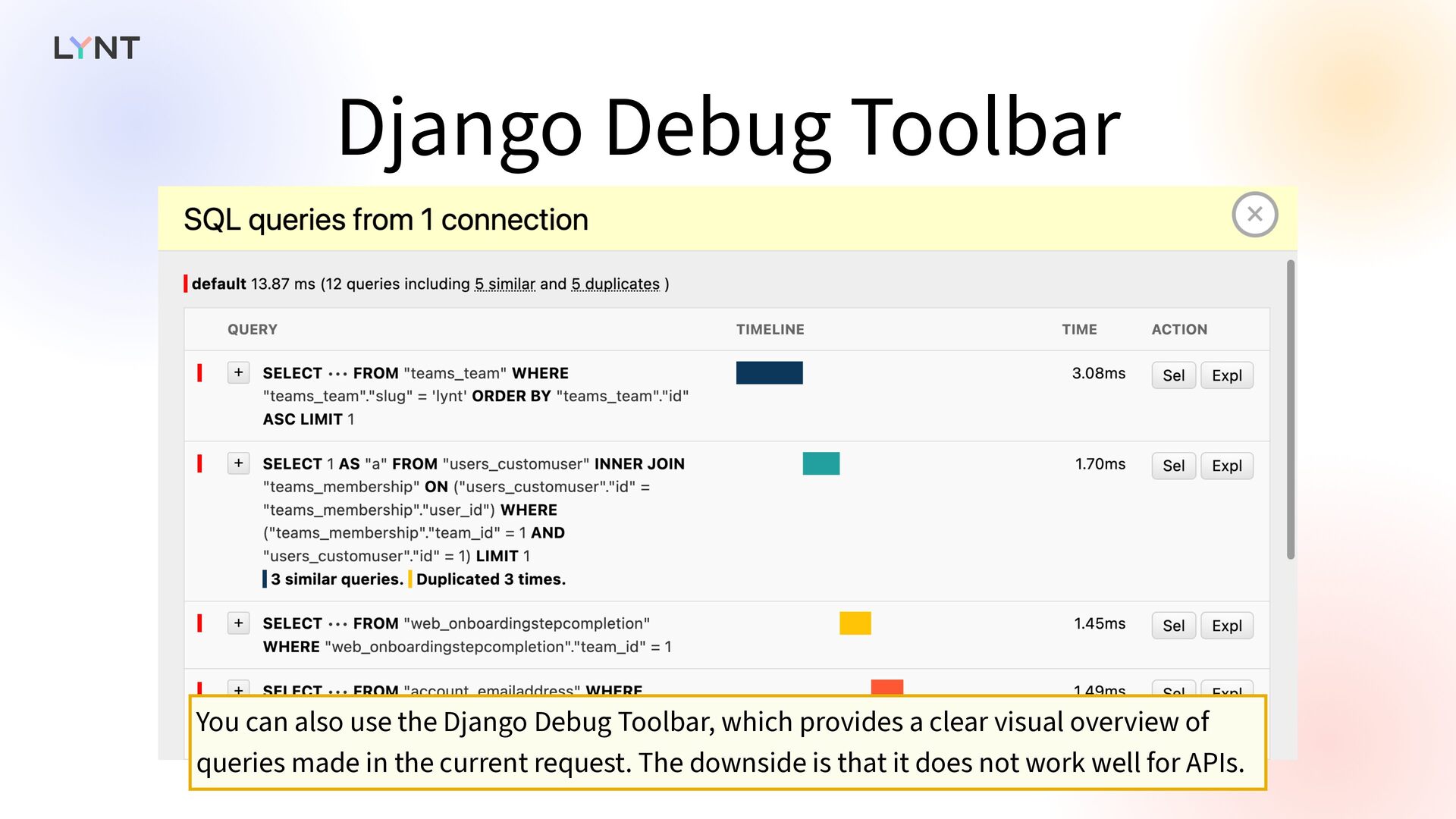
  11. Django Debug Toolbar You can also use the Django Debug

    Toolbar, which provides a clear visual overview of queries made in the current request. The downside is that it does not work well for APIs.
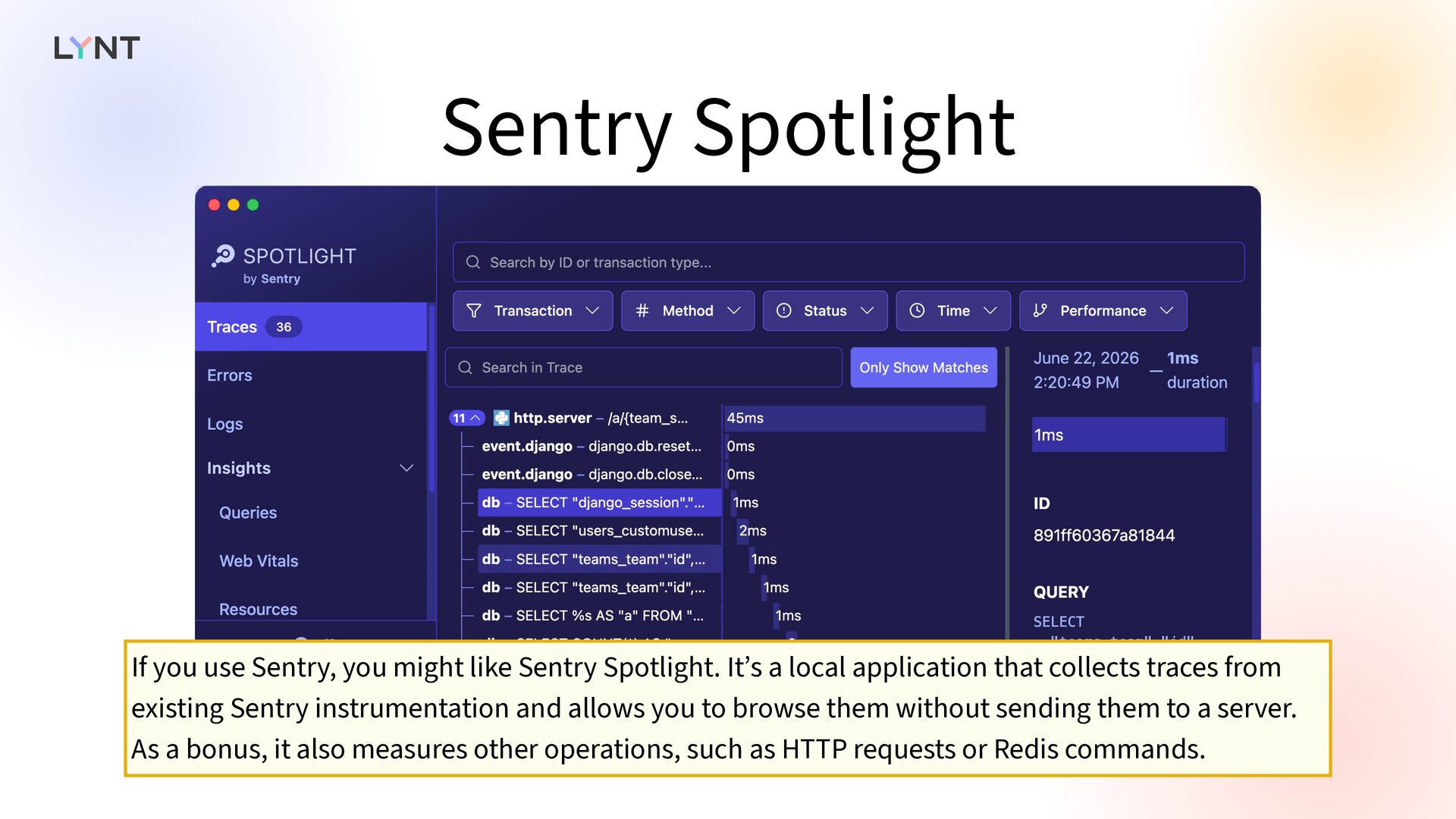
  12. Sentry Spotlight If you use Sentry, you might like Sentry

    Spotlight. It’s a local application that collects traces from existing Sentry instrumentation and allows you to browse them without sending them to a server. As a bonus, it also measures other operations, such as HTTP requests or Redis commands.
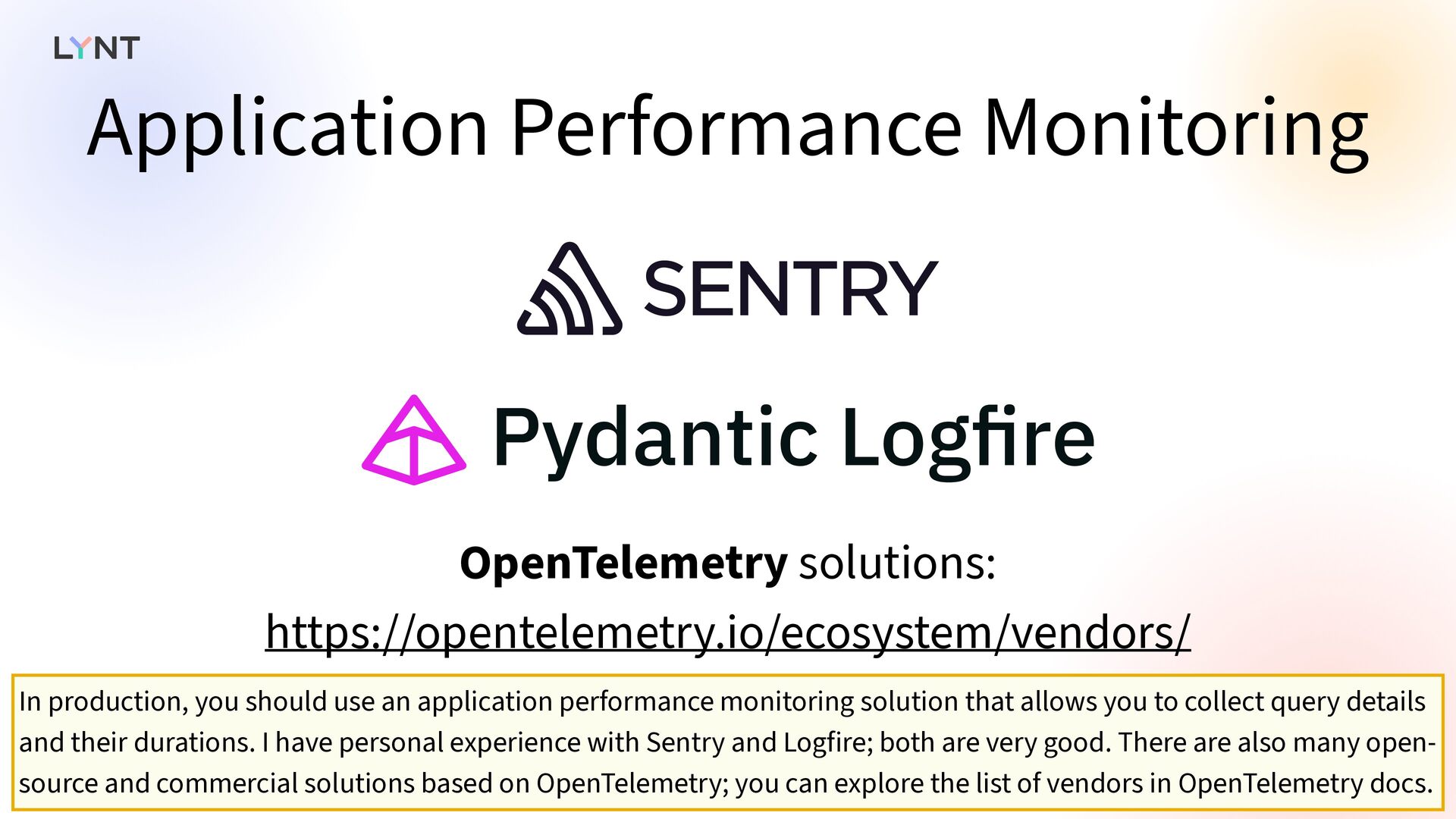
  13. Application Performance Monitoring OpenTelemetry solutions: https://opentelemetry.io/ecosystem/vendors/ In production, you should

    use an application performance monitoring solution that allows you to collect query details and their durations. I have personal experience with Sentry and Logfire; both are very good. There are also many open- source and commercial solutions based on OpenTelemetry; you can explore the list of vendors in OpenTelemetry docs.
  14. Database Monitoring • Query insights provided by your database platform

    • PostgreSQL: pg_stat_statements • Slow Query log You can also inspect the queries at the database level. Your database platform might provide query insights that collect information about all queries running against your database. Managed database services usually have some dashboard, PostgreSQL o ff ers the pg_stat_statements extension. Additionally, all database engines support some form of slow query logging. If a query takes too long, it will appear in a log.
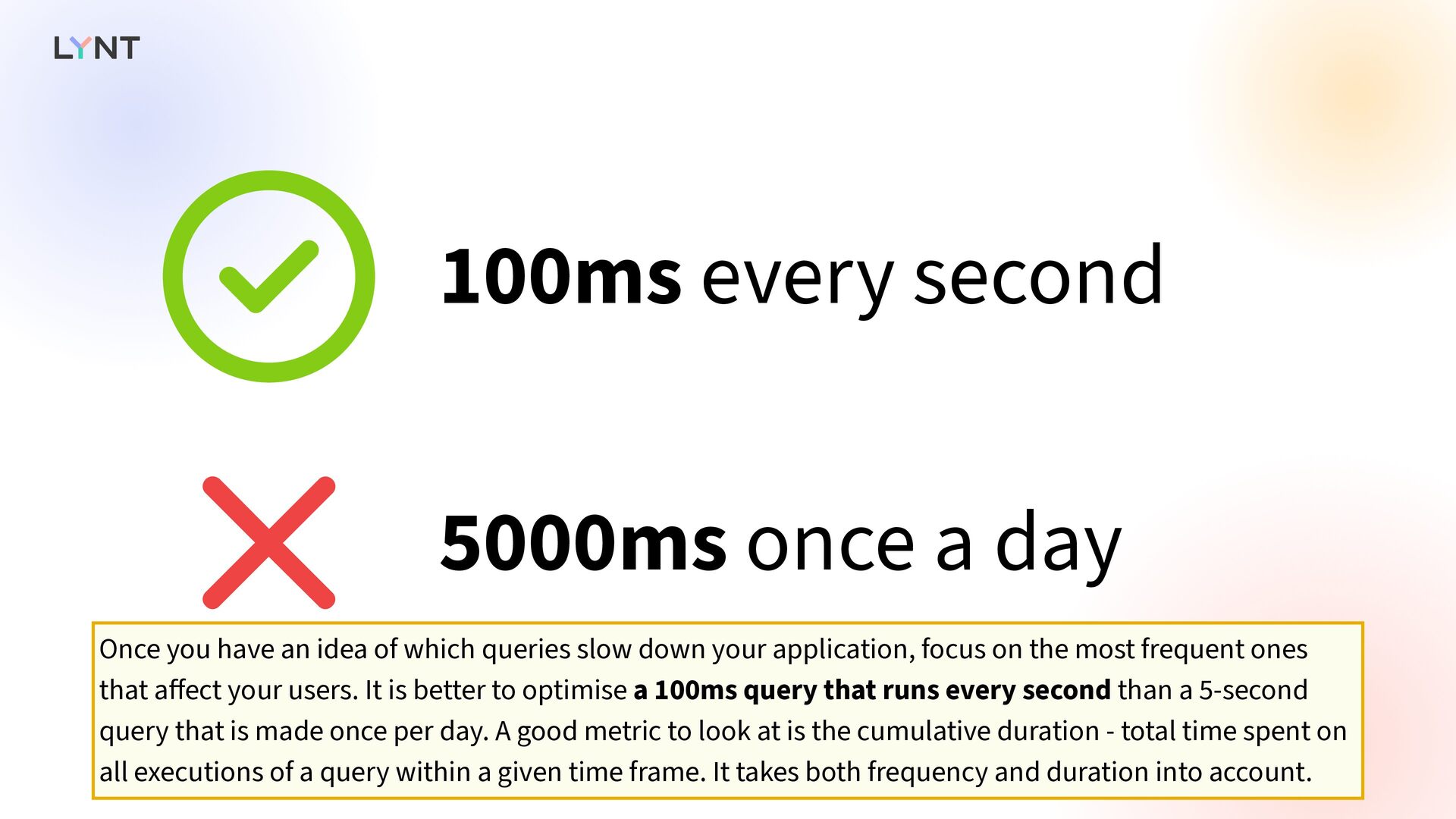
  15. 5000ms once a day 100ms every second   Once

    you have an idea of which queries slow down your application, focus on the most frequent ones that a ff ect your users. It is better to optimise a 100ms query that runs every second than a 5-second query that is made once per day. A good metric to look at is the cumulative duration - total time spent on all executions of a query within a given time frame. It takes both frequency and duration into account.
  16. Database must be similar to your PROD   And,

    if you want to inspect things in your dev environment, make sure your database is roughly similar to your production database. If your table has 100 rows and your production has millions of rows, you will get completely di ff erent results.
  17. N+1 Queries   One of the most common issues

    with ORMs is the N+1 query problem. What is it exactly?
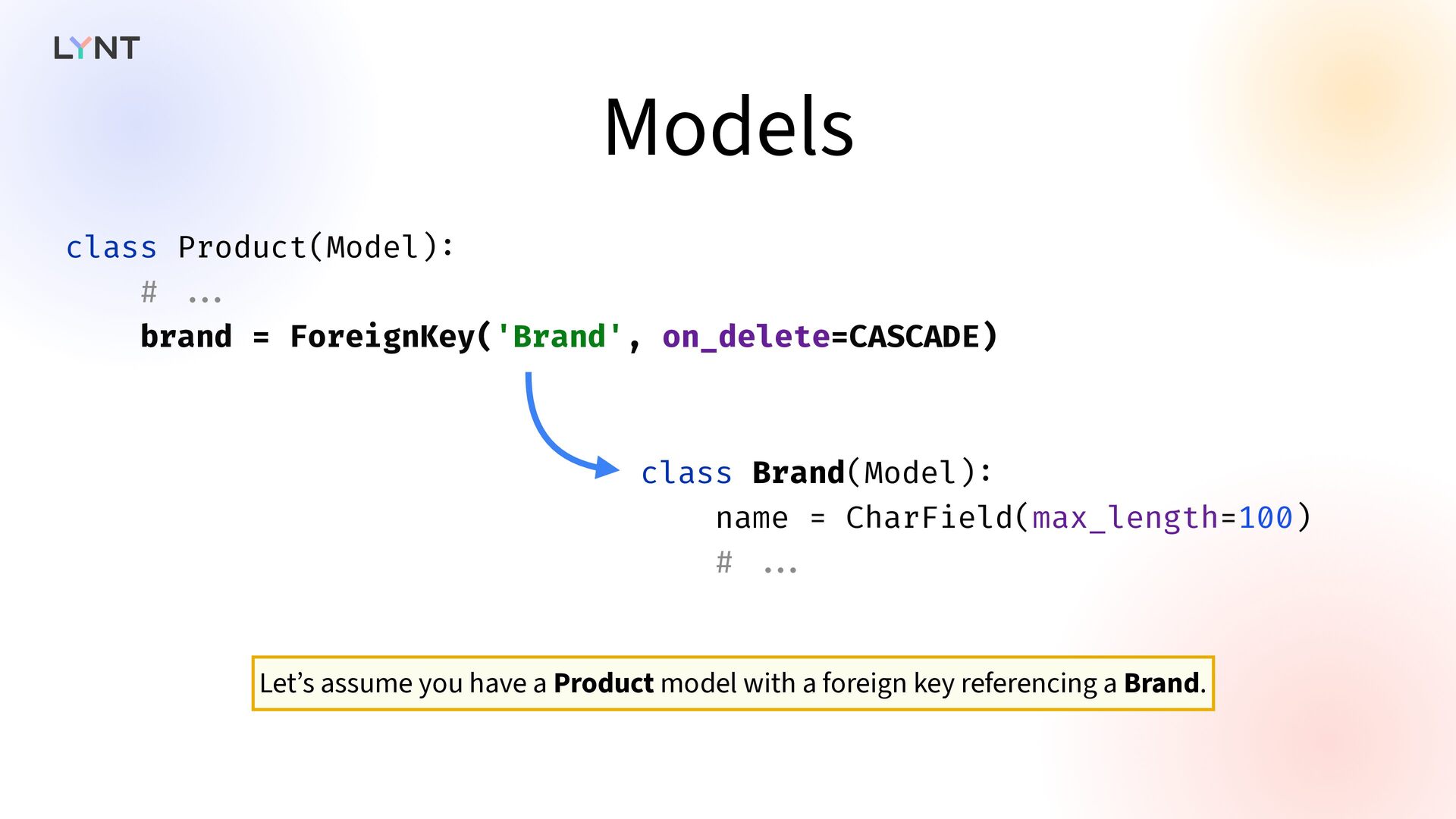
  18. Models class Product(Model) : # . . . brand =

    ForeignKey('Brand', on_delete=CASCADE) class Brand(Model) : name = CharField(max_length=100) # . . . Let’s assume you have a Product model with a foreign key referencing a Brand.
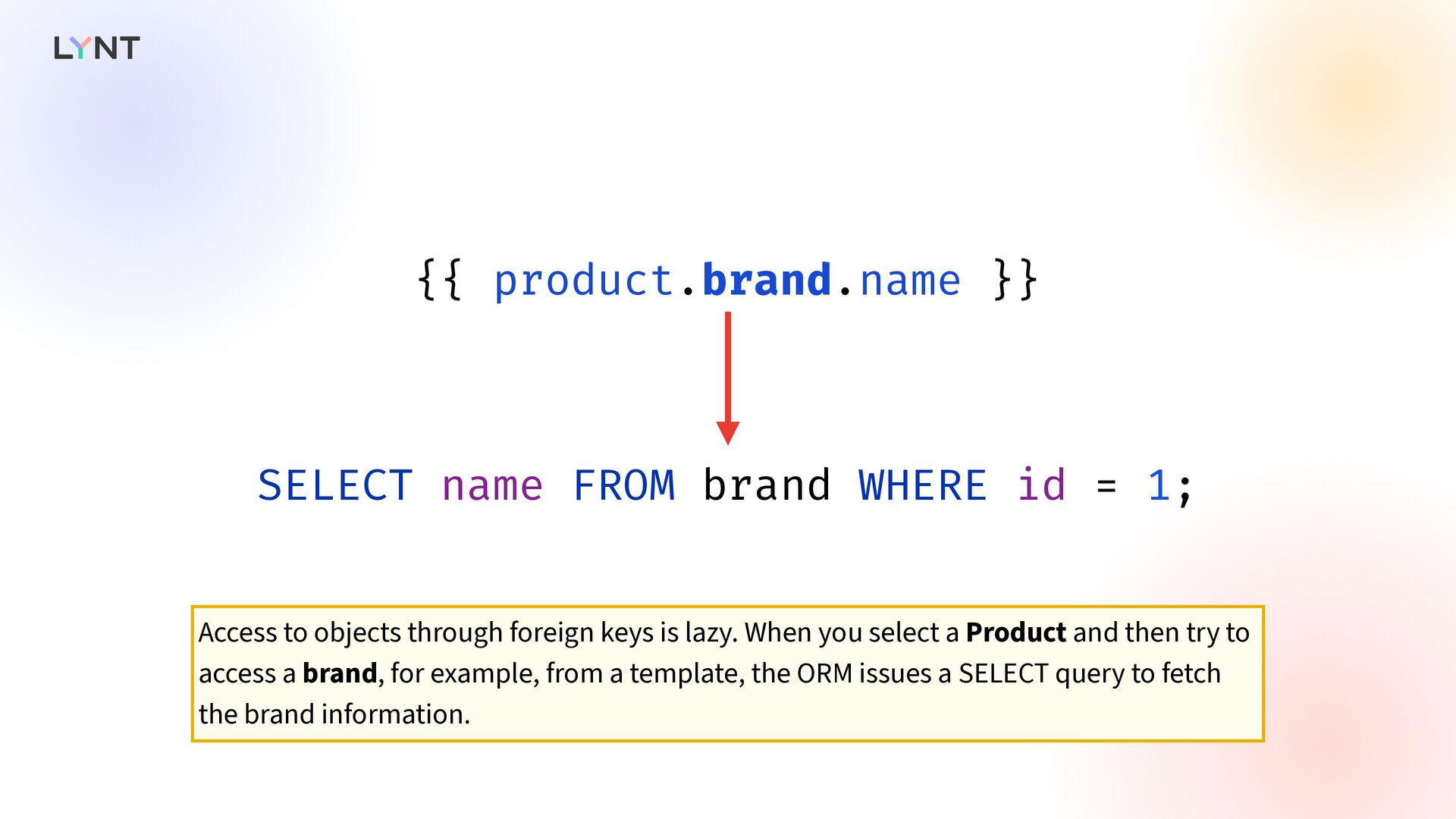
  19. {{ product.brand.name }} SELECT name FROM brand WHERE id =

    1; Access to objects through foreign keys is lazy. When you select a Product and then try to access a brand, for example, from a template, the ORM issues a SELECT query to fetch the brand information.
  20. {% for product in product_list %} {{ product.brand.name }} {%

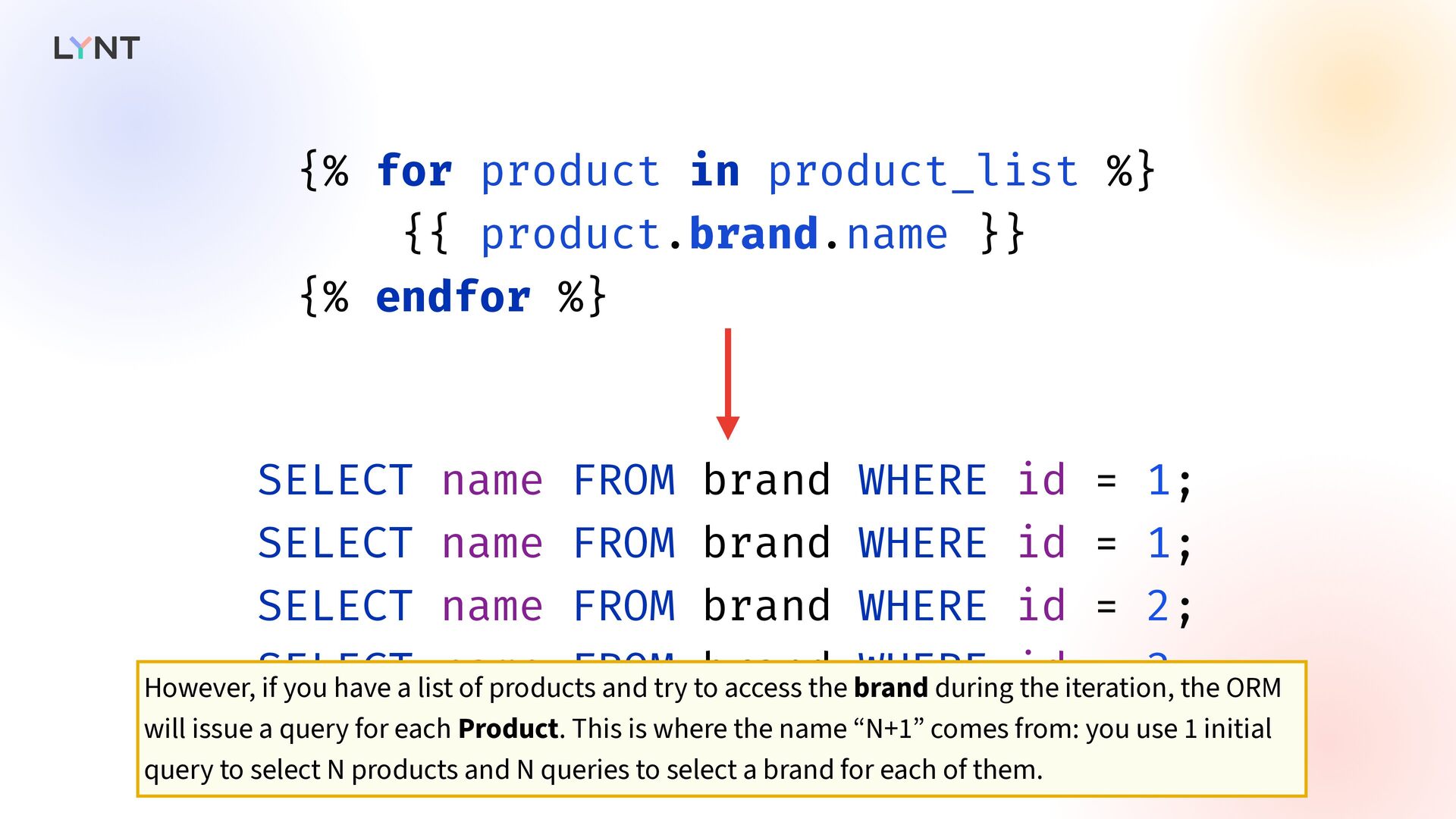
    endfor %} SELECT name FROM brand WHERE id = 1; SELECT name FROM brand WHERE id = 1; SELECT name FROM brand WHERE id = 2; SELECT name FROM brand WHERE id = 3; - - . . . However, if you have a list of products and try to access the brand during the iteration, the ORM will issue a query for each Product. This is where the name “N+1” comes from: you use 1 initial query to select N products and N queries to select a brand for each of them.
  21.   SELECT … SELECT … SELECT … These queries

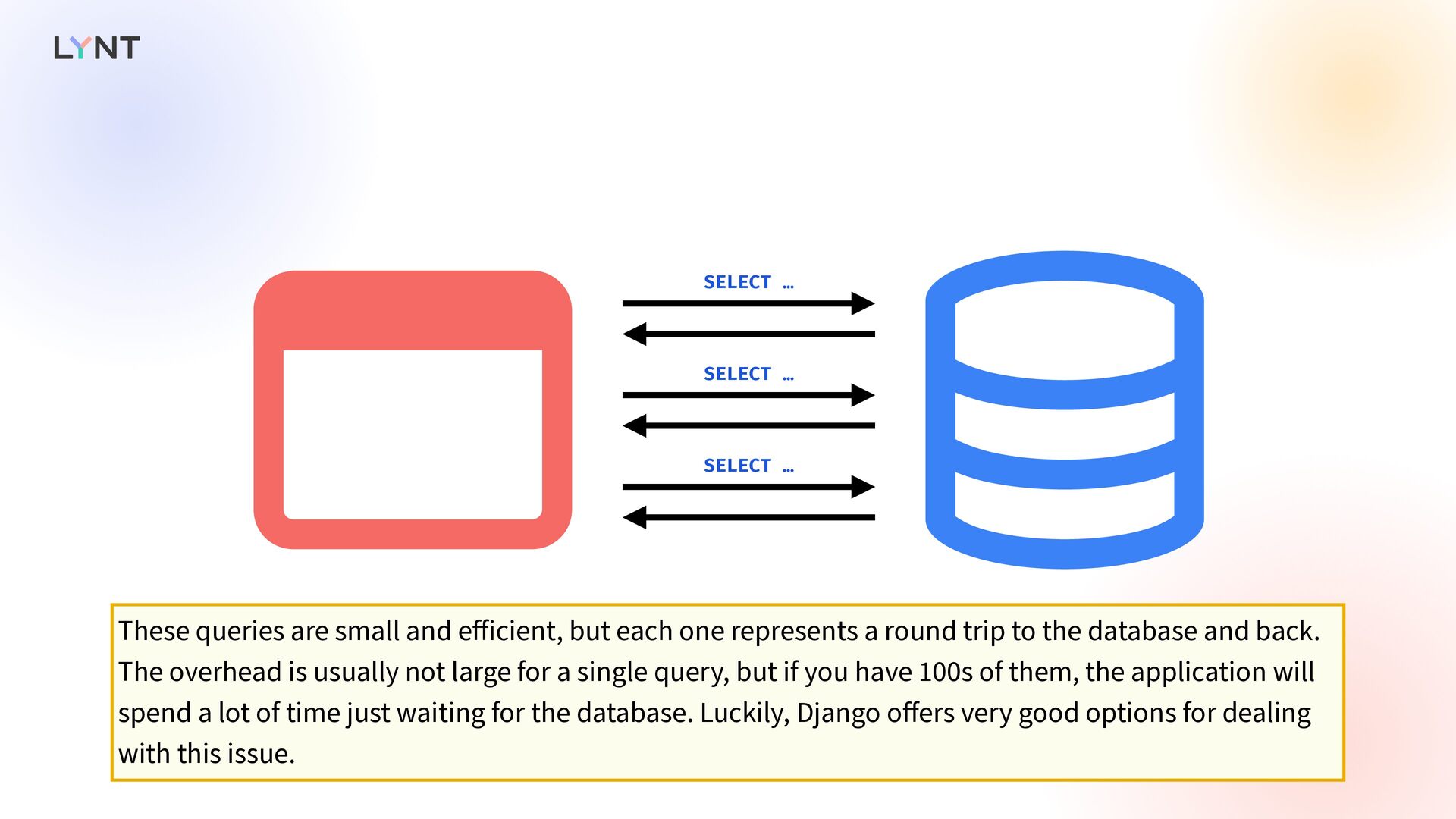
    are small and e ff icient, but each one represents a round trip to the database and back. The overhead is usually not large for a single query, but if you have 100s of them, the application will spend a lot of time just waiting for the database. Luckily, Django o ff ers very good options for dealing with this issue.
  22. Product.objects.select_related("brand") SELECT … FROM product INNER JOIN brand ON product.brand_id

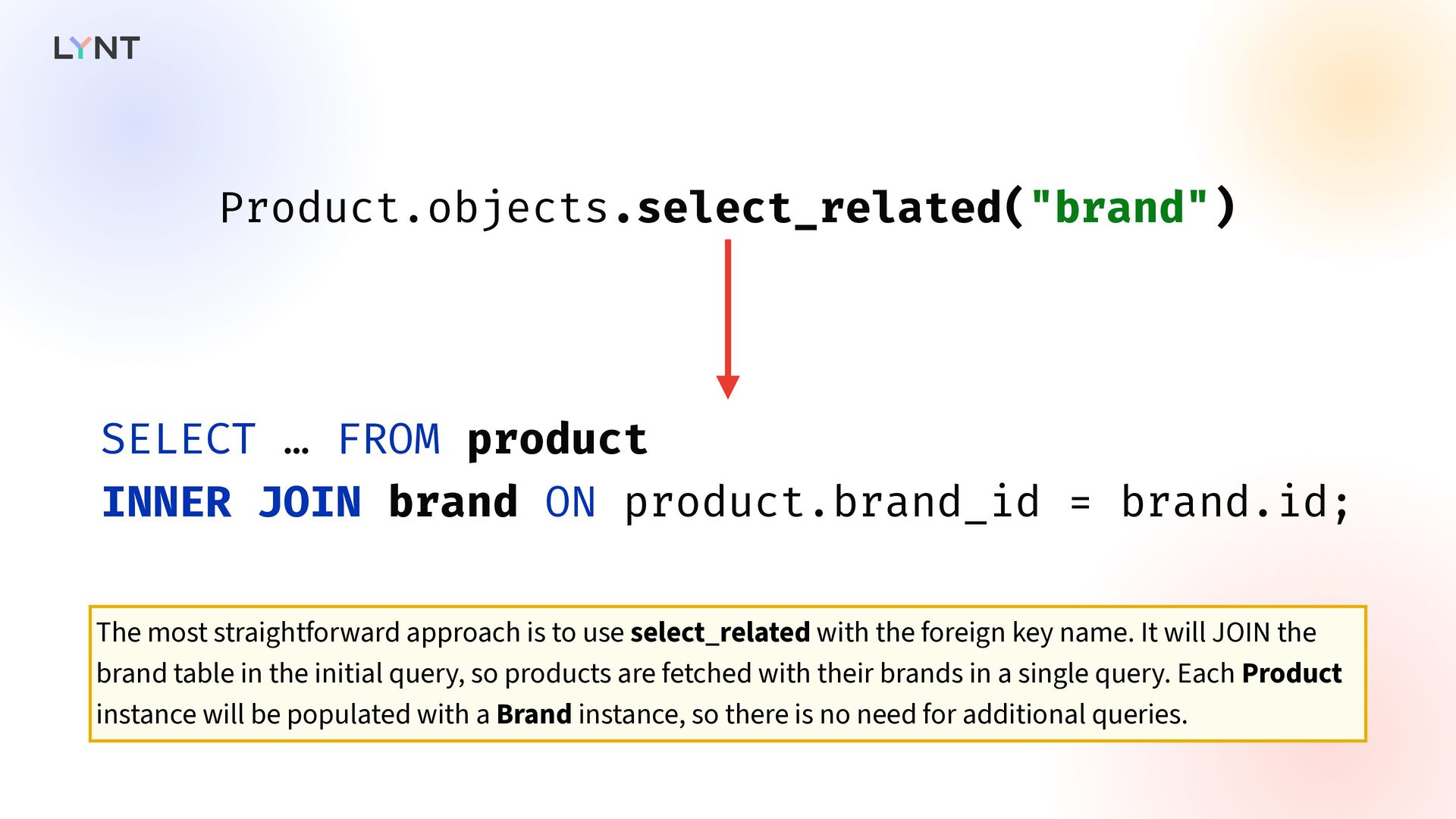
    = brand.id; The most straightforward approach is to use select_related with the foreign key name. It will JOIN the brand table in the initial query, so products are fetched with their brands in a single query. Each Product instance will be populated with a Brand instance, so there is no need for additional queries.
  23. Product.objects.prefetch_related("brand") SELECT … FROM product; SELECT … FROM brand WHERE

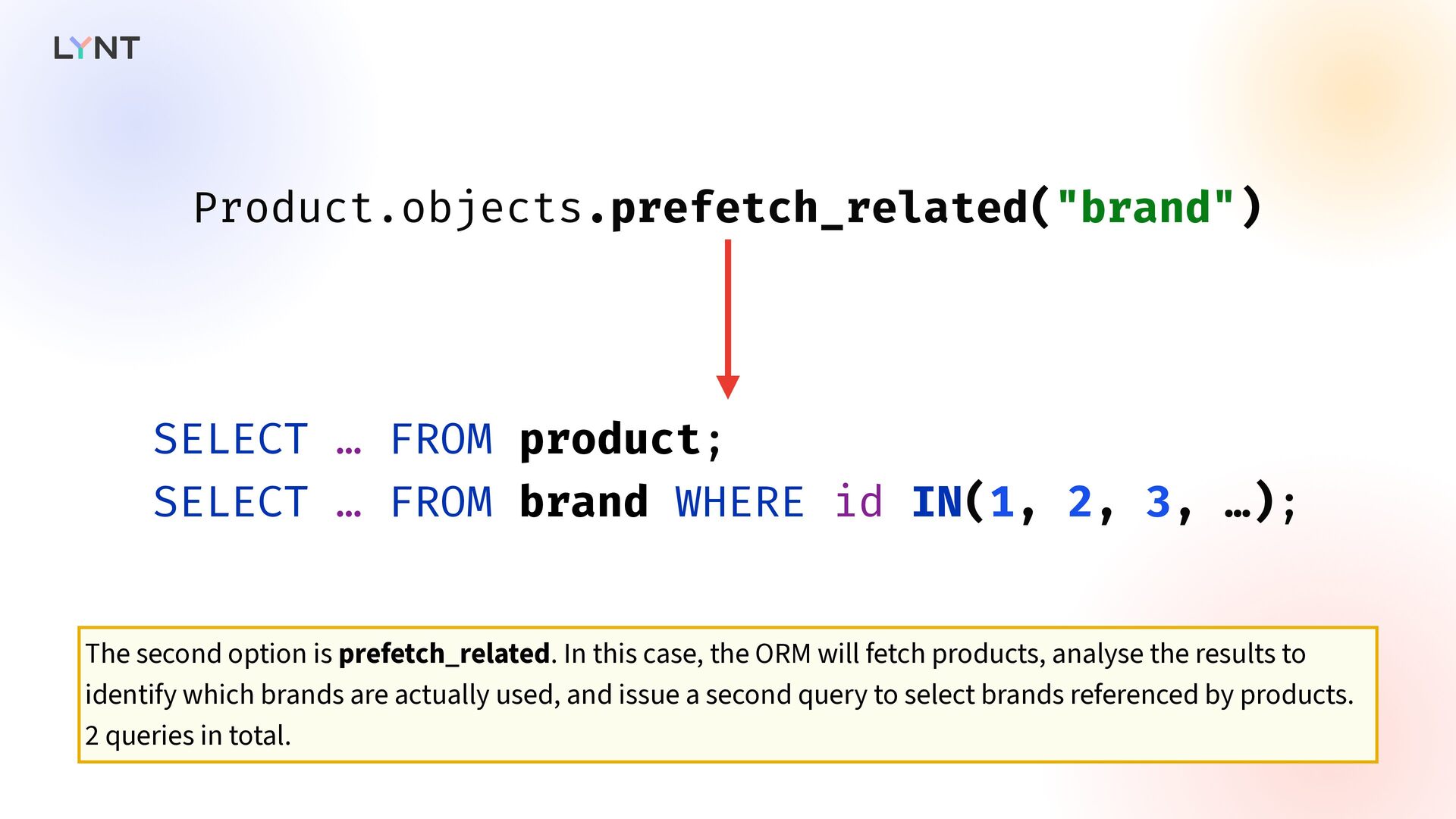
    id IN(1, 2, 3, …); The second option is prefetch_related. In this case, the ORM will fetch products, analyse the results to identify which brands are actually used, and issue a second query to select brands referenced by products. 2 queries in total.
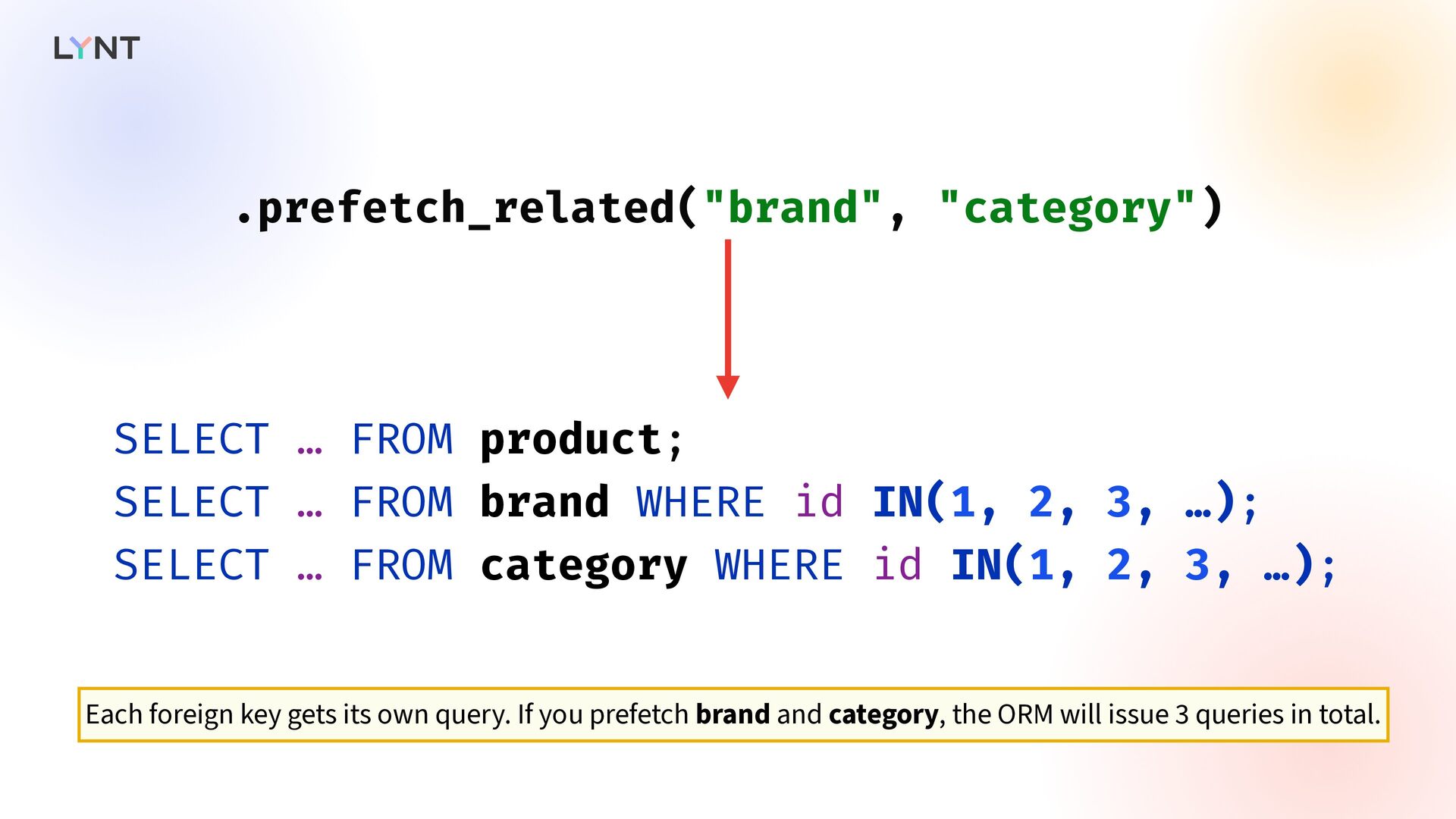
  24. .prefetch_related("brand", "category") SELECT … FROM product; SELECT … FROM brand

    WHERE id IN(1, 2, 3, …); SELECT … FROM category WHERE id IN(1, 2, 3, …); Each foreign key gets its own query. If you prefetch brand and category, the ORM will issue 3 queries in total.
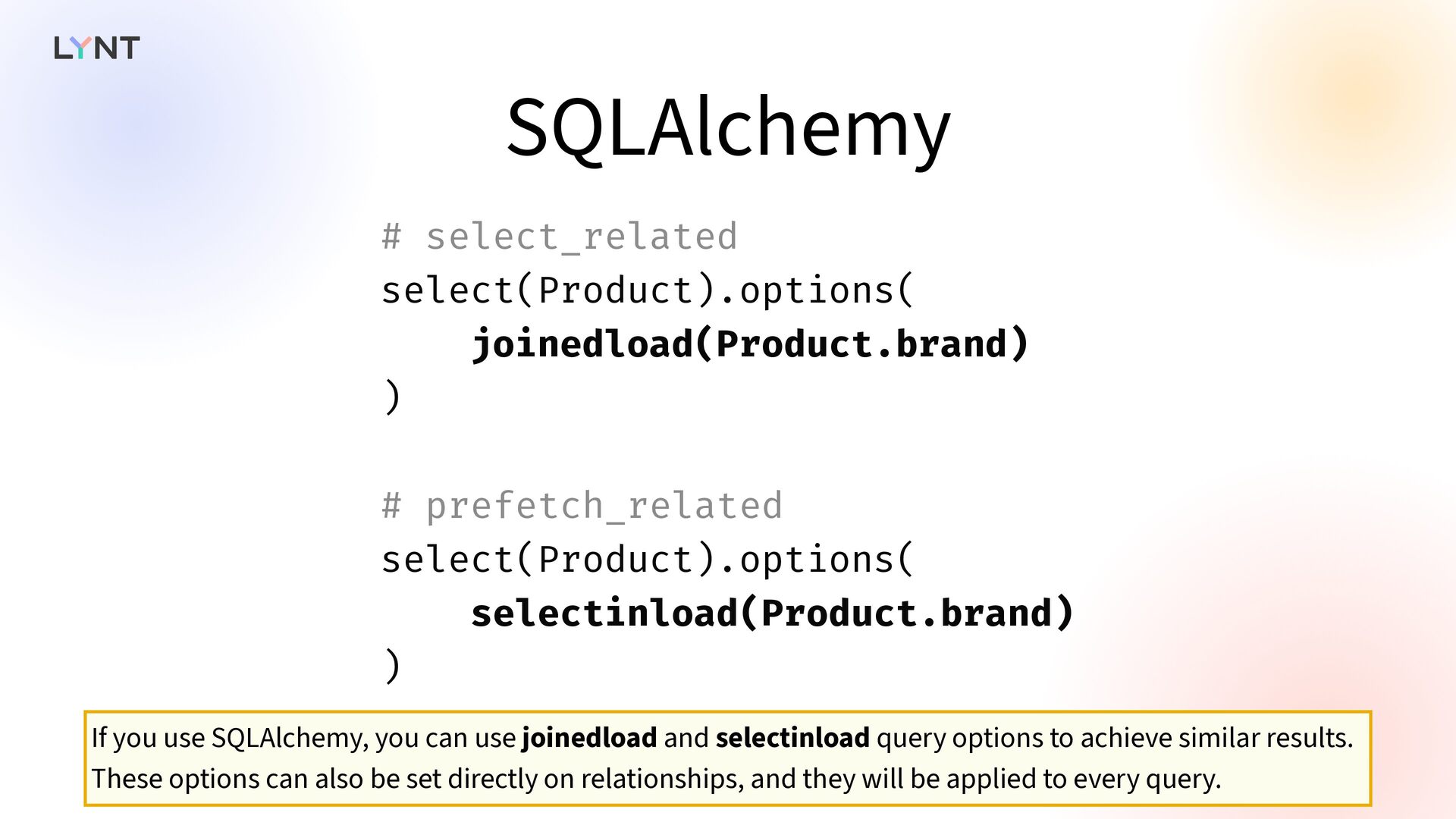
  25. SQLAlchemy # select_related select(Product).options( joinedload(Product.brand) ) # prefetch_related select(Product).options( selectinload(Product.brand)

    ) If you use SQLAlchemy, you can use joinedload and selectinload query options to achieve similar results. These options can also be set directly on relationships, and they will be applied to every query.
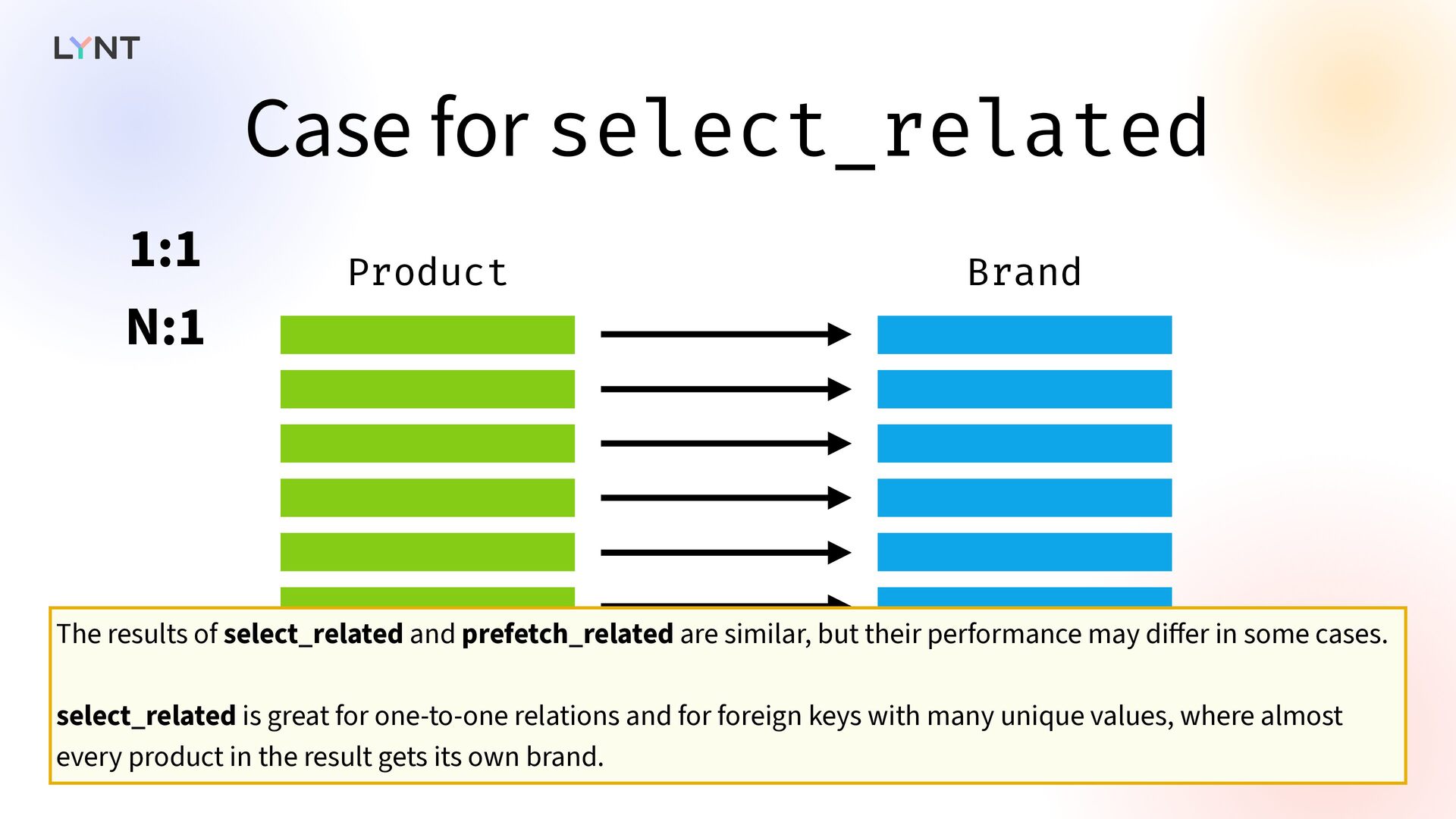
  26. Case for select_related Product Brand 1:1 N:1 The results of

    select_related and prefetch_related are similar, but their performance may di ff er in some cases. select_related is great for one-to-one relations and for foreign keys with many unique values, where almost every product in the result gets its own brand.
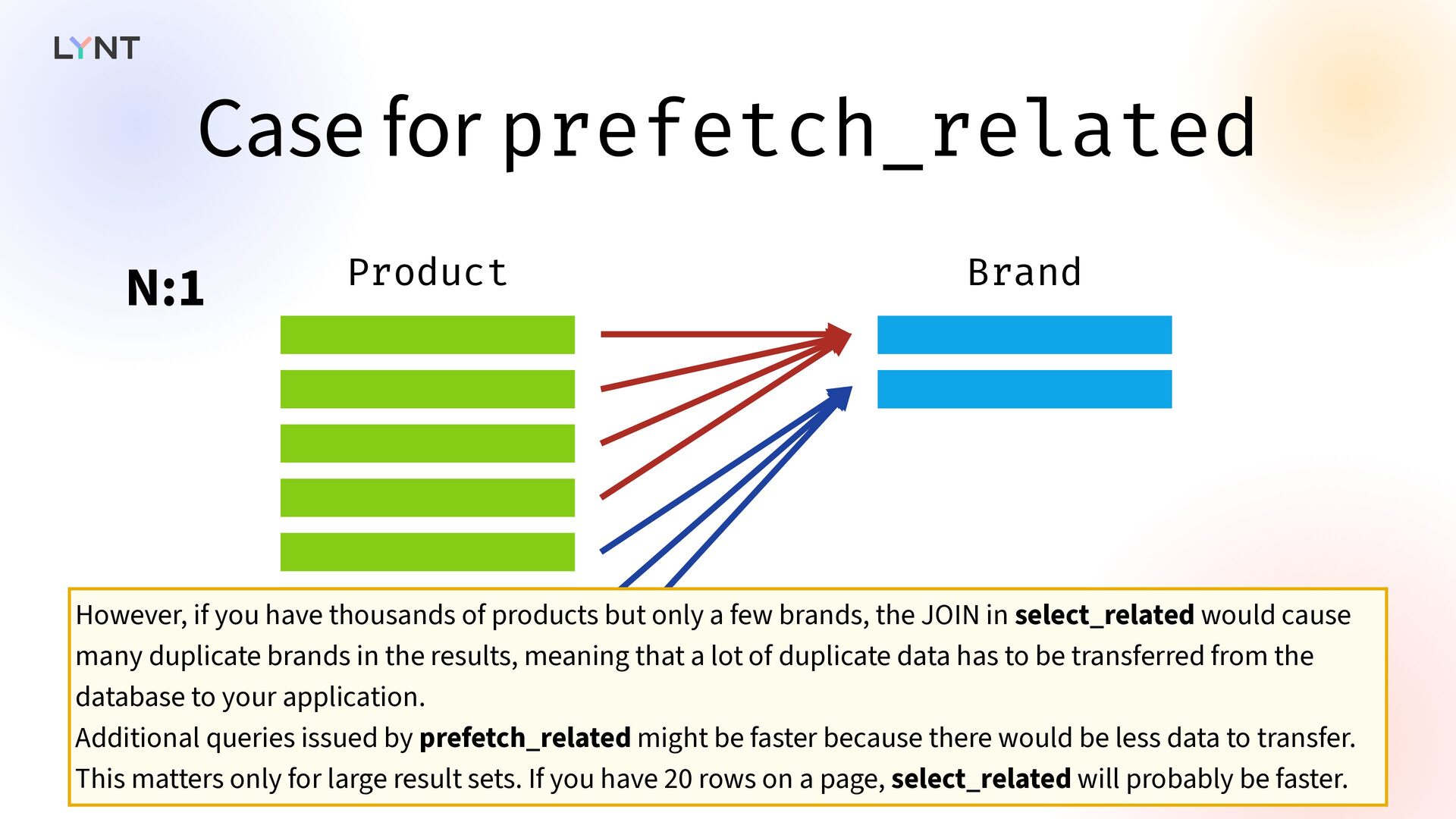
  27. Case for prefetch_related Product Brand N:1 However, if you have

    thousands of products but only a few brands, the JOIN in select_related would cause many duplicate brands in the results, meaning that a lot of duplicate data has to be transferred from the database to your application. Additional queries issued by prefetch_related might be faster because there would be less data to transfer. This matters only for large result sets. If you have 20 rows on a page, select_related will probably be faster.
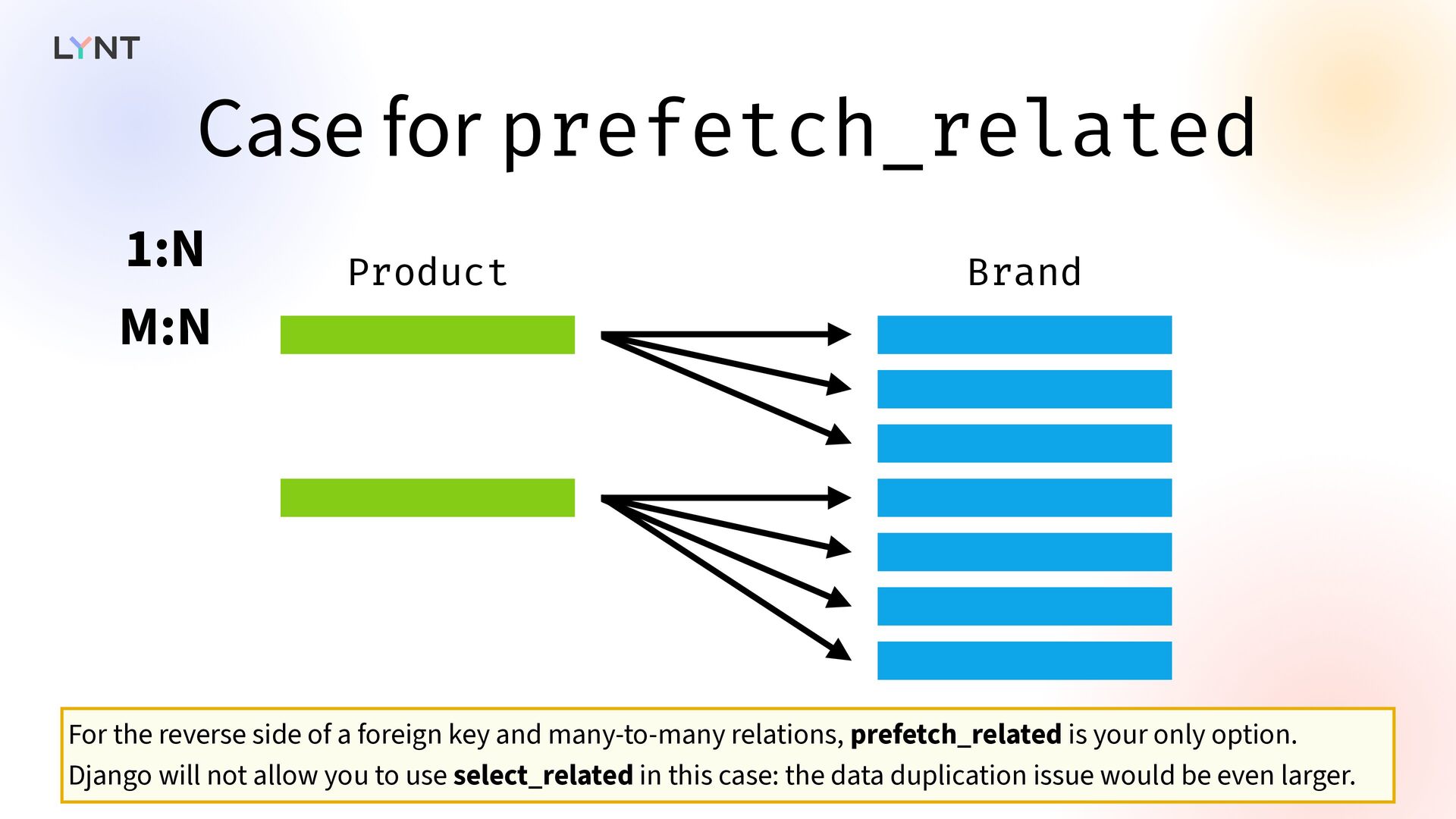
  28. Case for prefetch_related Product Brand 1:N M:N For the reverse

    side of a foreign key and many-to-many relations, prefetch_related is your only option. Django will not allow you to use select_related in this case: the data duplication issue would be even larger.
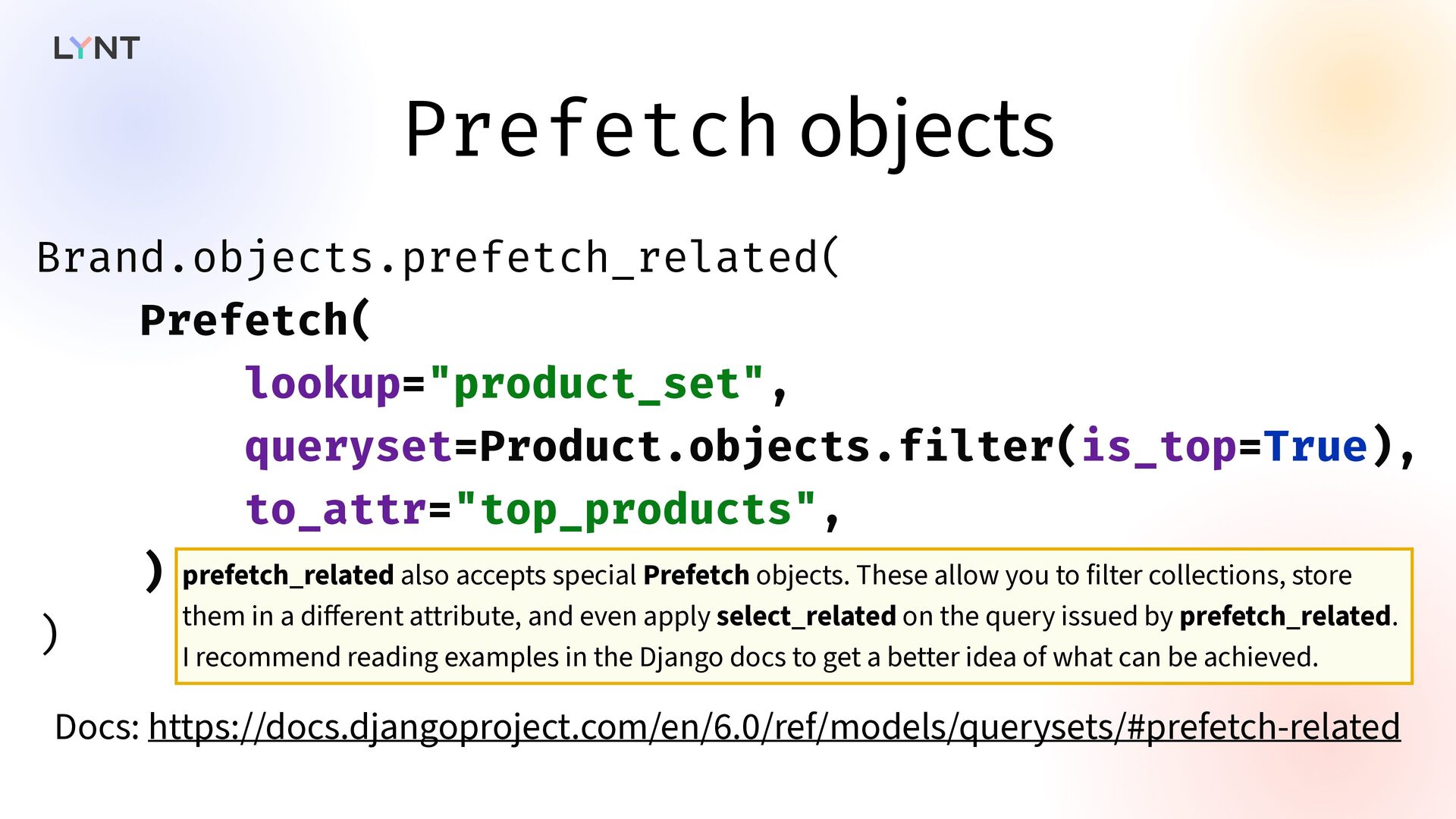
  29. Prefetch objects Brand.objects.prefetch_related( Prefetch( lookup="product_set", queryset=Product.objects.f i lter(is_top=True), to_attr="top_products", )

    ) Docs: https://docs.djangoproject.com/en/6.0/ref/models/querysets/#prefetch-related prefetch_related also accepts special Prefetch objects. These allow you to filter collections, store them in a di ff erent attribute, and even apply select_related on the query issued by prefetch_related. I recommend reading examples in the Django docs to get a better idea of what can be achieved.
  30. Raw SQL   However, some queries generated by Django

    are ine ff icient, and some queries cannot be expressed at all. In this case, you can use raw SQL and write the query yourself. Let me give you an example of when this is useful.
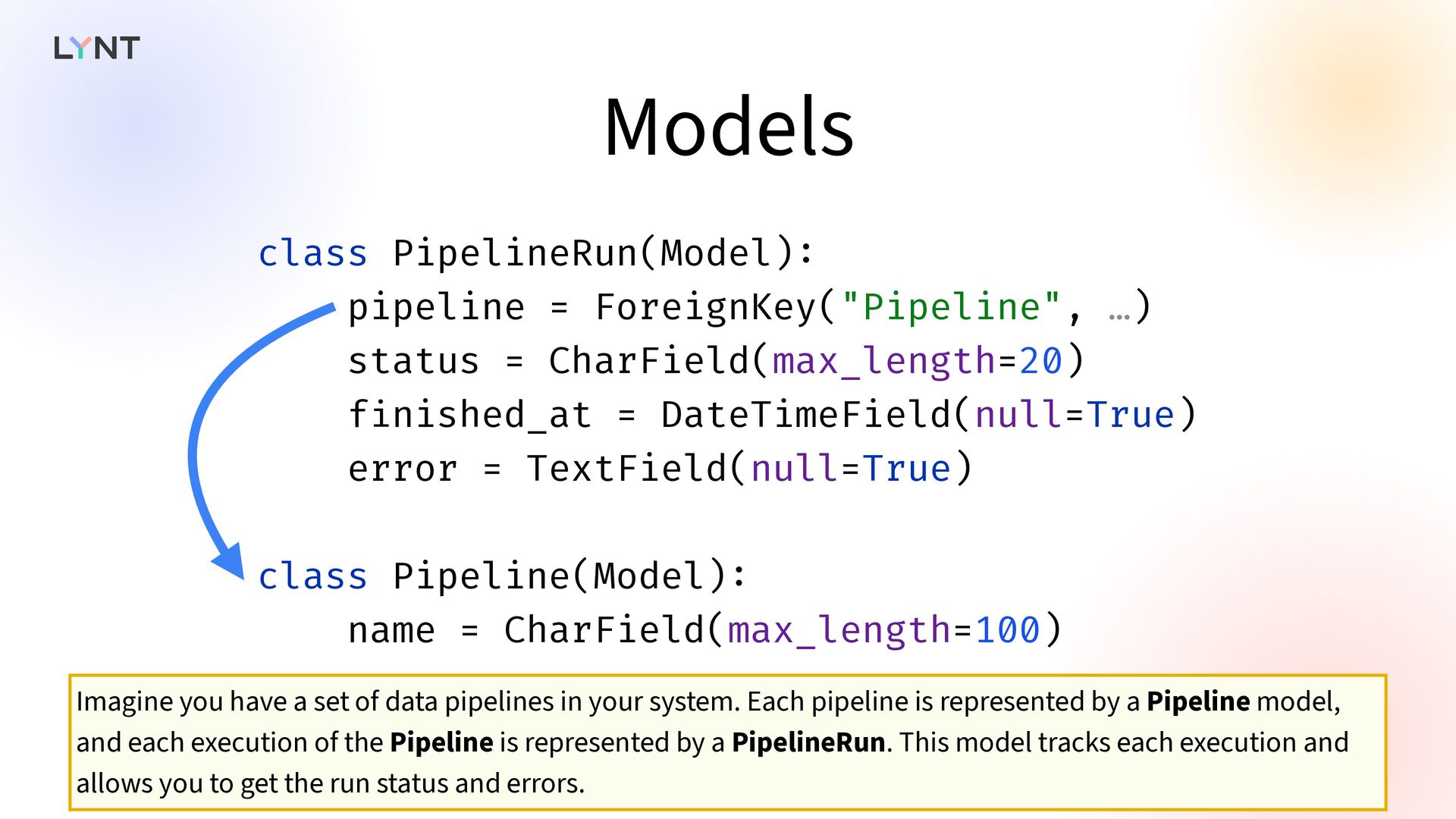
  31. Models class PipelineRun(Model) : pipeline = ForeignKey("Pipeline", …) status =

    CharField(max_length=20) f i nished_at = DateTimeField(null=True) error = TextField(null=True) class Pipeline(Model) : name = CharField(max_length=100) Imagine you have a set of data pipelines in your system. Each pipeline is represented by a Pipeline model, and each execution of the Pipeline is represented by a PipelineRun. This model tracks each execution and allows you to get the run status and errors.
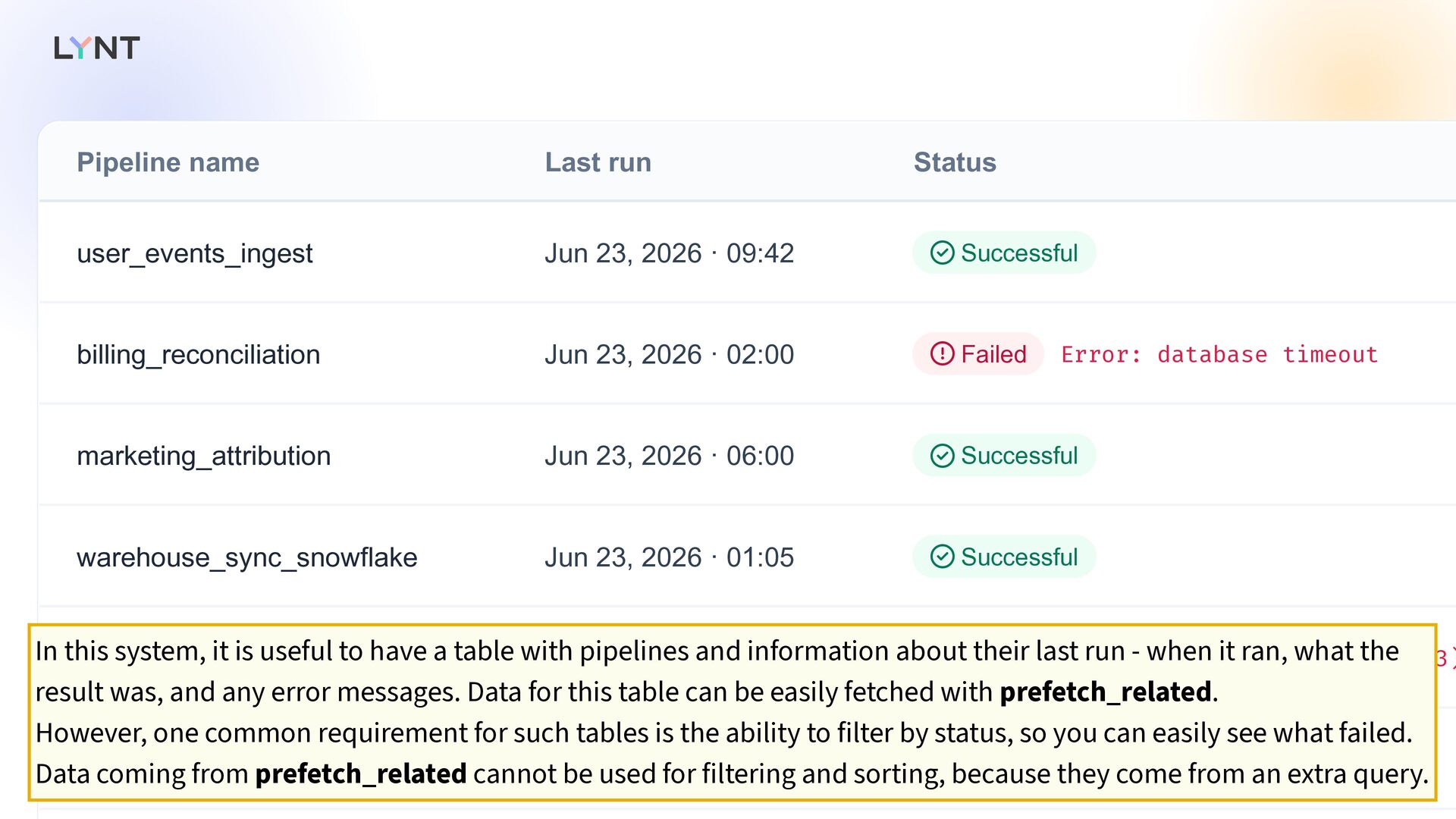
  32. Pipeline name Last run Status user_events_ingest Jun 23, 2026 ·

    09:42 Successful billing_reconciliation Jun 23, 2026 · 02:00 Failed Error: database timeout marketing_attribution Jun 23, 2026 · 06:00 Successful warehouse_sync_snowflake Jun 23, 2026 · 01:05 Successful ml_feature_export Jun 23, 2026 · 03:30 Failed Error: S3 access denied (403) daily_kpi_rollup Jun 23, 2026 · 05:00 Successful       In this system, it is useful to have a table with pipelines and information about their last run - when it ran, what the result was, and any error messages. Data for this table can be easily fetched with prefetch_related. However, one common requirement for such tables is the ability to filter by status, so you can easily see what failed. Data coming from prefetch_related cannot be used for filtering and sorting, because they come from an extra query.
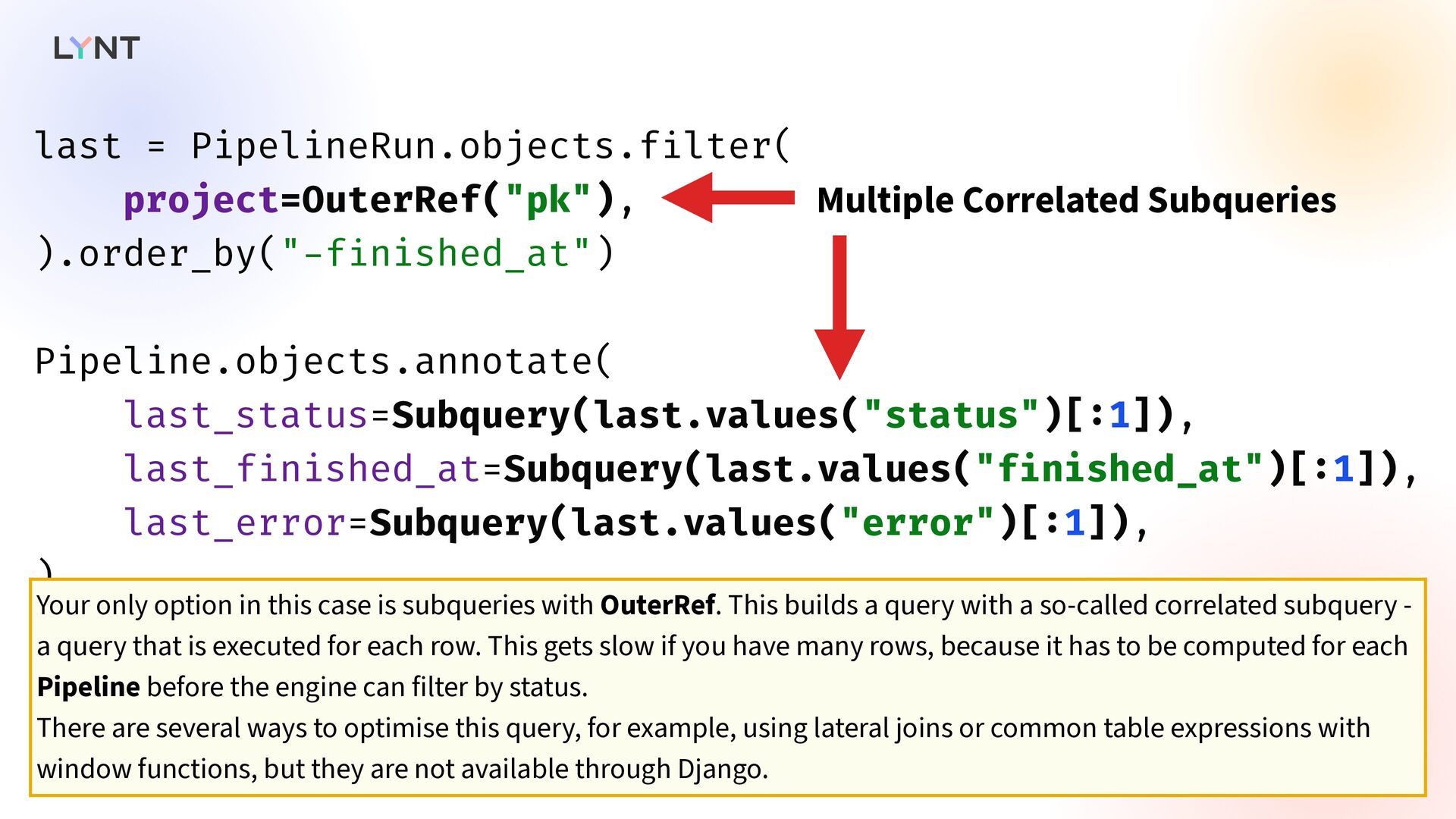
  33. last = PipelineRun.objects.f i lter( project=OuterRef("pk"), ).order_by(" - f i

    nished_at") Pipeline.objects.annotate( last_status=Subquery(last.values("status")[ : 1]), last_f i nished_at=Subquery(last.values("f i nished_at")[ : 1]), last_error=Subquery(last.values("error")[ : 1]), ) Multiple Correlated Subqueries Your only option in this case is subqueries with OuterRef. This builds a query with a so-called correlated subquery - a query that is executed for each row. This gets slow if you have many rows, because it has to be computed for each Pipeline before the engine can filter by status. There are several ways to optimise this query, for example, using lateral joins or common table expressions with window functions, but they are not available through Django.
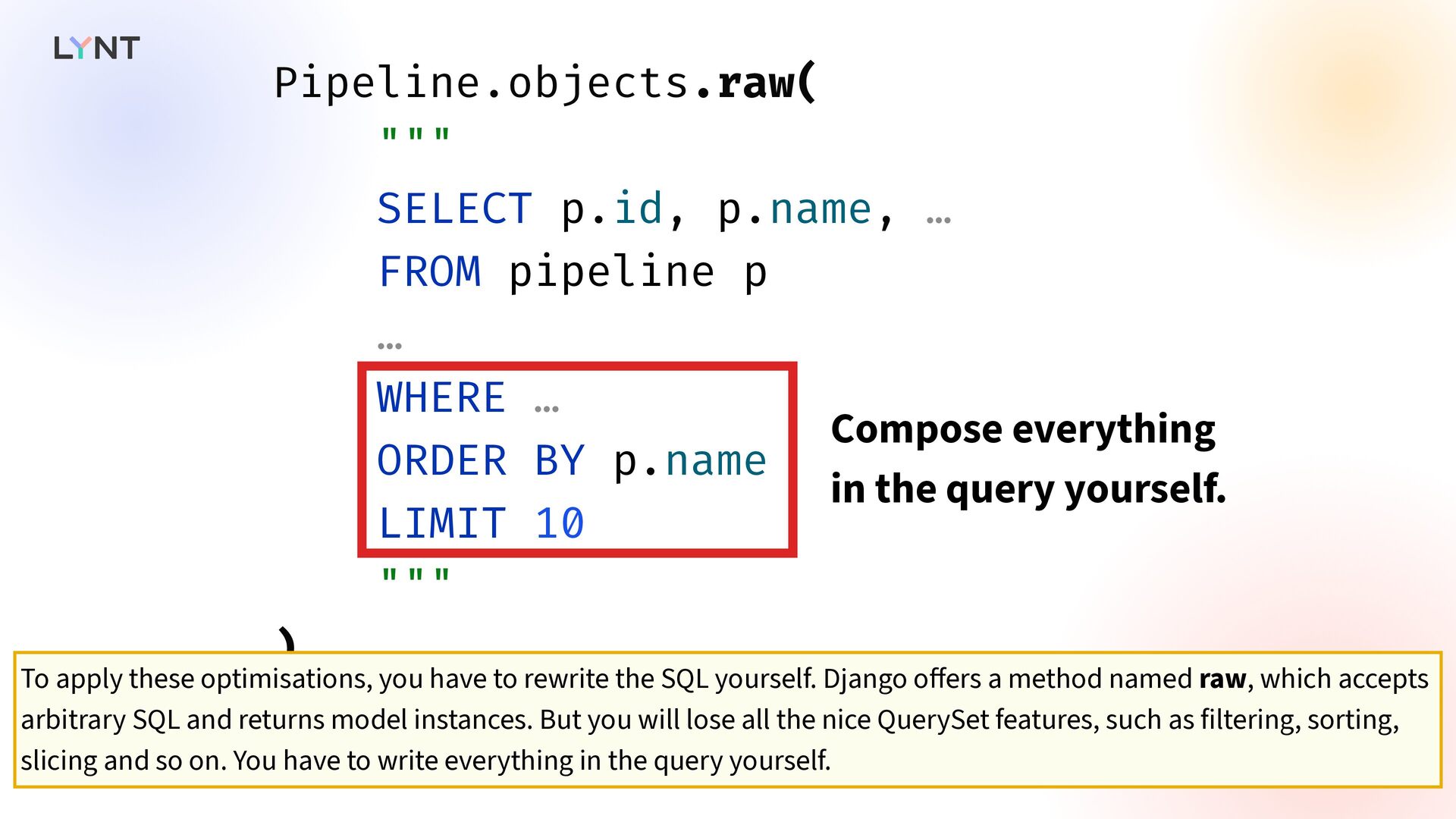
  34. Pipeline.objects.raw( """ SELECT p.id, p.name, … FROM pipeline p …

    WHERE … ORDER BY p.name LIMIT 10 """ ) Compose everything in the query yourself. To apply these optimisations, you have to rewrite the SQL yourself. Django o ff ers a method named raw, which accepts arbitrary SQL and returns model instances. But you will lose all the nice QuerySet features, such as filtering, sorting, slicing and so on. You have to write everything in the query yourself.
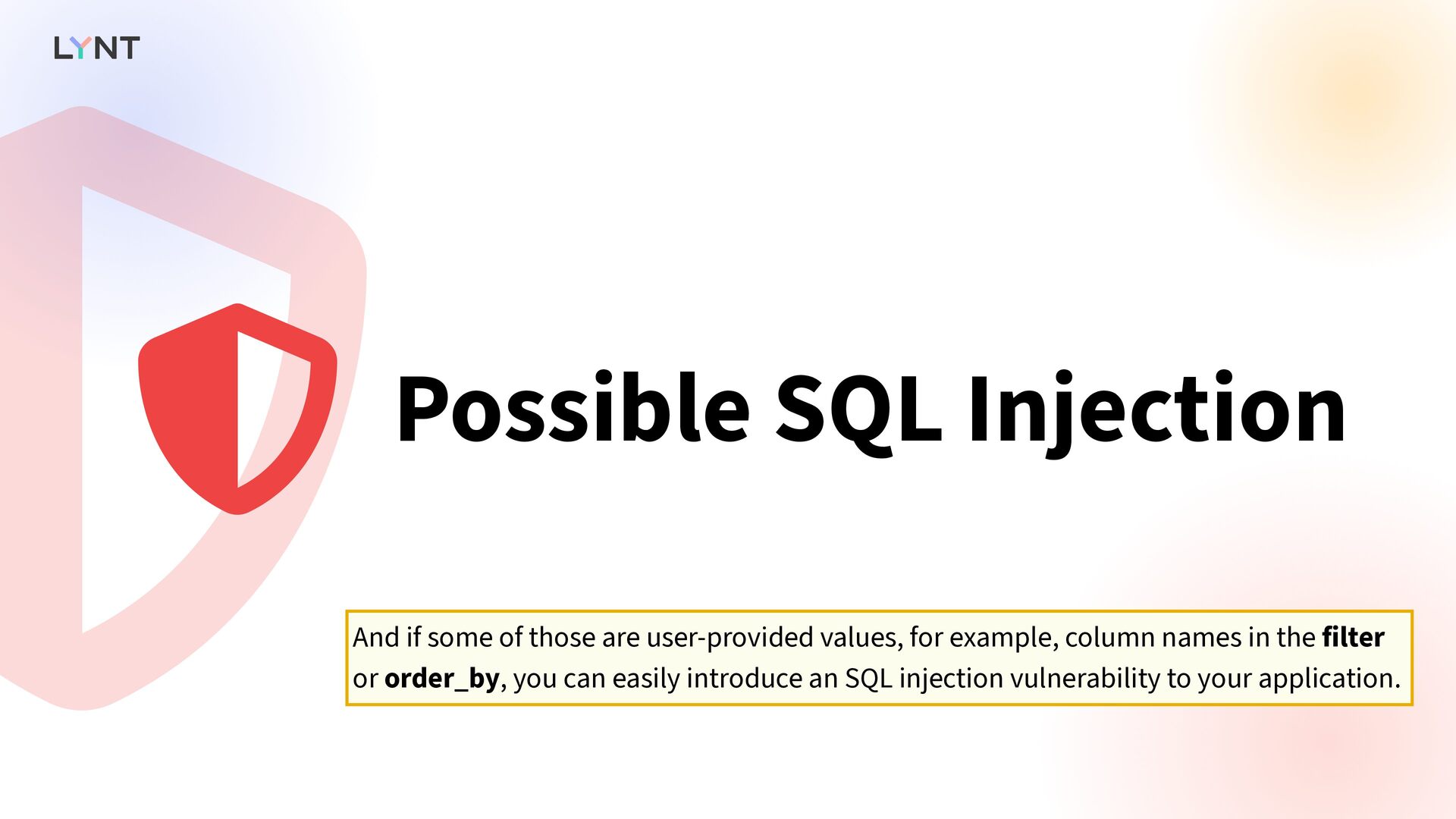
  35. Possible SQL Injection   And if some of those

    are user-provided values, for example, column names in the filter or order_by, you can easily introduce an SQL injection vulnerability to your application.
  36. class PipelineStatus(Model) : name = CharField(max_length=100) last_status = CharField(…) last_f

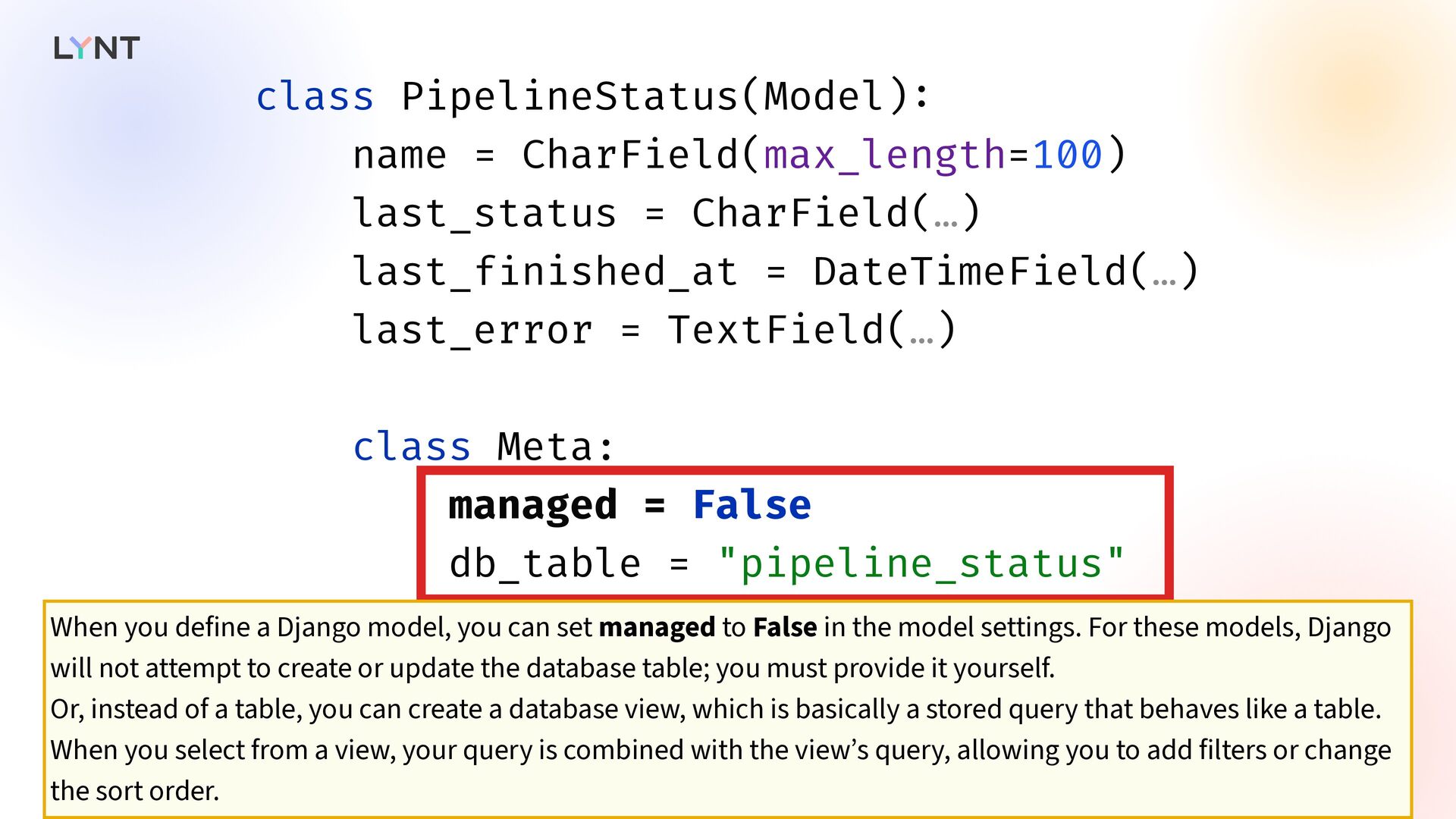
    i nished_at = DateTimeField(…) last_error = TextField(…) class Meta: managed = False db_table = "pipeline_status" When you define a Django model, you can set managed to False in the model settings. For these models, Django will not attempt to create or update the database table; you must provide it yourself. Or, instead of a table, you can create a database view, which is basically a stored query that behaves like a table. When you select from a view, your query is combined with the view’s query, allowing you to add filters or change the sort order.
  37. class Migration(migrations.Migration) : # . . . operations = [

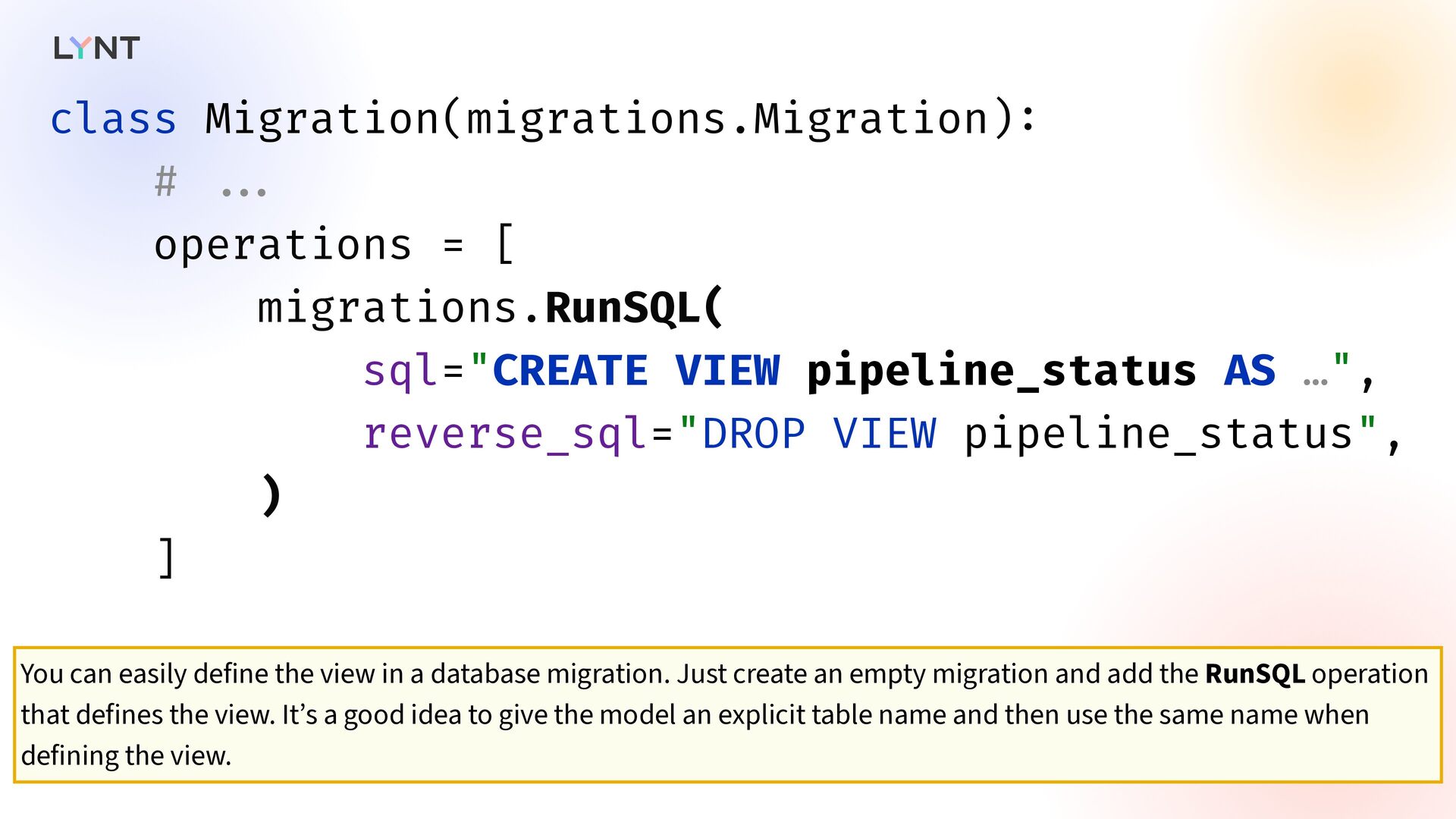
    migrations.RunSQL( sql="CREATE VIEW pipeline_status AS …", reverse_sql="DROP VIEW pipeline_status", ) ] You can easily define the view in a database migration. Just create an empty migration and add the RunSQL operation that defines the view. It’s a good idea to give the model an explicit table name and then use the same name when defining the view.
  38. qs = PipelineStatus.objects.f i lter( last_status="error", ).order_by( " - last_f

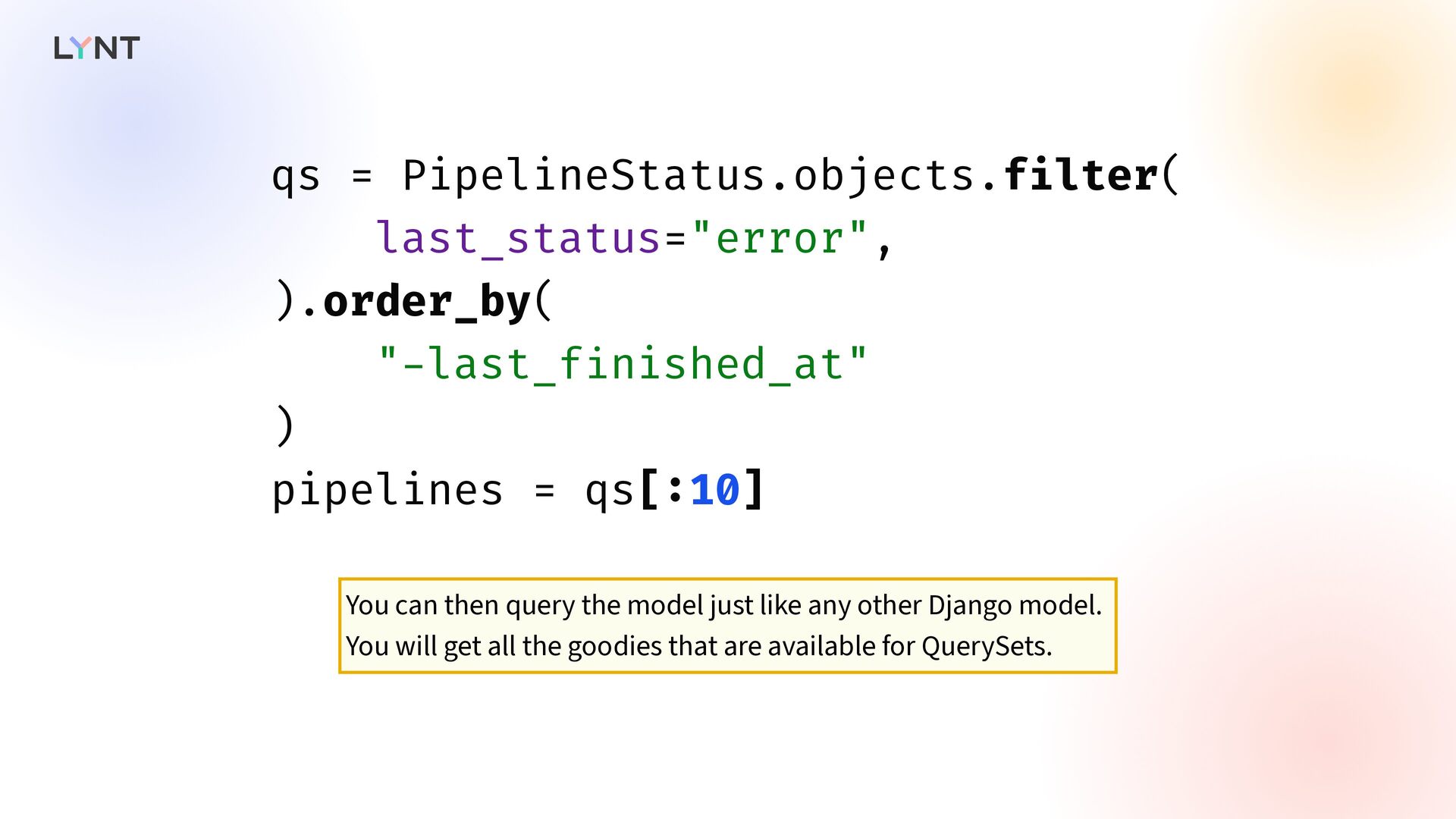
    i nished_at" ) pipelines = qs[ : 10] You can then query the model just like any other Django model. You will get all the goodies that are available for QuerySets.
  39. Write Models Read Models  Optimized for performance Normalized You

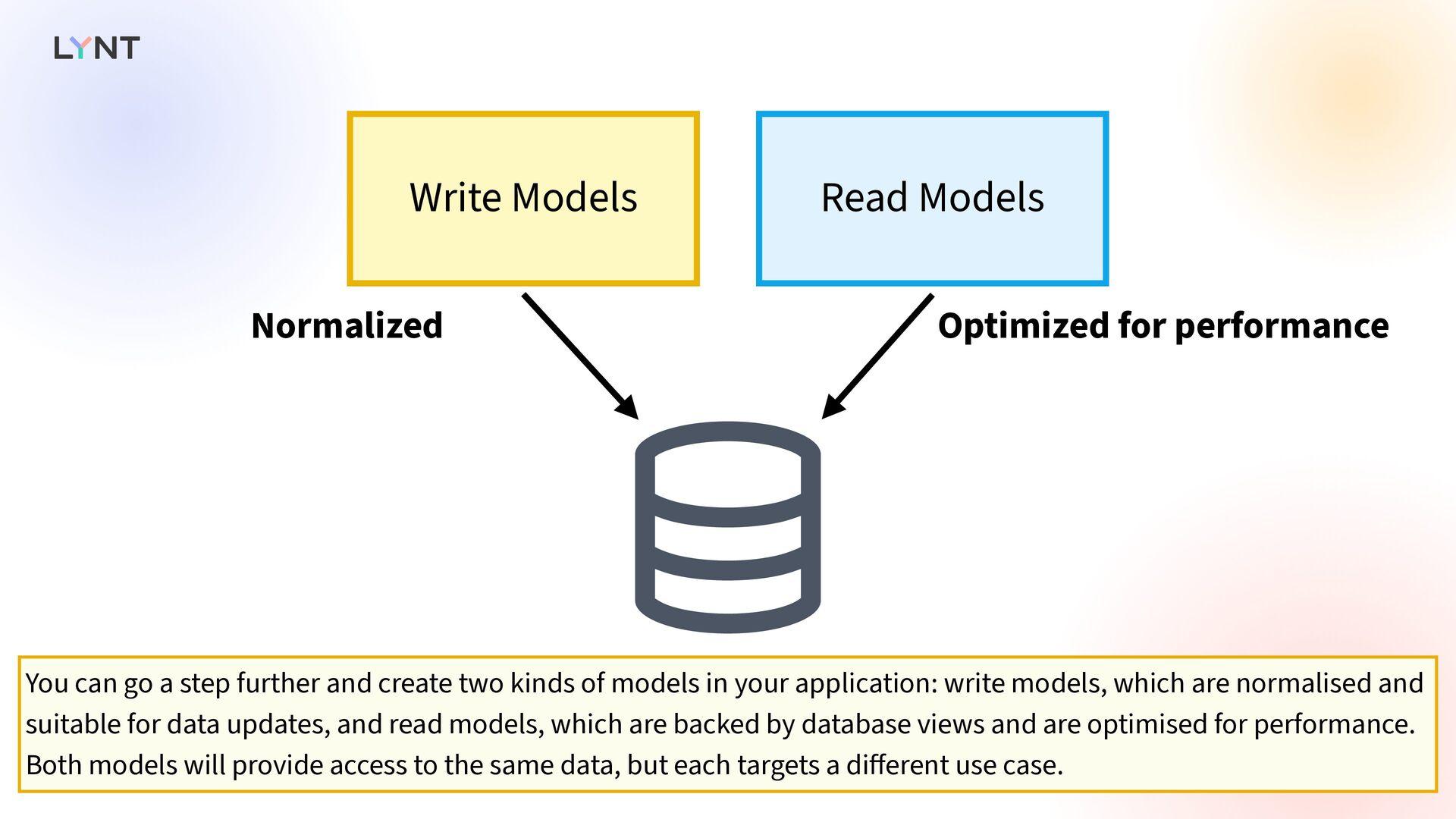
    can go a step further and create two kinds of models in your application: write models, which are normalised and suitable for data updates, and read models, which are backed by database views and are optimised for performance. Both models will provide access to the same data, but each targets a di ff erent use case.
  40. Database Index   Writing the SQL yourself does not

    make your queries fast. Another ingredient is required: a database index.
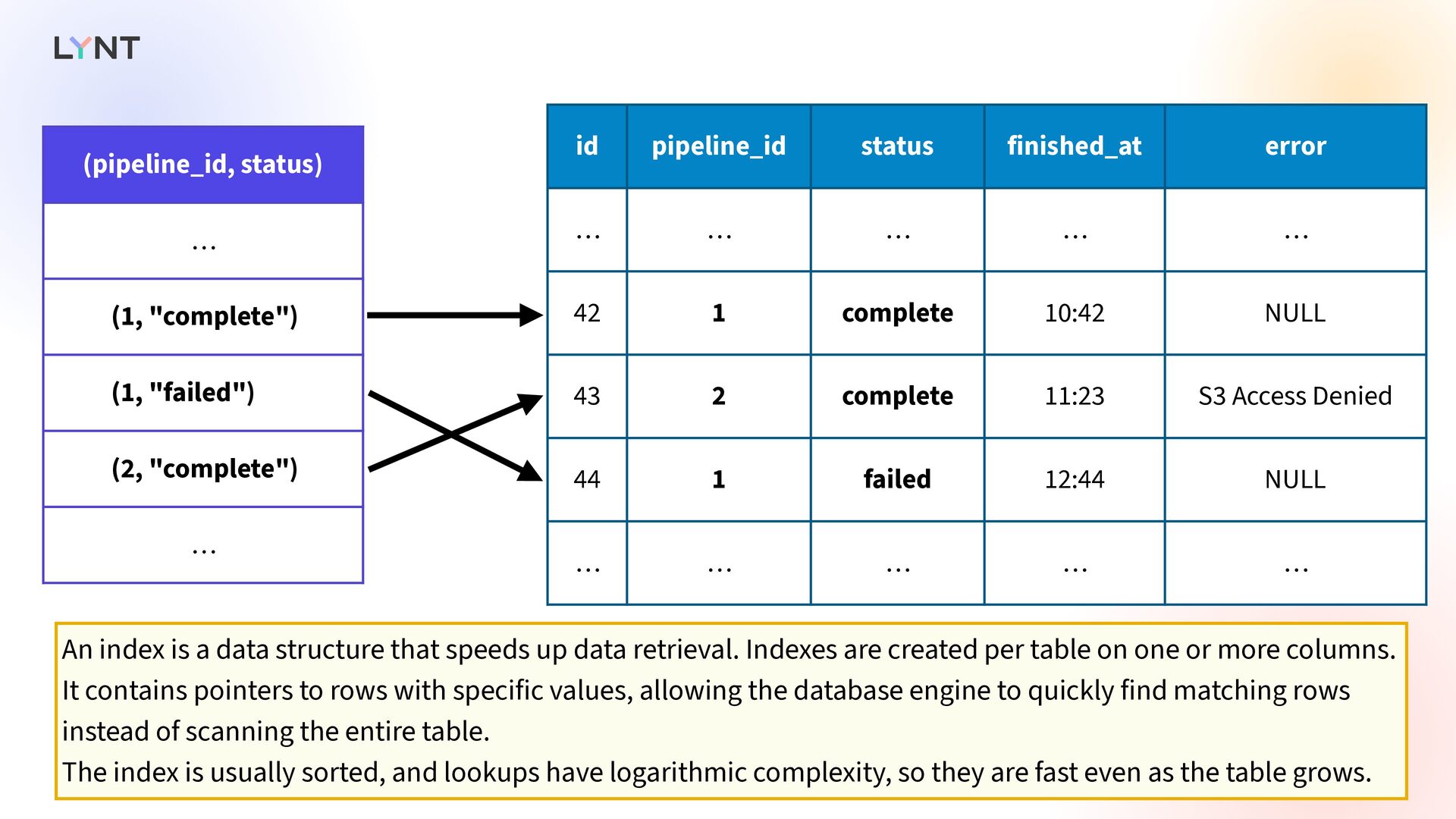
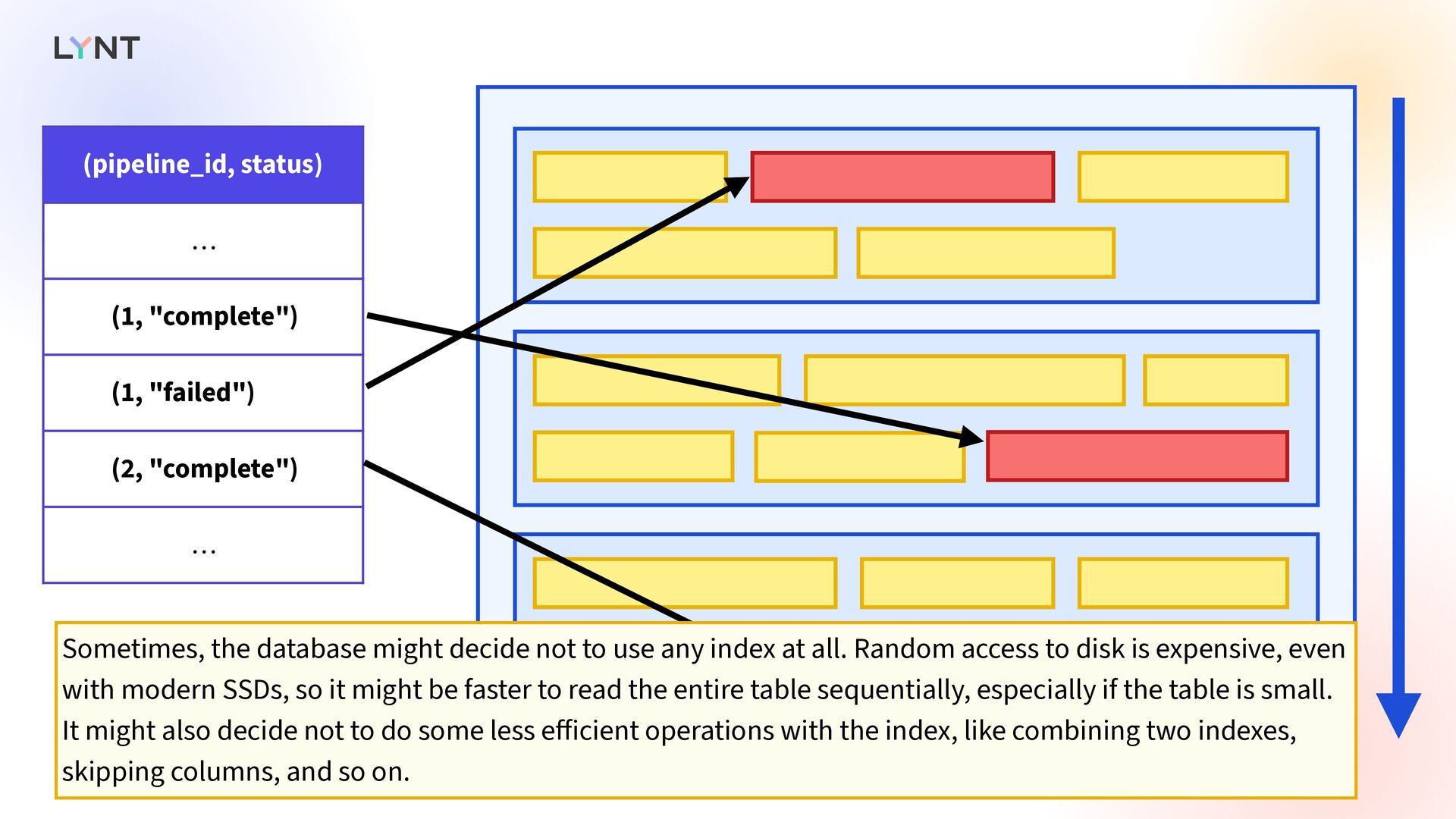
  41. (pipeline_id, status) … (1, "complete") (1, "failed") (2, "complete") …

    id pipeline_id status finished_at error … … … … … 42 1 complete 10:42 NULL 43 2 complete 11:23 S3 Access Denied 44 1 failed 12:44 NULL … … … … … An index is a data structure that speeds up data retrieval. Indexes are created per table on one or more columns. It contains pointers to rows with specific values, allowing the database engine to quickly find matching rows instead of scanning the entire table. The index is usually sorted, and lookups have logarithmic complexity, so they are fast even as the table grows.
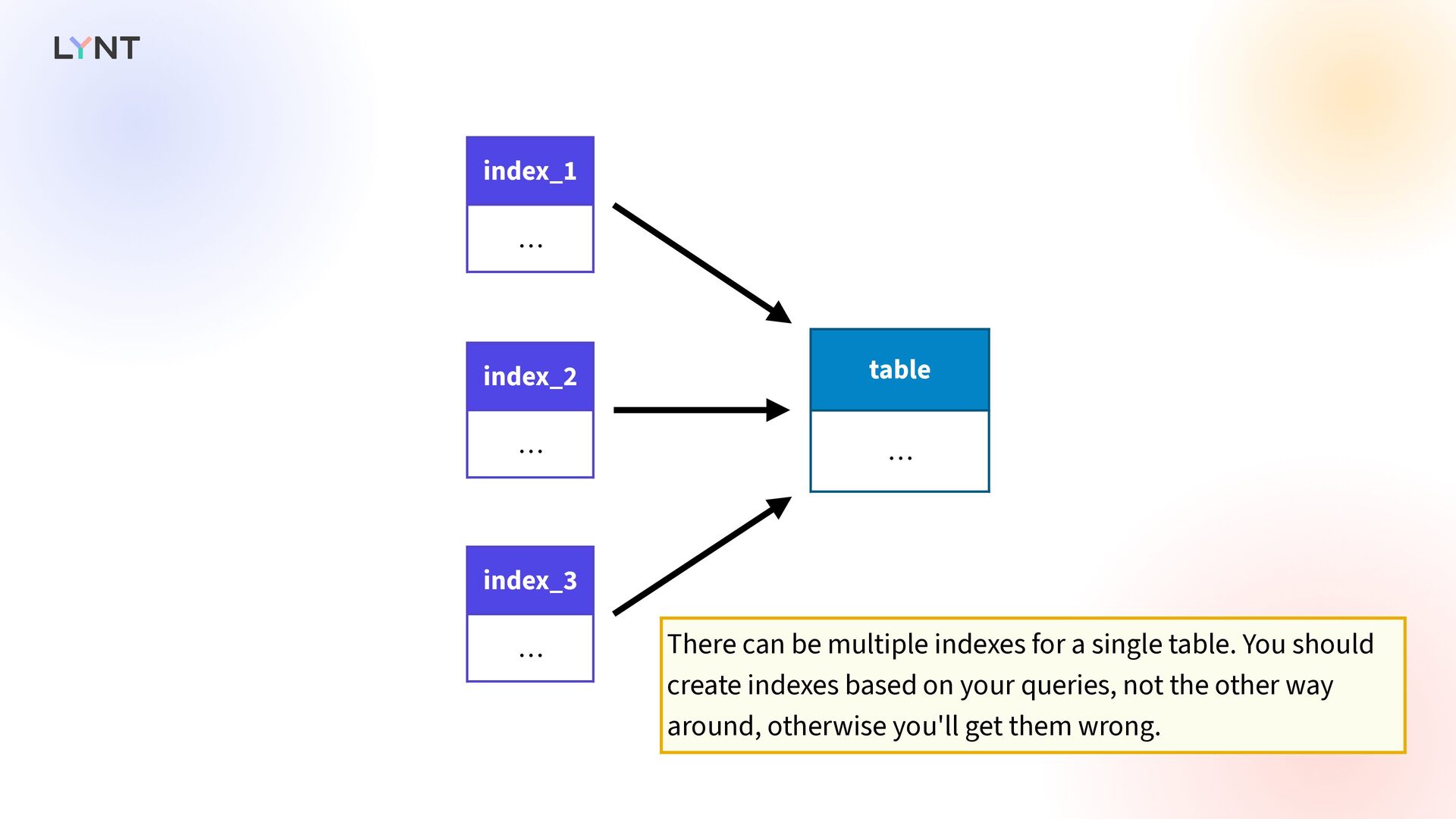
  42. table … index_1 … index_2 … index_3 … There can

    be multiple indexes for a single table. You should create indexes based on your queries, not the other way around, otherwise you'll get them wrong.
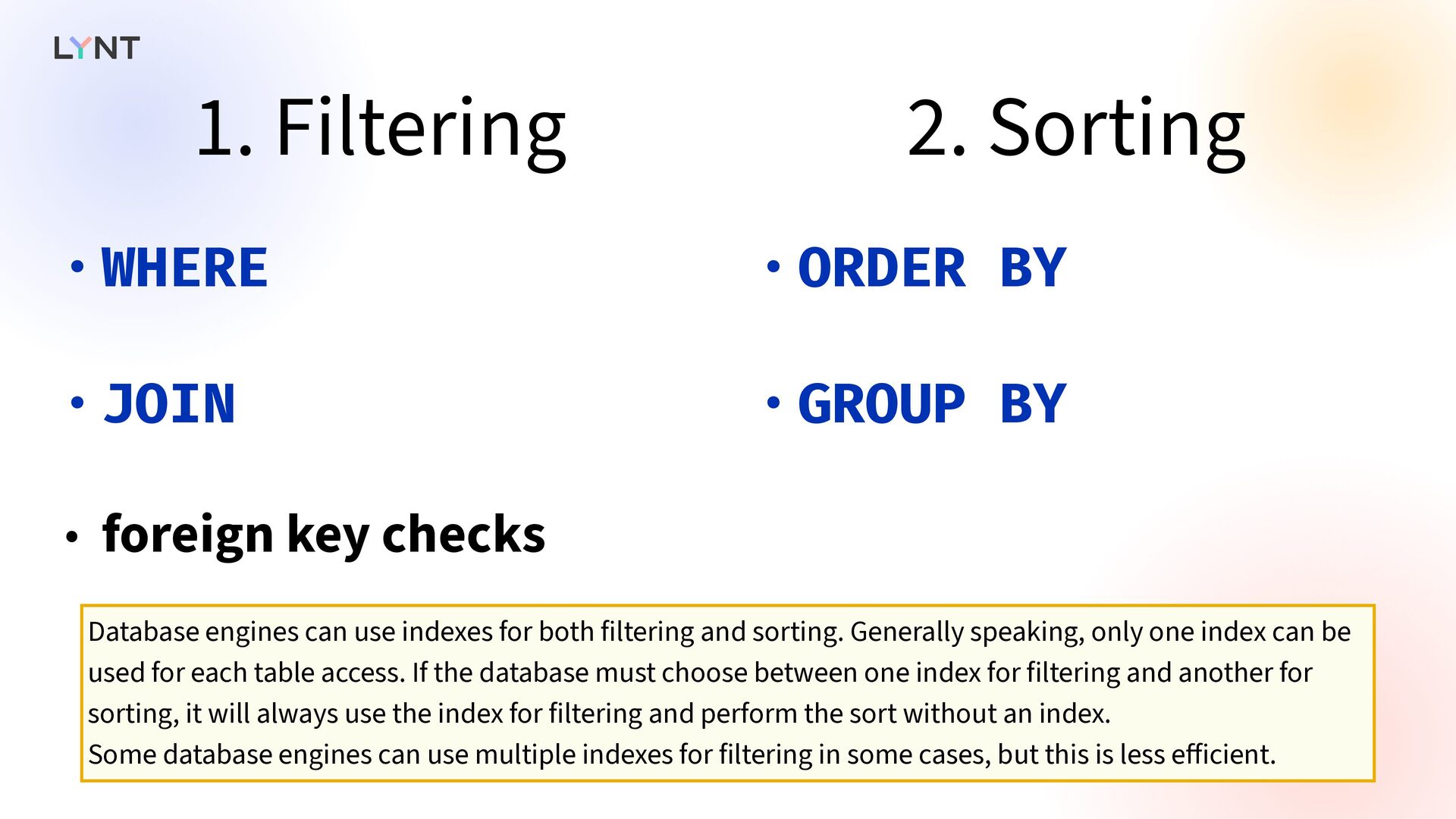
  43. 1. Filtering 2. Sorting • WHERE • JOIN • foreign

    key checks • ORDER BY • GROUP BY Database engines can use indexes for both filtering and sorting. Generally speaking, only one index can be used for each table access. If the database must choose between one index for filtering and another for sorting, it will always use the index for filtering and perform the sort without an index. Some database engines can use multiple indexes for filtering in some cases, but this is less e ff icient.
  44. Rules for database indices   Creating an index is

    simple: you need to give it a name and a list of columns. The hard part is choosing the right columns and creating the right number of indexes. I will walk you through a few rules when a database engine can use the index. This will not be a comprehensive list - each database engine has its own rules and specifics; covering everything would take a lot of time. Consider it just a starting guide. Always refer to your engine’s documentation and test your ideas.
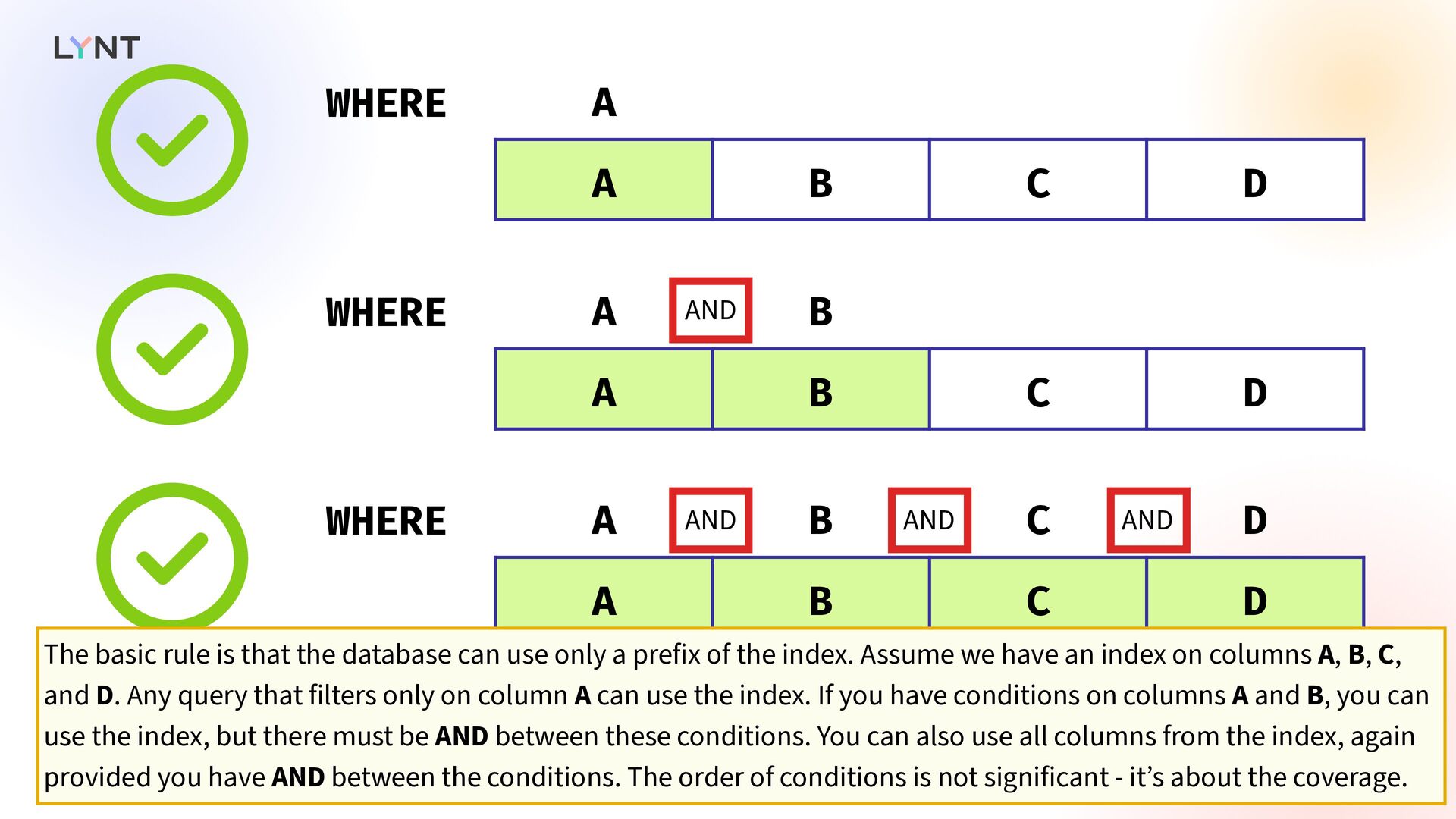
  45. WHERE A A B C D  WHERE A B

    A B C D  WHERE A B C D A B C D  AND AND AND AND The basic rule is that the database can use only a prefix of the index. Assume we have an index on columns A, B, C, and D. Any query that filters only on column A can use the index. If you have conditions on columns A and B, you can use the index, but there must be AND between these conditions. You can also use all columns from the index, again provided you have AND between the conditions. The order of conditions is not significant - it’s about the coverage.
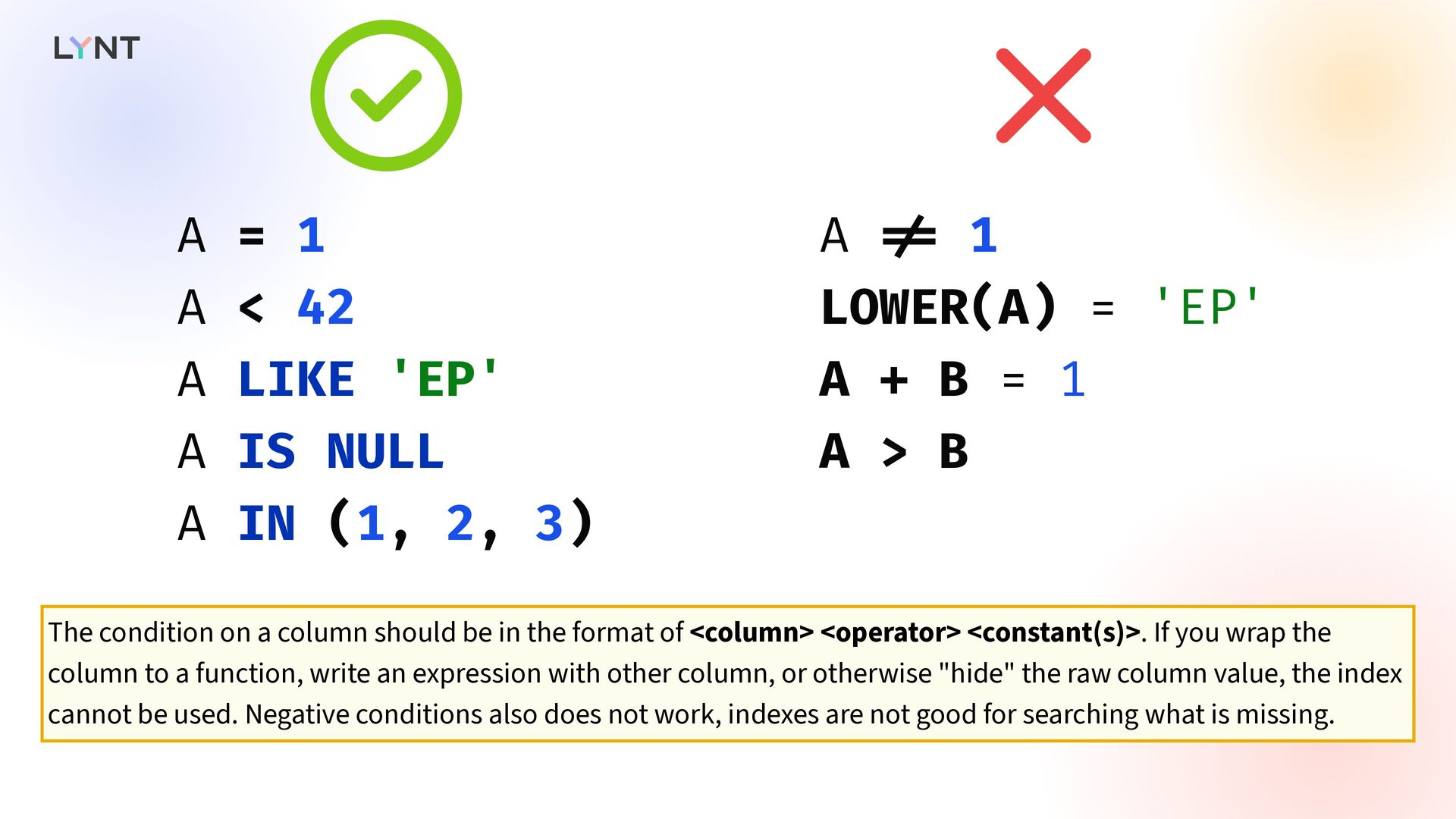
  46.   A = 1 A < 42 A LIKE

    'EP' A IS NULL A IN (1, 2, 3) A ! = 1 LOWER(A) = 'EP' A + B = 1 A > B The condition on a column should be in the format of <column> <operator> <constant(s)>. If you wrap the column to a function, write an expression with other column, or otherwise "hide" the raw column value, the index cannot be used. Negative conditions also does not work, indexes are not good for searching what is missing.
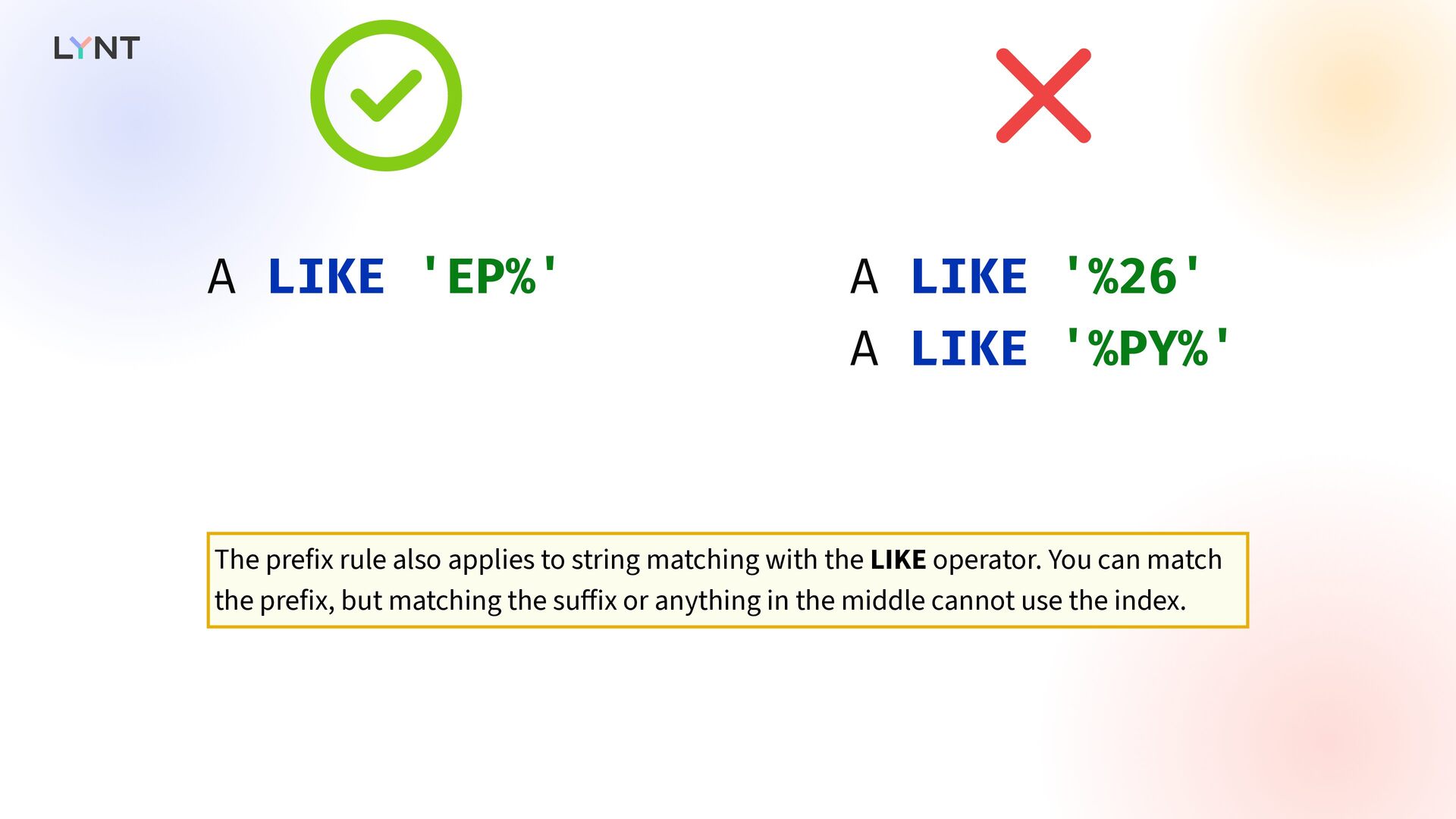
  47.   A LIKE 'EP%' A LIKE '%26' A LIKE

    '%PY%' The prefix rule also applies to string matching with the LIKE operator. You can match the prefix, but matching the su ff ix or anything in the middle cannot use the index.
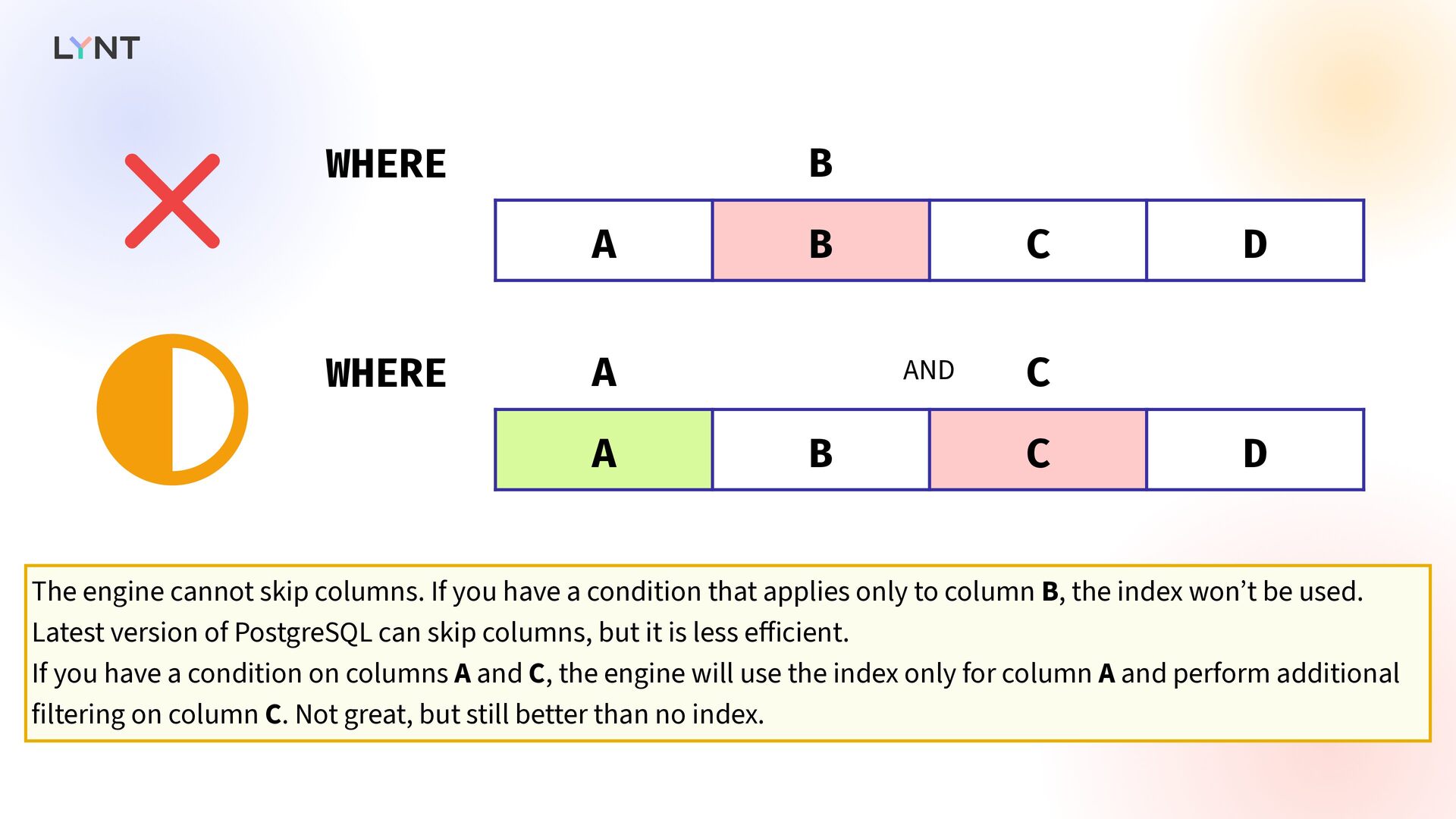
  48. WHERE B A B C D  WHERE A C

    A B C D  AND The engine cannot skip columns. If you have a condition that applies only to column B, the index won’t be used. Latest version of PostgreSQL can skip columns, but it is less e ff icient. If you have a condition on columns A and C, the engine will use the index only for column A and perform additional filtering on column C. Not great, but still better than no index.
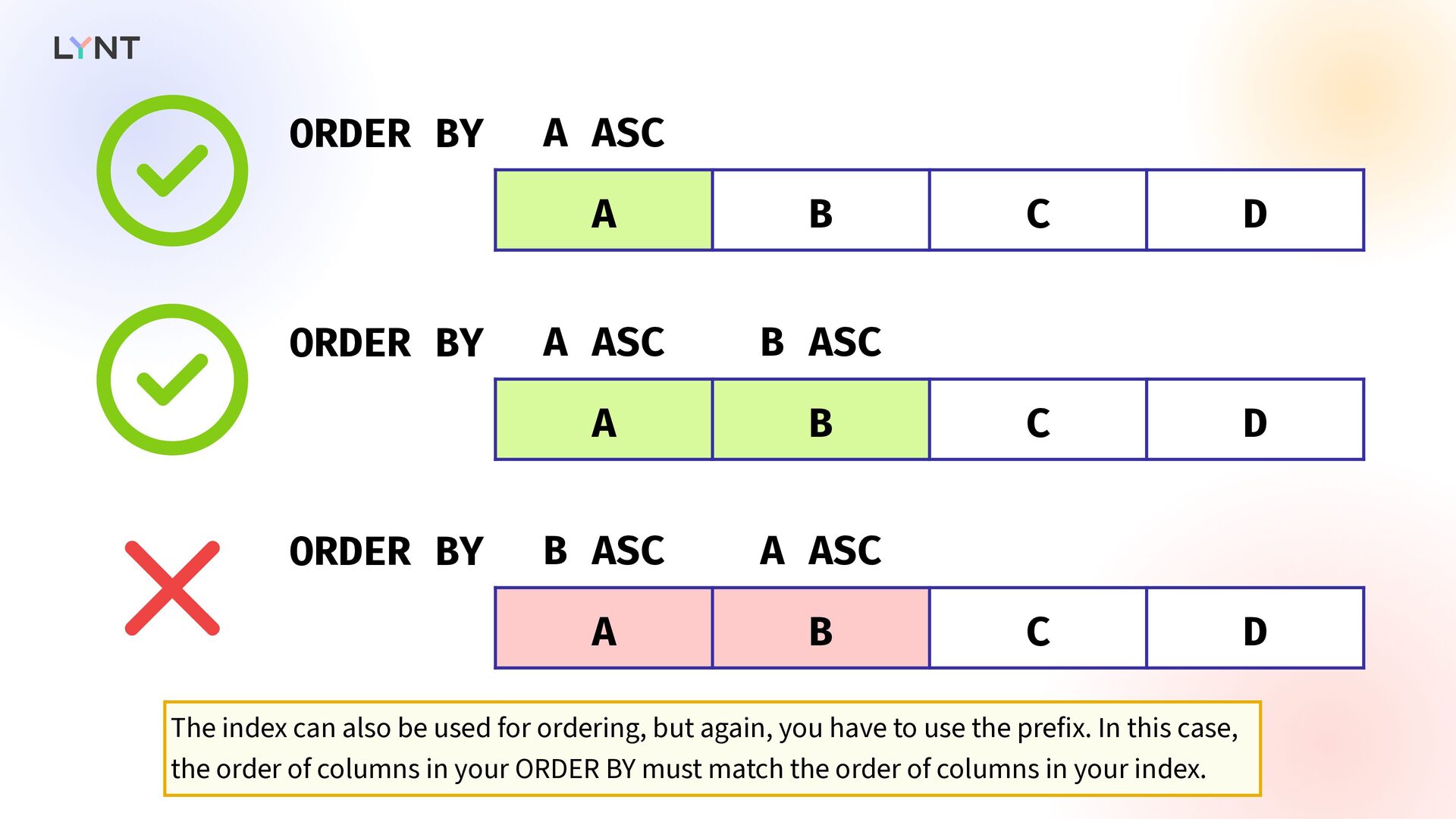
  49. ORDER BY A ASC A B C D  ORDER

    BY A ASC B ASC A B C D  ORDER BY B ASC A ASC A B C D  The index can also be used for ordering, but again, you have to use the prefix. In this case, the order of columns in your ORDER BY must match the order of columns in your index.
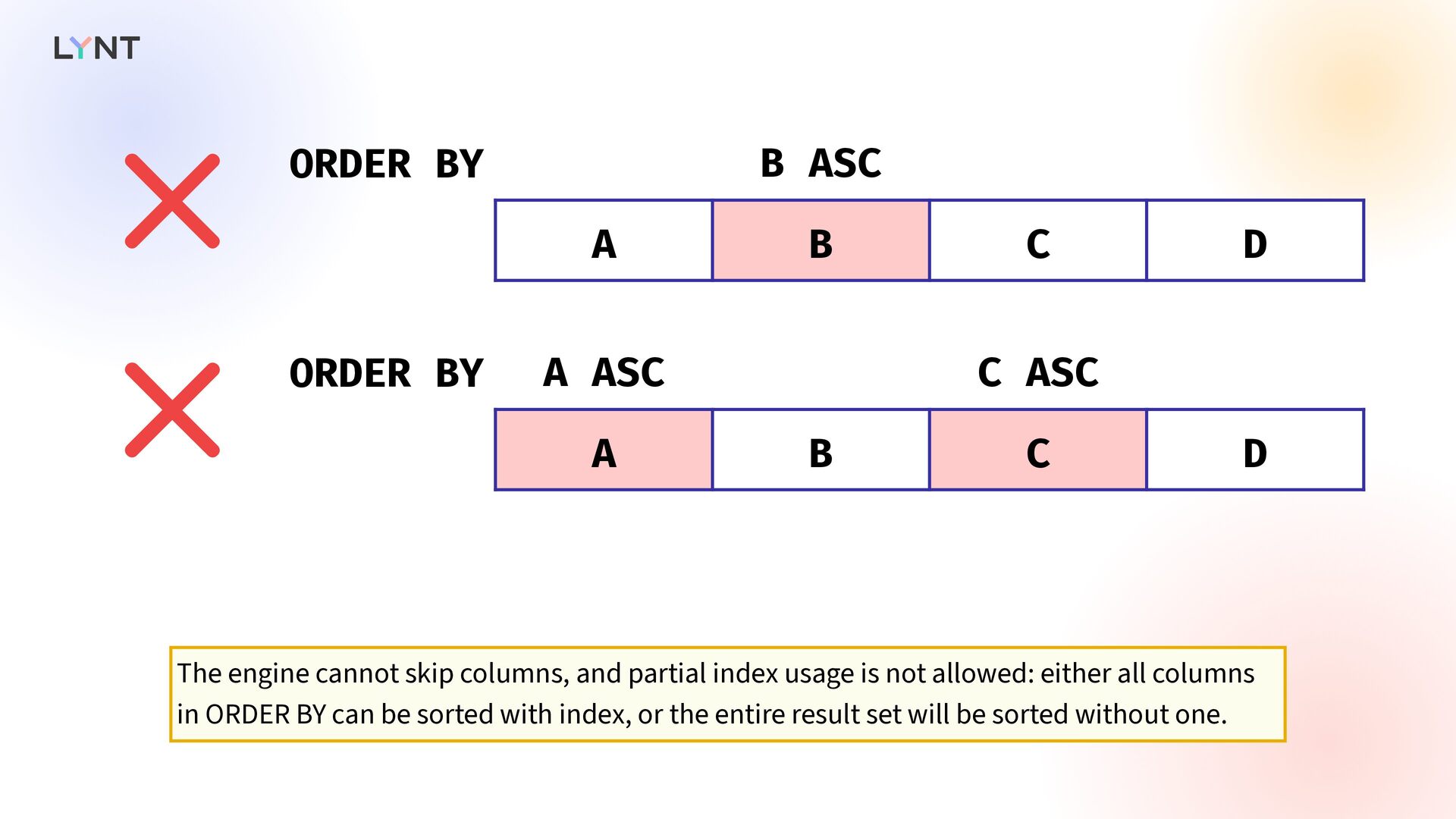
  50. ORDER BY B ASC A B C D  ORDER

    BY A ASC C ASC A B C D  The engine cannot skip columns, and partial index usage is not allowed: either all columns in ORDER BY can be sorted with index, or the entire result set will be sorted without one.
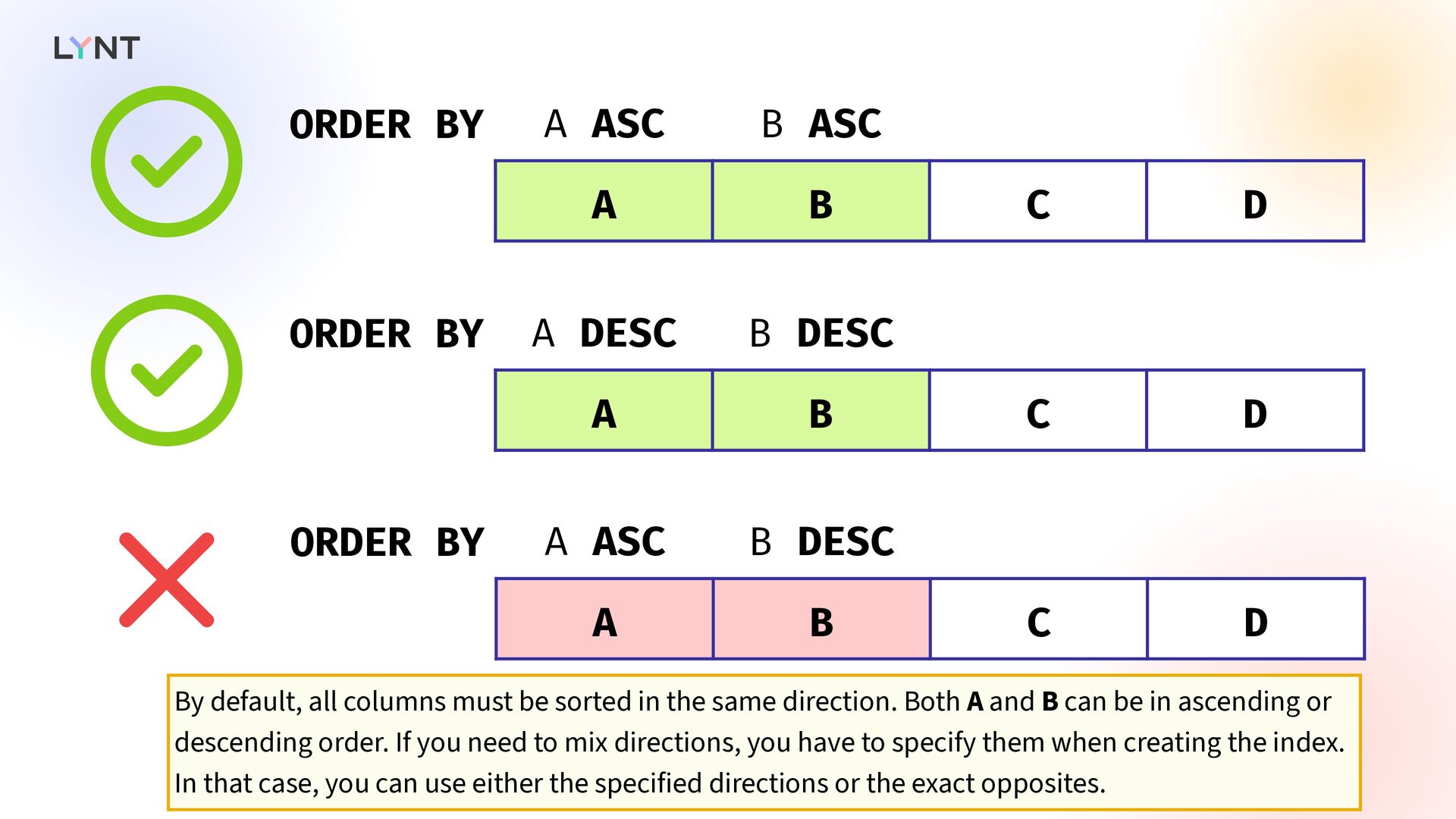
  51. ORDER BY A ASC B ASC A B C D

    ORDER BY A DESC B DESC A B C D ORDER BY A ASC B DESC A B C D    By default, all columns must be sorted in the same direction. Both A and B can be in ascending or descending order. If you need to mix directions, you have to specify them when creating the index. In that case, you can use either the specified directions or the exact opposites.
  52. A = const. B ASC C ASC A B C

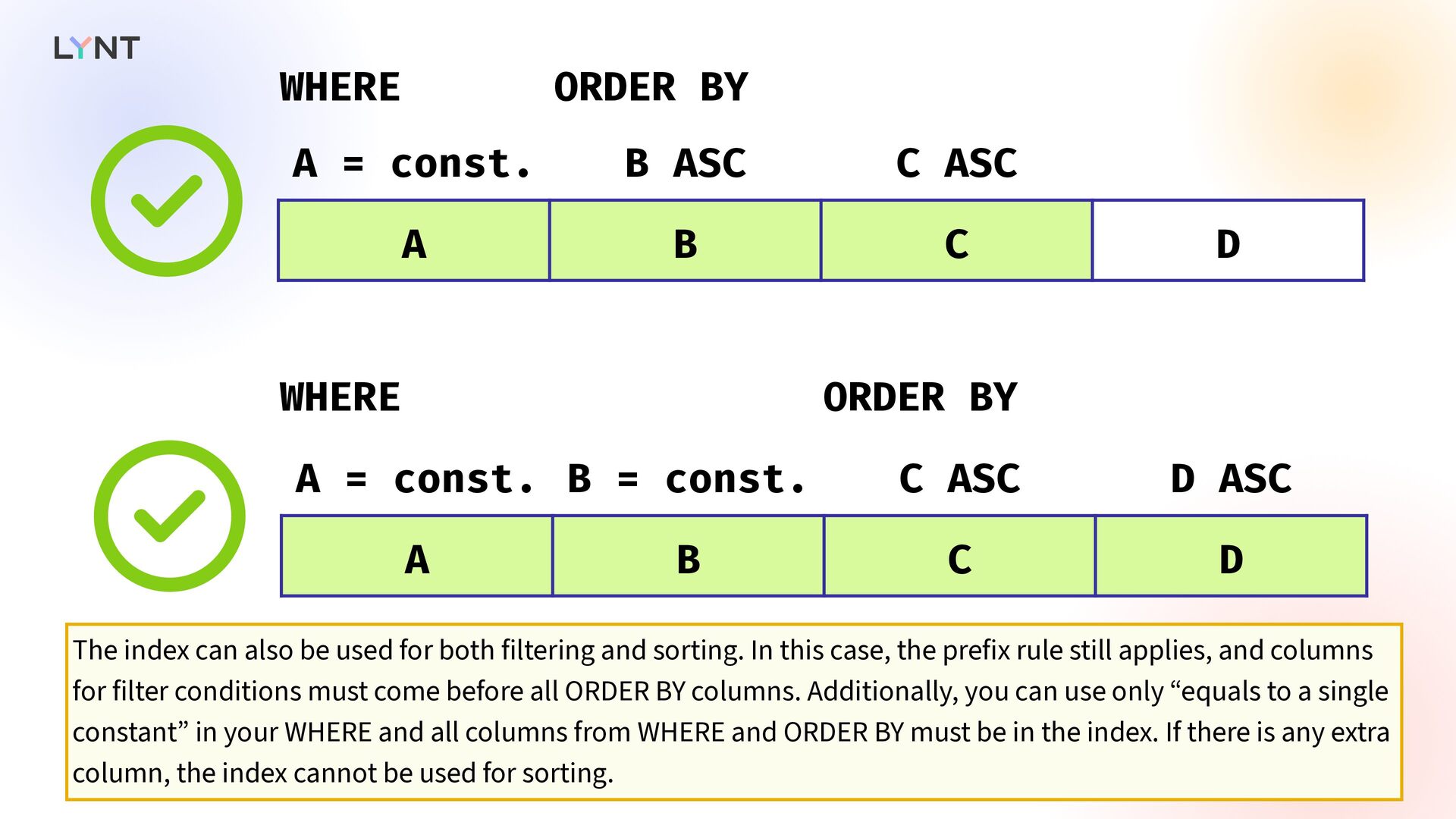
    D  A = const. B = const. C ASC D ASC A B C D  WHERE WHERE ORDER BY ORDER BY The index can also be used for both filtering and sorting. In this case, the prefix rule still applies, and columns for filter conditions must come before all ORDER BY columns. Additionally, you can use only “equals to a single constant” in your WHERE and all columns from WHERE and ORDER BY must be in the index. If there is any extra column, the index cannot be used for sorting.
  53. A > ? B ASC C ASC A B C

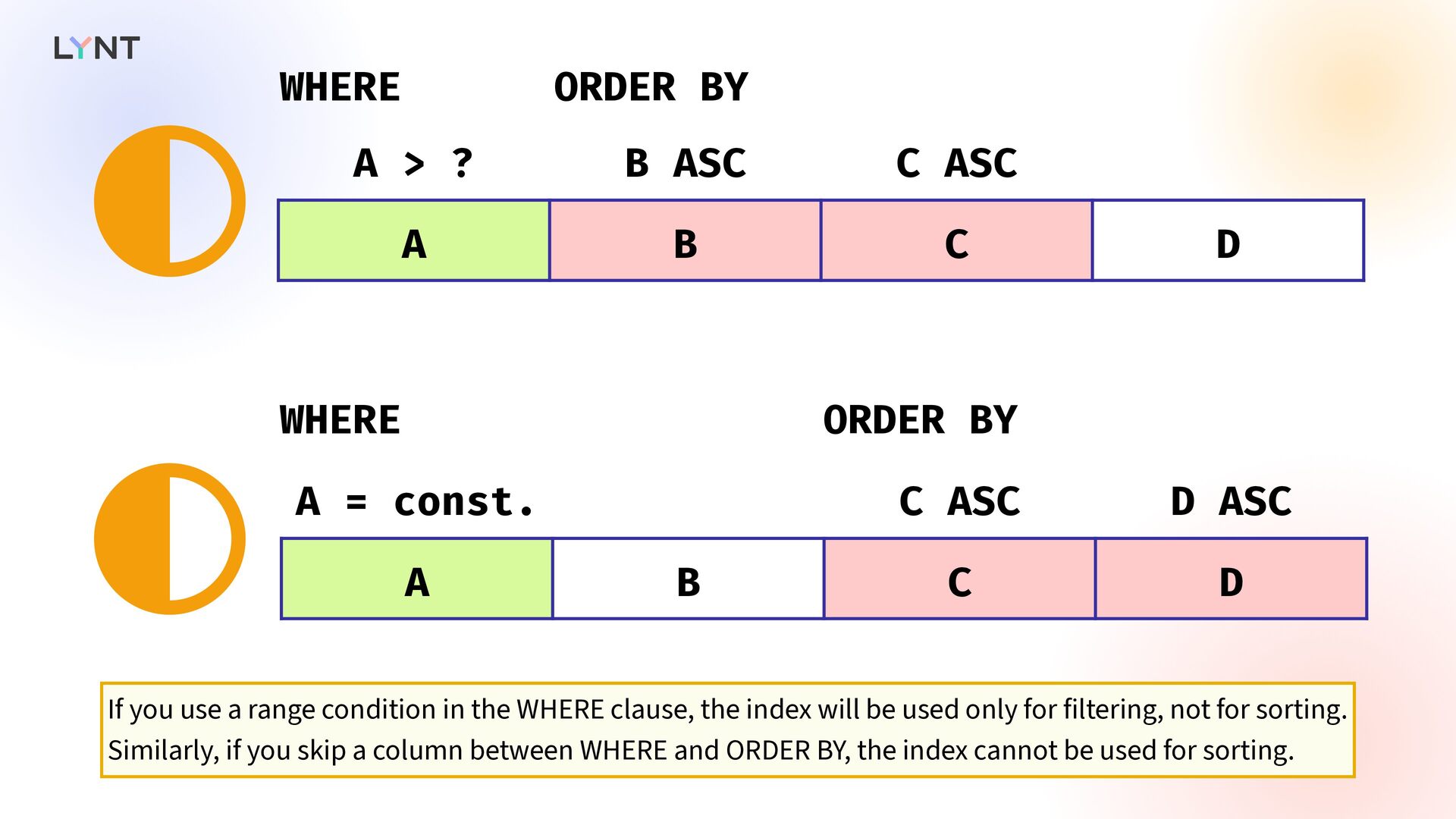
    D A = const. C ASC D ASC A B C D WHERE WHERE ORDER BY ORDER BY   If you use a range condition in the WHERE clause, the index will be used only for filtering, not for sorting. Similarly, if you skip a column between WHERE and ORDER BY, the index cannot be used for sorting.
  54. Creating an index in Django class PipelineRun(Model) : class Meta:

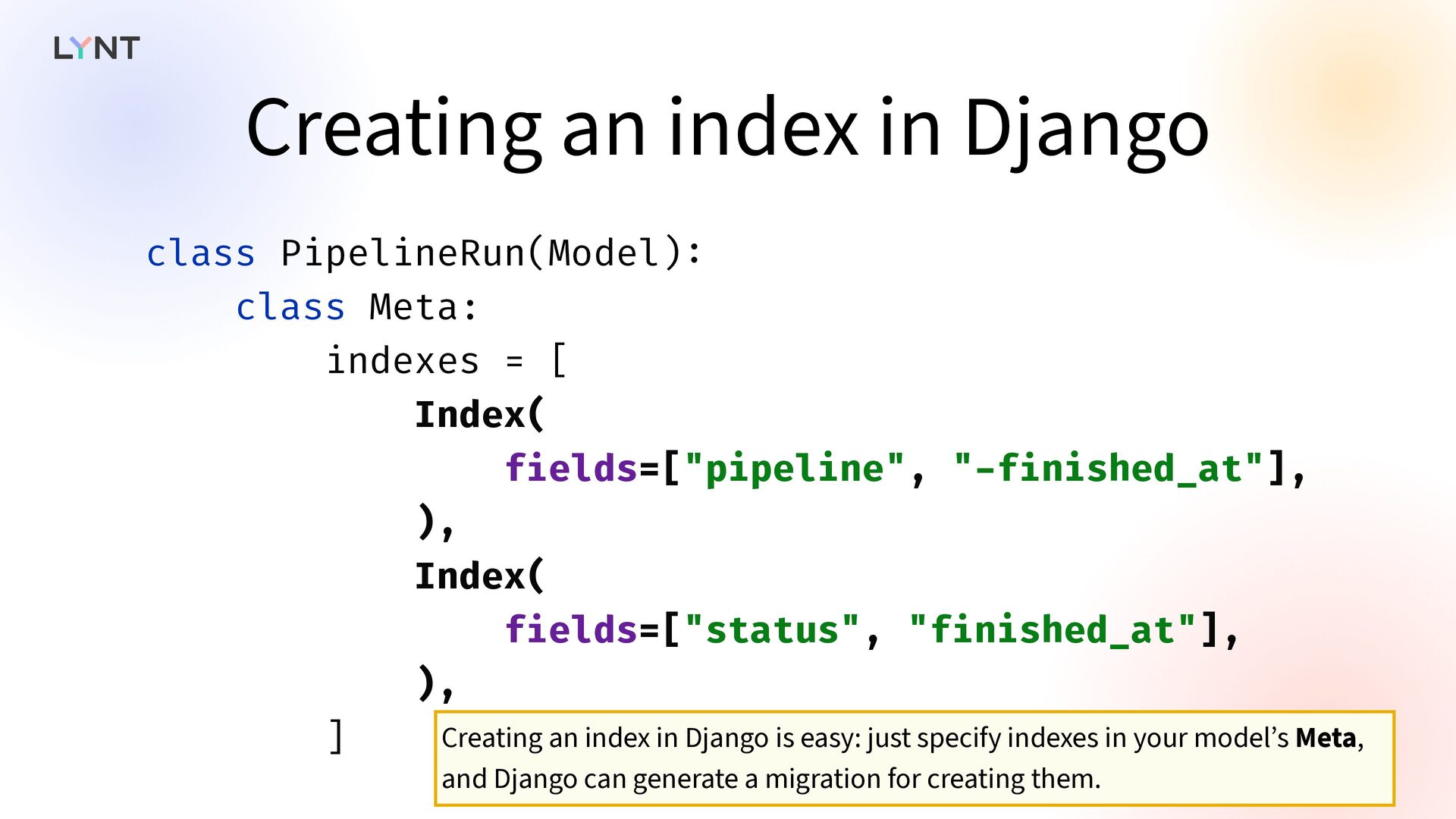
    indexes = [ Index( f i elds=["pipeline", " - f i nished_at"], ), Index( f i elds=["status", "f i nished_at"], ), ] Creating an index in Django is easy: just specify indexes in your model’s Meta, and Django can generate a migration for creating them.
  55. class Pipeline(Model) : # . . . class Meta: indexes

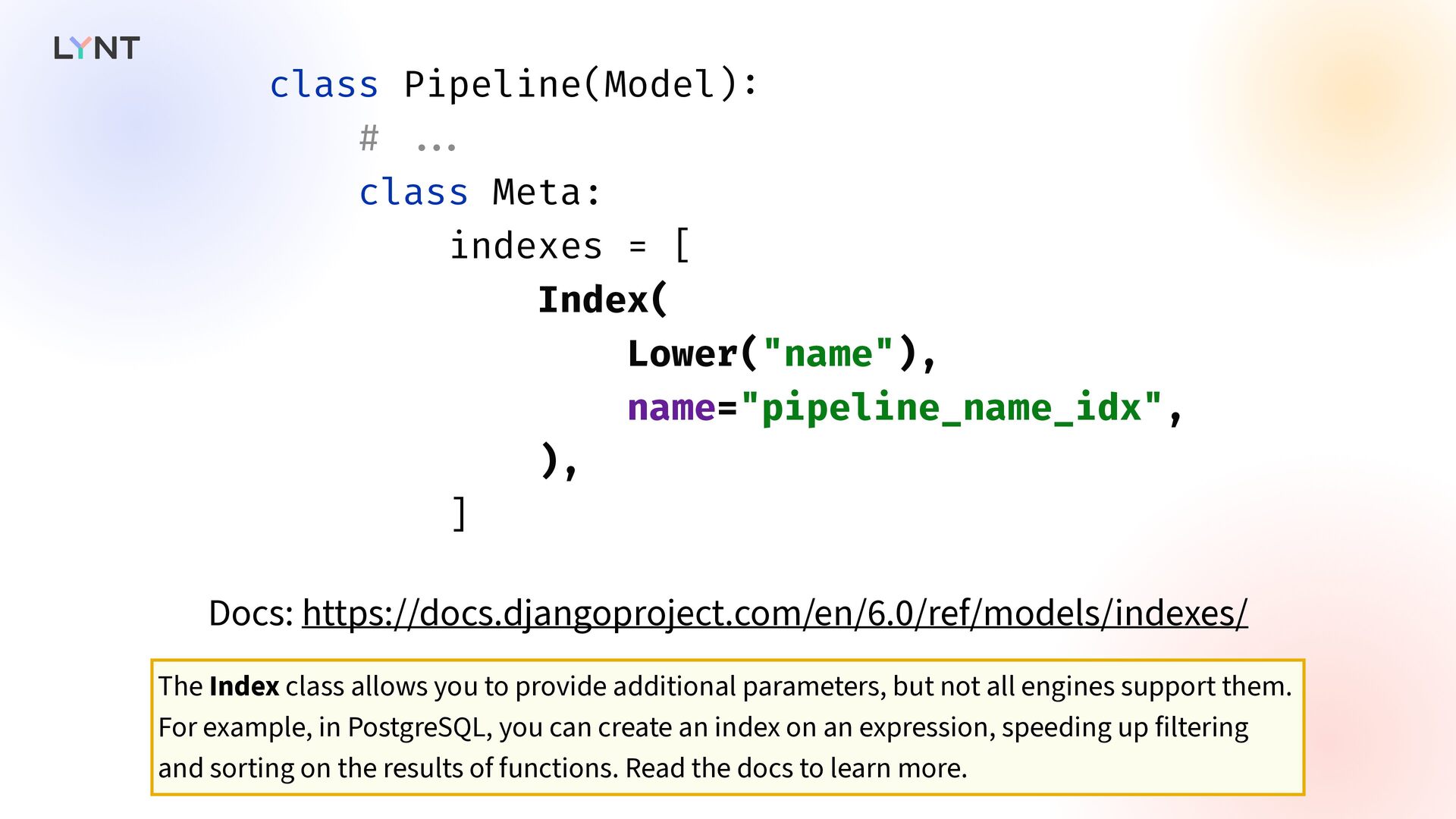
    = [ Index( Lower("name"), name="pipeline_name_idx", ), ] Docs: https://docs.djangoproject.com/en/6.0/ref/models/indexes/ The Index class allows you to provide additional parameters, but not all engines support them. For example, in PostgreSQL, you can create an index on an expression, speeding up filtering and sorting on the results of functions. Read the docs to learn more.
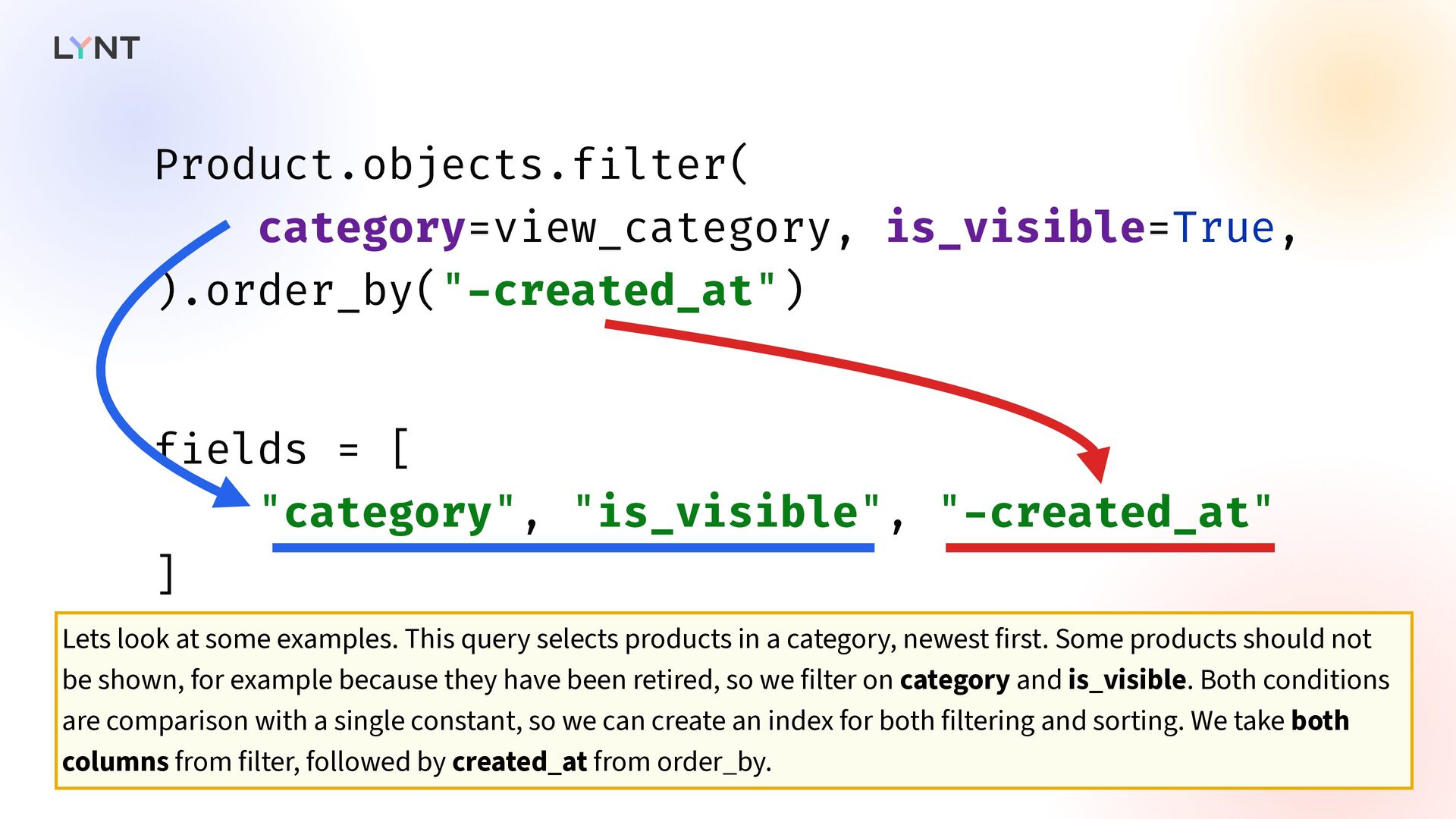
  56. Product.objects.f i lter( category=view_category, is_visible=True, ).order_by(" - created_at") f i

    elds = [ "category", "is_visible", " - created_at" ] Lets look at some examples. This query selects products in a category, newest first. Some products should not be shown, for example because they have been retired, so we filter on category and is_visible. Both conditions are comparison with a single constant, so we can create an index for both filtering and sorting. We take both columns from filter, followed by created_at from order_by.
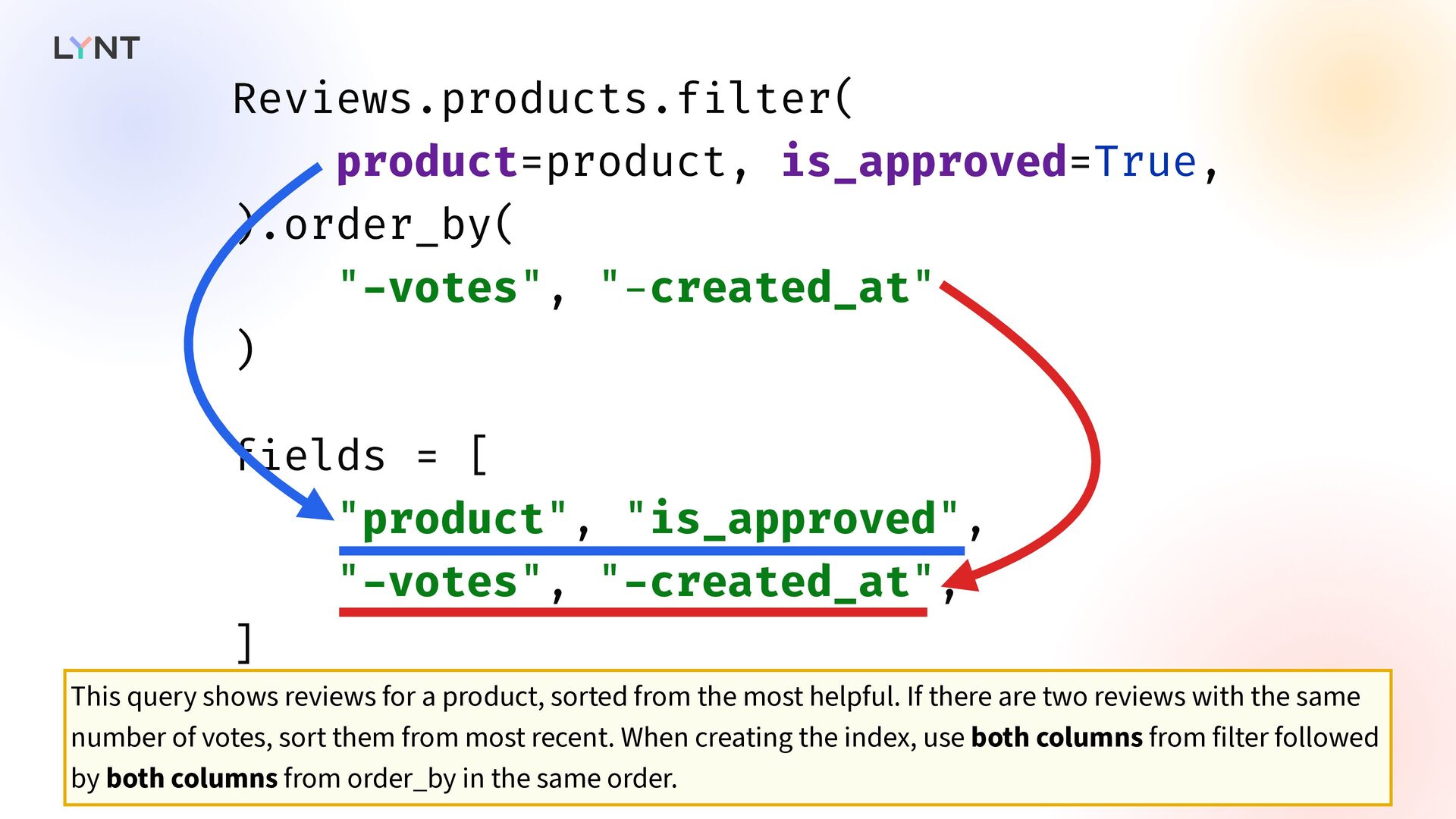
  57. Reviews.products.f i lter( product=product, is_approved=True, ).order_by( " - votes", "

    - created_at" ) f i elds = [ "product", "is_approved", " - votes", " - created_at", ] This query shows reviews for a product, sorted from the most helpful. If there are two reviews with the same number of votes, sort them from most recent. When creating the index, use both columns from filter followed by both columns from order_by in the same order.
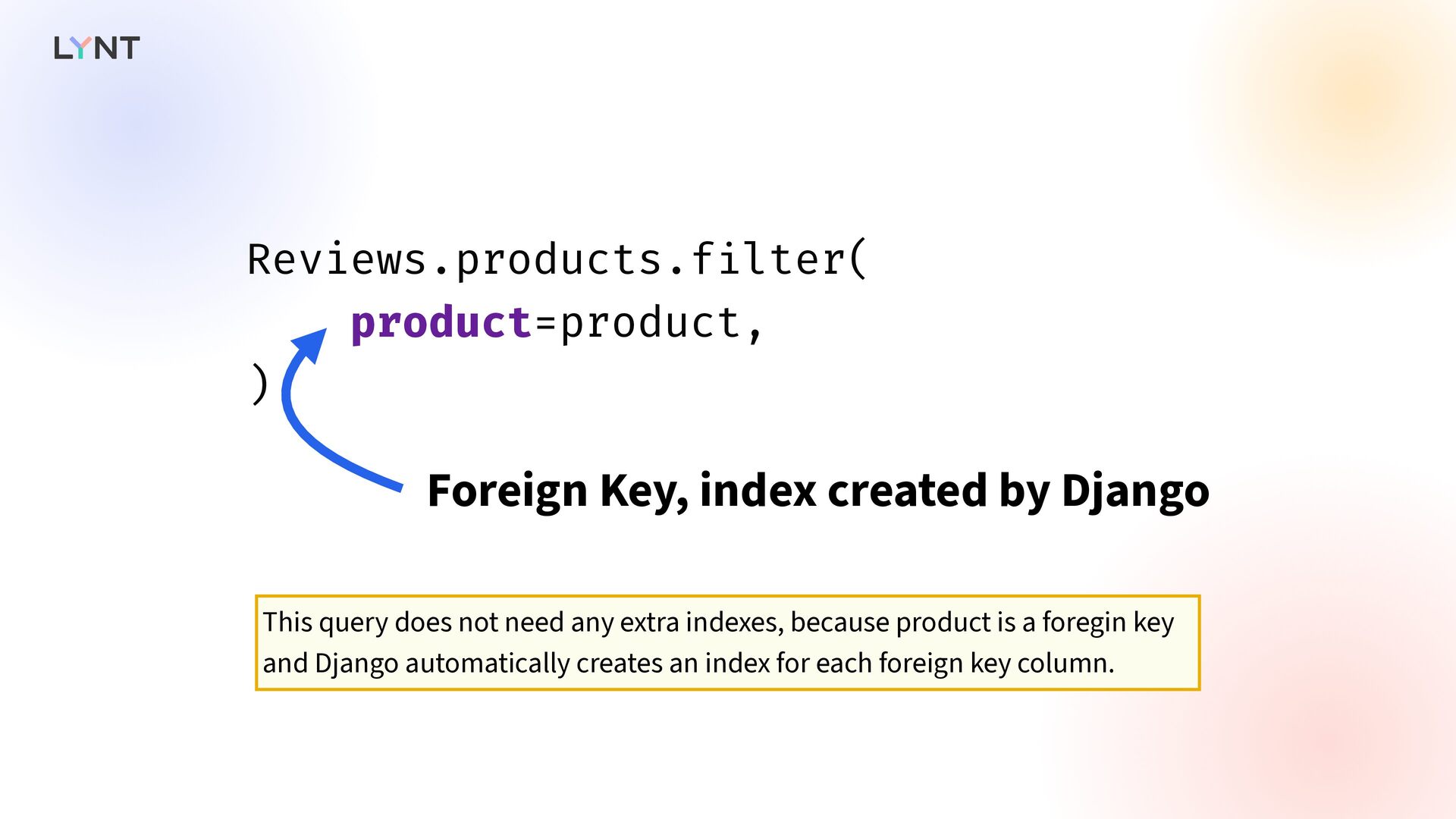
  58. Reviews.products.f i lter( product=product, ) Foreign Key, index created by

    Django This query does not need any extra indexes, because product is a foregin key and Django automatically creates an index for each foreign key column.
  59. PipelineRun.objects.f i lter( pipeline=pipeline, status _ _ in=["queued", "running"], ).order_by("

    - queued_at") f i elds=[ "pipeline", "status" ] Last example: pipeline runs of a pipeline that are stuck in queue or in-progress. The filter for status is not an equality with a single constant, therefore no index could be used for sorting. The index should contain only pipeline and status columns from the filter to keep the index smaller.
  60. Index( f i elds=["pipeline", " - queued_at"], condition=Q(status _ _

    in=["queued", "running"]), name="pipelinerun_pipeline_pending_idx", ) PostgreSQL and SQLite are exceptions, because they allow you to create a partial index. It is an index that contains only rows matching the given conditions. You can create an index containing only queued and running pipeline runs. This allows you to drop status from the index fields, because the planner will know that all rows in the index already matches the condition. So use pipeline field from filter and queued_at from order_by. Or maybe you have only a few runs for each pipeline, so you don't need any extra indexes and the default index on pipeline created by Django might be enough.
  61.       So far we have

    learned that indexes are essential to database performance, but they also have their dark side.
  62.  Slows down writes  The index needs to be

    updated on every write to the table. Each index slows inserts and updates, so be careful when creating indexes on tables with heavy write activity.
  63.  Requires disk & memory  Indexes require disk space.

    Sometimes, indexes on a table can be larger than the table itself. They are also cached in memory, therefore having too many indexes can reduce cache utilisation because they compete for space in the cache. So far, we have learnt that you can have multiple indexes on a single table; it is best if table access can be satisfied with a single index; and there are some basic rules for when the database can use the index. How does the database engine determine what index to use?
  64. Query Planner   It uses a query planner. Most

    database engines use a cost-based query planner. The planner generates multiple plans for executing the query, estimates the cost of each, and then selects the one with the lowest cost.
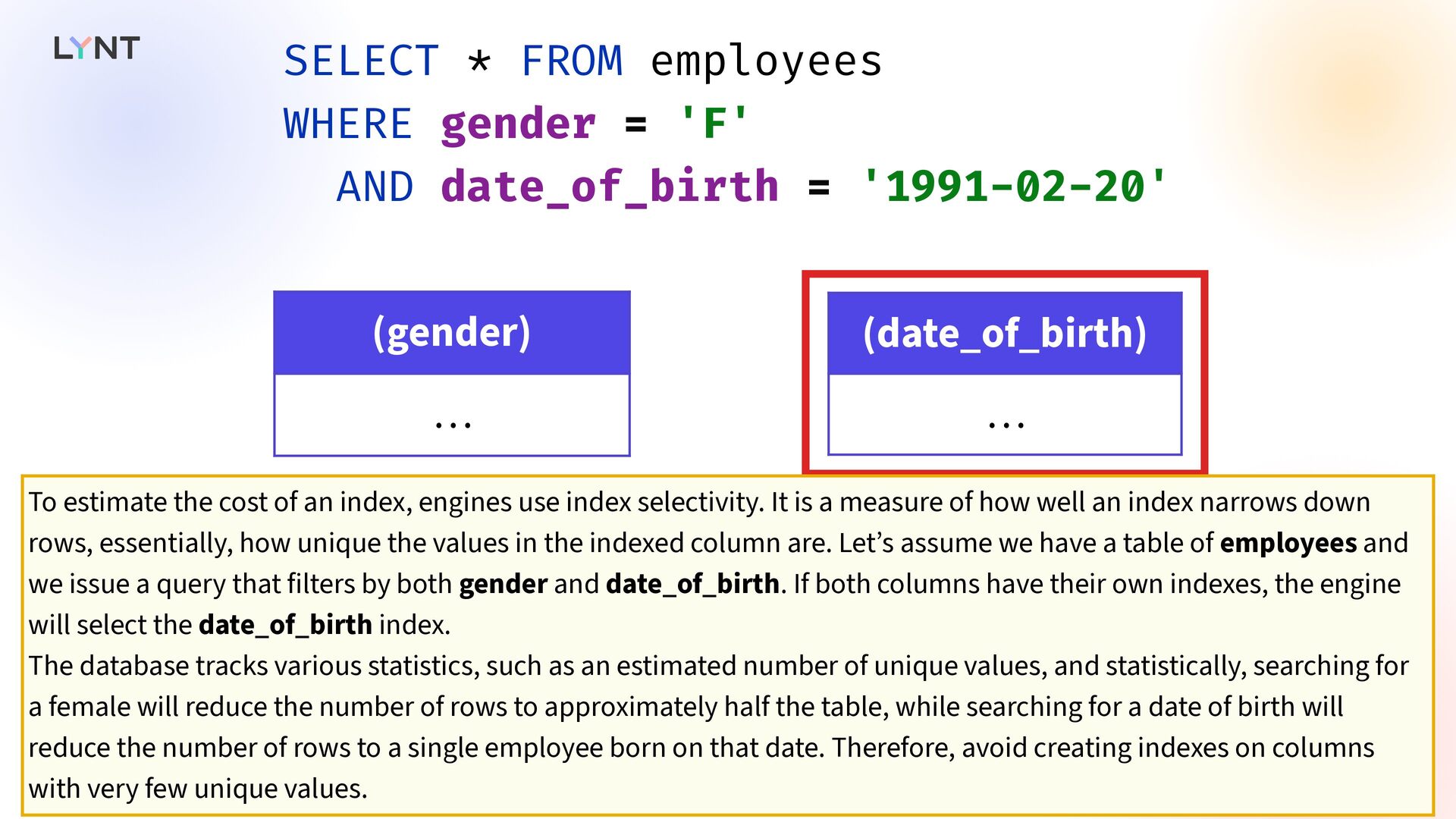
  65. SELECT * FROM employees WHERE gender = 'F' AND date_of_birth

    = '1991-02-20' (gender) … (date_of_birth) … To estimate the cost of an index, engines use index selectivity. It is a measure of how well an index narrows down rows, essentially, how unique the values in the indexed column are. Let’s assume we have a table of employees and we issue a query that filters by both gender and date_of_birth. If both columns have their own indexes, the engine will select the date_of_birth index. The database tracks various statistics, such as an estimated number of unique values, and statistically, searching for a female will reduce the number of rows to approximately half the table, while searching for a date of birth will reduce the number of rows to a single employee born on that date. Therefore, avoid creating indexes on columns with very few unique values.
  66. (pipeline_id, status) … (1, "complete") (1, "failed") (2, "complete") …

    Sometimes, the database might decide not to use any index at all. Random access to disk is expensive, even with modern SSDs, so it might be faster to read the entire table sequentially, especially if the table is small. It might also decide not to do some less e ff icient operations with the index, like combining two indexes, skipping columns, and so on.
  67. EXPLAIN   To see what plan was selected, you

    can ask the database to EXPLAIN a query.
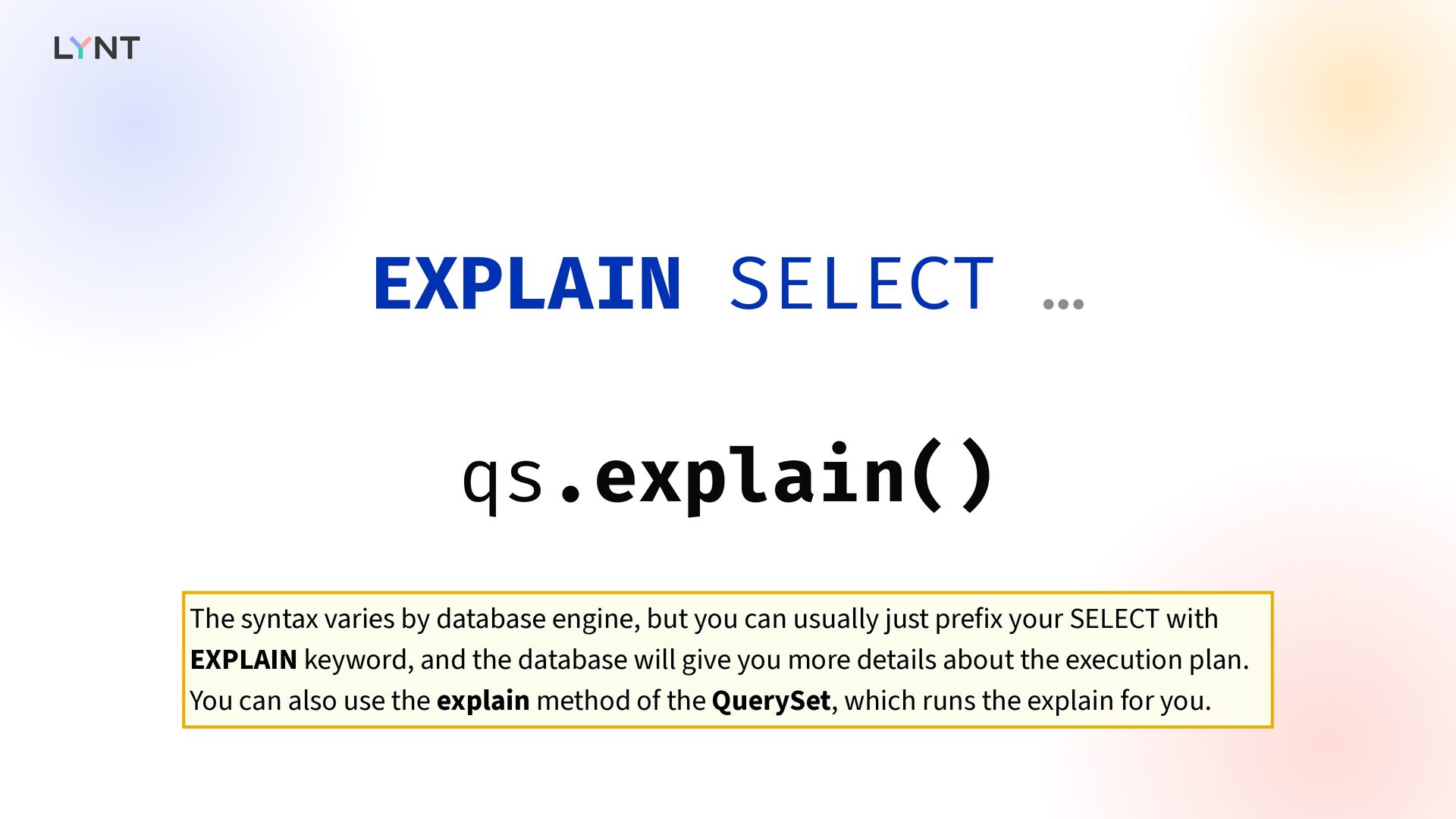
  68. EXPLAIN SELECT … qs.explain() The syntax varies by database engine,

    but you can usually just prefix your SELECT with EXPLAIN keyword, and the database will give you more details about the execution plan. You can also use the explain method of the QuerySet, which runs the explain for you.
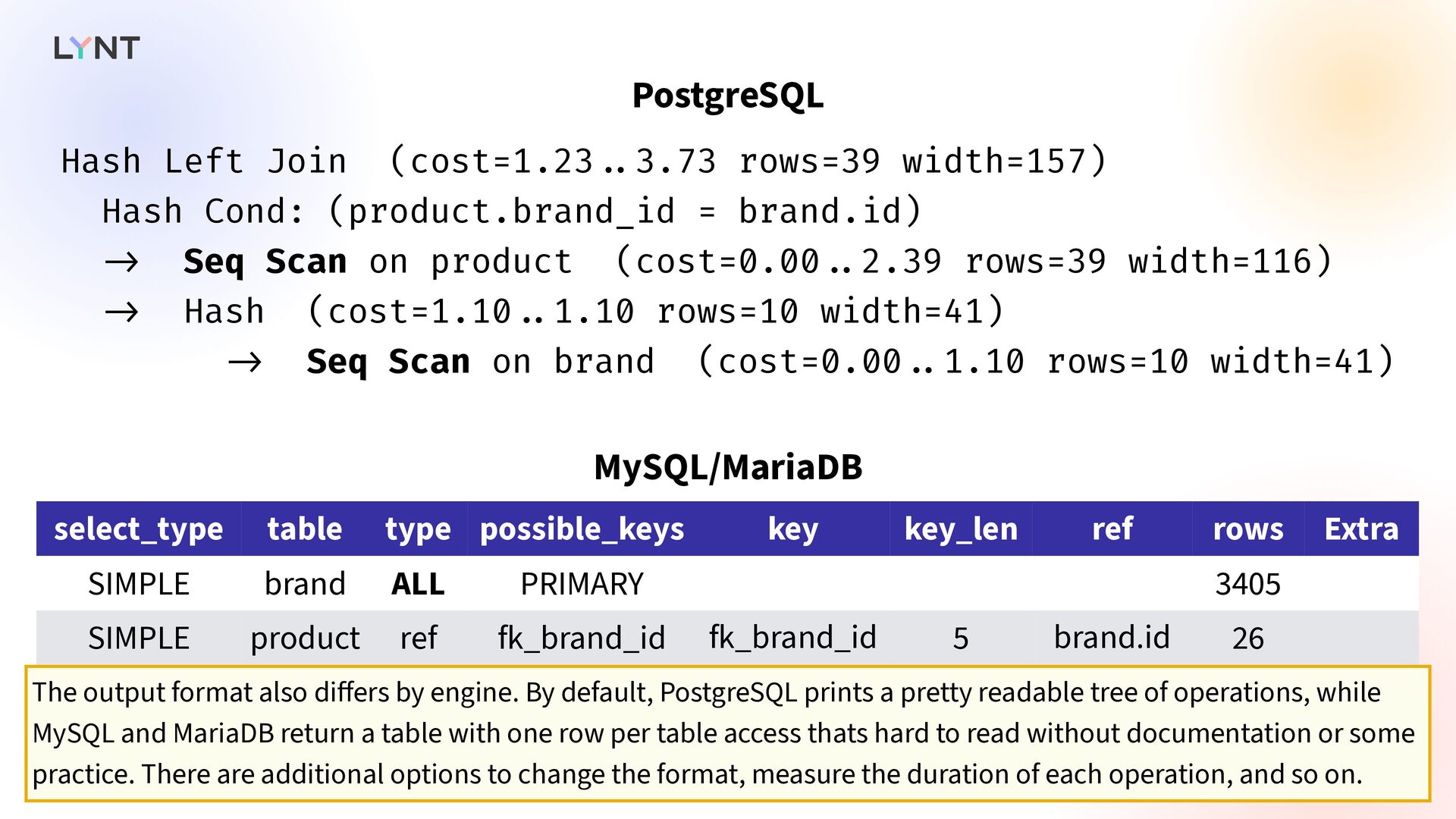
  69. Hash Left Join (cost=1.23 . . 3.73 rows=39 width=157) Hash

    Cond: (product.brand_id = brand.id) - > Seq Scan on product (cost=0.00 . . 2.39 rows=39 width=116) - > Hash (cost=1.10 . . 1.10 rows=10 width=41) - > Seq Scan on brand (cost=0.00 . . 1.10 rows=10 width=41) select_type table type possible_keys key key_len ref rows Extra SIMPLE brand ALL PRIMARY 3405 SIMPLE product ref fk_brand_id fk_brand_id 5 brand.id 26 MySQL/MariaDB PostgreSQL The output format also di ff ers by engine. By default, PostgreSQL prints a pretty readable tree of operations, while MySQL and MariaDB return a table with one row per table access thats hard to read without documentation or some practice. There are additional options to change the format, measure the duration of each operation, and so on.
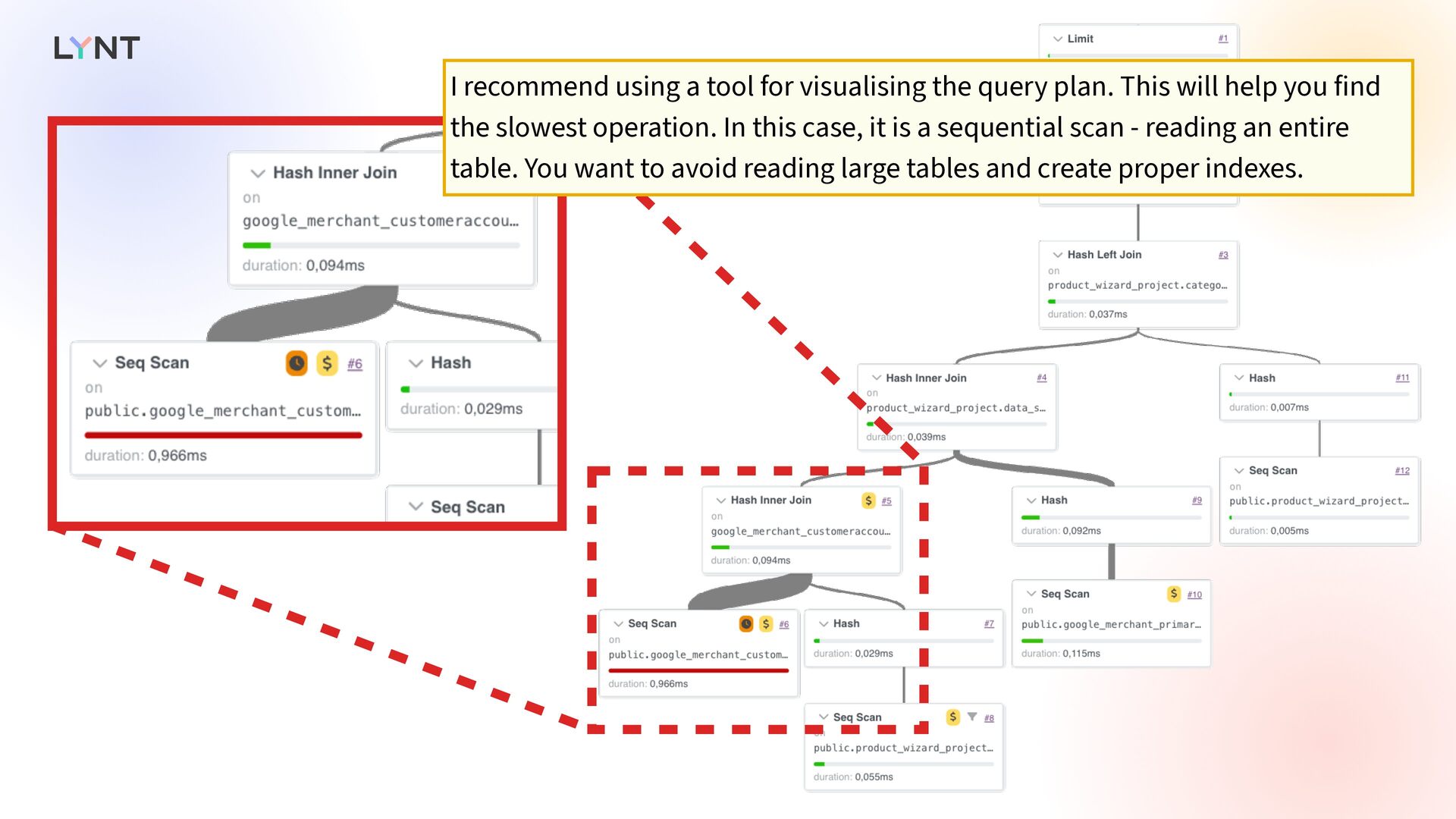
  70. I recommend using a tool for visualising the query plan.

    This will help you find the slowest operation. In this case, it is a sequential scan - reading an entire table. You want to avoid reading large tables and create proper indexes.
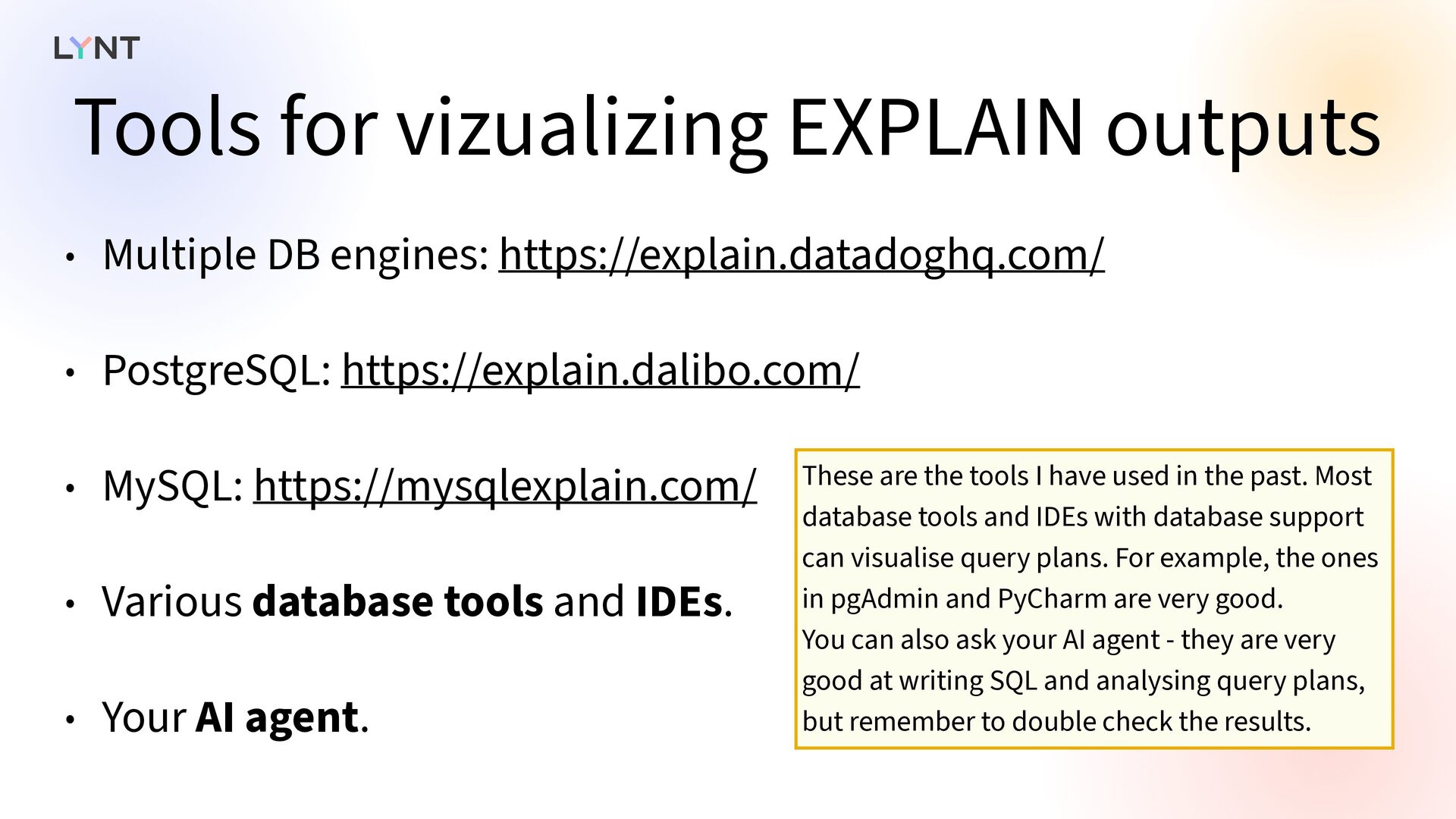
  71. Tools for vizualizing EXPLAIN outputs • Multiple DB engines: https://explain.datadoghq.com/

    • PostgreSQL: https://explain.dalibo.com/ • MySQL: https://mysqlexplain.com/ • Various database tools and IDEs. • Your AI agent. These are the tools I have used in the past. Most database tools and IDEs with database support can visualise query plans. For example, the ones in pgAdmin and PyCharm are very good. You can also ask your AI agent - they are very good at writing SQL and analysing query plans, but remember to double check the results.
  72. Database must be similar to your PROD   Remember:

    make sure your database is roughly equivalent to your production database. Query plans will be di ff erent if your dev database is much smaller, because the datababase might not use your indexes for small tables. You might need to run your EXPLAINs in production to get accurate plans.
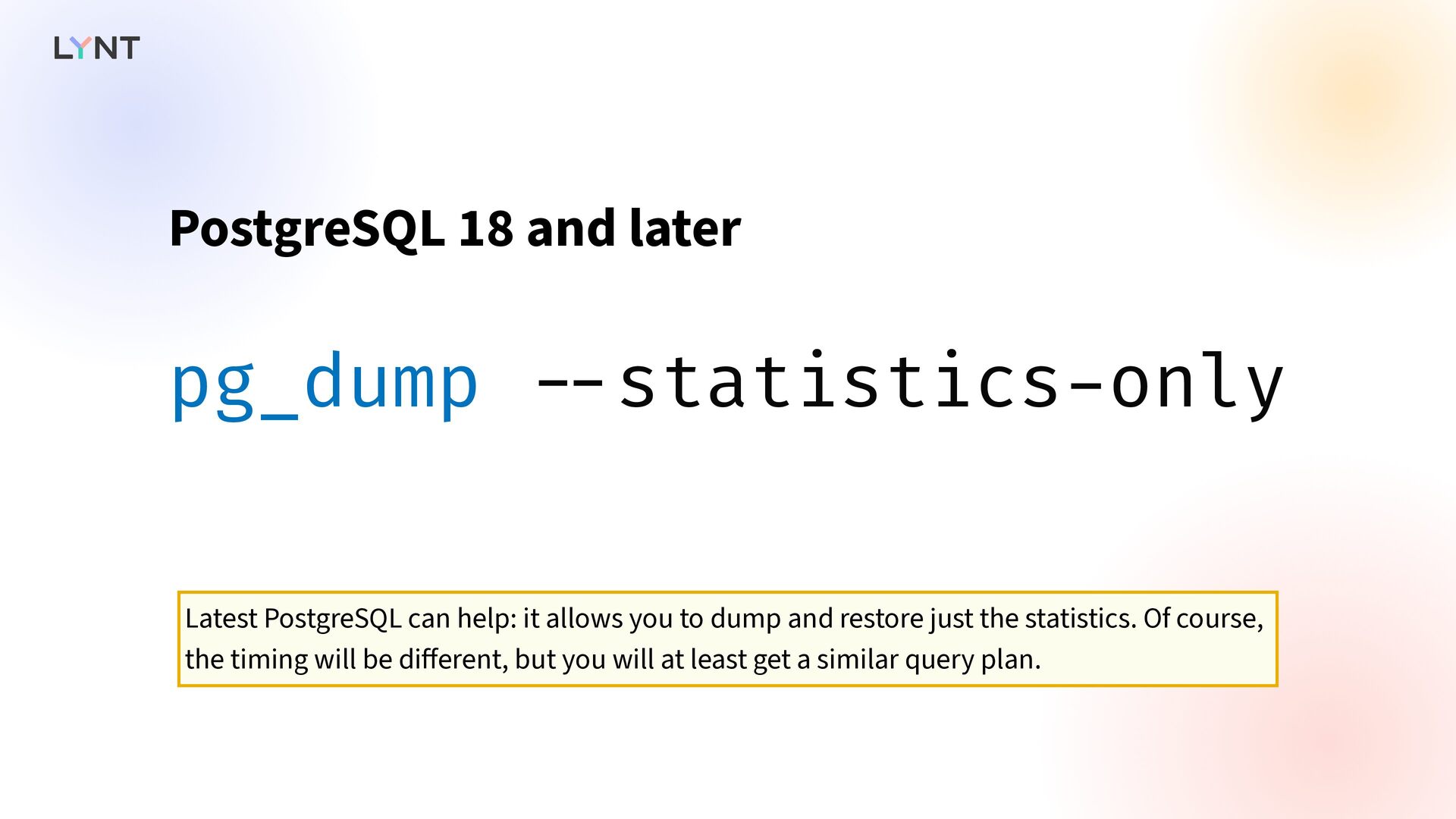
  73. pg_dump - - statistics - only PostgreSQL 18 and later

    Latest PostgreSQL can help: it allows you to dump and restore just the statistics. Of course, the timing will be di ff erent, but you will at least get a similar query plan.
  74. Measure, don’t guess   Before you start optimising your

    database access, you must measure your database operations. I have shown you a few tools that can help you. Focus on frequent and user-facing queries.
  75. Understand your database   ORM abstracts you away from

    the database, but you still need to understand both your data and your database engine. Spend some time learning and experimenting.
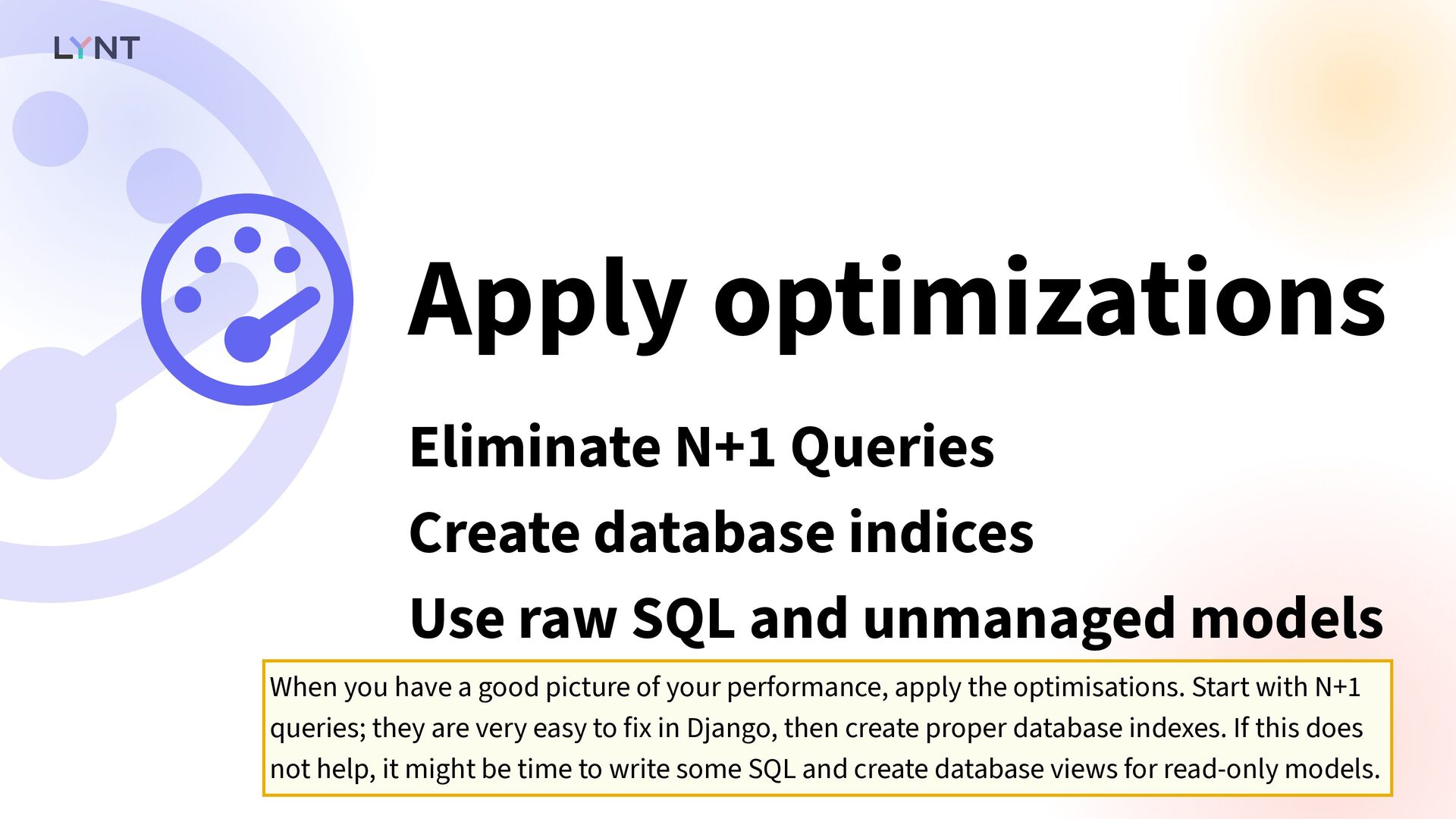
  76. Apply optimizations   Eliminate N+1 Queries Create database indices

    Use raw SQL and unmanaged models When you have a good picture of your performance, apply the optimisations. Start with N+1 queries; they are very easy to fix in Django, then create proper database indexes. If this does not help, it might be time to write some SQL and create database views for read-only models.