Upgrade to Pro — share decks privately, control downloads, hide ads and more …

Frontend Testing Strategies

Avatar for kbingman kbingman
November 19, 2014

Frontend Testing Strategies

A quick overview of Unit and Integration testing for Javascript heavy front end development

Avatar for kbingman

kbingman

November 19, 2014
Tweet

More Decks by kbingman

Other Decks in Programming

Transcript

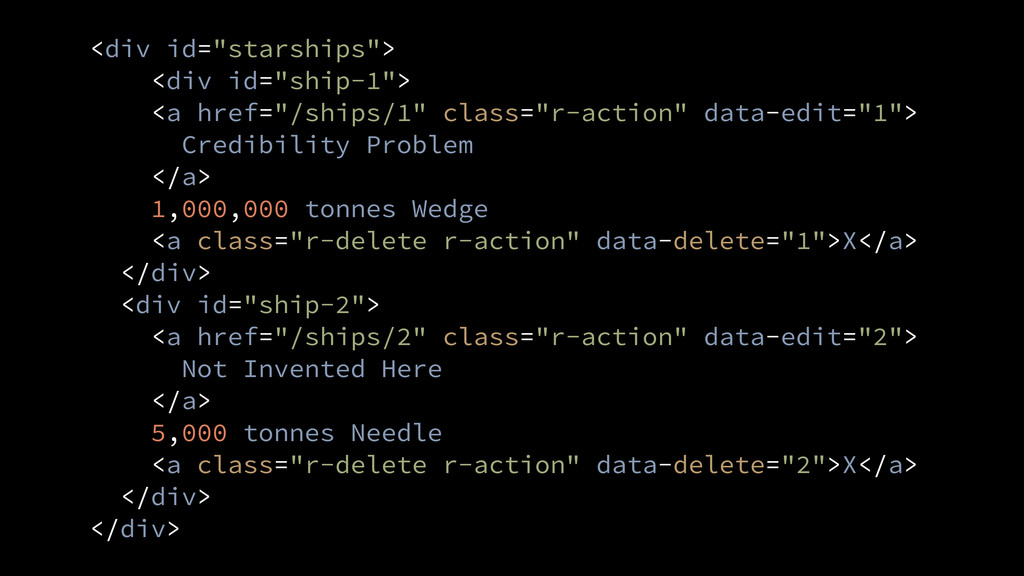
  1. <div id="starships"> <div id="ship-1"> <a href="/ships/1" class="r-action" data-edit="1"> Credibility Problem

    </a> 1,000,000 tonnes Wedge <a class="r-delete r-action" data-delete="1">X</a> </div> <div id="ship-2"> <a href="/ships/2" class="r-action" data-edit="2"> Not Invented Here </a> 5,000 tonnes Needle <a class="r-delete r-action" data-delete="2">X</a> </div> </div>
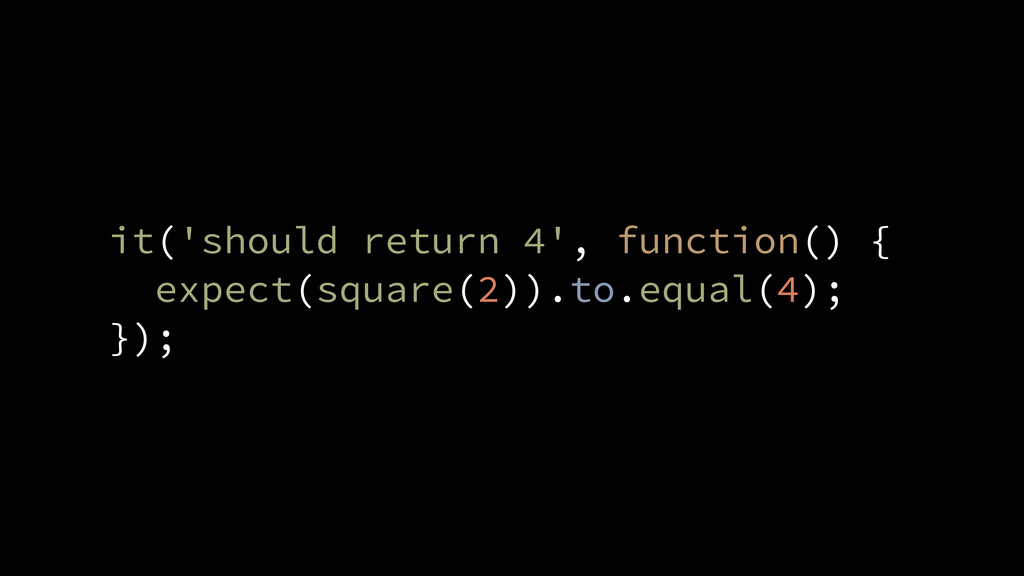
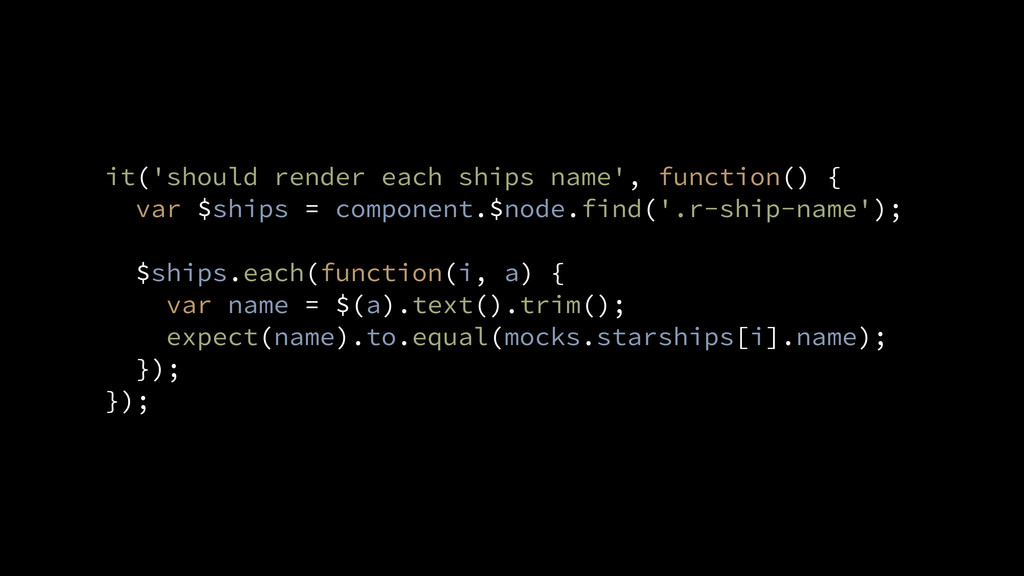
  2. it('should render each ships name', function() { var $ships =

    component.$node.find('.r-ship-name'); ! $ships.each(function(i, a) { var name = $(a).text().trim(); expect(name).to.equal(mocks.starships[i].name); }); });
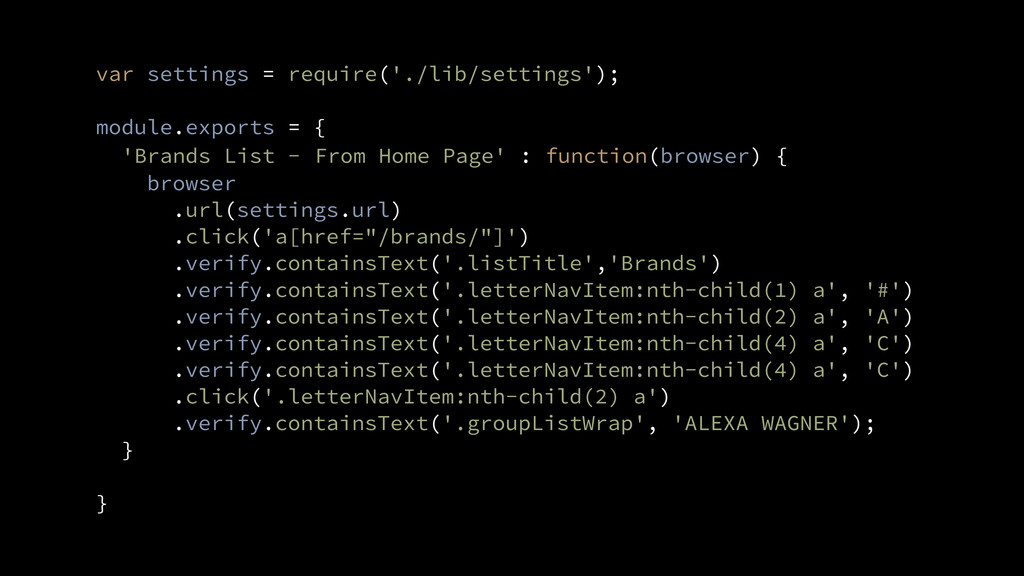
  3. var settings = require('./lib/settings'); ! module.exports = { 'Brands List

    - From Home Page' : function(browser) { browser .url(settings.url) .click('a[href="/brands/"]') .verify.containsText('.listTitle','Brands') .verify.containsText('.letterNavItem:nth-child(1) a', '#') .verify.containsText('.letterNavItem:nth-child(2) a', 'A') .verify.containsText('.letterNavItem:nth-child(4) a', 'C') .verify.containsText('.letterNavItem:nth-child(4) a', 'C') .click('.letterNavItem:nth-child(2) a') .verify.containsText('.groupListWrap', 'ALEXA WAGNER'); } ! }
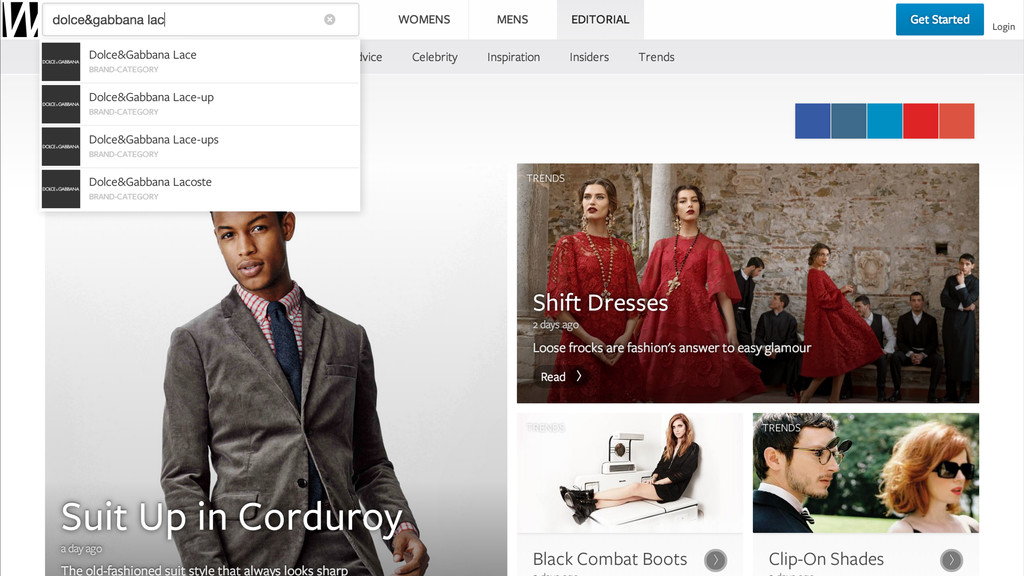
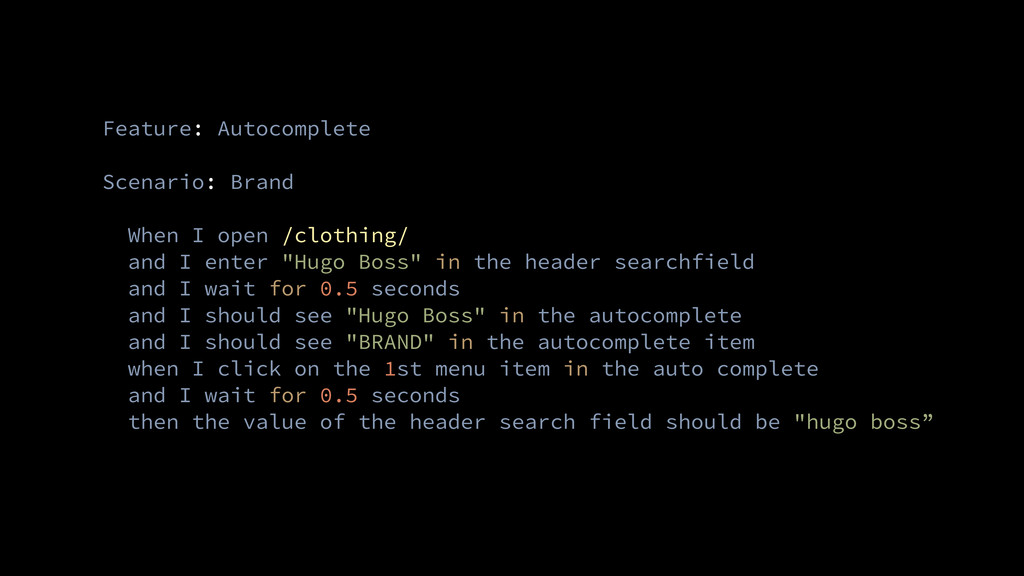
  4. Feature: Autocomplete ! Scenario: Brand ! When I open /clothing/

    and I enter "Hugo Boss" in the header searchfield and I wait for 0.5 seconds and I should see "Hugo Boss" in the autocomplete and I should see "BRAND" in the autocomplete item when I click on the 1st menu item in the auto complete and I wait for 0.5 seconds then the value of the header search field should be "hugo boss”
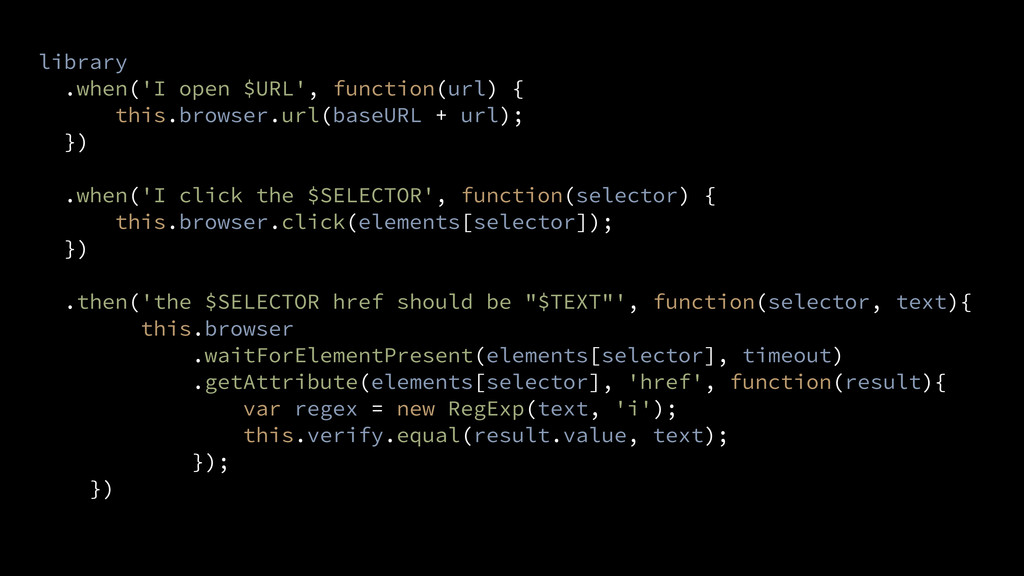
  5. library .when('I open $URL', function(url) { this.browser.url(baseURL + url); })
    ! .when('I click the $SELECTOR', function(selector) { this.browser.click(elements[selector]); }) ! .then('the $SELECTOR href should be "$TEXT"', function(selector, text){ this.browser .waitForElementPresent(elements[selector], timeout) .getAttribute(elements[selector], 'href', function(result){ var regex = new RegExp(text, 'i'); this.verify.equal(result.value, text); }); })
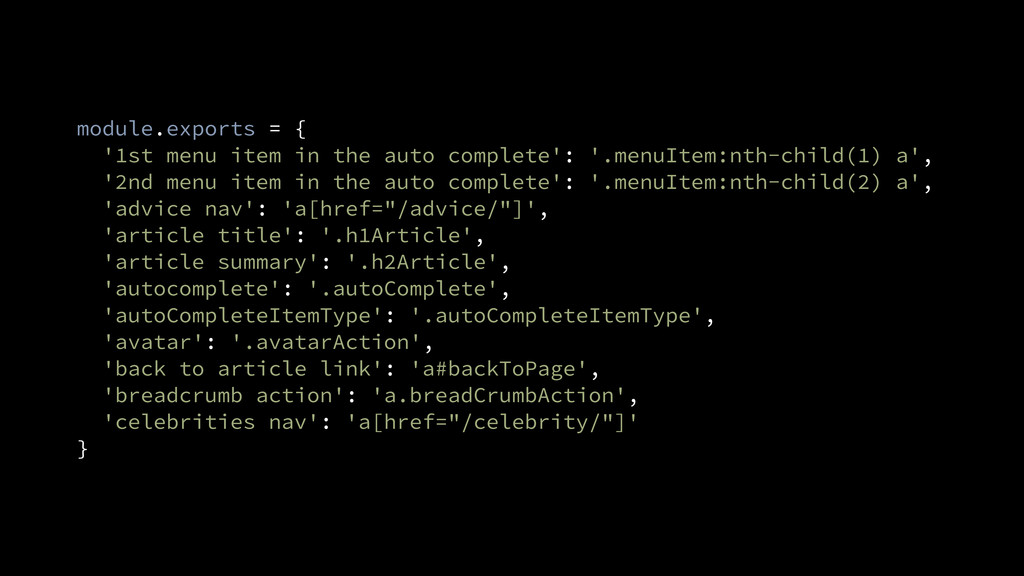
  6. module.exports = { '1st menu item in the auto complete':

    '.menuItem:nth-child(1) a', '2nd menu item in the auto complete': '.menuItem:nth-child(2) a', 'advice nav': 'a[href="/advice/"]', 'article title': '.h1Article', 'article summary': '.h2Article', 'autocomplete': '.autoComplete', 'autoCompleteItemType': '.autoCompleteItemType', 'avatar': '.avatarAction', 'back to article link': 'a#backToPage', 'breadcrumb action': 'a.breadCrumbAction', 'celebrities nav': 'a[href="/celebrity/"]' }