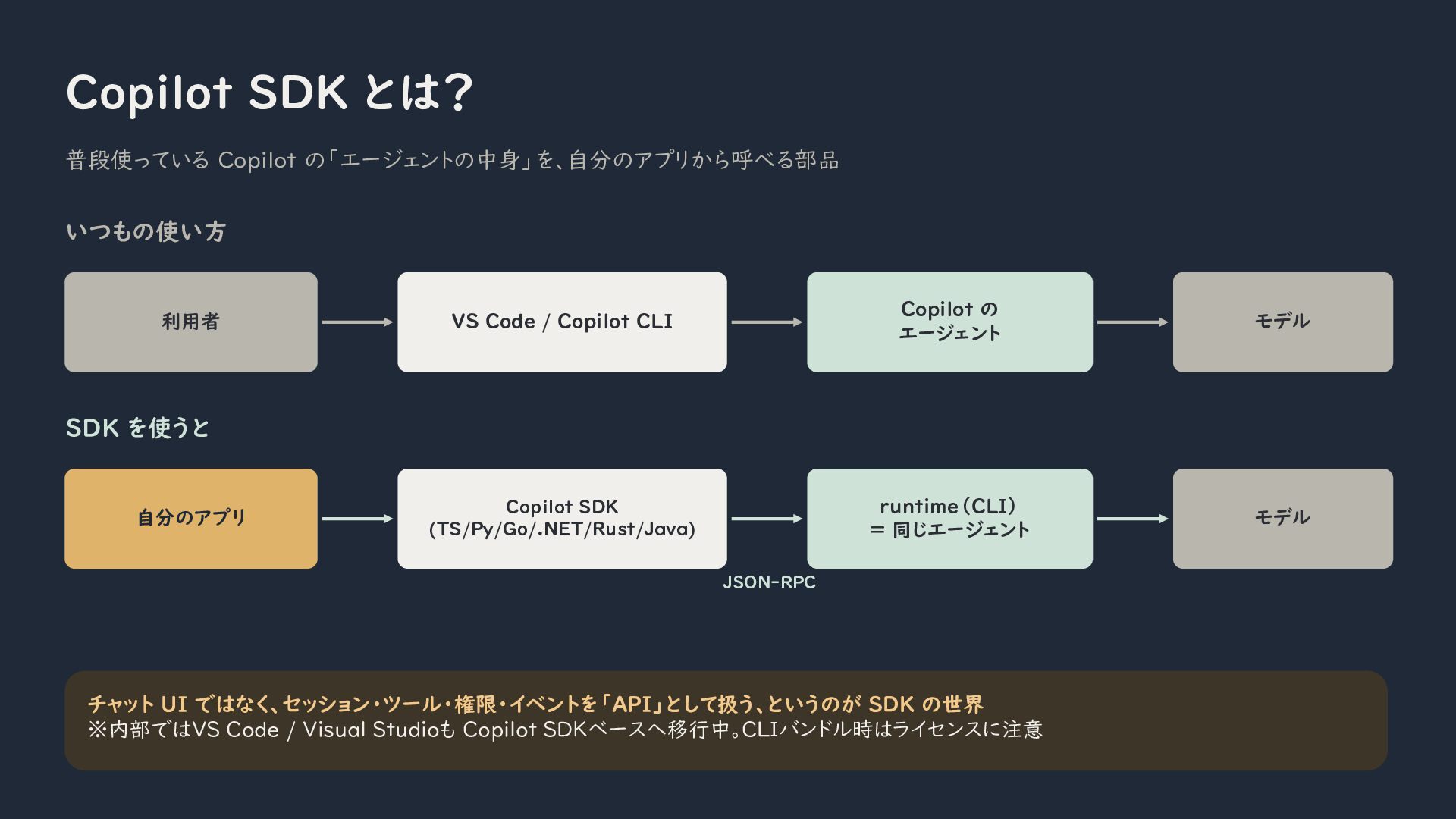
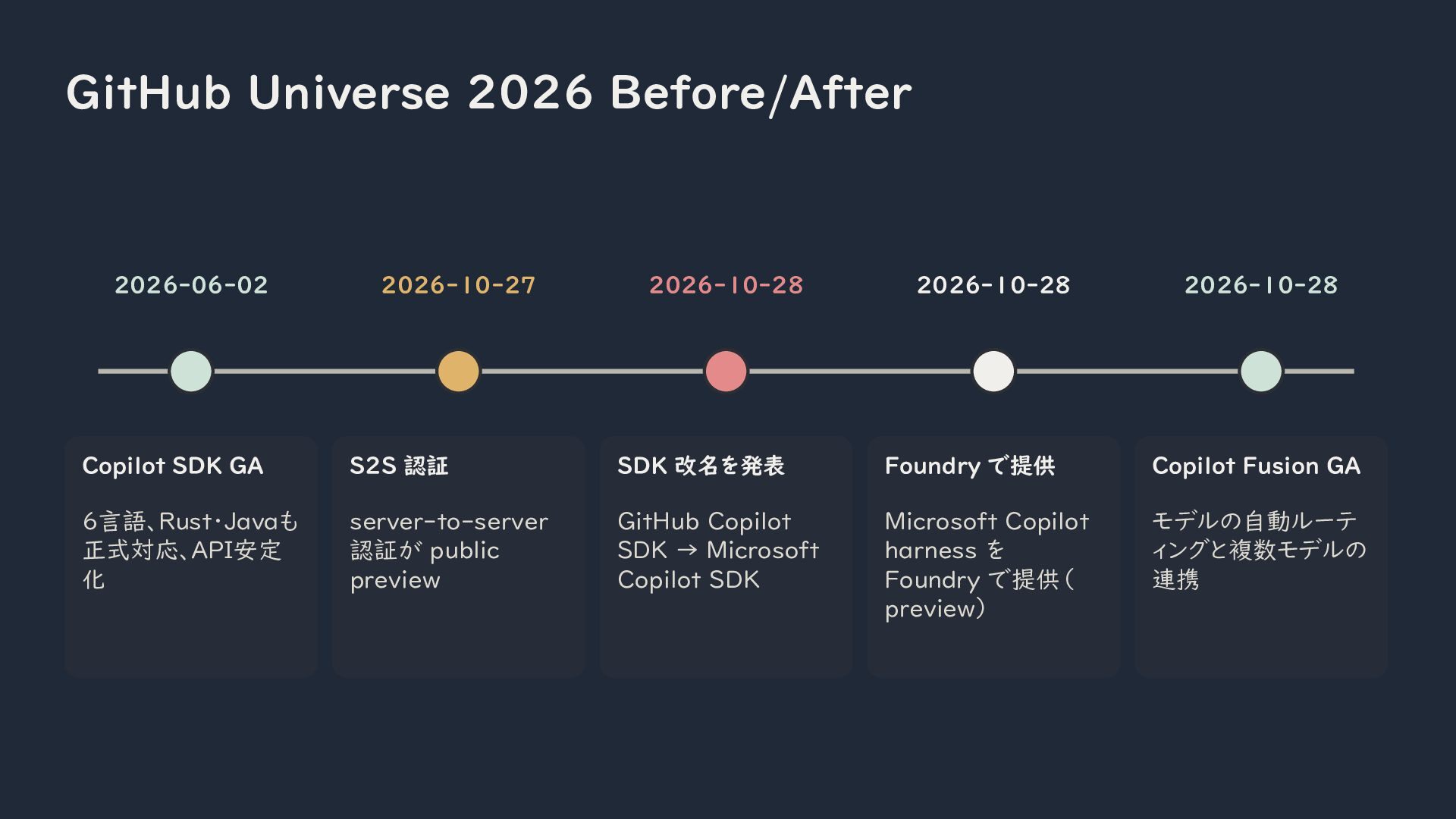
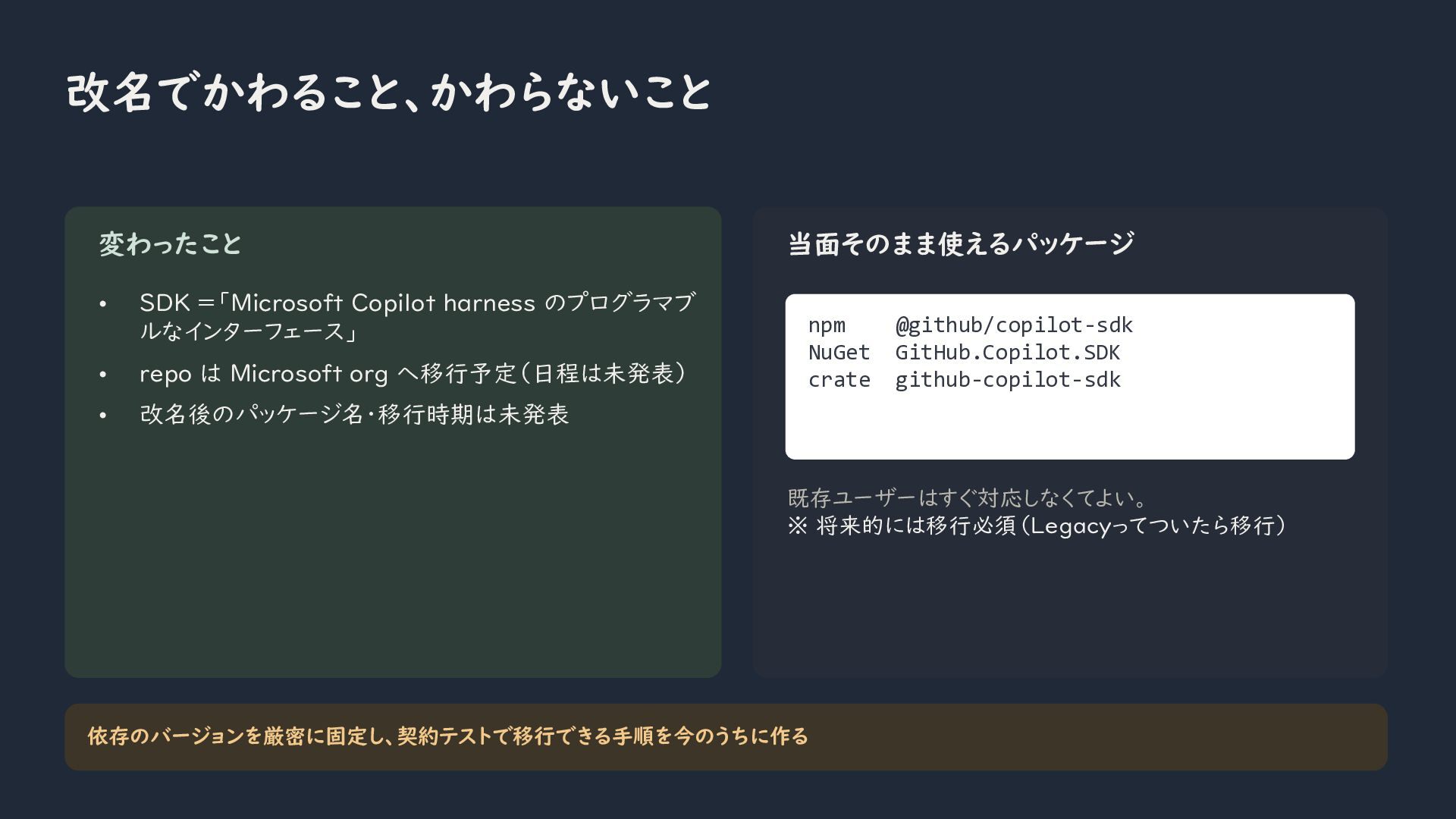
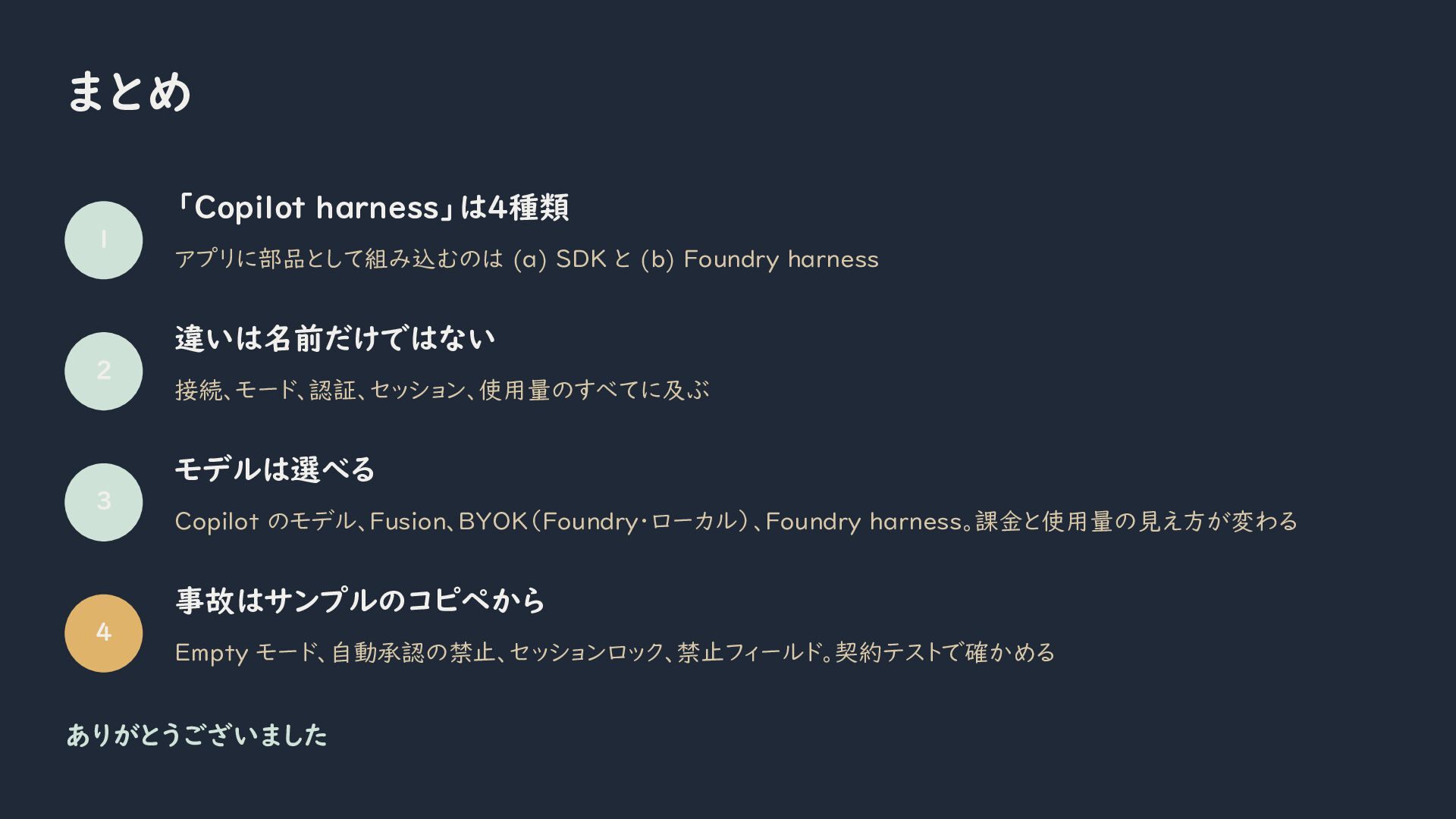
In this article, I will explain how to embed the Microsoft Copilot harness into your own applications using the Microsoft Copilot SDK.
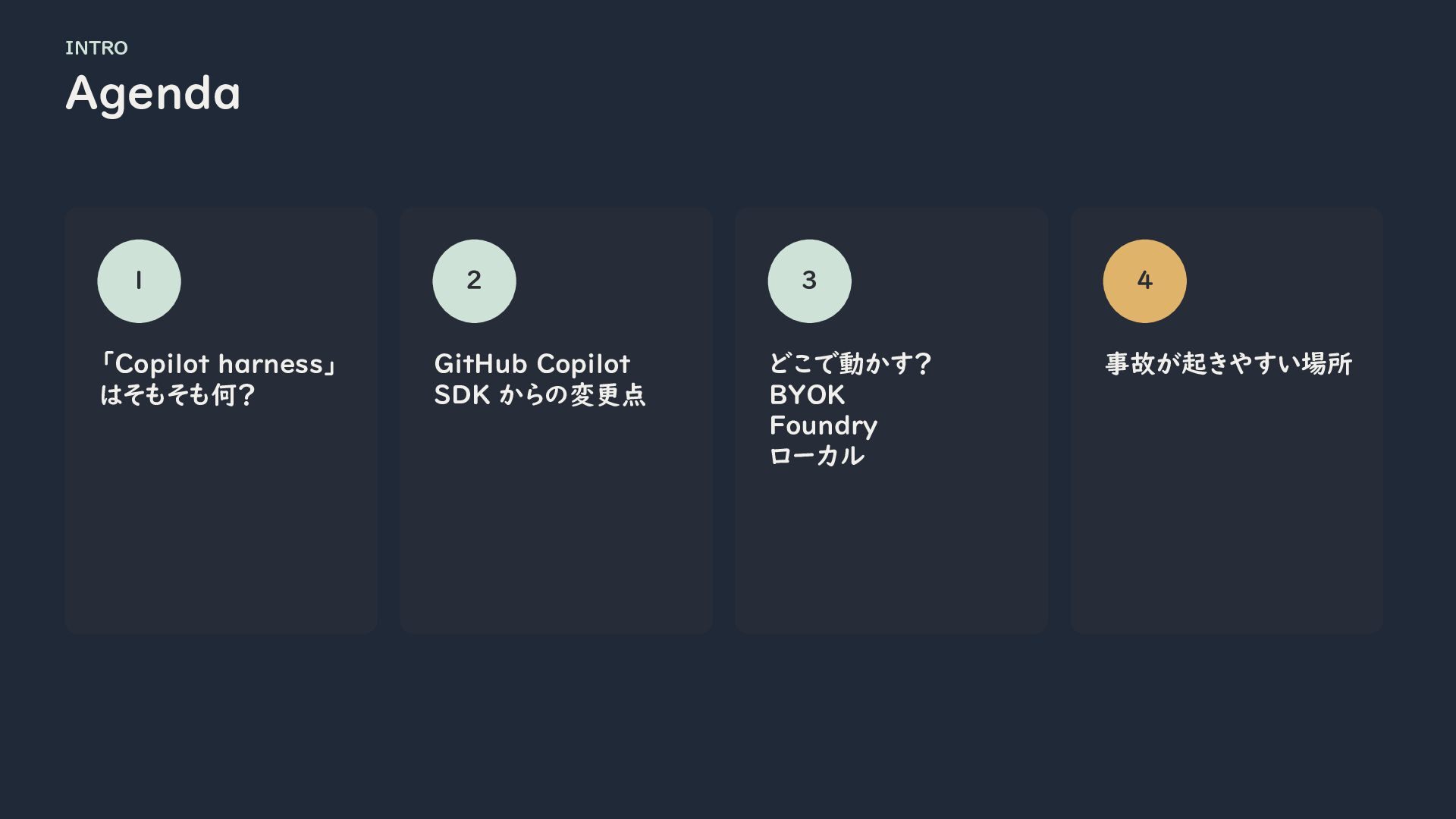
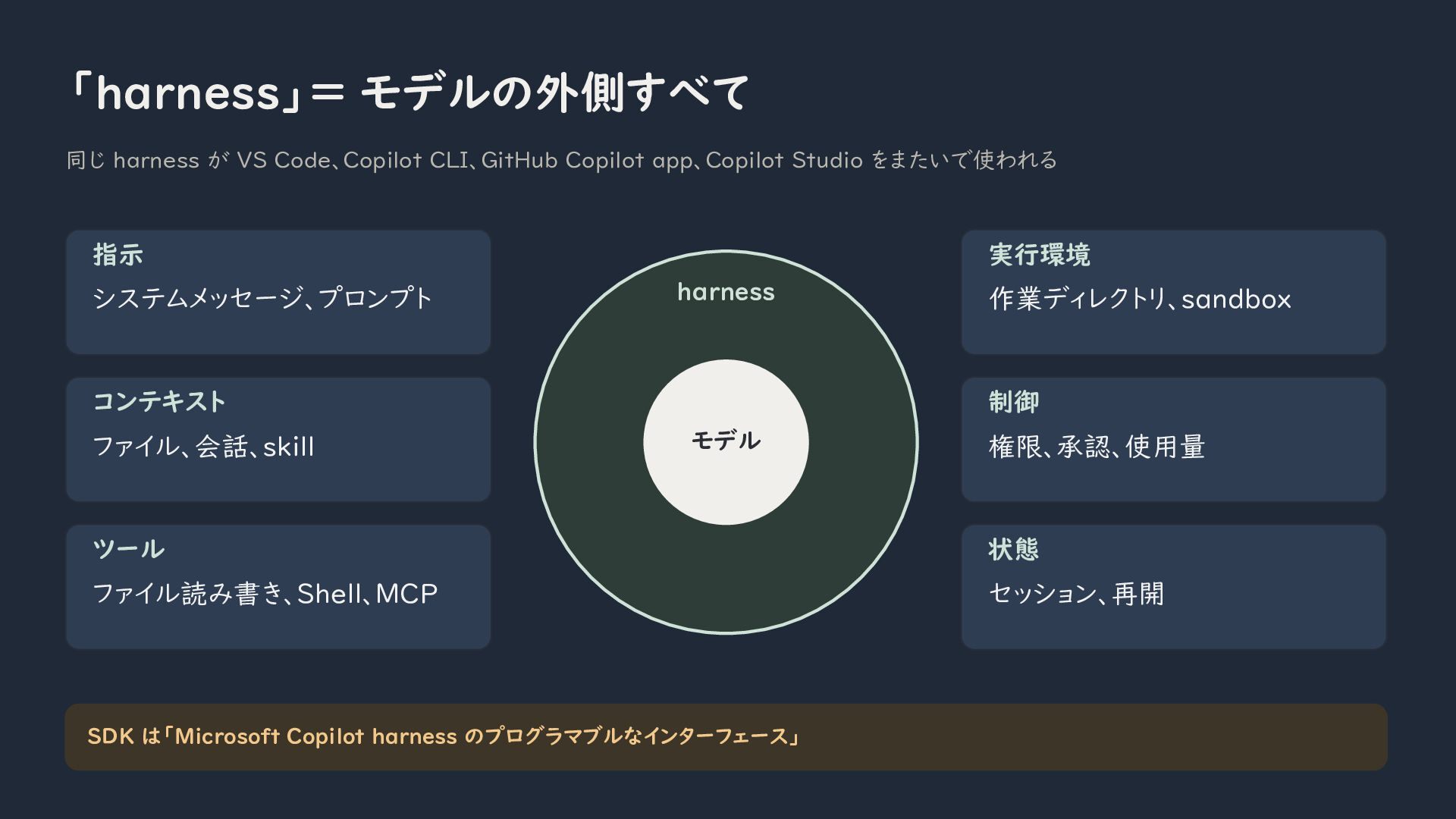
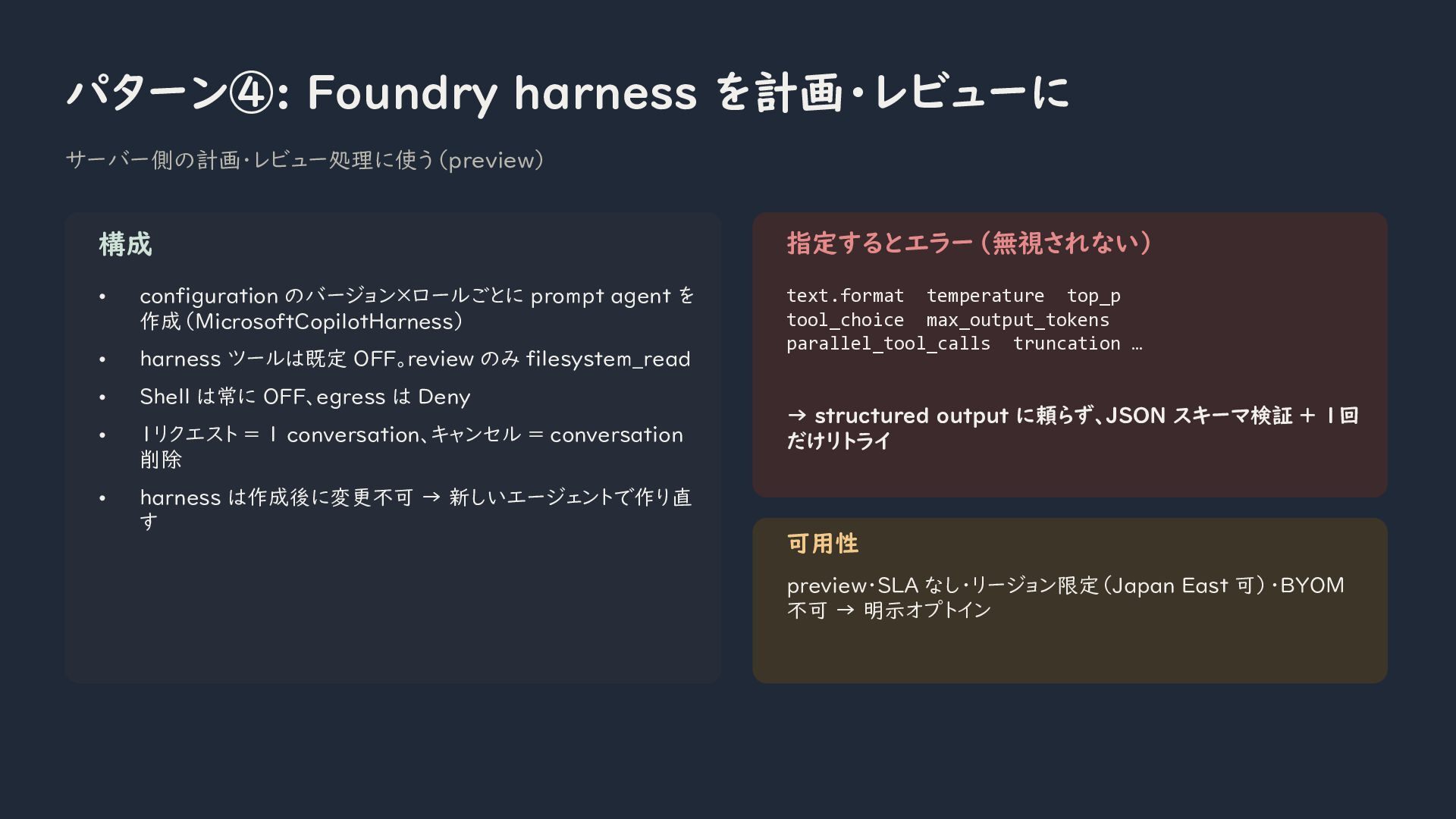
The Copilot harness is more than an AI model. It includes instructions, context, tools, execution environments, permissions, and session management. I will explain how these components work together and how the same harness is used across products such as Visual Studio Code, Copilot CLI, Microsoft Foundry, and Copilot Studio.
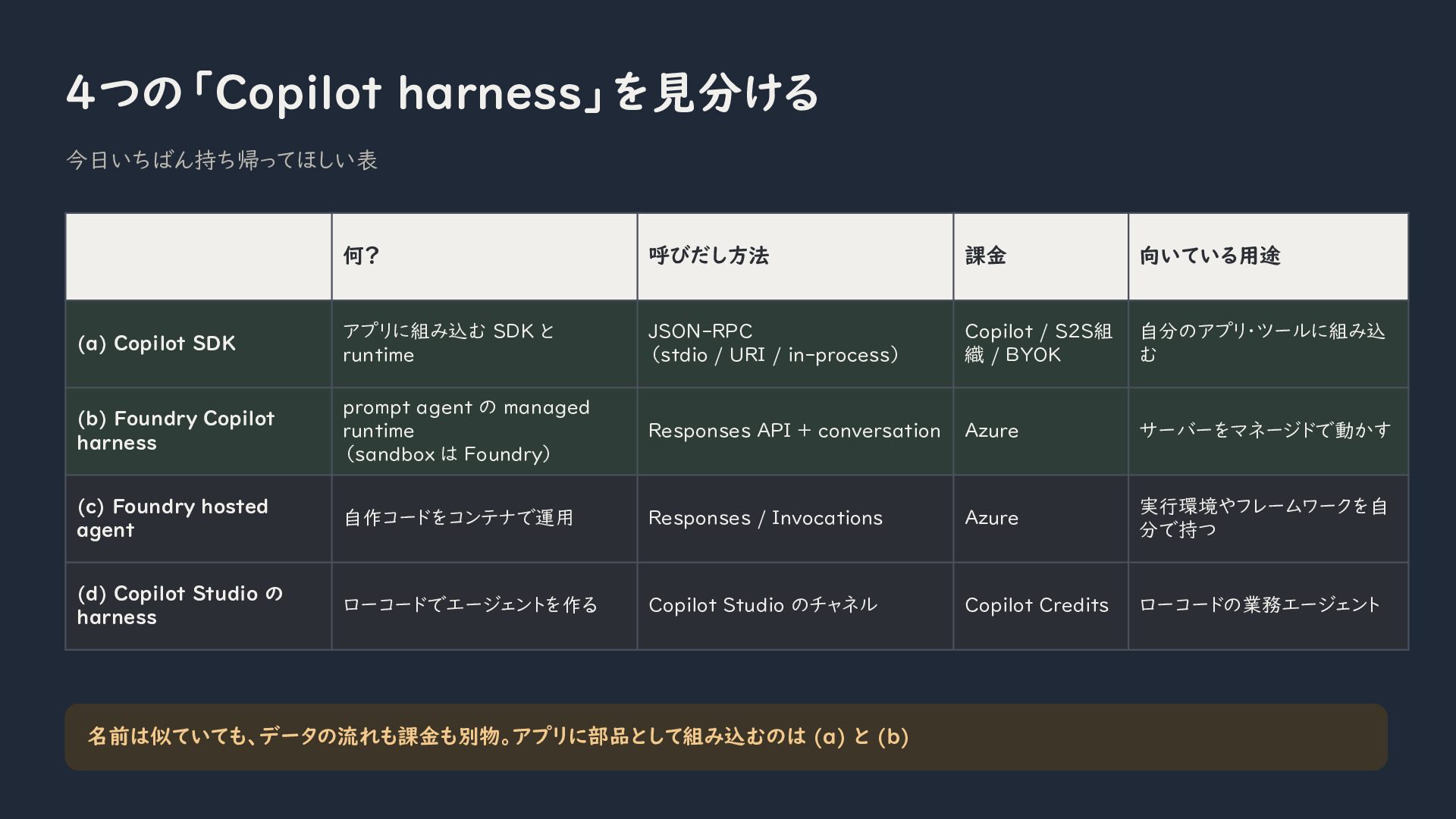
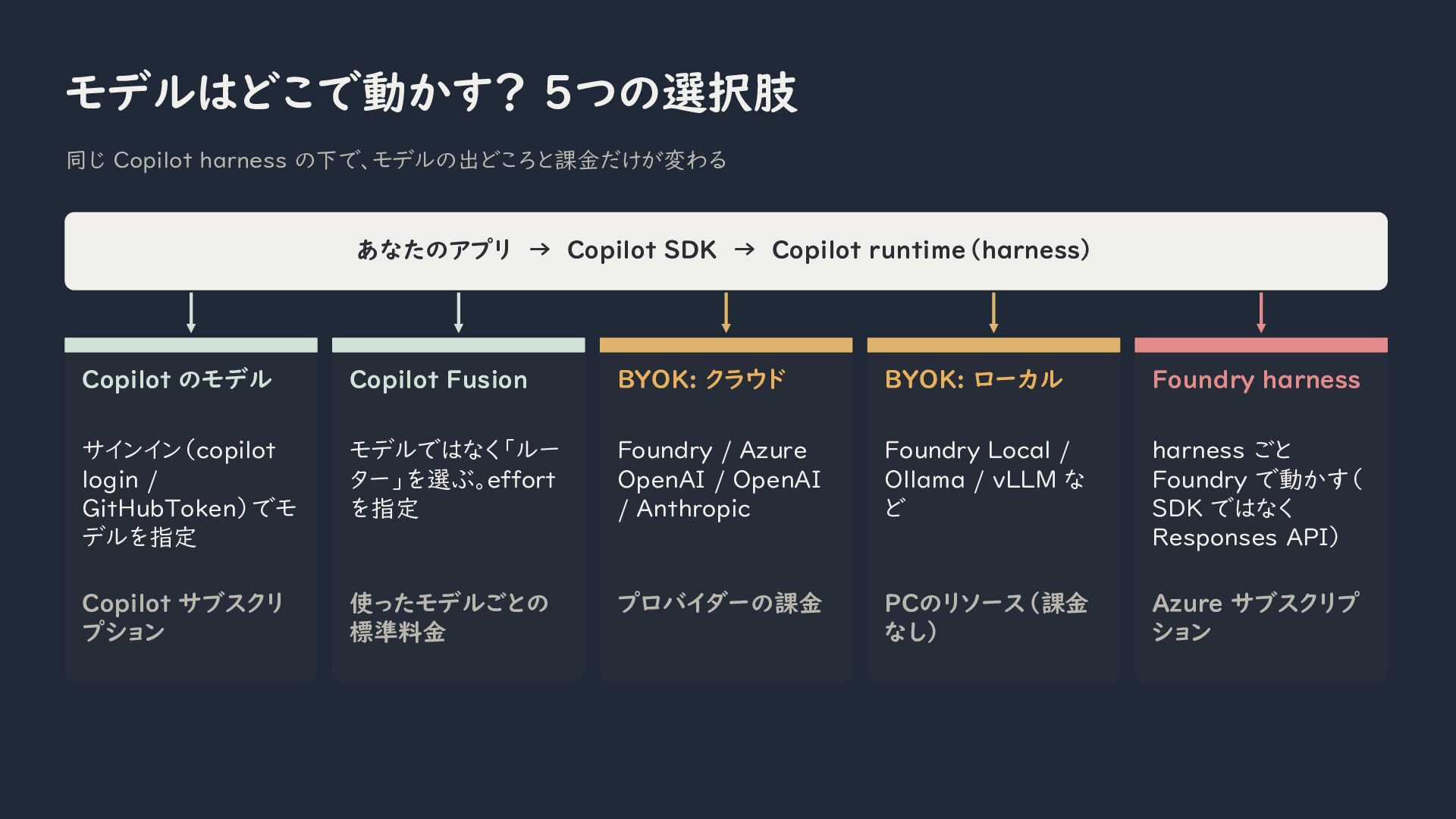
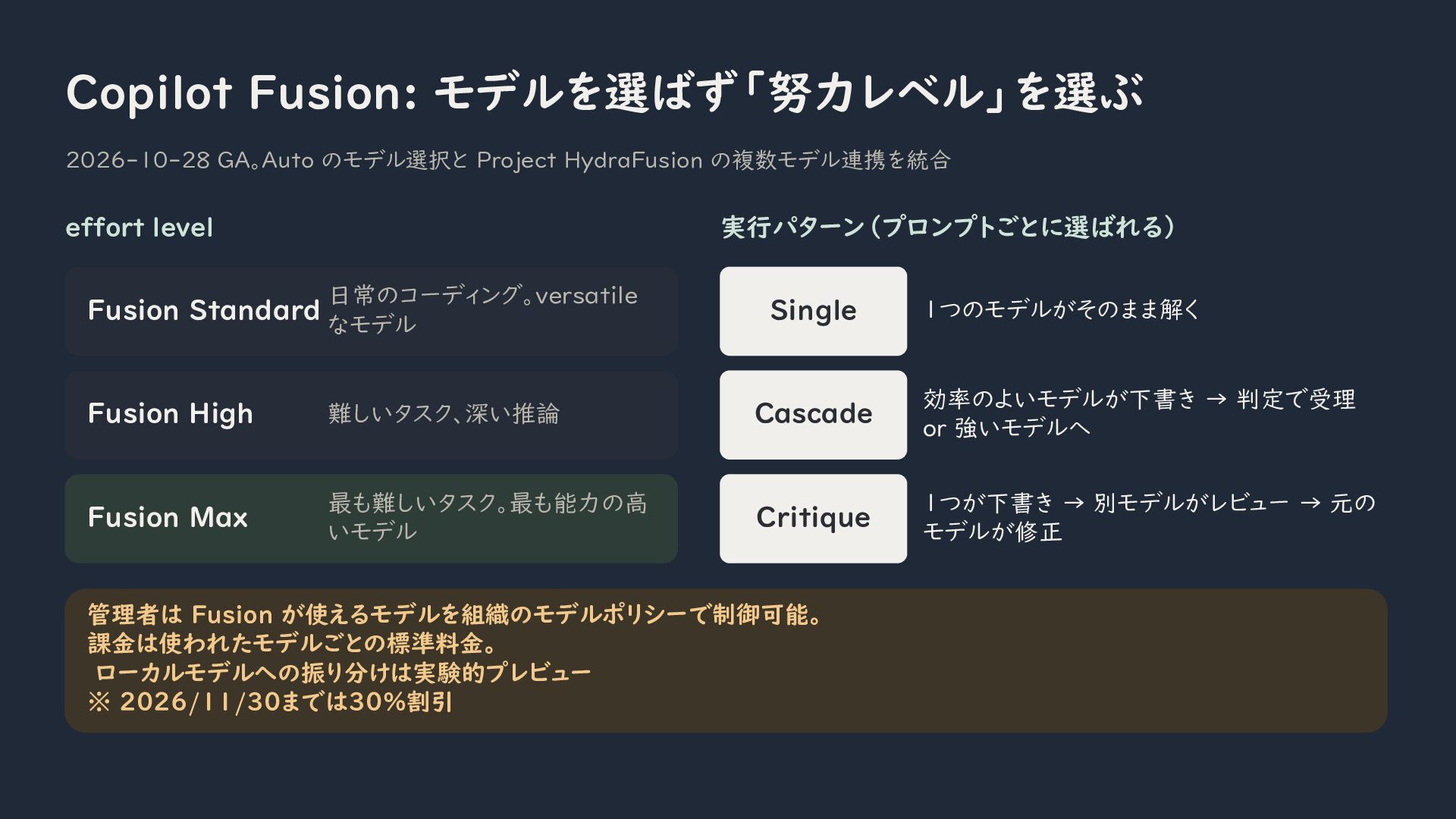
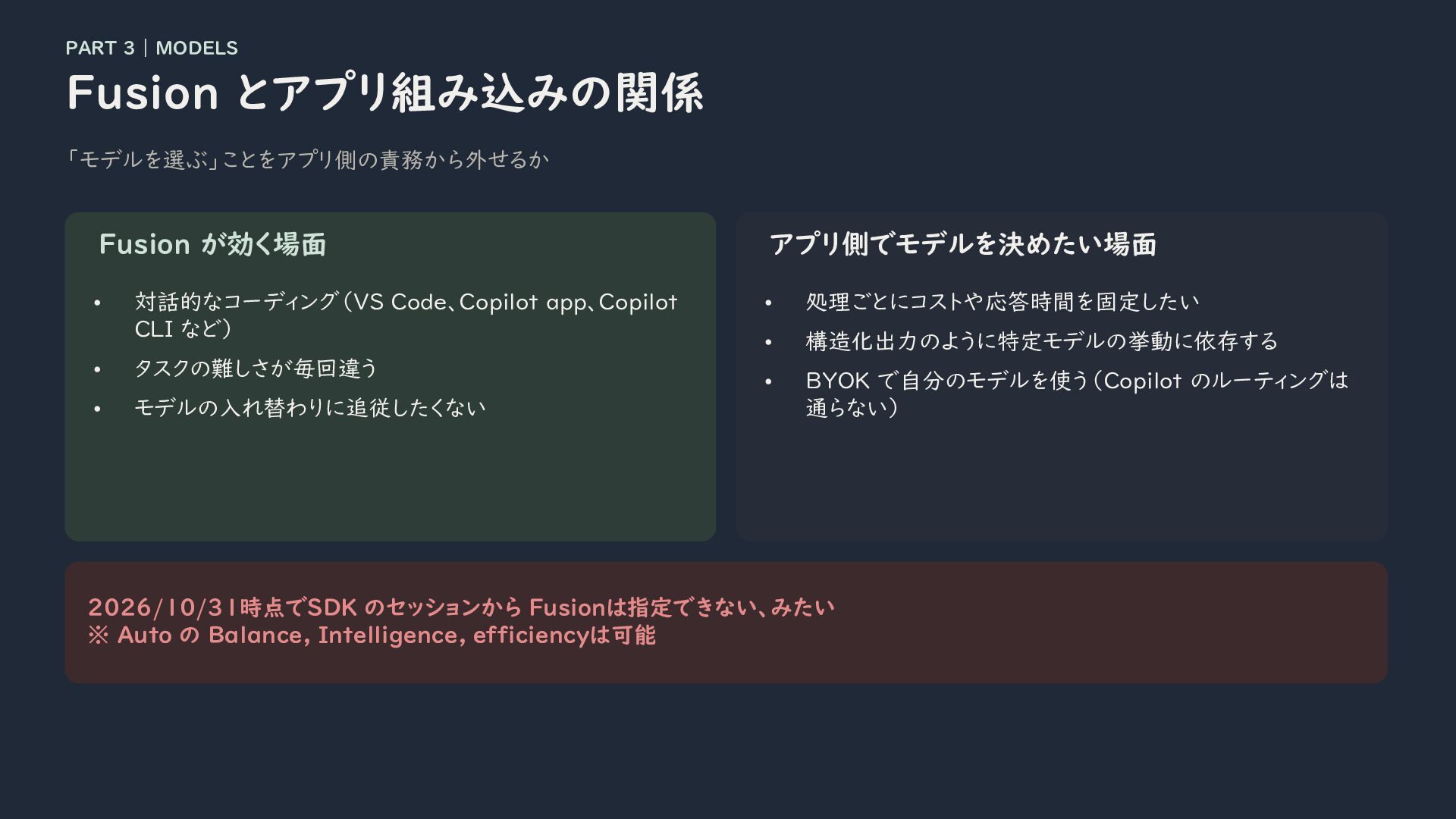
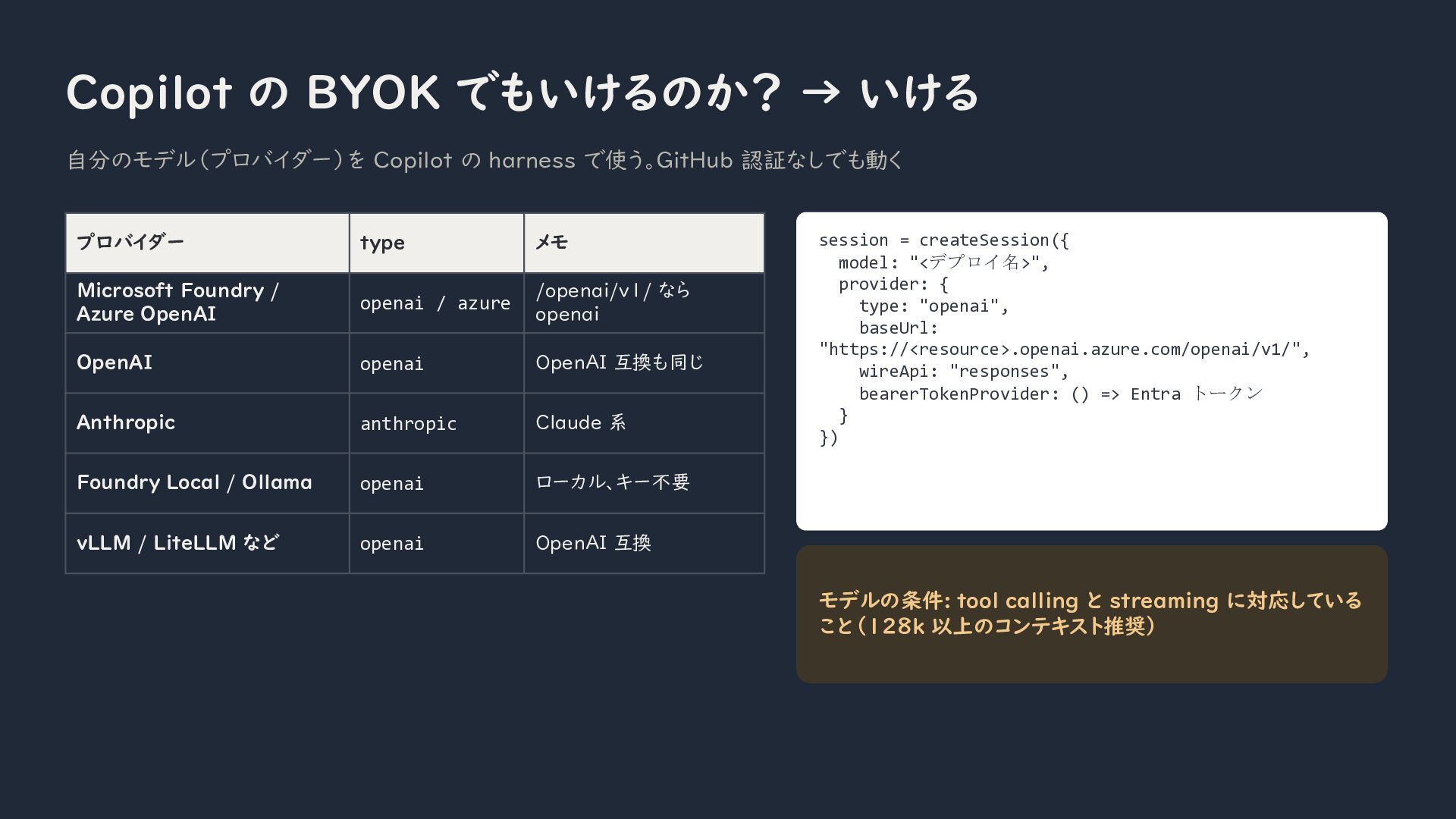
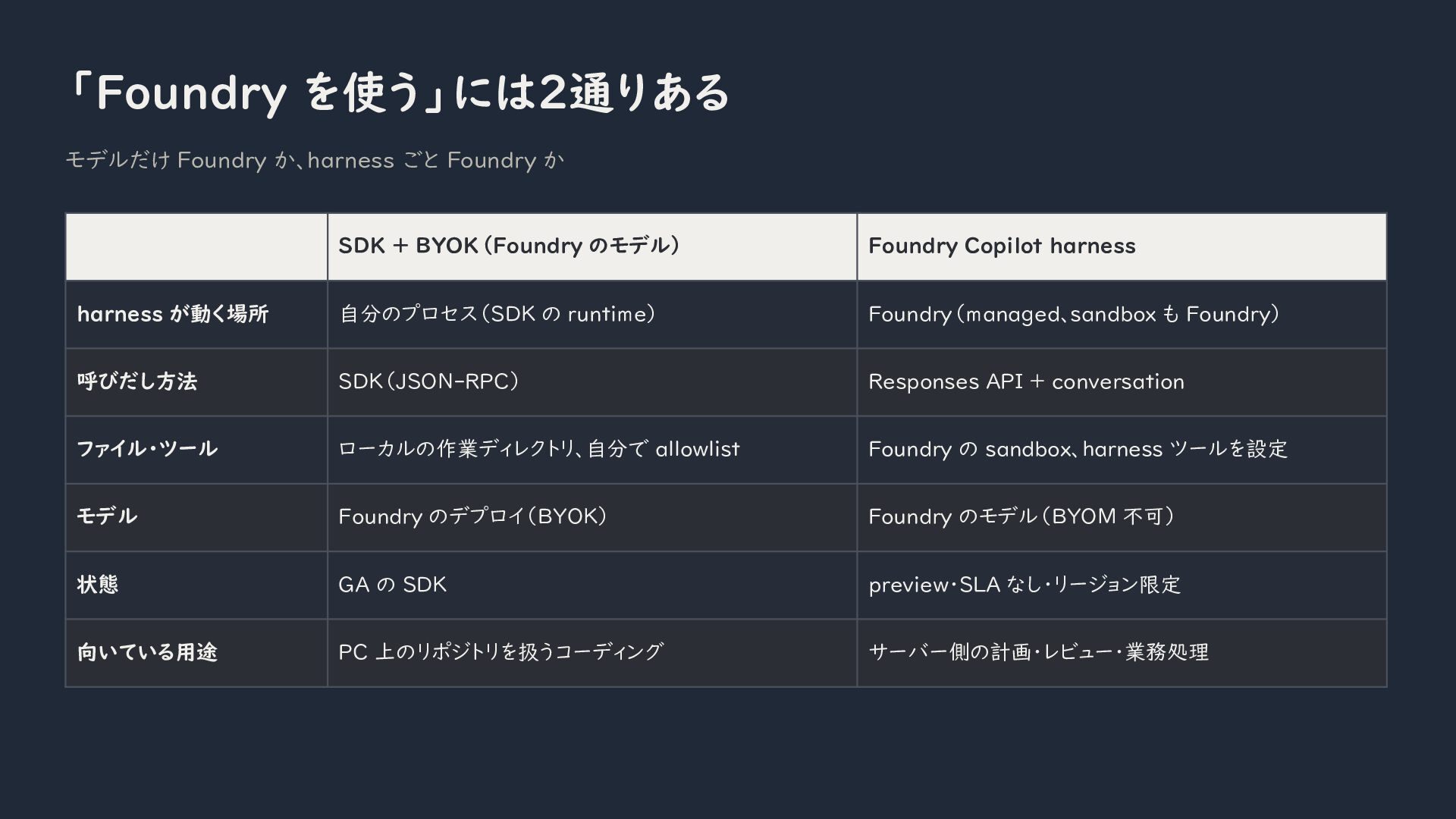
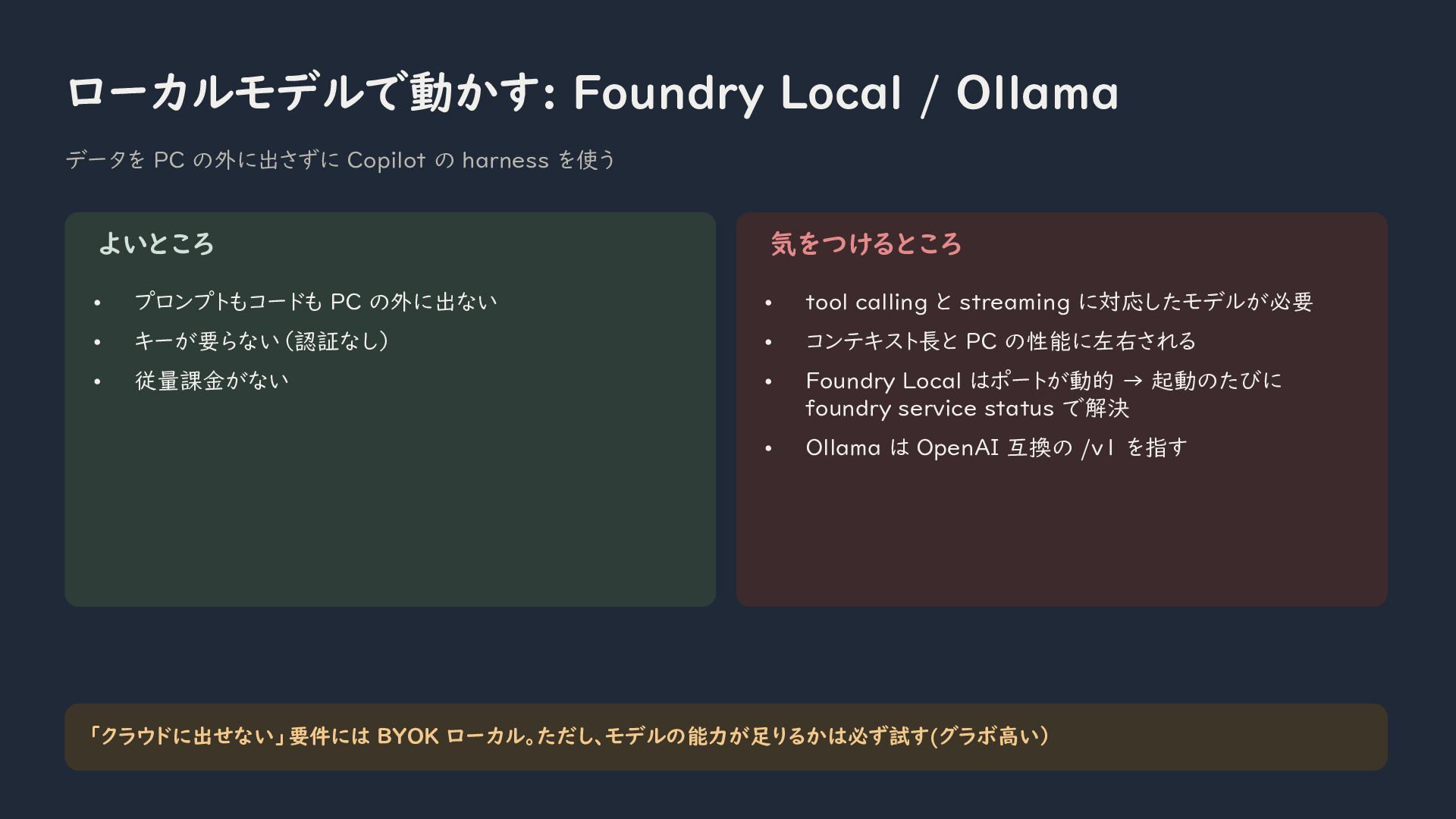
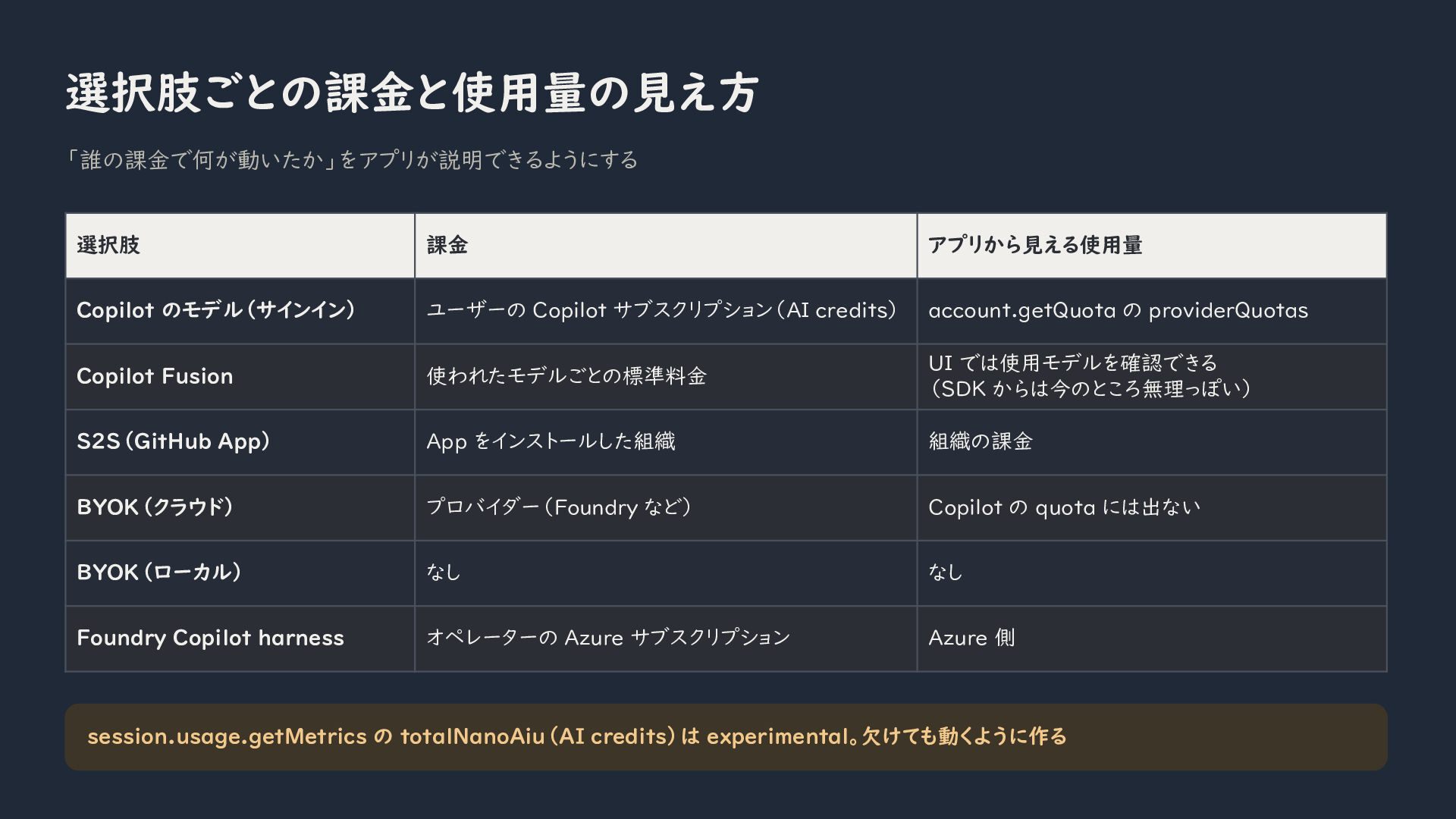
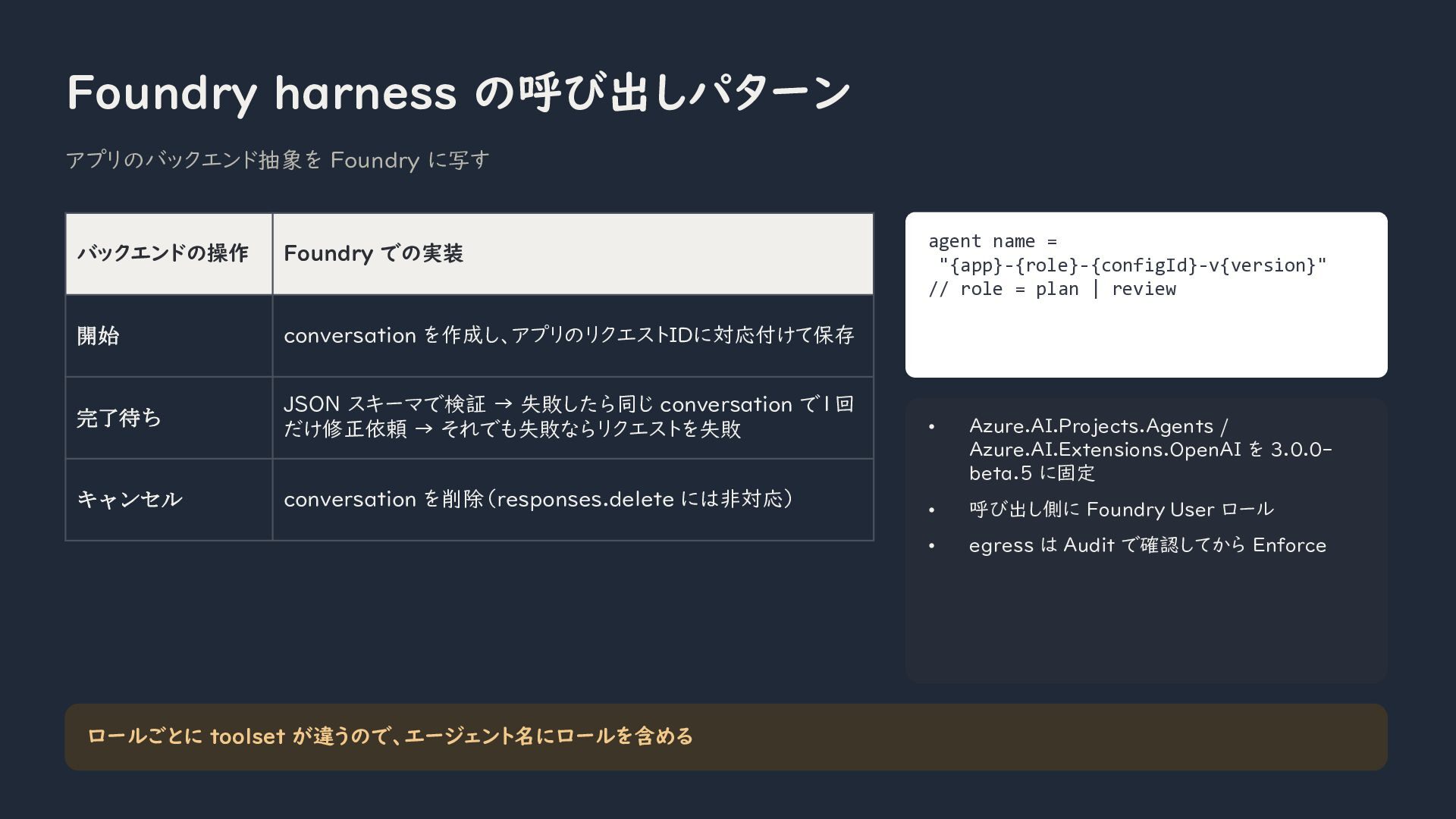
I will also compare the main options for running models with the harness, including GitHub Copilot models, Copilot Fusion, Bring Your Own Key with Microsoft Foundry or other providers, and local models through Foundry Local or Ollama. The session will clarify the differences between using a Foundry-hosted model through the SDK and running the entire Copilot harness as a managed service in Foundry.
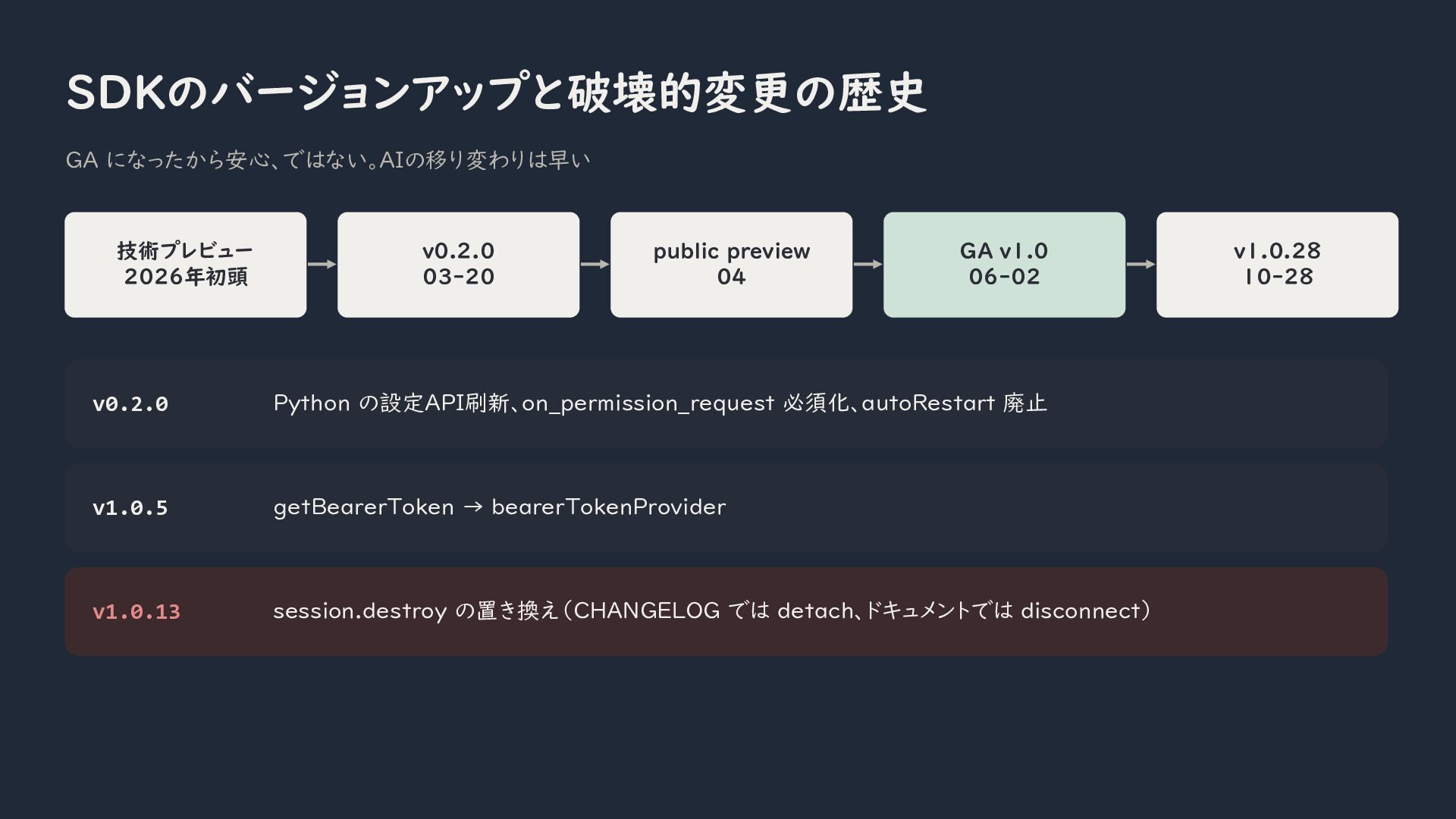
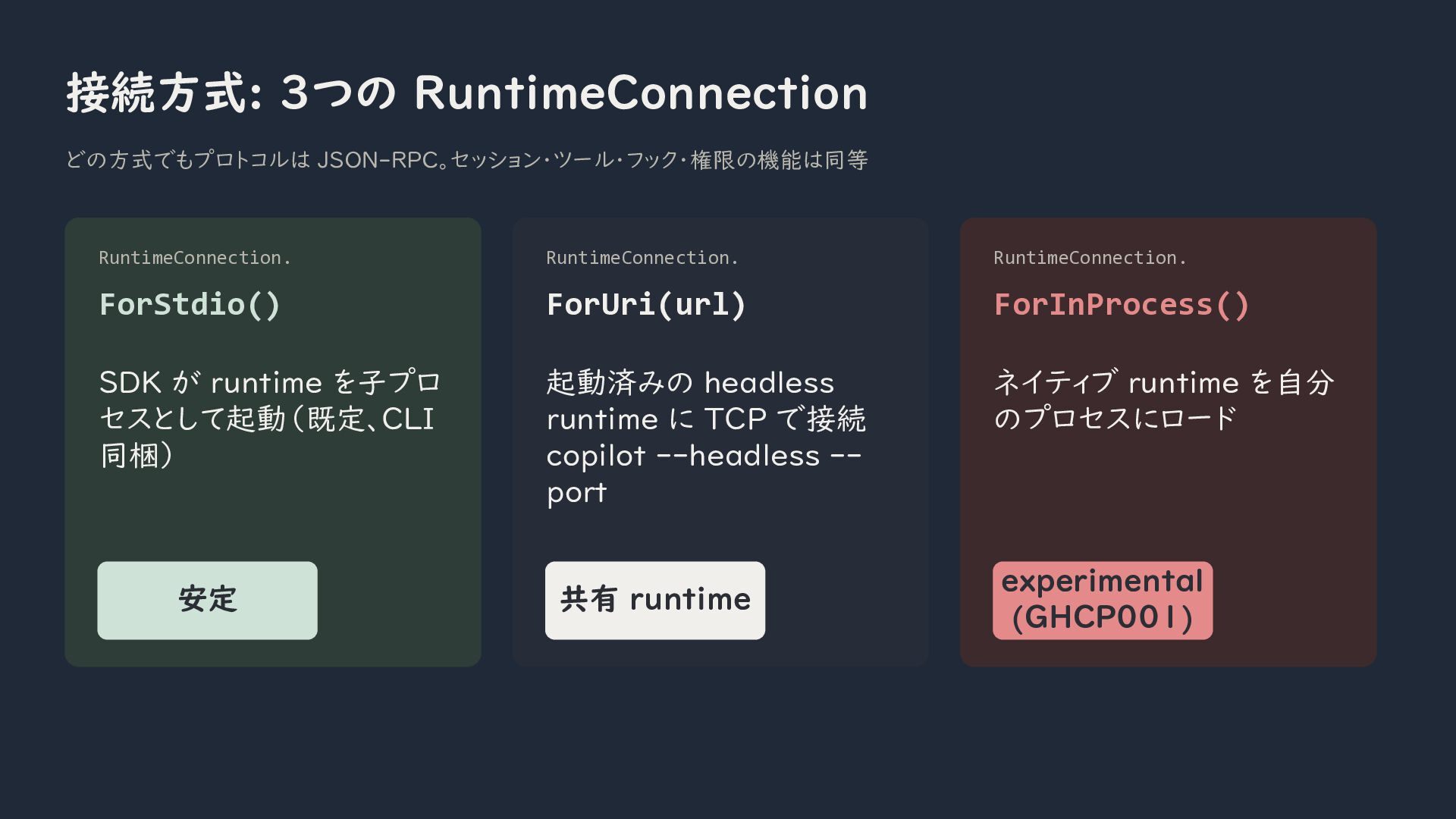
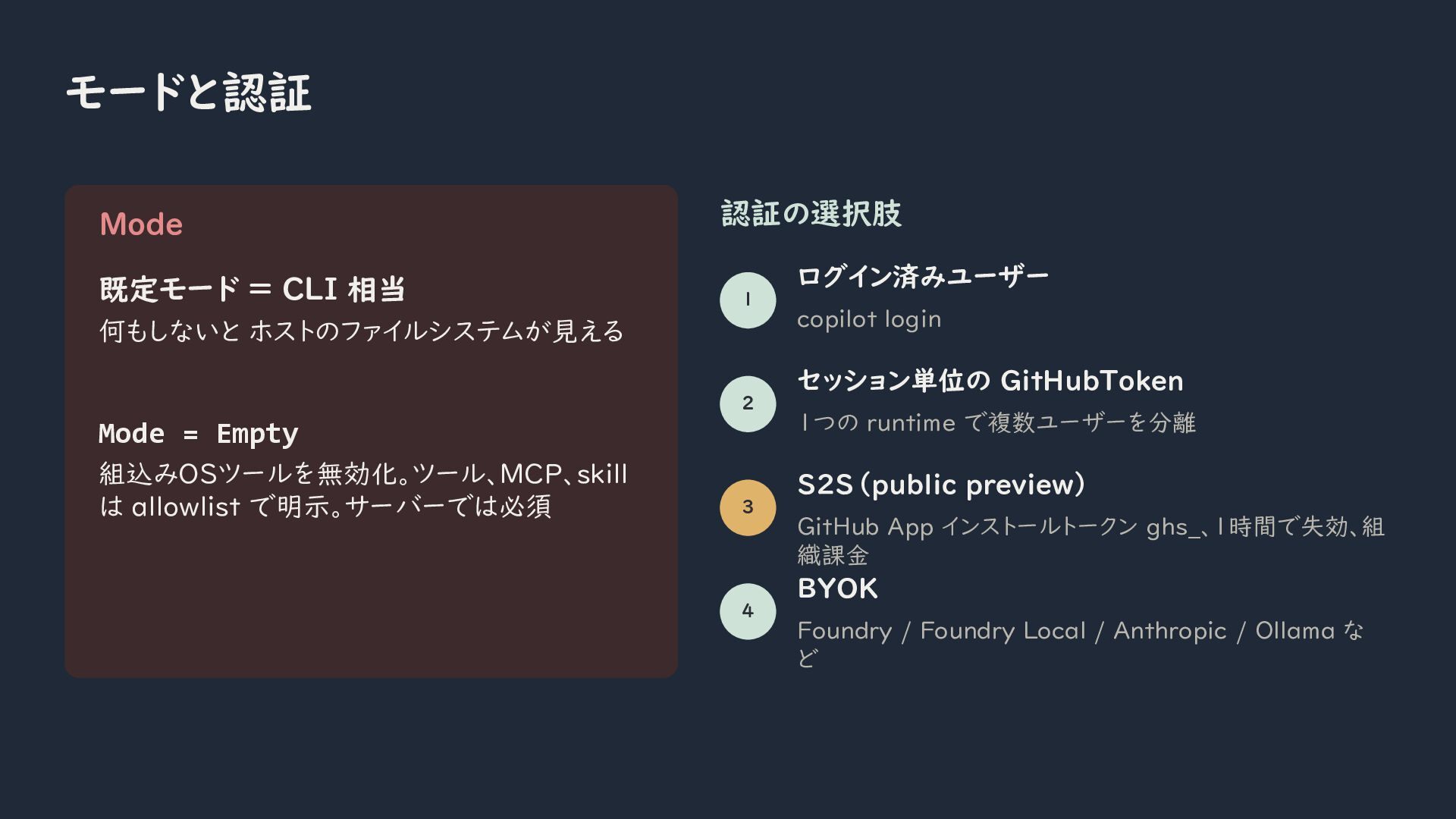
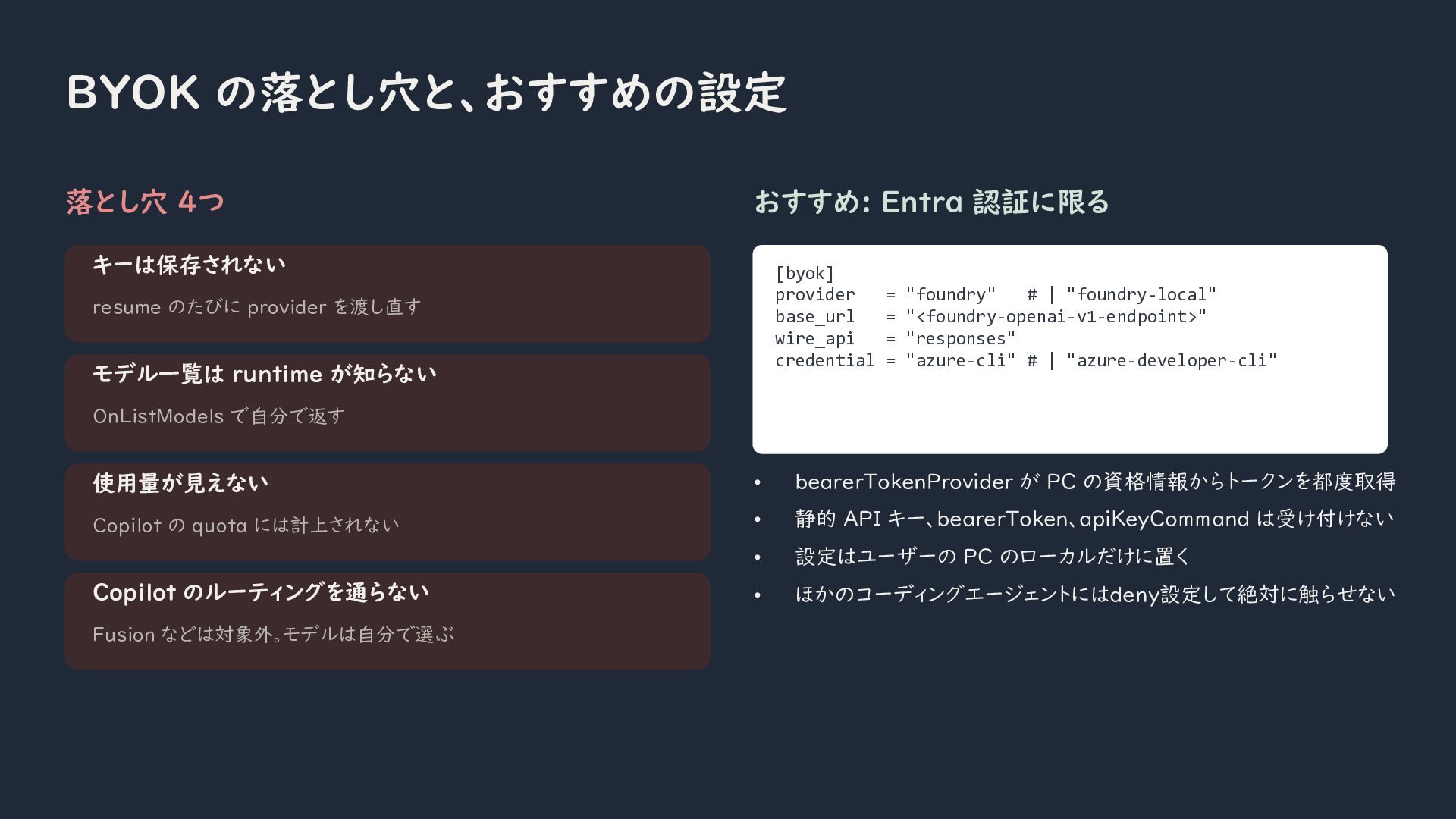
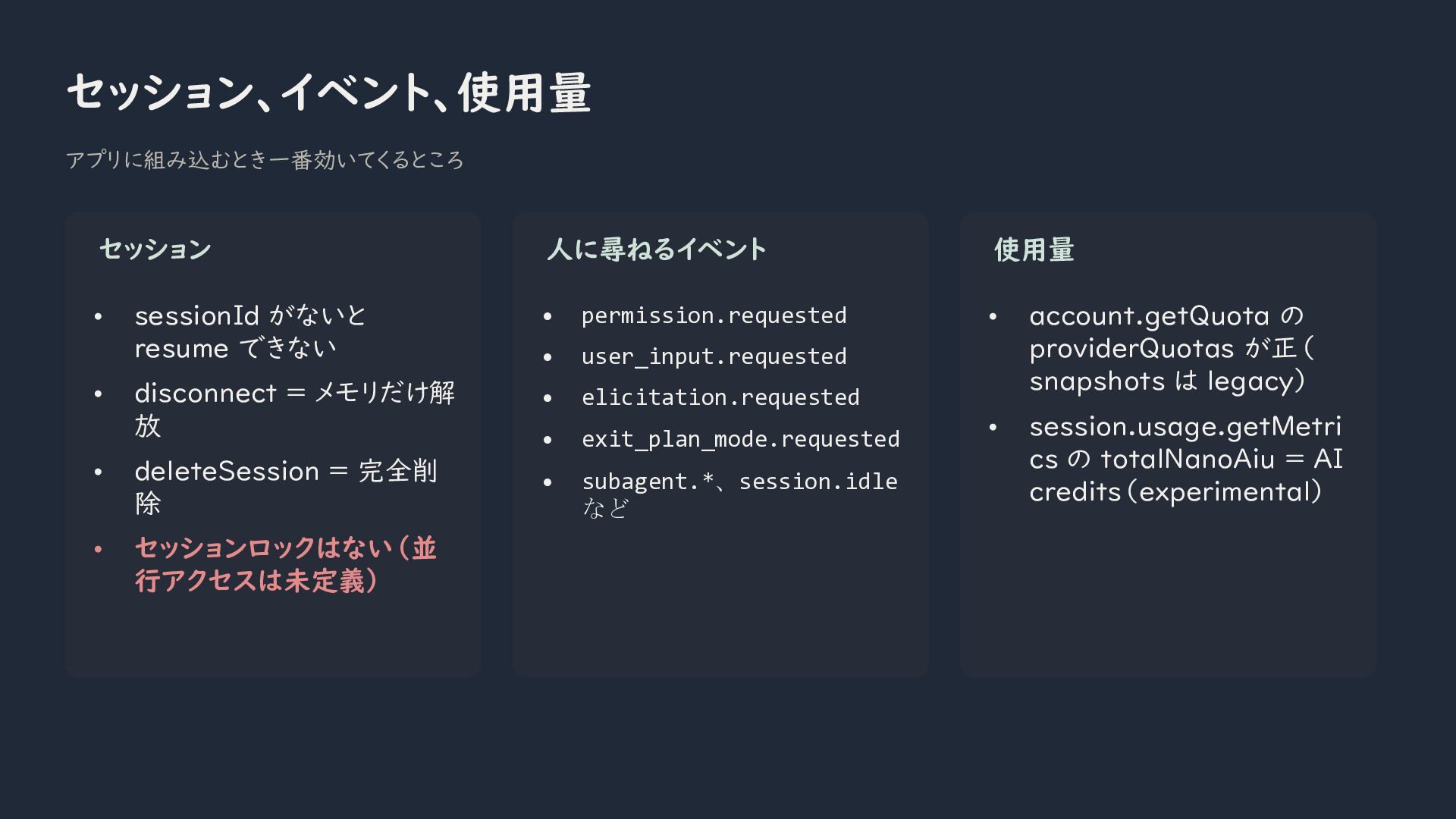
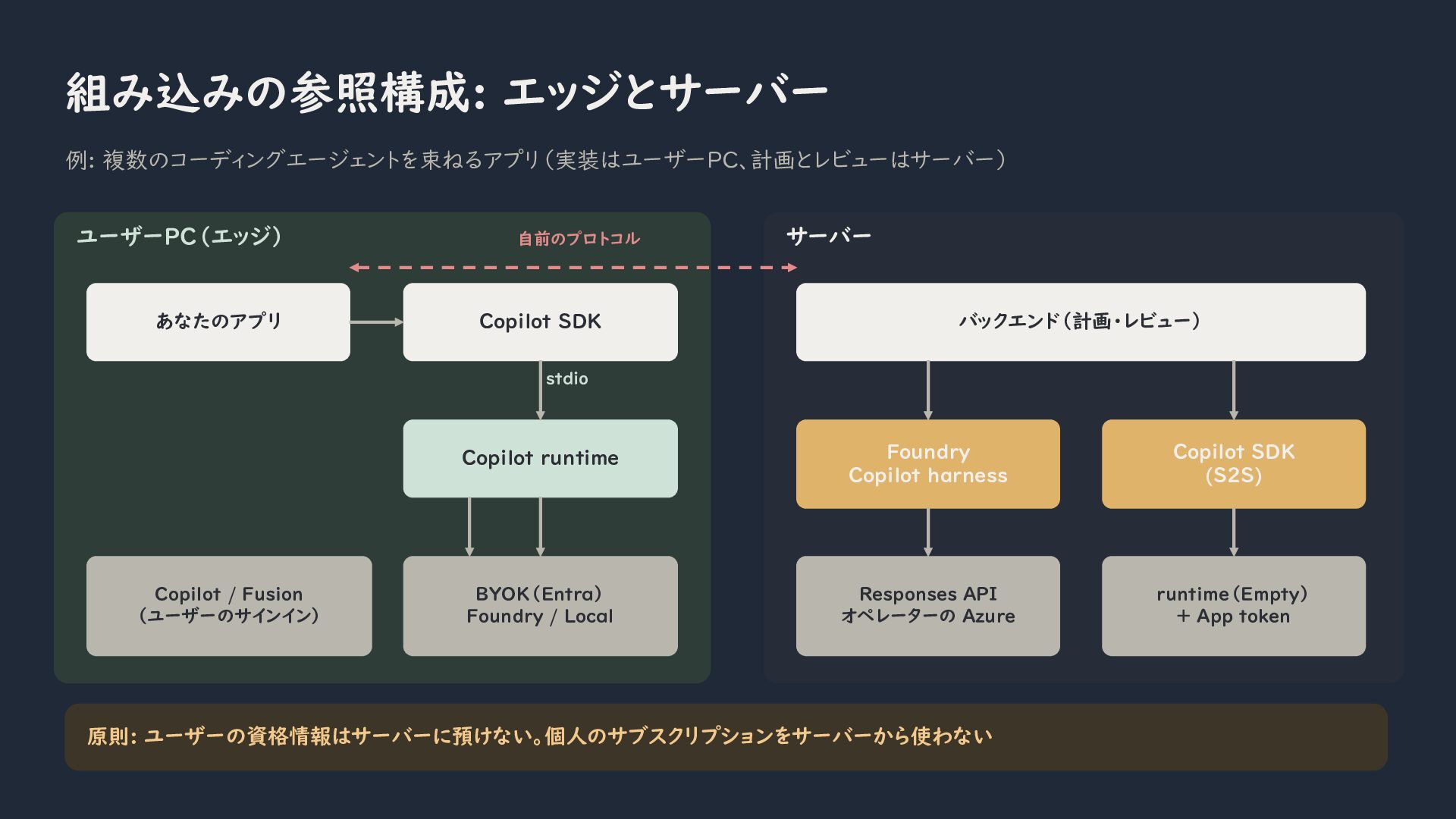
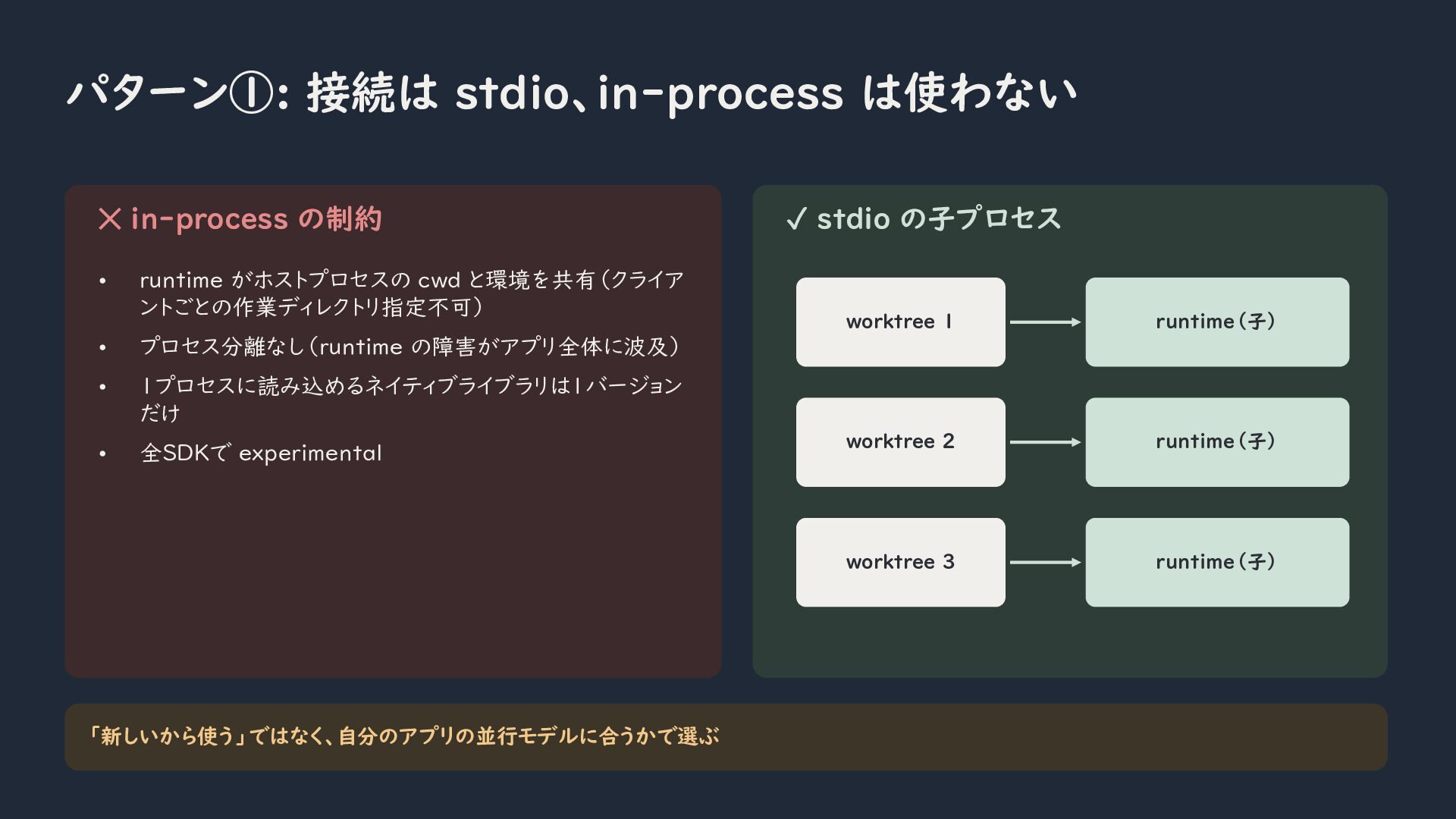
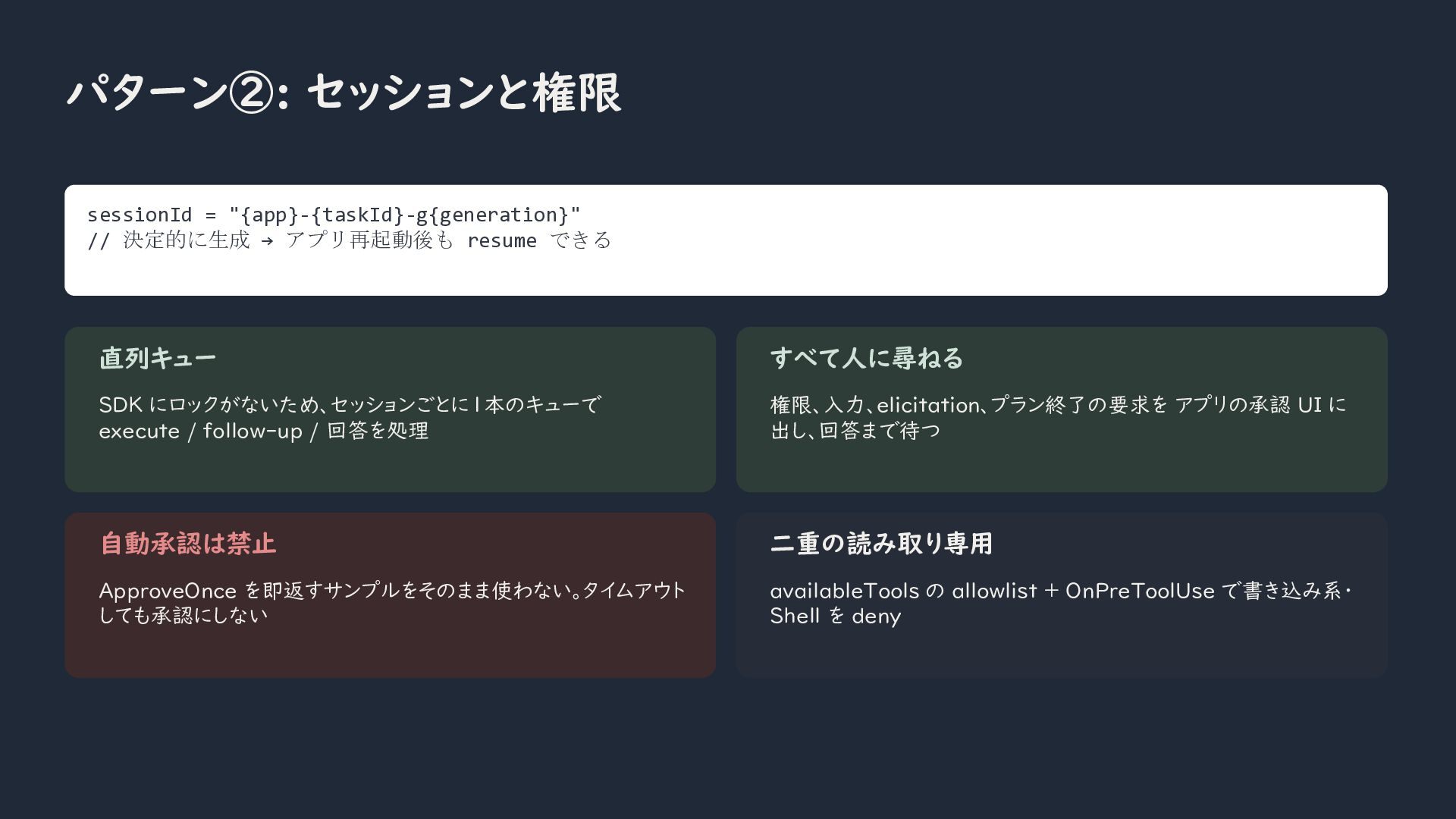
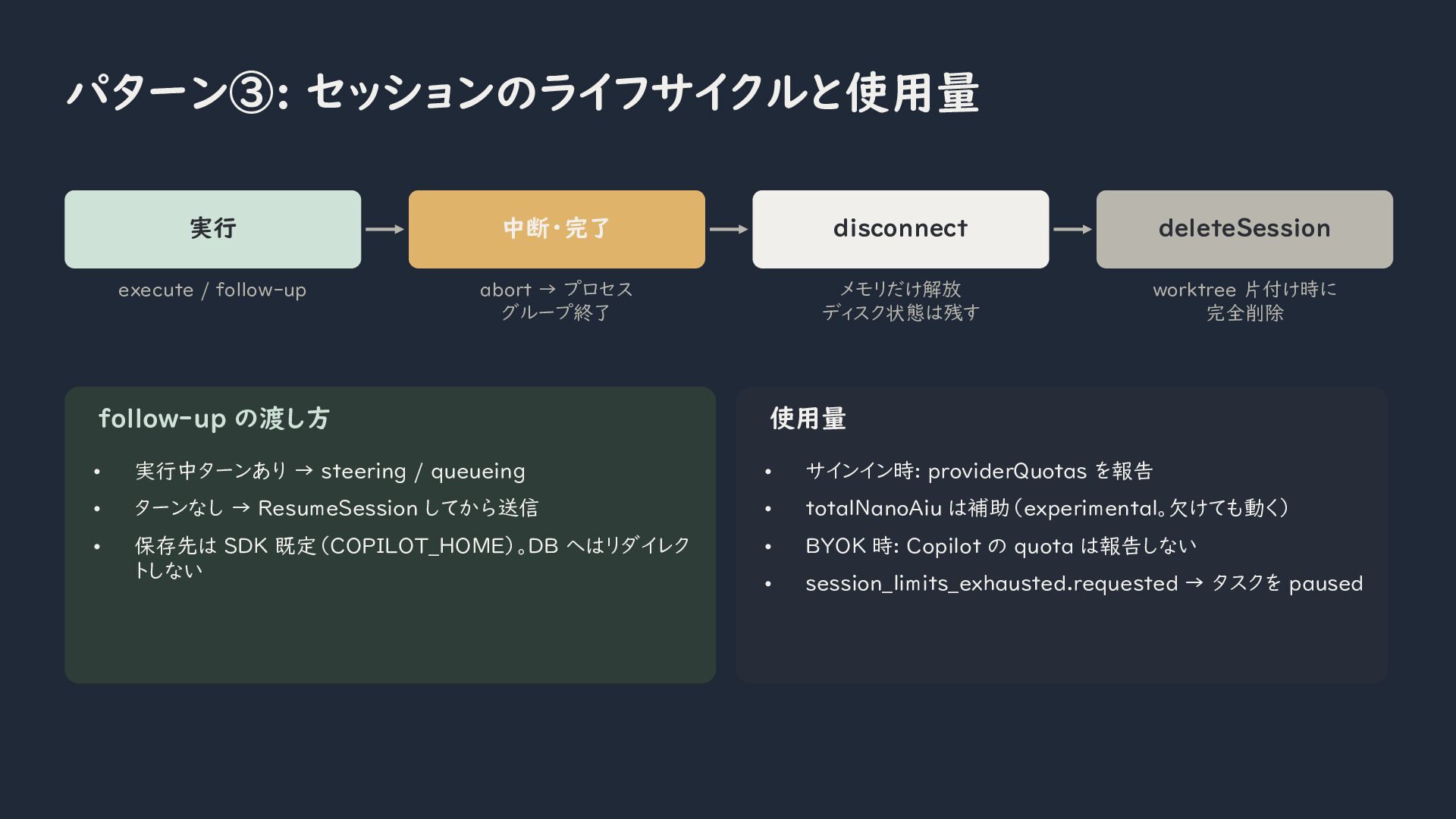
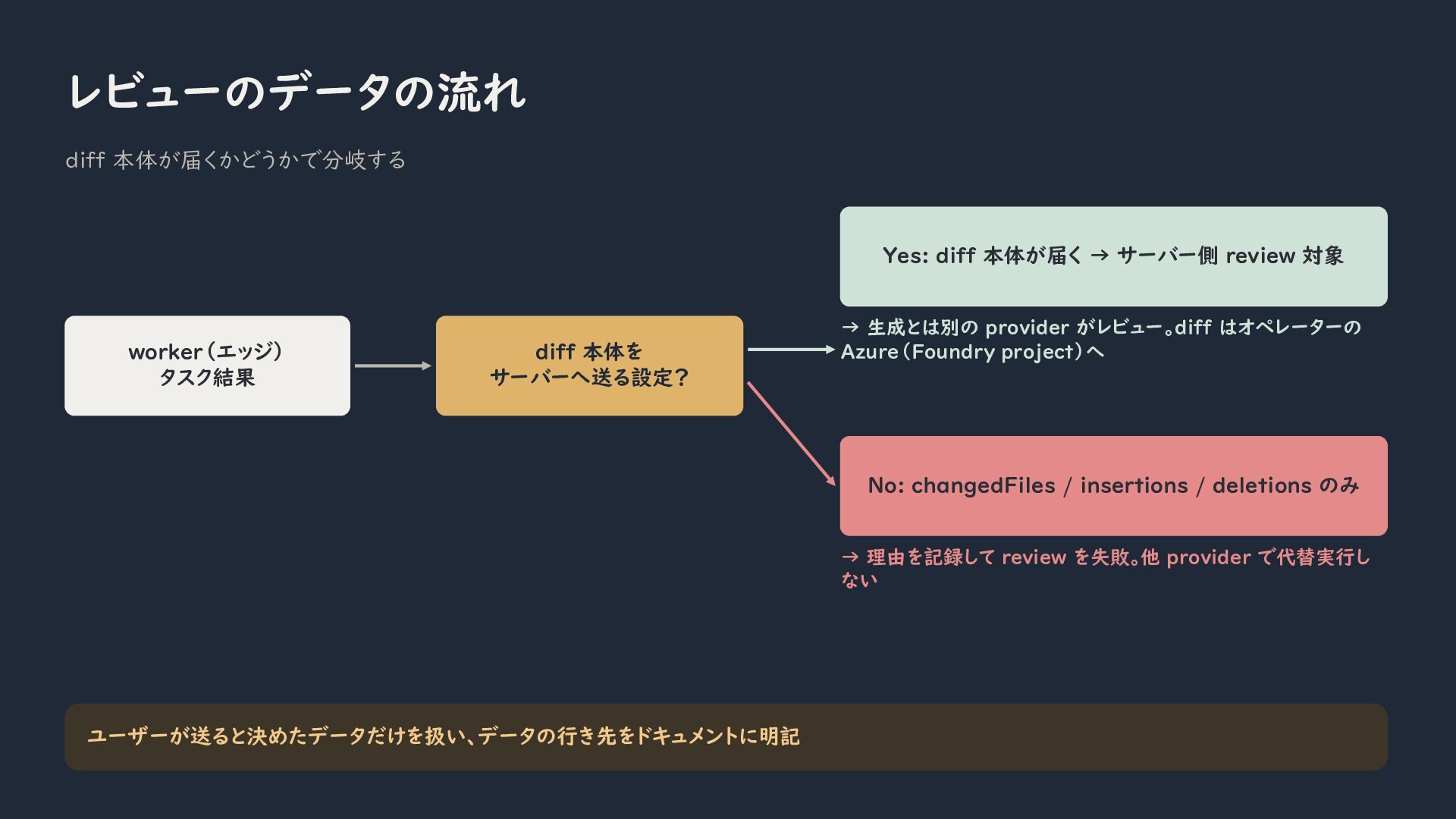
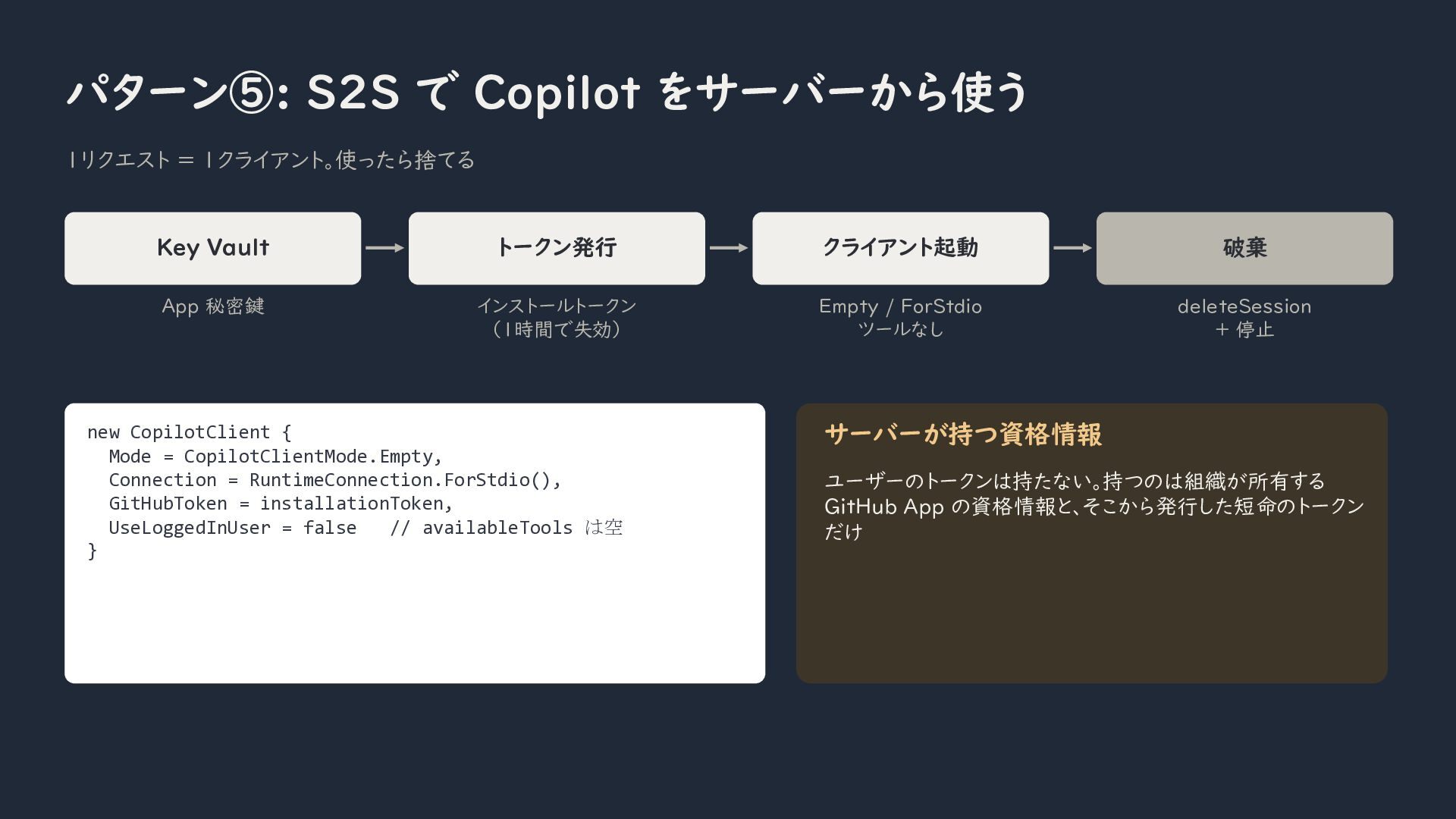
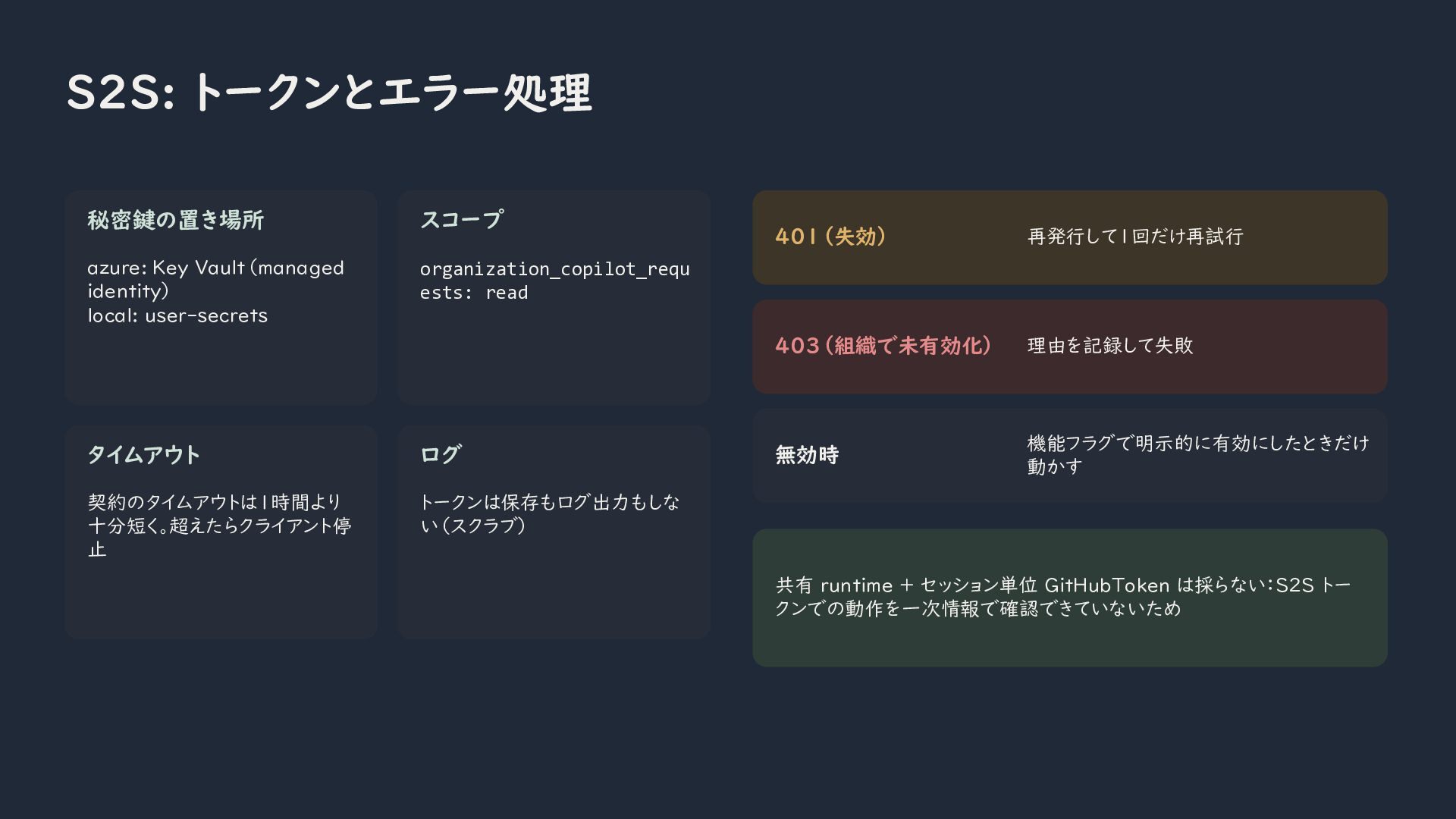
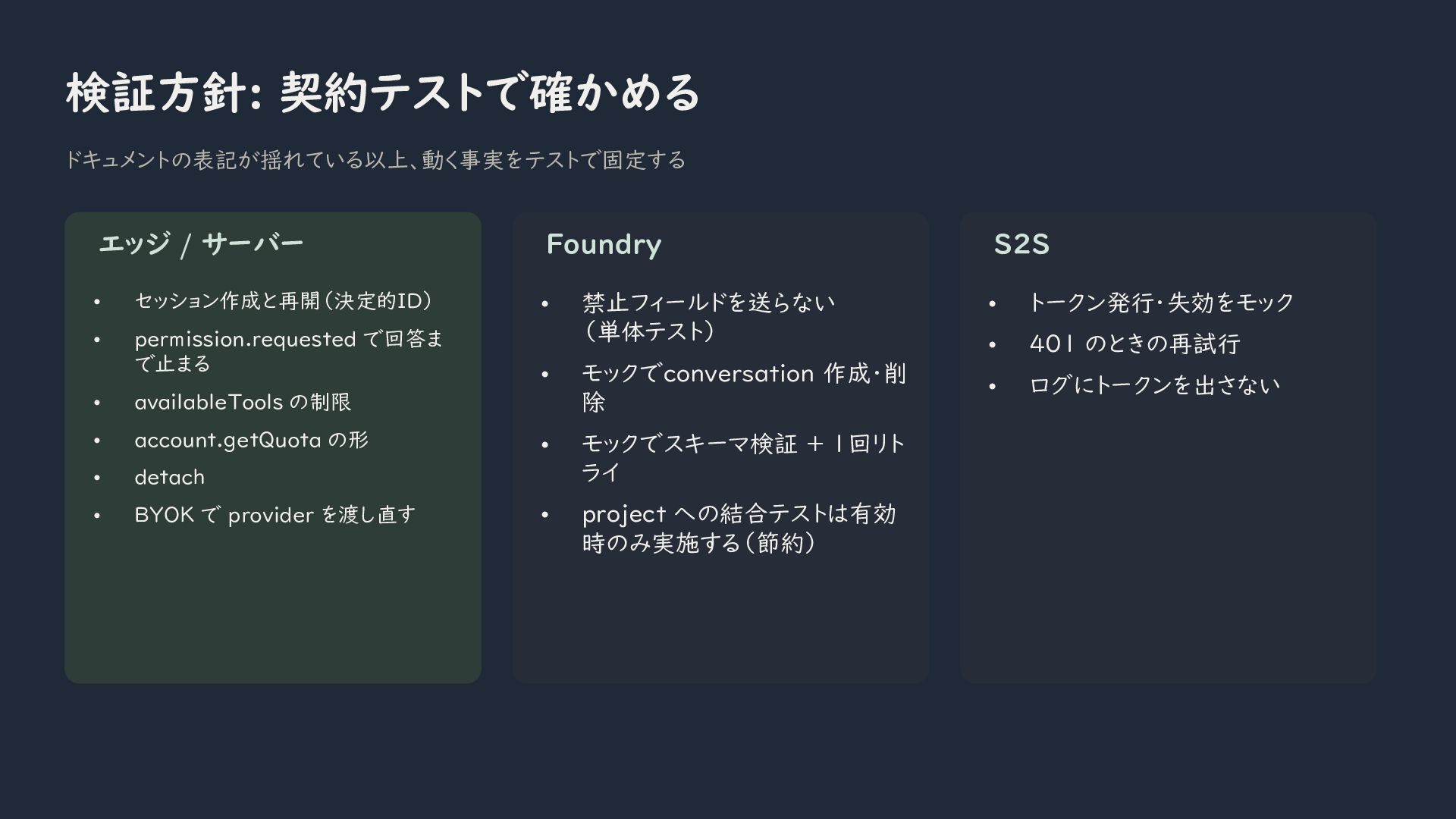
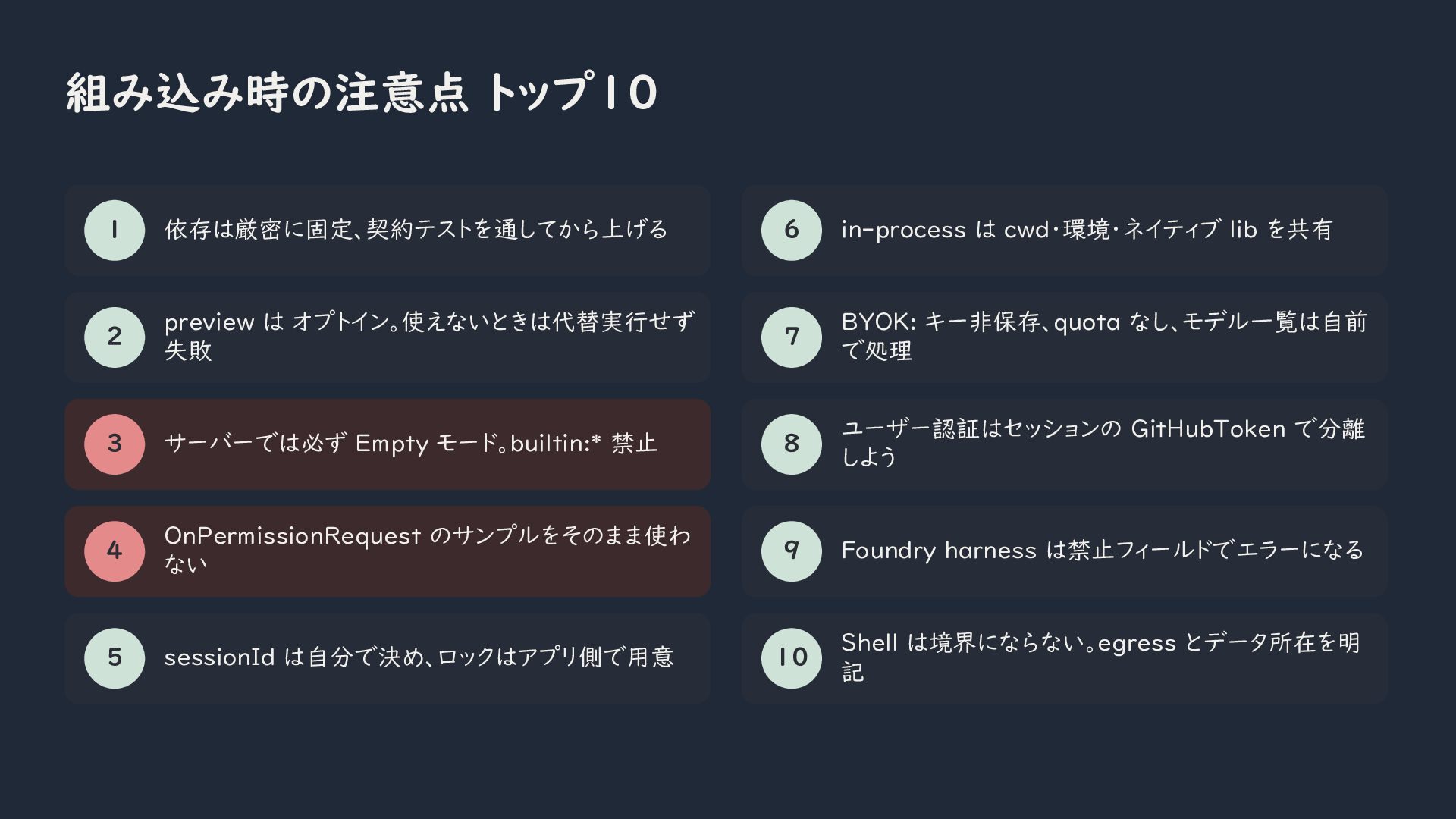
The second half of the session will focus on practical application design. I will cover runtime connection choices, user and server-to-server authentication, session lifecycle management, permission handling, usage tracking, and safe BYOK configuration. I will also discuss common implementation risks, such as exposing the host file system, automatically approving tool requests, sharing sessions without application-level locking, and relying on preview APIs without contract tests.
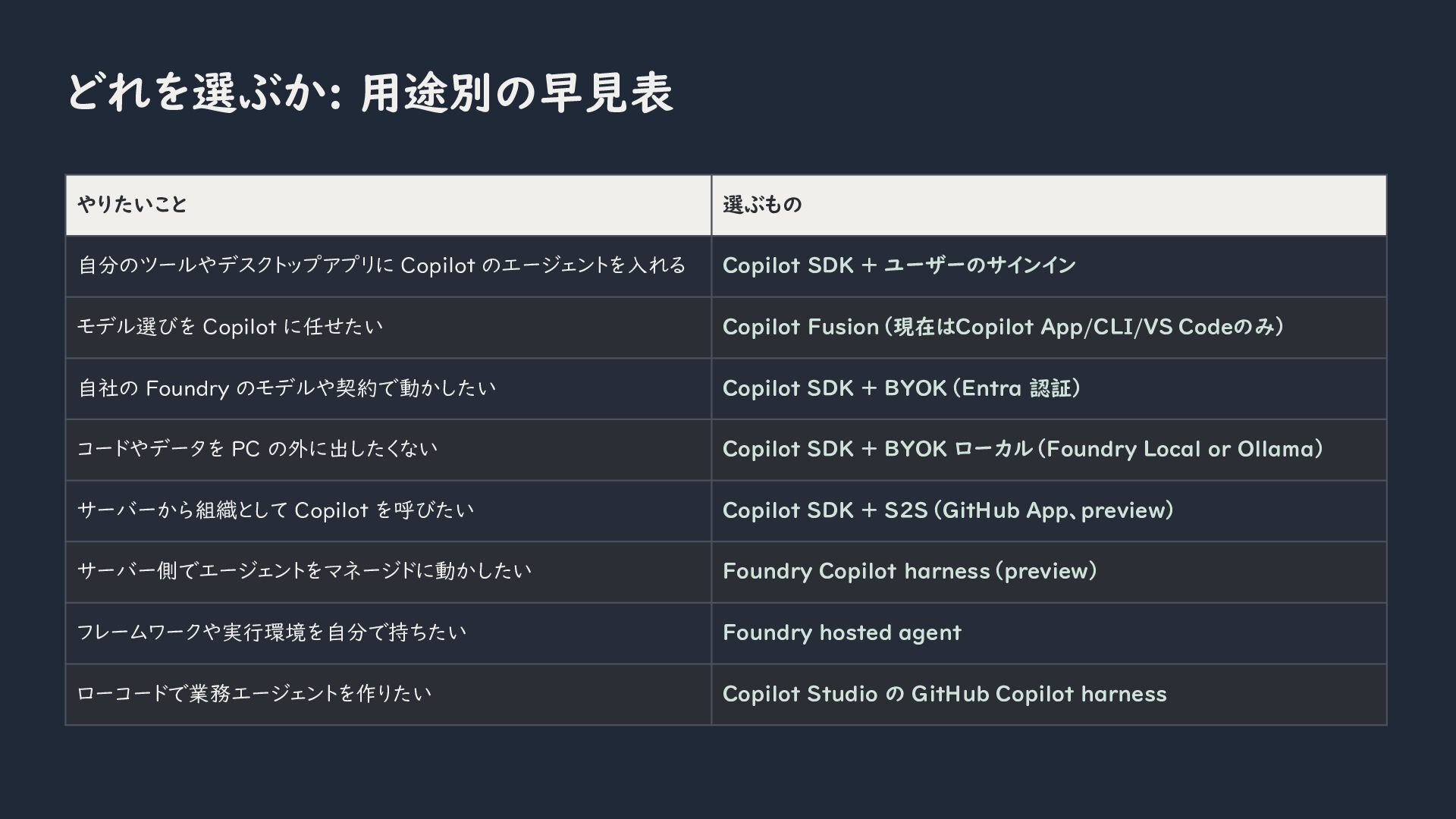
By the end of the session, you will understand how to choose the right Copilot integration approach for desktop applications, developer tools, server-side workloads, managed agents, and environments where code or data must remain on the local device.


 kkamegawa
 simas
 ryunen344
 yosuke_furukawa
 giljongyu
 kasacchiful
 hal_spidernight
 veronikapj
 moro
 xleitix
 akihisaikeda
 raeminkang
 yasunori0418
 aleyda
 zakiyama
 mfonobong
 lcolladotor
 inesmontani
 panda_program
 elsirapls
 marktimemedia
 philnash
 chikuwait
 jacobian
 popppiees