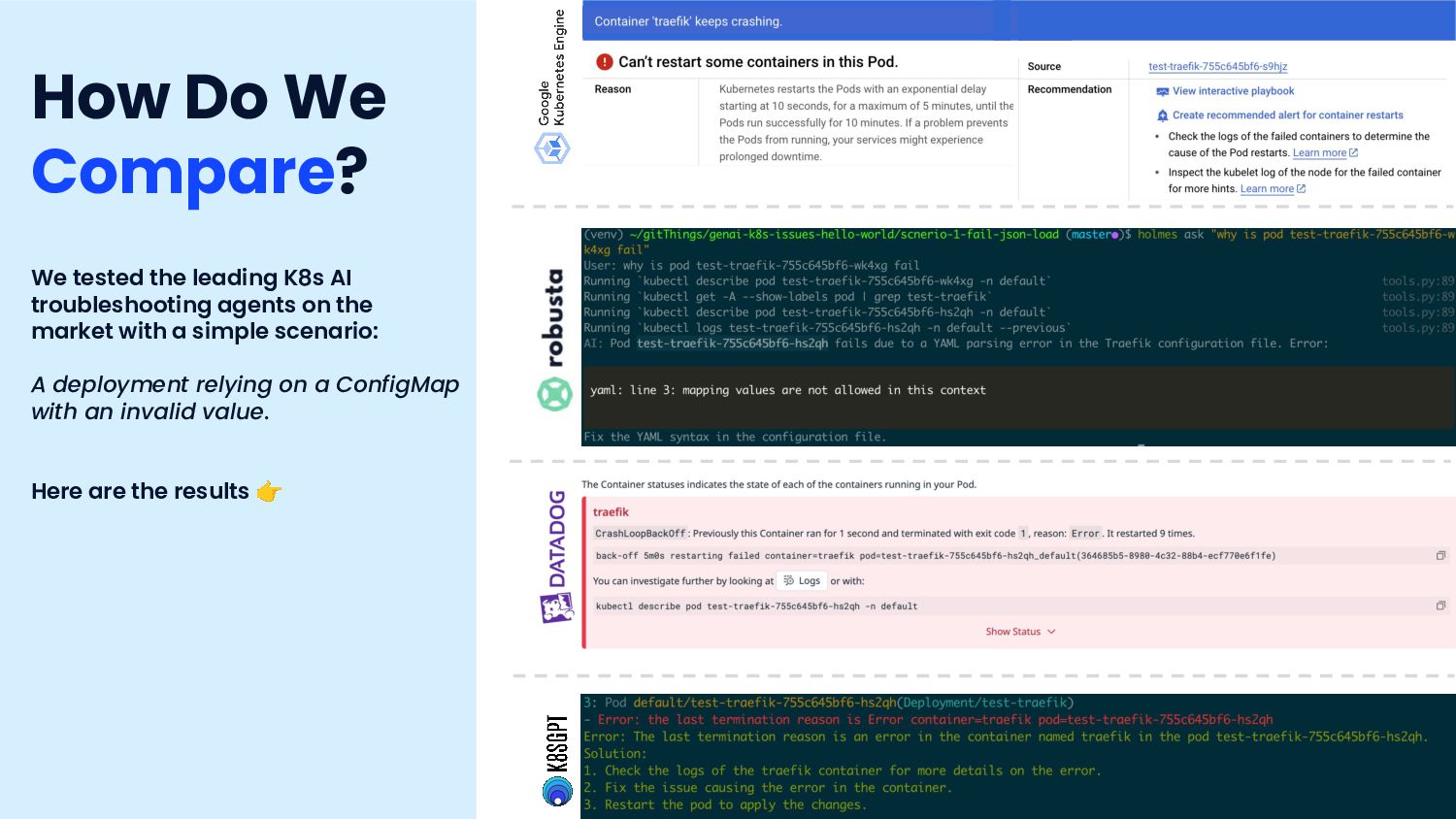
you need to be able to holistically correlate real-time and historic data and understand their ripple effect across the system. What: “Klaudia” identifies the root cause of issues in Kubernetes, and provides meaningful explanations, helping teams understand why issues occur and how to prevent them in the future. How: Klaudia leverages Komodor's comprehensive dataset of past investigation flows, historical changes, events, and metrics. This knowledge base enables precise diagnostics and actionable insights, with AI enhancing our ability to scale across the Kubernetes stack.
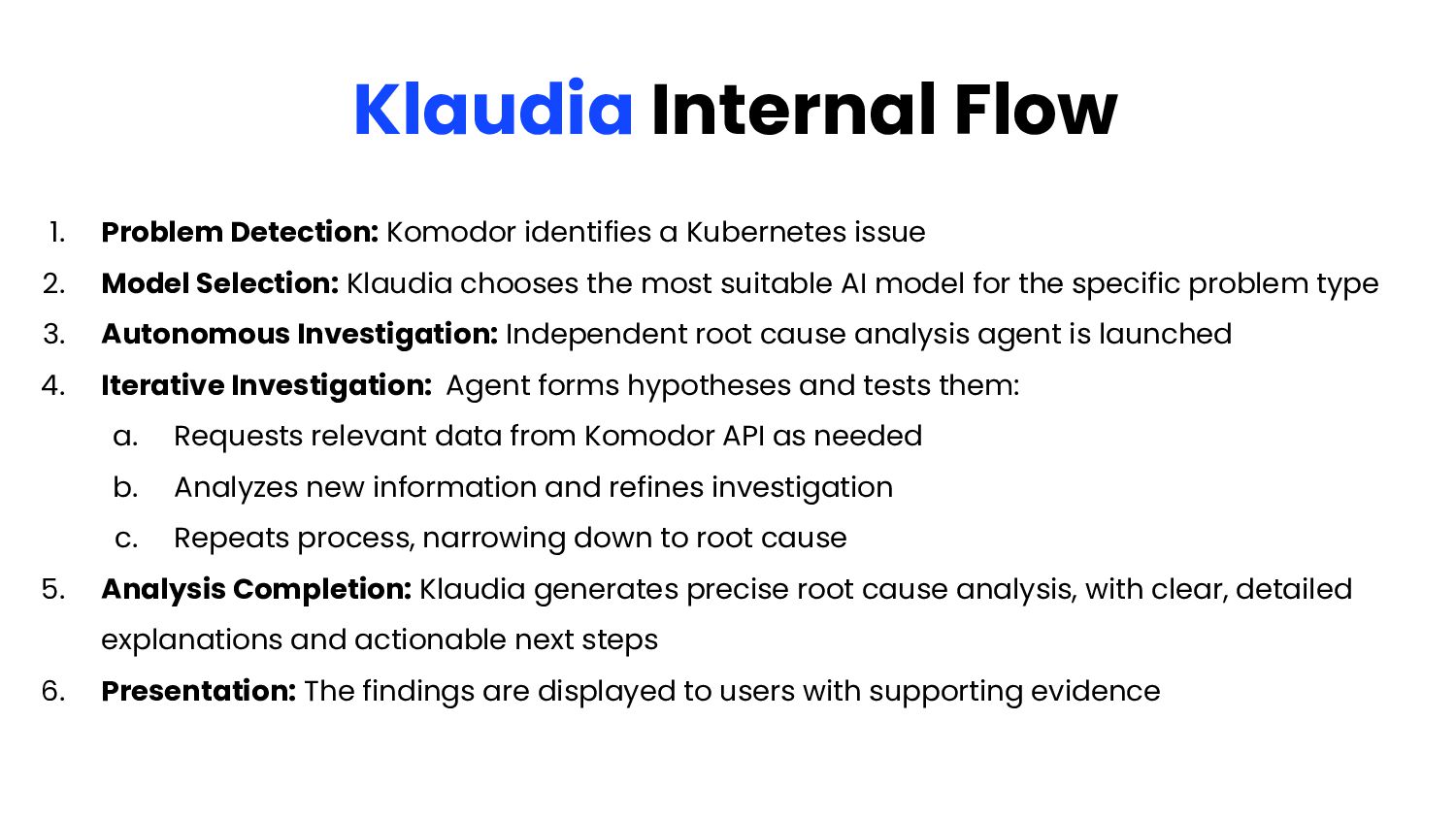
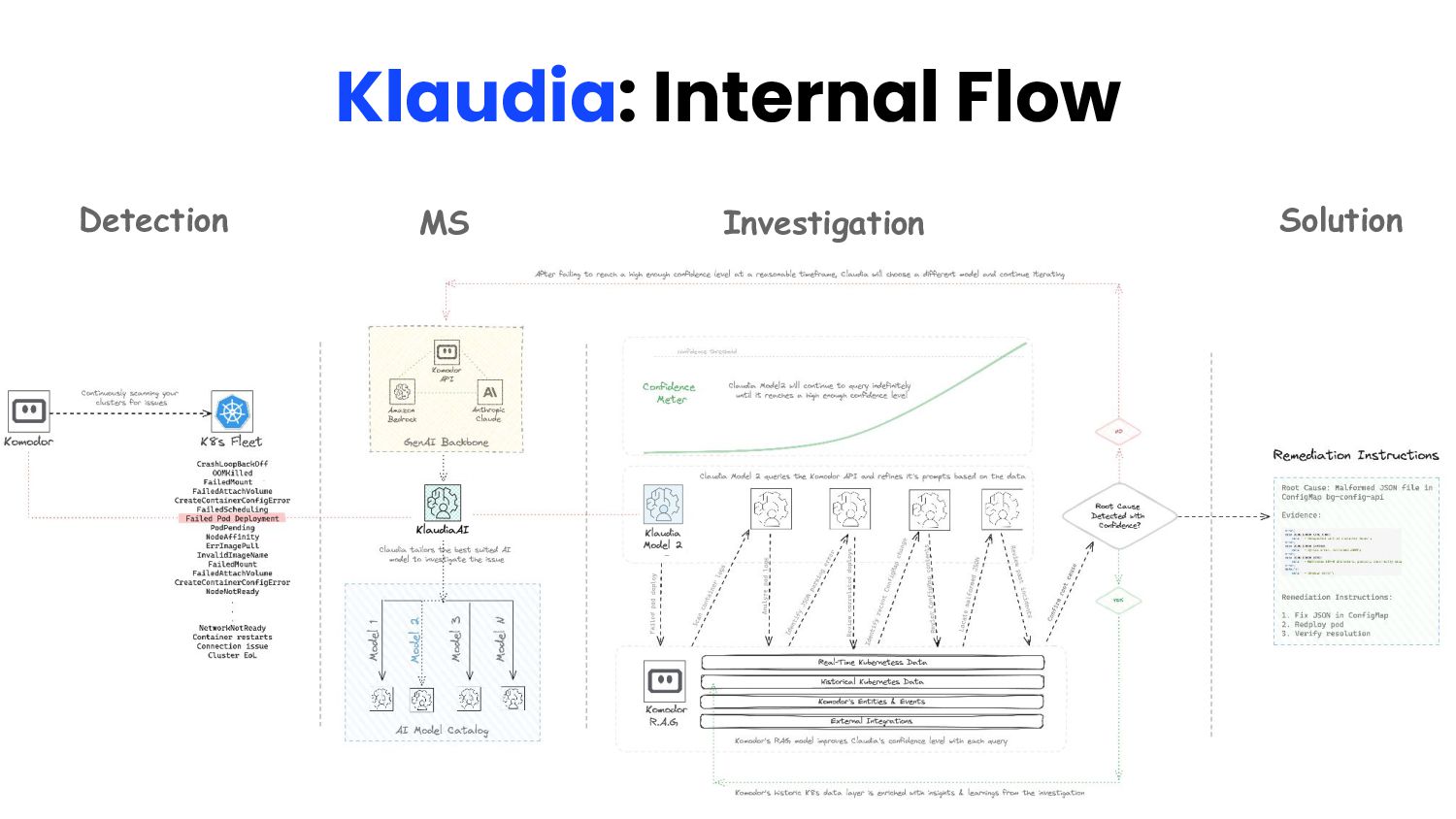
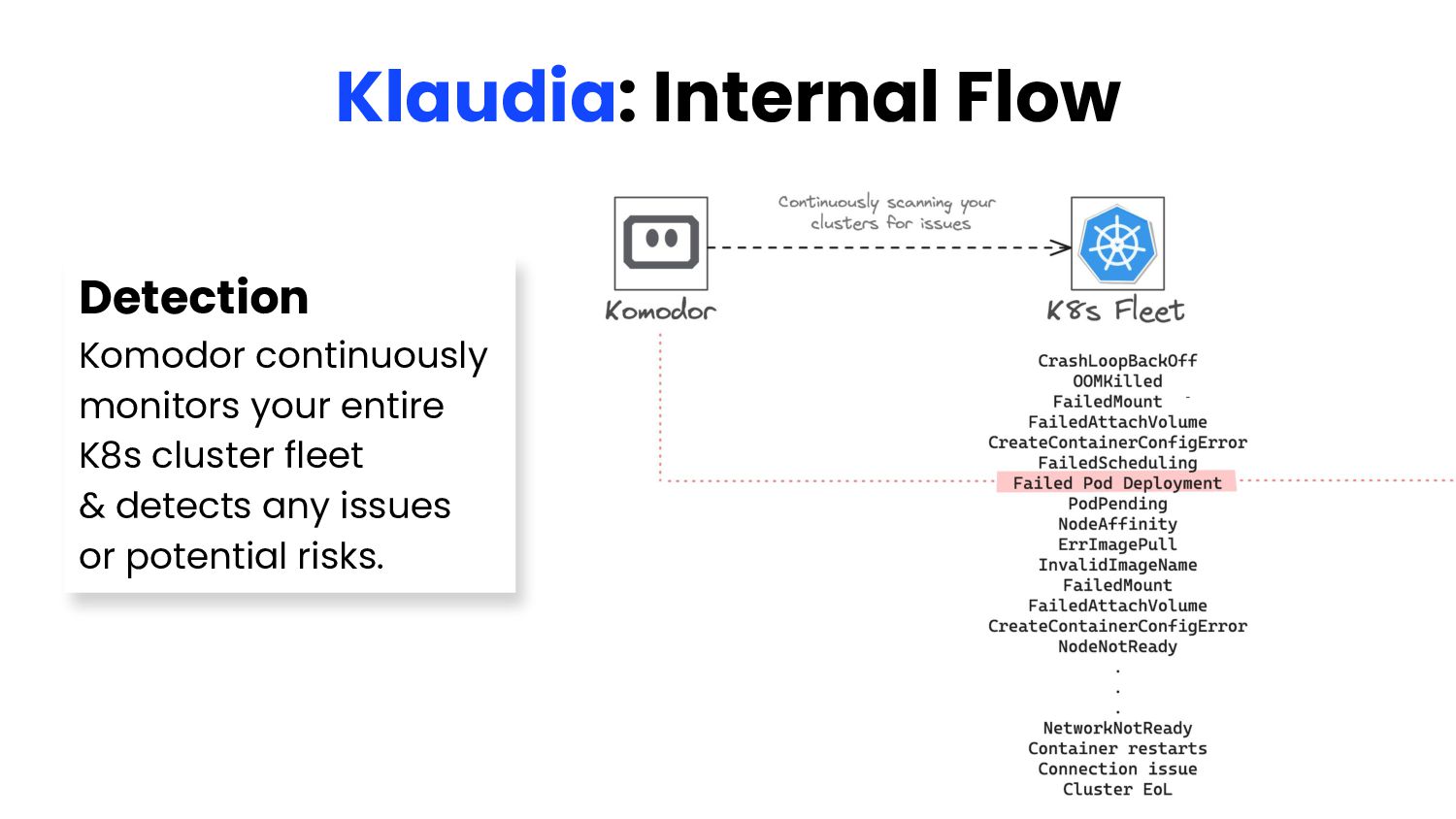
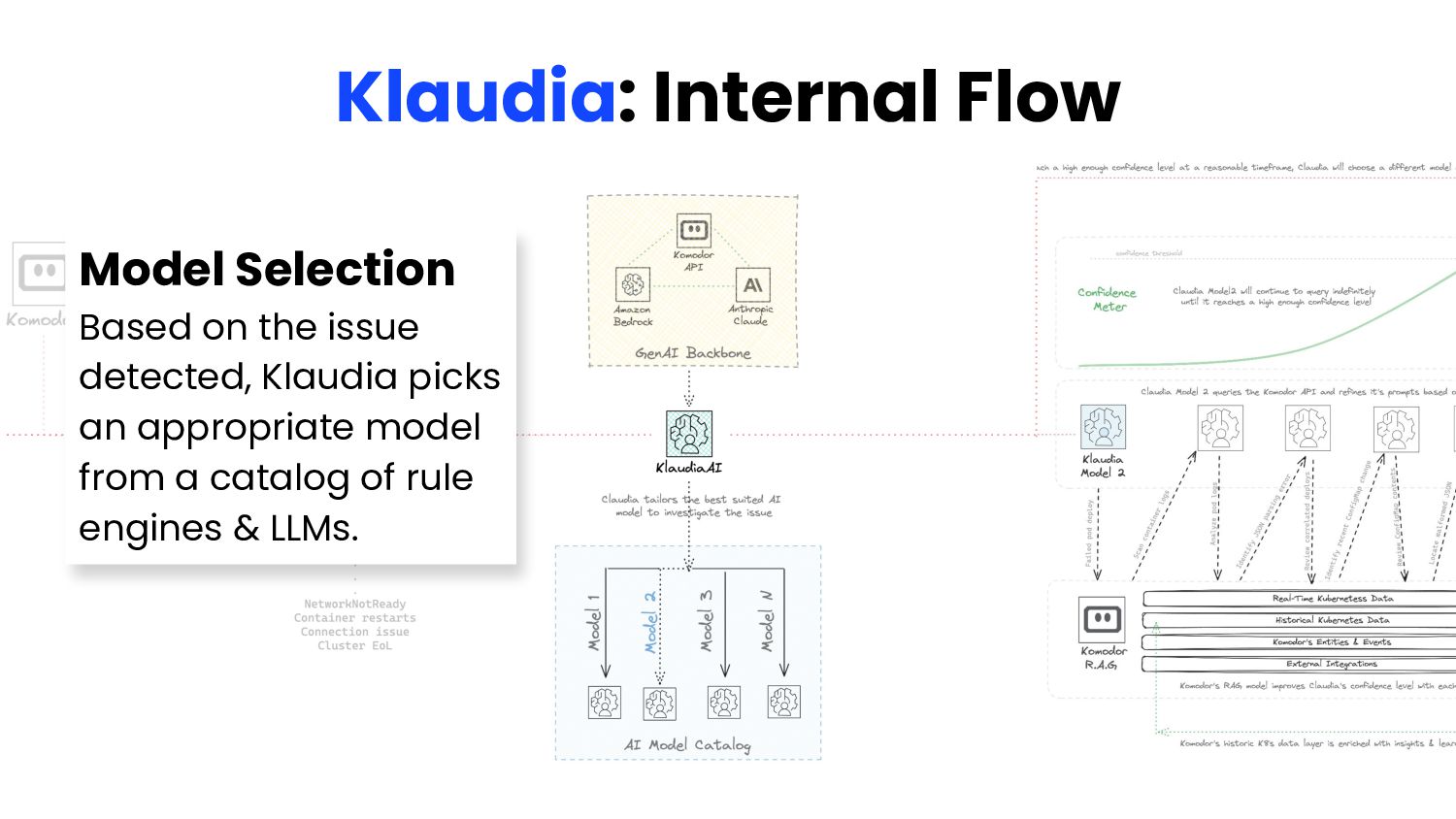
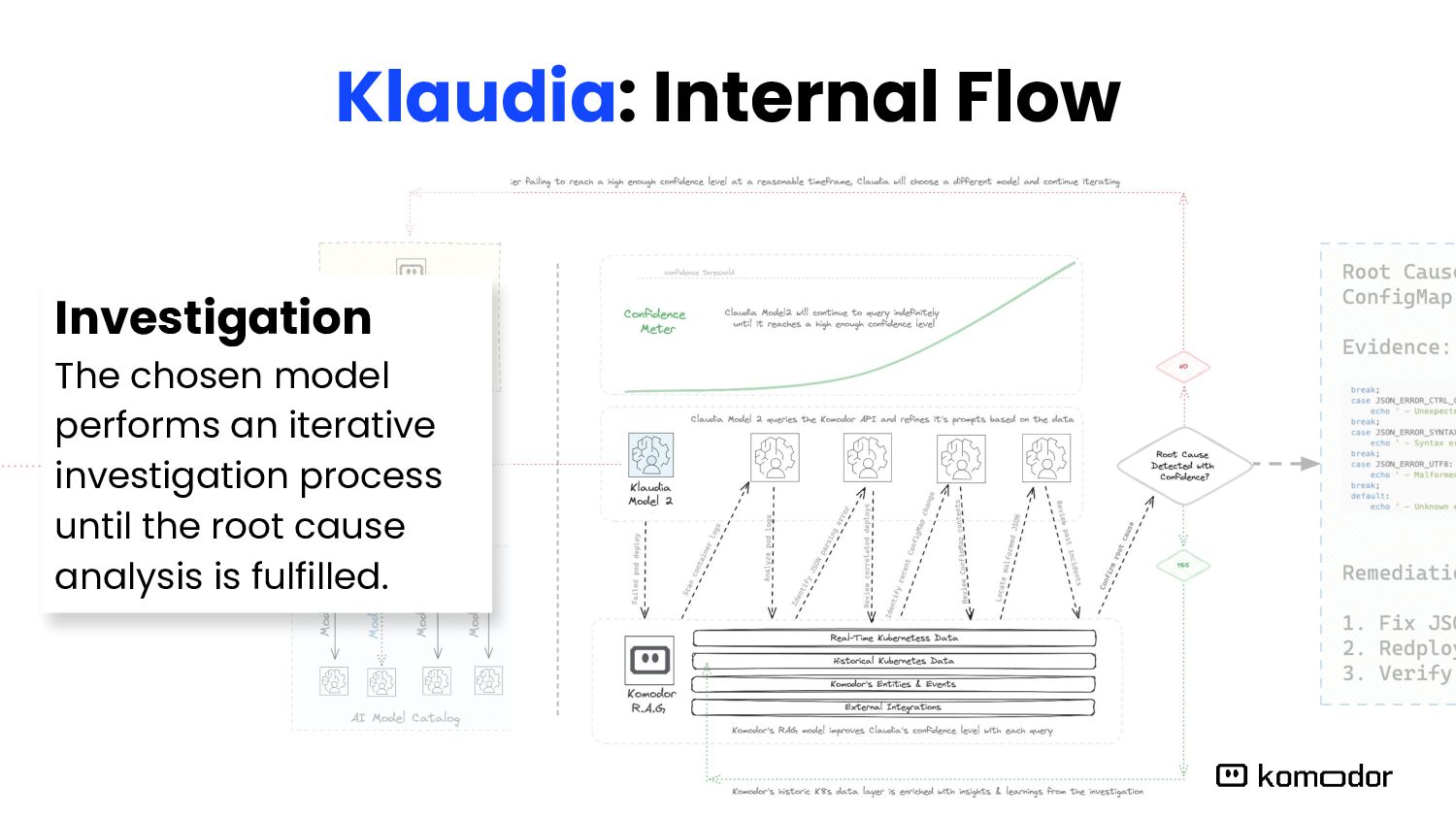
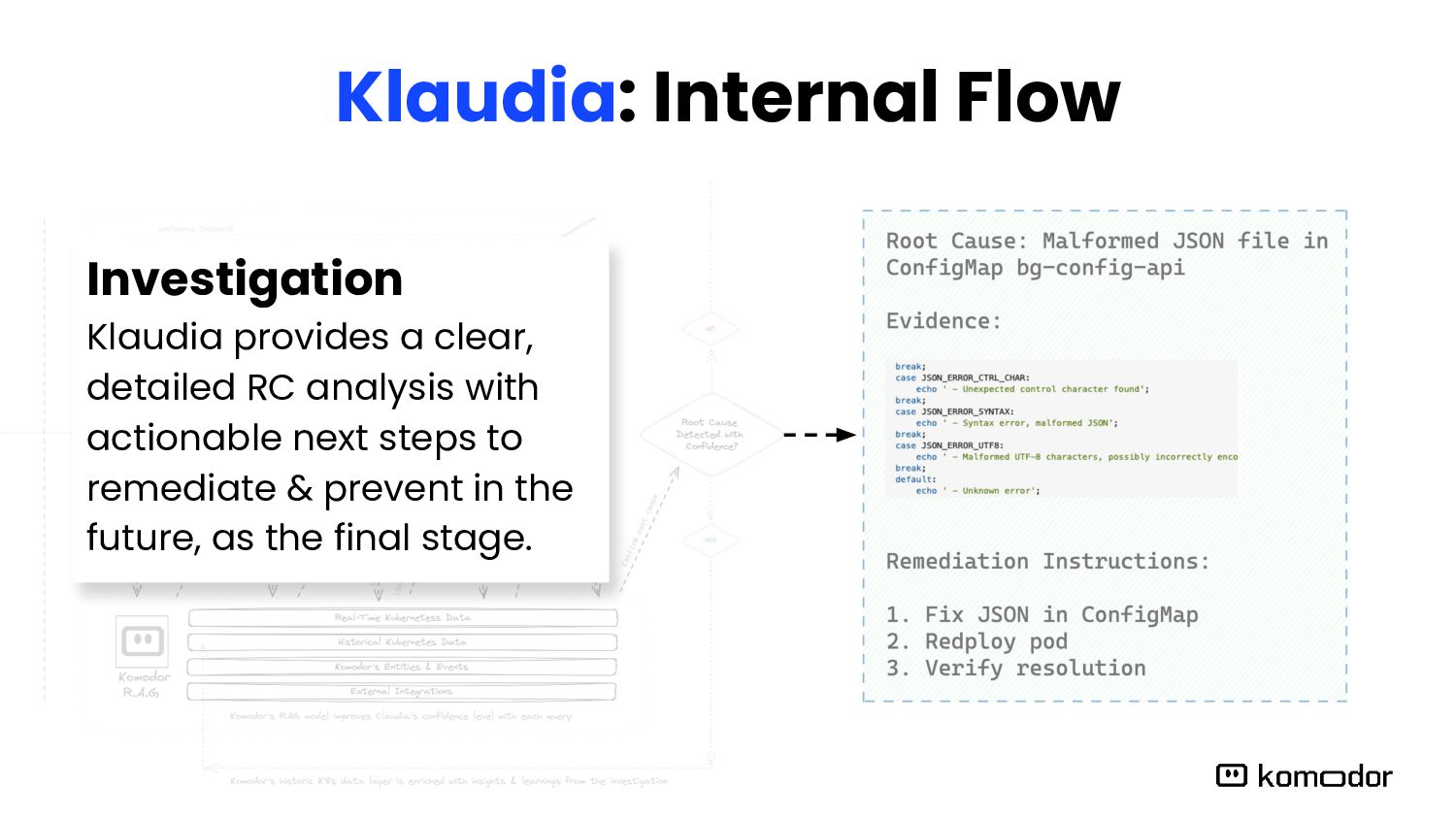
issue 2. Model Selection: Klaudia chooses the most suitable AI model for the specific problem type 3. Autonomous Investigation: Independent root cause analysis agent is launched 4. Iterative Investigation: Agent forms hypotheses and tests them: a. Requests relevant data from Komodor API as needed b. Analyzes new information and refines investigation c. Repeats process, narrowing down to root cause 5. Analysis Completion: Klaudia generates precise root cause analysis, with clear, detailed explanations and actionable next steps 6. Presentation: The findings are displayed to users with supporting evidence
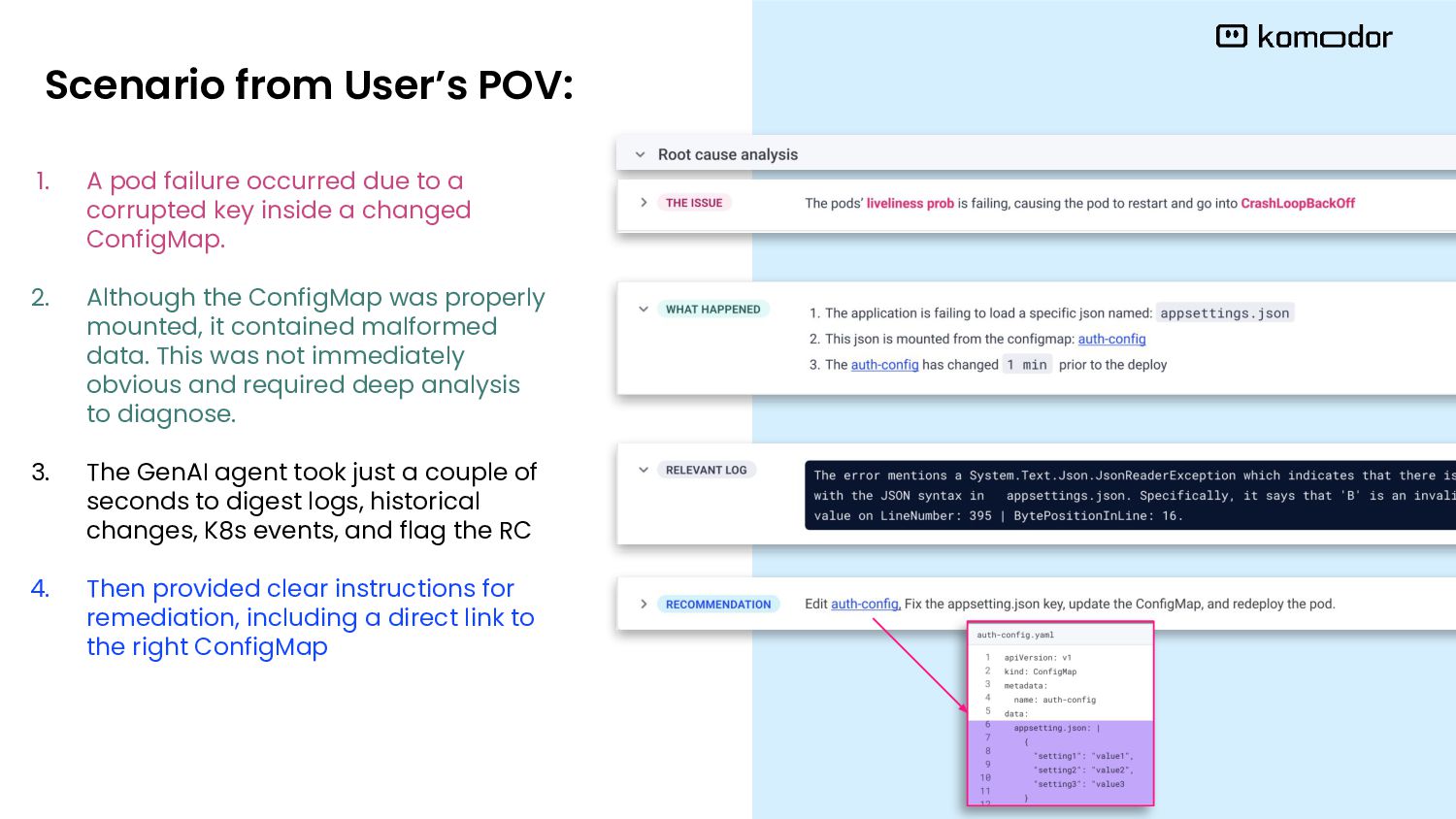
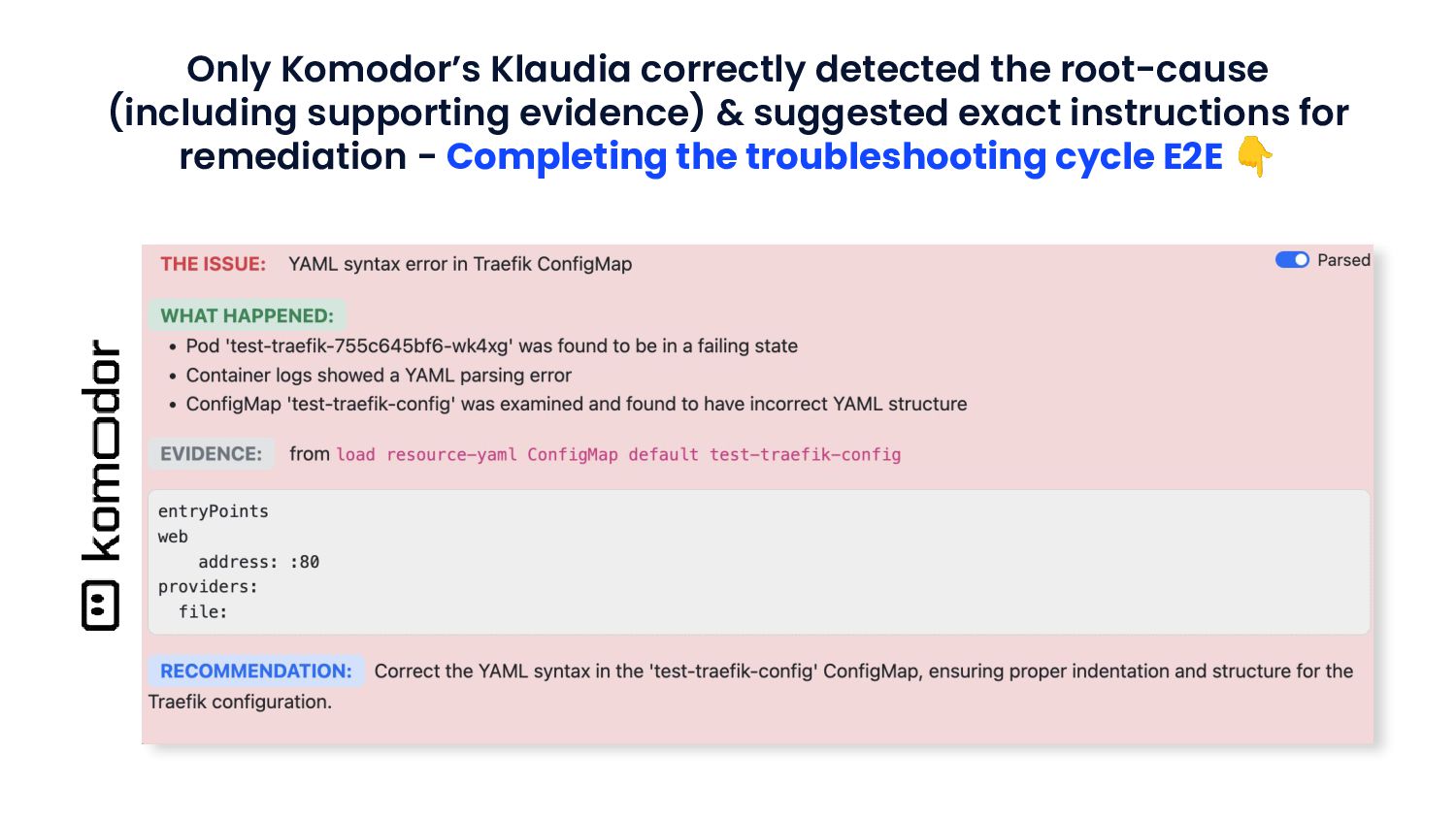
inside a changed ConfigMap. 2. Although the ConfigMap was properly mounted, it contained malformed data. This was not immediately obvious and required deep analysis to diagnose. 3. The GenAI agent took just a couple of seconds to digest logs, historical changes, K8s events, and flag the RC 4. Then provided clear instructions for remediation, including a direct link to the right ConfigMap Scenario from User’s POV:


 komodor
 ryudai
 inariku
 orimanabu
 oidfj
 ayaka_egaaa
 nobitabashi
 ssakita
 masu_mi
 riyaamemiya
 sms_tech
 denniskardys
 akademiya2063
 nikkihalliwell
 cassininazir
 kimpetersen
 leimatthew05
 keavy
 davetheseo
 axbom
 inesmontani
 thirion
 csswizardry