Upgrade to Pro — share decks privately, control downloads, hide ads and more …

Peter Heinrich - Amazon Dev Day - Going Native ...

Peter Heinrich - Amazon Dev Day - Going Native on Fire TV: Building a Game with Android Studio and the NDK

Fire TV is a powerful and inexpensive Android streaming device, ideal for bringing mobile games to the living room and the biggest screen in the house. The Native Development Kit allows developers to create games using C/C++ on Android devices, achieving exceptional performance on a platform traditionally programmed in Java. In this session you will learn how to configure Android Studio for NDK support; create a simple, extensible game loop using OpenGL and C/C++; and deploy and debug on Fire TV.

Avatar for Mario Viviani

Mario Viviani

June 20, 2016

More Decks by Mario Viviani

Other Decks in Technology

Transcript

  1. PETER HEINRICH D E V E L O P E

    R E V A N G E L I S T, G A M E S , A M A Z O N A P P S T O R E U K @peterdotgames linkedin.com/in/PeterHeinrich GOING NATIVE ON FIRE TV: B U I L D I N G A G A M E W I T H A N D R O I D S T U D I O A N D T H E N D K
  2. Ze r o Ent e r t a i nm
    e nt PETER HEINRICH Developer Evangelist, Games @PeterDotGames PeterHeinrich [email protected]
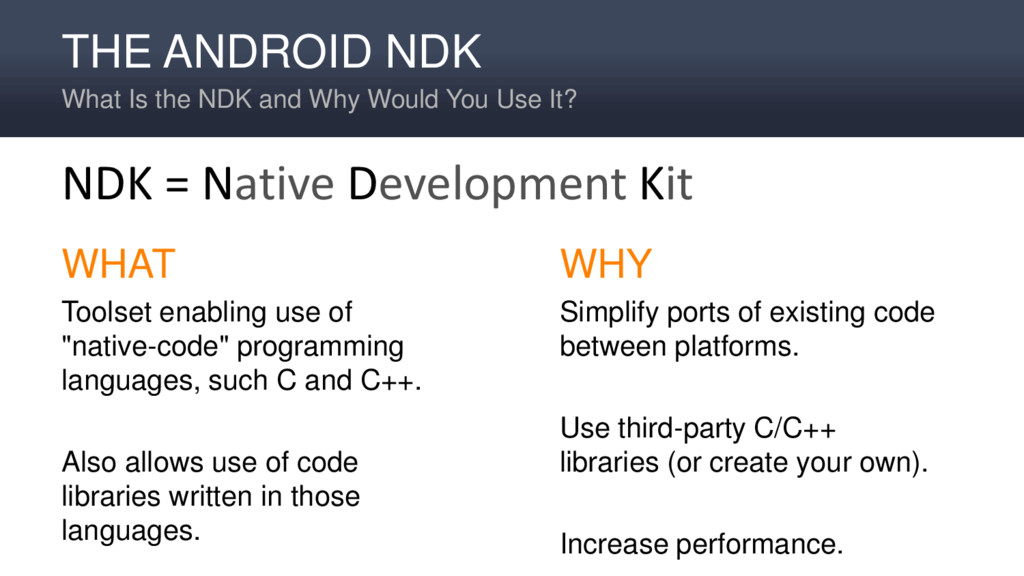
  3. THE ANDROID NDK What Is the NDK and Why Would

    You Use It? WHAT Toolset enabling use of "native-code" programming languages, such C and C++. Also allows use of code libraries written in those languages. WHY Simplify ports of existing code between platforms. Use third-party C/C++ libraries (or create your own). Increase performance. NDK = Native Development Kit
  4. A COMMON USE FOR NATIVE CODE Games! Some game components

    usually coded for high-performance: • Physics, kinematics • AI • Path finding • Specialized rendering
  5. Box2D, Chipmunk, Boost, Bullet, and FMOD are a few of

    the hundreds of libraries available. LIBRARIES WRITTEN IN C/C++
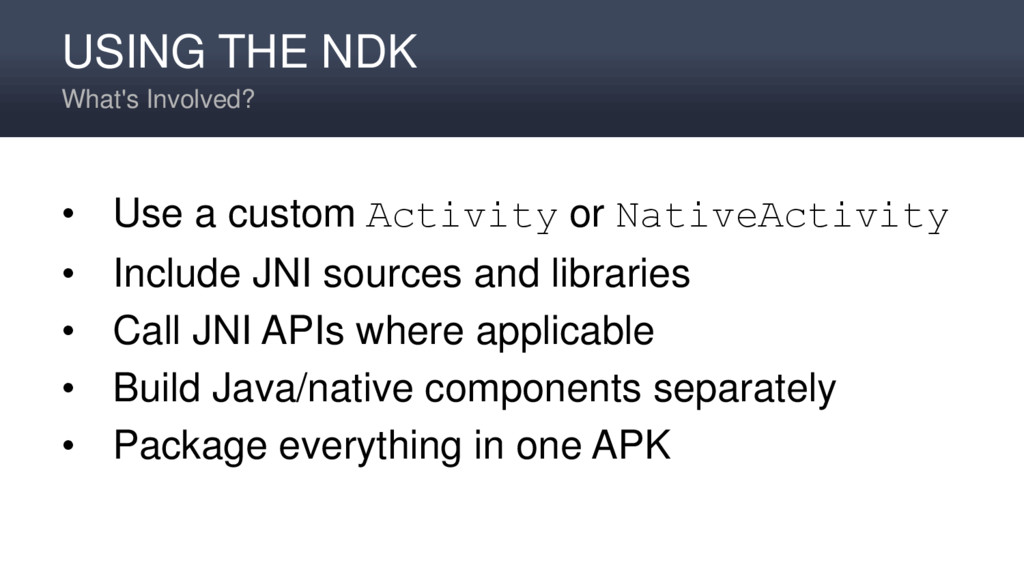
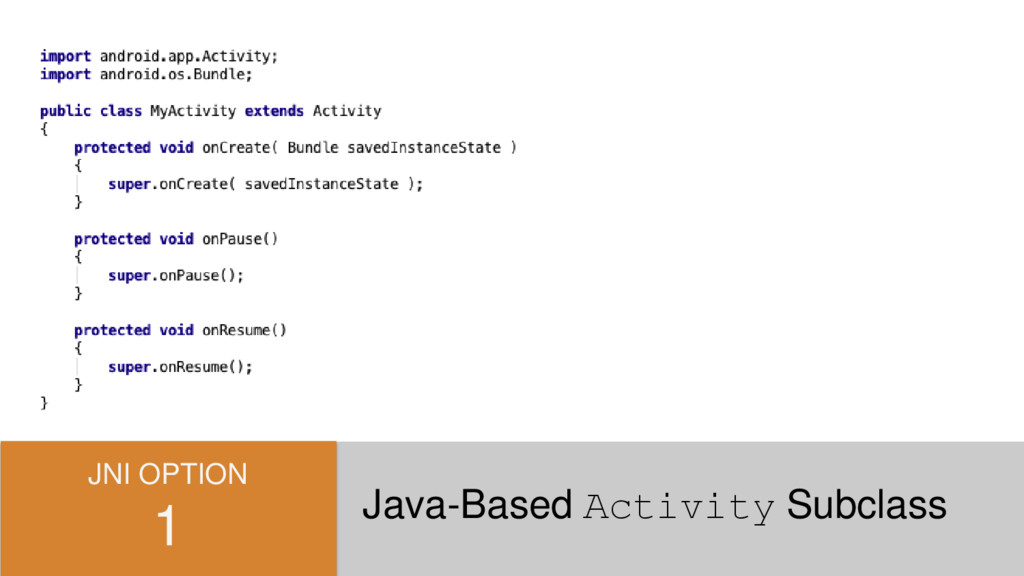
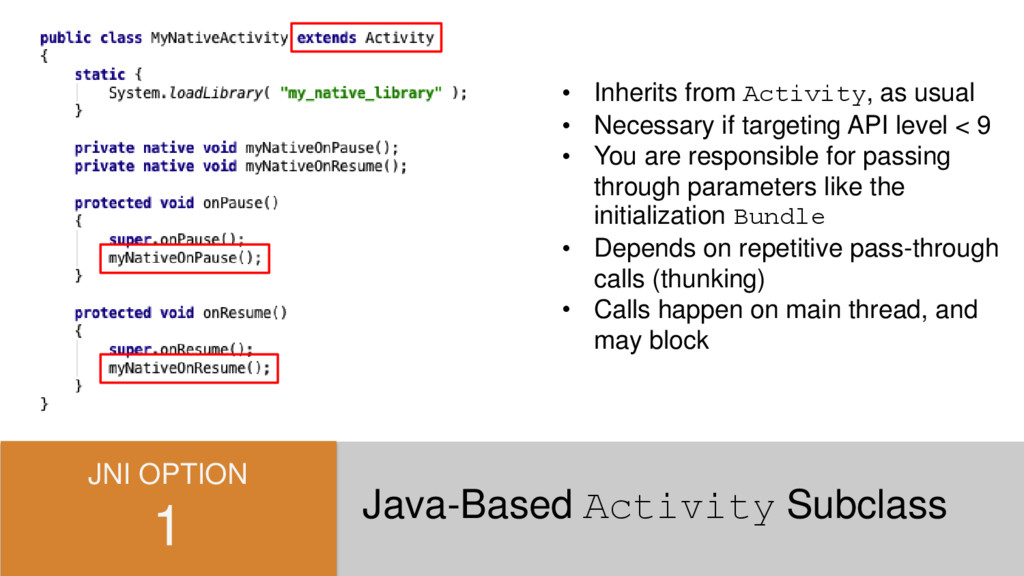
  6. USING THE NDK What's Involved? • Use a custom Activity

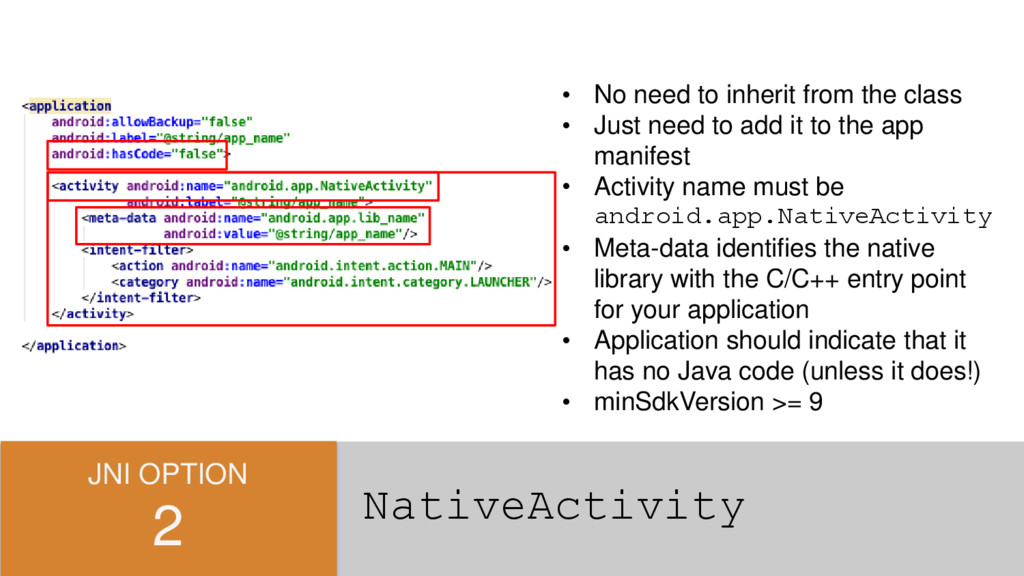
    or NativeActivity • Include JNI sources and libraries • Call JNI APIs where applicable • Build Java/native components separately • Package everything in one APK
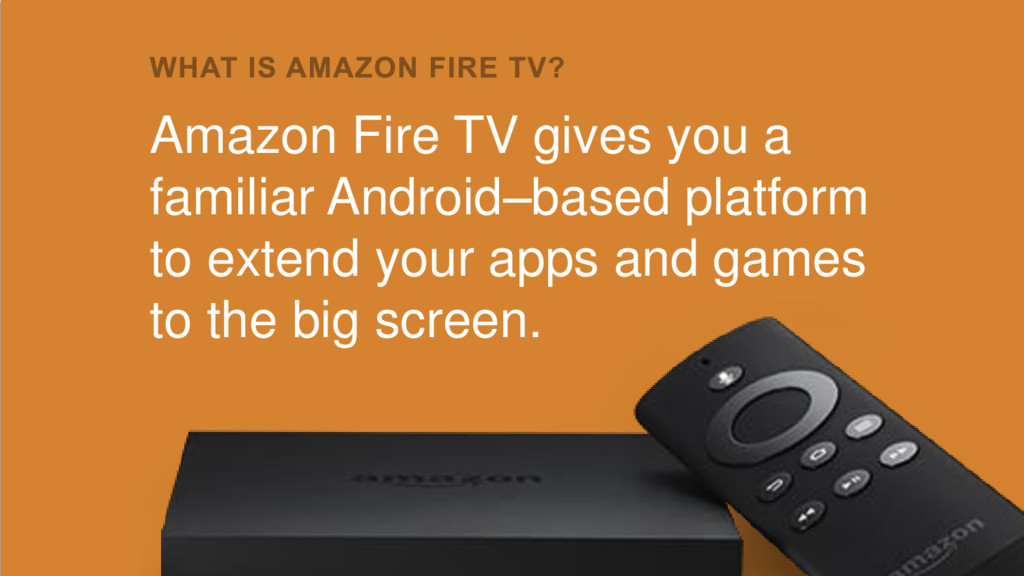
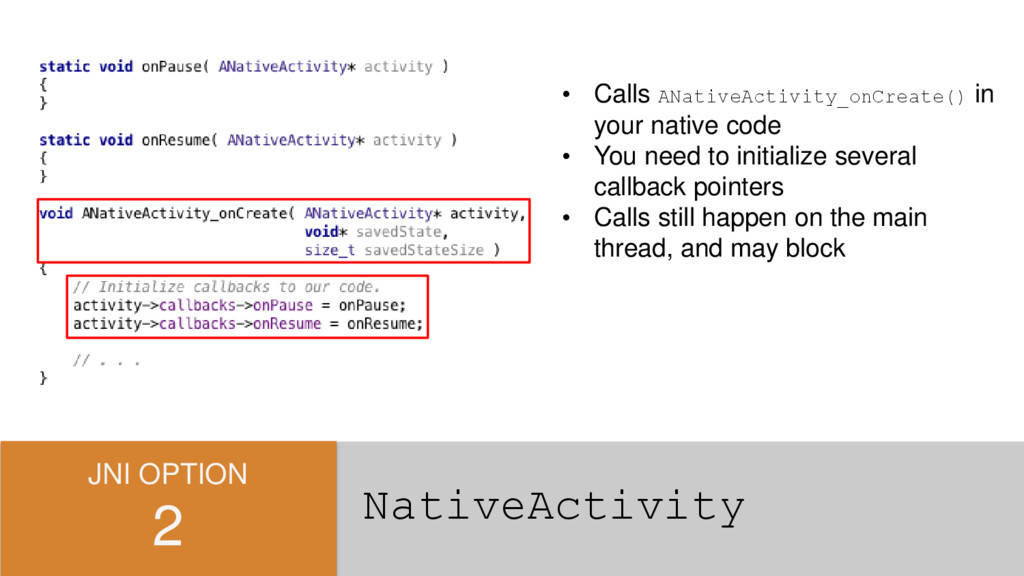
  7. Amazon Fire TV gives you a familiar Android–based platform to

    extend your apps and games to the big screen.
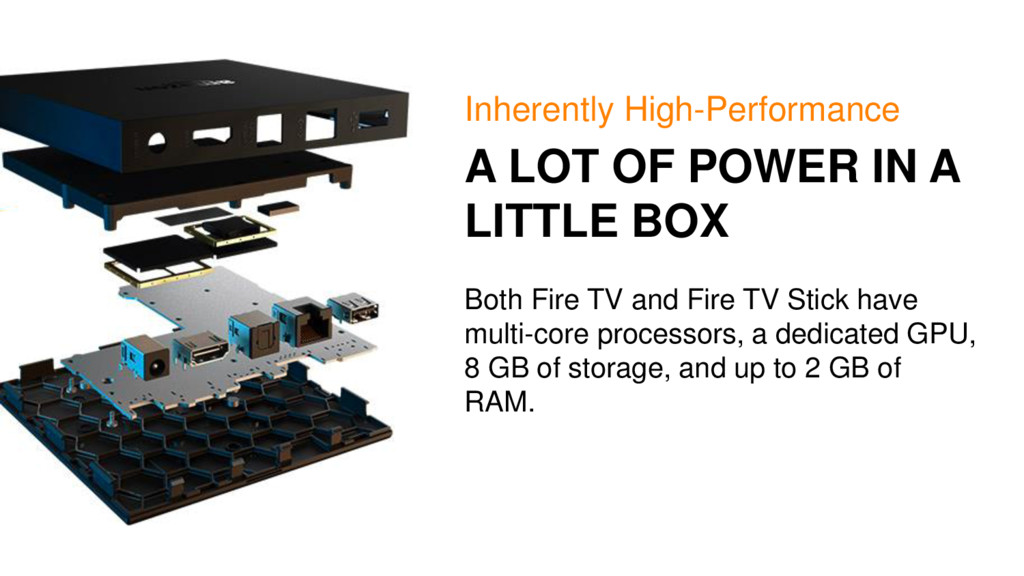
  8. A LOT OF POWER IN A LITTLE BOX Inherently High-Performance

    Both Fire TV and Fire TV Stick have multi-core processors, a dedicated GPU, 8 GB of storage, and up to 2 GB of RAM.
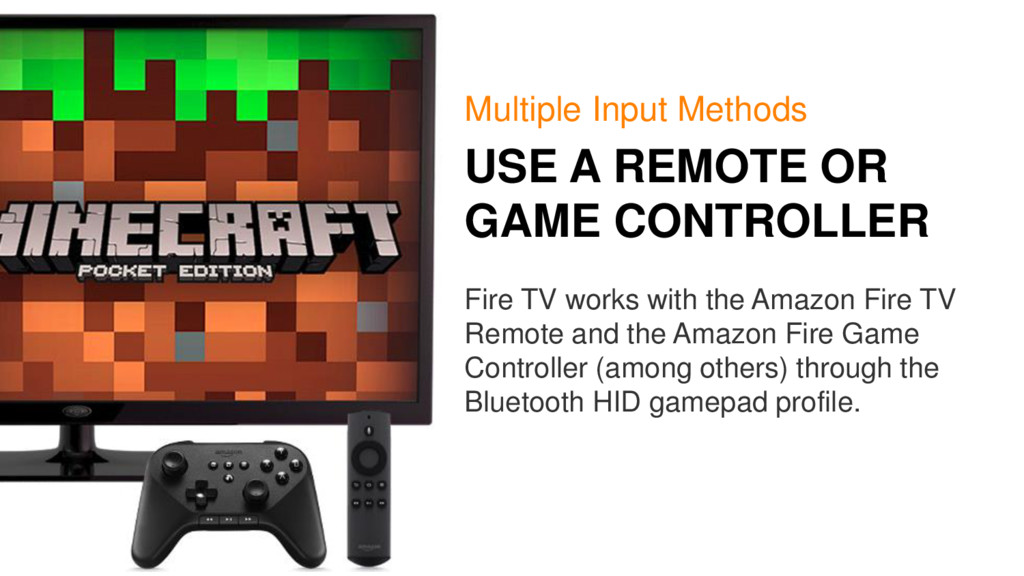
  9. USE A REMOTE OR GAME CONTROLLER Multiple Input Methods Fire

    TV works with the Amazon Fire TV Remote and the Amazon Fire Game Controller (among others) through the Bluetooth HID gamepad profile.
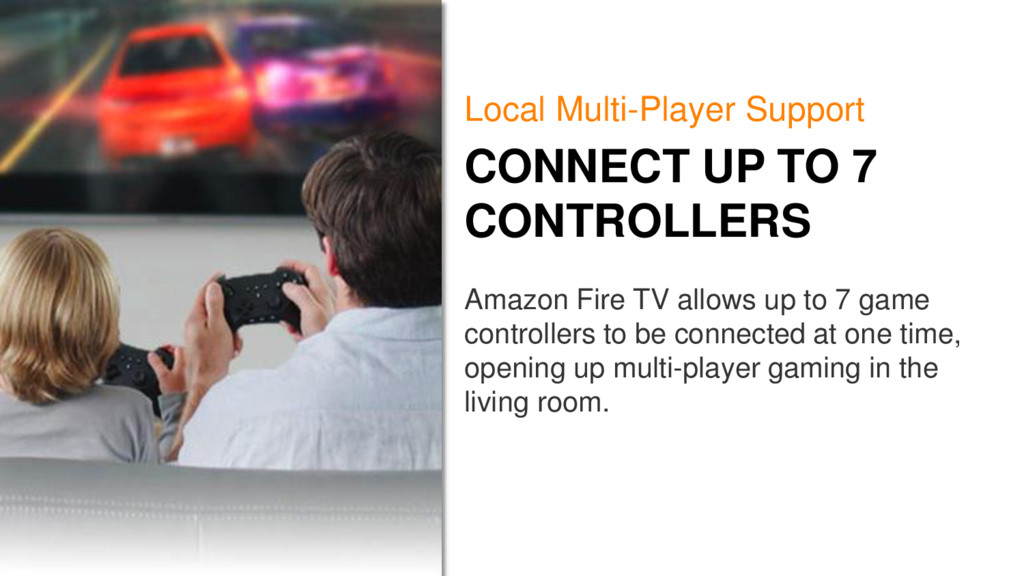
  10. CONNECT UP TO 7 CONTROLLERS Local Multi-Player Support Amazon Fire

    TV allows up to 7 game controllers to be connected at one time, opening up multi-player gaming in the living room.
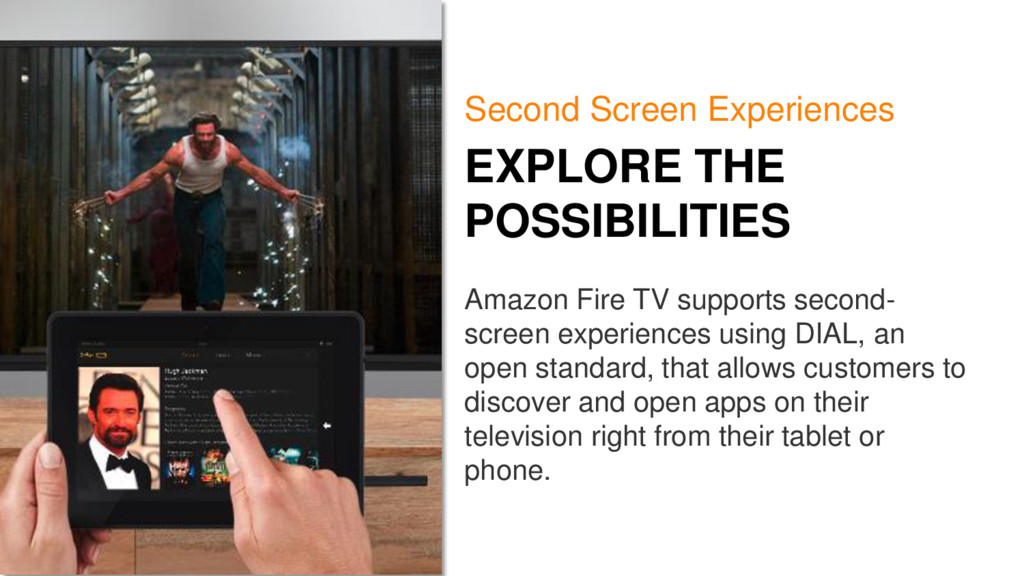
  11. EXPLORE THE POSSIBILITIES Second Screen Experiences Amazon Fire TV supports

    second- screen experiences using DIAL, an open standard, that allows customers to discover and open apps on their television right from their tablet or phone.
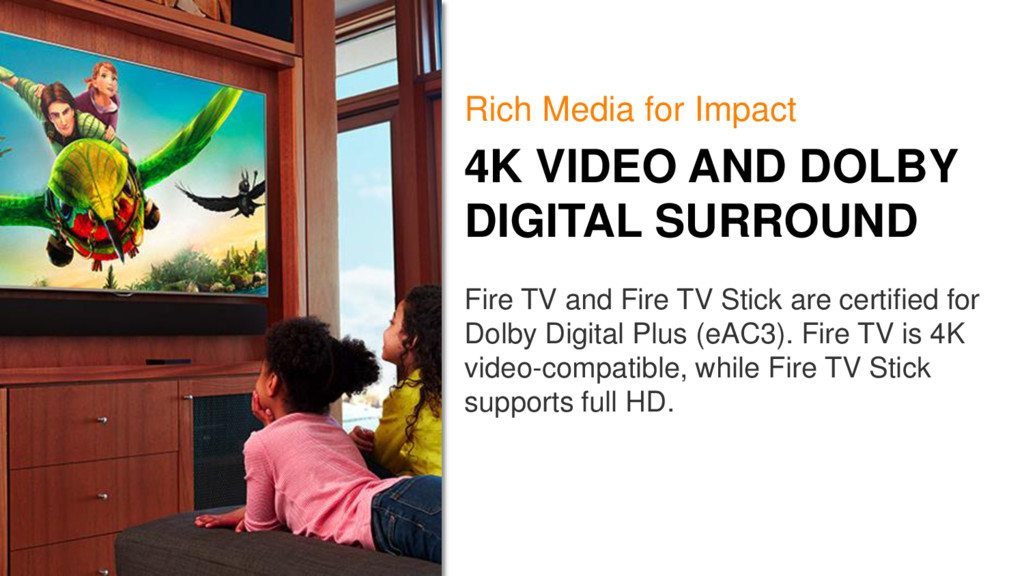
  12. 4K VIDEO AND DOLBY DIGITAL SURROUND Rich Media for Impact

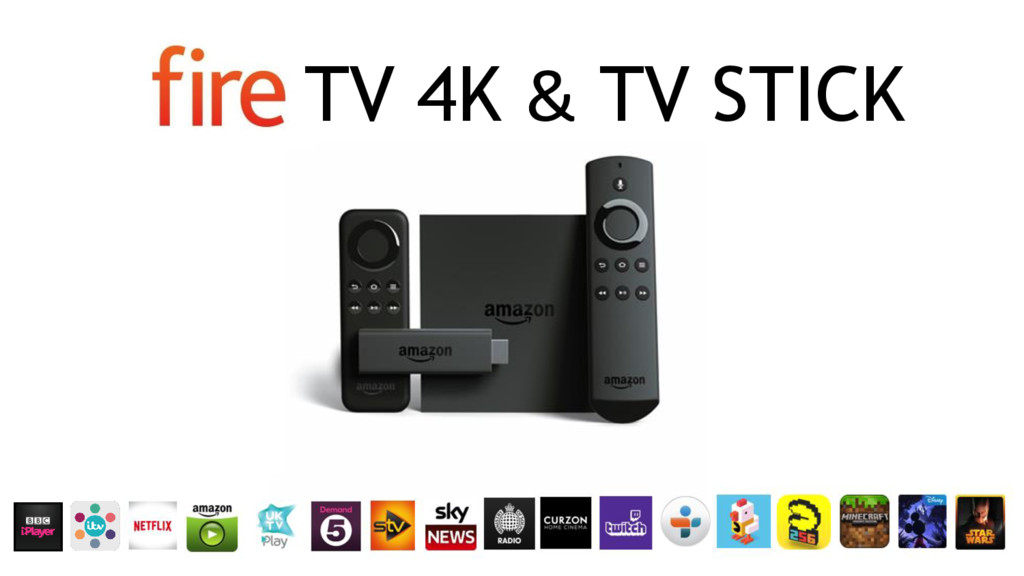
    Fire TV and Fire TV Stick are certified for Dolby Digital Plus (eAC3). Fire TV is 4K video-compatible, while Fire TV Stick supports full HD.
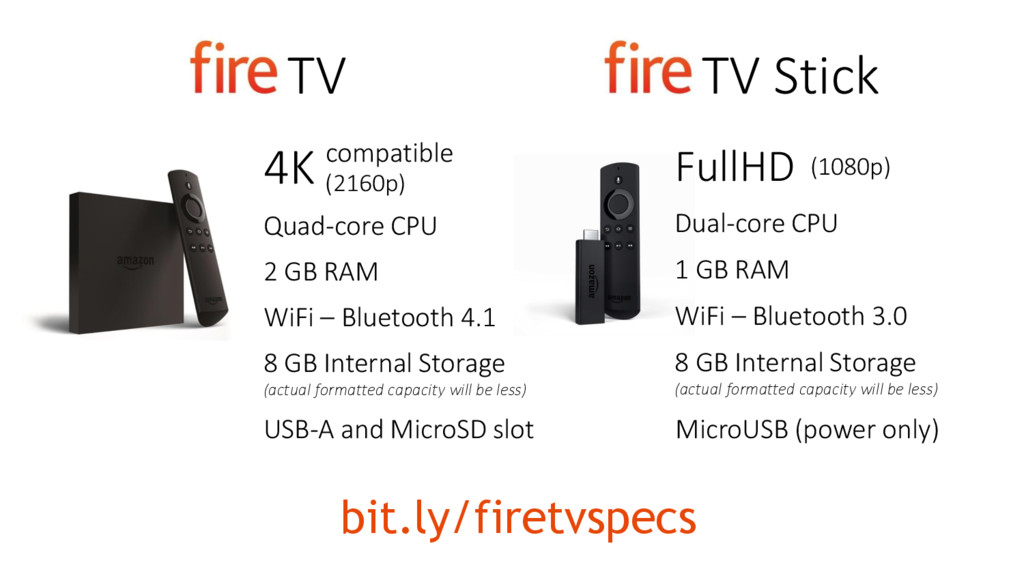
  13. bit.ly/firetvspecs TV TV Stick 4K compatible FullHD Quad-core CPU Dual-core

    CPU 2 GB RAM 1 GB RAM (2160p) (1080p) WiFi – Bluetooth 4.1 WiFi – Bluetooth 3.0 8 GB Internal Storage (actual formatted capacity will be less) 8 GB Internal Storage (actual formatted capacity will be less) USB-A and MicroSD slot MicroUSB (power only)
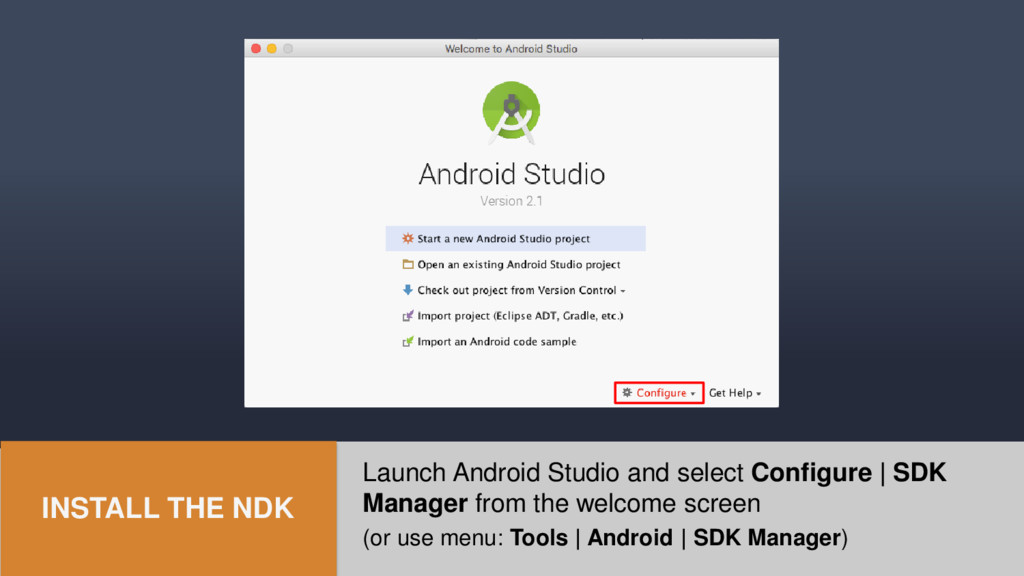
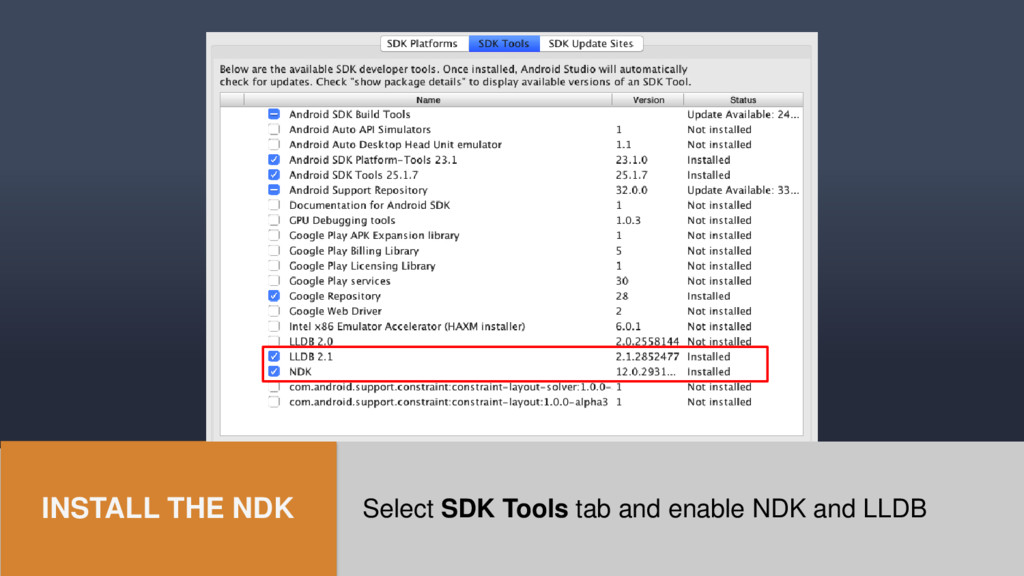
  14. Launch Android Studio and select Configure | SDK Manager from

    the welcome screen (or use menu: Tools | Android | SDK Manager) INSTALL THE NDK
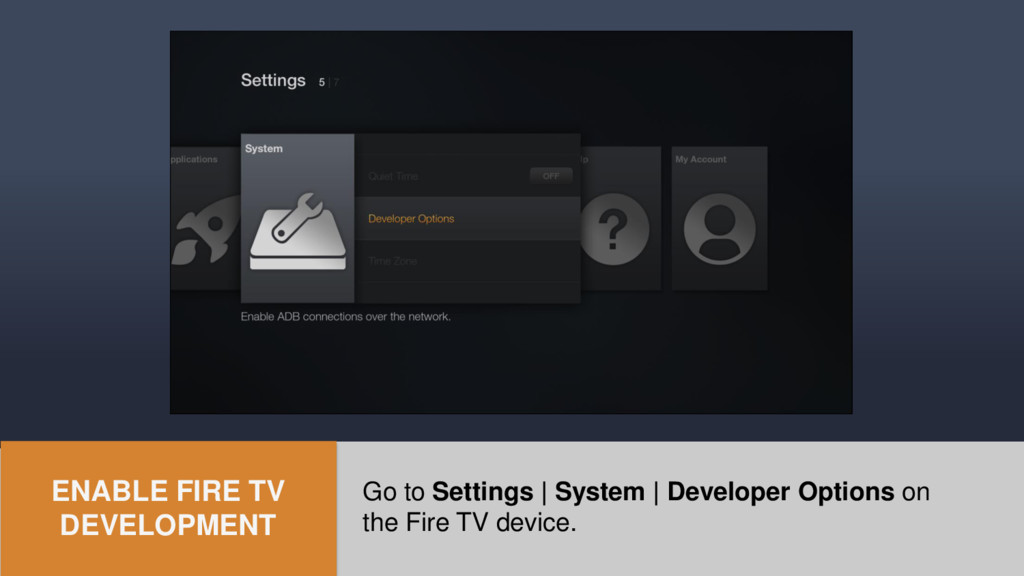
  15. Go to Settings | System | Developer Options on the

    Fire TV device. ENABLE FIRE TV DEVELOPMENT
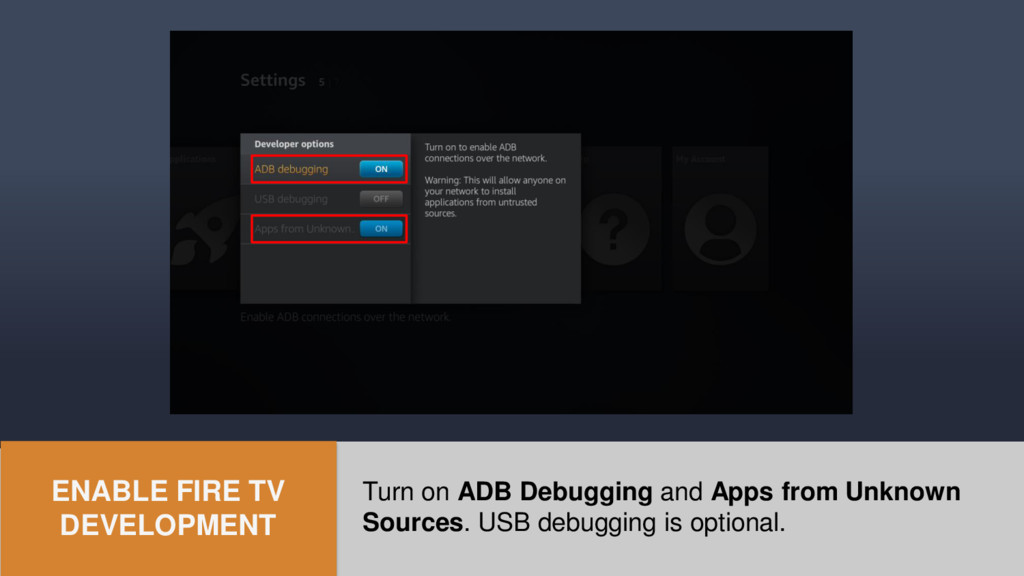
  16. Turn on ADB Debugging and Apps from Unknown Sources. USB

    debugging is optional. ENABLE FIRE TV DEVELOPMENT
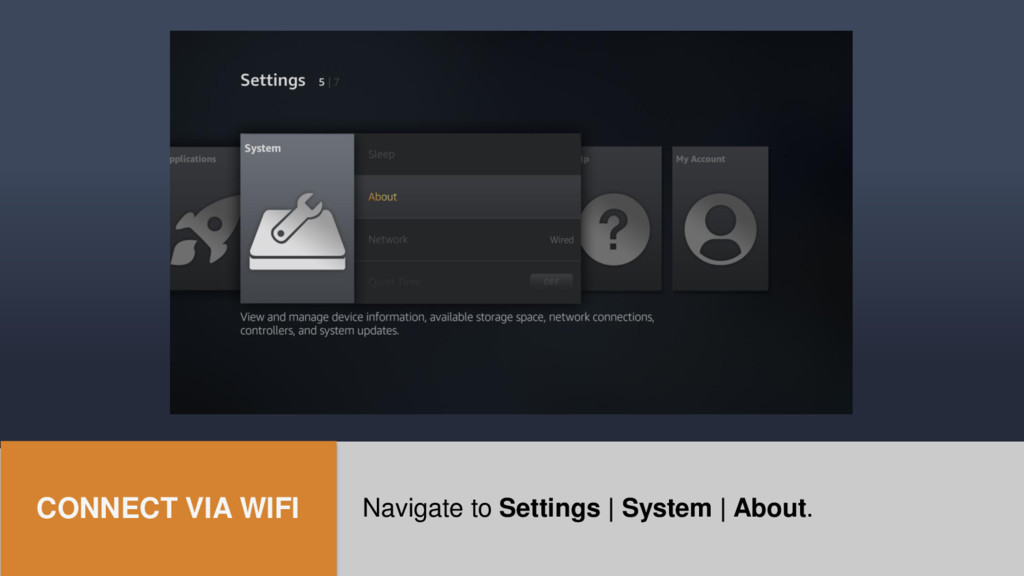
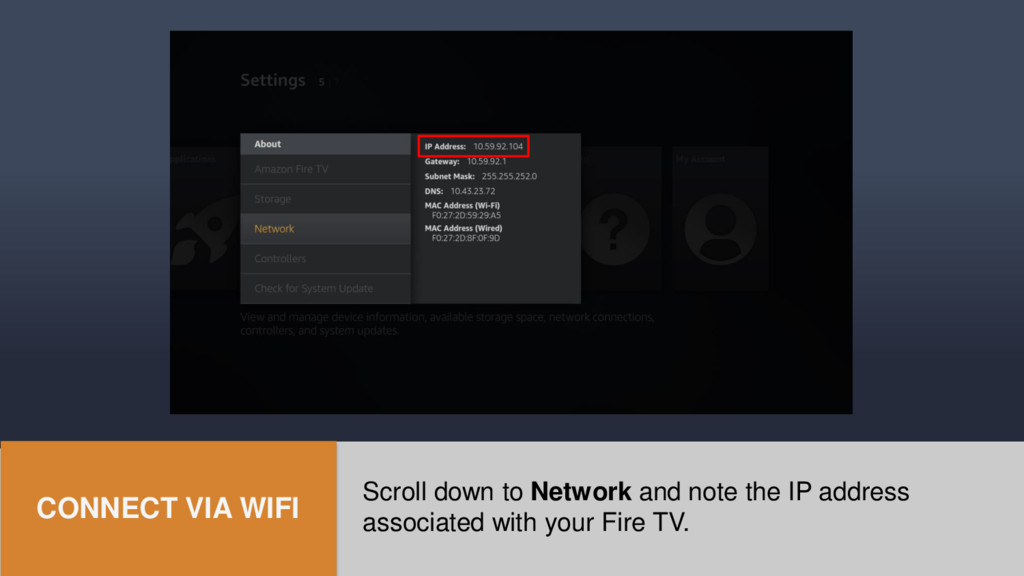
  17. Scroll down to Network and note the IP address associated

    with your Fire TV. CONNECT VIA WIFI
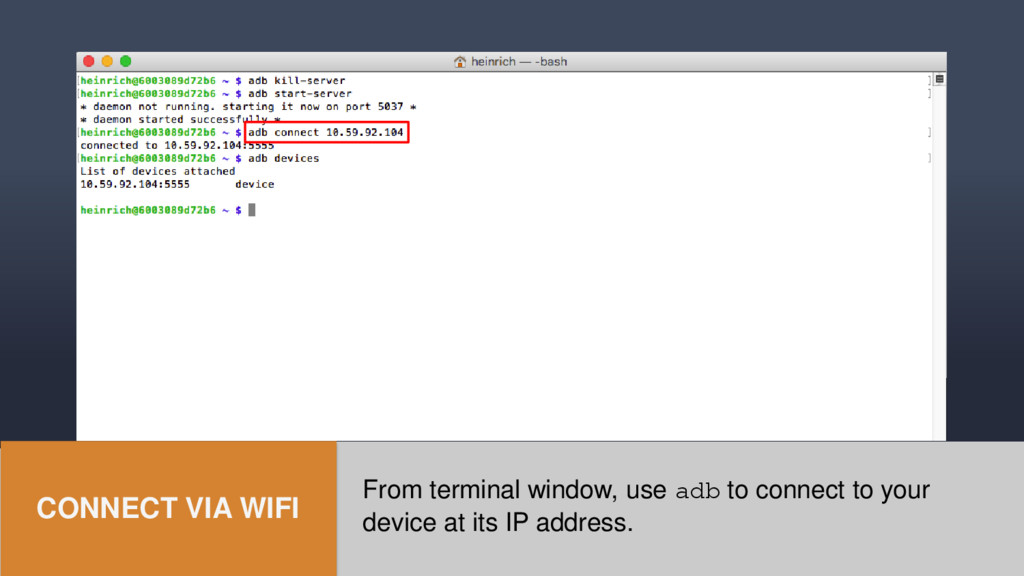
  18. From terminal window, use adb to connect to your device

    at its IP address. CONNECT VIA WIFI
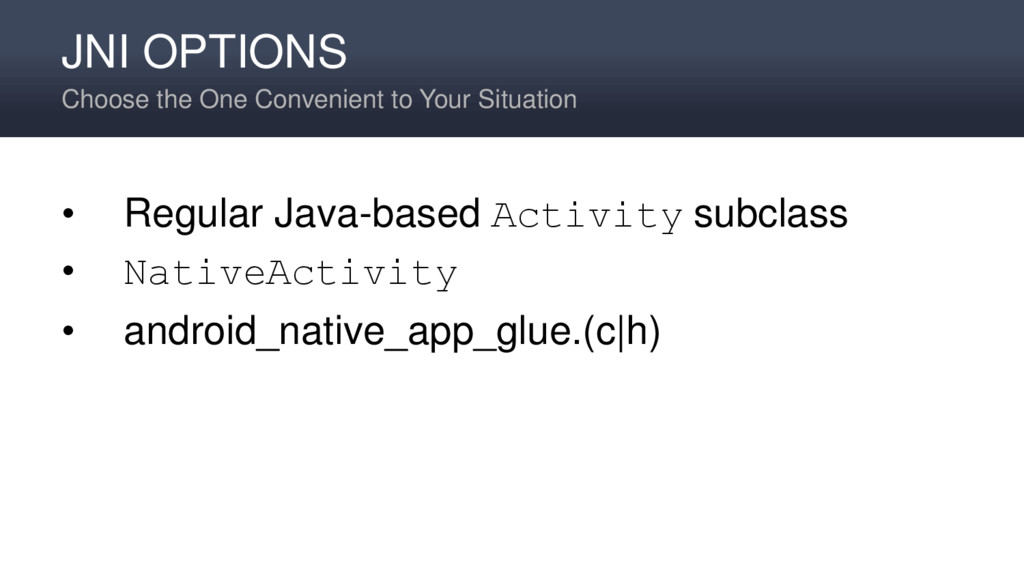
  19. JNI OPTIONS Choose the One Convenient to Your Situation •

    Regular Java-based Activity subclass • NativeActivity • android_native_app_glue.(c|h)
  20. Java-Based Activity Subclass JNI OPTION 1 • Inherits from Activity,

    as usual • Necessary if targeting API level < 9 • You are responsible for passing through parameters like the initialization Bundle • Depends on repetitive pass-through calls (thunking) • Calls happen on main thread, and may block
  21. NativeActivity JNI OPTION 2 • No need to inherit from

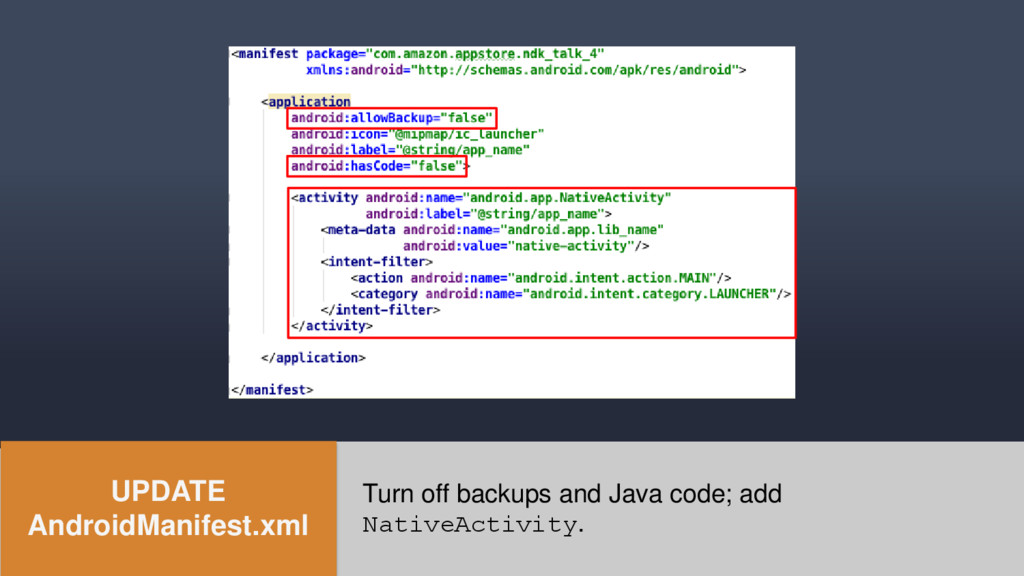
    the class • Just need to add it to the app manifest • Activity name must be android.app.NativeActivity • Meta-data identifies the native library with the C/C++ entry point for your application • Application should indicate that it has no Java code (unless it does!) • minSdkVersion >= 9
  22. NativeActivity JNI OPTION 2 • Calls ANativeActivity_onCreate() in your native

    code • You need to initialize several callback pointers • Calls still happen on the main thread, and may block
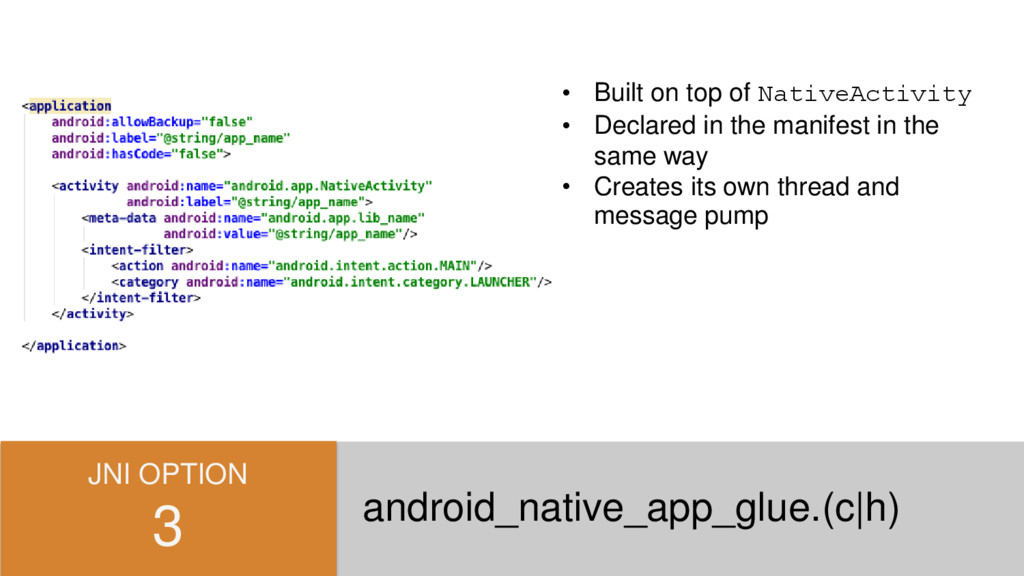
  23. JNI OPTION 3 android_native_app_glue.(c|h) • Built on top of NativeActivity

    • Declared in the manifest in the same way • Creates its own thread and message pump
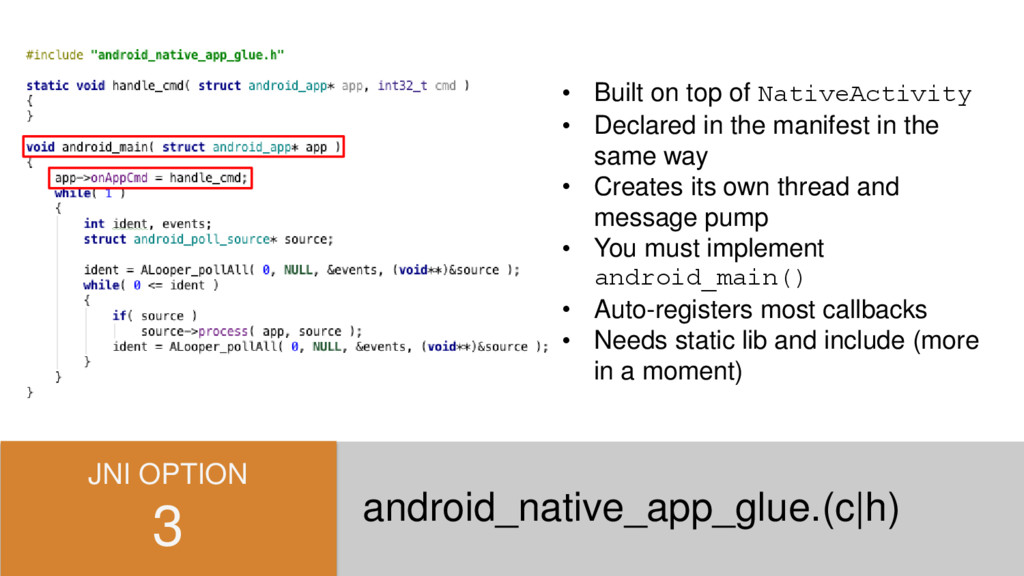
  24. android_native_app_glue.(c|h) JNI OPTION 3 • Built on top of NativeActivity

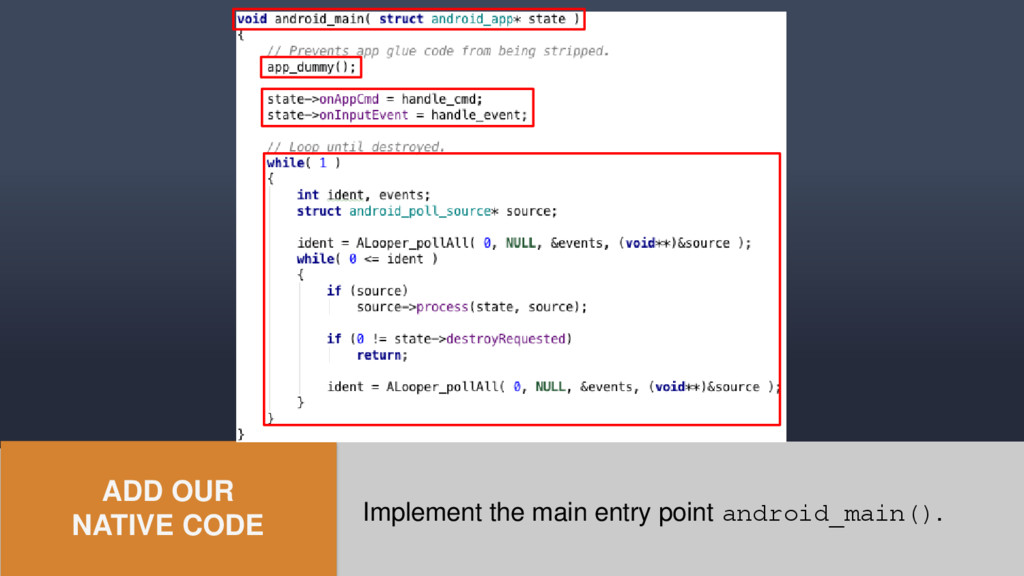
    • Declared in the manifest in the same way • Creates its own thread and message pump • You must implement android_main() • Auto-registers most callbacks • Needs static lib and include (more in a moment)
  25. SIMPLE, FAST, & CONVENIENT android_native_app_glue.(c|h) We're going to use android_native_app_glue

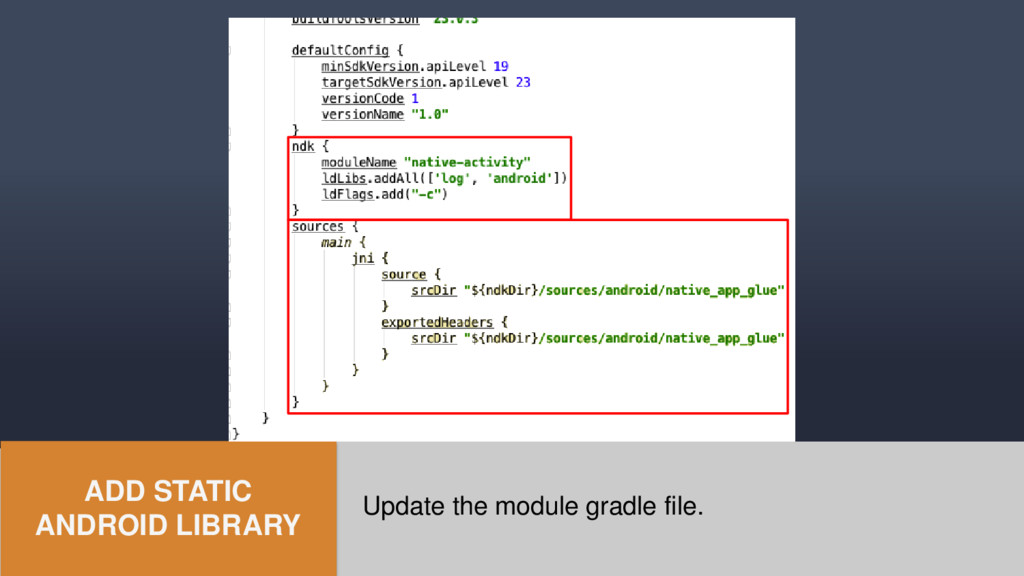
    because it's straightforward and offers the threading advantage. gradle-experimental will make things a little easier and cleaner (no makefiles or ndk-build scripting).
  26. STEP-BY-STEP Creating a Fire TV NDK Project in Android Studio

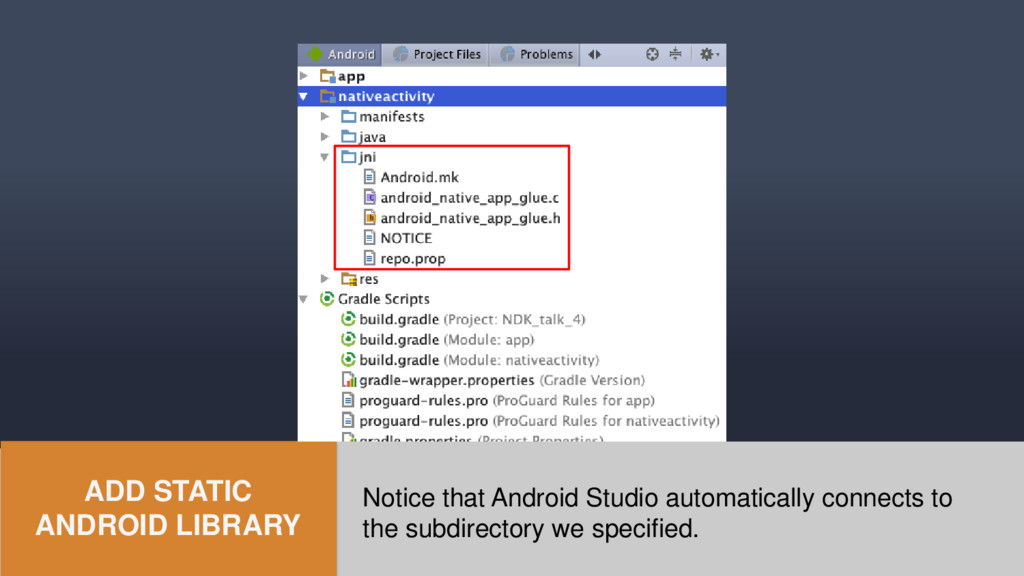
    • Create the project • Switch to gradle-experimental / update gradle files • Add Android static library module • Add our native code
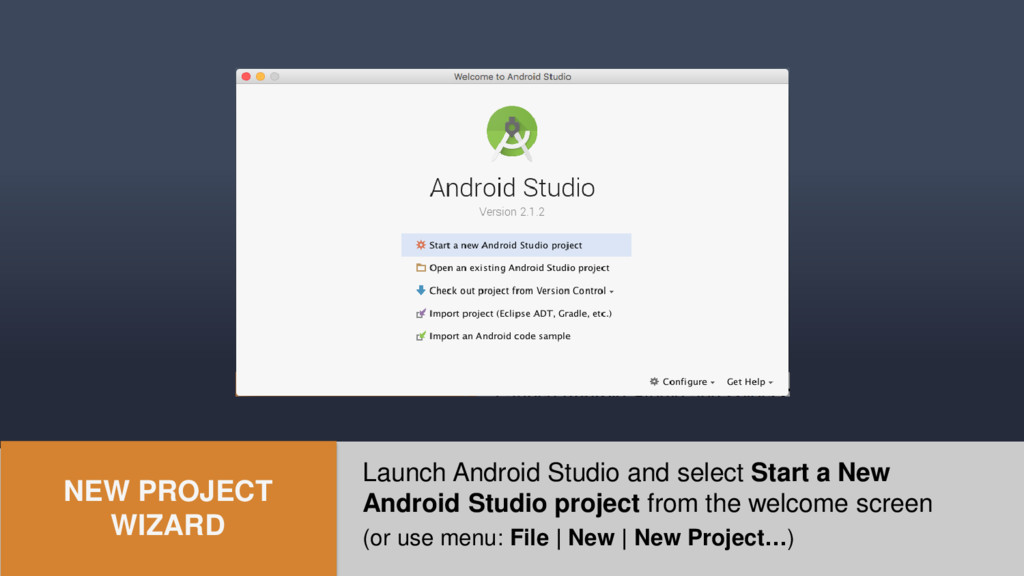
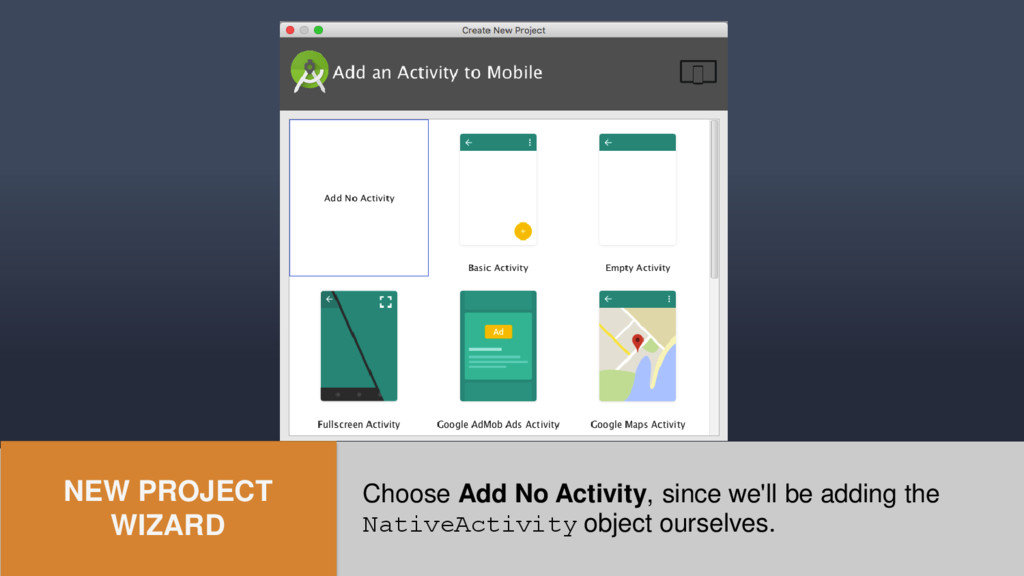
  27. Launch Android Studio and select Start a New Android Studio

    project from the welcome screen (or use menu: File | New | New Project…) NEW PROJECT WIZARD
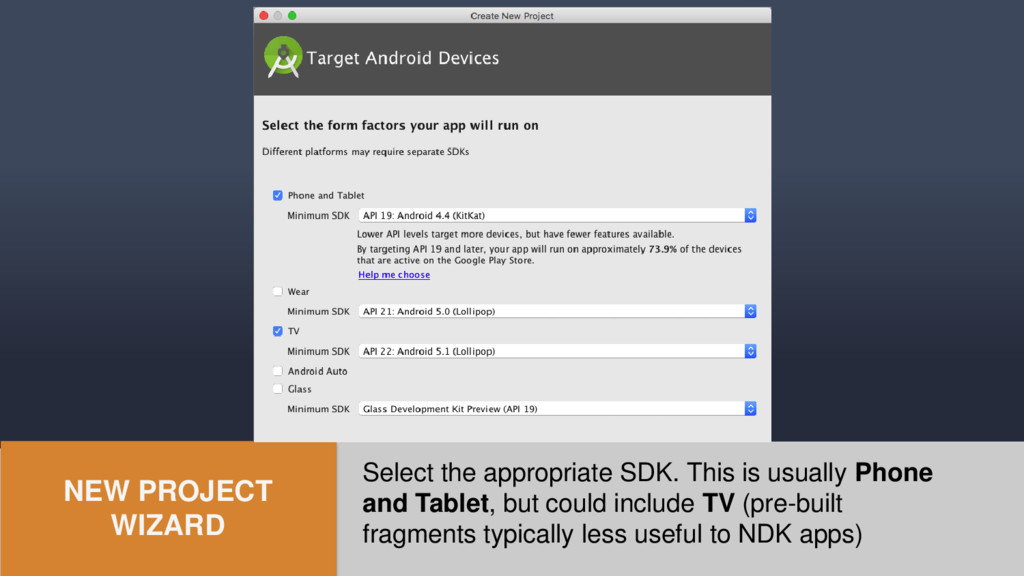
  28. Select the appropriate SDK. This is usually Phone and Tablet,

    but could include TV (pre-built fragments typically less useful to NDK apps) NEW PROJECT WIZARD
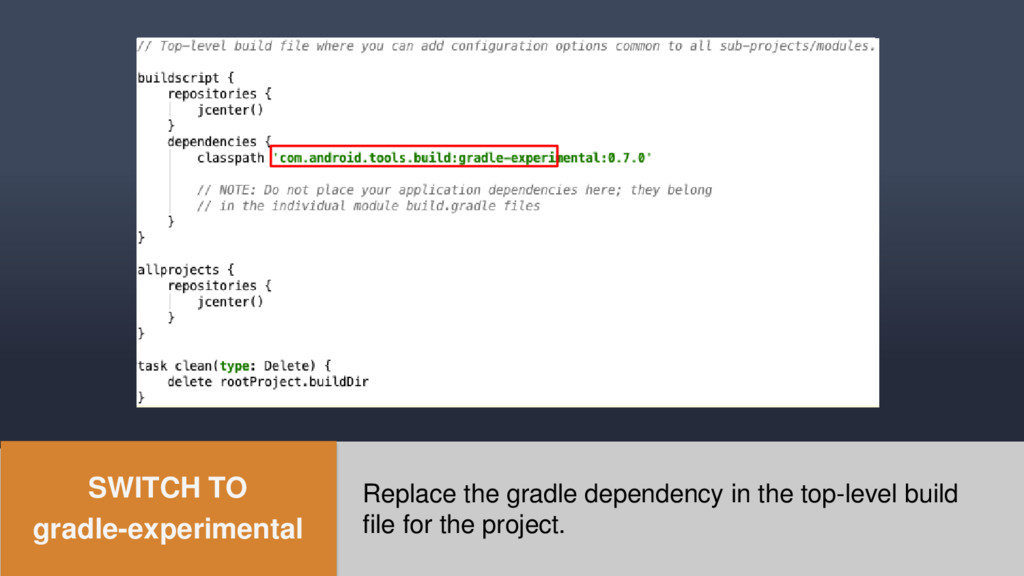
  29. Replace the gradle dependency in the top-level build file for

    the project. SWITCH TO gradle-experimental
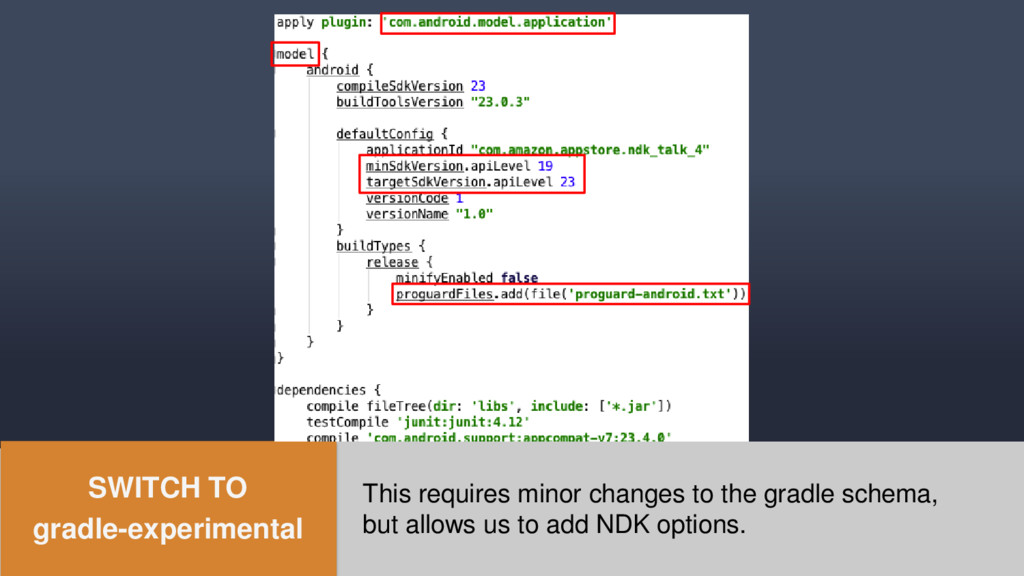
  30. This requires minor changes to the gradle schema, but allows

    us to add NDK options. SWITCH TO gradle-experimental
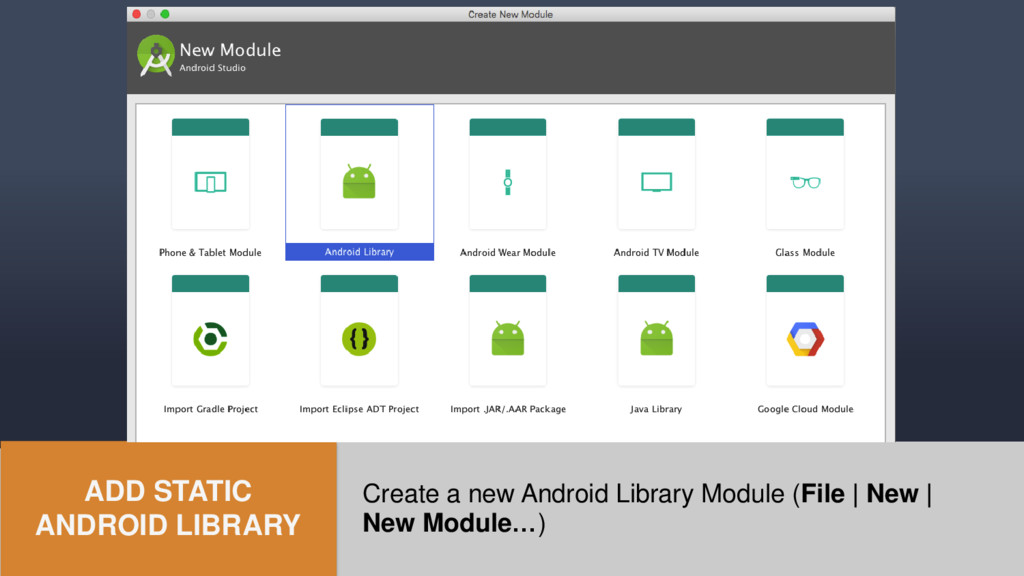
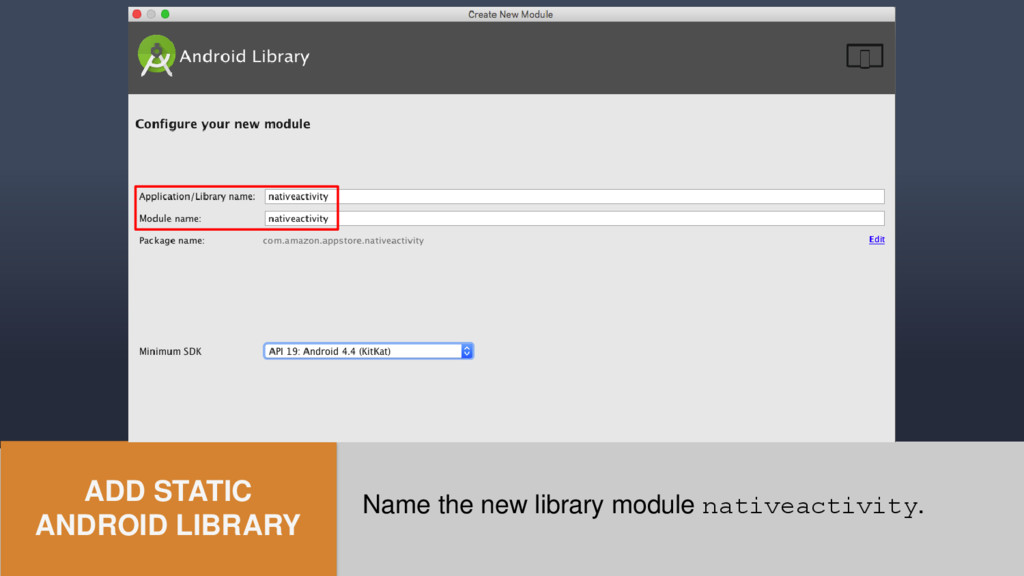
  31. Create a new Android Library Module (File | New |

    New Module…) ADD STATIC ANDROID LIBRARY
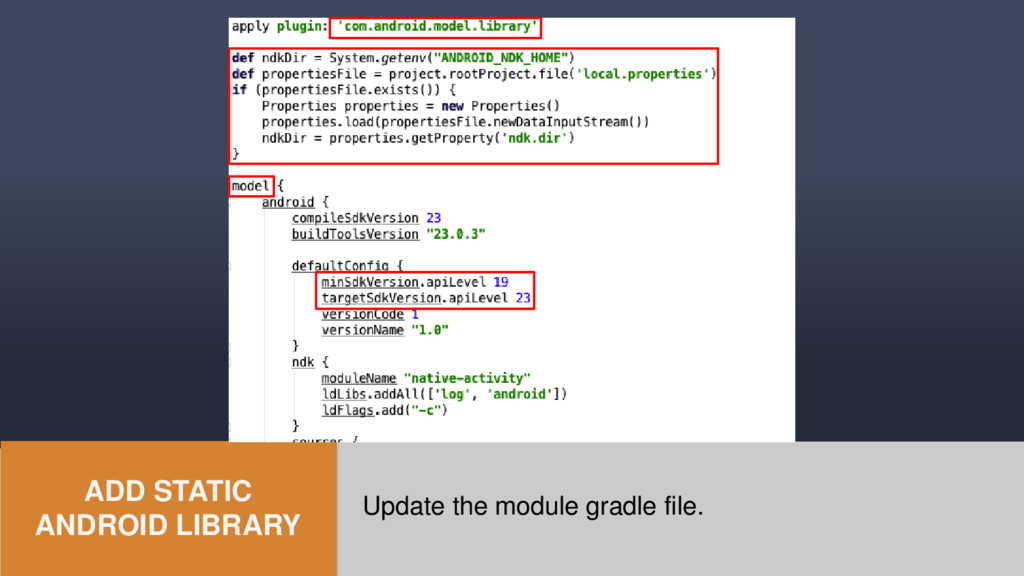
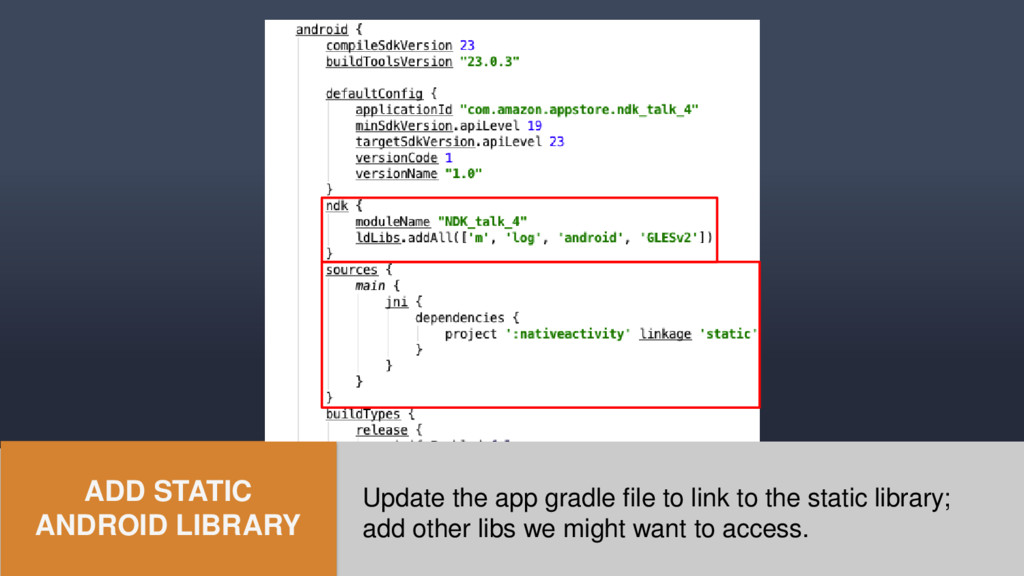
  32. Update the app gradle file to link to the static

    library; add other libs we might want to access. ADD STATIC ANDROID LIBRARY
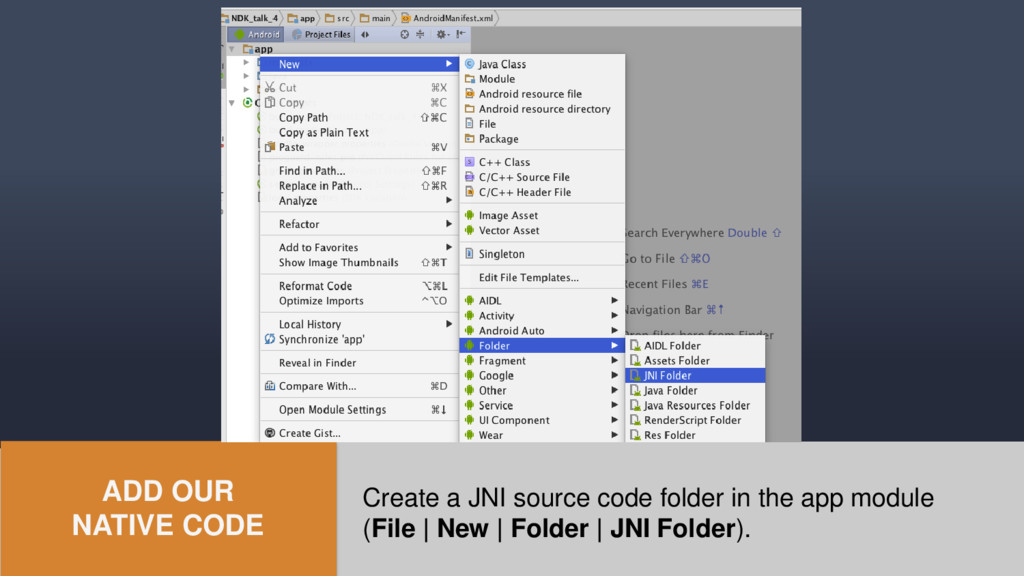
  33. ADD OUR NATIVE CODE Create a JNI source code folder

    in the app module (File | New | Folder | JNI Folder).
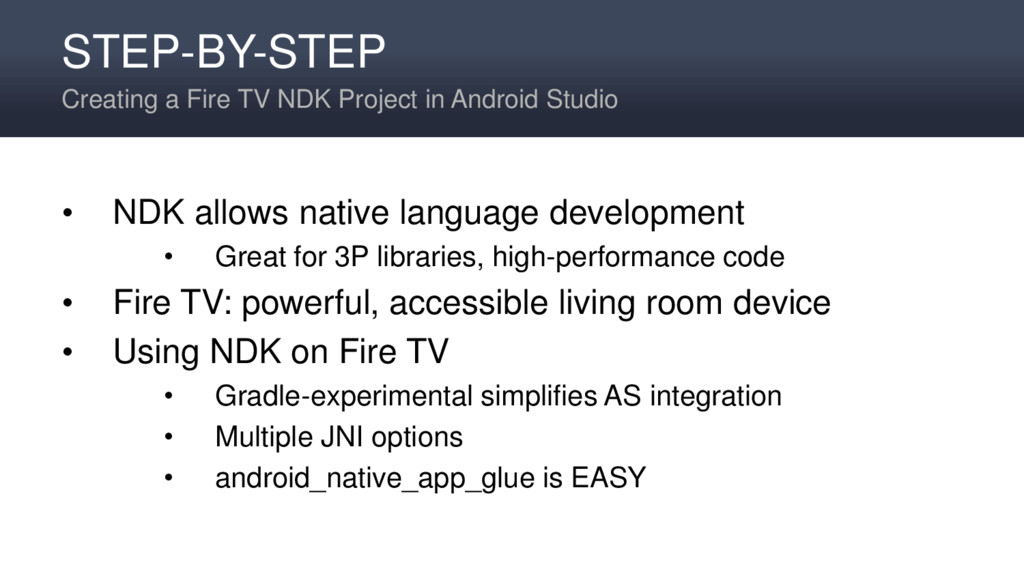
  34. STEP-BY-STEP Creating a Fire TV NDK Project in Android Studio

    • NDK allows native language development • Great for 3P libraries, high-performance code • Fire TV: powerful, accessible living room device • Using NDK on Fire TV • Gradle-experimental simplifies AS integration • Multiple JNI options • android_native_app_glue is EASY