[-c name=value] [--help] <command> [<args>] ! The most commonly used git commands are: add Add file contents to the index bisect Find by binary search the change that introduced a bug branch List, create, or delete branches checkout Checkout a branch or paths to the working tree clone Clone a repository into a new directory commit Record changes to the repository diff Show changes between commits, commit and working tree, etc fetch Download objects and refs from another repository grep Print lines matching a pattern init Create an empty git repository or reinitialize an existing one log Show commit logs merge Join two or more development histories together mv Move or rename a file, a directory, or a symlink pull Fetch from and merge with another repository or a local branch push Update remote refs along with associated objects rebase Forward-port local commits to the updated upstream head reset Reset current HEAD to the specified state rm Remove files from the working tree and from the index show Show various types of objects status Show the working tree status tag Create, list, delete or verify a tag object signed with GPG ! See 'git help <command>' for more information on a specific command.
[-c name=value] [--help] <command> [<args>] ! The most commonly used git commands are: add Add file contents to the index bisect Find by binary search the change that introduced a bug branch List, create, or delete branches checkout Checkout a branch or paths to the working tree clone Clone a repository into a new directory commit Record changes to the repository diff Show changes between commits, commit and working tree, etc fetch Download objects and refs from another repository grep Print lines matching a pattern init Create an empty git repository or reinitialize an existing one log Show commit logs merge Join two or more development histories together mv Move or rename a file, a directory, or a symlink pull Fetch from and merge with another repository or a local branch push Update remote refs along with associated objects rebase Forward-port local commits to the updated upstream head reset Reset current HEAD to the specified state rm Remove files from the working tree and from the index show Show various types of objects status Show the working tree status tag Create, list, delete or verify a tag object signed with GPG ! See 'git help <command>' for more information on a specific command.
sed, porta ac lorem. Donec eget dolor pharetra nisi tempus imperdiet rhoncus quis lacus. Suspendisse viverra eros ut ante fringilla auctor consectetur massa commodo. Donec eget dolor pharetra nisi tempus imperdiet rhoncus quis lacus. Suspendisse viverra eros ut ante fringilla auctor consectetur massa commodo. Donec eget dolor pharetra nisi tempus imperdiet rhoncus quis lacus. Suspendisse viverra eros ut ante fringilla auctor consectetur massa commodo. Donec eget dolor pharetra nisi tempus imperdiet rhoncus quis lacus.
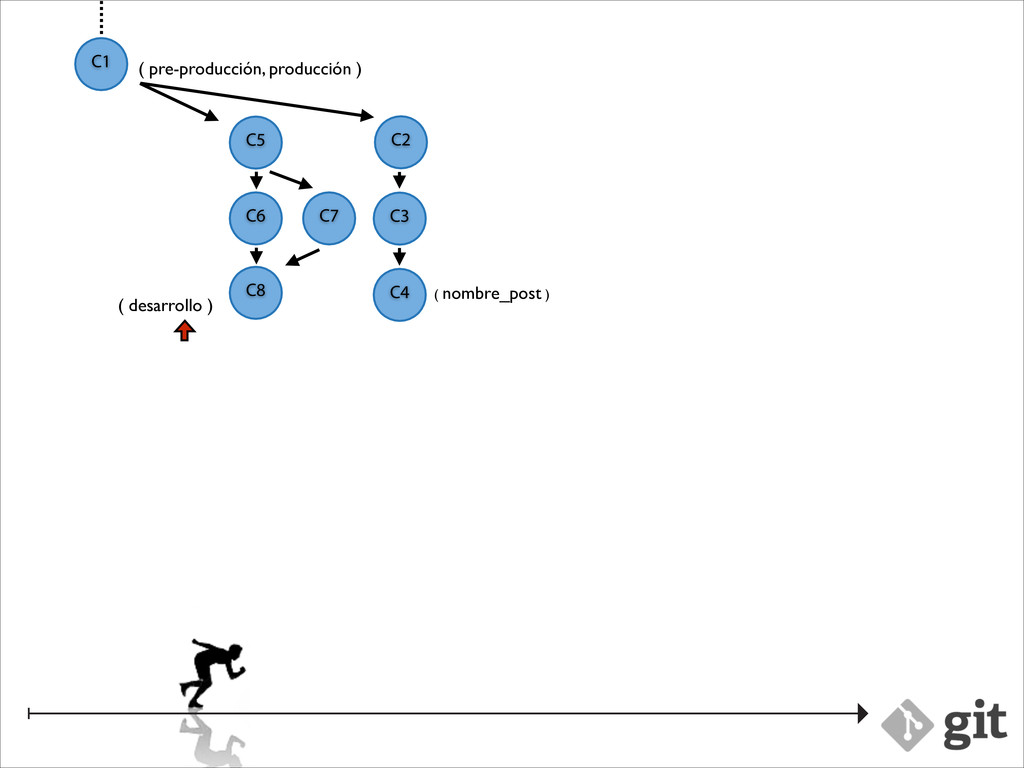
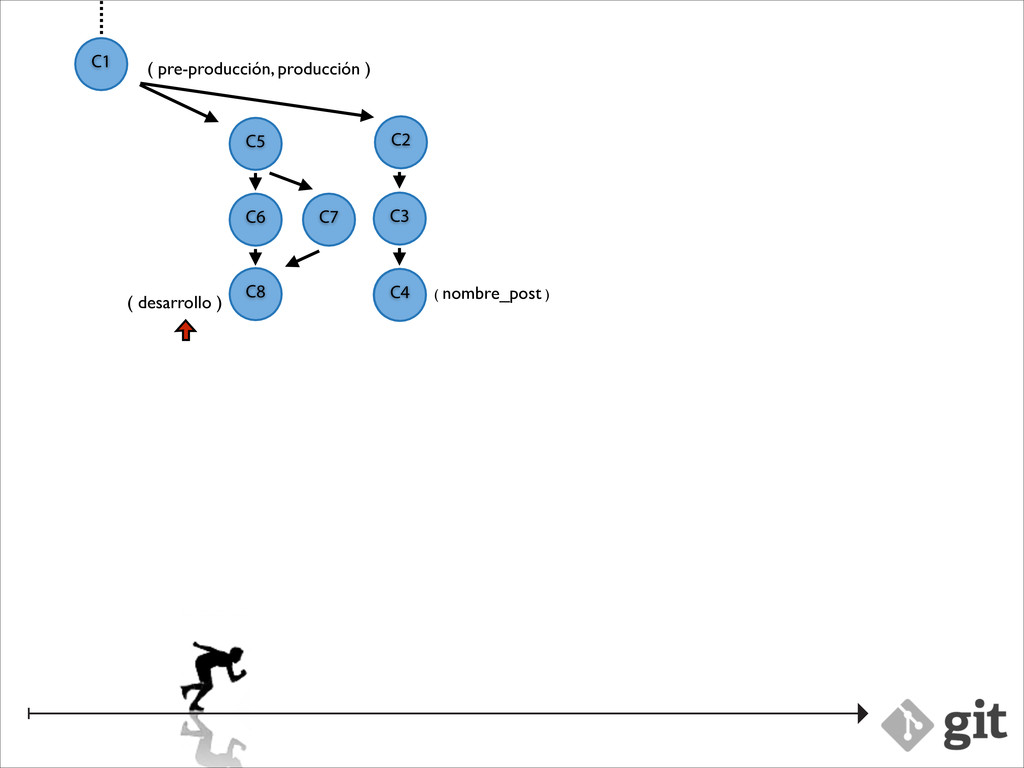
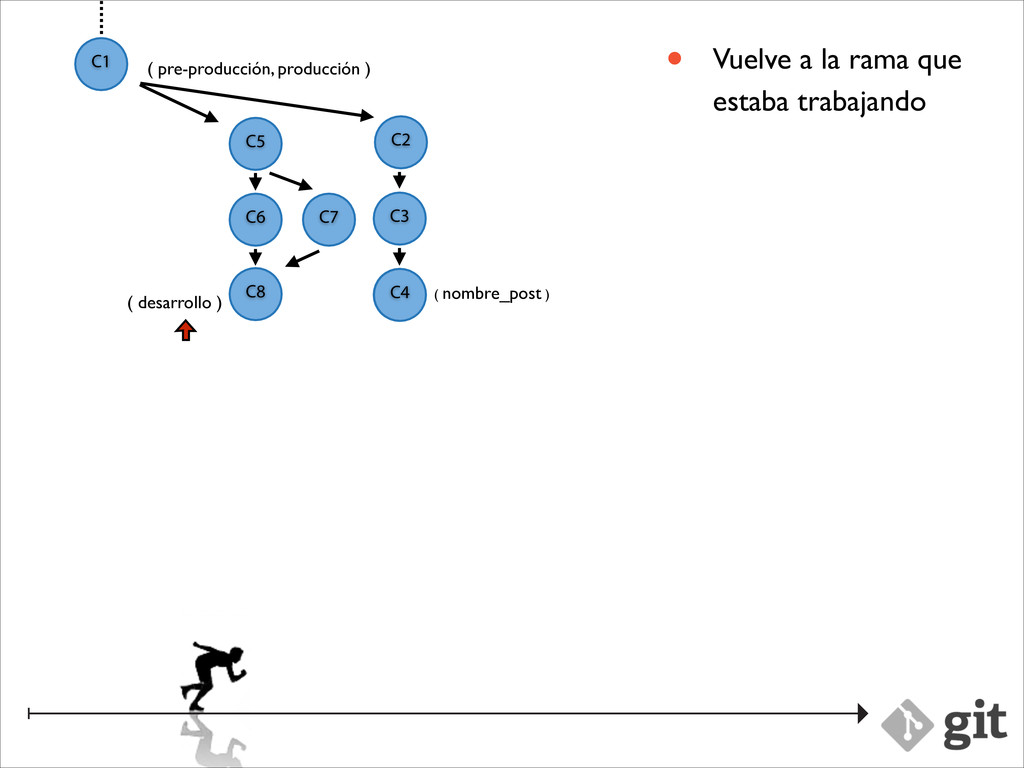
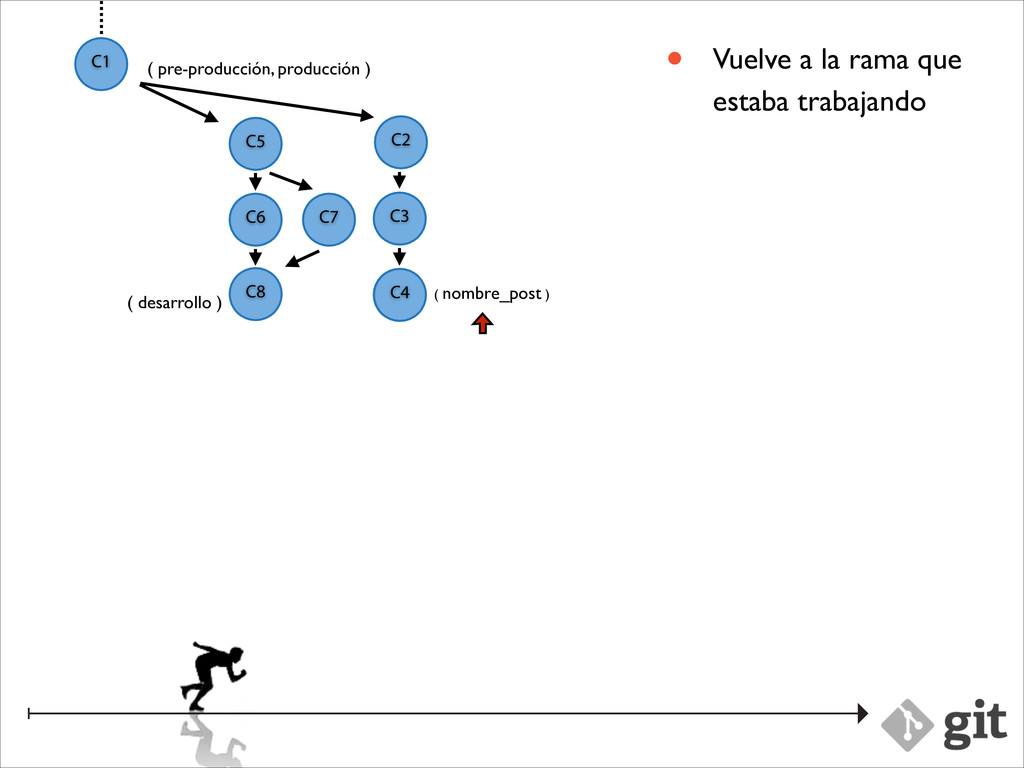
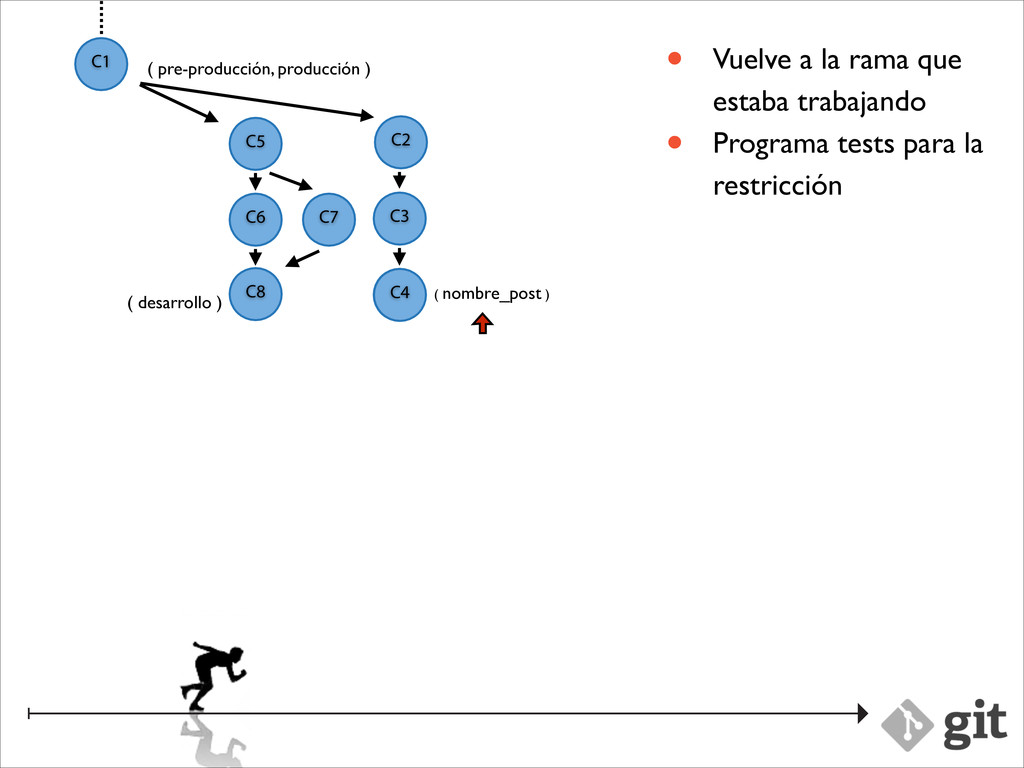
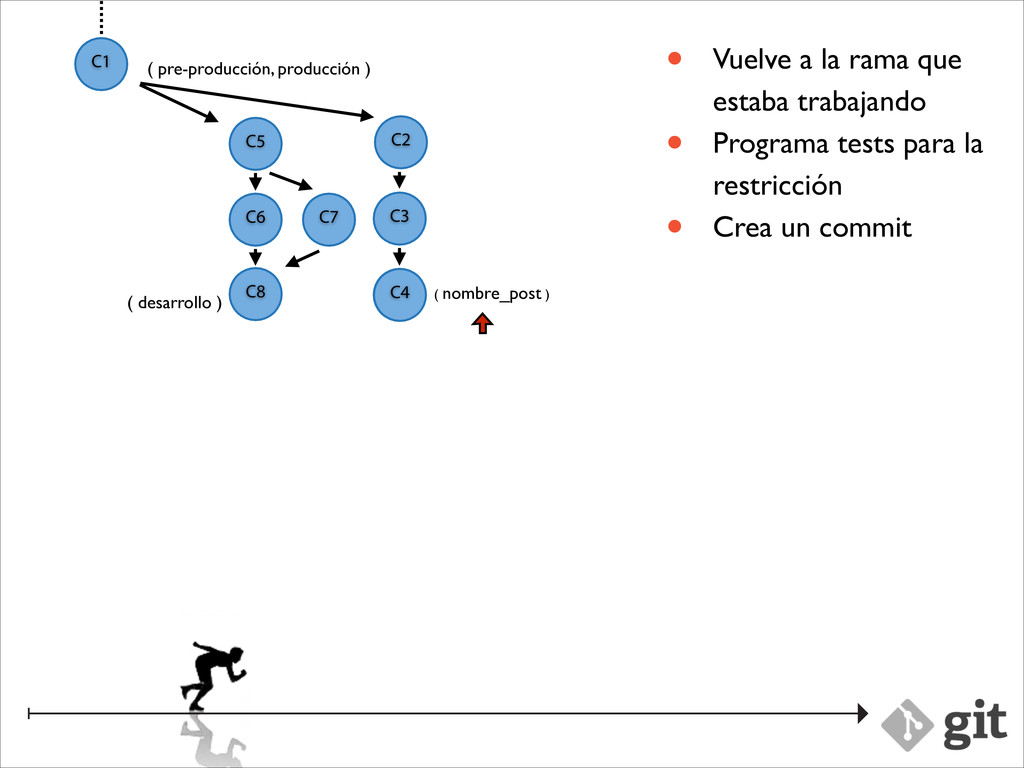
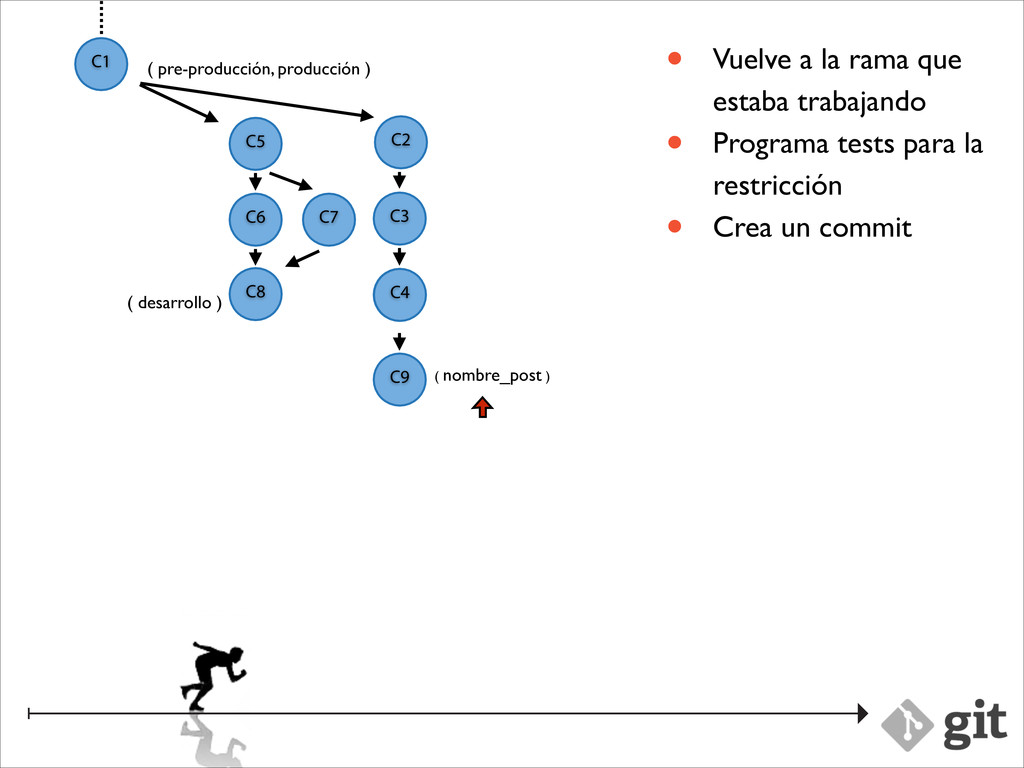
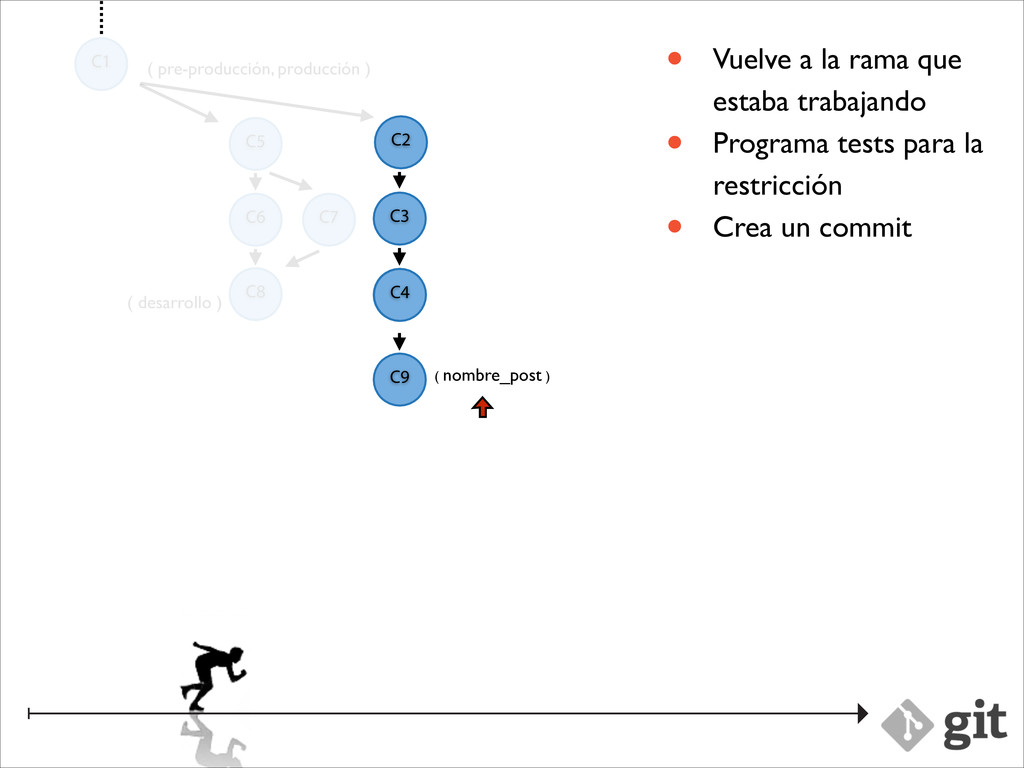
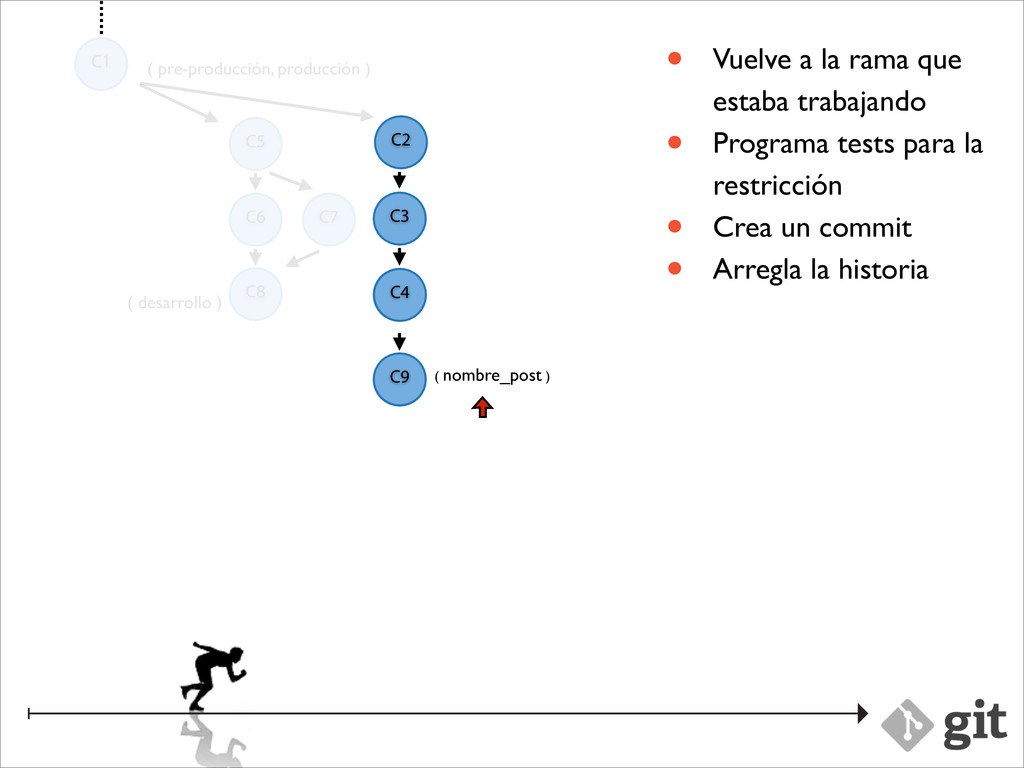
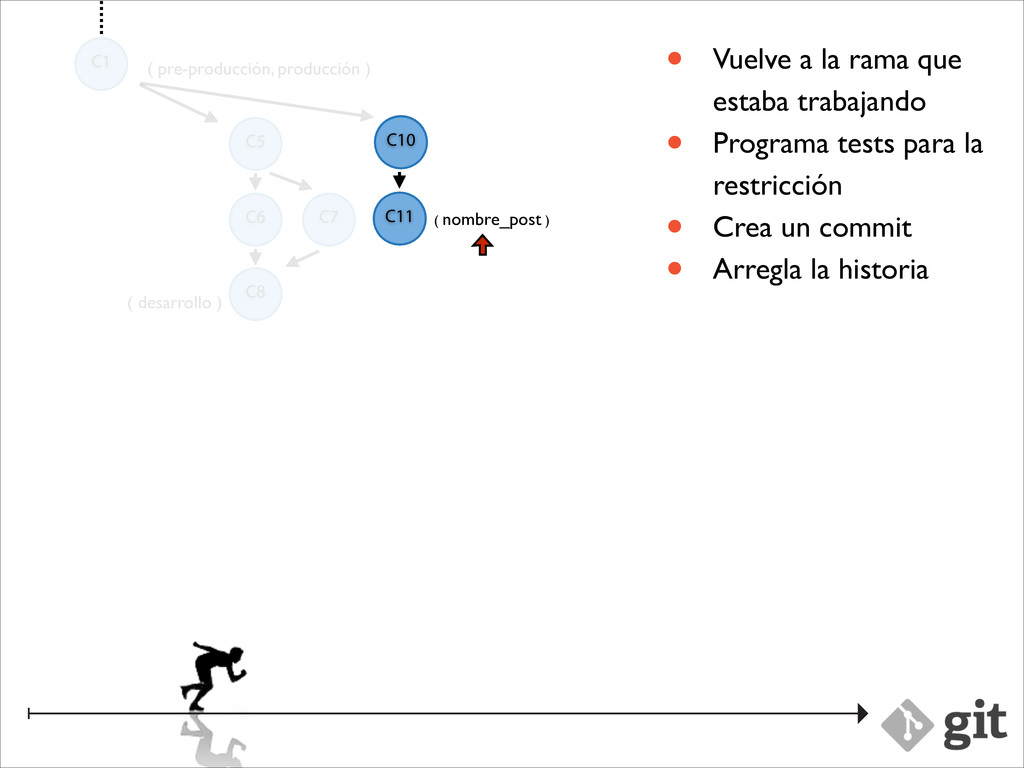
producción ) ( nombre_post ) C2 C3 C4 • Vuelve a la rama que estaba trabajando • Programa tests para la restricción • Crea un commit • Arregla la historia C9 C9 C4
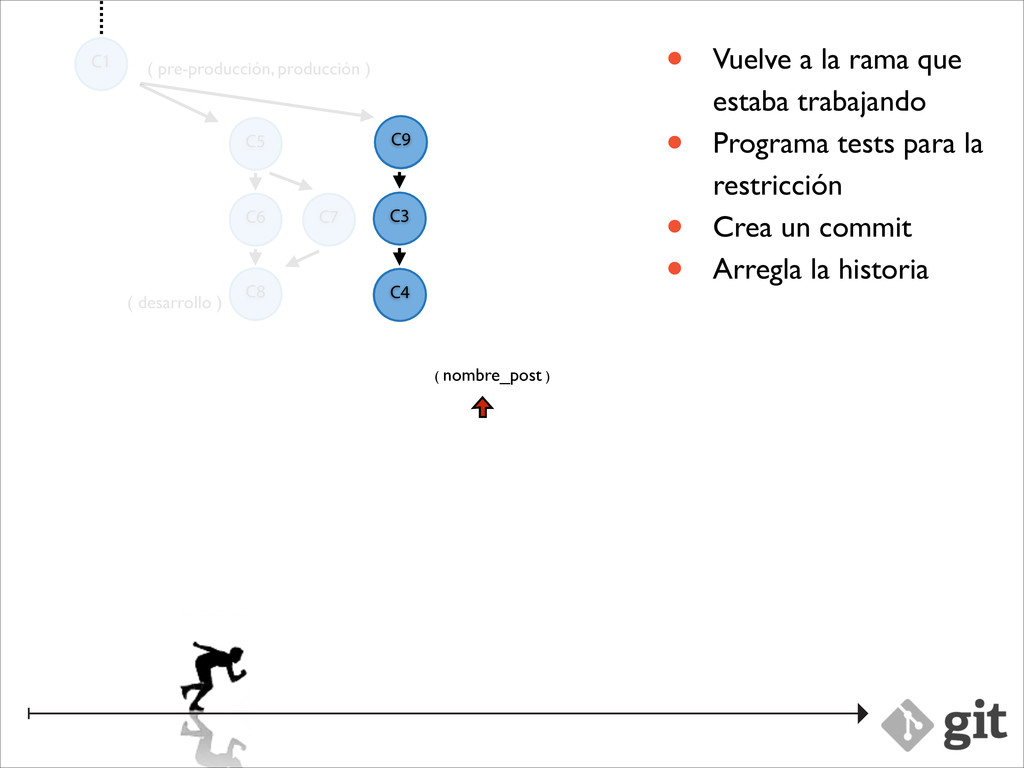
producción ) ( nombre_post ) C2 C3 C4 • Vuelve a la rama que estaba trabajando • Programa tests para la restricción • Crea un commit • Arregla la historia C9 C4
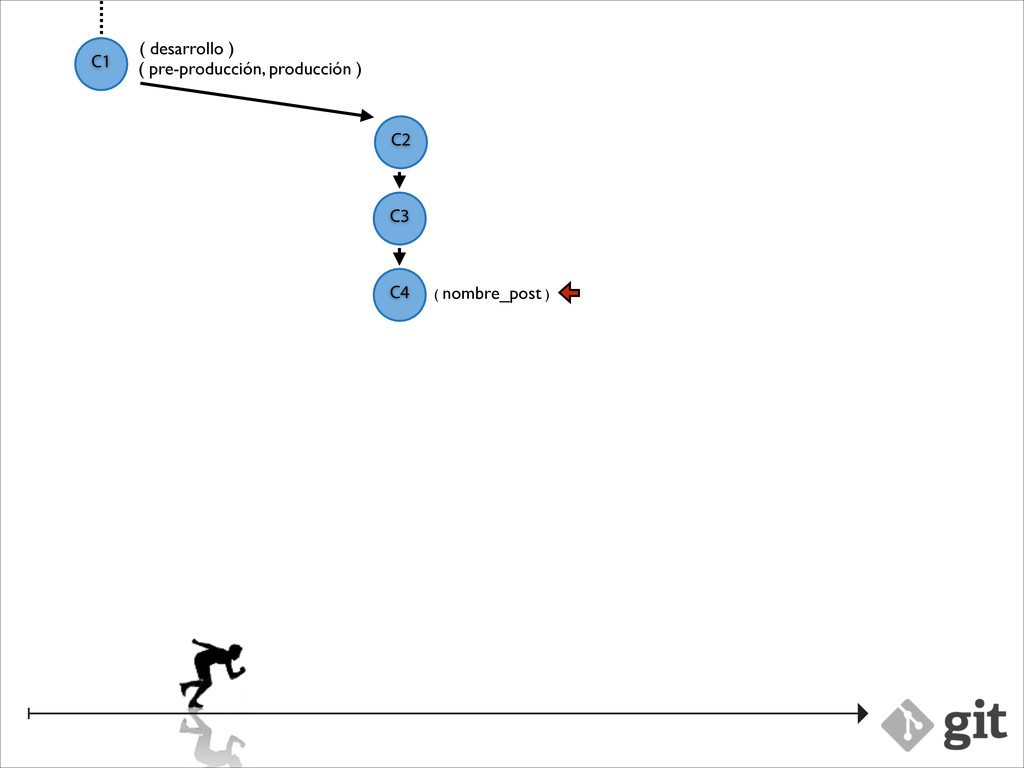
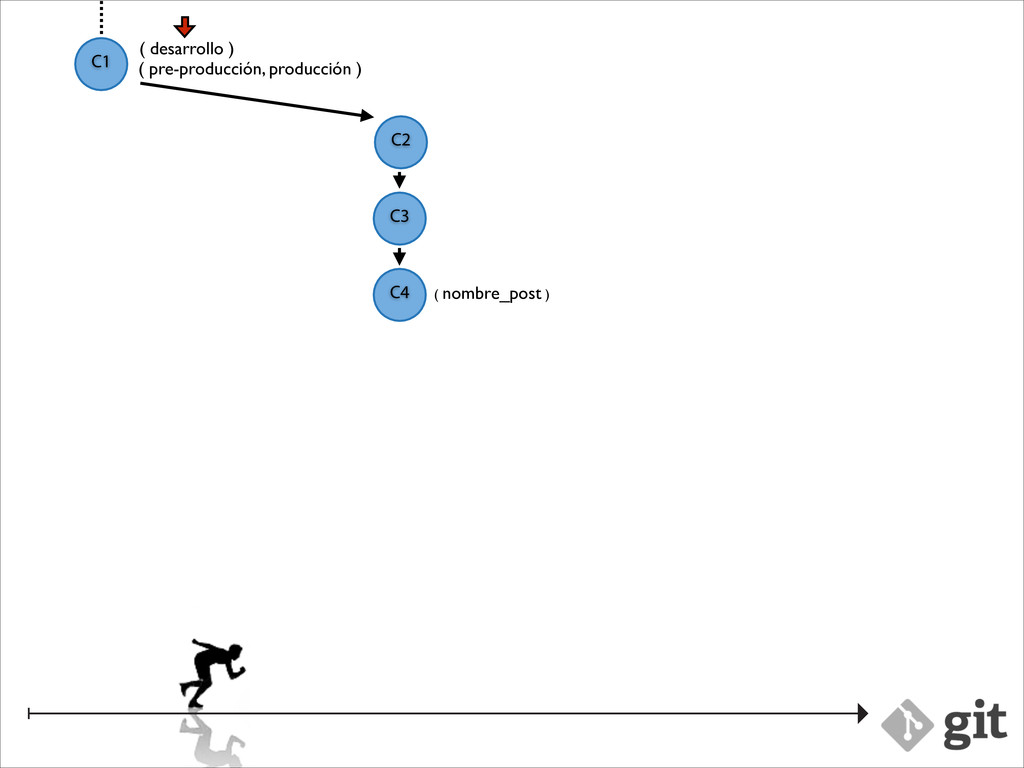
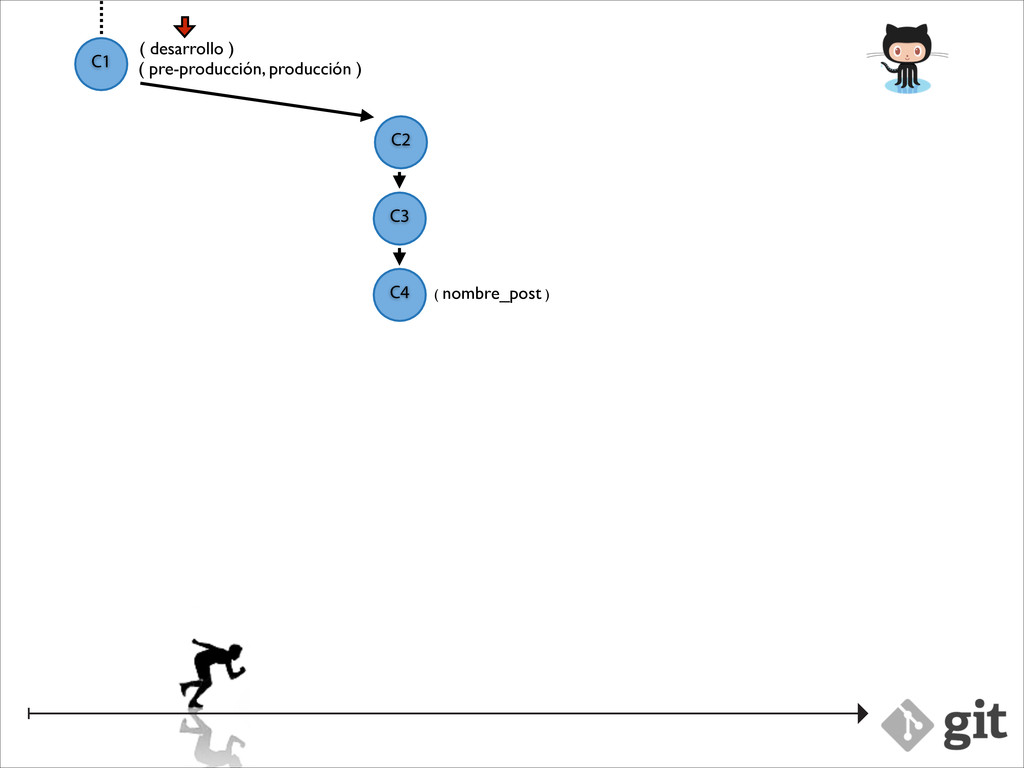
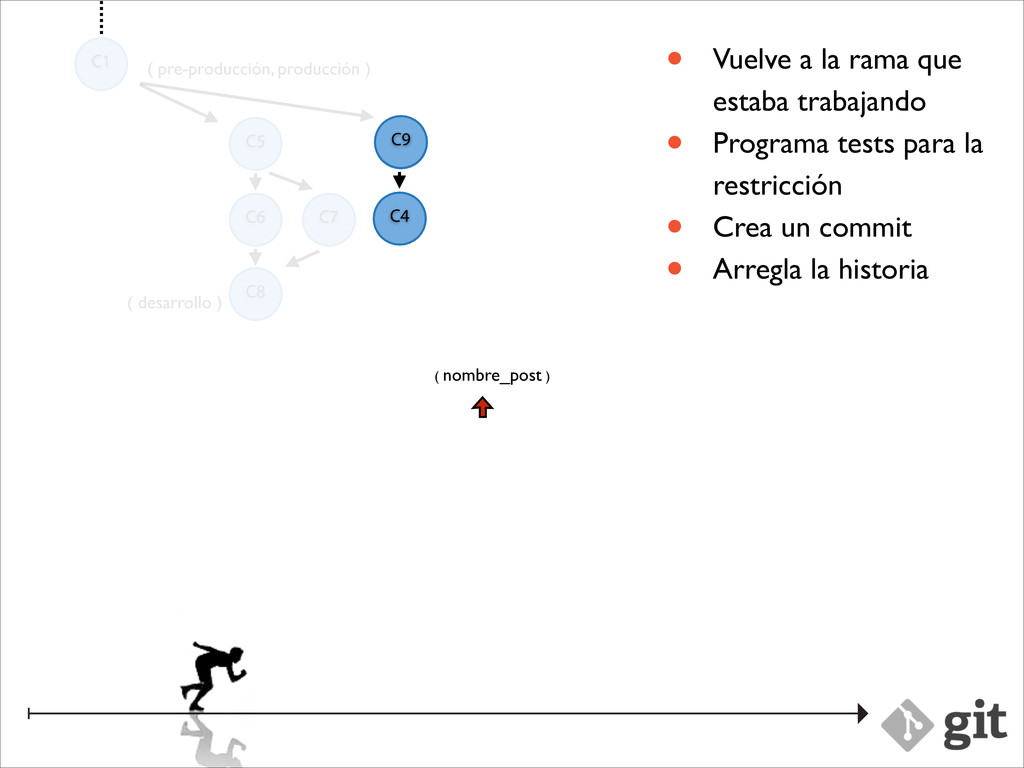
producción ) ( nombre_post ) C2 C3 • Vuelve a la rama que estaba trabajando • Programa tests para la restricción • Crea un commit • Arregla la historia C9 C4
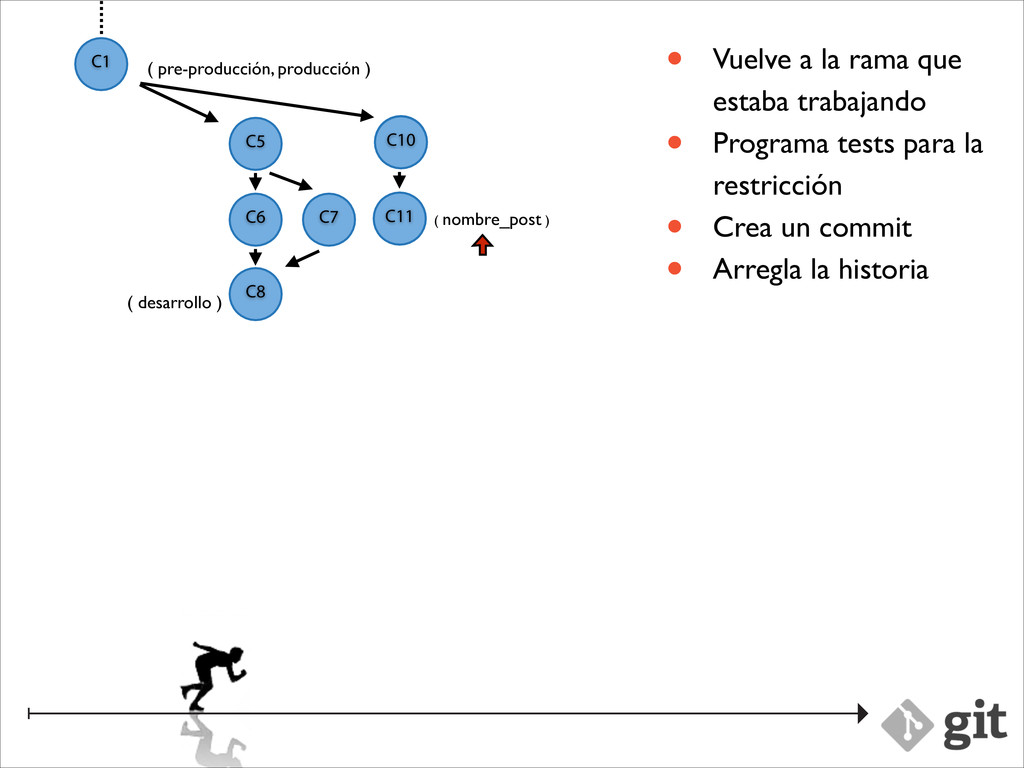
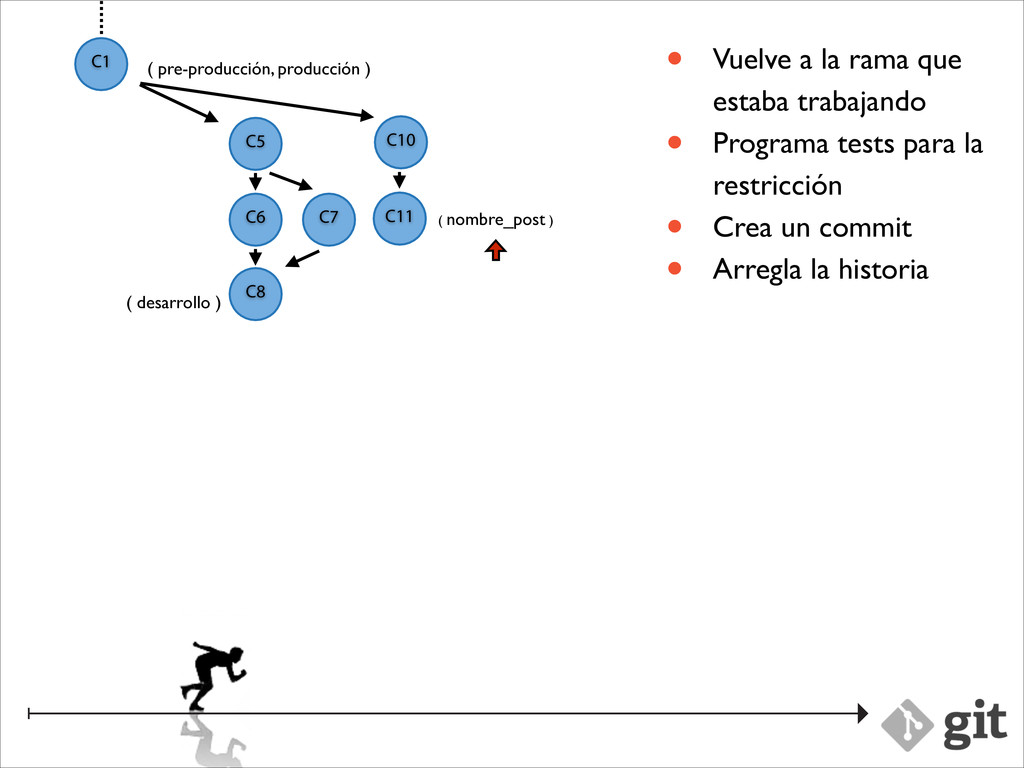
producción ) ( nombre_post ) C2 C3 • Vuelve a la rama que estaba trabajando • Programa tests para la restricción • Crea un commit • Arregla la historia C9 C4 C10 C11
producción ) ( nombre_post ) C2 C3 • Vuelve a la rama que estaba trabajando • Programa tests para la restricción • Crea un commit • Arregla la historia C9 C4 C10 C11
producción ) ( nombre_post ) C2 C3 • Vuelve a la rama que estaba trabajando • Programa tests para la restricción • Crea un commit • Arregla la historia C9 C4 C10 C11
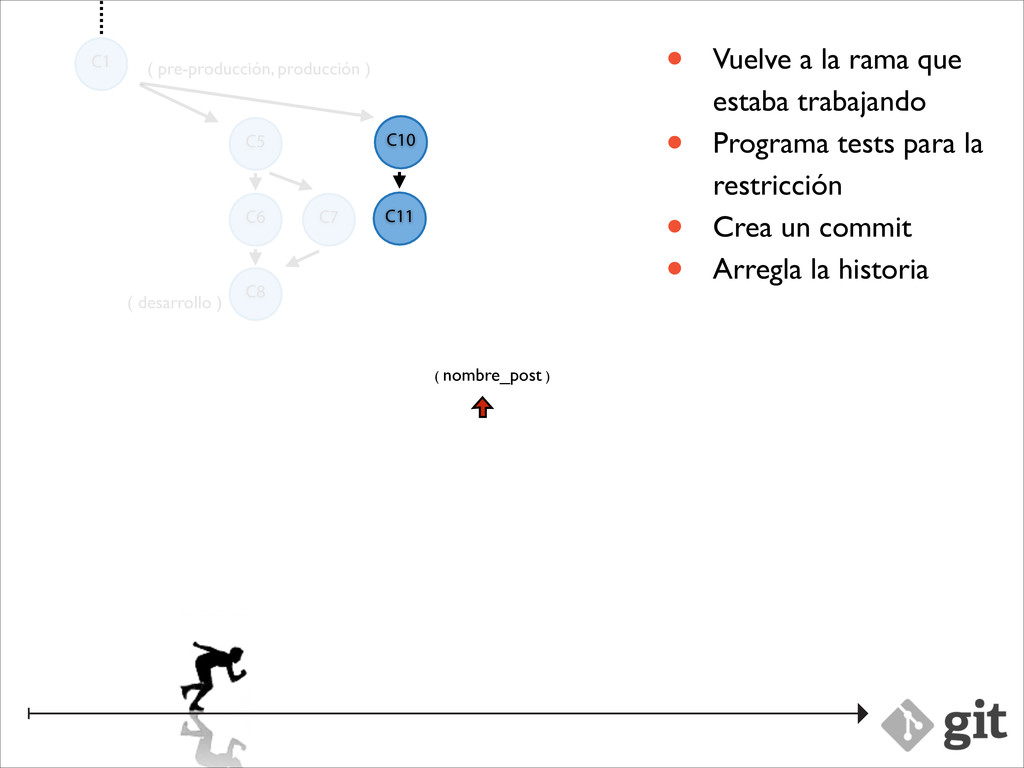
producción ) ( nombre_post ) C2 C3 • Vuelve a la rama que estaba trabajando • Programa tests para la restricción • Crea un commit • Arregla la historia C10 C11
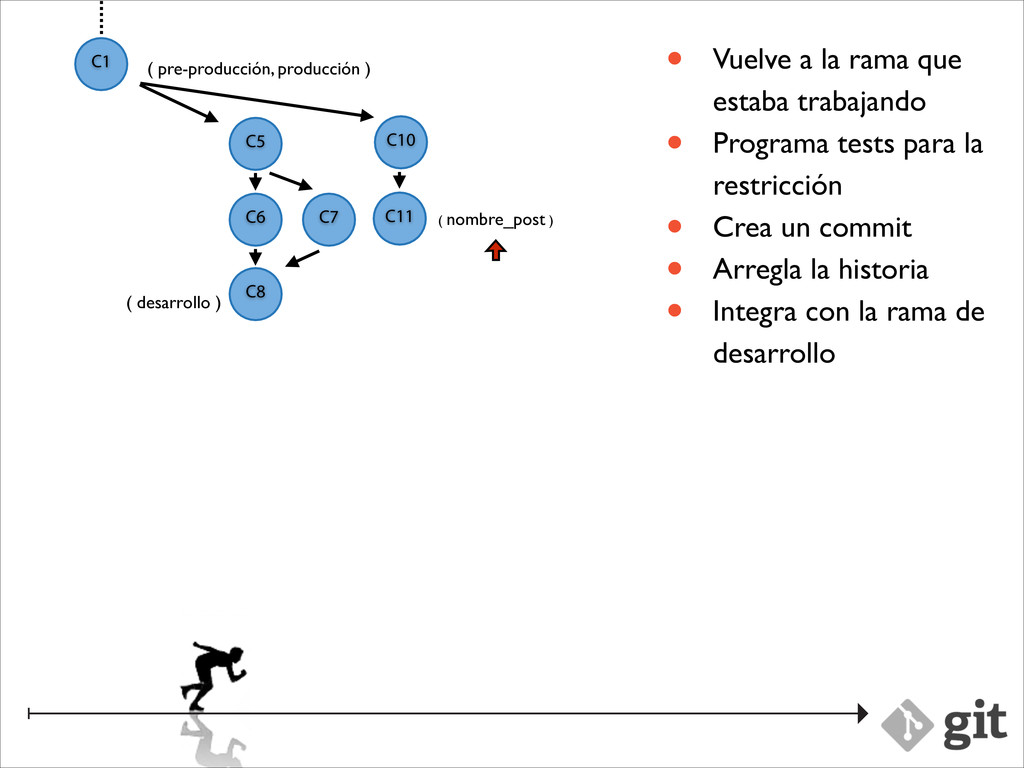
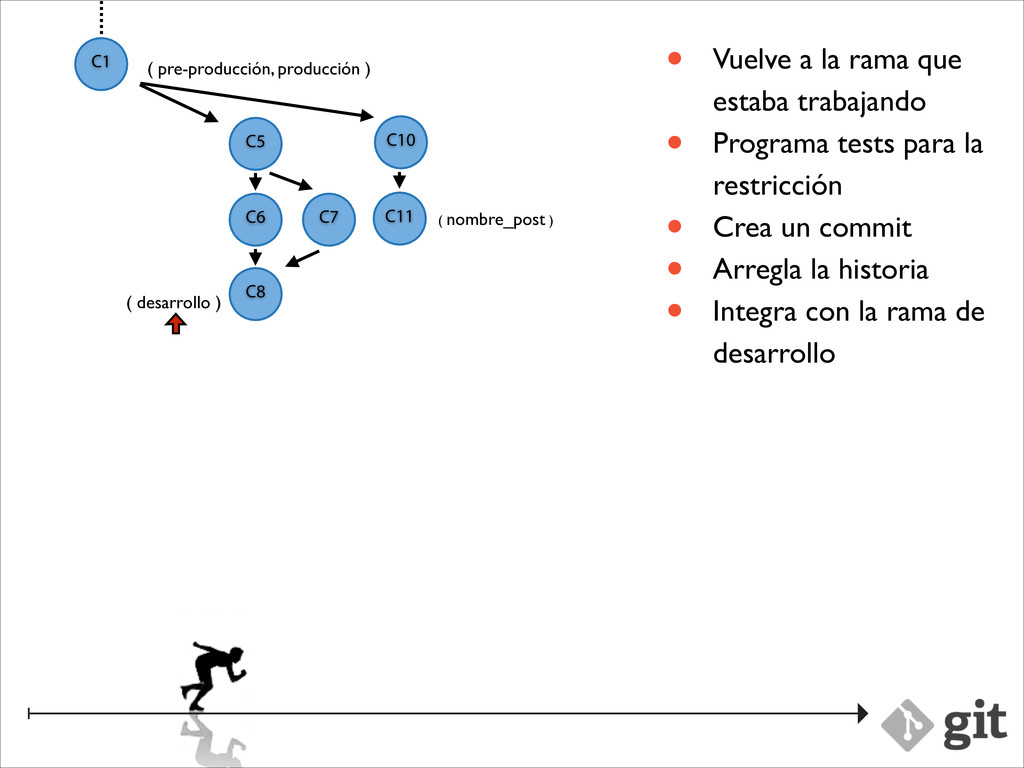
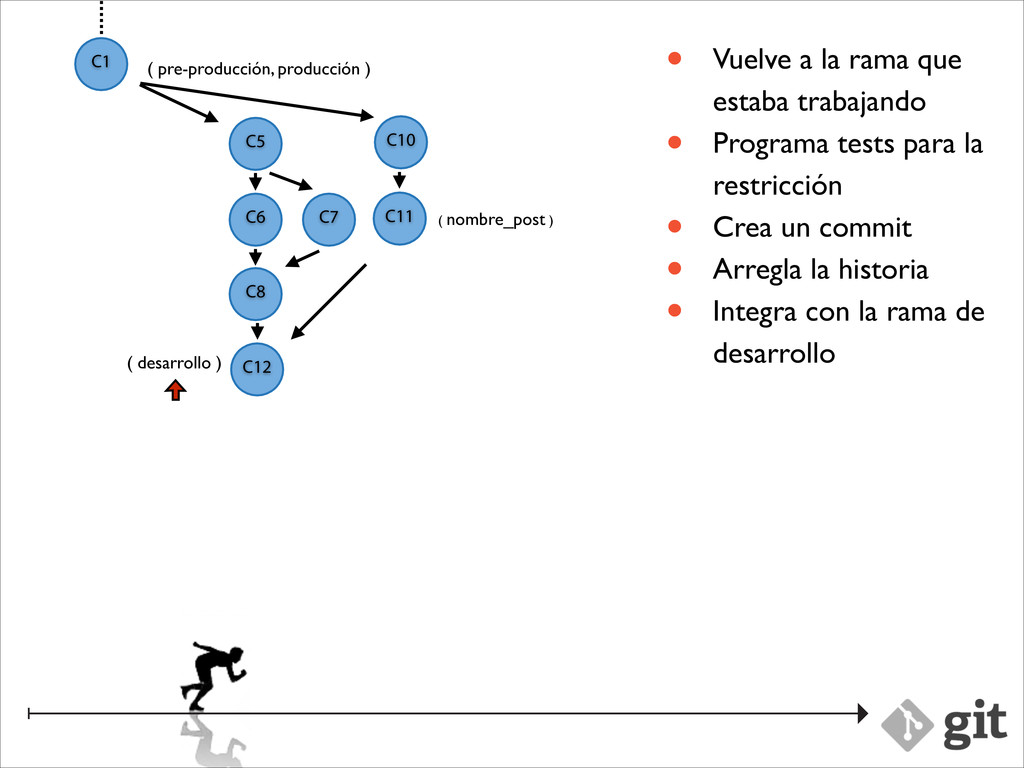
producción ) ( nombre_post ) C2 C3 • Vuelve a la rama que estaba trabajando • Programa tests para la restricción • Crea un commit • Arregla la historia • Integra con la rama de desarrollo C10 C11
producción ) ( nombre_post ) C2 C3 • Vuelve a la rama que estaba trabajando • Programa tests para la restricción • Crea un commit • Arregla la historia • Integra con la rama de desarrollo C10 C11
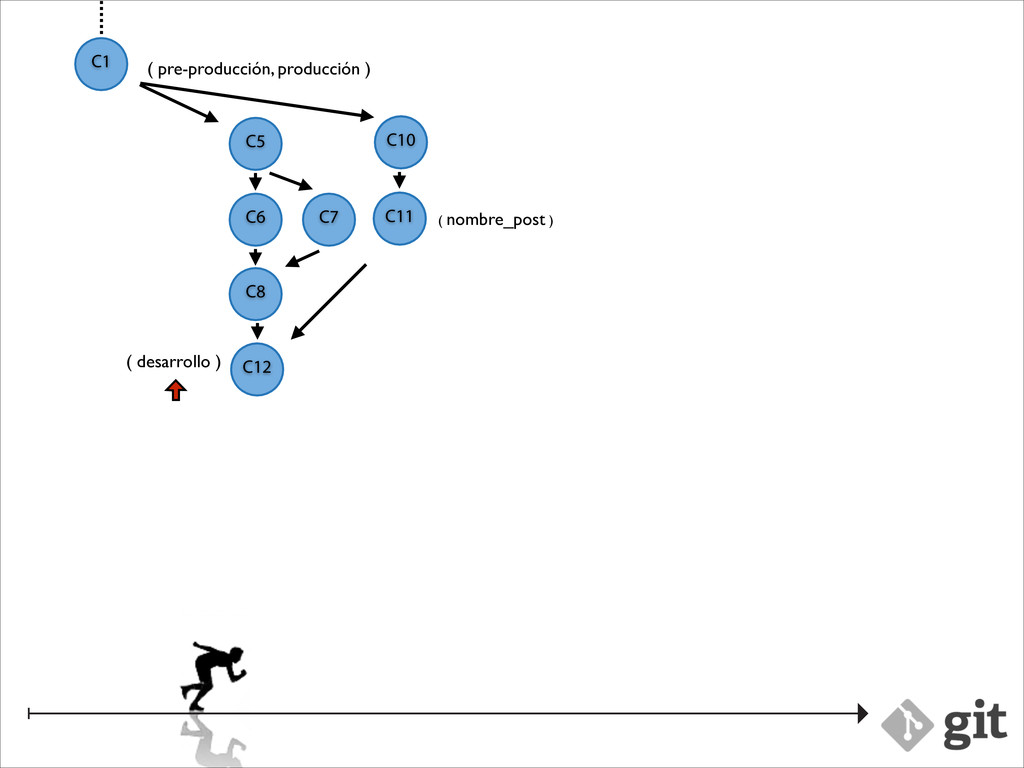
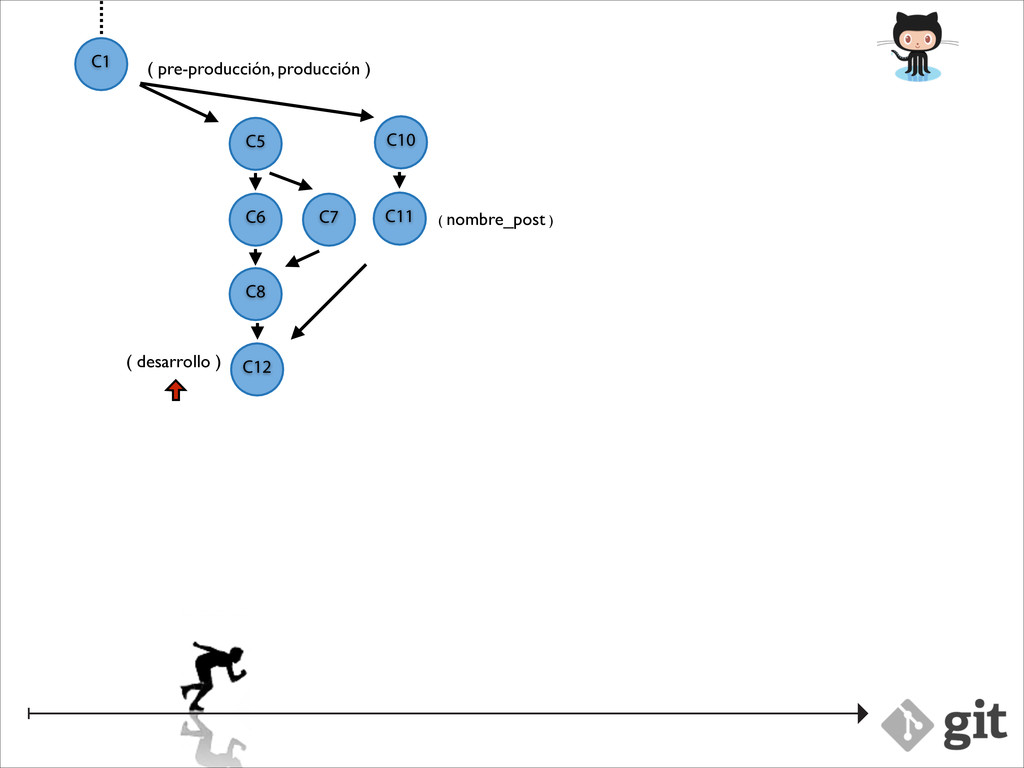
pre-producción, producción ) ( nombre_post ) C2 C3 • Vuelve a la rama que estaba trabajando • Programa tests para la restricción • Crea un commit • Arregla la historia • Integra con la rama de desarrollo C10 C11
sed, porta ac lorem. Donec eget dolor pharetra nisi tempus imperdiet rhoncus quis lacus. Suspendisse viverra eros ut ante fringilla auctor consectetur massa commodo. Donec eget dolor pharetra nisi tempus imperdiet rhoncus quis lacus. Suspendisse viverra eros ut ante fringilla auctor consectetur massa commodo. Donec eget dolor pharetra nisi tempus imperdiet rhoncus quis lacus. Suspendisse viverra eros ut ante fringilla auctor consectetur massa commodo. Donec eget dolor pharetra nisi tempus imperdiet rhoncus quis lacus.
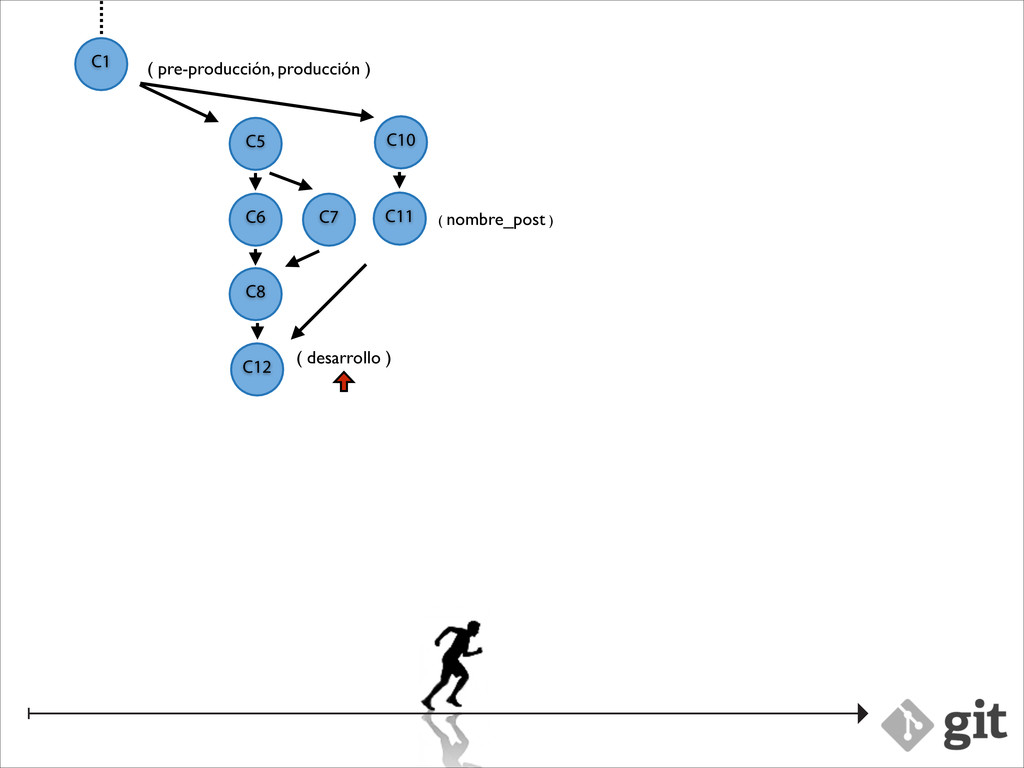
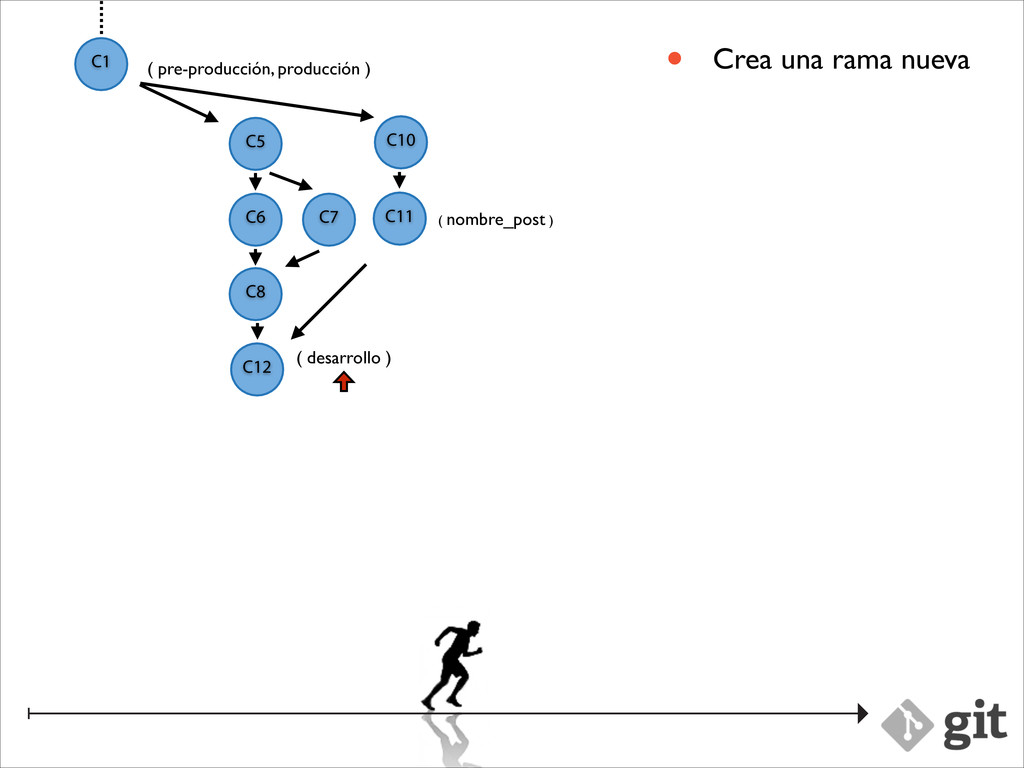
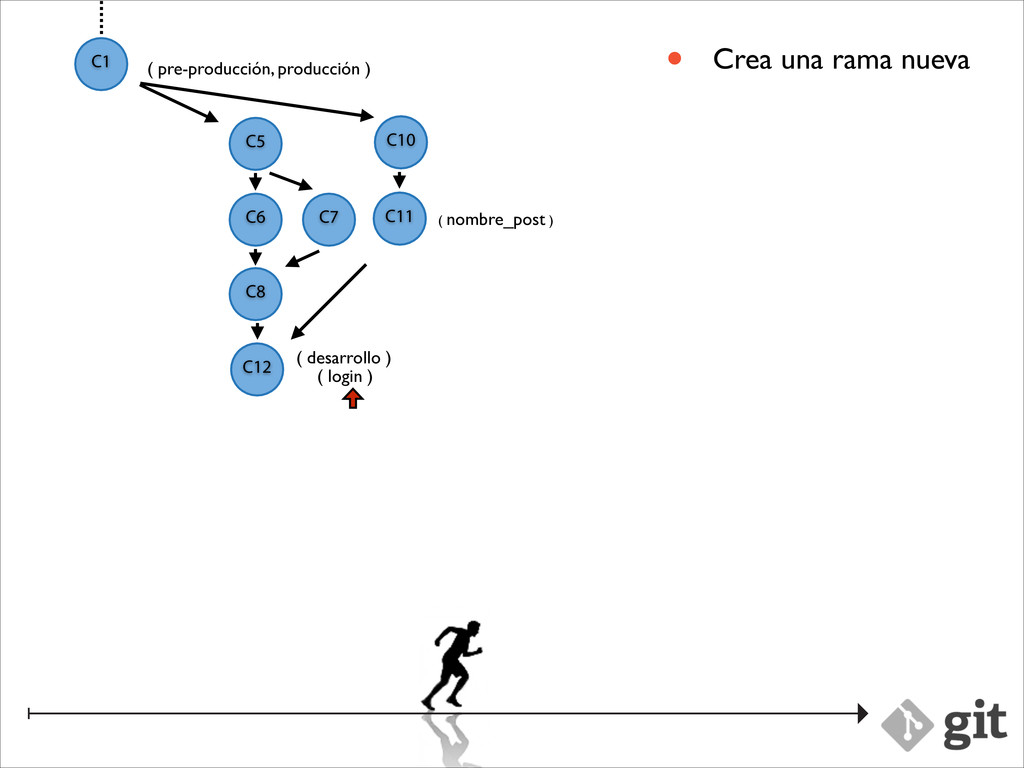
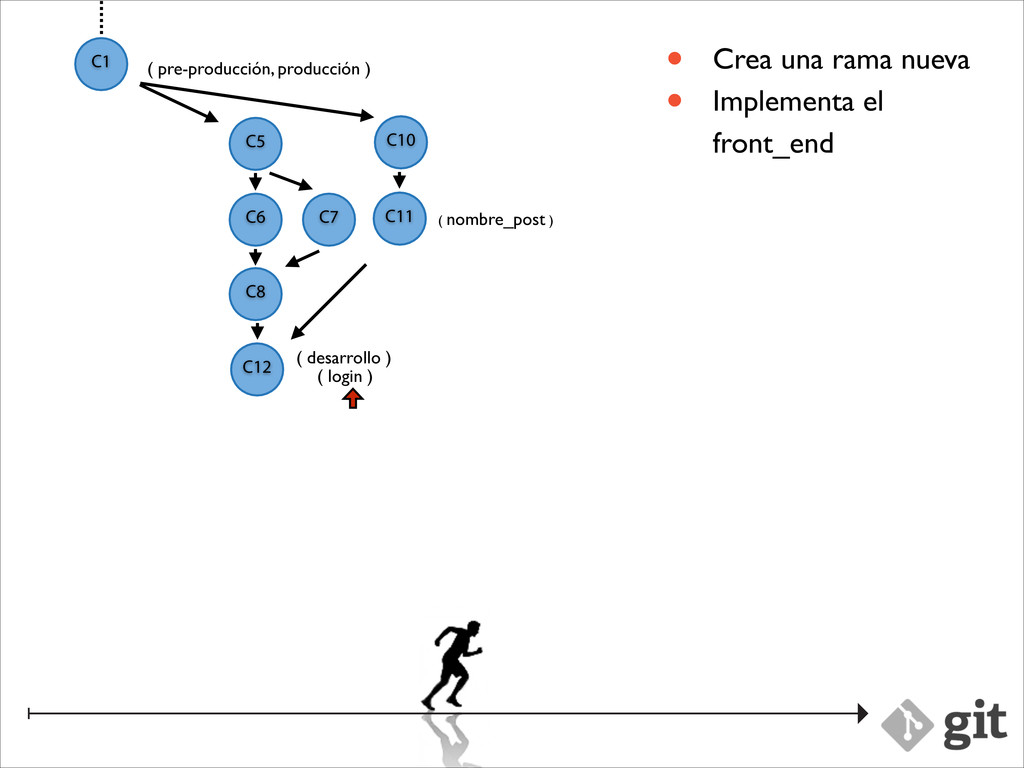
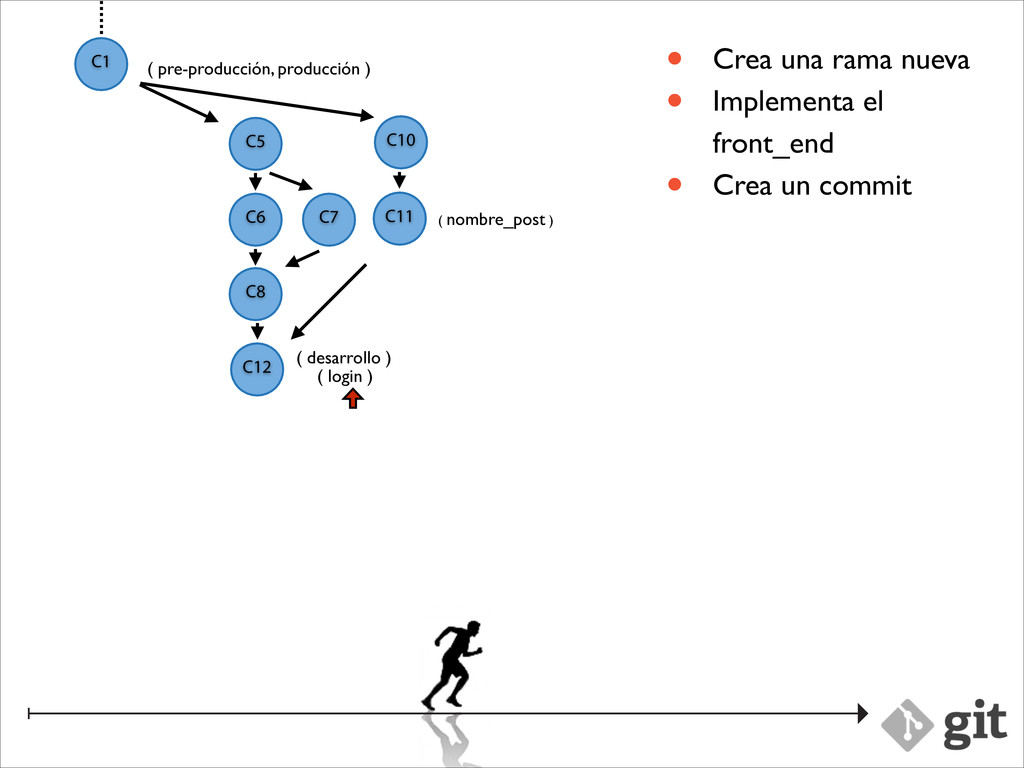
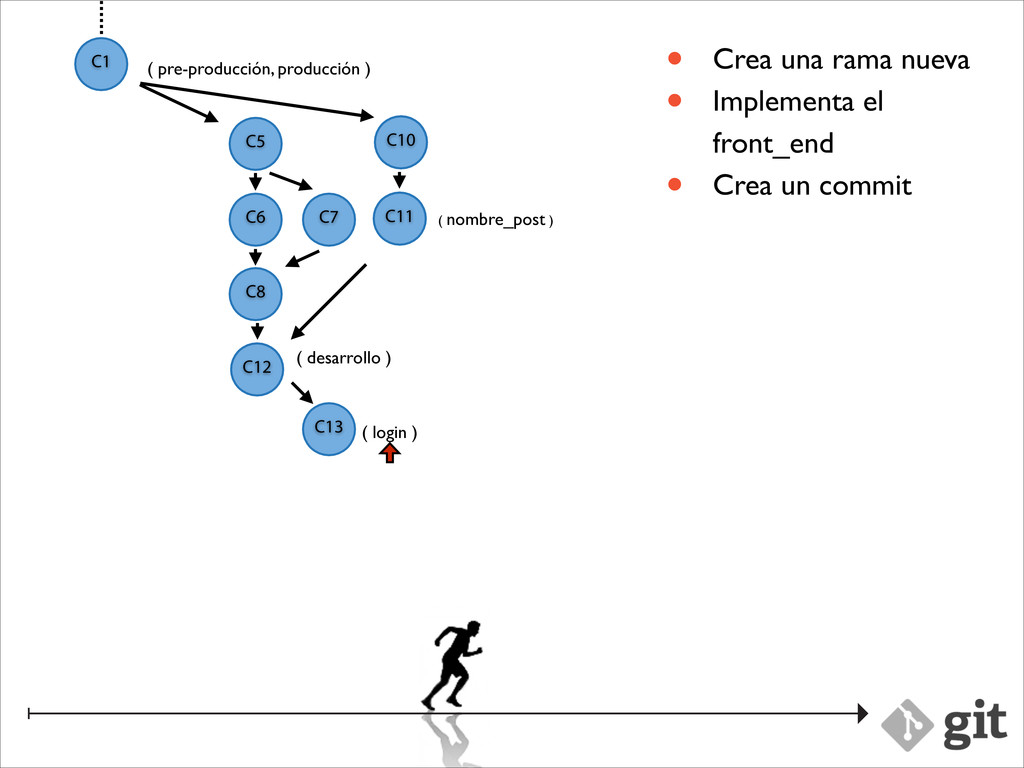
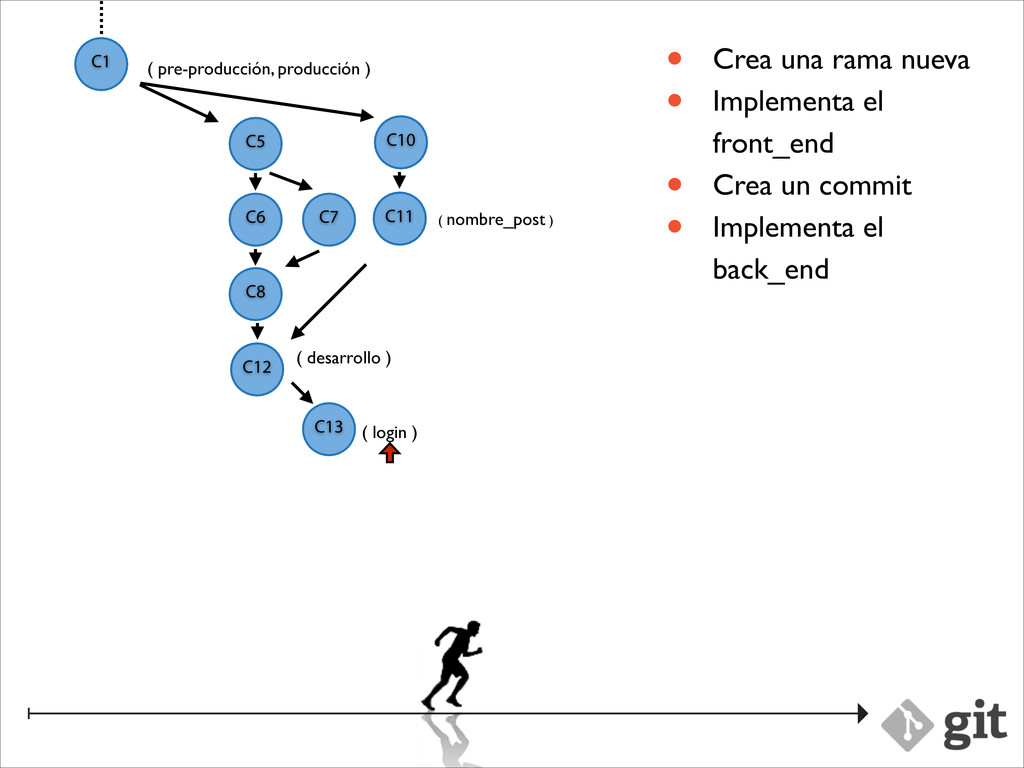
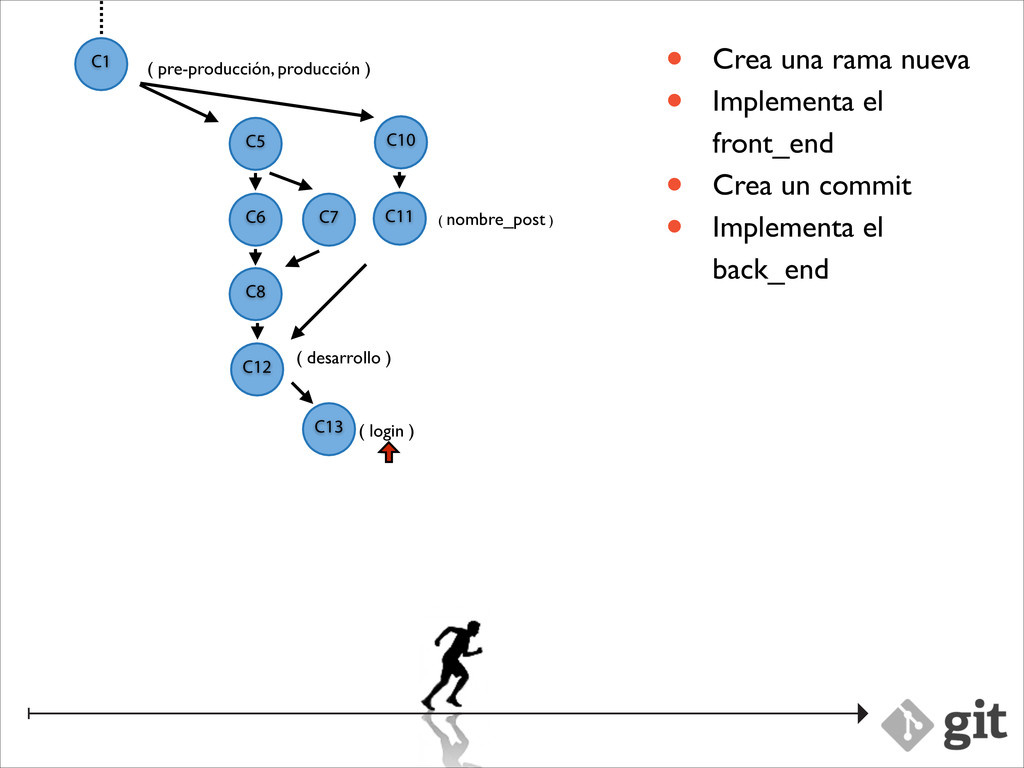
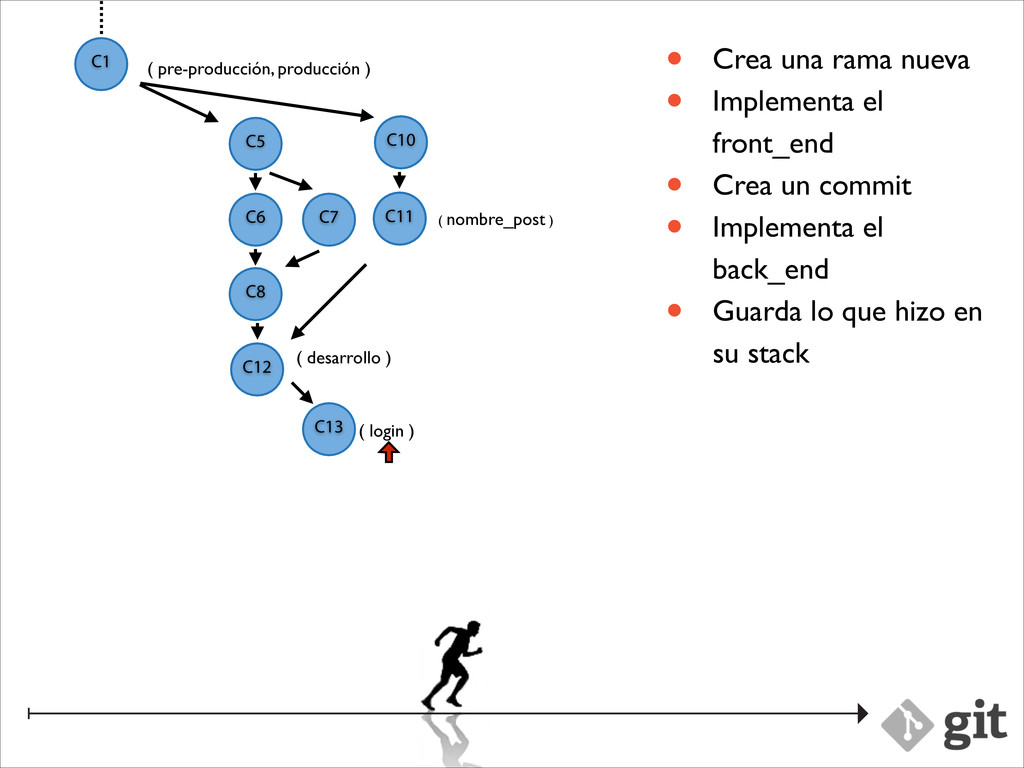
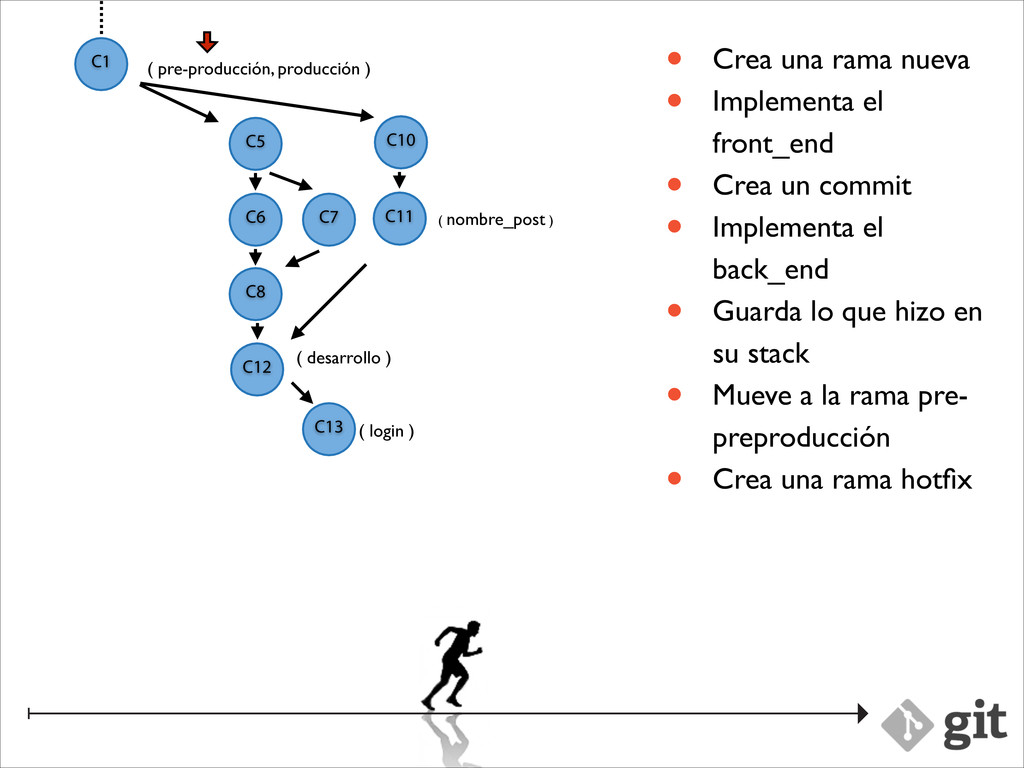
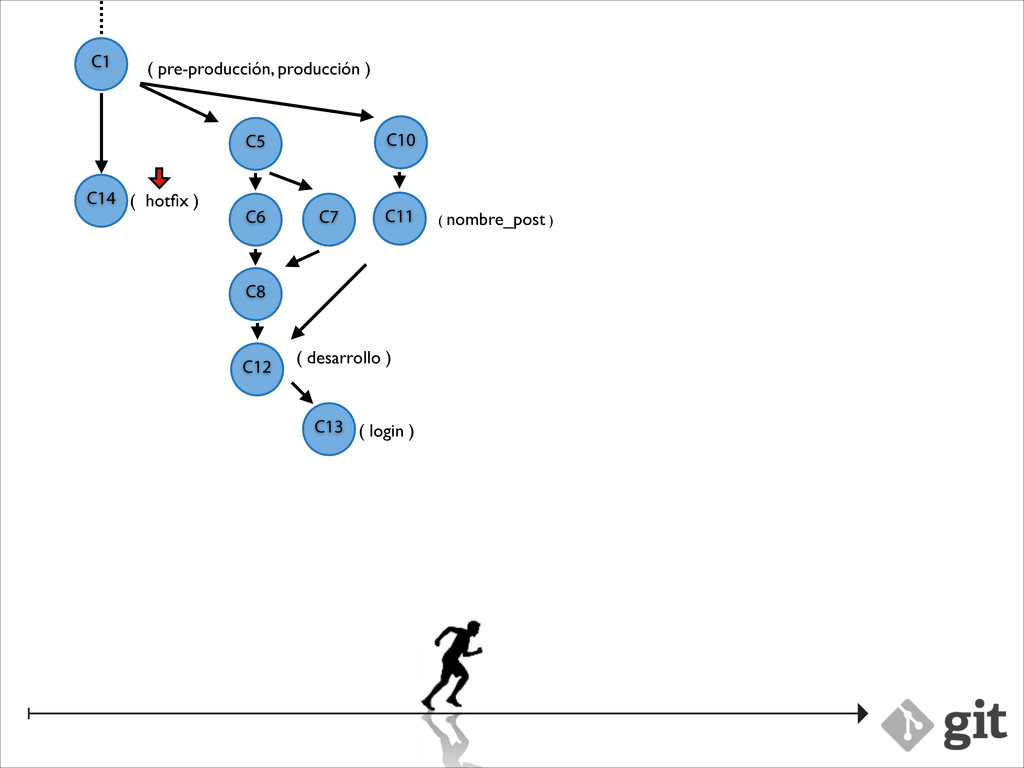
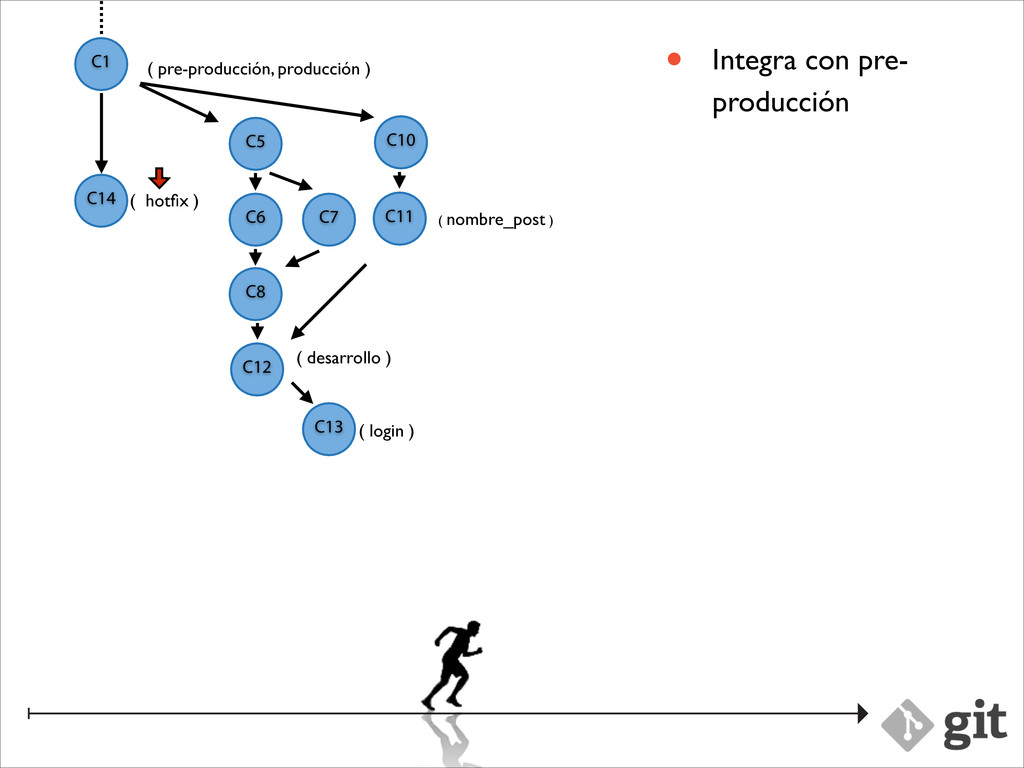
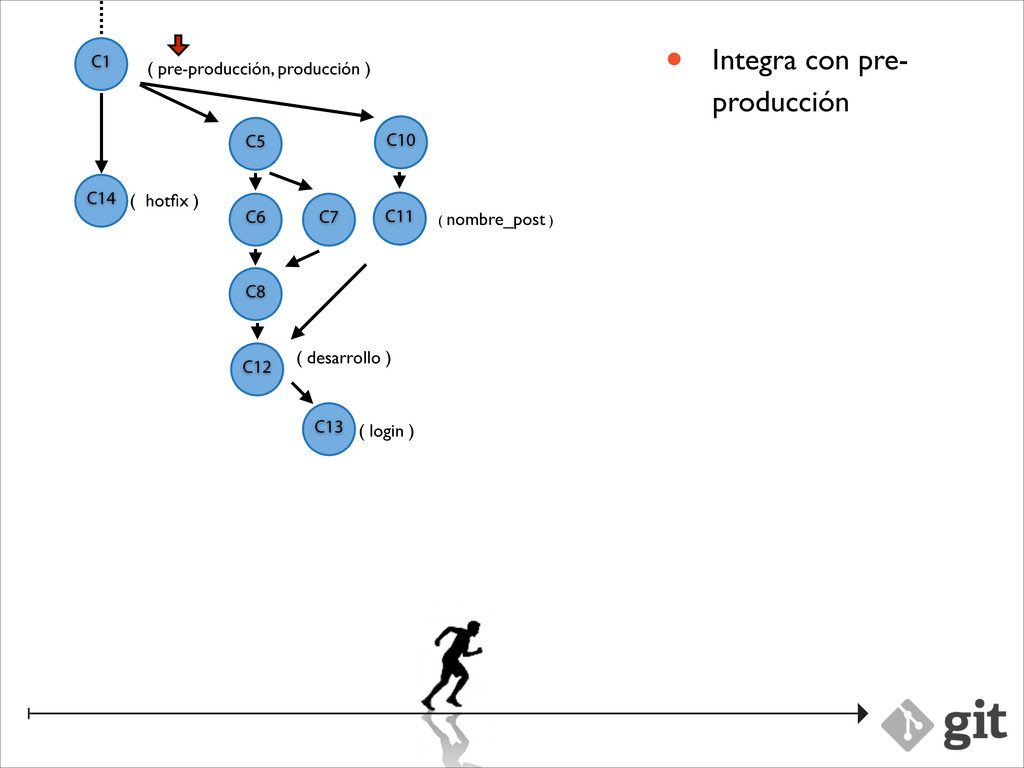
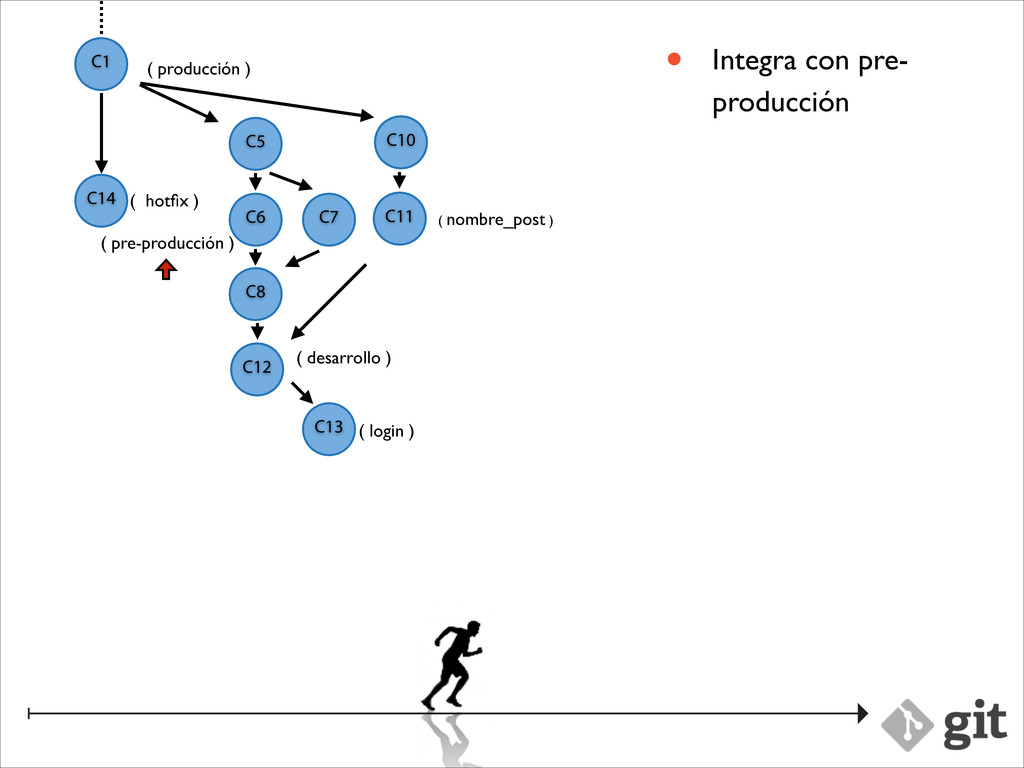
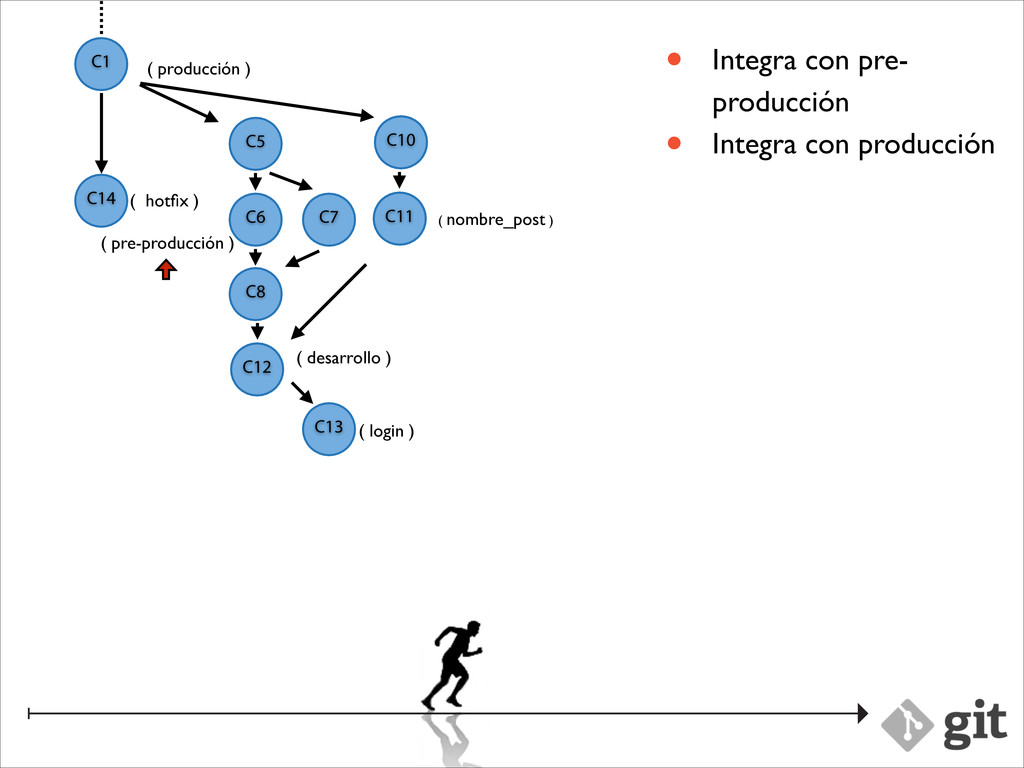
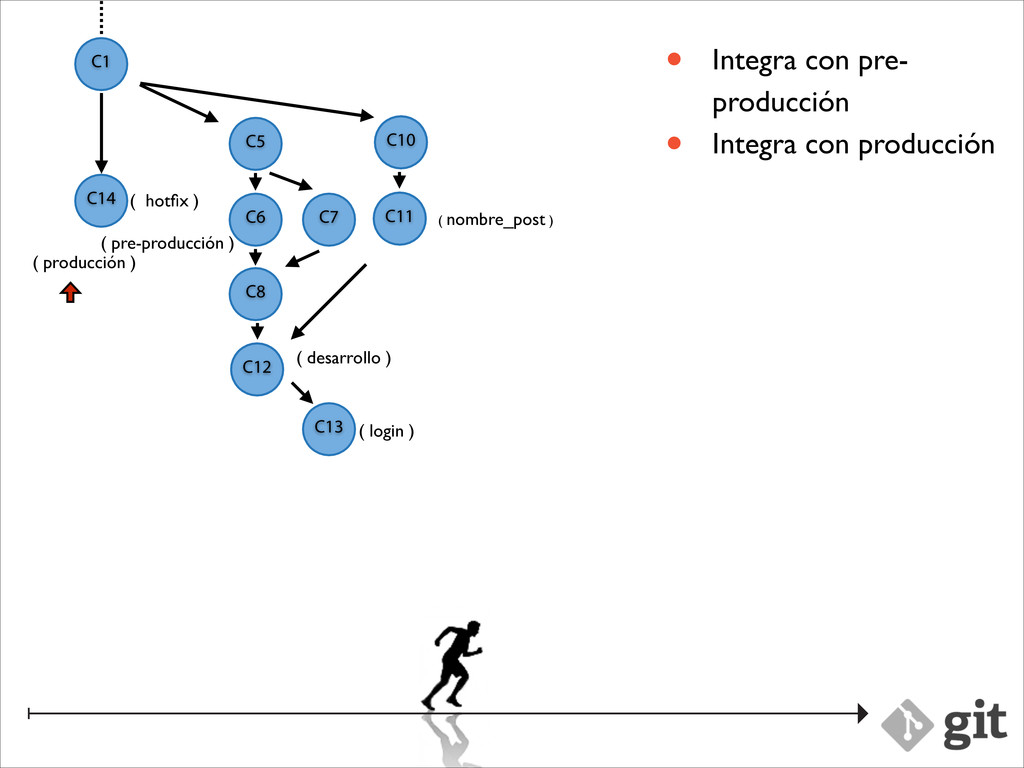
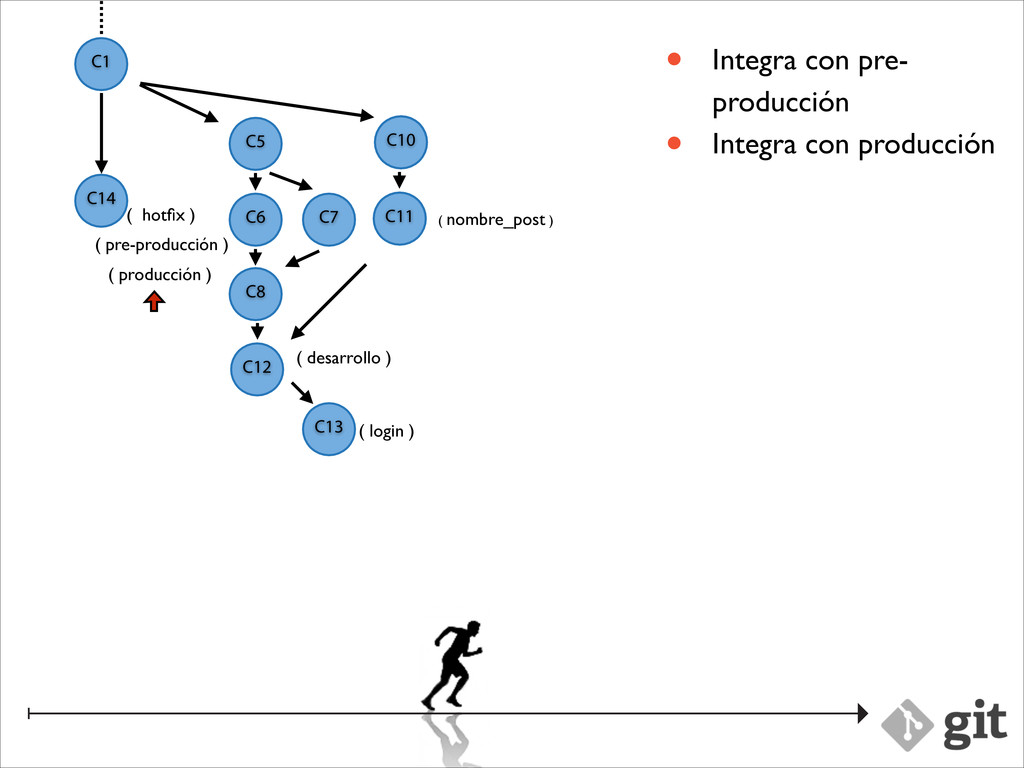
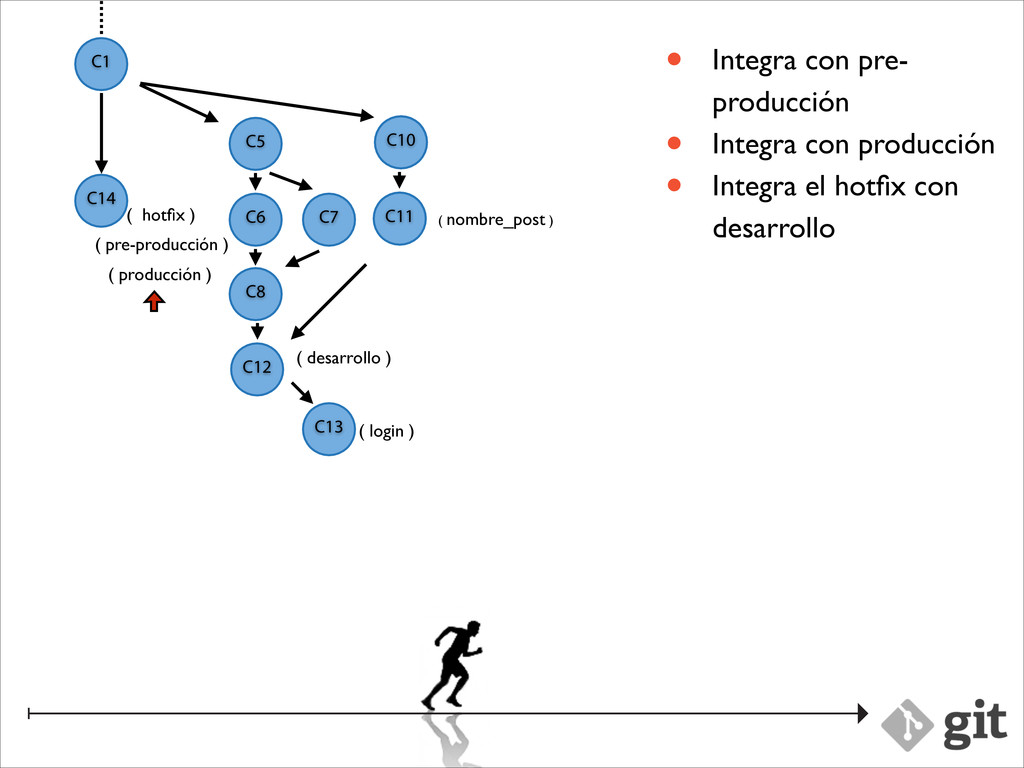
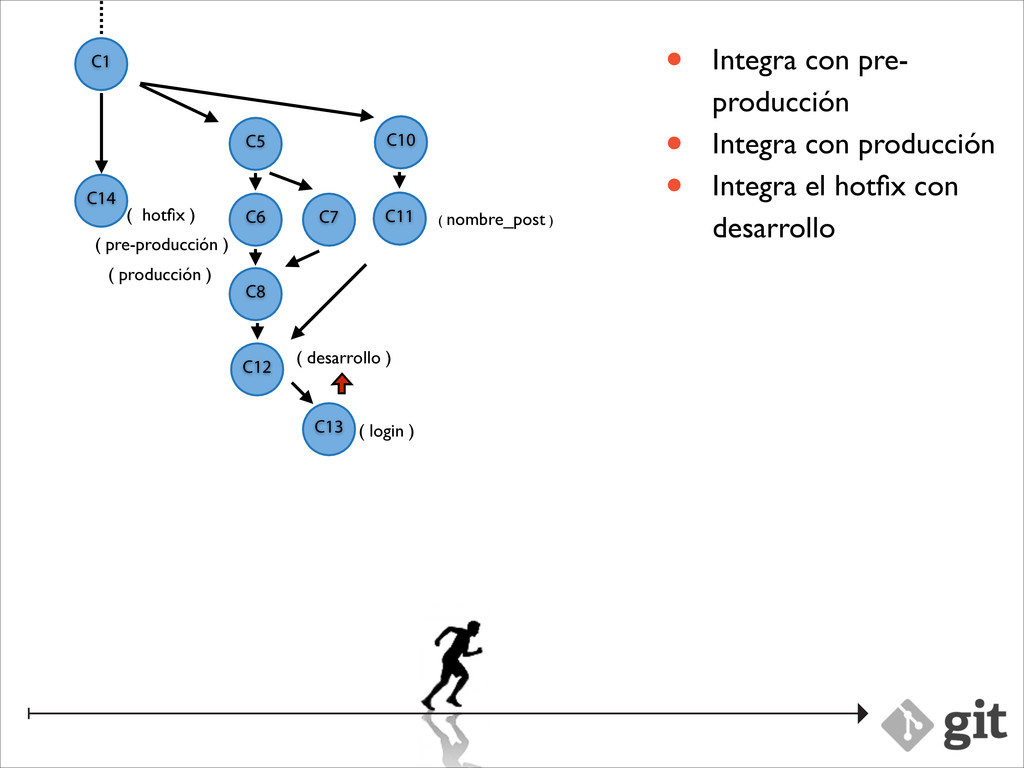
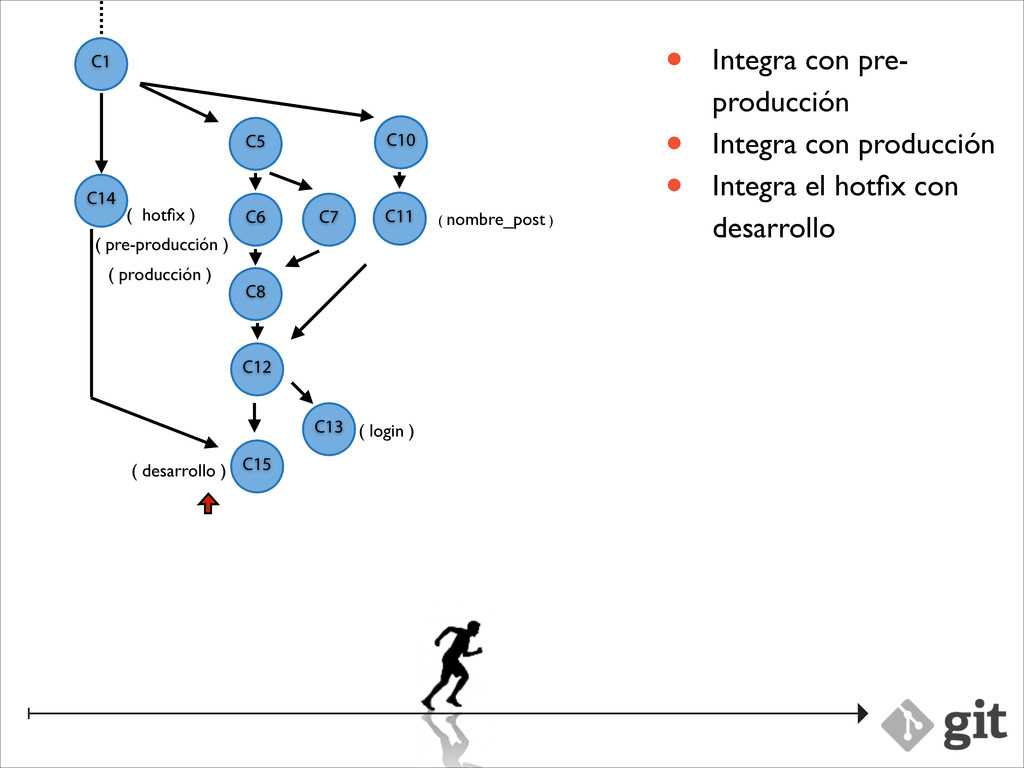
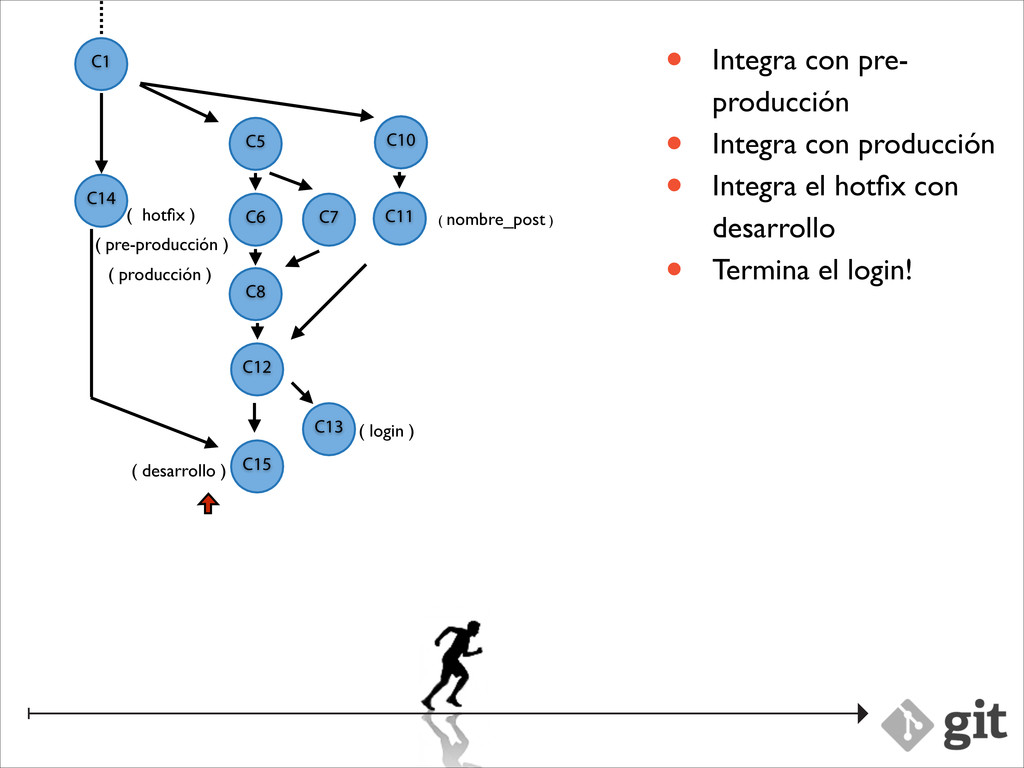
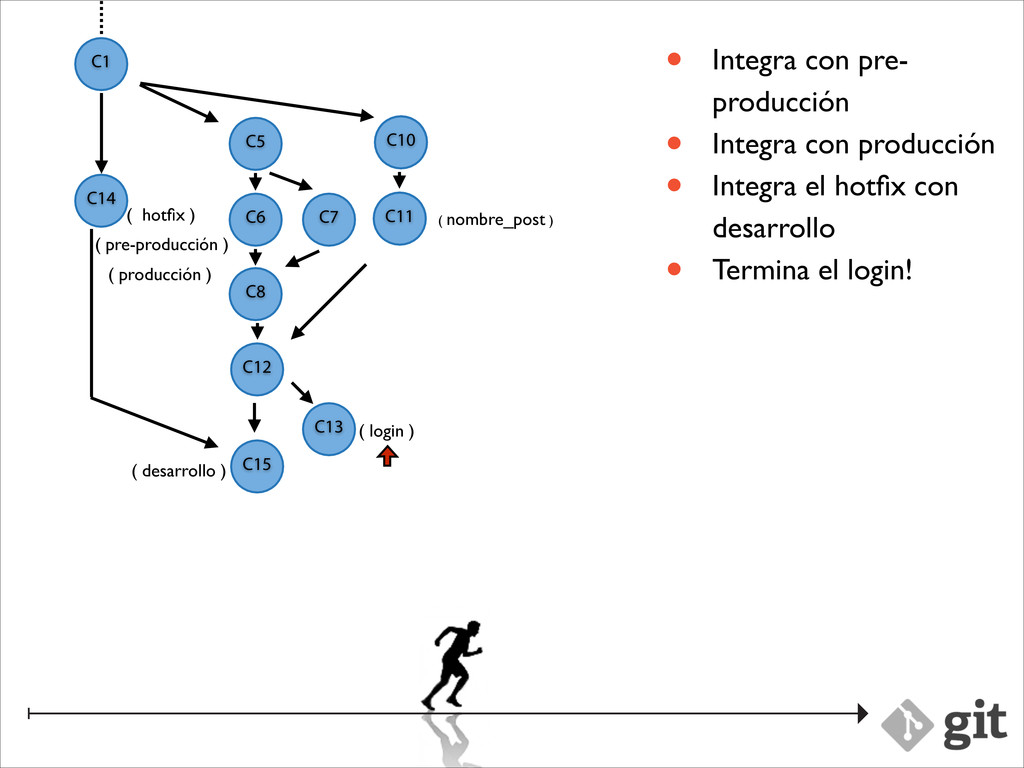
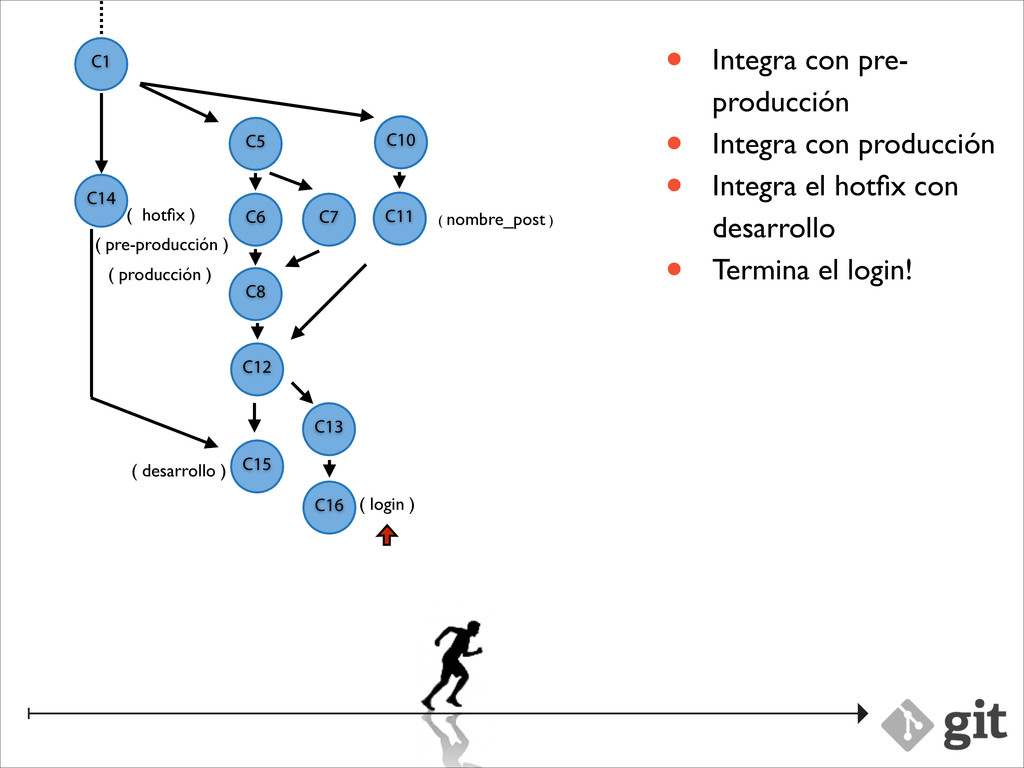
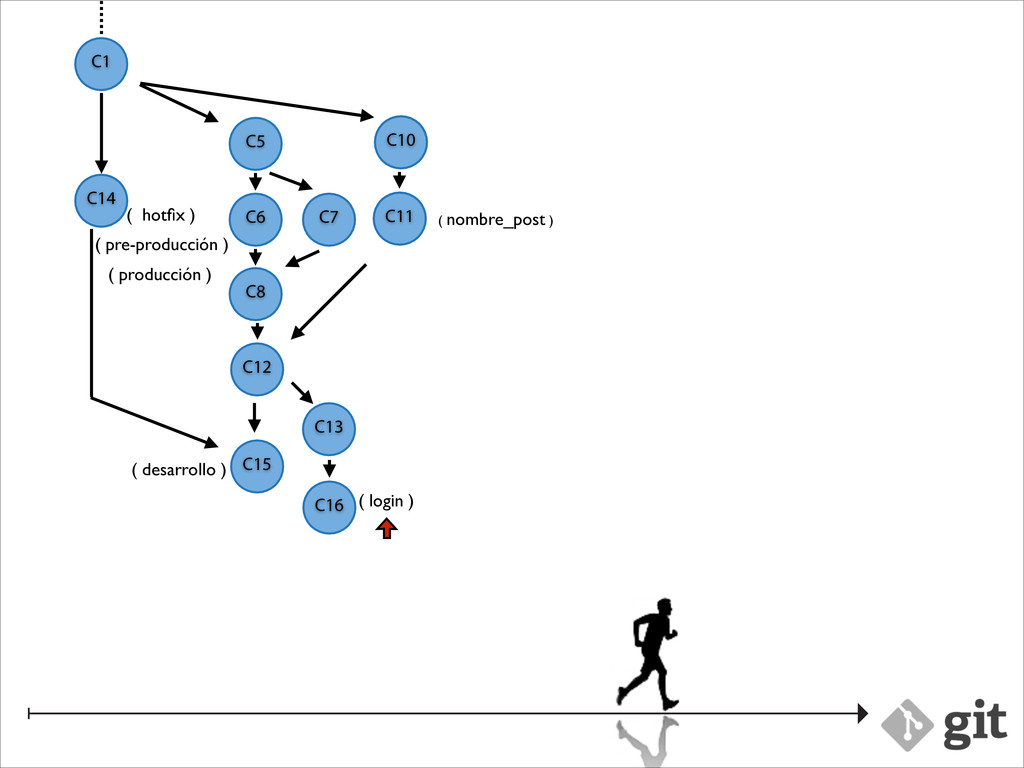
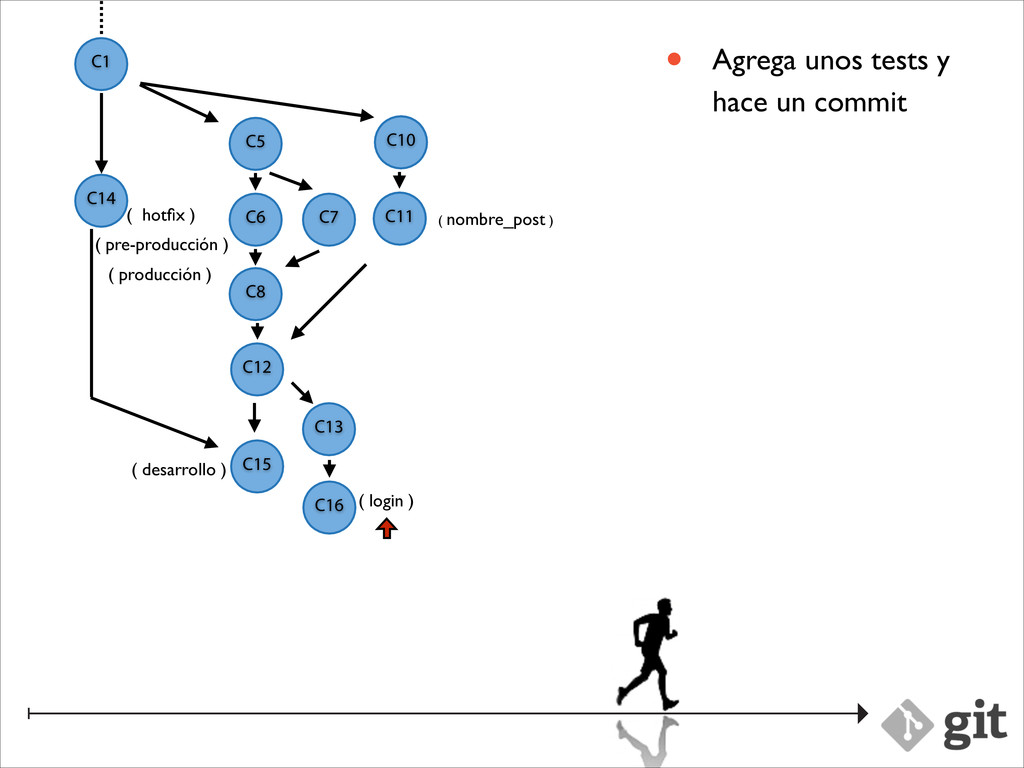
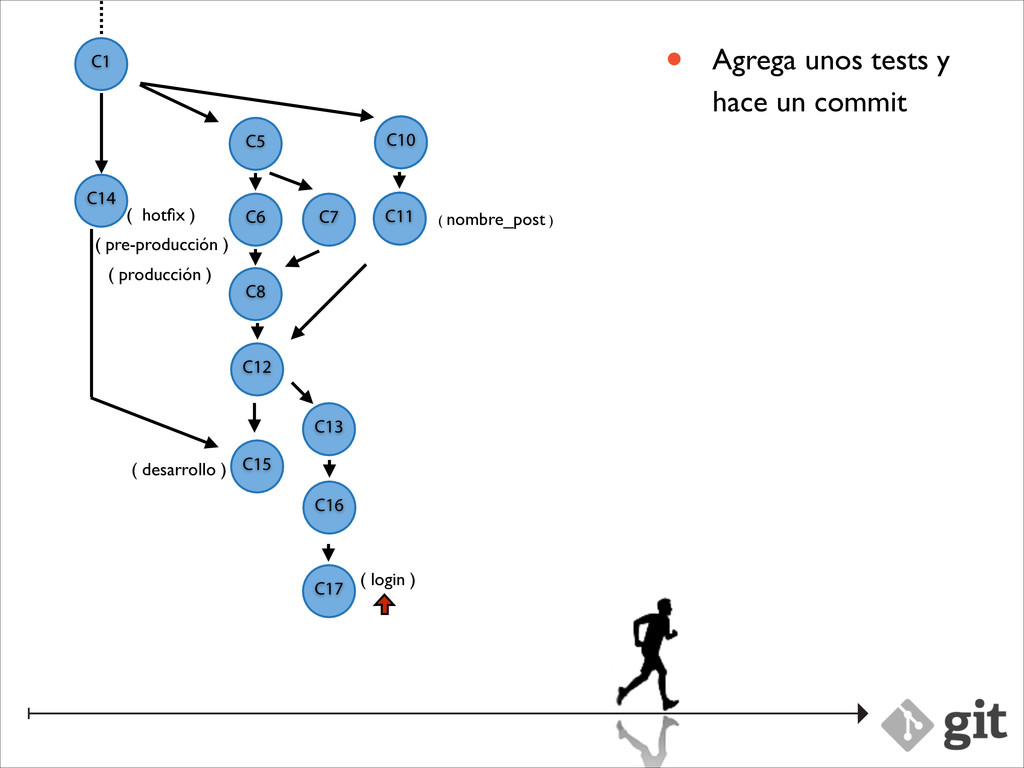
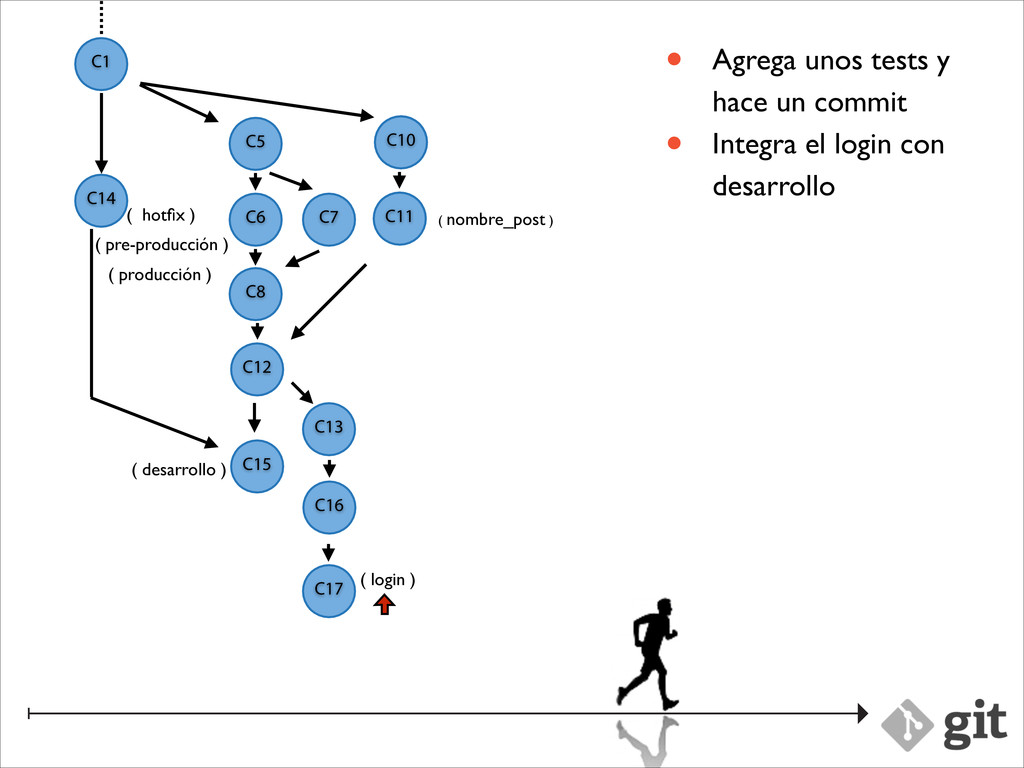
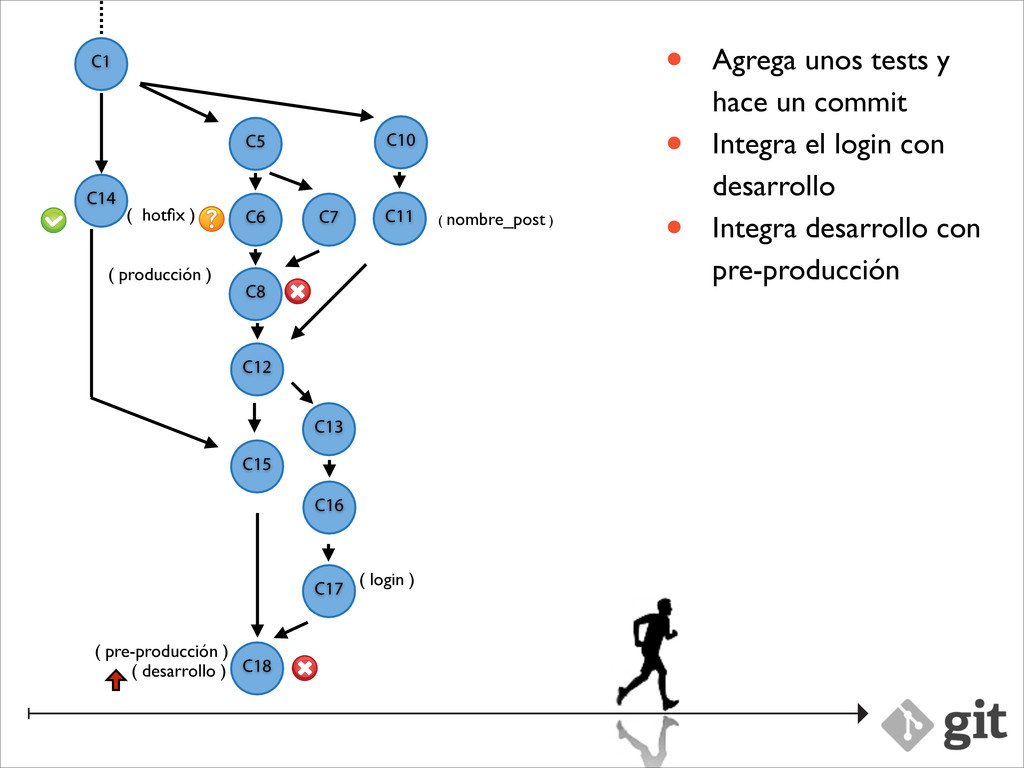
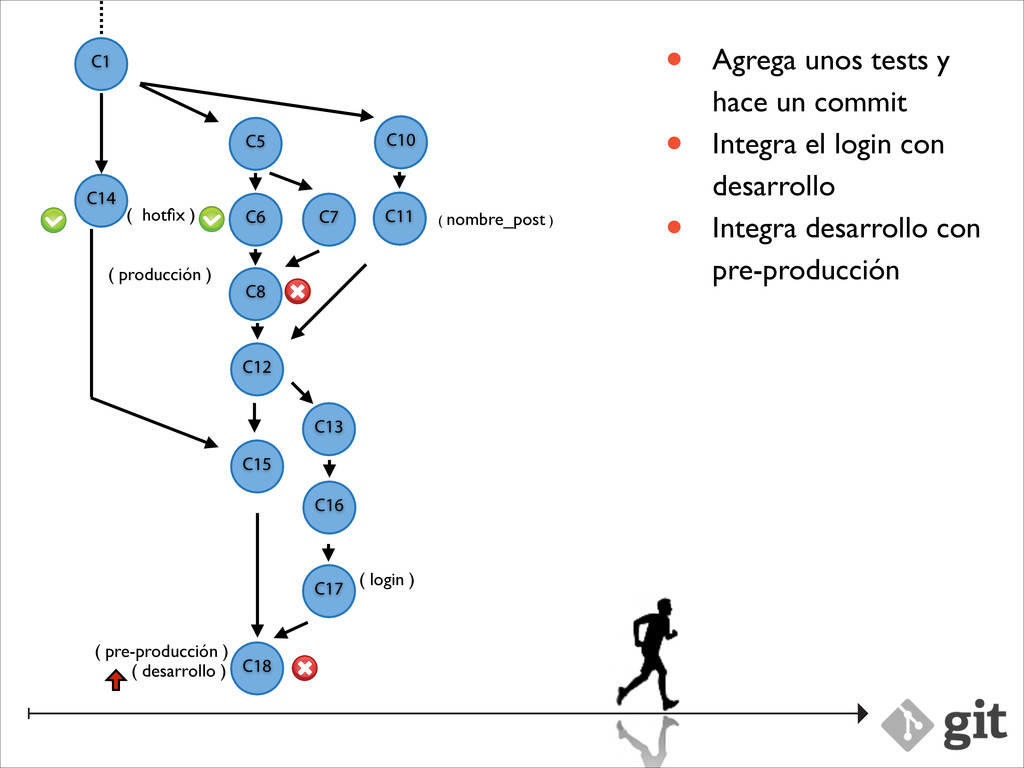
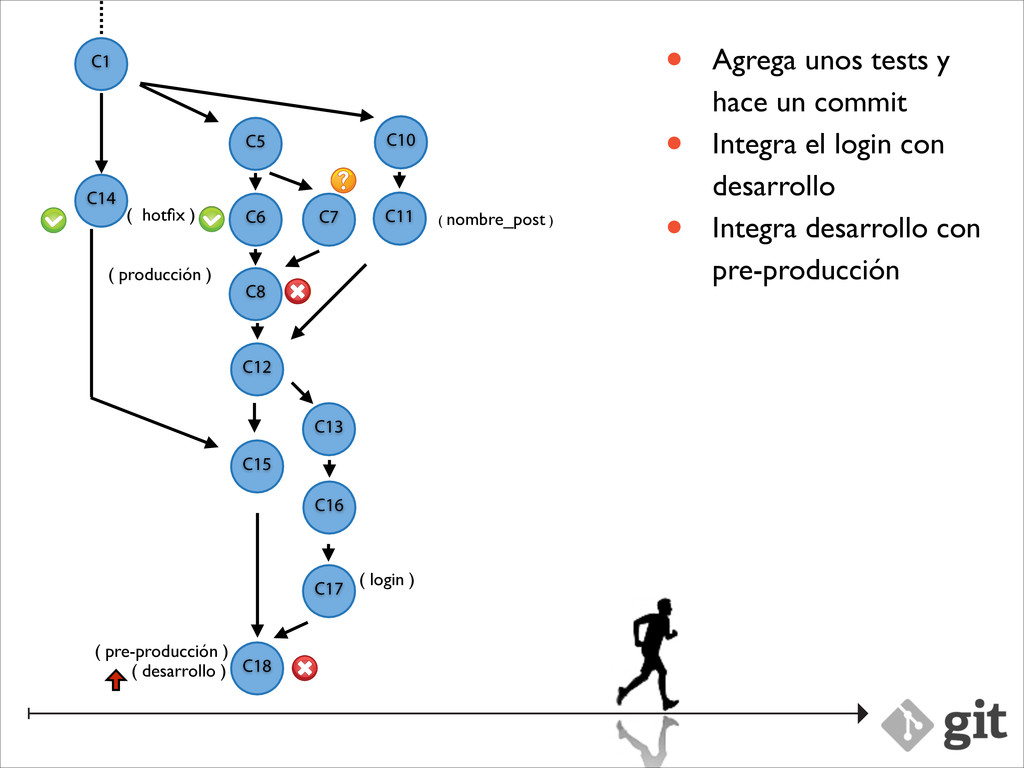
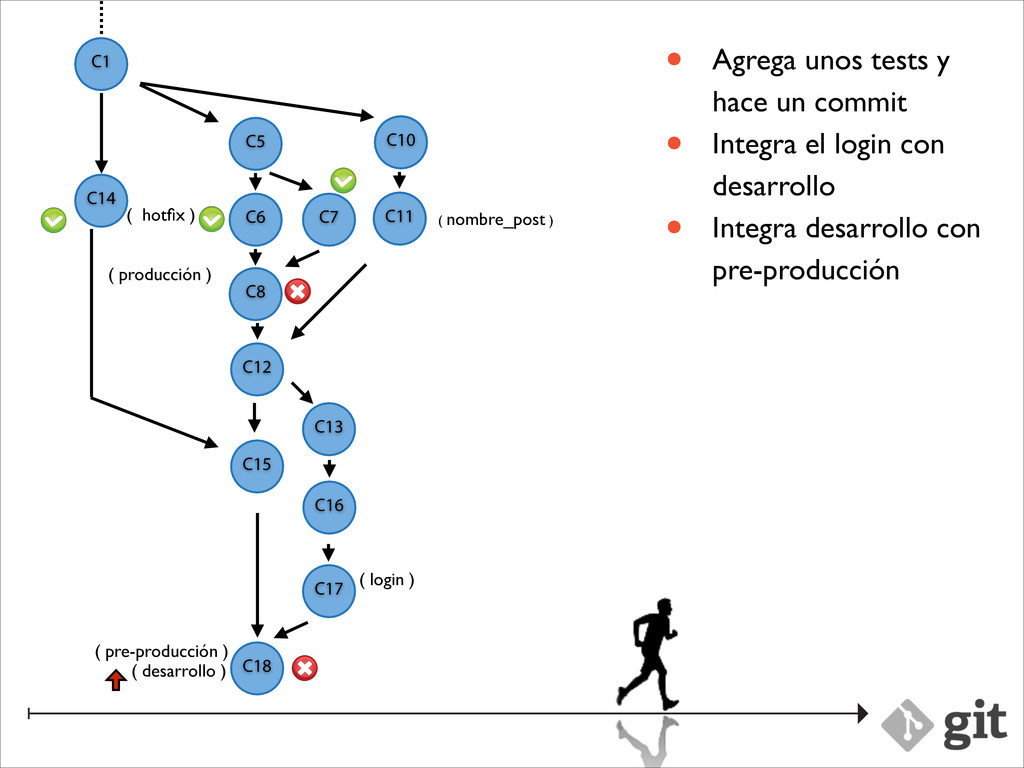
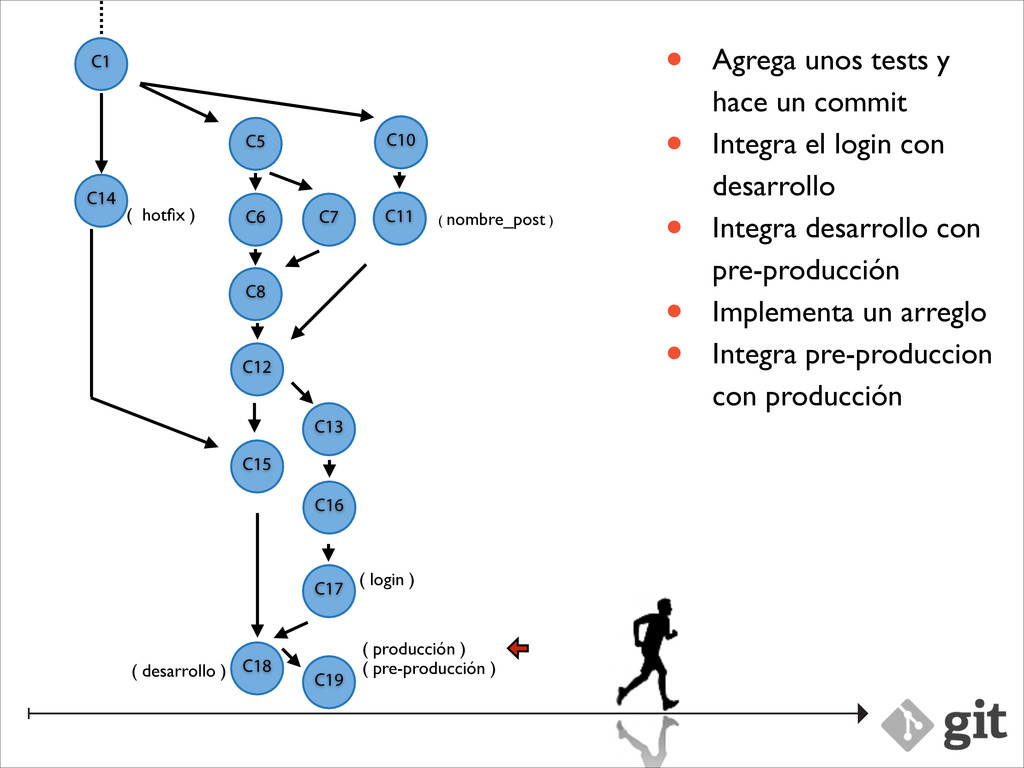
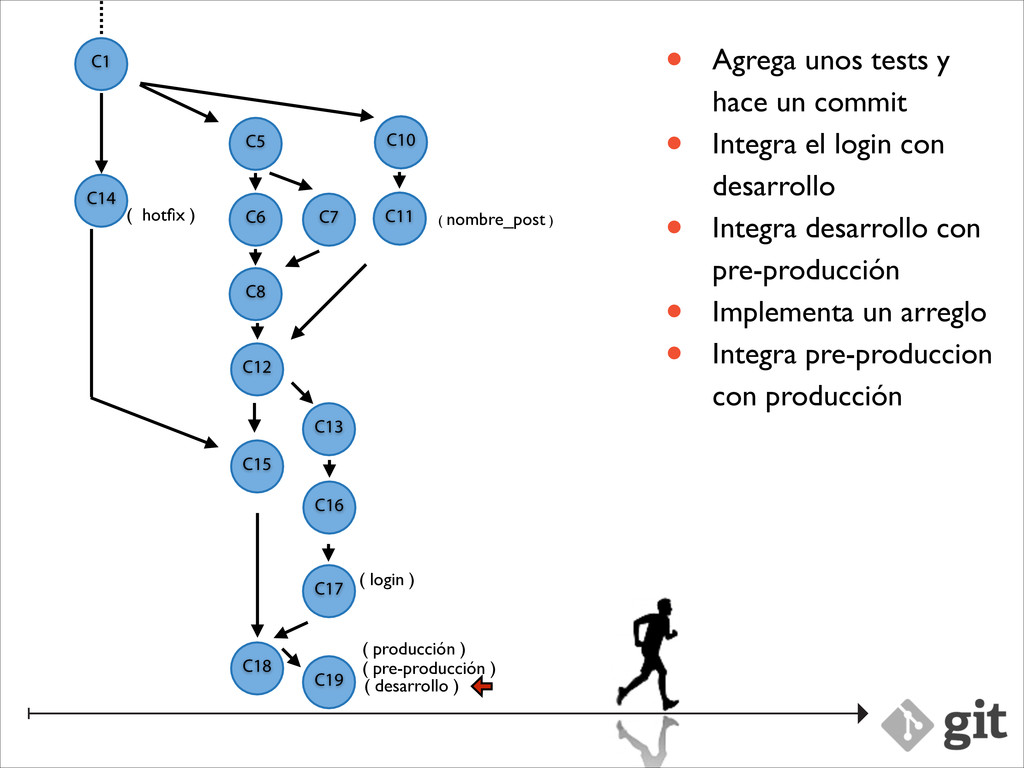
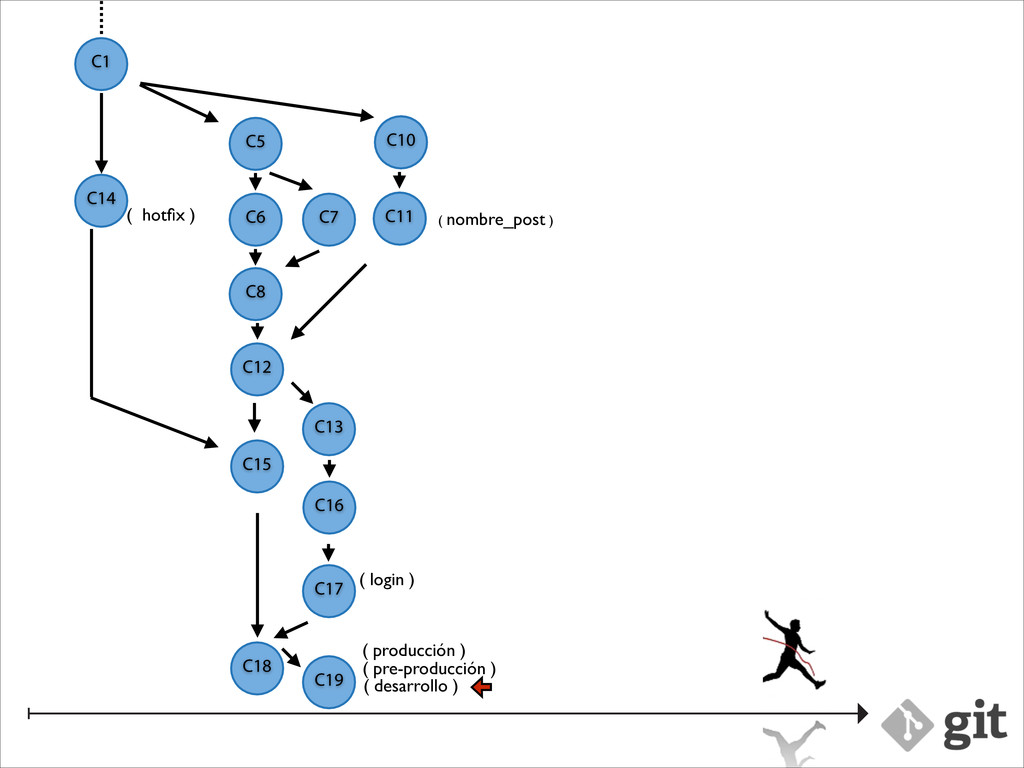
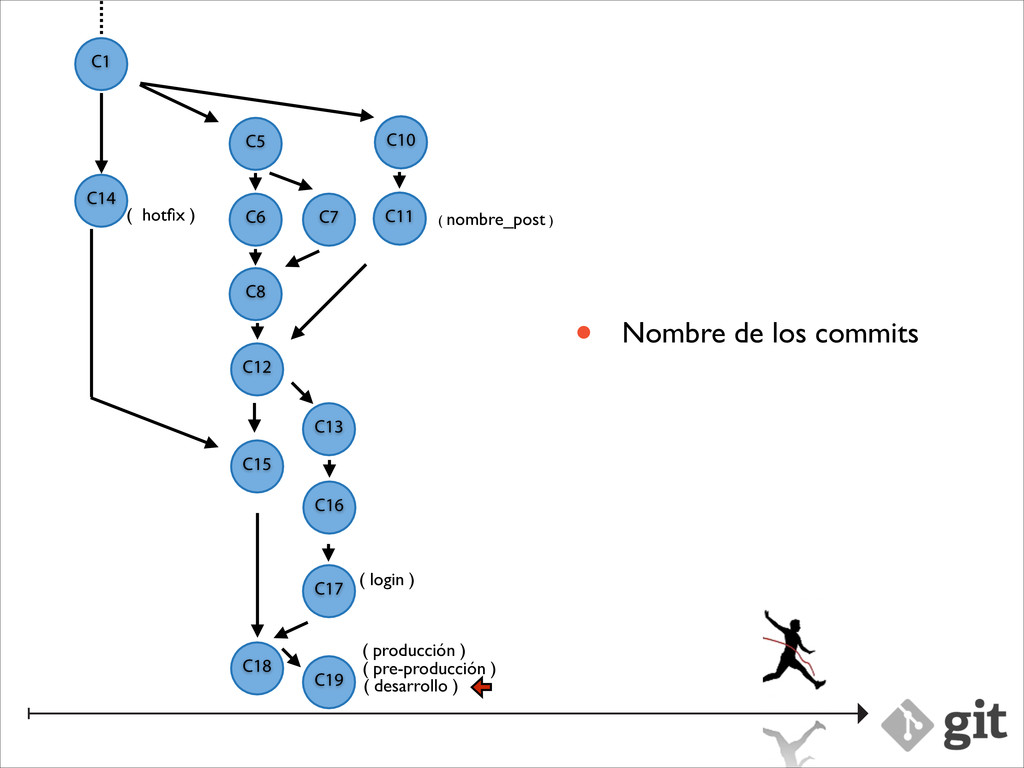
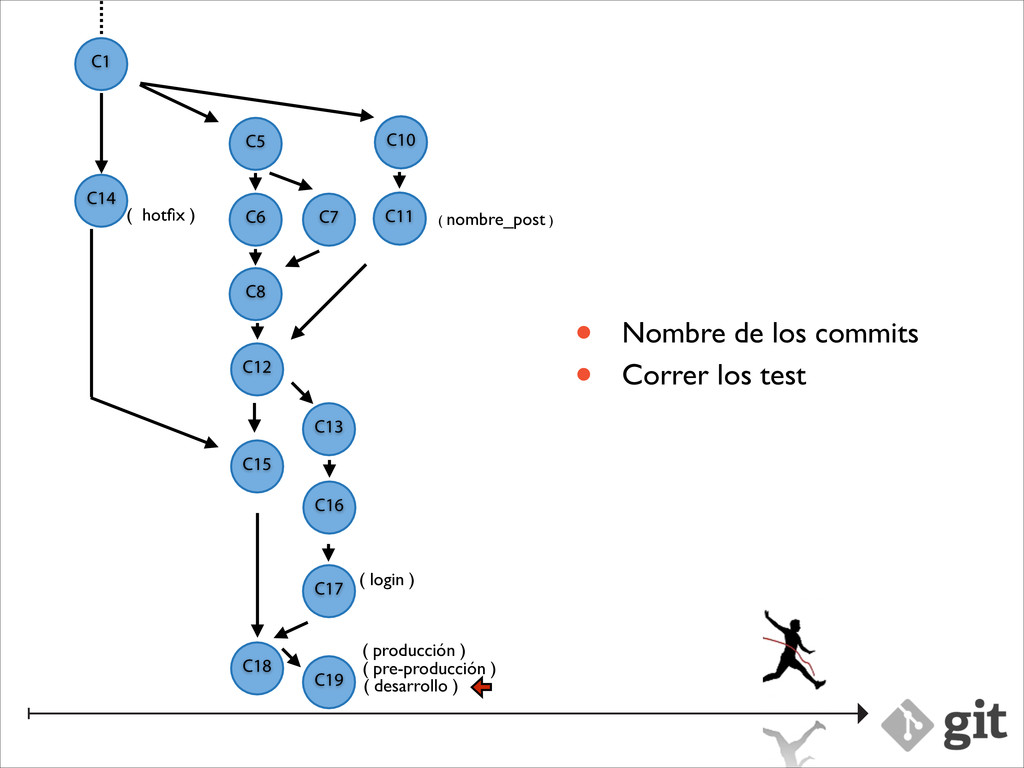
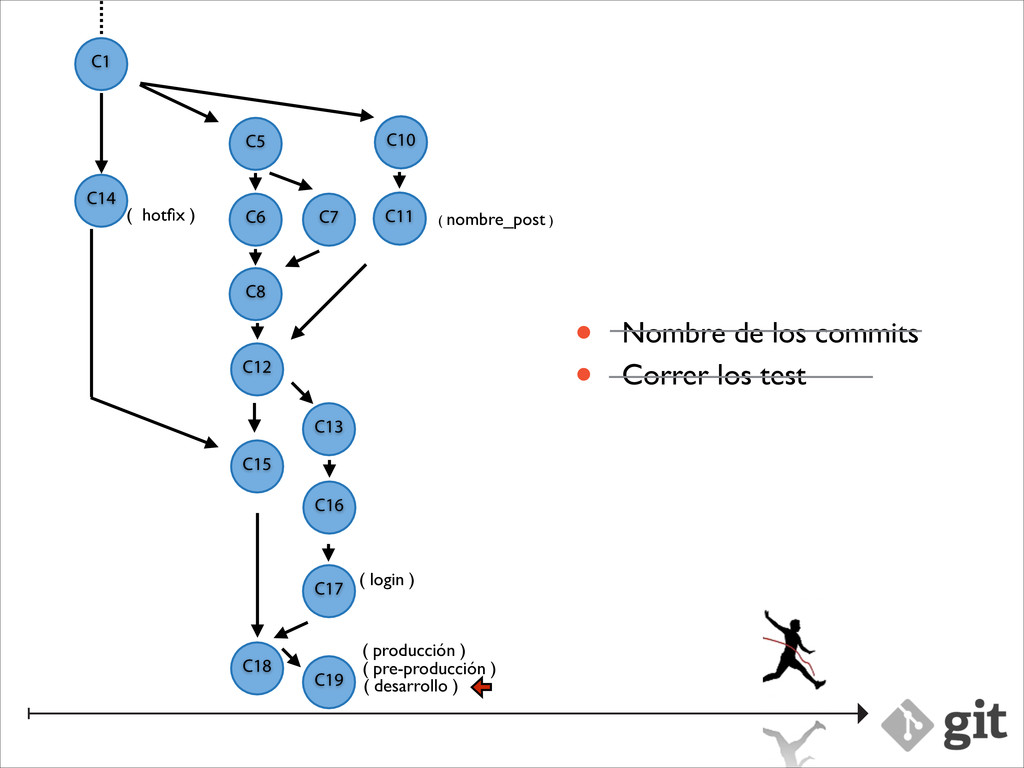
desarrollo ) C1 ( nombre_post ) C2 C3 C10 C11 C12 C10 C11 • Crea una rama nueva • Implementa el front_end • Crea un commit • Implementa el back_end • Guarda lo que hizo en su stack ( login ) C13
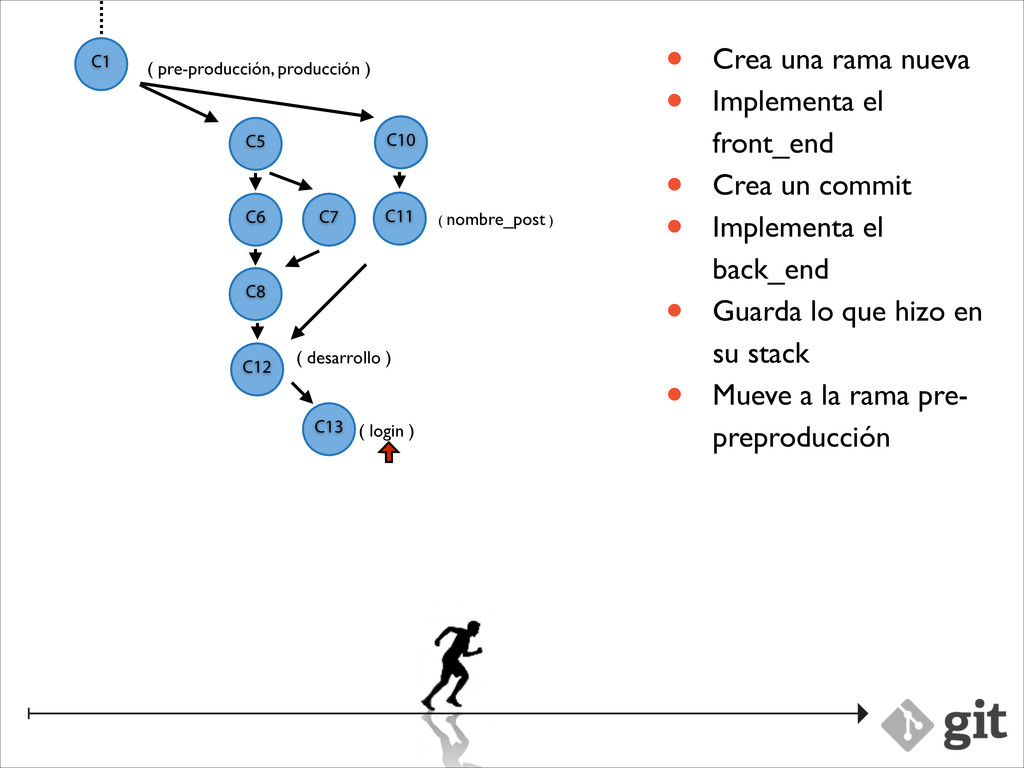
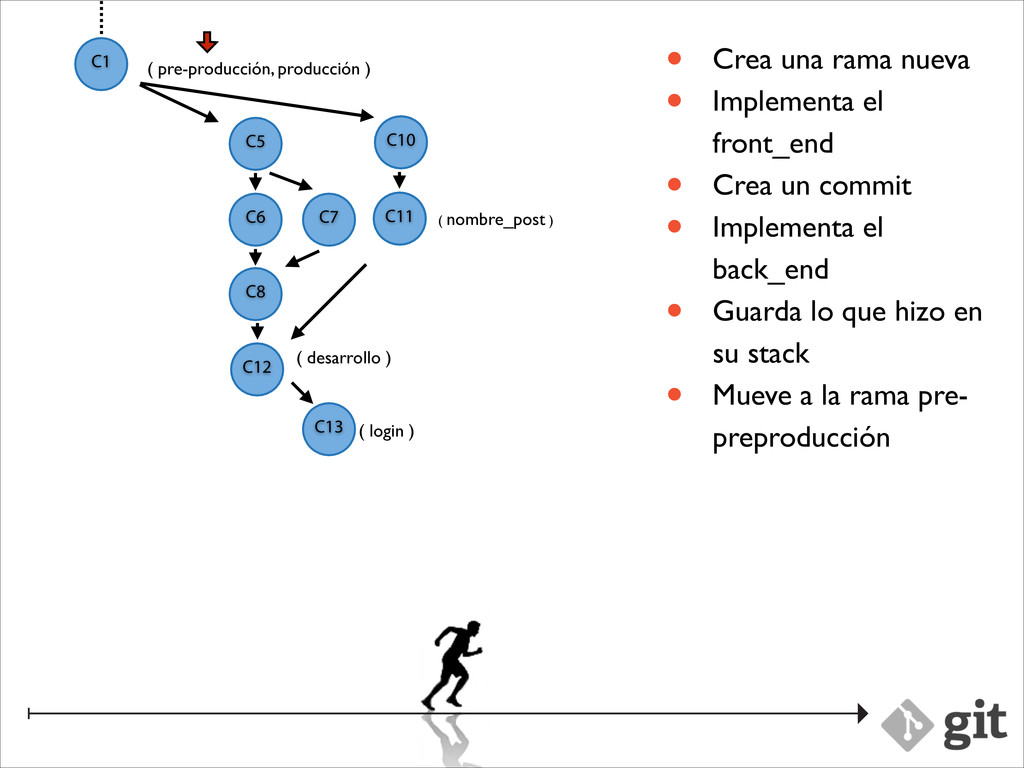
desarrollo ) C1 ( nombre_post ) C2 C3 C10 C11 C12 C10 C11 • Crea una rama nueva • Implementa el front_end • Crea un commit • Implementa el back_end • Guarda lo que hizo en su stack • Mueve a la rama pre- preproducción ( login ) C13
desarrollo ) C1 ( nombre_post ) C2 C3 C10 C11 C12 C10 C11 • Crea una rama nueva • Implementa el front_end • Crea un commit • Implementa el back_end • Guarda lo que hizo en su stack • Mueve a la rama pre- preproducción ( login ) C13
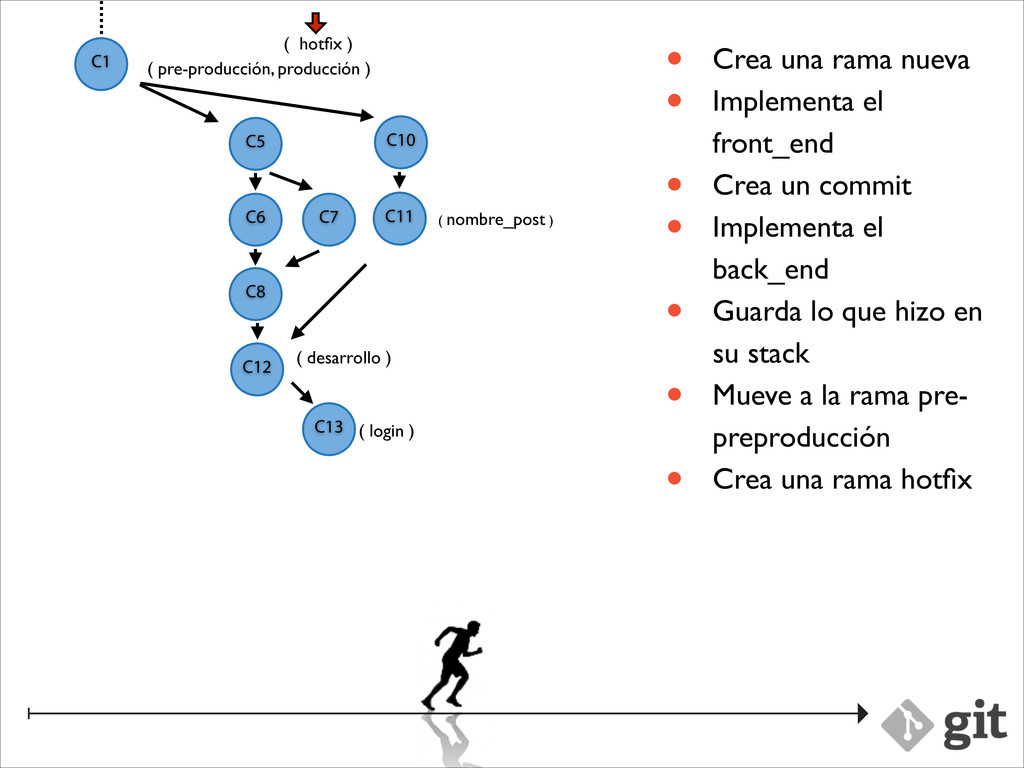
desarrollo ) C1 ( nombre_post ) C2 C3 C10 C11 C12 C10 C11 • Crea una rama nueva • Implementa el front_end • Crea un commit • Implementa el back_end • Guarda lo que hizo en su stack • Mueve a la rama pre- preproducción • Crea una rama hotfix ( login ) C13
desarrollo ) C1 ( nombre_post ) C2 C3 C10 C11 C12 C10 C11 • Crea una rama nueva • Implementa el front_end • Crea un commit • Implementa el back_end • Guarda lo que hizo en su stack • Mueve a la rama pre- preproducción • Crea una rama hotfix ( login ) C13 ( hotfix )
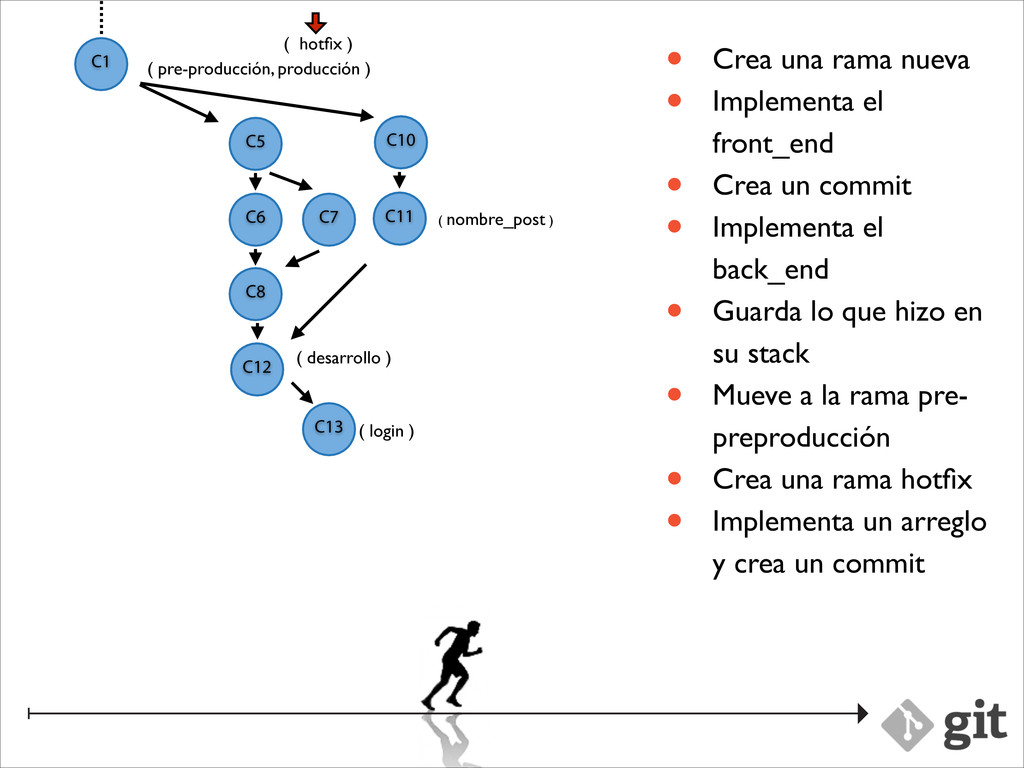
desarrollo ) C1 ( nombre_post ) C2 C3 C10 C11 C12 C10 C11 • Crea una rama nueva • Implementa el front_end • Crea un commit • Implementa el back_end • Guarda lo que hizo en su stack • Mueve a la rama pre- preproducción • Crea una rama hotfix • Implementa un arreglo y crea un commit ( login ) C13 ( hotfix )
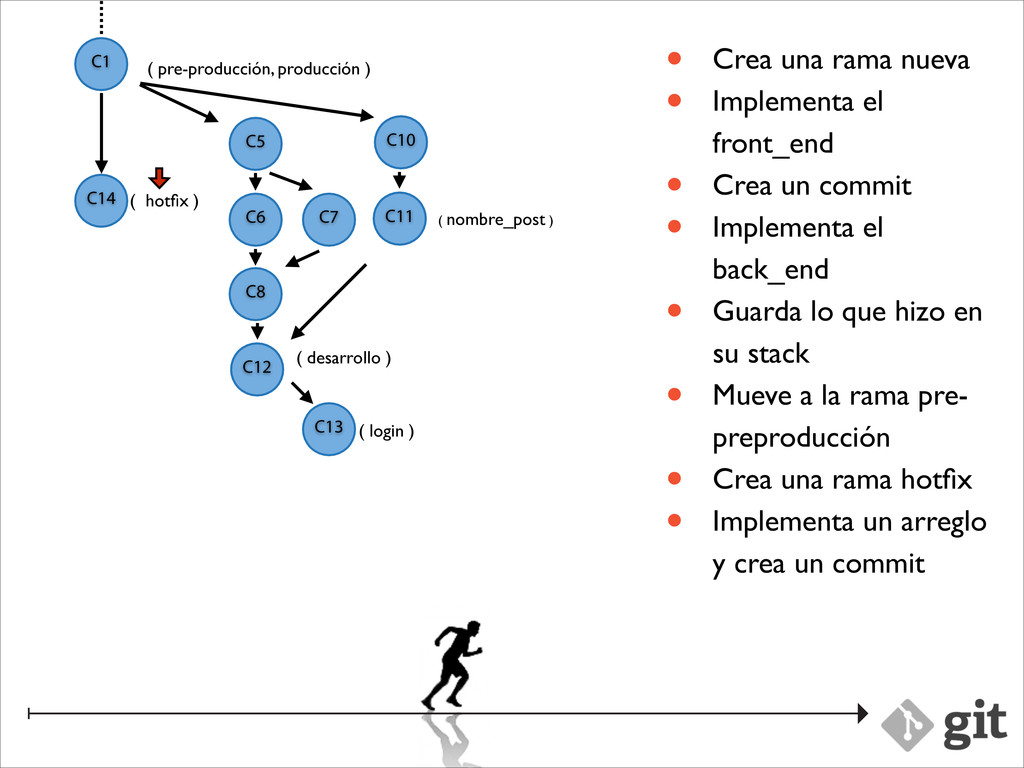
desarrollo ) C1 ( nombre_post ) C2 C3 C10 C11 C12 C10 C11 • Crea una rama nueva • Implementa el front_end • Crea un commit • Implementa el back_end • Guarda lo que hizo en su stack • Mueve a la rama pre- preproducción • Crea una rama hotfix • Implementa un arreglo y crea un commit ( login ) C13 ( hotfix ) C14
sed, porta ac lorem. Donec eget dolor pharetra nisi tempus imperdiet rhoncus quis lacus. Suspendisse viverra eros ut ante fringilla auctor consectetur massa commodo. Donec eget dolor pharetra nisi tempus imperdiet rhoncus quis lacus. Suspendisse viverra eros ut ante fringilla auctor consectetur massa commodo. Donec eget dolor pharetra nisi tempus imperdiet rhoncus quis lacus. Suspendisse viverra eros ut ante fringilla auctor consectetur massa commodo. Donec eget dolor pharetra nisi tempus imperdiet rhoncus quis lacus.
[-c name=value] [--help] <command> [<args>] ! The most commonly used git commands are: add Add file contents to the index bisect Find by binary search the change that introduced a bug branch List, create, or delete branches checkout Checkout a branch or paths to the working tree clone Clone a repository into a new directory commit Record changes to the repository diff Show changes between commits, commit and working tree, etc fetch Download objects and refs from another repository grep Print lines matching a pattern init Create an empty git repository or reinitialize an existing one log Show commit logs merge Join two or more development histories together mv Move or rename a file, a directory, or a symlink pull Fetch from and merge with another repository or a local branch push Update remote refs along with associated objects rebase Forward-port local commits to the updated upstream head reset Reset current HEAD to the specified state rm Remove files from the working tree and from the index show Show various types of objects status Show the working tree status tag Create, list, delete or verify a tag object signed with GPG ! See 'git help <command>' for more information on a specific command.
[-c name=value] [--help] <command> [<args>] ! The most commonly used git commands are: add Add file contents to the index bisect Find by binary search the change that introduced a bug branch List, create, or delete branches checkout Checkout a branch or paths to the working tree clone Clone a repository into a new directory commit Record changes to the repository diff Show changes between commits, commit and working tree, etc fetch Download objects and refs from another repository grep Print lines matching a pattern init Create an empty git repository or reinitialize an existing one log Show commit logs merge Join two or more development histories together mv Move or rename a file, a directory, or a symlink pull Fetch from and merge with another repository or a local branch push Update remote refs along with associated objects rebase Forward-port local commits to the updated upstream head reset Reset current HEAD to the specified state rm Remove files from the working tree and from the index show Show various types of objects status Show the working tree status tag Create, list, delete or verify a tag object signed with GPG ! See 'git help <command>' for more information on a specific command.


 marpo60
 kanfab1
 tsutsui
 eijirou
 tosite
 dske104
 junhat6
 gam0022
 curekoshimizu
 kishida
 akihisaikeda
 akkeylab
 tammyeverts
 szymonslowik
 samlambert
 cassininazir
 aarron
 eitanlees
 rkendrick25
 palkan
 codingconduct
 frankvandijk
 inesmontani


![usage: git [--version] [--exec-path[=<path>]] [--html-path] [-p|--paginate|--no-pager] [--no-replace-objects] [--bare] [--git-dir=<path>] [--work-tree=<path>]](https://files.speakerdeck.com/presentations/45424fc03a5b0131c55d12a801aa0ca3/slide_6.jpg)
![usage: git [--version] [--exec-path[=<path>]] [--html-path] [-p|--paginate|--no-pager] [--no-replace-objects] [--bare] [--git-dir=<path>] [--work-tree=<path>]](https://files.speakerdeck.com/presentations/45424fc03a5b0131c55d12a801aa0ca3/slide_7.jpg)




![usage: git [--version] [--exec-path[=<path>]] [--html-path] [-p|--paginate|--no-pager] [--no-replace-objects] [--bare] [--git-dir=<path>] [--work-tree=<path>]](https://files.speakerdeck.com/presentations/45424fc03a5b0131c55d12a801aa0ca3/slide_127.jpg)
![usage: git [--version] [--exec-path[=<path>]] [--html-path] [-p|--paginate|--no-pager] [--no-replace-objects] [--bare] [--git-dir=<path>] [--work-tree=<path>]](https://files.speakerdeck.com/presentations/45424fc03a5b0131c55d12a801aa0ca3/slide_128.jpg)