Upgrade to Pro — share decks privately, control downloads, hide ads and more …

Xamarin Vs. React Native

Xamarin Vs. React Native

Presentation on Xamarin Vs. React Native by Michael Williams at the Melbourne Xamarin Meetup.

Michael discusses the differences between React Native and Xamarin, as well as lessons learnt and DevOps on both the platforms.

Avatar for Melbourne Xamarin Meetup

Melbourne Xamarin Meetup

September 20, 2017
Tweet

More Decks by Melbourne Xamarin Meetup

Other Decks in Technology

Transcript

  1. Michael Williams – Technical Solutions Professional (APAC) A little about

    me: - Over 8 years in Mobile development - 3 years with architectural design in the cloud (Azure, AWS and Google Cloud). - CQRS system design - Latest focus: Data Science, TensorFlow and machine learning Something interesting: - Currently studying a bachelor of science - highly focused on Physics - I’ve been to North Korea
  2. Building native apps is hard – If anyone ever shows

    you this as an intro slide I suggest leaving. – First sign of a high-level presentation. Personally, I disagree with this statement, building native apps is easy. IF YOU KNOW HOW TO DO IT.
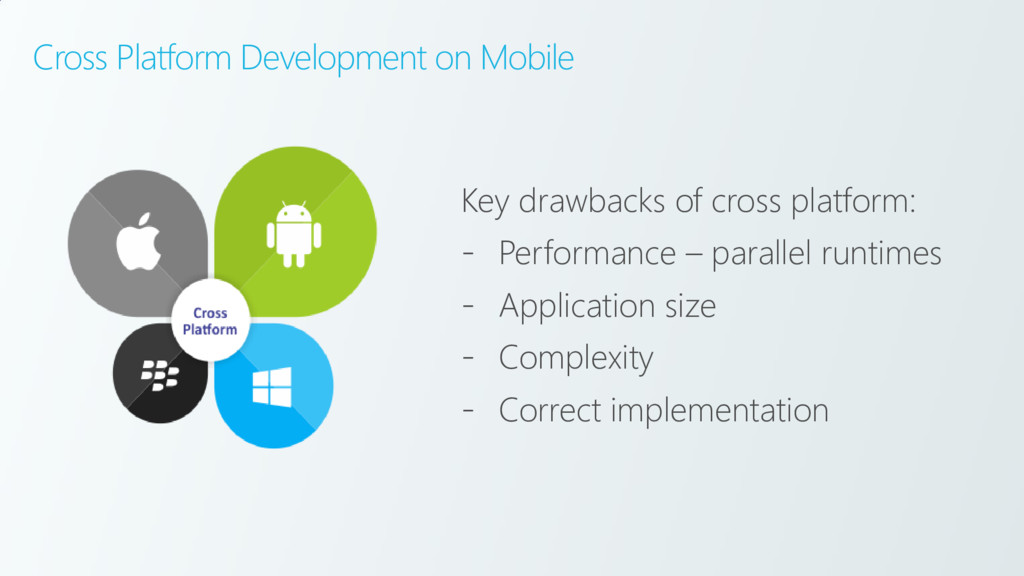
  3. Cross Platform Development on Mobile Key drawbacks of cross platform:

    - Performance – parallel runtimes - Application size - Complexity - Correct implementation
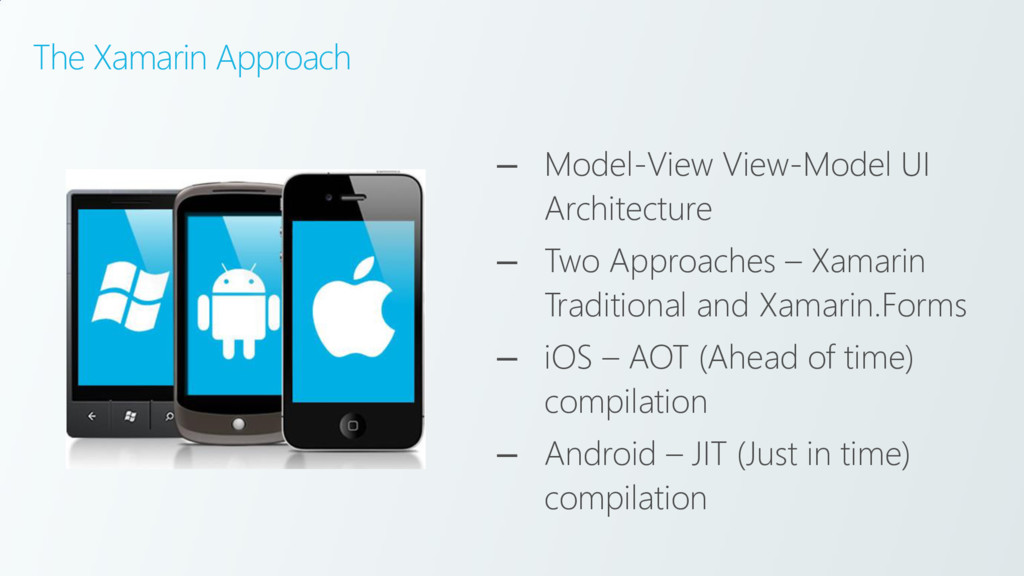
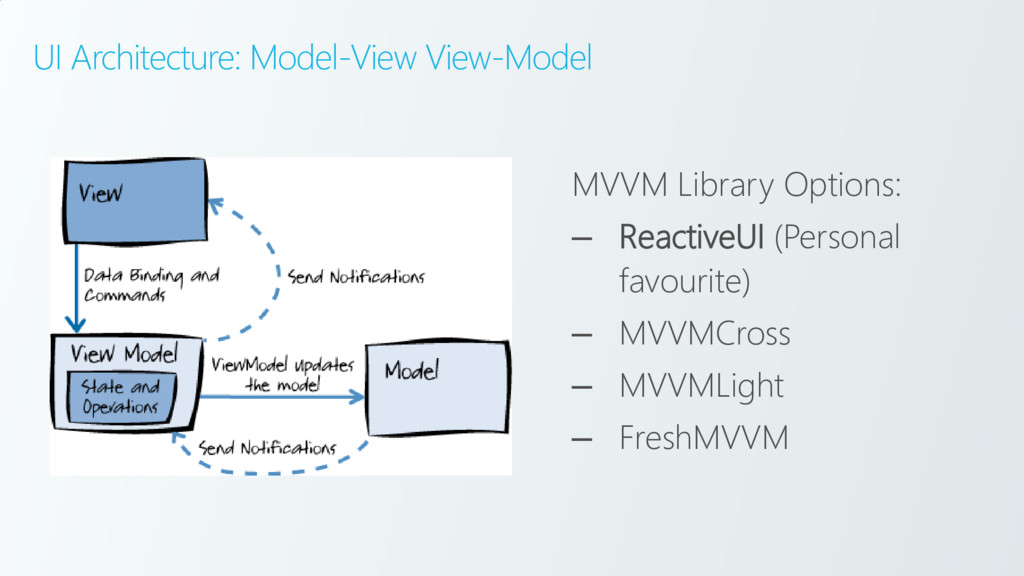
  4. The Xamarin Approach – Model-View View-Model UI Architecture – Two

    Approaches – Xamarin Traditional and Xamarin.Forms – iOS – AOT (Ahead of time) compilation – Android – JIT (Just in time) compilation
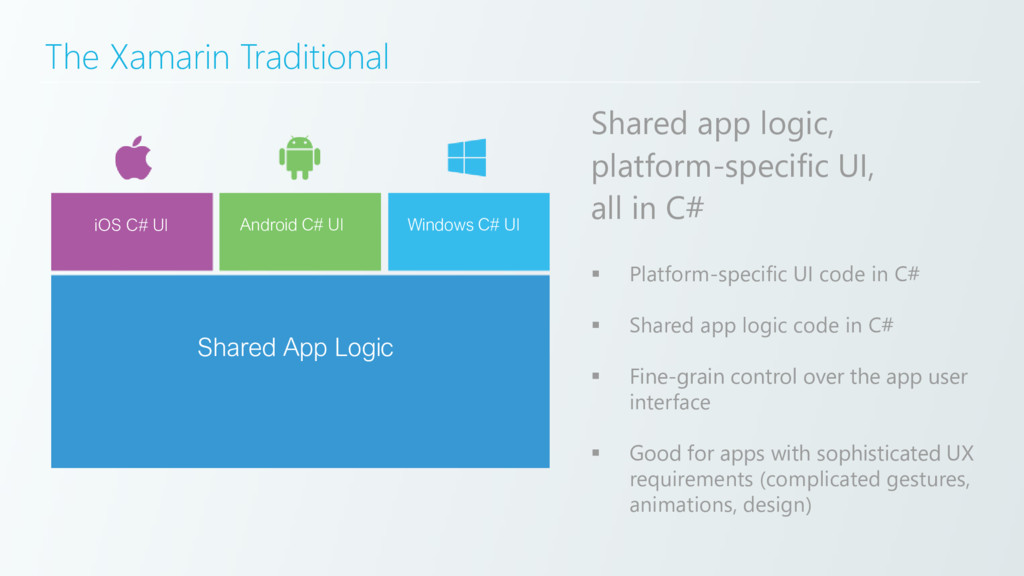
  5. The Xamarin Traditional Shared app logic, platform-specific UI, all in

    C# Shared App Logic in C# iOS C# UI Android C# UI Windows C# UI Shared App Logic ▪ Platform-specific UI code in C# ▪ Shared app logic code in C# ▪ Fine-grain control over the app user interface ▪ Good for apps with sophisticated UX requirements (complicated gestures, animations, design)
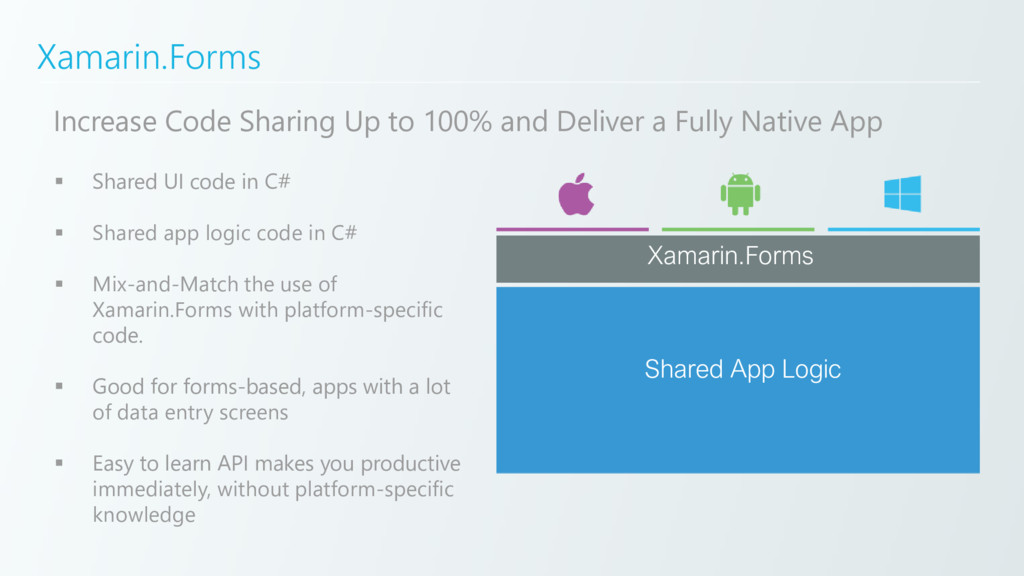
  6. Xamarin.Forms Shared App Logic Xamarin.Forms Increase Code Sharing Up to

    100% and Deliver a Fully Native App ▪ Shared UI code in C# ▪ Shared app logic code in C# ▪ Mix-and-Match the use of Xamarin.Forms with platform-specific code. ▪ Good for forms-based, apps with a lot of data entry screens ▪ Easy to learn API makes you productive immediately, without platform-specific knowledge
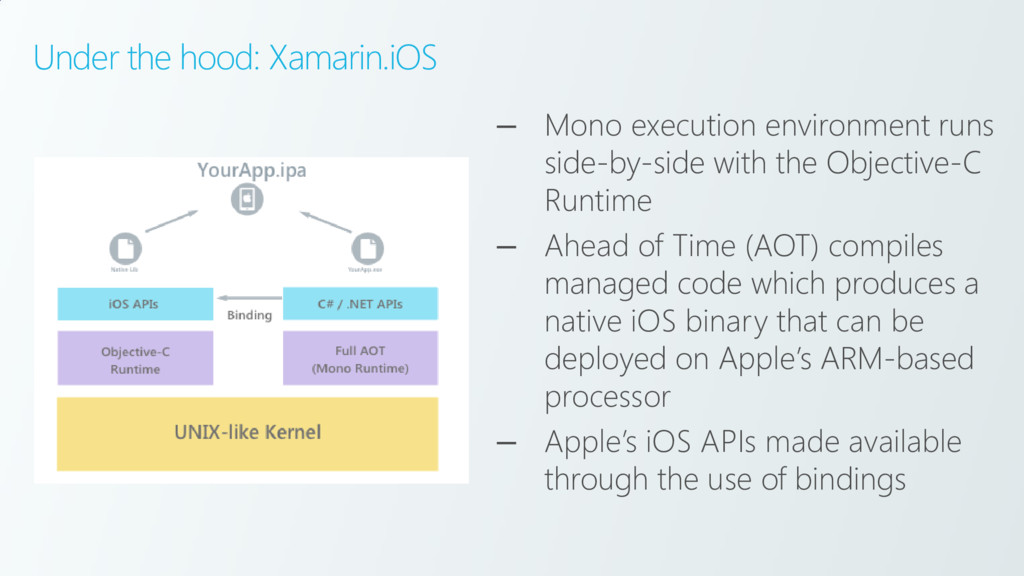
  7. Under the hood: Xamarin.iOS – Mono execution environment runs side-by-side

    with the Objective-C Runtime – Ahead of Time (AOT) compiles managed code which produces a native iOS binary that can be deployed on Apple’s ARM-based processor – Apple’s iOS APIs made available through the use of bindings
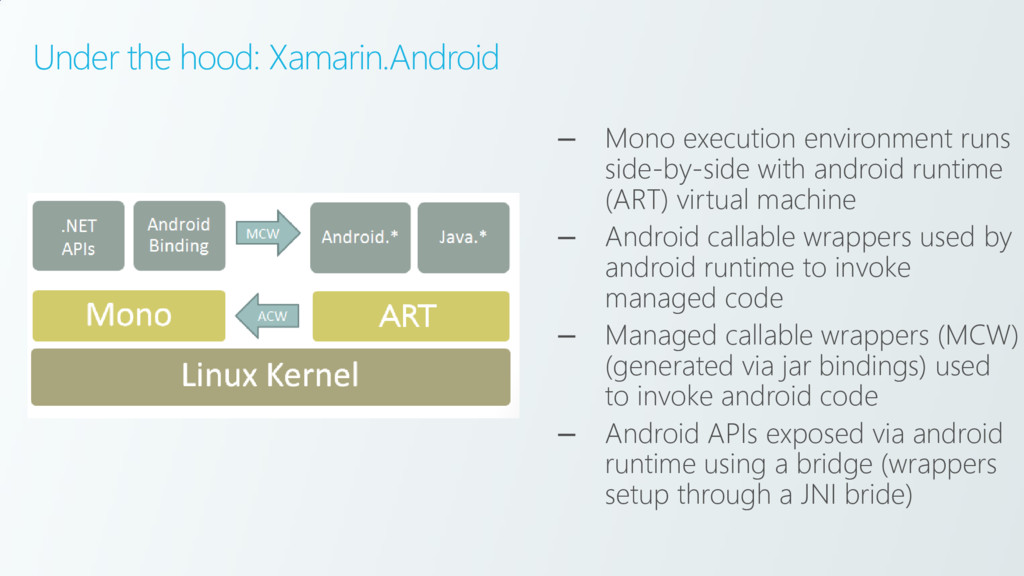
  8. Under the hood: Xamarin.Android – Mono execution environment runs side-by-side

    with android runtime (ART) virtual machine – Android callable wrappers used by android runtime to invoke managed code – Managed callable wrappers (MCW) (generated via jar bindings) used to invoke android code – Android APIs exposed via android runtime using a bridge (wrappers setup through a JNI bride)
  9. Difference between AOT and JIT We don’t have to precomiple

    a native binary, we can run MSIL at runtime. Limitation of AOT https://developer.xamarin.co m/guides/ios/advanced_topi cs/limitations/
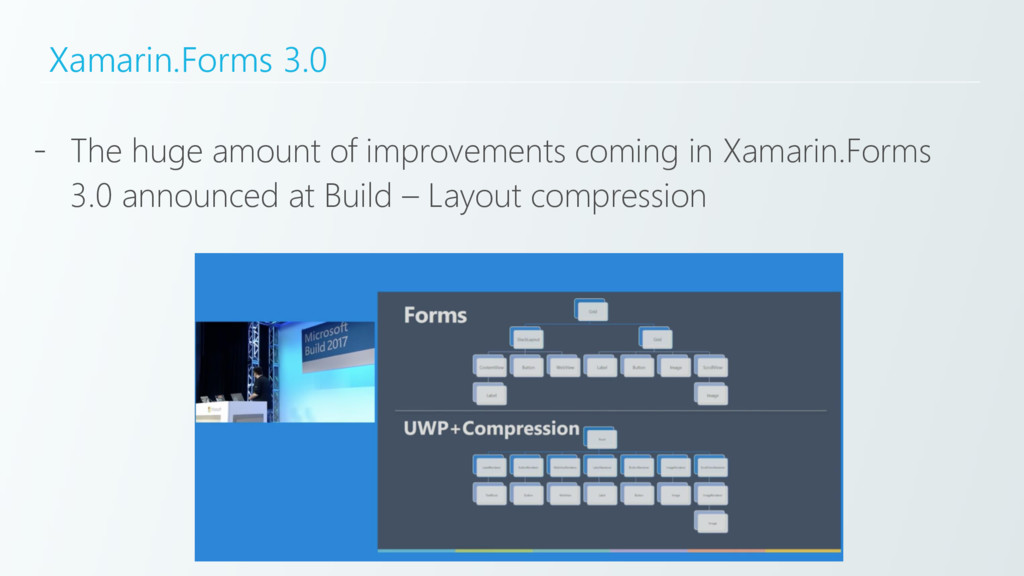
  10. Xamarin.Forms 3.0 - The huge amount of improvements coming in

    Xamarin.Forms 3.0 announced at Build – Layout compression
  11. Disadvantages of Xamarin.Forms - Developers with no mobile experience -

    Up to “95% code sharing” way of thinking – a trap for young players - Scope creep - Incorrect implementation - Can be confusing for developers
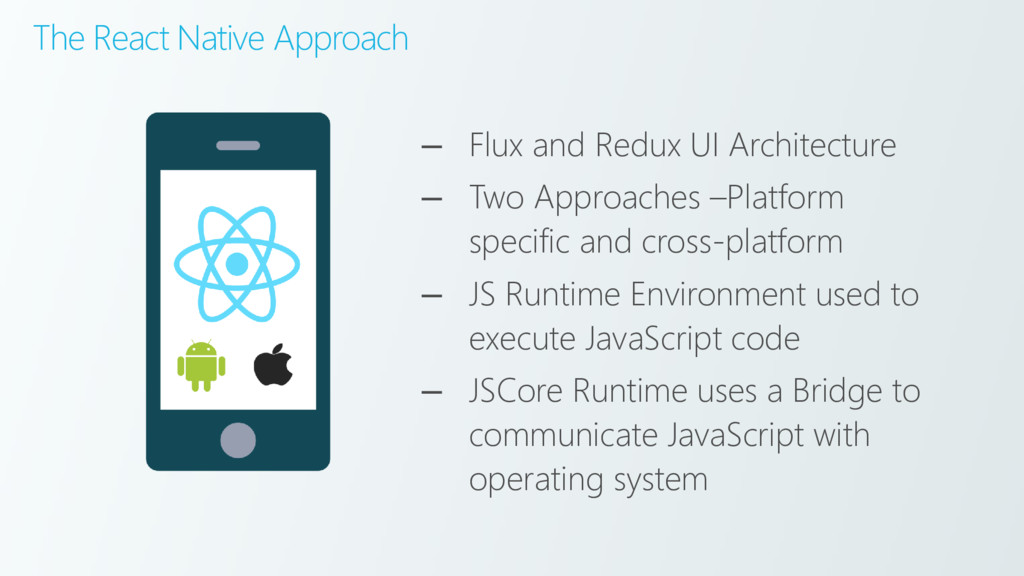
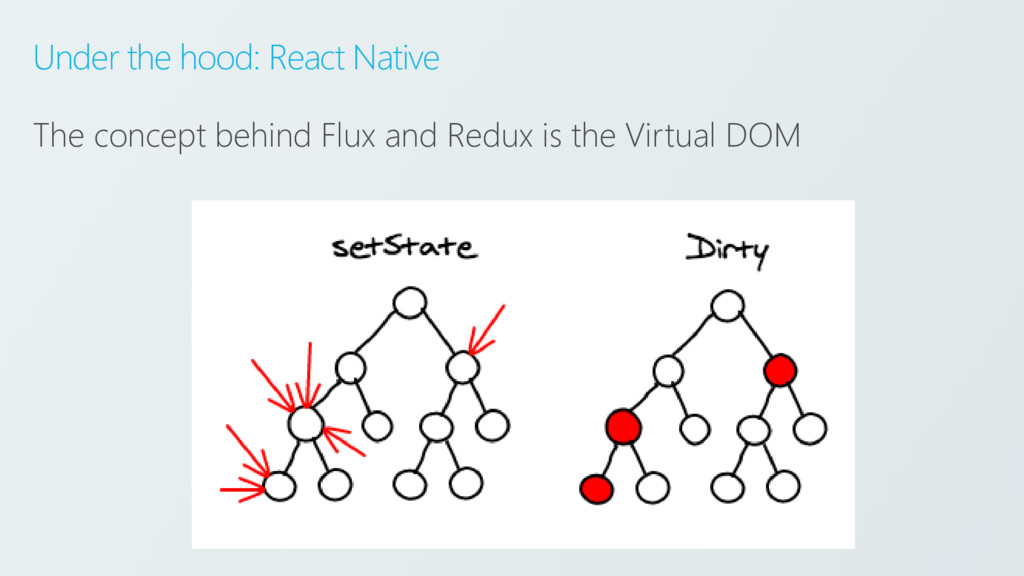
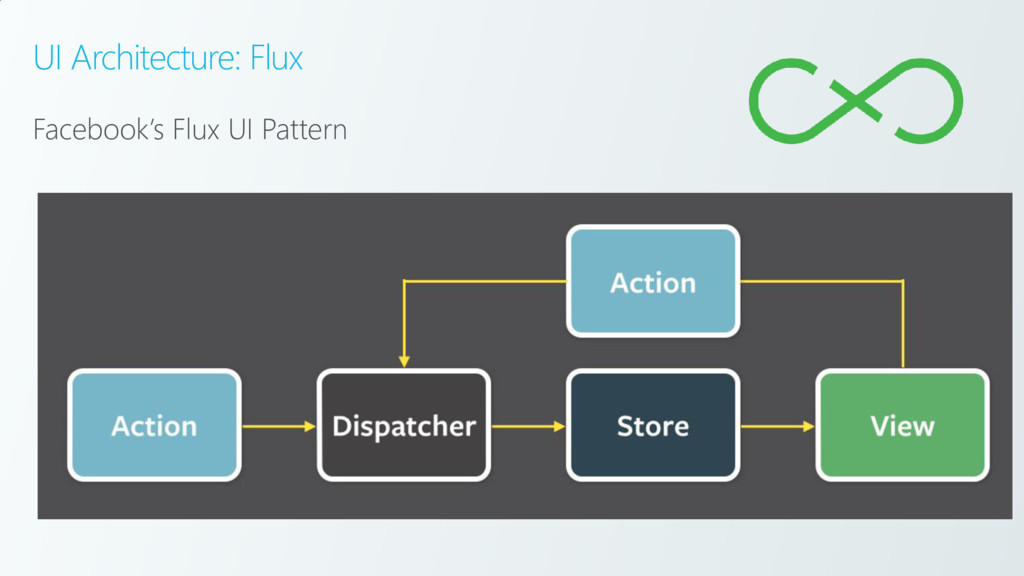
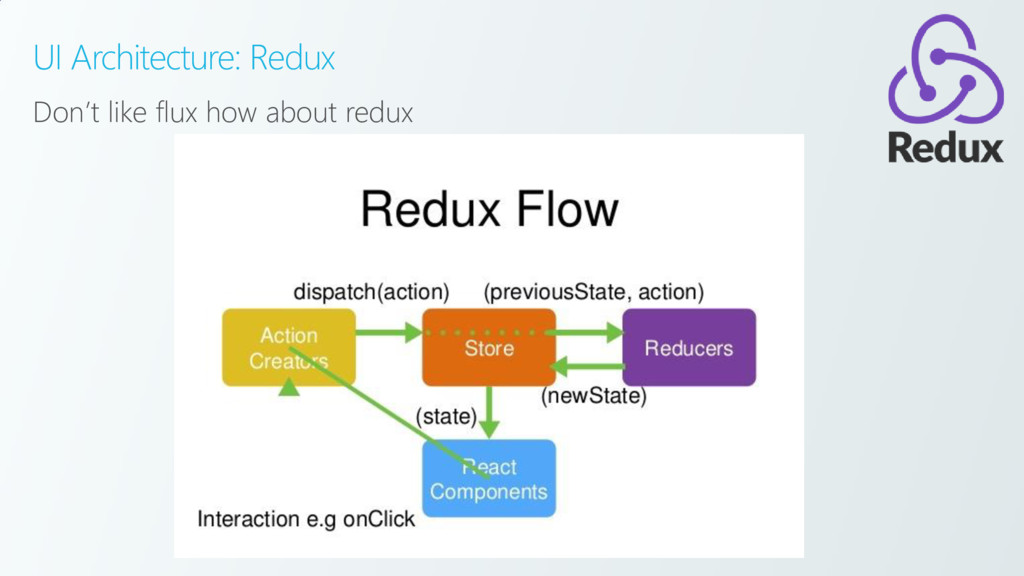
  12. The React Native Approach – Flux and Redux UI Architecture

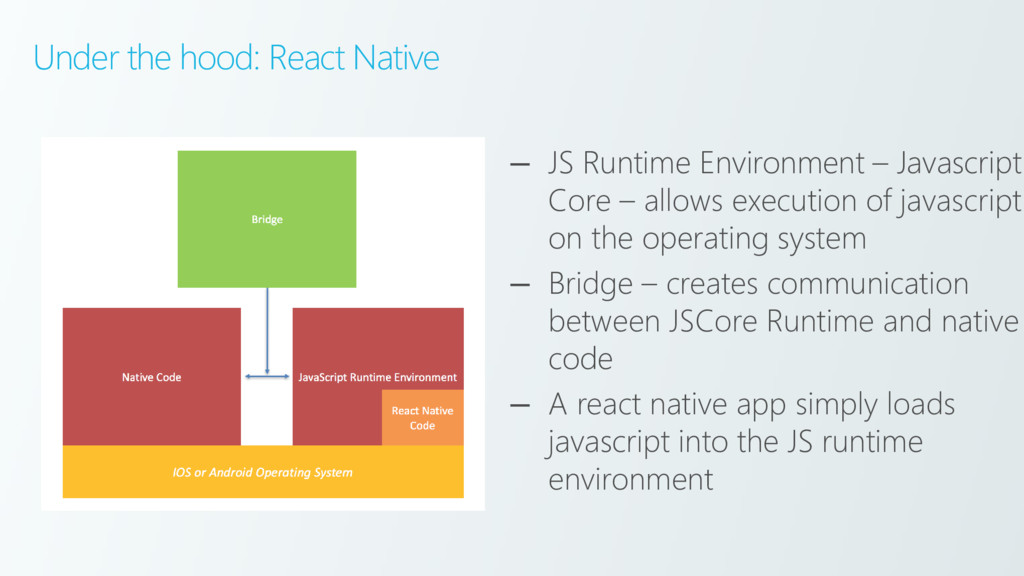
    – Two Approaches –Platform specific and cross-platform – JS Runtime Environment used to execute JavaScript code – JSCore Runtime uses a Bridge to communicate JavaScript with operating system
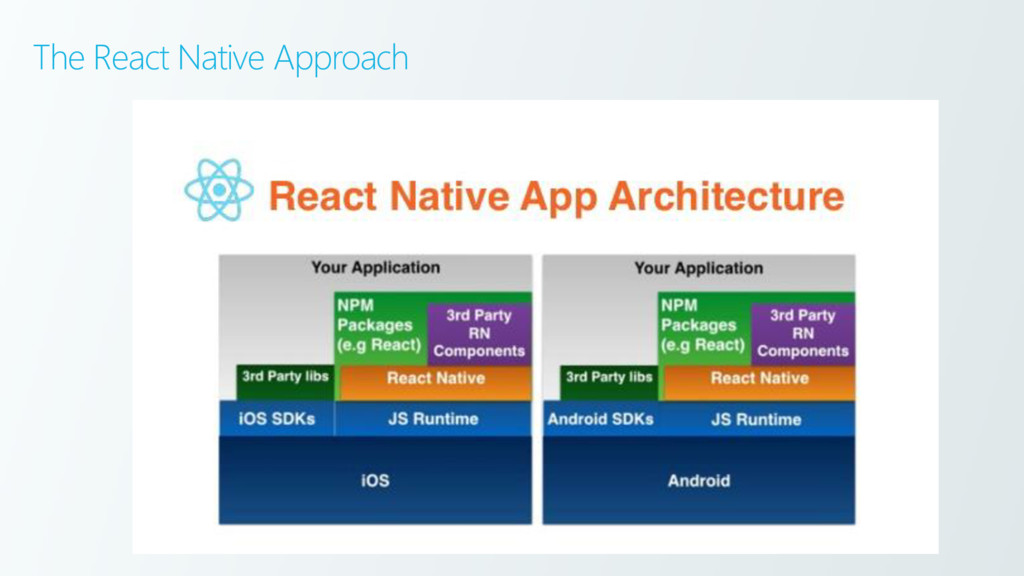
  13. Under the hood: React Native – JS Runtime Environment –

    Javascript Core – allows execution of javascript on the operating system – Bridge – creates communication between JSCore Runtime and native code – A react native app simply loads javascript into the JS runtime environment
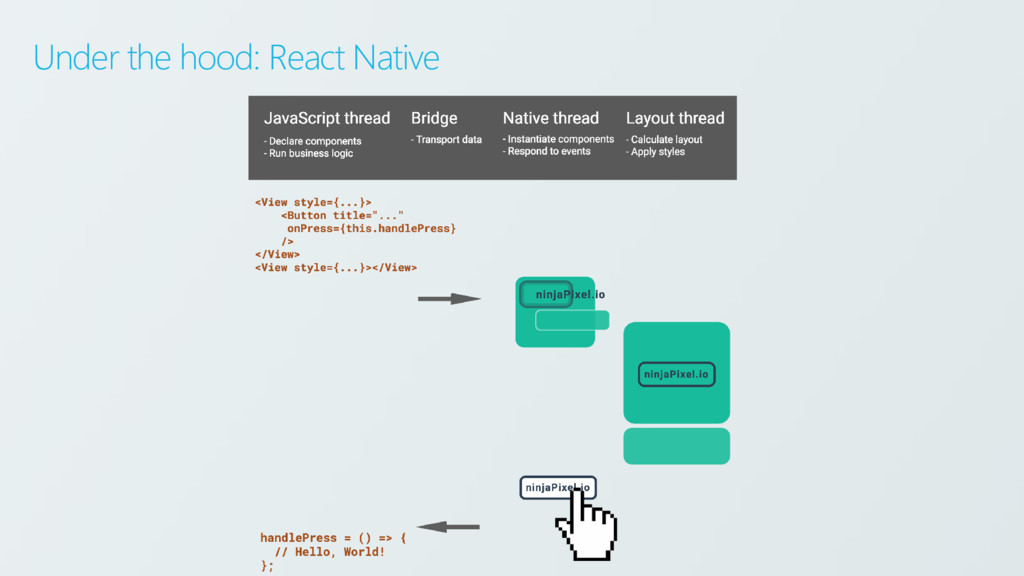
  14. Under the hood: React Native – React Native control will

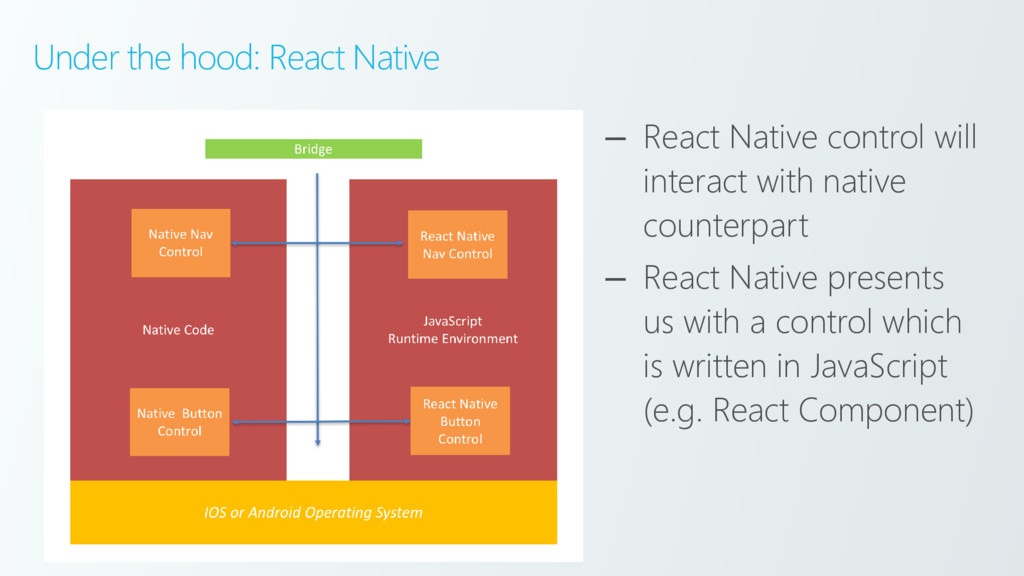
    interact with native counterpart – React Native presents us with a control which is written in JavaScript (e.g. React Component)
  15. Under the hood: React Native – React Native control will

    interact with native counterpart – React Native presents us with a control which is written in JavaScript (e.g. React Component)
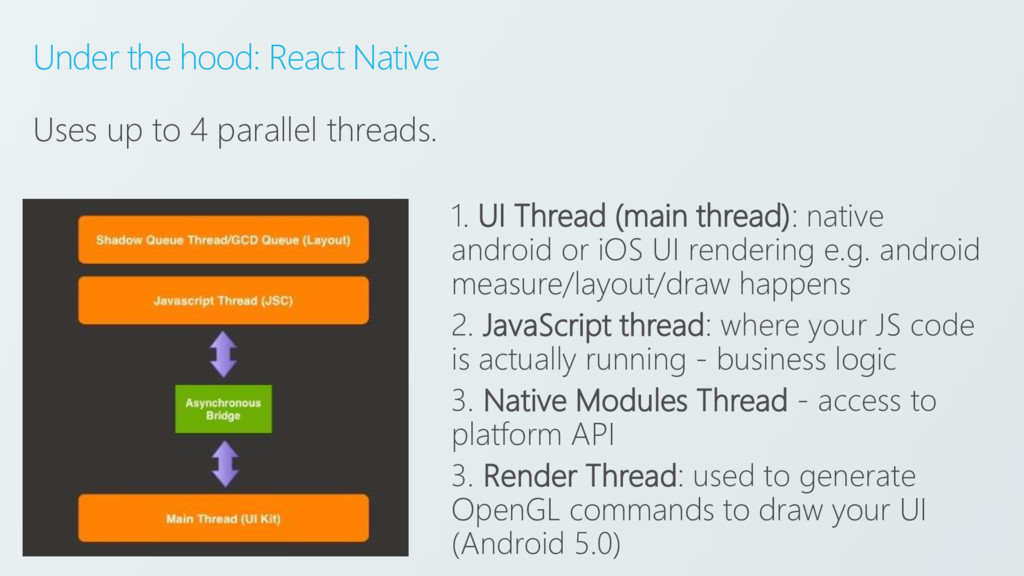
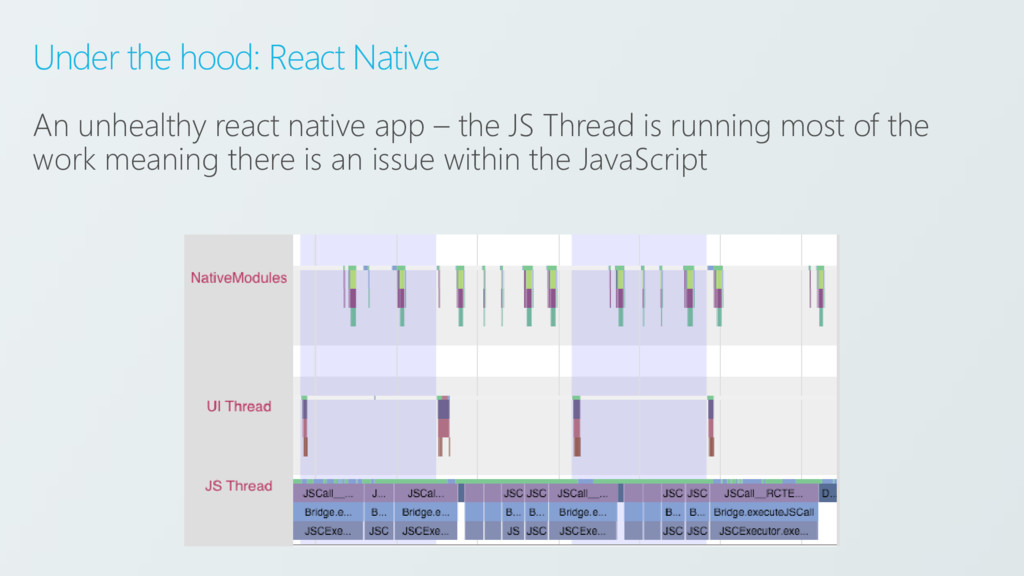
  16. Under the hood: React Native Uses up to 4 parallel

    threads. 1. UI Thread (main thread): native android or iOS UI rendering e.g. android measure/layout/draw happens 2. JavaScript thread: where your JS code is actually running - business logic 3. Native Modules Thread - access to platform API 3. Render Thread: used to generate OpenGL commands to draw your UI (Android 5.0)
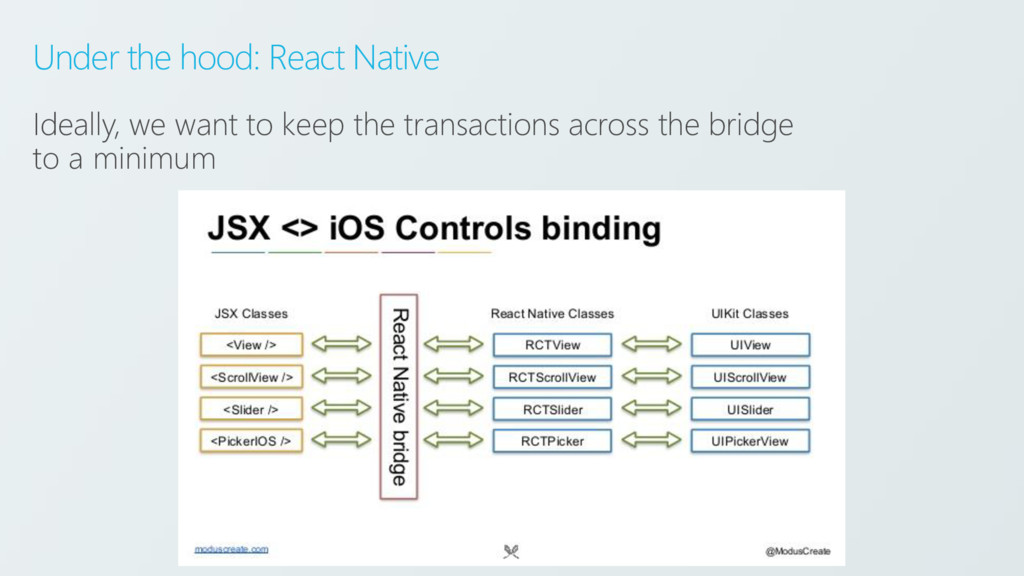
  17. Under the hood: React Native Ideally, we want to keep

    the transactions across the bridge to a minimum
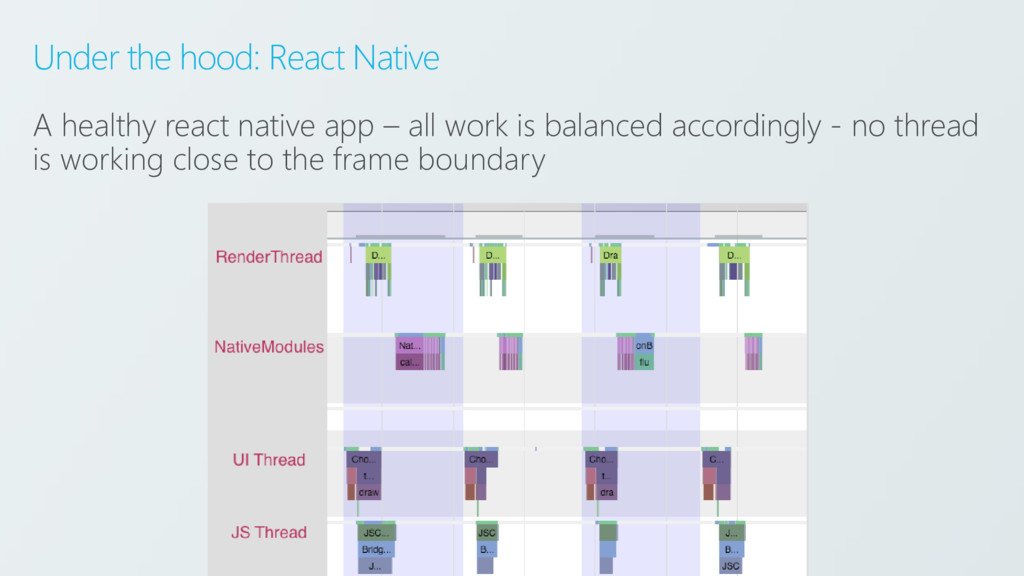
  18. Under the hood: React Native A healthy react native app

    – all work is balanced accordingly - no thread is working close to the frame boundary
  19. Under the hood: React Native An unhealthy react native app

    – the JS Thread is running most of the work meaning there is an issue within the JavaScript
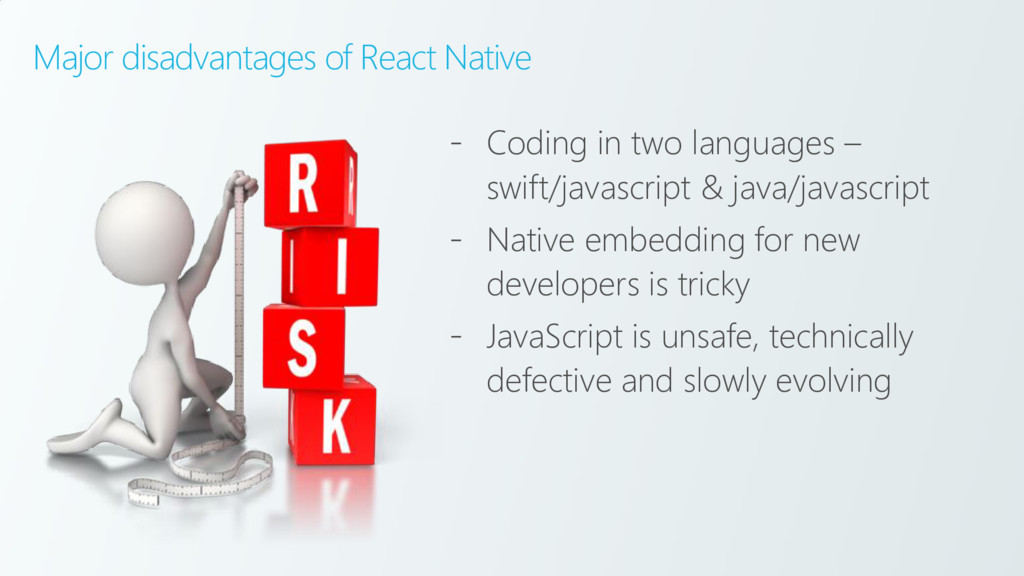
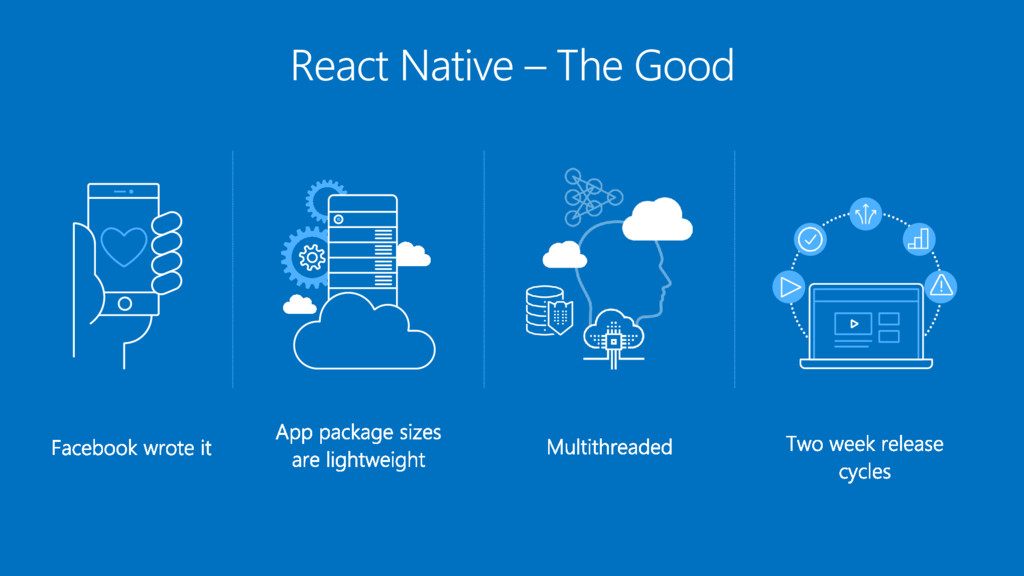
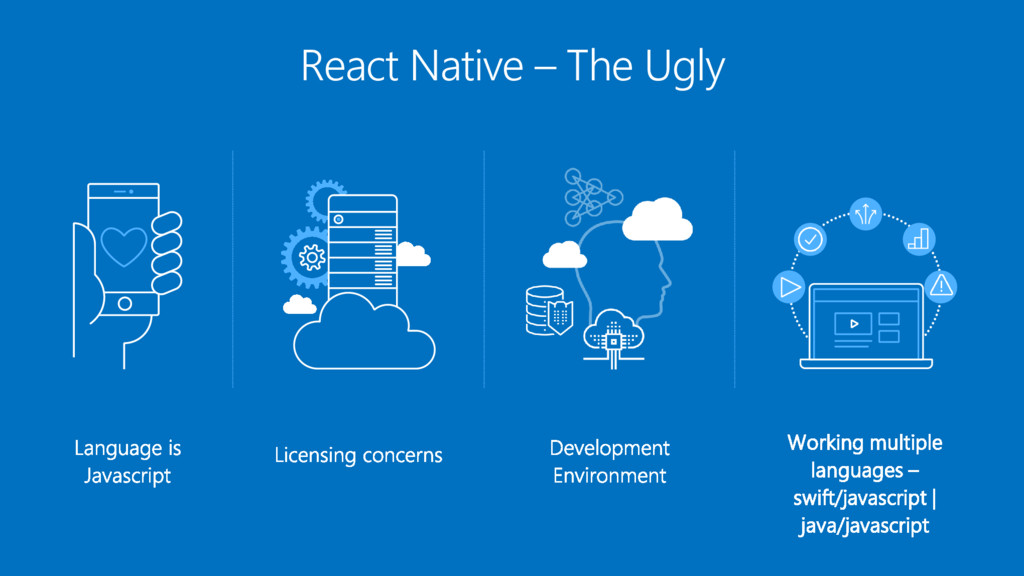
  20. Major disadvantages of React Native - Coding in two languages

    – swift/javascript & java/javascript - Native embedding for new developers is tricky - JavaScript is unsafe, technically defective and slowly evolving
  21. Summarize Both frameworks: - Support iOS, Android and UWP (react-native

    implementation is new) - Produce truly native applications - Can achieve 95% code re-use - Have high performance - Both compile into native code - Ability to access third party components - Native embedding (React Native’s approach is lightweight and faster)
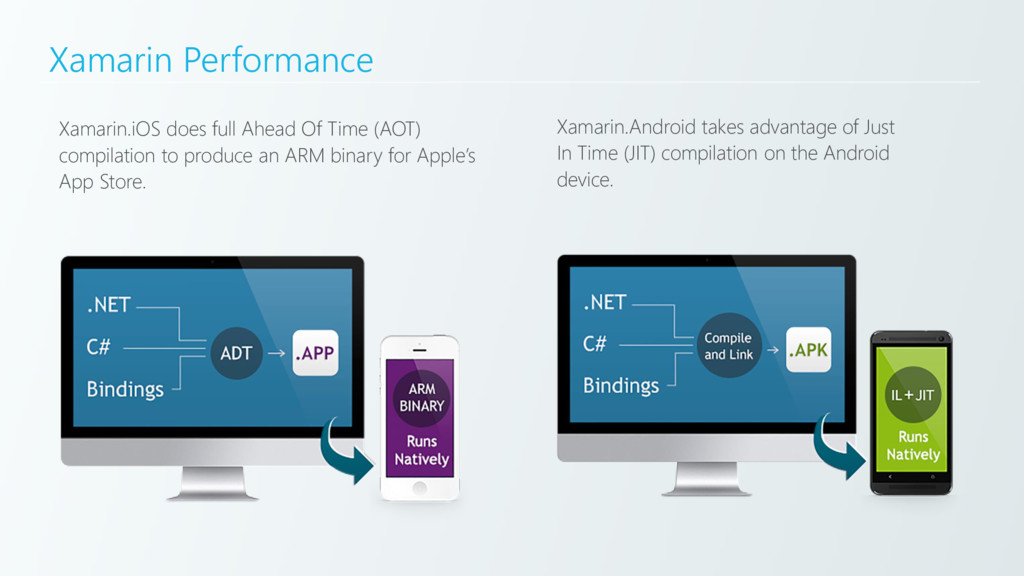
  22. Xamarin Performance Xamarin.iOS does full Ahead Of Time (AOT) compilation

    to produce an ARM binary for Apple’s App Store. Xamarin.Android takes advantage of Just In Time (JIT) compilation on the Android device.
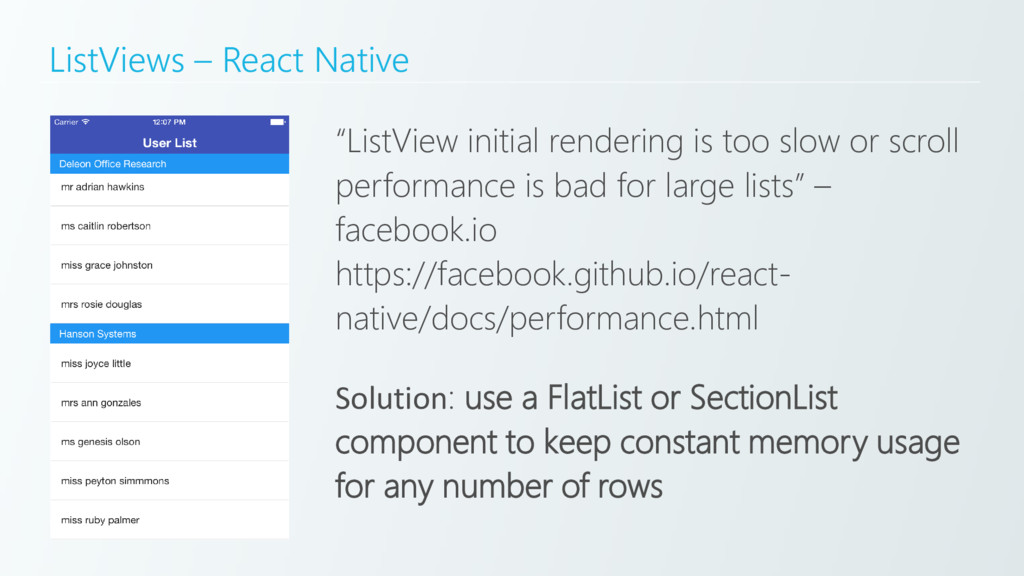
  23. ListViews – React Native “ListView initial rendering is too slow

    or scroll performance is bad for large lists” – facebook.io https://facebook.github.io/react- native/docs/performance.html Solution: use a FlatList or SectionList component to keep constant memory usage for any number of rows
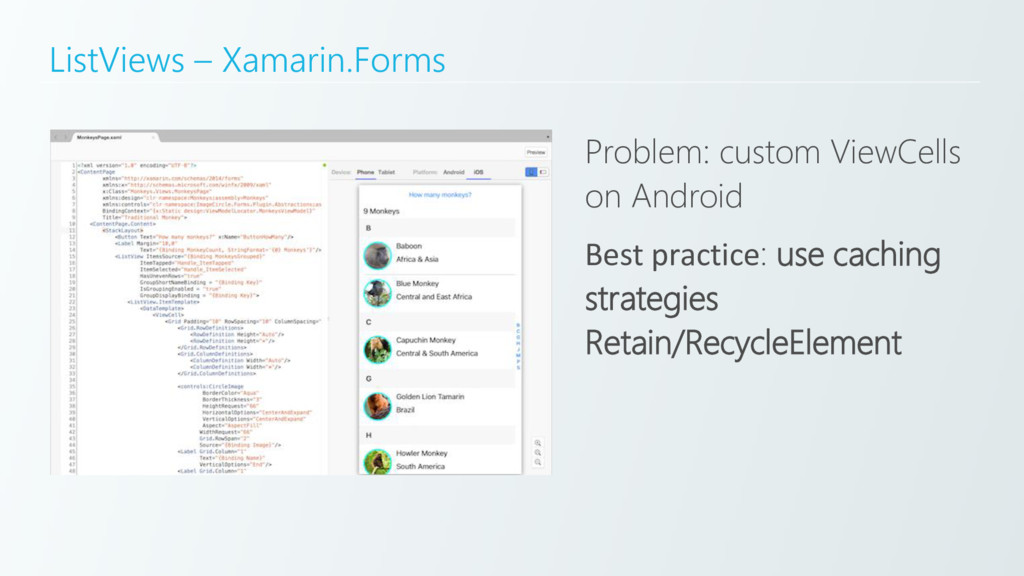
  24. ListViews – Xamarin Traditional There are no performance impacts except

    for the underlying cost of running two runtimes.
  25. Navigation – React Native Navigation in React Native is terrible:

    - No standard, all open source libraries do it differently - Its confusing for newbies - Page transition is slow.
  26. Navigation – React Native “we started scheduling the animation using

    the InteractionManager. While making the transition, we load lesser content and render the remaining content, once the transition is complete. It helped us provide a smoother experience to our users.” Good article: - https://hashnode.com/post/what-we- learned-after-using-react-native-for- a-year-civdr8zv6058l3853wqud7hqp
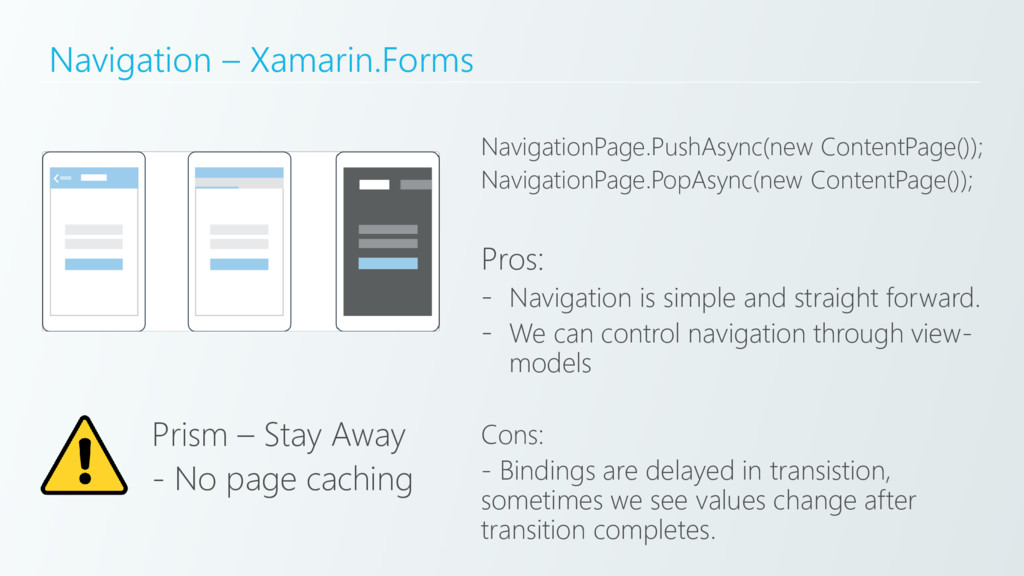
  27. Navigation – Xamarin.Forms NavigationPage.PushAsync(new ContentPage()); NavigationPage.PopAsync(new ContentPage()); Pros: - Navigation

    is simple and straight forward. - We can control navigation through view- models Cons: - Bindings are delayed in transistion, sometimes we see values change after transition completes. Prism – Stay Away - No page caching
  28. UI Animation React Animation APIs all run on JSThread causing

    performance issues. Xamarin.Forms Pretty good as long as there isn’t too much animation. Xamarin Traditional As good as native
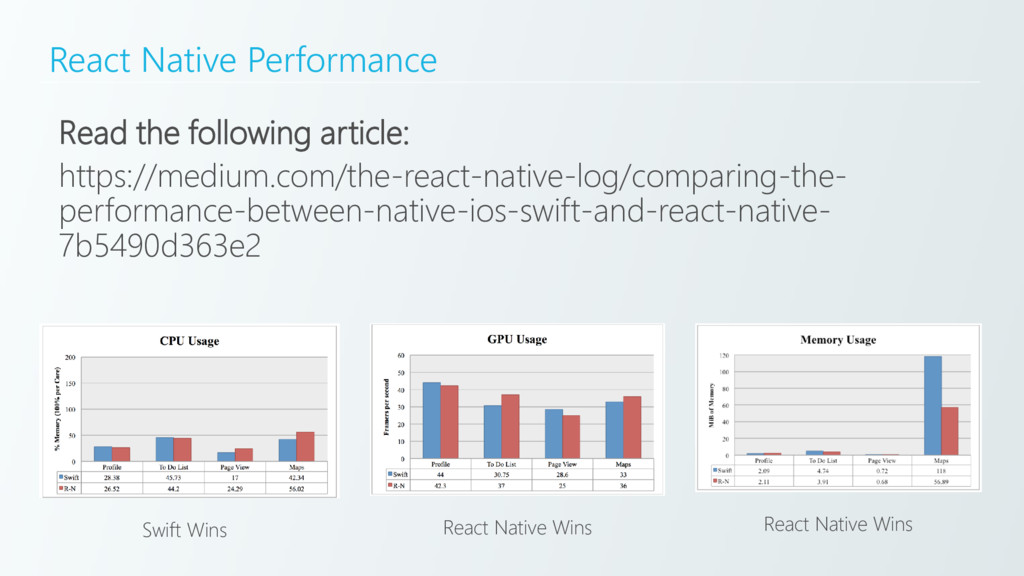
  29. Summarise All platforms are highly performant when applied correctly. –

    Xamarin Traditional runs great on android – Xamarin.Forms and React Native both have draw backs. – Xamarin Traditional, Xamarin.Forms and React Native all run great on iOS
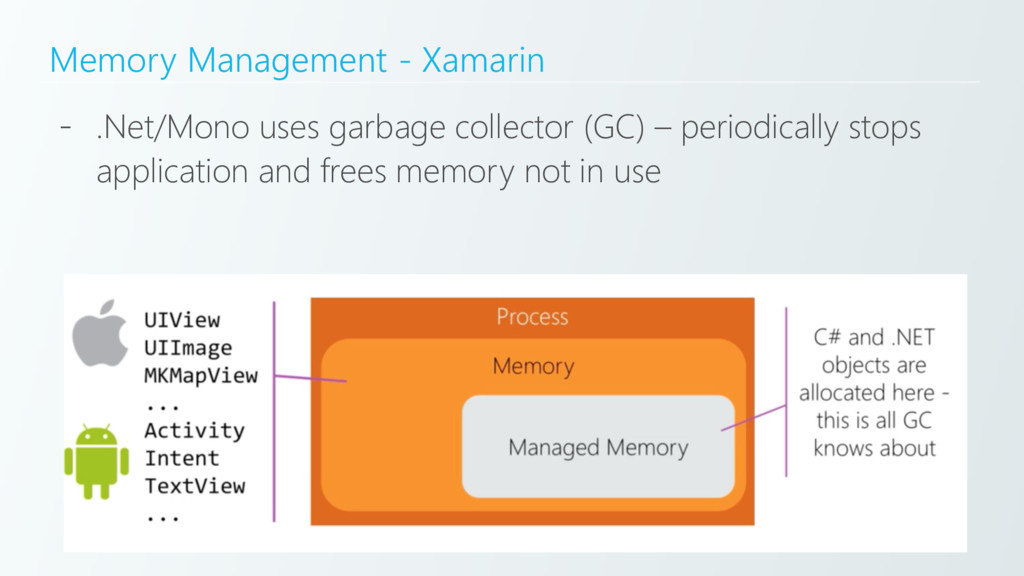
  30. Memory Management - Xamarin - .Net/Mono uses garbage collector (GC)

    – periodically stops application and frees memory not in use
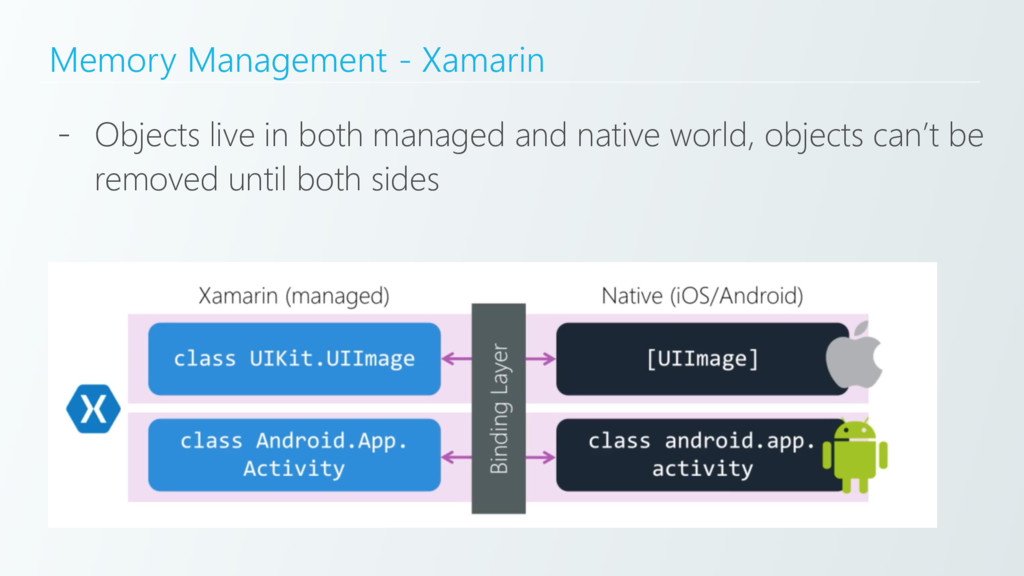
  31. Memory Management - Xamarin - Objects live in both managed

    and native world, objects can’t be removed until both sides
  32. Memory Management – Xamarin Read the following article series: http://tommyb.com/tutorial-series/memory-

    management-in-xamarin-series/ Correct memory management requires: - Implement the IDisposable interface on custom classes - Implement using statements - Use WeakReference for class-level properties - Event Handlers are correctly managed (added and removed)
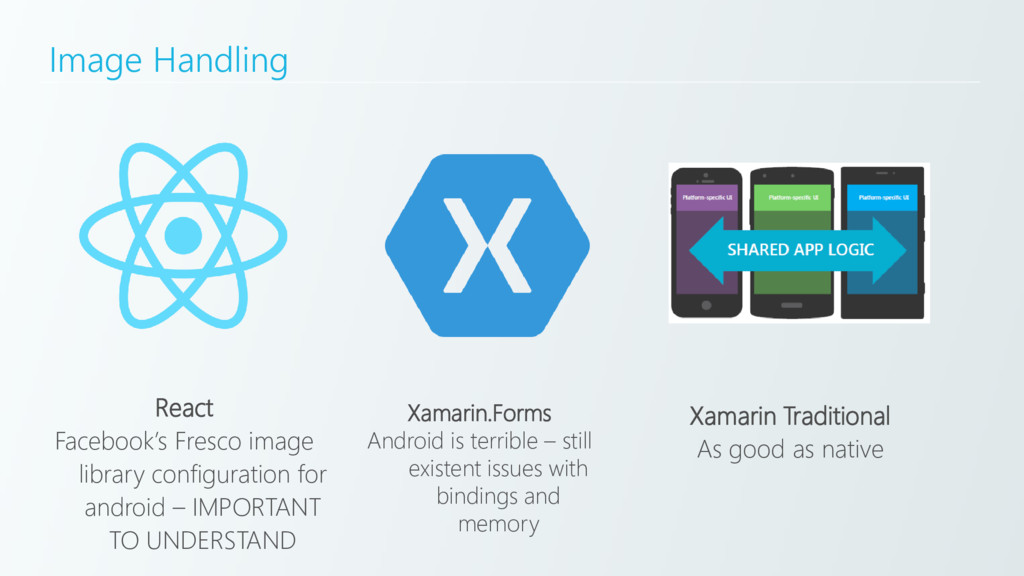
  33. Image Handling React Facebook’s Fresco image library configuration for android

    – IMPORTANT TO UNDERSTAND Xamarin.Forms Android is terrible – still existent issues with bindings and memory Xamarin Traditional As good as native
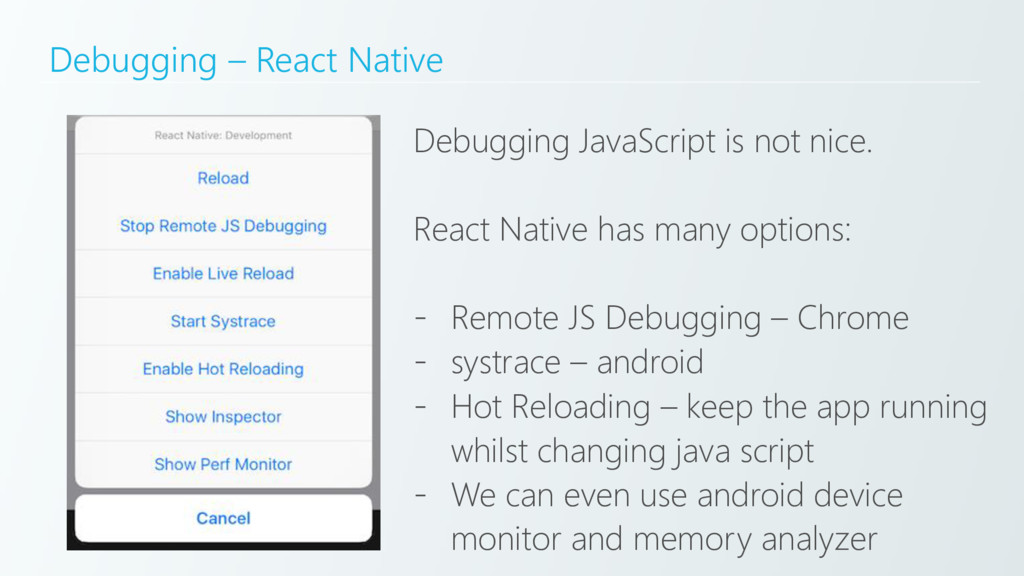
  34. Debugging – React Native Debugging JavaScript is not nice. React

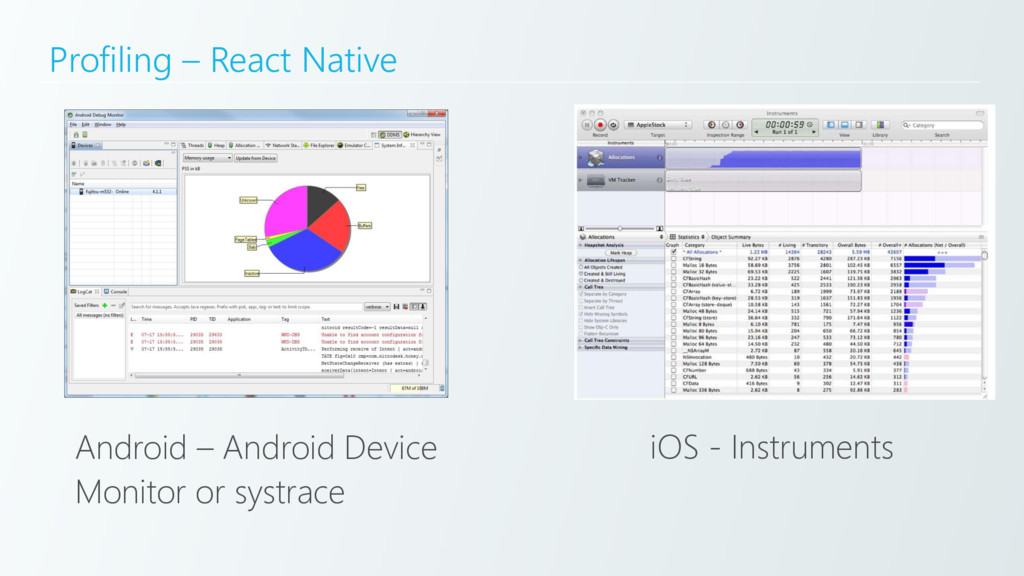
    Native has many options: - Remote JS Debugging – Chrome - systrace – android - Hot Reloading – keep the app running whilst changing java script - We can even use android device monitor and memory analyzer
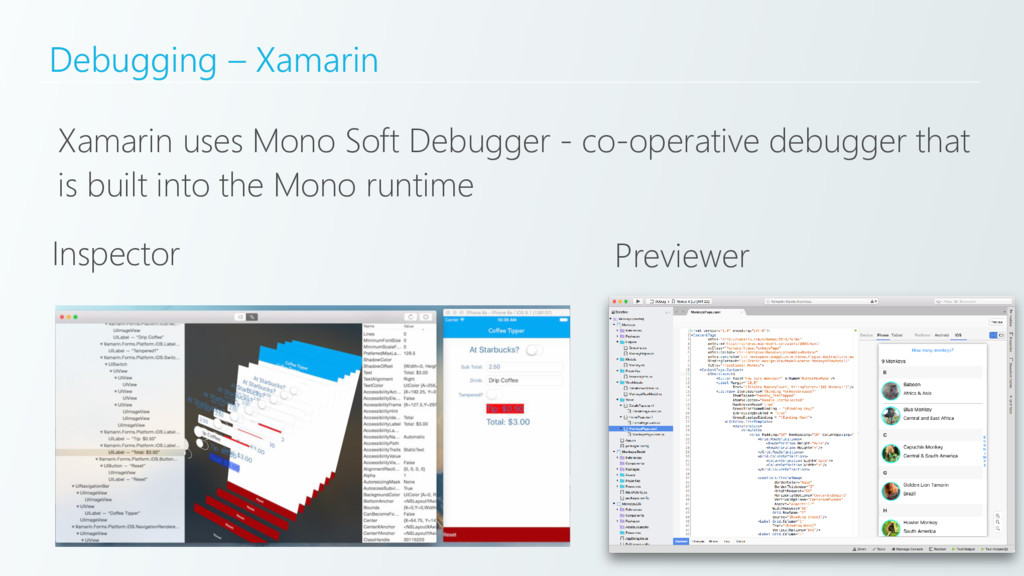
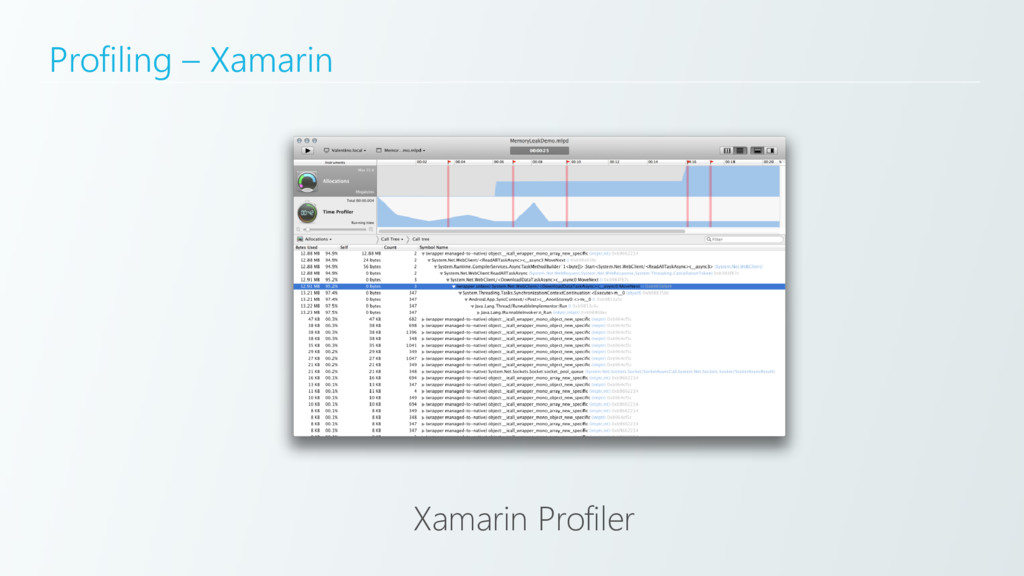
  35. Debugging – Xamarin Xamarin uses Mono Soft Debugger - co-operative

    debugger that is built into the Mono runtime Inspector Previewer
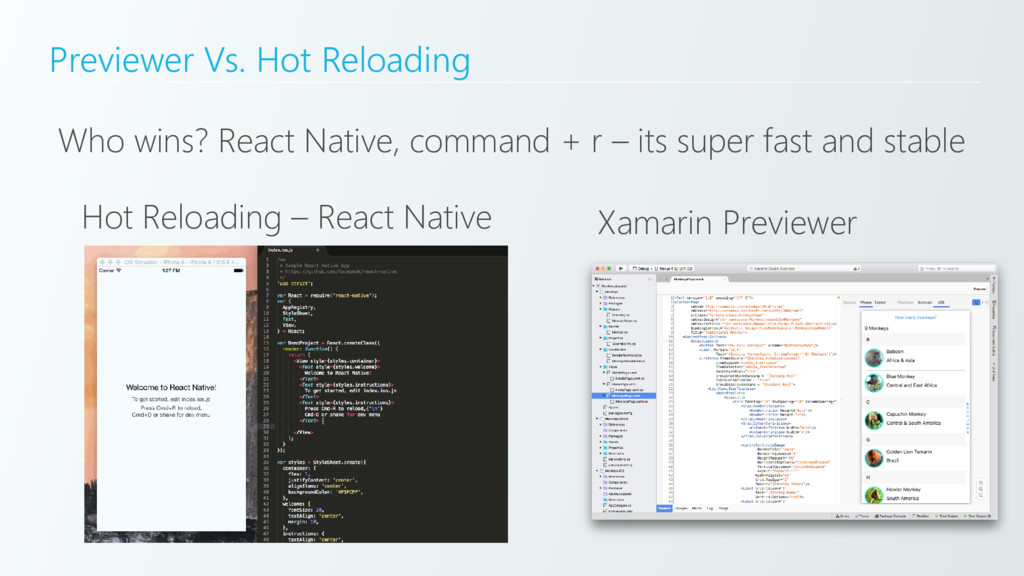
  36. Previewer Vs. Hot Reloading Who wins? React Native, command +

    r – its super fast and stable Hot Reloading – React Native Xamarin Previewer
  37. Deployment Who wins? React Native – instantaneous deployment to the

    app store once released using CodePush or AppHub
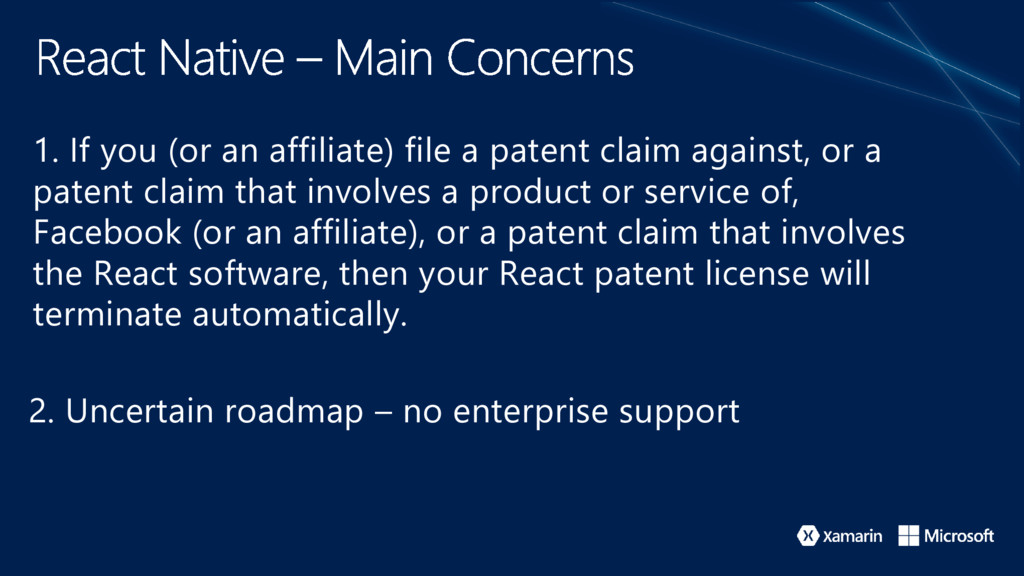
  38. 1. If you (or an affiliate) file a patent claim

    against, or a patent claim that involves a product or service of, Facebook (or an affiliate), or a patent claim that involves the React software, then your React patent license will terminate automatically. 2. Uncertain roadmap – no enterprise support
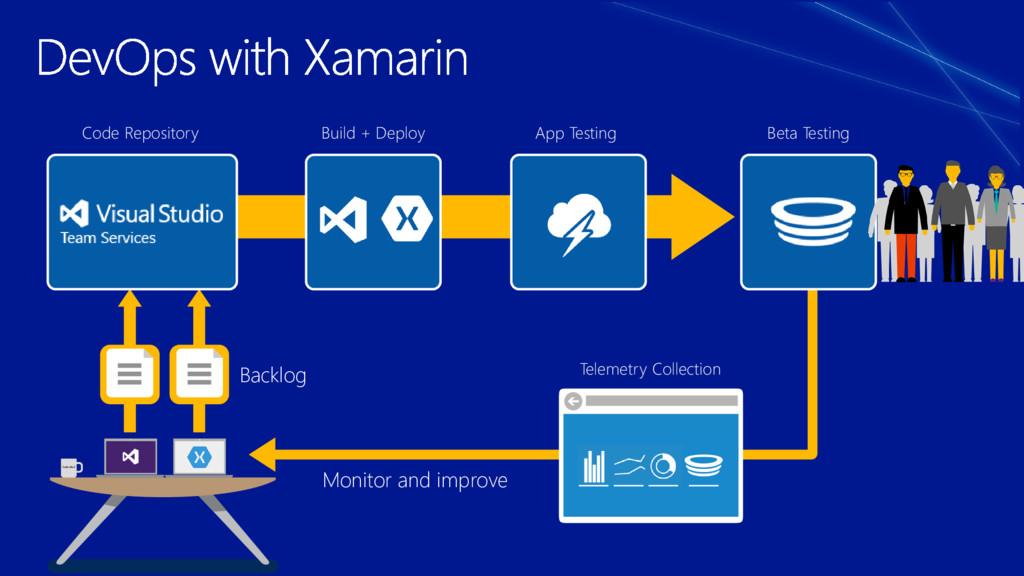
  39. Code Repository Backlog Build + Deploy Monitor and improve App

    Testing Beta Testing Telemetry Collection
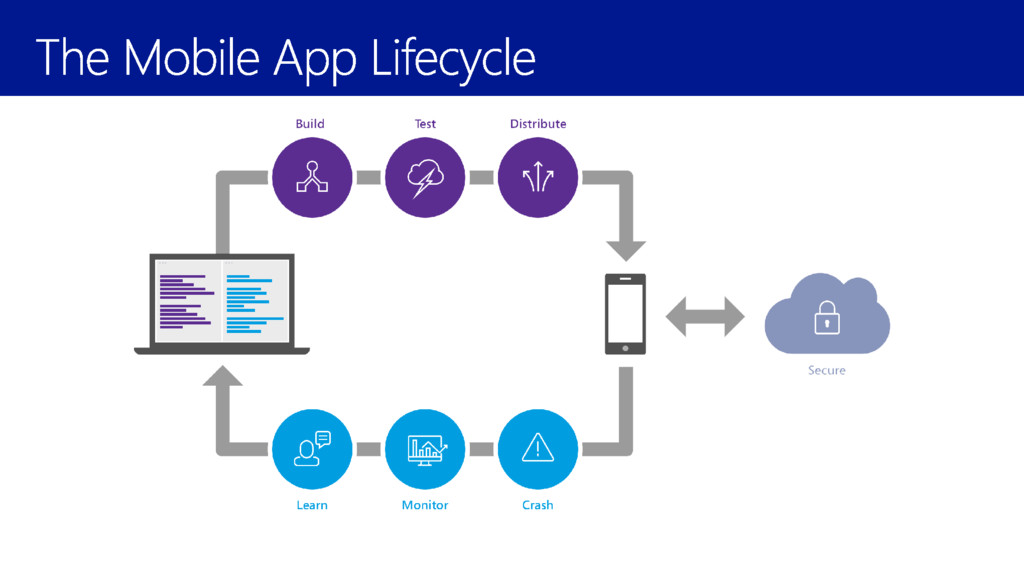
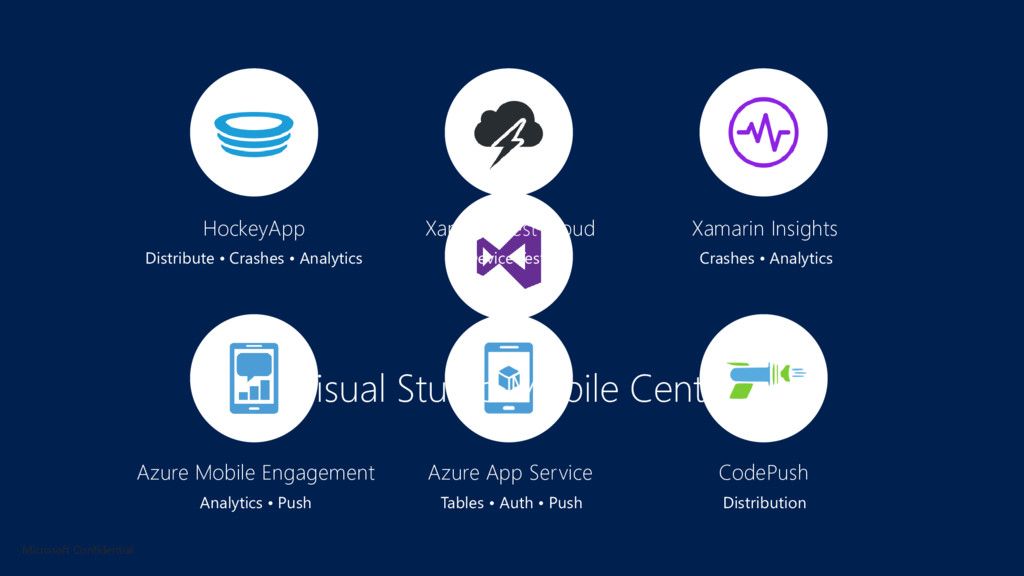
  40. HockeyApp Xamarin Test Cloud Xamarin Insights Distribute • Crashes •

    Analytics Device Tests Crashes • Analytics Azure Mobile Engagement Azure App Service CodePush Analytics • Push Tables • Auth • Push Distribution Visual Studio Mobile Center Microsoft Confidential
  41. Let’s weight up all the main areas Based on the

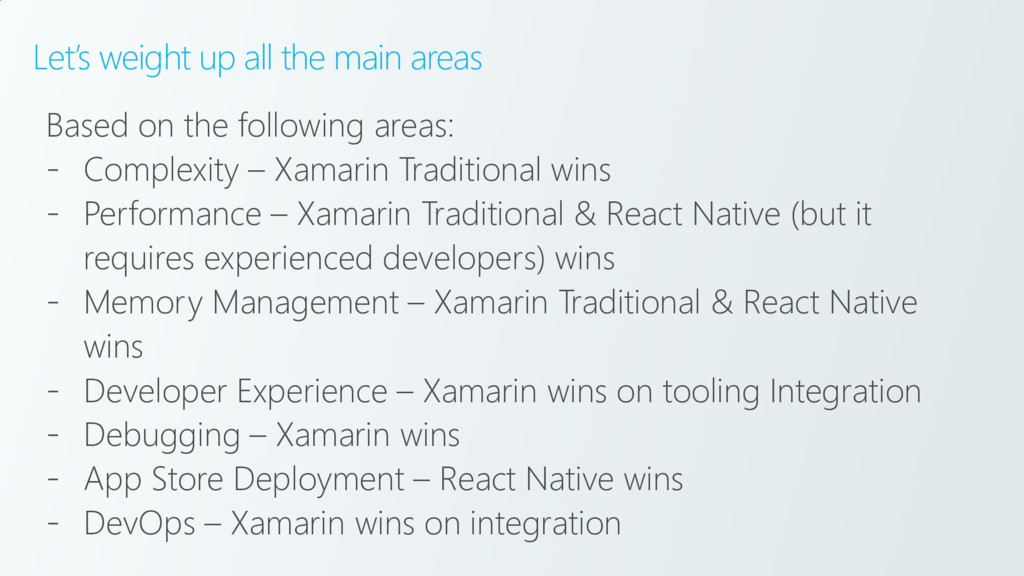
    following areas: - Complexity – Xamarin Traditional wins - Performance – Xamarin Traditional & React Native (but it requires experienced developers) wins - Memory Management – Xamarin Traditional & React Native wins - Developer Experience – Xamarin wins on tooling Integration - Debugging – Xamarin wins - App Store Deployment – React Native wins - DevOps – Xamarin wins on integration
  42. What makes a good cross-platform developer? A developer who understands:

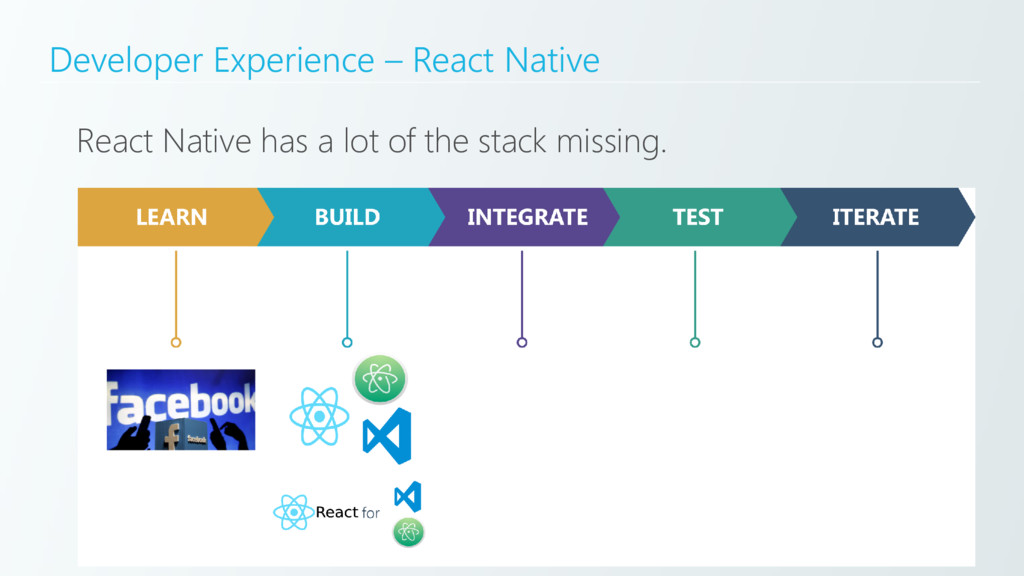
    - Native development - Understands what is happening behind the UI – AOT, JIT, JSCore - Correct implementation – i.e. correct memory management, performance enhancements, etc. LEARN BEST PRACTICES
  43. Useful links Xamarin.Forms – Under the Hood: https://xamarinhelp.com/xamarin-forms-layout-engine-hood/ Xamarin.Forms -

    Performance https://www.youtube.com/watch?v=RZvdql3Ev0E Xamarin.Forms – Whats new in 3.0 https://channel9.msdn.com/Events/Build/2017/B8099
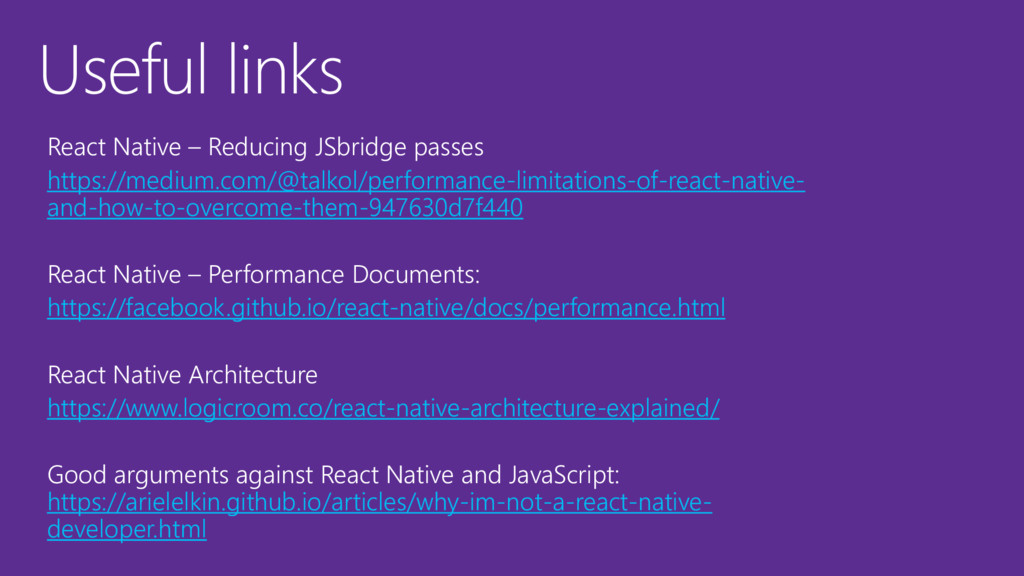
  44. Useful links React Native – Reducing JSbridge passes https://medium.com/@talkol/performance-limitations-of-react-native- and-how-to-overcome-them-947630d7f440

    React Native – Performance Documents: https://facebook.github.io/react-native/docs/performance.html React Native Architecture https://www.logicroom.co/react-native-architecture-explained/ Good arguments against React Native and JavaScript: https://arielelkin.github.io/articles/why-im-not-a-react-native- developer.html