Upgrade to Pro
— share decks privately, control downloads, hide ads and more …
Speaker Deck
Sign up for free
Menu
Search
Features
All features
Private URLs
Password Protection
Custom URLS
Scheduled publishing
Remove Branding
Restrict embedding
Deck Collections
Notes
Features
All features
Private URLs
Password Protection
Custom URLS
Scheduled publishing
Remove Branding
Restrict embedding
Deck Collections
Notes
Explore
Featured decks
Featured speakers
Programming
Technology
Storyboards
Explore
Featured decks
Featured speakers
Programming
Technology
Storyboards
Pricing
Search
Sign in
Sign up for free
OSM manual
Search
Sponsored
·
Your Podcast. Everywhere. Effortlessly.
Share. Educate. Inspire. Entertain. You do you. We'll handle the rest.
→
Sayaka N
June 17, 2016
45
0
Share
Embed
Copy iframe code
Copy JS code
Copy link
Start on current slide
OSM manual
Sayaka N
June 17, 2016
More Decks by Sayaka N
See All by Sayaka N
Pokestopに採用されそうな地物をGitHubに展開する方法
miagztr
0
66
Featured
See All Featured
Discover your Explorer Soul
emna__ayadi
2
1.3k
Building the Perfect Custom Keyboard
takai
2
910
Navigating the moral maze — ethical principles for Al-driven product design
skipperchong
2
630
XXLCSS - How to scale CSS and keep your sanity
sugarenia
250
1.3M
Redefining SEO in the New Era of Traffic Generation
szymonslowik
1
480
Groundhog Day: Seeking Process in Gaming for Health
codingconduct
0
410
Fantastic passwords and where to find them - at NoRuKo
philnash
53
4k
My Coaching Mixtape
mlcsv
0
360
Taking LLMs out of the black box: A practical guide to human-in-the-loop distillation
inesmontani
PRO
3
2.5k
エンジニアに許された特別な時間の終わり
watany
109
250k
Performance Is Good for Brains [We Love Speed 2024]
tammyeverts
12
1.9k
What’s in a name? Adding method to the madness
productmarketing
PRO
24
4.2k
Transcript
Open Street Map Basic Manual GSC 1A115202 野田 彩華
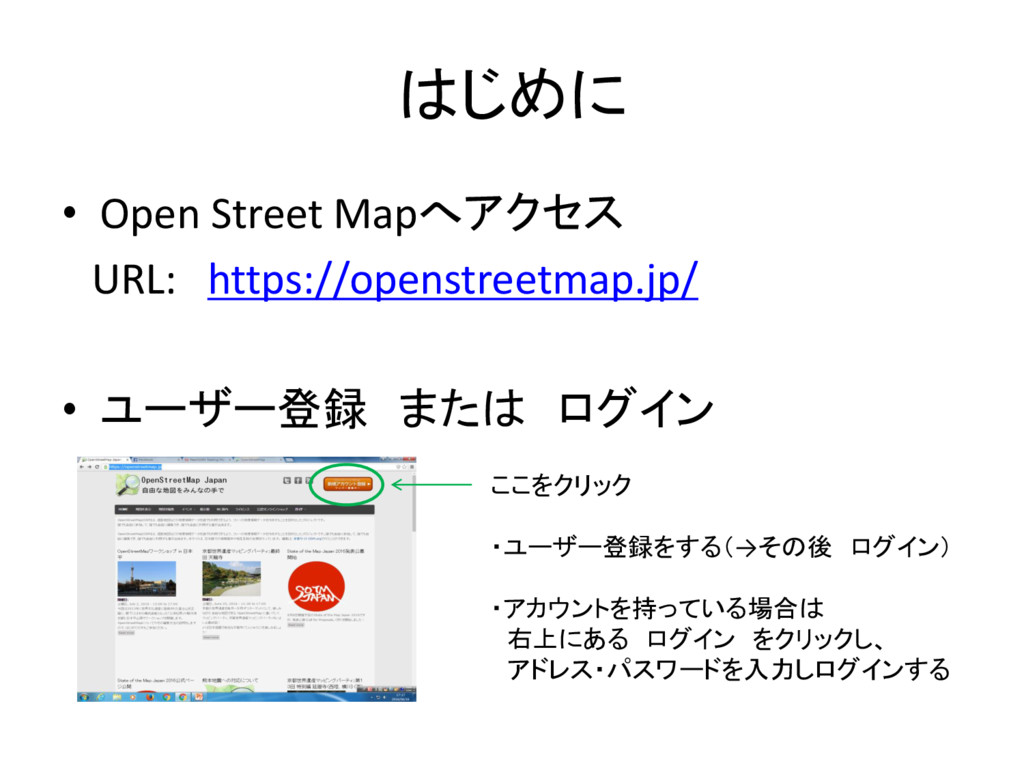
はじめに • Open Street Mapへアクセス URL: https://openstreetmap.jp/ • ユーザー登録 または
ログイン ここをクリック ・ユーザー登録をする(→その後 ログイン) ・アカウントを持っている場合は 右上にある ログイン をクリックし、 アドレス・パスワードを入力しログインする
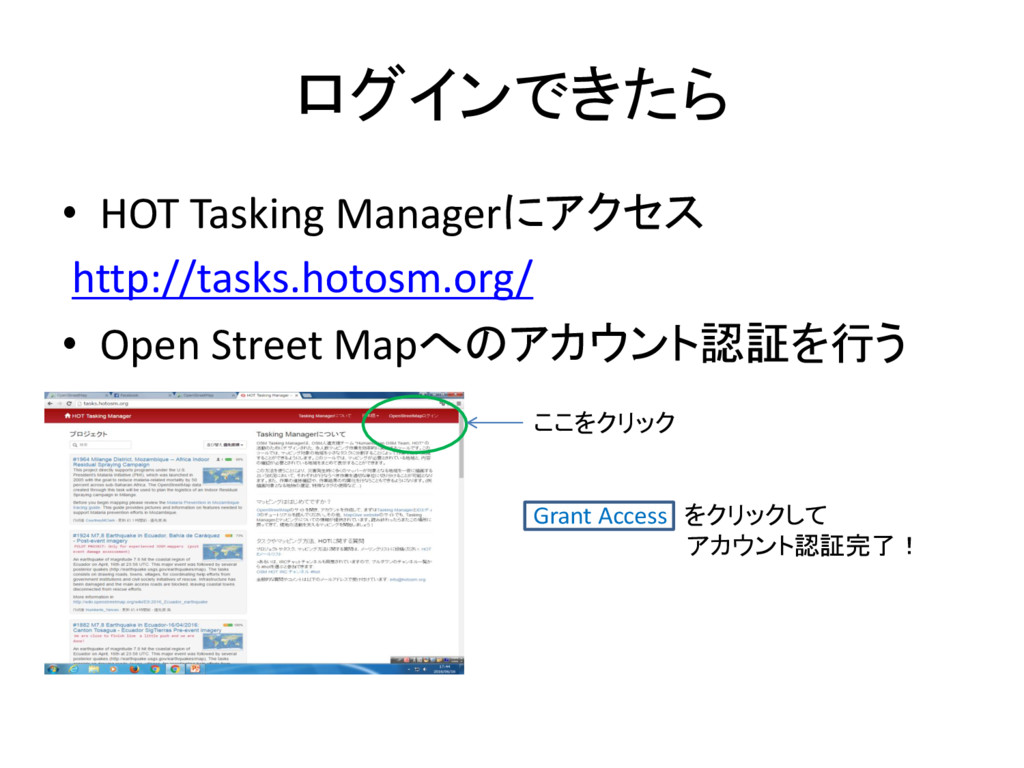
ログインできたら • HOT Tasking Managerにアクセス http://tasks.hotosm.org/ • Open Street Mapへのアカウント認証を行う
ここをクリック Grant Access をクリックして アカウント認証完了!
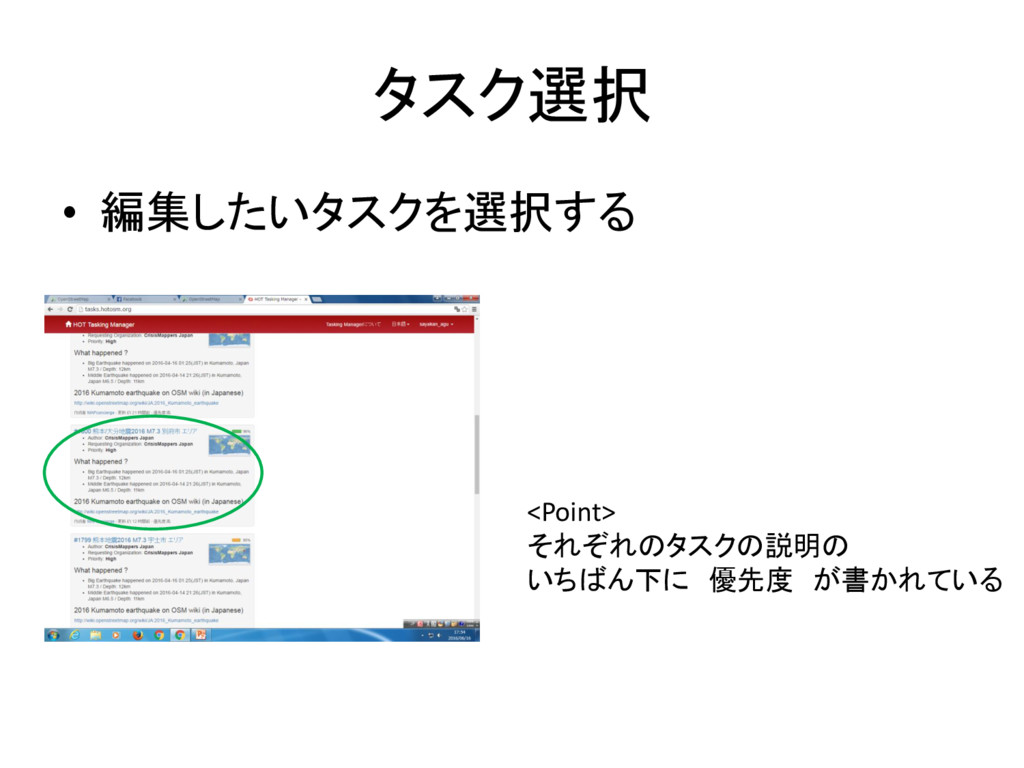
タスク選択 • 編集したいタスクを選択する <Point> それぞれのタスクの説明の いちばん下に 優先度 が書かれている
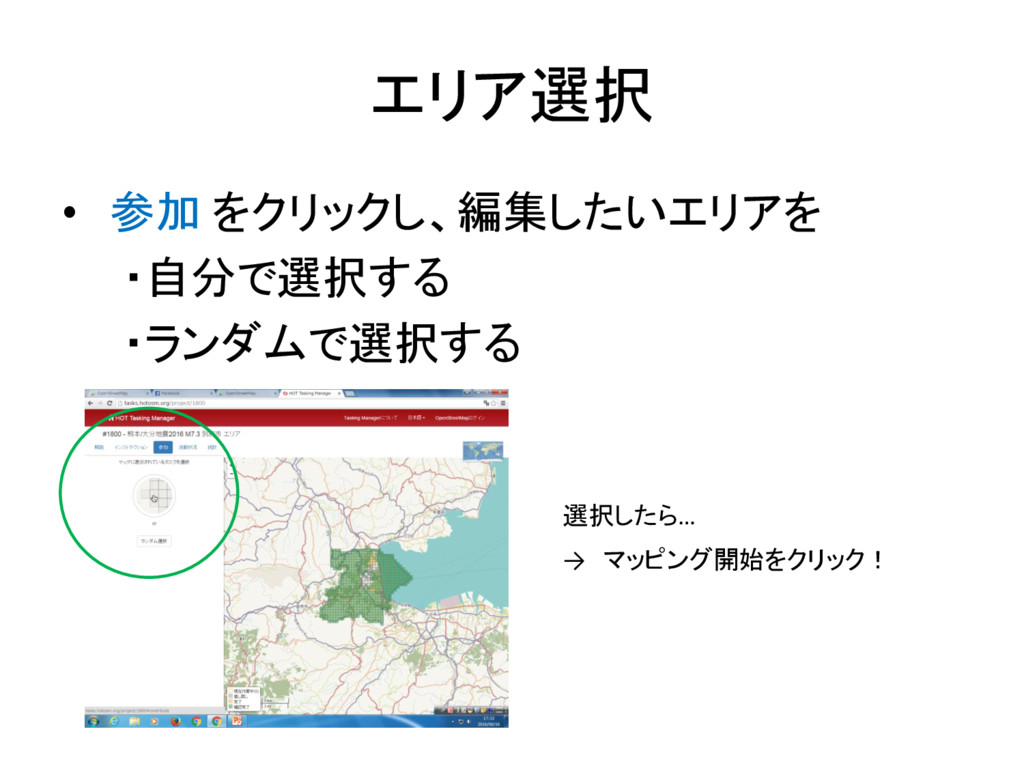
エリア選択 • 参加 をクリックし、編集したいエリアを ・自分で選択する ・ランダムで選択する → マッピング開始をクリック! 選択したら…
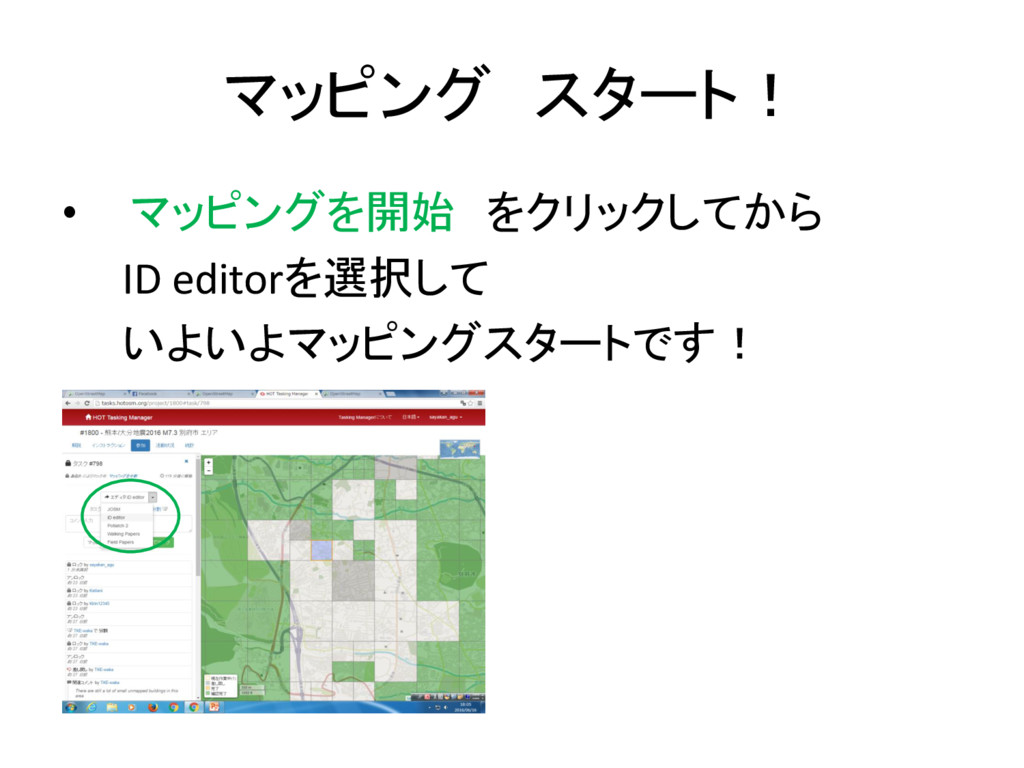
マッピング スタート! • マッピングを開始 をクリックしてから ID editorを選択して いよいよマッピングスタートです!
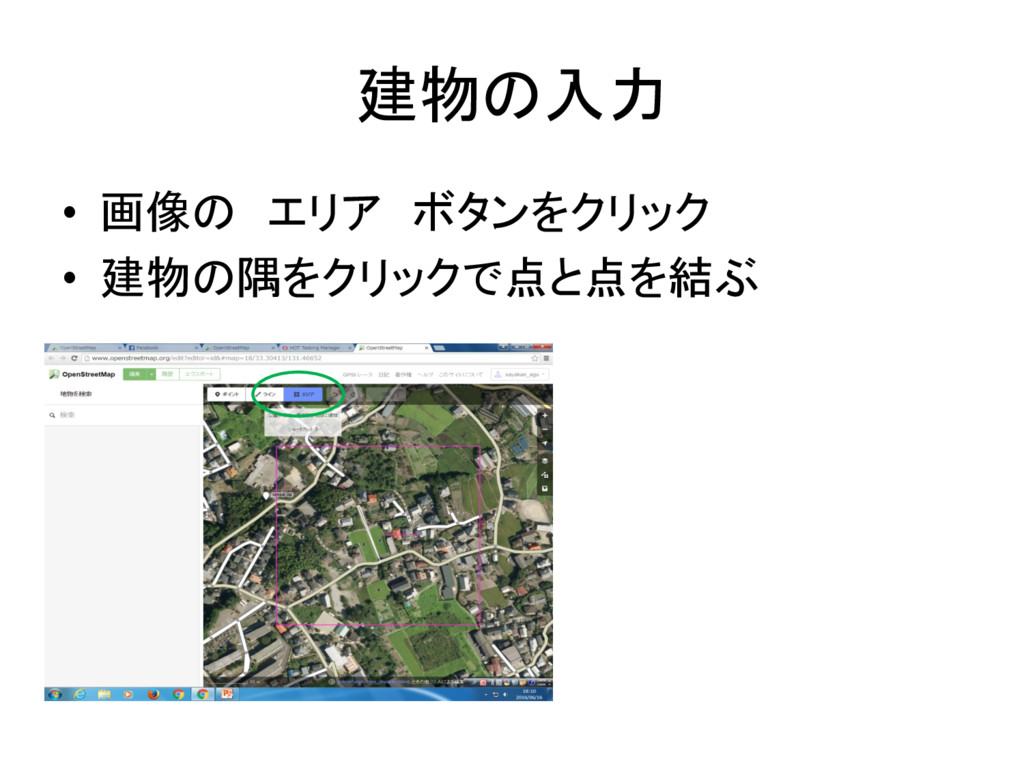
建物の入力 • 画像の エリア ボタンをクリック • 建物の隅をクリックで点と点を結ぶ
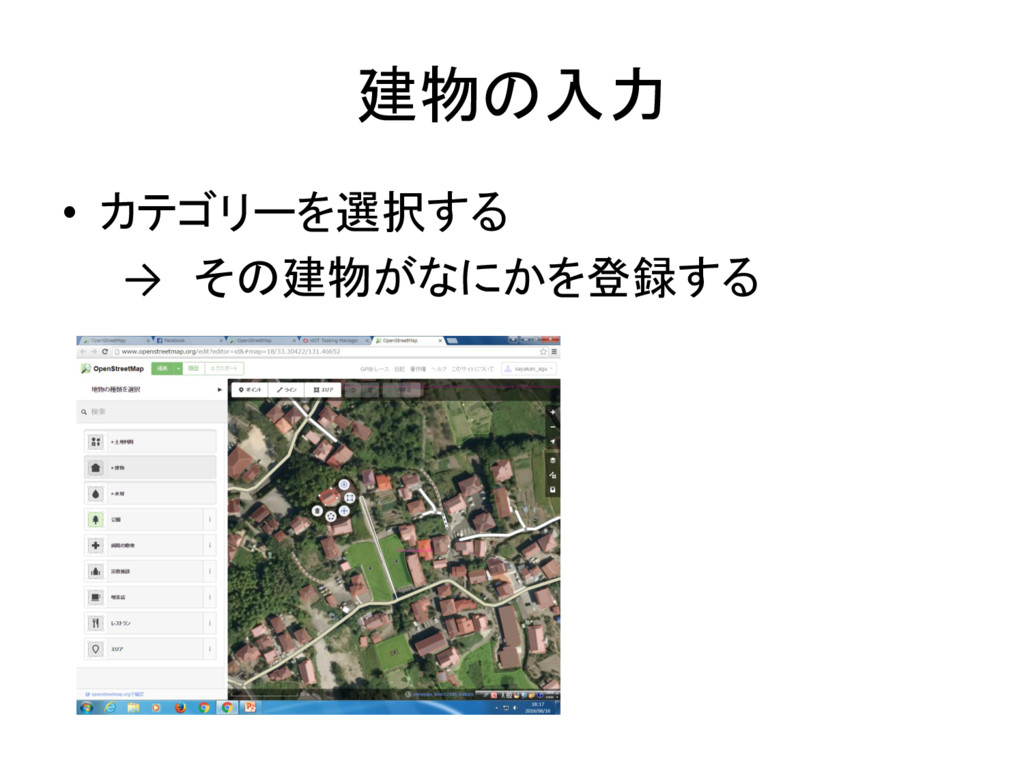
建物の入力 • カテゴリーを選択する → その建物がなにかを登録する
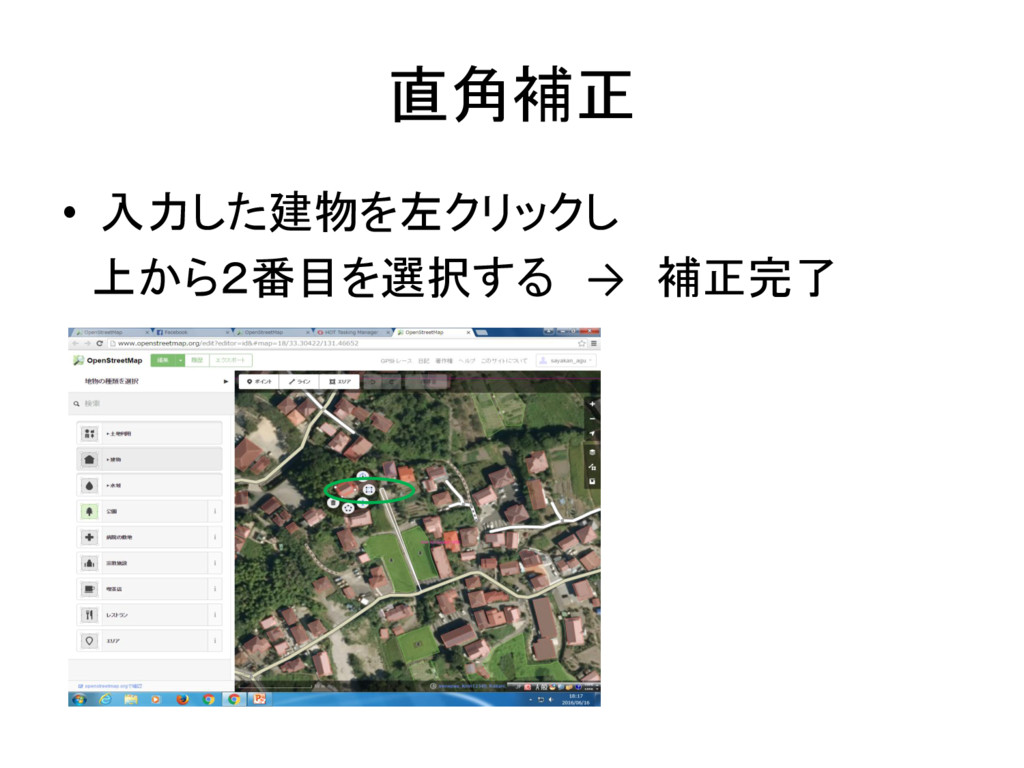
直角補正 • 入力した建物を左クリックし 上から2番目を選択する → 補正完了
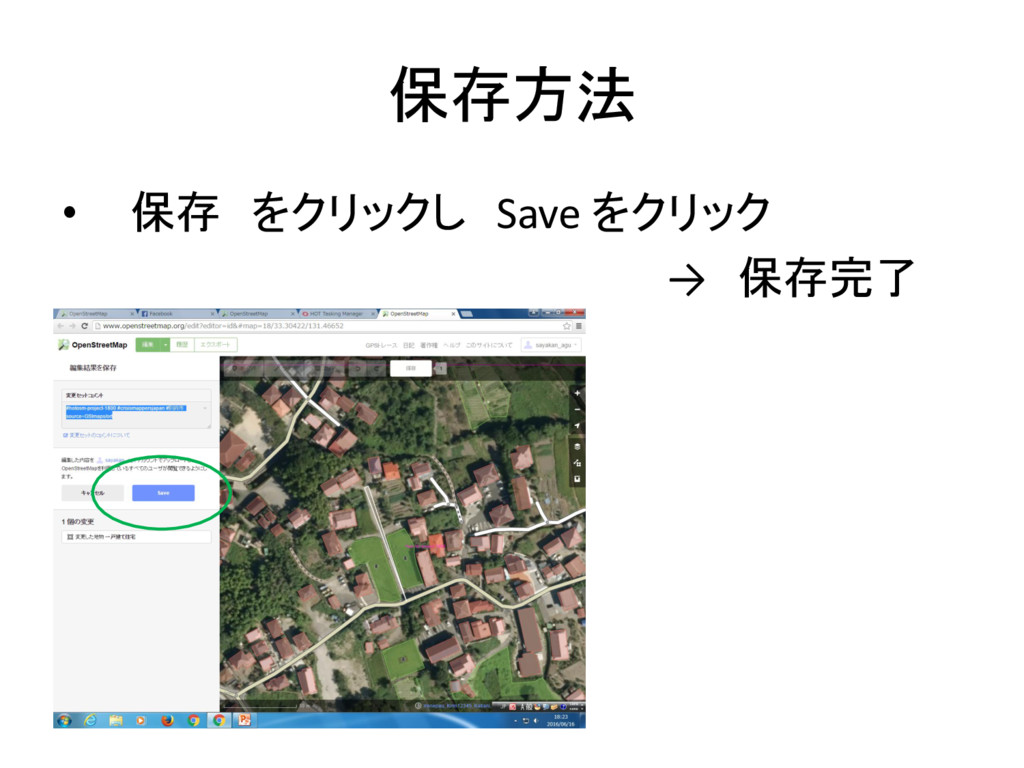
保存方法 • 保存 をクリックし Save をクリック → 保存完了
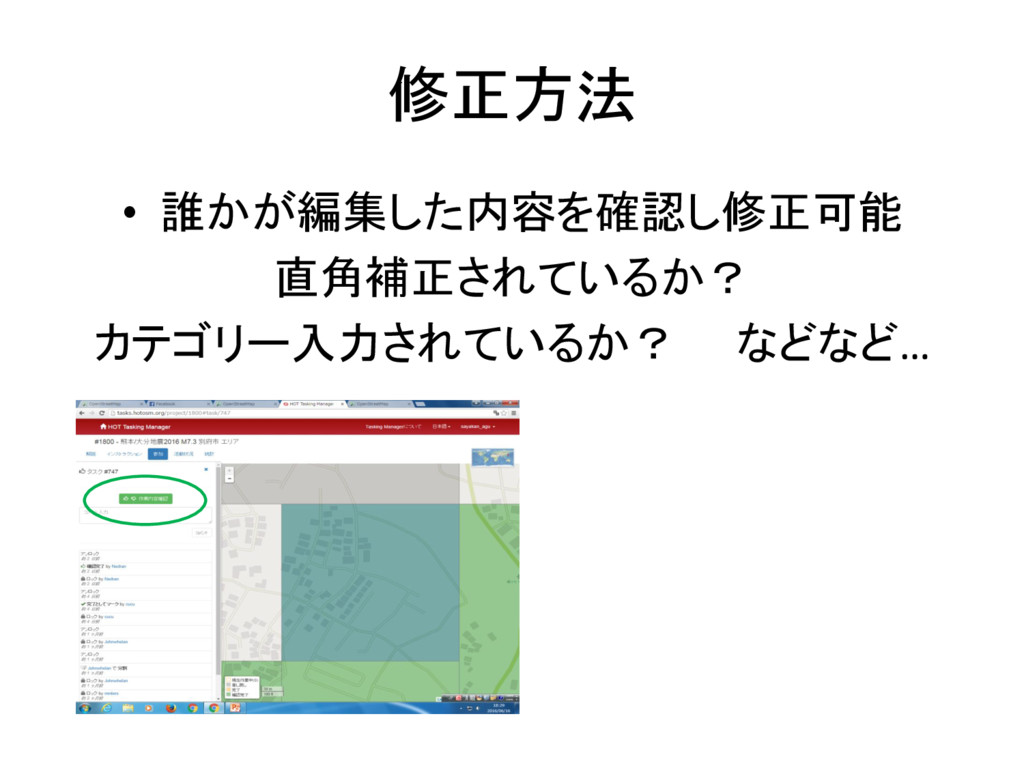
修正方法 • 誰かが編集した内容を確認し修正可能 直角補正されているか? カテゴリー入力されているか? などなど…
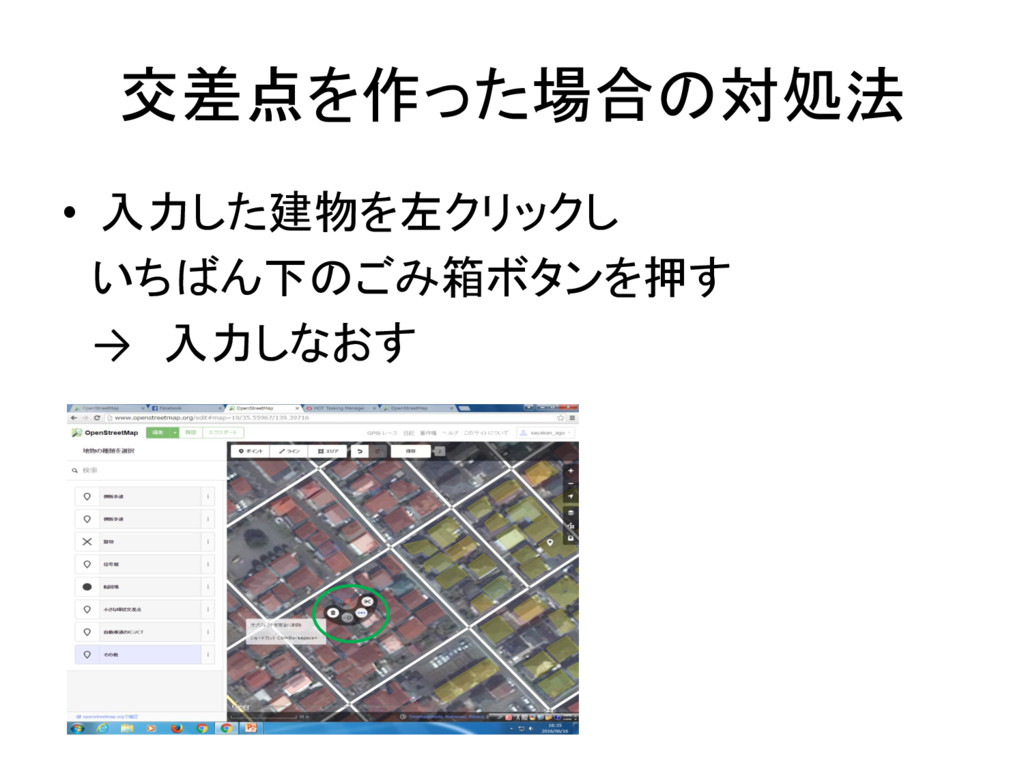
交差点を作った場合の対処法 • 入力した建物を左クリックし いちばん下のごみ箱ボタンを押す → 入力しなおす
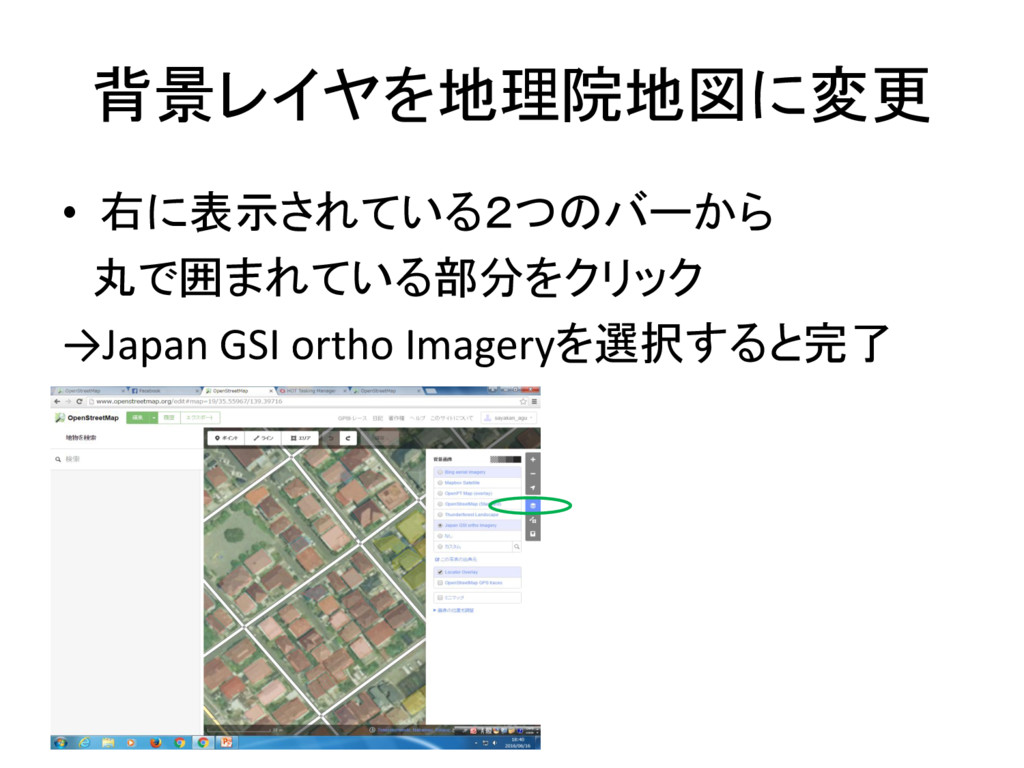
背景レイヤを地理院地図に変更 • 右に表示されている2つのバーから 丸で囲まれている部分をクリック →Japan GSI ortho Imageryを選択すると完了
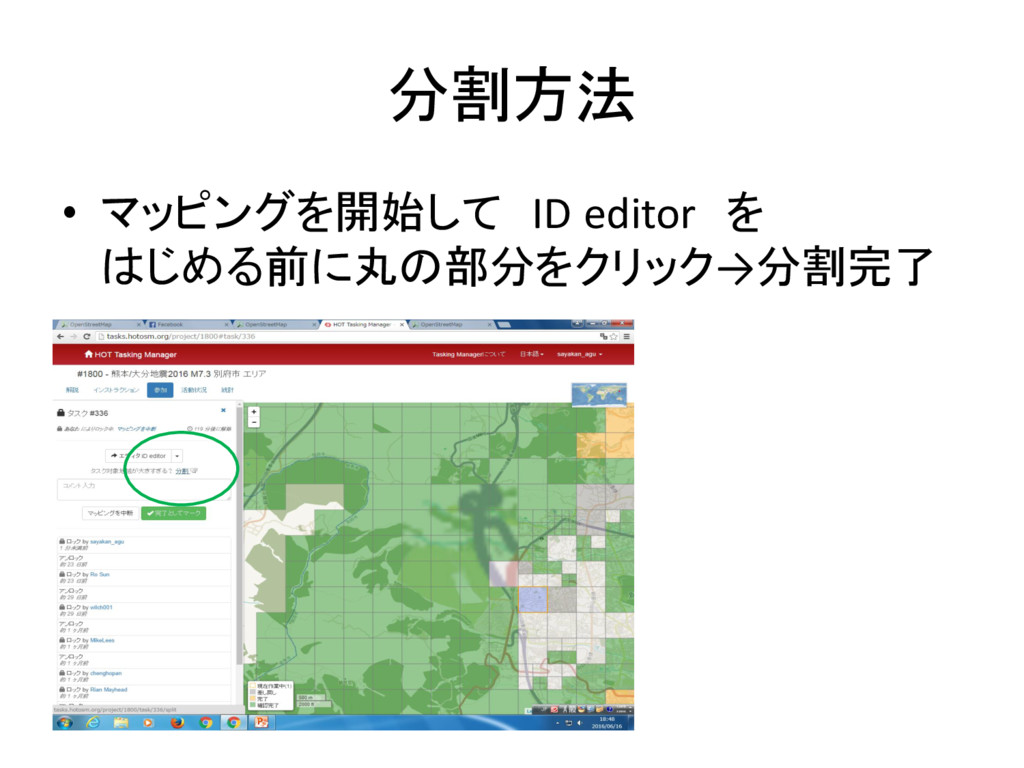
分割方法 • マッピングを開始して ID editor を はじめる前に丸の部分をクリック→分割完了
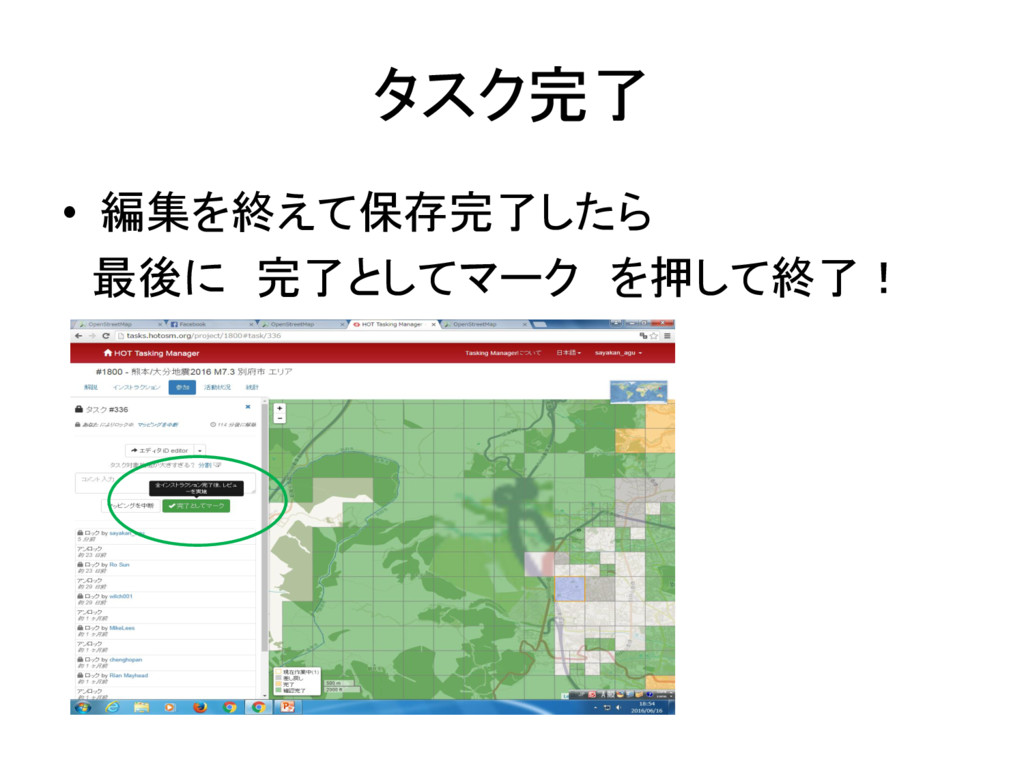
タスク完了 • 編集を終えて保存完了したら 最後に 完了としてマーク を押して終了!


 miagztr
 emna__ayadi
 takai
takai
 skipperchong
 sugarenia
 szymonslowik
 codingconduct
 philnash
 mlcsv
mlcsv
 inesmontani
 watany
 tammyeverts
 productmarketing