Upgrade to Pro — share decks privately, control downloads, hide ads and more …

忘掉API Rails + Inertia.js + React 讓你快速出貨

Sponsored · Your Podcast. Everywhere. Effortlessly. Share. Educate. Inspire. Entertain. You do you. We'll handle the rest. →
Avatar for Sylvia Sylvia
October 15, 2026

忘掉API Rails + Inertia.js + React 讓你快速出貨

為應付現代多端需求爆炸及使用者互動的提升,主流網頁架構多已走向前後端分離的 SPA,雖提升了使用者體驗及多端共用彈性,但也讓小團隊在快速開發、POC 驗證階段顯得笨重(?),光串一支 API 就耗掉大半時間。

Inertia.js 提供中間路線:讓 Rails 工程師不寫獨立 API,也能用 React 畫面直接出貨,兼具 SPA 操作體驗與 MVC 開發速度。

本場演講將分享 Rails + Inertia.js + React 的實際開發流程,比較前後端分離的差異,並從前端的觀點聊聊優缺點與適用場景。

Avatar for Sylvia

Sylvia

October 15, 2026

Other Decks in Programming

Transcript

  1. File Edit Selection View Go Run Terminal Help My Introduction

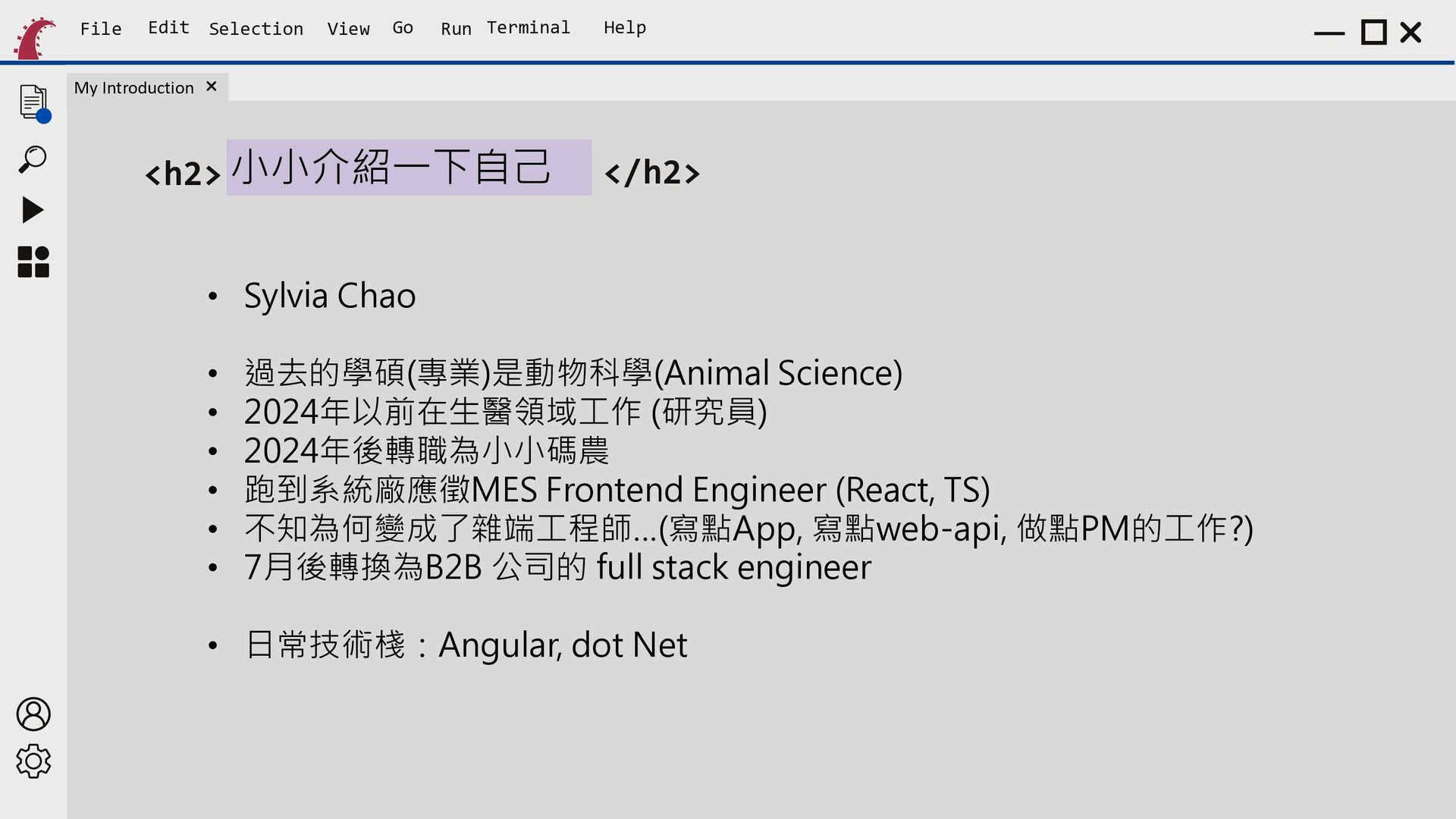
    <h2> 小小介紹一下自己 </h2> • Sylvia Chao • • • • • • 過去的學碩(專業)是動物科學(Animal Science) 2024年以前在生醫領域工作 (研究員) 2024年後轉職為小小碼農 跑到系統廠應徵MES Frontend Engineer (React, TS) 不知為何變成了雜端工程師…(寫點App, 寫點web-api, 做點PM的工作?) 7月後轉換為B2B 公司的 full stack engineer • 日常技術棧:Angular, dot Net
  2. File Edit Selection View Go Run Terminal Help Outline <h2>

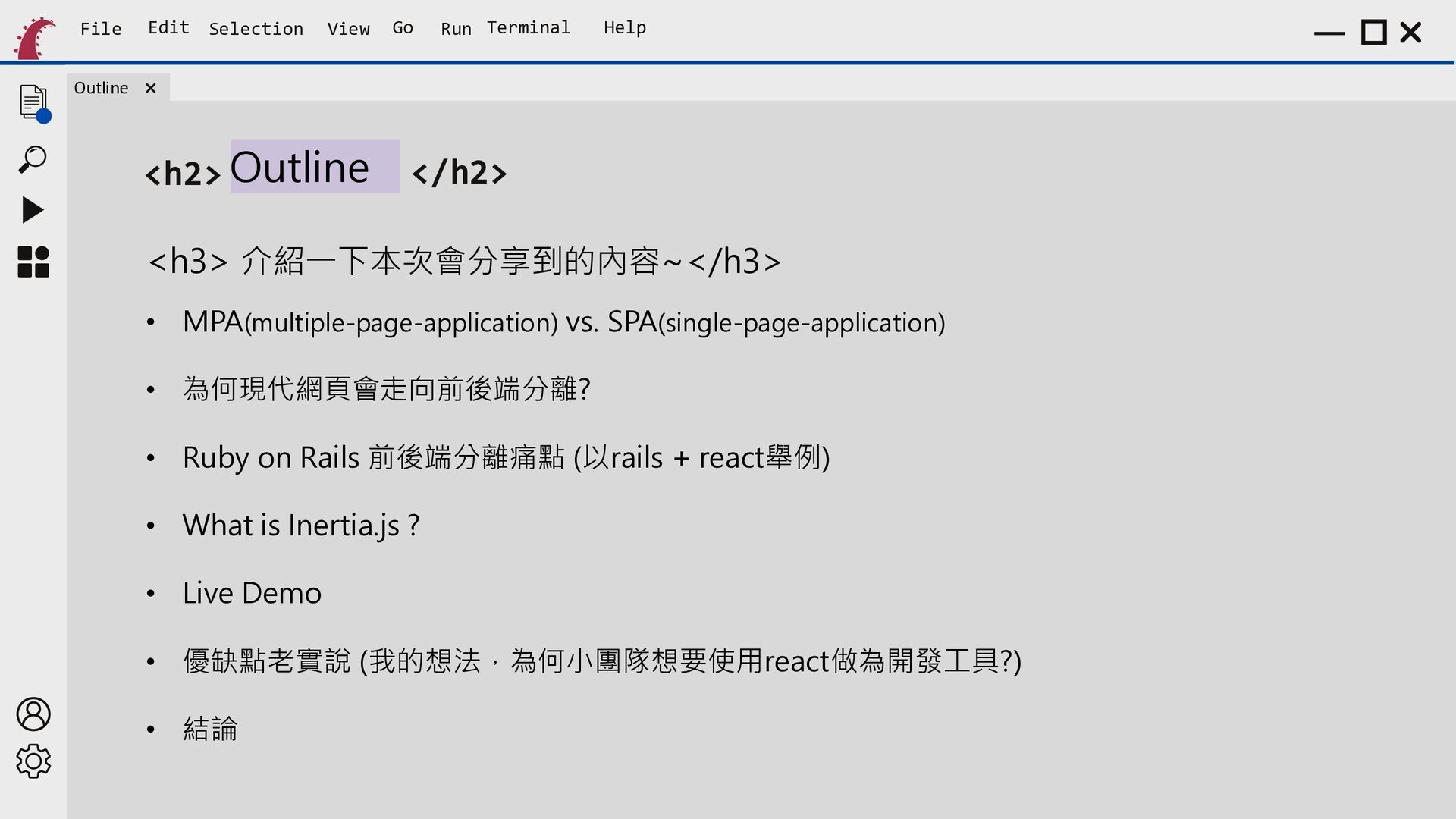
    Outline </h2> <h3> 介紹一下本次會分享到的內容~</h3> • MPA(multiple-page-application) vs. SPA(single-page-application) • 為何現代網頁會走向前後端分離? • Ruby on Rails 前後端分離痛點 (以rails + react舉例) • What is Inertia.js ? • Live Demo • 優缺點老實說 (我的想法,為何小團隊想要使用react做為開發工具?) • 結論
  3. File Edit Selection View Go Run Terminal Help <h2> MPA(multiple-page-application)

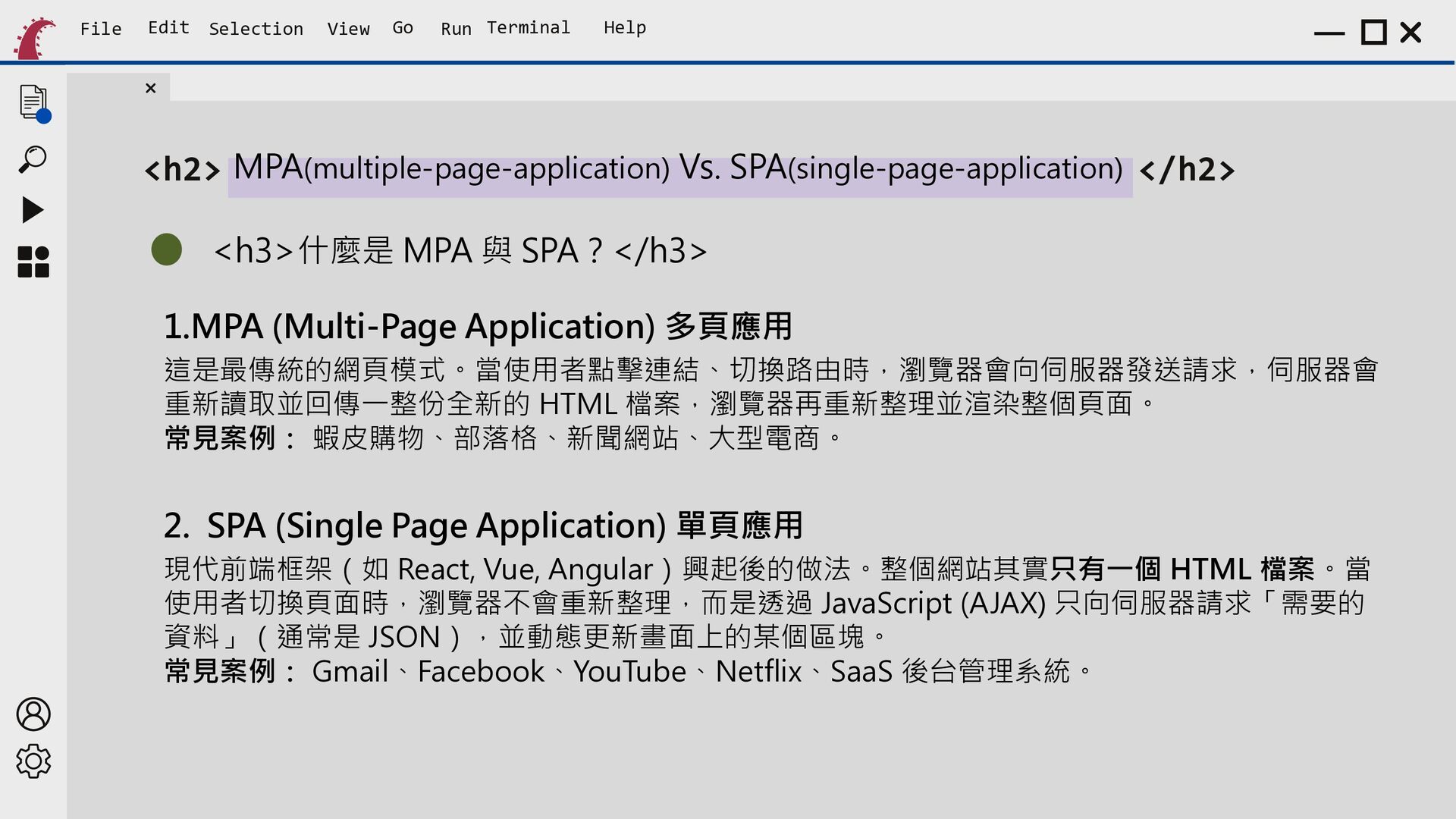
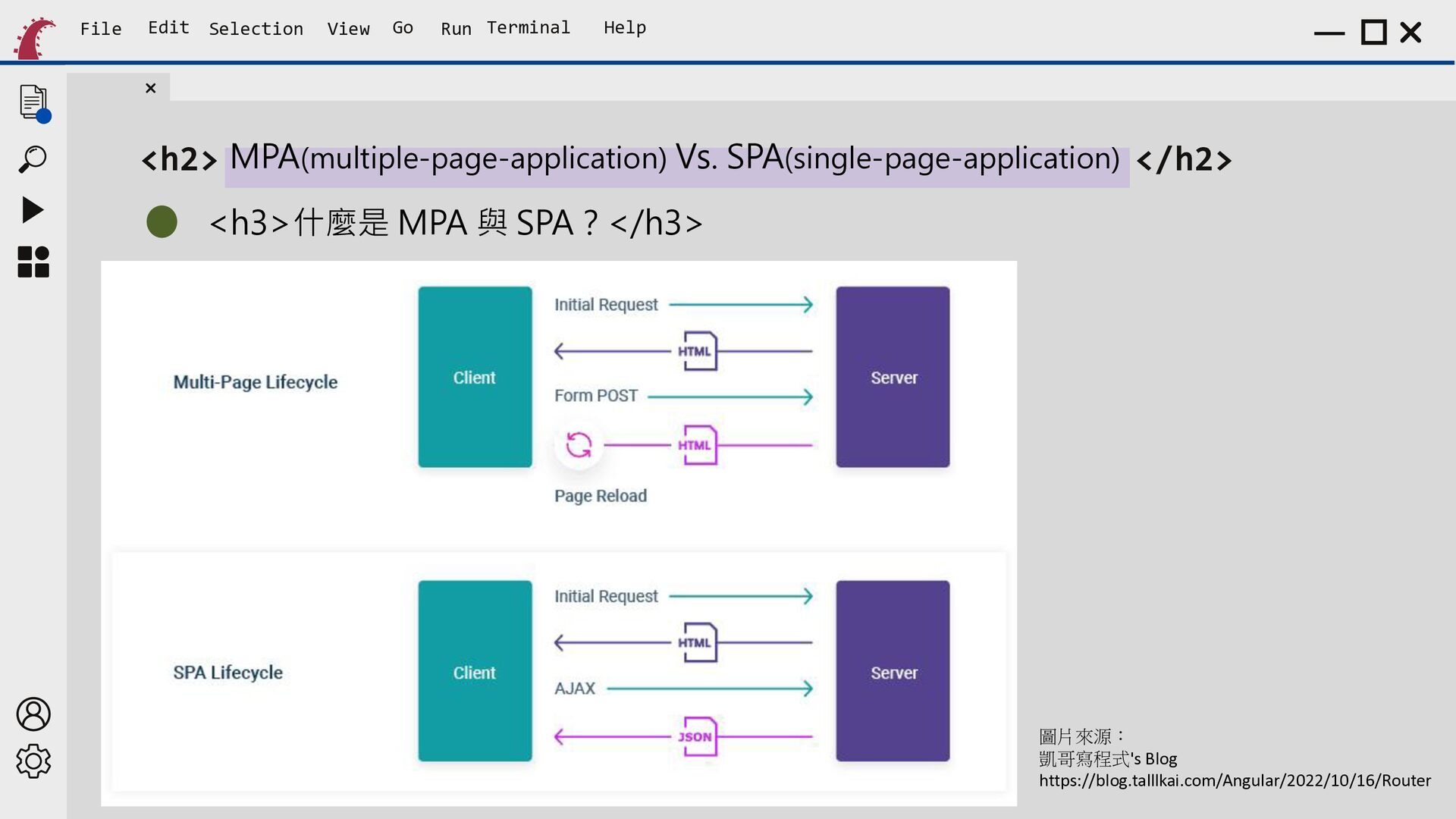
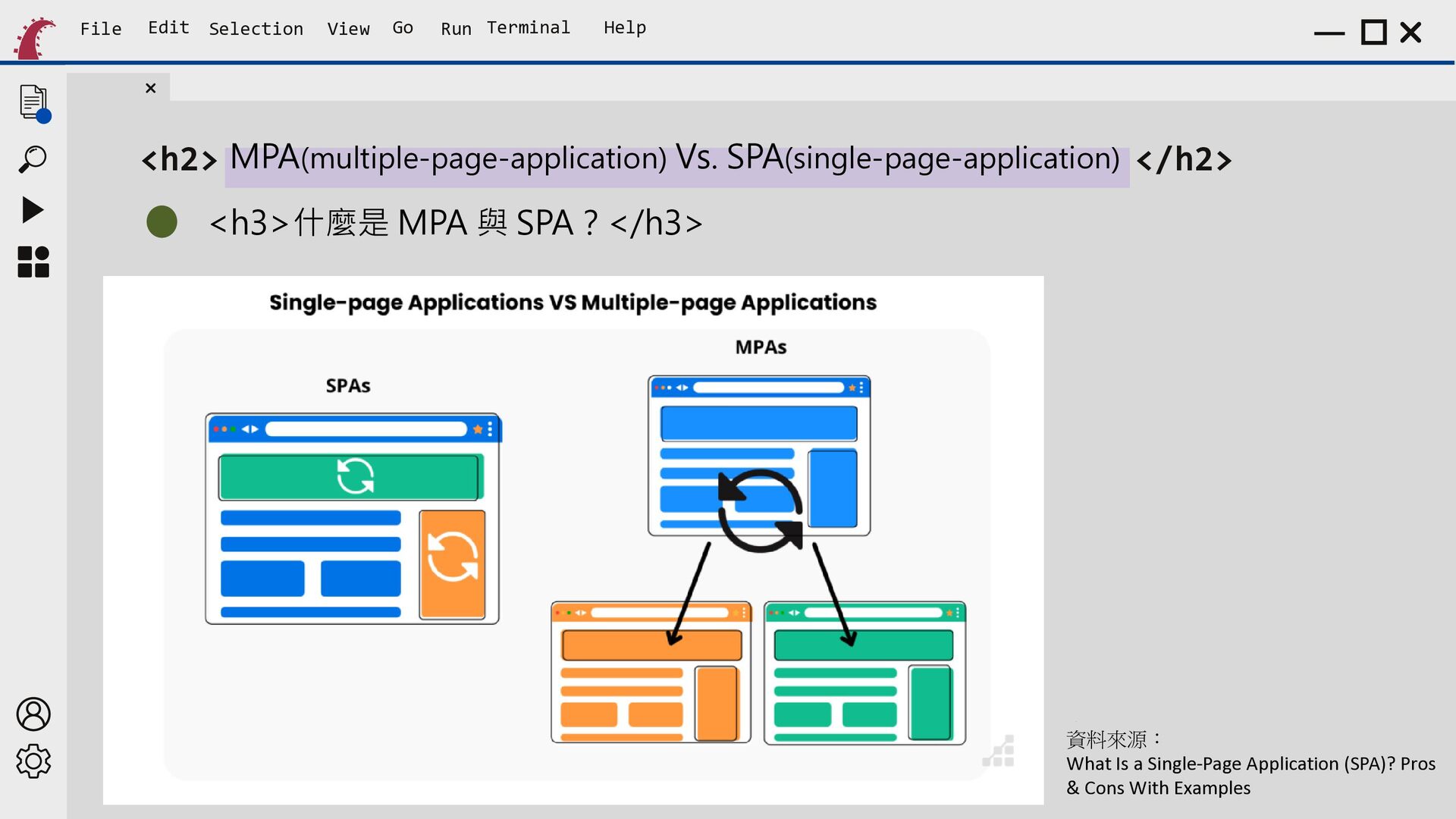
    Vs. SPA(single-page-application) </h2> <h3>什麼是 MPA 與 SPA?</h3> 1.MPA (Multi-Page Application) 多頁應用 這是最傳統的網頁模式。當使用者點擊連結、切換路由時,瀏覽器會向伺服器發送請求,伺服器會 重新讀取並回傳一整份全新的 HTML 檔案,瀏覽器再重新整理並渲染整個頁面。 常見案例: 蝦皮購物、部落格、新聞網站、大型電商。 2. SPA (Single Page Application) 單頁應用 現代前端框架(如 React, Vue, Angular)興起後的做法。整個網站其實只有一個 HTML 檔案。當 使用者切換頁面時,瀏覽器不會重新整理,而是透過 JavaScript (AJAX) 只向伺服器請求「需要的 資料」(通常是 JSON),並動態更新畫面上的某個區塊。 常見案例: Gmail、Facebook、YouTube、Netflix、SaaS 後台管理系統。
  4. File Edit Selection View Go Run Terminal Help <h2> MPA(multiple-page-application)

    Vs. SPA(single-page-application) </h2> <h3>什麼是 MPA 與 SPA?</h3> 圖片來源: 凱哥寫程式's Blog https://blog.talllkai.com/Angular/2022/10/16/Router
  5. File Edit Selection View Go Run Terminal Help <h2> MPA(multiple-page-application)

    Vs. SPA(single-page-application) </h2> <h3>什麼是 MPA 與 SPA?</h3> 資料來 What Is源 a Single-Page : Application (SPA)? Pros Cons With Examples 資料來源: What Is a Single-Page Application (SPA)? Pros & Cons With Examples
  6. File Edit Selection View Go Run Terminal Help <h2> MPA(multiple-page-application)

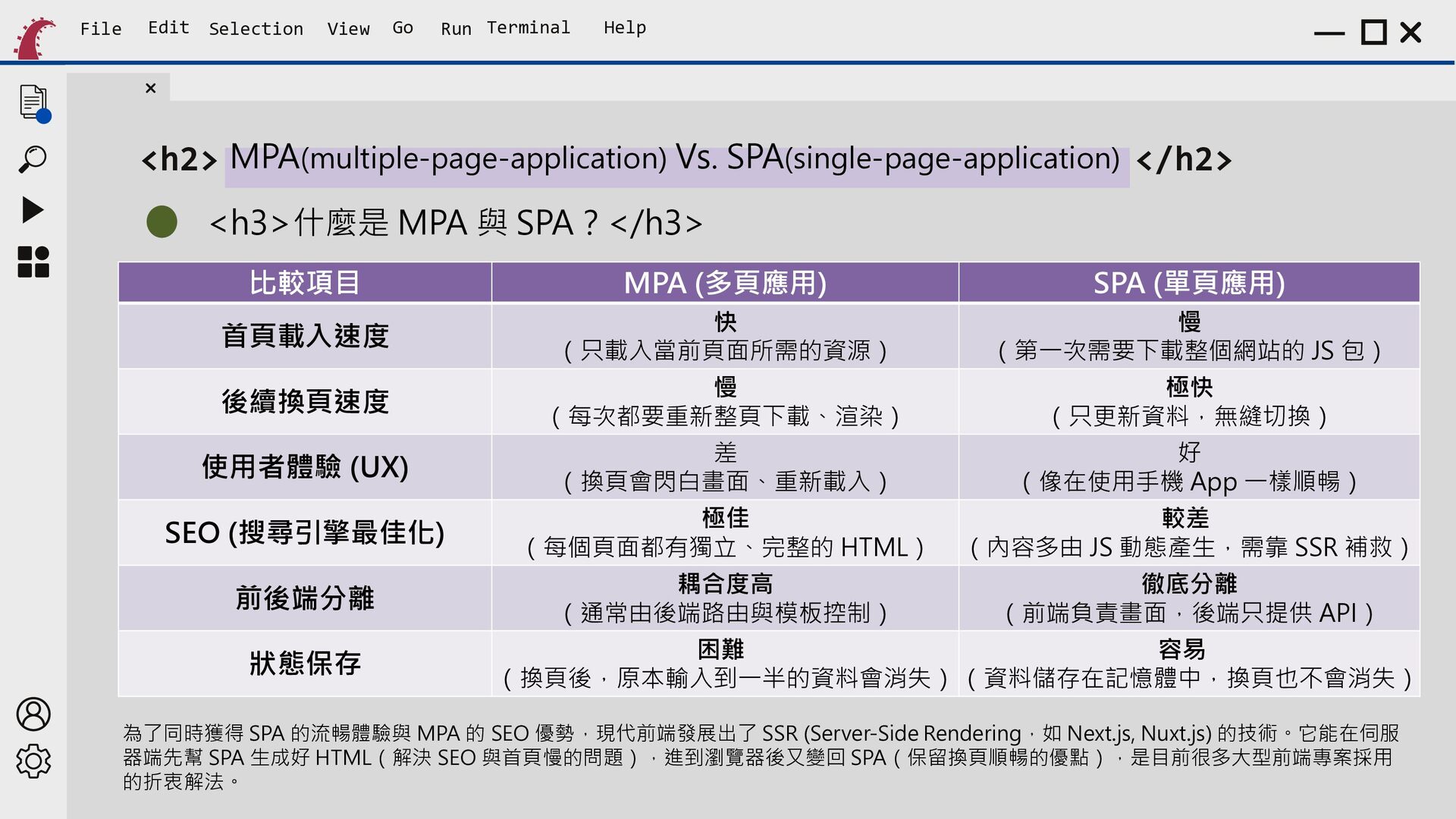
    Vs. SPA(single-page-application) </h2> <h3>什麼是 MPA 與 SPA?</h3> 比較項目 MPA (多頁應用) SPA (單頁應用) 首頁載入速度 快 (只載入當前頁面所需的資源) 慢 (每次都要重新整頁下載、渲染) 慢 (第一次需要下載整個網站的 JS 包) 極快 (只更新資料,無縫切換) 後續換頁速度 使用者體驗 (UX) SEO (搜尋引擎最佳化) 前後端分離 狀態保存 差 好 (換頁會閃白畫面、重新載入) (像在使用手機 App 一樣順暢) 極佳 較差 (每個頁面都有獨立、完整的 HTML) (內容多由 JS 動態產生,需靠 SSR 補救) 耦合度高 徹底分離 (通常由後端路由與模板控制) (前端負責畫面,後端只提供 API) 困難 容易 (換頁後,原本輸入到一半的資料會消失) (資料儲存在記憶體中,換頁也不會消失) 為了同時獲得 SPA 的流暢體驗與 MPA 的 SEO 優勢,現代前端發展出了 SSR (Server-Side Rendering,如 Next.js, Nuxt.js) 的技術。它能在伺服 器端先幫 SPA 生成好 HTML(解決 SEO 與首頁慢的問題),進到瀏覽器後又變回 SPA(保留換頁順暢的優點),是目前很多大型前端專案採用 的折衷解法。
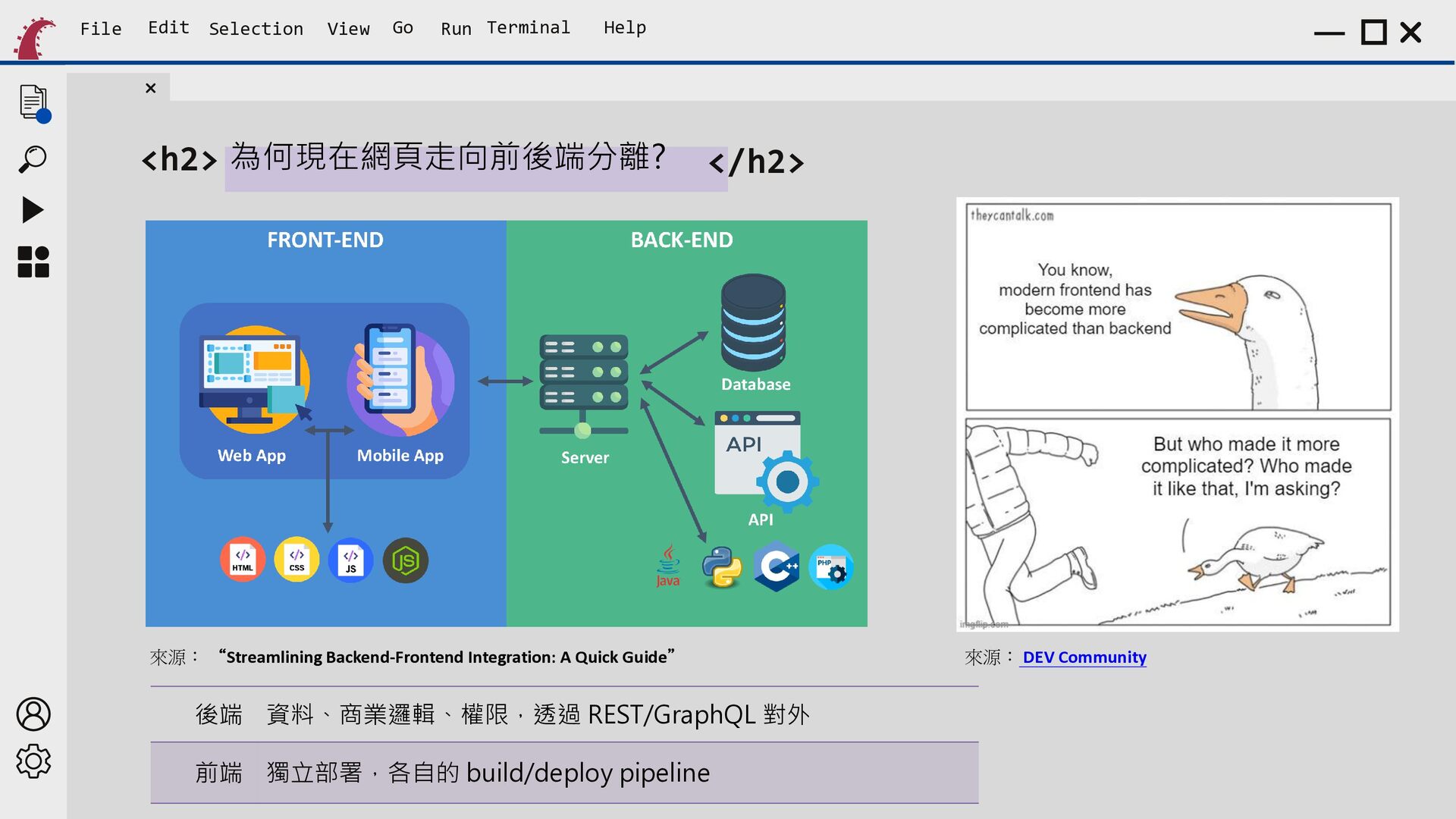
  7. File Edit Selection View Go Run Terminal Help <h2> 為何現在網頁走向前後端分離?

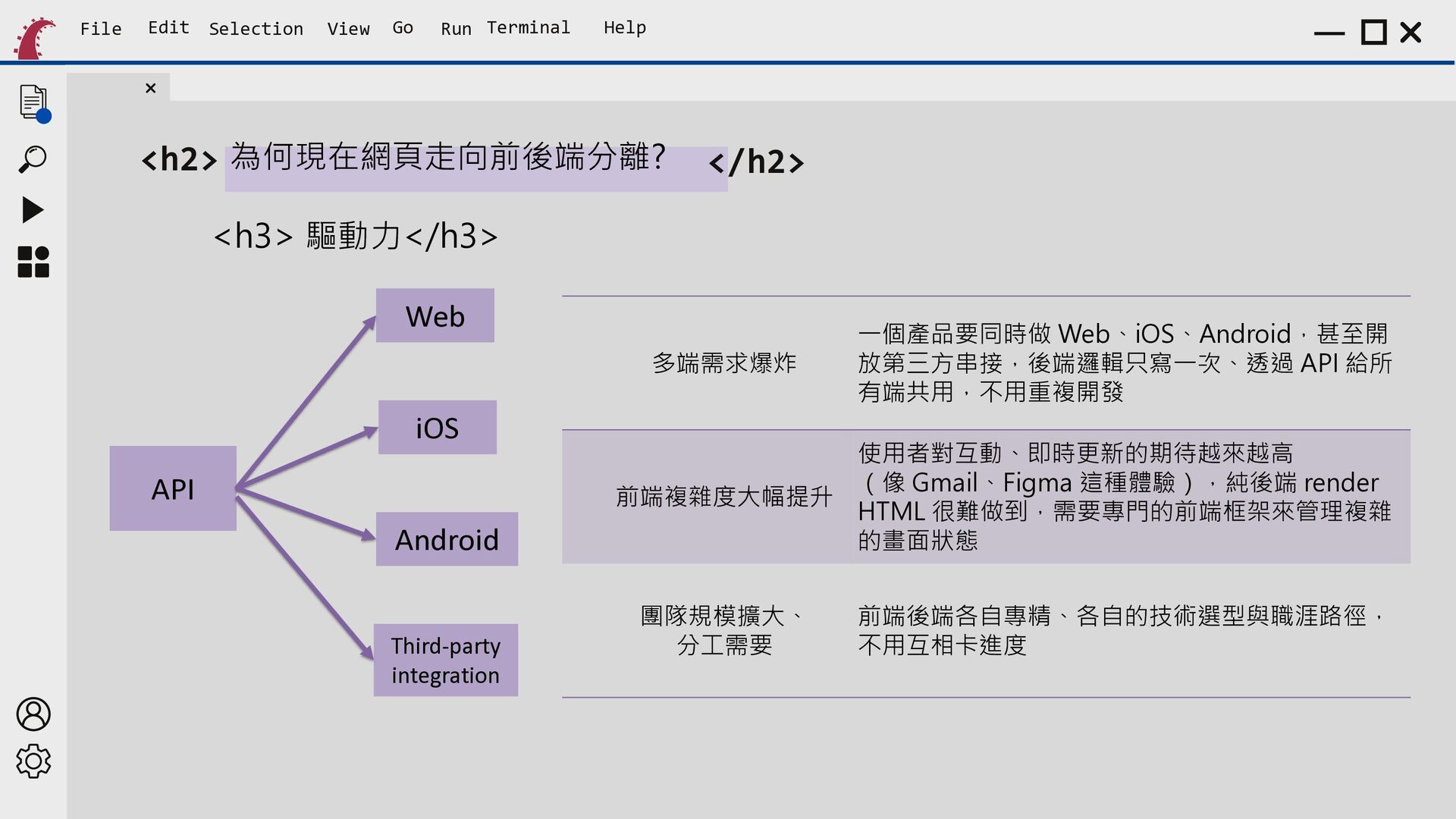
    </h2> <h3> 驅動力</h3> Web 多端需求爆炸 iOS API Android Third-party integration 一個產品要同時做 Web、iOS、Android,甚至開 放第三方串接,後端邏輯只寫一次、透過 API 給所 有端共用,不用重複開發 使用者對互動、即時更新的期待越來越高 (像 Gmail、Figma 這種體驗),純後端 render 前端複雜度大幅提升 HTML 很難做到,需要專門的前端框架來管理複雜 的畫面狀態 團隊規模擴大、 分工需要 前端後端各自專精、各自的技術選型與職涯路徑, 不用互相卡進度
  8. File Edit Selection View Go Run Terminal Help <h2> 為何現在網頁走向前後端分離?

    </h2> 來源: “ Streamlining Backend-Frontend Integration: A Quick Guide” 來源: “Streamlining Backend-Frontend Integration: A Quick Guide” 後端 資料、商業邏輯、權限,透過 REST/GraphQL 對外 前端 獨立部署,各自的 build/deploy pipeline 來源: DEV Community
  9. File Edit Selection View Go Run Terminal Help Rails +

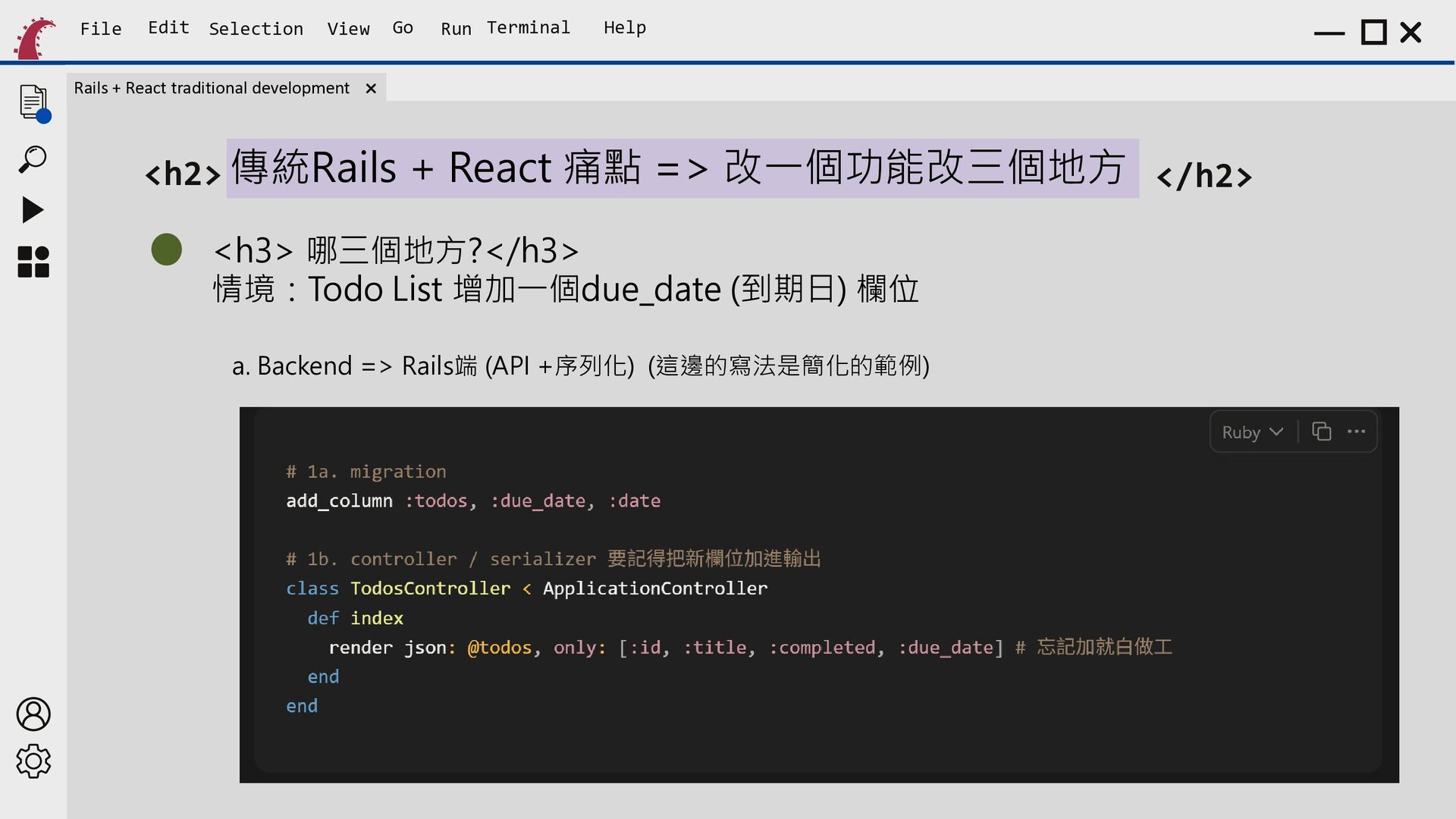
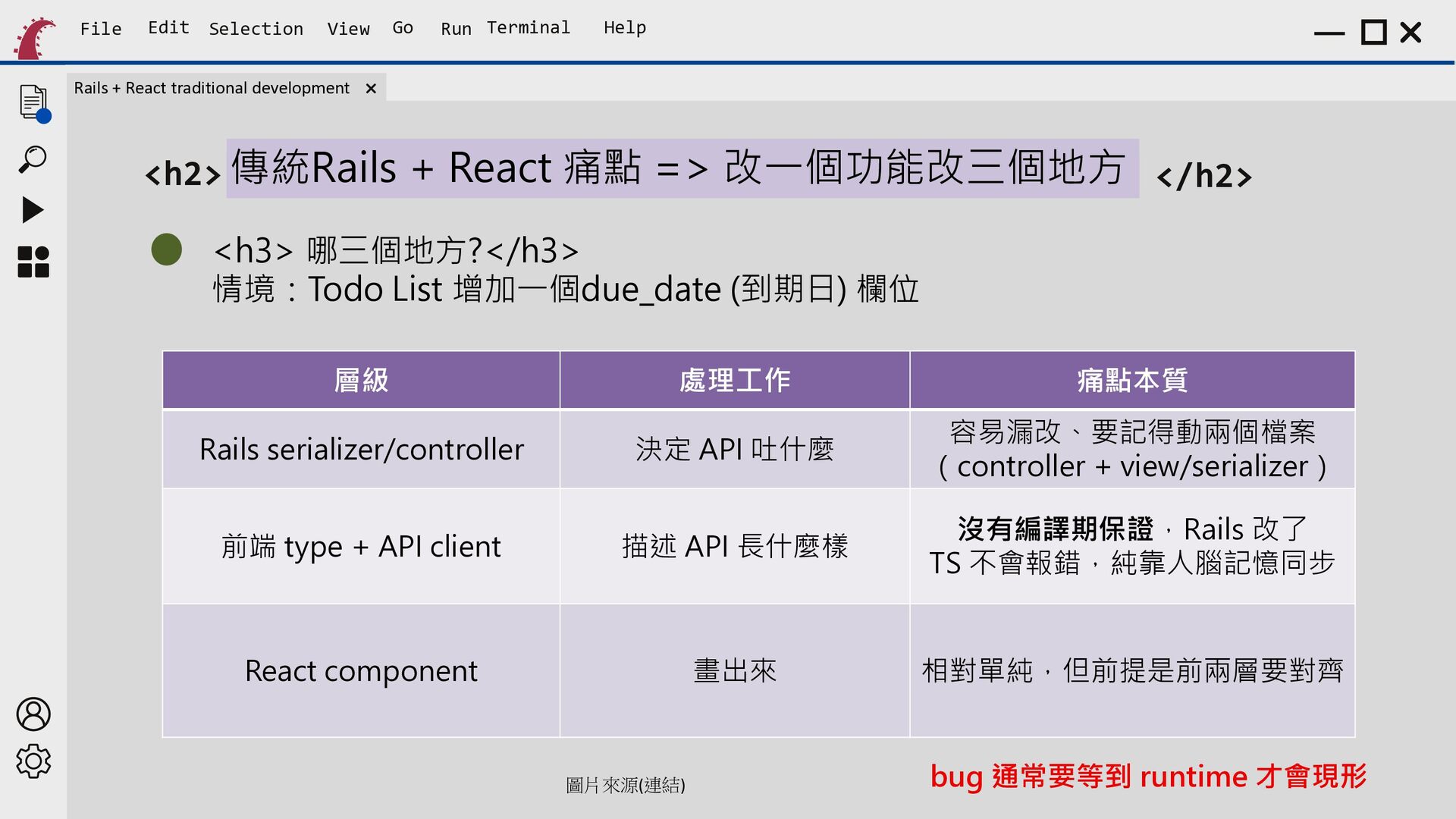
    React traditional development <h2> 傳統Rails + React 痛點 => 改一個功能改三個地方 </h2> <h3> 哪三個地方?</h3> 情境:Todo List 增加一個due_date (到期日) 欄位 a. Backend => Rails端 (API +序列化) (這邊的寫法是簡化的範例)
  10. File Edit Selection View Go Run Terminal Help Rails +

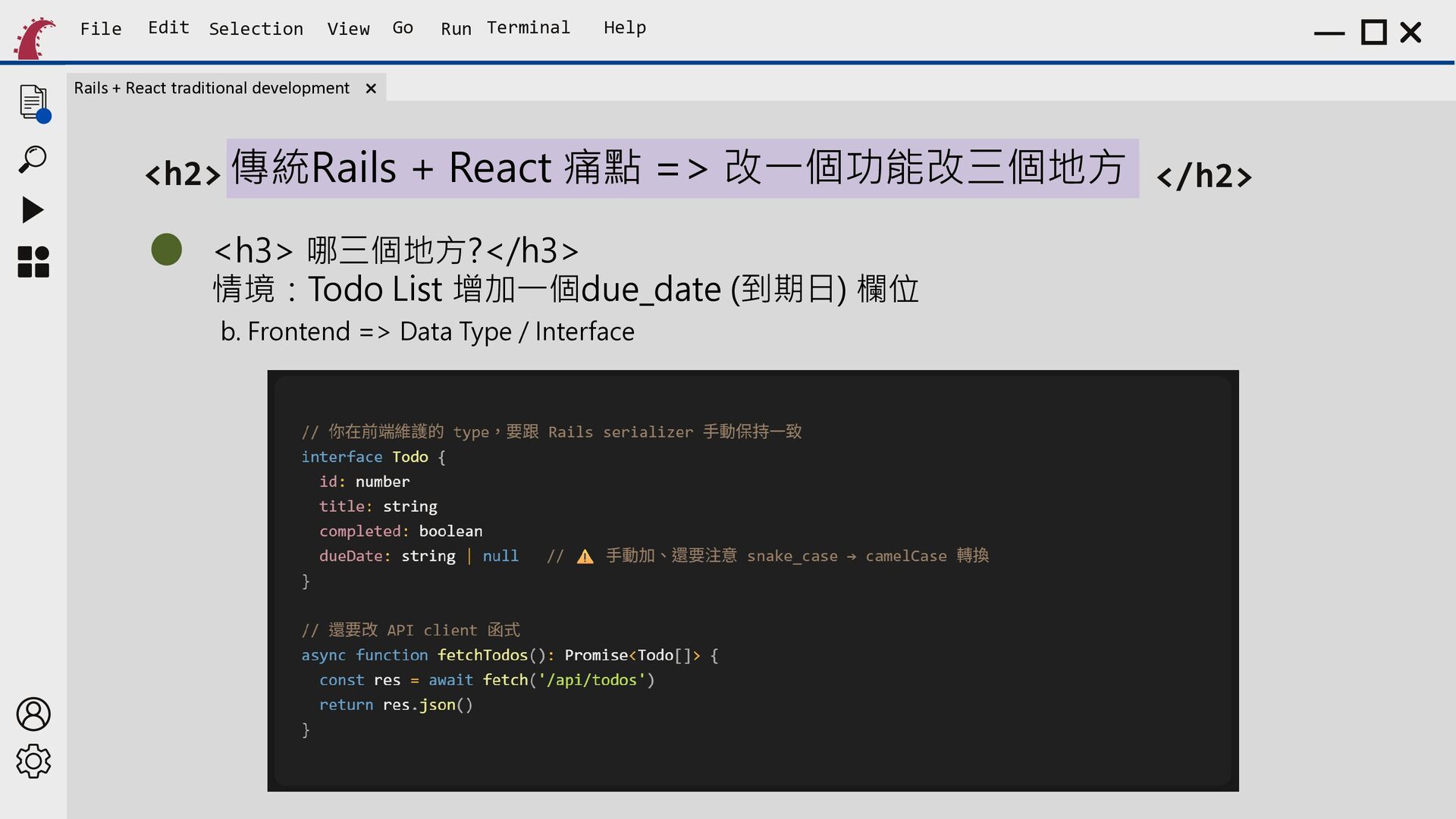
    React traditional development <h2> 傳統Rails + React 痛點 => 改一個功能改三個地方 </h2> <h3> 哪三個地方?</h3> 情境:Todo List 增加一個due_date (到期日) 欄位 b. Frontend => Data Type / Interface
  11. File Edit Selection View Go Run Terminal Help Rails +

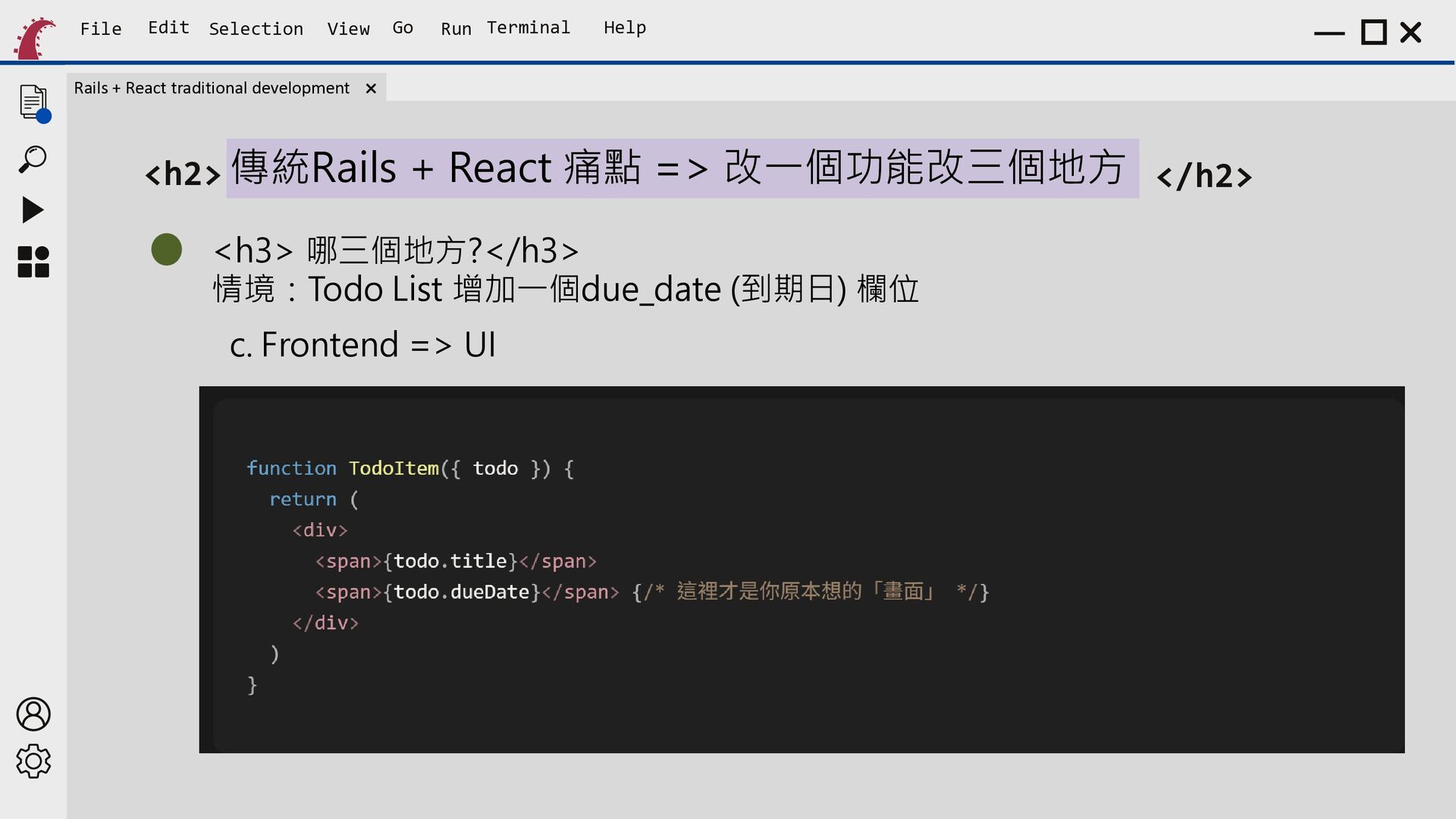
    React traditional development <h2> 傳統Rails + React 痛點 => 改一個功能改三個地方 </h2> <h3> 哪三個地方?</h3> 情境:Todo List 增加一個due_date (到期日) 欄位 c. Frontend => UI
  12. File Edit Selection View Go Run Terminal Help Rails +

    React traditional development <h2> 傳統Rails + React 痛點 => 改一個功能改三個地方 </h2> <h3> 哪三個地方?</h3> 情境:Todo List 增加一個due_date (到期日) 欄位 層級 處理工作 痛點本質 決定 API 吐什麼 容易漏改、要記得動兩個檔案 (controller + view/serializer) 前端 type + API client 描述 API 長什麼樣 沒有編譯期保證,Rails 改了 TS 不會報錯,純靠人腦記憶同步 React component 畫出來 相對單純,但前提是前兩層要對齊 Rails serializer/controller 圖結 )(連 片來源 圖片來源(連結) bug 通常要等到 runtime 才會現形
  13. File Edit Selection View Go Run Terminal Help Rails +

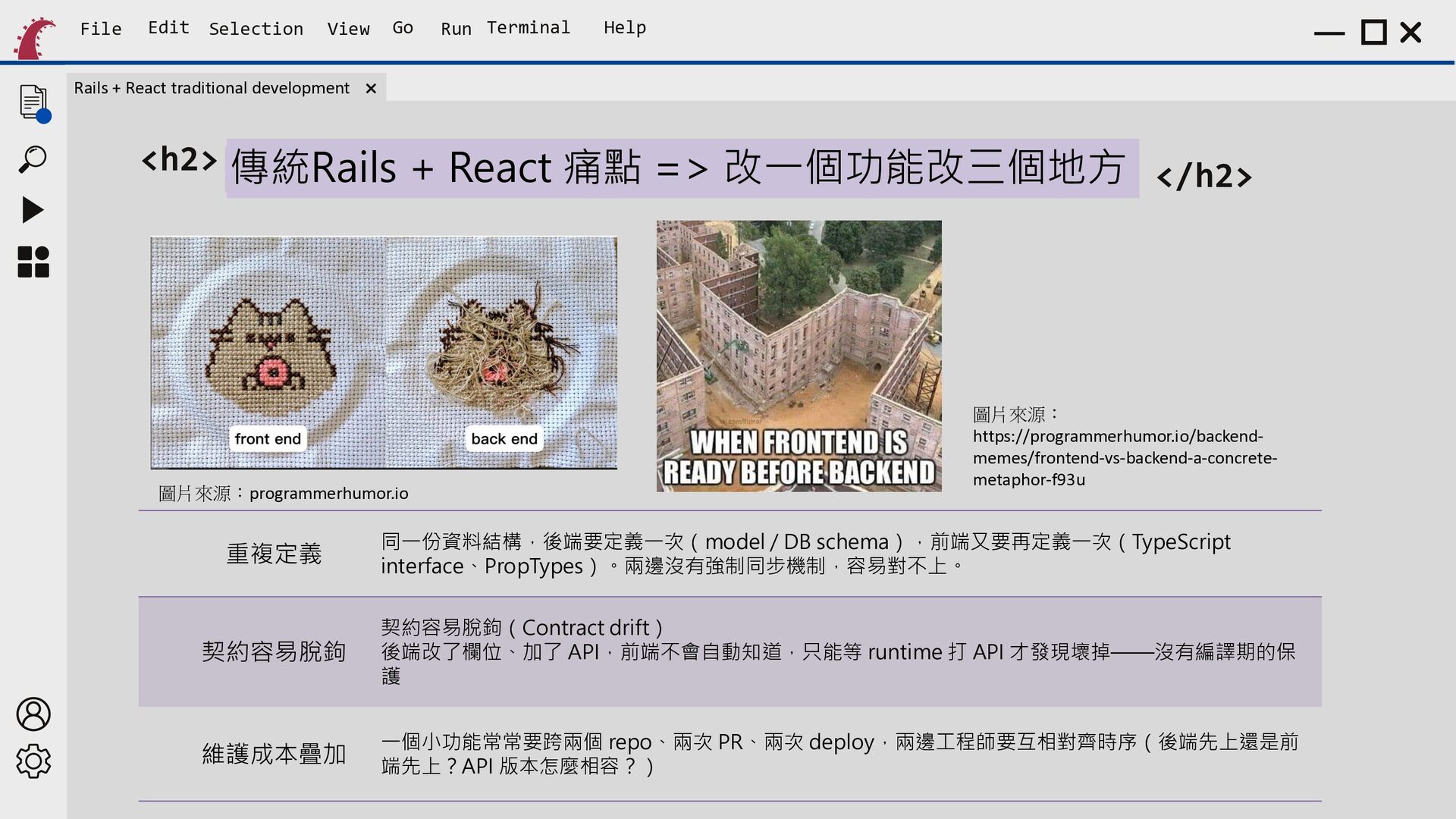
    React traditional development <h2> 傳統Rails + React 痛點 =></h2> 改一個功能改三個地方 </h2> 圖片來源: programmerhumor.io 圖片來源:programmerhumor.io 重複定義 圖片來源: https://programmerhumor.io/backendmemes/frontend-vs-backend-a-concretemetaphor-f93u 同一份資料結構,後端要定義一次(model / DB schema),前端又要再定義一次(TypeScript interface、PropTypes)。兩邊沒有強制同步機制,容易對不上。 契約容易脫鉤 契約容易脫鉤(Contract drift) 後端改了欄位、加了 API,前端不會自動知道,只能等 runtime 打 API 才發現壞掉——沒有編譯期的保 護 維護成本疊加 一個小功能常常要跨兩個 repo、兩次 PR、兩次 deploy,兩邊工程師要互相對齊時序(後端先上還是前 端先上?API 版本怎麼相容?)
  14. File Edit Selection View Rails + React traditional development Go

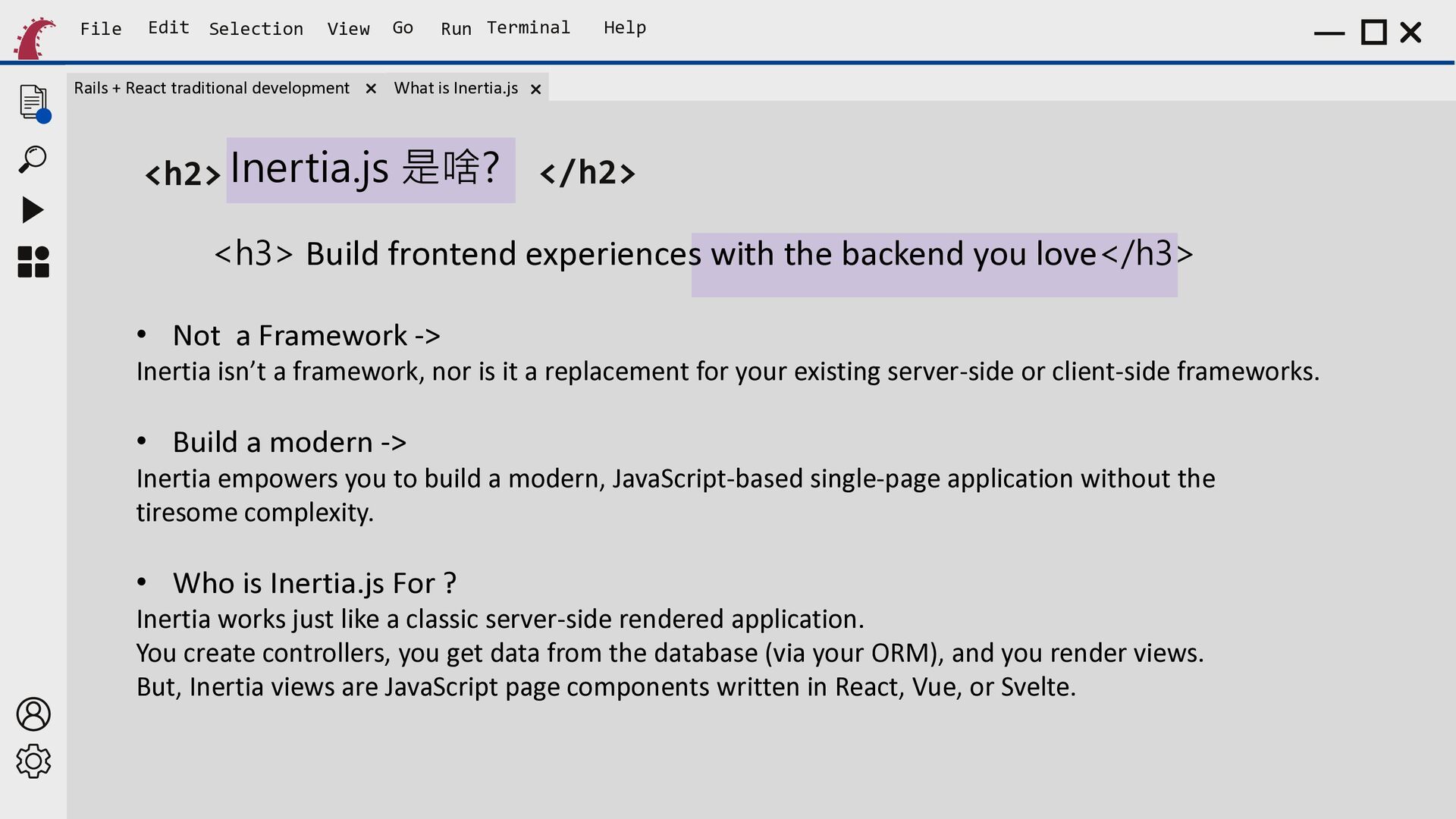
    Run Terminal Help What is Inertia.js <h2> Inertia.js 是啥? </h2> <h3> Build frontend experiences with the backend you love</h3> • Not a Framework -> Inertia isn’t a framework, nor is it a replacement for your existing server-side or client-side frameworks. • Build a modern -> Inertia empowers you to build a modern, JavaScript-based single-page application without the tiresome complexity. • Who is Inertia.js For ? Inertia works just like a classic server-side rendered application. You create controllers, you get data from the database (via your ORM), and you render views. But, Inertia views are JavaScript page components written in React, Vue, or Svelte.
  15. File Edit Selection View Rails + React traditional development Go

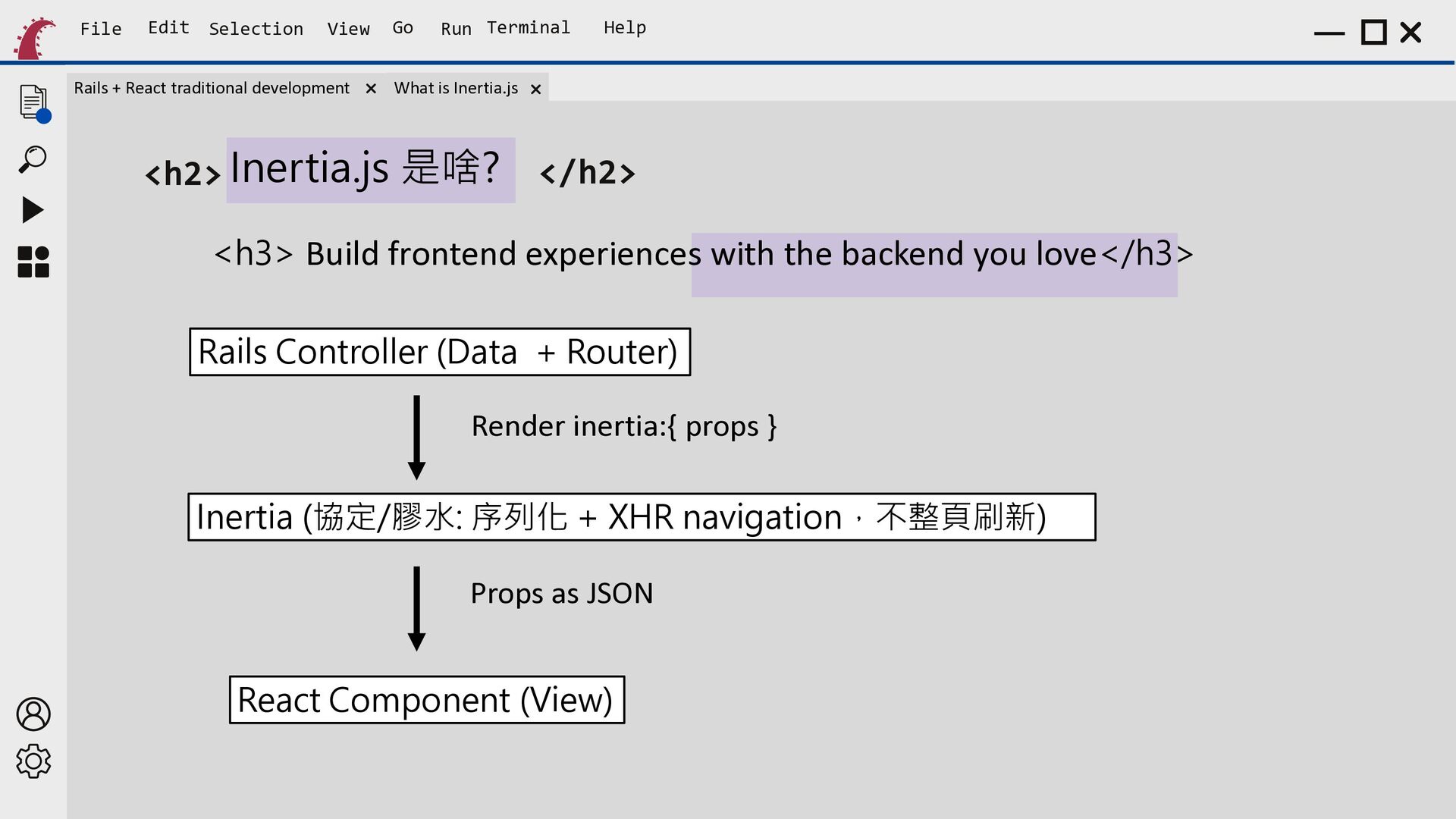
    Run Terminal Help What is Inertia.js <h2> Inertia.js 是啥? </h2> <h3> Build frontend experiences with the backend you love</h3> Rails Controller (Data + Router) Render inertia:{ props } Inertia (協定/膠水: 序列化 + XHR navigation,不整頁刷新) Props as JSON React Component (View)
  16. File Edit Selection View Rails + React traditional development Go

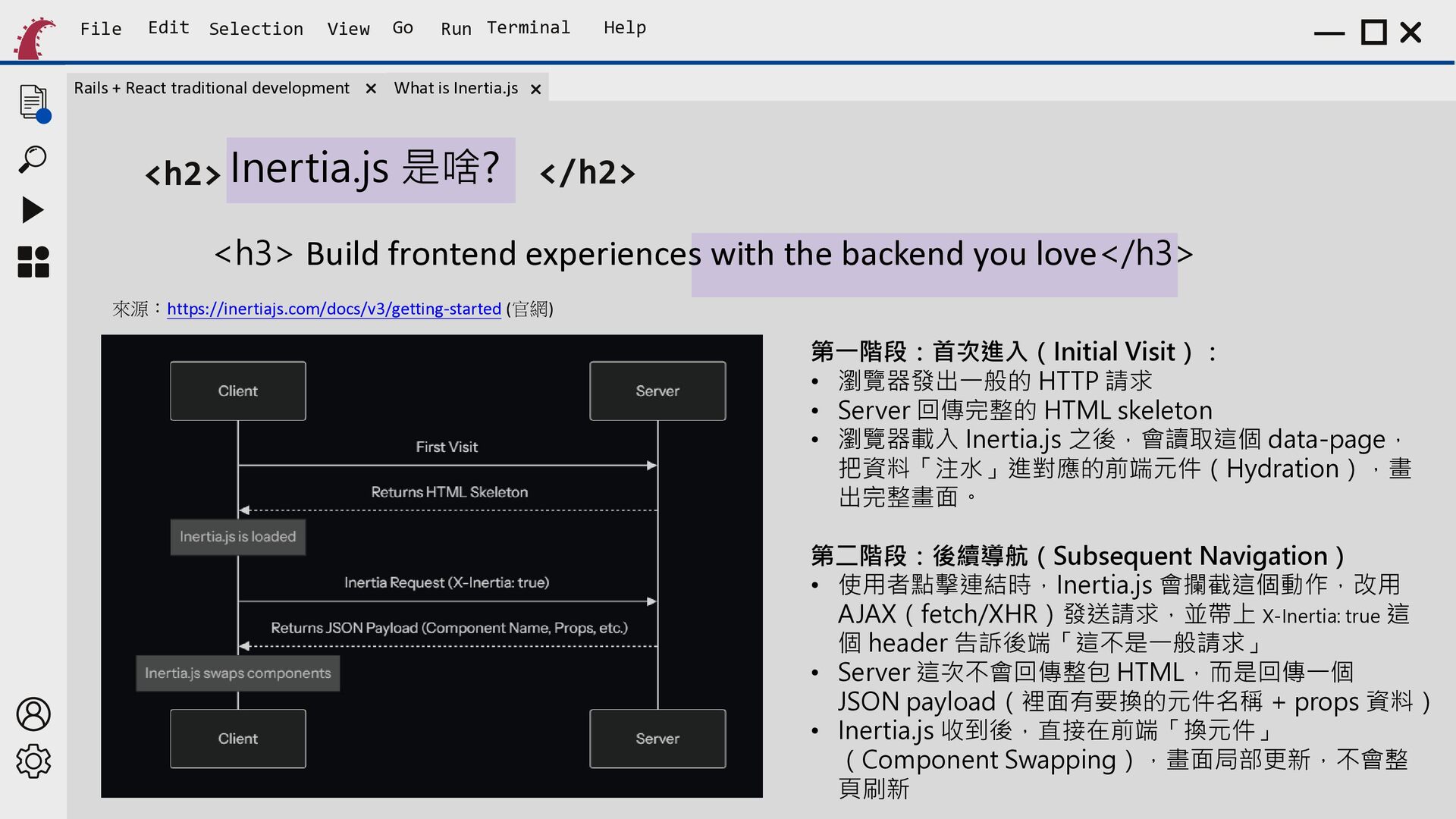
    Run Terminal Help What is Inertia.js <h2> Inertia.js 是啥? </h2> <h3> Build frontend experiences with the backend you love</h3> 來源:https://inertiajs.com/docs/v3/getting-started (官網) 第一階段:首次進入(Initial Visit): • 瀏覽器發出一般的 HTTP 請求 • Server 回傳完整的 HTML skeleton • 瀏覽器載入 Inertia.js 之後,會讀取這個 data-page, 把資料「注水」進對應的前端元件(Hydration),畫 出完整畫面。 第二階段:後續導航(Subsequent Navigation) • 使用者點擊連結時,Inertia.js 會攔截這個動作,改用 AJAX(fetch/XHR)發送請求,並帶上 X-Inertia: true 這 個 header 告訴後端「這不是一般請求」 • Server 這次不會回傳整包 HTML,而是回傳一個 JSON payload(裡面有要換的元件名稱 + props 資料) • Inertia.js 收到後,直接在前端「換元件」 (Component Swapping),畫面局部更新,不會整 頁刷新
  17. File Edit Selection View Rails + React traditional development Go

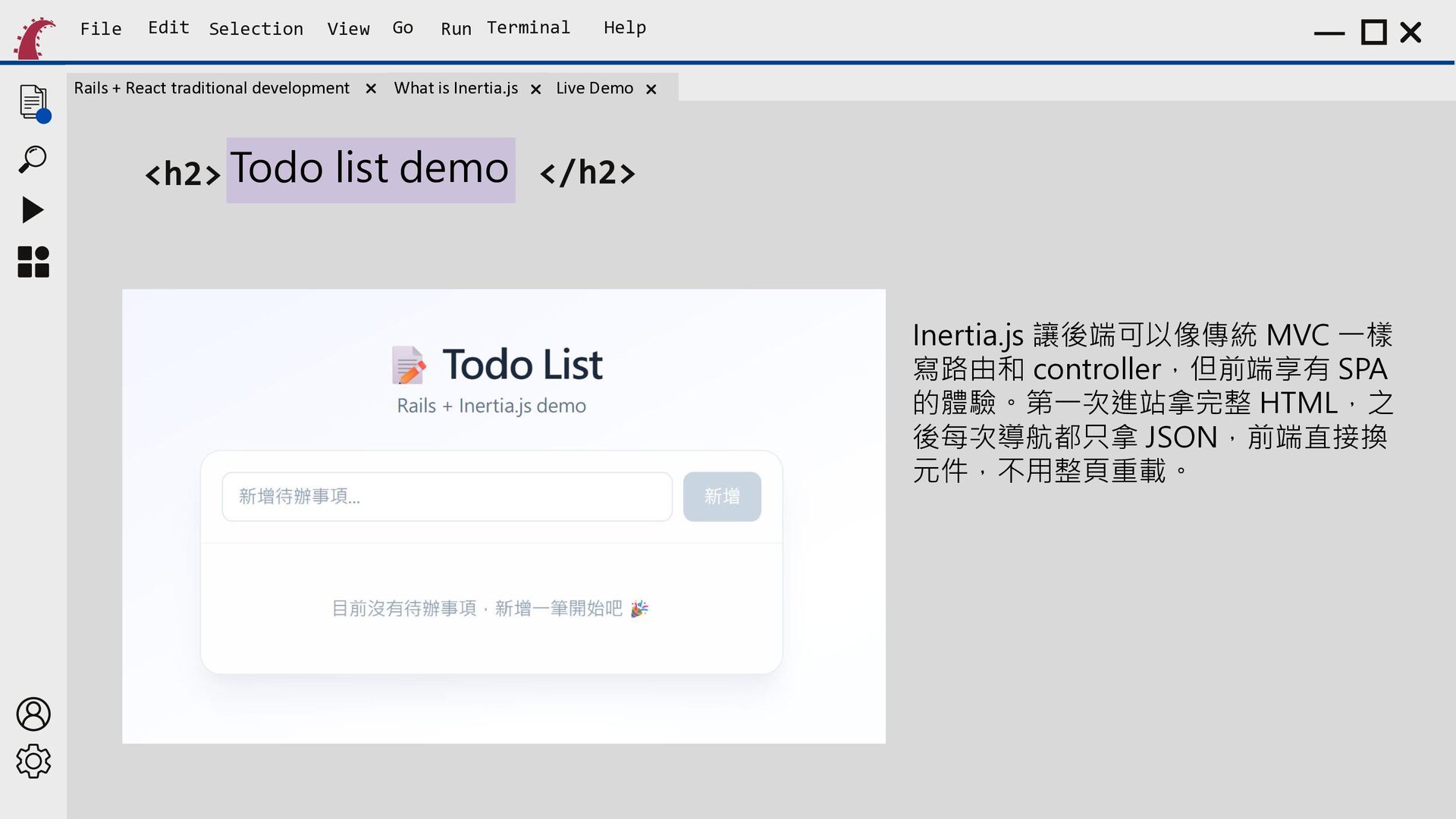
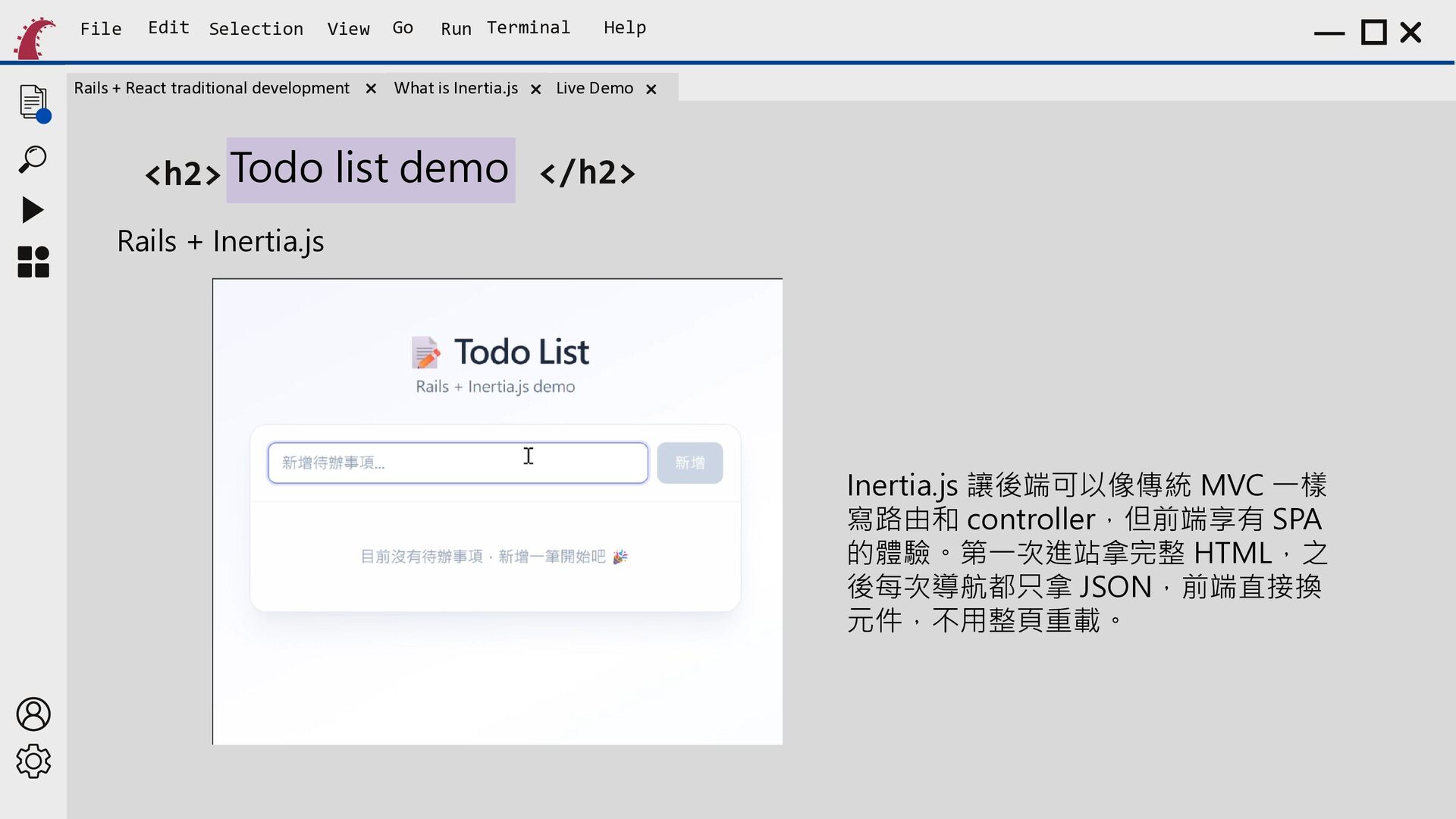
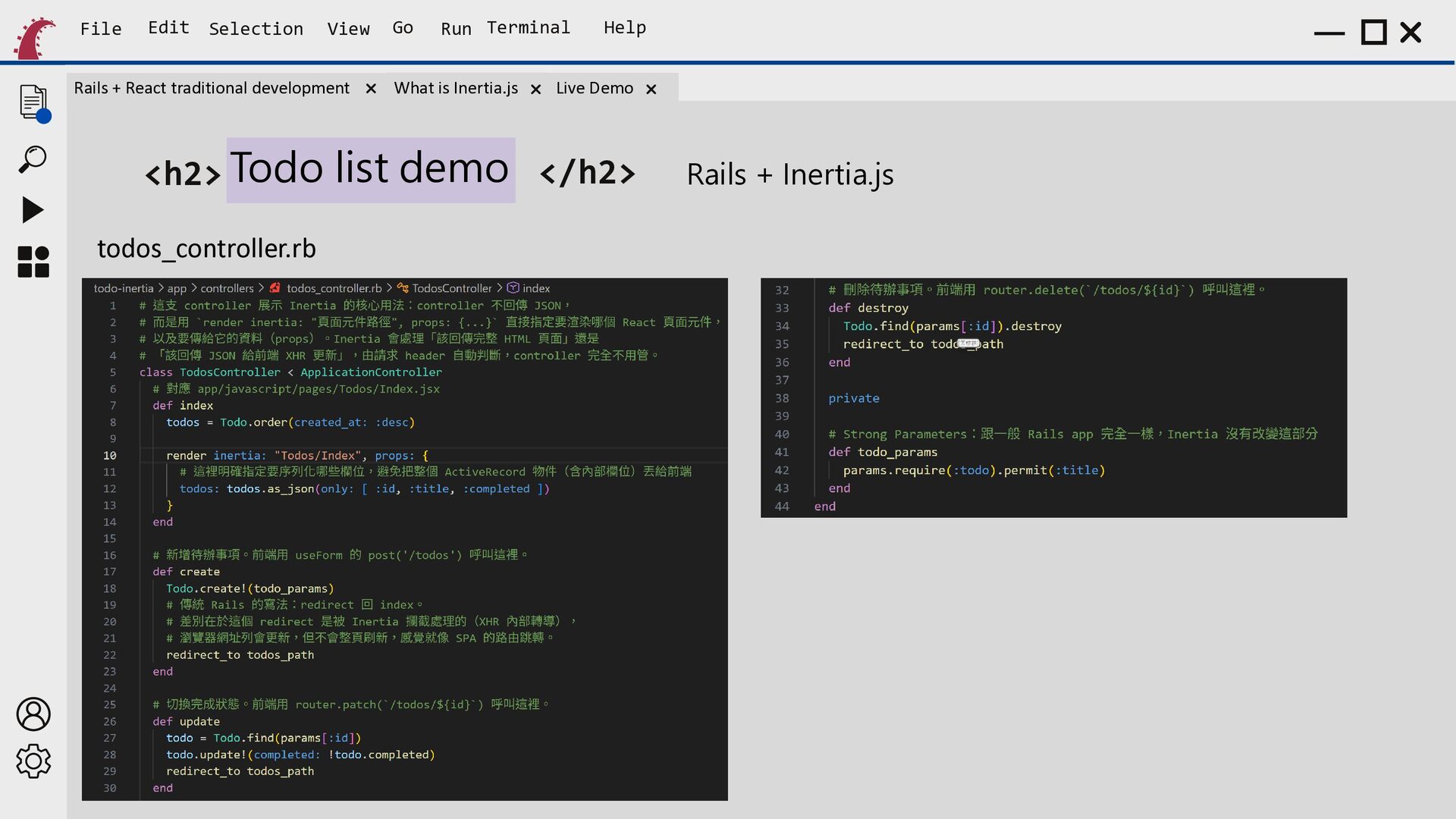
    Run Terminal What is Inertia.js Help Live Demo <h2> Todo list demo </h2> Inertia.js 讓後端可以像傳統 MVC 一樣 寫路由和 controller,但前端享有 SPA 的體驗。第一次進站拿完整 HTML,之 後每次導航都只拿 JSON,前端直接換 元件,不用整頁重載。
  18. File Edit Selection View Rails + React traditional development Go

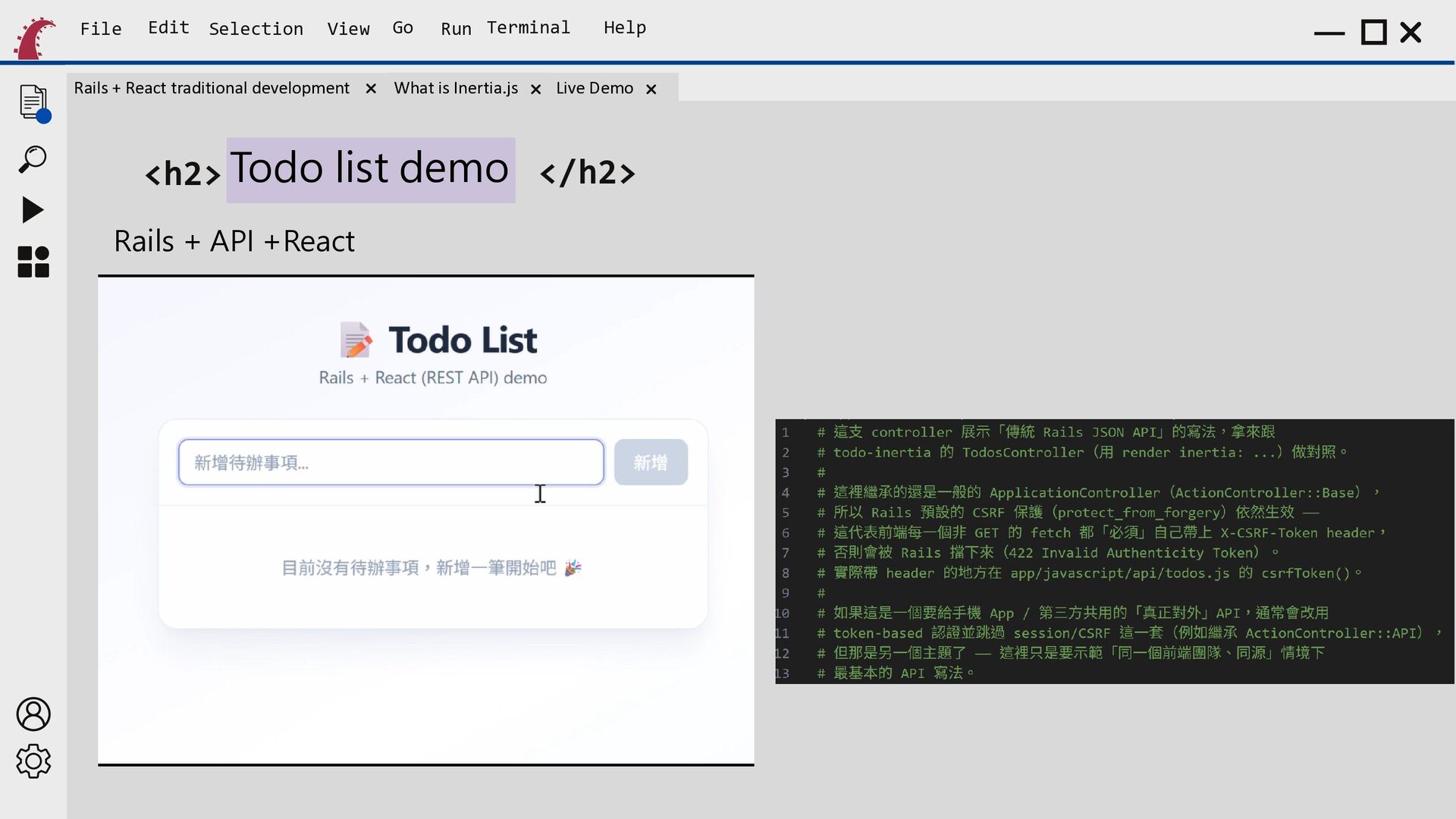
    Run Terminal What is Inertia.js Help Live Demo <h2> Todo list demo </h2> Rails + API +React
  19. File Edit Selection View Rails + React traditional development Go

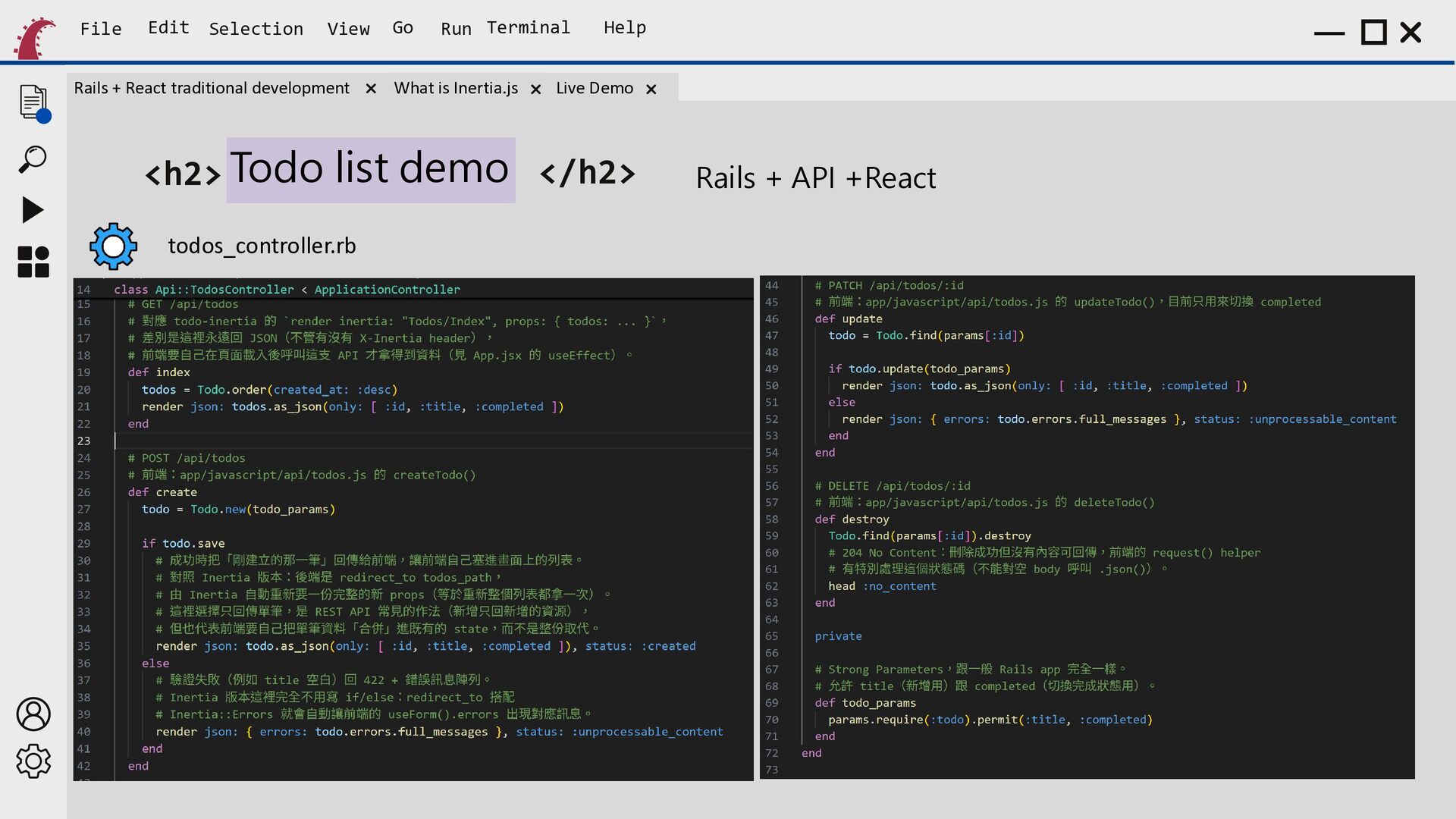
    Run Terminal What is Inertia.js Help Live Demo <h2> Todo list demo </h2> todos_controller.rb Rails + API +React
  20. File Edit Selection View Rails + React traditional development Go

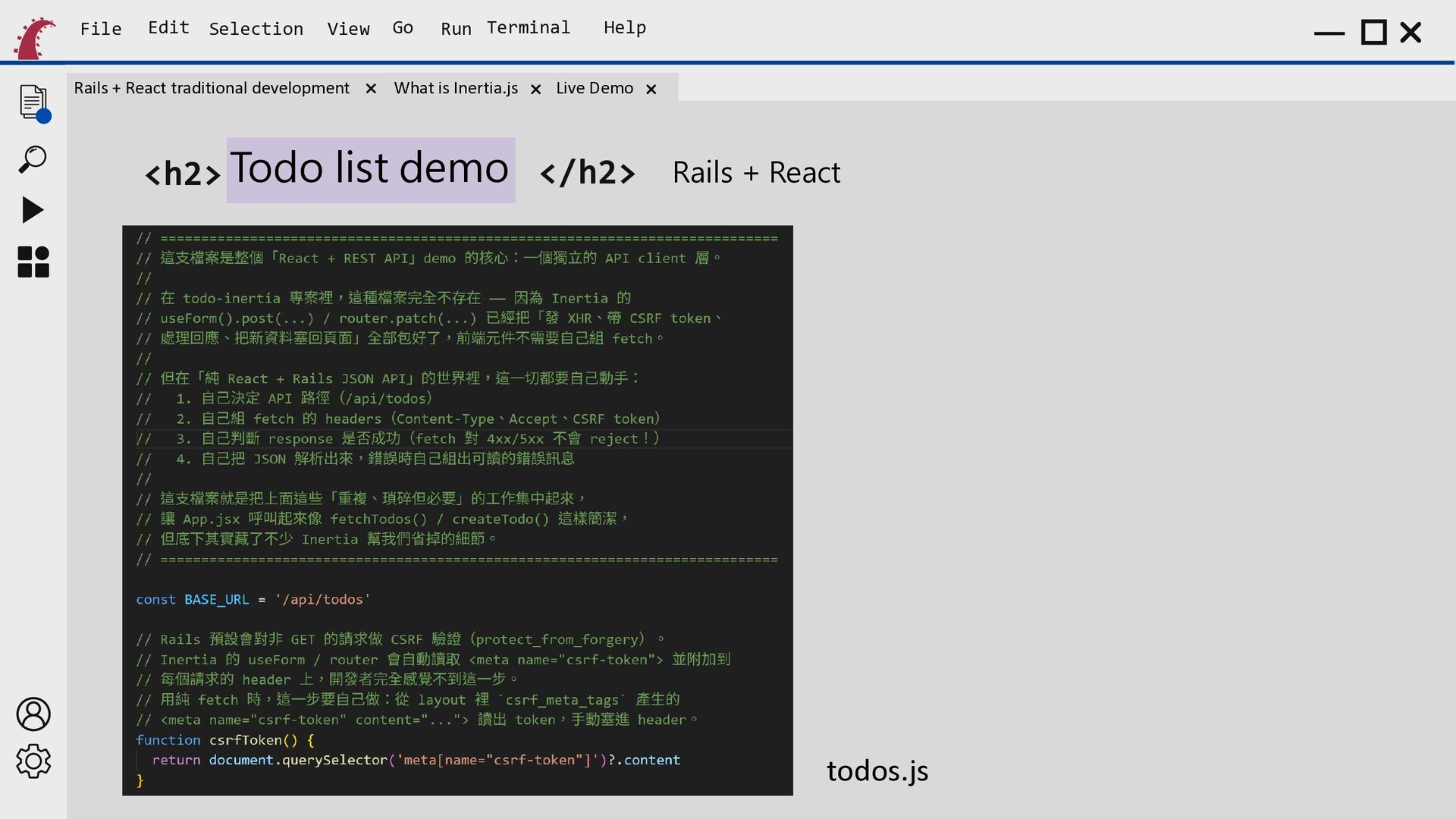
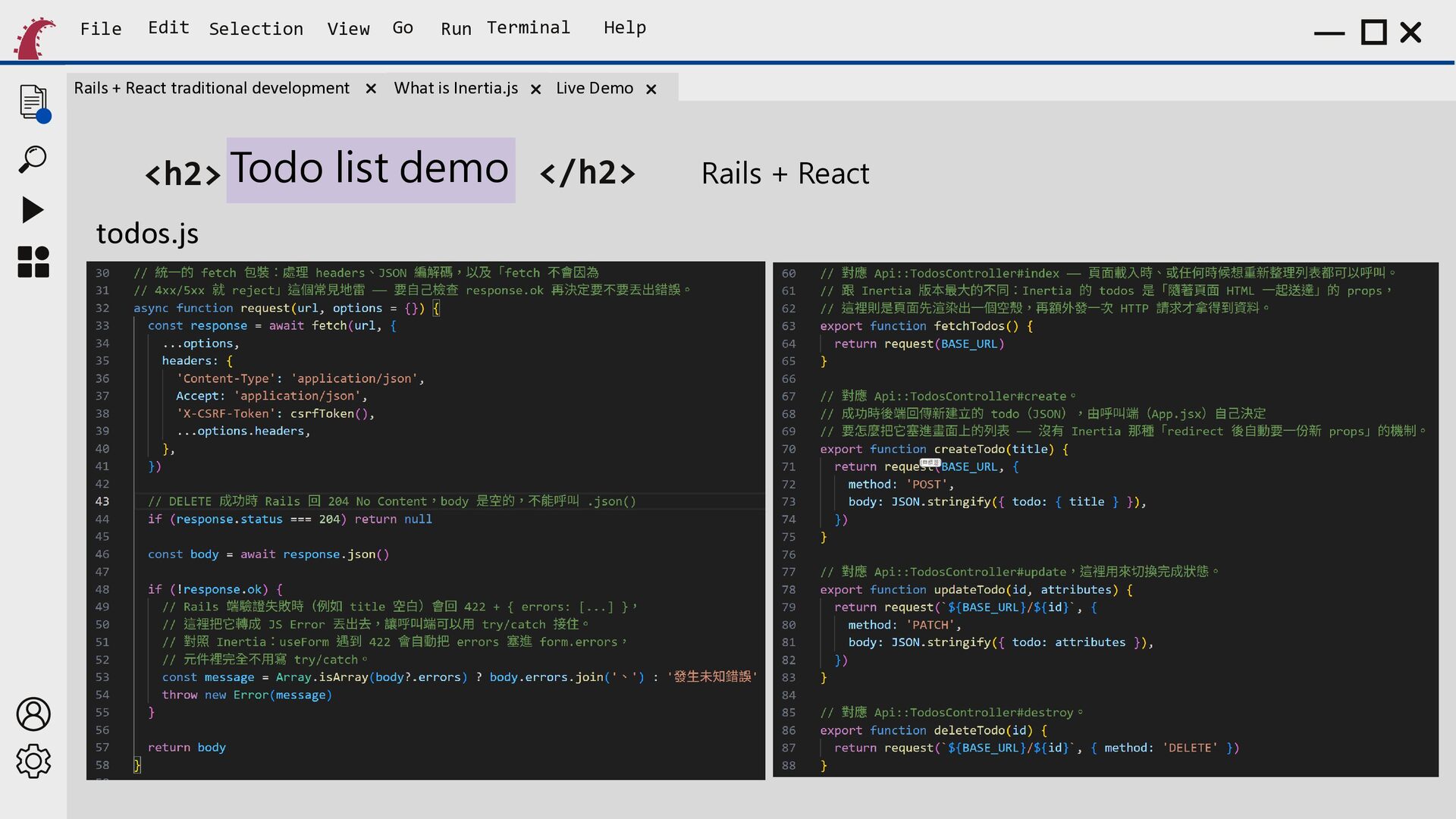
    Run Terminal What is Inertia.js Help Live Demo <h2> Todo list demo </h2> Rails + React todos.js
  21. File Edit Selection View Rails + React traditional development Go

    Run Terminal What is Inertia.js Help Live Demo <h2> Todo list demo </h2> todos.js Rails + React
  22. File Edit Selection View Rails + React traditional development Go

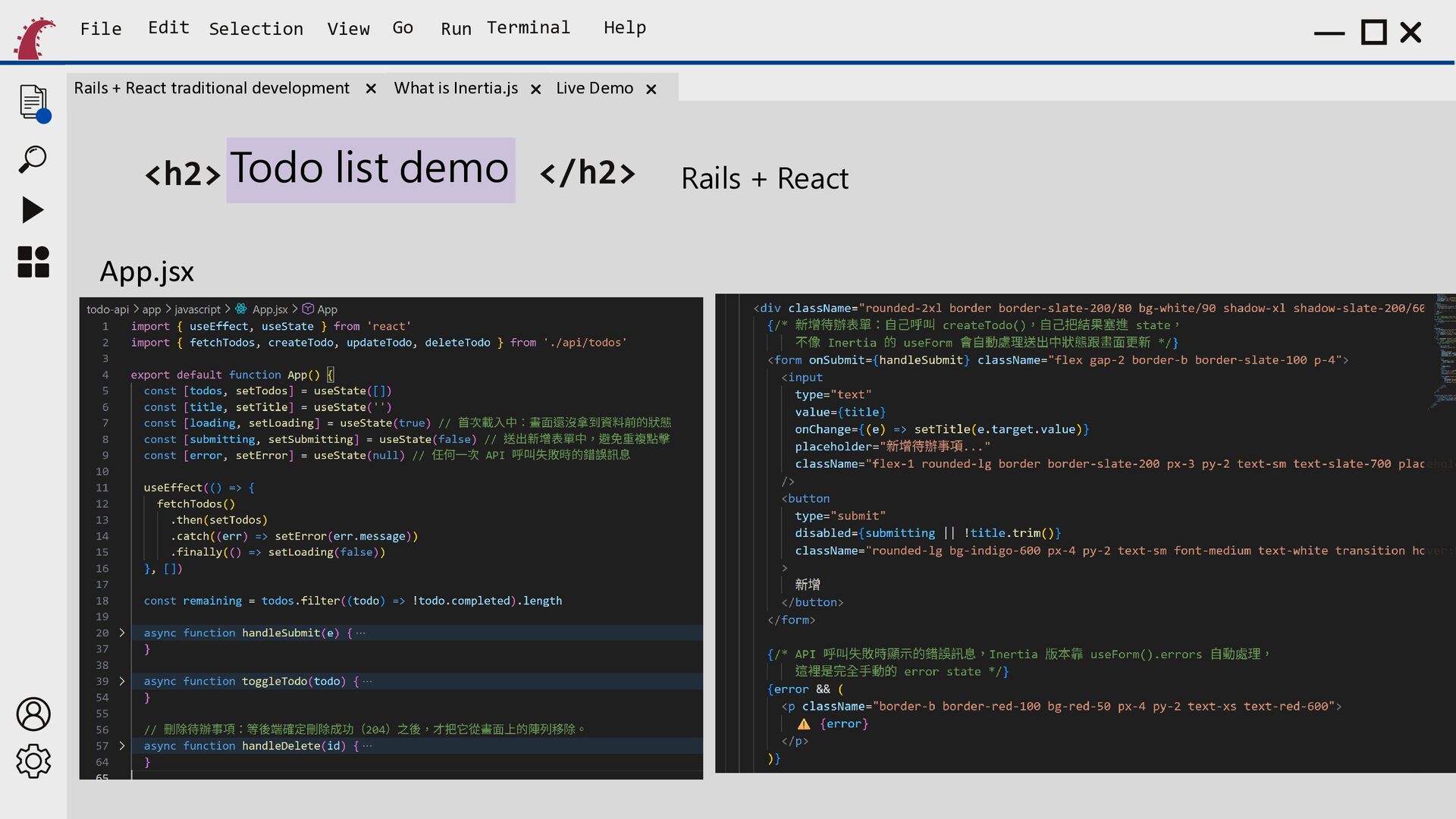
    Run Terminal What is Inertia.js Help Live Demo <h2> Todo list demo </h2> App.jsx Rails + React
  23. File Edit Selection View Rails + React traditional development Go

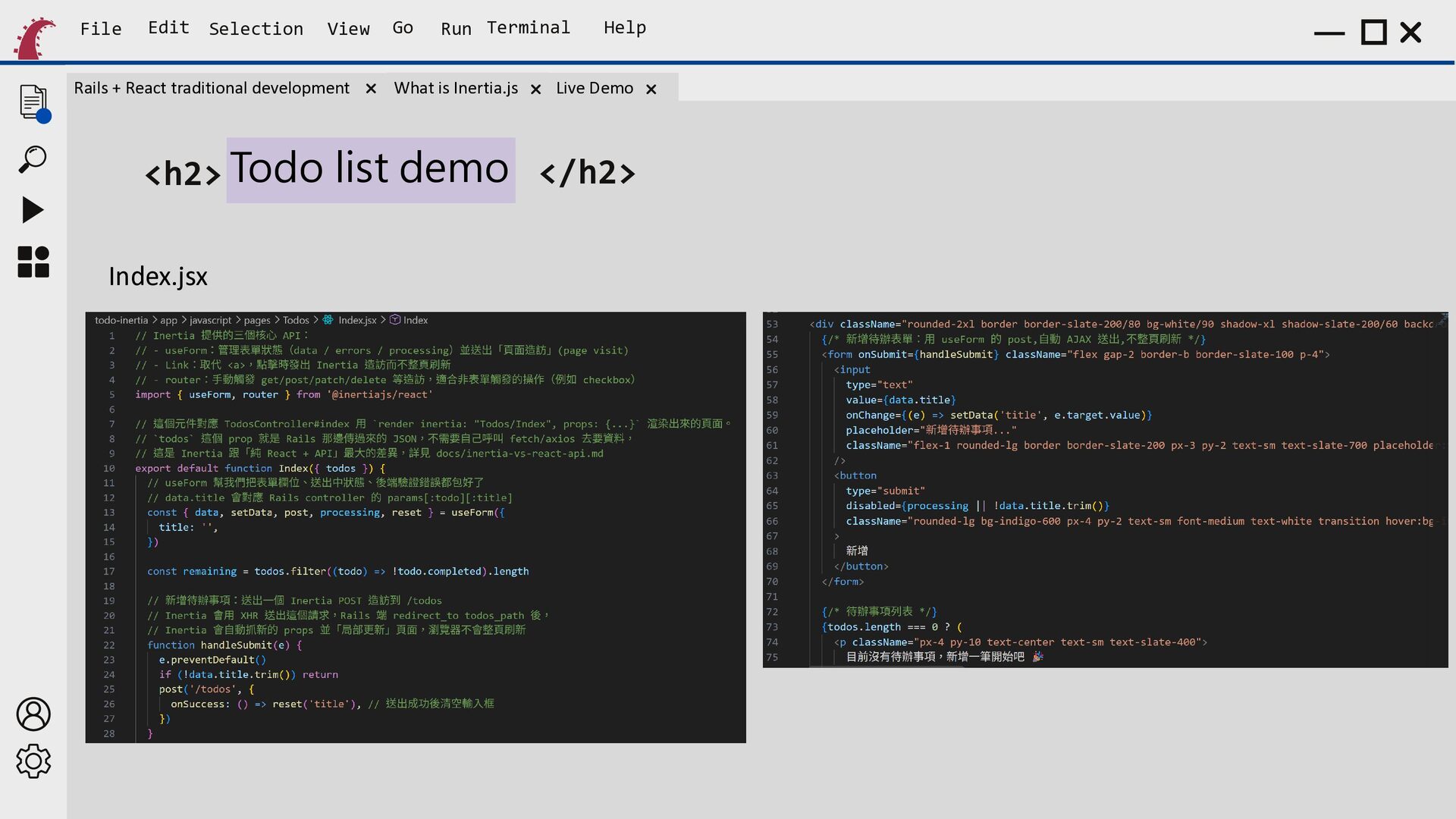
    Run Terminal What is Inertia.js Help Live Demo <h2> Todo list demo </h2> Rails + Inertia.js Inertia.js 讓後端可以像傳統 MVC 一樣 寫路由和 controller,但前端享有 SPA 的體驗。第一次進站拿完整 HTML,之 後每次導航都只拿 JSON,前端直接換 元件,不用整頁重載。
  24. File Edit Selection View Rails + React traditional development Go

    Run Terminal What is Inertia.js Help Live Demo <h2> Todo list demo </h2> todos_controller.rb Rails + Inertia.js
  25. File Edit Selection View Rails + React traditional development Go

    Run Terminal What is Inertia.js Help Live Demo <h2> Todo list demo </h2> Index.jsx
  26. File Edit Selection View Rails + React traditional development Go

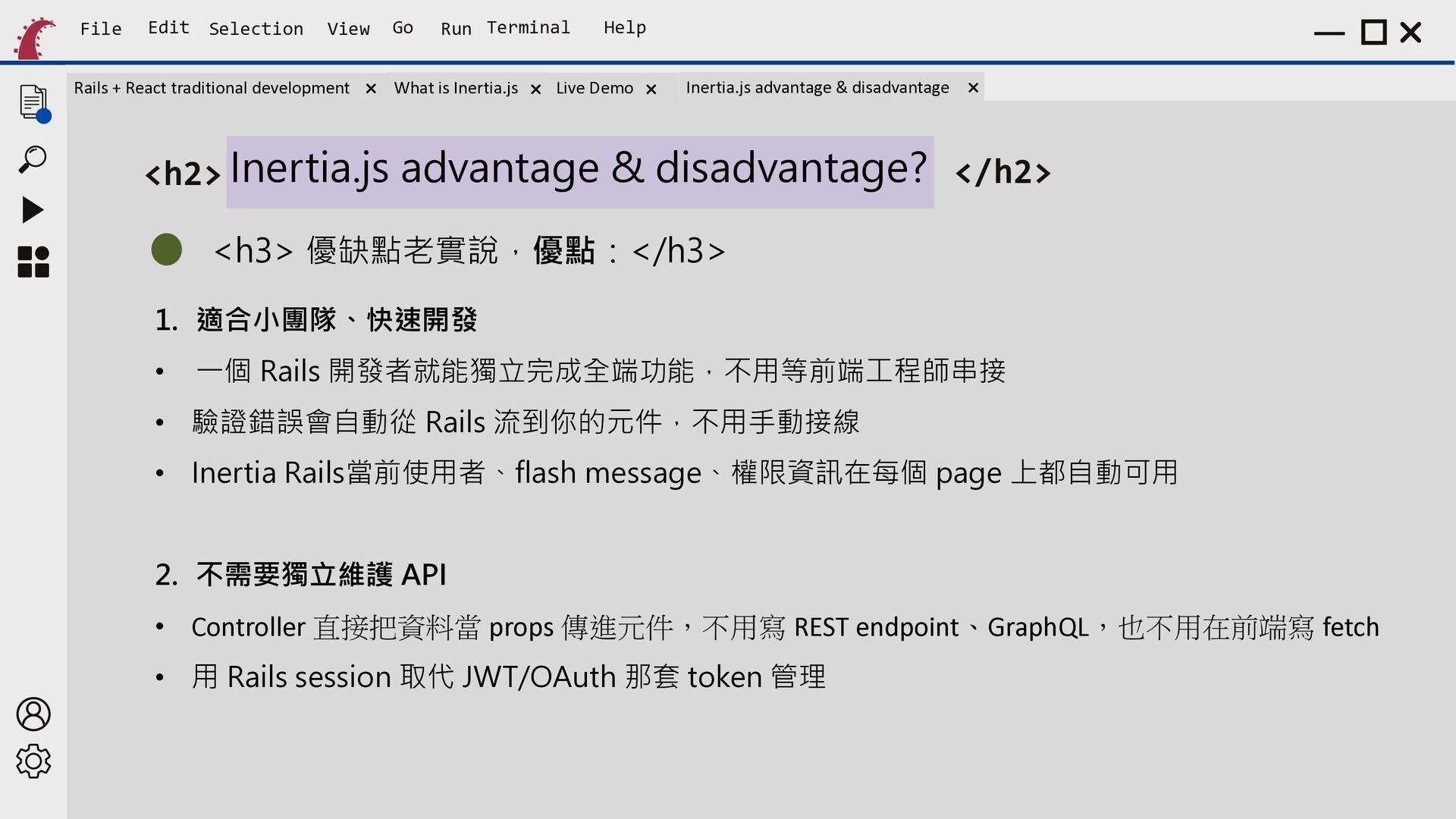
    Run Terminal What is Inertia.js Help Live Demo Inertia.js advantage & disadvantage <h2> Inertia.js advantage & disadvantage? </h2> <h3> 優缺點老實說,優點:</h3> 1. 適合小團隊、快速開發 • 一個 Rails 開發者就能獨立完成全端功能,不用等前端工程師串接 • 驗證錯誤會自動從 Rails 流到你的元件,不用手動接線 • Inertia Rails當前使用者、flash message、權限資訊在每個 page 上都自動可用 2. 不需要獨立維護 API • Controller 直接把資料當 props 傳進元件,不用寫 REST endpoint、GraphQL,也不用在前端寫 fetch • 用 Rails session 取代 JWT/OAuth 那套 token 管理
  27. File Edit Selection View Rails + React traditional development Go

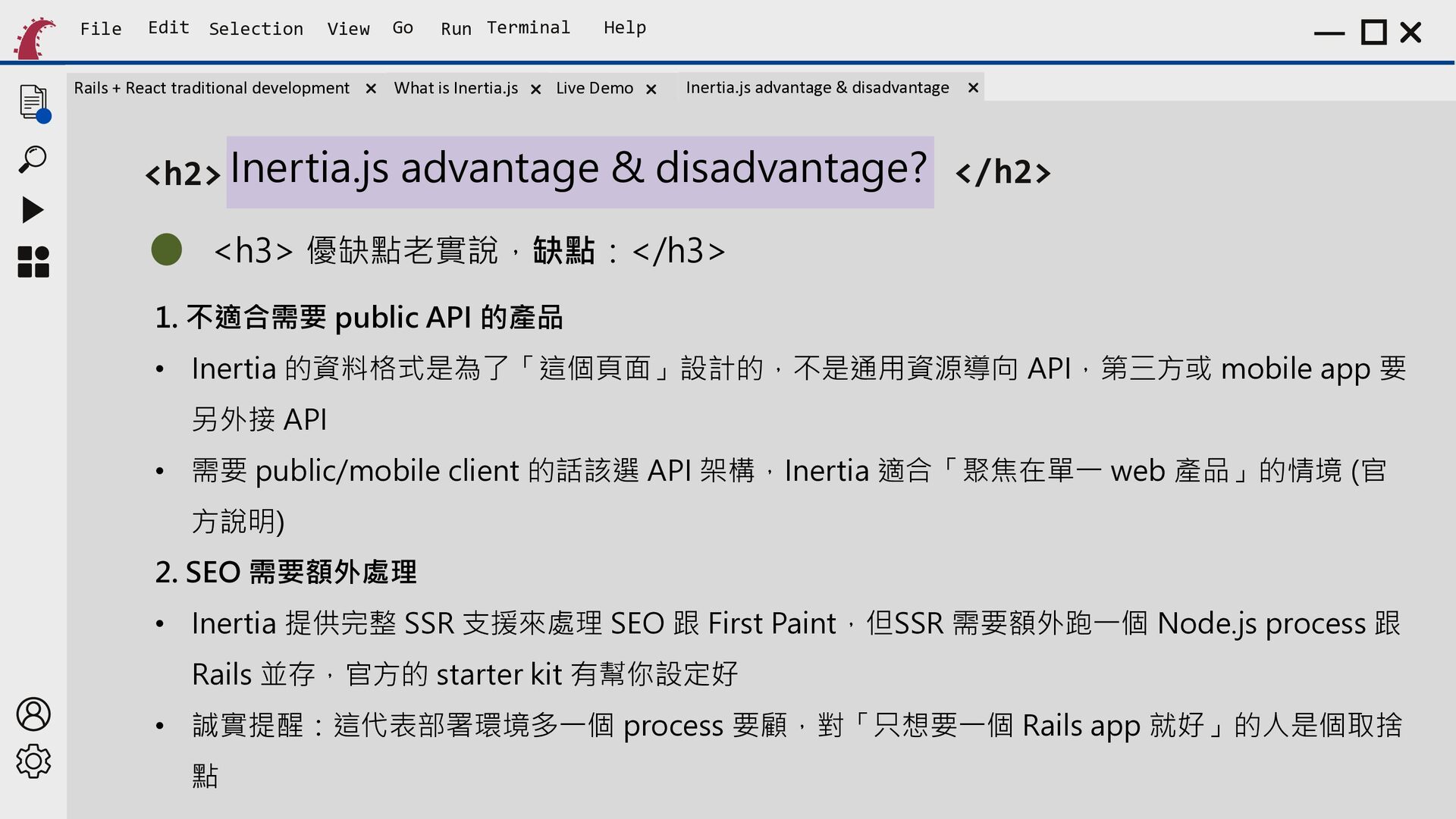
    Run Terminal What is Inertia.js Help Live Demo Inertia.js advantage & disadvantage <h2> Inertia.js advantage & disadvantage? </h2> <h3> 優缺點老實說,缺點:</h3> 1. 不適合需要 public API 的產品 • Inertia 的資料格式是為了「這個頁面」設計的,不是通用資源導向 API,第三方或 mobile app 要 另外接 API • 需要 public/mobile client 的話該選 API 架構,Inertia 適合「聚焦在單一 web 產品」的情境 (官 方說明) 2. SEO 需要額外處理 • Inertia 提供完整 SSR 支援來處理 SEO 跟 First Paint,但SSR 需要額外跑一個 Node.js process 跟 Rails 並存,官方的 starter kit 有幫你設定好 • 誠實提醒:這代表部署環境多一個 process 要顧,對「只想要一個 Rails app 就好」的人是個取捨 點
  28. File Edit Selection View Rails + React traditional development Go

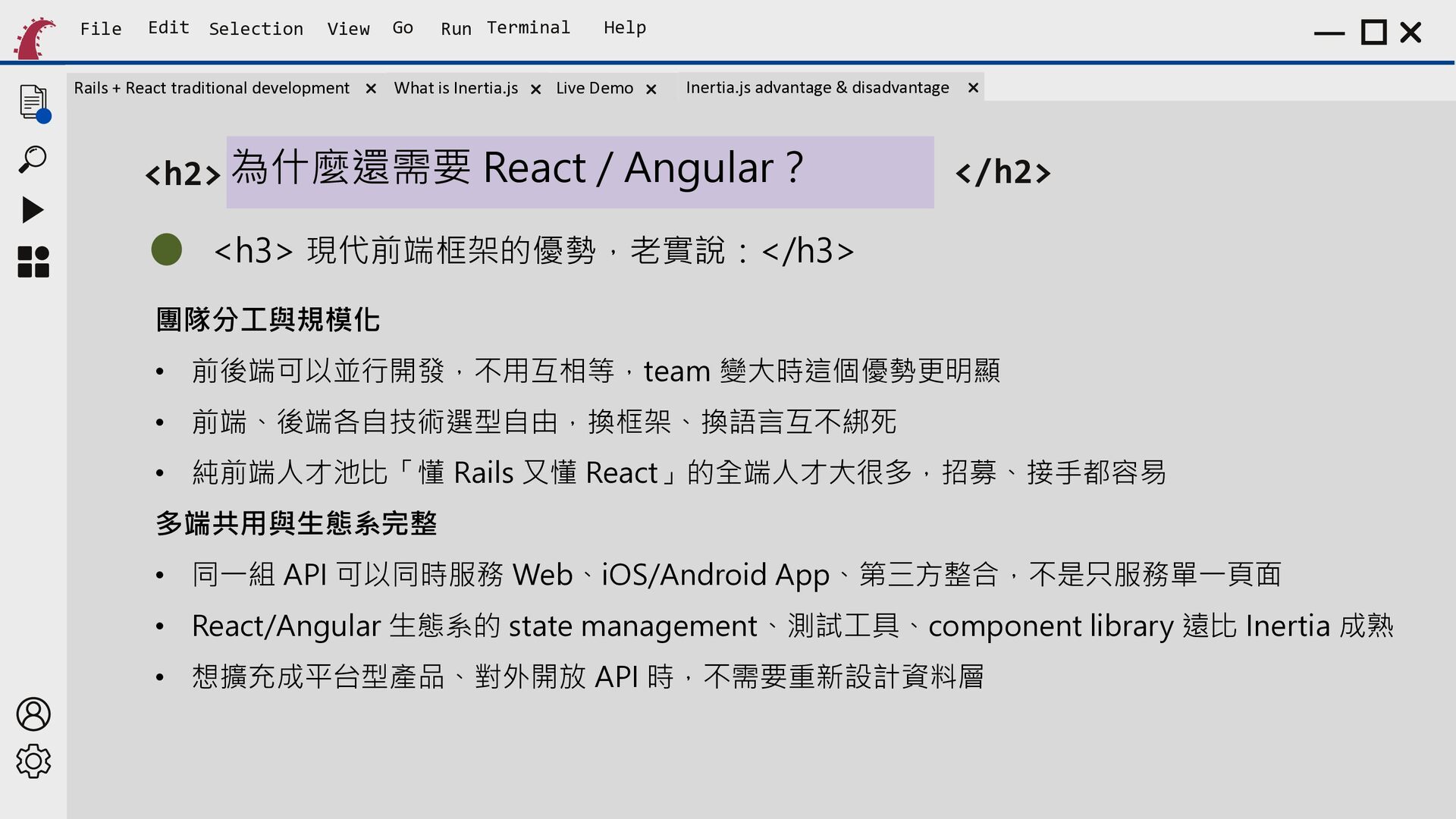
    Run Terminal What is Inertia.js Help Live Demo Inertia.js advantage & disadvantage <h2> 為什麼還需要 React / Angular? </h2> <h3> 現代前端框架的優勢,老實說:</h3> 團隊分工與規模化 • 前後端可以並行開發,不用互相等,team 變大時這個優勢更明顯 • 前端、後端各自技術選型自由,換框架、換語言互不綁死 • 純前端人才池比「懂 Rails 又懂 React」的全端人才大很多,招募、接手都容易 多端共用與生態系完整 • 同一組 API 可以同時服務 Web、iOS/Android App、第三方整合,不是只服務單一頁面 • React/Angular 生態系的 state management、測試工具、component library 遠比 Inertia 成熟 • 想擴充成平台型產品、對外開放 API 時,不需要重新設計資料層
  29. File Edit Selection View Rails + React traditional development Go

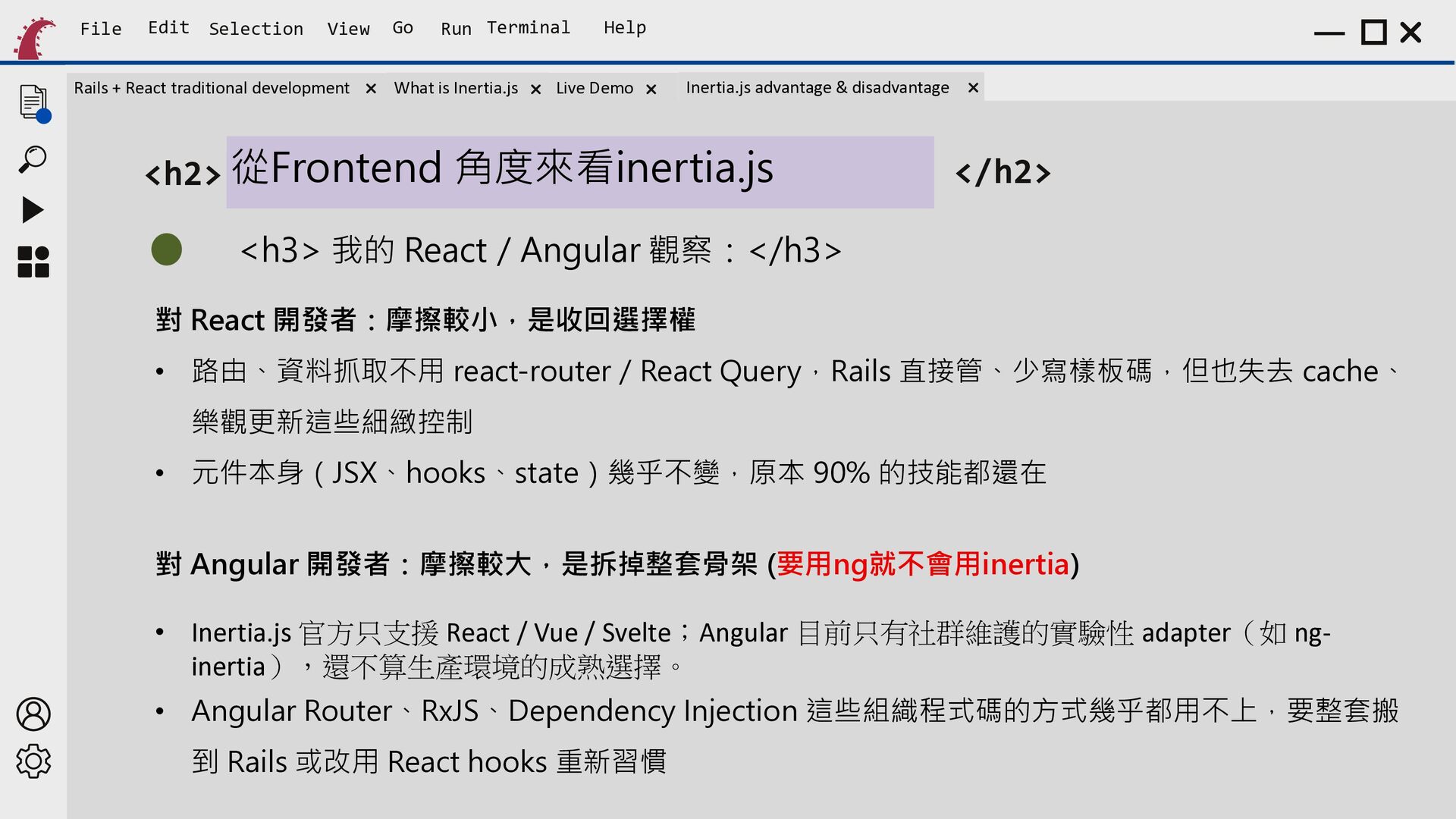
    Run Terminal What is Inertia.js Help Live Demo Inertia.js advantage & disadvantage <h2> 從Frontend 角度來看inertia.js </h2> <h3> 我的 React/Angular 觀察:</h3> 對 React 開發者:摩擦較小,是收回選擇權 • 路由、資料抓取不用 react-router/React Query,Rails 直接管、少寫樣板碼,但也失去 cache、 樂觀更新這些細緻控制 • 元件本身(JSX、hooks、state)幾乎不變,原本 90% 的技能都還在 對 Angular 開發者:摩擦較大,是拆掉整套骨架 (要用ng就不會用inertia) • Inertia.js 官方只支援 React / Vue / Svelte;Angular 目前只有社群維護的實驗性 adapter(如 nginertia),還不算生產環境的成熟選擇。 • Angular Router、RxJS、Dependency Injection 這些組織程式碼的方式幾乎都用不上,要整套搬 到 Rails 或改用 React hooks 重新習慣
  30. File Edit Selection View Rails + React traditional development Go

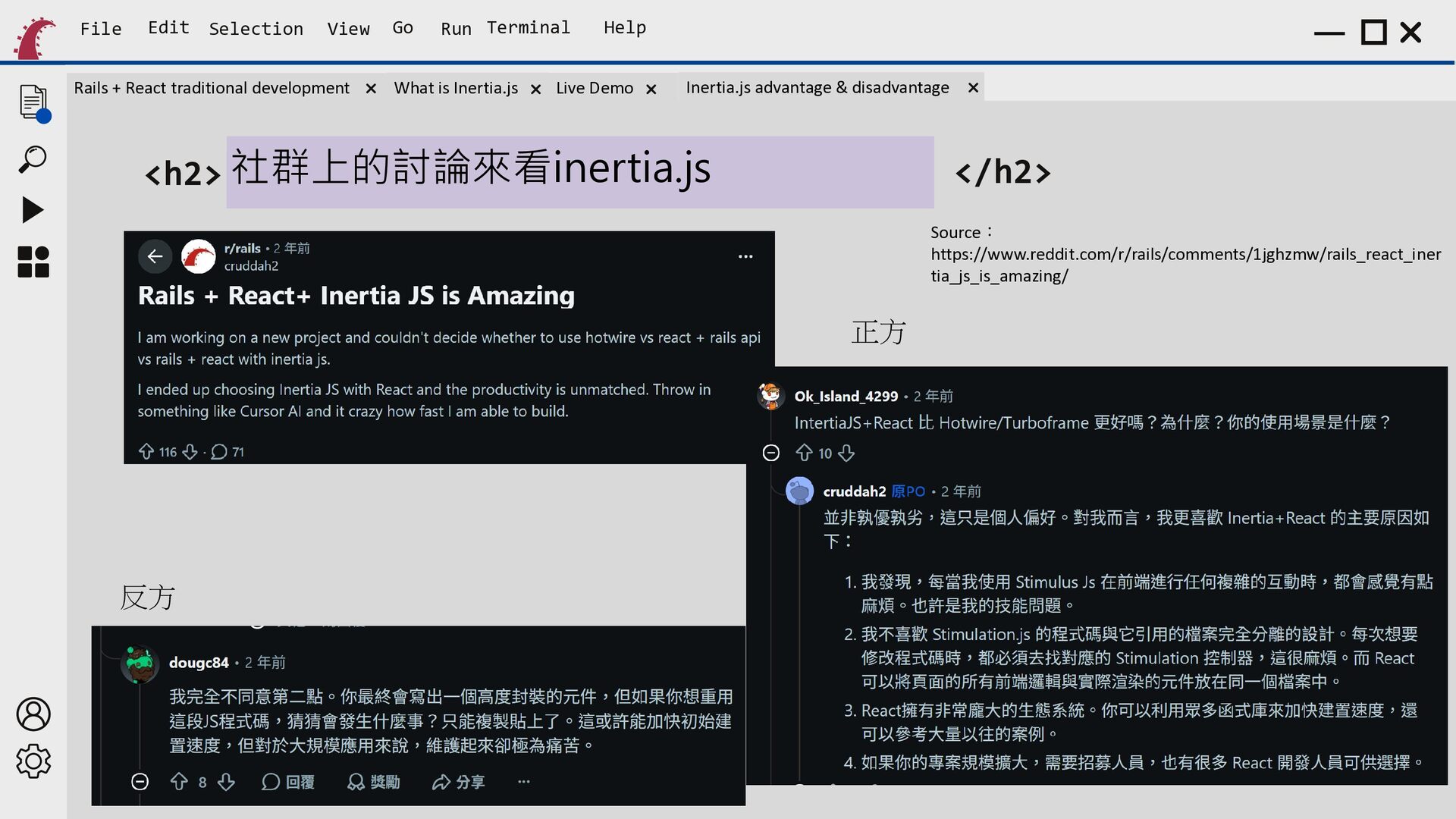
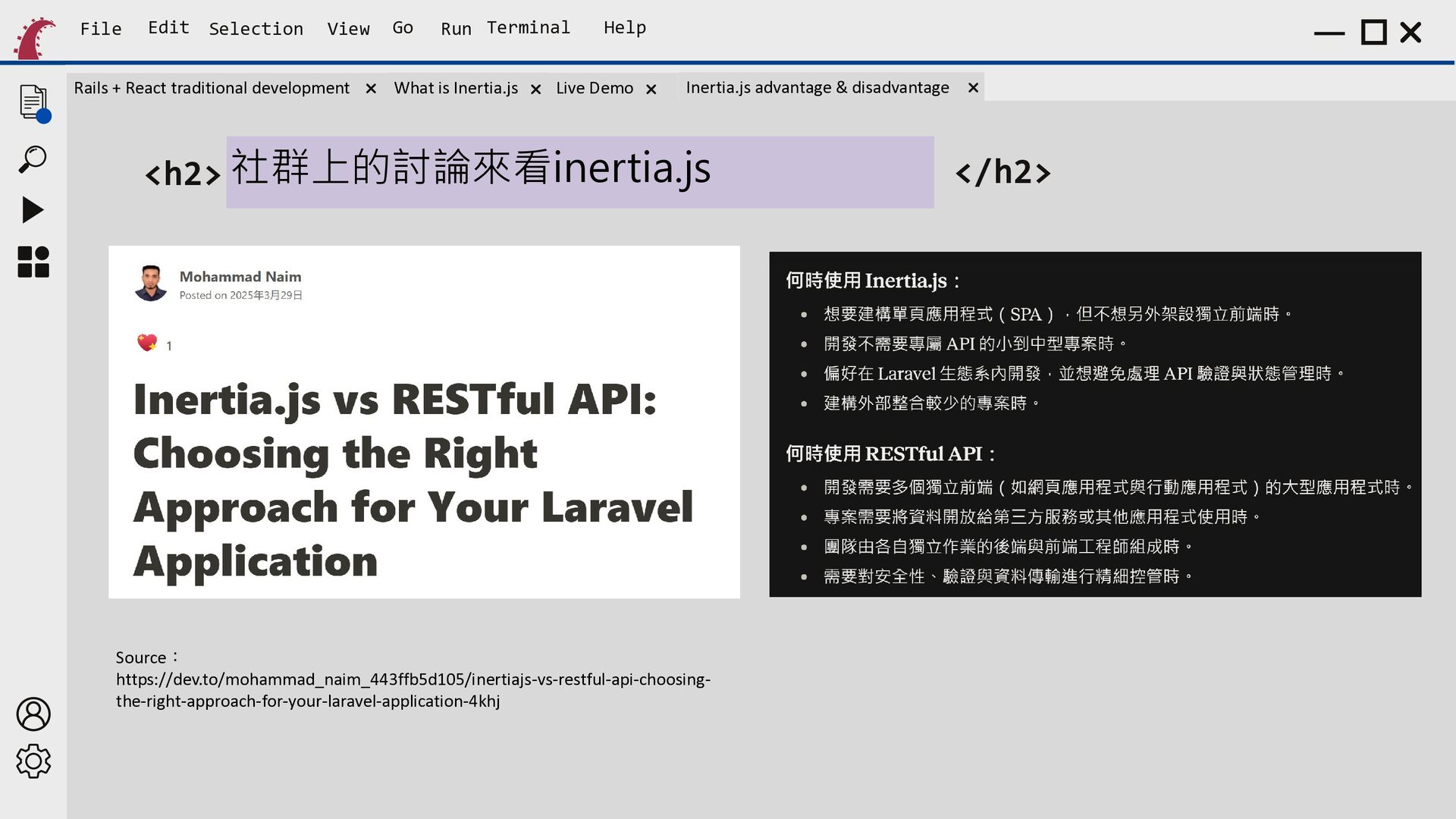
    Run Terminal What is Inertia.js Help Live Demo Inertia.js advantage & disadvantage <h2> 社群上的討論來看inertia.js </h2> Source: https://www.reddit.com/r/rails/comments/1jghzmw/rails_react_iner tia_js_is_amazing/ 正方 反方
  31. File Edit Selection View Rails + React traditional development Go

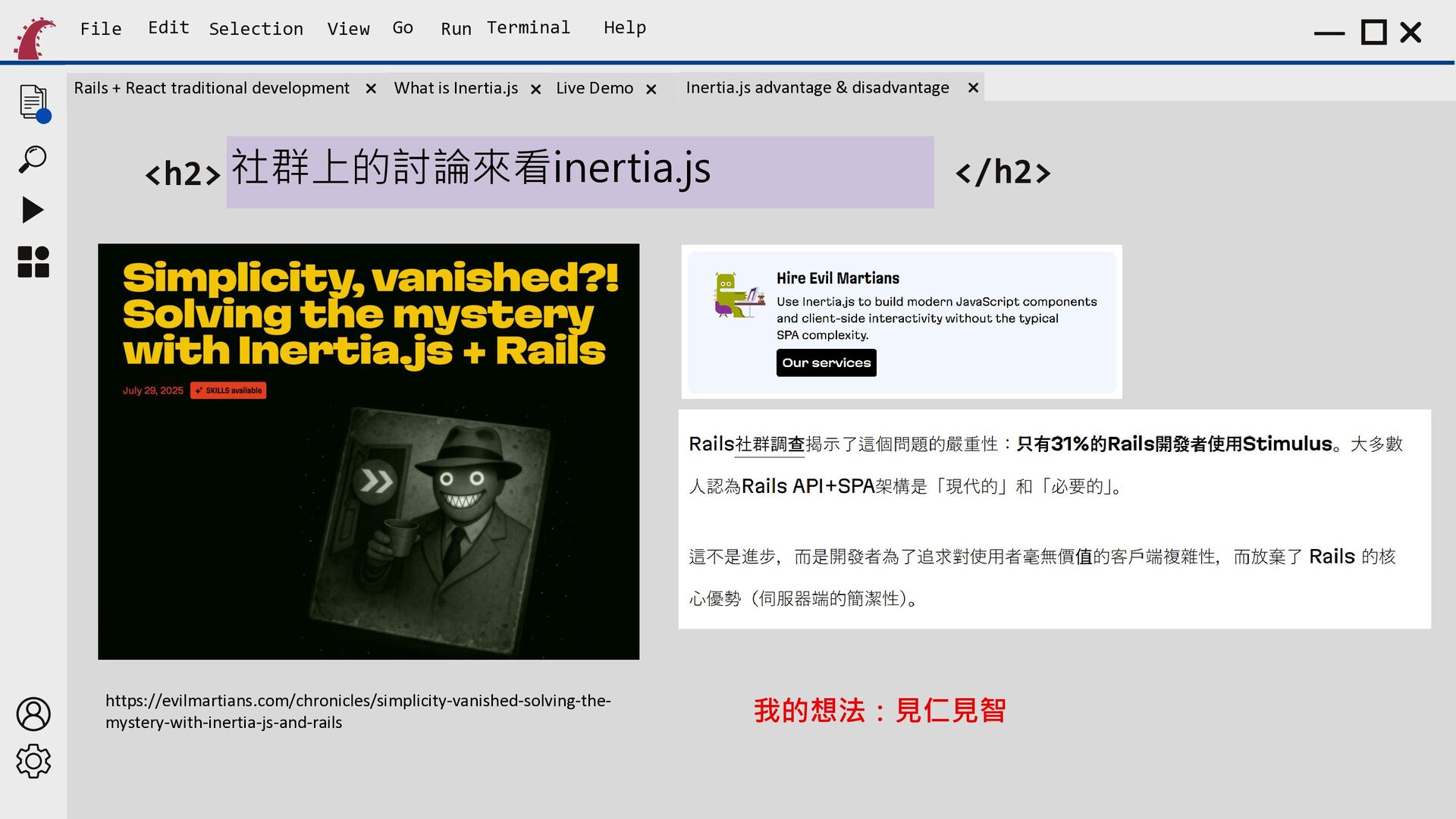
    Run Terminal What is Inertia.js Help Live Demo Inertia.js advantage & disadvantage <h2> 社群上的討論來看inertia.js https://evilmartians.com/chronicles/simplicity-vanished-solving-themystery-with-inertia-js-and-rails </h2> 我的想法:見仁見智
  32. File Edit Selection View Rails + React traditional development Go

    Run Terminal What is Inertia.js Help Live Demo Inertia.js advantage & disadvantage <h2> 社群上的討論來看inertia.js Source: https://dev.to/mohammad_naim_443ffb5d105/inertiajs-vs-restful-api-choosingthe-right-approach-for-your-laravel-application-4khj </h2>
  33. File Edit Selection View Rails + React traditional development Go

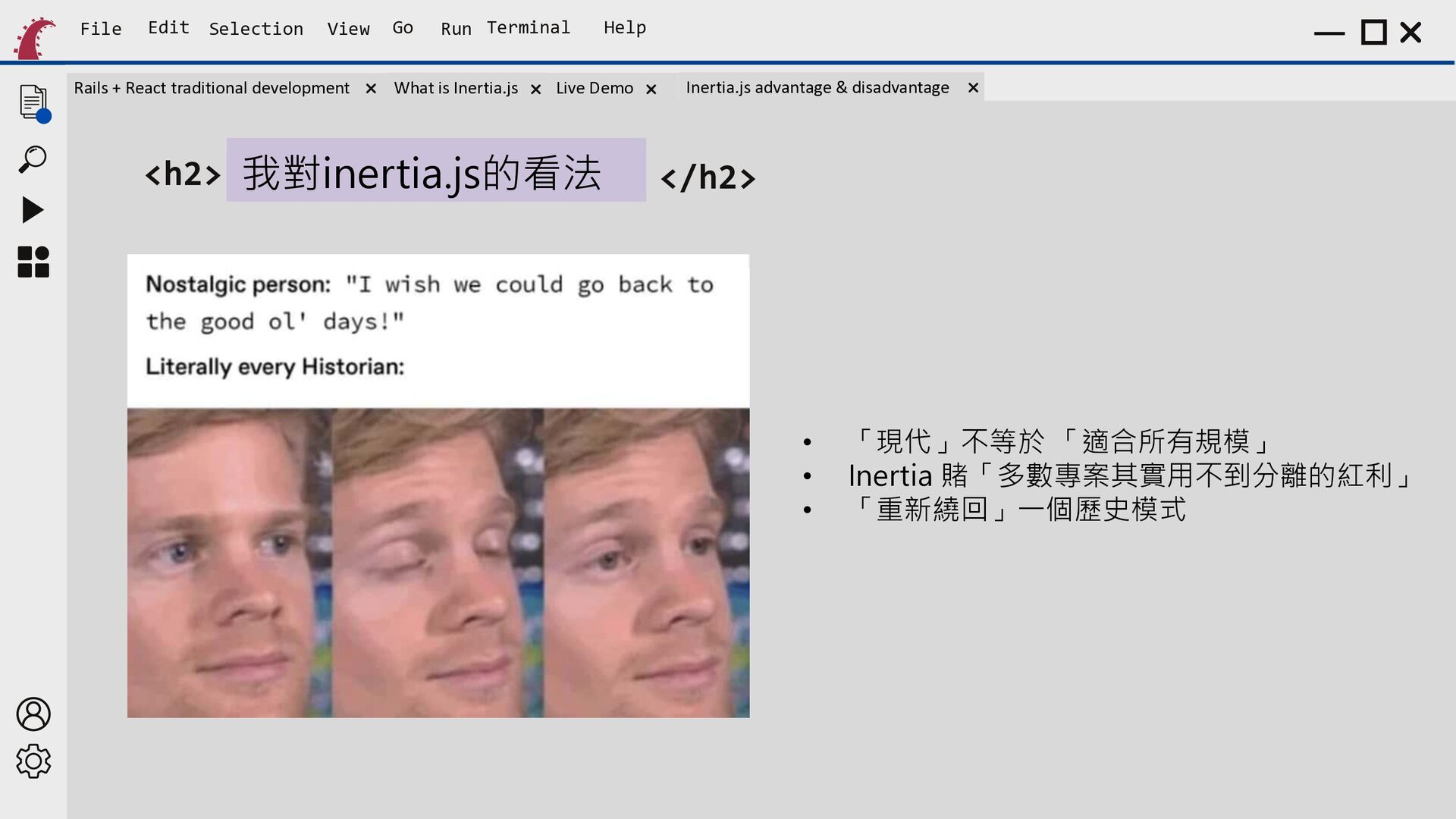
    Run Terminal What is Inertia.js Help Live Demo <h2> 我對inertia.js的看法 Inertia.js advantage & disadvantage </h2> • • • 「現代」不等於 「適合所有規模」 Inertia 賭「多數專案其實用不到分離的紅利」 「重新繞回」一個歷史模式
  34. File Edit Selection View Rails + React traditional development Go

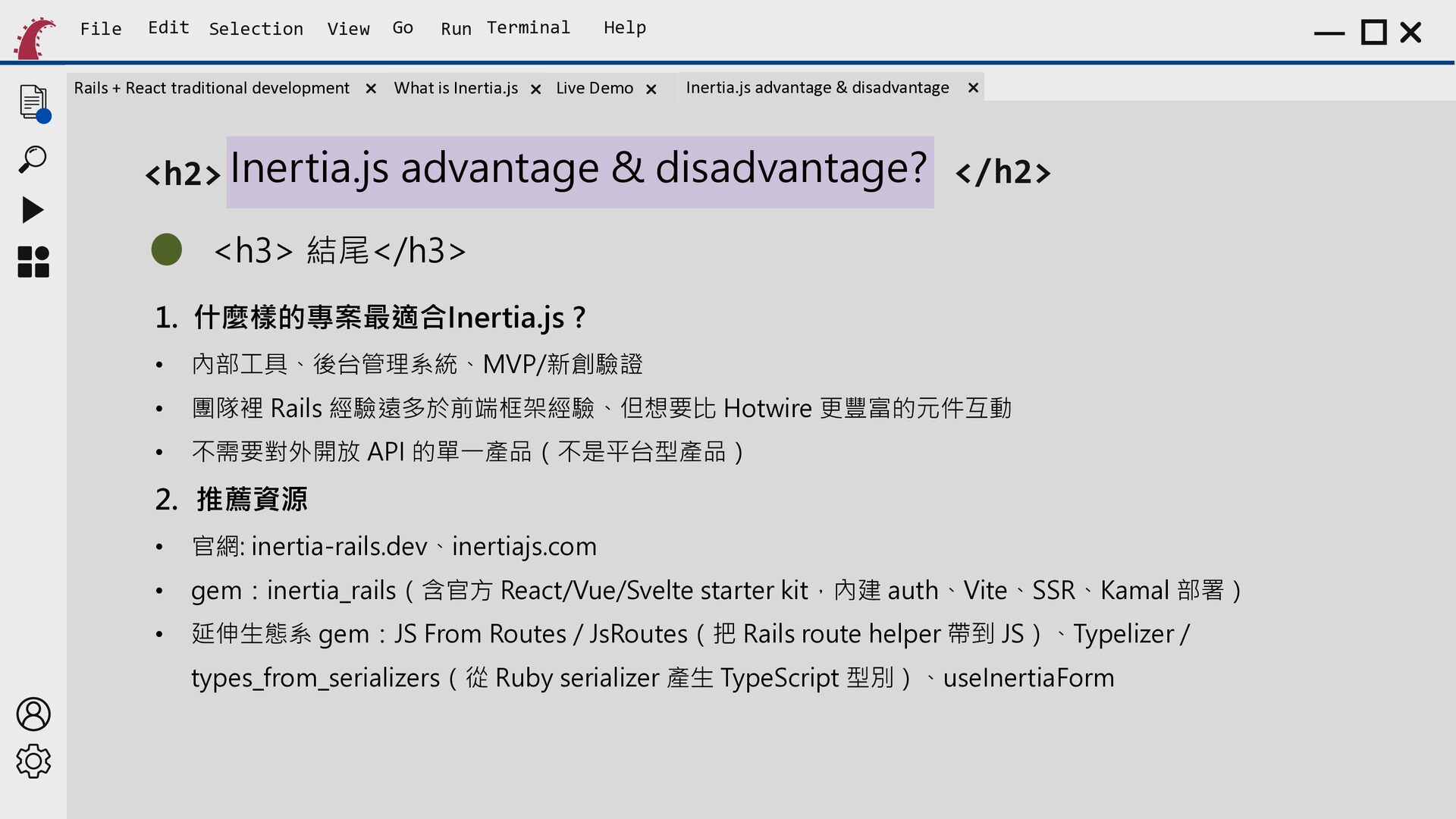
    Run Terminal What is Inertia.js Help Live Demo Inertia.js advantage & disadvantage <h2> Inertia.js advantage & disadvantage? </h2> <h3> 結尾</h3> 1. 什麼樣的專案最適合Inertia.js ? • 內部工具、後台管理系統、MVP/新創驗證 • 團隊裡 Rails 經驗遠多於前端框架經驗、但想要比 Hotwire 更豐富的元件互動 • 不需要對外開放 API 的單一產品(不是平台型產品) 2. 推薦資源 • 官網: inertia-rails.dev、inertiajs.com • gem:inertia_rails(含官方 React/Vue/Svelte starter kit,內建 auth、Vite、SSR、Kamal 部署) • 延伸生態系 gem:JS From Routes / JsRoutes(把 Rails route helper 帶到 JS)、Typelizer / types_from_serializers(從 Ruby serializer 產生 TypeScript 型別)、useInertiaForm