Upgrade to Pro
— share decks privately, control downloads, hide ads and more …
Speaker Deck
Sign up for free
Menu
Search
Features
All features
Private URLs
Password Protection
Custom URLS
Scheduled publishing
Remove Branding
Restrict embedding
Deck Collections
Notes
Features
All features
Private URLs
Password Protection
Custom URLS
Scheduled publishing
Remove Branding
Restrict embedding
Deck Collections
Notes
Explore
Featured decks
Featured speakers
Programming
Technology
Storyboards
Explore
Featured decks
Featured speakers
Programming
Technology
Storyboards
Pricing
Search
Sign in
Sign up for free
GitHub Custom Actionのレシピ
Search
NearMeの技術発表資料です
PRO
April 04, 2025
67
0
Share
Embed
Copy iframe code
Copy JS code
Copy link
Start on current slide
GitHub Custom Actionのレシピ
NearMeの技術発表資料です
PRO
April 04, 2025
More Decks by NearMeの技術発表資料です
See All by NearMeの技術発表資料です
AIエージェントのための 隔離された安全なインフラ設計
nearme_tech
PRO
0
22
Claude Code × git worktree で並列開発 (続き) -差分のサービスだけを併設する-
nearme_tech
PRO
1
69
Claude Code × git worktree で並列開発 — サブモジュール構成のリポジトリで成立させる —
nearme_tech
PRO
0
79
LLM + 強化学習
nearme_tech
PRO
0
37
PosthogのA/Bテスト機能の紹介
nearme_tech
PRO
1
110
AIフレンドリーなプロダクトに向けて
nearme_tech
PRO
2
70
初めてのLean言語
nearme_tech
PRO
0
110
Apache Airflow Workflow orchestration without turning cron into spaghetti
nearme_tech
PRO
2
50
実務で役立つ幾何学 ボロノイ図の基礎から グラフ・ネットワーク応用まで
nearme_tech
PRO
1
93
Featured
See All Featured
The agentic SEO stack - context over prompts
schlessera
0
970
Taking LLMs out of the black box: A practical guide to human-in-the-loop distillation
inesmontani
PRO
3
2.5k
Fashionably flexible responsive web design (full day workshop)
malarkey
409
67k
Self-Hosted WebAssembly Runtime for Runtime-Neutral Checkpoint/Restore in Edge–Cloud Continuum
chikuwait
0
890
Mind Mapping
helmedeiros
1
400
Data-driven link building: lessons from a $708K investment (BrightonSEO talk)
szymonslowik
1
1.4k
4 Signs Your Business is Dying
shpigford
187
23k
Stewardship and Sustainability of Urban and Community Forests
pwiseman
0
550
Digital Projects Gone Horribly Wrong (And the UX Pros Who Still Save the Day) - Dean Schuster
uxyall
1
3.4k
Exploring the Power of Turbo Streams & Action Cable | RailsConf2023
kevinliebholz
37
6.6k
The Cost Of JavaScript in 2023
addyosmani
55
10k
StorybookのUI Testing Handbookを読んだ
zakiyama
31
7k
Transcript
0 GitHub Custom Actionのレシピ 2025-04-04 第119回NearMe技術勉強会 @yujiosaka
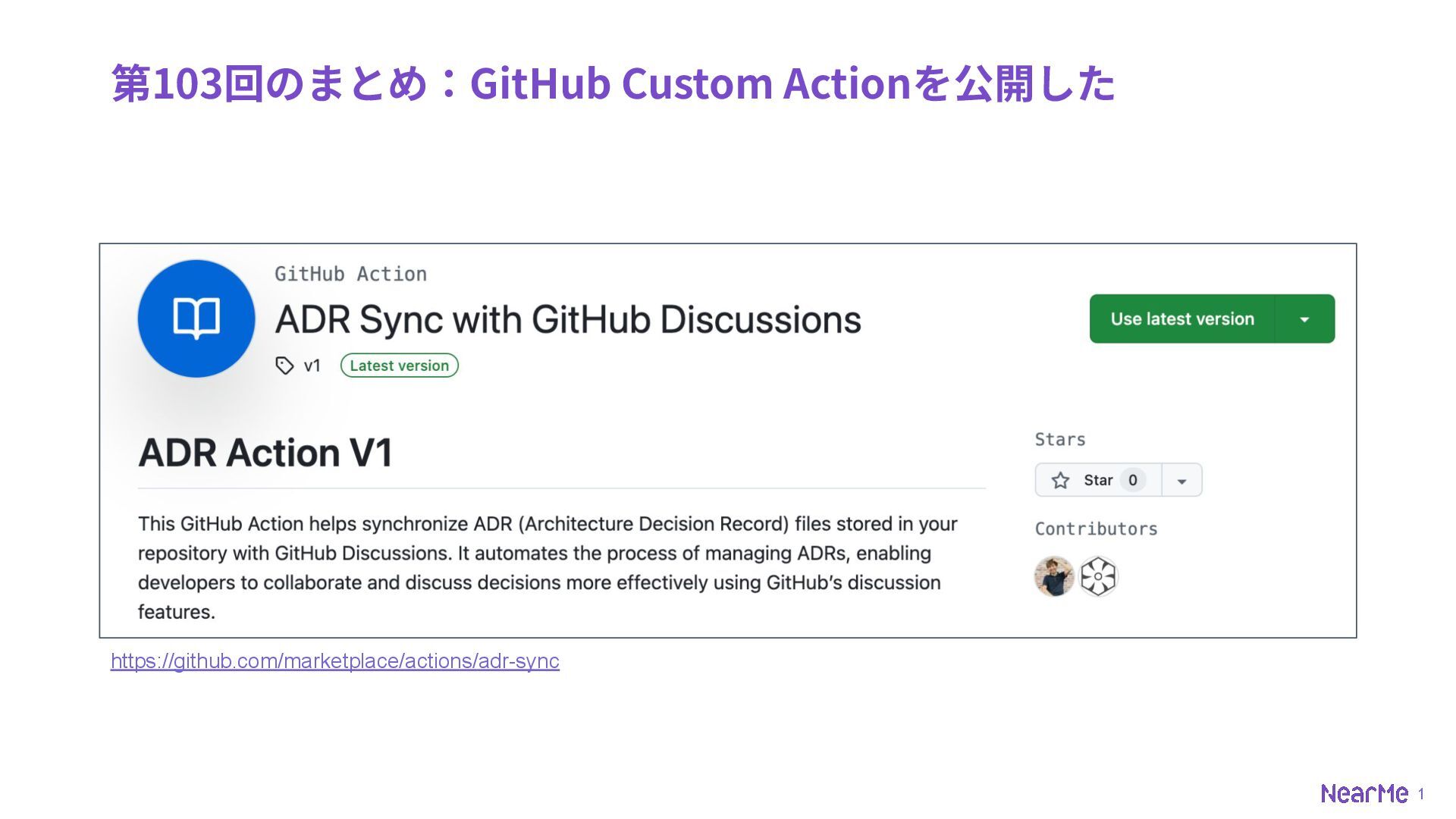
1 第103回のまとめ:GitHub Custom Actionを公開した https://github.com/marketplace/actions/adr-sync
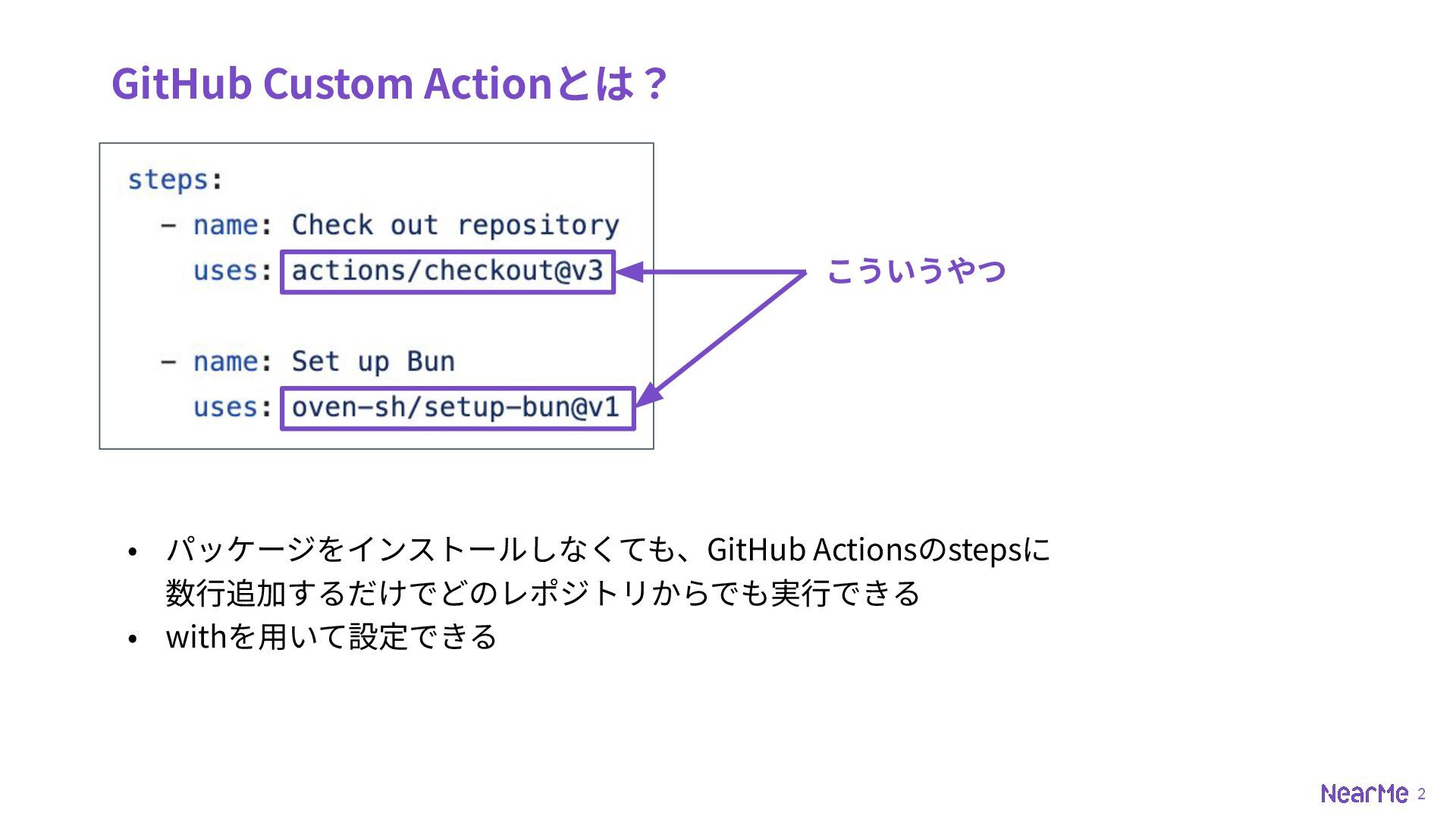
2 GitHub Custom Actionとは? • パッケージをインストールしなくても、GitHub Actionsのstepsに 数⾏追加するだけでどのレポジトリからでも実⾏できる • withを⽤いて設定できる
こういうやつ
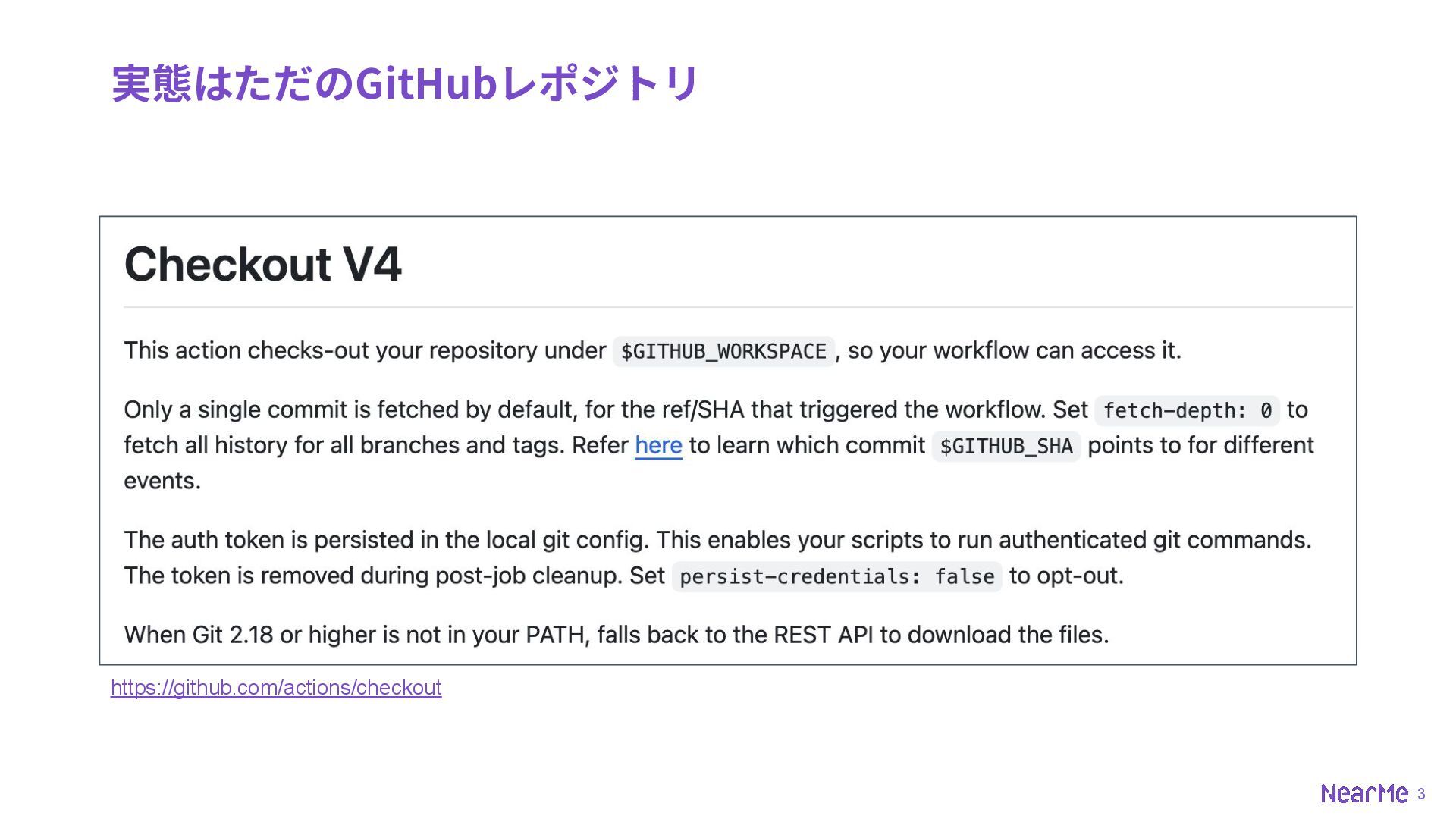
3 実態はただのGitHubレポジトリ https://github.com/actions/checkout
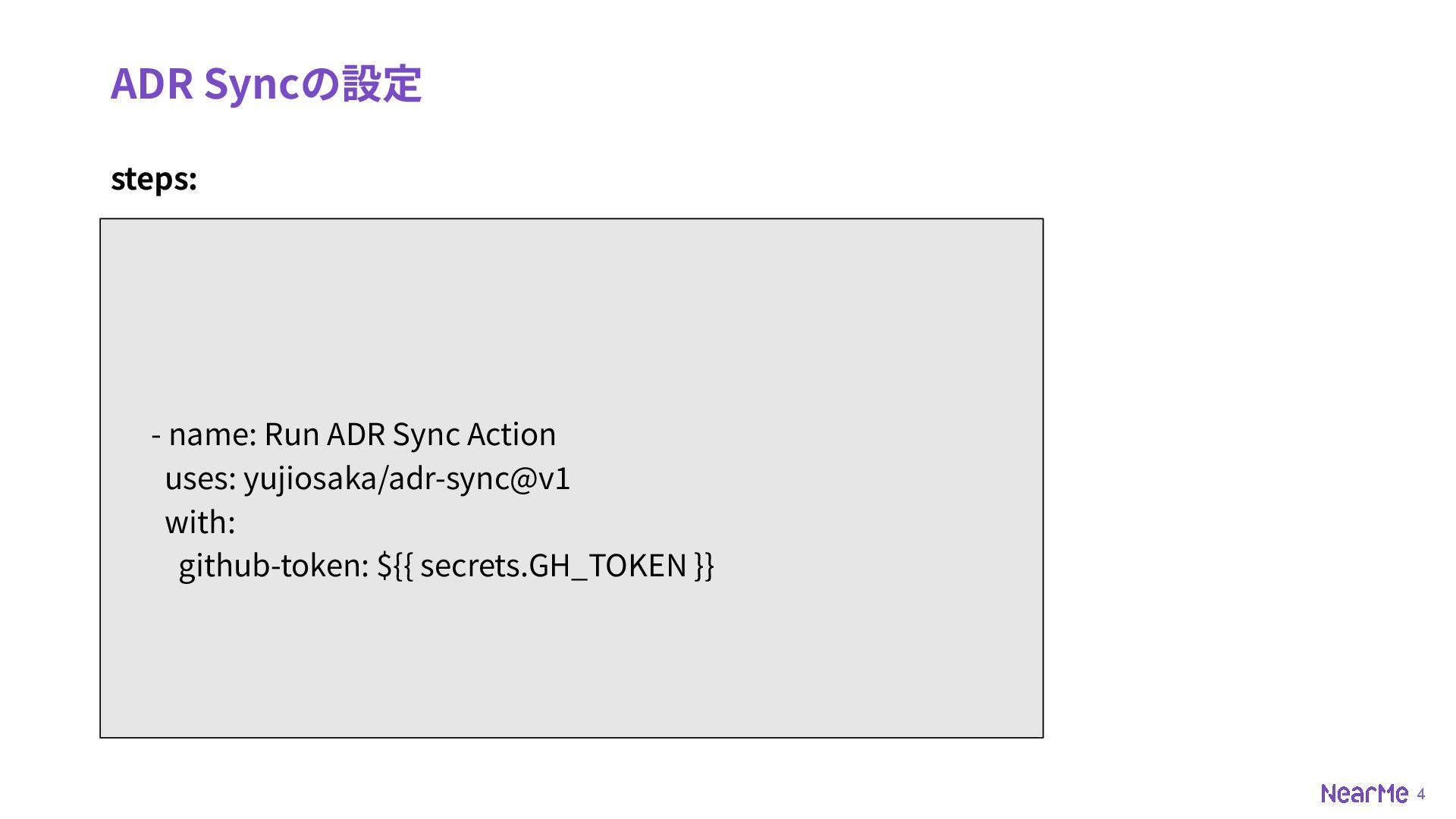
4 ADR Syncの設定 steps: - name: Run ADR Sync Action
uses: yujiosaka/adr-sync@v1 with: github-token: ${{ secrets.GH_TOKEN }}
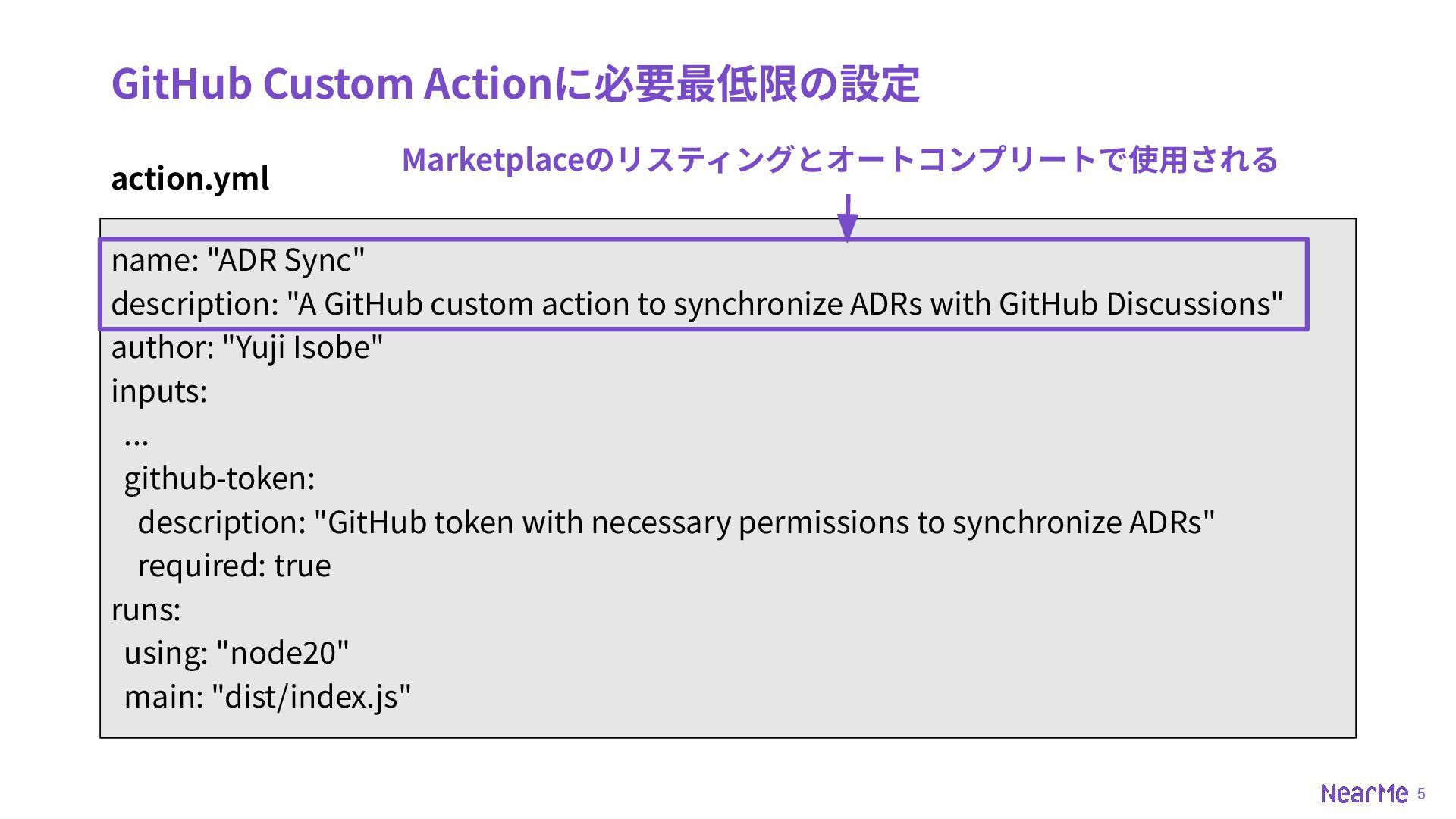
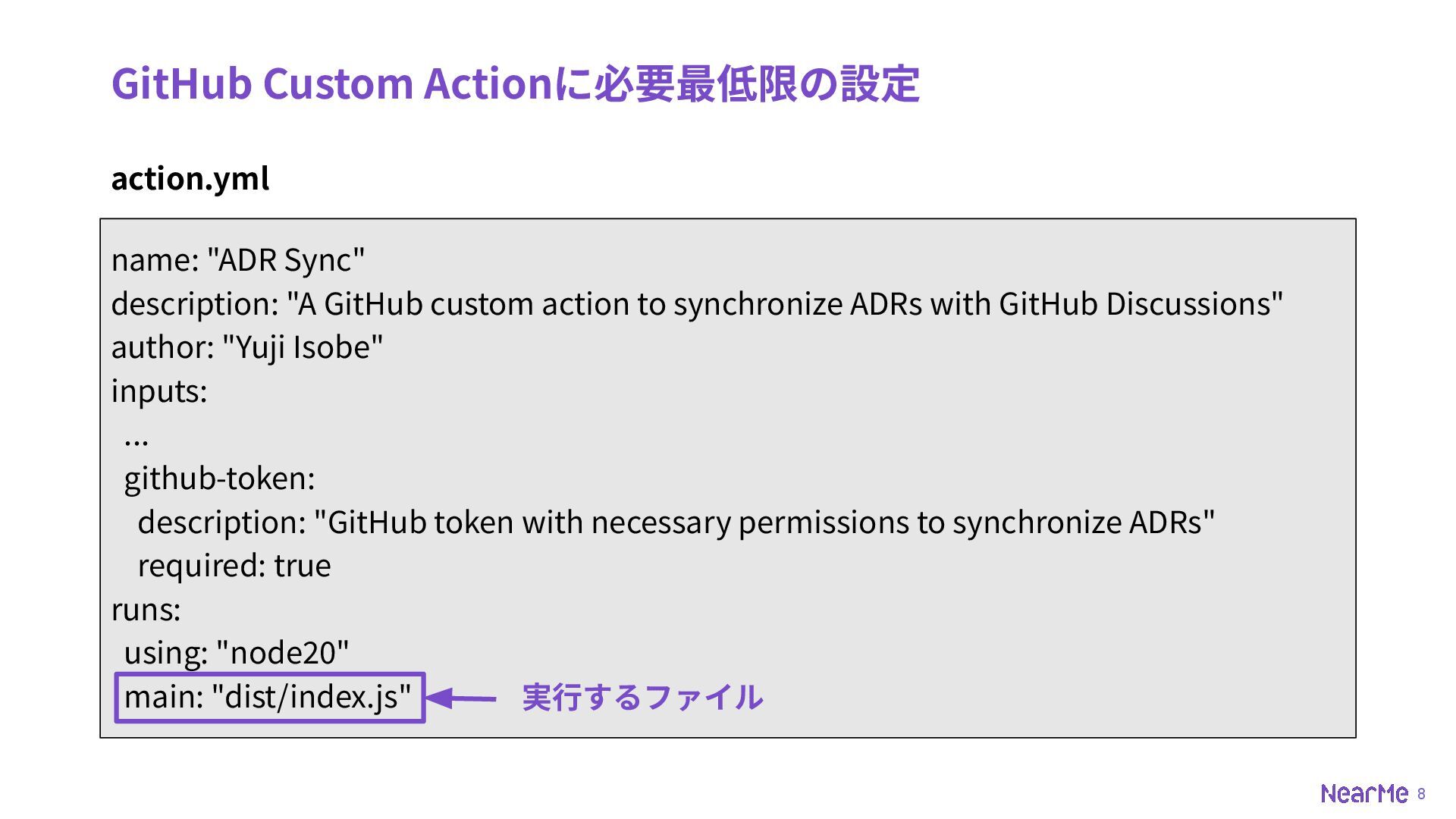
5 GitHub Custom Actionに必要最低限の設定 action.yml name: "ADR Sync" description: "A
GitHub custom action to synchronize ADRs with GitHub Discussions" author: "Yuji Isobe" inputs: ... github-token: description: "GitHub token with necessary permissions to synchronize ADRs" required: true runs: using: "node20" main: "dist/index.js" Marketplaceのリスティングとオートコンプリートで使⽤される
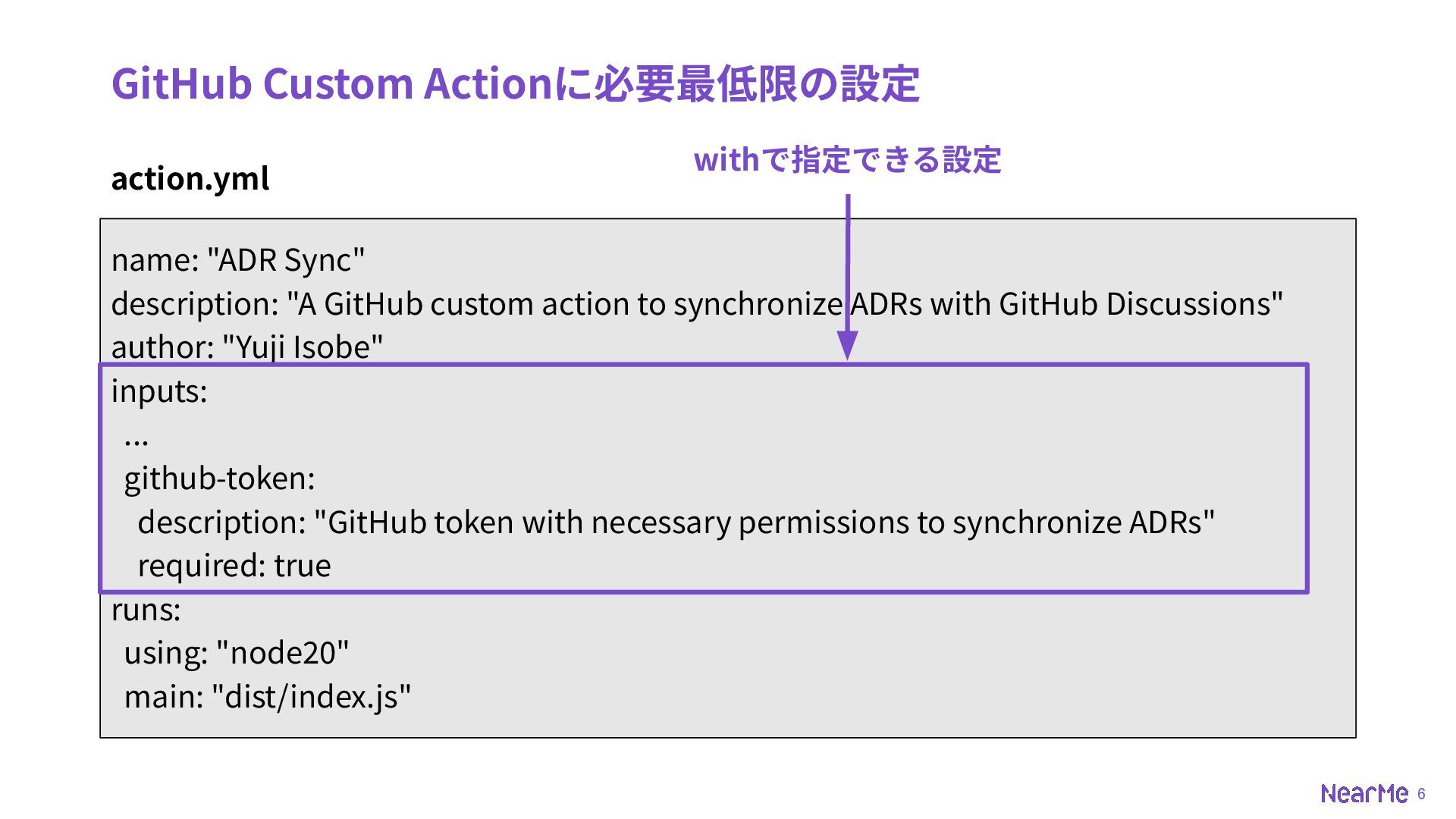
6 GitHub Custom Actionに必要最低限の設定 action.yml name: "ADR Sync" description: "A
GitHub custom action to synchronize ADRs with GitHub Discussions" author: "Yuji Isobe" inputs: ... github-token: description: "GitHub token with necessary permissions to synchronize ADRs" required: true runs: using: "node20" main: "dist/index.js" withで指定できる設定
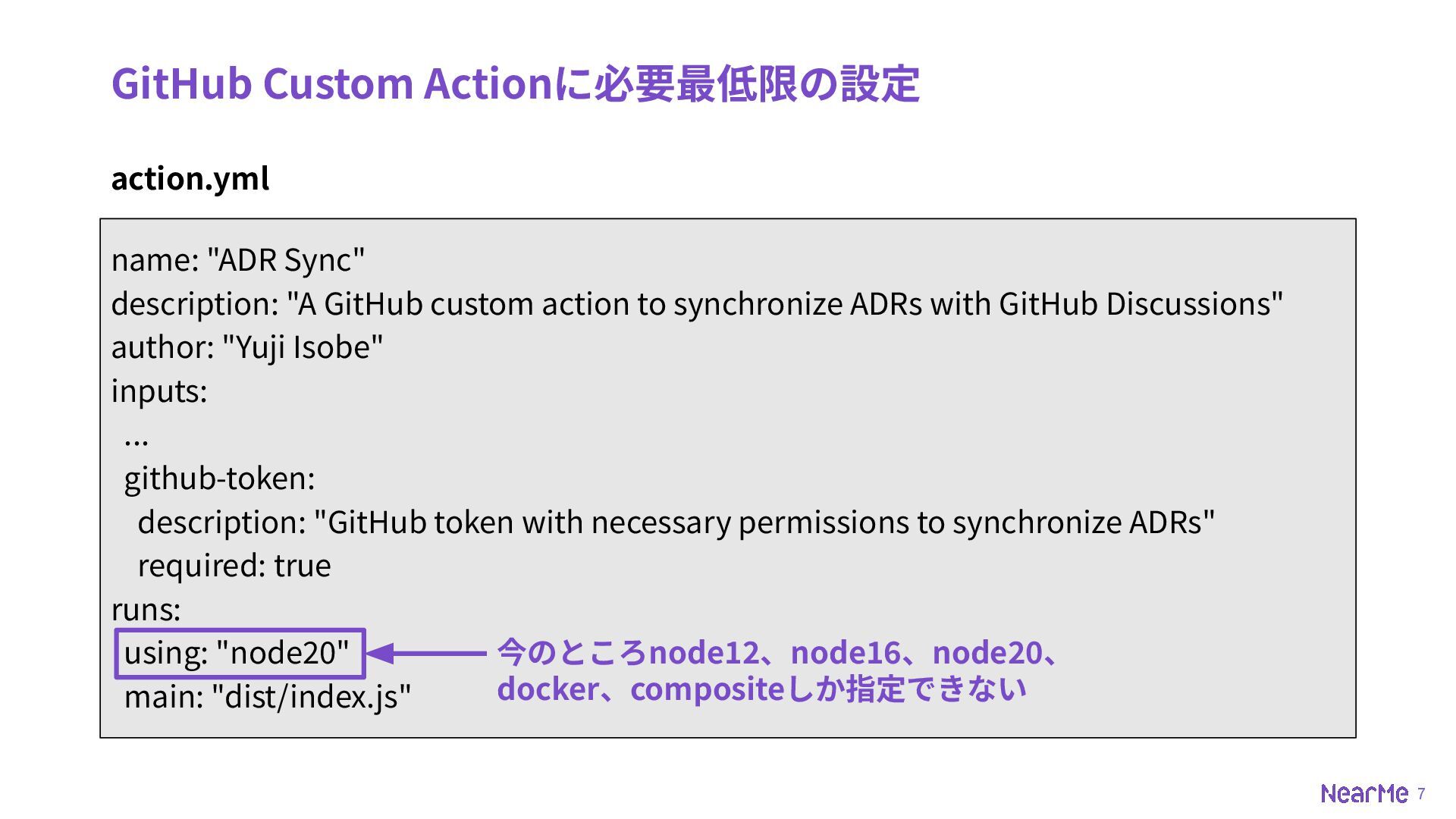
7 GitHub Custom Actionに必要最低限の設定 action.yml name: "ADR Sync" description: "A
GitHub custom action to synchronize ADRs with GitHub Discussions" author: "Yuji Isobe" inputs: ... github-token: description: "GitHub token with necessary permissions to synchronize ADRs" required: true runs: using: "node20" main: "dist/index.js" 今のところnode12、node16、node20、 docker、compositeしか指定できない
8 GitHub Custom Actionに必要最低限の設定 action.yml name: "ADR Sync" description: "A
GitHub custom action to synchronize ADRs with GitHub Discussions" author: "Yuji Isobe" inputs: ... github-token: description: "GitHub token with necessary permissions to synchronize ADRs" required: true runs: using: "node20" main: "dist/index.js" 実⾏するファイル
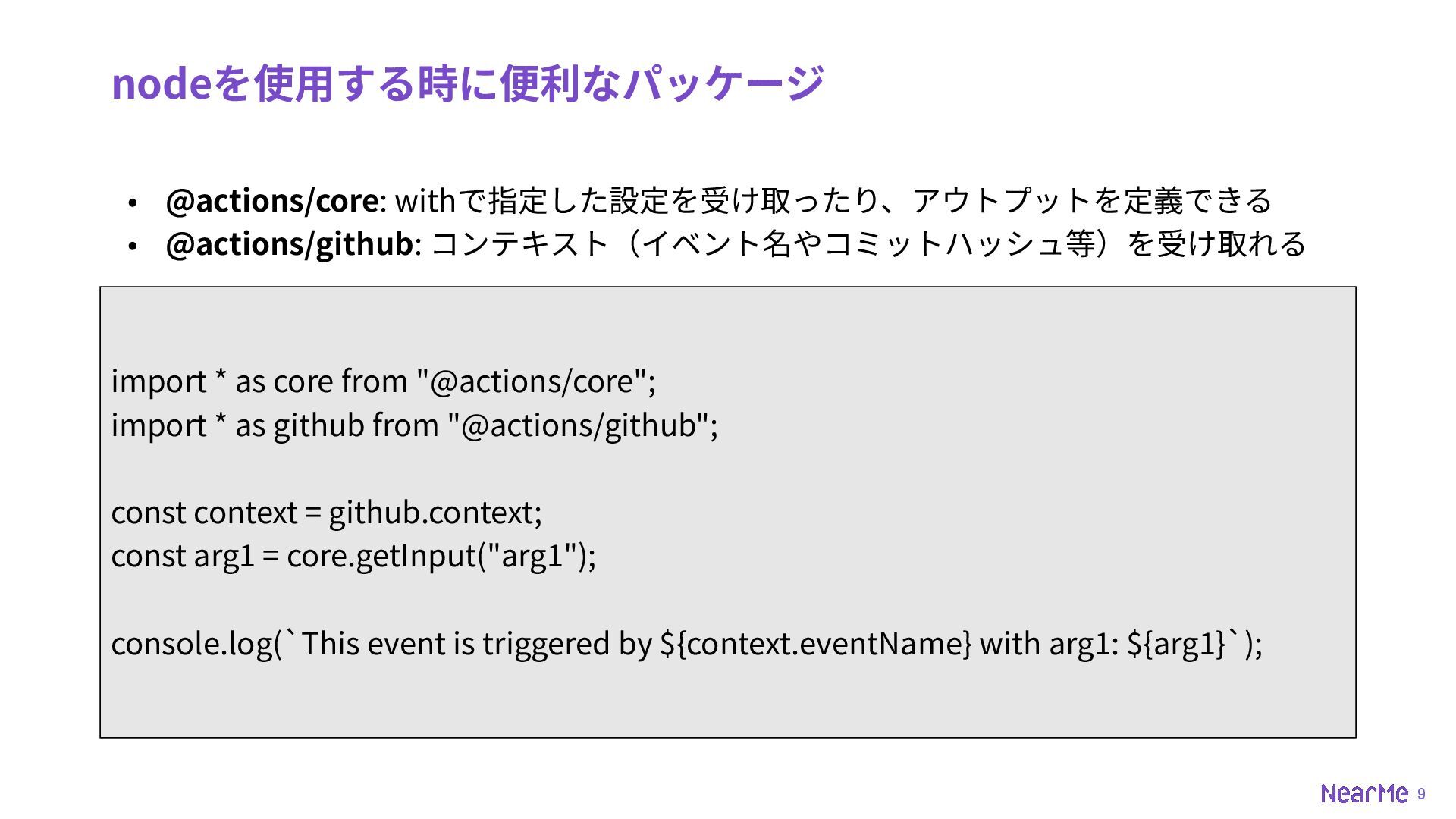
9 nodeを使⽤する時に便利なパッケージ • @actions/core: withで指定した設定を受け取ったり、アウトプットを定義できる • @actions/github: コンテキスト(イベント名やコミットハッシュ等)を受け取れる import *
as core from "@actions/core"; import * as github from "@actions/github"; const context = github.context; const arg1 = core.getInput("arg1"); console.log(`This event is triggered by ${context.eventName} with arg1: ${arg1}`);
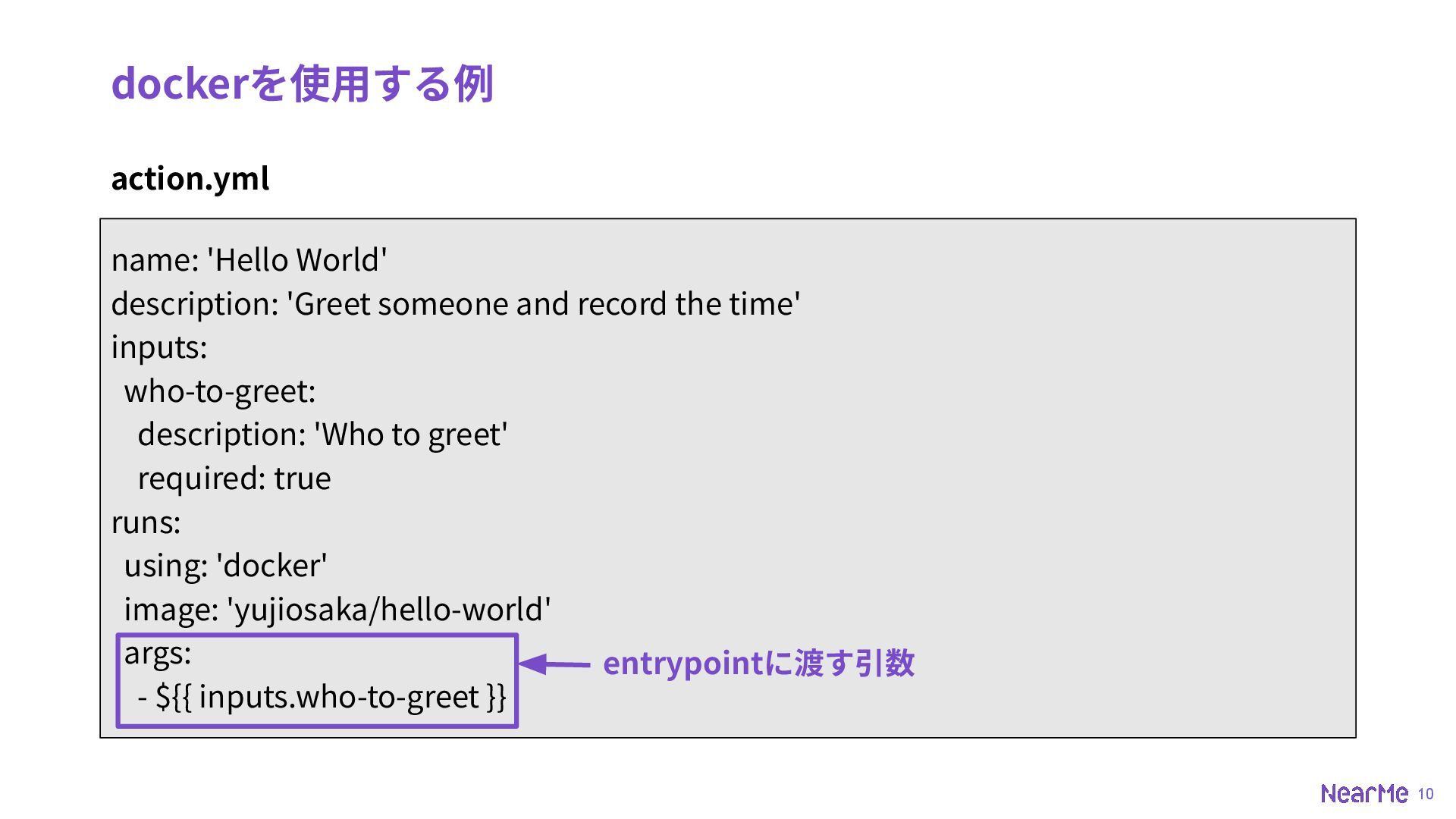
10 dockerを使⽤する例 action.yml name: 'Hello World' description: 'Greet someone and
record the time' inputs: who-to-greet: description: 'Who to greet' required: true runs: using: 'docker' image: 'yujiosaka/hello-world' args: - ${{ inputs.who-to-greet }} entrypointに渡す引数
11 dockerを使⽤する例 Dockerfile FROM alpine:3.10 COPY entrypoint.sh /entrypoint.sh ENTRYPOINT ["/entrypoint.sh"]
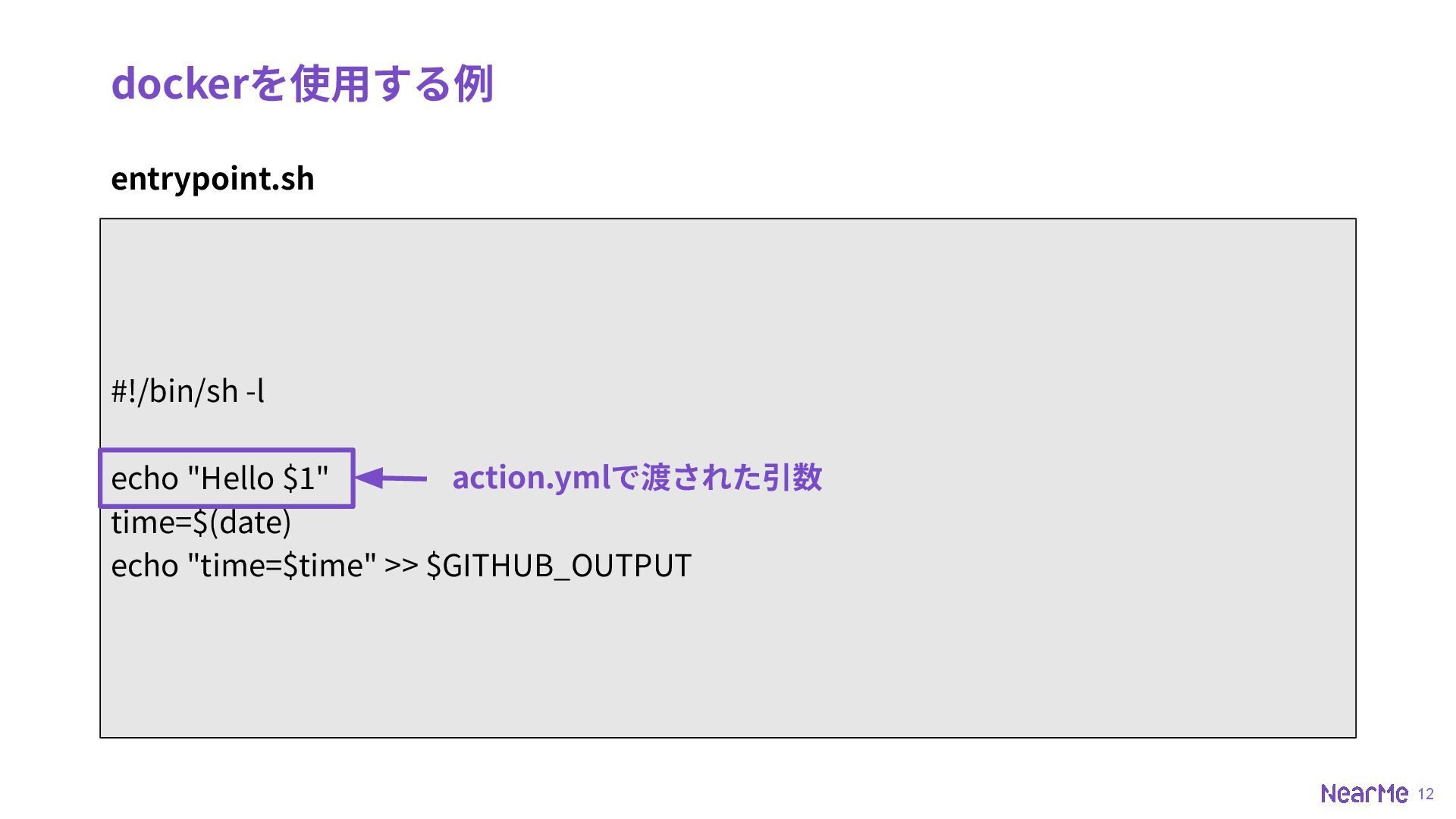
12 dockerを使⽤する例 entrypoint.sh #!/bin/sh -l echo "Hello $1" time=$(date) echo
"time=$time" >> $GITHUB_OUTPUT action.ymlで渡された引数
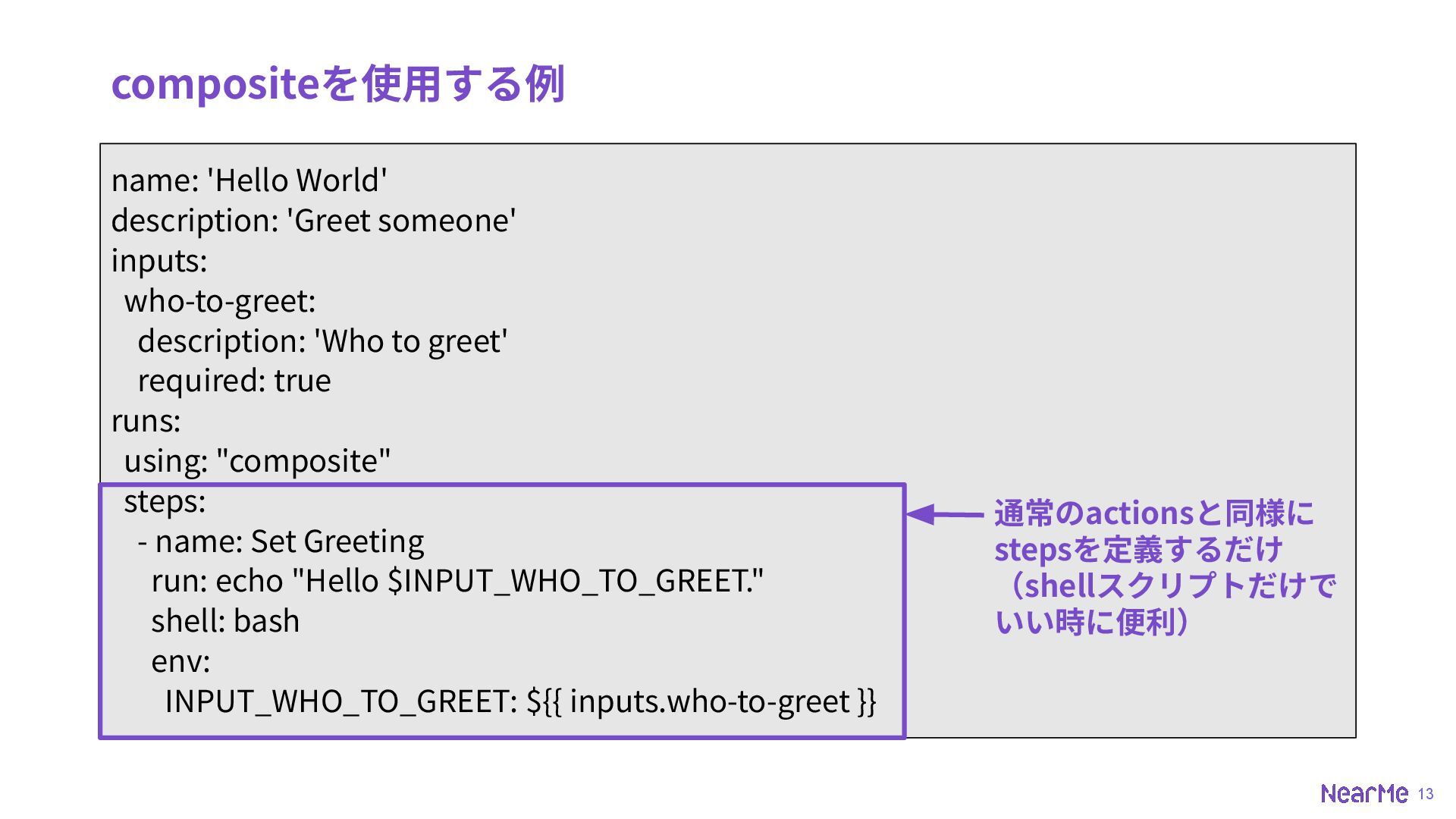
13 name: 'Hello World' description: 'Greet someone' inputs: who-to-greet: description:
'Who to greet' required: true runs: using: "composite" steps: - name: Set Greeting run: echo "Hello $INPUT_WHO_TO_GREET." shell: bash env: INPUT_WHO_TO_GREET: ${{ inputs.who-to-greet }} compositeを使⽤する例 通常のactionsと同様に stepsを定義するだけ (shellスクリプトだけで いい時に便利)
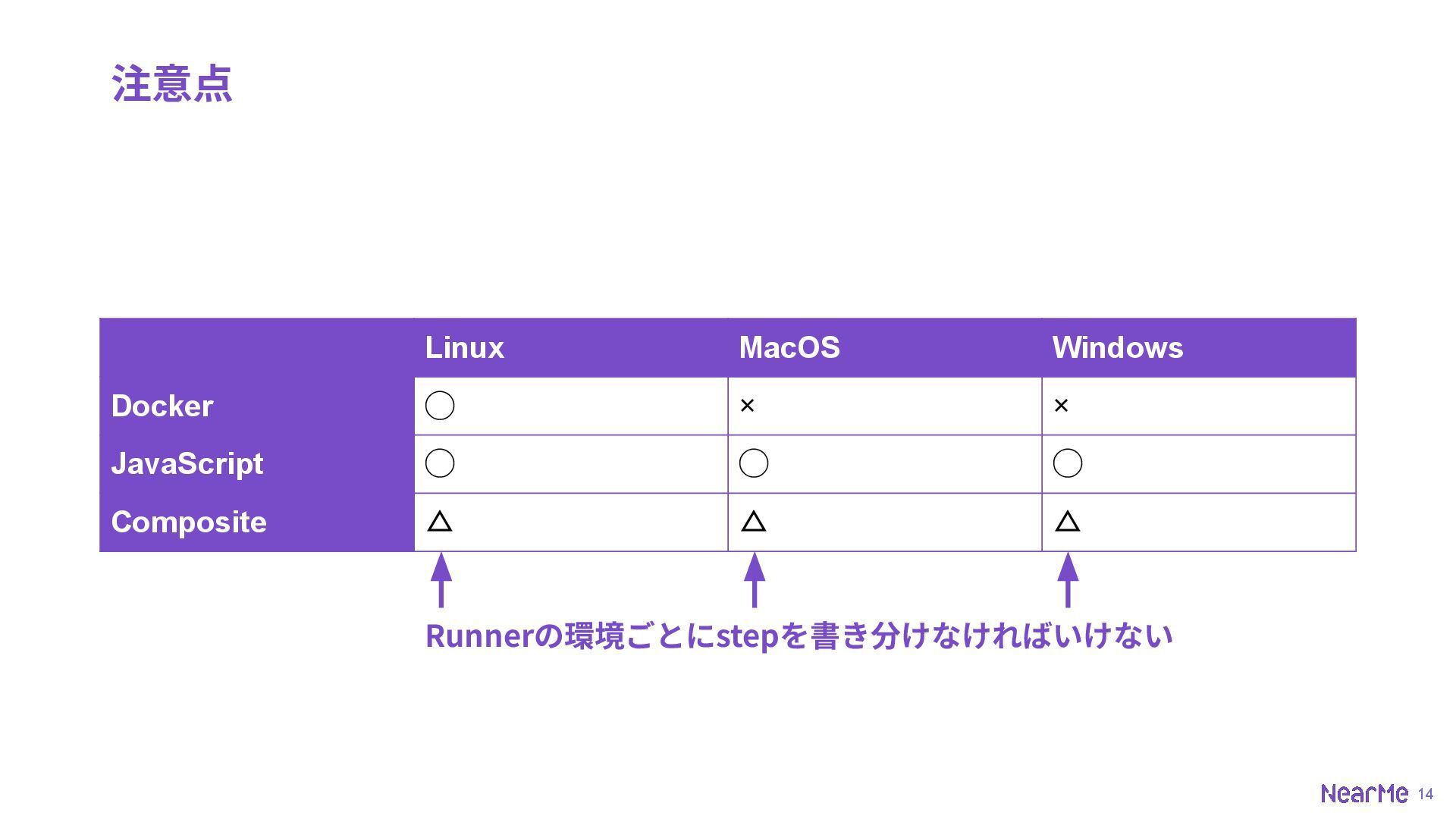
14 注意点 Linux MacOS Windows Docker ◯ × × JavaScript
◯ ◯ ◯ Composite △ △ △ Runnerの環境ごとにstepを書き分けなければいけない
15 JavaScriptがおすすめ 15
16 Marketplaceに公開する⼿順 16
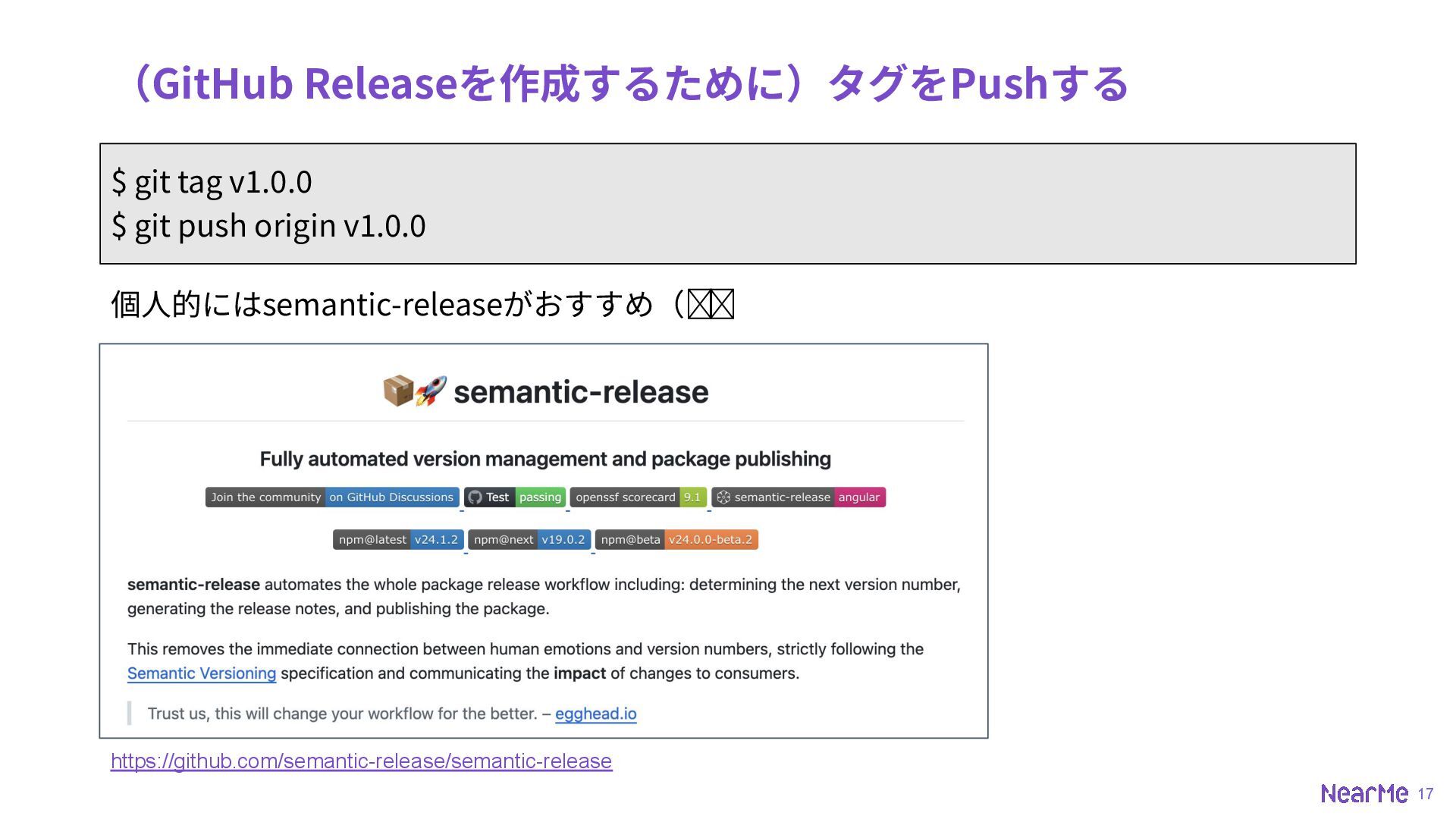
17 (GitHub Releaseを作成するために)タグをPushする 個⼈的にはsemantic-releaseがおすすめ(余談) $ git tag v1.0.0 $ git
push origin v1.0.0 https://github.com/semantic-release/semantic-release
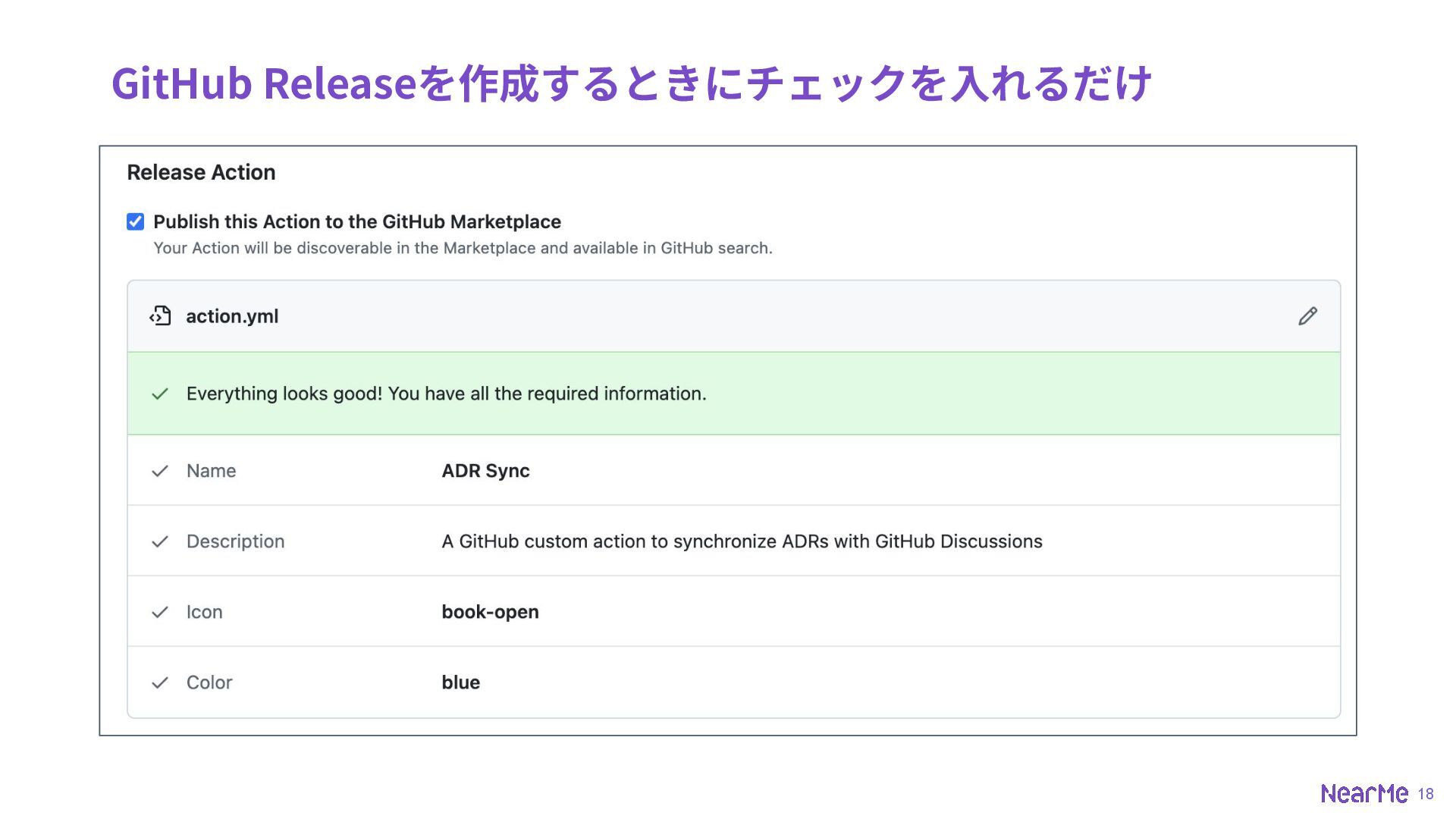
18 GitHub Releaseを作成するときにチェックを⼊れるだけ
19 あとは恨み節 19
20 Bun/Deno使わせてよ‧‧‧ • Runnerの環境に依存させないために、他のパッケージやバイナリに依存させられない • npm installやビルドを⾛らせることができないので、ビルド済みのファイルをコミッ トしないといけない • せめてBun/Denoが使えたらTypeScriptを直接実⾏できるのに(Node22から型情報を
無視して実⾏できるオプションが加わるからそれ待ちか?)
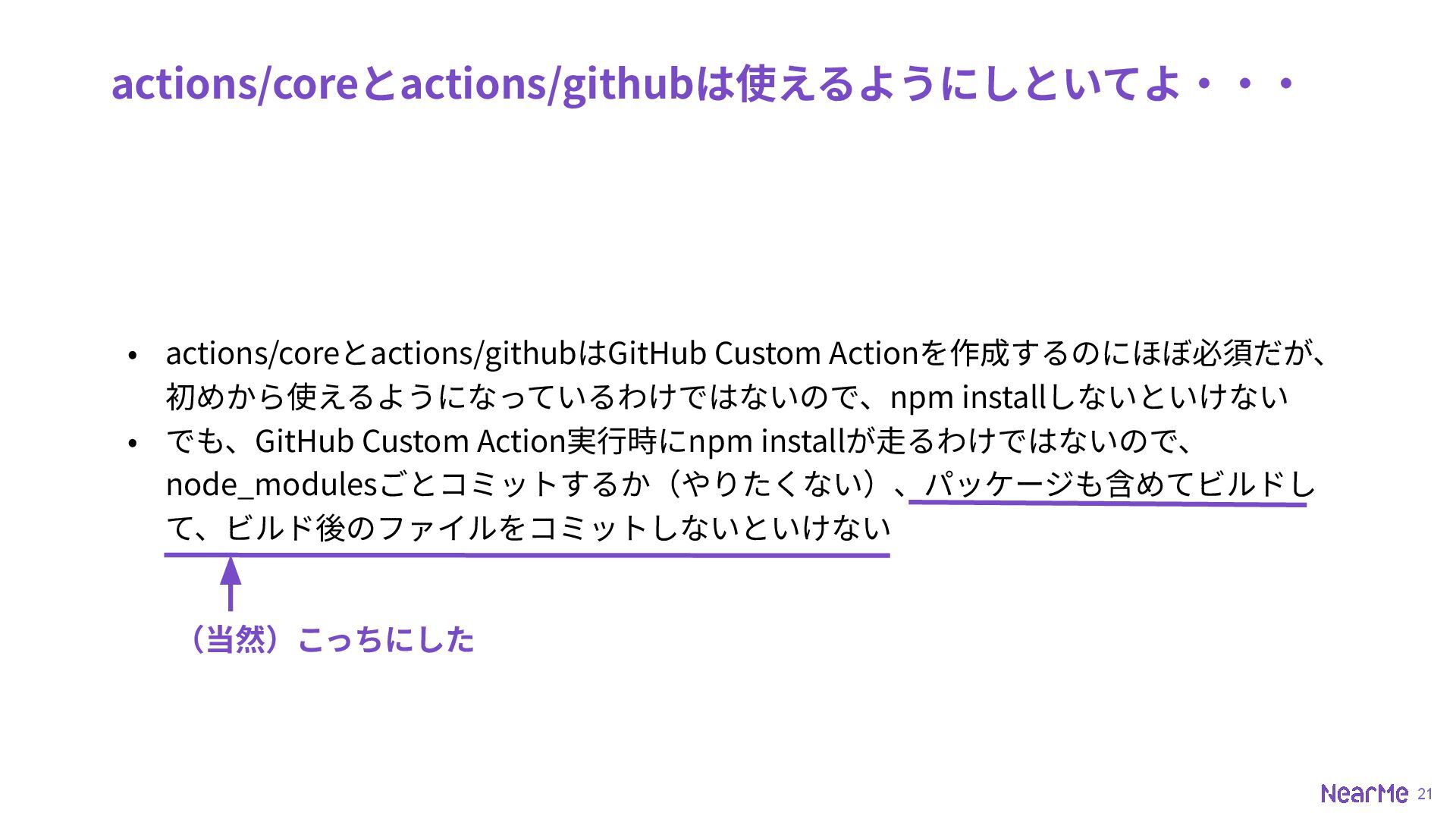
21 actions/coreとactions/githubは使えるようにしといてよ‧‧‧ • actions/coreとactions/githubはGitHub Custom Actionを作成するのにほぼ必須だが、 初めから使えるようになっているわけではないので、npm installしないといけない • でも、GitHub
Custom Action実⾏時にnpm installが⾛るわけではないので、 node_modulesごとコミットするか(やりたくない)、パッケージも含めてビルドし て、ビルド後のファイルをコミットしないといけない (当然)こっちにした
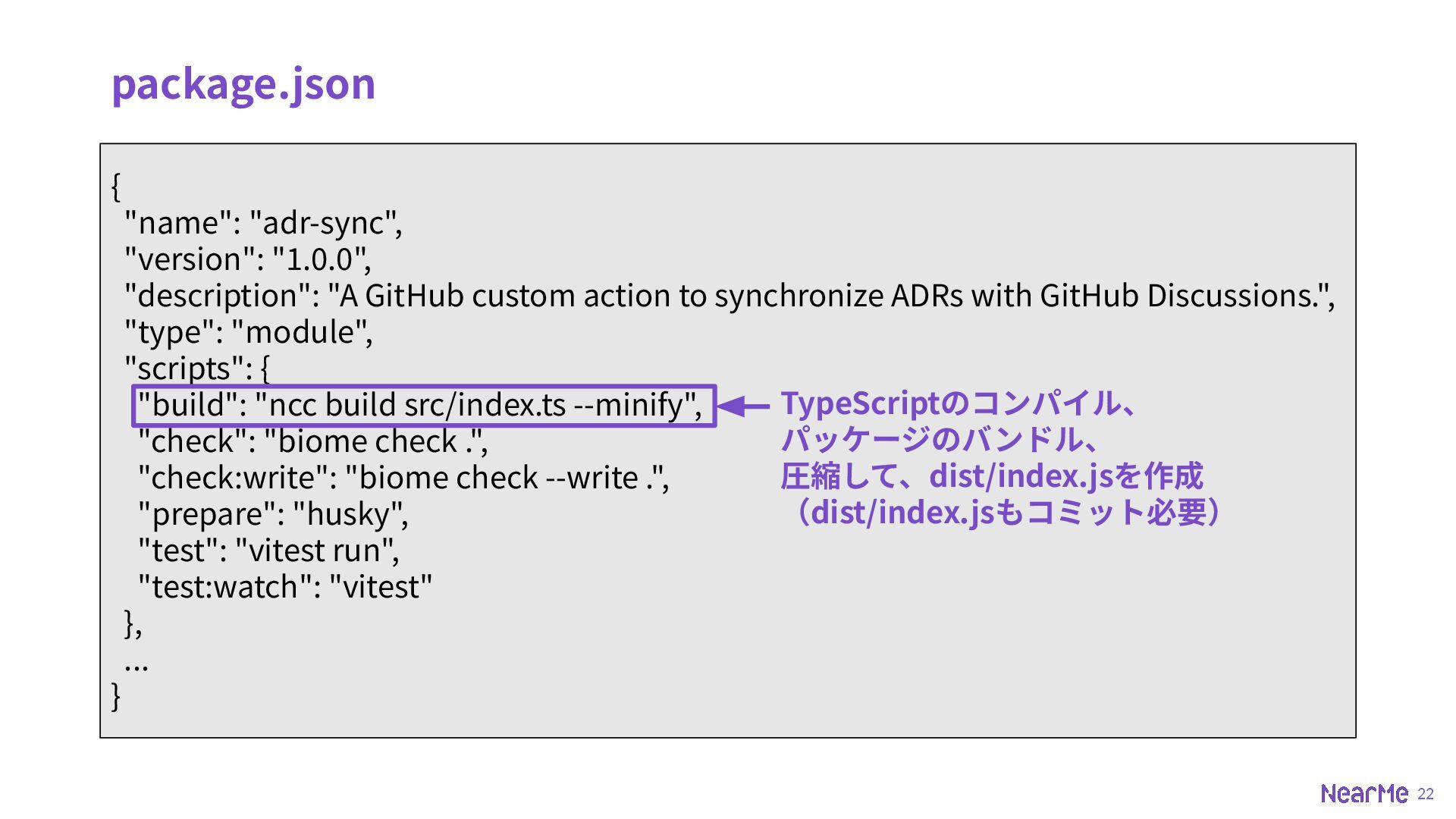
22 { "name": "adr-sync", "version": "1.0.0", "description": "A GitHub custom
action to synchronize ADRs with GitHub Discussions.", "type": "module", "scripts": { "build": "ncc build src/index.ts --minify", "check": "biome check .", "check:write": "biome check --write .", "prepare": "husky", "test": "vitest run", "test:watch": "vitest" }, ... } package.json TypeScriptのコンパイル、 パッケージのバンドル、 圧縮して、dist/index.jsを作成 (dist/index.jsもコミット必要)
23 Thank you


 nearme_tech
 schlessera
 inesmontani
 malarkey
 chikuwait
 helmedeiros
 szymonslowik
 shpigford
 pwiseman
 uxyall
 kevinliebholz
 addyosmani
 zakiyama
![11 dockerを使⽤する例 Dockerfile FROM alpine:3.10 COPY entrypoint.sh /entrypoint.sh ENTRYPOINT ["/entrypoint.sh"]](https://files.speakerdeck.com/presentations/436855e1176f43a2a9a7cb9b6aef25e0/slide_11.jpg)