Upgrade to Pro — share decks privately, control downloads, hide ads and more …

Paris container Day 2017 - Advanced container s...

Paris container Day 2017 - Advanced container scheduling on Amazon ECS with Blox - Julien Simon, AWS

Avatar for Paris Container Day

Paris Container Day

June 13, 2017

More Decks by Paris Container Day

Other Decks in Technology

Transcript

  1. © 2017, Amazon Web Services, Inc. or its Affiliates. All

    rights reserved. Julien Simon Principal Technical Evangelist, AWS @julsimon Advanced Task Scheduling with Amazon ECS
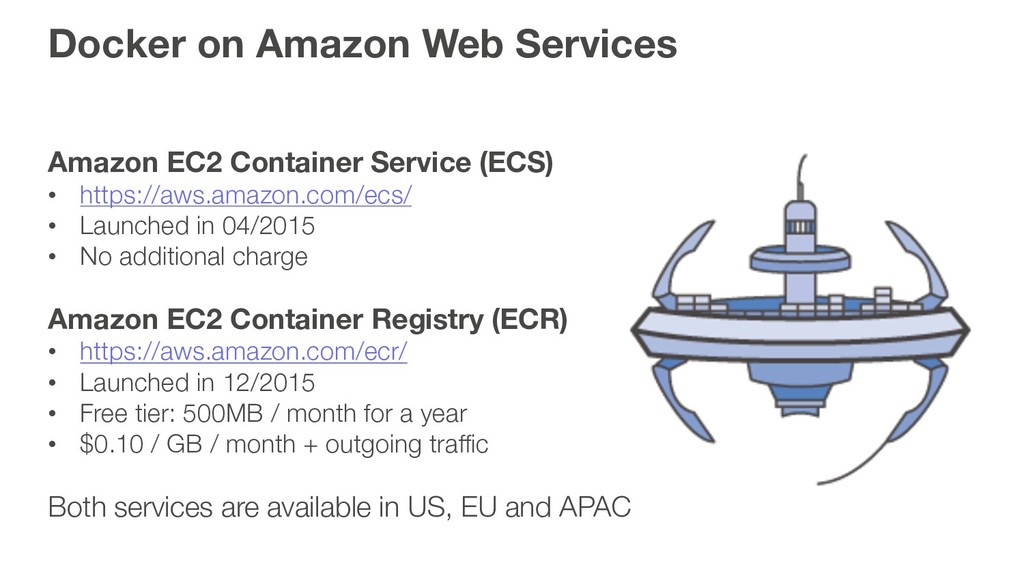
  2. Docker on Amazon Web Services Amazon EC2 Container Service (ECS)

    • https://aws.amazon.com/ecs/ • Launched in 04/2015 • No additional charge Amazon EC2 Container Registry (ECR) • https://aws.amazon.com/ecr/ • Launched in 12/2015 • Free tier: 500MB / month for a year • $0.10 / GB / month + outgoing traffic Both services are available in US, EU and APAC
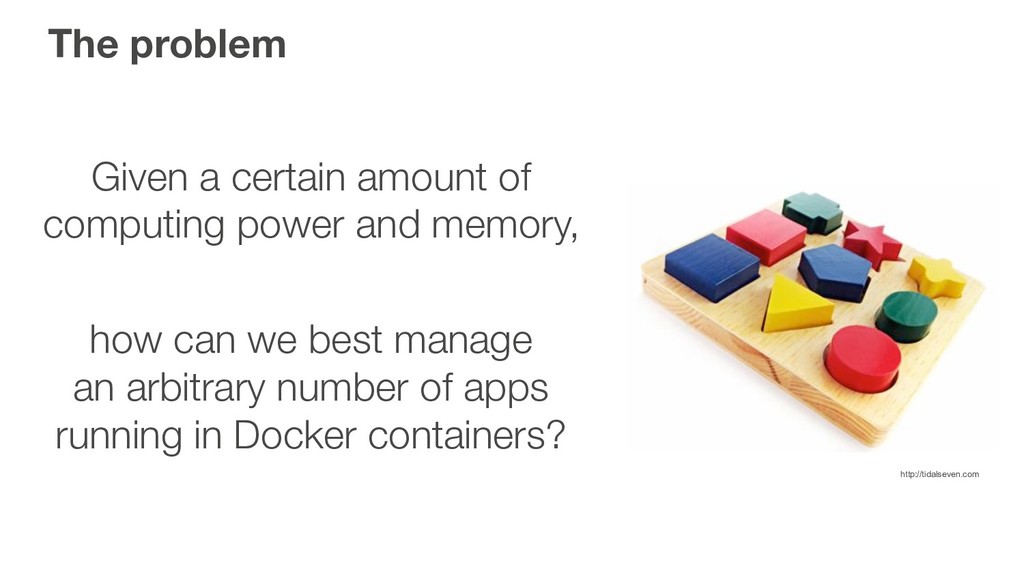
  3. The problem Given a certain amount of computing power and

    memory, how can we best manage an arbitrary number of apps running in Docker containers? http://tidalseven.com
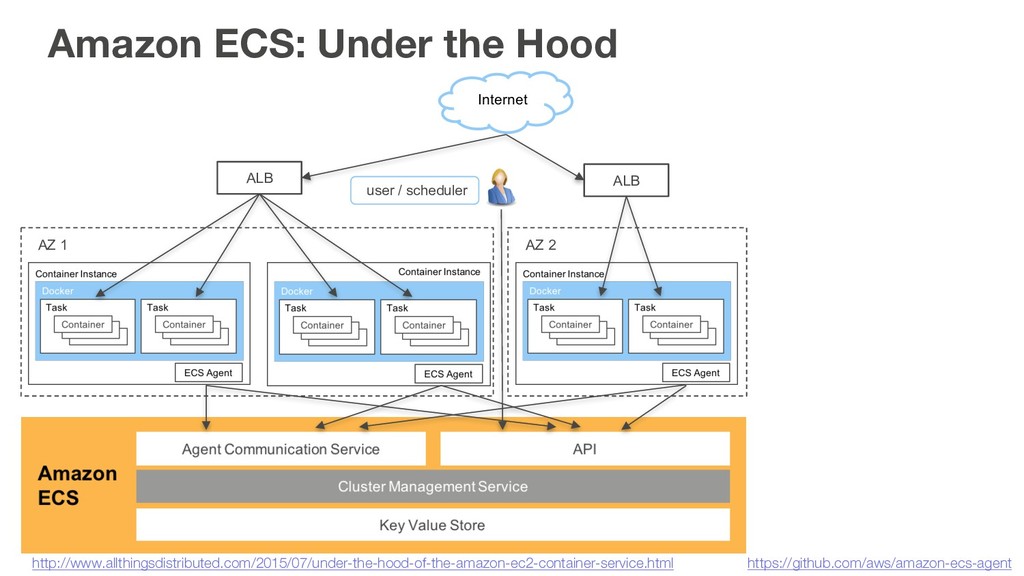
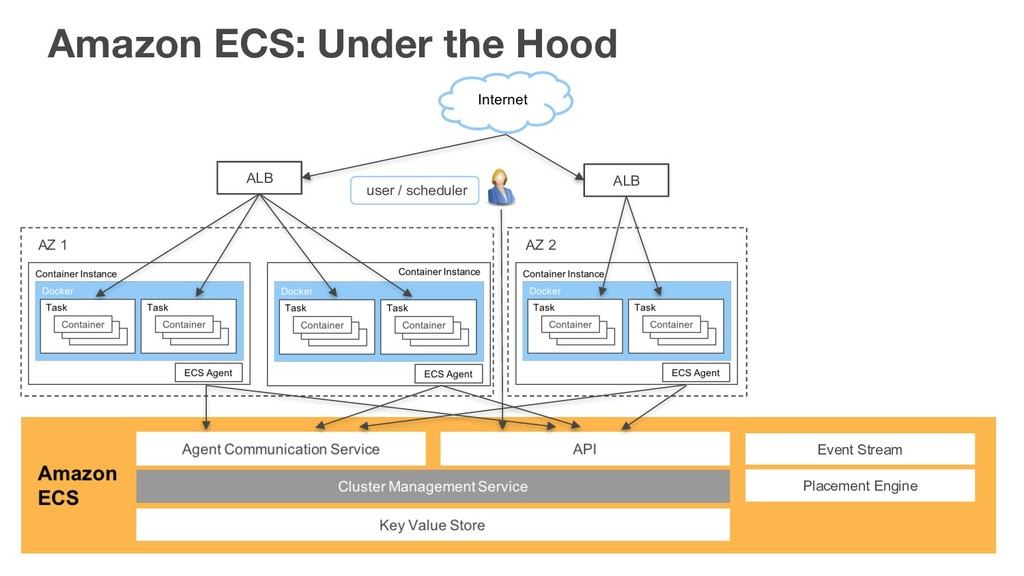
  4. Amazon ECS: Under the Hood ALB ALB AZ 1 AZ

    2 user / scheduler https://github.com/aws/amazon-ecs-agent http://www.allthingsdistributed.com/2015/07/under-the-hood-of-the-amazon-ec2-container-service.html
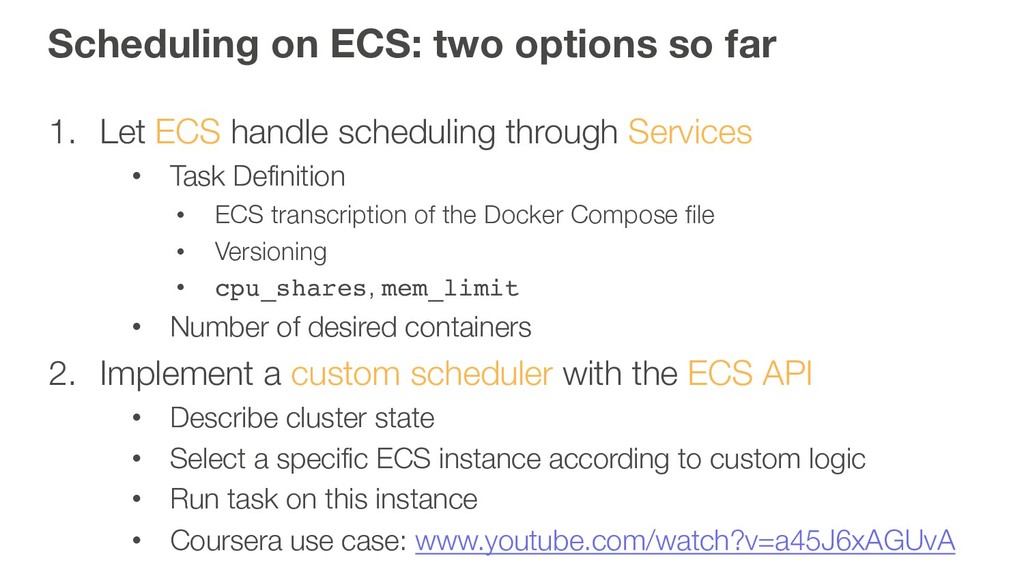
  5. Scheduling on ECS: two options so far 1. Let ECS

    handle scheduling through Services • Task Definition • ECS transcription of the Docker Compose file • Versioning • cpu_shares, mem_limit • Number of desired containers 2. Implement a custom scheduler with the ECS API • Describe cluster state • Select a specific ECS instance according to custom logic • Run task on this instance • Coursera use case: www.youtube.com/watch?v=a45J6xAGUvA
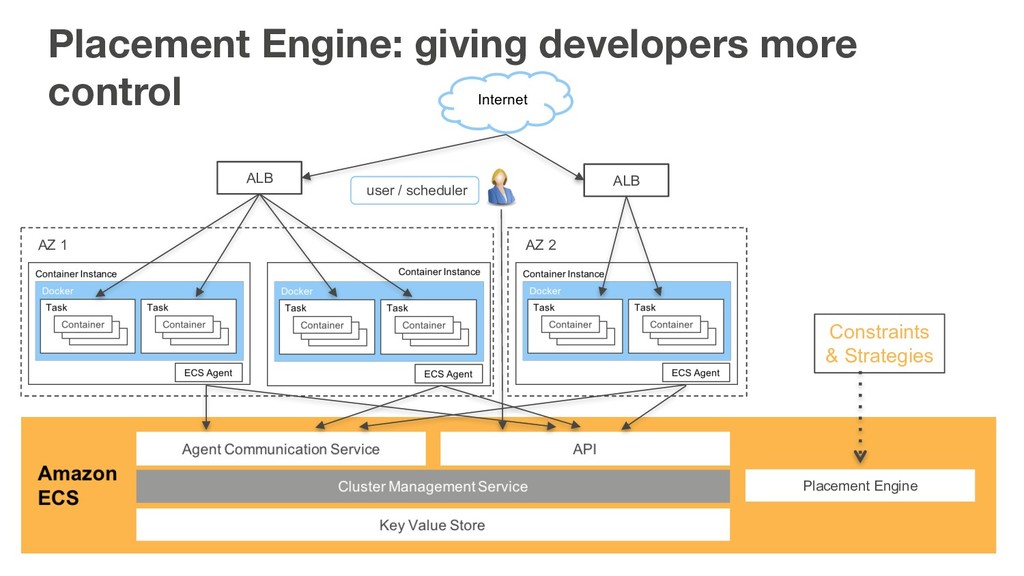
  6. Placement Engine: giving developers more control ALB ALB AZ 1

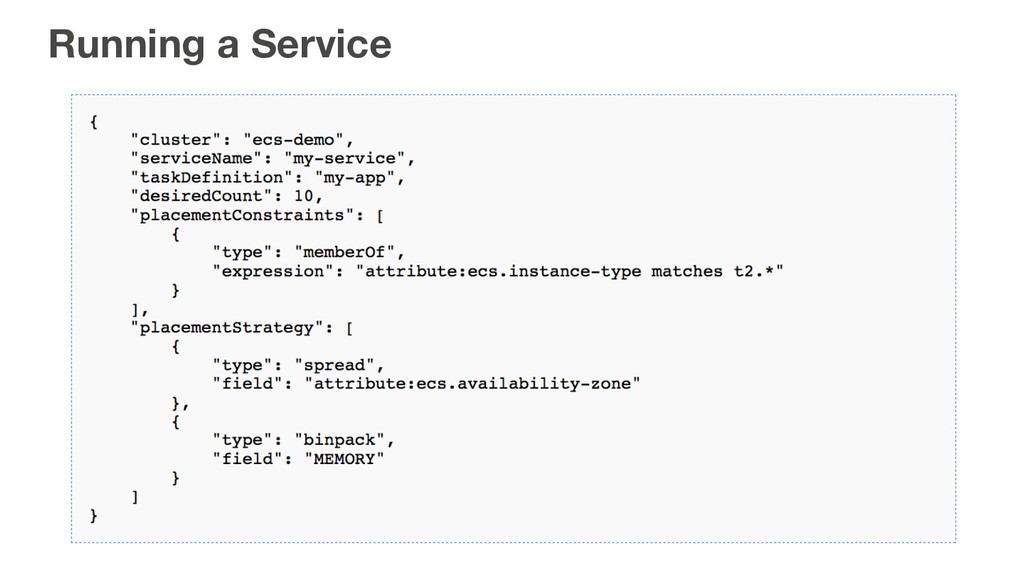
    AZ 2 user / scheduler Placement Engine Constraints & Strategies
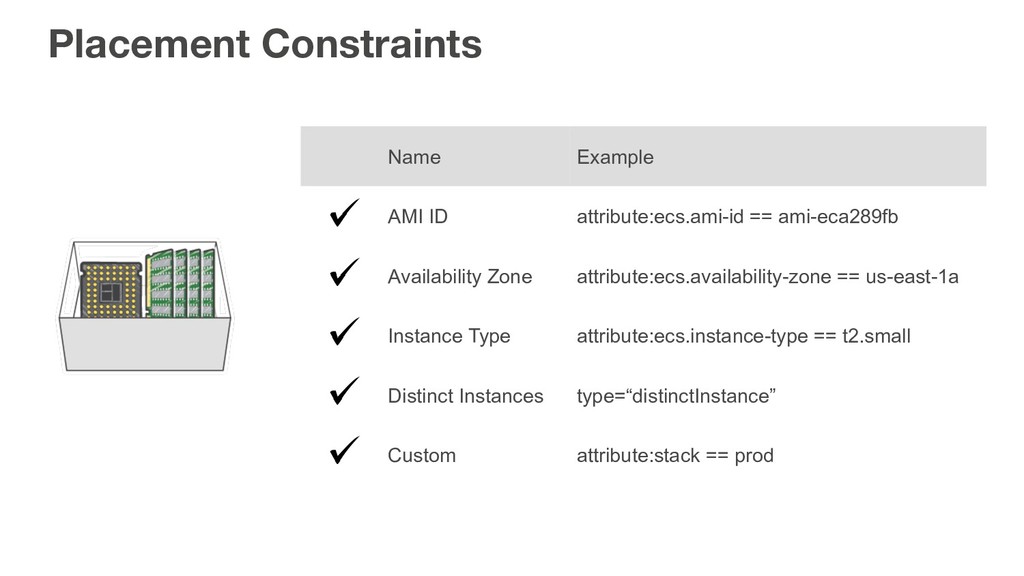
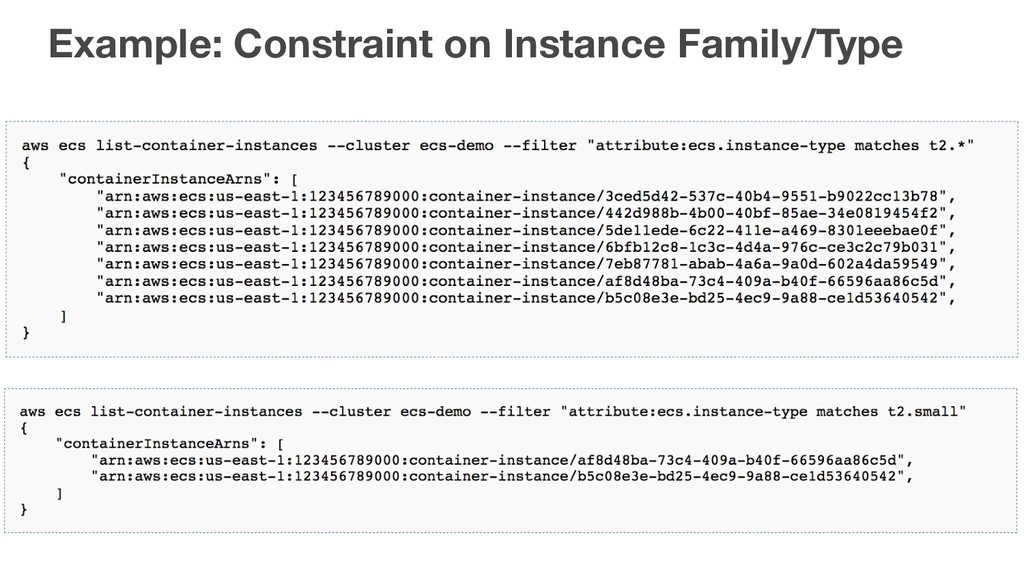
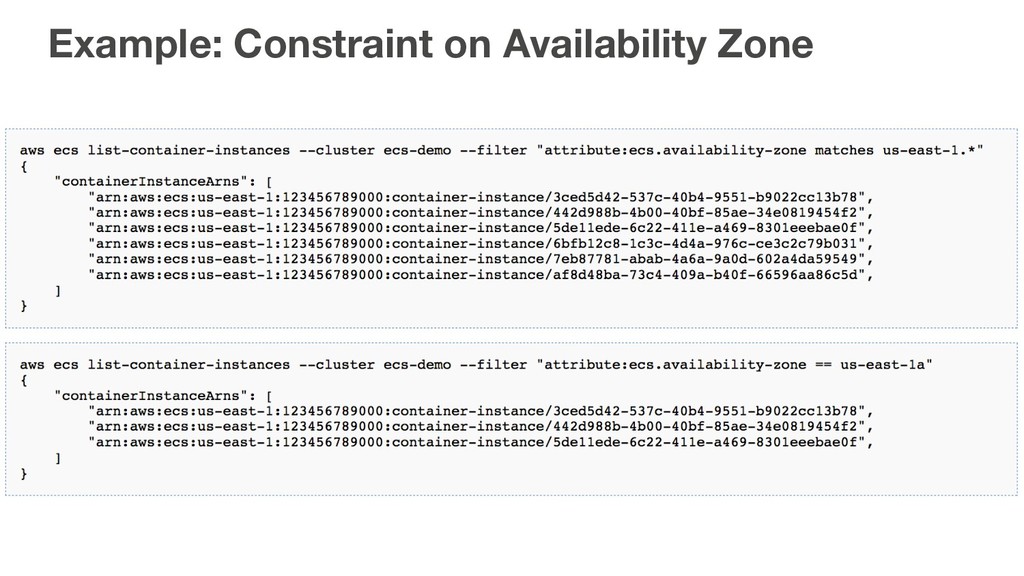
  7. Placement Constraints Name Example AMI ID attribute:ecs.ami-id == ami-eca289fb Availability

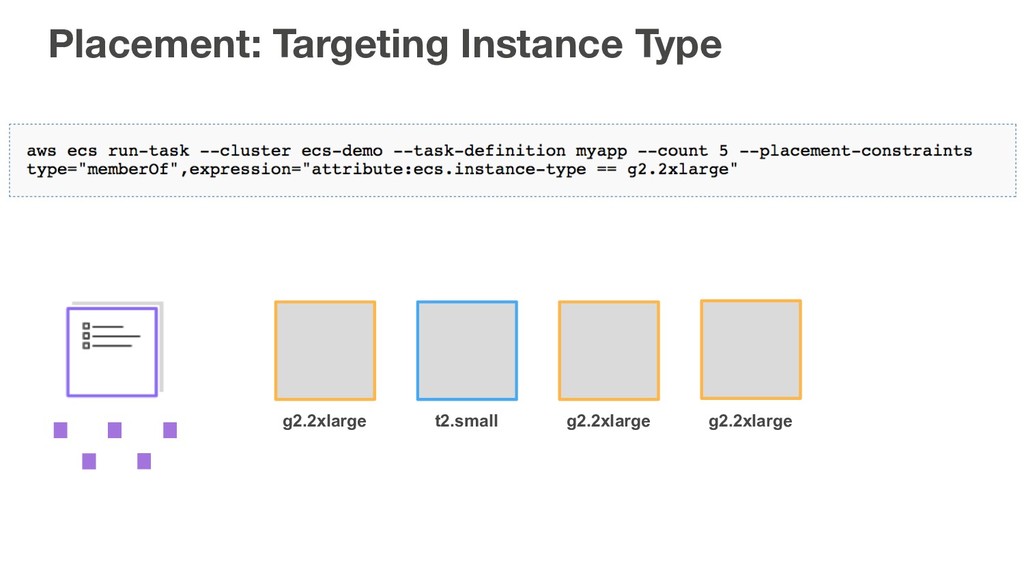
    Zone attribute:ecs.availability-zone == us-east-1a Instance Type attribute:ecs.instance-type == t2.small Distinct Instances type=“distinctInstance” Custom attribute:stack == prod
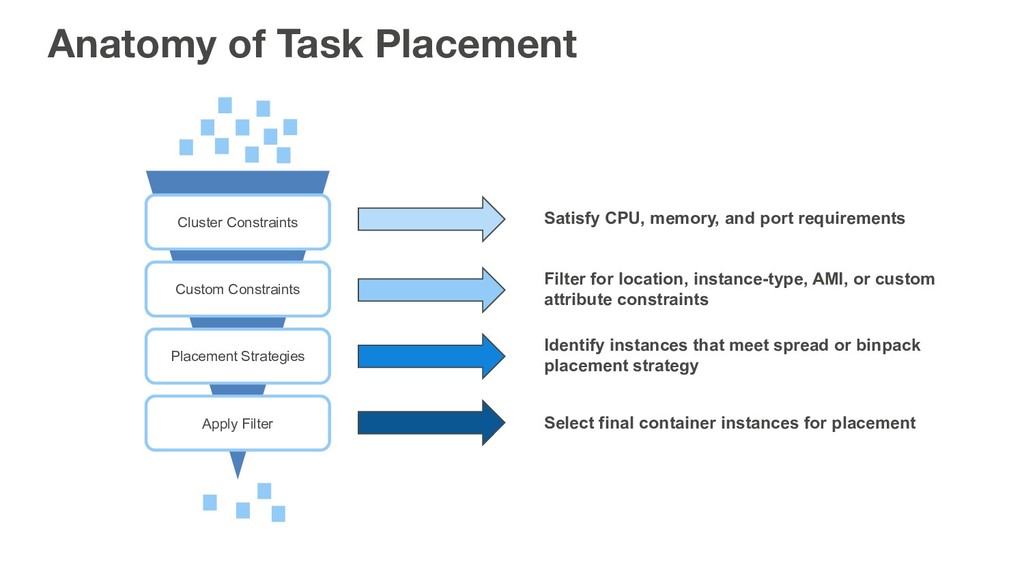
  8. Anatomy of Task Placement Cluster Constraints Custom Constraints Placement Strategies

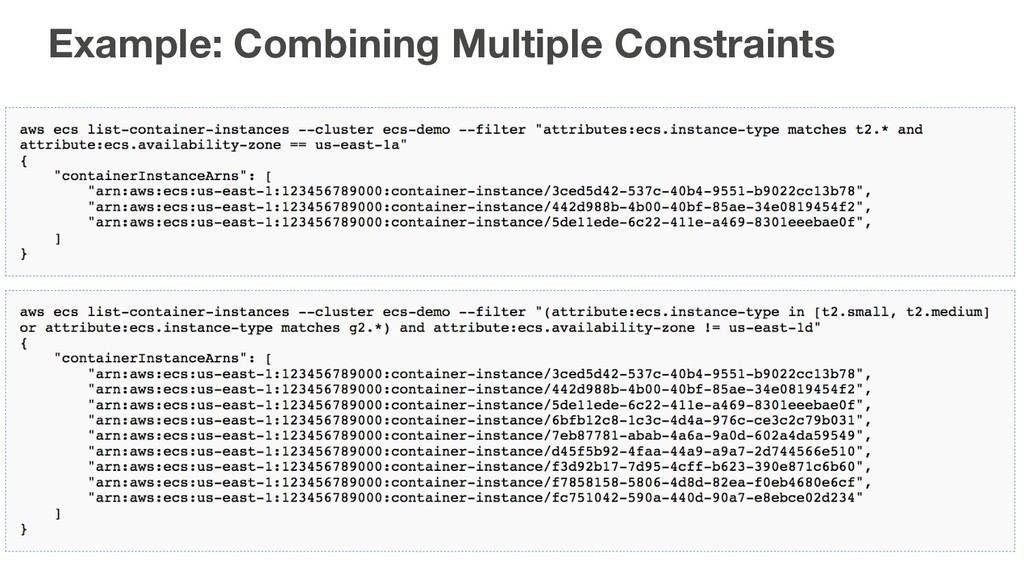
    Apply Filter Satisfy CPU, memory, and port requirements Filter for location, instance-type, AMI, or custom attribute constraints Identify instances that meet spread or binpack placement strategy Select final container instances for placement
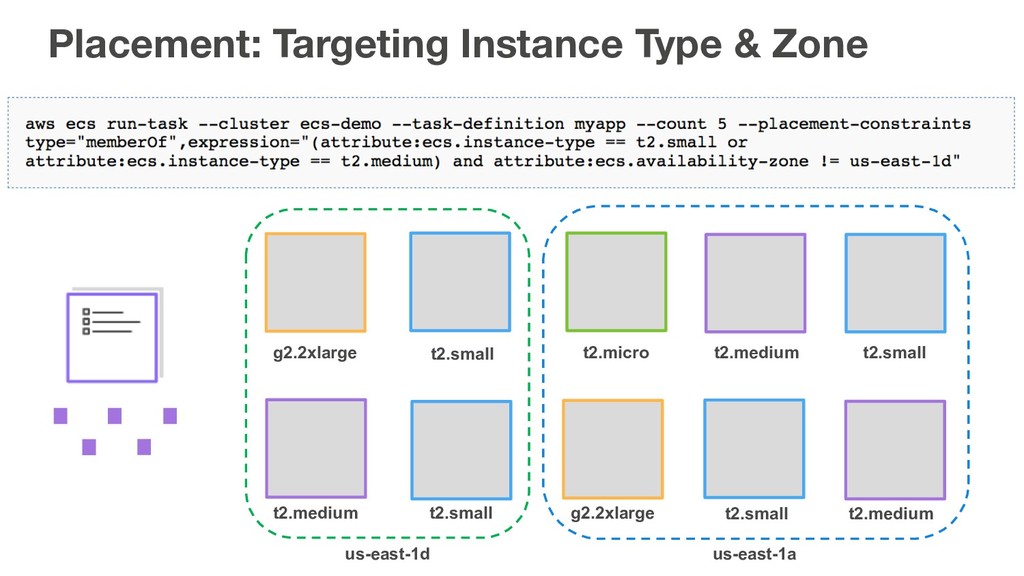
  9. g2.2xlarge t2.small t2.micro t2.medium t2.medium t2.small g2.2xlarge t2.small t2.small t2.medium

    us-east-1a us-east-1d Placement: Targeting Instance Type & Zone
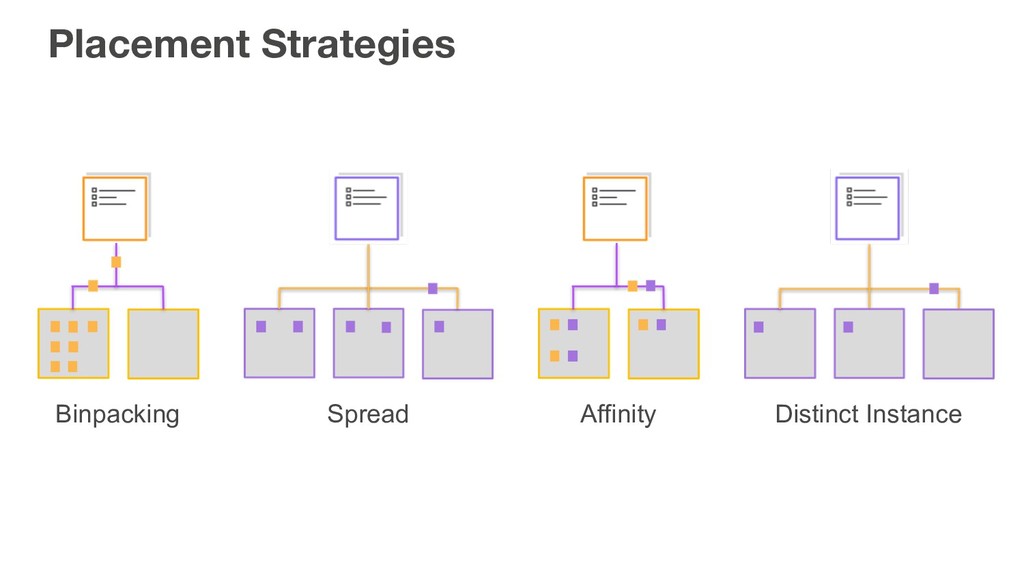
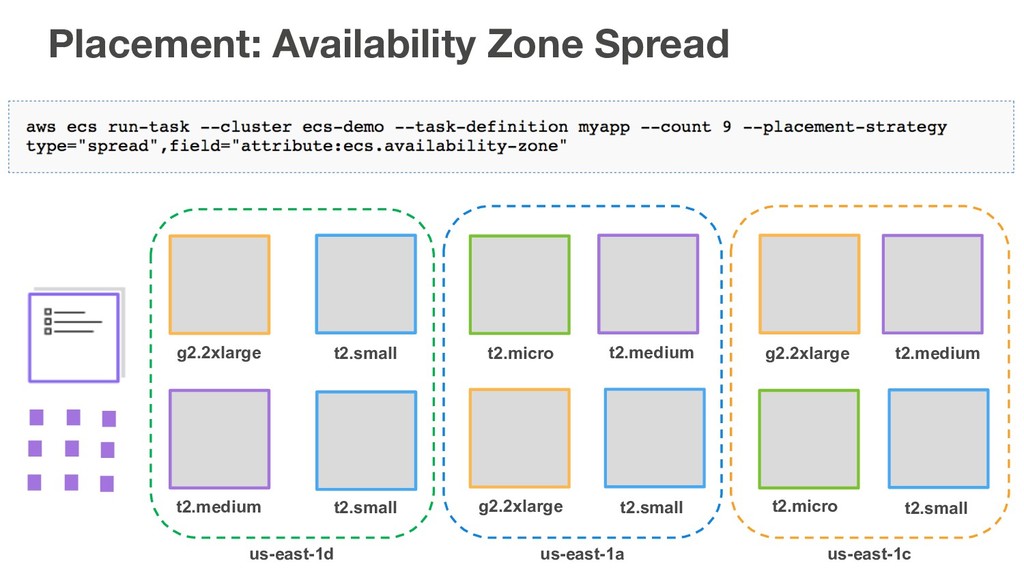
  10. g2.2xlarge t2.small t2.micro t2.medium t2.medium t2.small g2.2xlarge t2.small us-east-1a us-east-1d

    g2.2xlarge t2.medium t2.micro t2.small us-east-1c Placement: Availability Zone Spread
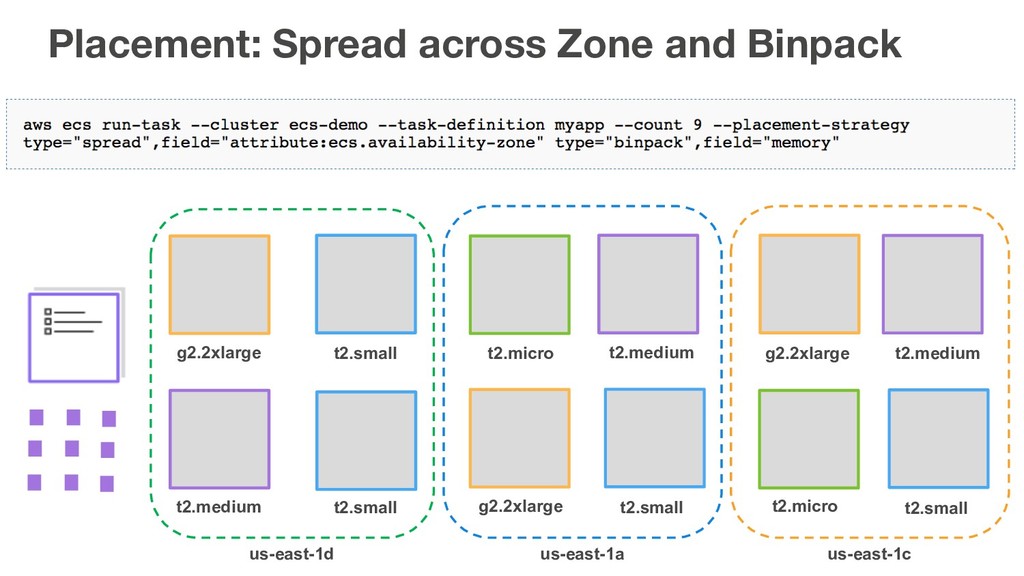
  11. g2.2xlarge t2.small t2.micro t2.medium t2.medium t2.small g2.2xlarge t2.small us-east-1a us-east-1d

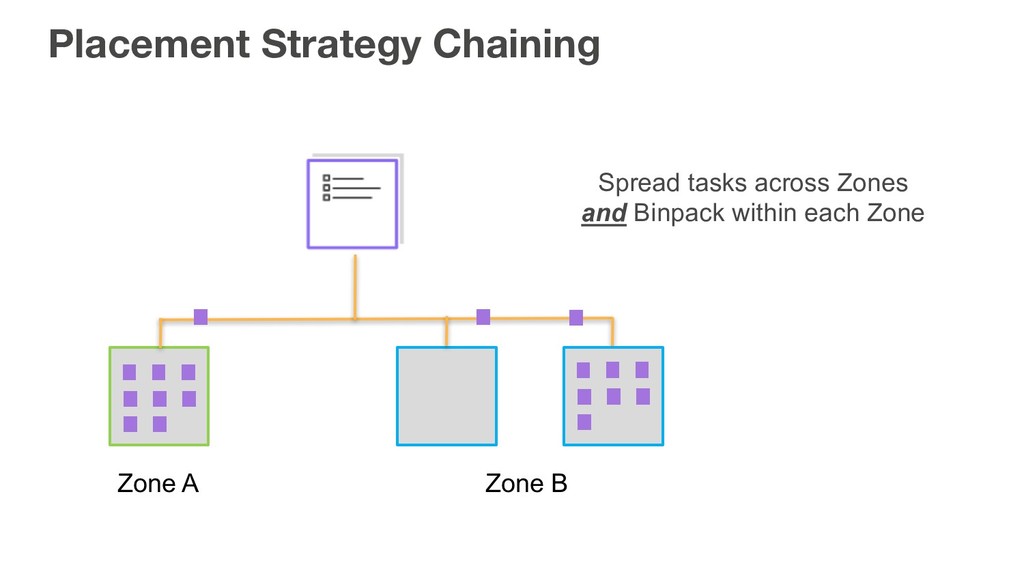
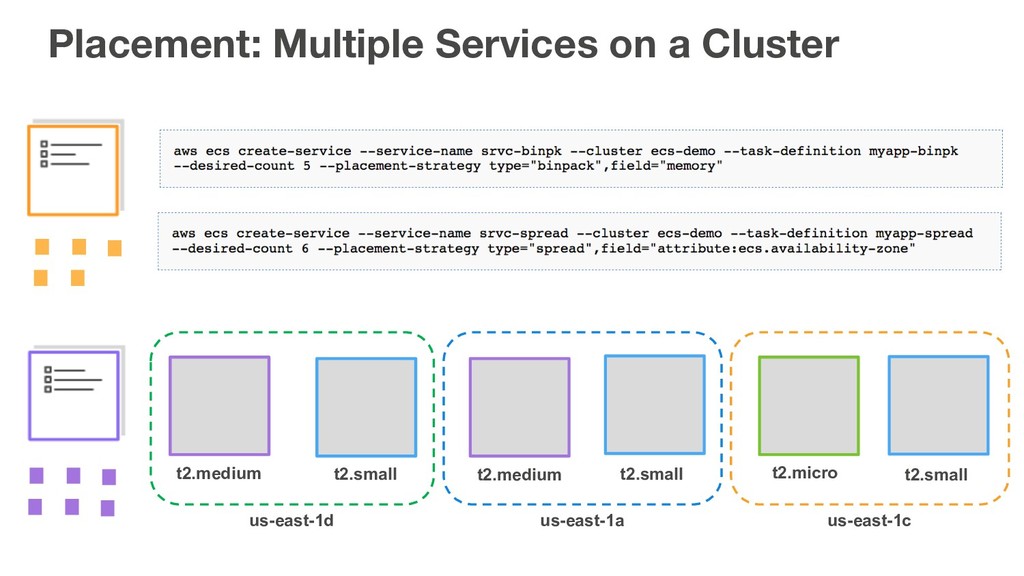
    g2.2xlarge t2.medium t2.micro t2.small us-east-1c Placement: Spread across Zone and Binpack
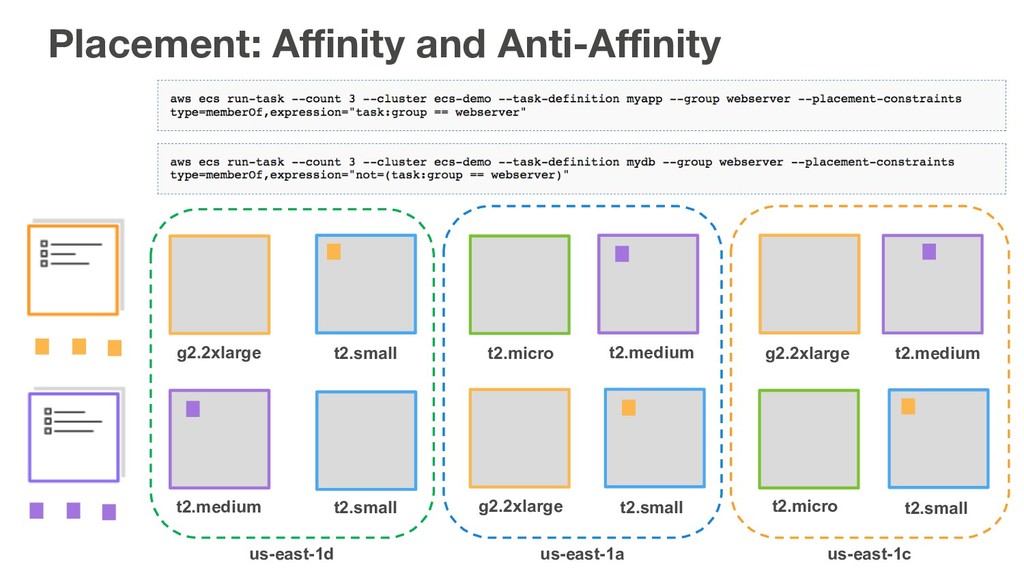
  12. g2.2xlarge t2.small t2.micro t2.medium t2.medium t2.small g2.2xlarge t2.small us-east-1a us-east-1d

    g2.2xlarge t2.medium t2.micro t2.small us-east-1c Placement: Affinity and Anti-Affinity
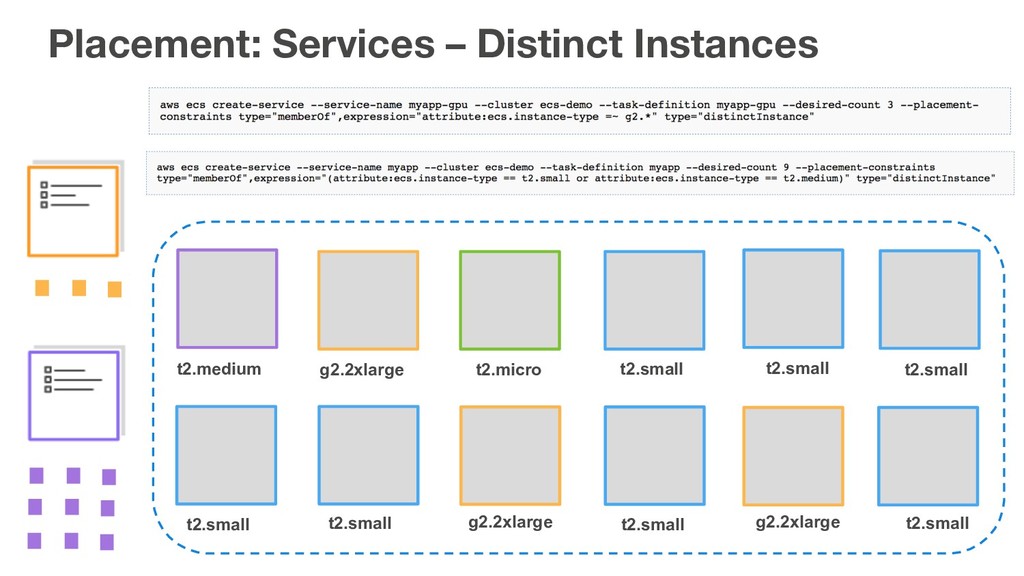
  13. t2.medium g2.2xlarge t2.micro t2.small t2.small t2.small g2.2xlarge t2.small t2.small t2.small

    g2.2xlarge t2.small Placement: Services – Distinct Instances
  14. Amazon ECS: Under the Hood ALB ALB AZ 1 AZ

    2 user / scheduler Placement Engine Event Stream
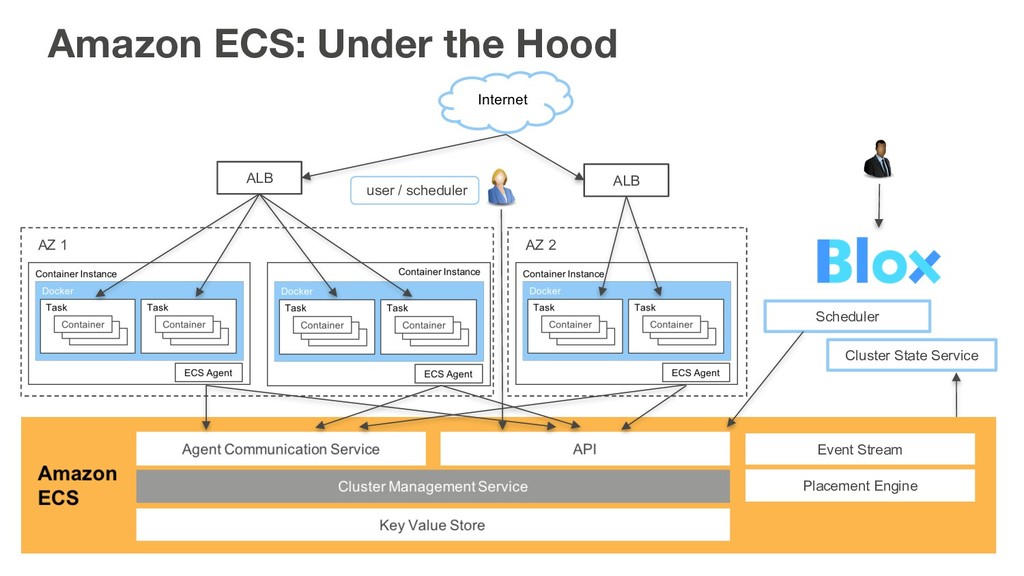
  15. Amazon ECS: Under the Hood ALB ALB AZ 1 AZ

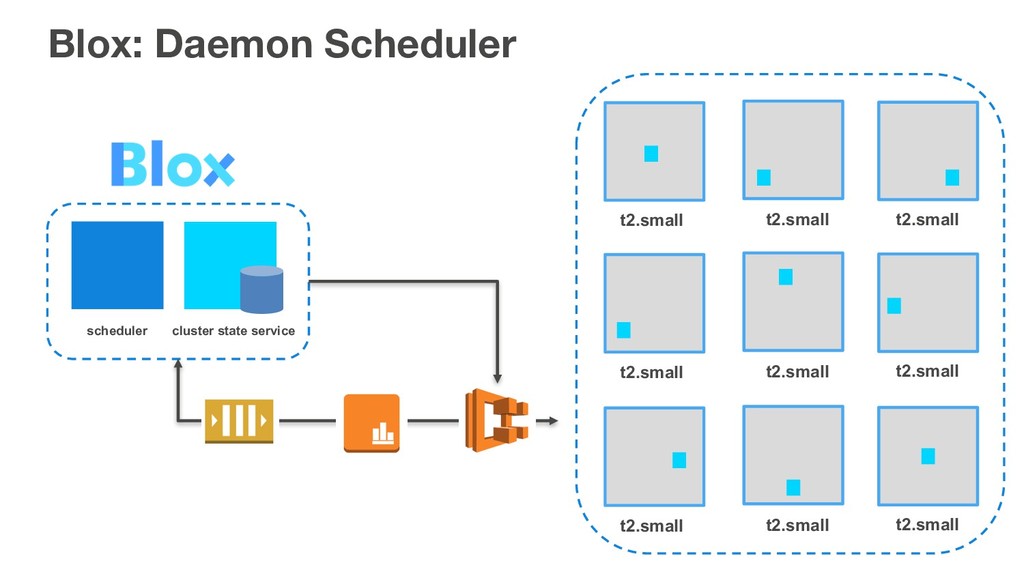
    2 user / scheduler Scheduler Cluster State Service Placement Engine Event Stream
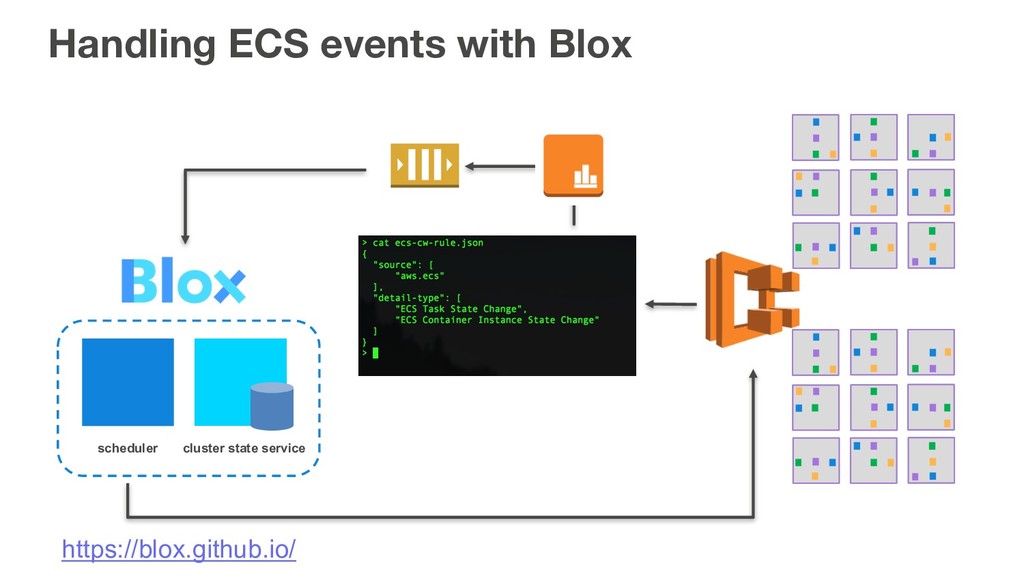
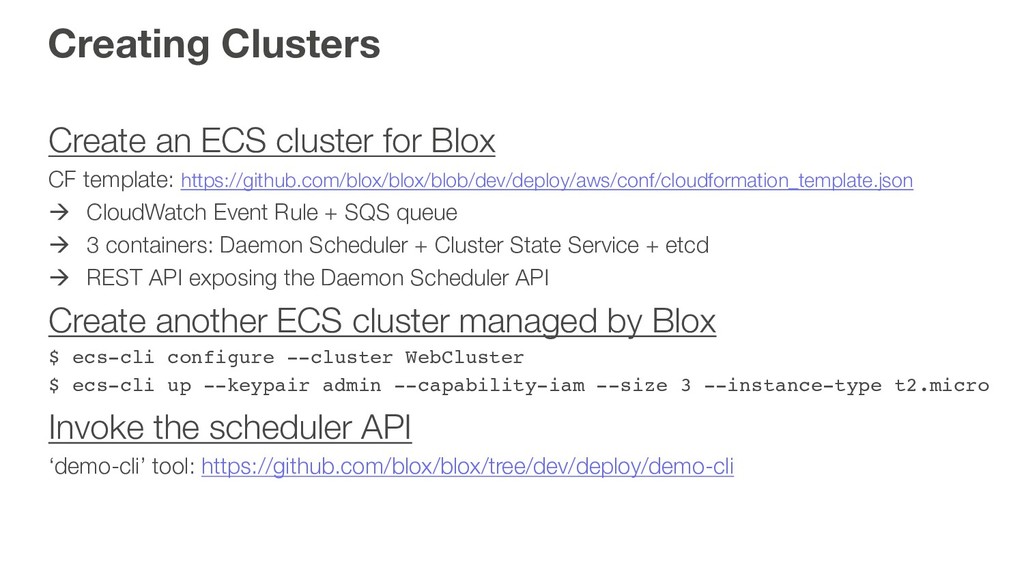
  16. Creating Clusters Create an ECS cluster for Blox CF template:

    https://github.com/blox/blox/blob/dev/deploy/aws/conf/cloudformation_template.json à CloudWatch Event Rule + SQS queue à 3 containers: Daemon Scheduler + Cluster State Service + etcd à REST API exposing the Daemon Scheduler API Create another ECS cluster managed by Blox $ ecs-cli configure --cluster WebCluster $ ecs-cli up --keypair admin --capability-iam --size 3 --instance-type t2.micro Invoke the scheduler API ‘demo-cli’ tool: https://github.com/blox/blox/tree/dev/deploy/demo-cli
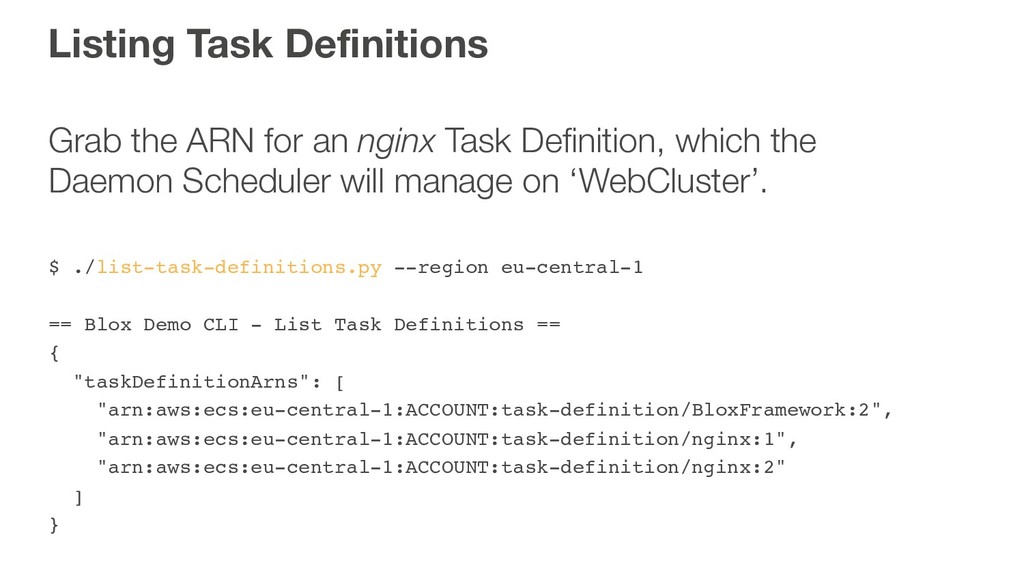
  17. Listing Task Definitions Grab the ARN for an nginx Task

    Definition, which the Daemon Scheduler will manage on ‘WebCluster’. $ ./list-task-definitions.py --region eu-central-1 == Blox Demo CLI - List Task Definitions == { "taskDefinitionArns": [ "arn:aws:ecs:eu-central-1:ACCOUNT:task-definition/BloxFramework:2", "arn:aws:ecs:eu-central-1:ACCOUNT:task-definition/nginx:1", "arn:aws:ecs:eu-central-1:ACCOUNT:task-definition/nginx:2" ] }
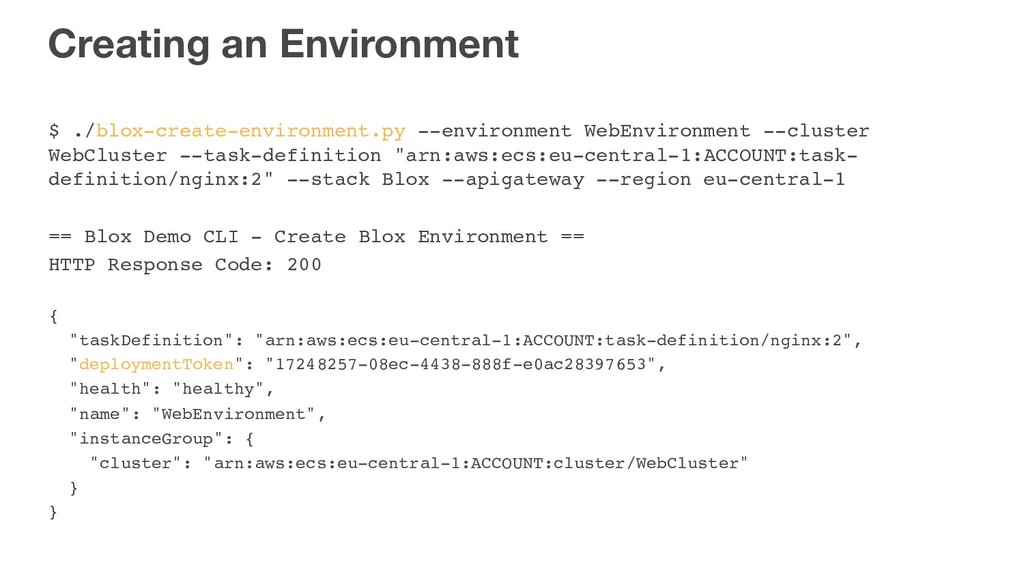
  18. Creating an Environment $ ./blox-create-environment.py --environment WebEnvironment --cluster WebCluster --task-definition

    "arn:aws:ecs:eu-central-1:ACCOUNT:task- definition/nginx:2" --stack Blox --apigateway --region eu-central-1 == Blox Demo CLI - Create Blox Environment == HTTP Response Code: 200 { "taskDefinition": "arn:aws:ecs:eu-central-1:ACCOUNT:task-definition/nginx:2", "deploymentToken": "17248257-08ec-4438-888f-e0ac28397653", "health": "healthy", "name": "WebEnvironment", "instanceGroup": { "cluster": "arn:aws:ecs:eu-central-1:ACCOUNT:cluster/WebCluster" } }
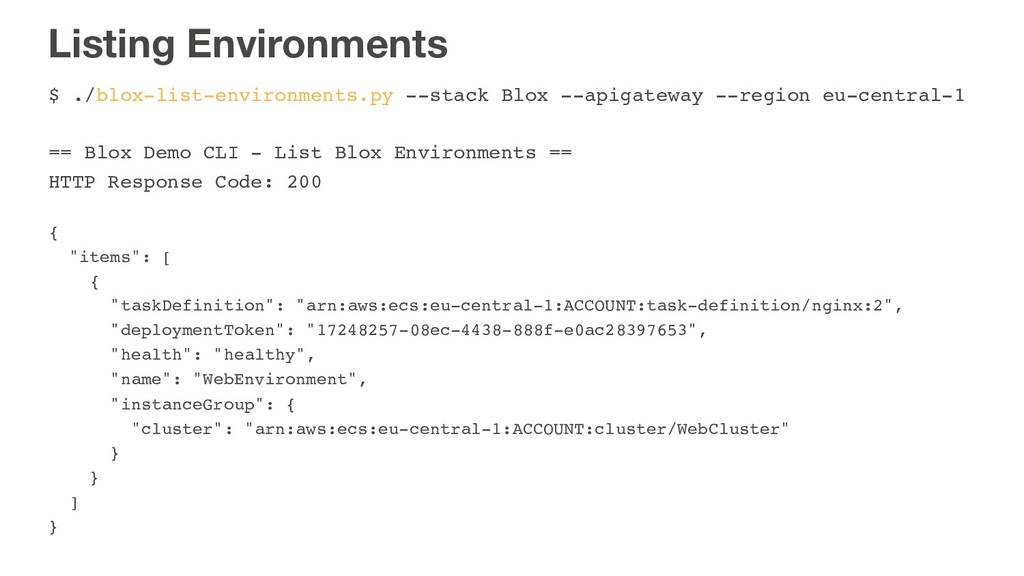
  19. Listing Environments $ ./blox-list-environments.py --stack Blox --apigateway --region eu-central-1 ==

    Blox Demo CLI - List Blox Environments == HTTP Response Code: 200 { "items": [ { "taskDefinition": "arn:aws:ecs:eu-central-1:ACCOUNT:task-definition/nginx:2", "deploymentToken": "17248257-08ec-4438-888f-e0ac28397653", "health": "healthy", "name": "WebEnvironment", "instanceGroup": { "cluster": "arn:aws:ecs:eu-central-1:ACCOUNT:cluster/WebCluster" } } ] }
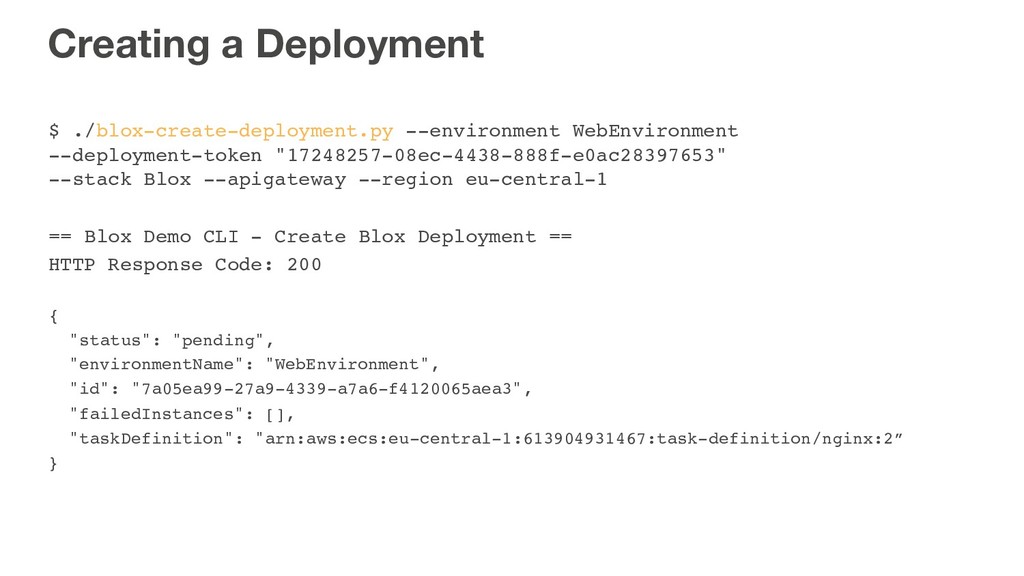
  20. Creating a Deployment $ ./blox-create-deployment.py --environment WebEnvironment --deployment-token "17248257-08ec-4438-888f-e0ac28397653" --stack
    Blox --apigateway --region eu-central-1 == Blox Demo CLI - Create Blox Deployment == HTTP Response Code: 200 { "status": "pending", "environmentName": "WebEnvironment", "id": "7a05ea99-27a9-4339-a7a6-f4120065aea3", "failedInstances": [], "taskDefinition": "arn:aws:ecs:eu-central-1:613904931467:task-definition/nginx:2” }
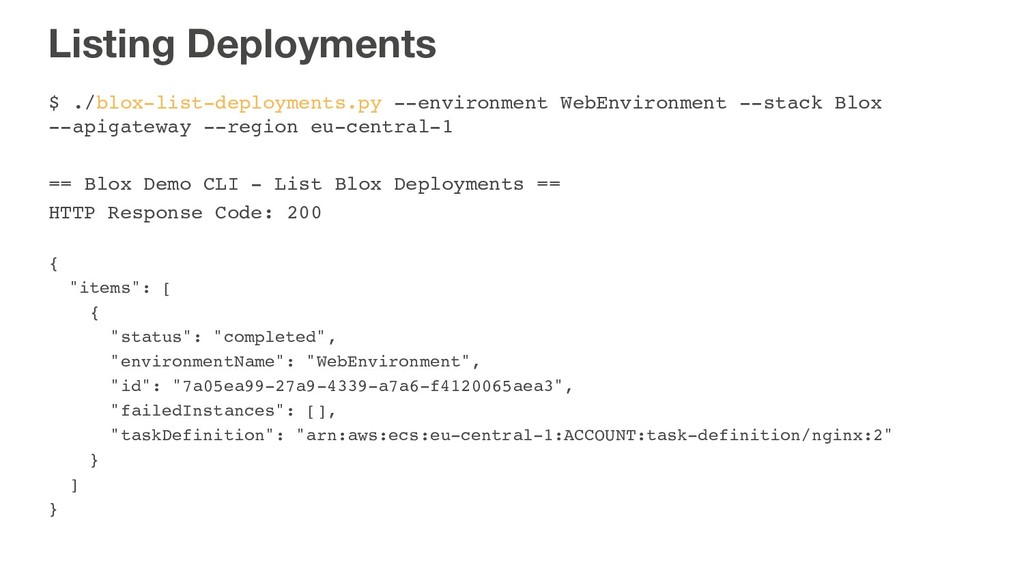
  21. Listing Deployments $ ./blox-list-deployments.py --environment WebEnvironment --stack Blox --apigateway --region

    eu-central-1 == Blox Demo CLI - List Blox Deployments == HTTP Response Code: 200 { "items": [ { "status": "completed", "environmentName": "WebEnvironment", "id": "7a05ea99-27a9-4339-a7a6-f4120065aea3", "failedInstances": [], "taskDefinition": "arn:aws:ecs:eu-central-1:ACCOUNT:task-definition/nginx:2" } ] }
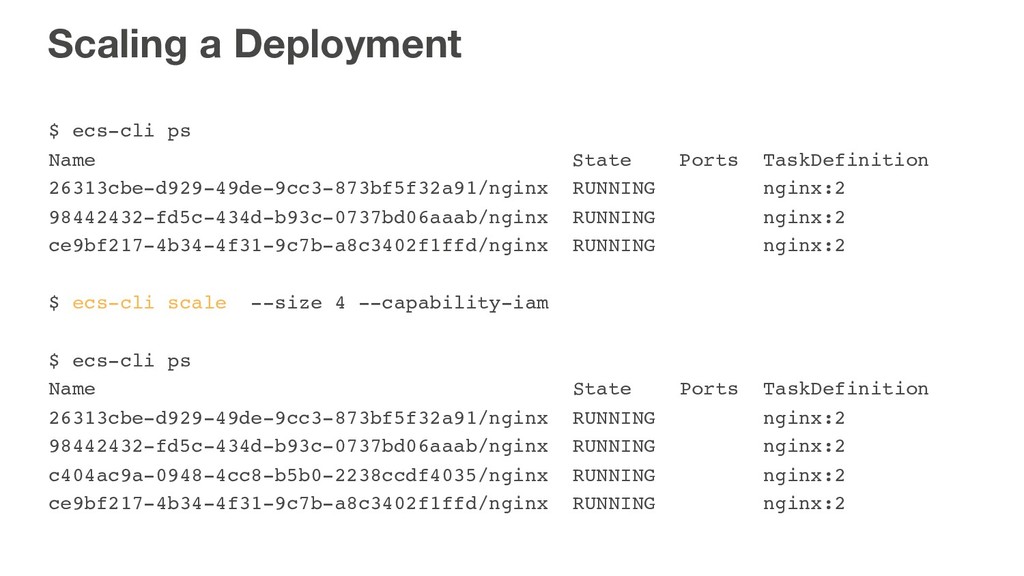
  22. Scaling a Deployment $ ecs-cli ps Name State Ports TaskDefinition

    26313cbe-d929-49de-9cc3-873bf5f32a91/nginx RUNNING nginx:2 98442432-fd5c-434d-b93c-0737bd06aaab/nginx RUNNING nginx:2 ce9bf217-4b34-4f31-9c7b-a8c3402f1ffd/nginx RUNNING nginx:2 $ ecs-cli scale --size 4 --capability-iam $ ecs-cli ps Name State Ports TaskDefinition 26313cbe-d929-49de-9cc3-873bf5f32a91/nginx RUNNING nginx:2 98442432-fd5c-434d-b93c-0737bd06aaab/nginx RUNNING nginx:2 c404ac9a-0948-4cc8-b5b0-2238ccdf4035/nginx RUNNING nginx:2 ce9bf217-4b34-4f31-9c7b-a8c3402f1ffd/nginx RUNNING nginx:2
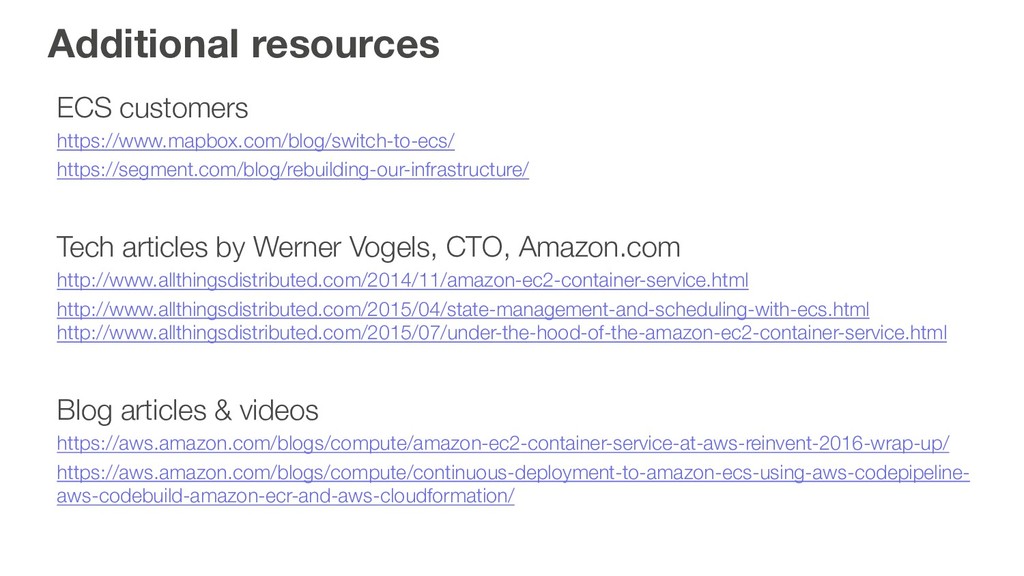
  23. Additional resources ECS customers https://www.mapbox.com/blog/switch-to-ecs/ https://segment.com/blog/rebuilding-our-infrastructure/ Tech articles by Werner

    Vogels, CTO, Amazon.com http://www.allthingsdistributed.com/2014/11/amazon-ec2-container-service.html http://www.allthingsdistributed.com/2015/04/state-management-and-scheduling-with-ecs.html http://www.allthingsdistributed.com/2015/07/under-the-hood-of-the-amazon-ec2-container-service.html Blog articles & videos https://aws.amazon.com/blogs/compute/amazon-ec2-container-service-at-aws-reinvent-2016-wrap-up/ https://aws.amazon.com/blogs/compute/continuous-deployment-to-amazon-ecs-using-aws-codepipeline- aws-codebuild-amazon-ecr-and-aws-cloudformation/