Upgrade to Pro — share decks privately, control downloads, hide ads and more …

Free Online Ruler: Measure in cm, mm, inches & ...

Sponsored · Your Podcast. Everywhere. Effortlessly. Share. Educate. Inspire. Entertain. You do you. We'll handle the rest. →

Free Online Ruler: Measure in cm, mm, inches & pixels

A practical guide to penggaris online, a free digital ruler that works in your browser on phone, tablet, laptop and PC.

This deck covers how to calibrate your screen with a standard bank/ID card (85.60 x 53.98 mm), why many on-screen rulers are inaccurate, how to switch between cm, mm, inches and pixels, and how to measure real objects step by step.

Inside: calibration methods, PPI presets, a cm/mm/inch conversion cheat sheet, reference object sizes (A4, coins, cards) and accuracy tips.

Try the penggaris digital in your browser, no app needed. More on the free penggaris tool: https://penggarisonline.id/

Follow: YouTube | Instagram | TikTok

Penggaris Online

November 04, 2026

Transcript

14 slides
  1. Free Online Ruler Measure in cm, mm, inches & pixels

    on your screen A practical guide to Penggaris Online, the digital ruler (penggaris online) for phone, tablet and PC Open the Online Ruler penggarisonline.id
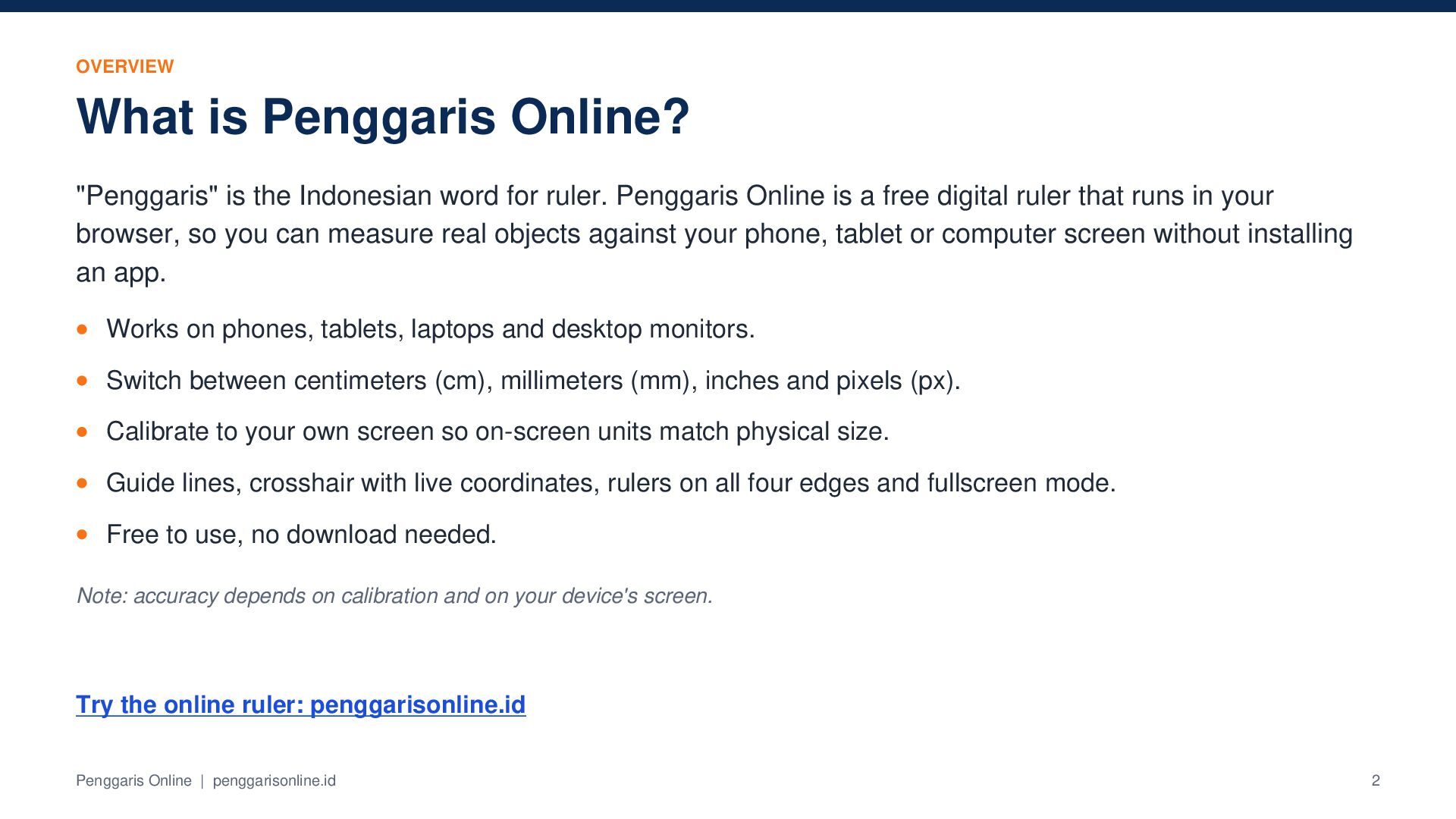
  2. OVERVIEW What is Penggaris Online? "Penggaris" is the Indonesian word

    for ruler. Penggaris Online is a free digital ruler that runs in your browser, so you can measure real objects against your phone, tablet or computer screen without installing an app. Works on phones, tablets, laptops and desktop monitors. Switch between centimeters (cm), millimeters (mm), inches and pixels (px). Calibrate to your own screen so on-screen units match physical size. Guide lines, crosshair with live coordinates, rulers on all four edges and fullscreen mode. Free to use, no download needed. Note: accuracy depends on calibration and on your device's screen. Try the online ruler: penggarisonline.id Penggaris Online | penggarisonline.id 2
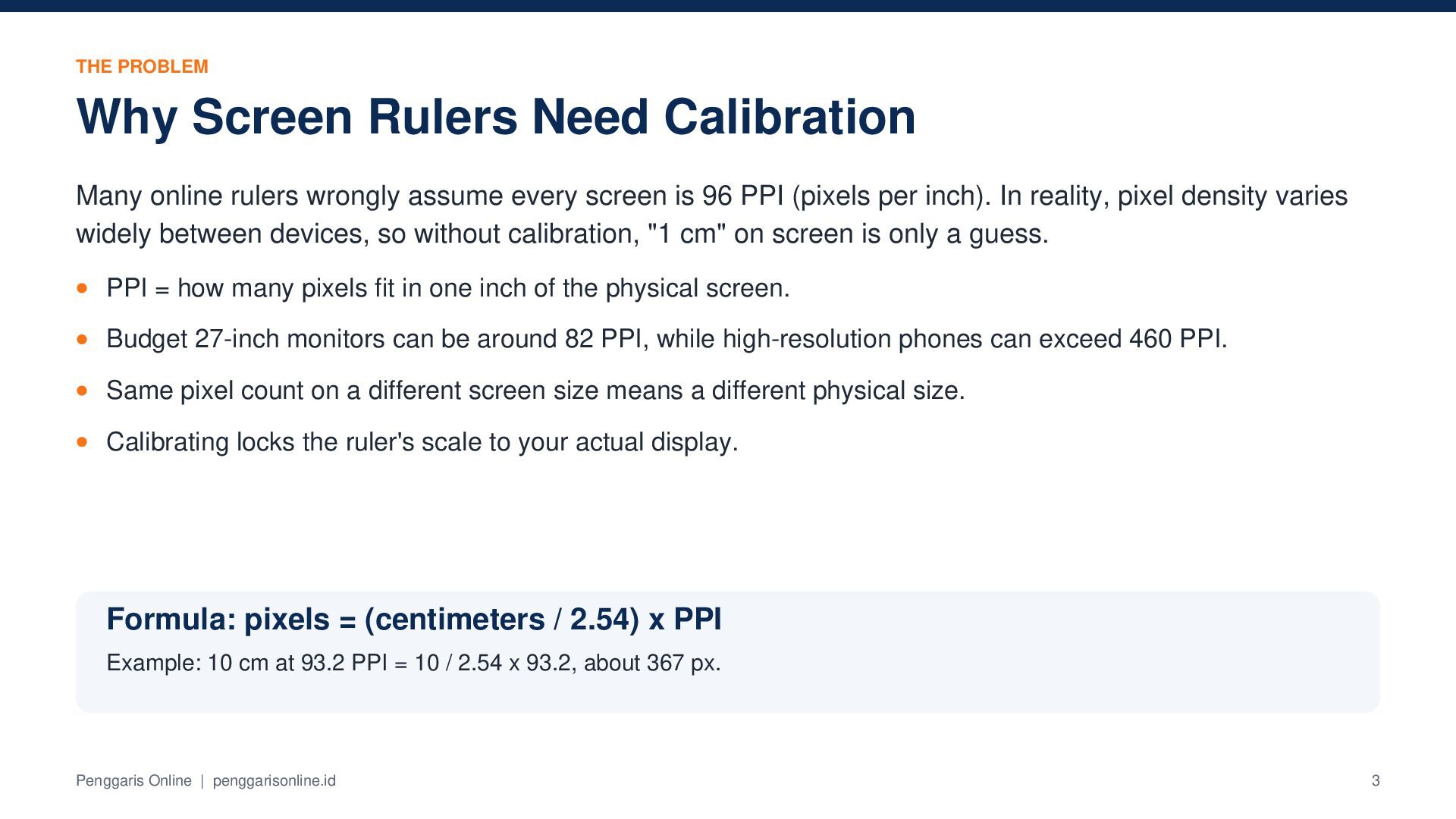
  3. THE PROBLEM Why Screen Rulers Need Calibration Many online rulers

    wrongly assume every screen is 96 PPI (pixels per inch). In reality, pixel density varies widely between devices, so without calibration, "1 cm" on screen is only a guess. PPI = how many pixels fit in one inch of the physical screen. Budget 27-inch monitors can be around 82 PPI, while high-resolution phones can exceed 460 PPI. Same pixel count on a different screen size means a different physical size. Calibrating locks the ruler's scale to your actual display. Formula: pixels = (centimeters / 2.54) x PPI Example: 10 cm at 93.2 PPI = 10 / 2.54 x 93.2, about 367 px. Penggaris Online | penggarisonline.id 3
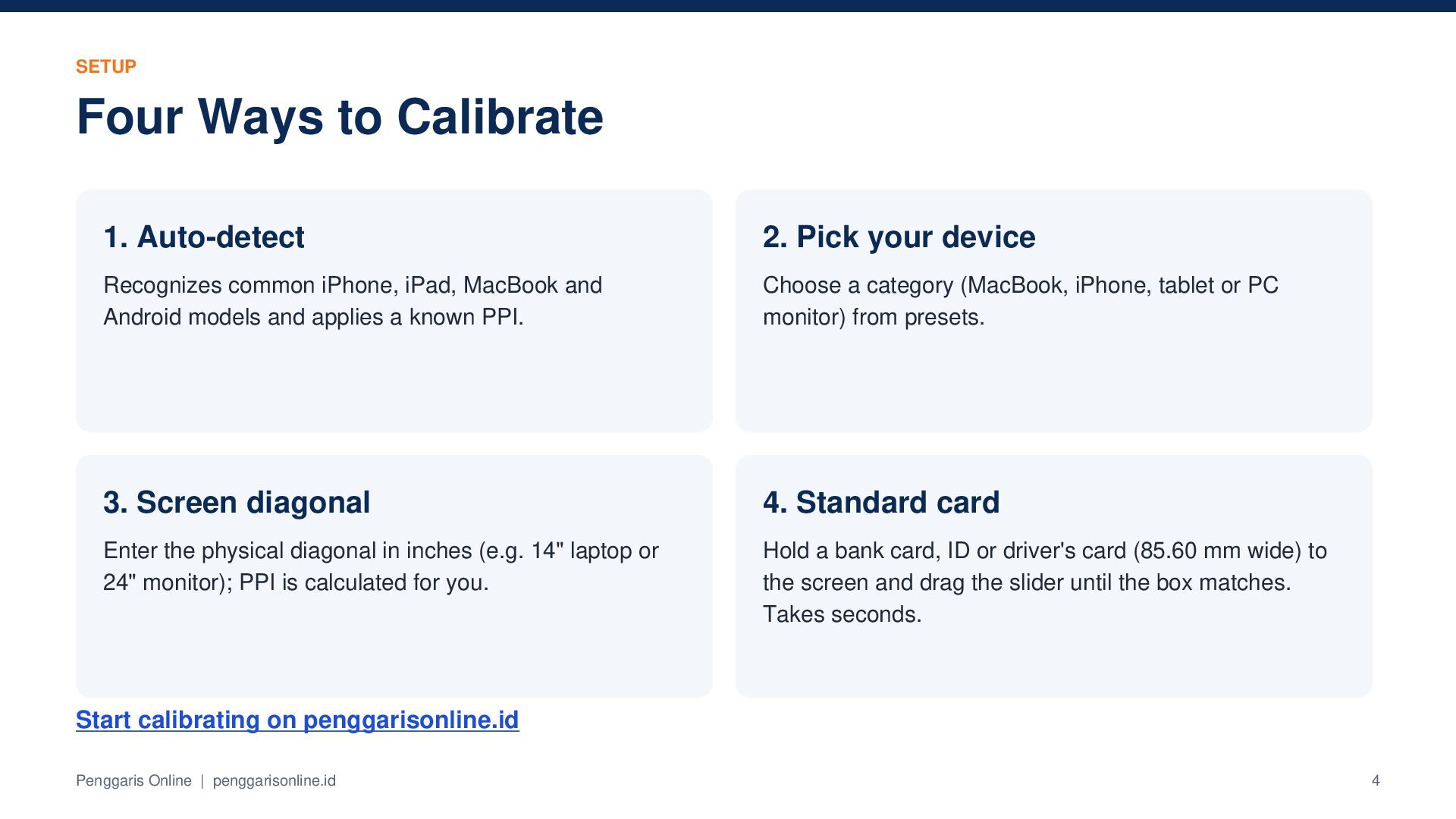
  4. SETUP Four Ways to Calibrate 1. Auto-detect 2. Pick your

    device Recognizes common iPhone, iPad, MacBook and Android models and applies a known PPI. Choose a category (MacBook, iPhone, tablet or PC monitor) from presets. 3. Screen diagonal 4. Standard card Enter the physical diagonal in inches (e.g. 14" laptop or 24" monitor); PPI is calculated for you. Hold a bank card, ID or driver's card (85.60 mm wide) to the screen and drag the slider until the box matches. Takes seconds. Start calibrating on penggarisonline.id Penggaris Online | penggarisonline.id 4
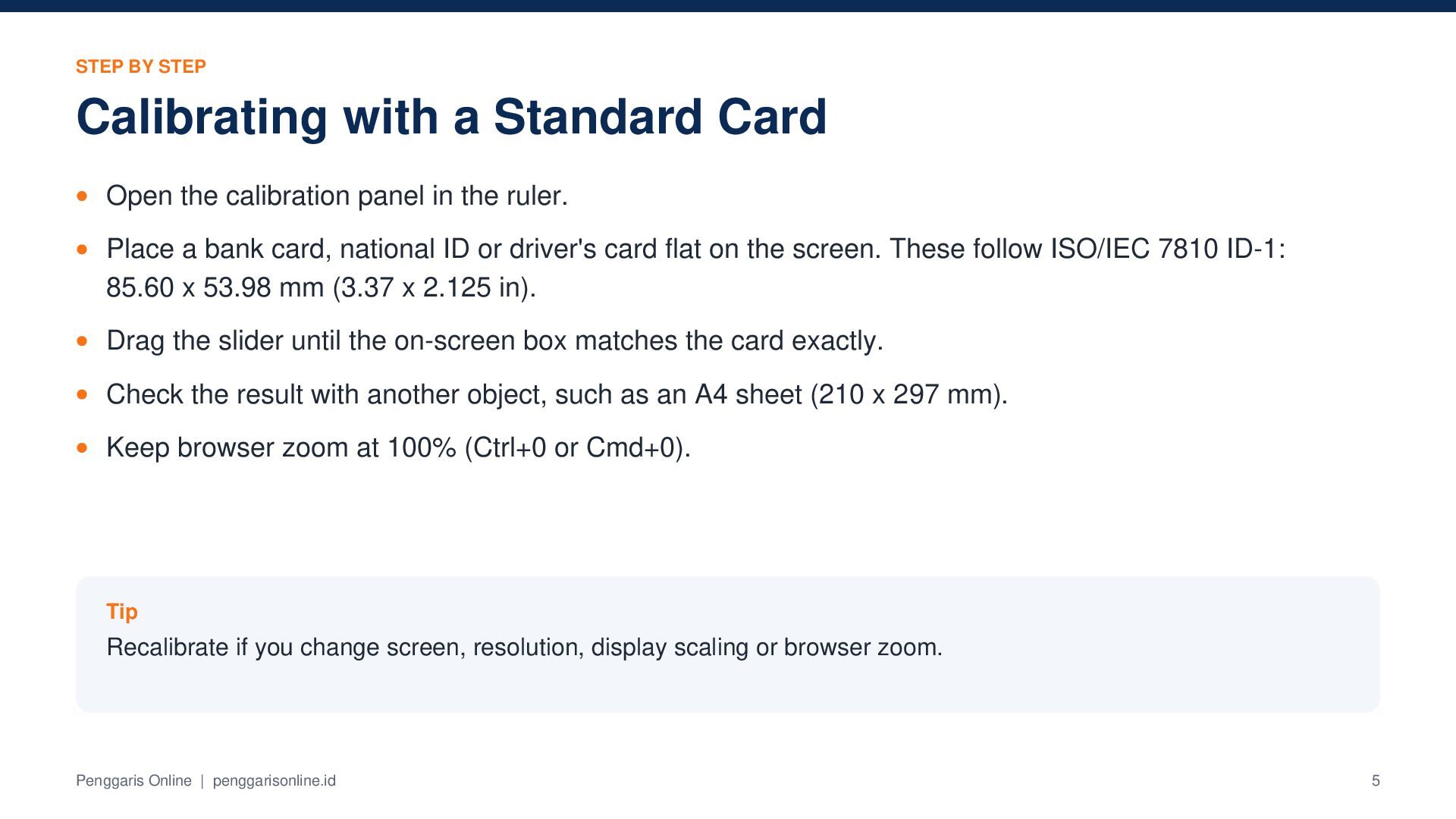
  5. STEP BY STEP Calibrating with a Standard Card Open the

    calibration panel in the ruler. Place a bank card, national ID or driver's card flat on the screen. These follow ISO/IEC 7810 ID-1: 85.60 x 53.98 mm (3.37 x 2.125 in). Drag the slider until the on-screen box matches the card exactly. Check the result with another object, such as an A4 sheet (210 x 297 mm). Keep browser zoom at 100% (Ctrl+0 or Cmd+0). Tip Recalibrate if you change screen, resolution, display scaling or browser zoom. Penggaris Online | penggarisonline.id 5
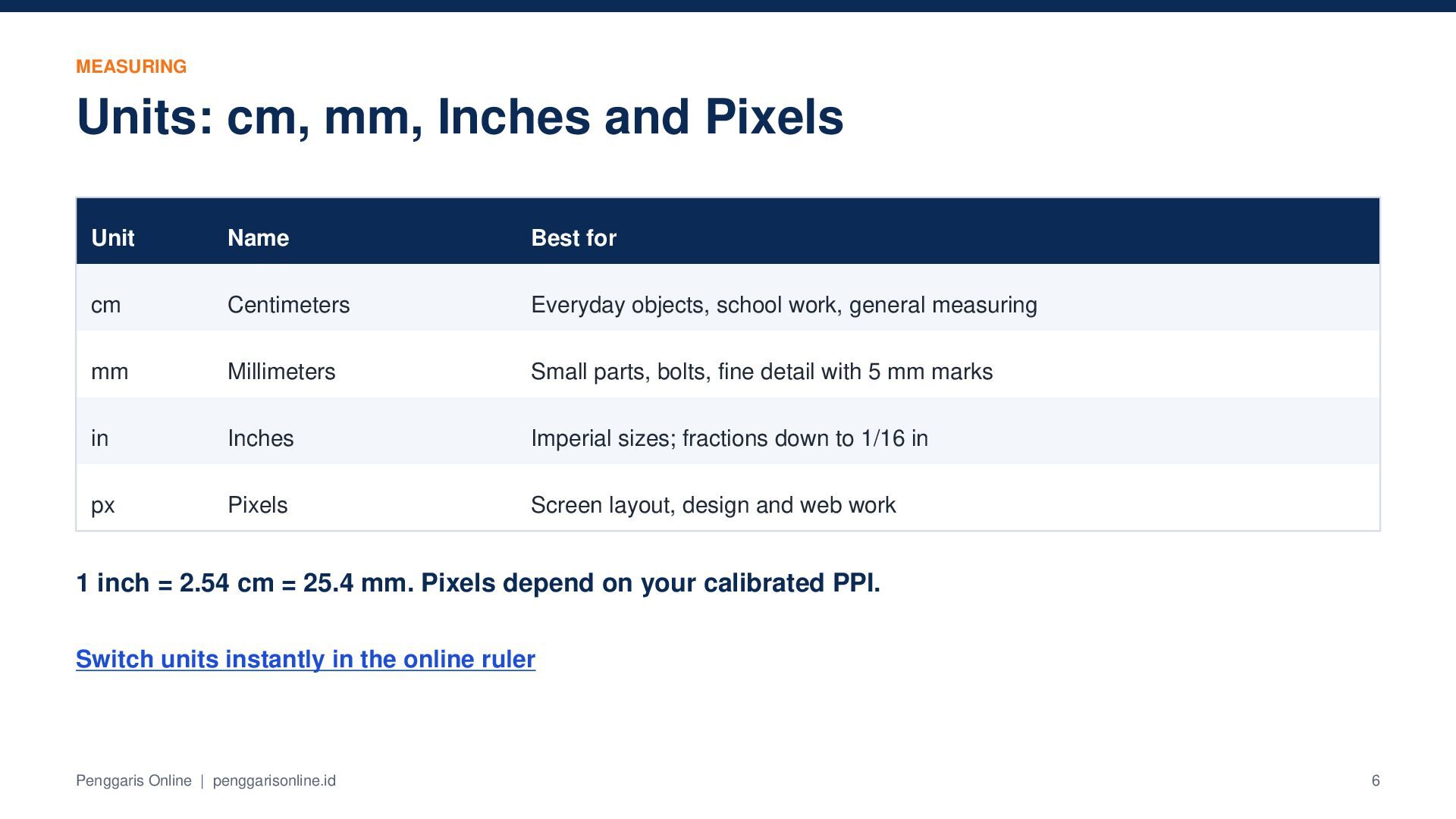
  6. MEASURING Units: cm, mm, Inches and Pixels Unit Name Best

    for cm Centimeters Everyday objects, school work, general measuring mm Millimeters Small parts, bolts, fine detail with 5 mm marks in Inches Imperial sizes; fractions down to 1/16 in px Pixels Screen layout, design and web work 1 inch = 2.54 cm = 25.4 mm. Pixels depend on your calibrated PPI. Switch units instantly in the online ruler Penggaris Online | penggarisonline.id 6
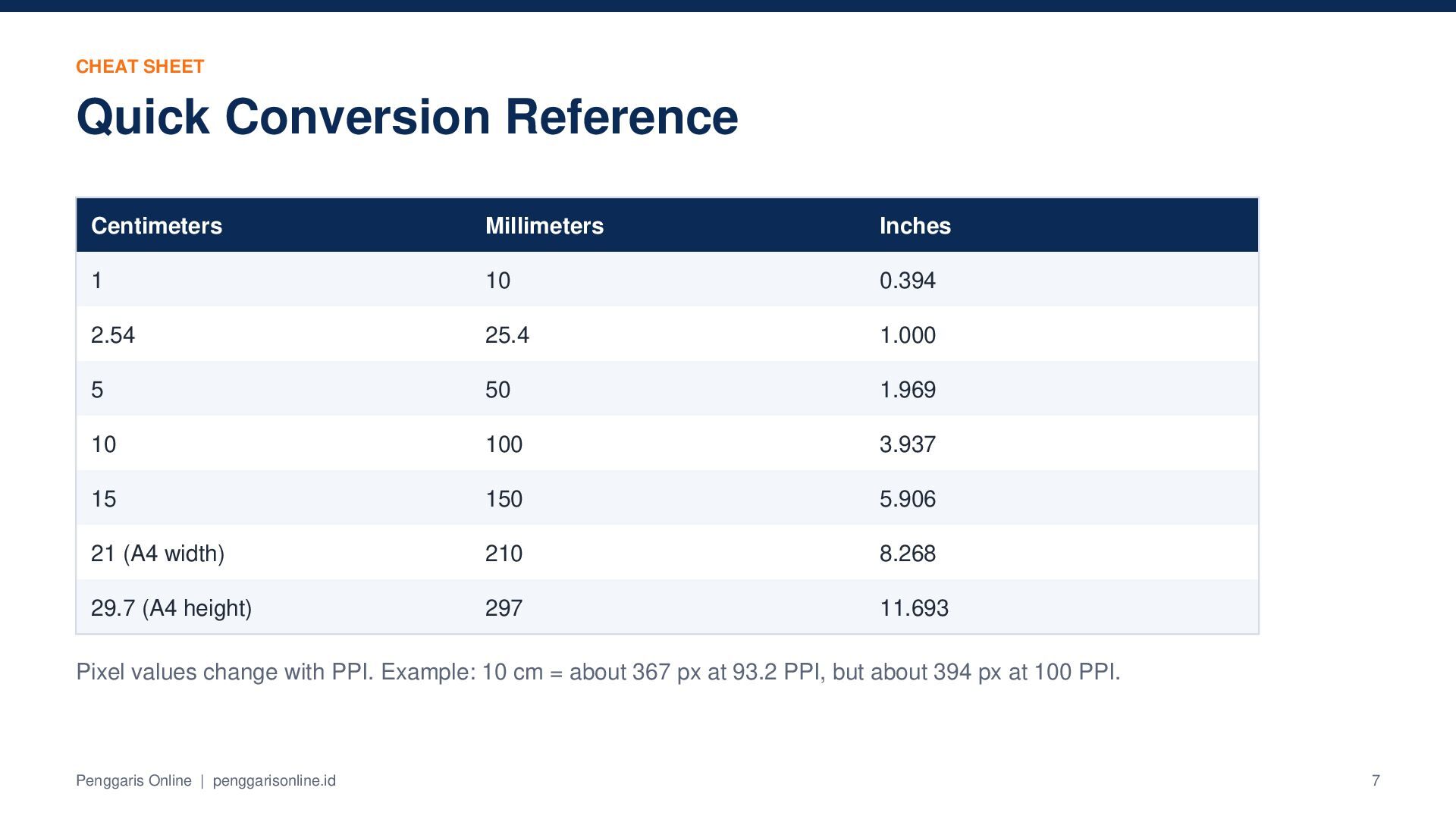
  7. CHEAT SHEET Quick Conversion Reference Centimeters Millimeters Inches 1 10

    0.394 2.54 25.4 1.000 5 50 1.969 10 100 3.937 15 150 5.906 21 (A4 width) 210 8.268 29.7 (A4 height) 297 11.693 Pixel values change with PPI. Example: 10 cm = about 367 px at 93.2 PPI, but about 394 px at 100 PPI. Penggaris Online | penggarisonline.id 7
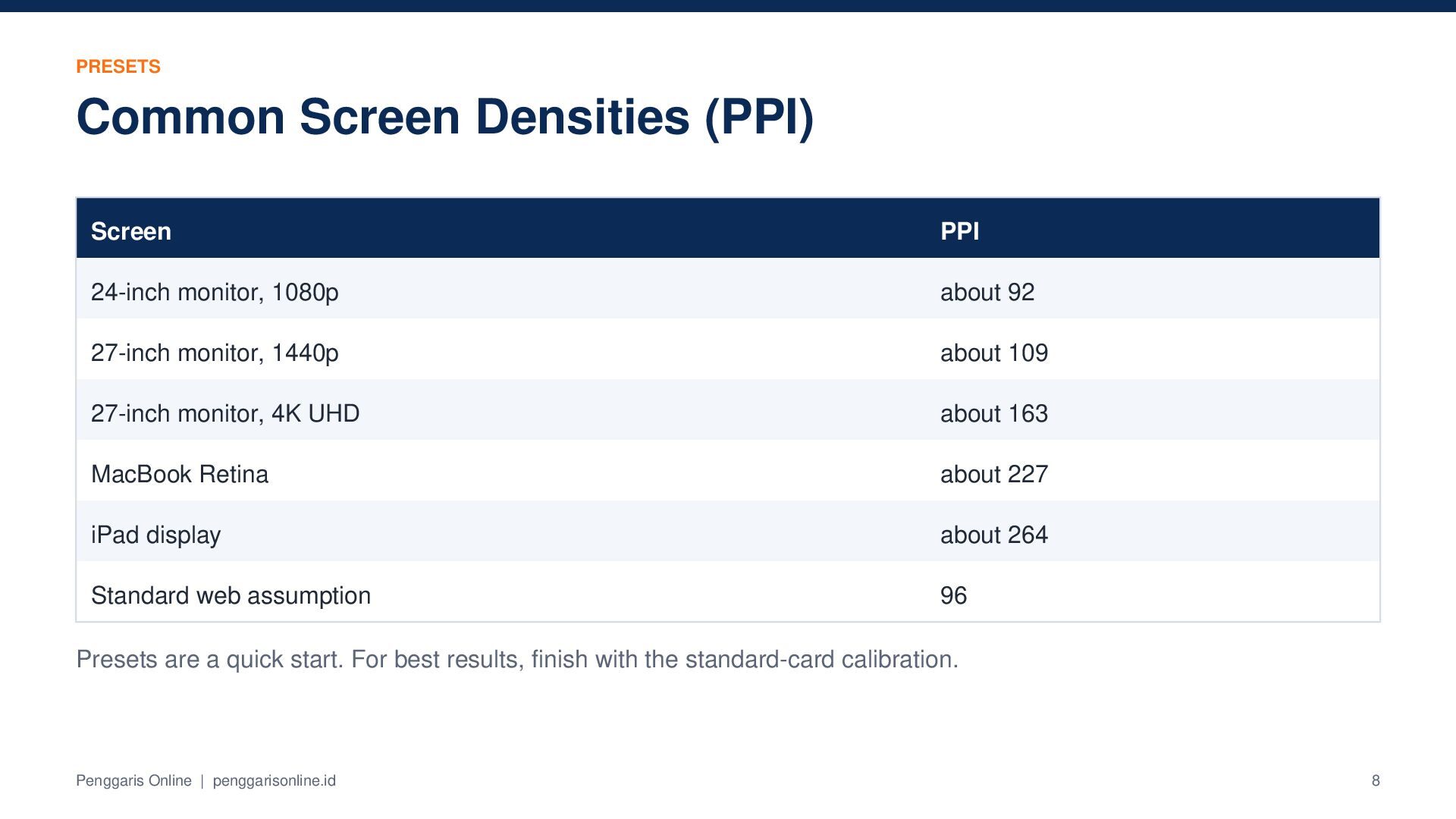
  8. PRESETS Common Screen Densities (PPI) Screen PPI 24-inch monitor, 1080p

    about 92 27-inch monitor, 1440p about 109 27-inch monitor, 4K UHD about 163 MacBook Retina about 227 iPad display about 264 Standard web assumption 96 Presets are a quick start. For best results, finish with the standard-card calibration. Penggaris Online | penggarisonline.id 8
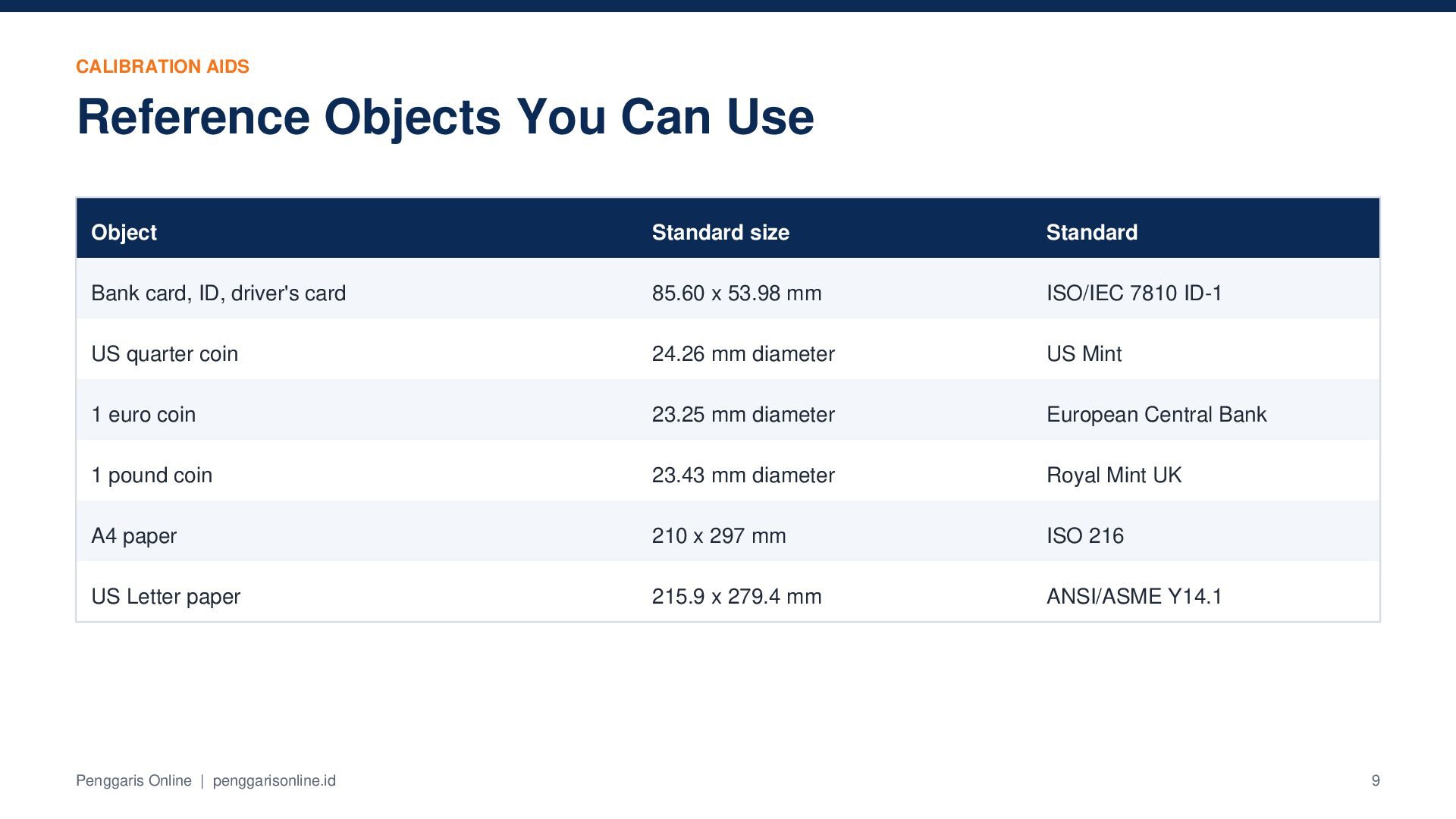
  9. CALIBRATION AIDS Reference Objects You Can Use Object Standard size

    Standard Bank card, ID, driver's card 85.60 x 53.98 mm ISO/IEC 7810 ID-1 US quarter coin 24.26 mm diameter US Mint 1 euro coin 23.25 mm diameter European Central Bank 1 pound coin 23.43 mm diameter Royal Mint UK A4 paper 210 x 297 mm ISO 216 US Letter paper 215.9 x 279.4 mm ANSI/ASME Y14.1 Penggaris Online | penggarisonline.id 9
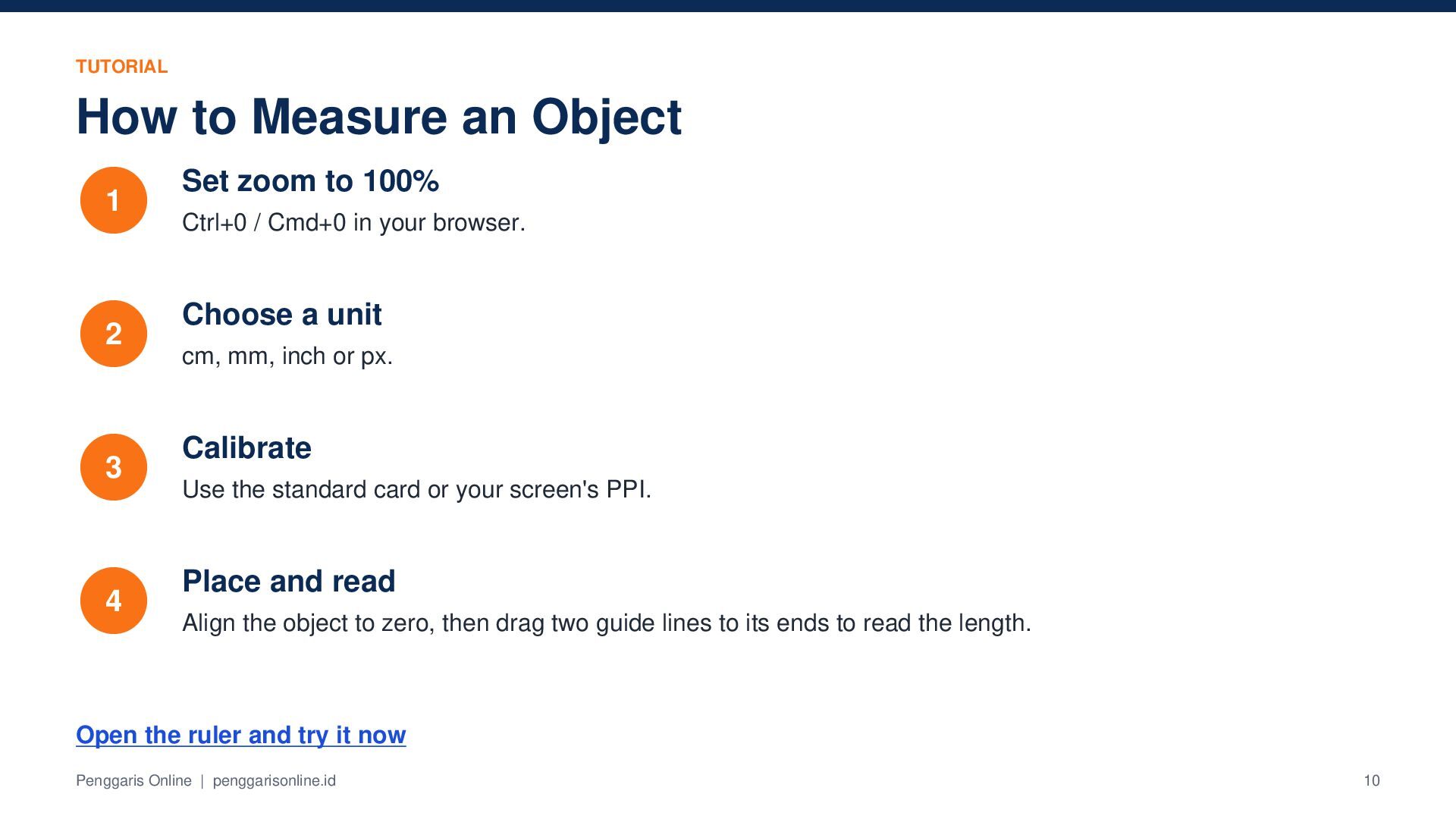
  10. TUTORIAL How to Measure an Object 1 2 3 4

    Set zoom to 100% Ctrl+0 / Cmd+0 in your browser. Choose a unit cm, mm, inch or px. Calibrate Use the standard card or your screen's PPI. Place and read Align the object to zero, then drag two guide lines to its ends to read the length. Open the ruler and try it now Penggaris Online | penggarisonline.id 10
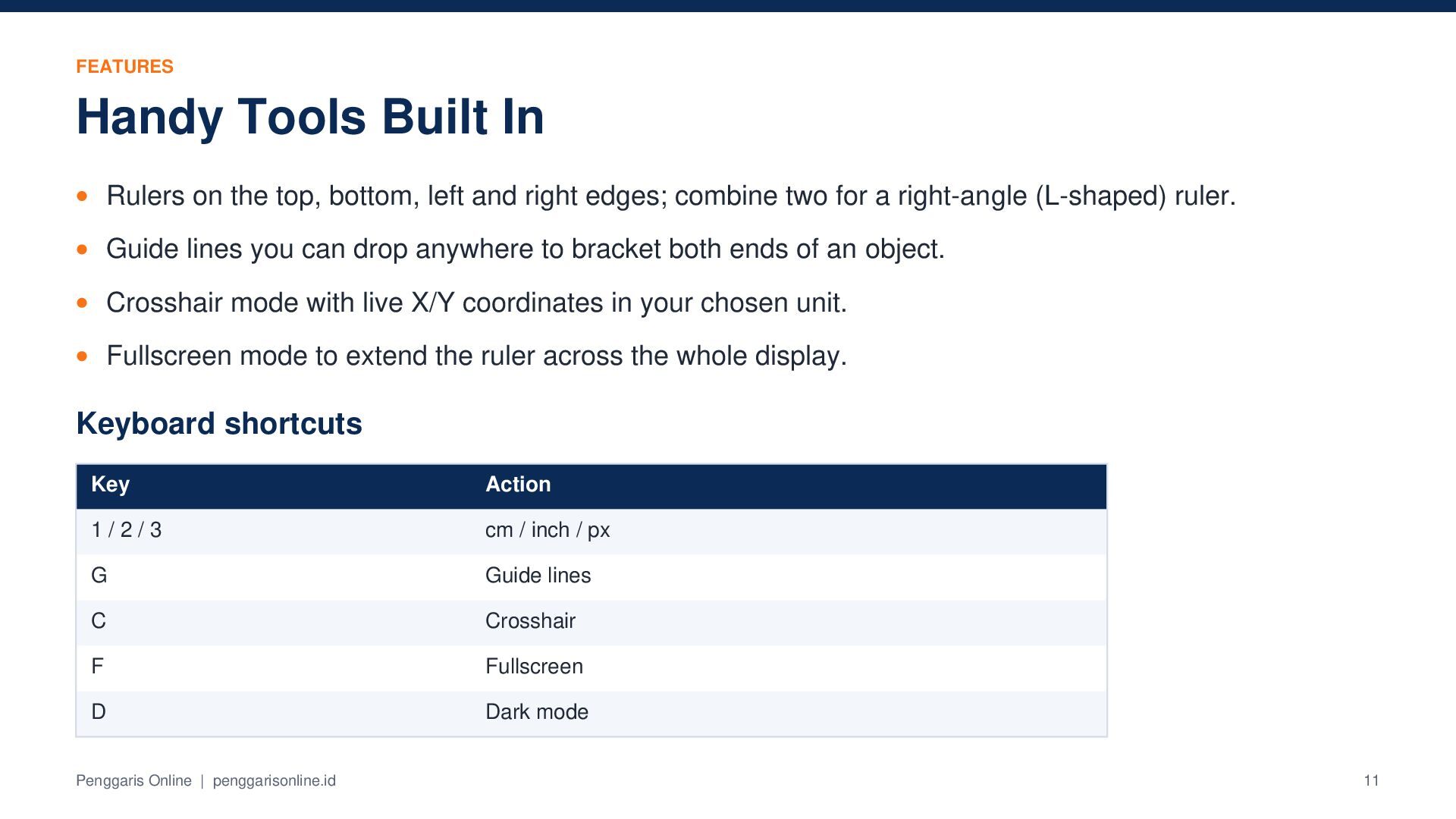
  11. FEATURES Handy Tools Built In Rulers on the top, bottom,

    left and right edges; combine two for a right-angle (L-shaped) ruler. Guide lines you can drop anywhere to bracket both ends of an object. Crosshair mode with live X/Y coordinates in your chosen unit. Fullscreen mode to extend the ruler across the whole display. Keyboard shortcuts Key Action 1/2/3 cm / inch / px G Guide lines C Crosshair F Fullscreen D Dark mode Penggaris Online | penggarisonline.id 11
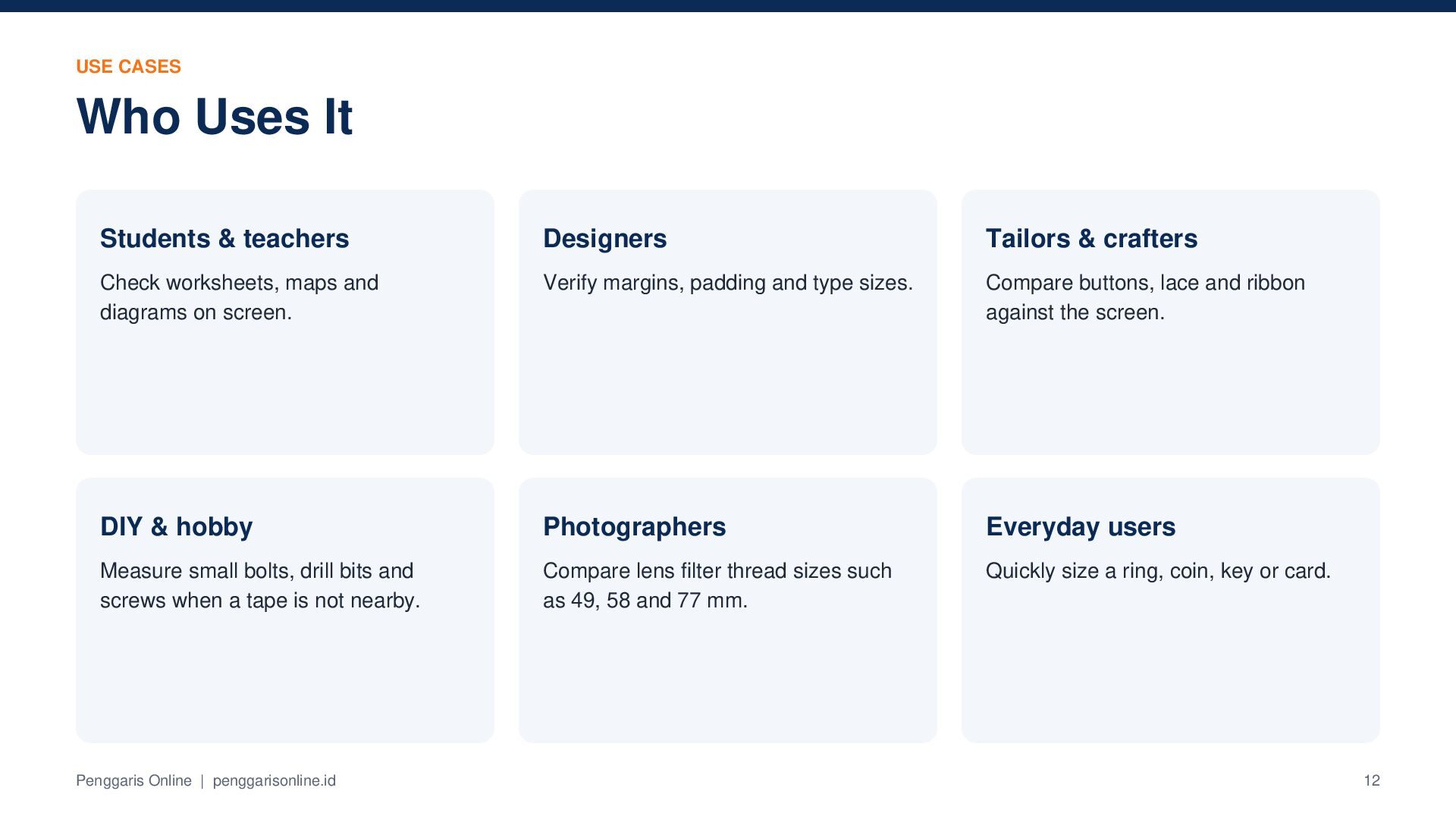
  12. USE CASES Who Uses It Students & teachers Designers Tailors

    & crafters Check worksheets, maps and diagrams on screen. Verify margins, padding and type sizes. Compare buttons, lace and ribbon against the screen. DIY & hobby Photographers Everyday users Measure small bolts, drill bits and screws when a tape is not nearby. Compare lens filter thread sizes such as 49, 58 and 77 mm. Quickly size a ring, coin, key or card. Penggaris Online | penggarisonline.id 12
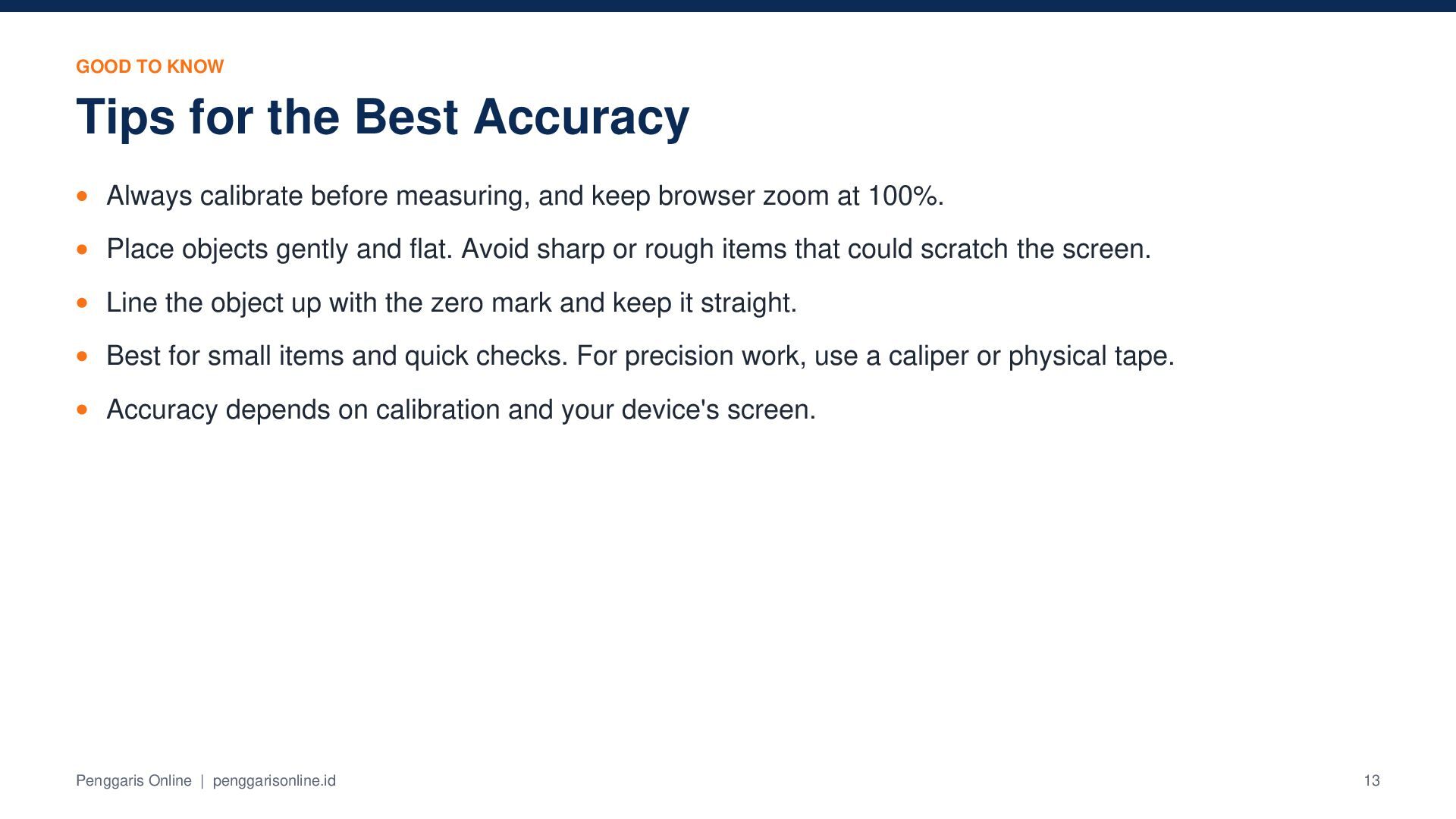
  13. GOOD TO KNOW Tips for the Best Accuracy Always calibrate

    before measuring, and keep browser zoom at 100%. Place objects gently and flat. Avoid sharp or rough items that could scratch the screen. Line the object up with the zero mark and keep it straight. Best for small items and quick checks. For precision work, use a caliper or physical tape. Accuracy depends on calibration and your device's screen. Penggaris Online | penggarisonline.id 13
  14. Ready to measure? Use the free digital ruler in your

    browser. No app, no sign-up. Open Penggaris Online Links penggaris online - free online ruler Facebook PenggarisOnline penggaris digital - digital screen ruler Instagram penggaris_online penggaris - ruler in cm, mm and inches Follow TikTok @penggarisonline Pinterest penggarisonline YouTube @PenggarisOnline Email: [email protected]

Other Decks in Education