Upgrade to Pro — share decks privately, control downloads, hide ads and more …

Intelligent Energy Apps with Firebase AI Logic

Intelligent Energy Apps with Firebase AI Logic

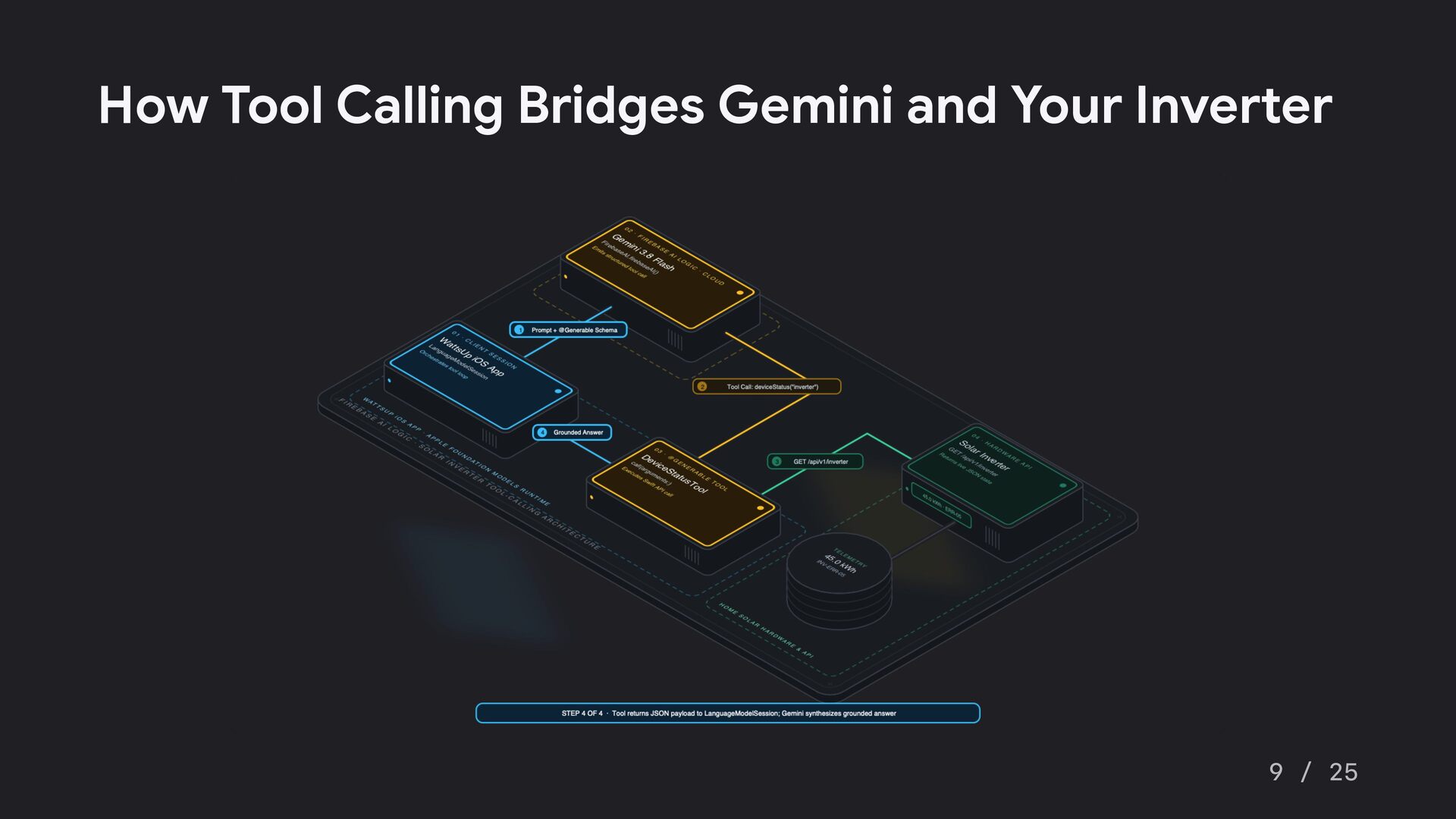
How do developers transform overwhelming, raw home energy telemetry into calm, intuitive, and highly actionable user experiences? This talk outlines how to build intelligent, AI-driven utility co-pilots by leveraging the intersection of native mobile development, IoT, and generative AI.

Using a reference iOS application called "WattsUp," this presentation explores a progressive architectural roadmap for developers.

The session demonstrates how to integrate Google’s Gemini models into Swift and SwiftUI applications using Apple’s native FoundationModels and Firebase AI Logic.

Avatar for Peter Friese

Peter Friese

October 23, 2026

More Decks by Peter Friese

Other Decks in Technology

Transcript

  1. Google Accelerator Energy Intelligent Energy Apps ! n I d

    e k n i L Follow me on Go from raw data to actionable insights Peter Friese, Staff Developer Relations Engineer, Google Peter Friese 1 / 25
  2. Raw Telemetry Is Loud. Insights Are Quiet. Blinking Red LEDs

    Are Scary. A Voice Co-Pilot Is Calm. 3 / 25
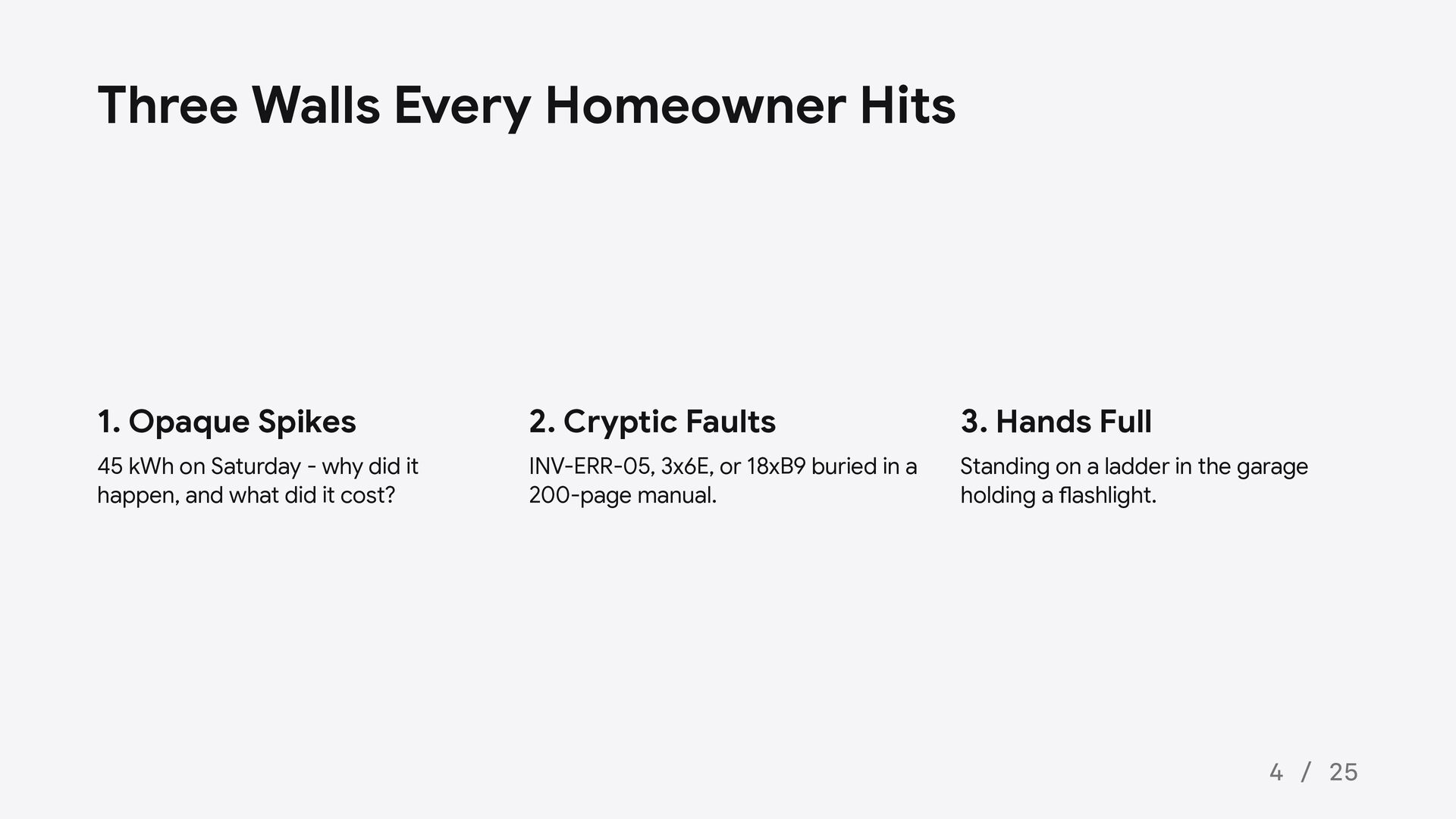
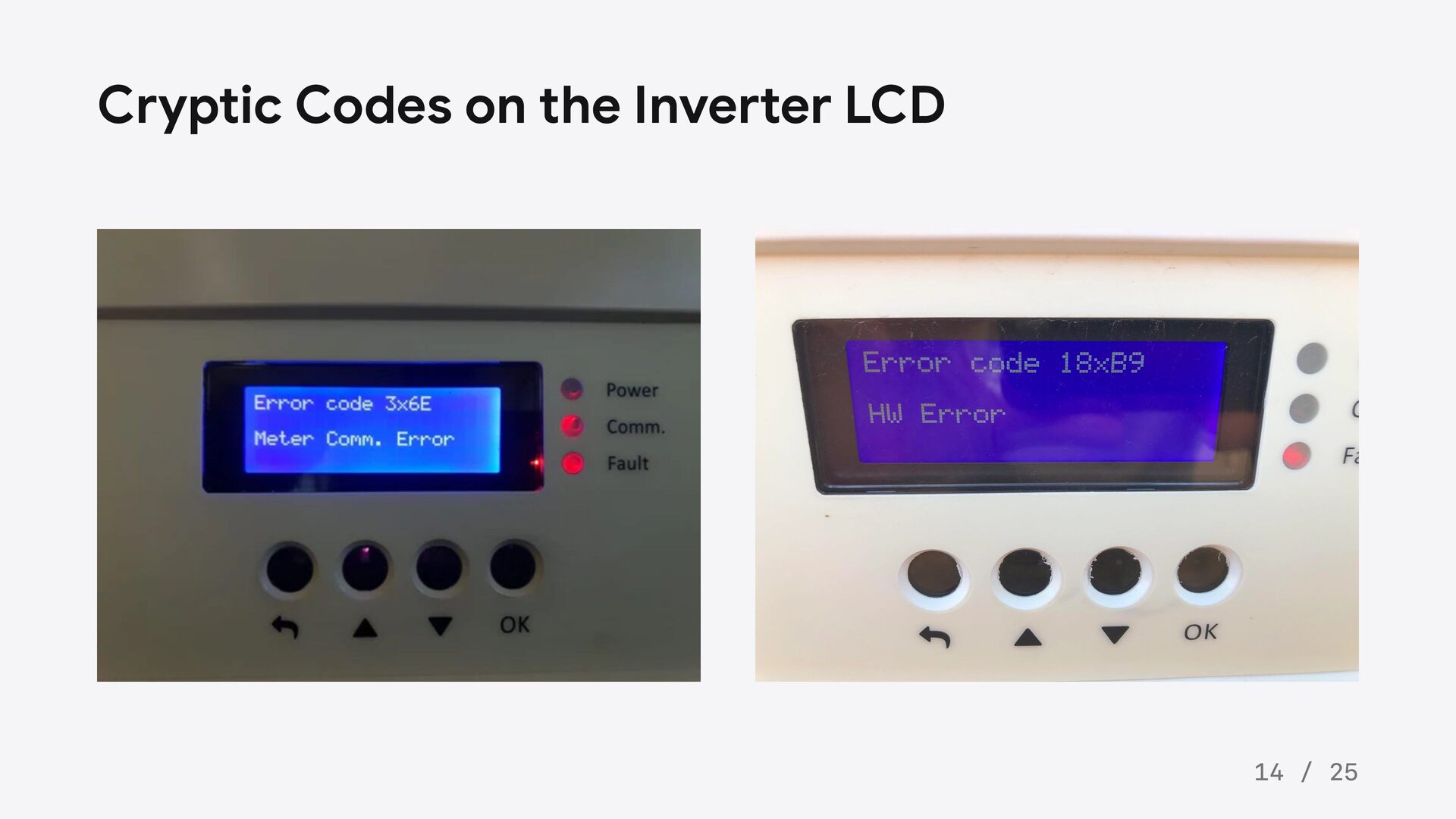
  3. Three Walls Every Homeowner Hits 1. Opaque Spikes 2. Cryptic

    Faults 3. Hands Full 45 kWh on Saturday - why did it happen, and what did it cost? INV-ERR-05, 3x6E, or 18xB9 buried in a 200-page manual. Standing on a ladder in the garage holding a flashlight. 4 / 25
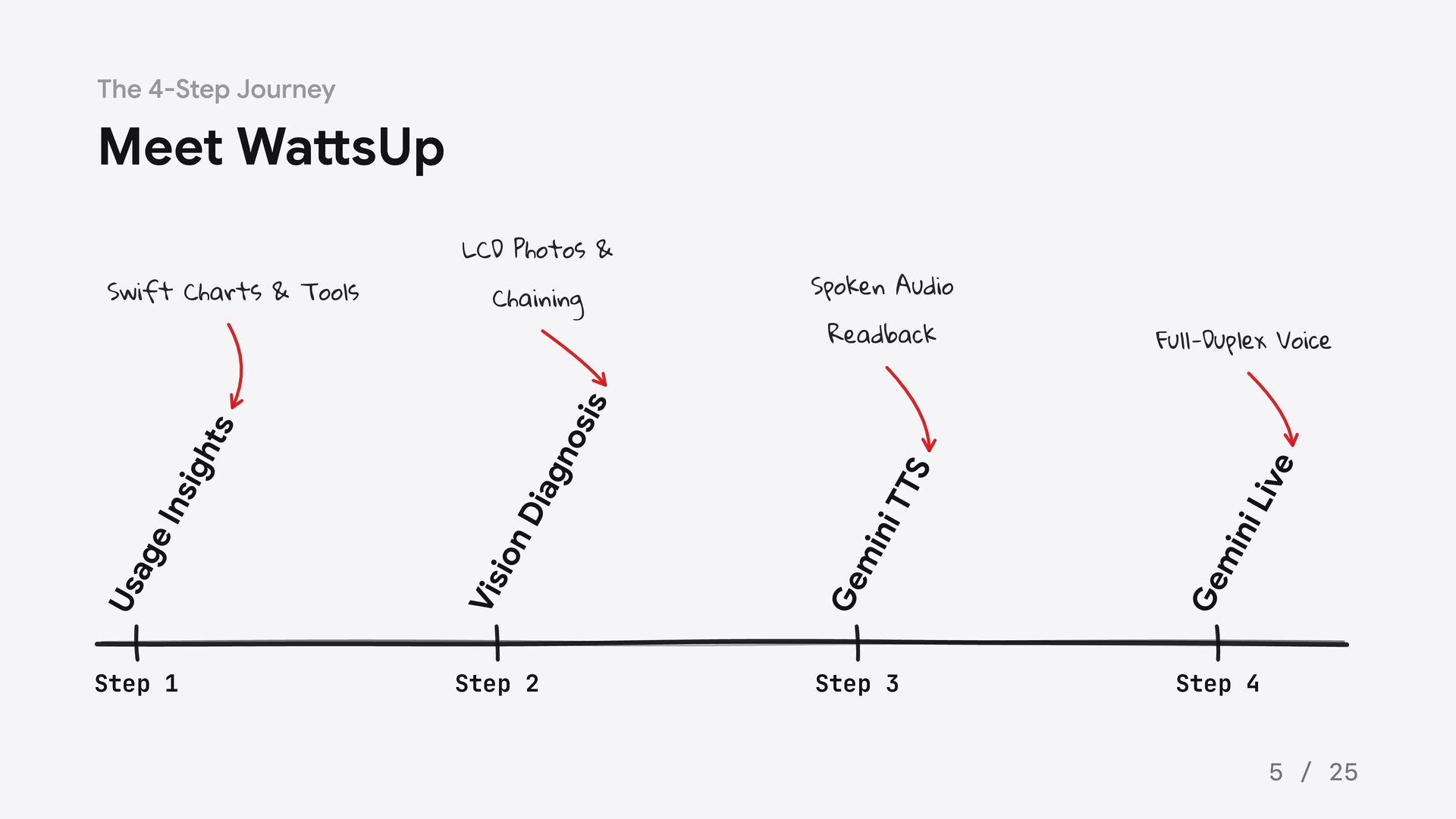
  4. The 4-Step Journey Meet WattsUp Readback Full-Duplex Voice ive Ge

    mi ni L TS ni T Ge mi Vis io nD iag no sis Chaining Spoken Audio Us ag e Ins igh ts Swift Charts & Tools LCD Photos & Step 1 Step 2 Step 3 Step 4 5 / 25
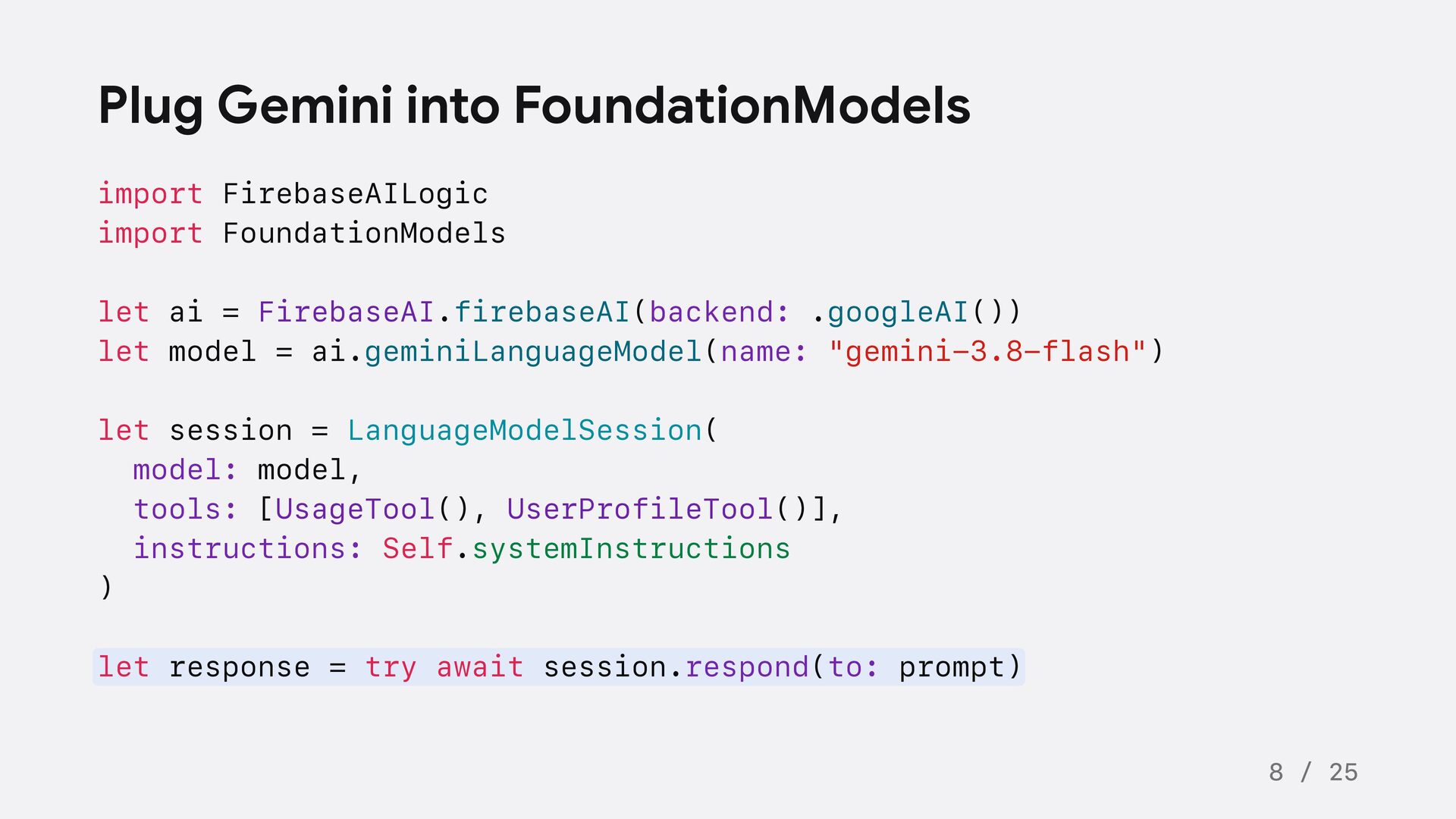
  5. Plug Gemini into FoundationModels import FirebaseAILogic import FoundationModels let ai

    = FirebaseAI.firebaseAI(backend: .googleAI()) let model = ai.geminiLanguageModel(name: "gemini-3.8-flash") let session = LanguageModelSession( model: model, tools: [UsageTool(), UserProfileTool()], instructions: Self.systemInstructions ) let response = try await session.respond(to: prompt) 8 / 25
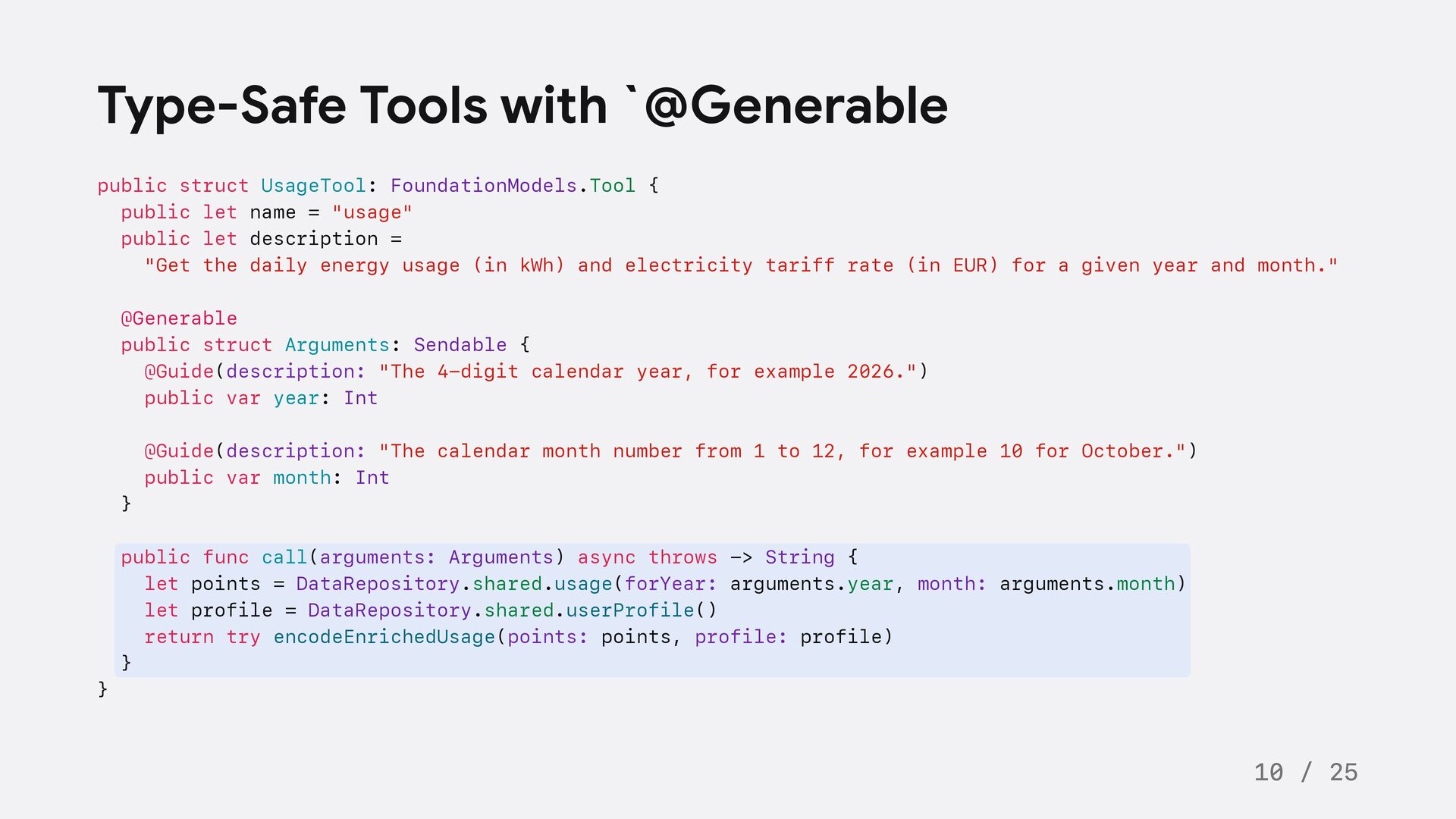
  6. Type-Safe Tools with `@Generable public struct UsageTool: FoundationModels.Tool { public

    let name = "usage" public let description = "Get the daily energy usage (in kWh) and electricity tariff rate (in EUR) for a given year and month." @Generable public struct Arguments: Sendable { @Guide(description: "The 4-digit calendar year, for example 2026.") public var year: Int @Guide(description: "The calendar month number from 1 to 12, for example 10 for October.") public var month: Int } public func call(arguments: Arguments) async throws -> String { let points = DataRepository.shared.usage(forYear: arguments.year, month: arguments.month) let profile = DataRepository.shared.userProfile() return try encodeEnrichedUsage(points: points, profile: profile) } } 10 / 25
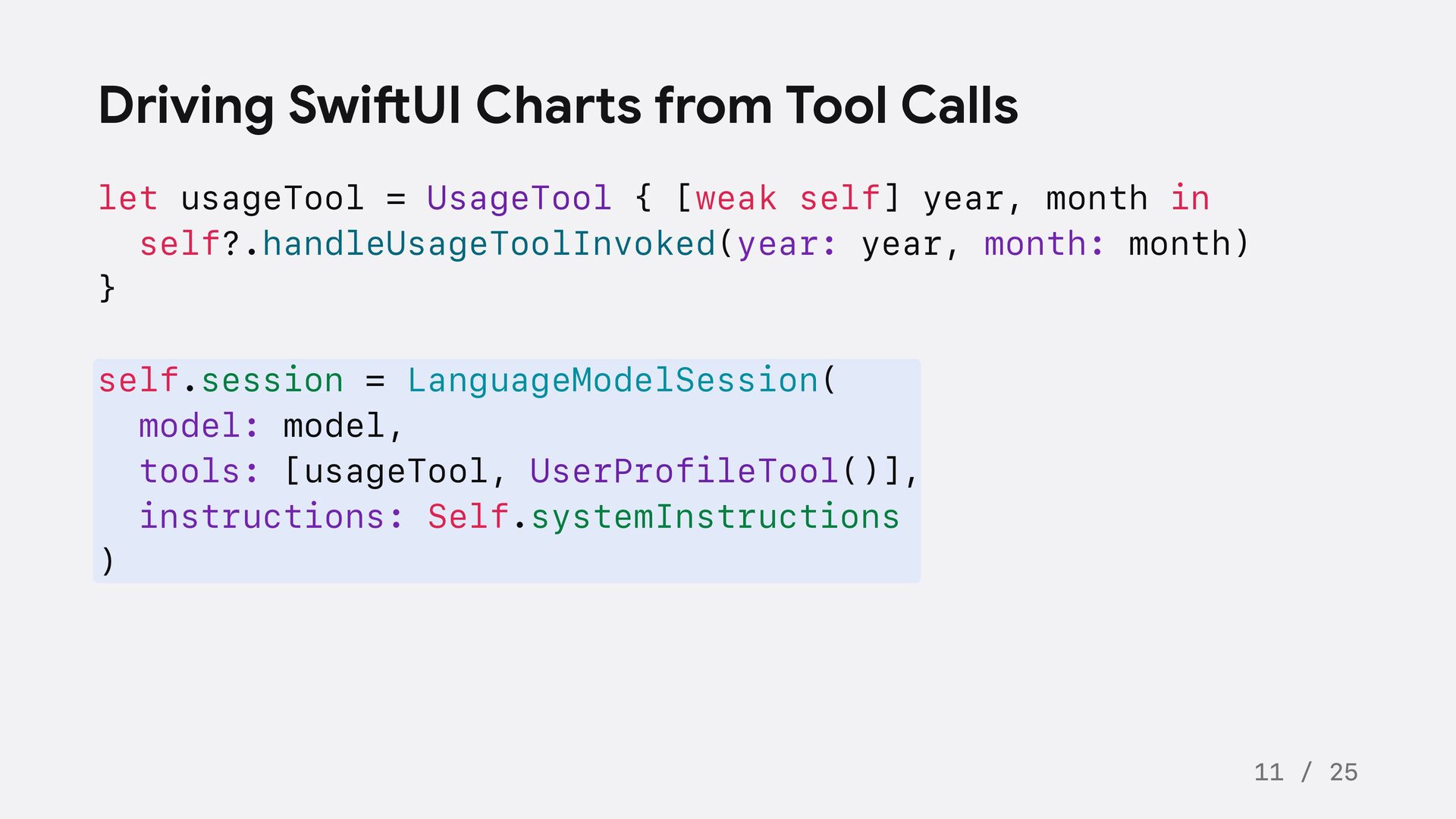
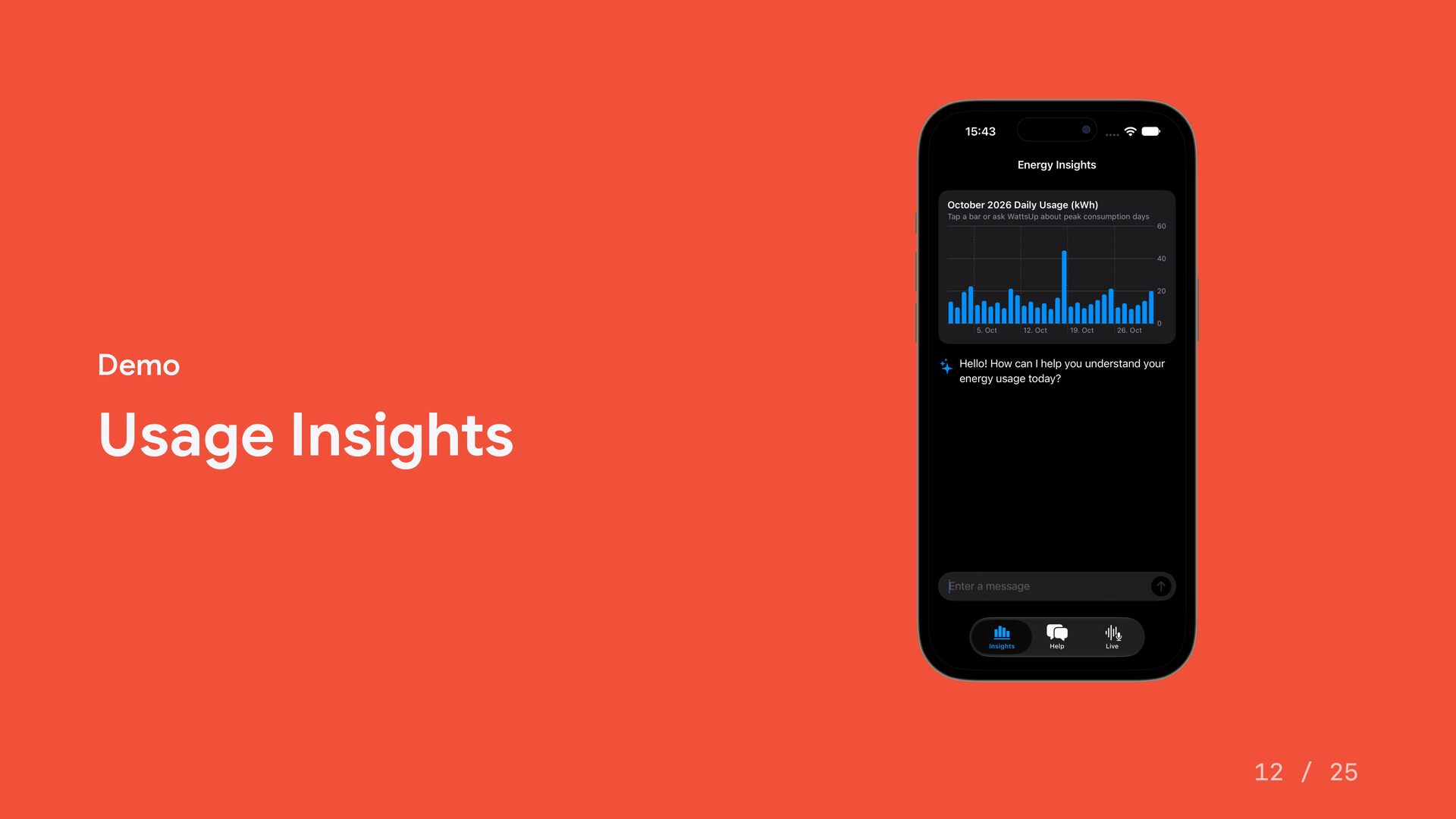
  7. Driving SwiftUI Charts from Tool Calls let usageTool = UsageTool

    { [weak self] year, month in self?.handleUsageToolInvoked(year: year, month: month) } self.session = LanguageModelSession( model: model, tools: [usageTool, UserProfileTool()], instructions: Self.systemInstructions ) 11 / 25
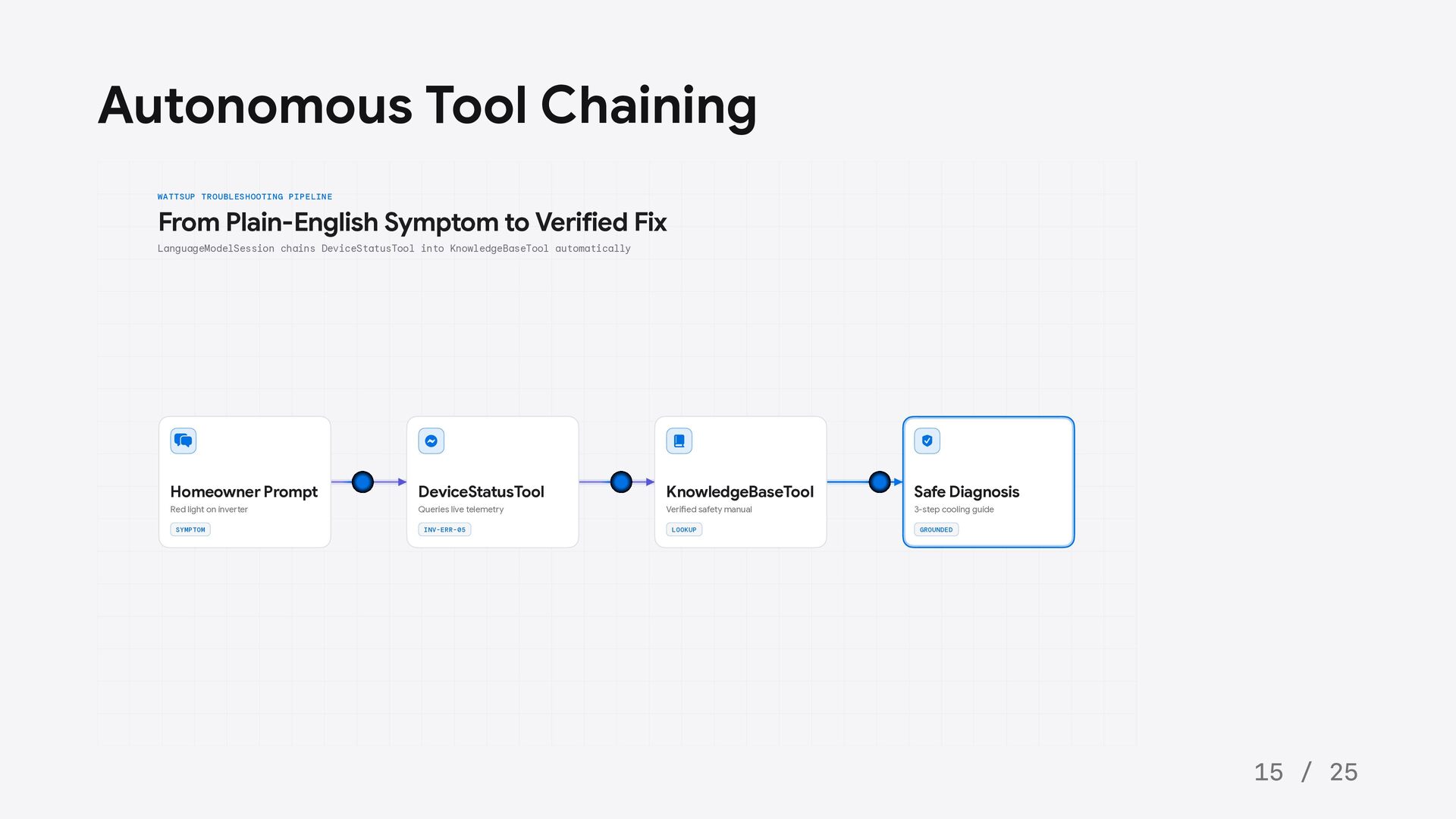
  8. Autonomous Tool Chaining WATTSUP TROUBLESHOOTING PIPELINE From Plain-English Symptom to

    Verified Fix LanguageModelSession chains DeviceStatusTool into KnowledgeBaseTool automatically Homeowner Prompt DeviceStatusTool KnowledgeBaseTool Safe Diagnosis Red light on inverter Queries live telemetry Verified safety manual 3-step cooling guide SYMPTOM INV-ERR-05 LOOKUP GROUNDED 15 / 25
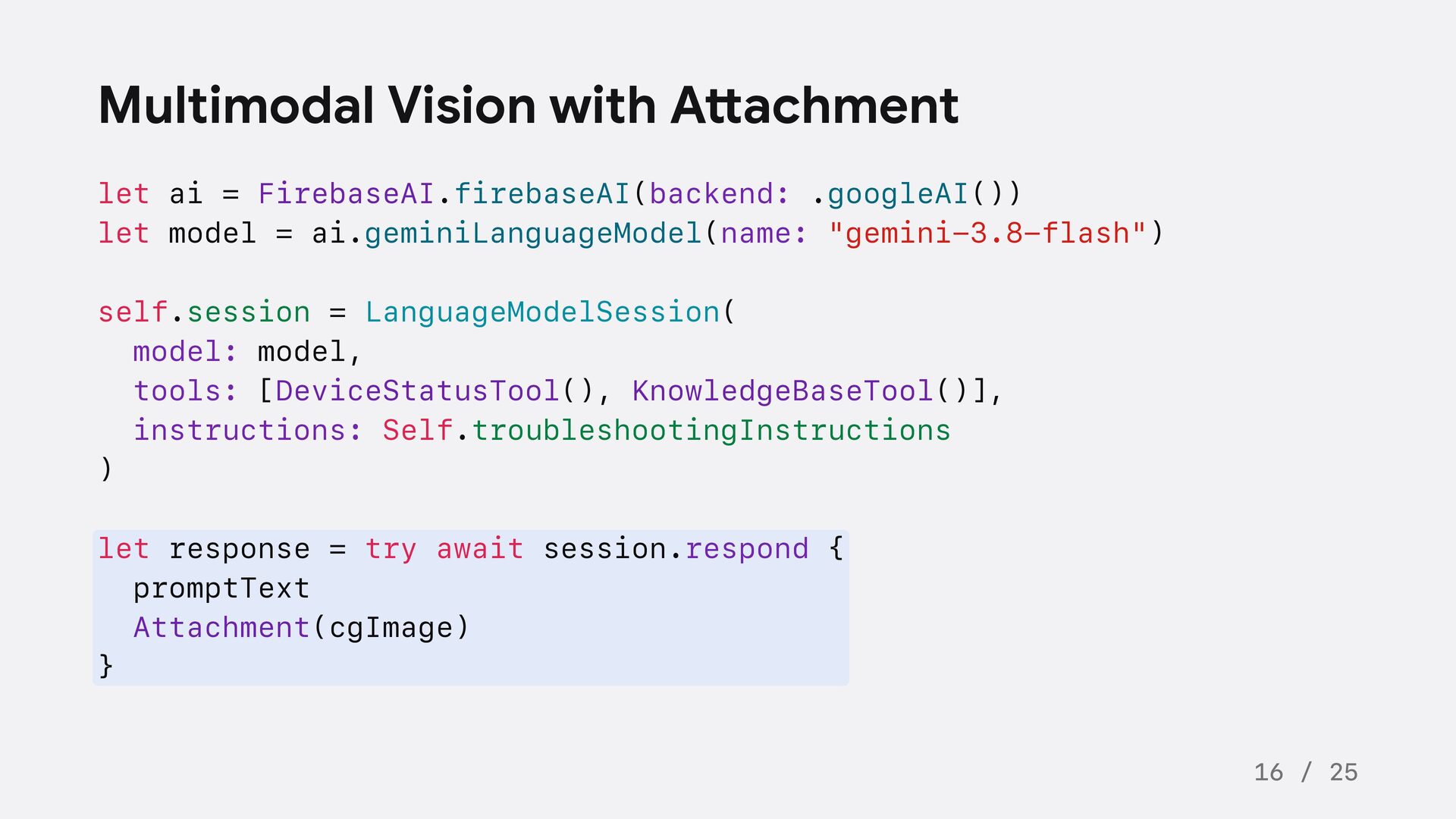
  9. Multimodal Vision with Attachment let ai = FirebaseAI.firebaseAI(backend: .googleAI()) let

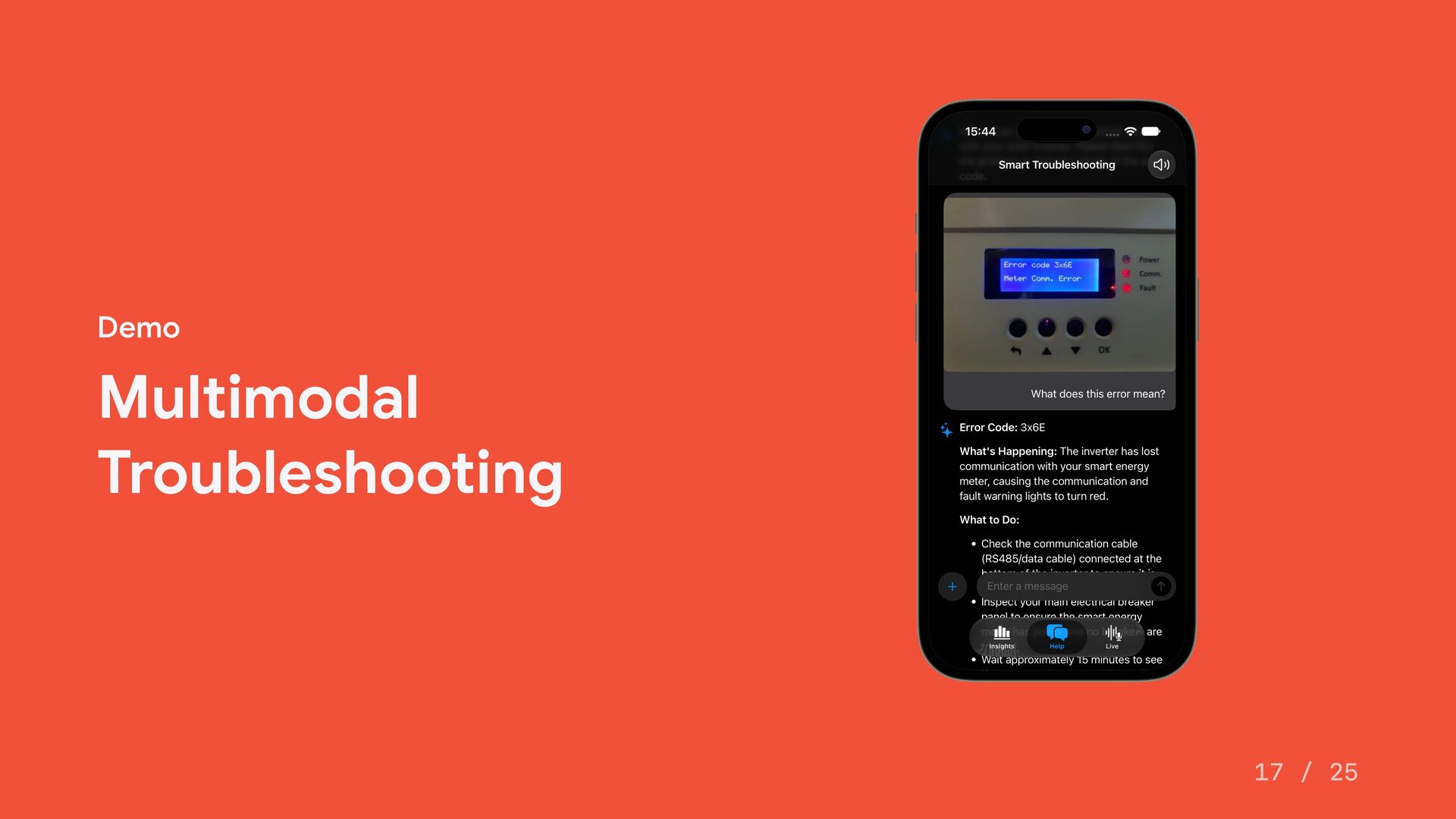
    model = ai.geminiLanguageModel(name: "gemini-3.8-flash") self.session = LanguageModelSession( model: model, tools: [DeviceStatusTool(), KnowledgeBaseTool()], instructions: Self.troubleshootingInstructions ) let response = try await session.respond { promptText Attachment(cgImage) } 16 / 25
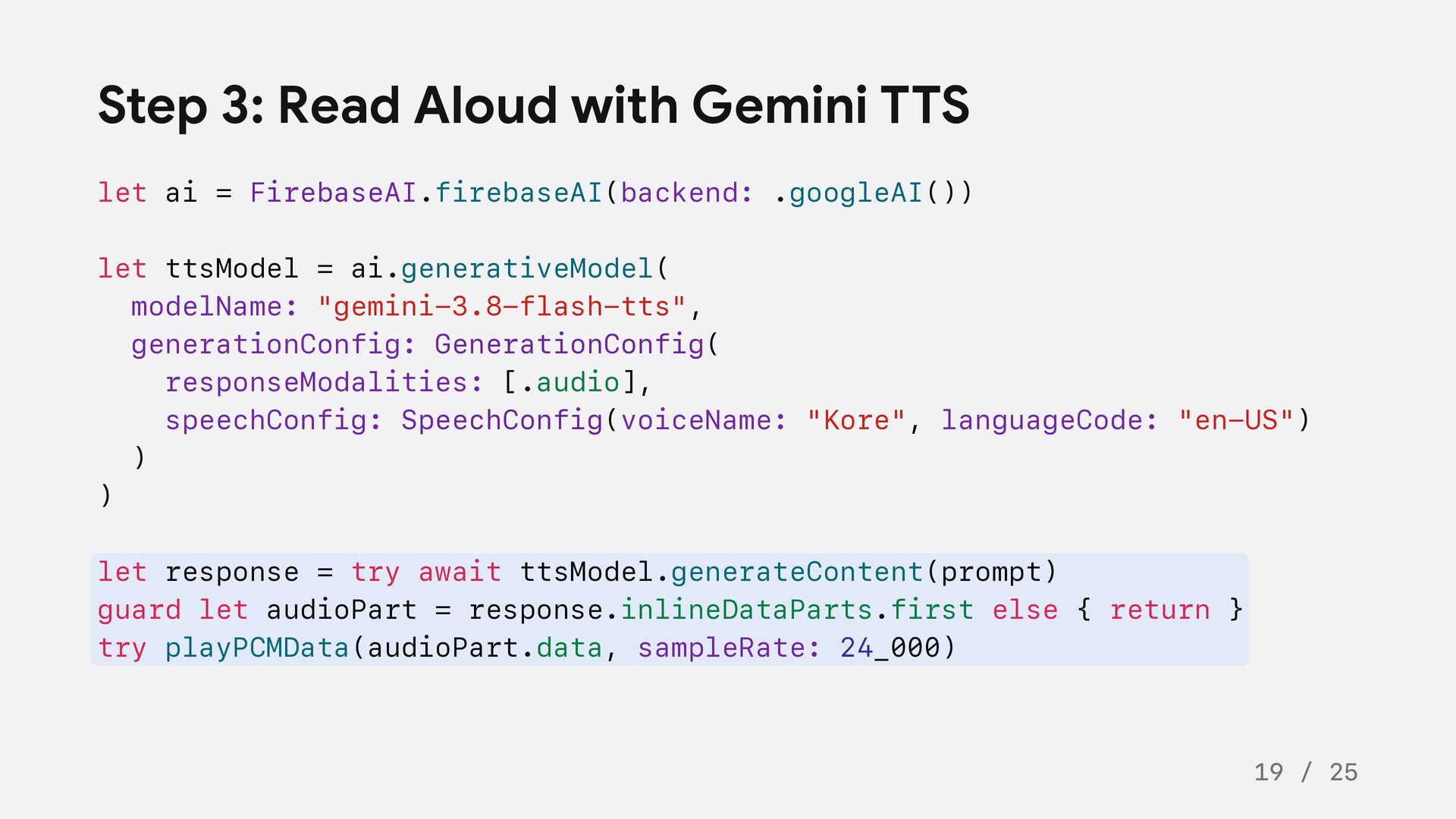
  10. Step 3: Read Aloud with Gemini TTS let ai =

    FirebaseAI.firebaseAI(backend: .googleAI()) let ttsModel = ai.generativeModel( modelName: "gemini-3.8-flash-tts", generationConfig: GenerationConfig( responseModalities: [.audio], speechConfig: SpeechConfig(voiceName: "Kore", languageCode: "en-US") ) ) let response = try await ttsModel.generateContent(prompt) guard let audioPart = response.inlineDataParts.first else { return } try playPCMData(audioPart.data, sampleRate: 24_000) 19 / 25
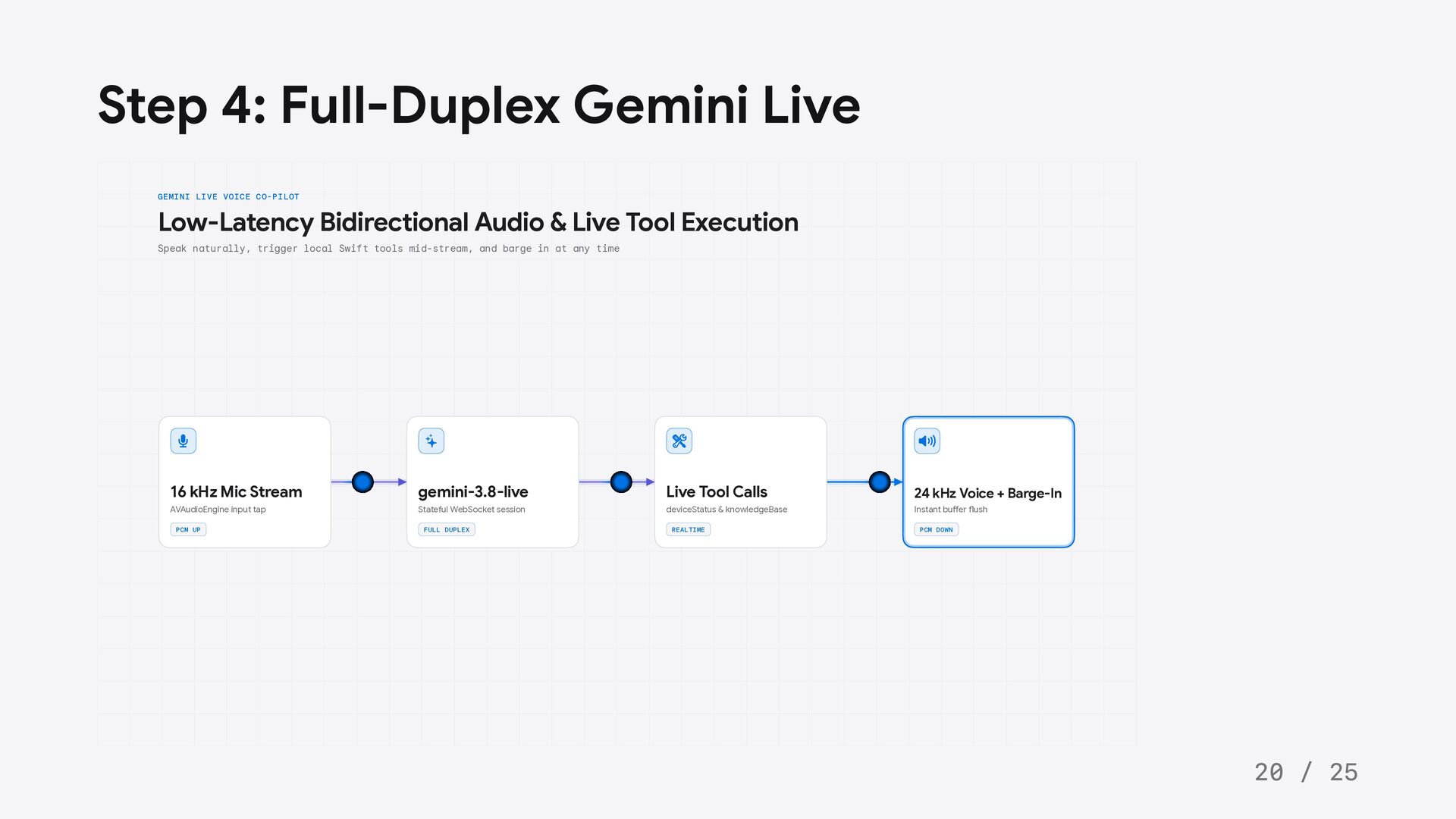
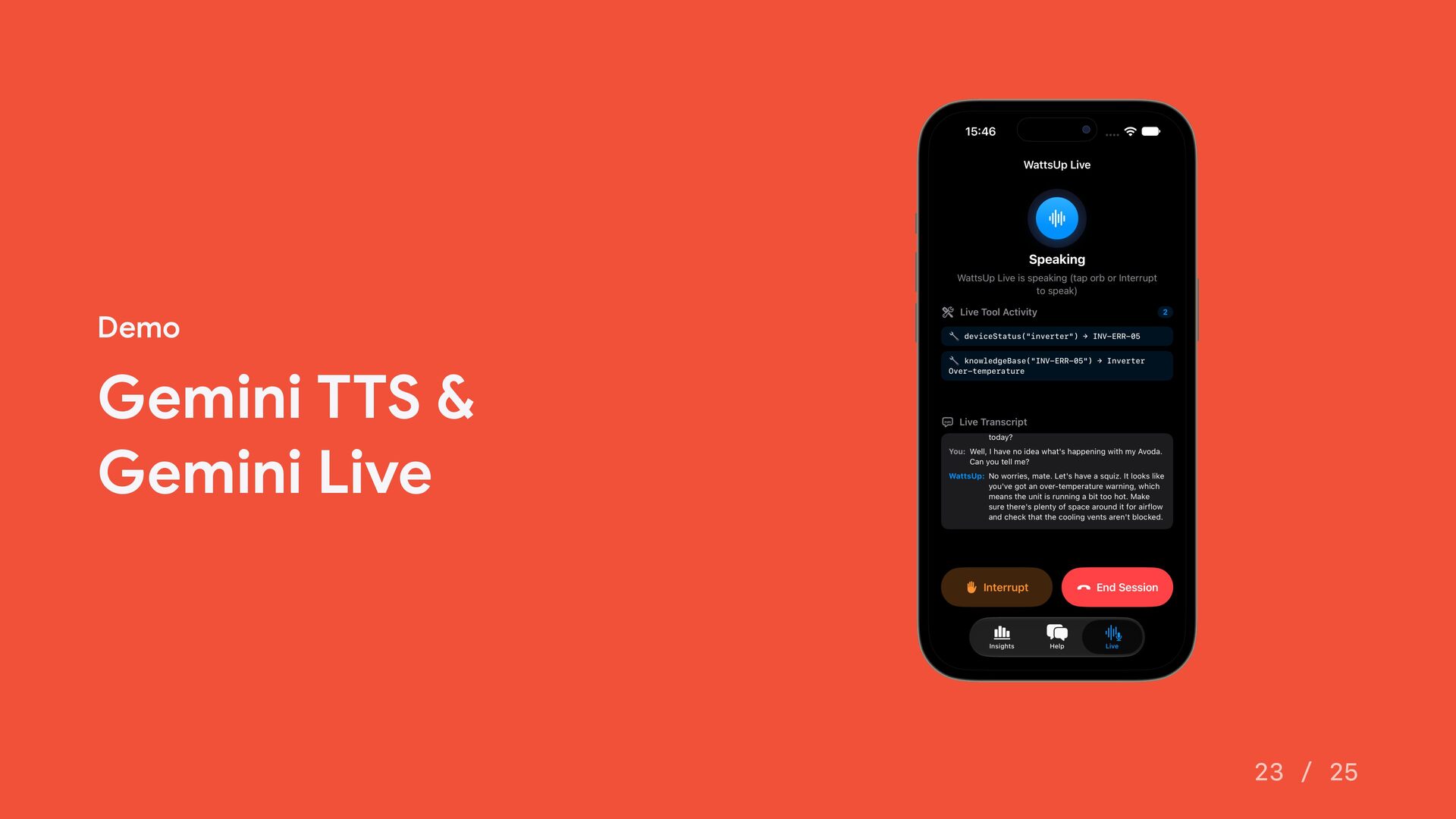
  11. Step 4: Full-Duplex Gemini Live GEMINI LIVE VOICE CO-PILOT Low-Latency

    Bidirectional Audio & Live Tool Execution Speak naturally, trigger local Swift tools mid-stream, and barge in at any time 16 kHz Mic Stream gemini-3.8-live Live Tool Calls 24 kHz Voice + Barge-In AVAudioEngine input tap Stateful WebSocket session deviceStatus & knowledgeBase Instant buffer flush PCM UP FULL DUPLEX REALTIME PCM DOWN 20 / 25
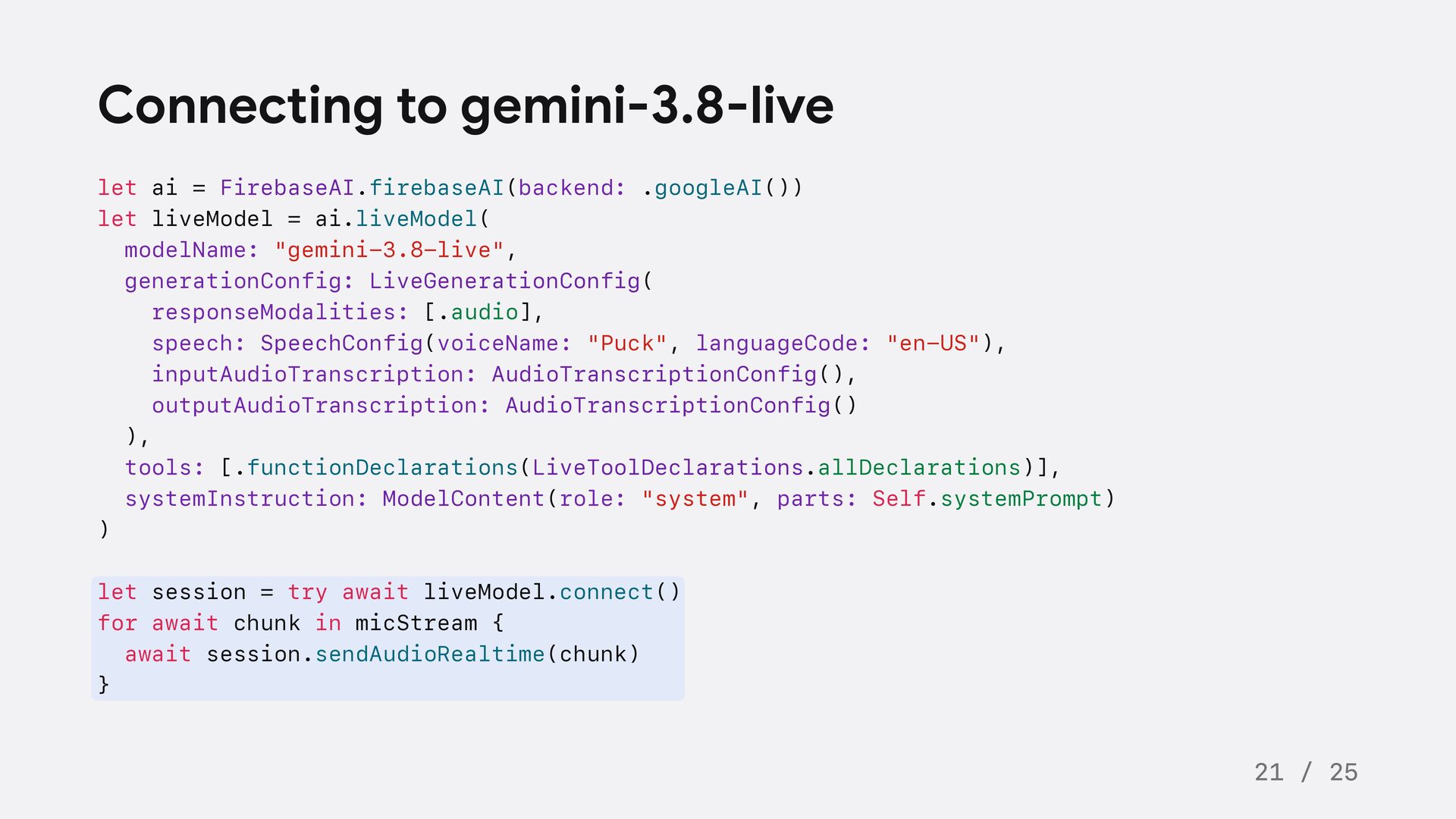
  12. Connecting to gemini-3.8-live let ai = FirebaseAI.firebaseAI(backend: .googleAI()) let liveModel

    = ai.liveModel( modelName: "gemini-3.8-live", generationConfig: LiveGenerationConfig( responseModalities: [.audio], speech: SpeechConfig(voiceName: "Puck", languageCode: "en-US"), inputAudioTranscription: AudioTranscriptionConfig(), outputAudioTranscription: AudioTranscriptionConfig() ), tools: [.functionDeclarations(LiveToolDeclarations.allDeclarations)], systemInstruction: ModelContent(role: "system", parts: Self.systemPrompt) ) let session = try await liveModel.connect() for await chunk in micStream { await session.sendAudioRealtime(chunk) } 21 / 25
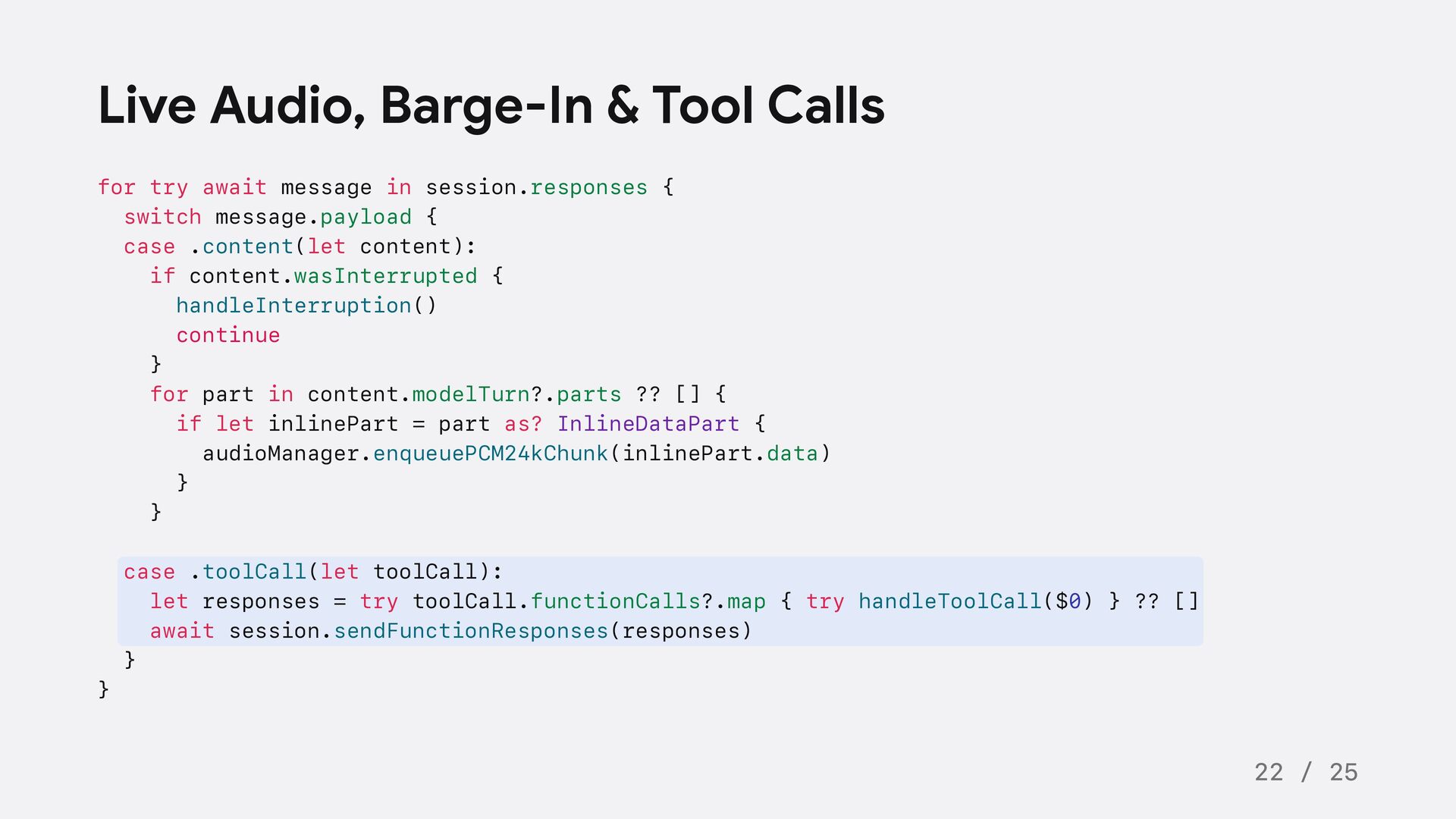
  13. Live Audio, Barge-In & Tool Calls for try await message

    in session.responses { switch message.payload { case .content(let content): if content.wasInterrupted { handleInterruption() continue } for part in content.modelTurn?.parts ?? [] { if let inlinePart = part as? InlineDataPart { audioManager.enqueuePCM24kChunk(inlinePart.data) } } case .toolCall(let toolCall): let responses = try toolCall.functionCalls?.map { try handleToolCall($0) } ?? [] await session.sendFunctionResponses(responses) } } 22 / 25
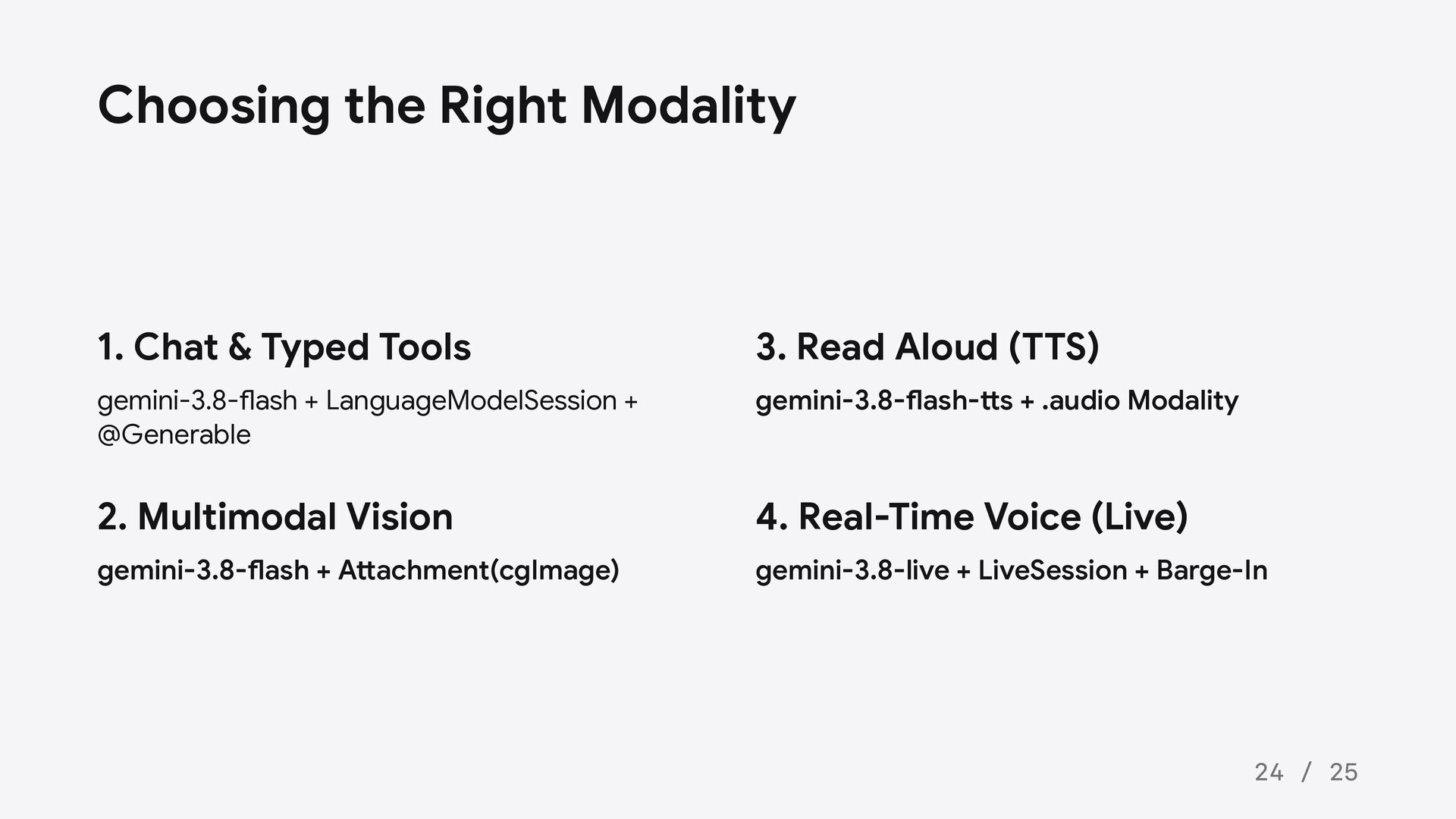
  14. Choosing the Right Modality 1. Chat & Typed Tools 3.

    Read Aloud (TTS) gemini-3.8-flash + LanguageModelSession + @Generable gemini-3.8-flash-tts + .audio Modality 2. Multimodal Vision 4. Real-Time Voice (Live) gemini-3.8-flash + Attachment(cgImage) gemini-3.8-live + LiveSession + Barge-In 24 / 25