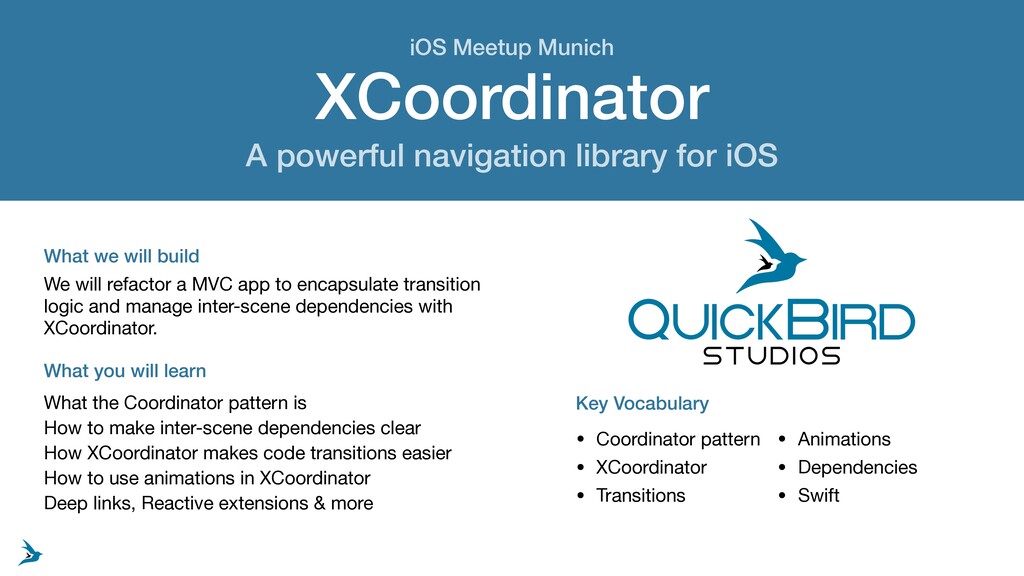
will build What you will learn We will refactor a MVC app to encapsulate transition logic and manage inter-scene dependencies with XCoordinator. What the Coordinator pattern is How to make inter-scene dependencies clear How XCoordinator makes code transitions easier How to use animations in XCoordinator Deep links, Reactive extensions & more Key Vocabulary • Coordinator pattern • XCoordinator • Transitions • Animations • Dependencies • Swift iOS Meetup Munich
Copyright 2019 QuickBird Studios • Unless explicitly stated otherwise, all rights including those in copyright in the content of this document are owned by or controlled for these purposes by QuickBird Studios. • Except as otherwise expressly permitted under copyright law or QuickBird Studios's Terms of Use, the content of this document may not be copied, reproduced, republished, posted, broadcast or transmitted in any way without first obtaining QuickBird Studios's written permission. • Content • QuickBird Studios reserves the right not to be responsible for the topicality, correctness, completeness or quality of the information provided. • Liability claims regarding damage caused by the use of any information provided, including any kind of information which is incomplete or incorrect, will therefore be rejected. • All offers are not-binding and without obligation. Parts of the pages or the complete publication including all offers and information might be extended, changed or partly or completely deleted by the author without separate announcement. • Referrals and Links • The author is not responsible for any contents linked or referred to from this document. • If any damage occurs by the use of information presented there, only the author of the respective pages might be liable, not the one who has linked to these pages. • Furthermore the author is not liable for any postings or messages published by users of discussion boards, guestbooks or mailing lists provided on his page. • By obtaining and reading this document, you agree to this copyright statement. Copyright, Content & Referrals and Links
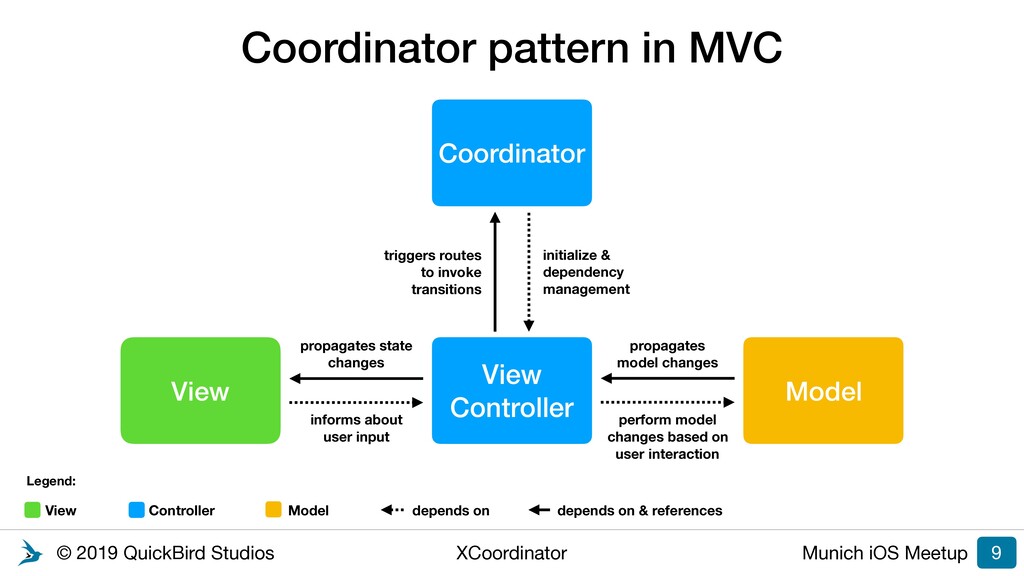
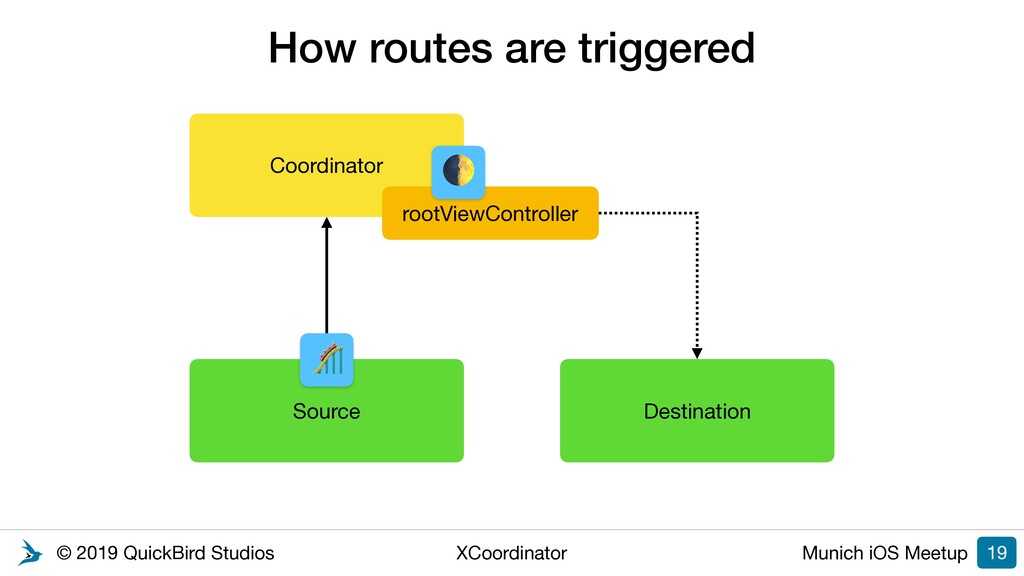
in MVC 9 View Controller View Model informs about user input propagates state changes Coordinator triggers routes to invoke transitions initialize & dependency management View Legend: Controller Model depends on depends on & references perform model changes based on user interaction propagates model changes
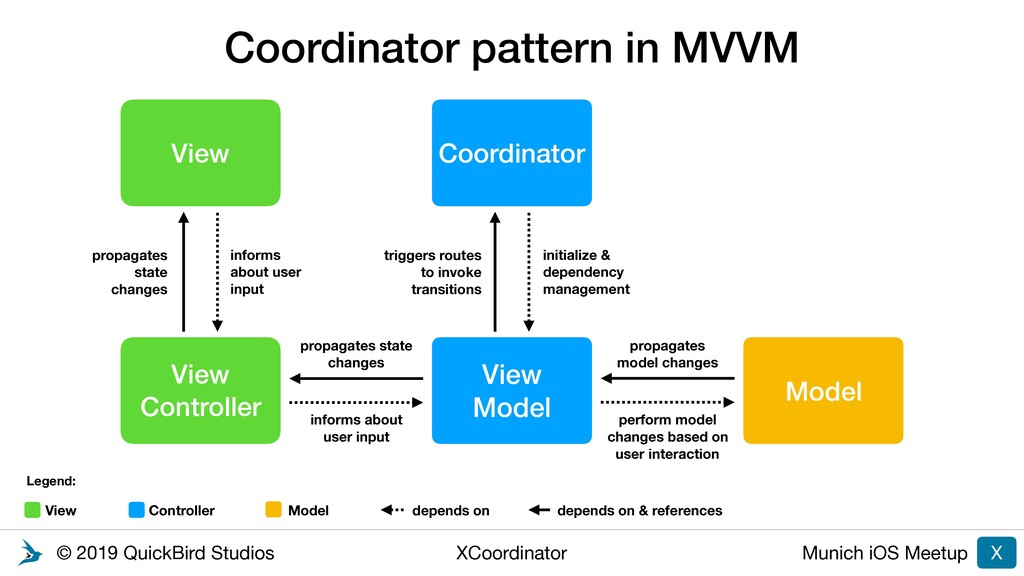
in MVVM X View Model View Controller Coordinator Model informs about user input propagates state changes triggers routes to invoke transitions initialize & dependency management View Legend: Controller Model depends on depends on & references perform model changes based on user interaction propagates model changes View propagates state changes informs about user input
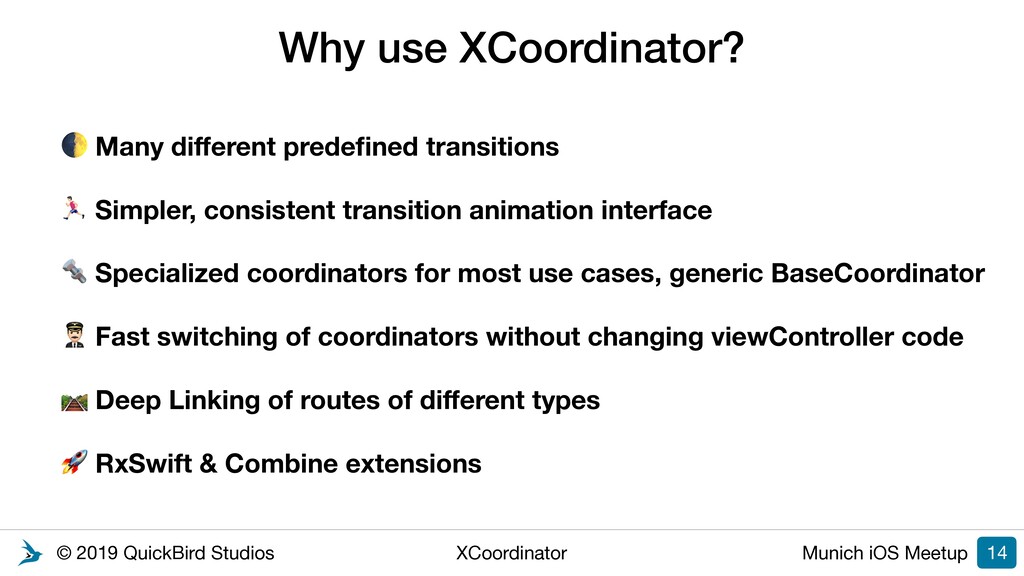
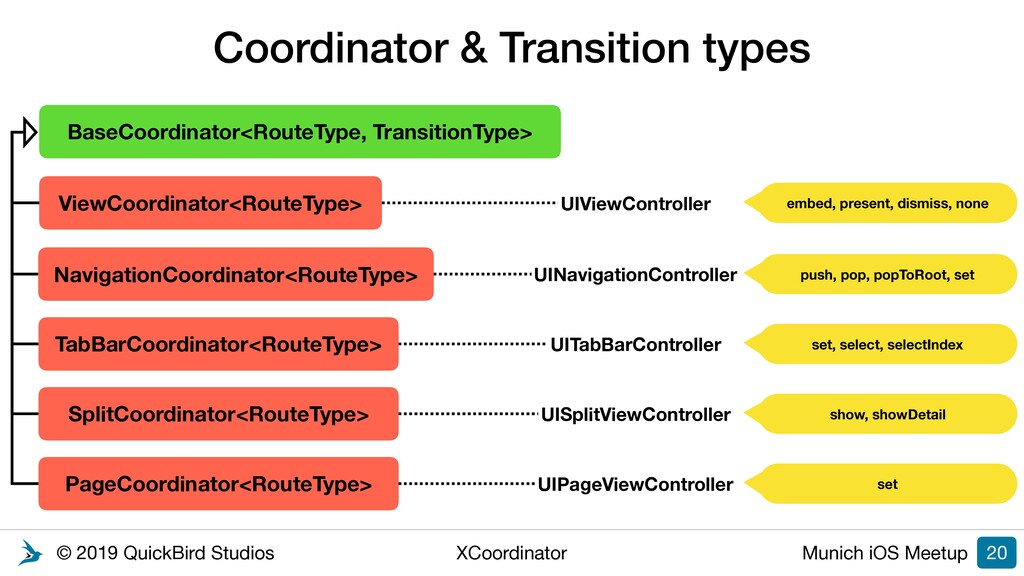
XCoordinator? Many different predefined transitions % Simpler, consistent transition animation interface Specialized coordinators for most use cases, generic BaseCoordinator ! Fast switching of coordinators without changing viewController code Deep Linking of routes of different types RxSwift & Combine extensions 14
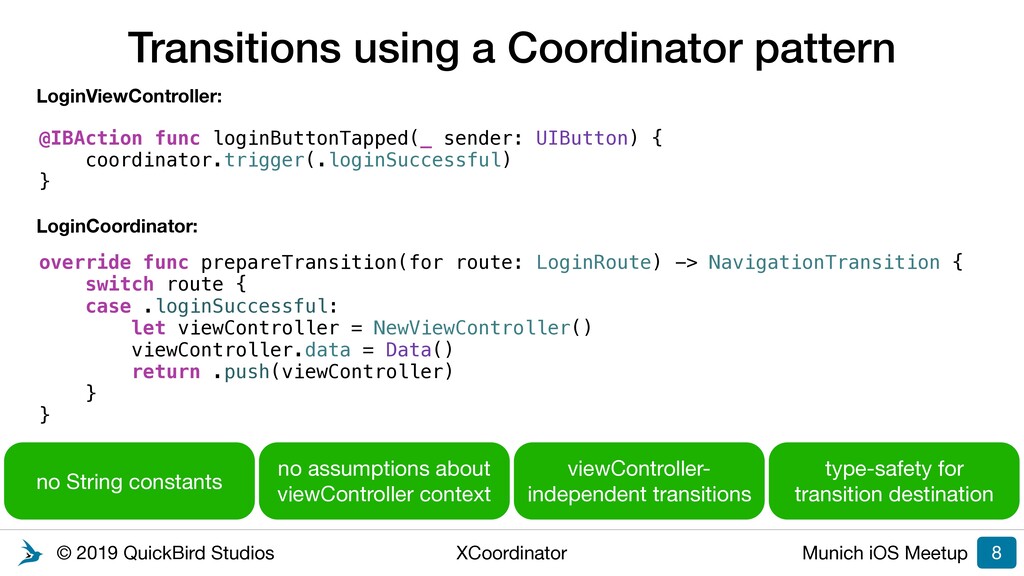
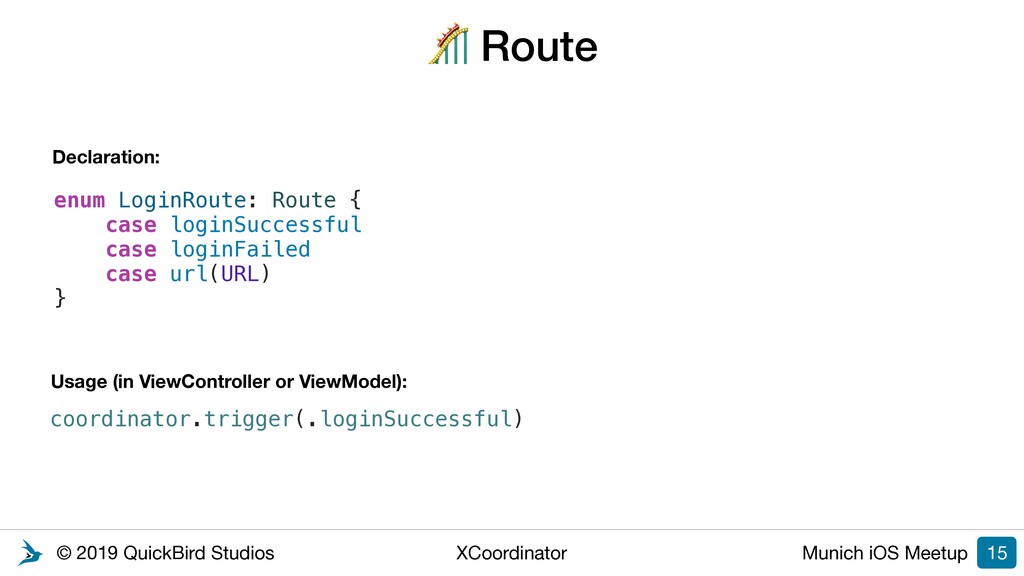
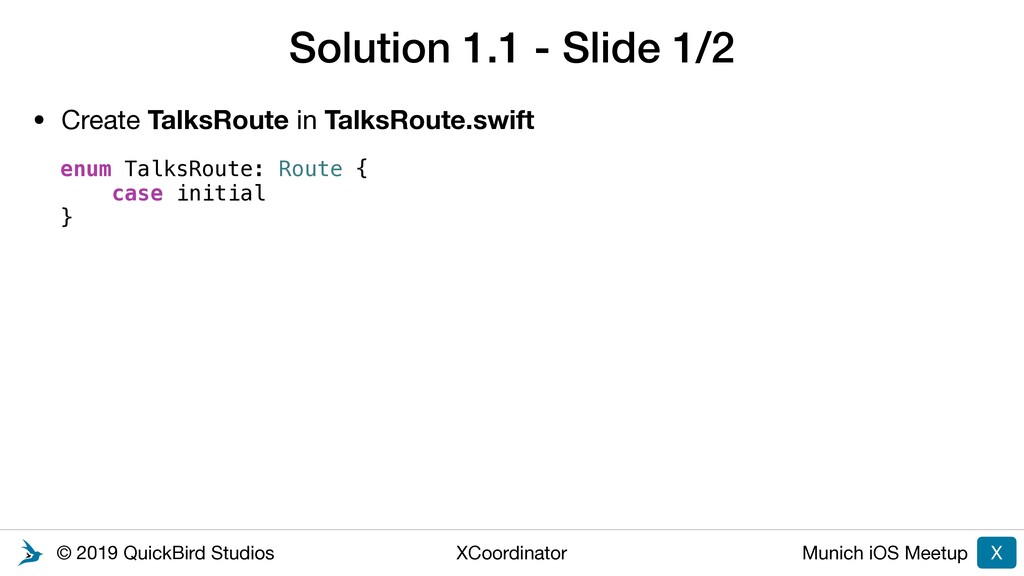
enum LoginRoute: Route { case loginSuccessful case loginFailed case url(URL) } Declaration: coordinator.trigger(.loginSuccessful) Usage (in ViewController or ViewModel):
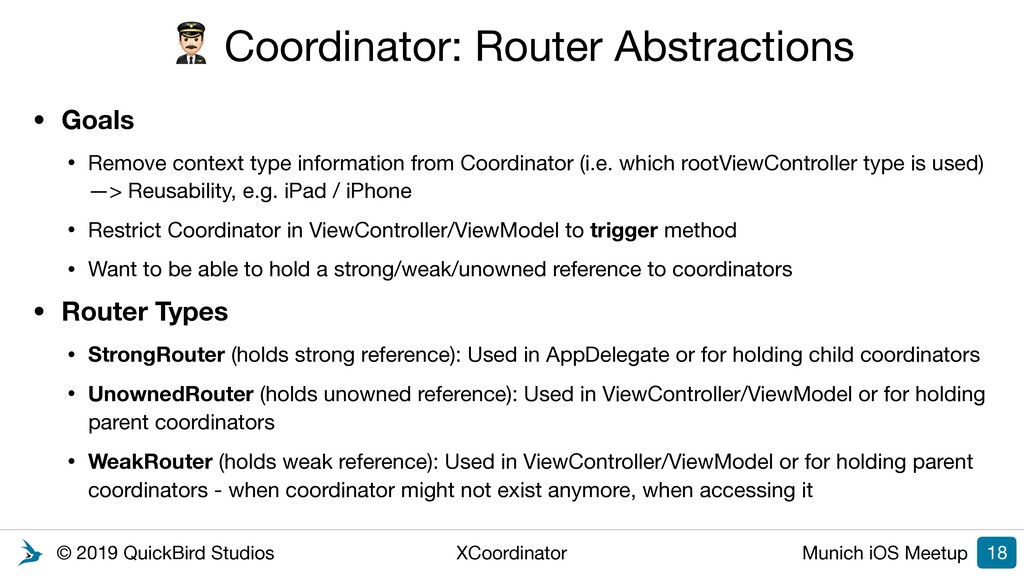
Router Abstractions • Goals • Remove context type information from Coordinator (i.e. which rootViewController type is used) —> Reusability, e.g. iPad / iPhone • Restrict Coordinator in ViewController/ViewModel to trigger method • Want to be able to hold a strong/weak/unowned reference to coordinators • Router Types • StrongRouter (holds strong reference): Used in AppDelegate or for holding child coordinators • UnownedRouter (holds unowned reference): Used in ViewController/ViewModel or for holding parent coordinators • WeakRouter (holds weak reference): Used in ViewController/ViewModel or for holding parent coordinators - when coordinator might not exist anymore, when accessing it 18
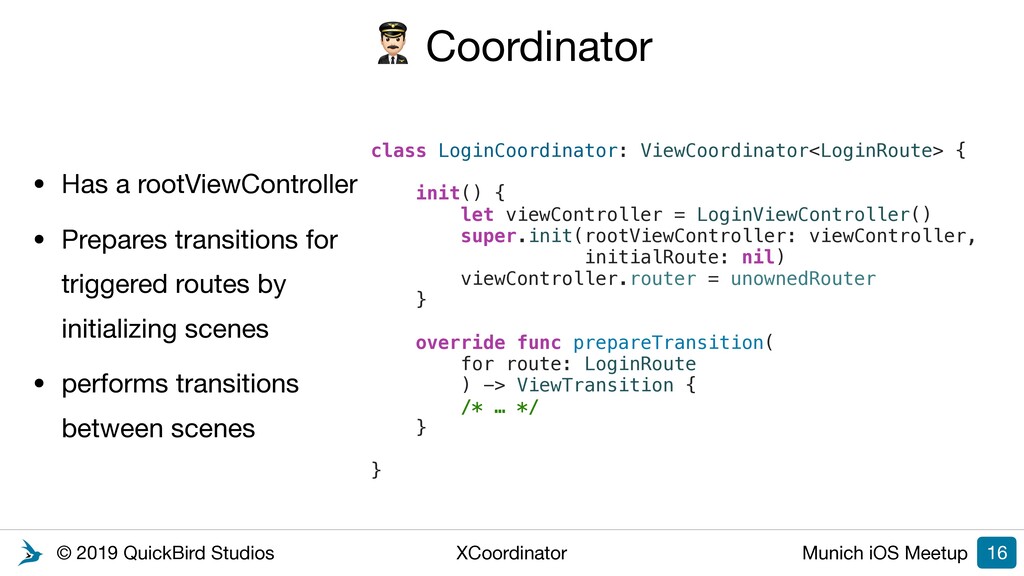
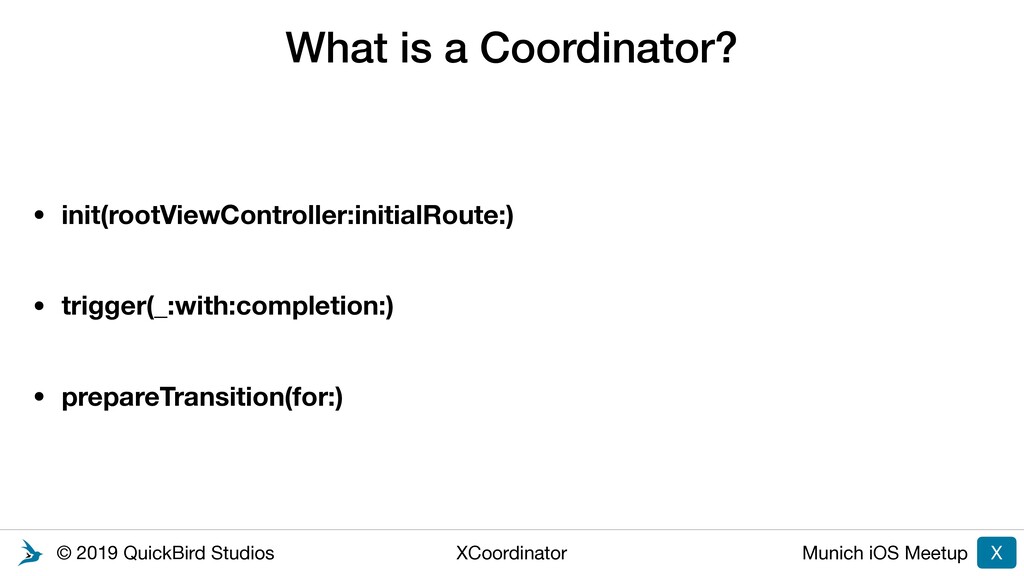
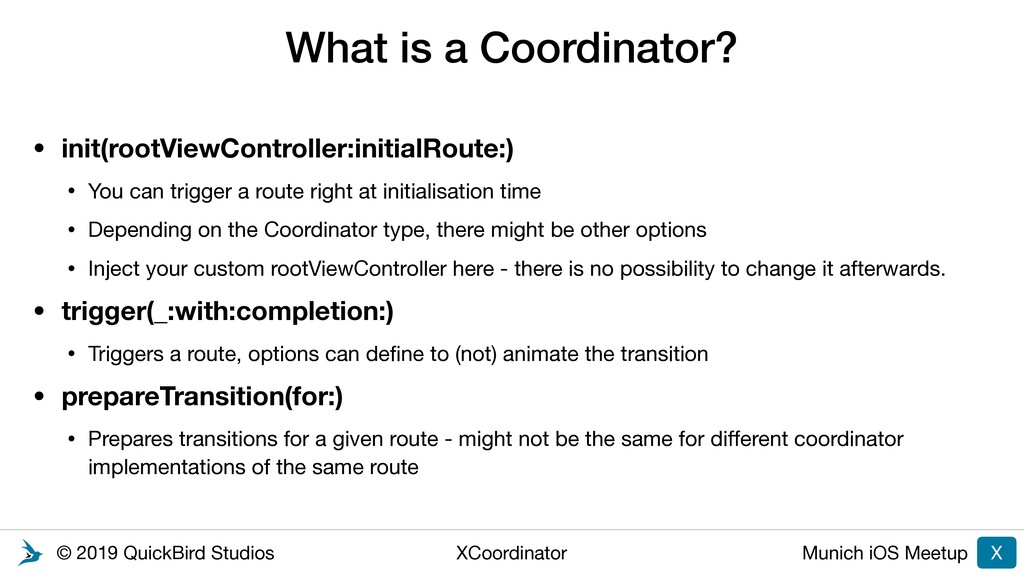
a Coordinator? • init(rootViewController:initialRoute:) • You can trigger a route right at initialisation time • Depending on the Coordinator type, there might be other options • Inject your custom rootViewController here - there is no possibility to change it afterwards. • trigger(_:with:completion:) • Triggers a route, options can define to (not) animate the transition • prepareTransition(for:) • Prepares transitions for a given route - might not be the same for different coordinator implementations of the same route X
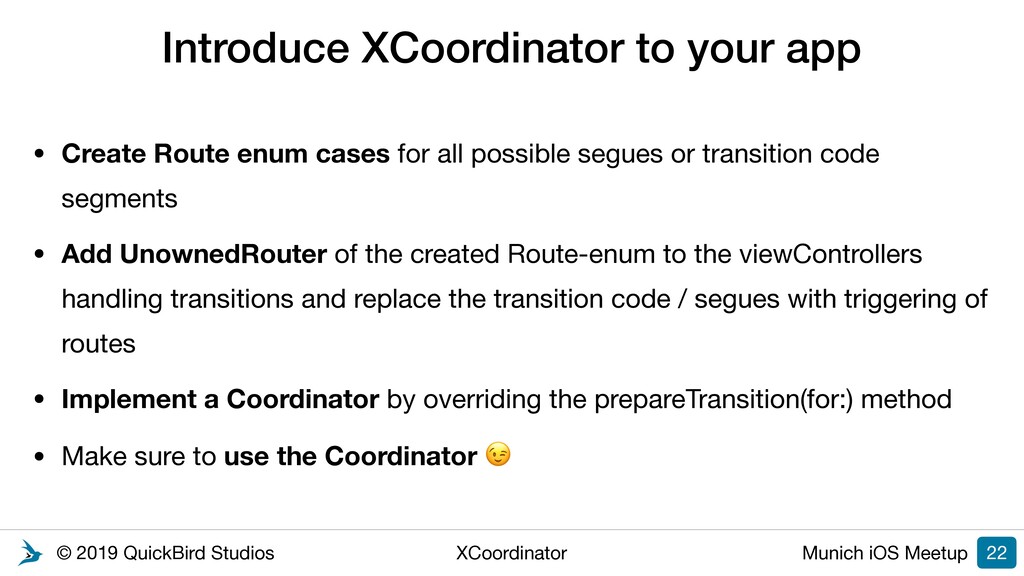
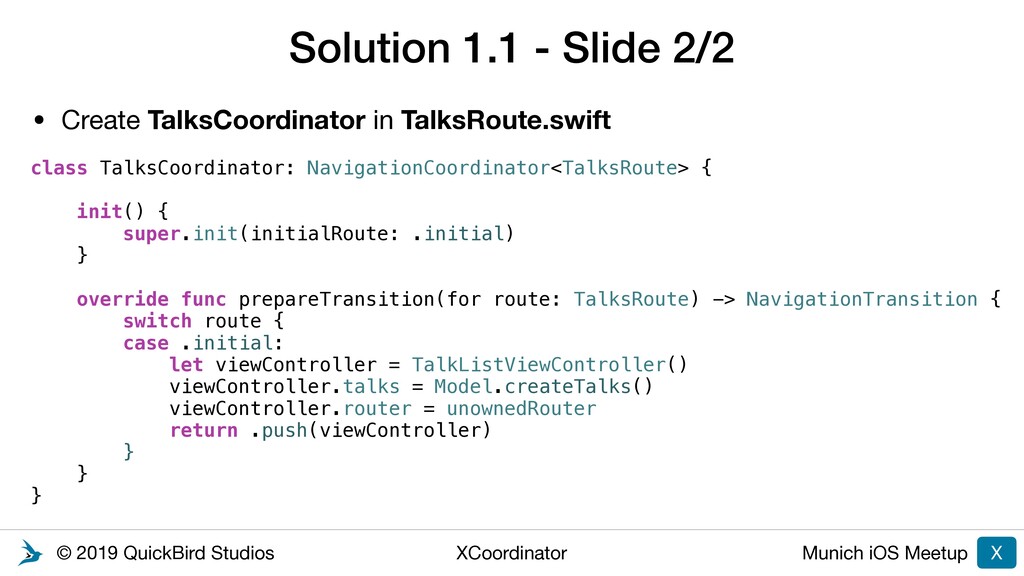
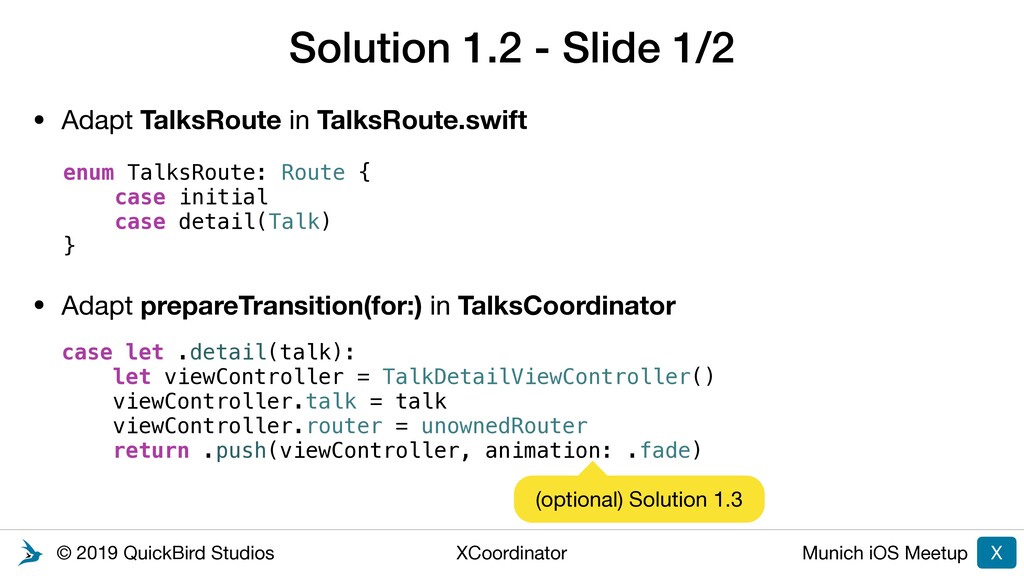
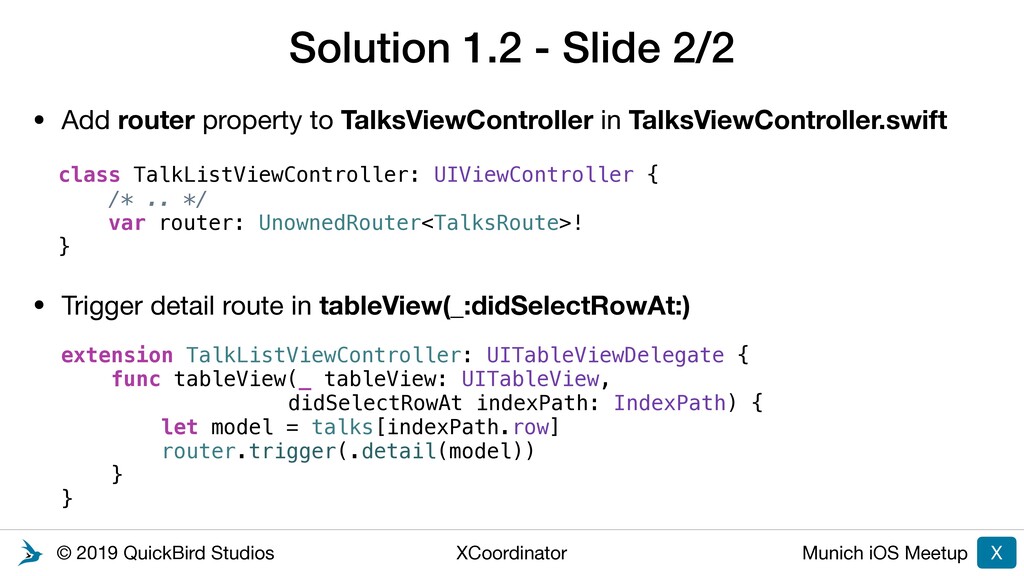
to your app • Create Route enum cases for all possible segues or transition code segments • Add UnownedRouter of the created Route-enum to the viewControllers handling transitions and replace the transition code / segues with triggering of routes • Implement a Coordinator by overriding the prepareTransition(for:) method • Make sure to use the Coordinator 22
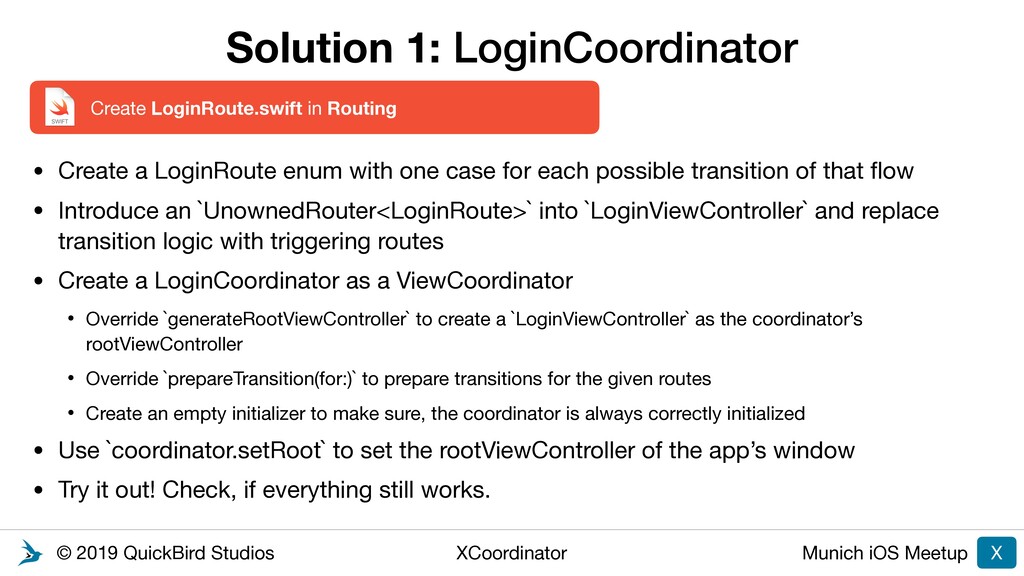
LoginCoordinator X • Create a LoginRoute enum with one case for each possible transition of that flow • Introduce an `UnownedRouter<LoginRoute>` into `LoginViewController` and replace transition logic with triggering routes • Create a LoginCoordinator as a ViewCoordinator • Override `generateRootViewController` to create a `LoginViewController` as the coordinator’s rootViewController • Override `prepareTransition(for:)` to prepare transitions for the given routes • Create an empty initializer to make sure, the coordinator is always correctly initialized • Use `coordinator.setRoot` to set the rootViewController of the app’s window • Try it out! Check, if everything still works. Create LoginRoute.swift in Routing
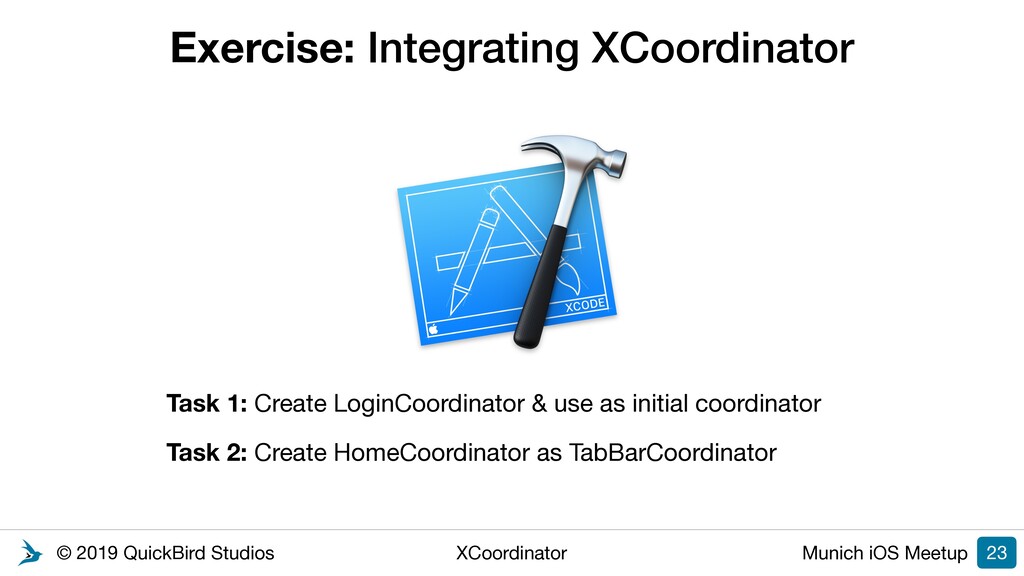
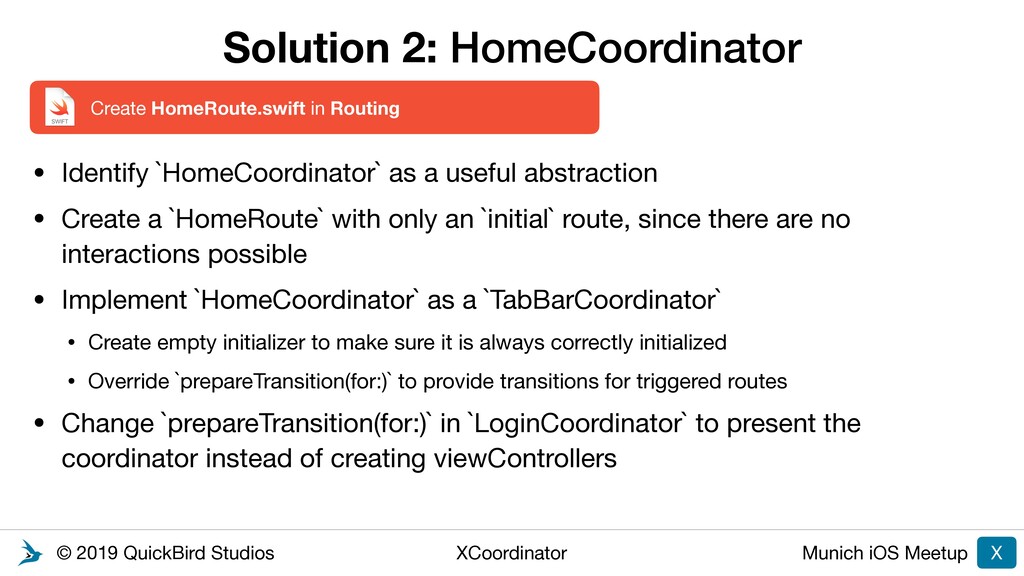
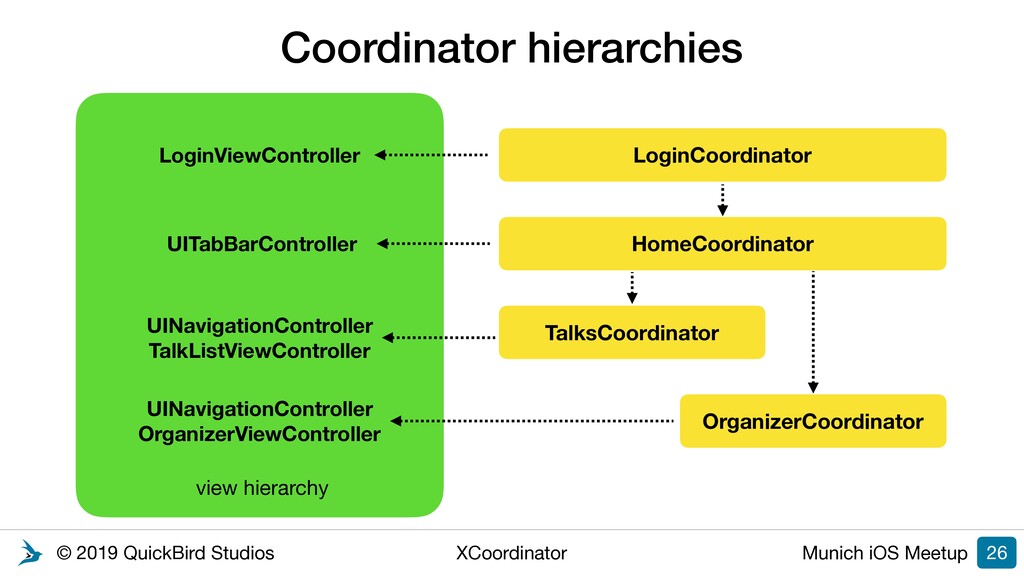
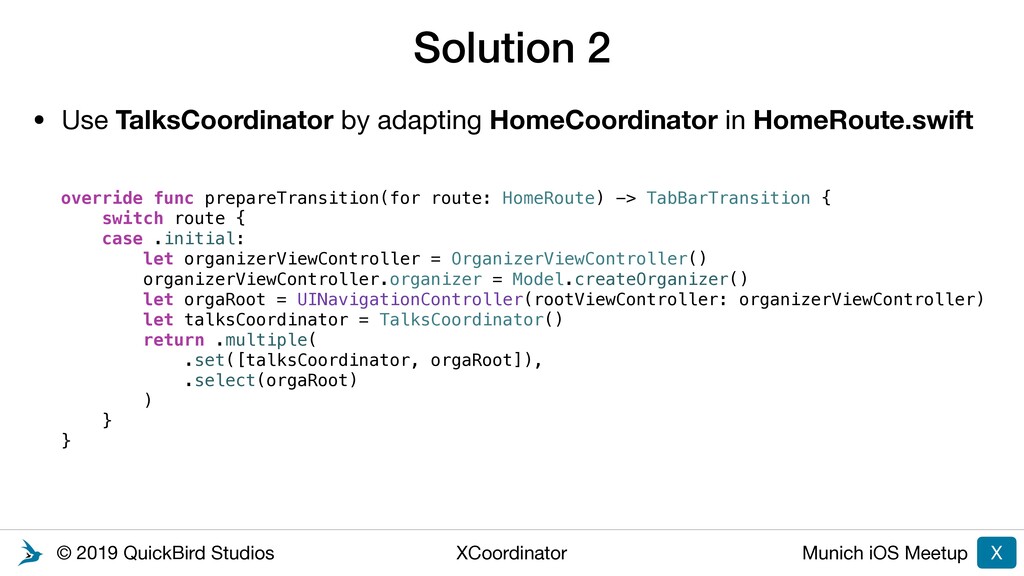
HomeCoordinator X • Identify `HomeCoordinator` as a useful abstraction • Create a `HomeRoute` with only an `initial` route, since there are no interactions possible • Implement `HomeCoordinator` as a `TabBarCoordinator` • Create empty initializer to make sure it is always correctly initialized • Override `prepareTransition(for:)` to provide transitions for triggered routes • Change `prepareTransition(for:)` in `LoginCoordinator` to present the coordinator instead of creating viewControllers Create HomeRoute.swift in Routing
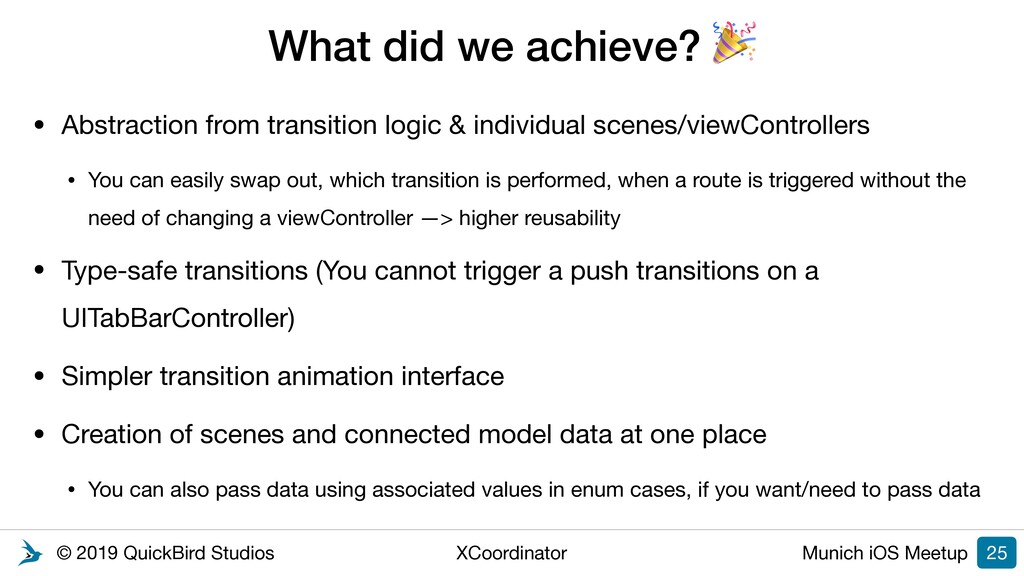
we achieve? • Abstraction from transition logic & individual scenes/viewControllers • You can easily swap out, which transition is performed, when a route is triggered without the need of changing a viewController —> higher reusability • Type-safe transitions (You cannot trigger a push transitions on a UITabBarController) • Simpler transition animation interface • Creation of scenes and connected model data at one place • You can also pass data using associated values in enum cases, if you want/need to pass data 25
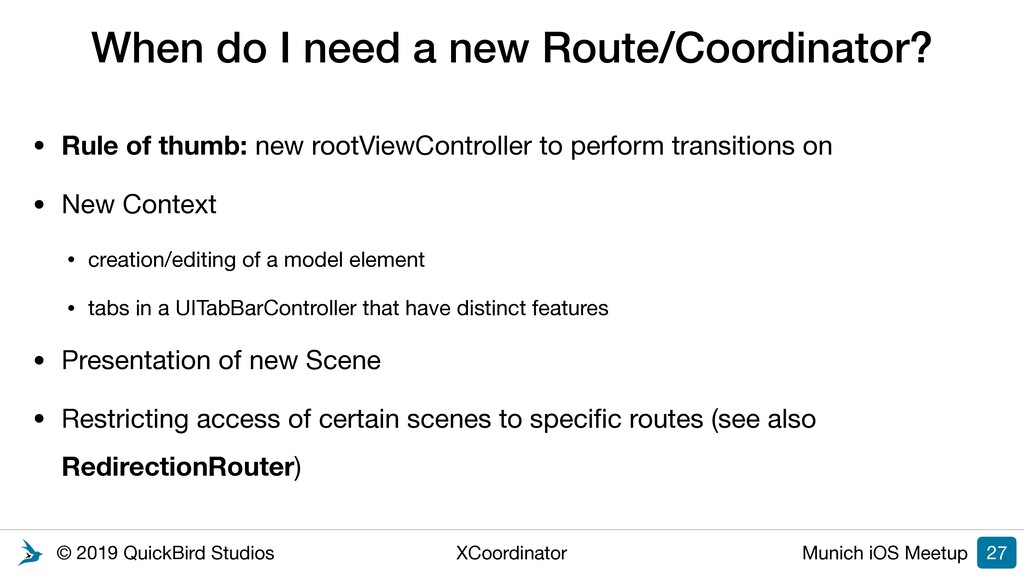
I need a new Route/Coordinator? • Rule of thumb: new rootViewController to perform transitions on • New Context • creation/editing of a model element • tabs in a UITabBarController that have distinct features • Presentation of new Scene • Restricting access of certain scenes to specific routes (see also RedirectionRouter) 27
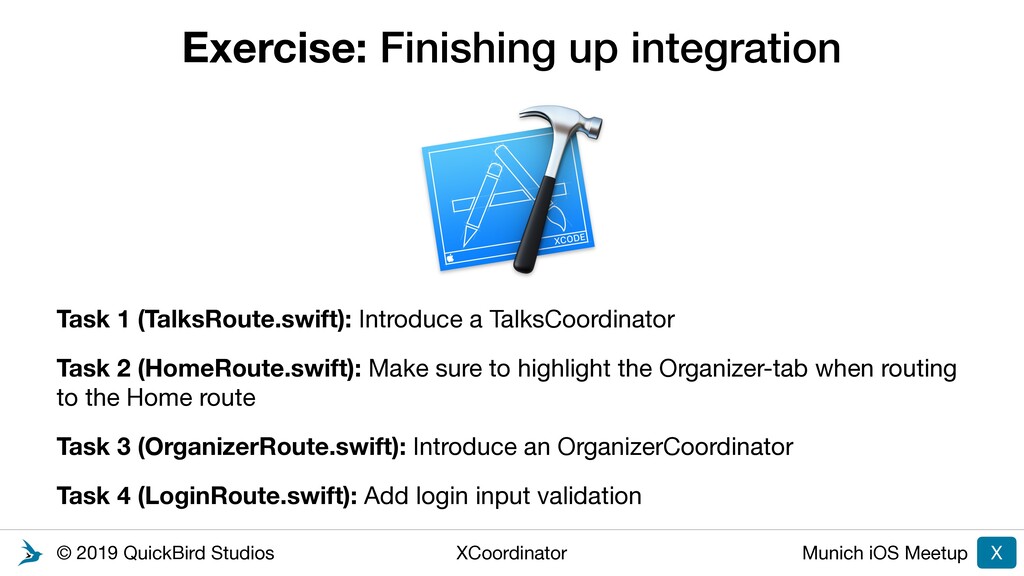
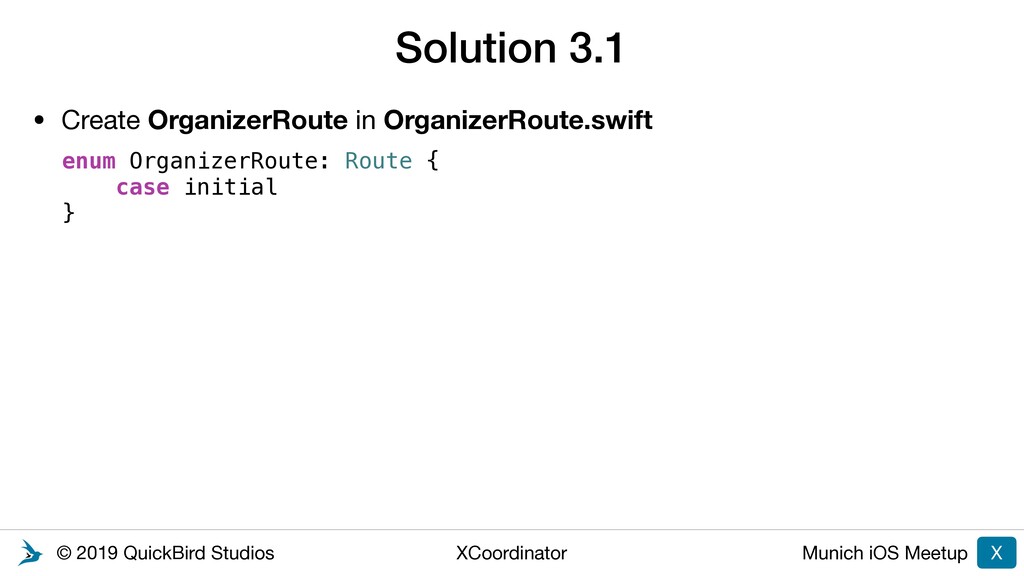
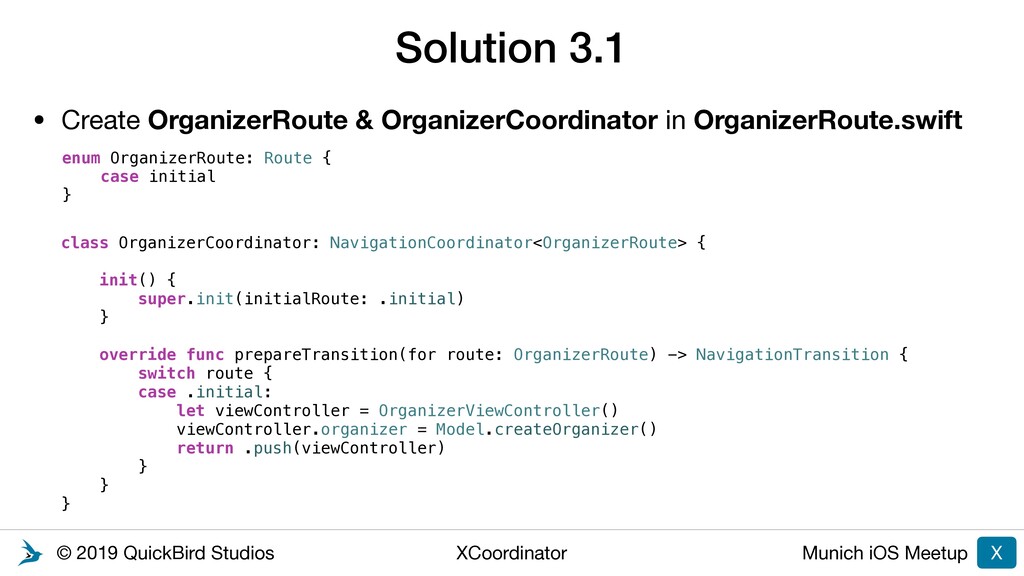
up integration X Task 1 (TalksRoute.swift): Introduce a TalksCoordinator Task 2 (HomeRoute.swift): Make sure to highlight the Organizer-tab when routing to the Home route Task 3 (OrganizerRoute.swift): Introduce an OrganizerCoordinator Task 4 (LoginRoute.swift): Add login input validation Tutorial
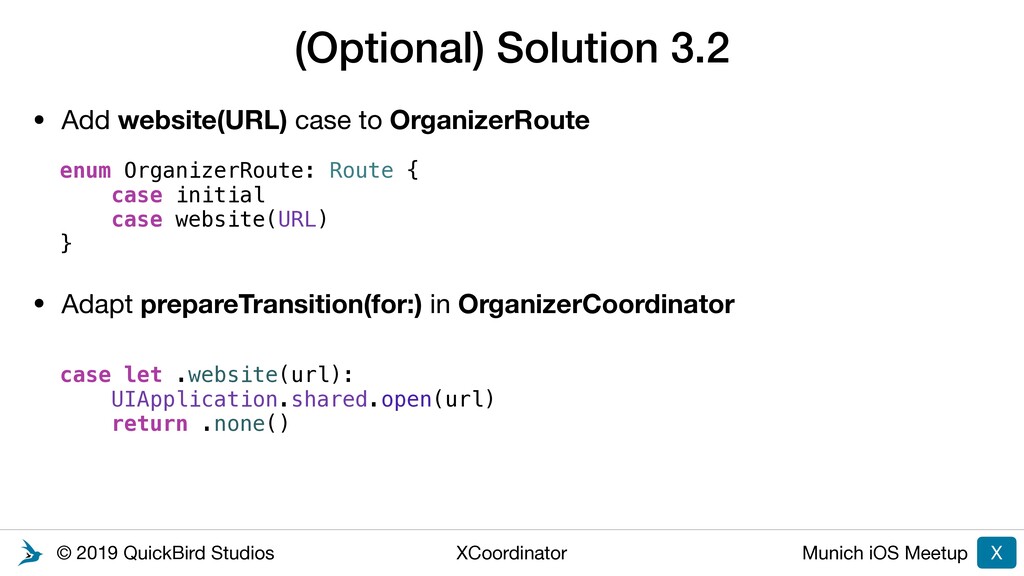
website(URL) case to OrganizerRoute • Adapt prepareTransition(for:) in OrganizerCoordinator (Optional) Solution 3.2 X case let .website(url): UIApplication.shared.open(url) return .none() enum OrganizerRoute: Route { case initial case website(URL) }
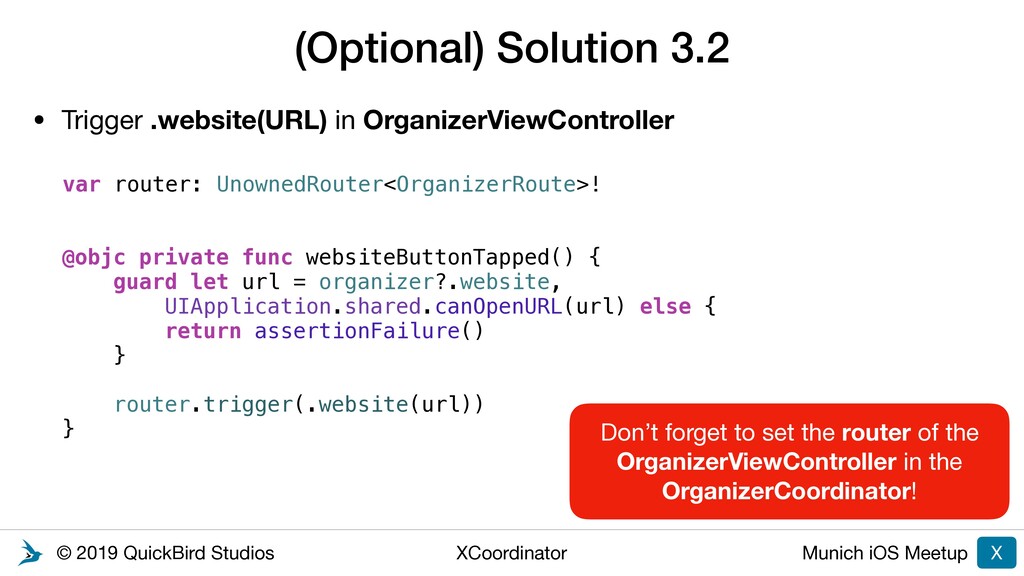
.website(URL) in OrganizerViewController (Optional) Solution 3.2 X var router: UnownedRouter<OrganizerRoute>! @objc private func websiteButtonTapped() { guard let url = organizer?.website, UIApplication.shared.canOpenURL(url) else { return assertionFailure() } router.trigger(.website(url)) } Don’t forget to set the router of the OrganizerViewController in the OrganizerCoordinator!
2: Adding more functionality Task 1: Add “Logout” functionality using parent/child coordinators Task 2: Open URLs using Deep Linking Task 3: Login with reactive streams (RxSwift / Combine) Tutorial
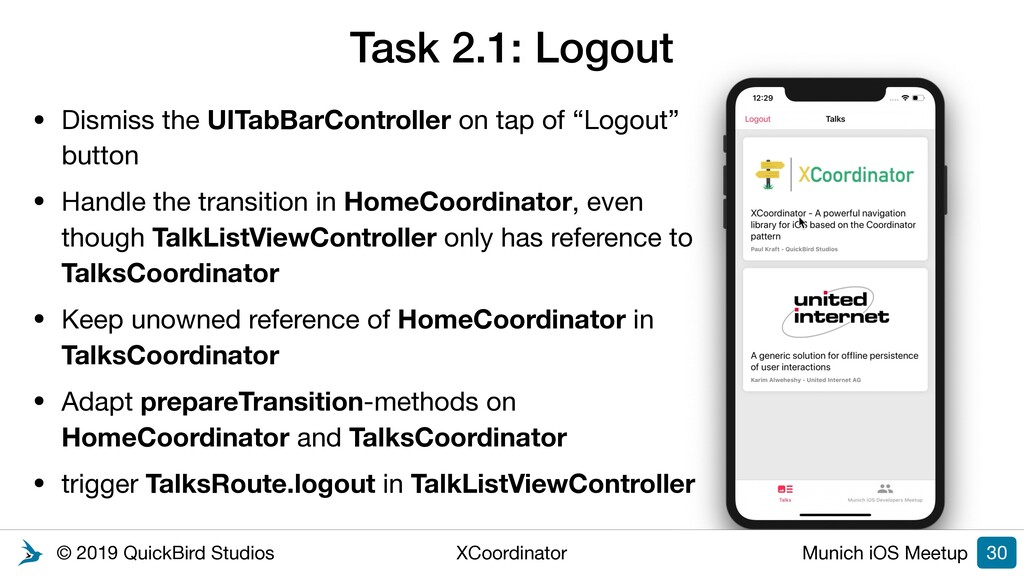
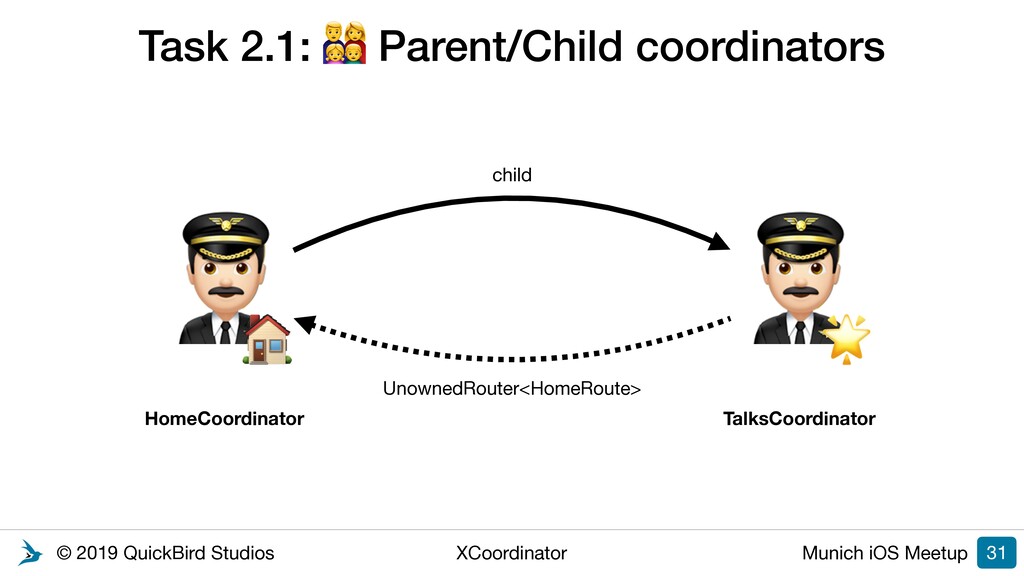
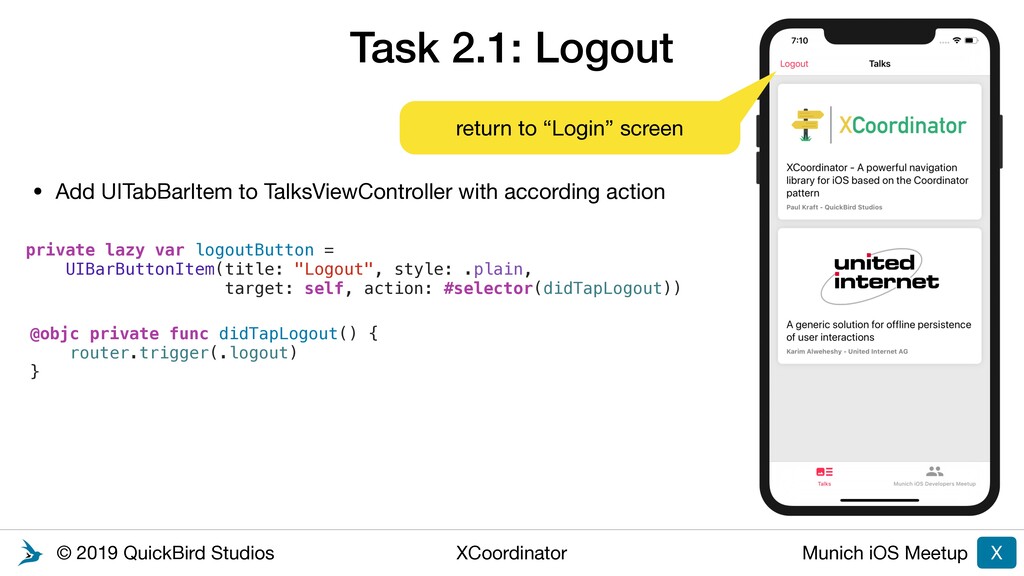
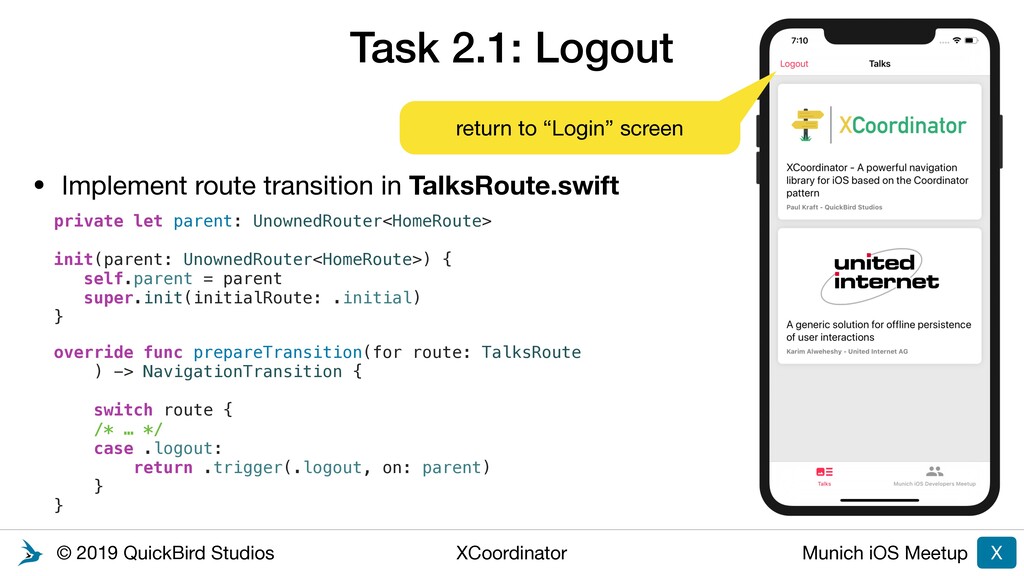
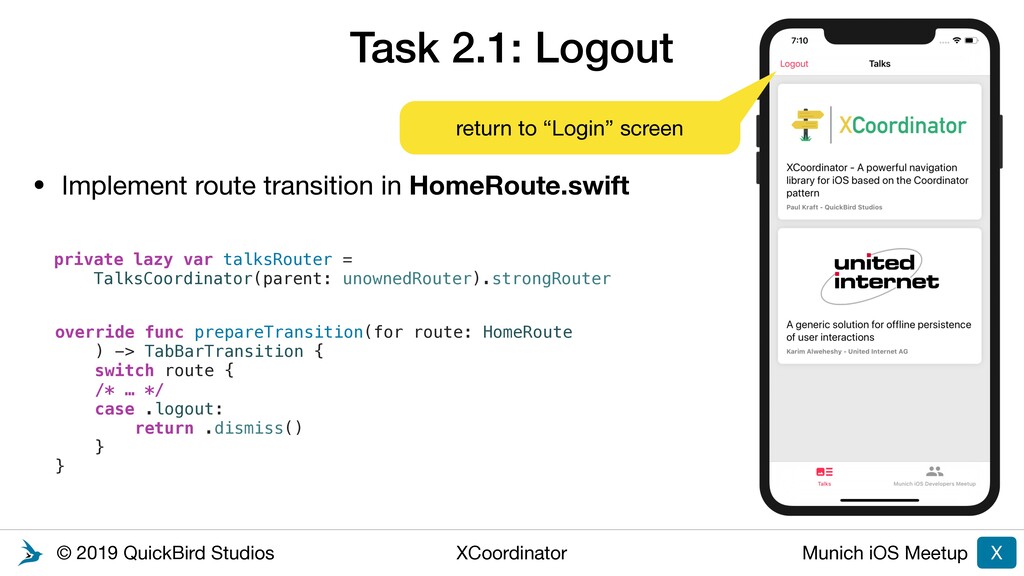
Logout 30 • Dismiss the UITabBarController on tap of “Logout” button • Handle the transition in HomeCoordinator, even though TalkListViewController only has reference to TalksCoordinator • Keep unowned reference of HomeCoordinator in TalksCoordinator • Adapt prepareTransition-methods on HomeCoordinator and TalksCoordinator • trigger TalksRoute.logout in TalkListViewController
2: Adding more functionality Task 1: Add “Logout” functionality using parent/child coordinators Task 2: Open URLs using Deep Linking Task 3: Login with reactive streams (RxSwift / Combine) Tutorial
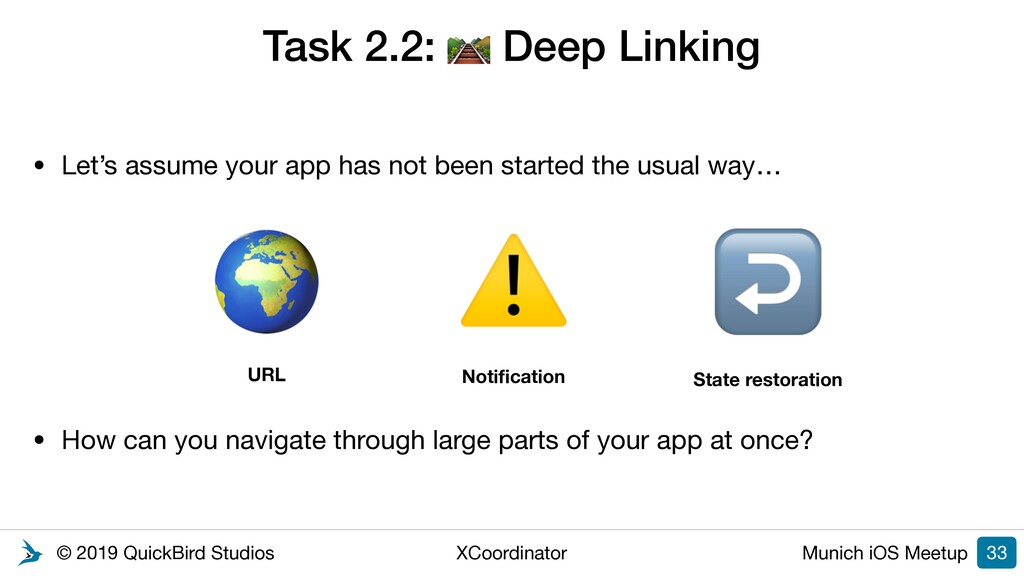
Deep Linking • Let’s assume your app has not been started the usual way… • How can you navigate through large parts of your app at once? 33 URL Notification ⚠ State restoration ↩
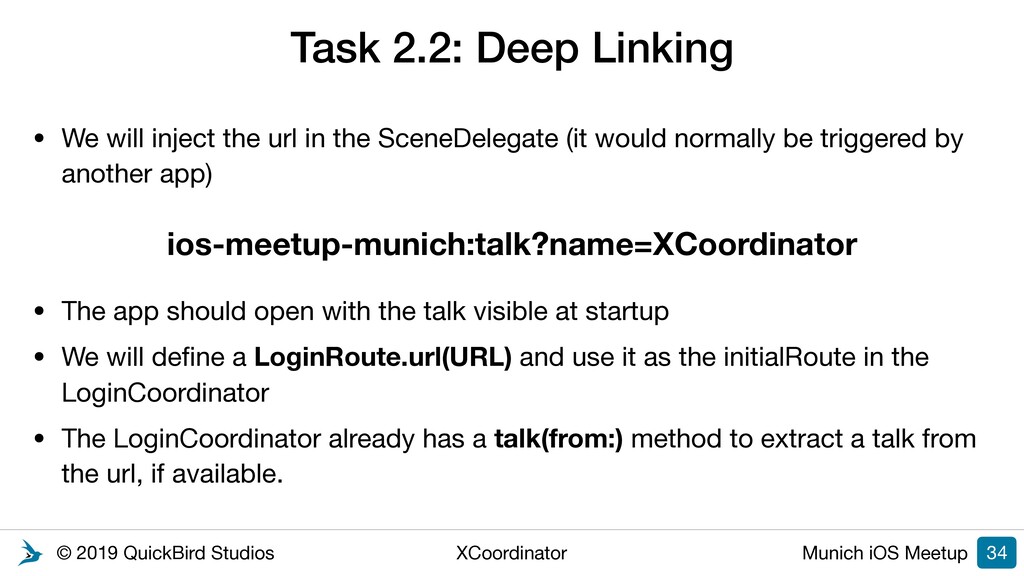
Deep Linking • We will inject the url in the SceneDelegate (it would normally be triggered by another app) • The app should open with the talk visible at startup • We will define a LoginRoute.url(URL) and use it as the initialRoute in the LoginCoordinator • The LoginCoordinator already has a talk(from:) method to extract a talk from the url, if available. 34 ios-meetup-munich:talk?name=XCoordinator
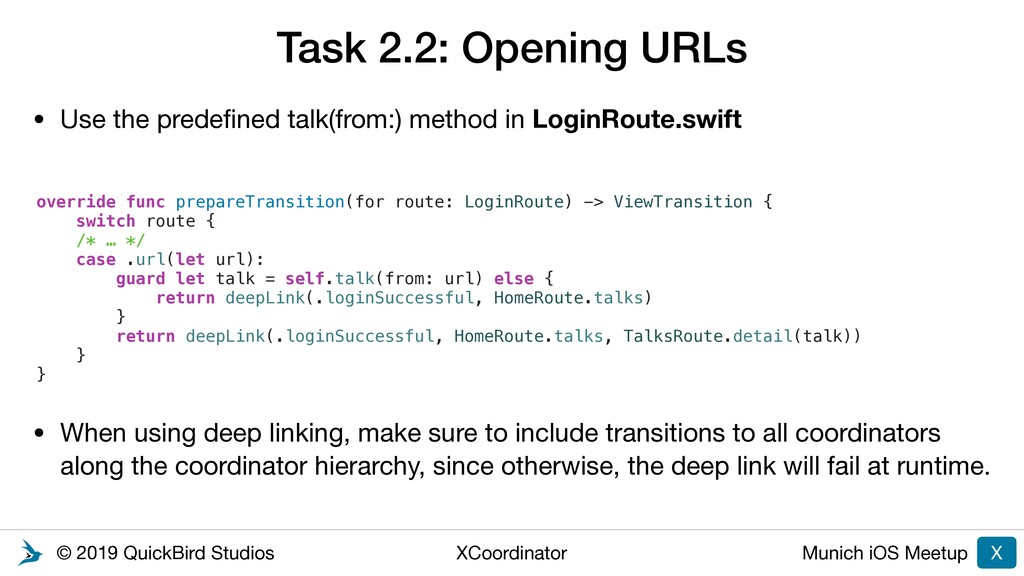
Opening URLs • Use the predefined talk(from:) method in LoginRoute.swift • When using deep linking, make sure to include transitions to all coordinators along the coordinator hierarchy, since otherwise, the deep link will fail at runtime. X override func prepareTransition(for route: LoginRoute) -> ViewTransition { switch route { /* … */ case .url(let url): guard let talk = self.talk(from: url) else { return deepLink(.loginSuccessful, HomeRoute.talks) } return deepLink(.loginSuccessful, HomeRoute.talks, TalksRoute.detail(talk)) } }
2: Adding more functionality Task 1: Add “Logout” functionality using parent/child coordinators Task 2: Open URLs using Deep Linking Task 3: Login with reactive streams (RxSwift / Combine) Tutorial
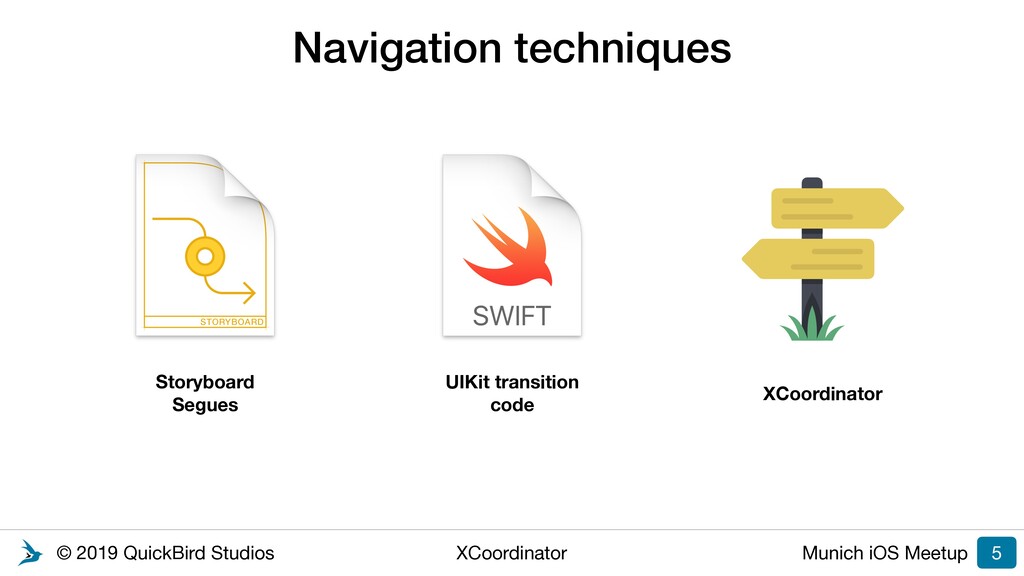
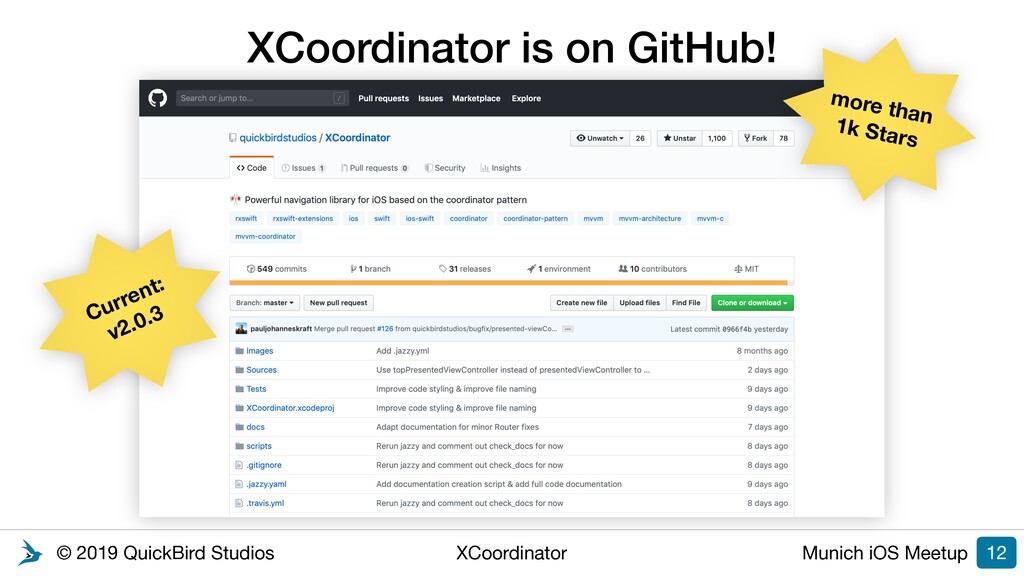
navigation library for iOS using the Coordinator pattern •Developed by QuickBird Studios, located in Munich •Provides base classes for different coordinator types, such as NavigationCoordinator, TabBarCoordinator, and many more •Encapsulates navigation code for UIKit and provides consistent API for different transition types •Predefined transition types with completion handler to ensure that transitions are executed sequentially •RxSwift & Combine extensions! •Full support for custom transitions & animations
XCoordinator: Powerful navigation library for iOS based on the coordinator pattern (https://github.com/quickbirdstudios/XCoordinator) • Introducing an iOS navigation library based on the coordinator pattern by Stefan Kofler (https://quickbirdstudios.com/blog/ios-navigation-library- based-on-the-coordinator-pattern) • The Coordinator by Soroush Khanlou (http://khanlou.com/2015/01/the- coordinator) X
Night @ QuickBird Studios • 2 exciting workshops (at the same time): • SwiftUI: Get hands-on experience with Apple's newest UI framework for building iOS Apps • Mastering Gradle - How to tame the beast with buildSrc • Presentation, Live Coding, Hacking, Socializing & Food! • Tue, 5 November 2019 at 6:45 PM - 9:00 PM • Location: • QuickBird Studios • Nymphenburger Str. 13-15 • 80335 München • Register here: bit.ly/mobileHack 38
• You have questions about your app’s architecture, mobile technologies or code style? • 30 Minutes of free personal development advice from our experienced software engineers • You can ask us about code snippets, scribble things on a blackboard and ask us many questions! • Submit your request here: bit.ly/appAdvice30 39
• Mobile HackNight • November 5, 6:45 PM - 9 PM, Nymphenburger Str. 13-15 • Presentation + Live Coding + Hacking + Socializing + Food! • Topic: “SwiftUI” or “Mastering Gradle” • Registration: bit.ly/mobileHack • App Advice • Free 30 Minutes of software development advice from our engineers • Ask us about your app’s architecture, mobile technologies or code style • Request here: bit.ly/appAdvice30 40 We are hiring!


 quickbird
 kasacchiful
 gonta
gonta
 n_takehata
 iwatsukayura
 guaca
guaca
 syumai
 marcoroth
 taiseiue
 lef237
 a_matsuda
 o0h
o0h
 yub0n
yub0n
 danielanewman
 jonoalderson
 aki_iinuma
 inesmontani
 codingconduct
 gurzu
gurzu
 afnizarnur
 tammyeverts
 frankvandijk
 tonyrice