Share
Embed
AppDevCon 2018: Awesome Native Apps with NativeScript!
Developing native iOS and Android apps can be very time consuming and expensive.
What if you could build native apps with one code base and web techniques? Well, you can with NativeScript!
In this introduction, I’ll explain what NativeScript is and how it compares to other platforms. And in a live demo, I will show you how easy it is to get started and to make use of native capabilities.

Rowdy Rabouw
March 16, 2018
Transcript
115 slides
-
AWESOME NATIVE APPS WITH NATIVESCRIPT! Awesome Native Apps with NativeScript
- Rowdy Rabouw - Appdevcon 2018 - @rowdyrabouw 2/116 -
Rowdy Rabouw 4 Freelance web and app developer 4 Lead
developer Nationale-Nederlanden Pension App 4 Progress Developer Expert for Nativescript 4 Organizer NativeScript Developer Day Europe 4 Curator nativescript.nl Awesome Native Apps with NativeScript - Rowdy Rabouw - Appdevcon 2018 - @rowdyrabouw 3/116 -
NativeScript Awesome Native Apps with NativeScript - Rowdy Rabouw -
Appdevcon 2018 - @rowdyrabouw 4/116 -
Awesome Native Apps with NativeScript - Rowdy Rabouw - Appdevcon
2018 - @rowdyrabouw 5/116 -
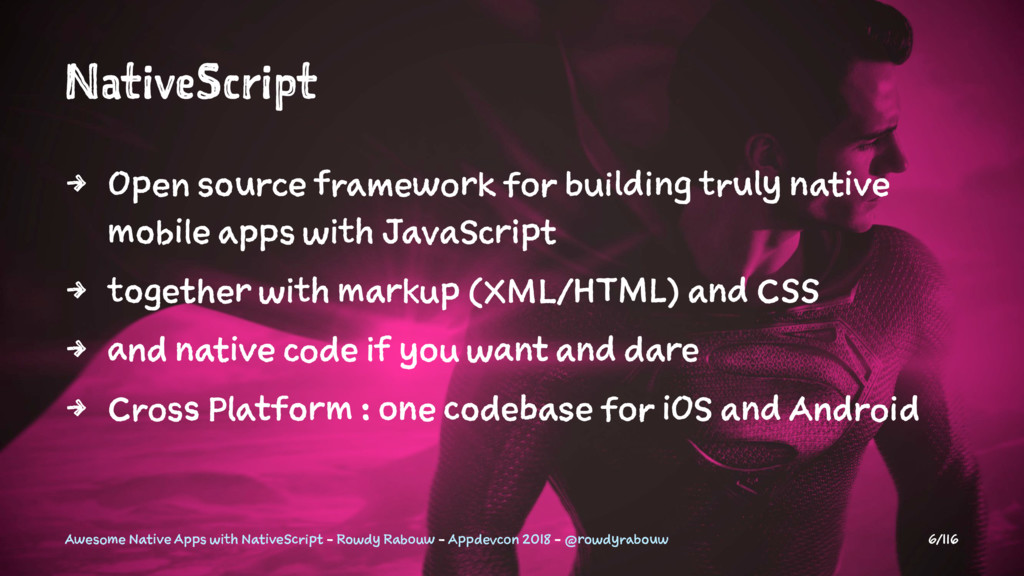
NativeScript 4 Open source framework for building truly native mobile
apps with JavaScript 4 together with markup (XML/HTML) and CSS 4 and native code if you want and dare 4 Cross Platform : one codebase for iOS and Android Awesome Native Apps with NativeScript - Rowdy Rabouw - Appdevcon 2018 - @rowdyrabouw 6/116 -
Not like PhoneGap/Cordova with Ionic Awesome Native Apps with NativeScript
- Rowdy Rabouw - Appdevcon 2018 - @rowdyrabouw 7/116 -
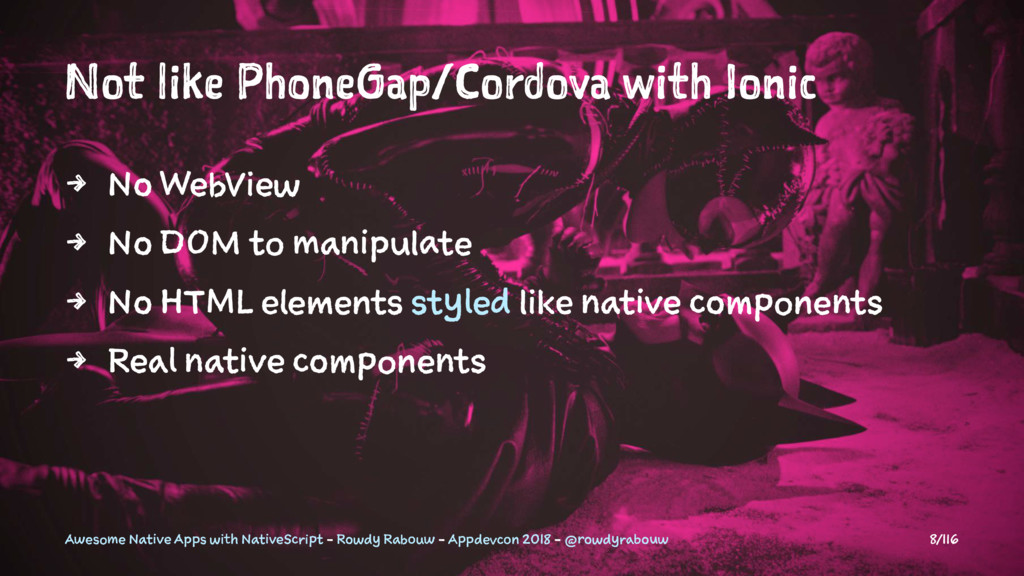
Not like PhoneGap/Cordova with Ionic 4 No WebView 4 No
DOM to manipulate 4 No HTML elements styled like native components 4 Real native components Awesome Native Apps with NativeScript - Rowdy Rabouw - Appdevcon 2018 - @rowdyrabouw 8/116 -
Not like Xamarin Awesome Native Apps with NativeScript - Rowdy
Rabouw - Appdevcon 2018 - @rowdyrabouw 9/116 -
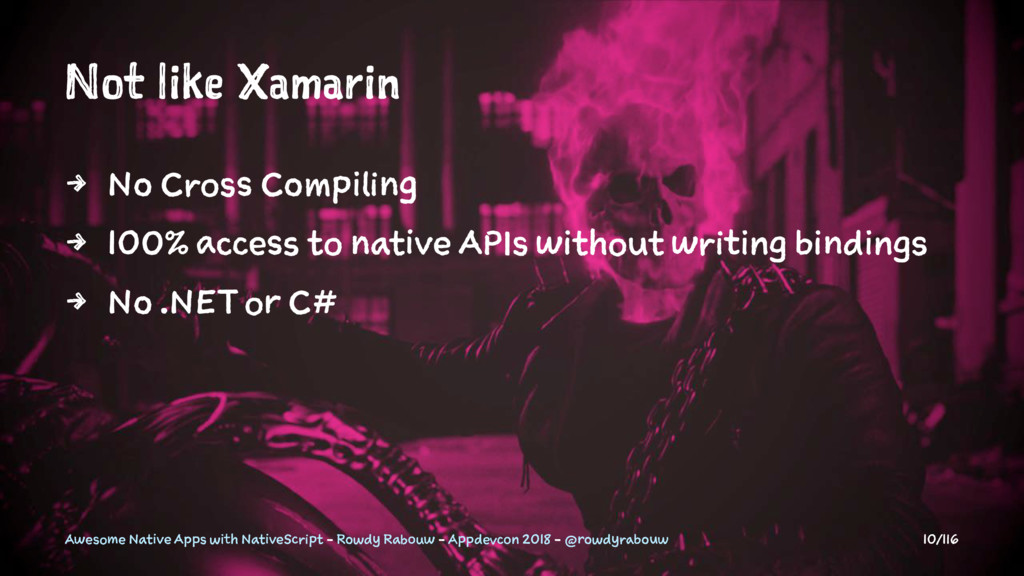
Not like Xamarin 4 No Cross Compiling 4 100% access
to native APIs without writing bindings 4 No .NET or C# Awesome Native Apps with NativeScript - Rowdy Rabouw - Appdevcon 2018 - @rowdyrabouw 10/116 -
Not like React Native Awesome Native Apps with NativeScript -
Rowdy Rabouw - Appdevcon 2018 - @rowdyrabouw 11/116 -
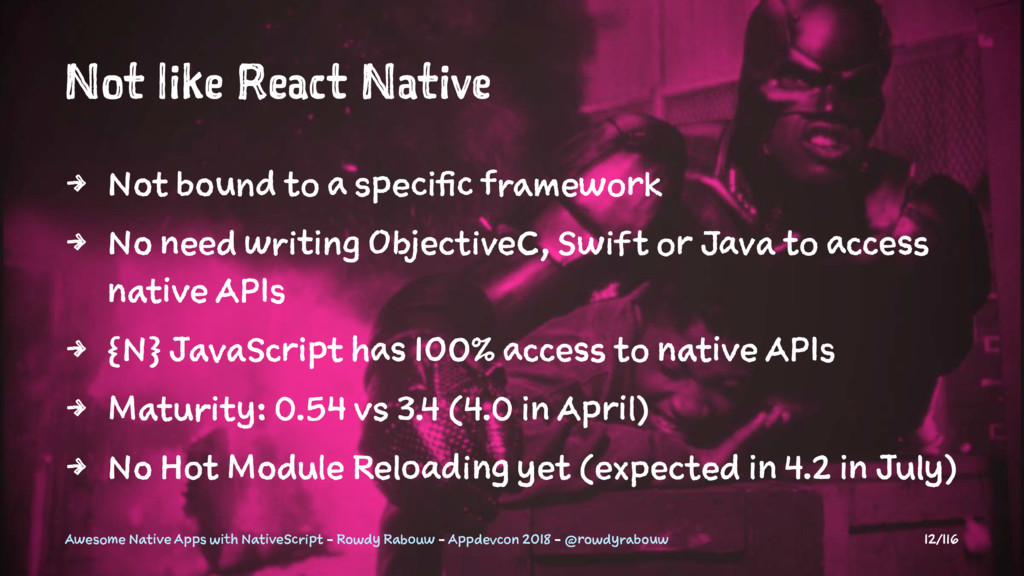
Not like React Native 4 Not bound to a specific
framework 4 No need writing ObjectiveC, Swift or Java to access native APIs 4 {N} JavaScript has 100% access to native APIs 4 Maturity: 0.54 vs 3.4 (4.0 in April) 4 No Hot Module Reloading yet (expected in 4.2 in July) Awesome Native Apps with NativeScript - Rowdy Rabouw - Appdevcon 2018 - @rowdyrabouw 12/116 -
Not like Flutter Awesome Native Apps with NativeScript - Rowdy
Rabouw - Appdevcon 2018 - @rowdyrabouw 13/116 -
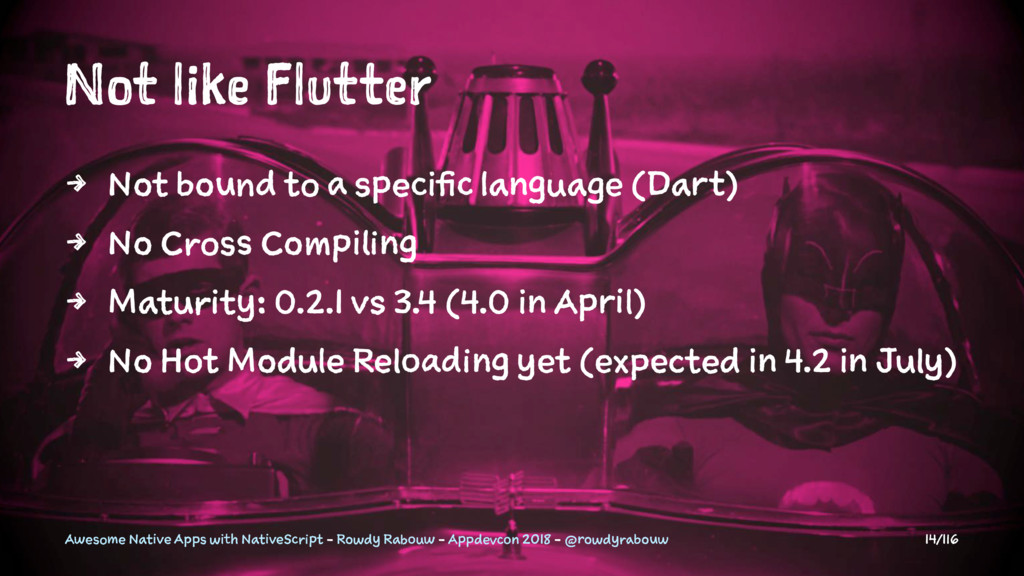
Not like Flutter 4 Not bound to a specific language
(Dart) 4 No Cross Compiling 4 Maturity: 0.2.1 vs 3.4 (4.0 in April) 4 No Hot Module Reloading yet (expected in 4.2 in July) Awesome Native Apps with NativeScript - Rowdy Rabouw - Appdevcon 2018 - @rowdyrabouw 14/116 -
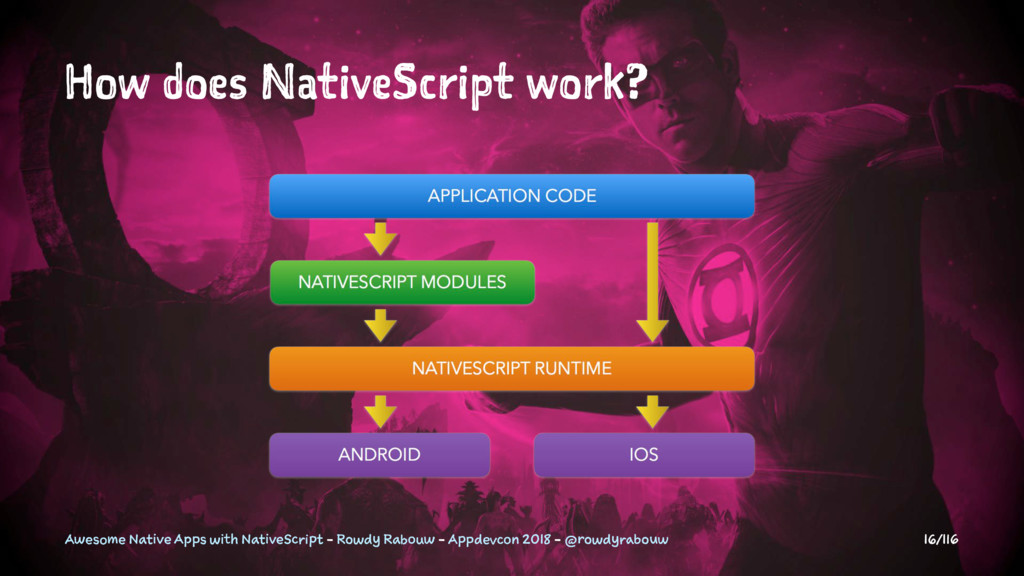
How does NativeScript work? Awesome Native Apps with NativeScript -
Rowdy Rabouw - Appdevcon 2018 - @rowdyrabouw 15/116 -
How does NativeScript work? Awesome Native Apps with NativeScript -
Rowdy Rabouw - Appdevcon 2018 - @rowdyrabouw 16/116 -
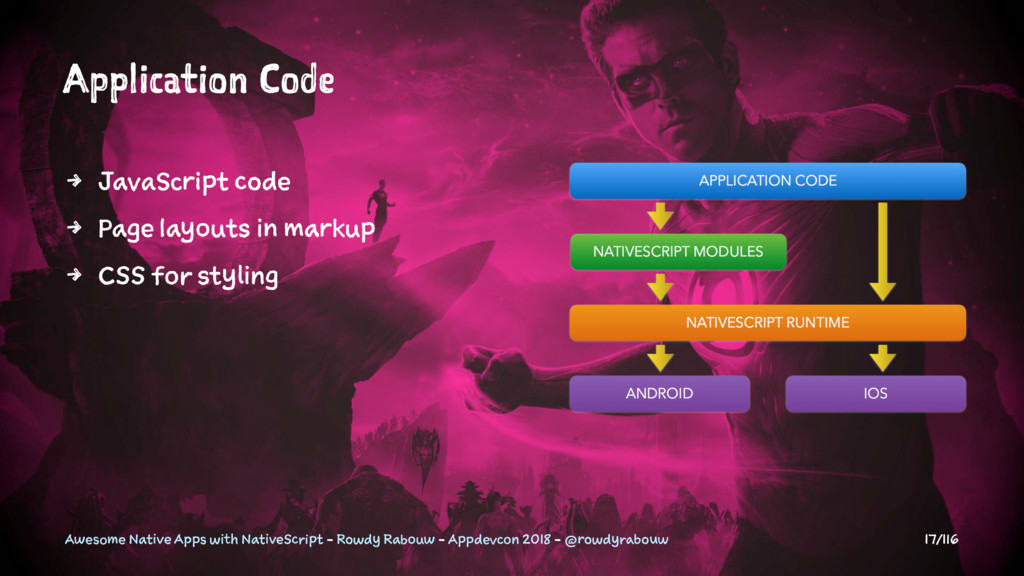
Application Code 4 JavaScript code 4 Page layouts in markup
4 CSS for styling Awesome Native Apps with NativeScript - Rowdy Rabouw - Appdevcon 2018 - @rowdyrabouw 17/116 -
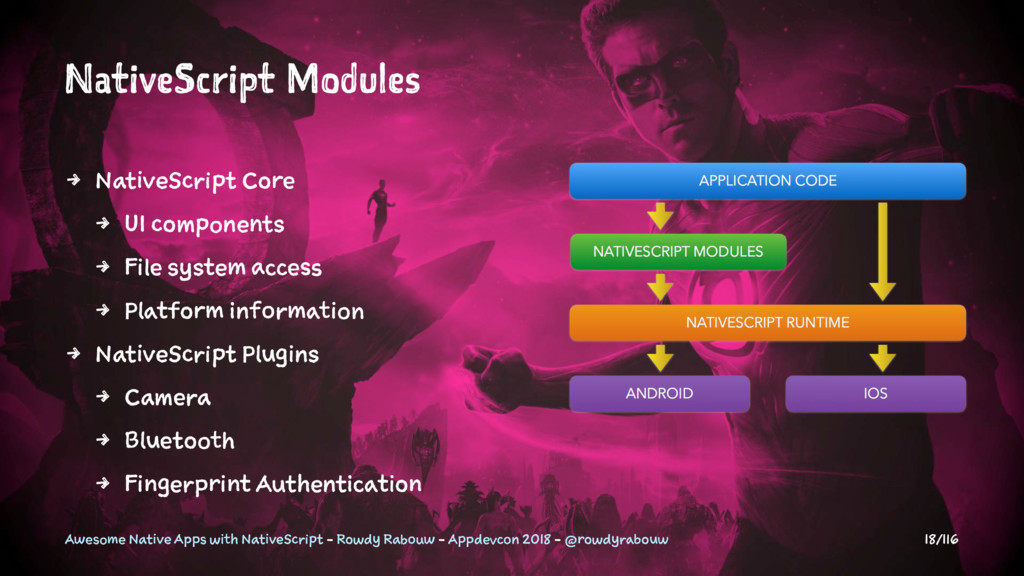
NativeScript Modules 4 NativeScript Core 4 UI components 4 File
system access 4 Platform information 4 NativeScript Plugins 4 Camera 4 Bluetooth 4 Fingerprint Authentication Awesome Native Apps with NativeScript - Rowdy Rabouw - Appdevcon 2018 - @rowdyrabouw 18/116 -
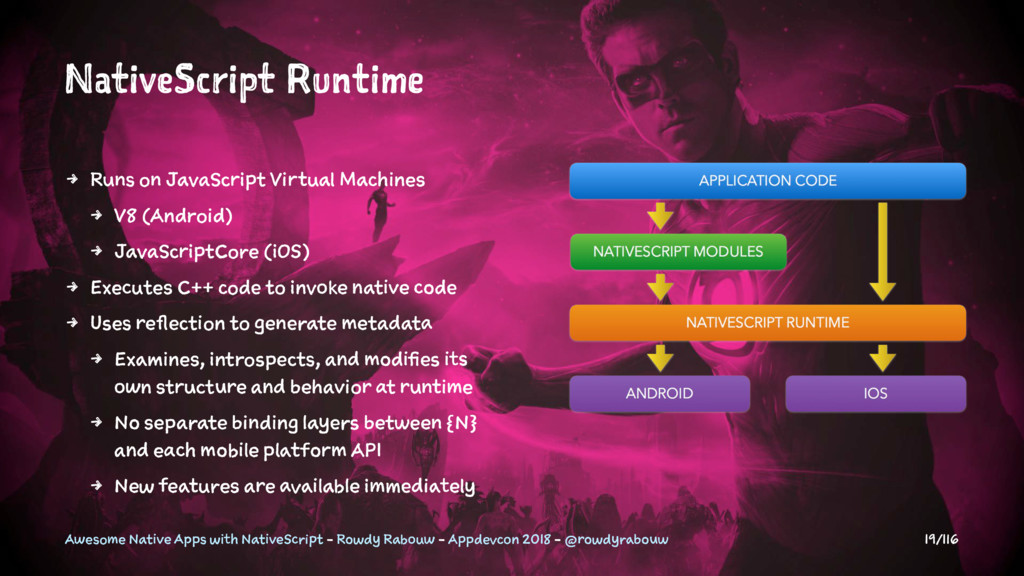
NativeScript Runtime 4 Runs on JavaScript Virtual Machines 4 V8
(Android) 4 JavaScriptCore (iOS) 4 Executes C++ code to invoke native code 4 Uses reflection to generate metadata 4 Examines, introspects, and modifies its own structure and behavior at runtime 4 No separate binding layers between {N} and each mobile platform API 4 New features are available immediately Awesome Native Apps with NativeScript - Rowdy Rabouw - Appdevcon 2018 - @rowdyrabouw 19/116 -
JavaScript Awesome Native Apps with NativeScript - Rowdy Rabouw -
Appdevcon 2018 - @rowdyrabouw 20/116 -
JavaScript Awesome Native Apps with NativeScript - Rowdy Rabouw -
Appdevcon 2018 - @rowdyrabouw 21/116 -
JavaScript Awesome Native Apps with NativeScript - Rowdy Rabouw -
Appdevcon 2018 - @rowdyrabouw 22/116 -
JavaScript Awesome Native Apps with NativeScript - Rowdy Rabouw -
Appdevcon 2018 - @rowdyrabouw 23/116 -
JavaScript Awesome Native Apps with NativeScript - Rowdy Rabouw -
Appdevcon 2018 - @rowdyrabouw 24/116 -
Angular Awesome Native Apps with NativeScript - Rowdy Rabouw -
Appdevcon 2018 - @rowdyrabouw 25/116 -
Angular 4 Opinionated JavaScript framework 4 Typescript 4 Full-featured routing
4 Dependency injection 4 Data binding Awesome Native Apps with NativeScript - Rowdy Rabouw - Appdevcon 2018 - @rowdyrabouw 26/116 -
Awesome Native Apps with NativeScript - Rowdy Rabouw - Appdevcon
2018 - @rowdyrabouw 27/116 -
Awesome Native Apps with NativeScript - Rowdy Rabouw - Appdevcon
2018 - @rowdyrabouw 28/116 -
Performance Optimization Awesome Native Apps with NativeScript - Rowdy Rabouw
- Appdevcon 2018 - @rowdyrabouw 29/116 -
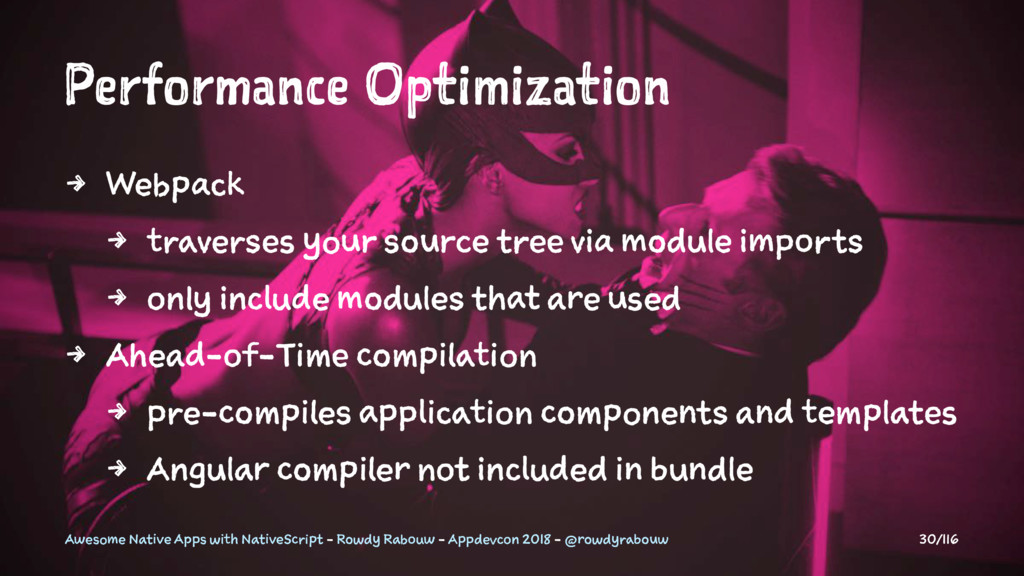
Performance Optimization 4 Webpack 4 traverses your source tree via
module imports 4 only include modules that are used 4 Ahead-of-Time compilation 4 pre-compiles application components and templates 4 Angular compiler not included in bundle Awesome Native Apps with NativeScript - Rowdy Rabouw - Appdevcon 2018 - @rowdyrabouw 30/116 -
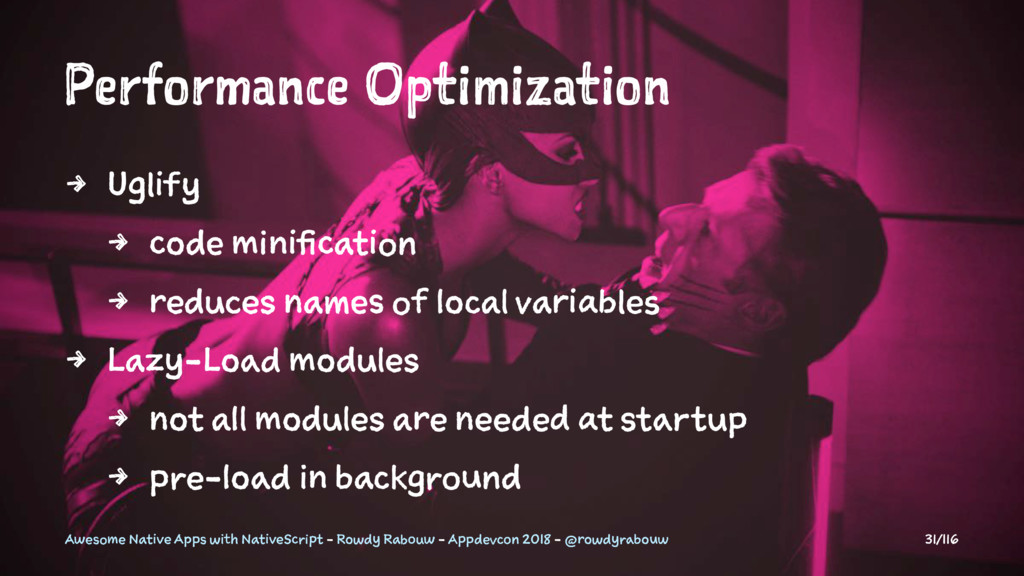
Performance Optimization 4 Uglify 4 code minification 4 reduces names
of local variables 4 Lazy-Load modules 4 not all modules are needed at startup 4 pre-load in background Awesome Native Apps with NativeScript - Rowdy Rabouw - Appdevcon 2018 - @rowdyrabouw 31/116 -
Cascading Style Sheets (CSS) Awesome Native Apps with NativeScript -
Rowdy Rabouw - Appdevcon 2018 - @rowdyrabouw 32/116 -
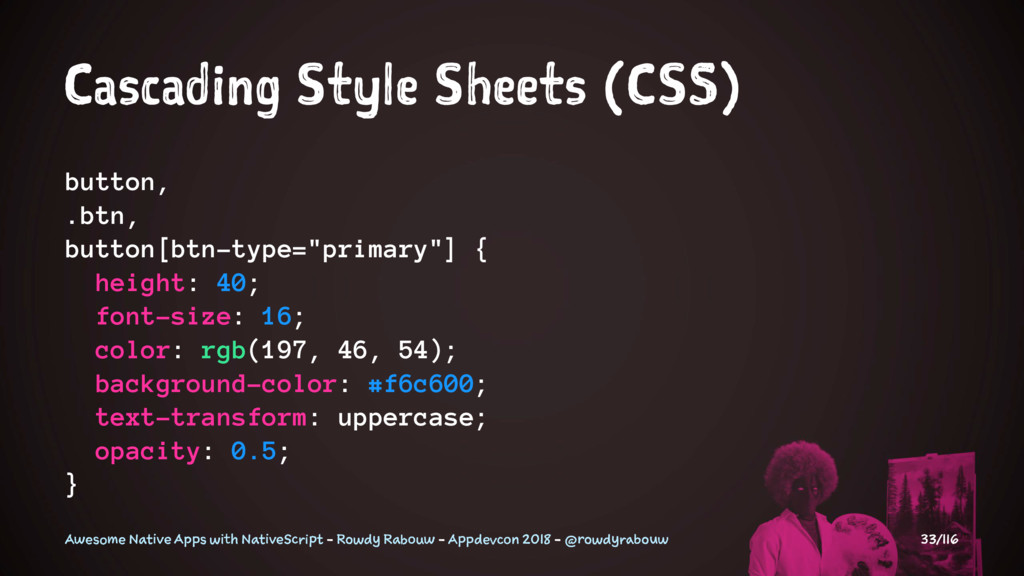
Cascading Style Sheets (CSS) button, .btn, button[btn-type="primary"] { height: 40;
font-size: 16; color: rgb(197, 46, 54); background-color: #f6c600; text-transform: uppercase; opacity: 0.5; } Awesome Native Apps with NativeScript - Rowdy Rabouw - Appdevcon 2018 - @rowdyrabouw 33/116 -
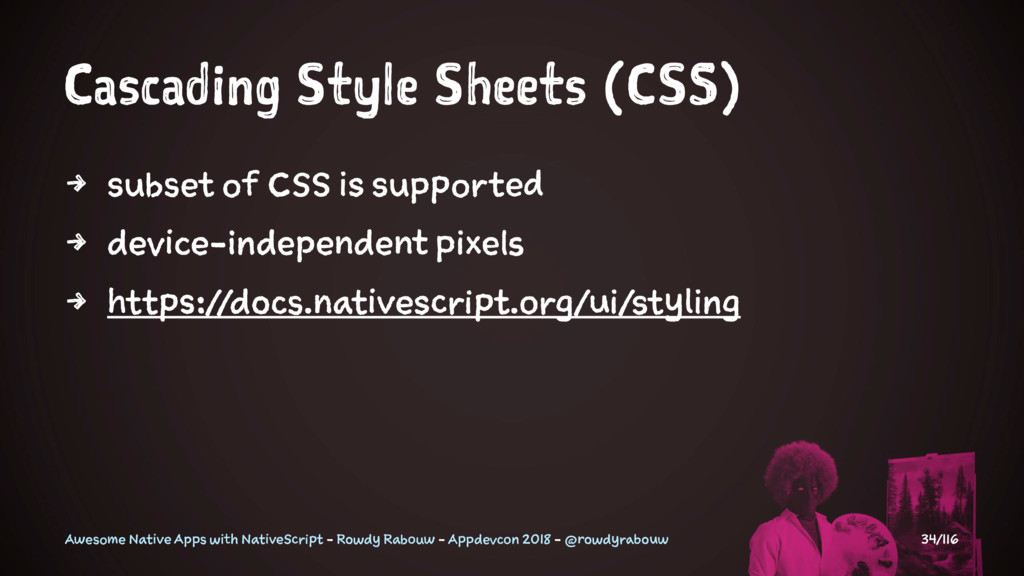
Cascading Style Sheets (CSS) 4 subset of CSS is supported
4 device-independent pixels 4 https://docs.nativescript.org/ui/styling Awesome Native Apps with NativeScript - Rowdy Rabouw - Appdevcon 2018 - @rowdyrabouw 34/116 -
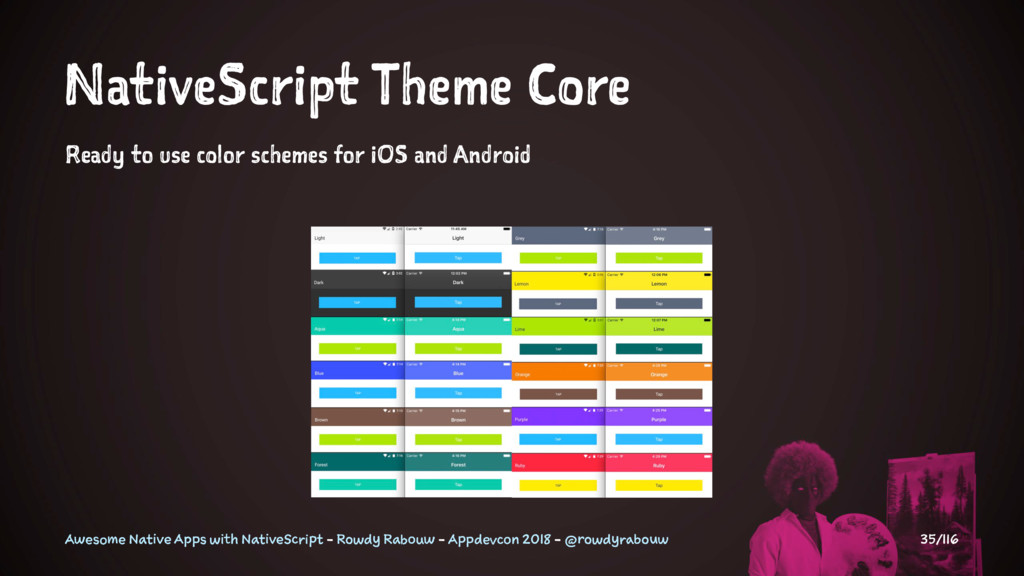
NativeScript Theme Core Ready to use color schemes for iOS
and Android Awesome Native Apps with NativeScript - Rowdy Rabouw - Appdevcon 2018 - @rowdyrabouw 35/116 -
Syntactically Awesome Style Sheets CSS preprocessor (nested rules, functions, ...)
Awesome Native Apps with NativeScript - Rowdy Rabouw - Appdevcon 2018 - @rowdyrabouw 36/116 -
Native elements with markup Awesome Native Apps with NativeScript -
Rowdy Rabouw - Appdevcon 2018 - @rowdyrabouw 37/116 -
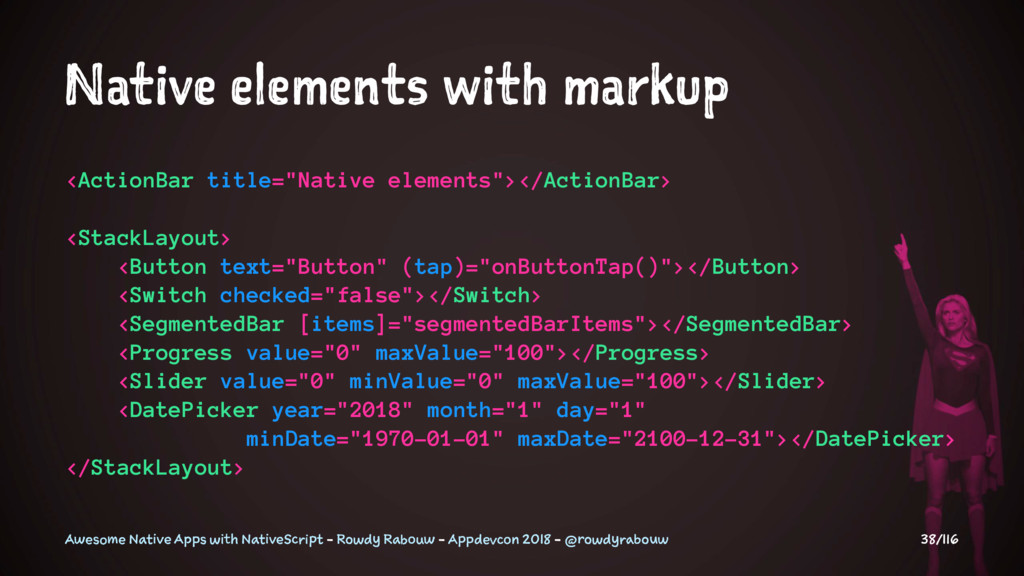
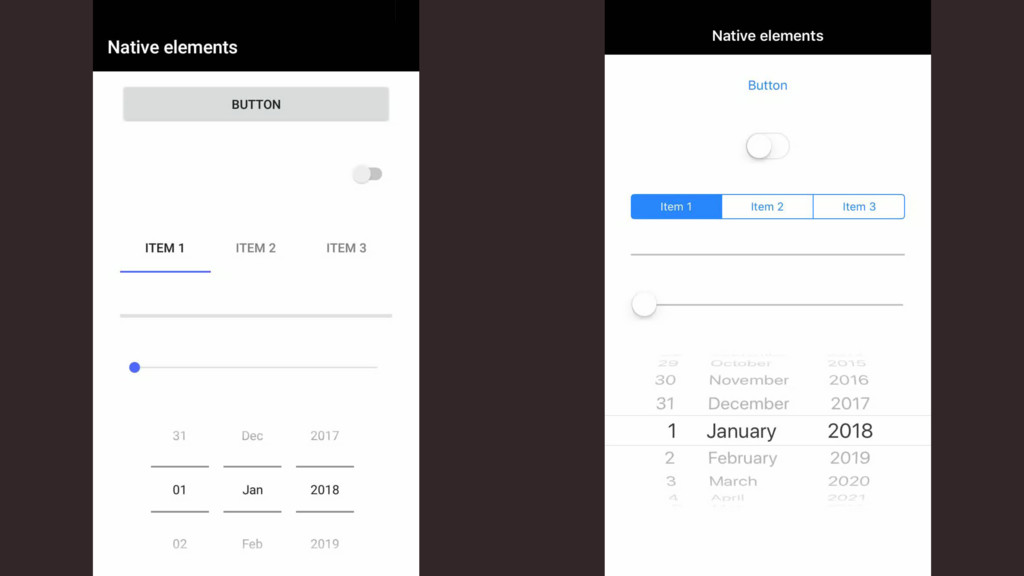
Native elements with markup <ActionBar title="Native elements"></ActionBar> <StackLayout> <Button text="Button"
(tap)="onButtonTap()"></Button> <Switch checked="false"></Switch> <SegmentedBar [items]="segmentedBarItems"></SegmentedBar> <Progress value="0" maxValue="100"></Progress> <Slider value="0" minValue="0" maxValue="100"></Slider> <DatePicker year="2018" month="1" day="1" minDate="1970-01-01" maxDate="2100-12-31"></DatePicker> </StackLayout> Awesome Native Apps with NativeScript - Rowdy Rabouw - Appdevcon 2018 - @rowdyrabouw 38/116 -
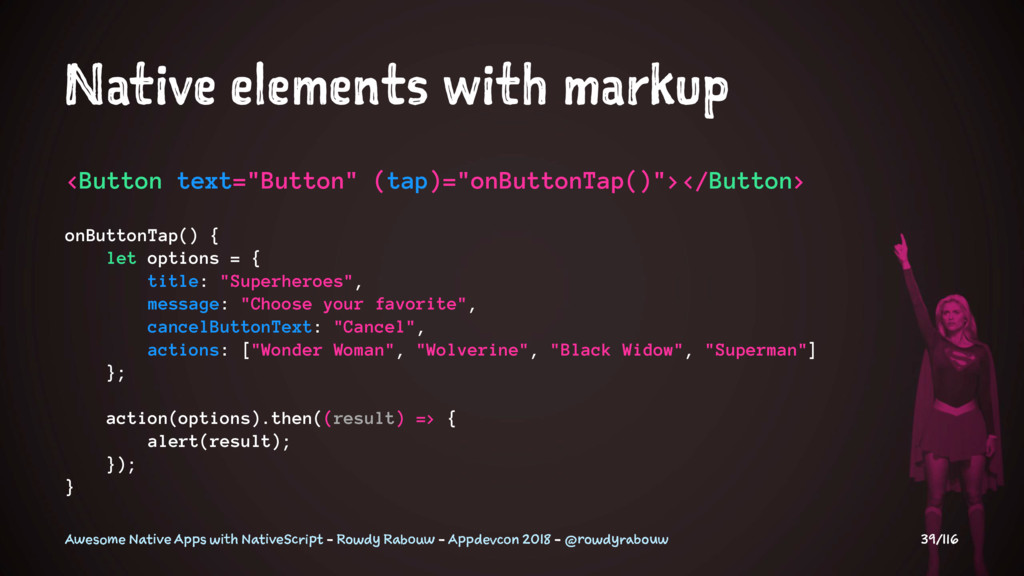
Native elements with markup <Button text="Button" (tap)="onButtonTap()"></Button> onButtonTap() { let
options = { title: "Superheroes", message: "Choose your favorite", cancelButtonText: "Cancel", actions: ["Wonder Woman", "Wolverine", "Black Widow", "Superman"] }; action(options).then((result) => { alert(result); }); } Awesome Native Apps with NativeScript - Rowdy Rabouw - Appdevcon 2018 - @rowdyrabouw 39/116 -
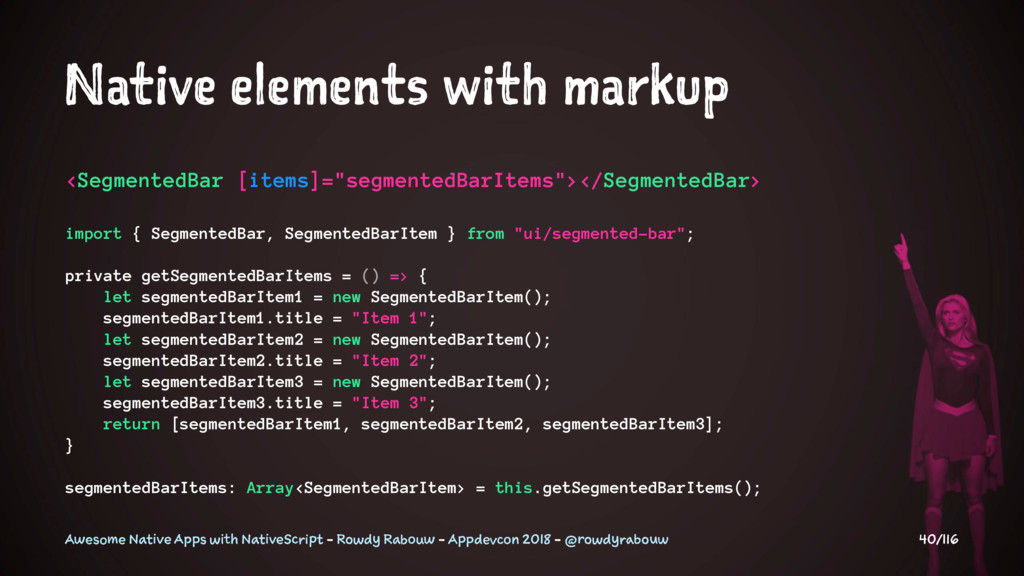
Native elements with markup <SegmentedBar [items]="segmentedBarItems"></SegmentedBar> import { SegmentedBar, SegmentedBarItem
} from "ui/segmented-bar"; private getSegmentedBarItems = () => { let segmentedBarItem1 = new SegmentedBarItem(); segmentedBarItem1.title = "Item 1"; let segmentedBarItem2 = new SegmentedBarItem(); segmentedBarItem2.title = "Item 2"; let segmentedBarItem3 = new SegmentedBarItem(); segmentedBarItem3.title = "Item 3"; return [segmentedBarItem1, segmentedBarItem2, segmentedBarItem3]; } segmentedBarItems: Array<SegmentedBarItem> = this.getSegmentedBarItems(); Awesome Native Apps with NativeScript - Rowdy Rabouw - Appdevcon 2018 - @rowdyrabouw 40/116 -
Text Field Awesome Native Apps with NativeScript - Rowdy Rabouw
- Appdevcon 2018 - @rowdyrabouw 42/116 -
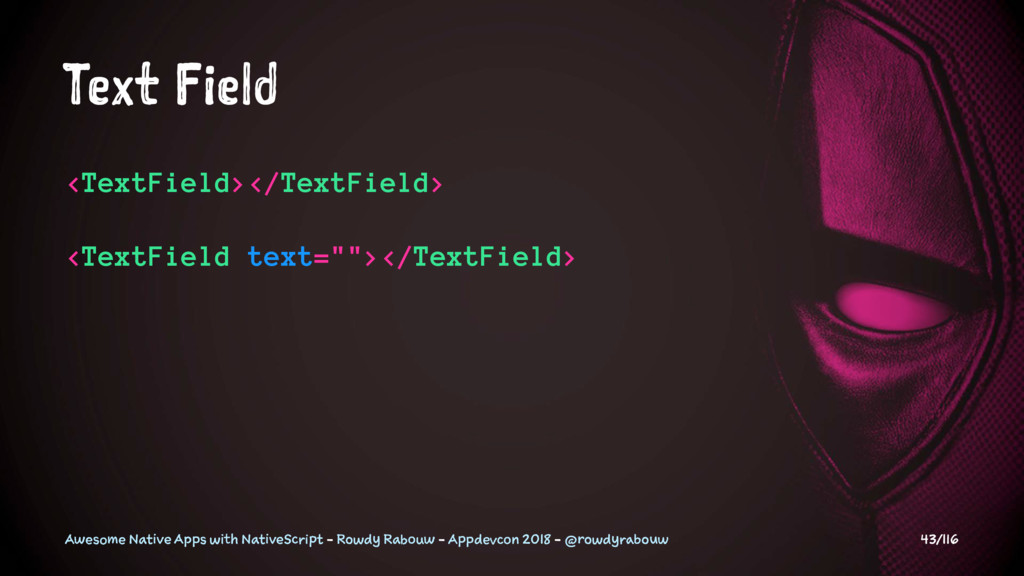
Text Field <TextField></TextField> <TextField text=""></TextField> Awesome Native Apps with NativeScript
- Rowdy Rabouw - Appdevcon 2018 - @rowdyrabouw 43/116 -
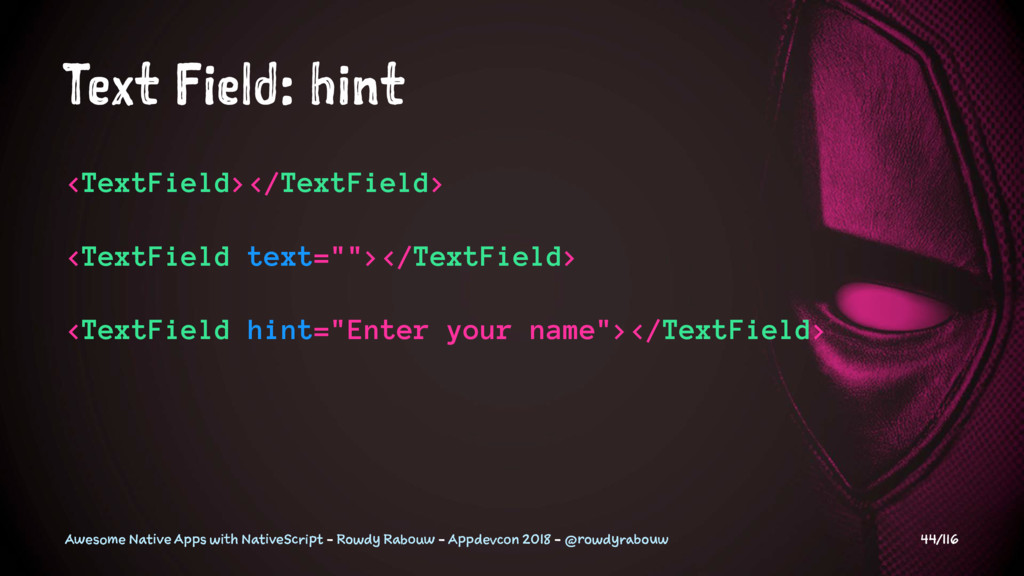
Text Field: hint <TextField></TextField> <TextField text=""></TextField> <TextField hint="Enter your name"></TextField>
Awesome Native Apps with NativeScript - Rowdy Rabouw - Appdevcon 2018 - @rowdyrabouw 44/116 -
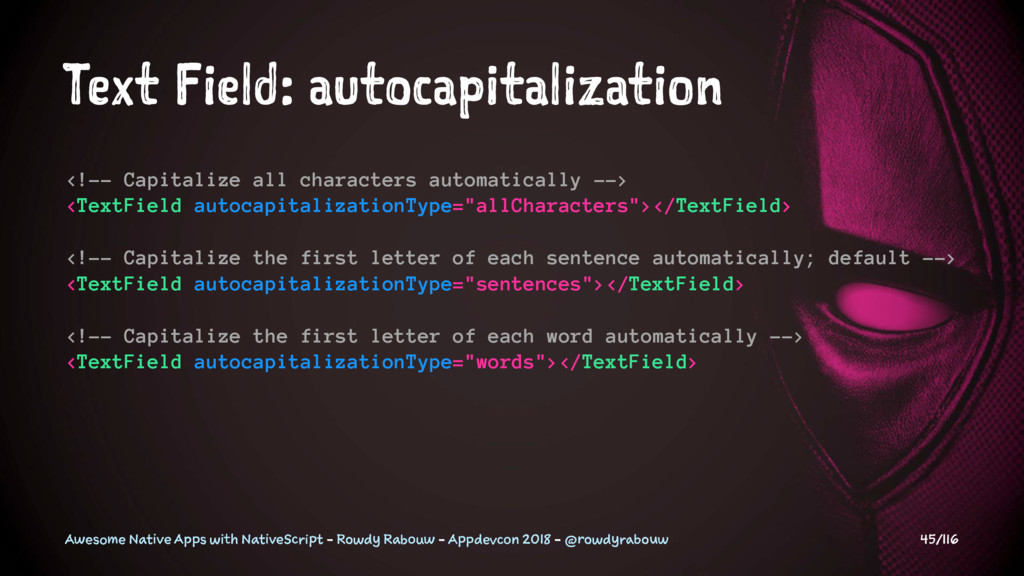
Text Field: autocapitalization <!-- Capitalize all characters automatically --> <TextField
autocapitalizationType="allCharacters"></TextField> <!-- Capitalize the first letter of each sentence automatically; default --> <TextField autocapitalizationType="sentences"></TextField> <!-- Capitalize the first letter of each word automatically --> <TextField autocapitalizationType="words"></TextField> Awesome Native Apps with NativeScript - Rowdy Rabouw - Appdevcon 2018 - @rowdyrabouw 45/116 -
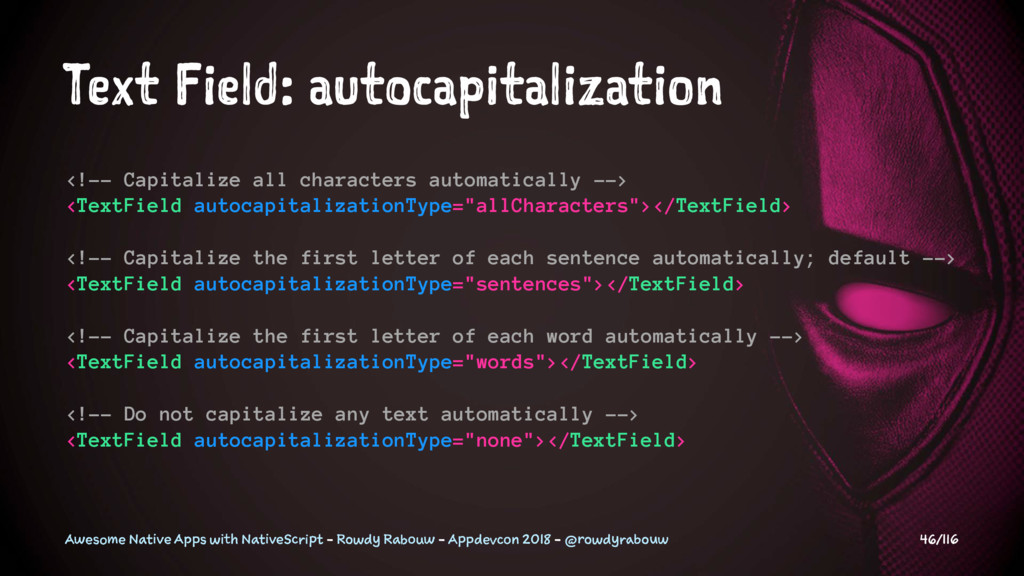
Text Field: autocapitalization <!-- Capitalize all characters automatically --> <TextField
autocapitalizationType="allCharacters"></TextField> <!-- Capitalize the first letter of each sentence automatically; default --> <TextField autocapitalizationType="sentences"></TextField> <!-- Capitalize the first letter of each word automatically --> <TextField autocapitalizationType="words"></TextField> <!-- Do not capitalize any text automatically --> <TextField autocapitalizationType="none"></TextField> Awesome Native Apps with NativeScript - Rowdy Rabouw - Appdevcon 2018 - @rowdyrabouw 46/116 -
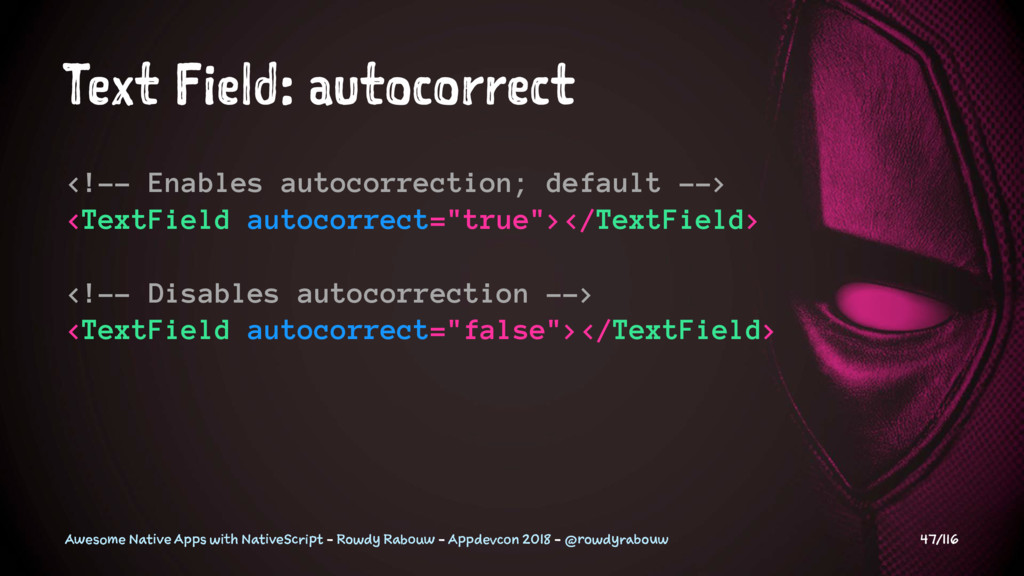
Text Field: autocorrect <!-- Enables autocorrection; default --> <TextField autocorrect="true"></TextField>
<!-- Disables autocorrection --> <TextField autocorrect="false"></TextField> Awesome Native Apps with NativeScript - Rowdy Rabouw - Appdevcon 2018 - @rowdyrabouw 47/116 -
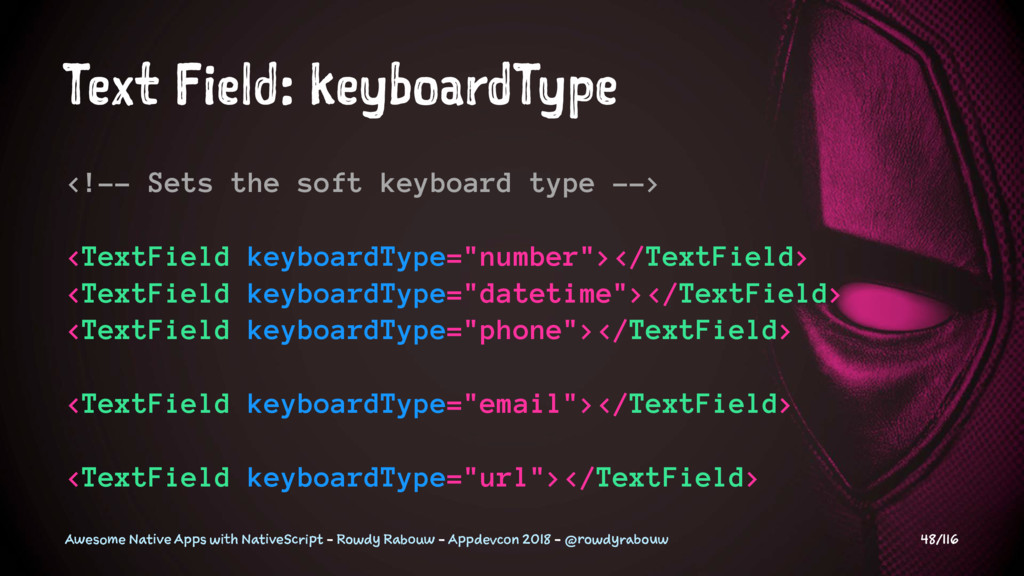
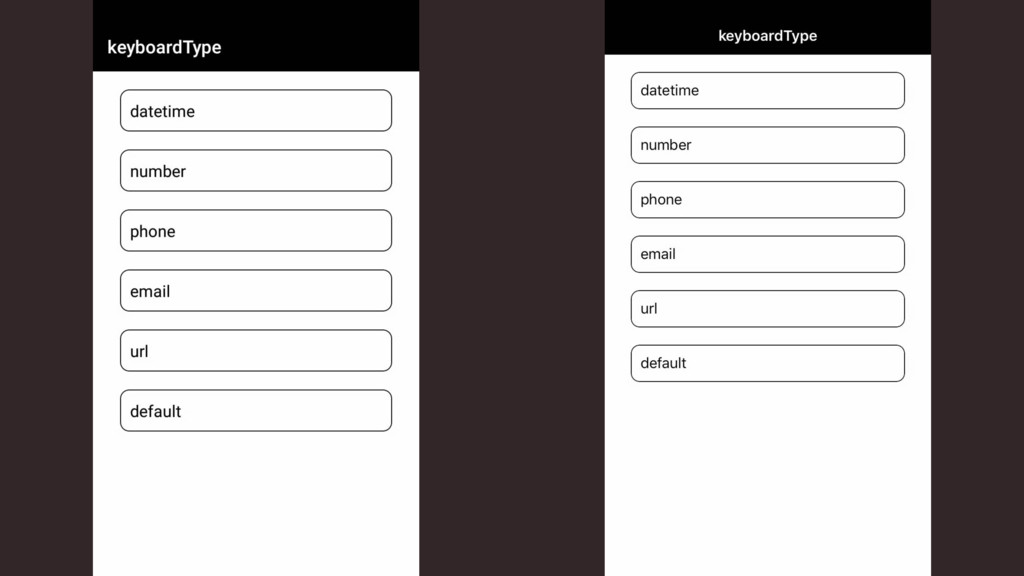
Text Field: keyboardType <!-- Sets the soft keyboard type -->
<TextField keyboardType="number"></TextField> <TextField keyboardType="datetime"></TextField> <TextField keyboardType="phone"></TextField> <TextField keyboardType="email"></TextField> <TextField keyboardType="url"></TextField> Awesome Native Apps with NativeScript - Rowdy Rabouw - Appdevcon 2018 - @rowdyrabouw 48/116 -
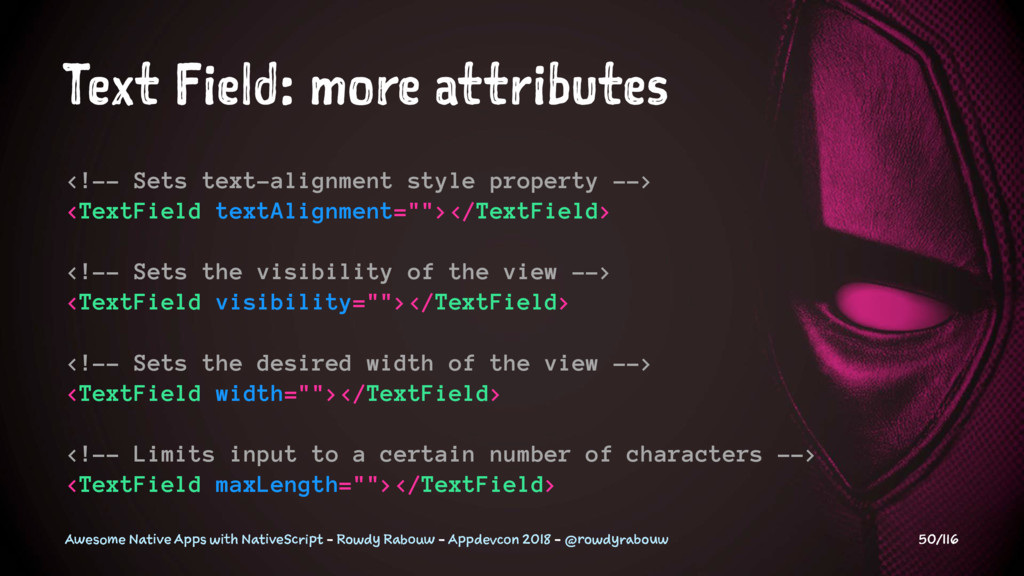
Text Field: more attributes <!-- Sets text-alignment style property -->
<TextField textAlignment=""></TextField> <!-- Sets the visibility of the view --> <TextField visibility=""></TextField> <!-- Sets the desired width of the view --> <TextField width=""></TextField> <!-- Limits input to a certain number of characters --> <TextField maxLength=""></TextField> Awesome Native Apps with NativeScript - Rowdy Rabouw - Appdevcon 2018 - @rowdyrabouw 50/116 -
Layouts Awesome Native Apps with NativeScript - Rowdy Rabouw -
Appdevcon 2018 - @rowdyrabouw 51/116 -
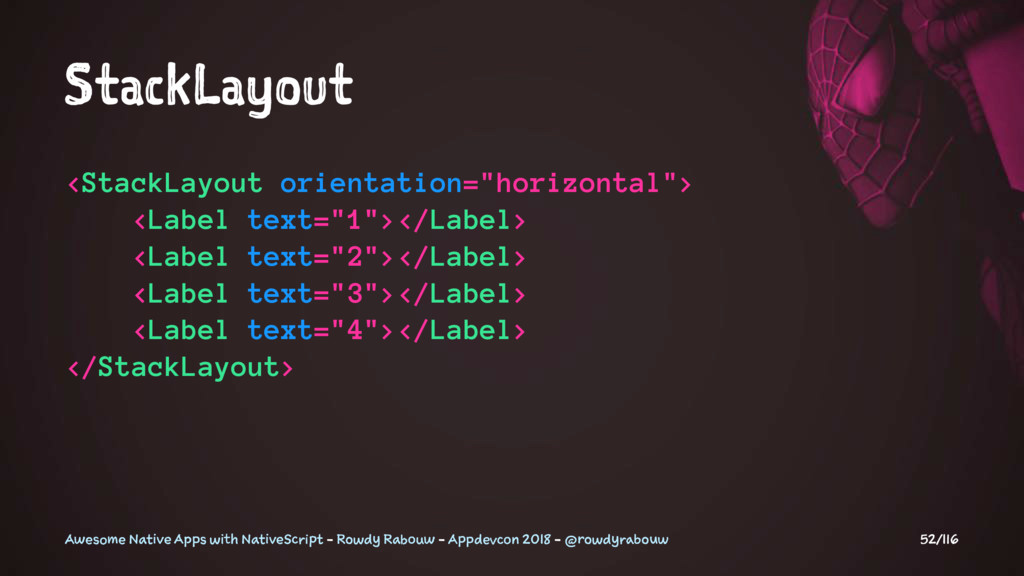
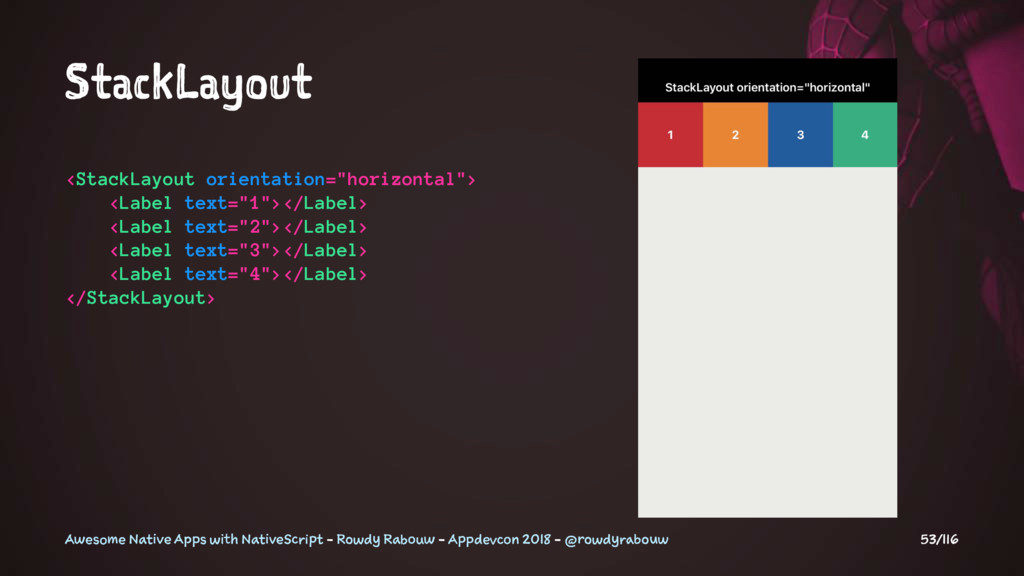
StackLayout <StackLayout orientation="horizontal"> <Label text="1"></Label> <Label text="2"></Label> <Label text="3"></Label> <Label
text="4"></Label> </StackLayout> Awesome Native Apps with NativeScript - Rowdy Rabouw - Appdevcon 2018 - @rowdyrabouw 52/116 -
StackLayout <StackLayout orientation="horizontal"> <Label text="1"></Label> <Label text="2"></Label> <Label text="3"></Label> <Label
text="4"></Label> </StackLayout> Awesome Native Apps with NativeScript - Rowdy Rabouw - Appdevcon 2018 - @rowdyrabouw 53/116 -
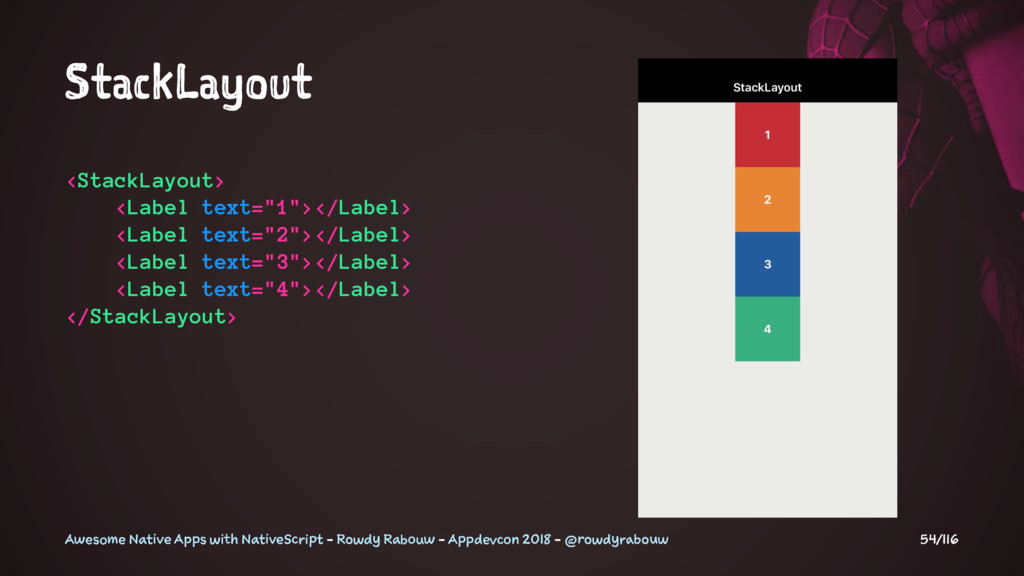
StackLayout <StackLayout> <Label text="1"></Label> <Label text="2"></Label> <Label text="3"></Label> <Label text="4"></Label>
</StackLayout> Awesome Native Apps with NativeScript - Rowdy Rabouw - Appdevcon 2018 - @rowdyrabouw 54/116 -
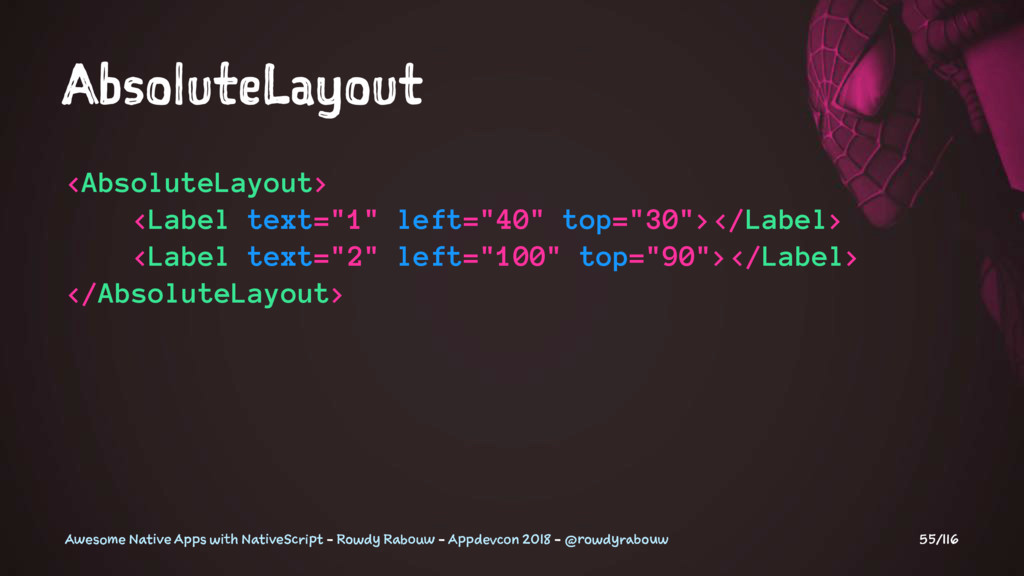
AbsoluteLayout <AbsoluteLayout> <Label text="1" left="40" top="30"></Label> <Label text="2" left="100" top="90"></Label>
</AbsoluteLayout> Awesome Native Apps with NativeScript - Rowdy Rabouw - Appdevcon 2018 - @rowdyrabouw 55/116 -
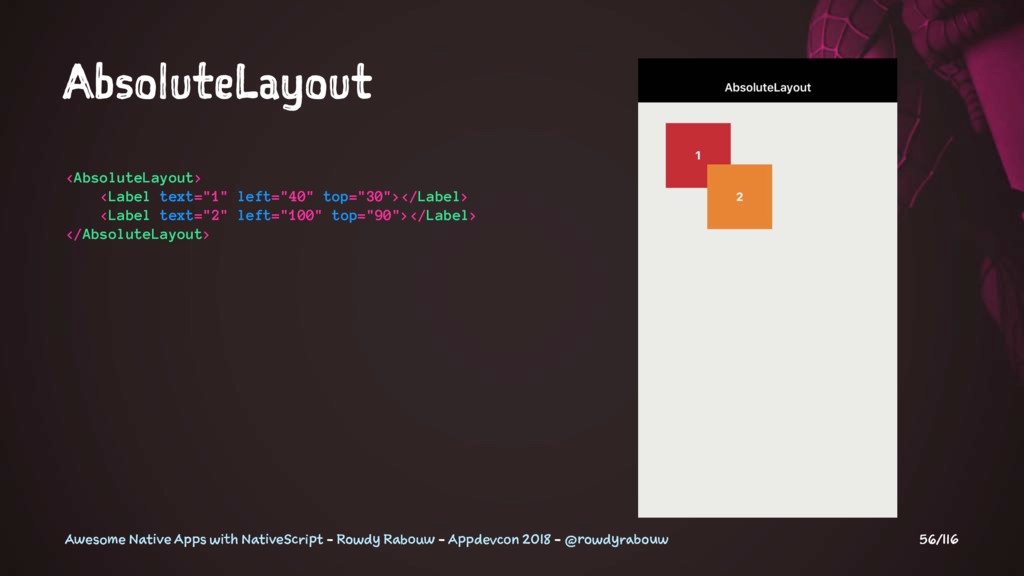
AbsoluteLayout <AbsoluteLayout> <Label text="1" left="40" top="30"></Label> <Label text="2" left="100" top="90"></Label>
</AbsoluteLayout> Awesome Native Apps with NativeScript - Rowdy Rabouw - Appdevcon 2018 - @rowdyrabouw 56/116 -
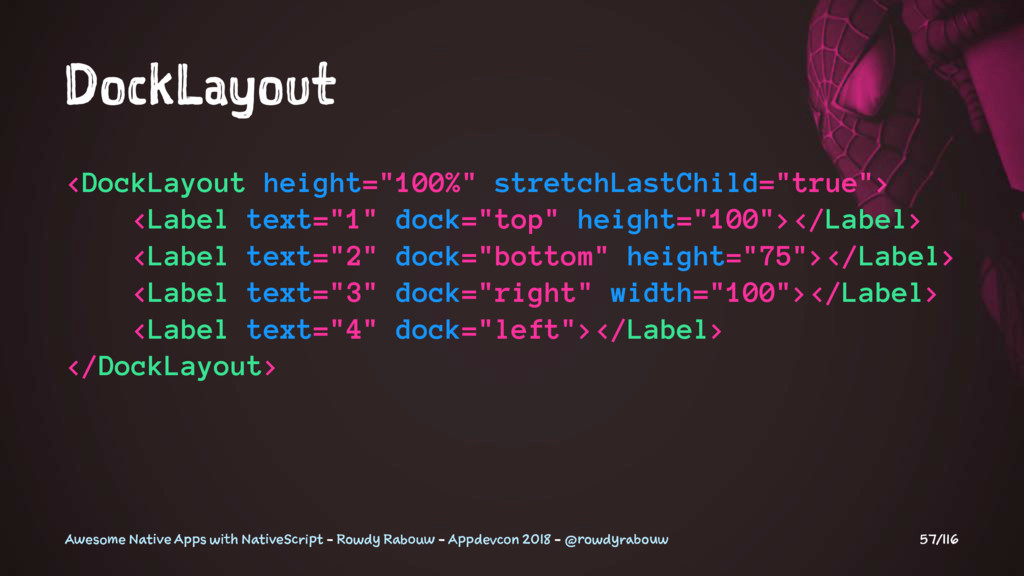
DockLayout <DockLayout height="100%" stretchLastChild="true"> <Label text="1" dock="top" height="100"></Label> <Label text="2"
dock="bottom" height="75"></Label> <Label text="3" dock="right" width="100"></Label> <Label text="4" dock="left"></Label> </DockLayout> Awesome Native Apps with NativeScript - Rowdy Rabouw - Appdevcon 2018 - @rowdyrabouw 57/116 -
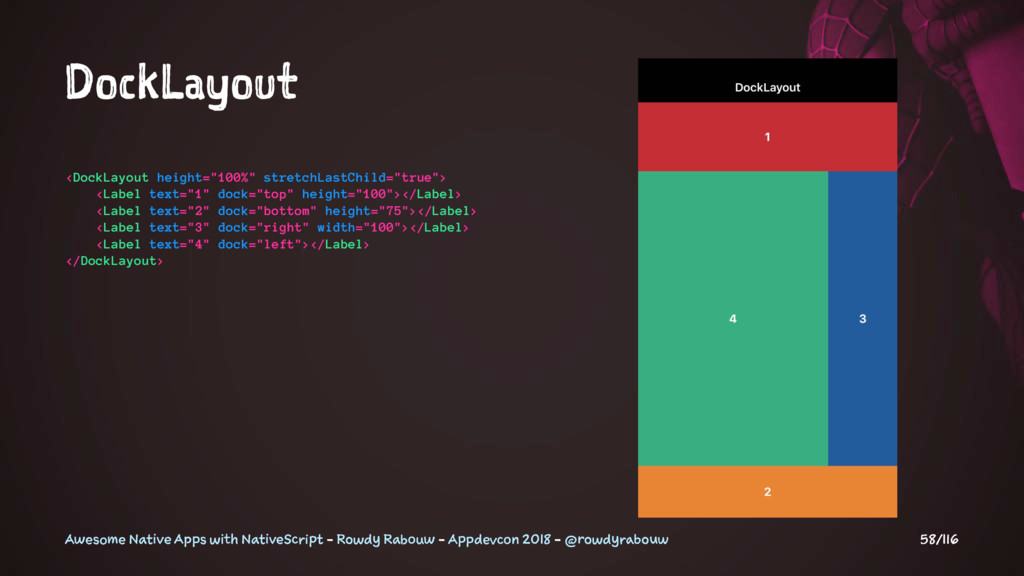
DockLayout <DockLayout height="100%" stretchLastChild="true"> <Label text="1" dock="top" height="100"></Label> <Label text="2"
dock="bottom" height="75"></Label> <Label text="3" dock="right" width="100"></Label> <Label text="4" dock="left"></Label> </DockLayout> Awesome Native Apps with NativeScript - Rowdy Rabouw - Appdevcon 2018 - @rowdyrabouw 58/116 -
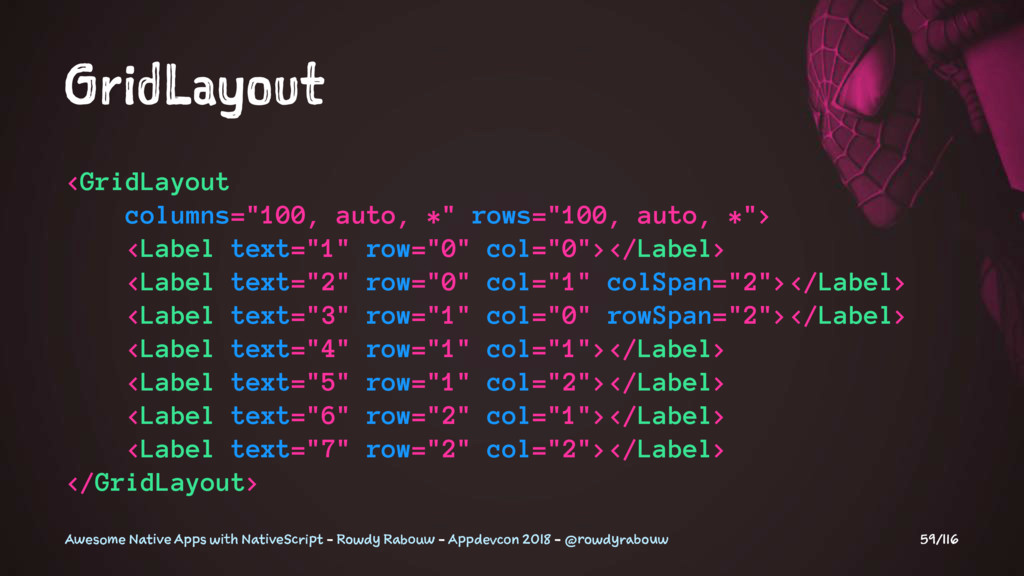
GridLayout <GridLayout columns="100, auto, *" rows="100, auto, *"> <Label text="1"
row="0" col="0"></Label> <Label text="2" row="0" col="1" colSpan="2"></Label> <Label text="3" row="1" col="0" rowSpan="2"></Label> <Label text="4" row="1" col="1"></Label> <Label text="5" row="1" col="2"></Label> <Label text="6" row="2" col="1"></Label> <Label text="7" row="2" col="2"></Label> </GridLayout> Awesome Native Apps with NativeScript - Rowdy Rabouw - Appdevcon 2018 - @rowdyrabouw 59/116 -
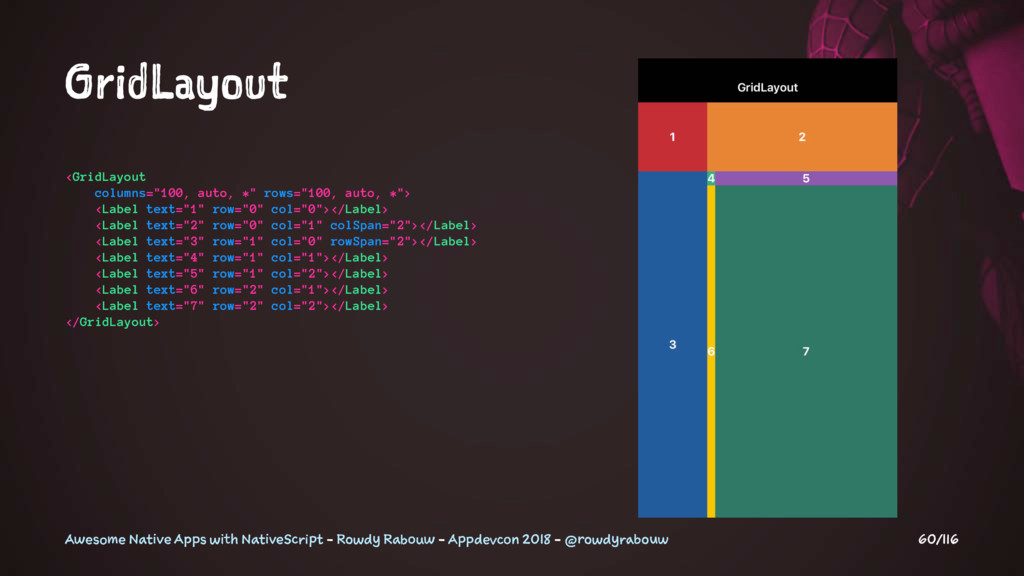
GridLayout <GridLayout columns="100, auto, *" rows="100, auto, *"> <Label text="1"
row="0" col="0"></Label> <Label text="2" row="0" col="1" colSpan="2"></Label> <Label text="3" row="1" col="0" rowSpan="2"></Label> <Label text="4" row="1" col="1"></Label> <Label text="5" row="1" col="2"></Label> <Label text="6" row="2" col="1"></Label> <Label text="7" row="2" col="2"></Label> </GridLayout> Awesome Native Apps with NativeScript - Rowdy Rabouw - Appdevcon 2018 - @rowdyrabouw 60/116 -
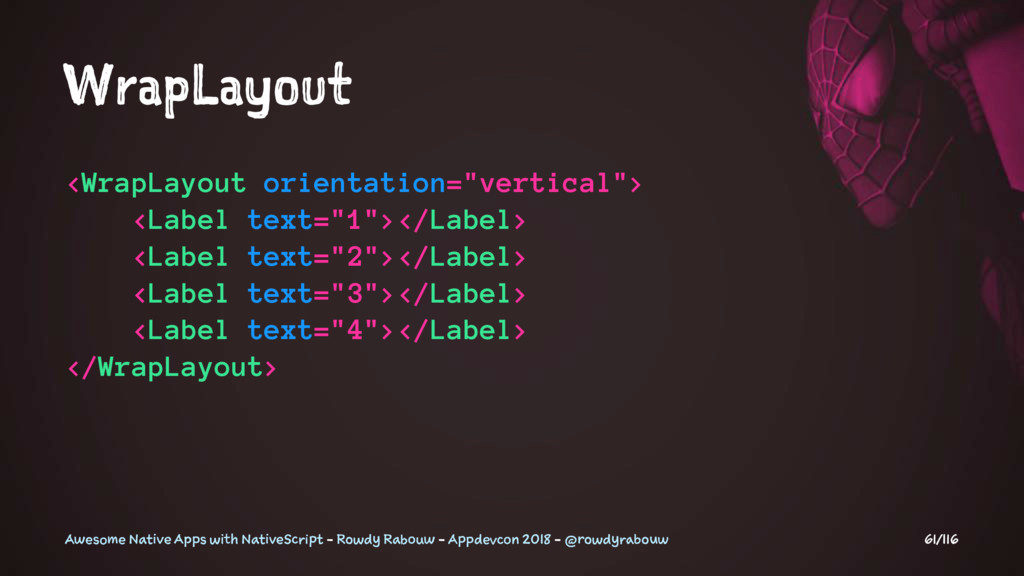
WrapLayout <WrapLayout orientation="vertical"> <Label text="1"></Label> <Label text="2"></Label> <Label text="3"></Label> <Label
text="4"></Label> </WrapLayout> Awesome Native Apps with NativeScript - Rowdy Rabouw - Appdevcon 2018 - @rowdyrabouw 61/116 -
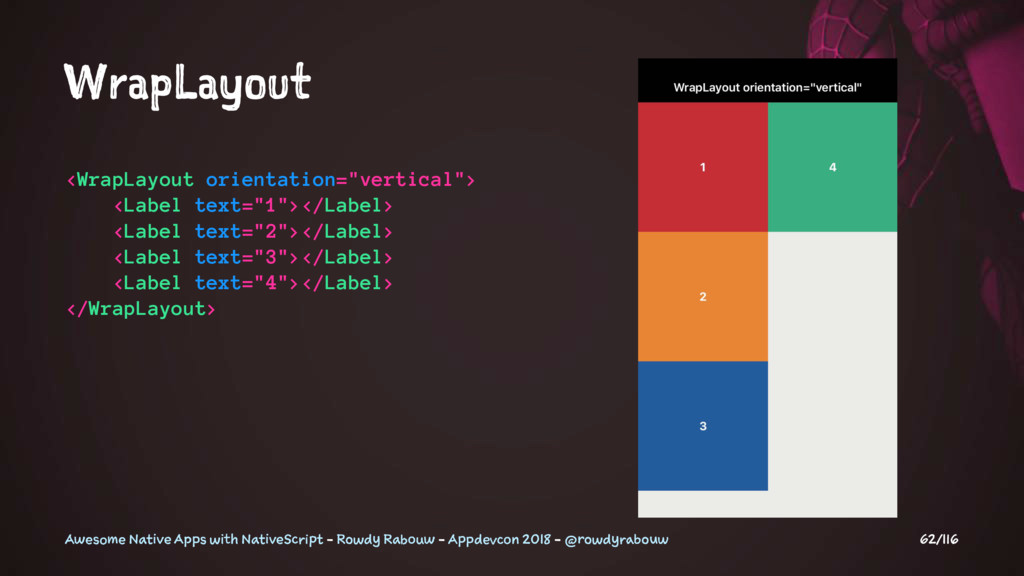
WrapLayout <WrapLayout orientation="vertical"> <Label text="1"></Label> <Label text="2"></Label> <Label text="3"></Label> <Label
text="4"></Label> </WrapLayout> Awesome Native Apps with NativeScript - Rowdy Rabouw - Appdevcon 2018 - @rowdyrabouw 62/116 -
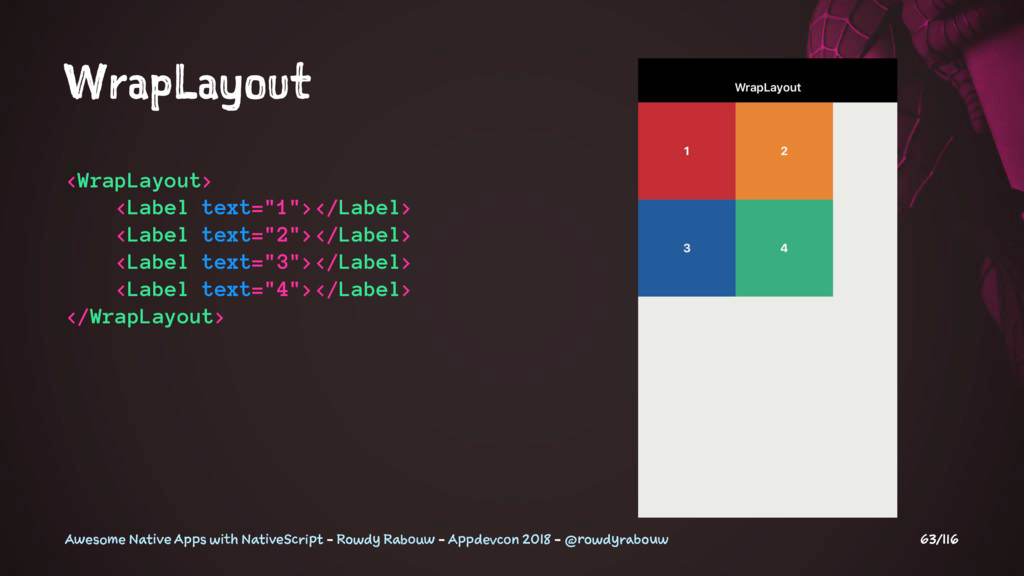
WrapLayout <WrapLayout> <Label text="1"></Label> <Label text="2"></Label> <Label text="3"></Label> <Label text="4"></Label>
</WrapLayout> Awesome Native Apps with NativeScript - Rowdy Rabouw - Appdevcon 2018 - @rowdyrabouw 63/116 -
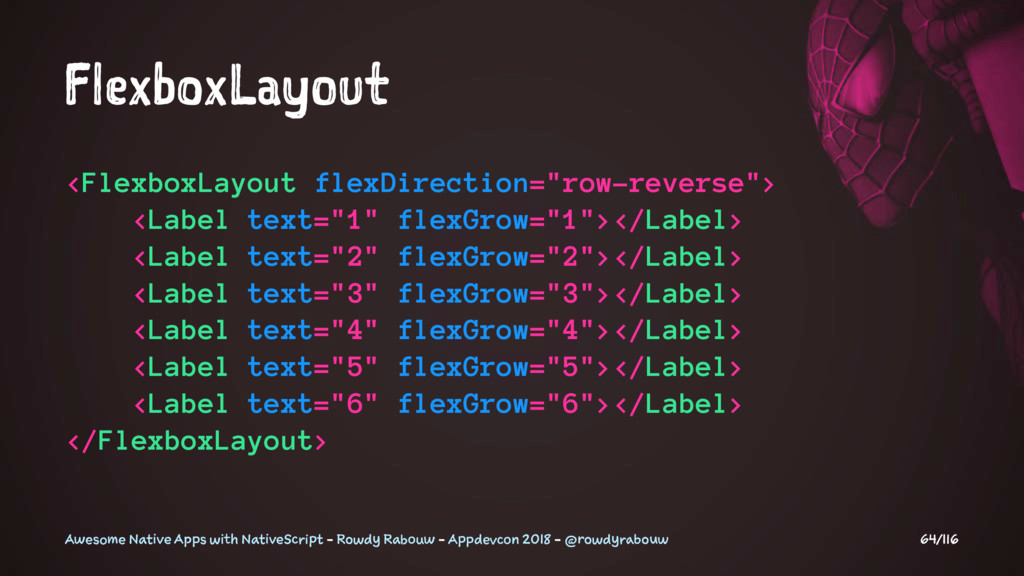
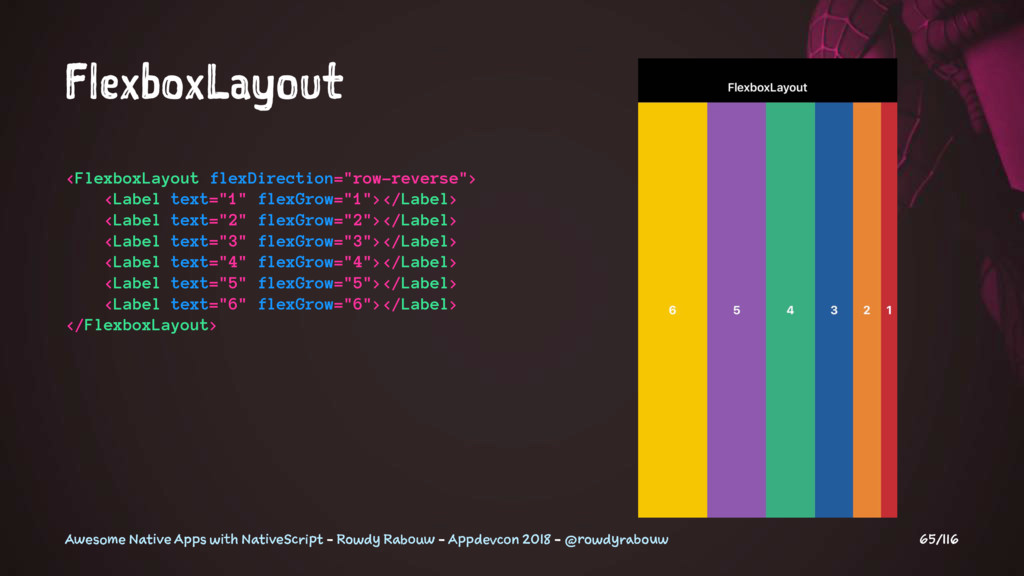
FlexboxLayout <FlexboxLayout flexDirection="row-reverse"> <Label text="1" flexGrow="1"></Label> <Label text="2" flexGrow="2"></Label> <Label
text="3" flexGrow="3"></Label> <Label text="4" flexGrow="4"></Label> <Label text="5" flexGrow="5"></Label> <Label text="6" flexGrow="6"></Label> </FlexboxLayout> Awesome Native Apps with NativeScript - Rowdy Rabouw - Appdevcon 2018 - @rowdyrabouw 64/116 -
FlexboxLayout <FlexboxLayout flexDirection="row-reverse"> <Label text="1" flexGrow="1"></Label> <Label text="2" flexGrow="2"></Label> <Label
text="3" flexGrow="3"></Label> <Label text="4" flexGrow="4"></Label> <Label text="5" flexGrow="5"></Label> <Label text="6" flexGrow="6"></Label> </FlexboxLayout> Awesome Native Apps with NativeScript - Rowdy Rabouw - Appdevcon 2018 - @rowdyrabouw 65/116 -
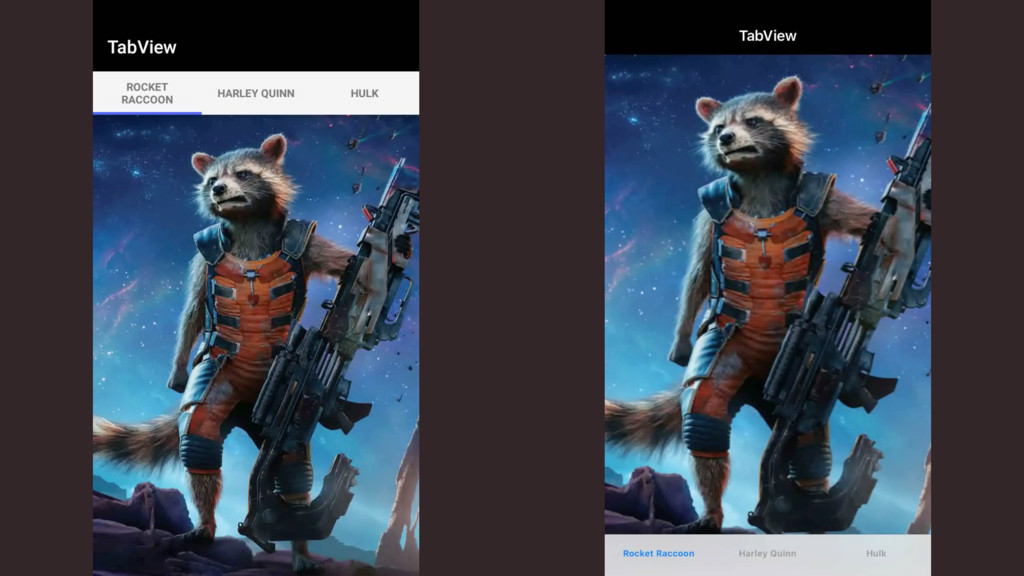
TabView Awesome Native Apps with NativeScript - Rowdy Rabouw -
Appdevcon 2018 - @rowdyrabouw 66/116 -
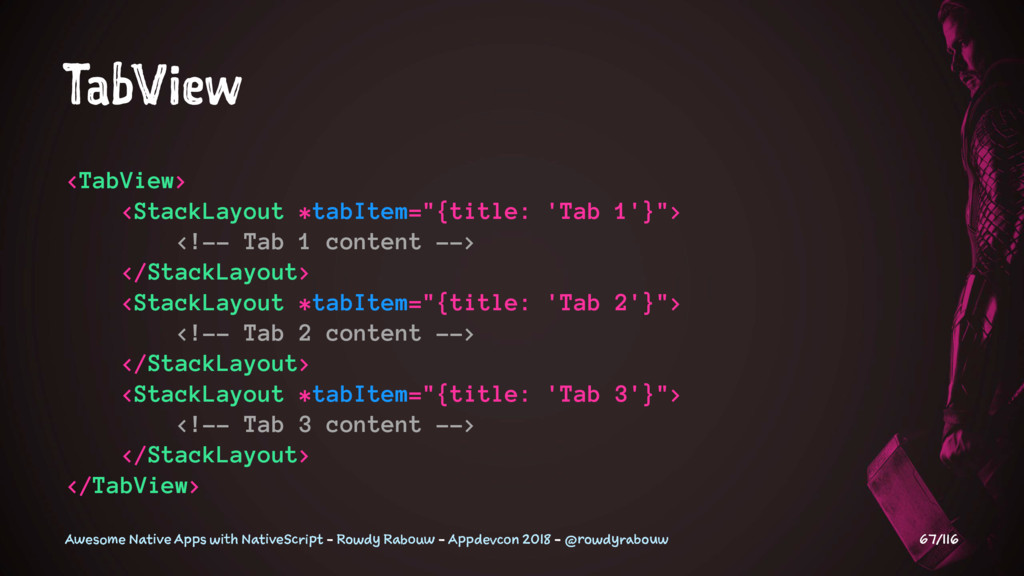
TabView <TabView> <StackLayout *tabItem="{title: 'Tab 1'}"> <!-- Tab 1 content
--> </StackLayout> <StackLayout *tabItem="{title: 'Tab 2'}"> <!-- Tab 2 content --> </StackLayout> <StackLayout *tabItem="{title: 'Tab 3'}"> <!-- Tab 3 content --> </StackLayout> </TabView> Awesome Native Apps with NativeScript - Rowdy Rabouw - Appdevcon 2018 - @rowdyrabouw 67/116 -
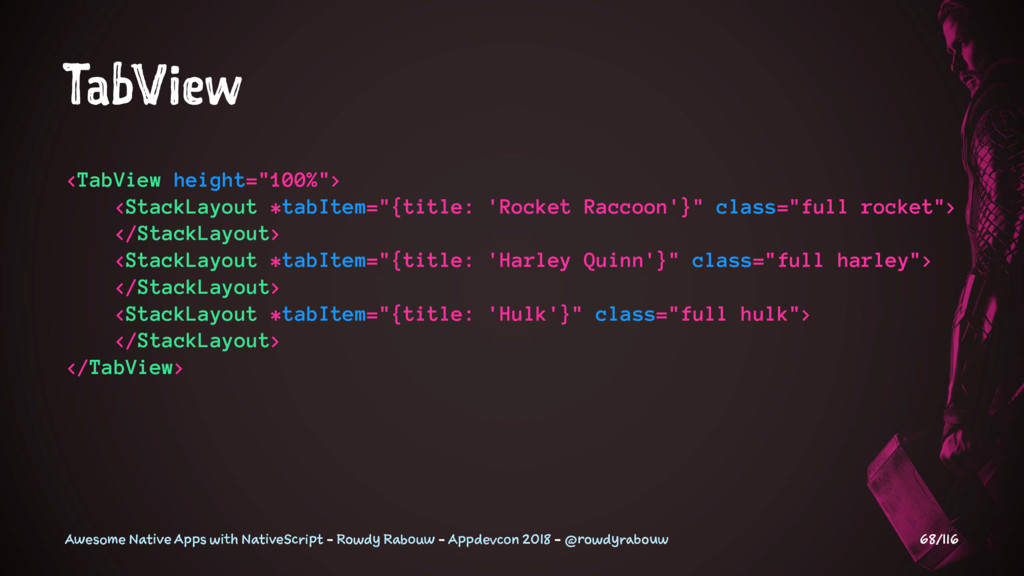
TabView <TabView height="100%"> <StackLayout *tabItem="{title: 'Rocket Raccoon'}" class="full rocket"> </StackLayout>
<StackLayout *tabItem="{title: 'Harley Quinn'}" class="full harley"> </StackLayout> <StackLayout *tabItem="{title: 'Hulk'}" class="full hulk"> </StackLayout> </TabView> Awesome Native Apps with NativeScript - Rowdy Rabouw - Appdevcon 2018 - @rowdyrabouw 68/116 -
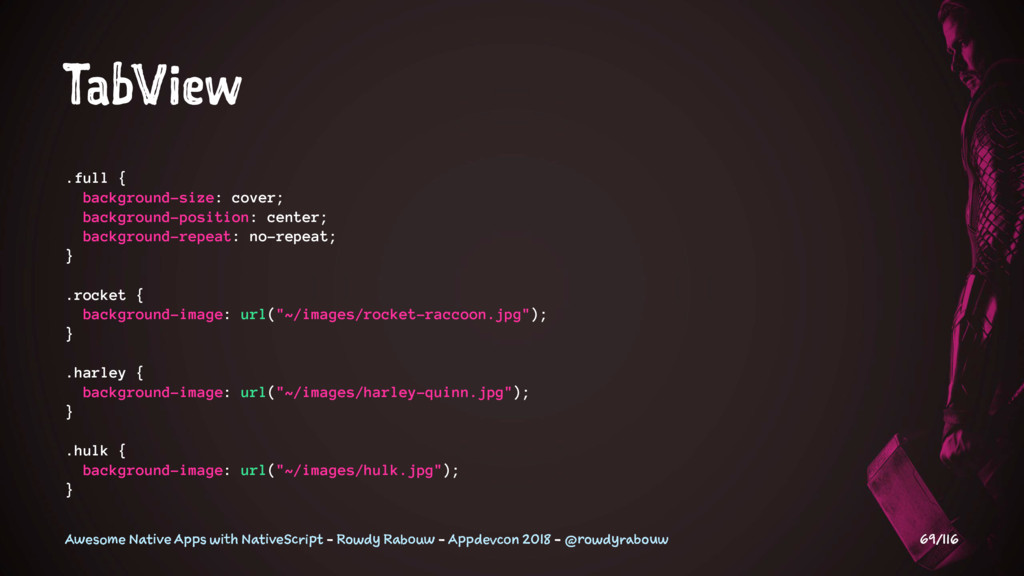
TabView .full { background-size: cover; background-position: center; background-repeat: no-repeat; }
.rocket { background-image: url("~/images/rocket-raccoon.jpg"); } .harley { background-image: url("~/images/harley-quinn.jpg"); } .hulk { background-image: url("~/images/hulk.jpg"); } Awesome Native Apps with NativeScript - Rowdy Rabouw - Appdevcon 2018 - @rowdyrabouw 69/116 -
Native code Awesome Native Apps with NativeScript - Rowdy Rabouw
- Appdevcon 2018 - @rowdyrabouw 71/116 -
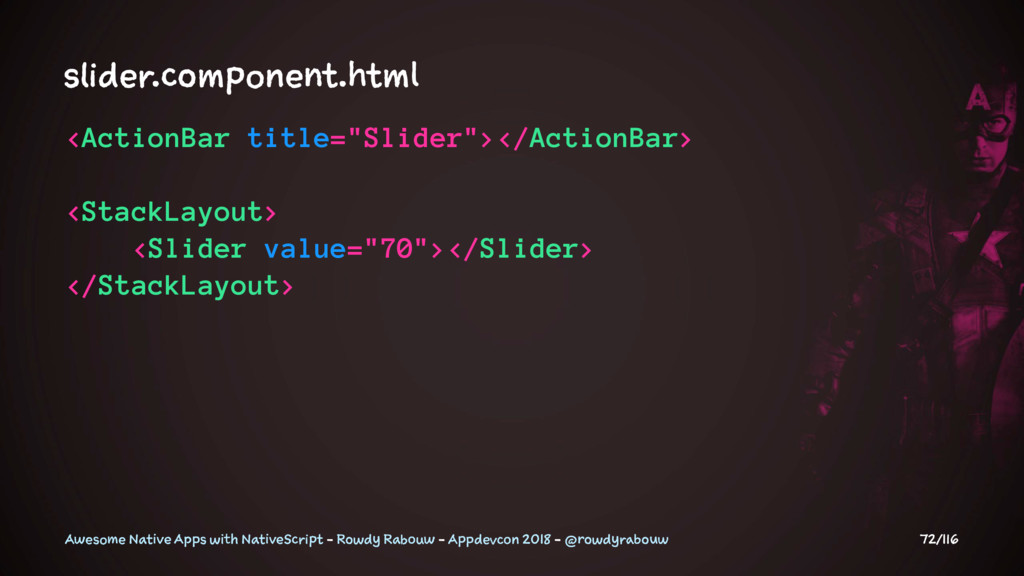
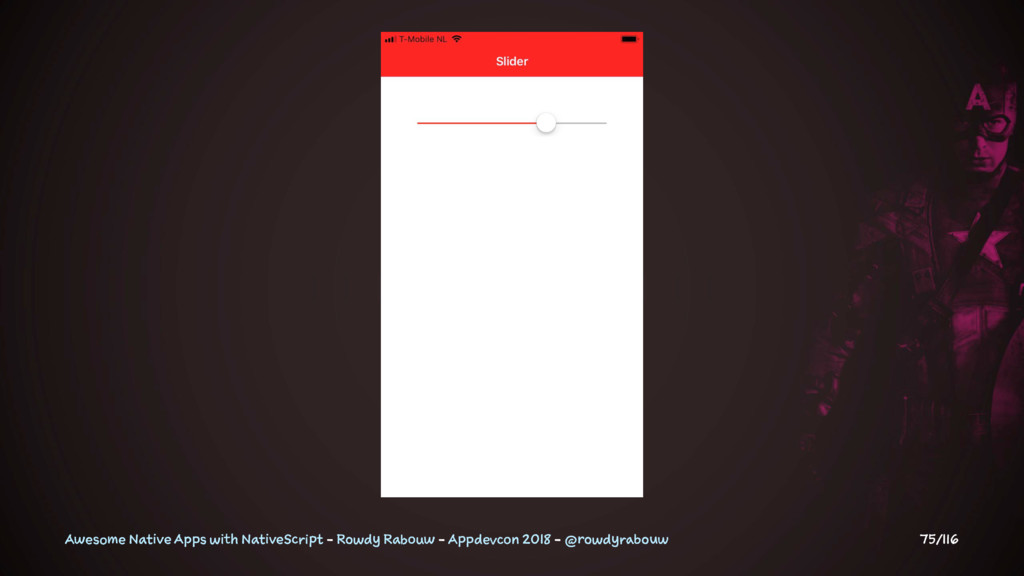
slider.component.html <ActionBar title="Slider"></ActionBar> <StackLayout> <Slider value="70"></Slider> </StackLayout> Awesome Native Apps
with NativeScript - Rowdy Rabouw - Appdevcon 2018 - @rowdyrabouw 72/116 -
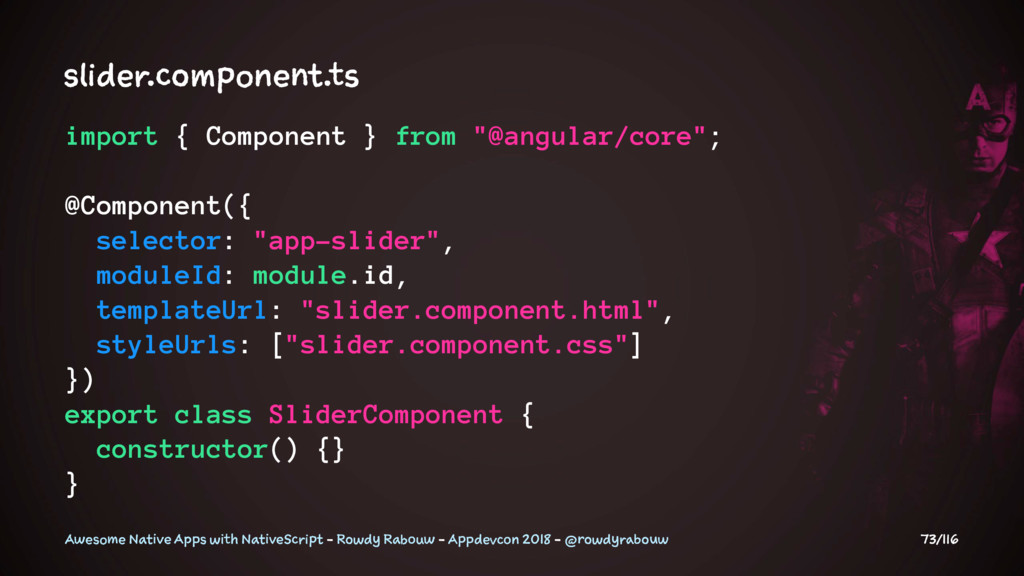
slider.component.ts import { Component } from "@angular/core"; @Component({ selector: "app-slider",
moduleId: module.id, templateUrl: "slider.component.html", styleUrls: ["slider.component.css"] }) export class SliderComponent { constructor() {} } Awesome Native Apps with NativeScript - Rowdy Rabouw - Appdevcon 2018 - @rowdyrabouw 73/116 -
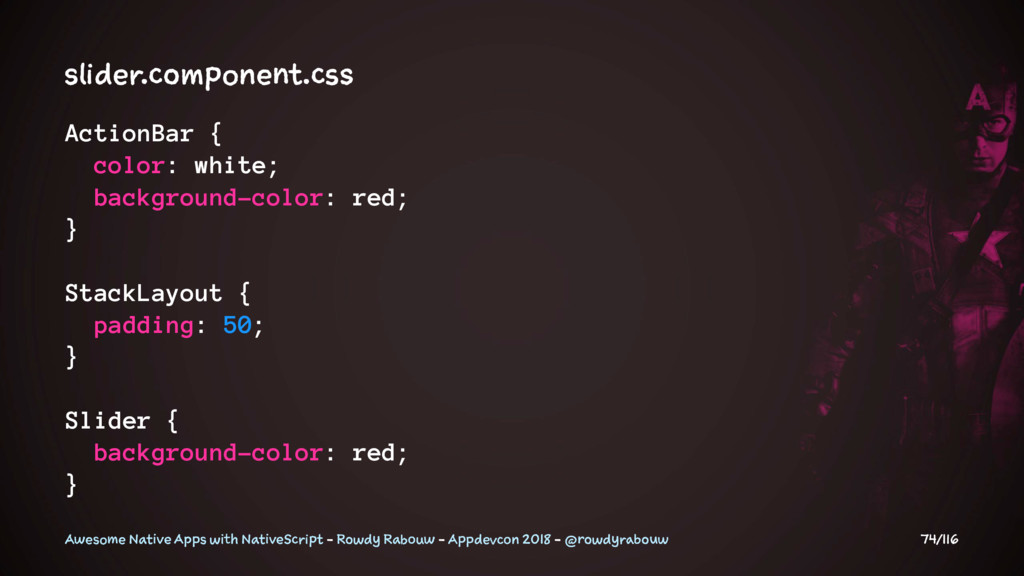
slider.component.css ActionBar { color: white; background-color: red; } StackLayout {
padding: 50; } Slider { background-color: red; } Awesome Native Apps with NativeScript - Rowdy Rabouw - Appdevcon 2018 - @rowdyrabouw 74/116 -
Awesome Native Apps with NativeScript - Rowdy Rabouw - Appdevcon
2018 - @rowdyrabouw 75/116 -
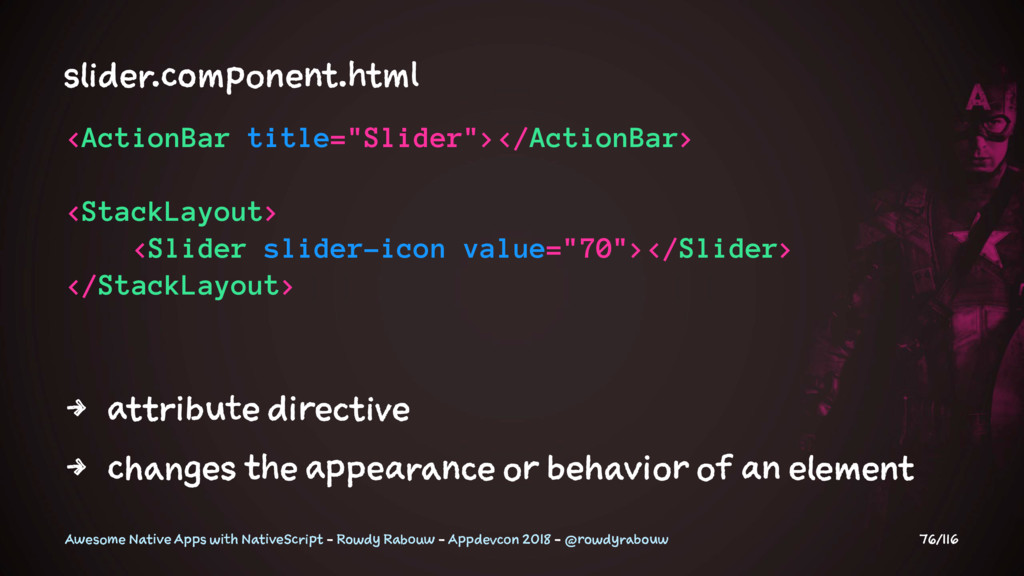
slider.component.html <ActionBar title="Slider"></ActionBar> <StackLayout> <Slider slider-icon value="70"></Slider> </StackLayout> 4 attribute
directive 4 changes the appearance or behavior of an element Awesome Native Apps with NativeScript - Rowdy Rabouw - Appdevcon 2018 - @rowdyrabouw 76/116 -
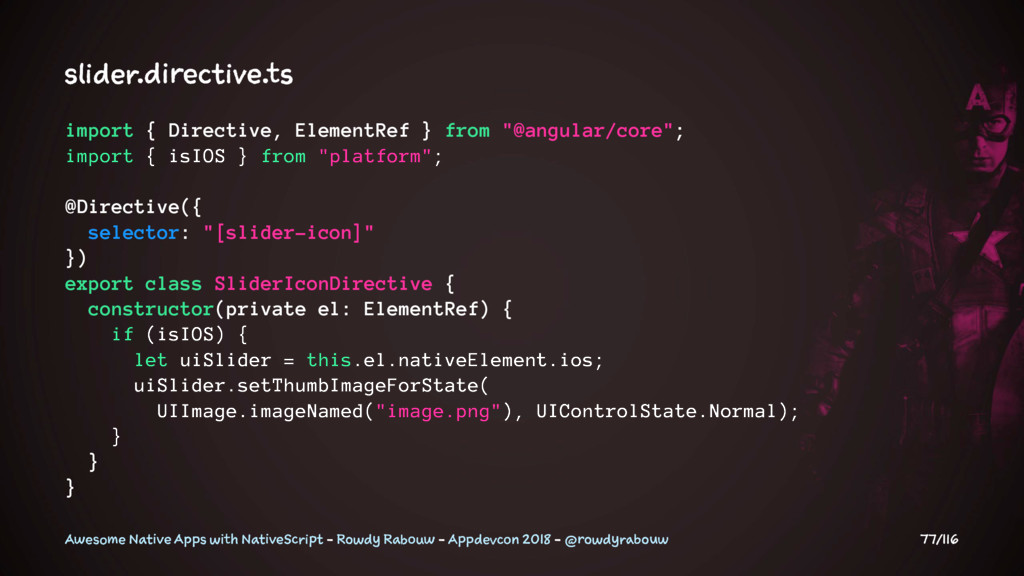
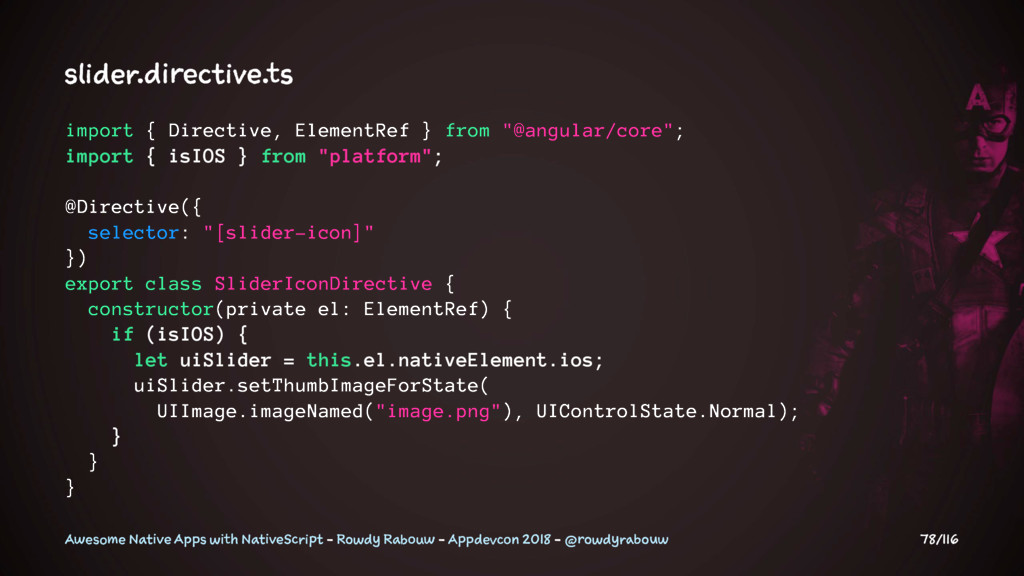
slider.directive.ts import { Directive, ElementRef } from "@angular/core"; import {
isIOS } from "platform"; @Directive({ selector: "[slider-icon]" }) export class SliderIconDirective { constructor(private el: ElementRef) { if (isIOS) { let uiSlider = this.el.nativeElement.ios; uiSlider.setThumbImageForState( UIImage.imageNamed("image.png"), UIControlState.Normal); } } } Awesome Native Apps with NativeScript - Rowdy Rabouw - Appdevcon 2018 - @rowdyrabouw 77/116 -
slider.directive.ts import { Directive, ElementRef } from "@angular/core"; import {
isIOS } from "platform"; @Directive({ selector: "[slider-icon]" }) export class SliderIconDirective { constructor(private el: ElementRef) { if (isIOS) { let uiSlider = this.el.nativeElement.ios; uiSlider.setThumbImageForState( UIImage.imageNamed("image.png"), UIControlState.Normal); } } } Awesome Native Apps with NativeScript - Rowdy Rabouw - Appdevcon 2018 - @rowdyrabouw 78/116 -
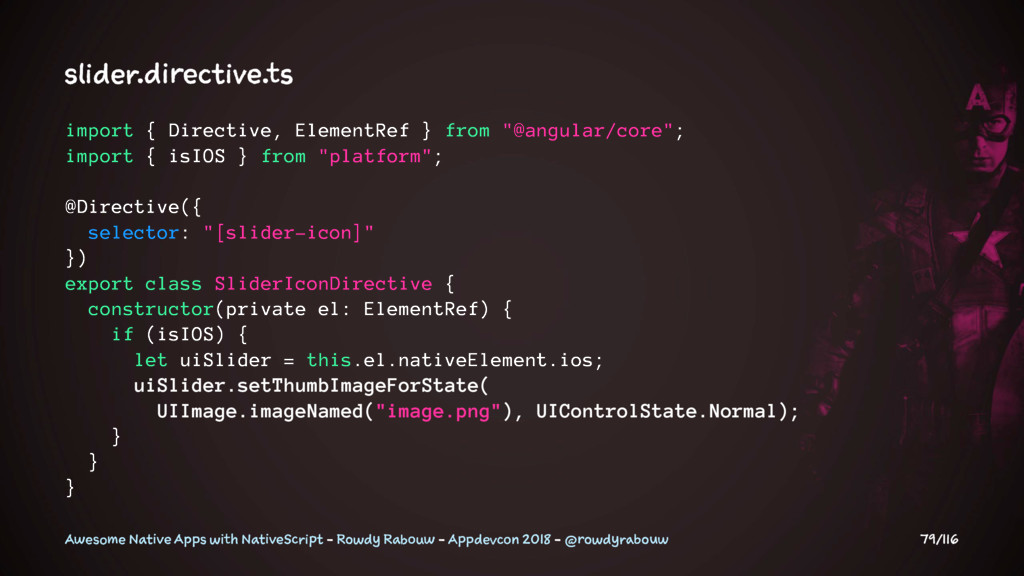
slider.directive.ts import { Directive, ElementRef } from "@angular/core"; import {
isIOS } from "platform"; @Directive({ selector: "[slider-icon]" }) export class SliderIconDirective { constructor(private el: ElementRef) { if (isIOS) { let uiSlider = this.el.nativeElement.ios; uiSlider.setThumbImageForState( UIImage.imageNamed("image.png"), UIControlState.Normal); } } } Awesome Native Apps with NativeScript - Rowdy Rabouw - Appdevcon 2018 - @rowdyrabouw 79/116 -
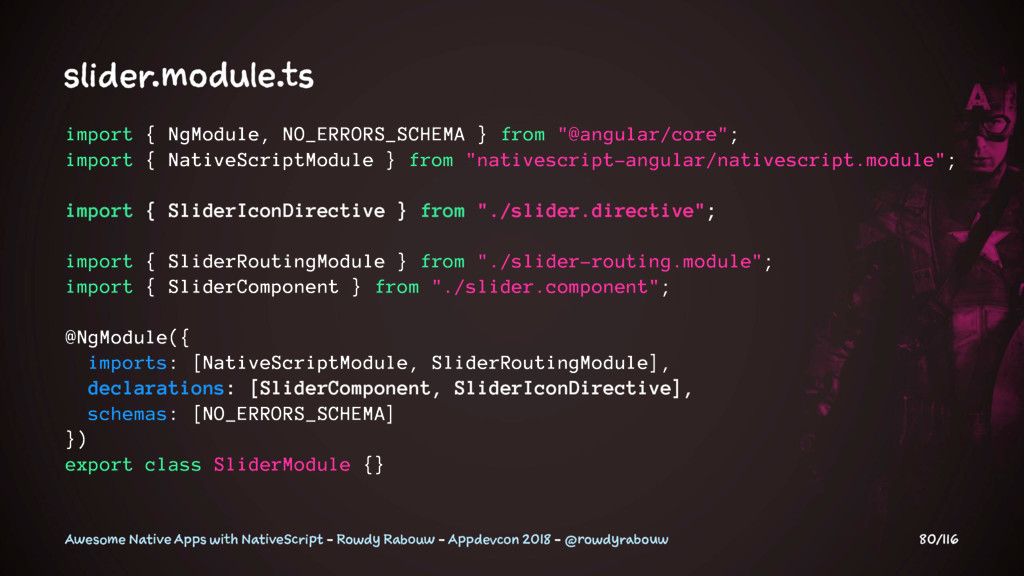
slider.module.ts import { NgModule, NO_ERRORS_SCHEMA } from "@angular/core"; import {
NativeScriptModule } from "nativescript-angular/nativescript.module"; import { SliderIconDirective } from "./slider.directive"; import { SliderRoutingModule } from "./slider-routing.module"; import { SliderComponent } from "./slider.component"; @NgModule({ imports: [NativeScriptModule, SliderRoutingModule], declarations: [SliderComponent, SliderIconDirective], schemas: [NO_ERRORS_SCHEMA] }) export class SliderModule {} Awesome Native Apps with NativeScript - Rowdy Rabouw - Appdevcon 2018 - @rowdyrabouw 80/116 -
Demo Awesome Native Apps with NativeScript - Rowdy Rabouw -
Appdevcon 2018 - @rowdyrabouw 81/116 -
Node Package Manager Awesome Native Apps with NativeScript - Rowdy
Rabouw - Appdevcon 2018 - @rowdyrabouw 82/116 -
Node Package Manager 4 commonly known as npm 4 ready
to use JavaScript modules 4 almost 500.000 packages of free, reusable code Awesome Native Apps with NativeScript - Rowdy Rabouw - Appdevcon 2018 - @rowdyrabouw 83/116 -
Android Arsenal 4 libraries for Android (Java / Kotlin) Cocoapods
4 libraries for i OS (Objective-C / Swift) Awesome Native Apps with NativeScript - Rowdy Rabouw - Appdevcon 2018 - @rowdyrabouw 84/116 -
Multilingual with ngx-translate Awesome Native Apps with NativeScript - Rowdy
Rabouw - Appdevcon 2018 - @rowdyrabouw 85/116 -
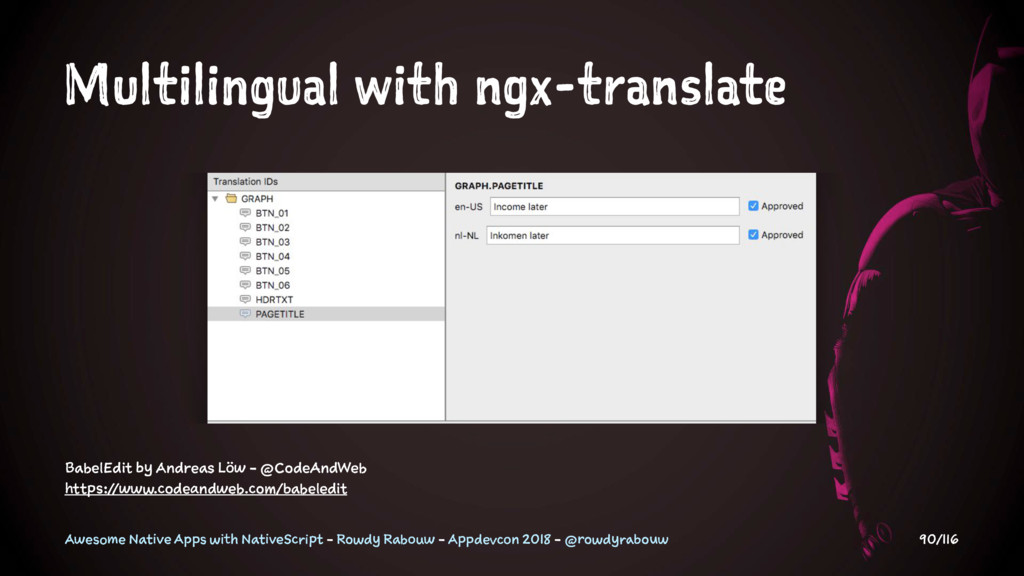
Multilingual with ngx-translate 4 internationalization library for Angular 2+ 4
define translations in different languages 4 switch between them easily 4 no hardcoded text/labels, all in one place 4 start directly, even with one language Awesome Native Apps with NativeScript - Rowdy Rabouw - Appdevcon 2018 - @rowdyrabouw 86/116 -
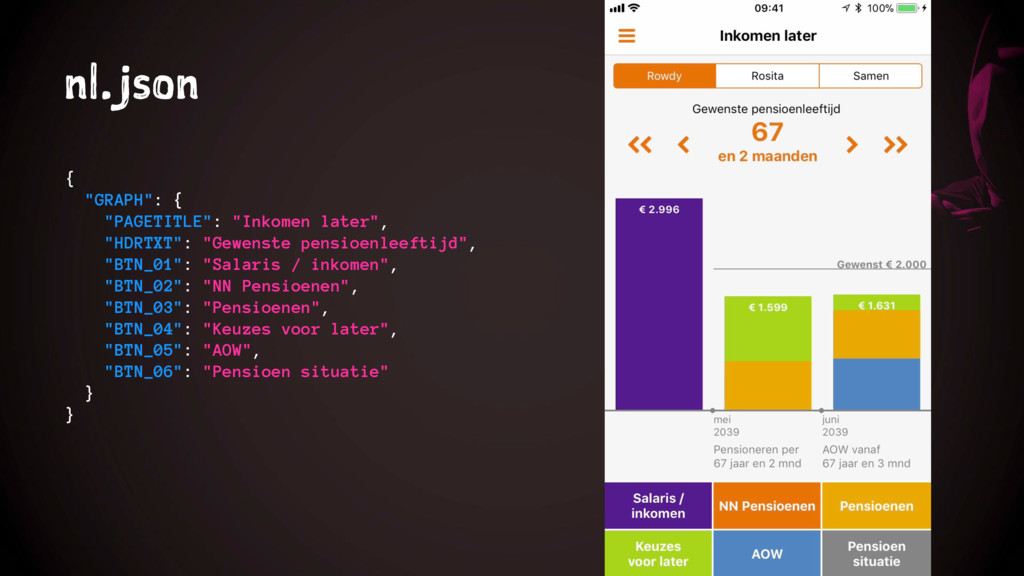
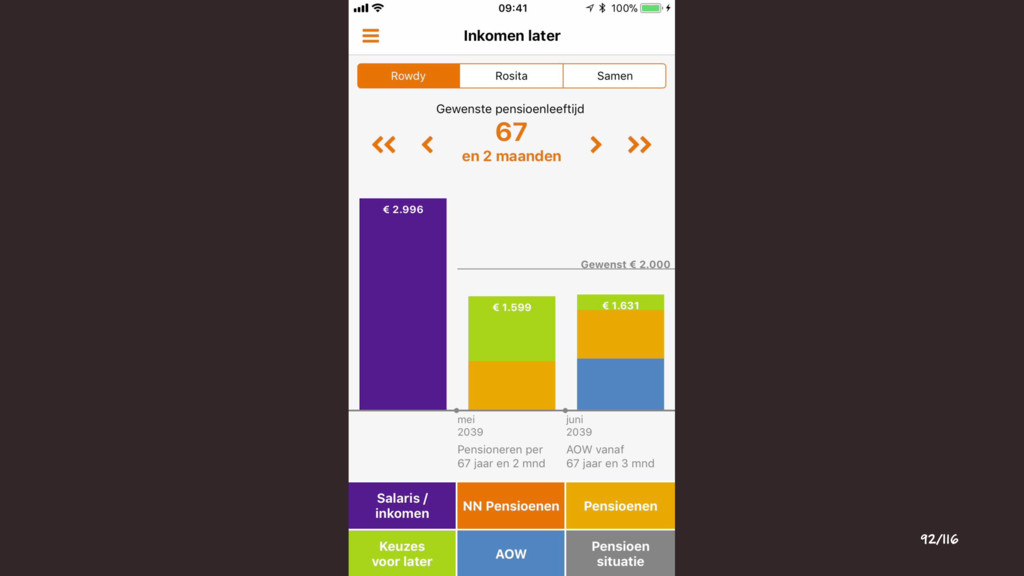
nl.json { "GRAPH": { "PAGETITLE": "Inkomen later", "HDRTXT": "Gewenste pensioenleeftijd",
"BTN_01": "Salaris / inkomen", "BTN_02": "NN Pensioenen", "BTN_03": "Pensioenen", "BTN_04": "Keuzes voor later", "BTN_05": "AOW", "BTN_06": "Pensioen situatie" } } -
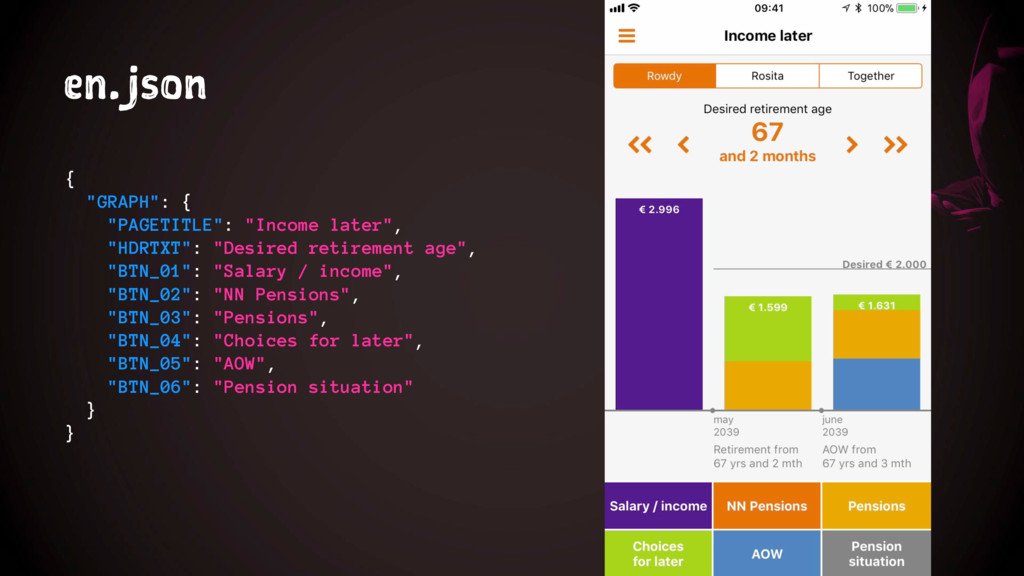
en.json { "GRAPH": { "PAGETITLE": "Income later", "HDRTXT": "Desired retirement
age", "BTN_01": "Salary / income", "BTN_02": "NN Pensions", "BTN_03": "Pensions", "BTN_04": "Choices for later", "BTN_05": "AOW", "BTN_06": "Pension situation" } } -
Multilingual with ngx-translate BabelEdit by Andreas Löw - @CodeAndWeb https://www.codeandweb.com/babeledit
Awesome Native Apps with NativeScript - Rowdy Rabouw - Appdevcon 2018 - @rowdyrabouw 90/116 -
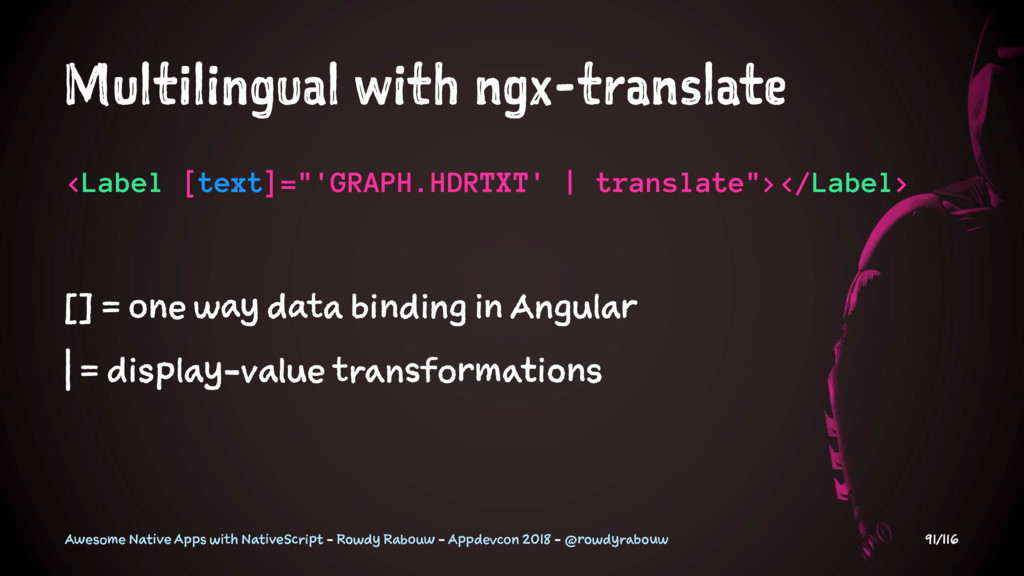
Multilingual with ngx-translate <Label [text]="'GRAPH.HDRTXT' | translate"></Label> [] = one
way data binding in Angular | = display-value transformations Awesome Native Apps with NativeScript - Rowdy Rabouw - Appdevcon 2018 - @rowdyrabouw 91/116 -
Plugins Awesome Native Apps with NativeScript - Rowdy Rabouw -
Appdevcon 2018 - @rowdyrabouw 93/116 -
Plugins: anatomy Awesome Native Apps with NativeScript - Rowdy Rabouw
- Appdevcon 2018 - @rowdyrabouw 94/116 -
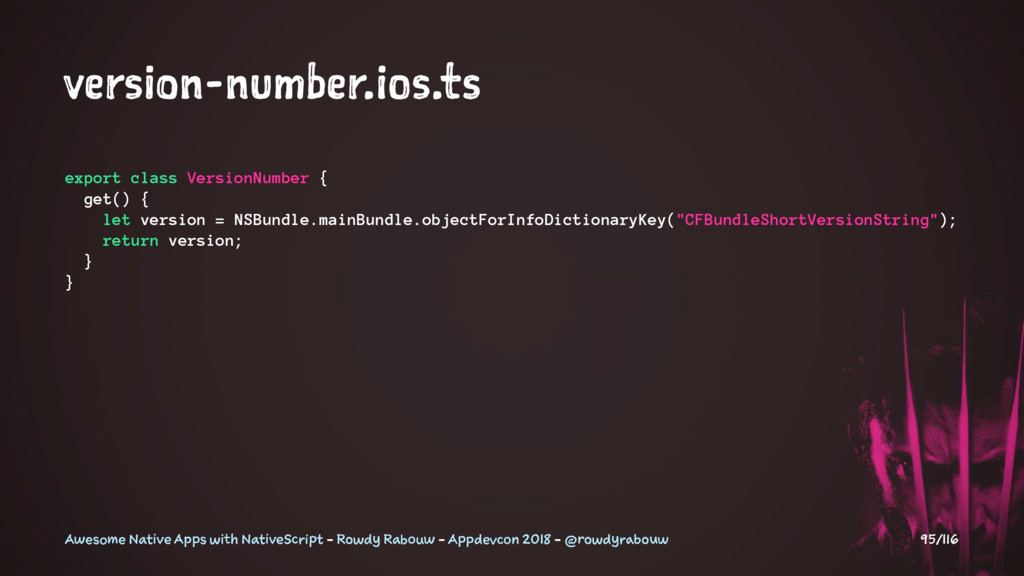
version-number.ios.ts export class VersionNumber { get() { let version =
NSBundle.mainBundle.objectForInfoDictionaryKey("CFBundleShortVersionString"); return version; } } Awesome Native Apps with NativeScript - Rowdy Rabouw - Appdevcon 2018 - @rowdyrabouw 95/116 -
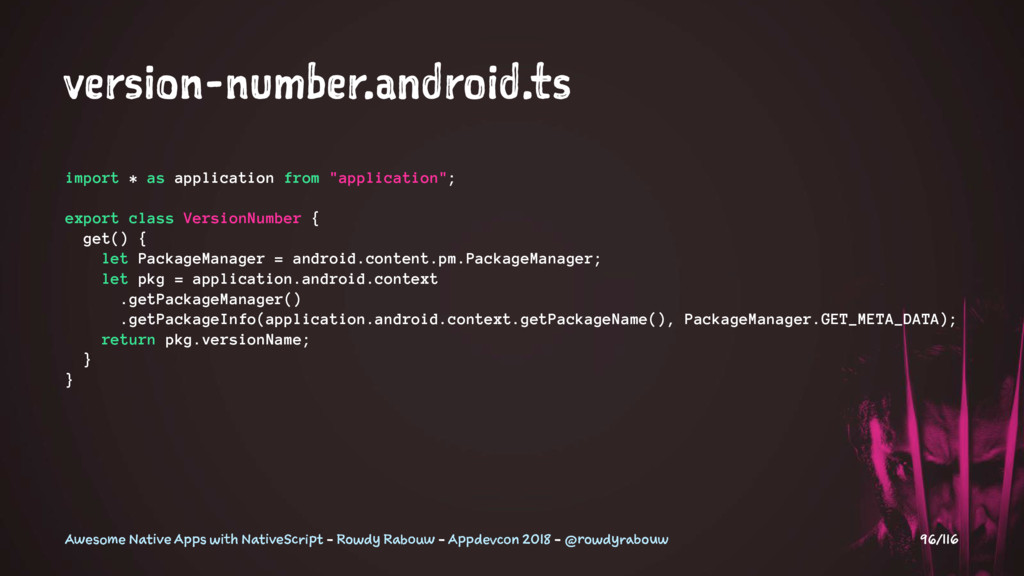
version-number.android.ts import * as application from "application"; export class VersionNumber
{ get() { let PackageManager = android.content.pm.PackageManager; let pkg = application.android.context .getPackageManager() .getPackageInfo(application.android.context.getPackageName(), PackageManager.GET_META_DATA); return pkg.versionName; } } Awesome Native Apps with NativeScript - Rowdy Rabouw - Appdevcon 2018 - @rowdyrabouw 96/116 -
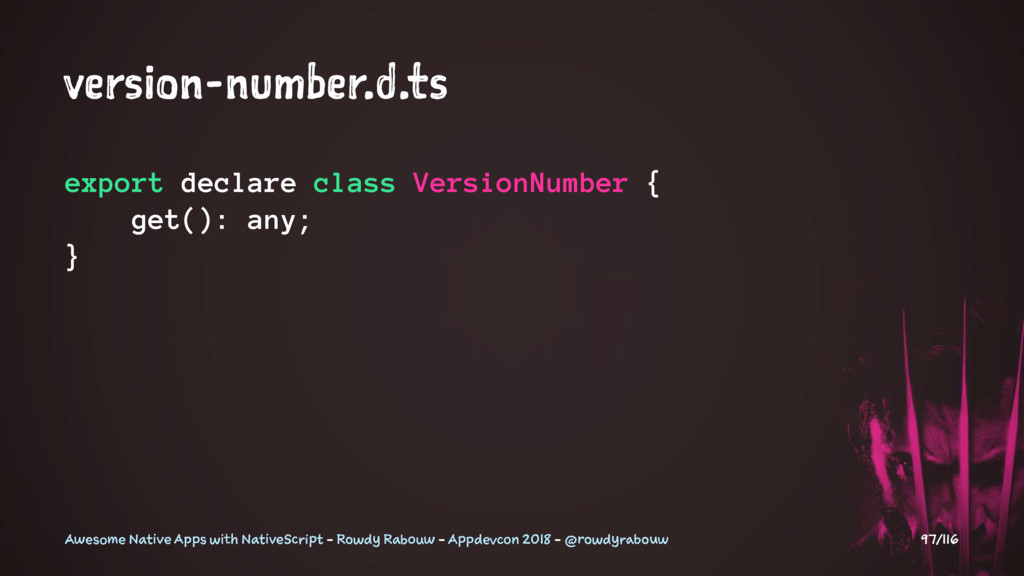
version-number.d.ts export declare class VersionNumber { get(): any; } Awesome
Native Apps with NativeScript - Rowdy Rabouw - Appdevcon 2018 - @rowdyrabouw 97/116 -
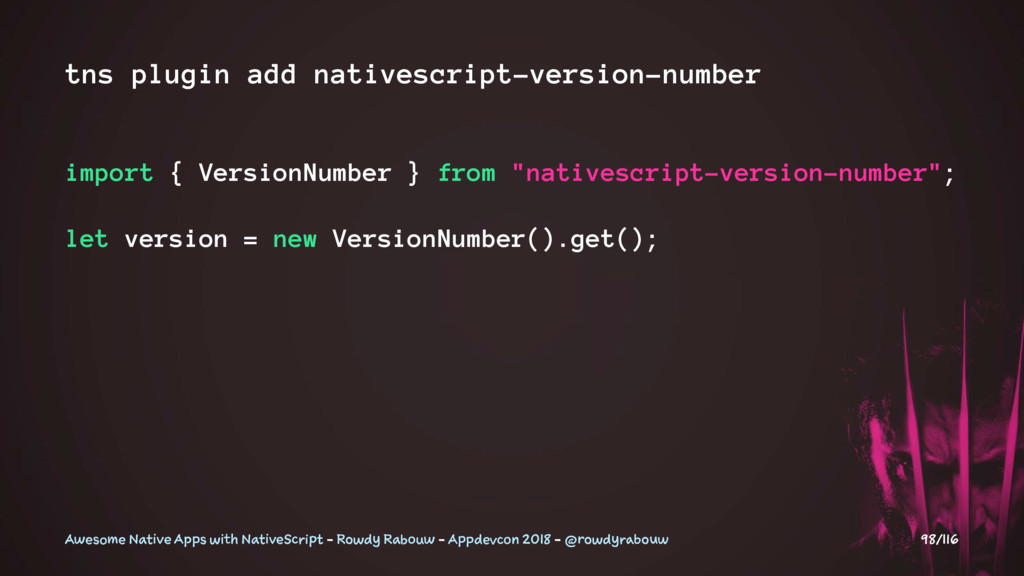
tns plugin add nativescript-version-number import { VersionNumber } from "nativescript-version-number";
let version = new VersionNumber().get(); Awesome Native Apps with NativeScript - Rowdy Rabouw - Appdevcon 2018 - @rowdyrabouw 98/116 -
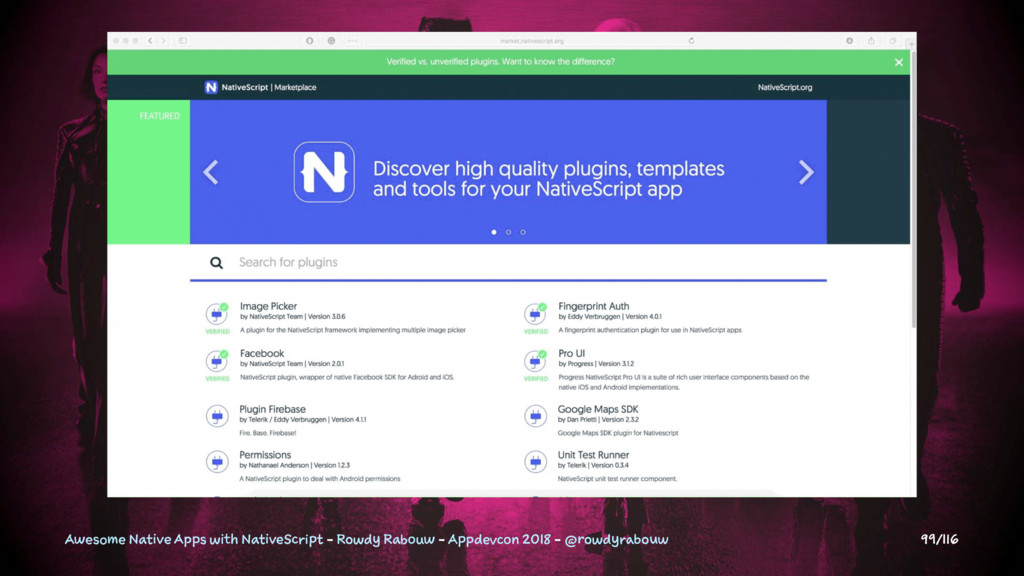
Awesome Native Apps with NativeScript - Rowdy Rabouw - Appdevcon
2018 - @rowdyrabouw 99/116 -
nativescript-texttospeech nativescript-audio Awesome Native Apps with NativeScript - Rowdy Rabouw
- Appdevcon 2018 - @rowdyrabouw 100/116 -
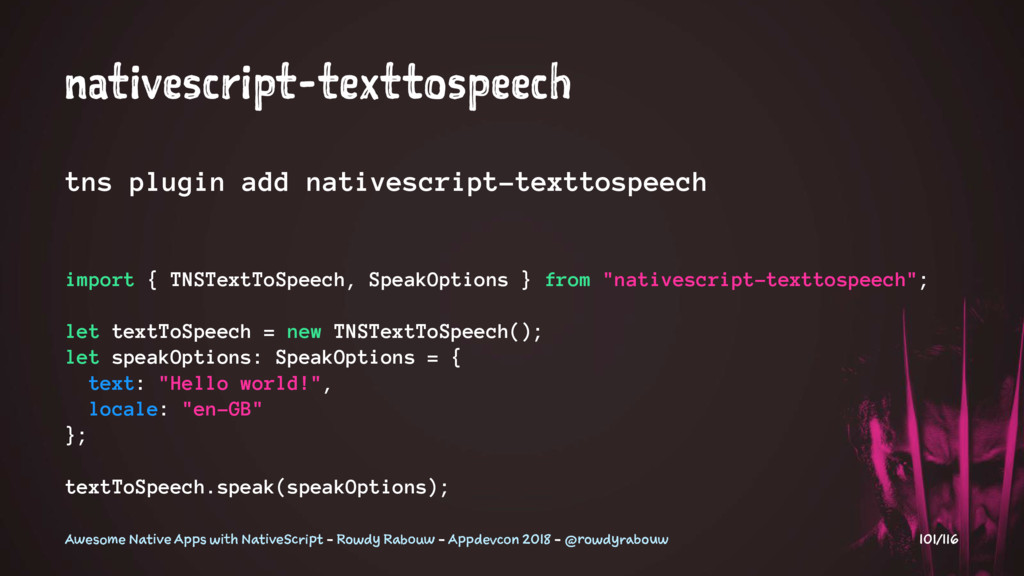
nativescript-texttospeech tns plugin add nativescript-texttospeech import { TNSTextToSpeech, SpeakOptions }
from "nativescript-texttospeech"; let textToSpeech = new TNSTextToSpeech(); let speakOptions: SpeakOptions = { text: "Hello world!", locale: "en-GB" }; textToSpeech.speak(speakOptions); Awesome Native Apps with NativeScript - Rowdy Rabouw - Appdevcon 2018 - @rowdyrabouw 101/116 -
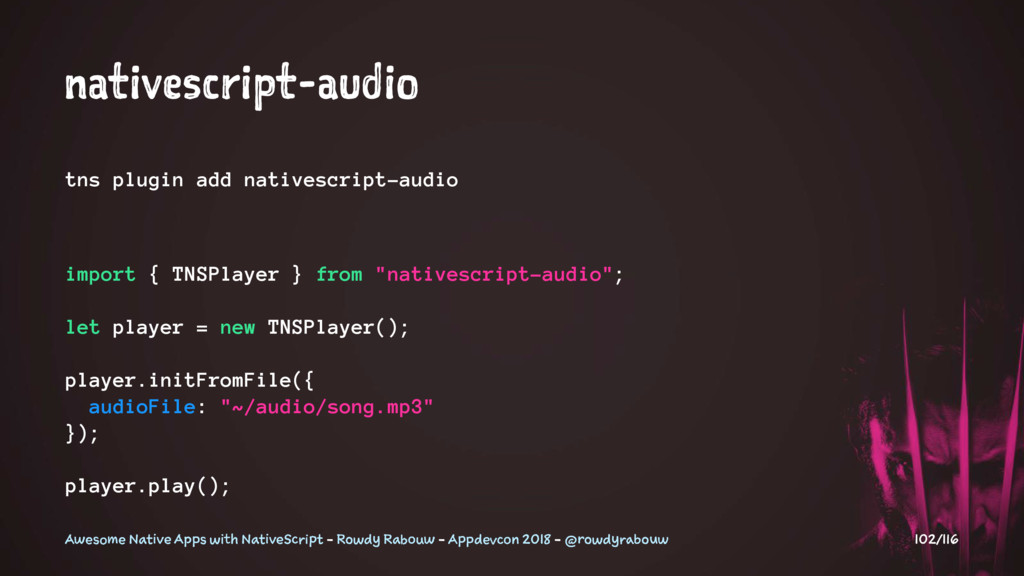
nativescript-audio tns plugin add nativescript-audio import { TNSPlayer } from
"nativescript-audio"; let player = new TNSPlayer(); player.initFromFile({ audioFile: "~/audio/song.mp3" }); player.play(); Awesome Native Apps with NativeScript - Rowdy Rabouw - Appdevcon 2018 - @rowdyrabouw 102/116 -
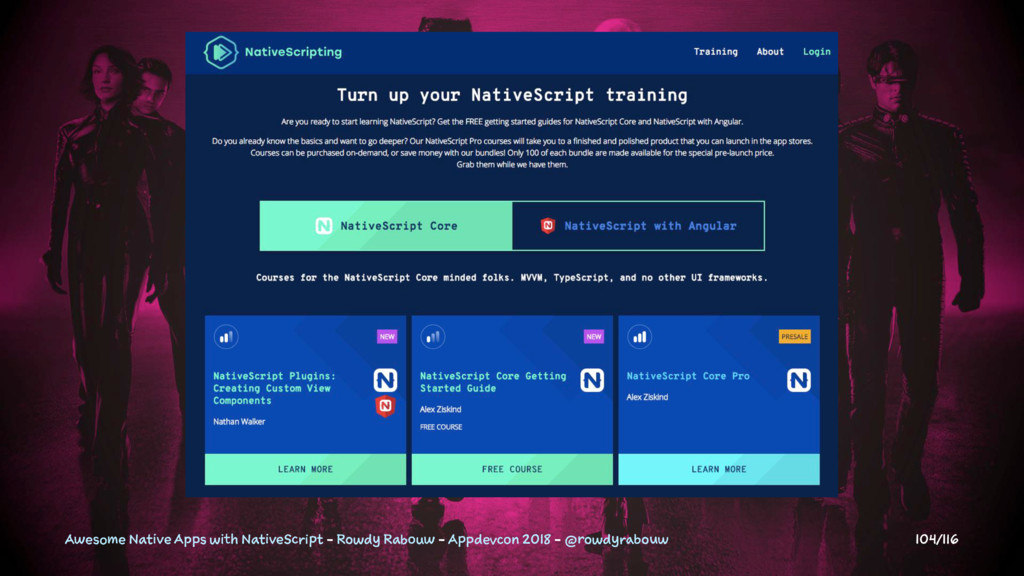
Win a T-shirt! Awesome Native Apps with NativeScript - Rowdy
Rabouw - Appdevcon 2018 - @rowdyrabouw 103/116 -
Awesome Native Apps with NativeScript - Rowdy Rabouw - Appdevcon
2018 - @rowdyrabouw 104/116 -
nativescript-speech-recognition nativescript-videoplayer nativescript-texttospeech Awesome Native Apps with NativeScript - Rowdy
Rabouw - Appdevcon 2018 - @rowdyrabouw 105/116 -
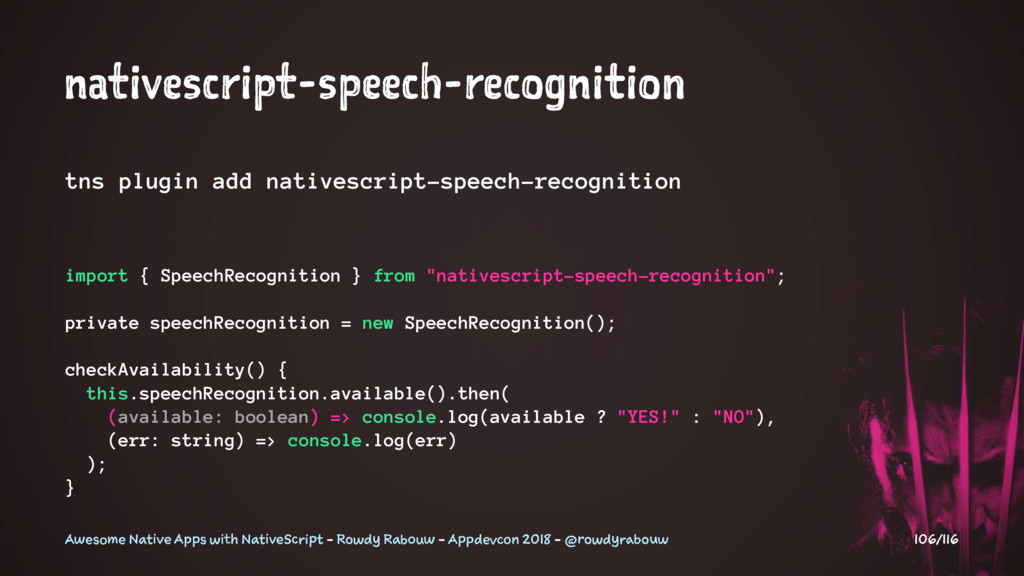
nativescript-speech-recognition tns plugin add nativescript-speech-recognition import { SpeechRecognition } from
"nativescript-speech-recognition"; private speechRecognition = new SpeechRecognition(); checkAvailability() { this.speechRecognition.available().then( (available: boolean) => console.log(available ? "YES!" : "NO"), (err: string) => console.log(err) ); } Awesome Native Apps with NativeScript - Rowdy Rabouw - Appdevcon 2018 - @rowdyrabouw 106/116 -
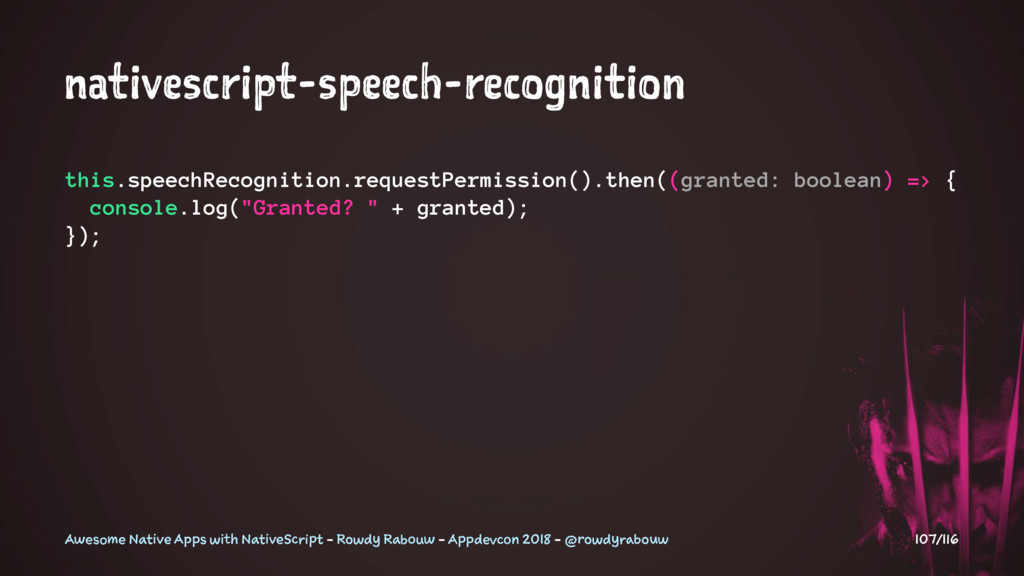
nativescript-speech-recognition this.speechRecognition.requestPermission().then((granted: boolean) => { console.log("Granted? " + granted); });
Awesome Native Apps with NativeScript - Rowdy Rabouw - Appdevcon 2018 - @rowdyrabouw 107/116 -
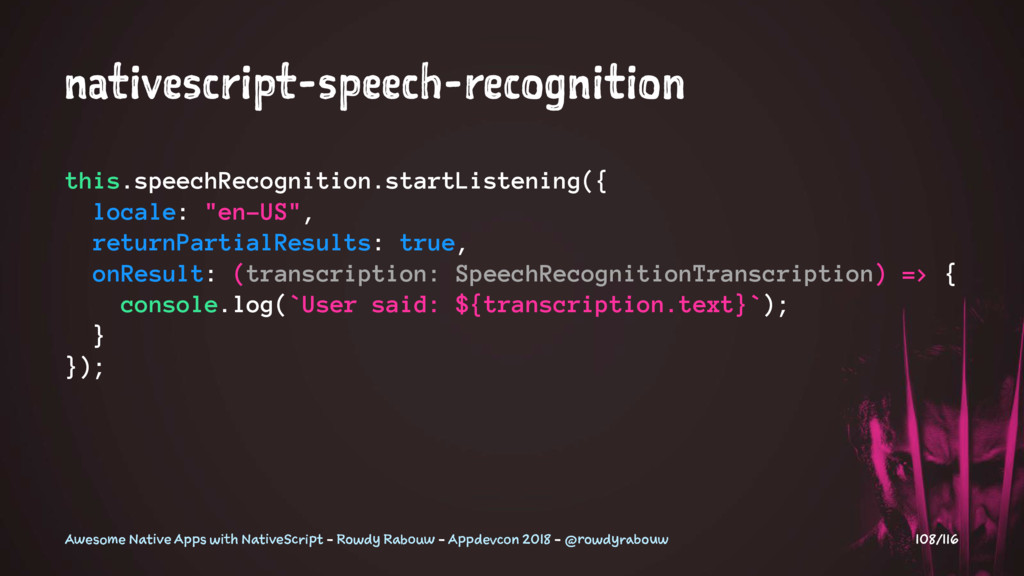
nativescript-speech-recognition this.speechRecognition.startListening({ locale: "en-US", returnPartialResults: true, onResult: (transcription: SpeechRecognitionTranscription) =>
{ console.log(`User said: ${transcription.text}`); } }); Awesome Native Apps with NativeScript - Rowdy Rabouw - Appdevcon 2018 - @rowdyrabouw 108/116 -
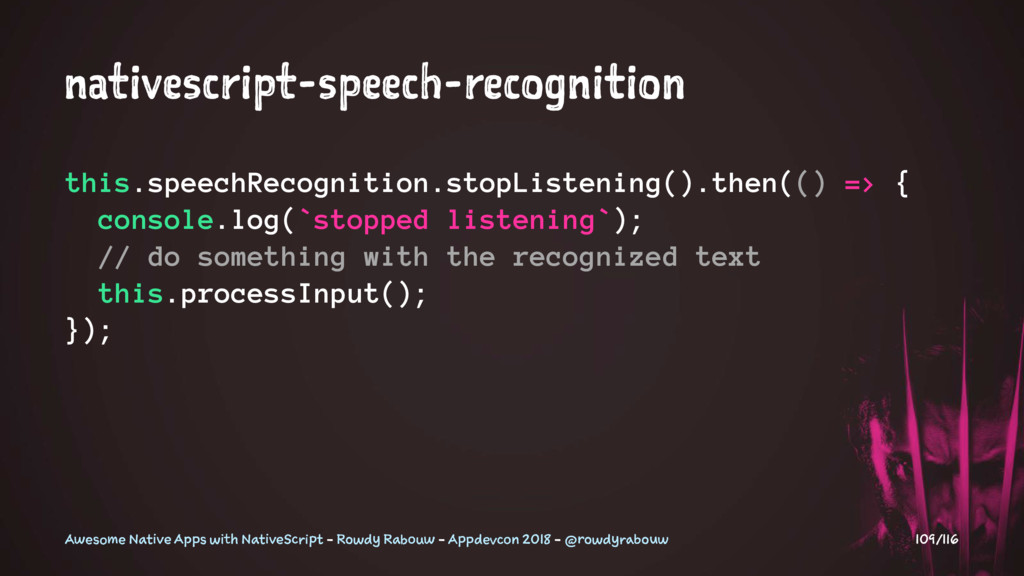
nativescript-speech-recognition this.speechRecognition.stopListening().then(() => { console.log(`stopped listening`); // do something with
the recognized text this.processInput(); }); Awesome Native Apps with NativeScript - Rowdy Rabouw - Appdevcon 2018 - @rowdyrabouw 109/116 -
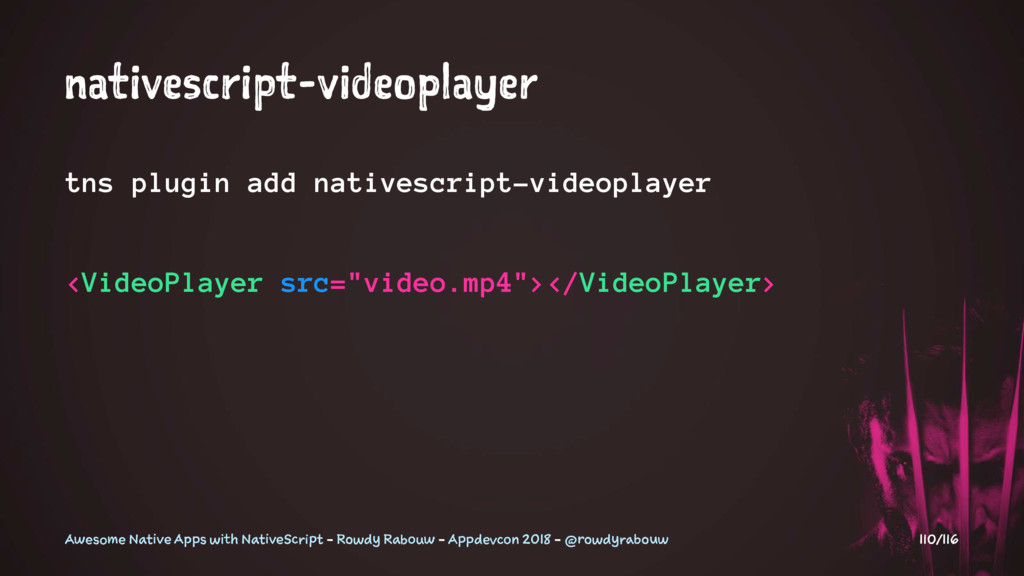
nativescript-videoplayer tns plugin add nativescript-videoplayer <VideoPlayer src="video.mp4"></VideoPlayer> Awesome Native Apps
with NativeScript - Rowdy Rabouw - Appdevcon 2018 - @rowdyrabouw 110/116 -
Demo Awesome Native Apps with NativeScript - Rowdy Rabouw -
Appdevcon 2018 - @rowdyrabouw 111/116 -
2xr.nl/AppDevCon2018 Awesome Native Apps with NativeScript - Rowdy Rabouw -
Appdevcon 2018 - @rowdyrabouw 112/116 -
Thank you! Awesome Native Apps with NativeScript - Rowdy Rabouw
- Appdevcon 2018 - @rowdyrabouw 113/116 -
Links and Resources Awesome Native Apps with NativeScript - Rowdy
Rabouw - Appdevcon 2018 - @rowdyrabouw 114/116 -
Links NativeScript styling: http://2xr.nl/css Native elements playground: http://2xr.nl/Native keyboardType playground:
http://2xr.nl/keyboardType TabView playground: http://2xr.nl/TabView Plugin demo app: http://2xr.nl/AppDevCon2018code Awesome Native Apps with NativeScript - Rowdy Rabouw - Appdevcon 2018 - @rowdyrabouw 115/116 -
Resources NativeScript.nl - https://nativescript.nl NativeScript Book - https://nativescript.org/get-the-nativescript-book NativeScript Documentation
- https://docs.nativescript.org NativeScript Marketplace - https://market.nativescript.org NativeScript Playground - https://play.nativescript.org NativeScript Sidekick - https://www.nativescript.org/nativescript-sidekick Awesome Native Apps with NativeScript - Rowdy Rabouw - Appdevcon 2018 - @rowdyrabouw 116/116
 rowdy
 tammyeverts
 hagino3000
 knwoop
 csswizardry
 a_suenami
 ota1022
 uhyo
 gokken
 swdtkuy
 tascript
 akihiro0038
 k6s4i53rx
 honzajavorek
 schroneko
 katarinadahlin
 sergeychernyshev
 jonrohan
 jonoalderson
 frankvandijk
 sarafernandez
 productmarketing
 deanohume
 palkan