DevOps and CloudOps Enganged to deliver value to customers across the globe Lead and mentor engineers and managers to uncover their potential Act as: Sr. Manager, Center of Engineering @ VMware Consultant, lecturer and trainer HireHero
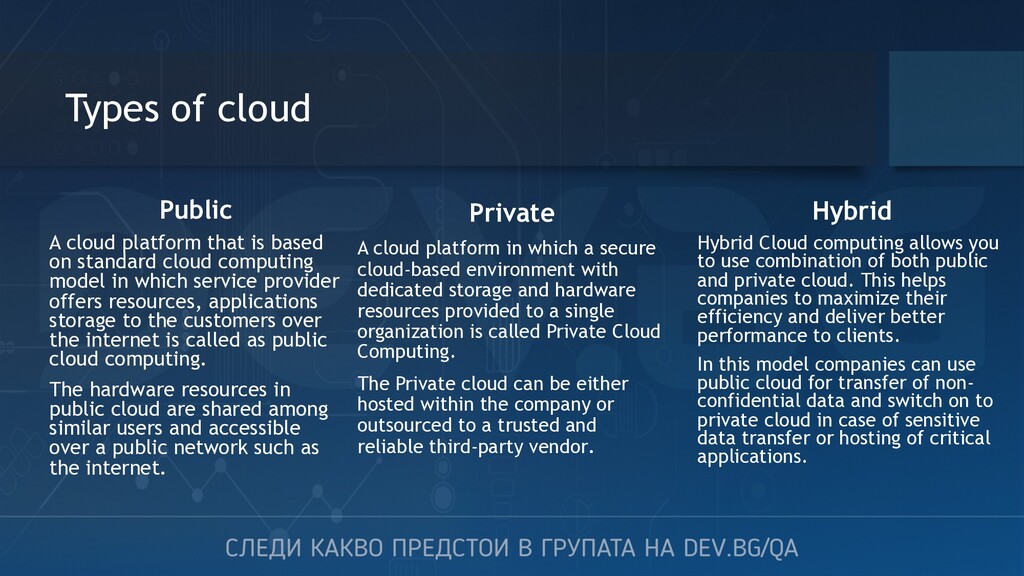
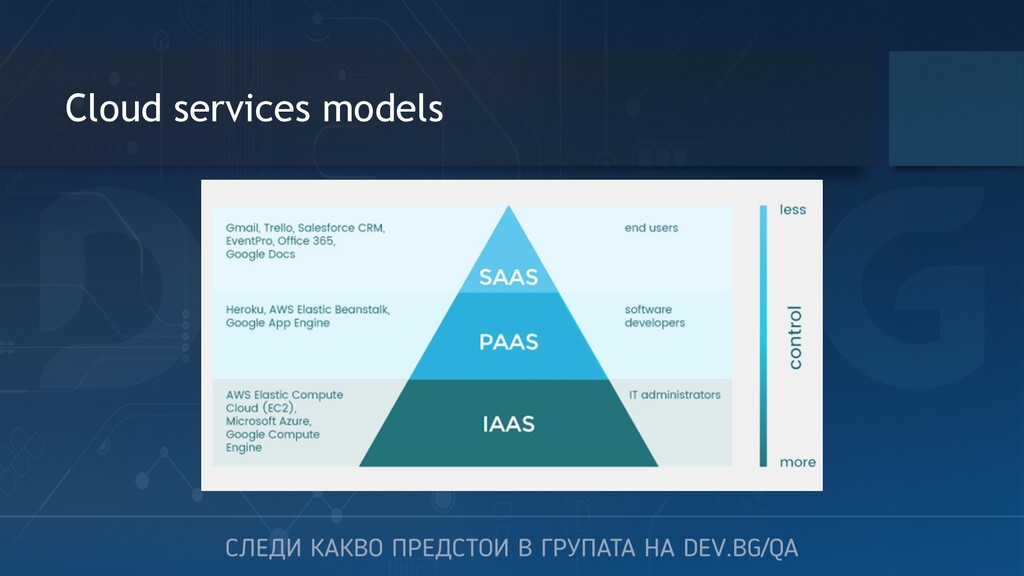
use combination of both public and private cloud. This helps companies to maximize their efficiency and deliver better performance to clients. In this model companies can use public cloud for transfer of non- confidential data and switch on to private cloud in case of sensitive data transfer or hosting of critical applications. Private A cloud platform in which a secure cloud-based environment with dedicated storage and hardware resources provided to a single organization is called Private Cloud Computing. The Private cloud can be either hosted within the company or outsourced to a trusted and reliable third-party vendor. Public A cloud platform that is based on standard cloud computing model in which service provider offers resources, applications storage to the customers over the internet is called as public cloud computing. The hardware resources in public cloud are shared among similar users and accessible over a public network such as the internet.
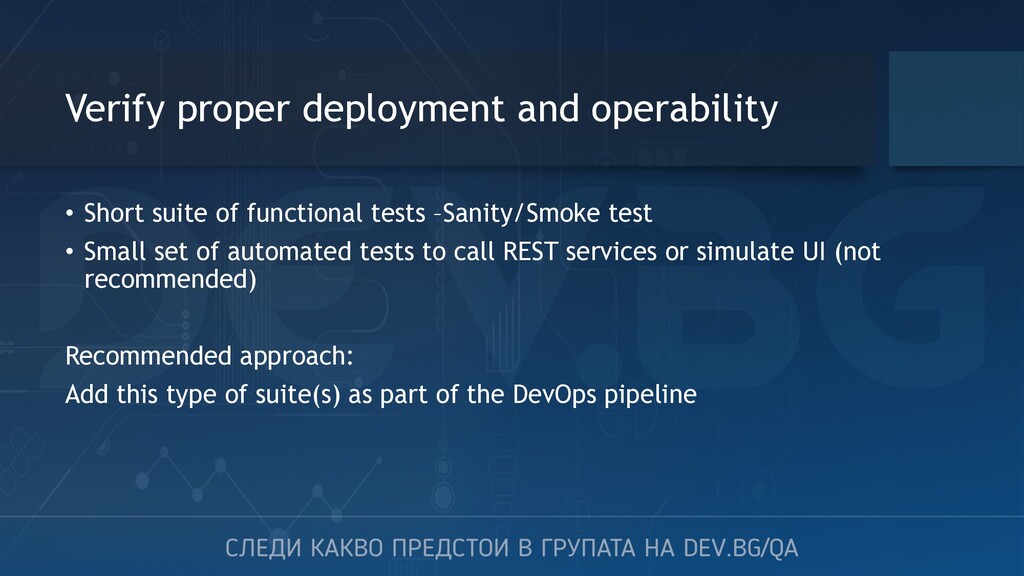
tests –Sanity/Smoke test • Small set of automated tests to call REST services or simulate UI (not recommended) Recommended approach: Add this type of suite(s) as part of the DevOps pipeline
• Suite(s) of automated tests to simulate functional interactions with the application – Selenium based • Suite(s) of automated REST tests to simulate interactions with the app directly with the Backend or integrations with 3rd parties – Postman, SoapUI, open source or custom frameworks (REST-assured, Jersey, Express, Django)
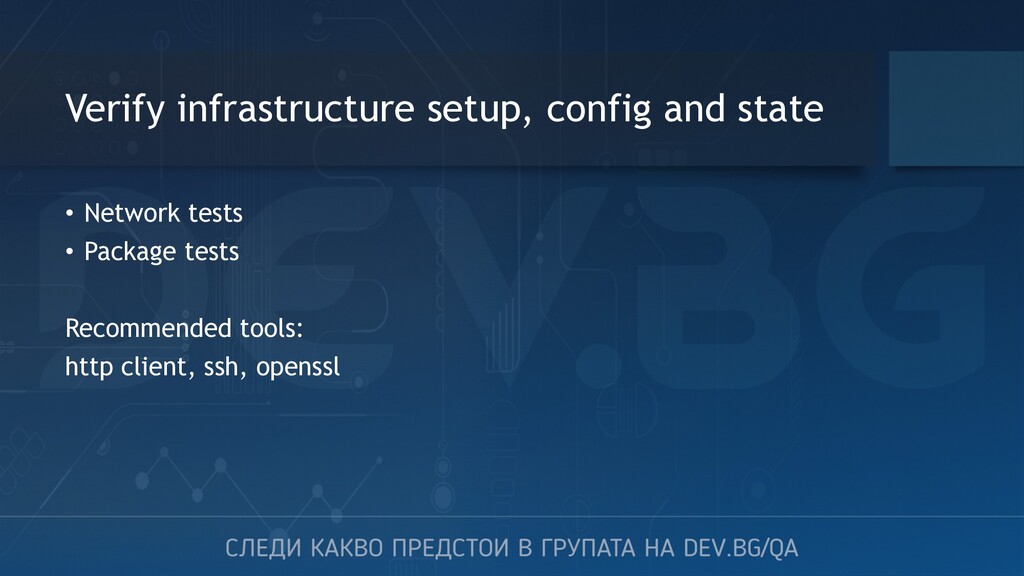
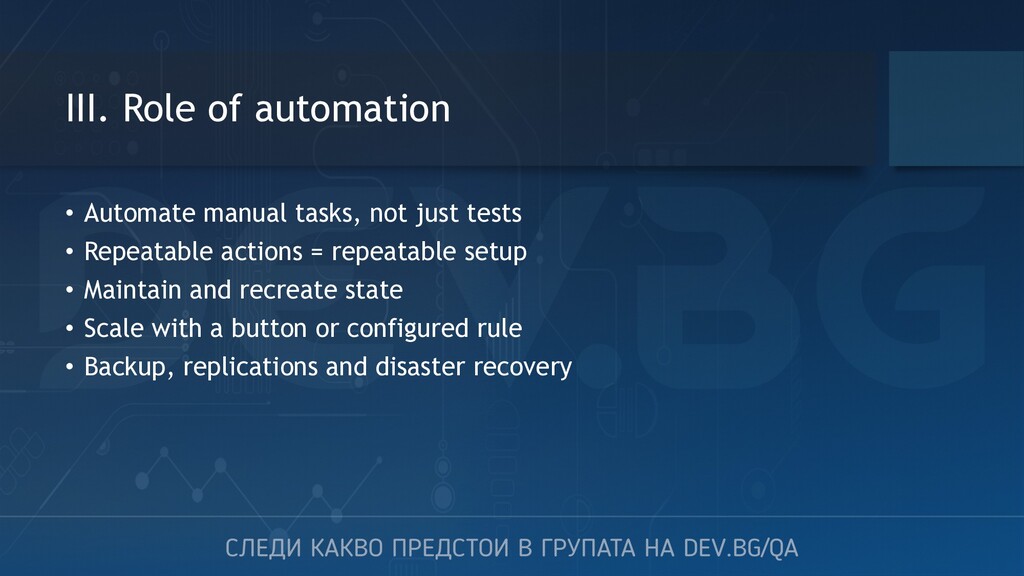
tests • Repeatable actions = repeatable setup • Maintain and recreate state • Scale with a button or configured rule • Backup, replications and disaster recovery
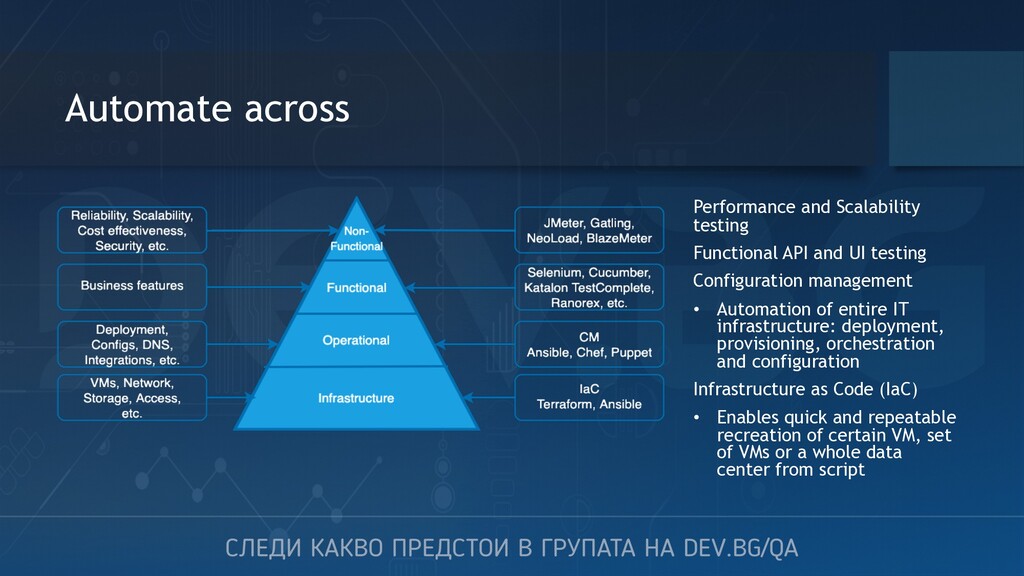
testing Configuration management • Automation of entire IT infrastructure: deployment, provisioning, orchestration and configuration Infrastructure as Code (IaC) • Enables quick and repeatable recreation of certain VM, set of VMs or a whole data center from script
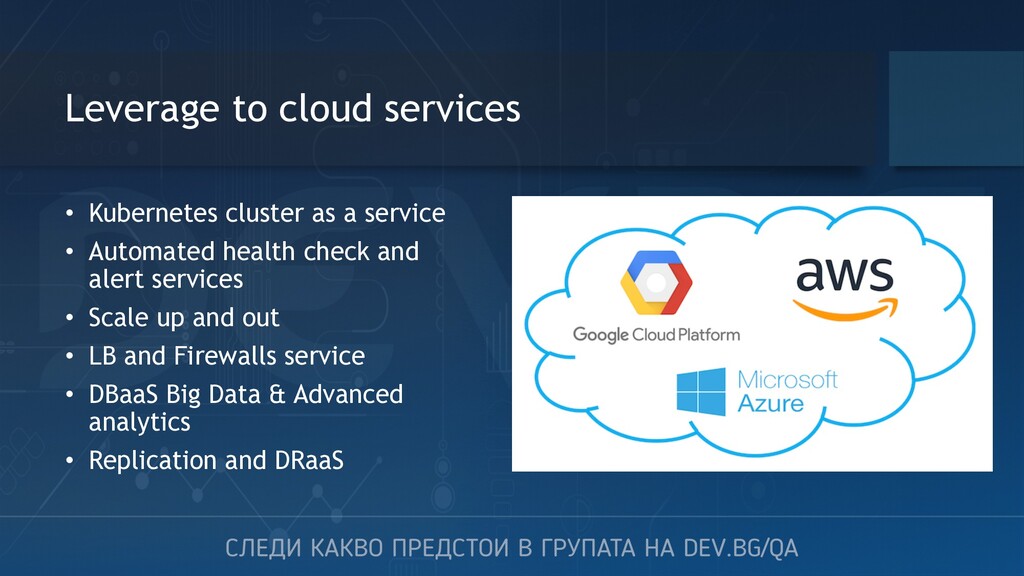
• Automated health check and alert services • Scale up and out • LB and Firewalls service • DBaaS Big Data & Advanced analytics • Replication and DRaaS
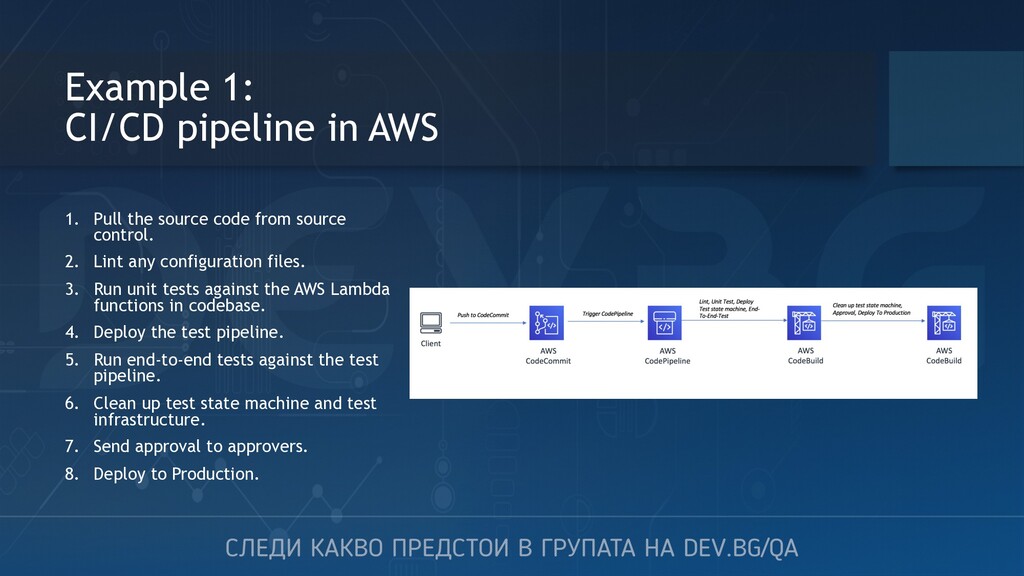
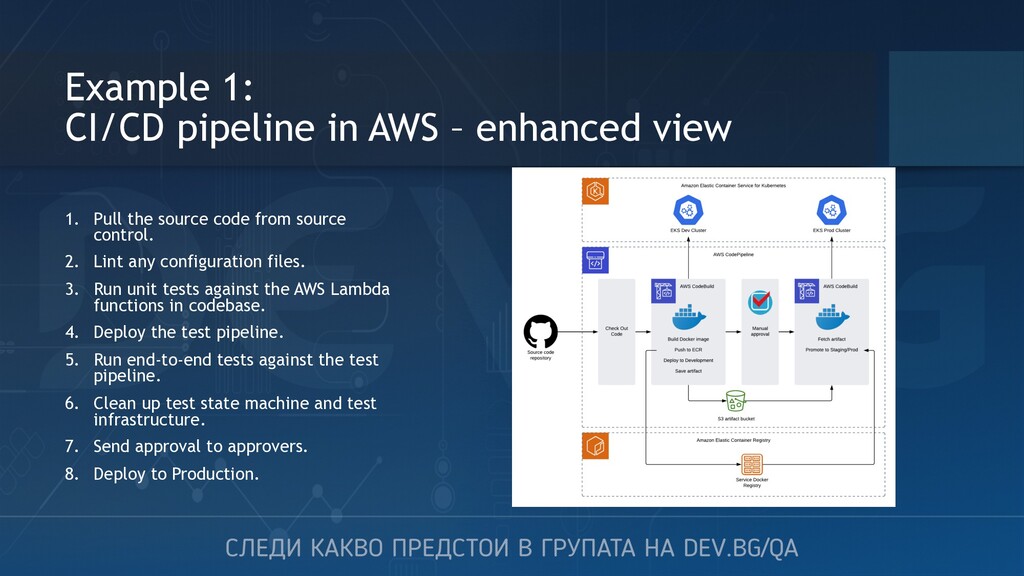
code from source control. 2. Lint any configuration files. 3. Run unit tests against the AWS Lambda functions in codebase. 4. Deploy the test pipeline. 5. Run end-to-end tests against the test pipeline. 6. Clean up test state machine and test infrastructure. 7. Send approval to approvers. 8. Deploy to Production.
Pull the source code from source control. 2. Lint any configuration files. 3. Run unit tests against the AWS Lambda functions in codebase. 4. Deploy the test pipeline. 5. Run end-to-end tests against the test pipeline. 6. Clean up test state machine and test infrastructure. 7. Send approval to approvers. 8. Deploy to Production.
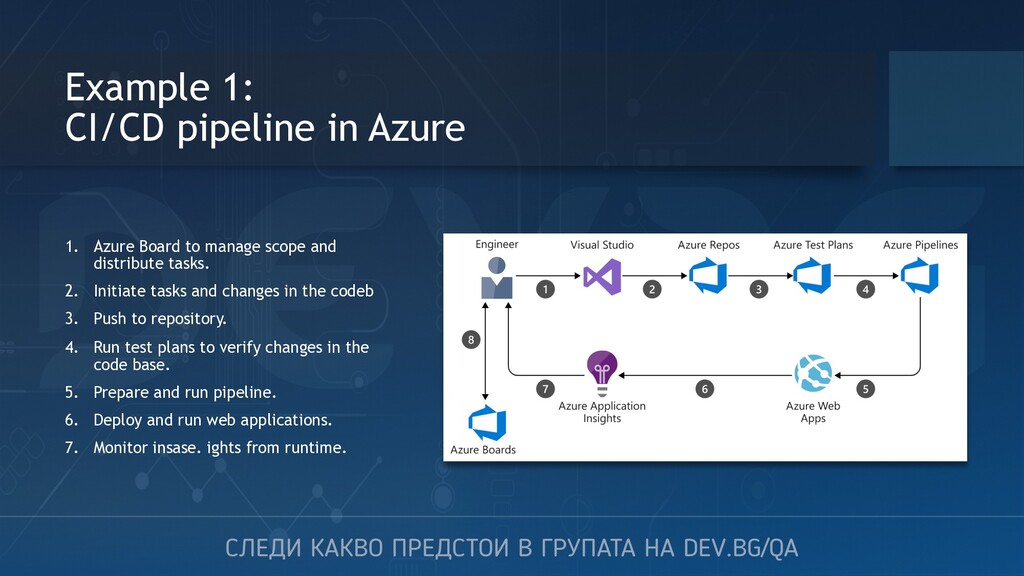
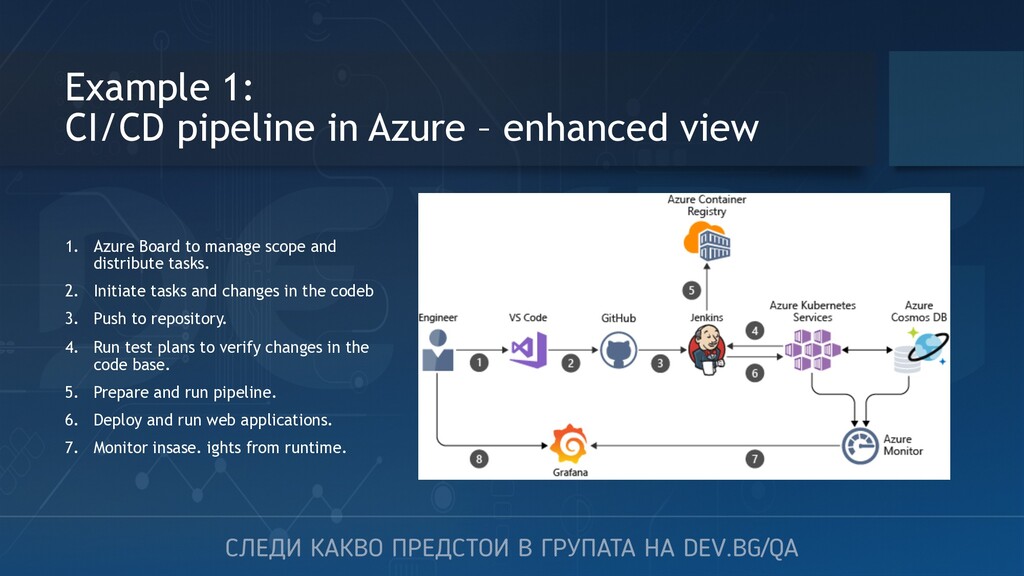
manage scope and distribute tasks. 2. Initiate tasks and changes in the codeb 3. Push to repository. 4. Run test plans to verify changes in the code base. 5. Prepare and run pipeline. 6. Deploy and run web applications. 7. Monitor insase. ights from runtime.
Azure Board to manage scope and distribute tasks. 2. Initiate tasks and changes in the codeb 3. Push to repository. 4. Run test plans to verify changes in the code base. 5. Prepare and run pipeline. 6. Deploy and run web applications. 7. Monitor insase. ights from runtime.
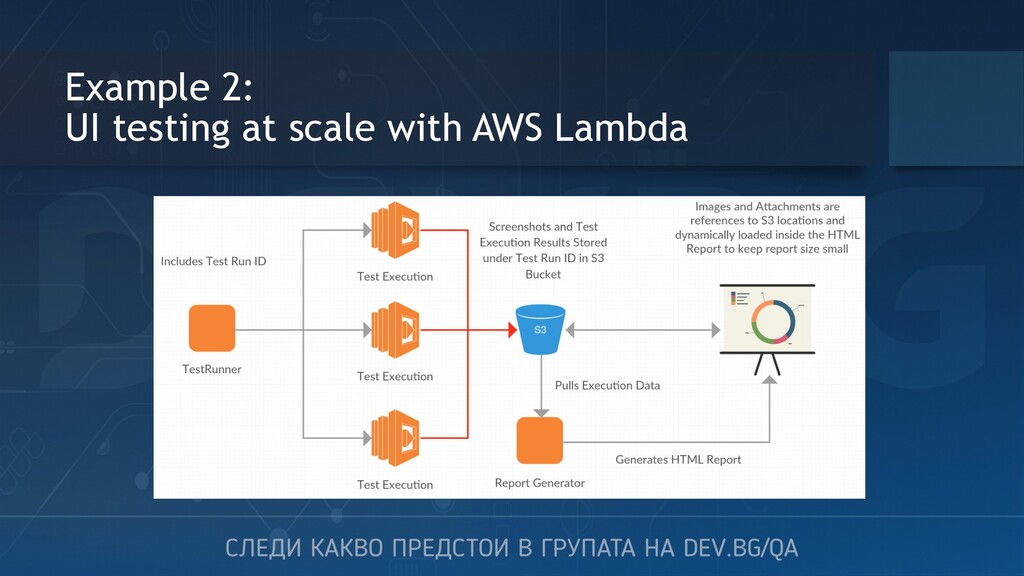
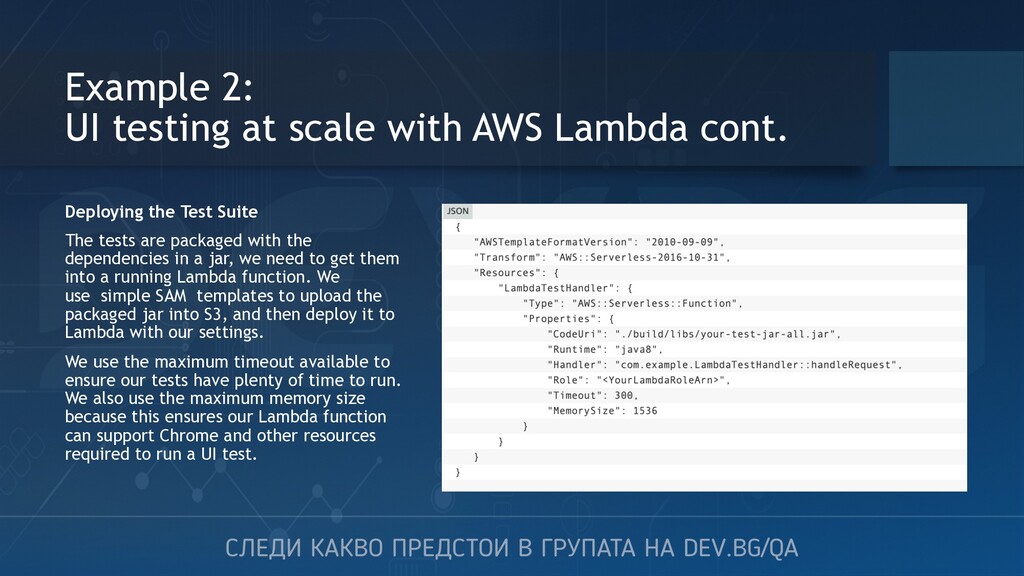
Deploying the Test Suite The tests are packaged with the dependencies in a jar, we need to get them into a running Lambda function. We use simple SAM templates to upload the packaged jar into S3, and then deploy it to Lambda with our settings. We use the maximum timeout available to ensure our tests have plenty of time to run. We also use the maximum memory size because this ensures our Lambda function can support Chrome and other resources required to run a UI test.
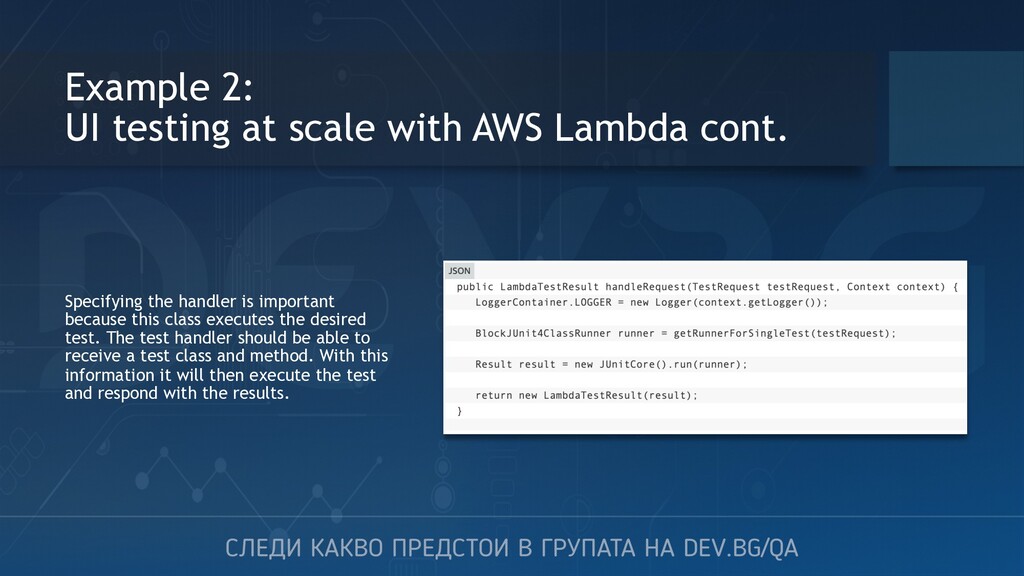
Specifying the handler is important because this class executes the desired test. The test handler should be able to receive a test class and method. With this information it will then execute the test and respond with the results.
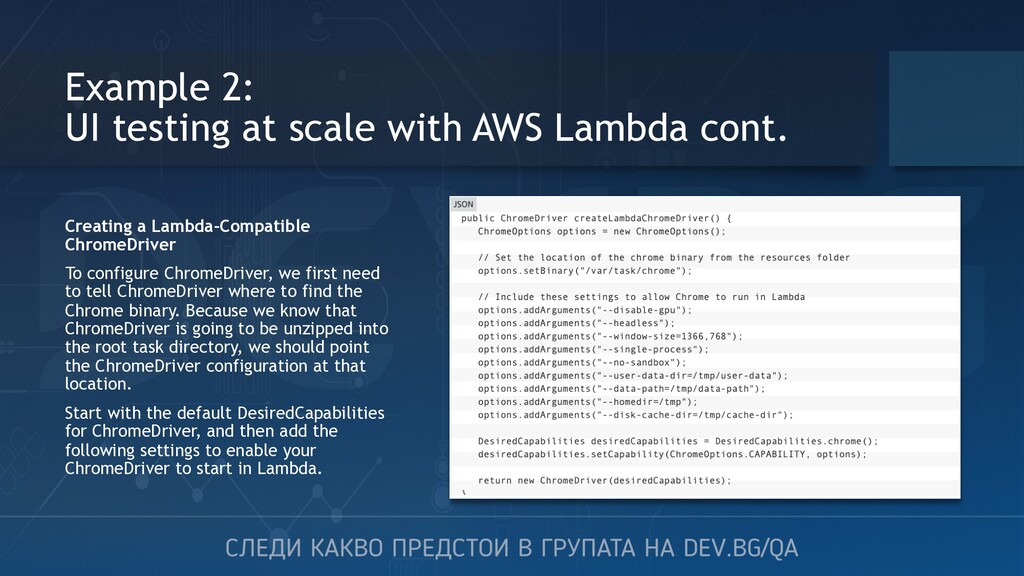
Creating a Lambda-Compatible ChromeDriver To configure ChromeDriver, we first need to tell ChromeDriver where to find the Chrome binary. Because we know that ChromeDriver is going to be unzipped into the root task directory, we should point the ChromeDriver configuration at that location. Start with the default DesiredCapabilities for ChromeDriver, and then add the following settings to enable your ChromeDriver to start in Lambda.
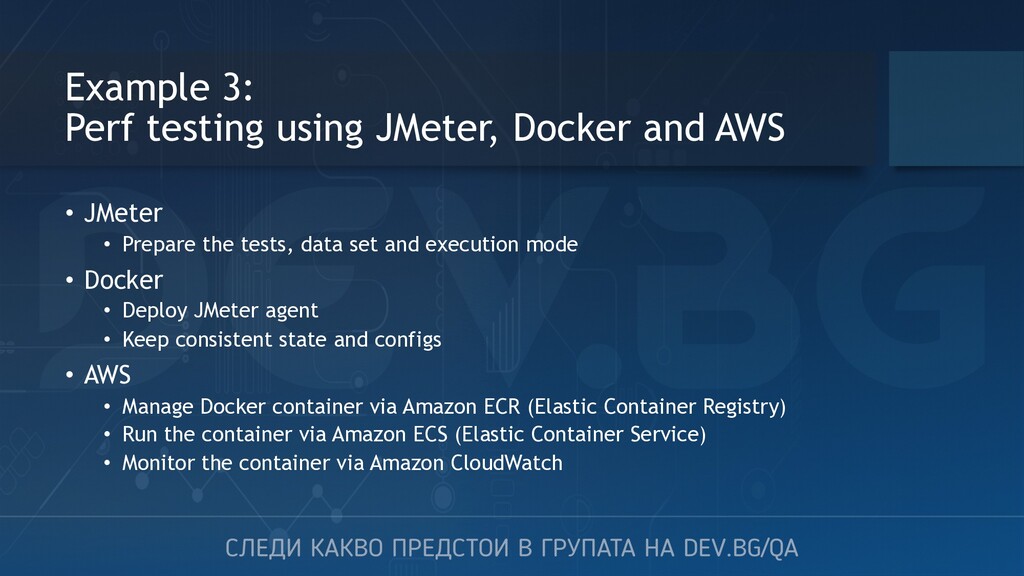
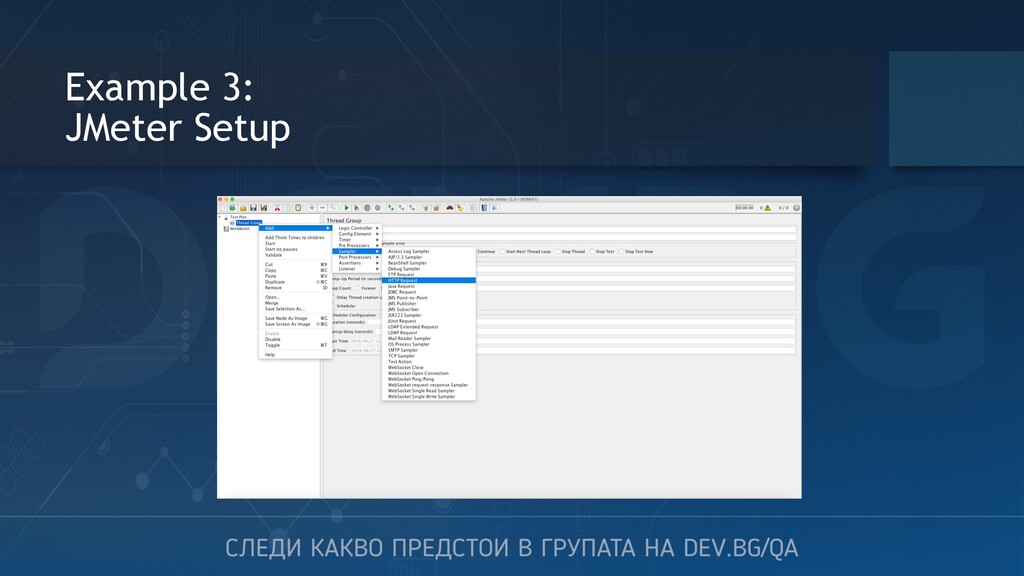
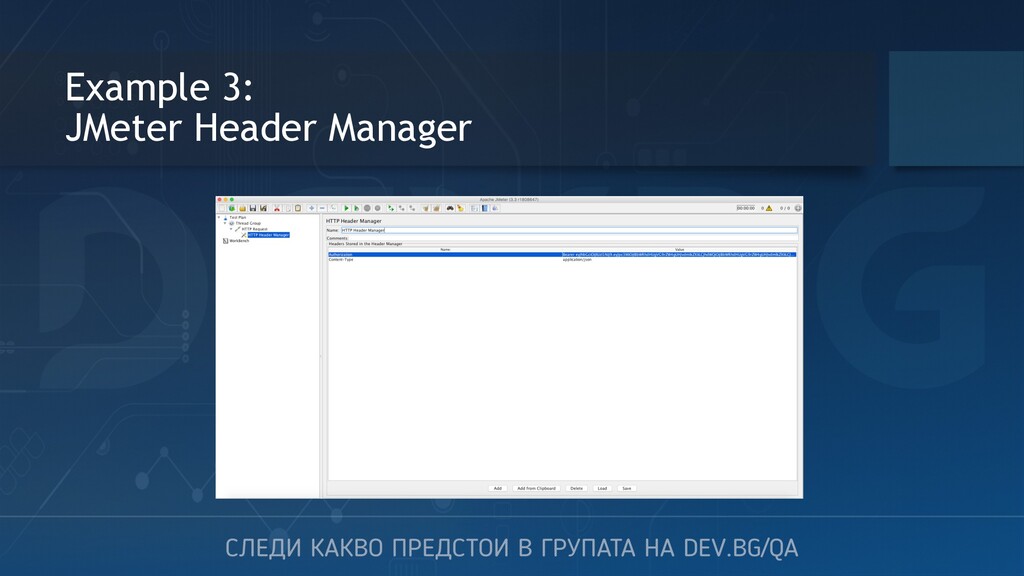
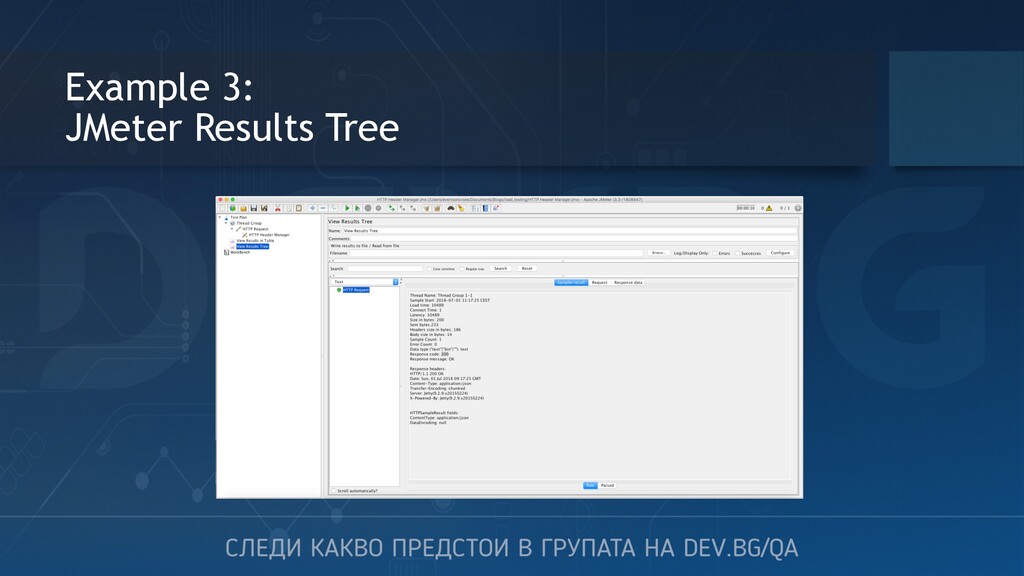
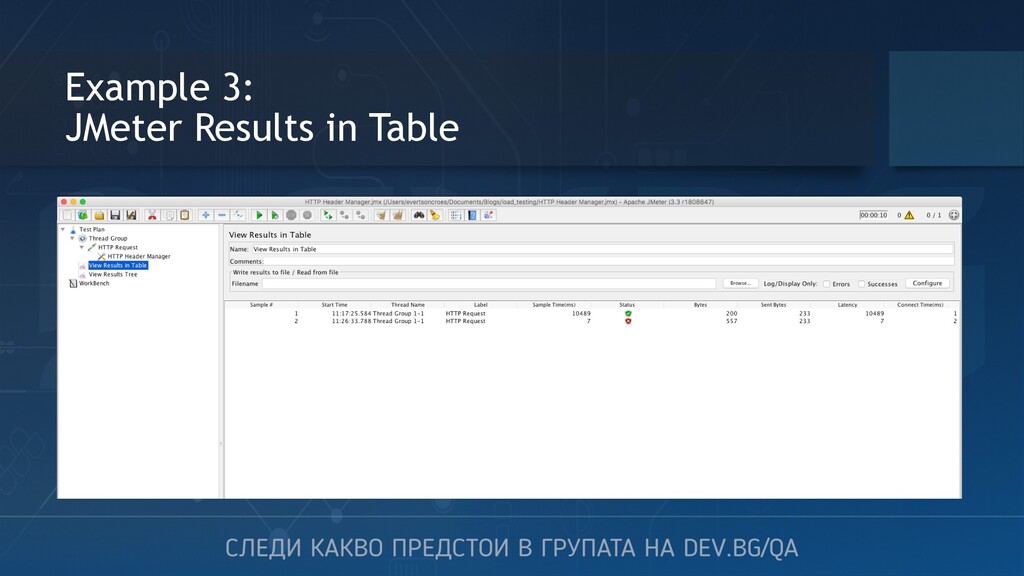
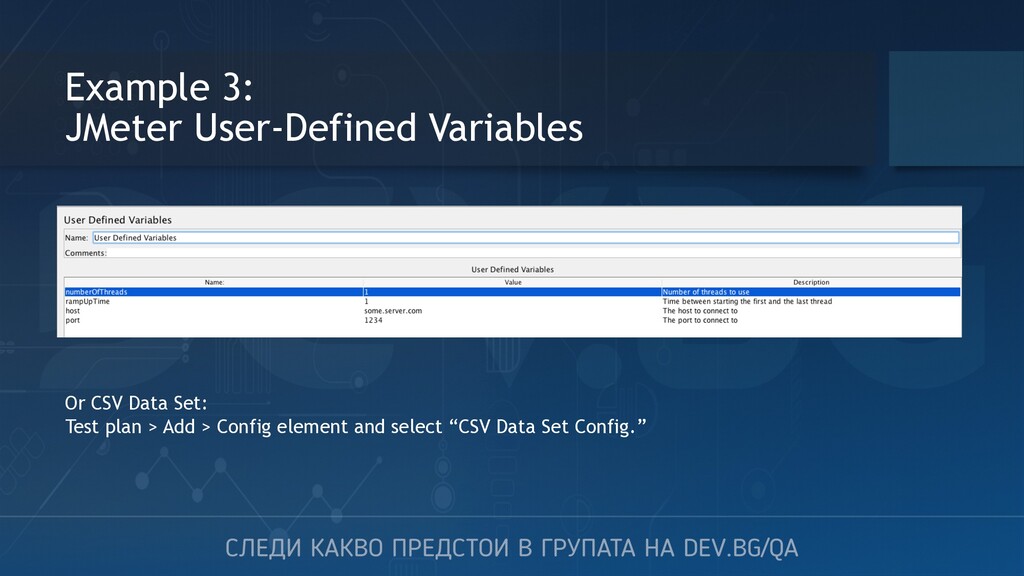
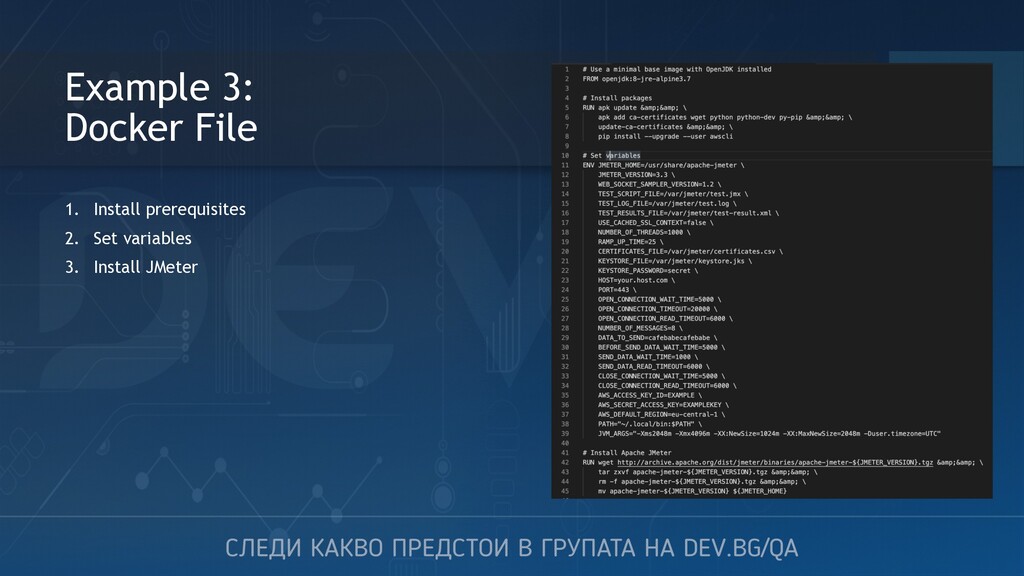
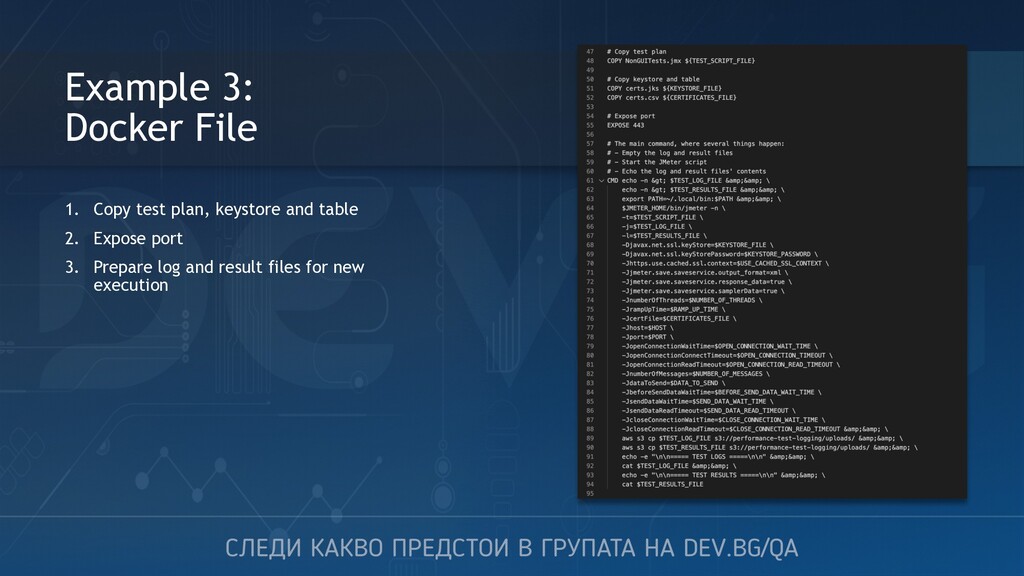
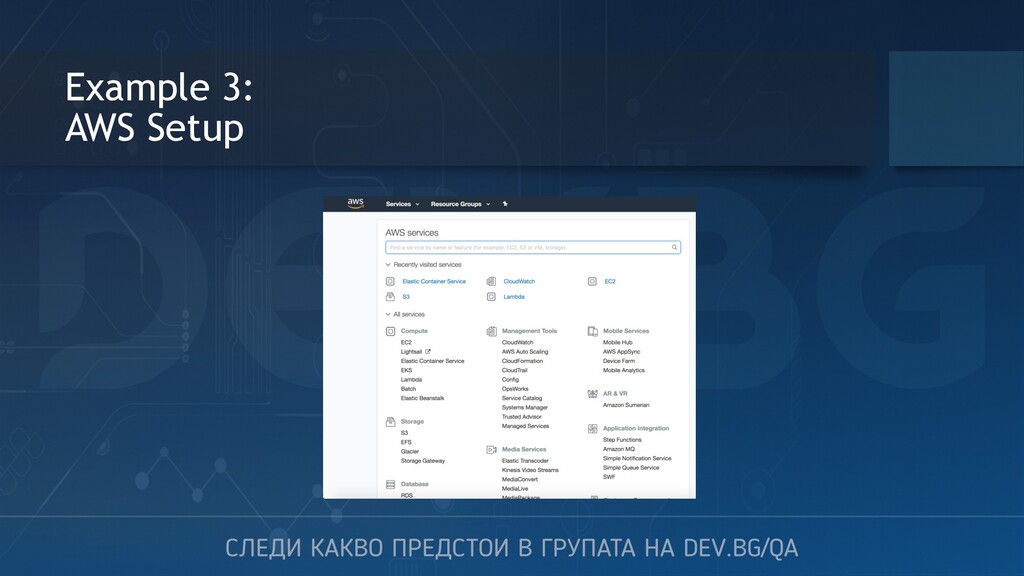
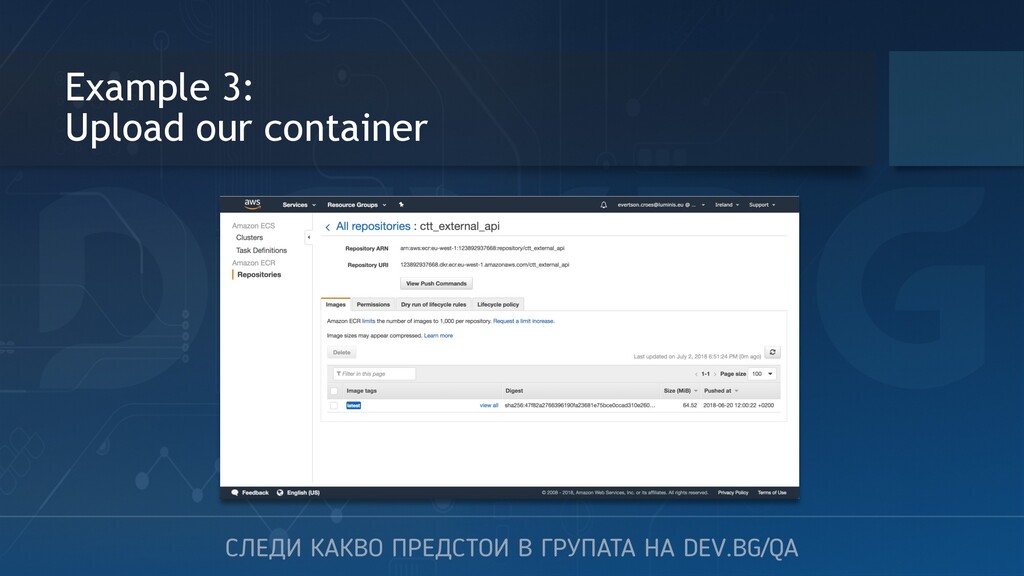
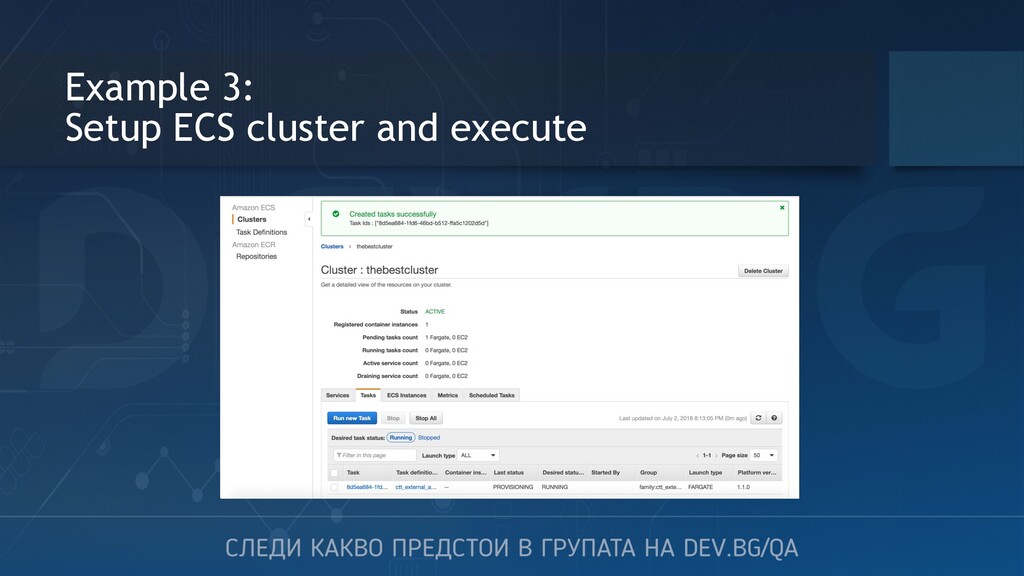
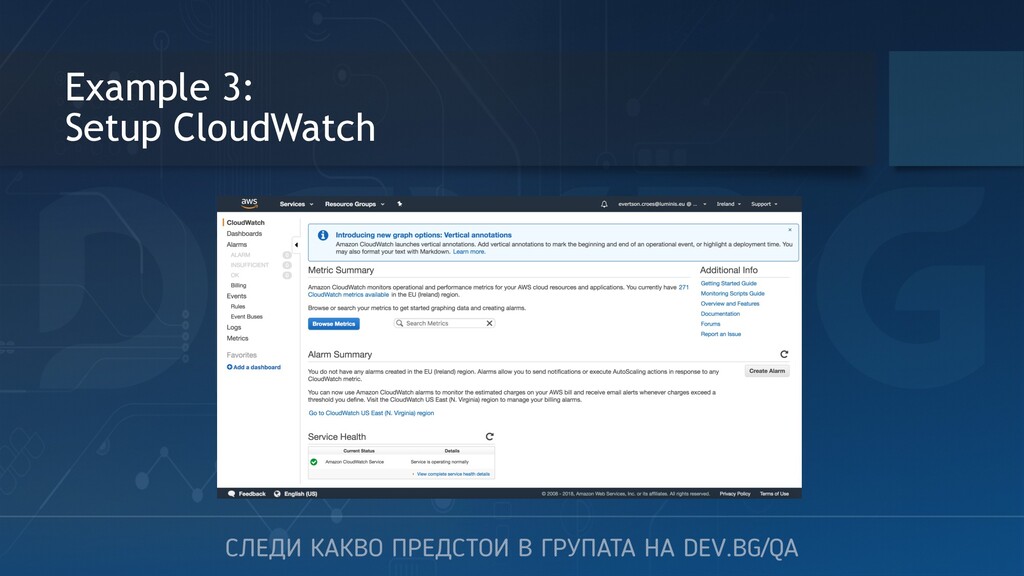
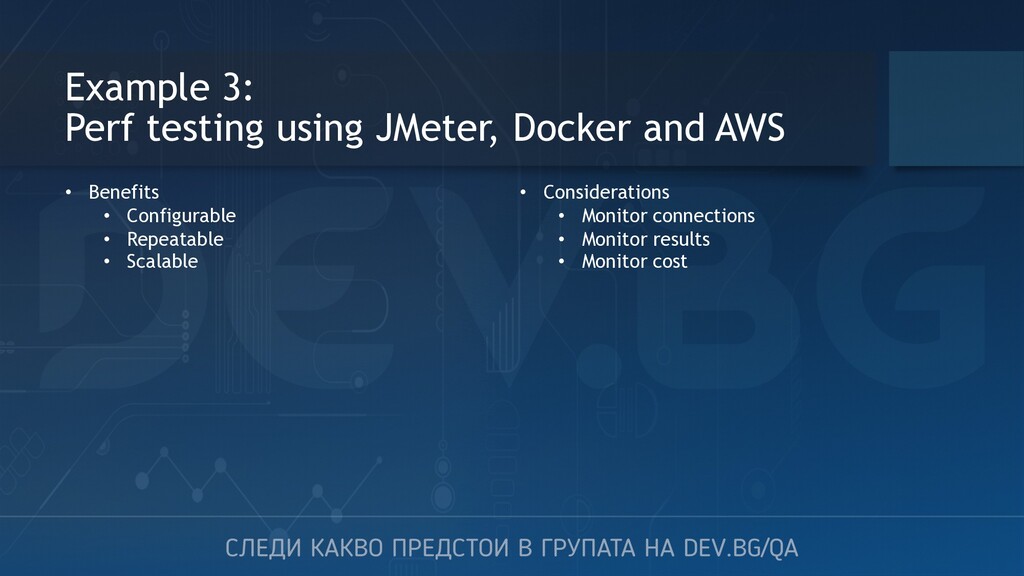
JMeter • Prepare the tests, data set and execution mode • Docker • Deploy JMeter agent • Keep consistent state and configs • AWS • Manage Docker container via Amazon ECR (Elastic Container Registry) • Run the container via Amazon ECS (Elastic Container Service) • Monitor the container via Amazon CloudWatch
1. Capabilities expand 2. Scope of testing grows 3. Complexity is increased 4. Need to tackle new technologies 5. Provide opportunities for professional growth


 occhi
occhi
 gionn
gionn
 ludicmind
 kash1064
 yamanoku
 kakehashi
 yahonda
 satoshi7
 gogutan
 koukihosaka
 raspython3
 shogo4131
 tammyeverts
 bethany
 ammeep
 akademiya2063
 inesmontani
 soudai
 jonoalderson
 kimpetersen
 speakerdeck
 brad_frost
 destraynor
 colly
colly












![Thank you! Контакти: [email protected] LinkedIn: https://www.linkedin.com/in/rusi-dimov- 332b1724/ Следващо събитие: Test](https://files.speakerdeck.com/presentations/e67aedef54794b499b21de3a03d6be0a/slide_51.jpg)