Devices at Testdroid Cloud for ONE Week Appium Access and Sample Source Code from LDNSE Presentation A Chance to Win a 30-day FREE UNLIMITED Access to Testdroid Cloud Devices
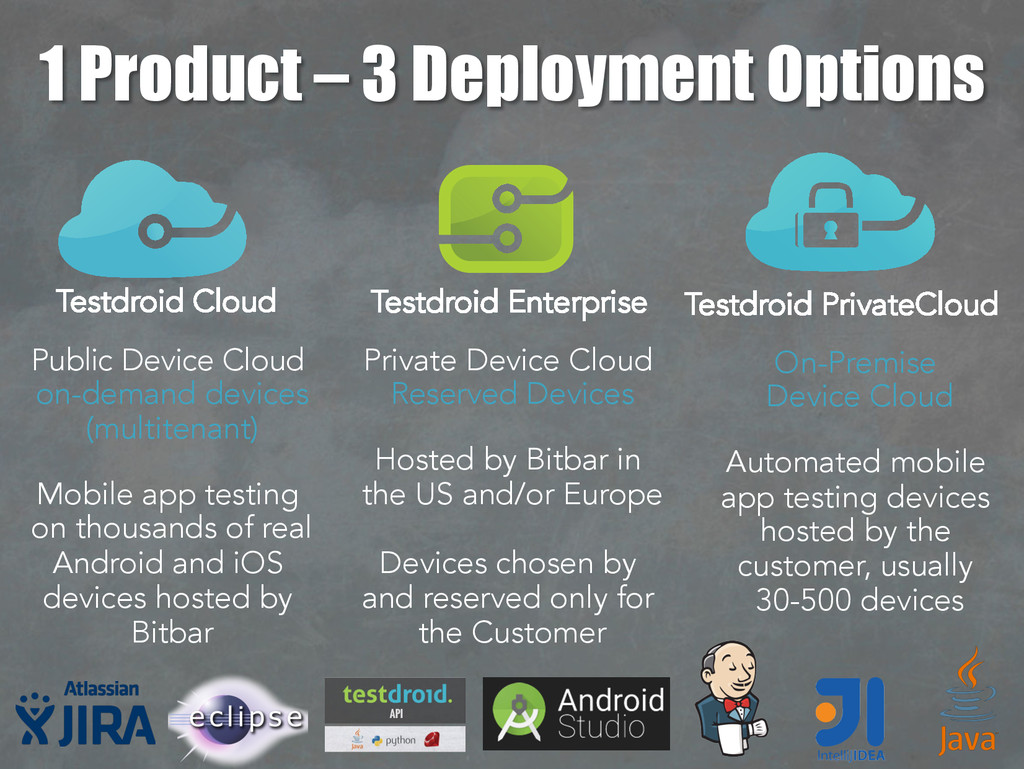
thousands of real Android and iOS devices hosted by Bitbar Private Device Cloud Reserved Devices Hosted by Bitbar in the US and/or Europe Devices chosen by and reserved only for the Customer On-Premise Device Cloud Automated mobile app testing devices hosted by the customer, usually 30-500 devices 1 Product – 3 Deployment Options Testdroid Cloud Testdroid Enterprise Testdroid PrivateCloud
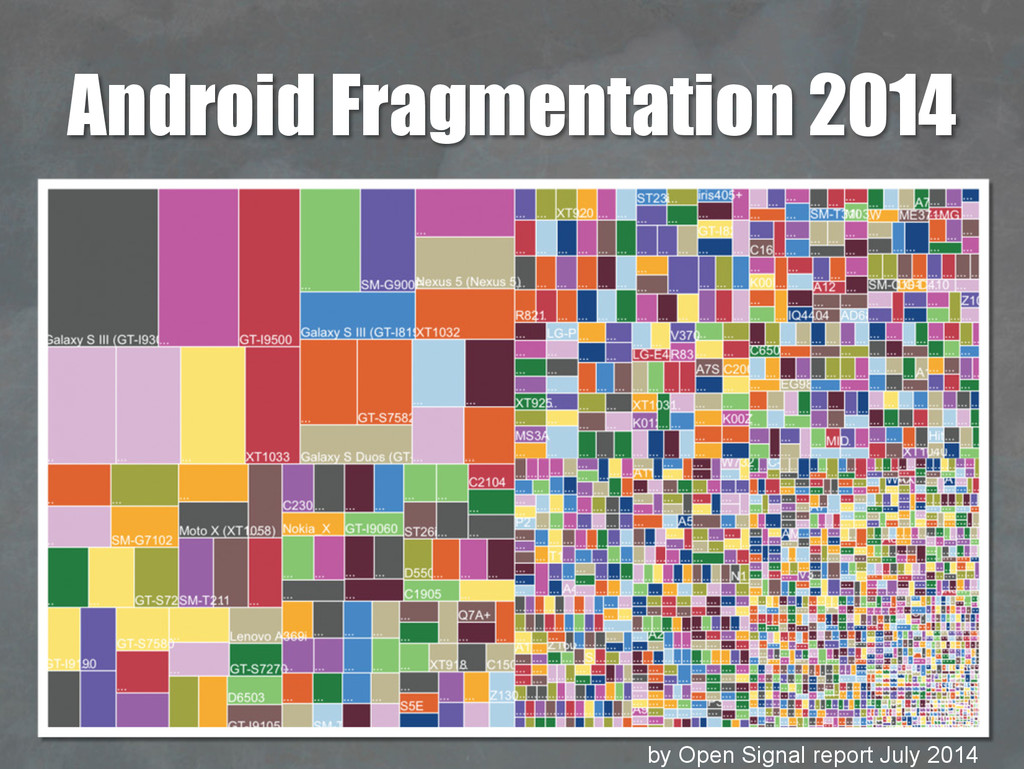
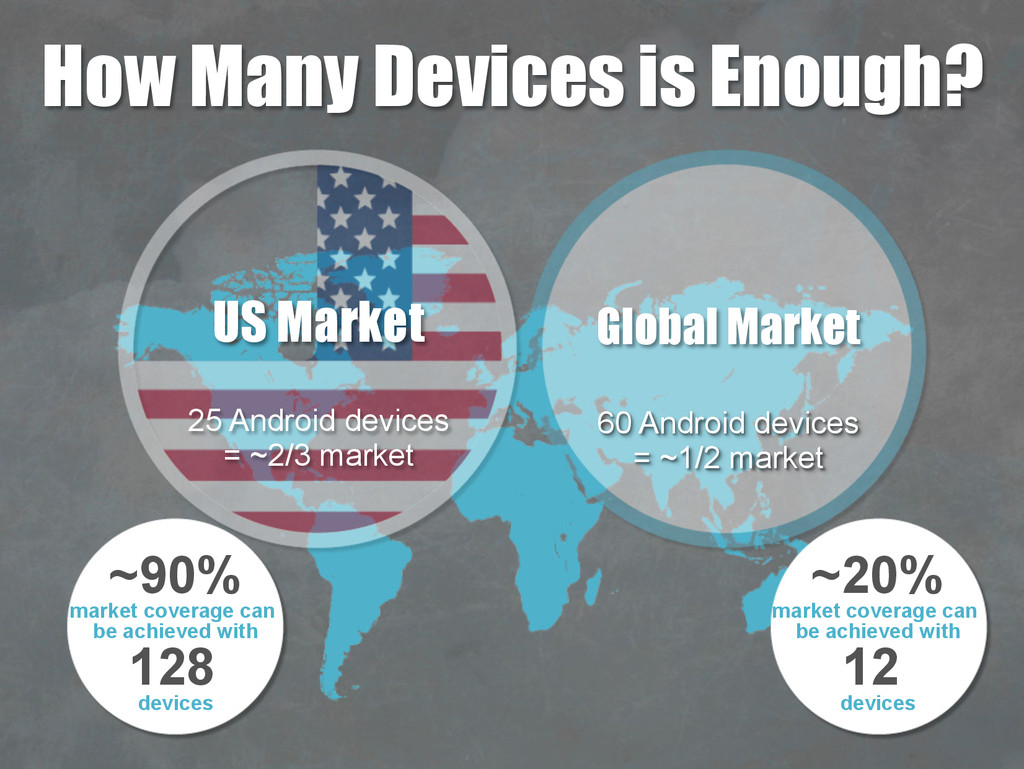
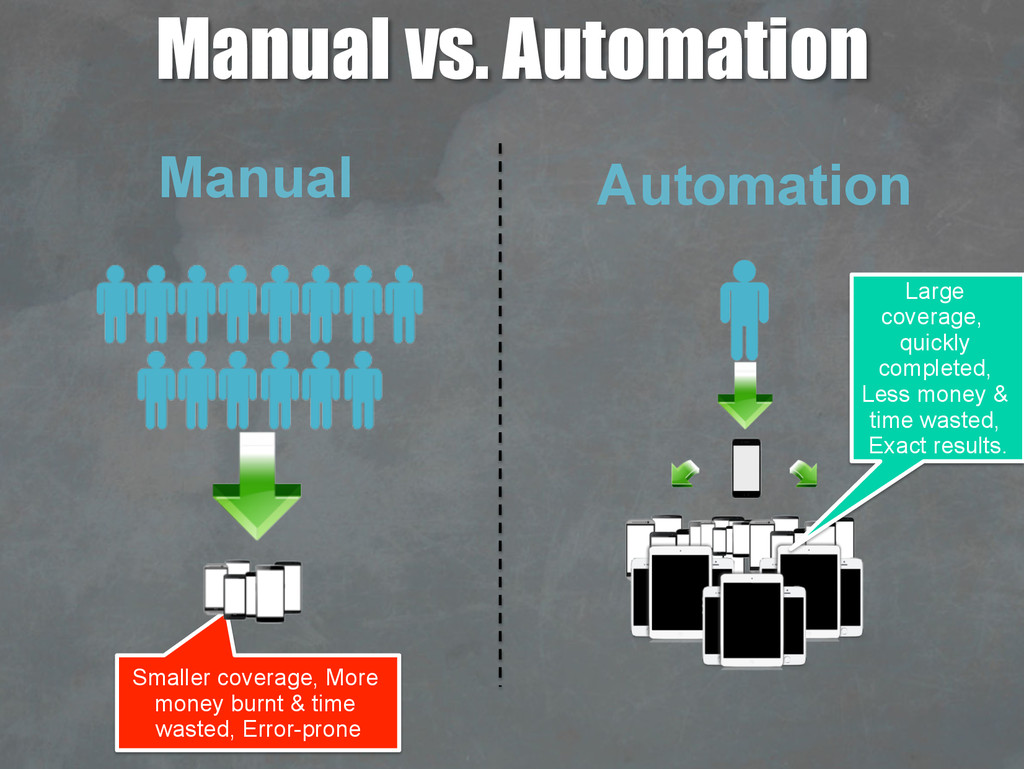
achieved with 128 devices ~20% market coverage can be achieved with 12 devices US Market 25 Android devices = ~2/3 market Global Market 60 Android devices = ~1/2 market
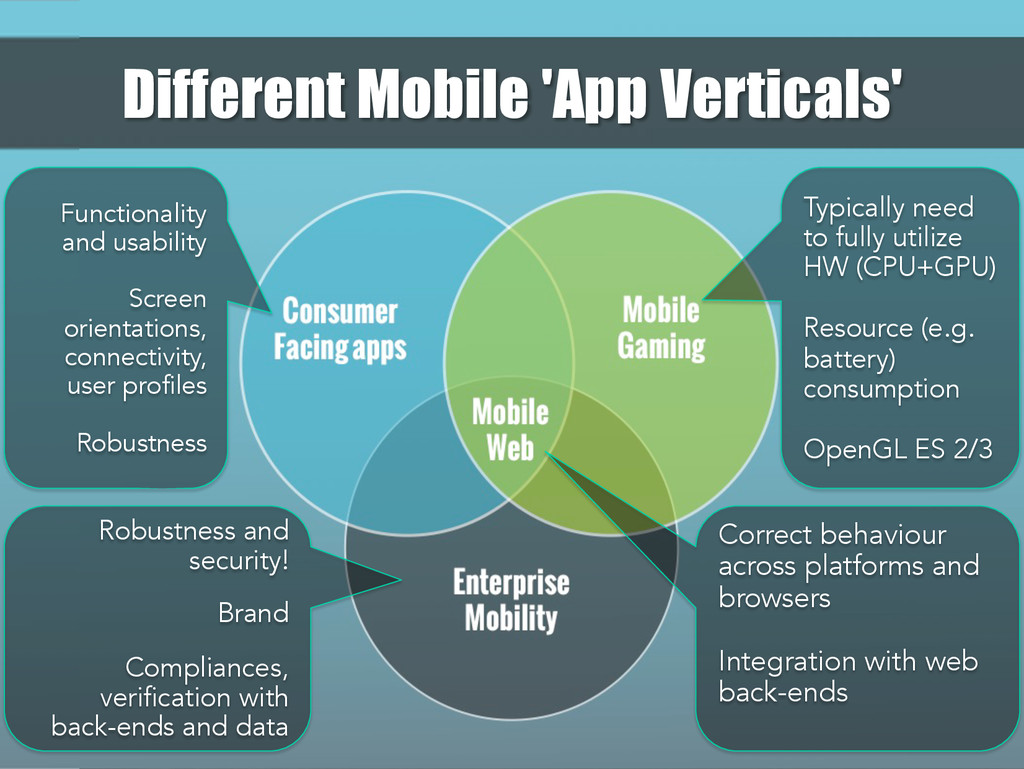
Typically need to fully utilize HW (CPU+GPU) Resource (e.g. battery) consumption OpenGL ES 2/3 Functionality and usability Screen orientations, connectivity, user profiles Robustness Robustness and security! Brand Compliances, verification with back-ends and data Different Mobile 'App Verticals'
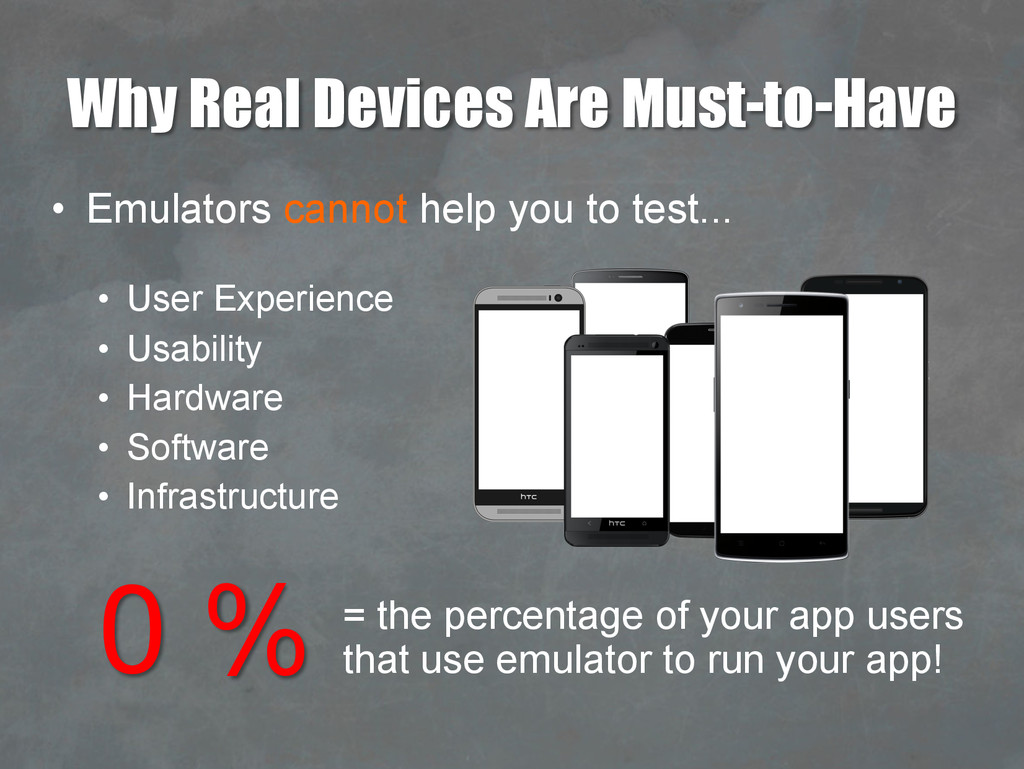
to test... • User Experience • Usability • Hardware • Software • Infrastructure 0 % = the percentage of your app users that use emulator to run your app!
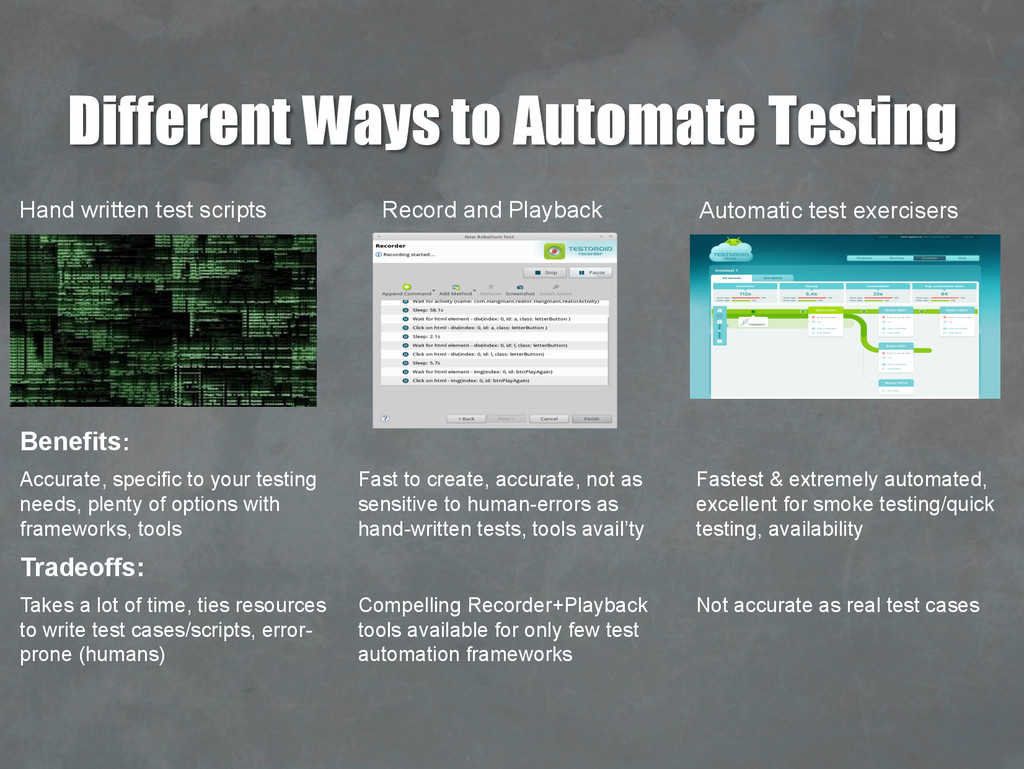
Playback Hand written test scripts Benefits: Accurate, specific to your testing needs, plenty of options with frameworks, tools Fast to create, accurate, not as sensitive to human-errors as hand-written tests, tools avail’ty Fastest & extremely automated, excellent for smoke testing/quick testing, availability Tradeoffs: Takes a lot of time, ties resources to write test cases/scripts, error- prone (humans) Compelling Recorder+Playback tools available for only few test automation frameworks Not accurate as real test cases
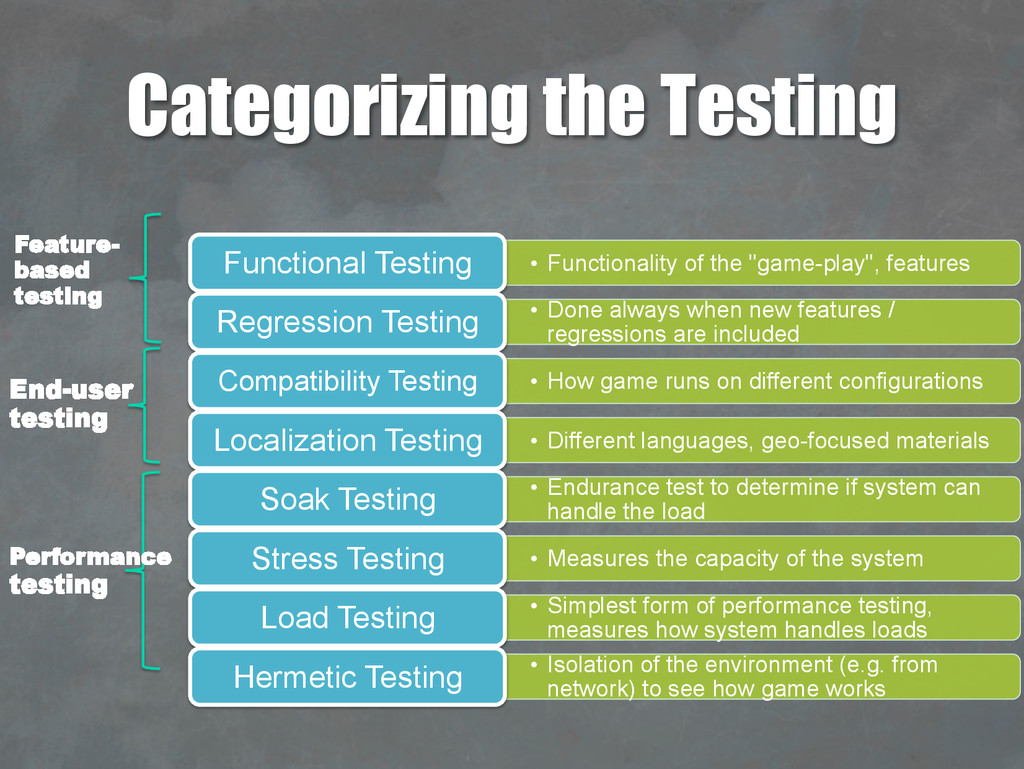
Testing • Done always when new features / regressions are included Regression Testing • How game runs on different configurations Compatibility Testing • Different languages, geo-focused materials Localization Testing • Endurance test to determine if system can handle the load Soak Testing • Measures the capacity of the system Stress Testing • Simplest form of performance testing, measures how system handles loads Load Testing • Isolation of the environment (e.g. from network) to see how game works Hermetic Testing Feature- based testing Performance testing End-user testing
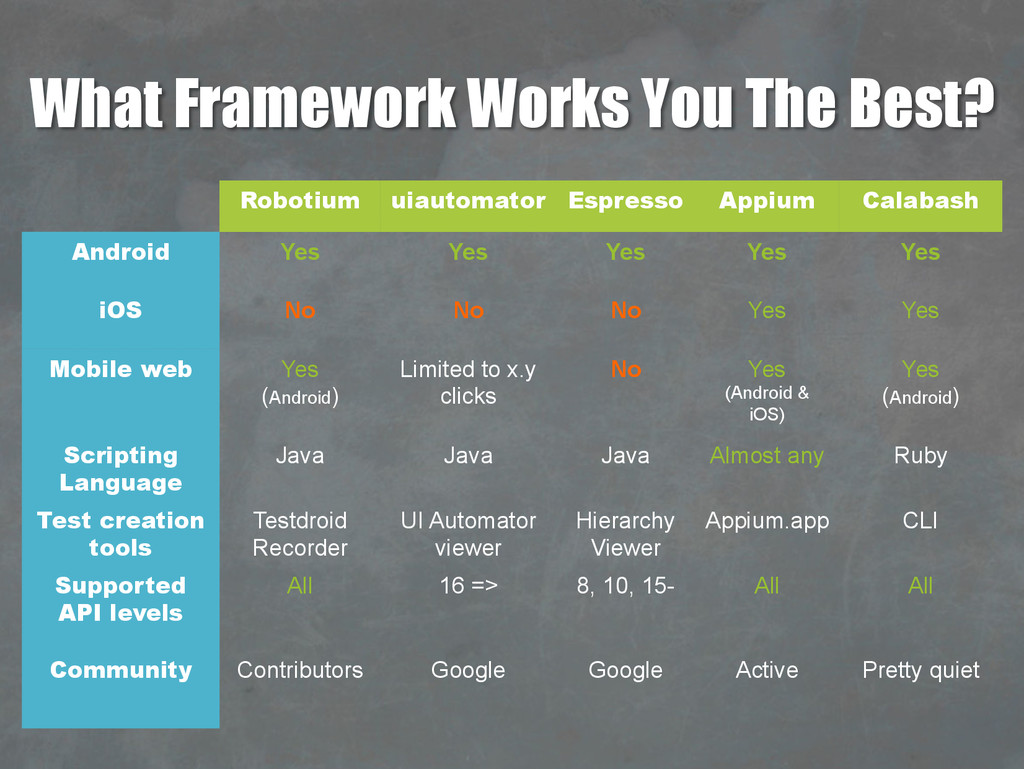
Calabash Android Yes Yes Yes Yes Yes iOS No No No Yes Yes Mobile web Yes (Android) Limited to x.y clicks No Yes (Android & iOS) Yes (Android) Scripting Language Java Java Java Almost any Ruby Test creation tools Testdroid Recorder UI Automator viewer Hierarchy Viewer Appium.app CLI Supported API levels All 16 => 8, 10, 15- All All Community Contributors Google Google Active Pretty quiet
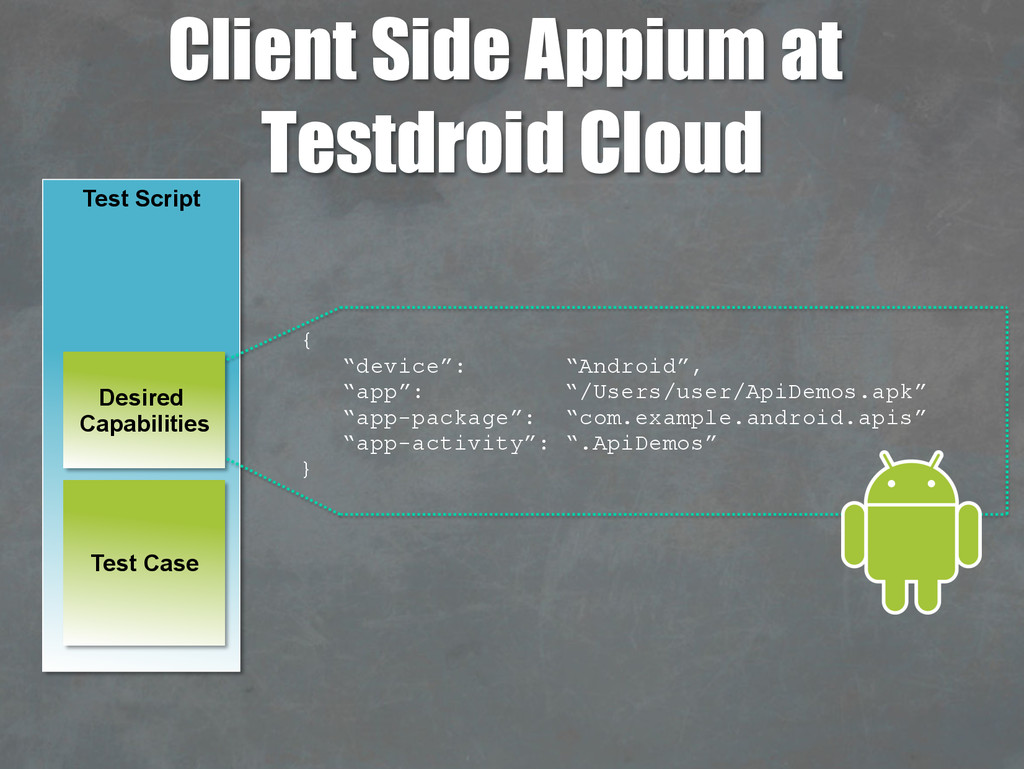
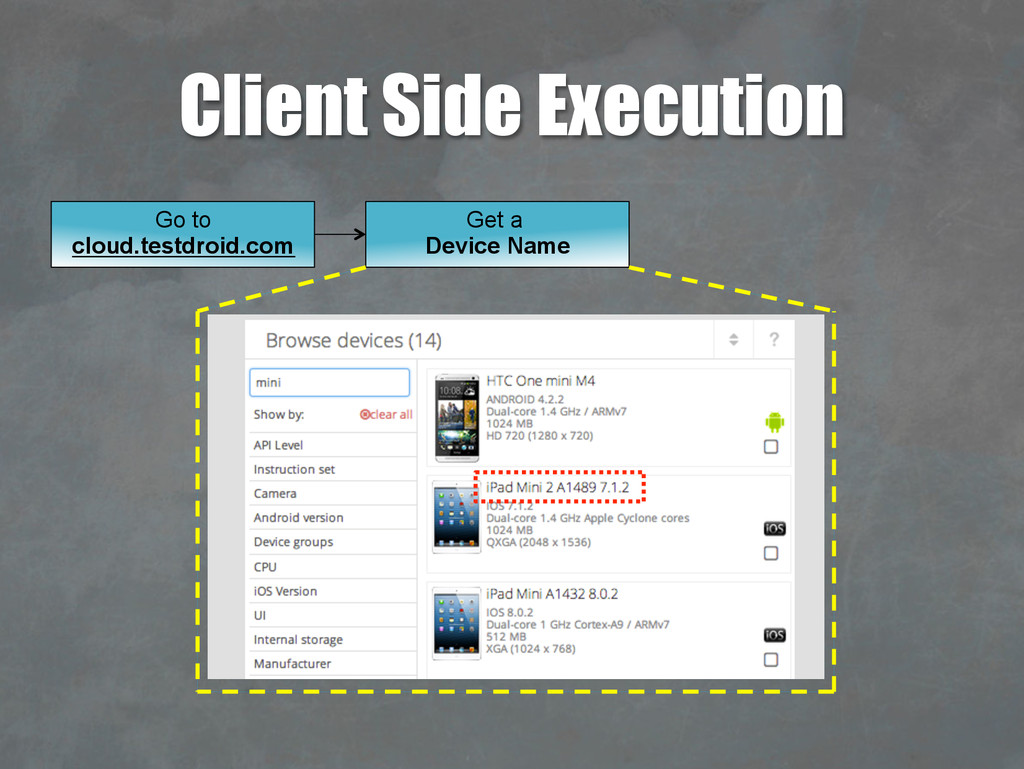
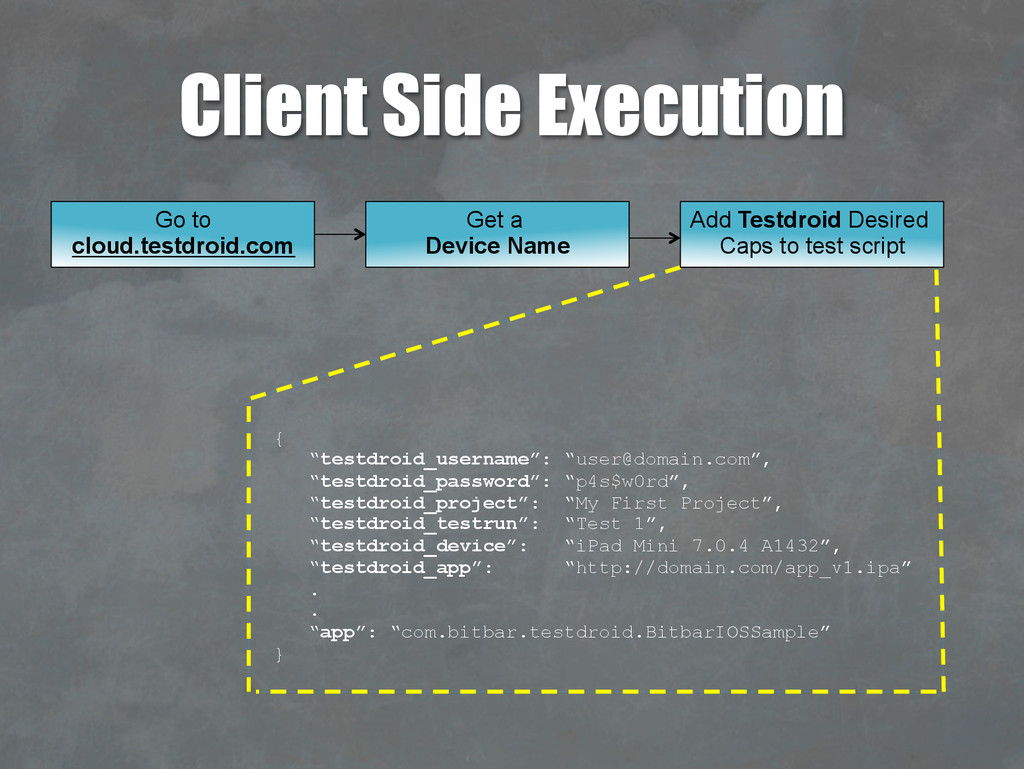
{ “testdroid_username”: “[email protected]”, “testdroid_password”: “p4s$w0rd”, “testdroid_project”: “My First Project”, “testdroid_testrun”: “Test 1”, “testdroid_device”: “iPad Mini 7.0.4 A1432”, “testdroid_app”: “http://domain.com/app_v1.ipa” . . “app”: “com.bitbar.testdroid.BitbarIOSSample” } Get a Device Name Go to cloud.testdroid.com
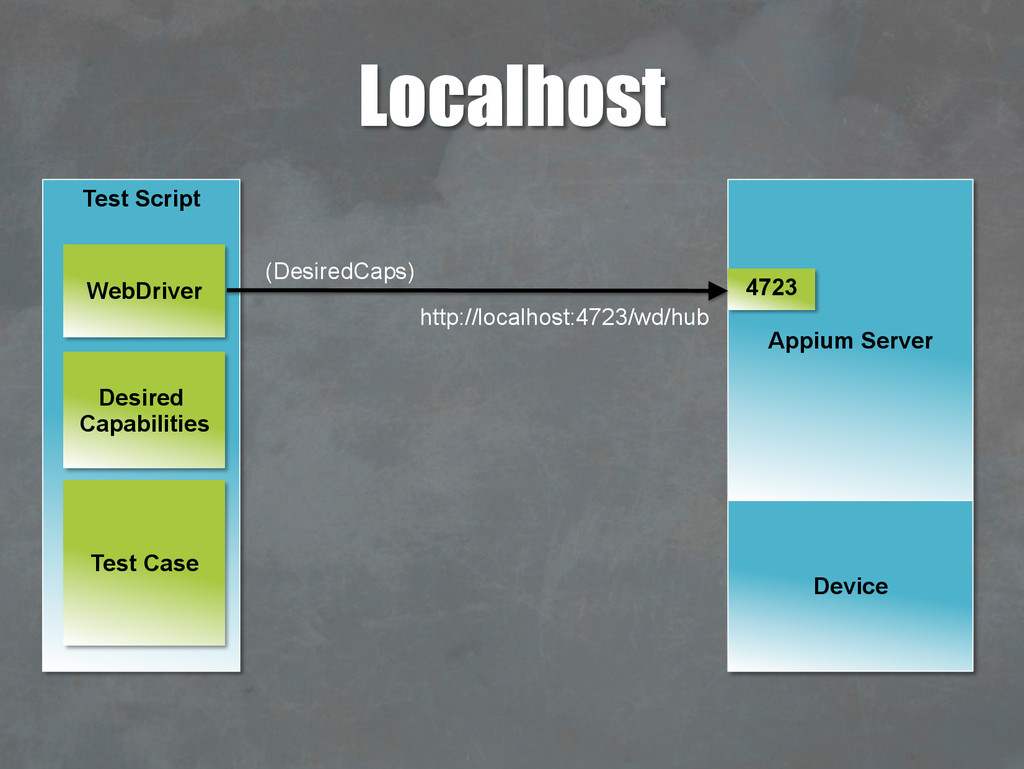
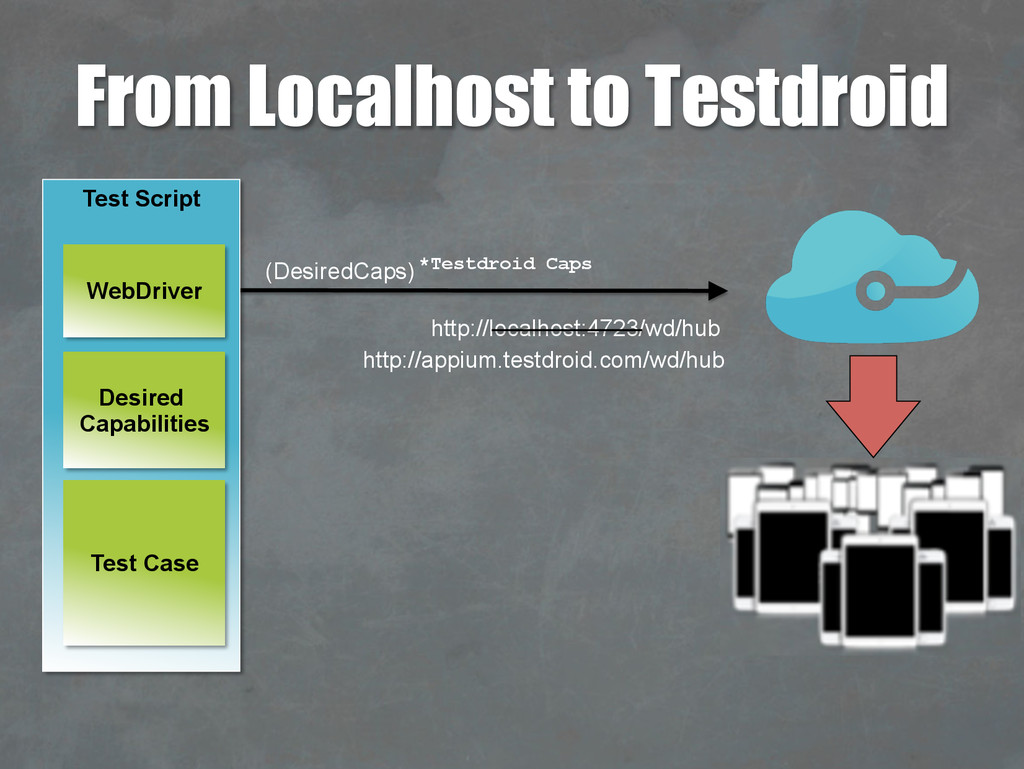
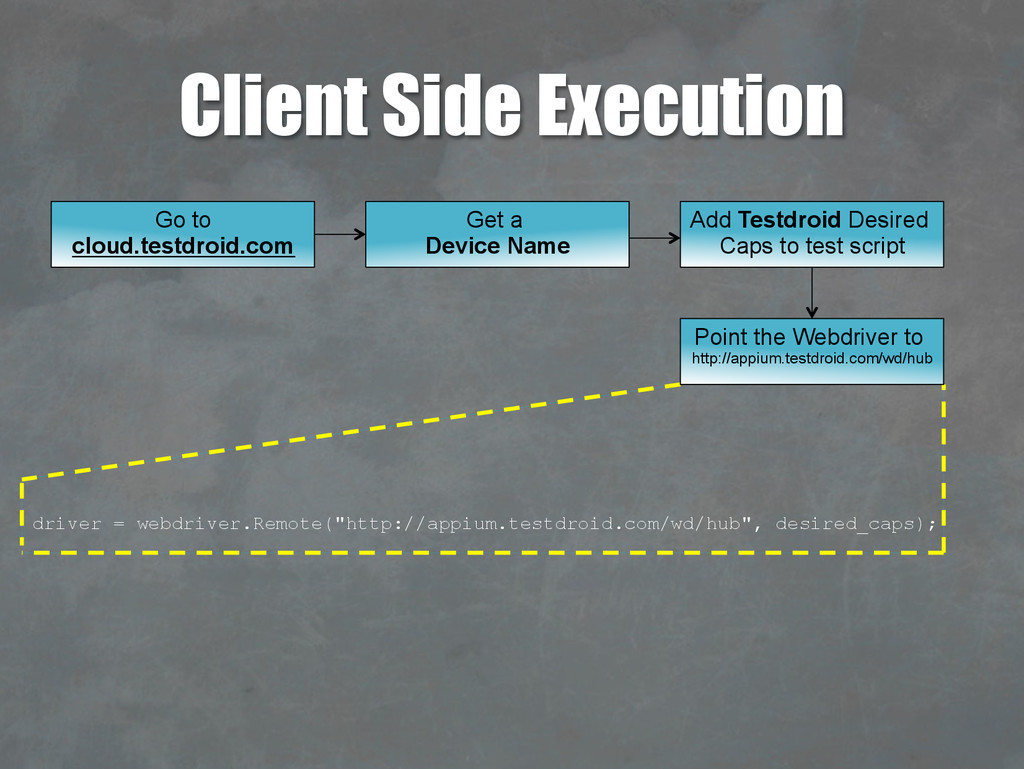
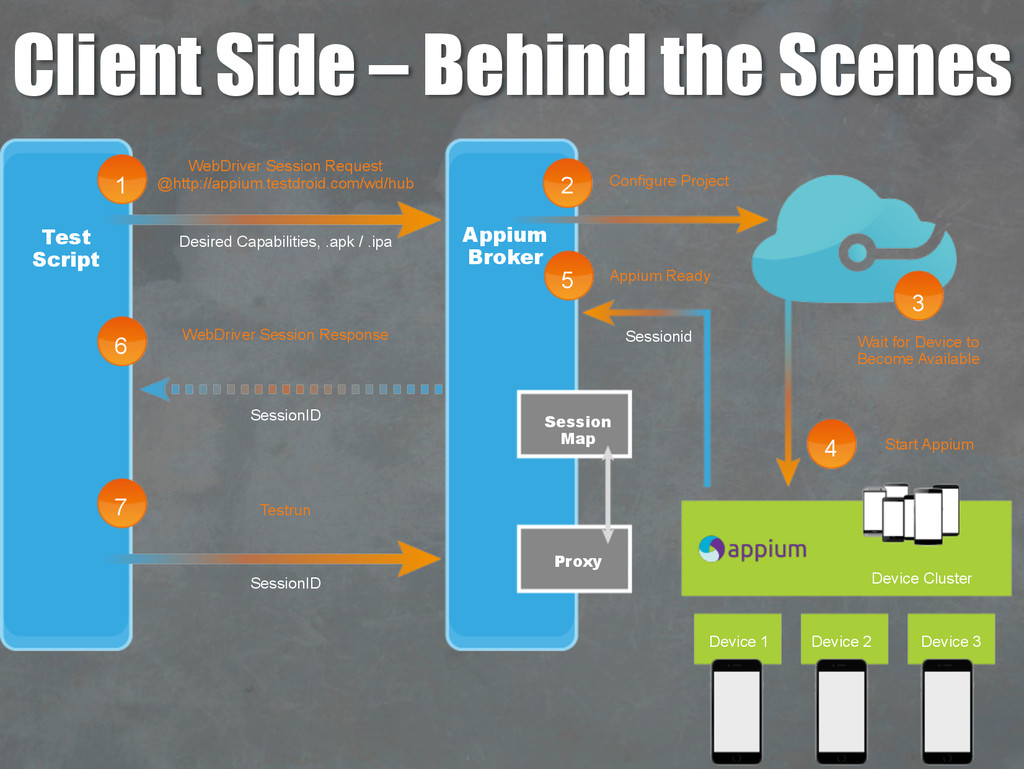
Testdroid Cloud Point the Webdriver to http://appium.testdroid.com/wd/hub Add Testdroid Desired Caps to test script Get a Device Name Go to cloud.testdroid.com
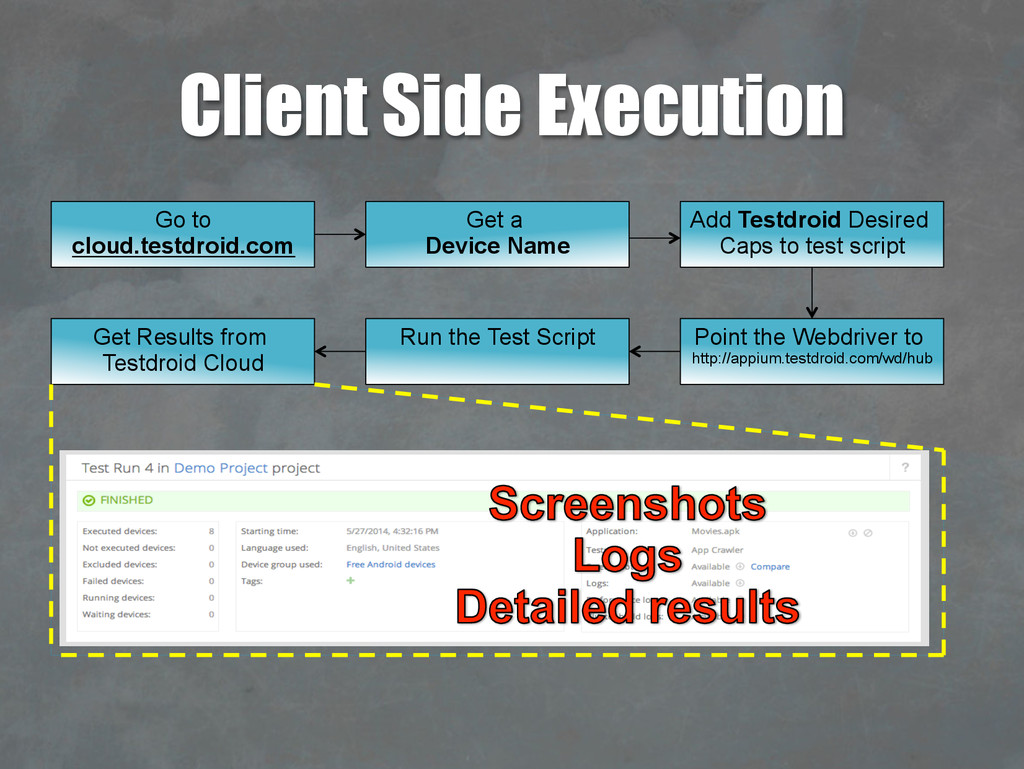
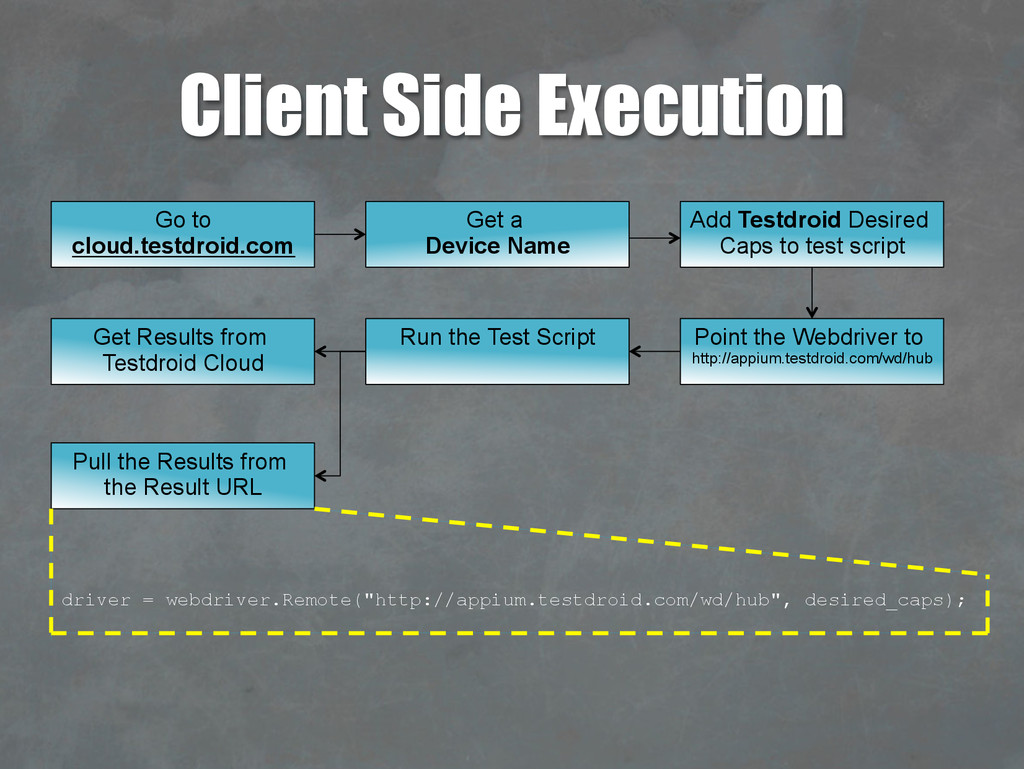
driver = webdriver.Remote("http://appium.testdroid.com/wd/hub", desired_caps); Run the Test Script Get Results from Testdroid Cloud Point the Webdriver to http://appium.testdroid.com/wd/hub Add Testdroid Desired Caps to test script Get a Device Name Go to cloud.testdroid.com
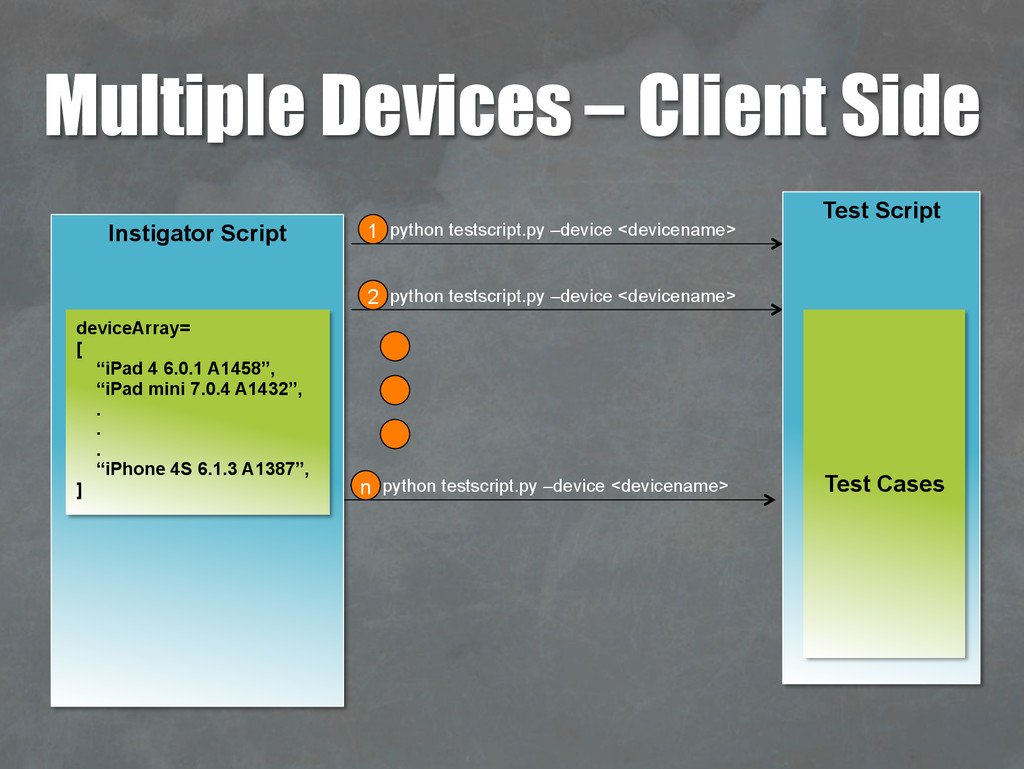
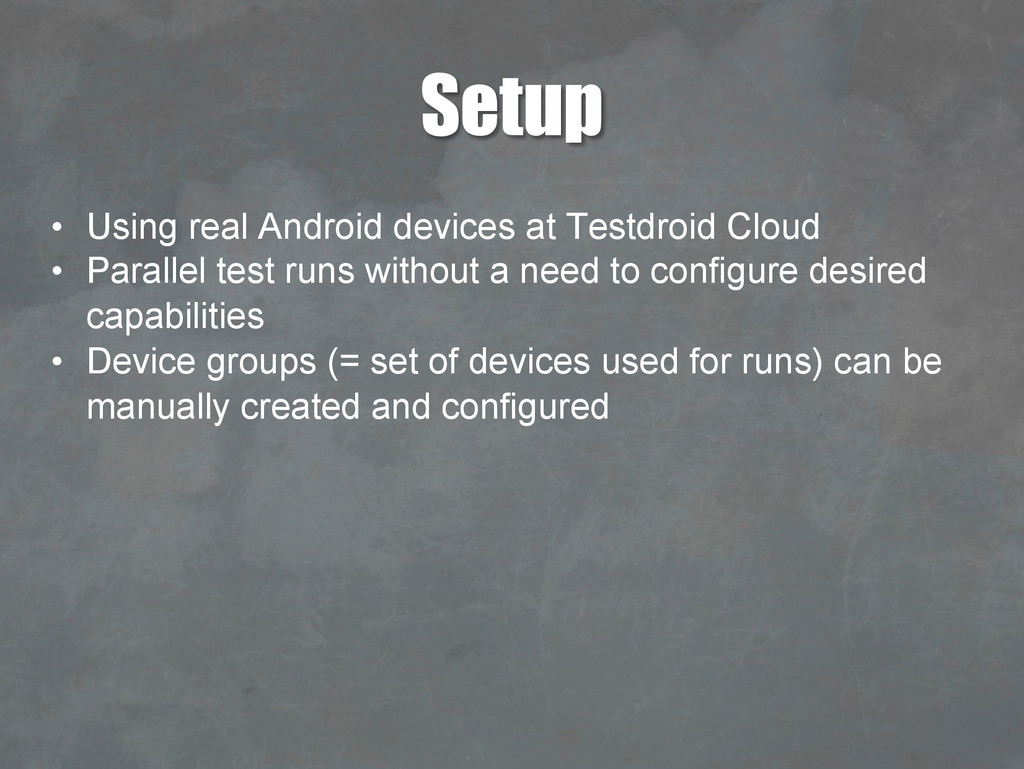
Parallel test runs without a need to configure desired capabilities • Device groups (= set of devices used for runs) can be manually created and configured


 seleniumlondon
 tomokon
 morizo_1984
 hollycummins
 prota
prota
 kasacchiful
 koic
koic
 texmeijin
 guaca
guaca
 optim
optim
 nao_randd
 tanahiro2010
 skydoves
 sonatard
 rakko
rakko
 tonyrice
 reverentgeek
 geshan
 schlessera
 carmenintech
 badams
 dugsong
 jonyablonski
 chrisshort