Upgrade to Pro — share decks privately, control downloads, hide ads and more …

Solo iOS Growth Diary — Vol. 11: The Share Shee...

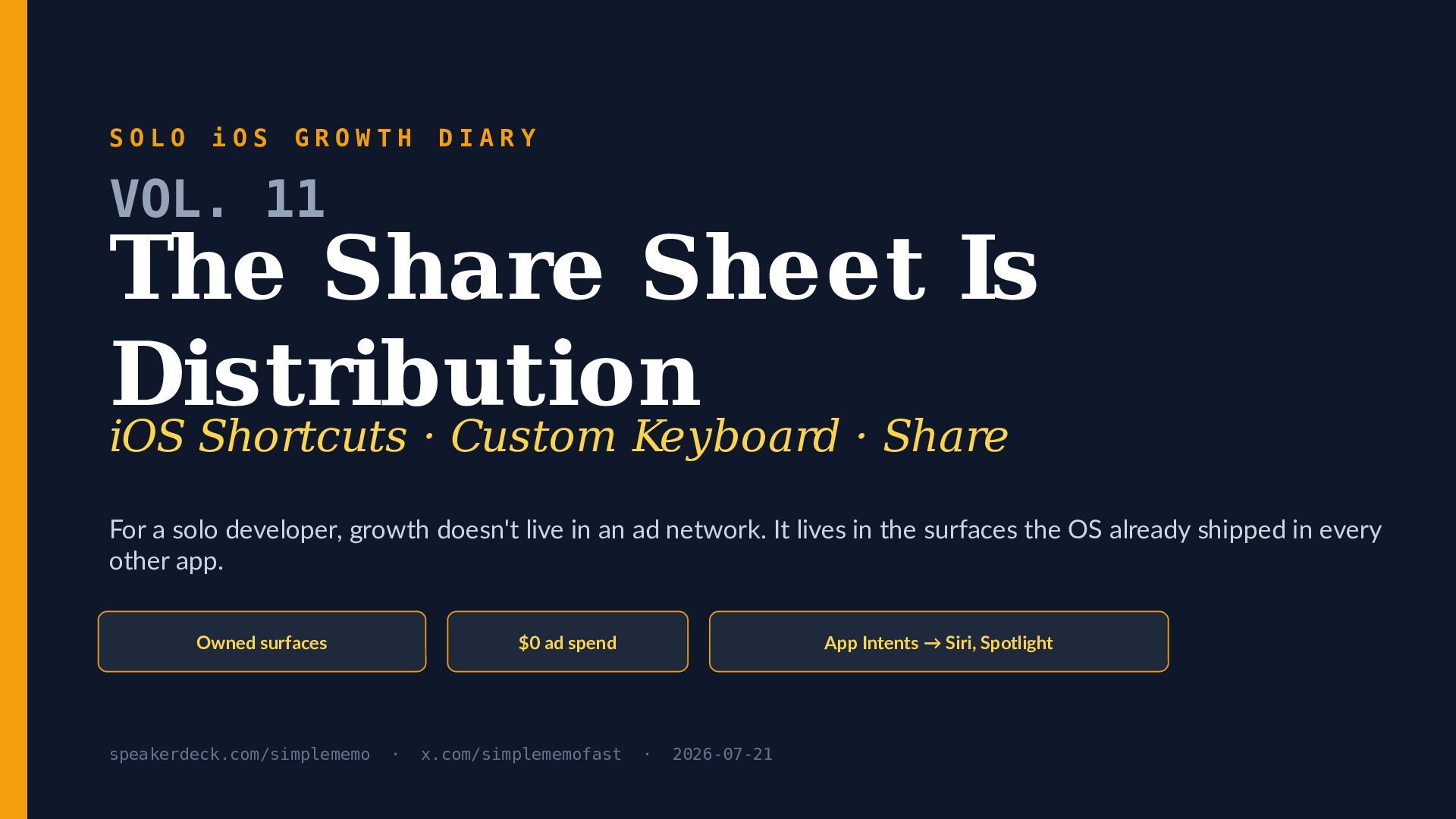
Solo iOS Growth Diary — Vol. 11: The Share Sheet Is Distribution (iOS Shortcuts, Keyboard, Share)

The share sheet is distribution. For a solo iOS developer with no ad budget, growth doesn't live in a paid user-acquisition auction — it lives in the system surfaces Apple already shipped inside every other app: the iOS Share Sheet, App Intents and the Shortcuts app, and the custom keyboard. Vol. 11 of the Solo iOS Growth Diary maps those surfaces end to end.

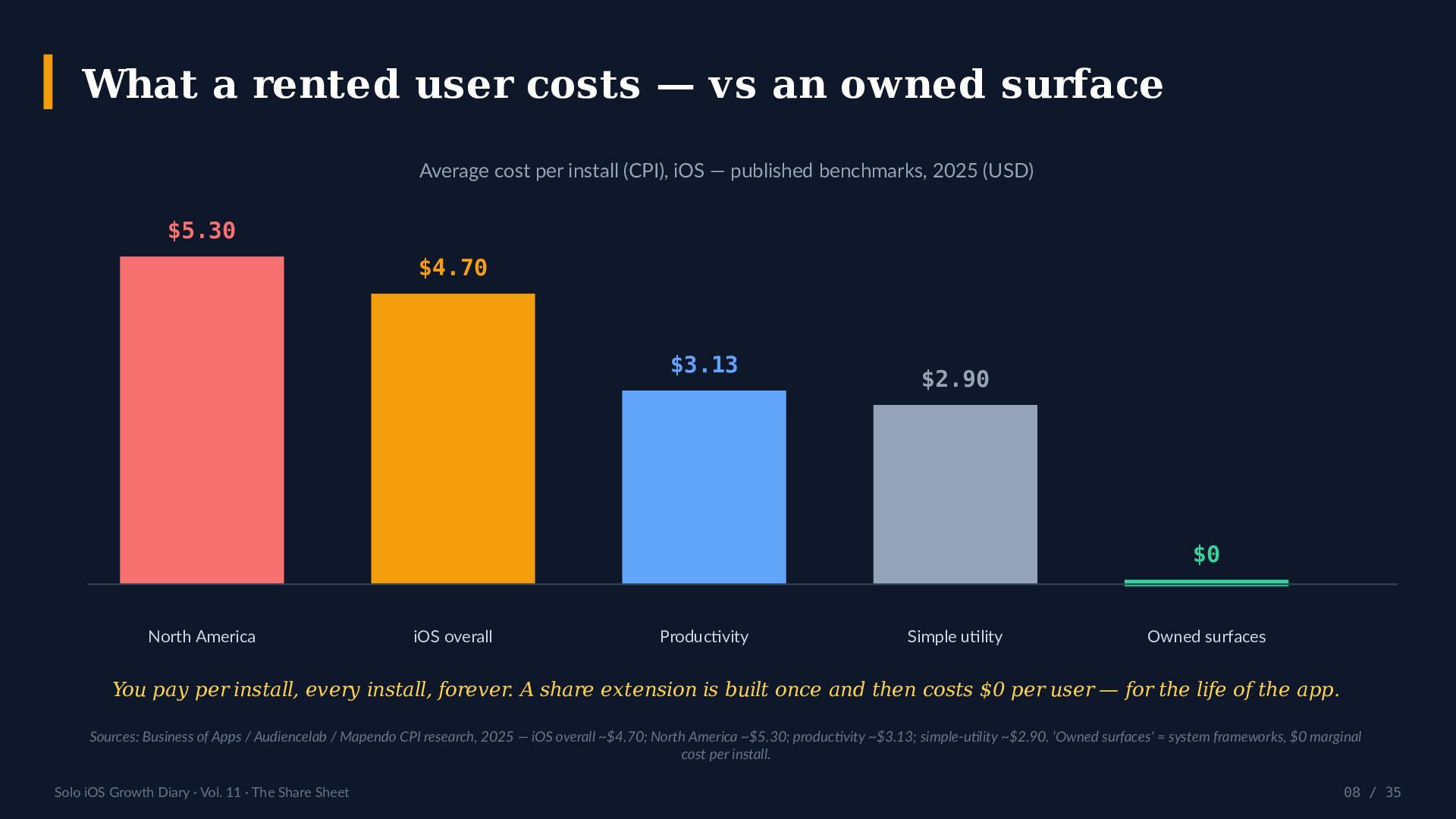
What's inside: why paid growth inverts for a free-core memo app (published 2025 iOS CPI benchmarks run about $3.13 for productivity and $4.70 overall, versus $0 for an owned surface); how a Share Extension declares what it accepts with NSExtensionActivationRule and hands data to your app through an App Group; how App Intents — shipped in iOS 16 and extended in iOS 26 with 25+ new Shortcuts actions and a "Use Model" step — turn one function into a Siri phrase, a Spotlight result, and a Shortcuts action; and what a custom keyboard (UIInputViewController, RequestsOpenAccess) can and cannot do: no microphone, no text selection, disabled in secure fields.

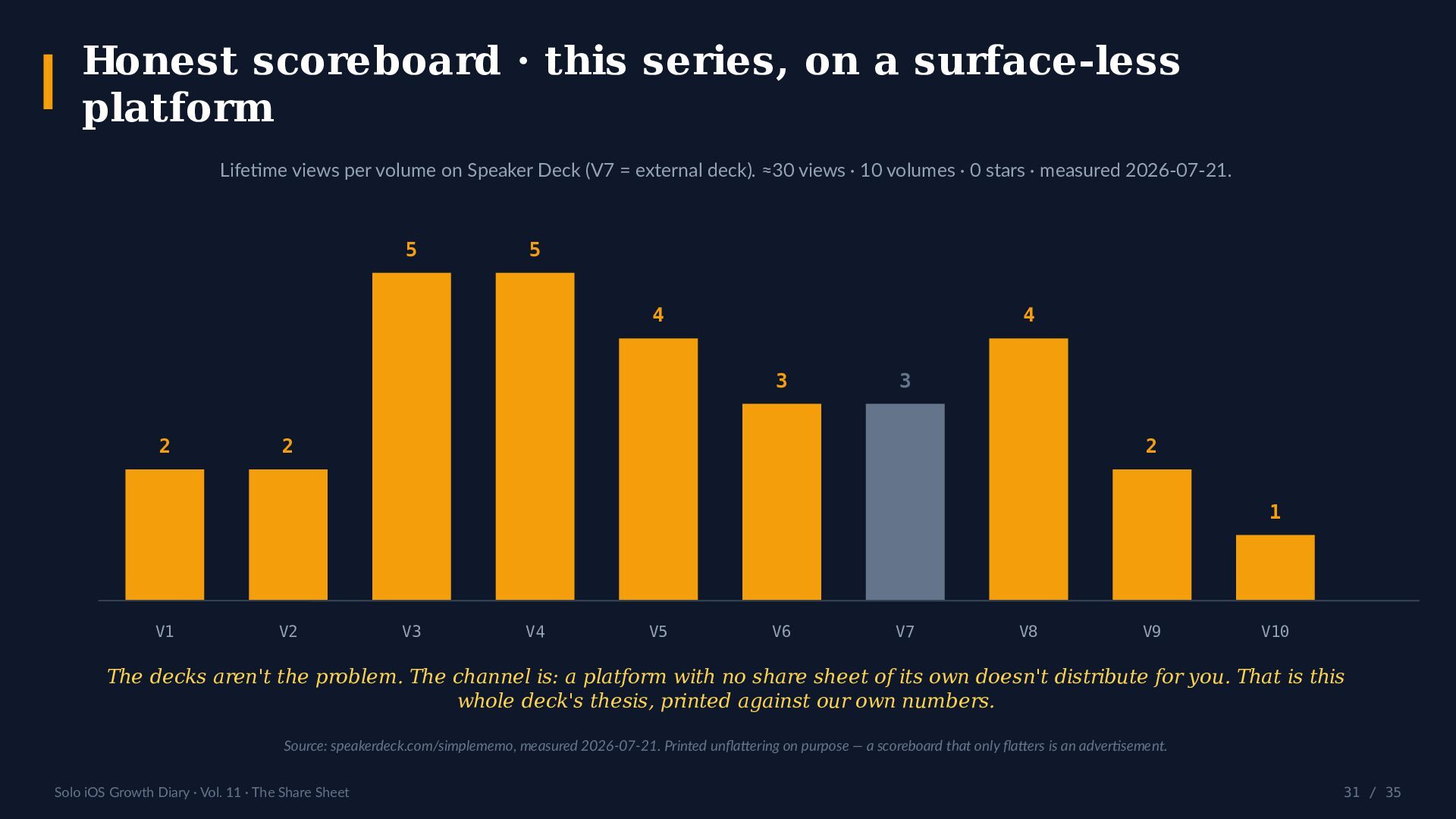
The deck is built to be argued with: a comparison table (build-your-own UI vs the system surface), four anti-thesis questions, a 7-step playbook, a 10-point audit, and an honest scoreboard printed against this series' own numbers — about 30 lifetime views across 10 volumes, 0 stars — because a platform with no share sheet of its own doesn't distribute for you.

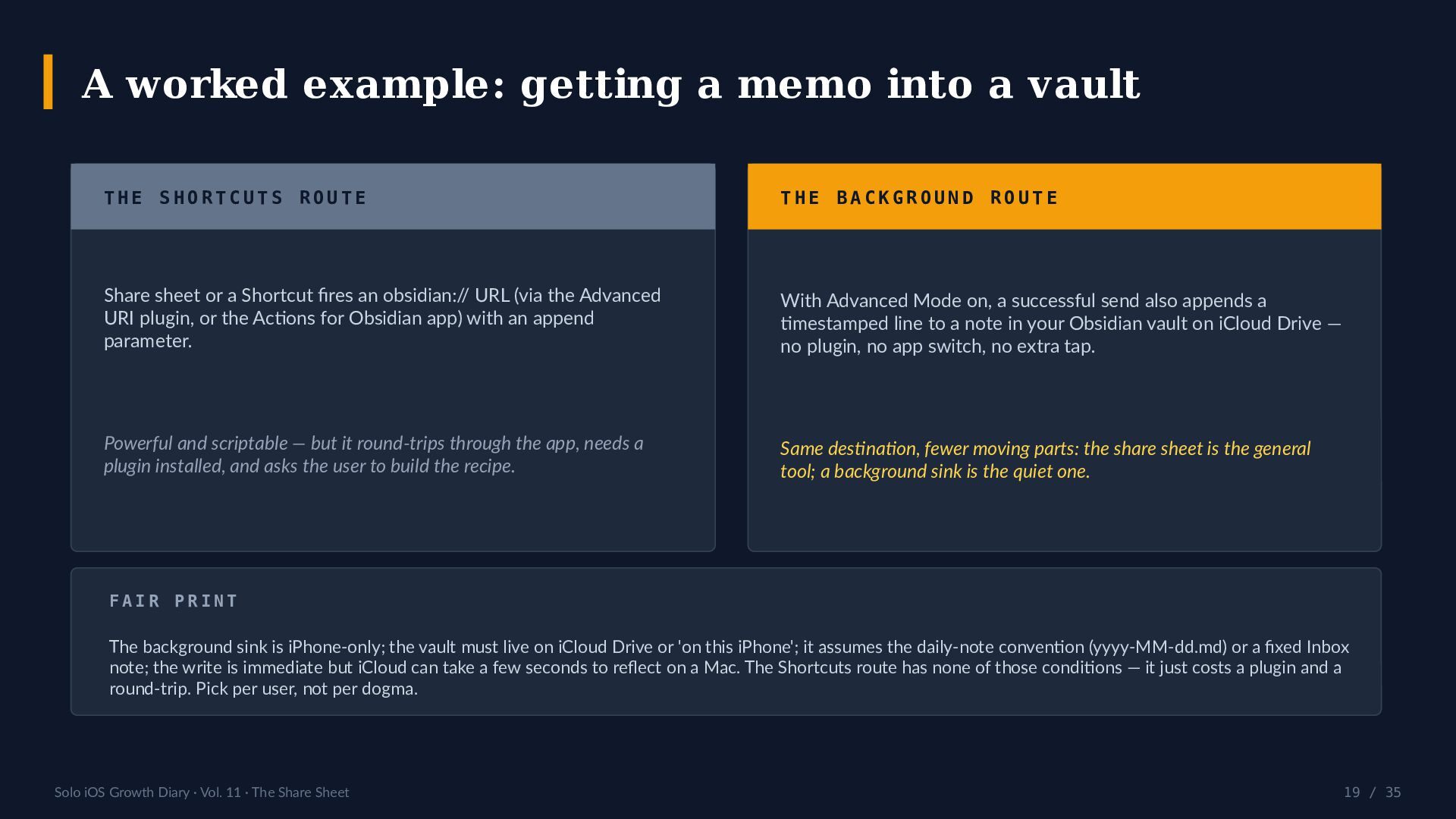
A worked example weighs two ways to get a memo into a vault: the general iOS Shortcuts Obsidian route (an obsidian:// URL via the Advanced URI plugin, which round-trips through the app) versus a no-plugin background append. Fair print: the background route is iPhone-only, assumes an iCloud-Drive vault and the yyyy-MM-dd.md daily-note convention, and iCloud can take a few seconds to reflect a write.

References:
- Feature background: https://simplememofast.com/obsidian/
- App Store (English channel): https://apps.apple.com/us/app/captio-style-simple-memo/id6758438948?ct=obsidian-en&mt=8

Follow the series:
- Speaker Deck: https://speakerdeck.com/simplememo
- X: https://x.com/simplememofast

New deck every Tuesday, 22:00 JST. Next — Vol. 12: Apple Watch As A Capture Device.

Avatar for SimpleMemo

SimpleMemo

July 21, 2026

More Decks by SimpleMemo

Other Decks in Programming

Transcript

  1. SOLO iOS GROWTH DIARY VOL. 11 The Share Sheet Is

    Distribution iOS Shortcuts · Custom Keyboard · Share For a solo developer, growth doesn't live in an ad network. It lives in the surfaces the OS already shipped in every other app. Owned surfaces speakerdeck.com/simplememo $0 ad spend · x.com/simplememofast App Intents → Siri, Spotlight · 2026-07-21
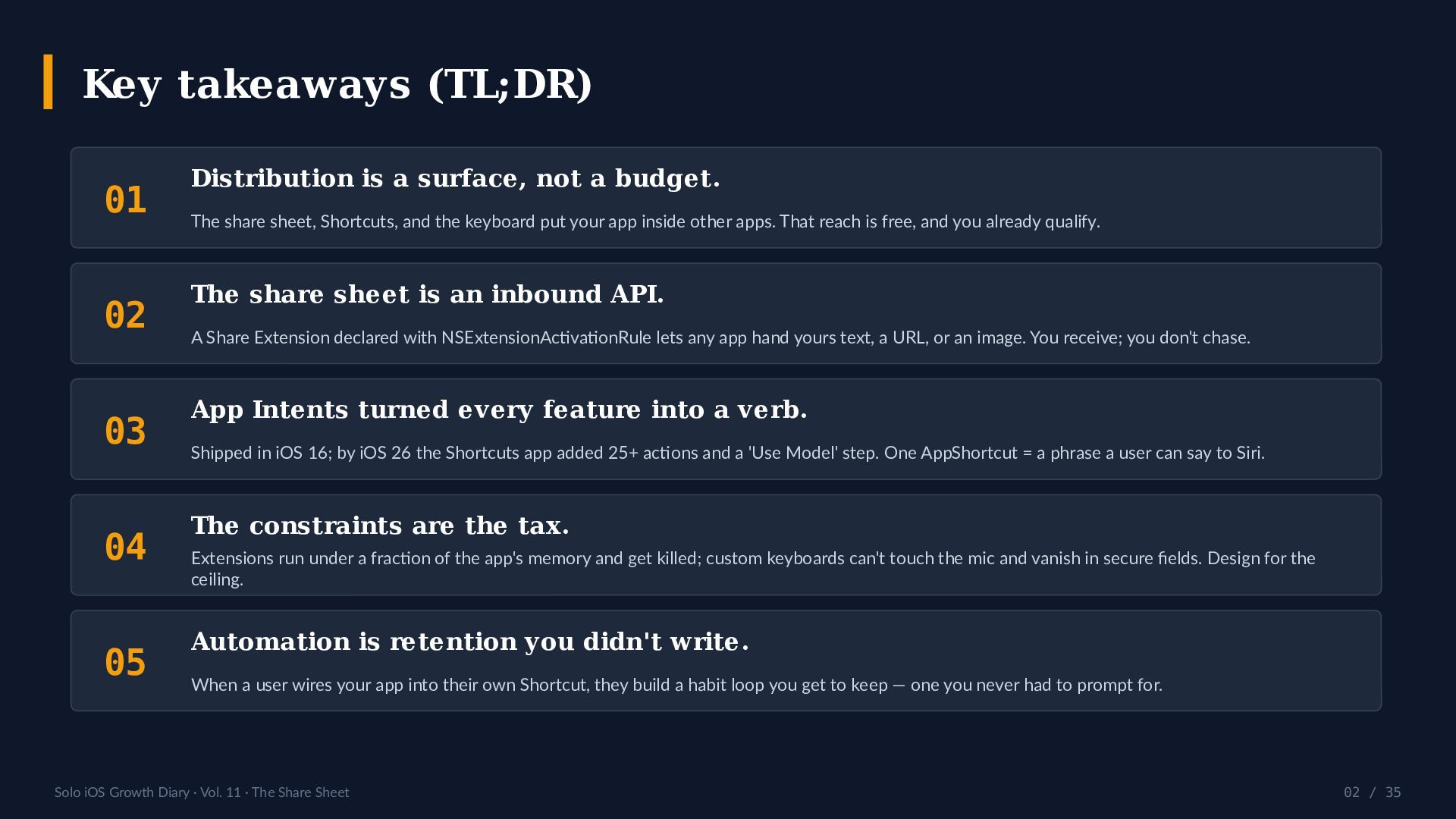
  2. Key takeaways (TL;DR) 01 02 03 04 05 Distribution is

    a surface, not a budget. The share sheet, Shortcuts, and the keyboard put your app inside other apps. That reach is free, and you already qualify. The share sheet is an inbound API. A Share Extension declared with NSExtensionActivationRule lets any app hand yours text, a URL, or an image. You receive; you don't chase. App Intents turned every feature into a verb. Shipped in iOS 16; by iOS 26 the Shortcuts app added 25+ actions and a 'Use Model' step. One AppShortcut = a phrase a user can say to Siri. The constraints are the tax. Extensions run under a fraction of the app's memory and get killed; custom keyboards can't touch the mic and vanish in secure fields. Design for the ceiling. Automation is retention you didn't write. When a user wires your app into their own Shortcut, they build a habit loop you get to keep — one you never had to prompt for. Solo iOS Growth Diary · Vol. 11 · The Share Sheet 02 / 35
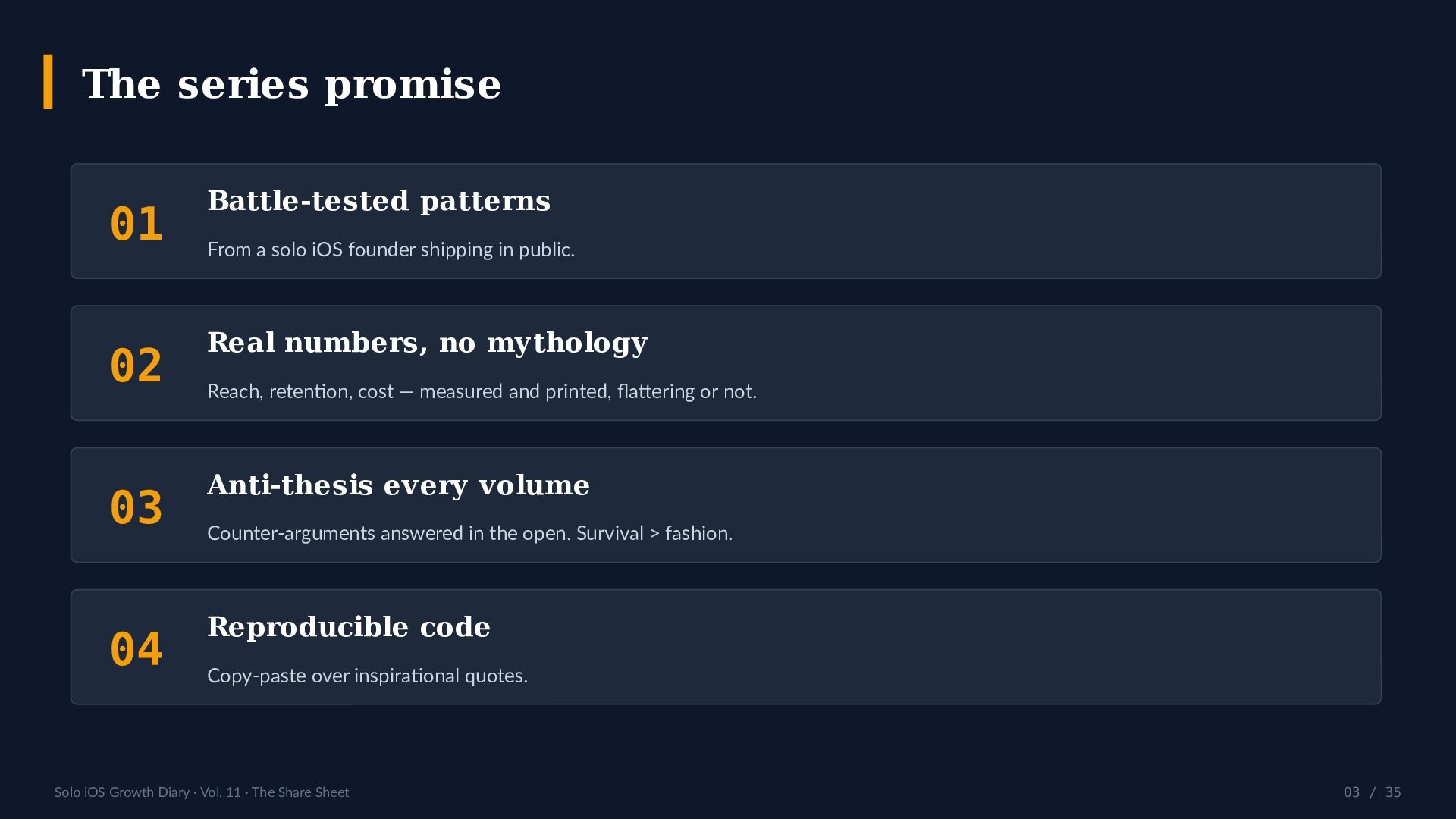
  3. The series promise 01 Battle-tested patterns 02 Real numbers, no

    mythology 03 Anti-thesis every volume 04 Reproducible code From a solo iOS founder shipping in public. Reach, retention, cost — measured and printed, flattering or not. Counter-arguments answered in the open. Survival > fashion. Copy-paste over inspirational quotes. Solo iOS Growth Diary · Vol. 11 · The Share Sheet 03 / 35
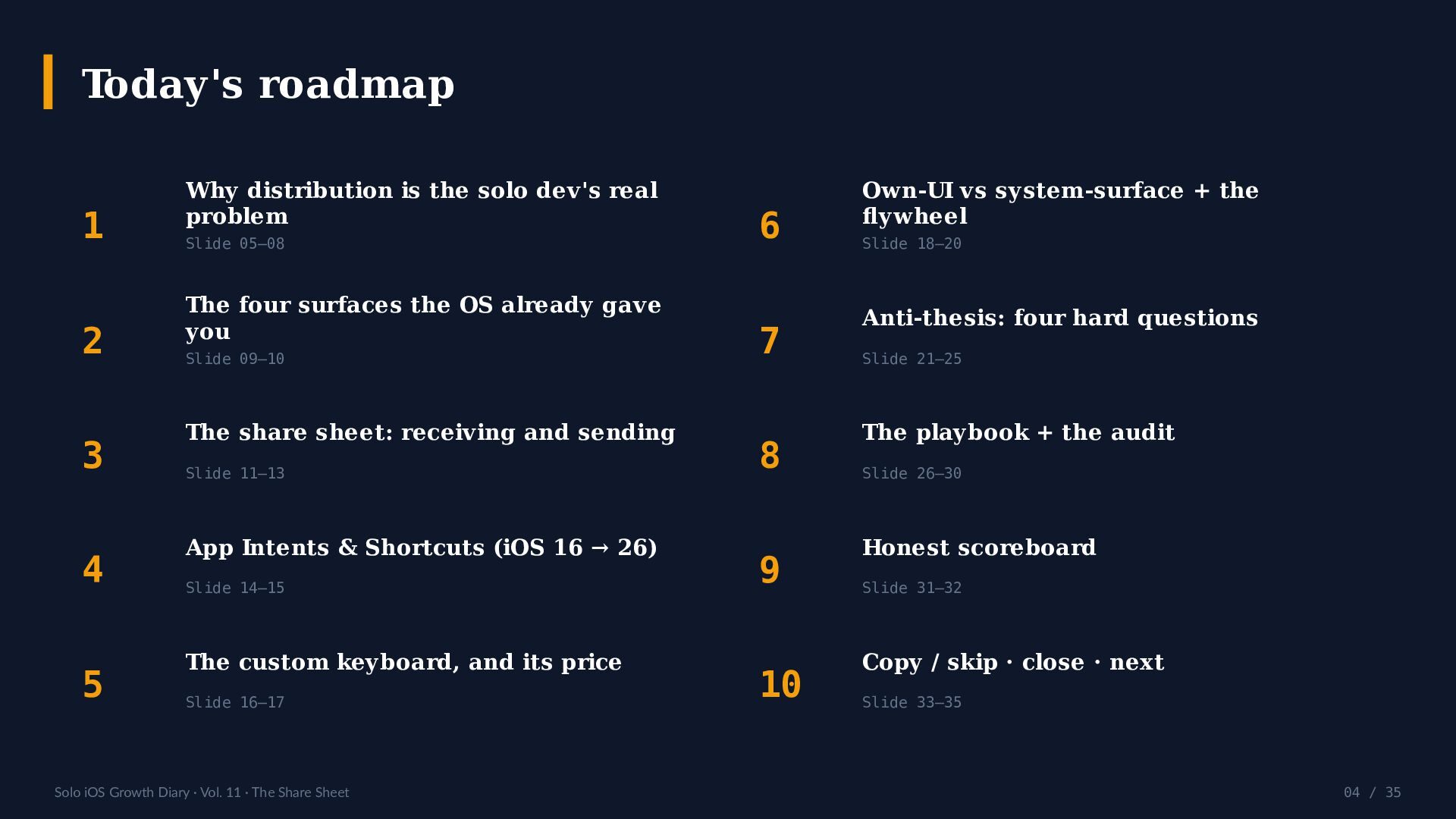
  4. Today's roadmap 1 2 3 4 5 Why distribution is

    the solo dev's real problem Slide 05–08 The four surfaces the OS already gave you Slide 09–10 The share sheet: receiving and sending Slide 11–13 App Intents & Shortcuts (iOS 16 → 26) Slide 14–15 The custom keyboard, and its price Slide 16–17 Solo iOS Growth Diary · Vol. 11 · The Share Sheet 6 7 8 9 10 Own-UI vs system-surface + the flywheel Slide 18–20 Anti-thesis: four hard questions Slide 21–25 The playbook + the audit Slide 26–30 Honest scoreboard Slide 31–32 Copy / skip · close · next Slide 33–35 04 / 35
  5. Where does a solo app's next user actually come from?

    Not from a budget you don't have. From a surface Apple already put in every app on the phone. This volume is the map of those surfaces — what they cost to build, what they refuse to do, and which ones paid off. Solo iOS Growth Diary · Vol. 11 · The Share Sheet 05 / 35
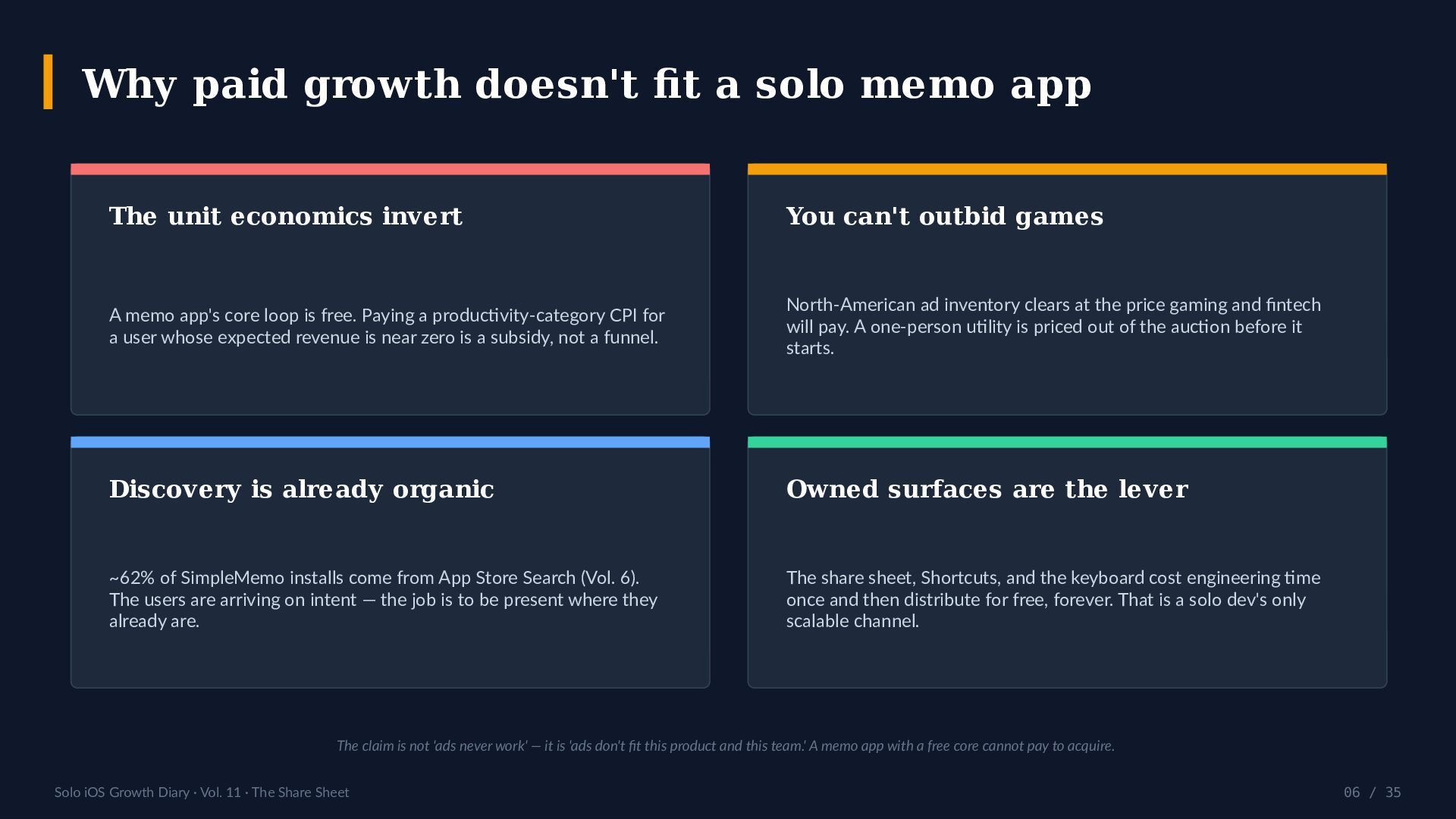
  6. Why paid growth doesn't fit a solo memo app The

    unit economics invert You can't outbid games A memo app's core loop is free. Paying a productivity-category CPI for a user whose expected revenue is near zero is a subsidy, not a funnel. North-American ad inventory clears at the price gaming and fintech will pay. A one-person utility is priced out of the auction before it starts. Discovery is already organic Owned surfaces are the lever ~62% of SimpleMemo installs come from App Store Search (Vol. 6). The users are arriving on intent — the job is to be present where they already are. The share sheet, Shortcuts, and the keyboard cost engineering time once and then distribute for free, forever. That is a solo dev's only scalable channel. The claim is not 'ads never work' — it is 'ads don't fit this product and this team.' A memo app with a free core cannot pay to acquire. Solo iOS Growth Diary · Vol. 11 · The Share Sheet 06 / 35
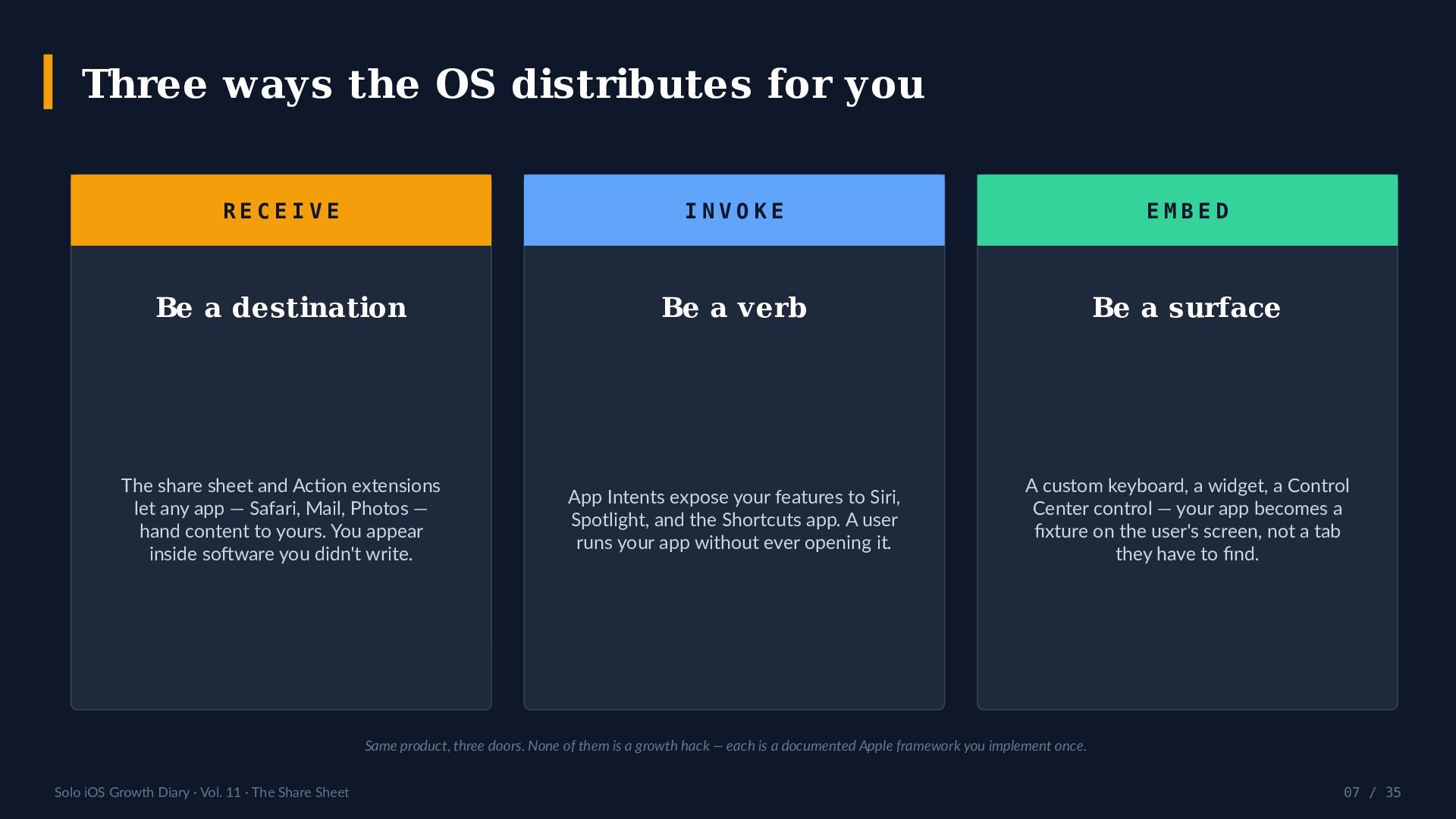
  7. Three ways the OS distributes for you RECEIVE INVOKE EMBED

    Be a destination Be a verb Be a surface The share sheet and Action extensions let any app — Safari, Mail, Photos — hand content to yours. You appear inside software you didn't write. App Intents expose your features to Siri, Spotlight, and the Shortcuts app. A user runs your app without ever opening it. A custom keyboard, a widget, a Control Center control — your app becomes a fixture on the user's screen, not a tab they have to find. Same product, three doors. None of them is a growth hack — each is a documented Apple framework you implement once. Solo iOS Growth Diary · Vol. 11 · The Share Sheet 07 / 35
  8. What a rented user costs — vs an owned surface

    Average cost per install (CPI), iOS — published benchmarks, 2025 (USD) $5.30 $4.70 $3.13 $2.90 $0 North America iOS overall Productivity Simple utility Owned surfaces You pay per install, every install, forever. A share extension is built once and then costs $0 per user — for the life of the app. Sources: Business of Apps / Audiencelab / Mapendo CPI research, 2025 — iOS overall ~$4.70; North America ~$5.30; productivity ~$3.13; simple-utility ~$2.90. 'Owned surfaces' = system frameworks, $0 marginal cost per install. Solo iOS Growth Diary · Vol. 11 · The Share Sheet 08 / 35
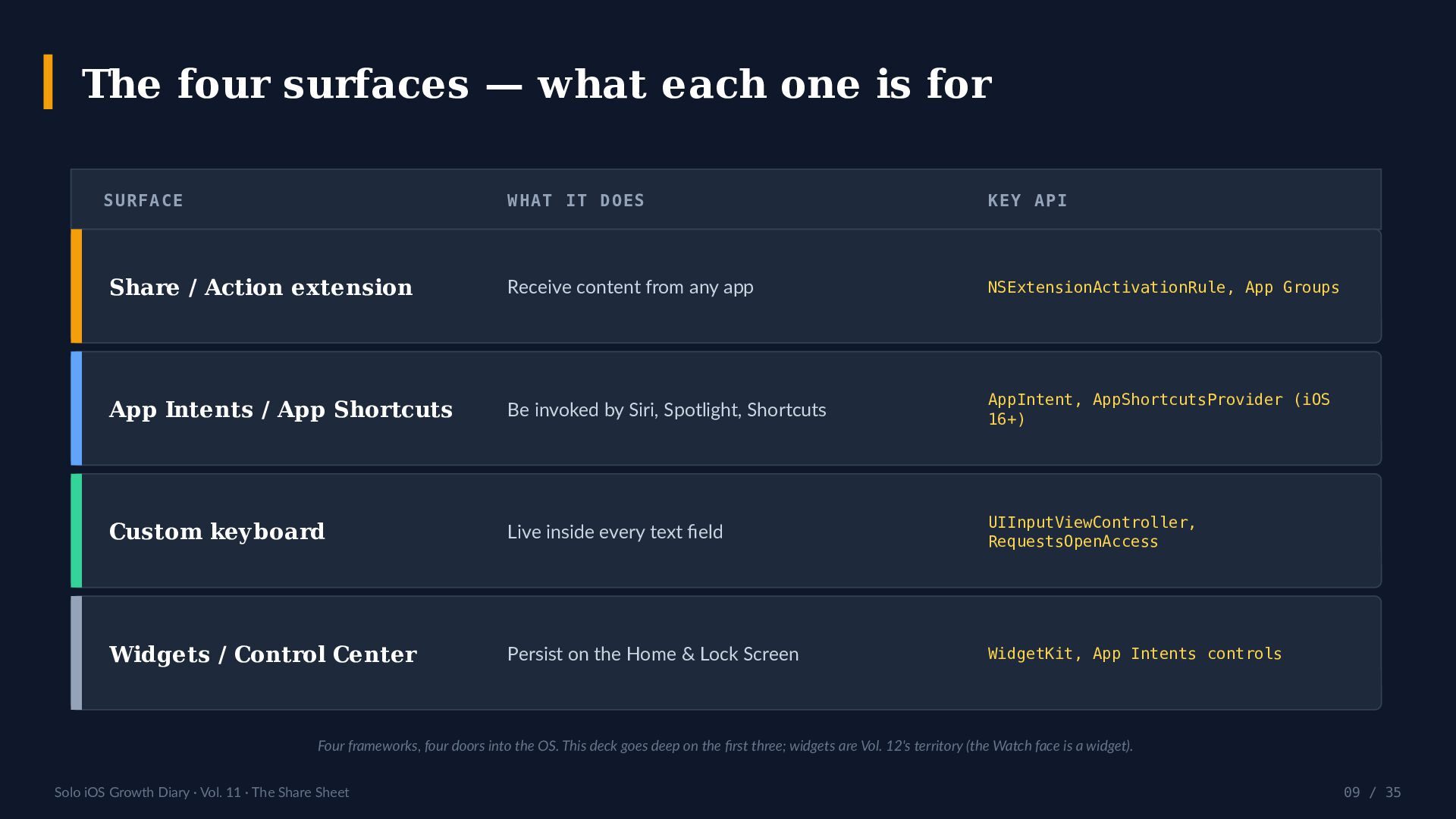
  9. The four surfaces — what each one is for SURFACE

    WHAT IT DOES KEY API Share / Action extension Receive content from any app NSExtensionActivationRule, App Groups App Intents / App Shortcuts Be invoked by Siri, Spotlight, Shortcuts AppIntent, AppShortcutsProvider (iOS 16+) Custom keyboard Live inside every text field UIInputViewController, RequestsOpenAccess Widgets / Control Center Persist on the Home & Lock Screen WidgetKit, App Intents controls Four frameworks, four doors into the OS. This deck goes deep on the first three; widgets are Vol. 12's territory (the Watch face is a widget). Solo iOS Growth Diary · Vol. 11 · The Share Sheet 09 / 35
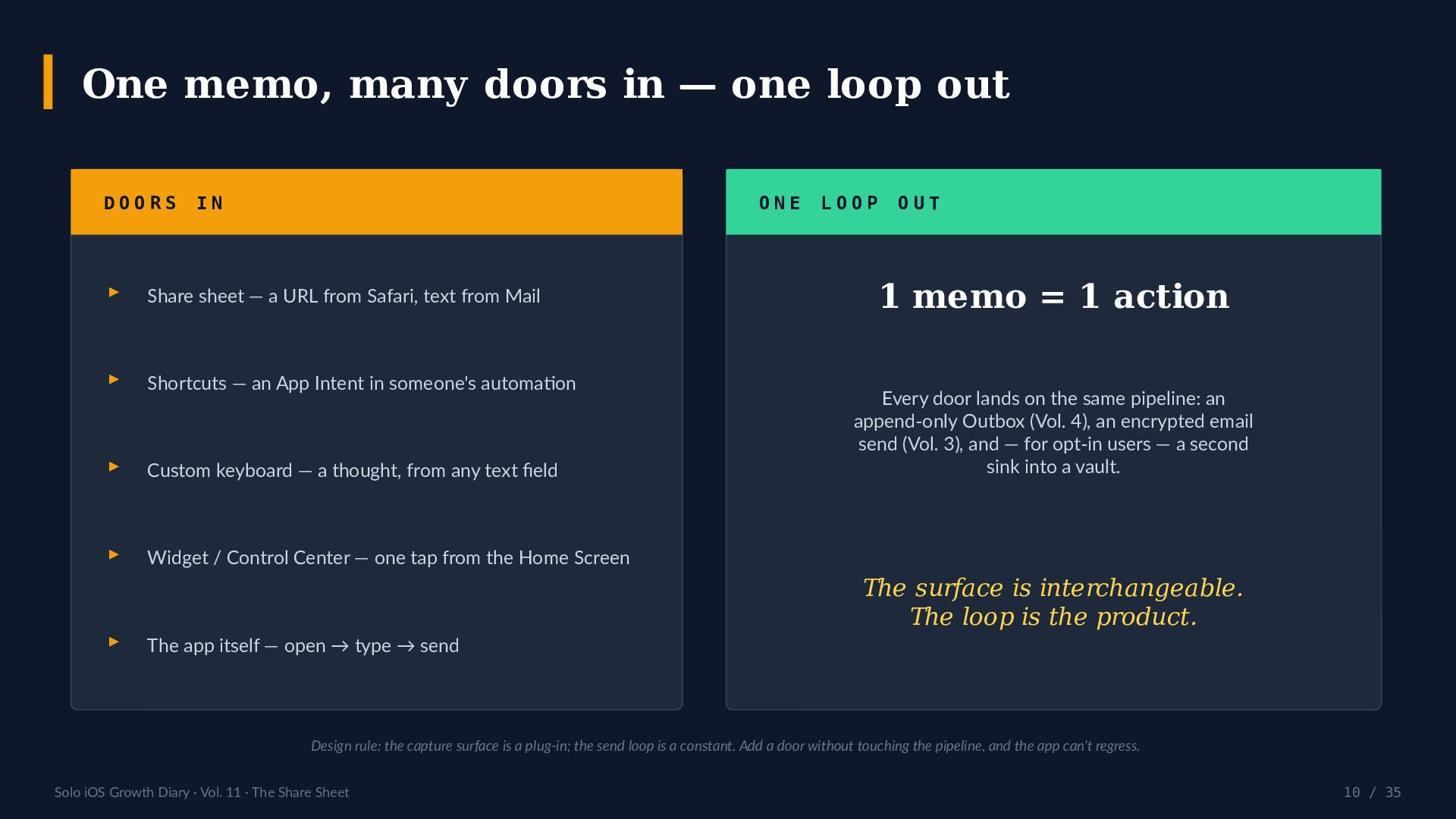
  10. One memo, many doors in — one loop out DOORS

    IN ONE ▸ Share sheet — a URL from Safari, text from Mail ▸ Shortcuts — an App Intent in someone's automation ▸ Custom keyboard — a thought, from any text field ▸ Widget / Control Center — one tap from the Home Screen ▸ LOOP OUT 1 memo = 1 action Every door lands on the same pipeline: an append-only Outbox (Vol. 4), an encrypted email send (Vol. 3), and — for opt-in users — a second sink into a vault. The surface is interchangeable. The loop is the product. The app itself — open → type → send Design rule: the capture surface is a plug-in; the send loop is a constant. Add a door without touching the pipeline, and the app can't regress. Solo iOS Growth Diary · Vol. 11 · The Share Sheet 10 / 35
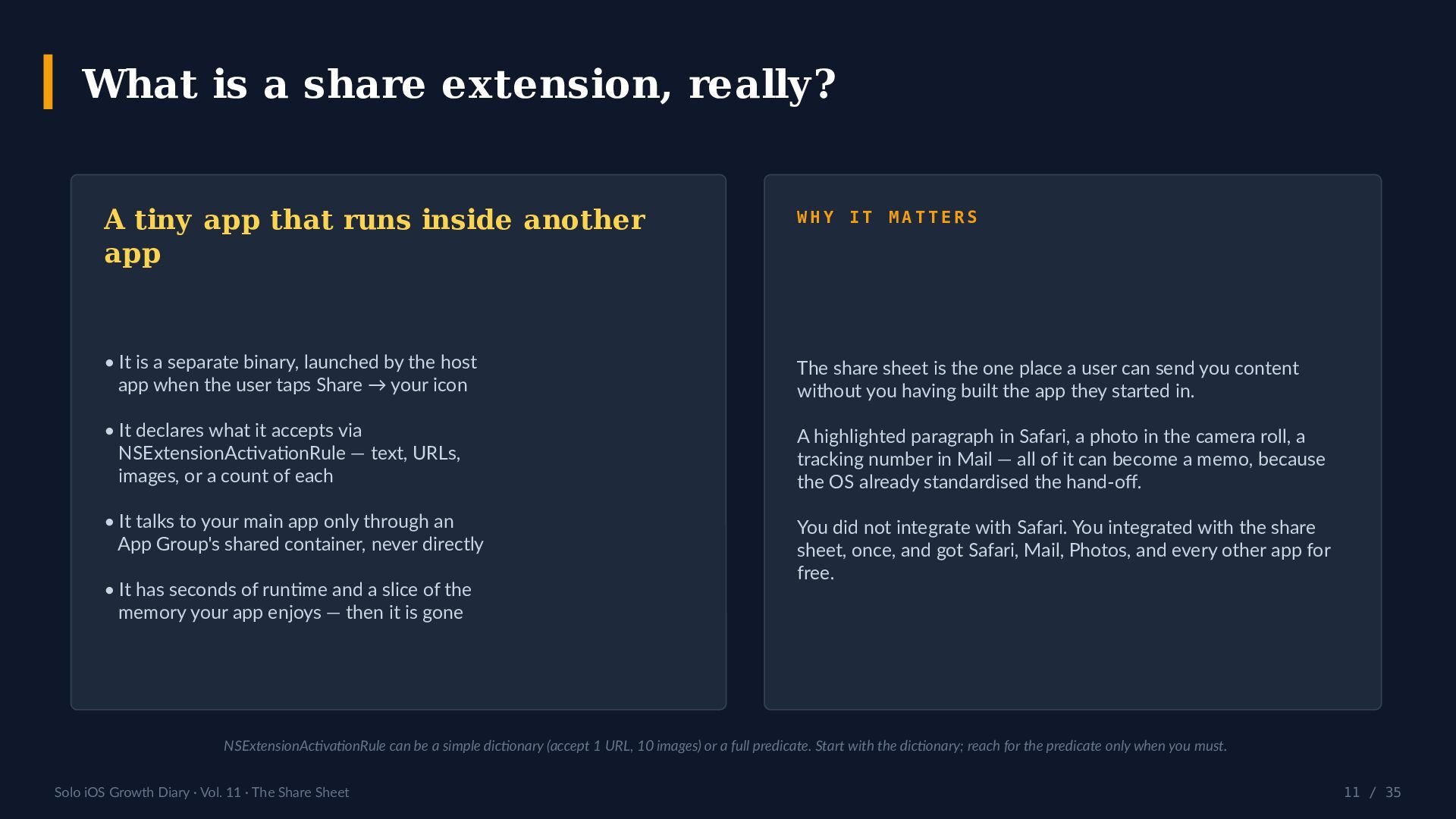
  11. What is a share extension, really? A tiny app that

    runs inside another app WHY IT MATTERS • It is a separate binary, launched by the host app when the user taps Share → your icon The share sheet is the one place a user can send you content without you having built the app they started in. • It declares what it accepts via NSExtensionActivationRule — text, URLs, images, or a count of each A highlighted paragraph in Safari, a photo in the camera roll, a tracking number in Mail — all of it can become a memo, because the OS already standardised the hand-off. • It talks to your main app only through an App Group's shared container, never directly You did not integrate with Safari. You integrated with the share sheet, once, and got Safari, Mail, Photos, and every other app for free. • It has seconds of runtime and a slice of the memory your app enjoys — then it is gone NSExtensionActivationRule can be a simple dictionary (accept 1 URL, 10 images) or a full predicate. Start with the dictionary; reach for the predicate only when you must. Solo iOS Growth Diary · Vol. 11 · The Share Sheet 11 / 35
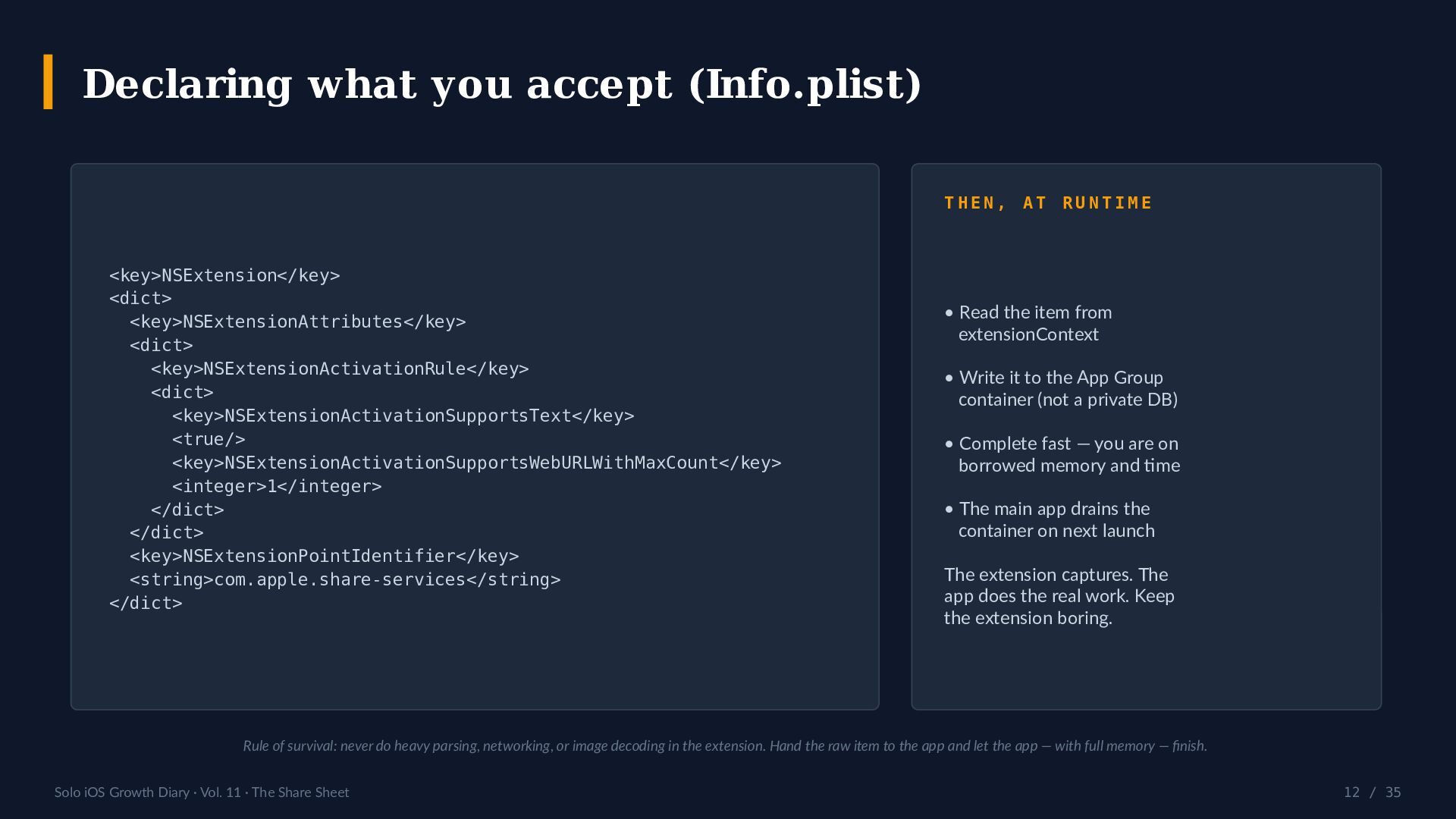
  12. Declaring what you accept (Info.plist) THEN, AT RUNTIME <key>NSExtension</key> <dict>

    <key>NSExtensionAttributes</key> <dict> <key>NSExtensionActivationRule</key> <dict> <key>NSExtensionActivationSupportsText</key> <true/> <key>NSExtensionActivationSupportsWebURLWithMaxCount</key> <integer>1</integer> </dict> </dict> <key>NSExtensionPointIdentifier</key> <string>com.apple.share-services</string> </dict> • Read the item from extensionContext • Write it to the App Group container (not a private DB) • Complete fast — you are on borrowed memory and time • The main app drains the container on next launch The extension captures. The app does the real work. Keep the extension boring. Rule of survival: never do heavy parsing, networking, or image decoding in the extension. Hand the raw item to the app and let the app — with full memory — finish. Solo iOS Growth Diary · Vol. 11 · The Share Sheet 12 / 35
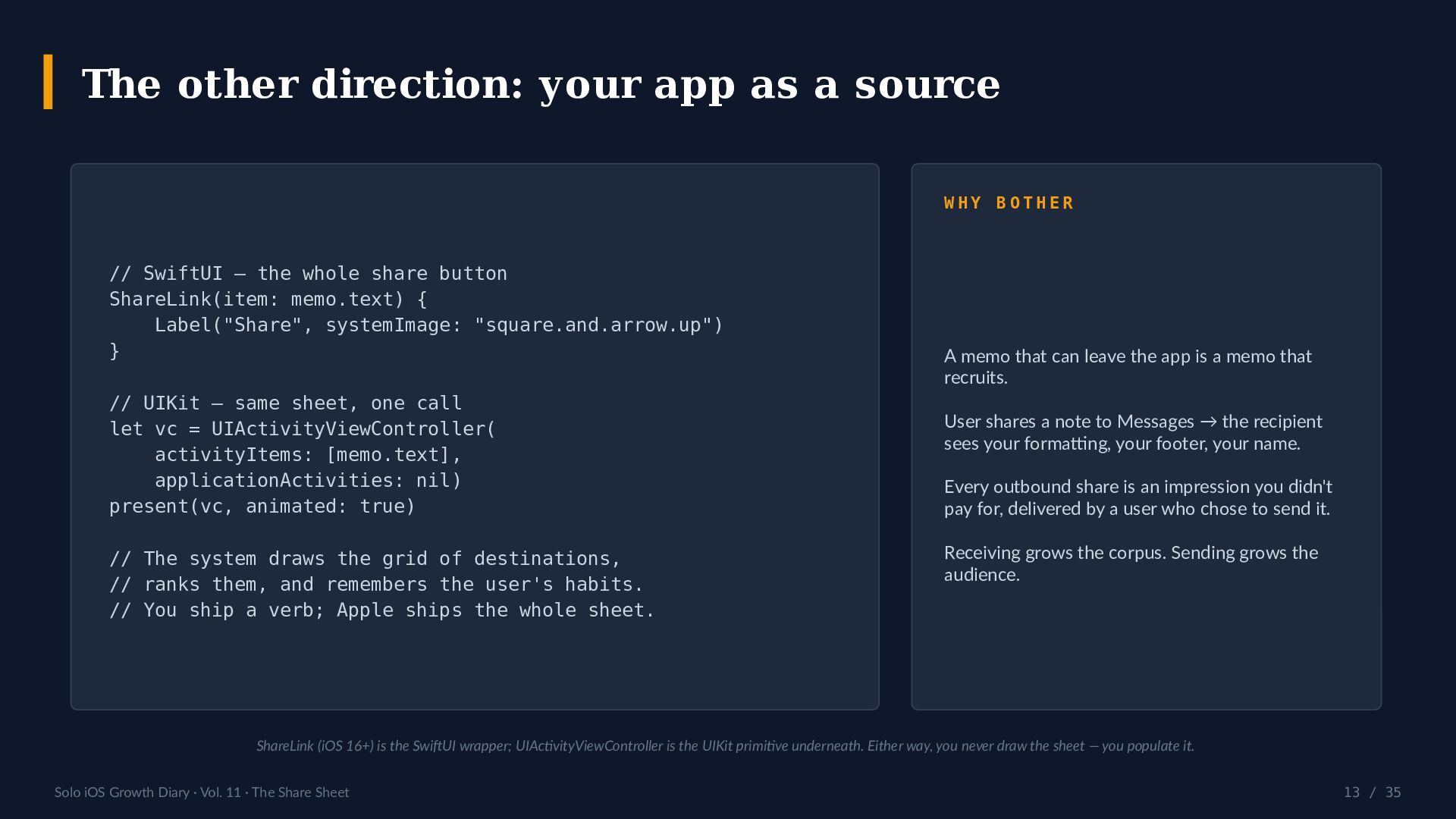
  13. The other direction: your app as a source WHY BOTHER

    // SwiftUI — the whole share button ShareLink(item: memo.text) { Label("Share", systemImage: "square.and.arrow.up") } // UIKit — same sheet, one call let vc = UIActivityViewController( activityItems: [memo.text], applicationActivities: nil) present(vc, animated: true) // The system draws the grid of destinations, // ranks them, and remembers the user's habits. // You ship a verb; Apple ships the whole sheet. A memo that can leave the app is a memo that recruits. User shares a note to Messages → the recipient sees your formatting, your footer, your name. Every outbound share is an impression you didn't pay for, delivered by a user who chose to send it. Receiving grows the corpus. Sending grows the audience. ShareLink (iOS 16+) is the SwiftUI wrapper; UIActivityViewController is the UIKit primitive underneath. Either way, you never draw the sheet — you populate it. Solo iOS Growth Diary · Vol. 11 · The Share Sheet 13 / 35
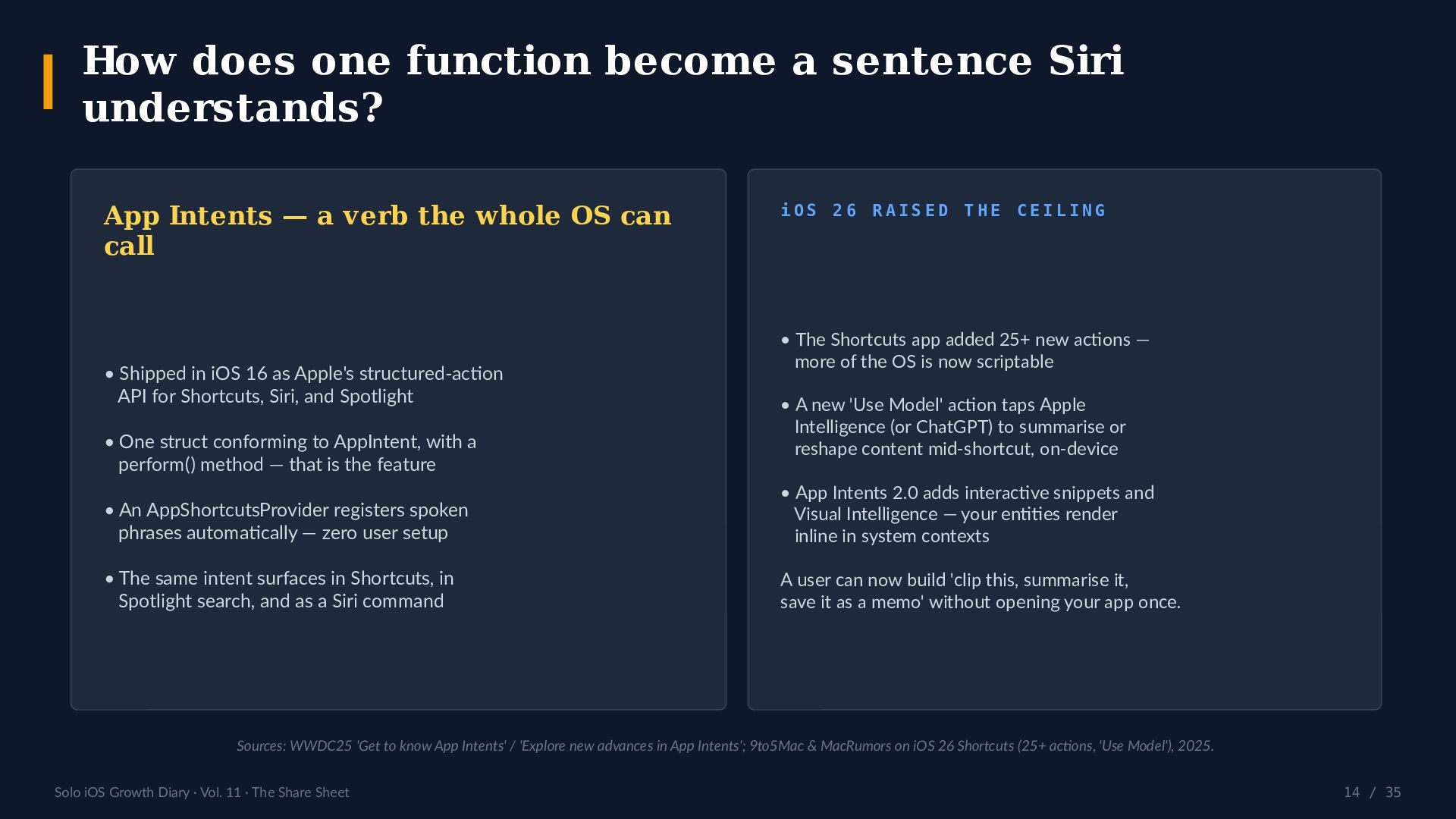
  14. How does one function become a sentence Siri understands? App

    Intents — a verb the whole OS can call • Shipped in iOS 16 as Apple's structured-action API for Shortcuts, Siri, and Spotlight • One struct conforming to AppIntent, with a perform() method — that is the feature iOS 26 RAISED THE CEILING • The Shortcuts app added 25+ new actions — more of the OS is now scriptable • A new 'Use Model' action taps Apple Intelligence (or ChatGPT) to summarise or reshape content mid-shortcut, on-device • An AppShortcutsProvider registers spoken phrases automatically — zero user setup • App Intents 2.0 adds interactive snippets and Visual Intelligence — your entities render inline in system contexts • The same intent surfaces in Shortcuts, in Spotlight search, and as a Siri command A user can now build 'clip this, summarise it, save it as a memo' without opening your app once. Sources: WWDC25 'Get to know App Intents' / 'Explore new advances in App Intents'; 9to5Mac & MacRumors on iOS 26 Shortcuts (25+ actions, 'Use Model'), 2025. Solo iOS Growth Diary · Vol. 11 · The Share Sheet 14 / 35
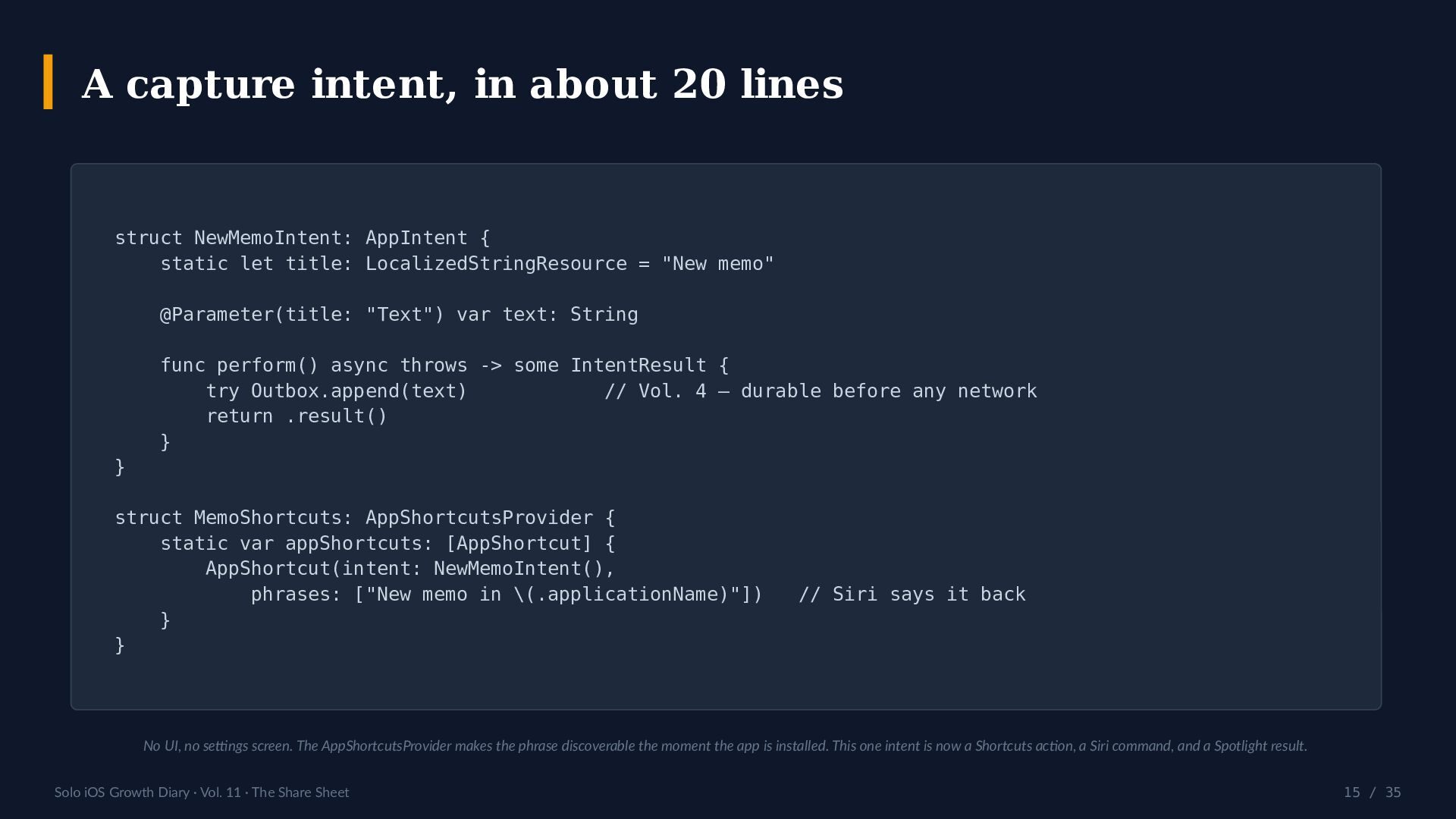
  15. A capture intent, in about 20 lines struct NewMemoIntent: AppIntent

    { static let title: LocalizedStringResource = "New memo" @Parameter(title: "Text") var text: String func perform() async throws -> some IntentResult { try Outbox.append(text) // Vol. 4 — durable before any network return .result() } } struct MemoShortcuts: AppShortcutsProvider { static var appShortcuts: [AppShortcut] { AppShortcut(intent: NewMemoIntent(), phrases: ["New memo in \(.applicationName)"]) } } // Siri says it back No UI, no settings screen. The AppShortcutsProvider makes the phrase discoverable the moment the app is installed. This one intent is now a Shortcuts action, a Siri command, and a Spotlight result. Solo iOS Growth Diary · Vol. 11 · The Share Sheet 15 / 35
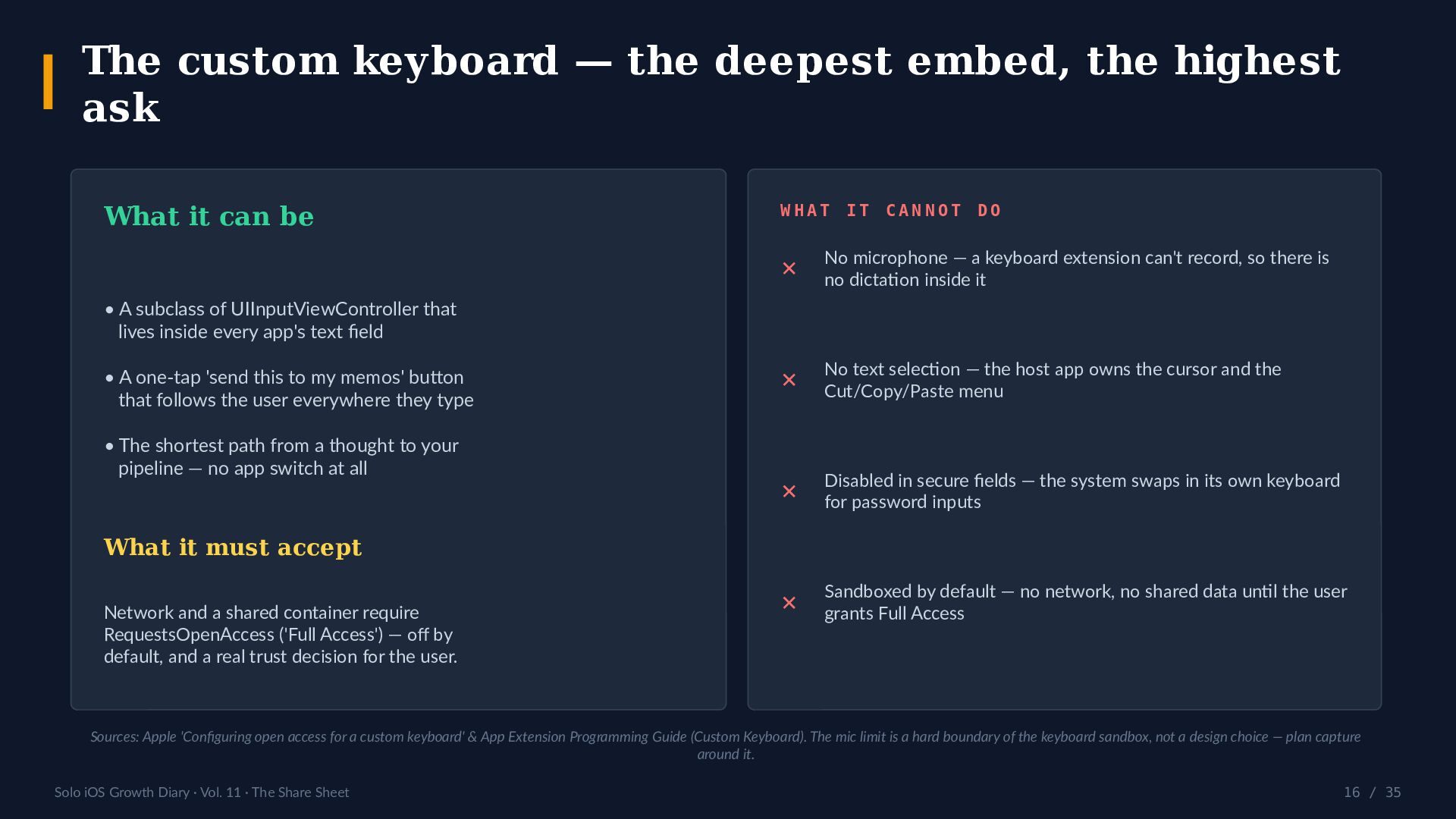
  16. The custom keyboard — the deepest embed, the highest ask

    What it can be WHAT IT CANNOT DO ✕ No microphone — a keyboard extension can't record, so there is no dictation inside it ✕ No text selection — the host app owns the cursor and the Cut/Copy/Paste menu ✕ Disabled in secure fields — the system swaps in its own keyboard for password inputs ✕ Sandboxed by default — no network, no shared data until the user grants Full Access • A subclass of UIInputViewController that lives inside every app's text field • A one-tap 'send this to my memos' button that follows the user everywhere they type • The shortest path from a thought to your pipeline — no app switch at all What it must accept Network and a shared container require RequestsOpenAccess ('Full Access') — off by default, and a real trust decision for the user. Sources: Apple 'Configuring open access for a custom keyboard' & App Extension Programming Guide (Custom Keyboard). The mic limit is a hard boundary of the keyboard sandbox, not a design choice — plan capture around it. Solo iOS Growth Diary · Vol. 11 · The Share Sheet 16 / 35
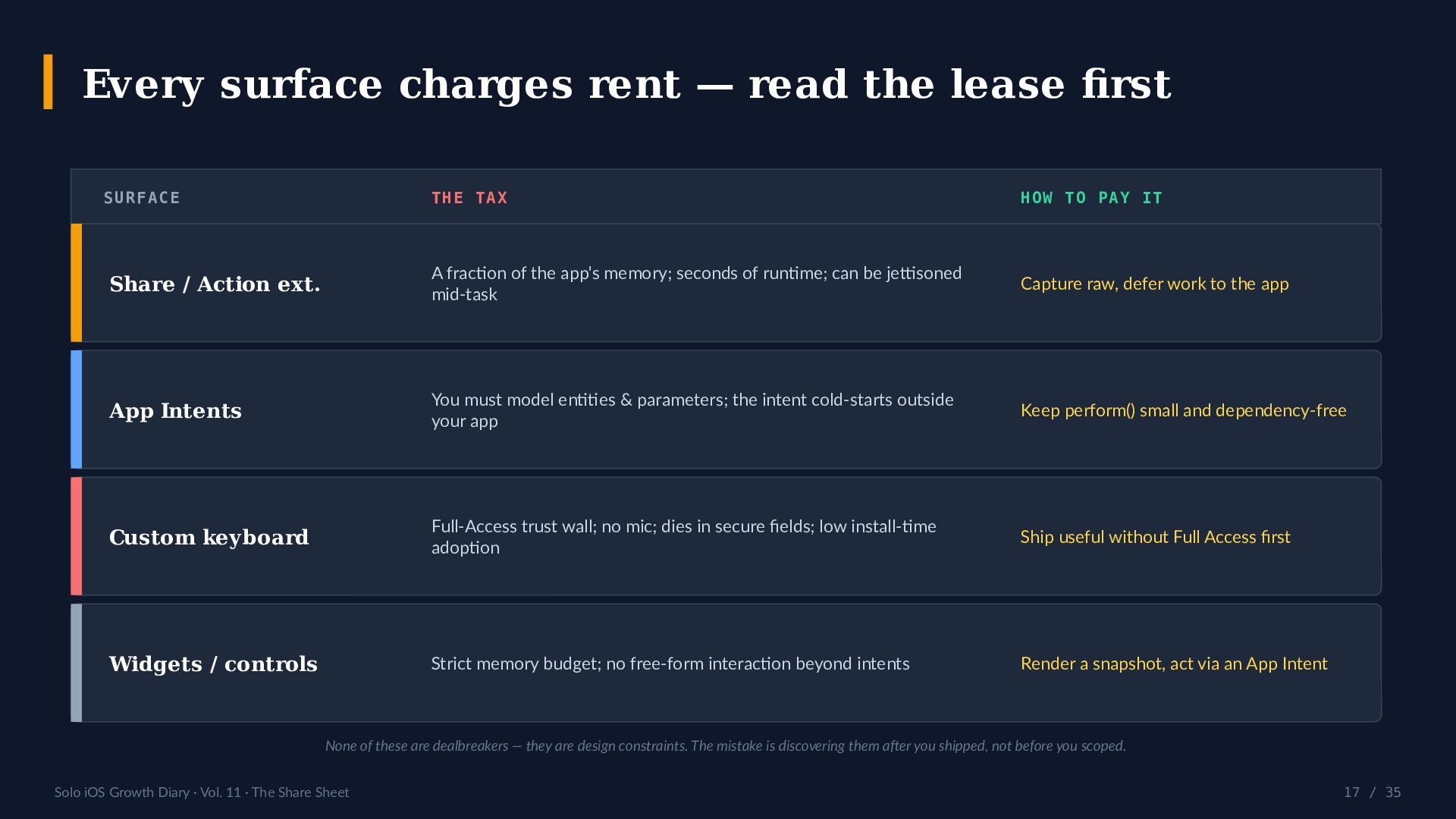
  17. Every surface charges rent — read the lease first SURFACE

    THE TAX HOW TO PAY IT Share / Action ext. A fraction of the app's memory; seconds of runtime; can be jettisoned mid-task Capture raw, defer work to the app App Intents You must model entities & parameters; the intent cold-starts outside your app Keep perform() small and dependency-free Custom keyboard Full-Access trust wall; no mic; dies in secure fields; low install-time adoption Ship useful without Full Access first Widgets / controls Strict memory budget; no free-form interaction beyond intents Render a snapshot, act via an App Intent None of these are dealbreakers — they are design constraints. The mistake is discovering them after you shipped, not before you scoped. Solo iOS Growth Diary · Vol. 11 · The Share Sheet 17 / 35
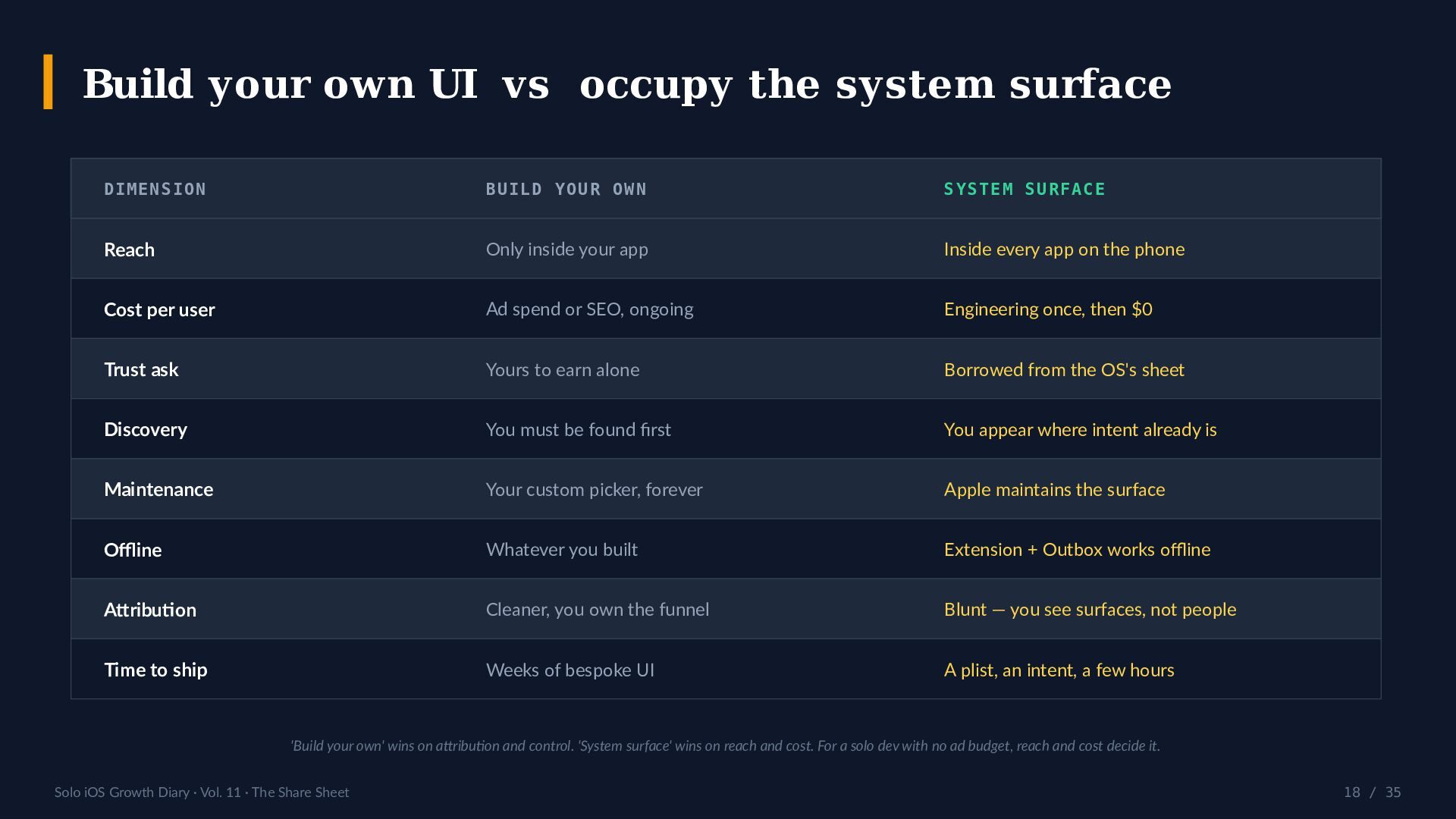
  18. Build your own UI vs occupy the system surface DIMENSION

    BUILD YOUR OWN SYSTEM SURFACE Reach Only inside your app Inside every app on the phone Cost per user Ad spend or SEO, ongoing Engineering once, then $0 Trust ask Yours to earn alone Borrowed from the OS's sheet Discovery You must be found first You appear where intent already is Maintenance Your custom picker, forever Apple maintains the surface Offline Whatever you built Extension + Outbox works offline Attribution Cleaner, you own the funnel Blunt — you see surfaces, not people Time to ship Weeks of bespoke UI A plist, an intent, a few hours 'Build your own' wins on attribution and control. 'System surface' wins on reach and cost. For a solo dev with no ad budget, reach and cost decide it. Solo iOS Growth Diary · Vol. 11 · The Share Sheet 18 / 35
  19. A worked example: getting a memo into a vault THE

    SHORTCUTS ROUTE THE BACKGROUND ROUTE Share sheet or a Shortcut fires an obsidian:// URL (via the Advanced URI plugin, or the Actions for Obsidian app) with an append parameter. With Advanced Mode on, a successful send also appends a timestamped line to a note in your Obsidian vault on iCloud Drive — no plugin, no app switch, no extra tap. Powerful and scriptable — but it round-trips through the app, needs a plugin installed, and asks the user to build the recipe. Same destination, fewer moving parts: the share sheet is the general tool; a background sink is the quiet one. FAIR PRINT The background sink is iPhone-only; the vault must live on iCloud Drive or 'on this iPhone'; it assumes the daily-note convention (yyyy-MM-dd.md) or a fixed Inbox note; the write is immediate but iCloud can take a few seconds to reflect on a Mac. The Shortcuts route has none of those conditions — it just costs a plugin and a round-trip. Pick per user, not per dogma. Solo iOS Growth Diary · Vol. 11 · The Share Sheet 19 / 35
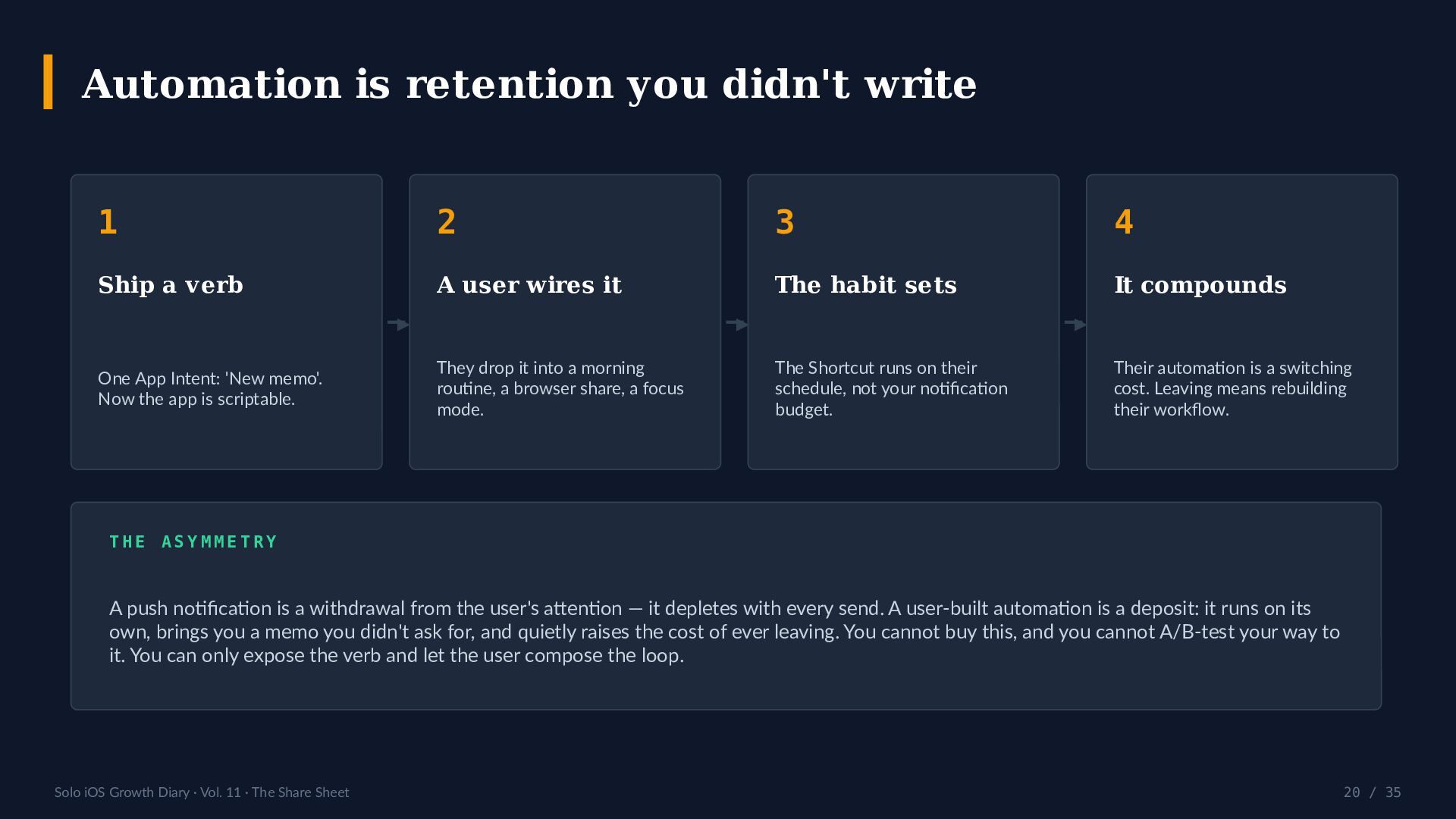
  20. Automation is retention you didn't write 1 2 3 4

    Ship a verb A user wires it The habit sets It compounds ▶ One App Intent: 'New memo'. Now the app is scriptable. ▶ They drop it into a morning routine, a browser share, a focus mode. ▶ The Shortcut runs on their schedule, not your notification budget. Their automation is a switching cost. Leaving means rebuilding their workflow. THE ASYMMETRY A push notification is a withdrawal from the user's attention — it depletes with every send. A user-built automation is a deposit: it runs on its own, brings you a memo you didn't ask for, and quietly raises the cost of ever leaving. You cannot buy this, and you cannot A/B-test your way to it. You can only expose the verb and let the user compose the loop. Solo iOS Growth Diary · Vol. 11 · The Share Sheet 20 / 35
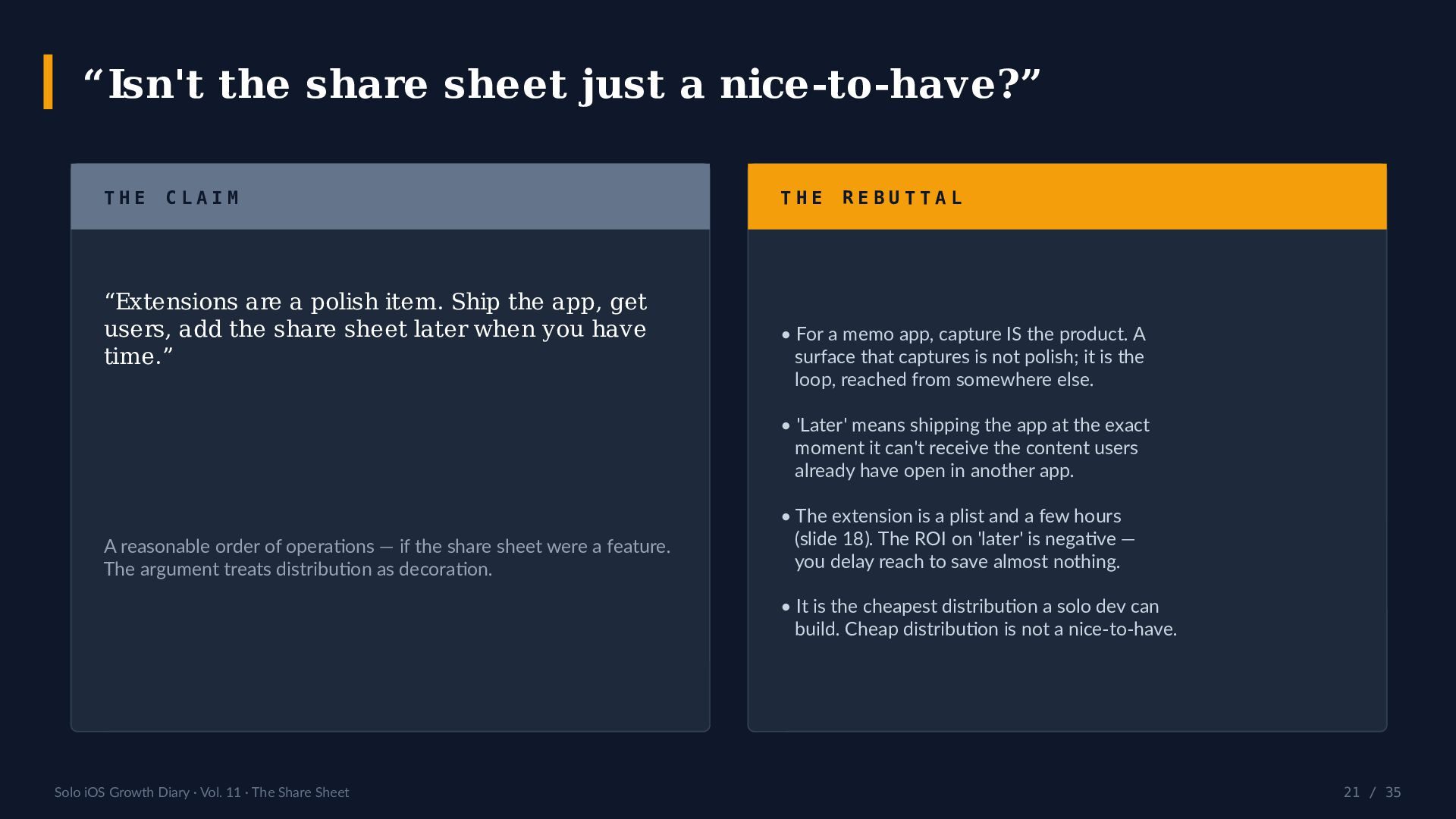
  21. “Isn't the share sheet just a nice-to-have?” THE CLAIM “Extensions

    are a polish item. Ship the app, get users, add the share sheet later when you have time.” THE REBUTTAL • For a memo app, capture IS the product. A surface that captures is not polish; it is the loop, reached from somewhere else. • 'Later' means shipping the app at the exact moment it can't receive the content users already have open in another app. A reasonable order of operations — if the share sheet were a feature. The argument treats distribution as decoration. • The extension is a plist and a few hours (slide 18). The ROI on 'later' is negative — you delay reach to save almost nothing. • It is the cheapest distribution a solo dev can build. Cheap distribution is not a nice-to-have. Solo iOS Growth Diary · Vol. 11 · The Share Sheet 21 / 35
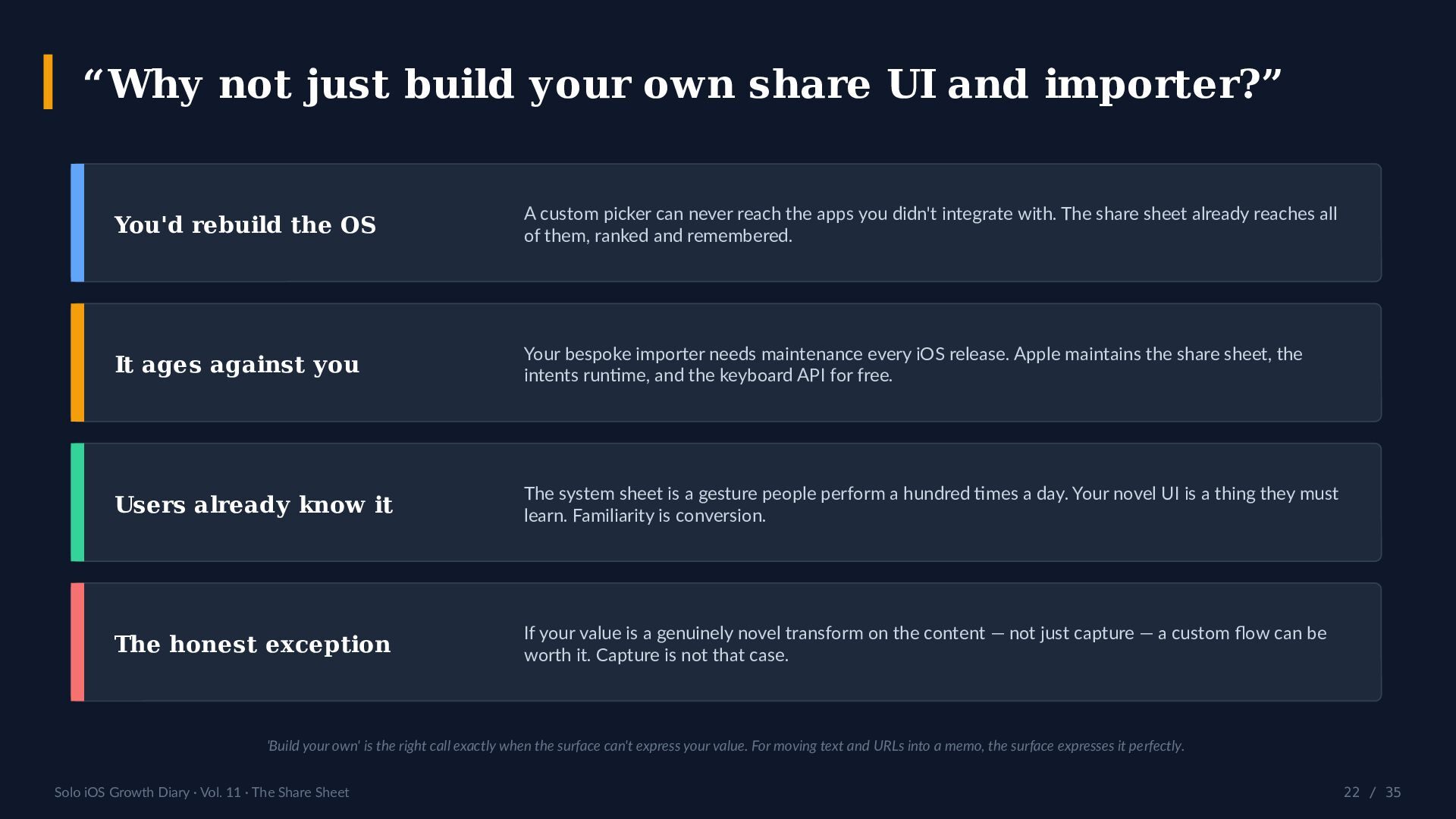
  22. “Why not just build your own share UI and importer?”

    You'd rebuild the OS A custom picker can never reach the apps you didn't integrate with. The share sheet already reaches all of them, ranked and remembered. It ages against you Your bespoke importer needs maintenance every iOS release. Apple maintains the share sheet, the intents runtime, and the keyboard API for free. Users already know it The system sheet is a gesture people perform a hundred times a day. Your novel UI is a thing they must learn. Familiarity is conversion. The honest exception If your value is a genuinely novel transform on the content — not just capture — a custom flow can be worth it. Capture is not that case. 'Build your own' is the right call exactly when the surface can't express your value. For moving text and URLs into a memo, the surface expresses it perfectly. Solo iOS Growth Diary · Vol. 11 · The Share Sheet 22 / 35
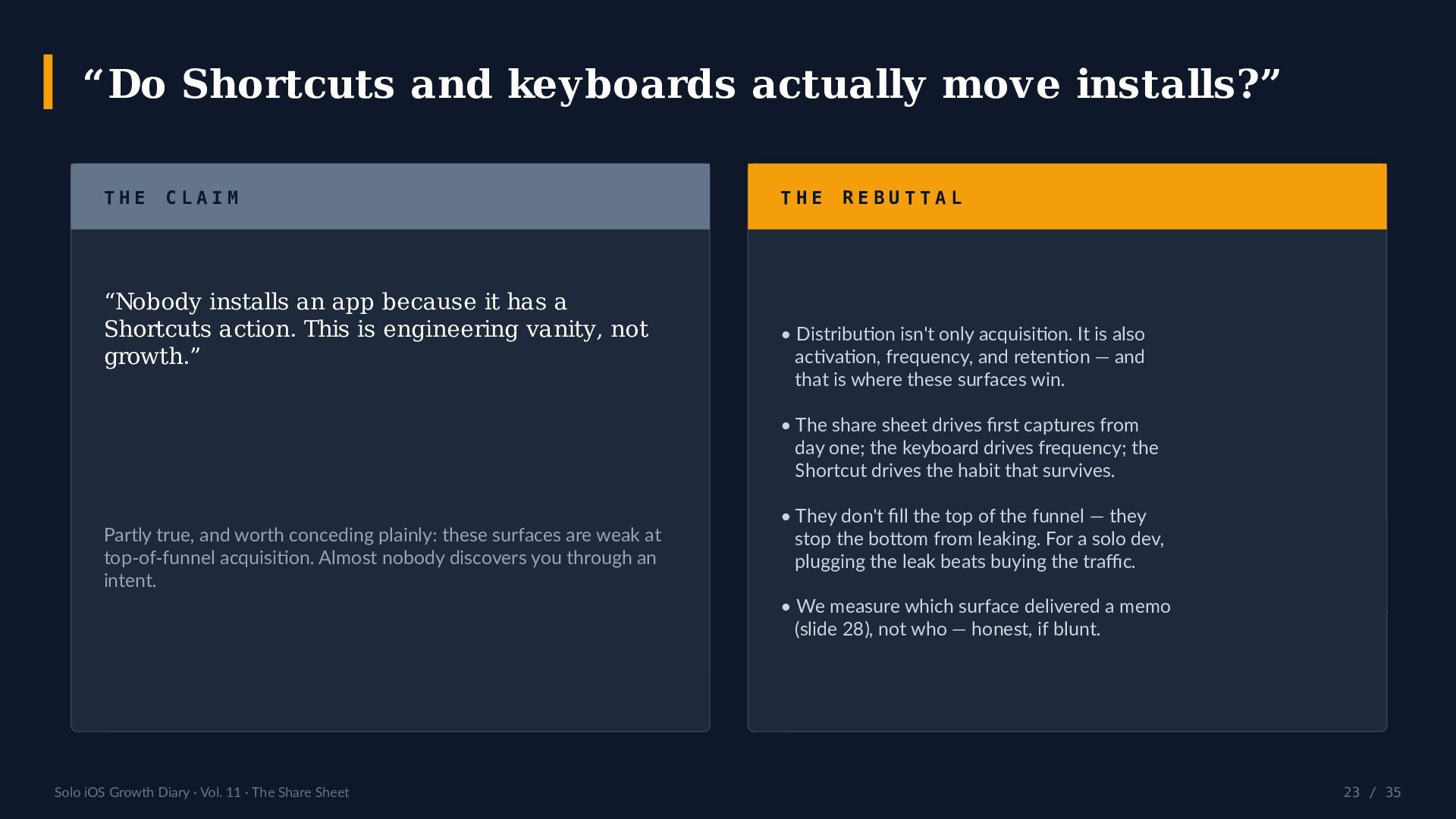
  23. “Do Shortcuts and keyboards actually move installs?” THE CLAIM “Nobody

    installs an app because it has a Shortcuts action. This is engineering vanity, not growth.” THE REBUTTAL • Distribution isn't only acquisition. It is also activation, frequency, and retention — and that is where these surfaces win. • The share sheet drives first captures from day one; the keyboard drives frequency; the Shortcut drives the habit that survives. Partly true, and worth conceding plainly: these surfaces are weak at top-of-funnel acquisition. Almost nobody discovers you through an intent. • They don't fill the top of the funnel — they stop the bottom from leaking. For a solo dev, plugging the leak beats buying the traffic. • We measure which surface delivered a memo (slide 28), not who — honest, if blunt. Solo iOS Growth Diary · Vol. 11 · The Share Sheet 23 / 35
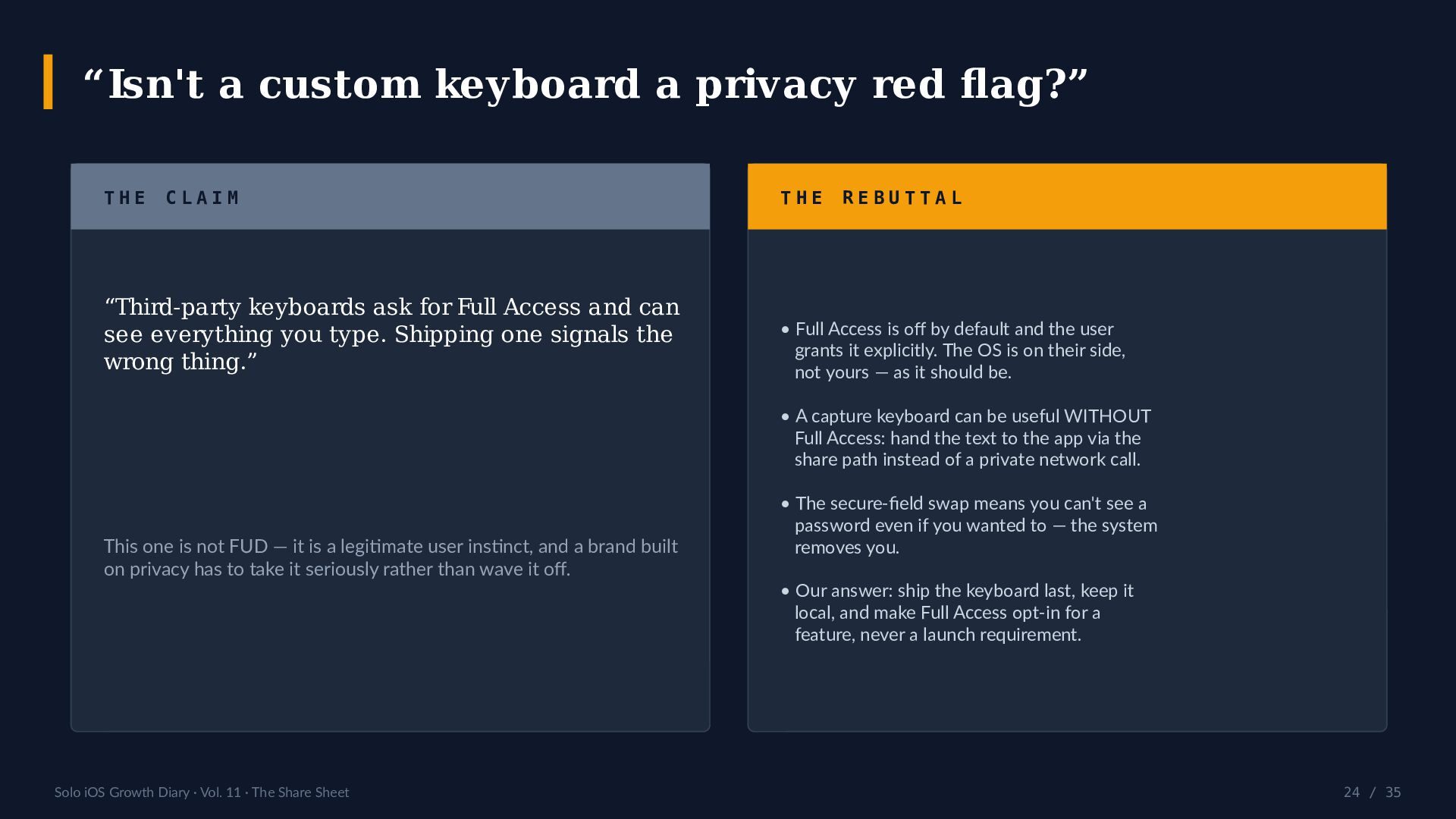
  24. “Isn't a custom keyboard a privacy red flag?” THE CLAIM

    “Third-party keyboards ask for Full Access and can see everything you type. Shipping one signals the wrong thing.” THE REBUTTAL • Full Access is off by default and the user grants it explicitly. The OS is on their side, not yours — as it should be. • A capture keyboard can be useful WITHOUT Full Access: hand the text to the app via the share path instead of a private network call. This one is not FUD — it is a legitimate user instinct, and a brand built on privacy has to take it seriously rather than wave it off. Solo iOS Growth Diary · Vol. 11 · The Share Sheet • The secure-field swap means you can't see a password even if you wanted to — the system removes you. • Our answer: ship the keyboard last, keep it local, and make Full Access opt-in for a feature, never a launch requirement. 24 / 35
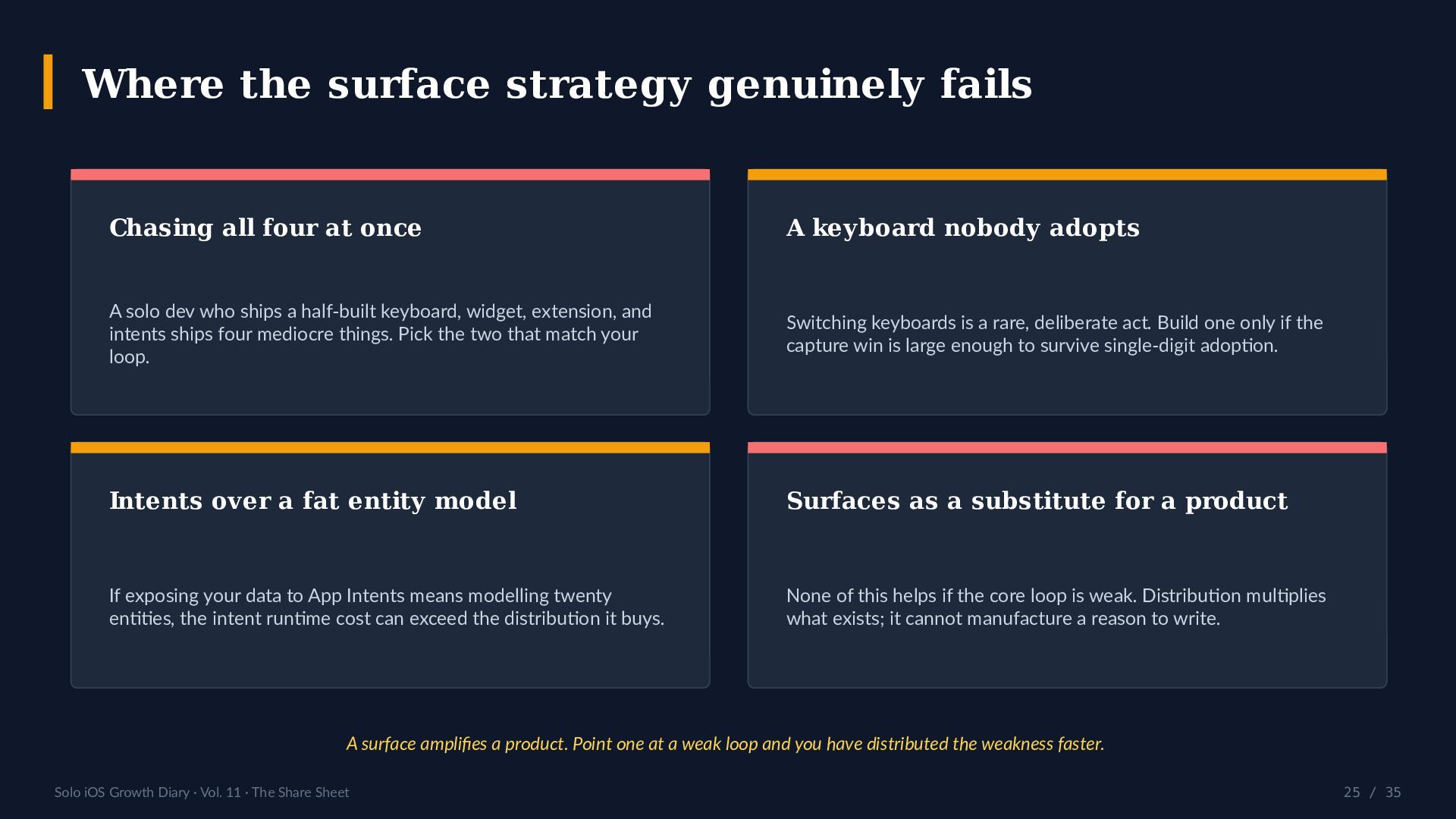
  25. Where the surface strategy genuinely fails Chasing all four at

    once A keyboard nobody adopts A solo dev who ships a half-built keyboard, widget, extension, and intents ships four mediocre things. Pick the two that match your loop. Switching keyboards is a rare, deliberate act. Build one only if the capture win is large enough to survive single-digit adoption. Intents over a fat entity model Surfaces as a substitute for a product If exposing your data to App Intents means modelling twenty entities, the intent runtime cost can exceed the distribution it buys. None of this helps if the core loop is weak. Distribution multiplies what exists; it cannot manufacture a reason to write. A surface amplifies a product. Point one at a weak loop and you have distributed the weakness faster. Solo iOS Growth Diary · Vol. 11 · The Share Sheet 25 / 35
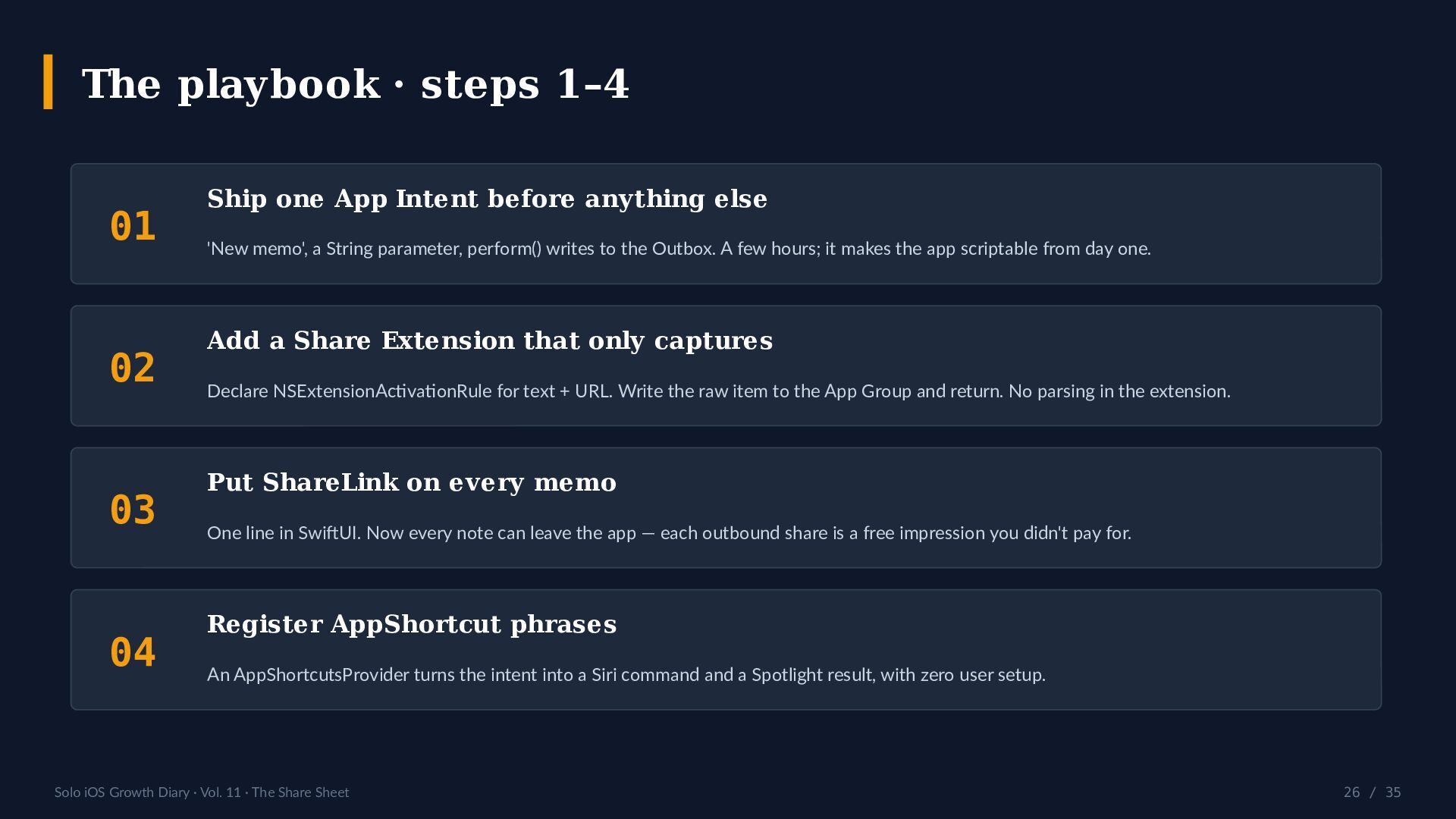
  26. The playbook · steps 1–4 01 02 03 04 Ship

    one App Intent before anything else 'New memo', a String parameter, perform() writes to the Outbox. A few hours; it makes the app scriptable from day one. Add a Share Extension that only captures Declare NSExtensionActivationRule for text + URL. Write the raw item to the App Group and return. No parsing in the extension. Put ShareLink on every memo One line in SwiftUI. Now every note can leave the app — each outbound share is a free impression you didn't pay for. Register AppShortcut phrases An AppShortcutsProvider turns the intent into a Siri command and a Spotlight result, with zero user setup. Solo iOS Growth Diary · Vol. 11 · The Share Sheet 26 / 35
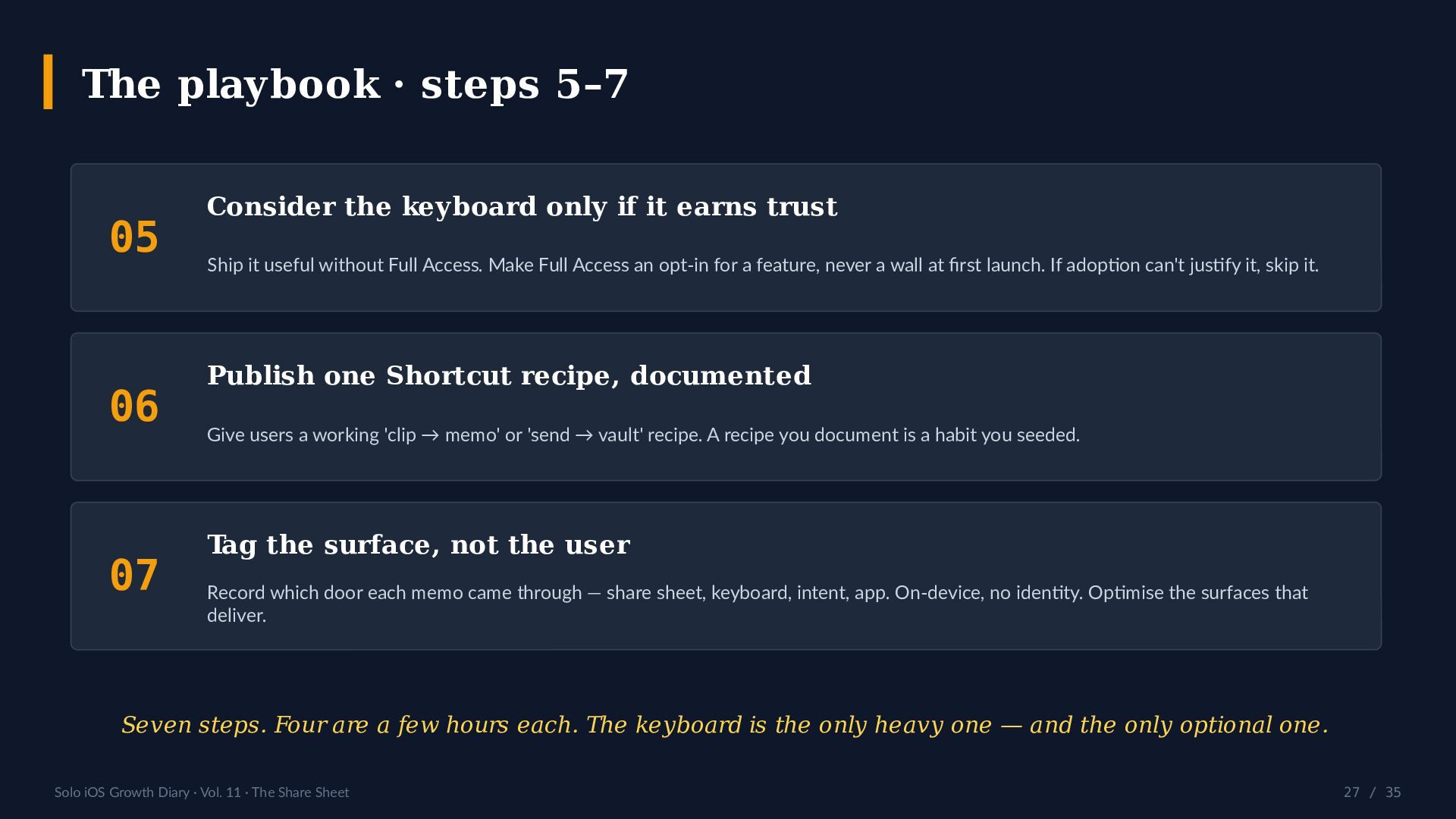
  27. The playbook · steps 5–7 05 06 07 Consider the

    keyboard only if it earns trust Ship it useful without Full Access. Make Full Access an opt-in for a feature, never a wall at first launch. If adoption can't justify it, skip it. Publish one Shortcut recipe, documented Give users a working 'clip → memo' or 'send → vault' recipe. A recipe you document is a habit you seeded. Tag the surface, not the user Record which door each memo came through — share sheet, keyboard, intent, app. On-device, no identity. Optimise the surfaces that deliver. Seven steps. Four are a few hours each. The keyboard is the only heavy one — and the only optional one. Solo iOS Growth Diary · Vol. 11 · The Share Sheet 27 / 35
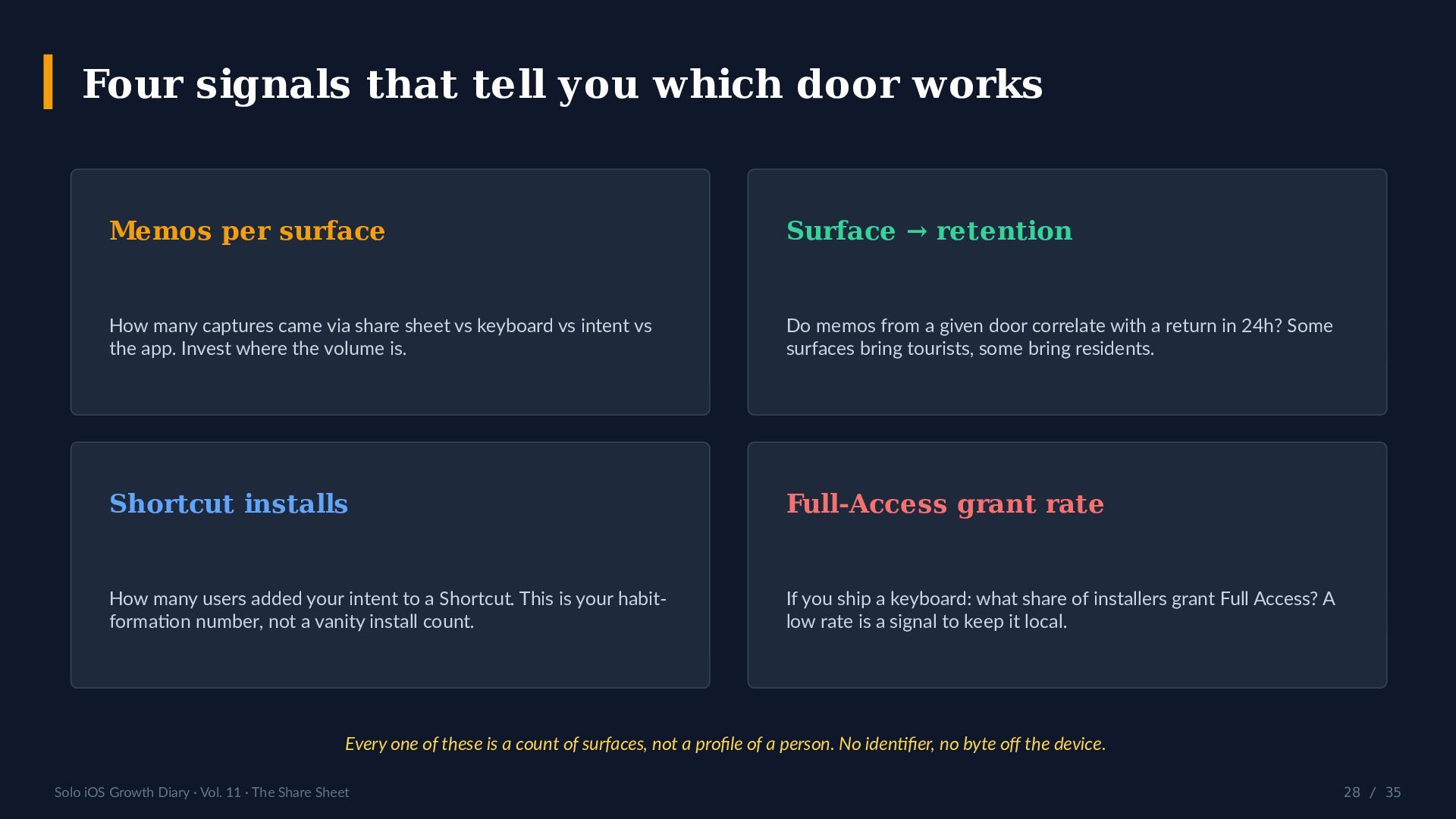
  28. Four signals that tell you which door works Memos per

    surface Surface → retention How many captures came via share sheet vs keyboard vs intent vs the app. Invest where the volume is. Do memos from a given door correlate with a return in 24h? Some surfaces bring tourists, some bring residents. Shortcut installs Full-Access grant rate How many users added your intent to a Shortcut. This is your habitformation number, not a vanity install count. If you ship a keyboard: what share of installers grant Full Access? A low rate is a signal to keep it local. Every one of these is a count of surfaces, not a profile of a person. No identifier, no byte off the device. Solo iOS Growth Diary · Vol. 11 · The Share Sheet 28 / 35
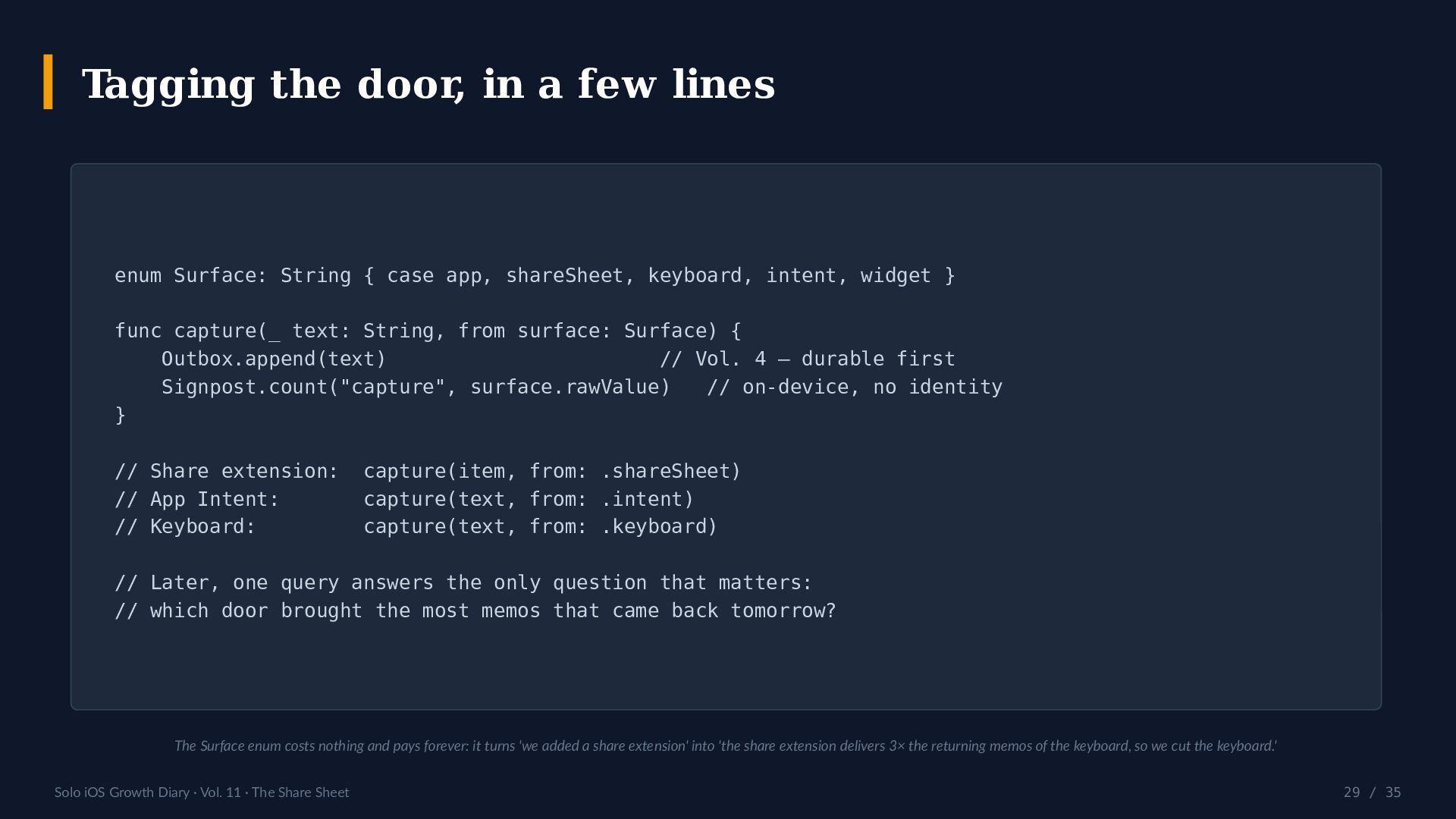
  29. Tagging the door, in a few lines enum Surface: String

    { case app, shareSheet, keyboard, intent, widget } func capture(_ text: String, from surface: Surface) { Outbox.append(text) // Vol. 4 — durable first Signpost.count("capture", surface.rawValue) // on-device, no identity } // Share extension: // App Intent: // Keyboard: capture(item, from: .shareSheet) capture(text, from: .intent) capture(text, from: .keyboard) // Later, one query answers the only question that matters: // which door brought the most memos that came back tomorrow? The Surface enum costs nothing and pays forever: it turns 'we added a share extension' into 'the share extension delivers 3× the returning memos of the keyboard, so we cut the keyboard.' Solo iOS Growth Diary · Vol. 11 · The Share Sheet 29 / 35
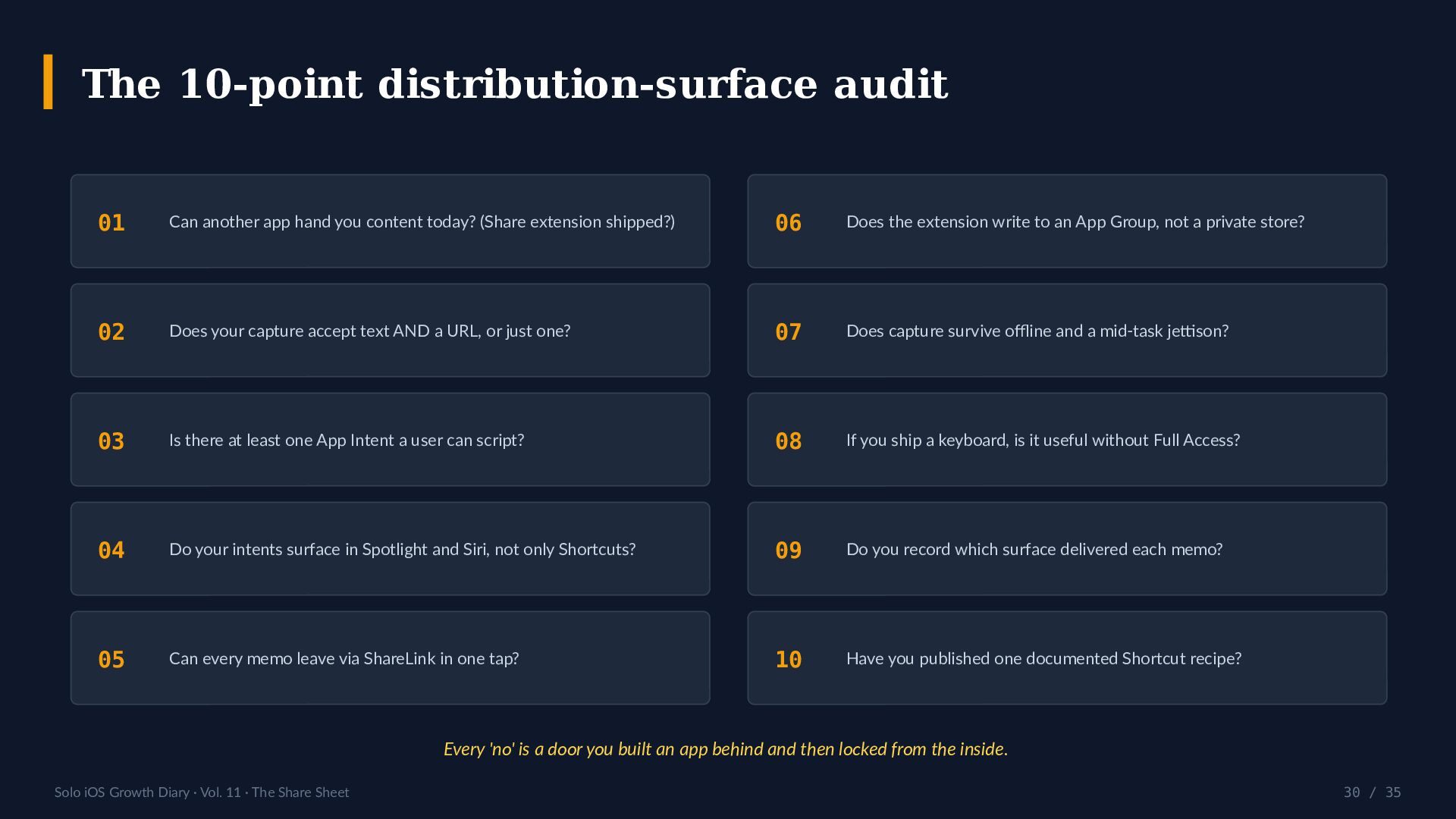
  30. The 10-point distribution-surface audit 01 Can another app hand you

    content today? (Share extension shipped?) 06 Does the extension write to an App Group, not a private store? 02 Does your capture accept text AND a URL, or just one? 07 Does capture survive offline and a mid-task jettison? 03 Is there at least one App Intent a user can script? 08 If you ship a keyboard, is it useful without Full Access? 04 Do your intents surface in Spotlight and Siri, not only Shortcuts? 09 Do you record which surface delivered each memo? 05 Can every memo leave via ShareLink in one tap? 10 Have you published one documented Shortcut recipe? Every 'no' is a door you built an app behind and then locked from the inside. Solo iOS Growth Diary · Vol. 11 · The Share Sheet 30 / 35
  31. Honest scoreboard · this series, on a surface-less platform Lifetime

    views per volume on Speaker Deck (V7 = external deck). ≈30 views · 10 volumes · 0 stars · measured 2026-07-21. 5 5 4 4 3 2 3 2 2 1 V1 V2 V3 V4 V5 V6 V7 V8 V9 V10 The decks aren't the problem. The channel is: a platform with no share sheet of its own doesn't distribute for you. That is this whole deck's thesis, printed against our own numbers. Source: speakerdeck.com/simplememo, measured 2026-07-21. Printed unflattering on purpose — a scoreboard that only flatters is an advertisement. Solo iOS Growth Diary · Vol. 11 · The Share Sheet 31 / 35
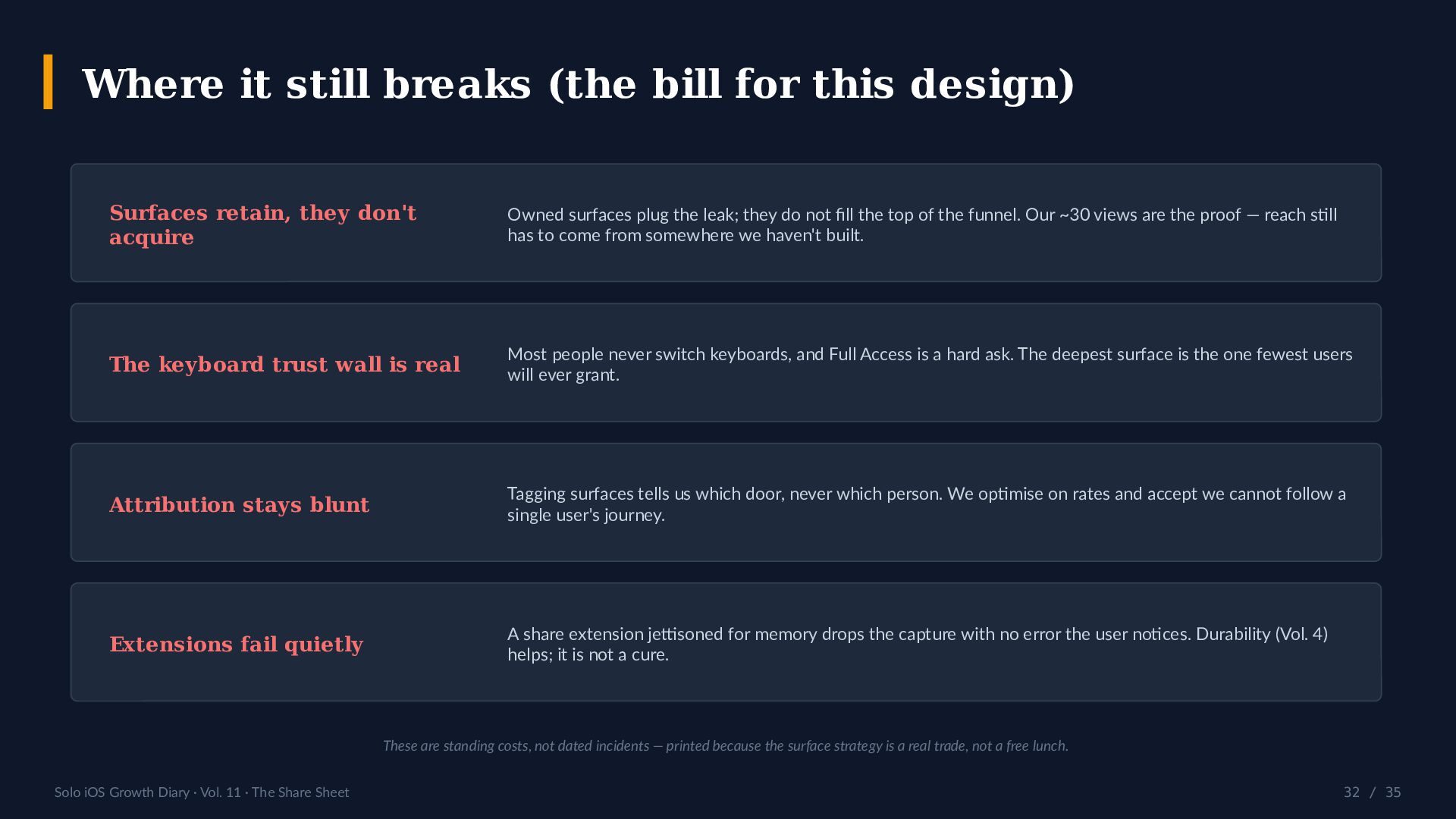
  32. Where it still breaks (the bill for this design) Surfaces

    retain, they don't acquire Owned surfaces plug the leak; they do not fill the top of the funnel. Our ~30 views are the proof — reach still has to come from somewhere we haven't built. The keyboard trust wall is real Most people never switch keyboards, and Full Access is a hard ask. The deepest surface is the one fewest users will ever grant. Attribution stays blunt Tagging surfaces tells us which door, never which person. We optimise on rates and accept we cannot follow a single user's journey. Extensions fail quietly A share extension jettisoned for memory drops the capture with no error the user notices. Durability (Vol. 4) helps; it is not a cure. These are standing costs, not dated incidents — printed because the surface strategy is a real trade, not a free lunch. Solo iOS Growth Diary · Vol. 11 · The Share Sheet 32 / 35
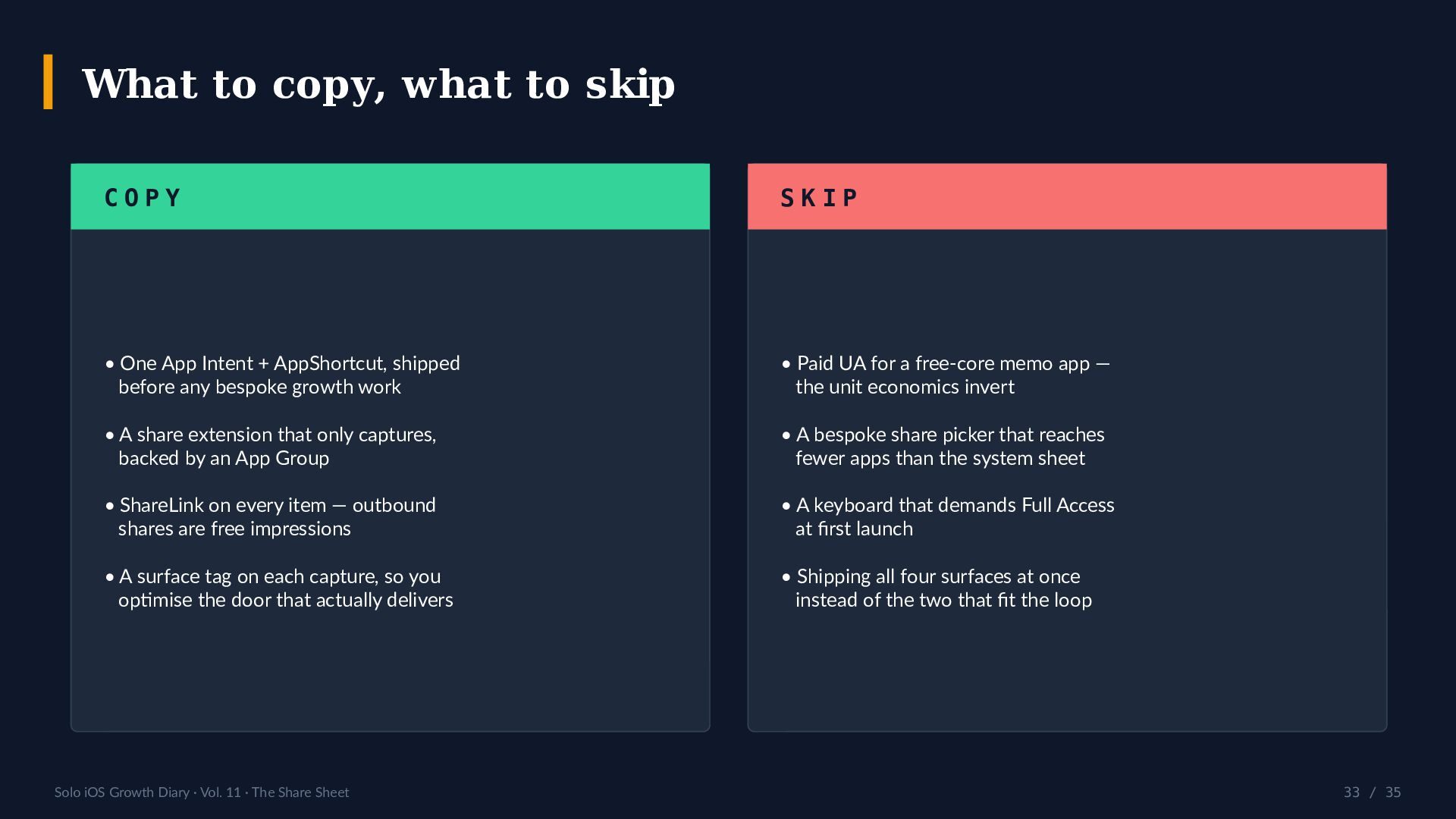
  33. What to copy, what to skip COPY SKIP • One

    App Intent + AppShortcut, shipped before any bespoke growth work • Paid UA for a free-core memo app — the unit economics invert • A share extension that only captures, backed by an App Group • A bespoke share picker that reaches fewer apps than the system sheet • ShareLink on every item — outbound shares are free impressions • A keyboard that demands Full Access at first launch • A surface tag on each capture, so you optimise the door that actually delivers • Shipping all four surfaces at once instead of the two that fit the loop Solo iOS Growth Diary · Vol. 11 · The Share Sheet 33 / 35
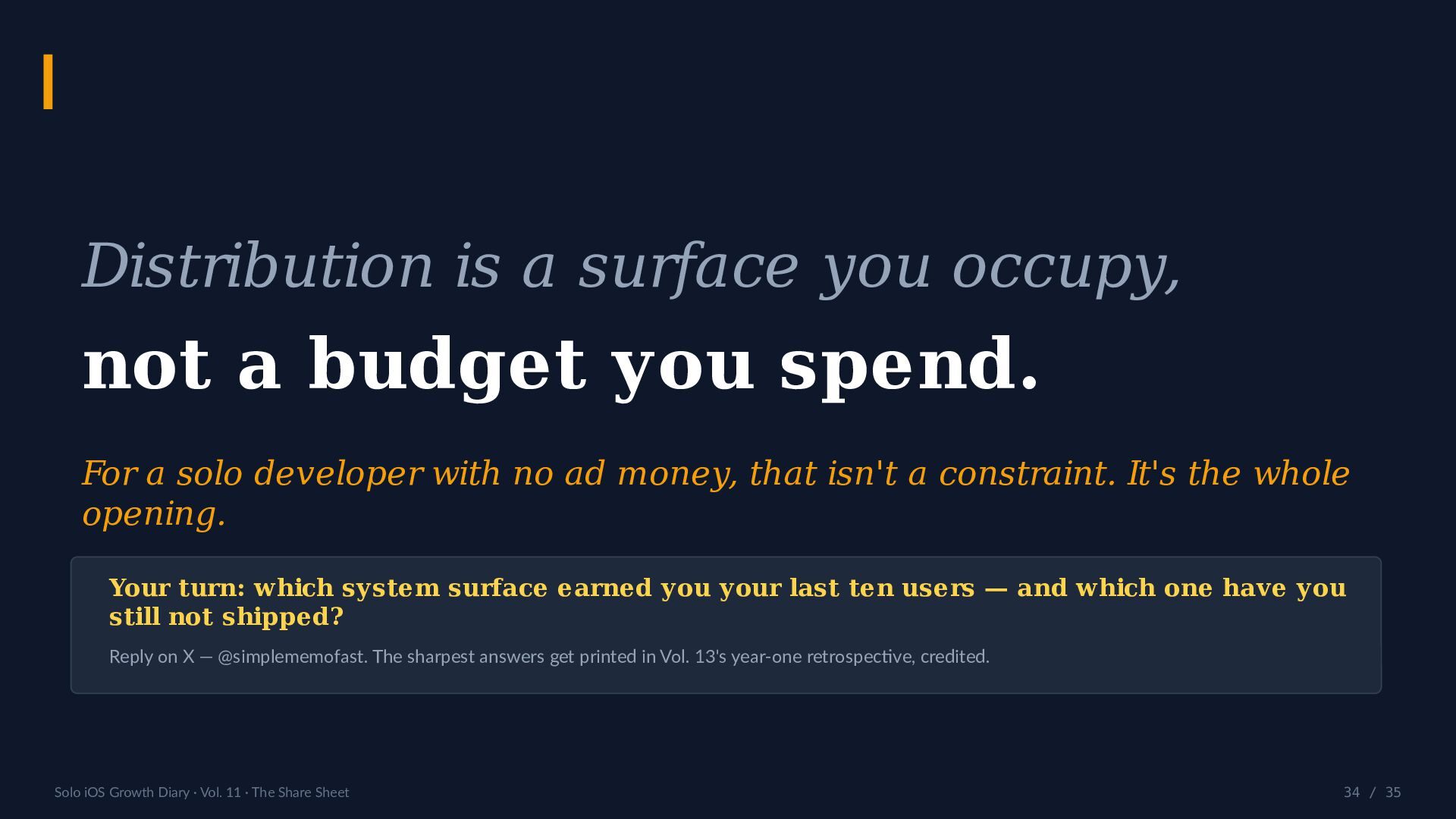
  34. Distribution is a surface you occupy, not a budget you

    spend. For a solo developer with no ad money, that isn't a constraint. It's the whole opening. Your turn: which system surface earned you your last ten users — and which one have you still not shipped? Reply on X — @simplememofast. The sharpest answers get printed in Vol. 13's year-one retrospective, credited. Solo iOS Growth Diary · Vol. 11 · The Share Sheet 34 / 35
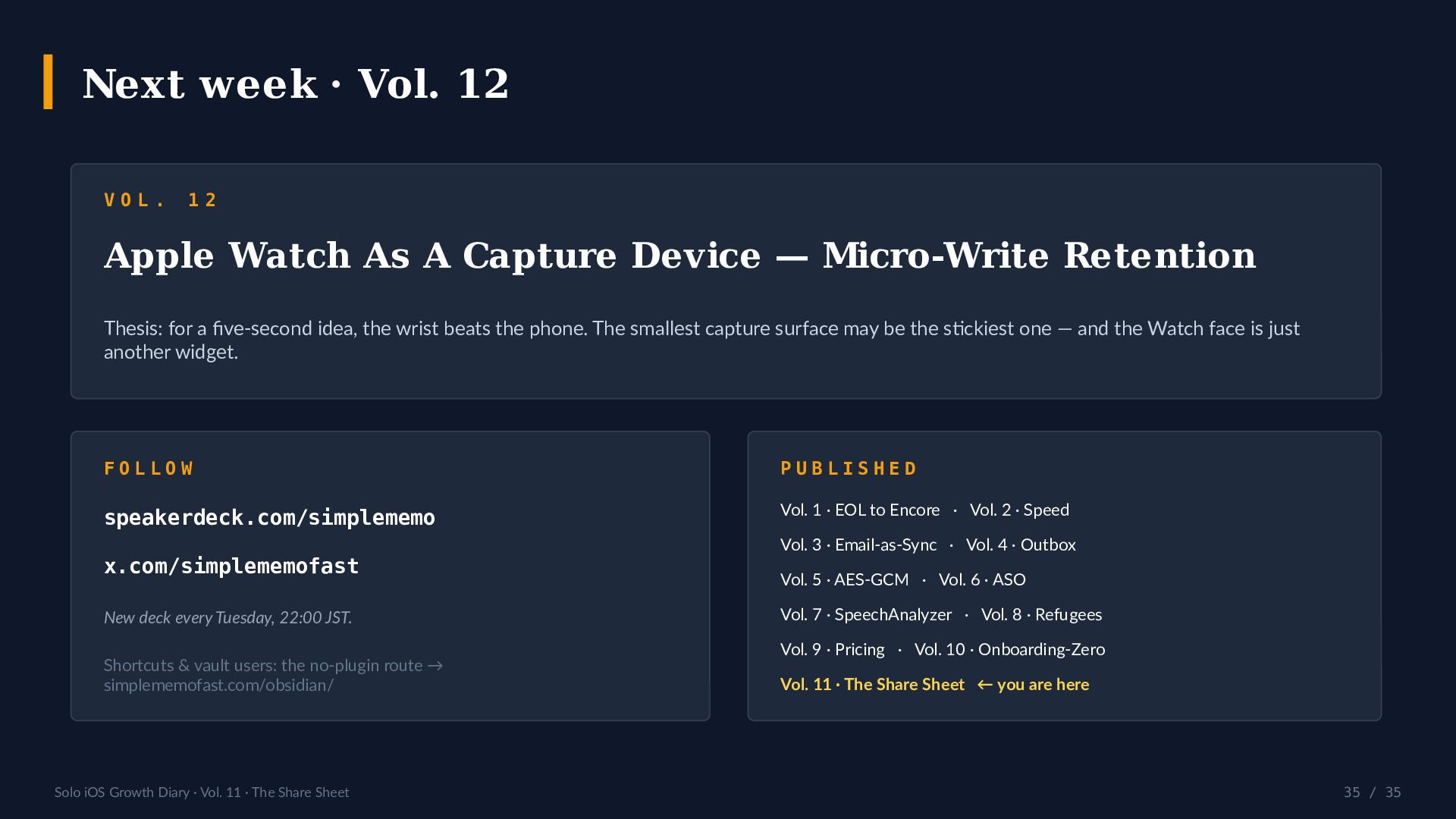
  35. Next week · Vol. 12 VOL. 12 Apple Watch As

    A Capture Device — Micro-Write Retention Thesis: for a five-second idea, the wrist beats the phone. The smallest capture surface may be the stickiest one — and the Watch face is just another widget. FOLLOW PUBLISHED speakerdeck.com/simplememo Vol. 1 · EOL to Encore · Vol. 2 · Speed x.com/simplememofast New deck every Tuesday, 22:00 JST. Shortcuts & vault users: the no-plugin route → simplememofast.com/obsidian/ Solo iOS Growth Diary · Vol. 11 · The Share Sheet Vol. 3 · Email-as-Sync · Vol. 4 · Outbox Vol. 5 · AES-GCM · Vol. 6 · ASO Vol. 7 · SpeechAnalyzer · Vol. 8 · Refugees Vol. 9 · Pricing · Vol. 10 · Onboarding-Zero Vol. 11 · The Share Sheet ← you are here 35 / 35