Upgrade to Pro — share decks privately, control downloads, hide ads and more …

Solo iOS Growth Diary — Vol. 12: Apple Watch As...

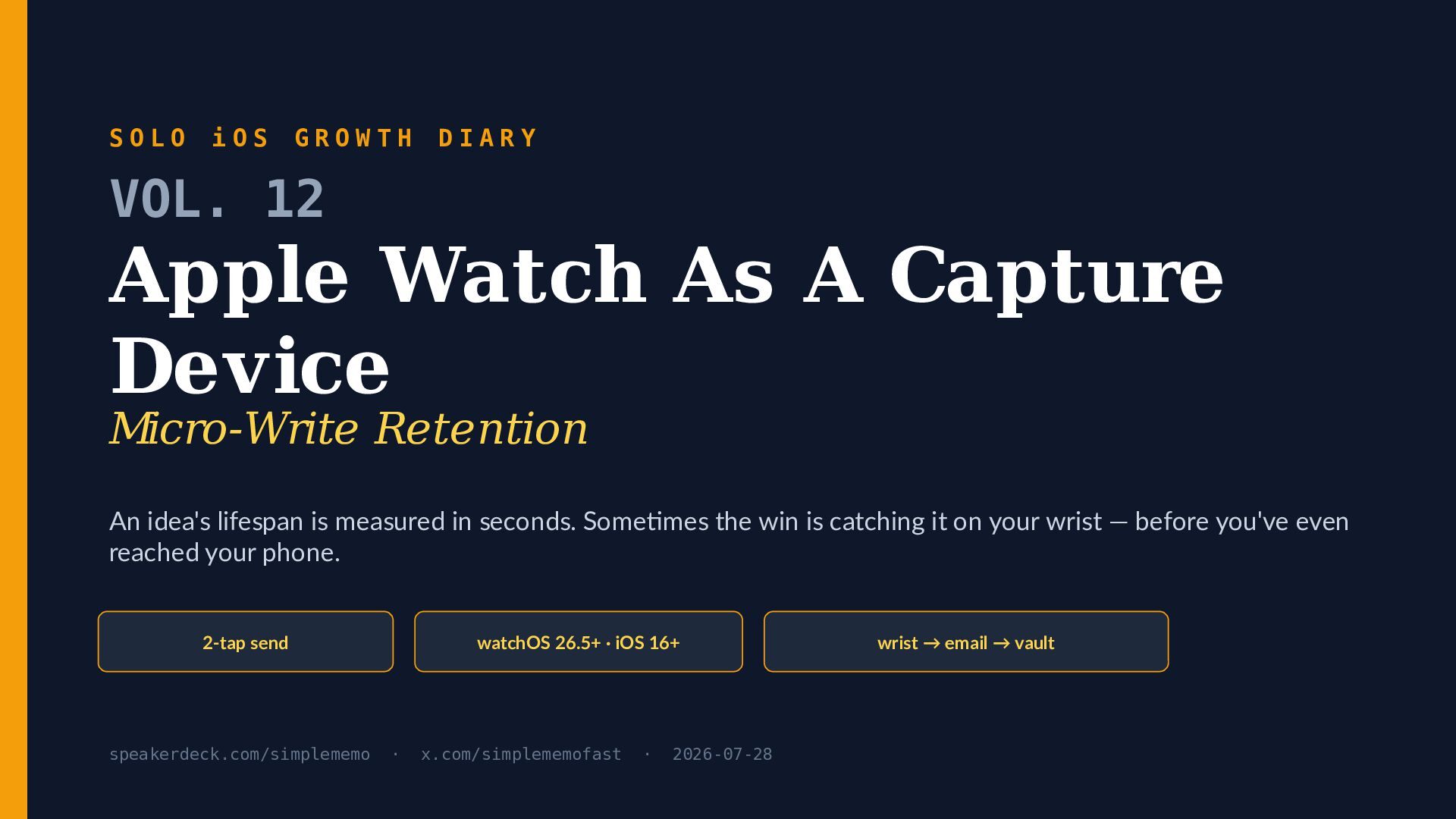
Solo iOS Growth Diary — Vol. 12: Apple Watch As A Capture Device (Micro-Write Retention)

Apple Watch as a capture device. For a five-second idea you'd lose reaching for your phone, the wrist is the smaller, faster surface: open the memo app from the watchOS Smart Stack and send to your own email in as few as 2 taps. Vol. 12 of the Solo iOS Growth Diary is a solo iOS developer's honest field guide to micro-write capture on the Apple Watch — what it does well, what watchOS refuses to let it do, and why retention lives in the inbox, not on the watch face.

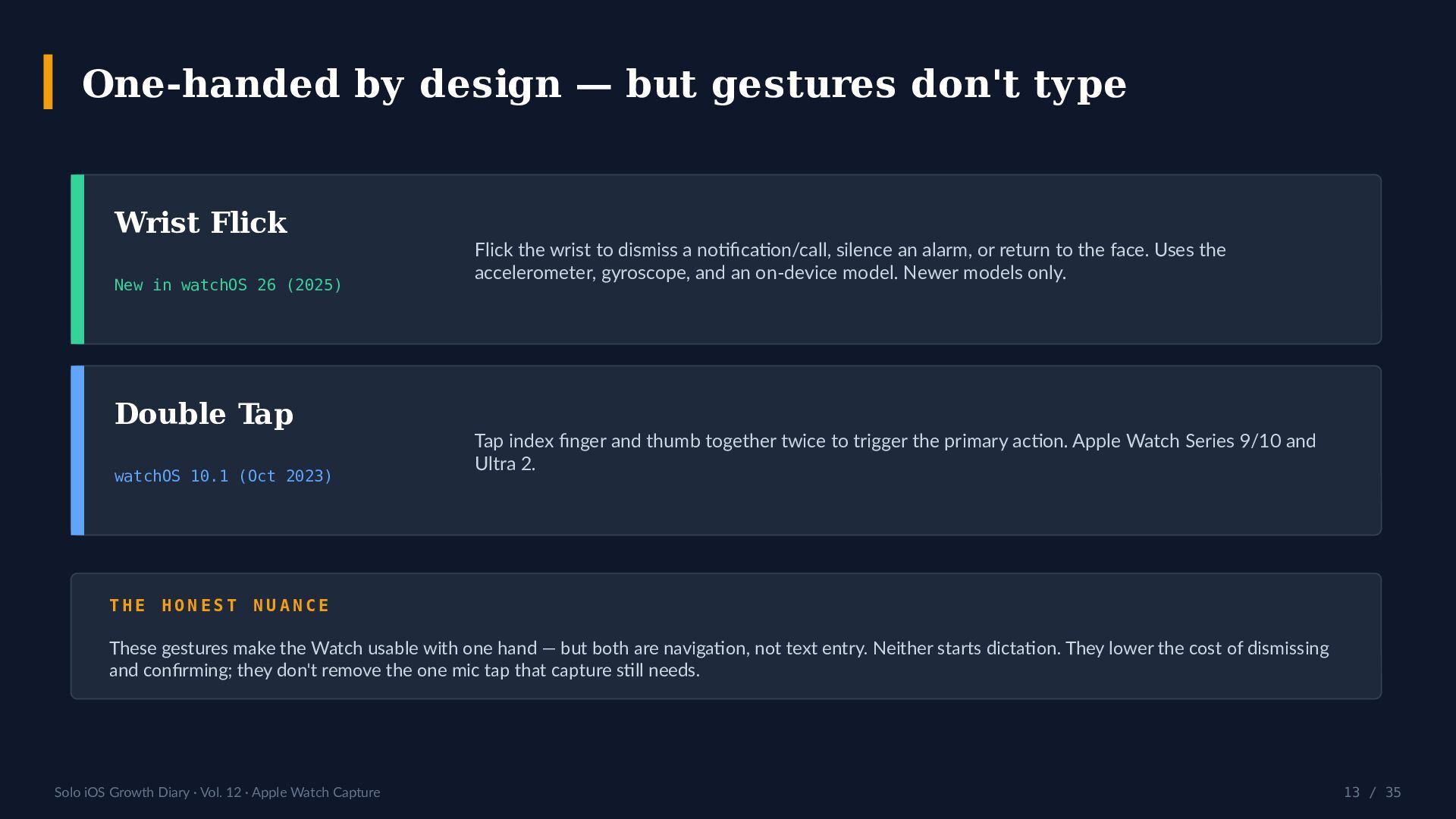
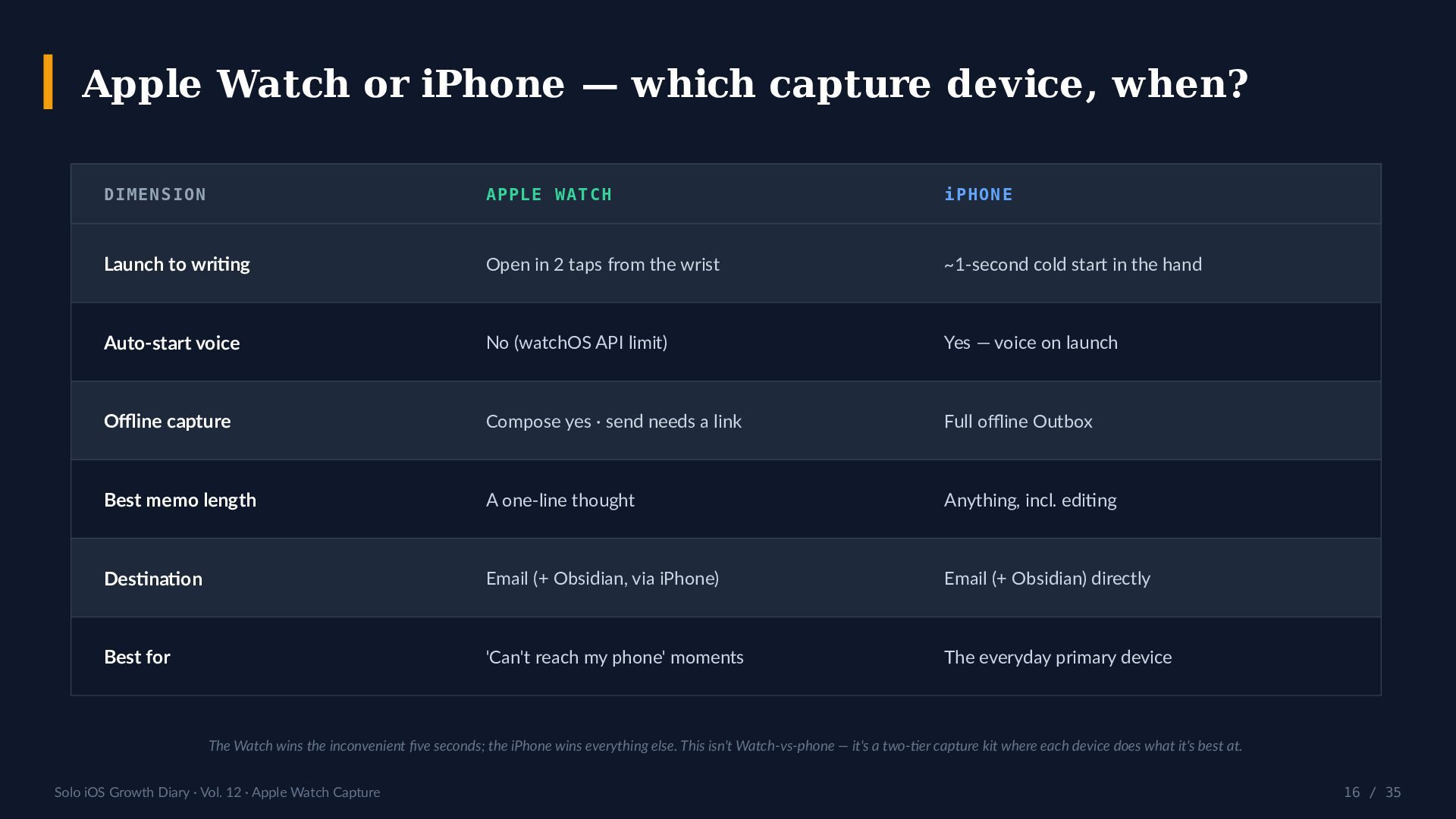
What's inside: why capture latency, not storage, is the real bottleneck for a memo app; the wrist input menu (watchOS dictation, Scribble, and the onscreen keyboard — excluded on Apple Watch SE and Series 6); the Smart Stack and complications as one-tap launch surfaces; and how watchOS 26 gestures (Wrist Flick, plus Double Tap since watchOS 10.1) make the Watch one-handed but still can't type. A six-row comparison table weighs the Apple Watch against the iPhone as capture devices — launch speed, offline behavior, best memo length, and destination.

The deck is built to be argued with: five anti-thesis questions answered in the open ("Watch apps don't retain," "just add auto-dictation," "why not a full keyboard," "isn't it a gimmick that needs cellular?"), a 7-step playbook, a 10-point audit, and an honest scoreboard printed against this series' own numbers — about 36 lifetime views across 11 volumes and 0 stars, with Watch-capture retention left explicitly unmeasured rather than guessed.

The centerpiece is an honest limitation: on watchOS there is no public API to auto-start dictation on launch — it begins only when the user taps the mic. That has been true system-wide since watchOS 8 (the note app Drafts lost the same ability then), and it applies to every third-party Watch app. The iPhone app, by contrast, does auto-start voice on launch.

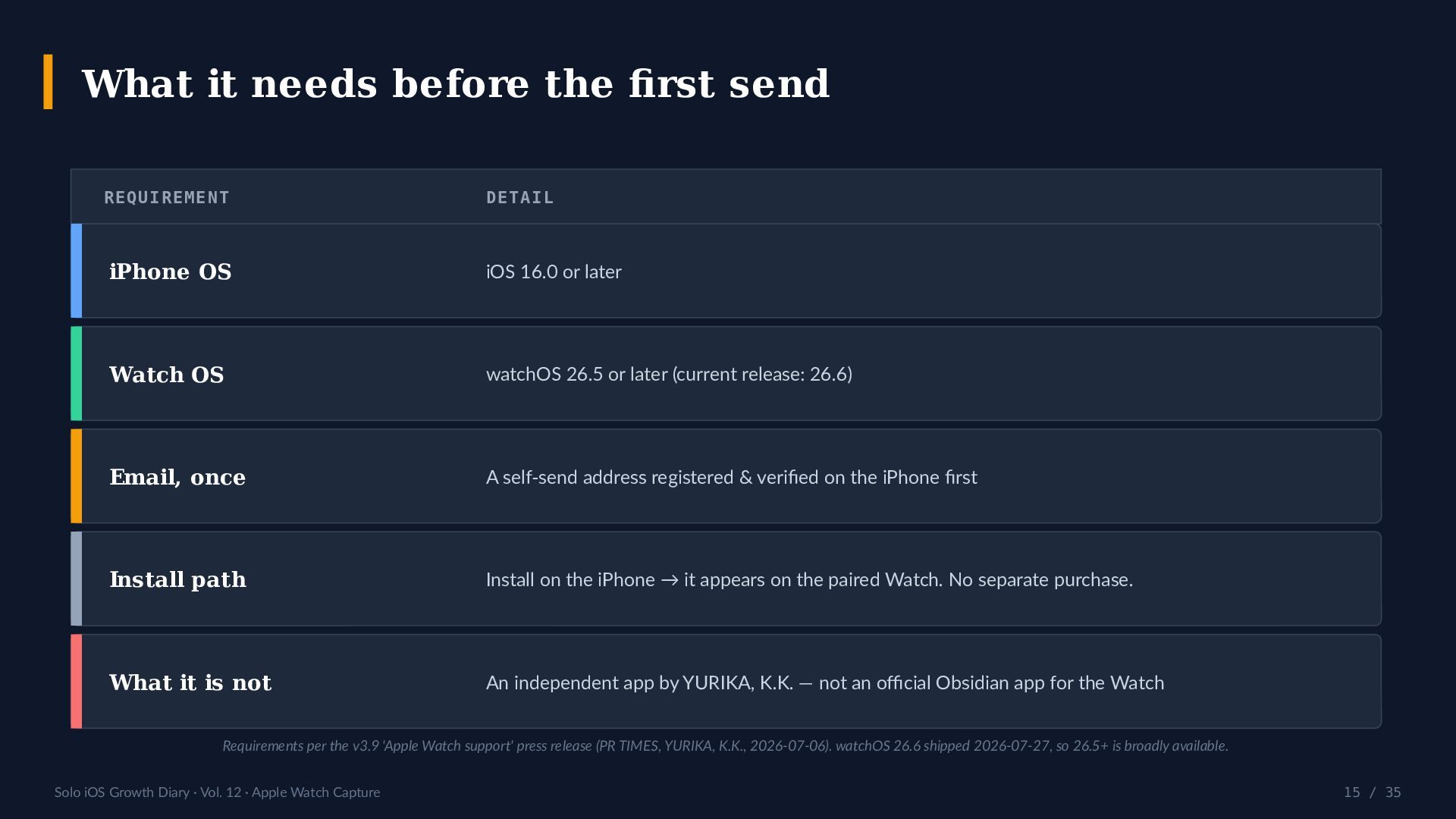
It also traces a three-tier wrist-to-vault pipeline: a memo dictated on the Watch is sent to your own email and, for Advanced Mode users, appended to an Obsidian daily note by the iPhone — never by the Watch directly. Fair print: that append is iPhone-only, assumes an iCloud-Drive vault and the yyyy-MM-dd.md daily-note convention, and iCloud can take a few seconds to reflect. Requirements: iOS 16.0+ and watchOS 26.5+, with a self-send email registered on the iPhone first. Simple Memo is an independent app by YURIKA, K.K. — not an official Obsidian app — released as version 3.9 "Apple Watch support" in 2026.

References:
- Apple Watch capture, and the honest watchOS limit: https://simplememofast.com/en/apple-watch/
- App Store (English channel): https://apps.apple.com/us/app/id6758438948?ct=apple-watch-en&mt=8

Follow the series:
- Speaker Deck: https://speakerdeck.com/simplememo
- X: https://x.com/simplememofast

New deck every Tuesday, 22:00 JST. Next — Vol. 13: Year One in Numbers (the finale).

Avatar for SimpleMemo

SimpleMemo

July 28, 2026

More Decks by SimpleMemo

Other Decks in Programming

Transcript

  1. SOLO iOS GROWTH DIARY VOL. 12 Apple Watch As A

    Capture Device Micro-Write Retention An idea's lifespan is measured in seconds. Sometimes the win is catching it on your wrist — before you've even reached your phone. 2-tap send speakerdeck.com/simplememo watchOS 26.5+ · iOS 16+ · x.com/simplememofast · 2026-07-28 wrist → email → vault
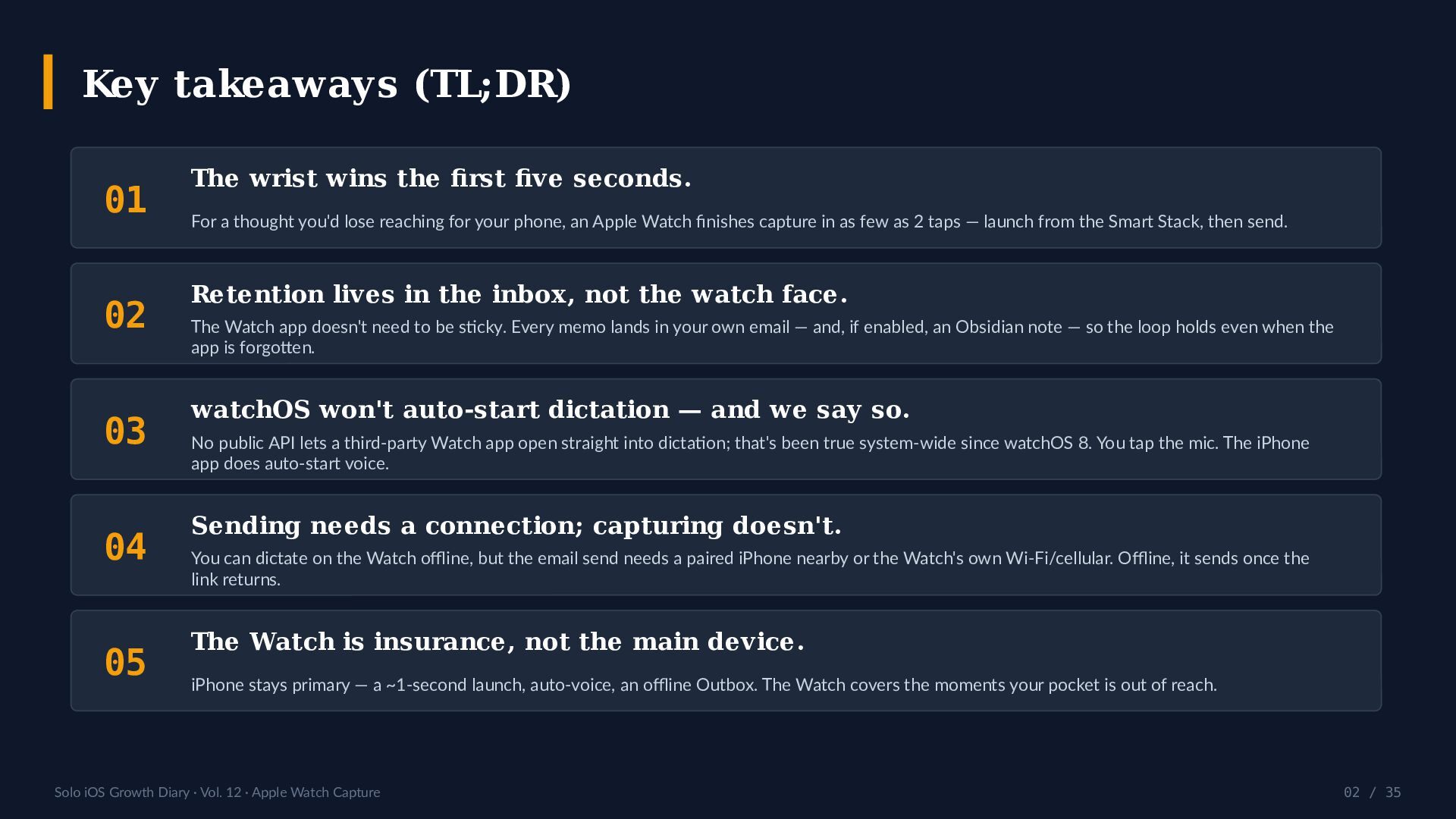
  2. Key takeaways (TL;DR) 01 02 03 04 05 The wrist

    wins the first five seconds. For a thought you'd lose reaching for your phone, an Apple Watch finishes capture in as few as 2 taps — launch from the Smart Stack, then send. Retention lives in the inbox, not the watch face. The Watch app doesn't need to be sticky. Every memo lands in your own email — and, if enabled, an Obsidian note — so the loop holds even when the app is forgotten. watchOS won't auto-start dictation — and we say so. No public API lets a third-party Watch app open straight into dictation; that's been true system-wide since watchOS 8. You tap the mic. The iPhone app does auto-start voice. Sending needs a connection; capturing doesn't. You can dictate on the Watch offline, but the email send needs a paired iPhone nearby or the Watch's own Wi-Fi/cellular. Offline, it sends once the link returns. The Watch is insurance, not the main device. iPhone stays primary — a ~1-second launch, auto-voice, an offline Outbox. The Watch covers the moments your pocket is out of reach. Solo iOS Growth Diary · Vol. 12 · Apple Watch Capture 02 / 35
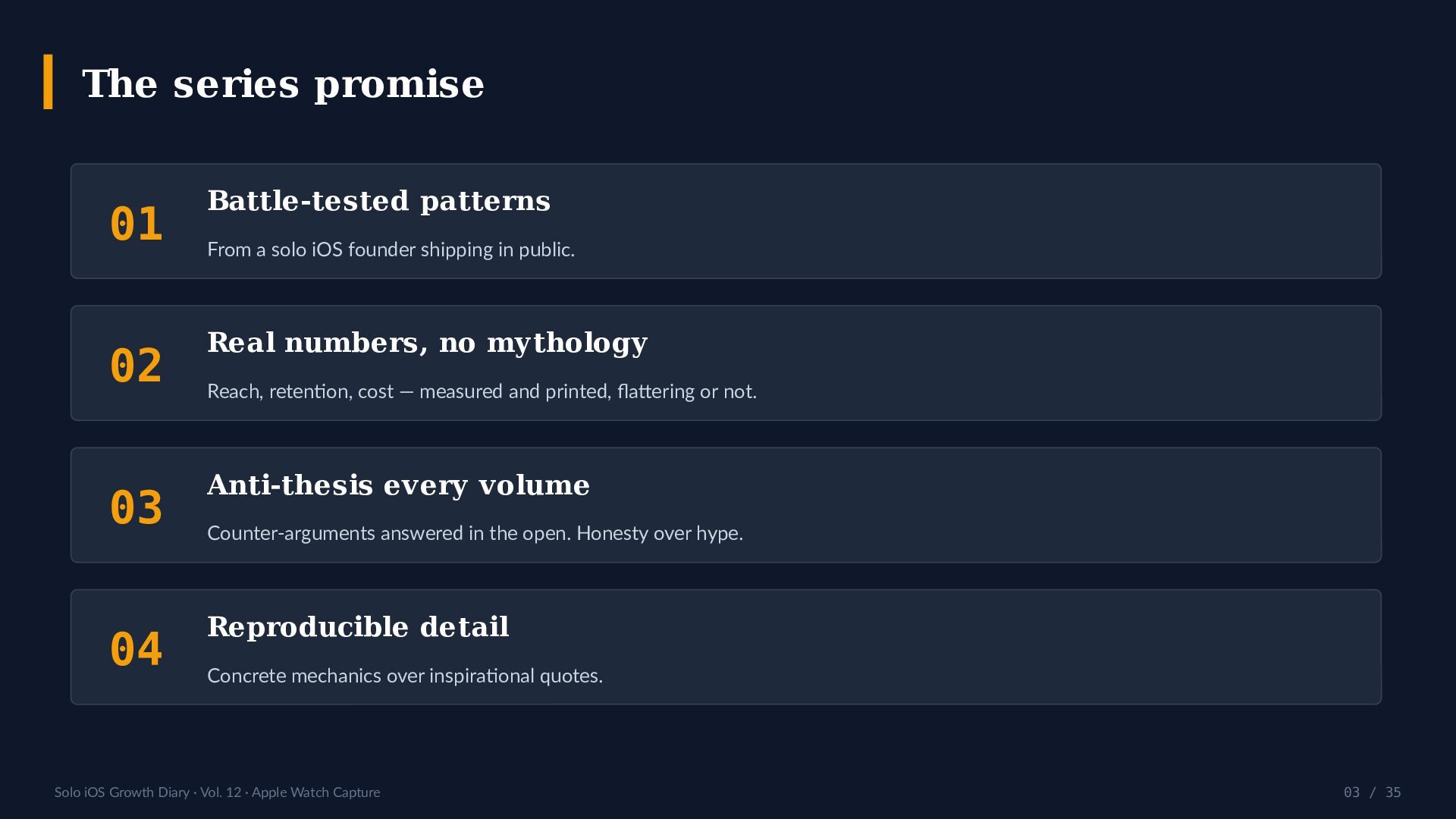
  3. The series promise 01 Battle-tested patterns 02 Real numbers, no

    mythology 03 Anti-thesis every volume 04 Reproducible detail From a solo iOS founder shipping in public. Reach, retention, cost — measured and printed, flattering or not. Counter-arguments answered in the open. Honesty over hype. Concrete mechanics over inspirational quotes. Solo iOS Growth Diary · Vol. 12 · Apple Watch Capture 03 / 35
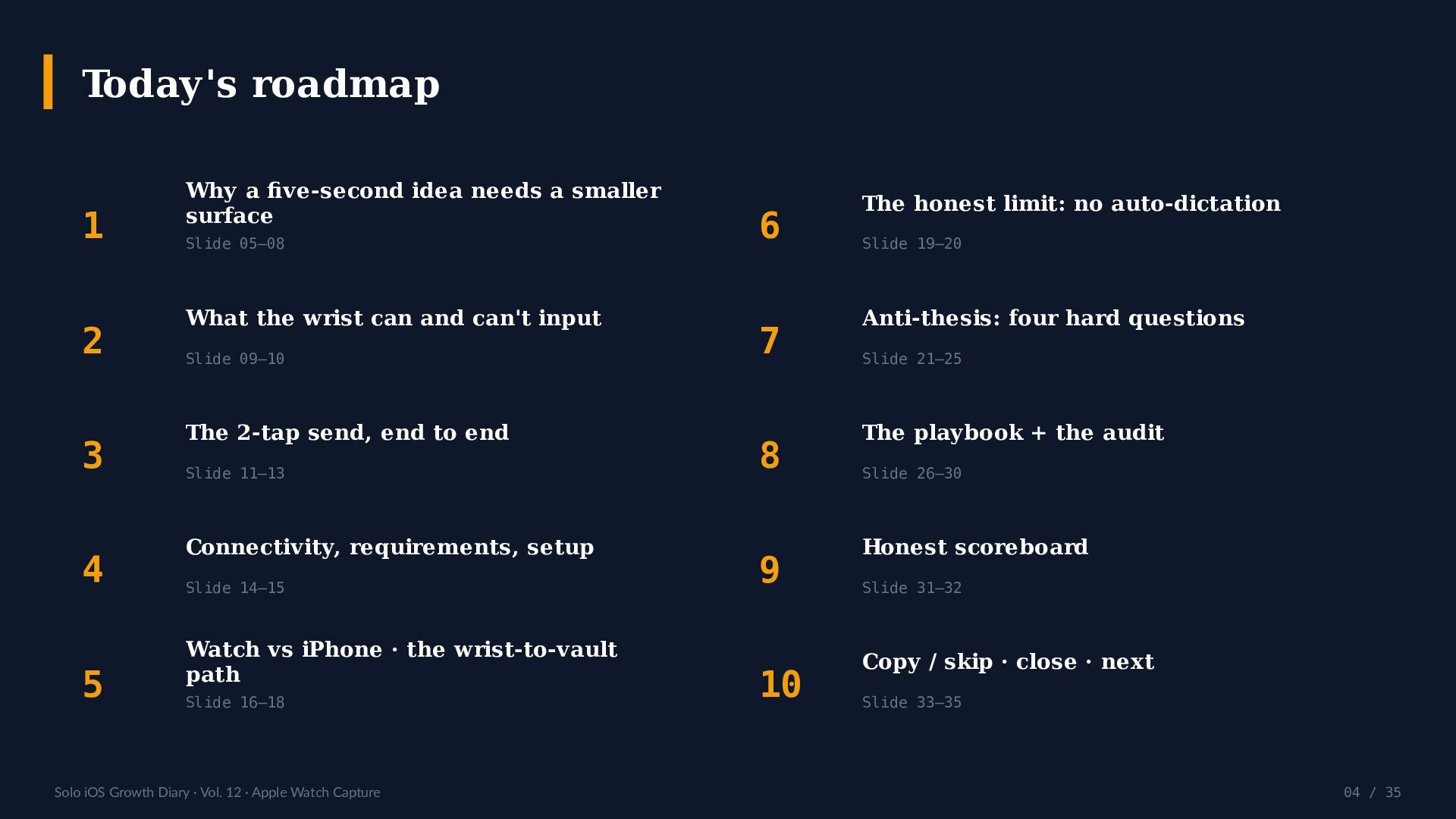
  4. Today's roadmap 1 2 3 4 5 Why a five-second

    idea needs a smaller surface Slide 05–08 What the wrist can and can't input Slide 09–10 The 2-tap send, end to end Slide 11–13 Connectivity, requirements, setup Slide 14–15 Watch vs iPhone · the wrist-to-vault path Slide 16–18 Solo iOS Growth Diary · Vol. 12 · Apple Watch Capture 6 7 8 9 10 The honest limit: no auto-dictation Slide 19–20 Anti-thesis: four hard questions Slide 21–25 The playbook + the audit Slide 26–30 Honest scoreboard Slide 31–32 Copy / skip · close · next Slide 33–35 04 / 35
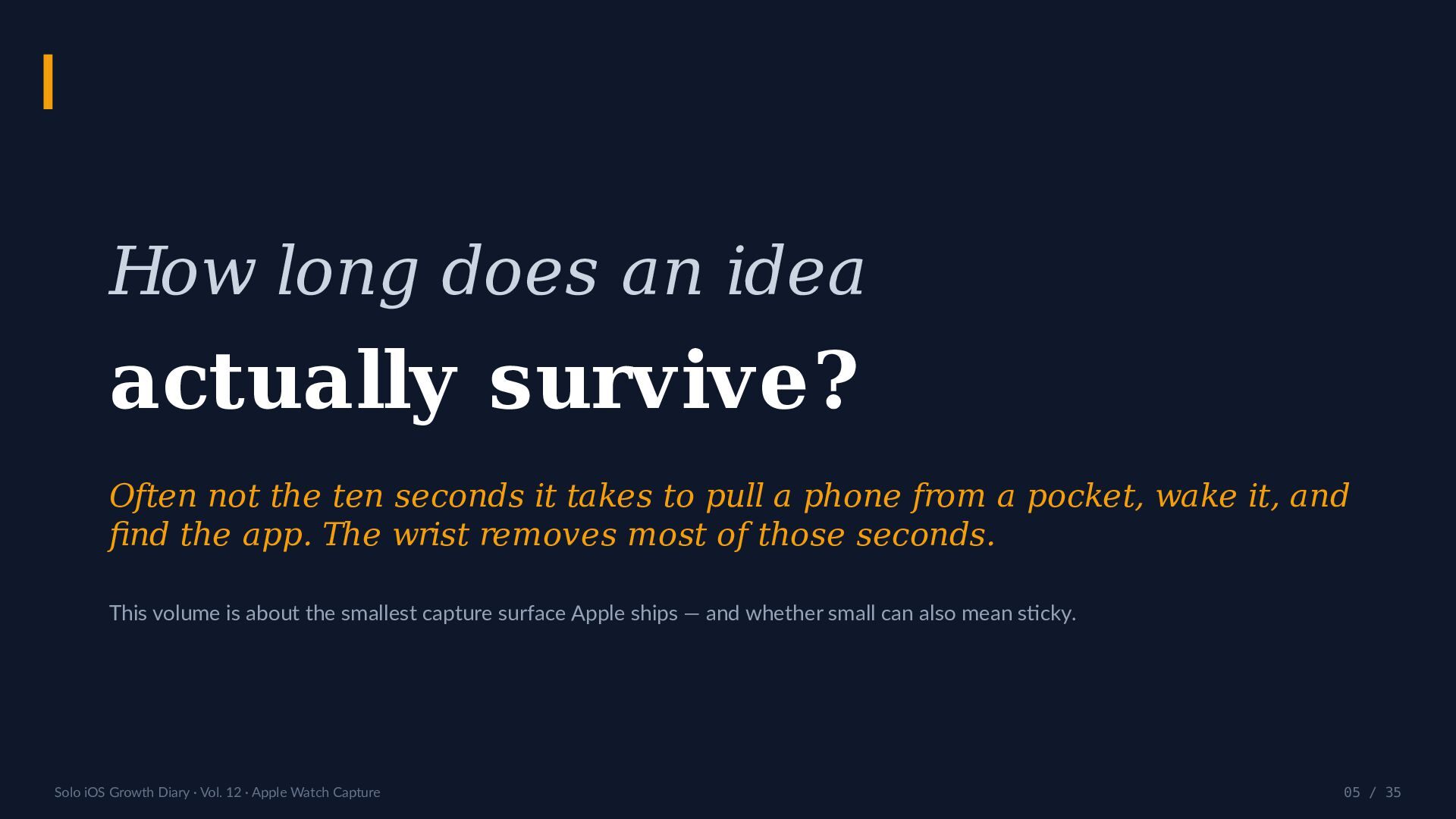
  5. How long does an idea actually survive? Often not the

    ten seconds it takes to pull a phone from a pocket, wake it, and find the app. The wrist removes most of those seconds. This volume is about the smallest capture surface Apple ships — and whether small can also mean sticky. Solo iOS Growth Diary · Vol. 12 · Apple Watch Capture 05 / 35
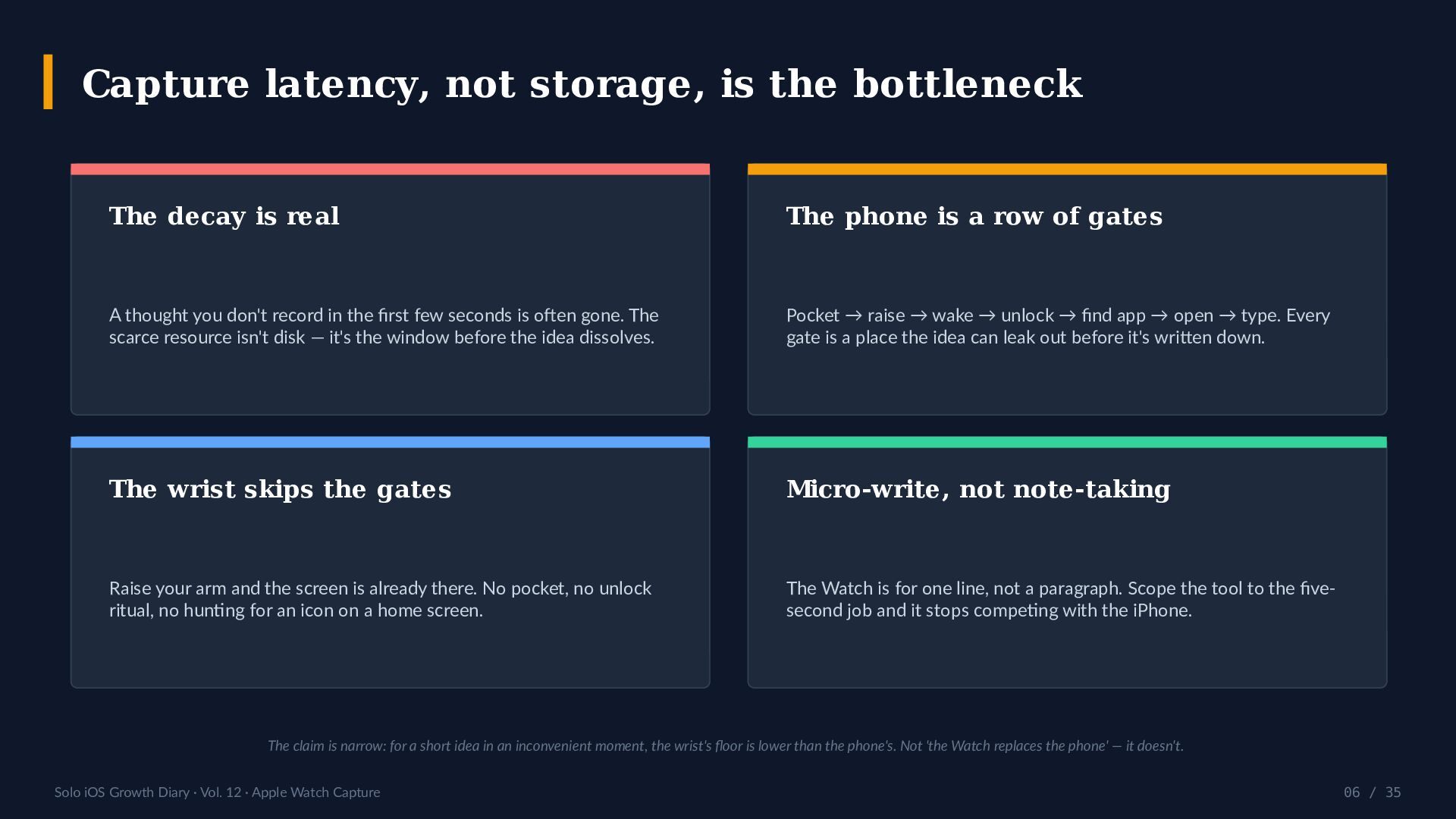
  6. Capture latency, not storage, is the bottleneck The decay is

    real The phone is a row of gates A thought you don't record in the first few seconds is often gone. The scarce resource isn't disk — it's the window before the idea dissolves. Pocket → raise → wake → unlock → find app → open → type. Every gate is a place the idea can leak out before it's written down. The wrist skips the gates Micro-write, not note-taking Raise your arm and the screen is already there. No pocket, no unlock ritual, no hunting for an icon on a home screen. The Watch is for one line, not a paragraph. Scope the tool to the fivesecond job and it stops competing with the iPhone. The claim is narrow: for a short idea in an inconvenient moment, the wrist's floor is lower than the phone's. Not 'the Watch replaces the phone' — it doesn't. Solo iOS Growth Diary · Vol. 12 · Apple Watch Capture 06 / 35
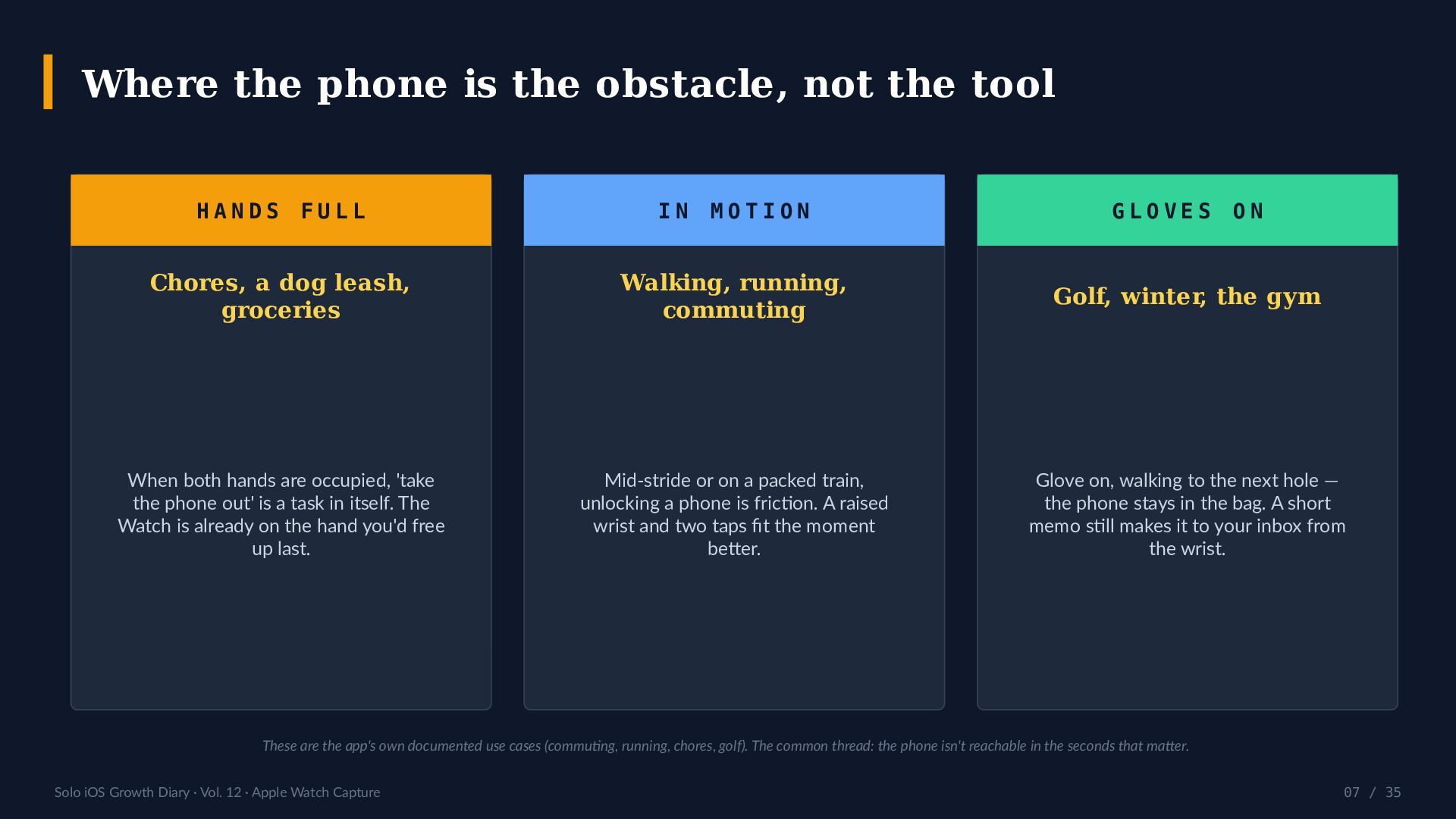
  7. Where the phone is the obstacle, not the tool HANDS

    FULL IN MOTION GLOVES ON Chores, a dog leash, groceries Walking, running, commuting Golf, winter, the gym When both hands are occupied, 'take the phone out' is a task in itself. The Watch is already on the hand you'd free up last. Mid-stride or on a packed train, unlocking a phone is friction. A raised wrist and two taps fit the moment better. Glove on, walking to the next hole — the phone stays in the bag. A short memo still makes it to your inbox from the wrist. These are the app's own documented use cases (commuting, running, chores, golf). The common thread: the phone isn't reachable in the seconds that matter. Solo iOS Growth Diary · Vol. 12 · Apple Watch Capture 07 / 35
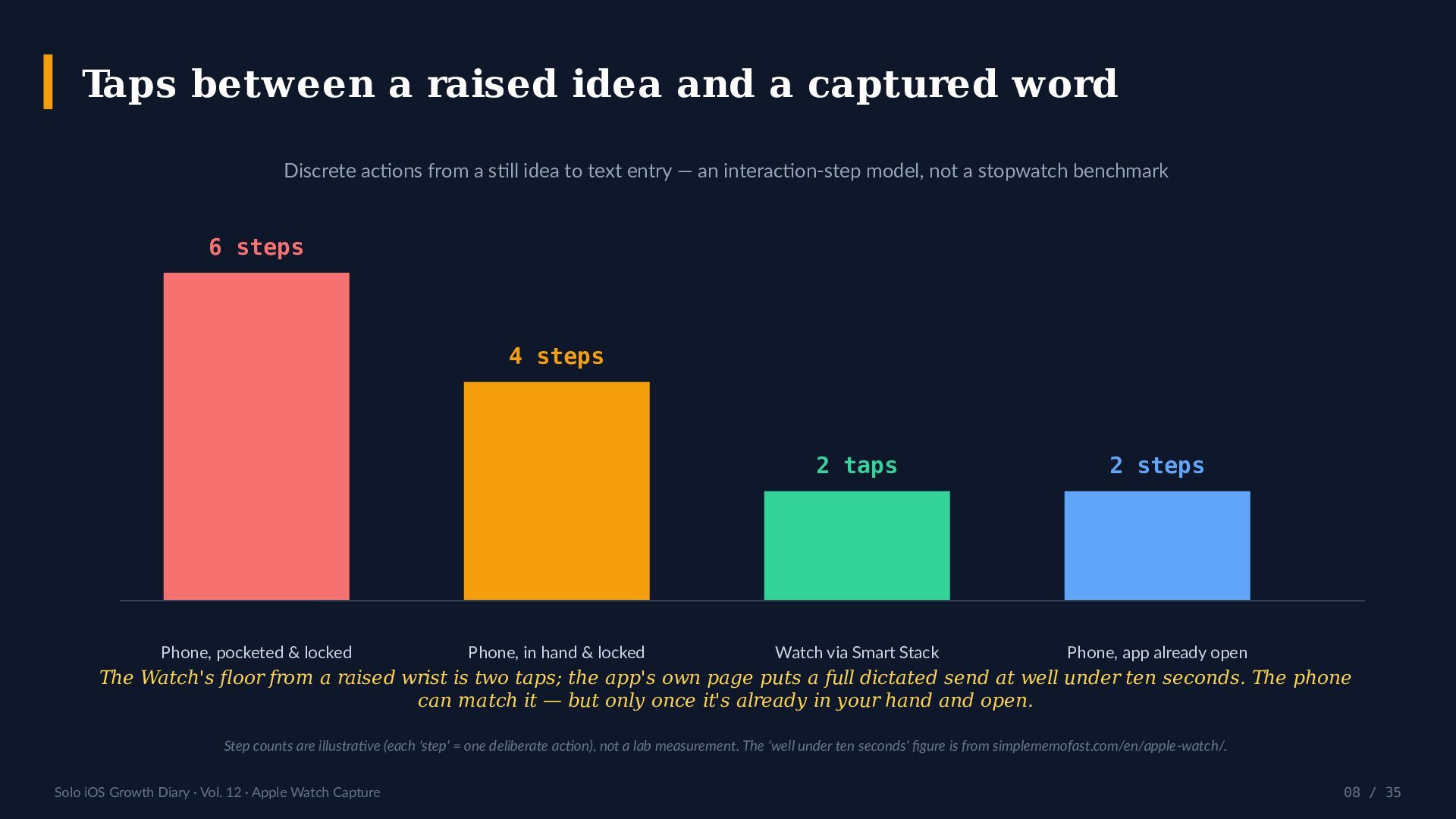
  8. Taps between a raised idea and a captured word Discrete

    actions from a still idea to text entry — an interaction-step model, not a stopwatch benchmark 6 steps 4 steps Phone, pocketed & locked Phone, in hand & locked 2 taps 2 steps Watch via Smart Stack Phone, app already open The Watch's floor from a raised wrist is two taps; the app's own page puts a full dictated send at well under ten seconds. The phone can match it — but only once it's already in your hand and open. Step counts are illustrative (each 'step' = one deliberate action), not a lab measurement. The 'well under ten seconds' figure is from simplememofast.com/en/apple-watch/. Solo iOS Growth Diary · Vol. 12 · Apple Watch Capture 08 / 35
  9. What the wrist can input — and what it charges

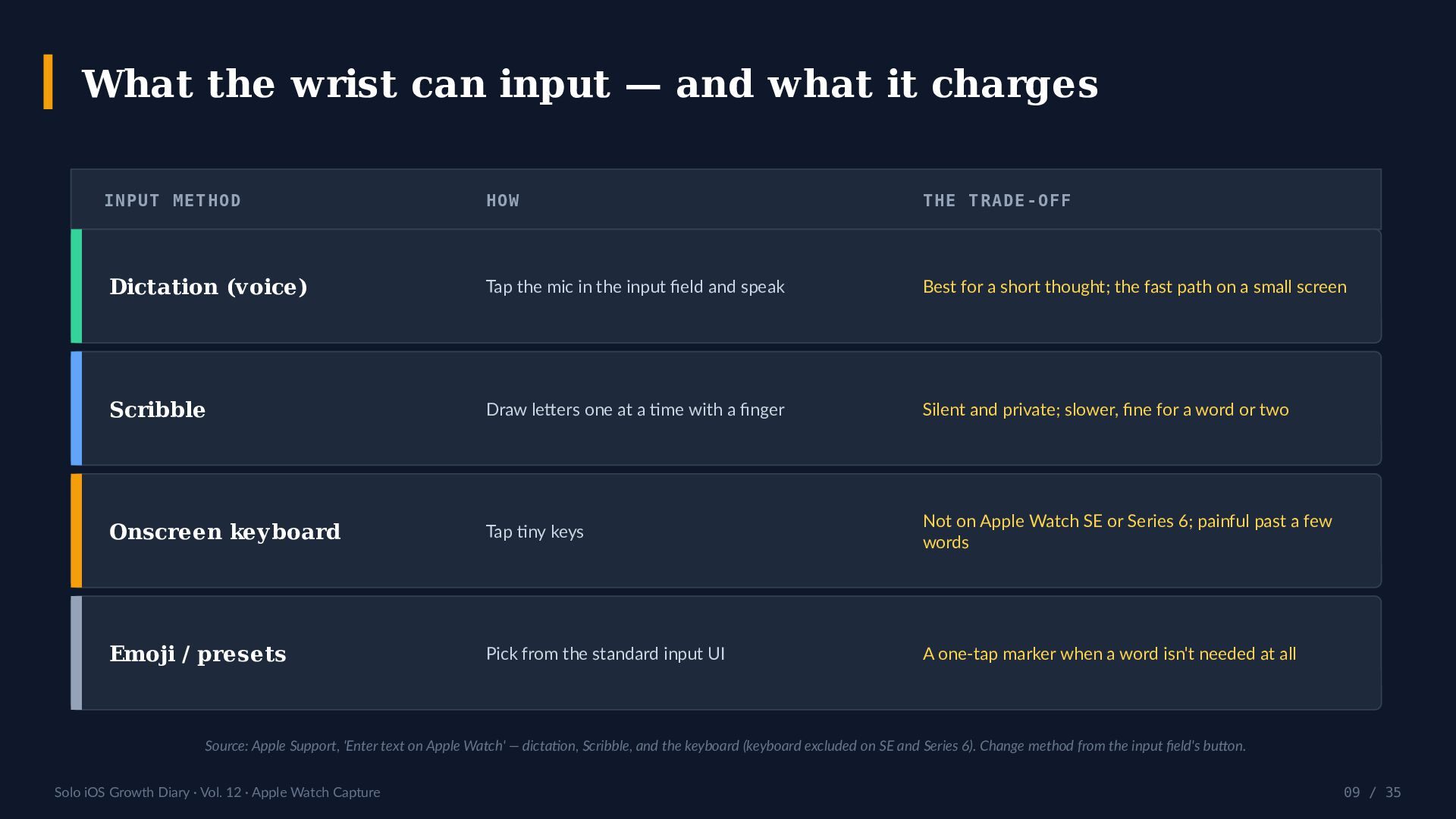
    INPUT METHOD HOW THE TRADE-OFF Dictation (voice) Tap the mic in the input field and speak Best for a short thought; the fast path on a small screen Scribble Draw letters one at a time with a finger Silent and private; slower, fine for a word or two Onscreen keyboard Tap tiny keys Not on Apple Watch SE or Series 6; painful past a few words Emoji / presets Pick from the standard input UI A one-tap marker when a word isn't needed at all Source: Apple Support, 'Enter text on Apple Watch' — dictation, Scribble, and the keyboard (keyboard excluded on SE and Series 6). Change method from the input field's button. Solo iOS Growth Diary · Vol. 12 · Apple Watch Capture 09 / 35
  10. Capture from anywhere — collect in one place WHERE YOU

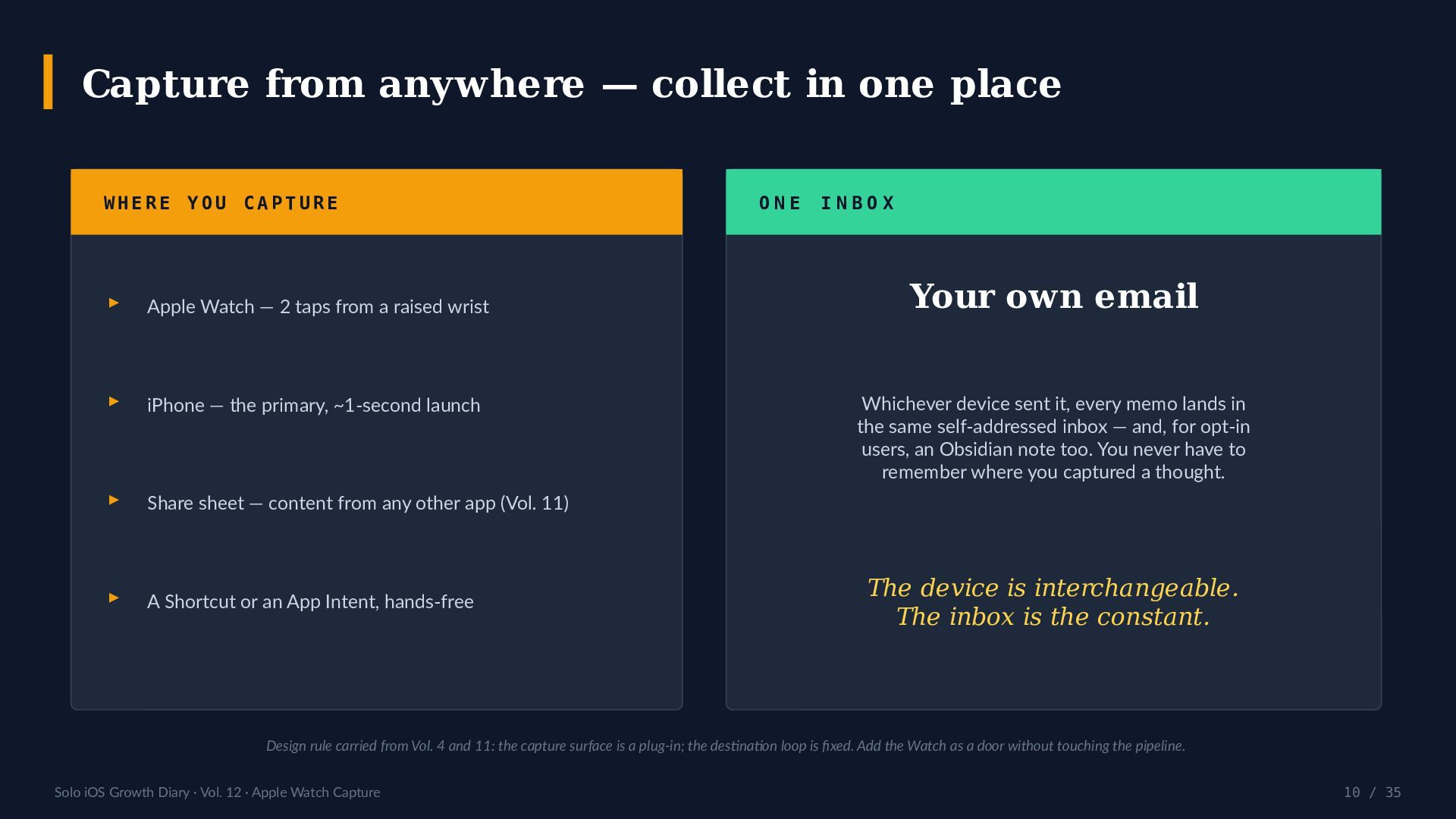
    CAPTURE ▸ Apple Watch — 2 taps from a raised wrist ▸ iPhone — the primary, ~1-second launch ▸ Share sheet — content from any other app (Vol. 11) ▸ A Shortcut or an App Intent, hands-free ONE INBOX Your own email Whichever device sent it, every memo lands in the same self-addressed inbox — and, for opt-in users, an Obsidian note too. You never have to remember where you captured a thought. The device is interchangeable. The inbox is the constant. Design rule carried from Vol. 4 and 11: the capture surface is a plug-in; the destination loop is fixed. Add the Watch as a door without touching the pipeline. Solo iOS Growth Diary · Vol. 12 · Apple Watch Capture 10 / 35
  11. What actually happens in two taps? The full flow, from

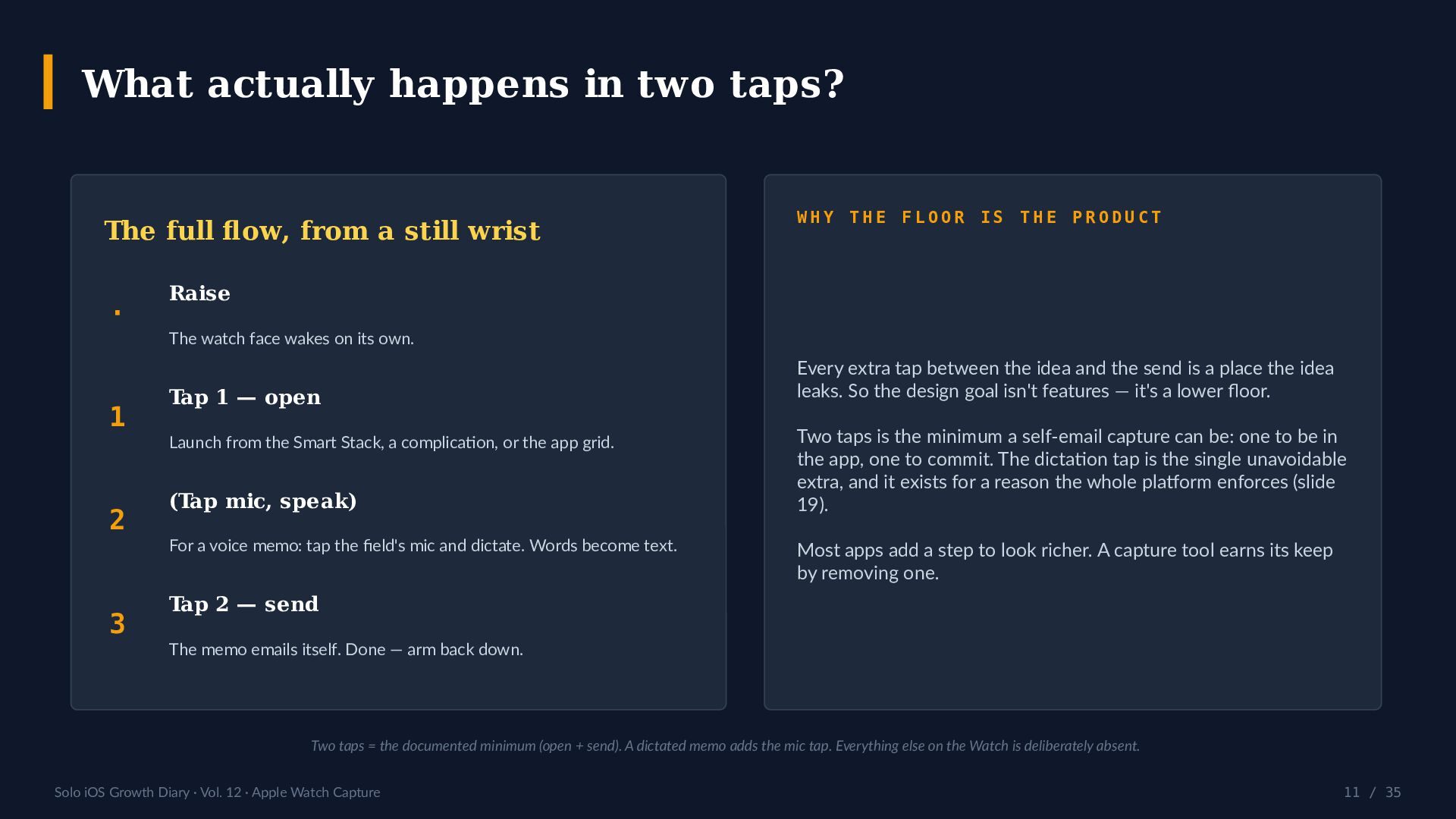
    a still wrist · 1 2 3 WHY THE FLOOR IS THE PRODUCT Raise The watch face wakes on its own. Tap 1 — open Launch from the Smart Stack, a complication, or the app grid. (Tap mic, speak) For a voice memo: tap the field's mic and dictate. Words become text. Every extra tap between the idea and the send is a place the idea leaks. So the design goal isn't features — it's a lower floor. Two taps is the minimum a self-email capture can be: one to be in the app, one to commit. The dictation tap is the single unavoidable extra, and it exists for a reason the whole platform enforces (slide 19). Most apps add a step to look richer. A capture tool earns its keep by removing one. Tap 2 — send The memo emails itself. Done — arm back down. Two taps = the documented minimum (open + send). A dictated memo adds the mic tap. Everything else on the Watch is deliberately absent. Solo iOS Growth Diary · Vol. 12 · Apple Watch Capture 11 / 35
  12. The launch surface: Smart Stack & complications One tap below

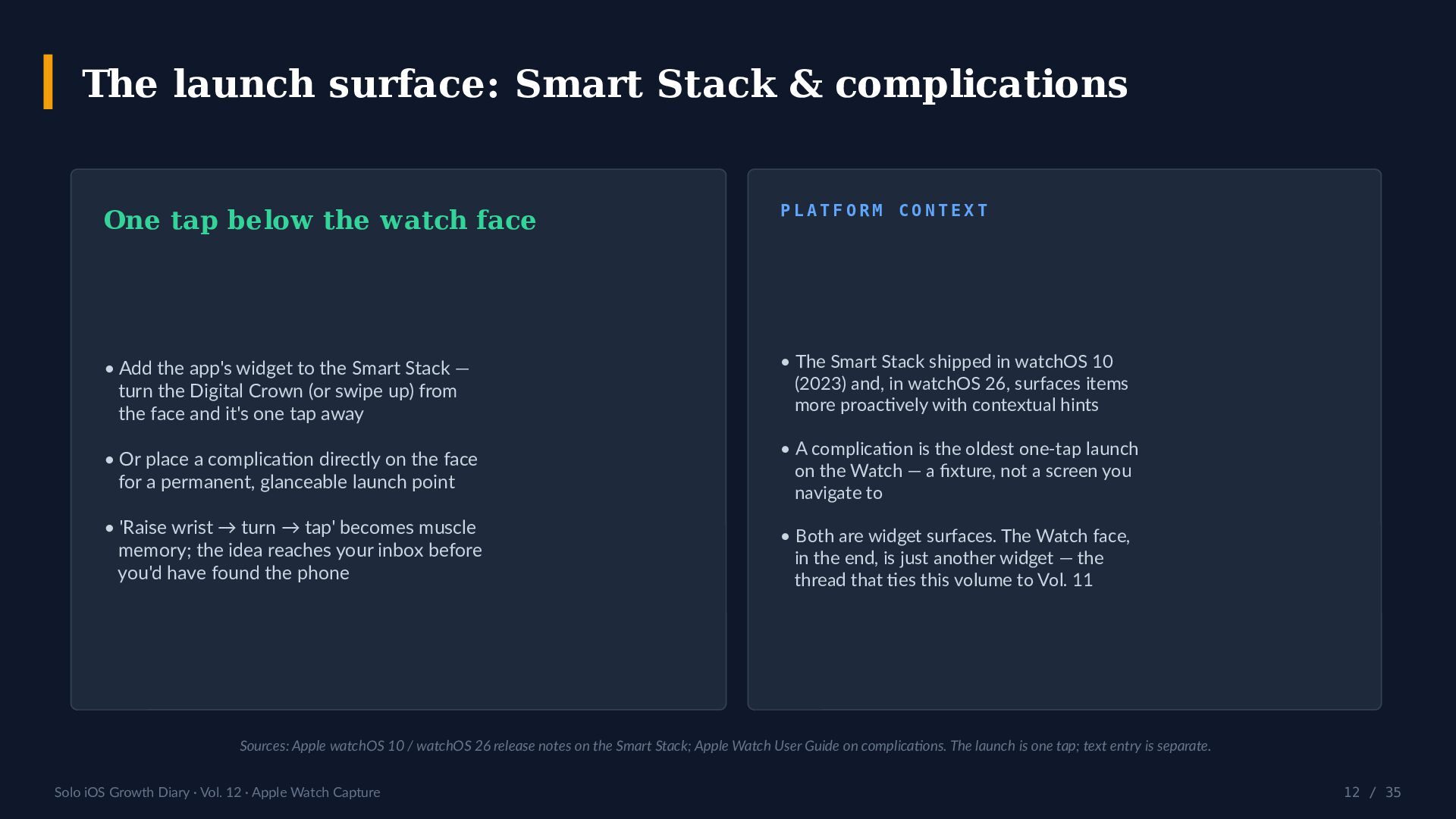
    the watch face PLATFORM CONTEXT • Add the app's widget to the Smart Stack — turn the Digital Crown (or swipe up) from the face and it's one tap away • The Smart Stack shipped in watchOS 10 (2023) and, in watchOS 26, surfaces items more proactively with contextual hints • Or place a complication directly on the face for a permanent, glanceable launch point • A complication is the oldest one-tap launch on the Watch — a fixture, not a screen you navigate to • 'Raise wrist → turn → tap' becomes muscle memory; the idea reaches your inbox before you'd have found the phone • Both are widget surfaces. The Watch face, in the end, is just another widget — the thread that ties this volume to Vol. 11 Sources: Apple watchOS 10 / watchOS 26 release notes on the Smart Stack; Apple Watch User Guide on complications. The launch is one tap; text entry is separate. Solo iOS Growth Diary · Vol. 12 · Apple Watch Capture 12 / 35
  13. One-handed by design — but gestures don't type Wrist Flick

    New in watchOS 26 (2025) Double Tap watchOS 10.1 (Oct 2023) Flick the wrist to dismiss a notification/call, silence an alarm, or return to the face. Uses the accelerometer, gyroscope, and an on-device model. Newer models only. Tap index finger and thumb together twice to trigger the primary action. Apple Watch Series 9/10 and Ultra 2. THE HONEST NUANCE These gestures make the Watch usable with one hand — but both are navigation, not text entry. Neither starts dictation. They lower the cost of dismissing and confirming; they don't remove the one mic tap that capture still needs. Solo iOS Growth Diary · Vol. 12 · Apple Watch Capture 13 / 35
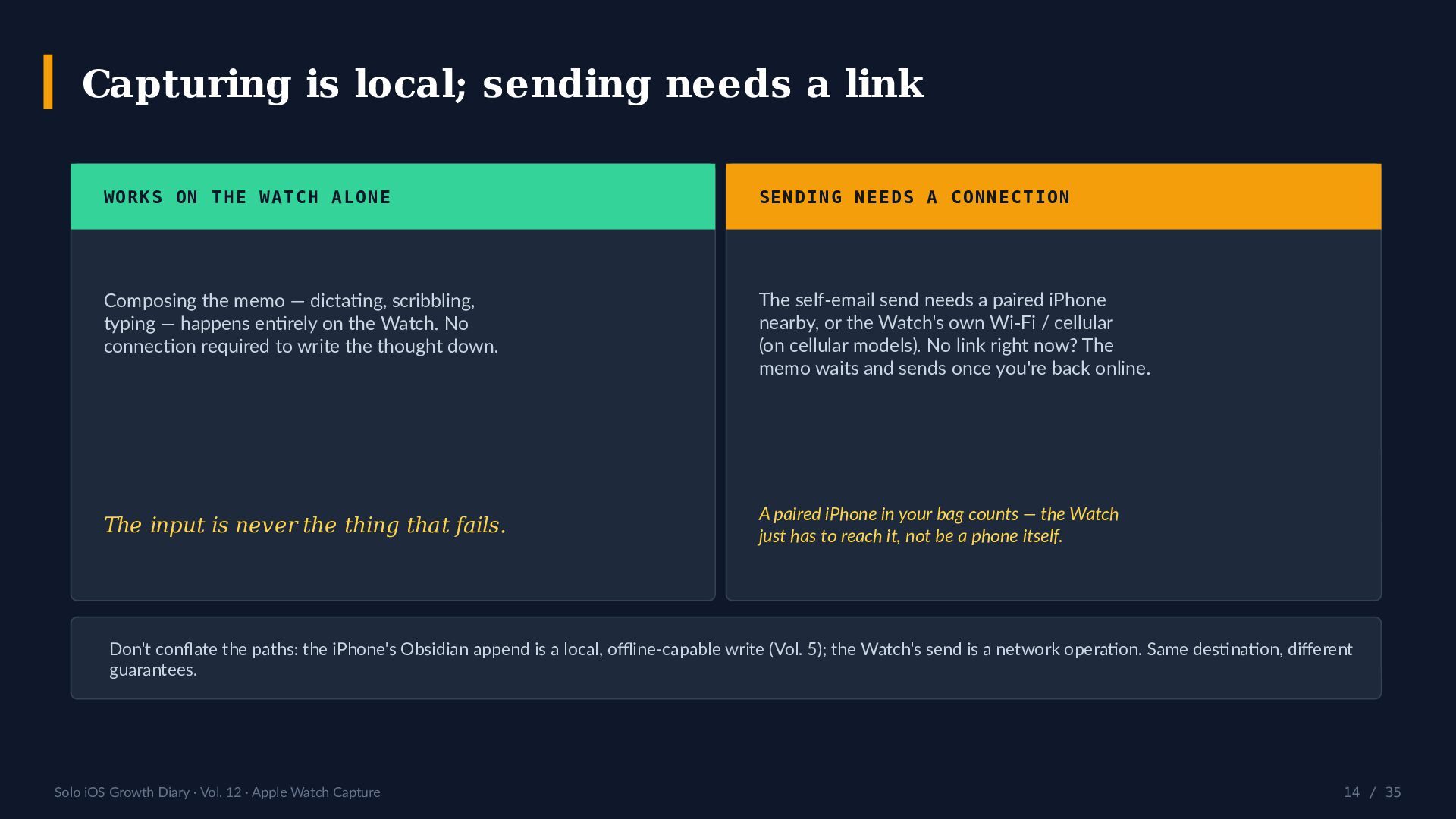
  14. Capturing is local; sending needs a link WORKS ON THE

    WATCH ALONE SENDING NEEDS A CONNECTION Composing the memo — dictating, scribbling, typing — happens entirely on the Watch. No connection required to write the thought down. The self-email send needs a paired iPhone nearby, or the Watch's own Wi-Fi / cellular (on cellular models). No link right now? The memo waits and sends once you're back online. The input is never the thing that fails. A paired iPhone in your bag counts — the Watch just has to reach it, not be a phone itself. Don't conflate the paths: the iPhone's Obsidian append is a local, offline-capable write (Vol. 5); the Watch's send is a network operation. Same destination, different guarantees. Solo iOS Growth Diary · Vol. 12 · Apple Watch Capture 14 / 35
  15. What it needs before the first send REQUIREMENT DETAIL iPhone

    OS iOS 16.0 or later Watch OS watchOS 26.5 or later (current release: 26.6) Email, once A self-send address registered & verified on the iPhone first Install path Install on the iPhone → it appears on the paired Watch. No separate purchase. What it is not An independent app by YURIKA, K.K. — not an official Obsidian app for the Watch Requirements per the v3.9 'Apple Watch support' press release (PR TIMES, YURIKA, K.K., 2026-07-06). watchOS 26.6 shipped 2026-07-27, so 26.5+ is broadly available. Solo iOS Growth Diary · Vol. 12 · Apple Watch Capture 15 / 35
  16. Apple Watch or iPhone — which capture device, when? DIMENSION

    APPLE WATCH iPHONE Launch to writing Open in 2 taps from the wrist ~1-second cold start in the hand Auto-start voice No (watchOS API limit) Yes — voice on launch Offline capture Compose yes · send needs a link Full offline Outbox Best memo length A one-line thought Anything, incl. editing Destination Email (+ Obsidian, via iPhone) Email (+ Obsidian) directly Best for 'Can't reach my phone' moments The everyday primary device The Watch wins the inconvenient five seconds; the iPhone wins everything else. This isn't Watch-vs-phone — it's a two-tier capture kit where each device does what it's best at. Solo iOS Growth Diary · Vol. 12 · Apple Watch Capture 16 / 35
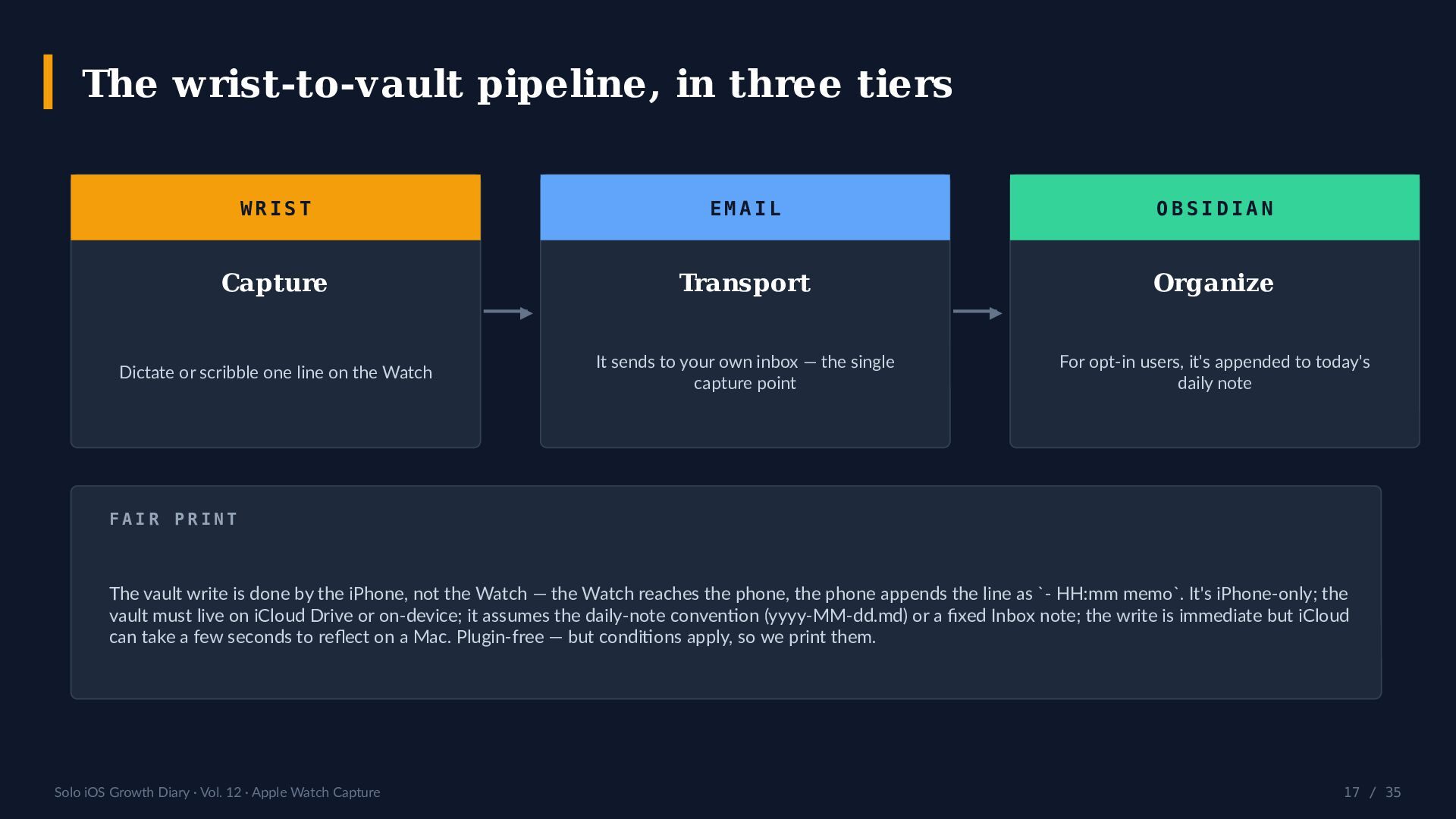
  17. The wrist-to-vault pipeline, in three tiers WRIST EMAIL OBSIDIAN Capture

    Transport Organize ▶ Dictate or scribble one line on the Watch ▶ It sends to your own inbox — the single capture point For opt-in users, it's appended to today's daily note FAIR PRINT The vault write is done by the iPhone, not the Watch — the Watch reaches the phone, the phone appends the line as `- HH:mm memo`. It's iPhone-only; the vault must live on iCloud Drive or on-device; it assumes the daily-note convention (yyyy-MM-dd.md) or a fixed Inbox note; the write is immediate but iCloud can take a few seconds to reflect on a Mac. Plugin-free — but conditions apply, so we print them. Solo iOS Growth Diary · Vol. 12 · Apple Watch Capture 17 / 35
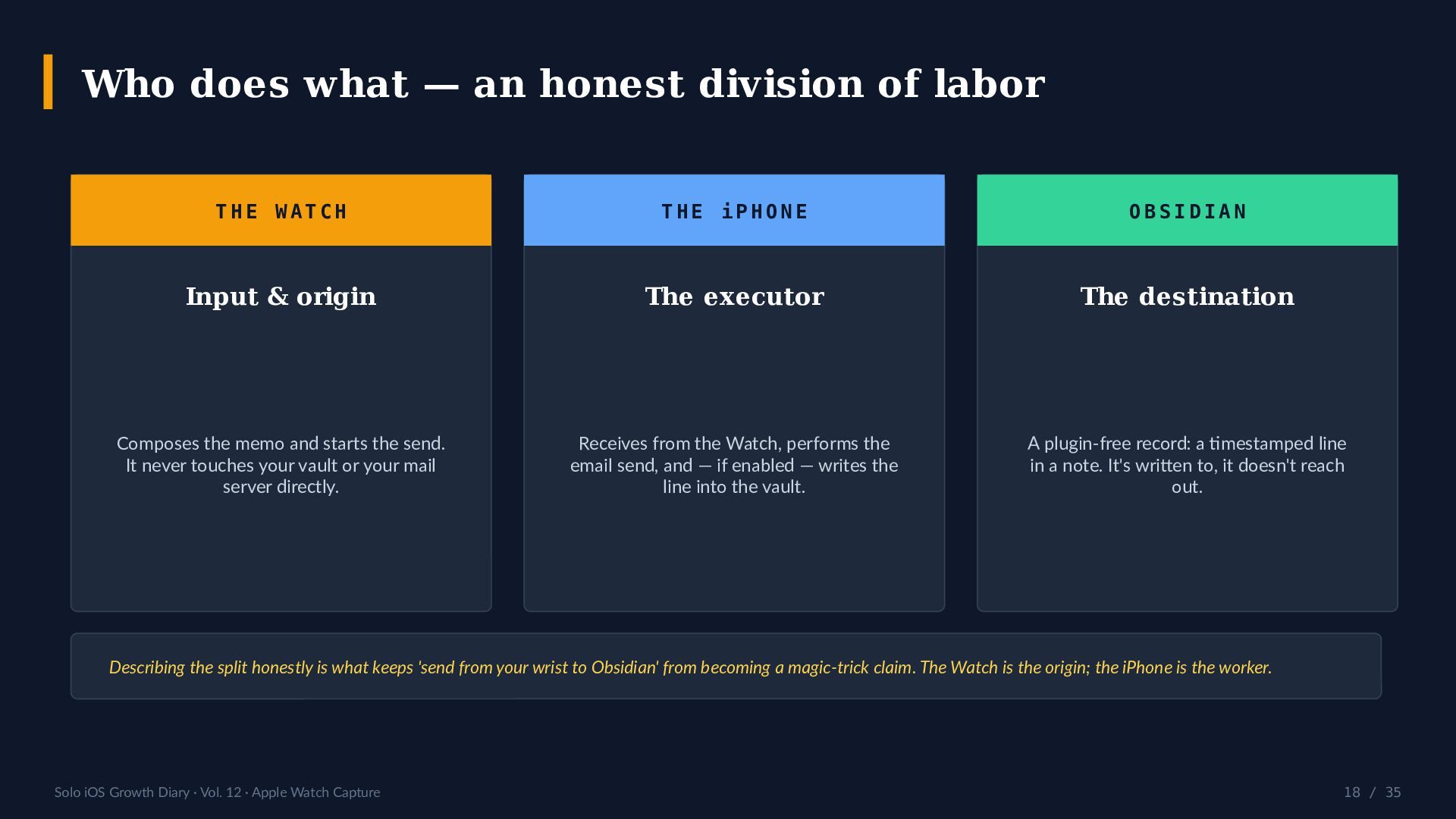
  18. Who does what — an honest division of labor THE

    WATCH THE iPHONE OBSIDIAN Input & origin The executor The destination Composes the memo and starts the send. It never touches your vault or your mail server directly. Receives from the Watch, performs the email send, and — if enabled — writes the line into the vault. A plugin-free record: a timestamped line in a note. It's written to, it doesn't reach out. Describing the split honestly is what keeps 'send from your wrist to Obsidian' from becoming a magic-trick claim. The Watch is the origin; the iPhone is the worker. Solo iOS Growth Diary · Vol. 12 · Apple Watch Capture 18 / 35
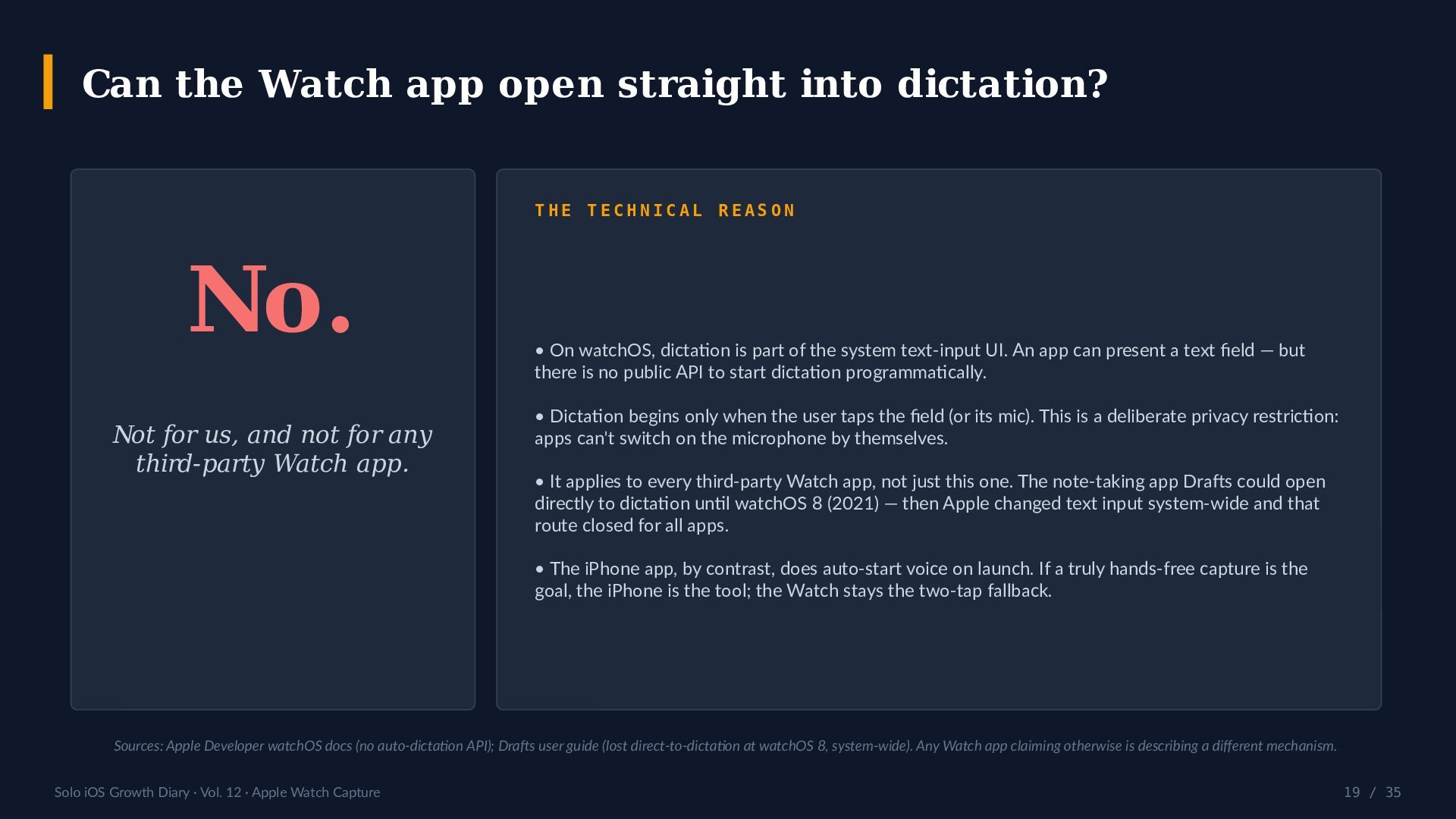
  19. Can the Watch app open straight into dictation? THE TECHNICAL

    REASON No. Not for us, and not for any third-party Watch app. • On watchOS, dictation is part of the system text-input UI. An app can present a text field — but there is no public API to start dictation programmatically. • Dictation begins only when the user taps the field (or its mic). This is a deliberate privacy restriction: apps can't switch on the microphone by themselves. • It applies to every third-party Watch app, not just this one. The note-taking app Drafts could open directly to dictation until watchOS 8 (2021) — then Apple changed text input system-wide and that route closed for all apps. • The iPhone app, by contrast, does auto-start voice on launch. If a truly hands-free capture is the goal, the iPhone is the tool; the Watch stays the two-tap fallback. Sources: Apple Developer watchOS docs (no auto-dictation API); Drafts user guide (lost direct-to-dictation at watchOS 8, system-wide). Any Watch app claiming otherwise is describing a different mechanism. Solo iOS Growth Diary · Vol. 12 · Apple Watch Capture 19 / 35
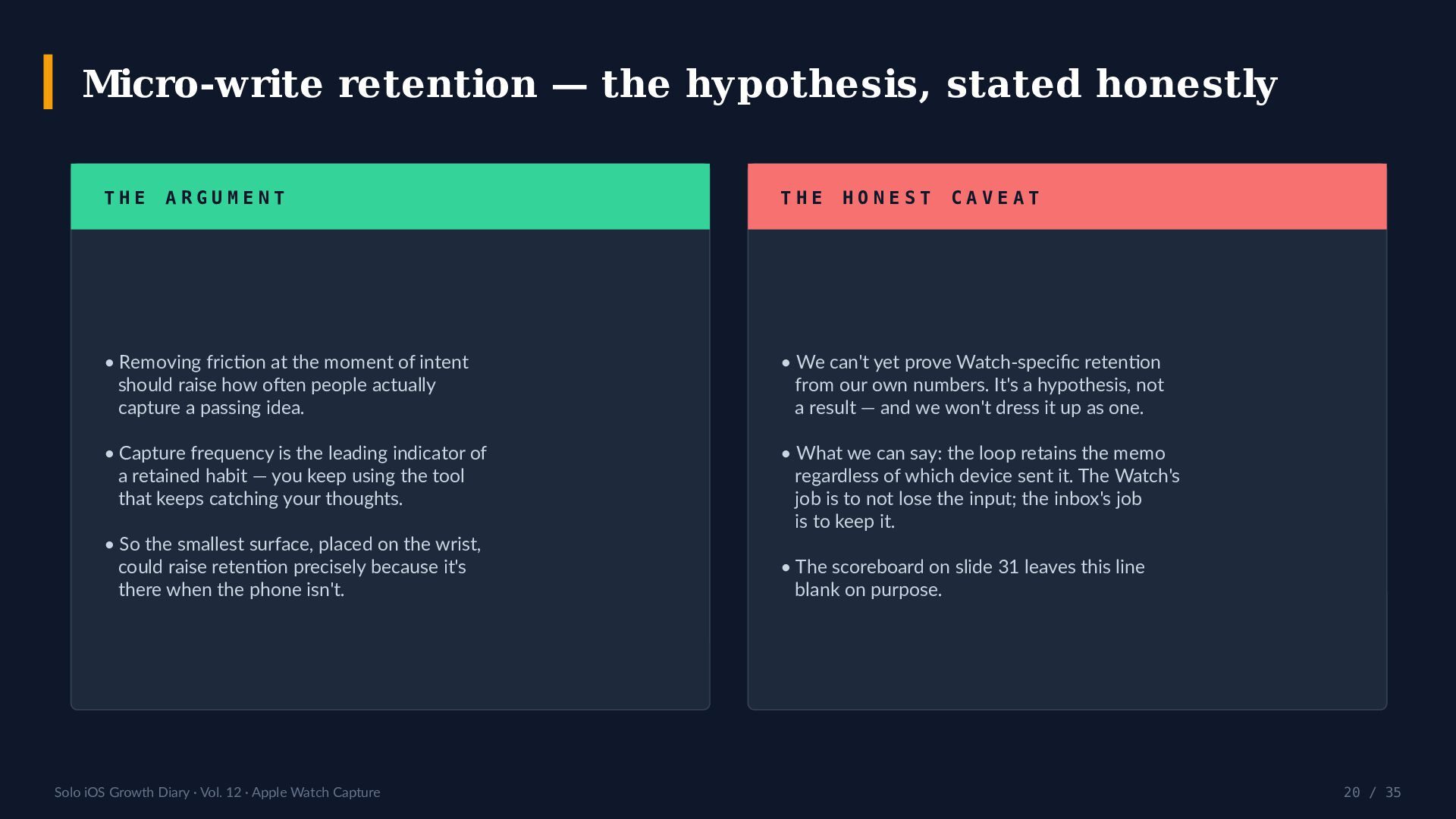
  20. Micro-write retention — the hypothesis, stated honestly THE ARGUMENT THE

    HONEST CAVEAT • Removing friction at the moment of intent should raise how often people actually capture a passing idea. • We can't yet prove Watch-specific retention from our own numbers. It's a hypothesis, not a result — and we won't dress it up as one. • Capture frequency is the leading indicator of a retained habit — you keep using the tool that keeps catching your thoughts. • What we can say: the loop retains the memo regardless of which device sent it. The Watch's job is to not lose the input; the inbox's job is to keep it. • So the smallest surface, placed on the wrist, could raise retention precisely because it's there when the phone isn't. Solo iOS Growth Diary · Vol. 12 · Apple Watch Capture • The scoreboard on slide 31 leaves this line blank on purpose. 20 / 35
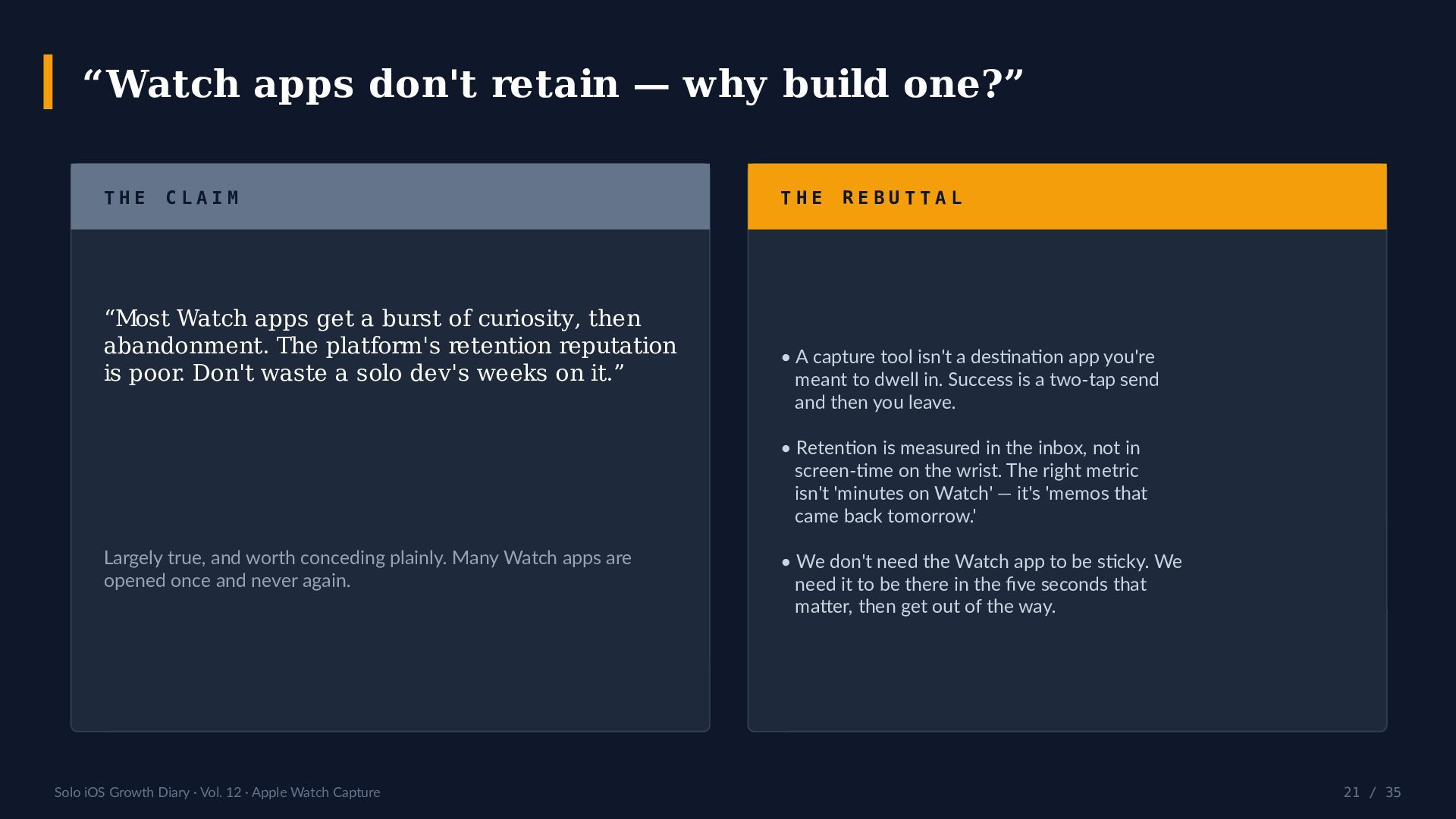
  21. “Watch apps don't retain — why build one?” THE CLAIM

    “Most Watch apps get a burst of curiosity, then abandonment. The platform's retention reputation is poor. Don't waste a solo dev's weeks on it.” THE REBUTTAL • A capture tool isn't a destination app you're meant to dwell in. Success is a two-tap send and then you leave. • Retention is measured in the inbox, not in screen-time on the wrist. The right metric isn't 'minutes on Watch' — it's 'memos that came back tomorrow.' Largely true, and worth conceding plainly. Many Watch apps are opened once and never again. Solo iOS Growth Diary · Vol. 12 · Apple Watch Capture • We don't need the Watch app to be sticky. We need it to be there in the five seconds that matter, then get out of the way. 21 / 35
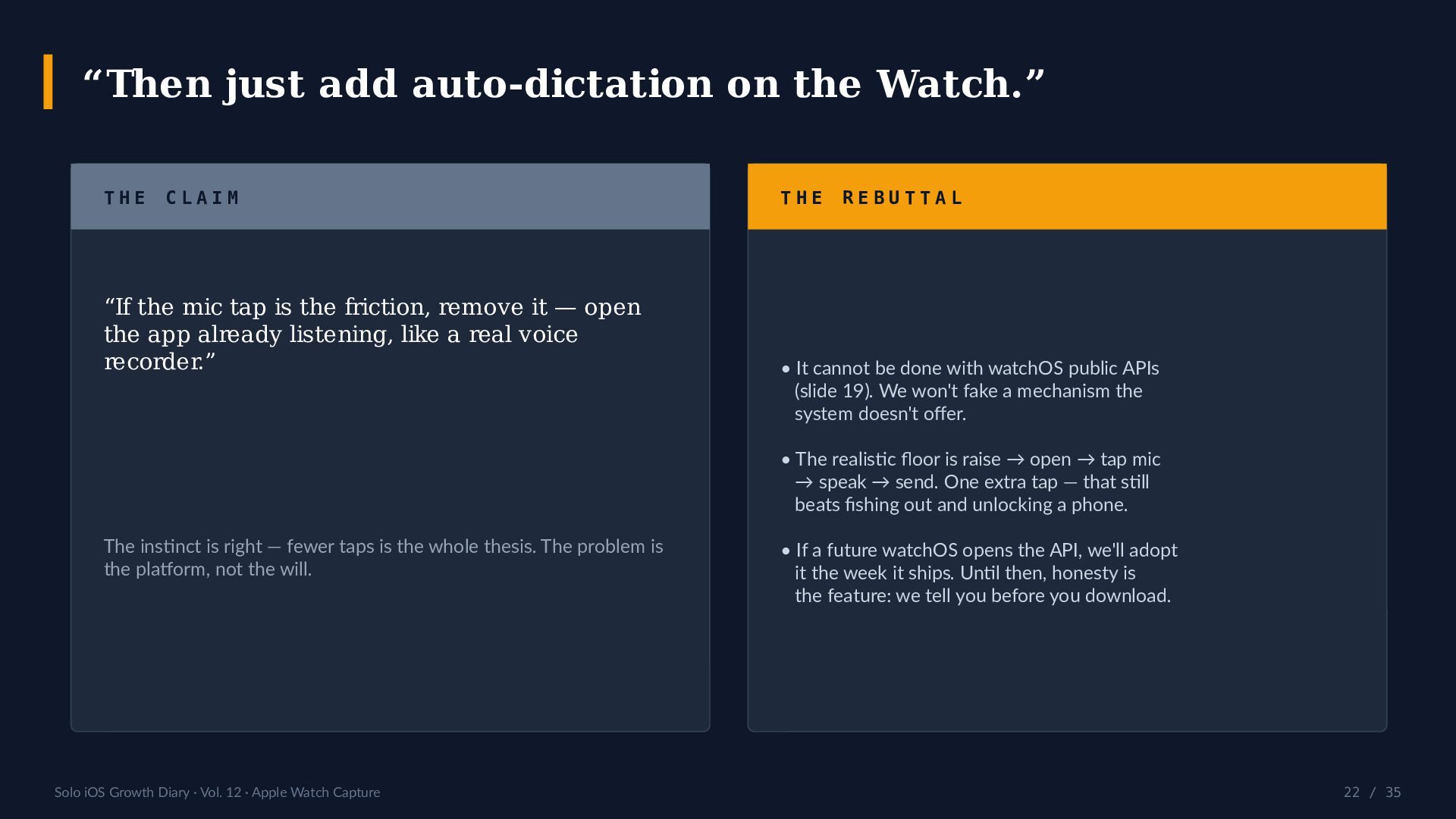
  22. “Then just add auto-dictation on the Watch.” THE CLAIM “If

    the mic tap is the friction, remove it — open the app already listening, like a real voice recorder.” THE REBUTTAL • It cannot be done with watchOS public APIs (slide 19). We won't fake a mechanism the system doesn't offer. • The realistic floor is raise → open → tap mic → speak → send. One extra tap — that still beats fishing out and unlocking a phone. The instinct is right — fewer taps is the whole thesis. The problem is the platform, not the will. Solo iOS Growth Diary · Vol. 12 · Apple Watch Capture • If a future watchOS opens the API, we'll adopt it the week it ships. Until then, honesty is the feature: we tell you before you download. 22 / 35
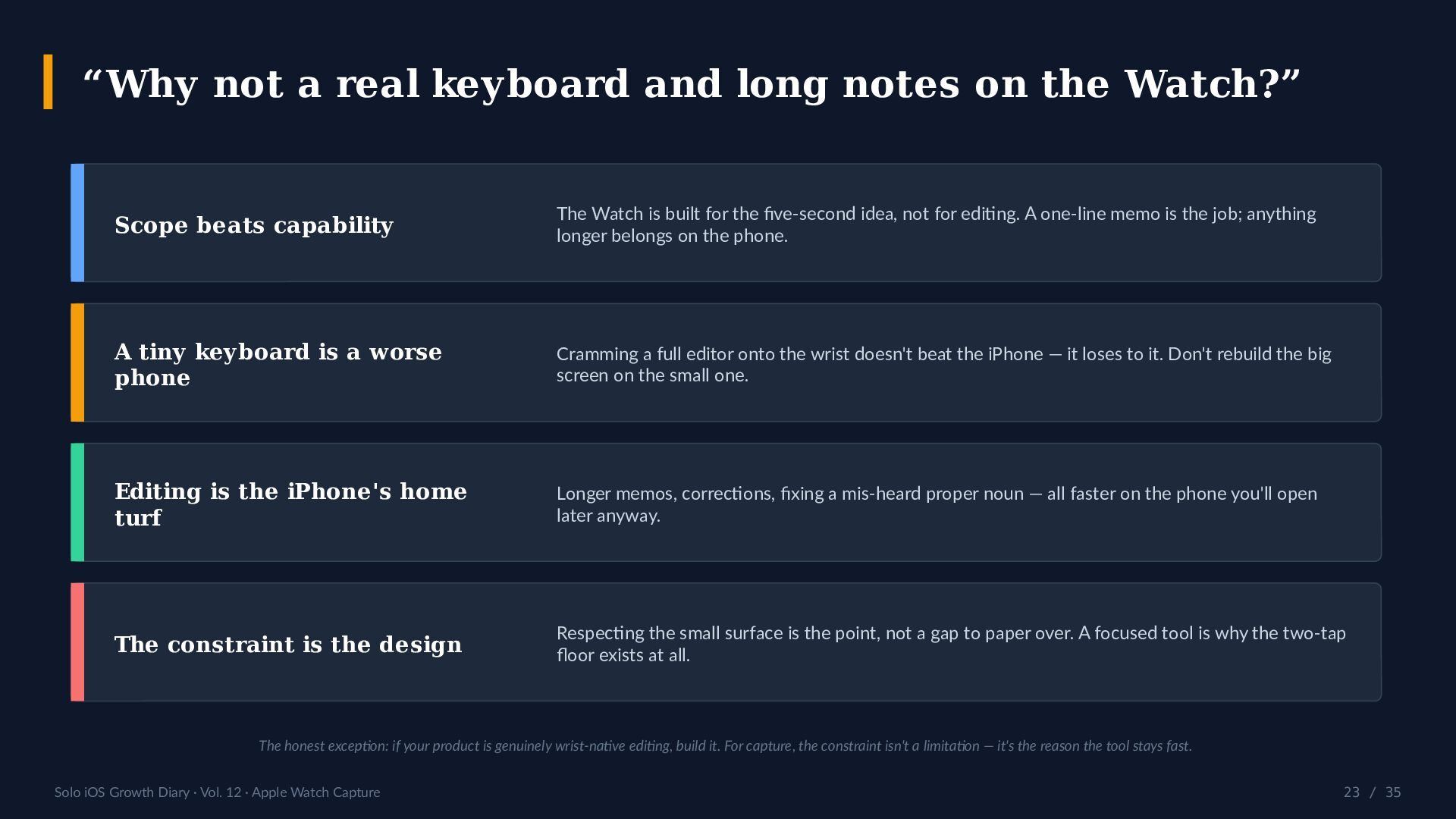
  23. “Why not a real keyboard and long notes on the

    Watch?” Scope beats capability The Watch is built for the five-second idea, not for editing. A one-line memo is the job; anything longer belongs on the phone. A tiny keyboard is a worse phone Cramming a full editor onto the wrist doesn't beat the iPhone — it loses to it. Don't rebuild the big screen on the small one. Editing is the iPhone's home turf Longer memos, corrections, fixing a mis-heard proper noun — all faster on the phone you'll open later anyway. The constraint is the design Respecting the small surface is the point, not a gap to paper over. A focused tool is why the two-tap floor exists at all. The honest exception: if your product is genuinely wrist-native editing, build it. For capture, the constraint isn't a limitation — it's the reason the tool stays fast. Solo iOS Growth Diary · Vol. 12 · Apple Watch Capture 23 / 35
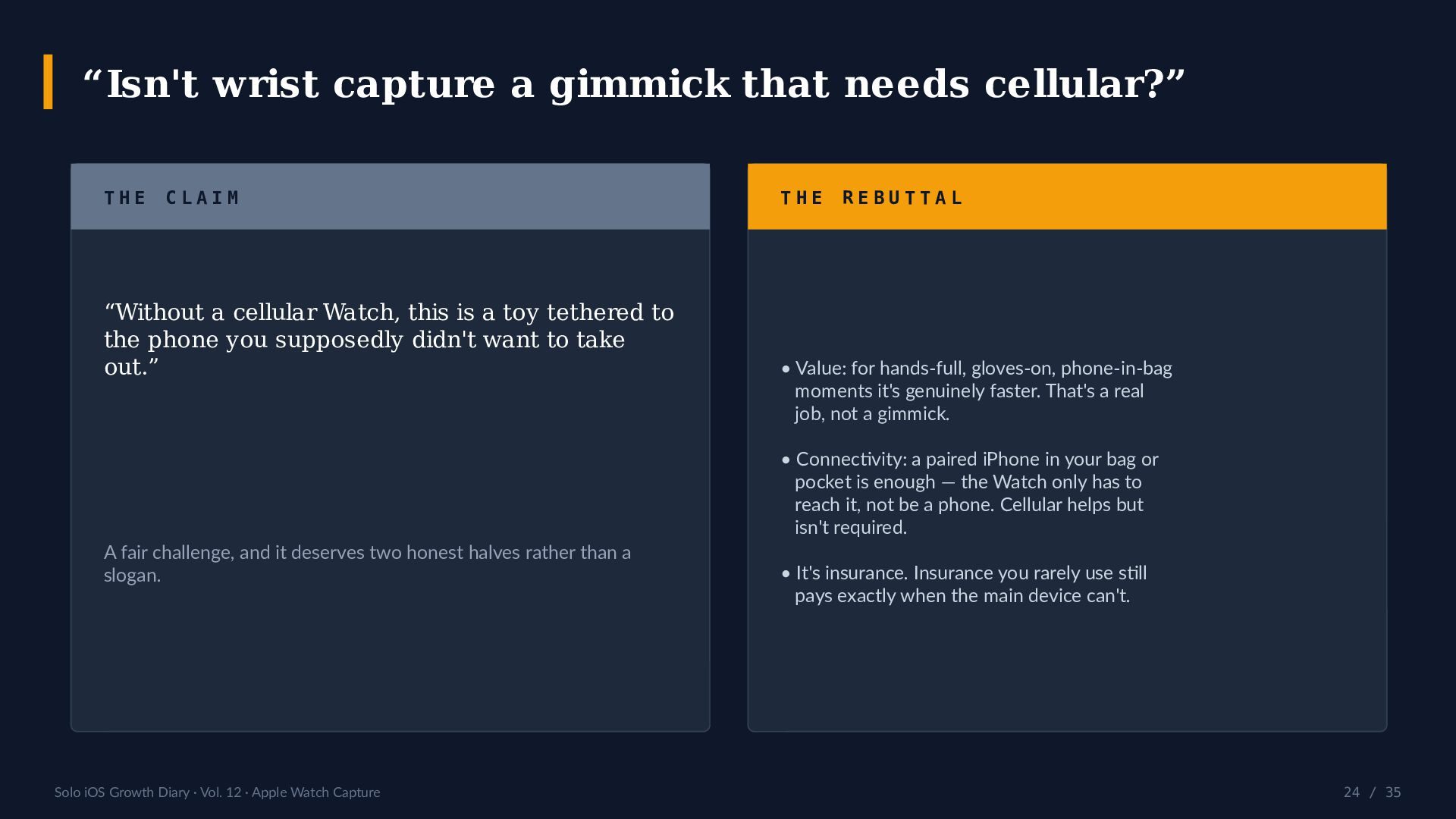
  24. “Isn't wrist capture a gimmick that needs cellular?” THE CLAIM

    “Without a cellular Watch, this is a toy tethered to the phone you supposedly didn't want to take out.” THE REBUTTAL • Value: for hands-full, gloves-on, phone-in-bag moments it's genuinely faster. That's a real job, not a gimmick. • Connectivity: a paired iPhone in your bag or pocket is enough — the Watch only has to reach it, not be a phone. Cellular helps but isn't required. A fair challenge, and it deserves two honest halves rather than a slogan. Solo iOS Growth Diary · Vol. 12 · Apple Watch Capture • It's insurance. Insurance you rarely use still pays exactly when the main device can't. 24 / 35
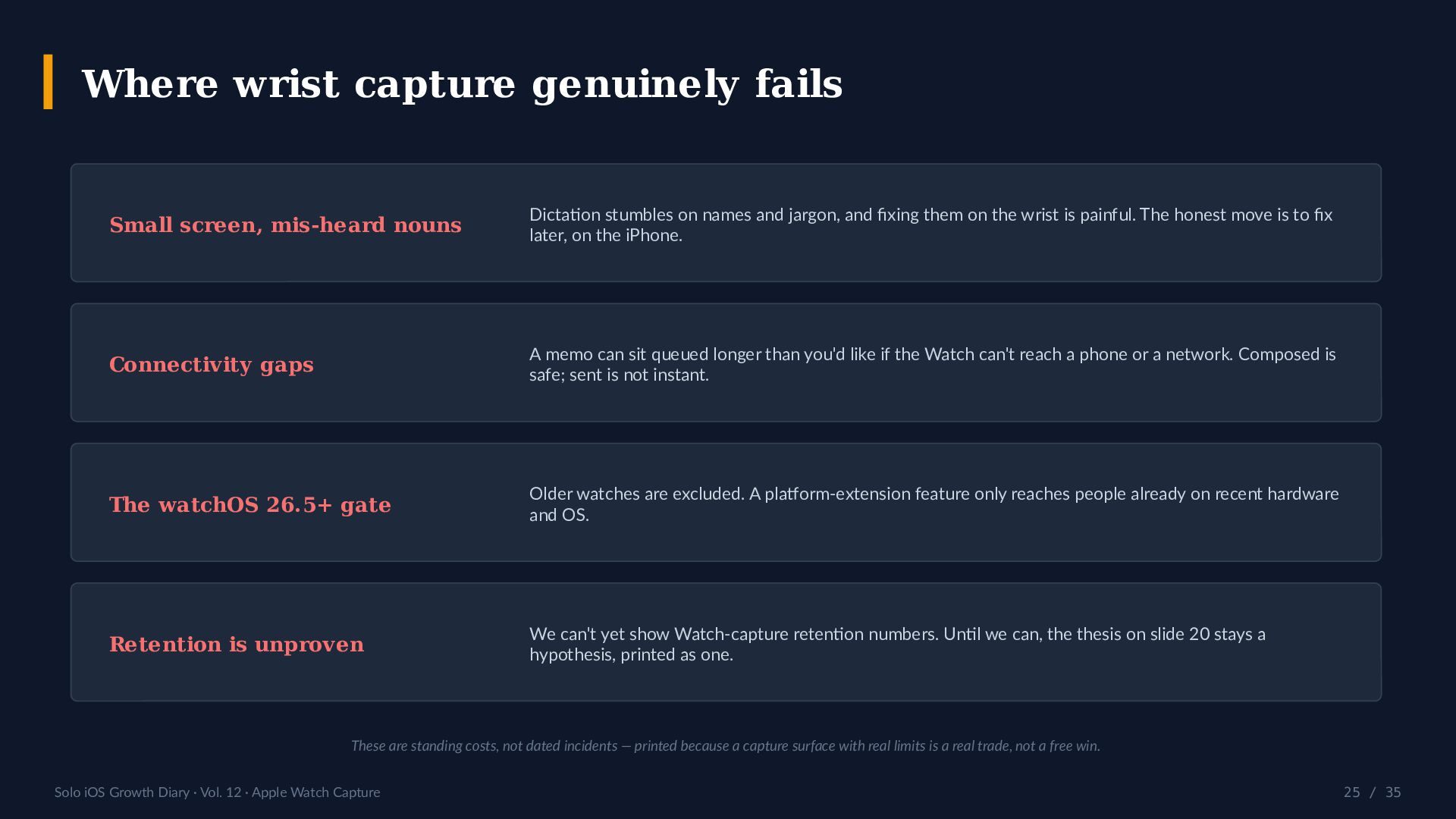
  25. Where wrist capture genuinely fails Small screen, mis-heard nouns Dictation

    stumbles on names and jargon, and fixing them on the wrist is painful. The honest move is to fix later, on the iPhone. Connectivity gaps A memo can sit queued longer than you'd like if the Watch can't reach a phone or a network. Composed is safe; sent is not instant. The watchOS 26.5+ gate Older watches are excluded. A platform-extension feature only reaches people already on recent hardware and OS. Retention is unproven We can't yet show Watch-capture retention numbers. Until we can, the thesis on slide 20 stays a hypothesis, printed as one. These are standing costs, not dated incidents — printed because a capture surface with real limits is a real trade, not a free win. Solo iOS Growth Diary · Vol. 12 · Apple Watch Capture 25 / 35
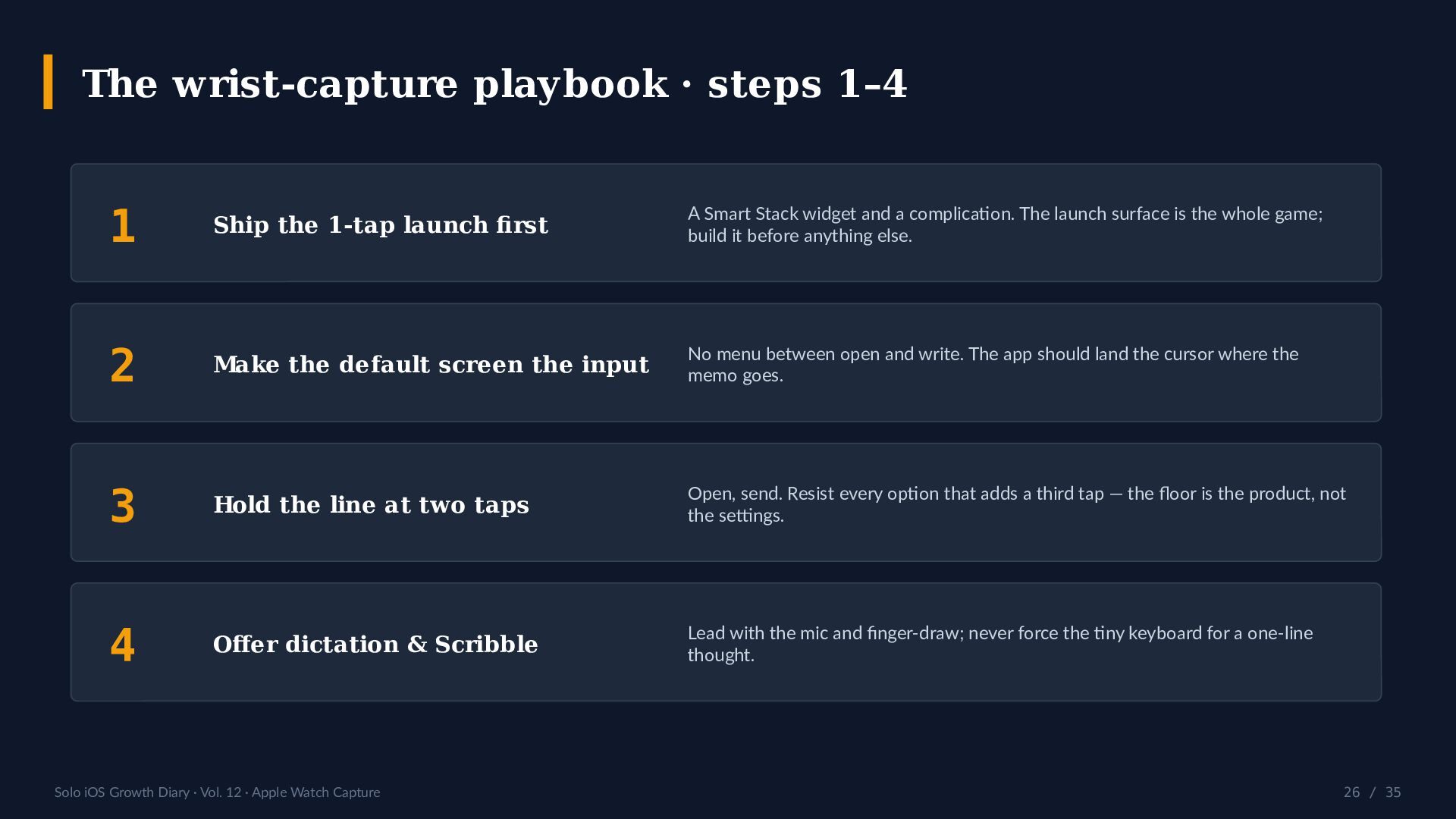
  26. The wrist-capture playbook · steps 1–4 1 Ship the 1-tap

    launch first A Smart Stack widget and a complication. The launch surface is the whole game; build it before anything else. 2 Make the default screen the input No menu between open and write. The app should land the cursor where the memo goes. 3 Hold the line at two taps Open, send. Resist every option that adds a third tap — the floor is the product, not the settings. 4 Offer dictation & Scribble Lead with the mic and finger-draw; never force the tiny keyboard for a one-line thought. Solo iOS Growth Diary · Vol. 12 · Apple Watch Capture 26 / 35
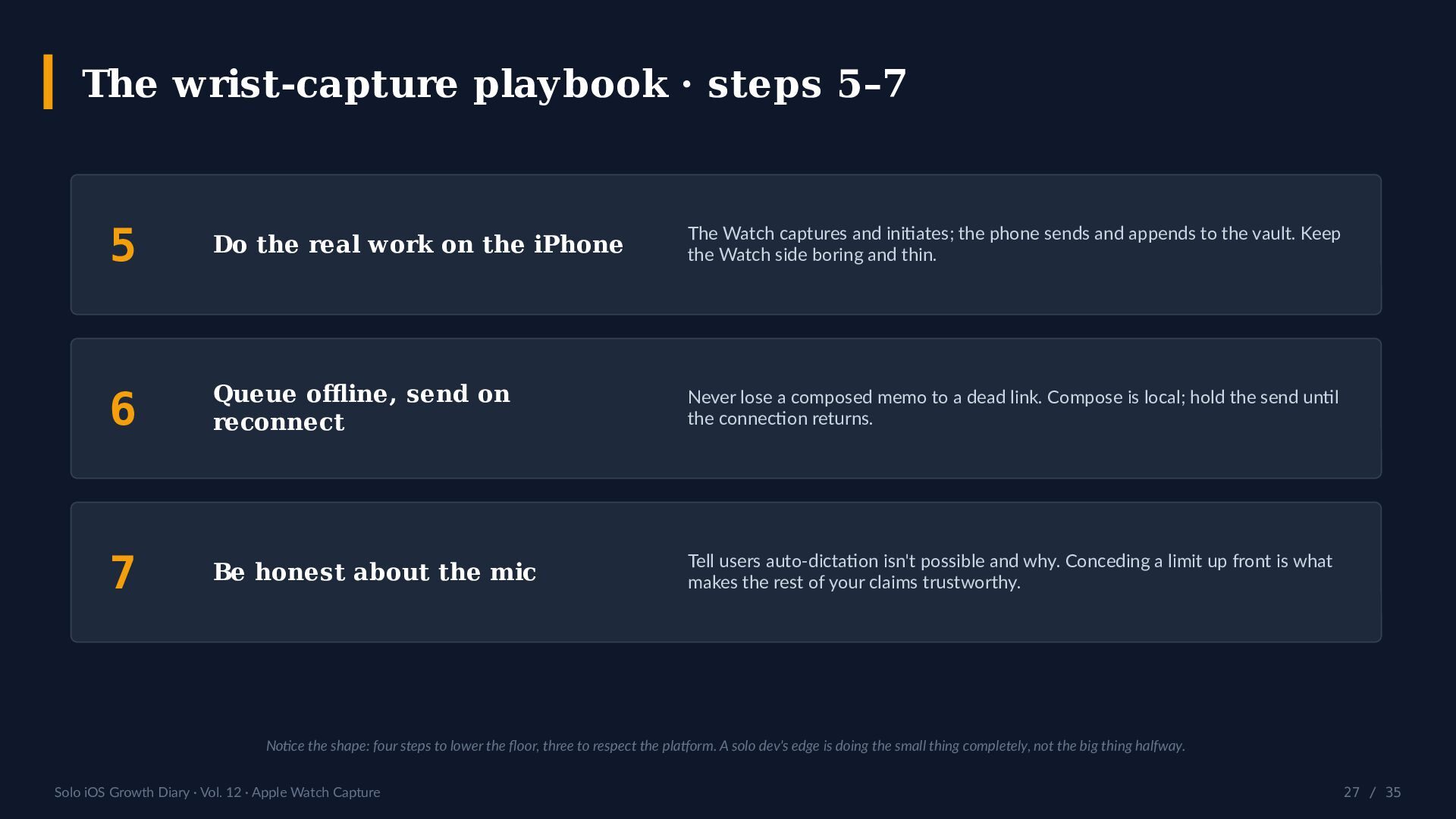
  27. The wrist-capture playbook · steps 5–7 5 Do the real

    work on the iPhone The Watch captures and initiates; the phone sends and appends to the vault. Keep the Watch side boring and thin. 6 Queue offline, send on reconnect Never lose a composed memo to a dead link. Compose is local; hold the send until the connection returns. 7 Be honest about the mic Tell users auto-dictation isn't possible and why. Conceding a limit up front is what makes the rest of your claims trustworthy. Notice the shape: four steps to lower the floor, three to respect the platform. A solo dev's edge is doing the small thing completely, not the big thing halfway. Solo iOS Growth Diary · Vol. 12 · Apple Watch Capture 27 / 35
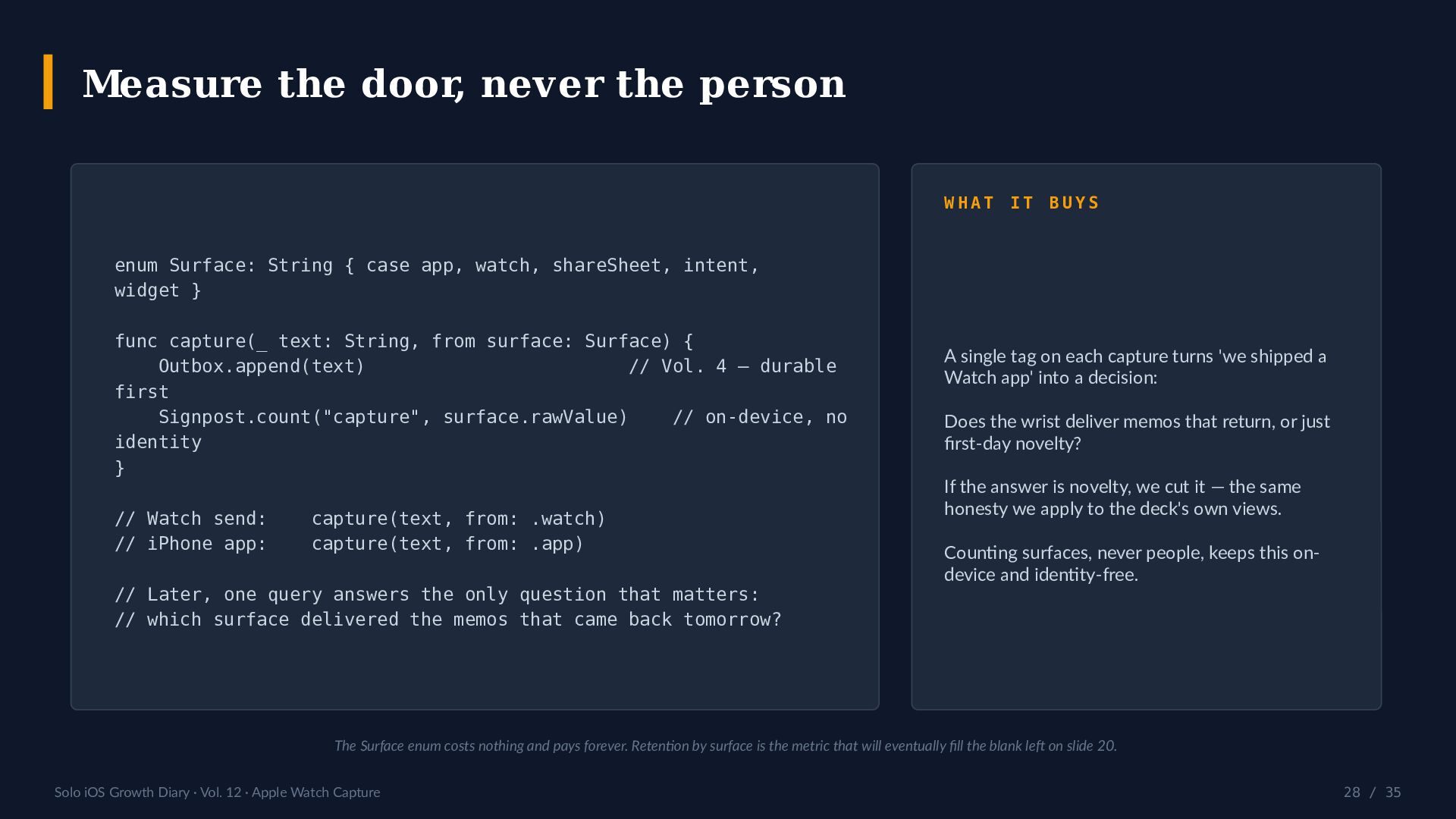
  28. Measure the door, never the person WHAT IT BUYS enum

    Surface: String { case app, watch, shareSheet, intent, widget } func capture(_ text: String, from surface: Surface) { Outbox.append(text) // Vol. 4 — durable first Signpost.count("capture", surface.rawValue) // on-device, no identity } // Watch send: // iPhone app: capture(text, from: .watch) capture(text, from: .app) // Later, one query answers the only question that matters: // which surface delivered the memos that came back tomorrow? A single tag on each capture turns 'we shipped a Watch app' into a decision: Does the wrist deliver memos that return, or just first-day novelty? If the answer is novelty, we cut it — the same honesty we apply to the deck's own views. Counting surfaces, never people, keeps this ondevice and identity-free. The Surface enum costs nothing and pays forever. Retention by surface is the metric that will eventually fill the blank left on slide 20. Solo iOS Growth Diary · Vol. 12 · Apple Watch Capture 28 / 35
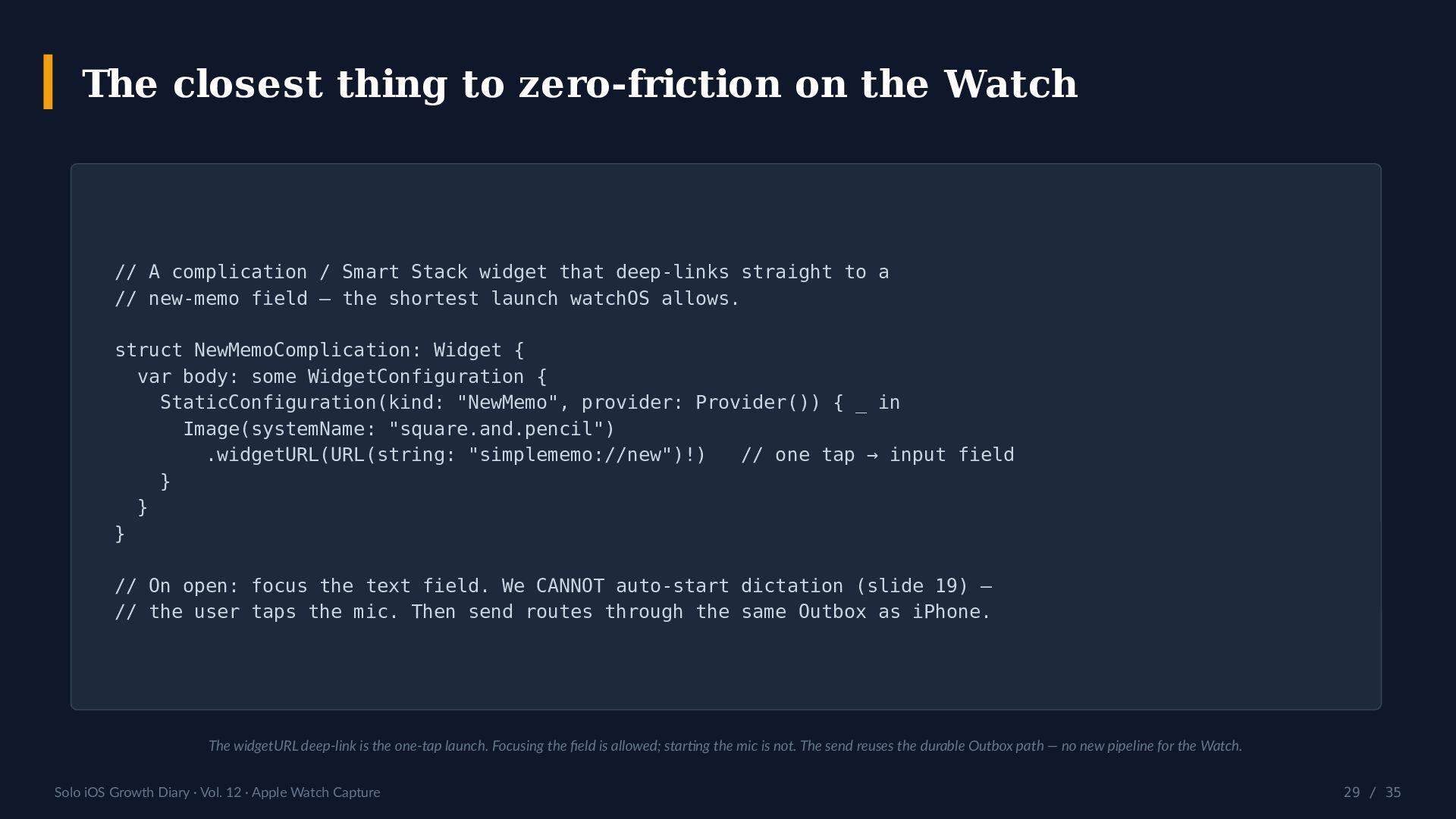
  29. The closest thing to zero-friction on the Watch // A

    complication / Smart Stack widget that deep-links straight to a // new-memo field — the shortest launch watchOS allows. struct NewMemoComplication: Widget { var body: some WidgetConfiguration { StaticConfiguration(kind: "NewMemo", provider: Provider()) { _ in Image(systemName: "square.and.pencil") .widgetURL(URL(string: "simplememo://new")!) // one tap → input field } } } // On open: focus the text field. We CANNOT auto-start dictation (slide 19) — // the user taps the mic. Then send routes through the same Outbox as iPhone. The widgetURL deep-link is the one-tap launch. Focusing the field is allowed; starting the mic is not. The send reuses the durable Outbox path — no new pipeline for the Watch. Solo iOS Growth Diary · Vol. 12 · Apple Watch Capture 29 / 35
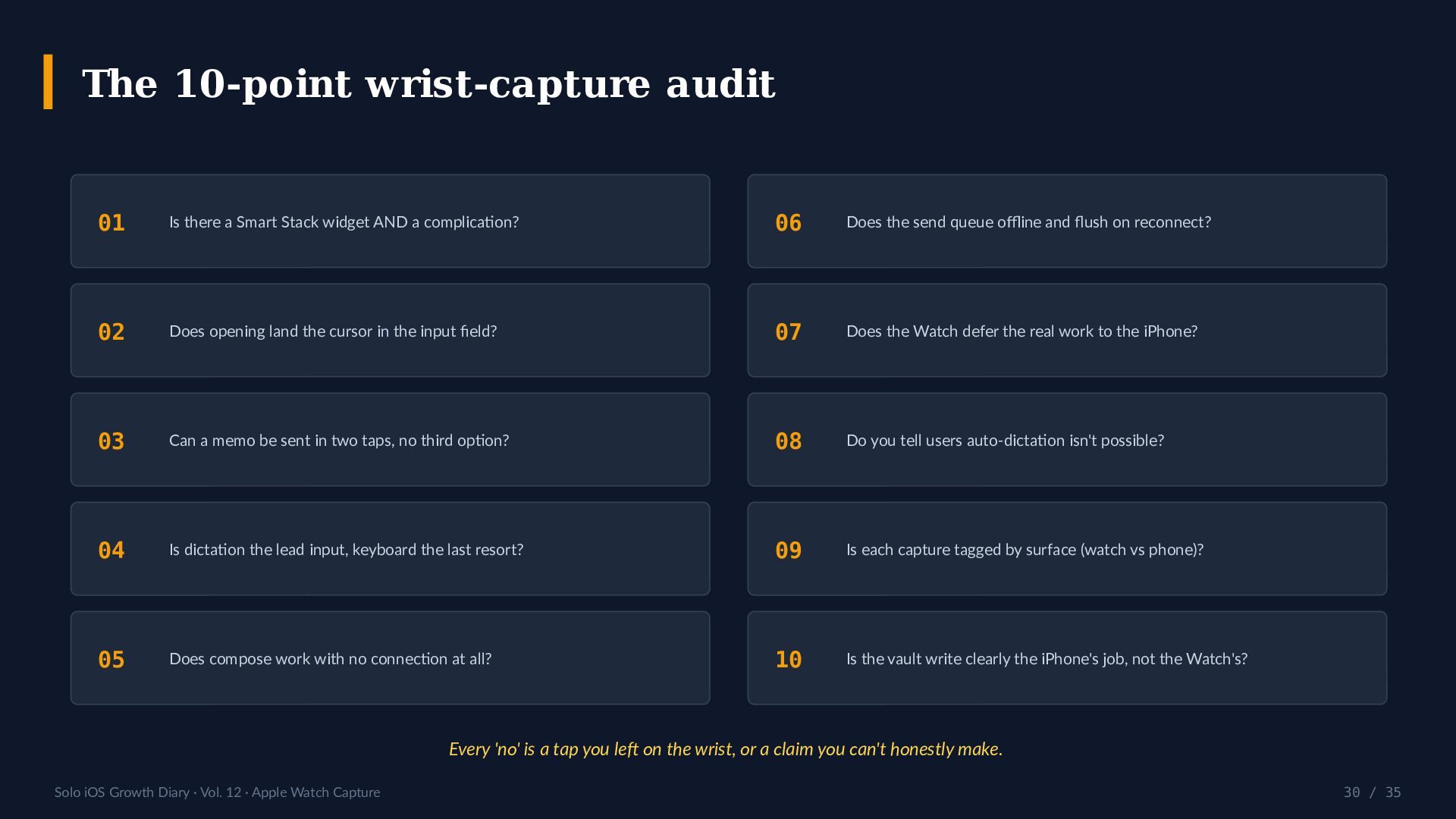
  30. The 10-point wrist-capture audit 01 Is there a Smart Stack

    widget AND a complication? 06 Does the send queue offline and flush on reconnect? 02 Does opening land the cursor in the input field? 07 Does the Watch defer the real work to the iPhone? 03 Can a memo be sent in two taps, no third option? 08 Do you tell users auto-dictation isn't possible? 04 Is dictation the lead input, keyboard the last resort? 09 Is each capture tagged by surface (watch vs phone)? 05 Does compose work with no connection at all? 10 Is the vault write clearly the iPhone's job, not the Watch's? Every 'no' is a tap you left on the wrist, or a claim you can't honestly make. Solo iOS Growth Diary · Vol. 12 · Apple Watch Capture 30 / 35
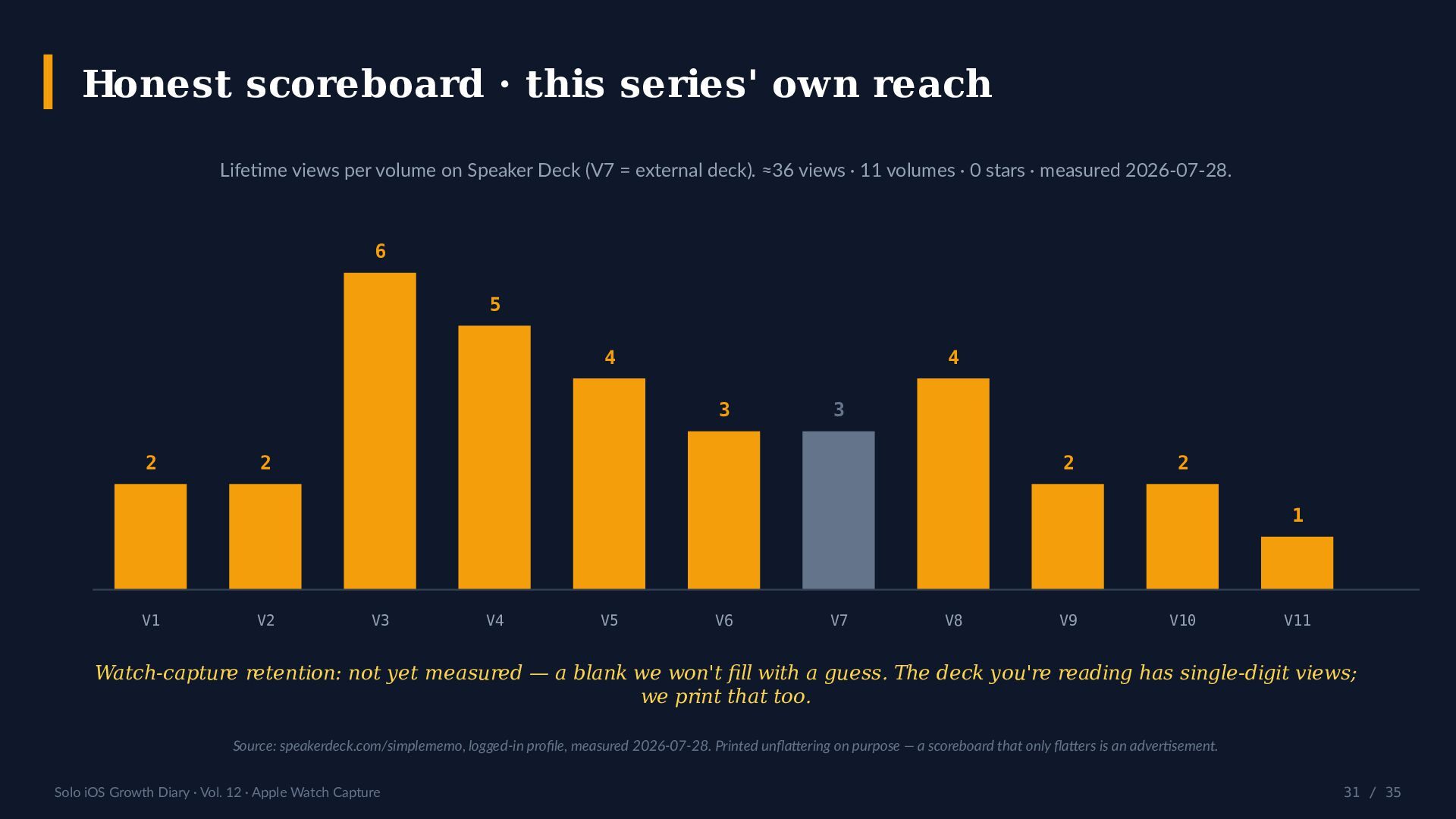
  31. Honest scoreboard · this series' own reach Lifetime views per

    volume on Speaker Deck (V7 = external deck). ≈36 views · 11 volumes · 0 stars · measured 2026-07-28. 6 5 4 4 3 2 3 2 2 2 1 V1 V2 V3 V4 V5 V6 V7 V8 V9 V10 V11 Watch-capture retention: not yet measured — a blank we won't fill with a guess. The deck you're reading has single-digit views; we print that too. Source: speakerdeck.com/simplememo, logged-in profile, measured 2026-07-28. Printed unflattering on purpose — a scoreboard that only flatters is an advertisement. Solo iOS Growth Diary · Vol. 12 · Apple Watch Capture 31 / 35
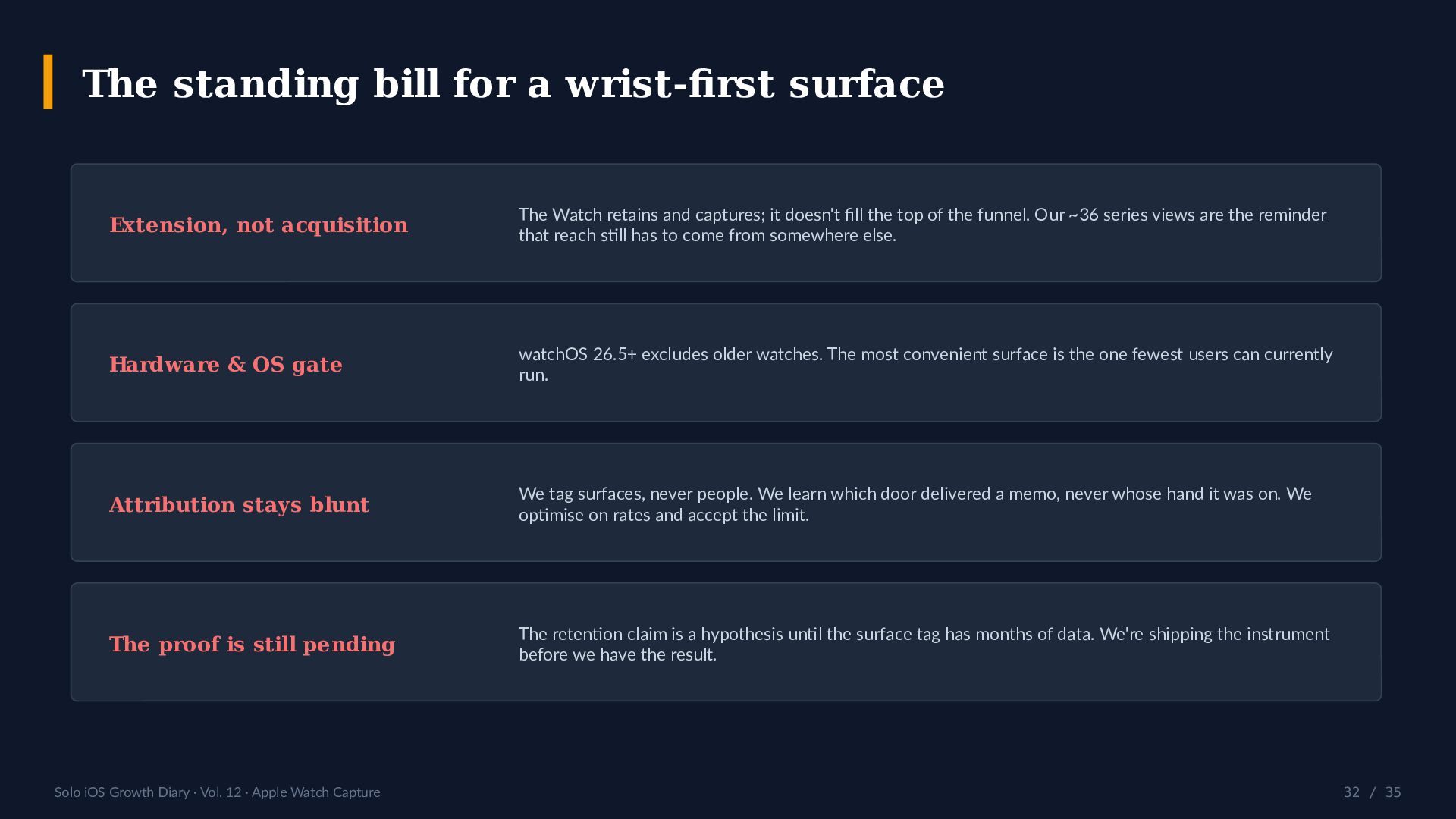
  32. The standing bill for a wrist-first surface Extension, not acquisition

    The Watch retains and captures; it doesn't fill the top of the funnel. Our ~36 series views are the reminder that reach still has to come from somewhere else. Hardware & OS gate watchOS 26.5+ excludes older watches. The most convenient surface is the one fewest users can currently run. Attribution stays blunt We tag surfaces, never people. We learn which door delivered a memo, never whose hand it was on. We optimise on rates and accept the limit. The proof is still pending The retention claim is a hypothesis until the surface tag has months of data. We're shipping the instrument before we have the result. Solo iOS Growth Diary · Vol. 12 · Apple Watch Capture 32 / 35
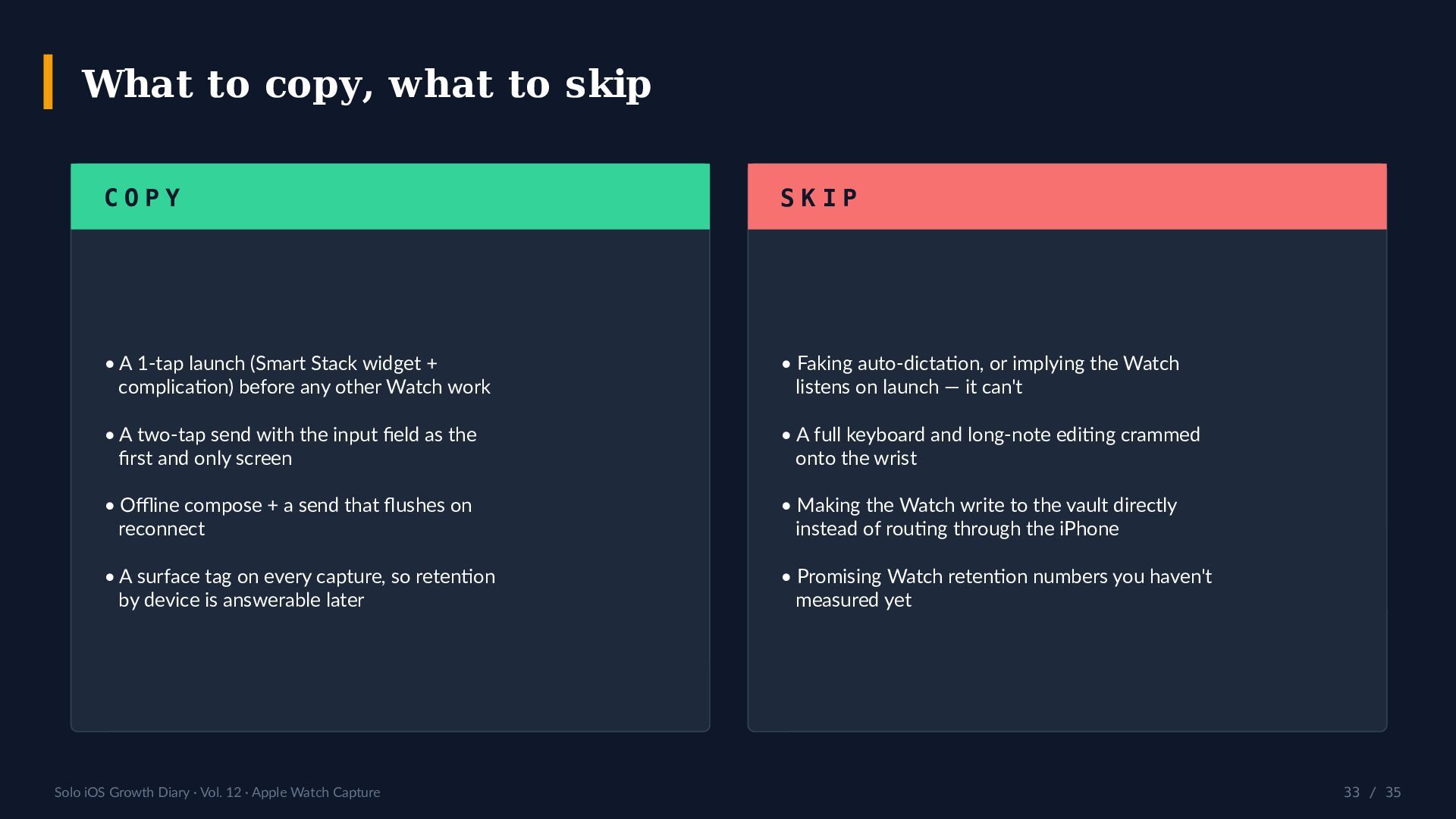
  33. What to copy, what to skip COPY SKIP • A

    1-tap launch (Smart Stack widget + complication) before any other Watch work • Faking auto-dictation, or implying the Watch listens on launch — it can't • A two-tap send with the input field as the first and only screen • A full keyboard and long-note editing crammed onto the wrist • Offline compose + a send that flushes on reconnect • Making the Watch write to the vault directly instead of routing through the iPhone • A surface tag on every capture, so retention by device is answerable later • Promising Watch retention numbers you haven't measured yet Solo iOS Growth Diary · Vol. 12 · Apple Watch Capture 33 / 35
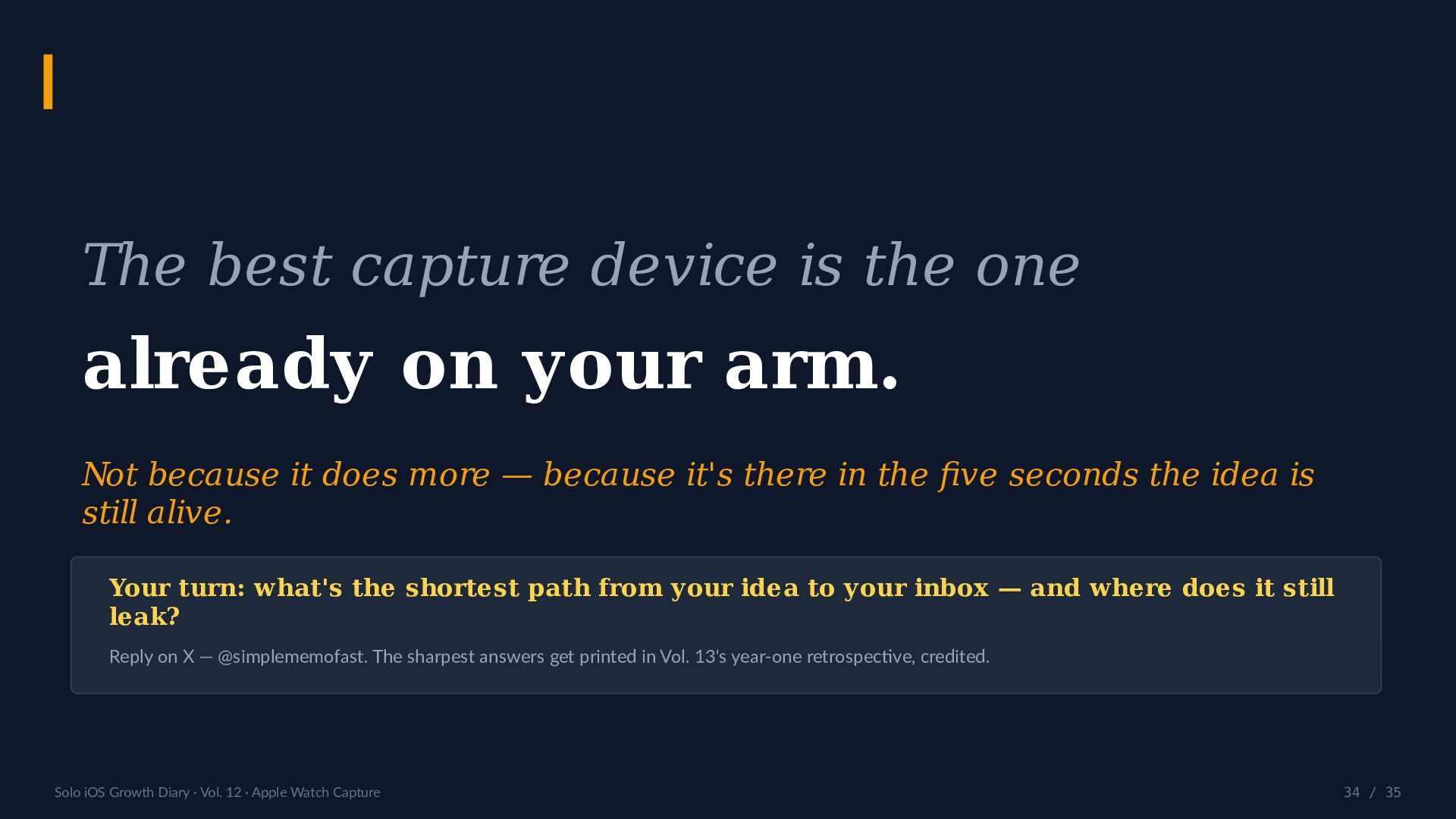
  34. The best capture device is the one already on your

    arm. Not because it does more — because it's there in the five seconds the idea is still alive. Your turn: what's the shortest path from your idea to your inbox — and where does it still leak? Reply on X — @simplememofast. The sharpest answers get printed in Vol. 13's year-one retrospective, credited. Solo iOS Growth Diary · Vol. 12 · Apple Watch Capture 34 / 35
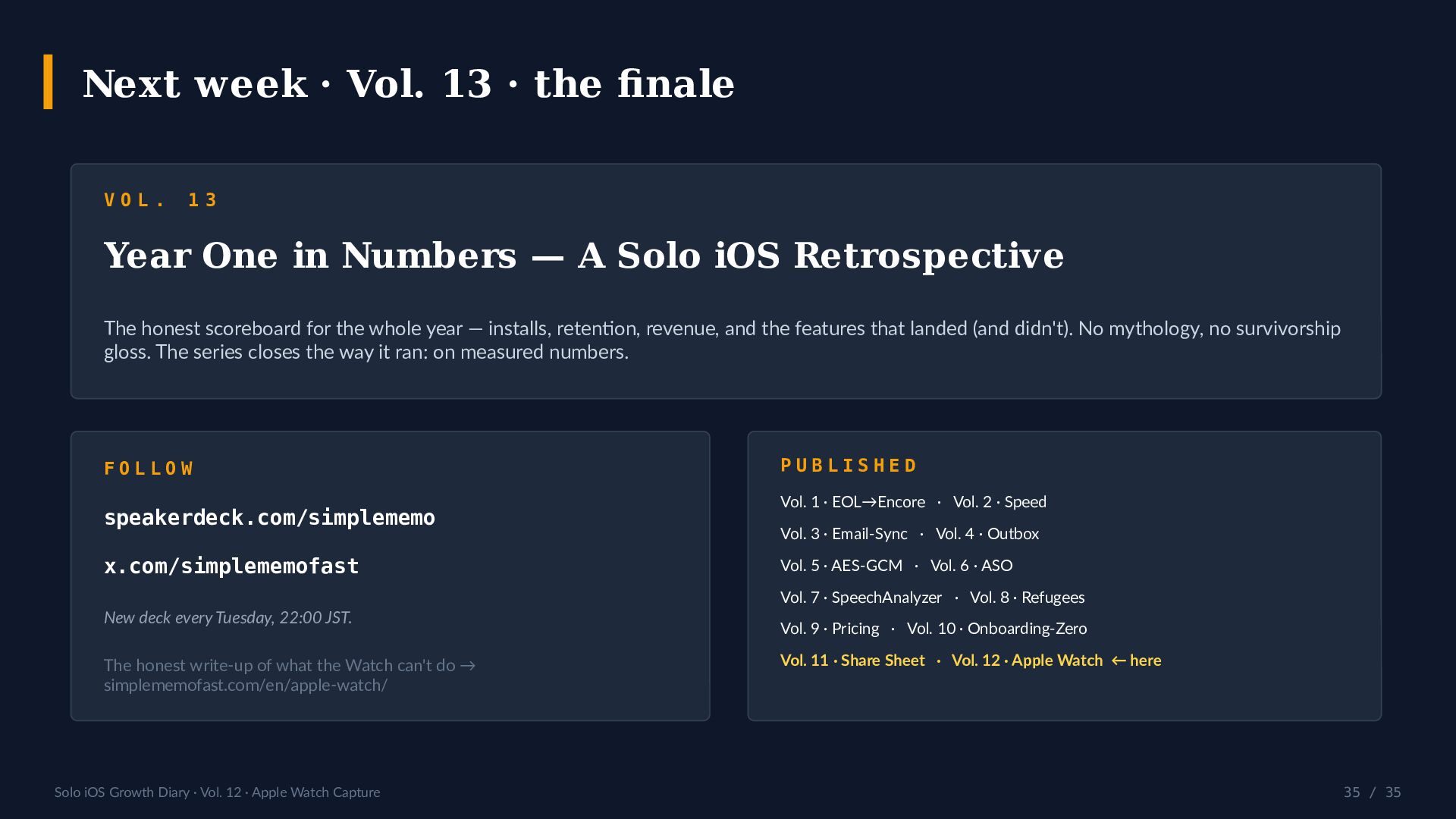
  35. Next week · Vol. 13 · the finale VOL. 13

    Year One in Numbers — A Solo iOS Retrospective The honest scoreboard for the whole year — installs, retention, revenue, and the features that landed (and didn't). No mythology, no survivorship gloss. The series closes the way it ran: on measured numbers. FOLLOW speakerdeck.com/simplememo x.com/simplememofast PUBLISHED Vol. 1 · EOL→Encore · Vol. 2 · Speed Vol. 3 · Email-Sync · Vol. 4 · Outbox Vol. 5 · AES-GCM · Vol. 6 · ASO Vol. 7 · SpeechAnalyzer · Vol. 8 · Refugees New deck every Tuesday, 22:00 JST. The honest write-up of what the Watch can't do → simplememofast.com/en/apple-watch/ Solo iOS Growth Diary · Vol. 12 · Apple Watch Capture Vol. 9 · Pricing · Vol. 10 · Onboarding-Zero Vol. 11 · Share Sheet · Vol. 12 · Apple Watch ← here 35 / 35