Upgrade to Pro — share decks privately, control downloads, hide ads and more …

Solo iOS Growth Diary — Vol. 10: Onboarding-Zer...

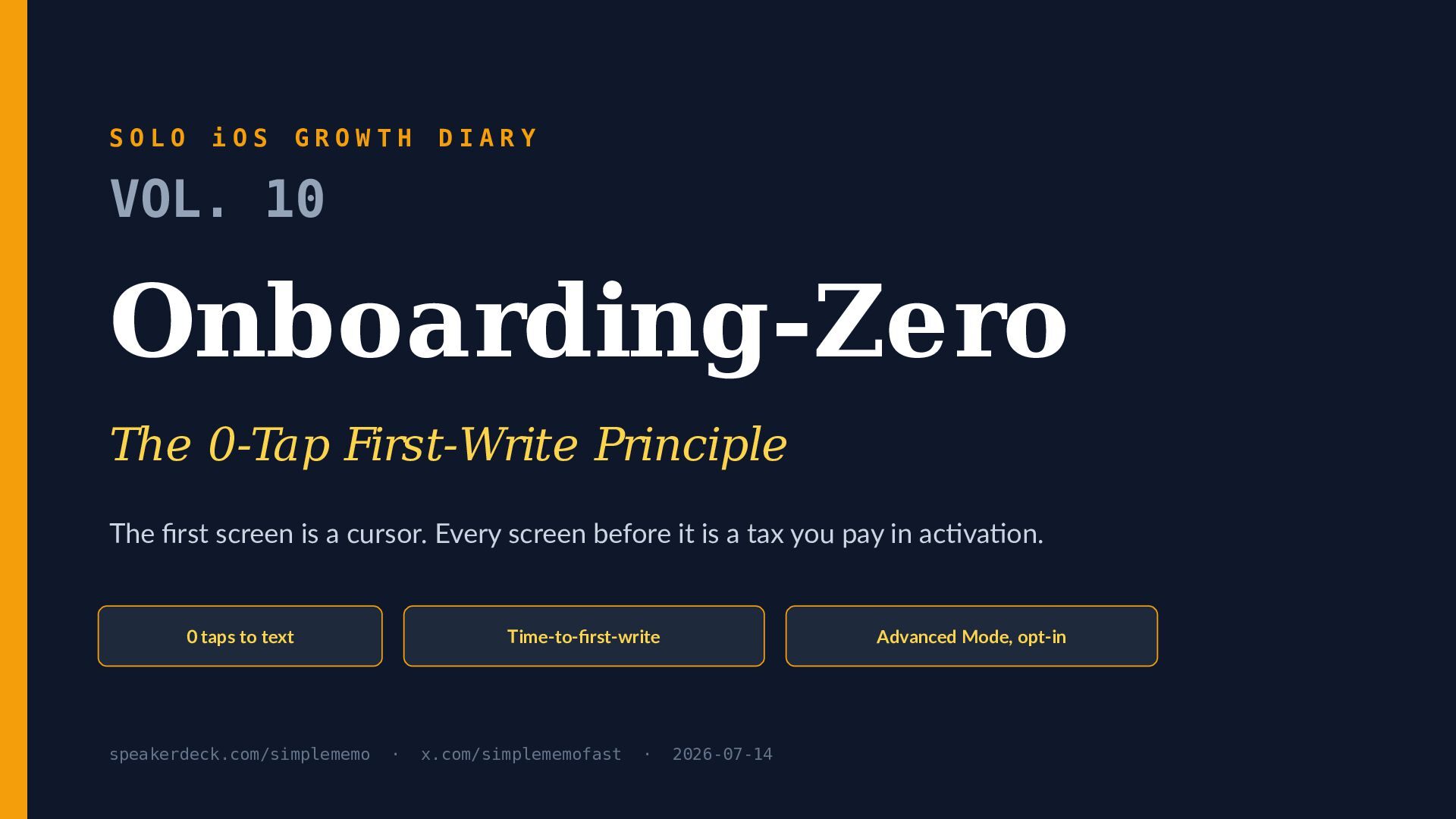
Solo iOS Growth Diary — Vol. 10: Onboarding-Zero (The 0-Tap First-Write Principle)

Most onboarding is a tax the user pays before receiving anything. Vol. 10 of Solo iOS Growth Diary argues that the first screen of a memo app should be a cursor, and that the only activation number worth optimising is time-to-first-write (TTFW).

This deck is a field report from a solo iOS developer building SimpleMemo, a Captio-style zero-tap memo app that sends an encrypted memo to your own inbox. It covers what happened when we broke our own rule: on 2025-08-14 we put a 7-day trial in front of the first memo, and activation fell 41%. We reverted it in a week. That number, not a design opinion, is the argument.

Inside:
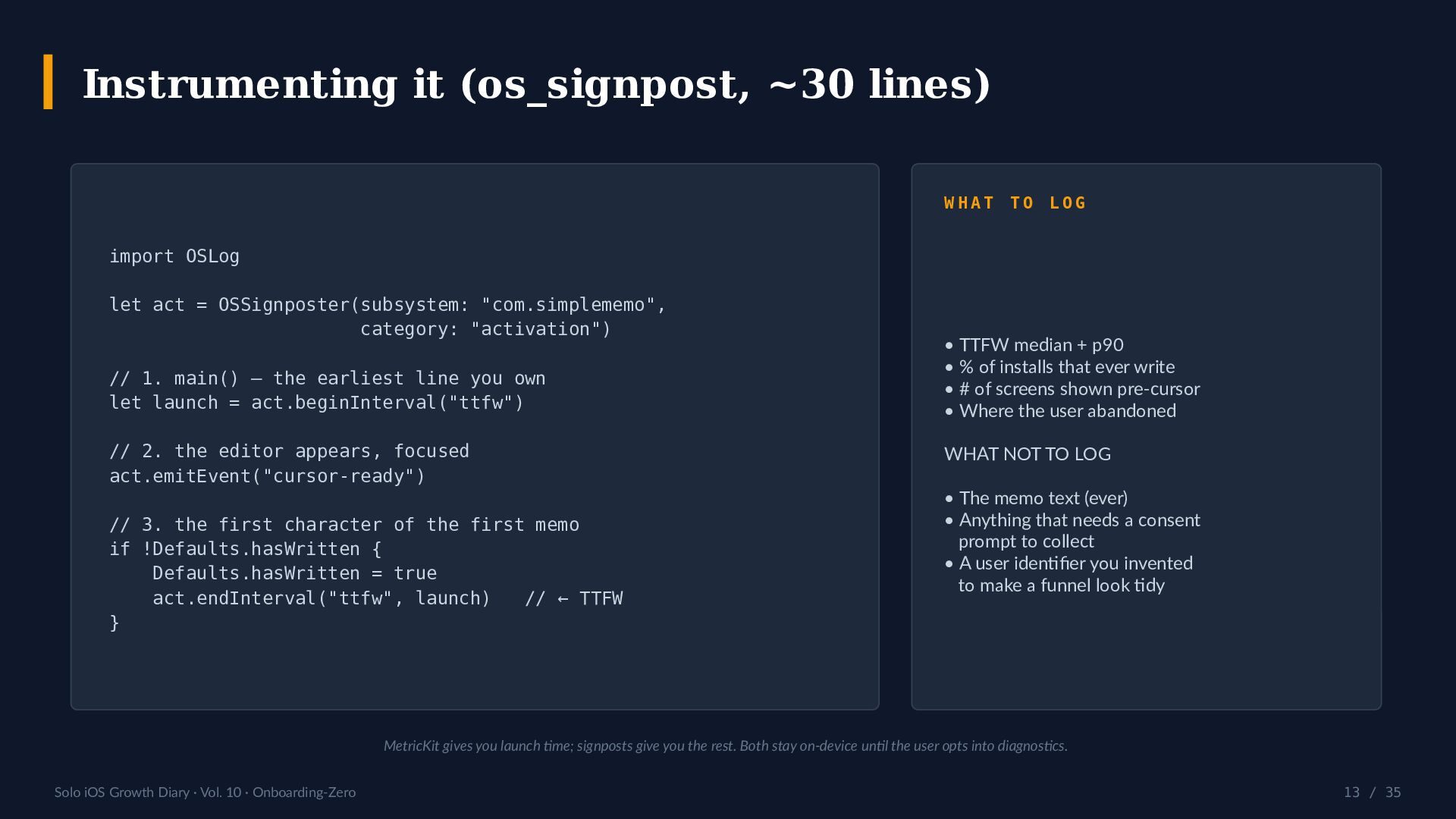
- TTFW defined and instrumented — an os_signpost at main(), one at the first committed character, a median and a p90. About 30 lines.
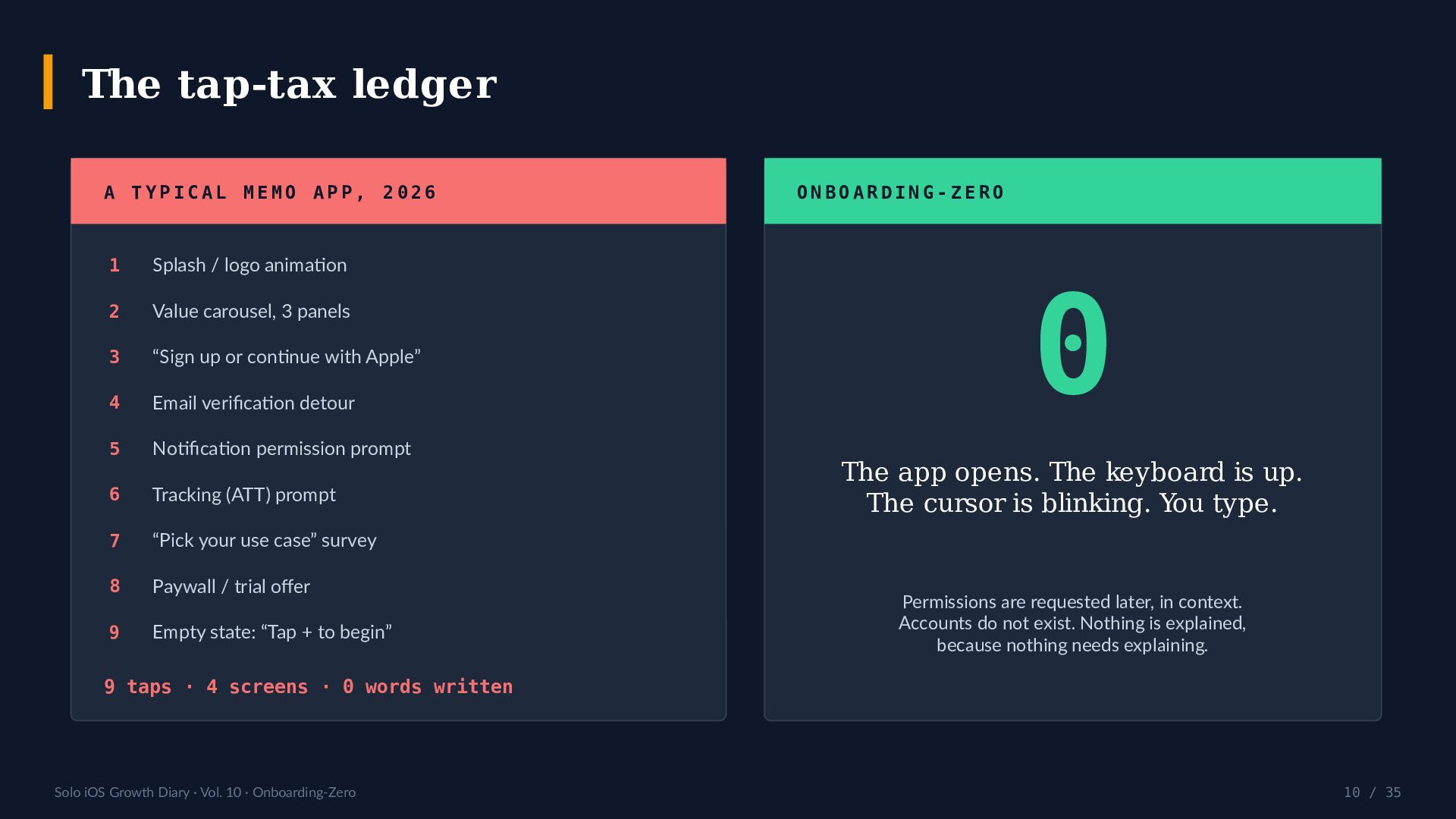
- The tap-tax ledger: a typical 2026 memo app charges 9 taps and 4 screens before a single word is written. The target is 0.
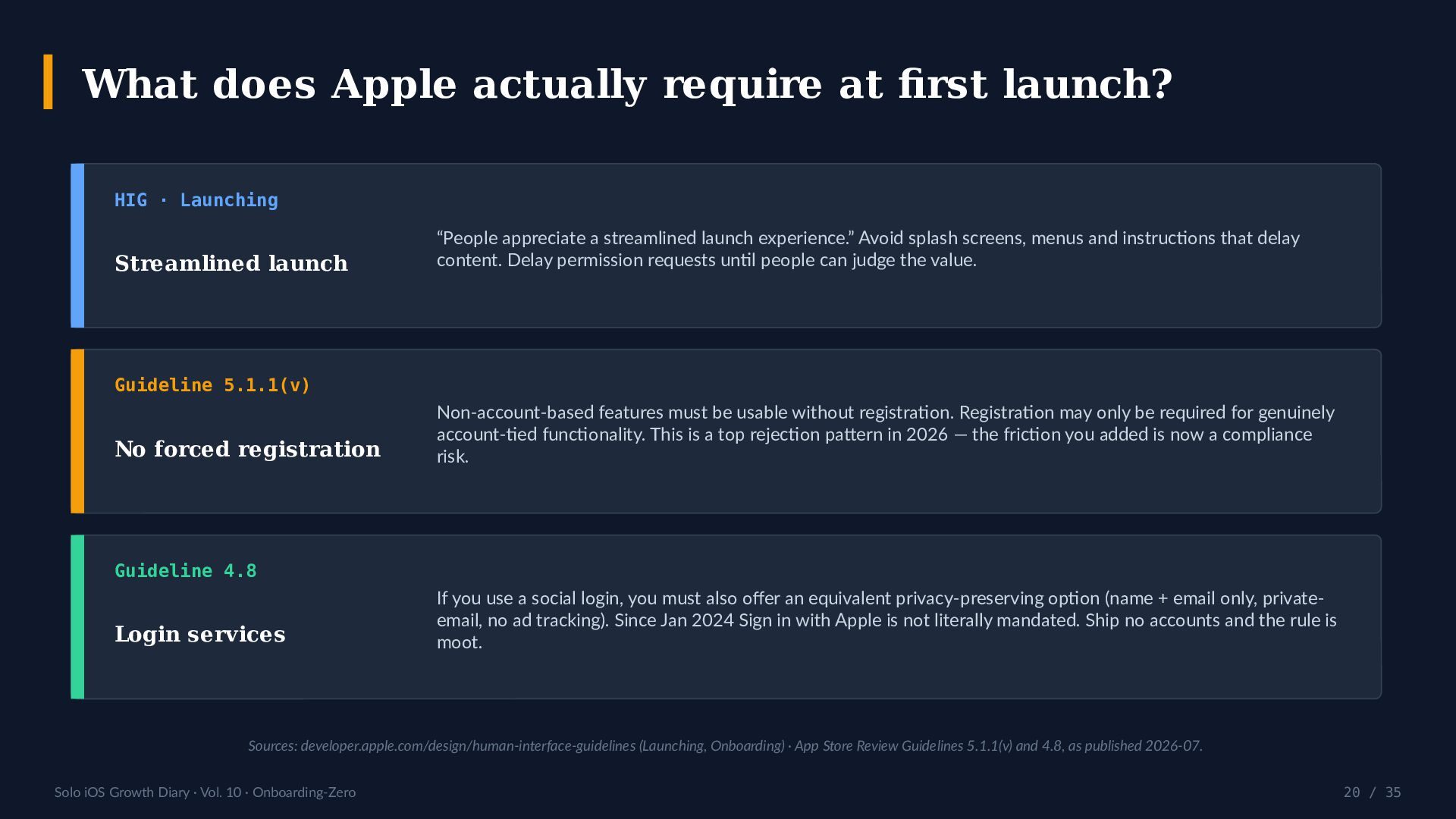
- What Apple actually requires at first launch. The Human Interface Guidelines ask for a streamlined launch and for permission requests to be delayed; App Store Review Guideline 5.1.1(v) forbids forced registration for non-account-based features, and is a high-volume rejection pattern in 2026; Guideline 4.8 (Login Services) is moot if, like SimpleMemo, you ship zero accounts.
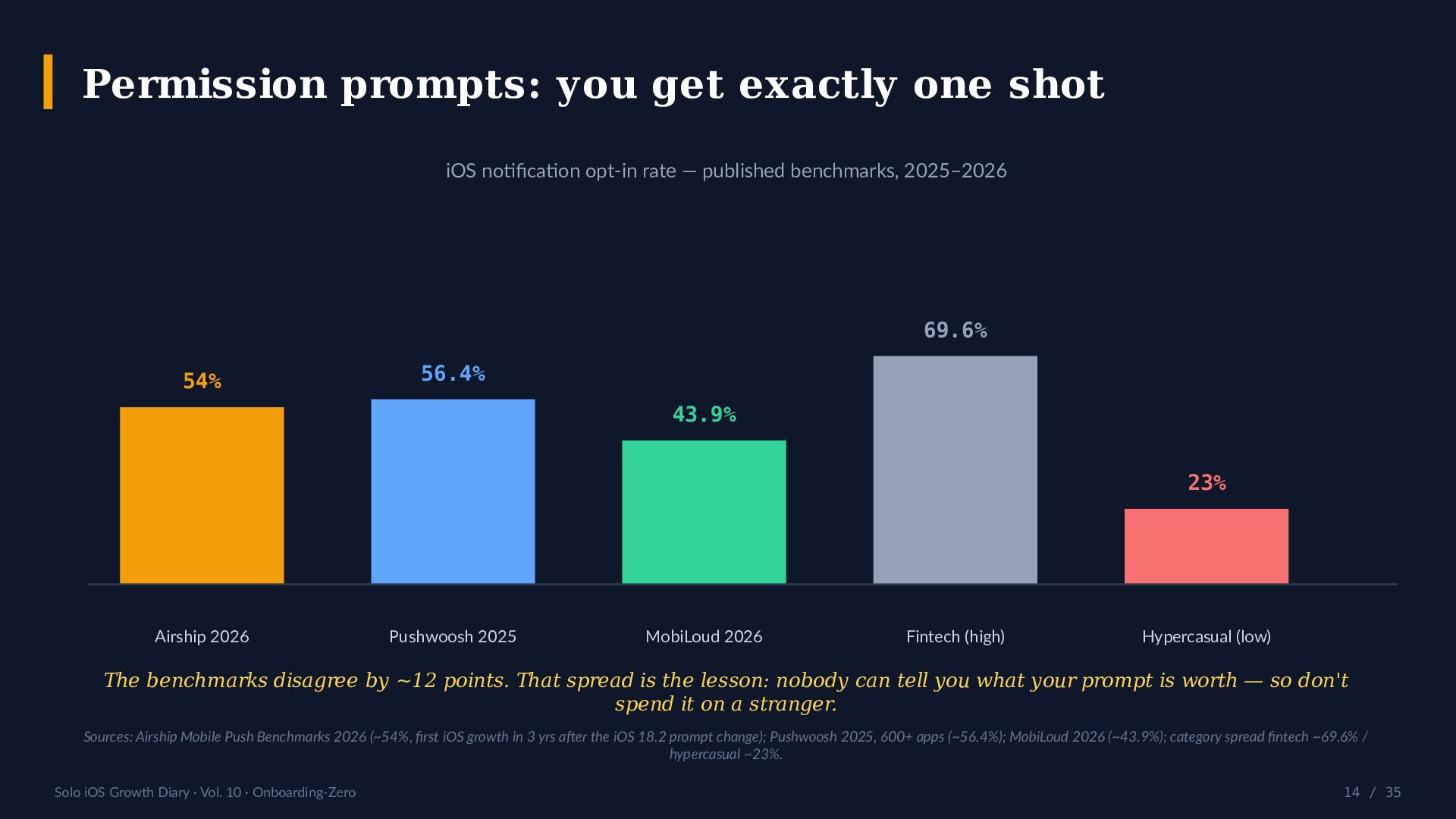
- Permission prompts: published iOS notification opt-in benchmarks disagree by roughly 12 points (Airship 2026 ~54%, Pushwoosh 2025 ~56.4%, MobiLoud 2026 ~43.9%). The spread is the lesson — you get one prompt, so do not spend it on a stranger.
- Two lanes: a zero-tap default plus an Advanced Mode / opt-in tier, where depth (including an optional append to an Obsidian daily note on iCloud Drive) stays invisible to the user who never asked for it. Fair print included: iPhone-only, iCloud reflection lag, daily-note naming assumptions.
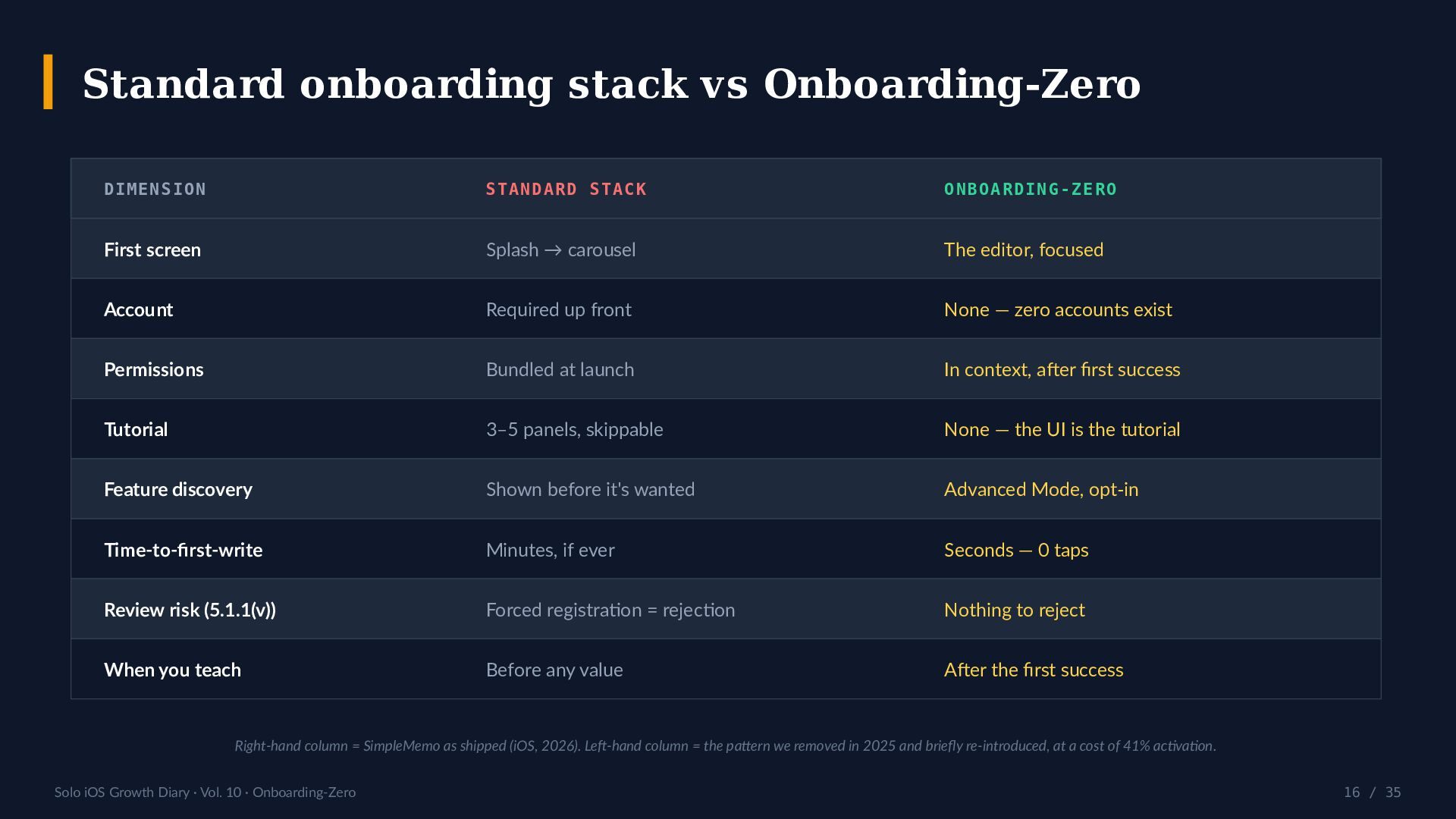
- A comparison table (standard onboarding stack vs Onboarding-Zero), a 7-step playbook, a 10-point first-launch audit, and four counter-arguments answered in the open, including "don't tutorials reduce churn?" and "doesn't an account improve retention?".
- An honest scoreboard, including where this design still costs us: weak feature discovery, no push channel, blunt attribution, and an empty screen that intimidates some people.

Keywords: iOS onboarding UX, friction-free signup, time to first value, app activation metric, SwiftUI FocusState, os_signpost, permission priming, App Store Review Guideline 5.1.1(v).

Next week, Vol. 11: The Share Sheet Is Distribution.

Follow the series: https://speakerdeck.com/simplememo and https://x.com/simplememofast

References: Apple Human Interface Guidelines (Launching, Onboarding) — https://developer.apple.com/design/human-interface-guidelines/launching · App Store Review Guidelines — https://developer.apple.com/app-store/review/guidelines/ · Airship Mobile Push Benchmarks 2026 · Pushwoosh 2025 benchmark (600+ apps) · The opt-in vault destination described on slide 18 — https://simplememofast.com/obsidian/

Avatar for SimpleMemo

SimpleMemo

July 14, 2026

More Decks by SimpleMemo

Other Decks in Programming

Transcript

  1. S O L O i O S G R O

    W T H D I A R Y VOL. 10 Onboarding-Zero The 0-Tap First-Write Principle The first screen is a cursor. Every screen before it is a tax you pay in activation. 0 taps to text Time-to-first-write Advanced Mode, opt-in speakerdeck.com/simplememo · x.com/simplememofast · 2026-07-14
  2. Solo iOS Growth Diary · Vol. 10 · Onboarding-Zero 02

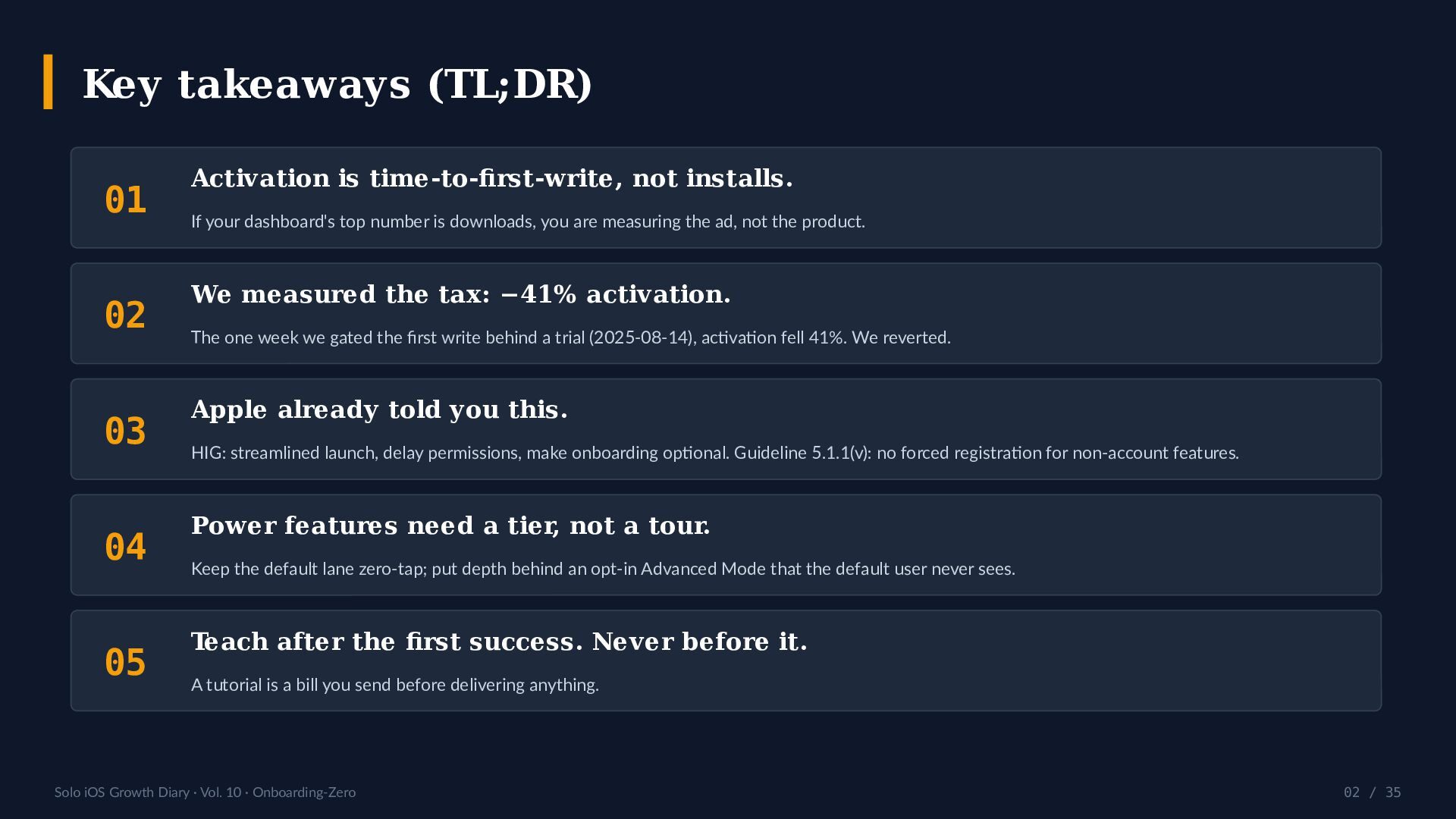
    / 35 Key takeaways (TL;DR) 01 Activation is time-to-first-write, not installs. If your dashboard's top number is downloads, you are measuring the ad, not the product. 02 We measured the tax: −41% activation. The one week we gated the first write behind a trial (2025-08-14), activation fell 41%. We reverted. 03 Apple already told you this. HIG: streamlined launch, delay permissions, make onboarding optional. Guideline 5.1.1(v): no forced registration for non-account features. 04 Power features need a tier, not a tour. Keep the default lane zero-tap; put depth behind an opt-in Advanced Mode that the default user never sees. 05 Teach after the first success. Never before it. A tutorial is a bill you send before delivering anything.
  3. Solo iOS Growth Diary · Vol. 10 · Onboarding-Zero 03

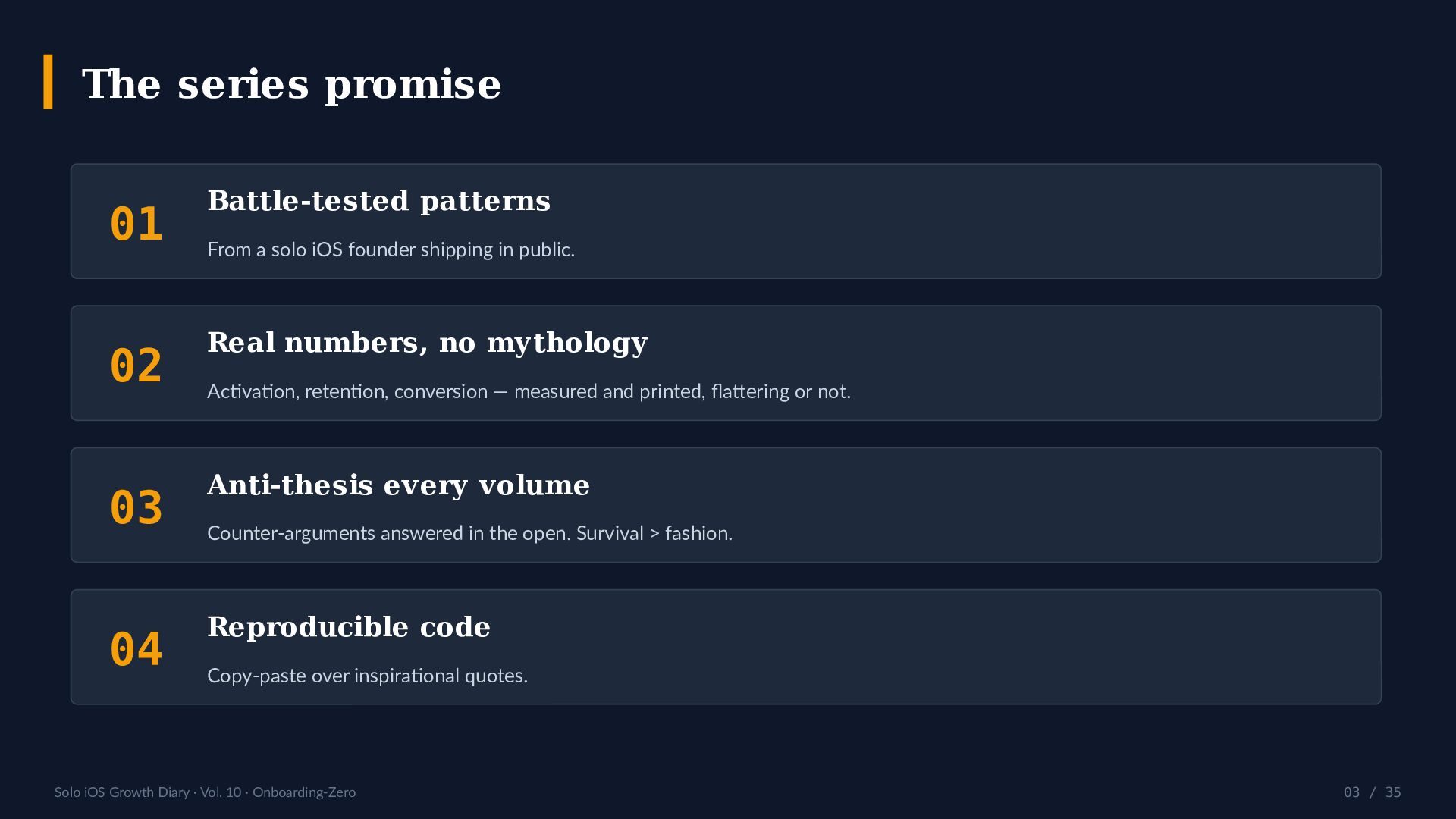
    / 35 The series promise 01 Battle-tested patterns From a solo iOS founder shipping in public. 02 Real numbers, no mythology Activation, retention, conversion — measured and printed, flattering or not. 03 Anti-thesis every volume Counter-arguments answered in the open. Survival > fashion. 04 Reproducible code Copy-paste over inspirational quotes.
  4. Solo iOS Growth Diary · Vol. 10 · Onboarding-Zero 04

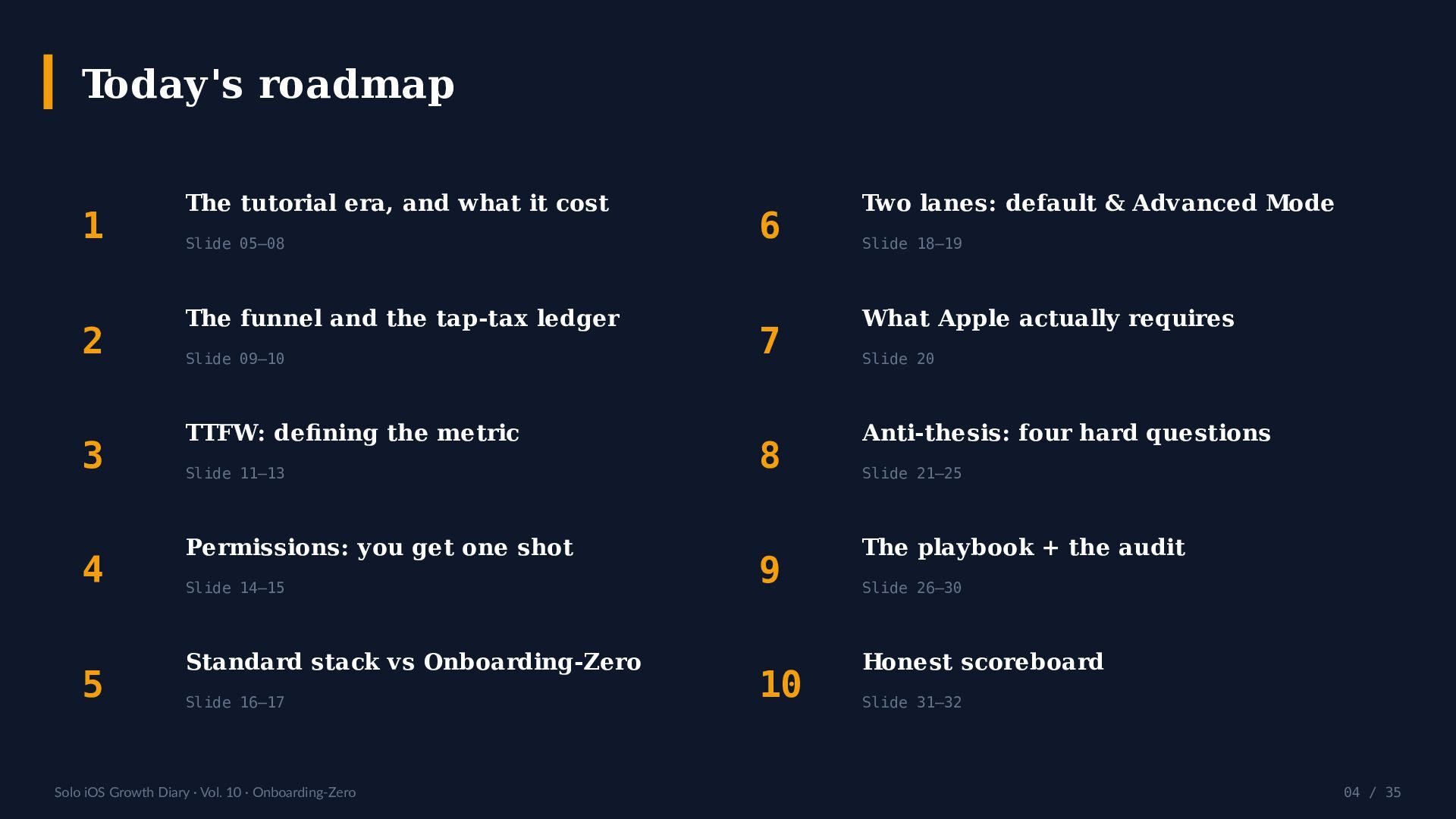
    / 35 Today's roadmap 1 The tutorial era, and what it cost Slide 05–08 2 The funnel and the tap-tax ledger Slide 09–10 3 TTFW: defining the metric Slide 11–13 4 Permissions: you get one shot Slide 14–15 5 Standard stack vs Onboarding-Zero Slide 16–17 6 Two lanes: default & Advanced Mode Slide 18–19 7 What Apple actually requires Slide 20 8 Anti-thesis: four hard questions Slide 21–25 9 The playbook + the audit Slide 26–30 10 Honest scoreboard Slide 31–32
  5. Solo iOS Growth Diary · Vol. 10 · Onboarding-Zero 05

    / 35 How many taps stand between install and the first word? Count them. That number is your onboarding — not the carousel you designed. SimpleMemo's answer is 0. This volume is how we got there, and what it cost when we didn't.
  6. Solo iOS Growth Diary · Vol. 10 · Onboarding-Zero 06

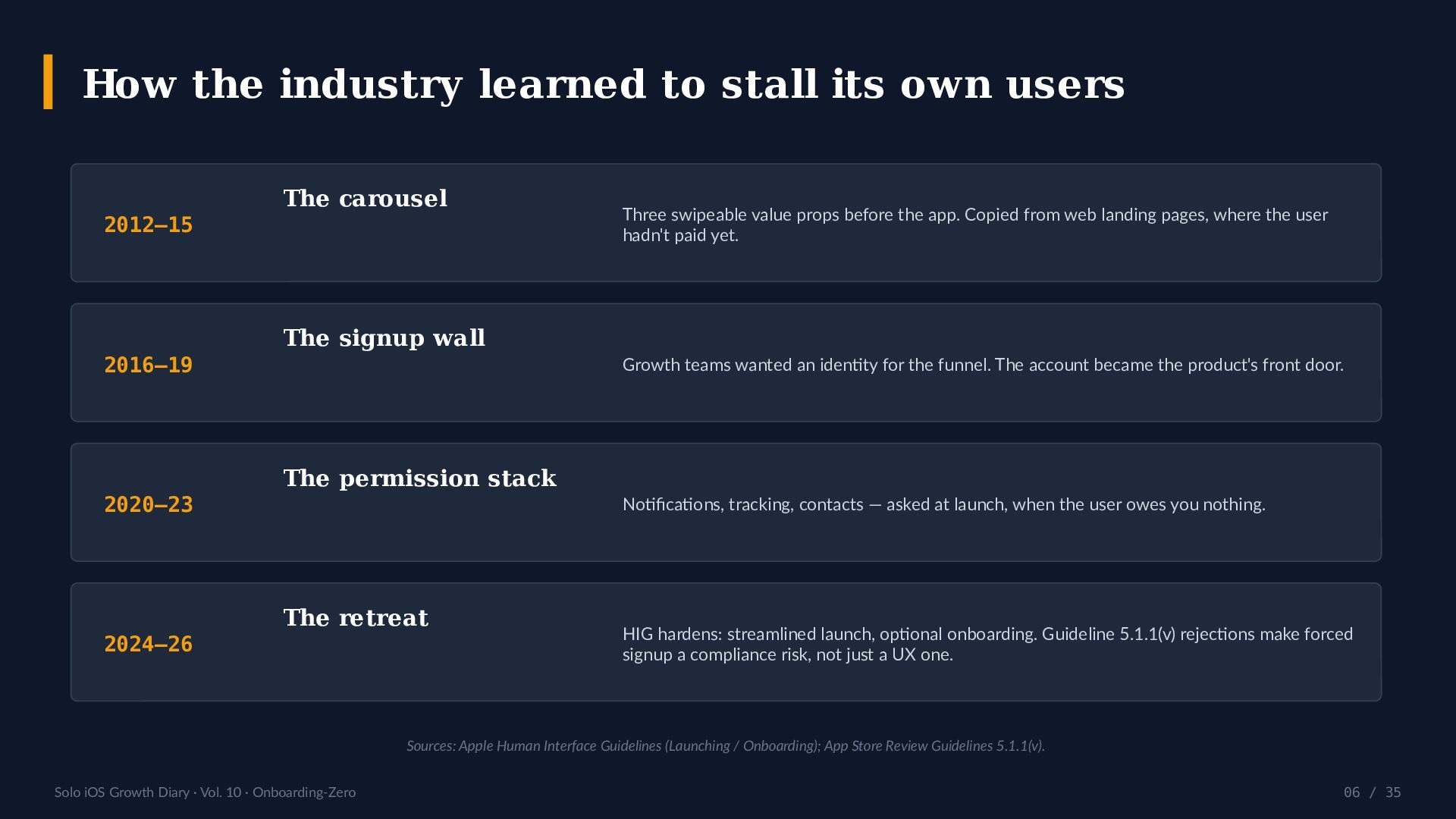
    / 35 How the industry learned to stall its own users 2012–15 The carousel Three swipeable value props before the app. Copied from web landing pages, where the user hadn't paid yet. 2016–19 The signup wall Growth teams wanted an identity for the funnel. The account became the product's front door. 2020–23 The permission stack Notifications, tracking, contacts — asked at launch, when the user owes you nothing. 2024–26 The retreat HIG hardens: streamlined launch, optional onboarding. Guideline 5.1.1(v) rejections make forced signup a compliance risk, not just a UX one. Sources: Apple Human Interface Guidelines (Launching / Onboarding); App Store Review Guidelines 5.1.1(v).
  7. Solo iOS Growth Diary · Vol. 10 · Onboarding-Zero 07

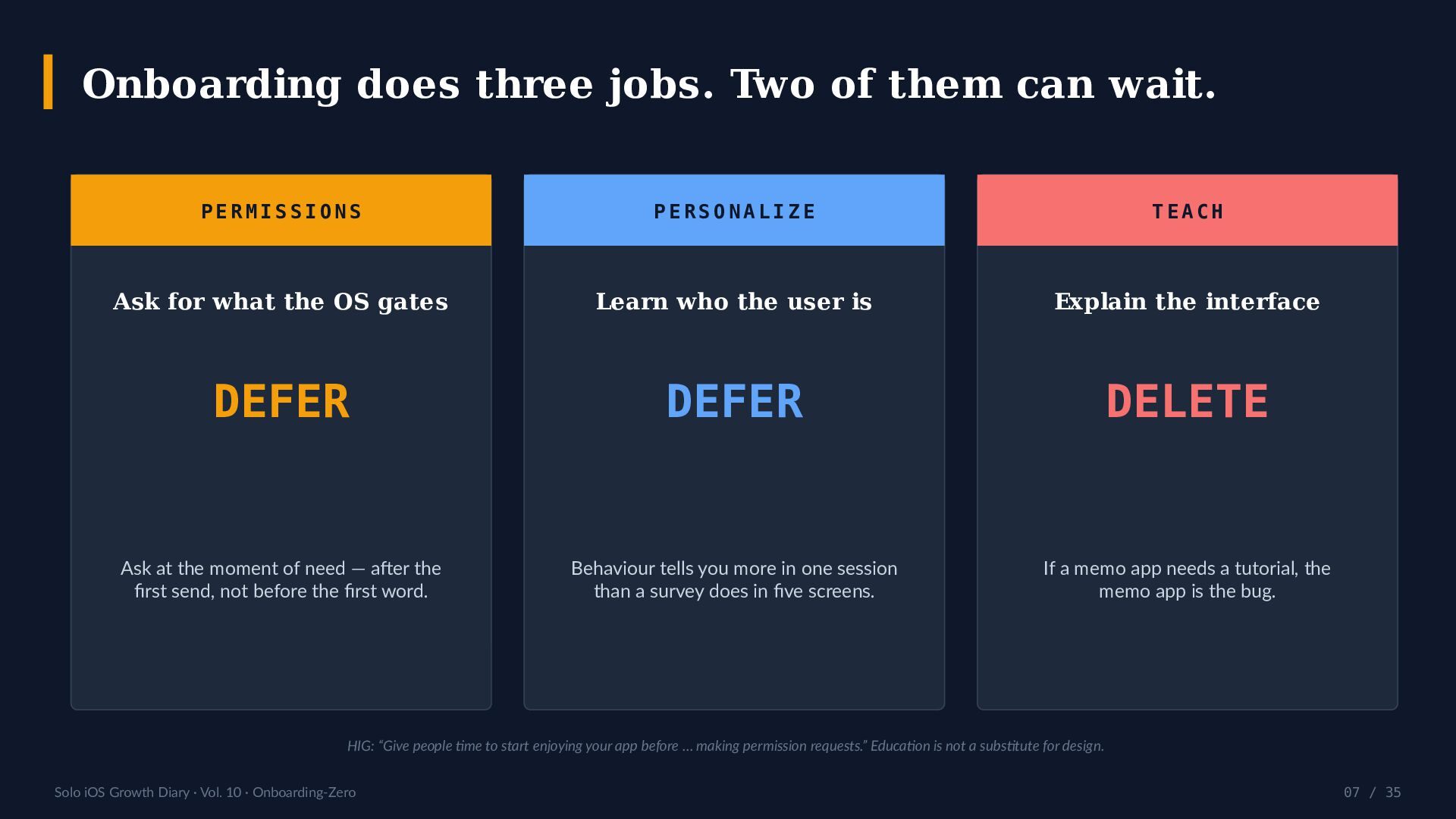
    / 35 Onboarding does three jobs. Two of them can wait. P E R M I S S I O N S Ask for what the OS gates DEFER Ask at the moment of need — after the first send, not before the first word. P E R S O N A L I Z E Learn who the user is DEFER Behaviour tells you more in one session than a survey does in five screens. T E A C H Explain the interface DELETE If a memo app needs a tutorial, the memo app is the bug. HIG: “Give people time to start enjoying your app before … making permission requests.” Education is not a substitute for design.
  8. Solo iOS Growth Diary · Vol. 10 · Onboarding-Zero 08

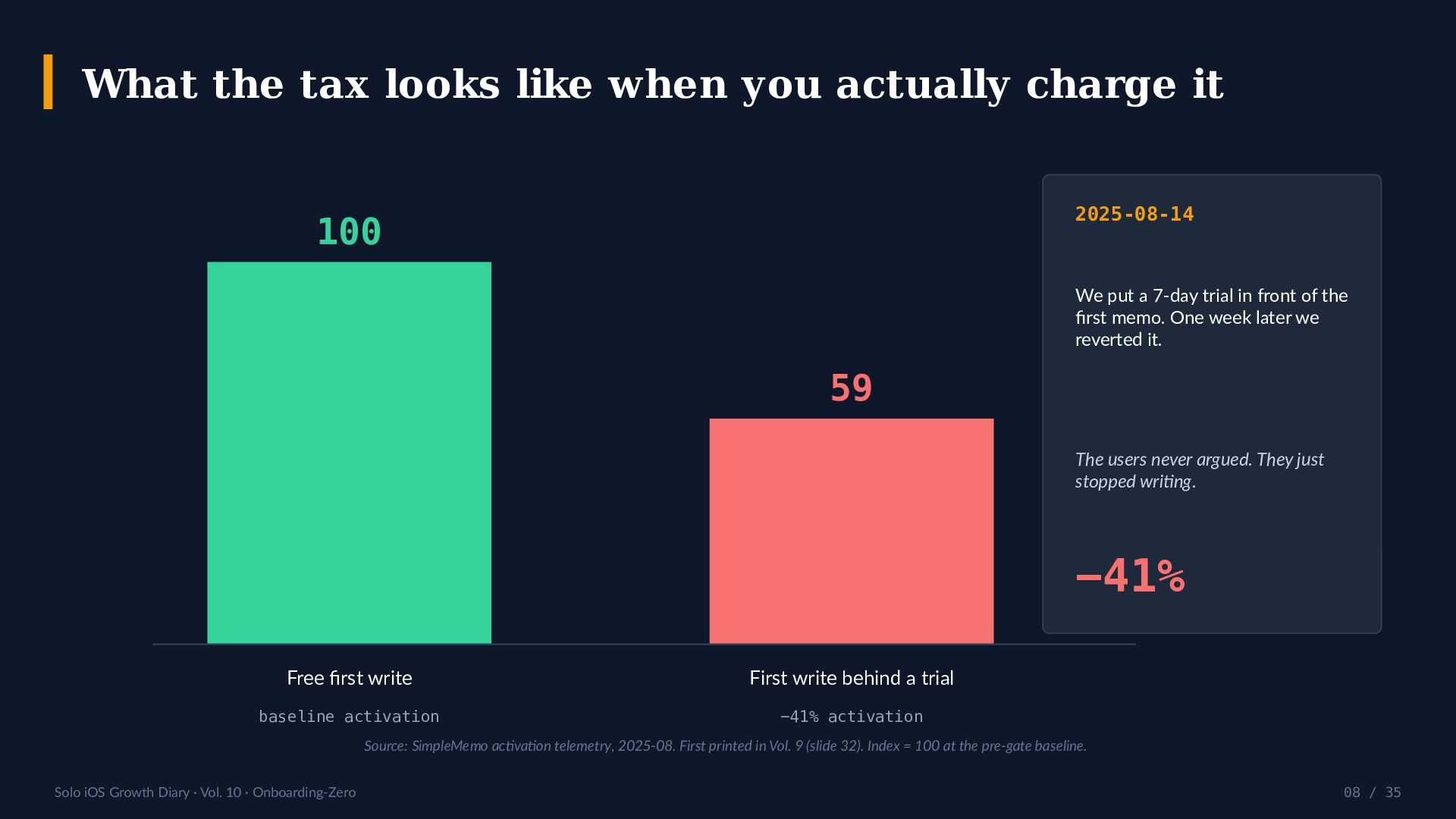
    / 35 What the tax looks like when you actually charge it 100 Free first write baseline activation 59 First write behind a trial −41% activation 2025-08-14 We put a 7-day trial in front of the first memo. One week later we reverted it. The users never argued. They just stopped writing. −41% Source: SimpleMemo activation telemetry, 2025-08. First printed in Vol. 9 (slide 32). Index = 100 at the pre-gate baseline.
  9. Solo iOS Growth Diary · Vol. 10 · Onboarding-Zero 09

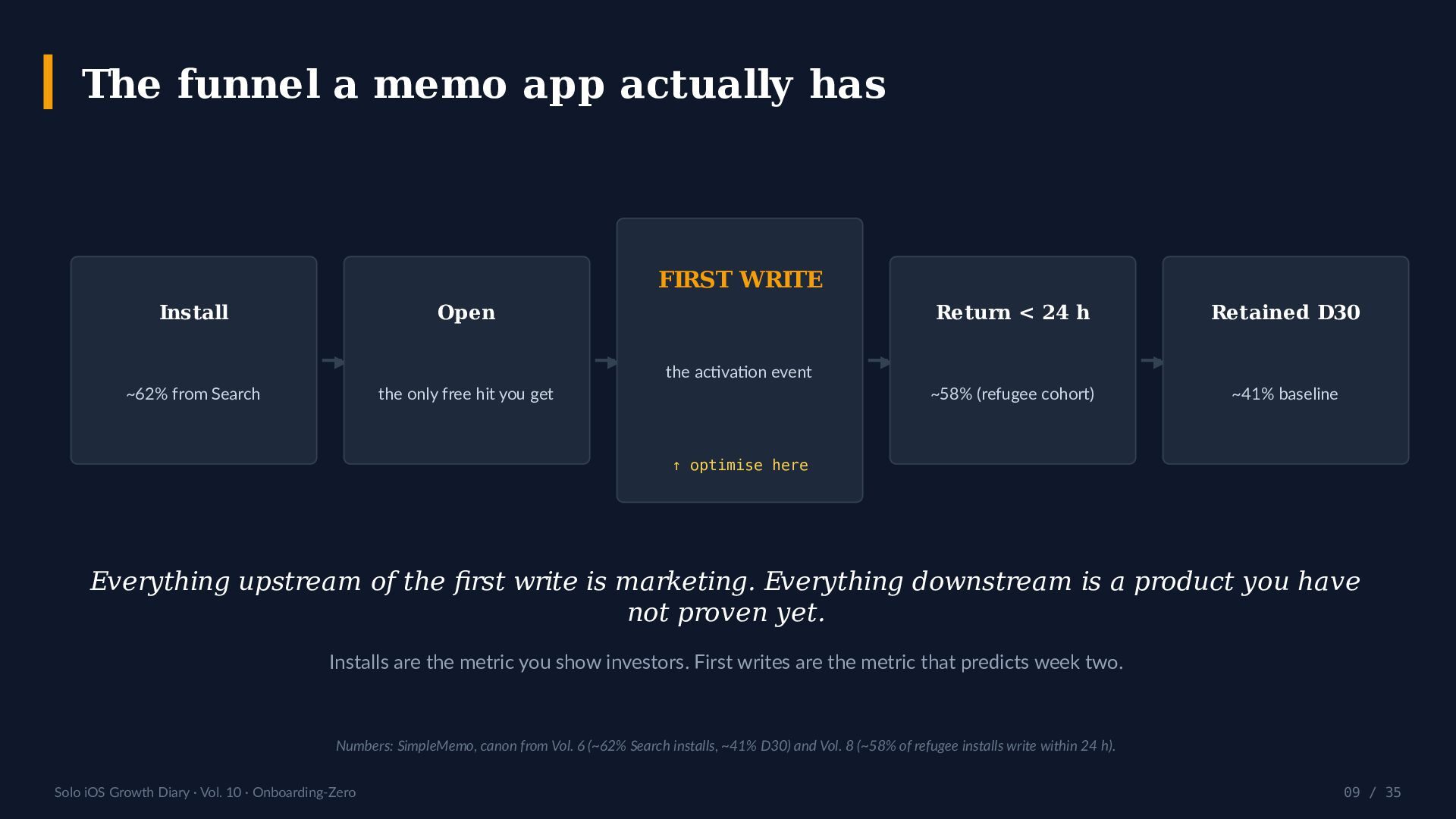
    / 35 The funnel a memo app actually has Install ~62% from Search ▶ Open the only free hit you get ▶ FIRST WRITE the activation event ↑ optimise here ▶ Return < 24 h ~58% (refugee cohort) ▶ Retained D30 ~41% baseline Everything upstream of the first write is marketing. Everything downstream is a product you have not proven yet. Installs are the metric you show investors. First writes are the metric that predicts week two. Numbers: SimpleMemo, canon from Vol. 6 (~62% Search installs, ~41% D30) and Vol. 8 (~58% of refugee installs write within 24 h).
  10. Solo iOS Growth Diary · Vol. 10 · Onboarding-Zero 10

    / 35 The tap-tax ledger A T Y P I C A L M E M O A P P , 2 0 2 6 1 Splash / logo animation 2 Value carousel, 3 panels 3 “Sign up or continue with Apple” 4 Email verification detour 5 Notification permission prompt 6 Tracking (ATT) prompt 7 “Pick your use case” survey 8 Paywall / trial offer 9 Empty state: “Tap + to begin” 9 taps · 4 screens · 0 words written O N B O A R D I N G - Z E R O 0 The app opens. The keyboard is up. The cursor is blinking. You type. Permissions are requested later, in context. Accounts do not exist. Nothing is explained, because nothing needs explaining.
  11. Solo iOS Growth Diary · Vol. 10 · Onboarding-Zero 11

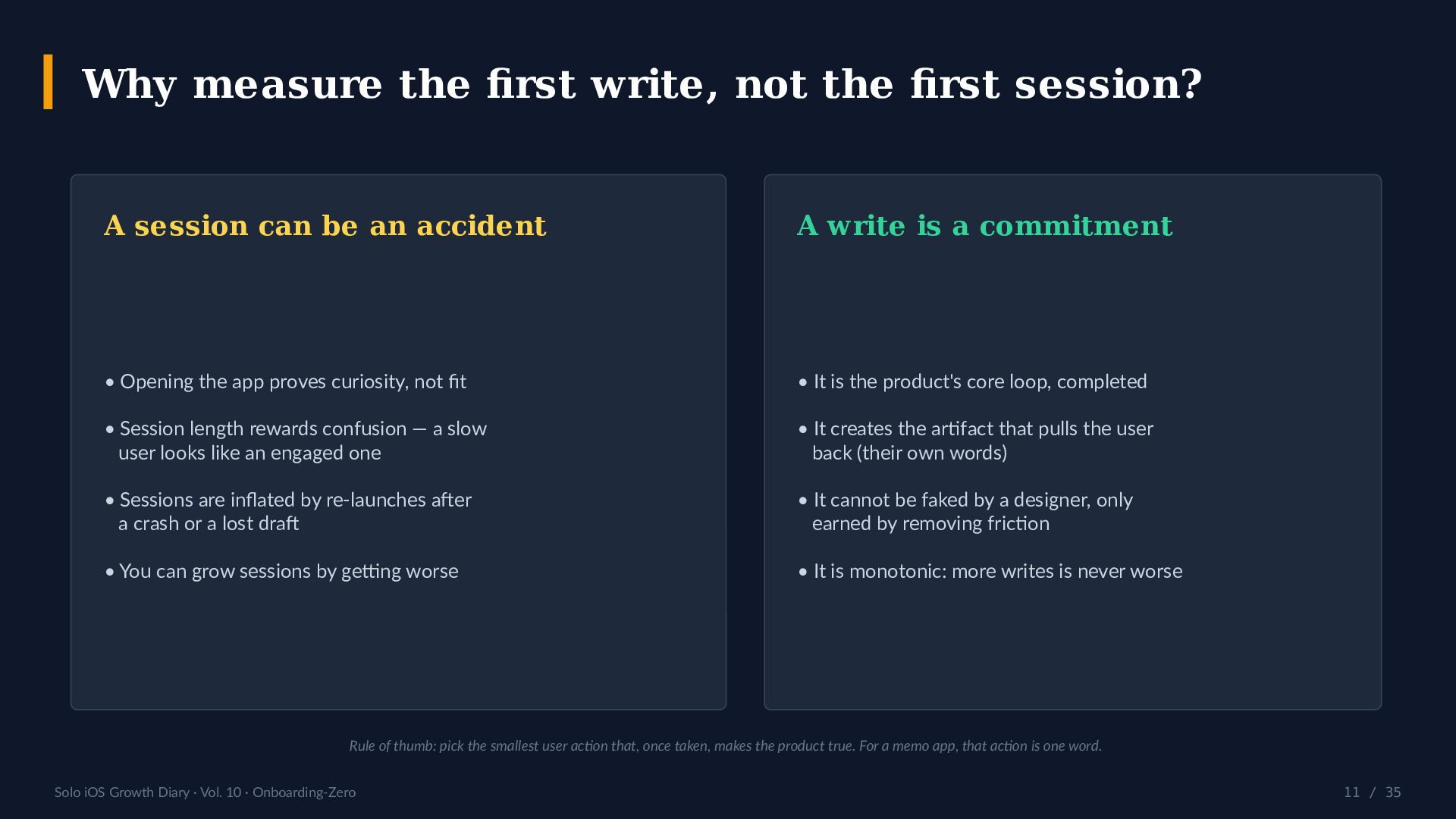
    / 35 Why measure the first write, not the first session? A session can be an accident • Opening the app proves curiosity, not fit • Session length rewards confusion — a slow user looks like an engaged one • Sessions are inflated by re-launches after a crash or a lost draft • You can grow sessions by getting worse A write is a commitment • It is the product's core loop, completed • It creates the artifact that pulls the user back (their own words) • It cannot be faked by a designer, only earned by removing friction • It is monotonic: more writes is never worse Rule of thumb: pick the smallest user action that, once taken, makes the product true. For a memo app, that action is one word.
  12. Solo iOS Growth Diary · Vol. 10 · Onboarding-Zero 12

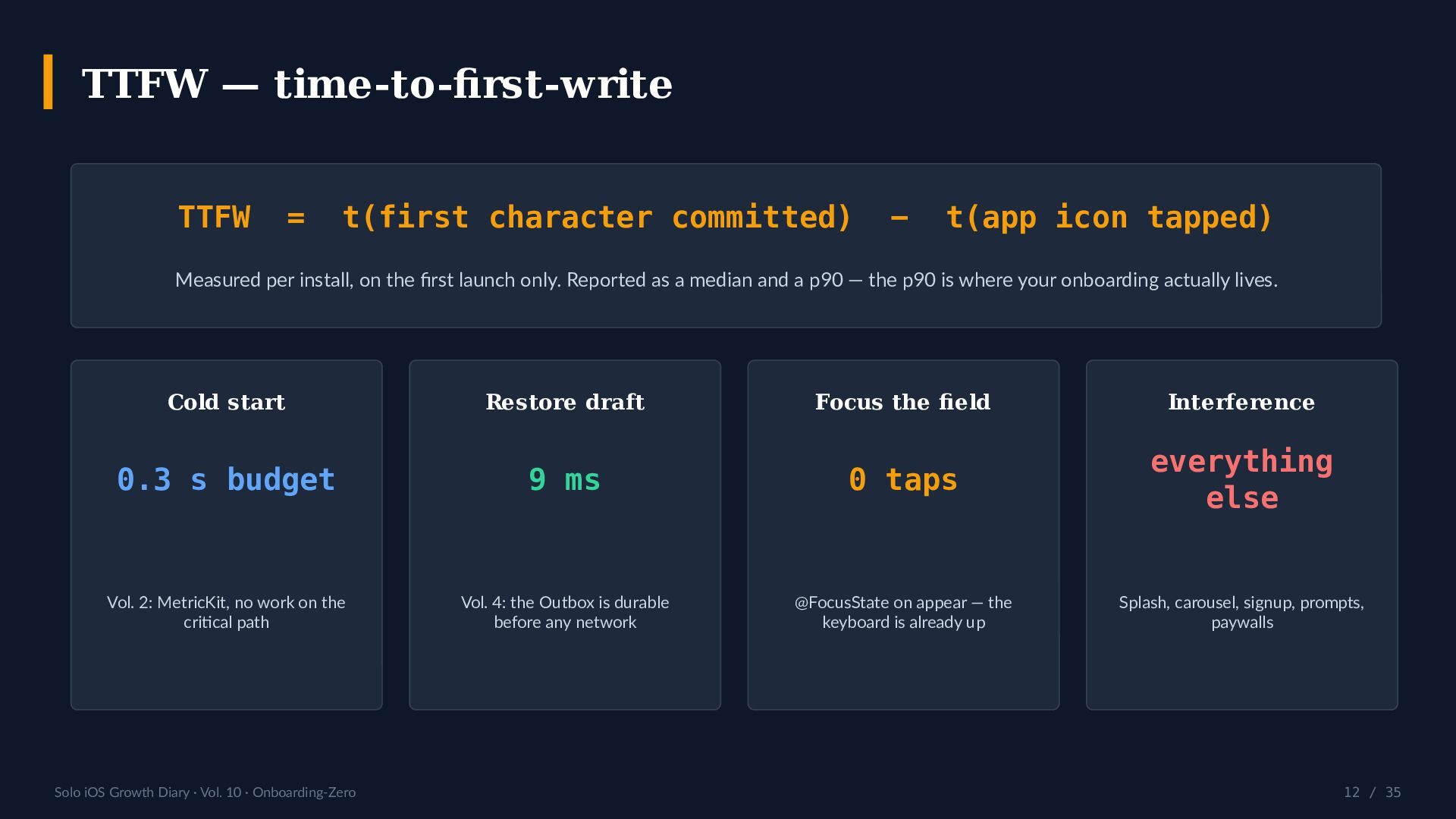
    / 35 TTFW — time-to-first-write TTFW = t(first character committed) − t(app icon tapped) Measured per install, on the first launch only. Reported as a median and a p90 — the p90 is where your onboarding actually lives. Cold start 0.3 s budget Vol. 2: MetricKit, no work on the critical path Restore draft 9 ms Vol. 4: the Outbox is durable before any network Focus the field 0 taps @FocusState on appear — the keyboard is already up Interference everything else Splash, carousel, signup, prompts, paywalls
  13. Solo iOS Growth Diary · Vol. 10 · Onboarding-Zero 13

    / 35 Instrumenting it (os_signpost, ~30 lines) import OSLog let act = OSSignposter(subsystem: "com.simplememo", category: "activation") // 1. main() — the earliest line you own let launch = act.beginInterval("ttfw") // 2. the editor appears, focused act.emitEvent("cursor-ready") // 3. the first character of the first memo if !Defaults.hasWritten { Defaults.hasWritten = true act.endInterval("ttfw", launch) // ← TTFW } W H A T T O L O G • TTFW median + p90 • % of installs that ever write • # of screens shown pre-cursor • Where the user abandoned WHAT NOT TO LOG • The memo text (ever) • Anything that needs a consent prompt to collect • A user identifier you invented to make a funnel look tidy MetricKit gives you launch time; signposts give you the rest. Both stay on-device until the user opts into diagnostics.
  14. Solo iOS Growth Diary · Vol. 10 · Onboarding-Zero 14

    / 35 Permission prompts: you get exactly one shot 54% Airship 2026 56.4% Pushwoosh 2025 43.9% MobiLoud 2026 69.6% Fintech (high) 23% Hypercasual (low) iOS notification opt-in rate — published benchmarks, 2025–2026 The benchmarks disagree by ~12 points. That spread is the lesson: nobody can tell you what your prompt is worth — so don't spend it on a stranger. Sources: Airship Mobile Push Benchmarks 2026 (~54%, first iOS growth in 3 yrs after the iOS 18.2 prompt change); Pushwoosh 2025, 600+ apps (~56.4%); MobiLoud 2026 (~43.9%); category spread fintech ~69.6% / hypercasual ~23%.
  15. Solo iOS Growth Diary · Vol. 10 · Onboarding-Zero 15

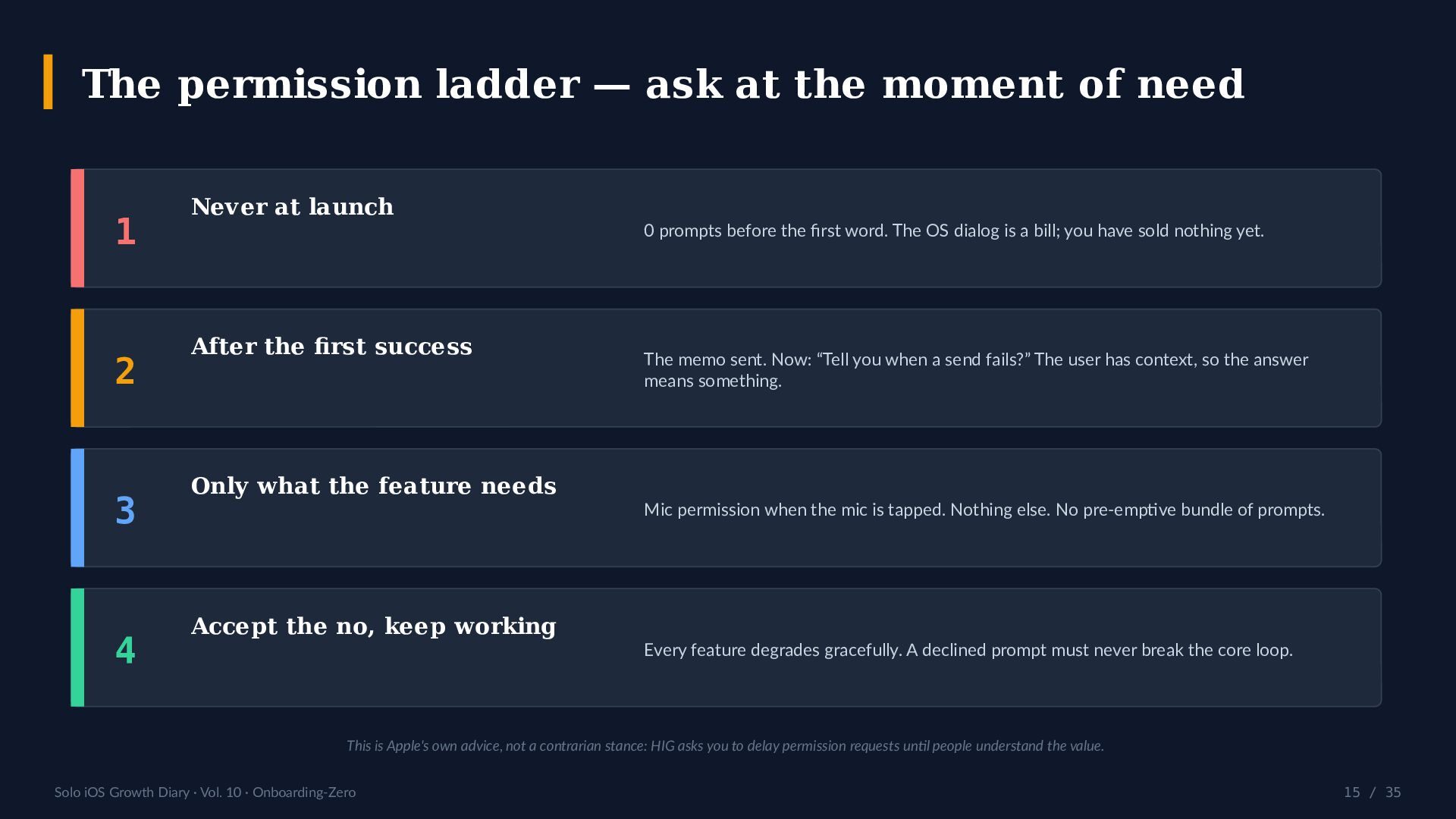
    / 35 The permission ladder — ask at the moment of need 1 Never at launch 0 prompts before the first word. The OS dialog is a bill; you have sold nothing yet. 2 After the first success The memo sent. Now: “Tell you when a send fails?” The user has context, so the answer means something. 3 Only what the feature needs Mic permission when the mic is tapped. Nothing else. No pre-emptive bundle of prompts. 4 Accept the no, keep working Every feature degrades gracefully. A declined prompt must never break the core loop. This is Apple's own advice, not a contrarian stance: HIG asks you to delay permission requests until people understand the value.
  16. Solo iOS Growth Diary · Vol. 10 · Onboarding-Zero 16

    / 35 Standard onboarding stack vs Onboarding-Zero DIMENSION STANDARD STACK ONBOARDING-ZERO First screen Splash → carousel The editor, focused Account Required up front None — zero accounts exist Permissions Bundled at launch In context, after first success Tutorial 3–5 panels, skippable None — the UI is the tutorial Feature discovery Shown before it's wanted Advanced Mode, opt-in Time-to-first-write Minutes, if ever Seconds — 0 taps Review risk (5.1.1(v)) Forced registration = rejection Nothing to reject When you teach Before any value After the first success Right-hand column = SimpleMemo as shipped (iOS, 2026). Left-hand column = the pattern we removed in 2025 and briefly re-introduced, at a cost of 41% activation.
  17. Solo iOS Growth Diary · Vol. 10 · Onboarding-Zero 17

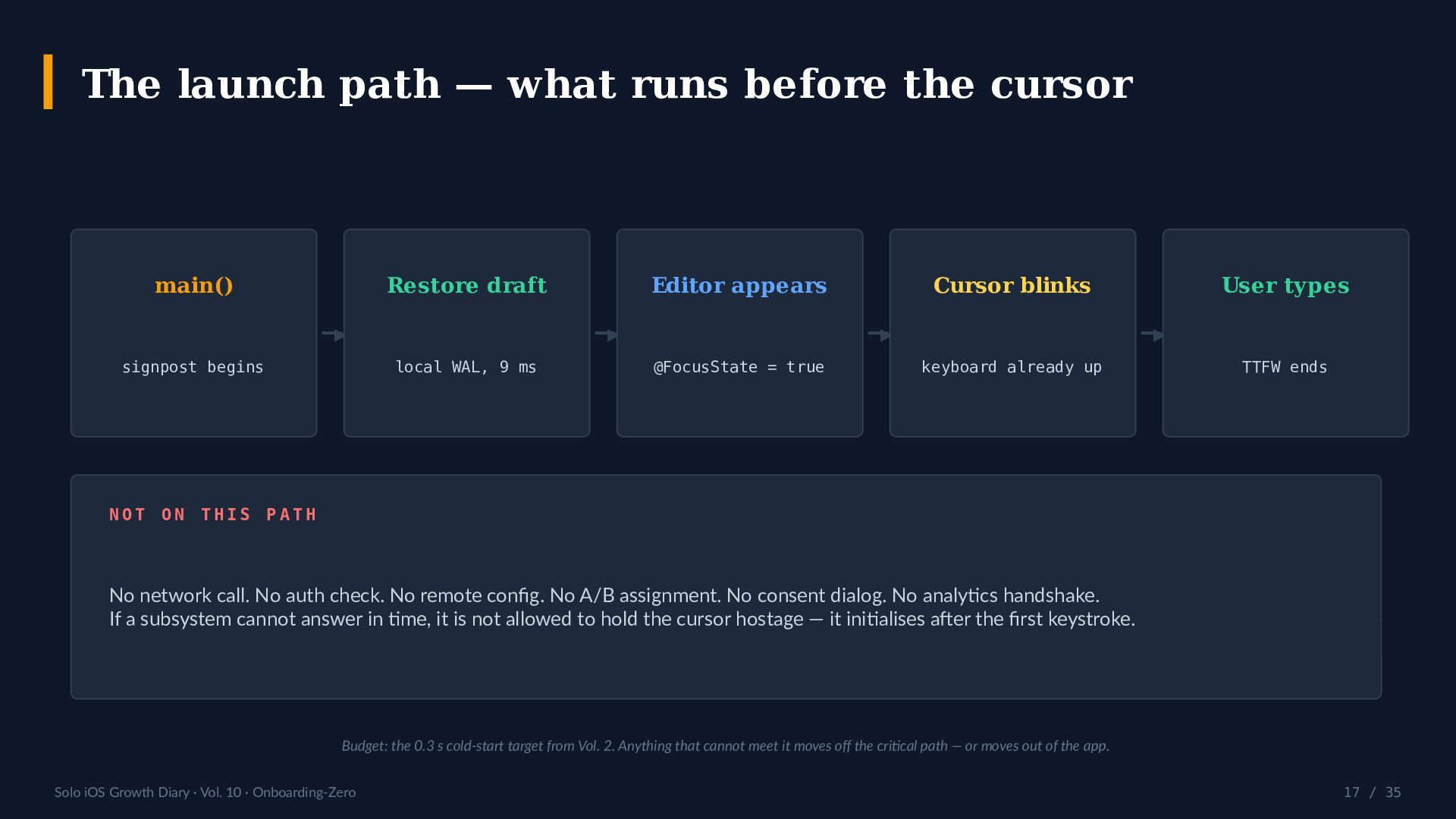
    / 35 The launch path — what runs before the cursor main() signpost begins ▶ Restore draft local WAL, 9 ms ▶ Editor appears @FocusState = true ▶ Cursor blinks keyboard already up ▶ User types TTFW ends N O T O N T H I S P A T H No network call. No auth check. No remote config. No A/B assignment. No consent dialog. No analytics handshake. If a subsystem cannot answer in time, it is not allowed to hold the cursor hostage — it initialises after the first keystroke. Budget: the 0.3 s cold-start target from Vol. 2. Anything that cannot meet it moves off the critical path — or moves out of the app.
  18. Solo iOS Growth Diary · Vol. 10 · Onboarding-Zero 18

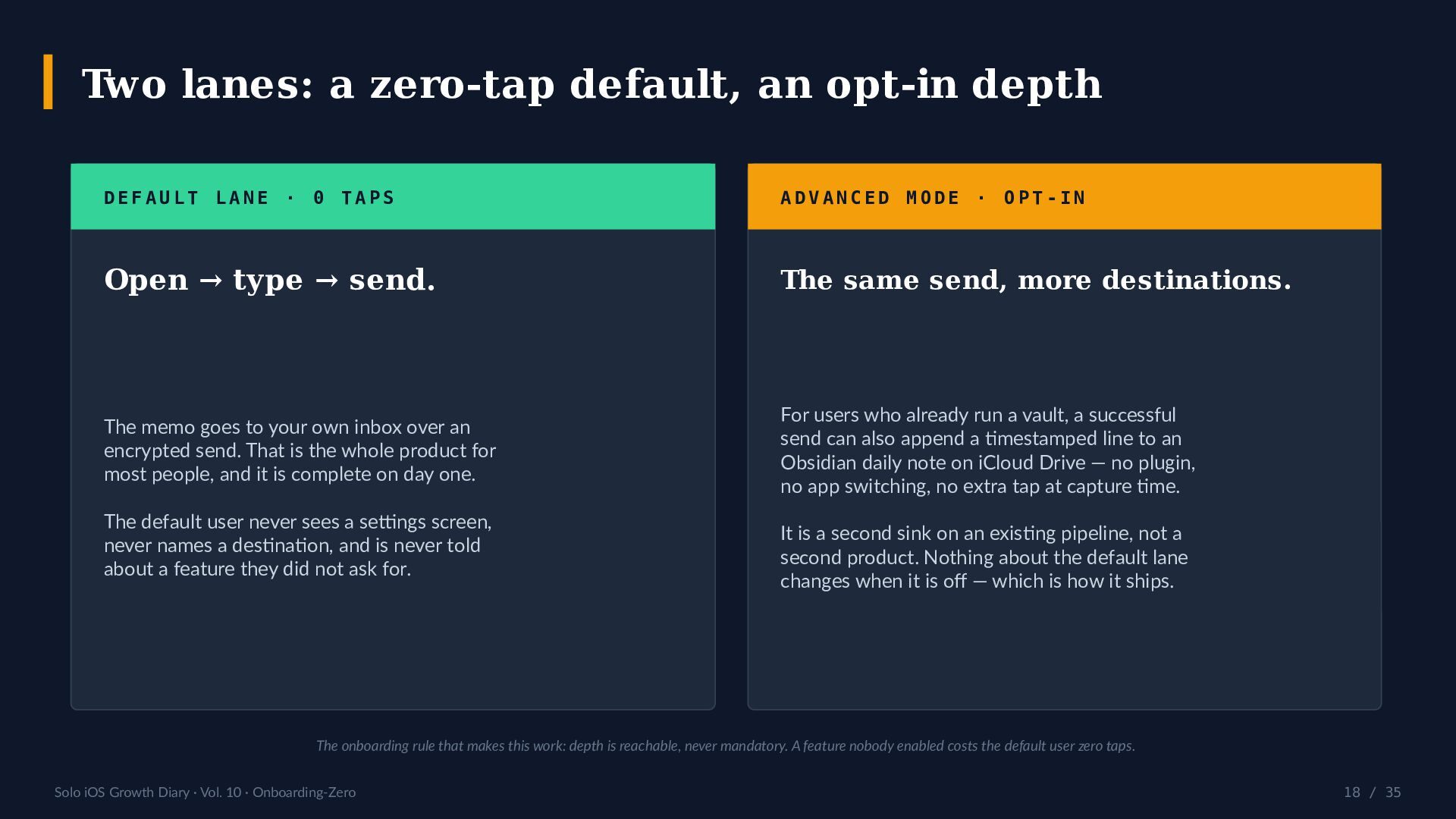
    / 35 Two lanes: a zero-tap default, an opt-in depth D E F A U L T L A N E · 0 T A P S Open → type → send. The memo goes to your own inbox over an encrypted send. That is the whole product for most people, and it is complete on day one. The default user never sees a settings screen, never names a destination, and is never told about a feature they did not ask for. A D V A N C E D M O D E · O P T - I N The same send, more destinations. For users who already run a vault, a successful send can also append a timestamped line to an Obsidian daily note on iCloud Drive — no plugin, no app switching, no extra tap at capture time. It is a second sink on an existing pipeline, not a second product. Nothing about the default lane changes when it is off — which is how it ships. The onboarding rule that makes this work: depth is reachable, never mandatory. A feature nobody enabled costs the default user zero taps.
  19. Solo iOS Growth Diary · Vol. 10 · Onboarding-Zero 19

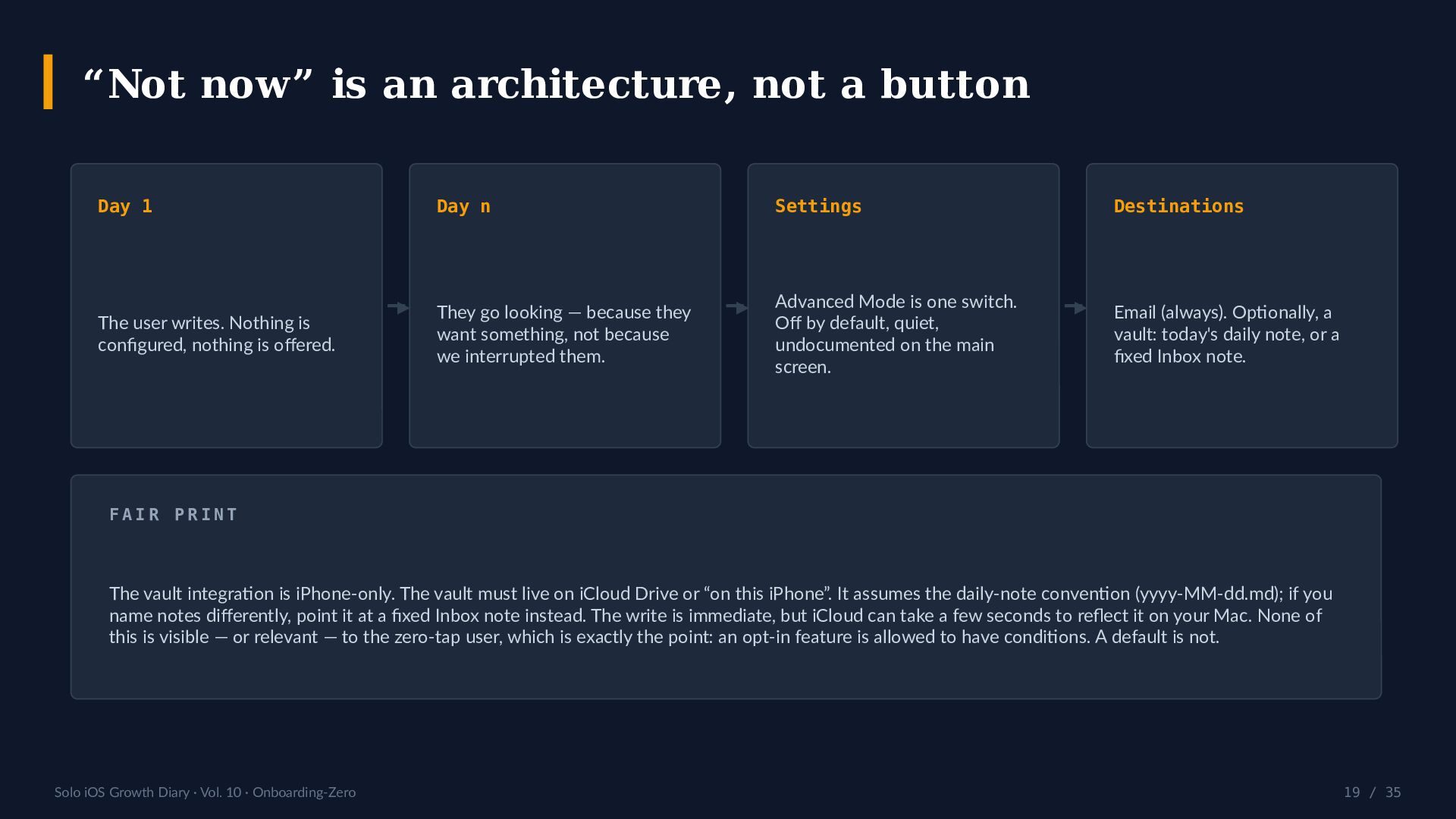
    / 35 “Not now” is an architecture, not a button Day 1 The user writes. Nothing is configured, nothing is offered. ▶ Day n They go looking — because they want something, not because we interrupted them. ▶ Settings Advanced Mode is one switch. Off by default, quiet, undocumented on the main screen. ▶ Destinations Email (always). Optionally, a vault: today's daily note, or a fixed Inbox note. F A I R P R I N T The vault integration is iPhone-only. The vault must live on iCloud Drive or “on this iPhone”. It assumes the daily-note convention (yyyy-MM-dd.md); if you name notes differently, point it at a fixed Inbox note instead. The write is immediate, but iCloud can take a few seconds to reflect it on your Mac. None of this is visible — or relevant — to the zero-tap user, which is exactly the point: an opt-in feature is allowed to have conditions. A default is not.
  20. Solo iOS Growth Diary · Vol. 10 · Onboarding-Zero 20

    / 35 What does Apple actually require at first launch? HIG · Launching Streamlined launch “People appreciate a streamlined launch experience.” Avoid splash screens, menus and instructions that delay content. Delay permission requests until people can judge the value. Guideline 5.1.1(v) No forced registration Non-account-based features must be usable without registration. Registration may only be required for genuinely account-tied functionality. This is a top rejection pattern in 2026 — the friction you added is now a compliance risk. Guideline 4.8 Login services If you use a social login, you must also offer an equivalent privacy-preserving option (name + email only, private- email, no ad tracking). Since Jan 2024 Sign in with Apple is not literally mandated. Ship no accounts and the rule is moot. Sources: developer.apple.com/design/human-interface-guidelines (Launching, Onboarding) · App Store Review Guidelines 5.1.1(v) and 4.8, as published 2026-07.
  21. Solo iOS Growth Diary · Vol. 10 · Onboarding-Zero 21

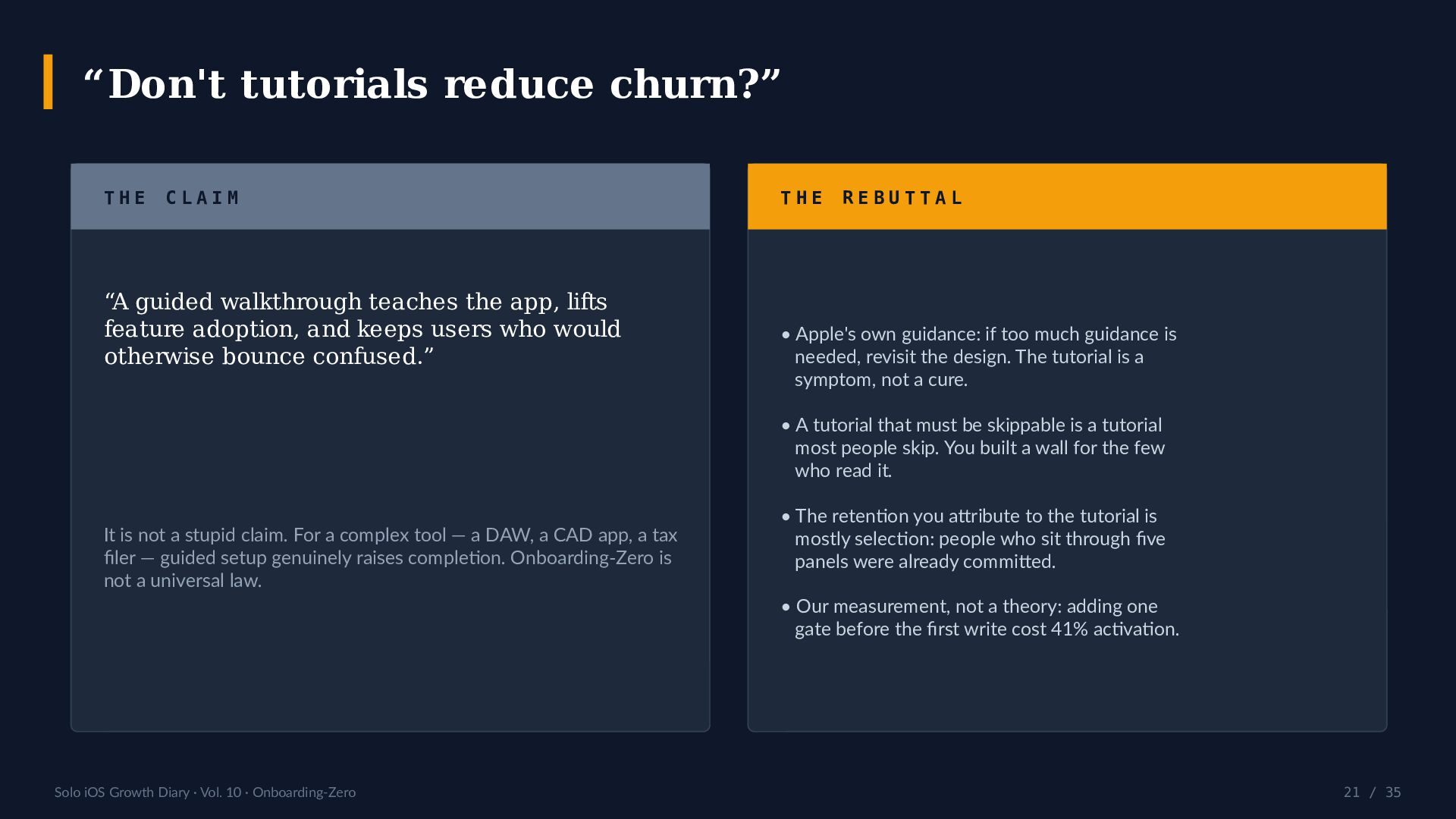
    / 35 “Don't tutorials reduce churn?” T H E C L A I M “A guided walkthrough teaches the app, lifts feature adoption, and keeps users who would otherwise bounce confused.” It is not a stupid claim. For a complex tool — a DAW, a CAD app, a tax filer — guided setup genuinely raises completion. Onboarding-Zero is not a universal law. T H E R E B U T T A L • Apple's own guidance: if too much guidance is needed, revisit the design. The tutorial is a symptom, not a cure. • A tutorial that must be skippable is a tutorial most people skip. You built a wall for the few who read it. • The retention you attribute to the tutorial is mostly selection: people who sit through five panels were already committed. • Our measurement, not a theory: adding one gate before the first write cost 41% activation.
  22. Solo iOS Growth Diary · Vol. 10 · Onboarding-Zero 22

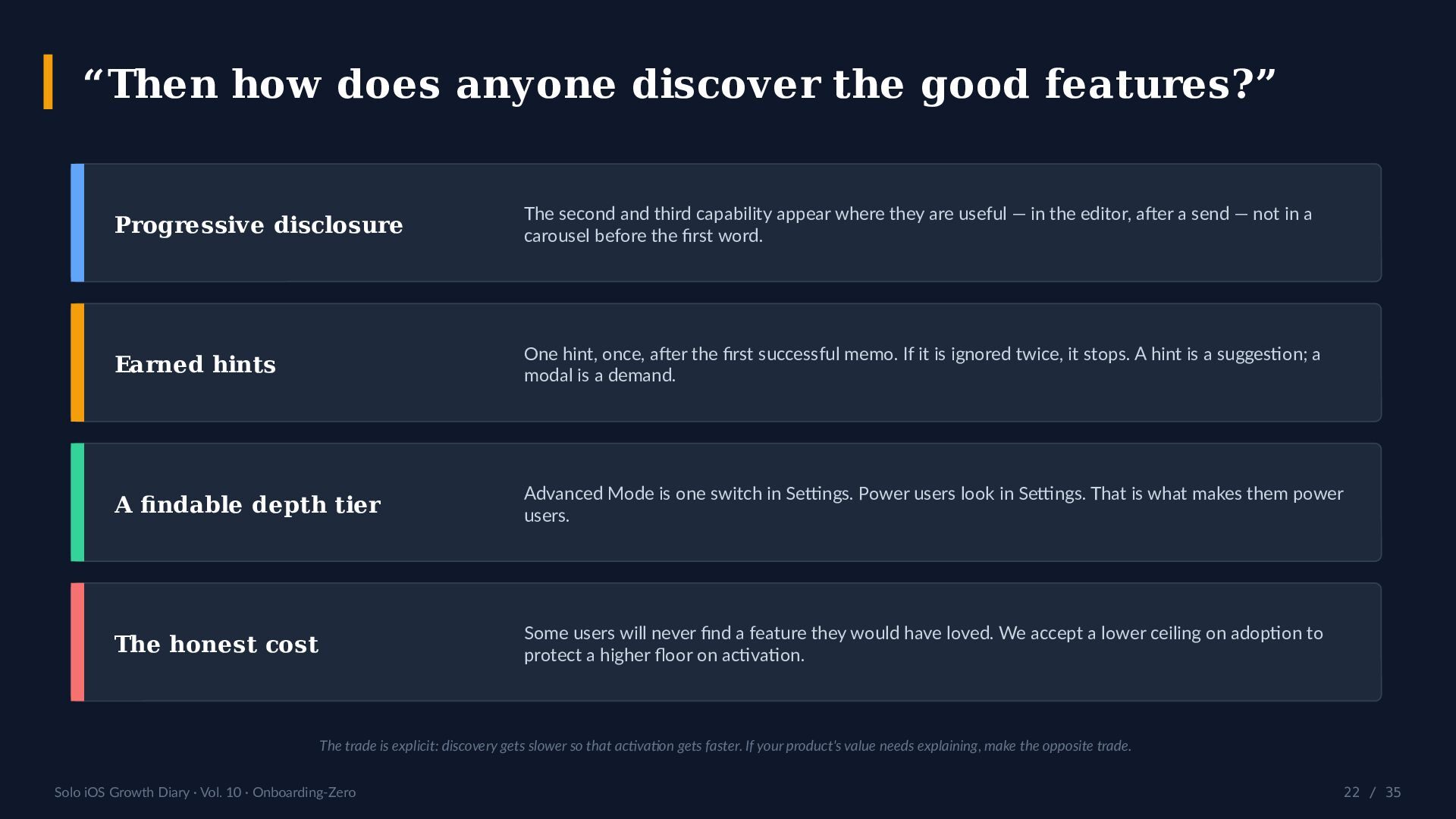
    / 35 “Then how does anyone discover the good features?” Progressive disclosure The second and third capability appear where they are useful — in the editor, after a send — not in a carousel before the first word. Earned hints One hint, once, after the first successful memo. If it is ignored twice, it stops. A hint is a suggestion; a modal is a demand. A findable depth tier Advanced Mode is one switch in Settings. Power users look in Settings. That is what makes them power users. The honest cost Some users will never find a feature they would have loved. We accept a lower ceiling on adoption to protect a higher floor on activation. The trade is explicit: discovery gets slower so that activation gets faster. If your product's value needs explaining, make the opposite trade.
  23. Solo iOS Growth Diary · Vol. 10 · Onboarding-Zero 23

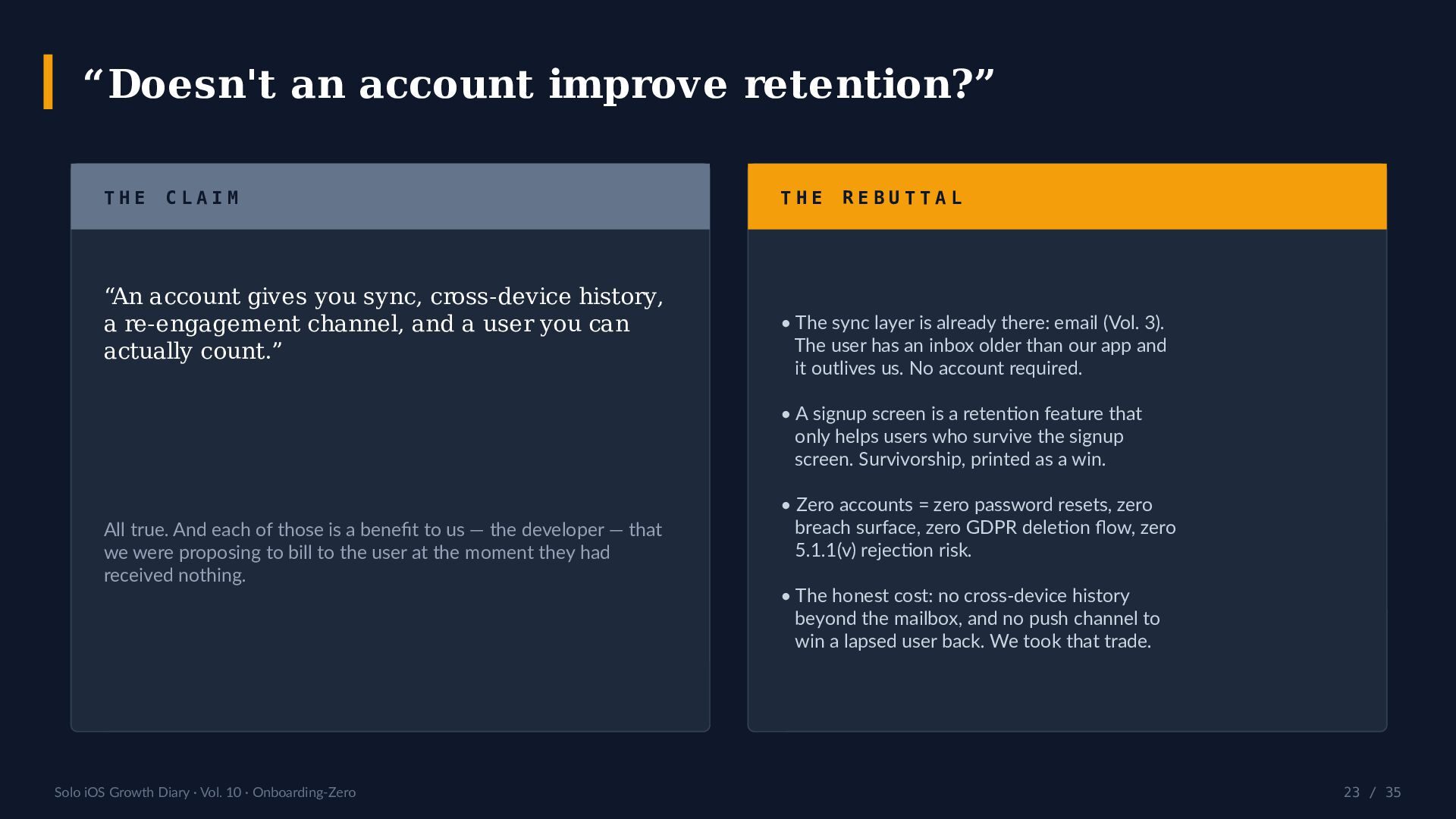
    / 35 “Doesn't an account improve retention?” T H E C L A I M “An account gives you sync, cross-device history, a re-engagement channel, and a user you can actually count.” All true. And each of those is a benefit to us — the developer — that we were proposing to bill to the user at the moment they had received nothing. T H E R E B U T T A L • The sync layer is already there: email (Vol. 3). The user has an inbox older than our app and it outlives us. No account required. • A signup screen is a retention feature that only helps users who survive the signup screen. Survivorship, printed as a win. • Zero accounts = zero password resets, zero breach surface, zero GDPR deletion flow, zero 5.1.1(v) rejection risk. • The honest cost: no cross-device history beyond the mailbox, and no push channel to win a lapsed user back. We took that trade.
  24. Solo iOS Growth Diary · Vol. 10 · Onboarding-Zero 24

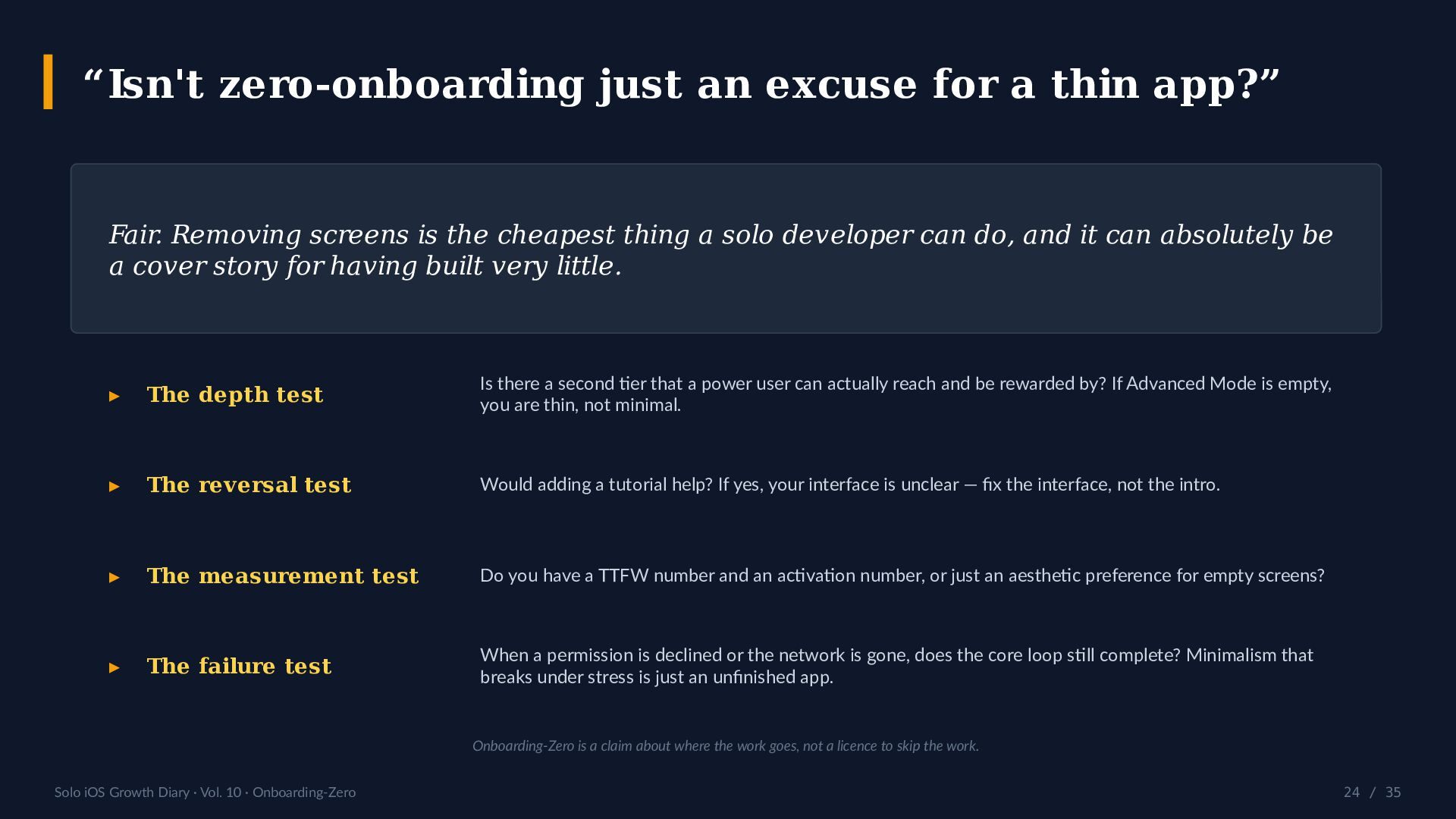
    / 35 “Isn't zero-onboarding just an excuse for a thin app?” Fair. Removing screens is the cheapest thing a solo developer can do, and it can absolutely be a cover story for having built very little. ▸ The depth test Is there a second tier that a power user can actually reach and be rewarded by? If Advanced Mode is empty, you are thin, not minimal. ▸ The reversal test Would adding a tutorial help? If yes, your interface is unclear — fix the interface, not the intro. ▸ The measurement test Do you have a TTFW number and an activation number, or just an aesthetic preference for empty screens? ▸ The failure test When a permission is declined or the network is gone, does the core loop still complete? Minimalism that breaks under stress is just an unfinished app. Onboarding-Zero is a claim about where the work goes, not a licence to skip the work.
  25. Solo iOS Growth Diary · Vol. 10 · Onboarding-Zero 25

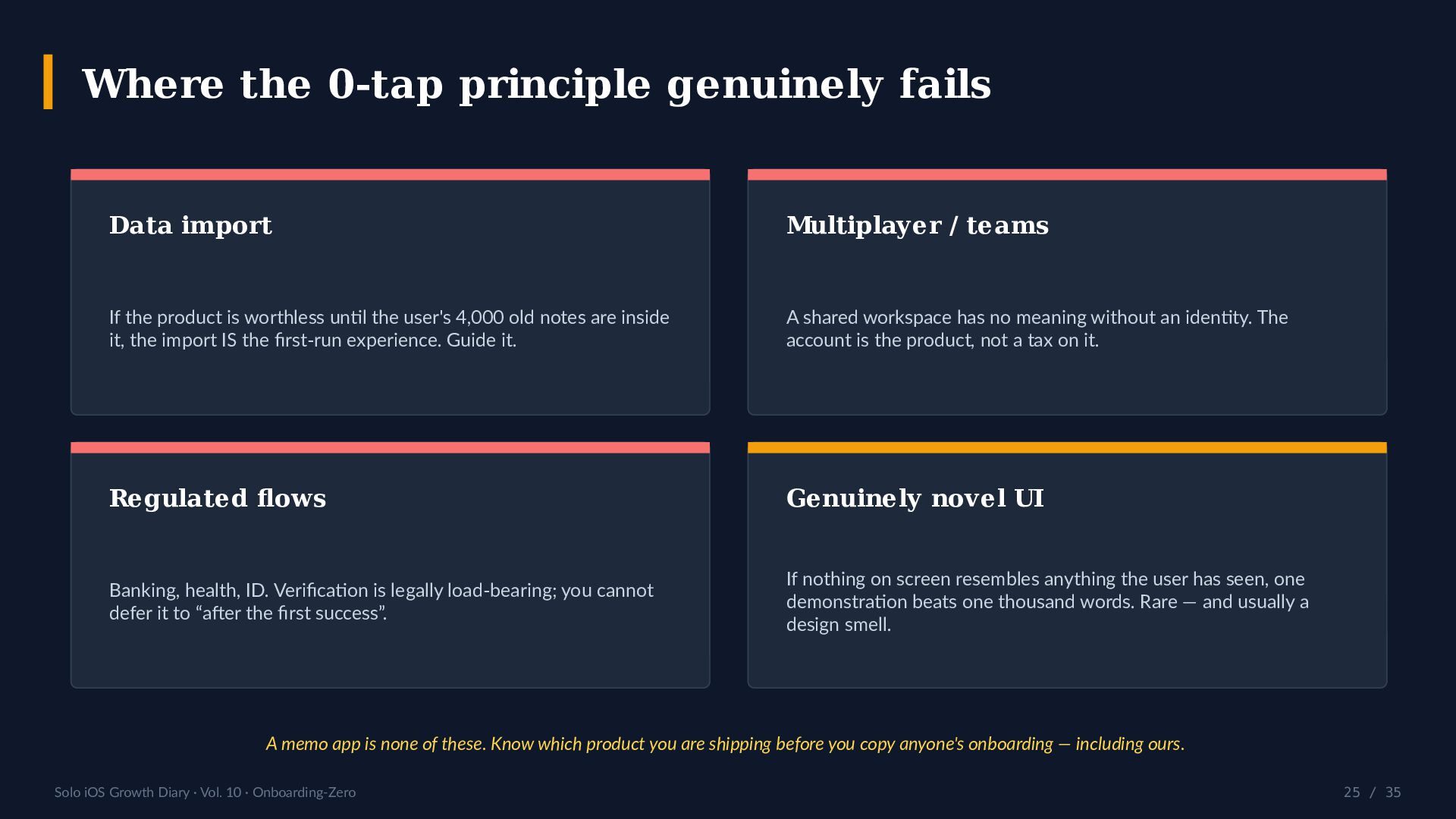
    / 35 Where the 0-tap principle genuinely fails Data import If the product is worthless until the user's 4,000 old notes are inside it, the import IS the first-run experience. Guide it. Multiplayer / teams A shared workspace has no meaning without an identity. The account is the product, not a tax on it. Regulated flows Banking, health, ID. Verification is legally load-bearing; you cannot defer it to “after the first success”. Genuinely novel UI If nothing on screen resembles anything the user has seen, one demonstration beats one thousand words. Rare — and usually a design smell. A memo app is none of these. Know which product you are shipping before you copy anyone's onboarding — including ours.
  26. Solo iOS Growth Diary · Vol. 10 · Onboarding-Zero 26

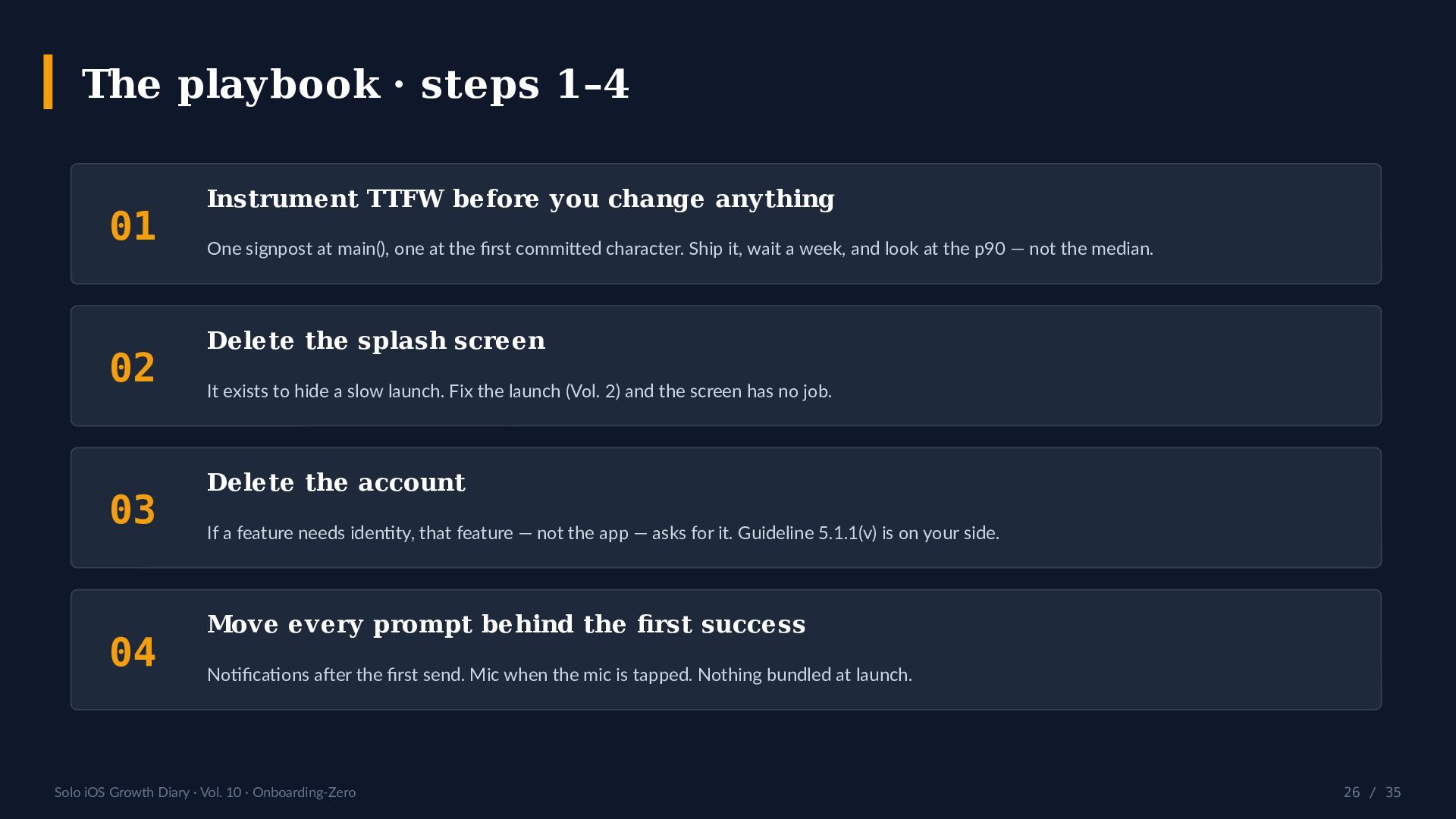
    / 35 The playbook · steps 1–4 01 Instrument TTFW before you change anything One signpost at main(), one at the first committed character. Ship it, wait a week, and look at the p90 — not the median. 02 Delete the splash screen It exists to hide a slow launch. Fix the launch (Vol. 2) and the screen has no job. 03 Delete the account If a feature needs identity, that feature — not the app — asks for it. Guideline 5.1.1(v) is on your side. 04 Move every prompt behind the first success Notifications after the first send. Mic when the mic is tapped. Nothing bundled at launch.
  27. Solo iOS Growth Diary · Vol. 10 · Onboarding-Zero 27

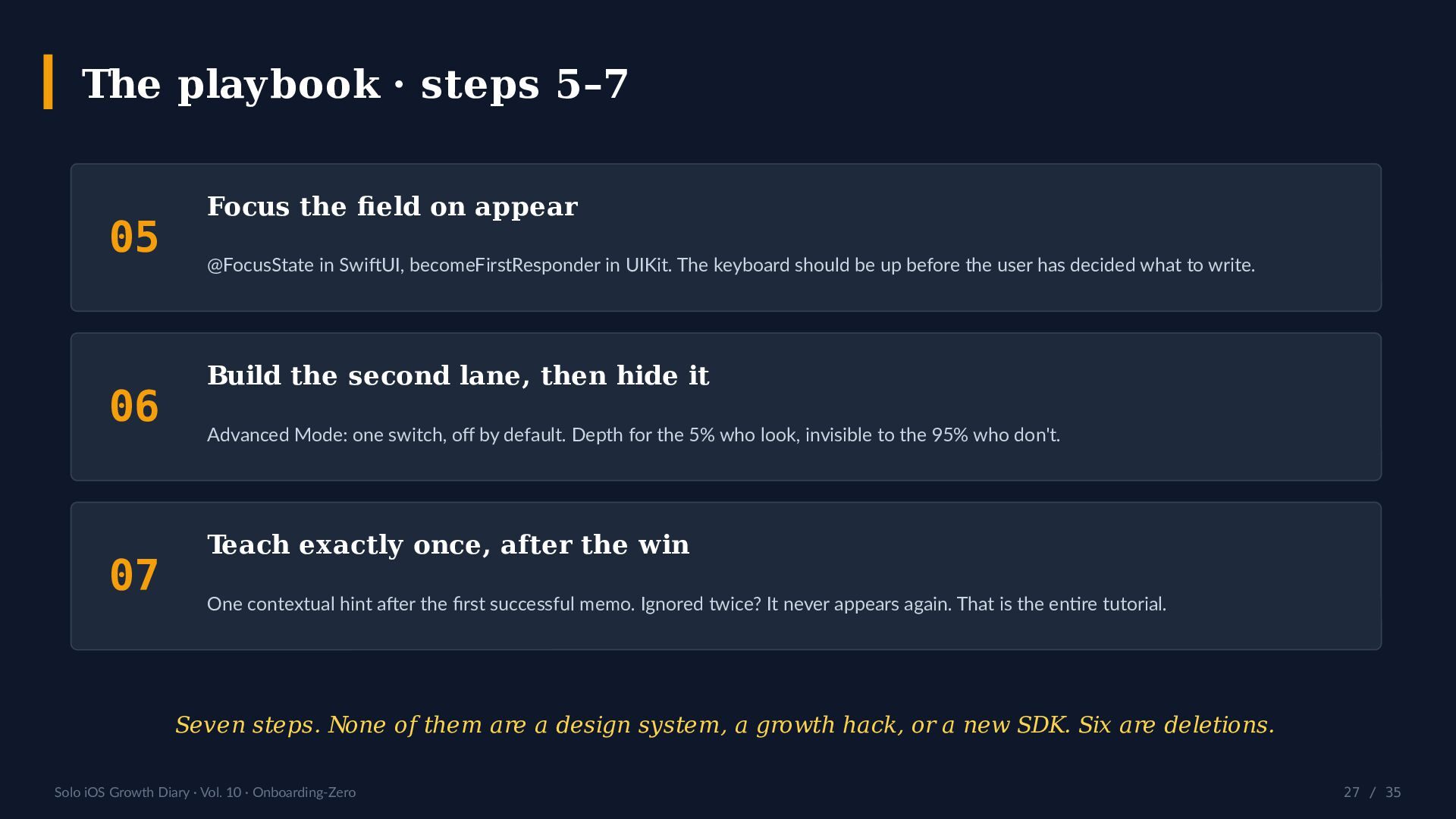
    / 35 The playbook · steps 5–7 05 Focus the field on appear @FocusState in SwiftUI, becomeFirstResponder in UIKit. The keyboard should be up before the user has decided what to write. 06 Build the second lane, then hide it Advanced Mode: one switch, off by default. Depth for the 5% who look, invisible to the 95% who don't. 07 Teach exactly once, after the win One contextual hint after the first successful memo. Ignored twice? It never appears again. That is the entire tutorial. Seven steps. None of them are a design system, a growth hack, or a new SDK. Six are deletions.
  28. Solo iOS Growth Diary · Vol. 10 · Onboarding-Zero 28

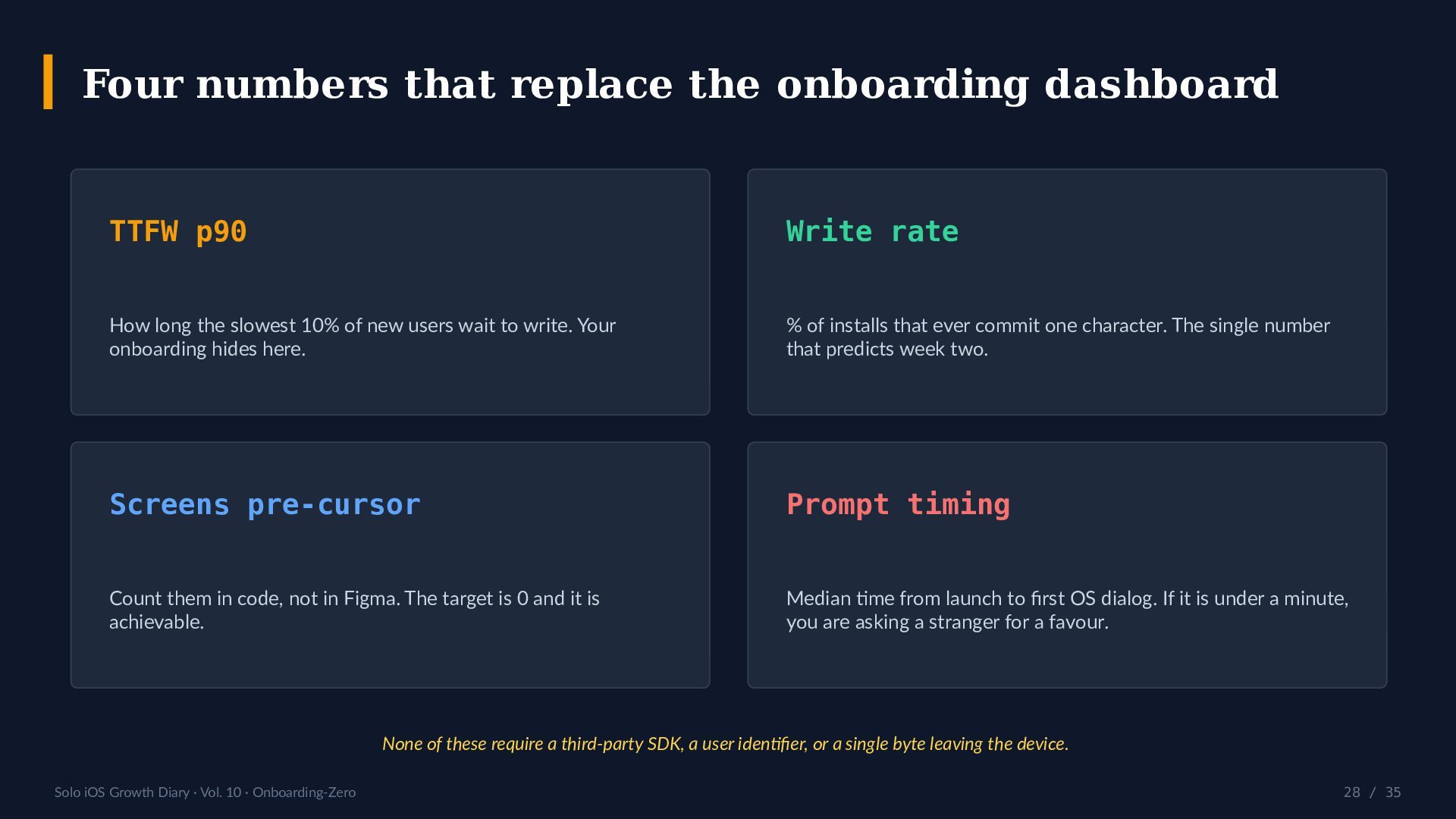
    / 35 Four numbers that replace the onboarding dashboard TTFW p90 How long the slowest 10% of new users wait to write. Your onboarding hides here. Write rate % of installs that ever commit one character. The single number that predicts week two. Screens pre-cursor Count them in code, not in Figma. The target is 0 and it is achievable. Prompt timing Median time from launch to first OS dialog. If it is under a minute, you are asking a stranger for a favour. None of these require a third-party SDK, a user identifier, or a single byte leaving the device.
  29. Solo iOS Growth Diary · Vol. 10 · Onboarding-Zero 29

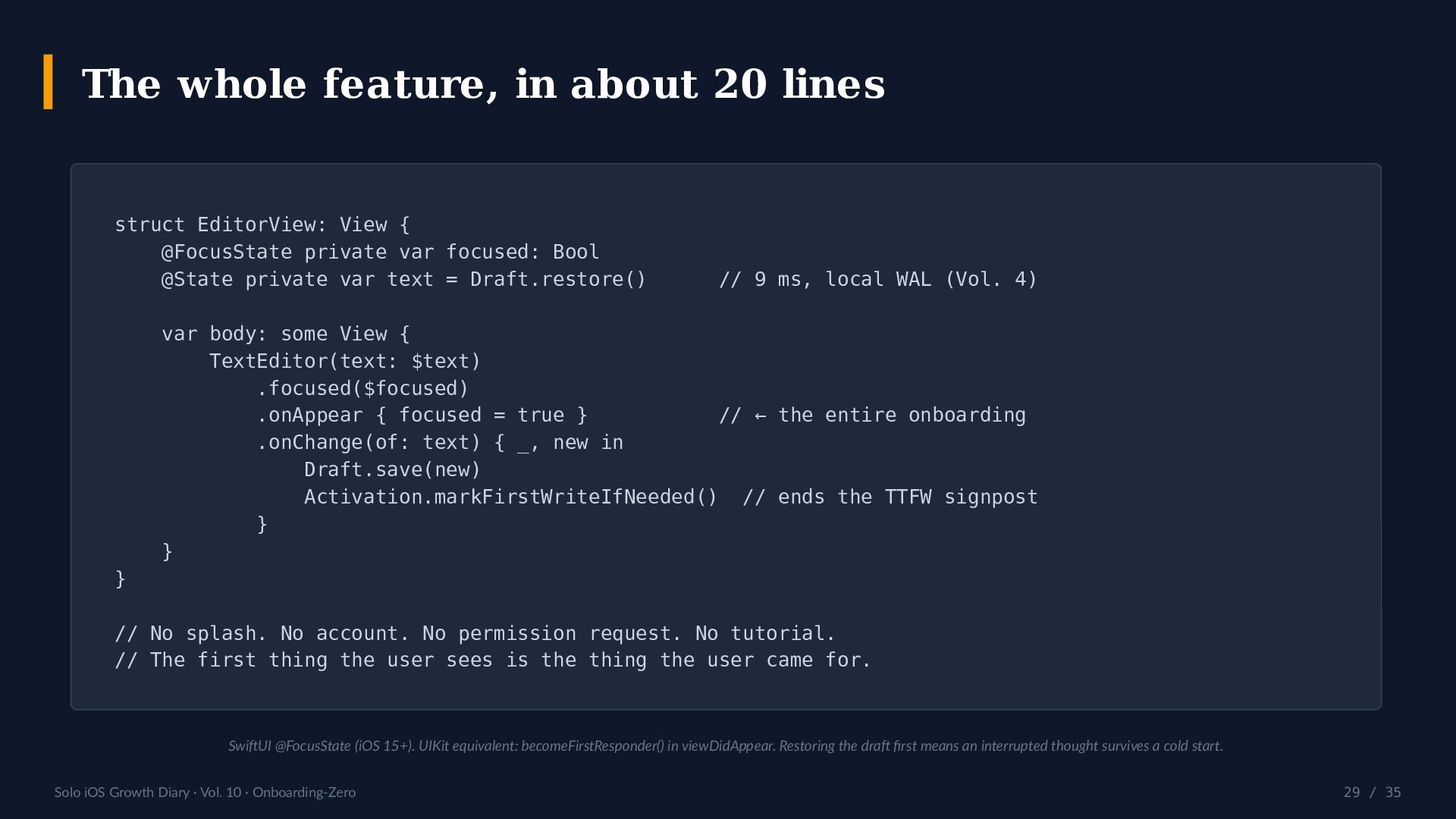
    / 35 The whole feature, in about 20 lines struct EditorView: View { @FocusState private var focused: Bool @State private var text = Draft.restore() // 9 ms, local WAL (Vol. 4) var body: some View { TextEditor(text: $text) .focused($focused) .onAppear { focused = true } // ← the entire onboarding .onChange(of: text) { _, new in Draft.save(new) Activation.markFirstWriteIfNeeded() // ends the TTFW signpost } } } // No splash. No account. No permission request. No tutorial. // The first thing the user sees is the thing the user came for. SwiftUI @FocusState (iOS 15+). UIKit equivalent: becomeFirstResponder() in viewDidAppear. Restoring the draft first means an interrupted thought survives a cold start.
  30. Solo iOS Growth Diary · Vol. 10 · Onboarding-Zero 30

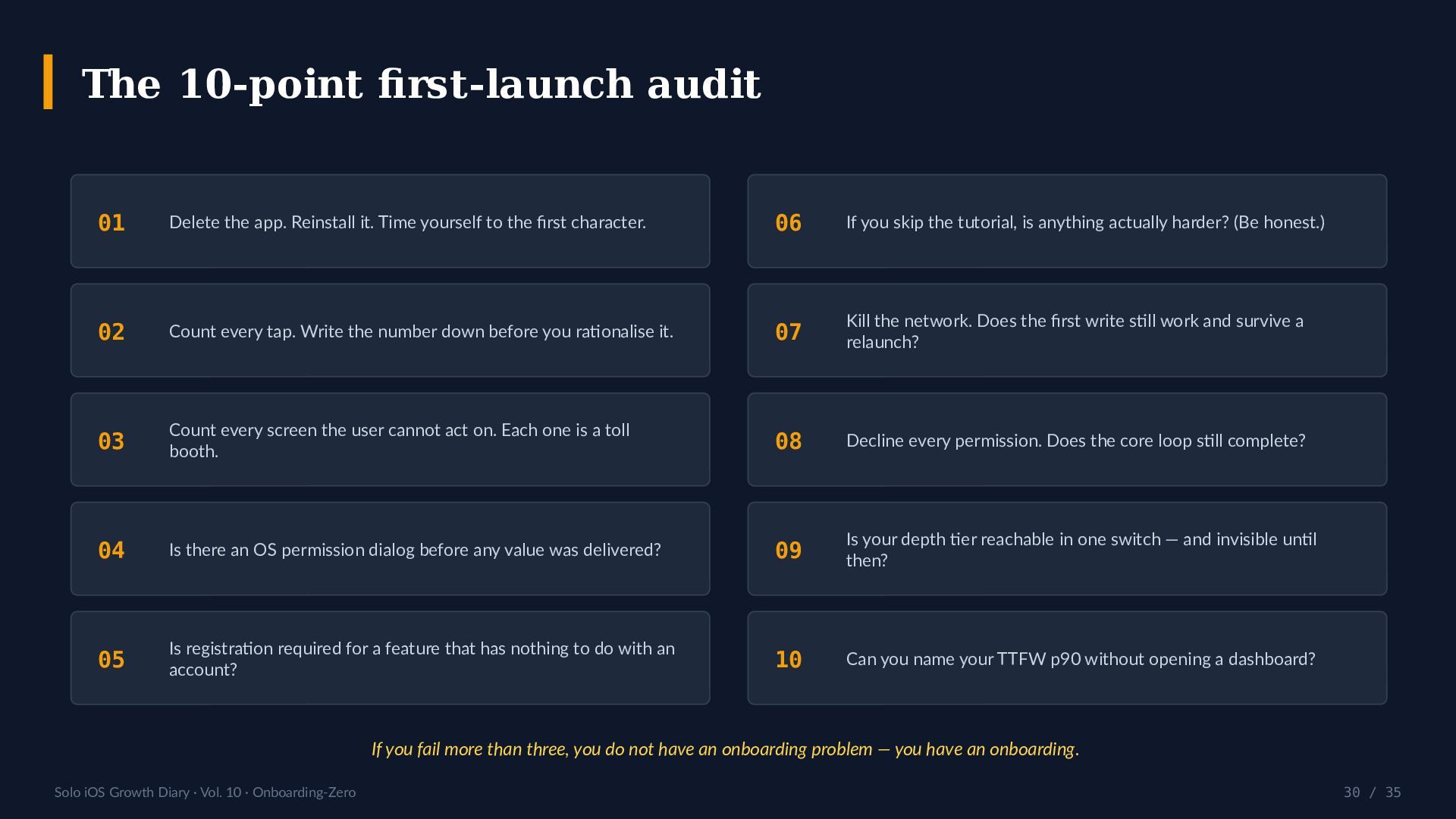
    / 35 The 10-point first-launch audit 01 Delete the app. Reinstall it. Time yourself to the first character. 02 Count every tap. Write the number down before you rationalise it. 03 Count every screen the user cannot act on. Each one is a toll booth. 04 Is there an OS permission dialog before any value was delivered? 05 Is registration required for a feature that has nothing to do with an account? 06 If you skip the tutorial, is anything actually harder? (Be honest.) 07 Kill the network. Does the first write still work and survive a relaunch? 08 Decline every permission. Does the core loop still complete? 09 Is your depth tier reachable in one switch — and invisible until then? 10 Can you name your TTFW p90 without opening a dashboard? If you fail more than three, you do not have an onboarding problem — you have an onboarding.
  31. Solo iOS Growth Diary · Vol. 10 · Onboarding-Zero 31

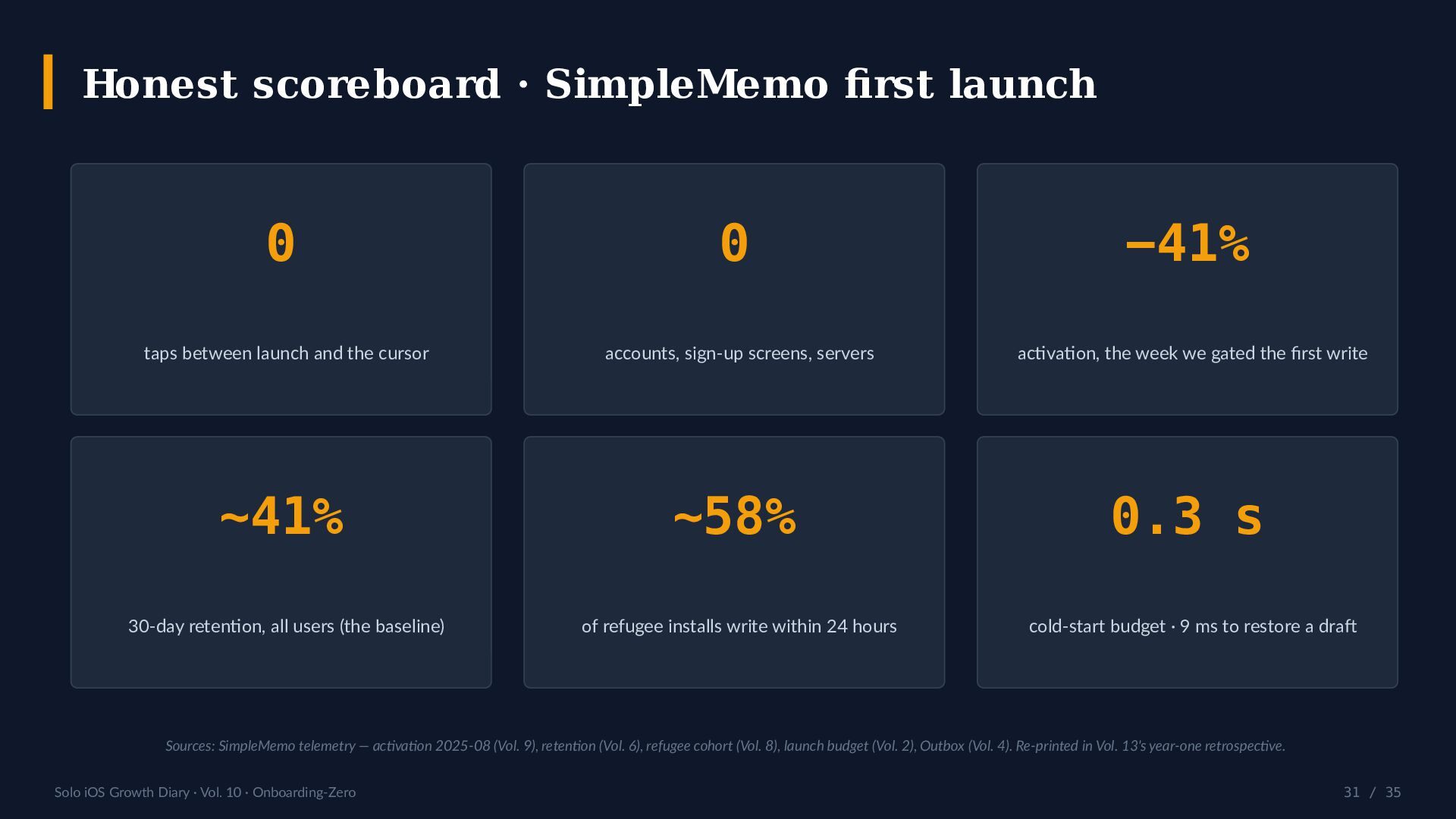
    / 35 Honest scoreboard · SimpleMemo first launch 0 taps between launch and the cursor 0 accounts, sign-up screens, servers −41% activation, the week we gated the first write ~41% 30-day retention, all users (the baseline) ~58% of refugee installs write within 24 hours 0.3 s cold-start budget · 9 ms to restore a draft Sources: SimpleMemo telemetry — activation 2025-08 (Vol. 9), retention (Vol. 6), refugee cohort (Vol. 8), launch budget (Vol. 2), Outbox (Vol. 4). Re-printed in Vol. 13's year-one retrospective.
  32. Solo iOS Growth Diary · Vol. 10 · Onboarding-Zero 32

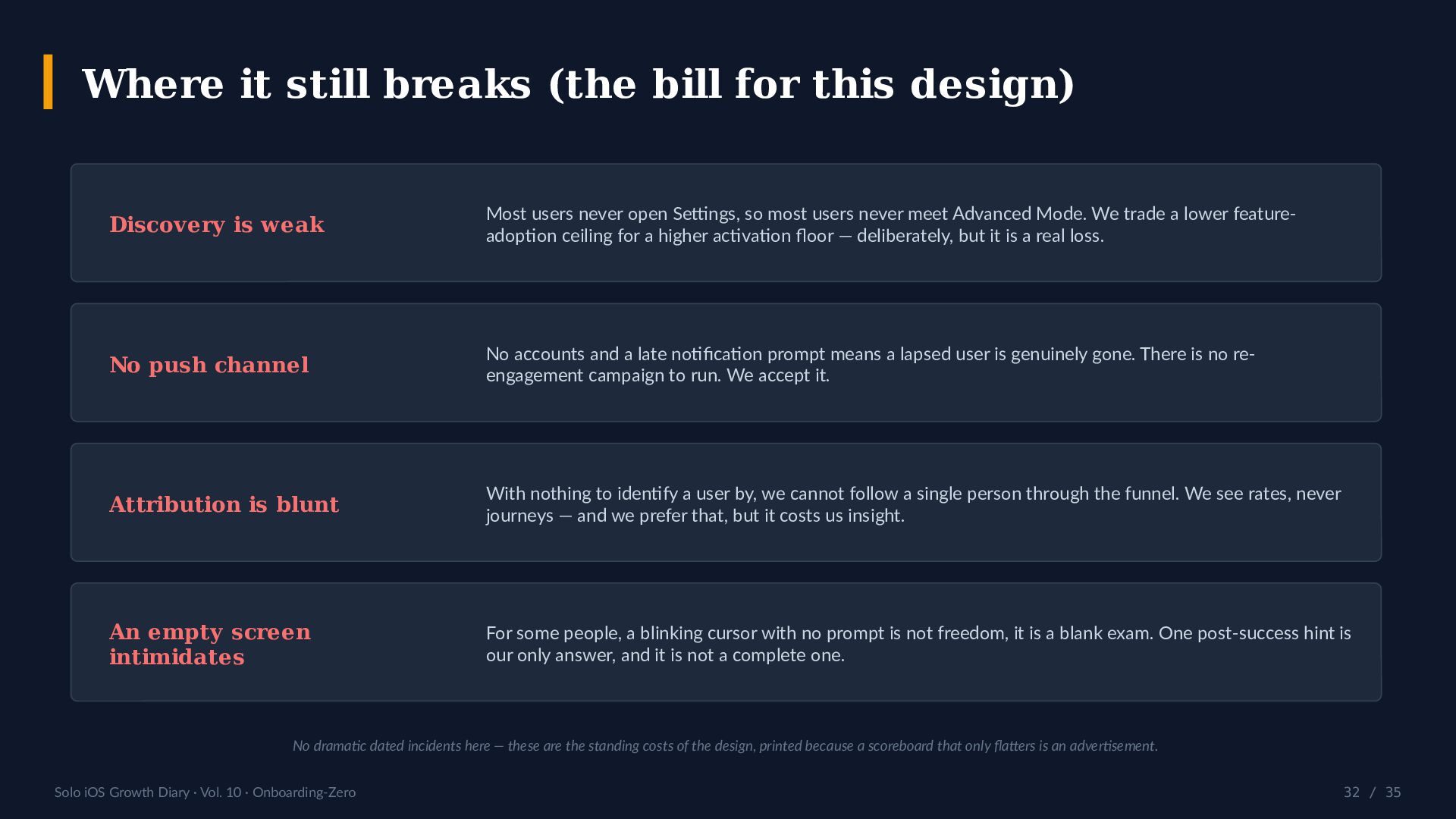
    / 35 Where it still breaks (the bill for this design) Discovery is weak Most users never open Settings, so most users never meet Advanced Mode. We trade a lower feature- adoption ceiling for a higher activation floor — deliberately, but it is a real loss. No push channel No accounts and a late notification prompt means a lapsed user is genuinely gone. There is no re- engagement campaign to run. We accept it. Attribution is blunt With nothing to identify a user by, we cannot follow a single person through the funnel. We see rates, never journeys — and we prefer that, but it costs us insight. An empty screen intimidates For some people, a blinking cursor with no prompt is not freedom, it is a blank exam. One post-success hint is our only answer, and it is not a complete one. No dramatic dated incidents here — these are the standing costs of the design, printed because a scoreboard that only flatters is an advertisement.
  33. Solo iOS Growth Diary · Vol. 10 · Onboarding-Zero 33

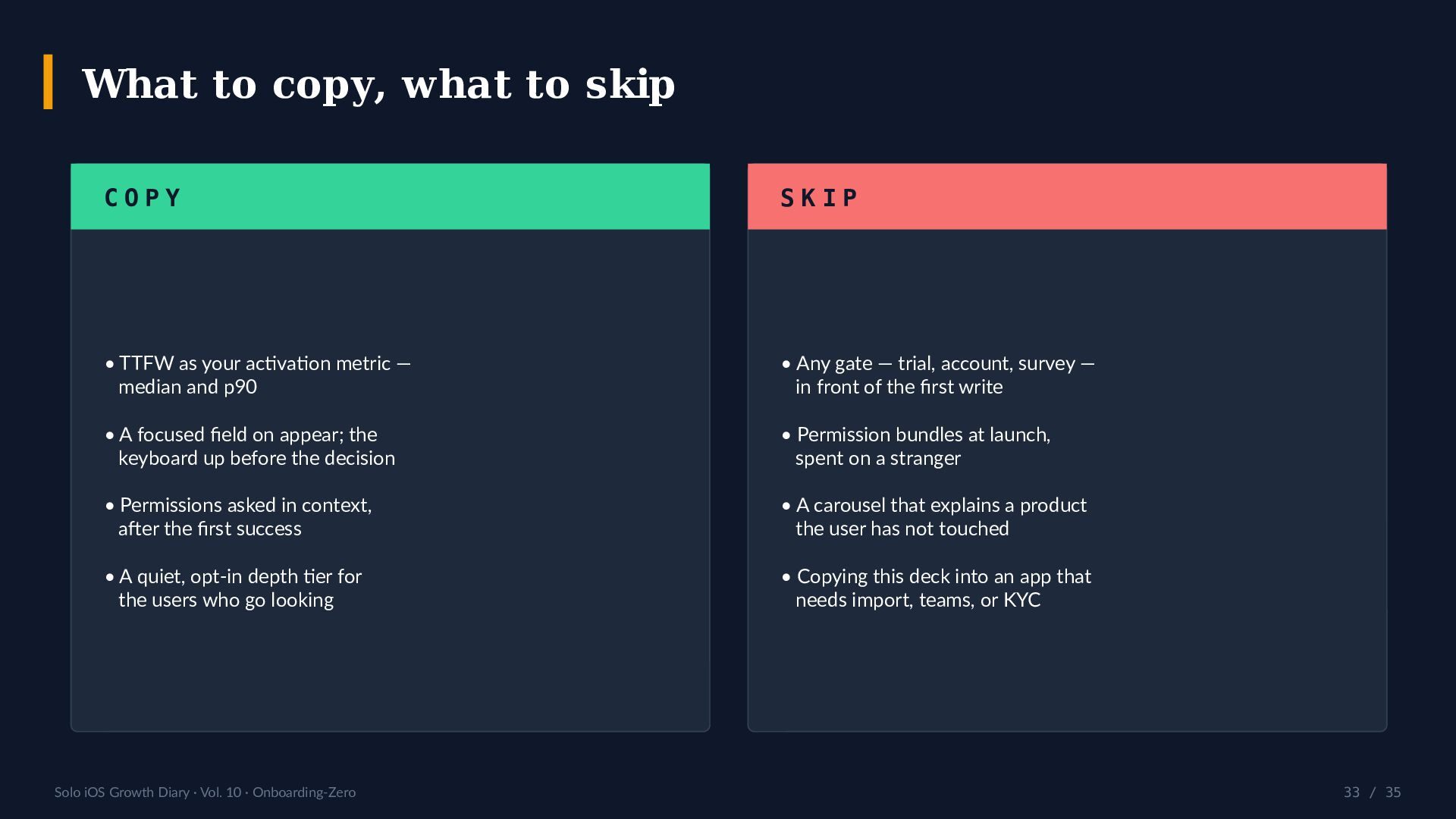
    / 35 What to copy, what to skip C O P Y • TTFW as your activation metric — median and p90 • A focused field on appear; the keyboard up before the decision • Permissions asked in context, after the first success • A quiet, opt-in depth tier for the users who go looking S K I P • Any gate — trial, account, survey — in front of the first write • Permission bundles at launch, spent on a stranger • A carousel that explains a product the user has not touched • Copying this deck into an app that needs import, teams, or KYC
  34. Solo iOS Growth Diary · Vol. 10 · Onboarding-Zero 34

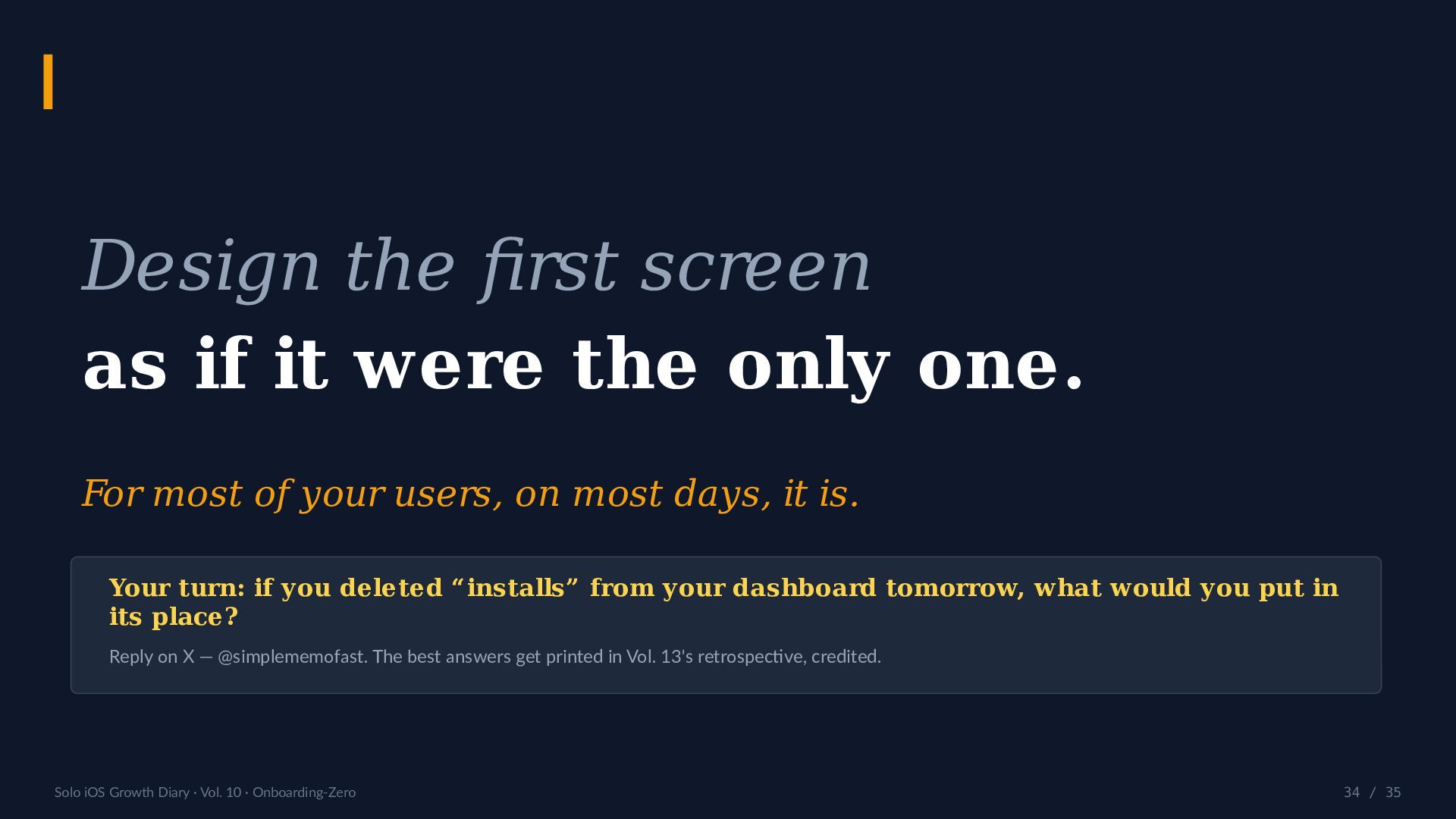
    / 35 Design the first screen as if it were the only one. For most of your users, on most days, it is. Your turn: if you deleted “installs” from your dashboard tomorrow, what would you put in its place? Reply on X — @simplememofast. The best answers get printed in Vol. 13's retrospective, credited.
  35. Solo iOS Growth Diary · Vol. 10 · Onboarding-Zero 35

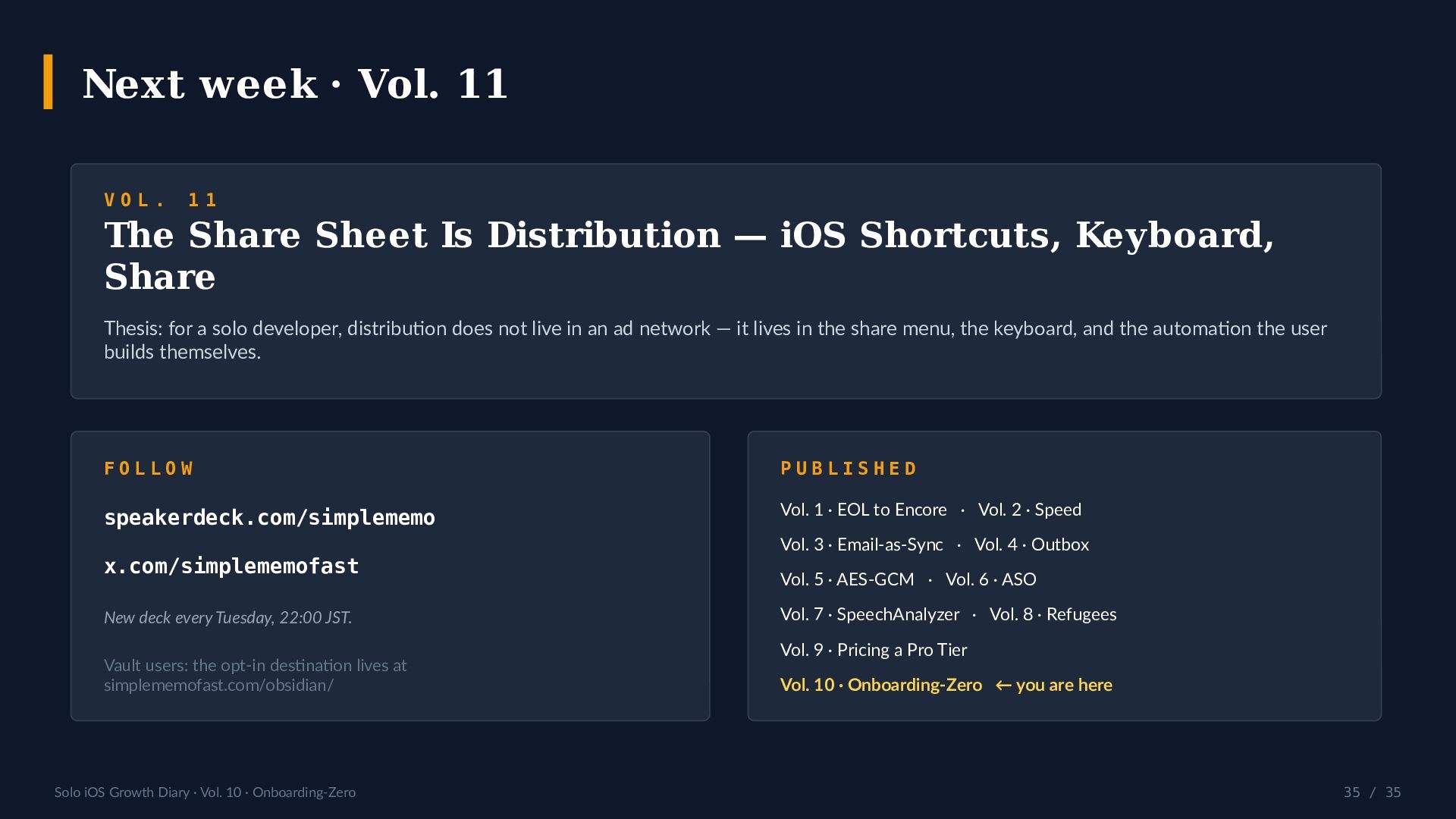
    / 35 Next week · Vol. 11 V O L . 1 1 The Share Sheet Is Distribution — iOS Shortcuts, Keyboard, Share Thesis: for a solo developer, distribution does not live in an ad network — it lives in the share menu, the keyboard, and the automation the user builds themselves. F O L L O W speakerdeck.com/simplememo x.com/simplememofast New deck every Tuesday, 22:00 JST. Vault users: the opt-in destination lives at simplememofast.com/obsidian/ P U B L I S H E D Vol. 1 · EOL to Encore · Vol. 2 · Speed Vol. 3 · Email-as-Sync · Vol. 4 · Outbox Vol. 5 · AES-GCM · Vol. 6 · ASO Vol. 7 · SpeechAnalyzer · Vol. 8 · Refugees Vol. 9 · Pricing a Pro Tier Vol. 10 · Onboarding-Zero ← you are here