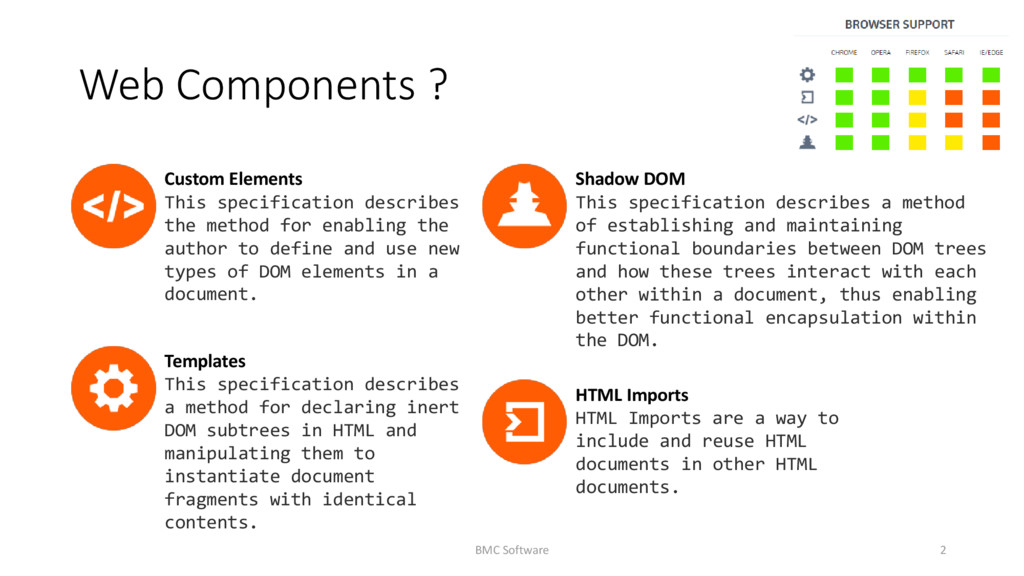
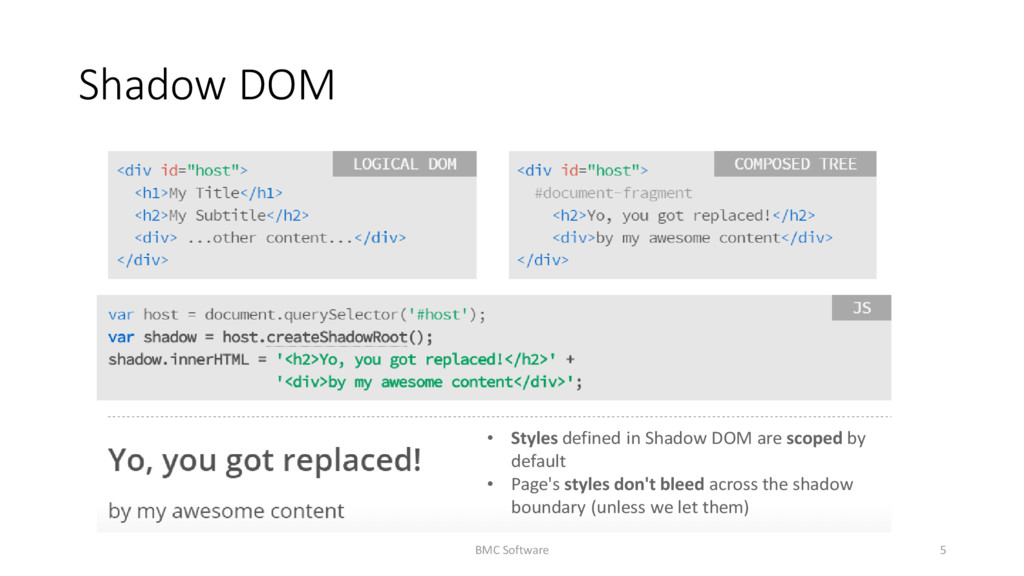
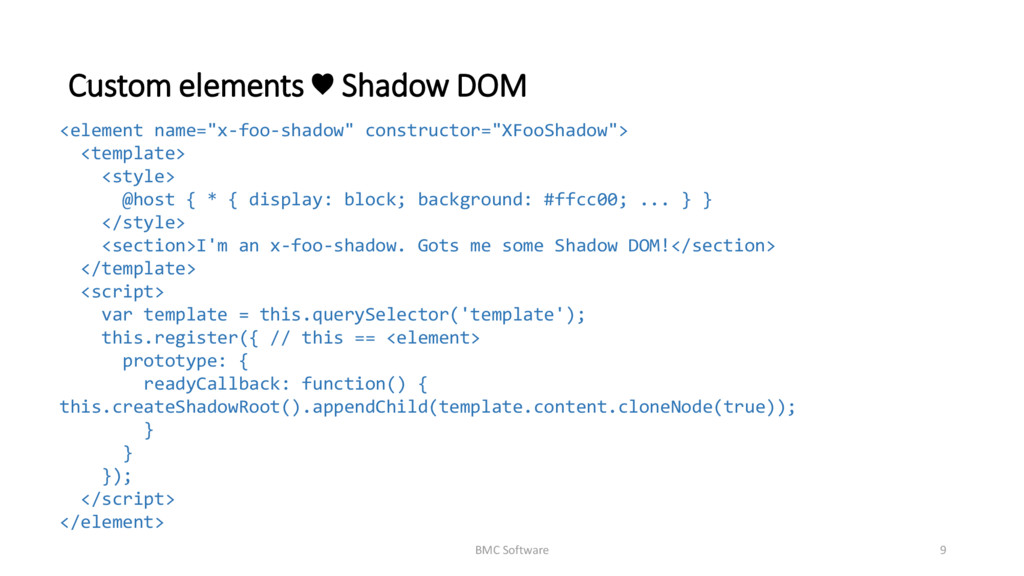
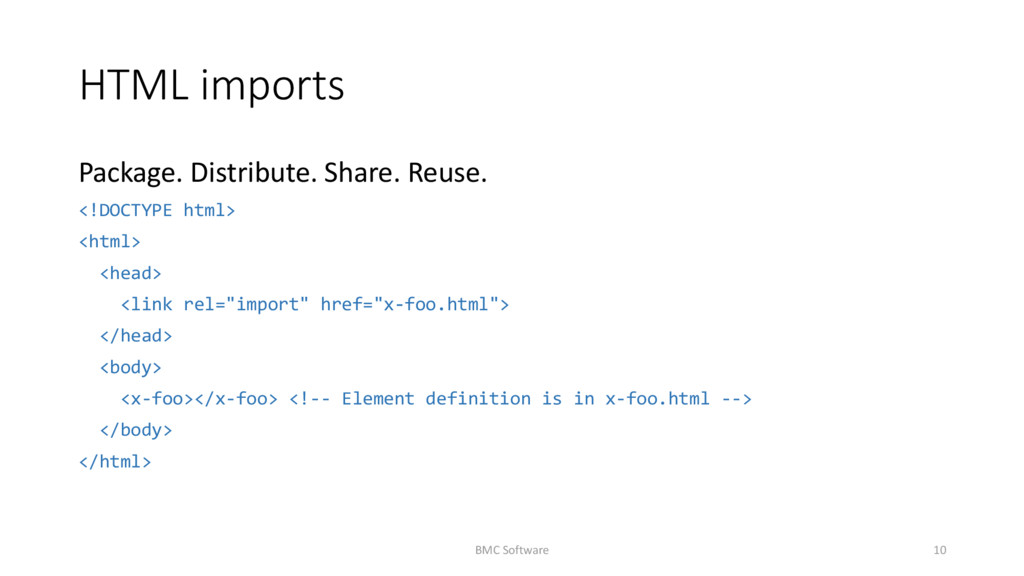
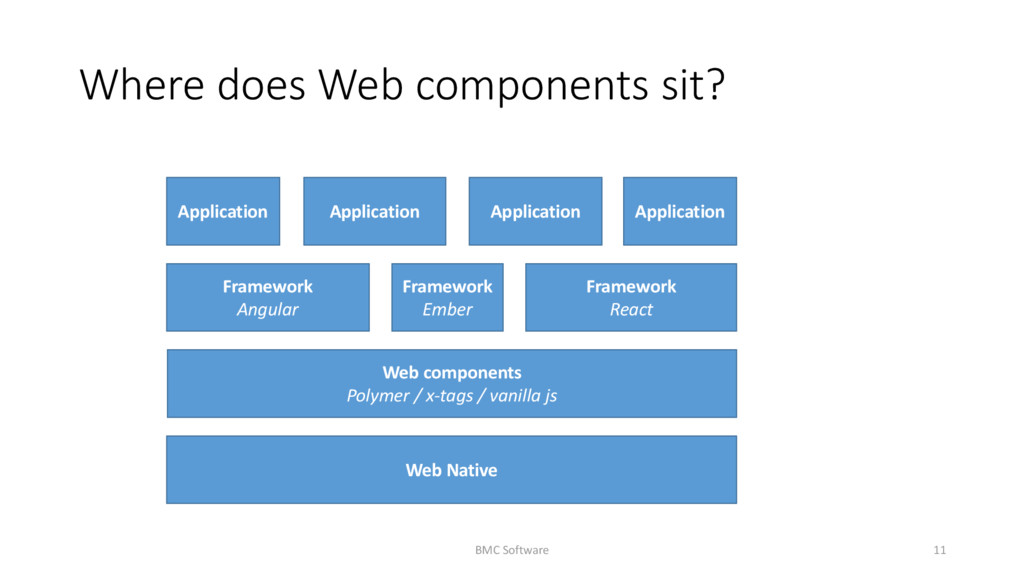
describes the method for enabling the author to define and use new types of DOM elements in a document. HTML Imports HTML Imports are a way to include and reuse HTML documents in other HTML documents. Templates This specification describes a method for declaring inert DOM subtrees in HTML and manipulating them to instantiate document fragments with identical contents. Shadow DOM This specification describes a method of establishing and maintaining functional boundaries between DOM trees and how these trees interact with each other within a document, thus enabling better functional encapsulation within the DOM.
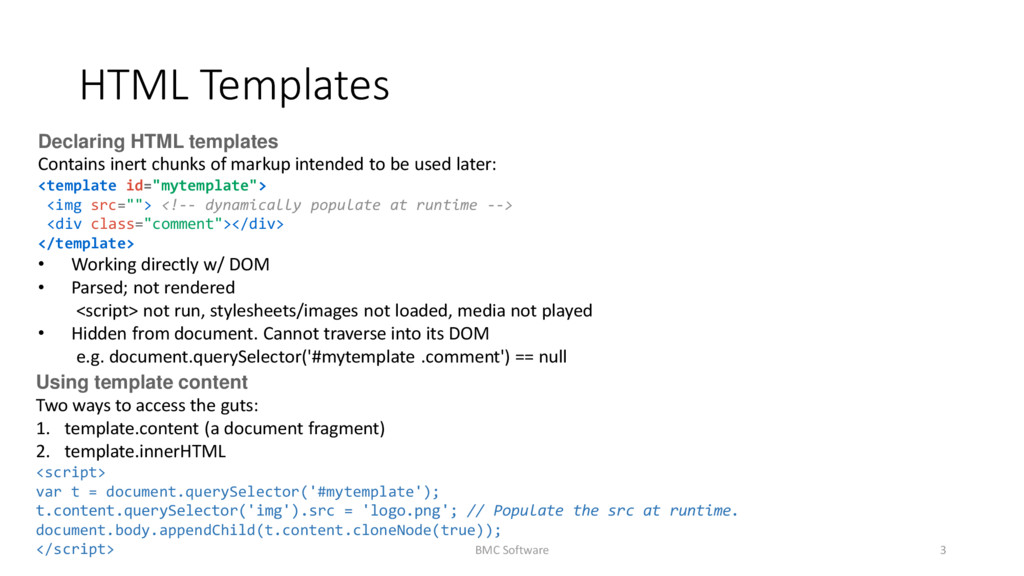
intended to be used later: <template id="mytemplate"> <img src=""> <!-- dynamically populate at runtime --> <div class="comment"></div> </template> • Working directly w/ DOM • Parsed; not rendered <script> not run, stylesheets/images not loaded, media not played • Hidden from document. Cannot traverse into its DOM e.g. document.querySelector('#mytemplate .comment') == null Using template content Two ways to access the guts: 1. template.content (a document fragment) 2. template.innerHTML <script> var t = document.querySelector('#mytemplate'); t.content.querySelector('img').src = 'logo.png'; // Populate the src at runtime. document.body.appendChild(t.content.cloneNode(true)); </script> BMC Software 3
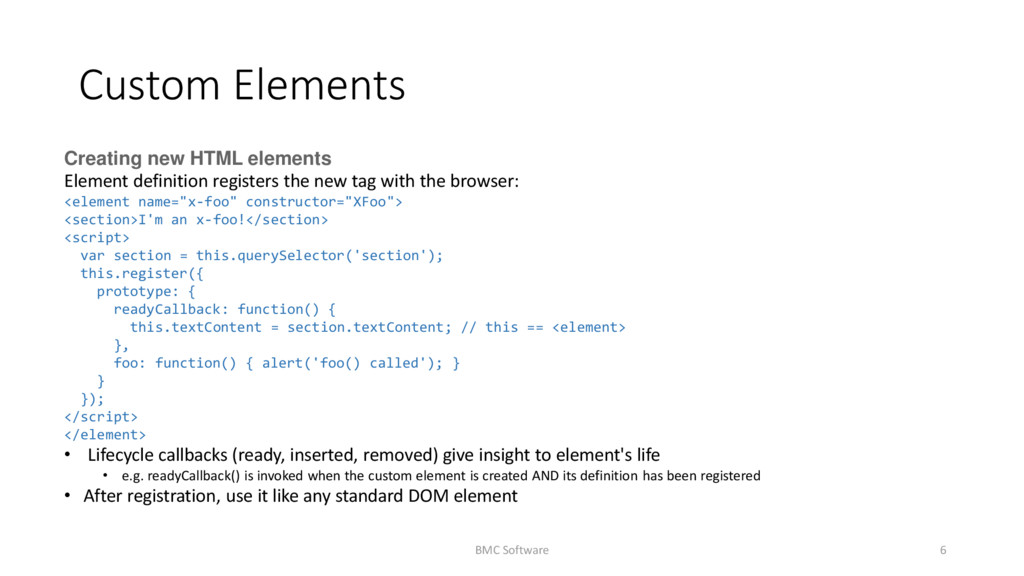
new tag with the browser: <element name="x-foo" constructor="XFoo"> <section>I'm an x-foo!</section> <script> var section = this.querySelector('section'); this.register({ prototype: { readyCallback: function() { this.textContent = section.textContent; // this == <element> }, foo: function() { alert('foo() called'); } } }); </script> </element> • Lifecycle callbacks (ready, inserted, removed) give insight to element's life • e.g. readyCallback() is invoked when the custom element is created AND its definition has been registered • After registration, use it like any standard DOM element BMC Software 6
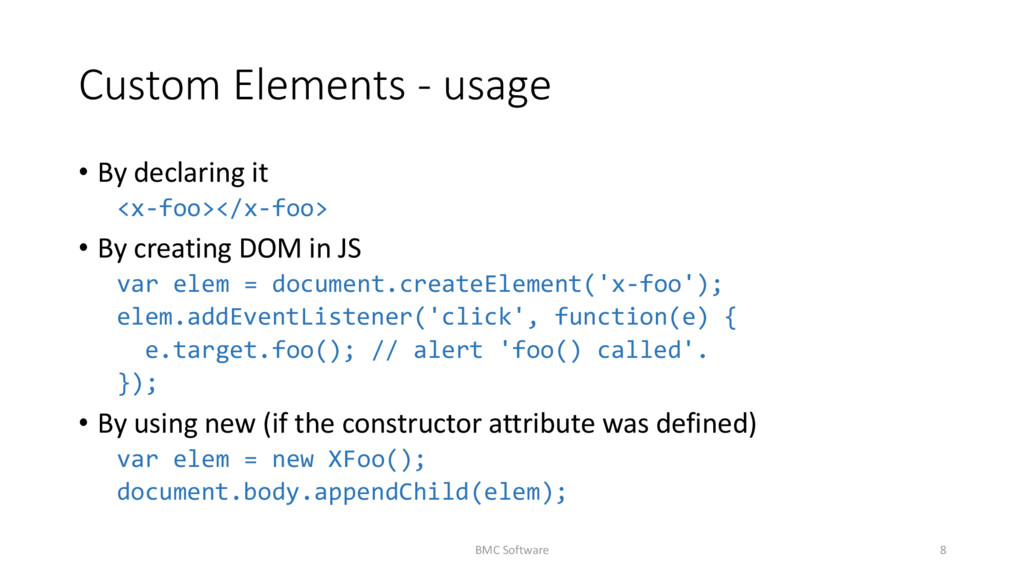
By creating DOM in JS var elem = document.createElement('x-foo'); elem.addEventListener('click', function(e) { e.target.foo(); // alert 'foo() called'. }); • By using new (if the constructor attribute was defined) var elem = new XFoo(); document.body.appendChild(elem); BMC Software 8
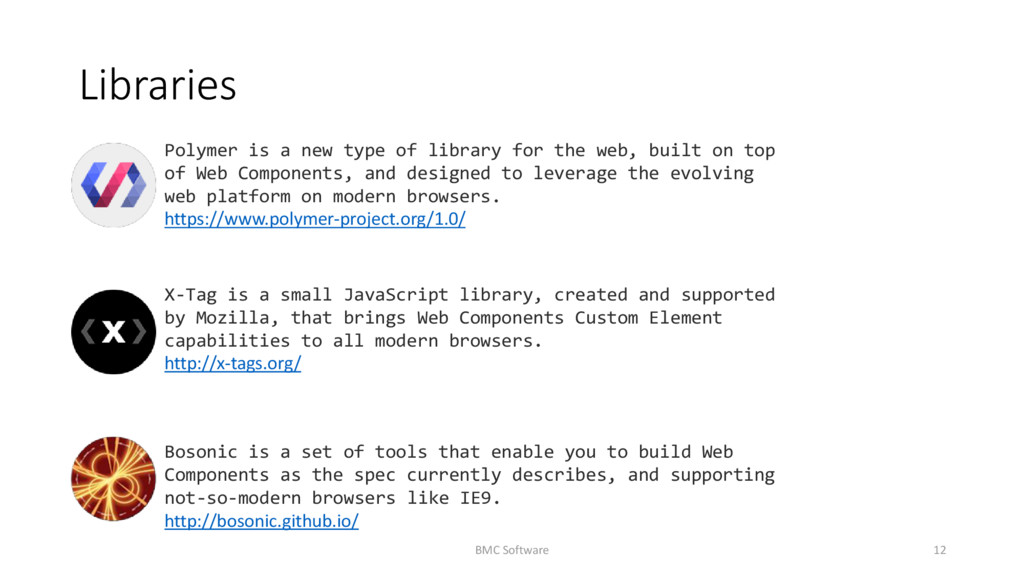
web, built on top of Web Components, and designed to leverage the evolving web platform on modern browsers. https://www.polymer-project.org/1.0/ X-Tag is a small JavaScript library, created and supported by Mozilla, that brings Web Components Custom Element capabilities to all modern browsers. http://x-tags.org/ Bosonic is a set of tools that enable you to build Web Components as the spec currently describes, and supporting not-so-modern browsers like IE9. http://bosonic.github.io/ BMC Software 12
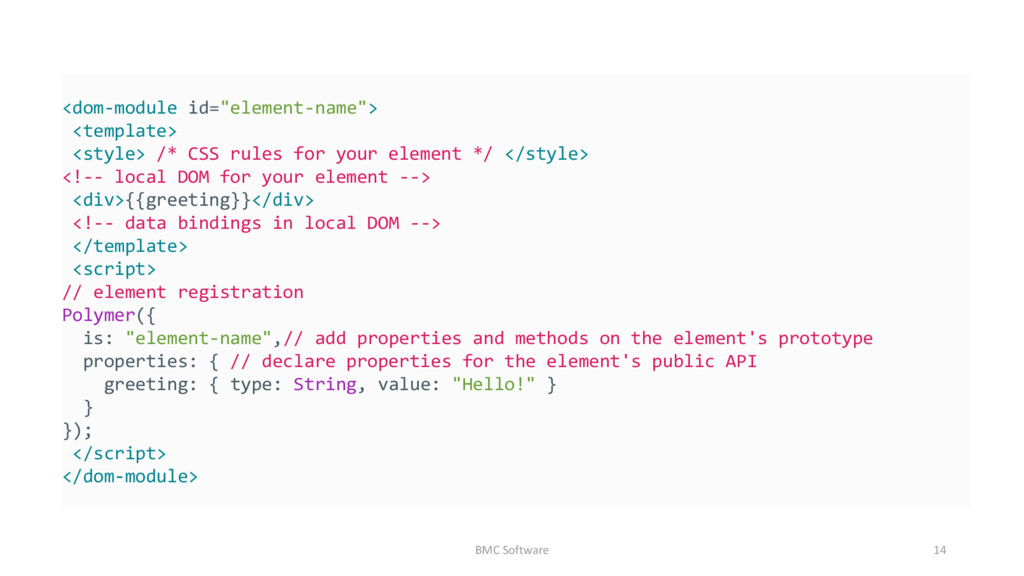
custom elements The Polymer library provides a set of features for creating custom elements. These features are designed to make it easier and faster to make custom elements that work like standard DOM elements. BMC Software 13
*/ </style> <!-- local DOM for your element --> <div>{{greeting}}</div> <!-- data bindings in local DOM --> </template> <script> // element registration Polymer({ is: "element-name",// add properties and methods on the element's prototype properties: { // declare properties for the element's public API greeting: { type: String, value: "Hello!" } } }); </script> </dom-module> BMC Software 14
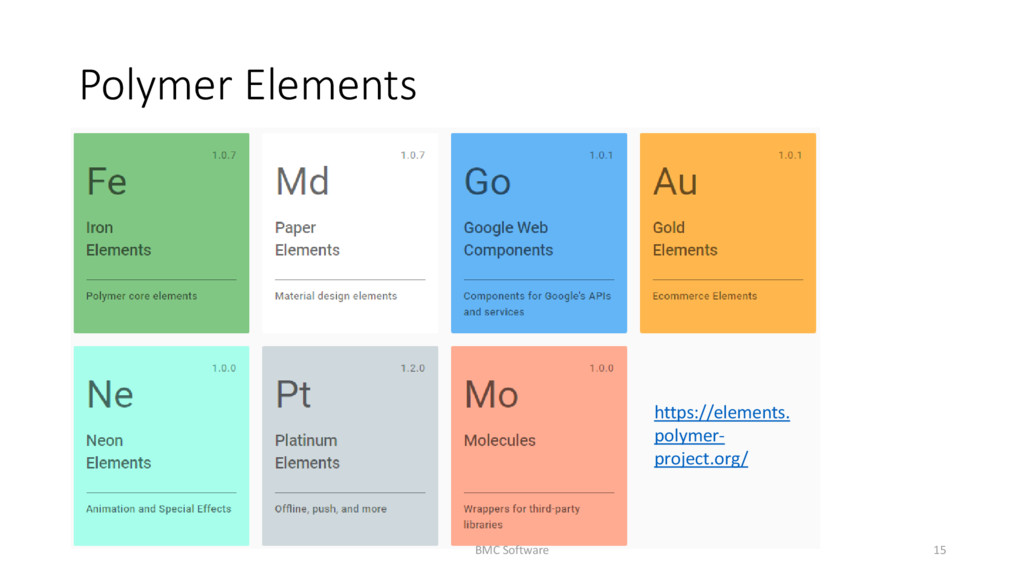
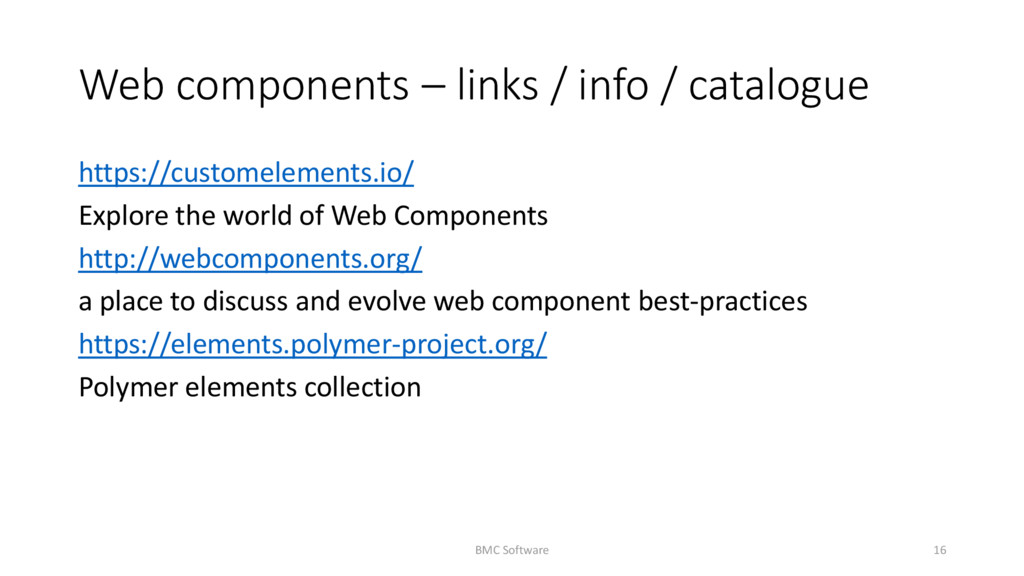
the world of Web Components http://webcomponents.org/ a place to discuss and evolve web component best-practices https://elements.polymer-project.org/ Polymer elements collection BMC Software 16


 o0h
o0h
 rshindo
 syumai
 y0hgi
y0hgi
 yuta_onishi_97
 timakin
 ___akari11
 ichirokano2
 kaityo256
 rollbear
 optim
optim
 morizo_1984
 productmarketing
 helmedeiros
 marktimemedia
 mza
mza
 scottboms
 aleyda
 sergeychernyshev
 takai
takai
 trishagee
 jdejongh
 ryanjones
 bluesmoon