Upgrade to Pro — share decks privately, control downloads, hide ads and more …

Turning Architecture into Unit Tests in the AI ...

Turning Architecture into Unit Tests in the AI Era (NSSpain XIV)

AI-generated code is here to stay. It can help us move faster, explore ideas quickly, and generate working implementations in seconds. But even with sophisticated prompts, skills, and instructions, AI can still produce code that looks correct while quietly violating your architecture and introducing subtle bugs.

As more AI-generated code slips in, these violations add up until the codebase becomes harder for humans to maintain and harder for AI agents to modify.

That creates a new problem for engineering teams. Code reviews matter more than ever, but as teams generate more code, faster, it becomes impractical and error-prone to expect reviewers to manually catch every architectural flaw: a ViewModel accessing the network layer directly, a SwiftUI view bypassing your design system, or a Combine pipeline updating UI state from a background thread.

Meet Harmonize: a modern, open-source linter for Swift that turns your architecture into unit tests. When a code change violates your rules, those tests fail, preventing the change from being merged until the violations are fixed.

You will learn how to write architectural lint rules using Quick, XCTest, or Swift Testing, enforce them in your CI pipeline, and create a feedback loop for AI agents to detect and fix the violations they introduce.

Because in the AI era, agents generate the code, humans define the architecture, and lint rules enforce it.

Avatar for Stelios Frantzeskakis

Stelios Frantzeskakis PRO

September 16, 2026

More Decks by Stelios Frantzeskakis

Other Decks in Programming

Transcript

  1. Turning Architecture into Unit Tests in the AI Era Stelios

    Frantzeskakis • Perry Street Software NSSpain XIV
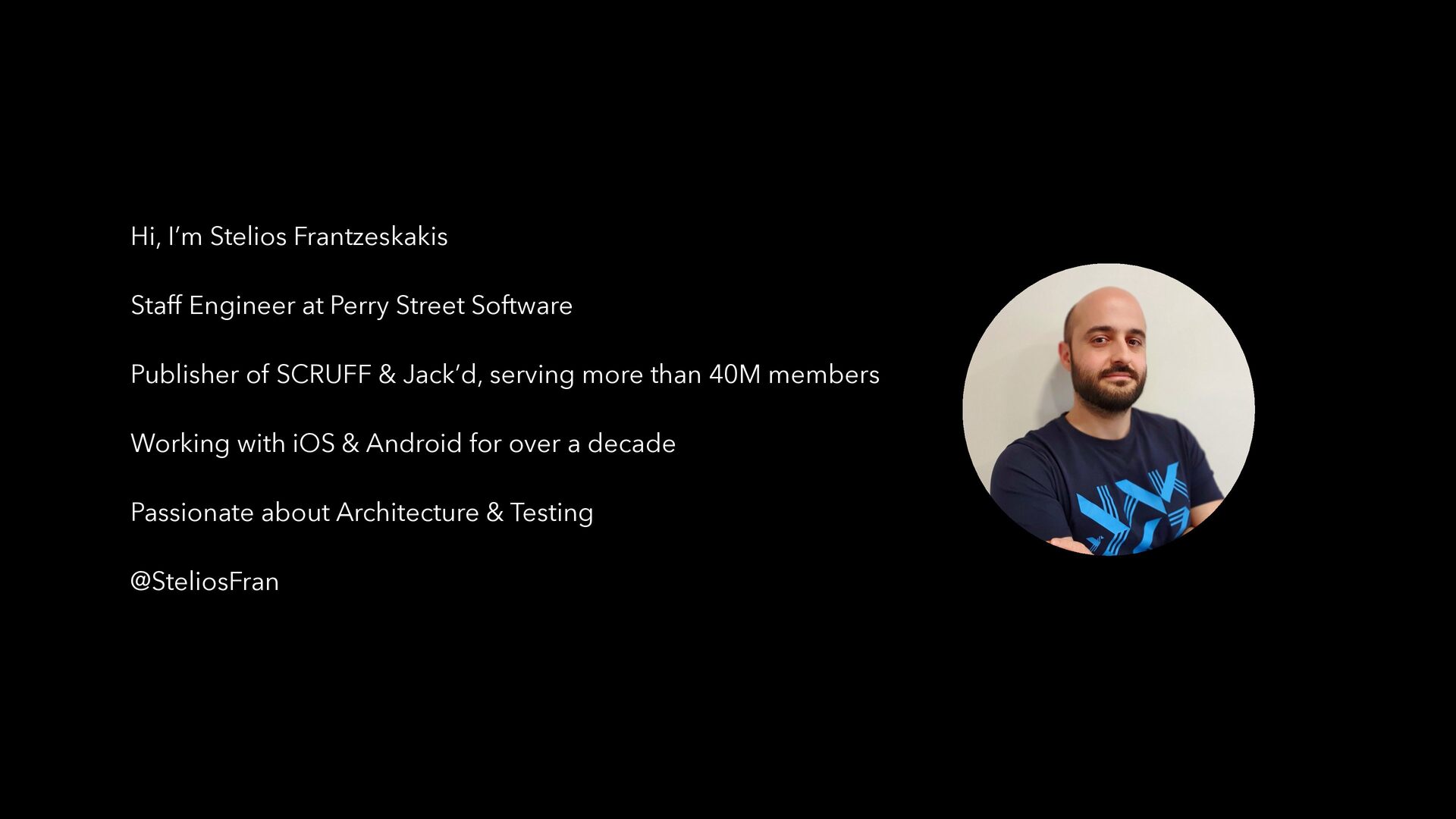
  2. Hi, I’m Stelios Frantzeskakis Staff Engineer at Perry Street Software

    Publisher of SCRUFF & Jack’d, serving more than 40M members Working with iOS & Android for over a decade Passionate about Architecture & Testing @SteliosFran
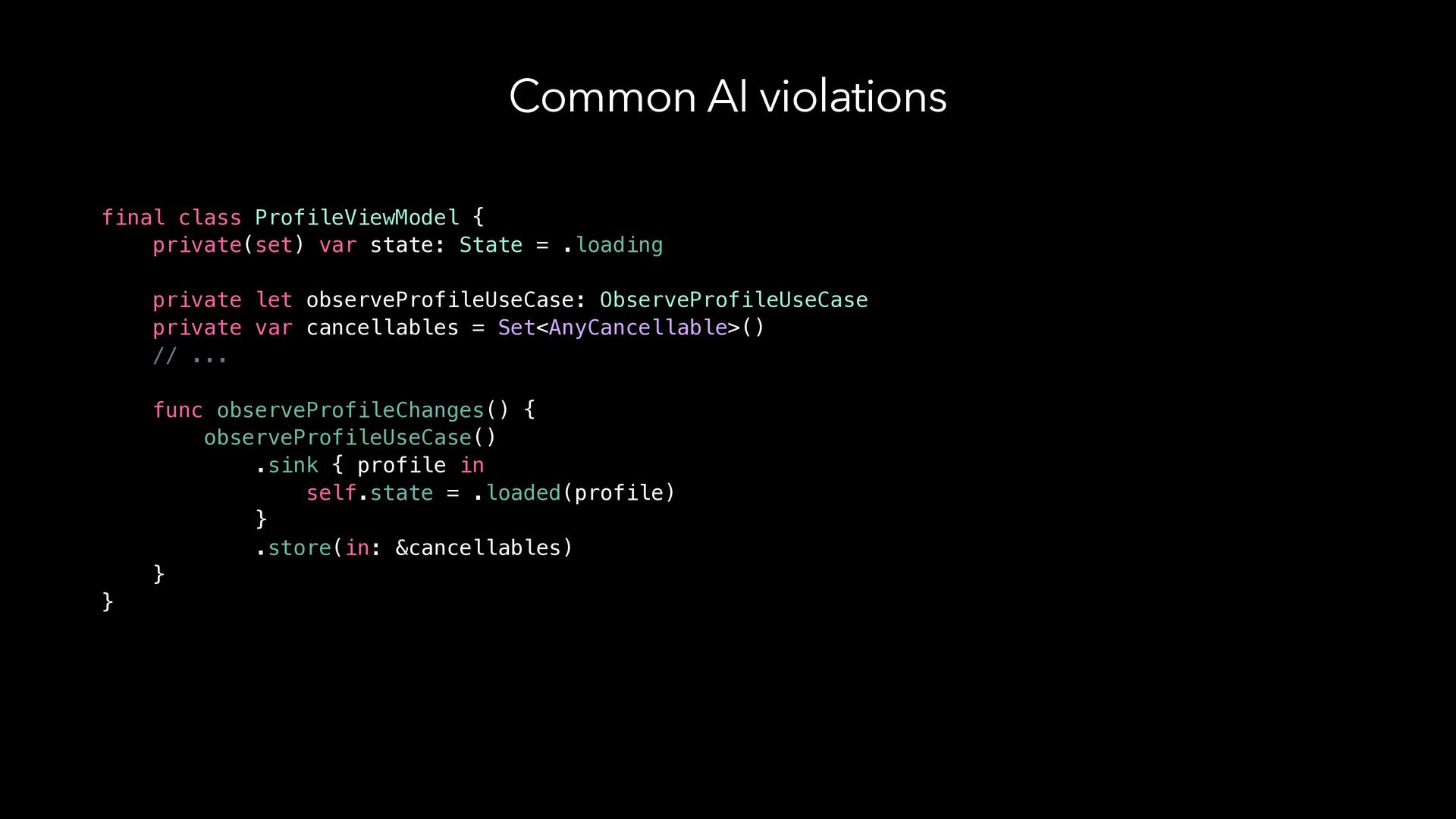
  3. Common AI violations final class ProfileViewModel { private(set) var state:

    State = .loading private let observeProfileUseCase: ObserveProfileUseCase private var cancellables = Set<AnyCancellable>() // ... func observeProfileChanges() { observeProfileUseCase() .sink { profile in self.state = .loaded(profile) } .store(in: &cancellables) } }
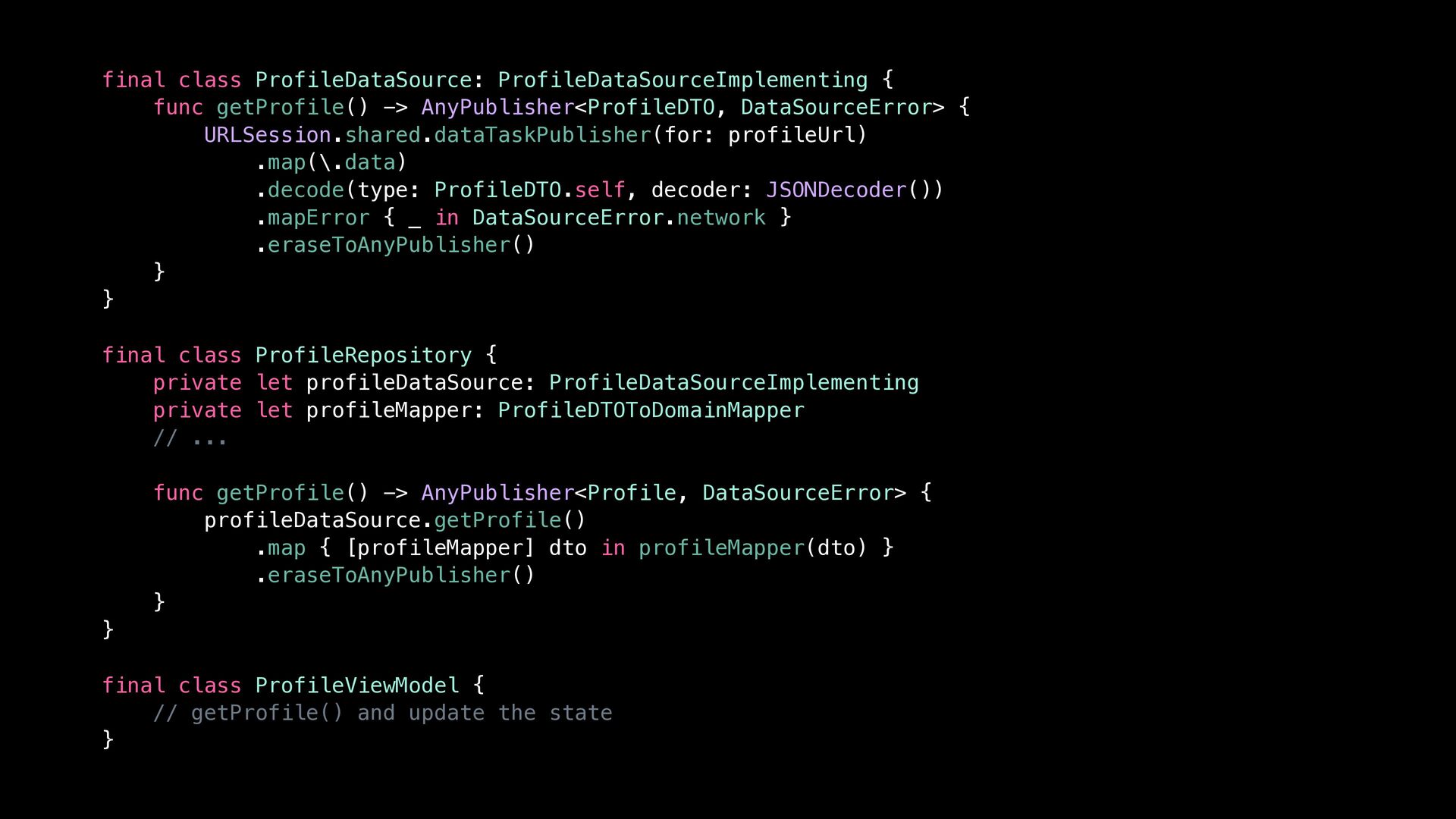
  4. final class ProfileDataSource: ProfileDataSourceImplementing { func getProfile() -> AnyPublisher<ProfileDTO, DataSourceError>

    { URLSession.shared.dataTaskPublisher(for: profileUrl) .map(\.data) .decode(type: ProfileDTO.self, decoder: JSONDecoder()) .mapError { _ in DataSourceError.network } .eraseToAnyPublisher() } } final class ProfileRepository { private let profileDataSource: ProfileDataSourceImplementing private let profileMapper: ProfileDTOToDomainMapper // ... func getProfile() -> AnyPublisher<Profile, DataSourceError> { profileDataSource.getProfile() .map { [profileMapper] dto in profileMapper(dto) } .eraseToAnyPublisher() } } final class ProfileViewModel { // getProfile() and update the state }
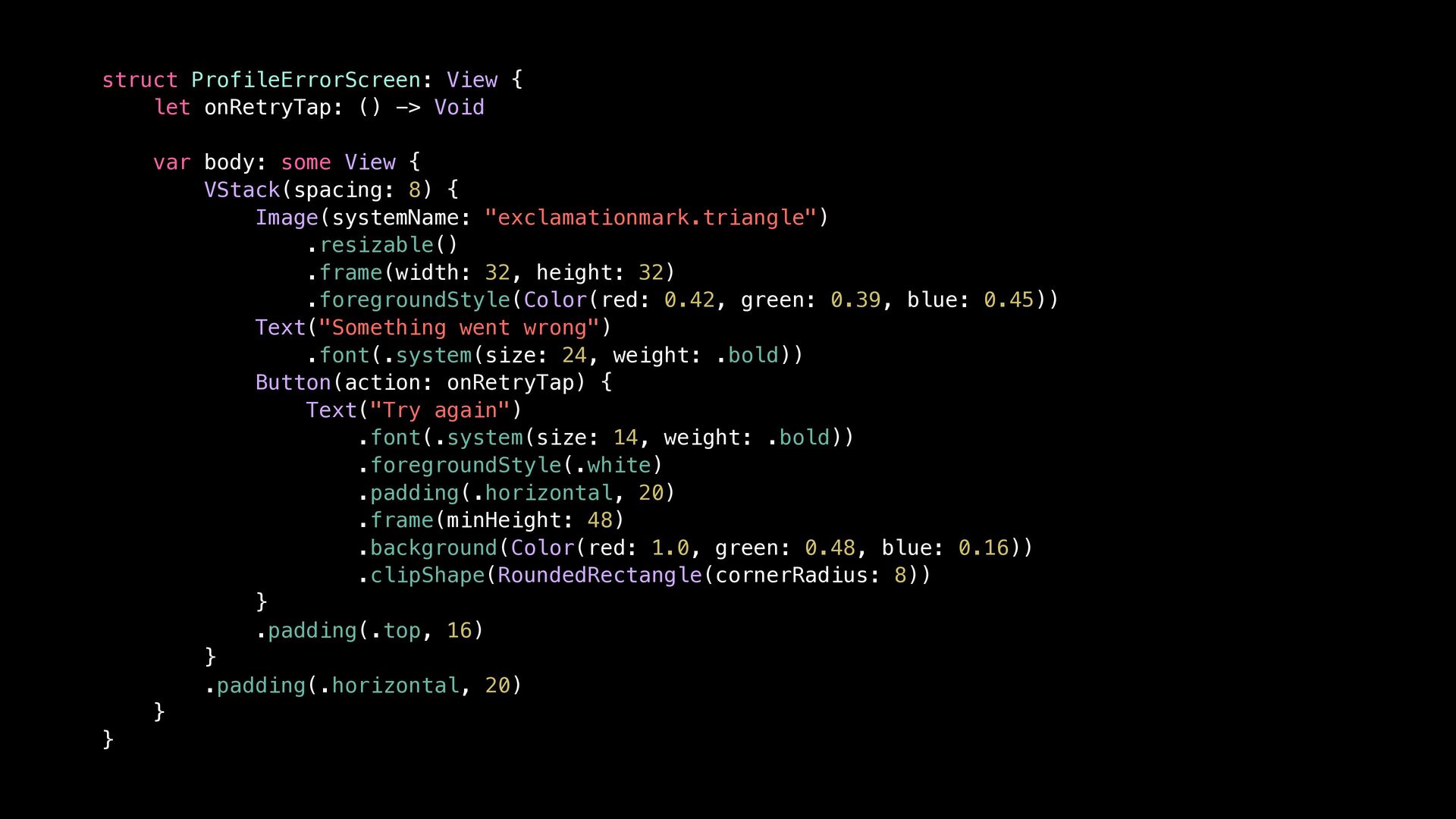
  5. struct ProfileErrorScreen: View { let onRetryTap: () -> Void var

    body: some View { VStack(spacing: 8) { Image(systemName: "exclamationmark.triangle") .resizable() .frame(width: 32, height: 32) .foregroundStyle(Color(red: 0.42, green: 0.39, blue: 0.45)) Text("Something went wrong") .font(.system(size: 24, weight: .bold)) Button(action: onRetryTap) { Text("Try again") .font(.system(size: 14, weight: .bold)) .foregroundStyle(.white) .padding(.horizontal, 20) .frame(minHeight: 48) .background(Color(red: 1.0, green: 0.48, blue: 0.16)) .clipShape(RoundedRectangle(cornerRadius: 8)) } .padding(.top, 16) } .padding(.horizontal, 20) } }
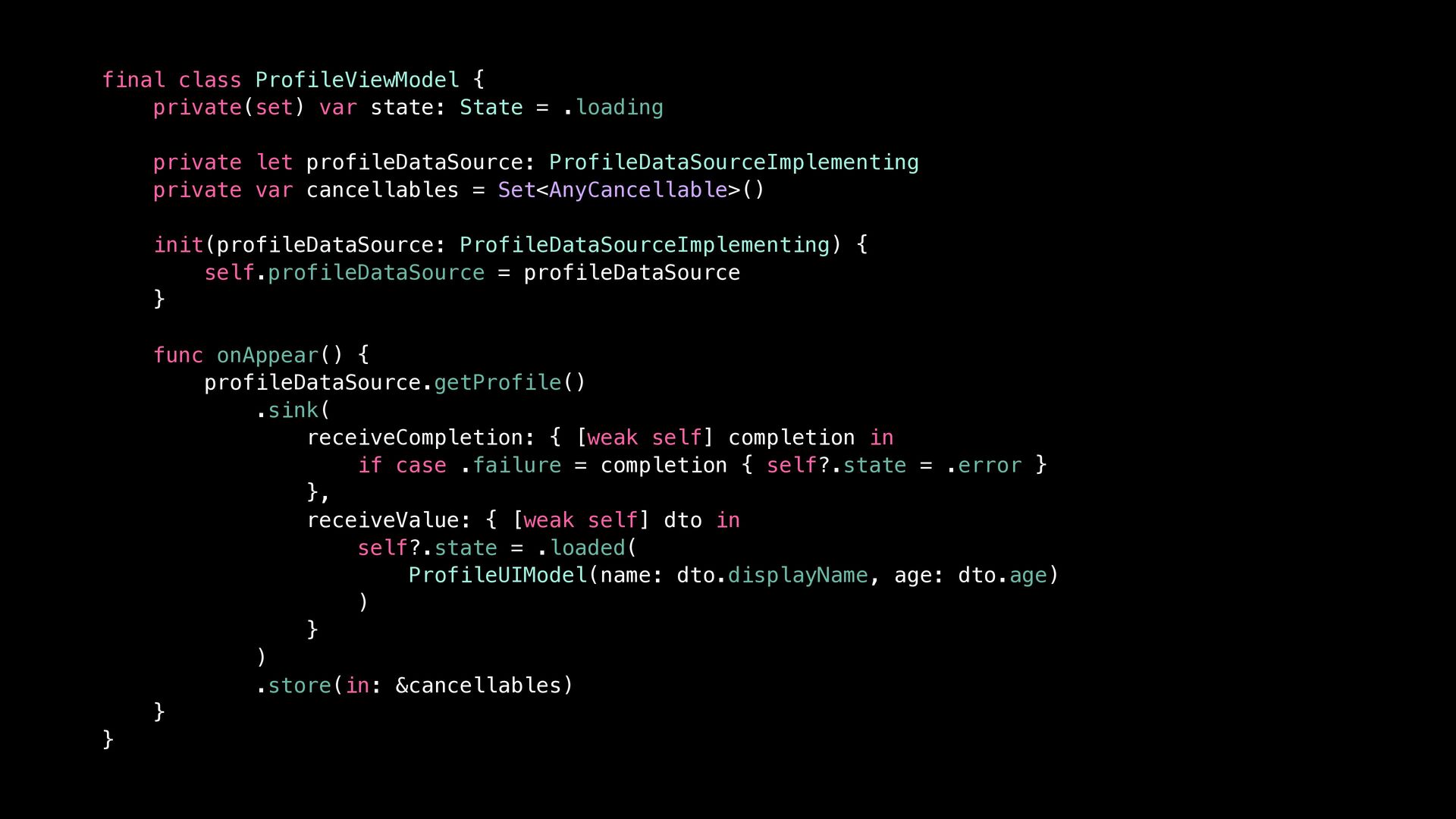
  6. final class ProfileViewModel { private(set) var state: State = .loading

    private let profileDataSource: ProfileDataSourceImplementing private var cancellables = Set<AnyCancellable>() init(profileDataSource: ProfileDataSourceImplementing) { self.profileDataSource = profileDataSource } func onAppear() { profileDataSource.getProfile() .sink( receiveCompletion: { [weak self] completion in if case .failure = completion { self?.state = .error } }, receiveValue: { [weak self] dto in self?.state = .loaded( ProfileUIModel(name: dto.displayName, age: dto.age) ) } ) .store(in: &cancellables) } }
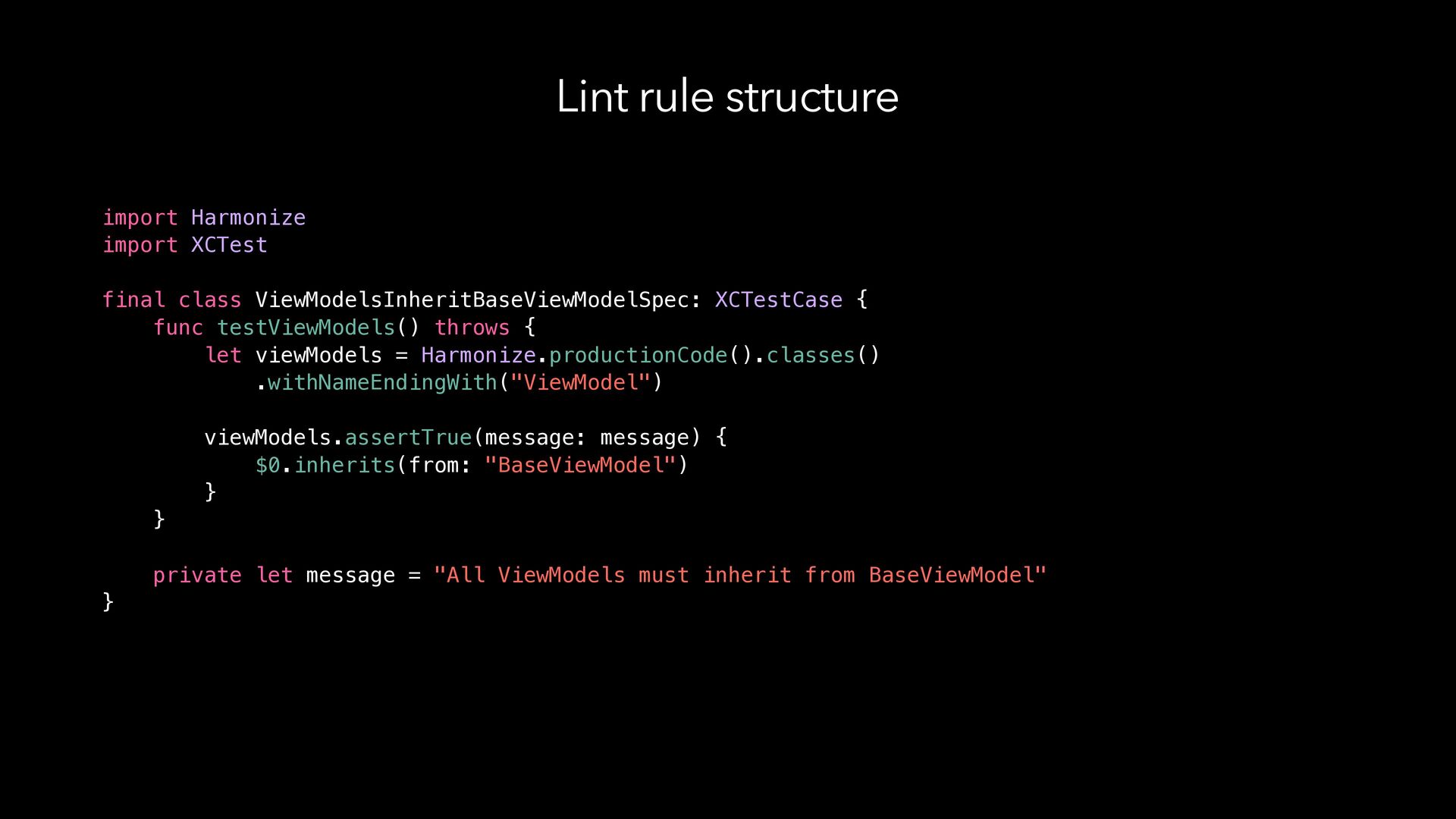
  7. Lint rule structure import Harmonize import XCTest final class ViewModelsInheritBaseViewModelSpec:

    XCTestCase { func testViewModels() throws { let viewModels = Harmonize.productionCode().classes() .withNameEndingWith("ViewModel") viewModels.assertTrue(message: message) { $0.inherits(from: "BaseViewModel") } } private let message = "All ViewModels must inherit from BaseViewModel" }
  8. Error message LegacyChatViewModel.swift:5: error: -[HarmonizeRulesTests.ViewModelsInheritBaseViewModelSpec testViewModels] : failed - All

    ViewModels must inherit from BaseViewModel LegacySettingsViewModel.swift:7: error: -[HarmonizeRulesTests.ViewModelsInheritBaseViewModelSpec testViewModels] : failed - All ViewModels must inherit from BaseViewModel
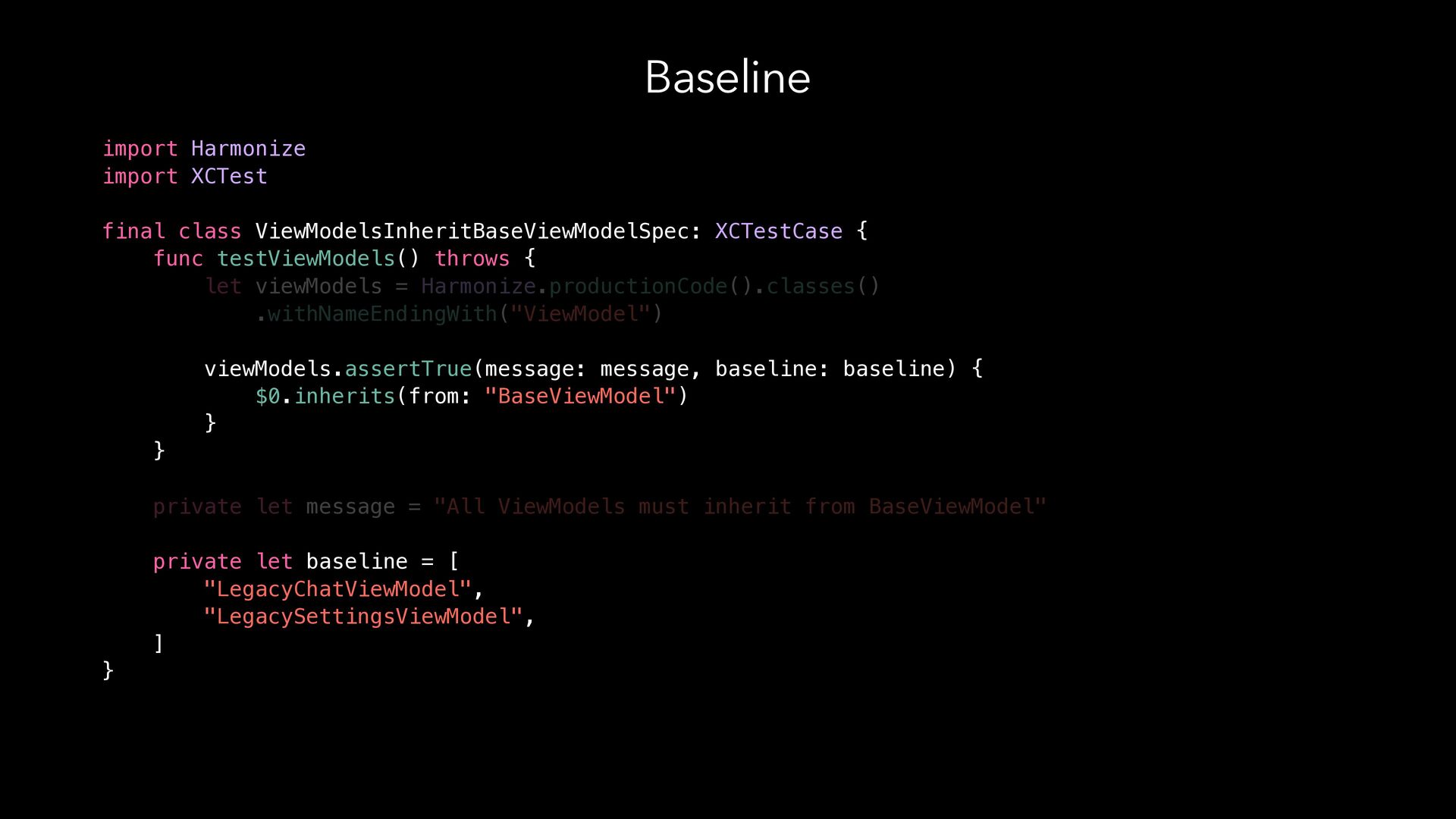
  9. Baseline import Harmonize import XCTest final class ViewModelsInheritBaseViewModelSpec: XCTestCase {

    func testViewModels() throws { let viewModels = Harmonize.productionCode().classes() .withNameEndingWith("ViewModel") viewModels.assertTrue(message: message, baseline: baseline) { $0.inherits(from: "BaseViewModel") } } private let message = "All ViewModels must inherit from BaseViewModel" private let baseline = [ "LegacyChatViewModel", "LegacySettingsViewModel", ] }
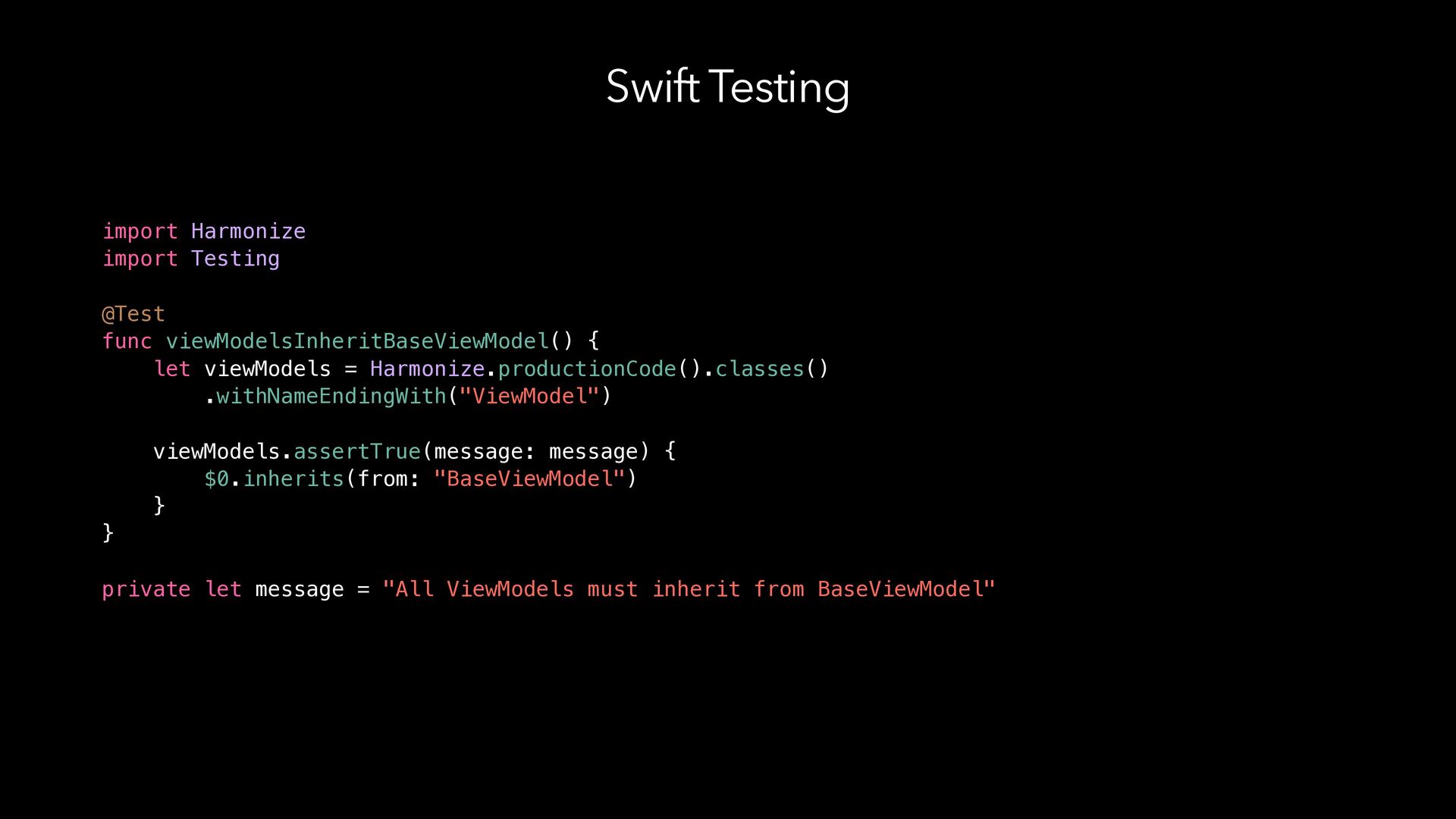
  10. Swift Testing import Harmonize import Testing @Test func viewModelsInheritBaseViewModel() {

    let viewModels = Harmonize.productionCode().classes() .withNameEndingWith("ViewModel") viewModels.assertTrue(message: message) { $0.inherits(from: "BaseViewModel") } } private let message = "All ViewModels must inherit from BaseViewModel"
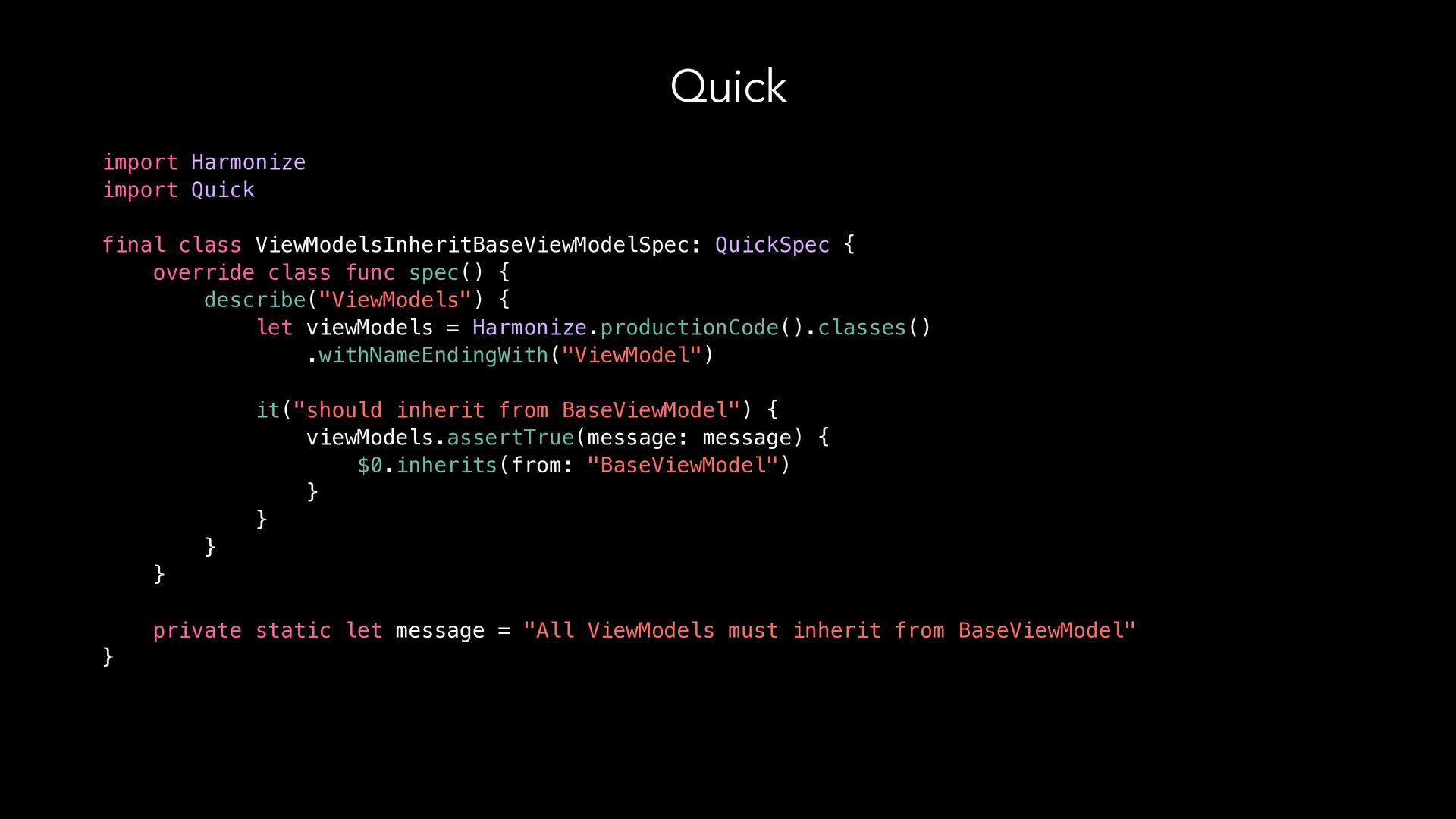
  11. Quick import Harmonize import Quick final class ViewModelsInheritBaseViewModelSpec: QuickSpec {

    override class func spec() { describe("ViewModels") { let viewModels = Harmonize.productionCode().classes() .withNameEndingWith("ViewModel") it("should inherit from BaseViewModel") { viewModels.assertTrue(message: message) { $0.inherits(from: "BaseViewModel") } } } } private static let message = "All ViewModels must inherit from BaseViewModel" }
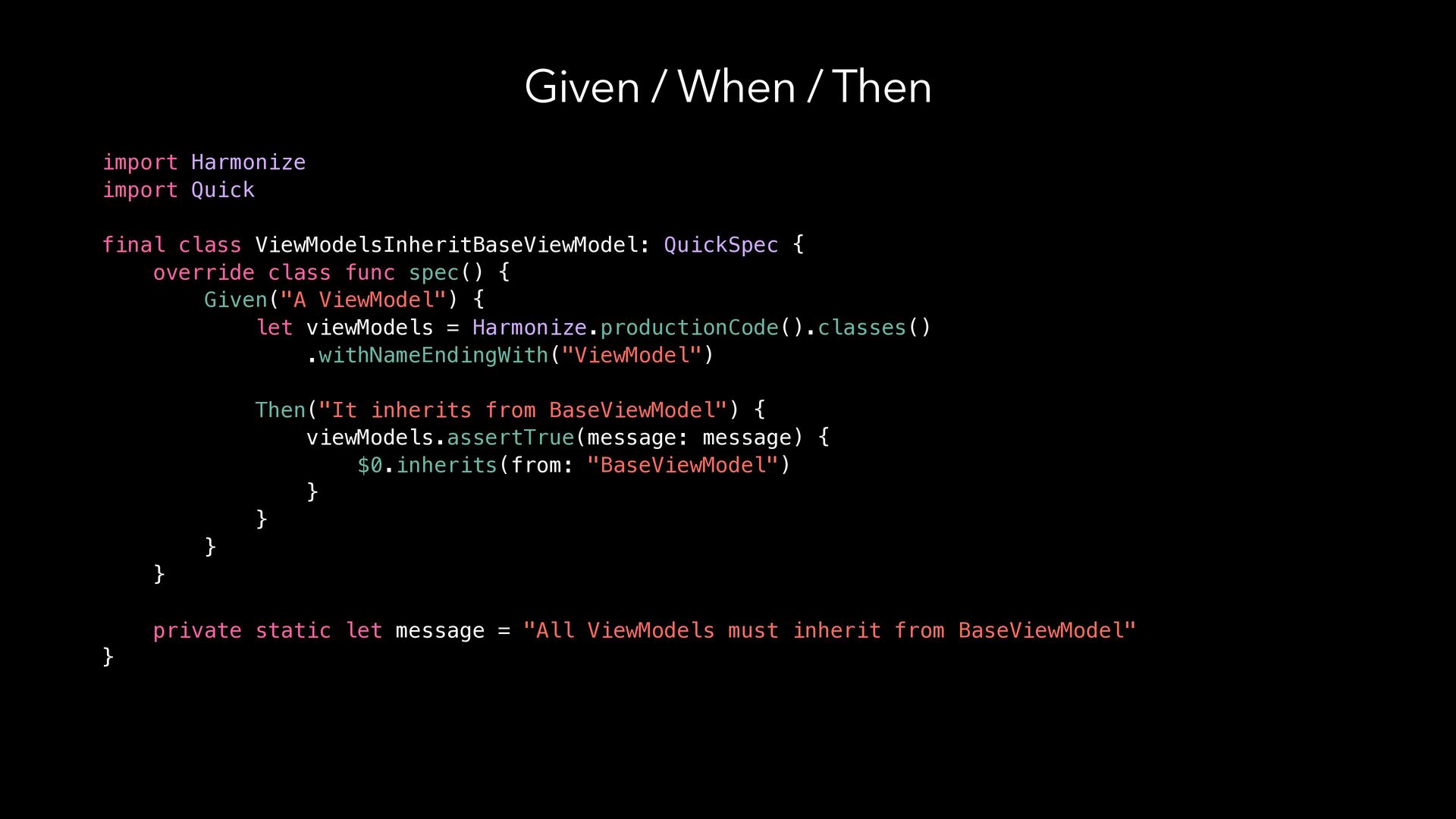
  12. Given / When / Then import Harmonize import Quick final

    class ViewModelsInheritBaseViewModel: QuickSpec { override class func spec() { Given("A ViewModel") { let viewModels = Harmonize.productionCode().classes() .withNameEndingWith("ViewModel") Then("It inherits from BaseViewModel") { viewModels.assertTrue(message: message) { $0.inherits(from: "BaseViewModel") } } } } private static let message = "All ViewModels must inherit from BaseViewModel" }
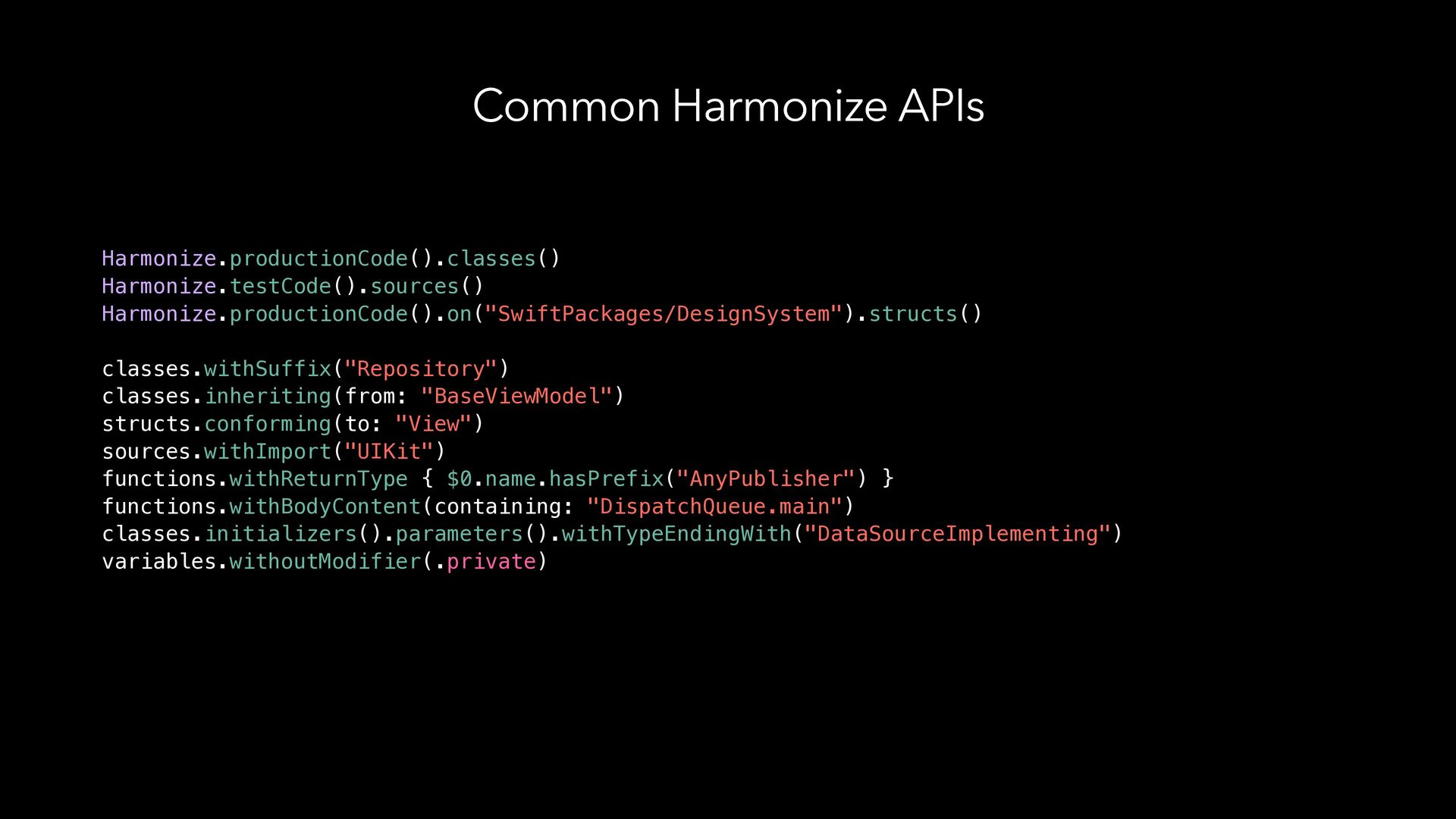
  13. Common Harmonize APIs Harmonize.productionCode().classes() Harmonize.testCode().sources() Harmonize.productionCode().on("SwiftPackages/DesignSystem").structs() classes.withSuffix("Repository") classes.inheriting(from: "BaseViewModel") structs.conforming(to:

    "View") sources.withImport("UIKit") functions.withReturnType { $0.name.hasPrefix("AnyPublisher") } functions.withBodyContent(containing: "DispatchQueue.main") classes.initializers().parameters().withTypeEndingWith("DataSourceImplementing") variables.withoutModifier(.private)
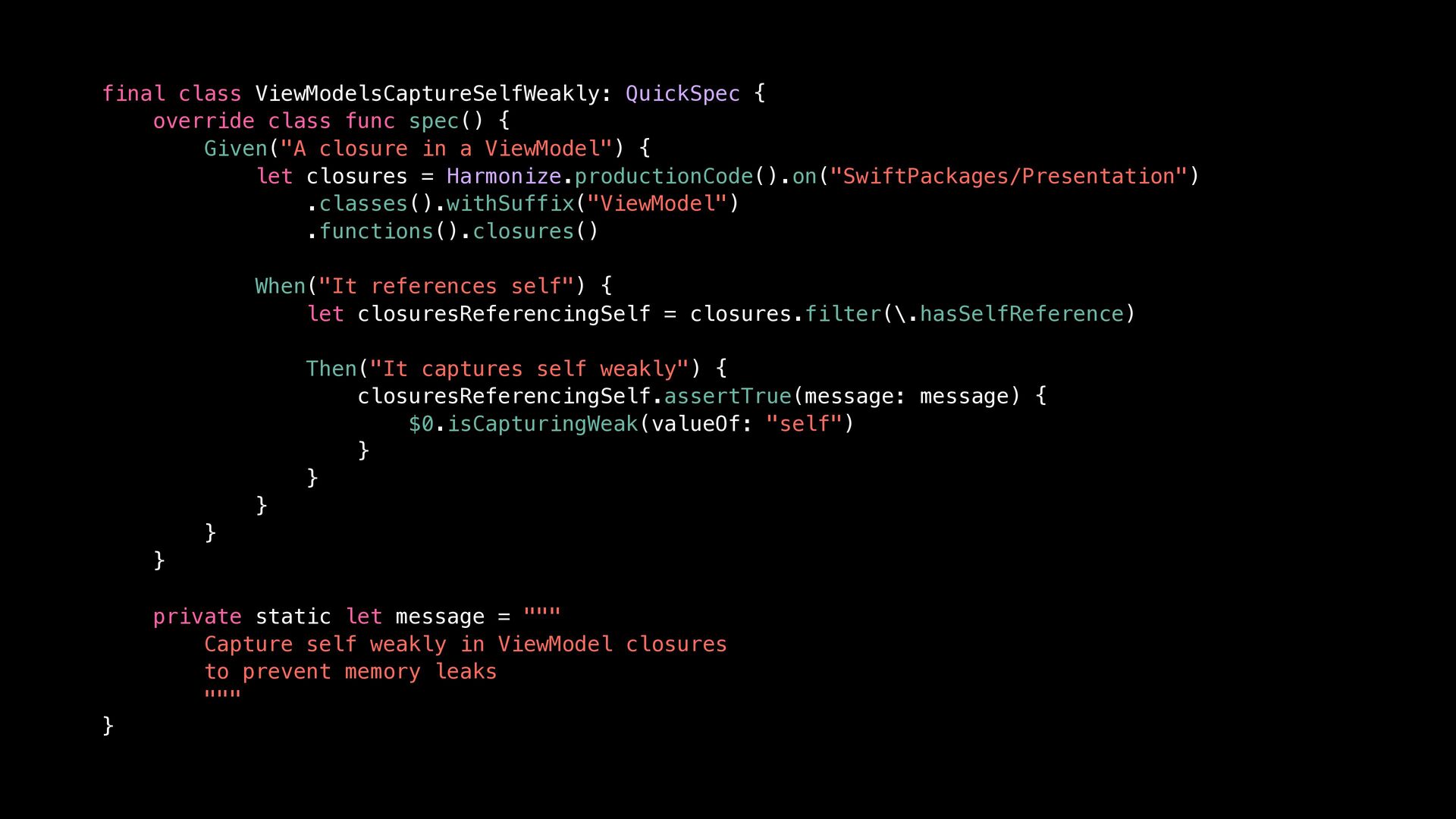
  14. final class ViewModelsCaptureSelfWeakly: QuickSpec { override class func spec() {

    Given("A closure in a ViewModel") { let closures = Harmonize.productionCode().on("SwiftPackages/Presentation") .classes().withSuffix("ViewModel") .functions().closures() When("It references self") { let closuresReferencingSelf = closures.filter(\.hasSelfReference) Then("It captures self weakly") { closuresReferencingSelf.assertTrue(message: message) { $0.isCapturingWeak(valueOf: "self") } } } } } private static let message = """ Capture self weakly in ViewModel closures to prevent memory leaks """ }
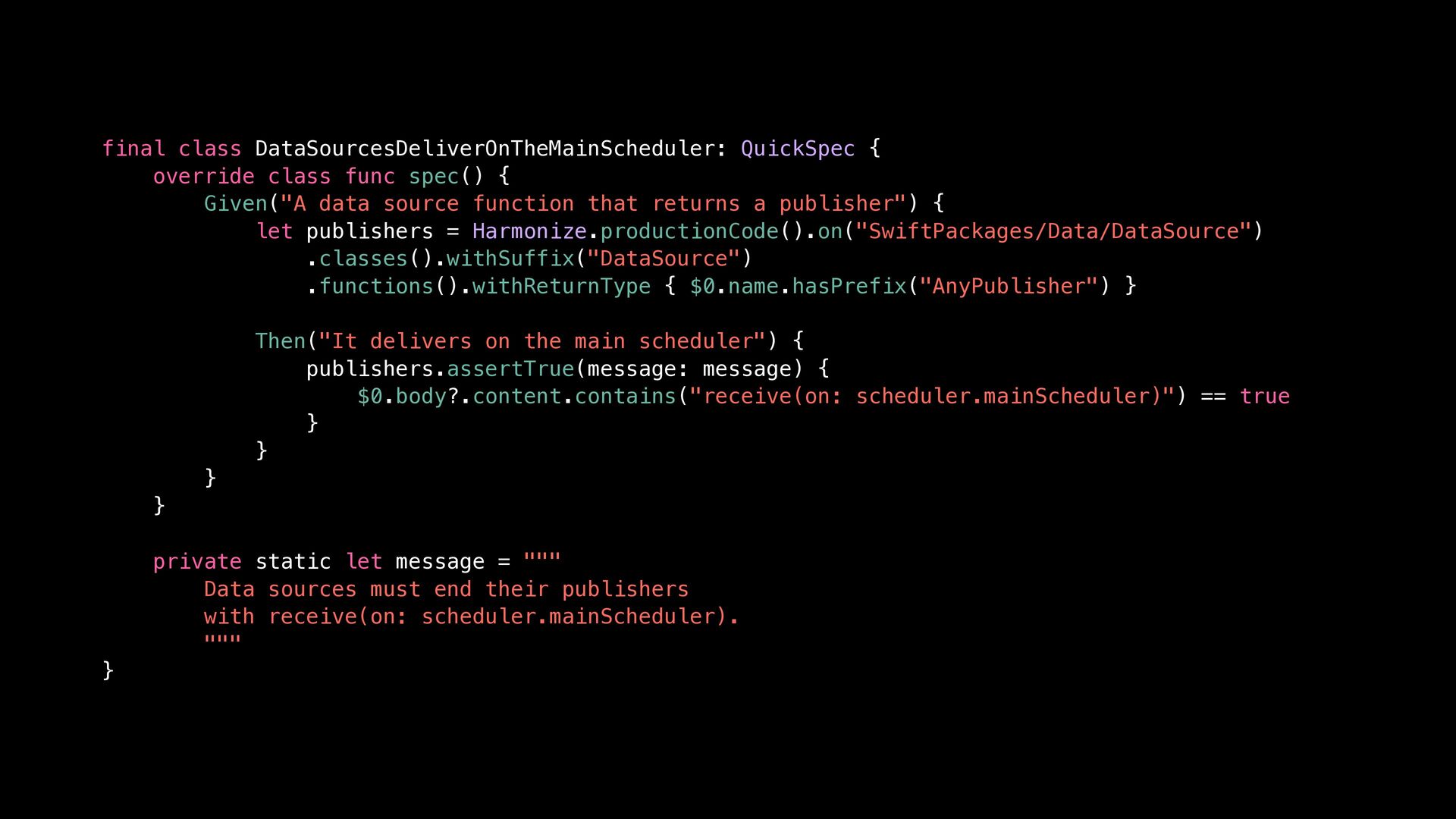
  15. final class DataSourcesDeliverOnTheMainScheduler: QuickSpec { override class func spec() {

    Given("A data source function that returns a publisher") { let publishers = Harmonize.productionCode().on("SwiftPackages/Data/DataSource") .classes().withSuffix("DataSource") .functions().withReturnType { $0.name.hasPrefix("AnyPublisher") } Then("It delivers on the main scheduler") { publishers.assertTrue(message: message) { $0.body?.content.contains("receive(on: scheduler.mainScheduler)") == true } } } } private static let message = """ Data sources must end their publishers with receive(on: scheduler.mainScheduler). """ }
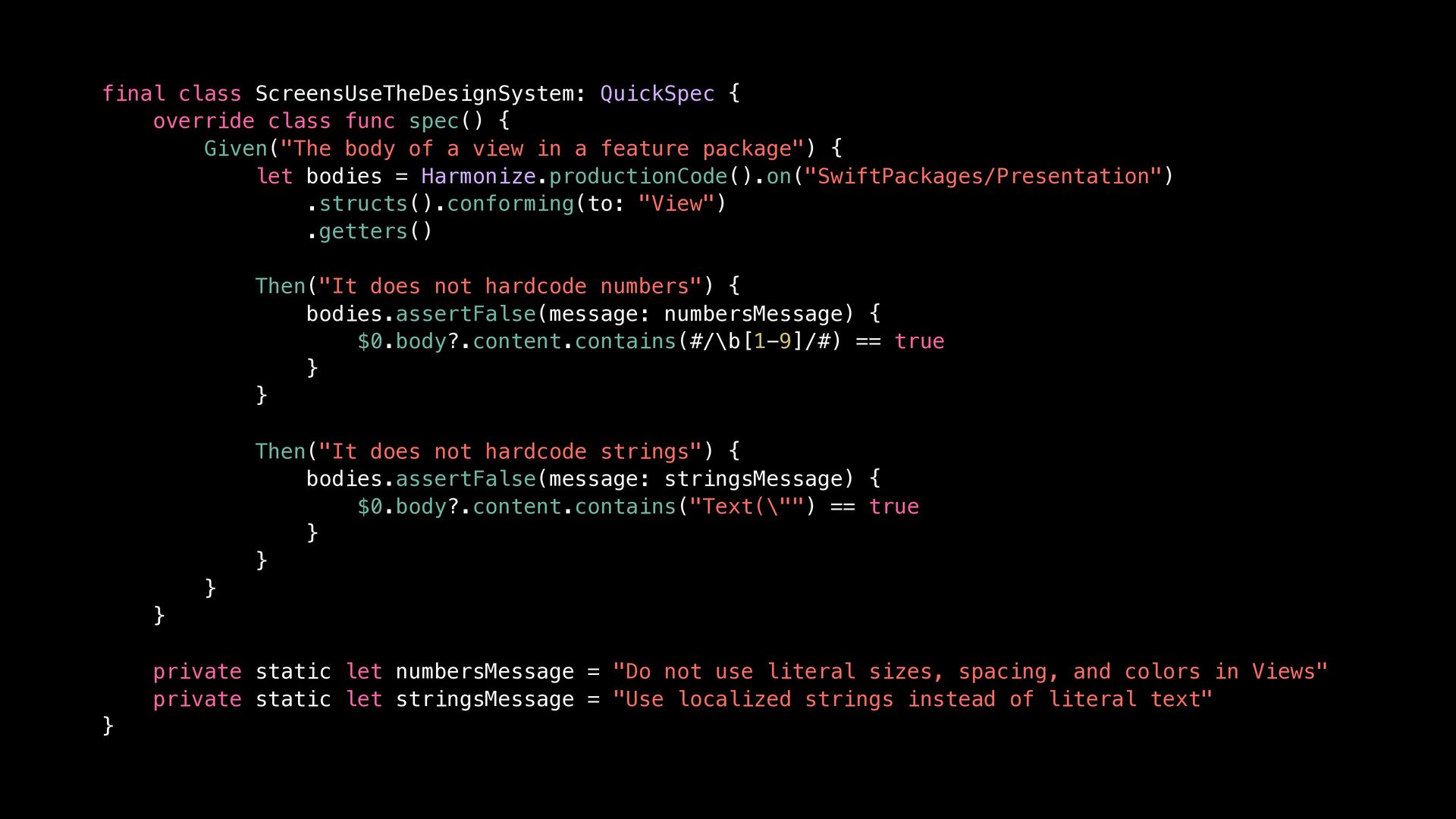
  16. final class ScreensUseTheDesignSystem: QuickSpec { override class func spec() {

    Given("The body of a view in a feature package") { let bodies = Harmonize.productionCode().on("SwiftPackages/Presentation") .structs().conforming(to: "View") .getters() Then("It does not hardcode numbers") { bodies.assertFalse(message: numbersMessage) { $0.body?.content.contains(#/\b[1-9]/#) == true } } Then("It does not hardcode strings") { bodies.assertFalse(message: stringsMessage) { $0.body?.content.contains("Text(\"") == true } } } } private static let numbersMessage = "Do not use literal sizes, spacing, and colors in Views" private static let stringsMessage = "Use localized strings instead of literal text" }
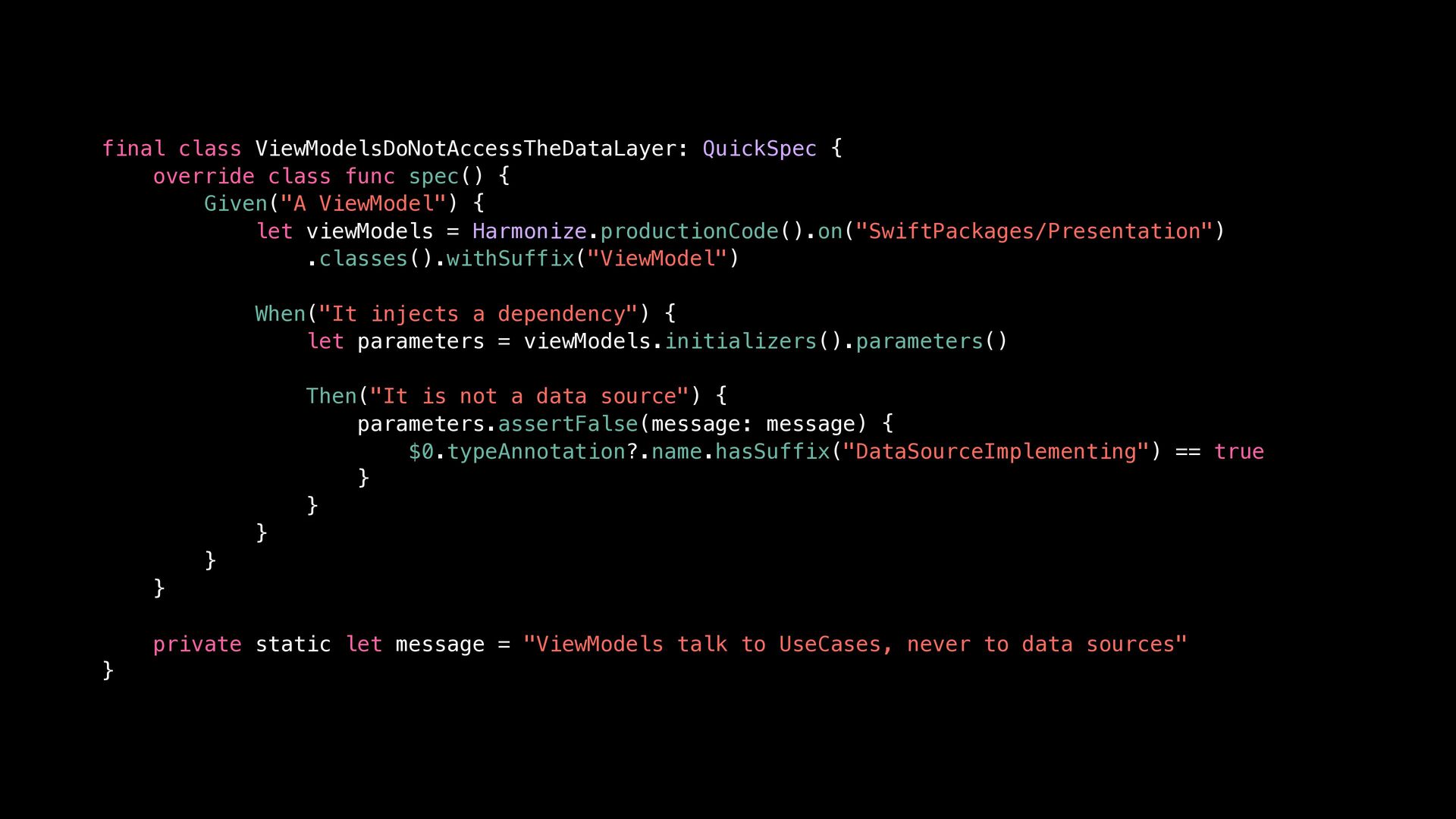
  17. final class ViewModelsDoNotAccessTheDataLayer: QuickSpec { override class func spec() {

    Given("A ViewModel") { let viewModels = Harmonize.productionCode().on("SwiftPackages/Presentation") .classes().withSuffix("ViewModel") When("It injects a dependency") { let parameters = viewModels.initializers().parameters() Then("It is not a data source") { parameters.assertFalse(message: message) { $0.typeAnnotation?.name.hasSuffix("DataSourceImplementing") == true } } } } } private static let message = "ViewModels talk to UseCases, never to data sources" }
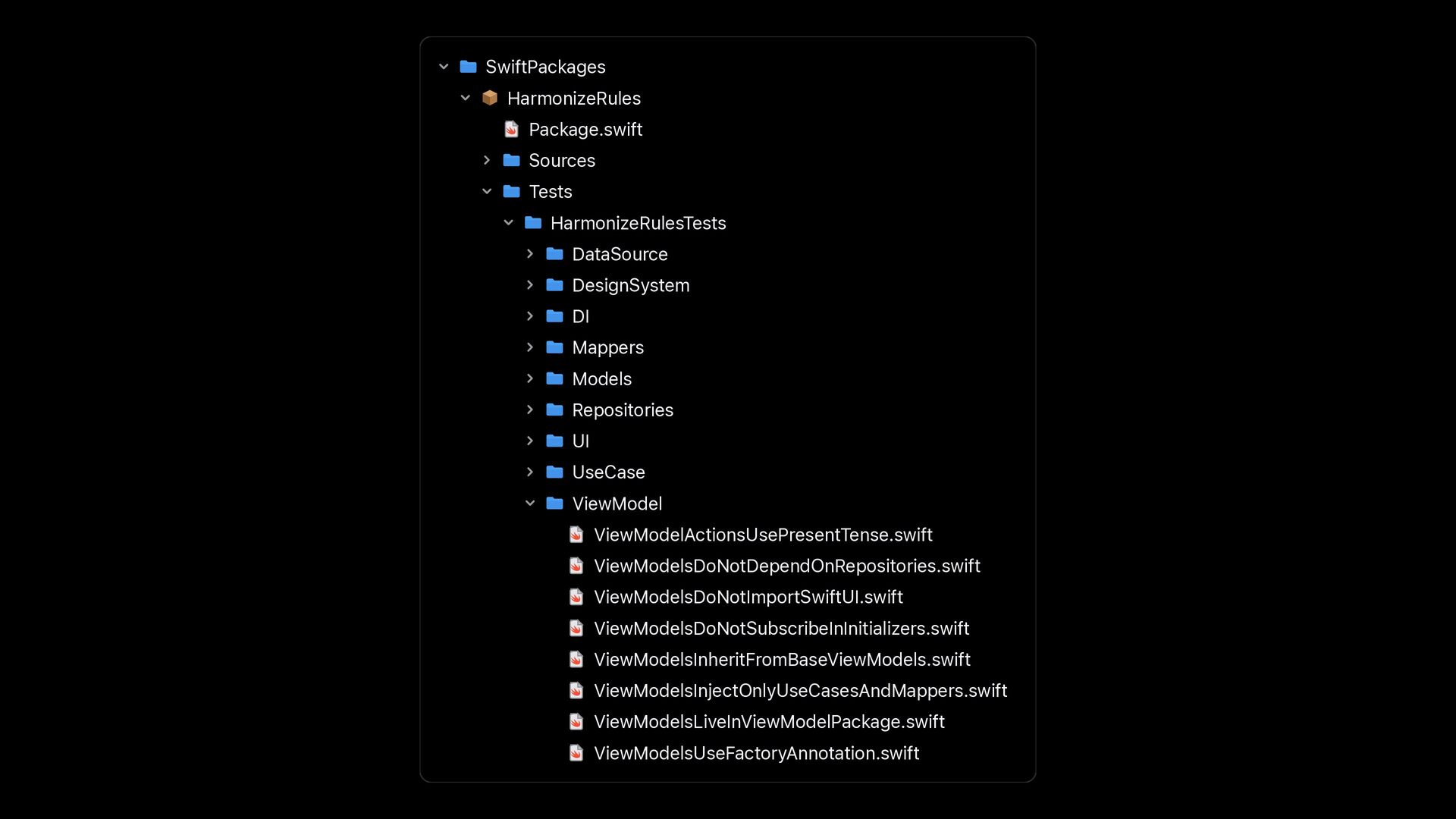
  18. SwiftPackages HarmonizeRules Package.swift Sources Tests HarmonizeRulesTests DataSource DesignSystem DI Mappers

    Models Repositories UI UseCase ViewModel ViewModelActionsUsePresentTense.swift ViewModelsDoNotDependOnRepositories.swift ViewModelsDoNotImportSwiftUI.swift ViewModelsDoNotSubscribeInInitializers.swift ViewModelsInheritFromBaseViewModels.swift ViewModelsInjectOnlyUseCasesAndMappers.swift ViewModelsLiveInViewModelPackage.swift ViewModelsUseFactoryAnnotation.swift
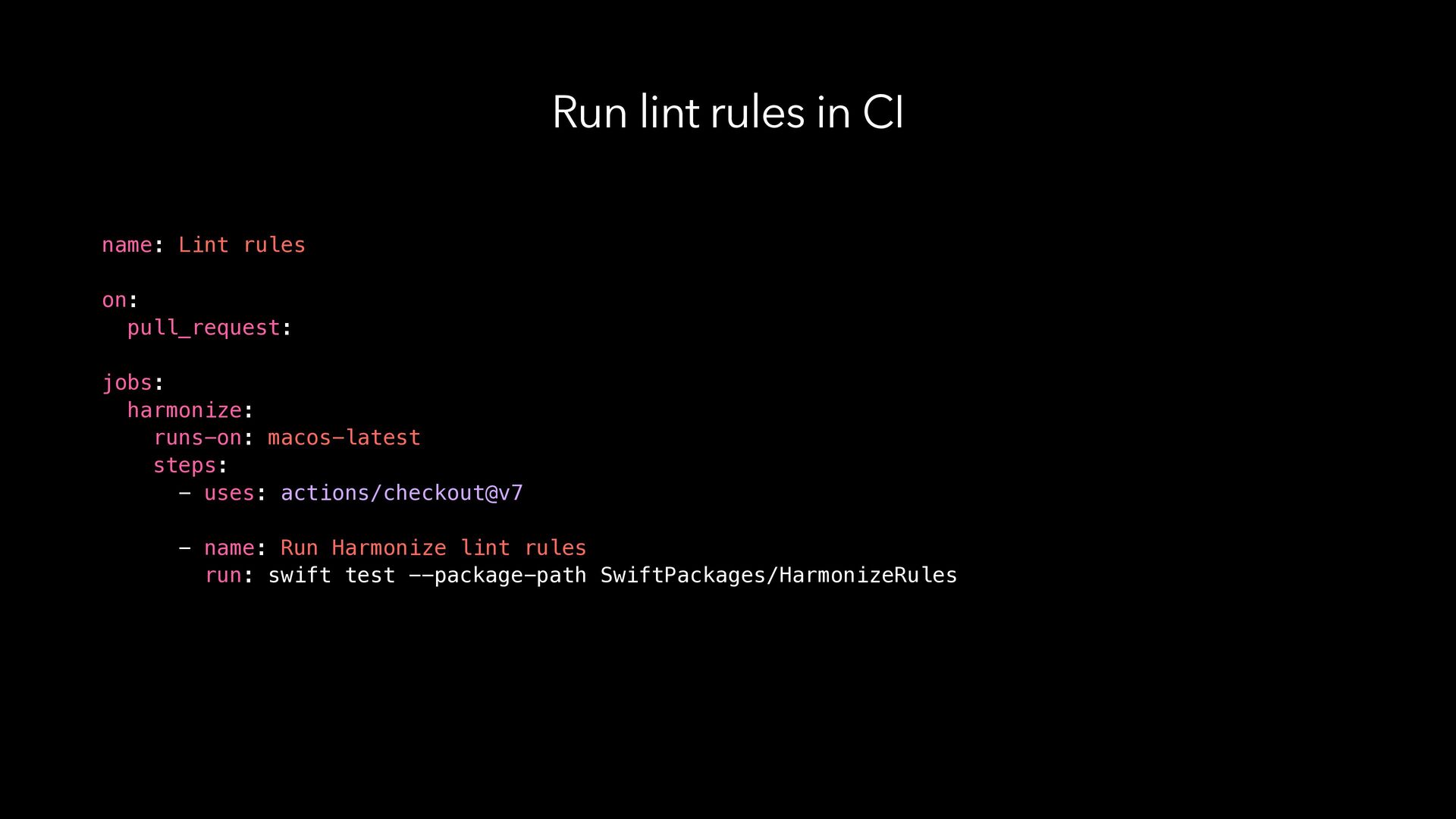
  19. Run lint rules in CI name: Lint rules on: pull_request:

    jobs: harmonize: runs-on: macos-latest steps: - uses: actions/checkout@v7 - name: Run Harmonize lint rules run: swift test --package-path SwiftPackages/HarmonizeRules
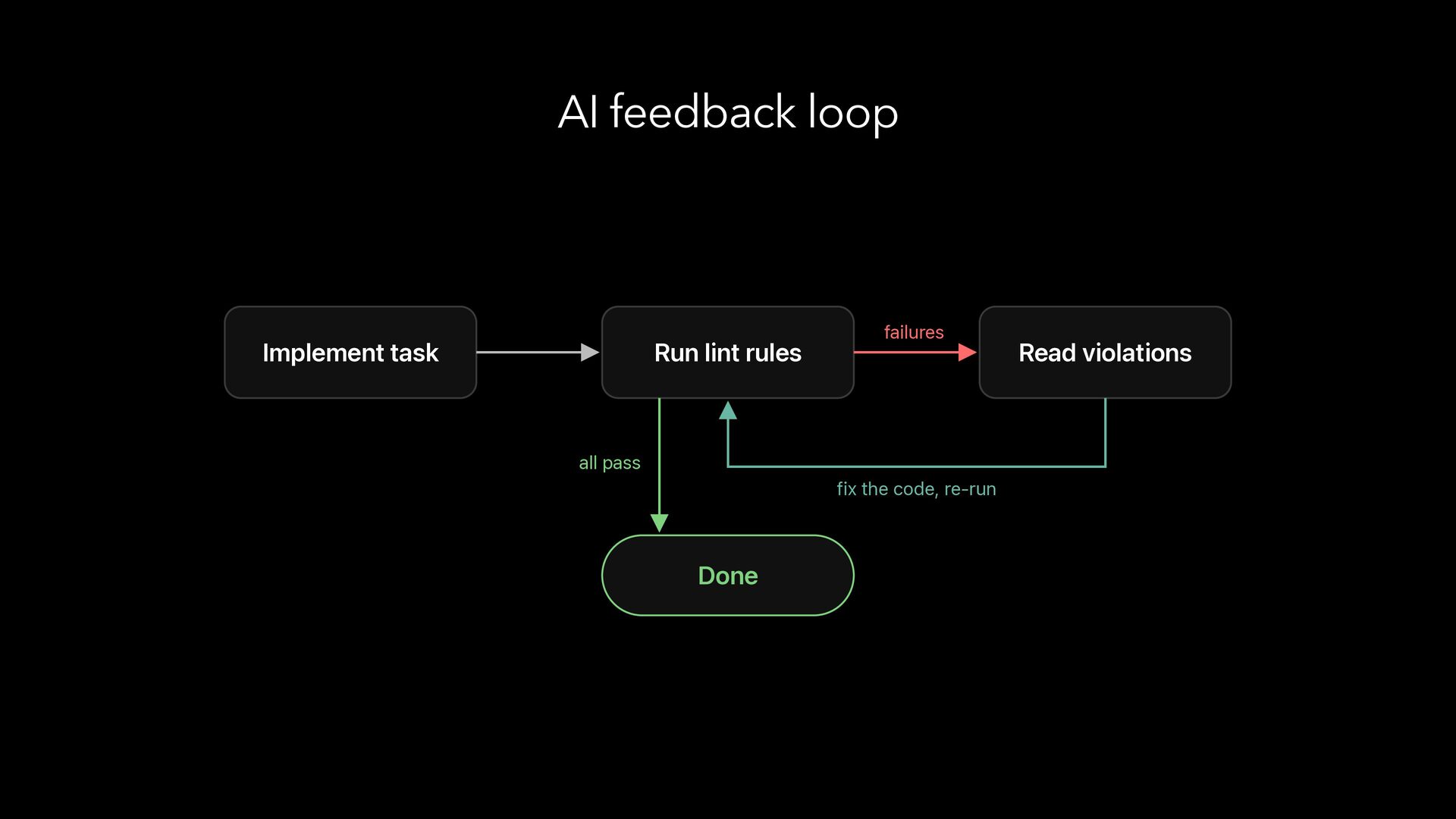
  20. AI feedback loop Implement task Run lint rules failures all

    pass fix the code, re-run Done Read violations
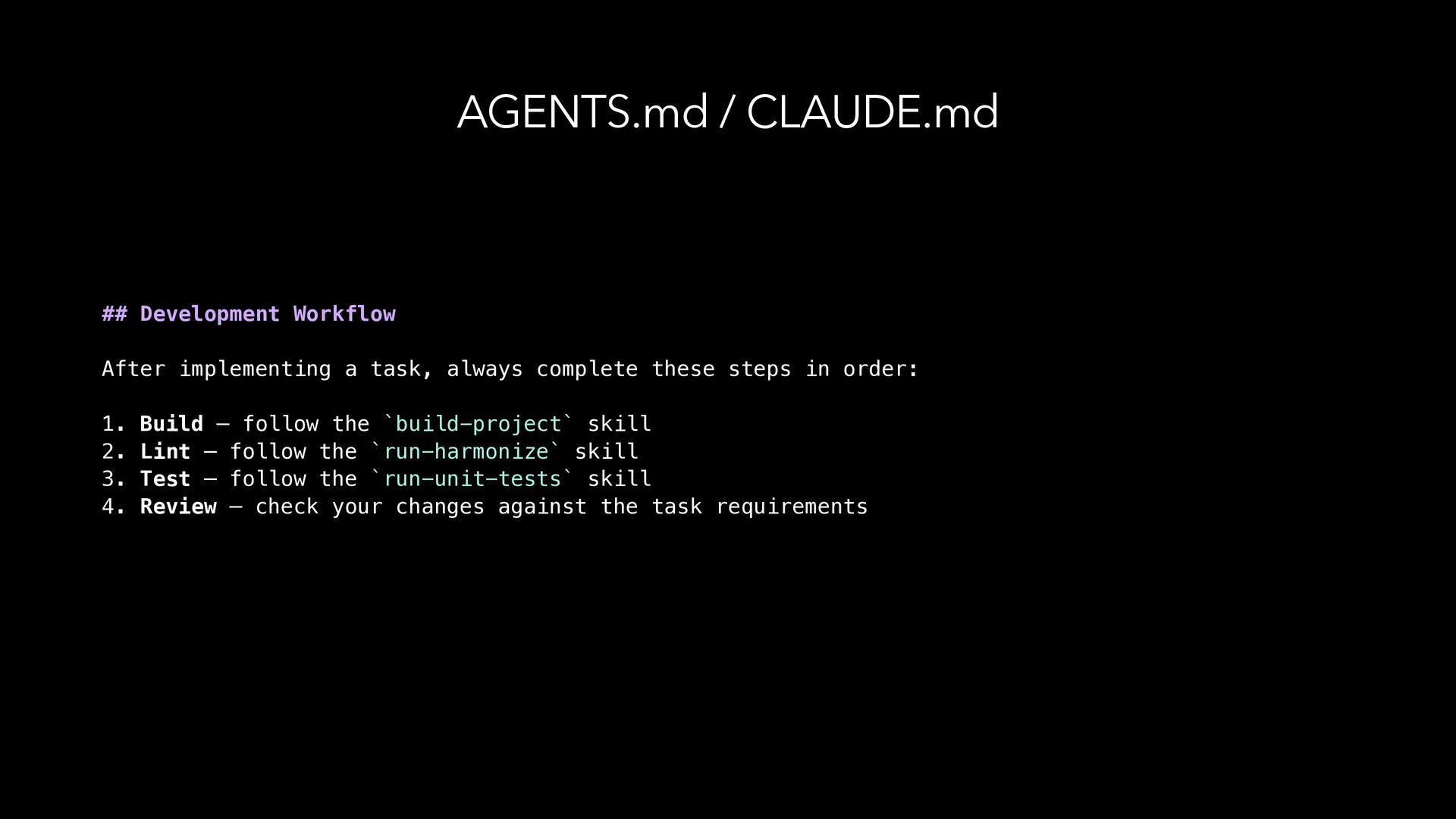
  21. AGENTS.md / CLAUDE.md ## Development Workflow After implementing a task,

    always complete these steps in order: 1. Build — follow the `build-project` skill 2. Lint — follow the `run-harmonize` skill 3. Test — follow the `run-unit-tests` skill 4. Review — check your changes against the task requirements
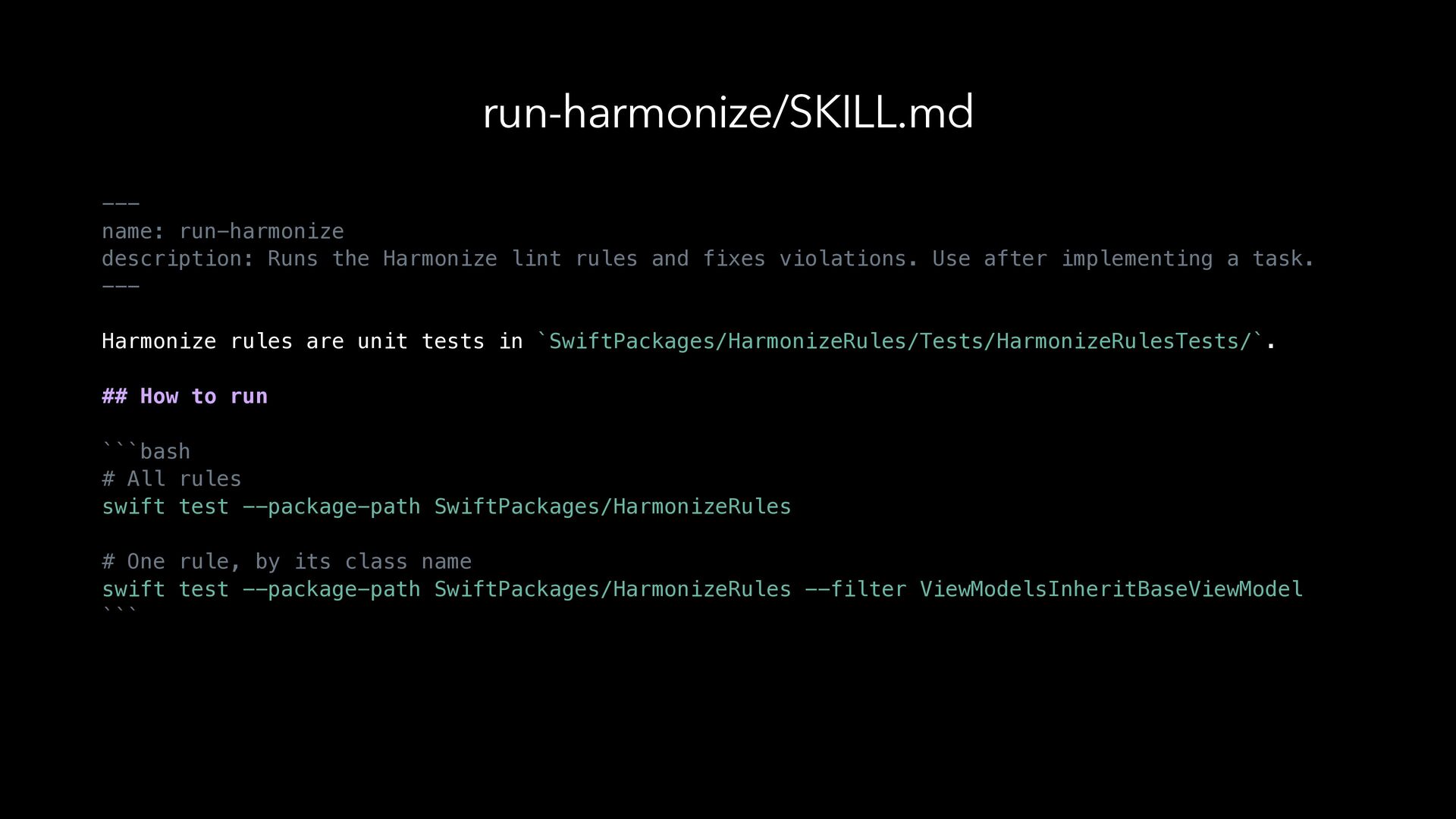
  22. run-harmonize/SKILL.md --name: run-harmonize description: Runs the Harmonize lint rules and

    fixes violations. Use after implementing a task. --Harmonize rules are unit tests in `SwiftPackages/HarmonizeRules/Tests/HarmonizeRulesTests/`. ## How to run ```bash # All rules swift test --package-path SwiftPackages/HarmonizeRules # One rule, by its class name swift test --package-path SwiftPackages/HarmonizeRules --filter ViewModelsInheritBaseViewModel ```
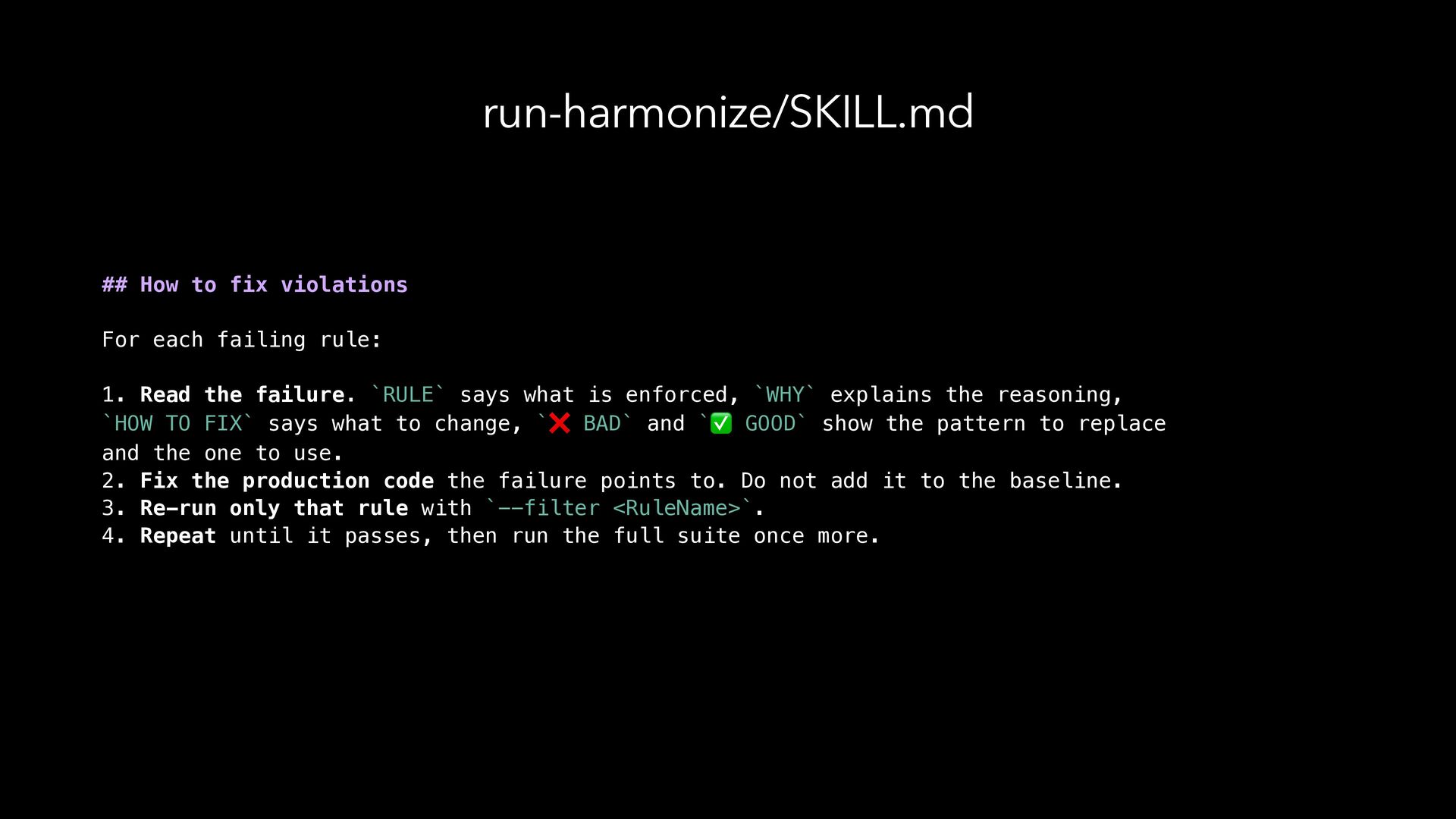
  23. run-harmonize/SKILL.md ## How to fix violations For each failing rule:

    1. Read the failure. `RULE` says what is enforced, `WHY` explains the reasoning, `HOW TO FIX` says what to change, `❌ BAD` and `✅ GOOD` show the pattern to replace and the one to use. 2. Fix the production code the failure points to. Do not add it to the baseline. 3. Re-run only that rule with `--filter <RuleName>`. 4. Repeat until it passes, then run the full suite once more.
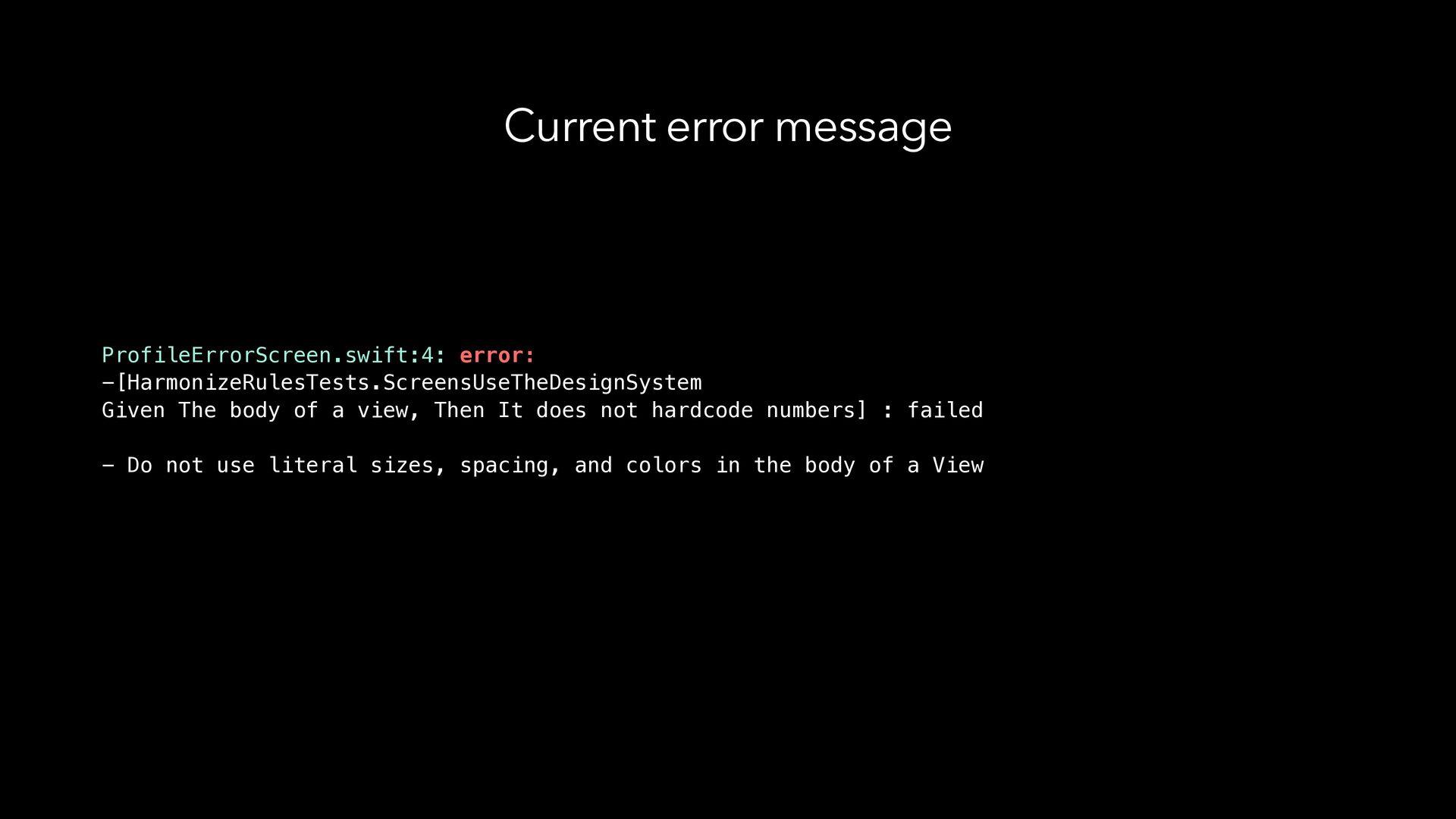
  24. Current error message ProfileErrorScreen.swift:4: error: -[HarmonizeRulesTests.ScreensUseTheDesignSystem Given The body of

    a view, Then It does not hardcode numbers] : failed - Do not use literal sizes, spacing, and colors in the body of a View
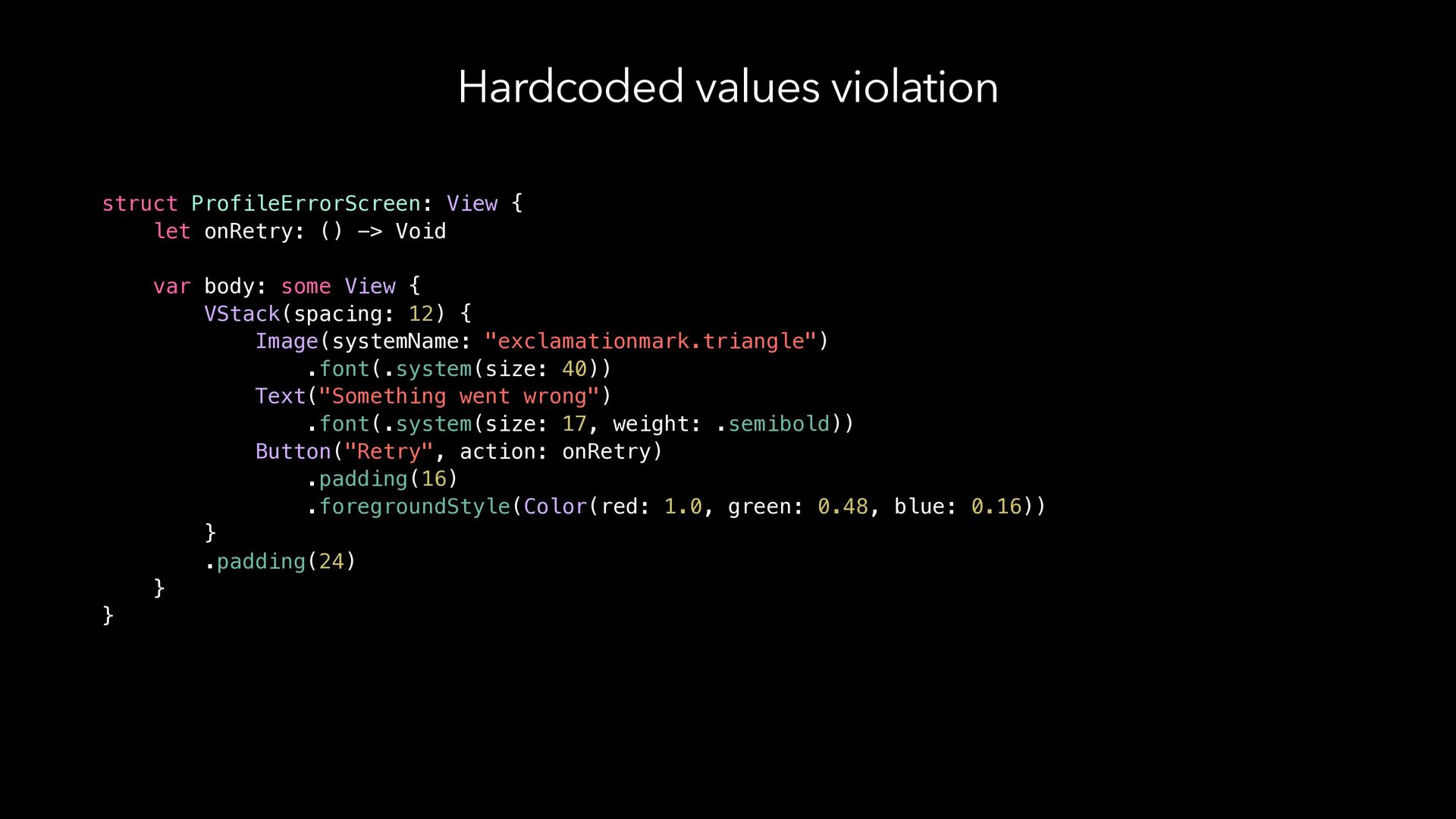
  25. Hardcoded values violation struct ProfileErrorScreen: View { let onRetry: ()

    -> Void var body: some View { VStack(spacing: 12) { Image(systemName: "exclamationmark.triangle") .font(.system(size: 40)) Text("Something went wrong") .font(.system(size: 17, weight: .semibold)) Button("Retry", action: onRetry) .padding(16) .foregroundStyle(Color(red: 1.0, green: 0.48, blue: 0.16)) } .padding(24) } }
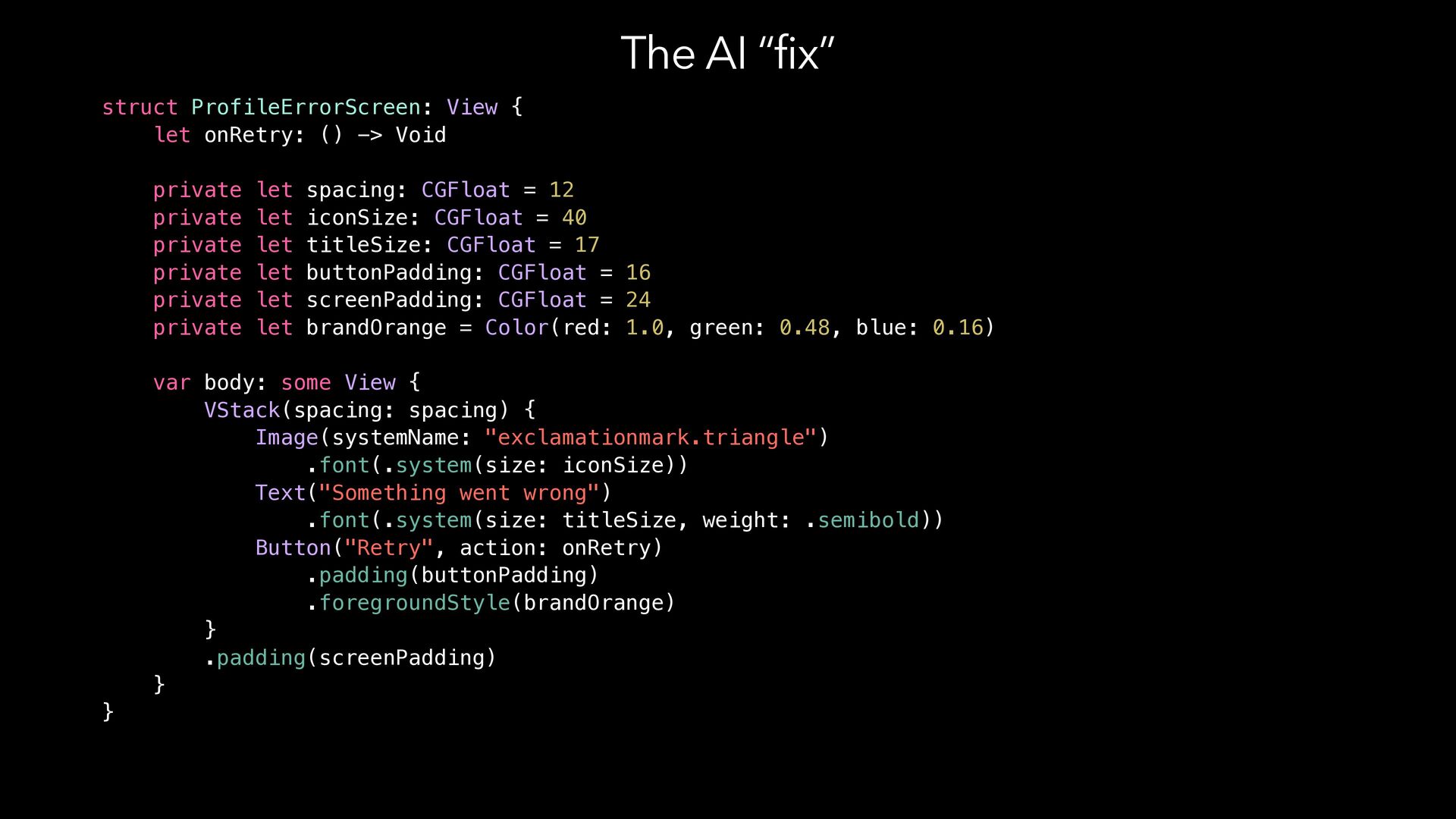
  26. The AI “fix” struct ProfileErrorScreen: View { let onRetry: ()

    -> Void private let spacing: CGFloat = 12 private let iconSize: CGFloat = 40 private let titleSize: CGFloat = 17 private let buttonPadding: CGFloat = 16 private let screenPadding: CGFloat = 24 private let brandOrange = Color(red: 1.0, green: 0.48, blue: 0.16) var body: some View { VStack(spacing: spacing) { Image(systemName: "exclamationmark.triangle") .font(.system(size: iconSize)) Text("Something went wrong") .font(.system(size: titleSize, weight: .semibold)) Button("Retry", action: onRetry) .padding(buttonPadding) .foregroundStyle(brandOrange) } .padding(screenPadding) } }
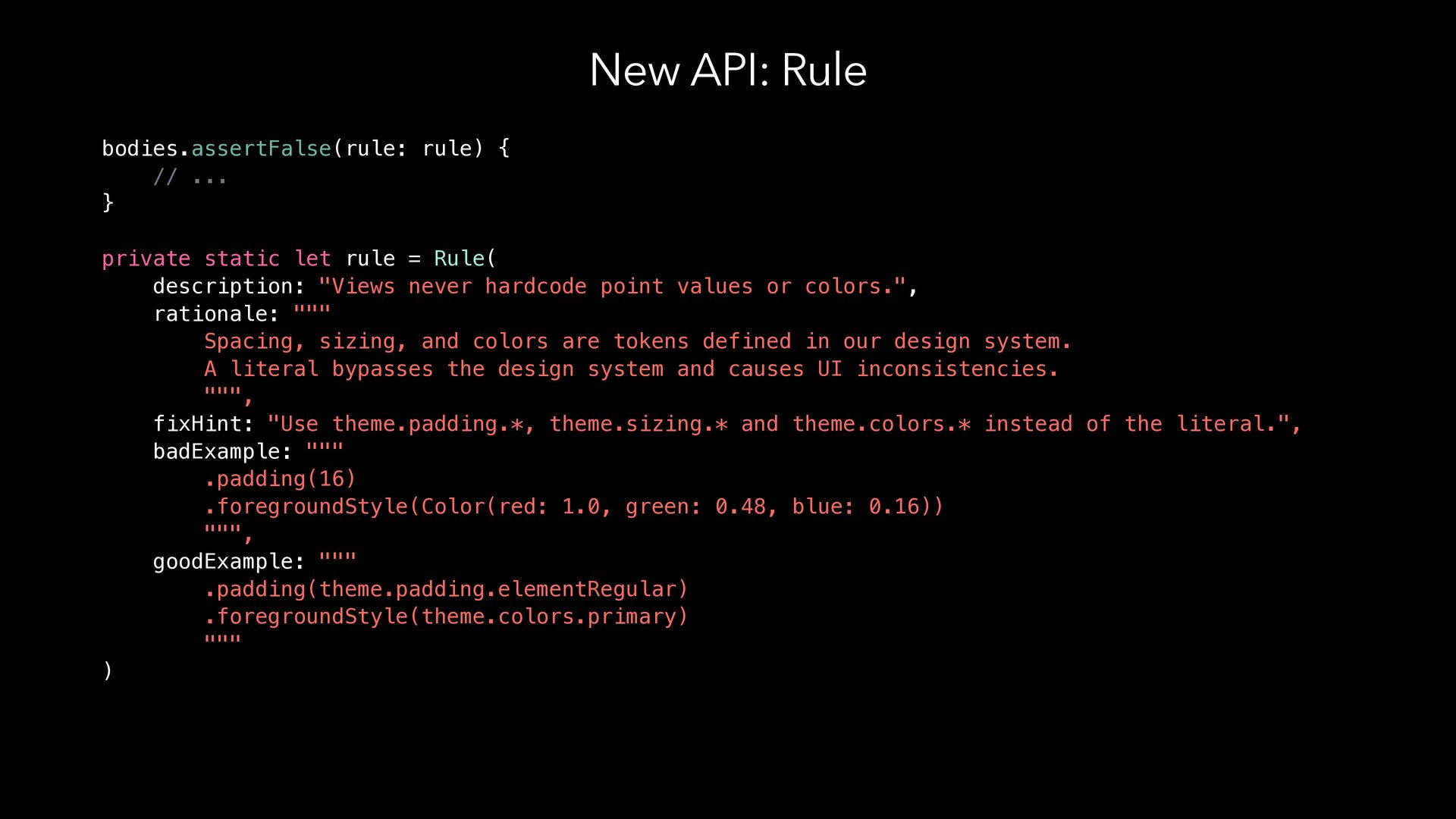
  27. New API: Rule bodies.assertFalse(rule: rule) { // ... } private

    static let rule = Rule( description: "Views never hardcode point values or colors.", rationale: """ Spacing, sizing, and colors are tokens defined in our design system. A literal bypasses the design system and causes UI inconsistencies. """, fixHint: "Use theme.padding.*, theme.sizing.* and theme.colors.* instead of the literal.", badExample: """ .padding(16) .foregroundStyle(Color(red: 1.0, green: 0.48, blue: 0.16)) """, goodExample: """ .padding(theme.padding.elementRegular) .foregroundStyle(theme.colors.primary) """ )
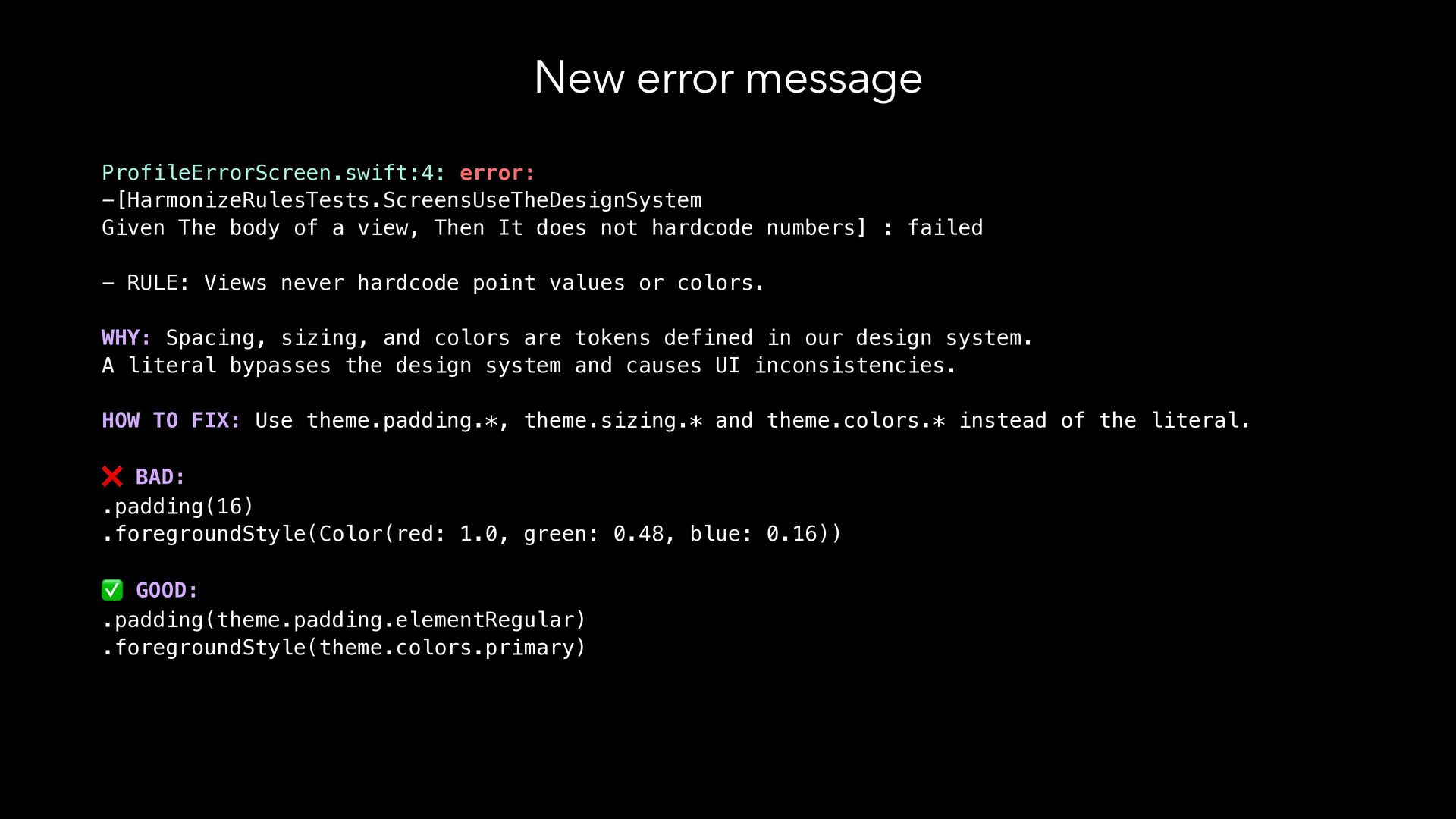
  28. New error message ProfileErrorScreen.swift:4: error: -[HarmonizeRulesTests.ScreensUseTheDesignSystem Given The body of

    a view, Then It does not hardcode numbers] : failed - RULE: Views never hardcode point values or colors. WHY: Spacing, sizing, and colors are tokens defined in our design system. A literal bypasses the design system and causes UI inconsistencies. HOW TO FIX: Use theme.padding.*, theme.sizing.* and theme.colors.* instead of the literal. ❌ BAD: .padding(16) .foregroundStyle(Color(red: 1.0, green: 0.48, blue: 0.16)) ✅ GOOD: .padding(theme.padding.elementRegular) .foregroundStyle(theme.colors.primary)
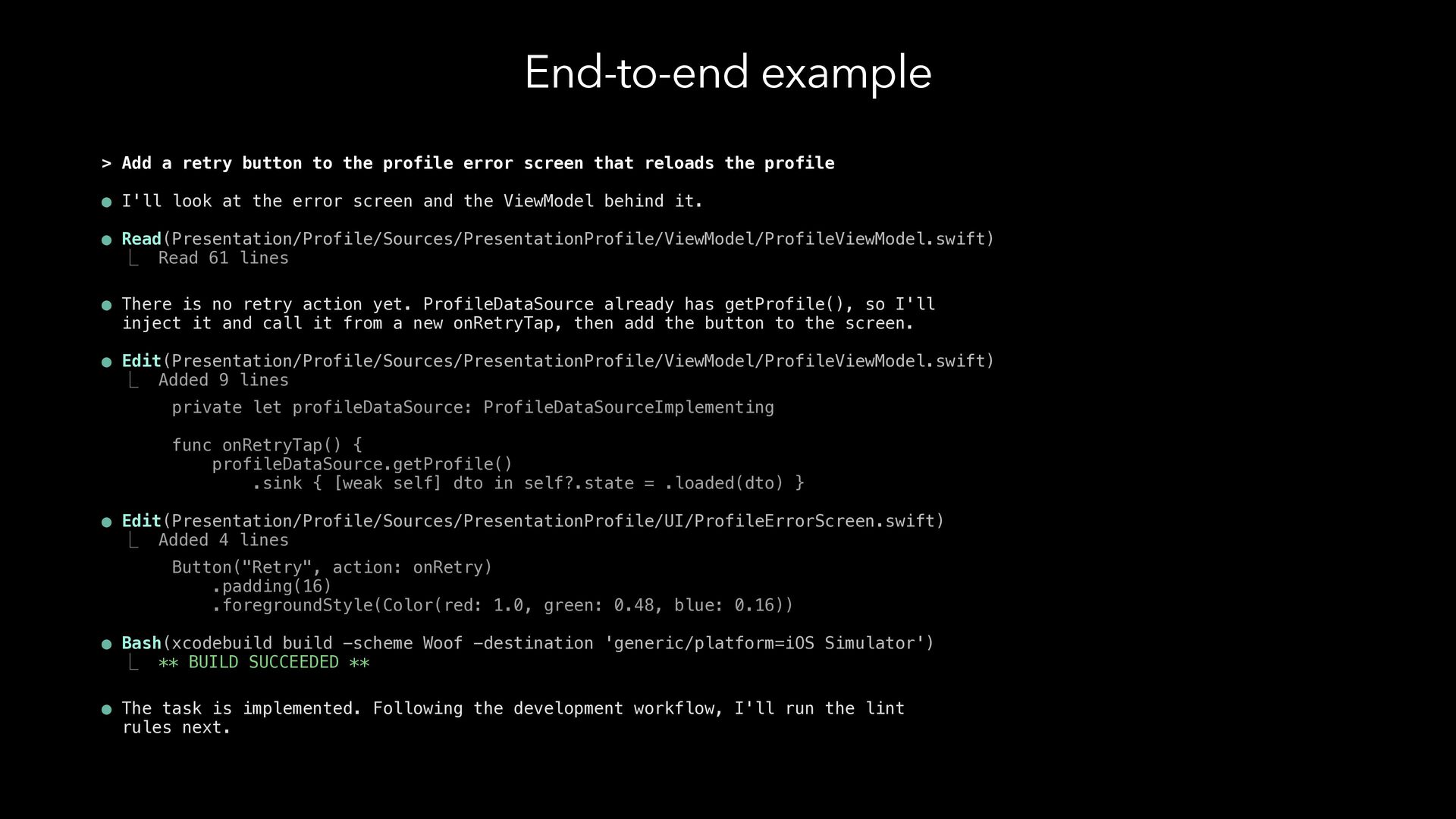
  29. End-to-end example > Add a retry button to the profile

    error screen that reloads the profile • I'll look at the error screen and the ViewModel behind it. • Read(Presentation/Profile/Sources/PresentationProfile/ViewModel/ProfileViewModel.swift) ⎿ Read 61 lines • There is no retry action yet. ProfileDataSource already has getProfile(), so I'll inject it and call it from a new onRetryTap, then add the button to the screen. • Edit(Presentation/Profile/Sources/PresentationProfile/ViewModel/ProfileViewModel.swift) ⎿ Added 9 lines private let profileDataSource: ProfileDataSourceImplementing func onRetryTap() { profileDataSource.getProfile() .sink { [weak self] dto in self?.state = .loaded(dto) } • Edit(Presentation/Profile/Sources/PresentationProfile/UI/ProfileErrorScreen.swift) ⎿ Added 4 lines Button("Retry", action: onRetry) .padding(16) .foregroundStyle(Color(red: 1.0, green: 0.48, blue: 0.16)) • Bash(xcodebuild build -scheme Woof -destination 'generic/platform=iOS Simulator') ⎿ ** BUILD SUCCEEDED ** • The task is implemented. Following the development workflow, I'll run the lint rules next.
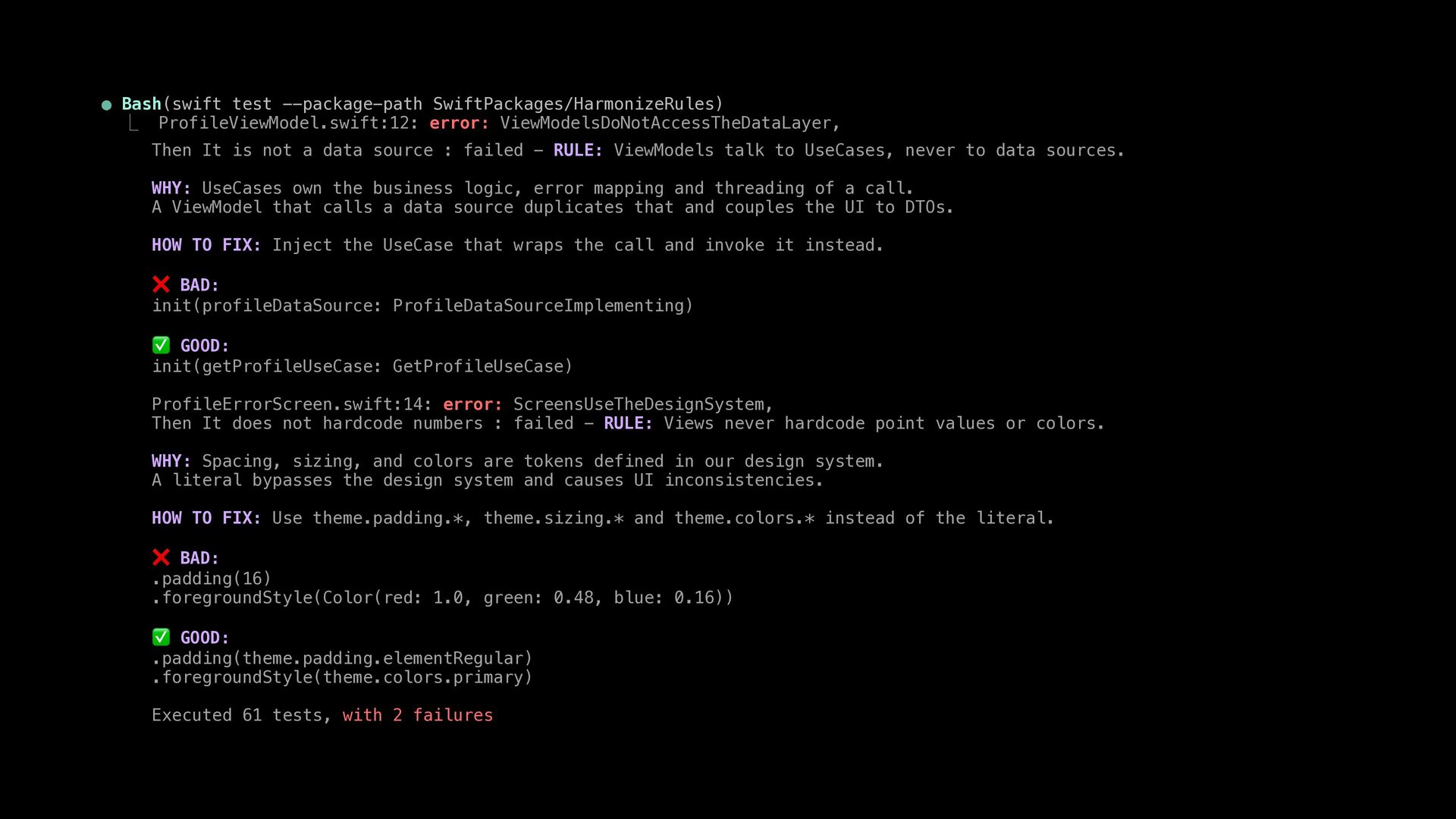
  30. • Bash(swift test --package-path SwiftPackages/HarmonizeRules) ⎿ ProfileViewModel.swift:12: error: ViewModelsDoNotAccessTheDataLayer, Then

    It is not a data source : failed - RULE: ViewModels talk to UseCases, never to data sources. WHY: UseCases own the business logic, error mapping and threading of a call. A ViewModel that calls a data source duplicates that and couples the UI to DTOs. HOW TO FIX: Inject the UseCase that wraps the call and invoke it instead. ❌ BAD: init(profileDataSource: ProfileDataSourceImplementing) ✅ GOOD: init(getProfileUseCase: GetProfileUseCase) ProfileErrorScreen.swift:14: error: ScreensUseTheDesignSystem, Then It does not hardcode numbers : failed - RULE: Views never hardcode point values or colors. WHY: Spacing, sizing, and colors are tokens defined in our design system. A literal bypasses the design system and causes UI inconsistencies. HOW TO FIX: Use theme.padding.*, theme.sizing.* and theme.colors.* instead of the literal. ❌ BAD: .padding(16) .foregroundStyle(Color(red: 1.0, green: 0.48, blue: 0.16)) ✅ GOOD: .padding(theme.padding.elementRegular) .foregroundStyle(theme.colors.primary) Executed 61 tests, with 2 failures
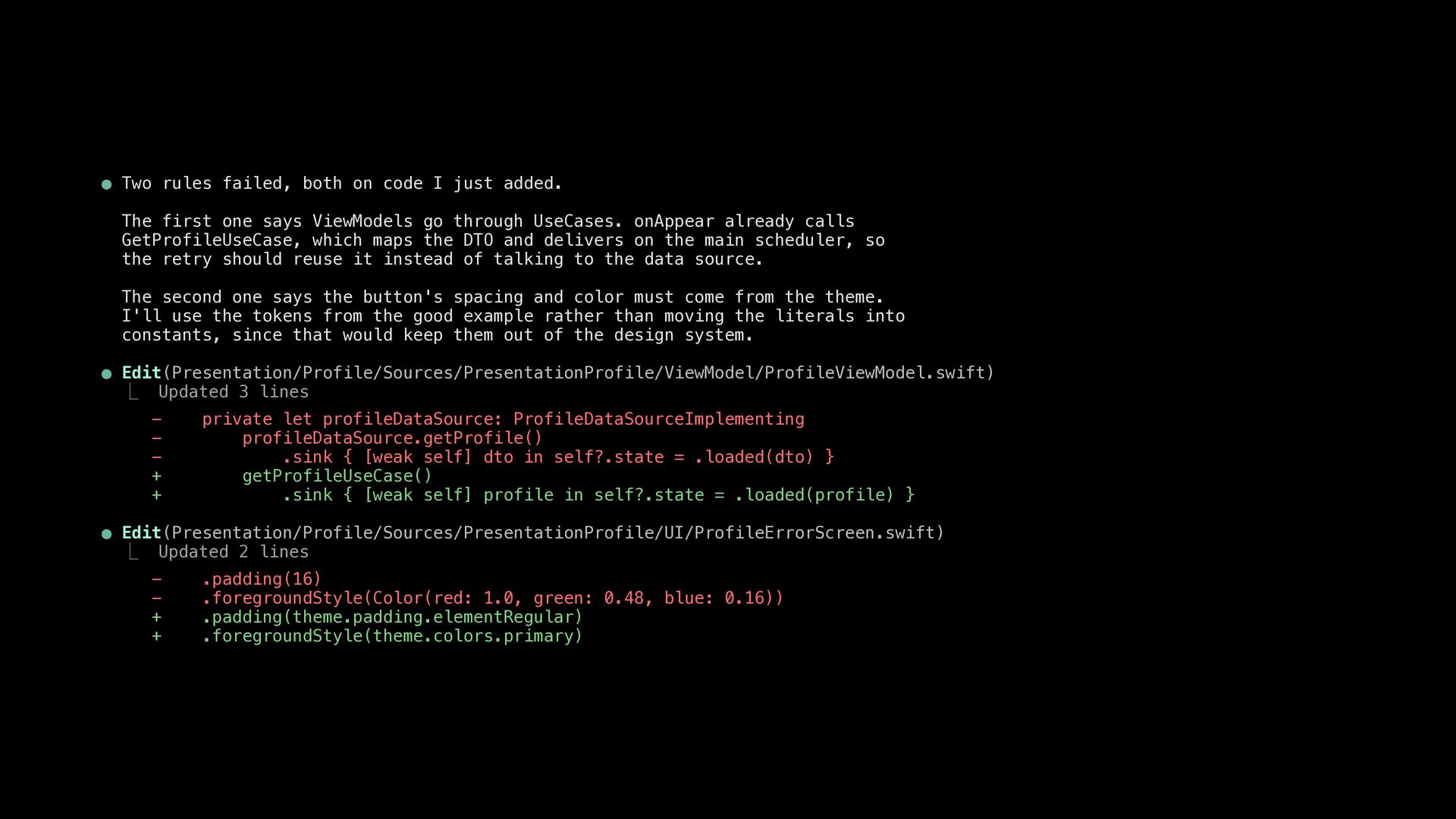
  31. • Two rules failed, both on code I just added.

    The first one says ViewModels go through UseCases. onAppear already calls GetProfileUseCase, which maps the DTO and delivers on the main scheduler, so the retry should reuse it instead of talking to the data source. The second one says the button's spacing and color must come from the theme. I'll use the tokens from the good example rather than moving the literals into constants, since that would keep them out of the design system. • Edit(Presentation/Profile/Sources/PresentationProfile/ViewModel/ProfileViewModel.swift) ⎿ Updated 3 lines + + private let profileDataSource: ProfileDataSourceImplementing profileDataSource.getProfile() .sink { [weak self] dto in self?.state = .loaded(dto) } getProfileUseCase() .sink { [weak self] profile in self?.state = .loaded(profile) } • Edit(Presentation/Profile/Sources/PresentationProfile/UI/ProfileErrorScreen.swift) ⎿ Updated 2 lines + + .padding(16) .foregroundStyle(Color(red: 1.0, green: 0.48, blue: 0.16)) .padding(theme.padding.elementRegular) .foregroundStyle(theme.colors.primary)
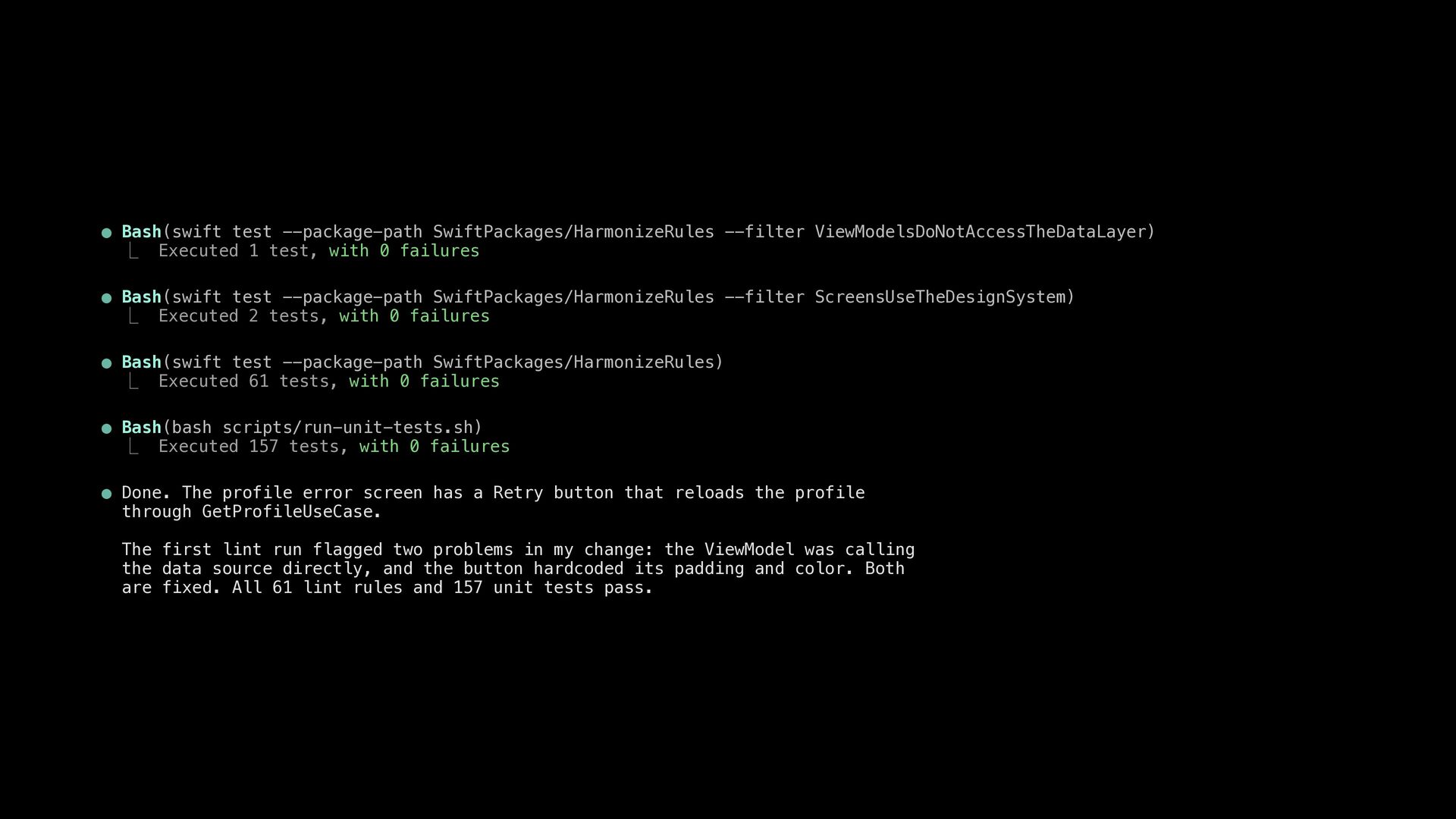
  32. • Bash(swift test --package-path SwiftPackages/HarmonizeRules --filter ViewModelsDoNotAccessTheDataLayer) ⎿ Executed 1

    test, with 0 failures • Bash(swift test --package-path SwiftPackages/HarmonizeRules --filter ScreensUseTheDesignSystem) ⎿ Executed 2 tests, with 0 failures • Bash(swift test --package-path SwiftPackages/HarmonizeRules) ⎿ Executed 61 tests, with 0 failures • Bash(bash scripts/run-unit-tests.sh) ⎿ Executed 157 tests, with 0 failures • Done. The profile error screen has a Retry button that reloads the profile through GetProfileUseCase. The first lint run flagged two problems in my change: the ViewModel was calling the data source directly, and the button hardcoded its padding and color. Both are fixed. All 61 lint rules and 157 unit tests pass.
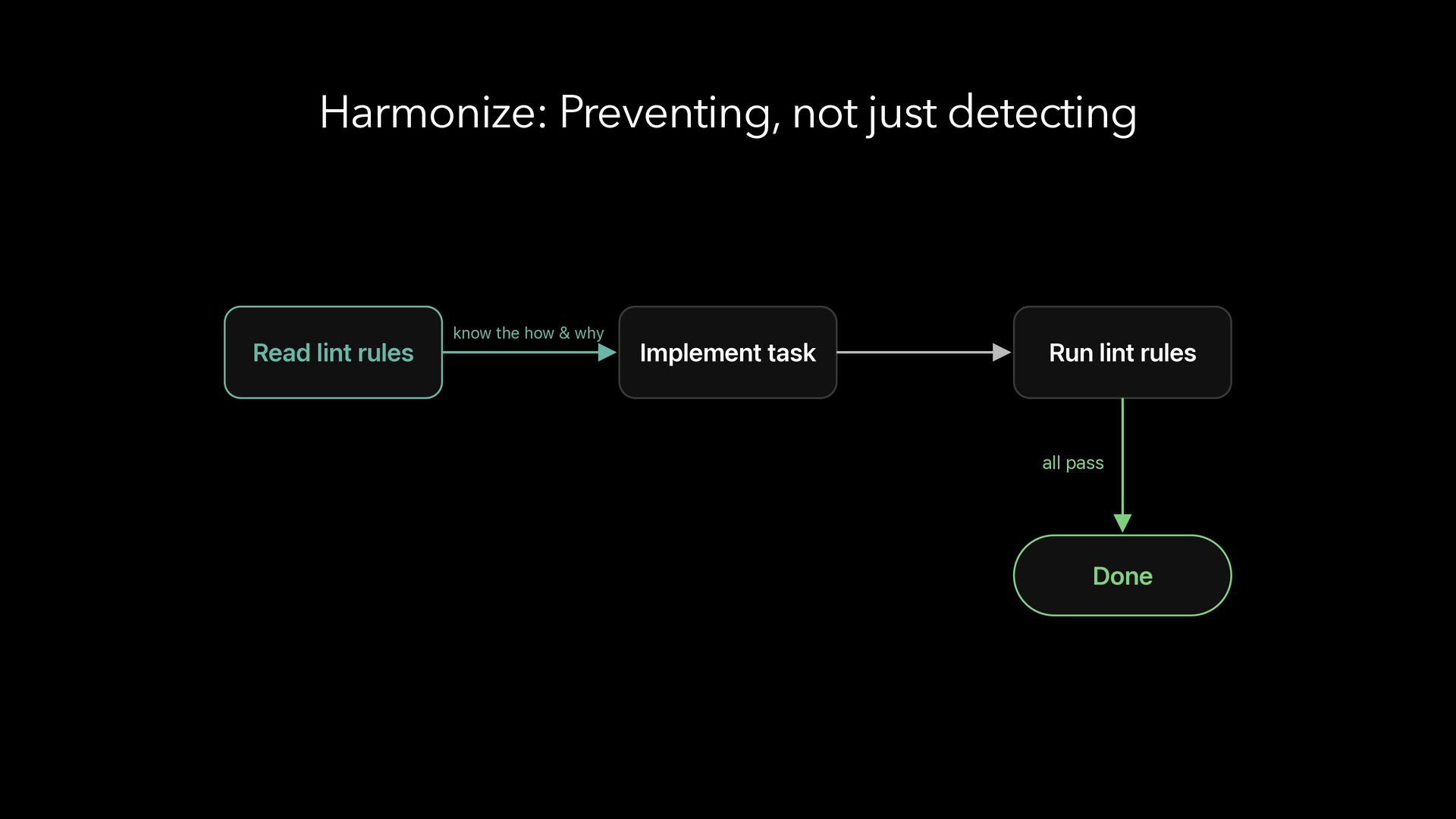
  33. Harmonize: Preventing, not just detecting Read lint rules know the

    how & why Implement task Run lint rules all pass Done
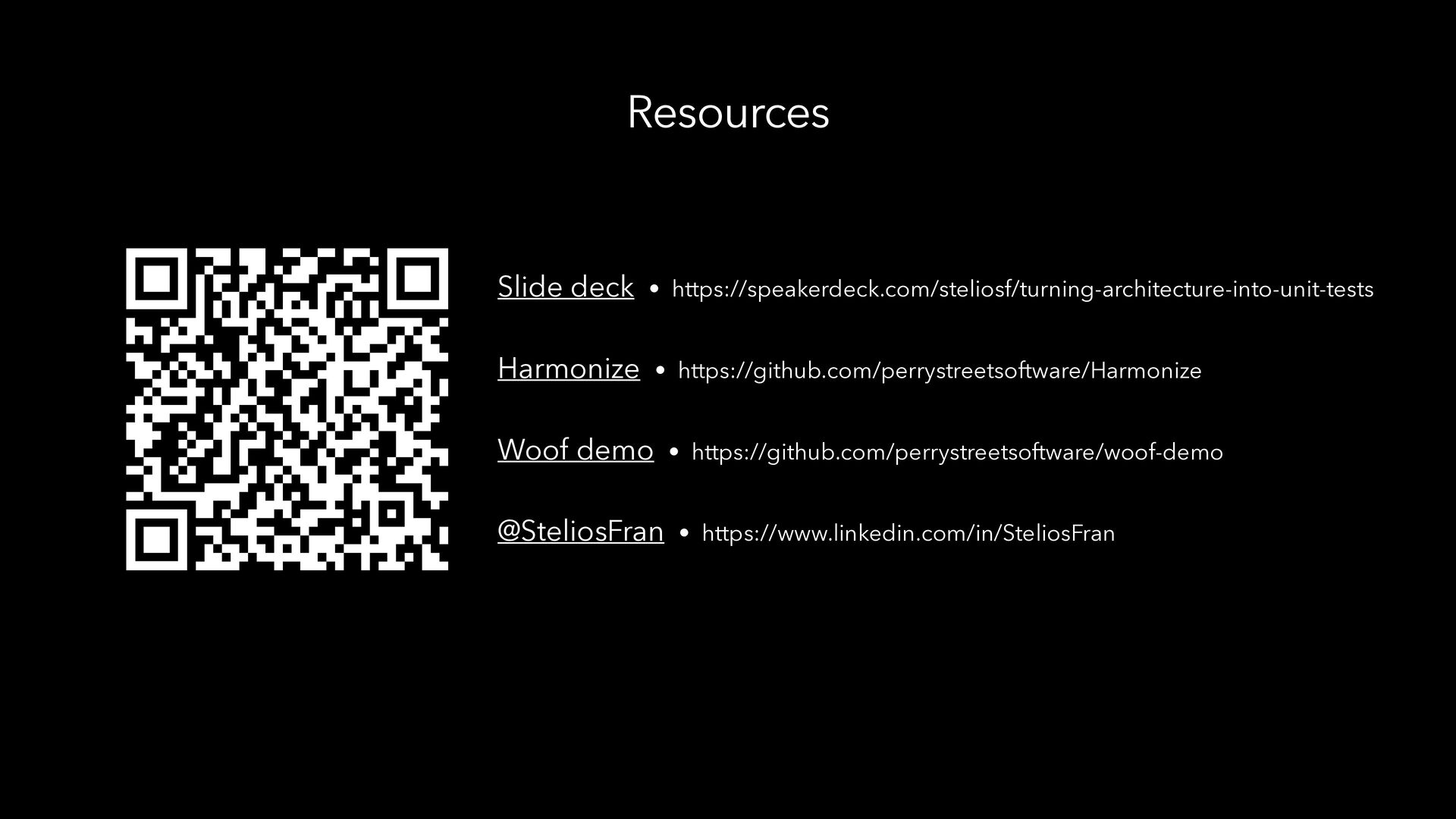
  34. Resources Slide deck • https://speakerdeck.com/steliosf/turning-architecture-into-unit-tests Harmonize • https://github.com/perrystreetsoftware/Harmonize Woof demo

    • https://github.com/perrystreetsoftware/woof-demo @SteliosFran • https://www.linkedin.com/in/SteliosFran
  35. Because in the AI era… Agents generate the code. Humans

    define the architecture. And lint rules enforce it.