Upgrade to Pro
— share decks privately, control downloads, hide ads and more …
Speaker Deck
Sign up for free
Menu
Search
Features
All features
Private URLs
Password Protection
Custom URLS
Scheduled publishing
Remove Branding
Restrict embedding
Deck Collections
Notes
Features
All features
Private URLs
Password Protection
Custom URLS
Scheduled publishing
Remove Branding
Restrict embedding
Deck Collections
Notes
Explore
Featured decks
Featured speakers
Programming
Technology
Storyboards
Explore
Featured decks
Featured speakers
Programming
Technology
Storyboards
Pricing
Search
Sign in
Sign up for free
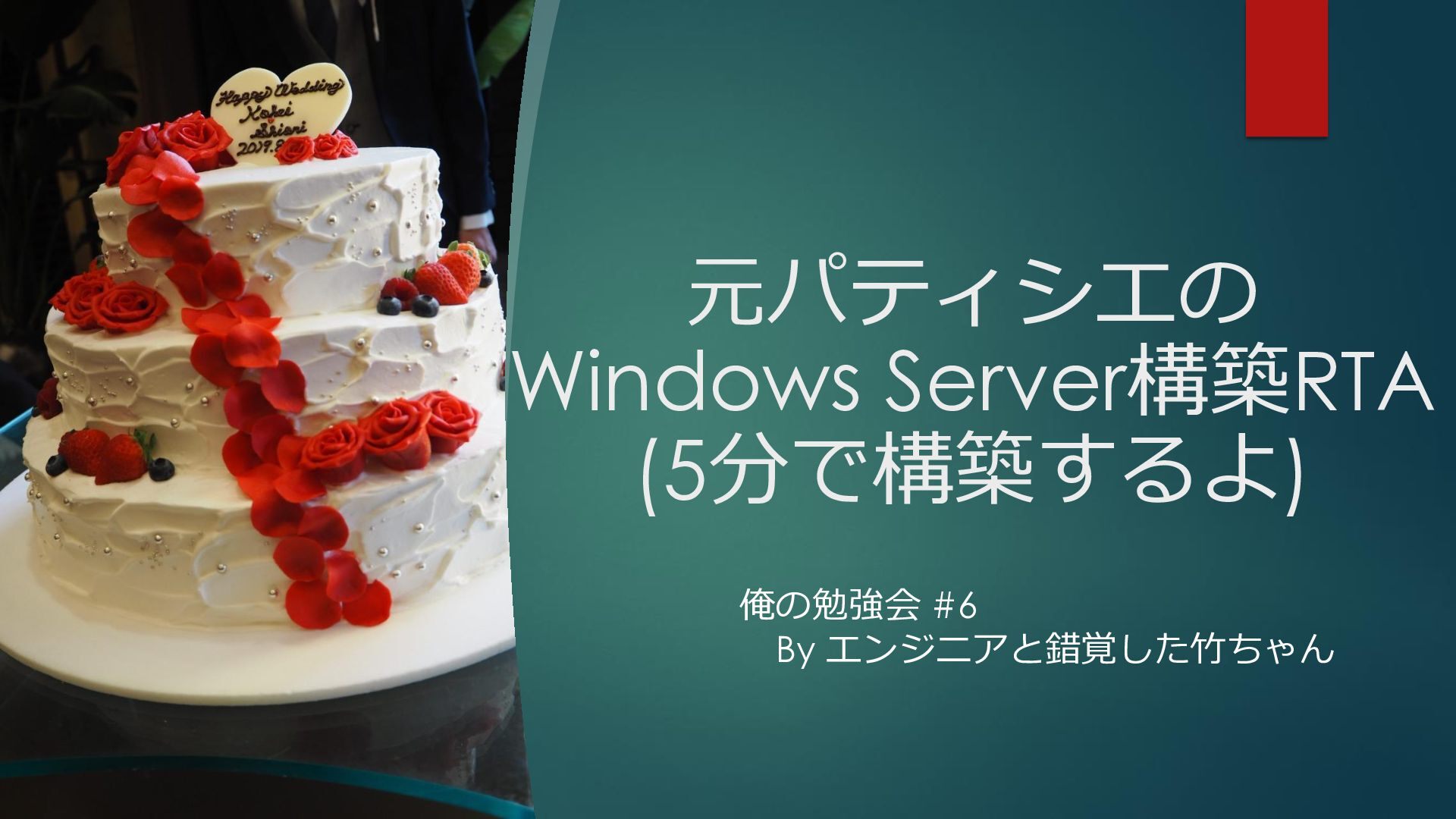
元パティシエの Windows Server構築RTA (5分で構築するよ)
Search
エンジニアと錯覚した竹ちゃん
June 14, 2026
1.5k
0
Share
Embed
Copy iframe code
Copy JS code
Copy link
Start on current slide
元パティシエの Windows Server構築RTA (5分で構築するよ)
エンジニアと錯覚した竹ちゃん
June 14, 2026
More Decks by エンジニアと錯覚した竹ちゃん
See All by エンジニアと錯覚した竹ちゃん
元パティシエでもAzure LocalでAVDをやりたい
takenoko729
0
16
元パティシエがProxmoxで ライブマイグレーションを ライブデモやったらぁ〜
takenoko729
0
1k
元パティシエの誤自宅環境をご紹介
takenoko729
1
170
元パティシエの逸般の誤家庭サーバ
takenoko729
0
1.2k
元パティシエがAzure Localの進化系 マルチラックデプロイをご紹介
takenoko729
0
140
オンプレ版のM365!? Microsoft365 Localをご紹介
takenoko729
0
470
YonaYonaAzure
takenoko729
0
100
パティシエからエンジニアへ転職しちゃったよ
takenoko729
0
150
元パティシエがExpressRouteに初めて接続した話
takenoko729
0
34
Featured
See All Featured
Understanding Cognitive Biases in Performance Measurement
bluesmoon
32
3k
Fashionably flexible responsive web design (full day workshop)
malarkey
409
67k
SEO Brein meetup: CTRL+C is not how to scale international SEO
lindahogenes
2
2.9k
AI in Enterprises - Java and Open Source to the Rescue
ivargrimstad
0
1.5k
The Limits of Empathy - UXLibs8
cassininazir
2
720
Self-Hosted WebAssembly Runtime for Runtime-Neutral Checkpoint/Restore in Edge–Cloud Continuum
chikuwait
0
880
State of Search Keynote: SEO is Dead Long Live SEO
ryanjones
0
320
JavaScript: Past, Present, and Future - NDC Porto 2020
reverentgeek
52
6.1k
How to train your dragon (web standard)
notwaldorf
96
6.9k
GitHub's CSS Performance
jonrohan
1033
470k
Have SEOs Ruined the Internet? - User Awareness of SEO in 2025
akashhashmi
0
520
Pawsitive SEO: Lessons from My Dog (and Many Mistakes) on Thriving as a Consultant in the Age of AI
davidcarrasco
0
260
Transcript
元パティシエの Windows Server構築RTA (5分で構築するよ) 俺の勉強会 #6 By エンジニアと錯覚した竹ちゃん
アジェンダ ➢1.自己紹介 ➢2.Windows Server RTA レギュレーション紹介 ➢3.構築手順 ➢4.締めくくり
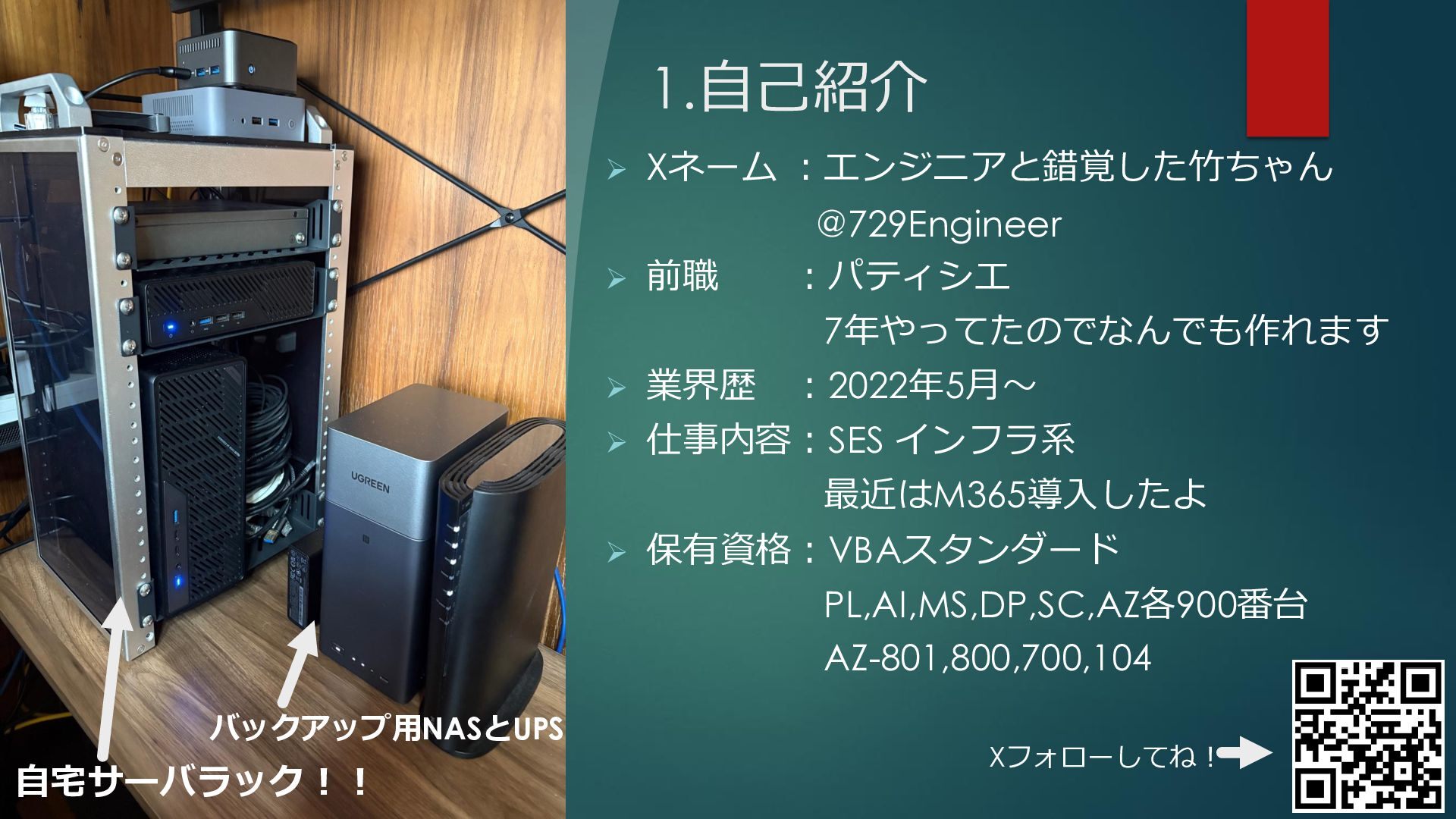
1.自己紹介 ➢ Xネーム :エンジニアと錯覚した竹ちゃん @729Engineer ➢ 前職 :パティシエ 7年やってたのでなんでも作れます ➢
業界歴 :2022年5月〜 ➢ 仕事内容:SES インフラ系 最近はM365導入したよ ➢ 保有資格:VBAスタンダード PL,AI,MS,DP,SC,AZ各900番台 AZ-801,800,700,104 Xフォローしてね! 自宅サーバラック!! バックアップ用NASとUPS
➢2. Windows Server RTA レギュレーション紹介 自宅のProxmoxサーバにVPNで接続して、Windows Server構築から初期起動 までドラが鳴らされる前に完了させます。 現在、残り4分30秒で構築頑張ります・・・・・
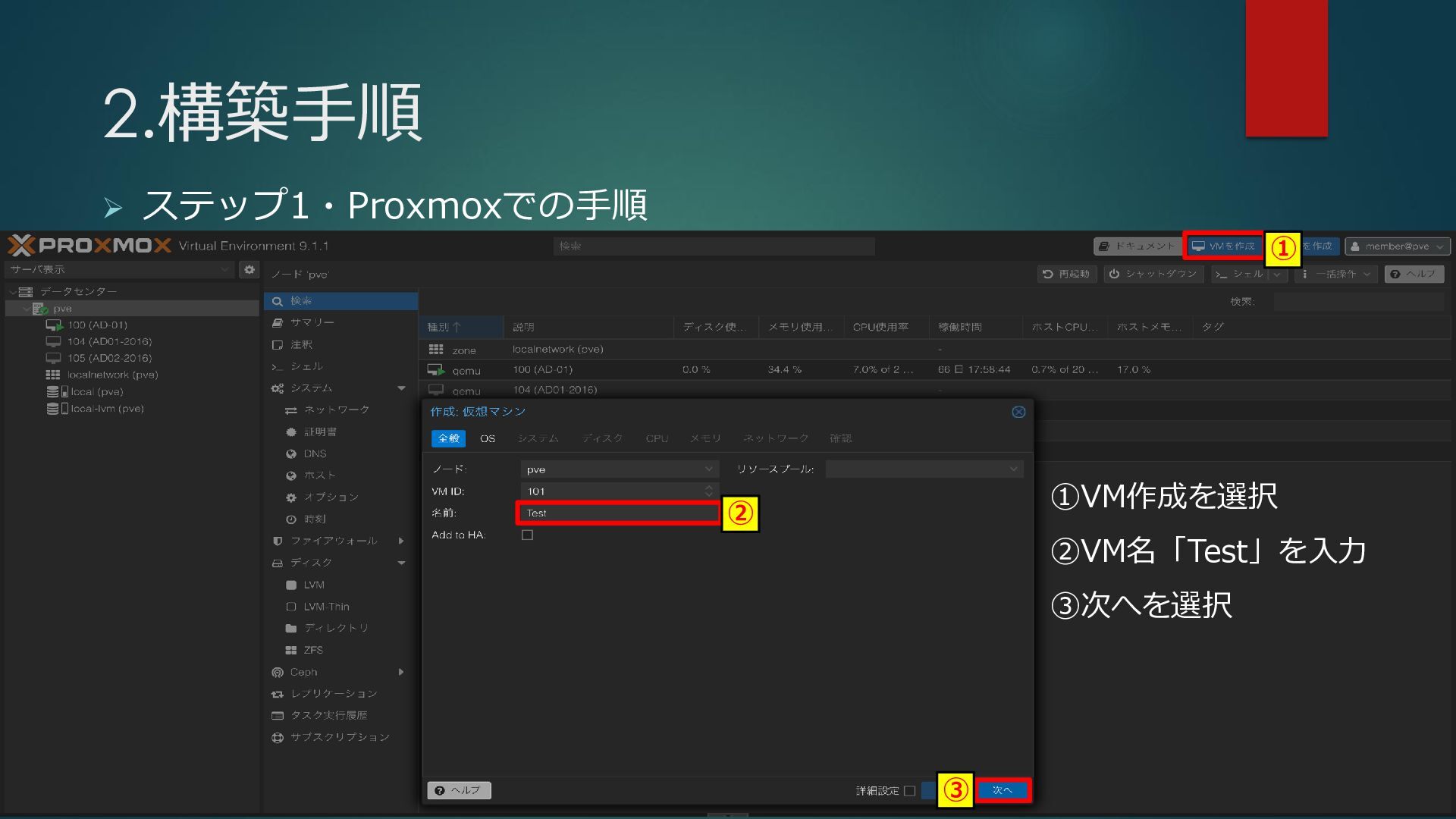
2.構築手順 ➢ ステップ1・Proxmoxでの手順 ①VM作成を選択 ②VM名「Test」を入力 ③次へを選択 ① ② ③
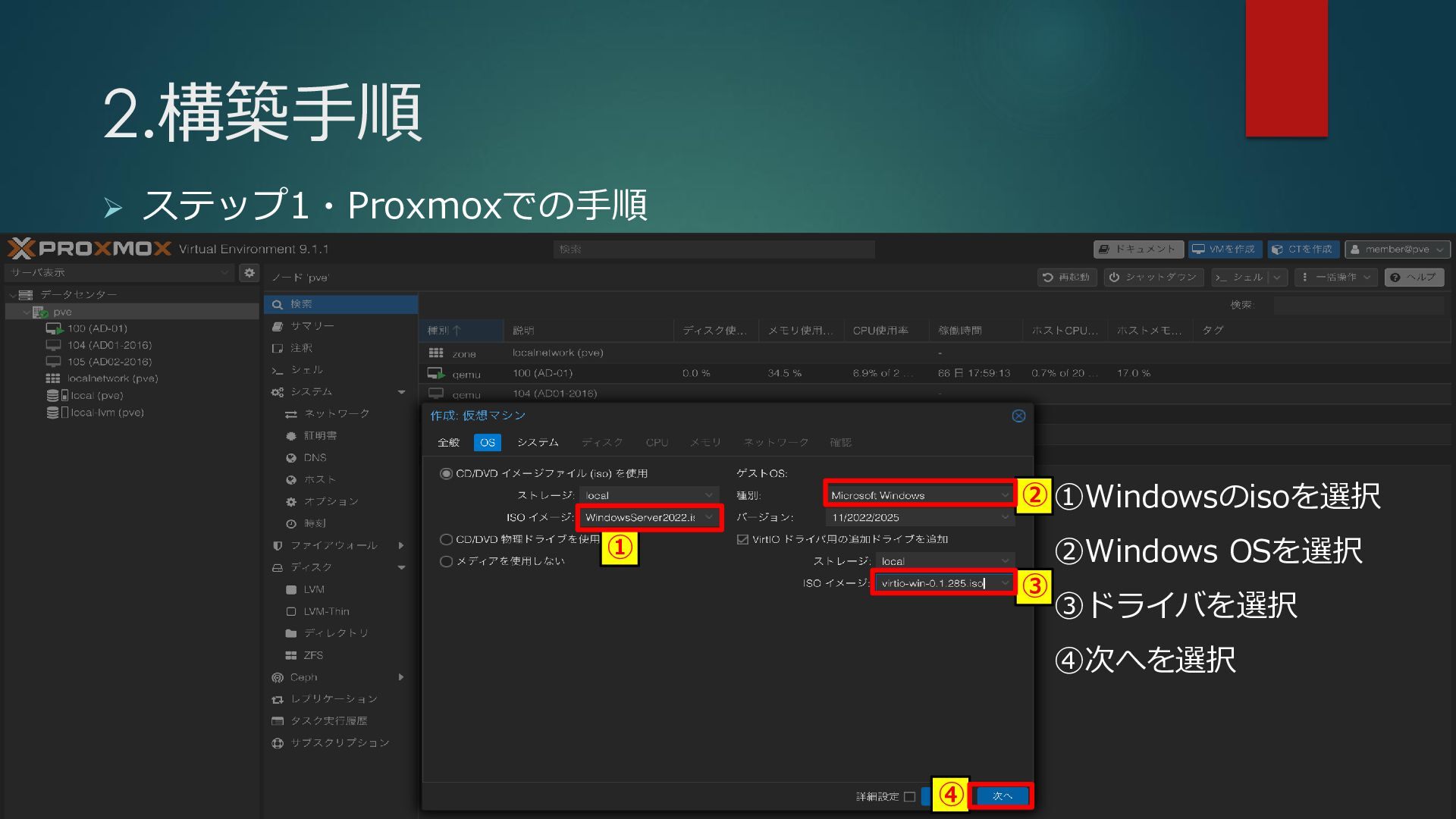
2.構築手順 ➢ ステップ1・Proxmoxでの手順 ① ② ③ ④ ①Windowsのisoを選択 ②Windows OSを選択
③ドライバを選択 ④次へを選択
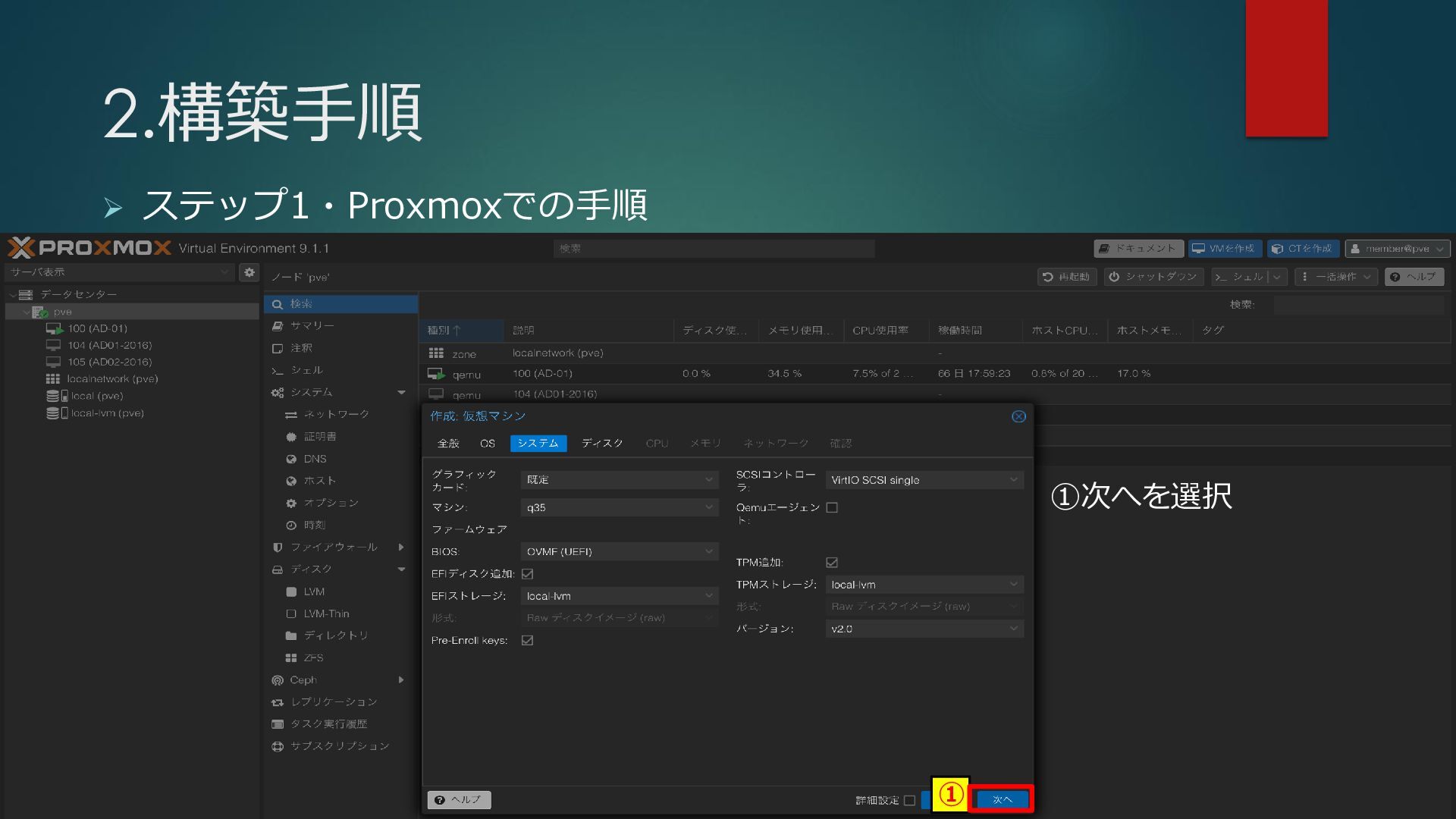
2.構築手順 ➢ ステップ1・Proxmoxでの手順 ① ①次へを選択
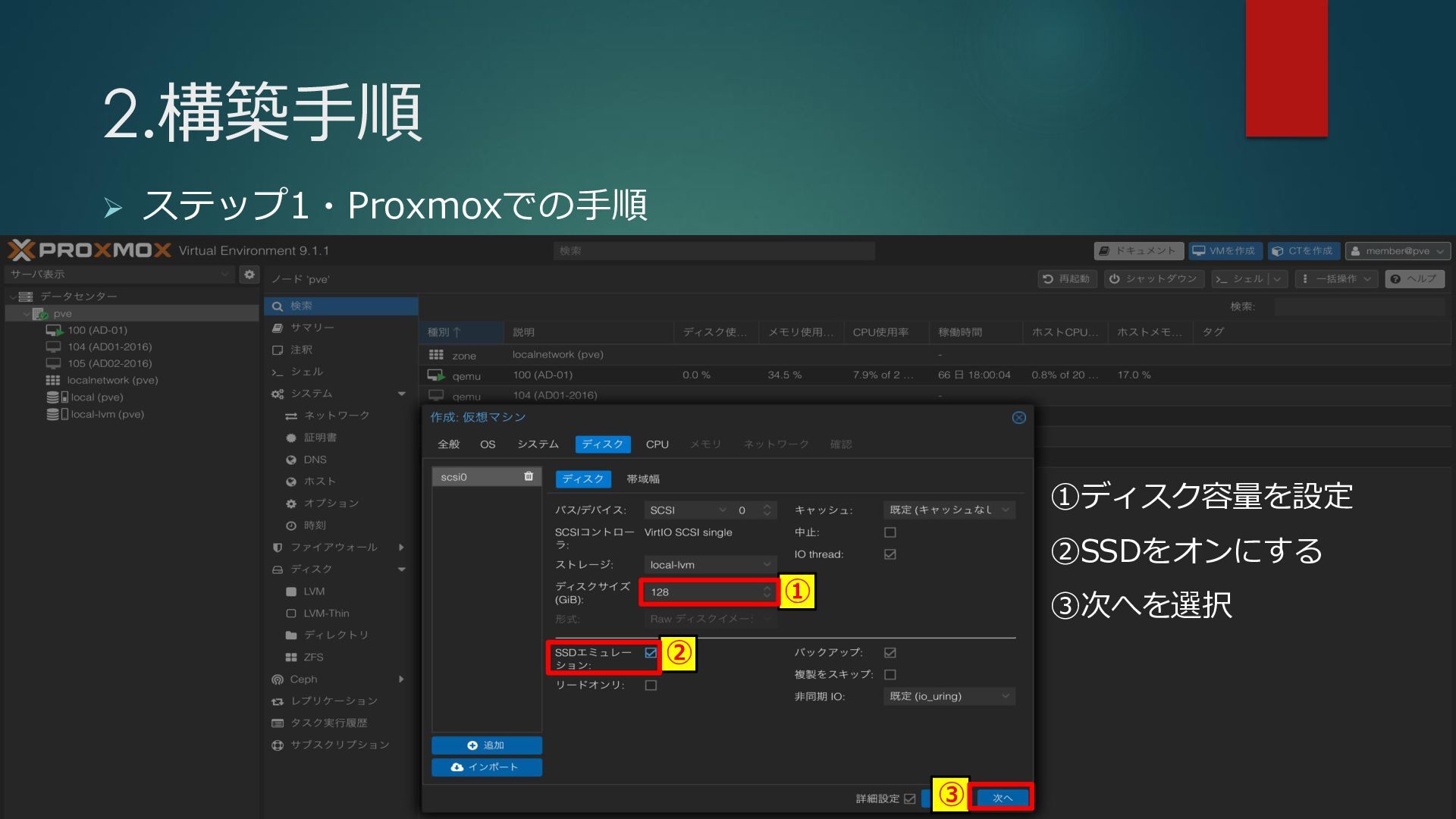
2.構築手順 ➢ ステップ1・Proxmoxでの手順 ① ② ③ ①ディスク容量を設定 ②SSDをオンにする ③次へを選択
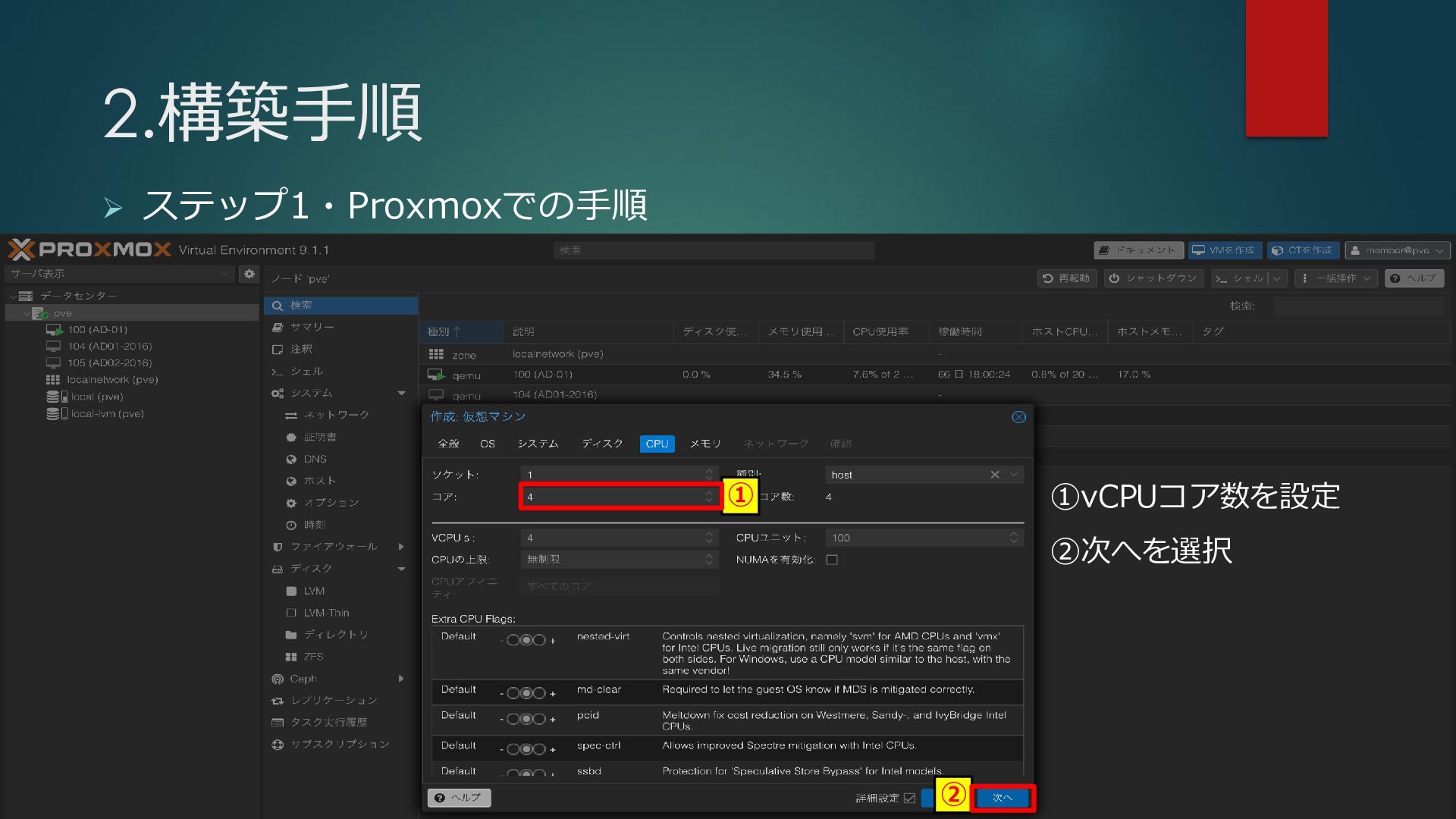
2.構築手順 ➢ ステップ1・Proxmoxでの手順 ① ② ①vCPUコア数を設定 ②次へを選択
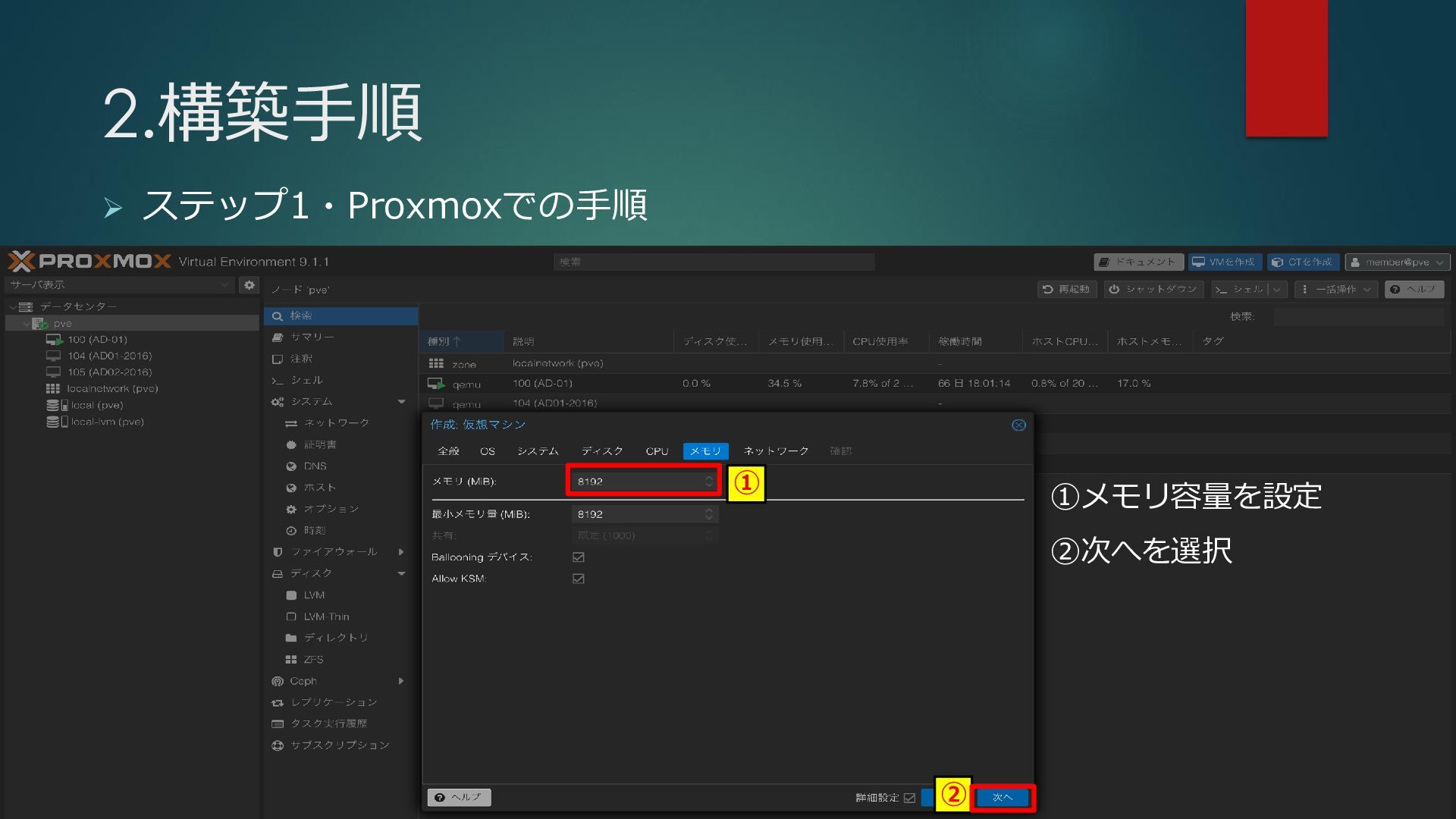
2.構築手順 ➢ ステップ1・Proxmoxでの手順 ① ② ①メモリ容量を設定 ②次へを選択
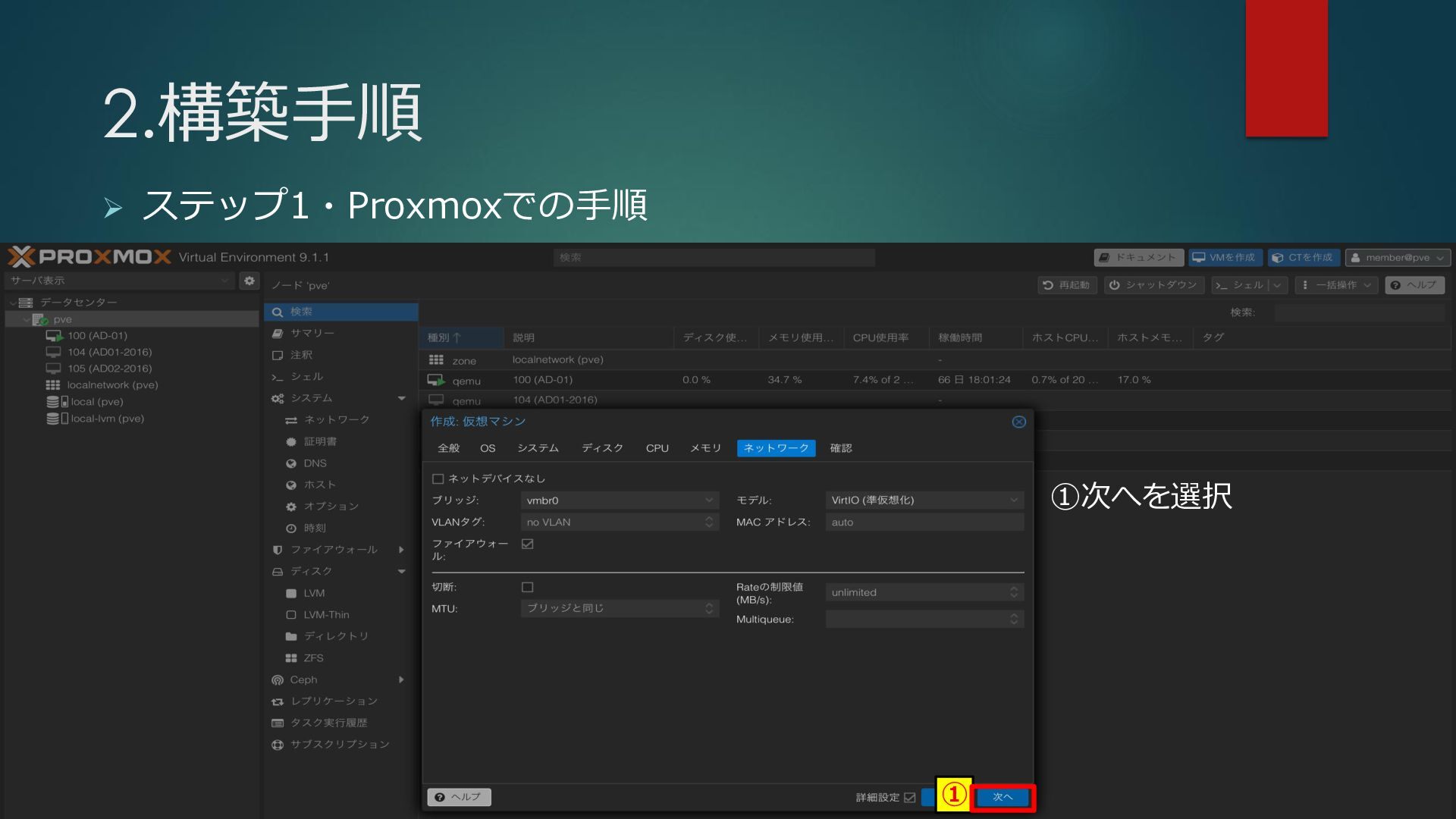
2.構築手順 ➢ ステップ1・Proxmoxでの手順 ① ①次へを選択
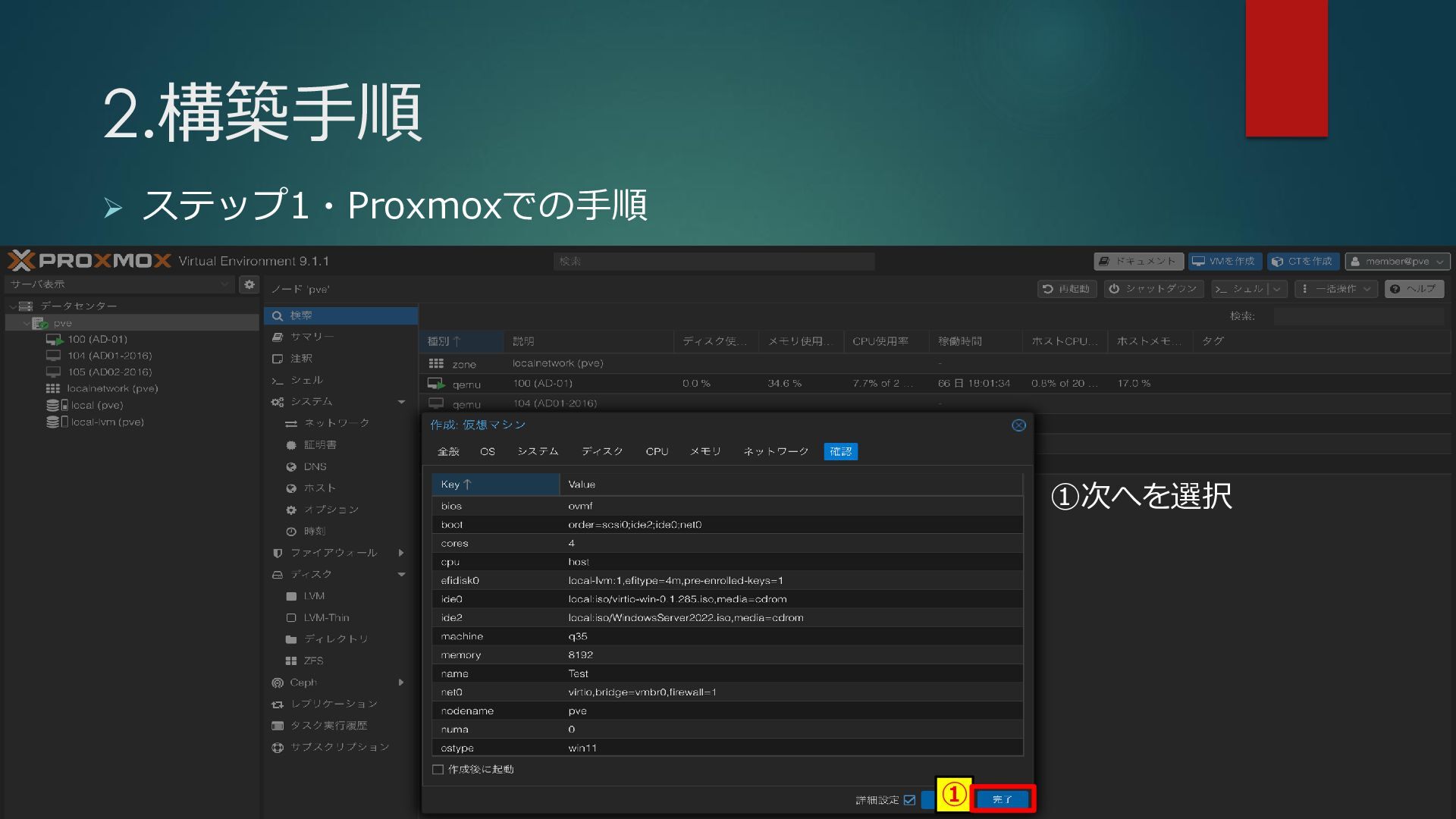
2.構築手順 ➢ ステップ1・Proxmoxでの手順 ① ①次へを選択
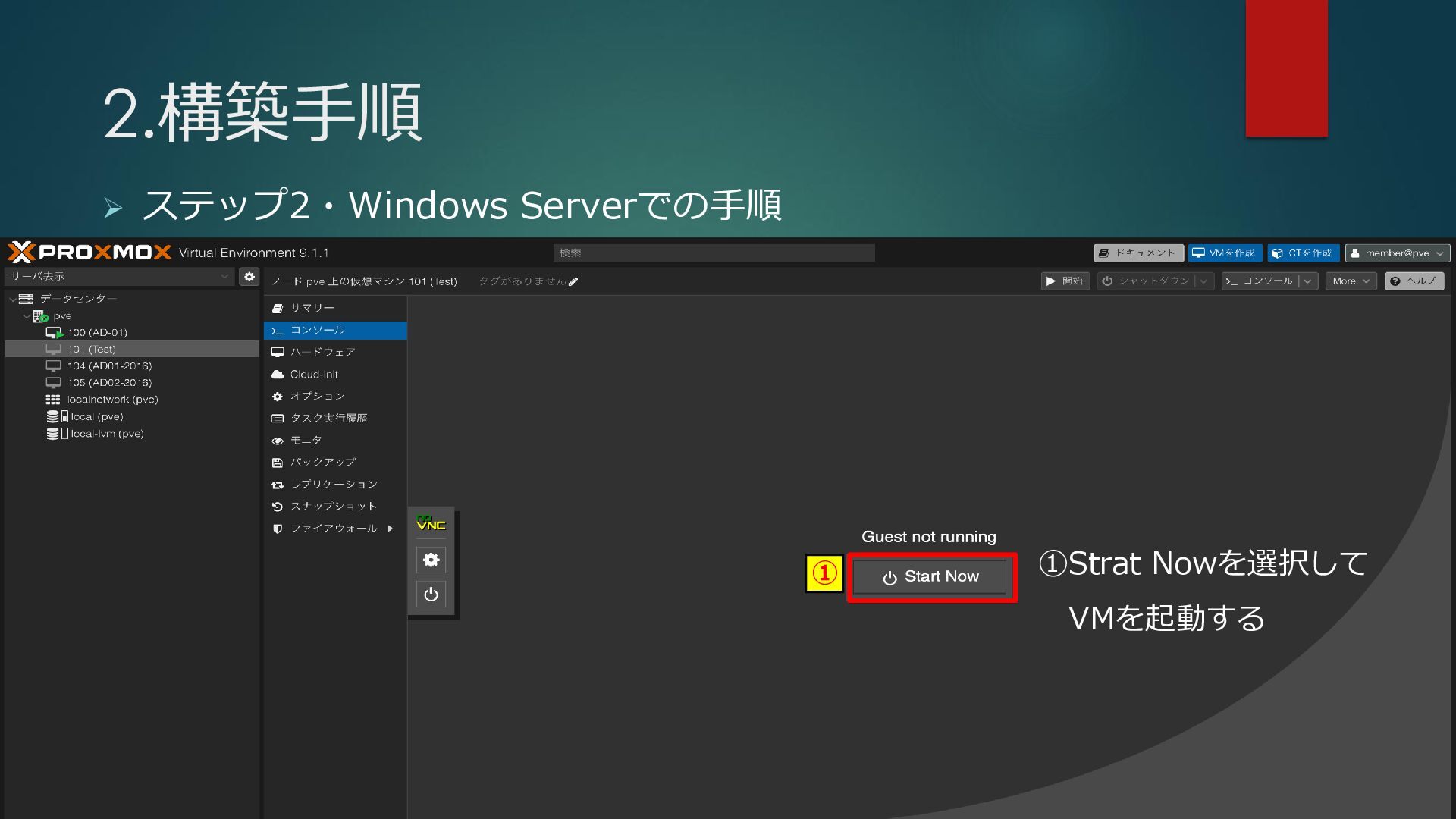
2.構築手順 ➢ ステップ2・Windows Serverでの手順 ① ①Strat Nowを選択して VMを起動する
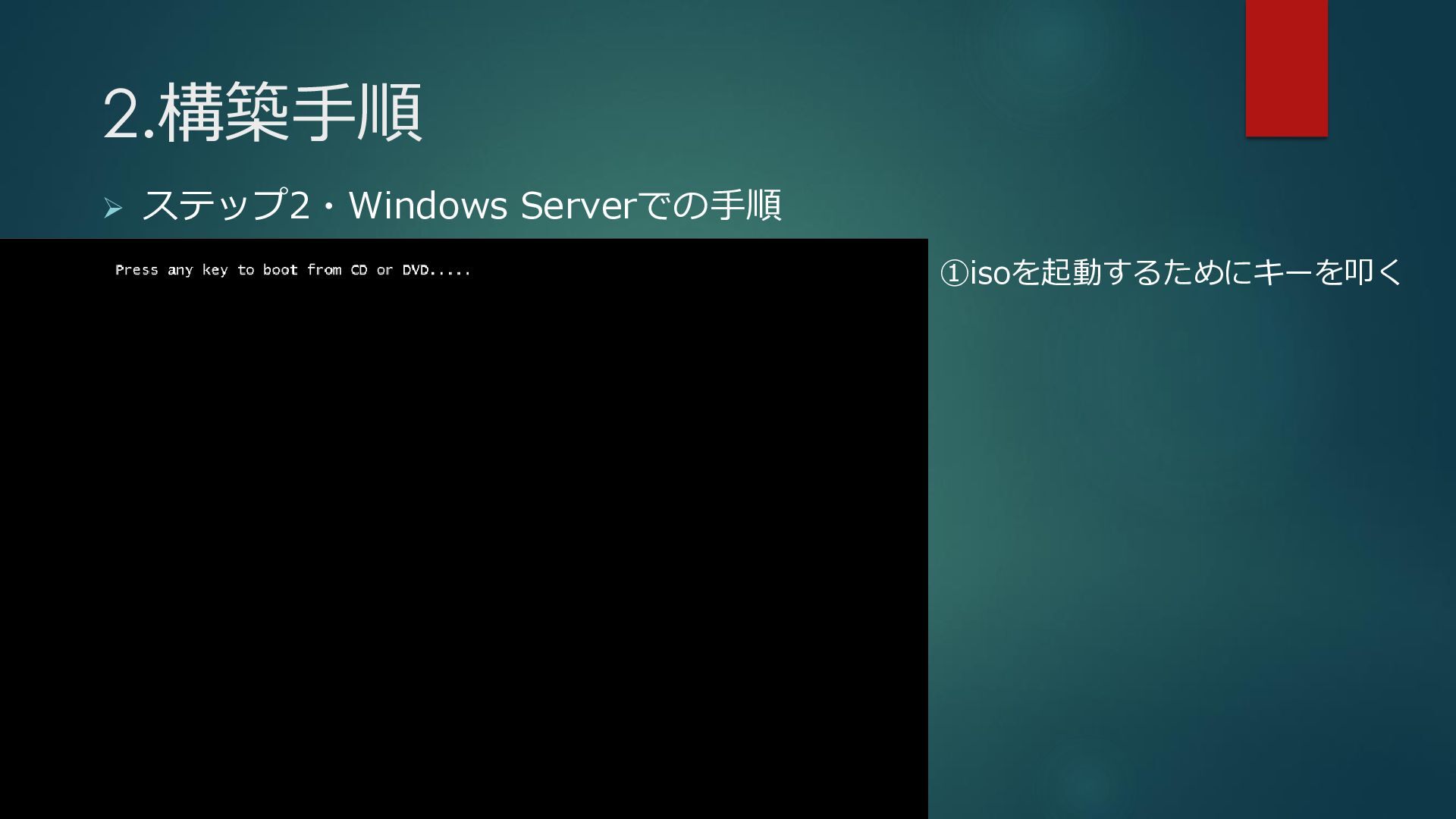
2.構築手順 ➢ ステップ2・Windows Serverでの手順 ①isoを起動するためにキーを叩く
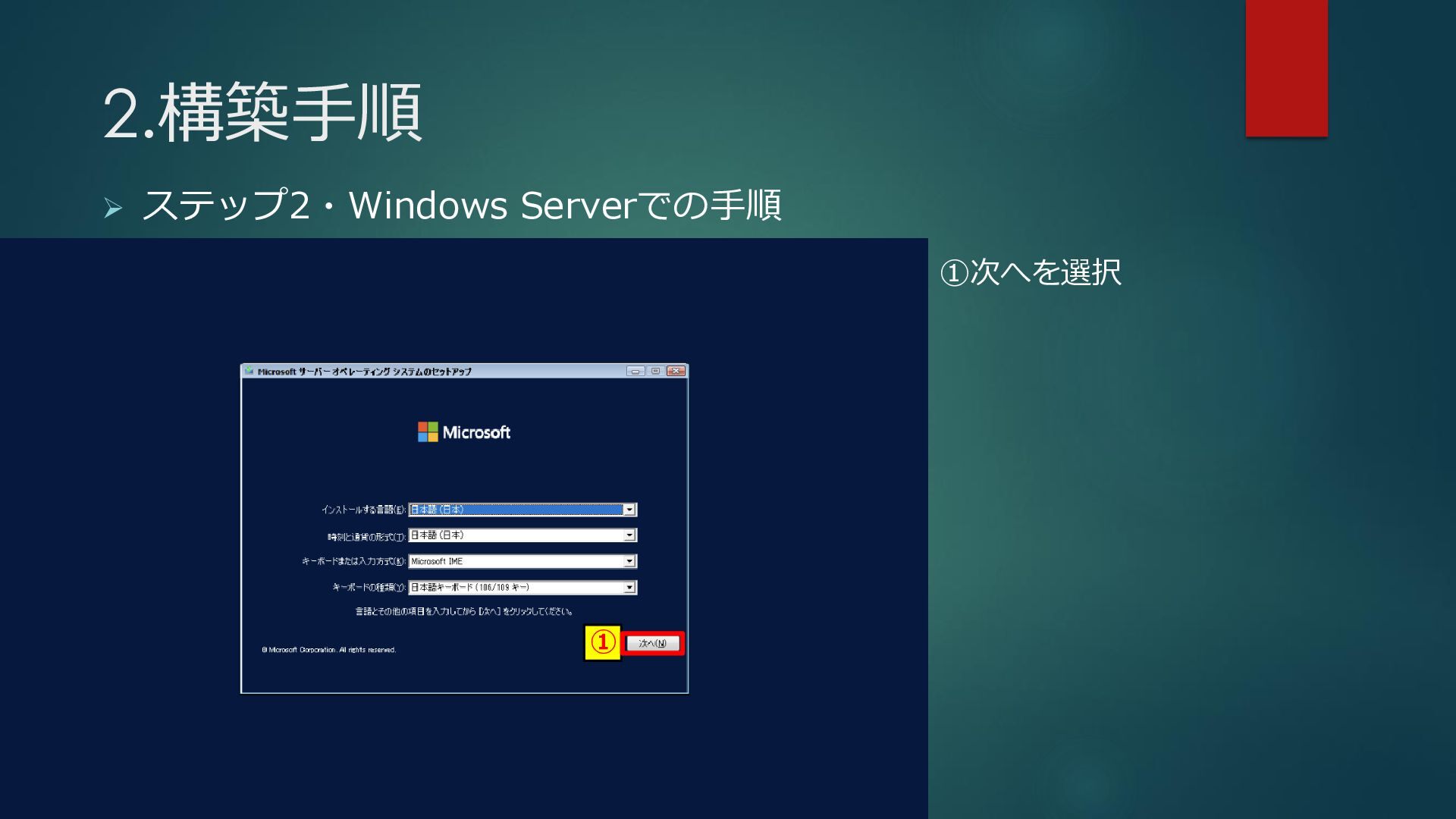
2.構築手順 ➢ ステップ2・Windows Serverでの手順 ① ①次へを選択
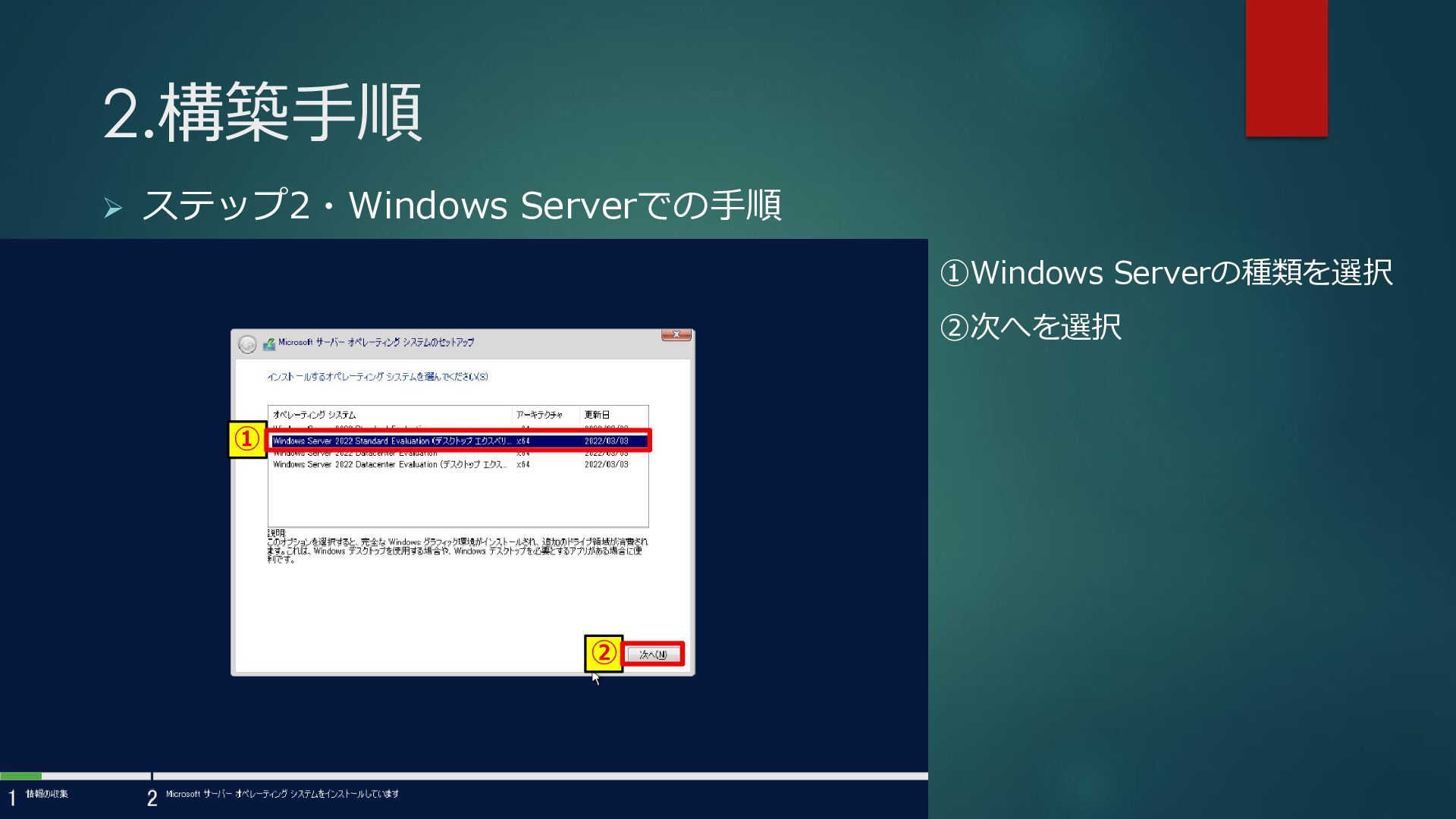
2.構築手順 ➢ ステップ2・Windows Serverでの手順 ① ② ①Windows Serverの種類を選択 ②次へを選択
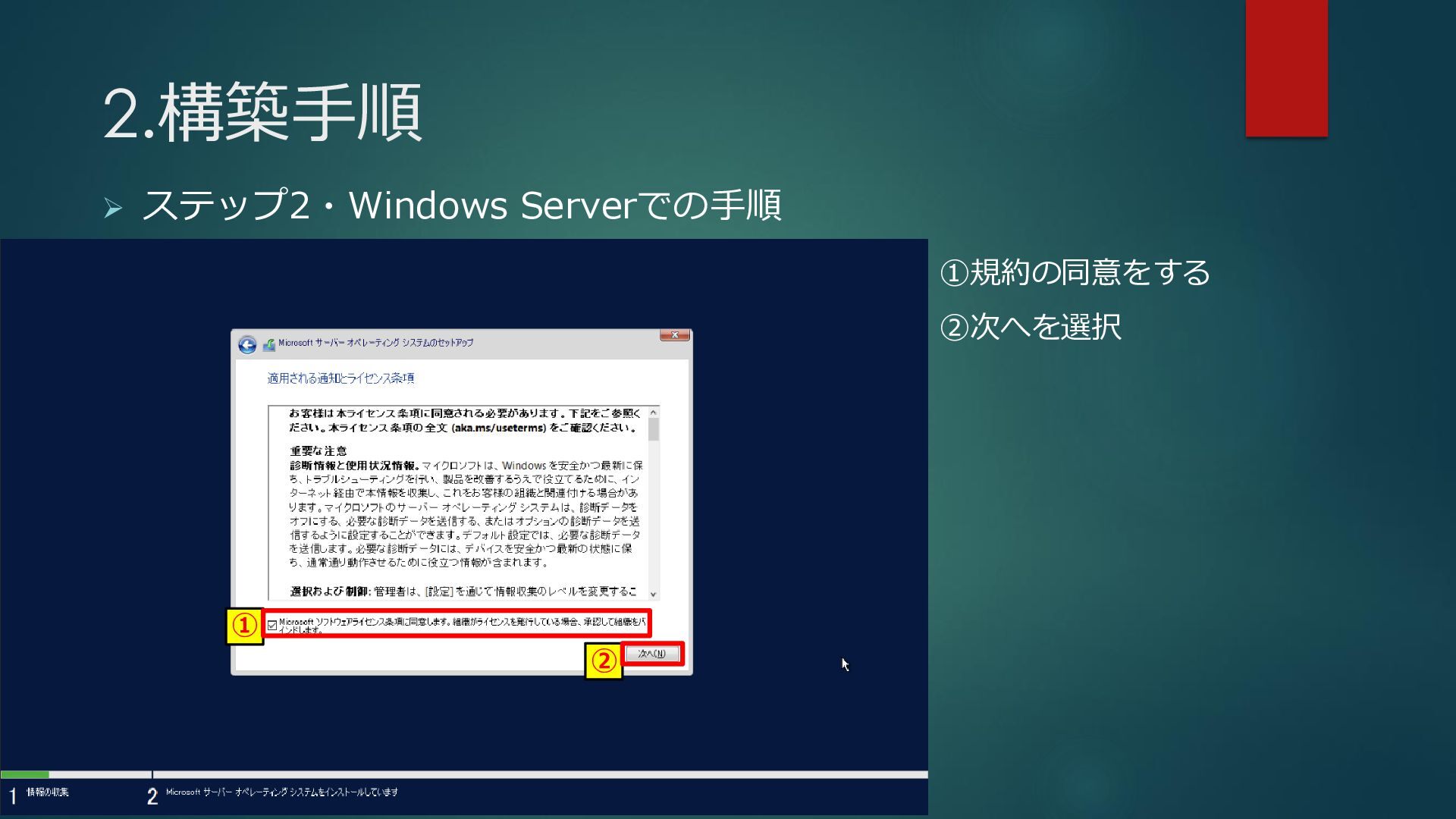
2.構築手順 ➢ ステップ2・Windows Serverでの手順 ① ② ①規約の同意をする ②次へを選択
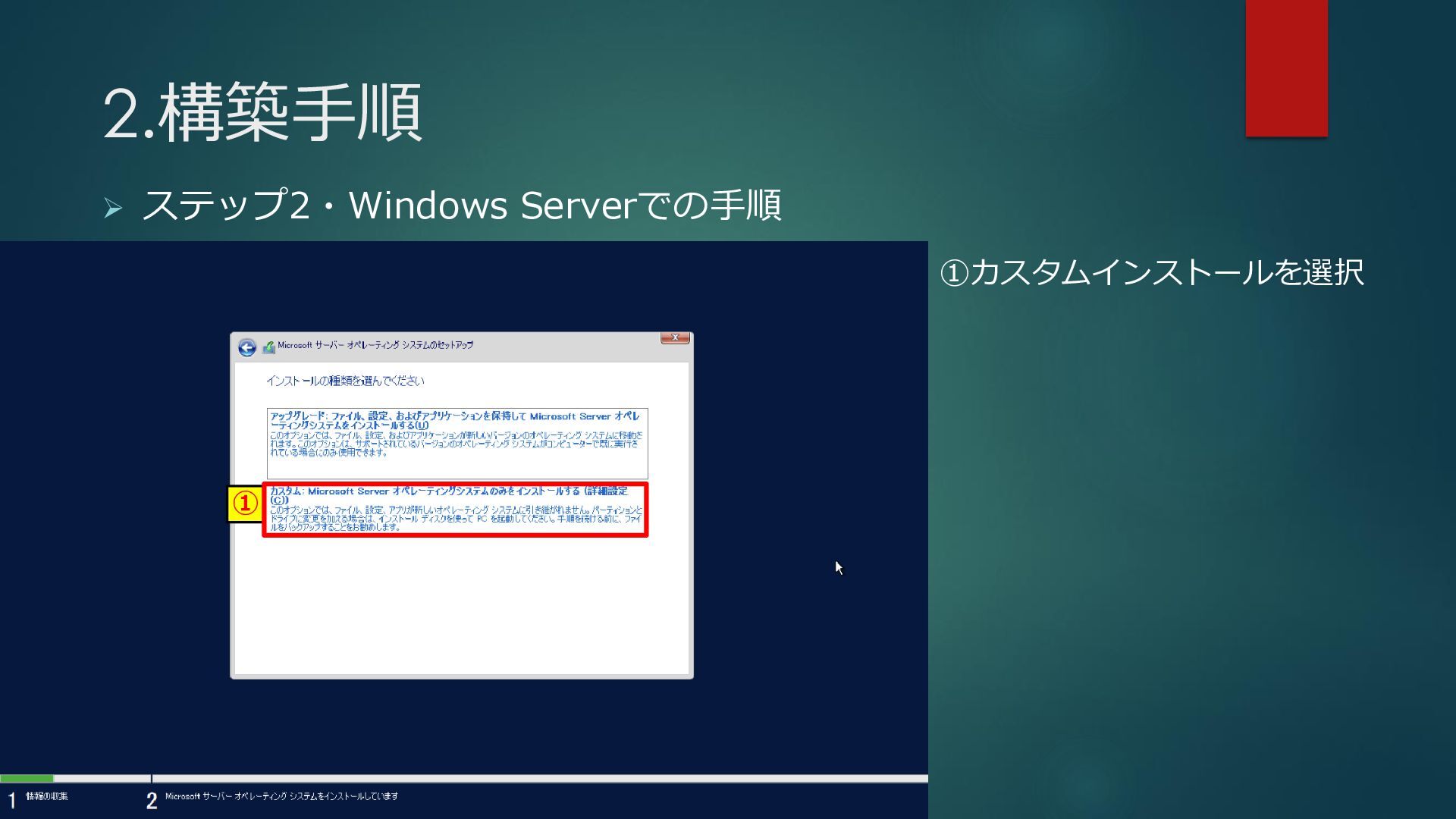
2.構築手順 ➢ ステップ2・Windows Serverでの手順 ① ①カスタムインストールを選択
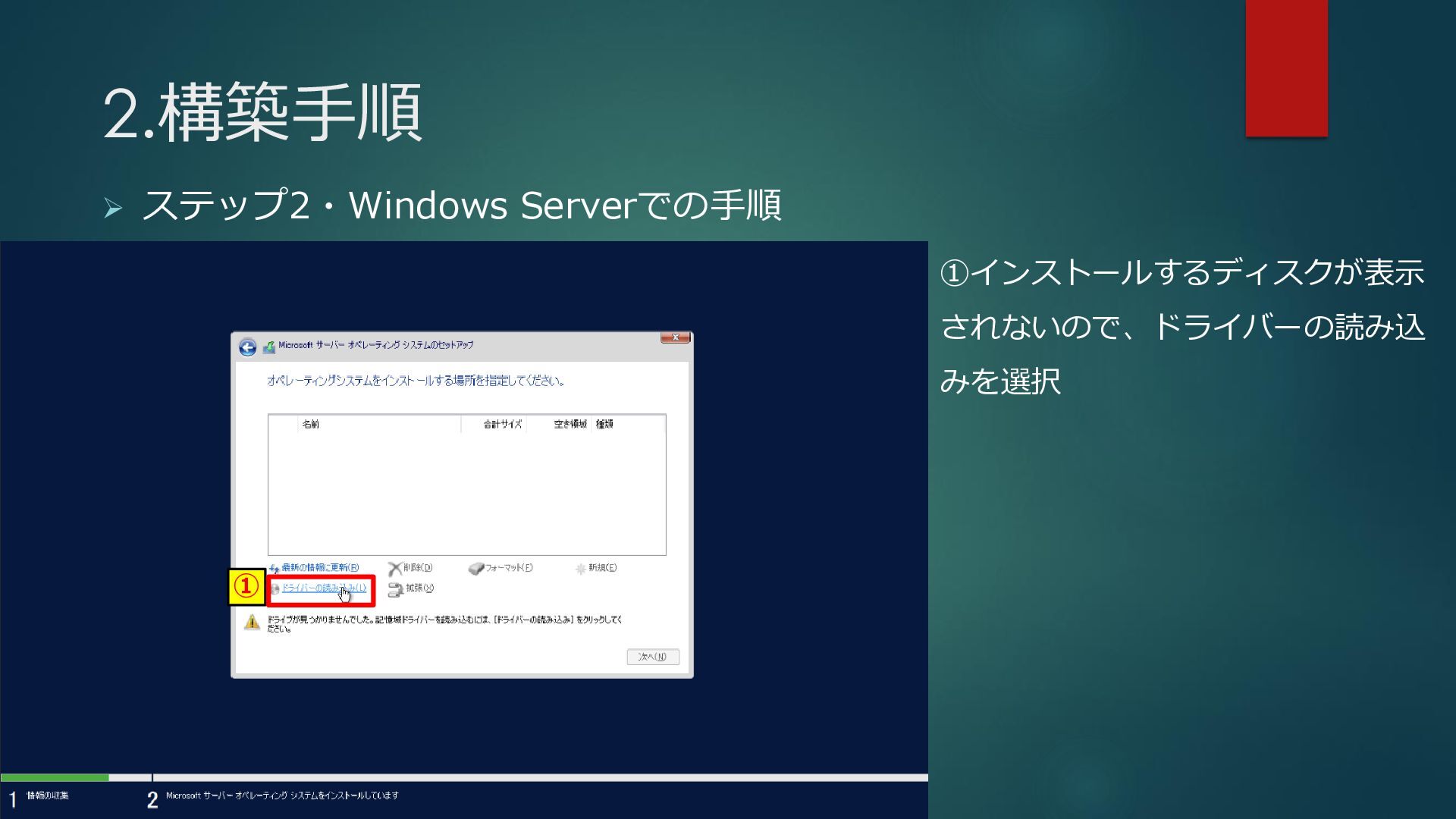
2.構築手順 ➢ ステップ2・Windows Serverでの手順 ① ①インストールするディスクが表示 されないので、ドライバーの読み込 みを選択
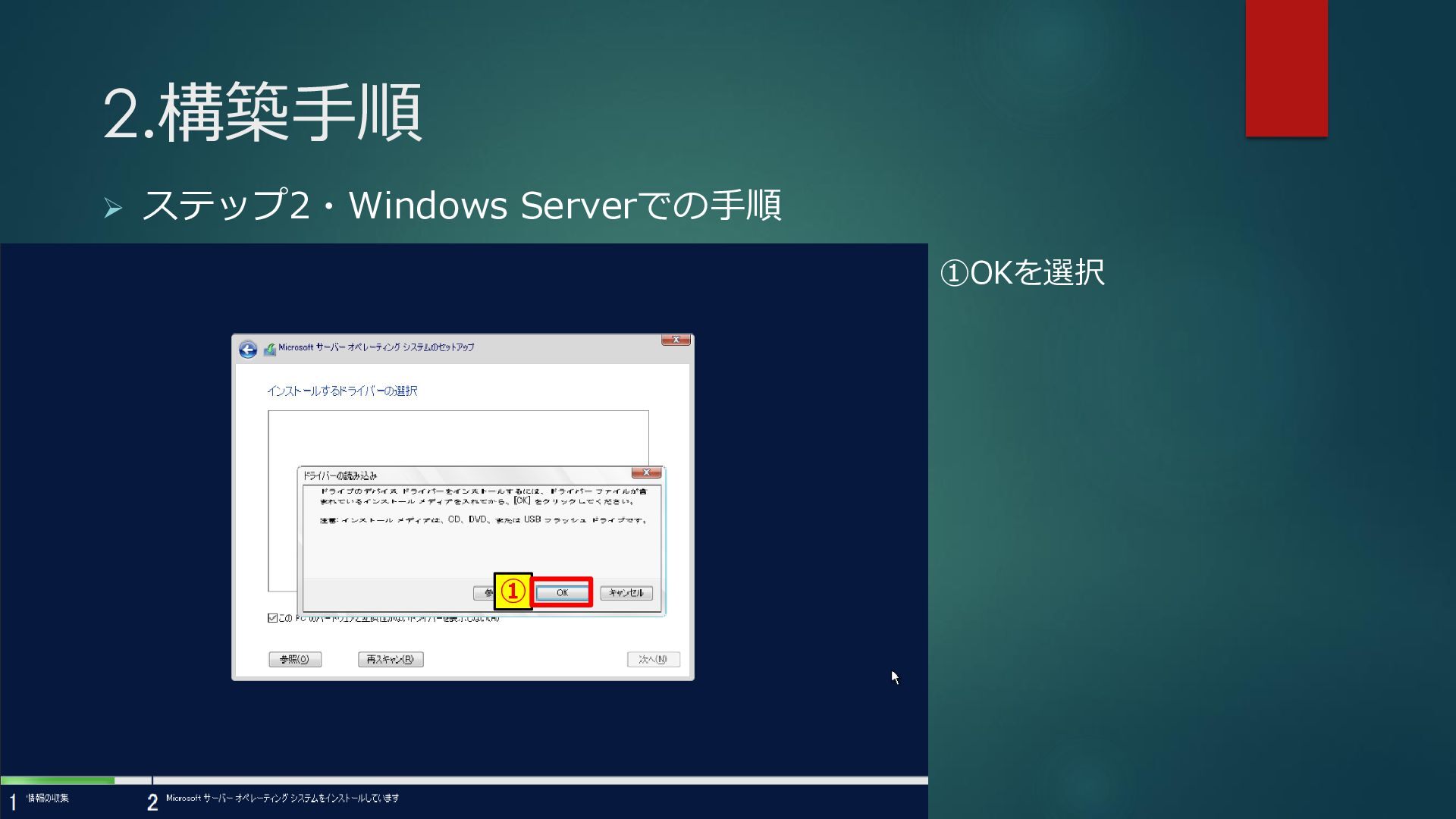
2.構築手順 ➢ ステップ2・Windows Serverでの手順 ① ①OKを選択
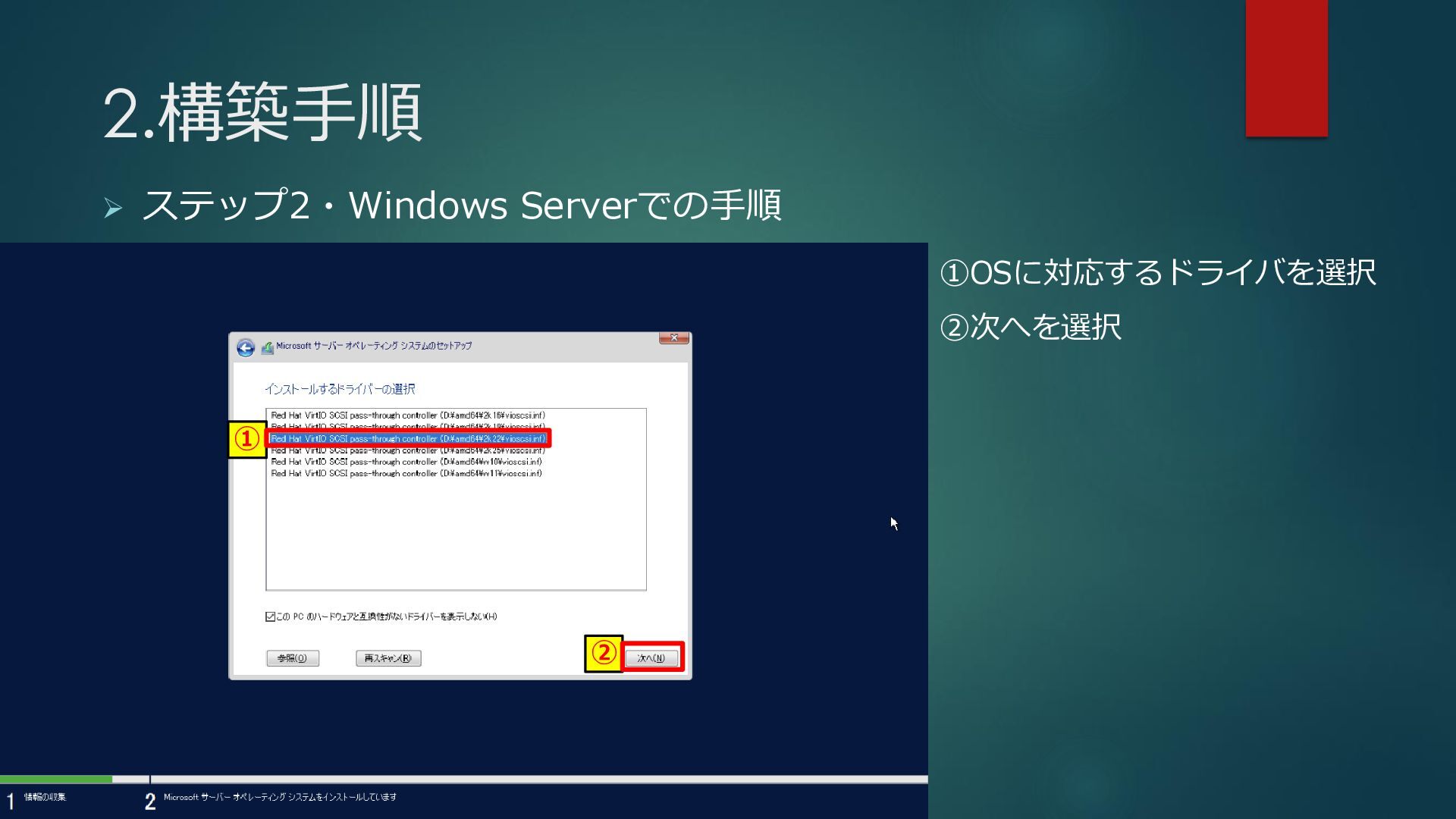
2.構築手順 ➢ ステップ2・Windows Serverでの手順 ① ② ①OSに対応するドライバを選択 ②次へを選択
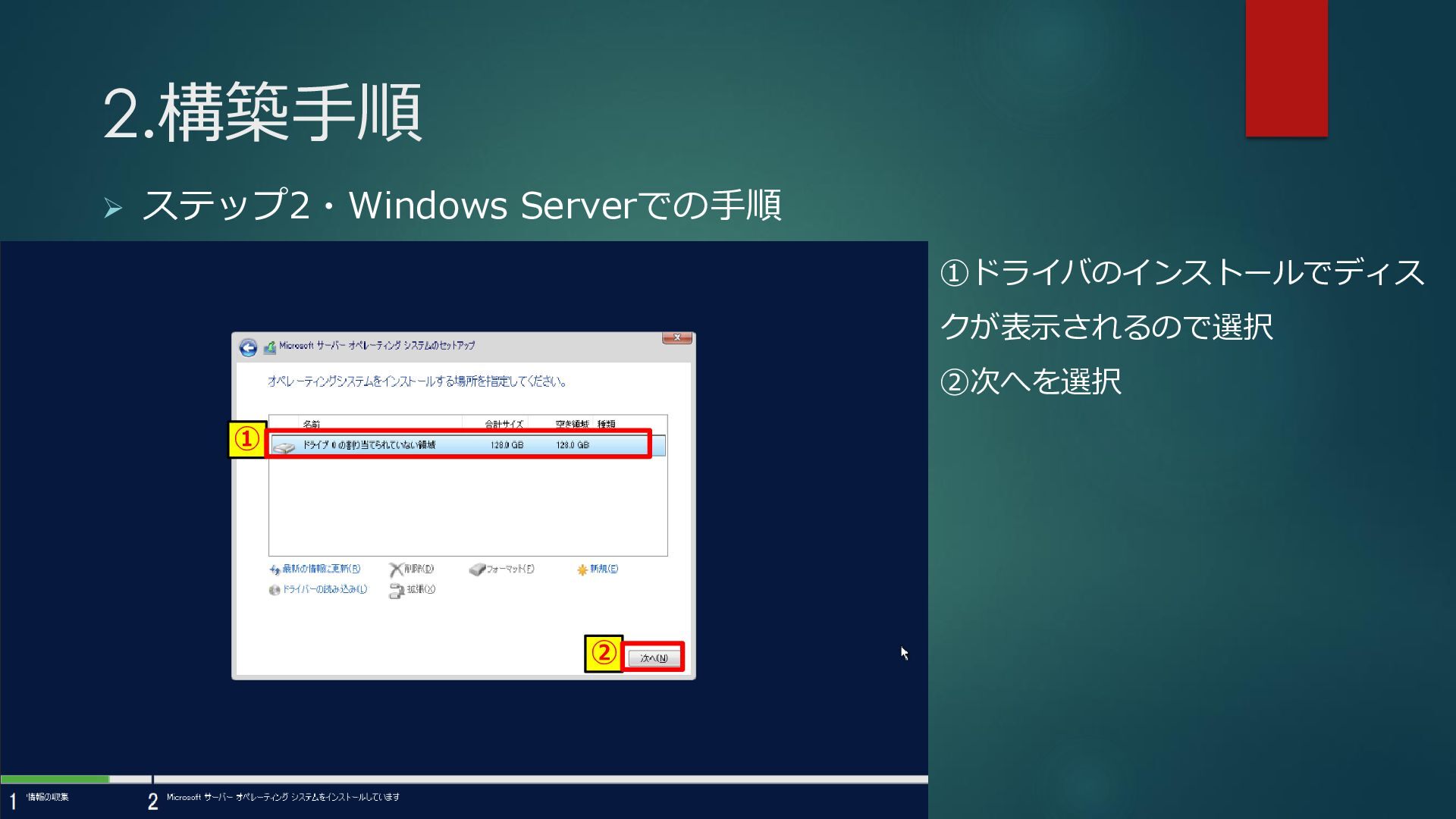
2.構築手順 ➢ ステップ2・Windows Serverでの手順 ① ② ①ドライバのインストールでディス クが表示されるので選択 ②次へを選択
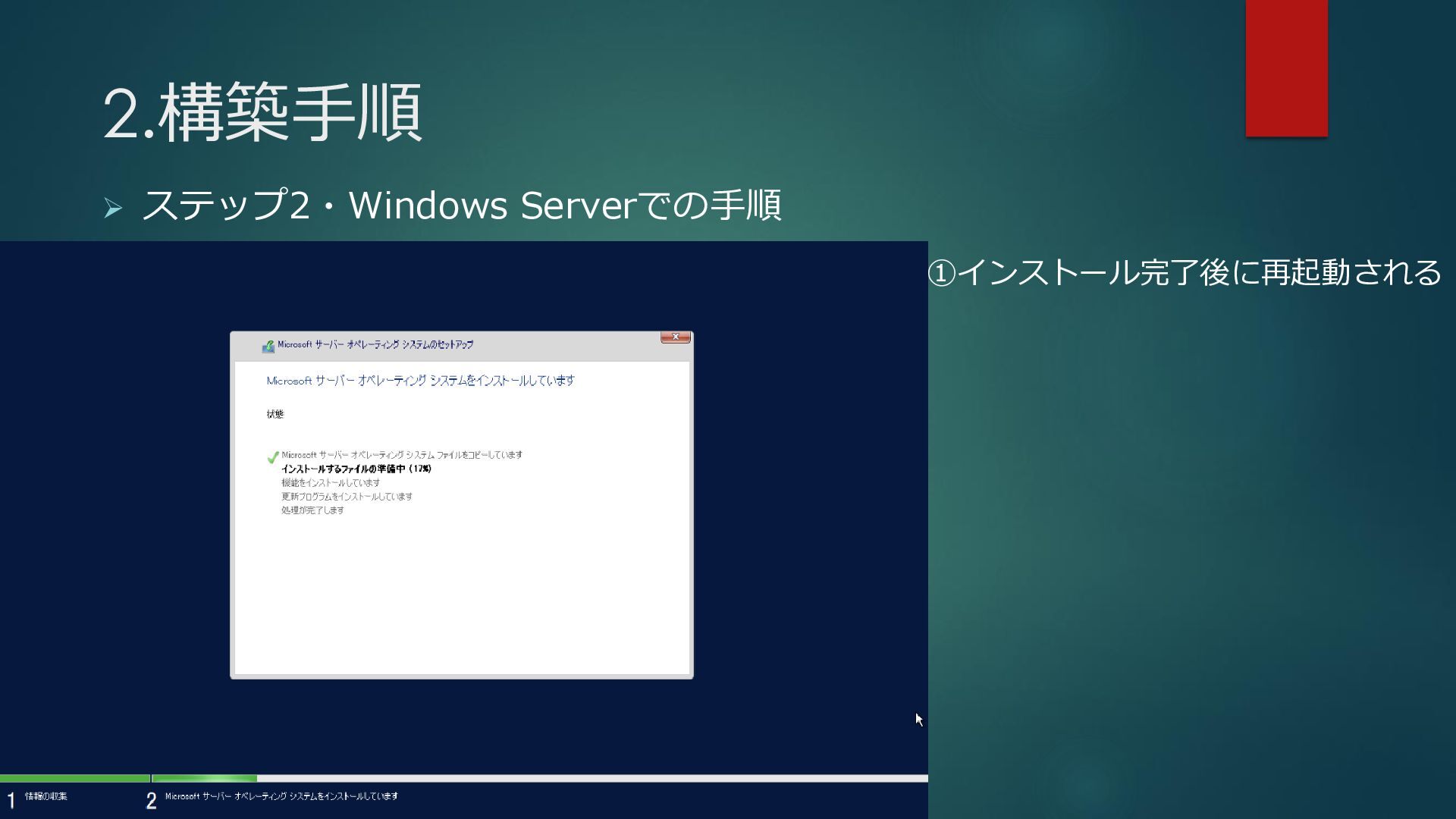
2.構築手順 ➢ ステップ2・Windows Serverでの手順 ①インストール完了後に再起動される
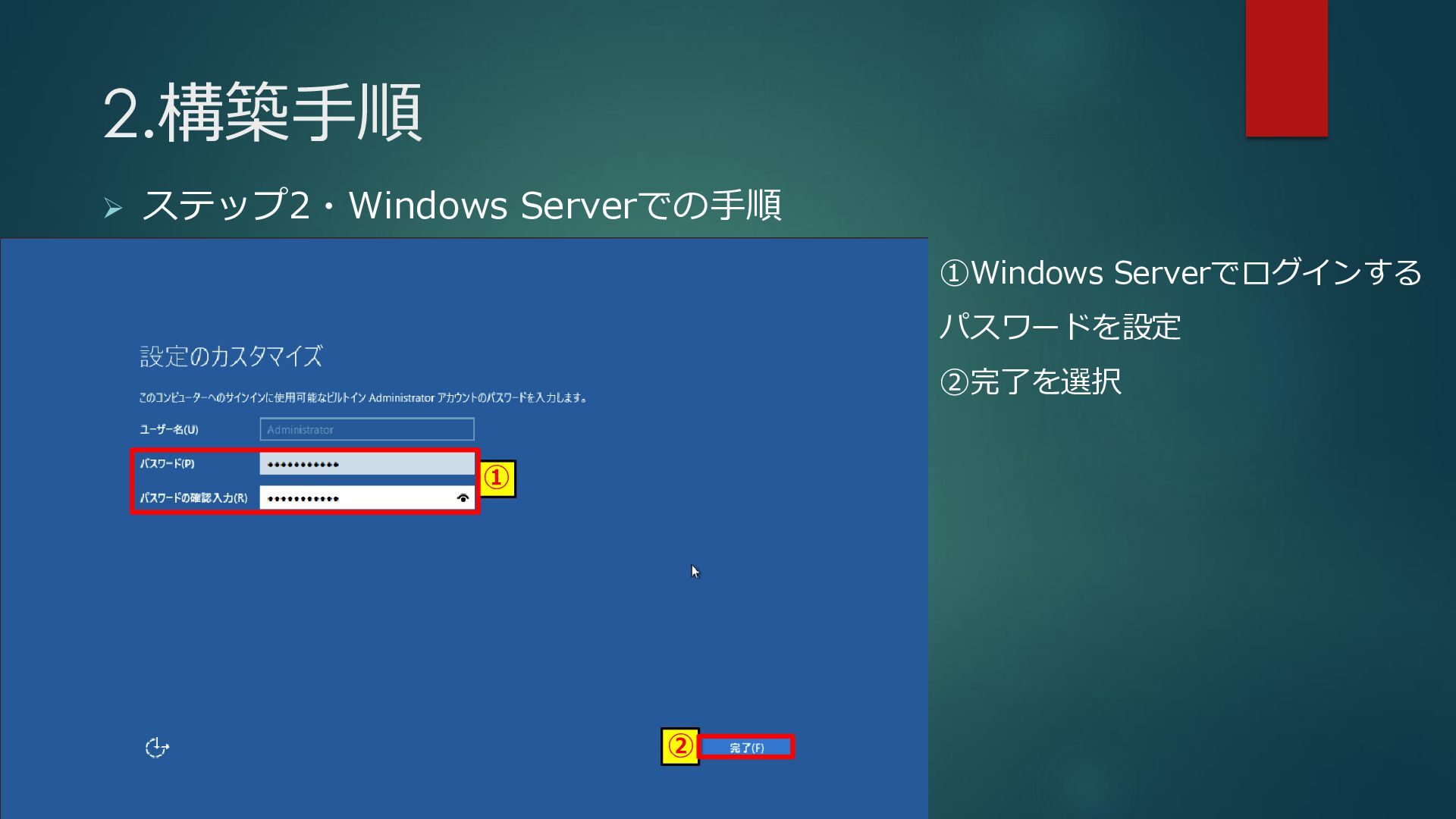
2.構築手順 ➢ ステップ2・Windows Serverでの手順 ① ② ①Windows Serverでログインする パスワードを設定 ②完了を選択
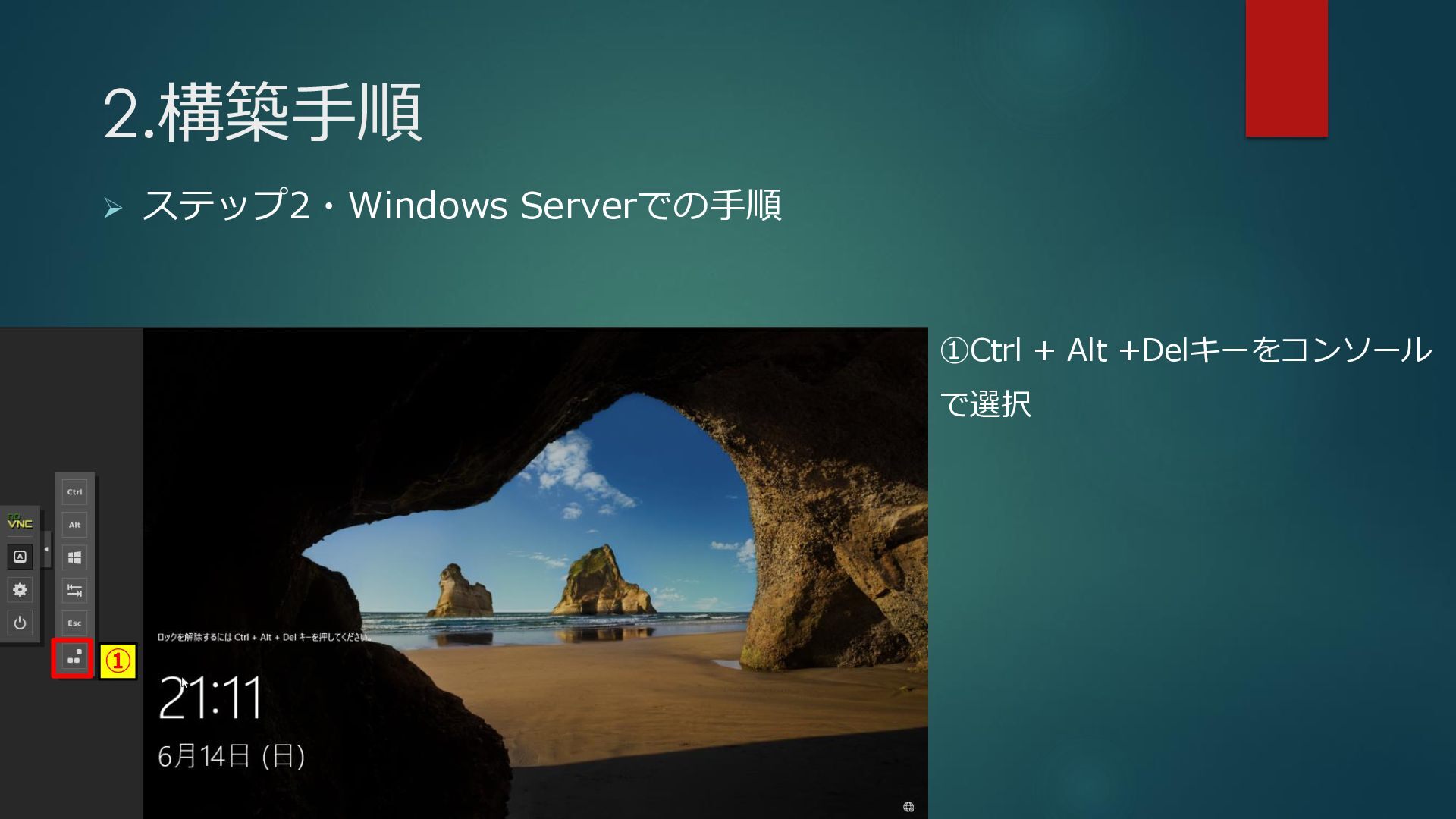
2.構築手順 ➢ ステップ2・Windows Serverでの手順 ① ①Ctrl + Alt +Delキーをコンソール で選択
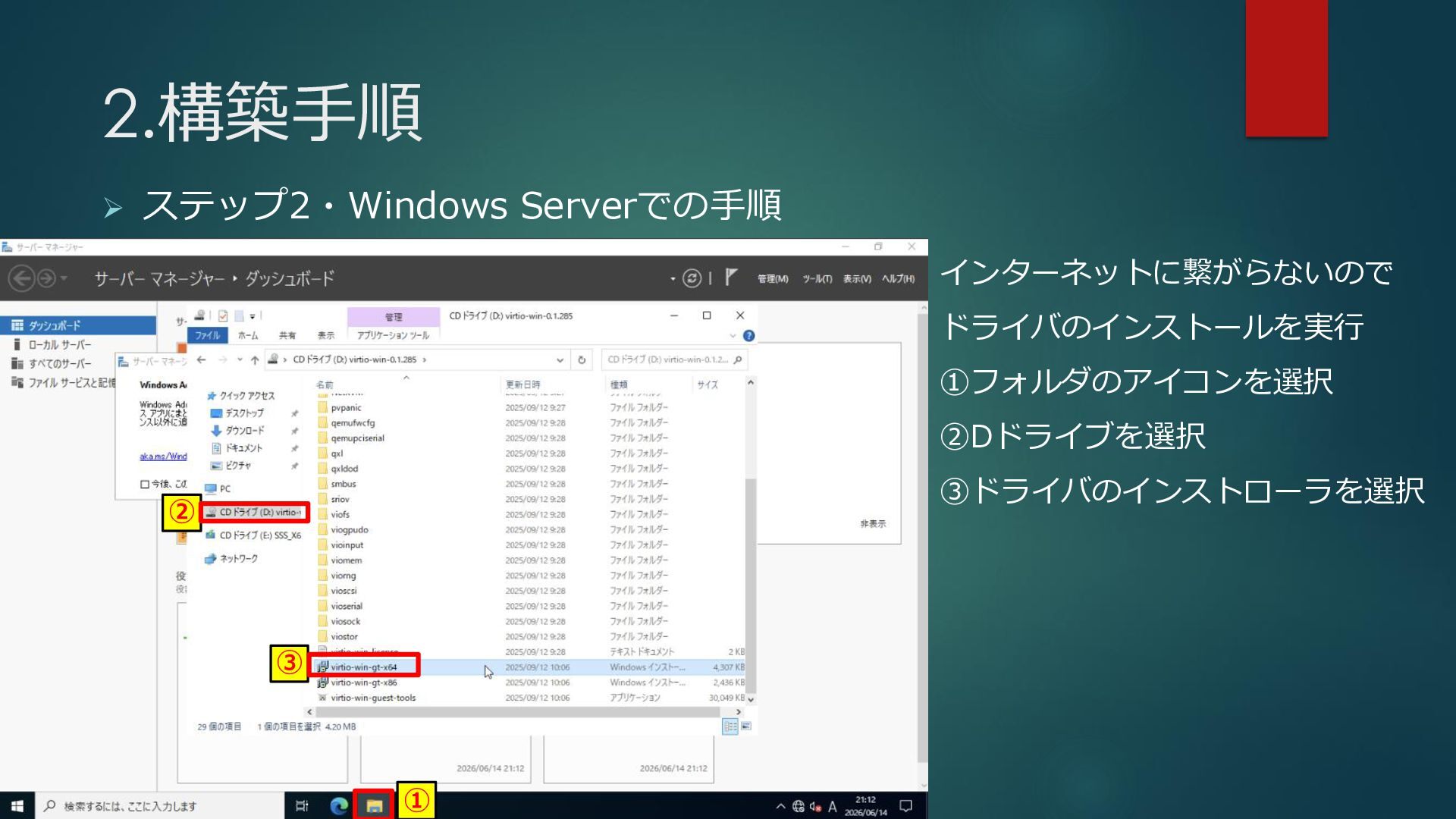
2.構築手順 ➢ ステップ2・Windows Serverでの手順 ① ② ③ インターネットに繋がらないので ドライバのインストールを実行 ①フォルダのアイコンを選択
②Dドライブを選択 ③ドライバのインストローラを選択
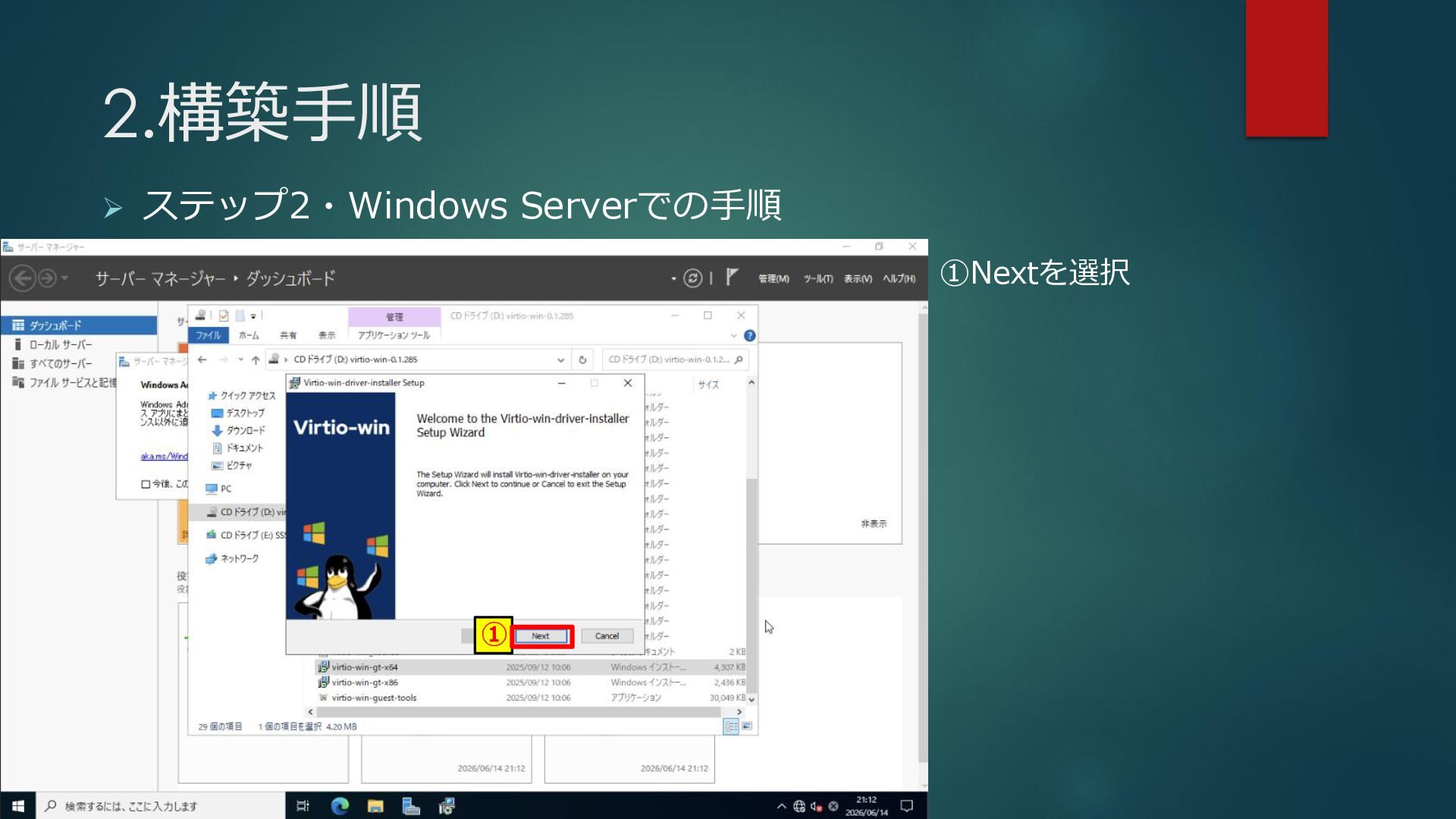
2.構築手順 ➢ ステップ2・Windows Serverでの手順 ① ①Nextを選択
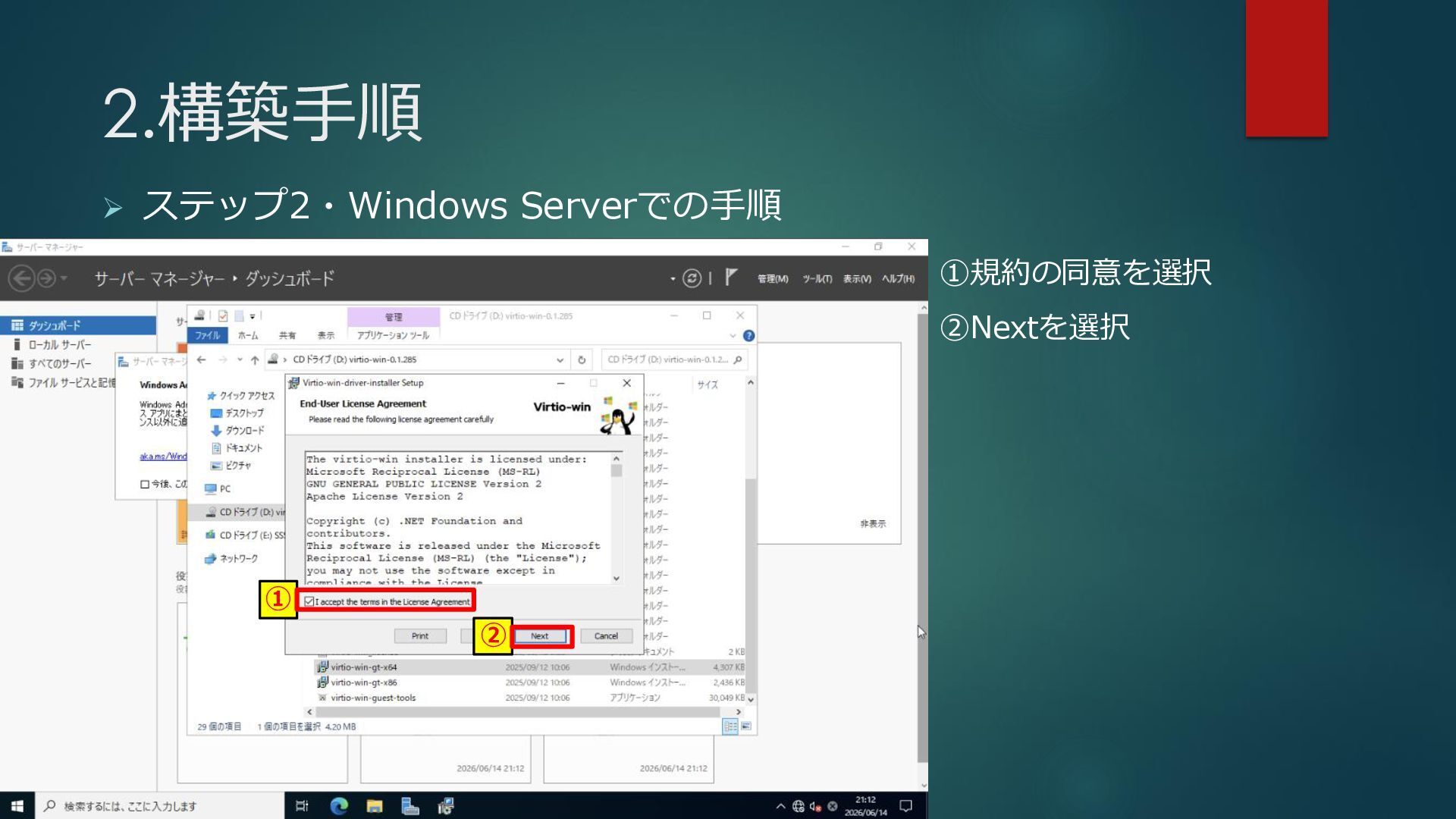
2.構築手順 ➢ ステップ2・Windows Serverでの手順 ① ② ①規約の同意を選択 ②Nextを選択
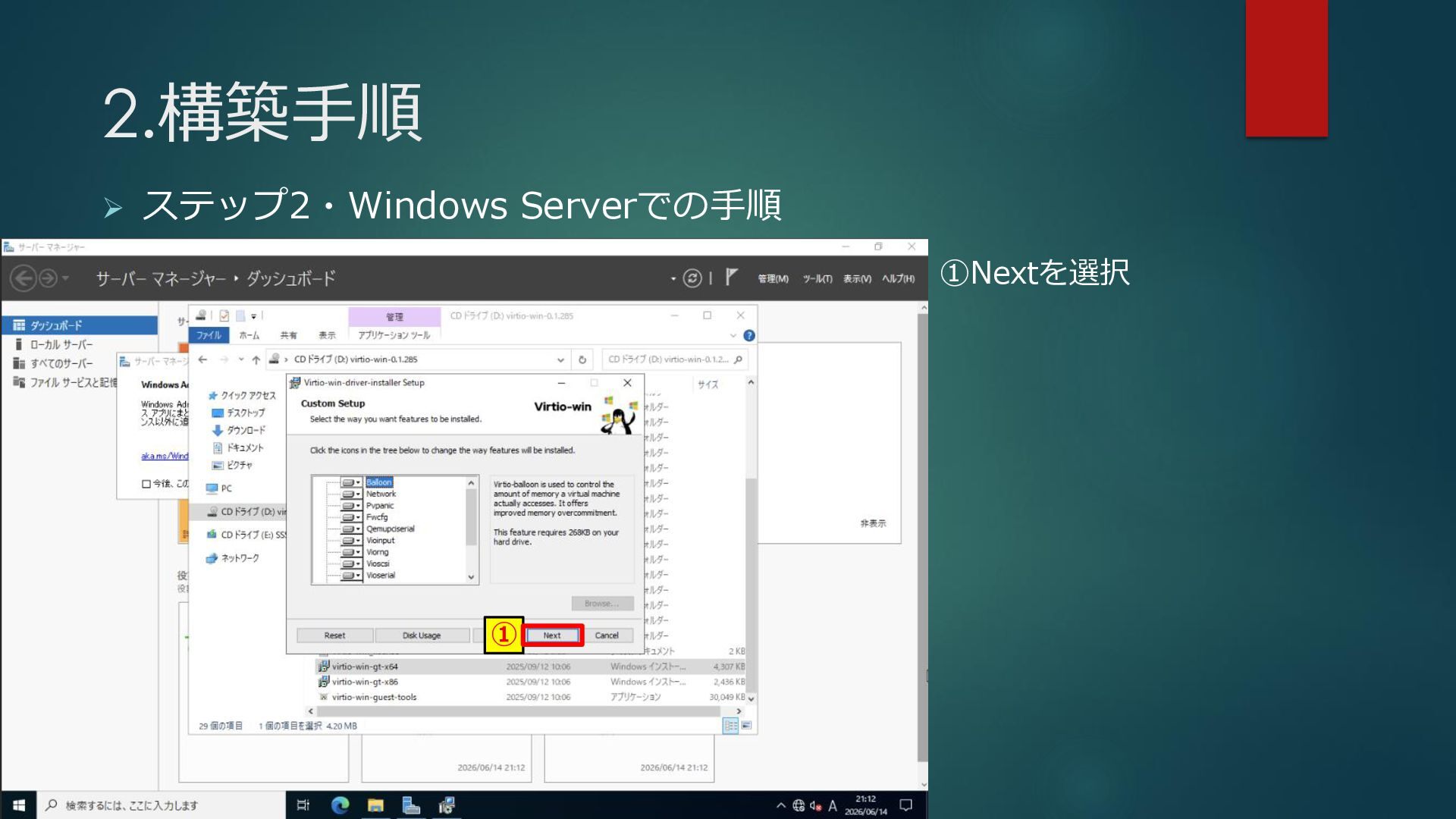
2.構築手順 ➢ ステップ2・Windows Serverでの手順 ① ①Nextを選択
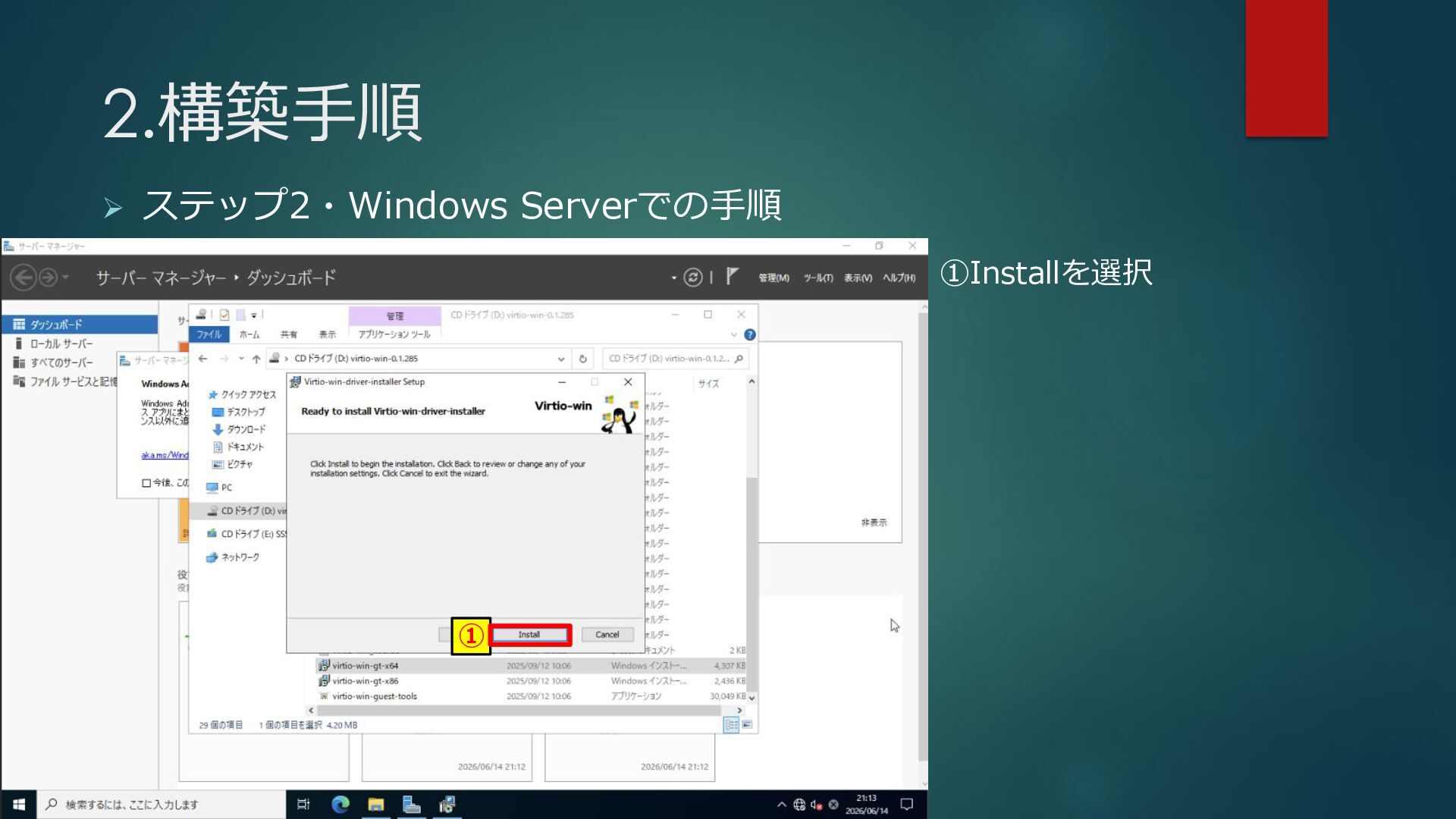
2.構築手順 ➢ ステップ2・Windows Serverでの手順 ① ①Installを選択
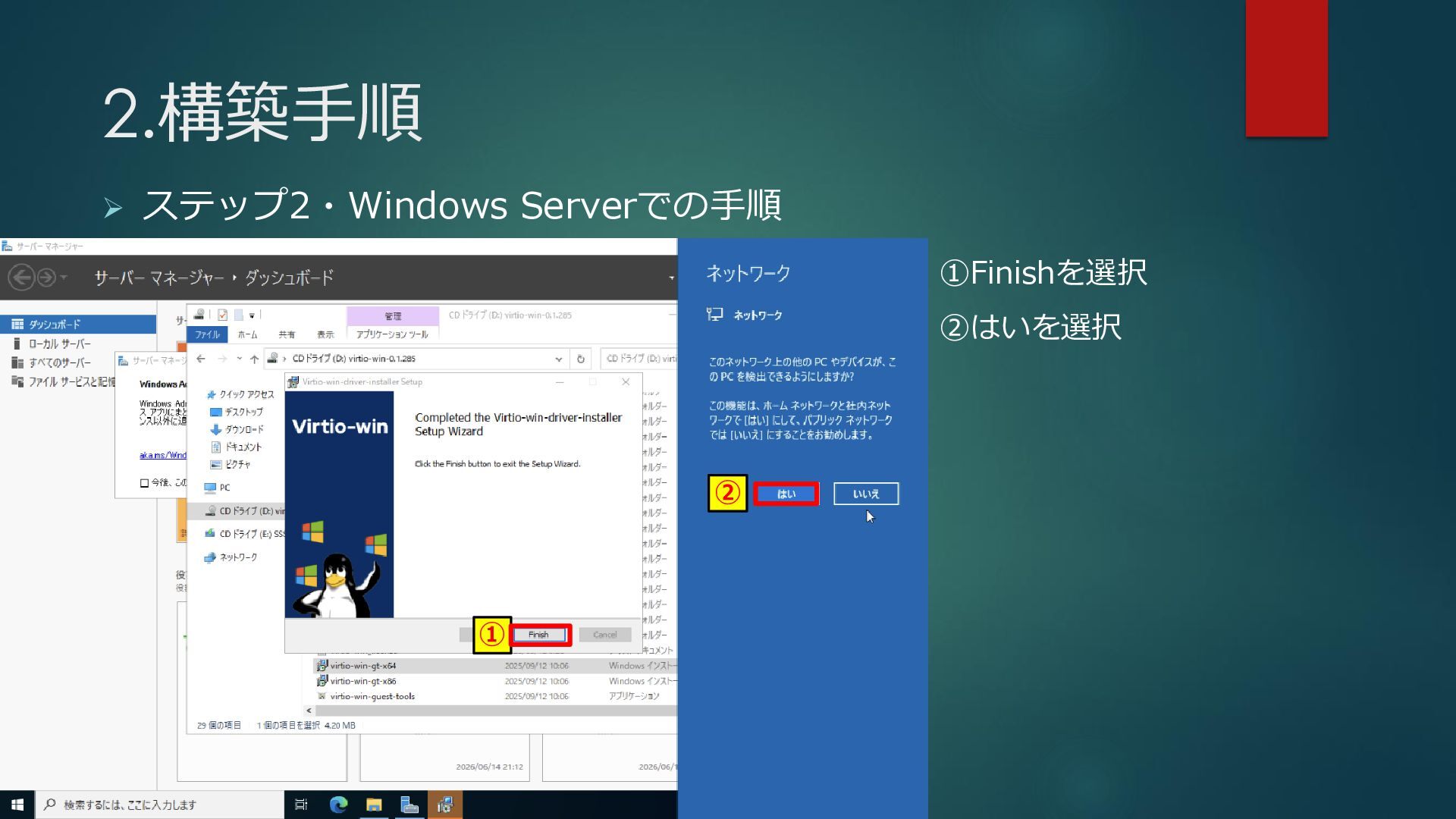
2.構築手順 ➢ ステップ2・Windows Serverでの手順 ① ② ①Finishを選択 ②はいを選択
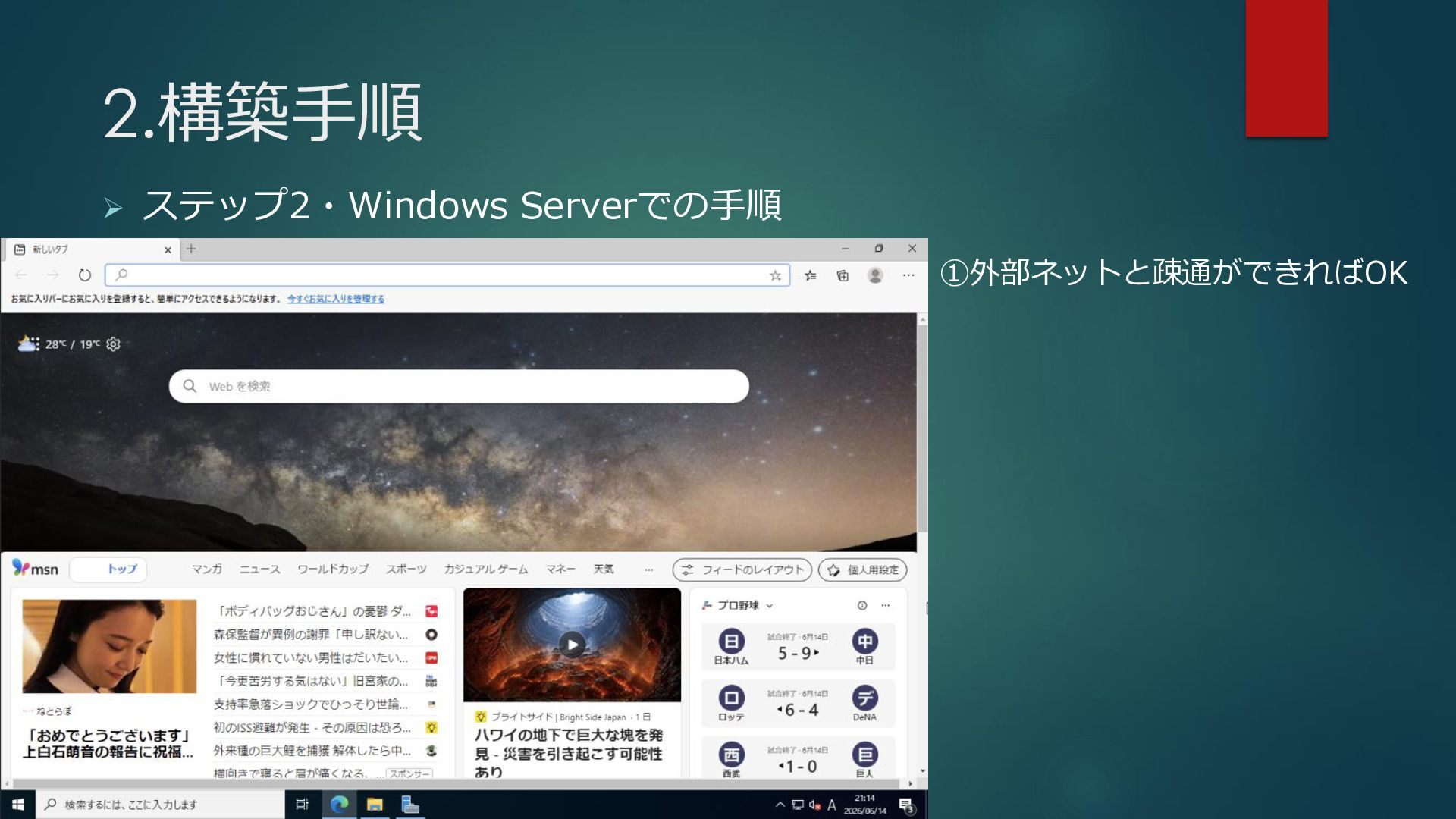
2.構築手順 ➢ ステップ2・Windows Serverでの手順 ①外部ネットと疎通ができればOK
3.締めくくり (ここまで到達していたら読み上げます) Proxmoxは家で簡単に検証環境の構築ができます。 また、Windows Serverの構築は難しいと感じている人もいるかと思いますが、 5分で構築ができますので、興味がある人は試しに遊んでみてください。
ご清聴ありがとうざいました。


 takenoko729
 bluesmoon
 malarkey
 lindahogenes
 ivargrimstad
 cassininazir
 chikuwait
 ryanjones
 reverentgeek
 notwaldorf
 jonrohan
 akashhashmi
 davidcarrasco