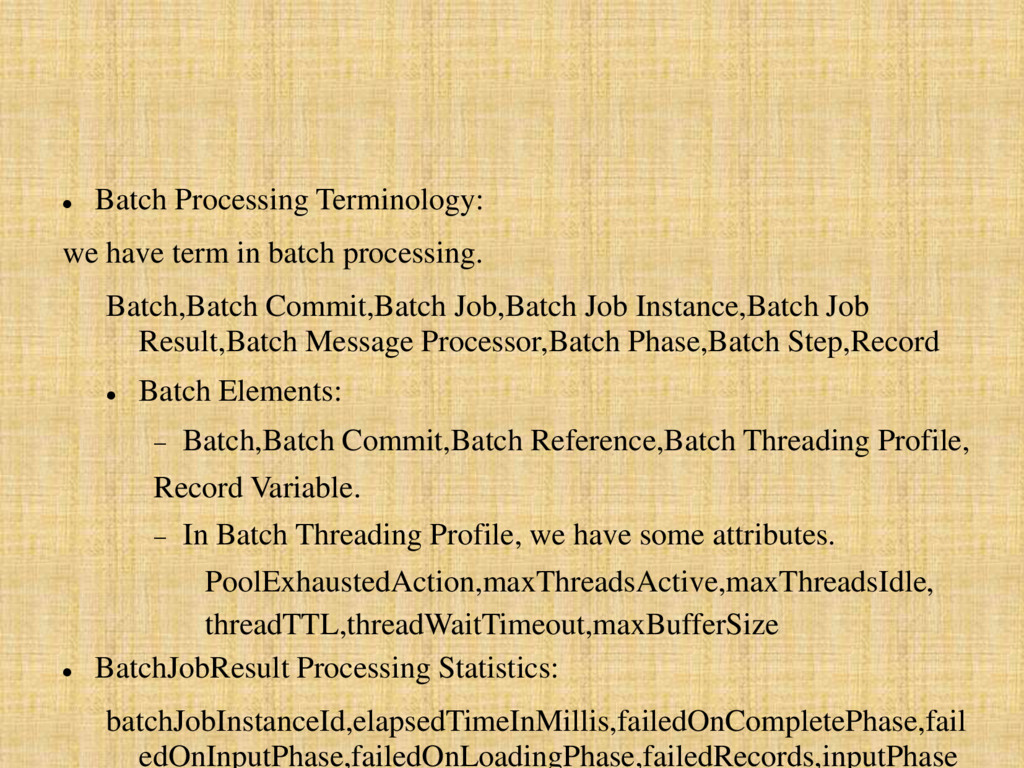
batches. Within an application, you can initiate a batch job which is a block of code that splits messages into individual records, performs actions upon each record, then reports on the results and potentially pushes the processed output to other systems or queues.
scenarios: Integrating data sets, small or large, streaming or not, to parallel process records. Synchronizing data sets between business applications, such as syncing contacts between NetSuite and Salesforce and causing "near real-time" data integration. Extracting, transforming and loading (ETL) information into a target system, such as uploading data from a flat file (CSV) to Hadoop. Handling large quantities of incoming data from an API into a legacy system.
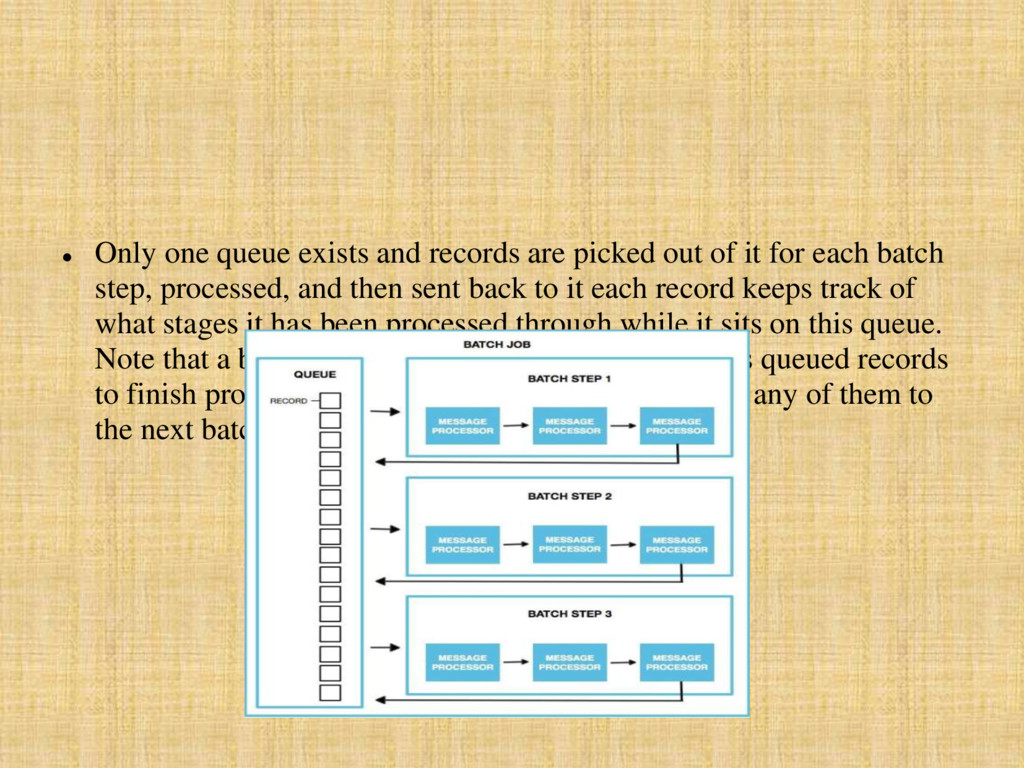
which exists outside all Mule flows. Batch jobs split large messages into records which processes asynchronously in a batch job. A batch job contains one or more batch steps which, in turn, contain any number of message processors that act upon records as they move through the batch job. During batch processing, you can use record variables and MEL expressions to enrich, route or otherwise act upon records. Batch Job Insatnce: whenever a Mule flow executes a batch job. Mule creates the batch job instance in the Load and Dispatch phase. Every batch job instance is identified internally using a unique String known as batch job instance id.
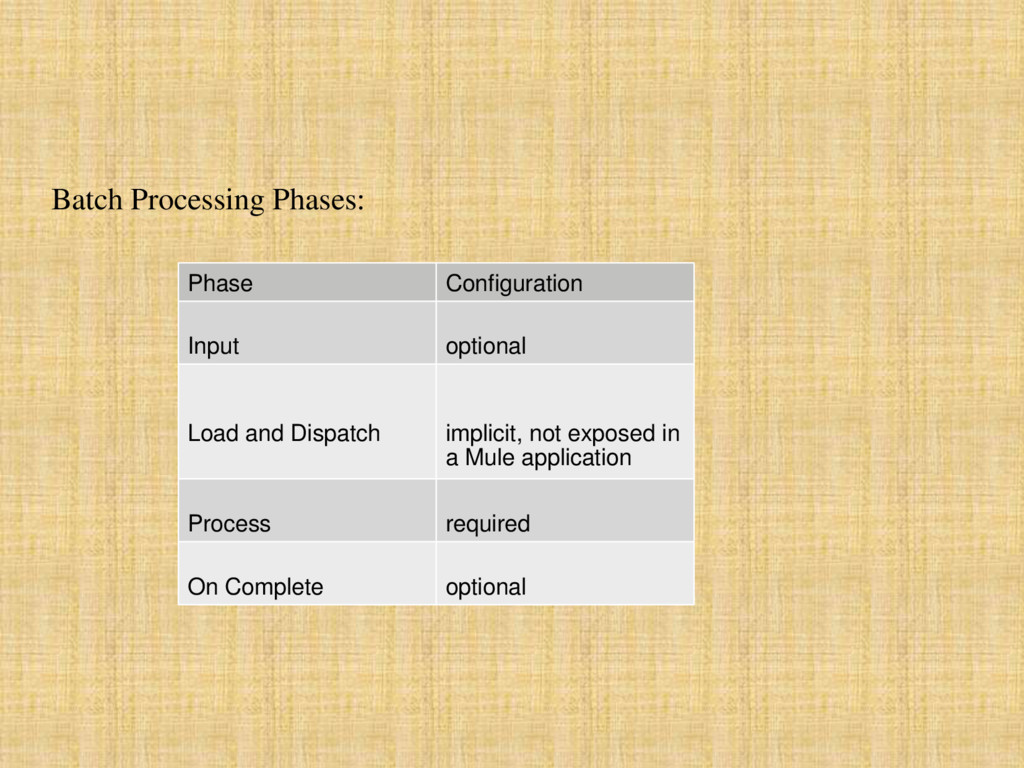
of the batch job configuration and is designed to Triggering Batch Jobs via an inbound connector, and/or accommodate any transformations or adjustments to a message payload before Mule begins processing it as a batch. Load and Dispatch: The second phase, Load and Dispatch, is implicit and performs all the "behind the scenes" work to create a batch job instance. Essentially, this is the phase during which Mule turns a serialized message payload into a collection of records for processing as a batch. You don’t need to configure anything for this activity to occur, though it is useful to understand the tasks Mule completes during this phase. Process: Mule begins asynchronous processing of the records in the batch. Within
of it for each batch step, processed, and then sent back to it each record keeps track of what stages it has been processed through while it sits on this queue. Note that a batch job instance does not wait for all its queued records to finish processing in one batch step before pushing any of them to the next batch step.
a report or summary of the records it processed for the particular batch job instance. This phase exists to give system administrators and developers some insight into which records failed so as to address any issues that might exist with the input data. After Mule executes the entire batch job, the output becomes a batch job result object (BatchJobResult). you have two options for working with the output. Create a report Reference the batch job result object


 thangloispkt
 hiracky16
 kizawa2020
 tomokusaba
 tokuty
 ueponx
 sudoakiy
 masakiokuda
 syuchimu
 codmoninc
 yahonda
 tetsuya28
 glaforge
 jdejongh
 cassininazir
 marktimemedia
 brad_frost
 aleyda
 sarafernandez
 inesmontani
 tamaranovitovic
 palkan
 chriscoyier
 tammyeverts