Upgrade to Pro
— share decks privately, control downloads, hide ads and more …
Speaker Deck
Sign up for free
Menu
Search
Features
All features
Private URLs
Password Protection
Custom URLS
Scheduled publishing
Remove Branding
Restrict embedding
Deck Collections
Notes
Features
All features
Private URLs
Password Protection
Custom URLS
Scheduled publishing
Remove Branding
Restrict embedding
Deck Collections
Notes
Explore
Featured decks
Featured speakers
Programming
Technology
Storyboards
Explore
Featured decks
Featured speakers
Programming
Technology
Storyboards
Pricing
Search
Sign in
Sign up for free
社交网站换肤机制
Search
tyson
November 18, 2013
Technology
340
0
Share
Embed
Copy iframe code
Copy JS code
Copy link
Start on current slide
社交网站换肤机制
《第七届Webrebuild年会》分享主题
tyson
November 18, 2013
Other Decks in Technology
See All in Technology
しろおびから始める!ログ活用の第一歩
shumei_ito
0
960
データエンジニアの次の戦場は "プロセスエンジニアリング"
sansantech
PRO
1
100
AIがコードを書く時代に、エンジニアは何で自分の価値を証明するのか / In an era where AI writes code how do engineers prove their value
carta_engineering
3
1.1k
Active Record Connection Adaptersにおける長年の課題に再び取り組む
yahonda
0
200
PagerDuty Tech Hub-鳴らすけれど、人は動かない
ezaki
0
180
SAENM ~Jupyterで残すPoCの試行錯誤、未来の自分と仲間を助ける記録!~
terapyon
0
120
日本語に強いオープンな大規模言語モデル「LLM-jp」
odashi
5
1.2k
How to Design Configuration for Rails Applications
willnet
1
840
AI コーディングと人間の認知スループット / CTO Night & Day 2026 Morning Session / AI Coding and Human Cognitive Throughput
prog893
5
1.3k
ソフトウェア ファクトリー - 再現性のあるソフトウェアの工場づくり / Software factory
iktakahiro
7
5.1k
トークン化預金DCJPYの取り組みと活用ユースケース
finengine
0
170
宣言型部分更新は何を解決しどこへ向かうのか
shuta13
1
470
Featured
See All Featured
Bootstrapping a Software Product
garrettdimon
PRO
306
120k
Improving Core Web Vitals using Speculation Rules API
sergeychernyshev
21
1.7k
Designing for Timeless Needs
cassininazir
1
530
[RailsConf 2023] Rails as a piece of cake
palkan
59
7.1k
Winning Ecommerce Organic Search in an AI Era - #searchnstuff2025
aleyda
2
2.2k
Pawsitive SEO: Lessons from My Dog (and Many Mistakes) on Thriving as a Consultant in the Age of AI
davidcarrasco
0
260
Helping Users Find Their Own Way: Creating Modern Search Experiences
danielanewman
31
3.4k
The AI Revolution Will Not Be Monopolized: How open-source beats economies of scale, even for LLMs
inesmontani
PRO
3
3.8k
コードの90%をAIが書く世界で何が待っているのか / What awaits us in a world where 90% of the code is written by AI
rkaga
63
46k
The Anti-SEO Checklist Checklist. Pubcon Cyber Week
ryanjones
0
270
Conquering PDFs: document understanding beyond plain text
inesmontani
PRO
4
3.2k
Building the Perfect Custom Keyboard
takai
2
910
Transcript
None
None
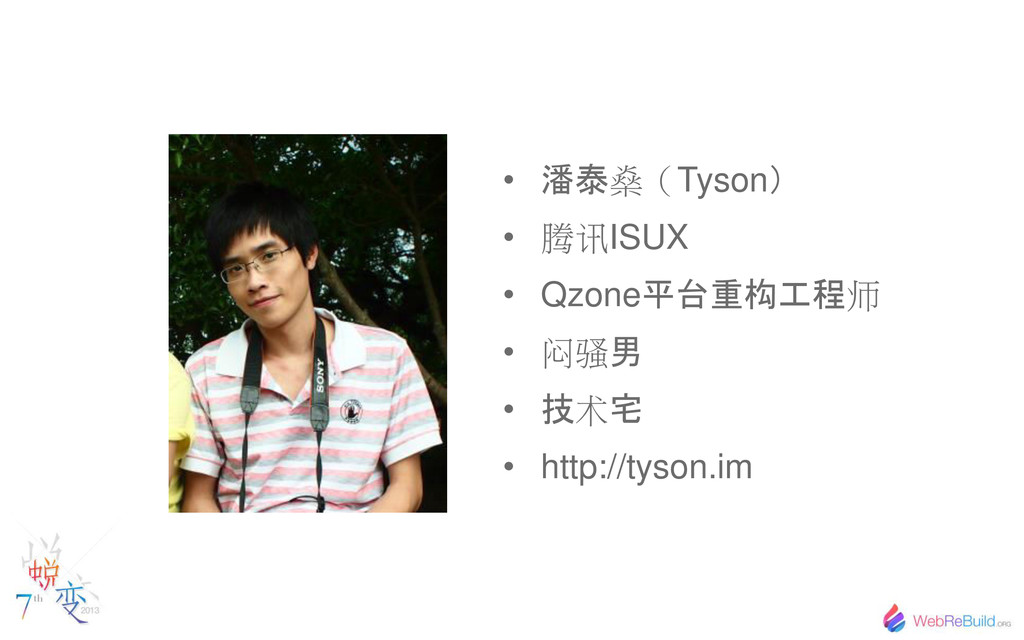
• 潘泰 燊 Tyson • 腾讯ISUX • Qzone 平 重构工程
师 • 闷骚 男 • 技 术 宅 • http://tyson.im
社交网站 换肤机制 Ā Tyson
换肤需求 Needing to change the skin 1
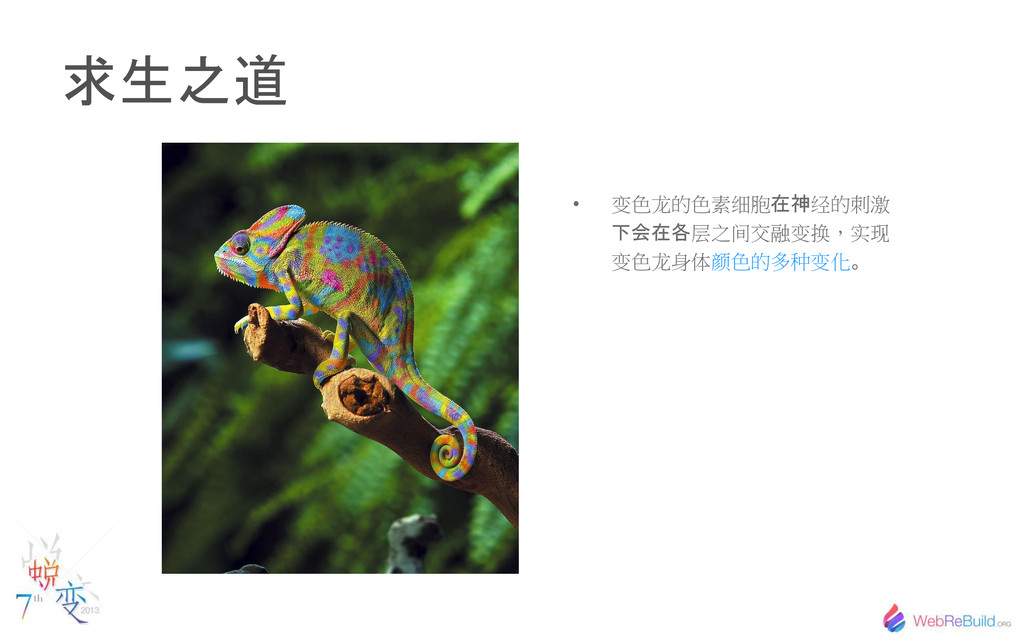
求生之道 • 变色龙的色素细胞 在神 经的刺激 会在各 层之间交融变换,实现 变色龙身体颜色的多种变化
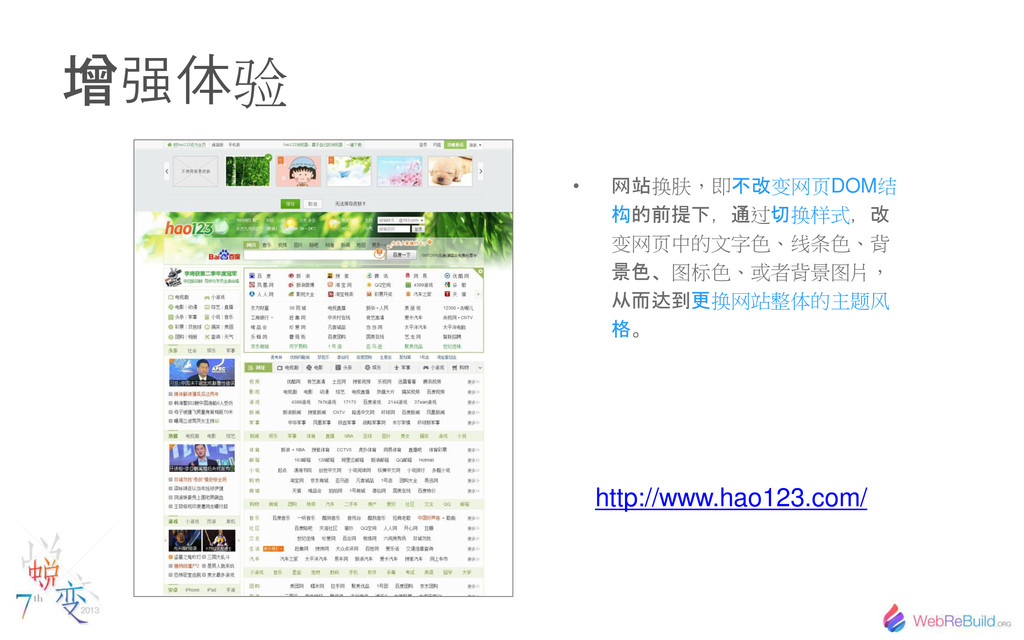
增 强体验 http://www.hao123.com/ • 网站 换肤,即 不改 变网页DOM结 构的前提 ,通
过 切 换样式 ,改 变网页中的文字色、线条色、背 景色 图标色、或者背景图片, 从而达到更 换网站整体的主题风 格
2 换肤的视 效果 Visual effects of changing the skin
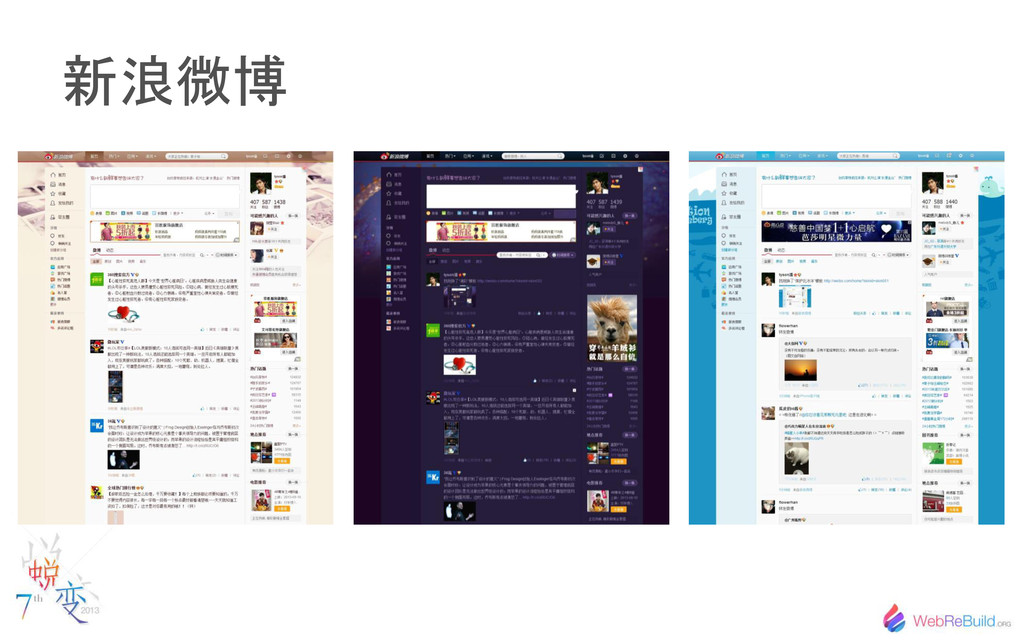
新浪微博
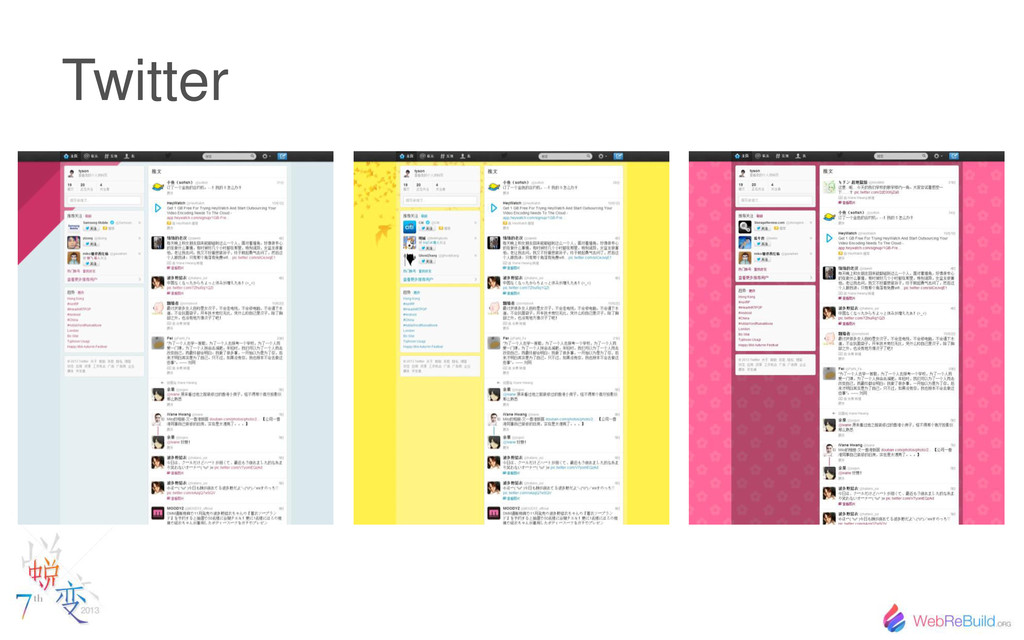
Twitter
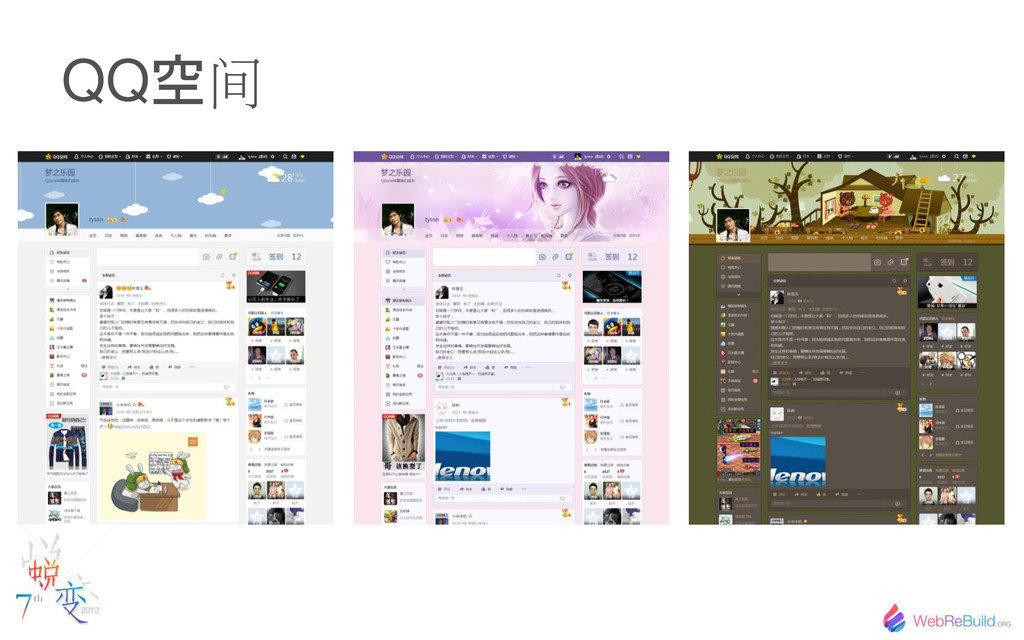
QQ 空 间
3 前端 实现 Web implementation
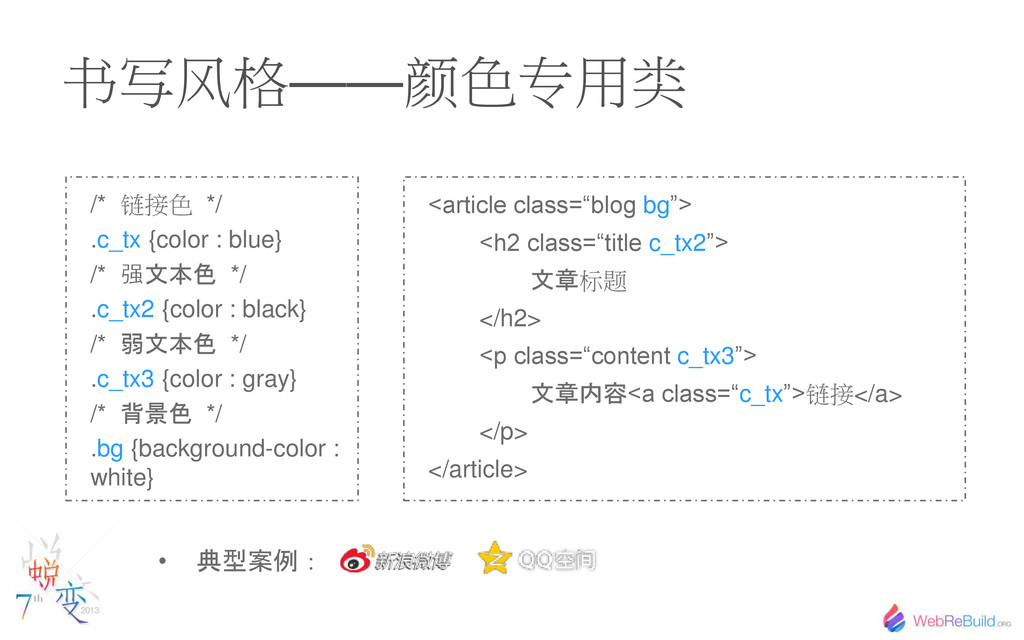
书写风格——颜色专用类 /* 链接色 */ .c_tx {color : blue} /* 强
文本色 */ .c_tx2 {color : black} /* 弱文本色 */ .c_tx3 {color : gray} /* 背景色 */ .bg {background-color : white} <article class=“blog bg”> <h2 class=“title c_tx2”> 文章 标题 </h2> <p class=“content c_tx3”> 文章内容 <a class=“c_tx”>链接</a> </p> </article> • 典型案例:
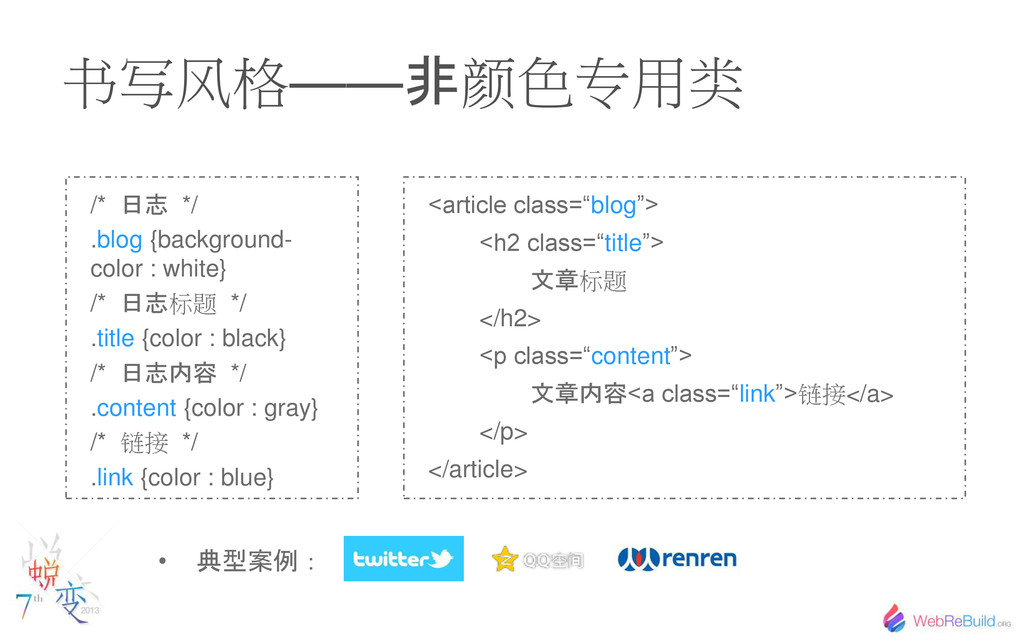
书写风格—— 非 颜色专用类 /* 日志 */ .blog {background- color :
white} /* 日志 标题 */ .title {color : black} /* 日志内容 */ .content {color : gray} /* 链接 */ .link {color : blue} <article class=“blog”> <h2 class=“title”> 文章 标题 </h2> <p class=“content”> 文章内容 <a class=“link”>链接</a> </p> </article> • 典型案例:
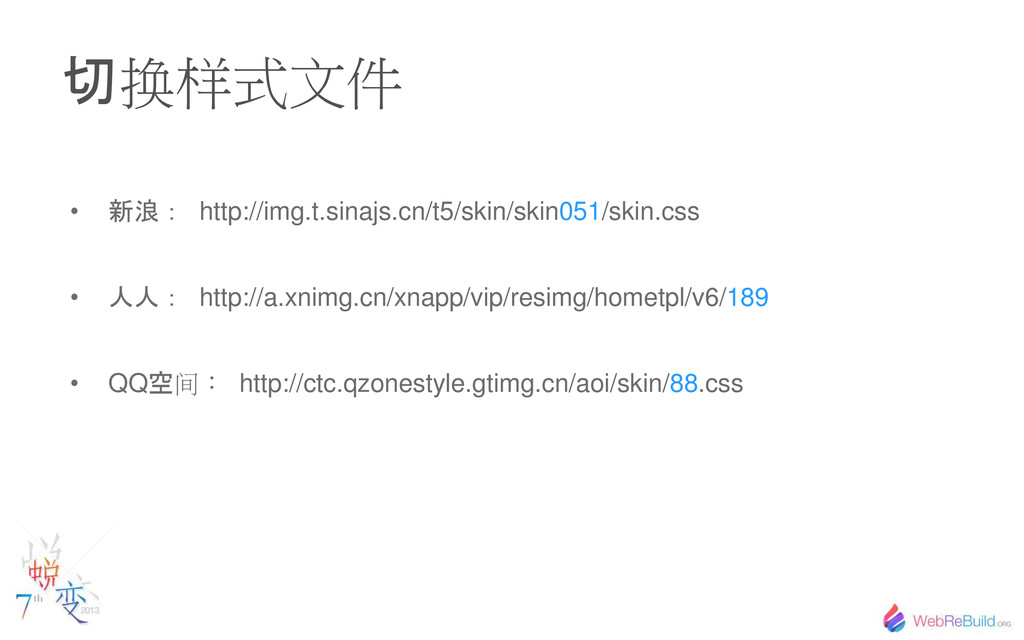
切 换样式文件 • 新浪: http://img.t.sinajs.cn/t5/skin/skin051/skin.css • 人人: http://a.xnimg.cn/xnapp/vip/resimg/hometpl/v6/189 • QQ
空 间: http://ctc.qzonestyle.gtimg.cn/aoi/skin/88.css
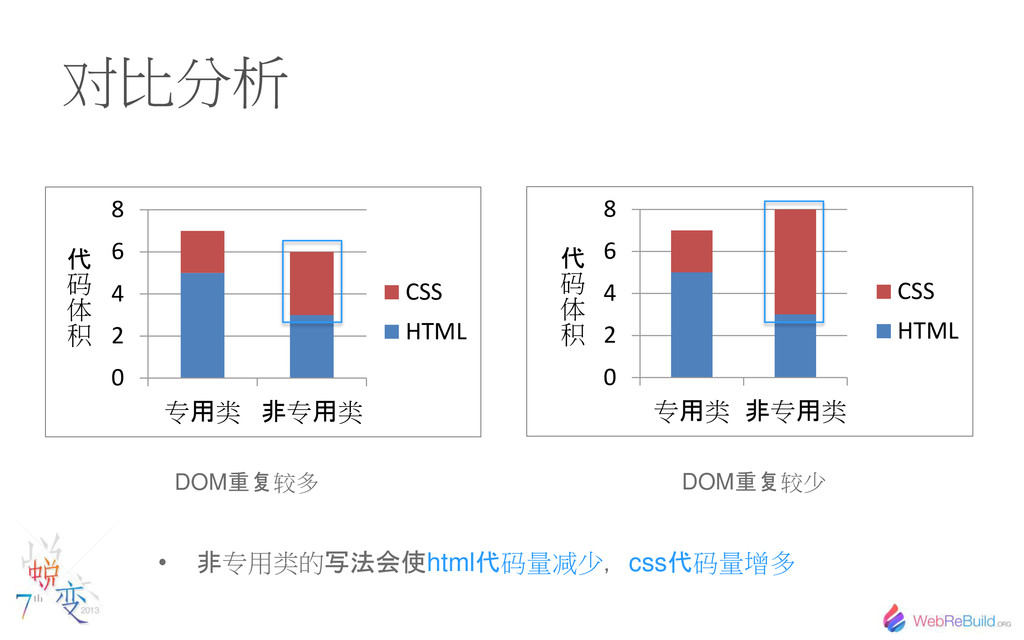
对比分析 0 2 4 6 8 专 用 类 非
专 用 类 CSS HTML 0 2 4 6 8 专 用 类 非 专 用 类 CSS HTML 代 码 体 积 代 码 体 积 DOM 重复 较多 DOM 重复 较少 • 非 专用类的 写法会使 html 代 码量减少 , css 代 码量增多
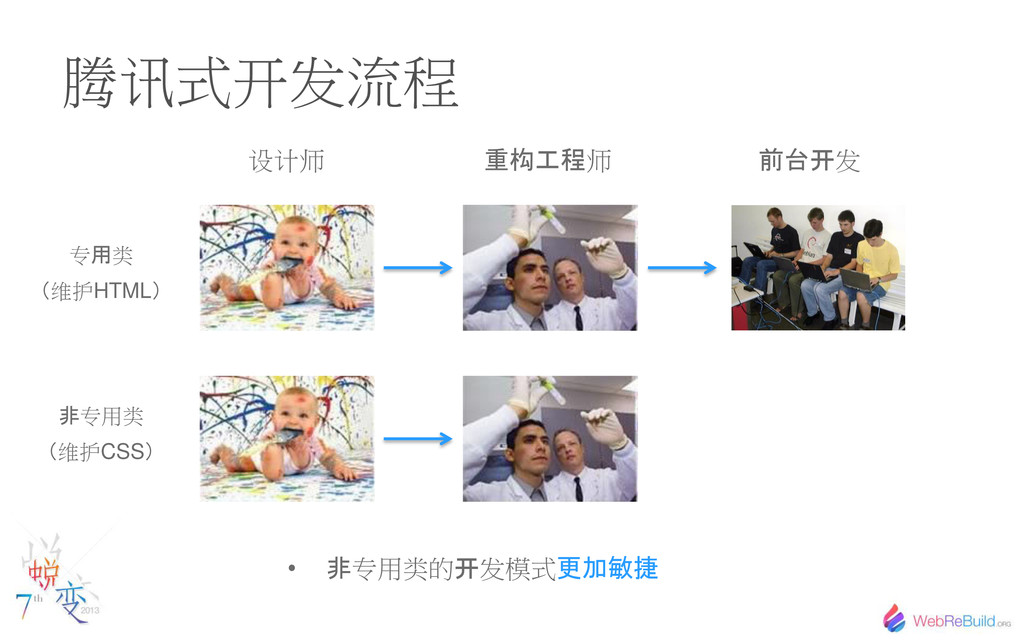
腾讯式开发流程 设计师 重构工程 师 前 开 发 专 用 类
维护HTML 非 专用类 维护CSS • 非 专用类的 开 发模式 更加敏捷
如何 选择 ——谁也无法预知结果,相信自己的选择
4 图标换肤 Eurocargo for icons
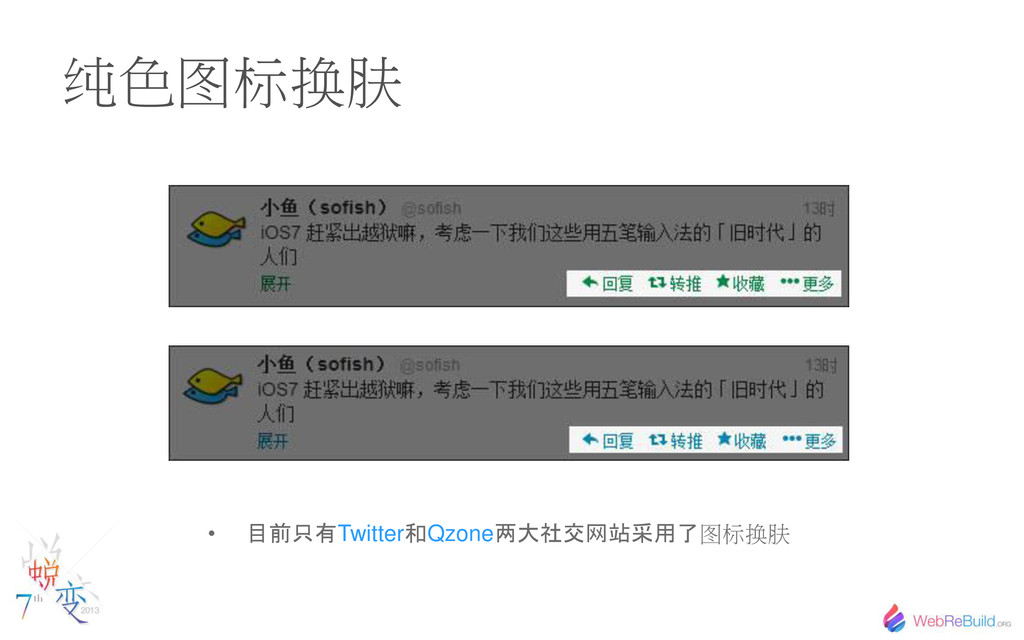
纯色图标换肤 • 目前只有 Twitter 和 Qzone 两大社交网站采用了 图标换肤
如果是你,你会怎么做?
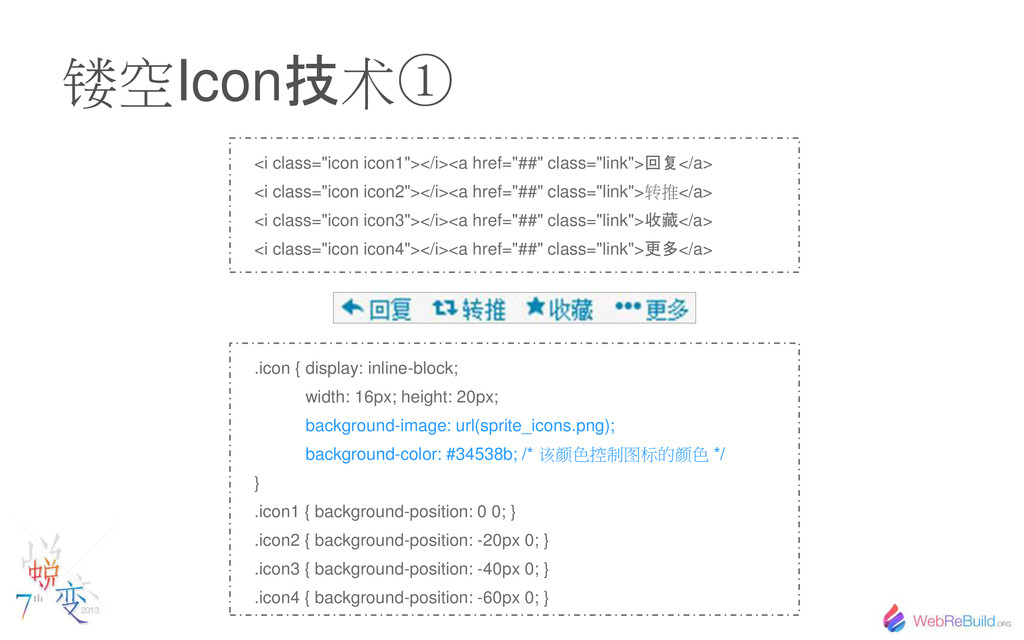
镂空Icon 技 术 <i class="icon icon1"></i><a href="##" class="link"> 回复 </a>
<i class="icon icon2"></i><a href="##" class="link">转 </a> <i class="icon icon3"></i><a href="##" class="link"> 收藏 </a> <i class="icon icon4"></i><a href="##" class="link"> 更多 </a> .icon { display: inline-block; width: 16px; height: 20px; background-image: url(sprite_icons.png); background-color: #34538b; /* 该颜色 制图标的颜色 */ } .icon1 { background-position: 0 0; } .icon2 { background-position: -20px 0; } .icon3 { background-position: -40px 0; } .icon4 { background-position: -60px 0; }
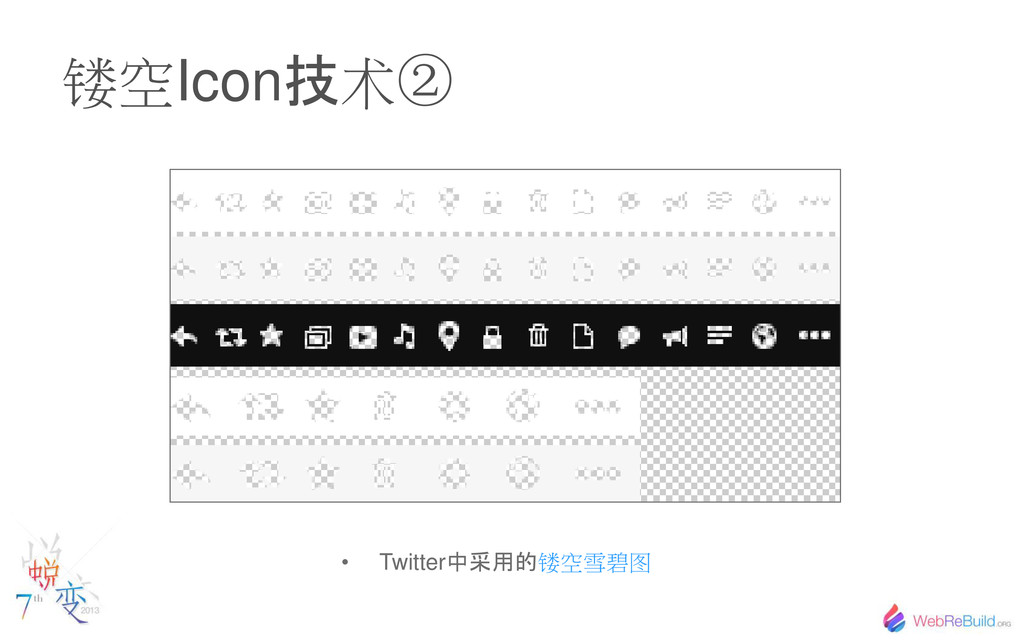
镂空Icon 技 术 • Twitter 中采用的 镂空雪碧图
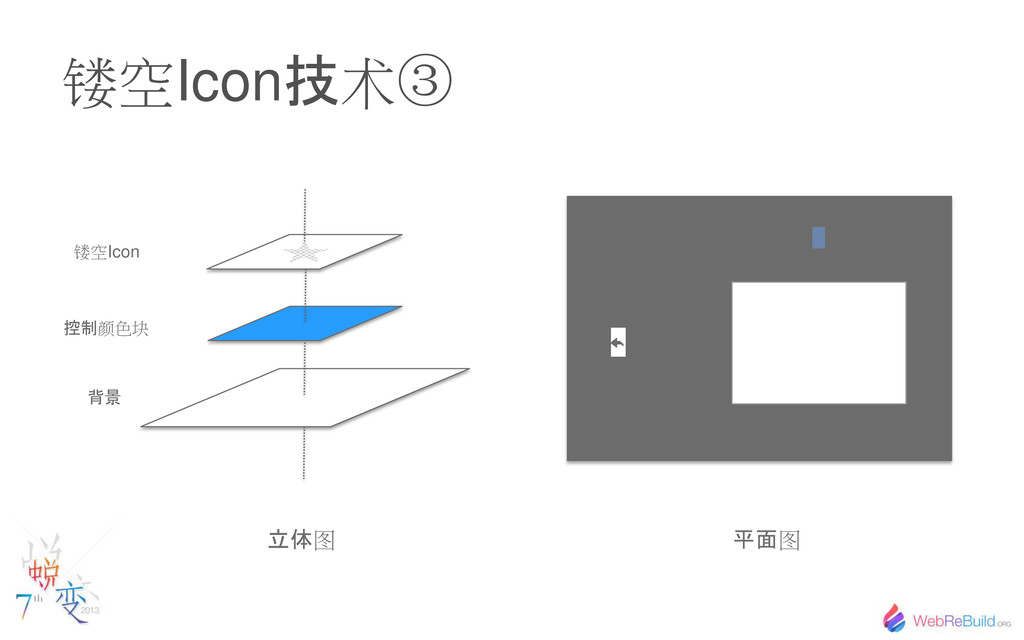
镂空Icon 技 术 背景 控制 颜色块 镂空Icon 立体 图 平面
图
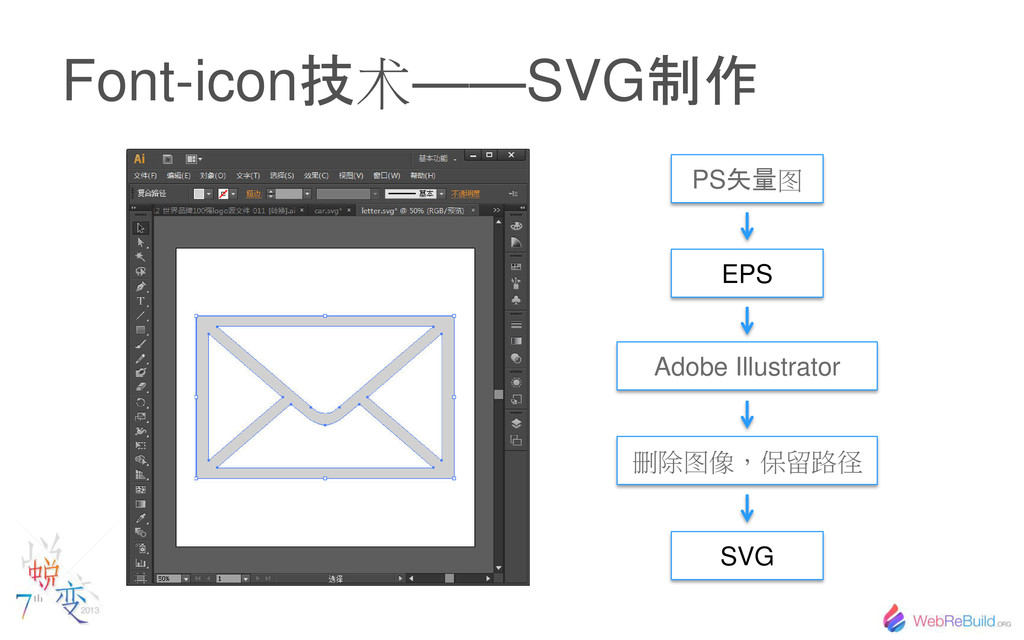
Font-icon 技 术——SVG 制作 PS 矢量 图 EPS Adobe Illustrator
删除图像,保留路径 SVG
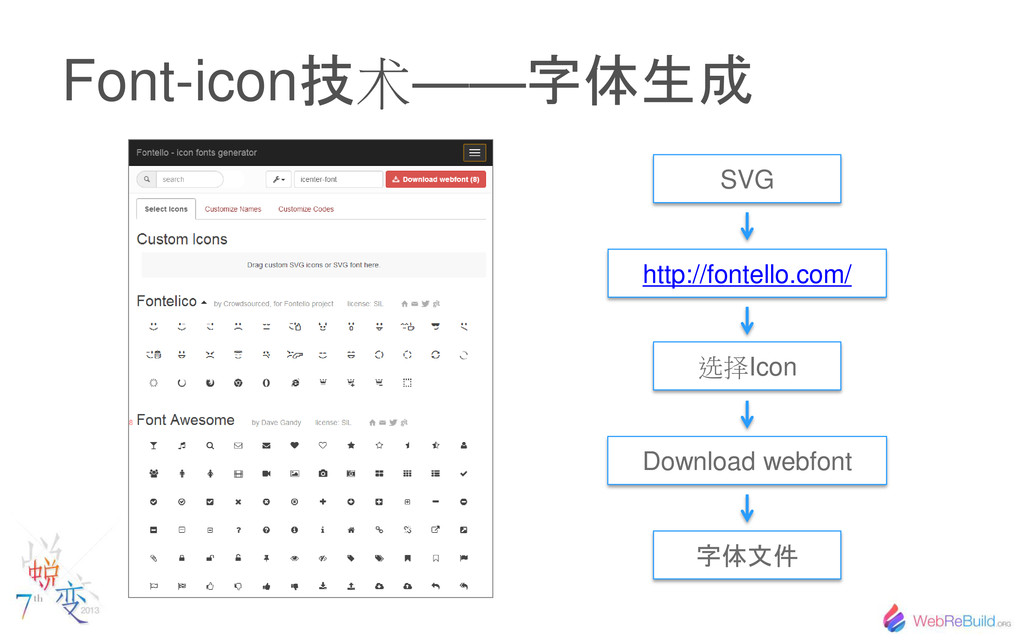
Font-icon 技 术—— 字体生成 SVG http://fontello.com/ 选择Icon Download webfont 字体文件
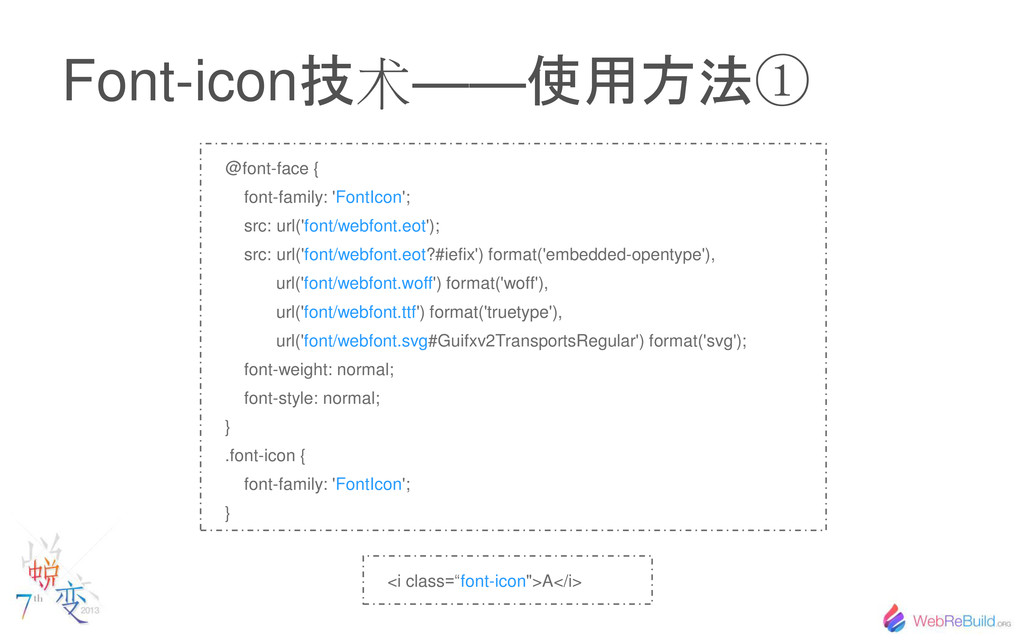
Font-icon 技 术—— 使用方法 @font-face { font-family: 'FontIcon'; src: url('font/webfont.eot');
src: url('font/webfont.eot?#iefix') format('embedded-opentype'), url('font/webfont.woff') format('woff'), url('font/webfont.ttf') format('truetype'), url('font/webfont.svg#Guifxv2TransportsRegular') format('svg'); font-weight: normal; font-style: normal; } .font-icon { font-family: 'FontIcon'; } <i class=“font-icon">A</i>
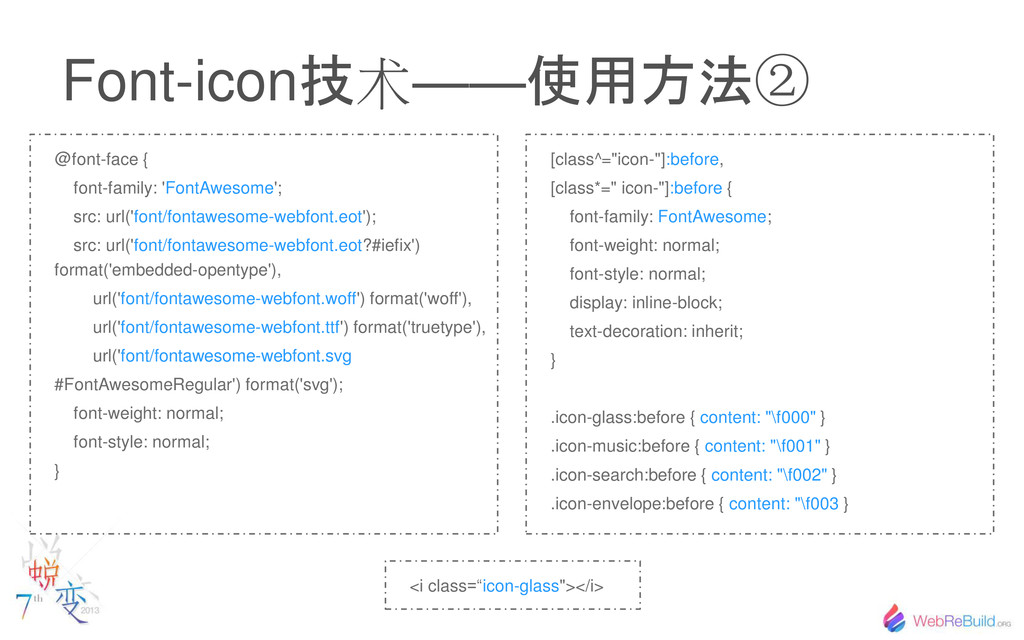
Font-icon 技 术—— 使用方法 @font-face { font-family: 'FontAwesome'; src: url('font/fontawesome-webfont.eot');
src: url('font/fontawesome-webfont.eot?#iefix') format('embedded-opentype'), url('font/fontawesome-webfont.woff') format('woff'), url('font/fontawesome-webfont.ttf') format('truetype'), url('font/fontawesome-webfont.svg #FontAwesomeRegular') format('svg'); font-weight: normal; font-style: normal; } [class^="icon-"]:before, [class*=" icon-"]:before { font-family: FontAwesome; font-weight: normal; font-style: normal; display: inline-block; text-decoration: inherit; } .icon-glass:before { content: "\f000" } .icon-music:before { content: "\f001" } .icon-search:before { content: "\f002" } .icon-envelope:before { content: "\f003 } <i class=“icon-glass"></i>
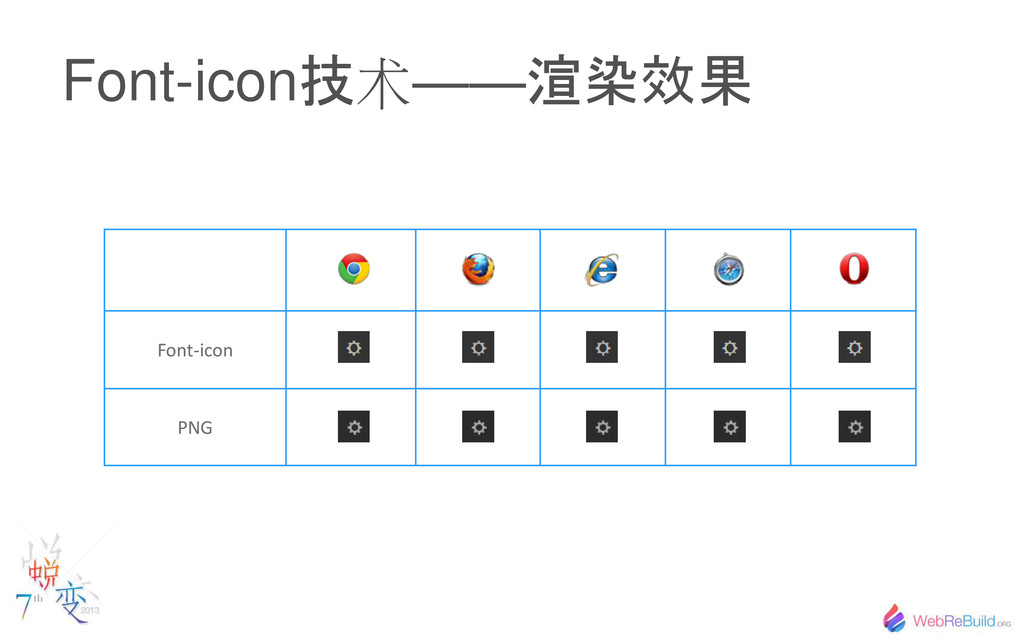
Font-icon 技 术—— 渲染效果 Font-icon PNG
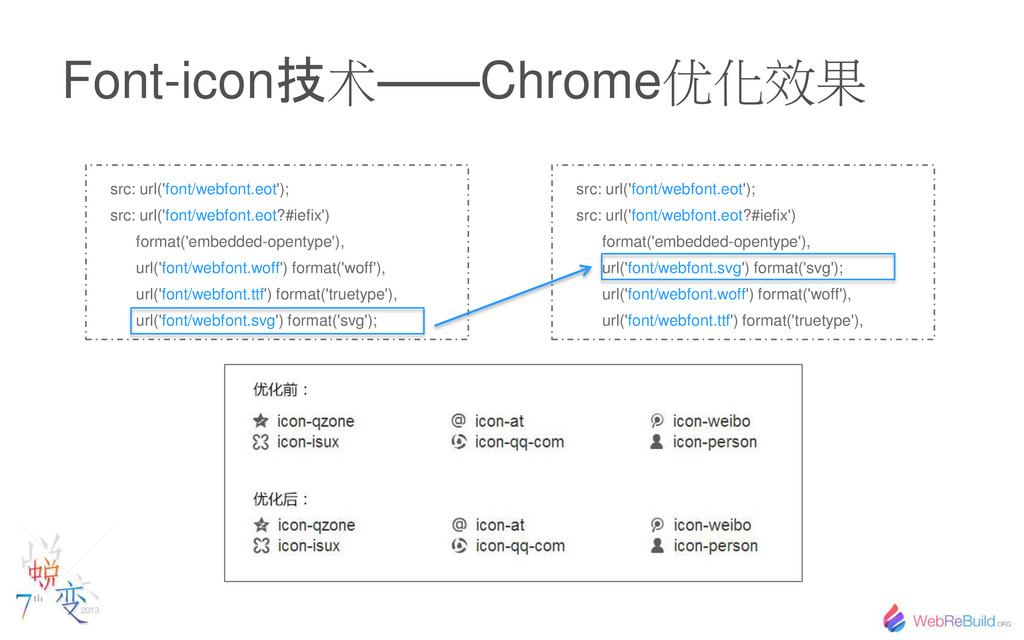
Font-icon 技 术——Chrome优化效果 src: url('font/webfont.eot'); src: url('font/webfont.eot?#iefix') format('embedded-opentype'), url('font/webfont.woff') format('woff'),
url('font/webfont.ttf') format('truetype'), url('font/webfont.svg') format('svg'); src: url('font/webfont.eot'); src: url('font/webfont.eot?#iefix') format('embedded-opentype'), url('font/webfont.svg') format('svg'); url('font/webfont.woff') format('woff'), url('font/webfont.ttf') format('truetype'),
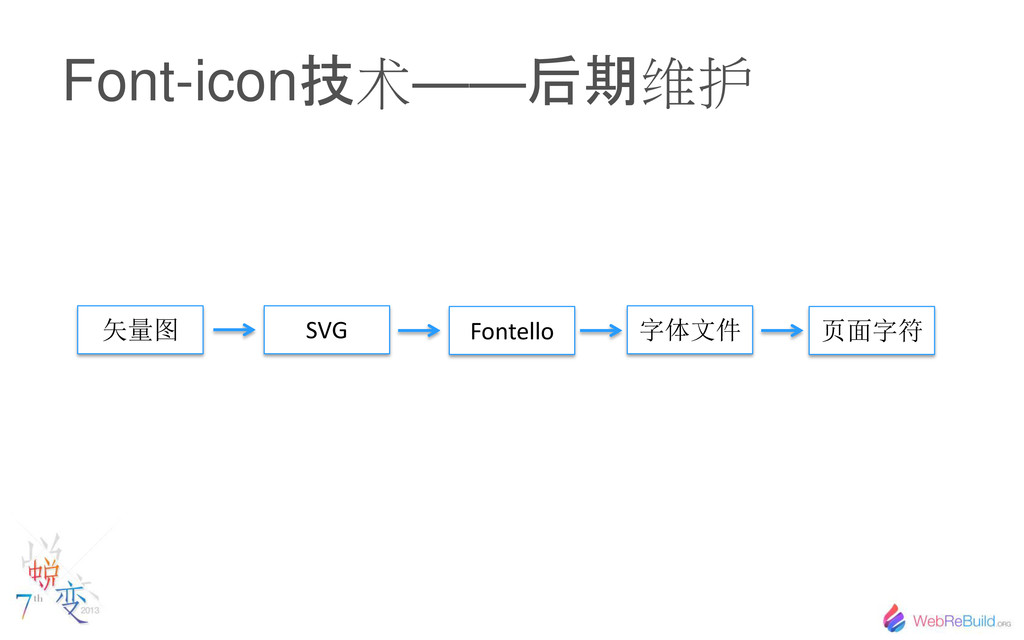
Font-icon 技 术—— 后期 维护 矢量图 SVG 字体文件 Fontello 页面字符
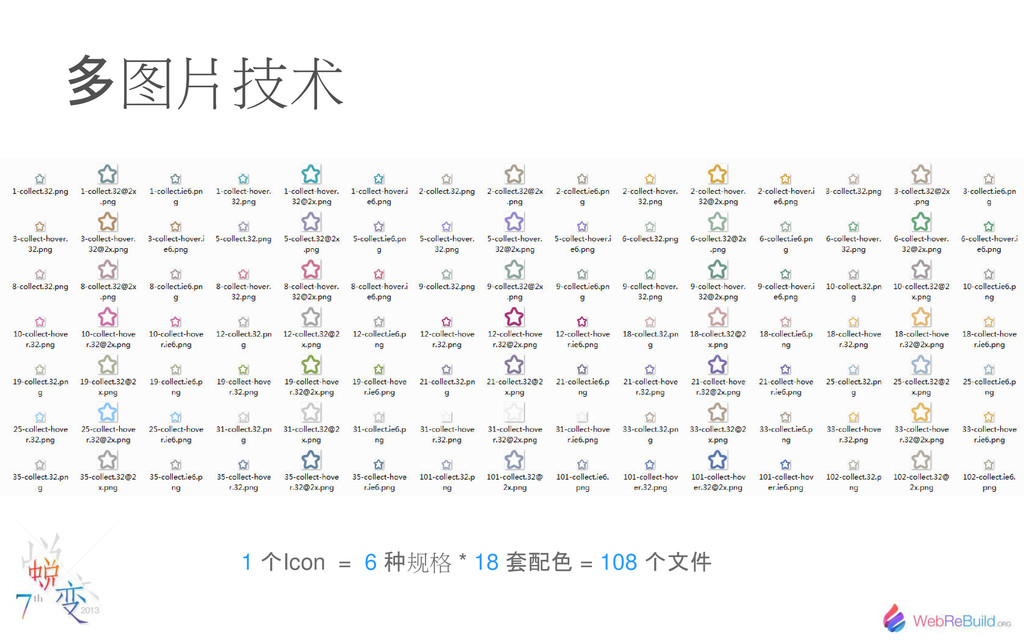
多 图片技术 1 个 Icon = 6 种 规格 *
18 套配色 = 108 个文件
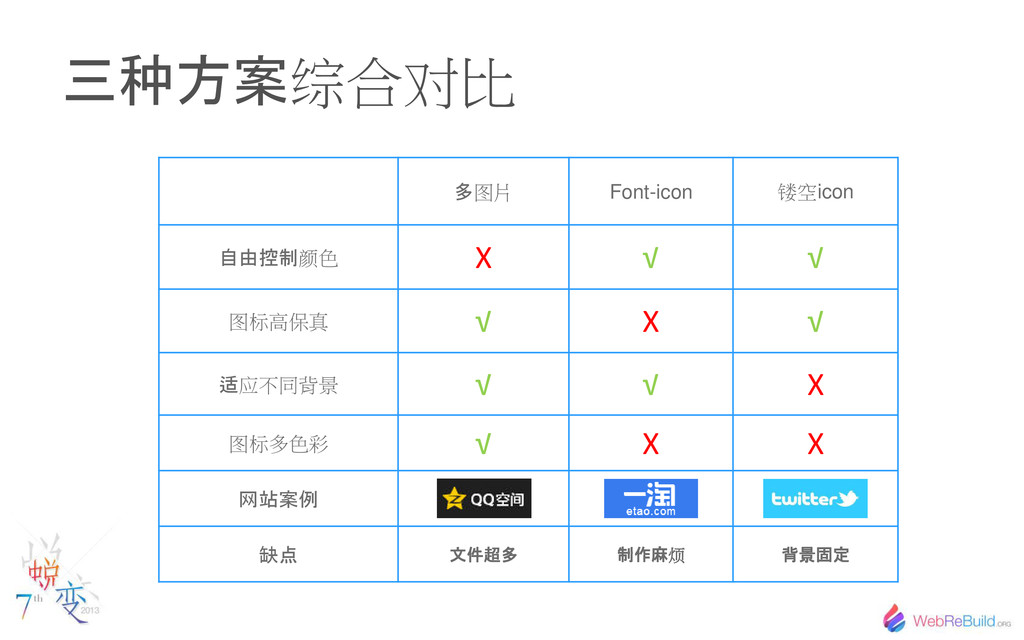
种方案 综合对比 多 图片 Font-icon 镂空icon 自由控制 颜色 X √
√ 图标高保真 √ X √ 适 应不同背景 √ √ X 图标多色彩 √ X X 网站案例 缺点 文件超多 制作麻 烦 背景固定
更完美的解决方案?
5 优化之路 Way of optimization
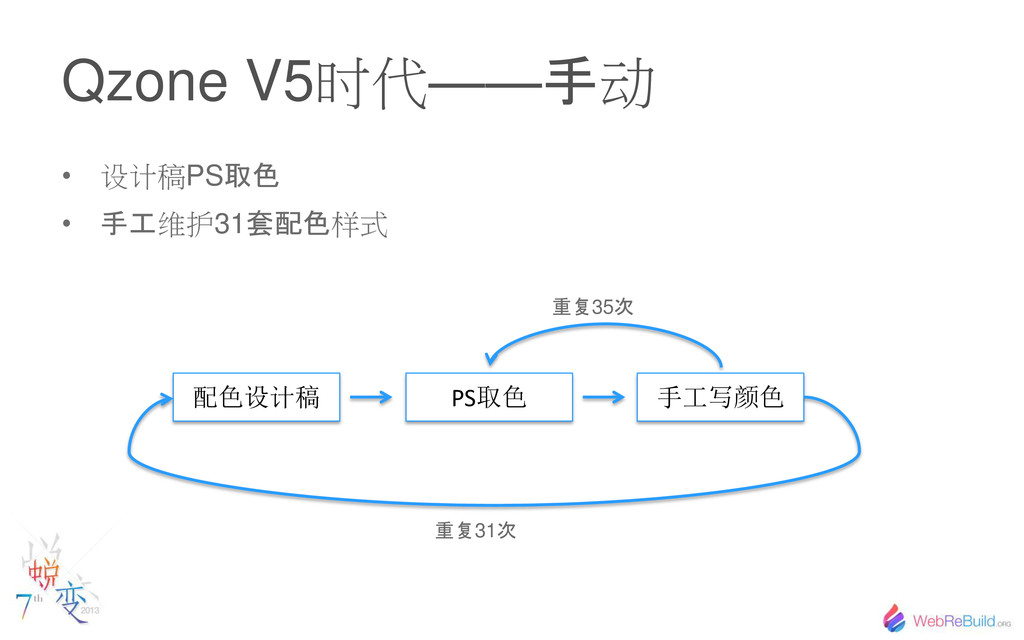
Qzone V5时代—— 手 动 • 设计稿PS 取色 • 手工 维护31
套配色 样式 配色设计稿 PS取色 手工写颜色 重复 35 次 重复 31 次
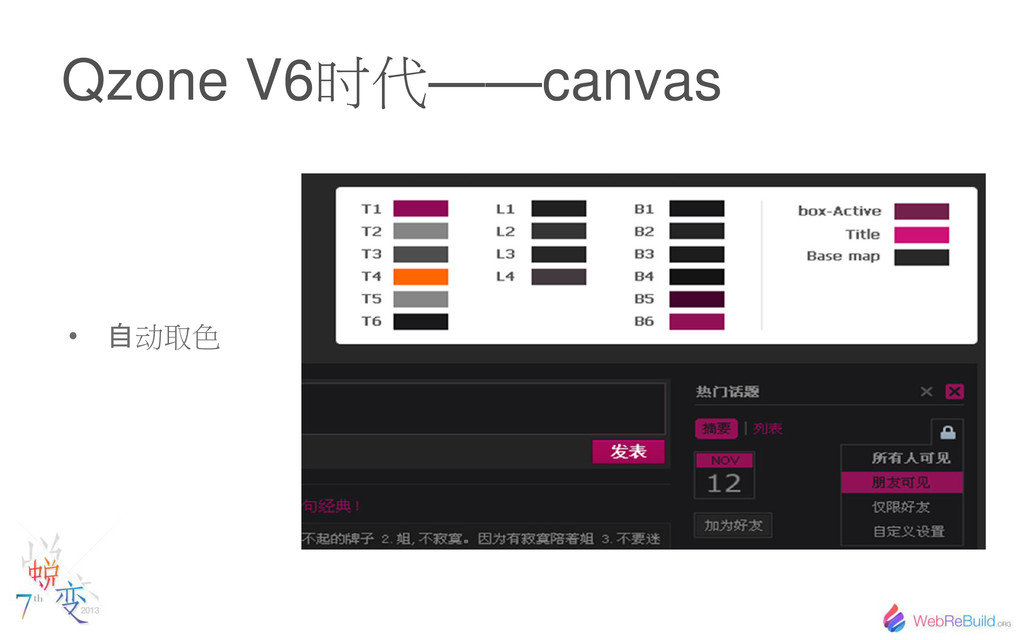
Qzone V6时代——canvas • 自 动取色
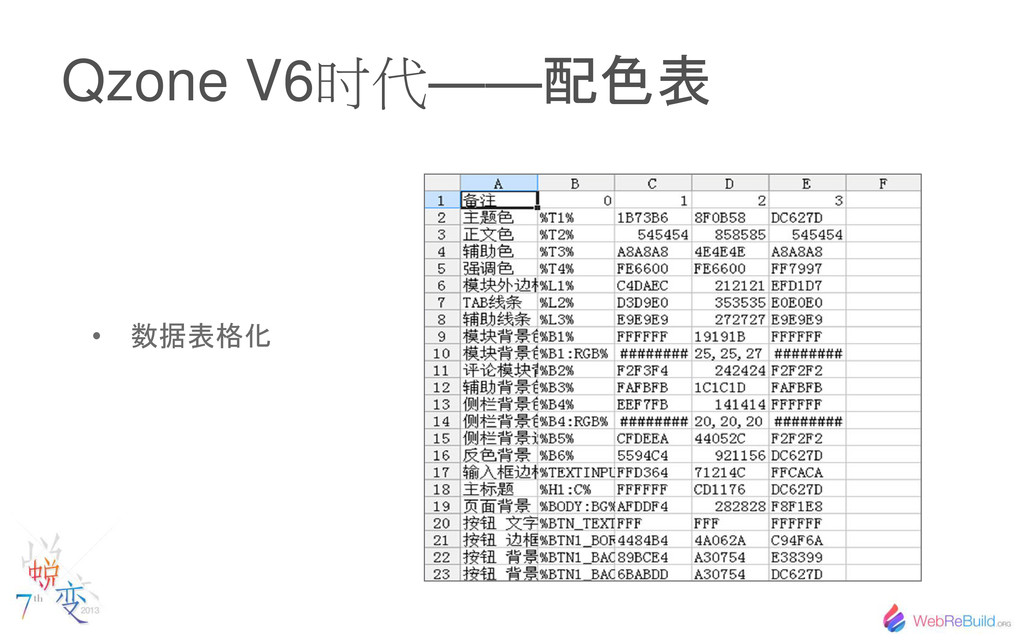
Qzone V6时代—— 配色表 • 数据表格化
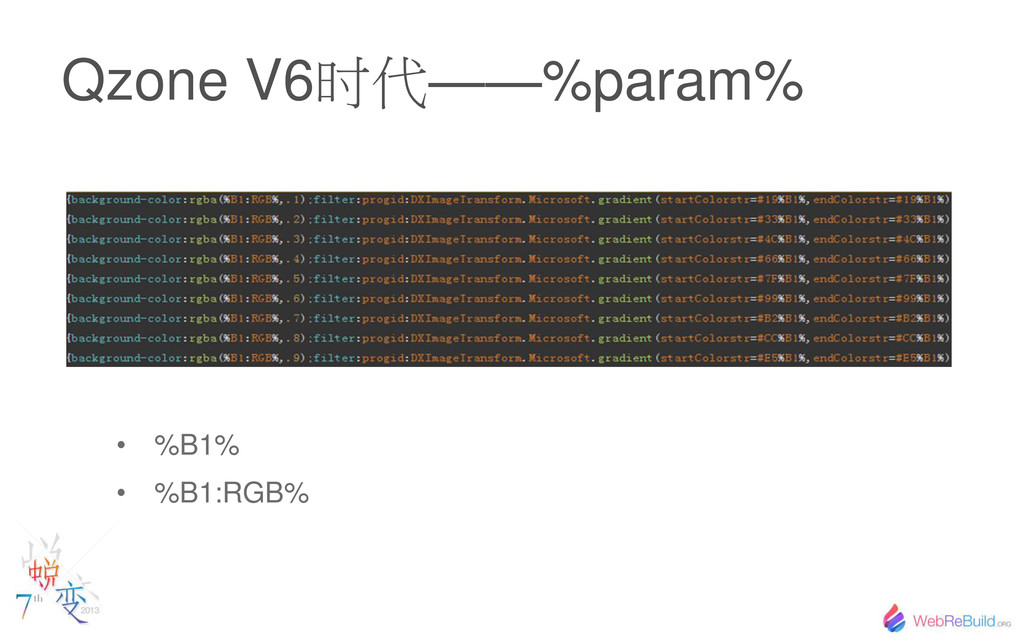
Qzone V6时代——%param% • %B1% • %B1:RGB%
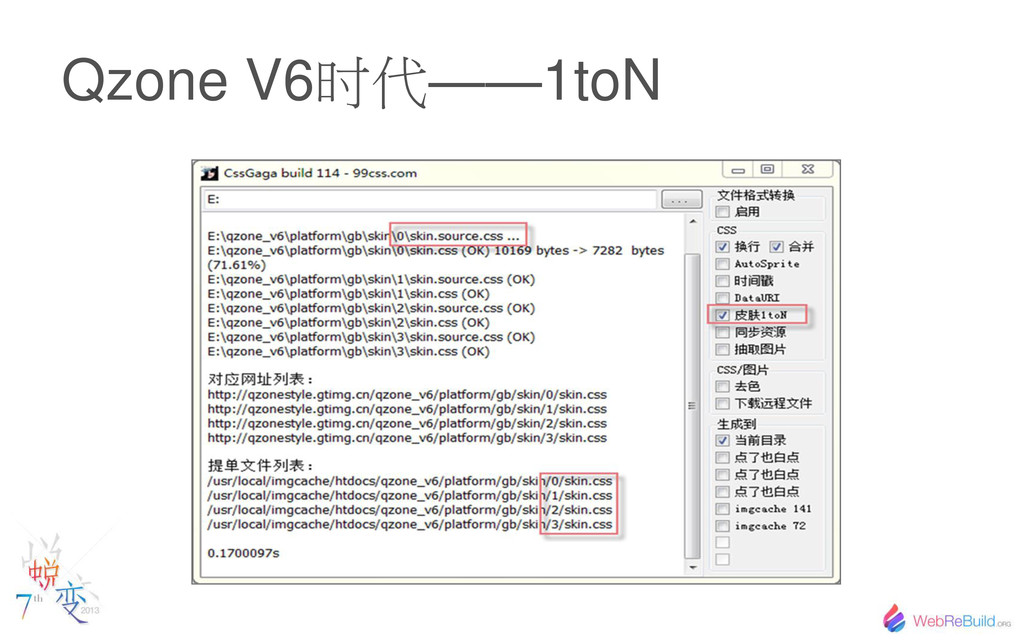
Qzone V6时代——1toN
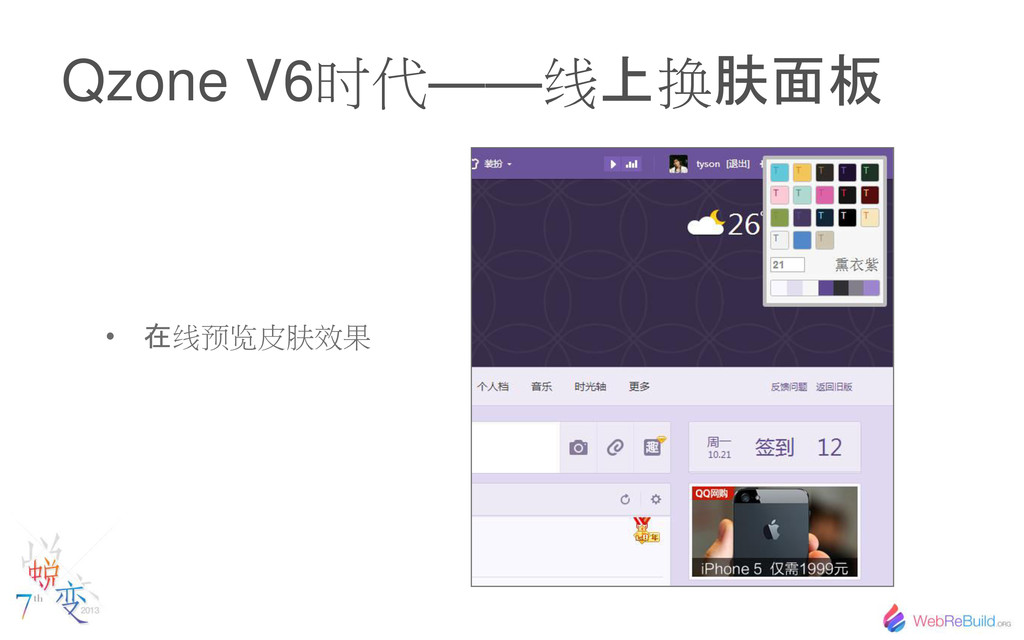
Qzone V6时代——线 换 肤面板 • 在 线预 皮肤效果
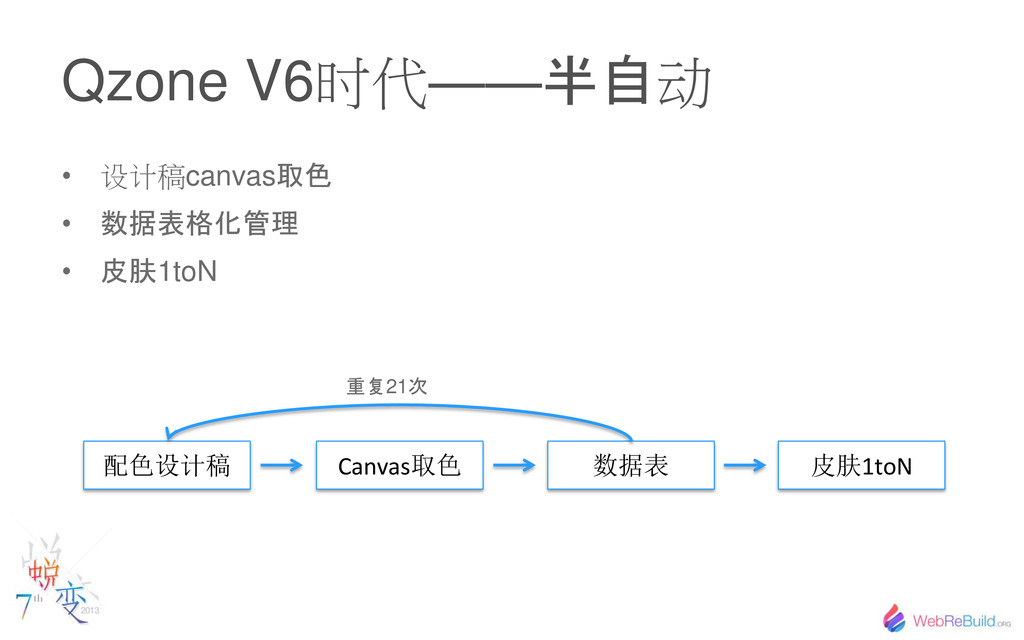
Qzone V6时代—— 半自 动 • 设计稿canvas 取色 • 数据表格化管理 •
皮肤 1toN 配色设计稿 Canvas取色 数据表 重复 21 次 皮肤1toN
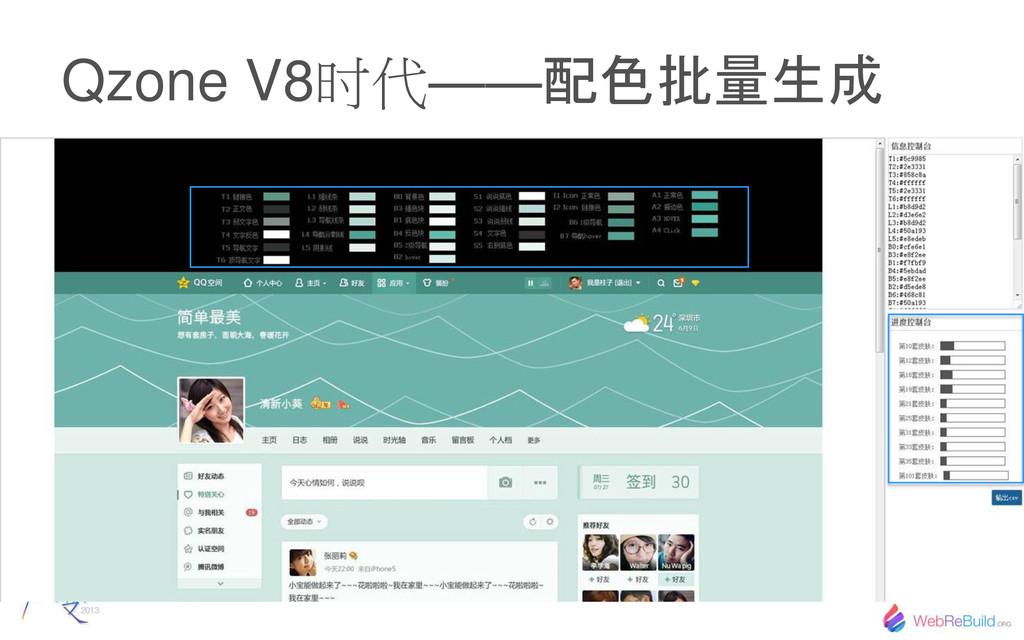
Qzone V8时代—— 配色批量生成
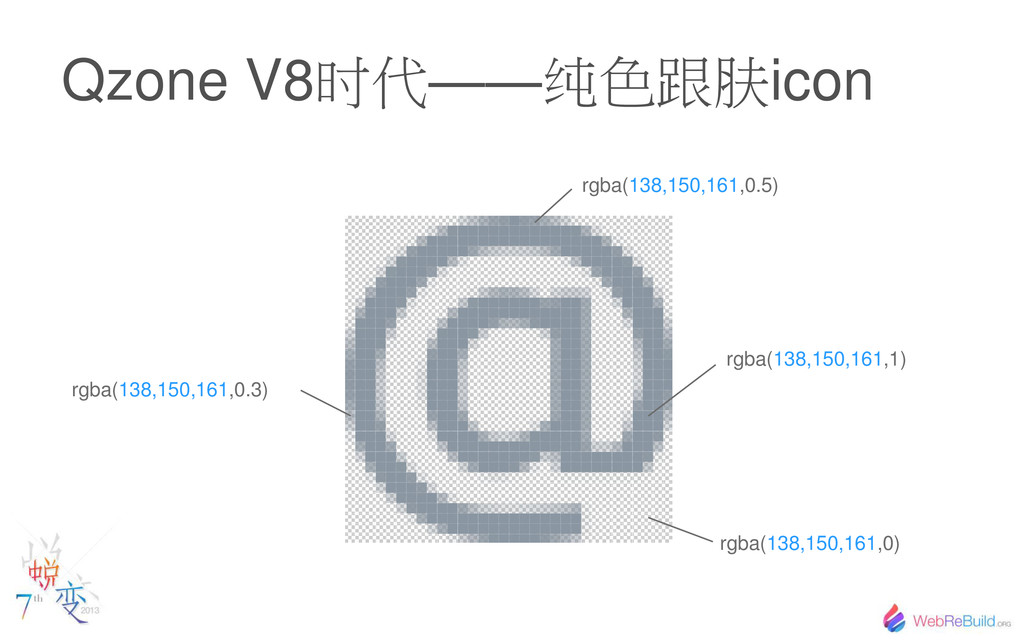
Qzone V8时代——纯色跟肤icon rgba(138,150,161,1) rgba(138,150,161,0.5) rgba(138,150,161,0.3) rgba(138,150,161,0)
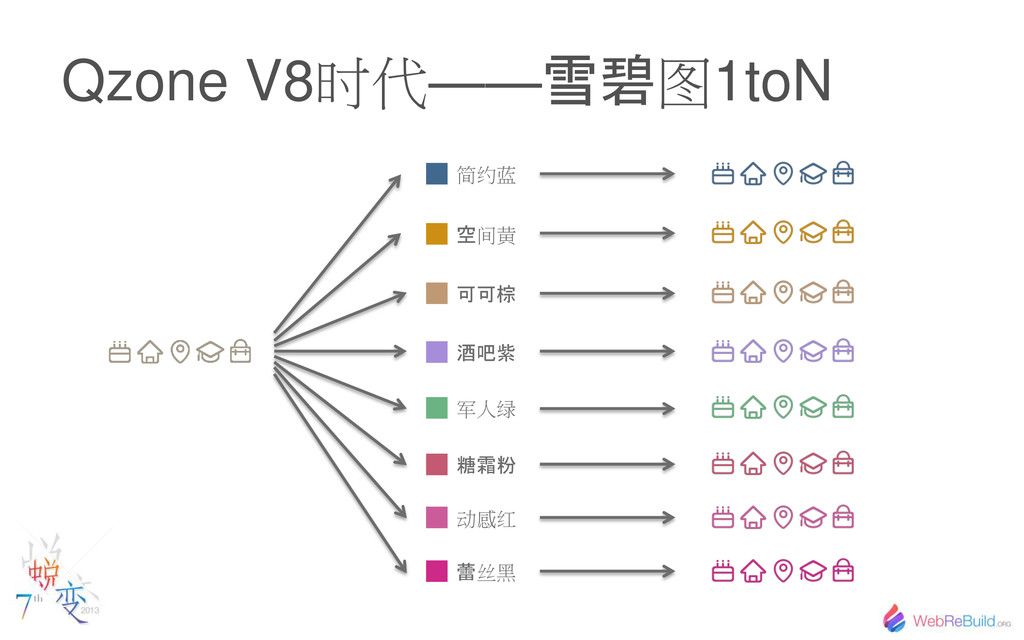
Qzone V8时代—— 雪碧 图1toN 简约蓝 空 间黄 棕 酒吧紫 军人绿
糖霜粉 蕾 丝黑 动感红
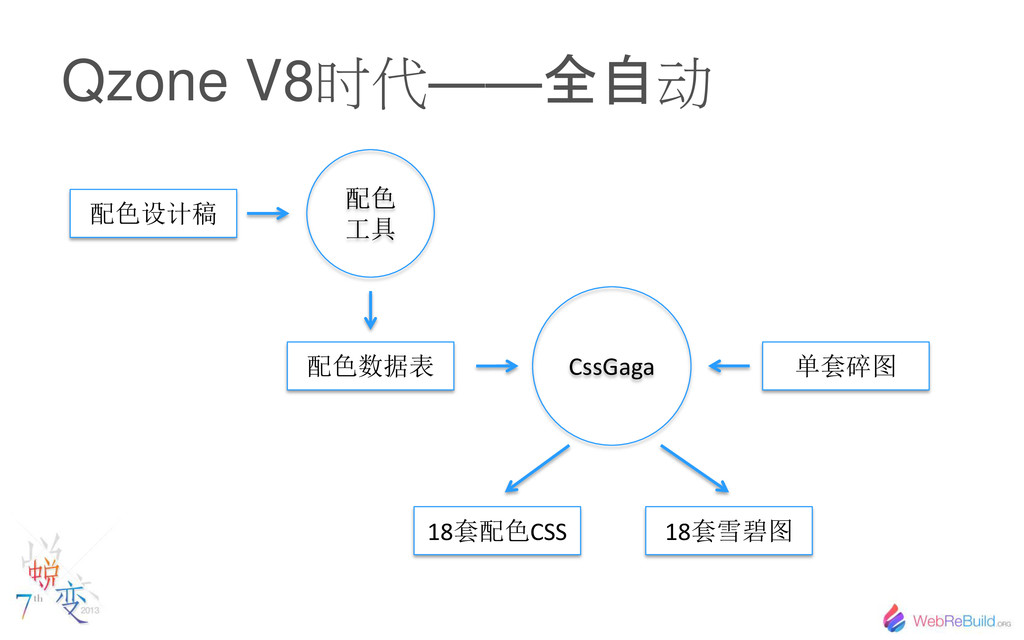
Qzone V8时代—— 全自 动 配色设计稿 配色数据表 单套碎图 18套配色CSS 18套雪碧图 配色
工具 CssGaga
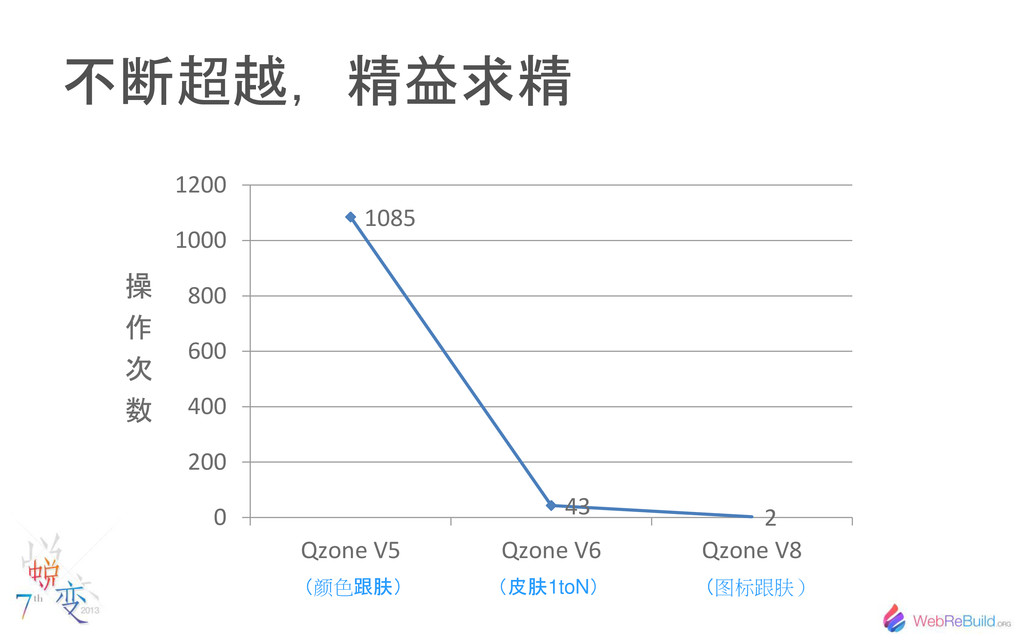
不断超越,精益求精 1085 43 2 0 200 400 600 800 1000
1200 Qzone V5 Qzone V6 Qzone V8 操 作 次 数 颜色 跟肤 皮肤 1toN 图标跟肤
打个广告
None
谢谢观看 Q&A ā Tyson


 shumei_ito
 sansantech
 carta_engineering
 yahonda
 ezaki
ezaki
 terapyon
 odashi
 willnet
 prog893
 iktakahiro
 finengine
 shuta13
 garrettdimon
 sergeychernyshev
 cassininazir
 palkan
 aleyda
 davidcarrasco
 danielanewman
 inesmontani
 rkaga
rkaga
 ryanjones
 takai
takai