Upgrade to Pro
— share decks privately, control downloads, hide ads and more …
Speaker Deck
Sign up for free
Menu
Search
Features
All features
Private URLs
Password Protection
Custom URLS
Scheduled publishing
Remove Branding
Restrict embedding
Deck Collections
Notes
Features
All features
Private URLs
Password Protection
Custom URLS
Scheduled publishing
Remove Branding
Restrict embedding
Deck Collections
Notes
Explore
Featured decks
Featured speakers
Programming
Technology
Storyboards
Explore
Featured decks
Featured speakers
Programming
Technology
Storyboards
Pricing
Search
Sign in
Sign up for free
suspend関数のテストの疑問調べてみた
Search
usuiat
October 23, 2026
Technology
21
0
Share
Embed
Copy iframe code
Copy JS code
Copy link
Start on current slide
suspend関数のテストの疑問調べてみた
DroidKaigi.collect { #31@Nagoya }
https://droidkaigi.connpass.com/event/407026/
usuiat
October 23, 2026
More Decks by usuiat
See All by usuiat
Google I/O 2025 報告LT会 Small language models with Google AI Edge
usuiat
0
600
発信から広がった地方エンジニアのキャリア
usuiat
1
78
タッチイベントの仕組みを理解してジェスチャーを使いこなそう
usuiat
1
1.8k
Google I/O 2024 報告LT会(Androidのオンデバイス生成AI)
usuiat
0
1.1k
Modifier.Nodeに移行してパフォーマンスを比べてみた
usuiat
0
570
reifiedって何ですか?
usuiat
2
1.4k
Other Decks in Technology
See All in Technology
Claude の新機能を、 出た日に触って社内に届けるまで
rfdnxbro
1
200
『SAR衛星データ解析入門』の ご紹介とその応用
syuchimu
0
140
ストレスなくAIと付き合いたい!こんなときどうしてる?
namiki64
4
660
PHPカンファレンス関西の招待状 / Invitation to PHP Conference Kansai
ykanoh
0
220
僕のハーネスを紹介します
watany
4
1.3k
会社説明資料
persolserverworks
0
9.8k
Conditional PED-ANOVA: Hyperparameter Importance in Hierarchical & Dynamic Search Spaces
pfn
PRO
0
150
JAWSUG TOHOKU 青森支部 「LoGoチャット」のAWS移行で 乗り越えたこと
taketakekaho
0
360
DGX Spark でどこまでハッキングができるのか?
kash1064
3
1.4k
スプシの手作業からの解脱 ~更新はClaude Codeに、見せ方と使い方はGASアプリに任せる~
kentarofujii
0
170
古い指輪から広がった JAVA コミュニティ とのつながり
yamad
0
130
会社紹介資料 / Sansan Company Profile
sansan33
PRO
31
430k
Featured
See All Featured
Claude Code どこまでも/ Claude Code Everywhere
nwiizo
68
59k
How GitHub (no longer) Works
holman
316
150k
Building Experiences: Design Systems, User Experience, and Full Site Editing
marktimemedia
1
640
More Than Pixels: Becoming A User Experience Designer
marktimemedia
3
570
The SEO identity crisis: Don't let AI make you average
varn
0
590
Max Prin - Stacking Signals: How International SEO Comes Together (And Falls Apart)
techseoconnect
PRO
0
500
The innovator’s Mindset - Leading Through an Era of Exponential Change - McGill University 2025
jdejongh
PRO
1
380
Connecting the Dots Between Site Speed, User Experience & Your Business [WebExpo 2025]
tammyeverts
11
1.1k
RailsConf 2023
tenderlove
30
1.6k
End of SEO as We Know It (SMX Advanced Version)
ipullrank
3
4.4k
Cheating the UX When There Is Nothing More to Optimize - PixelPioneers
stephaniewalter
287
14k
ReactJS: Keep Simple. Everything can be a component!
pedronauck
666
130k
Transcript
suspend関数のテストの疑問 調べてみた 2026.10.23 DroidKaigi.collect { #31@Nagoya } usuiat
About Me Atsushi Usui 臼井 篤志 Android Engineer Cybozu, Inc.
サイボウズ株式会社 Book『詳解 Jetpack Compose』 https://gihyo.jp/book/2024/978-4-297-14488-3 @usuiat Library “Zoomable” https://github.com/usuiat/Zoomable
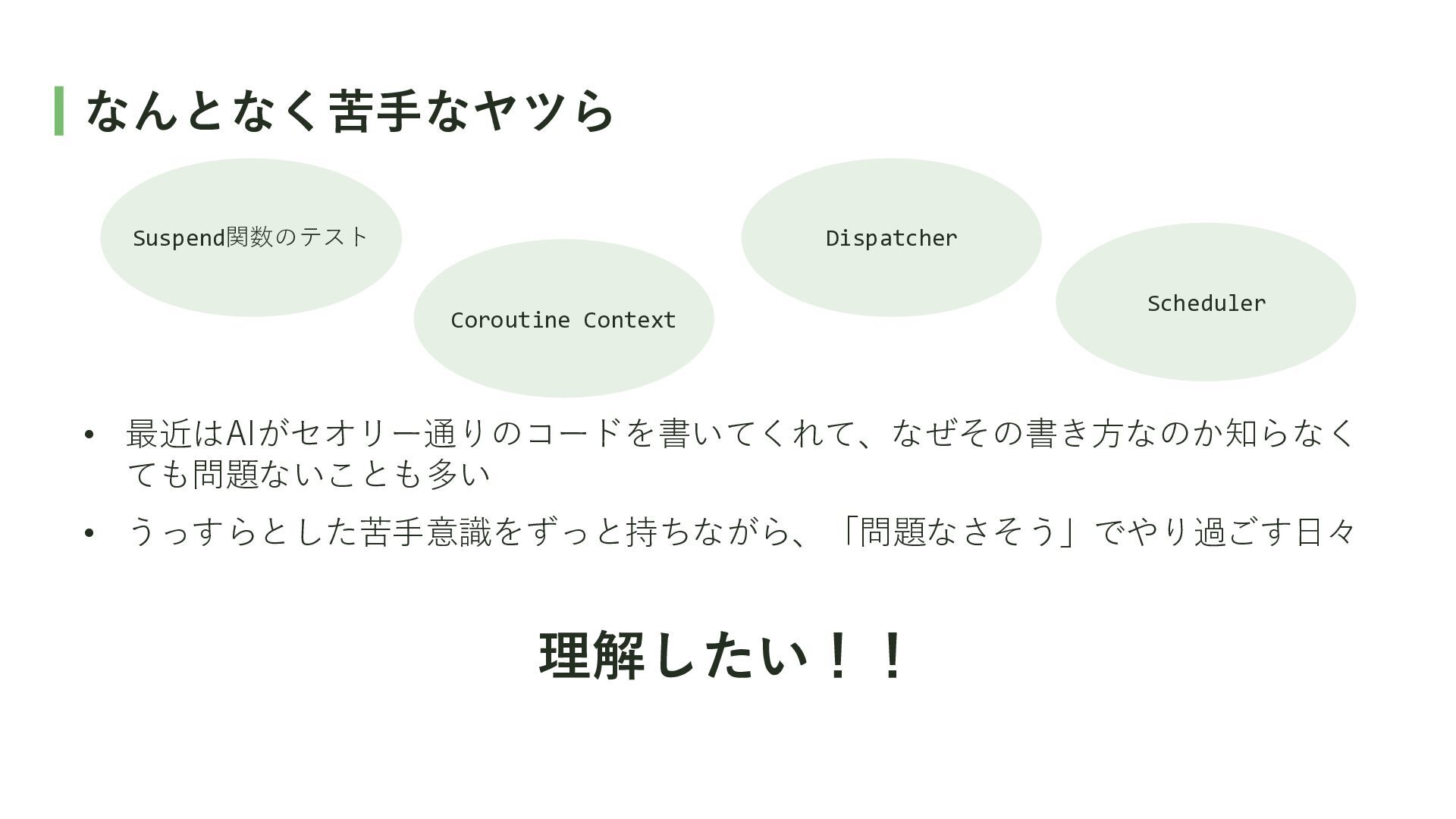
なんとなく苦手なヤツら Suspend関数のテスト Dispatcher Coroutine Context Scheduler • 最近はAIがセオリー通りのコードを書いてくれて、なぜその書き方なのか知らなく ても問題ないことも多い •
うっすらとした苦手意識をずっと持ちながら、「問題なさそう」でやり過ごす日々 理解したい!!
suspend関数のテストの疑問 調べてみた
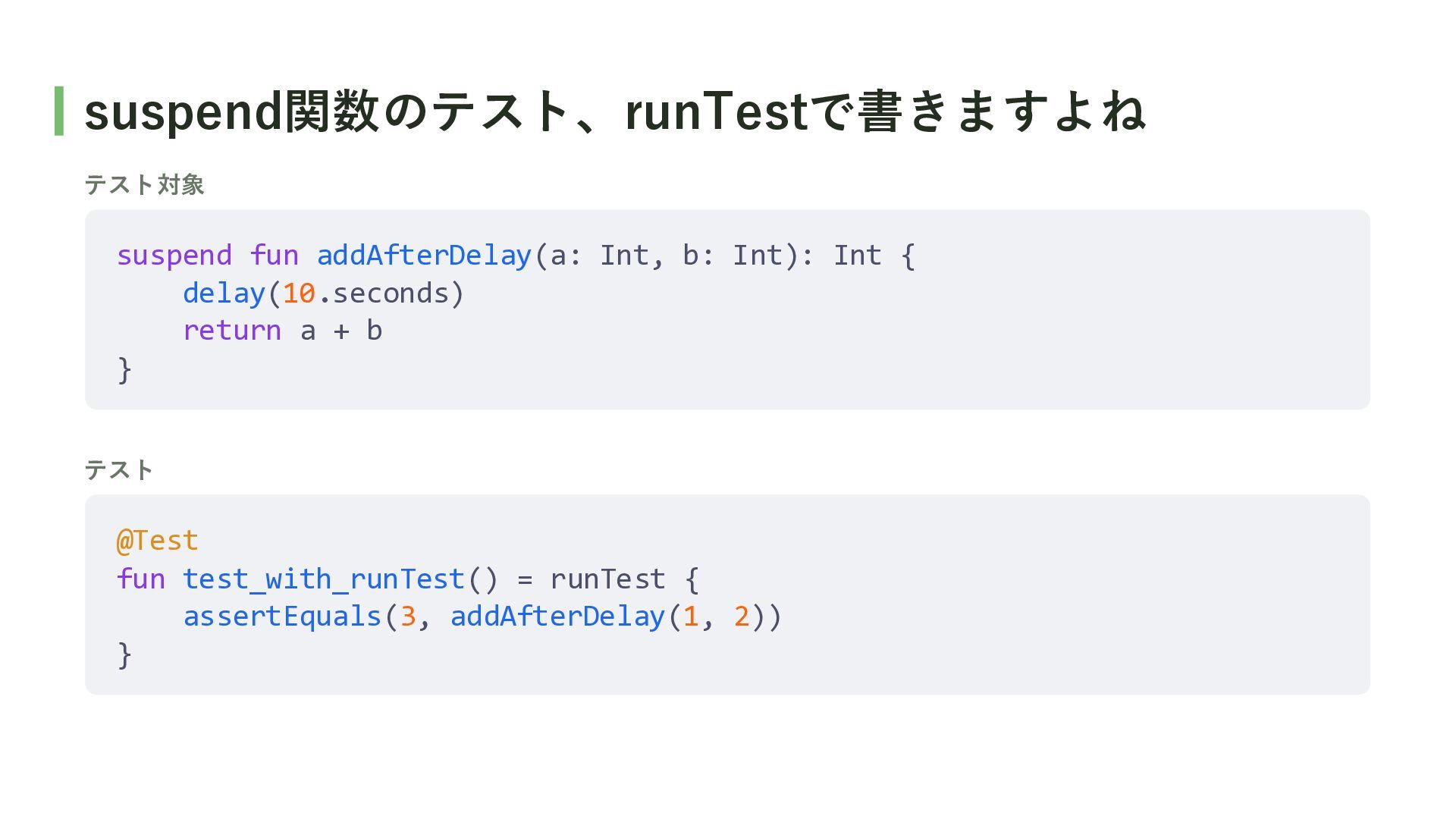
suspend関数のテスト、runTestで書きますよね テスト対象 suspend fun addAfterDelay(a: Int, b: Int): Int {
delay(10.seconds) return a + b } テスト @Test fun test_with_runTest() = runTest { assertEquals(3, addAfterDelay(1, 2)) }
Q. なぜ、runBlockingではなくrunTestを使うの?
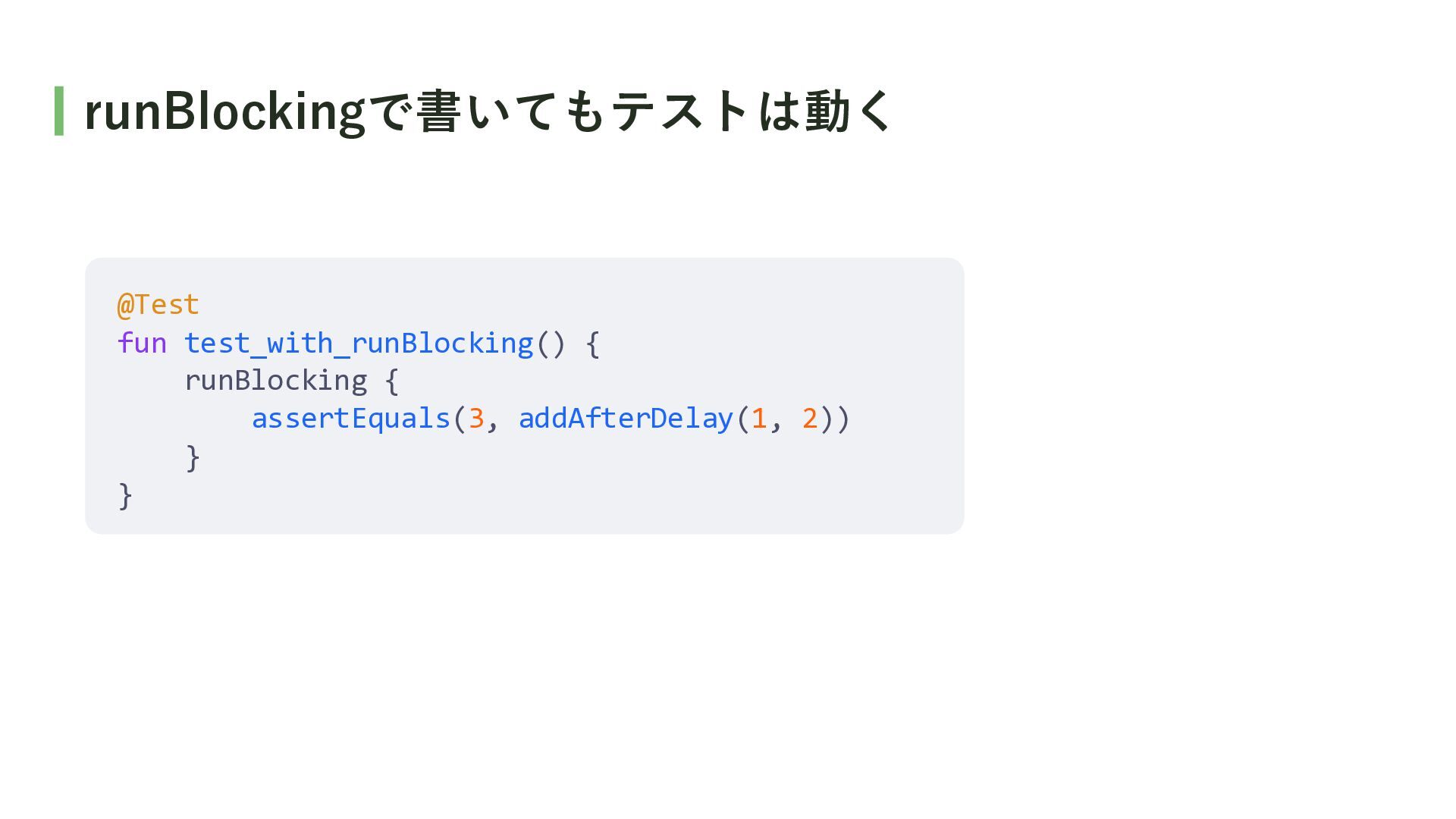
runBlockingで書いてもテストは動く @Test fun test_with_runBlocking() { runBlocking { assertEquals(3, addAfterDelay(1, 2))
} }
A. runTestはdelayをスキップするので、 テストを高速に実行できるから ※ この発表ではテストの速度に着目して話しますが、runTestの機能はdelayのスキップだけではないです。
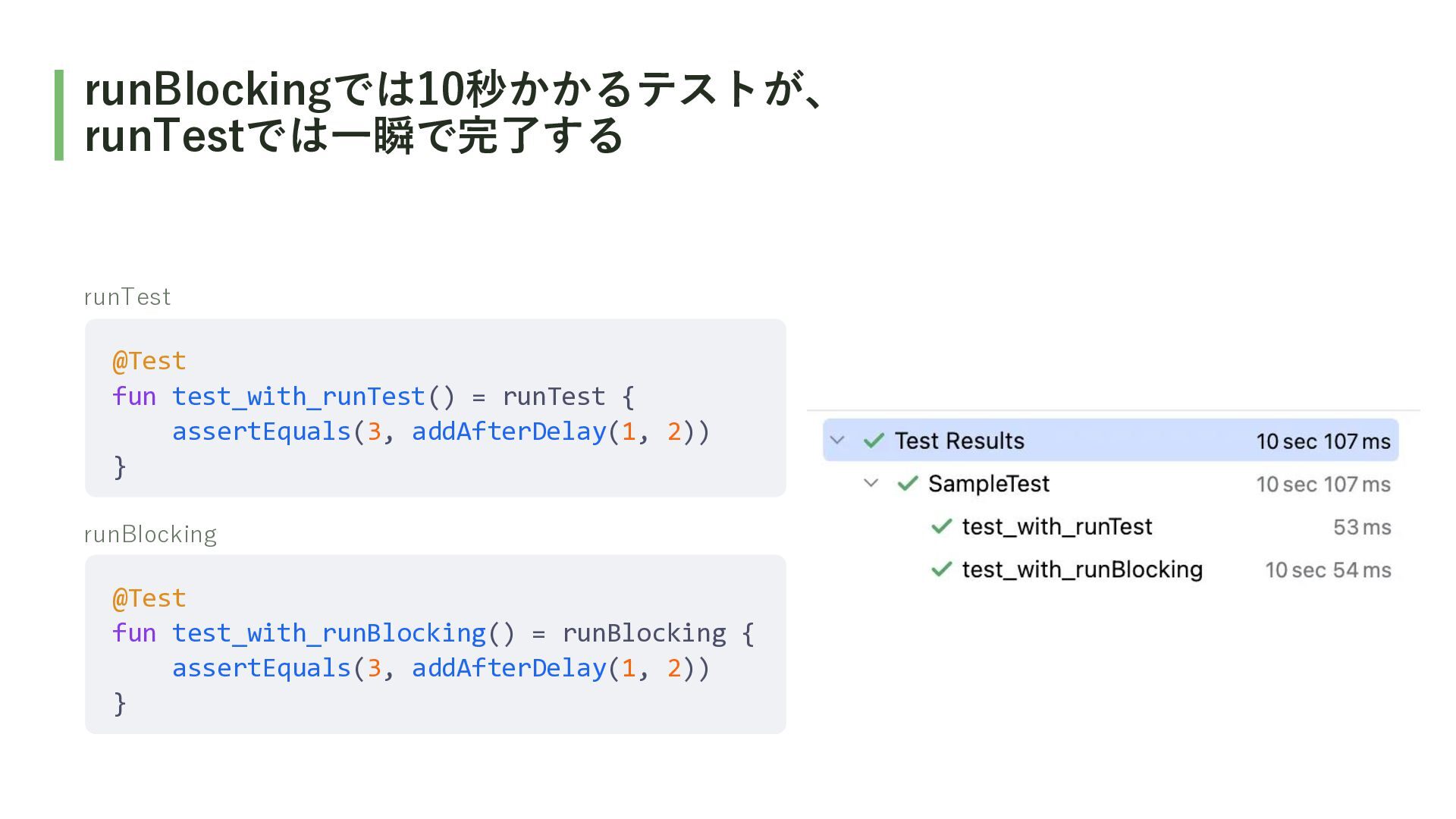
runBlockingでは10秒かかるテストが、 runTestでは一瞬で完了する runTest @Test fun test_with_runTest() = runTest { assertEquals(3,
addAfterDelay(1, 2)) } runBlocking @Test fun test_with_runBlocking() = runBlocking { assertEquals(3, addAfterDelay(1, 2)) }
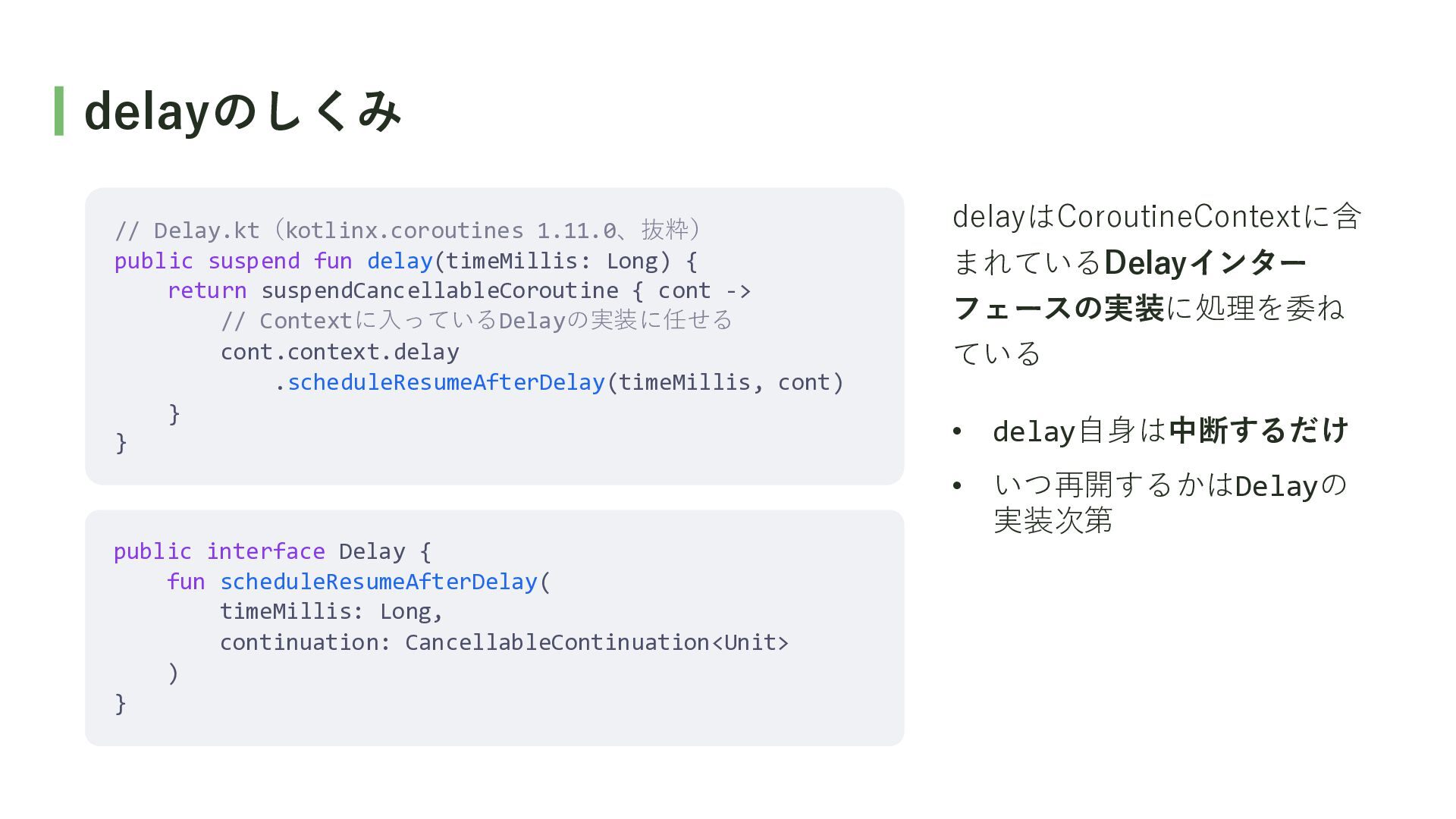
delayのしくみ // Delay.kt(kotlinx.coroutines 1.11.0、抜粋) public suspend fun delay(timeMillis: Long) {
return suspendCancellableCoroutine { cont -> // Contextに入っているDelayの実装に任せる cont.context.delay .scheduleResumeAfterDelay(timeMillis, cont) } } delayはCoroutineContextに含 まれているDelayインター フェースの実装に処理を委ね ている • delay自身は中断するだけ • いつ再開するかはDelayの 実装次第 public interface Delay { fun scheduleResumeAfterDelay( timeMillis: Long, continuation: CancellableContinuation<Unit> ) }
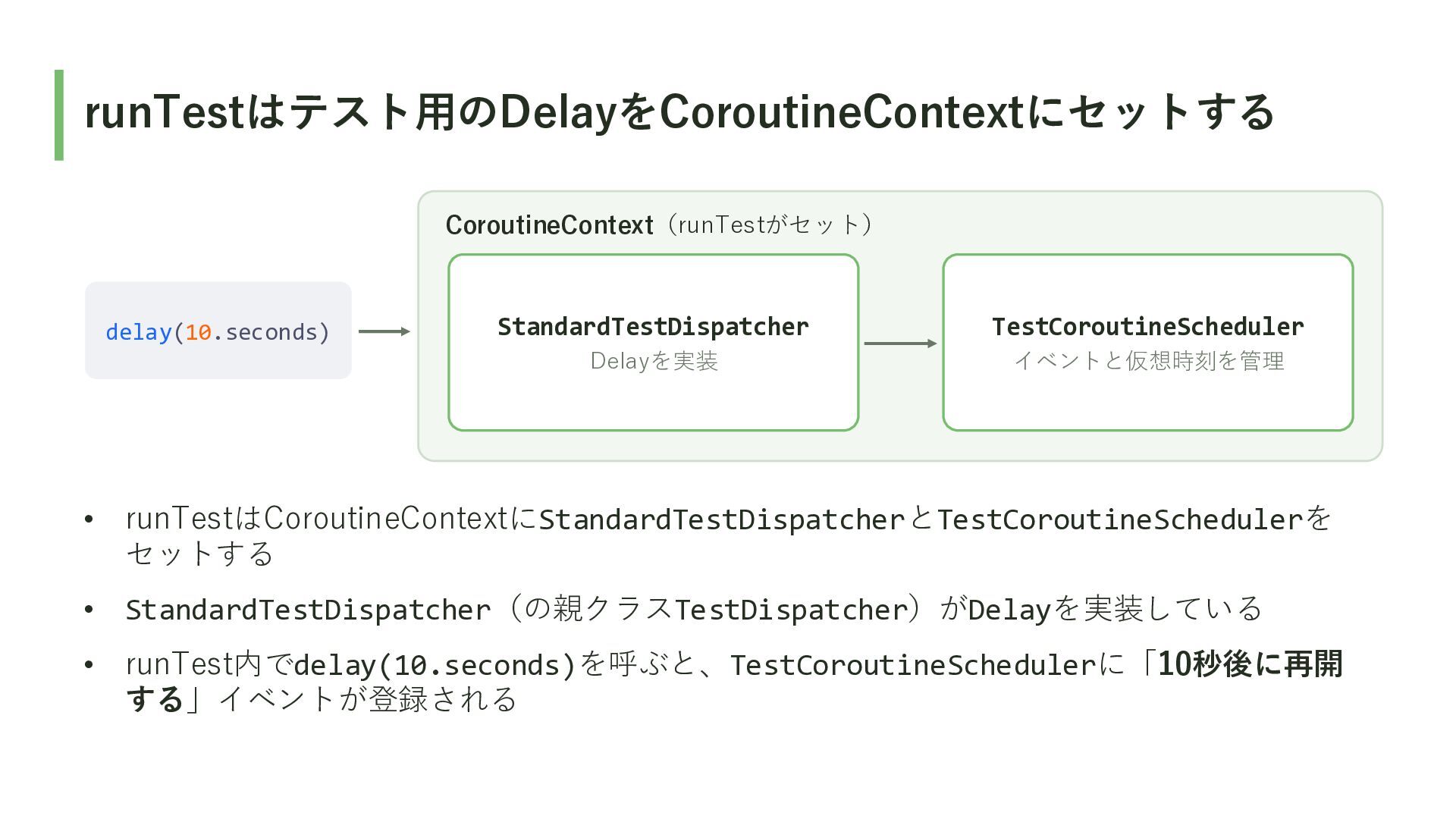
runTestはテスト用のDelayをCoroutineContextにセットする CoroutineContext(runTestがセット) delay(10.seconds) StandardTestDispatcher TestCoroutineScheduler Delayを実装 イベントと仮想時刻を管理 • runTestはCoroutineContextにStandardTestDispatcherとTestCoroutineSchedulerを セットする
• StandardTestDispatcher(の親クラスTestDispatcher)がDelayを実装している • runTest内でdelay(10.seconds)を呼ぶと、TestCoroutineSchedulerに「10秒後に再開 する」イベントが登録される
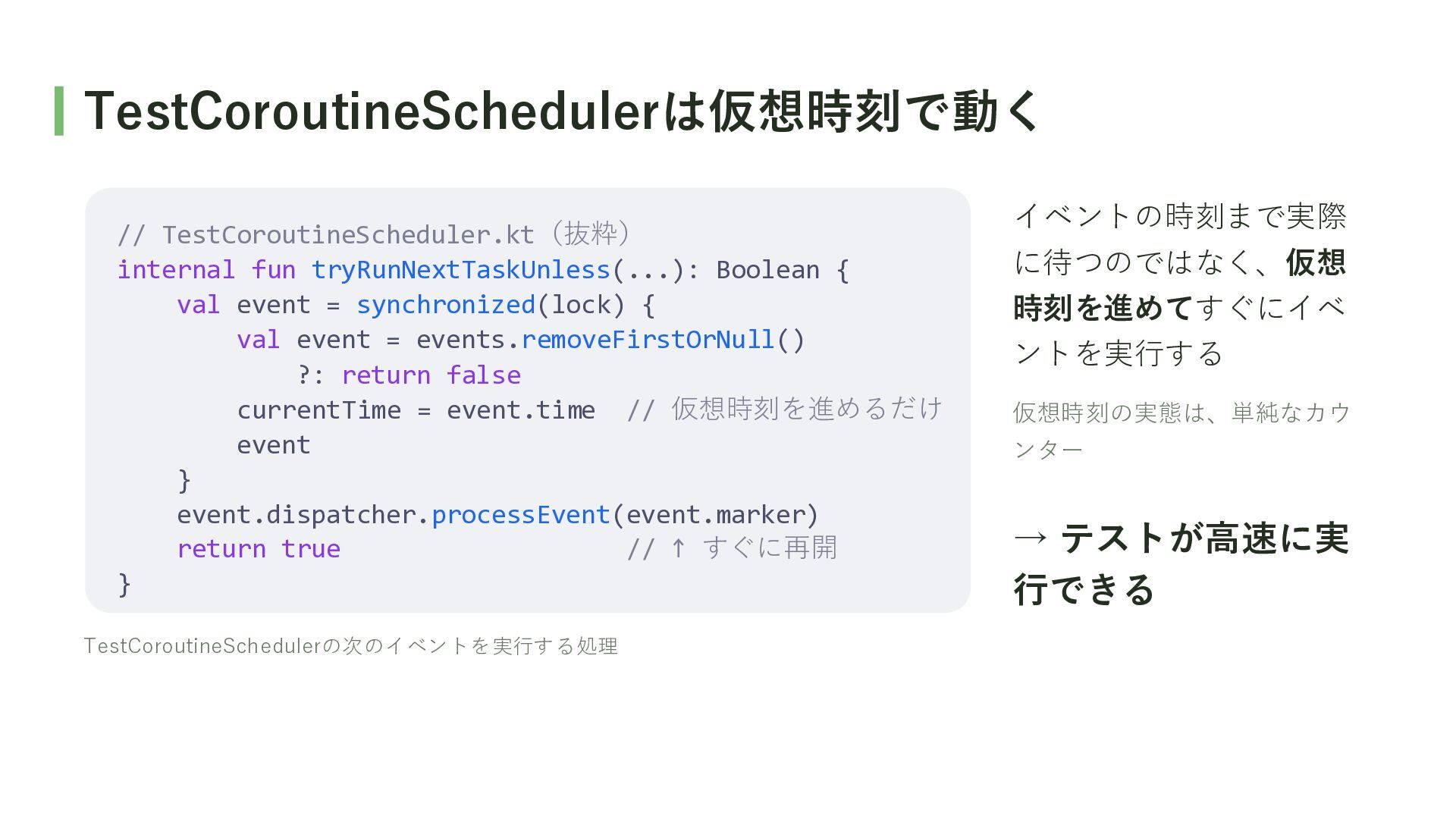
TestCoroutineSchedulerは仮想時刻で動く // TestCoroutineScheduler.kt(抜粋) internal fun tryRunNextTaskUnless(...): Boolean { val event
= synchronized(lock) { val event = events.removeFirstOrNull() ?: return false currentTime = event.time // 仮想時刻を進めるだけ event } event.dispatcher.processEvent(event.marker) return true // ↑ すぐに再開 } TestCoroutineSchedulerの次のイベントを実行する処理 イベントの時刻まで実際 に待つのではなく、仮想 時刻を進めてすぐにイベ ントを実行する 仮想時刻の実態は、単純なカウ ンター → テストが高速に実 行できる
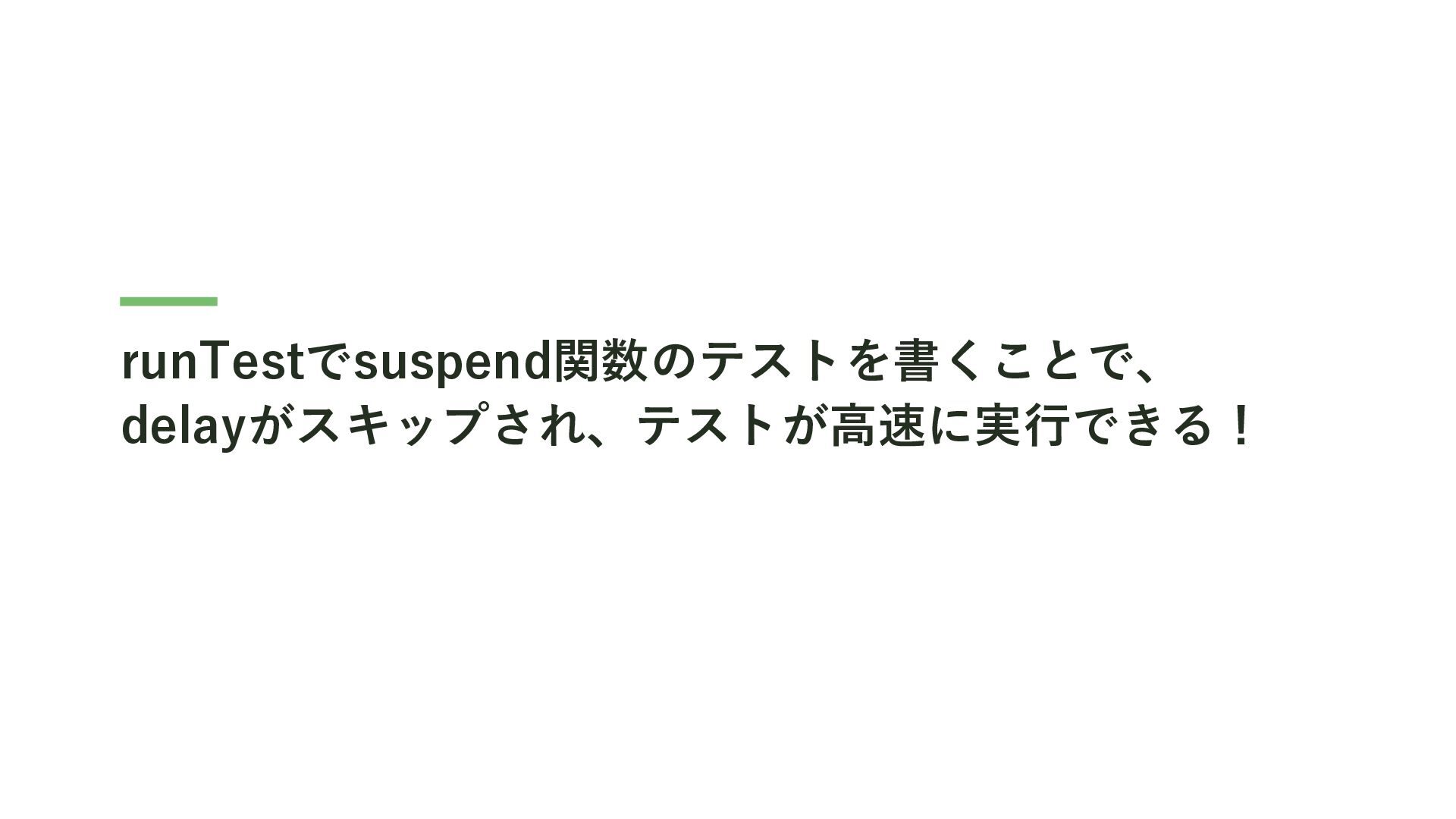
runTestでsuspend関数のテストを書くことで、 delayがスキップされ、テストが高速に実行できる!
Q. なぜDispatcherをDIするの?
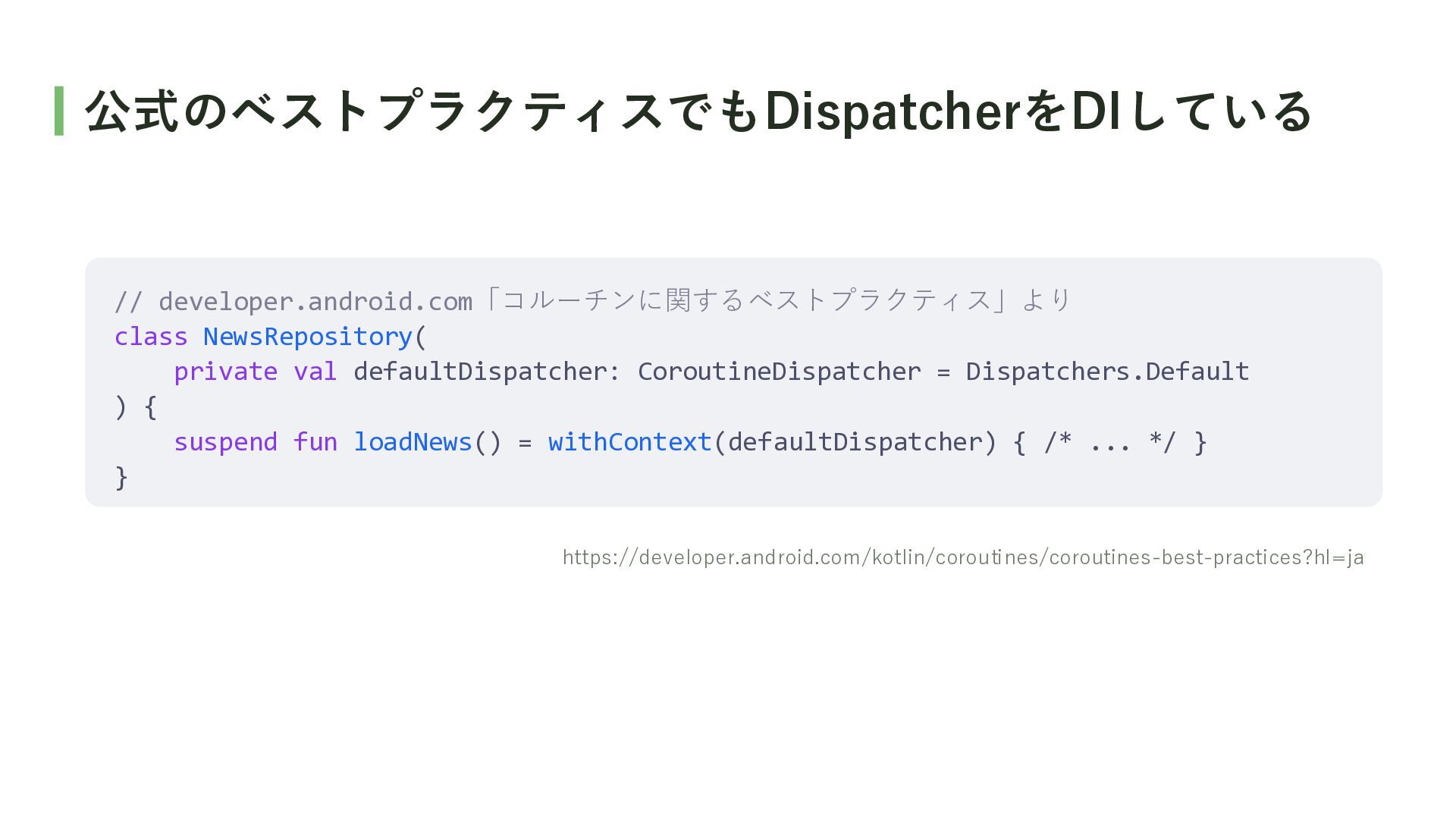
公式のベストプラクティスでもDispatcherをDIしている // developer.android.com「コルーチンに関するベストプラクティス」より class NewsRepository( private val defaultDispatcher: CoroutineDispatcher =
Dispatchers.Default ) { suspend fun loadNews() = withContext(defaultDispatcher) { /* ... */ } } https://developer.android.com/kotlin/coroutines/coroutines-best-practices?hl=ja
A. テストでwithContextの内側のコードを 高速に実行できるから ※ この発表ではテストの速度に着目して話しますが(以下略)
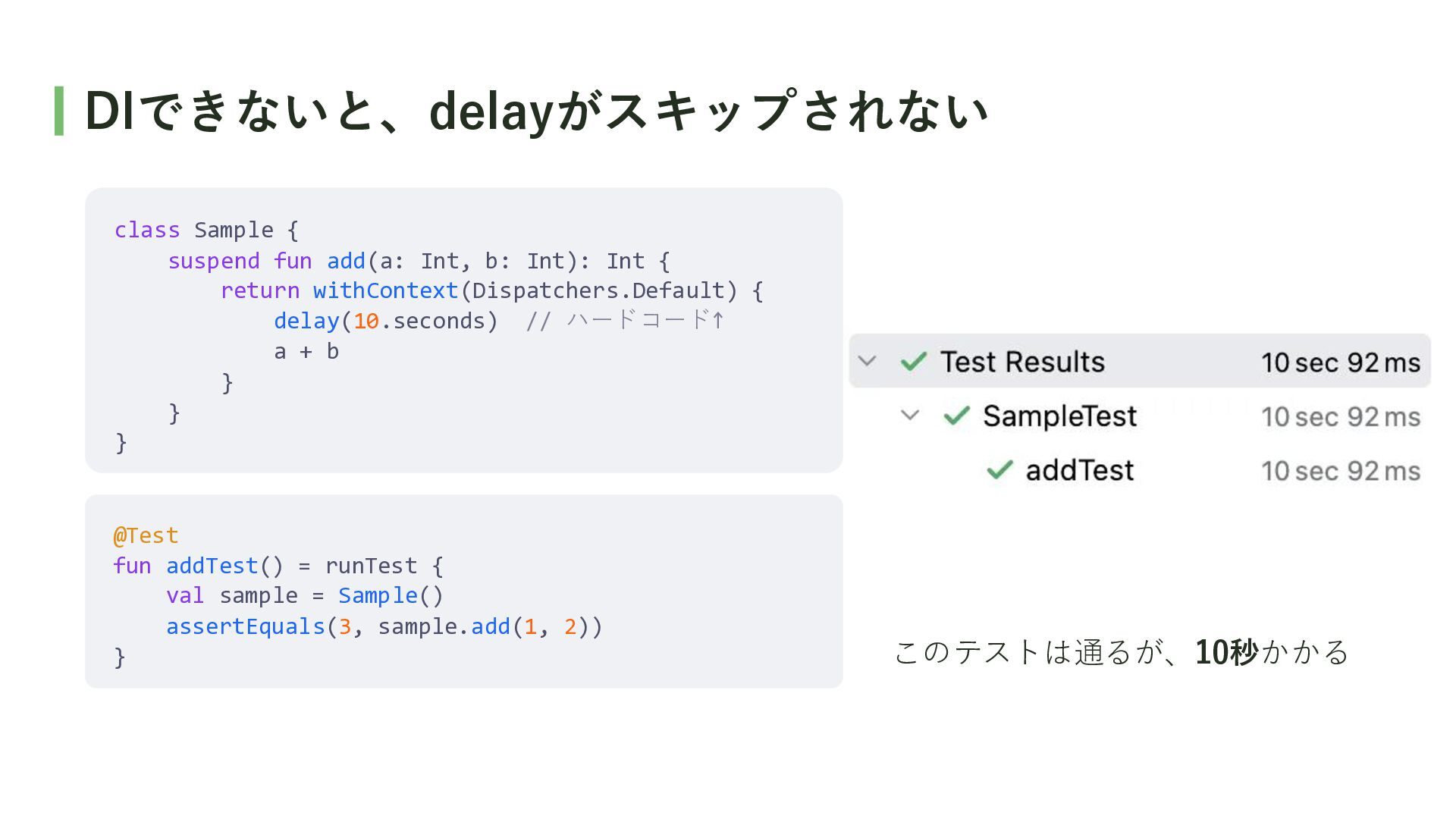
DIできないと、delayがスキップされない class Sample { suspend fun add(a: Int, b: Int):
Int { return withContext(Dispatchers.Default) { delay(10.seconds) // ハードコード↑ a + b } } } @Test fun addTest() = runTest { val sample = Sample() assertEquals(3, sample.add(1, 2)) } このテストは通るが、10秒かかる
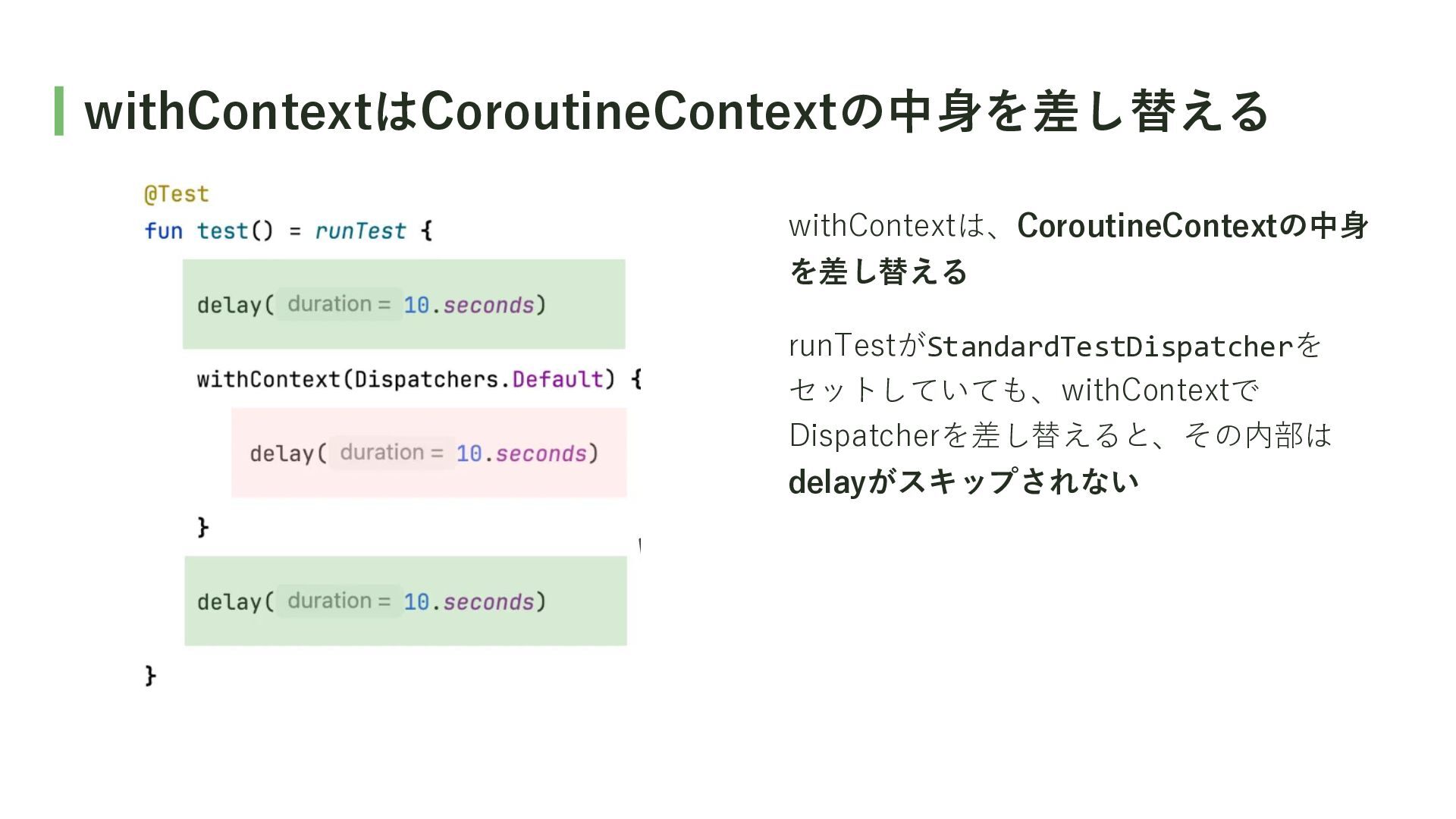
withContextはCoroutineContextの中身を差し替える withContextは、CoroutineContextの中身 を差し替える runTestがStandardTestDispatcherを セットしていても、withContextで Dispatcherを差し替えると、その内部は delayがスキップされない
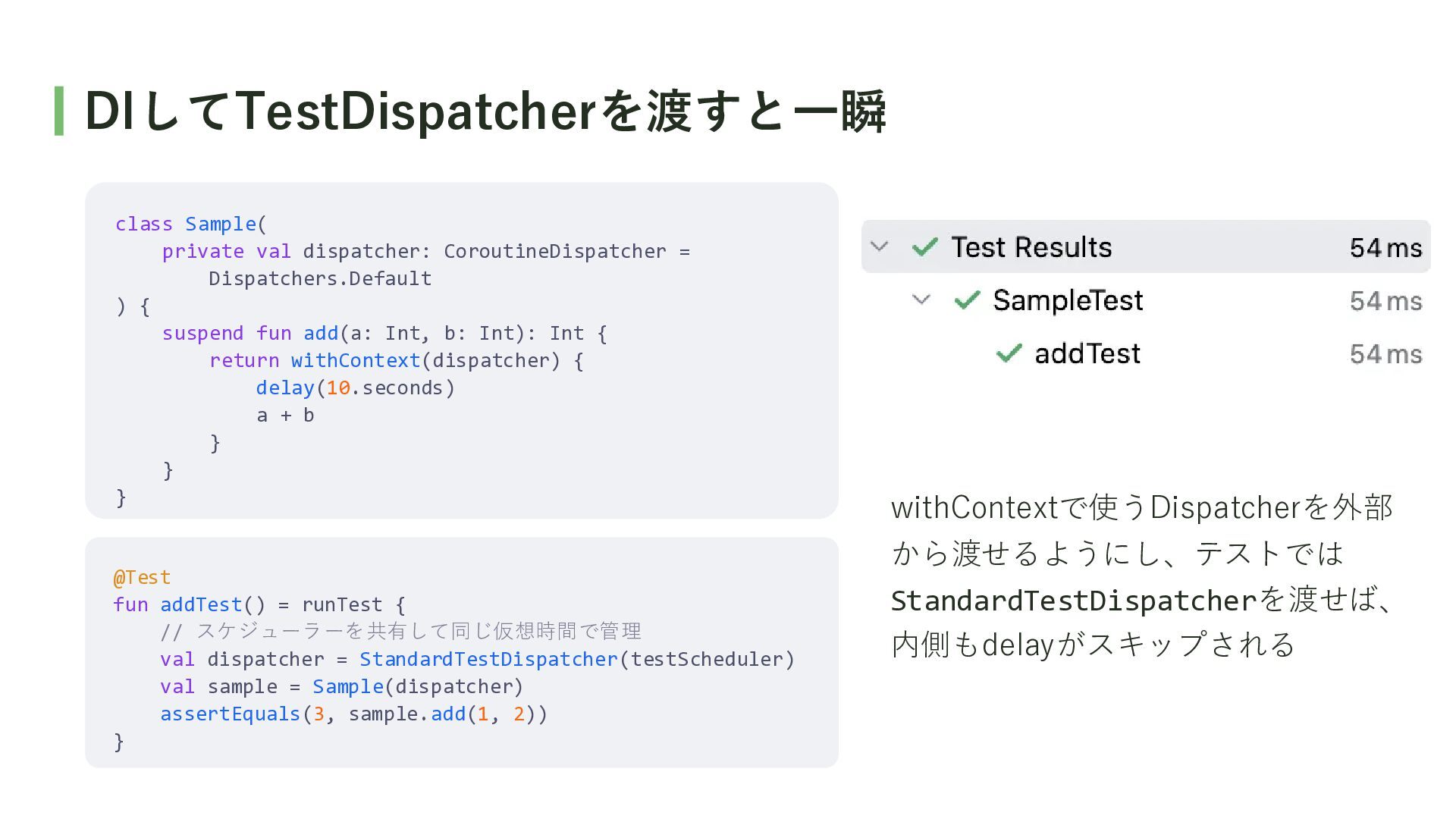
DIしてTestDispatcherを渡すと一瞬 class Sample( private val dispatcher: CoroutineDispatcher = Dispatchers.Default )
{ suspend fun add(a: Int, b: Int): Int { return withContext(dispatcher) { delay(10.seconds) a + b } } } @Test fun addTest() = runTest { // スケジューラーを共有して同じ仮想時間で管理 val dispatcher = StandardTestDispatcher(testScheduler) val sample = Sample(dispatcher) assertEquals(3, sample.add(1, 2)) } withContextで使うDispatcherを外部 から渡せるようにし、テストでは StandardTestDispatcherを渡せば、 内側もdelayがスキップされる
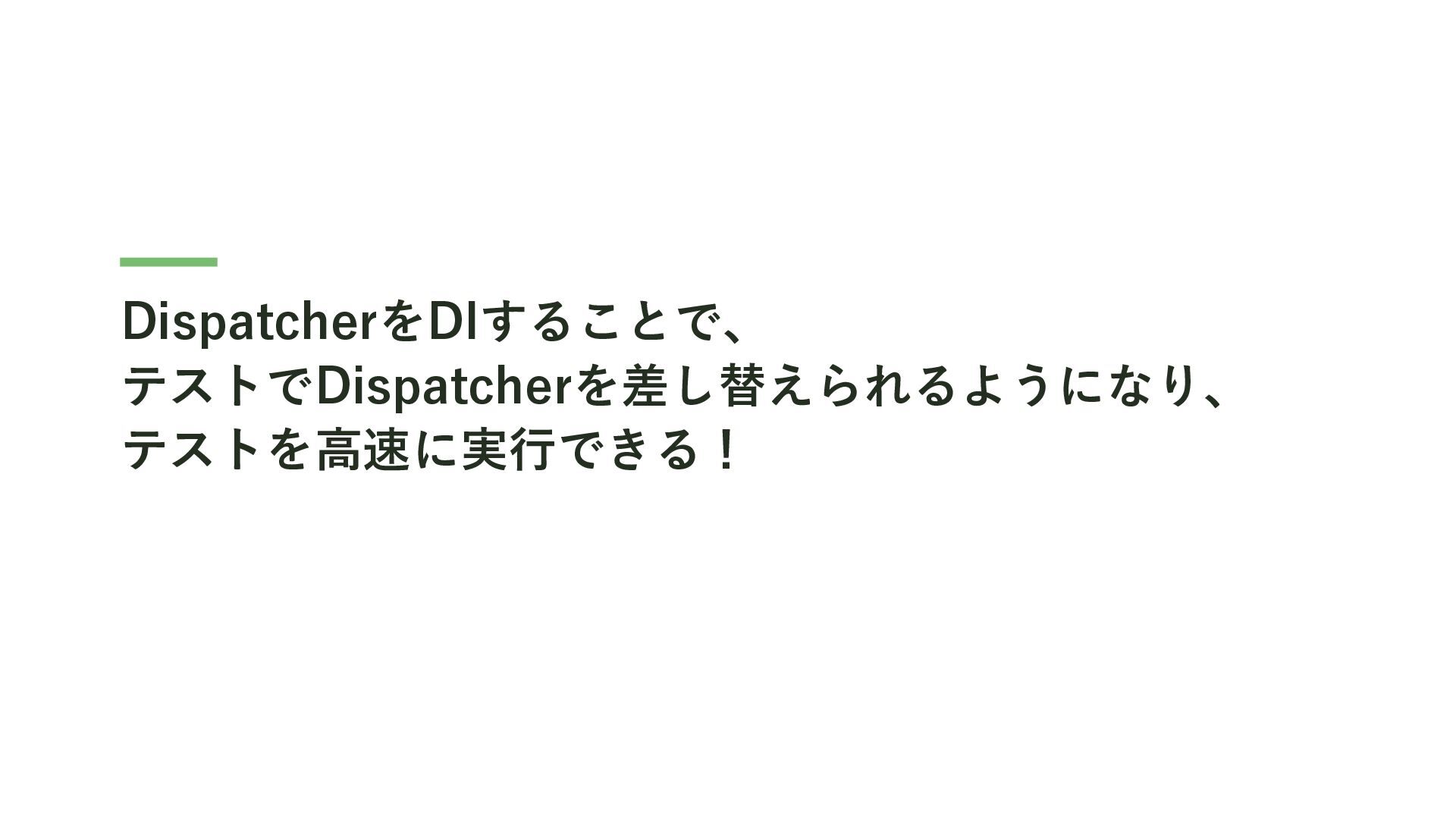
DispatcherをDIすることで、 テストでDispatcherを差し替えられるようになり、 テストを高速に実行できる!
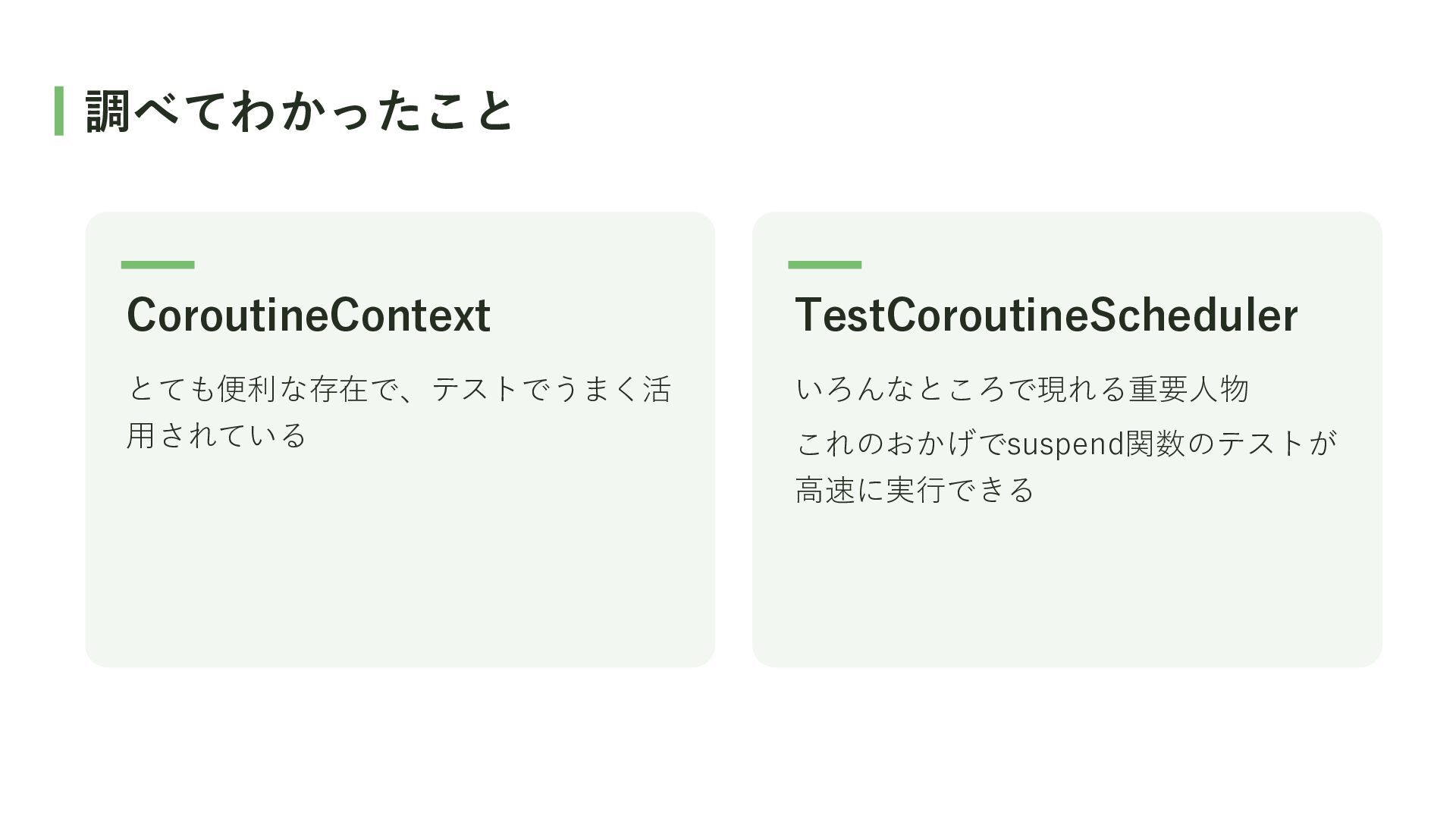
調べてわかったこと CoroutineContext TestCoroutineScheduler とても便利な存在で、テストでうまく活 いろんなところで現れる重要人物 用されている これのおかげでsuspend関数のテストが 高速に実行できる
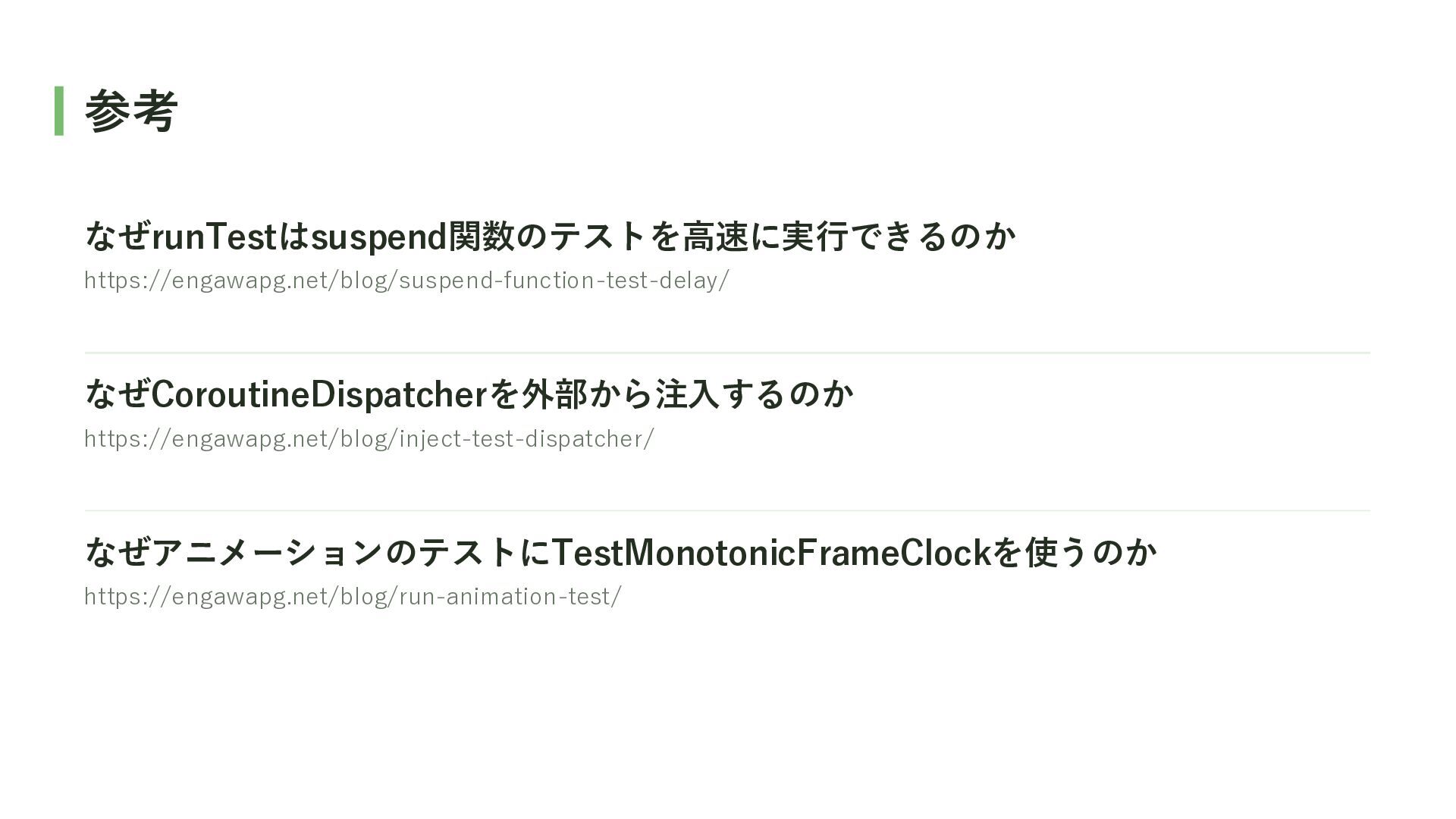
参考 なぜrunTestはsuspend関数のテストを高速に実行できるのか https://engawapg.net/blog/suspend-function-test-delay/ なぜCoroutineDispatcherを外部から注入するのか https://engawapg.net/blog/inject-test-dispatcher/ なぜアニメーションのテストにTestMonotonicFrameClockを使うのか https://engawapg.net/blog/run-animation-test/


 usuiat
 rfdnxbro
 syuchimu
 namiki64
 ykanoh
 watany
 persolserverworks
 pfn
pfn
 taketakekaho
 kash1064
 kentarofujii
.png) yamad
yamad
 sansan33
 nwiizo
 holman
 marktimemedia
 varn
varn
 techseoconnect
 jdejongh
 tammyeverts
 tenderlove
 ipullrank
 stephaniewalter
 pedronauck