are you've worked with one of the following imperative languages before: Java Assembly Python Ruby After we get past the syntax differences, the flow of C should feel natural.
shell Hello World! Arguments Functions Pointers Structs Headers After this workshop you'll recieve a copy of this presentation and the finished code for further reference
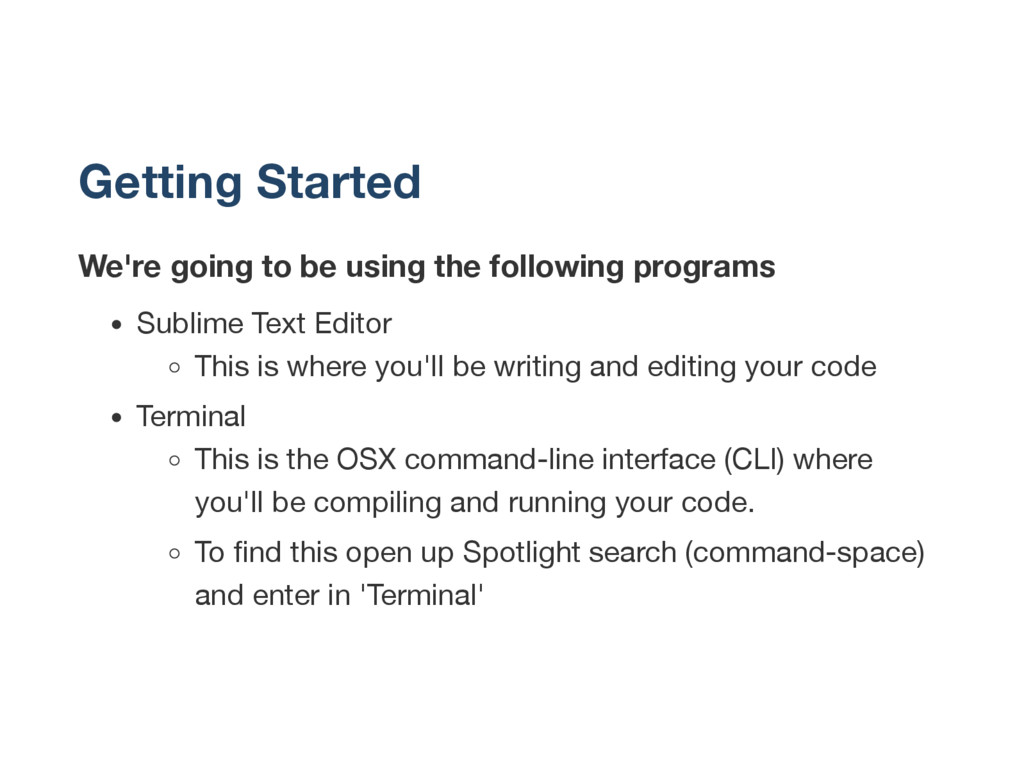
Sublime Text Editor This is where you'll be writing and editing your code Terminal This is the OSX command-line interface (CLI) where you'll be compiling and running your code. To find this open up Spotlight search (command-space) and enter in 'Terminal'
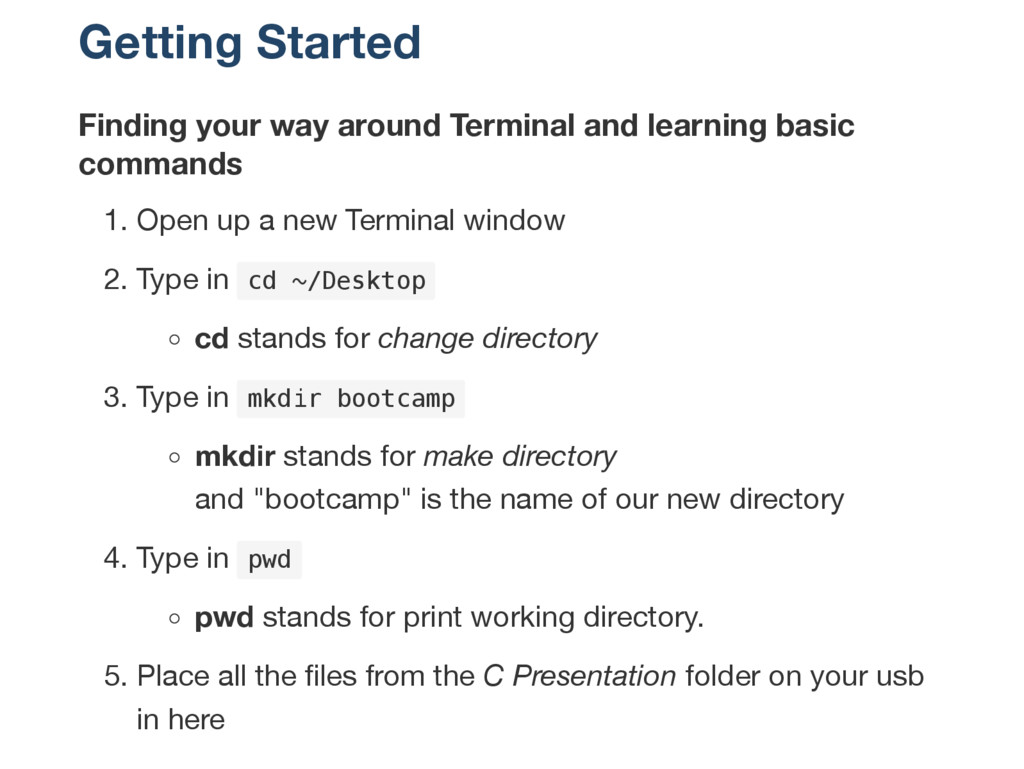
commands 1. Open up a new Terminal window 2. Type in c d ~ / D e s k t o p cd stands for change directory 3. Type in m k d i r b o o t c a m p mkdir stands for make directory and "bootcamp" is the name of our new directory 4. Type in p w d pwd stands for print working directory. 5. Place all the files from the C Presentation folder on your usb in here
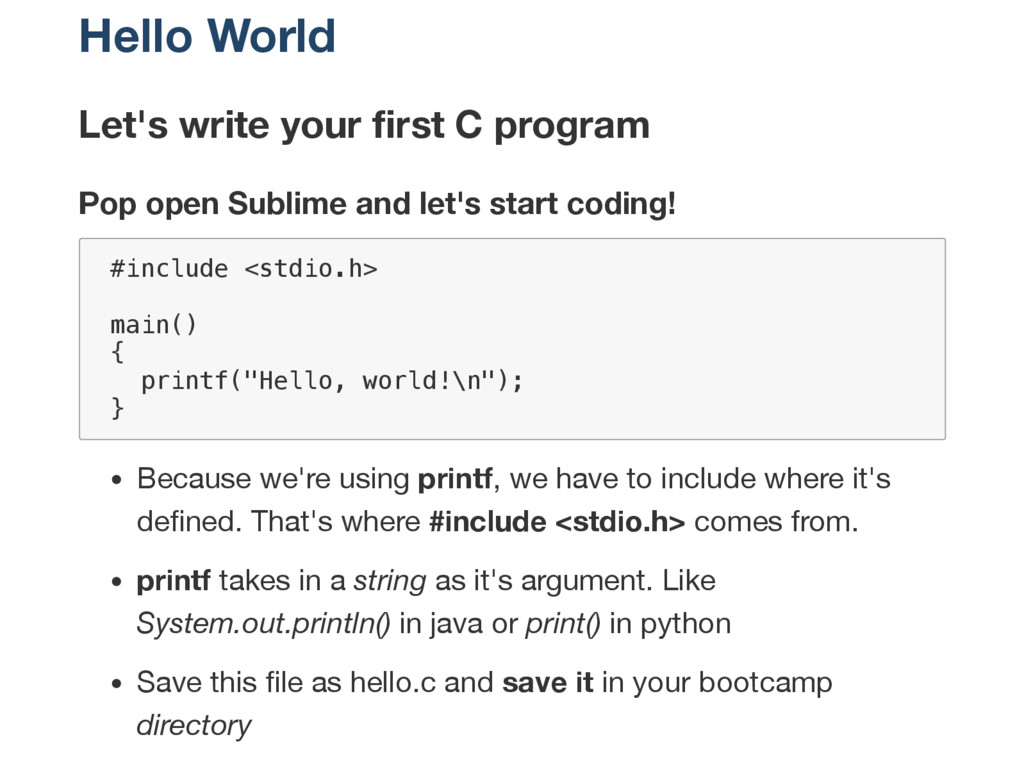
Sublime and let's start coding! # i n c l u d e < s t d i o . h > m a i n ( ) { p r i n t f ( " H e l l o , w o r l d ! \ n " ) ; } Because we're using printf, we have to include where it's defined. That's where #include <stdio.h> comes from. printf takes in a string as it's argument. Like System.out.println() in java or print() in python Save this file as hello.c and save it in your bootcamp directory
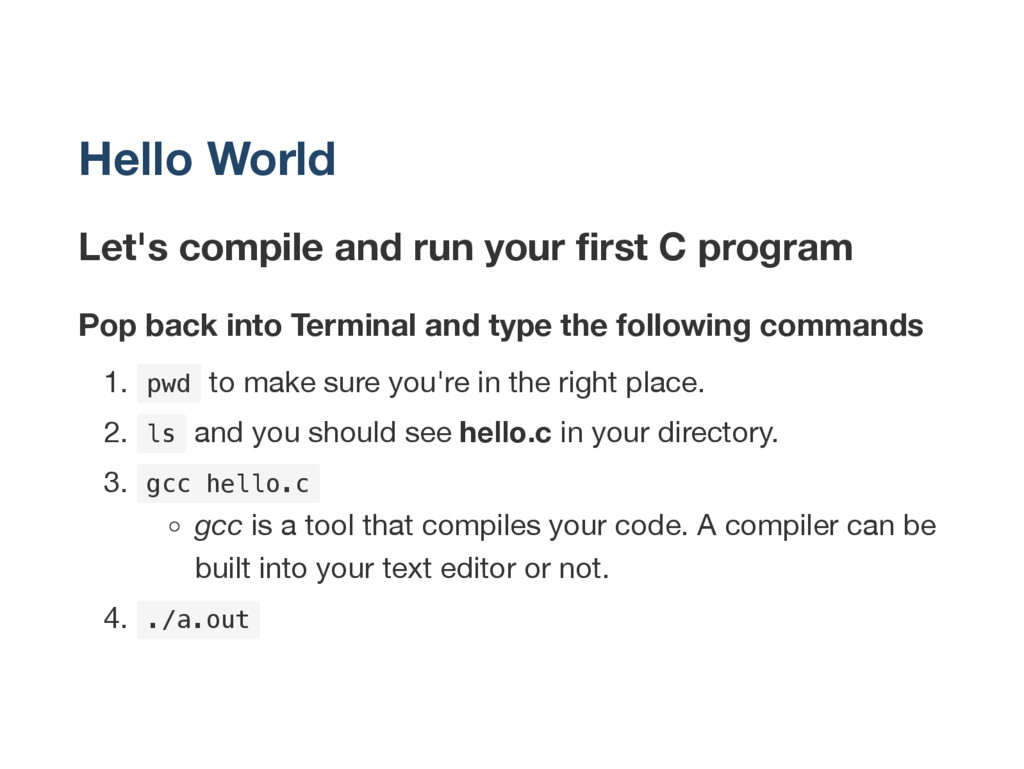
Pop back into Terminal and type the following commands 1. p w d to make sure you're in the right place. 2. l s and you should see hello.c in your directory. 3. g c c h e l l o . c gcc is a tool that compiles your code. A compiler can be built into your text editor or not. 4. . / a . o u t
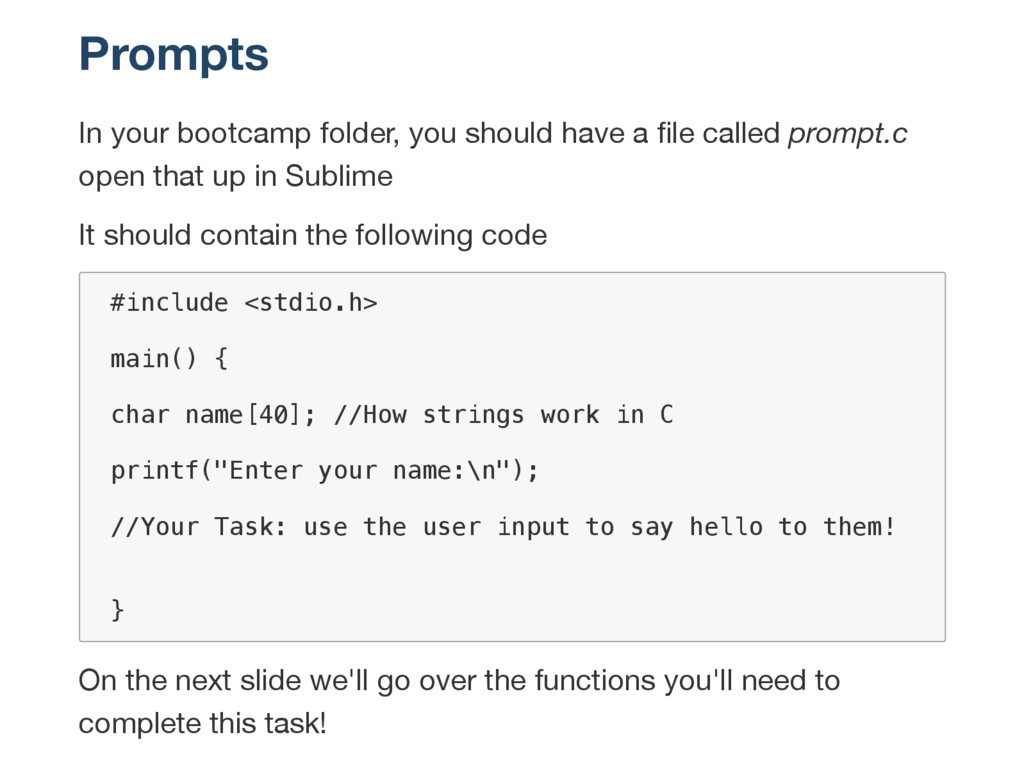
called prompt.c open that up in Sublime It should contain the following code # i n c l u d e < s t d i o . h > m a i n ( ) { c h a r n a m e [ 4 0 ] ; / / H o w s t r i n g s w o r k i n C p r i n t f ( " E n t e r y o u r n a m e : \ n " ) ; / / Y o u r T a s k : u s e t h e u s e r i n p u t t o s a y h e l l o t o t h e m ! } On the next slide we'll go over the functions you'll need to complete this task!
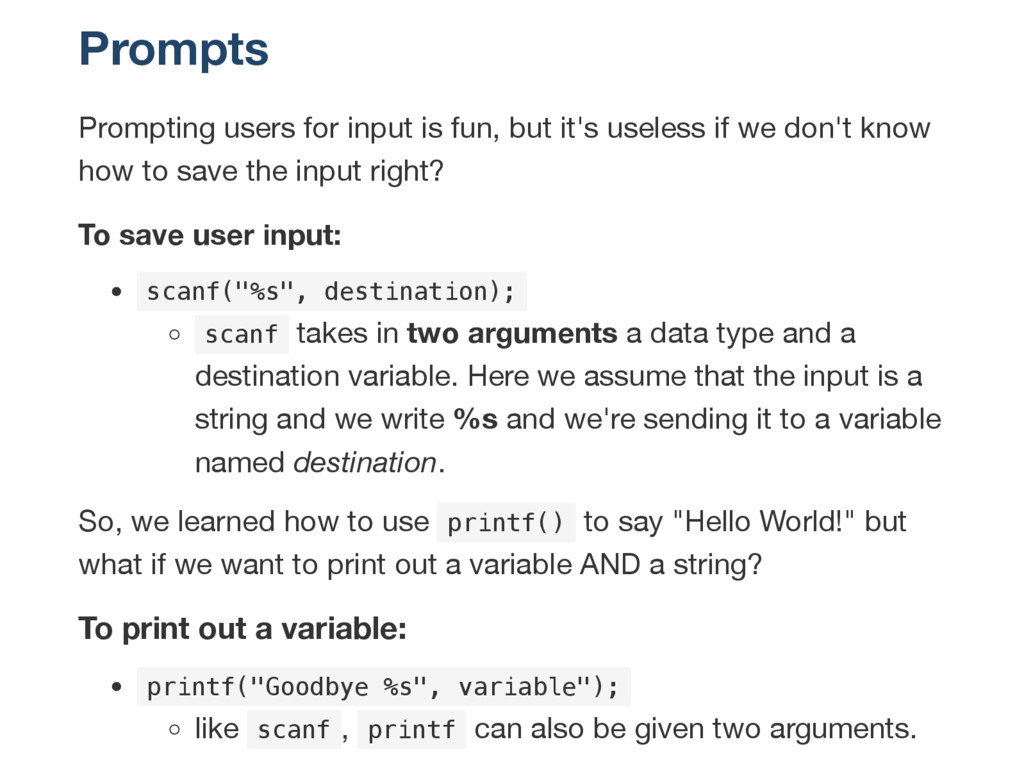
if we don't know how to save the input right? To save user input: s c a n f ( " % s " , d e s t i n a t i o n ) ; s c a n f takes in two arguments a data type and a destination variable. Here we assume that the input is a string and we write %s and we're sending it to a variable named destination. So, we learned how to use p r i n t f ( ) to say "Hello World!" but what if we want to print out a variable AND a string? To print out a variable: p r i n t f ( " G o o d b y e % s " , v a r i a b l e " ) ; like s c a n f , p r i n t f can also be given two arguments.
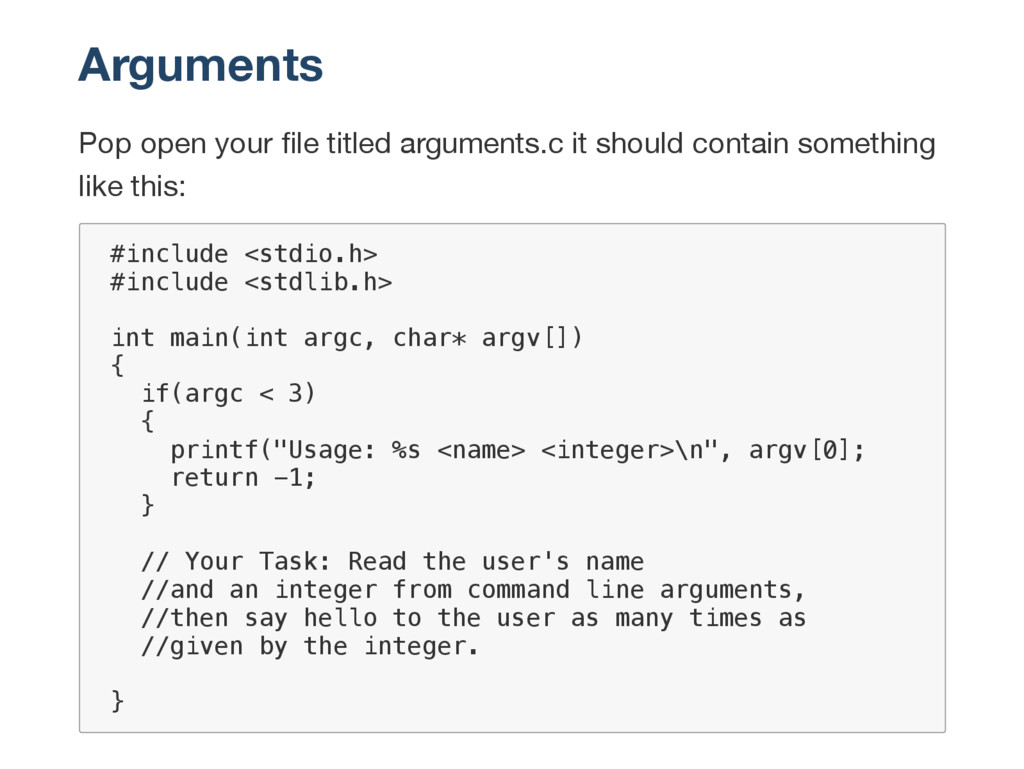
something like this: # i n c l u d e < s t d i o . h > # i n c l u d e < s t d l i b . h > i n t m a i n ( i n t a r g c , c h a r * a r g v [ ] ) { i f ( a r g c < 3 ) { p r i n t f ( " U s a g e : % s < n a m e > < i n t e g e r > \ n " , a r g v [ 0 ] ; r e t u r n - 1 ; } / / Y o u r T a s k : R e a d t h e u s e r ' s n a m e / / a n d a n i n t e g e r f r o m c o m m a n d l i n e a r g u m e n t s , / / t h e n s a y h e l l o t o t h e u s e r a s m a n y t i m e s a s / / g i v e n b y t h e i n t e g e r . }


 deka_morita
 mofurune
 nokomoro3
 htkym
htkym
 y0hgi
y0hgi
 iwiwi
iwiwi
 shihochan
 drumath2237
 n_takehata
 seike460
 iwatsukayura
 satoshi256kbyte
 katarinadahlin
 sarafernandez
 palkan
 bkeepers
 kimpetersen
 khoart
 brad_frost
 lauravandoore
 jct
jct
 reverentgeek
 rakko
rakko
.png) helenjbeal
helenjbeal