Upgrade to Pro
— share decks privately, control downloads, hide ads and more …
Speaker Deck
Sign up for free
Menu
Search
Features
All features
Private URLs
Password Protection
Custom URLS
Scheduled publishing
Remove Branding
Restrict embedding
Deck Collections
Notes
Features
All features
Private URLs
Password Protection
Custom URLS
Scheduled publishing
Remove Branding
Restrict embedding
Deck Collections
Notes
Explore
Featured decks
Featured speakers
Programming
Technology
Storyboards
Explore
Featured decks
Featured speakers
Programming
Technology
Storyboards
Pricing
Search
Sign in
Sign up for free
Flutterアプリを⾃然⾔語で操作する
Search
Yuki Sakai
June 07, 2025
Technology
450
0
Share
Embed
Copy iframe code
Copy JS code
Copy link
Start on current slide
Flutterアプリを⾃然⾔語で操作する
Yuki Sakai
June 07, 2025
More Decks by Yuki Sakai
See All by Yuki Sakai
導入から定着へ ~コーディングエージェントを日常業務に組み込む実践知~
yukisakai1225
0
260
Dart and Flutter MCP serverで実現する AI駆動E2Eテスト整備と自動操作
yukisakai1225
1
3.4k
複雑なドメインに挑む.pdf
yukisakai1225
5
3.6k
Other Decks in Technology
See All in Technology
AIテスト自動化と評価駆動開発EDD
happysamurai294
0
130
AIで選択肢が広がった組織設計の理想と現実
konifar
16
7.5k
なぜ東京にいる私が、新潟の技術コミュニティを運営するのか by 八雲慎之助
yakumo
0
210
Flutter Webを「SDK」として配る — 50以上のゲームを支える埋め込みアーキテクチャ
masayukisuda
0
170
Autonomous AI Lakehouse - Live AI Hubから始めるセキュアなAIデータ活用 -
oracle4engineer
PRO
2
180
OneLakeをデータソースにした AI Search(Foundry IQ)の ライフサイクル管理
ryuseiiida
0
220
構造で守らせる データ・法務・セキュリティ・開発チームとつくる AI時代のデータガバナンスとデータ基盤のリアル
legalontechnologies
PRO
3
710
AIコーディングはじめました
miso
0
130
新米を「売り越さない」、Aurora DSQLで作る在庫ゼロ死守の限定ドロップEC
yama3133
0
140
1週間、Opus封印でお願いします
kintotechdev
1
430
新卒エンジニア、 介護士になる
ryu1013
1
660
re:Inventで、人生は変わったのか? / growth-builders-hub-1-reinvent-2026
mhrtech
2
190
Featured
See All Featured
Rebuilding a faster, lazier Slack
samanthasiow
85
9.7k
Documentation Writing (for coders)
carmenintech
77
5.6k
Designing for Performance
lara
612
70k
[RailsConf 2023] Rails as a piece of cake
palkan
59
7.1k
The Director’s Chair: Orchestrating AI for Truly Effective Learning
tmiket
1
340
Save Time (by Creating Custom Rails Generators)
garrettdimon
PRO
33
5.5k
Darren the Foodie - Storyboard
khoart
PRO
4
4.1k
Leveraging LLMs for student feedback in introductory data science courses - posit::conf(2025)
minecr
1
460
Learning to Love Humans: Emotional Interface Design
aarron
275
41k
ラッコキーワード サービス紹介資料
rakko
5
5.6M
AI Search: Implications for SEO and How to Move Forward - #ShenzhenSEOConference
aleyda
1
1.4k
Why Your Marketing Sucks and What You Can Do About It - Sophie Logan
marketingsoph
0
450
Transcript
© LayerX Inc. Flutterアプリを⾃然⾔語で操作する 2025/06/07 Flutter Tokyo #8 酒井佑旗 @yu12k25i
⽬次 Agenda • Mobile MCPとは • Flutterへの応⽤ • デモ
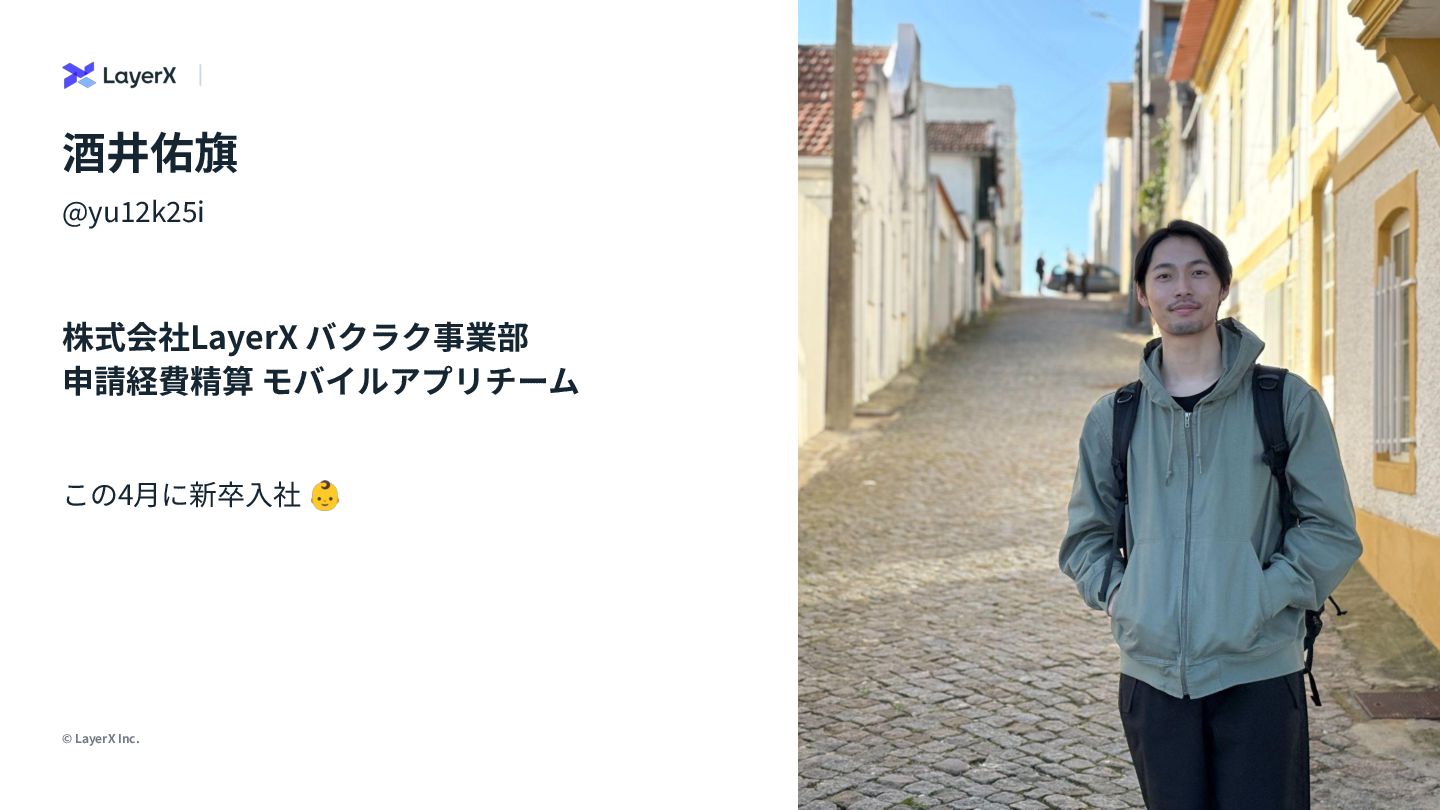
© LayerX Inc. 3 @yu12k25i 株式会社LayerX バクラク事業部 申請経費精算 モバイルアプリチーム この4⽉に新卒⼊社
👶 画像を⼊れてね 酒井佑旗
4 © LayerX Inc. [余談] Claude Codeめっちゃ楽しいですね Read Me 6/5に社内でClaude
Maxが利⽤可能になりClaude Codeデビュー🚗💨
Mobile MCPとは https://github.com/mobile-next/mobile-mcp
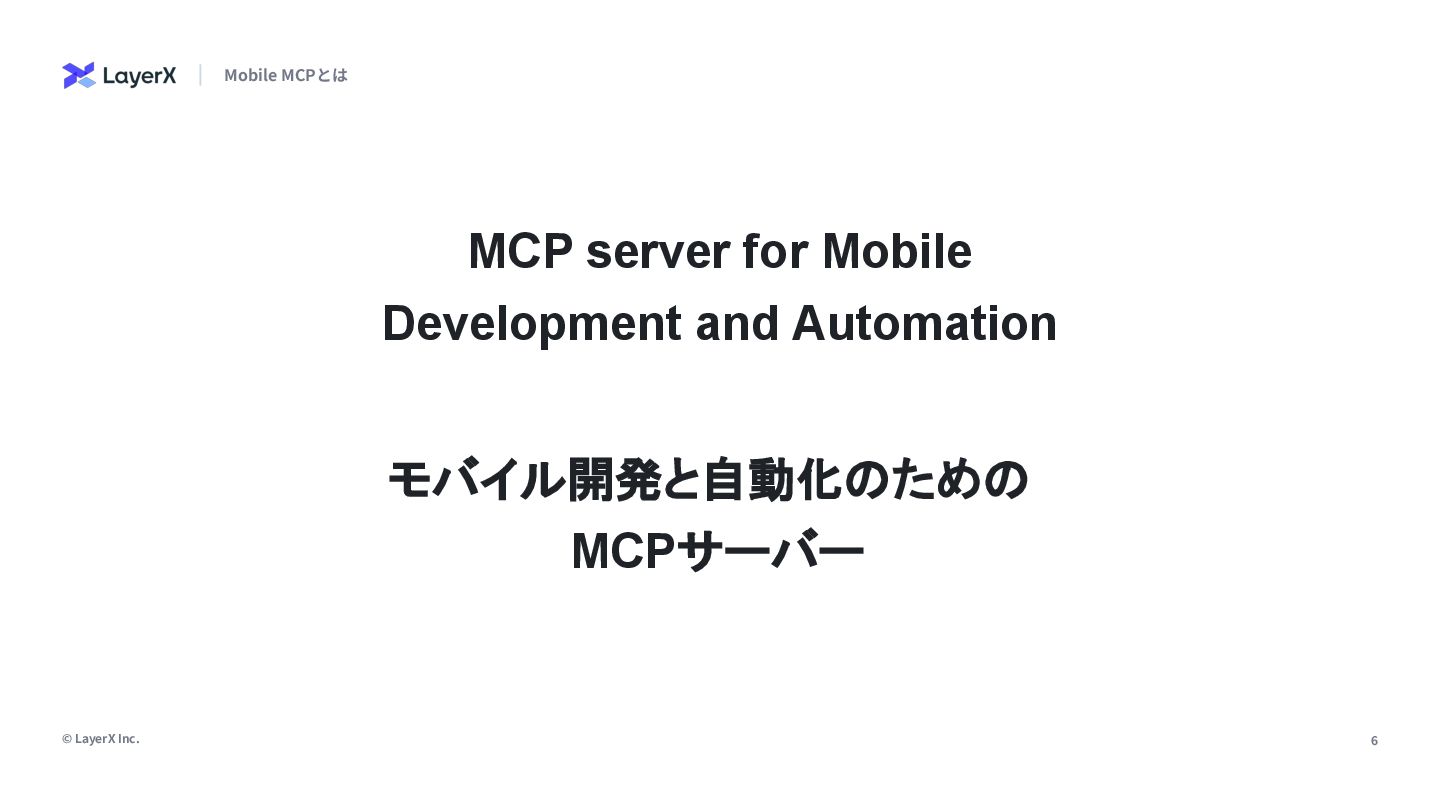
6 © LayerX Inc. Mobile MCPとは MCP server for Mobile
Development and Automation モバイル開発と自動化のための MCPサーバー
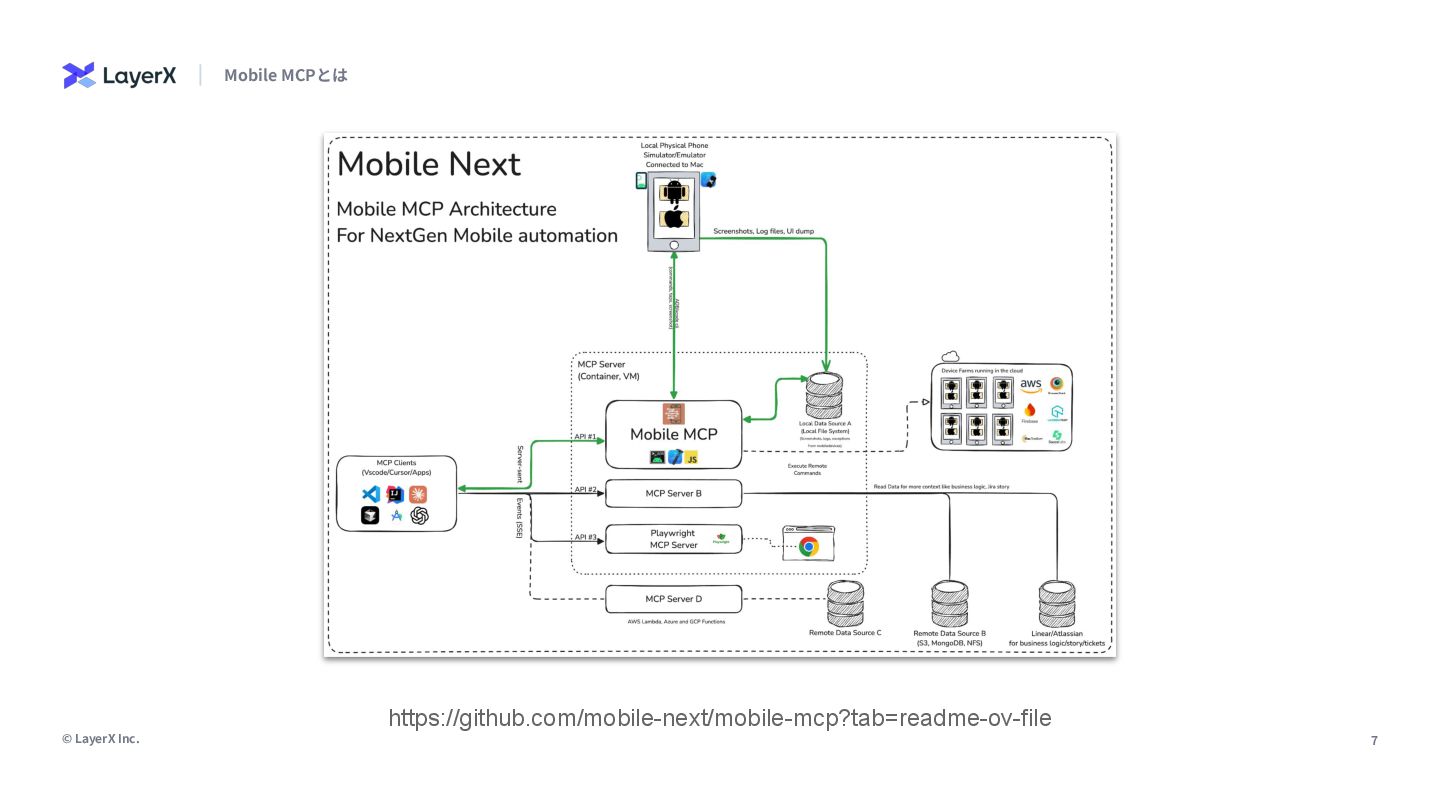
7 © LayerX Inc. Mobile MCPとは https://github.com/mobile-next/mobile-mcp?tab=readme-ov-file
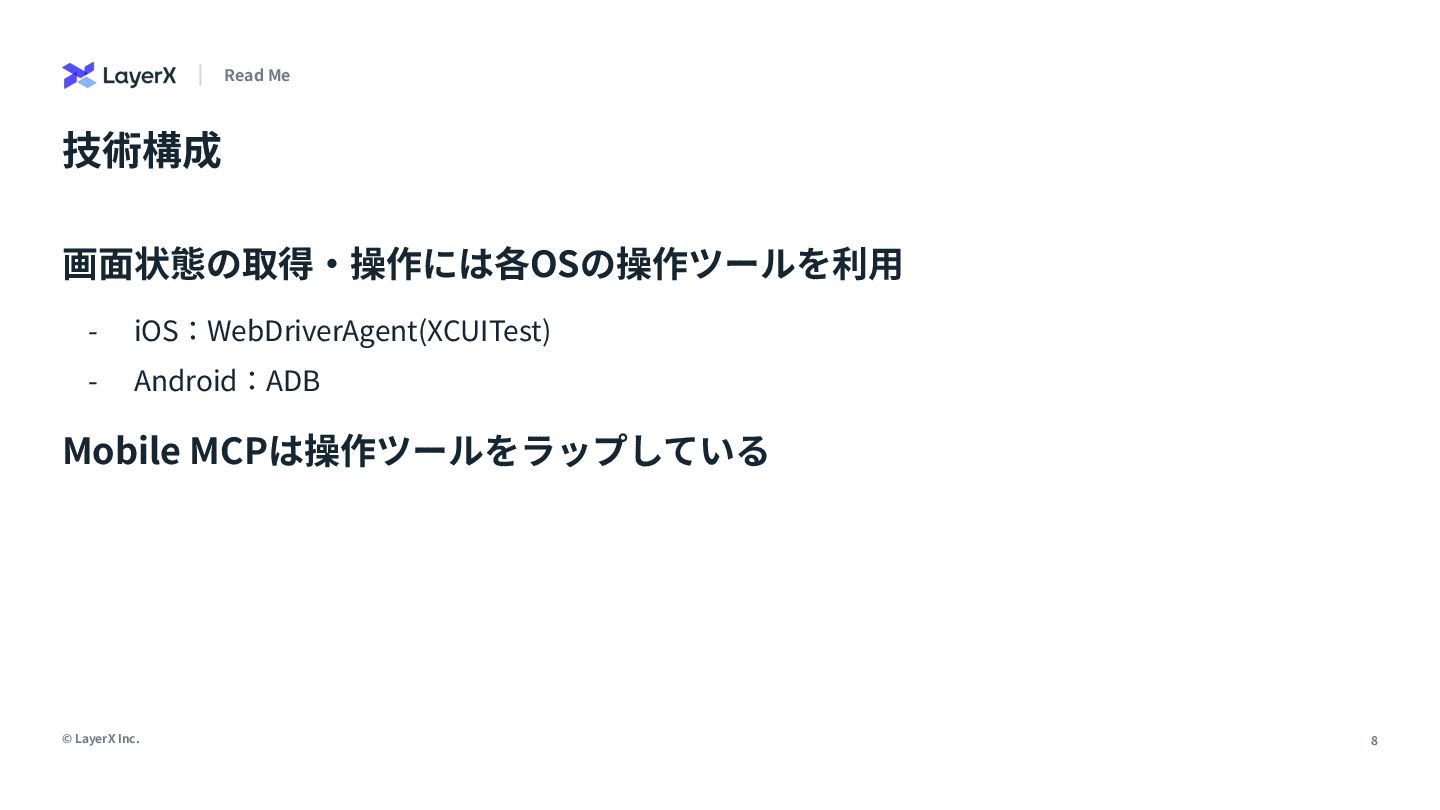
8 © LayerX Inc. 技術構成 画⾯状態の取得‧操作には各OSの操作ツールを利⽤ - iOS:WebDriverAgent(XCUITest) - Android:ADB
Mobile MCPは操作ツールをラップしている Read Me
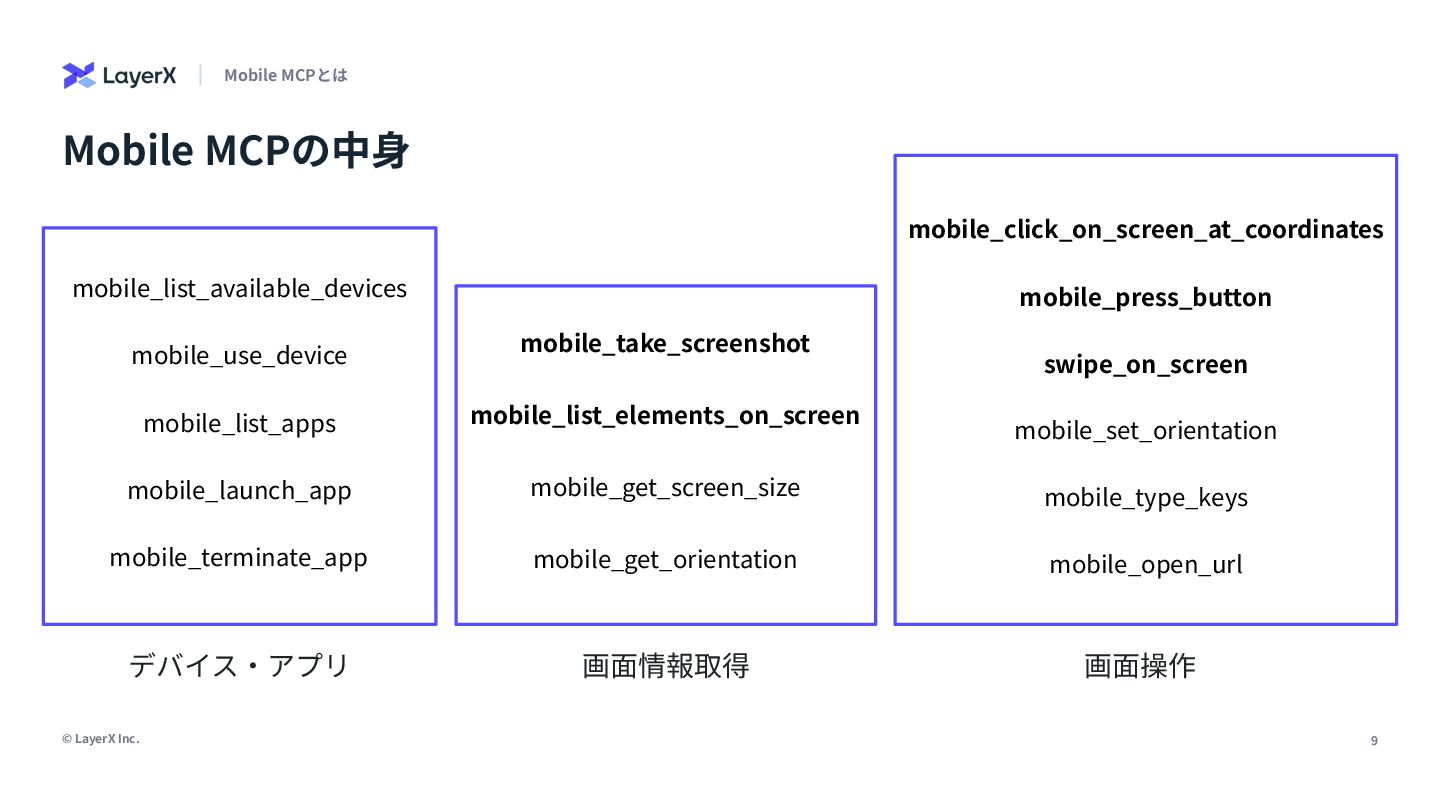
9 © LayerX Inc. Mobile MCPの中⾝ Mobile MCPとは mobile_list_available_devices mobile_use_device
mobile_list_apps mobile_launch_app mobile_terminate_app mobile_click_on_screen_at_coordinates mobile_press_button mobile_open_url swipe_on_screen mobile_type_keys mobile_set_orientation mobile_get_screen_size mobile_list_elements_on_screen mobile_take_screenshot mobile_get_orientation デバイス‧アプリ 画⾯情報取得 画⾯操作
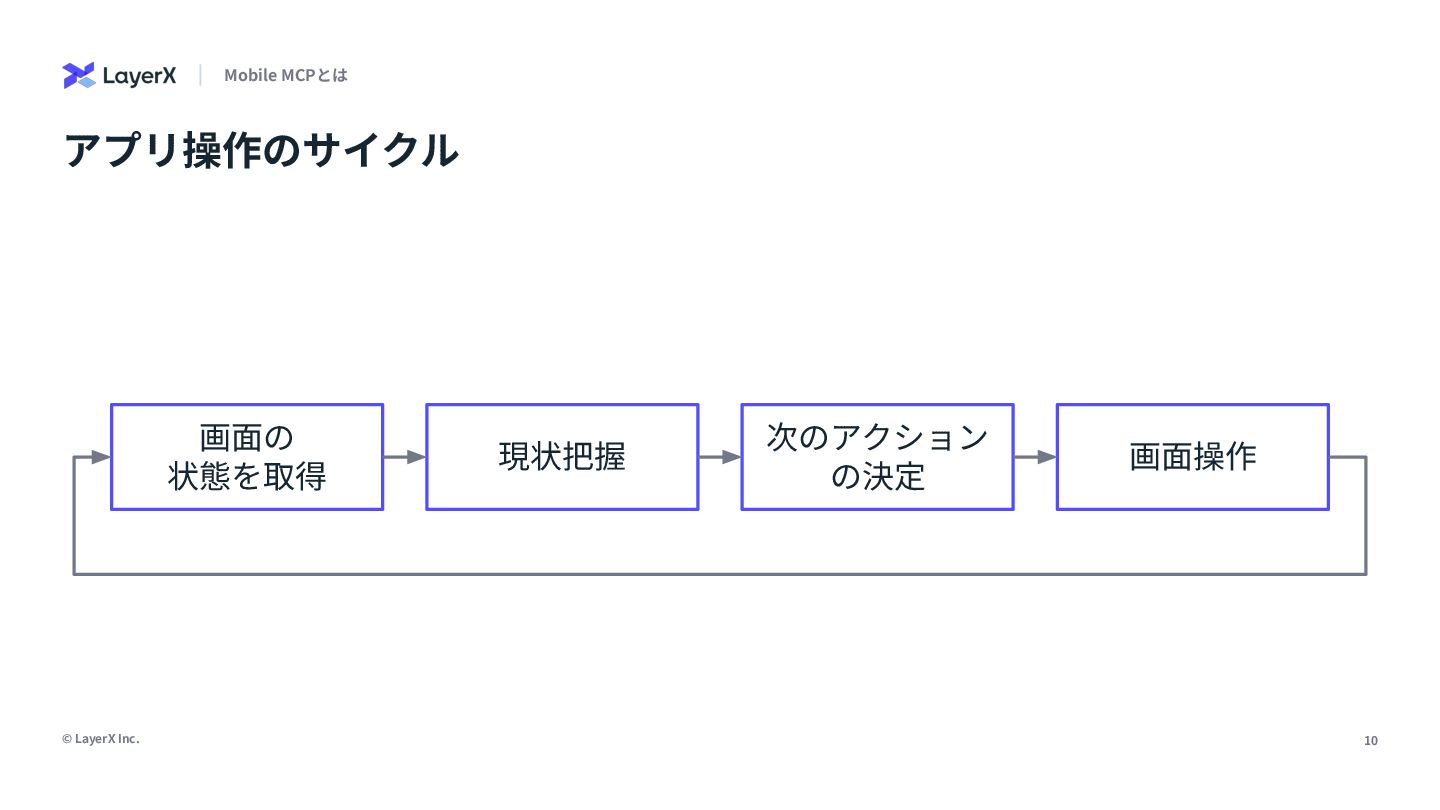
10 © LayerX Inc. アプリ操作のサイクル Mobile MCPとは 画⾯の 状態を取得 画⾯操作
現状把握 次のアクション の決定
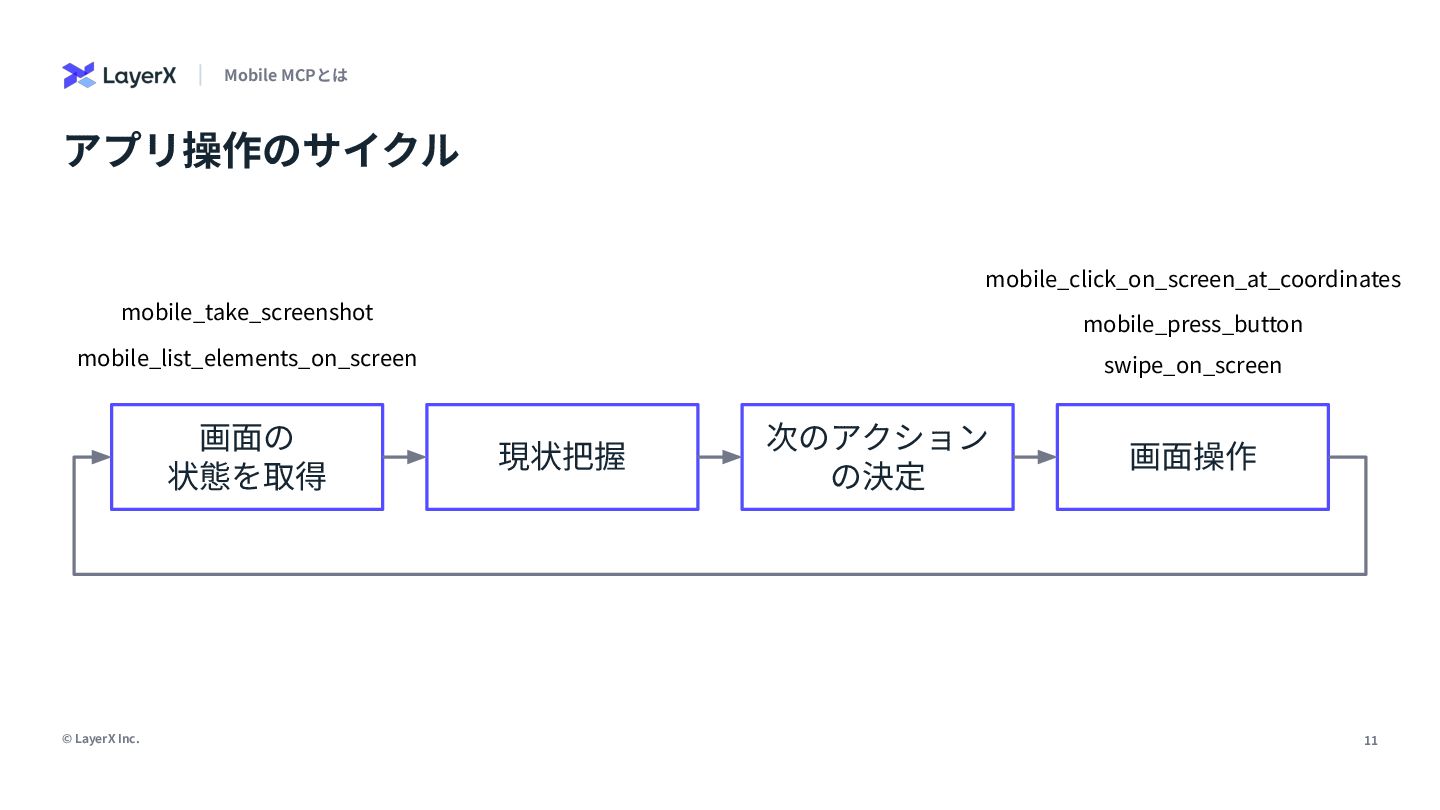
11 © LayerX Inc. アプリ操作のサイクル Mobile MCPとは 画⾯の 状態を取得 画⾯操作
現状把握 次のアクション の決定 mobile_list_elements_on_screen mobile_take_screenshot mobile_click_on_screen_at_coordinates mobile_press_button swipe_on_screen
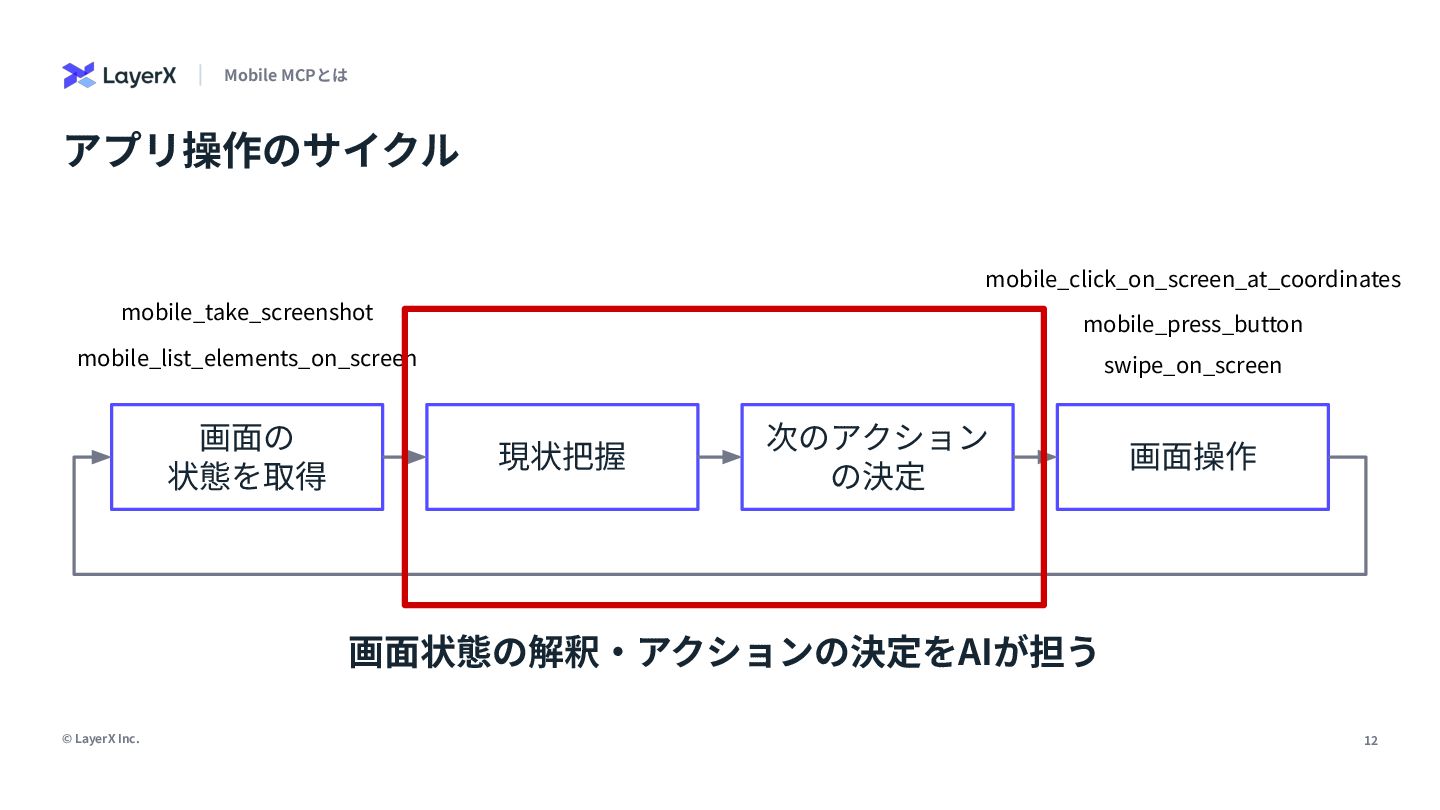
12 © LayerX Inc. アプリ操作のサイクル Mobile MCPとは 画⾯の 状態を取得 画⾯操作
現状把握 次のアクション の決定 mobile_list_elements_on_screen mobile_take_screenshot mobile_click_on_screen_at_coordinates mobile_press_button swipe_on_screen 画⾯状態の解釈‧アクションの決定をAIが担う
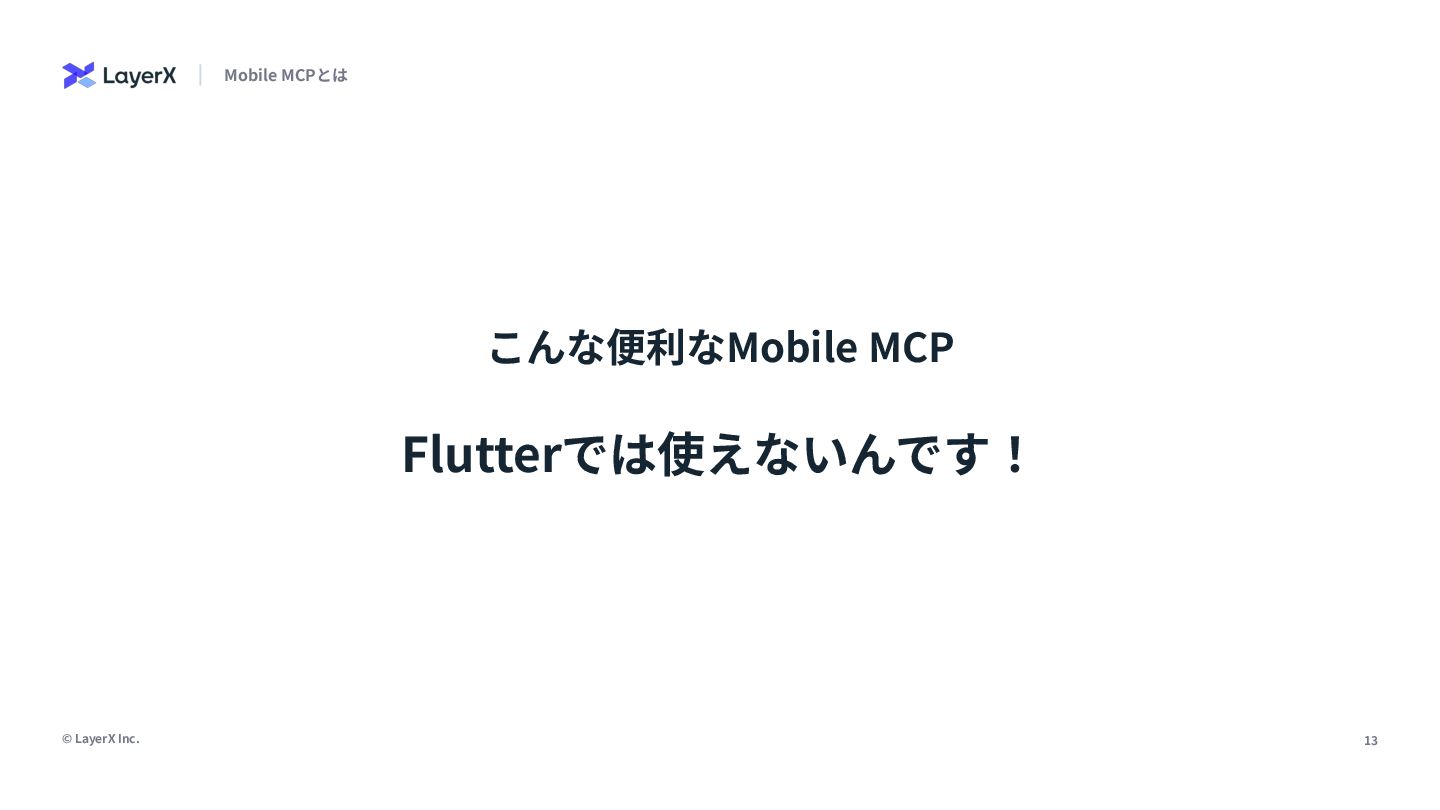
13 © LayerX Inc. こんな便利なMobile MCP Mobile MCPとは Flutterでは使えないんです!
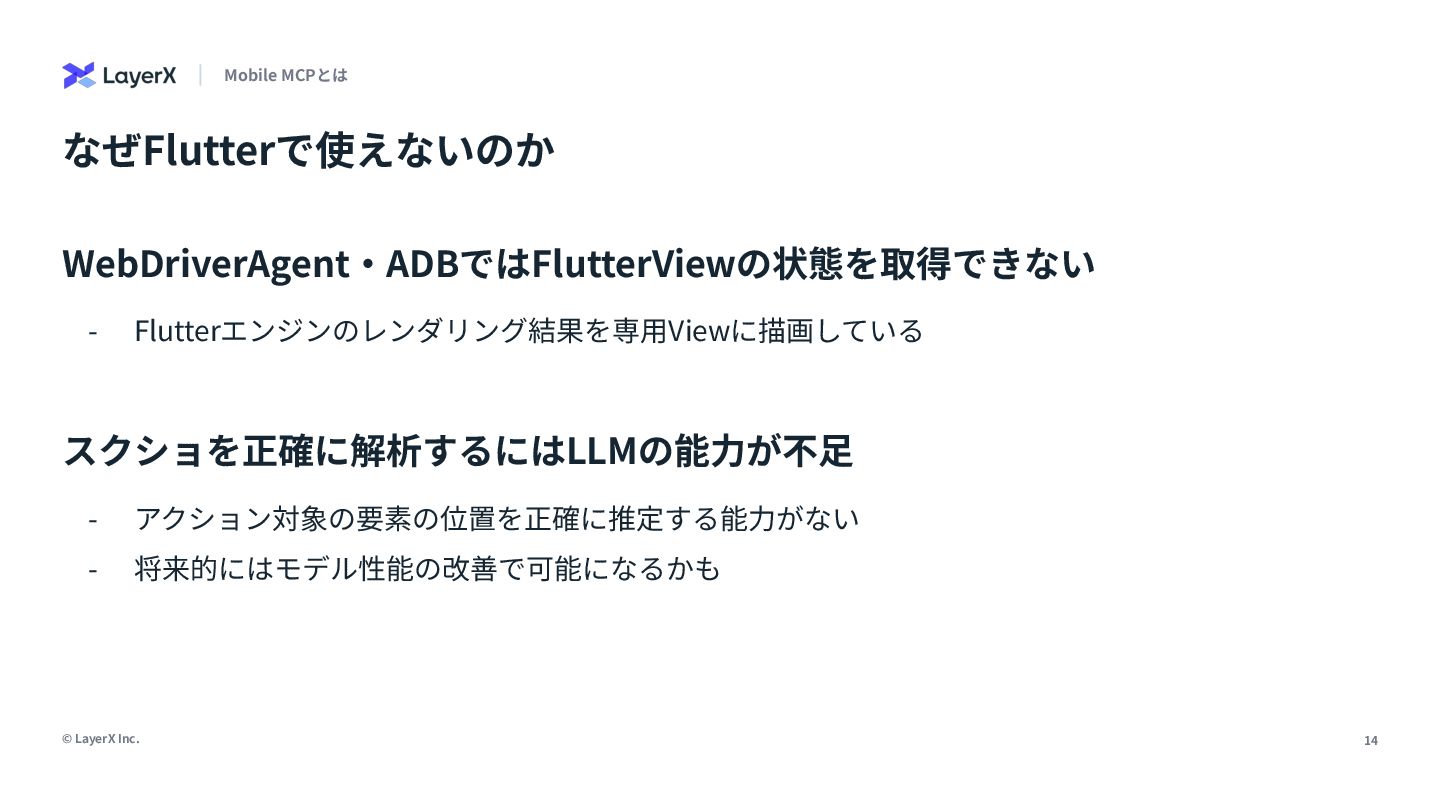
14 © LayerX Inc. なぜFlutterで使えないのか WebDriverAgent‧ADBではFlutterViewの状態を取得できない - Flutterエンジンのレンダリング結果を専⽤Viewに描画している スクショを正確に解析するにはLLMの能⼒が不⾜ Mobile
MCPとは - アクション対象の要素の位置を正確に推定する能⼒がない - 将来的にはモデル性能の改善で可能になるかも
Flutterへの応⽤
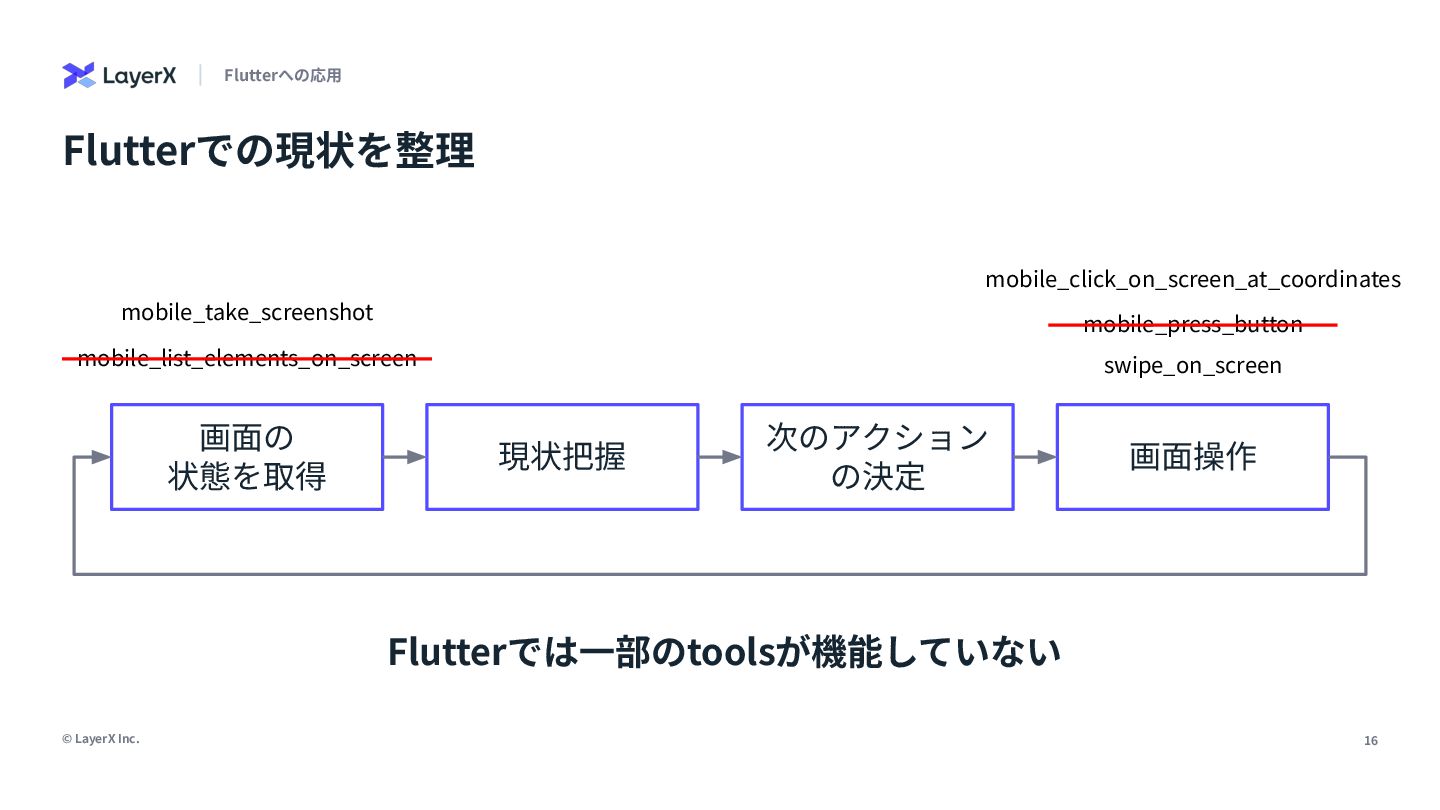
16 © LayerX Inc. Flutterでの現状を整理 Flutterへの応⽤ 画⾯の 状態を取得 画⾯操作 現状把握
次のアクション の決定 mobile_list_elements_on_screen mobile_take_screenshot mobile_click_on_screen_at_coordinates mobile_press_button swipe_on_screen Flutterでは⼀部のtoolsが機能していない
17 © LayerX Inc. 追加対応が必要な箇所は... - スクショベースのアプローチは、LLMの性能不⾜により要素の位置を推定できないので不適 - ウィジェットツリーベースのアプローチでは、要素の正確な位置の取得が可能 [必要]
画⾯状態の取得 [不要] 画⾯操作 Flutterへの応⽤ - 位置指定でのタップ‧スクロールが機能しているので代替不要
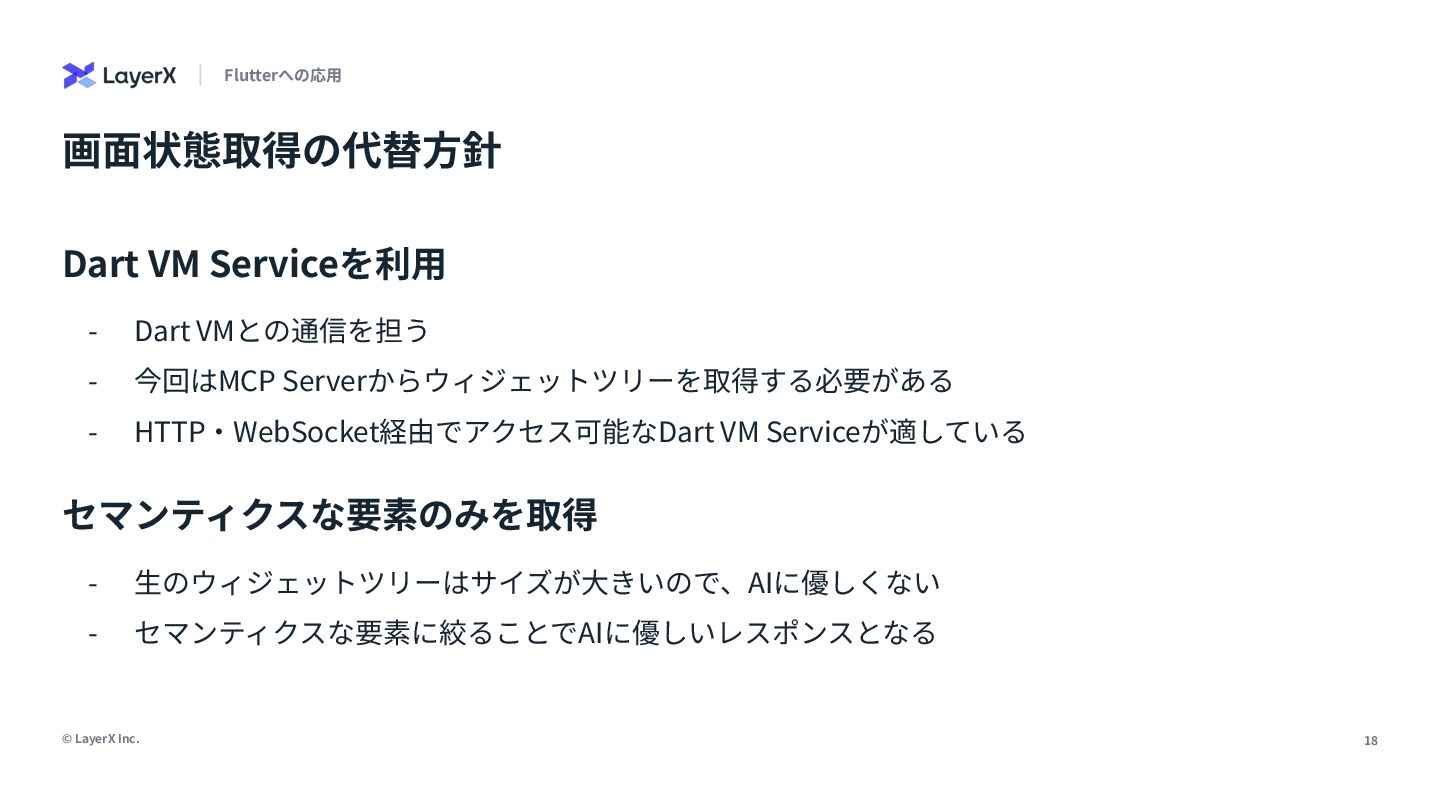
18 © LayerX Inc. 画⾯状態取得の代替⽅針 Flutterへの応⽤ Dart VM Serviceを利⽤ -
Dart VMとの通信を担う - 今回はMCP Serverからウィジェットツリーを取得する必要がある - HTTP‧WebSocket経由でアクセス可能なDart VM Serviceが適している セマンティクスな要素のみを取得 - ⽣のウィジェットツリーはサイズが⼤きいので、AIに優しくない - セマンティクスな要素に絞ることでAIに優しいレスポンスとなる
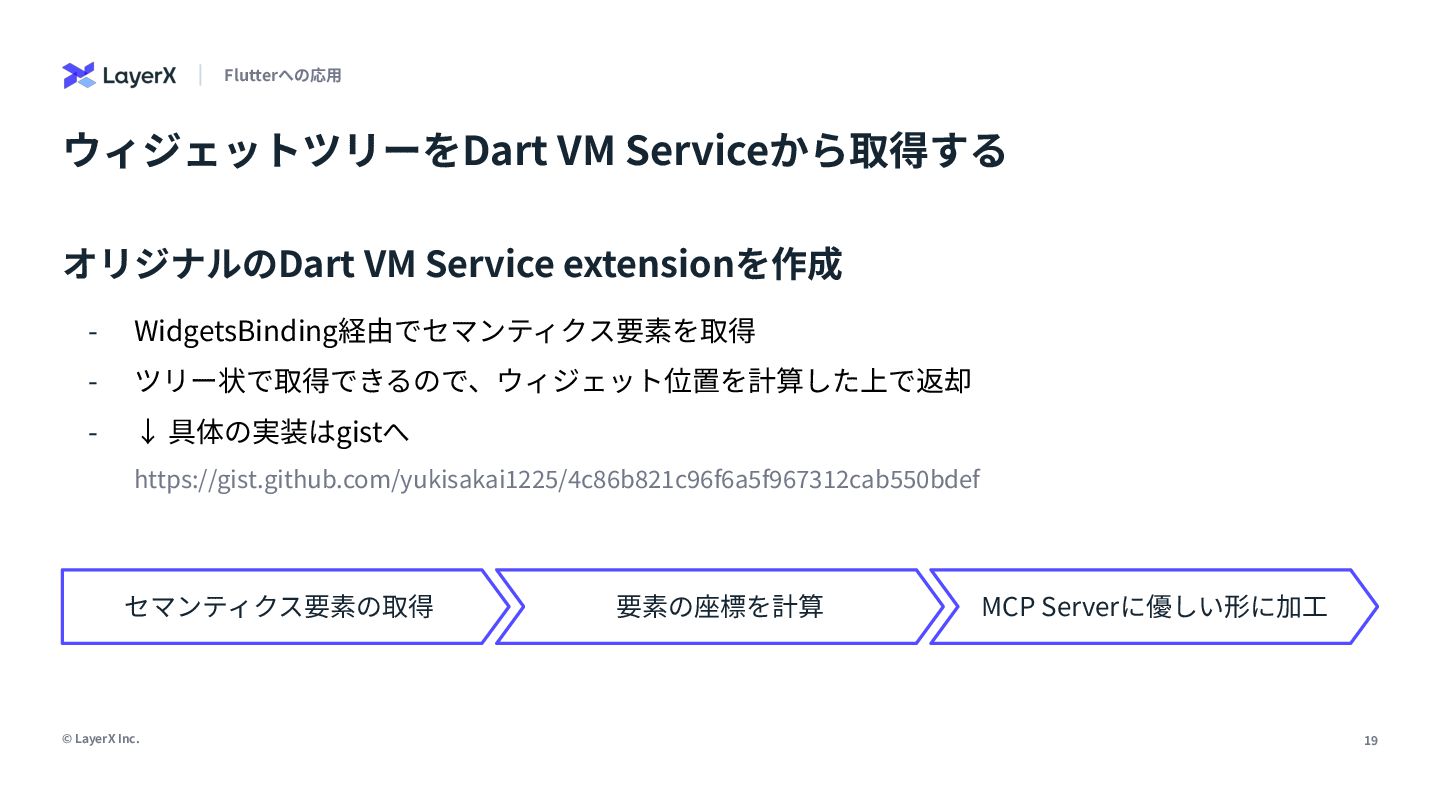
19 © LayerX Inc. ウィジェットツリーをDart VM Serviceから取得する Flutterへの応⽤ オリジナルのDart VM
Service extensionを作成 - WidgetsBinding経由でセマンティクス要素を取得 - ツリー状で取得できるので、ウィジェット位置を計算した上で返却 - ↓ 具体の実装はgistへ https://gist.github.com/yukisakai1225/4c86b821c96f6a5f967312cab550bdef セマンティクス要素の取得 要素の座標を計算 MCP Serverに優しい形に加⼯
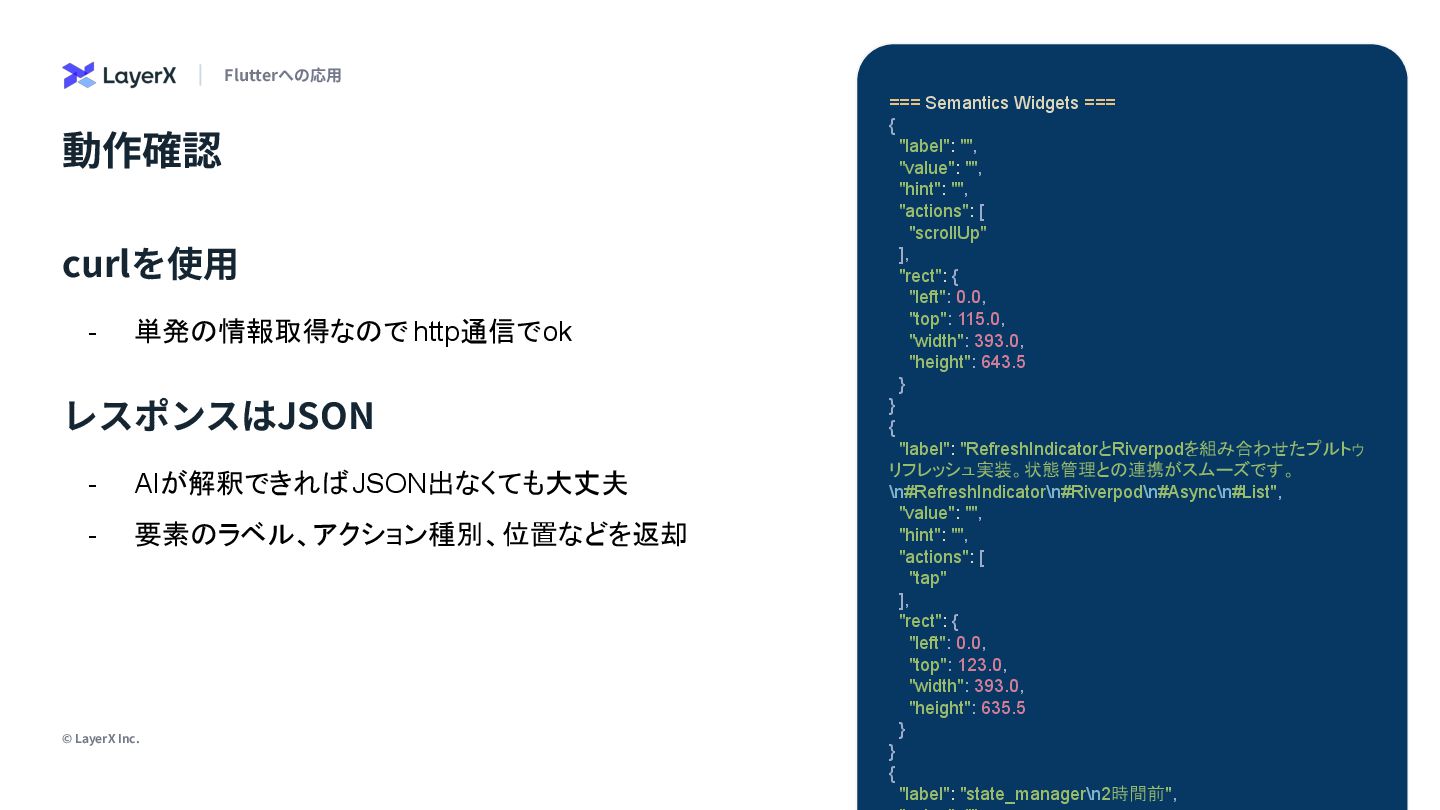
20 © LayerX Inc. 動作確認 Flutterへの応⽤ curlを使⽤ - 単発の情報取得なので http通信でok
=== Semantics Widgets === { "label": "", "value": "", "hint": "", "actions": [ "scrollUp" ], "rect": { "left": 0.0, "top": 115.0, "width": 393.0, "height": 643.5 } } { "label": "RefreshIndicatorとRiverpodを組み合わせたプルトゥ リフレッシュ実装。状態管理との連携がスムーズです。 \n#RefreshIndicator\n#Riverpod\n#Async\n#List", "value": "", "hint": "", "actions": [ "tap" ], "rect": { "left": 0.0, "top": 123.0, "width": 393.0, "height": 635.5 } } { "label": "state_manager\n2時間前", レスポンスはJSON - AIが解釈できればJSON出なくても大丈夫 - 要素のラベル、アクション種別、位置などを返却
Demo
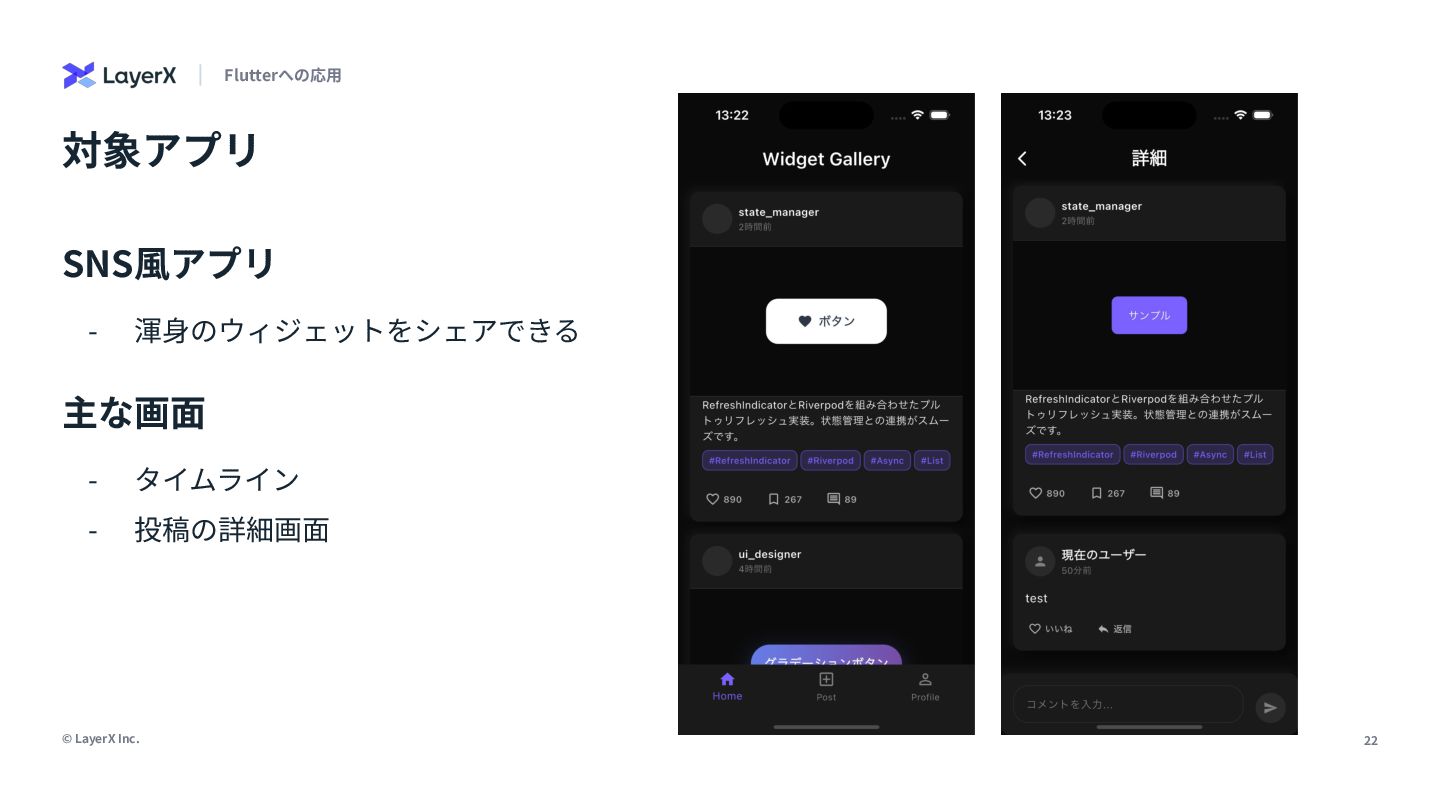
22 © LayerX Inc. 対象アプリ Flutterへの応⽤ SNS⾵アプリ - 渾⾝のウィジェットをシェアできる 主な画⾯
- タイムライン - 投稿の詳細画⾯
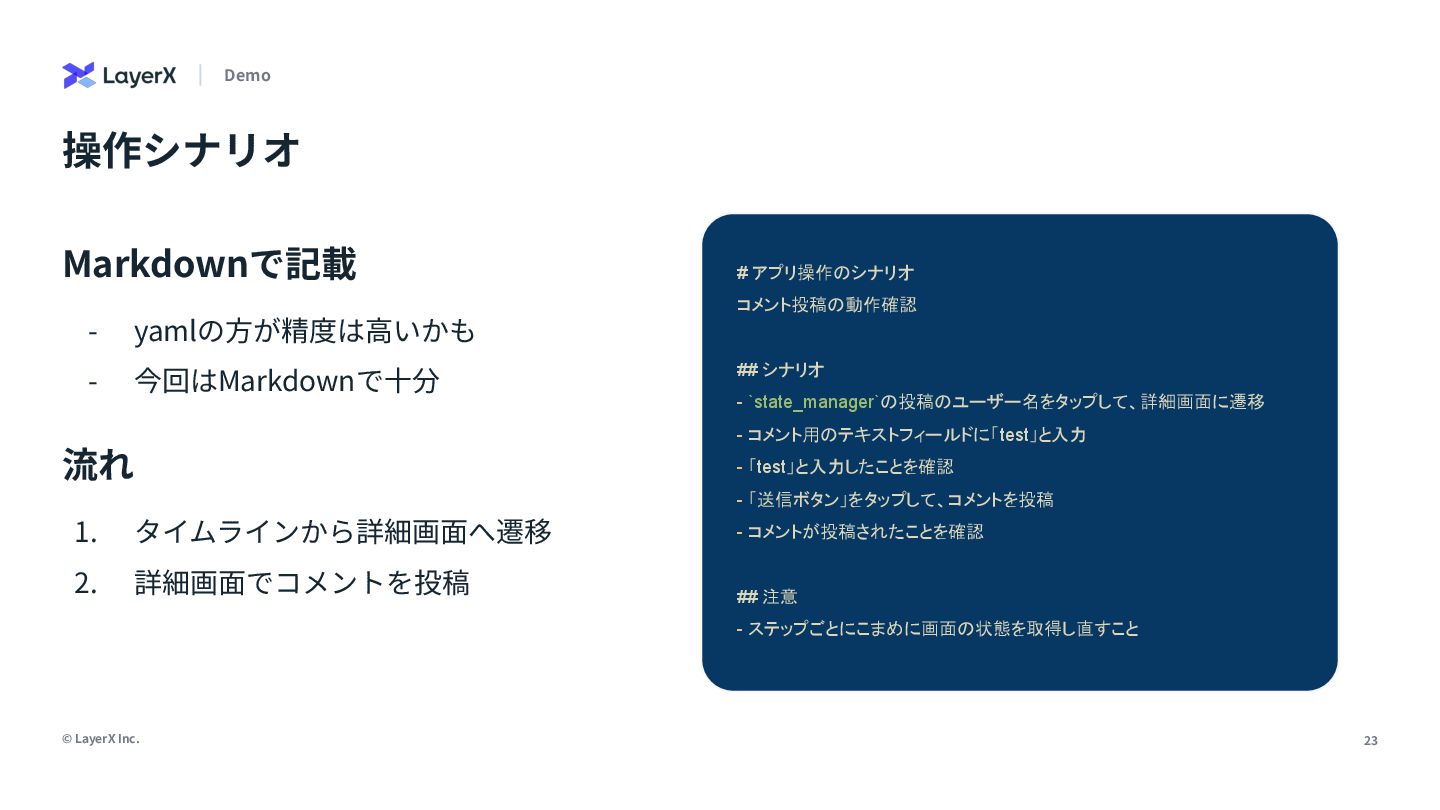
23 © LayerX Inc. - yamlの⽅が精度は⾼いかも - 今回はMarkdownで⼗分 操作シナリオ Demo
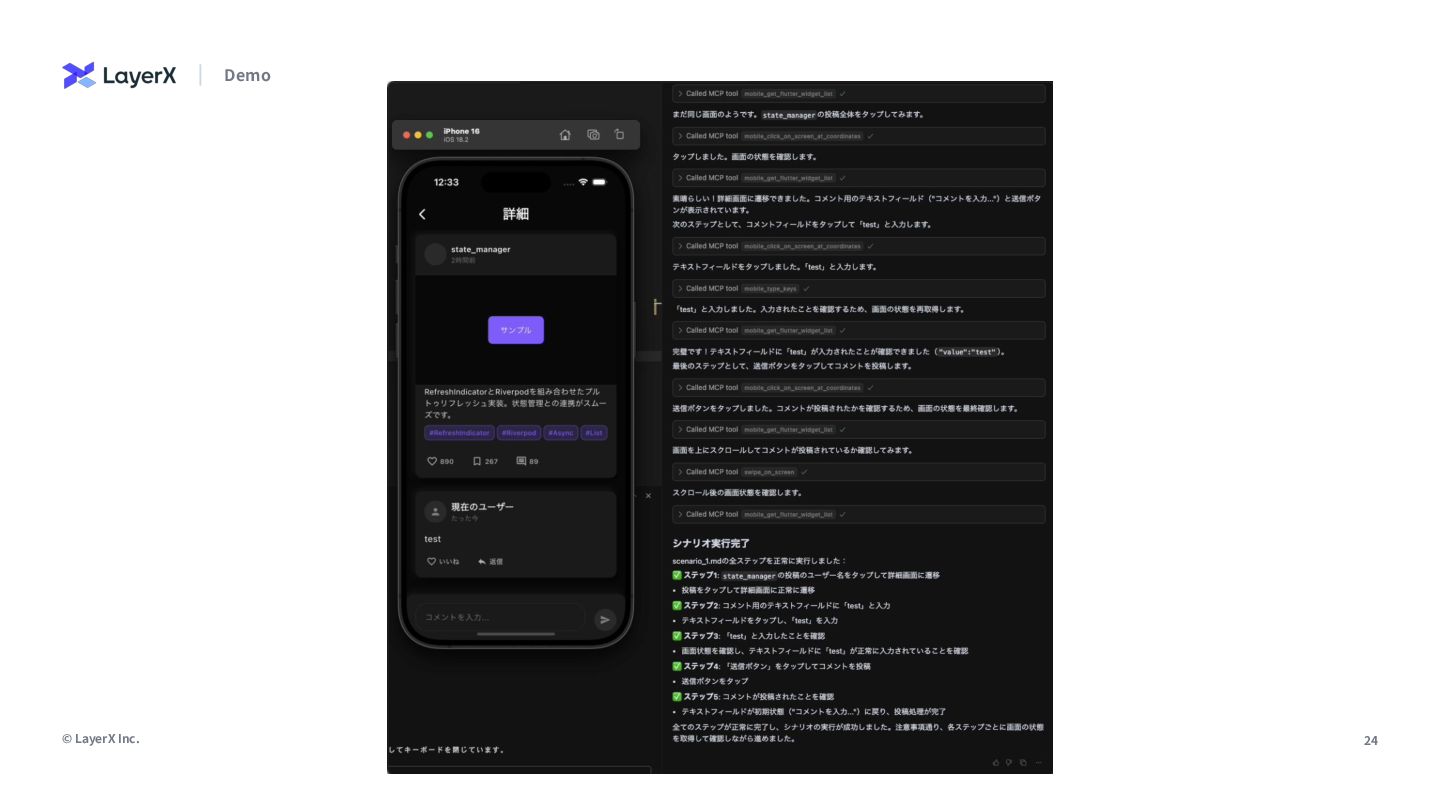
# アプリ操作のシナリオ コメント投稿の動作確認 ## シナリオ - `state_manager`の投稿のユーザー名をタップして、詳細画面に遷移 - コメント用のテキストフィールドに「test」と入力 - 「test」と入力したことを確認 - 「送信ボタン」をタップして、コメントを投稿 - コメントが投稿されたことを確認 ## 注意 - ステップごとにこまめに画面の状態を取得し直すこと Markdownで記載 1. タイムラインから詳細画⾯へ遷移 2. 詳細画⾯でコメントを投稿 流れ
24 © LayerX Inc. Demo
懇親会で応⽤⽅法を 話したいです!


 yukisakai1225
 happysamurai294
 konifar
 yakumo
 masayukisuda
 oracle4engineer
 ryuseiiida
 legalontechnologies
 miso
miso
 yama3133
 kintotechdev
 ryu1013
 mhrtech
 samanthasiow
 carmenintech
 lara
lara
 palkan
 tmiket
 garrettdimon
 khoart
 minecr
 aarron
 rakko
rakko
 aleyda
 marketingsoph

![4 © LayerX Inc. [余談] Claude Codeめっちゃ楽しいですね Read Me 6/5に社内でClaude](https://files.speakerdeck.com/presentations/dbacdccf40f04adf8ba001f8ce770b8a/slide_3.jpg)
![17 © LayerX Inc. 追加対応が必要な箇所は... - スクショベースのアプローチは、LLMの性能不⾜により要素の位置を推定できないので不適 - ウィジェットツリーベースのアプローチでは、要素の正確な位置の取得が可能 [必要]](https://files.speakerdeck.com/presentations/dbacdccf40f04adf8ba001f8ce770b8a/slide_16.jpg)