Upgrade to Pro — share decks privately, control downloads, hide ads and more …

Deploying Machine Learning Models to Production

Deploying Machine Learning Models to Production

Machine learning techniques are powerful, but building and deploying such models for production use require a lot of care and expertise.

A lot of books, articles, and best practices have been written and discussed on machine learning techniques and feature engineering, but putting those techniques into use on a production environment is usually forgotten and under- estimated , the aim of this talk is to shed some lights on current machine learning deployment practices, and go into details on how to deploy sustainable machine learning pipelines.

#sklearn #python #Flask

Avatar for Anass Bensrhir

Anass Bensrhir

May 16, 2017
Tweet

More Decks by Anass Bensrhir

Other Decks in Programming

Transcript

  1. Who am I ? • Founder et Senior Data Scientist

    @Bolddata • Big Data Project Leader @Schlumberger • Msc Advanced Systems & Machine Learning @CentraleParis [email protected] @anassbensrhir @abensrhir 3
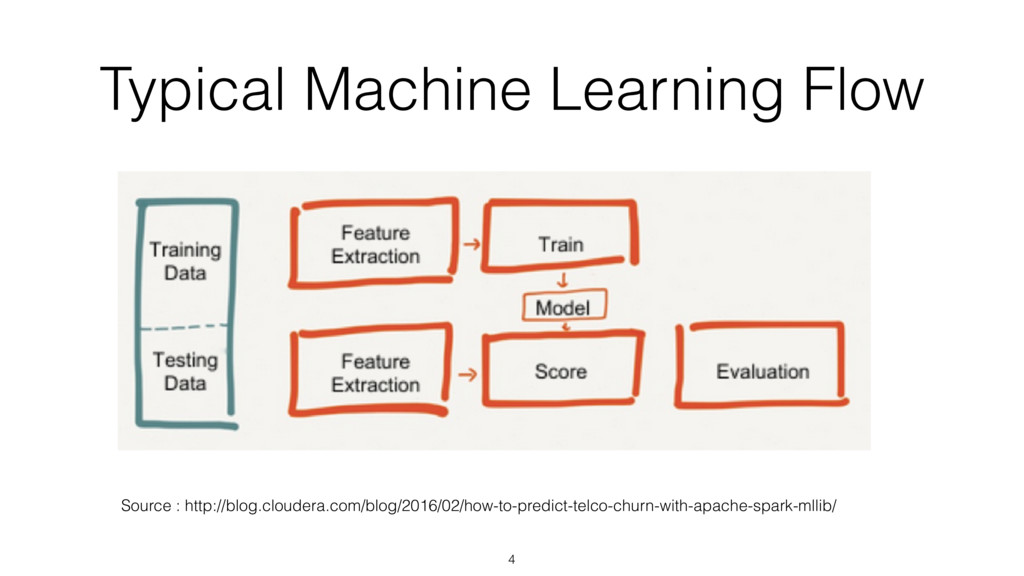
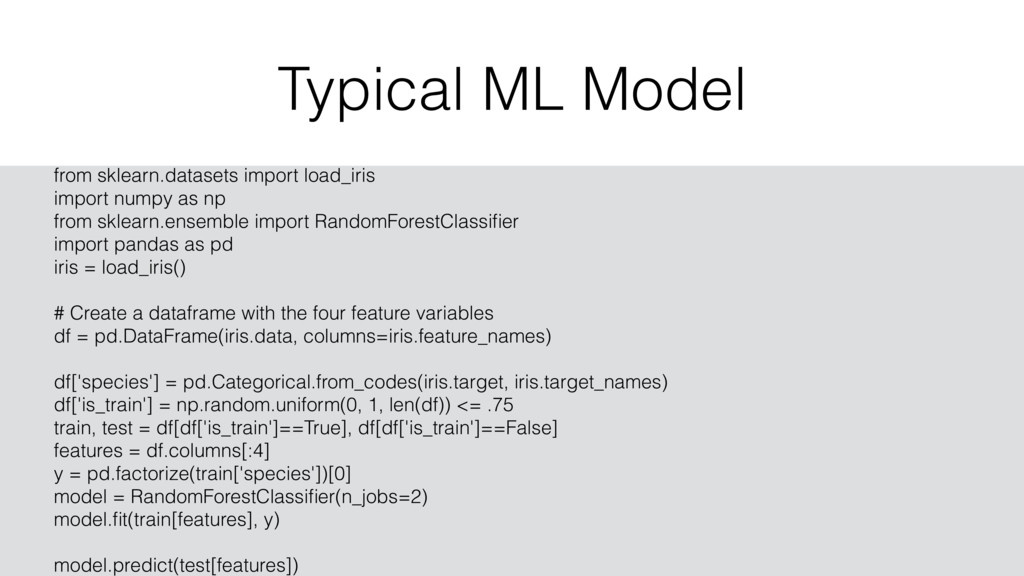
  2. Typical ML Model 5 from sklearn.datasets import load_iris import numpy

    as np from sklearn.ensemble import RandomForestClassifier import pandas as pd iris = load_iris() # Create a dataframe with the four feature variables df = pd.DataFrame(iris.data, columns=iris.feature_names) df['species'] = pd.Categorical.from_codes(iris.target, iris.target_names) df['is_train'] = np.random.uniform(0, 1, len(df)) <= .75 train, test = df[df['is_train']==True], df[df['is_train']==False] features = df.columns[:4] y = pd.factorize(train['species'])[0] model = RandomForestClassifier(n_jobs=2) model.fit(train[features], y) model.predict(test[features])
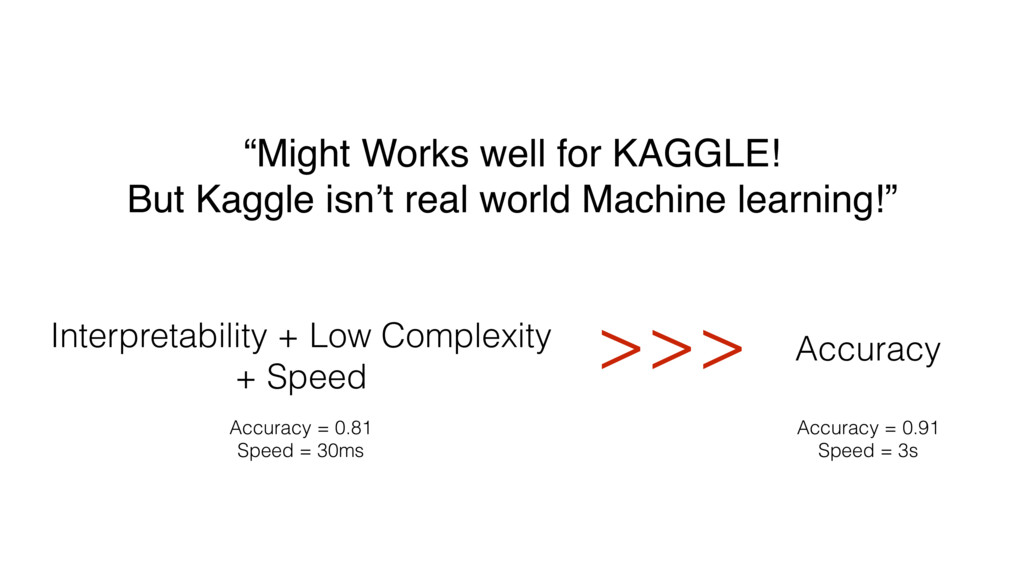
  3. “Might Works well for KAGGLE! But Kaggle isn’t real world

    Machine learning!” >>> Interpretability + Low Complexity + Speed Accuracy = 0.81 Speed = 30ms Accuracy Accuracy = 0.91 Speed = 3s
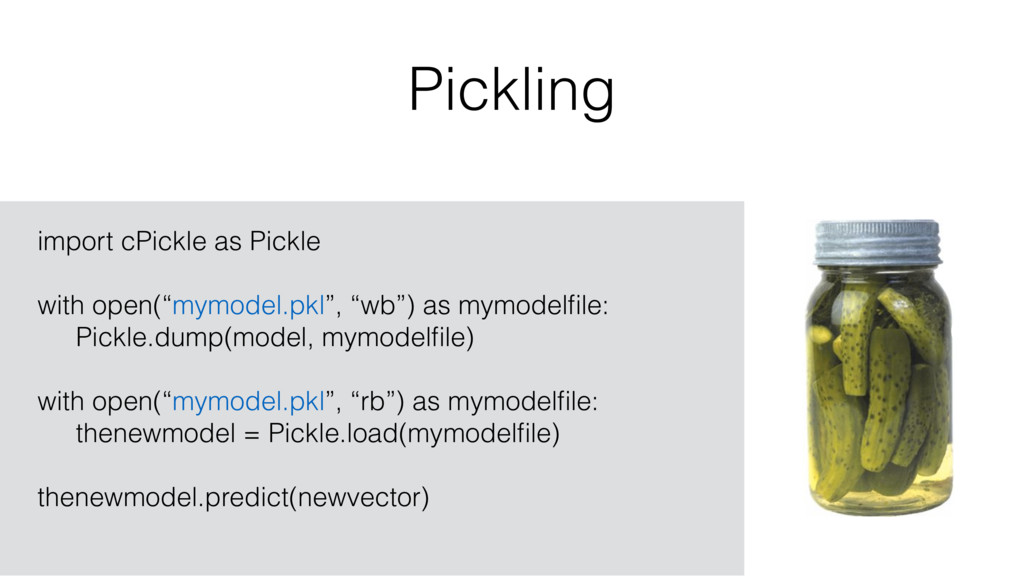
  4. Pickling 9 import cPickle as Pickle with open(“mymodel.pkl”, “wb”) as

    mymodelfile: Pickle.dump(model, mymodelfile) with open(“mymodel.pkl”, “rb”) as mymodelfile: thenewmodel = Pickle.load(mymodelfile) thenewmodel.predict(newvector)
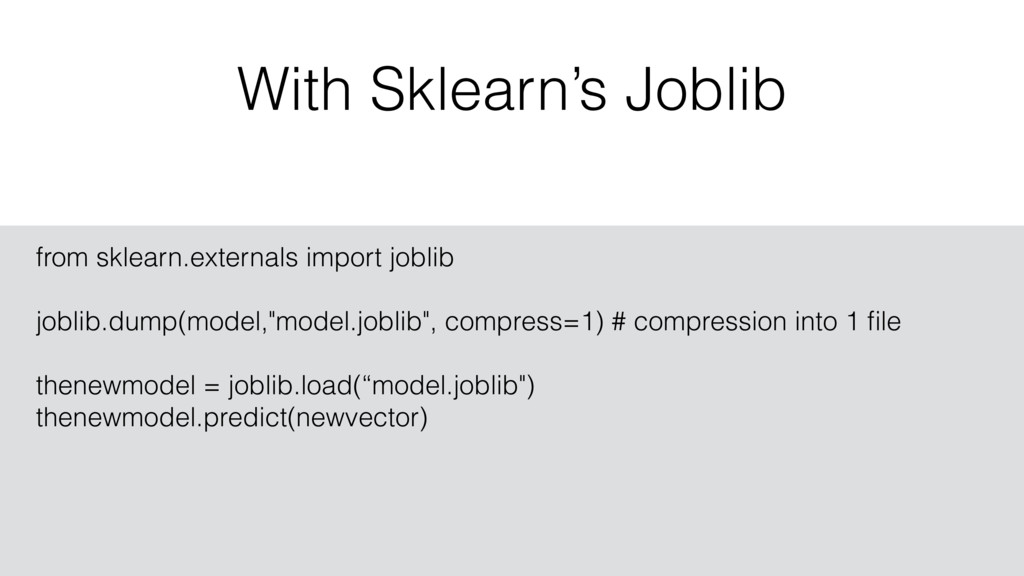
  5. With Sklearn’s Joblib 10 from sklearn.externals import joblib joblib.dump(model,"model.joblib", compress=1)

    # compression into 1 file thenewmodel = joblib.load(“model.joblib") thenewmodel.predict(newvector)
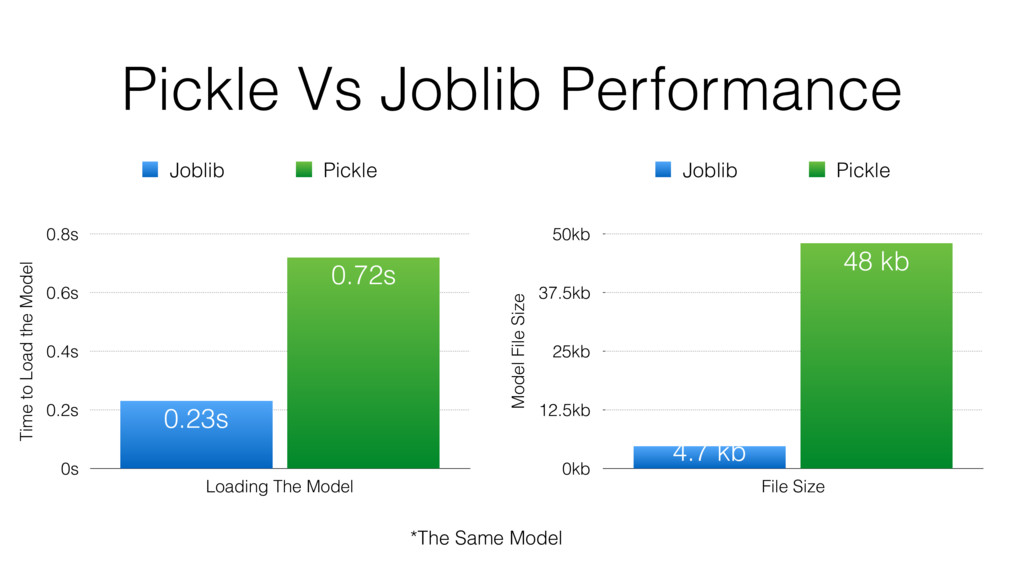
  6. Pickle Vs Joblib Performance Time to Load the Model 0s

    0.2s 0.4s 0.6s 0.8s Loading The Model 0.72s 0.23s Joblib Pickle Model File Size 0kb 12.5kb 25kb 37.5kb 50kb File Size 48 kb 4.7 kb Joblib Pickle *The Same Model
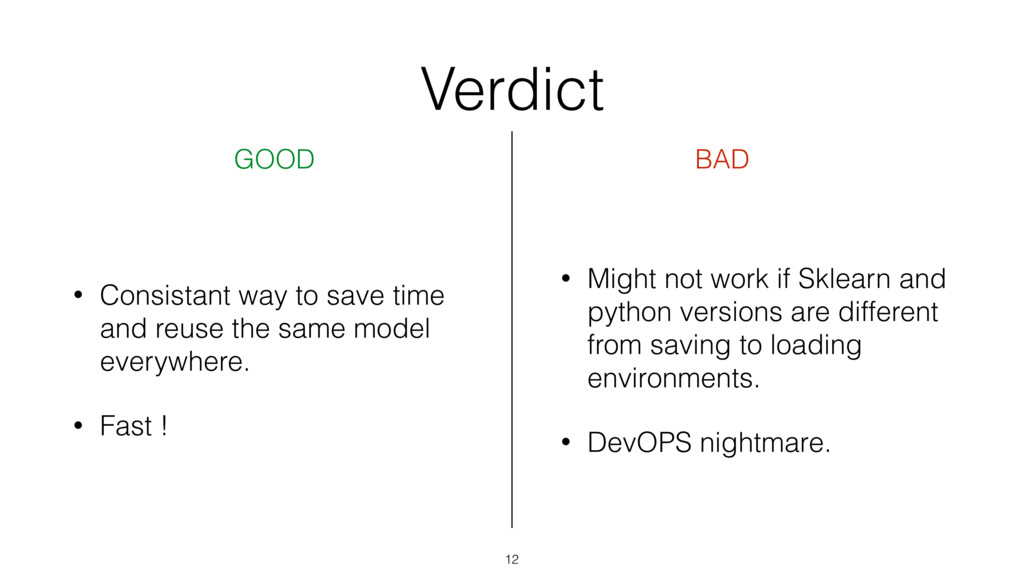
  7. Verdict 12 GOOD BAD • Consistant way to save time
    and reuse the same model everywhere. • Fast ! • Might not work if Sklearn and python versions are different from saving to loading environments. • DevOPS nightmare.
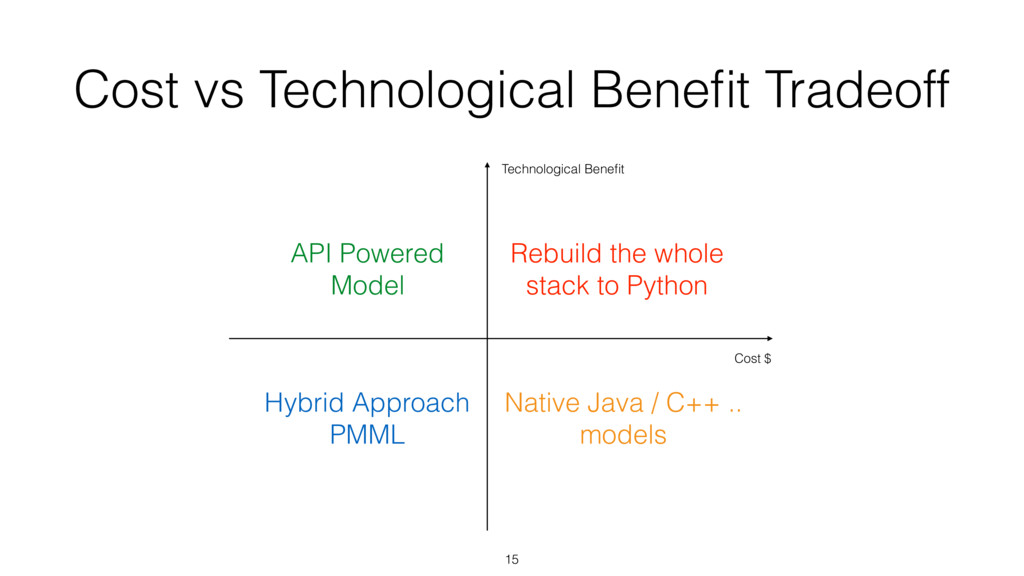
  8. Cost vs Technological Benefit Tradeoff 15 Cost $ Technological Benefit

    Native Java / C++ .. models Rebuild the whole stack to Python API Powered Model Hybrid Approach PMML
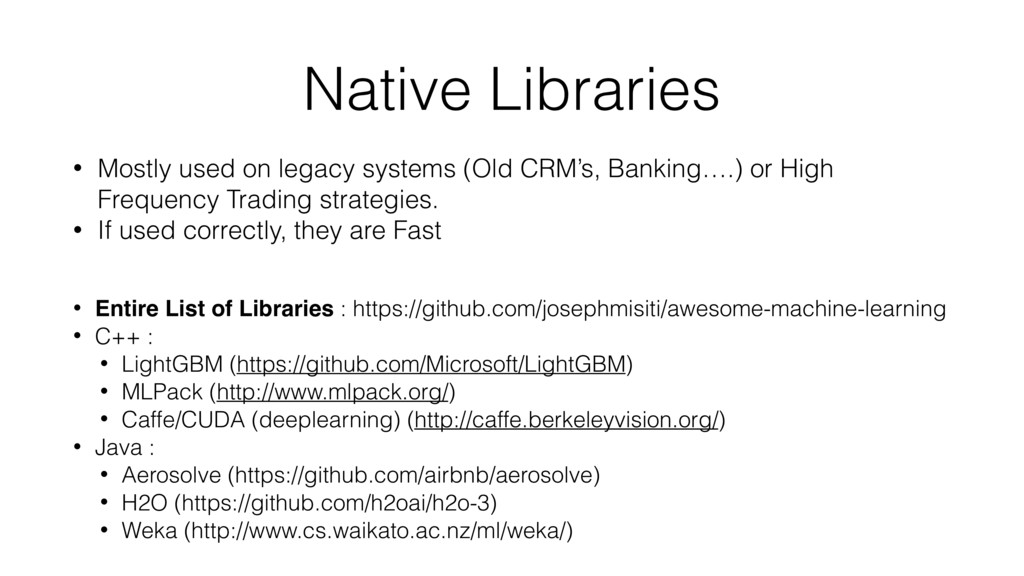
  9. Native Libraries • Mostly used on legacy systems (Old CRM’s,

    Banking….) or High Frequency Trading strategies. • If used correctly, they are Fast • Entire List of Libraries : https://github.com/josephmisiti/awesome-machine-learning • C++ : • LightGBM (https://github.com/Microsoft/LightGBM) • MLPack (http://www.mlpack.org/) • Caffe/CUDA (deeplearning) (http://caffe.berkeleyvision.org/) • Java : • Aerosolve (https://github.com/airbnb/aerosolve) • H2O (https://github.com/h2oai/h2o-3) • Weka (http://www.cs.waikato.ac.nz/ml/weka/)
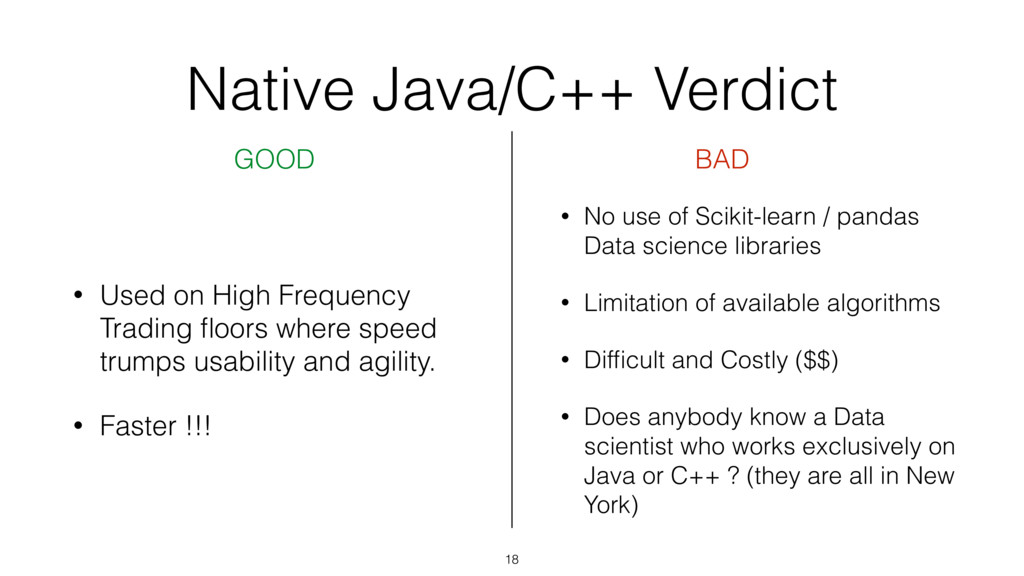
  10. Native Java/C++ Verdict 18 GOOD BAD • Used on High

    Frequency Trading floors where speed trumps usability and agility. • Faster !!! • No use of Scikit-learn / pandas Data science libraries • Limitation of available algorithms • Difficult and Costly ($$) • Does anybody know a Data scientist who works exclusively on Java or C++ ? (they are all in New York)
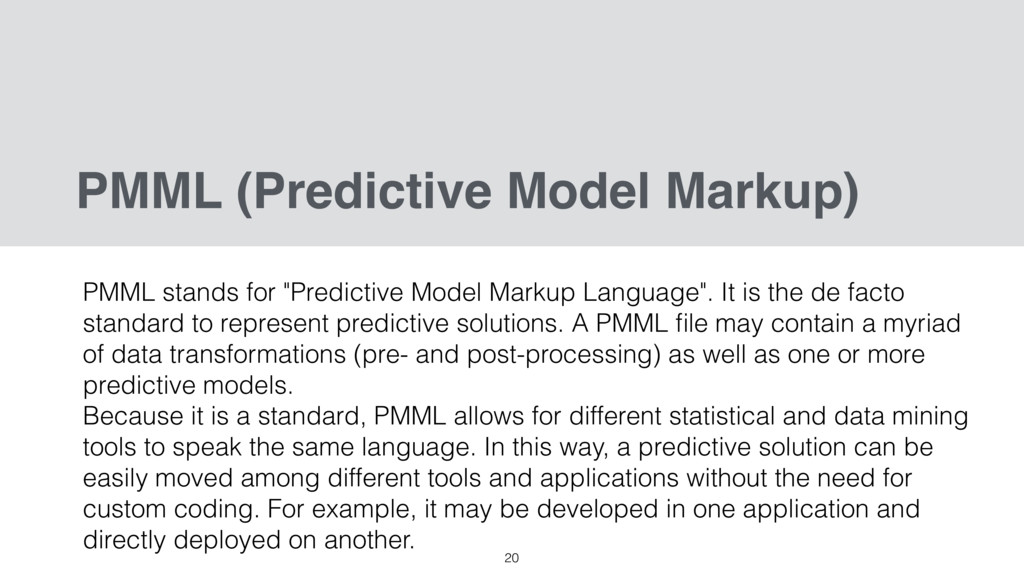
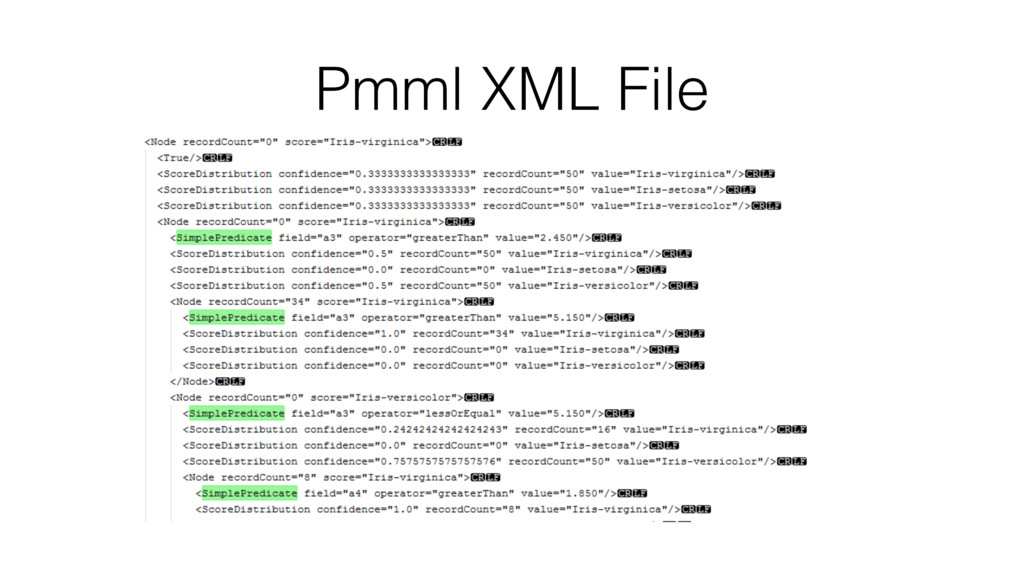
  11. PMML (Predictive Model Markup) PMML stands for "Predictive Model Markup

    Language". It is the de facto standard to represent predictive solutions. A PMML file may contain a myriad of data transformations (pre- and post-processing) as well as one or more predictive models. Because it is a standard, PMML allows for different statistical and data mining tools to speak the same language. In this way, a predictive solution can be easily moved among different tools and applications without the need for custom coding. For example, it may be developed in one application and directly deployed on another. 20
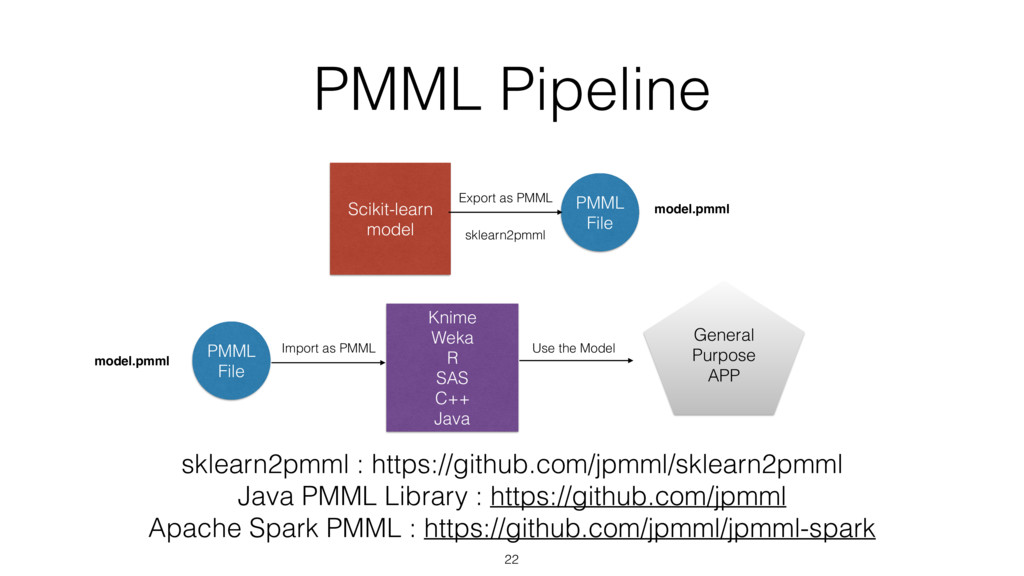
  12. PMML Pipeline Scikit-learn model PMML File Export as PMML sklearn2pmml

    PMML File Import as PMML Knime Weka R SAS C++ Java General Purpose APP Use the Model sklearn2pmml : https://github.com/jpmml/sklearn2pmml Java PMML Library : https://github.com/jpmml Apache Spark PMML : https://github.com/jpmml/jpmml-spark 22 model.pmml model.pmml
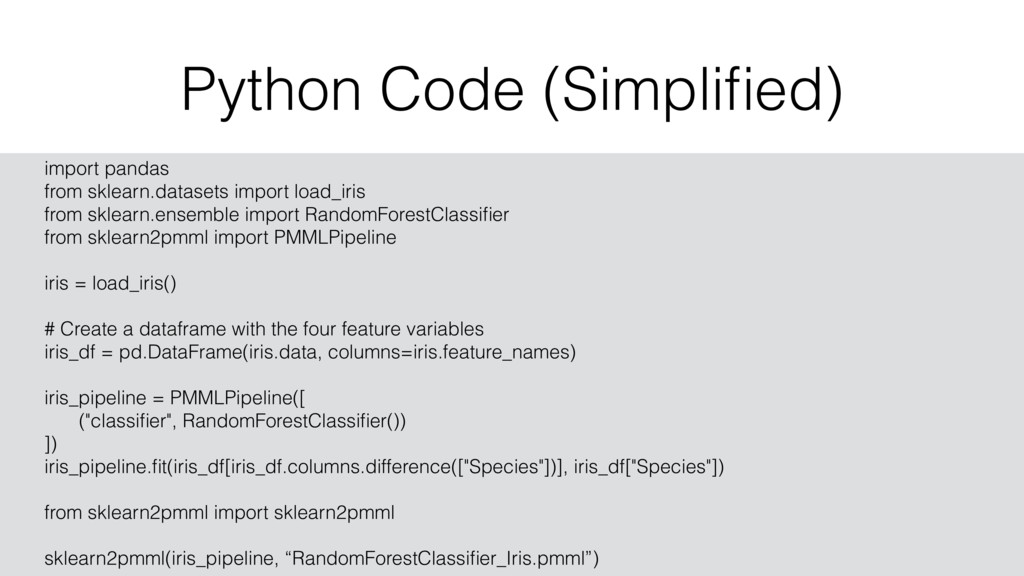
  13. Python Code (Simplified) 23 import pandas from sklearn.datasets import load_iris

    from sklearn.ensemble import RandomForestClassifier from sklearn2pmml import PMMLPipeline iris = load_iris() # Create a dataframe with the four feature variables iris_df = pd.DataFrame(iris.data, columns=iris.feature_names) iris_pipeline = PMMLPipeline([ ("classifier", RandomForestClassifier()) ]) iris_pipeline.fit(iris_df[iris_df.columns.difference(["Species"])], iris_df["Species"]) from sklearn2pmml import sklearn2pmml sklearn2pmml(iris_pipeline, “RandomForestClassifier_Iris.pmml”)
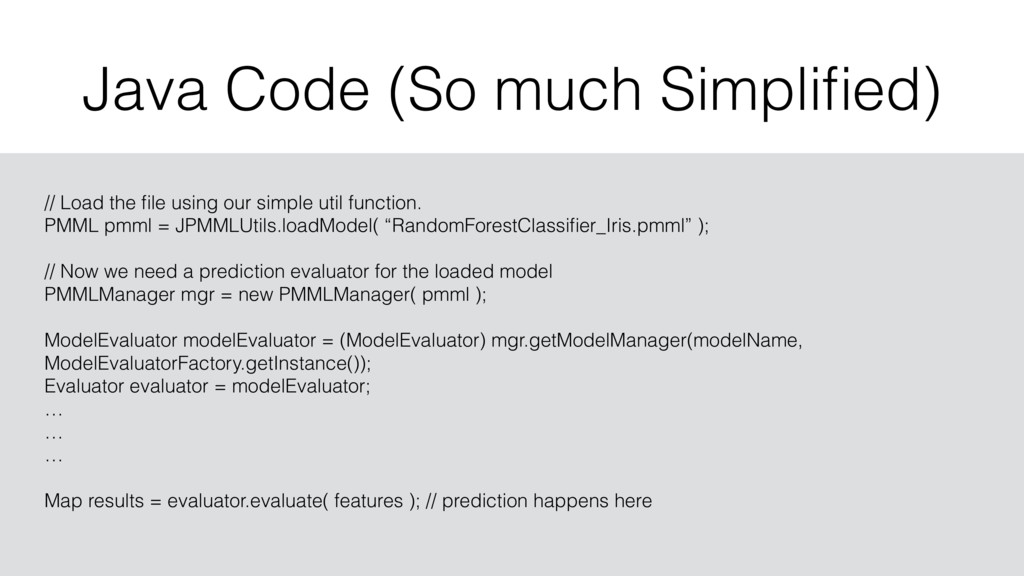
  14. Java Code (So much Simplified) 24 // Load the file

    using our simple util function. PMML pmml = JPMMLUtils.loadModel( “RandomForestClassifier_Iris.pmml” ); // Now we need a prediction evaluator for the loaded model PMMLManager mgr = new PMMLManager( pmml ); ModelEvaluator modelEvaluator = (ModelEvaluator) mgr.getModelManager(modelName, ModelEvaluatorFactory.getInstance()); Evaluator evaluator = modelEvaluator; … … … Map results = evaluator.evaluate( features ); // prediction happens here
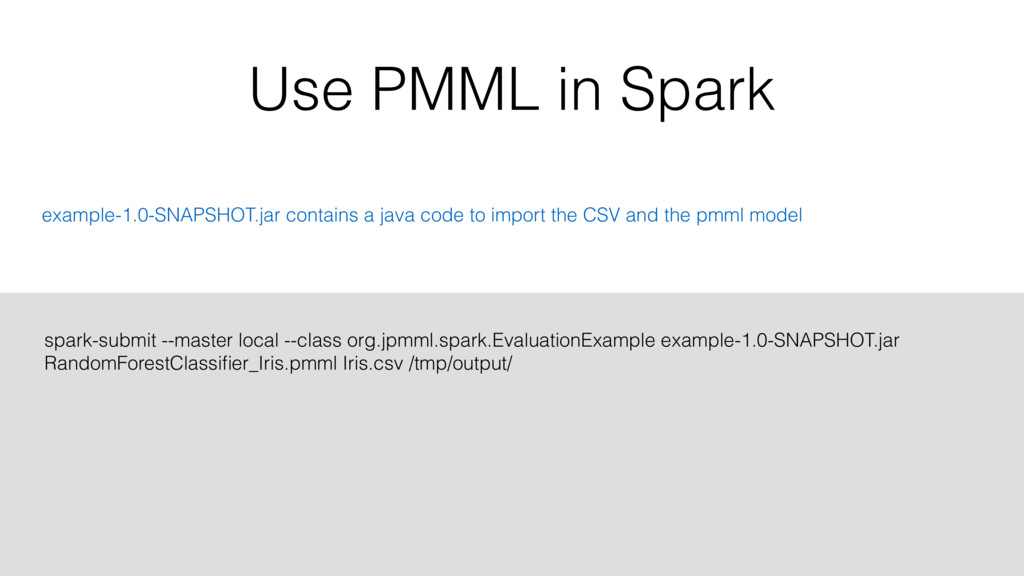
  15. Use PMML in Spark 25 spark-submit --master local --class org.jpmml.spark.EvaluationExample

    example-1.0-SNAPSHOT.jar RandomForestClassifier_Iris.pmml Iris.csv /tmp/output/ example-1.0-SNAPSHOT.jar contains a java code to import the CSV and the pmml model
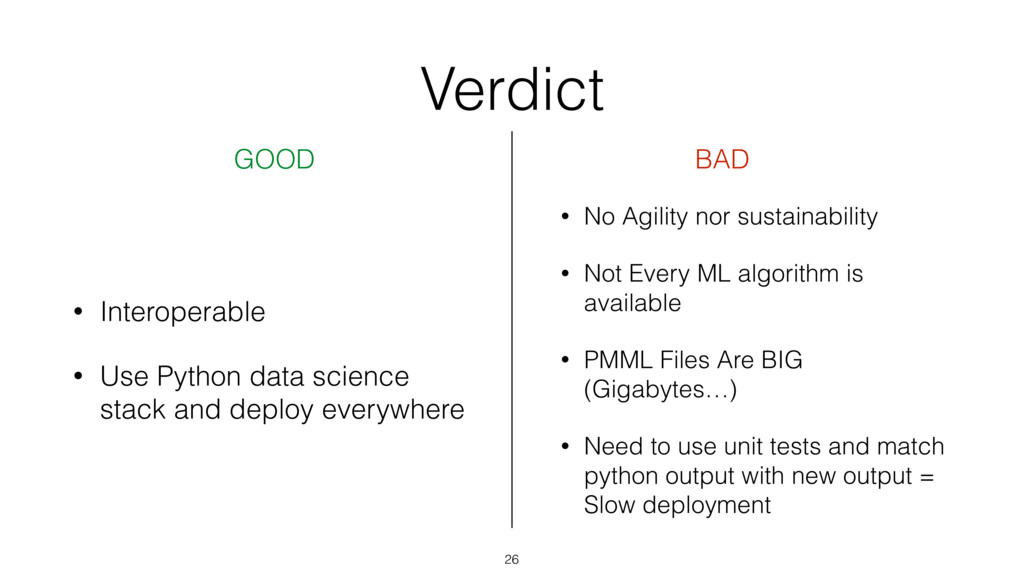
  16. Verdict 26 GOOD BAD • Interoperable • Use Python data

    science stack and deploy everywhere • No Agility nor sustainability • Not Every ML algorithm is available • PMML Files Are BIG (Gigabytes…) • Need to use unit tests and match python output with new output = Slow deployment
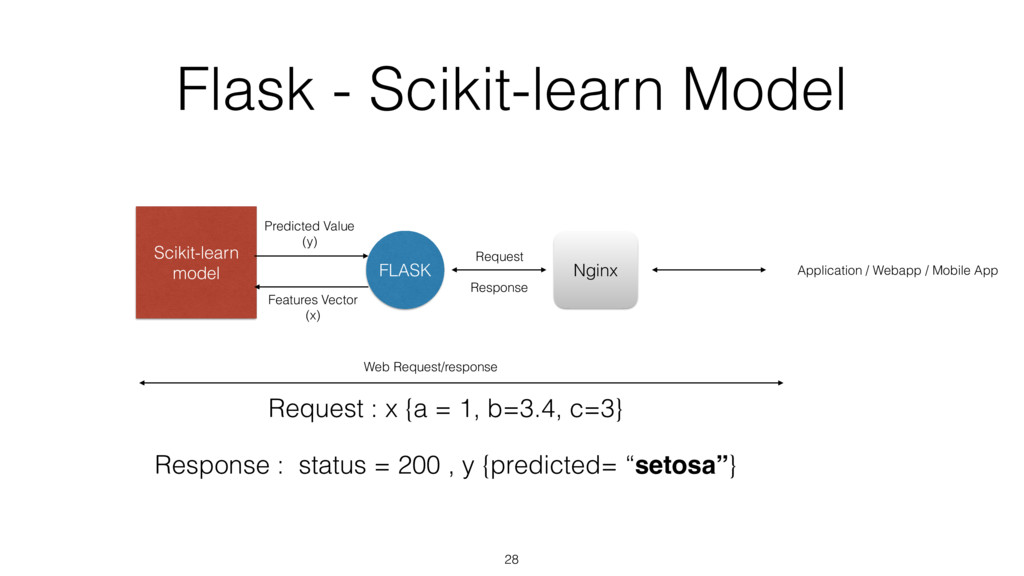
  17. Flask - Scikit-learn Model 28 Scikit-learn model FLASK Nginx Features

    Vector (x) Predicted Value (y) Request Response Request : x {a = 1, b=3.4, c=3} Response : status = 200 , y {predicted= “setosa”} Web Request/response Application / Webapp / Mobile App
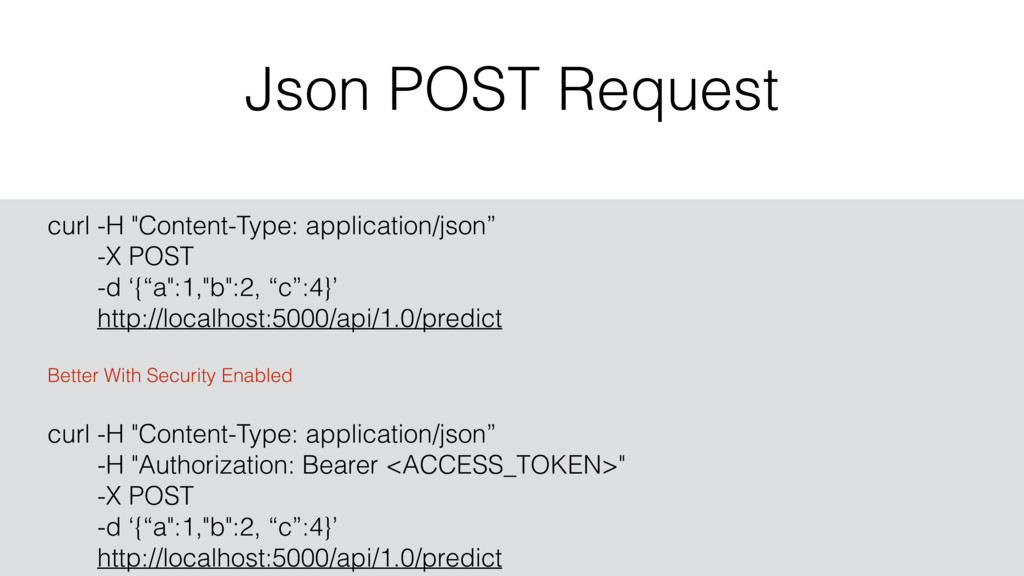
  18. Json POST Request 29 curl -H "Content-Type: application/json” -X POST

    -d ‘{“a":1,"b":2, “c”:4}’ http://localhost:5000/api/1.0/predict Better With Security Enabled curl -H "Content-Type: application/json” -H "Authorization: Bearer <ACCESS_TOKEN>" -X POST -d ‘{“a":1,"b":2, “c”:4}’ http://localhost:5000/api/1.0/predict
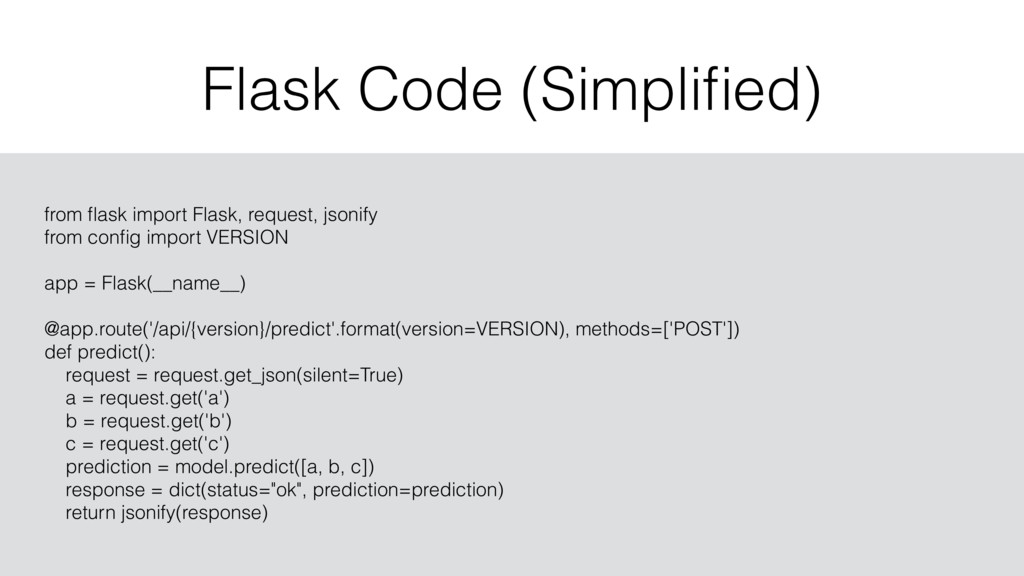
  19. Flask Code (Simplified) 30 from flask import Flask, request, jsonify

    from config import VERSION app = Flask(__name__) @app.route('/api/{version}/predict'.format(version=VERSION), methods=['POST']) def predict(): request = request.get_json(silent=True) a = request.get('a') b = request.get('b') c = request.get('c') prediction = model.predict([a, b, c]) response = dict(status="ok", prediction=prediction) return jsonify(response)
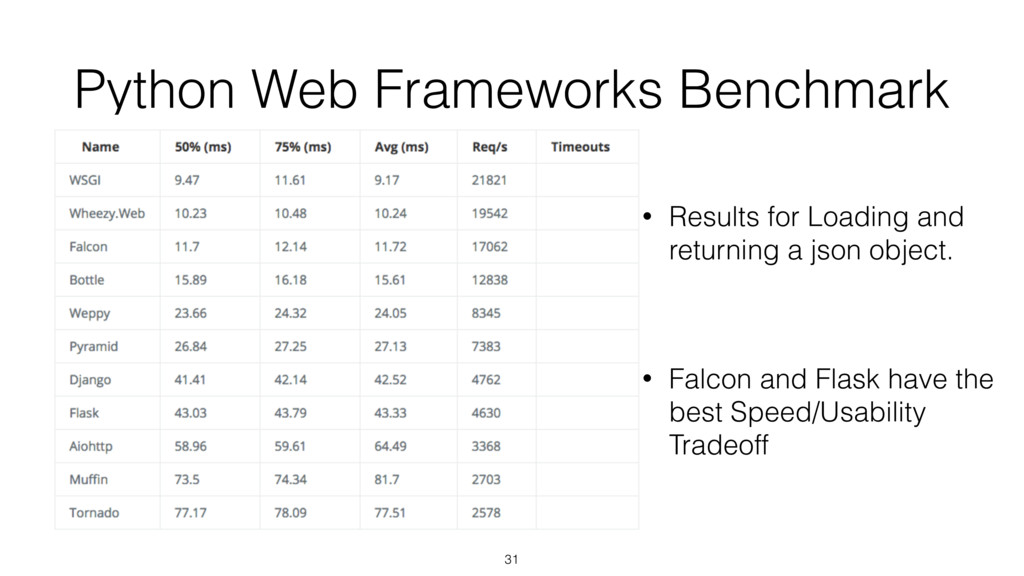
  20. Python Web Frameworks Benchmark 31 • Results for Loading and

    returning a json object. • Falcon and Flask have the best Speed/Usability Tradeoff
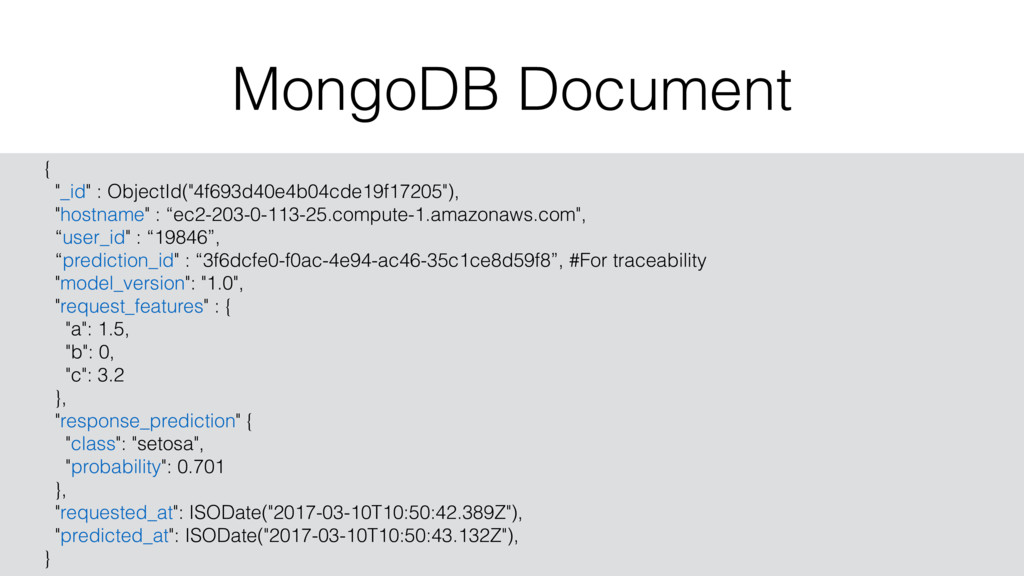
  21. MongoDB Document 33 { "_id" : ObjectId("4f693d40e4b04cde19f17205"), "hostname" : “ec2-203-0-113-25.compute-1.amazonaws.com",

    “user_id" : “19846”, “prediction_id" : “3f6dcfe0-f0ac-4e94-ac46-35c1ce8d59f8”, #For traceability "model_version": "1.0", "request_features" : { "a": 1.5, "b": 0, "c": 3.2 }, "response_prediction" { "class": "setosa", "probability": 0.701 }, "requested_at": ISODate("2017-03-10T10:50:42.389Z"), "predicted_at": ISODate("2017-03-10T10:50:43.132Z"), }
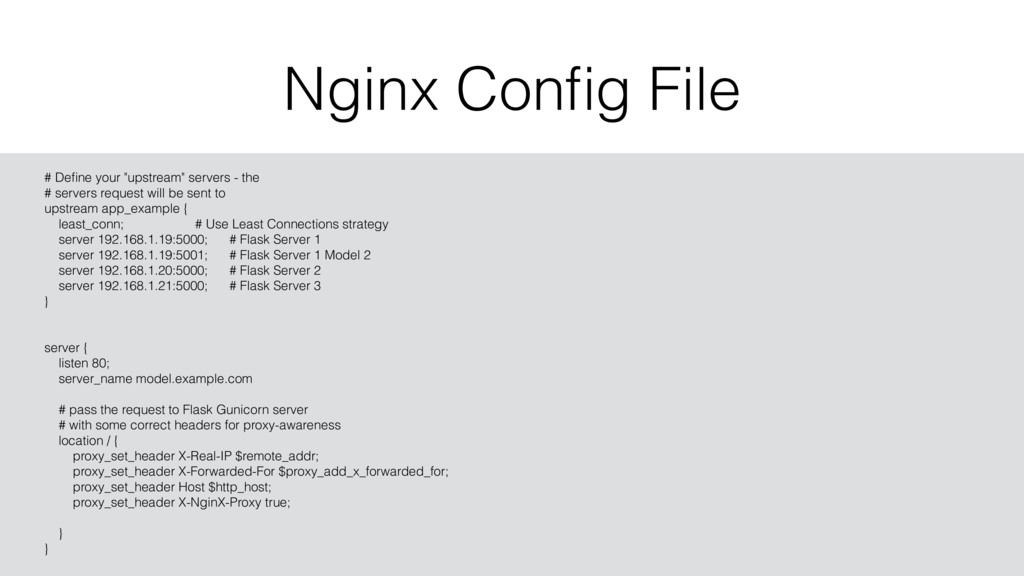
  22. Nginx Config File 34 # Define your "upstream" servers -

    the # servers request will be sent to upstream app_example { least_conn; # Use Least Connections strategy server 192.168.1.19:5000; # Flask Server 1 server 192.168.1.19:5001; # Flask Server 1 Model 2 server 192.168.1.20:5000; # Flask Server 2 server 192.168.1.21:5000; # Flask Server 3 } server { listen 80; server_name model.example.com # pass the request to Flask Gunicorn server # with some correct headers for proxy-awareness location / { proxy_set_header X-Real-IP $remote_addr; proxy_set_header X-Forwarded-For $proxy_add_x_forwarded_for; proxy_set_header Host $http_host; proxy_set_header X-NginX-Proxy true; } }
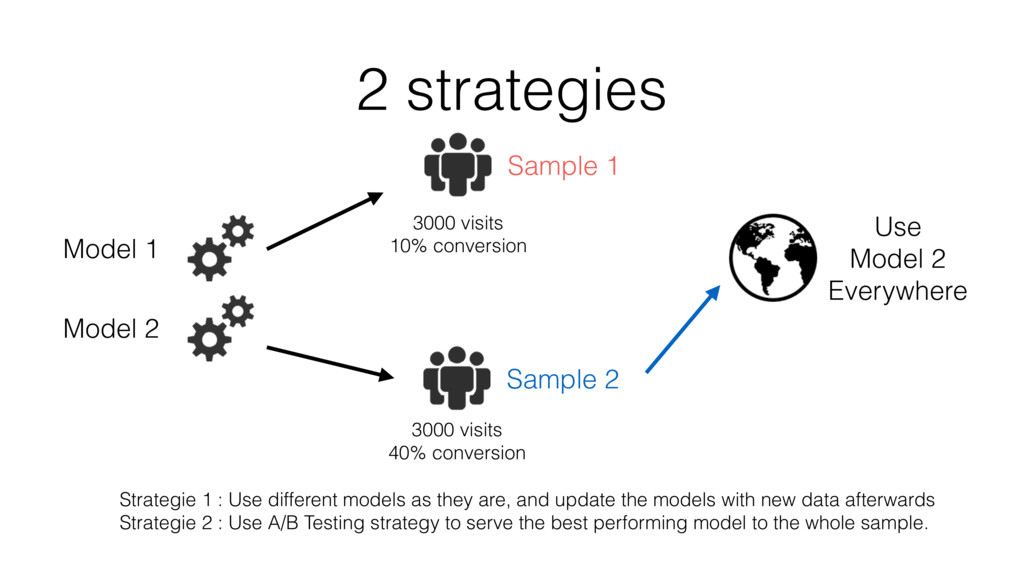
  23. 2 strategies Model 1 Model 2 Sample 1 Sample 2

    3000 visits 10% conversion 3000 visits 40% conversion Use Model 2 Everywhere Strategie 1 : Use different models as they are, and update the models with new data afterwards Strategie 2 : Use A/B Testing strategy to serve the best performing model to the whole sample.
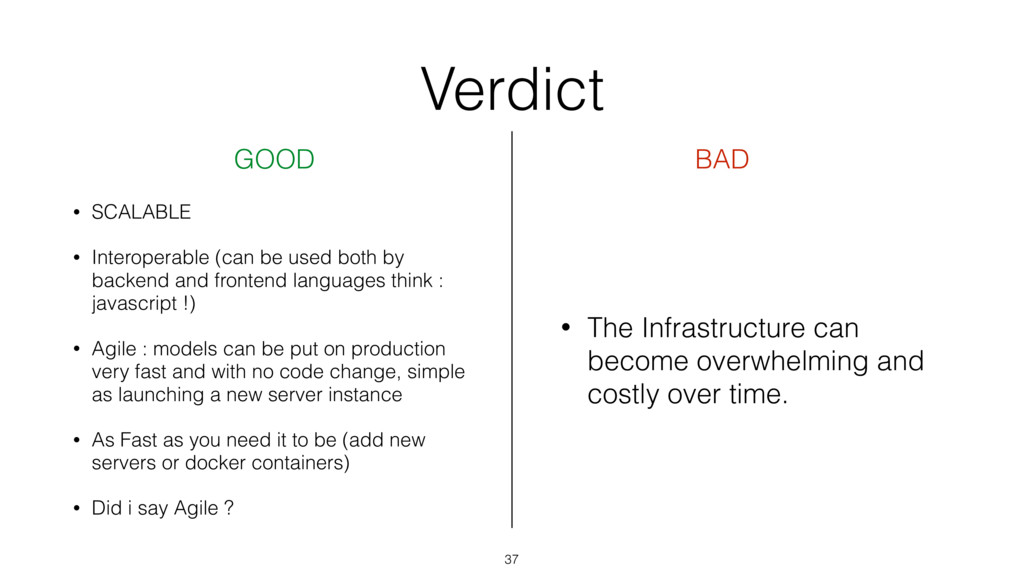
  24. Verdict 37 GOOD BAD • SCALABLE • Interoperable (can be

    used both by backend and frontend languages think : javascript !) • Agile : models can be put on production very fast and with no code change, simple as launching a new server instance • As Fast as you need it to be (add new servers or docker containers) • Did i say Agile ? • The Infrastructure can become overwhelming and costly over time.