Upgrade to Pro — share decks privately, control downloads, hide ads and more …

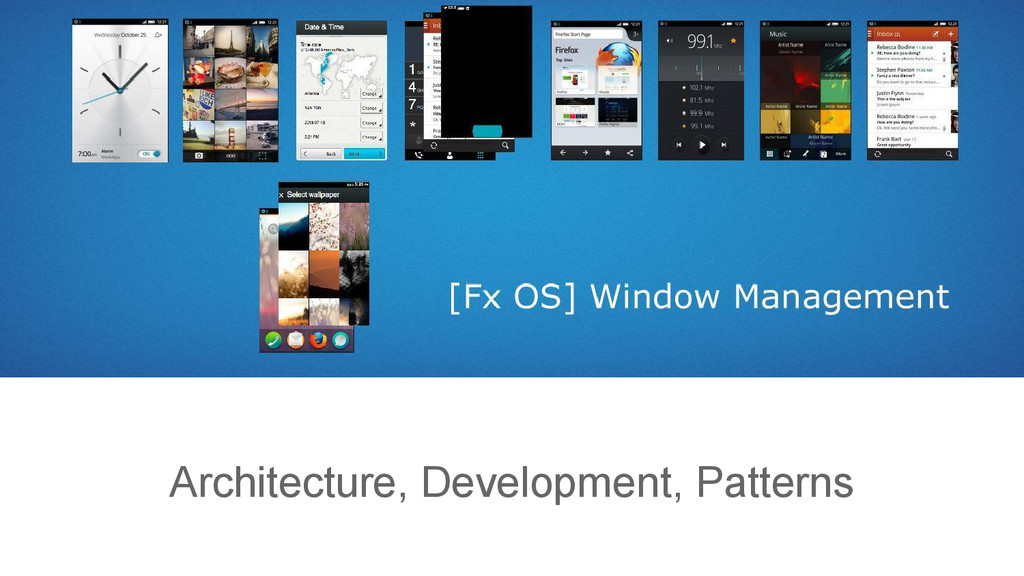
FxOS Window Management Architecture

FxOS Window Management Architecture

Mid level introduction of Javascript based window management system on FxOS

Avatar for Alive.Kuo

Alive.Kuo

June 29, 2015
Tweet

More Decks by Alive.Kuo

Other Decks in Technology

Transcript

  1. Window Manager A core module in an operating system, which

    is responsible to display and maintain the window based UI.
  2. Window Mgmt. at FxOS • A clustor of modules mainly

    serves to create web apps. • A re-implementation of a browser. • Ability to handle WebAPI request between apps.
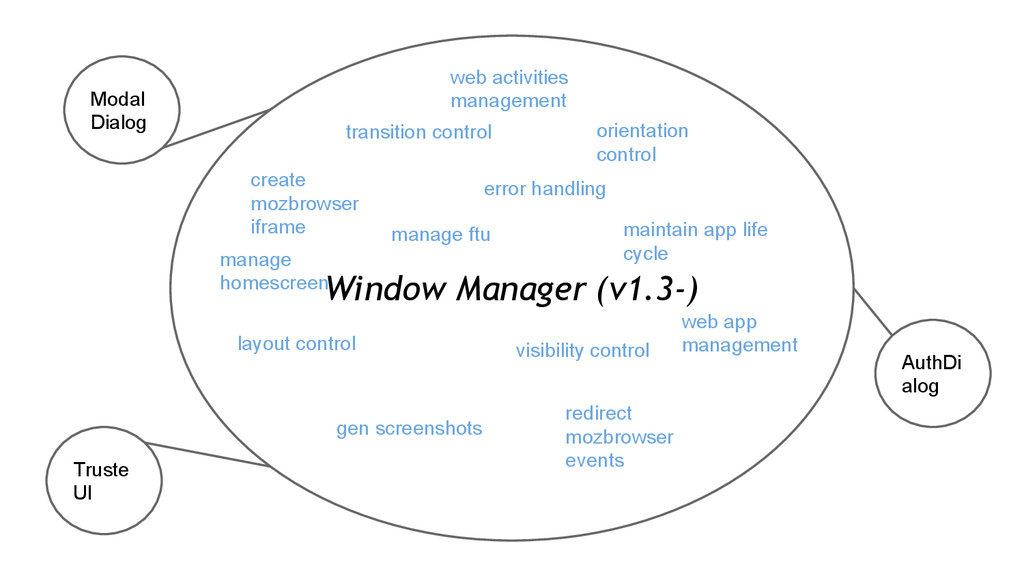
  3. Window Manager (v1.3-) Modal Dialog Truste UI AuthDi alog transition

    control create mozbrowser iframe maintain app life cycle gen screenshots redirect mozbrowser events orientation control layout control error handling visibility control web activities management web app management manage homescreen manage ftu
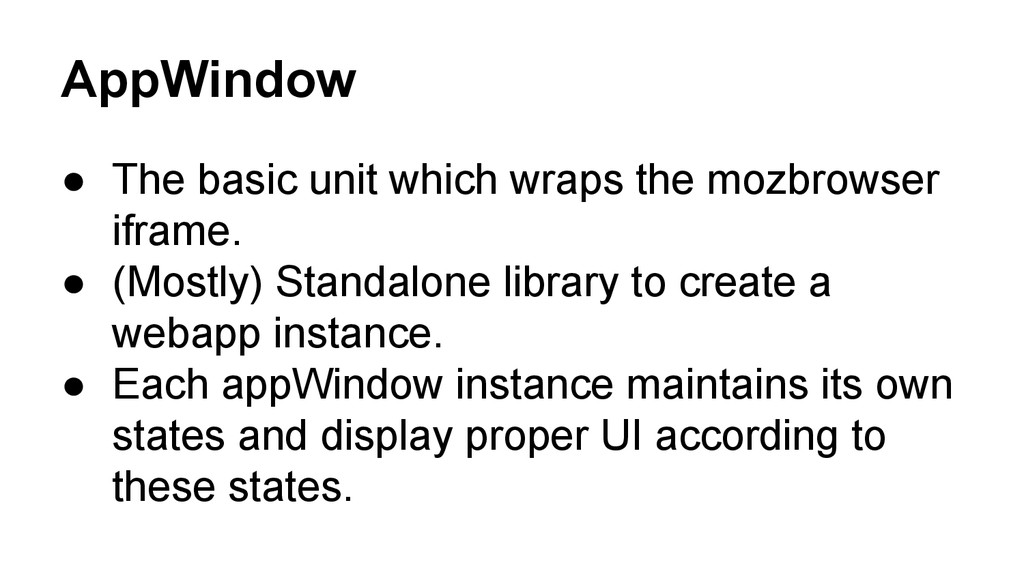
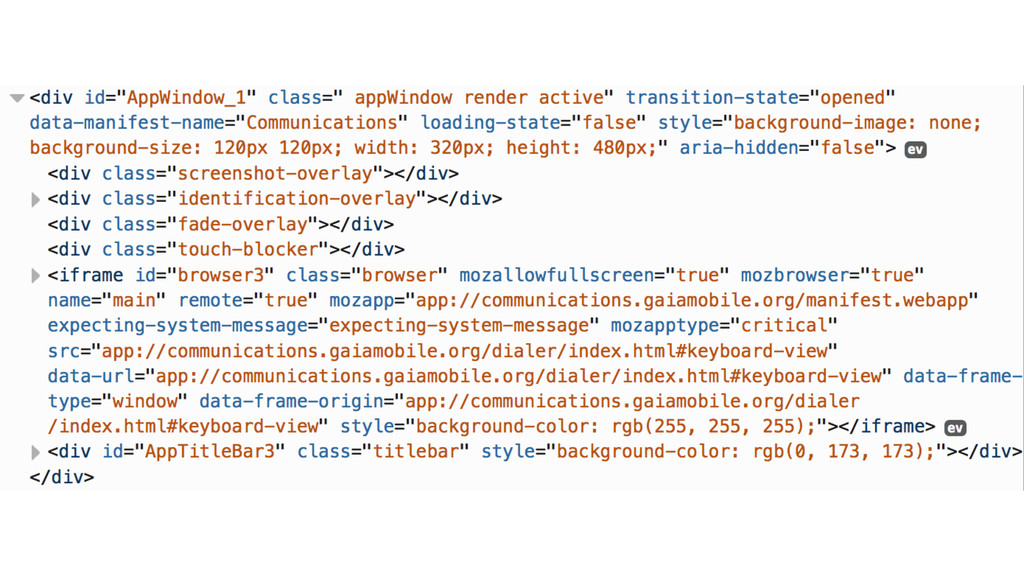
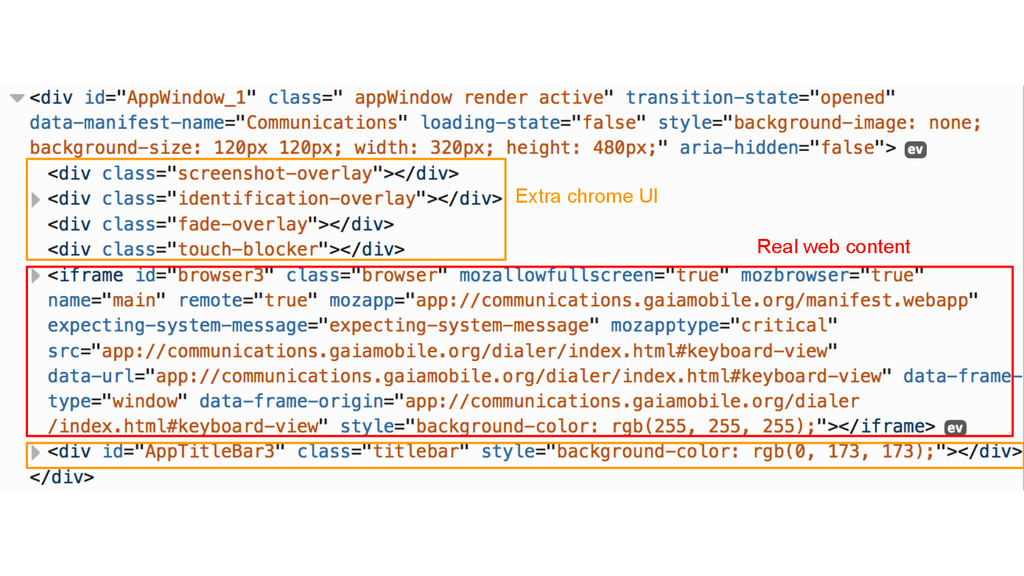
  4. AppWindow • The basic unit which wraps the mozbrowser iframe.

    • (Mostly) Standalone library to create a webapp instance. • Each appWindow instance maintains its own states and display proper UI according to these states.
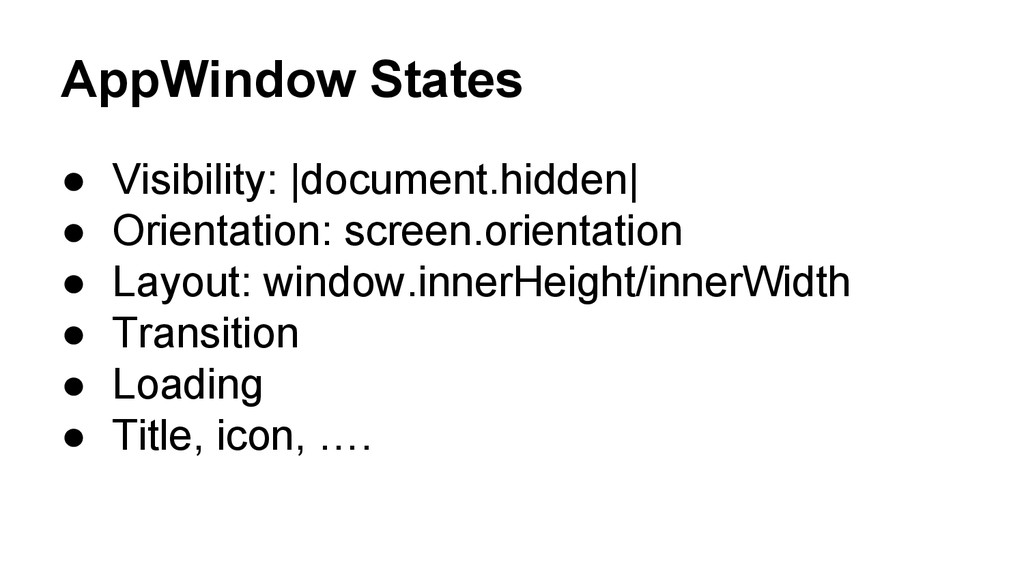
  5. AppWindow States • Visibility: |document.hidden| • Orientation: screen.orientation • Layout:

    window.innerHeight/innerWidth • Transition • Loading • Title, icon, ….
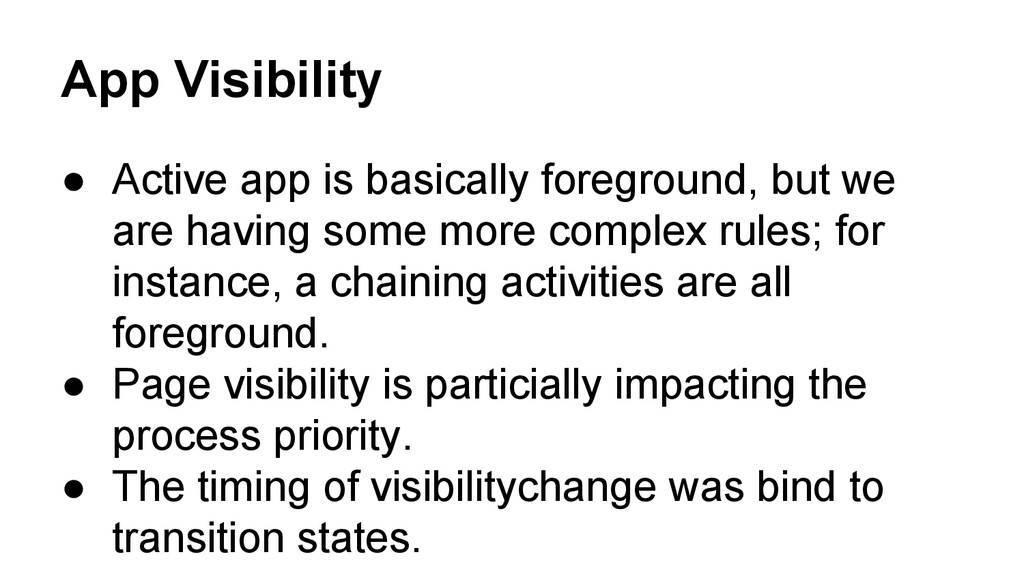
  6. App Visibility • Active app is basically foreground, but we

    are having some more complex rules; for instance, a chaining activities are all foreground. • Page visibility is particially impacting the process priority. • The timing of visibilitychange was bind to transition states.
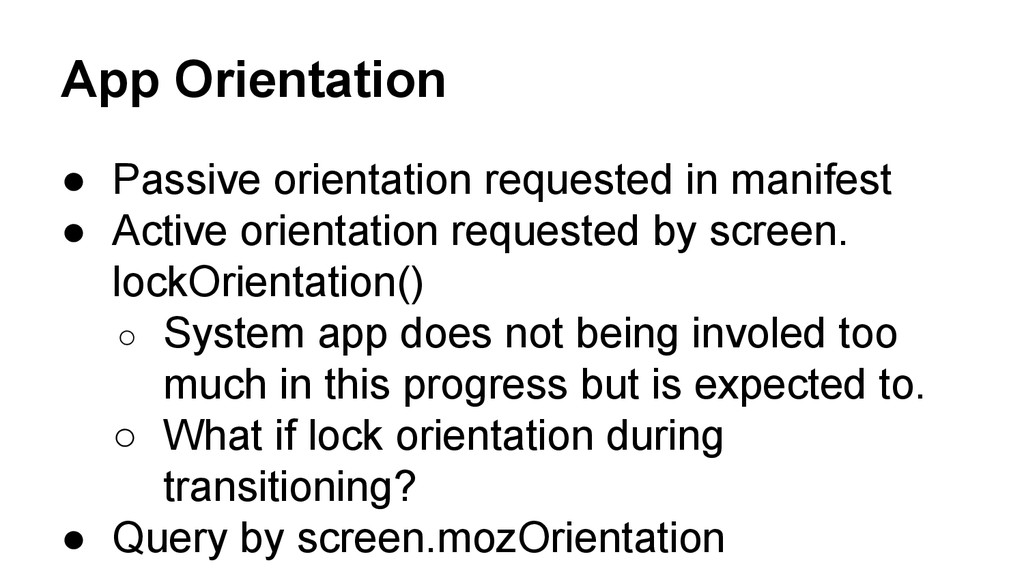
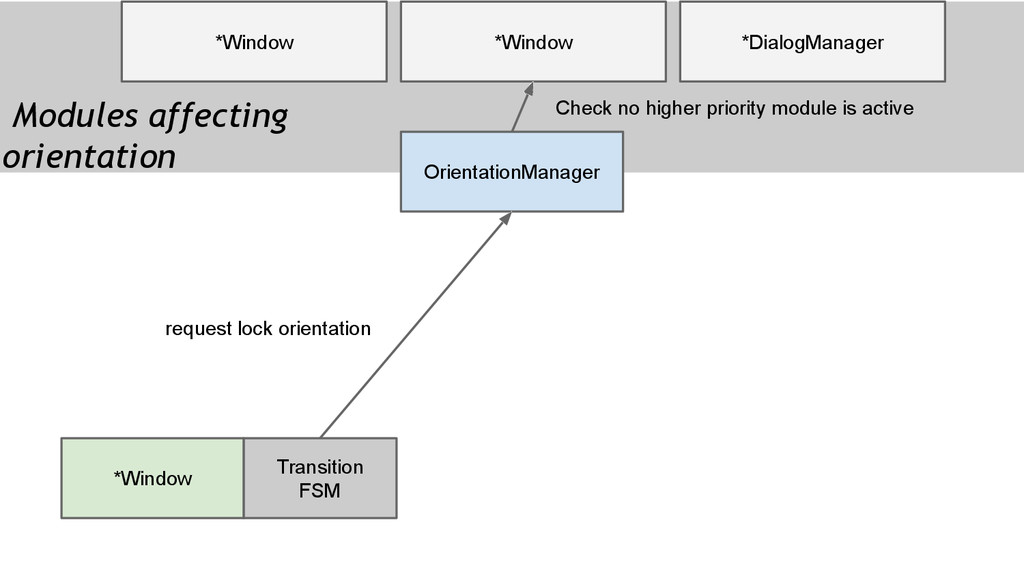
  7. App Orientation • Passive orientation requested in manifest • Active

    orientation requested by screen. lockOrientation() ◦ System app does not being involed too much in this progress but is expected to. ◦ What if lock orientation during transitioning? • Query by screen.mozOrientation
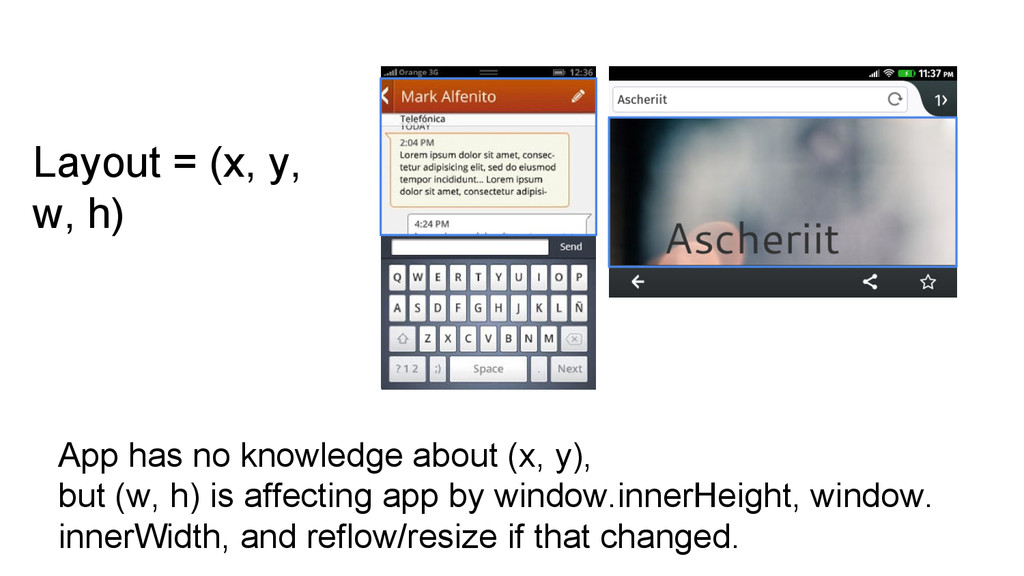
  8. App has no knowledge about (x, y), but (w, h)

    is affecting app by window.innerHeight, window. innerWidth, and reflow/resize if that changed. Layout = (x, y, w, h)
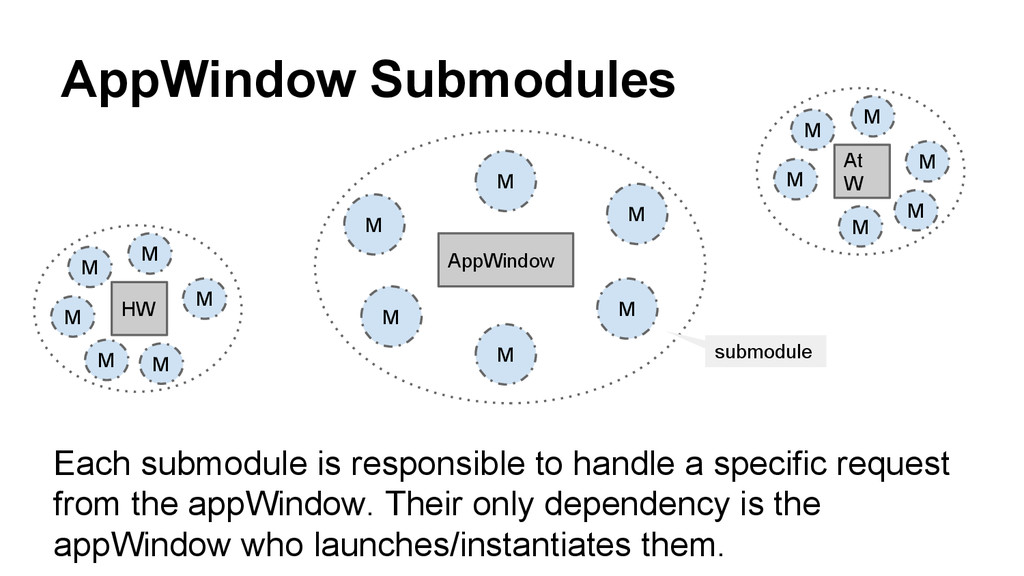
  9. AppWindow Submodules AppWindow Each submodule is responsible to handle a

    specific request from the appWindow. Their only dependency is the appWindow who launches/instantiates them. M M M M M M HW M M M M M M At W M M M M M M submodule
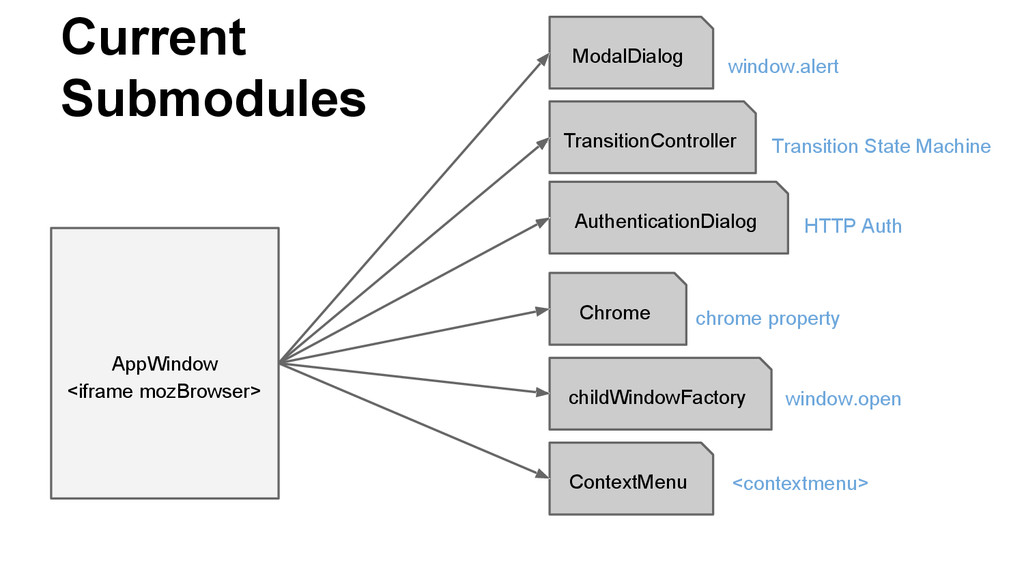
  10. Current Submodules AppWindow ModalDialog AuthenticationDialog TransitionController Chrome ContextMenu childWindowFactory window.alert

    window.open HTTP Auth chrome property <contextmenu> Transition State Machine <iframe mozBrowser>
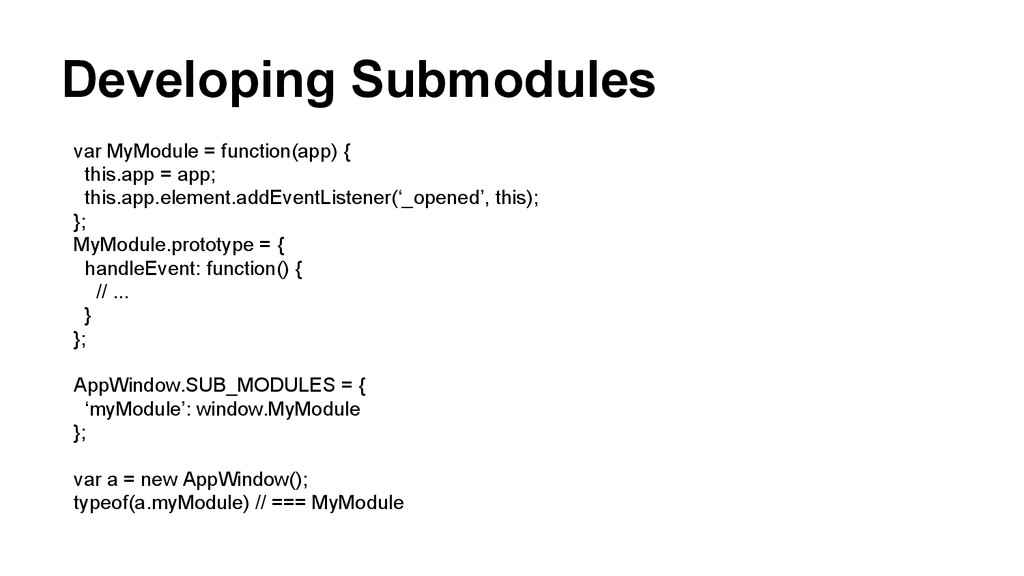
  11. Developing Submodules var MyModule = function(app) { this.app = app;

    this.app.element.addEventListener(‘_opened’, this); }; MyModule.prototype = { handleEvent: function() { // ... } }; AppWindow.SUB_MODULES = { ‘myModule’: window.MyModule }; var a = new AppWindow(); typeof(a.myModule) // === MyModule
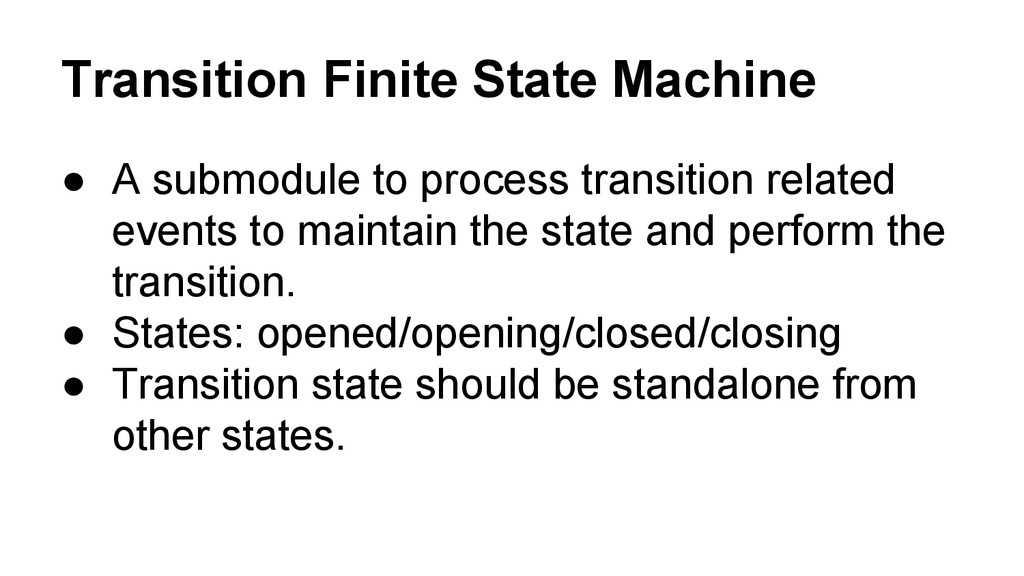
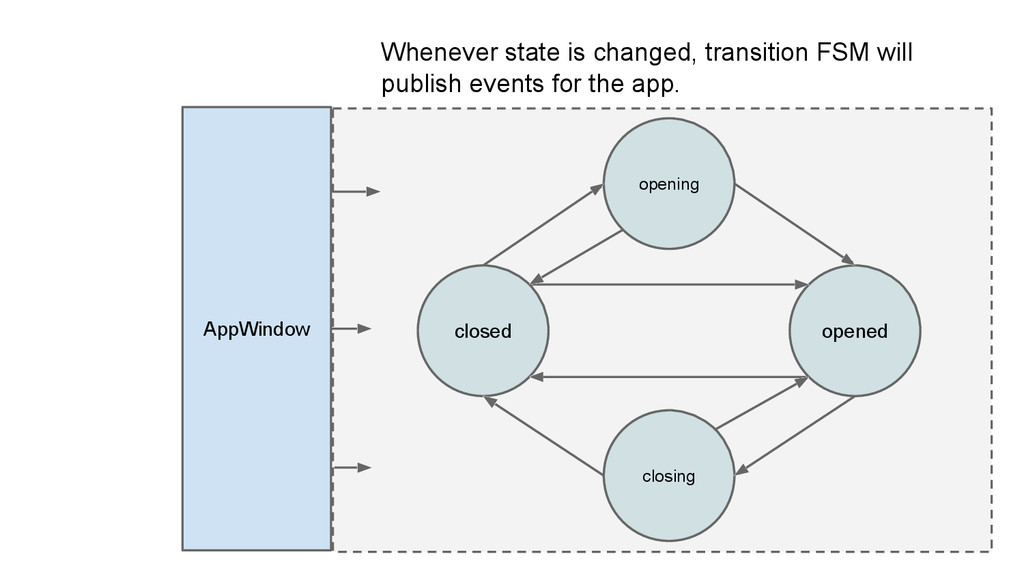
  12. Transition Finite State Machine • A submodule to process transition

    related events to maintain the state and perform the transition. • States: opened/opening/closed/closing • Transition state should be standalone from other states.
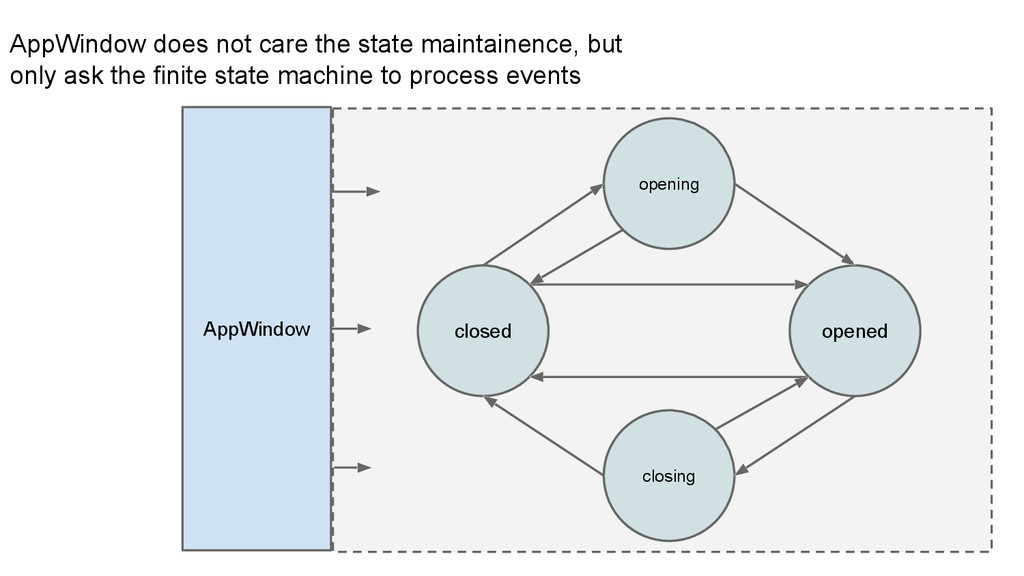
  13. opened closed opening closing AppWindow AppWindow does not care the

    state maintainence, but only ask the finite state machine to process events
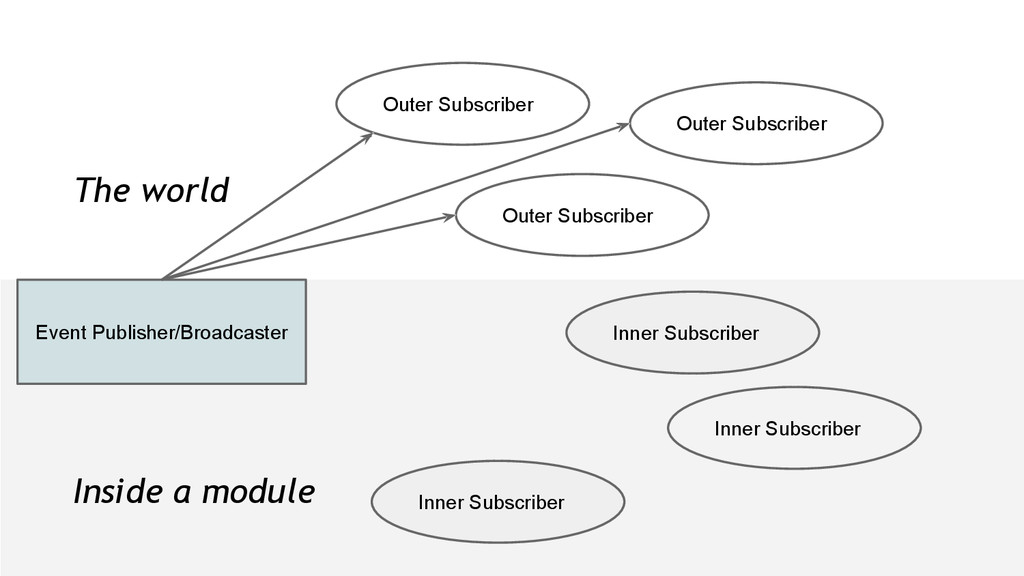
  14. Interactions between AppWindows.. We are living in a world of

    multiple apps. An appWindow should not do anything it wants to do. Request before permitted!
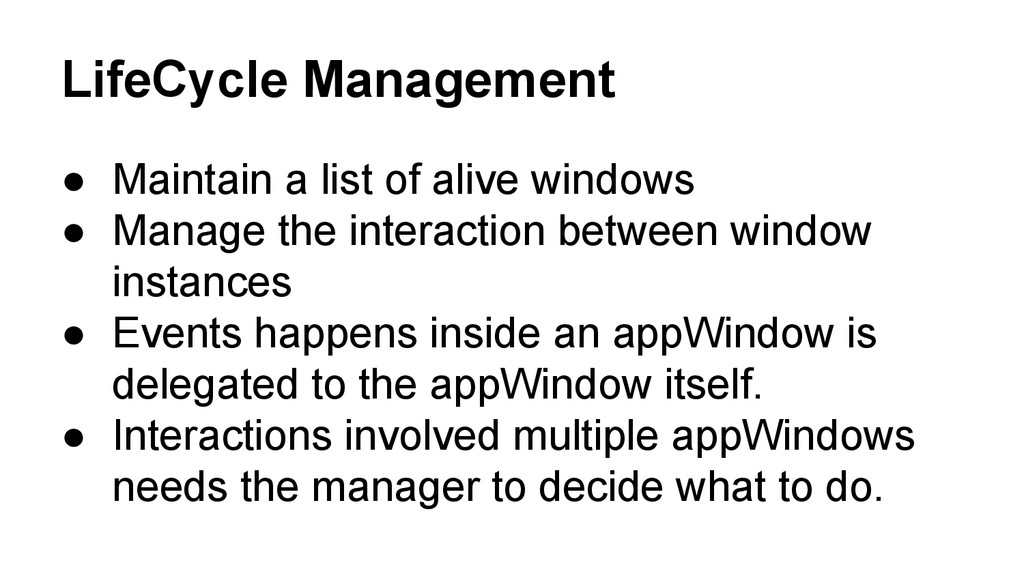
  15. LifeCycle Management • Maintain a list of alive windows •

    Manage the interaction between window instances • Events happens inside an appWindow is delegated to the appWindow itself. • Interactions involved multiple appWindows needs the manager to decide what to do.
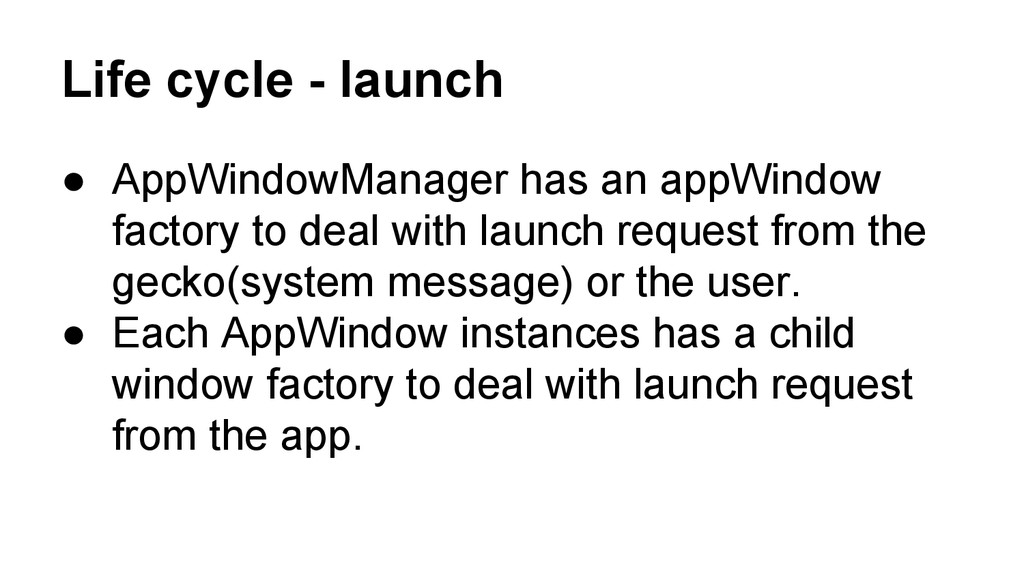
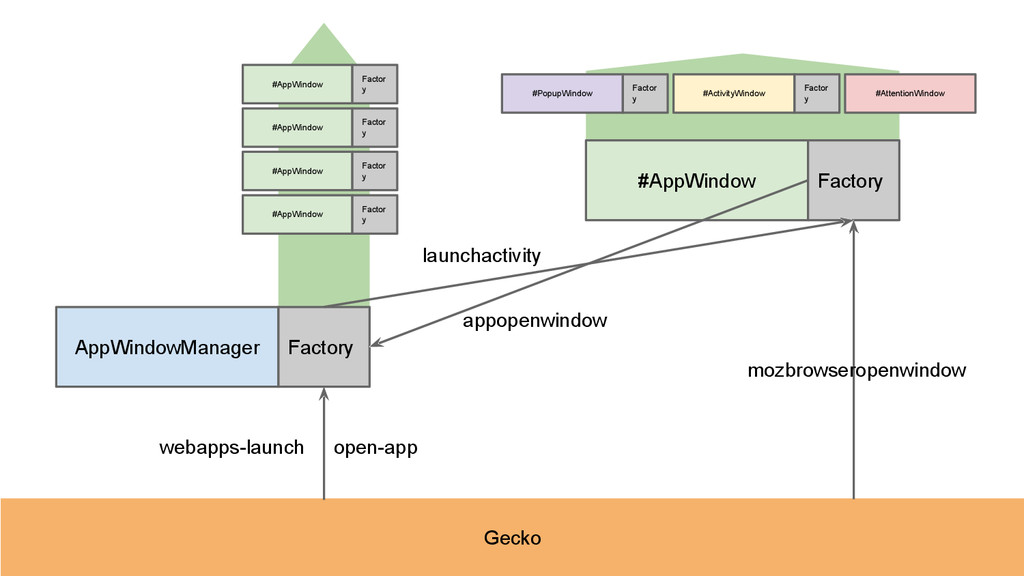
  16. Life cycle - launch • AppWindowManager has an appWindow factory

    to deal with launch request from the gecko(system message) or the user. • Each AppWindow instances has a child window factory to deal with launch request from the app.
  17. AppWindowManager #AppWindow Gecko webapps-launch open-app Factory Factory mozbrowseropenwindow launchactivity #AppWindow

    Factor y #AppWindow Factor y #AppWindow Factor y #AppWindow Factor y #PopupWindow Factor y #ActivityWindow Factor y #AttentionWindow appopenwindow
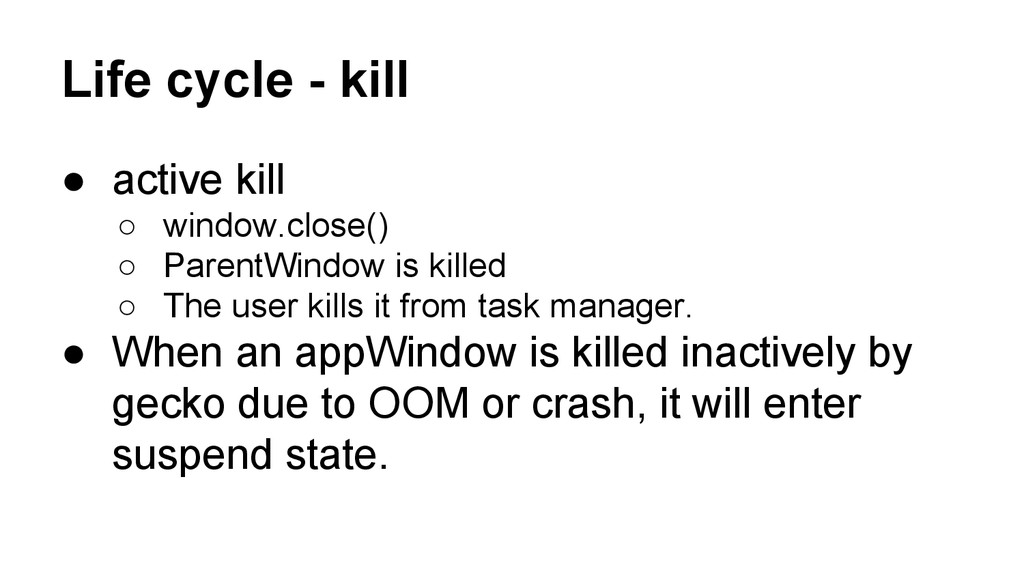
  18. Life cycle - kill • active kill ◦ window.close() ◦

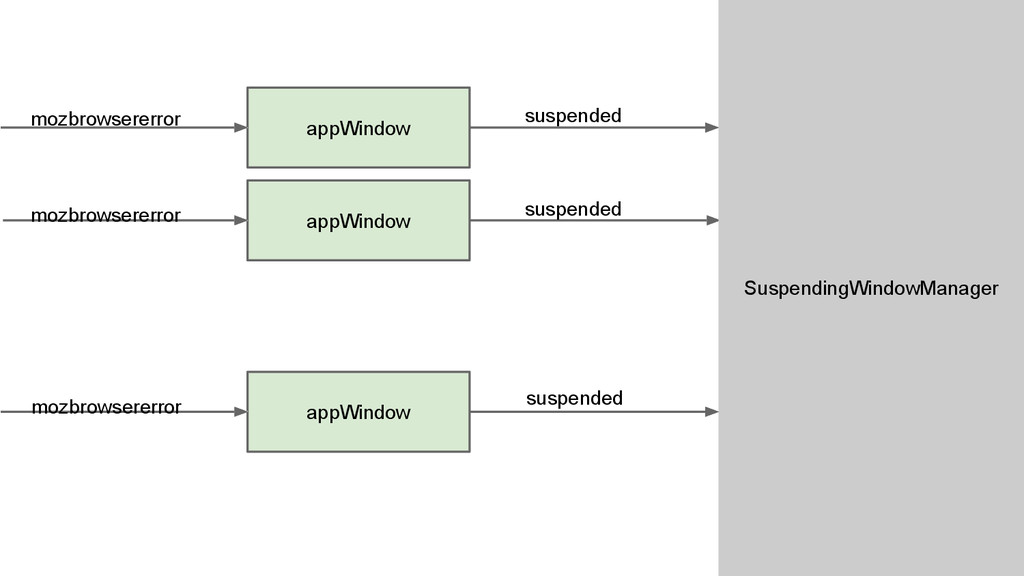
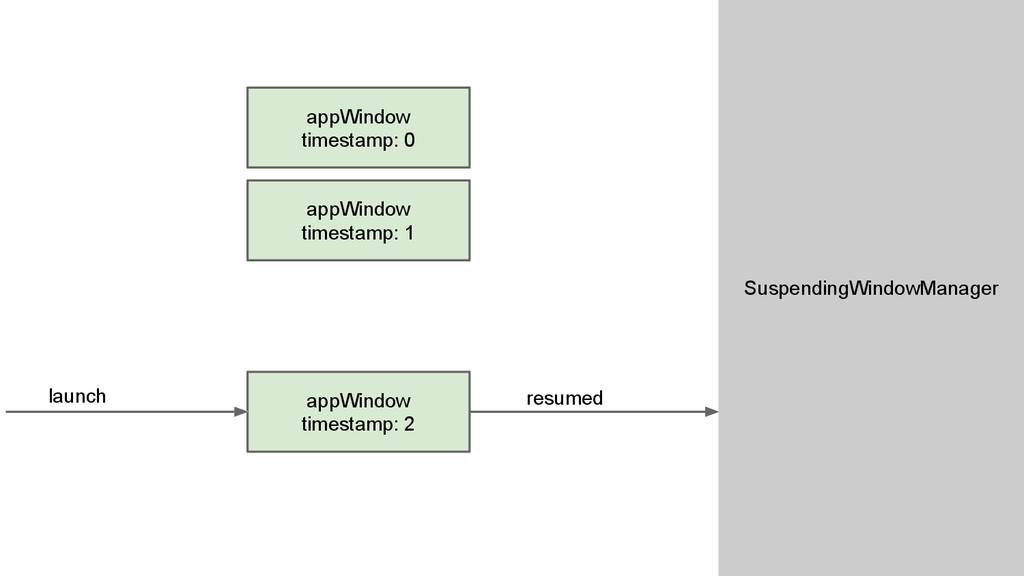
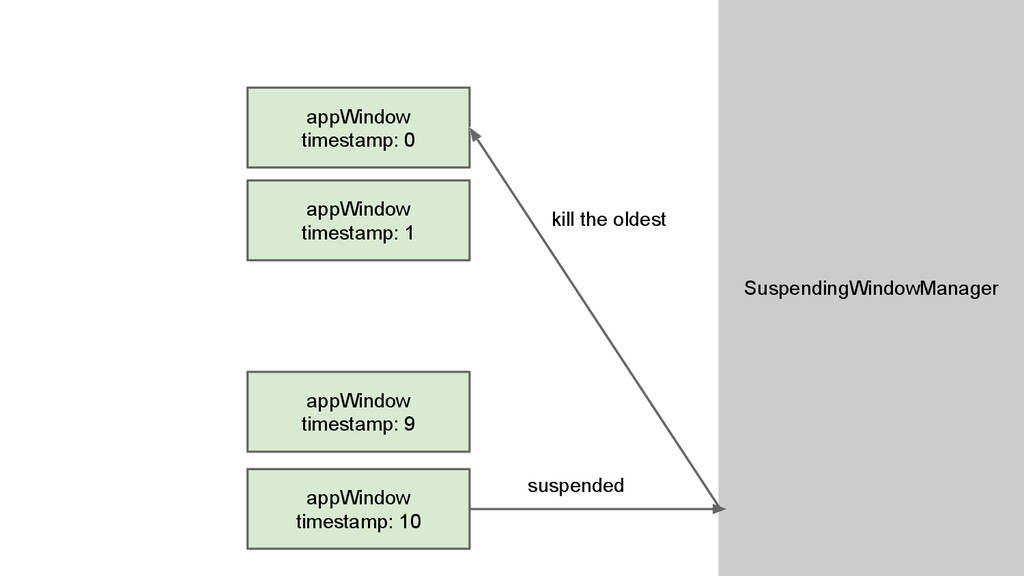
    ParentWindow is killed ◦ The user kills it from task manager. • When an appWindow is killed inactively by gecko due to OOM or crash, it will enter suspend state.
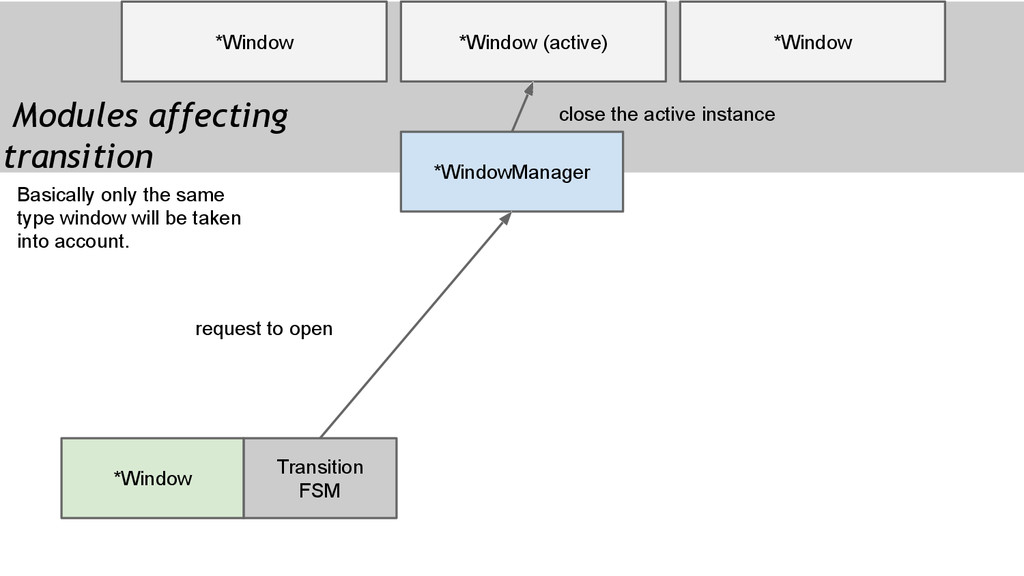
  19. *WindowManager *Window *Window (active) Modules affecting transition *Window Transition FSM

    *Window request to open close the active instance Basically only the same type window will be taken into account.
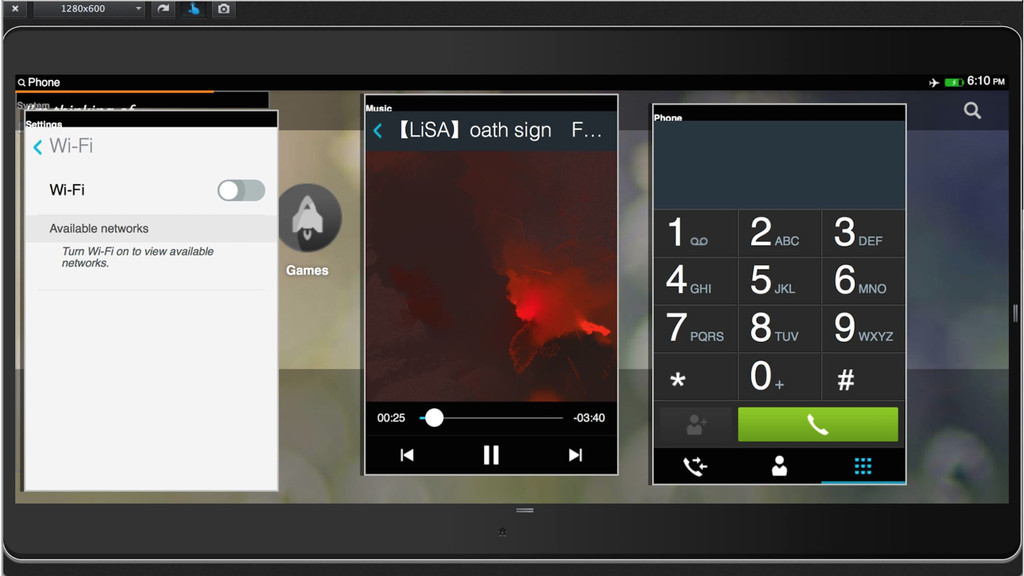
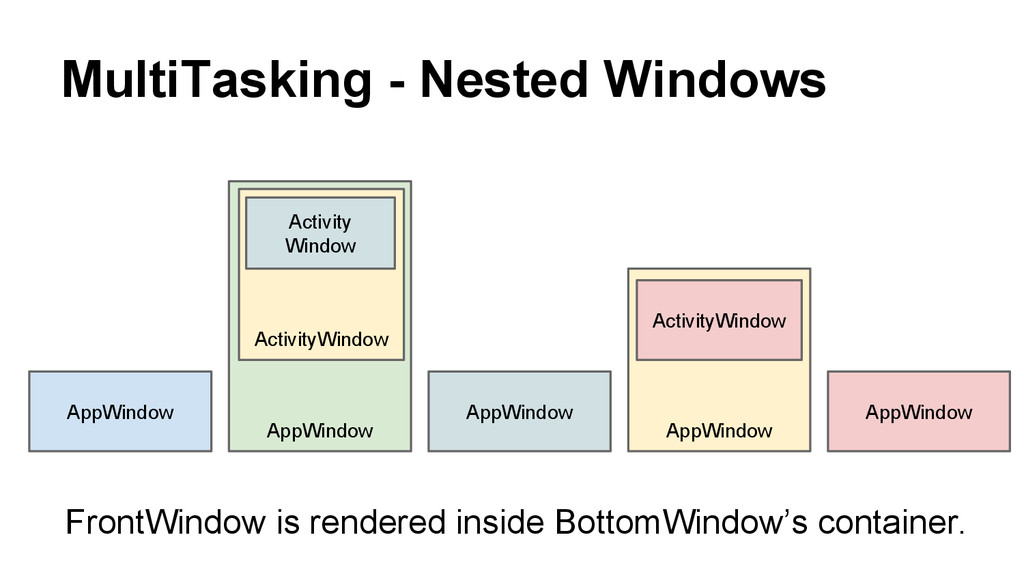
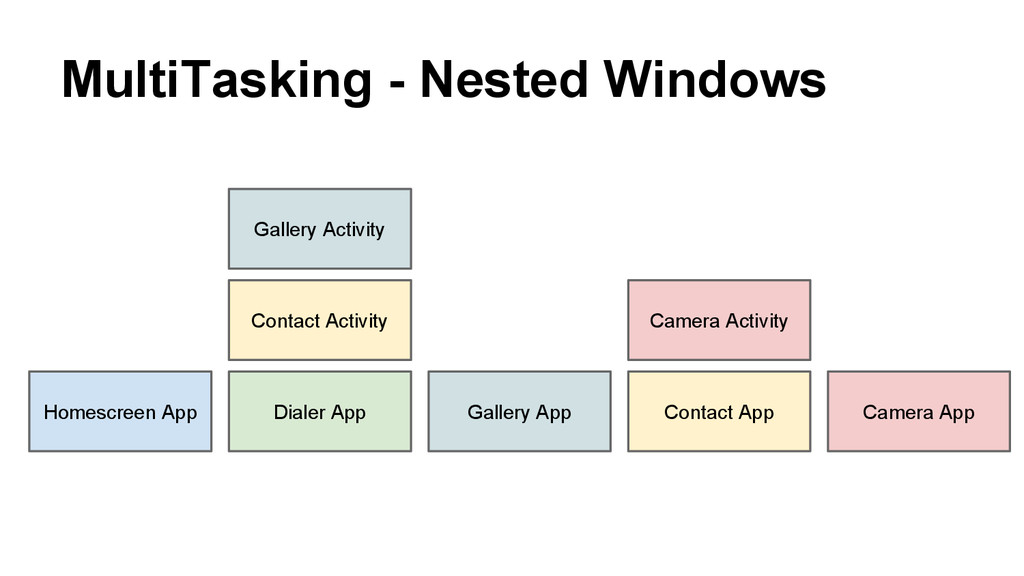
  20. MultiTasking - Nested Windows Dialer App Gallery App Homescreen App

    Contact App Contact Activity Gallery Activity Camera Activity Camera App
  21. MultiTasking - Nested Windows AppWindow AppWindow AppWindow AppWindow ActivityWindow Activity

    Window ActivityWindow AppWindow FrontWindow is rendered inside BottomWindow’s container.
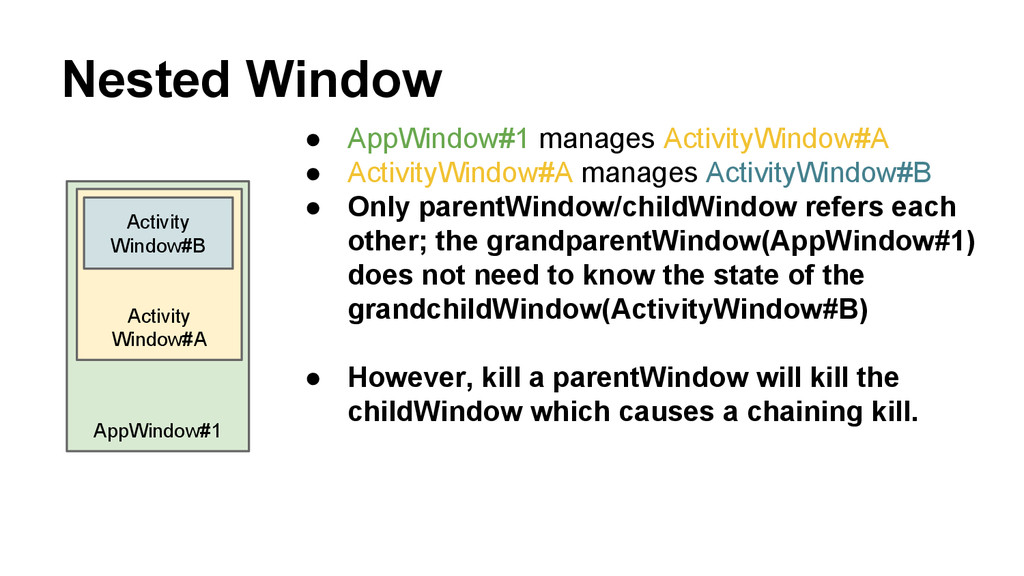
  22. AppWindow#1 Activity Window#A Nested Window Activity Window#B • AppWindow#1 manages

    ActivityWindow#A • ActivityWindow#A manages ActivityWindow#B • Only parentWindow/childWindow refers each other; the grandparentWindow(AppWindow#1) does not need to know the state of the grandchildWindow(ActivityWindow#B) • However, kill a parentWindow will kill the childWindow which causes a chaining kill.
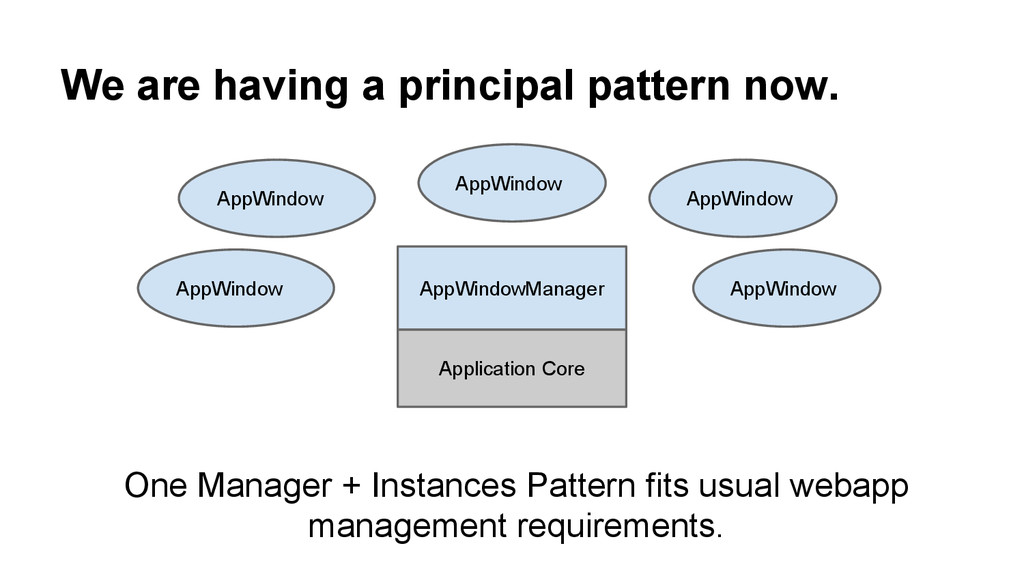
  23. We are having a principal pattern now. AppWindowManager AppWindow AppWindow

    Application Core AppWindow AppWindow AppWindow One Manager + Instances Pattern fits usual webapp management requirements.
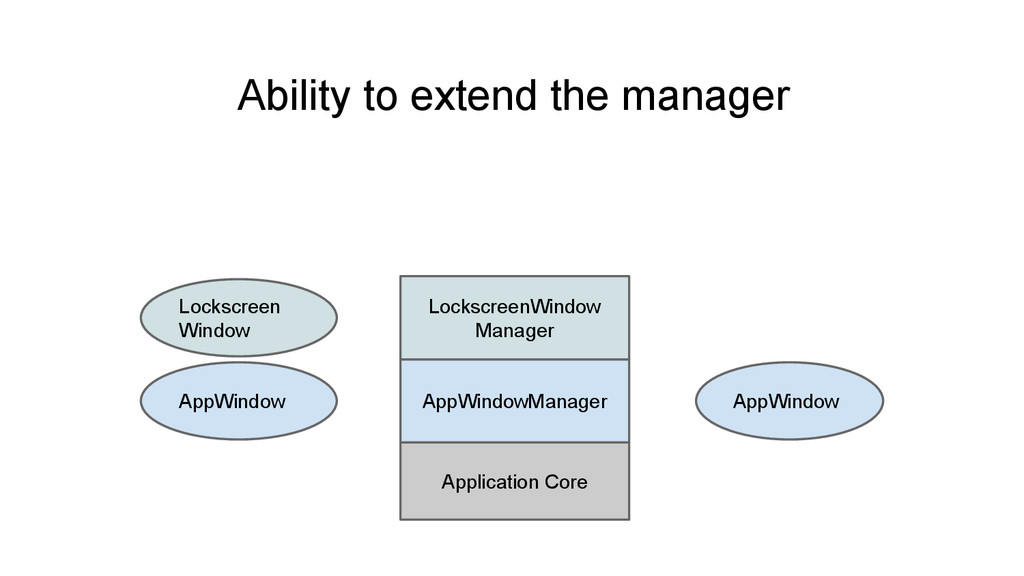
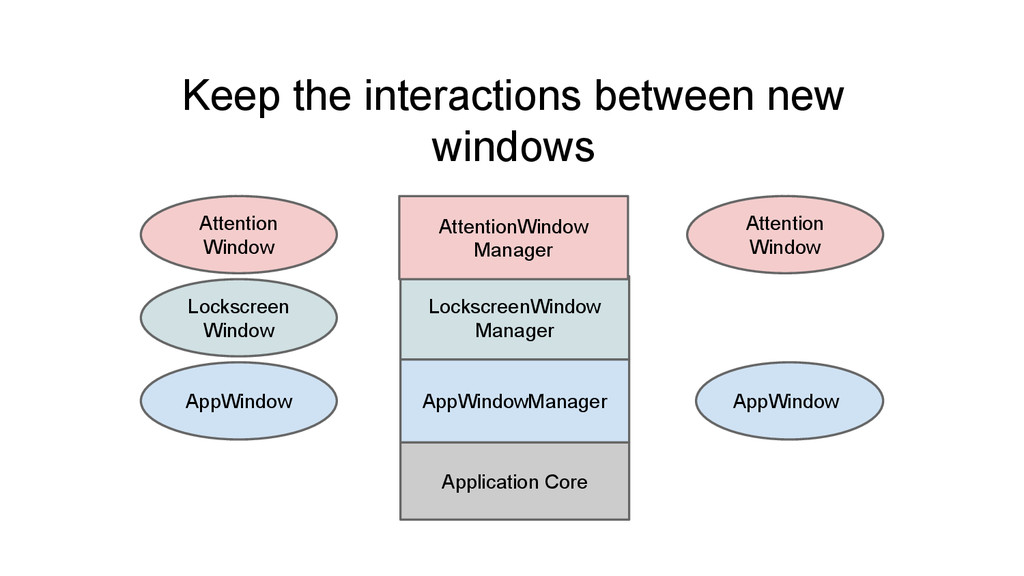
  24. Hierarchy In an operation system, there would be some system

    level user interface which are not usual applications but has certain interaction with applications. Lockscreen, Attention, SystemDialog, Rocketbar...
  25. AppWindowManager AppWindow AppWindow Application Core LockscreenWindow Manager Lockscreen Window Keep

    the interactions between new windows AttentionWindow Manager Attention Window Attention Window
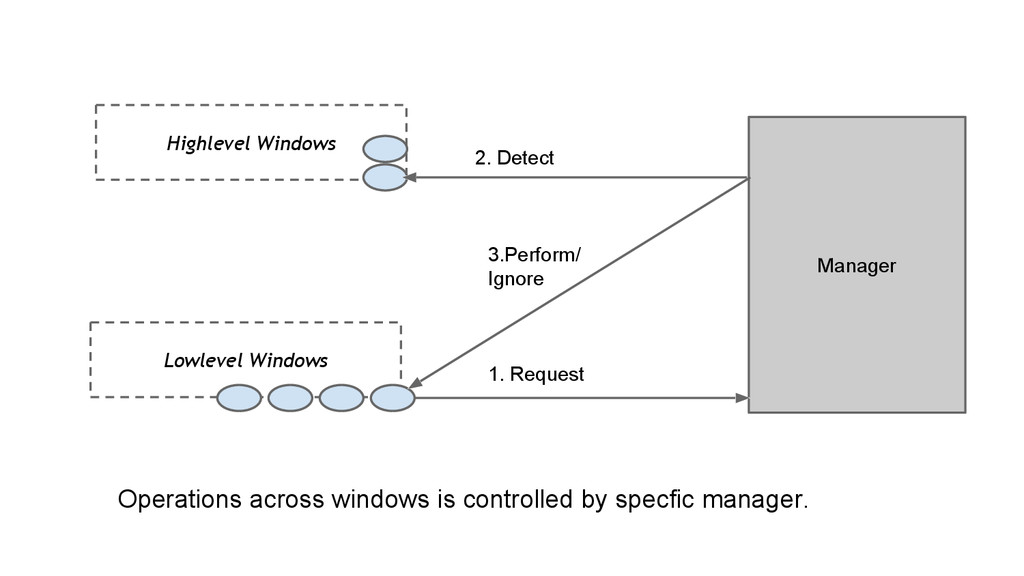
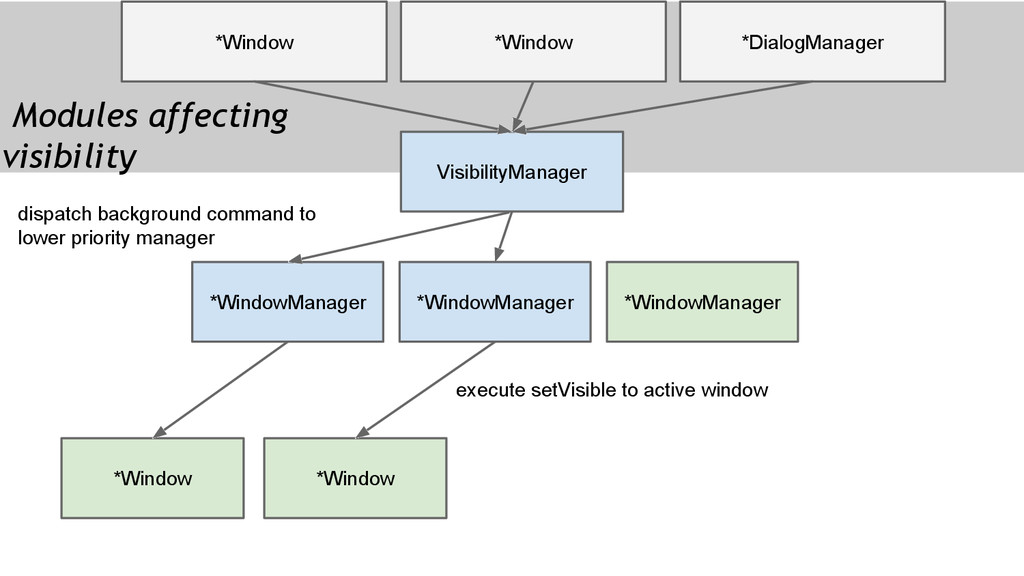
  26. Lowlevel Windows Highlevel Windows Manager 1. Request 2. Detect 3.Perform/

    Ignore Operations across windows is controlled by specfic manager.
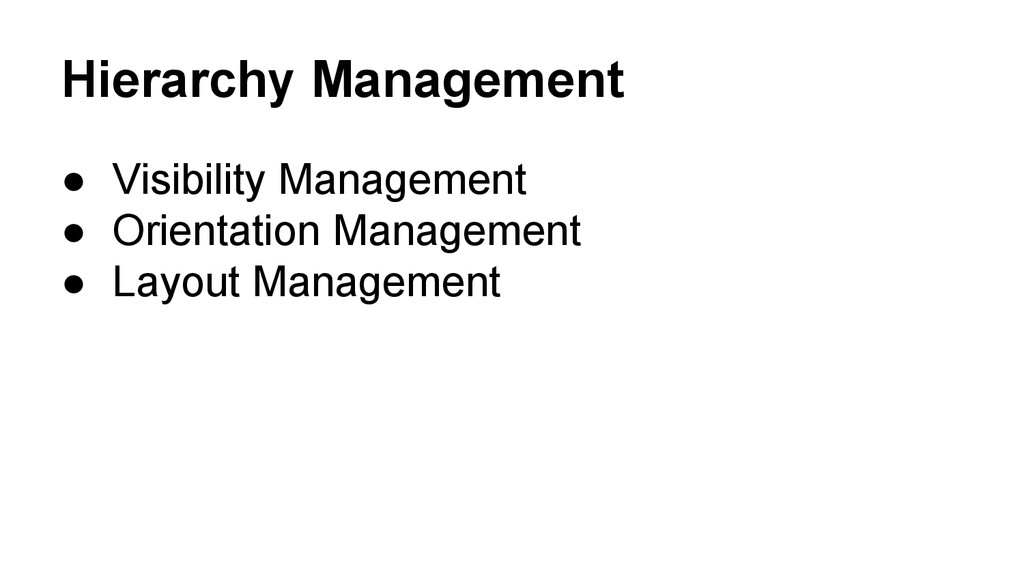
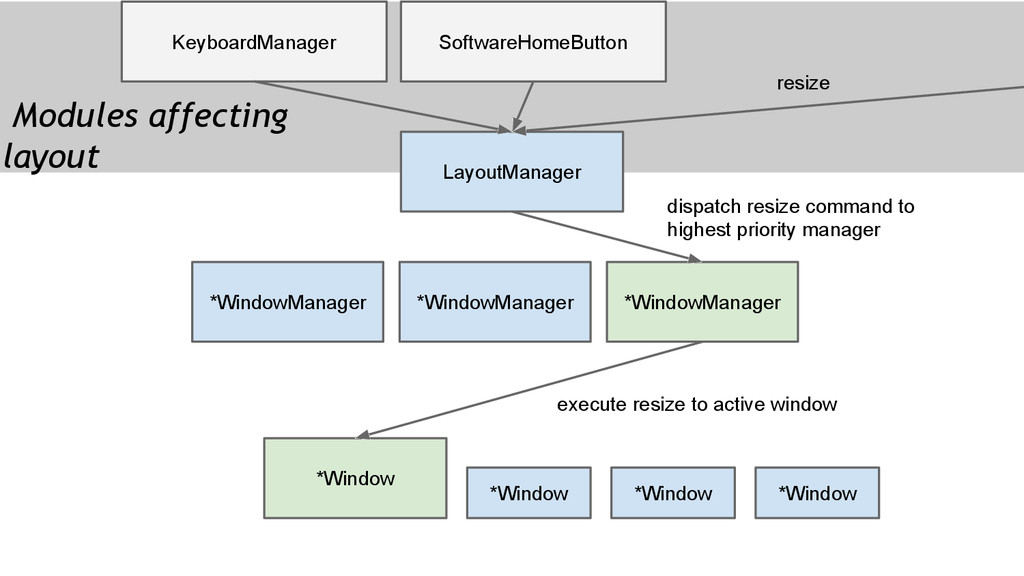
  27. LayoutManager *Window KeyboardManager SoftwareHomeButton *WindowManager *Window *Window *Window *WindowManager *WindowManager

    dispatch resize command to highest priority manager Modules affecting layout execute resize to active window resize
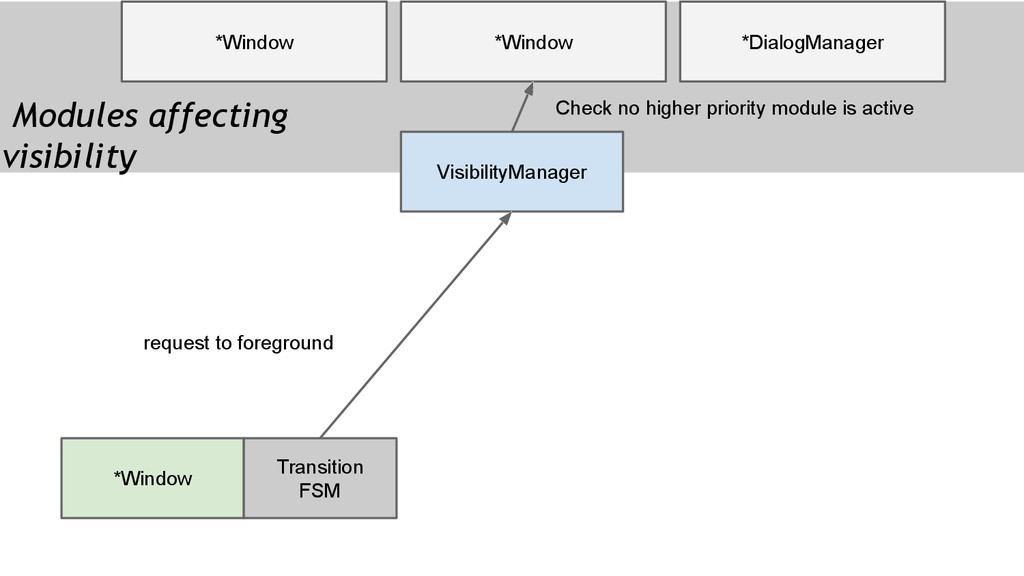
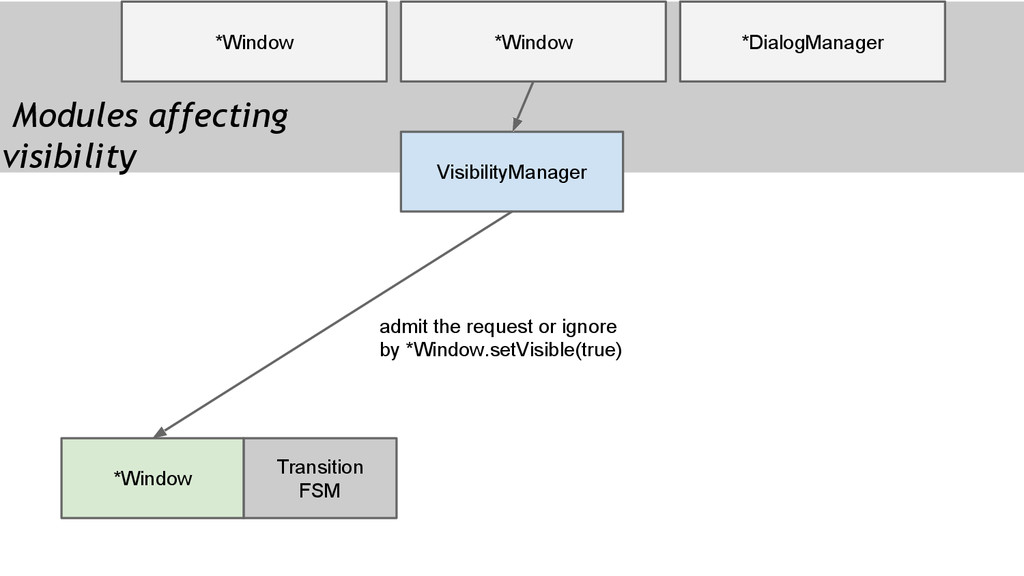
  28. VisibilityManager *Window *Window *Window *WindowManager *WindowManager *WindowManager dispatch background command

    to lower priority manager Modules affecting visibility execute setVisible to active window *DialogManager *Window
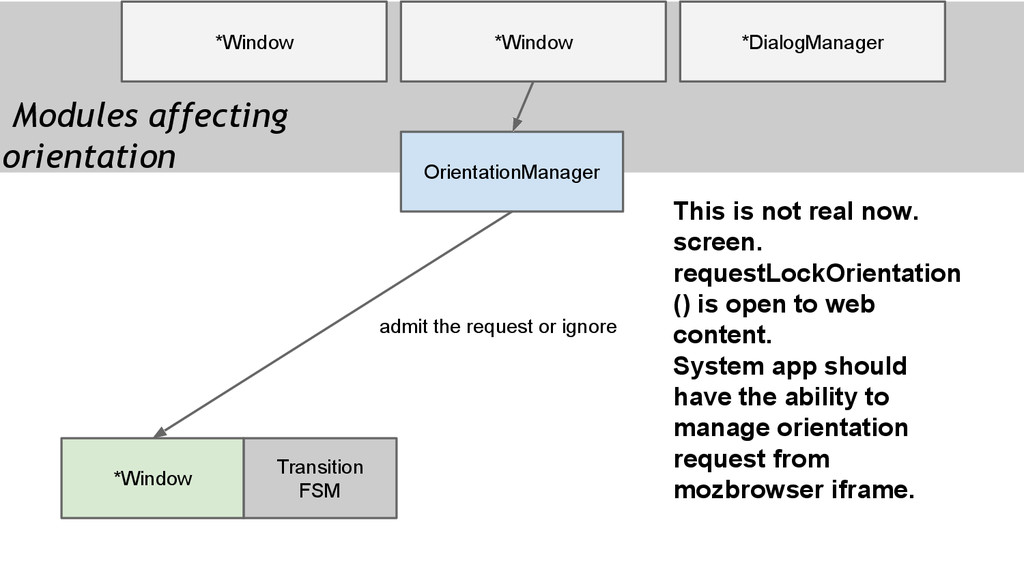
  29. OrientationManager *Window *Window Modules affecting orientation *DialogManager Transition FSM *Window

    request lock orientation Check no higher priority module is active
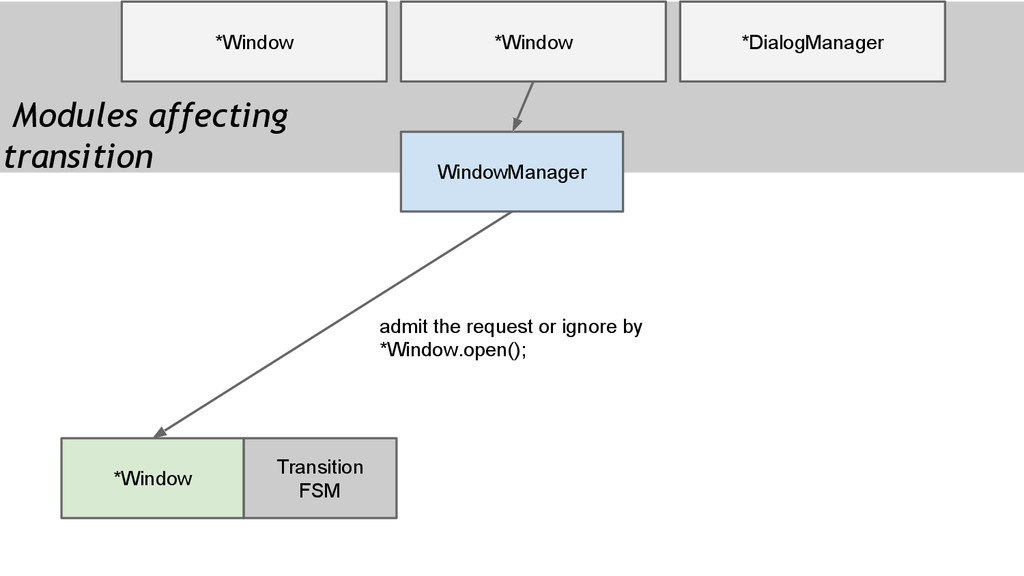
  30. OrientationManager *Window *Window Modules affecting orientation *DialogManager Transition FSM *Window

    admit the request or ignore This is not real now. screen. requestLockOrientation () is open to web content. System app should have the ability to manage orientation request from mozbrowser iframe.
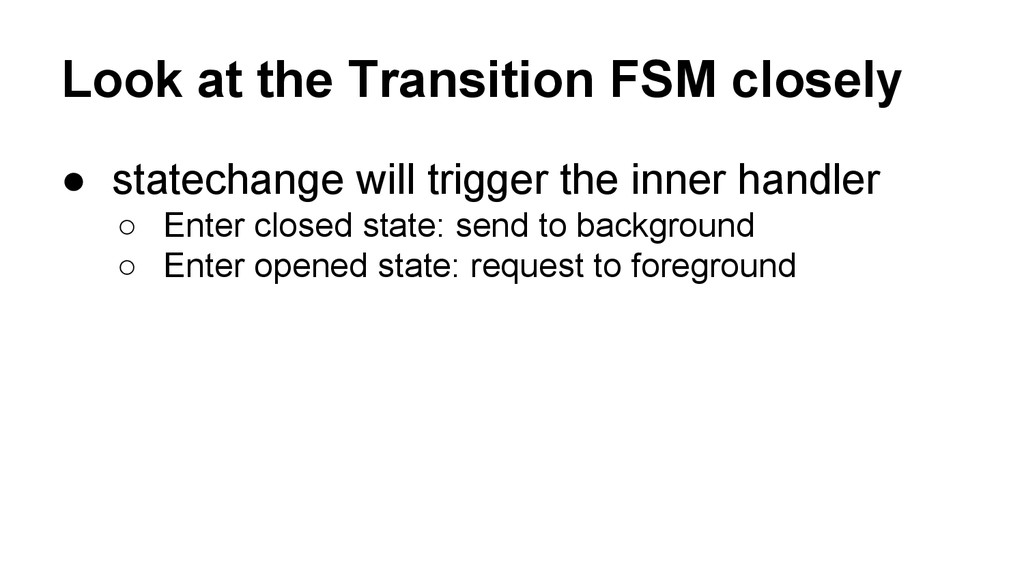
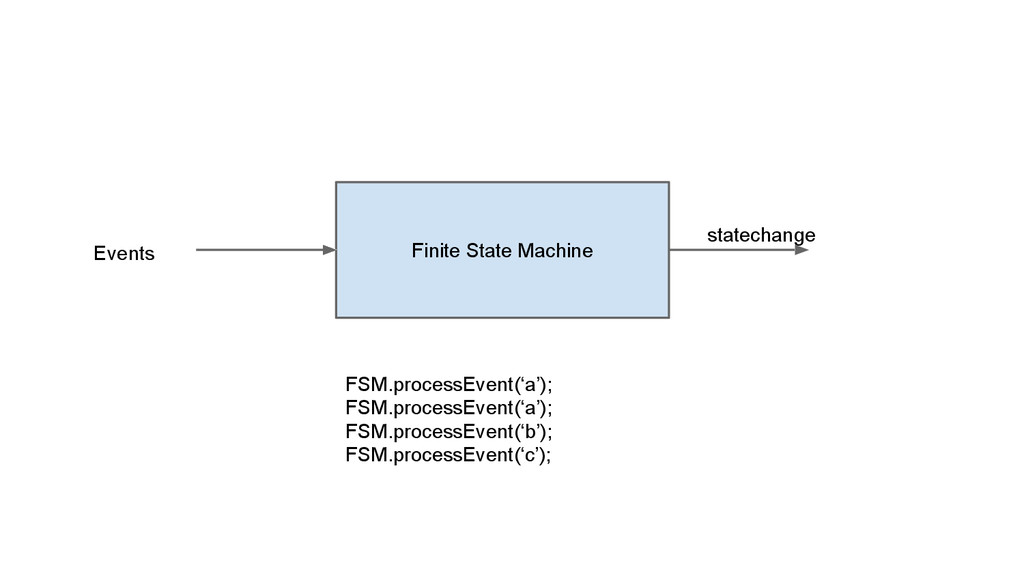
  31. Look at the Transition FSM closely • statechange will trigger
    the inner handler ◦ Enter closed state: send to background ◦ Enter opened state: request to foreground
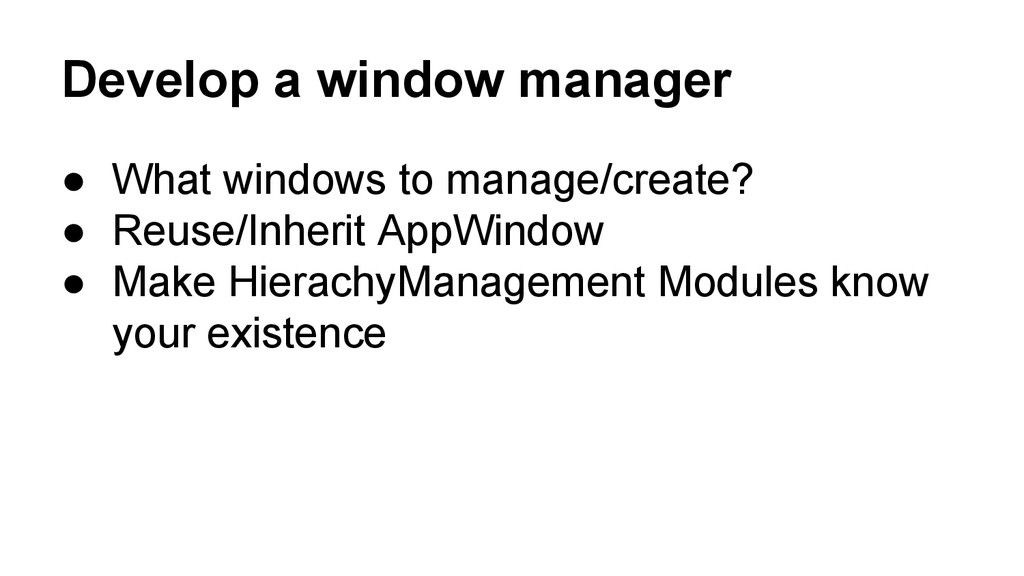
  32. Develop a window manager • What windows to manage/create? •

    Reuse/Inherit AppWindow • Make HierachyManagement Modules know your existence
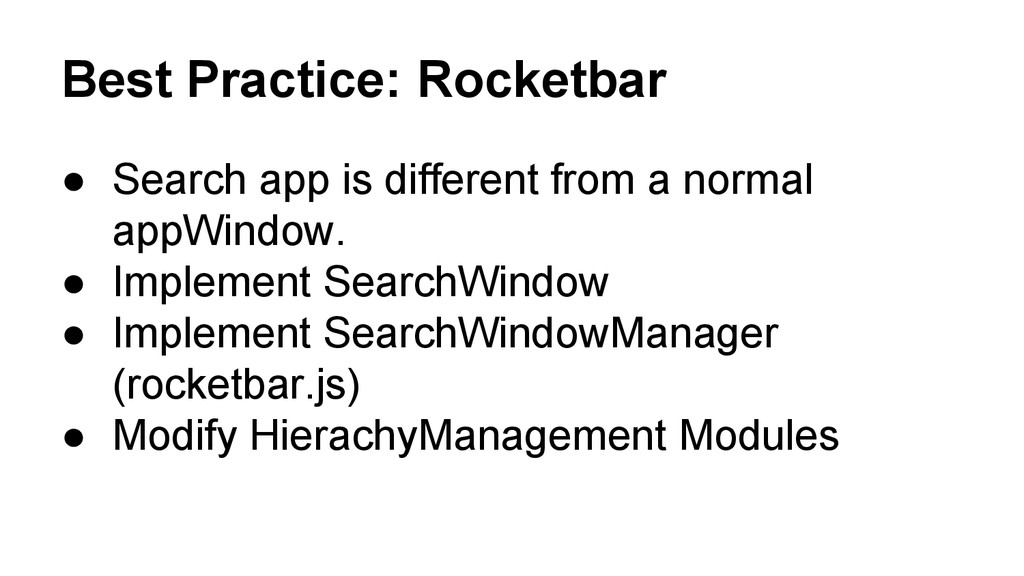
  33. Best Practice: Rocketbar • Search app is different from a

    normal appWindow. • Implement SearchWindow • Implement SearchWindowManager (rocketbar.js) • Modify HierachyManagement Modules
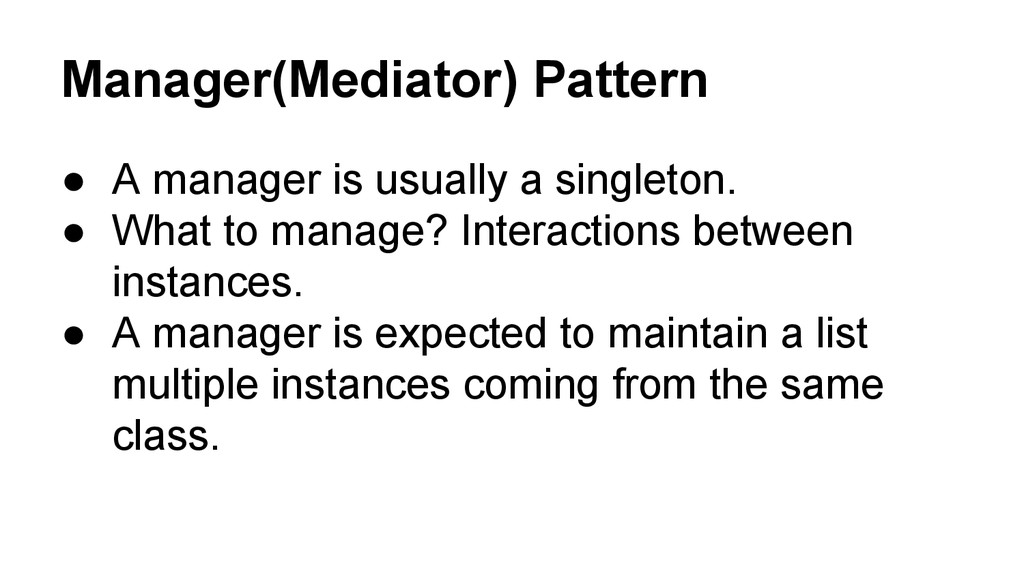
  34. Manager(Mediator) Pattern • A manager is usually a singleton. •

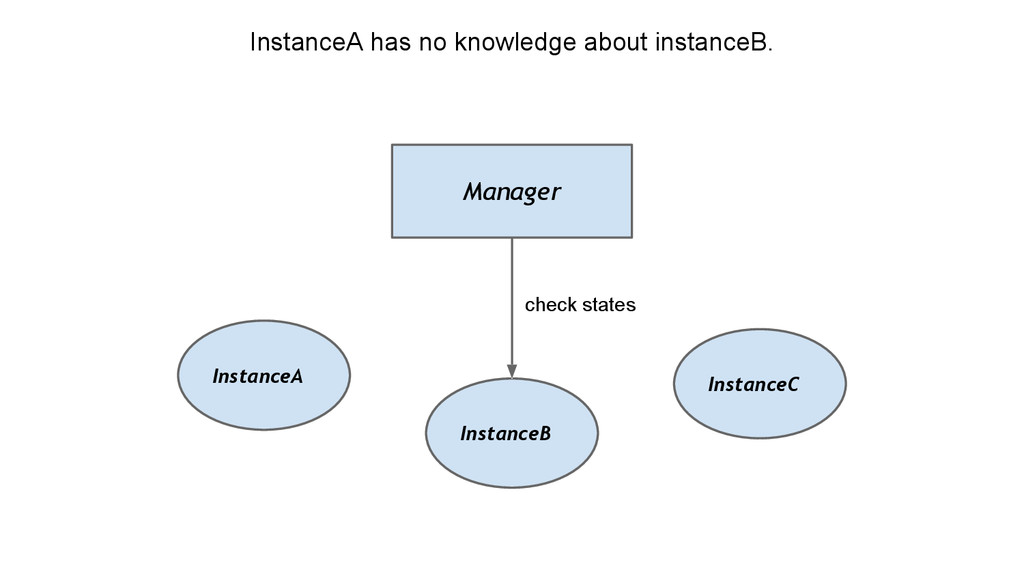
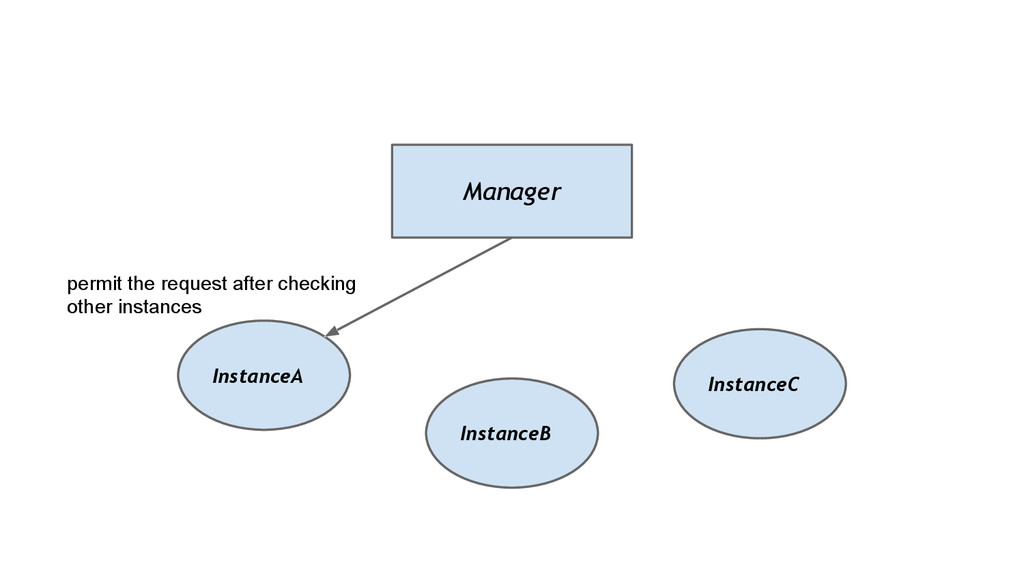
    What to manage? Interactions between instances. • A manager is expected to maintain a list multiple instances coming from the same class.
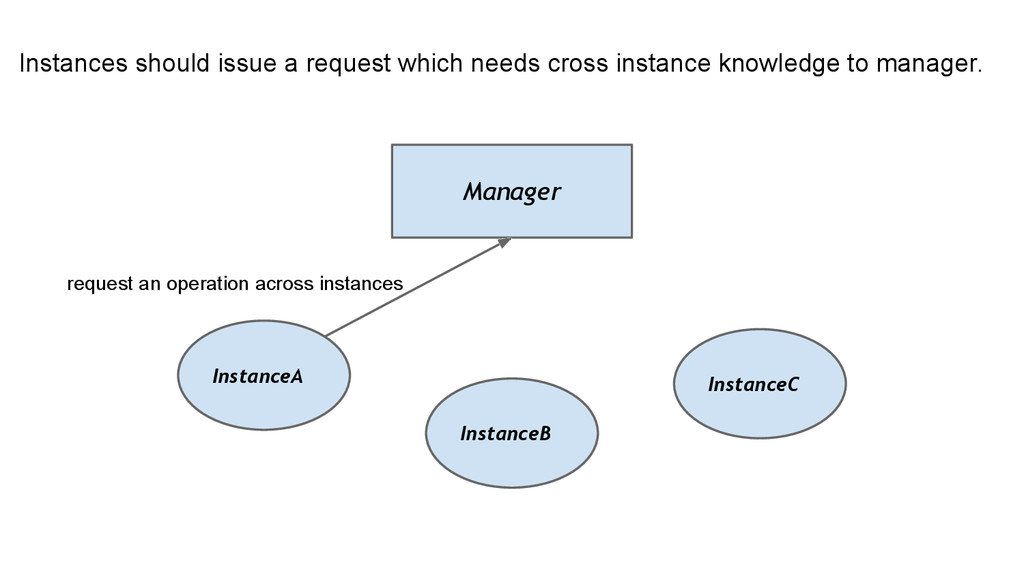
  35. InstanceA Manager InstanceB InstanceC Instances should issue a request which

    needs cross instance knowledge to manager. request an operation across instances