Upgrade to Pro — share decks privately, control downloads, hide ads and more …

10 Landing Page Mistakes Killing Your Conversions

Sponsored · SiteGround - Reliable hosting with speed, security, and support you can count on. →
Avatar for Ashfak Ashfak
September 01, 2026

10 Landing Page Mistakes Killing Your Conversions

A practical visual breakdown of the ten landing page mistakes that can turn valuable traffic into lost opportunities. Learn how unclear messaging, weak calls to action, poor hierarchy, missing trust, friction, slow performance, and confusing next steps can stop visitors from converting.

Based entirely on the ScaleWithAsh article, this presentation turns the key lessons into clear visual frameworks you can apply to improve your landing pages.

Avatar for Ashfak

Ashfak

September 01, 2026

Other Decks in Marketing & SEO

Transcript

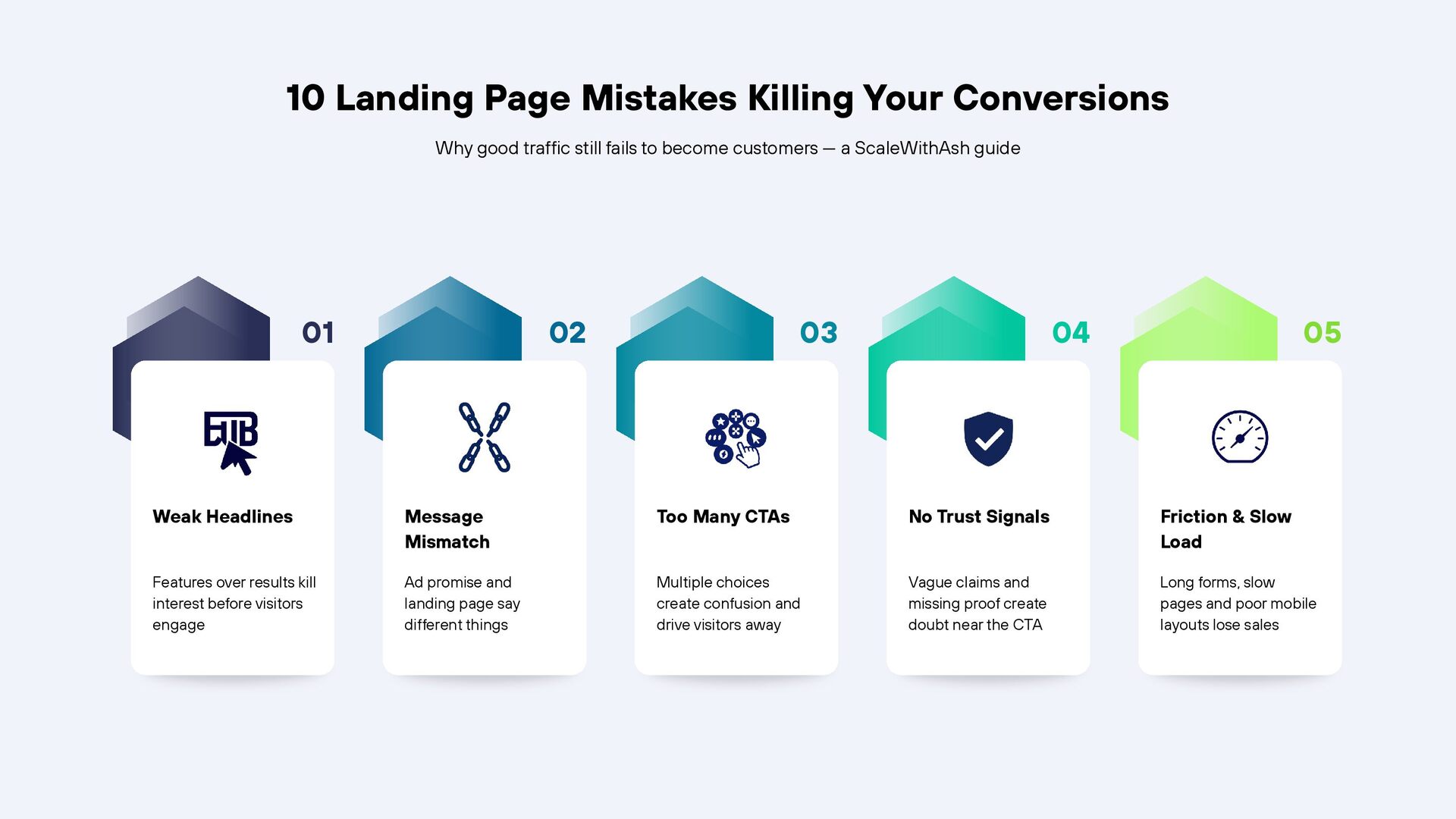
  1. 10 Landing Page Mistakes Killing Your Conversions Why good traffic

    still fails to become customers — a ScaleWithAsh guide 01 02 03 04 05 Weak Headlines Message Mismatch Too Many CTAs No Trust Signals Friction & Slow Load Features over results kill interest before visitors engage Ad promise and landing page say different things Multiple choices create confusion and drive visitors away Vague claims and missing proof create doubt near the CTA Long forms, slow pages and poor mobile layouts lose sales
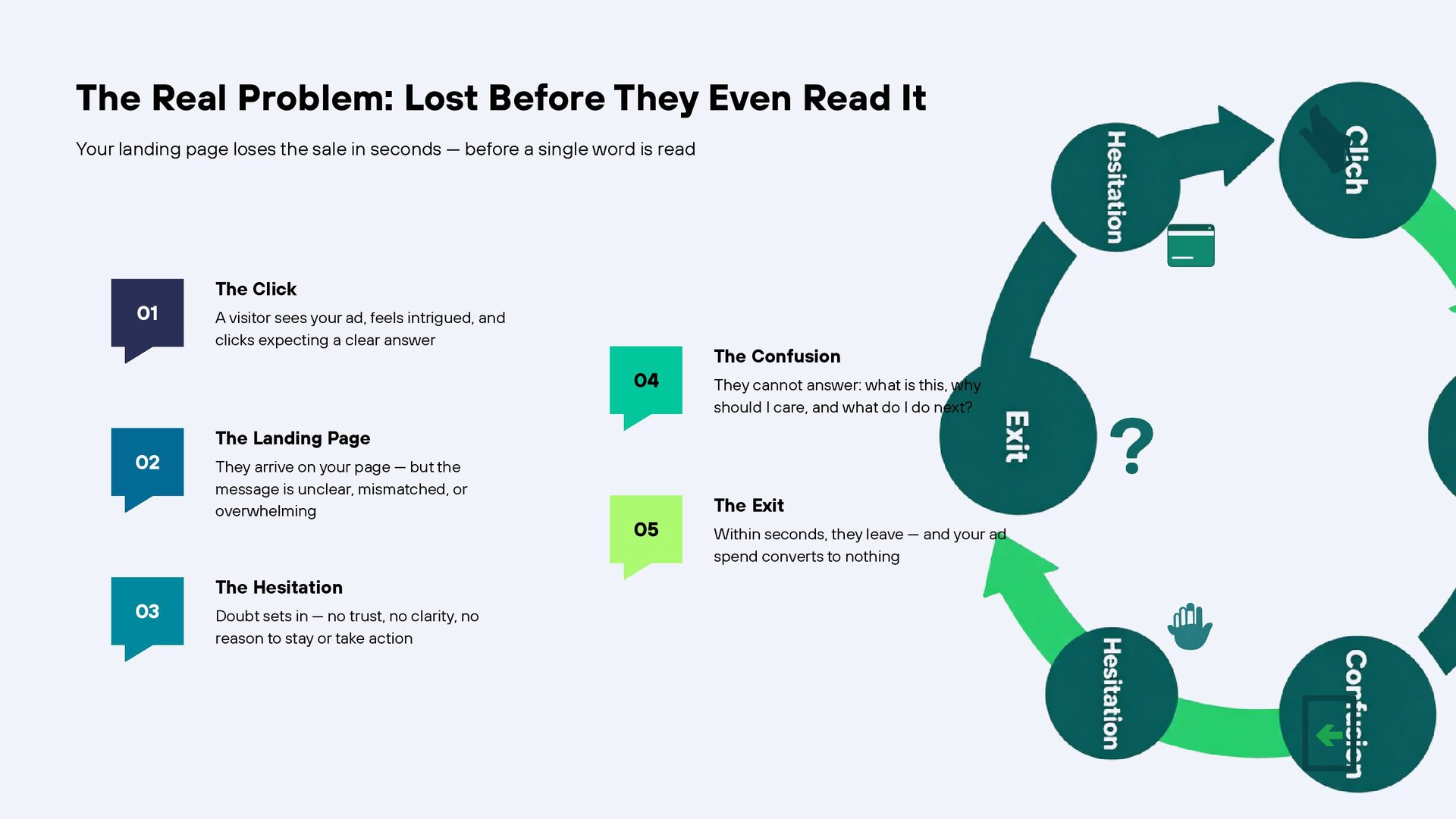
  2. The Real Problem: Lost Before They Even Read It Your

    landing page loses the sale in seconds — before a single word is read 01 The Click A visitor sees your ad, feels intrigued, and clicks expecting a clear answer 04 02 03 The Confusion They cannot answer: what is this, why should I care, and what do I do next? The Landing Page They arrive on your page — but the message is unclear, mismatched, or overwhelming The Hesitation Doubt sets in — no trust, no clarity, no reason to stay or take action 05 The Exit Within seconds, they leave — and your ad spend converts to nothing
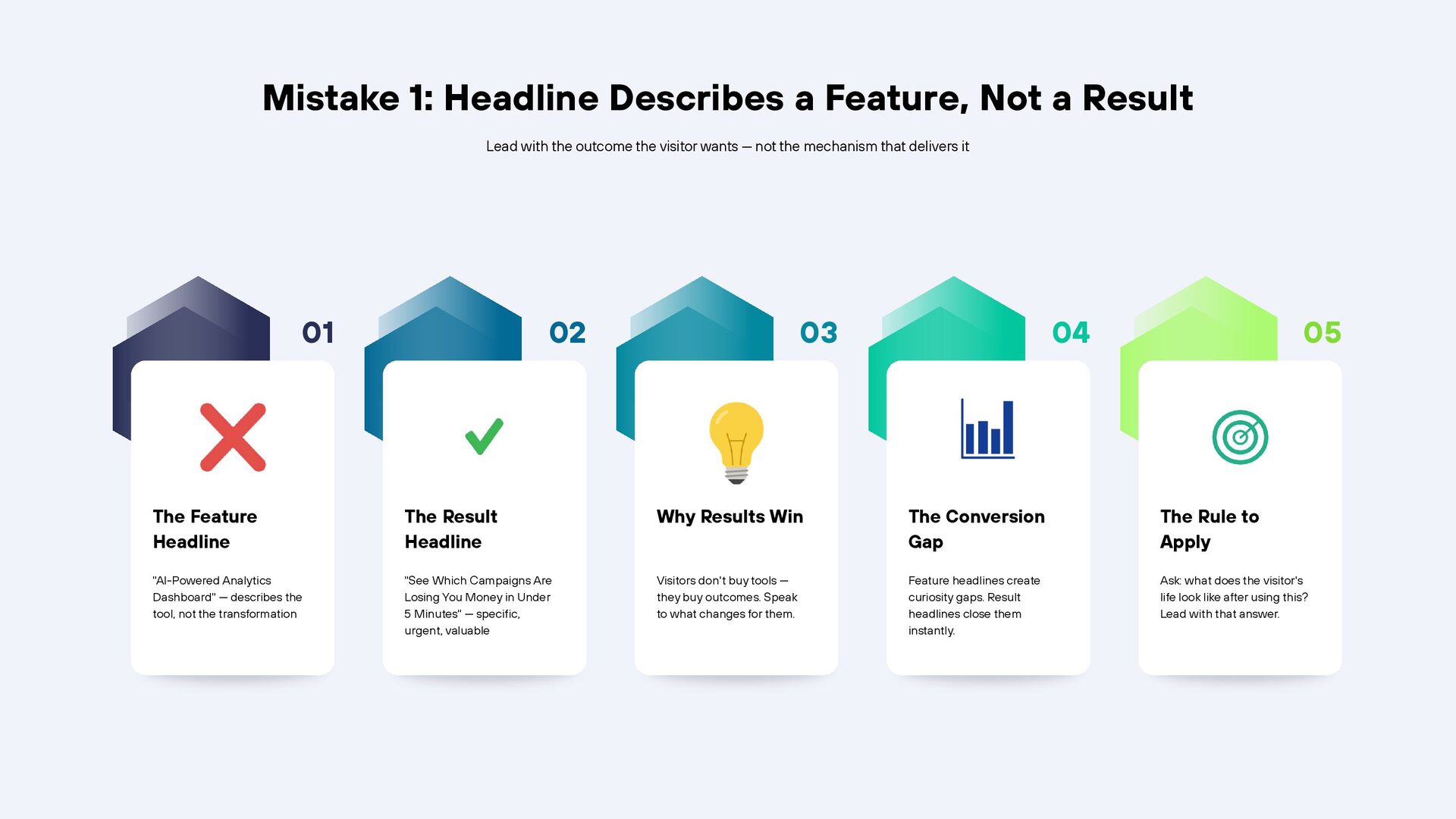
  3. Mistake 1: Headline Describes a Feature, Not a Result Lead

    with the outcome the visitor wants — not the mechanism that delivers it 01 02 03 04 05 The Feature Headline The Result Headline Why Results Win The Conversion Gap The Rule to Apply "AI-Powered Analytics Dashboard" — describes the tool, not the transformation "See Which Campaigns Are Losing You Money in Under 5 Minutes" — specific, urgent, valuable Visitors don't buy tools — they buy outcomes. Speak to what changes for them. Feature headlines create curiosity gaps. Result headlines close them instantly. Ask: what does the visitor's life look like after using this? Lead with that answer.
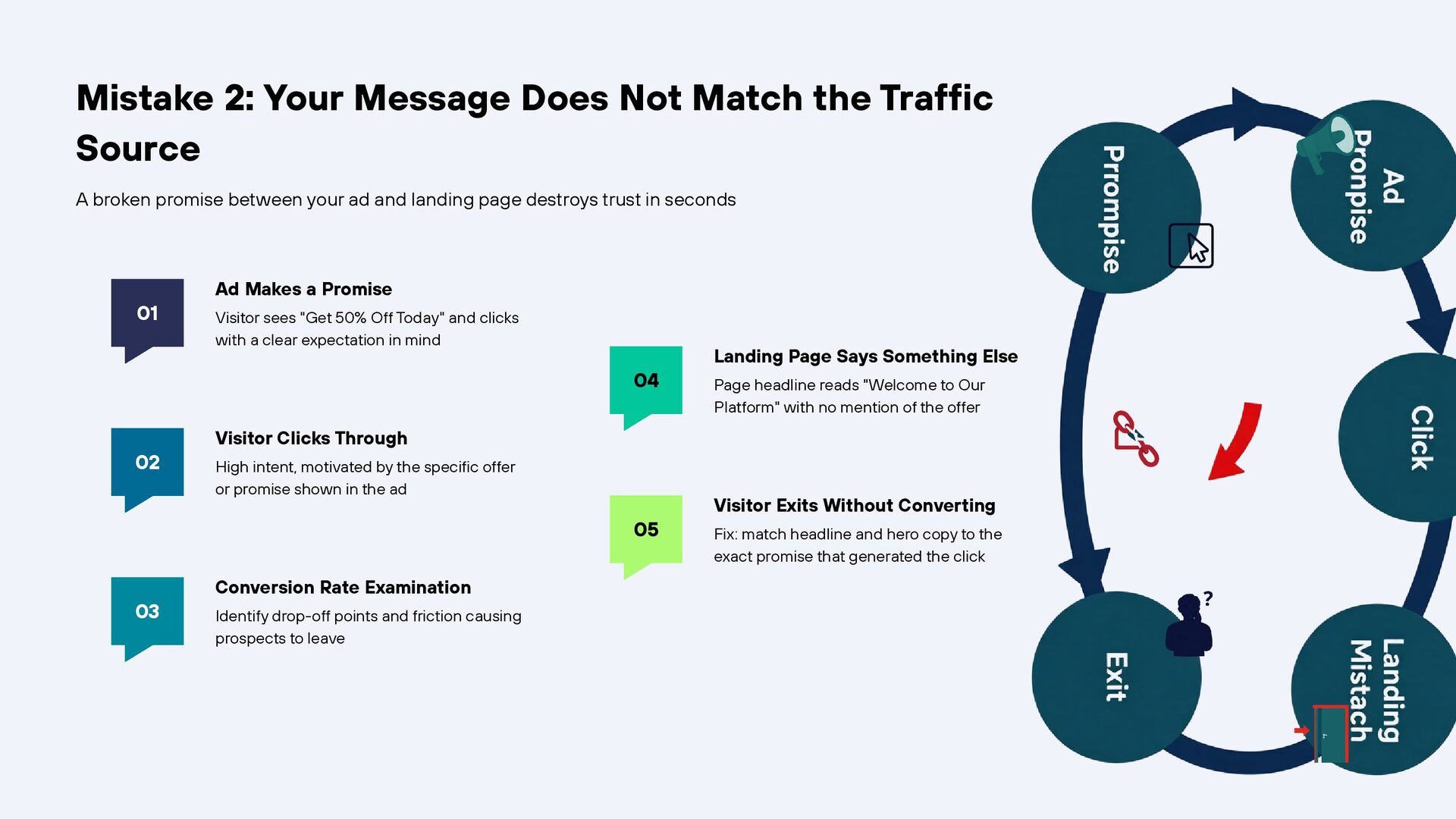
  4. Mistake 2: Your Message Does Not Match the Traffic Source

    A broken promise between your ad and landing page destroys trust in seconds 01 Ad Makes a Promise Visitor sees "Get 50% Off Today" and clicks with a clear expectation in mind 04 02 Page headline reads "Welcome to Our Platform" with no mention of the offer Visitor Clicks Through High intent, motivated by the specific offer or promise shown in the ad 05 03 Landing Page Says Something Else Conversion Rate Examination Identify drop-off points and friction causing prospects to leave Visitor Exits Without Converting Fix: match headline and hero copy to the exact promise that generated the click
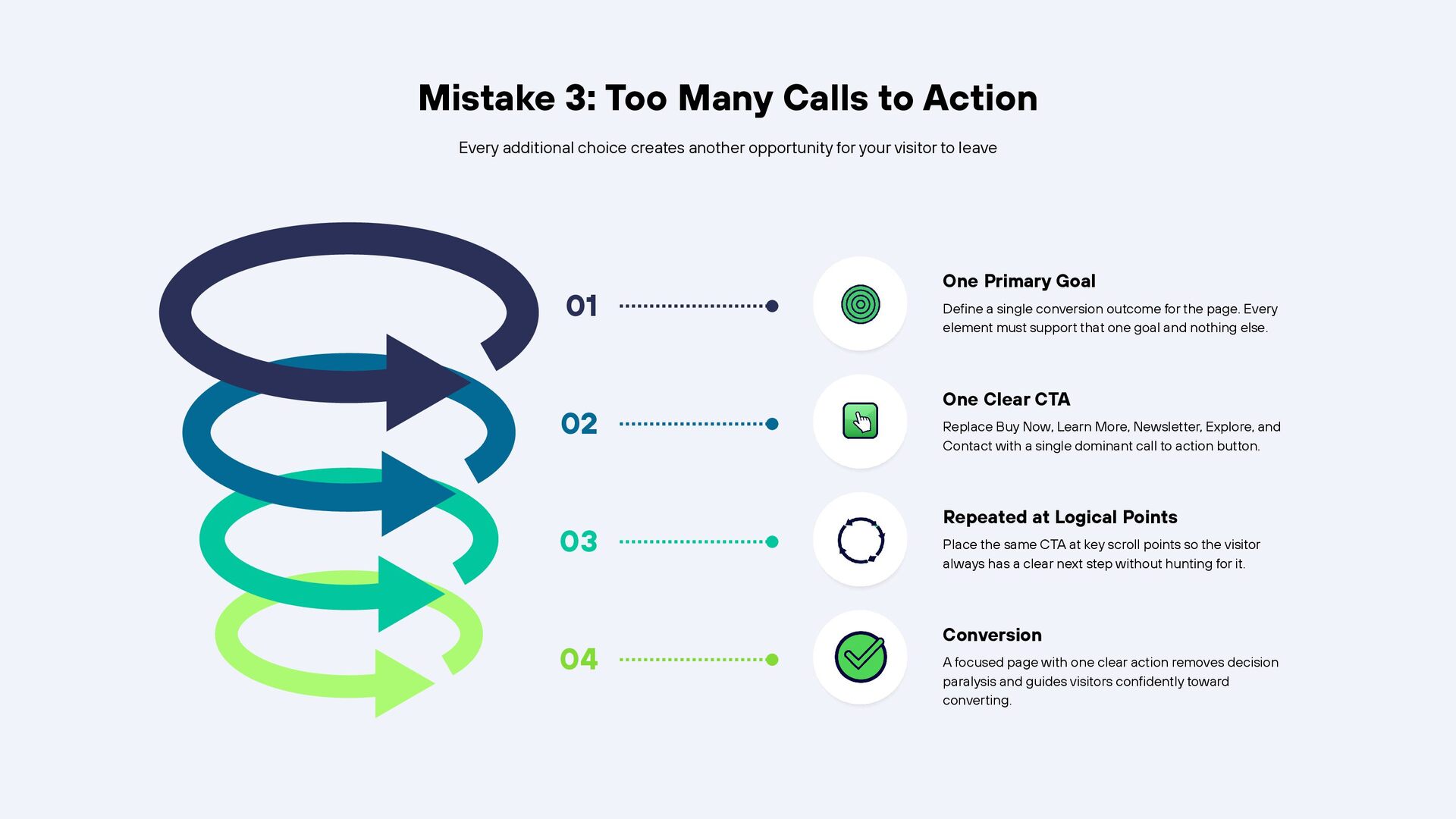
  5. Mistake 3: Too Many Calls to Action Every additional choice

    creates another opportunity for your visitor to leave 01 02 03 04 One Primary Goal Define a single conversion outcome for the page. Every element must support that one goal and nothing else. One Clear CTA Replace Buy Now, Learn More, Newsletter, Explore, and Contact with a single dominant call to action button. Repeated at Logical Points Place the same CTA at key scroll points so the visitor always has a clear next step without hunting for it. Conversion A focused page with one clear action removes decision paralysis and guides visitors confidently toward converting.
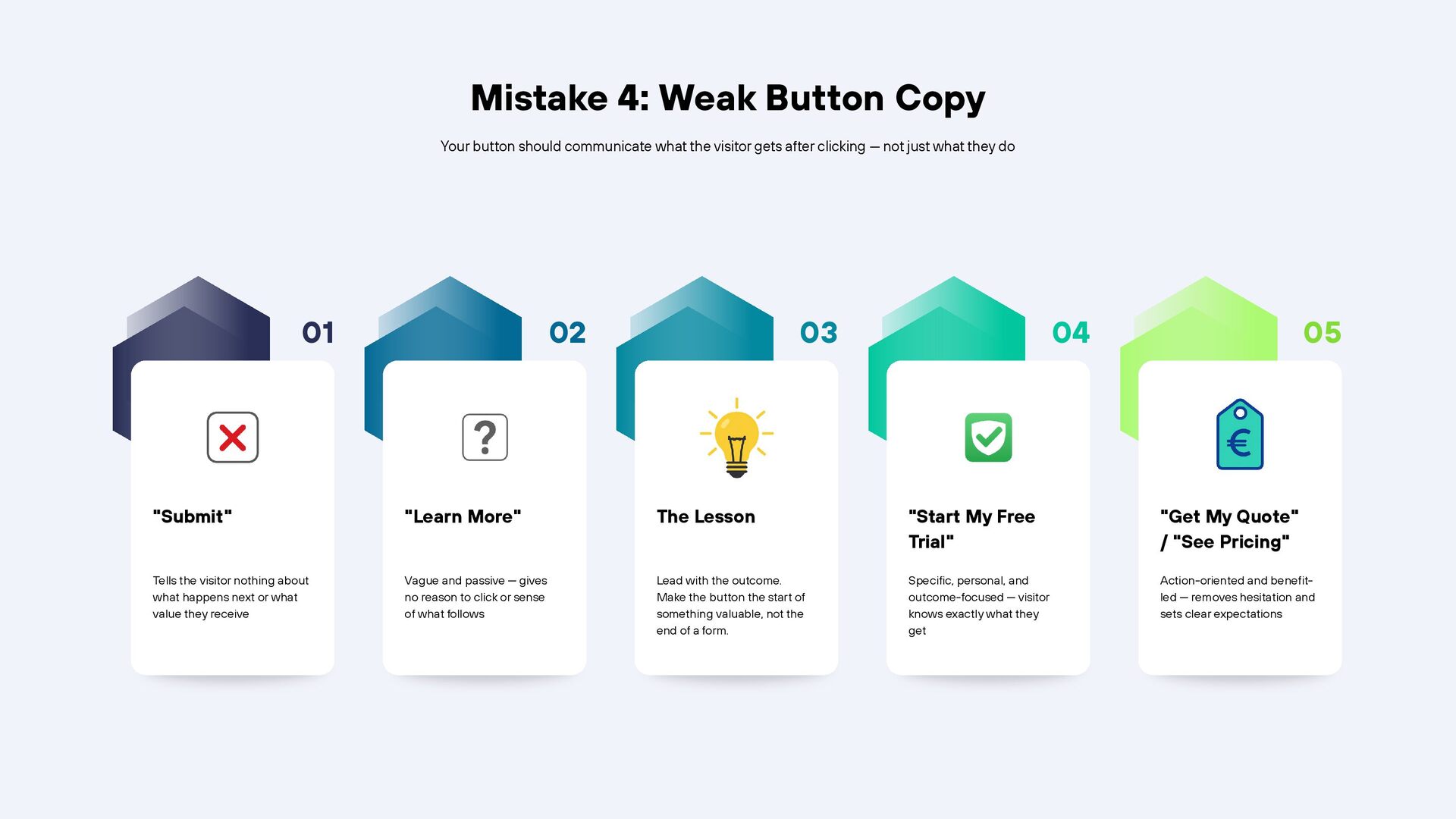
  6. Mistake 4: Weak Button Copy Your button should communicate what

    the visitor gets after clicking — not just what they do 01 02 03 04 05 "Submit" "Learn More" The Lesson "Start My Free Trial" "Get My Quote" / "See Pricing" Tells the visitor nothing about what happens next or what value they receive Vague and passive — gives no reason to click or sense of what follows Lead with the outcome. Make the button the start of something valuable, not the end of a form. Specific, personal, and outcome-focused — visitor knows exactly what they get Action-oriented and benefitled — removes hesitation and sets clear expectations
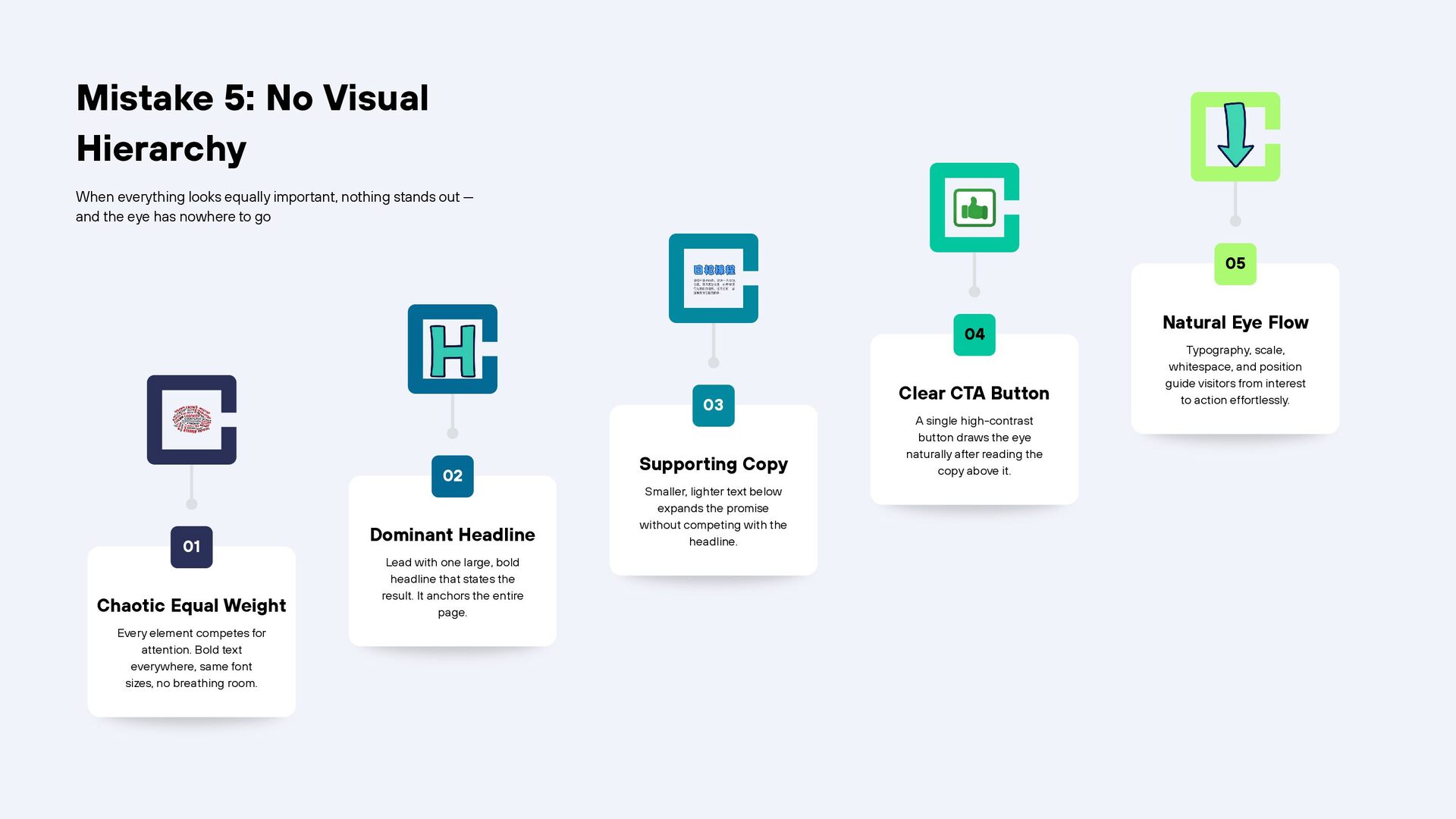
  7. Mistake 5: No Visual Hierarchy When everything looks equally important,

    nothing stands out — and the eye has nowhere to go 05 04 03 02 01 Chaotic Equal Weight Every element competes for attention. Bold text everywhere, same font sizes, no breathing room. Dominant Headline Lead with one large, bold headline that states the result. It anchors the entire page. Supporting Copy Smaller, lighter text below expands the promise without competing with the headline. Clear CTA Button A single high-contrast button draws the eye naturally after reading the copy above it. Natural Eye Flow Typography, scale, whitespace, and position guide visitors from interest to action effortlessly.
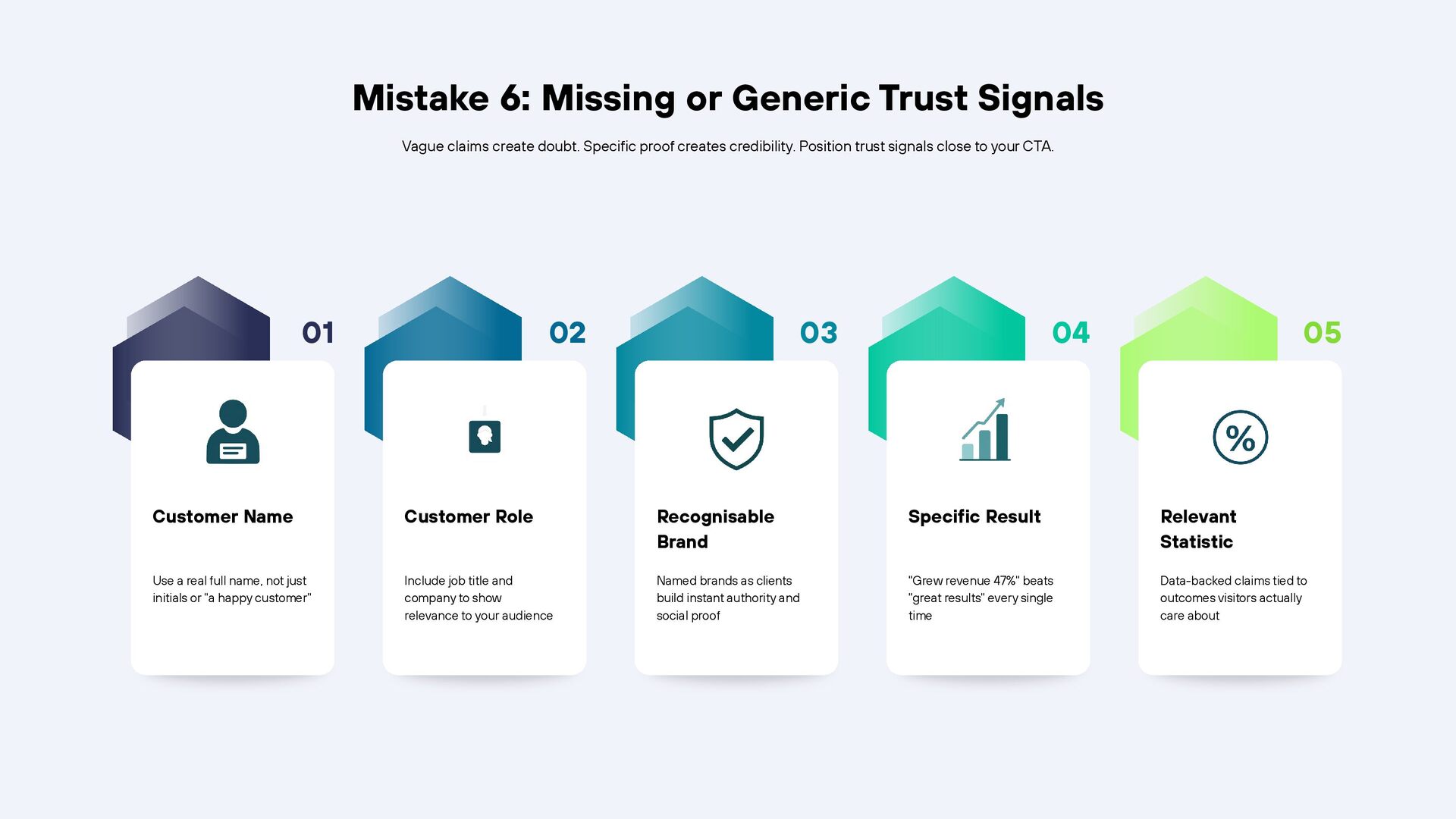
  8. Mistake 6: Missing or Generic Trust Signals Vague claims create

    doubt. Specific proof creates credibility. Position trust signals close to your CTA. 01 02 03 04 05 Customer Name Customer Role Recognisable Brand Specific Result Relevant Statistic Use a real full name, not just initials or "a happy customer" Include job title and company to show relevance to your audience Named brands as clients build instant authority and social proof "Grew revenue 47%" beats "great results" every single time Data-backed claims tied to outcomes visitors actually care about
  9. Mistake 7: Unaddressed Objections Visitors leave when their doubts go

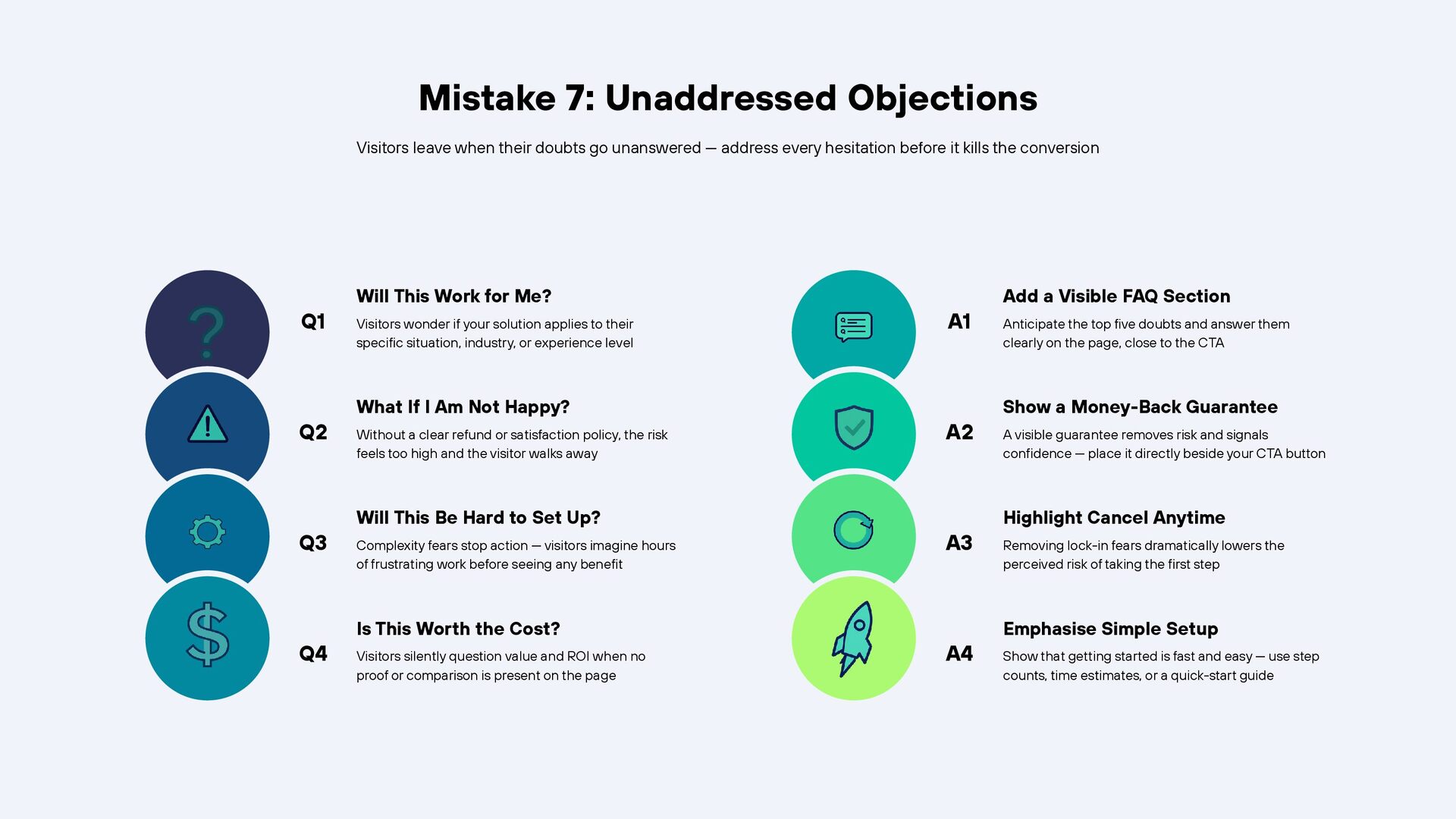
    unanswered — address every hesitation before it kills the conversion Q1 Q2 Q3 Q4 Will This Work for Me? Visitors wonder if your solution applies to their specific situation, industry, or experience level What If I Am Not Happy? Without a clear refund or satisfaction policy, the risk feels too high and the visitor walks away Will This Be Hard to Set Up? Complexity fears stop action — visitors imagine hours of frustrating work before seeing any benefit Is This Worth the Cost? Visitors silently question value and ROI when no proof or comparison is present on the page A1 A2 A3 A4 Add a Visible FAQ Section Anticipate the top five doubts and answer them clearly on the page, close to the CTA Show a Money-Back Guarantee A visible guarantee removes risk and signals confidence — place it directly beside your CTA button Highlight Cancel Anytime Removing lock-in fears dramatically lowers the perceived risk of taking the first step Emphasise Simple Setup Show that getting started is fast and easy — use step counts, time estimates, or a quick-start guide
  10. Mistake 8: Too Many Form Fields More fields = more

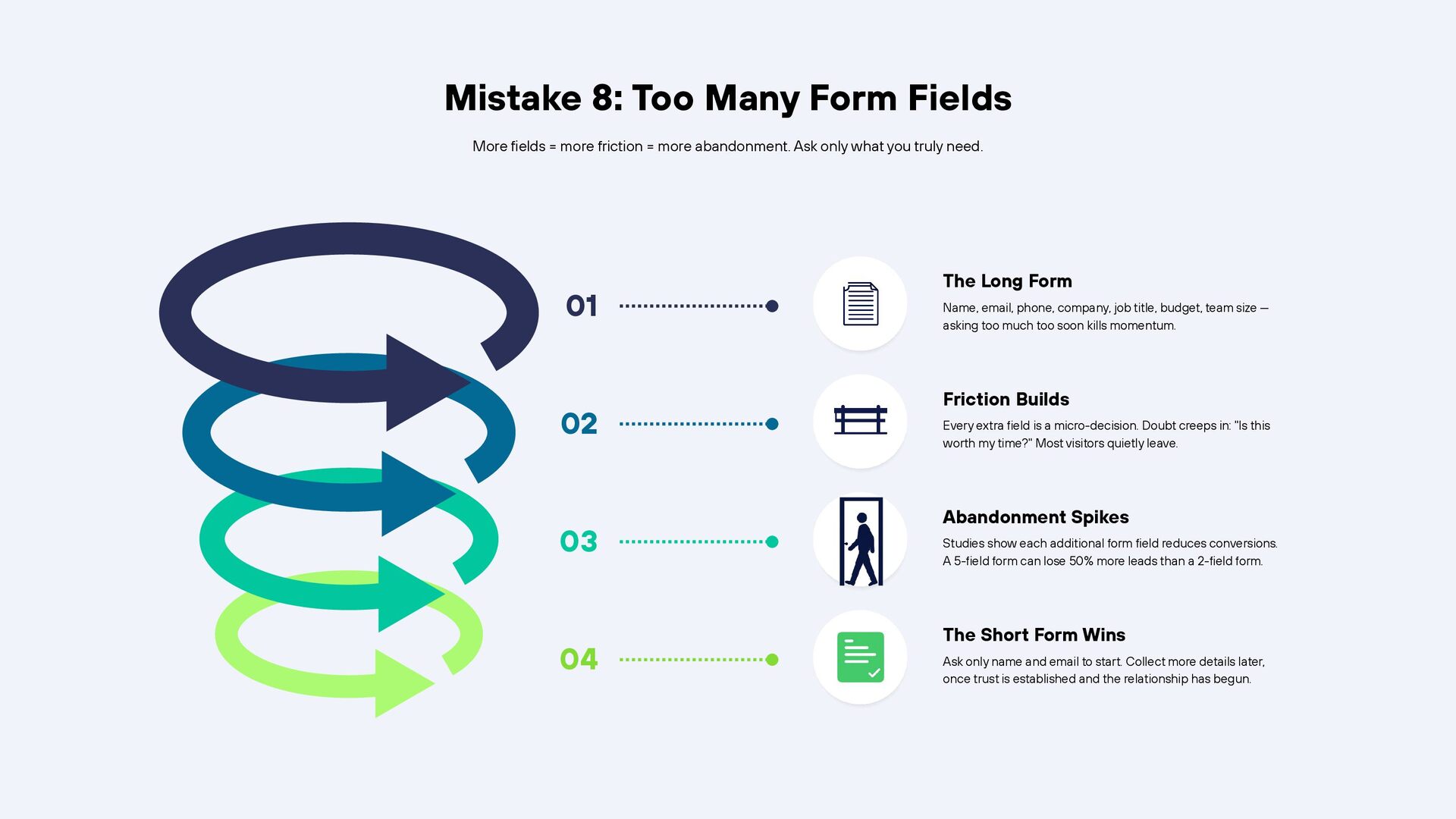
    friction = more abandonment. Ask only what you truly need. 01 02 03 04 The Long Form Name, email, phone, company, job title, budget, team size — asking too much too soon kills momentum. Friction Builds Every extra field is a micro-decision. Doubt creeps in: "Is this worth my time?" Most visitors quietly leave. Abandonment Spikes Studies show each additional form field reduces conversions. A 5-field form can lose 50% more leads than a 2-field form. The Short Form Wins Ask only name and email to start. Collect more details later, once trust is established and the relationship has begun.
  11. Mistake 9: Slow Loading & Poor Mobile Layout Your conversion

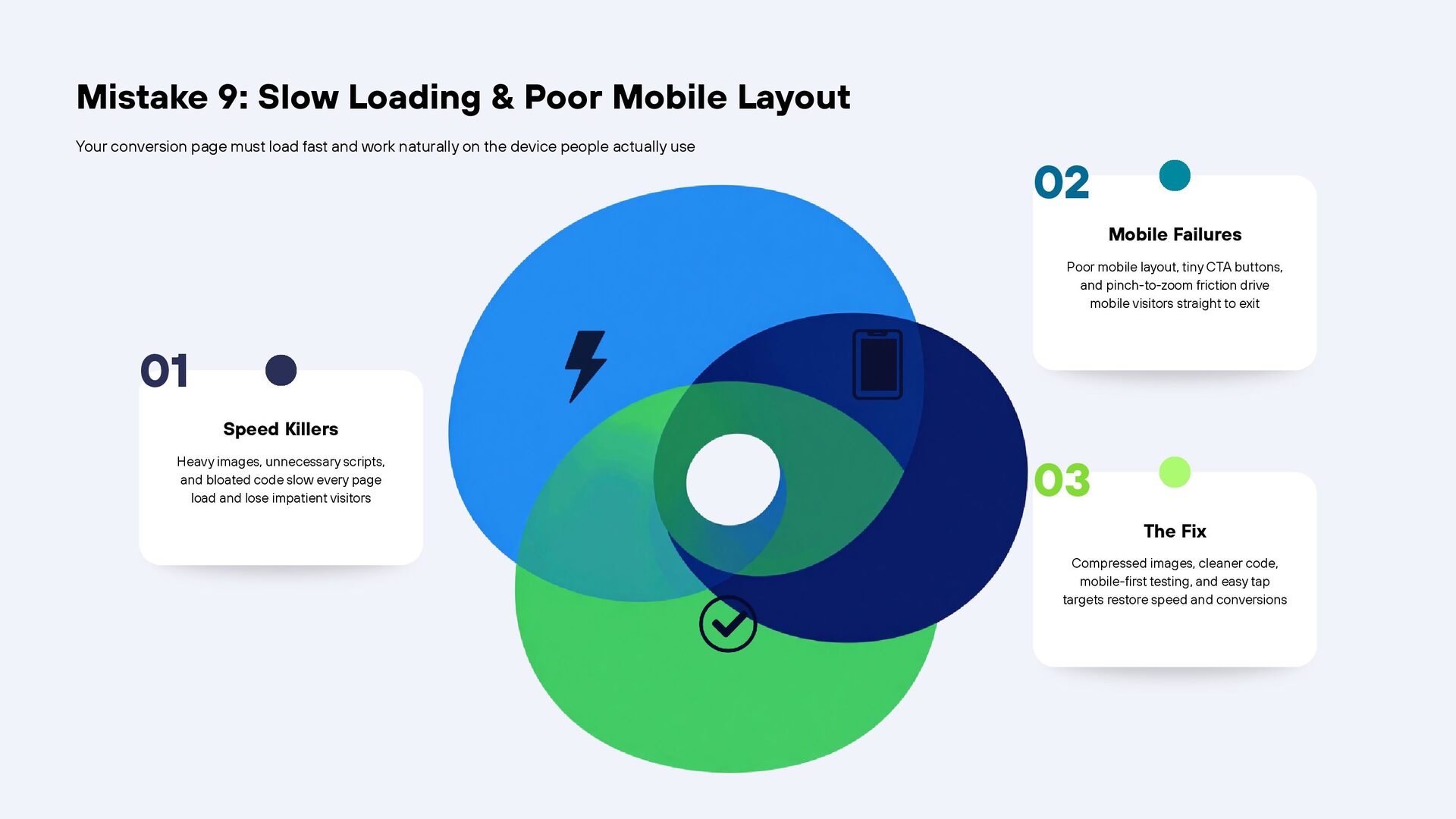
    page must load fast and work naturally on the device people actually use 02 Mobile Failures Poor mobile layout, tiny CTA buttons, and pinch-to-zoom friction drive mobile visitors straight to exit 01 Speed Killers Heavy images, unnecessary scripts, and bloated code slow every page load and lose impatient visitors 03 The Fix Compressed images, cleaner code, mobile-first testing, and easy tap targets restore speed and conversions
  12. Mistake 10: No Clear Next Step After the CTA Visitors

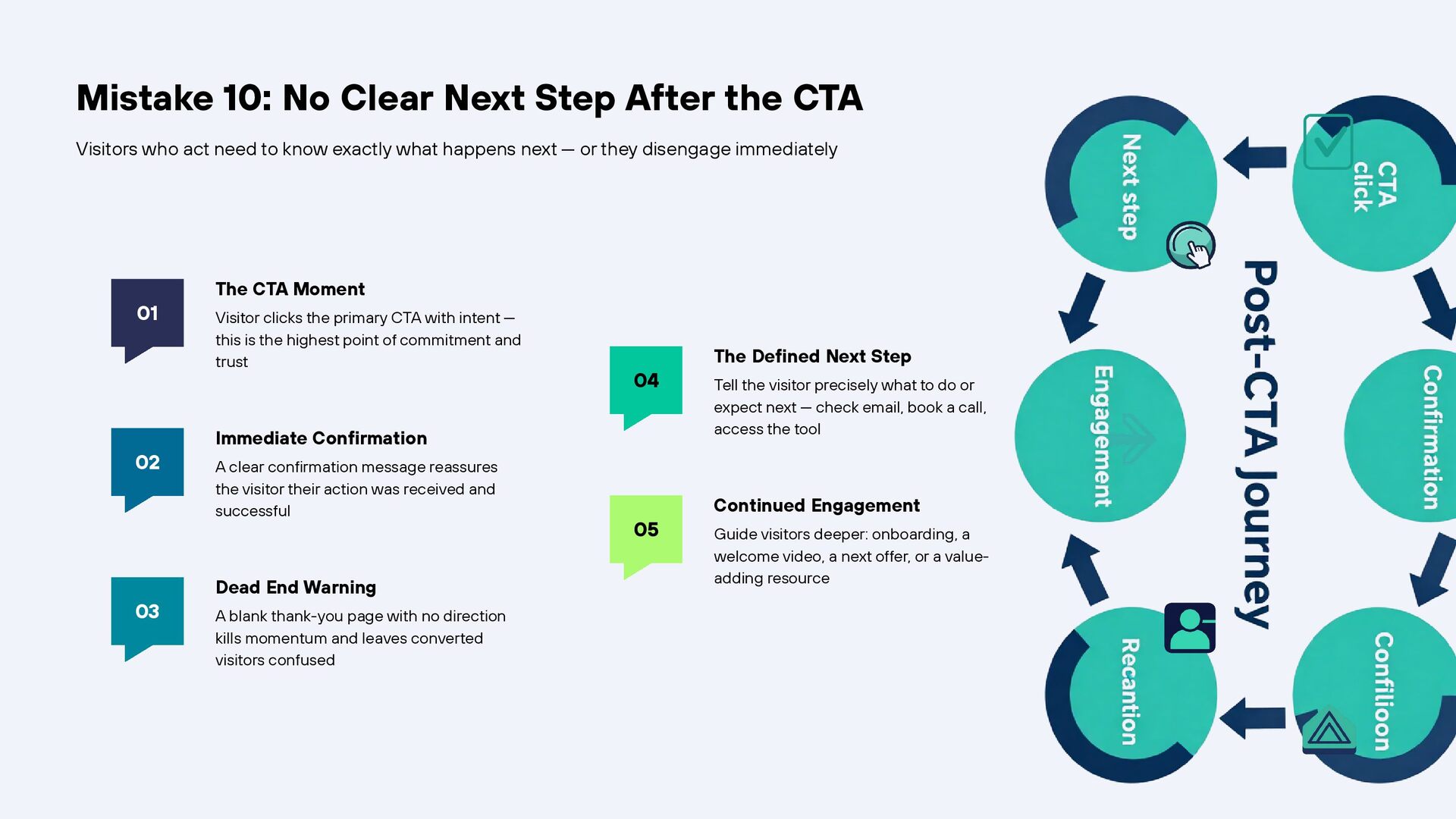
    who act need to know exactly what happens next — or they disengage immediately 01 02 03 The CTA Moment Visitor clicks the primary CTA with intent — this is the highest point of commitment and trust 04 Immediate Confirmation A clear confirmation message reassures the visitor their action was received and successful Dead End Warning A blank thank-you page with no direction kills momentum and leaves converted visitors confused 05 The Defined Next Step Tell the visitor precisely what to do or expect next — check email, book a call, access the tool Continued Engagement Guide visitors deeper: onboarding, a welcome video, a next offer, or a valueadding resource
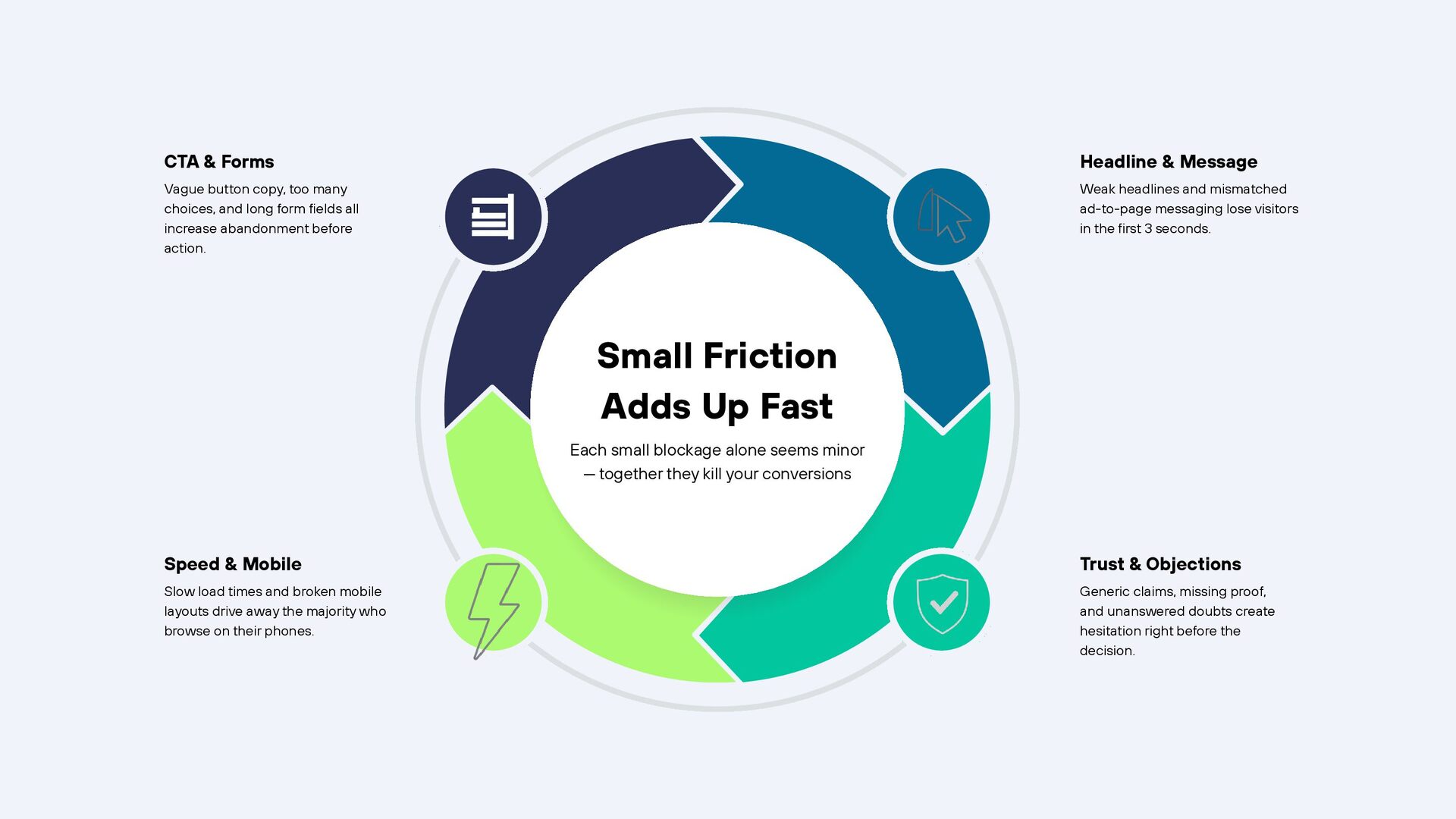
  13. CTA & Forms Headline & Message Vague button copy, too

    many choices, and long form fields all increase abandonment before action. Weak headlines and mismatched ad-to-page messaging lose visitors in the first 3 seconds. Small Friction Adds Up Fast Each small blockage alone seems minor — together they kill your conversions Speed & Mobile Trust & Objections Slow load times and broken mobile layouts drive away the majority who browse on their phones. Generic claims, missing proof, and unanswered doubts create hesitation right before the decision.
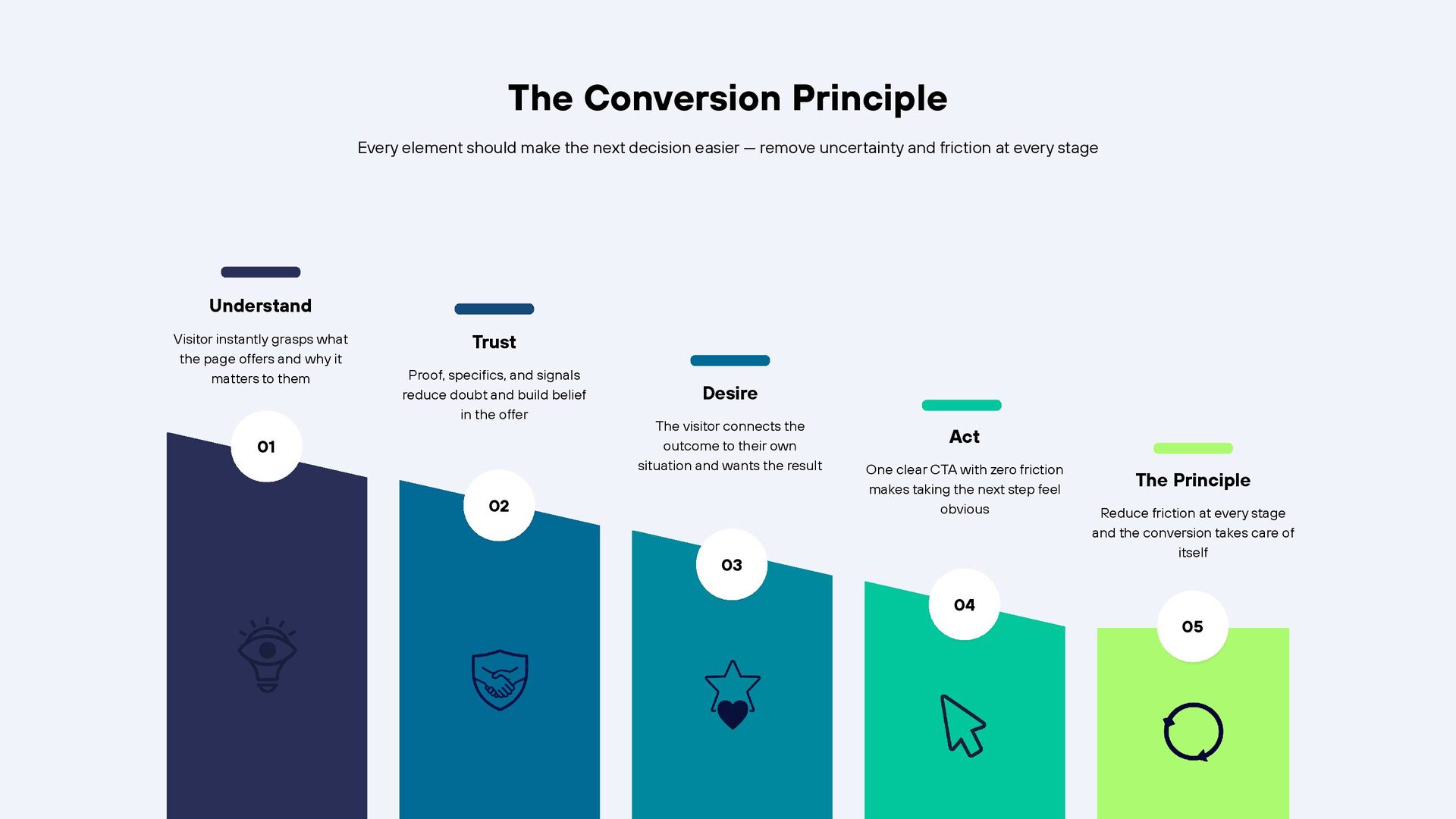
  14. The Conversion Principle Every element should make the next decision

    easier — remove uncertainty and friction at every stage Understand Visitor instantly grasps what the page offers and why it matters to them Trust Proof, specifics, and signals reduce doubt and build belief in the offer 01 Desire The visitor connects the outcome to their own situation and wants the result 02 Act One clear CTA with zero friction makes taking the next step feel obvious 03 The Principle Reduce friction at every stage and the conversion takes care of itself 04 05
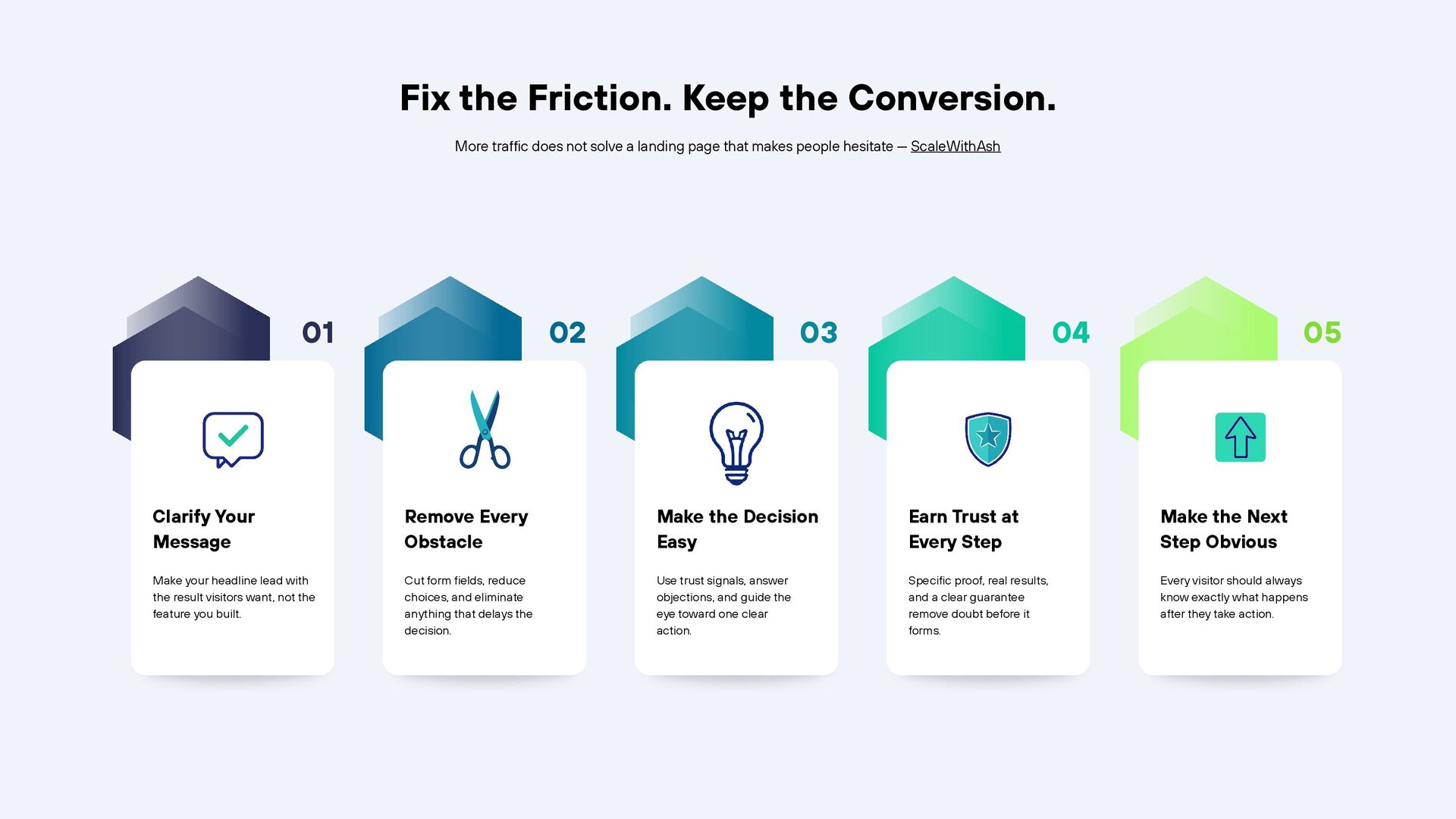
  15. Fix the Friction. Keep the Conversion. More traffic does not

    solve a landing page that makes people hesitate — ScaleWithAsh 01 02 03 04 05 Clarify Your Message Remove Every Obstacle Make the Decision Easy Earn Trust at Every Step Make the Next Step Obvious Make your headline lead with the result visitors want, not the feature you built. Cut form fields, reduce choices, and eliminate anything that delays the decision. Use trust signals, answer objections, and guide the eye toward one clear action. Specific proof, real results, and a clear guarantee remove doubt before it forms. Every visitor should always know exactly what happens after they take action.