Upgrade to Pro
— share decks privately, control downloads, hide ads and more …
Speaker Deck
Sign up for free
Menu
Search
Features
All features
Private URLs
Password Protection
Custom URLS
Scheduled publishing
Remove Branding
Restrict embedding
Deck Collections
Notes
Features
All features
Private URLs
Password Protection
Custom URLS
Scheduled publishing
Remove Branding
Restrict embedding
Deck Collections
Notes
Explore
Featured decks
Featured speakers
Programming
Technology
Storyboards
Explore
Featured decks
Featured speakers
Programming
Technology
Storyboards
Pricing
Search
Sign in
Sign up for free
Gistで保存する方法.pdf
Search
Ayaaaka
July 14, 2016
200
0
Share
Embed
Copy iframe code
Copy JS code
Copy link
Start on current slide
Gistで保存する方法.pdf
Ayaaaka
July 14, 2016
More Decks by Ayaaaka
See All by Ayaaaka
空間情報システム入門
ayaka
0
36
Featured
See All Featured
Winning Ecommerce Organic Search in an AI Era - #searchnstuff2025
aleyda
2
2.2k
Ecommerce SEO: The Keys for Success Now & Beyond - #SERPConf2024
aleyda
1
2.2k
Prompt Engineering for Job Search
mfonobong
0
520
Tell your own story through comics
letsgokoyo
1
1.1k
Chrome DevTools: State of the Union 2024 - Debugging React & Beyond
addyosmani
10
1.4k
Writing Fast Ruby
sferik
630
63k
Become a Pro
speakerdeck
PRO
31
6.3k
Into the Great Unknown - MozCon
thekraken
41
2.8k
Money Talks: Using Revenue to Get Sh*t Done
nikkihalliwell
0
520
Google's AI Overviews - The New Search
badams
0
1.6k
Lightning Talk: Beautiful Slides for Beginners
inesmontani
PRO
2
730
Navigating Weather and Climate Data
rabernat
0
560
Transcript
Gistで保存する方法
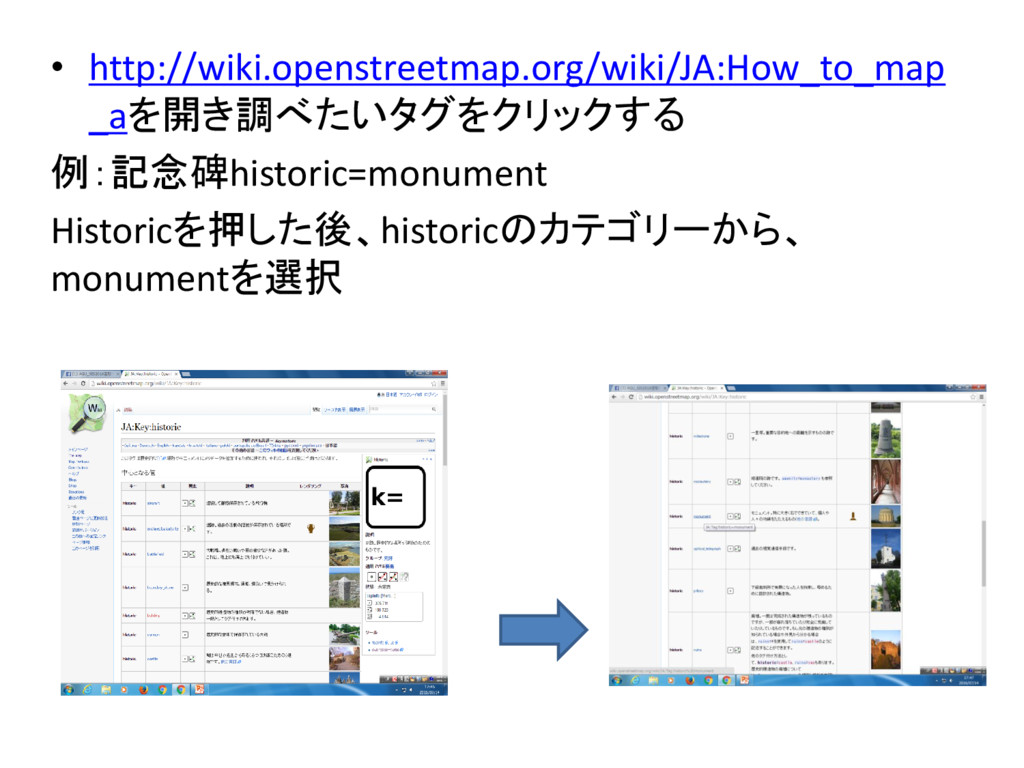
• http://wiki.openstreetmap.org/wiki/JA:How_to_map _aを開き調べたいタグをクリックする 例:記念碑historic=monument Historicを押した後、historicのカテゴリーから、 monumentを選択
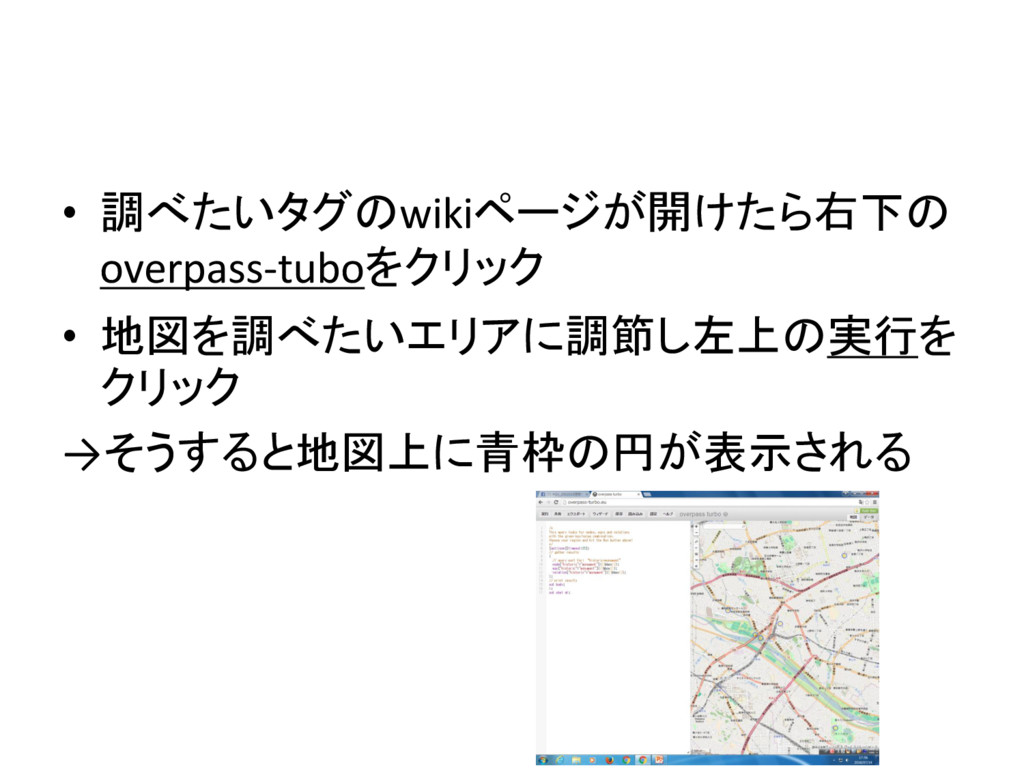
• 調べたいタグのwikiページが開けたら右下の overpass-tuboをクリック • 地図を調べたいエリアに調節し左上の実行を クリック →そうすると地図上に青枠の円が表示される
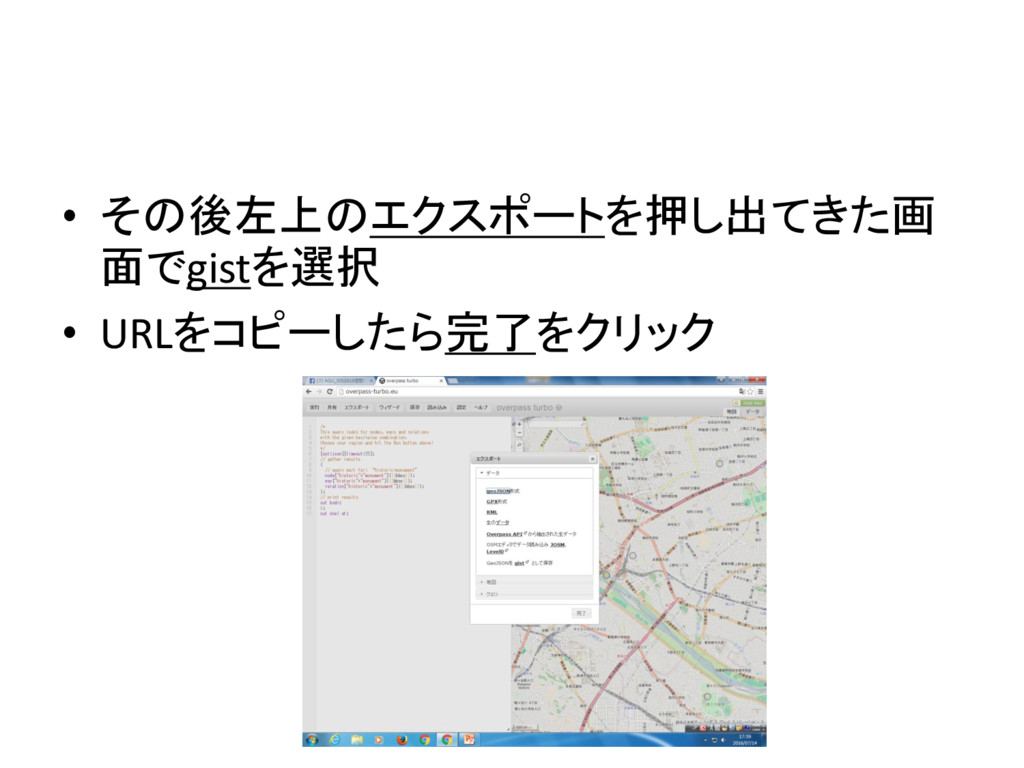
• その後左上のエクスポートを押し出てきた画 面でgistを選択 • URLをコピーしたら完了をクリック


 ayaka
ayaka
 aleyda
 mfonobong
 letsgokoyo
 addyosmani
 sferik
 speakerdeck
 thekraken
 nikkihalliwell
 badams
 inesmontani
 rabernat