Upgrade to Pro — share decks privately, control downloads, hide ads and more …

Building Adaptive Apps with Flutter

Avatar for Brad Brad
August 20, 2021

Building Adaptive Apps with Flutter

Avatar for Brad

Brad

August 20, 2021
Tweet

More Decks by Brad

Other Decks in Technology

Transcript

  1. “What separates design from art is that design is meant

    to be… functional.” – Cameron Moll 2
  2. Responsive Design A design approach that makes content render well

    on a variety of devices and window or screen sizes from a minimum to a maximum display size. 4
  3. Adaptive Design A design approach that fundamentally changes the way

    that content is accessed in order to best cater towards the user's expectations of how content on their device should be accessed. 5
  4. From the Flutter Docs Adapting an app to run on

    different device types, such as mobile and desktop, requires dealing with mouse and keyboard input, as well as touch input. It also means there are different expectations about the app’s visual density, how component selection works (cascading menus vs bottom sheets, for example), using platform-specific features (such as top-level windows), and more. 6
  5. What is Flutter? Flutter is Google's UI toolkit for building

    beautiful, natively compiled applications for mobile, web, desktop, and embedded devices from a single codebase. Not Responsive Not Adaptive Provides the tools to make Responsive and Adaptive Apps. Powered by Dart 7
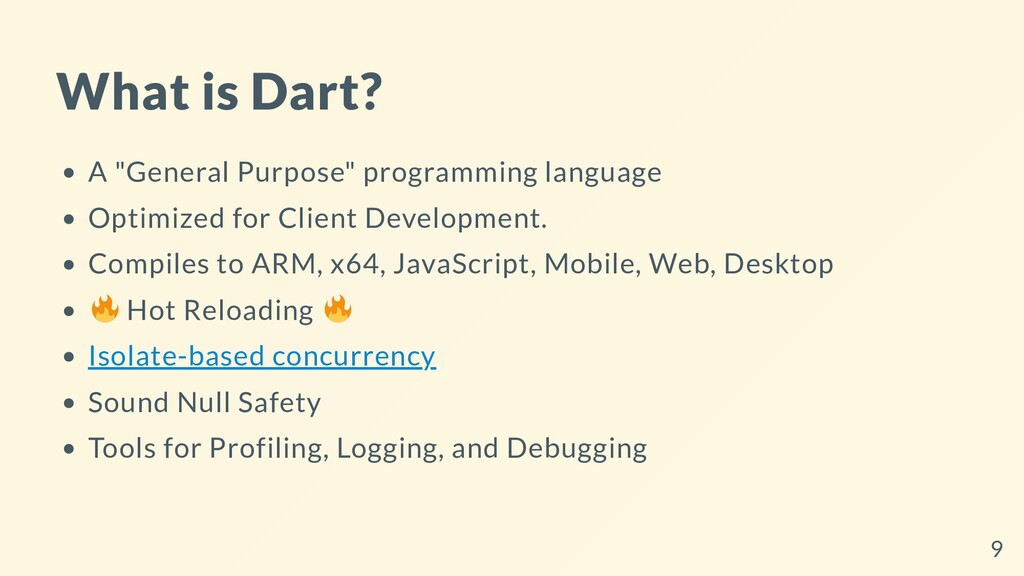
  6. What is Dart? A "General Purpose" programming language Optimized for

    Client Development. Compiles to ARM, x64, JavaScript, Mobile, Web, Desktop Hot Reloading Isolate-based concurrency Sound Null Safety Tools for Profiling, Logging, and Debugging 9
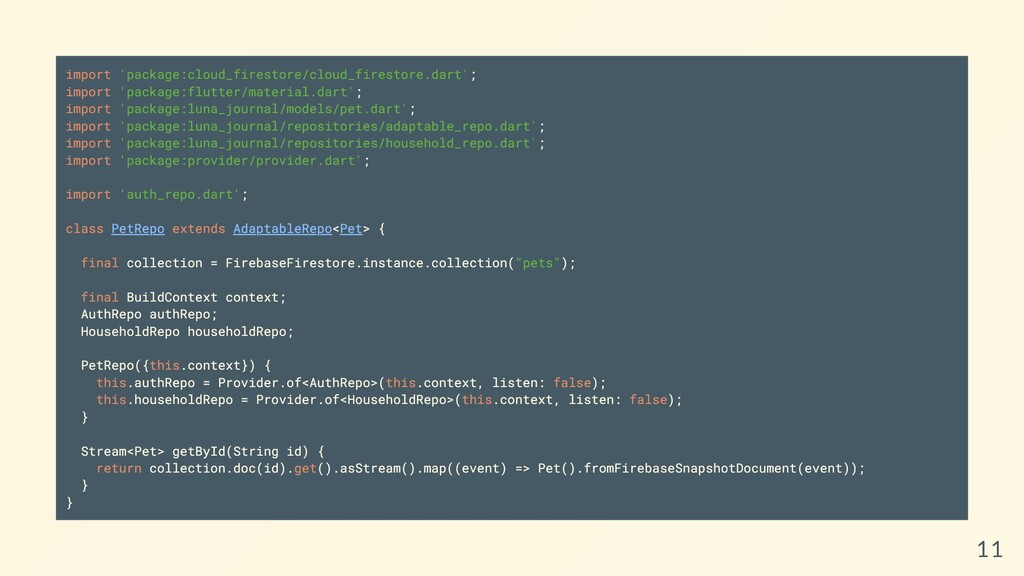
  7. import 'package:cloud_firestore/cloud_firestore.dart'; import 'package:flutter/material.dart'; import 'package:luna_journal/models/pet.dart'; import 'package:luna_journal/repositories/adaptable_repo.dart'; import 'package:luna_journal/repositories/household_repo.dart';

    import 'package:provider/provider.dart'; import 'auth_repo.dart'; class PetRepo extends AdaptableRepo<Pet> { final collection = FirebaseFirestore.instance.collection("pets"); final BuildContext context; AuthRepo authRepo; HouseholdRepo householdRepo; PetRepo({this.context}) { this.authRepo = Provider.of<AuthRepo>(this.context, listen: false); this.householdRepo = Provider.of<HouseholdRepo>(this.context, listen: false); } Stream<Pet> getById(String id) { return collection.doc(id).get().asStream().map((event) => Pet().fromFirebaseSnapshotDocument(event)); } } 11
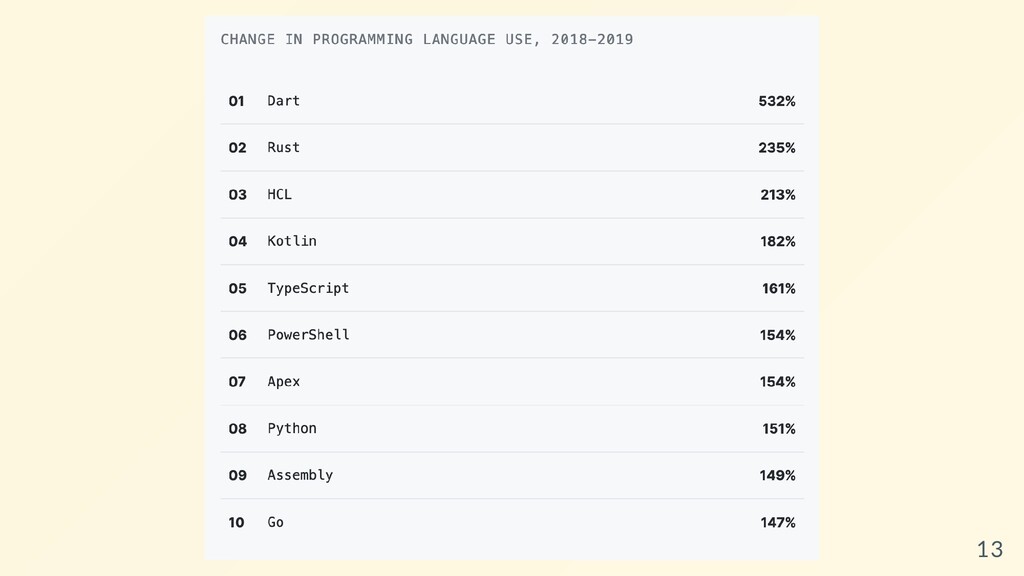
  8. 13

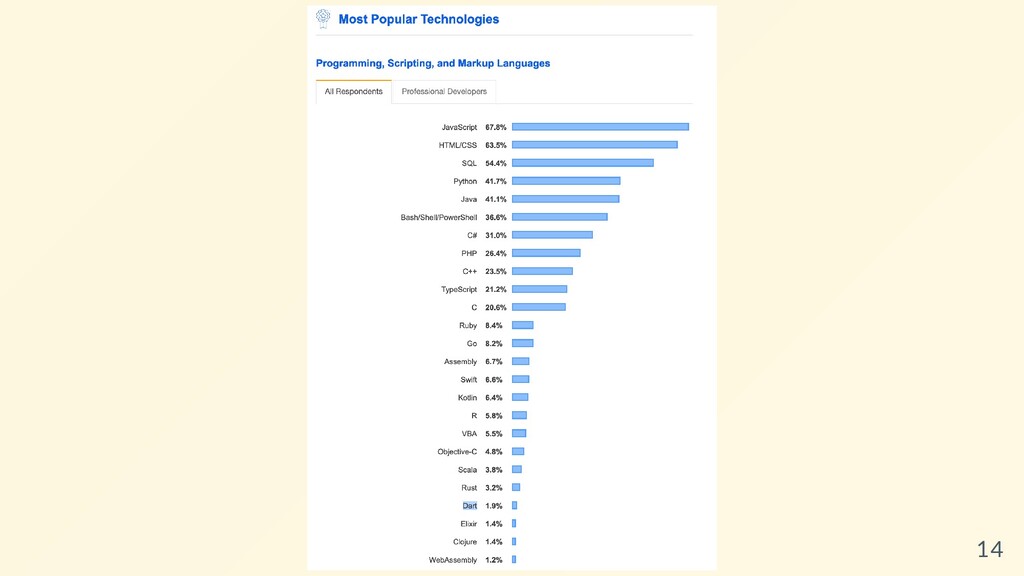
  9. 14

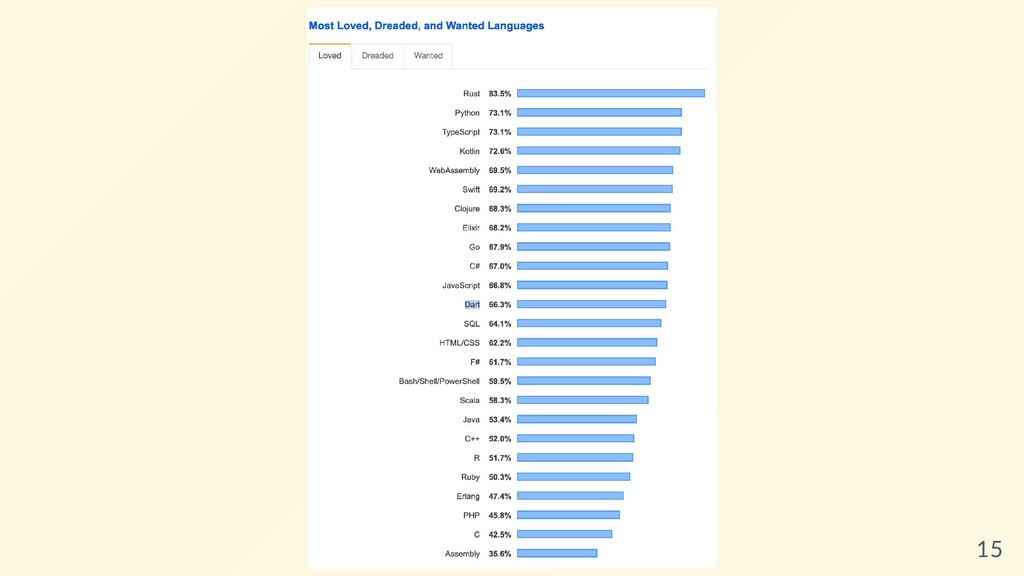
  10. 15

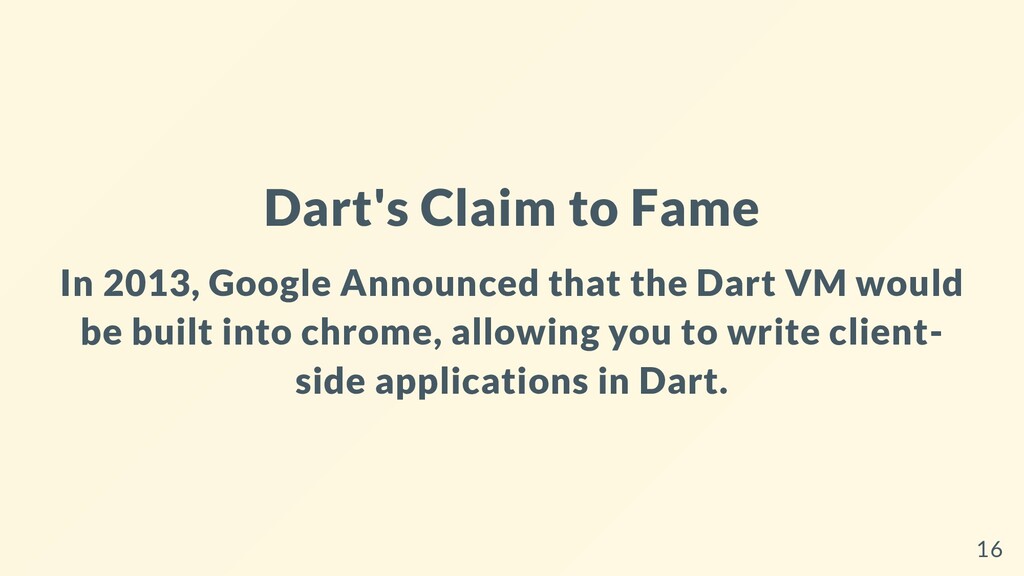
  11. Dart's Claim to Fame In 2013, Google Announced that the

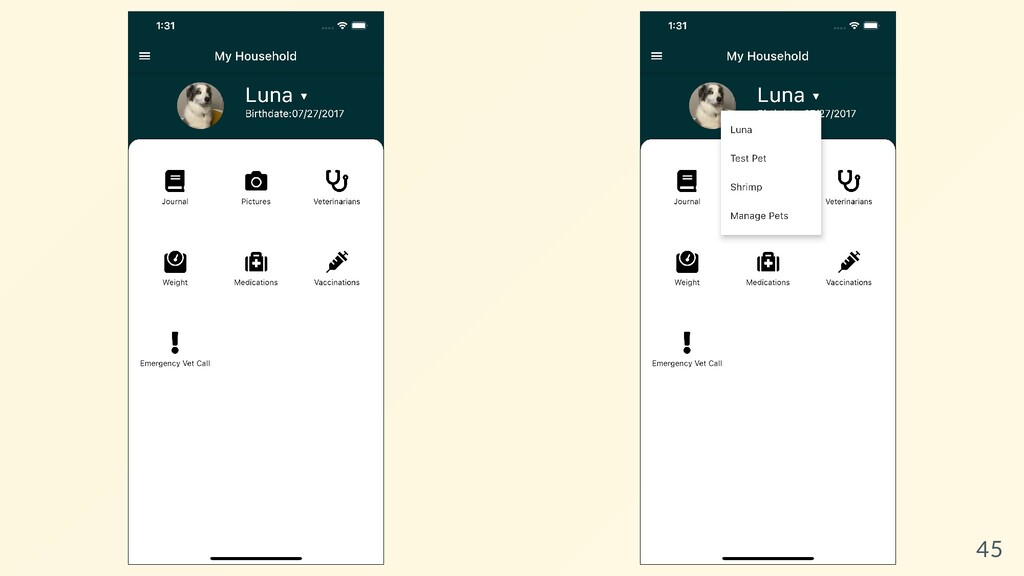
    Dart VM would be built into chrome, allowing you to write client- side applications in Dart. 16
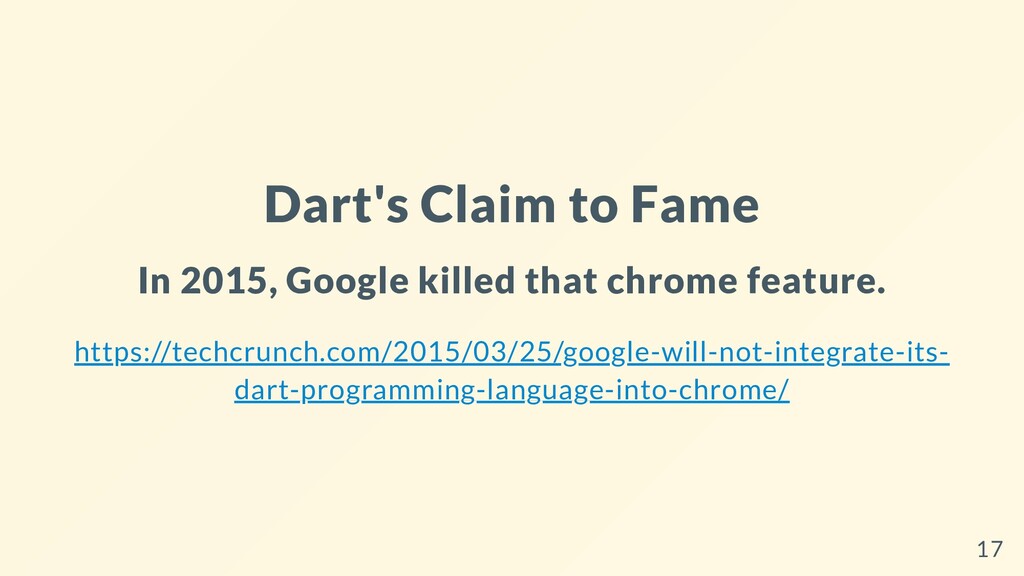
  12. Dart's Claim to Fame In 2015, Google killed that chrome

    feature. https://techcrunch.com/2015/03/25/google-will-not-integrate-its- dart-programming-language-into-chrome/ 17
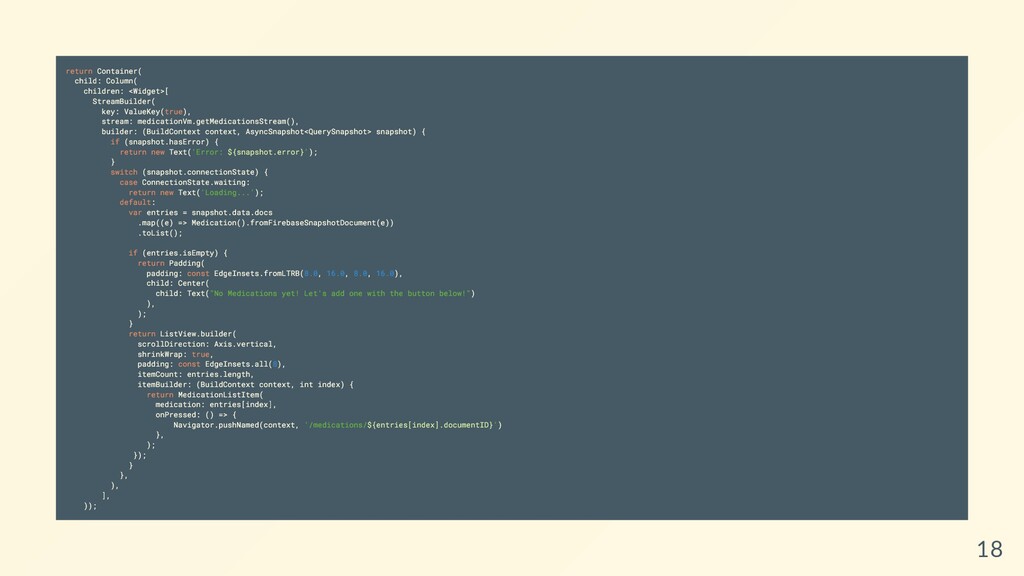
  13. return Container( child: Column( children: <Widget>[ StreamBuilder( key: ValueKey(true), stream:

    medicationVm.getMedicationsStream(), builder: (BuildContext context, AsyncSnapshot<QuerySnapshot> snapshot) { if (snapshot.hasError) { return new Text('Error: ${snapshot.error}'); } switch (snapshot.connectionState) { case ConnectionState.waiting: return new Text('Loading...'); default: var entries = snapshot.data.docs .map((e) => Medication().fromFirebaseSnapshotDocument(e)) .toList(); if (entries.isEmpty) { return Padding( padding: const EdgeInsets.fromLTRB(8.0, 16.0, 8.0, 16.0), child: Center( child: Text("No Medications yet! Let's add one with the button below!") ), ); } return ListView.builder( scrollDirection: Axis.vertical, shrinkWrap: true, padding: const EdgeInsets.all(8), itemCount: entries.length, itemBuilder: (BuildContext context, int index) { return MedicationListItem( medication: entries[index], onPressed: () => { Navigator.pushNamed(context, '/medications/${entries[index].documentID}') }, ); }); } }, ), ], )); 18
  14. 21

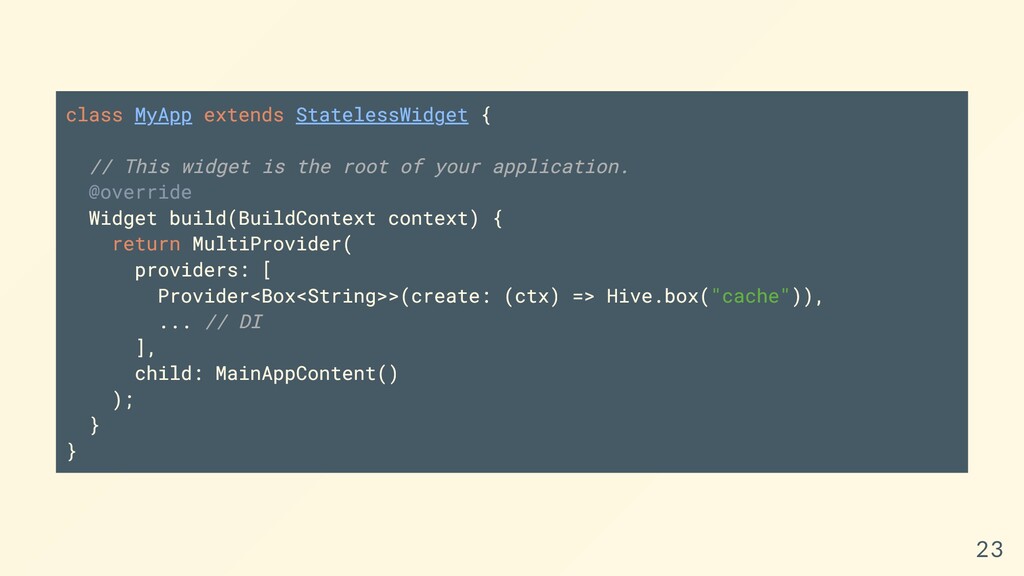
  15. class MyApp extends StatelessWidget { // This widget is the

    root of your application. @override Widget build(BuildContext context) { return MultiProvider( providers: [ Provider<Box<String>>(create: (ctx) => Hive.box("cache")), ... // DI ], child: MainAppContent() ); } } 23
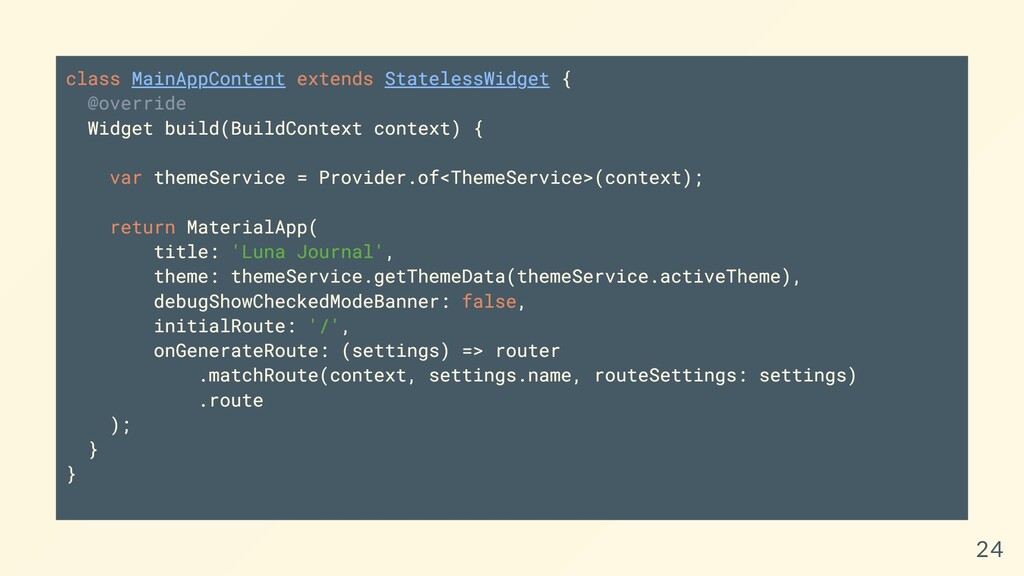
  16. class MainAppContent extends StatelessWidget { @override Widget build(BuildContext context) {

    var themeService = Provider.of<ThemeService>(context); return MaterialApp( title: 'Luna Journal', theme: themeService.getThemeData(themeService.activeTheme), debugShowCheckedModeBanner: false, initialRoute: '/', onGenerateRoute: (settings) => router .matchRoute(context, settings.name, routeSettings: settings) .route ); } } 24
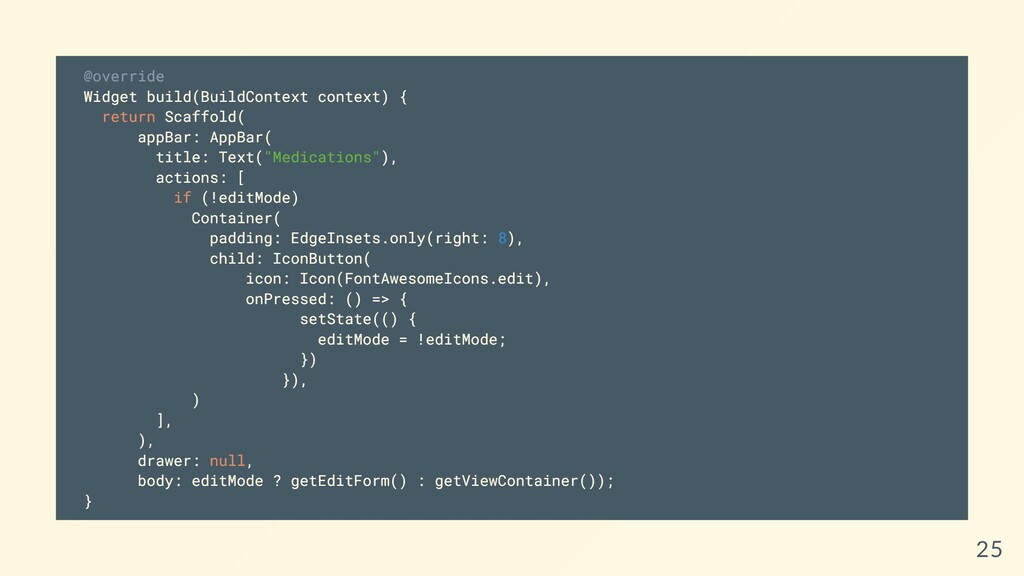
  17. @override Widget build(BuildContext context) { return Scaffold( appBar: AppBar( title:

    Text("Medications"), actions: [ if (!editMode) Container( padding: EdgeInsets.only(right: 8), child: IconButton( icon: Icon(FontAwesomeIcons.edit), onPressed: () => { setState(() { editMode = !editMode; }) }), ) ], ), drawer: null, body: editMode ? getEditForm() : getViewContainer()); } 25
  18. So, you open your XCode Project and modify it so

    that iPad isn't supported. 31
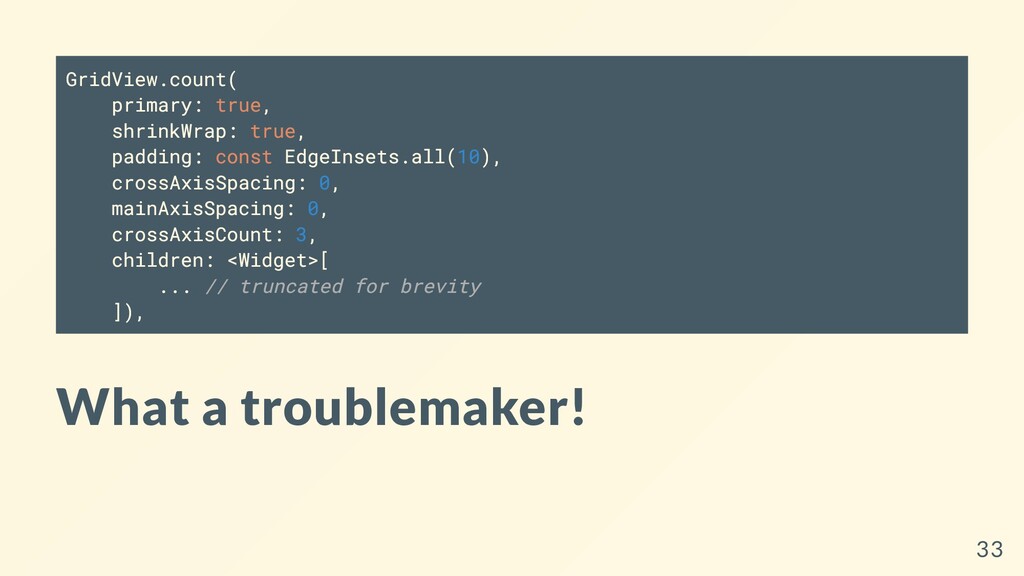
  19. GridView.count( primary: true, shrinkWrap: true, padding: const EdgeInsets.all(10), crossAxisSpacing: 0,

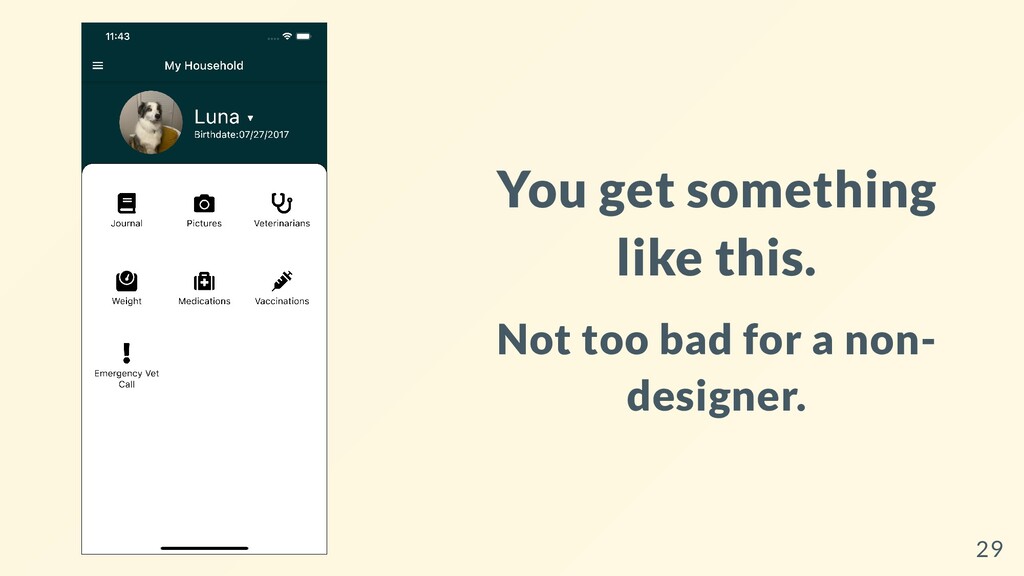
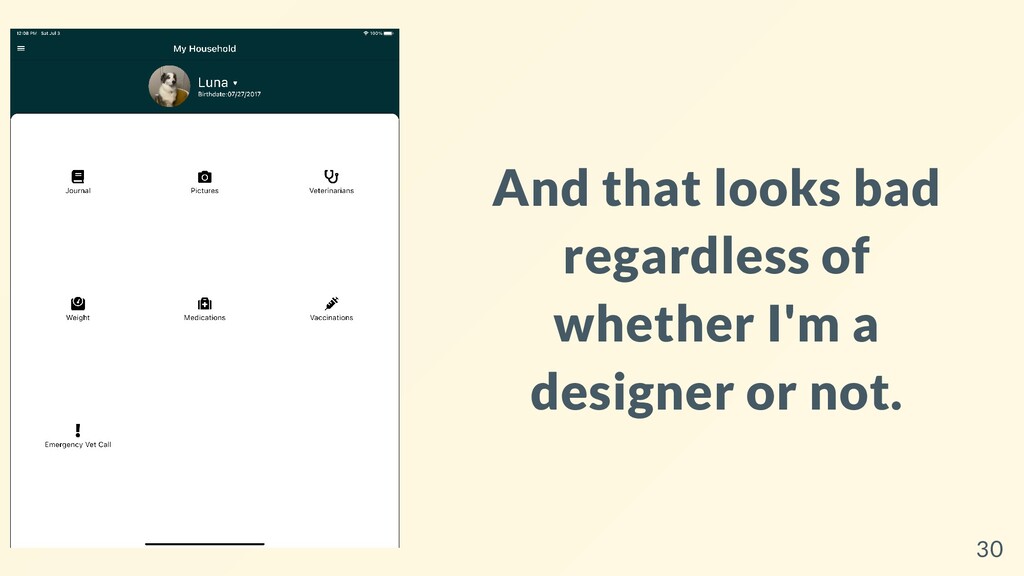
    mainAxisSpacing: 0, crossAxisCount: 3, children: <Widget>[ ... // truncated for brevity ]), What a troublemaker! 33
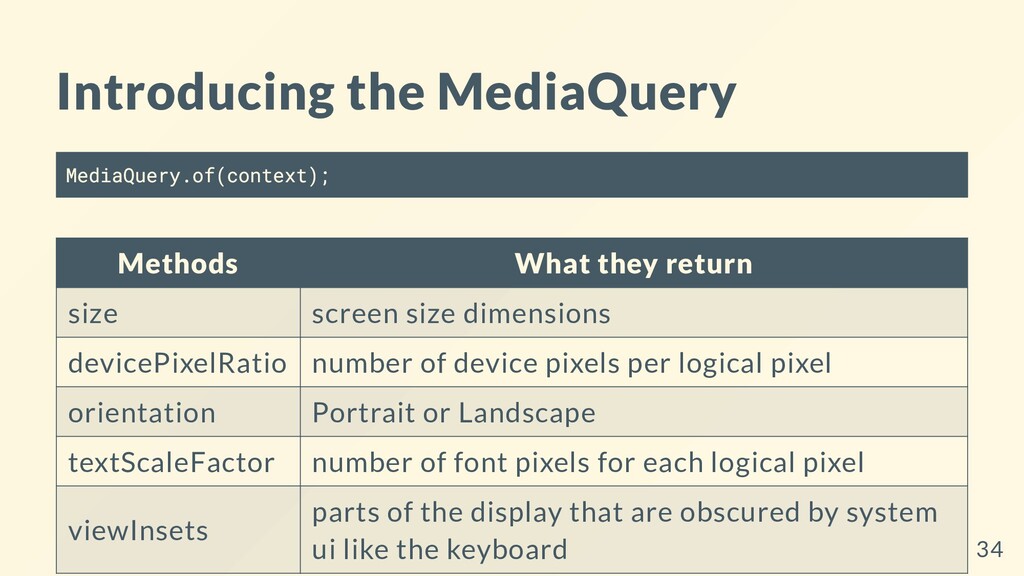
  20. Introducing the MediaQuery MediaQuery.of(context); Methods What they return size screen

    size dimensions devicePixelRatio number of device pixels per logical pixel orientation Portrait or Landscape textScaleFactor number of font pixels for each logical pixel viewInsets parts of the display that are obscured by system ui like the keyboard 34
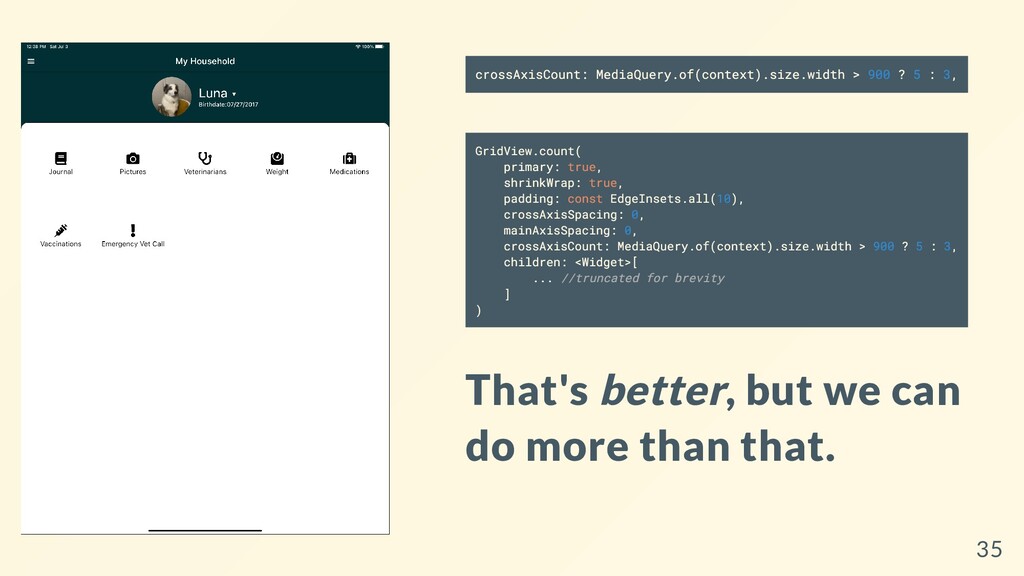
  21. crossAxisCount: MediaQuery.of(context).size.width > 900 ? 5 : 3, GridView.count( primary:

    true, shrinkWrap: true, padding: const EdgeInsets.all(10), crossAxisSpacing: 0, mainAxisSpacing: 0, crossAxisCount: MediaQuery.of(context).size.width > 900 ? 5 : 3, children: <Widget>[ ... //truncated for brevity ] ) That's better, but we can do more than that. 35
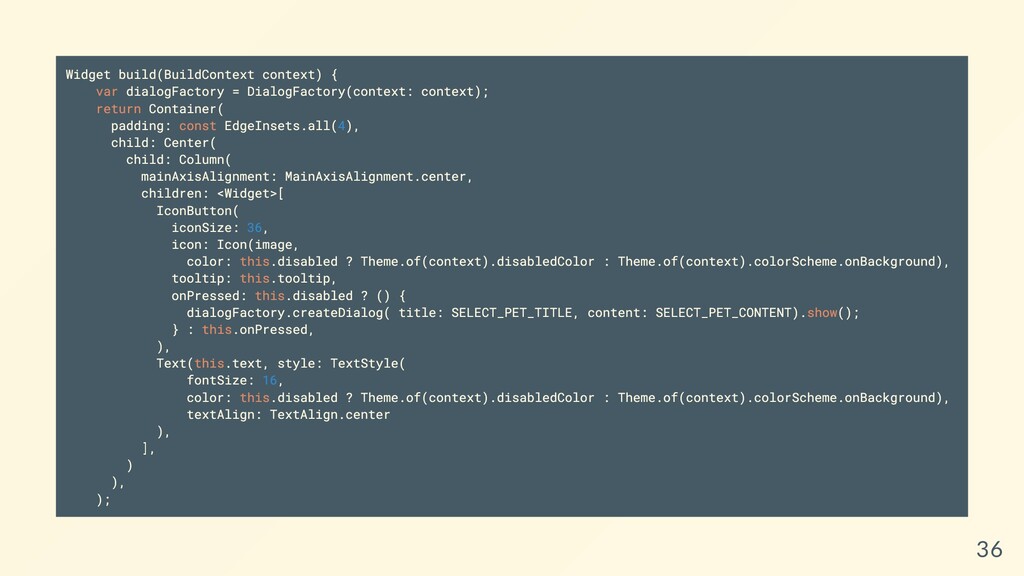
  22. Widget build(BuildContext context) { var dialogFactory = DialogFactory(context: context); return

    Container( padding: const EdgeInsets.all(4), child: Center( child: Column( mainAxisAlignment: MainAxisAlignment.center, children: <Widget>[ IconButton( iconSize: 36, icon: Icon(image, color: this.disabled ? Theme.of(context).disabledColor : Theme.of(context).colorScheme.onBackground), tooltip: this.tooltip, onPressed: this.disabled ? () { dialogFactory.createDialog( title: SELECT_PET_TITLE, content: SELECT_PET_CONTENT).show(); } : this.onPressed, ), Text(this.text, style: TextStyle( fontSize: 16, color: this.disabled ? Theme.of(context).disabledColor : Theme.of(context).colorScheme.onBackground), textAlign: TextAlign.center ), ], ) ), ); 36
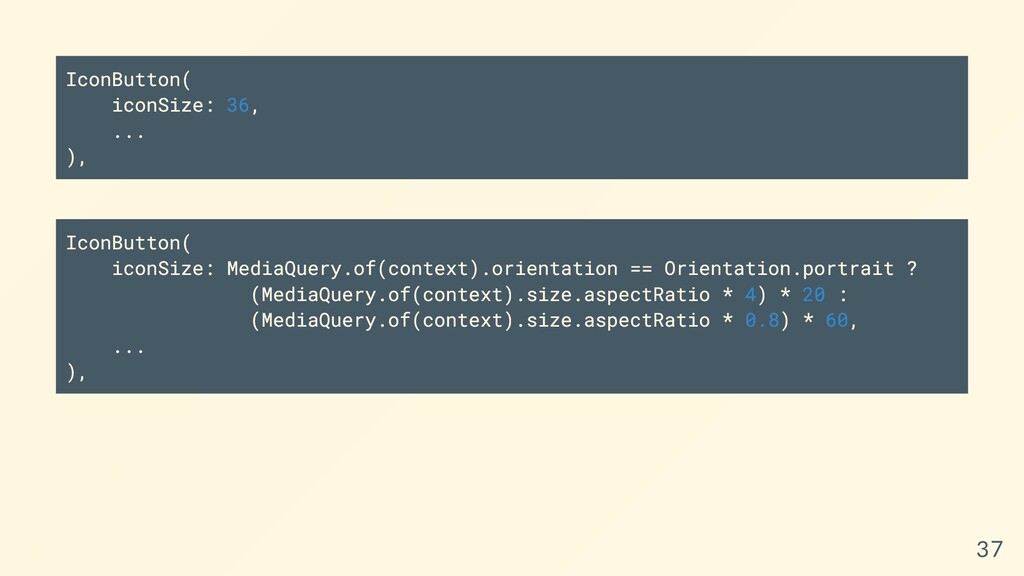
  23. IconButton( iconSize: 36, ... ), IconButton( iconSize: MediaQuery.of(context).orientation == Orientation.portrait

    ? (MediaQuery.of(context).size.aspectRatio * 4) * 20 : (MediaQuery.of(context).size.aspectRatio * 0.8) * 60, ... ), 37
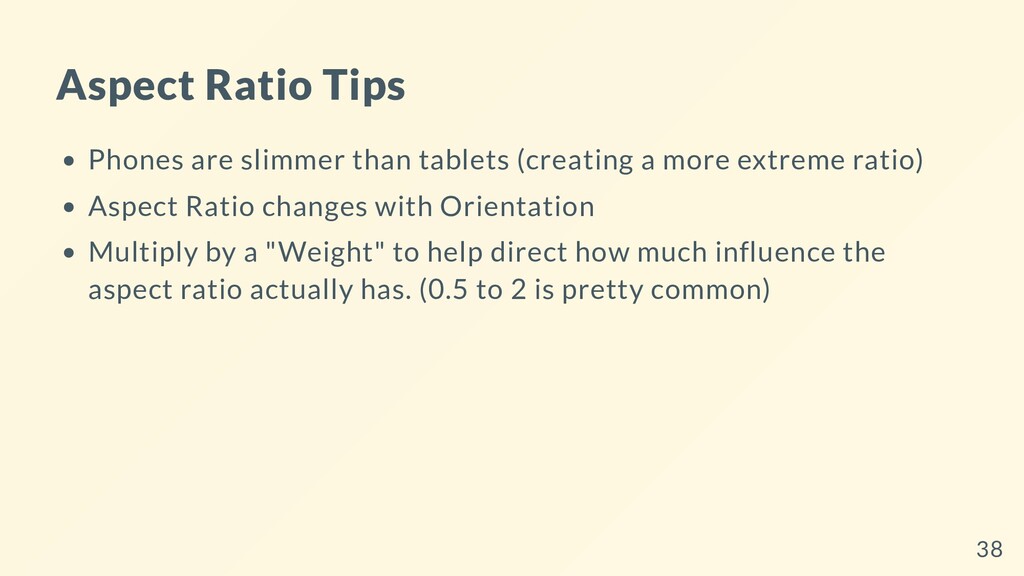
  24. Aspect Ratio Tips Phones are slimmer than tablets (creating a

    more extreme ratio) Aspect Ratio changes with Orientation Multiply by a "Weight" to help direct how much influence the aspect ratio actually has. (0.5 to 2 is pretty common) 38
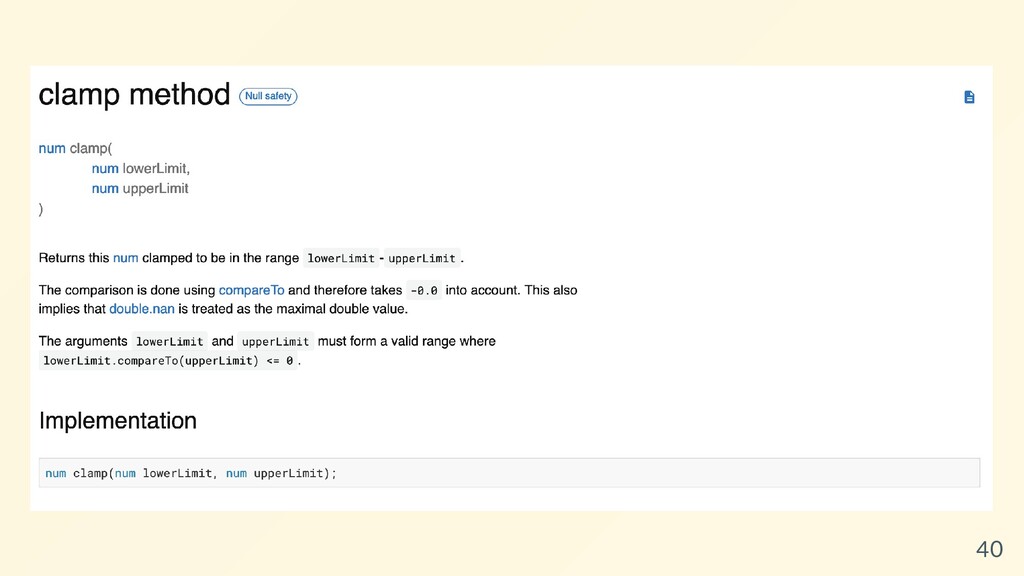
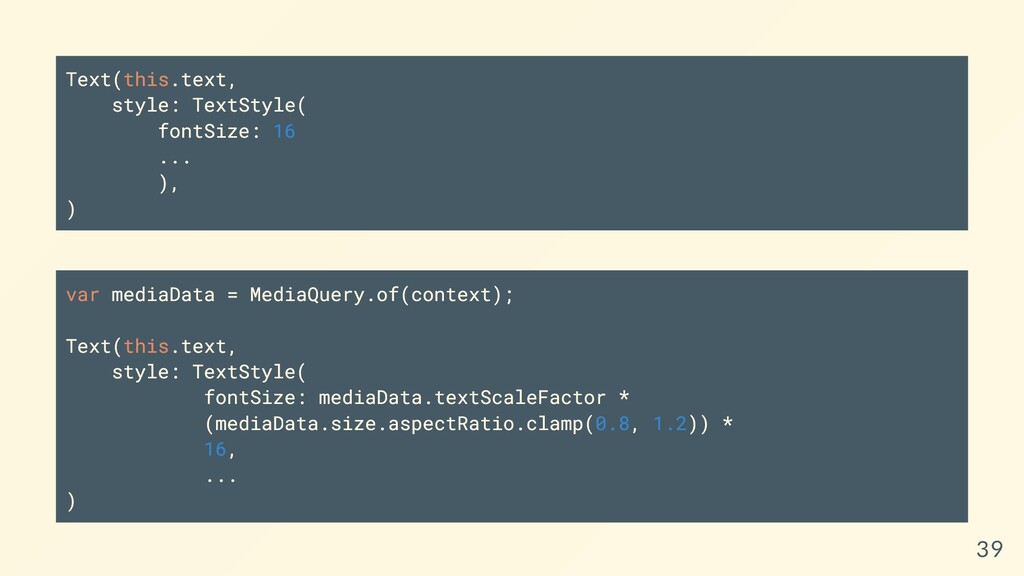
  25. Text(this.text, style: TextStyle( fontSize: 16 ... ), ) var mediaData

    = MediaQuery.of(context); Text(this.text, style: TextStyle( fontSize: mediaData.textScaleFactor * (mediaData.size.aspectRatio.clamp(0.8, 1.2)) * 16, ... ) 39
  26. 40

  27. There are other tools like Flex that help with responsive

    widgets, too. Flex Flexible (indicates that children can flex) Expanded 41
  28. Tablets, Laptops and Desktops have tighter (closer to 1) aspect

    ratios than phones More space to work with Watches also have a tigher aspect ratio than phones LESS space to work with. 43
  29. Think about how people use the device you're building for.

    Most people would prefer to perform heavy- workloads on a desktop or laptop computer. Tablets have become a staple for multi-taskers, artists, and note-takers. I hate typing on a phone. Don't make me do it. 44
  30. 45

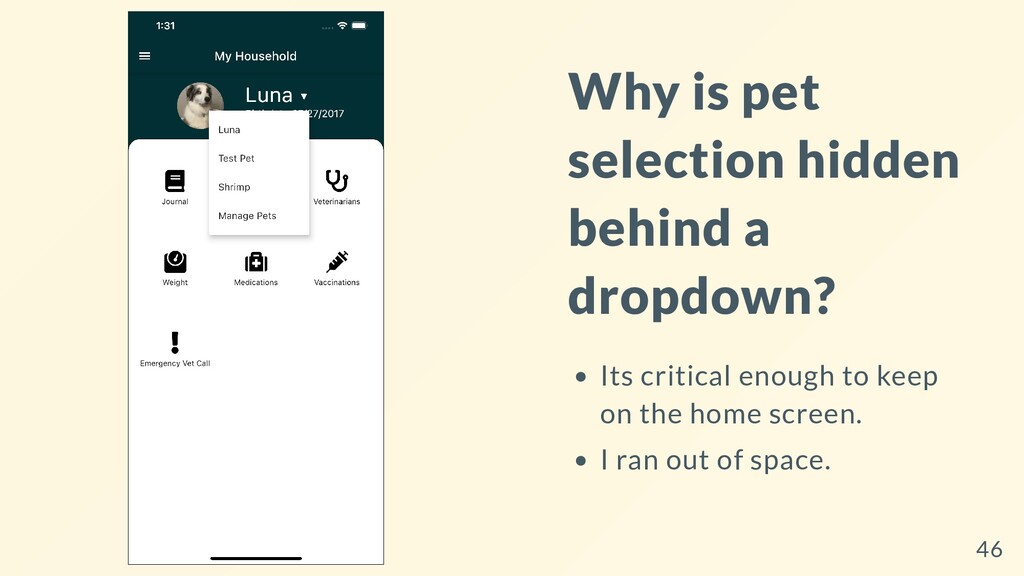
  31. Why is pet selection hidden behind a dropdown? Its critical

    enough to keep on the home screen. I ran out of space. 46
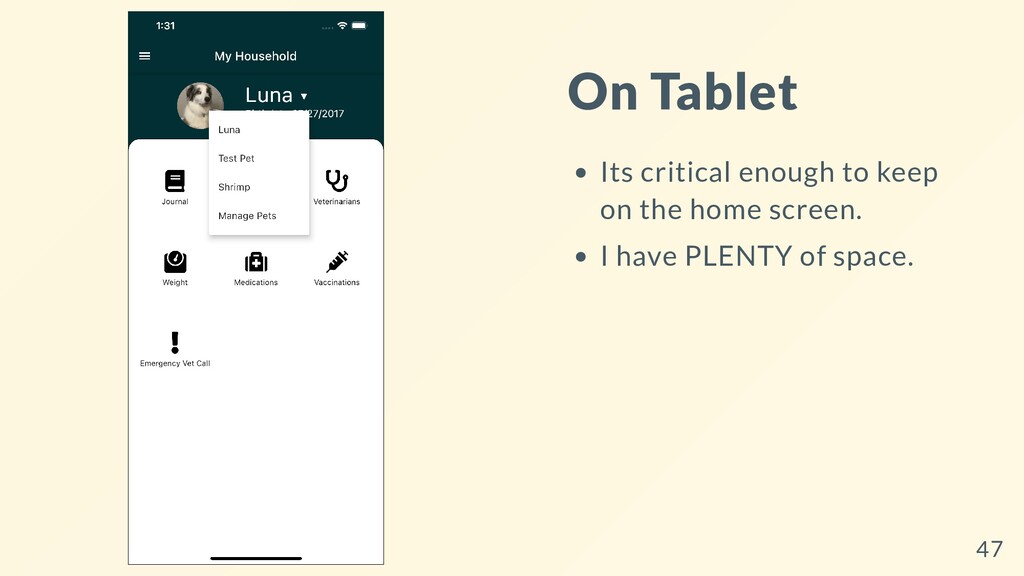
  32. On Tablet Its critical enough to keep on the home

    screen. I have PLENTY of space. 47
  33. LayoutBuilder A widget The "cream of the crop" for adaptive

    and responsive layouts Use for building large layouts Use for deciding how small widgets should render Widget of the Week: Layout Builder Layout Builder Docs 48
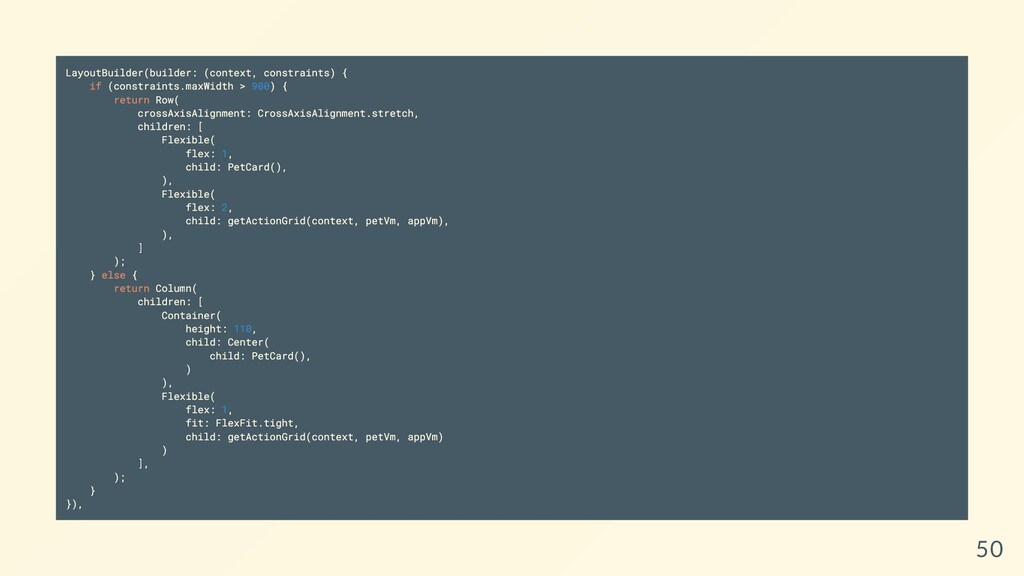
  34. LayoutBuilder(builder: (context, constraints) { if (constraints.maxWidth > 900) { return

    Row( crossAxisAlignment: CrossAxisAlignment.stretch, children: [ Flexible( flex: 1, child: PetCard(), ), Flexible( flex: 2, child: getActionGrid(context, petVm, appVm), ), ] ); } else { return Column( children: [ Container( height: 110, child: Center( child: PetCard(), ) ), Flexible( flex: 1, fit: FlexFit.tight, child: getActionGrid(context, petVm, appVm) ) ], ); } }), 50
  35. Our grid will grow, but we need to make changes

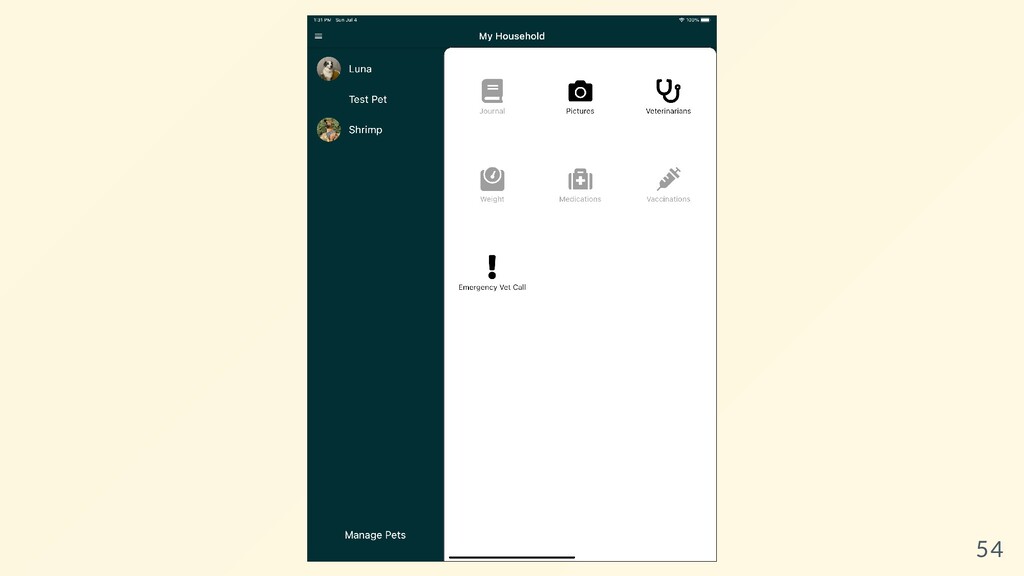
    to the pet selection, too. 51
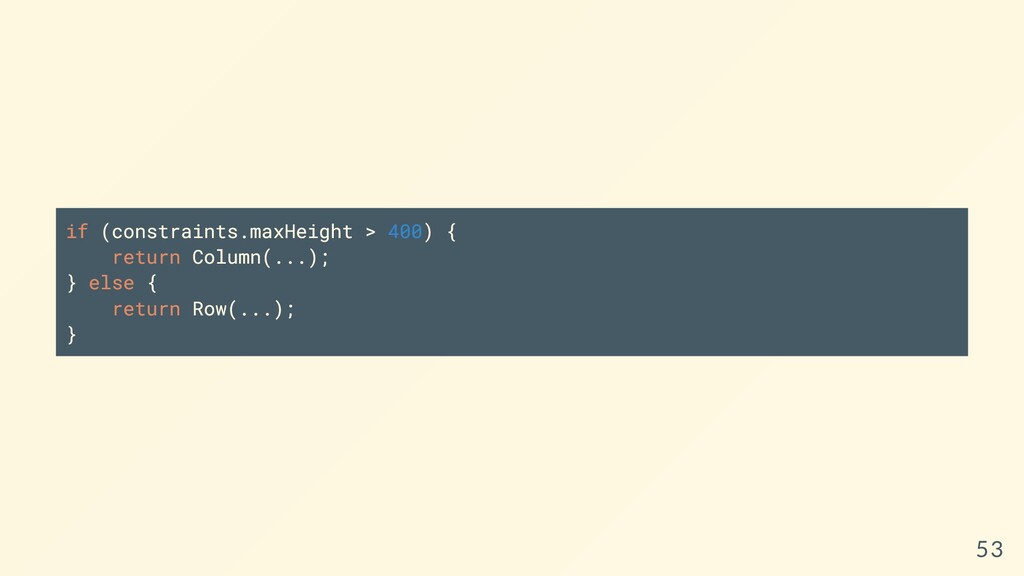
  36. Completely change the way the component is rendered depending on

    constraints use a LayoutBuilder and constraints.maxHeight > 400 check if the component is being rendered in a box greater than 400 pixels Phone: that box is going to be smaller than 400px given the previous layoutbuilder change. Larger Devices: will be greater than 400px given the previous change. The code for this is actually kind of big, so here's a link (but we'll show a few pieces in a second) 52
  37. 54

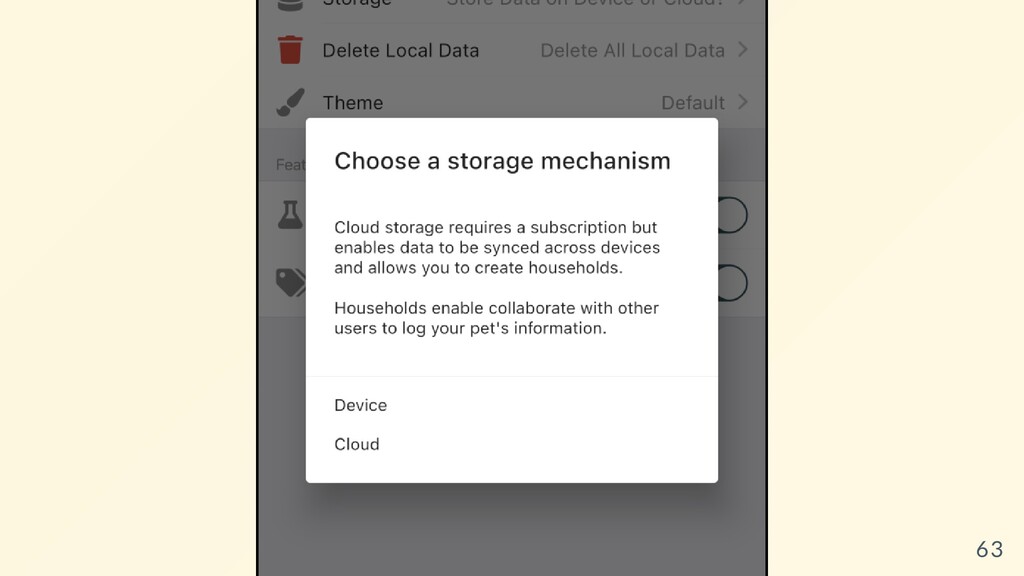
  38. What about how data is stored? This was a big

    deal with Luna Journal for multiple reasons. 56
  39. 1. Cloud Storage (Firebase?) 2. Persistent Device Storage (Sqlite, Hive)

    3. Local Storage (shared prefs, local storage) 57
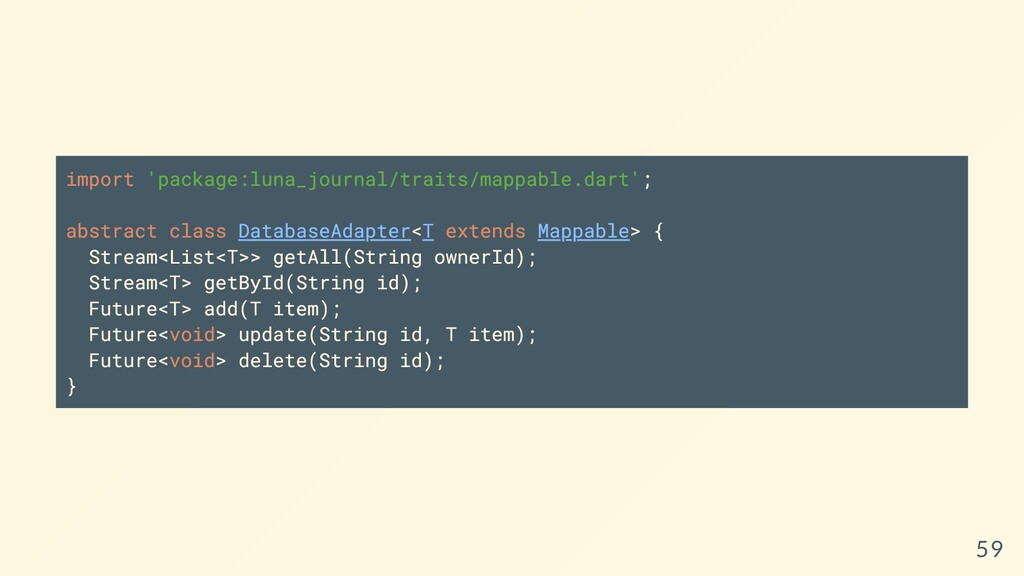
  40. import 'package:luna_journal/traits/mappable.dart'; abstract class DatabaseAdapter<T extends Mappable> { Stream<List<T>> getAll(String

    ownerId); Stream<T> getById(String id); Future<T> add(T item); Future<void> update(String id, T item); Future<void> delete(String id); } 59
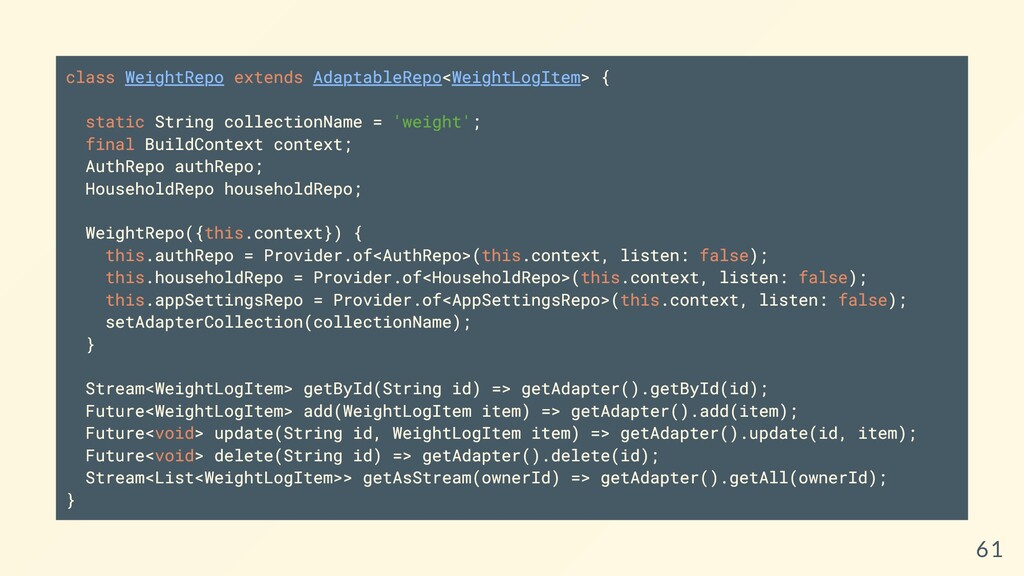
  41. class WeightRepo extends AdaptableRepo<WeightLogItem> { static String collectionName = 'weight';

    final BuildContext context; AuthRepo authRepo; HouseholdRepo householdRepo; WeightRepo({this.context}) { this.authRepo = Provider.of<AuthRepo>(this.context, listen: false); this.householdRepo = Provider.of<HouseholdRepo>(this.context, listen: false); this.appSettingsRepo = Provider.of<AppSettingsRepo>(this.context, listen: false); setAdapterCollection(collectionName); } Stream<WeightLogItem> getById(String id) => getAdapter().getById(id); Future<WeightLogItem> add(WeightLogItem item) => getAdapter().add(item); Future<void> update(String id, WeightLogItem item) => getAdapter().update(id, item); Future<void> delete(String id) => getAdapter().delete(id); Stream<List<WeightLogItem>> getAsStream(ownerId) => getAdapter().getAll(ownerId); } 61
  42. 63

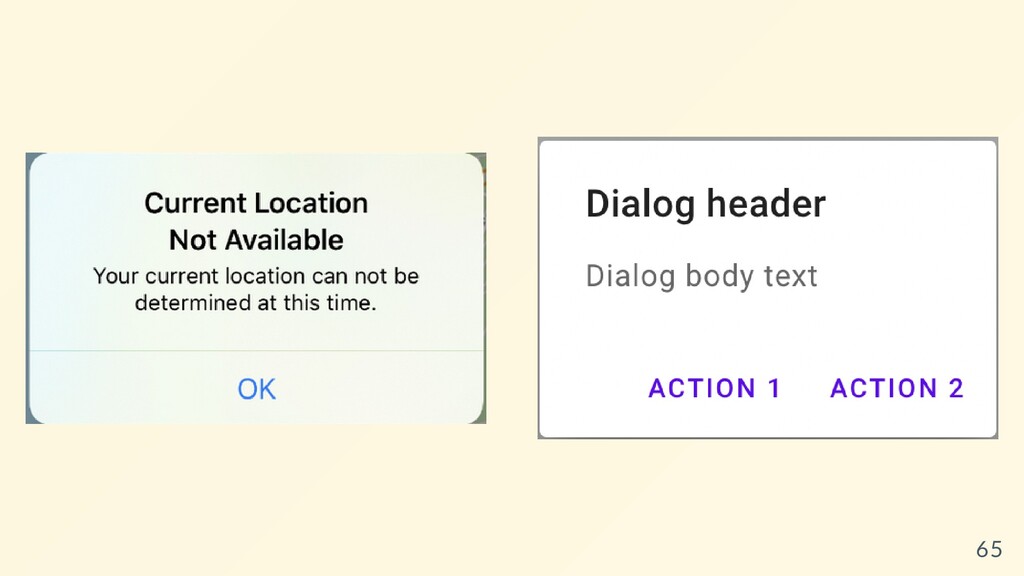
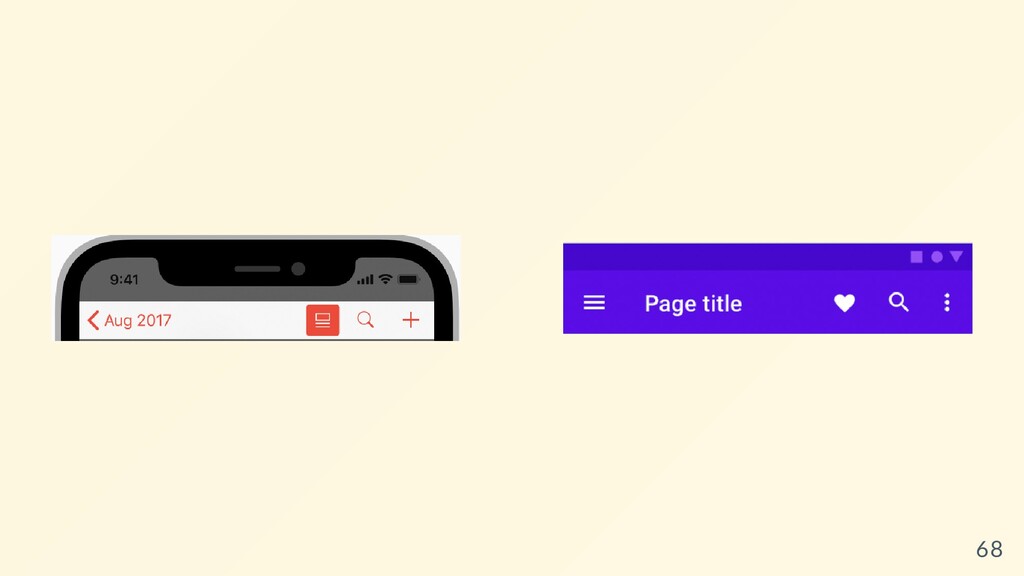
  43. Okay, that makes sense, but back to the UI. Interface

    expectations can be so vastly different! 64
  44. 65

  45. Flutter gives you access to both styles and allows you
    to choose how you want to represent them. 66
  46. Flutter also adapts some APIs by default: https://flutter.dev/docs/resources/platform- adaptations Navigation

    animations How a user can "go back" to a previous view scroll physics typography (when using flutter/material) iconography and many more 67
  47. 68

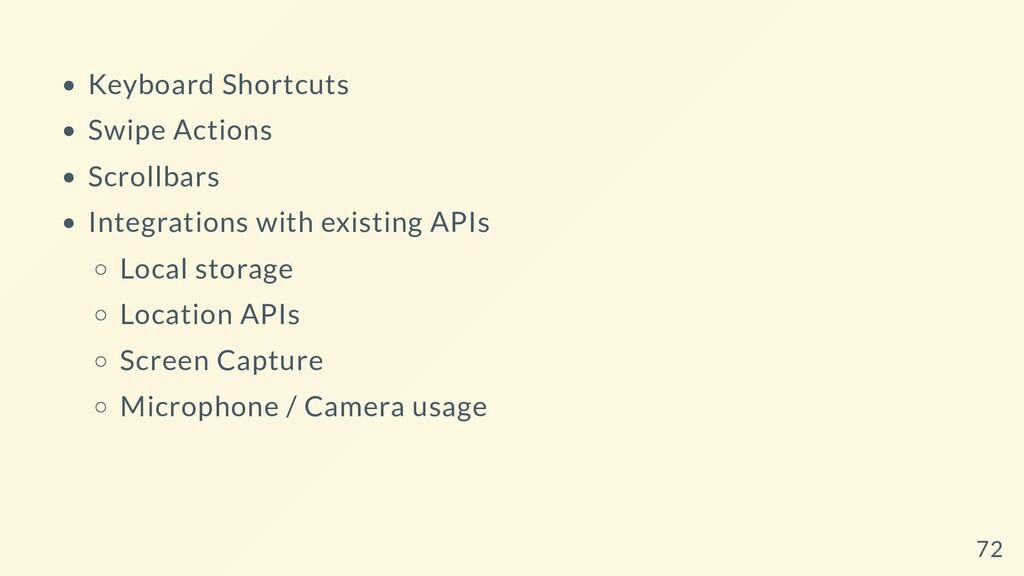
  48. Keyboard Shortcuts Swipe Actions Scrollbars Integrations with existing APIs Local

    storage Location APIs Screen Capture Microphone / Camera usage 72
  49. That being said, there are a lot of third party

    packages that provide abstractions over these items. 74
  50. There are tens of thousands of apps that don't "feel"

    right. Adaptive Apps could be your competitive advantage. 79