$30 off During Our Annual Pro Sale. View Details »

Beyond Hilt's Built-In Scopes: Scope shared dep...

Beyond Hilt's Built-In Scopes: Scope shared dependencies to the current screen

Modern Android apps normally follow the Single-Activity architecture with Compose Navigation, but as screens grow complex with multiple UI components and ViewModels, we hit a fundamental limitation: there's no clean way to share dependencies at the screen level. Built-in Hilt scopes are either too broad (@Singleton, causing state leakage) or too narrow (@ViewModelScoped, preventing sharing).

This talk introduces a custom Dagger component that solves this gap with screen-scoped dependency injection that matches the screen lifecycle.

Key Takeaways
- Understand Hilt's component hierarchy limitations
- Learn how to build custom Hilt components and manage their lifecycle
- Implement screen-scoped dependency injection with a practical example

Perfect for developers already comfortable with Hilt/Dagger dependency injection, who hit this architectural wall and only found hacky solutions to work around it.

You can find the related sample repository here.

Avatar for Luca Bettelli

Luca Bettelli

November 20, 2025
Tweet

Other Decks in Programming

Transcript

  1. Beyond Hilt's Built-In Scopes Luca Bettelli Software Engineer Mercari Scope

    shared dependencies to the current screen Luca Bettelli - droidcon Italy 2025
  2. 01 Agenda Modern Android Development 02 The Problem and Some

    Context 03 The Workaround 04 Understanding Hilt 05 A Better Solution 06 Considerations
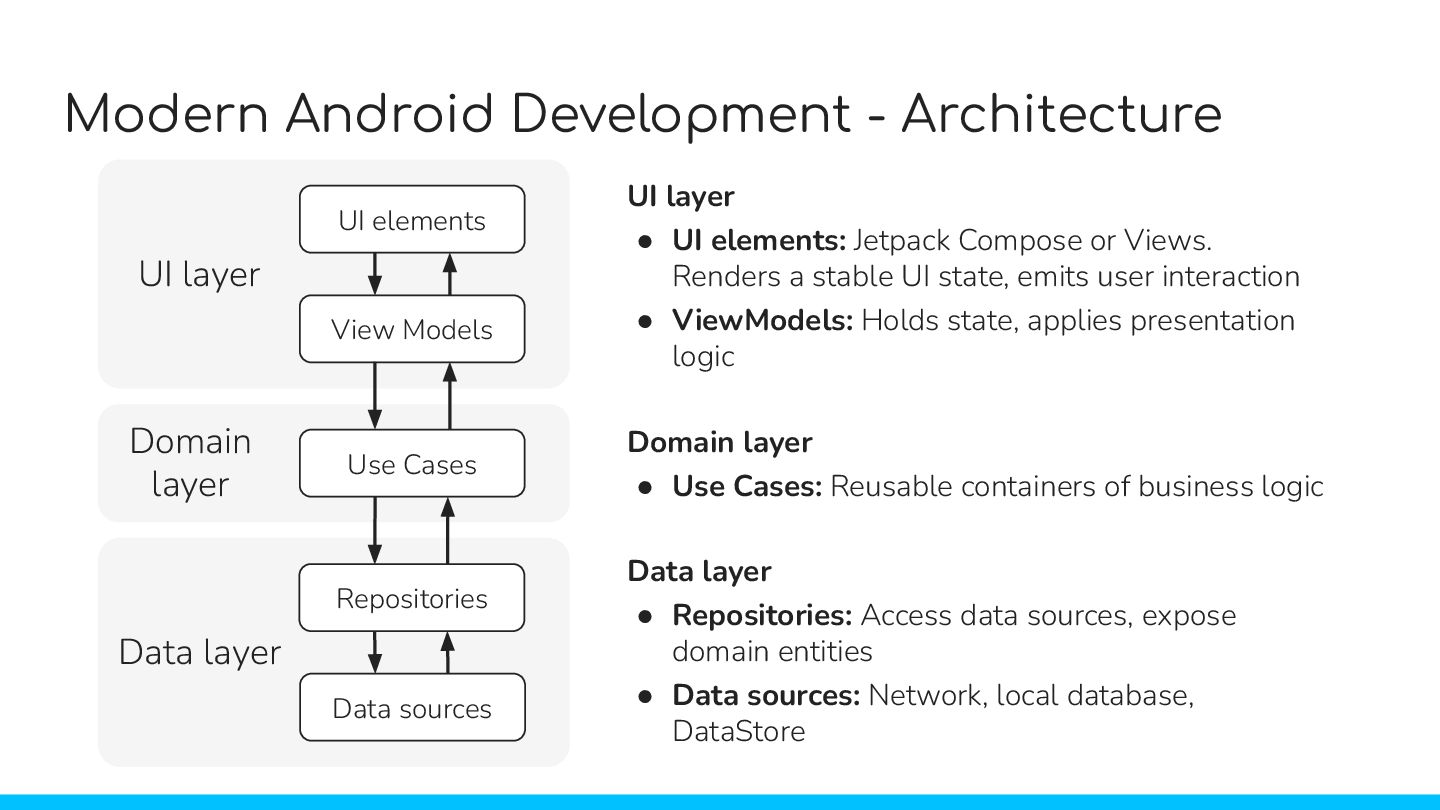
  3. Modern Android Development - Architecture UI elements View Models Use

    Cases Repositories Data sources UI layer Domain layer Data layer Data layer • Repositories: Access data sources, expose domain entities • Data sources: Network, local database, DataStore Domain layer • Use Cases: Reusable containers of business logic UI layer • UI elements: Jetpack Compose or Views. Renders a stable UI state, emits user interaction • ViewModels: Holds state, applies presentation logic
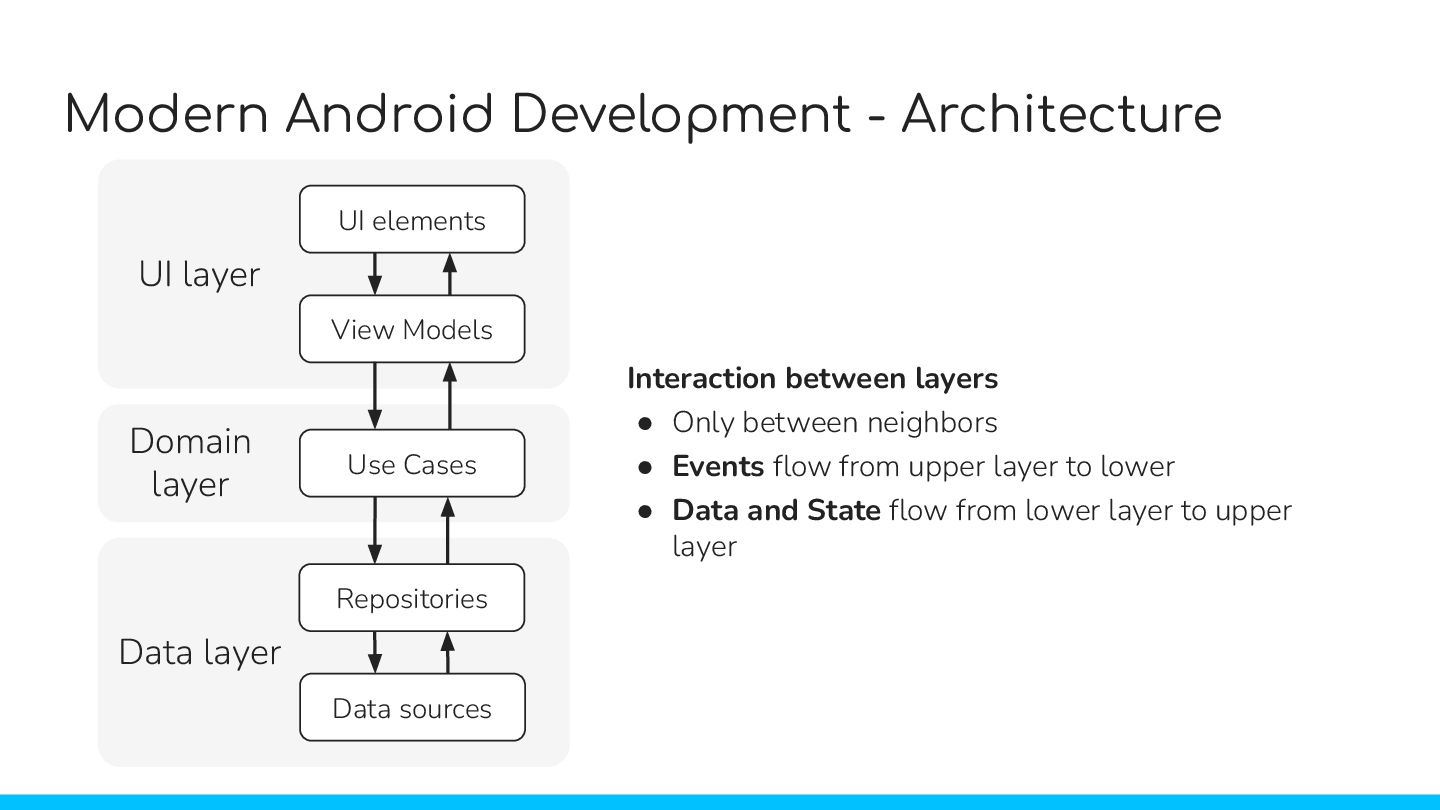
  4. Modern Android Development - Architecture Interaction between layers • Only

    between neighbors • Events flow from upper layer to lower • Data and State flow from lower layer to upper layer UI elements View Models Use Cases Repositories Data sources UI layer Domain layer Data layer
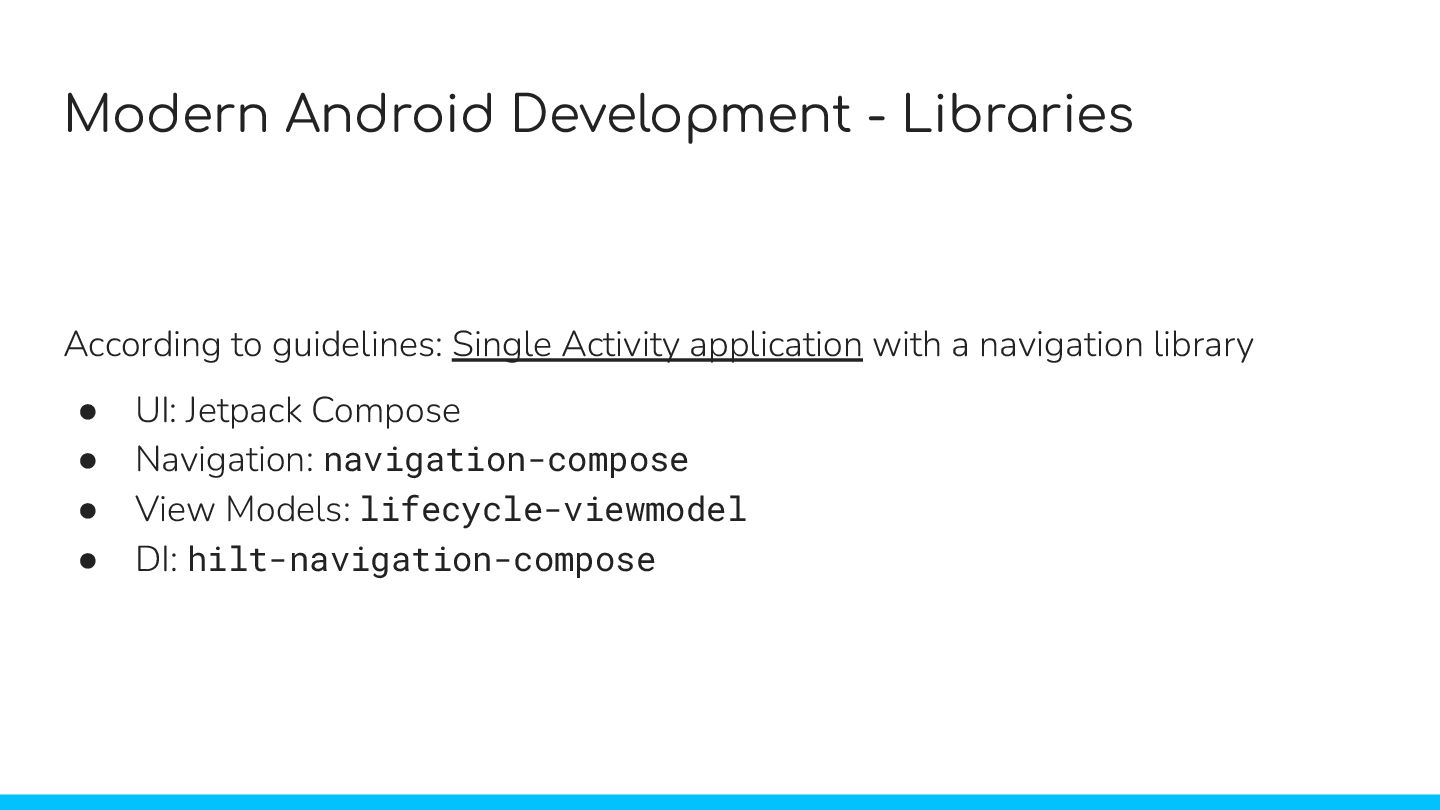
  5. Modern Android Development - Libraries According to guidelines: Single Activity

    application with a navigation library • UI: Jetpack Compose • Navigation: navigation-compose • View Models: lifecycle-viewmodel • DI: hilt-navigation-compose
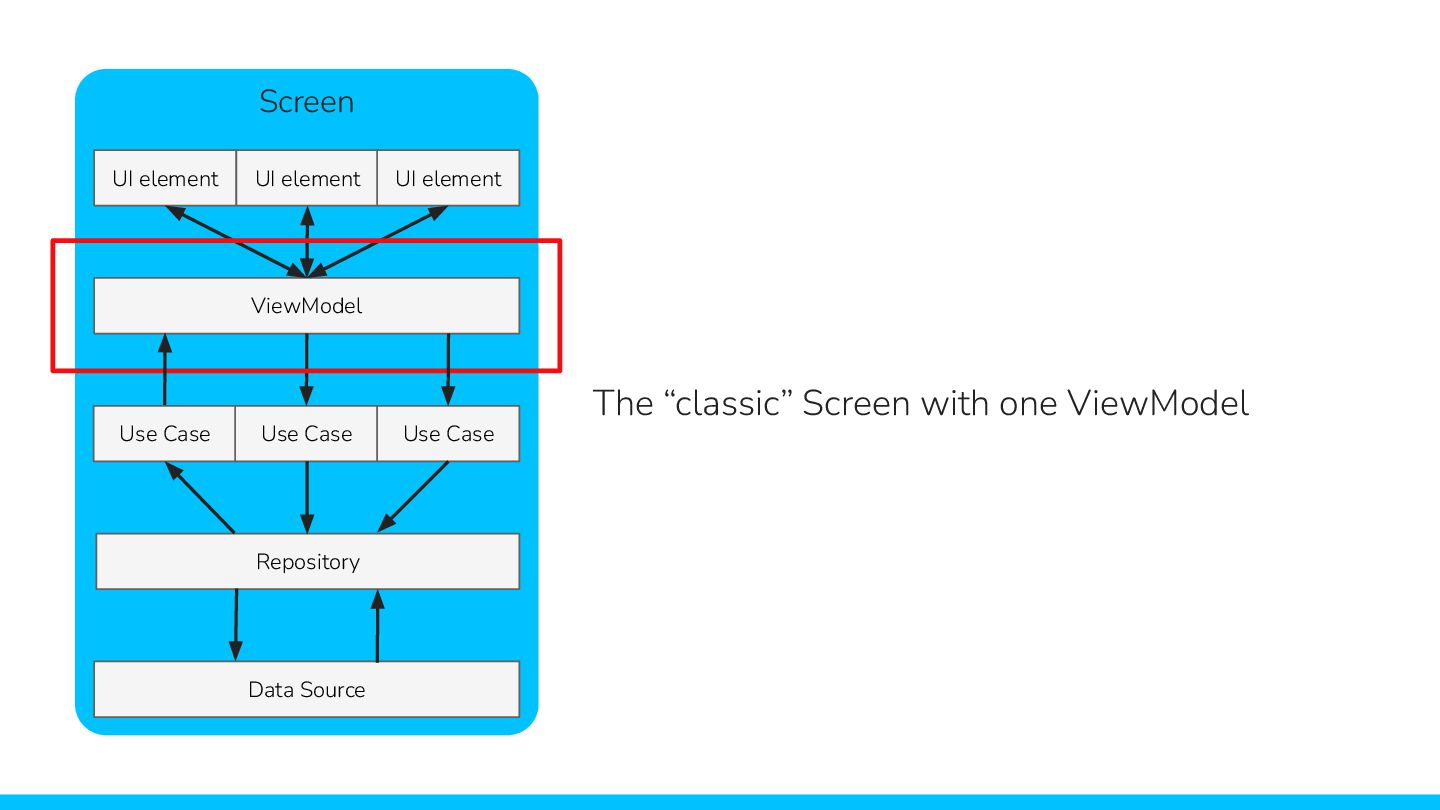
  6. Screen UI element UI element UI element ViewModel Use Case

    Use Case Use Case Repository Data Source The “classic” Screen with one ViewModel
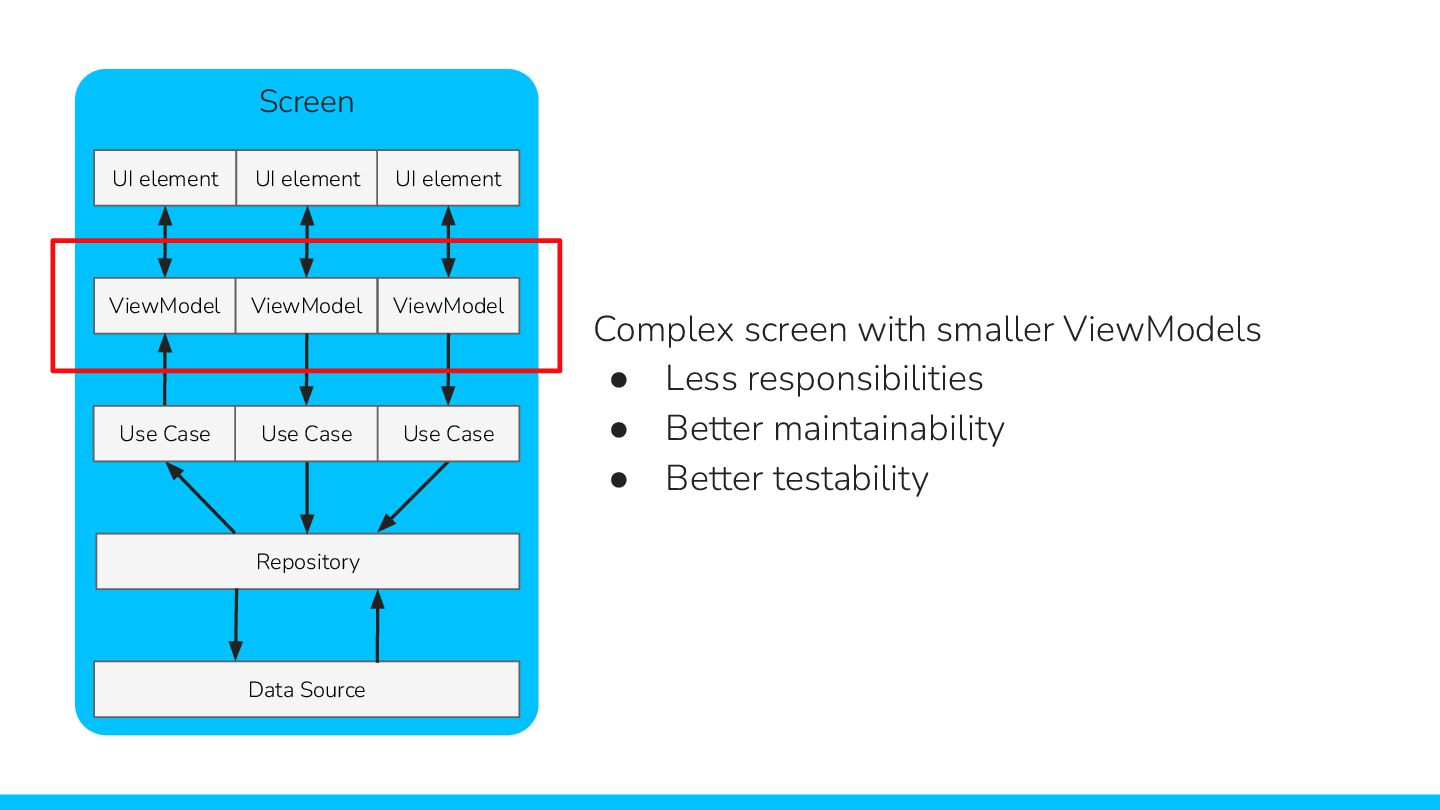
  7. UI element UI element UI element ViewModel Complex screen with

    smaller ViewModels • Less responsibilities • Better maintainability • Better testability ViewModel ViewModel Screen Repository Data Source Use Case Use Case Use Case
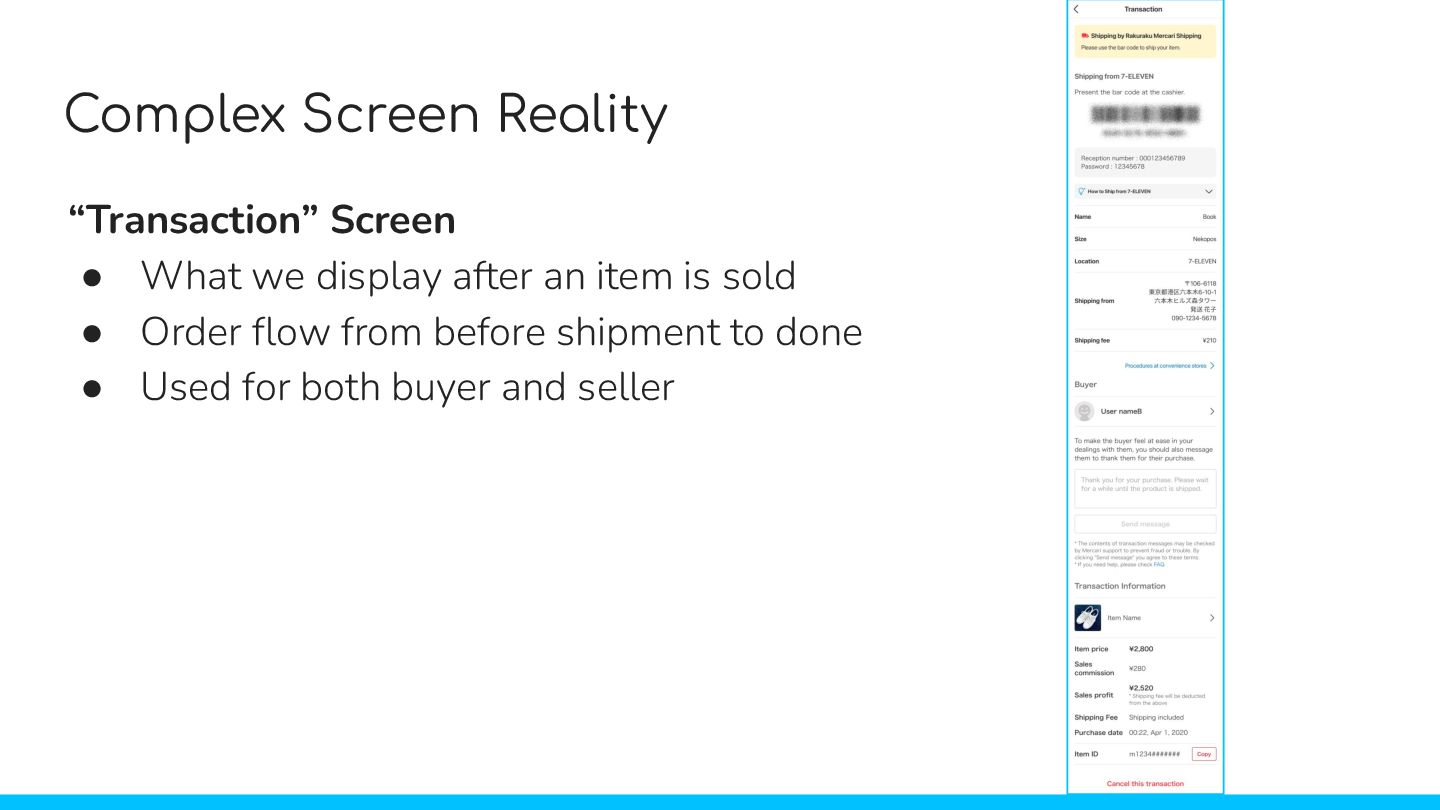
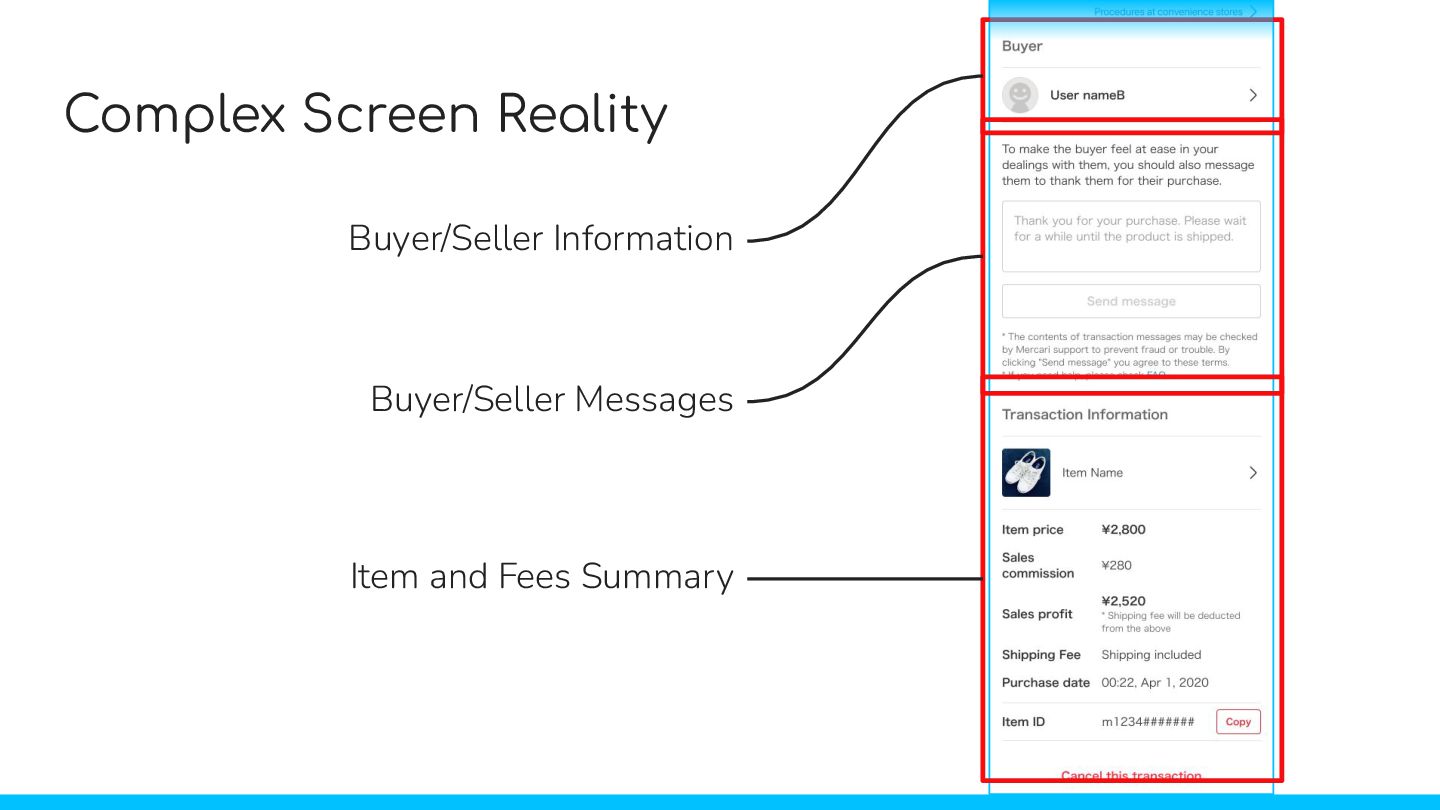
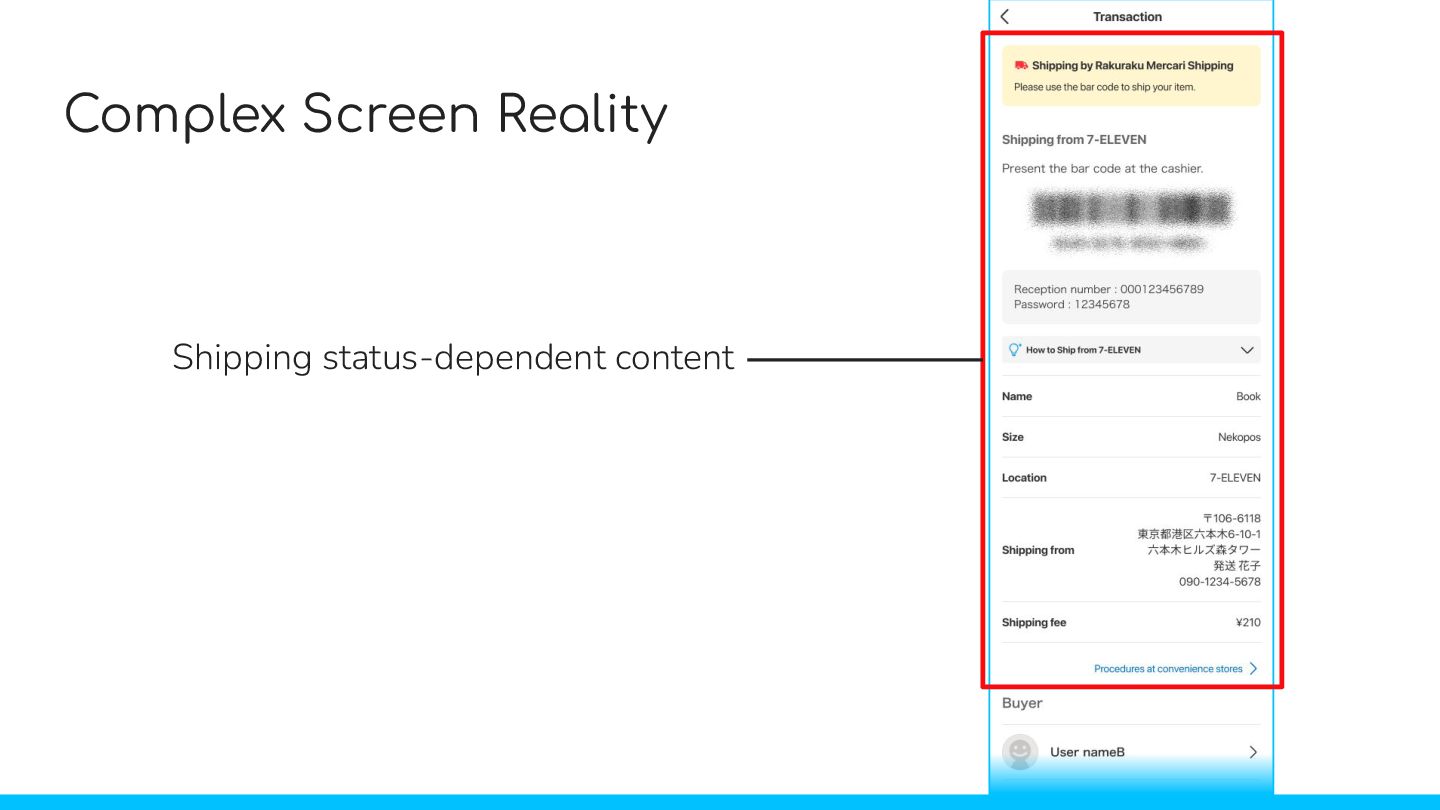
  8. Complex Screen Reality “Transaction” Screen • What we display after

    an item is sold • Order flow from before shipment to done • Used for both buyer and seller
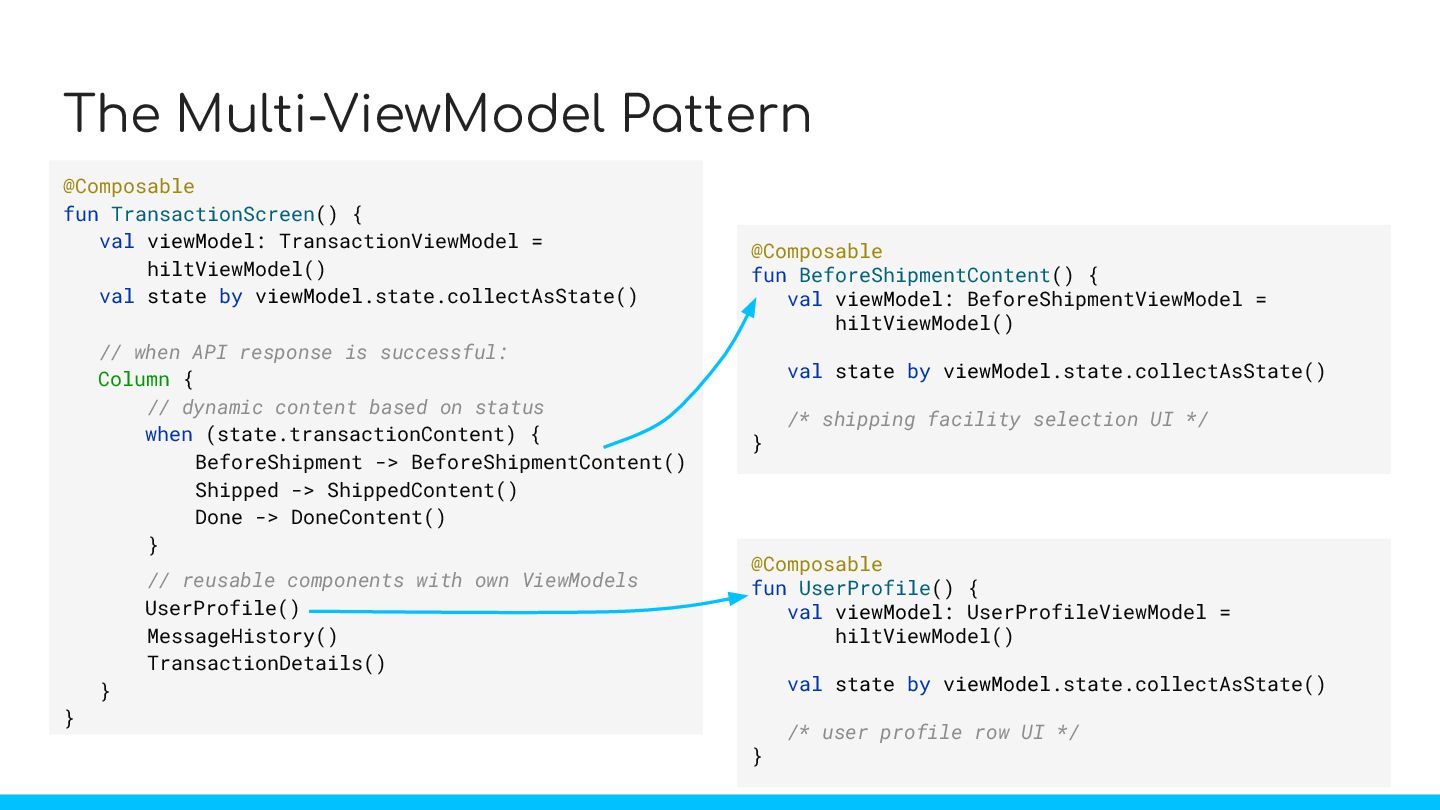
  9. The Multi-ViewModel Pattern @Composable fun TransactionScreen() { val viewModel: TransactionViewModel

    = hiltViewModel() val state by viewModel.state.collectAsState() // when API response is successful: Column { // dynamic content based on status when (state.transactionContent) { BeforeShipment -> BeforeShipmentContent() Shipped -> ShippedContent() Done -> DoneContent() } // reusable components with own ViewModels UserProfile() MessageHistory() TransactionDetails() } } @Composable fun UserProfile() { val viewModel: UserProfileViewModel = hiltViewModel() val state by viewModel.state.collectAsState() /* user profile row UI */ } @Composable fun BeforeShipmentContent() { val viewModel: BeforeShipmentViewModel = hiltViewModel() val state by viewModel.state.collectAsState() /* shipping facility selection UI */ }
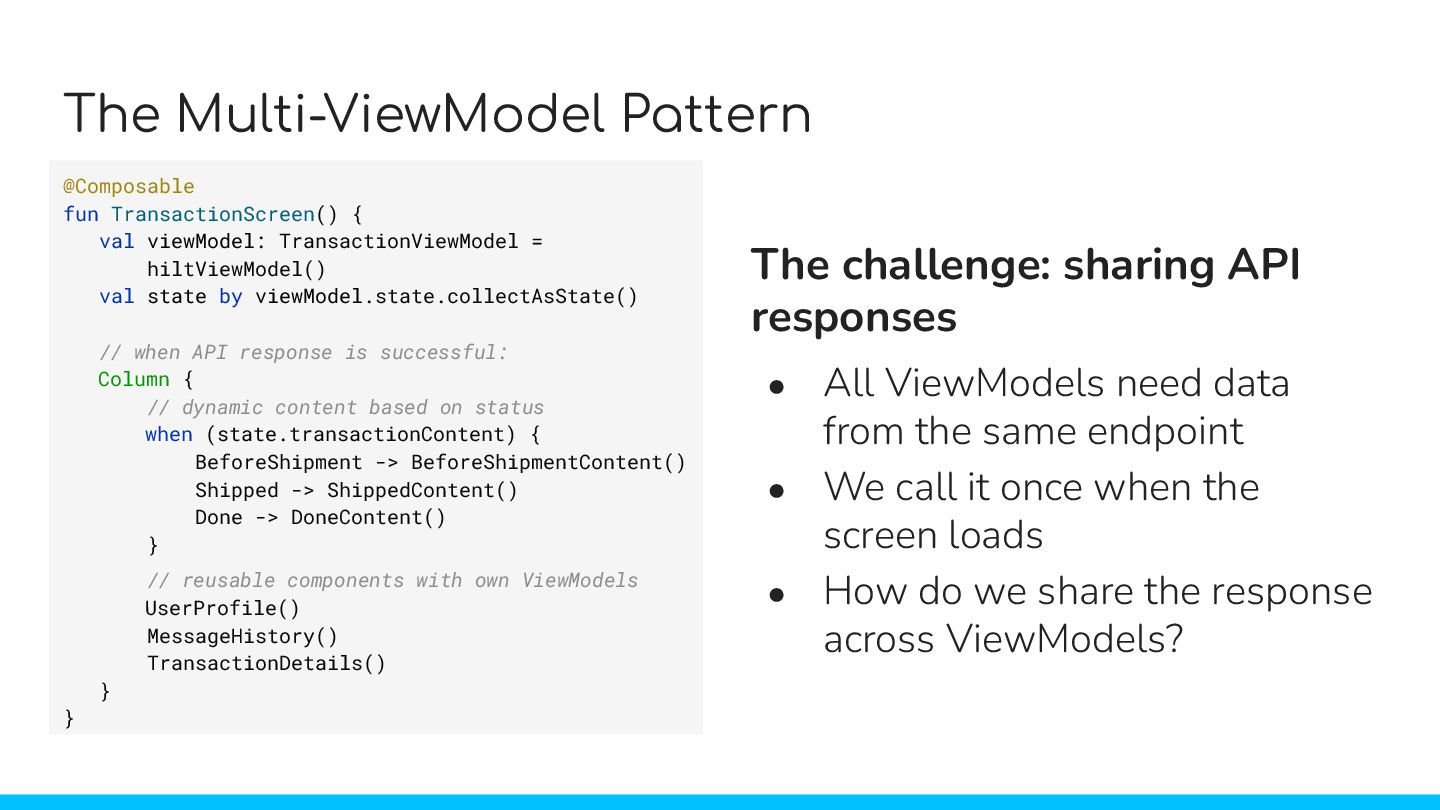
  10. The Multi-ViewModel Pattern @Composable fun TransactionScreen() { val viewModel: TransactionViewModel

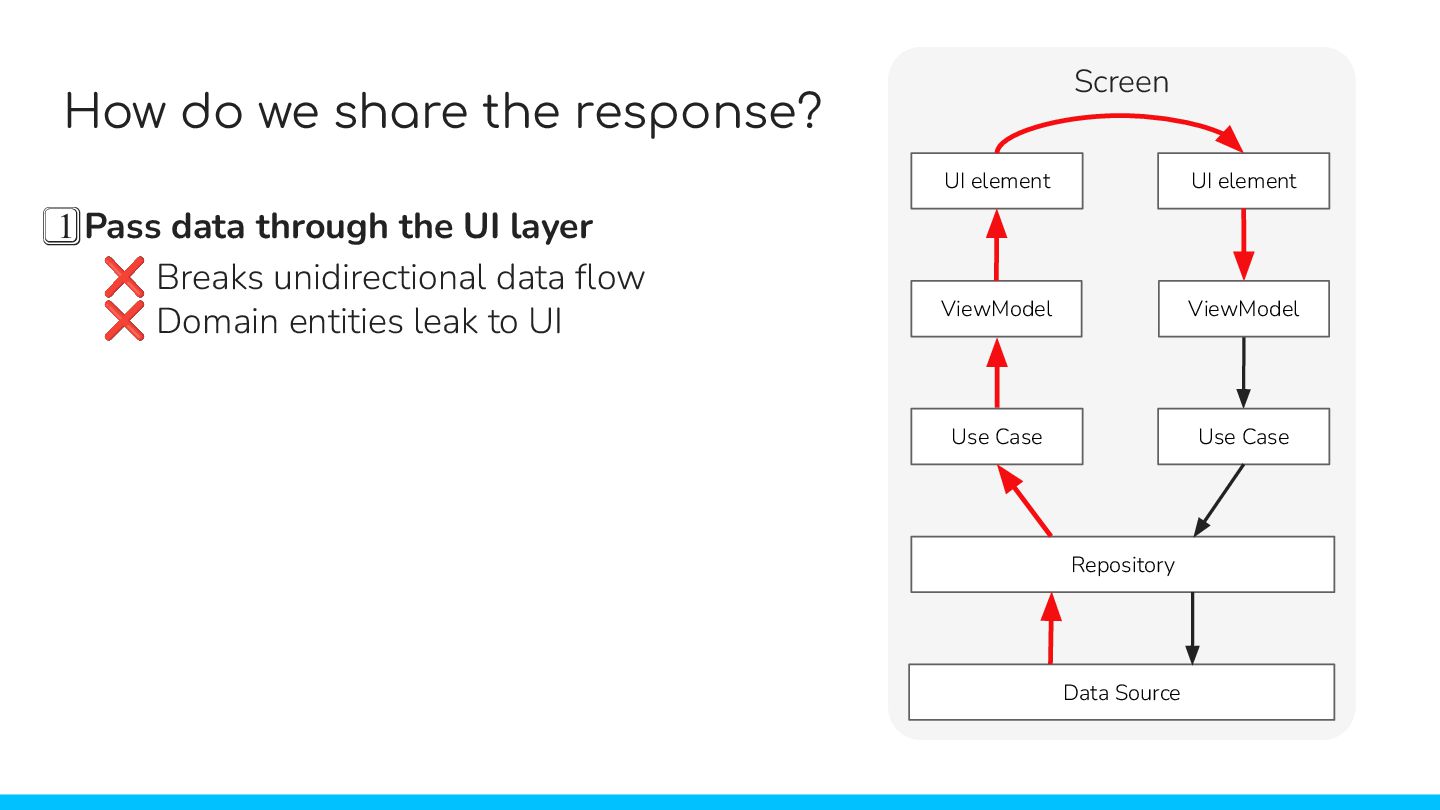
    = hiltViewModel() val state by viewModel.state.collectAsState() // when API response is successful: Column { // dynamic content based on status when (state.transactionContent) { BeforeShipment -> BeforeShipmentContent() Shipped -> ShippedContent() Done -> DoneContent() } // reusable components with own ViewModels UserProfile() MessageHistory() TransactionDetails() } } The challenge: sharing API responses • All ViewModels need data from the same endpoint • We call it once when the screen loads • How do we share the response across ViewModels?
  11. How do we share the response? 1⃣ Pass data through

    the UI layer UI element UI element ViewModel ViewModel Screen Use Case Use Case Repository Data Source ❌ Breaks unidirectional data flow ❌ Domain entities leak to UI UI element UI element ViewModel ViewModel Screen Use Case Use Case Repository Data Source
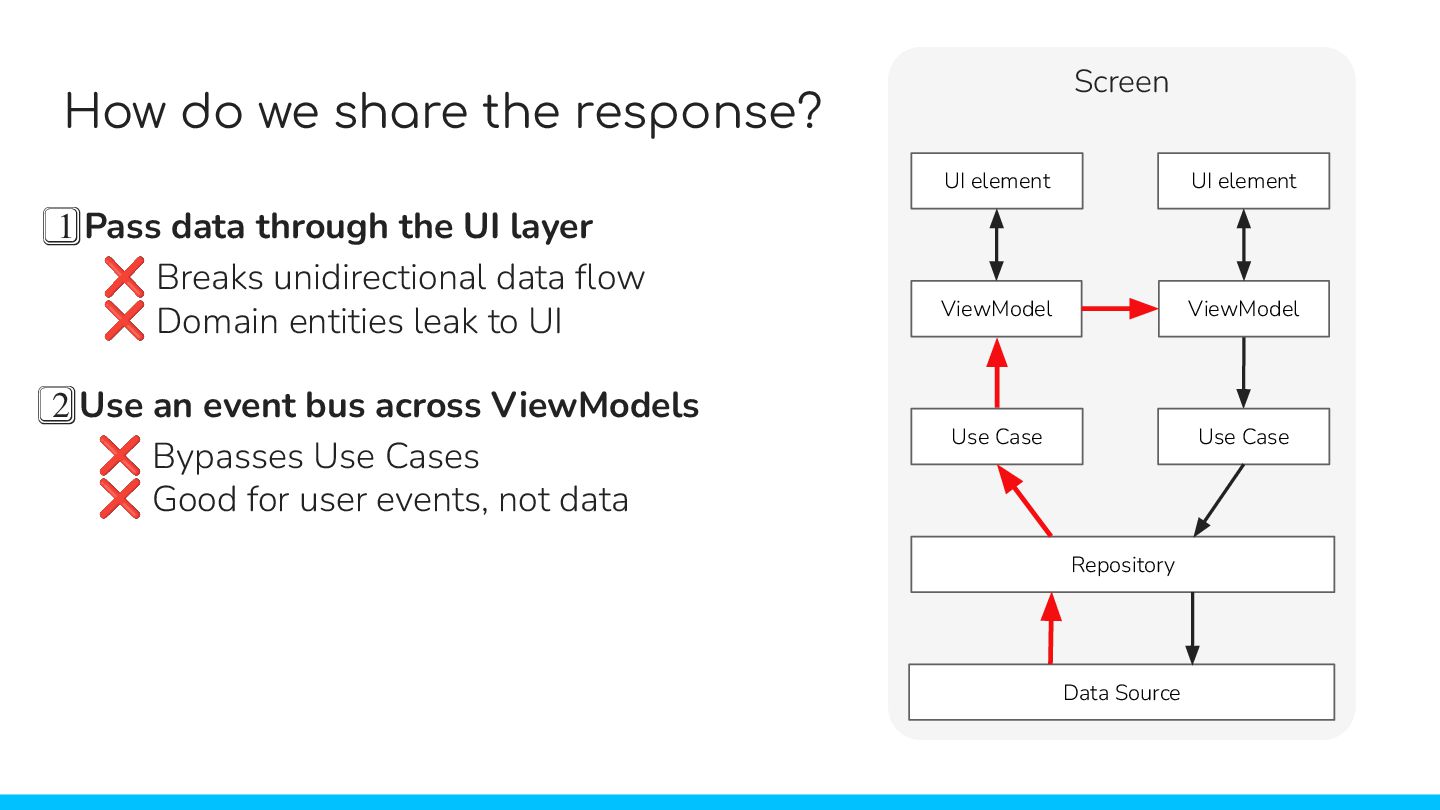
  12. 1⃣ Pass data through the UI layer ❌ Breaks unidirectional

    data flow ❌ Domain entities leak to UI How do we share the response? 2⃣ Use an event bus across ViewModels UI element UI element ViewModel ViewModel Screen Use Case Use Case Repository Data Source UI element UI element ViewModel ViewModel Screen Use Case Use Case Repository Data Source ❌ Bypasses Use Cases ❌ Good for user events, not data
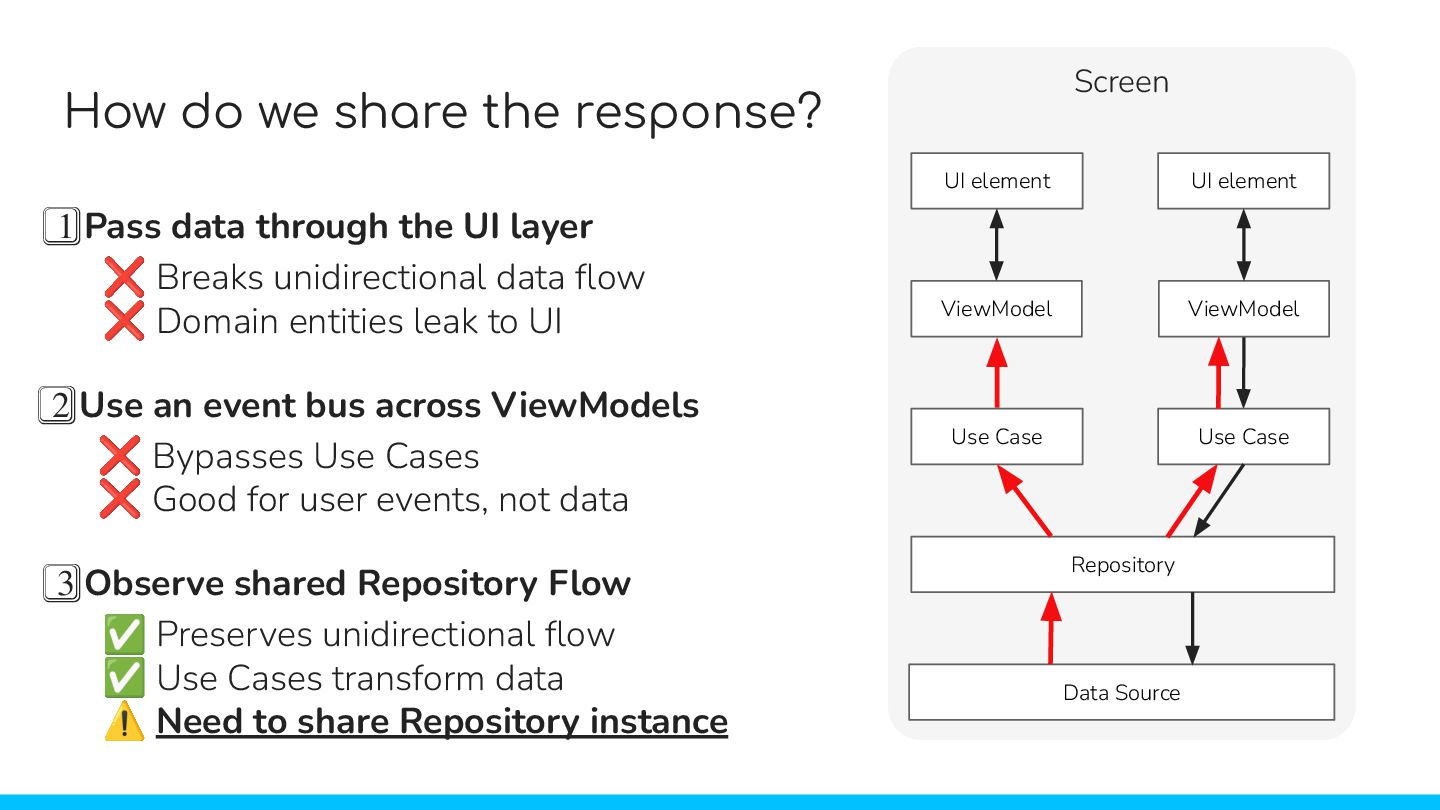
  13. 1⃣ Pass data through the UI layer ❌ Breaks unidirectional

    data flow ❌ Domain entities leak to UI How do we share the response? 2⃣ Use an event bus across ViewModels UI element UI element ViewModel ViewModel Screen Use Case Use Case Repository Data Source ❌ Bypasses Use Cases ❌ Good for user events, not data 3⃣ Observe shared Repository Flow ✅ Preserves unidirectional flow ✅ Use Cases transform data UI element UI element ViewModel ViewModel Screen Use Case Use Case Repository Data Source ⚠ Need to share Repository instance
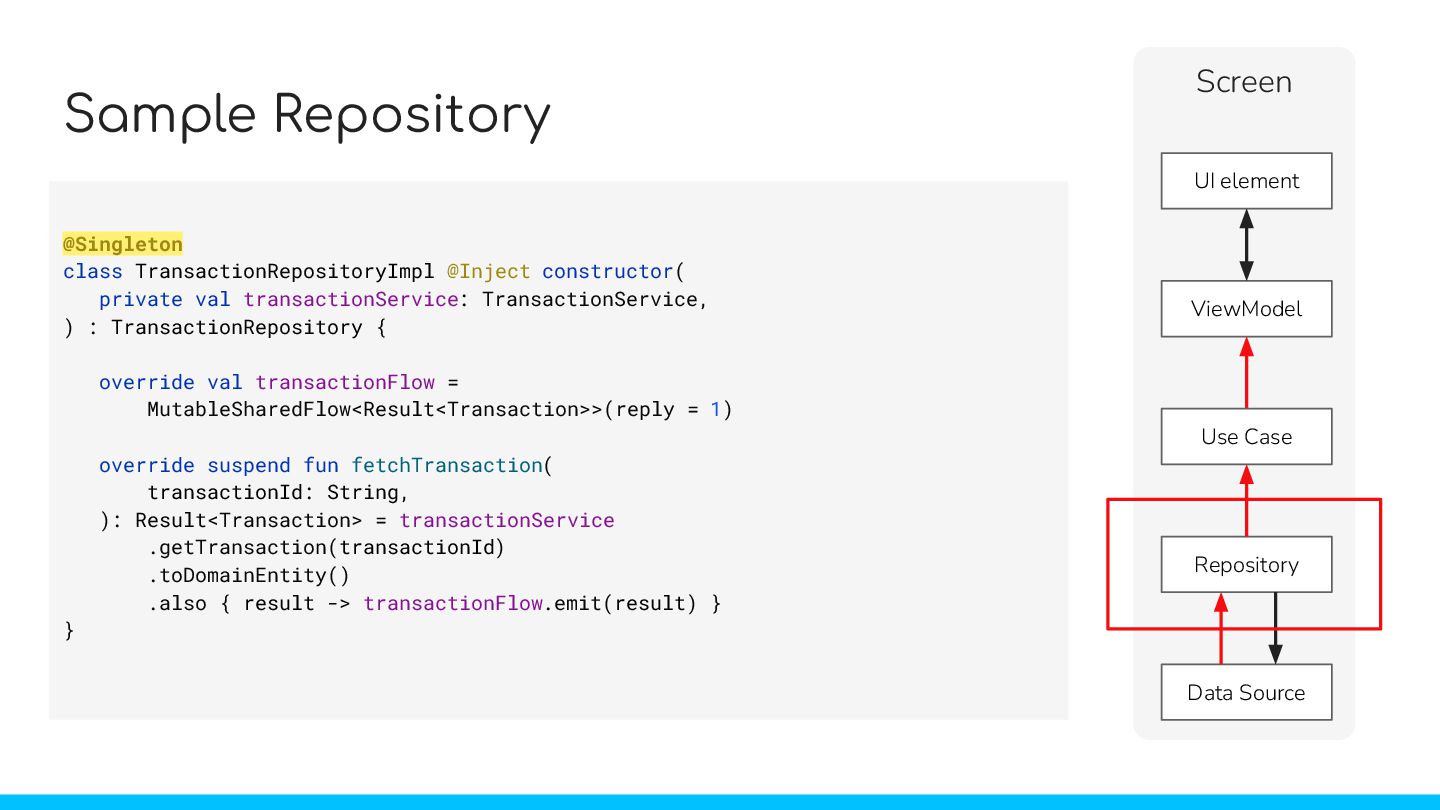
  14. Sample Repository class TransactionRepositoryImpl @Inject constructor( private val transactionService: TransactionService,

    ) : TransactionRepository { override val transactionFlow = MutableSharedFlow<Result<Transaction>>(reply = 1) override suspend fun fetchTransaction( transactionId: String, ): Result<Transaction> = transactionService .getTransaction(transactionId) .toDomainEntity() .also { result -> transactionFlow.emit(result) } } @Singleton UI element ViewModel Screen Use Case Repository Data Source
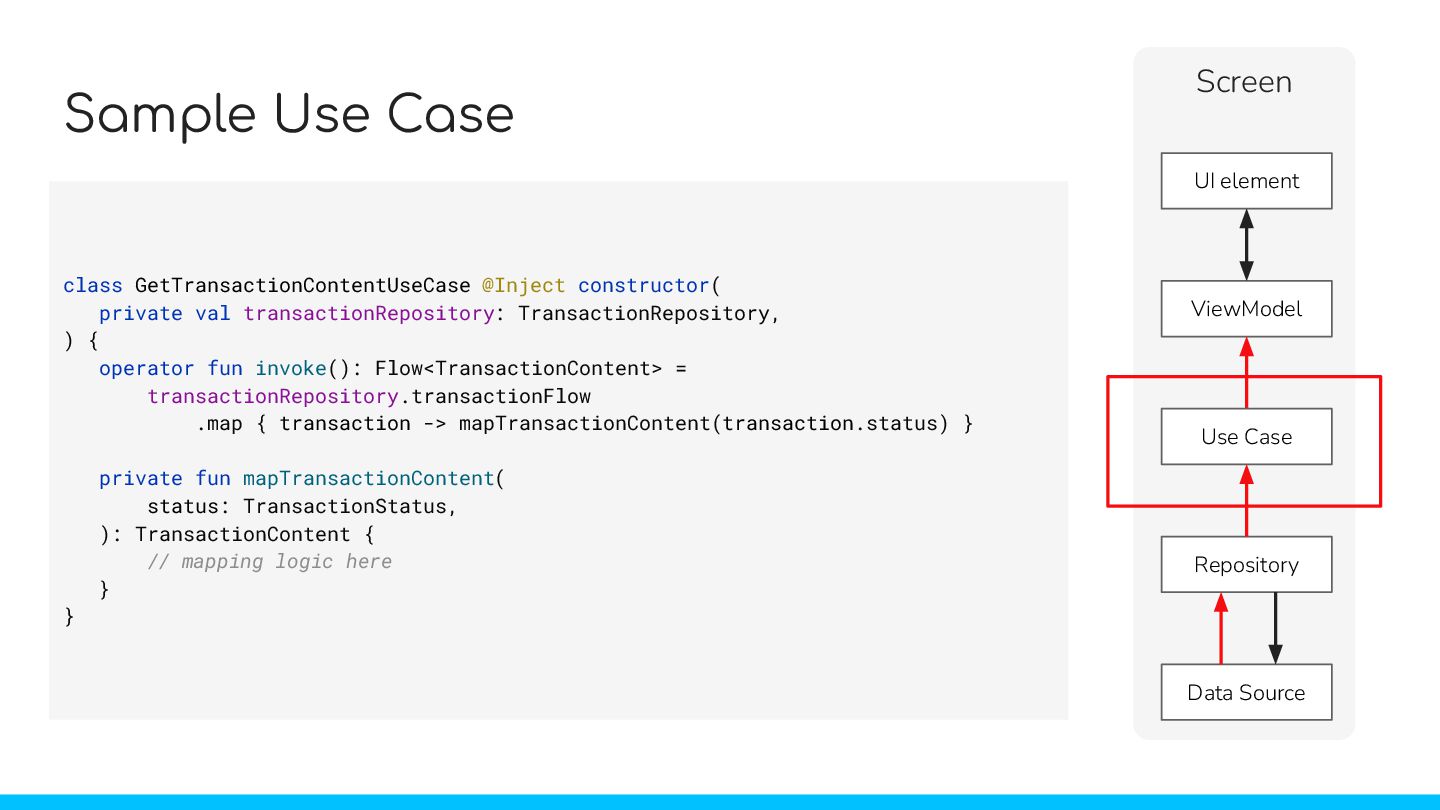
  15. Sample Use Case class GetTransactionContentUseCase @Inject constructor( private val transactionRepository:

    TransactionRepository, ) { operator fun invoke(): Flow<TransactionContent> = transactionRepository.transactionFlow .map { transaction -> mapTransactionContent(transaction.status) } private fun mapTransactionContent( status: TransactionStatus, ): TransactionContent { // mapping logic here } } UI element ViewModel Screen Use Case Repository Data Source
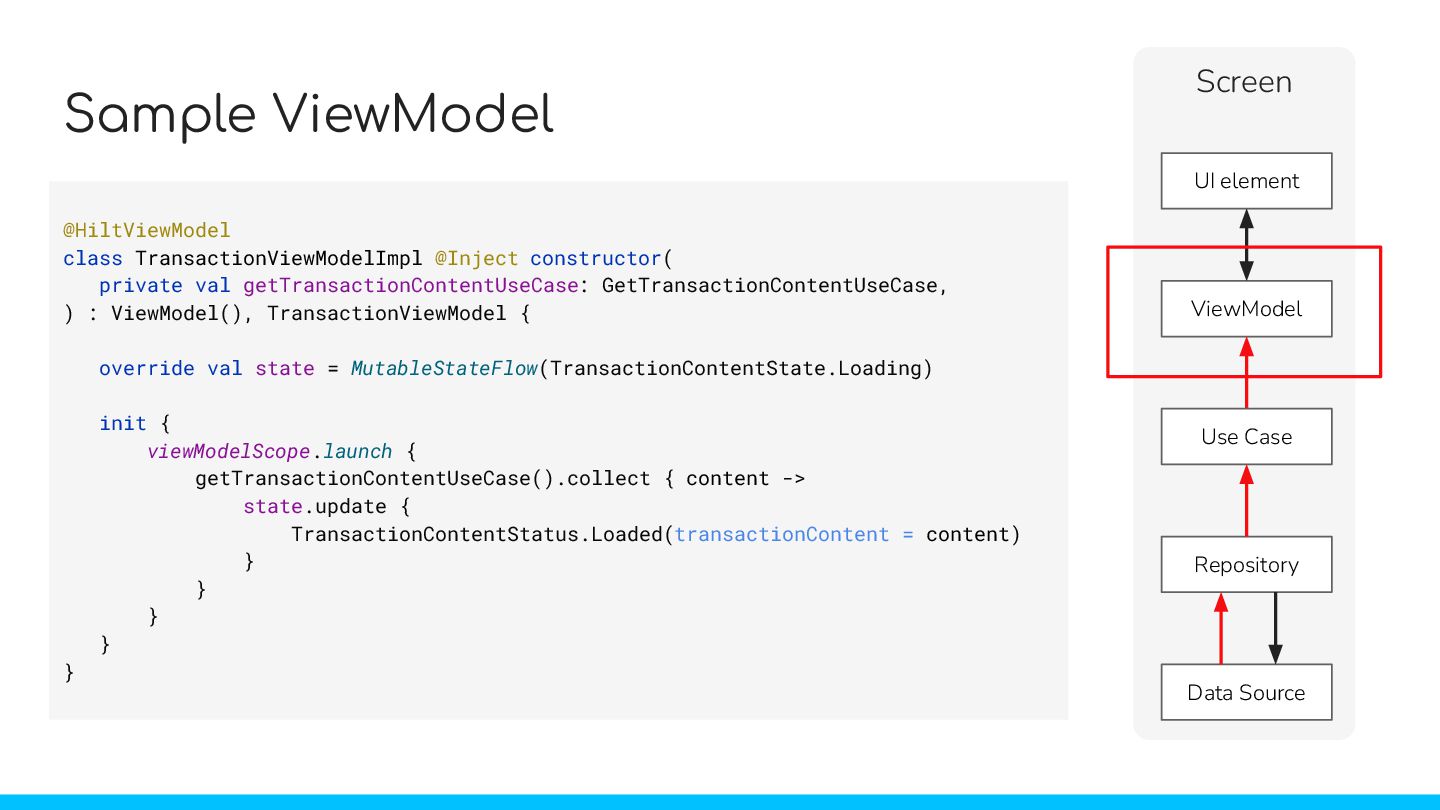
  16. Sample ViewModel @HiltViewModel class TransactionViewModelImpl @Inject constructor( private val getTransactionContentUseCase:

    GetTransactionContentUseCase, ) : ViewModel(), TransactionViewModel { override val state = MutableStateFlow(TransactionContentState.Loading) init { viewModelScope.launch { getTransactionContentUseCase().collect { content -> state.update { TransactionContentStatus.Loaded(transactionContent = content) } } } } } UI element ViewModel Screen Use Case Repository Data Source
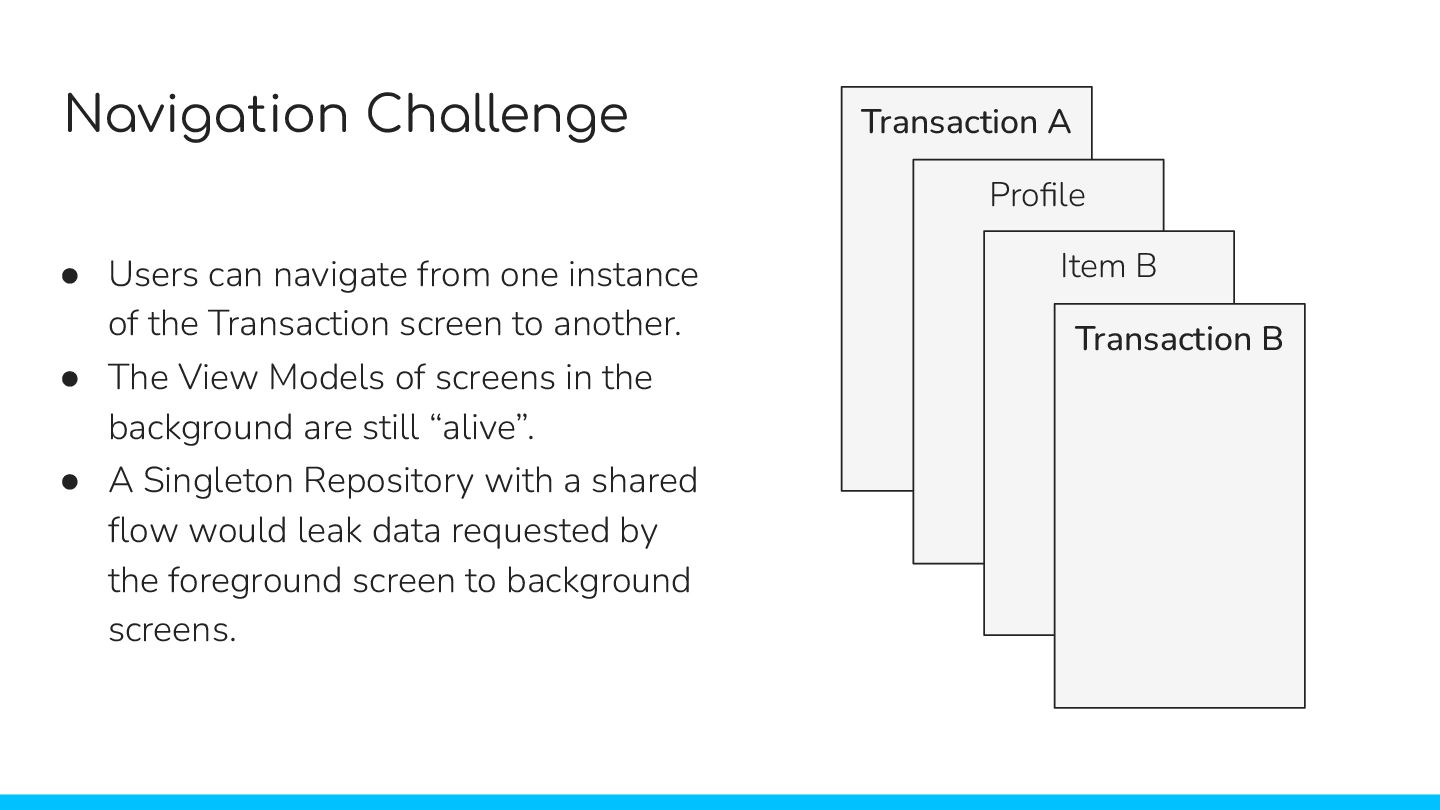
  17. Navigation Challenge • Users can navigate from one instance of

    the Transaction screen to another. • The View Models of screens in the background are still “alive”. • A Singleton Repository with a shared flow would leak data requested by the foreground screen to background screens. Transaction A Profile Item B Transaction B
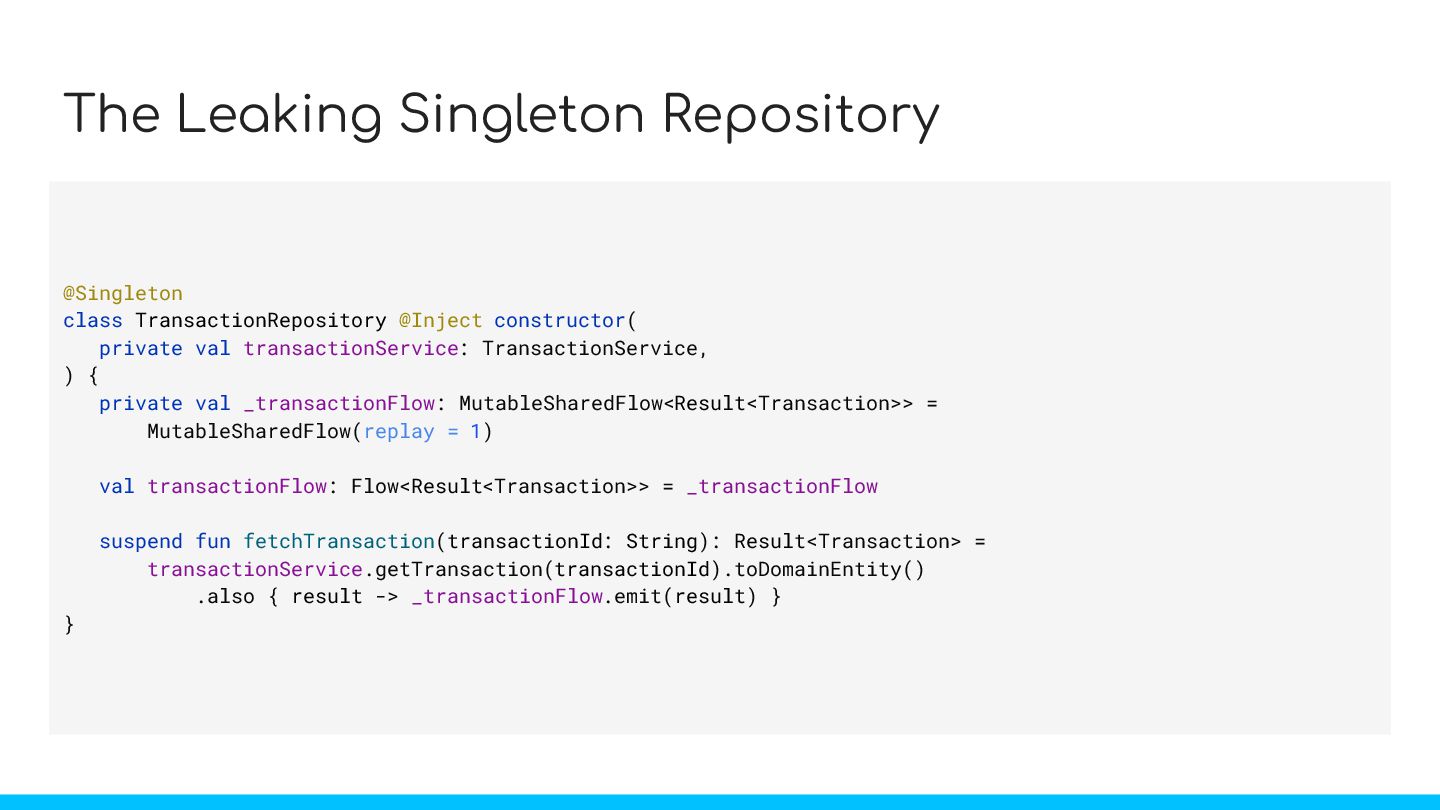
  18. The Leaking Singleton Repository @Singleton class TransactionRepository @Inject constructor( private

    val transactionService: TransactionService, ) { private val _transactionFlow: MutableSharedFlow<Result<Transaction>> = MutableSharedFlow(replay = 1) val transactionFlow: Flow<Result<Transaction>> = _transactionFlow suspend fun fetchTransaction(transactionId: String): Result<Transaction> = transactionService.getTransaction(transactionId).toDomainEntity() .also { result -> _transactionFlow.emit(result) } }
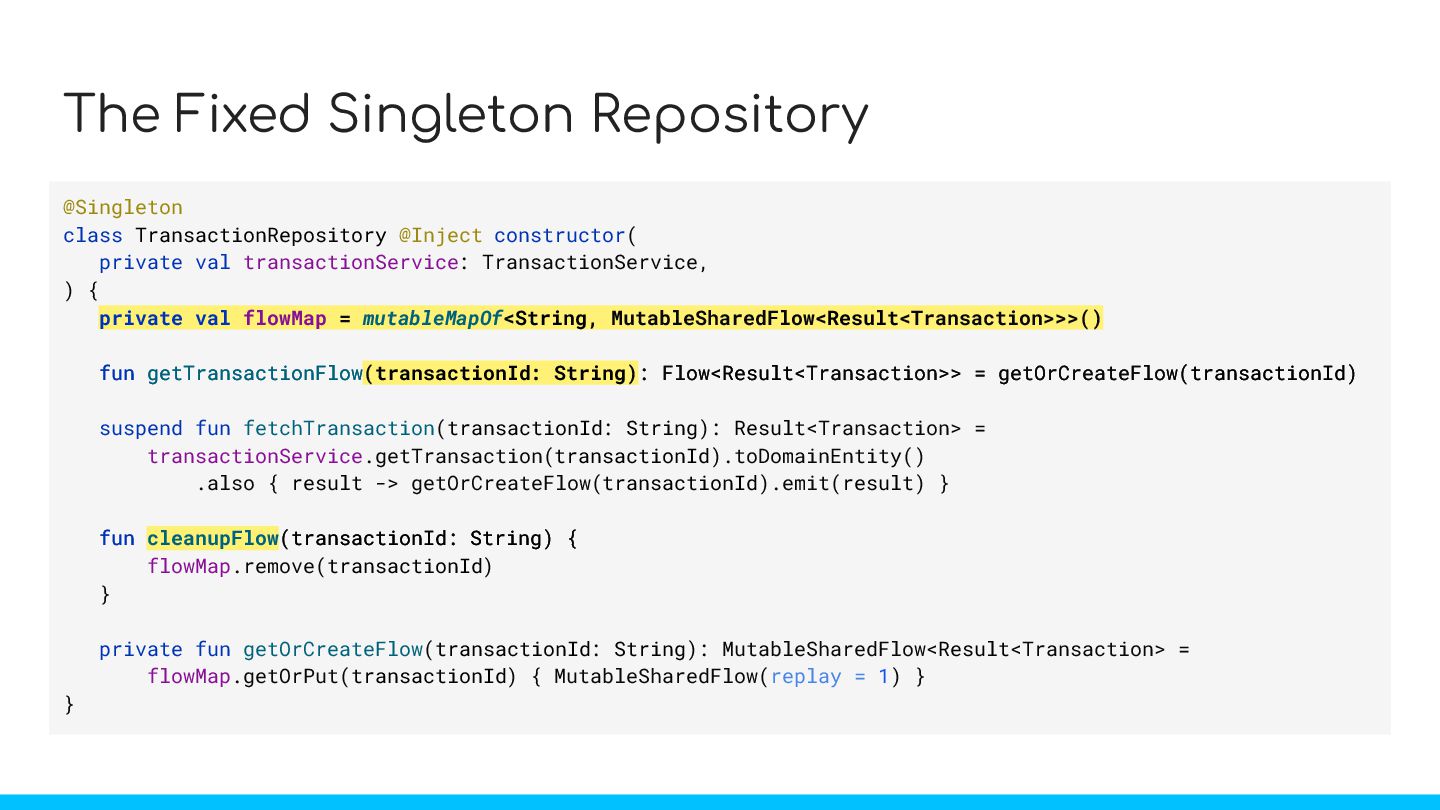
  19. The Fixed Singleton Repository @Singleton class TransactionRepository @Inject constructor( private

    val transactionService: TransactionService, ) { private val flowMap = mutableMapOf<String, MutableSharedFlow<Result<Transaction>>>() fun getTransactionFlow(transactionId: String): Flow<Result<Transaction>> = getOrCreateFlow(transactionId) suspend fun fetchTransaction(transactionId: String): Result<Transaction> = transactionService.getTransaction(transactionId).toDomainEntity() .also { result -> getOrCreateFlow(transactionId).emit(result) } fun cleanupFlow(transactionId: String) { flowMap.remove(transactionId) } private fun getOrCreateFlow(transactionId: String): MutableSharedFlow<Result<Transaction> = flowMap.getOrPut(transactionId) { MutableSharedFlow(replay = 1) } } private val flowMap = mutableMapOf<String, MutableSharedFlow<Result<Transaction>>>() fun getTransactionFlow(transactionId: String): Flow<Result<Transaction>> = getOrCreateFlow(transactionId) fun cleanupFlow(transactionId: String) {
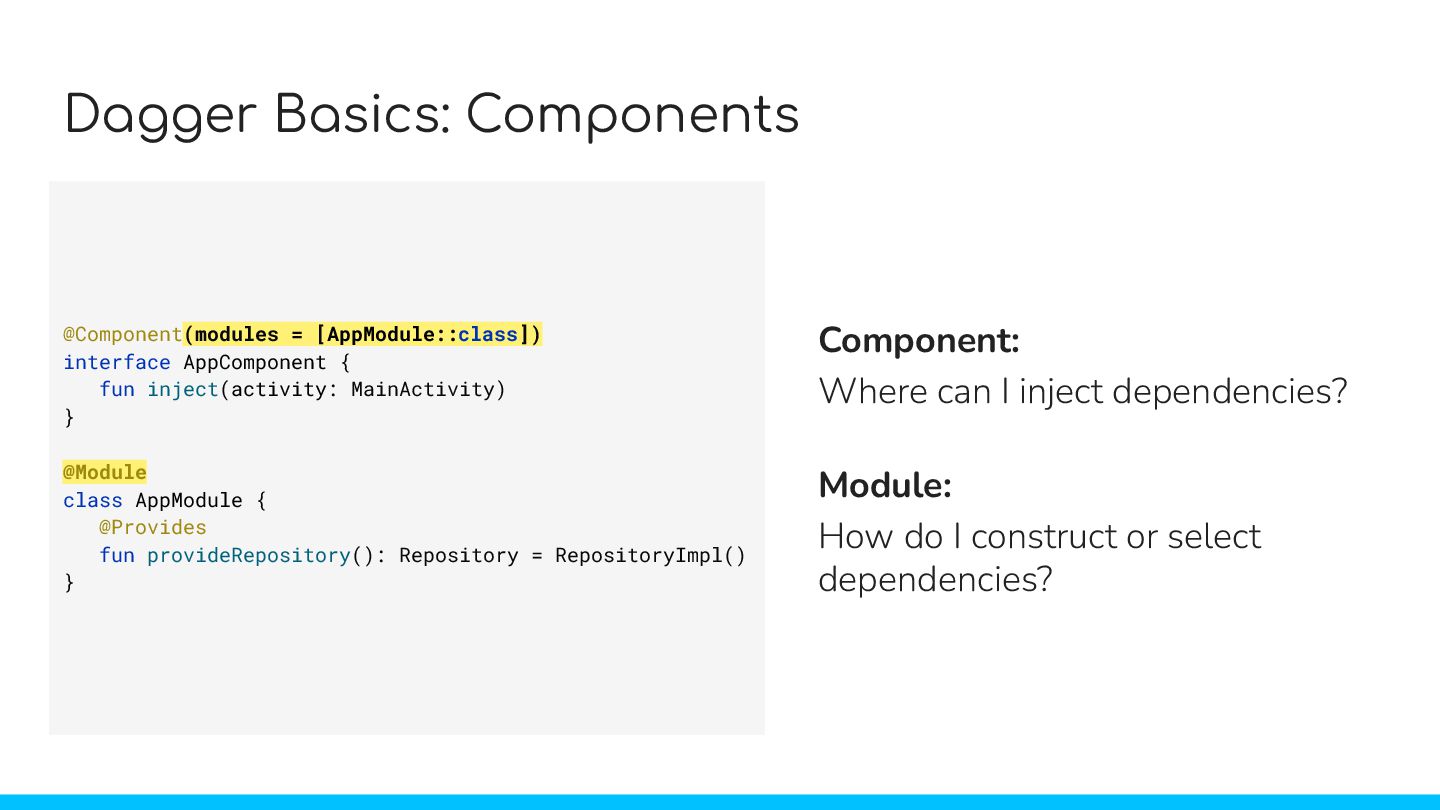
  20. Dagger Basics: Components @Component interface AppComponent { fun inject(activity: MainActivity)

    } Component: Where can I inject dependencies? Module: How do I construct or select dependencies? @Component(modules = [AppModule::class]) interface AppComponent { fun inject(activity: MainActivity) } @Module class AppModule { @Provides fun provideRepository(): Repository = RepositoryImpl() } (modules = [AppModule::class])
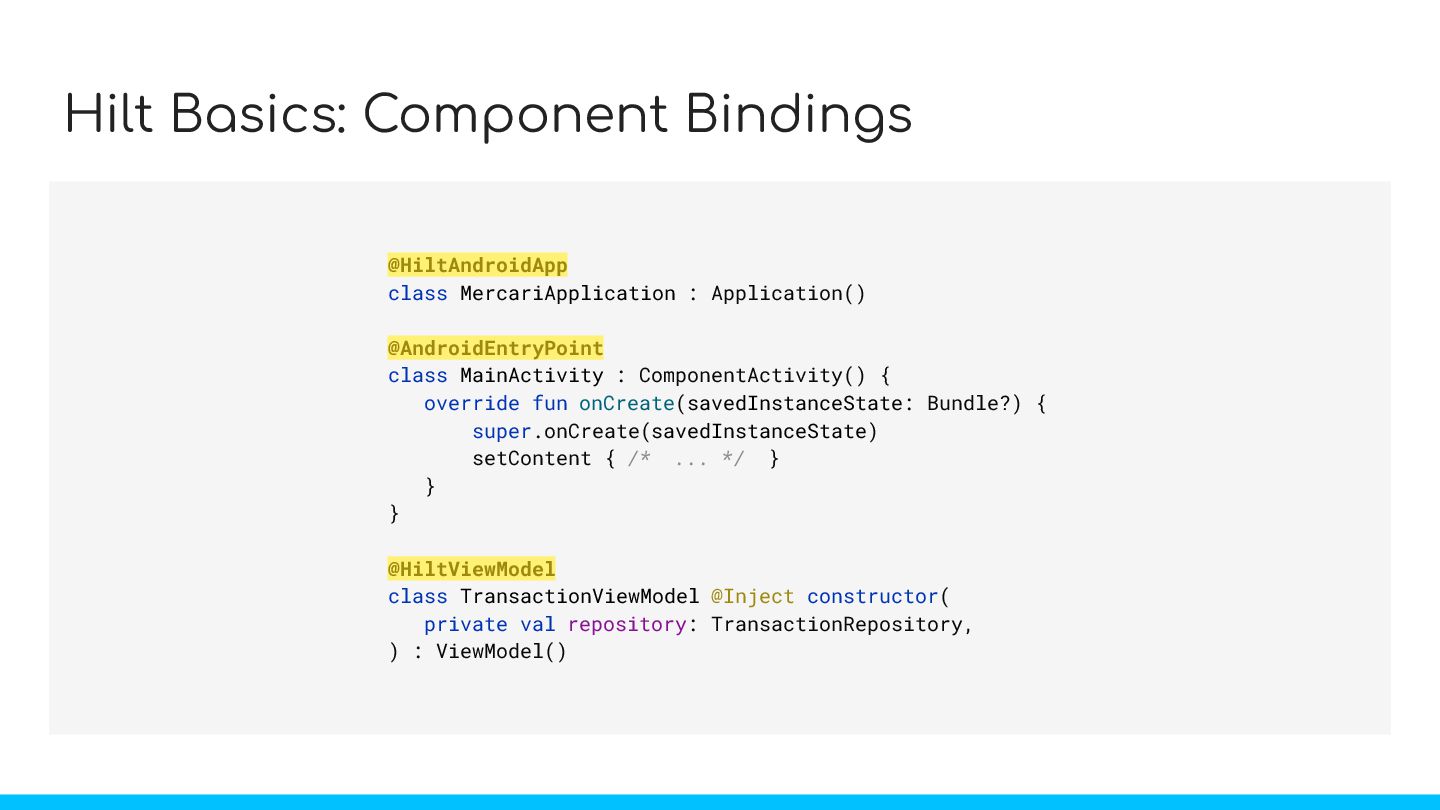
  21. Hilt Basics: Component Bindings @HiltAndroidApp class MercariApplication : Application() @AndroidEntryPoint

    class MainActivity : ComponentActivity() { override fun onCreate(savedInstanceState: Bundle?) { super.onCreate(savedInstanceState) setContent { /* ... */ } } } @HiltViewModel class TransactionViewModel @Inject constructor( private val repository: TransactionRepository, ) : ViewModel() @HiltAndroidApp @AndroidEntryPoint @HiltViewModel
  22. Dagger Basics: Subcomponents @Singleton @Component(modules = [SingletonModule::class]) interface SingletonComponent {

    fun activityRetainedComponentBuilder(): ActivityRetainedComponent.Builder } @ActivityRetainedScoped @Subcomponent(modules = [ActivityRetainedModule::class]) interface ActivityRetainedComponent { fun viewModelComponentBuilder(): ViewModelComponent.Builder } @ViewModelScoped @Subcomponent(modules = [ViewModelModule::class]) interface ViewModelComponent @Component SingletonComponent @Subcomponent ActivityRetainedComponent @Subcomponent ViewModelComponent fun activityRetainedComponentBuilder(): ActivityRetainedComponent.Builder fun viewModelComponentBuilder(): ViewModelComponent.Builder modules = [SingletonModule::class] modules = [ActivityRetainedModule::class] modules = [ViewModelModule::class]
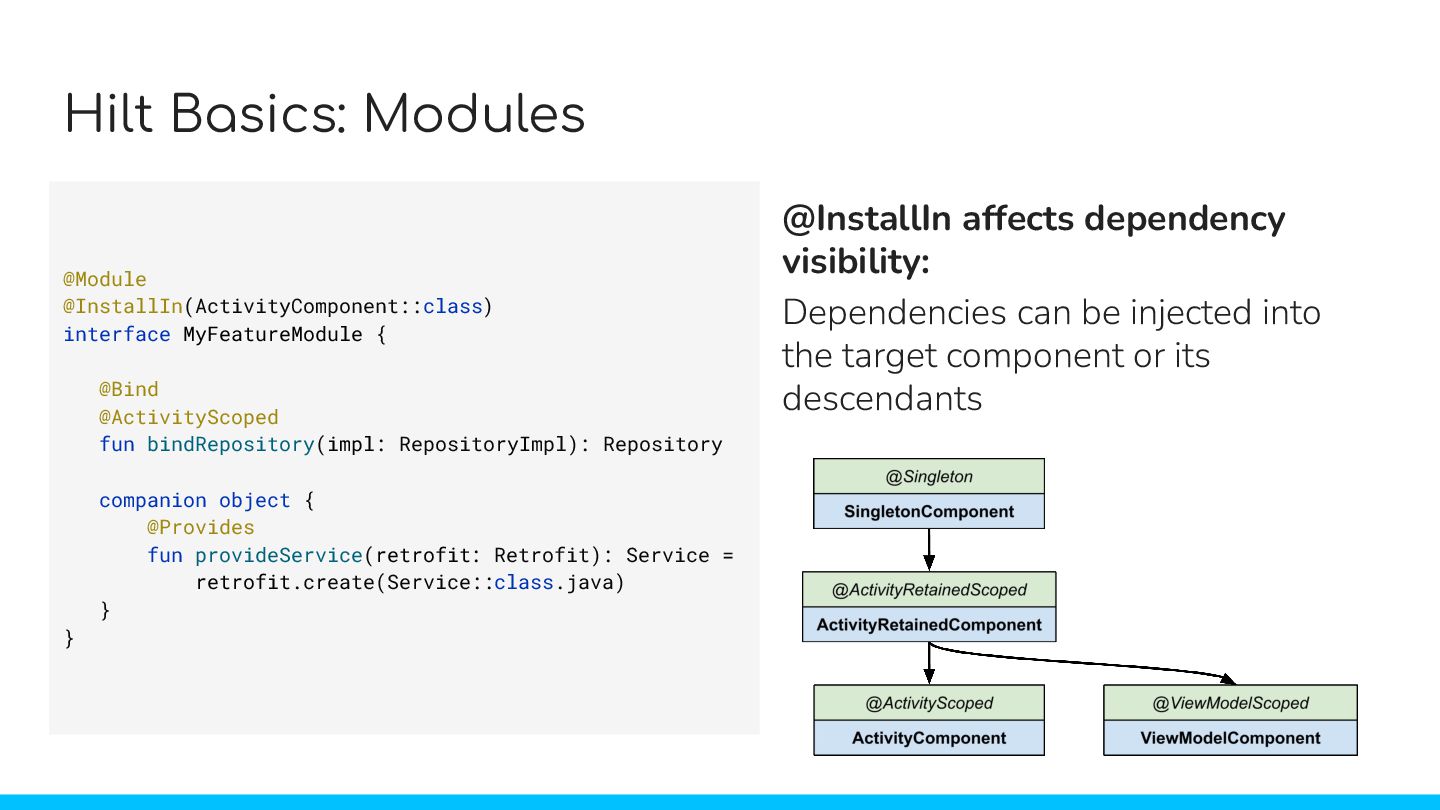
  23. Hilt Basics: Modules @Module @InstallIn(ActivityComponent::class) interface MyFeatureModule { @Bind @ActivityScoped

    fun bindRepository(impl: RepositoryImpl): Repository companion object { @Provides fun provideService(retrofit: Retrofit): Service = retrofit.create(Service::class.java) } } @InstallIn affects dependency visibility: Dependencies can be injected into the target component or its descendants
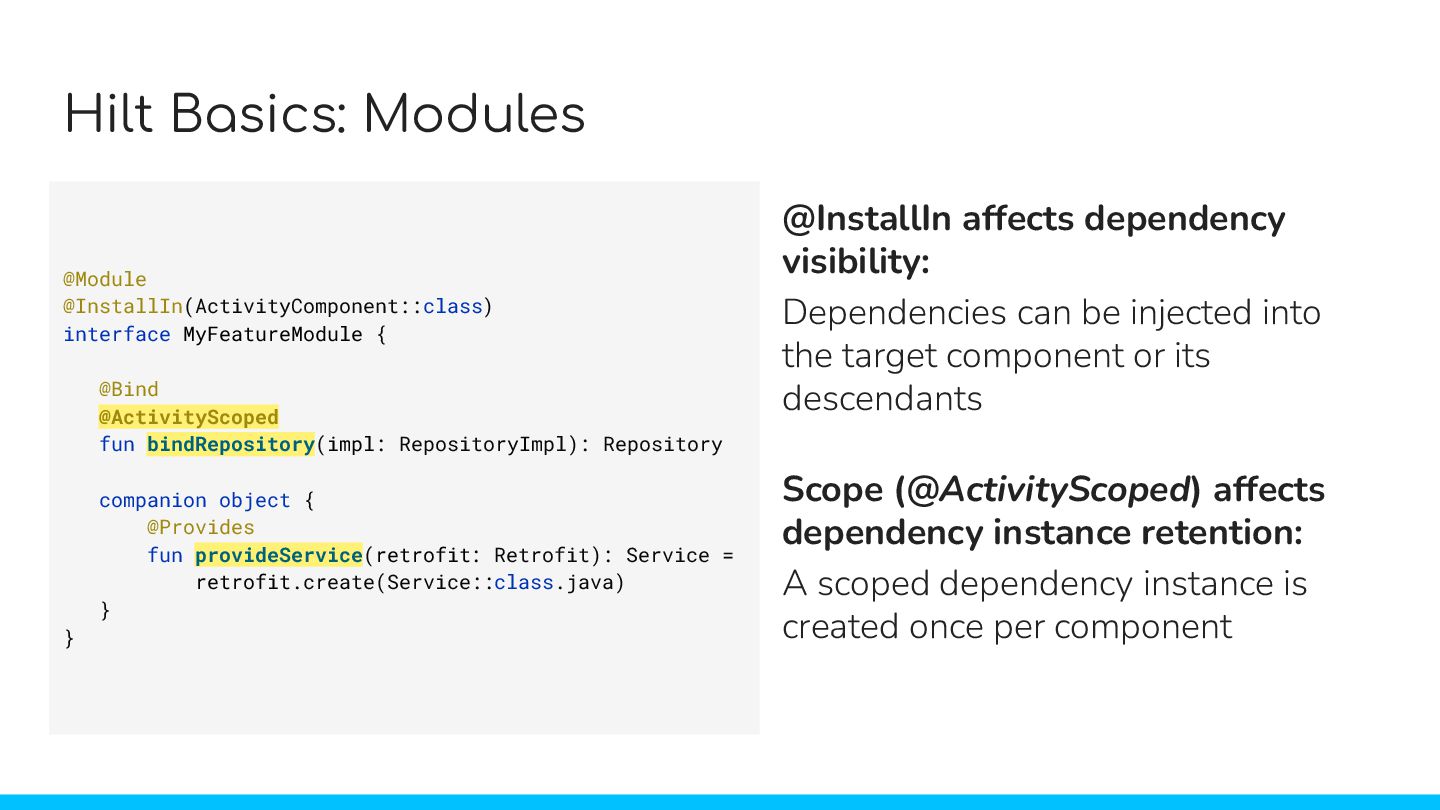
  24. Hilt Basics: Modules @Module @InstallIn(ActivityComponent::class) interface MyFeatureModule { @Bind @ActivityScoped

    fun bindRepository(impl: RepositoryImpl): Repository companion object { @Provides fun provideService(retrofit: Retrofit): Service = retrofit.create(Service::class.java) } } @InstallIn affects dependency visibility: Dependencies can be injected into the target component or its descendants Scope (@ActivityScoped) affects dependency instance retention: A scoped dependency instance is created once per component provideService @ActivityScoped bindRepository
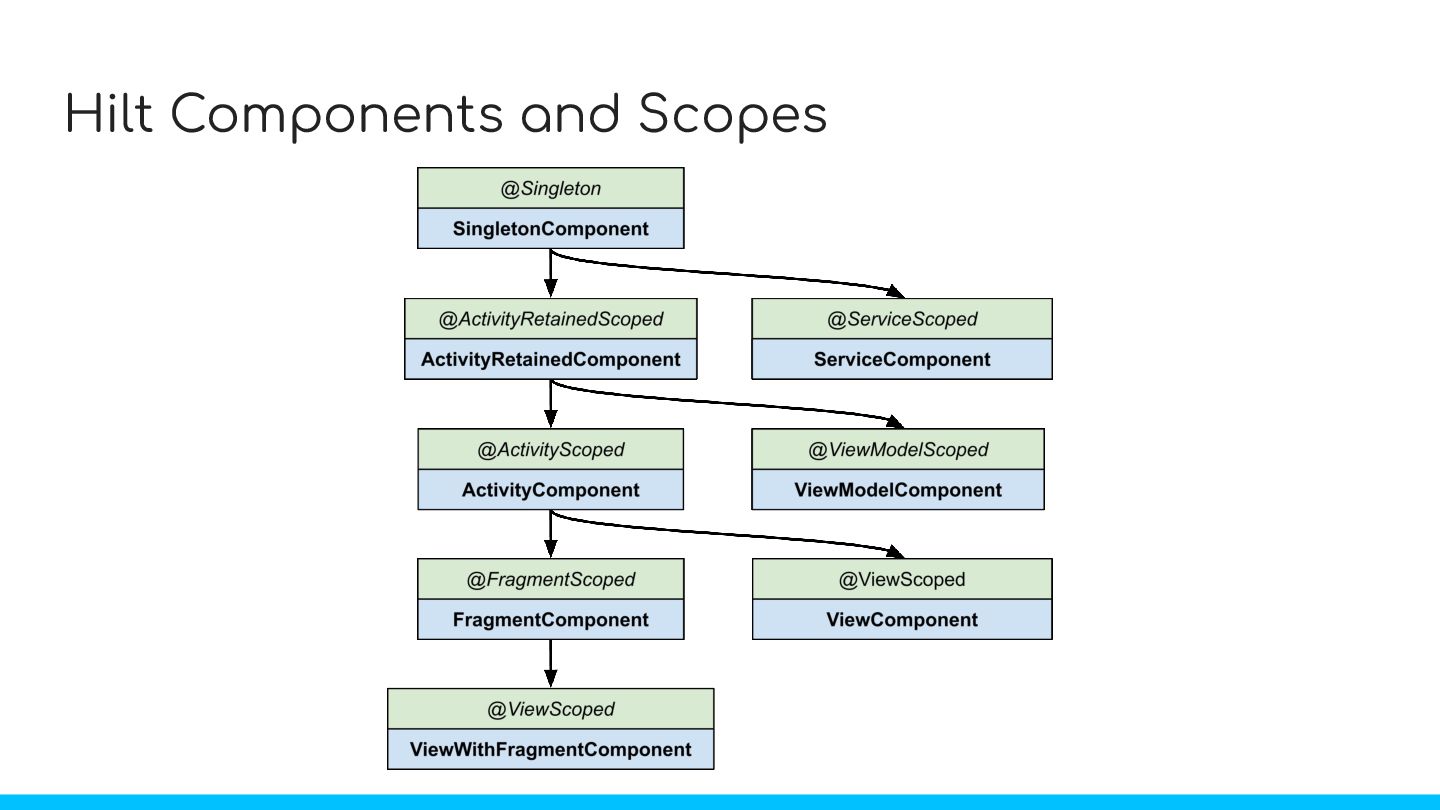
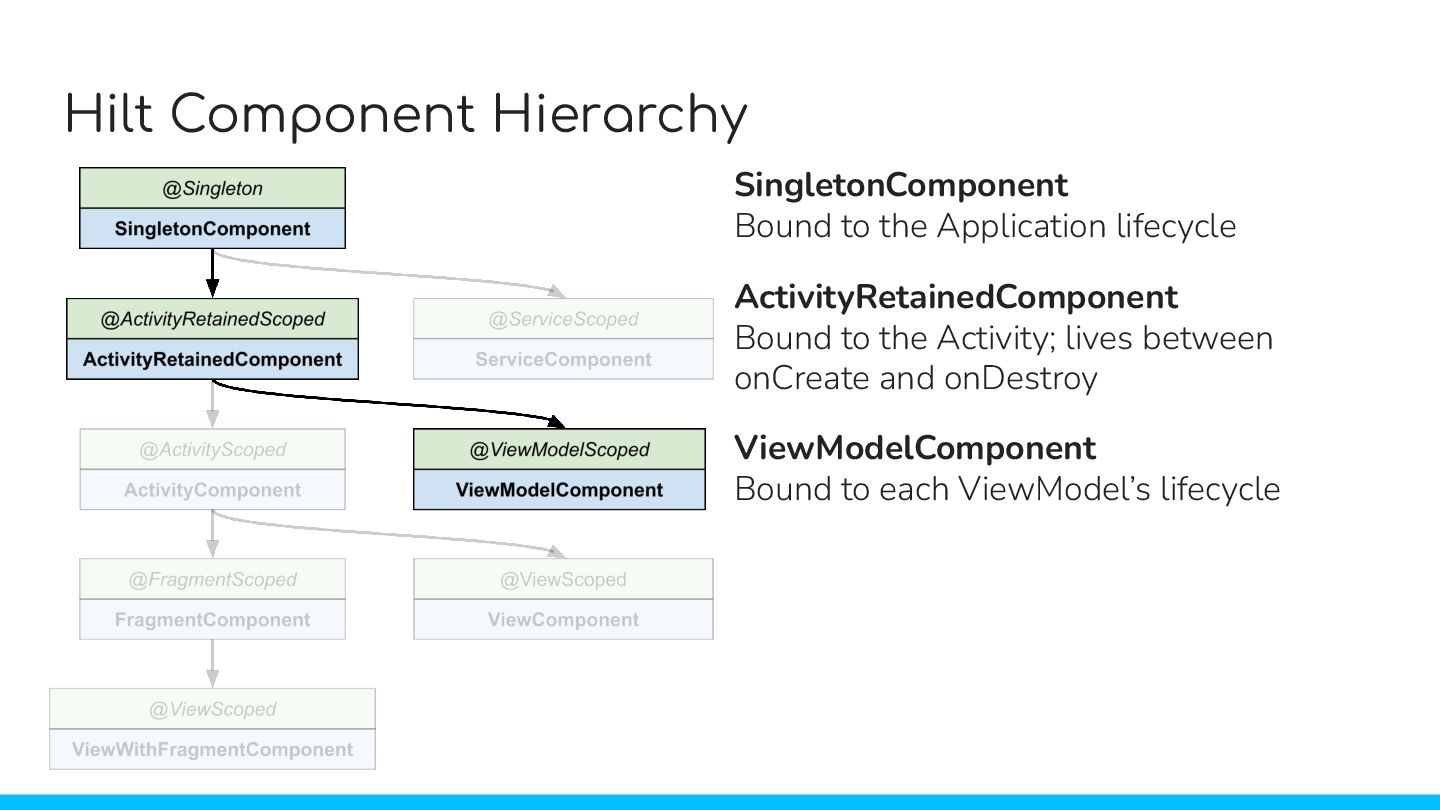
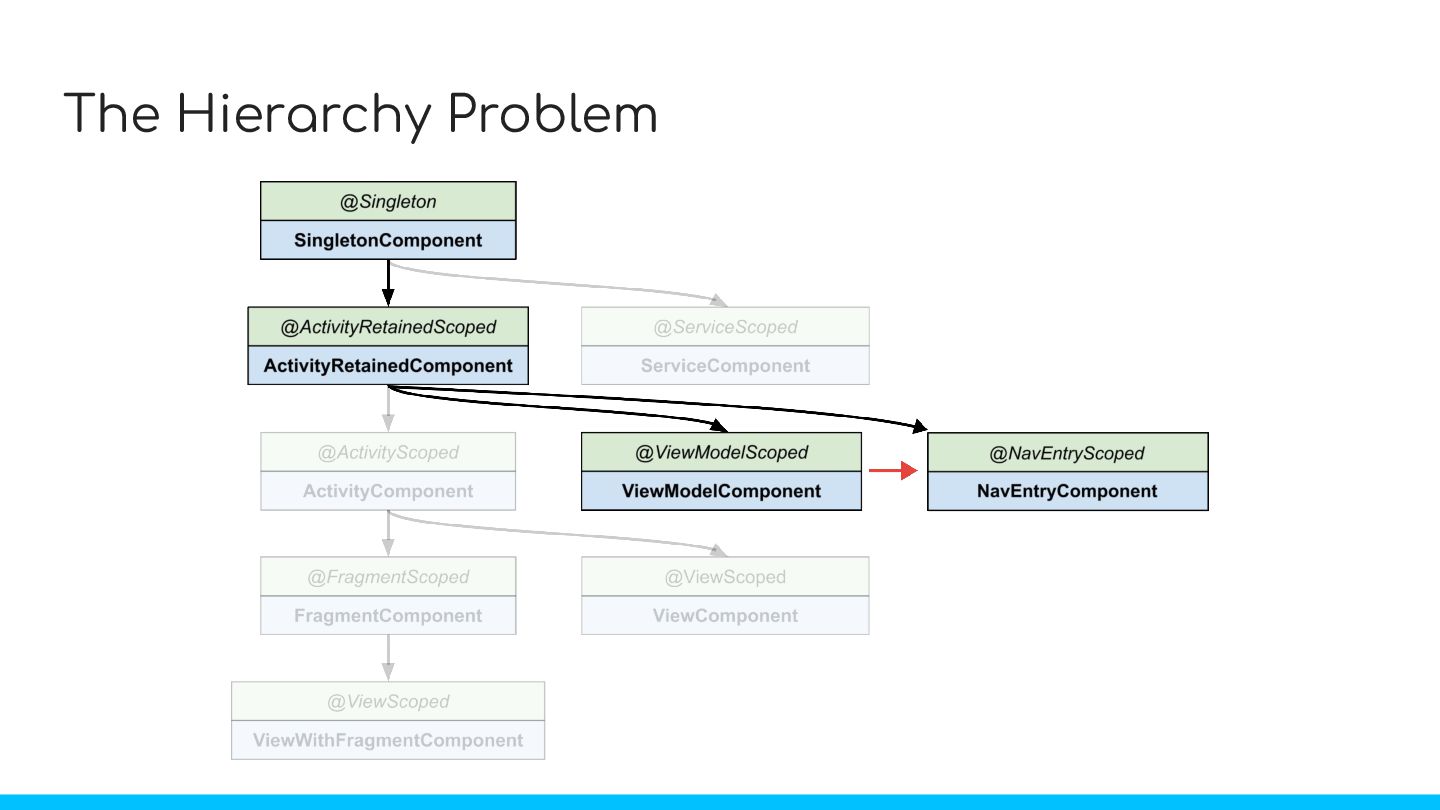
  25. Hilt Component Hierarchy SingletonComponent Bound to the Application lifecycle ActivityRetainedComponent

    Bound to the Activity; lives between onCreate and onDestroy ViewModelComponent Bound to each ViewModel’s lifecycle
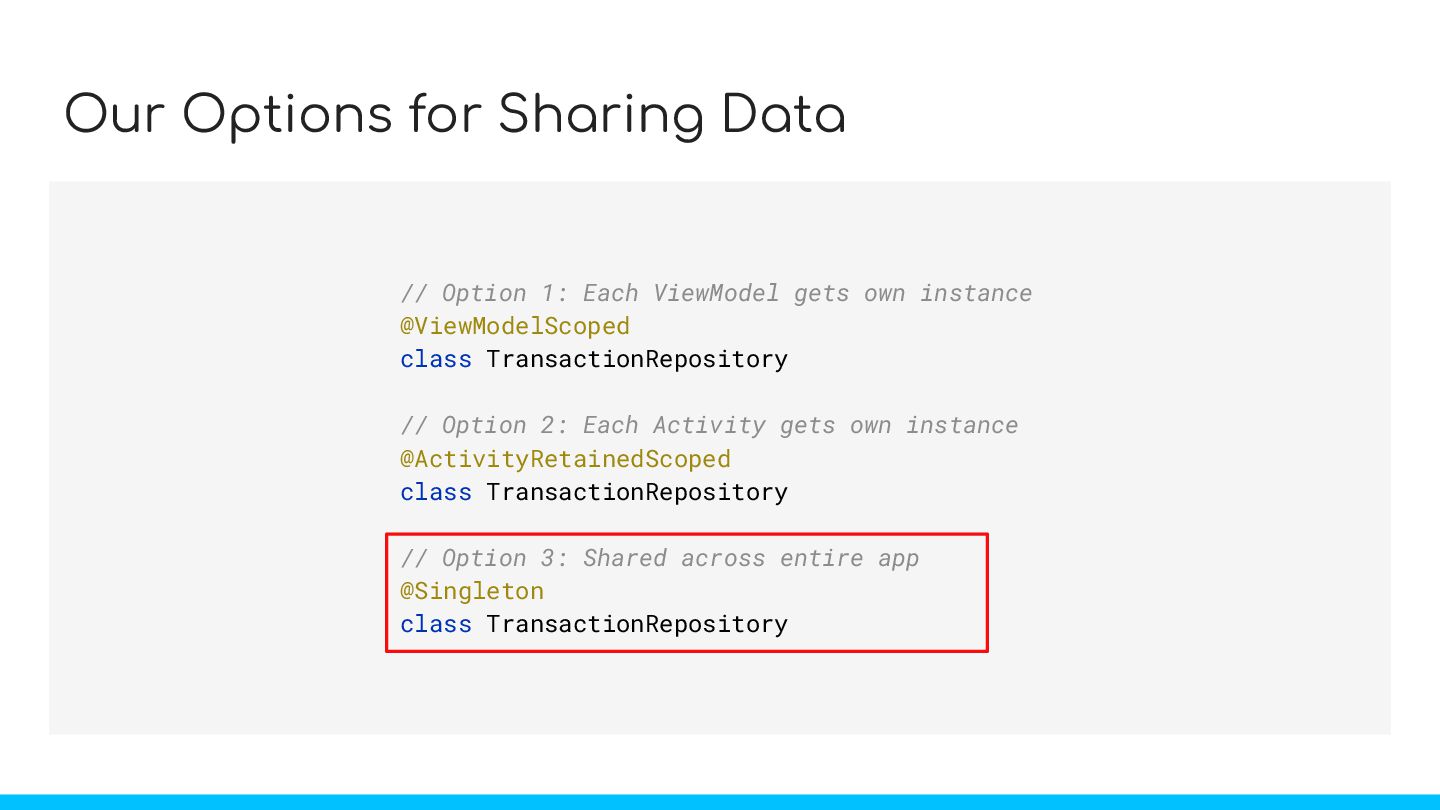
  26. Our Options for Sharing Data // Option 1: Each ViewModel

    gets own instance @ViewModelScoped class TransactionRepository // Option 2: Each Activity gets own instance @ActivityRetainedScoped class TransactionRepository // Option 3: Shared across entire app @Singleton class TransactionRepository
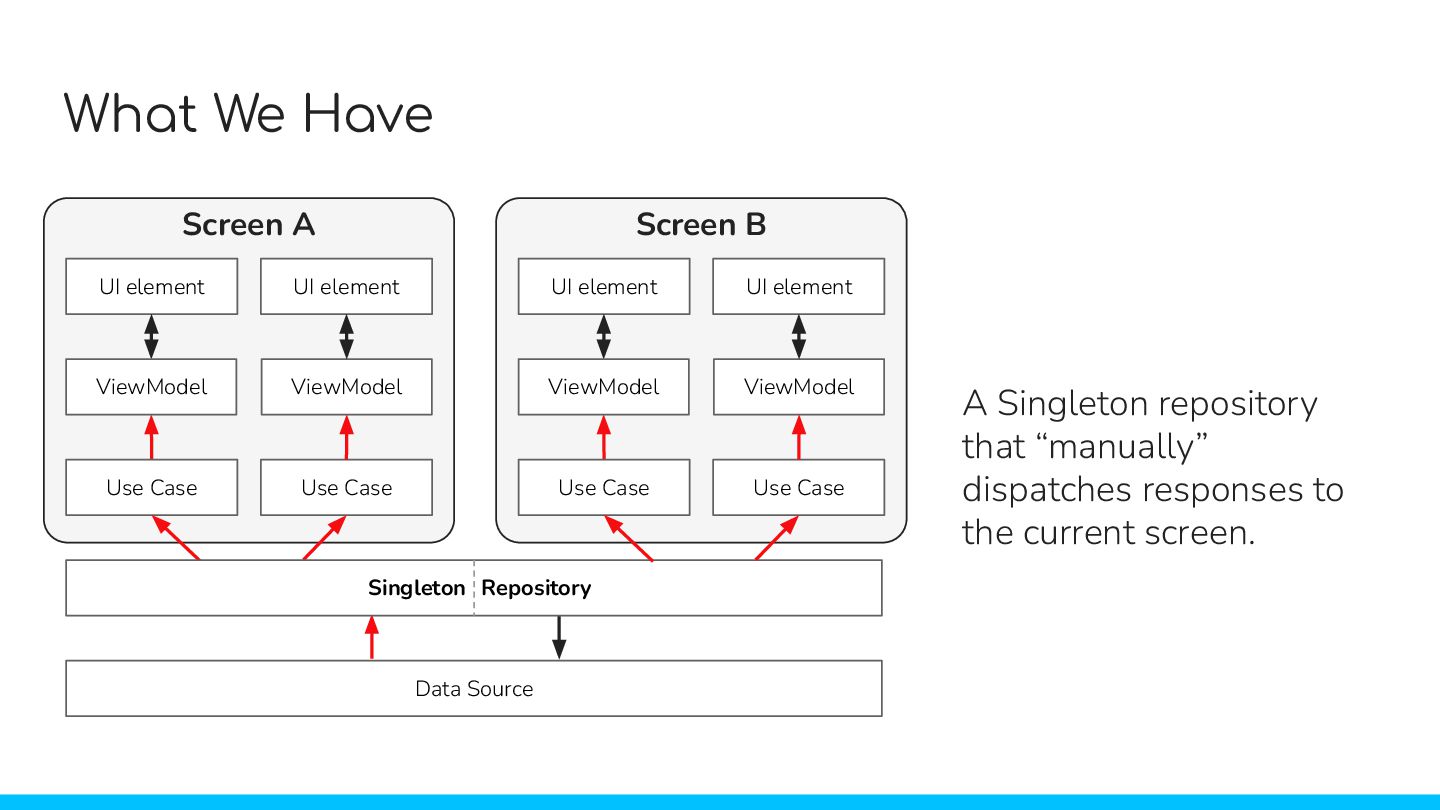
  27. What We Have A Singleton repository that “manually” dispatches responses

    to the current screen. UI element UI element ViewModel ViewModel Screen A Use Case Use Case UI element UI element ViewModel ViewModel Screen B Use Case Use Case Singleton Repository Data Source
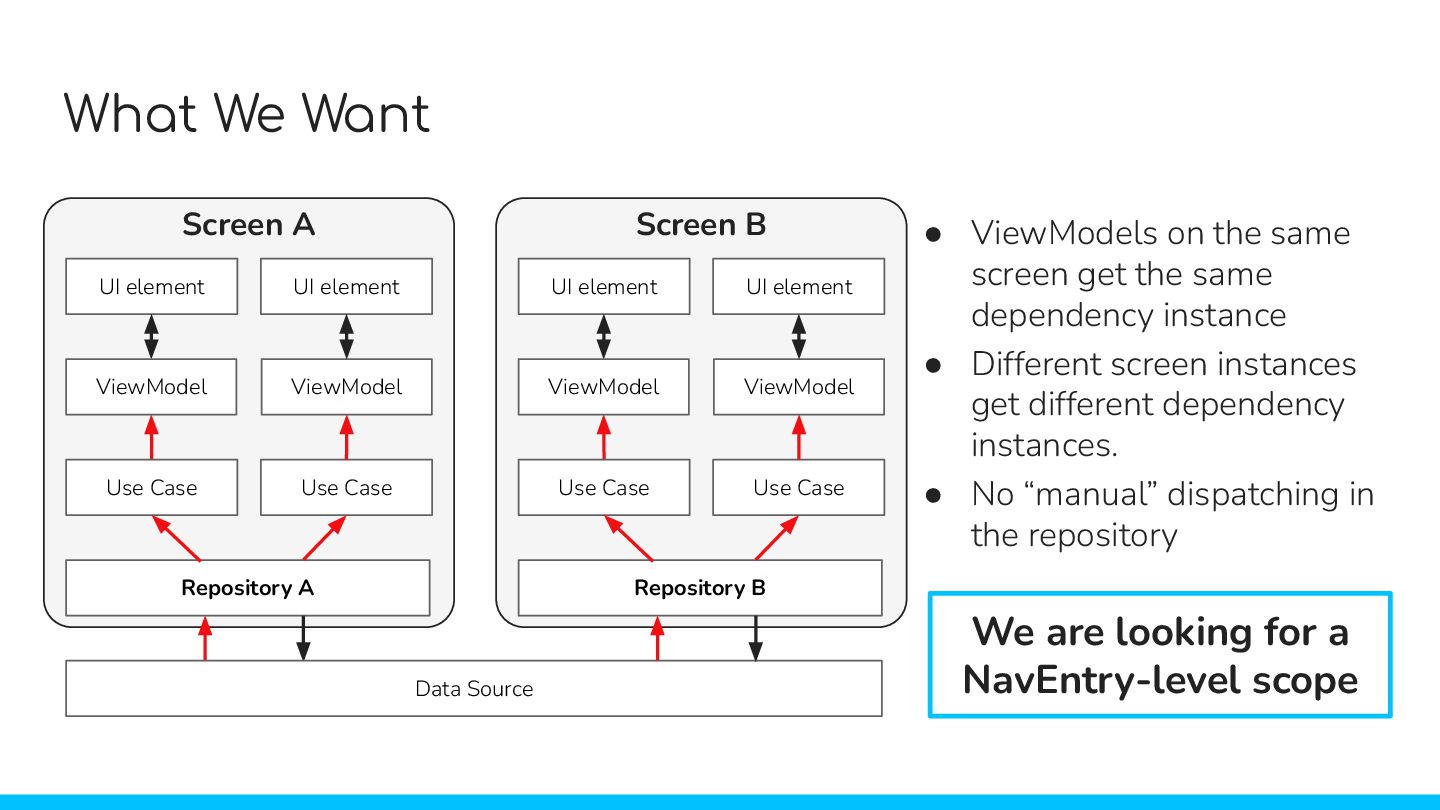
  28. What We Want UI element UI element ViewModel ViewModel Screen

    A Use Case Use Case Repository A UI element UI element ViewModel ViewModel Screen B Use Case Use Case Repository B Data Source • ViewModels on the same screen get the same dependency instance • Different screen instances get different dependency instances. • No “manual” dispatching in the repository We are looking for a NavEntry-level scope
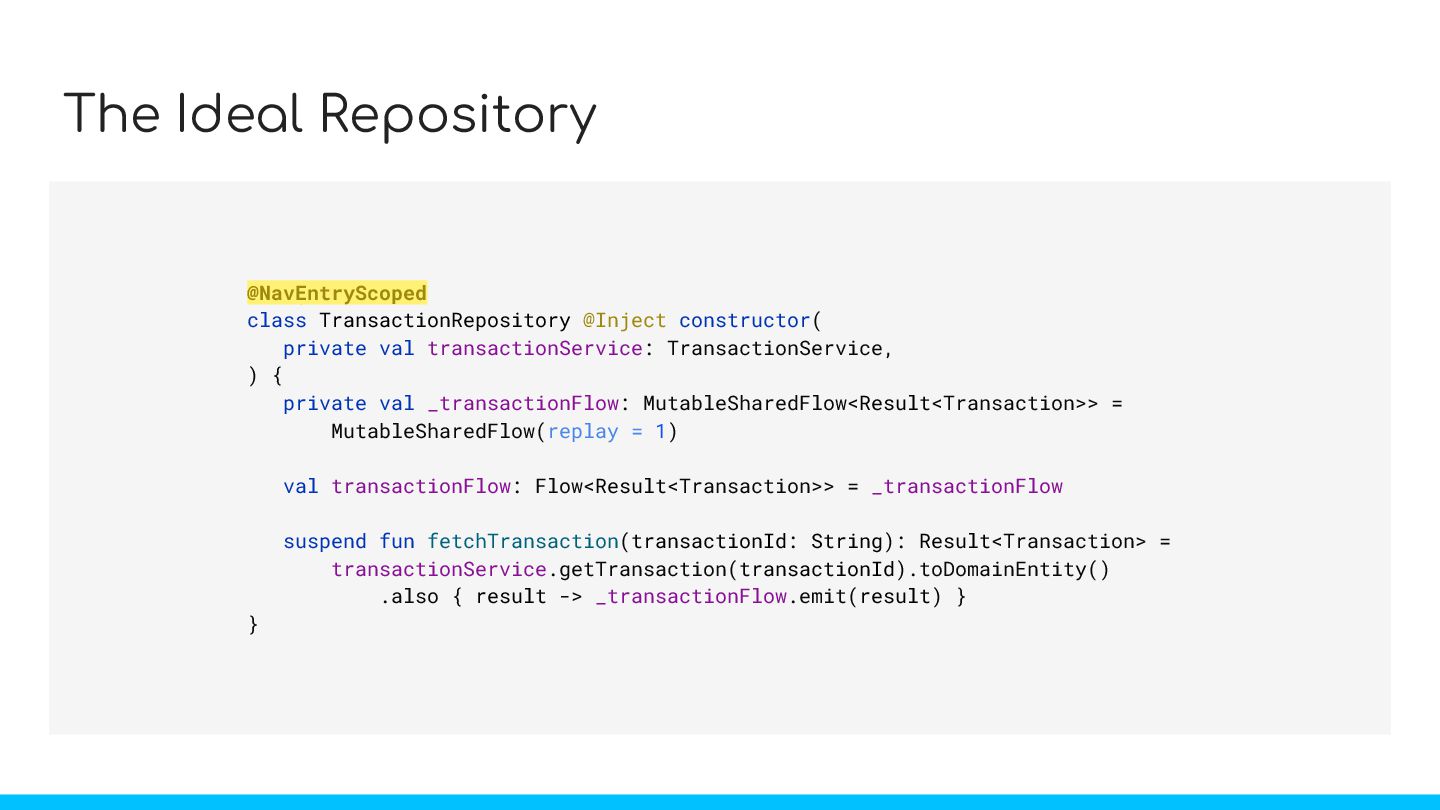
  29. The Ideal Repository @Singleton class TransactionRepository @Inject constructor( private val

    transactionService: TransactionService, ) { private val _transactionFlow: MutableSharedFlow<Result<Transaction>> = MutableSharedFlow(replay = 1) val transactionFlow: Flow<Result<Transaction>> = _transactionFlow suspend fun fetchTransaction(transactionId: String): Result<Transaction> = transactionService.getTransaction(transactionId).toDomainEntity() .also { result -> _transactionFlow.emit(result) } } @NavEntryScoped
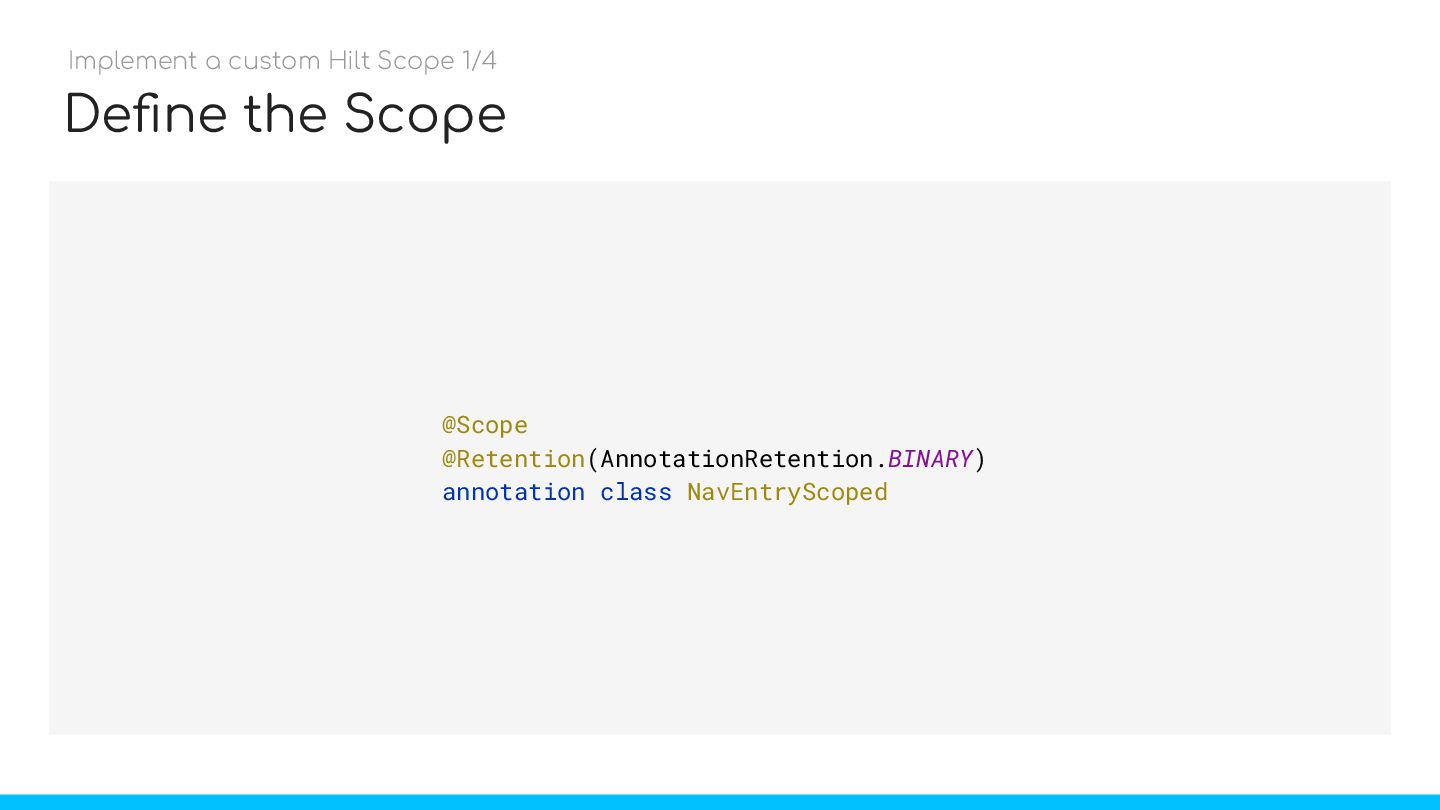
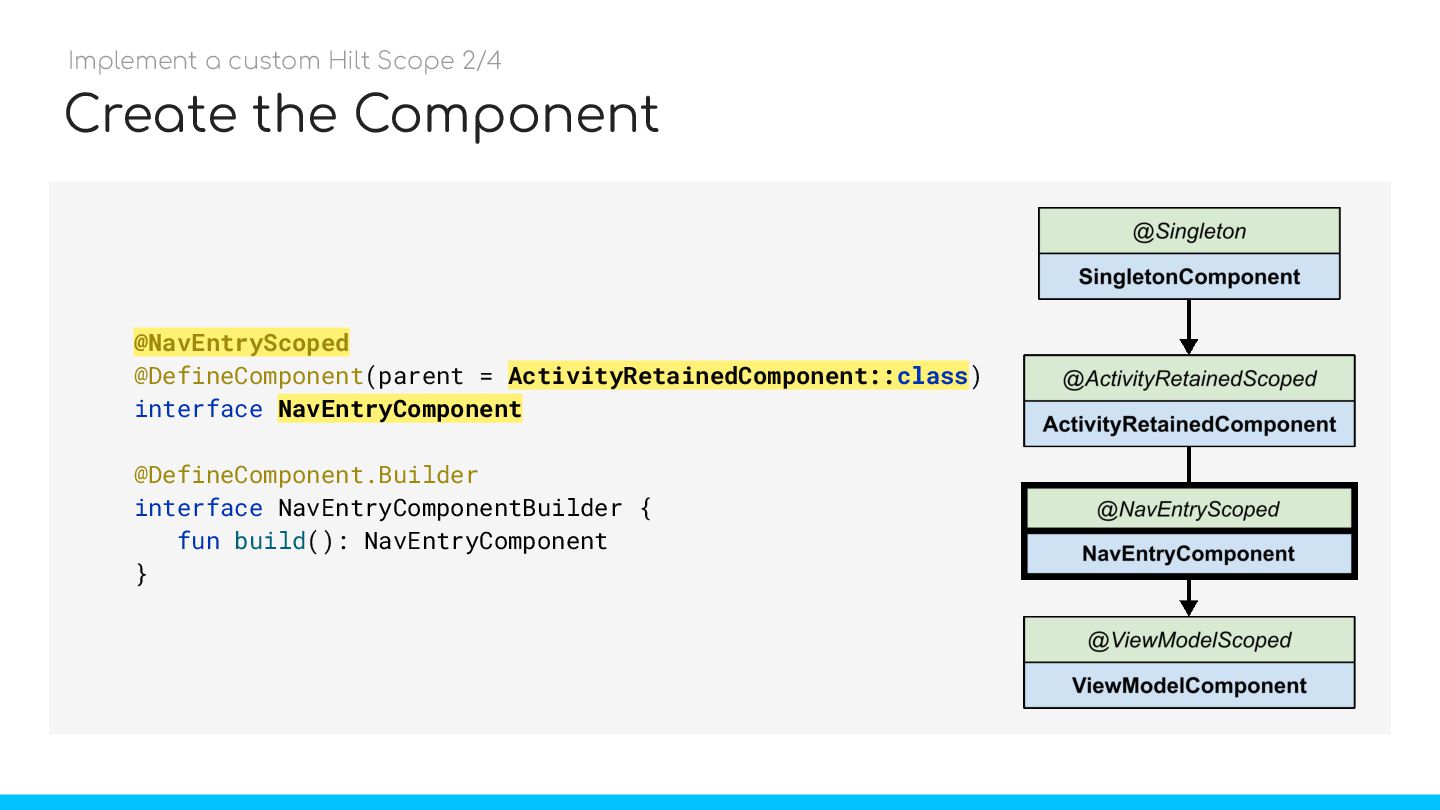
  30. Create the Component @NavEntryScoped @DefineComponent(parent = ActivityRetainedComponent::class) interface NavEntryComponent @DefineComponent.Builder

    interface NavEntryComponentBuilder { fun build(): NavEntryComponent } Implement a custom Hilt Scope 2/4 NavEntryComponent ActivityRetainedComponent::class @NavEntryScoped
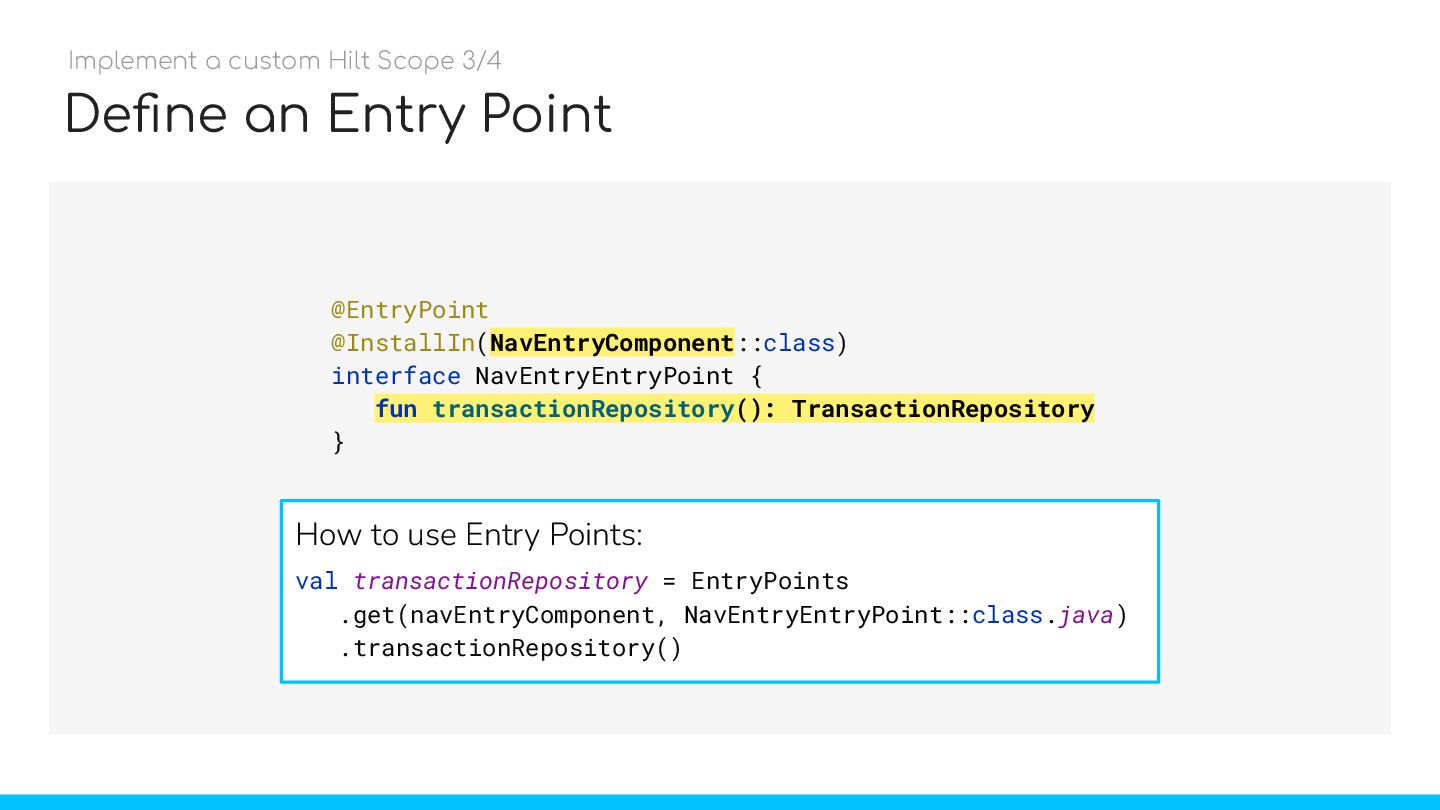
  31. Define an Entry Point @EntryPoint @InstallIn(NavEntryComponent::class) interface NavEntryEntryPoint { fun

    transactionRepository(): TransactionRepository } fun transactionRepository(): TransactionRepository How to use Entry Points: val transactionRepository = EntryPoints .get(navEntryComponent, NavEntryEntryPoint::class.java) .transactionRepository() Implement a custom Hilt Scope 3/4 NavEntryComponent
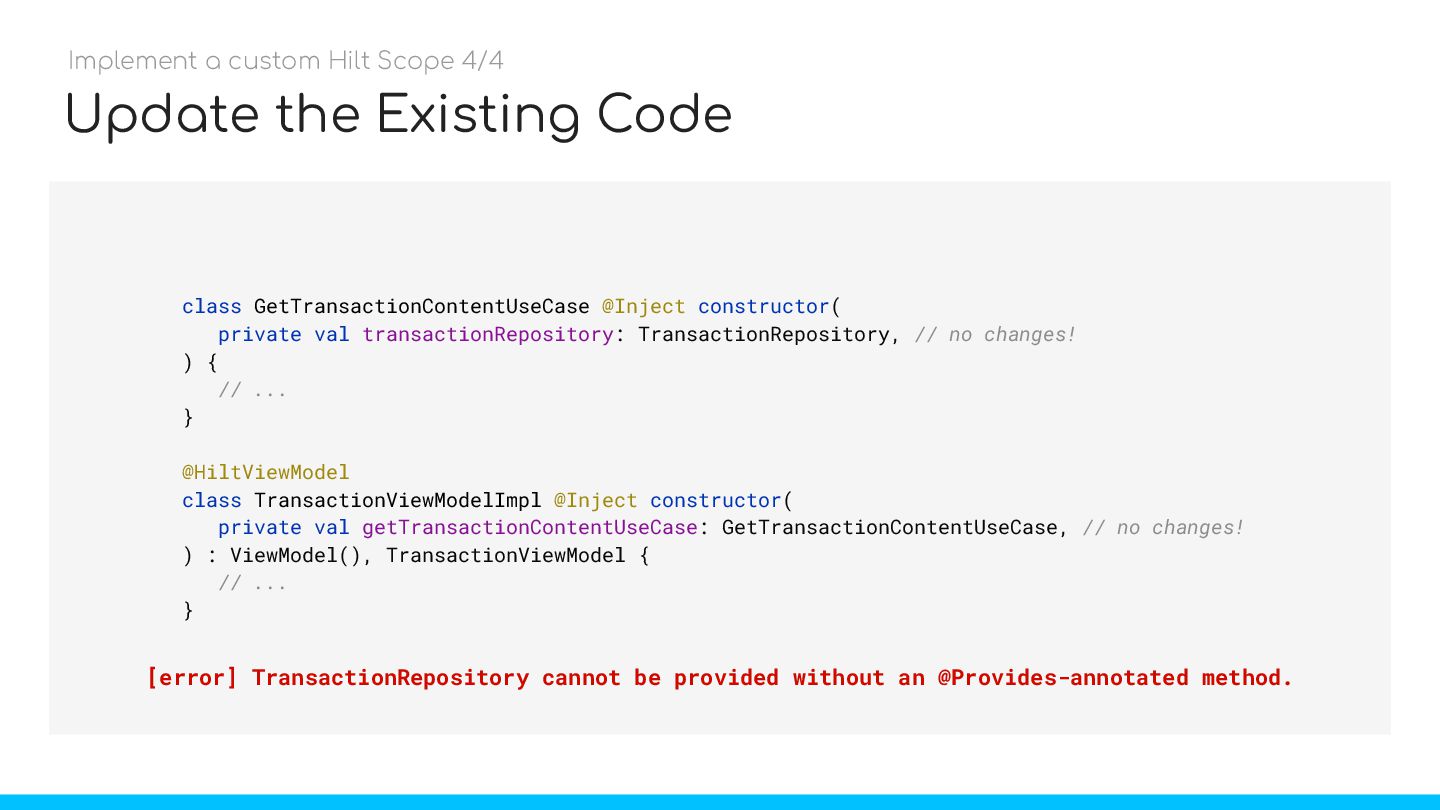
  32. Update the Existing Code class GetTransactionContentUseCase @Inject constructor( private val

    transactionRepository: TransactionRepository, // no changes! ) { // ... } @HiltViewModel class TransactionViewModelImpl @Inject constructor( private val getTransactionContentUseCase: GetTransactionContentUseCase, // no changes! ) : ViewModel(), TransactionViewModel { // ... } [error] TransactionRepository cannot be provided without an @Provides-annotated method. Implement a custom Hilt Scope 4/4
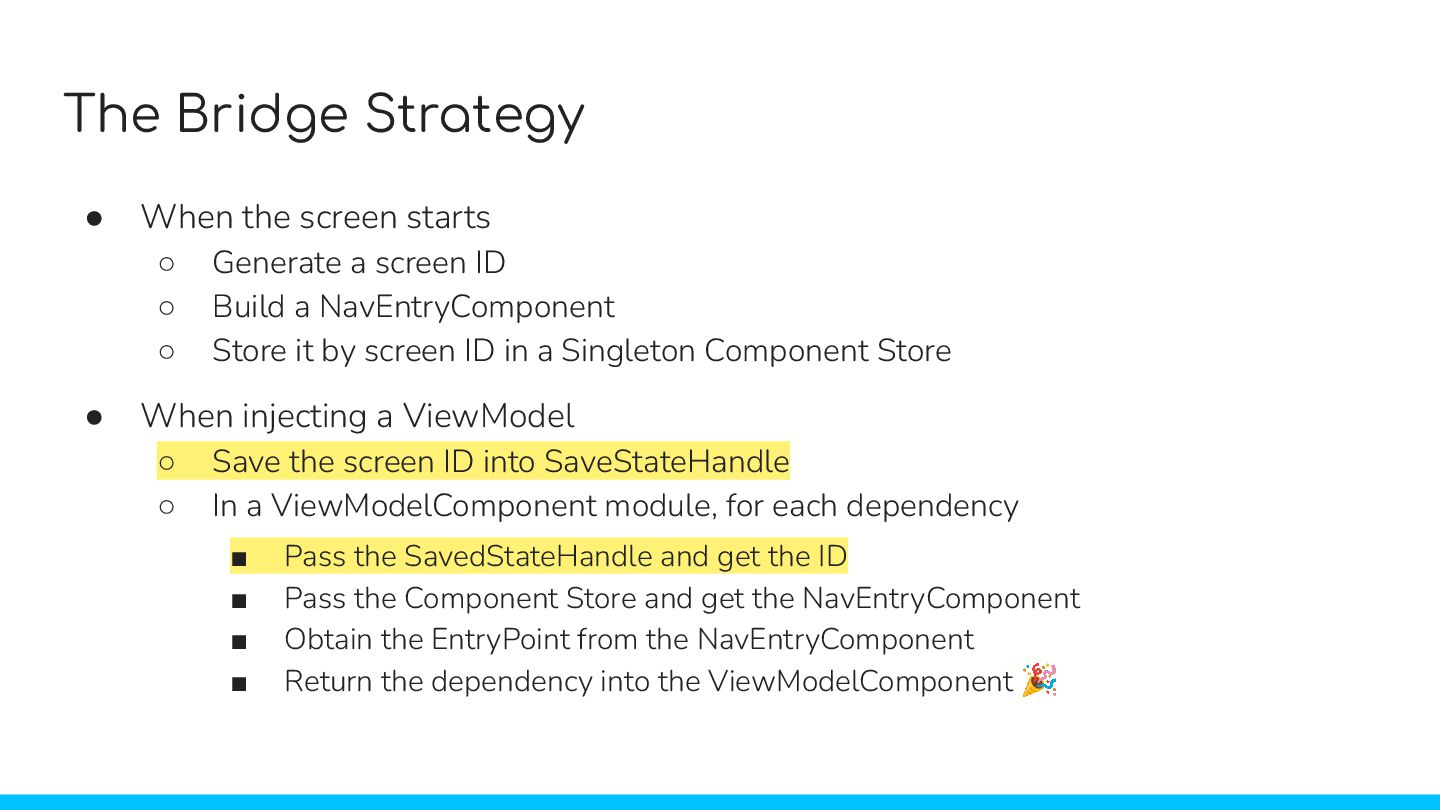
  33. The Bridge Strategy • When the screen starts ◦ Generate

    a screen ID ◦ Build a NavEntryComponent ◦ Store it by screen ID in a Singleton Component Store • When injecting a ViewModel ◦ Save the screen ID into SaveStateHandle ◦ In a ViewModelComponent module, for each dependency ▪ Pass the SavedStateHandle and get the ID ▪ Pass the Component Store and get the NavEntryComponent ▪ Obtain the EntryPoint from the NavEntryComponent ▪ Return the dependency into the ViewModelComponent 🎉 • When the screen starts ◦ Generate a screen ID ◦ Build a NavEntryComponent ◦ Store it by screen ID in a Singleton Component Store • When injecting a ViewModel ◦ Save the screen ID into SaveStateHandle ◦ In a ViewModelComponent module, for each dependency ▪ Pass the SavedStateHandle and get the ID ▪ Pass the Component Store and get the NavEntryComponent ▪ Obtain the EntryPoint from the NavEntryComponent ▪ Return the dependency into the ViewModelComponent 🎉 • When the screen starts ◦ Generate a screen ID ◦ Build a NavEntryComponent ◦ Store it by screen ID in a Singleton Component Store • When injecting a ViewModel ◦ Save the screen ID into SaveStateHandle ◦ In a ViewModelComponent module, for each dependency ▪ Pass the SavedStateHandle and get the ID ▪ Pass the Component Store and get the NavEntryComponent ▪ Obtain the EntryPoint from the NavEntryComponent ▪ Return the dependency into the ViewModelComponent 🎉 • When the screen starts ◦ Generate a screen ID ◦ Build a NavEntryComponent ◦ Store it by screen ID in a Singleton Component Store • When injecting a ViewModel ◦ Save the screen ID into SaveStateHandle ◦ In a ViewModelComponent module, for each dependency ▪ Pass the SavedStateHandle and get the ID ▪ Pass the Component Store and get the NavEntryComponent ▪ Obtain the EntryPoint from the NavEntryComponent ▪ Return the dependency into the ViewModelComponent 🎉 • When the screen starts ◦ Generate a screen ID ◦ Build a NavEntryComponent ◦ Store it by screen ID in a Singleton Component Store • When injecting a ViewModel ◦ Save the screen ID into SaveStateHandle ◦ In a ViewModelComponent module, for each dependency ▪ Pass the SavedStateHandle and get the ID ▪ Pass the Component Store and get the NavEntryComponent ▪ Obtain the EntryPoint from the NavEntryComponent ▪ Return the dependency into the ViewModelComponent 🎉 • When the screen starts ◦ Generate a screen ID ◦ Build a NavEntryComponent ◦ Store it by screen ID in a Singleton Component Store • When injecting a ViewModel ◦ Save the screen ID into SaveStateHandle ◦ In a ViewModelComponent module, for each dependency ▪ Pass the SavedStateHandle and get the ID ▪ Pass the Component Store and get the NavEntryComponent ▪ Obtain the EntryPoint from the NavEntryComponent ▪ Return the dependency into the ViewModelComponent 🎉 • When the screen starts ◦ Generate a screen ID ◦ Build a NavEntryComponent ◦ Store it by screen ID in a Singleton Component Store • When injecting a ViewModel ◦ Save the screen ID into SaveStateHandle ◦ In a ViewModelComponent module, for each dependency ▪ Pass the SavedStateHandle and get the ID ▪ Pass the Component Store and get the NavEntryComponent ▪ Obtain the EntryPoint from the NavEntryComponent ▪ Return the dependency into the ViewModelComponent 🎉 • When the screen starts ◦ Generate a screen ID ◦ Build a NavEntryComponent ◦ Store it by screen ID in a Singleton Component Store • When injecting a ViewModel ◦ Save the screen ID into SaveStateHandle ◦ In a ViewModelComponent module, for each dependency ▪ Pass the SavedStateHandle and get the ID ▪ Pass the Component Store and get the NavEntryComponent ▪ Obtain the EntryPoint from the NavEntryComponent ▪ Return the dependency into the ViewModelComponent 🎉
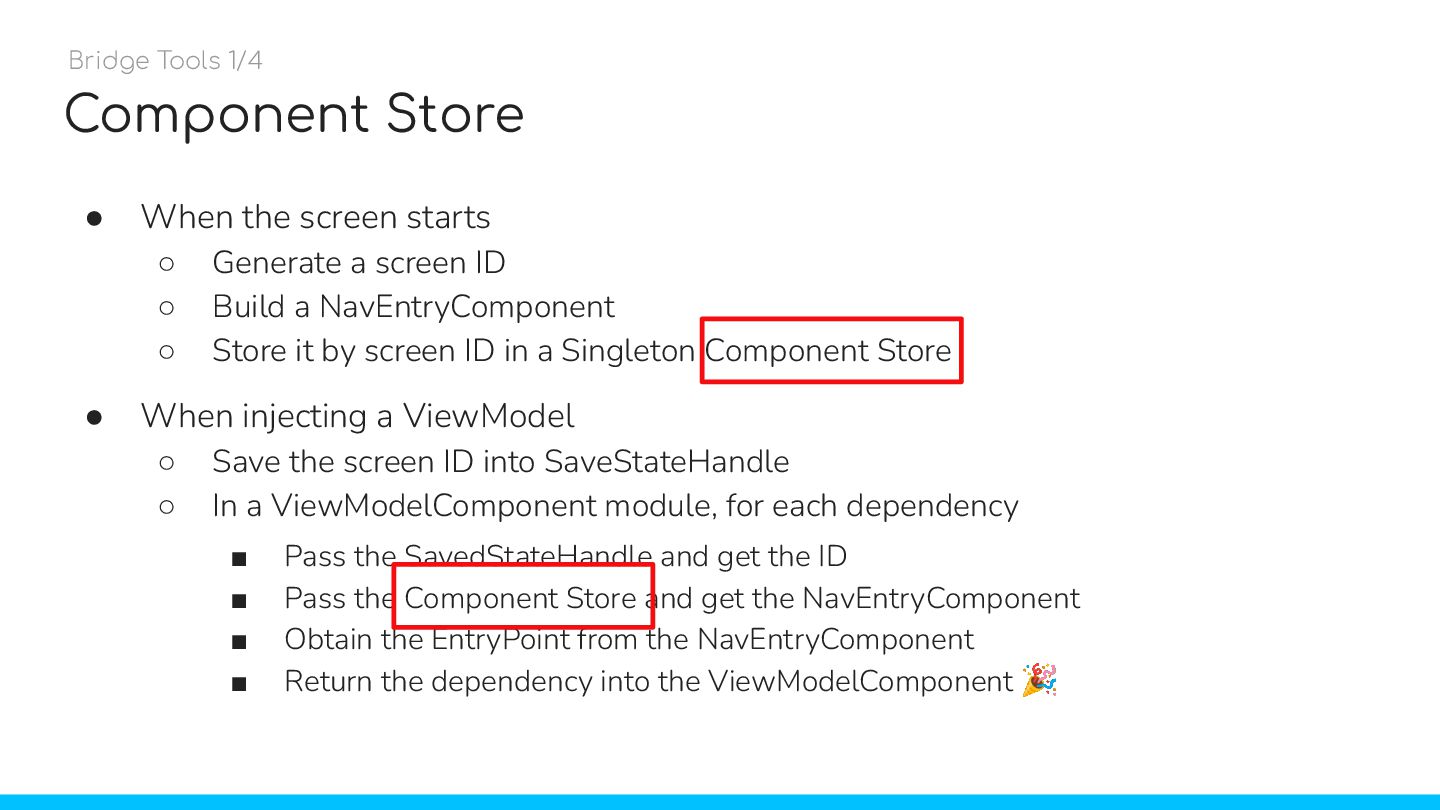
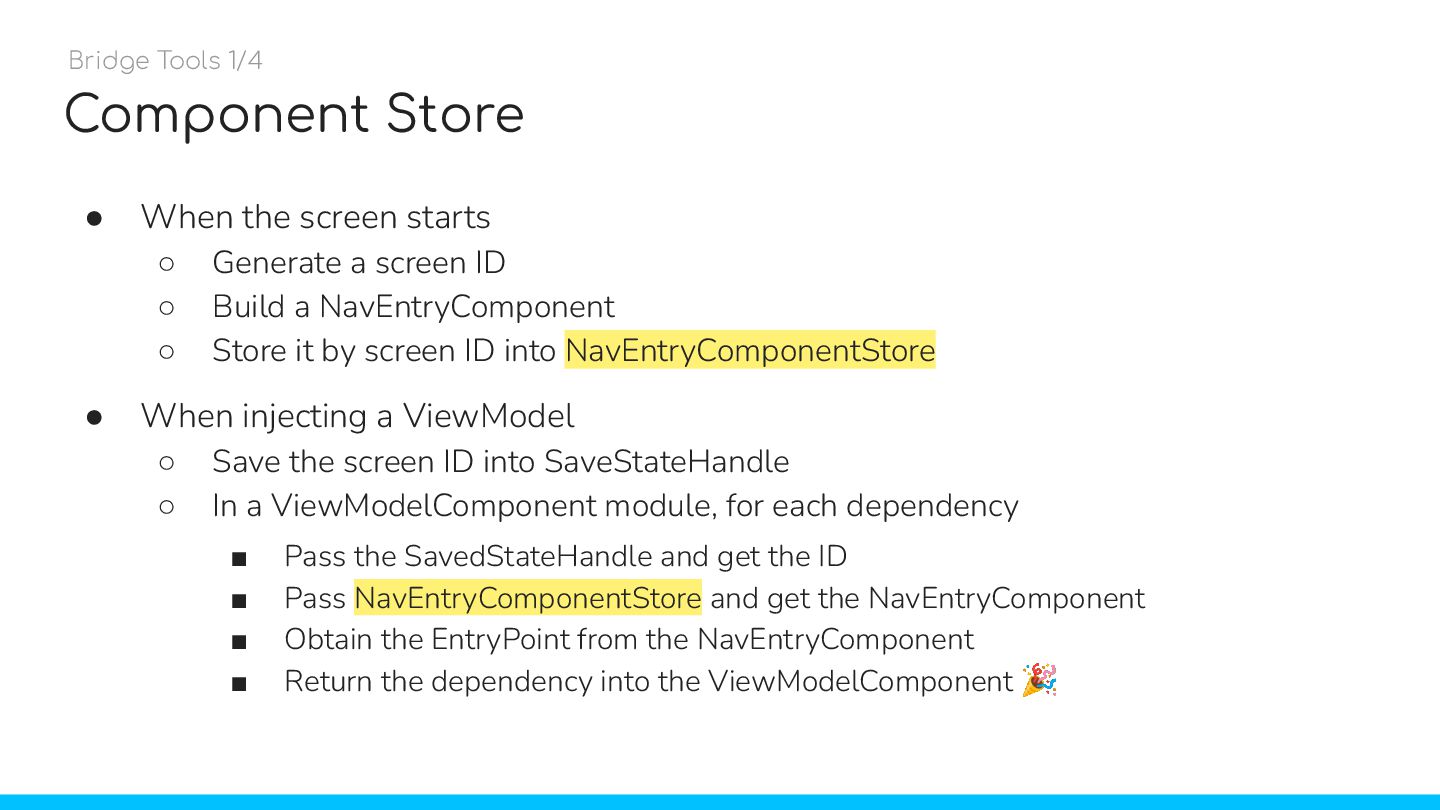
  34. Component Store • When the screen starts ◦ Generate a

    screen ID ◦ Build a NavEntryComponent ◦ Store it by screen ID in a Singleton Component Store • When injecting a ViewModel ◦ Save the screen ID into SaveStateHandle ◦ In a ViewModelComponent module, for each dependency ▪ Pass the SavedStateHandle and get the ID ▪ Pass the Component Store and get the NavEntryComponent ▪ Obtain the EntryPoint from the NavEntryComponent ▪ Return the dependency into the ViewModelComponent 🎉 Bridge Tools 1/4
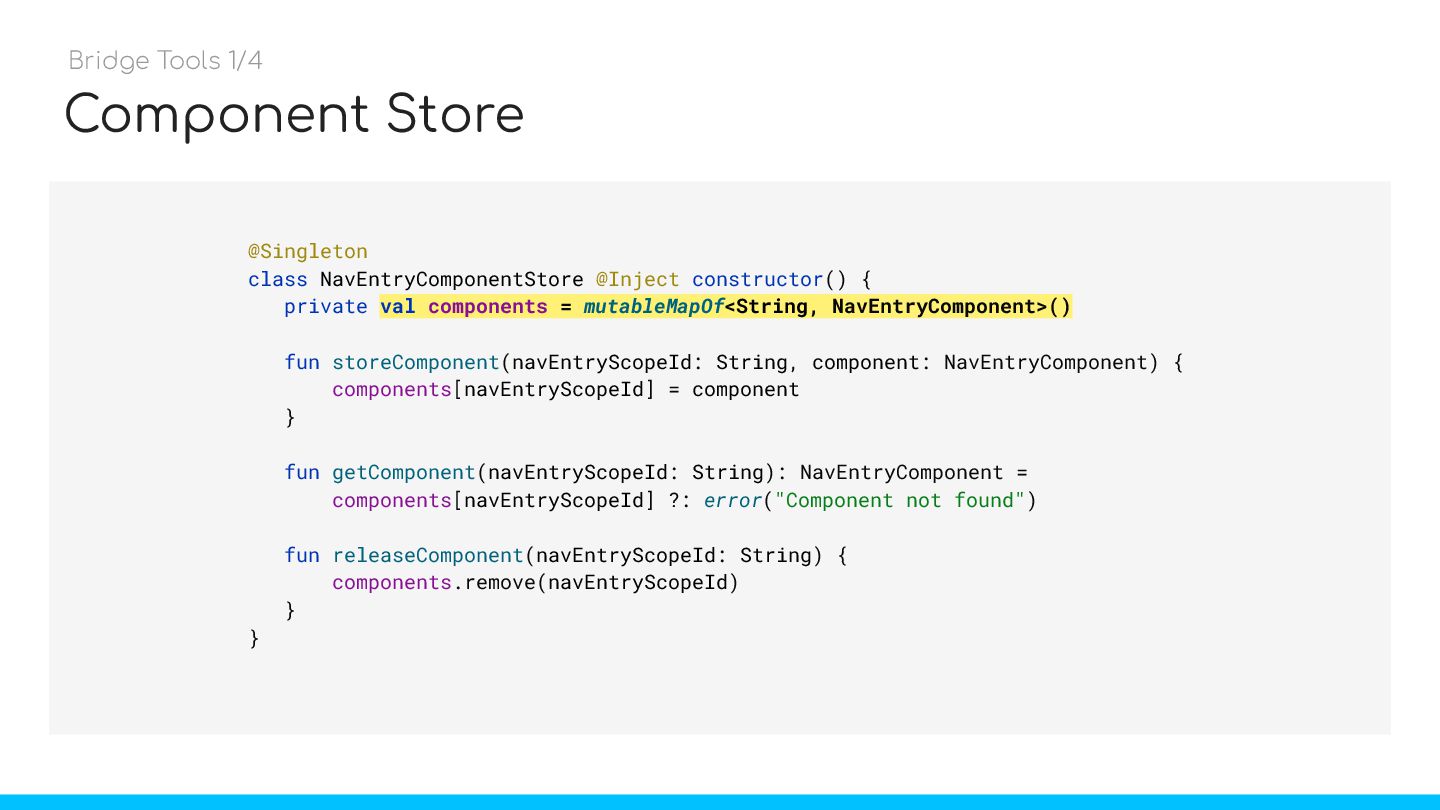
  35. Component Store @Singleton class NavEntryComponentStore @Inject constructor() { private val

    components = mutableMapOf<String, NavEntryComponent>() fun storeComponent(navEntryScopeId: String, component: NavEntryComponent) { components[navEntryScopeId] = component } fun getComponent(navEntryScopeId: String): NavEntryComponent = components[navEntryScopeId] ?: error("Component not found") fun releaseComponent(navEntryScopeId: String) { components.remove(navEntryScopeId) } } Bridge Tools 1/4 val components = mutableMapOf<String, NavEntryComponent>()
  36. Component Store • When the screen starts ◦ Generate a

    screen ID ◦ Build a NavEntryComponent ◦ Store it by screen ID into NavEntryComponentStore • When injecting a ViewModel ◦ Save the screen ID into SaveStateHandle ◦ In a ViewModelComponent module, for each dependency ▪ Pass the SavedStateHandle and get the ID ▪ Pass NavEntryComponentStore and get the NavEntryComponent ▪ Obtain the EntryPoint from the NavEntryComponent ▪ Return the dependency into the ViewModelComponent 🎉 Bridge Tools 1/4
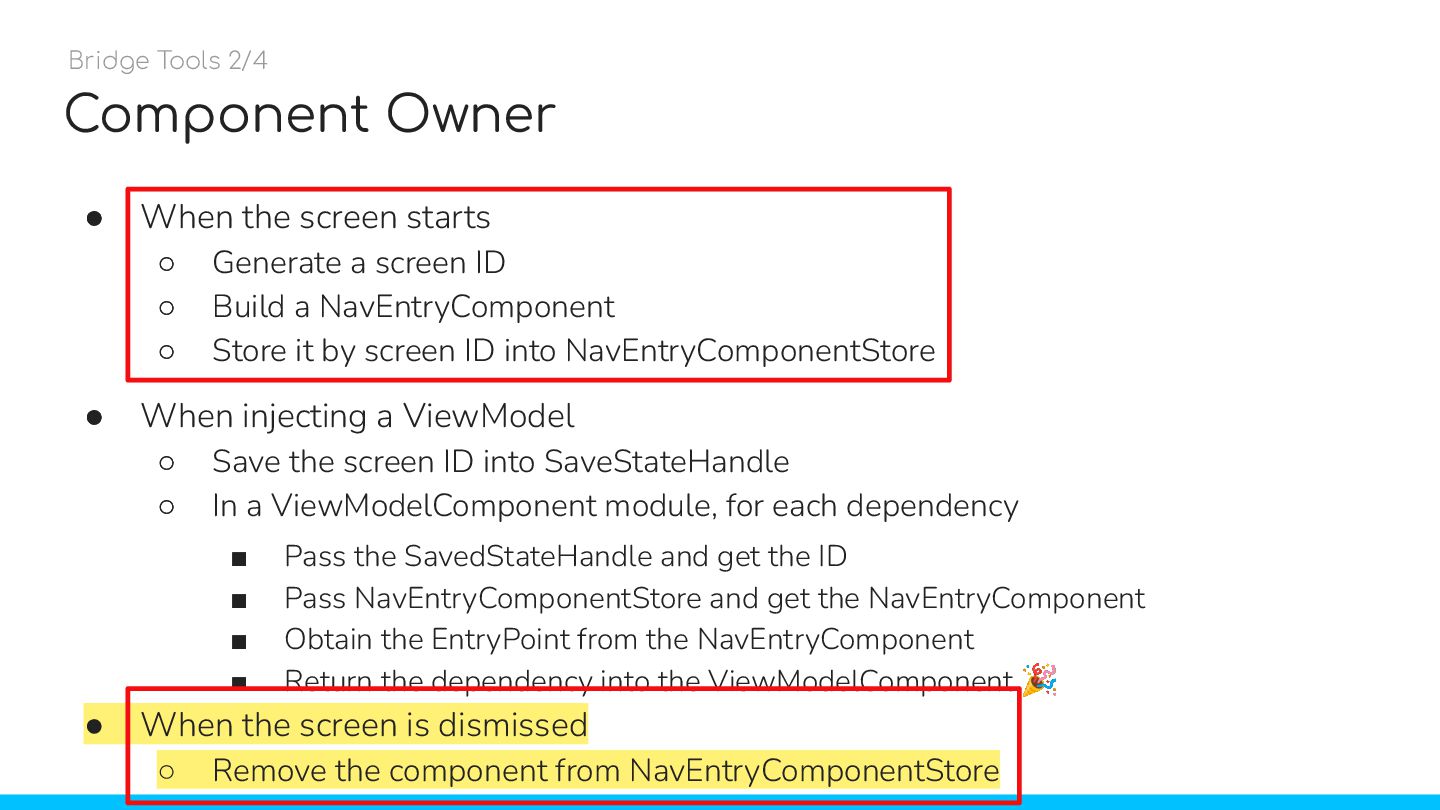
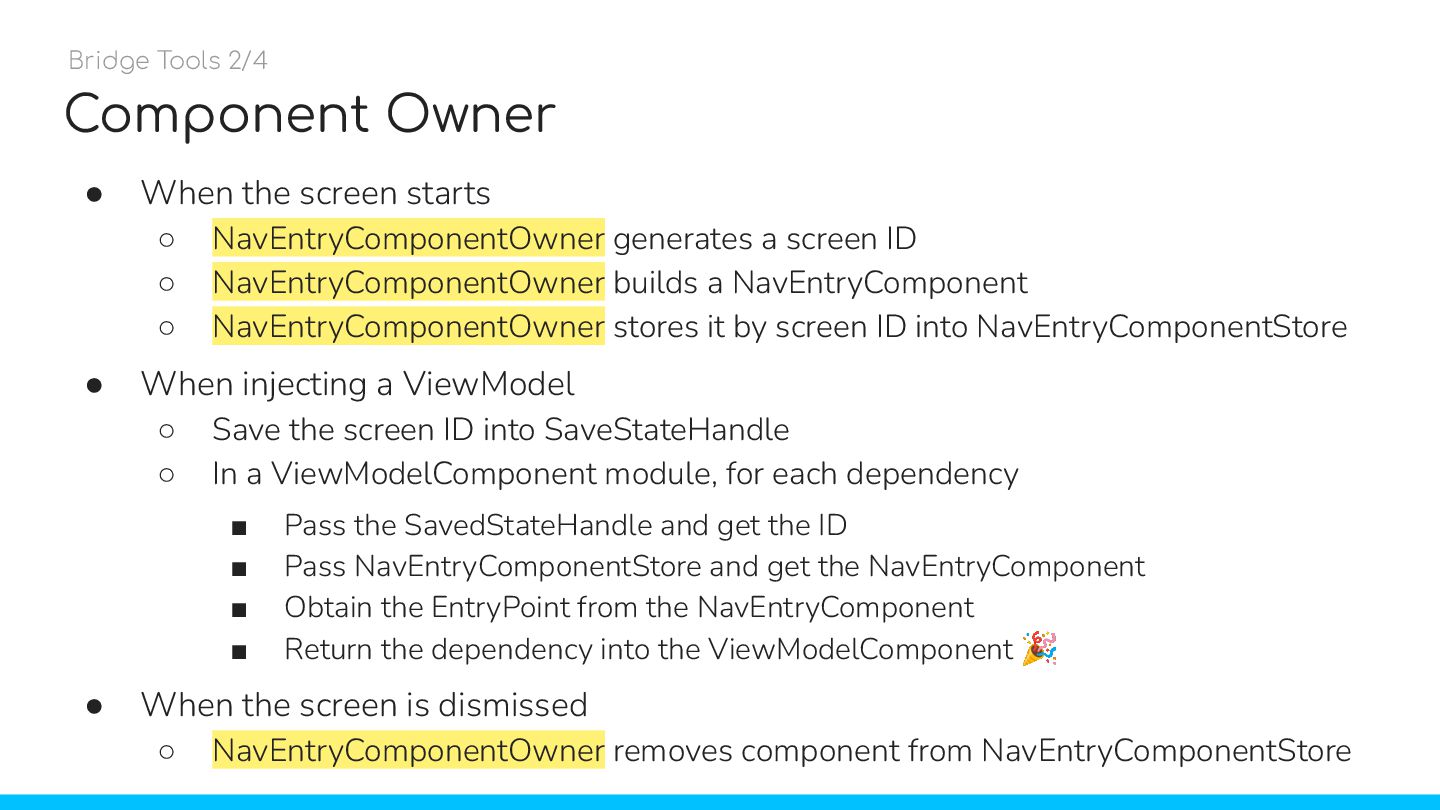
  37. Component Owner • When the screen starts ◦ Generate a

    screen ID ◦ Build a NavEntryComponent ◦ Store it by screen ID into NavEntryComponentStore • When injecting a ViewModel ◦ Save the screen ID into SaveStateHandle ◦ In a ViewModelComponent module, for each dependency ▪ Pass the SavedStateHandle and get the ID ▪ Pass NavEntryComponentStore and get the NavEntryComponent ▪ Obtain the EntryPoint from the NavEntryComponent ▪ Return the dependency into the ViewModelComponent 🎉 Bridge Tools 2/4 • ◦ ◦ ◦ • ◦ ◦ ▪ ▪ ▪ ▪ • When the screen is dismissed ◦ Remove the component from NavEntryComponentStore
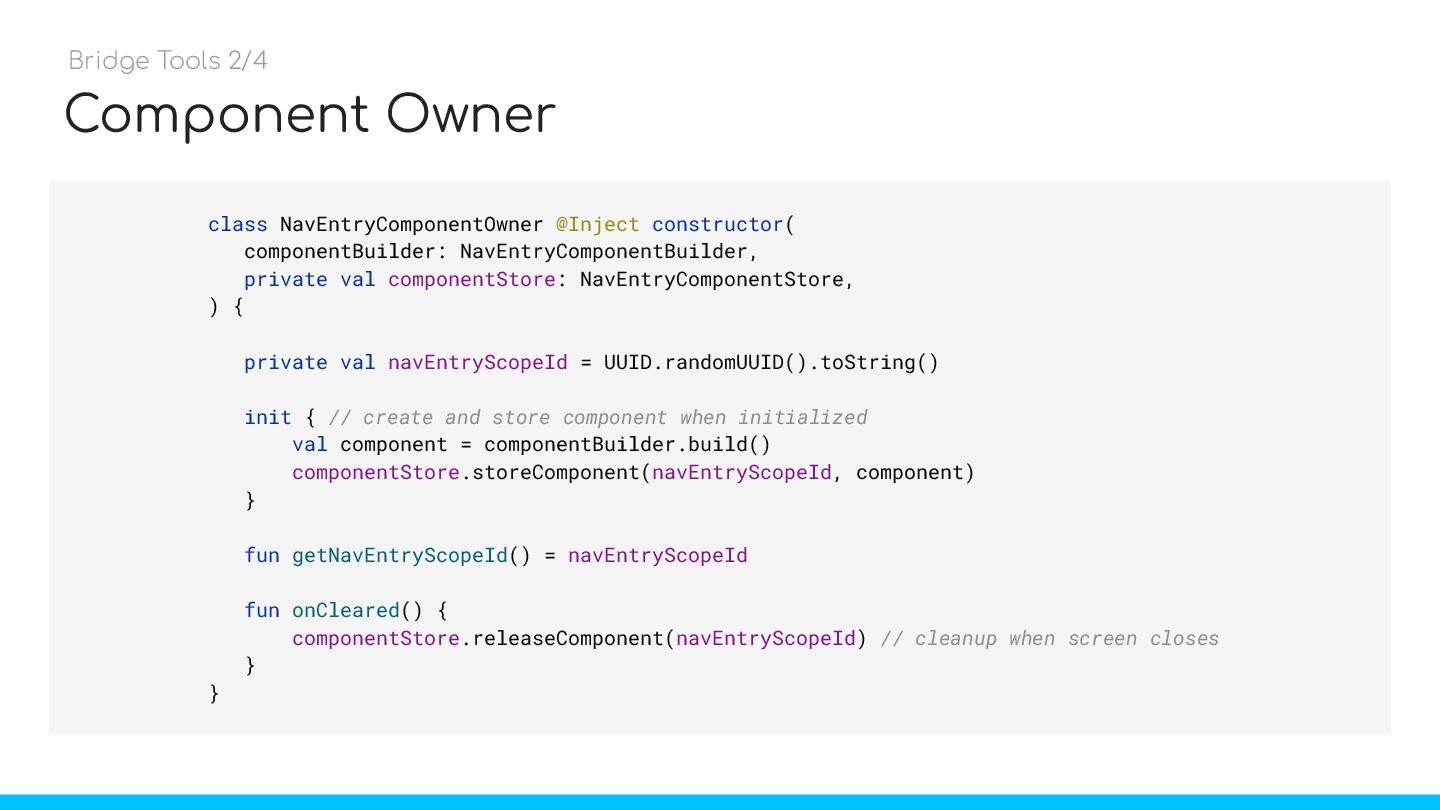
  38. Component Owner class NavEntryComponentOwner @Inject constructor( componentBuilder: NavEntryComponentBuilder, private val

    componentStore: NavEntryComponentStore, ) { private val navEntryScopeId = UUID.randomUUID().toString() init { // create and store component when initialized val component = componentBuilder.build() componentStore.storeComponent(navEntryScopeId, component) } fun getNavEntryScopeId() = navEntryScopeId fun onCleared() { componentStore.releaseComponent(navEntryScopeId) // cleanup when screen closes } } Bridge Tools 2/4
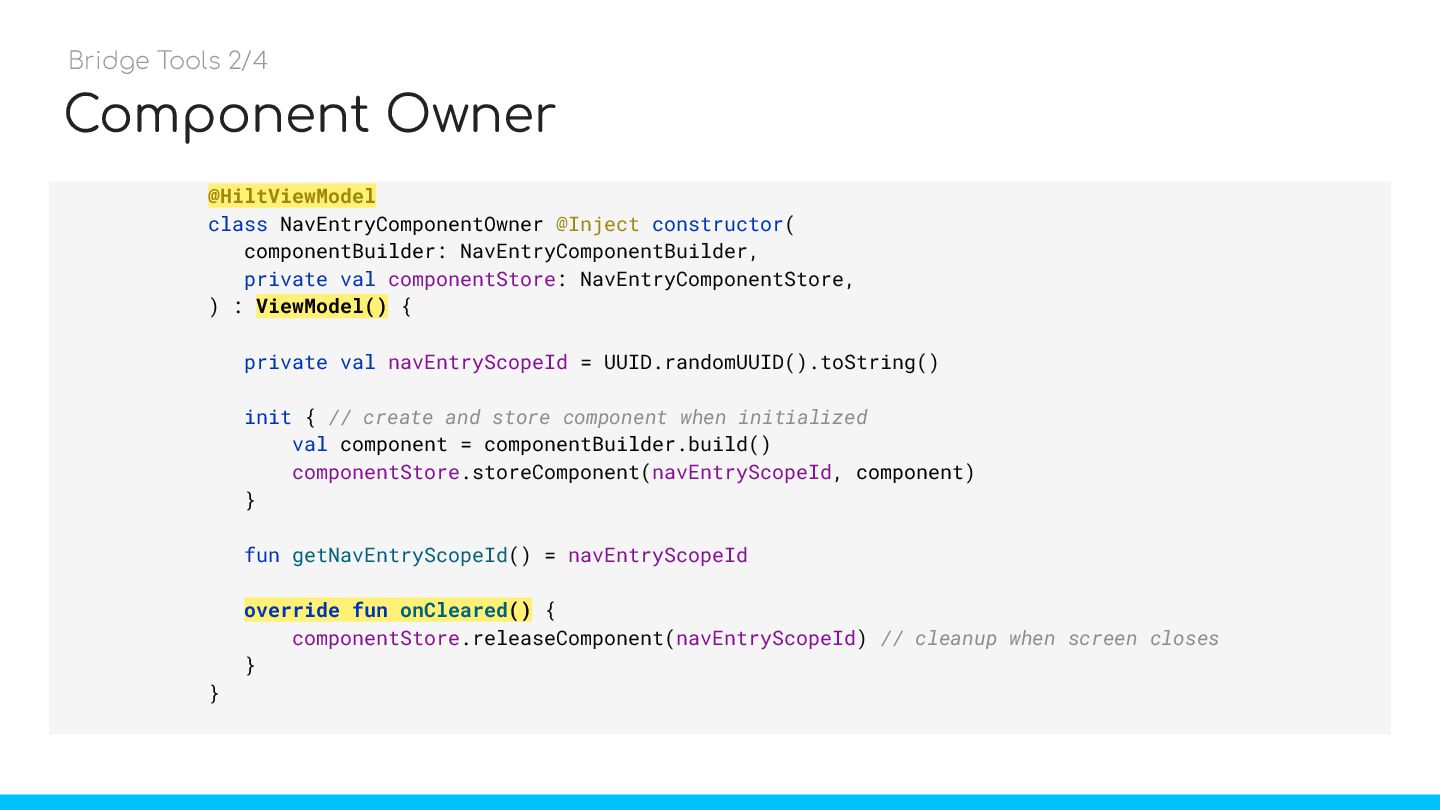
  39. Component Owner @HiltViewModel class NavEntryComponentOwner @Inject constructor( componentBuilder: NavEntryComponentBuilder, private

    val componentStore: NavEntryComponentStore, ) : ViewModel() { private val navEntryScopeId = UUID.randomUUID().toString() init { // create and store component when initialized val component = componentBuilder.build() componentStore.storeComponent(navEntryScopeId, component) } fun getNavEntryScopeId() = navEntryScopeId override fun onCleared() { componentStore.releaseComponent(navEntryScopeId) // cleanup when screen closes } } Bridge Tools 2/4
  40. Component Owner • When the screen starts ◦ NavEntryComponentOwner generates

    a screen ID ◦ NavEntryComponentOwner builds a NavEntryComponent ◦ NavEntryComponentOwner stores it by screen ID into NavEntryComponentStore • When injecting a ViewModel ◦ Save the screen ID into SaveStateHandle ◦ In a ViewModelComponent module, for each dependency ▪ Pass the SavedStateHandle and get the ID ▪ Pass NavEntryComponentStore and get the NavEntryComponent ▪ Obtain the EntryPoint from the NavEntryComponent ▪ Return the dependency into the ViewModelComponent 🎉 • When the screen is dismissed ◦ NavEntryComponentOwner removes component from NavEntryComponentStore Bridge Tools 2/4
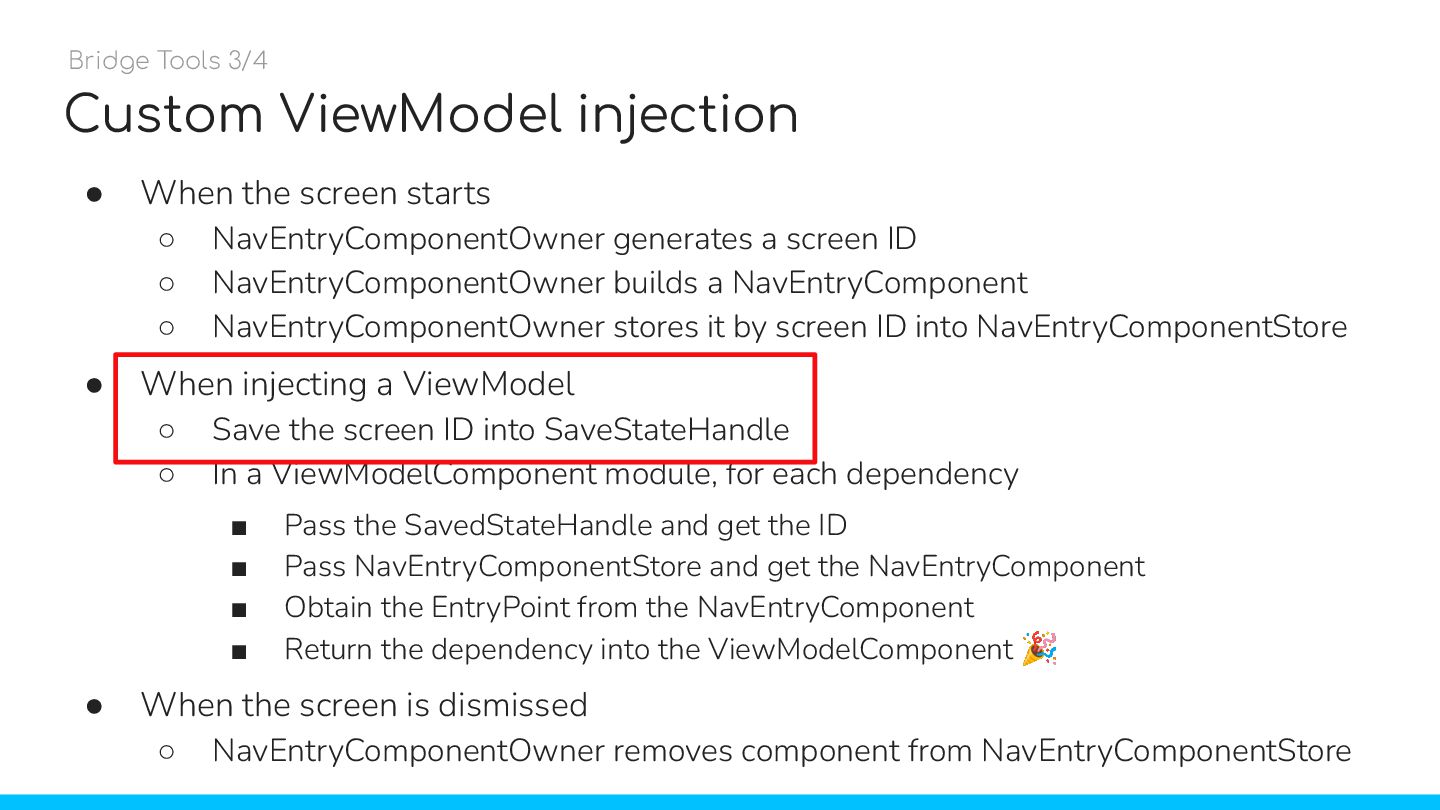
  41. Custom ViewModel injection • When the screen starts ◦ NavEntryComponentOwner

    generates a screen ID ◦ NavEntryComponentOwner builds a NavEntryComponent ◦ NavEntryComponentOwner stores it by screen ID into NavEntryComponentStore • When injecting a ViewModel ◦ Save the screen ID into SaveStateHandle ◦ In a ViewModelComponent module, for each dependency ▪ Pass the SavedStateHandle and get the ID ▪ Pass NavEntryComponentStore and get the NavEntryComponent ▪ Obtain the EntryPoint from the NavEntryComponent ▪ Return the dependency into the ViewModelComponent 🎉 • When the screen is dismissed ◦ NavEntryComponentOwner removes component from NavEntryComponentStore Bridge Tools 3/4
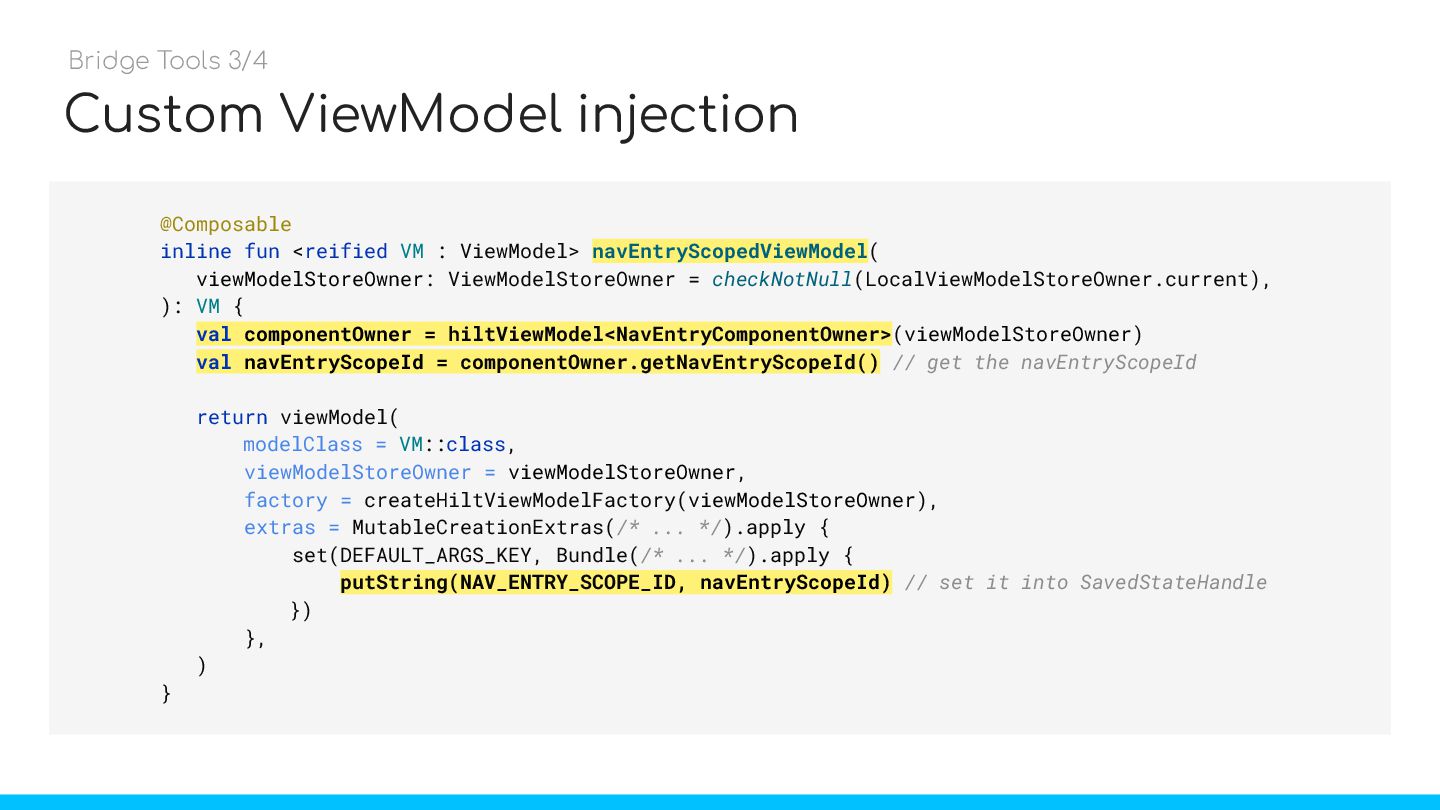
  42. Custom ViewModel injection @Composable inline fun <reified VM : ViewModel>

    navEntryScopedViewModel( viewModelStoreOwner: ViewModelStoreOwner = checkNotNull(LocalViewModelStoreOwner.current), ): VM { val componentOwner = hiltViewModel<NavEntryComponentOwner>(viewModelStoreOwner) val navEntryScopeId = componentOwner.getNavEntryScopeId() // get the navEntryScopeId return viewModel( modelClass = VM::class, viewModelStoreOwner = viewModelStoreOwner, factory = createHiltViewModelFactory(viewModelStoreOwner), extras = MutableCreationExtras(/* ... */).apply { set(DEFAULT_ARGS_KEY, Bundle(/* ... */).apply { putString(NAV_ENTRY_SCOPE_ID, navEntryScopeId) // set it into SavedStateHandle }) }, ) } navEntryScopedViewModel Bridge Tools 3/4 val componentOwner = hiltViewModel<NavEntryComponentOwner> val navEntryScopeId = componentOwner.getNavEntryScopeId() putString(NAV_ENTRY_SCOPE_ID, navEntryScopeId)
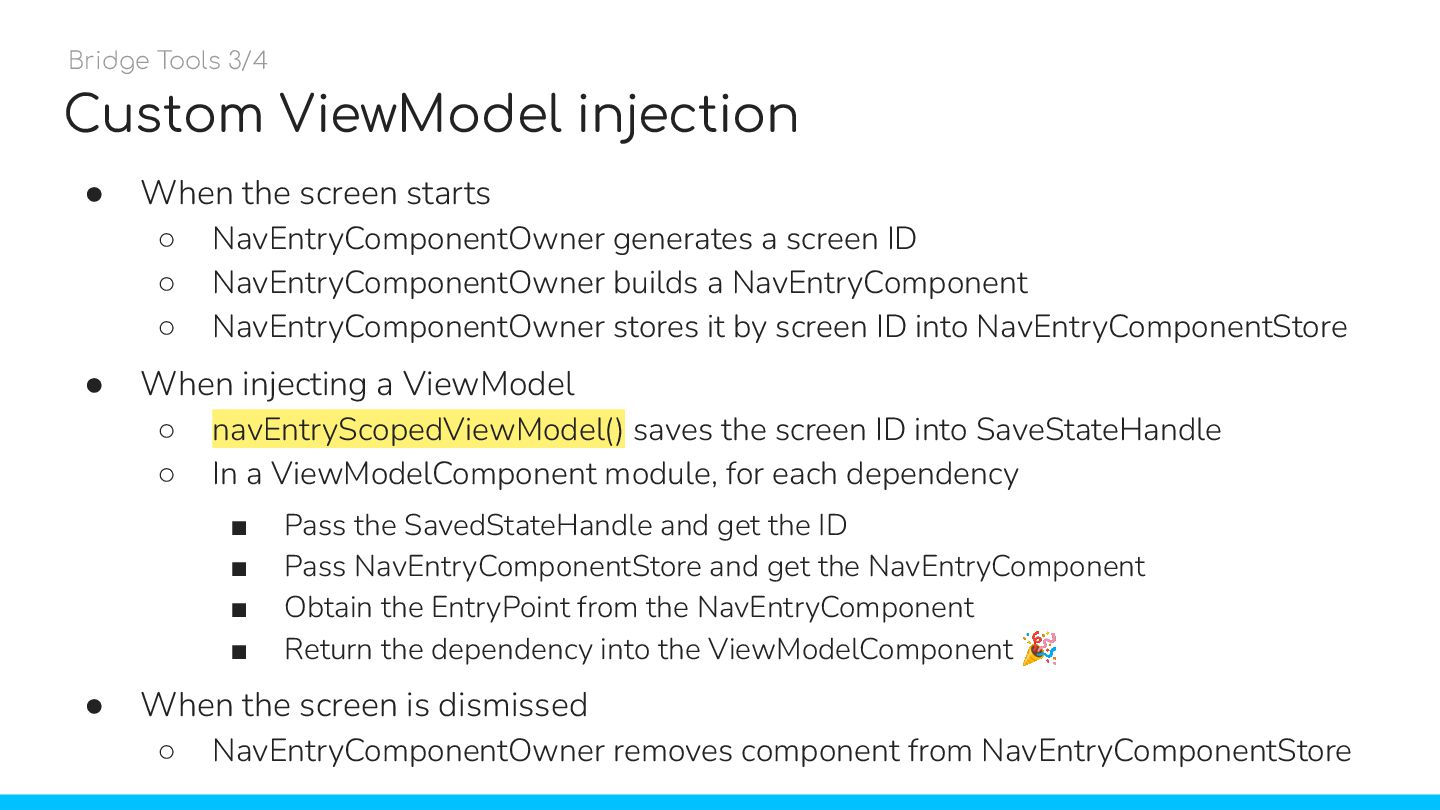
  43. Custom ViewModel injection • When the screen starts ◦ NavEntryComponentOwner

    generates a screen ID ◦ NavEntryComponentOwner builds a NavEntryComponent ◦ NavEntryComponentOwner stores it by screen ID into NavEntryComponentStore • When injecting a ViewModel ◦ navEntryScopedViewModel() saves the screen ID into SaveStateHandle ◦ In a ViewModelComponent module, for each dependency ▪ Pass the SavedStateHandle and get the ID ▪ Pass NavEntryComponentStore and get the NavEntryComponent ▪ Obtain the EntryPoint from the NavEntryComponent ▪ Return the dependency into the ViewModelComponent 🎉 • When the screen is dismissed ◦ NavEntryComponentOwner removes component from NavEntryComponentStore Bridge Tools 3/4
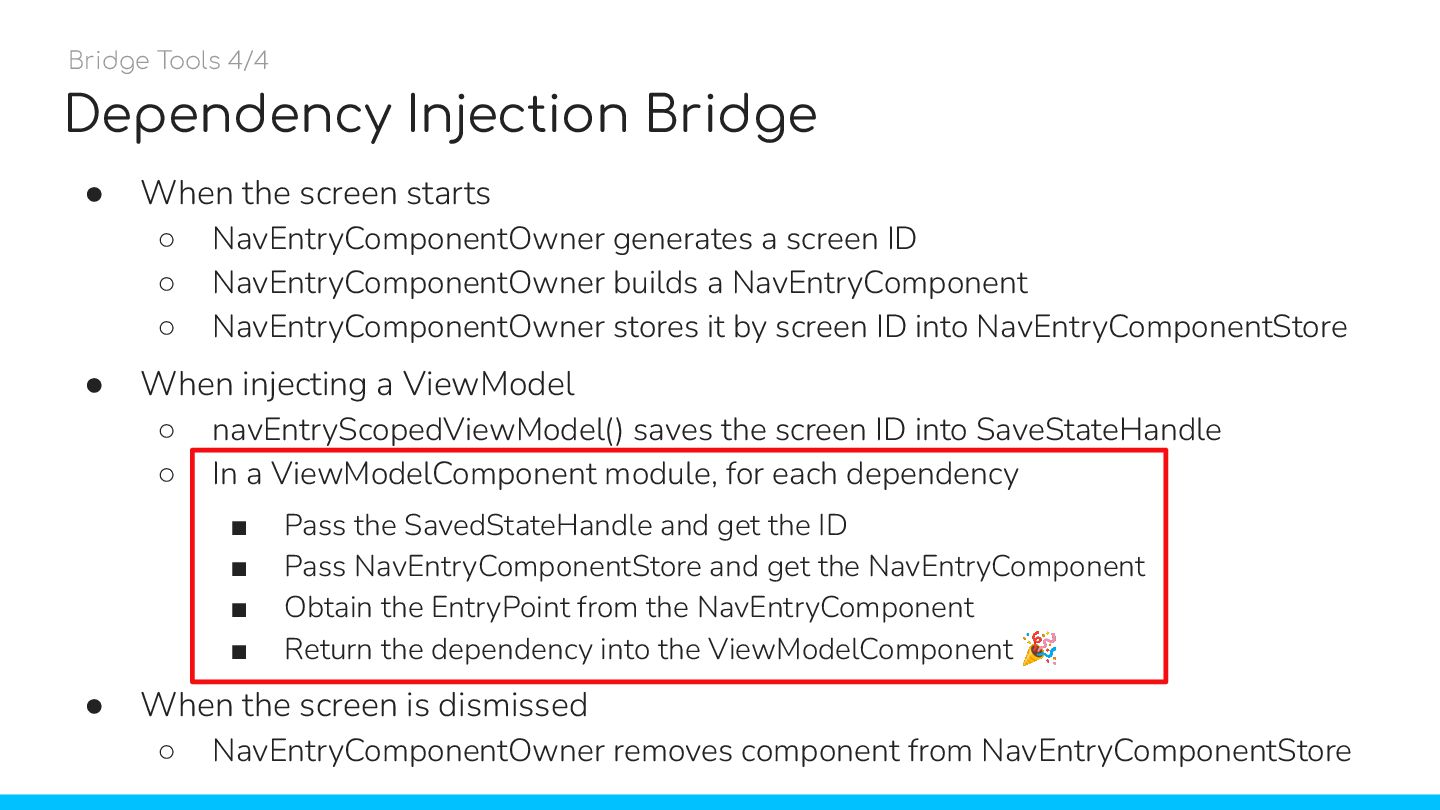
  44. Dependency Injection Bridge • When the screen starts ◦ NavEntryComponentOwner

    generates a screen ID ◦ NavEntryComponentOwner builds a NavEntryComponent ◦ NavEntryComponentOwner stores it by screen ID into NavEntryComponentStore • When injecting a ViewModel ◦ navEntryScopedViewModel() saves the screen ID into SaveStateHandle ◦ In a ViewModelComponent module, for each dependency ▪ Pass the SavedStateHandle and get the ID ▪ Pass NavEntryComponentStore and get the NavEntryComponent ▪ Obtain the EntryPoint from the NavEntryComponent ▪ Return the dependency into the ViewModelComponent 🎉 • When the screen is dismissed ◦ NavEntryComponentOwner removes component from NavEntryComponentStore Bridge Tools 4/4
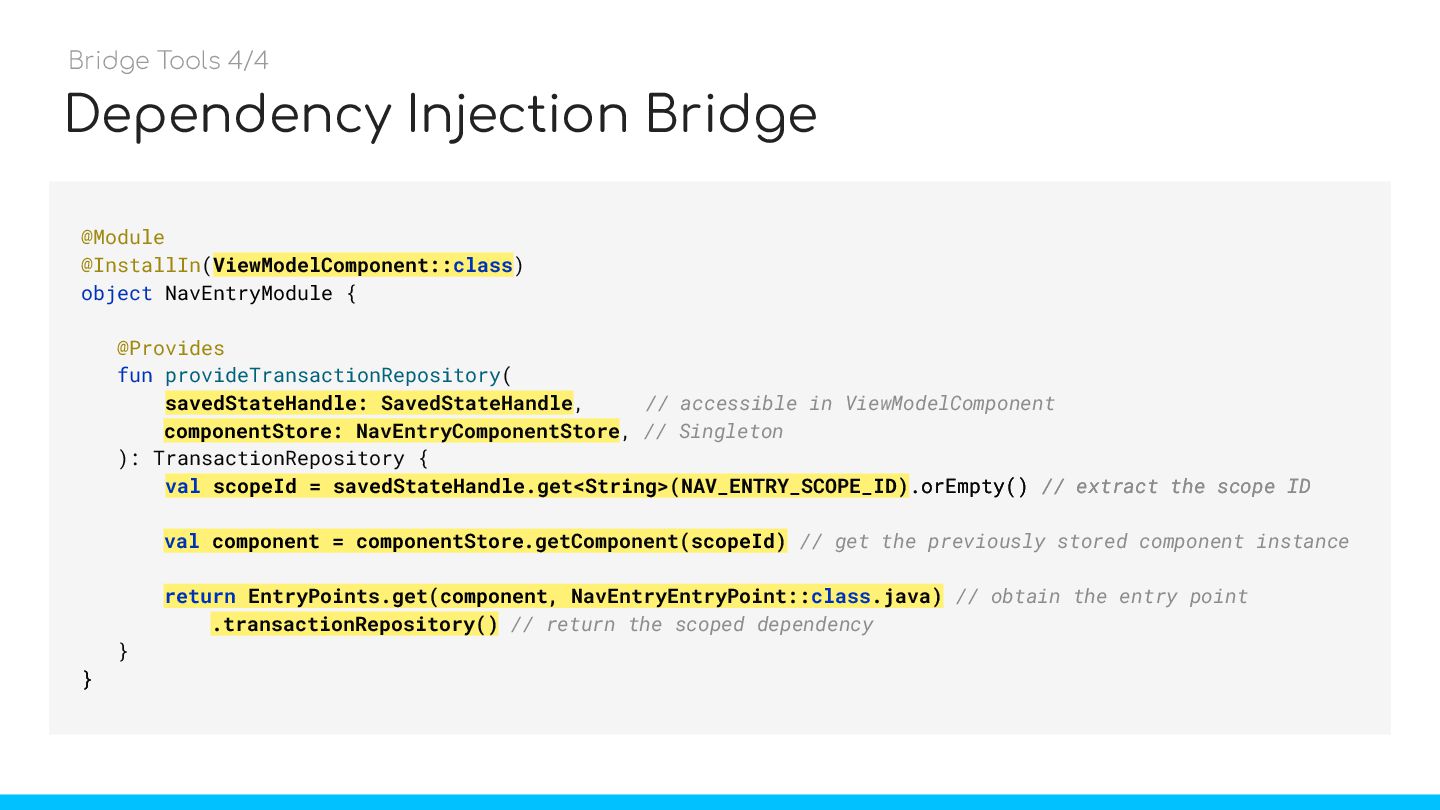
  45. Dependency Injection Bridge @Module @InstallIn(ViewModelComponent::class) object NavEntryModule { @Provides fun

    provideTransactionRepository( savedStateHandle: SavedStateHandle, // accessible in ViewModelComponent componentStore: NavEntryComponentStore, // Singleton ): TransactionRepository { val scopeId = savedStateHandle.get<String>(NAV_ENTRY_SCOPE_ID).orEmpty() // extract the scope ID val component = componentStore.getComponent(scopeId) // get the previously stored component instance return EntryPoints.get(component, NavEntryEntryPoint::class.java) // obtain the entry point .transactionRepository() // return the scoped dependency } } Bridge Tools 4/4 ViewModelComponent::class savedStateHandle: SavedStateHandle val scopeId = savedStateHandle.get<String>(NAV_ENTRY_SCOPE_ID).orEmpty() // extract the scope ID } componentStore: NavEntryComponentStore val component = componentStore.getComponent(scopeId) return EntryPoints.get(component, NavEntryEntryPoint::class.java) .transactionRepository()
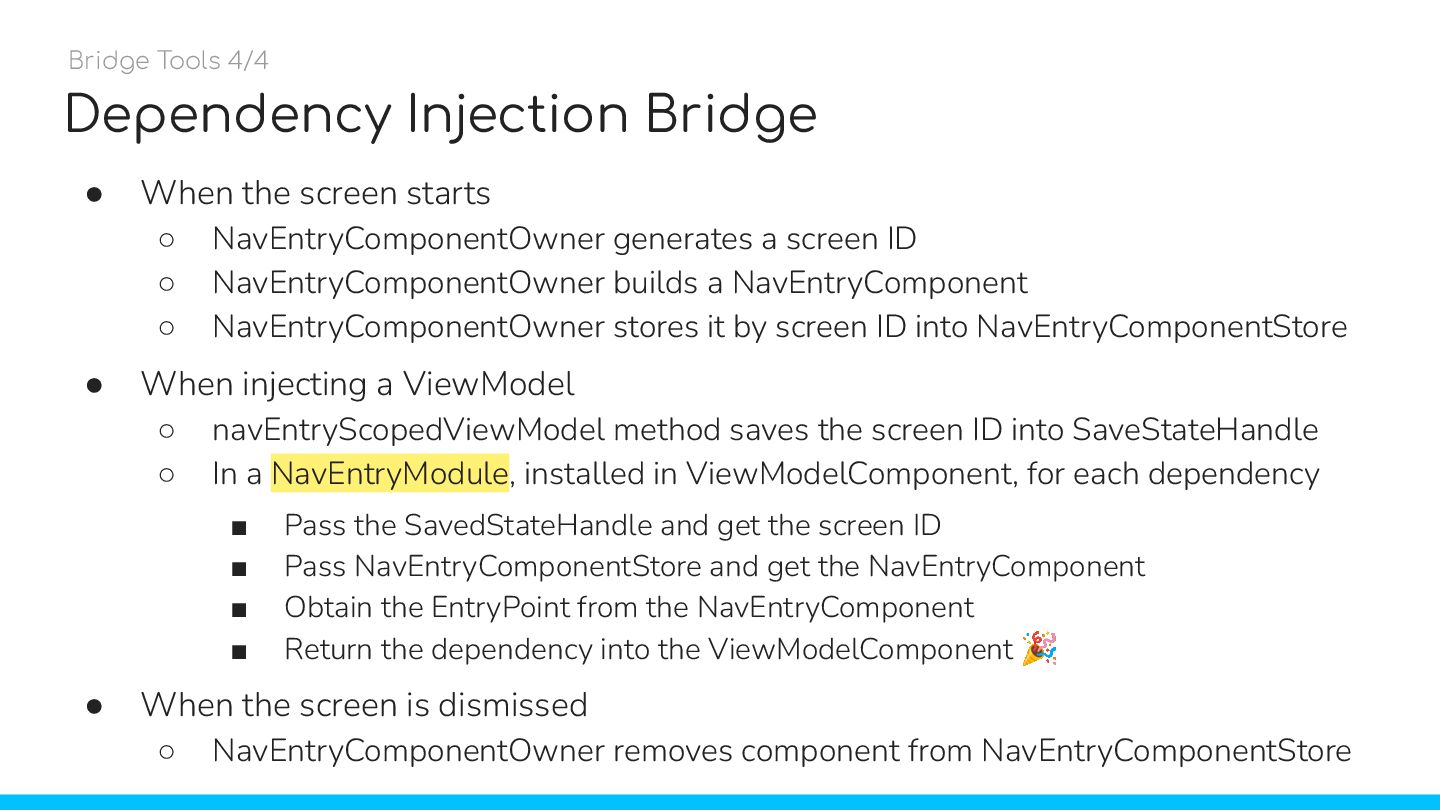
  46. Dependency Injection Bridge • When the screen starts ◦ NavEntryComponentOwner

    generates a screen ID ◦ NavEntryComponentOwner builds a NavEntryComponent ◦ NavEntryComponentOwner stores it by screen ID into NavEntryComponentStore • When injecting a ViewModel ◦ navEntryScopedViewModel method saves the screen ID into SaveStateHandle ◦ In a NavEntryModule, installed in ViewModelComponent, for each dependency ▪ Pass the SavedStateHandle and get the screen ID ▪ Pass NavEntryComponentStore and get the NavEntryComponent ▪ Obtain the EntryPoint from the NavEntryComponent ▪ Return the dependency into the ViewModelComponent 🎉 • When the screen is dismissed ◦ NavEntryComponentOwner removes component from NavEntryComponentStore Bridge Tools 4/4
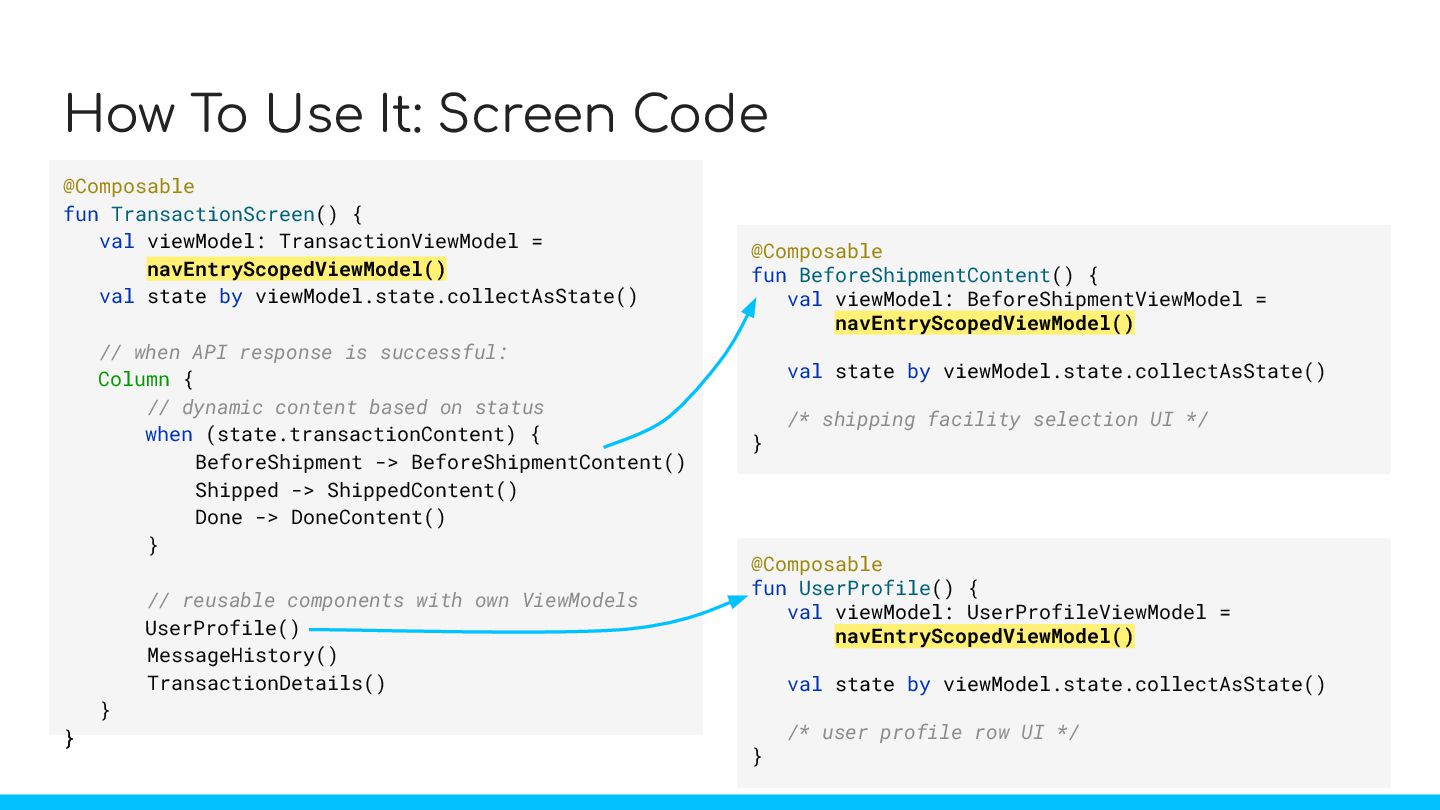
  47. How To Use It: Screen Code @Composable fun TransactionScreen() {

    val viewModel: TransactionViewModel = hiltViewModel() val state by viewModel.state.collectAsState() // when API response is successful: Column { // dynamic content based on status when (state.transactionContent) { BeforeShipment -> BeforeShipmentContent() Shipped -> ShippedContent() Done -> DoneContent() } // reusable components with own ViewModels UserProfile() MessageHistory() TransactionDetails() } } @Composable fun UserProfile() { val viewModel: UserProfileViewModel = hiltViewModel() val state by viewModel.state.collectAsState() /* user profile row UI */ } @Composable fun BeforeShipmentContent() { val viewModel: BeforeShipmentViewModel = hiltViewModel() val state by viewModel.state.collectAsState() /* shipping facility selection UI */ } @Composable fun TransactionScreen() { val viewModel: TransactionViewModel = navEntryScopedViewModel() val state by viewModel.state.collectAsState() // when API response is successful: Column { // dynamic content based on status when (state.transactionContent) { BeforeShipment -> BeforeShipmentContent() Shipped -> ShippedContent() Done -> DoneContent() } // reusable components with own ViewModels UserProfile() MessageHistory() TransactionDetails() } } @Composable fun UserProfile() { val viewModel: UserProfileViewModel = navEntryScopedViewModel() val state by viewModel.state.collectAsState() /* user profile row UI */ } @Composable fun BeforeShipmentContent() { val viewModel: BeforeShipmentViewModel = navEntryScopedViewModel() val state by viewModel.state.collectAsState() /* shipping facility selection UI */ }
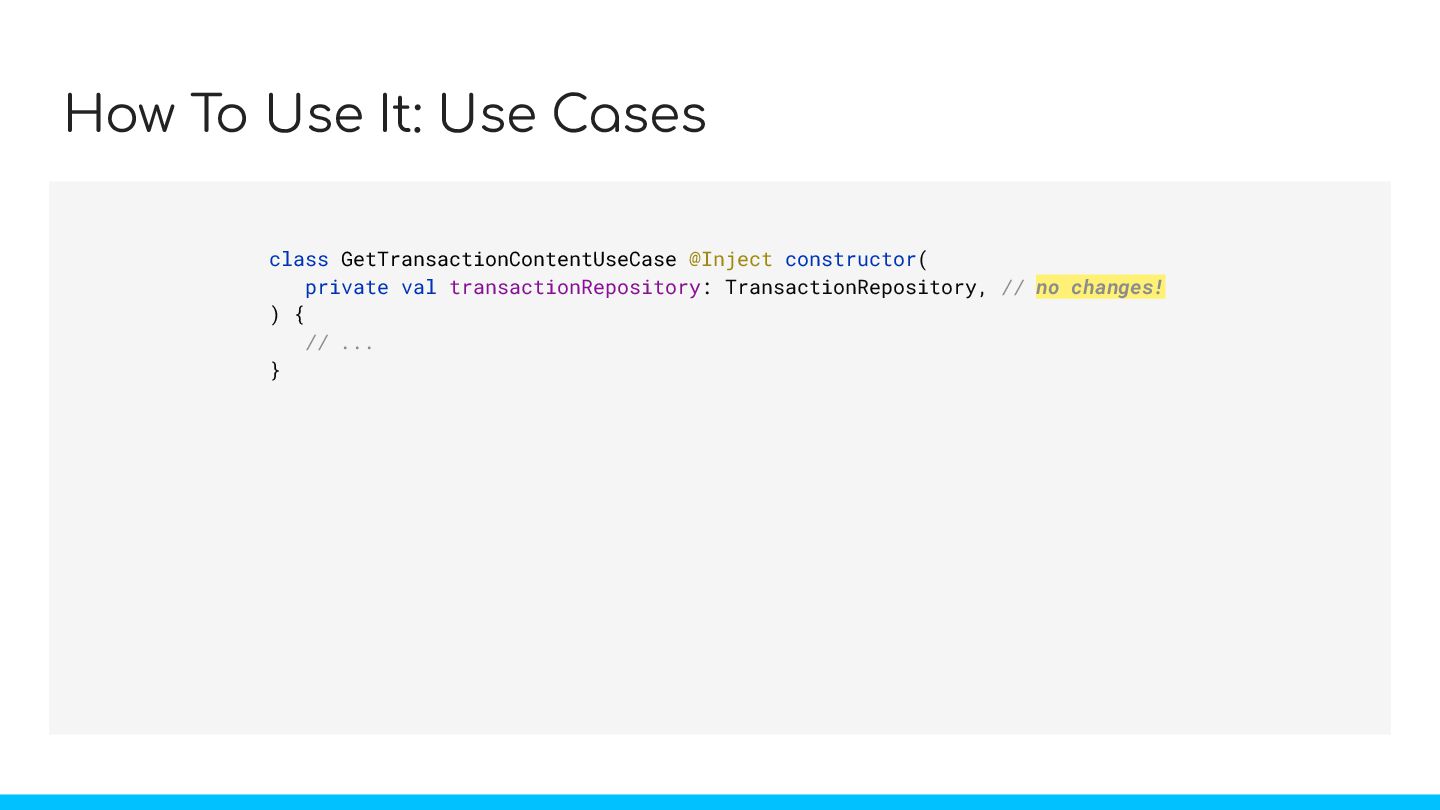
  48. How To Use It: Use Cases class GetTransactionContentUseCase @Inject constructor(

    private val transactionRepository: TransactionRepository, // no changes! ) { // ... }
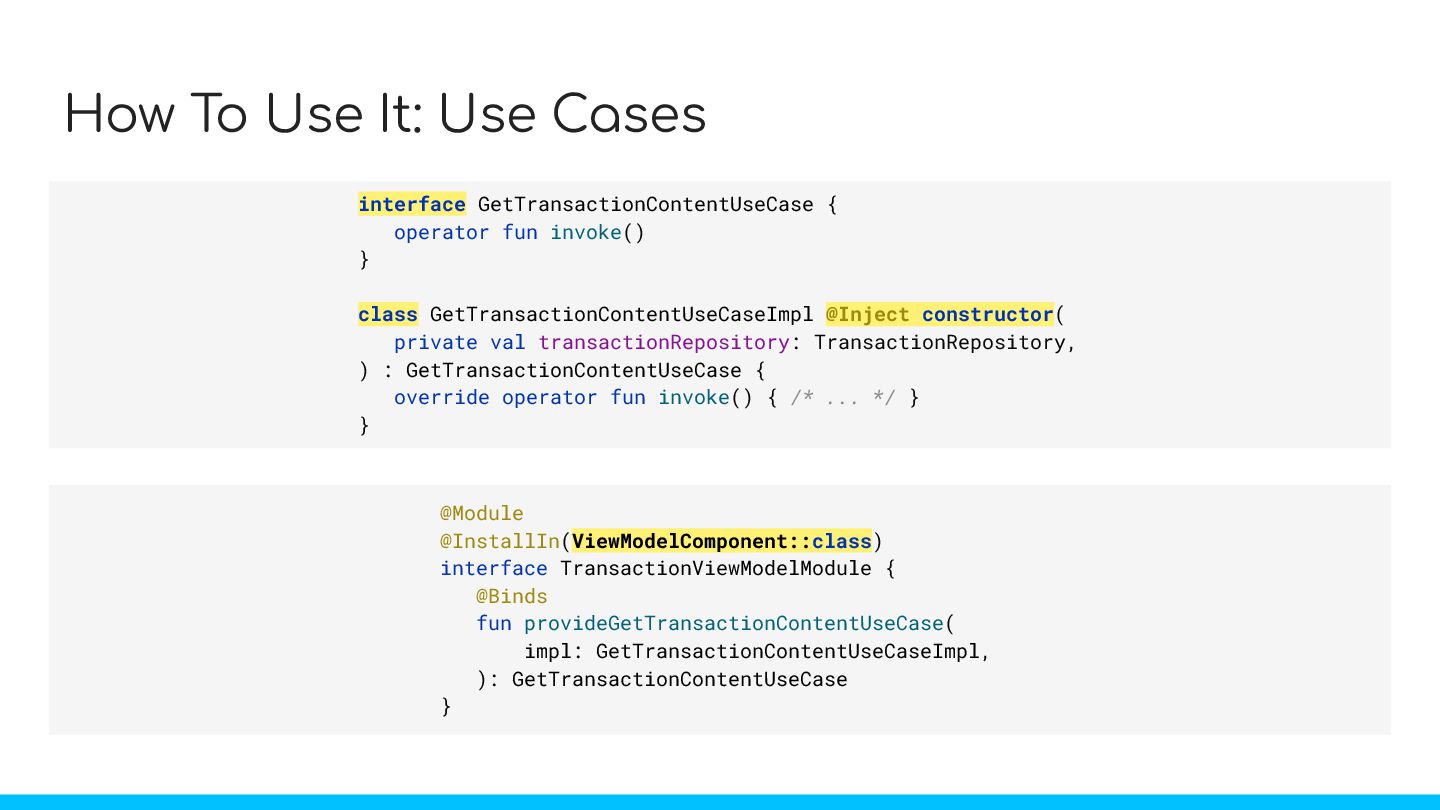
  49. How To Use It: Use Cases interface GetTransactionContentUseCase { operator

    fun invoke() } class GetTransactionContentUseCaseImpl @Inject constructor( private val transactionRepository: TransactionRepository, ) : GetTransactionContentUseCase { override operator fun invoke() { /* ... */ } } @Module @InstallIn(ViewModelComponent::class) interface TransactionViewModelModule { @Binds fun provideGetTransactionContentUseCase( impl: GetTransactionContentUseCaseImpl, ): GetTransactionContentUseCase }
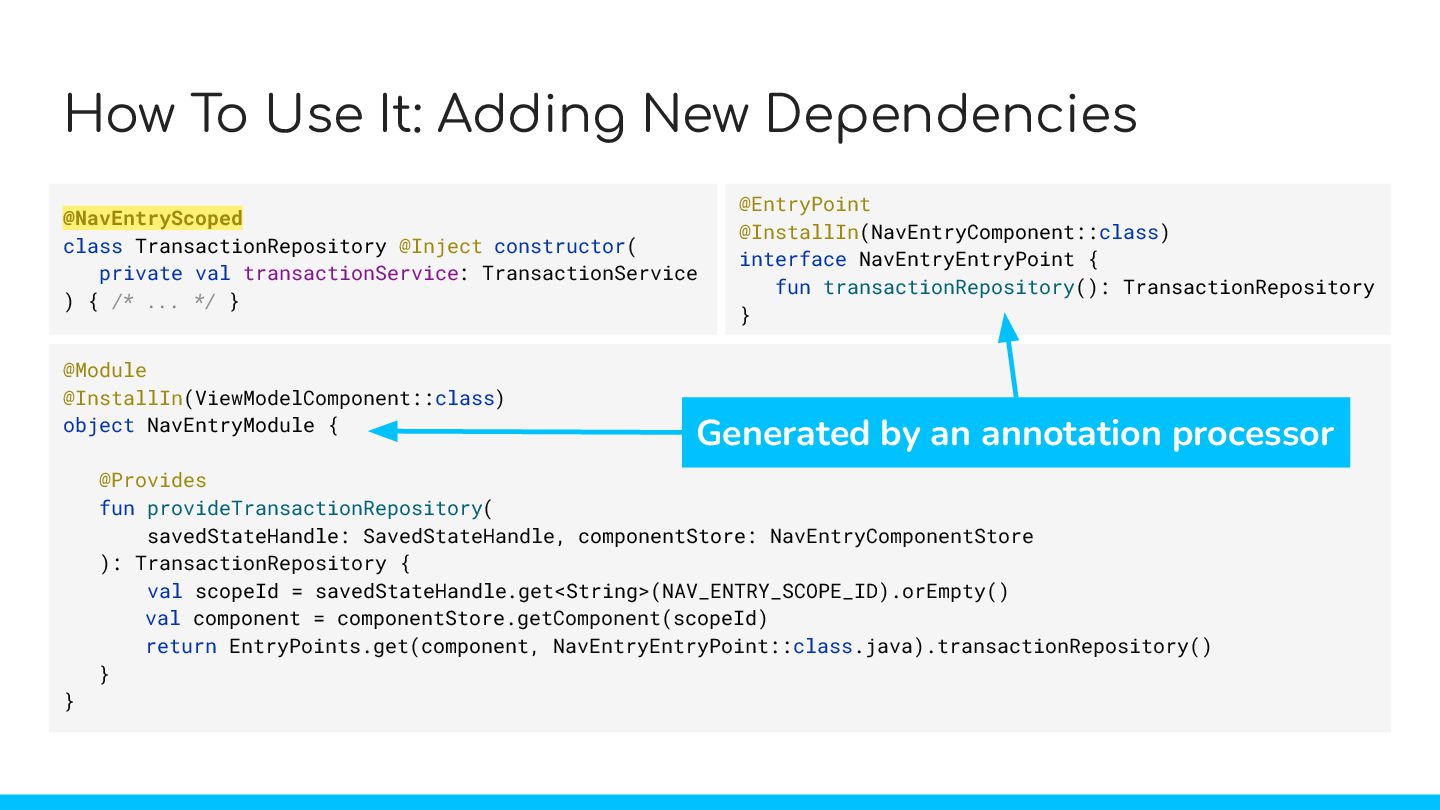
  50. How To Use It: Adding New Dependencies @NavEntryScoped class TransactionRepository

    @Inject constructor( private val transactionService: TransactionService ) { /* ... */ } @EntryPoint @InstallIn(NavEntryComponent::class) interface NavEntryEntryPoint { fun transactionRepository(): TransactionRepository } @Module @InstallIn(ViewModelComponent::class) object NavEntryModule { @Provides fun provideTransactionRepository( savedStateHandle: SavedStateHandle, componentStore: NavEntryComponentStore ): TransactionRepository { val scopeId = savedStateHandle.get<String>(NAV_ENTRY_SCOPE_ID).orEmpty() val component = componentStore.getComponent(scopeId) return EntryPoints.get(component, NavEntryEntryPoint::class.java).transactionRepository() } } Generated by an annotation processor
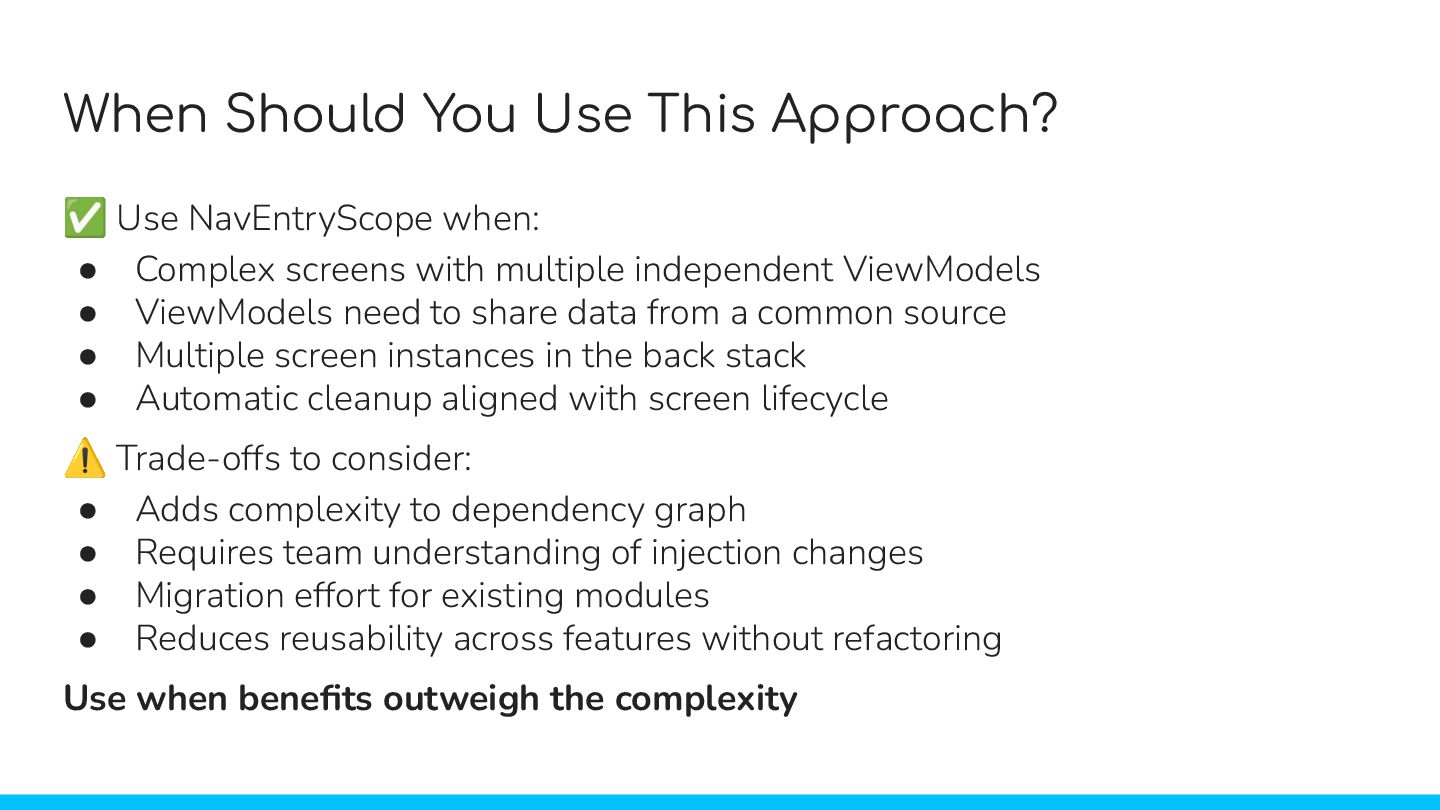
  51. ✅ Use NavEntryScope when: • Complex screens with multiple independent

    ViewModels • ViewModels need to share data from a common source • Multiple screen instances in the back stack • Automatic cleanup aligned with screen lifecycle ⚠ Trade-offs to consider: • Adds complexity to dependency graph • Requires team understanding of injection changes • Migration effort for existing modules • Reduces reusability across features without refactoring Use when benefits outweigh the complexity When Should You Use This Approach?
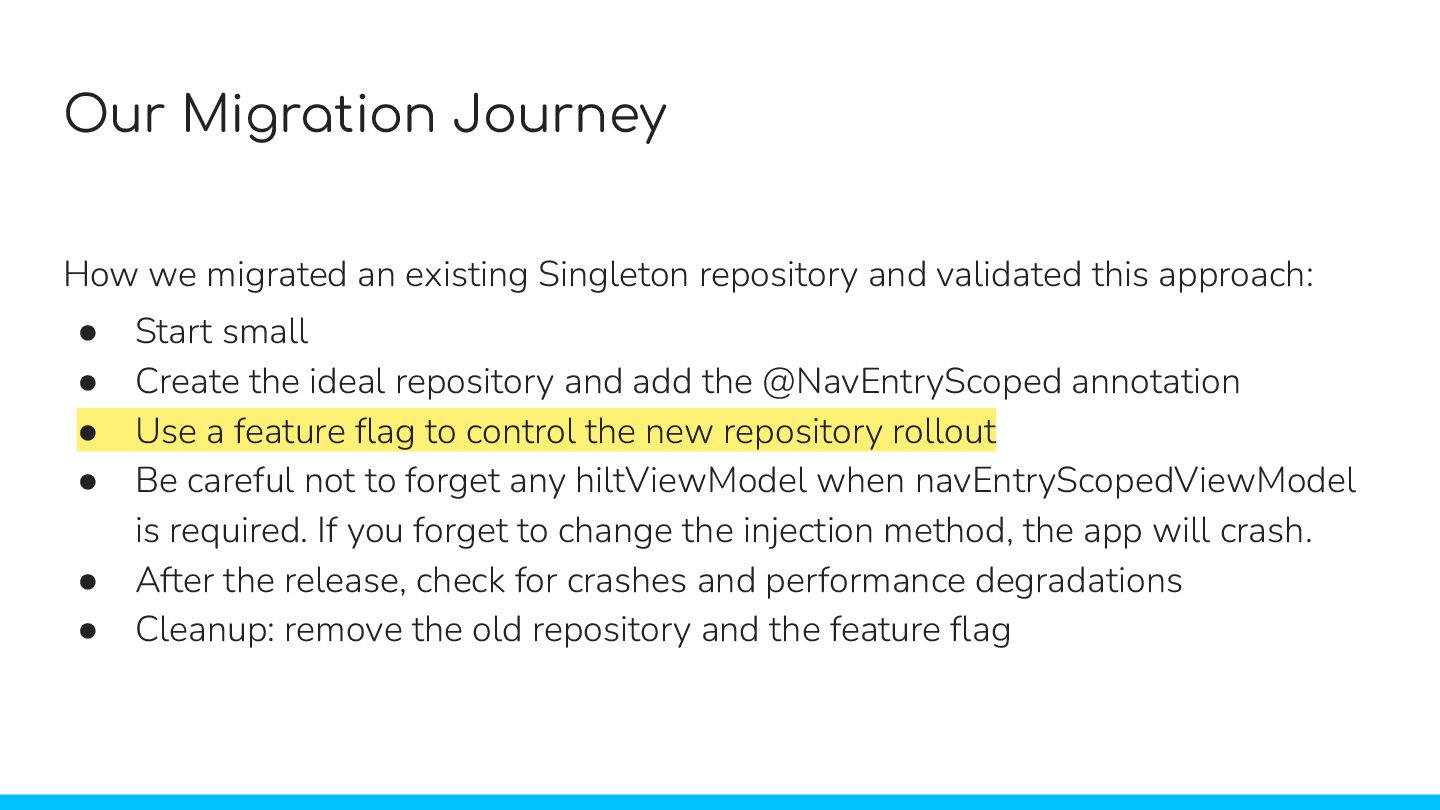
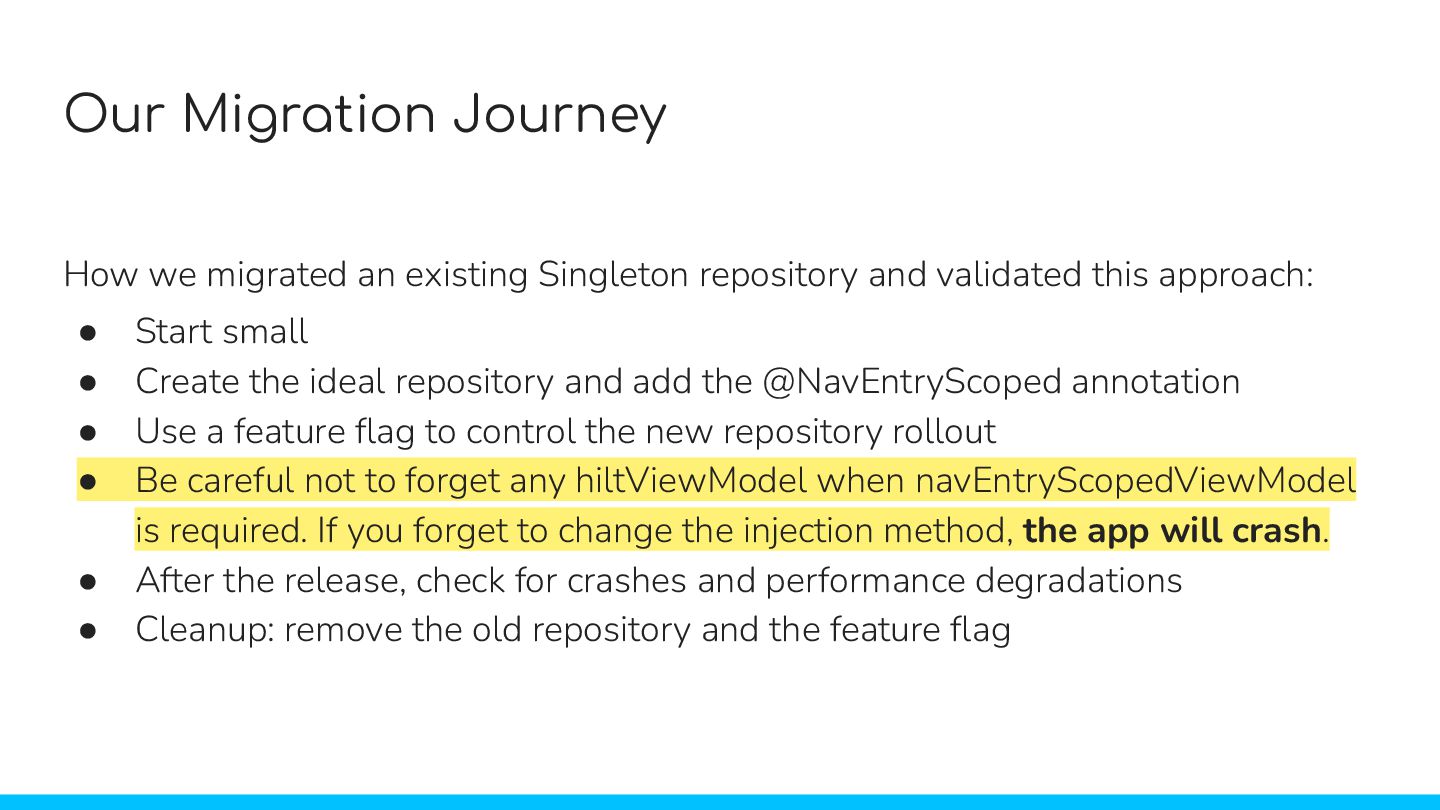
  52. How we migrated an existing Singleton repository and validated this

    approach: • Start small • Create the ideal repository and add the @NavEntryScoped annotation • Use a feature flag to control the new repository rollout • Be careful not to forget any hiltViewModel when navEntryScopedViewModel is required. If you forget to change the injection method, the app will crash. • After the release, check for crashes and performance degradations • Cleanup: remove the old repository and the feature flag Our Migration Journey How we migrated an existing Singleton repository and validated this approach: • Start small • Create the ideal repository and add the @NavEntryScoped annotation • Use a feature flag to control the new repository rollout • Be careful not to forget any hiltViewModel when navEntryScopedViewModel is required. If you forget to change the injection method, the app will crash. • After the release, check for crashes and performance degradations • Cleanup: remove the old repository and the feature flag
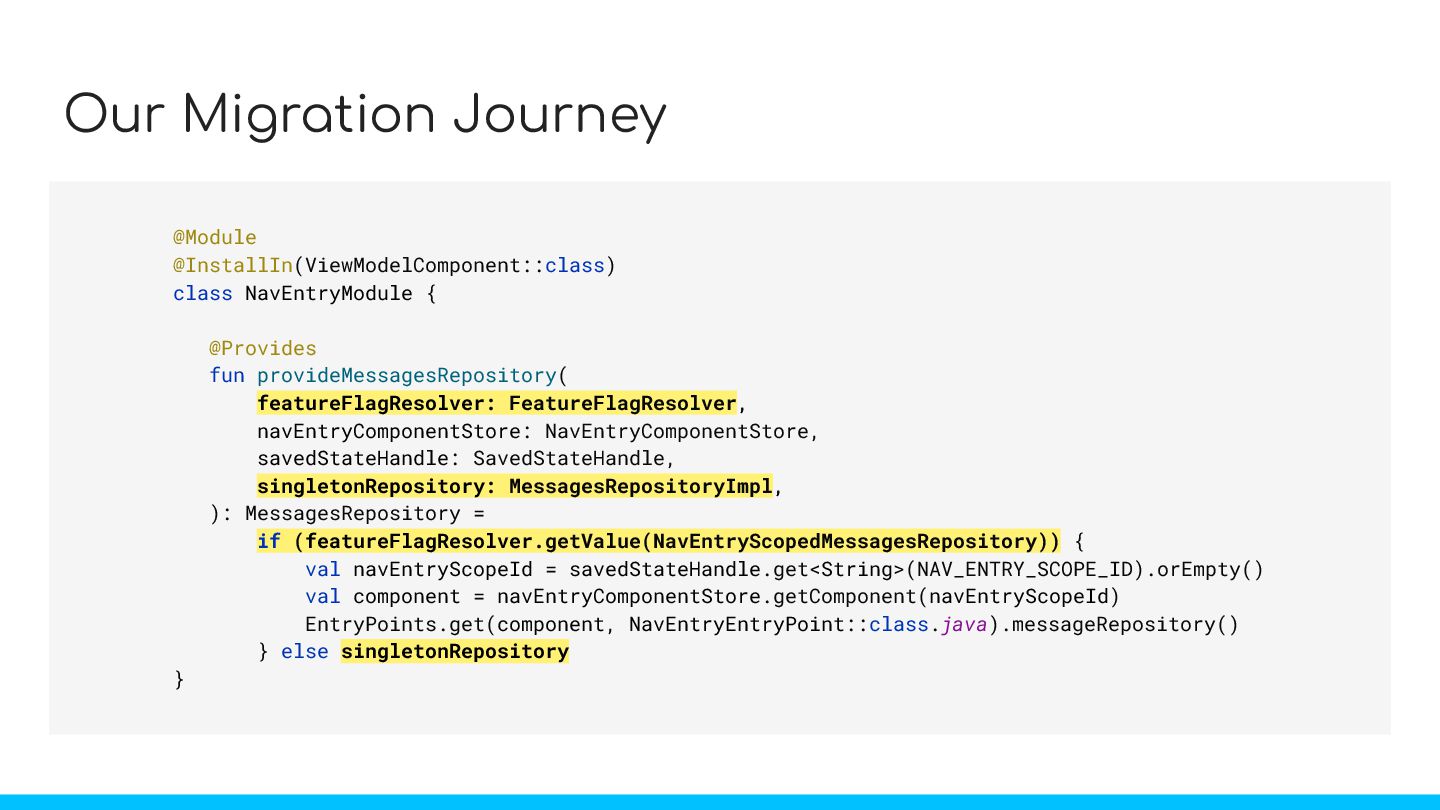
  53. Our Migration Journey @Module @InstallIn(ViewModelComponent::class) class NavEntryModule { @Provides fun

    provideMessagesRepository( featureFlagResolver: FeatureFlagResolver, navEntryComponentStore: NavEntryComponentStore, savedStateHandle: SavedStateHandle, singletonRepository: MessagesRepositoryImpl, ): MessagesRepository = if (featureFlagResolver.getValue(NavEntryScopedMessagesRepository)) { val navEntryScopeId = savedStateHandle.get<String>(NAV_ENTRY_SCOPE_ID).orEmpty() val component = navEntryComponentStore.getComponent(navEntryScopeId) EntryPoints.get(component, NavEntryEntryPoint::class.java).messageRepository() } else singletonRepository } featureFlagResolver: FeatureFlagResolver, if (featureFlagResolver.getValue(NavEntryScopedMessagesRepository)) singletonRepository: MessagesRepositoryImpl, singletonRepository
  54. How we migrated an existing Singleton repository and validated this

    approach: • Start small • Create the ideal repository and add the @NavEntryScoped annotation • Use a feature flag to control the new repository rollout • Be careful not to forget any hiltViewModel when navEntryScopedViewModel is required. If you forget to change the injection method, the app will crash. • After the release, check for crashes and performance degradations • Cleanup: remove the old repository and the feature flag Our Migration Journey How we migrated an existing Singleton repository and validated this approach: • Start small • Create the ideal repository and add the @NavEntryScoped annotation • Use a feature flag to control the new repository rollout • Be careful not to forget any hiltViewModel when navEntryScopedViewModel is required. If you forget to change the injection method, the app will crash. • After the release, check for crashes and performance degradations • Cleanup: remove the old repository and the feature flag
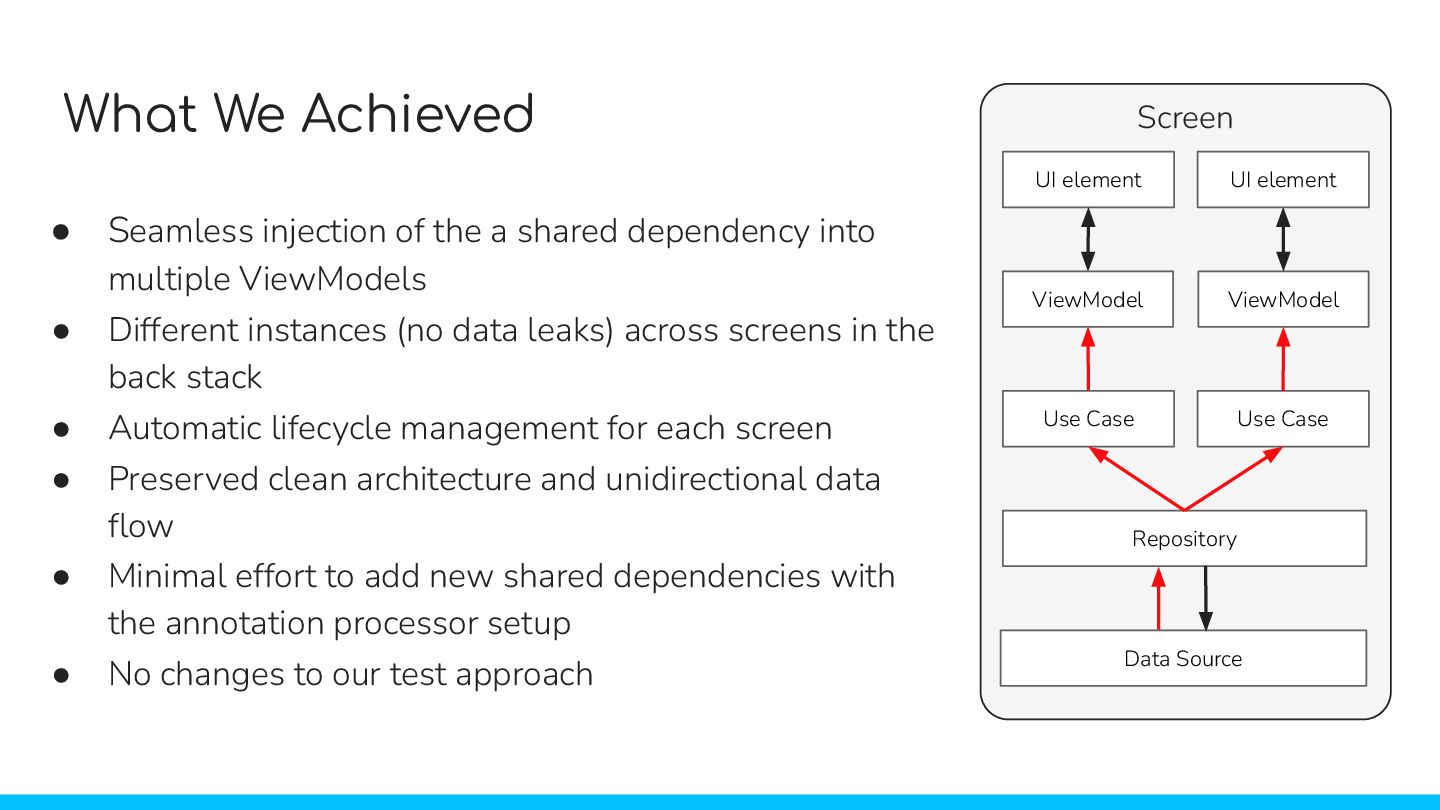
  55. What We Achieved • Seamless injection of the a shared

    dependency into multiple ViewModels • Different instances (no data leaks) across screens in the back stack • Automatic lifecycle management for each screen • Preserved clean architecture and unidirectional data flow • Minimal effort to add new shared dependencies with the annotation processor setup • No changes to our test approach UI element UI element ViewModel ViewModel Screen Use Case Use Case Repository Data Source
  56. Resources ⇧ Sample Code ⇧ About Mercari https://about.mercari.com/en/ Mercari Engineering

    https://engineering.mercari.com/en/ Sample Repository https://github.com/mercari/sample-nav-entry-s cope-android Slide Deck https://bit.ly/NavEntryScopeSlides LinkedIn https://www.linkedin.com/in/lucabettelli/