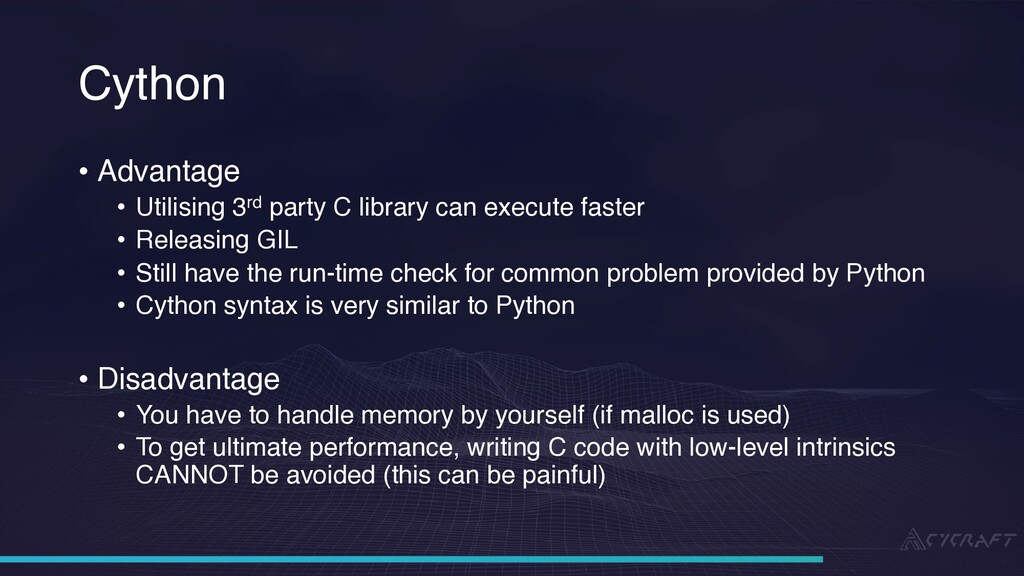
3rd party C library can execute faster • Releasing GIL • Still have the run-time check for common problem provided by Python • Cython syntax is very similar to Python • Disadvantage • You have to handle memory by yourself (if malloc is used) • To get ultimate performance, writing C code with low-level intrinsics CANNOT be avoided (this can be painful)
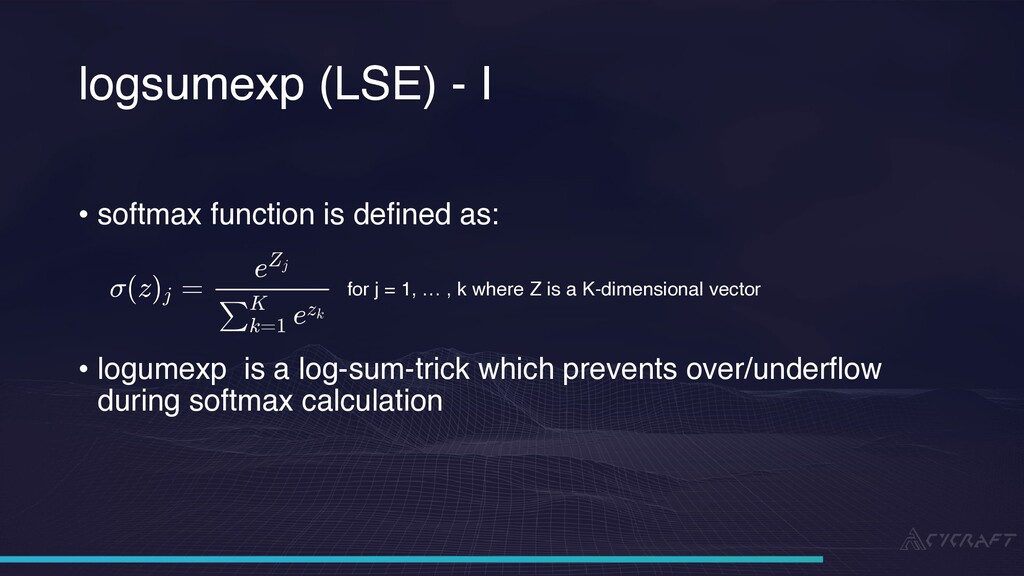
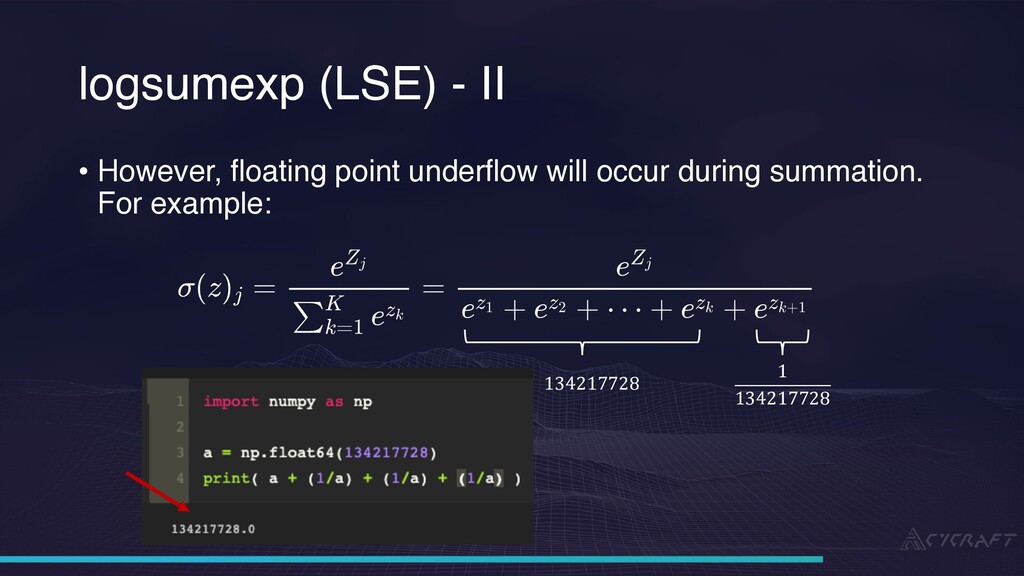
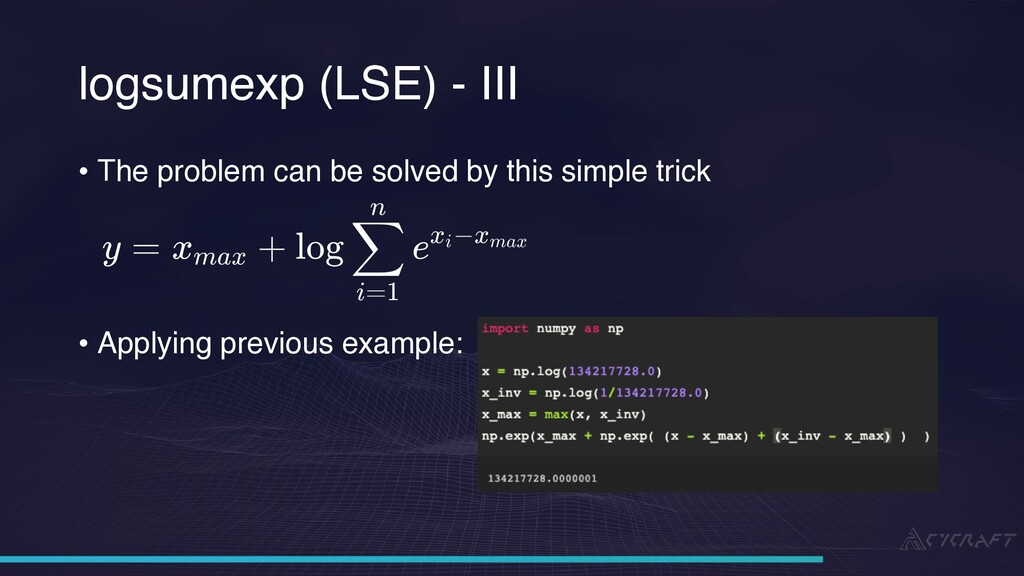
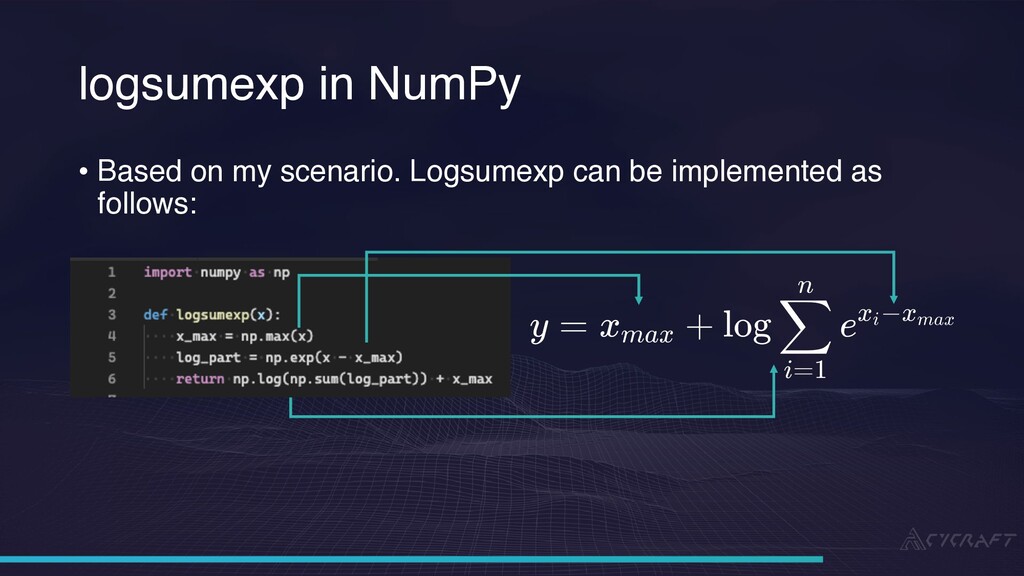
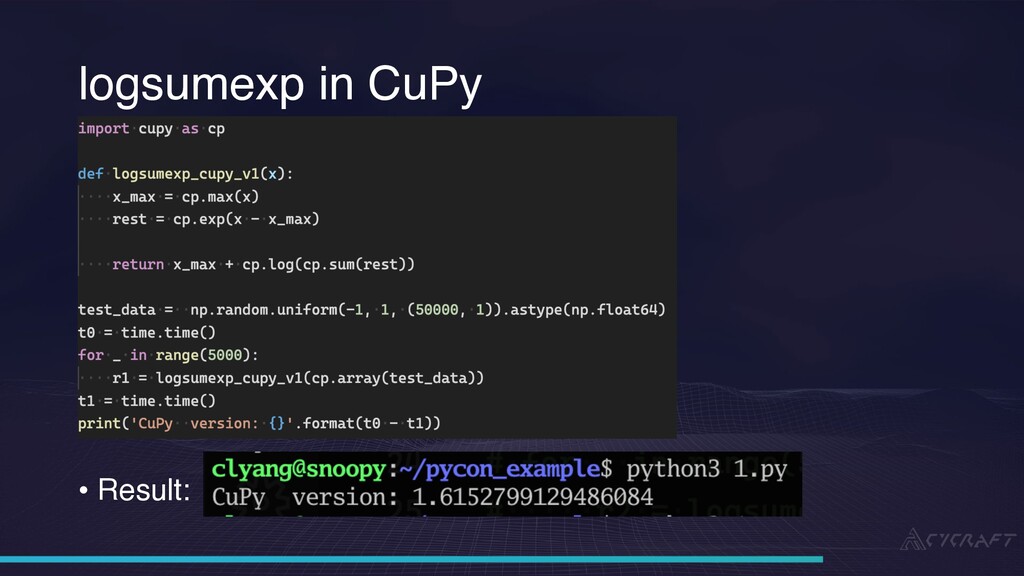
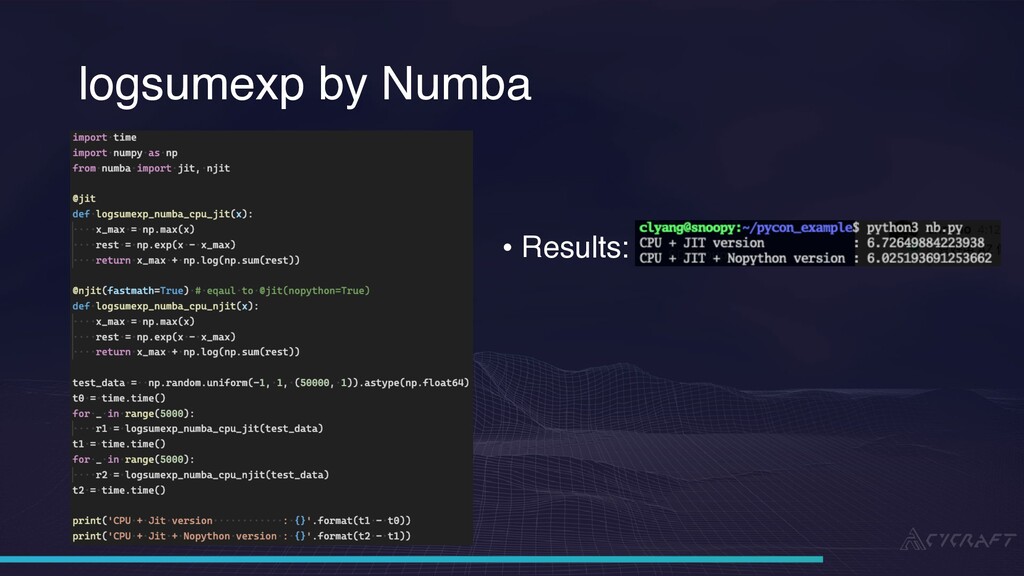
softmax function is defined as: for j = 1, … , k where Z is a K-dimensional vector • logumexp is a log-sum-trick which prevents over/underflow during softmax calculation
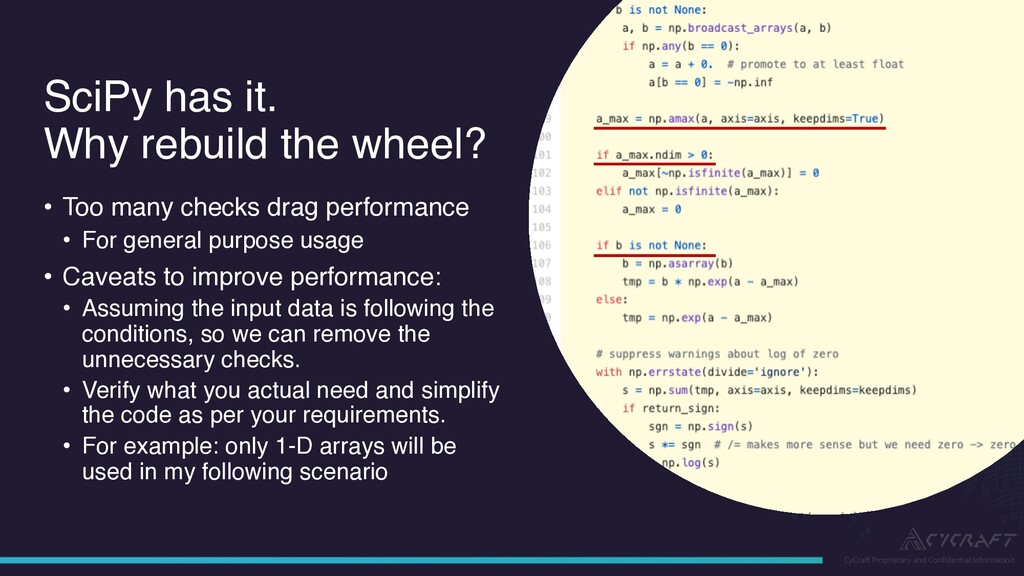
the wheel? • Too many checks drag performance • For general purpose usage • Caveats to improve performance: • Assuming the input data is following the conditions, so we can remove the unnecessary checks. • Verify what you actual need and simplify the code as per your requirements. • For example: only 1-D arrays will be used in my following scenario
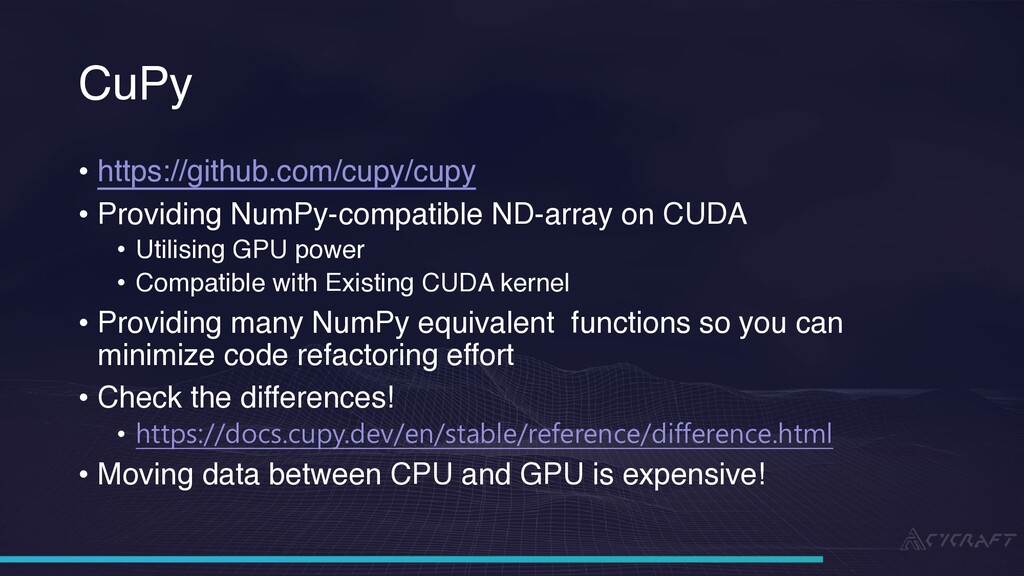
NumPy-compatible ND-array on CUDA • Utilising GPU power • Compatible with Existing CUDA kernel • Providing many NumPy equivalent functions so you can minimize code refactoring effort • Check the differences! • https://docs.cupy.dev/en/stable/reference/difference.html • Moving data between CPU and GPU is expensive!
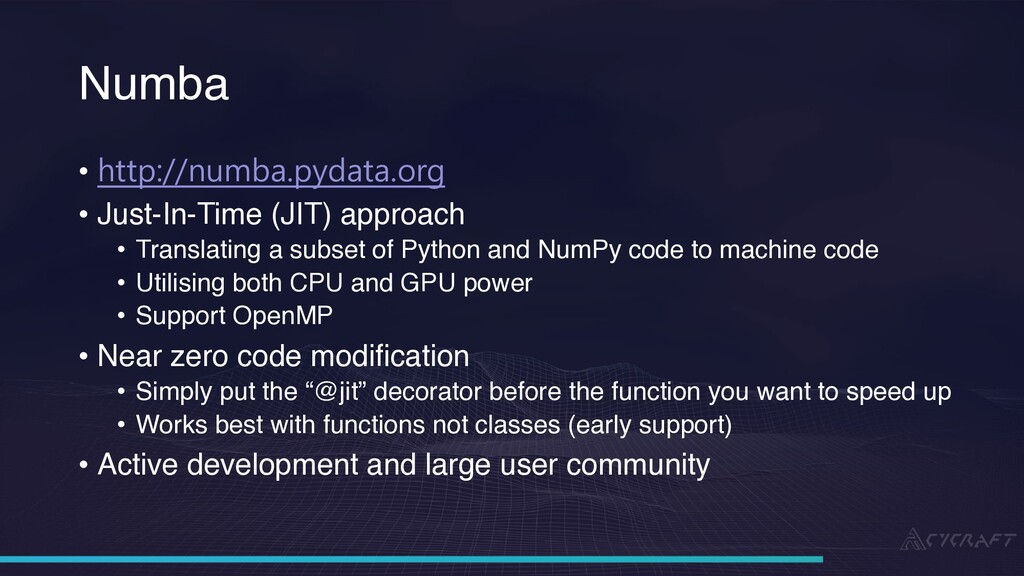
(JIT) approach • Translating a subset of Python and NumPy code to machine code • Utilising both CPU and GPU power • Support OpenMP • Near zero code modification • Simply put the “@jit” decorator before the function you want to speed up • Works best with functions not classes (early support) • Active development and large user community
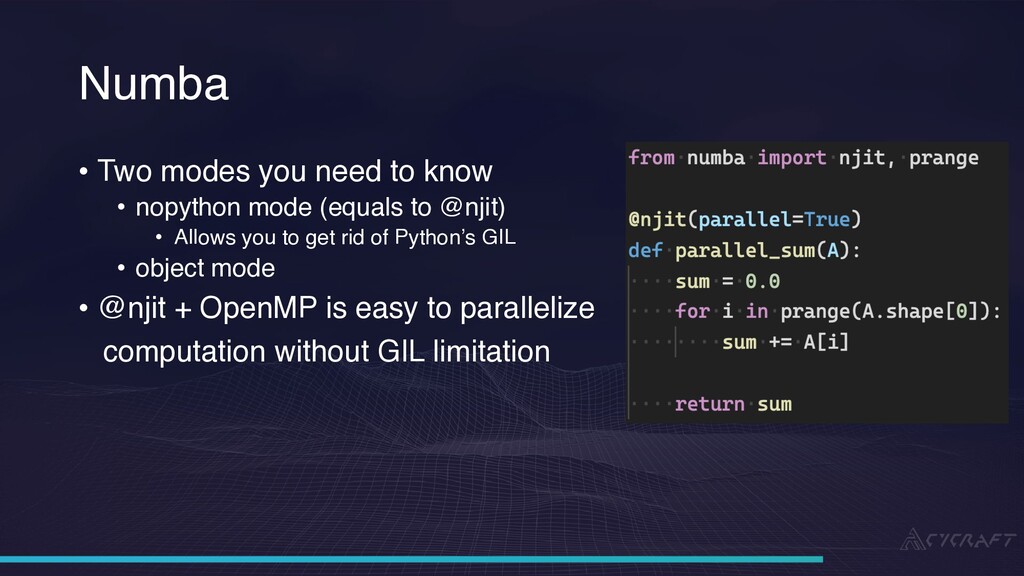
need to know • nopython mode (equals to @njit) • Allows you to get rid of Python’s GIL • object mode • @njit + OpenMP is easy to parallelize computation without GIL limitation
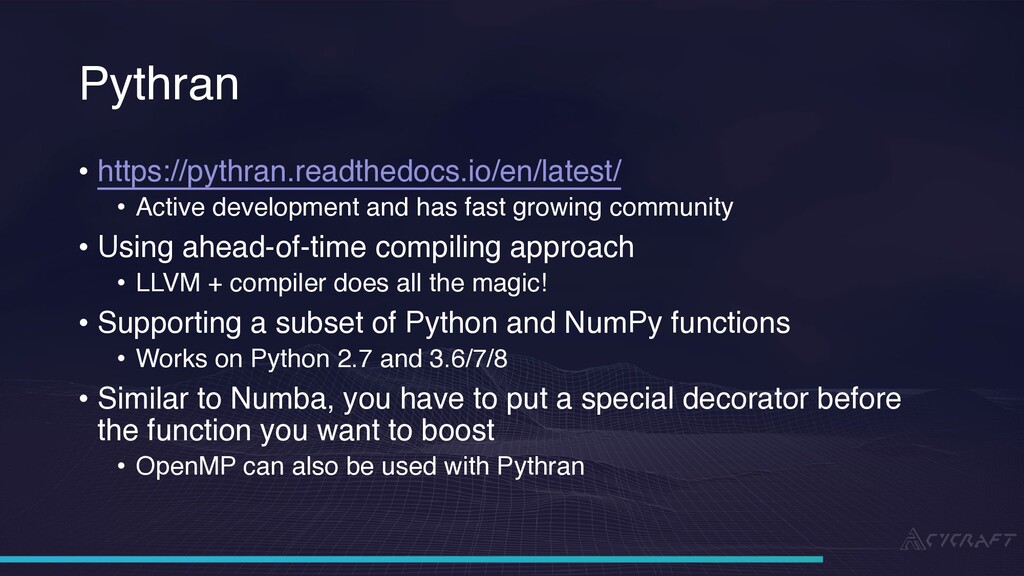
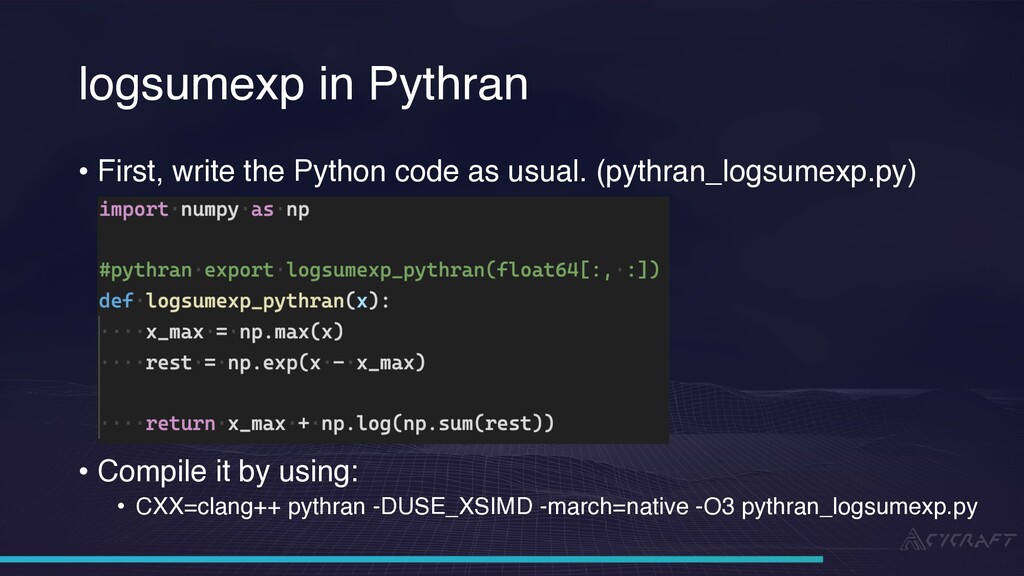
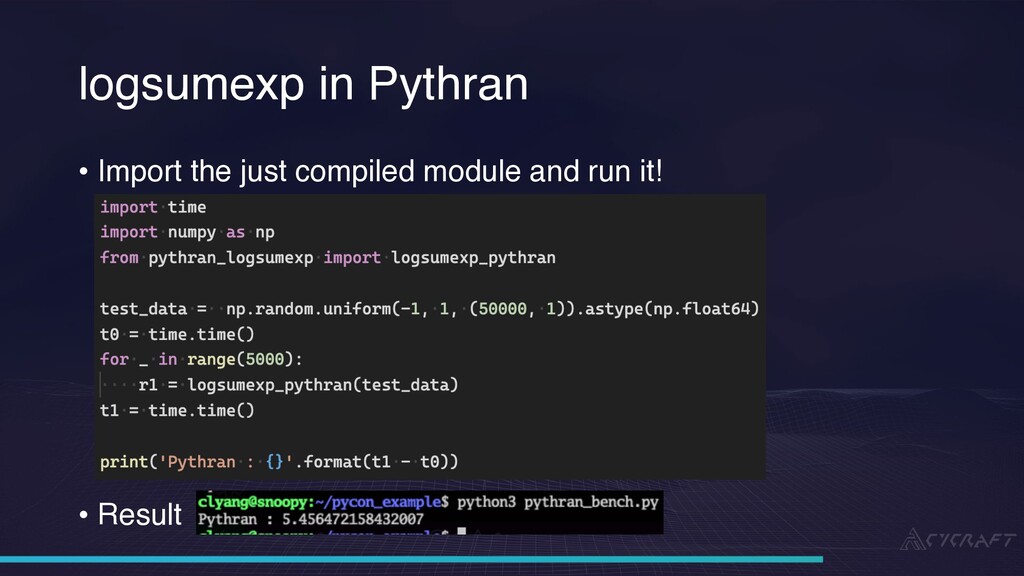
development and has fast growing community • Using ahead-of-time compiling approach • LLVM + compiler does all the magic! • Supporting a subset of Python and NumPy functions • Works on Python 2.7 and 3.6/7/8 • Similar to Numba, you have to put a special decorator before the function you want to boost • OpenMP can also be used with Pythran
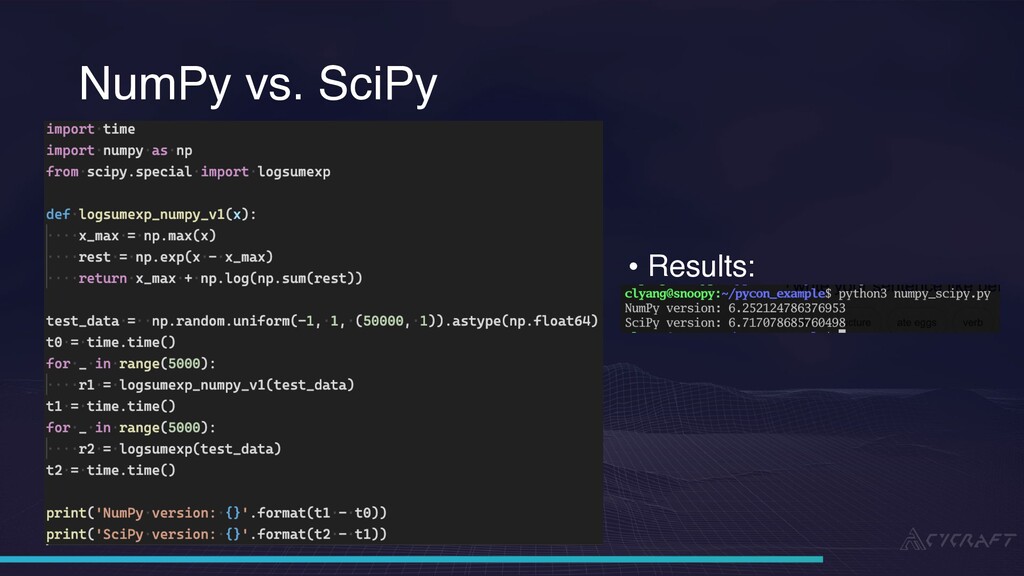
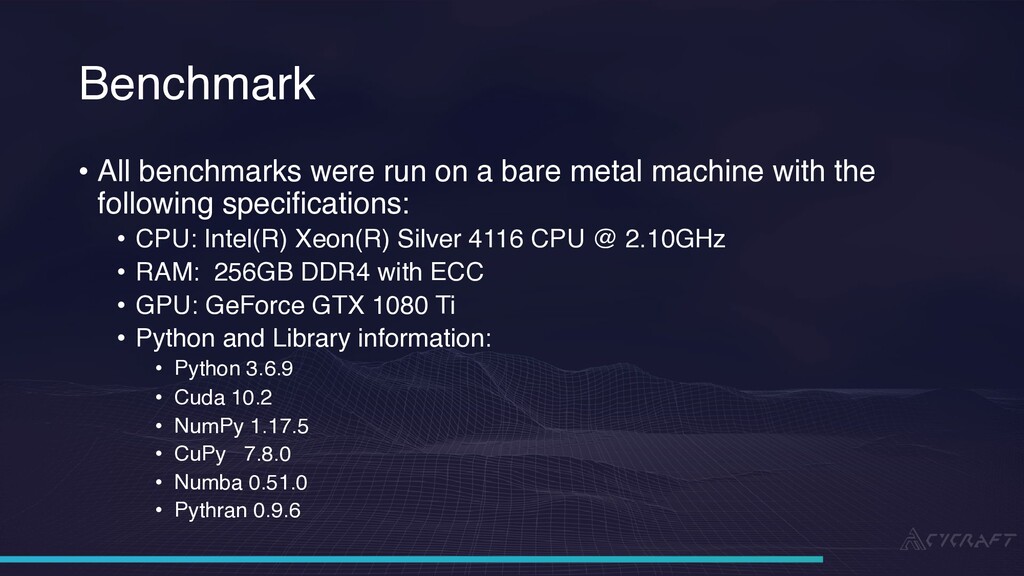
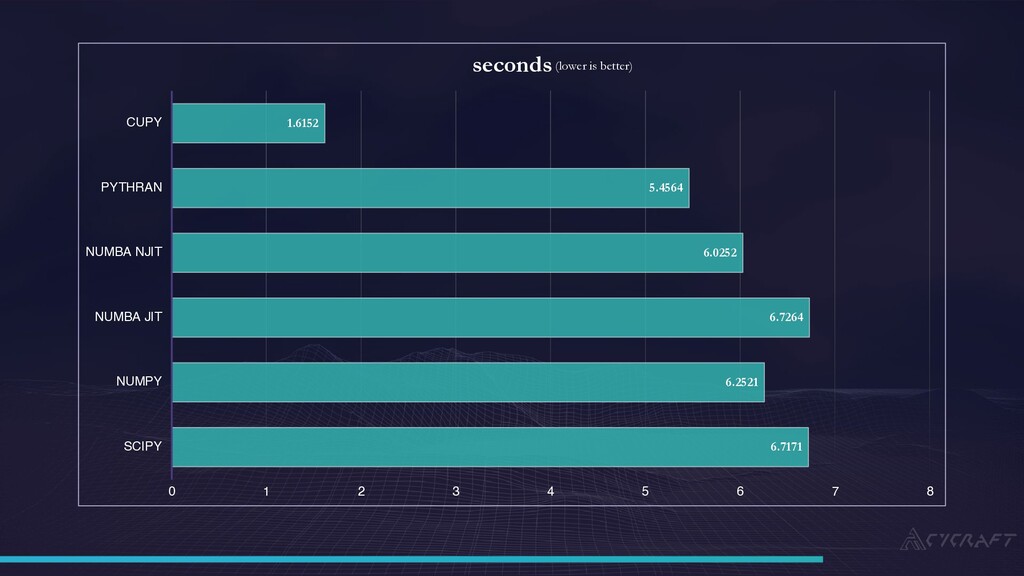
run on a bare metal machine with the following specifications: • CPU: Intel(R) Xeon(R) Silver 4116 CPU @ 2.10GHz • RAM: 256GB DDR4 with ECC • GPU: GeForce GTX 1080 Ti • Python and Library information: • Python 3.6.9 • Cuda 10.2 • NumPy 1.17.5 • CuPy 7.8.0 • Numba 0.51.0 • Pythran 0.9.6
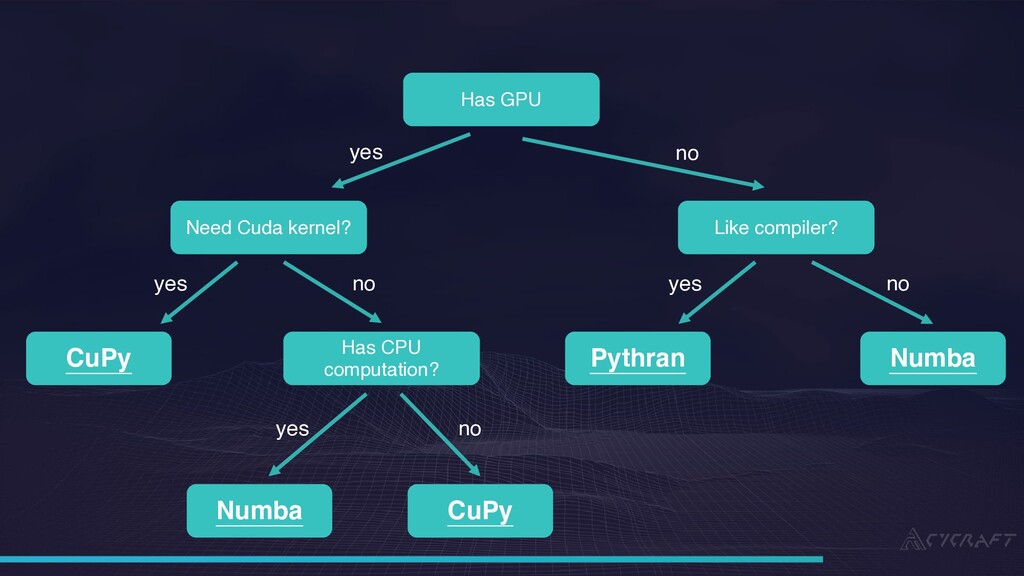
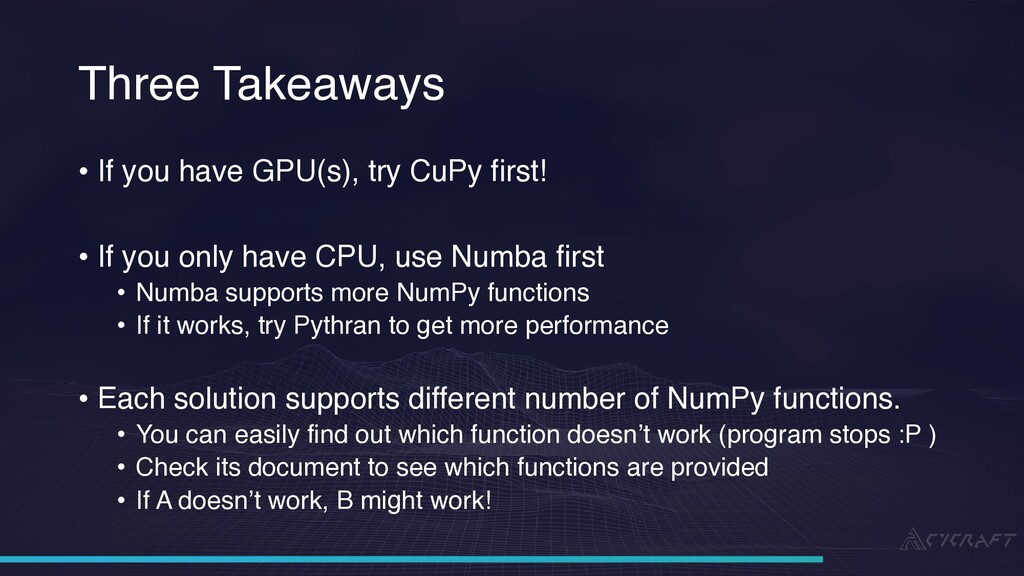
have GPU(s), try CuPy first! • If you only have CPU, use Numba first • Numba supports more NumPy functions • If it works, try Pythran to get more performance • Each solution supports different number of NumPy functions. • You can easily find out which function doesn’t work (program stops :P ) • Check its document to see which functions are provided • If A doesn’t work, B might work!

 SiteGround - Reliable hosting with speed, security, and support you can count on.


 clyang
 tomokon
 yasaichi
 ryu1013
 kenjiyoneyama
 o0h
o0h
 gam0022
 irinanazarova
 mixplace
 clockmaker
 a_matsuda
 kaityo256
 iamctodd
 geoffreycrofte
 jacobian
 jnunemaker
 vanstee
 thirion
 csswizardry
 tammyeverts
 trishagee
 mayunak
 erikaheidi
 davetheseo