Upgrade to Pro — share decks privately, control downloads, hide ads and more …

VPN Security

Avatar for CPU2021 CPU2021
August 20, 2021

VPN Security

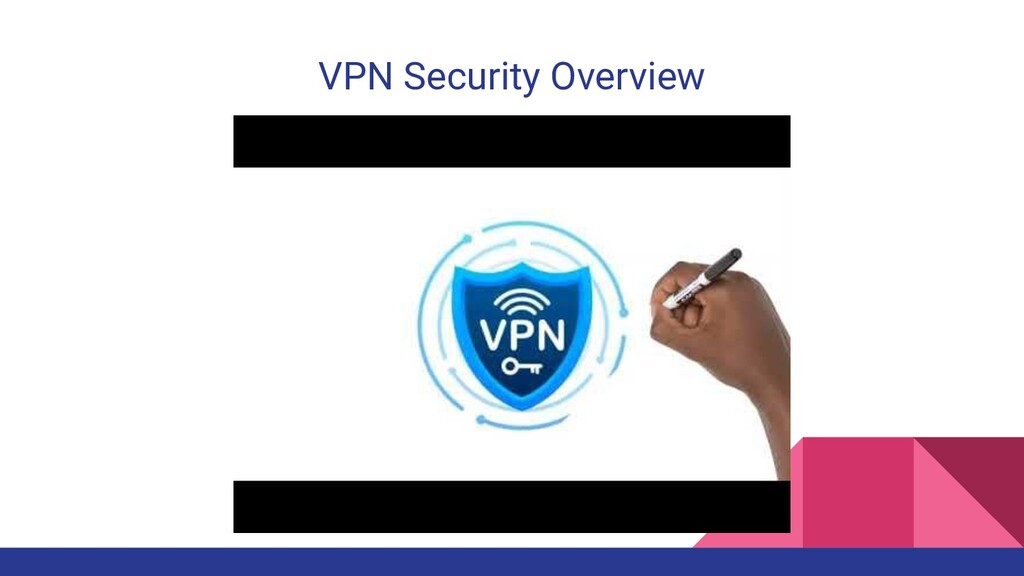
In the last year and half, there has been a increase shift to remote work. We discuss how essential VPN's are for the security of a company and how they prevent cyberattacks that may result in major data loss and security breaches.

VPN Security Video
https://youtu.be/kf7C8RfMv2U

Avatar for CPU2021

CPU2021

August 20, 2021

More Decks by CPU2021

Other Decks in Technology

Transcript

  1. VPN Security A Workshop Series for the C-Suite Presented by:

    Uzo Akwue, Paige Green and Chantelle Janeen Turnbull
  2. Goals of Workshop • An hour and half long workshop

    to define a Virtual Private Network and its importance to the company • Examine the potential threats that come with not having a VPN network setup for all employees • Put an emphasis on why the VPN should be included in the Defense in Depth security strategy • Demonstrate how to install a VPN • Show various tests to ensure a VPN is actually secure
  3. Materials • Google Slides • YouTube ◦ https://youtu.be/kf7C8RfMv2U • Kali

    Linux • Windscribe VPN Account and Download • VPN Leak Testing ◦ ipleak.net
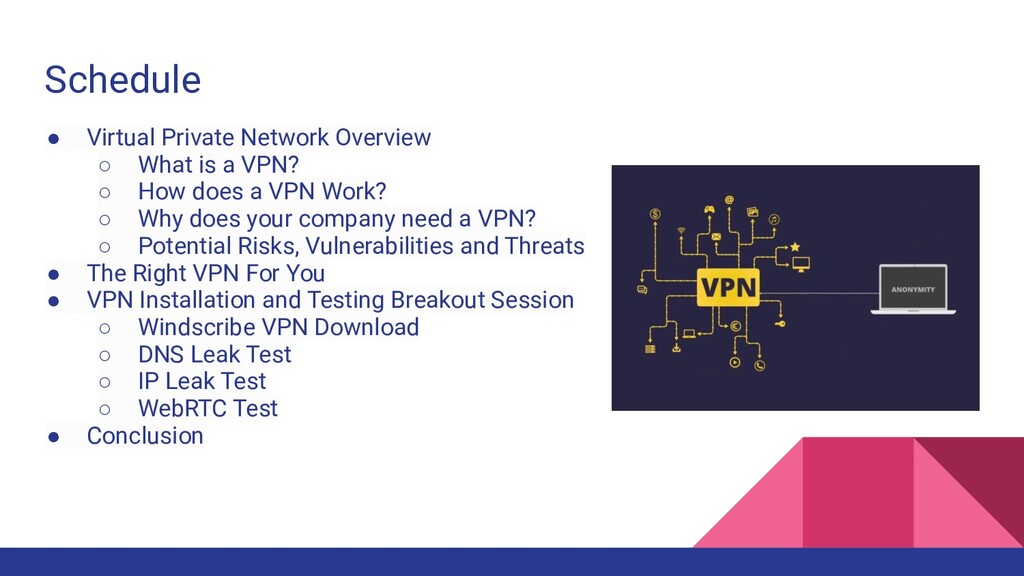
  4. Schedule • Virtual Private Network Overview ◦ What is a

    VPN? ◦ How does a VPN Work? ◦ Why does your company need a VPN? ◦ Potential Risks, Vulnerabilities and Threats • The Right VPN For You • VPN Installation and Testing Breakout Session ◦ Windscribe VPN Download ◦ DNS Leak Test ◦ IP Leak Test ◦ WebRTC Test • Conclusion
  5. A few factors to consider when you are looking for

    a VPN that aligns with your company’s goals: • Speed • Security • Accessibility Speed A slow internet is frustrating and a slow VPN will increase a user’s frustration even more. A fast connection is vital especially while working remotely. Be sure to test the VPN speed before you commit to one. https://vpnpro.sale/speed-test/. Security In order to maintain consistent security and access to all of your applications, consider a remote access VPN. With a remote access VPN, information can be transmitted without an having to worry about the communication being intercepted. Accessibility The availability of a VPN in various countries around the world is crucial when considering the right VPN. Ensure you will have access to all of your services no matter where in the world you are located. The Right VPN For You
  6. Windscribe VPN is a set of tools that work together

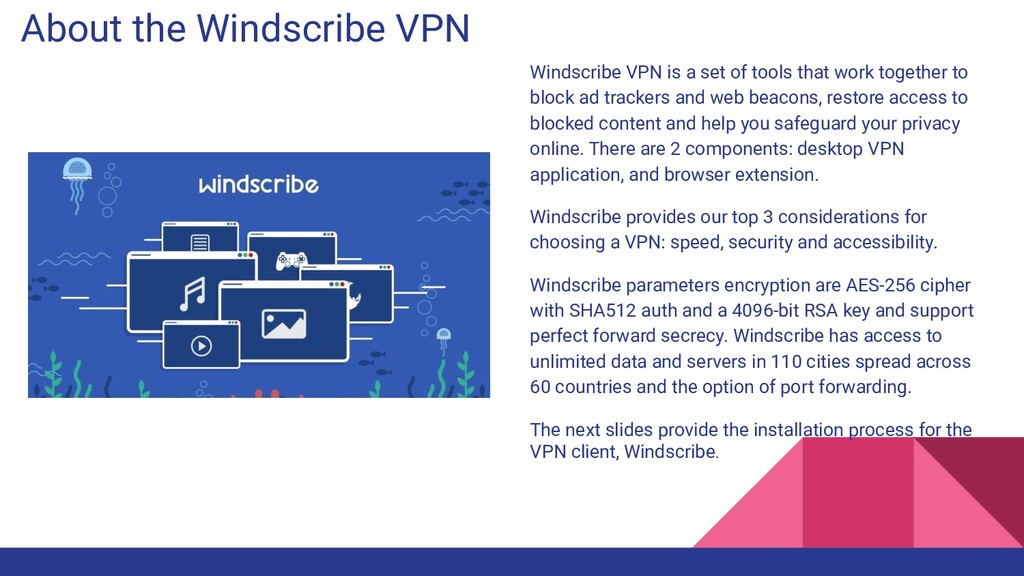
    to block ad trackers and web beacons, restore access to blocked content and help you safeguard your privacy online. There are 2 components: desktop VPN application, and browser extension. Windscribe provides our top 3 considerations for choosing a VPN: speed, security and accessibility. Windscribe parameters encryption are AES-256 cipher with SHA512 auth and a 4096-bit RSA key and support perfect forward secrecy. Windscribe has access to unlimited data and servers in 110 cities spread across 60 countries and the option of port forwarding. The next slides provide the installation process for the VPN client, Windscribe. About the Windscribe VPN
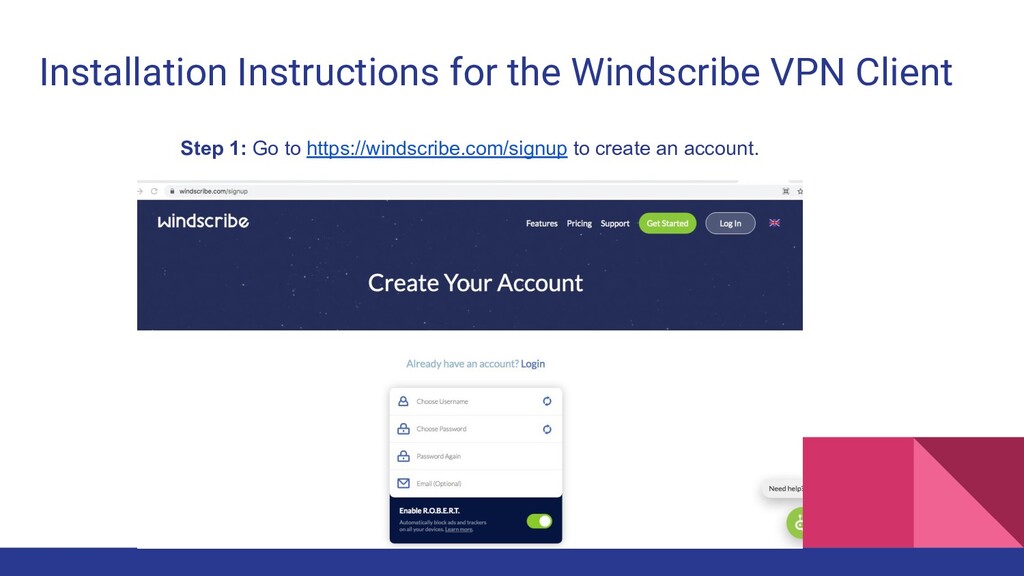
  7. Installation Instructions for the Windscribe VPN Client Step 1: Go

    to https://windscribe.com/signup to create an account.
  8. Step 3: Open your terminal, type the command below to

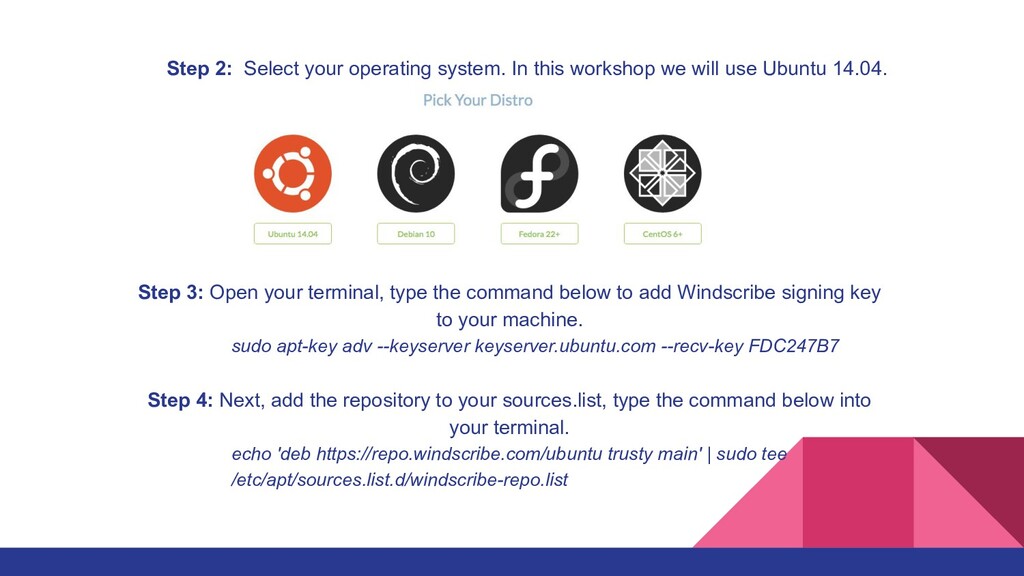
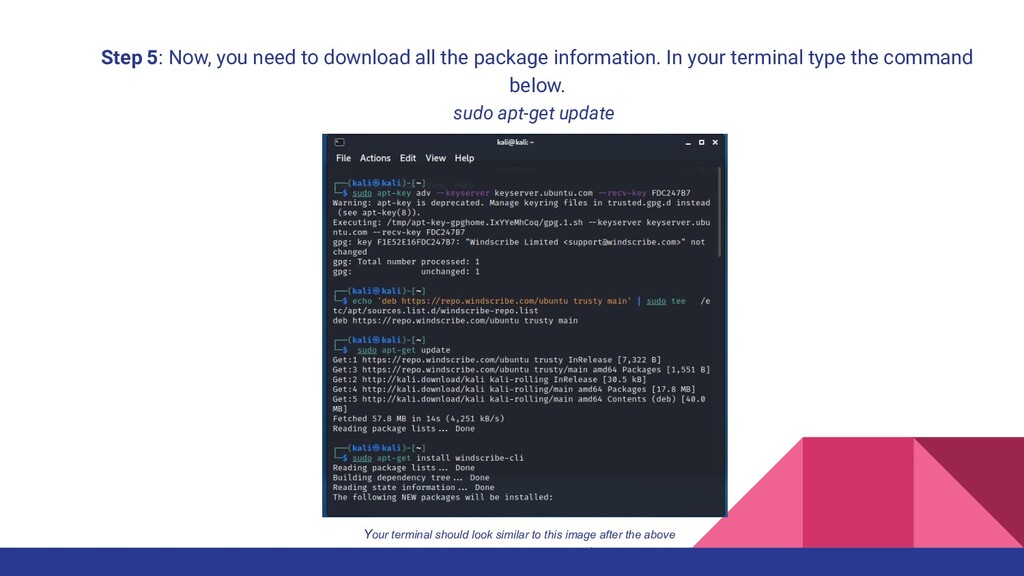
    add Windscribe signing key to your machine. sudo apt-key adv --keyserver keyserver.ubuntu.com --recv-key FDC247B7 Step 4: Next, add the repository to your sources.list, type the command below into your terminal. echo 'deb https://repo.windscribe.com/ubuntu trusty main' | sudo tee /etc/apt/sources.list.d/windscribe-repo.list Step 2: Select your operating system. In this workshop we will use Ubuntu 14.04.
  9. Step 5: Now, you need to download all the package

    information. In your terminal type the command below. sudo apt-get update Your terminal should look similar to this image after the above is completed.(Kali users only)
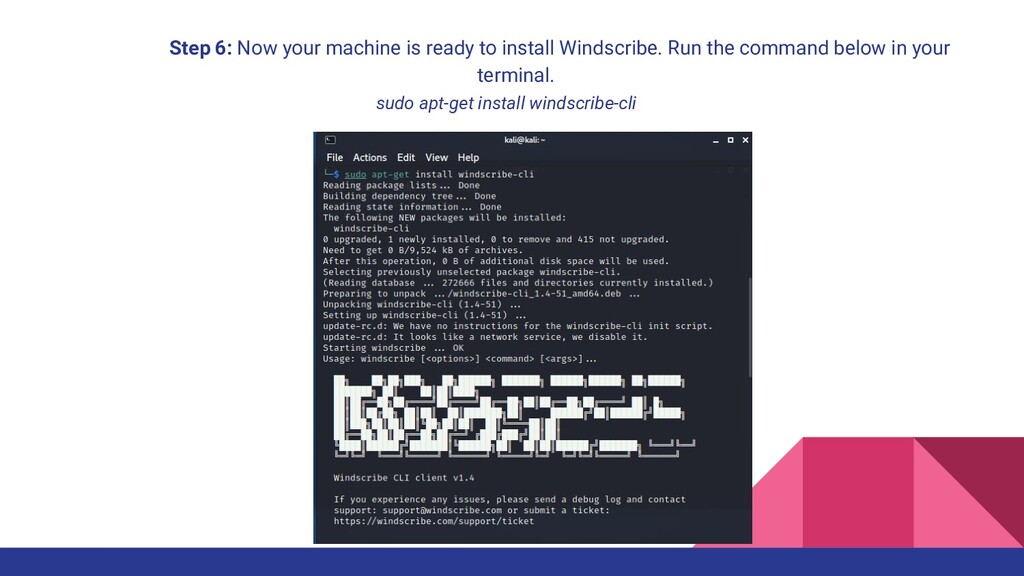
  10. Step 6: Now your machine is ready to install Windscribe.

    Run the command below in your terminal. sudo apt-get install windscribe-cli
  11. Step 7: You will use the account information to login

    into Windscribe from your terminal. Type the command below into your terminal. • Windscribe login • You will now be prompted to provide your username and password. • Finally you can connect to your windscribe VPN. Type, windscribe connect into your terminal. Step 8: You have successfully installed Windscribe VPN onto your machine. Windscribe works best with both the installation and browser extension
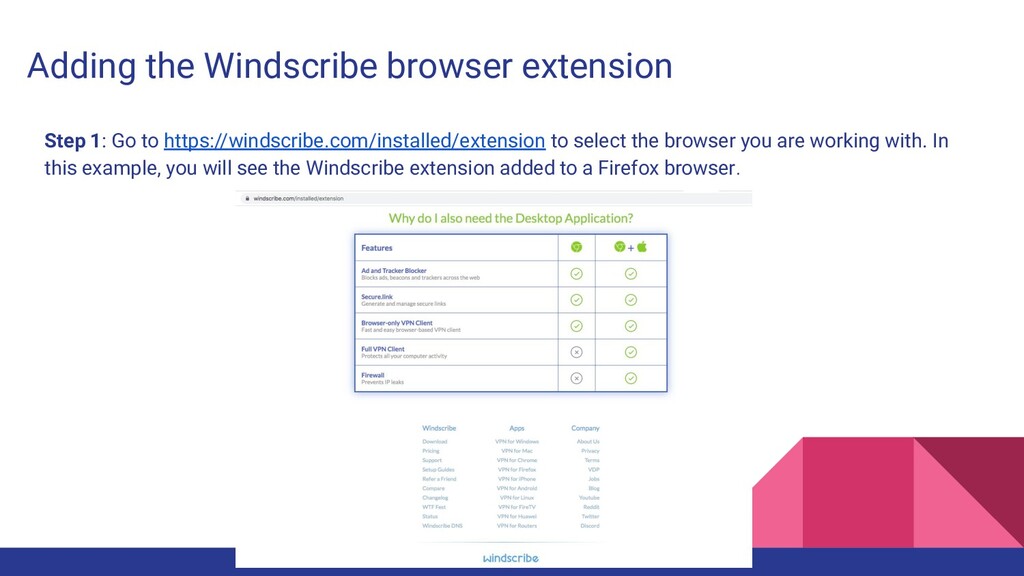
  12. Adding the Windscribe browser extension Step 1: Go to https://windscribe.com/installed/extension

    to select the browser you are working with. In this example, you will see the Windscribe extension added to a Firefox browser.
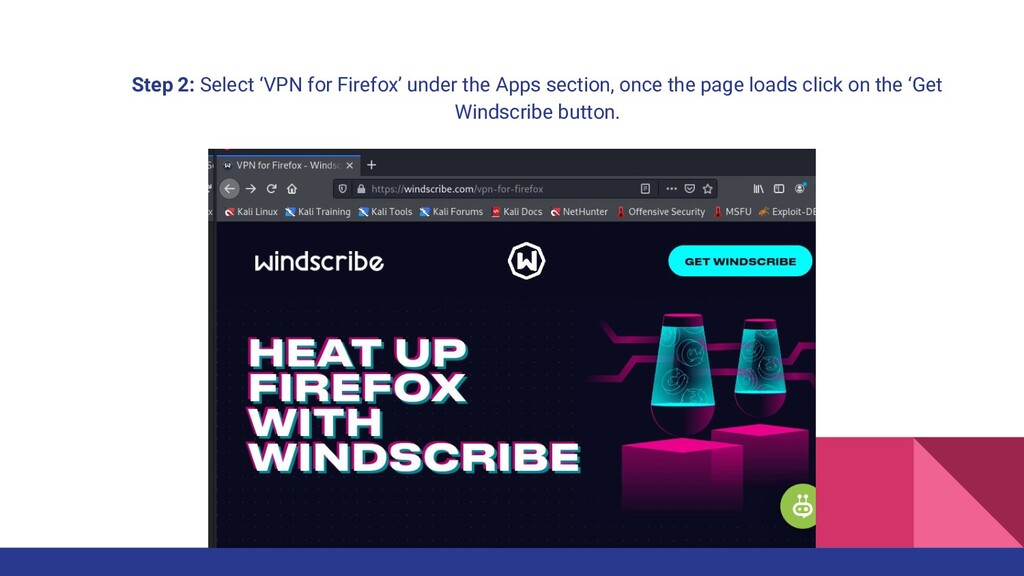
  13. Step 2: Select ‘VPN for Firefox’ under the Apps section,

    once the page loads click on the ‘Get Windscribe button.
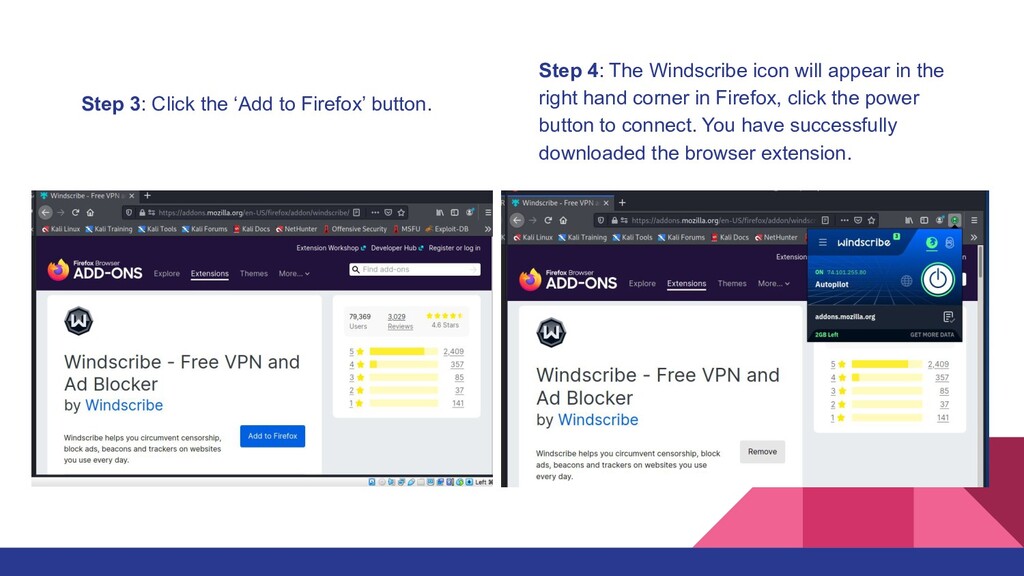
  14. Step 3: Click the ‘Add to Firefox’ button. Step 4:

    The Windscribe icon will appear in the right hand corner in Firefox, click the power button to connect. You have successfully downloaded the browser extension.
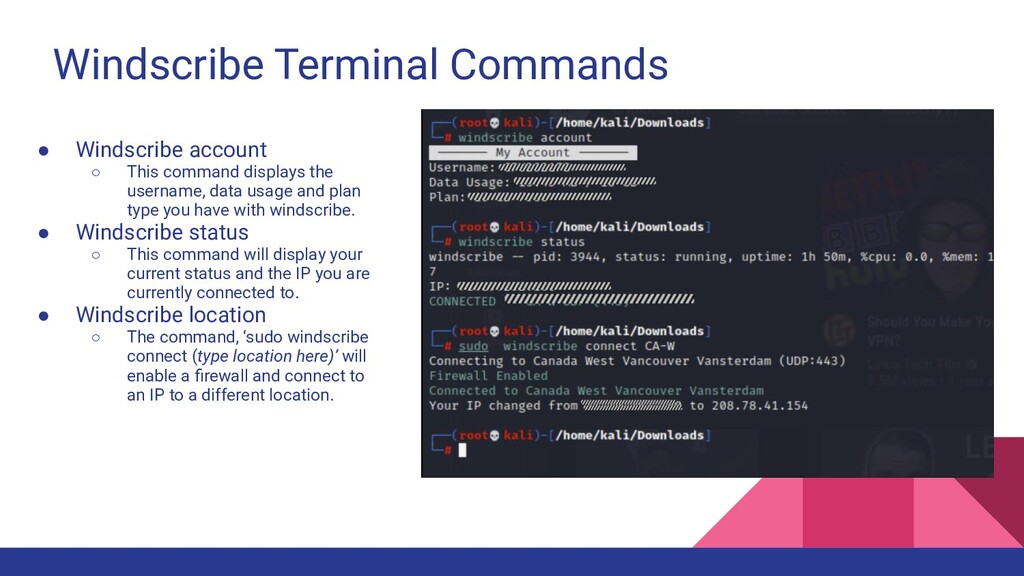
  15. Windscribe Terminal Commands • Windscribe account ◦ This command displays

    the username, data usage and plan type you have with windscribe. • Windscribe status ◦ This command will display your current status and the IP you are currently connected to. • Windscribe location ◦ The command, ‘sudo windscribe connect (type location here)’ will enable a firewall and connect to an IP to a different location.
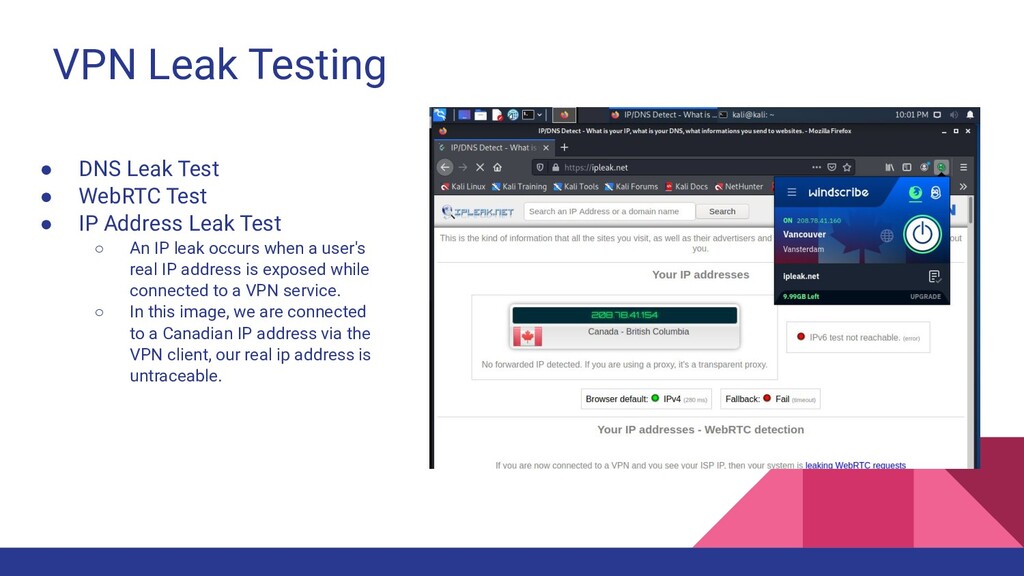
  16. VPN Leak Testing • DNS Leak Test • WebRTC Test

    • IP Address Leak Test ◦ An IP leak occurs when a user's real IP address is exposed while connected to a VPN service. ◦ In this image, we are connected to a Canadian IP address via the VPN client, our real ip address is untraceable.
  17. Conclusion Wrap-Up Looking at all these factors, it is safe

    to conclude that using a VPN service boosts your computer security level, making you less vulnerable to ransomware attacks. To ensure that your vital data stays out of reach of hackers, using such a service can really be helpful. Apart from keeping your data encrypted, a VPN also helps you to remain anonymous and untraceable online. However, make sure that you conduct thorough research before you settle on a particular VPN service provider. Always go for a reputable service that offers the necessary expertise when it comes to online security. Keep in mind that complementing your VPN with safer online usage habits can make you almost untouchable.