Upgrade to Pro — share decks privately, control downloads, hide ads and more …

Accessible and Usable Security: Exploring Visua...

Accessible and Usable Security: Exploring Visually Impaired Users’ Online Security and Privacy Strategies

Slides for my Master's thesis defence in August 2018.

Abstract: Visually impaired individuals are increasingly reliant on the Internet in their daily lives. Yet, existing security mechanisms may not sufficiently help these users protect their online security and privacy. We explore this issue through two complementary studies. First, we conduct an expert evaluation to assess web-based security cues through JAWS. We propose a set of 9 heuristics combining usable security and web accessibility principles to guide our expert evaluation. We uncover several severe issues that are not identified by automated accessibility checkers. Second, we conduct a task-based user study with 14 visually impaired users to observe their security habits and concerns when navigating the web. Again, our findings suggest that severe usability issues lead users to take risks or force them to choose between accessibility or security. Based on our findings, we provide practical recommendations to remedy these issues by tailoring security information to effectively communicate with visually impaired users.

Avatar for Daniela Napoli

Daniela Napoli

October 07, 2026

More Decks by Daniela Napoli

Other Decks in Research

Transcript

  1. Daniela Napoli Accessible and Usable Security: Exploring Visually Impaired Users’

    Online Security and Privacy Strategies Supported by the Digital Inclusion Research Grant from eCampusOntario for 2017-18.
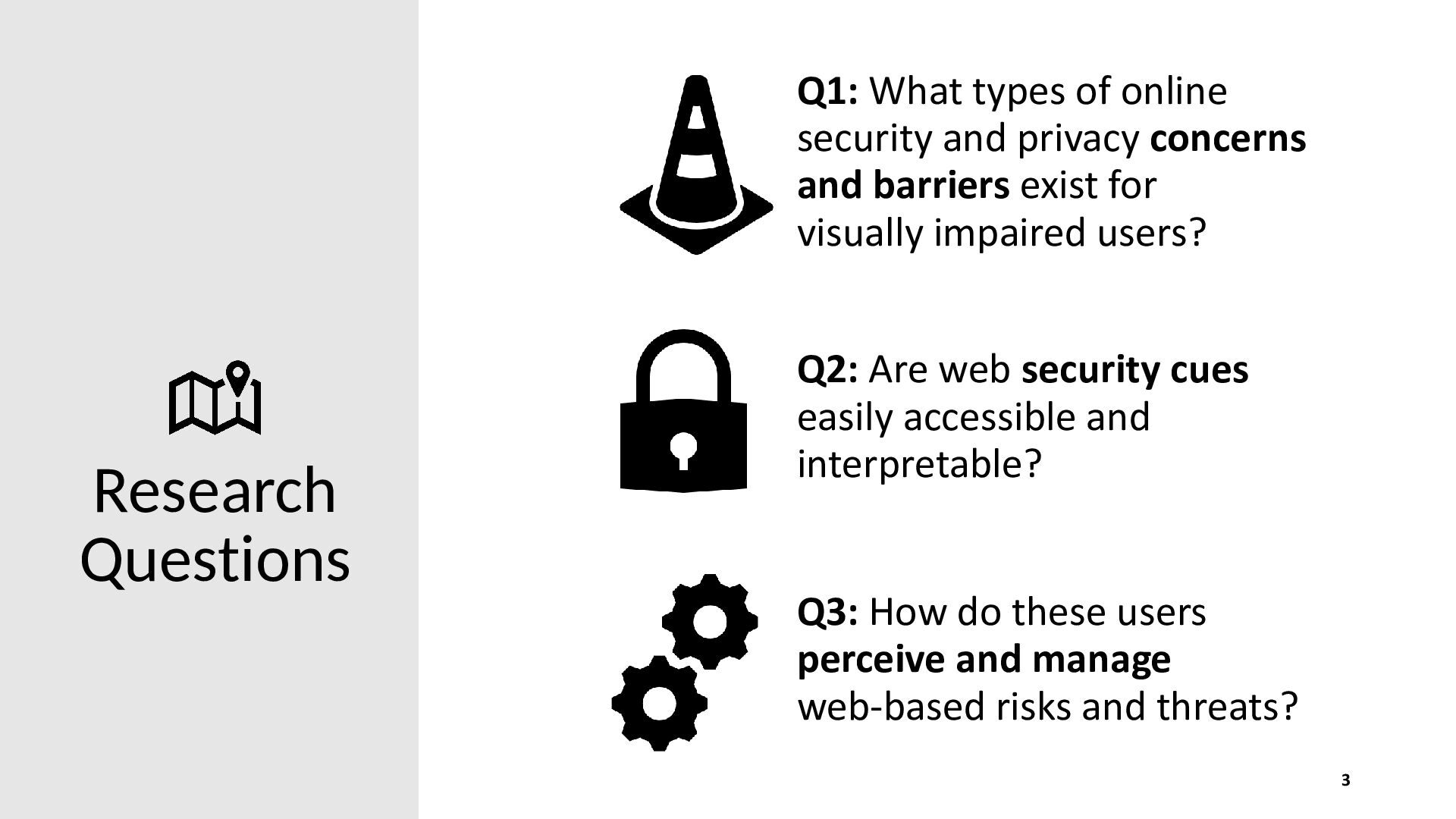
  2. Q1: What types of online security and privacy concerns and

    barriers exist for visually impaired users? Research Questions Q2: Are web security cues easily accessible and interpretable? Q3: How do these users perceive and manage web-based risks and threats? 3
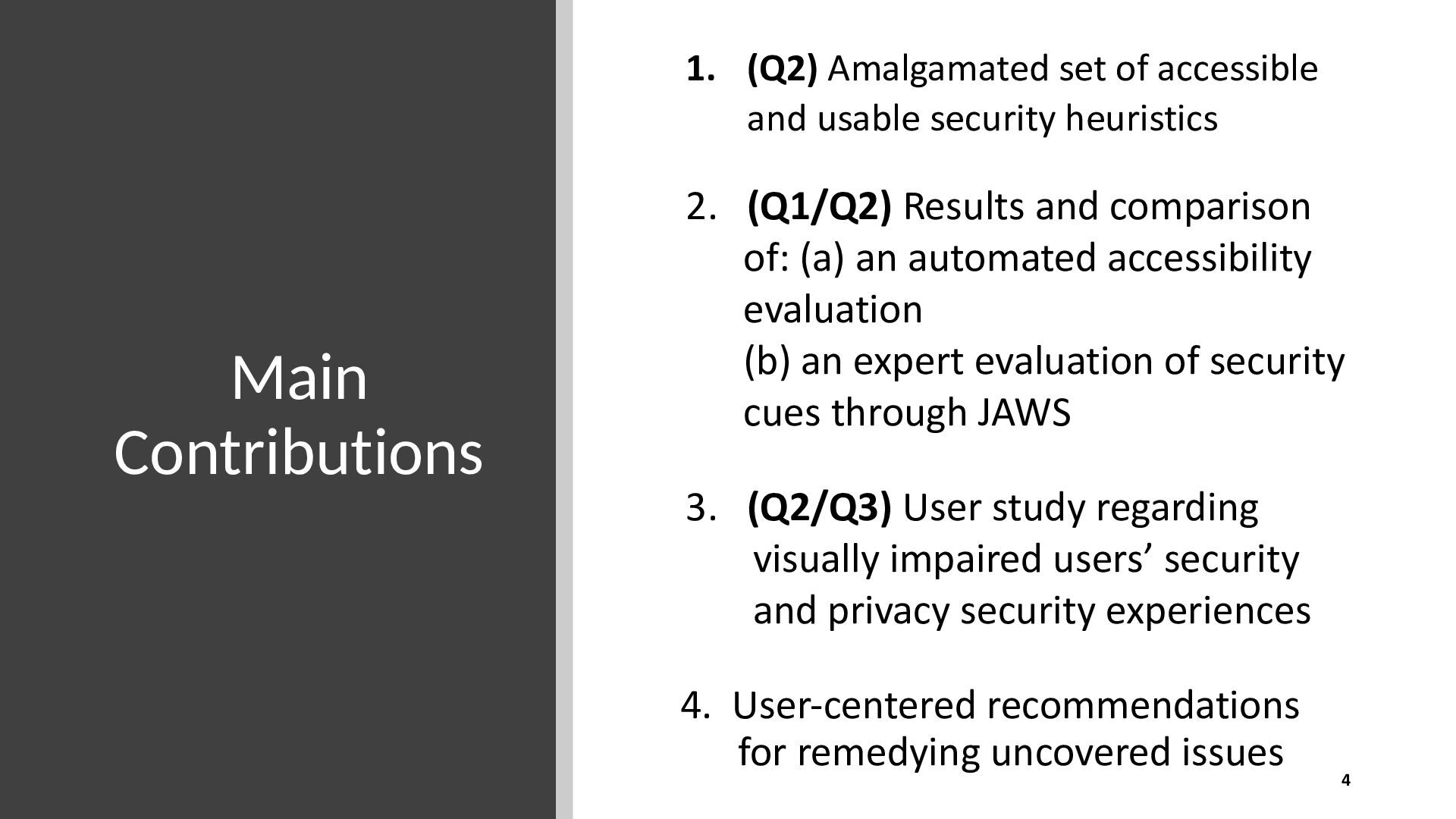
  3. 1. (Q2) Amalgamated set of accessible and usable security heuristics

    Main Contributions 2. (Q1/Q2) Results and comparison of: (a) an automated accessibility evaluation (b) an expert evaluation of security cues through JAWS 3. (Q2/Q3) User study regarding visually impaired users’ security and privacy security experiences 4. User-centered recommendations for remedying uncovered issues 4
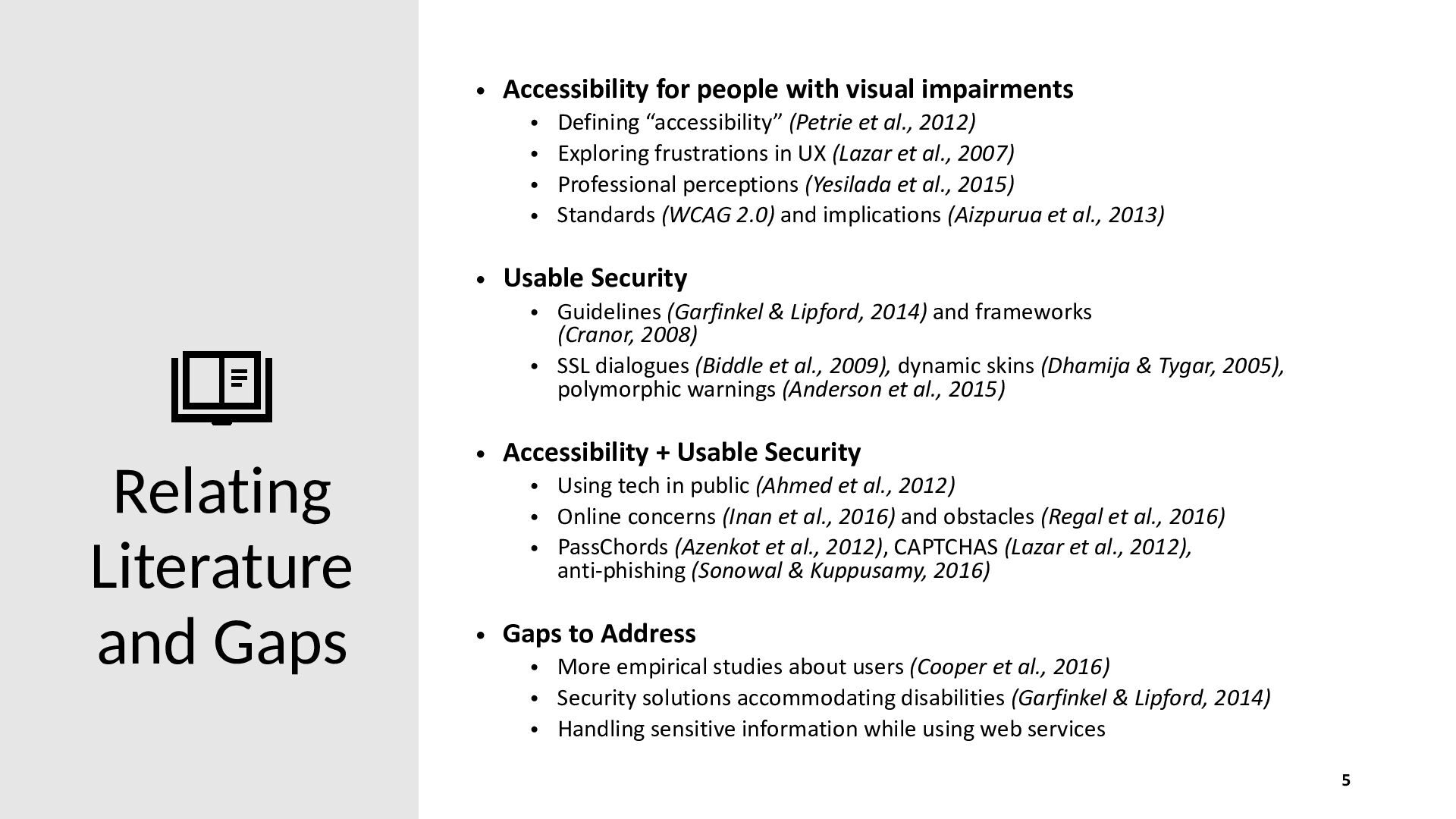
  4. • Accessibility for people with visual impairments • • •

    • Defining “accessibility” (Petrie et al., 2012) Exploring frustrations in UX (Lazar et al., 2007) Professional perceptions (Yesilada et al., 2015) Standards (WCAG 2.0) and implications (Aizpurua et al., 2013) • Usable Security • Guidelines (Garfinkel & Lipford, 2014) and frameworks (Cranor, 2008) • SSL dialogues (Biddle et al., 2009), dynamic skins (Dhamija & Tygar, 2005), polymorphic warnings (Anderson et al., 2015) Relating Literature and Gaps • Accessibility + Usable Security • Using tech in public (Ahmed et al., 2012) • Online concerns (Inan et al., 2016) and obstacles (Regal et al., 2016) • PassChords (Azenkot et al., 2012), CAPTCHAS (Lazar et al., 2012), anti-phishing (Sonowal & Kuppusamy, 2016) • Gaps to Address • More empirical studies about users (Cooper et al., 2016) • Security solutions accommodating disabilities (Garfinkel & Lipford, 2014) • Handling sensitive information while using web services 5
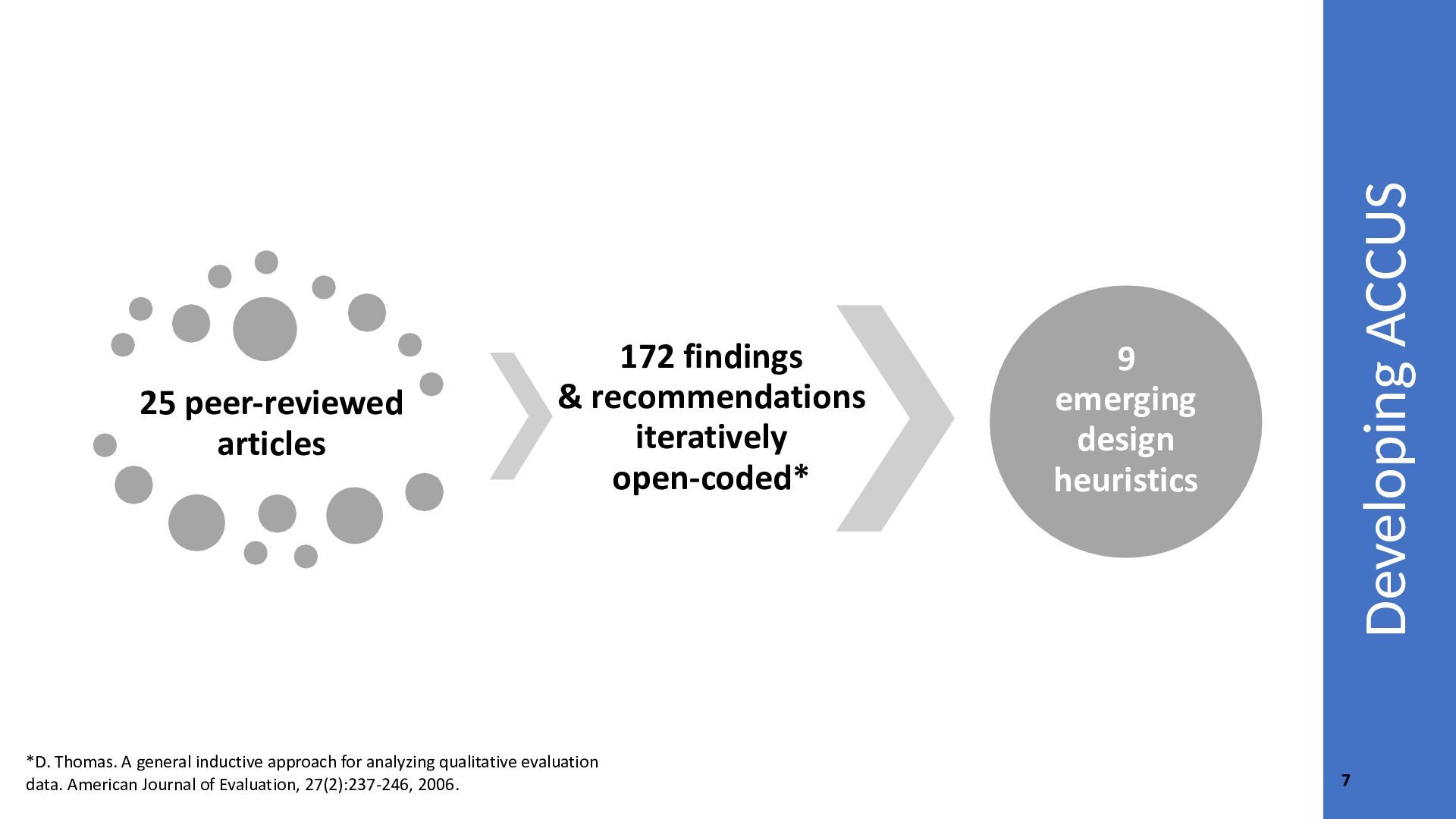
  5. *D. Thomas. A general inductive approach for analyzing qualitative evaluation

    data. American Journal of Evaluation, 27(2):237-246, 2006. Developing ACCUS 25 peer-reviewed articles 172 findings & recommendations iteratively open-coded* 9 emerging design heuristics 7
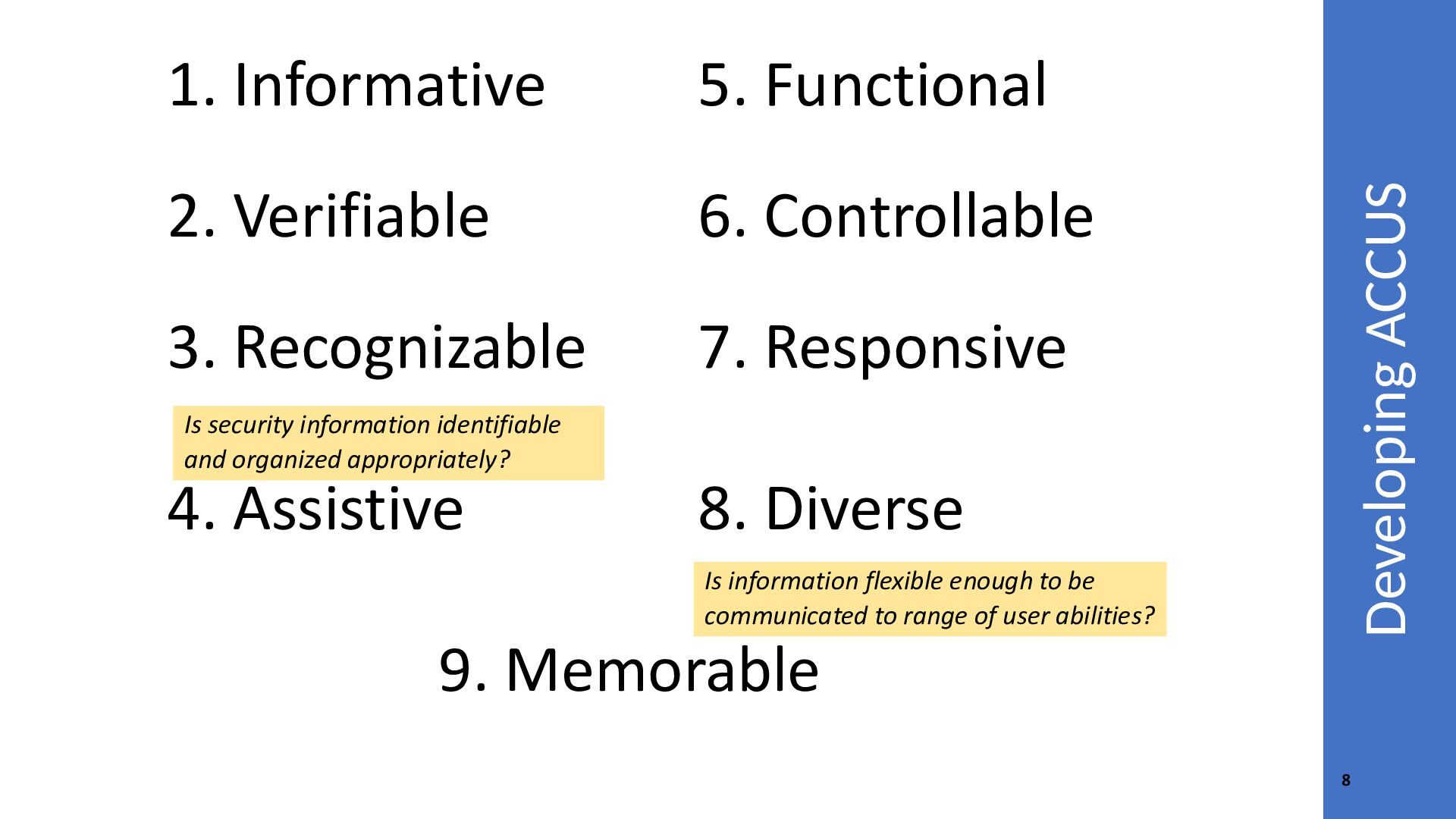
  6. 5. Functional 2. Verifiable 6. Controllable 3. Recognizable 7. Responsive

    Developing ACCUS 1. Informative Is security information identifiable and organized appropriately? 4. Assistive 8. Diverse Is information flexible enough to be communicated to range of user abilities? 9. Memorable 8
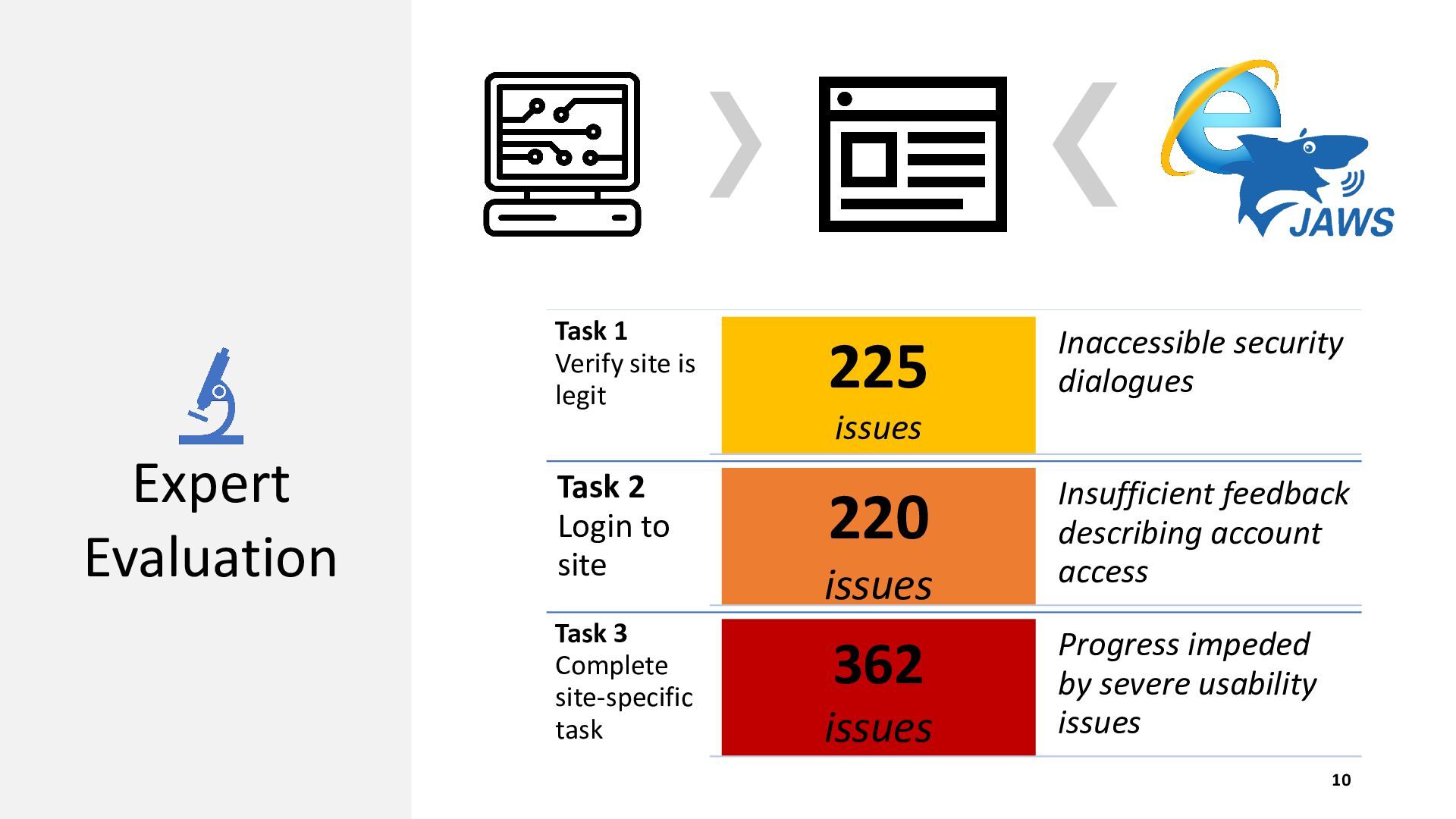
  7. Task 1 Verify site is legit 225 Inaccessible security dialogues

    issues Expert Evaluation Task 2 Login to site Task 3 Complete site-specific task 220 issues 362 issues Insufficient feedback describing account access Progress impeded by severe usability issues 10
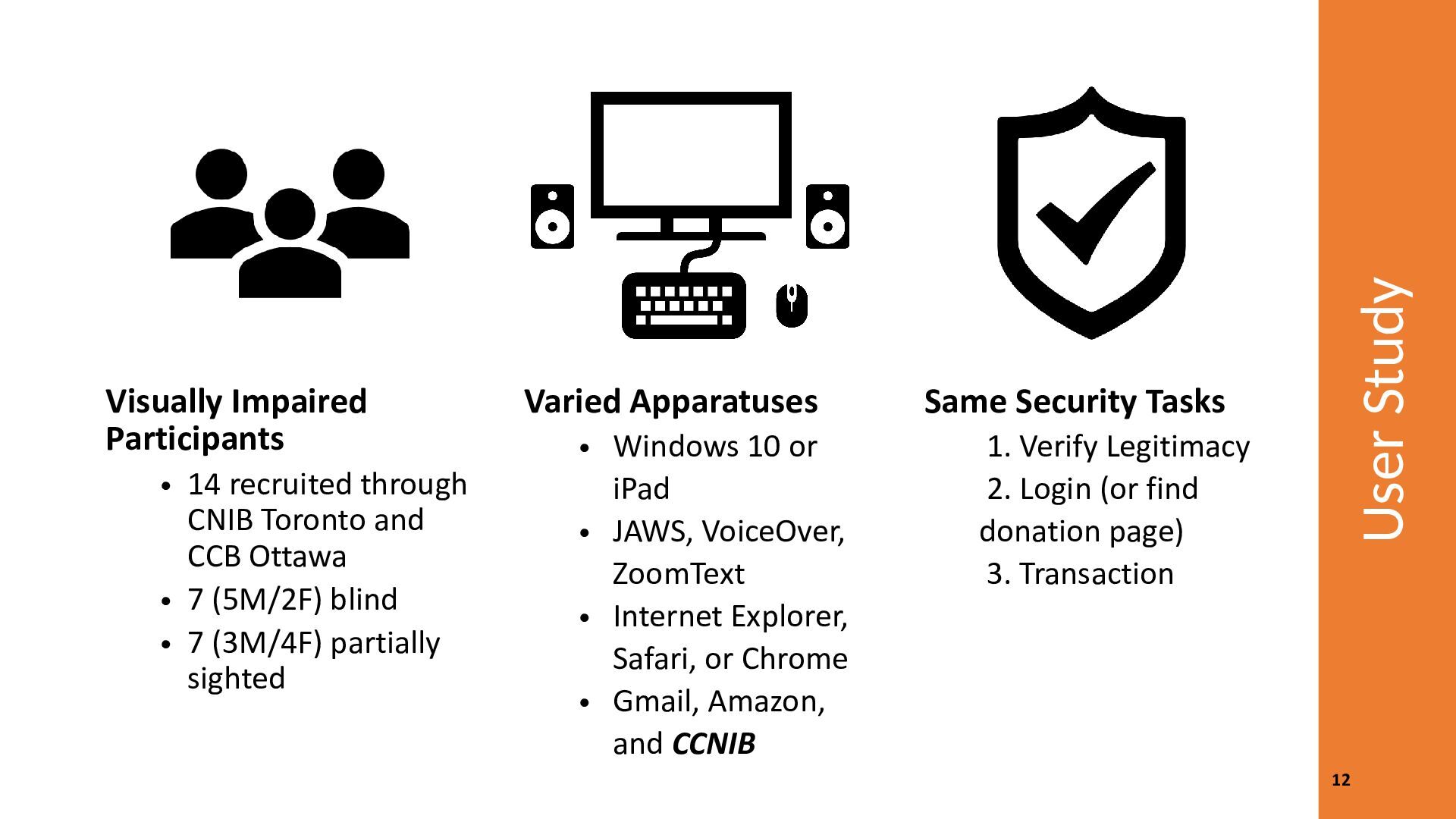
  8. • 14 recruited through CNIB Toronto and CCB Ottawa •

    7 (5M/2F) blind • 7 (3M/4F) partially sighted Varied Apparatuses • Windows 10 or iPad • JAWS, VoiceOver, ZoomText • Internet Explorer, Safari, or Chrome • Gmail, Amazon, and CCNIB User Study Visually Impaired Participants Same Security Tasks 1. Verify Legitimacy 2. Login (or find donation page) 3. Transaction 12
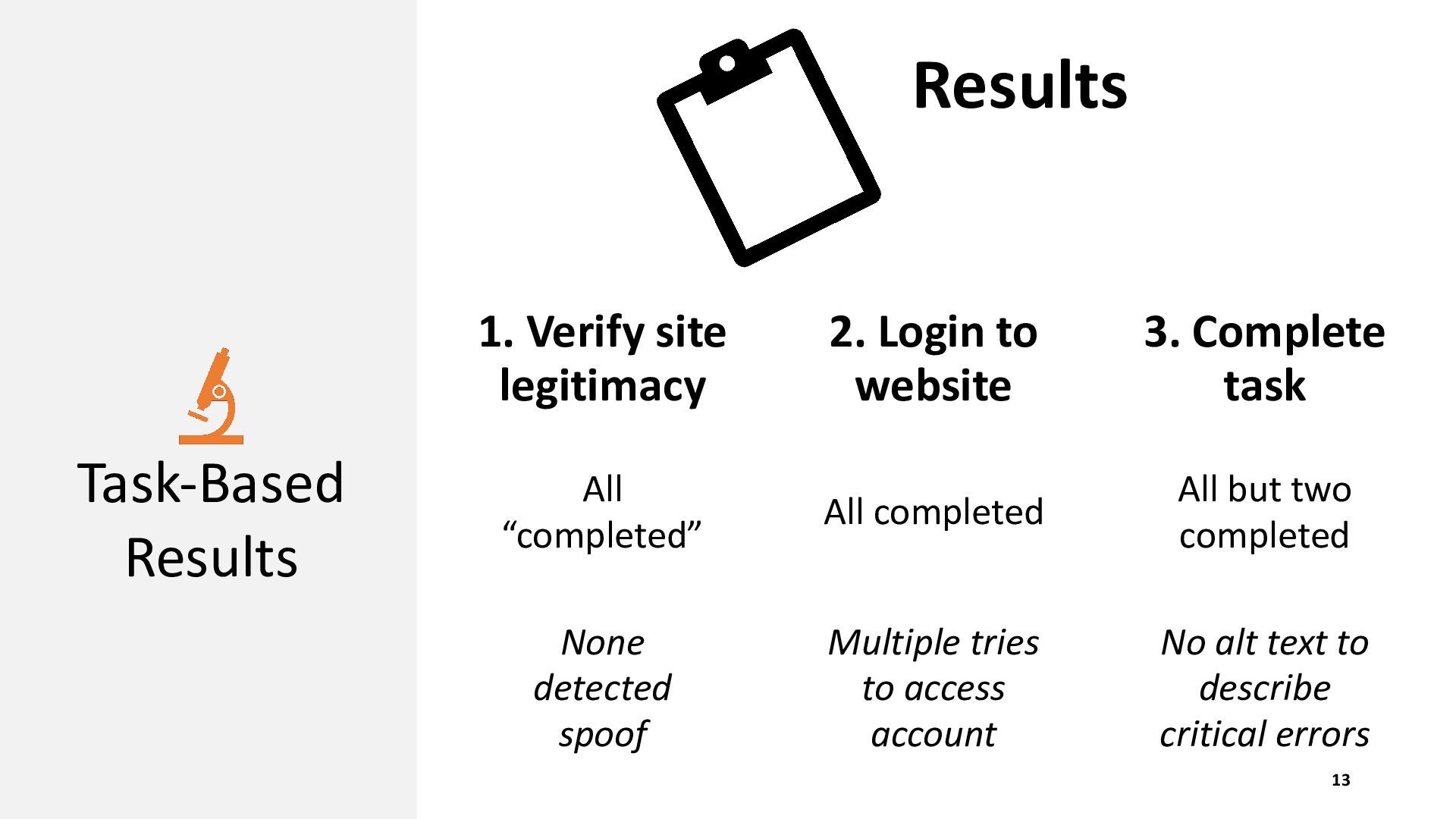
  9. Results 1. Verify site legitimacy Task-Based Results 2. Login to

    website 3. Complete task All “completed” All completed All but two completed None detected spoof Multiple tries to access account No alt text to describe critical errors 13
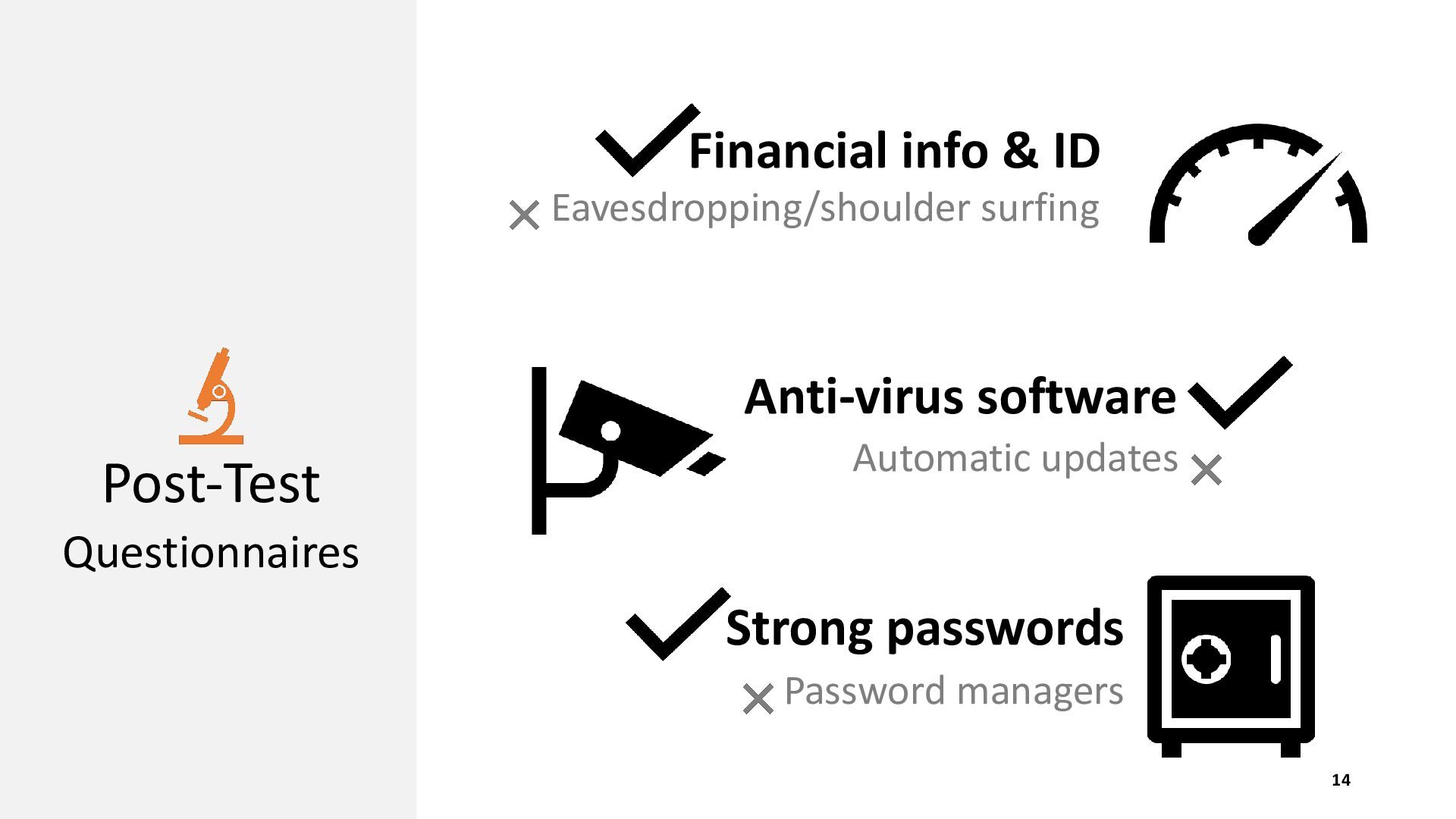
  10. Financial info & ID Eavesdropping/shoulder surfing Anti-virus software Post-Test Automatic

    updates Questionnaires Strong passwords Password managers 14
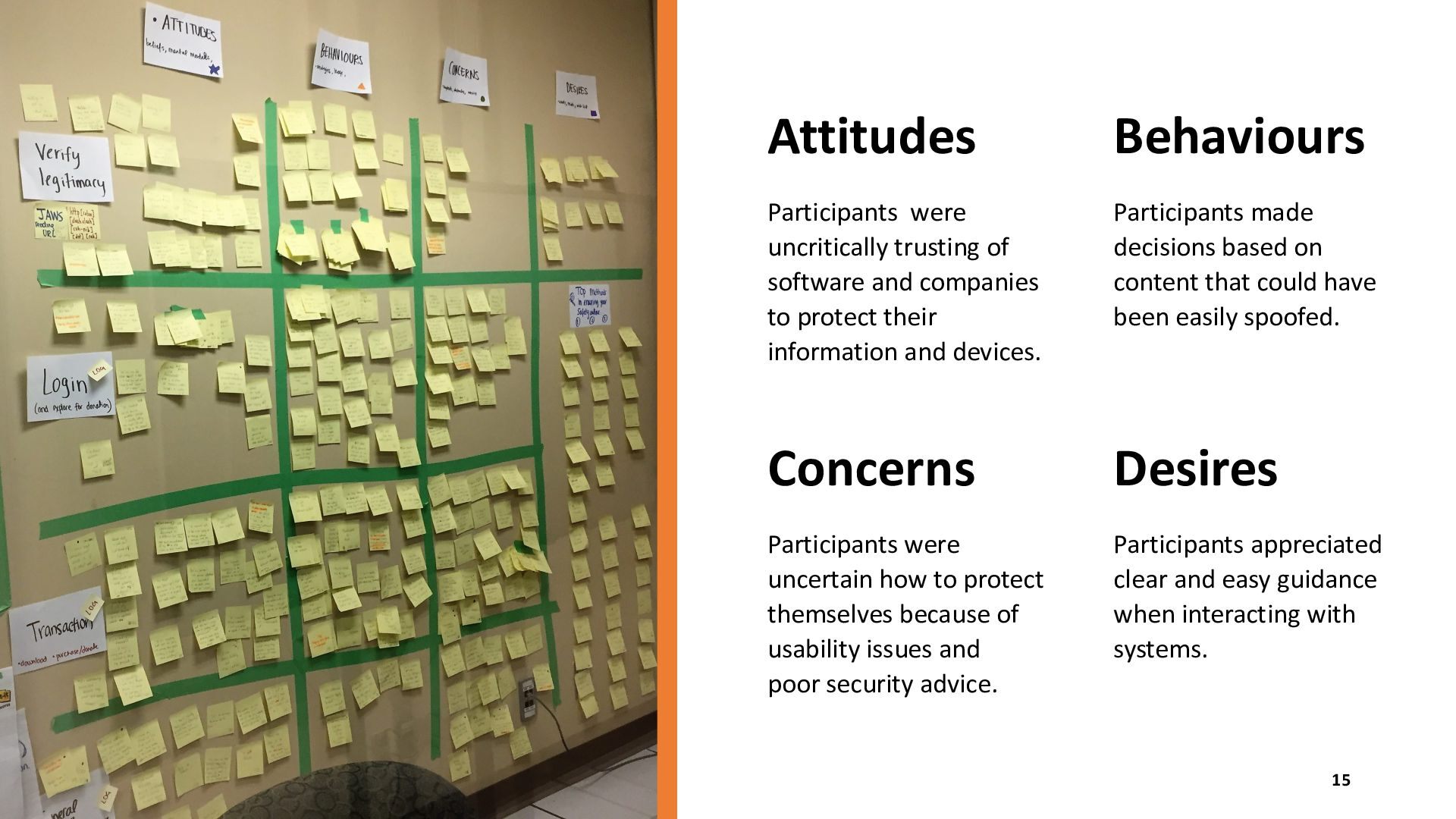
  11. Attitudes Behaviours Participants were uncritically trusting of software and companies

    to protect their information and devices. Participants made decisions based on content that could have been easily spoofed. Concerns Desires Participants were uncertain how to protect themselves because of usability issues and poor security advice. Participants appreciated clear and easy guidance when interacting with systems. 15
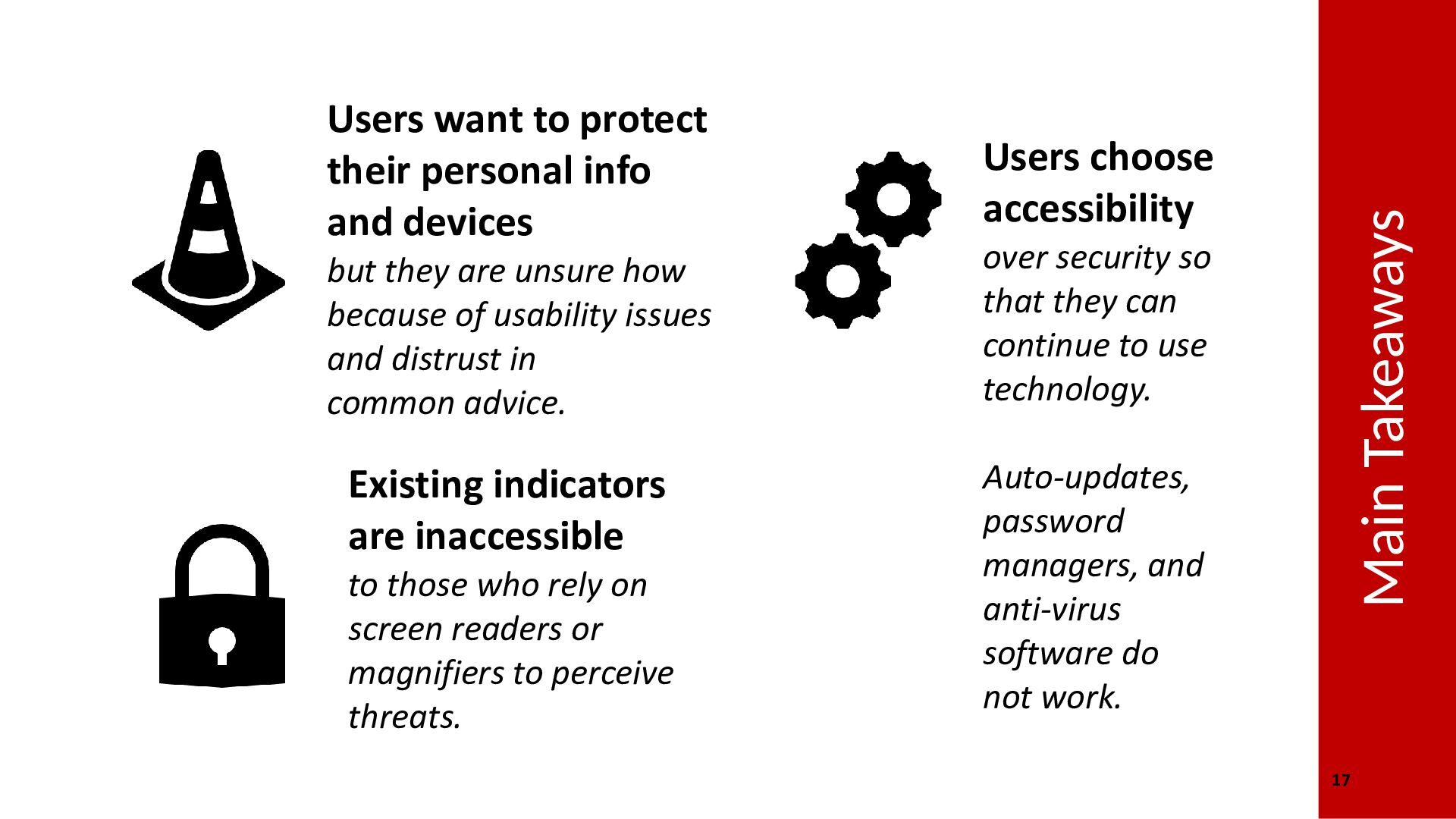
  12. Users choose accessibility but they are unsure how because of

    usability issues and distrust in common advice. over security so that they can continue to use technology. Existing indicators are inaccessible Auto-updates, password managers, and anti-virus software do not work. to those who rely on screen readers or magnifiers to perceive threats. Main Takeaways Users want to protect their personal info and devices 17
  13. Future Design Ideas Prioritize Provide Security Proactive Information Assistance Improve

    Security Advice Give evidence of security before engaging with tasks Develop advice that properly reflect users’ perspectives Direct users in their actions to stay secure 18
  14. Conclusion Existing security mechanisms do not suffice for visually impaired

    users. Users should have both accessibility and security. Supported by the Digital Inclusion Research Grant from eCampusOntario for 2017-18.
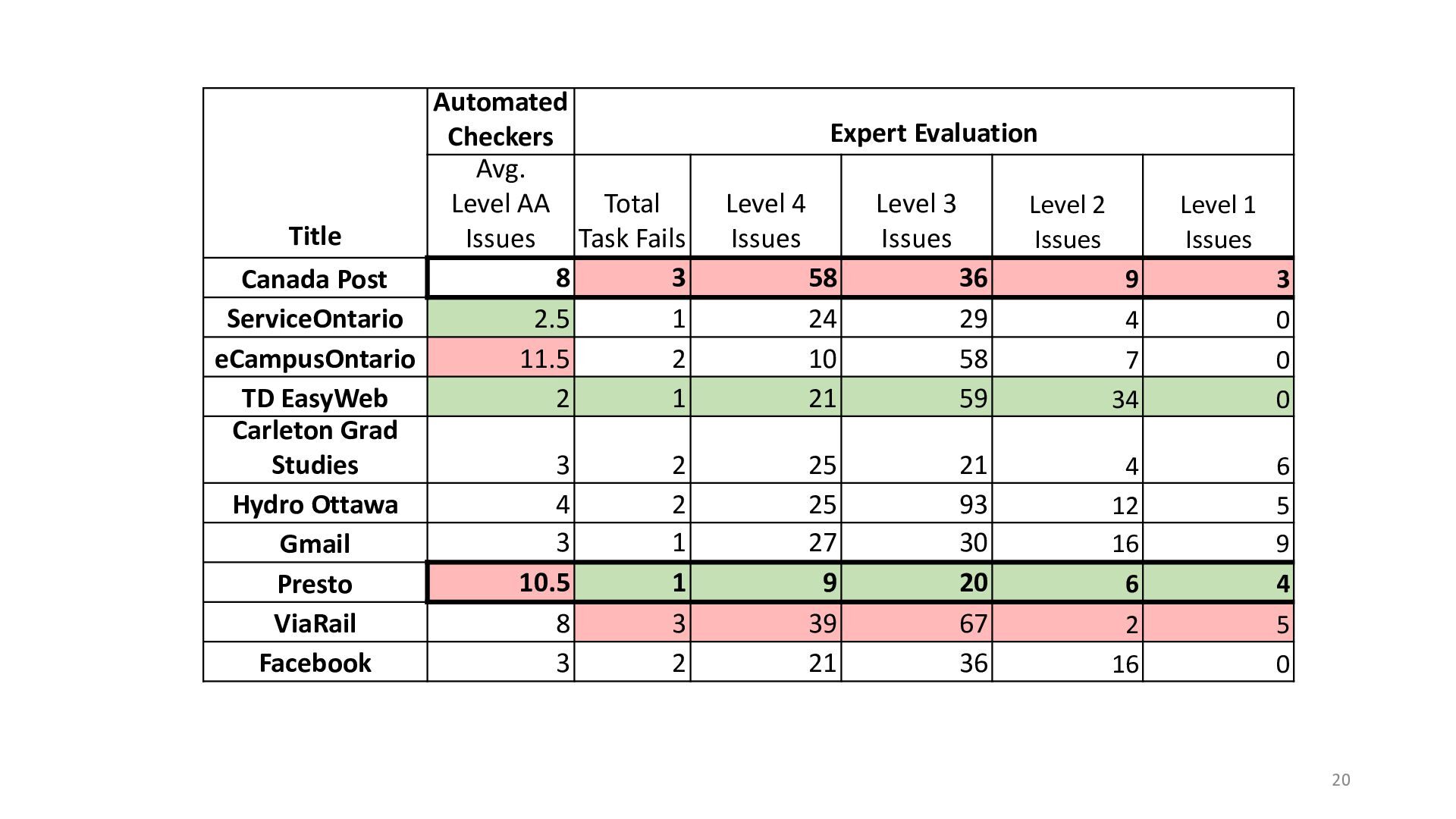
  15. Automated Checkers Avg. Level AA Total Title Issues Task Fails

    8 3 Canada Post ServiceOntario 2.5 1 eCampusOntario 11.5 2 TD EasyWeb 2 1 Carleton Grad Studies 3 2 Hydro Ottawa 4 2 3 1 Gmail 10.5 1 Presto ViaRail 8 3 Facebook 3 2 Expert Evaluation Level 4 Issues Level 3 Issues Level 2 Issues 58 24 10 21 36 29 58 59 25 25 27 9 39 21 21 93 30 20 67 36 Level 1 Issues 9 3 4 7 34 0 0 0 4 12 16 6 6 5 9 4 2 16 5 0 20
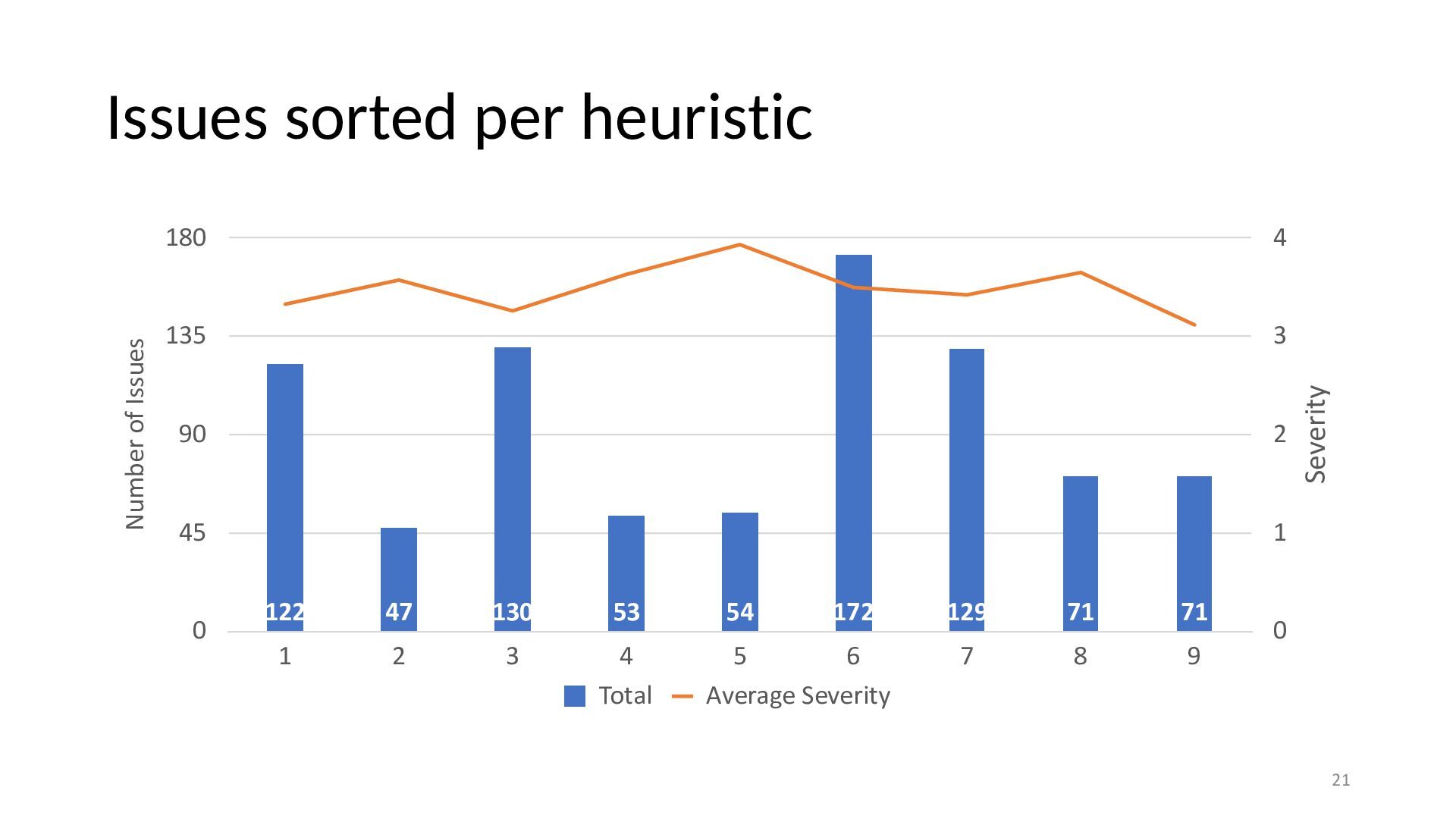
  16. 180 4 135 3 90 2 45 1 0 122

    47 130 53 1 2 3 4 Total 54 172 129 71 71 5 6 Average Severity 7 8 9 Severity Number of Issues Issues sorted per heuristic 0 21
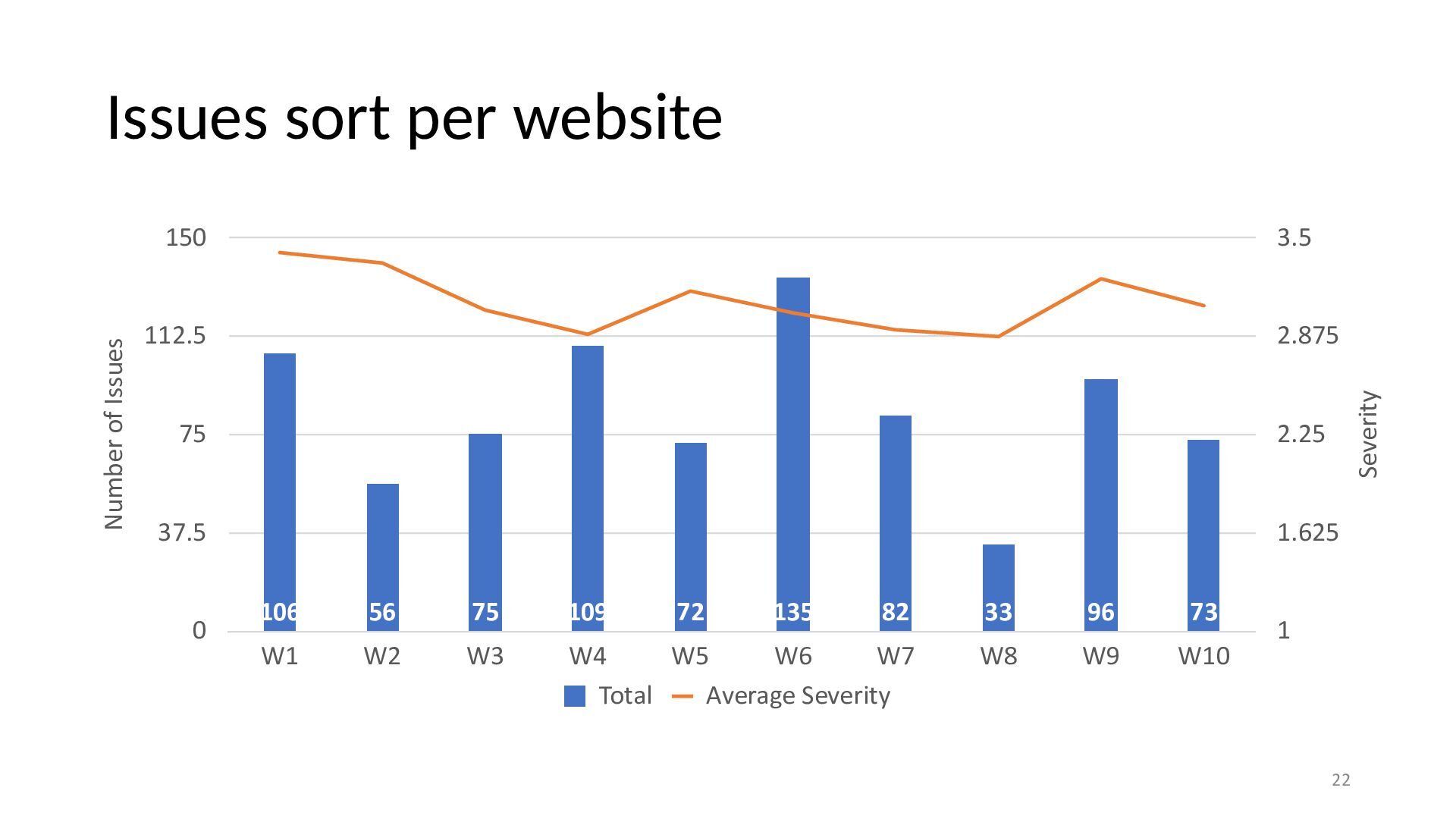
  17. 150 3.5 112.5 2.875 75 2.25 37.5 1.625 0 106

    56 75 109 72 135 82 33 96 73 W1 W2 W3 W4 W5 W6 W7 Total Average Severity W8 W9 W10 Severity Number of Issues Issues sort per website 1 22
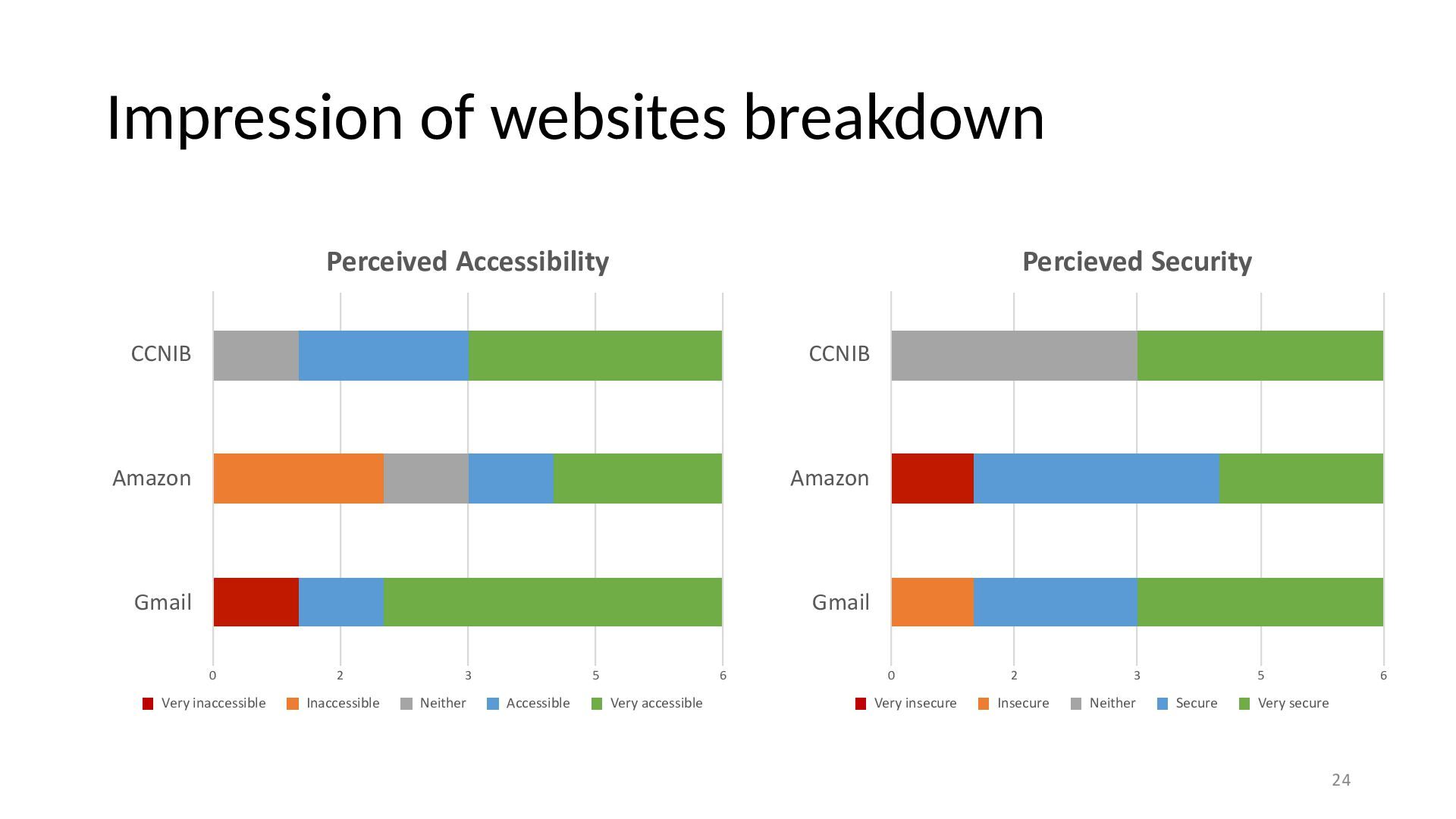
  18. Impression of websites breakdown Perceived Accessibility Percieved Security CCNIB CCNIB

    Amazon Amazon Gmail Gmail 0 2 Very inaccessible Inaccessible 3 Neither 5 Accessible 6 Very accessible 0 Very insecure 2 Insecure 3 Neither 5 Secure 6 Very secure 24
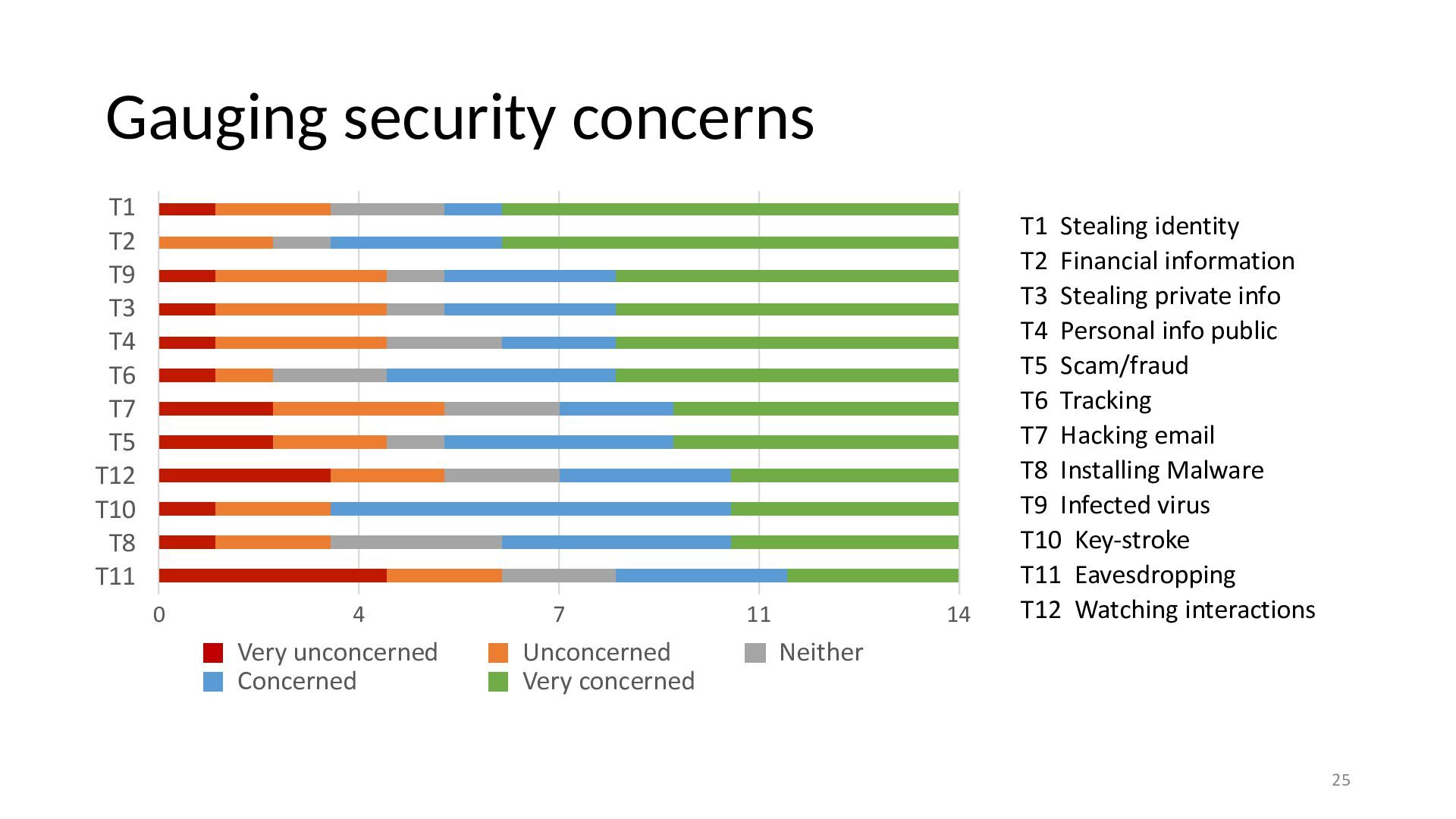
  19. Gauging security concerns T1 T2 T9 T3 T4 T6 T7

    T5 T12 T10 T8 T11 0 4 Very unconcerned Concerned 7 Unconcerned Very concerned 11 14 T1 Stealing identity T2 Financial information T3 Stealing private info T4 Personal info public T5 Scam/fraud T6 Tracking T7 Hacking email T8 Installing Malware T9 Infected virus T10 Key-stroke T11 Eavesdropping T12 Watching interactions Neither 25
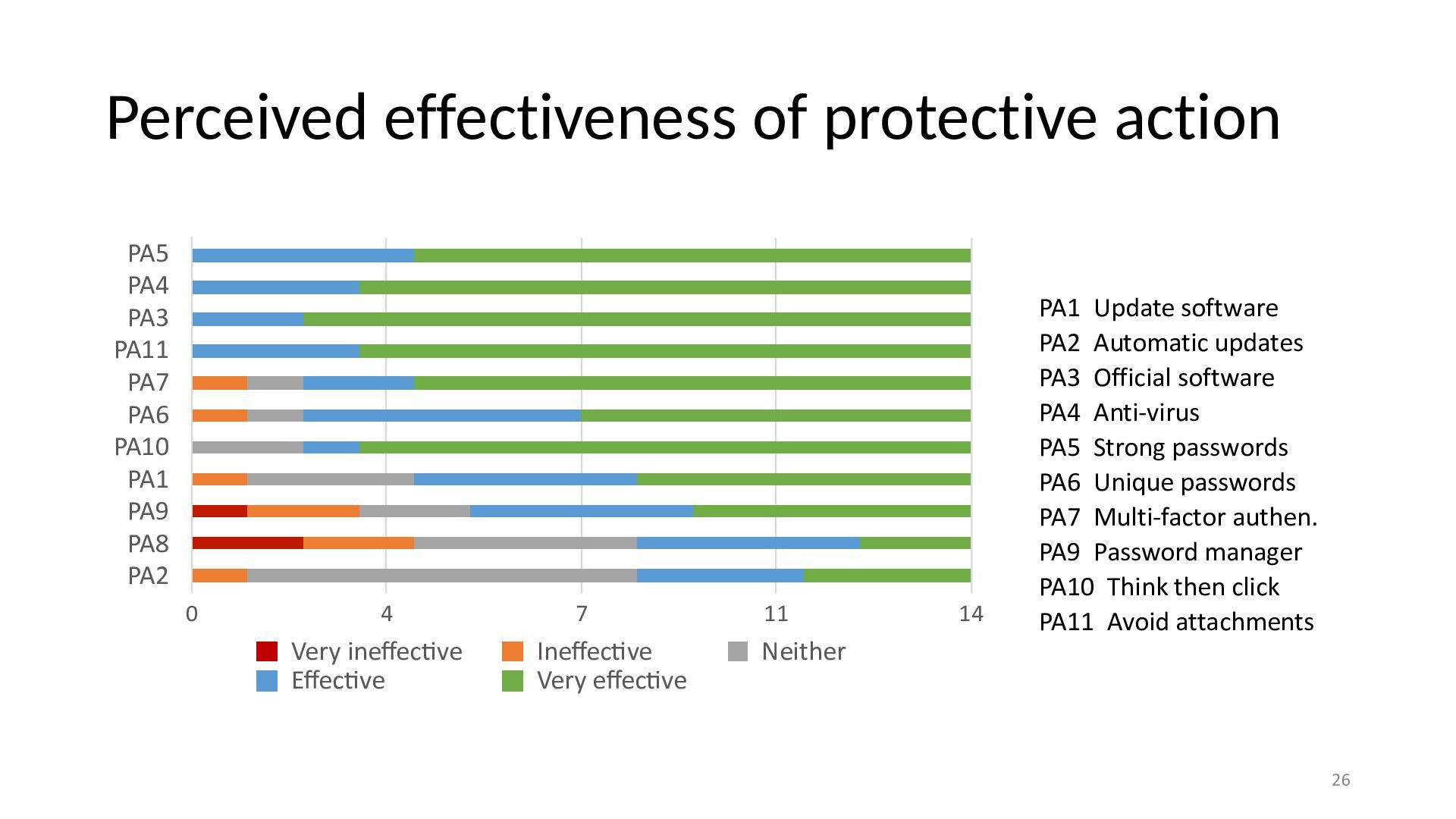
  20. Perceived effectiveness of protective action PA5 PA4 PA3 PA11 PA7

    PA6 PA10 PA1 PA9 PA8 PA2 0 4 Very ine ec ve E ec ve 7 Ine ec ve Very e ec ve 11 14 PA1 Update software PA2 Automatic updates PA3 Official software PA4 Anti-virus PA5 Strong passwords PA6 Unique passwords PA7 Multi-factor authen. PA9 Password manager PA10 Think then click PA11 Avoid attachments Neither ti ti ff ti ff ti ff ff 26
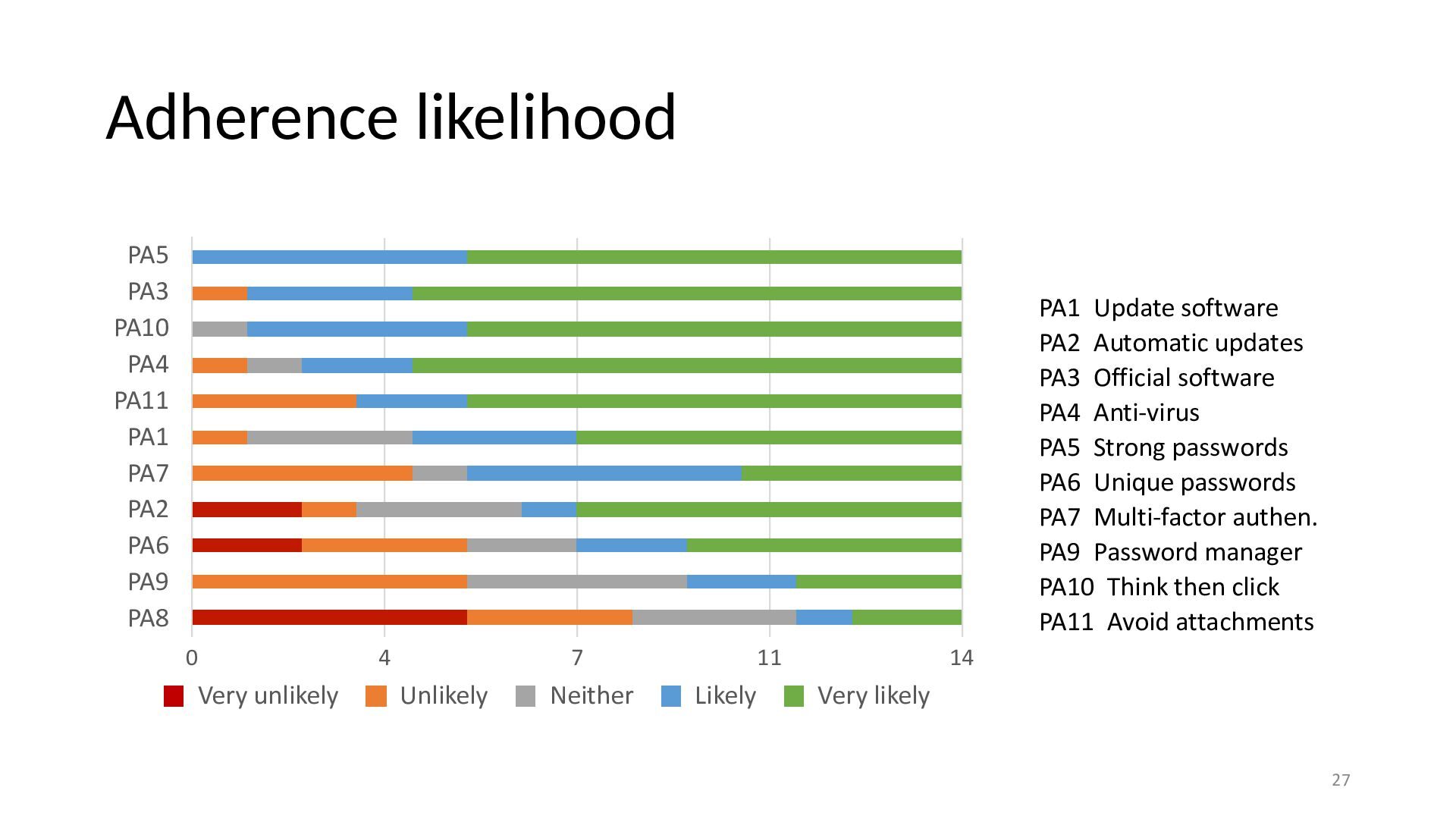
  21. Adherence likelihood PA5 PA3 PA10 PA4 PA11 PA1 PA7 PA2

    PA6 PA9 PA8 PA1 Update software PA2 Automatic updates PA3 Official software PA4 Anti-virus PA5 Strong passwords PA6 Unique passwords PA7 Multi-factor authen. PA9 Password manager PA10 Think then click PA11 Avoid attachments 0 Very unlikely 4 7 Unlikely Neither 11 Likely 14 Very likely 27
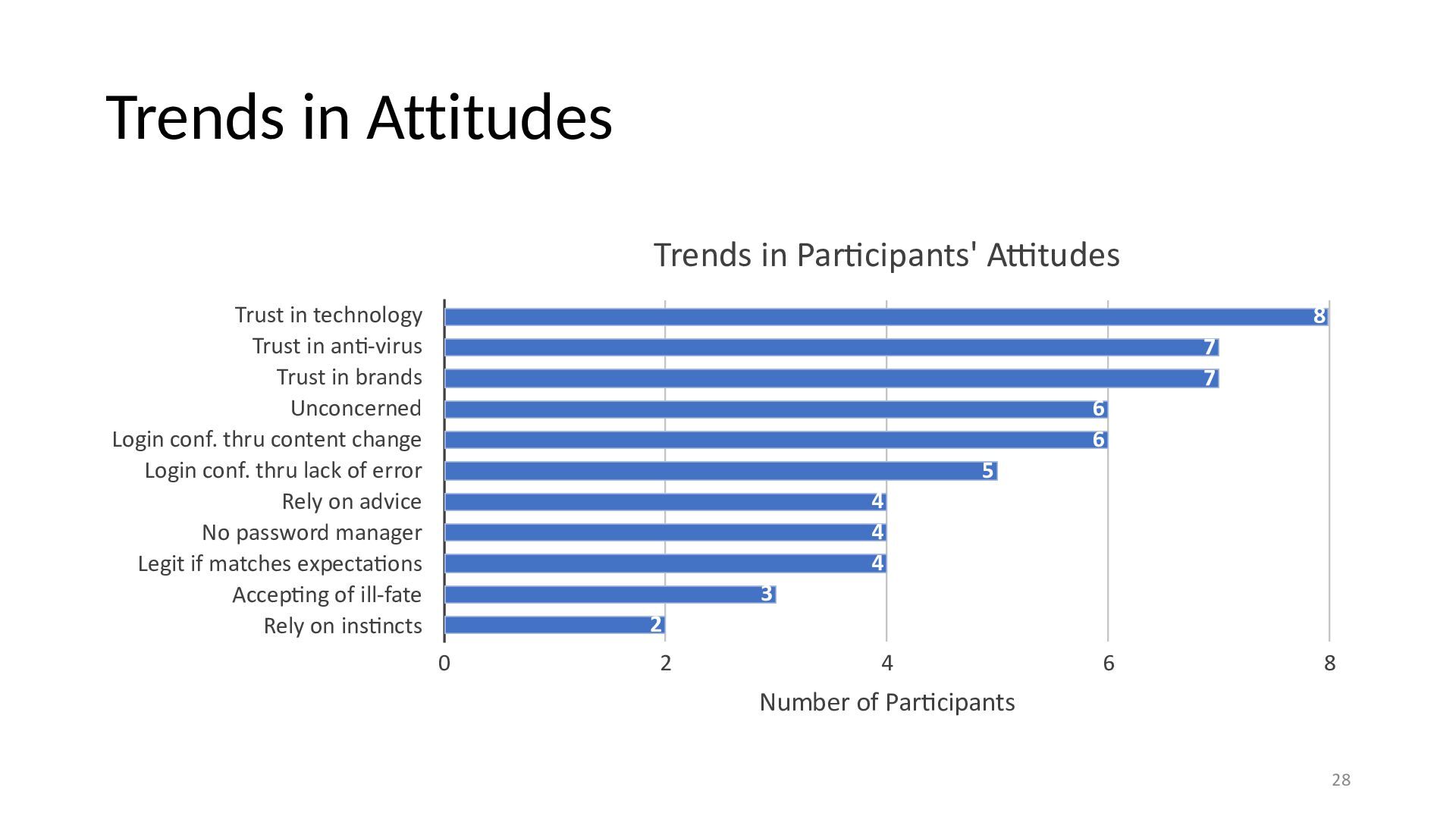
  22. Trends in Attitudes Trends in Par cipants' A tudes Trust

    in technology Trust in an -virus Trust in brands Unconcerned Login conf. thru content change Login conf. thru lack of error Rely on advice No password manager Legit if matches expecta ons Accep ng of ill-fate Rely on ins ncts 8 7 7 6 6 5 4 4 4 3 2 0 2 4 6 8 Number of Par cipants tti ti ti ti ti ti ti 28
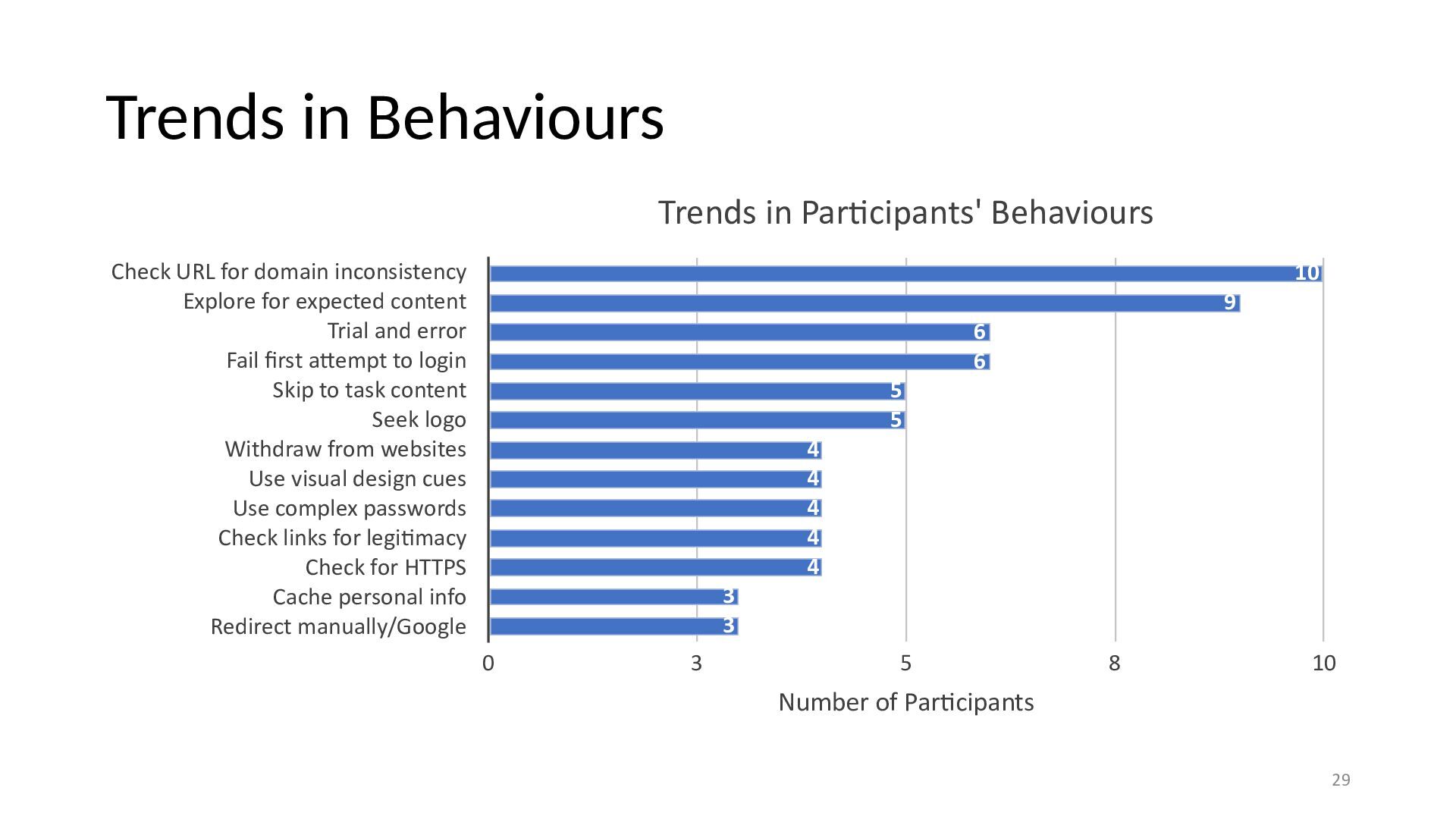
  23. Trends in Behaviours Trends in Par cipants' Behaviours Check URL

    for domain inconsistency Explore for expected content Trial and error Fail rst a empt to login Skip to task content Seek logo Withdraw from websites Use visual design cues Use complex passwords Check links for legi macy Check for HTTPS Cache personal info Redirect manually/Google 10 9 6 6 5 5 4 4 4 4 4 3 3 0 3 5 8 10 Number of Par cipants ti ti ti tt fi 29
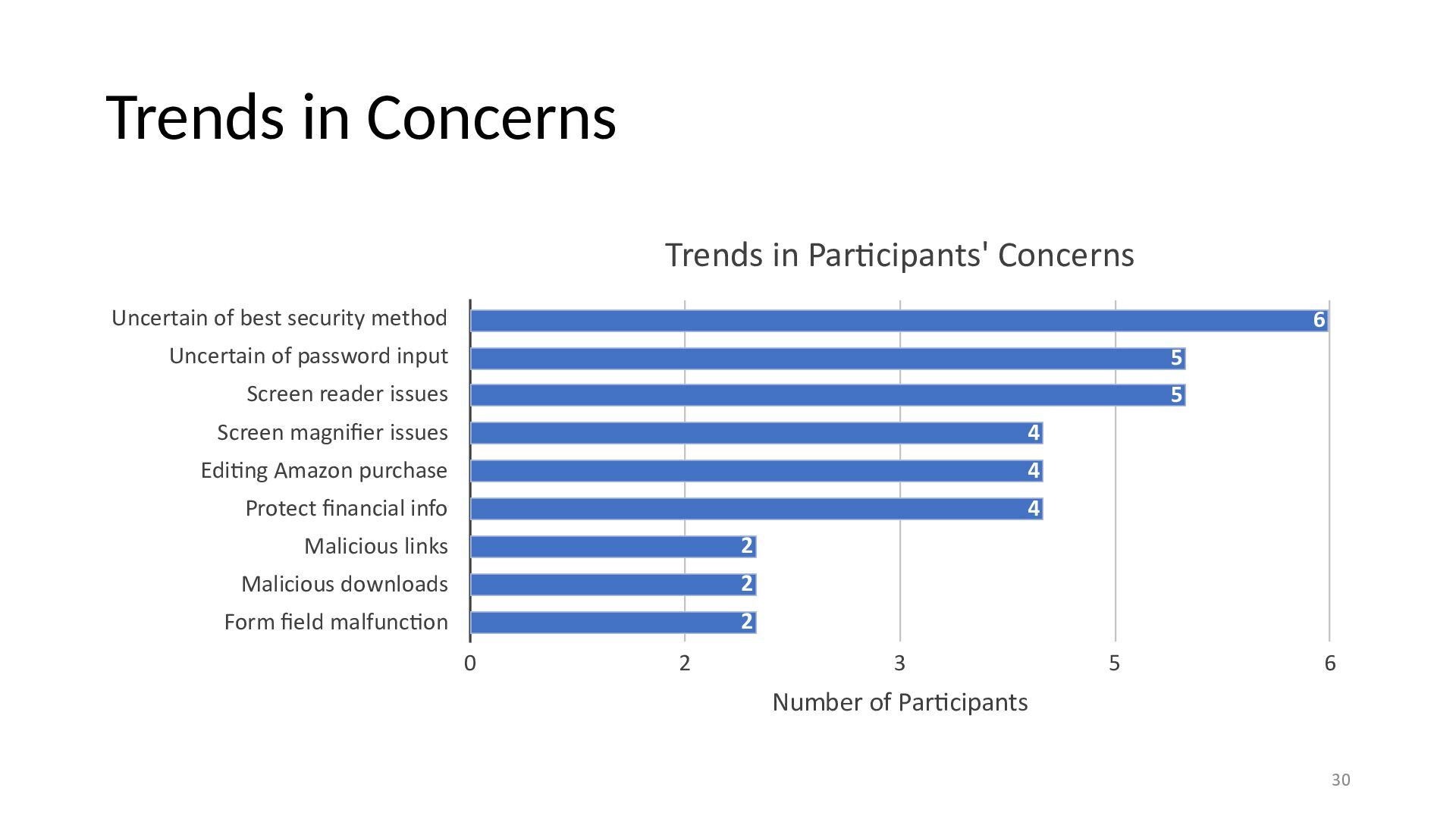
  24. Trends in Concerns Trends in Par cipants' Concerns Uncertain of

    best security method 6 Uncertain of password input 5 Screen reader issues 5 Screen magni er issues 4 Edi ng Amazon purchase 4 Protect nancial info 4 Malicious links 2 Malicious downloads 2 Form eld malfunc on 2 0 2 3 5 6 Number of Par cipants ti ti ti fi fi fi ti 30
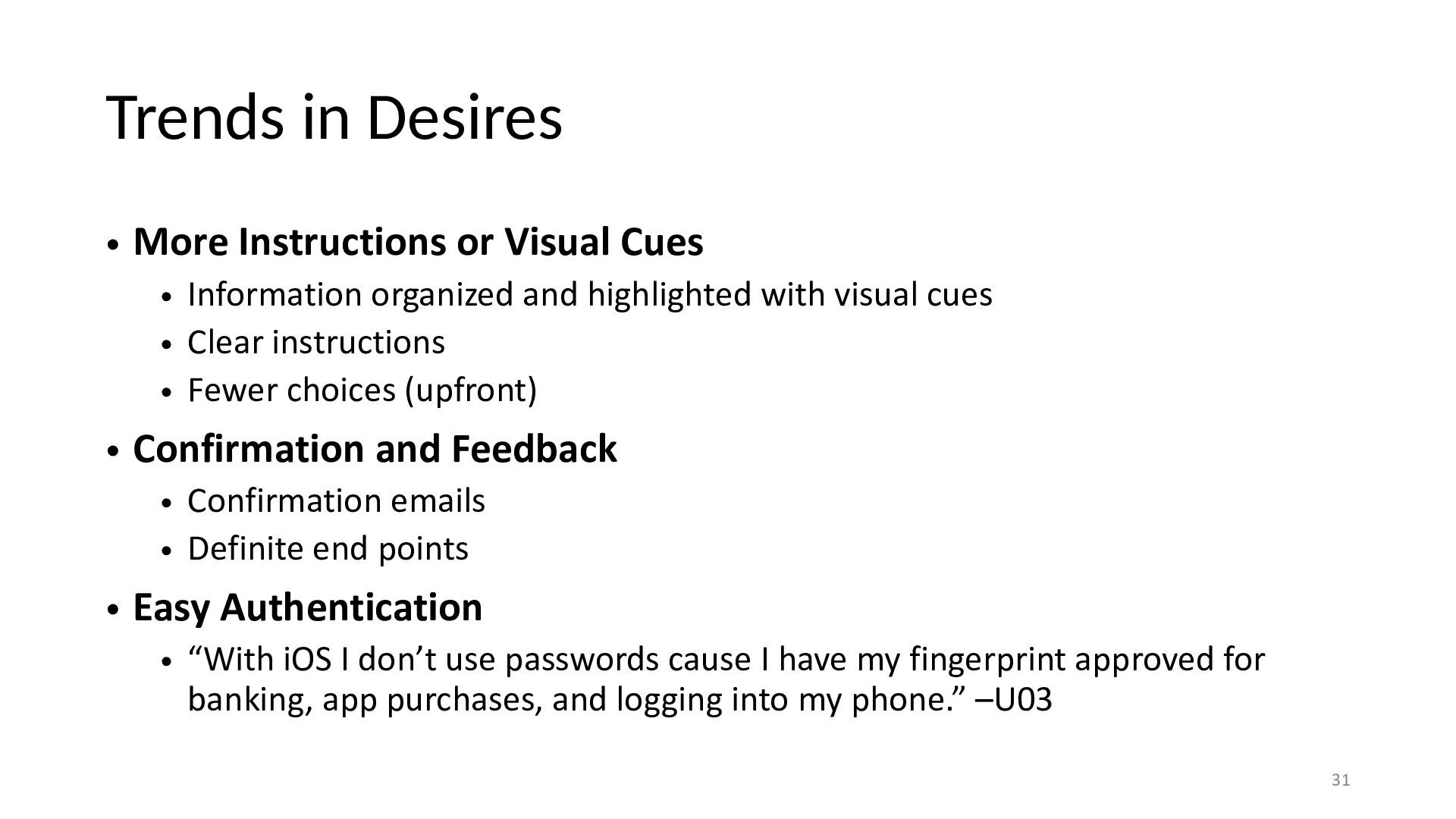
  25. Trends in Desires • More Instructions or Visual Cues •

    Information organized and highlighted with visual cues • Clear instructions • Fewer choices (upfront) • Confirmation and Feedback • Confirmation emails • Definite end points • Easy Authentication • “With iOS I don’t use passwords cause I have my fingerprint approved for banking, app purchases, and logging into my phone.” –U03 31