Upgrade to Pro — share decks privately, control downloads, hide ads and more …

Intro to Polymer.dart

Sponsored · Your Podcast. Everywhere. Effortlessly. Share. Educate. Inspire. Entertain. You do you. We'll handle the rest.

Intro to Polymer.dart

Presented during Dart Flight School 1.0 with the Google Developers Group, http://www.meetup.com/google-developer-group-san-francisco/events/156154312/

Avatar for Don Olmstead

Don Olmstead

February 22, 2014

More Decks by Don Olmstead

Other Decks in Programming

Transcript

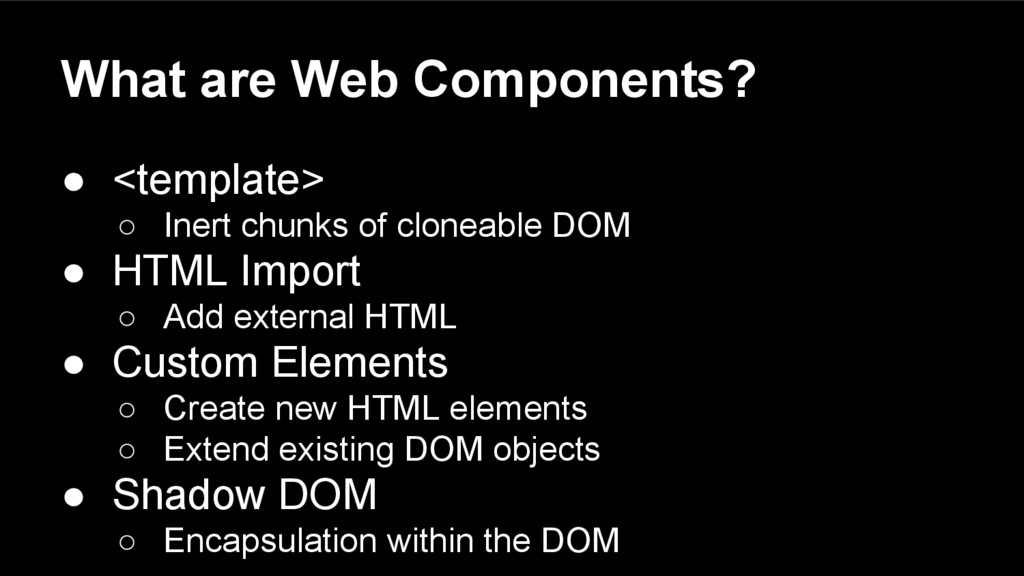
  1. What are Web Components? • <template> ◦ Inert chunks of

    cloneable DOM • HTML Import ◦ Add external HTML • Custom Elements ◦ Create new HTML elements ◦ Extend existing DOM objects • Shadow DOM ◦ Encapsulation within the DOM
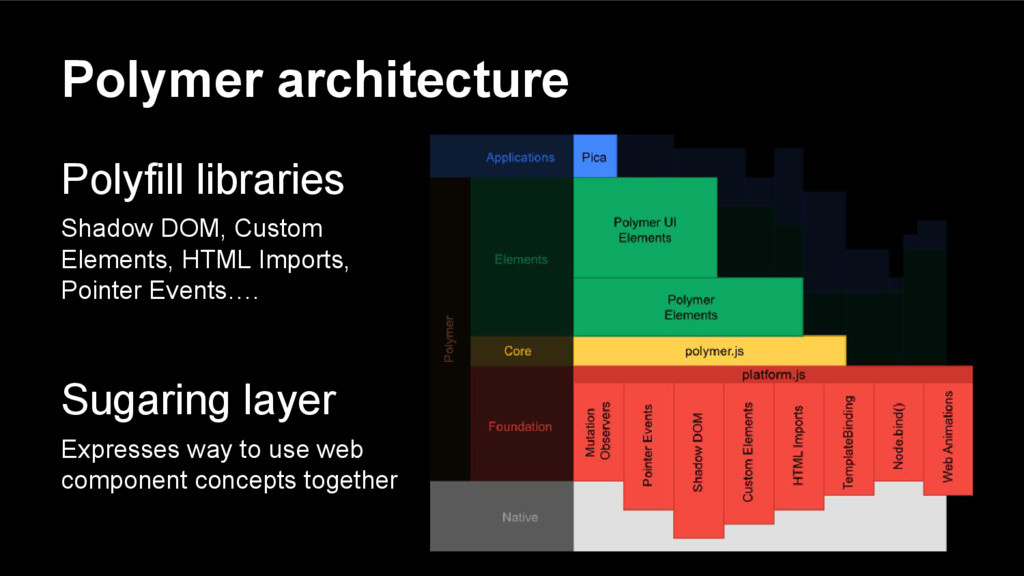
  2. Polymer architecture Polyfill libraries Shadow DOM, Custom Elements, HTML Imports,

    Pointer Events…. Sugaring layer Expresses way to use web component concepts together
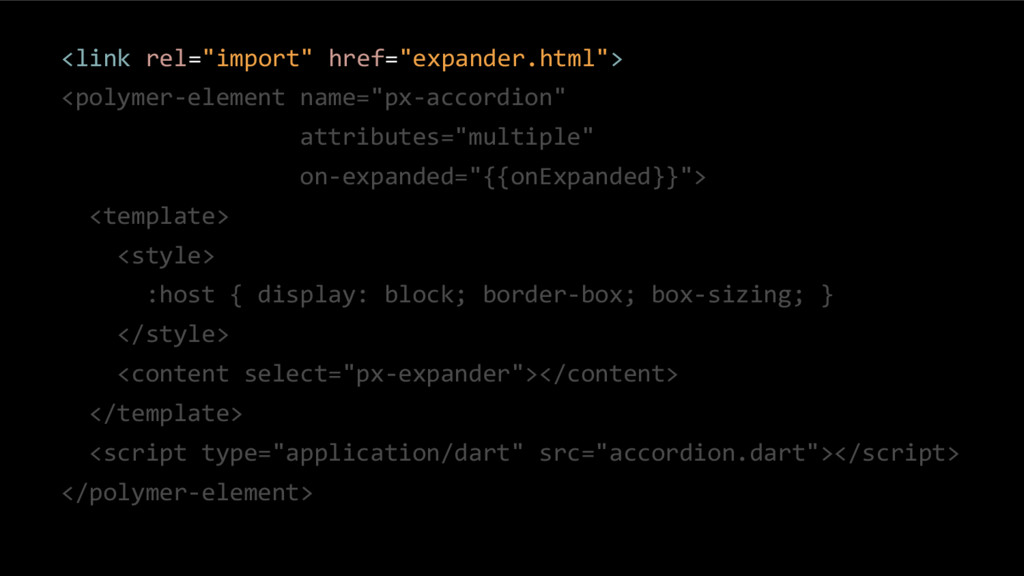
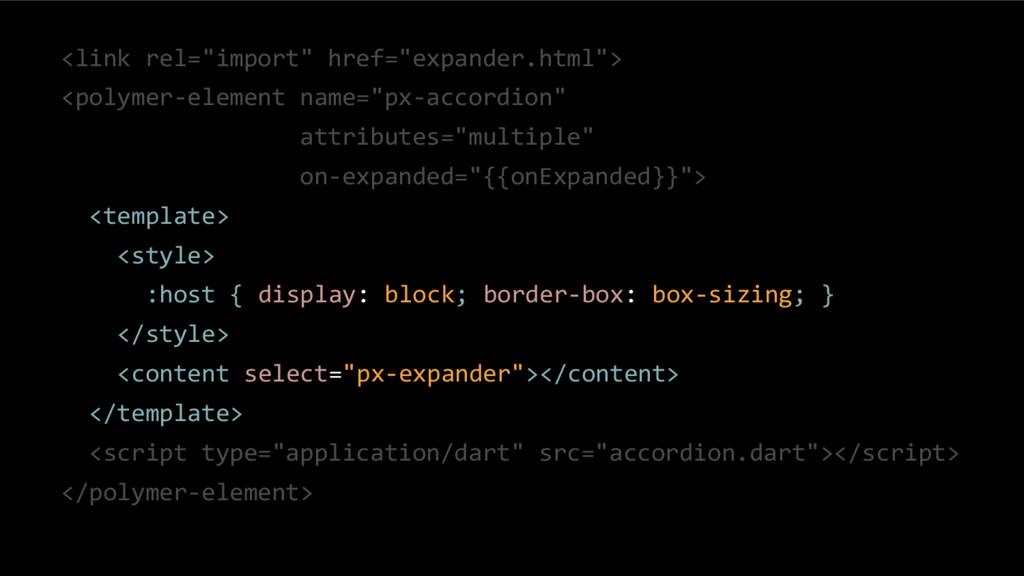
  3. <link rel="import" href="expander.html"> <polymer-element name="px-accordion" attributes="multiple" on-expanded="{{onExpanded}}"> <template> <style> :host

    { display: block; border-box; box-sizing; } </style> <content select="px-expander"></content> </template> <script type="application/dart" src="accordion.dart"></script> </polymer-element>
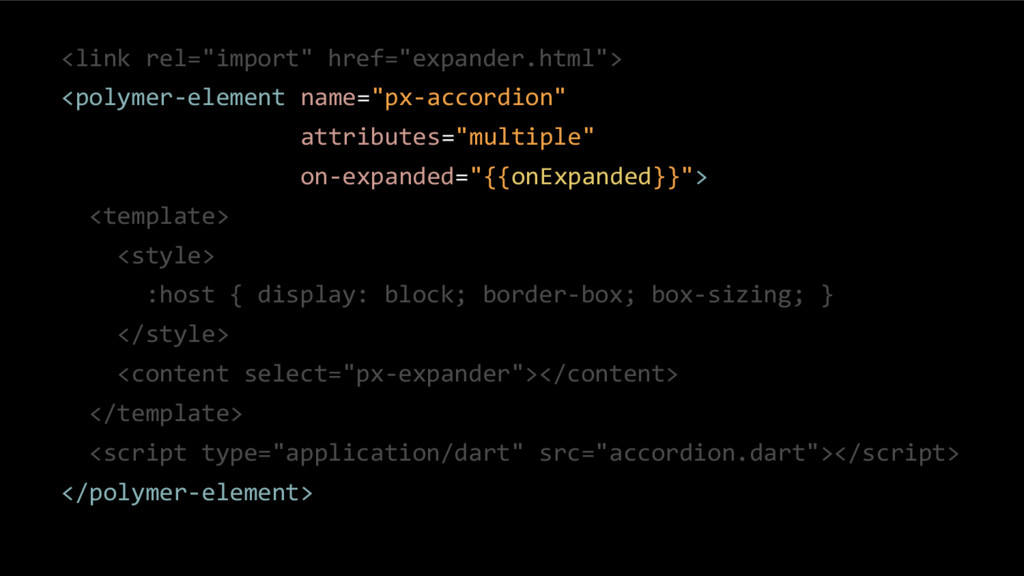
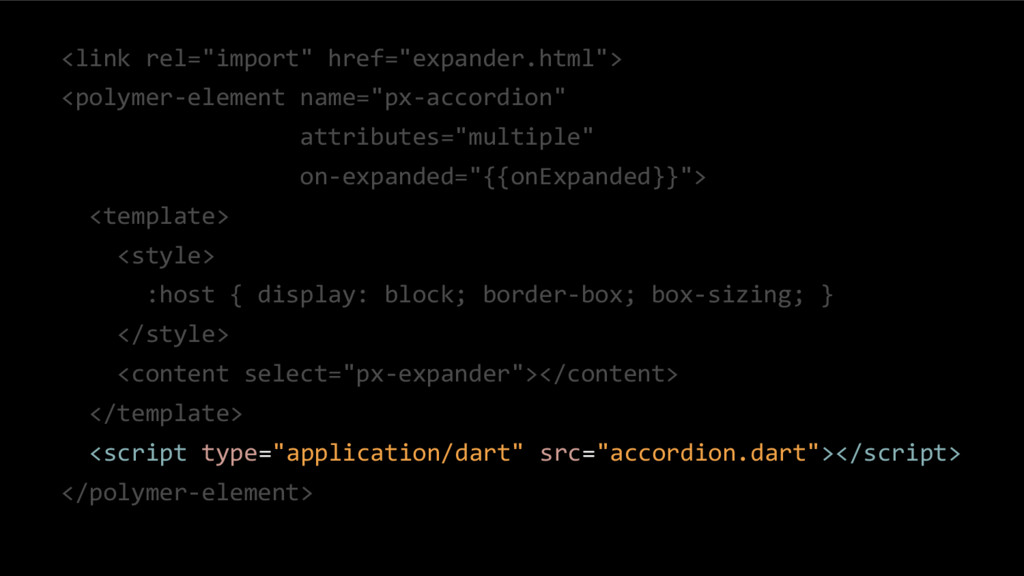
  4. <link rel="import" href="expander.html"> <polymer-element name="px-accordion" attributes="multiple" on-expanded="{{onExpanded}}"> <template> <style> :host

    { display: block; border-box; box-sizing; } </style> <content select="px-expander"></content> </template> <script type="application/dart" src="accordion.dart"></script> </polymer-element>
  5. <link rel="import" href="expander.html"> <polymer-element name="px-accordion" attributes="multiple" on-expanded="{{onExpanded}}"> <template> <style> :host

    { display: block; border-box: box-sizing; } </style> <content select="px-expander"></content> </template> <script type="application/dart" src="accordion.dart"></script> </polymer-element>
  6. <link rel="import" href="expander.html"> <polymer-element name="px-accordion" attributes="multiple" on-expanded="{{onExpanded}}"> <template> <style> :host

    { display: block; border-box; box-sizing; } </style> <content select="px-expander"></content> </template> <script type="application/dart" src="accordion.dart"></script> </polymer-element>
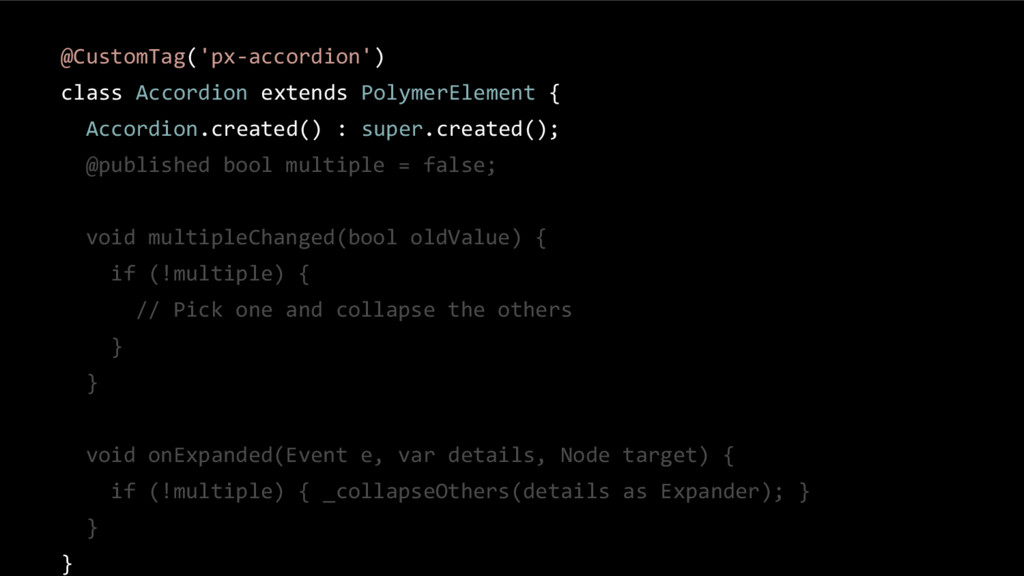
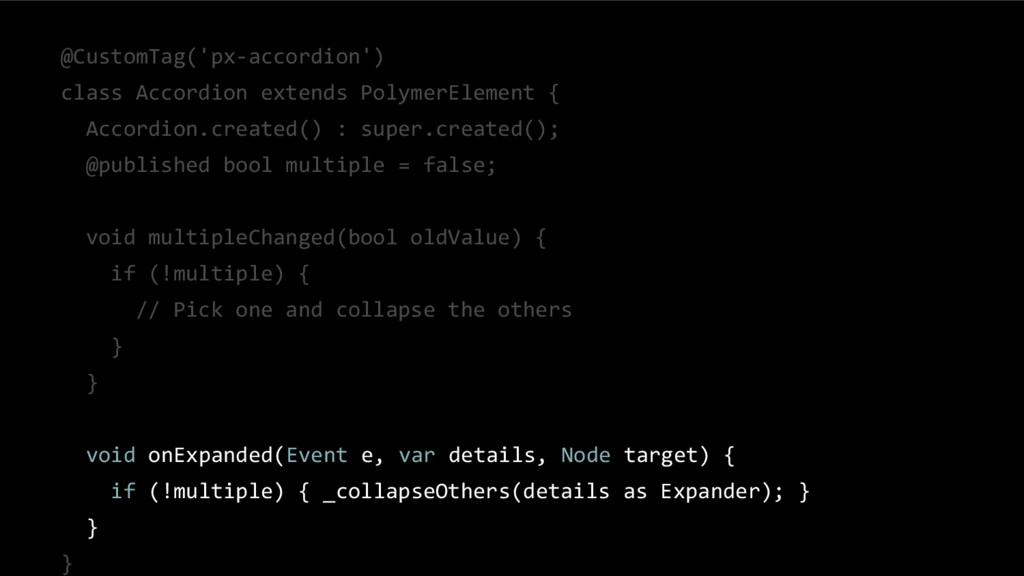
  7. @CustomTag('px-accordion') class Accordion extends PolymerElement { Accordion.created() : super.created(); @published

    bool multiple = false; void multipleChanged(bool oldValue) { if (!multiple) { // Pick one and collapse the others } } void onExpanded(Event e, var details, Node target) { if (!multiple) { _collapseOthers(details as Expander); } } }
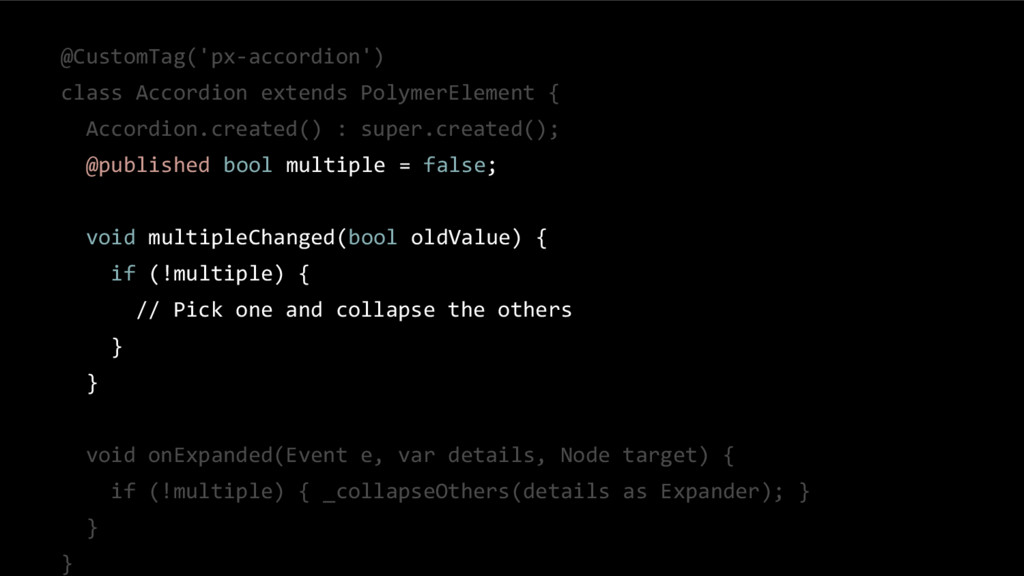
  8. @CustomTag('px-accordion') class Accordion extends PolymerElement { Accordion.created() : super.created(); @published

    bool multiple = false; void multipleChanged(bool oldValue) { if (!multiple) { // Pick one and collapse the others } } void onExpanded(Event e, var details, Node target) { if (!multiple) { _collapseOthers(details as Expander); } } }
  9. @CustomTag('px-accordion') class Accordion extends PolymerElement { Accordion.created() : super.created(); @published

    bool multiple = false; void multipleChanged(bool oldValue) { if (!multiple) { // Pick one and collapse the others } } void onExpanded(Event e, var details, Node target) { if (!multiple) { _collapseOthers(details as Expander); } } }